Welcome Guest ( Log In | Register )

Bump Topic Topic Closed RSS Feed
19 Pages  1 2 3 > » Bottom

Outline · [ Standard ] · Linear+

Unifi Official TM UniFi High Speed Broadband Thread V40, READ 1ST PAGE FOR RELEVANT WIFI INFO

views
     
TSSilentVampire
post Mar 14 2022, 10:33 AM, updated 3y ago

Networking Enthusiast
*******
Senior Member
5,714 posts

Joined: Mar 2007


user posted image

Welcome To The Official TM UniFi High Speed Broadband Thread V40

Previous UniFi Threads
V1 | V2 | V3 | V4 | V5 | V6 | V7 | V8 | V9 | V10
V11 | V12 | V13 | V14 | V15 | V16 | V17 | V18 | V19 | V20
V21 | V22 | V23 | V24 | V25 | V26 | V27 | V28 | V29 | V30
V31 | V32 | V33 | V34 | V35 | V36 | V37 |
V38
| V39


LYN UniFi Users

TM UniFi Coverage & Subscribers: V1 V2

About UniFi: UniFi Home & Personal Plans UniFi Business Plans

Complain to SKMM/CFM: SKMM CFM


PLEASE READ BEFORE YOU PROCEED

10 Things You Should Know About UniFi

1. This service is a 24-month contract and a termination fee of the total cost of the remaining months on your contract is chargeable for termination of service within the contract period.

2. If your premises reside in high rise building served via copper, you must terminate your existing Streamyx service (if any).

3. Minimal drilling is required for fibre installation to the premise. You will be responsible for providing TV and 4-socket extension cord to complete the installation. No installation appointment will be made for premises under renovation.

4. All triple play services (internet, voice and TV) must be activated during service installation. Partial service activation is not allowed.

5. UniFi is a wired broadband service. Wireless connectivity is an option and is subject to interference and obstructions factor.

6. UniFi account owner or authorised contact person must be available during the service installation. For high rise premises, owners are required to make arrangement with Building Management Office for installation permission, internal cabling and access to telecommunication room.

7. Installation fee includes external cable entrance up to the internal wiring with maximum of 15 metres for fiber cable, 15 meters for Ethernet/phone cables and 30 metres for casing (raceway). Additional charges will be applied for cable more than 15 metres and 30 metres casing (raceway) and charges will be included in your UniFi bill. See video below for optional installation charges.

8. For other non-standard installation e.g. wiring above ceiling, underground and conceal wiring, you may appoint your own contractor or deal directly with TM appointed contractor. Payment will be made directly to the contractor.

9. Please provide correct and valid Billing Address / Postal Address. Please provide valid and preferred e-mail address, or phone number as bill will be sent via e-mail or SMS. Bill is accessible at Unifi website and you need to login: https://unifi.com.my/unifi-en/index.page. Register for e-bill here: https://unifi.com.my/e-bill/index.html

10. All UniFi equipment provided by TM is subject to 12 months warranty period.

IMPORTANT NOTES (MUST READ)

Internal Wiring
Minimal drilling is required for fibre installation to the premise to allow fibre cable entrance into the house. Internal concealed wiring will not be carried out by TM. However, customers can arrange their own or choose from TM’s authorised list of contractors at their own expense. TM shall propose the recommended list of contractor for the concealed wiring (wall or ceiling). As this is beyond the job scope of RNO, customer will deal and make payment directly to the contractor. Operationally, reappointment is to be arranged when the conceal wiring is completed. Customer is required to inform TM for installation appointment.

Premise currently under renovation
During installation day, TM will not proceed if the customer premise is under renovation unless insist by customer, TM will charge customer accordingly if request for other appointment time. Customers who are having their home renovated are advised to inform TM prior setting service installation appointment. TM shall not be responsible for any damages resulted from construction and renovation done by customer through third party during or after the installation.

Customer Unreachable and Change of Appointment
Premise inaccessibility or deferment of installation appointment upon the installation team’s arrival at a customer’s premise will be subject to a charge of RM100. Re-appointment will be subject to time slot availability.

High-Rise VDSL & FTTH
For high-rise (condos, apartment, office building) ,TM would require to access the MDF/SDF room to physically activate the port which normally locked by the Building Management/Maintenance. Therefore, customers are required to communicate and make arrangement with your Building Management/Maintenance Office to ensure someone is available to grant the access to TM UniFi Installer to MDF/SDF room during the installation time. Without the access to MDF/SDF room, installation cannot be performed and TM has to revisit which will incur unnecessary cost to customer.
In the case of copper wired building that uses VDSL2 technology, successful delivery of UniFi services is subject to technical testing. TM has the right to cancel the order should the building copper wire is deemed as not passing the technical test or not ready to deliver the service.


Installation Guide


Optional Installation Charges


From making an appointment to the signing-off of the Service Acceptance Form, here is a complete step-by-step process of how we bring UniFi into your home or office:

Step 1: Appointment

Appointment is made at the point of registration. You may choose your preferred date and time for UniFi installation but please note that installation for FTTx (Fibre to the Home or Office) is expected to take between 4-8 hours, and for VDSL2, 2-3 hours.

24 hours prior to the agreed installation date and time, the TM UniFi Centre will call you for a final confirmation. Our UniFi technician will also call you just before he goes to the agreed address of installation.

Step 2: Site Assessment

Upon arrival at your home or office, our technician will brief you on the step-by-step process of the entire installation. This includes:

(i) Site assessessment (outdoor and indoor)
(ii) Cable entrance (drilling point for FTTx)
(iii) Equipment termination point
(iv) Route of wiring

In the case of FTTx installation, our technician will determine the location of the Fibre Distribution Point (FDP), whether it is located on an overhead pole, or underground. If the underground fibre access is blocked due to any home or office renovation, it may require a longer installation period than for overhead fibre access installation.

For VDSL2, site assessment is much quicker since our technician need only access the building’s MDF room and perform the necessary cabling there.
Note: VDSL2 - your existing Streamyx or Business Broadband access will be disabled during this exercise.

Step 3: Installation

It's time to complete the installation process. As part of this process, some minimal drilling may be required. After laying the cables we will determine which modem is suitable for your home. Indoor installation requires more time as our technician needs to lay the internal fibre optic cable. Cables of sufficient length will be provided. However, in cases where additional cable lengths are required, some minimal charges will be incurred. To prevent unsightly wiring, wires and cables will be housed in proper casings.

However, if you wish it to be a drill-free installation, and if the fibre optic cables are required to be pulled through your home or office ceiling, we have a panel of contractors that you can work with, the costs of which will be borne by you.

VDSL2 does not require drilling since UniFi connection will come from the existing phone jack in your home or office. For this premise type, indoor installation requires minimal setup time.

Step 4: Equipment Setup

After laying all the cables, it’s time to connect the equipment. Our technician will first set up the BTU followed by Premise Gateway, Set-top-Box (for Residential package only) and DECT Phone. Once the equipment is tested and works properly, our technician will then show you that all the services are in working order.

Step 5: Completion

You are required to sign-off a Service Acceptance Form (SAF) as part of the process to complete the installation work. For a complete understanding of what TM UniFi service is, please read the terms and conditions in your service agreement.

Older blogs depicting a typical Unifi Installation process:

The Unifi Installation – My Experience: http://www.shaolintiger.com/2010/12/29/the...-my-experience/

The UniFi Installation Experience: http://jasonong.blogspot.com/2010/07/unifi...experience.html

* Thanks to the owner of the blogs (ShaolinTiger & Jason).

GENERAL WI-FI INFORMATION GUIDE by SilentVampire


As there have been similar questions that are constantly being asked here about Wi-Fi issues in the context of TM, this is a quick guide for those who are not familiar with wireless networking and how they work. Before I start explaining further, I will first start with the most basic equipment that are provided in a typical FTTH installation for Unifi. You will be provided with a BTU, router, and a DECT phone, and a UnifiTV STB (only if you subscribe to the relevant plans where the STB are provided), in the initial installation.

The BTU or Broadband Termination Unit is a terminating unit from the Access Network (TM Exchange) into a customer's premise. This unit functions like a modem and translates the pulses of light that carry data over the fibre optic cables into electrical signals. The BTU can be categorized as either fit for FE or Fast Ethernet use (10 / 100 Mbps), or Gigabit use (10 / 100 / 1000 Mbps). For gigabit speed, you would want a BTU that can support the gigabit speeds which are the AN5506-04-BG, Huawei HG8240 variant, or the Nokia G-240G variant, or the Alcatel Lucent I-240-G. Anything else will NOT be able to support the gigabit speed.

The router that is provided by TM for recent installations is usually TP-Link C1200 v1 (Pic), or D-Link DIR-850L (Pic), and more recently for new installations, the D-Link DIR-842 (Pic). All these router will be able to support gigabit speed (up to 1000Mbps) via WIRED connection ONLY. I highly recommend getting CAT6 cables or at a minimum, CAT5e cables, as both support gigabit speeds. Dintek or Prolink or AMP Netconnect or Ugreen RJ45 cables are quite reliable and is 100% confirmed to have original CAT5E or CAT6 rating. Wireless speeds will vary according to real-life environment and other factors.

If you are on VDSL, you will be provided with the ZTE ZXHN H267A (Pic) or the TP-Link Archer VR1200v for new installations recently (Pic).

The UnifiTV STB or Set-Top Box (provided only on the relevant Unifi plans) is a standard small white Android box (Pic).

Just a disclaimer, the TP-Link C1200 v1 (Pic) have MANY issues, including firmware and hardware problems, so if there are any issues with the connection and if you have this router, try changing to another router and see if your problem can be resolved. If it is resolved, then it is this particular router's issue.

For those that have been on Unifi since a long time ago, you might still be using an older router, which is either the D-Link DIR-615 (Pic) or the D-Link L7-N-R2000 (Pic), or one of the older TM generic router which are the RG-Innatech-RGX4400 (Pic), or the RG-Innatech-RG4332 (Pic), or the RG-Maritime-TRG212M (Pic), or the RG-DLINK-WBR2300 (Pic), or something older that I am unaware of. Among the older routers, the RG-Innatech-RGX4400 is the best among the lot, but still unacceptable for current modern use, as there are more newer and better options currently in the market.

If you are still using one of the six older routers above or any other older router from TM or one that you bought yourself a long time ago, which is not optimal for use in this era of gigabit speed, and you are having issues with your wired or wireless connection, it is highly recommended that you change to another modern router, and this will solve most Wi-Fi issues that you are currently experiencing, such as frequent disconnections and low speed. Refer to the list below for suitable routers.

Wi-Fi uses the IEEE802.11 family of standards. Within the 802.11 standards, are various substandards, including 802.11b (2.4GHz spectrum), 802.11a (5GHz spectrum), 802.11g (2.4GHz spectrum), 802.11n (2.4GHz spectrum and/or the 5GHz spectrum), and the 802.11ac (5GHz spectrum).

As you can see above, there are two different bands, 2.4 GHz and 5 Ghz. The primary differences between the 2.4 GHz and 5 GHz wireless frequencies are range and bandwidth.

2.4 GHz offers coverage for further distances, but may perform at slower speeds. Use 20MHz channels in the 2.4 GHz band. Using 40MHz channels in the 2.4G Hz band can cause performance and reliability issues with your network, especially in the presence of other Wi-Fi networks and other 2.4 GHz devices. A 40MHz channel on 2.4GHz might also cause interference and issues with other devices that use this band, such as Bluetooth devices, cordless phones, and neighboring Wi-Fi networks.

5 GHz provides faster data rates at a shorter distance. For best performance and reliability, enable support for all channel widths on 5 GHz. This allows devices to use the largest width they support, which results in optimal performance and compatibility.

Range : how far your data can travel. In most cases, the higher the frequency of a wireless signal, the shorter its range.

The biggest reason for this is that higher frequency signals cannot penetrate solid objects like walls and floors as well as lower frequency signals. Thus, the 2.4 GHz has a farther range than the 5 GHz frequency.

Bandwidth (speed): Higher bandwidth means that files will download and upload faster, and high-bandwidth applications such as streaming video will perform much smoother and faster.

Higher frequencies allow faster transmission of data, also known as bandwidth. Therefore, the 5GHz with its higher bandwidth will provide much faster data connections than 2.4 GHz.

Suggestions for choosing the best frequency:

Many devices only use the 2.4 GHz frequency, and these devices are all attempting to use the same “radio space” which can cause overcrowding of the channels.

So, which should you choose, 2.4 GHz or 5 GHz?

• If faster speeds are most important to you, 5 GHz is usually a better choice than 2.4 GHz.

• If the wireless range is more important to you, 2.4 GHz is usually a better choice than 5 GHz.

• If you have a lot of devices that use 2.4 GHz and you are experiencing interference or intermittent connectivity issues i.e. low connection speed and frequent disconnections, then 5 GHz is probably a better option.

To enjoy the maximum achievable speed on WIRELESS connection, you NEED to be connected to the 5GHz AC band AND have a suitable router AND a suitable USB Wi-Fi adapter. Your USB wireless adapter needs to be connected to USB3.0 for the best speed achievable on 500Mbps and 800Mbps, as USB2.0 max out at 480Mbps but due to bus access constraints, the effective throughput of USB2.0 is limited to 280Mbps, which makes it only suitable for 300Mbps, and USB3.0 can support up to 5Gbps, which makes it suitable for both 500Mbps and 800Mbps.

Your device must also have the right MIMO specification for it to support the full speed on Wi-Fi. Refer to soonwai excellent guide on MIMO and Wi-Fi in the context of real-world speed: Click here to see separate thread of his guide.

To enjoy the full speed on WIRED connection, you NEED to be connected to the gigabit router directly via Cat 5e or Cat 6 RJ45 Ethernet cable. Recommended brands that are reliable and 100% confirmed to fit the Cat ratings accurately are Dintek, Prolink, AMP Netconnect, and Ugreen. If your device can support gigabit speed via wired connection, and you are not getting the upgraded turbo speed via wired LAN connection, there are a few reasons why this happens, see below:

1) Your cable might be faulty or not up to standard. Try to test with another CAT5e or CAT6 cable. See above for recommended brands.

3) Your BTU does not support gigabit speed, or is wrongly configured, and this is limiting your speed. You have to contact TM for replacement, or configuration to gigabit speed.

4) Your router does not have gigabit LAN ports, or if it does have gigabit LAN ports, it is not configured or correctly set, which limits your connection speed to 100Mbps, instead of 1000Mbps.

5) Although your router does have gigabit ports, and is configured to 1000Mbps, you might still not be able to get the full turbo speed as it might be limited by the hardware of your router. If your router is a basic model with less than ideal hardware, you will not get your ideal full turbo speed.


SUITABLE WIRELESS ROUTER GUIDE - ALL ROUTERS LISTED HERE HAVE GIGABIT LAN PORTS

QUICK UNIFI ROUTER GUIDE BY OOKAS (BY AND WITH THANKS TO OOKAS): https://www.ookas.my/unifi-router-guide

For Wi-Fi, if you are upgraded to the turbo speed, you will need to change routers to enjoy the maximum achievable speed, depending on your speeds. Please refer to the list below. All speeds listed below are the maximum Wi-Fi speed that the router can achieve. If you are connected via WIRED RJ45 CAT5E or CAT6 directly to any of the router below, you can achieve gigabit speed as all routers listed below have gigabit LAN ports.

Refer to blacktubi excellent guide on routers in the context of local ISPs in Malaysia: Click here to see separate thread of his guide.

(GENERAL GUIDE ONLY)

ASUS

RT-N800HP - 100Mbps
RT-AC51U+ - 100Mbps

RT-AC1200 - 300Mbps
RT-AC1200G+ - 300Mbps
4G-AC53U - 300Mbps
RT-AC55UHP - 300Mbps
RT-AC58U - 300Mbps
RT-AC59U V2 - 300Mbps
RT-AC1300UHP - 300Mbps
RT-AC3200 - 300Mbps
Asus Lyra - 300Mbps

RT-AC66U - 500Mbps
RT-AC67U - 500Mbps
RT-AC68U - 500Mbps
4G-AC68U - 500Mbps
ROG Rapture GT-AC2900 - 800Mbps
Asus Lyra Trio - 500Mbps

BRT-828 - 800Mbps
RT-AC86U - 800Mbps
RT-AC87U - 800Mbps
RT-AC88U - 800Mbps
RT-AC5300 - 800Mbps
ROG Rapture GT-AC5300 - 800Mbps
Blue Cave - 800Mbps

RT-AX55 - 300Mbps (typical speed on Wifi 5, higher speed on Wifi 6)
RT-AX56U - 300Mbps (typical speed on Wifi 5, higher speed on Wifi 6)
RT-AX3000 - 300Mbps (typical speed on Wifi 5, higher speed on Wifi 6)
TUF-Gaming AX3000 - 300Mbps (typical speed on Wifi 5, higher speed on Wifi 6)
RT-AX82U -800Mbps (typical speed on Wifi 5, higher speed on Wifi 6)
RT-AX86U - 800Mbps (typical speed on Wifi 5, higher speed on Wifi 6)
RT-AX88U - 800Mbps (typical speed on Wifi 5, higher speed on Wifi 6)
RT-AX92U - 800Mbps (typical speed on Wifi 5, higher speed on Wifi 6)
ROG Rapture GT-AX11000 - 800Mbps (typical speed on Wifi 5, higher speed on Wifi 6)
AiMesh AX6100 WiFi System (RT-AX92U 2-pack) - 800Mbps (typical speed on Wifi 5, higher speed on Wifi 6)
ZenWifi AX (XT8) - 800Mbps (typical speed on Wifi 5, higher speed on Wifi 6)

TP-Link

Acher C20 - 100Mbps, ~300Mbps
Archer C1200 - 100Mbps, ~300Mbps

Archer A5 - 300Mbps
Archer A7 - 300Mbps
TL-WR940N- 300Mbps
Archer C6 - 300Mbps
Archer C50 - 300Mbps
Archer C60 - 300Mbps
Deco M3W - 300Mbps
Deco E3 - 300Mbps
Deco E4 - 300Mbps

Deco M3 - 300Mbps
Deco M4 - 300Mbps
Deco M5 - 300Mbps
Deco P7 - 300Mbps
Deco M9 - 300Mbps

Deco M9 Plus - 300Mbps, ~500Mbps
Archer A7 - 300Mbps, ~500Mbps
Archer C7 - 300Mbps, ~500Mbps
Archer C80 - 500Mbps
Archer A8 - 500Mbps
Archer A9 - 500Mbps

Archer C4000 - 800Mbps
Archer A10 - 800Mbps
Archer C4000 - 800Mbps
Archer C5400x - 800Mbps

Deco X20 - 300Mbps (typical speed on Wifi 5, higher speed on Wifi 6)
Archer AX10 - 300Mbps (typical speed on Wifi 5, higher speed on Wifi 6)
Archer AX20 - 300Mbps (typical speed on Wifi 5, higher speed on Wifi 6)
Deco X60 - 500Mbps (typical speed on Wifi 5, higher speed on Wifi 6)
Archer AX20 - 500Mbps (typical speed on Wifi 5, higher speed on Wifi 6)
Archer AX73 - 500Mbps (typical speed on Wifi 5, higher speed on Wifi 6)
Deco X90 - 800Mbps (typical speed on Wifi 5, higher speed on Wifi 6)
Deco X96 - 800Mbps (typical speed on Wifi 5, higher speed on Wifi 6)
Archer AX90 - 800Mbps (typical speed on Wifi 5, higher speed on Wifi 6)
Acher GX90 - 800Mbps (typical speed on Wifi 5, higher speed on Wifi 6)
Archer AX11000 - 800Mbps (typical speed on Wifi 5, higher speed on Wifi 6)

D-Link

DIR-825+ - 100Mbps, ~300Mbps
DIR-842 - 100Mbps, ~300Mbps
DIR-850L - 100Mbps, ~300Mbps
COVR-C1202 - 100Mbps, ~300Mbps
COVR-C1203 - 100Mbps, ~300Mbps

COVR-2202 - 300Mbps, ~500Mbps
DIR-859 - 300Mbps, ~500Mbps
DIR-867 - 300Mbps, ~500Mbps
DIR-868L - 300Mbps, ~500Mbps
DIR-1360 - 300Mbps, ~500Mbps
DIR-1960 - 500Mbps
DIR-2150 - 500Mbps
DIR-2660 - 500Mbps
DIR-3060 - 500Mbps

DIR-878 - 500Mbps
DIR-2680 - 500Mbps

DIR-882 - 800Mbps
DIR-885L - 800Mbps
DIR-890L - 800Mbps
DIR-895L - 800Mbps

DIR-X1560 - 300Mbps (typical speed on Wifi 5, higher speed on Wifi 6)
DIR-X1860 - 300Mbps (typical speed on Wifi 5, higher speed on Wifi 6)
DIR-X1870 - 300Mbps (typical speed on Wifi 5, higher speed on Wifi 6)
DIR-X5460 - 500Mbps (typical speed on Wifi 5, higher speed on Wifi 6)

Tenda

Tenda AC6 - 100Mbps, ~300Mbps
Tenda AC9 - 100Mbps, ~300Mbps
Tenda AC10 v3 - 100Mbps, ~300Mbps
Tenda AC10U - 100Mbps, ~300Mbps
Tenda Nova MW3 - 100Mbps, ~300Mbps
Tenda Nova MW5c - 100Mbps, ~300Mbps
Tenda Nova MW6 - 100Mbps, ~300Mbps
Tenda Nova MW12 - 300Mbps, ~500Mbps

Tenda AC15 - 500Mbps, ~800Mbps
Tenda AC21 - 500Mbps, ~800Mbps
Tenda AC23 - 500Mbps, ~800Mbps
Tenda AC19 - 500Mbps, ~800Mbps

Tenda TX3 - 300Mbps (typical speed on Wifi 5, higher speed on Wifi 6)
Tenda RX3 - 300Mbps (typical speed on Wifi 5, higher speed on Wifi 6)

~Denotes highest achievable speeds, but only under optimum conditions.

DISCLAIMER - All recommended routers and the speed they support, is a theoretical maximum and might not support real-world tests. This is only a general guide to help you to decide which would be suitable for your own use, so please be aware of that fact and do your own research, before you decide to buy anything that is listed here. Thank you.


DISCLAIMER - All recommended routers and wireless USB adapters, and the speed they support, is a theoretical maximum and might not support real-world tests. This is only a general guide to help you to decide which would be suitable for your own use, so please be aware of that fact and do your own research, before you decide to buy anything that is listed here. Thank you.


Notable links for more networking info and knowledge:

1) Blacktubi personal website. Highly recommended for networking topics and reviews. Click here.

2) OOKAS website. Recommended seller of home networking equipment online.Click here.


*Thank you to @blacktubi, @Jjuggler, @wilson1stop, @wshoh, @JohnLai, @Doraku, @soonwai, @dickybird, and @imalmighty for their help and contribution throughout this thread and previous Unifi threads. It is much appreciated.

**Many thanks to @blacktubi, and @soonwai, for their amazing knowledge on their separate respective thread, and @blacktubi and @Jjuggler, for the link to their separate respective personal website.

***Guide created and written by SilentVampire - created on 24 August 2018, updated on 2 January 2021.


Added on TM UniFi Glossary Menu

uniFiTVLink: YouTube F.A.Q

TM UniFi Announcement & News

Official Website: TM Website TM Twitter Unifi Twitter UniFi Support Twitter UniFi Website UniFiTV

Related Website: UniFi Wikipedia UniFi YouTube UniFi Facebook

Online Help & Support: Payment Guide Payment Channel OnlineHelp Speedtest F.A.Q

Technical Assistance 24/7: 100
E-Mail Support: unifi@tm.com.my

Complain to SKMM/CFM: SKMM CFM


This post has been edited by SilentVampire: Mar 21 2022, 09:13 AM
LostAndFound
post Mar 14 2022, 10:50 AM

Look at all my stars!!
*******
Senior Member
6,257 posts

Joined: Jul 2005
From: UEP Subang Jaya


Just a reminder, no need to post to subscribe, can just click 'options' and 'track this topic'
olivur
post Mar 14 2022, 11:21 AM

ollie ollie oxen free
******
Senior Member
1,273 posts

Joined: Jul 2011
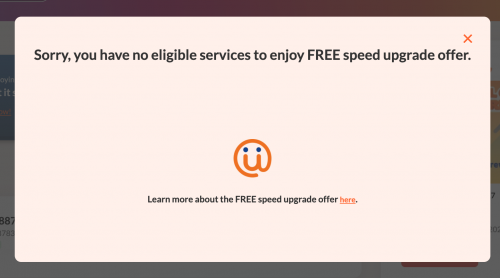
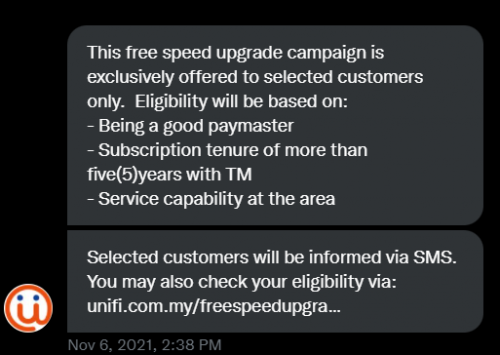
anyone else with 500mb that received the sms, then this pops up? lmao

user posted image

user posted image
Oltromen Ripot
post Mar 14 2022, 11:34 AM

👍 999999 person Likes this member
*******
Senior Member
4,034 posts

Joined: Dec 2019
ripoting in for duty
Rainings
post Mar 14 2022, 11:40 AM

Regular
******
Senior Member
1,100 posts

Joined: Jul 2008
More than 200,000 customers still depend on Streamyx.
https://www.lowyat.net/2022/268600/tm-fiber...treamyx-target/
That's a lot.
QuantumEdge
post Mar 14 2022, 12:37 PM

Regular
******
Senior Member
1,593 posts

Joined: Jan 2016


QUOTE(olivur @ Mar 14 2022, 11:21 AM)
anyone else with 500mb that received the sms, then this pops up? lmao

user posted image

user posted image
*
Months ago already having this problem, received SMS... but websites says no
PM-ed their CS, also no... reserved for "loyal customers only"

user posted image
olivur
post Mar 14 2022, 03:58 PM

ollie ollie oxen free
******
Senior Member
1,273 posts

Joined: Jul 2011
QUOTE(QuantumEdge @ Mar 14 2022, 12:37 PM)
Months ago already having this problem, received SMS... but websites says no
PM-ed their CS, also no... reserved for "loyal customers only"

user posted image
*
was told to call 100 for more details after chatting with cs to speak to their promo dept

..and apparently the sms I received was for the 100mbps upgrade lmao

user posted image
SUSoverlimit
post Mar 14 2022, 04:26 PM

Getting Started
**
Junior Member
141 posts

Joined: Mar 2022
Went to tmpoint today, got the swu 300M at rm129, std20 is still there, no more iptv, locked for 2 years, better than nothing. Im lazy to play psychological warfare with'em to have price cut down to rm99 while maintaining 100M. Why r they reluctant? Coz they wanna maintain profit margin, and no one in competition gives 100M at rm129. City broadband and time are yet to make an impact, so they hardly count as competitors. I have a hunch however if you r patient enuf, they will bend eventually. I recommend getting price cut instead.

Quite fruitful, today's encounter. I've lost count of how many times im asked to top up rm10 to get speed bump to 300M, both sms and call.

I've asked them for new phone and new router, let's see how this pans out
Rainings
post Mar 14 2022, 04:38 PM

Regular
******
Senior Member
1,100 posts

Joined: Jul 2008
QUOTE(overlimit @ Mar 14 2022, 04:26 PM)
Went to tmpoint today, got the swu 300M at rm129, std20 is still there, no more iptv, locked for 2 years, better than nothing. Im lazy to play psychological warfare with'em to have price cut down to rm99 while maintaining 100M. Why r they reluctant? Coz they wanna maintain profit margin, and no one in competition gives 100M at rm129. City broadband and time are yet to make an impact, so they hardly count as competitors. I have a hunch however if you r patient enuf, they will bend eventually. I recommend getting price cut instead.

Quite fruitful, today's encounter. I've lost count of how many times im asked to top up rm10 to get speed bump to 300M, both sms and call.

I've asked them for new phone and new router, let's see how this pans out
*
Most of the ppl that getting swu package will get new router but no new phone.
their router is trash anyway, just get a better one and keep it as a backup.
SUSoverlimit
post Mar 14 2022, 04:47 PM

Getting Started
**
Junior Member
141 posts

Joined: Mar 2022
QUOTE(Rainings @ Mar 14 2022, 04:38 PM)
Most of the ppl that getting swu package will get new router but no new phone.
their router is trash anyway, just get a better one and keep it as a backup.
*
Imma sell it off sealed unopened
QuantumEdge
post Mar 14 2022, 05:19 PM

Regular
******
Senior Member
1,593 posts

Joined: Jan 2016


QUOTE(overlimit @ Mar 14 2022, 04:47 PM)
Imma sell it off sealed unopened
*
Doubt anyone would want to buy that...
wong_86
post Mar 14 2022, 05:45 PM

DUDE
****
Junior Member
565 posts

Joined: Oct 2007
From: MARS


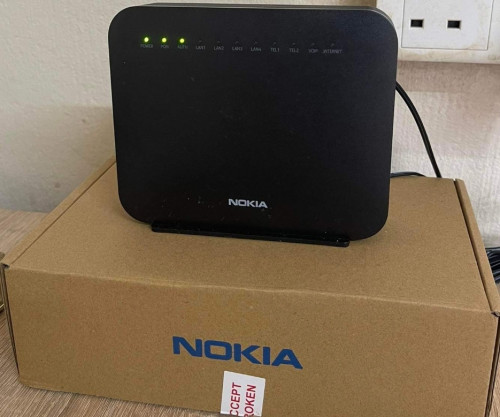
Receive SMS free speed upgrade last Thursday , speed still remain 100mbps until now but my ip change to public IP, that is weird
aniq8676
post Mar 14 2022, 09:37 PM

Regular
******
Senior Member
1,524 posts

Joined: Dec 2020
From: Perak


QUOTE(wong_86 @ Mar 14 2022, 05:45 PM)
Receive SMS free speed upgrade last Thursday , speed still remain 100mbps  until now but my ip change to public IP, that is weird
*
try restart your modem and router
Harapan
post Mar 14 2022, 09:41 PM

Getting Started
**
Junior Member
159 posts

Joined: Mar 2008


Wow thread no. 40
aniq8676
post Mar 14 2022, 09:48 PM

Regular
******
Senior Member
1,524 posts

Joined: Dec 2020
From: Perak


QUOTE(overlimit @ Mar 14 2022, 04:26 PM)
I've asked them for new phone and new router, let's see how this pans out
*
Telekom Malaysia no longer provides free cordless phone since 2017/2018.
while routers are only given to new users or users who upgrade to 300mbps and above.
RiriRuruRara
post Mar 15 2022, 12:43 AM

Regular
******
Senior Member
1,010 posts

Joined: Aug 2014


Guys wta anyone using 100mbps or higher speeds, when your surf twitter and when you scroll all the way down for more things to load do your still see the blue loading circle? If yes, how long till the news tweets load up?
heLL_bOy
post Mar 15 2022, 12:59 AM

Regular
******
Senior Member
1,350 posts

Joined: Nov 2004
From: HEAVEN & HELL


QUOTE(RiriRuruRara @ Mar 15 2022, 12:43 AM)
Guys wta anyone using 100mbps or higher speeds, when your surf twitter and when you scroll all the way down for more things to load do your still see the blue loading circle? If yes, how long till the news tweets load up?
*
within a sec


go626201
post Mar 15 2022, 01:05 AM

Regular
******
Senior Member
1,882 posts

Joined: Sep 2017
QUOTE(RiriRuruRara @ Mar 15 2022, 12:43 AM)
Guys wta anyone using 100mbps or higher speeds, when your surf twitter and when you scroll all the way down for more things to load do your still see the blue loading circle? If yes, how long till the news tweets load up?
*
below 1second
almost immediately on my pc chrome.
user posted image
myrancid
post Mar 15 2022, 06:55 AM

Casual
***
Junior Member
355 posts

Joined: Nov 2013
I got 1 month free trial 300 to 500mbps, very impressive loading speed.
LostAndFound
post Mar 15 2022, 08:28 AM

Look at all my stars!!
*******
Senior Member
6,257 posts

Joined: Jul 2005
From: UEP Subang Jaya


QUOTE(myrancid @ Mar 15 2022, 06:55 AM)
I got 1 month free trial 300 to 500mbps, very impressive loading speed.
*
Probably placebo effect kot, don't think any website will have a visible difference in loading speed. At most you will see your video player bar move faster only. 300 Mbps also won't buffer for any video on youtube for example (except for routing issues etc. but that would affect 500 Mbps as well).

And of course Steam downloads etc. is where you can really see the diff.
Lurker
post Mar 15 2022, 10:42 AM

L U R K I N G
Group Icon
Elite
4,420 posts

Joined: Jan 2003
QUOTE(myrancid @ Mar 15 2022, 06:55 AM)
I got 1 month free trial 300 to 500mbps, very impressive loading speed.
*
I am here to check on this too
receive the SMS this morning, was trying to look at T&C to check if got any catch coz I didn't req for such

500>800 speed
coolguy_0925
post Mar 15 2022, 02:06 PM

Look at all my stars!!
*******
Senior Member
4,538 posts

Joined: Jan 2003
QUOTE(Lurker @ Mar 15 2022, 10:42 AM)
I am here to check on this too
receive the SMS this morning, was trying to look at T&C to check if got any catch coz I didn't req for such

500>800 speed
*
All of us were given without requesting it

It is their tactic to make us upgrade to higher speed and instant profit but as far as I am concerned they have to get our consent at the end of the day to upgrade

I will definately say no lar, cause 500M is not even useful unless I use LAN cable
mianghuei
post Mar 15 2022, 08:21 PM

New Member
*
Junior Member
12 posts

Joined: Feb 2014
Got 100 > 300. The increase in download speed is nice la, but seriously would love a speed bump in upload as well. Too bad the package is 300/50 and 100/50.
chungss
post Mar 15 2022, 09:02 PM

New Member
*
Junior Member
19 posts

Joined: Feb 2006


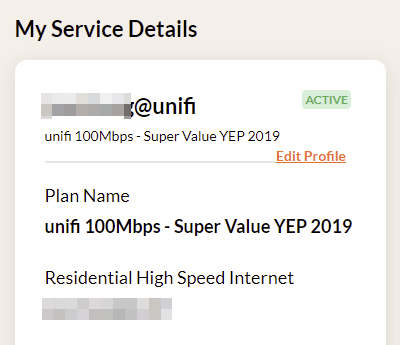
Hi guys, those that received the 30-days trial upgrade, can I know if your plan on the Self Care site got updated as well?

user posted image

I received the trial notification 2 days ago on the Unifi app (not SMS). But my speedtest is still on ~100mbps. Contacted Live Chat several times. Cut story short, the technical team eventually called and say my account does not have that 300mbps plan and asked me to contact Sales team instead. Sounds like their Technical team is not aware of what's going on with the free trial thing.

user posted image

Oh the hassle...

UPDATE: Just as I posted this, the Technical called again and told me to restart modem/router. Finally got (temp) upgraded to 300mbps. And to answer my own question, the plan remains the same in the Self Care portal.

This post has been edited by chungss: Mar 15 2022, 09:21 PM
BenYeeHua
post Mar 15 2022, 09:50 PM

Regular
******
Senior Member
1,873 posts

Joined: Nov 2010


QUOTE(coolguy_0925 @ Mar 15 2022, 02:06 PM)
All of us were given without requesting it

It is their tactic to make us upgrade to higher speed and instant profit but as far as I am concerned they have to get our consent at the end of the day to upgrade

I will definately say no lar, cause 500M is not even useful unless I use LAN cable
*
Useful for new laptop which got WiFi6 or AX200 la, it is only suitable for any gamer which got steam or psn or xbox etc, on smartphone only suitable for updating games or apps or ROM. tongue.gif

So if you are smartphone gamer not that needed, but nope for PC/console gamer.
Also big family or 4k video la.

QUOTE(chungss @ Mar 15 2022, 09:02 PM)
UPDATE: Just as I posted this, the Technical called again and told me to restart modem/router. Finally got (temp) upgraded to 300mbps. And to answer my own question, the plan remains the same in the Self Care portal.
*
Yup, remain the same.

Also can login to self care portal on web via email verify code instead of password now. icon_rolleyes.gif

This post has been edited by BenYeeHua: Mar 15 2022, 09:51 PM
coolguy_0925
post Mar 15 2022, 10:10 PM

Look at all my stars!!
*******
Senior Member
4,538 posts

Joined: Jan 2003
QUOTE(BenYeeHua @ Mar 15 2022, 09:50 PM)
Useful for new laptop which got WiFi6 or AX200 la, it is only suitable for any gamer which got steam or psn or xbox etc, on smartphone only suitable for updating games or apps or ROM. tongue.gif

So if you are smartphone gamer not that needed, but nope for PC/console gamer.
Also big family or 4k video la.
Yup, remain the same.

Also can login to self care portal on web via email verify code instead of password now. icon_rolleyes.gif
*
Yes unless you have WIFI6 router and devices

Mine all WIFI5 and even using LAN some servers or websites couldn't support also (like sites to watch drama)

Even that so 300M is more than enough for HD streaming

Login via e-mail code mafan but I believe is for security concern la

Luckily trusted device only once but I noticed once IP changed have to redo
BenYeeHua
post Mar 15 2022, 10:41 PM

Regular
******
Senior Member
1,873 posts

Joined: Nov 2010


QUOTE(coolguy_0925 @ Mar 15 2022, 10:10 PM)
Yes unless you have WIFI6 router and devices

Mine all WIFI5 and even using LAN some servers or websites couldn't support also (like sites to watch drama)

Even that so 300M is more than enough for HD streaming

Login via e-mail code mafan but I believe is for security concern la

Luckily trusted device only once but I noticed once IP changed have to redo
*
Yes, the problem is TM don't have good global network support, look how slow we are using lowyat now, it is now being redirect to CloudFlare SG instead of JBH or KUL, limited to 50-100kb/s only. sweat.gif
For testing you can open lowyat via Incognito mode of browser, redownload the resource to see how slow it is now...

How we can enjoy for >500M for just HTTP, only P2P and steam or MS or console that having local server can support full speed at 800M... doh.gif

----
So it is not browser related?
Look at the saving dialog it look similar like Huawei website login for me, but it is worst than huawei. laugh.gif

And yes, without password is good, because email password is your last line, no one will lost their email access as it is the only method to reset password in case your account are stolen. tongue.gif
coolguy_0925
post Mar 15 2022, 10:45 PM

Look at all my stars!!
*******
Senior Member
4,538 posts

Joined: Jan 2003
QUOTE(BenYeeHua @ Mar 15 2022, 10:41 PM)
Yes, the problem is TM don't have good global network support, look how slow we are using lowyat now, it is now being redirect to CloudFlare SG instead of JBH or KUL, limited to 50-100kb/s only. sweat.gif
For testing you can open lowyat via Incognito mode of browser, redownload the resource to see how slow it is now...

How we can enjoy for >500M for just HTTP, only P2P and steam or MS or console that having local server can support full speed at 800M... doh.gif

----
So it is not browser related?
Look at the saving dialog it look similar like Huawei website login for me, but it is worst than huawei. laugh.gif

And yes, without password is good, because email password is your last line, no one will lost their email access as it is the only method to reset password in case your account are stolen. tongue.gif
*
Bring you around the world and back to Msia let us go travel mah...

---

I believe it is still saved to cookie as I do not need to relogin with username / pwd after verified it as trusted device

But there was once I was required to do so after I restarted my router
PRSXFENG
post Mar 15 2022, 10:55 PM

Look at all my stars!!
*******
Senior Member
2,607 posts

Joined: Nov 2020


QUOTE(BenYeeHua @ Mar 15 2022, 09:50 PM)
Useful for new laptop which got WiFi6 or AX200 la, it is only suitable for any gamer which got steam or psn or xbox etc, on smartphone only suitable for updating games or apps or ROM. tongue.gif
*
PS, it's actually AX1800

AX200 is the wifi6 card made by Intel
BenYeeHua
post Mar 15 2022, 11:22 PM

Regular
******
Senior Member
1,873 posts

Joined: Nov 2010


QUOTE(coolguy_0925 @ Mar 15 2022, 10:45 PM)
Bring you around the world and back to Msia let us go travel mah...

---

I believe it is still saved to cookie as I do not need to relogin with username / pwd after verified it as trusted device

But there was once I was required to do so after I restarted my router
*
VPN! I choose you! brows.gif
---
I guess just one of the method forcing you to use their app, no need relogin.

But their unifi mobile app is worst, kicking you out each weeks. doh.gif

QUOTE(PRSXFENG @ Mar 15 2022, 10:55 PM)
PS, it's actually AX1800

AX200 is the wifi6 card made by Intel
*
Yes, and AX201 that can only use with Intel CPU. brows.gif

Anyways, WiFi 6 should be enough for now, any much higher speed need changing on frequency, more antenna or more AP for the future. sweat.gif
coolguy_0925
post Mar 15 2022, 11:28 PM

Look at all my stars!!
*******
Senior Member
4,538 posts

Joined: Jan 2003
QUOTE(BenYeeHua @ Mar 15 2022, 11:22 PM)
VPN! I choose you! brows.gif
---
I guess just one of the method forcing you to use their app, no need relogin.

But their unifi mobile app is worst, kicking you out each weeks. doh.gif
Yes, and AX201 that can only use with Intel CPU. brows.gif

Anyways, WiFi 6 should be enough for now, any much higher speed need changing on frequency, more antenna or more AP for the future. sweat.gif
*
Yeah sometimes if the streaming lag like **** once on VPN immediately smoother than butter

Speaking abt the unifi mobile app, it is anyhow much better compared to months ago. I guess you know what I mean laugh.gif
heLL_bOy
post Mar 16 2022, 12:39 AM

Regular
******
Senior Member
1,350 posts

Joined: Nov 2004
From: HEAVEN & HELL


QUOTE(BenYeeHua @ Mar 15 2022, 10:41 PM)
Yes, the problem is TM don't have good global network support, look how slow we are using lowyat now, it is now being redirect to CloudFlare SG instead of JBH or KUL, limited to 50-100kb/s only. sweat.gif
For testing you can open lowyat via Incognito mode of browser, redownload the resource to see how slow it is now...

How we can enjoy for >500M for just HTTP, only P2P and steam or MS or console that having local server can support full speed at 800M... doh.gif
*
lately,
cloudflare SG to TM always having serious congestion and loss packet issue.

not the actual previous routing anymore. whistling.gif whistling.gif
BenYeeHua
post Mar 16 2022, 01:16 AM

Regular
******
Senior Member
1,873 posts

Joined: Nov 2010


QUOTE(coolguy_0925 @ Mar 15 2022, 11:28 PM)
Yeah sometimes if the streaming lag like **** once on VPN immediately smoother than butter

Speaking abt the unifi mobile app, it is anyhow much better compared to months ago. I guess you know what I mean laugh.gif
*
At least it should just kick us out or pop up a dialog ask us for logout, but it failed silently and need to clear data sometimes... doh.gif

But yes, it is good for now la.

QUOTE(heLL_bOy @ Mar 16 2022, 12:39 AM)
lately,
cloudflare SG to TM always having serious congestion and loss packet issue.

not the actual previous routing anymore.  whistling.gif  whistling.gif
*
Yes, before that it will routing lowyat IPv6 to MY, but now it is SG, unsure why.
Certain IP still MY, like https://speed.cloudflare.com/ and 1.1.1.1 WARP. hmm.gif

Even Lazada also kena, every time when lazada bday sale coming, packet drop also coming. laugh.gif

This post has been edited by BenYeeHua: Mar 16 2022, 01:17 AM
heLL_bOy
post Mar 16 2022, 01:52 AM

Regular
******
Senior Member
1,350 posts

Joined: Nov 2004
From: HEAVEN & HELL


QUOTE(BenYeeHua @ Mar 16 2022, 01:16 AM)
But yes, it is good for now la.
Yes, before that it will routing lowyat IPv6 to MY, but now it is SG, unsure why.
Certain IP still MY, like https://speed.cloudflare.com/ and 1.1.1.1 WARP. hmm.gif

Even Lazada also kena, every time when lazada bday sale coming, packet drop also coming. laugh.gif
*
KUL not stable.. always PMS every few months.

Lazada some cdn are on alicloud some on akamai.. need to see the ip range.


Anonymous34
post Mar 16 2022, 05:37 AM

Look at all my stars!!
*******
Senior Member
3,176 posts

Joined: May 2013
From: Petaling Jaya


QUOTE(coolguy_0925 @ Mar 15 2022, 10:10 PM)
Yes unless you have WIFI6 router and devices

Mine all WIFI5 and even using LAN some servers or websites couldn't support also (like sites to watch drama)

Even that so 300M is more than enough for HD streaming

Login via e-mail code mafan but I believe is for security concern la

Luckily trusted device only once but I noticed once IP changed have to redo
*
On WiFi 5 with the free 500 Mbps upgrade and a cheap router, I can pull up to 450 or so right next to the router, but that's also given if the routing is good. So far no issue for routing in daily use unless my adblock list is botched by a bad list. Maybe you need to check your configuration to make sure you are all set for max speed? In terms of WiFi 6, I don't see myself adopting it until my family members also upgrade their devices.
Singh93
post Mar 16 2022, 08:52 AM

Getting Started
**
Junior Member
224 posts

Joined: Sep 2019


Very weird tm syiok sendiri upgrade its customers for the 30day /trial. What will be the new charges if we remain to stick with new speed
BenYeeHua
post Mar 16 2022, 10:08 AM

Regular
******
Senior Member
1,873 posts

Joined: Nov 2010


QUOTE(heLL_bOy @ Mar 16 2022, 01:52 AM)
KUL not stable.. always PMS every few months.

Lazada some cdn are on alicloud some on akamai.. need to see the ip range.
*
Well, better than posting post on lowyat can hang for 15s every night?
Used to post and close the tab, but now can't, because it will hang and failed me. doh.gif

For lazada should be alicloud, because it is the main function API hang, like placing order, checking vouchers etc. hmm.gif

QUOTE(Singh93 @ Mar 16 2022, 08:52 AM)
Very weird tm syiok sendiri upgrade its customers for the 30day /trial. What will be the new charges if we remain to stick with new speed
*
Nothing, original price of new speed.

This post has been edited by BenYeeHua: Mar 16 2022, 10:09 AM
Singh93
post Mar 16 2022, 10:45 AM

Getting Started
**
Junior Member
224 posts

Joined: Sep 2019


QUOTE(BenYeeHua @ Mar 16 2022, 11:08 AM)
Well, better than posting post on lowyat can hang for 15s every night?
Used to post and close the tab, but now can't, because it will hang and failed me. doh.gif

For lazada should be alicloud, because it is the main function API hang, like placing order, checking vouchers etc. hmm.gif
Nothing, original price of new speed.
*
Damn not worth at all🤭
mytaffeta
post Mar 16 2022, 12:27 PM

Regular
******
Senior Member
1,325 posts

Joined: Dec 2010


new thread, but the ping spike issue still there.. sad.gif last technician came and suggest router replacement cuz all checked no issue, should i?

This post has been edited by mytaffeta: Mar 16 2022, 12:27 PM
heLL_bOy
post Mar 16 2022, 12:30 PM

Regular
******
Senior Member
1,350 posts

Joined: Nov 2004
From: HEAVEN & HELL


QUOTE(mytaffeta @ Mar 16 2022, 12:27 PM)
new thread, but the ping spike issue still there.. sad.gif last technician came and suggest router replacement cuz all checked no issue, should i?
*
ping spike on all website n gaming server or just some affected?

if some affected is TM backend issue.. not your problem.


mytaffeta
post Mar 16 2022, 12:33 PM

Regular
******
Senior Member
1,325 posts

Joined: Dec 2010


QUOTE(heLL_bOy @ Mar 16 2022, 12:30 PM)
ping spike on all website n gaming server or just some affected?

if some affected is TM backend issue.. not your problem.
*
only on my gaming console ps5 affected.. other working fine..
christina1
post Mar 16 2022, 12:35 PM

Never stop learning, because life never stops teaching.
*******
Senior Member
2,104 posts

Joined: Sep 2008
Need to pay more after 30 Days 300Mbps speed trial over ?

Notice downloads are faster on T......T
QuantumEdge
post Mar 16 2022, 12:59 PM

Regular
******
Senior Member
1,593 posts

Joined: Jan 2016


QUOTE(christina1 @ Mar 16 2022, 12:35 PM)
Need to pay more after 30 Days 300Mbps speed trial over ?

Notice downloads are faster on T......T
*
Of course lah, free trial mah...
You know TM is famous for being... brows.gif
christina1
post Mar 16 2022, 01:05 PM

Never stop learning, because life never stops teaching.
*******
Senior Member
2,104 posts

Joined: Sep 2008
QUOTE(QuantumEdge @ Mar 16 2022, 12:59 PM)
Of course lah, free trial mah...
You know TM is famous for being... brows.gif
*
Like this not worth la...
YoungMan
post Mar 16 2022, 02:24 PM

Look at all my stars!!
*******
Senior Member
6,793 posts

Joined: Oct 2008
From: Kuala Lumpur


QUOTE(christina1 @ Mar 16 2022, 01:35 PM)
Need to pay more after 30 Days 300Mbps speed trial over ?

Notice downloads are faster on T......T
*
Before the 30 days end, they will contact you to ask if you want to continue with the faster speed. If you continue of course need to pay more. Otherwise just stay on your current plan and your speed will go back to normal.
coolguy_0925
post Mar 16 2022, 03:09 PM

Look at all my stars!!
*******
Senior Member
4,538 posts

Joined: Jan 2003
QUOTE(Anonymous34 @ Mar 16 2022, 05:37 AM)
On WiFi 5 with the free 500 Mbps upgrade and a cheap router, I can pull up to 450 or so right next to the router, but that's also given if the routing is good. So far no issue for routing in daily use unless my adblock list is botched by a bad list. Maybe you need to check your configuration to make sure you are all set for max speed? In terms of WiFi 6, I don't see myself adopting it until my family members also upgrade their devices.
*
Of course right next to router can get good speed

The point is, what is the purpose of wifi if have to online next to it rclxub.gif

QUOTE(BenYeeHua @ Mar 16 2022, 10:08 AM)
Well, better than posting post on lowyat can hang for 15s every night?
Used to post and close the tab, but now can't, because it will hang and failed me. doh.gif

For lazada should be alicloud, because it is the main function API hang, like placing order, checking vouchers etc. hmm.gif
Nothing, original price of new speed.
*
After click Add Reply need to wait for few secs to be posted sweat.gif

This post has been edited by coolguy_0925: Mar 16 2022, 03:09 PM
heLL_bOy
post Mar 16 2022, 04:30 PM

Regular
******
Senior Member
1,350 posts

Joined: Nov 2004
From: HEAVEN & HELL


QUOTE(mytaffeta @ Mar 16 2022, 12:33 PM)
only on my gaming console ps5 affected.. other working fine..
*
using wifi or lan to your ps5?


Taken P
post Mar 16 2022, 08:58 PM

New Member
*
Probation
5 posts

Joined: Oct 2019
What is swu package?
Milo_O
post Mar 16 2022, 09:29 PM

Casual
***
Junior Member
432 posts

Joined: Aug 2011


QUOTE(Taken @ Mar 16 2022, 08:58 PM)
What is swu package?
*
Stay With Unifi
GameSky
post Mar 16 2022, 10:03 PM

Nyancat too much
*******
Senior Member
6,381 posts

Joined: Jun 2005
From: meow meow
unifi problem again tonight? some sites suddenly timed out or slow.. while on mobile (other telco) seems fine.
Hwoarang45
post Mar 16 2022, 10:13 PM

Hardcore Gamer
******
Senior Member
1,848 posts

Joined: Jan 2003
From: Boleh Land


Hi, anyone uses discord? it seem every evening for me discord to singapore server seems to be having massively high ping to the point of unusable , any unifi users having this problem? switching to hongkong server works for abit then packet lost also start happening with ping from normally 50m to 5000 - 8000ms ?
BenYeeHua
post Mar 16 2022, 10:17 PM

Regular
******
Senior Member
1,873 posts

Joined: Nov 2010


QUOTE(GameSky @ Mar 16 2022, 10:03 PM)
unifi problem again tonight? some sites suddenly timed out or slow.. while on mobile (other telco) seems fine.
*
Can confirm, based on my observe, it always start after 10 PM, so it is something that will happen after 10 PM. hmm.gif

QUOTE(Hwoarang45 @ Mar 16 2022, 10:13 PM)
Hi, anyone uses discord? it seem every evening for me discord to singapore server seems to be having massively high ping to the point of unusable , any unifi users having this problem? switching to hongkong server works for abit then packet lost also start happening with ping from normally 50m to 5000 - 8000ms ?
*
All unifi users are having issues, either VPN or Time/Maxis/Celcom. doh.gif

This post has been edited by BenYeeHua: Mar 16 2022, 10:18 PM
sHawTY
post Mar 16 2022, 10:51 PM

Frequent Reporter
********
All Stars
14,908 posts

Joined: Jul 2005

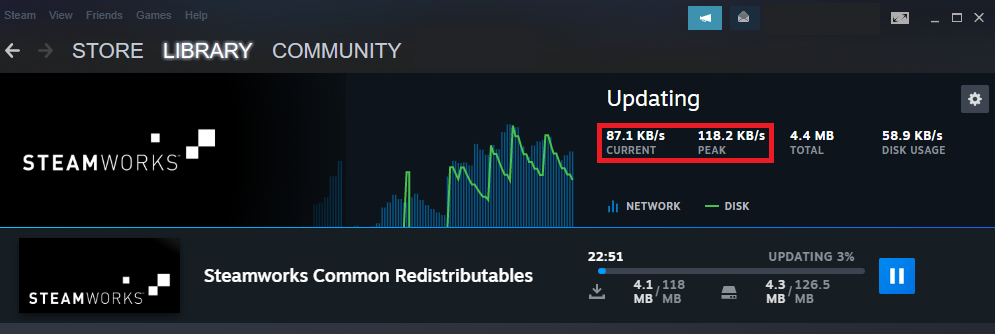
It's definitely slow tonight. I'm only getting 100Kb/s over a 800Mb/s package on Steam doh.gif

user posted image
afif92
post Mar 16 2022, 11:24 PM

Casual
***
Junior Member
374 posts

Joined: Mar 2010
QUOTE(sHawTY @ Mar 16 2022, 10:51 PM)
It's definitely slow tonight. I'm only getting 100Kb/s over a 800Mb/s package on Steam doh.gif

user posted image
*
try changing download server to New Zealand
Ebony & Ivory
post Mar 16 2022, 11:37 PM

Enthusiast
*****
Senior Member
959 posts

Joined: Jan 2016
QUOTE(GameSky @ Mar 16 2022, 10:03 PM)
unifi problem again tonight? some sites suddenly timed out or slow.. while on mobile (other telco) seems fine.
*
almost every night or during peak time will become like this. yawn.gif

once my contract is finish, will just switch to maxis /allo.

This post has been edited by Ebony & Ivory: Mar 16 2022, 11:37 PM
sHawTY
post Mar 17 2022, 12:15 AM

Frequent Reporter
********
All Stars
14,908 posts

Joined: Jul 2005

QUOTE(afif92 @ Mar 16 2022, 11:24 PM)
try changing download server to New Zealand
Hey! It works. Thanks bro thumbup.gif
GameSky
post Mar 17 2022, 09:10 AM

Nyancat too much
*******
Senior Member
6,381 posts

Joined: Jun 2005
From: meow meow
QUOTE(Ebony & Ivory @ Mar 16 2022, 11:37 PM)
almost every night or during peak time will become like this. yawn.gif

once my contract is finish, will just switch to maxis /allo.
*
same here, goin to maxis after contract ends.
JayceOoi
post Mar 17 2022, 09:34 AM

Pro Blogger
*******
Senior Member
2,741 posts

Joined: Jan 2007
Yeah... Free 30 days speed upgrade. rclxm9.gif
sgpdsmss
post Mar 17 2022, 10:05 AM

Regular
******
Senior Member
1,704 posts

Joined: Jan 2005
QUOTE(GameSky @ Mar 17 2022, 09:10 AM)
same here, goin to maxis after contract ends.
*
can tell step by step how to change from unifi um maxis?


Thanks ..
YoungMan
post Mar 17 2022, 10:51 AM

Look at all my stars!!
*******
Senior Member
6,793 posts

Joined: Oct 2008
From: Kuala Lumpur


QUOTE(sgpdsmss @ Mar 17 2022, 11:05 AM)
can tell step by step how to change from unifi um maxis?
Thanks ..
*
Steps are as follows:
Register your prefered Maxis fibre package. Can do through agent for current promotion or walk in to maxis center if non promo. Inform them you are switching from Unifi.
Next, Maxis will provide you the transfer ID. With the transfer ID you need to go to proper Tmpoint for thumbprint to verify the transfer request. Also during this time, you need to pay the bill 1 month in advance to ensure no outstanding.
TM will take about 10 days to approve your transfer request. Once approved, Maxis will call you to set a date for installation. Meanwhile, you can still enjoy your unifi without downtime.
Your Unifi will only be terminated few days after Maxis fibre is installed, and any remaining balance, TM will refund through cheque to your home address.

Since this is Unifi thread, any related promotion for maxis please go and ask in the Maxis thread.
HTH.
Sam Leong
post Mar 17 2022, 10:58 AM

On my way
****
Junior Member
665 posts

Joined: Mar 2016


QUOTE(Hwoarang45 @ Mar 16 2022, 10:13 PM)
Hi, anyone uses discord? it seem every evening for me discord to singapore server seems to be having massively high ping to the point of unusable , any unifi users having this problem? switching to hongkong server works for abit then packet lost also start happening with ping from normally 50m to 5000 - 8000ms ?
*
Im using TIME
no ping spike
but packet loss for SG can hit 50%
my frd using TIME also having same problem when we join the same voice channel
changed to HK and everything solved
sadlyfalways
post Mar 17 2022, 11:55 AM

Regular
******
Senior Member
1,185 posts

Joined: Nov 2020
Hello, anyone having issues with unifi and apple servers?

My Apple TV wired to Ethernet has been unable to download software updates these past two days.

Normally it takes around 2 minutes but now it is showing 7-8 hours to download the file

Anyway I can fix this ? I don’t think I can vpn because I’m using deco
YoungMan
post Mar 17 2022, 12:46 PM

Look at all my stars!!
*******
Senior Member
6,793 posts

Joined: Oct 2008
From: Kuala Lumpur


QUOTE(sadlyfalways @ Mar 17 2022, 12:55 PM)
Hello, anyone having issues with unifi and apple servers?

My Apple TV wired to Ethernet has been unable to download software updates these past two days.

Normally it takes around 2 minutes but now it is showing 7-8 hours to download the file

Anyway I can fix this ? I don’t think I can vpn because I’m using deco
*
Restart your router and get a different IP range to try.
afif92
post Mar 17 2022, 01:27 PM

Casual
***
Junior Member
374 posts

Joined: Mar 2010
QUOTE(sHawTY @ Mar 17 2022, 12:15 AM)
Hey! It works. Thanks bro thumbup.gif
*
You're welcome.. Malaysia cache server is already congested
sgpdsmss
post Mar 17 2022, 03:57 PM

Regular
******
Senior Member
1,704 posts

Joined: Jan 2005
QUOTE(YoungMan @ Mar 17 2022, 10:51 AM)
Steps are as follows:
Register your prefered Maxis fibre package. Can do through agent for current promotion or walk in to maxis center if non promo. Inform them you are switching from Unifi.
Next, Maxis will provide you the transfer ID. With the transfer ID you need to go to proper Tmpoint for thumbprint to verify the transfer request. Also during this time, you need to pay the bill 1 month in advance to ensure no outstanding.
TM will take about 10 days to approve your transfer request. Once approved, Maxis will call you to set a date for installation. Meanwhile, you can still enjoy your unifi without downtime.
Your Unifi will only be terminated few days after Maxis fibre is installed, and any remaining balance, TM will refund through cheque to your home address.

Since this is Unifi thread, any related promotion for maxis please go and ask in the Maxis thread.
HTH.
*
thanks ...but must own self goto tm point?

thanks ..
yurie
post Mar 17 2022, 04:52 PM

Getting Started
**
Junior Member
87 posts

Joined: Jan 2017
Is TM starting new IP series, 180.x.x.x? All my browser sessions are reset due to security concerns.
mytaffeta
post Mar 17 2022, 05:00 PM

Regular
******
Senior Member
1,325 posts

Joined: Dec 2010


QUOTE(heLL_bOy @ Mar 16 2022, 04:30 PM)
using wifi or lan to your ps5?
*
both wired and wifi random ping spike.. think unifi issue, nothing much can do.. will switch to maxis in april if persist..
myrancid
post Mar 17 2022, 07:06 PM

Casual
***
Junior Member
355 posts

Joined: Nov 2013
Ya of course la download speed also I am impress

This post has been edited by myrancid: Mar 17 2022, 07:07 PM
michaelkkl
post Mar 17 2022, 07:32 PM

Casual
***
Junior Member
362 posts

Joined: Jan 2011
QUOTE(yurie @ Mar 17 2022, 04:52 PM)
Is TM starting new IP series, 180.x.x.x? All my browser sessions are reset due to security concerns.
*
Yes, is been a while that TM use this IP range.
180.72.0.0/14 used to be Webe IP range, now use by TM.
YoungMan
post Mar 17 2022, 08:05 PM

Look at all my stars!!
*******
Senior Member
6,793 posts

Joined: Oct 2008
From: Kuala Lumpur


QUOTE(sgpdsmss @ Mar 17 2022, 04:57 PM)
thanks ...but must own self goto tm point?

thanks ..
*
Yes.
christina1
post Mar 17 2022, 08:14 PM

Never stop learning, because life never stops teaching.
*******
Senior Member
2,104 posts

Joined: Sep 2008
Anyone here free trial from 100Mbps to 300Mbps got a lot of difference overall downloading etc ?
Singh93
post Mar 17 2022, 10:18 PM

Getting Started
**
Junior Member
224 posts

Joined: Sep 2019


QUOTE(christina1 @ Mar 17 2022, 09:14 PM)
Anyone here free trial from 100Mbps to 300Mbps got a lot of difference overall downloading etc ?
*
It depends what u are downloading, of course higher speeds, will give u that boost. Unless u using tor...rent..
xxxgkssixxx
post Mar 17 2022, 10:43 PM

Getting Started
**
Junior Member
187 posts

Joined: Jun 2019
QUOTE(Milo_O @ Mar 16 2022, 09:29 PM)
Stay With Unifi
*
Does the SWU promo still valid? I'm interested to switch from 30mbps RM89 package to 100mbps (RM99 package)


aniq8676
post Mar 17 2022, 11:18 PM

Regular
******
Senior Member
1,524 posts

Joined: Dec 2020
From: Perak


QUOTE(xxxgkssixxx @ Mar 17 2022, 10:43 PM)
Does the SWU promo still valid? I'm interested to switch from 30mbps RM89 package to 100mbps (RM99 package)
*
by default, Not everyone can get a SWU plan. it all depends on HQ
Motive P
post Mar 18 2022, 03:15 AM

New Member
*
Probation
4 posts

Joined: Sep 2019
QUOTE(aniq8676 @ Mar 17 2022, 11:18 PM)
by default, Not everyone can get a SWU plan. it all depends on HQ
*
How the HQ notify? By email or sms or call?

Do you have the full list offer package available? Can post the offer package list screenshot?
aniq8676
post Mar 18 2022, 09:51 AM

Regular
******
Senior Member
1,524 posts

Joined: Dec 2020
From: Perak


QUOTE(Motive @ Mar 18 2022, 03:15 AM)
How the HQ notify? By email or sms or call?

Do you have the full list offer package available? Can post the offer package list screenshot?
*
By call
rajlesta00
post Mar 18 2022, 11:31 AM

Lfcywna
***
Junior Member
463 posts

Joined: May 2008
From: Cyberjaya


Guys, I am on 100mbps plan
Still within contract (14 mths to go)

Few days ago I did speed test, normal speed usually 105mbps, but this time it was 120mbps

Then today i speed test again, surprisingly 323mbps
I didn't received any call or sms prior. I thought this is only for loyal customers who are with TM for more than 5years.....
mytaffeta
post Mar 18 2022, 12:39 PM

Regular
******
Senior Member
1,325 posts

Joined: Dec 2010


QUOTE(rajlesta00 @ Mar 18 2022, 11:31 AM)
Guys,  I am on 100mbps plan
Still within contract (14 mths to go)

Few days ago I did speed test, normal speed usually 105mbps, but this time it was 120mbps

Then today i speed test again, surprisingly 323mbps
I didn't received any call or sms prior. I thought this is only for loyal customers who are with TM for more than 5years.....
*
congrats to you, enjoy it trial for 30 days.. rclxm9.gif
Singh93
post Mar 18 2022, 01:49 PM

Getting Started
**
Junior Member
224 posts

Joined: Sep 2019


QUOTE(rajlesta00 @ Mar 18 2022, 12:31 PM)
Guys,  I am on 100mbps plan
Still within contract (14 mths to go)

Few days ago I did speed test, normal speed usually 105mbps, but this time it was 120mbps

Then today i speed test again, surprisingly 323mbps
I didn't received any call or sms prior. I thought this is only for loyal customers who are with TM for more than 5years.....
*
LOL tm themselves don't know how it's awarded... As long u get it enjoy.
Alpha_Tay
post Mar 18 2022, 04:39 PM

Beware The Spammer Star!
******
Senior Member
1,725 posts

Joined: Jan 2003
» Click to show Spoiler - click again to hide... «


QUOTE(Alpha_Tay @ Mar 18 2022, 04:38 PM)
test from unifi fibre johor around 4pm, not unifi speed issue but more of a sunway issue.

speedtest.exe -s 44962

218.208.100.62

   Speedtest by Ookla

     Server: Sunway Iskandar - Nusajaya (id = 44962)
        ISP: TM Net
    Latency:     6.96 ms   (1.24 ms jitter)
   Download:   210.88 Mbps (data used: 110.4 MB )
     Upload:   118.62 Mbps (data used: 163.1 MB )
Packet Loss: Not available.


speedtest.exe -s 49090

218.208.100.98

   Speedtest by Ookla

     Server: Sunway Lenang - Johor Bahru (id = 49090)
        ISP: TM Net
    Latency:    14.45 ms   (0.11 ms jitter)
   Download:    91.33 Mbps (data used: 107.5 MB )
     Upload:    89.79 Mbps (data used: 71.8 MB )
Packet Loss: Not available.
speedtest.exe -s 43941

103.78.33.82

   Speedtest by Ookla

     Server: Sunway Bangi - Bangi (id = 43941)
        ISP: TM Net
    Latency:    47.33 ms   (2.59 ms jitter)
   Download:    61.36 Mbps (data used: 52.3 MB )
     Upload:    69.77 Mbps (data used: 123.1 MB )
Packet Loss: Not available.
speedtest.exe -s 40569

103.78.35.182

   Speedtest by Ookla

     Server: Sunway - Subang Jaya (id = 40569)
        ISP: TM Net
    Latency:    47.56 ms   (1.37 ms jitter)
   Download:   114.87 Mbps (data used: 170.0 MB )
     Upload:    81.33 Mbps (data used: 61.1 MB )
Packet Loss: Not available.
speedtest.exe -s 48997

103.78.33.90

speedtestset.sunwaytech.com.my

   Speedtest by Ookla

     Server: Sunway Rawang - Rawang (id = 48997)
        ISP: TM Net
    Latency:    48.61 ms   (2.92 ms jitter)
   Download:    23.64 Mbps (data used: 36.2 MB )
     Upload:    88.64 Mbps (data used: 150.3 MB )
Packet Loss: Not available.


UPDATE:seem to be improve for some.

speedtest.exe -s 44962

   Speedtest by Ookla

     Server: Sunway Iskandar - Nusajaya (id = 44962)
        ISP: TM Net
    Latency:     8.48 ms   (0.25 ms jitter)
   Download:   264.11 Mbps (data used: 226.0 MB )
     Upload:   116.15 Mbps (data used: 202.9 MB )
Packet Loss: Not available.
speedtest.exe -s 49090

   Speedtest by Ookla

     Server: Sunway Lenang - Johor Bahru (id = 49090)
        ISP: TM Net
    Latency:    14.32 ms   (1.47 ms jitter)
   Download:    94.43 Mbps (data used: 92.2 MB )
     Upload:    92.49 Mbps (data used: 90.7 MB )
Packet Loss: Not available.
speedtest.exe -s 43941

   Speedtest by Ookla

     Server: Sunway Bangi - Bangi (id = 43941)
        ISP: TM Net
    Latency:    18.54 ms   (0.53 ms jitter)
   Download:   526.13 Mbps (data used: 884.1 MB )
     Upload:   113.95 Mbps (data used: 128.6 MB )
Packet Loss: Not available.

speedtest.exe -s 40569

   Speedtest by Ookla

     Server: Sunway - Subang Jaya (id = 40569)
        ISP: TM Net
    Latency:    53.16 ms   (1.11 ms jitter)
   Download:   525.16 Mbps (data used: 888.6 MB )
     Upload:   115.16 Mbps (data used: 186.3 MB )
Packet Loss: Not available.
speedtest.exe -s 48997
[error] Configuration - No servers defined (NoServersException)
*
This post has been edited by Alpha_Tay: Mar 21 2022, 12:39 PM
myrancid
post Mar 18 2022, 04:52 PM

Casual
***
Junior Member
355 posts

Joined: Nov 2013
QUOTE(rajlesta00 @ Mar 18 2022, 11:31 AM)
Guys,  I am on 100mbps plan
Still within contract (14 mths to go)

Few days ago I did speed test, normal speed usually 105mbps, but this time it was 120mbps

Then today i speed test again, surprisingly 323mbps
I didn't received any call or sms prior. I thought this is only for loyal customers who are with TM for more than 5years.....
*
No, open for all now. biggrin.gif
Singh93
post Mar 19 2022, 09:21 AM

Getting Started
**
Junior Member
224 posts

Joined: Sep 2019


QUOTE(myrancid @ Mar 18 2022, 05:52 PM)
No, open for all now.  biggrin.gif
*
Yes but not worth as old customers have good price to stick with.
cheekian
post Mar 19 2022, 10:44 AM

Getting Started
**
Junior Member
141 posts

Joined: Dec 2012


I just received a notification regarding 30days free speed upgrade, from 100Mbps to 300Mbps, but unfortunately the modem is not supported 300Mbps and it always capped to 92Mbps, can I request new modem?
YoungMan
post Mar 19 2022, 11:42 AM

Look at all my stars!!
*******
Senior Member
6,793 posts

Joined: Oct 2008
From: Kuala Lumpur


QUOTE(cheekian @ Mar 19 2022, 11:44 AM)
I just received a notification regarding 30days free speed upgrade, from 100Mbps to 300Mbps, but unfortunately the modem is not supported 300Mbps and it always capped to 92Mbps, can I request new modem?
*
What type of modem are you using? Have you tried to change the LAN cable?
Yes you can request to change. If it is change of router, most likely they will reset your contract.
akhito
post Mar 19 2022, 11:48 AM

Enthusiast
*****
Junior Member
745 posts

Joined: Jul 2016


QUOTE(cheekian @ Mar 19 2022, 10:44 AM)
I just received a notification regarding 30days free speed upgrade, from 100Mbps to 300Mbps, but unfortunately the modem is not supported 300Mbps and it always capped to 92Mbps, can I request new modem?
*
The trial is just for one month. If upgrade ur plan sure they give u new one la if not they give u option to buy from them or extend contract lo. Router cannot support is possible but the cap so nice maybe is lan cable cap also please restart ur modem and router after receiving the sms change

This post has been edited by akhito: Mar 19 2022, 11:49 AM
cheekian
post Mar 19 2022, 12:08 PM

Getting Started
**
Junior Member
141 posts

Joined: Dec 2012


QUOTE(YoungMan @ Mar 19 2022, 12:42 PM)
What type of modem are you using? Have you tried to change the LAN cable?
Yes you can request to change. If it is change of router, most likely they will reset your contract.
*
My here still using Huawei HG850a modem, almost 10 years old, I had changed the LAN cable but still stuck at 90+Mbps 😅. So obviously it is not supported more than 100Mbps
Btw I using my own TP-Link AX73 router, so it is not a problem 😂
cheekian
post Mar 19 2022, 12:11 PM

Getting Started
**
Junior Member
141 posts

Joined: Dec 2012


QUOTE(akhito @ Mar 19 2022, 12:48 PM)
The trial is just for one month. If upgrade ur plan sure they give u new one la if not they give u option to buy from them or extend contract lo. Router cannot support is possible but the cap so nice maybe is lan cable cap also please restart ur modem and router after receiving the sms change
*
It is not router problem, it is ONU/router speed capped issue. I using HG850a modem by the way, almost 10 years old.

Last time 2019 I had asked to change it but they say no need to change, if want change can call, why change things don't want change at one time, want ask technician come at second time 😅.

Anyways, will contact with TM CS again.
akhito
post Mar 19 2022, 12:30 PM

Enthusiast
*****
Junior Member
745 posts

Joined: Jul 2016


QUOTE(cheekian @ Mar 19 2022, 12:11 PM)
It is not router problem, it is ONU/router speed capped issue. I using HG850a modem by the way, almost 10 years old.

Last time 2019 I had asked to change it but they say no need to change, if want change can call, why change things don't want change at one time, want ask technician come at second time 😅.

Anyways, will contact with TM CS again.
*
Oh I thought it is router. Ya ONU is TM property and responsibility should ask them change to support higher speed. That one won't cost anything I guess
YoungMan
post Mar 19 2022, 12:42 PM

Look at all my stars!!
*******
Senior Member
6,793 posts

Joined: Oct 2008
From: Kuala Lumpur


QUOTE(cheekian @ Mar 19 2022, 01:08 PM)
My here still using Huawei HG850a modem, almost 10 years old, I had changed the LAN cable but still stuck at 90+Mbps 😅. So obviously it is not supported more than 100Mbps
Btw I using my own TP-Link AX73 router, so it is not a problem 😂
*
Alright, just get in touch with 100 to request change ONU. Maybe tell them you cannot achieve desire speed most of the time even though on 100mbps.
heLL_bOy
post Mar 19 2022, 12:48 PM

Regular
******
Senior Member
1,350 posts

Joined: Nov 2004
From: HEAVEN & HELL


QUOTE(cheekian @ Mar 19 2022, 12:08 PM)
My here still using Huawei HG850a modem, almost 10 years old, I had changed the LAN cable but still stuck at 90+Mbps 😅. So obviously it is not supported more than 100Mbps
Btw I using my own TP-Link AX73 router, so it is not a problem 😂
*
If not wrong HG850a lan port only 100mbps max and is a old model ONU.

ask TM change for you for latest ONU which support at least 1Gbps lan port.

apart that your lan cable shld be cat5e or cat6 and your pc/laptop must hv Gigabit lan card to support this.
aniq8676
post Mar 19 2022, 01:01 PM

Regular
******
Senior Member
1,524 posts

Joined: Dec 2020
From: Perak


QUOTE(cheekian @ Mar 19 2022, 12:08 PM)
My here still using Huawei HG850a modem, almost 10 years old, I had changed the LAN cable but still stuck at 90+Mbps 😅. So obviously it is not supported more than 100Mbps
Btw I using my own TP-Link AX73 router, so it is not a problem 😂
*
During the Turbo Program in 2018, shouldn’t you be able to get a free modem replacement with gigabitport support
cheekian
post Mar 19 2022, 01:37 PM

Getting Started
**
Junior Member
141 posts

Joined: Dec 2012


QUOTE(aniq8676 @ Mar 19 2022, 02:01 PM)
During the Turbo Program in 2018, shouldn’t you be able to get a free modem replacement with gigabitport support
*
Well, for my situation is a bit different. Last time I use 50Mbps with RM179 then in end of 2019 got 100Mbps RM129 then I planned to "downgraded" the price with upgrade speed as that time 500Mbps after turbo upgrade is no needed for me so go TM Point change package. When upgrade to 100Mbps, technician got came to change router only, I asked why don't change together with modem as well, they said your current modem is sufficient to use...you have to request again to TM CS in order to change, I also speechless and drag the modem change until now...

This post has been edited by cheekian: Mar 19 2022, 01:39 PM
cheekian
post Mar 19 2022, 01:44 PM

Getting Started
**
Junior Member
141 posts

Joined: Dec 2012


QUOTE(YoungMan @ Mar 19 2022, 01:42 PM)
Alright, just get in touch with 100 to request change ONU. Maybe tell them you cannot achieve desire speed most of the time even though on 100mbps.
*
Previously I had tried, they said your speed (100Mbps) is not lower than 30%, so you are not allowed to change. This might be the best time to change ONU with free 30 days speed upgrade. I tried through live chat, will try again later on live chat, if still not allowed me to do that, I will call 100...
coolguy_0925
post Mar 19 2022, 09:00 PM

Look at all my stars!!
*******
Senior Member
4,538 posts

Joined: Jan 2003
lai liao lai liao

After 9 days TM sent me sms ask me to "maintain" upgraded speed liao
YoungMan
post Mar 19 2022, 09:13 PM

Look at all my stars!!
*******
Senior Member
6,793 posts

Joined: Oct 2008
From: Kuala Lumpur


QUOTE(coolguy_0925 @ Mar 19 2022, 10:00 PM)
lai liao lai liao

After 9 days TM sent me sms ask me to "maintain" upgraded speed liao
*
Haha, what speed for how much?
coolguy_0925
post Mar 19 2022, 09:16 PM

Look at all my stars!!
*******
Senior Member
4,538 posts

Joined: Jan 2003
QUOTE(YoungMan @ Mar 19 2022, 09:13 PM)
Haha, what speed for how much?
*
500M

Price wise I think follow standard published on their web
aniq8676
post Mar 19 2022, 10:14 PM

Regular
******
Senior Member
1,524 posts

Joined: Dec 2020
From: Perak


QUOTE(coolguy_0925 @ Mar 19 2022, 09:16 PM)
500M

Price wise I think follow standard published on their web
*
If you agree to continue the new speed of 500mbps.
Will be given 2 options

RM 209 - 500 mbps + Fiberhome Mesh WIFI6
RM 239 - 500 mbps + Fiberhome Mesh WIFI6 + Ultimate Pack (without Unifi Plus Box)

Normal price RM249 - 500 mbps + Fiberhome Mesh WIFI6 + Ultimate Pack (with Unifi Plus Box)

This post has been edited by aniq8676: Mar 20 2022, 11:22 AM
cheekian
post Mar 20 2022, 10:27 AM

Getting Started
**
Junior Member
141 posts

Joined: Dec 2012


Just now technician came to change modem/ONU, he came to my house and see my modem then direct know already what is the problem 🤣. Then he change new ONU, Nokia brand, quite a compact one.

Now I speed test, can get over 100+Mbps already, finally. As I mentioned yesterday I got 30 days free speed upgrade (100 to 300M), and I still got around 108Mbps. I asked technician, he said "belum mula lagi", I shocked and maybe will ask TM CS later.

This post has been edited by cheekian: Mar 20 2022, 10:35 AM
wyh
post Mar 20 2022, 11:43 AM

Regular
******
Senior Member
1,447 posts

Joined: Jan 2008
maxis to unifi got any promo ?
aniq8676
post Mar 20 2022, 12:23 PM

Regular
******
Senior Member
1,524 posts

Joined: Dec 2020
From: Perak


QUOTE(wyh @ Mar 20 2022, 11:43 AM)
maxis to unifi got any promo ?
*
Free Smart TV 42" powered by Android TV,
for those who move from another ISP to Unifi by using Transfer ID.

Not sure if this promo is still available or not
christina1
post Mar 20 2022, 01:09 PM

Never stop learning, because life never stops teaching.
*******
Senior Member
2,104 posts

Joined: Sep 2008
QUOTE(aniq8676 @ Mar 19 2022, 10:14 PM)
If you agree to continue the new speed of 500mbps.
Will be given 2 options

RM 209 - 500 mbps + Fiberhome Mesh WIFI6
RM 239 - 500 mbps + Fiberhome Mesh WIFI6 + Ultimate Pack (without Unifi Plus Box)

Normal price RM249 - 500 mbps + Fiberhome Mesh WIFI6 + Ultimate Pack (with Unifi Plus Box)
*
How about 300Mbps new speed ?
aniq8676
post Mar 20 2022, 01:15 PM

Regular
******
Senior Member
1,524 posts

Joined: Dec 2020
From: Perak


QUOTE(christina1 @ Mar 20 2022, 01:09 PM)
How about 300Mbps new speed  ?
*
Will be given 3 options

RM 159 - 300 mbps + Fiberhome Mesh WIFI6
RM 169 - 300 mbps + Fiberhome Mesh WIFI6 + V/A/R Pack (without Unifi Plus Box)
RM 179 - 300 mbps + Fiberhome Mesh WIFI6 + Ultimate Pack (without Unifi Plus Box)

Normal price RM199 - 300 mbps + Fiberhome WIFI6 + Ultimate Pack (with Unifi Plus Box)
christina1
post Mar 20 2022, 01:18 PM

Never stop learning, because life never stops teaching.
*******
Senior Member
2,104 posts

Joined: Sep 2008
QUOTE(aniq8676 @ Mar 20 2022, 01:15 PM)
Will be given 3 options

RM 159 - 300 mbps + Fiberhome Mesh WIFI6
RM 169 - 300 mbps + Fiberhome Mesh WIFI6 + V/A/R Pack (without Unifi Plus Box)
RM 179 - 300 mbps + Fiberhome Mesh WIFI6 + Ultimate Pack (without Unifi Plus Box)

Normal price RM199 - 300 mbps + Fiberhome WIFI6 + Ultimate Pack (with Unifi Plus Box)
*
Okay UNIFI Mesh WIFI6 router is crap.

What speed did you upgrade too ?
aniq8676
post Mar 20 2022, 01:20 PM

Regular
******
Senior Member
1,524 posts

Joined: Dec 2020
From: Perak


QUOTE(christina1 @ Mar 20 2022, 01:18 PM)
Okay UNIFI Mesh WIFI6 router is crap.

What speed did you upgrade too ?
*
Mine RM159 - 300mbps + Deco M4
christina1
post Mar 20 2022, 01:22 PM

Never stop learning, because life never stops teaching.
*******
Senior Member
2,104 posts

Joined: Sep 2008
QUOTE(aniq8676 @ Mar 20 2022, 01:20 PM)
Mine RM159 - 300mbps + Deco M4
*
Deco M4 how is it stable ?
aniq8676
post Mar 20 2022, 01:36 PM

Regular
******
Senior Member
1,524 posts

Joined: Dec 2020
From: Perak


QUOTE(christina1 @ Mar 20 2022, 01:22 PM)
Deco M4 how is it stable ?
*
For me personally, only using one Deco M4 unit can give good WIFI coverage compared to the TM WIFI5 router.
But now, I only use the Fiberhome WIFI6 router as the main router. While the DECO M4 I use in another house.

Coincidentally, my old TM router is still under a 12-month TM warranty.
so I request to change the router to Fiberhome WIFI6 without additional charges and no need to renew the contract
Oltromen Ripot
post Mar 20 2022, 09:10 PM

👍 999999 person Likes this member
*******
Senior Member
4,034 posts

Joined: Dec 2019
QUOTE(cheekian @ Mar 19 2022, 10:44 AM)
I just received a notification regarding 30days free speed upgrade, from 100Mbps to 300Mbps, but unfortunately the modem is not supported 300Mbps and it always capped to 92Mbps, can I request new modem?
*
are sure you want to reset contract to another 2yrs over a modem? over a 1mth trial?
YoungMan
post Mar 20 2022, 09:20 PM

Look at all my stars!!
*******
Senior Member
6,793 posts

Joined: Oct 2008
From: Kuala Lumpur


QUOTE(cheekian @ Mar 20 2022, 11:27 AM)
Just now technician came to change modem/ONU, he came to my house and see my modem then direct know already what is the problem 🤣. Then he change new ONU, Nokia brand, quite a compact one.

Now I speed test, can get over 100+Mbps already, finally. As I mentioned yesterday I got 30 days free speed upgrade (100 to 300M), and I still got around 108Mbps. I asked technician, he said "belum mula lagi", I shocked and maybe will ask TM CS later.
*
Glad to know. Perhaps try to restart your router and ONU sometime later and see if you can already get the new speed.

QUOTE(Oltromen Ripot @ Mar 20 2022, 10:10 PM)
are sure you want to reset contract to another 2yrs over a modem? over a 1mth trial?
*
It is for the BTU, no choice have to call TM to change. Otherwise he cannot even get full speed for his 100mbps plan. If router then I agree just buy own from outside, but for BTU not everyone is that tech savvy to be able to replace them without going through TM.
cheekian
post Mar 20 2022, 10:43 PM

Getting Started
**
Junior Member
141 posts

Joined: Dec 2012


QUOTE(Oltromen Ripot @ Mar 20 2022, 10:10 PM)
are sure you want to reset contract to another 2yrs over a modem? over a 1mth trial?
*
Well technician didn't even talk about contract reset, just straight change for me, by right modem/ONU replacement is lifetime warranty, need technician to help on it.


QUOTE(YoungMan @ Mar 20 2022, 10:20 PM)
Glad to know. Perhaps try to restart your router and ONU sometime later and see if you can already get the new speed.
*
I asked TM CS on afternoon to check system, CS said still 100Mbps. Maybe need receive SMS in order to enjoy 30 days free speed upgrade. But for now at least no longer stuck on 90+Mbps anymore and get back 10% of speed.

I waiting for them to offer me "staywithunifi" with 300Mbps at same price (RM129). brows.gif
publicENEMY
post Mar 21 2022, 08:00 AM

Getting Started
**
Junior Member
189 posts

Joined: Feb 2008
Tm installer did something on my gpon. Now my torrent is extremely slow. How can i access gpon? Tried connecting direct and using 192.168.1.1, 192.168.0.1, 10.0.0.1 none works
aneip
post Mar 21 2022, 08:54 AM

Look at all my stars!!
*******
Senior Member
2,466 posts

Joined: Nov 2004


QUOTE(publicENEMY @ Mar 21 2022, 08:00 AM)
Tm installer did something on my gpon. Now my torrent is extremely slow. How can i access gpon? Tried connecting direct and using 192.168.1.1, 192.168.0.1, 10.0.0.1 none works
*
Gpon only to setup bandwidth and vlan for connection only, this done by TM backend. Not from GUI. In another word, slow torrent have nothing to do with gpon. Unless slow speed for everything.
publicENEMY
post Mar 21 2022, 09:06 AM

Getting Started
**
Junior Member
189 posts

Joined: Feb 2008
Ic. Ok.
Do anyone here have any clue why rarbg torrent is slow? None of the http and udp tracker is working. Is this rarbg issue or something on my end?
YoungMan
post Mar 21 2022, 10:00 AM

Look at all my stars!!
*******
Senior Member
6,793 posts

Joined: Oct 2008
From: Kuala Lumpur


QUOTE(cheekian @ Mar 20 2022, 11:43 PM)
Well technician didn't even talk about contract reset, just straight change for me, by right modem/ONU replacement is lifetime warranty, need technician to help on it.
I asked TM CS on afternoon to check system, CS said still 100Mbps. Maybe need receive SMS in order to enjoy 30 days free speed upgrade. But for now at least no longer stuck on 90+Mbps anymore and get back 10% of speed.

I waiting for them to offer me "staywithunifi" with 300Mbps at same price (RM129). brows.gif
*
SWU plan is not offer that fall from the sky. It is offer for those who want to transfer to other provider as a last resort to hold them back. Once your contract end, you can try to go to Tmpoint and ask, or try to transfer to other provider and hope that luck is on your side.

QUOTE(publicENEMY @ Mar 21 2022, 09:00 AM)
Tm installer did something on my gpon. Now my torrent is extremely slow. How can i access gpon? Tried connecting direct and using 192.168.1.1, 192.168.0.1, 10.0.0.1 none works
*
Did you download a few TB until they throttle your connection?
QuantumEdge
post Mar 21 2022, 10:22 AM

Regular
******
Senior Member
1,593 posts

Joined: Jan 2016


QUOTE(publicENEMY @ Mar 21 2022, 09:06 AM)
Ic. Ok.
Do anyone here have any clue why rarbg torrent is slow? None of the http and udp tracker is working. Is this rarbg issue or something on my end?
*
user posted image
No problem on Maxis
go626201
post Mar 21 2022, 10:40 AM

Regular
******
Senior Member
1,882 posts

Joined: Sep 2017
QUOTE(publicENEMY @ Mar 21 2022, 09:06 AM)
Ic. Ok.
Do anyone here have any clue why rarbg torrent is slow? None of the http and udp tracker is working. Is this rarbg issue or something on my end?
*
You just install unifi?
Your unifi got public ip or not? (100mbps or below plan does not have public ipv4 ip)

If u are in CGNAT network,ur torrenting speed will be very slow.
GOPI56
post Mar 21 2022, 11:16 AM

Regular
******
Senior Member
1,494 posts

Joined: Dec 2012
QUOTE(go626201 @ Mar 20 2022, 08:40 PM)
You just install unifi?
Your unifi got public ip or not? (100mbps or below plan does not have public ipv4 ip)

If u are in CGNAT network,ur torrenting speed will be very slow.
*
Yup, downloading torrent behind CGNAT network will be extremely slow. TM is slowly implementing CGNAT into their network for the 100Mbps package and below.
dannychen
post Mar 21 2022, 11:21 AM

Regular
******
Senior Member
1,263 posts

Joined: Dec 2009
QUOTE(aniq8676 @ Mar 20 2022, 01:15 PM)
Will be given 3 options

RM 159 - 300 mbps + Fiberhome Mesh WIFI6
RM 169 - 300 mbps + Fiberhome Mesh WIFI6 + V/A/R Pack (without Unifi Plus Box)
RM 179 - 300 mbps + Fiberhome Mesh WIFI6 + Ultimate Pack (without Unifi Plus Box)

Normal price RM199 - 300 mbps + Fiberhome WIFI6 + Ultimate Pack (with Unifi Plus Box)
*
QUOTE(aniq8676 @ Mar 20 2022, 01:20 PM)
Mine RM159 - 300mbps + Deco M4
*
I'm paying RM99 for 100mbps and on 30 days trial for 300mbps. RM159 is a stiff increase. Hence, I will maintain my current speed after trial ended.
hjh87
post Mar 21 2022, 12:55 PM

Enthusiast
*****
Junior Member
794 posts

Joined: Feb 2010
Anyone received an email from oss.support@tm.com.my for TM survey? Is this legit?
xCryptik
post Mar 21 2022, 01:00 PM

On my way
****
Junior Member
584 posts

Joined: May 2013
QUOTE(hjh87 @ Mar 21 2022, 01:55 PM)
Anyone received an email from oss.support@tm.com.my for TM survey? Is this legit?
*
Yes. Might/might not be.
Since it's a survey you can choose to ignore it to be safe.
xCryptik
post Mar 21 2022, 01:02 PM

On my way
****
Junior Member
584 posts

Joined: May 2013
QUOTE(publicENEMY @ Mar 21 2022, 10:06 AM)
Ic. Ok.
Do anyone here have any clue why rarbg torrent is slow? None of the http and udp tracker is working. Is this rarbg issue or something on my end?
*
If public torrent download definitely slow after CGNAT but if private torrent speed still as usual just that upload doesn't work as usual anymore.
nomadtube
post Mar 21 2022, 01:24 PM

Getting Started
**
Junior Member
52 posts

Joined: Dec 2021
QUOTE(GOPI56 @ Mar 21 2022, 11:16 AM)
Yup, downloading torrent behind CGNAT network will be extremely slow. TM is slowly implementing CGNAT into their network for the 100Mbps package and below.
*
i thought by feb already move all 100mbps to private ip no? still got those 100mbps and below not moved to private ip?
coolguy_0925
post Mar 21 2022, 01:26 PM

Look at all my stars!!
*******
Senior Member
4,538 posts

Joined: Jan 2003
QUOTE(nomadtube @ Mar 21 2022, 01:24 PM)
i thought by feb already move all 100mbps to private ip no? still got those 100mbps and below not moved to private ip?
*
They probably migrating by phase
shaktiv8
post Mar 21 2022, 04:30 PM

Casual
***
Junior Member
363 posts

Joined: Sep 2014


Hello guys, I am using unifi on iOS Google chrome. Limit IP address tracking and iCloud private relay are all disabled.

But today I’m trying to access Singapore airlines to book flight and it keeps showing me Hong Kong flights and all prices are in Hong Kong dollar

If I use cellular in incognito it goes back to myr

I am using Google dns for ipv6 and 4, but I thought Google redirects traffic based on location ?

Is there something I’m missing? Should I disable ipv6 or use tm own dns?

Also, I googled Singapore airlines first and got the link, didn’t go direct to their website if that makes any difference

All other website seems to work normally and find location accurately

Find my ip also showing Malaysian ip only
heLL_bOy
post Mar 21 2022, 04:44 PM

Regular
******
Senior Member
1,350 posts

Joined: Nov 2004
From: HEAVEN & HELL


QUOTE(shaktiv8 @ Mar 21 2022, 04:30 PM)
Hello guys, I am using unifi on iOS Google chrome. Limit IP address tracking and iCloud private relay are all disabled.

But today I’m trying to access Singapore airlines to book flight and it keeps showing me Hong Kong flights and all prices are in Hong Kong dollar

If I use cellular in incognito it goes back to myr

I am using Google dns for ipv6 and 4, but I thought Google redirects traffic based on location ?

Is there something I’m missing? Should I disable ipv6 or use tm own dns?

Also, I googled Singapore airlines first and got the link, didn’t go direct to their website if that makes any difference

All other website seems to work normally and find location accurately

Find my ip also showing Malaysian ip only
*
pls clear cache content on your google chrome and retry.

pls off your private relay or any vpn.


Oltromen Ripot
post Mar 21 2022, 05:07 PM

👍 999999 person Likes this member
*******
Senior Member
4,034 posts

Joined: Dec 2019
QUOTE(shaktiv8 @ Mar 21 2022, 04:30 PM)
Hello guys, I am using unifi on iOS Google chrome. Limit IP address tracking and iCloud private relay are all disabled.

But today I’m trying to access Singapore airlines to book flight and it keeps showing me Hong Kong flights and all prices are in Hong Kong dollar

If I use cellular in incognito it goes back to myr

I am using Google dns for ipv6 and 4, but I thought Google redirects traffic based on location ?

Is there something I’m missing? Should I disable ipv6 or use tm own dns?

Also, I googled Singapore airlines first and got the link, didn’t go direct to their website if that makes any difference

All other website seems to work normally and find location accurately

Find my ip also showing Malaysian ip only
*
Disabled Chrome's Data Saver? Or have updated to most recent version without it?

tng55
post Mar 21 2022, 10:46 PM

Regular
******
Senior Member
1,434 posts

Joined: Sep 2021


QUOTE(publicENEMY @ Mar 21 2022, 08:00 AM)
Tm installer did something on my gpon. Now my torrent is extremely slow. How can i access gpon? Tried connecting direct and using 192.168.1.1, 192.168.0.1, 10.0.0.1 none works
*
QUOTE(publicENEMY @ Mar 21 2022, 09:06 AM)
Ic. Ok.
Do anyone here have any clue why rarbg torrent is slow? None of the http and udp tracker is working. Is this rarbg issue or something on my end?
*
mine no problem torrent unifi 100mbps i am still public ip
so i can get full speed torrent no problem i am lucky public ip
tng55
post Mar 21 2022, 10:46 PM

Regular
******
Senior Member
1,434 posts

Joined: Sep 2021


QUOTE(xCryptik @ Mar 21 2022, 01:02 PM)
If public torrent download definitely slow after CGNAT but if private torrent speed still as usual just that upload doesn't work as usual anymore.
*
public torrent speed very fast and private torrent speed also very fast
because i am on public ip for 100mbps so lucky
Oltromen Ripot
post Mar 21 2022, 11:41 PM

👍 999999 person Likes this member
*******
Senior Member
4,034 posts

Joined: Dec 2019
Kek....

TM installed pole and fibre cabinet right in front of premise. But avoided checking on Unifi website because Unifi made it as part of registration flow. I just don't want me checking the address become a reason to deny other potential ISPs. It's HSBB.

Every few days apart I kept checking on Maxis website instead, but no premise on the same road ever appeared.

While I have another transaction with Maxis today, the rep reminded me that Maxis offered discount if I signed up with Maxis.

Bloody hell - neighbours have their addresses in the system. Mine does not. (Wondering out loud if TM creates an address in system only when applied with TM kah?)
I now recall a Maxis rep did mention over a telemarketing call few weeks ago that they have a different interface to check addresses supposedly not (yet) visible on public site.

Moral of the story: walk-in, CHECK!


» Click to show Spoiler - click again to hide... «

Alpha_Tay
post Mar 22 2022, 12:28 AM

Beware The Spammer Star!
******
Senior Member
1,725 posts

Joined: Jan 2003
QUOTE(myrancid @ Mar 15 2022, 06:55 AM)
I got 1 month free trial 300 to 500mbps, very impressive loading speed.
*
probably due to fibre modem uncapped or cap much higher than before, even with capped pppoe user account, the speed would feel much faster. how to detect that fibre modem was indeed cap much higher, try to run speed test multiple times, every time during beginning of speed test, the speed test live result would begin at around 800mbps+ for a few second then drop to pppoe user account capped level, if fibre modem is just cap at the same level as the pppoe user account and unifi package, the beginning few second of speed test live result won't go that much higher than that. even when unifi always cap higher abit for every account so user get max local speed test result.
jerry123939
post Mar 22 2022, 12:30 AM

Getting Started
**
Junior Member
109 posts

Joined: May 2016
QUOTE(GOPI56 @ Mar 21 2022, 11:16 AM)
Yup, downloading torrent behind CGNAT network will be extremely slow. TM is slowly implementing CGNAT into their network for the 100Mbps package and below.
*
Any way to avoid CGNAT?
Alpha_Tay
post Mar 22 2022, 12:39 AM

Beware The Spammer Star!
******
Senior Member
1,725 posts

Joined: Jan 2003
5 days since friday around 2:30PM receive 30 day free speed upgrade but unifi website account still show Sorry, you have no eligible services to enjoy FREE speed upgrade offer.

query with TM Chat at Friday, they said they would ask the marketing team to contact me and never happen yet.
aniq8676
post Mar 22 2022, 12:57 AM

Regular
******
Senior Member
1,524 posts

Joined: Dec 2020
From: Perak


QUOTE(jerry123939 @ Mar 22 2022, 12:30 AM)
Any way to avoid CGNAT?
*
The EASIEST way, upgrade to 300mbps and above or move to another ISP that offers Public IP
asellus
post Mar 22 2022, 08:54 AM

#gompusas
Group Icon
Elite
4,541 posts

Joined: Jan 2003
From: BSRPPG51 Access Concentrator


QUOTE(Oltromen Ripot @ Mar 21 2022, 11:41 PM)
Kek....

TM installed pole and fibre cabinet right in front of premise. But avoided checking on Unifi website because Unifi made it as part of registration flow. I just don't want me checking the address become a reason to deny other potential ISPs. It's HSBB.

Every few days apart I kept checking on Maxis website instead, but no premise on the same road ever appeared.

While I have another transaction with Maxis today, the rep reminded me that Maxis offered discount if I signed up with Maxis.

Bloody hell - neighbours have their addresses in the system. Mine does not. (Wondering out loud if TM creates an address in system only when applied with TM kah?)
I now recall a Maxis rep did mention over a telemarketing call few weeks ago that they have a different interface to check addresses supposedly not (yet) visible on public site.

Moral of the story: walk-in, CHECK!
» Click to show Spoiler - click again to hide... «

*
Just use https://www.samsam123.name.my/digi-check-infra/ to check for coverage. If it available for Digi, then it is available for Maxis.
YoungMan
post Mar 22 2022, 10:41 AM

Look at all my stars!!
*******
Senior Member
6,793 posts

Joined: Oct 2008
From: Kuala Lumpur


QUOTE(Alpha_Tay @ Mar 22 2022, 01:28 AM)
probably due to fibre modem uncapped or cap much higher than before, even with capped pppoe user account, the speed would feel much faster. how to detect that fibre modem was indeed cap much higher, try to run speed test multiple times, every time during beginning of speed test, the speed test live result would begin at around 800mbps+ for a few second then drop to pppoe user account capped level, if fibre modem is just cap at the same level as the pppoe user account and unifi package, the beginning few second of speed test live result won't go that much higher than that. even when unifi always cap higher abit for every account so user get max local speed test result.
*
How to detect this fibre modem uncappped thing? Accessing the BTU also didn't show how much it is capped.

Oltromen Ripot
post Mar 22 2022, 10:56 AM

👍 999999 person Likes this member
*******
Senior Member
4,034 posts

Joined: Dec 2019
QUOTE(asellus @ Mar 22 2022, 08:54 AM)
Just use https://www.samsam123.name.my/digi-check-infra/ to check for coverage. If it available for Digi, then it is available for Maxis.
*
hey, thanks for that. i can confirm drilled down, at least the road name is already inside system and supposedly open for registration.
QuantumEdge
post Mar 22 2022, 12:34 PM

Regular
******
Senior Member
1,593 posts

Joined: Jan 2016


user posted image
Tm's new ONU
myrancid
post Mar 22 2022, 12:54 PM

Casual
***
Junior Member
355 posts

Joined: Nov 2013
QUOTE(Alpha_Tay @ Mar 22 2022, 12:28 AM)
probably due to fibre modem uncapped or cap much higher than before, even with capped pppoe user account, the speed would feel much faster. how to detect that fibre modem was indeed cap much higher, try to run speed test multiple times, every time during beginning of speed test, the speed test live result would begin at around 800mbps+ for a few second then drop to pppoe user account capped level, if fibre modem is just cap at the same level as the pppoe user account and unifi package, the beginning few second of speed test live result won't go that much higher than that. even when unifi always cap higher abit for every account so user get max local speed test result.
*
Probably? 300Mbps to 500Mbps bro.. I did the test and medical checkup... yeah.. showing 550Mbps.
Alpha_Tay
post Mar 22 2022, 03:02 PM

Beware The Spammer Star!
******
Senior Member
1,725 posts

Joined: Jan 2003
QUOTE(YoungMan @ Mar 22 2022, 10:41 AM)
How to detect this fibre modem uncappped thing? Accessing the BTU also didn't show how much it is capped.
*
only via speed test live result.
Alpha_Tay
post Mar 22 2022, 03:04 PM

Beware The Spammer Star!
******
Senior Member
1,725 posts

Joined: Jan 2003
QUOTE(myrancid @ Mar 22 2022, 12:54 PM)
Probably? 300Mbps to 500Mbps bro.. I did the test and medical checkup... yeah.. showing 550Mbps.
*
how is your speed test live result at the beginning for a few second?

QUOTE(Alpha_Tay @ Mar 22 2022, 12:28 AM)
probably due to fibre modem uncapped or cap much higher than before, even with capped pppoe user account, the speed would feel much faster. how to detect that fibre modem was indeed cap much higher, try to run speed test multiple times, every time during beginning of speed test, the speed test live result would begin at around 800mbps+ for a few second then drop to pppoe user account capped level, if fibre modem is just cap at the same level as the pppoe user account and unifi package, the beginning few second of speed test live result won't go that much higher than that. even when unifi always cap higher abit for every account so user get max local speed test result.
*
supergen3
post Mar 22 2022, 05:01 PM

Getting Started
**
Junior Member
134 posts

Joined: May 2010


QUOTE(Oltromen Ripot @ Mar 21 2022, 11:41 PM)
Kek....

TM installed pole and fibre cabinet right in front of premise. But avoided checking on Unifi website because Unifi made it as part of registration flow. I just don't want me checking the address become a reason to deny other potential ISPs. It's HSBB.

Every few days apart I kept checking on Maxis website instead, but no premise on the same road ever appeared.

While I have another transaction with Maxis today, the rep reminded me that Maxis offered discount if I signed up with Maxis.

Bloody hell - neighbours have their addresses in the system. Mine does not. (Wondering out loud if TM creates an address in system only when applied with TM kah?)
I now recall a Maxis rep did mention over a telemarketing call few weeks ago that they have a different interface to check addresses supposedly not (yet) visible on public site.

Moral of the story: walk-in, CHECK!
» Click to show Spoiler - click again to hide... «

*
I feel your emotions. I got the same thing trying to get Digi fibre on TM HSBB. TM refused to register my home address unless it's for Unifi. Digi don't have power to register unless I was migrating from Unifi. So I end up subbing for Unifi. I plan to move out to another ISP after my Unifi contract expires.

zhishuen00 P
post Mar 22 2022, 05:06 PM

New Member
*
Probation
6 posts

Joined: Aug 2020
Hello good people. My internet connection has been really bad lately, it would work fine for a bit until it decides to snap and be completely unusable. I am talking completely no connection kind of unusable. Sometimes the service would come back within minutes, sometimes it takes hours, but the problem keeps reoccurring.

It actually happened once in November 2021, and lasted for about two weeks until it just somehow went away on its own.

Then this February it came back and has been happening until even right now, and their live chat agent can never solve my problem. Every time I go to them, they would reset the port, which would restore the internet for a bit and then the problem comes right back. Requested for them to send technicians over to check, and they did it three times. First time the technician says there's nothing wrong, but the issue came back right after he left. Second time (same technician btw) said that it's because my router (TP-Link AX50) is running in Wifi6 but my mesh is running on Wifi5, which is total bullshit because unplugging the mesh completely still caused the same issue. I have also been using the same setup all this while and the issue only happened recently. Third time I told them that I suspected something is wrong with the fibre box, then they sent the same guy over and he said "oh, the fibre box was left open all this while" and he closed it.

After that I thought the issue would be gone, which did happen for one night until the problem came back again.

Thought of switching over to Maxis instead but they told me that it wouldn't make a difference because they also use the same fibre box.

Any advices? Is it possible to get TM to replace the fibre box?


On a side note, when I went to the live chat again yesterday they suggested me to "upgrade to a faster plan so I won't face any lags" lmao. What a joke.
Oltromen Ripot
post Mar 22 2022, 05:09 PM

👍 999999 person Likes this member
*******
Senior Member
4,034 posts

Joined: Dec 2019
QUOTE(supergen3 @ Mar 22 2022, 05:01 PM)
I feel your emotions. I got the same thing trying to get Digi fibre on TM HSBB. TM refused to register my home address unless it's for Unifi. Digi don't have power to register unless I was migrating from Unifi. So I end up subbing for Unifi. I plan to move out to another ISP after my Unifi contract expires.
*
Kek.... HSBB is supposed to be ISP agnostic even if TM manages it. Government funds laying it, right? Supposed to be no barrier of entry, right?

SKMM tidur.
heLL_bOy
post Mar 22 2022, 05:22 PM

Regular
******
Senior Member
1,350 posts

Joined: Nov 2004
From: HEAVEN & HELL


QUOTE(zhishuen00 @ Mar 22 2022, 05:06 PM)
Hello good people. My internet connection has been really bad lately, it would work fine for a bit until it decides to snap and be completely unusable. I am talking completely no connection kind of unusable. Sometimes the service would come back within minutes, sometimes it takes hours, but the problem keeps reoccurring.

It actually happened once in November 2021, and lasted for about two weeks until it just somehow went away on its own.

Then this February it came back and has been happening until even right now, and their live chat agent can never solve my problem. Every time I go to them, they would reset the port, which would restore the internet for a bit and then the problem comes right back. Requested for them to send technicians over to check, and they did it three times. First time the technician says there's nothing wrong, but the issue came back right after he left. Second time (same technician btw) said that it's because my router (TP-Link AX50) is running in Wifi6 but my mesh is running on Wifi5, which is total bullshit because unplugging the mesh completely still caused the same issue. I have also been using the same setup all this while and the issue only happened recently. Third time I told them that I suspected something is wrong with the fibre box, then they sent the same guy over and he said "oh, the fibre box was left open all this while" and he closed it.

After that I thought the issue would be gone, which did happen for one night until the problem came back again.

Thought of switching over to Maxis instead but they told me that it wouldn't make a difference because they also use the same fibre box.

Any advices? Is it possible to get TM to replace the fibre box?
On a side note, when I went to the live chat again yesterday they suggested me to "upgrade to a faster plan so I won't face any lags" lmao. What a joke.
*
lodge report to MCMC

more likely your area TM infrastructure got issue. either from the DP or their local backend issue.

those so called technician are not from TM they are sub-con for TM for mainly installation or do some easy technical troubleshoot.
they are not professional enough to deal higher level technical issue.

rmb to ask for compensation on your downtime as well.

This post has been edited by heLL_bOy: Mar 22 2022, 05:22 PM
Darren
post Mar 22 2022, 05:24 PM

Regular
******
Senior Member
1,324 posts

Joined: Jan 2003
From: Kepong


QUOTE(aniq8676 @ Mar 20 2022, 12:23 PM)
Free Smart TV 42" powered by Android TV,
for those who move from another ISP to Unifi by using Transfer ID.

Not sure if this promo is still available or not
*
the promotion still available?
cant get any information online.....

i though only maxis new new customer got offer.....rm20 rebate for 24month.....
will be interested to apply unifi 100mbps if gt free tv....more worth it....
YoungMan
post Mar 22 2022, 07:27 PM

Look at all my stars!!
*******
Senior Member
6,793 posts

Joined: Oct 2008
From: Kuala Lumpur


QUOTE(zhishuen00 @ Mar 22 2022, 06:06 PM)
Hello good people. My internet connection has been really bad lately, it would work fine for a bit until it decides to snap and be completely unusable. I am talking completely no connection kind of unusable. Sometimes the service would come back within minutes, sometimes it takes hours, but the problem keeps reoccurring.

It actually happened once in November 2021, and lasted for about two weeks until it just somehow went away on its own.

Then this February it came back and has been happening until even right now, and their live chat agent can never solve my problem. Every time I go to them, they would reset the port, which would restore the internet for a bit and then the problem comes right back. Requested for them to send technicians over to check, and they did it three times. First time the technician says there's nothing wrong, but the issue came back right after he left. Second time (same technician btw) said that it's because my router (TP-Link AX50) is running in Wifi6 but my mesh is running on Wifi5, which is total bullshit because unplugging the mesh completely still caused the same issue. I have also been using the same setup all this while and the issue only happened recently. Third time I told them that I suspected something is wrong with the fibre box, then they sent the same guy over and he said "oh, the fibre box was left open all this while" and he closed it.

After that I thought the issue would be gone, which did happen for one night until the problem came back again.

Thought of switching over to Maxis instead but they told me that it wouldn't make a difference because they also use the same fibre box.

Any advices? Is it possible to get TM to replace the fibre box?
On a side note, when I went to the live chat again yesterday they suggested me to "upgrade to a faster plan so I won't face any lags" lmao. What a joke.
*
Actually what happen when the internet connection is lost? Do you have any picture of how the BTU lights look like when no internet? This is quite a complex issue and it needs the technician to check the fibre cable from your home until outside poll. Does your neighbour suffer the same issue or is it just your house?
Your best solution now is to lodge report to MCMC.

QUOTE(Oltromen Ripot @ Mar 22 2022, 06:09 PM)
Kek.... HSBB is supposed to be ISP agnostic even if TM manages it. Government funds laying it, right? Supposed to be no barrier of entry, right?

SKMM tidur.
*
In theory that's true. But in practical, HSBB should be by entity which are prohibited to involve in wholesale of internet to avoid conflict of interest.

QUOTE(Darren @ Mar 22 2022, 06:24 PM)
the promotion still available?
cant get any information online.....

i though only maxis new new customer got offer.....rm20 rebate for 24month.....
will be interested to apply unifi 100mbps if gt free tv....more worth it....
*
Sometimes those promo only available through agent. Go to facebook look for those Unifi agent to check.
aniq8676
post Mar 22 2022, 07:33 PM

Regular
******
Senior Member
1,524 posts

Joined: Dec 2020
From: Perak


QUOTE(Darren @ Mar 22 2022, 05:24 PM)
the promotion still available?
cant get any information online.....

i though only maxis new new customer got offer.....rm20 rebate for 24month.....
will be interested to apply unifi 100mbps if gt free tv....more worth it....
*
This promotion is only valid through TMpoint and selected agents only.
zad78
post Mar 22 2022, 09:11 PM

Remember... Remember
******
Senior Member
1,237 posts

Joined: Nov 2006
From: 3rd Rock From The Sun


Just got offered RM269 to upgrade to 800mb package. Internet only. Well, It's better then nothing.
d100200
post Mar 22 2022, 09:52 PM

Getting Started
**
Junior Member
232 posts

Joined: Jan 2003
Hi All Sifu, need advice. (posted this question on another Wifi Router thread this morning and only notice this thread in the afternoon)

I am using Time Internet.
Huawei Modem + D-LINK AC1200.

I plan to buy TP-LINK ARHCER AX72 AX5400 to replace the D-Link router.

Question.

I plan to move to another place which has TM Unifi Fibre Broadband.

For 100Mbps, probably I will get AC1200 Router. (No mesh support)
Question: Can I use the TP-Link AX72 setup as Wifi Extender?

For 300Mbps, probably I will get Certified Wifi 6 Router assuming Deco series. (with mesh support). Then I can set up the Mesh with AX72.
Question: What if TM provide other Wifi 6 brand, like D-Link, can I setup mesh with both D-link and TP-link ?

Please correct me whether the Router provided is correct or not.
Basically, I want to buy a new router for my Time Internet for now and plan for future expansion with TM Unifi plan.
PRSXFENG
post Mar 22 2022, 10:15 PM

Look at all my stars!!
*******
Senior Member
2,607 posts

Joined: Nov 2020


QUOTE(d100200 @ Mar 22 2022, 09:52 PM)
Hi All Sifu, need advice. (posted this question on another Wifi Router thread this morning and only notice this thread in the afternoon)

I am using Time Internet.
Huawei Modem + D-LINK AC1200.

I plan to buy TP-LINK ARHCER AX72 AX5400 to replace the D-Link router.

Question.

I plan to move to another place which has TM Unifi Fibre Broadband.

For 100Mbps, probably I will get AC1200 Router. (No mesh support)
Question: Can I use the TP-Link AX72 setup as Wifi Extender?

For 300Mbps, probably I will get Certified Wifi 6 Router assuming Deco series. (with mesh support). Then I can set up the Mesh with AX72.
Question: What if TM provide other Wifi 6 brand, like D-Link, can I setup mesh with both D-link and TP-link ?

Please correct me whether the Router provided is correct or not.
Basically, I want to buy a new router for my Time Internet for now and plan for future expansion with TM Unifi plan.
*
1. Why use AX72 as extender, just use it as main router
2. TP-Link Deco mesh is not compatible with TP-Link OneMesh for AX72
3. nope, unless it has Wifi Alliance EasyMesh support, but rarely seen (so far only seen on Maxis stock router, D-Link COVR and some Huawei)

If you want a carefree mesh system, can consider Asus AiMesh, any router with AiMesh support can mesh together
but Asus routers come at a premium cost
d100200
post Mar 22 2022, 10:46 PM

Getting Started
**
Junior Member
232 posts

Joined: Jan 2003
QUOTE(PRSXFENG @ Mar 22 2022, 10:15 PM)
1. Why use AX72 as extender, just use it as main router
2. TP-Link Deco mesh is not compatible with TP-Link OneMesh for AX72
3. nope, unless it has Wifi Alliance EasyMesh support, but rarely seen (so far only seen on Maxis stock router, D-Link COVR and some Huawei)

If you want a carefree mesh system, can consider Asus AiMesh, any router with AiMesh support can mesh together
but Asus routers come at a premium cost
*
1. Why use AX72 as an extender, just use it as the main router
ANS: Agreed and thanks. Didn't think that.

2. TP-Link Deco mesh is not compatible with TP-Link OneMesh for AX72
Ans: Thanks for the info. Now I know. If not compatible then probably have to go solution 1 which is set up as Extender/Repeater.
(I will have a LAN cable from the Ground floor to 1st floor for this)
OR
Modem->AX72 (Wifi Off)-> Main Deco ->Deco
Will this work since TM is providing Deco series?


If you want a carefree mesh system, can consider Asus AiMesh, any router with AiMesh support can mesh together
but Asus routers come at a premium cost.
Ans: Don't want to spend too much money on this. That's why I choose AX72 instead AX73. Below 400 is still OK.
The idea is to buy one that I can use later. Mesh is an option but not really mandatory. The new place is a double-story house so 2 Access Point should be able to cover both floors.


This post has been edited by d100200: Mar 23 2022, 12:07 AM
crackedbox
post Mar 23 2022, 01:00 AM

Getting Started
**
Junior Member
119 posts

Joined: Apr 2017
Need input from fellow members here,

Have a CCTV DVR on the ground floor and the wifi router/fiber modem is on the first floor. Pulling a cat6 cable is out of the equation.

How can I connect the DVR to the network, it requires an ethernet cable (no WiFi built in).

Isit possible to use the tplink WiFi extender or I'll have to use a wireless router as access point. Any specific setup?

Please give input. All. I want is to have ethernet connection via WiFi to the DVR.

Advice is appreciated.

This post has been edited by crackedbox: Mar 23 2022, 01:00 AM
go626201
post Mar 23 2022, 01:26 AM

Regular
******
Senior Member
1,882 posts

Joined: Sep 2017
QUOTE(crackedbox @ Mar 23 2022, 01:00 AM)
Need input from fellow members here,

Have a CCTV DVR on the ground floor and the wifi router/fiber modem is on the first floor. Pulling a cat6 cable is out of the equation.

How can I connect the DVR to the network, it requires an ethernet cable (no WiFi built in).

Isit possible to use the tplink WiFi extender or I'll have to use a wireless router as access point. Any specific setup?

Please give input. All. I want is to have ethernet connection via WiFi to the DVR.

Advice is appreciated.
*
Maybe powerline(Homeplug)?
But u need to ensure the power connection is same.
Oltromen Ripot
post Mar 23 2022, 07:45 AM

👍 999999 person Likes this member
*******
Senior Member
4,034 posts

Joined: Dec 2019
QUOTE(crackedbox @ Mar 23 2022, 01:00 AM)
Need input from fellow members here,

Have a CCTV DVR on the ground floor and the wifi router/fiber modem is on the first floor. Pulling a cat6 cable is out of the equation.

How can I connect the DVR to the network, it requires an ethernet cable (no WiFi built in).

Isit possible to use the tplink WiFi extender or I'll have to use a wireless router as access point. Any specific setup?

Please give input. All. I want is to have ethernet connection via WiFi to the DVR.

Advice is appreciated.
*
mesh nodes have ethernet port.

1. if you already have existing mesh network, you can add new mesh node right next to the DVR rack, connected by ethernet cable.

2. if you have not an existing mesh network, your can set up a new mesh network which includes a node next to your DVR (like above), and another node next to your fibre router.
(a) your can switch off existing wifi service by your standalone Access Point and let the new mesh network take over the same wireless SSID and password (your existing user devices might need help to rejoin wifi network), DVR and user will share same wifi network, OR,
(b) retain existing wifi service and Access Point; set up the new mesh as a separate network using different wireless SSID (and password), DVR will use separate wifi than user devices.

This post has been edited by Oltromen Ripot: Mar 23 2022, 07:47 AM
YoungMan
post Mar 23 2022, 08:19 AM

Look at all my stars!!
*******
Senior Member
6,793 posts

Joined: Oct 2008
From: Kuala Lumpur


QUOTE(d100200 @ Mar 22 2022, 11:46 PM)
1. Why use AX72 as an extender, just use it as the main router
ANS: Agreed and thanks. Didn't think that.

2. TP-Link Deco mesh is not compatible with TP-Link OneMesh for AX72
Ans: Thanks for the info. Now I know. If not compatible then probably have to go solution 1 which is set up as Extender/Repeater.
(I will have a LAN cable from the Ground floor to 1st floor for this)
OR
Modem->AX72 (Wifi Off)-> Main Deco ->Deco
Will this work since TM is providing Deco series?


If you want a carefree mesh system, can consider Asus AiMesh, any router with AiMesh support can mesh together
but Asus routers come at a premium cost.
Ans: Don't want to spend too much money on this. That's why I choose AX72 instead AX73. Below 400 is still OK.
The idea is to buy one that I can use later. Mesh is an option but not really mandatory. The new place is a double-story house so 2 Access Point should be able to cover both floors.

*
Most of the mesh from TM is Fibrehome brand now.

mytaffeta
post Mar 23 2022, 08:55 AM

Regular
******
Senior Member
1,325 posts

Joined: Dec 2010


QUOTE(supergen3 @ Mar 22 2022, 05:01 PM)
I feel your emotions. I got the same thing trying to get Digi fibre on TM HSBB. TM refused to register my home address unless it's for Unifi. Digi don't have power to register unless I was migrating from Unifi. So I end up subbing for Unifi. I plan to move out to another ISP after my Unifi contract expires.
*
whats the reason you not staying with unifi? may i know what telco u going after contract?
d100200
post Mar 23 2022, 09:41 AM

Getting Started
**
Junior Member
232 posts

Joined: Jan 2003
QUOTE(YoungMan @ Mar 23 2022, 08:19 AM)
Most of the mesh from TM is Fibrehome brand now.
*
Was reading this. So hope to get the TP-Link.

https://www.lowyat.net/2021/260258/unifi-ho...i6-router-mesh/


Argghh..I probably just get a cheap router to replace the D-Link 850L for now and use it as backup in future.

This post has been edited by d100200: Mar 23 2022, 09:58 AM
aniq8676
post Mar 23 2022, 10:51 AM

Regular
******
Senior Member
1,524 posts

Joined: Dec 2020
From: Perak


QUOTE(d100200 @ Mar 23 2022, 09:41 AM)
Was reading this. So hope to get the TP-Link.

https://www.lowyat.net/2021/260258/unifi-ho...i6-router-mesh/
Argghh..I probably just get a cheap router to replace the D-Link 850L for now and use it as backup in future.
*

30Mbps & 100Mbps

NETIS DL4480V
NETIS DL4480V1
AZtech DS244WSGV
AZtech WR744WSGV
TP-LINK Archer C1200
TP-LINK Archer EC221-G3V
D-LINK DIR-842
D-LINK DIR-825M
D-LINK DIR-830M
D-LINK DVG-F2452
Fiberhome SR120-A
ZTE ZXHN H267A

300Mbps & Above
Fiberhome SR-1041Y


If you want Deco Mesh, you need to add-on

Deco M4 - RM15/month
Deco M9 Plus - RM35/month
Deco X60 - RM55/month

This post has been edited by aniq8676: Mar 23 2022, 10:51 AM
crackedbox
post Mar 23 2022, 11:17 AM

Getting Started
**
Junior Member
119 posts

Joined: Apr 2017
QUOTE(Oltromen Ripot @ Mar 23 2022, 07:45 AM)
mesh nodes have ethernet port.

1. if you already have existing mesh network, you can add new mesh node right next to the DVR rack, connected by ethernet cable.

2. if you have not an existing mesh network, your can set up a new mesh network which includes a node next to your DVR (like above), and another node next to your fibre router.
(a) your can switch off existing wifi service by your standalone Access Point and let the new mesh network take over the same wireless SSID and password (your existing user devices might need help to rejoin wifi network), DVR and user will share same wifi network, OR,
(b) retain existing wifi service and Access Point; set up the new mesh as a separate network using different wireless SSID (and password), DVR will use separate wifi than user devices.
*
Have no mesh as current WiFi for this particular house is good enough. Can I add a WiFi router to connect to WiFi and use the lan port on the WiFi router to connect the dvr?
supergen3
post Mar 23 2022, 11:39 AM

Getting Started
**
Junior Member
134 posts

Joined: May 2010


QUOTE(mytaffeta @ Mar 23 2022, 08:55 AM)
whats the reason you not staying with unifi? may i know what telco u going after contract?
*
in my case, I need a port from TM HSBB which TM refused to give to Digi with the excuse was no port available. The only way to get in is through Unifi. I wasted 10 working days trying to get Digi fibre installed in my home with no result. TM installed Unifi within 5 working days and the installation contractors came on a public holiday. My contract expires next year, I still undecided on my next ISP, probably either Digi or Maxis.
QuantumEdge
post Mar 23 2022, 11:45 AM

Regular
******
Senior Member
1,593 posts

Joined: Jan 2016


QUOTE(supergen3 @ Mar 23 2022, 11:39 AM)
in my case, I need a port from TM HSBB which TM refused to give to Digi with the excuse was no port available. The only way to get in is through Unifi. I wasted 10 working days trying to get Digi fibre installed in my home with no result. TM installed Unifi within 5 working days and the installation contractors came on a public holiday. My contract expires next year, I still undecided on my next ISP, probably either Digi or Maxis.
*
Just a quick reminder, if you kept having routing issues with TM
Avoid getting Digi as their routing is pretty much the same...
Consider either Celcom or Maxis
hizadzahid
post Mar 23 2022, 12:06 PM

Getting Started
**
Junior Member
61 posts

Joined: Oct 2021
I think the AGP cable issues has been rectified because my streaming apps are all at good speed now.
Oltromen Ripot
post Mar 23 2022, 12:21 PM

👍 999999 person Likes this member
*******
Senior Member
4,034 posts

Joined: Dec 2019
QUOTE(crackedbox @ Mar 23 2022, 11:17 AM)
Have no mesh as current WiFi for this particular house is good enough. Can I add a WiFi router to connect to WiFi and use the lan port on the WiFi router to connect the dvr?
*
You will need an network equipment that have wireless CLIENT feature.

The wireless CLIENT feature will allow such network equipment to join an existing wireless network as if it is a wireless client and not as repeater.

Years ago, equipments capable of wireless CLIENT is common. Nowadays all manufacturer too busy making MESH/ROUTER device and neglected wireless CLIENT feature. Even looking for a plain wireless ACCESS POINT today is tedious.

The closest to a plain wireless ACCESS POINT and wireless CLIENT now is mesh network devices.


(There is another type called wireless BRIDGE, but my understanding is that it differs from wireless CLIENT in a sense that it is a 1-to-1 pairing of 2 network equipments; other wireless devices cannot join in as they are a pair.)
Oltromen Ripot
post Mar 23 2022, 12:33 PM

👍 999999 person Likes this member
*******
Senior Member
4,034 posts

Joined: Dec 2019
QUOTE(crackedbox @ Mar 23 2022, 11:17 AM)
Have no mesh as current WiFi for this particular house is good enough. Can I add a WiFi router to connect to WiFi and use the lan port on the WiFi router to connect the dvr?
*
Differentiate what is a MODEM function, what is a ROUTER function, what is an wireless ACCESS POINT function. Probably also need to understand what is DIALER.

Used to have MODEM, ROUTER, and AP as separate devices. But nowadays manufacturers like to combine ROUTER and AP function into single unit.

You probably have ROUTER+AP for your current wireless network. So you either

1. get another device capable of playing as wireless CLIENT on DVR side (your question). Best performance.

2. extend your existing ROUTER+AP by adding mesh node to it, and another node on DVR side.

3. get a wireless REPEATER w/ ethernet port on DVR side. I would avoid this as your existing wireless client might connect to this repeater instead of direct to your ROUTER+AP; it will degrade your network experience. Worst performance.

s[H]sIkuA
post Mar 23 2022, 02:03 PM

live in the present
*******
Senior Member
2,162 posts

Joined: Sep 2004


So TM just came over to my condo and said I need to ask 3rd party contractor to drill few holes over the plastic ceiling so they can connect the fiber cables from the box outside my floor to my unit (around ~10 meter)
My question is can't they ™ do that and charge me in the bill instead of asking for other party? Seems weird since I need to then ask them to come back to install AFTER the drill/cable are in place

jhleo1
post Mar 23 2022, 02:27 PM

Look at all my stars!!
*******
Senior Member
4,381 posts

Joined: Jan 2003
Did you ask TM contractor to do it? They won't because scare damage your plastic ceiling since they are not pro in renovation. They just drill hole and will be ugly for you to accept. After that, you can't complaint much.

QUOTE(sHsIkuA @ Mar 23 2022, 02:03 PM)
So TM just came over to my condo and said I need to ask 3rd party contractor to drill few holes over the plastic ceiling so they can connect the fiber cables from the box outside my floor to my unit (around ~10 meter)
My question is can't they ™ do that and charge me in the bill instead of asking for other party? Seems weird since I need to then ask them to come back to install AFTER the drill/cable are in place
*
aniq8676
post Mar 23 2022, 02:38 PM

Regular
******
Senior Member
1,524 posts

Joined: Dec 2020
From: Perak


QUOTE(sHsIkuA @ Mar 23 2022, 02:03 PM)
So TM just came over to my condo and said I need to ask 3rd party contractor to drill few holes over the plastic ceiling so they can connect the fiber cables from the box outside my floor to my unit (around ~10 meter)
My question is can't they ™ do that and charge me in the bill instead of asking for other party? Seems weird since I need to then ask them to come back to install AFTER the drill/cable are in place
*
for condo/apartment/flat, it is best to ask the building management.
YoungMan
post Mar 23 2022, 03:01 PM

Look at all my stars!!
*******
Senior Member
6,793 posts

Joined: Oct 2008
From: Kuala Lumpur


QUOTE(sHsIkuA @ Mar 23 2022, 03:03 PM)
So TM just came over to my condo and said I need to ask 3rd party contractor to drill few holes over the plastic ceiling so they can connect the fiber cables from the box outside my floor to my unit (around ~10 meter)
My question is can't they ™ do that and charge me in the bill instead of asking for other party? Seems weird since I need to then ask them to come back to install AFTER the drill/cable are in place
*
I think their request is reasonable. TM contractor is not specialise in this kind of job, and you may not like if they simply drill your ceiling and done not to your satisfaction. It's also easier if it is a landed property, but for condo things need to go through management and they try to avoid the hassle.
tomastan4134
post Mar 24 2022, 08:38 AM

Enthusiast
*****
Senior Member
830 posts

Joined: Mar 2014
anyone here successfully upgrade their speed from the 30 day trail with minimum price increase? say additional RM 10 or so?

i remember good old days tm streamyx used to give speed upgrade from 4mbps to 8mbps just add RM 10 only.

not sure this time if unifi possible or not
joehann
post Mar 24 2022, 01:03 PM

Casual
***
Junior Member
430 posts

Joined: Jan 2012
QUOTE(tomastan4134 @ Mar 24 2022, 08:38 AM)
anyone here successfully upgrade their speed from the 30 day trail  with minimum price increase?  say additional RM 10  or so? 

i remember good old days tm streamyx used to give speed upgrade from 4mbps to 8mbps just add RM 10 only. 

not sure this time if unifi possible or not
*
Surely will not get it. I though the same thing and tried asking the price for retaining 500mbs speed after the 30 days free speed upgrade, and they only offered normal price which is 200++. My current plan is 300mbps+mesh for RM159 and surely not worth it to upgrade to 500mbps with that price.
virgoguy
post Mar 24 2022, 06:49 PM

On my way
****
Junior Member
615 posts

Joined: Oct 2008
Anyone still getting retention offer free upgrade from 100 to 300mbps?
shaktiv8
post Mar 24 2022, 10:32 PM

Casual
***
Junior Member
363 posts

Joined: Sep 2014


Hello! Anyone here genshin impact players?

My sister keeps complaining that there is a lot of lag

I checked her ping and it’s around 300ms

My cousin on maxis fibre says they get 90ms

Is this 300 normal for unifi?
tng55
post Mar 24 2022, 10:38 PM

Regular
******
Senior Member
1,434 posts

Joined: Sep 2021


QUOTE(shaktiv8 @ Mar 24 2022, 10:32 PM)
Hello! Anyone here genshin impact players?

My sister keeps complaining that there is a lot of lag

I checked her ping and it’s around 300ms

My cousin on maxis fibre says they get 90ms

Is this 300 normal for unifi?
*
maybe router bad if you using TM Router i am sure its bad
buy you own router problem solve
coolguy_0925
post Mar 25 2022, 02:09 AM

Look at all my stars!!
*******
Senior Member
4,538 posts

Joined: Jan 2003
QUOTE(hizadzahid @ Mar 23 2022, 12:06 PM)
I think the AGP cable issues has been rectified because my streaming apps are all at good speed now.
*
I noticed smooth streaming of drama at night without VPN since yesterday

Hopefully it stays the same
EroS
post Mar 25 2022, 10:07 AM

Look at all my stars!!
*******
Senior Member
2,902 posts

Joined: May 2005
From: Somewhere over the rainbow
QUOTE(shaktiv8 @ Mar 24 2022, 10:32 PM)
Hello! Anyone here genshin impact players?

My sister keeps complaining that there is a lot of lag

I checked her ping and it’s around 300ms

My cousin on maxis fibre says they get 90ms

Is this 300 normal for unifi?
*
Same. I noticed this week every night after 8pm, ping went up to 300+ms. doh.gif
(I'm using my own router btw)
s2000c
post Mar 25 2022, 03:14 PM

Regular
******
Senior Member
1,006 posts

Joined: Jul 2007
Anyone have this problem , 8pm -11pm slow speed
I have make a report to Tm , hope can run smooth again .
smileguy
post Mar 25 2022, 04:26 PM

Look at all my stars!!
*******
Senior Member
3,147 posts

Joined: Dec 2009
https://www.malaymail.com/news/showbiz/2022...oadband/2049469
time for Unifi to slash its high pricing
sHawTY
post Mar 25 2022, 05:17 PM

Frequent Reporter
********
All Stars
14,908 posts

Joined: Jul 2005

QUOTE(smileguy @ Mar 25 2022, 04:26 PM)
time for Unifi to slash its high pricing
No Public IP, no thank you whistling.gif
QuantumEdge
post Mar 25 2022, 05:39 PM

Regular
******
Senior Member
1,593 posts

Joined: Jan 2016


QUOTE(smileguy @ Mar 25 2022, 04:26 PM)
S*it, this is even more expensive than Unifi+Hypptv Bundle
user posted image
Hummingbird
post Mar 25 2022, 07:04 PM

Regular
******
Senior Member
1,007 posts

Joined: Nov 2006


QUOTE(smileguy @ Mar 25 2022, 04:26 PM)
I guess it is still using the wholesale network from TM.
yapmeo
post Mar 26 2022, 05:34 PM

New Member
*
Junior Member
44 posts

Joined: Jun 2008
Has anyone heard about the 30% off 1st year bill if paired with 50% SME Digitisation Grant?

user posted image
asellus
post Mar 26 2022, 07:18 PM

#gompusas
Group Icon
Elite
4,541 posts

Joined: Jan 2003
From: BSRPPG51 Access Concentrator


QUOTE(yapmeo @ Mar 26 2022, 05:34 PM)
Has anyone heard about the 30% off 1st year bill if paired with 50% SME Digitisation Grant?

user posted image
*
I have it applied to one of my business accounts. 12 months only. As contract will be restarted.
Alpha_Tay
post Mar 27 2022, 02:28 AM

Beware The Spammer Star!
******
Senior Member
1,725 posts

Joined: Jan 2003
QUOTE(asellus @ Mar 26 2022, 07:18 PM)
I have it applied to one of my business accounts. 12 months only. As contract will be restarted.
*
hi, is it possible to downgrade from unifi biz 100Mbps - Super Value YEP 2019 RM139 out of contract to, thx in adv.

CAMPAIGN 4: MICRO PACK

Internet Connectivity + Solution 3: cari@unifi Premium Listing

Speed 30 Mbps

Commercial Package Rate (RM) 109.00

Grant Package Rate (RM) 70.00

Rebate (RM) 34.00

-

RM0 unifi: You've been pre-approved for unifi 300Mbps SME Grant+Cloud Storage. Click i.unifi.my/smegrant300cloud OR call 100(Press 4) to save RM107.40 for 12mth

66555 April 8 2022 3:48PM

https://biz.unifi.com.my/business/smegrant

FAQ for SME Step Forward Campaign ver. 2 (22022022): Customer

FREQUENTLY ASKED QUESTIONS (FAQ)
FOR
SME STEP FORWARD CAMPAIGN

FREQUENTLY ASKED QUESTIONS (FAQ)FORSME DIGITALISATION GRANT

Terms and Conditions for SME Step Forward Campaign Version 2/2022

Terms & Conditions for SME Step Forward
Campaign

https://home.unifi.com.my/sites/default/fil...r2_22022022.pdf

https://home.unifi.com.my/sites/default/fil...3a_4Aug2021.pdf

https://webcache.googleusercontent.com/sear...3a_4Aug2021.pdf


Terms & Conditions for SME Digitalisation Grant

https://home.unifi.com.my/sites/default/fil...sion_2_2022.pdf

https://home.unifi.com.my/sites/default/fil...nt_03082021.pdf

https://webcache.googleusercontent.com/sear...nt_03082021.pdf


Digitise your business now!

Fill out the form below and we will call you.

https://home.unifi.com.my/smegrantsubmit


SME Digitalisation Grant - RM5000 Business Funding

Fund your digital transformation journey with RM5k SME Digitalisation Grant. Sign Up now.

https://biz.unifi.com.my/business/smegrant


SME Digitization Grant - Up To RM5,000 Digital Funding

Utilize these funds to get more Business Sales & Revenue with Digital Solutions by Maxis.

https://business.maxis.com.my/en/campaign/smegrant/


PENJANA SME Digitalisation Grant | Digital Bundles Plans for Business

Manage your business with Digi's business bundles for SMEs. ... it easy for you by also helping you through your Penjana SME Digitalisation grant claim!

https://www.digi.com.my/business/penjana

UPDATE: full package listing

6.6 What is the price detail for Connectivity with Solution 3 cari@unifi Premium Listing under this campaign?

• The offerings available under this Campaign for Connectivity with Solution 3(cari@unifi Premium Listing) are as below:

Internet Connectivity + Solution 3: cari@unifi Premium Listing

Speed 30 Mbps , 100 Mbps , 300 Mbps , 500 Mbps , 800 Mbps

Commercial Package Rate (RM) 109.00 , 149.00 (Without Mesh) , 259.00 (With Mesh M4) , 309.00 (With Mesh M4) , 359.00 (With Mesh M4)

Grant Package Rate (RM) 70.00 , 98.00 , 175.00 , 210.00 , 245.00

Rebate (RM) 34.00 , 46.00 , 79.00 , 94.00 , 109.00

This post has been edited by Alpha_Tay: Apr 8 2022, 04:14 PM
SUSpetpenyubobo
post Mar 27 2022, 03:07 AM

Regular
******
Senior Member
1,030 posts

Joined: Jan 2022

QUOTE(tng55 @ Mar 24 2022, 10:38 PM)
maybe router bad if you using TM Router i am sure its bad
buy you own router problem solve
*
Changing router won't save you if your ISP sucks in terms of international routing connectivity.

TM's IP blocks have always been a mess. You get different routes with different IP ranges. It's serious mismanagement, bad planning and industry monopoly out of entitlement that cause this to happen today. They're fed more than they can handle by owning most of Malaysia's IP blocks but incapable of giving them all equal access to their international routes.
asellus
post Mar 27 2022, 07:26 AM

#gompusas
Group Icon
Elite
4,541 posts

Joined: Jan 2003
From: BSRPPG51 Access Concentrator


QUOTE(Alpha_Tay @ Mar 27 2022, 02:28 AM)
hi, is it possible to downgrade from unifi biz 100Mbps - Super Value YEP 2019 RM139 out of contract to, thx in adv.

CAMPAIGN 4: MICRO PACK

Internet Connectivity + Solution 3: cari@unifi Premium Listing

Speed 30 Mbps

Commercial Package Rate (RM) 109.00

Grant Package Rate (RM) 70.00

Rebate (RM) 34.00

*
I don't know about that. TM called me out of the blue, offering me the grant. I did not change my Internet speed, only that my bills has been lowered. You should fill the form and let them call you, and you should ask them to downgrade your speed first.
tng55
post Mar 27 2022, 01:27 PM

Regular
******
Senior Member
1,434 posts

Joined: Sep 2021


QUOTE(yapmeo @ Mar 26 2022, 05:34 PM)
Has anyone heard about the 30% off 1st year bill if paired with 50% SME Digitisation Grant?

user posted image
*
after 1 year mean will be normal price no more rebate right
SUSpetpenyubobo
post Mar 27 2022, 01:34 PM

Regular
******
Senior Member
1,030 posts

Joined: Jan 2022

QUOTE(asellus @ Mar 27 2022, 07:26 AM)
I don't know about that. TM called me out of the blue, offering me the grant. I did not change my Internet speed, only that my bills has been lowered. You should fill the form and let them call you, and you should ask them to downgrade your speed first.
*
Not worth it even 30% discount. You're signing a 2 years full commitment contract which means all 2 years subscription fee must be paid up.

Is it worth that much? You're given cheap e-waste hardware and cheap standard installation which if you don't want to use the service anymore halfway it's fair to only pay back for them which don't even cost more than RM250.

Nowadays bulk BTU purchase even can get as low as RM20 on China eCommerce sites such as Alibaba/Taobao.
asellus
post Mar 28 2022, 02:13 PM

#gompusas
Group Icon
Elite
4,541 posts

Joined: Jan 2003
From: BSRPPG51 Access Concentrator


QUOTE(petpenyubobo @ Mar 27 2022, 01:34 PM)
Not worth it even 30% discount. You're signing a 2 years full commitment contract which means all 2 years subscription fee must be paid up.

Is it worth that much? You're given cheap e-waste hardware and cheap standard installation which if you don't want to use the service anymore halfway it's fair to only pay back for them which don't even cost more than RM250.

Nowadays bulk BTU purchase even can get as low as RM20 on China eCommerce sites such as Alibaba/Taobao.
*
The discount is real though. And considering that I have no plan to switch or end the service, the discount is pretty OK to me.
xCryptik
post Mar 28 2022, 07:04 PM

On my way
****
Junior Member
584 posts

Joined: May 2013
QUOTE(petpenyubobo @ Mar 27 2022, 02:34 PM)
Not worth it even 30% discount. You're signing a 2 years full commitment contract which means all 2 years subscription fee must be paid up.

Is it worth that much? You're given cheap e-waste hardware and cheap standard installation which if you don't want to use the service anymore halfway it's fair to only pay back for them which don't even cost more than RM250.

Nowadays bulk BTU purchase even can get as low as RM20 on China eCommerce sites such as Alibaba/Taobao.
*
What is your suggestion for it?
SUSpetpenyubobo
post Mar 28 2022, 10:40 PM

Regular
******
Senior Member
1,030 posts

Joined: Jan 2022

QUOTE(asellus @ Mar 28 2022, 02:13 PM)
The discount is real though. And considering that I have no plan to switch or end the service, the discount is pretty OK to me.
*
The whole bad idea is that you're stuck for the entire 2 years without able to switch to a better ISP if you're dissatisfied with the service. I know it's differs for individual preferences.
LostAndFound
post Mar 29 2022, 09:25 AM

Look at all my stars!!
*******
Senior Member
6,257 posts

Joined: Jul 2005
From: UEP Subang Jaya


QUOTE(petpenyubobo @ Mar 28 2022, 10:40 PM)
The whole bad idea is that you're stuck for the entire 2 years without able to switch to a better ISP if you're dissatisfied with the service. I know it's differs for individual preferences.
*
How often do you switch your broadband service anyway? I've had this line for 10 years already, multiple times extend contract for discount/promo purpose. This isn't the same as phone telco where you may want to switch regularly.
tng55
post Mar 29 2022, 01:33 PM

Regular
******
Senior Member
1,434 posts

Joined: Sep 2021


QUOTE(petpenyubobo @ Mar 27 2022, 03:07 AM)
Changing router won't save you if your ISP sucks in terms of international routing connectivity.

TM's IP blocks have always been a mess. You get different routes with different IP ranges. It's serious mismanagement, bad planning and industry monopoly out of entitlement that cause this to happen today. They're fed more than they can handle by owning most of Malaysia's IP blocks but incapable of giving them all equal access to their international routes.
*
yes i know just problem international routing
i am on public ip just will slow i also download telegram also slow after 2am above getting speed abit ok

PJusa
post Mar 29 2022, 01:51 PM

Look at all my stars!!
*******
Senior Member
2,027 posts

Joined: Jan 2003
From: PJ
Just upgraded to 300M SWU deal @ 129, retaining the free calls (got this confirmed on the slip). How to check in the portal if I still have the free call package?
jhleo1
post Mar 29 2022, 02:03 PM

Look at all my stars!!
*******
Senior Member
4,381 posts

Joined: Jan 2003
Just try to make few calls then next bill will show up.

QUOTE(PJusa @ Mar 29 2022, 01:51 PM)
Just upgraded to 300M SWU deal @ 129, retaining the free calls (got this confirmed on the slip). How to check in the portal if I still have the free call package?
*
PJusa
post Mar 29 2022, 02:07 PM

Look at all my stars!!
*******
Senior Member
2,027 posts

Joined: Jan 2003
From: PJ
QUOTE(jhleo1 @ Mar 29 2022, 02:03 PM)
Just try to make few calls then next bill will show up.
*
devil.gif can do - if charge, i complain. Will check with CS too. Funny one cant see anymore if included or not.

jhleo1
post Mar 29 2022, 02:15 PM

Look at all my stars!!
*******
Senior Member
4,381 posts

Joined: Jan 2003
That's why like my one.....when upgrade was told no more free call available. All the interface in the app is same. Either all 300mpbs RM129 is free call given or selective. I did not use phone service, can't tell any diff. Lol

QUOTE(PJusa @ Mar 29 2022, 02:07 PM)
devil.gif can do - if charge, i complain. Will check with CS too. Funny one cant see anymore if included or not.

*
Milo_O
post Mar 29 2022, 02:53 PM

Casual
***
Junior Member
432 posts

Joined: Aug 2011


QUOTE(PJusa @ Mar 29 2022, 01:51 PM)
Just upgraded to 300M SWU deal @ 129, retaining the free calls (got this confirmed on the slip). How to check in the portal if I still have the free call package?
*
How did u got upgraded ?
hurricane21
post Mar 29 2022, 07:42 PM

Senior Probation
******
Senior Member
1,388 posts

Joined: Feb 2006
From: Southern Region


Does anyone took the below LG TV add-on?

I am thinking to get but not sure will affect/change my current package or just add RM89 on monthly bill for two years.

Tried live chat it doesnt seems helpful just keep telling me add 2 years contract and TM's FAQ also didnt mention about this.

user posted image

Thank you.
kcl2006ch
post Mar 29 2022, 08:40 PM

Getting Started
**
Junior Member
288 posts

Joined: Sep 2020


QUOTE(Milo_O @ Mar 29 2022, 02:53 PM)
How did u got upgraded ?
*
maybe by call from TM sales team
sHawTY
post Mar 29 2022, 09:22 PM

Frequent Reporter
********
All Stars
14,908 posts

Joined: Jul 2005

QUOTE(hurricane21 @ Mar 29 2022, 07:42 PM)
I am thinking to get but not sure will affect/change my current package or just add RM89 on monthly bill for two years.
RM89 x 24 months = RM2136
More or less the same price in Shopee

Good deal. At least they're not making any profits on this. If it were priced any higher, I'd avoid it for sure but this is definitely a good deal
The laptop? Not so much
sHawTY
post Mar 29 2022, 09:30 PM

Frequent Reporter
********
All Stars
14,908 posts

Joined: Jul 2005

hurricane21 scratch that. Looks like the offer only applies to new registration as per the screenshot below
And you also have to subscribe UniFi TV package

user posted image
hurricane21
post Mar 29 2022, 09:48 PM

Senior Probation
******
Senior Member
1,388 posts

Joined: Feb 2006
From: Southern Region


QUOTE(sHawTY @ Mar 29 2022, 09:22 PM)
RM89 x 24 months = RM2136
More or less the same price in Shopee

Good deal. At least they're not making any profits on this. If it were priced any higher, I'd avoid it for sure but this is definitely a good deal
The laptop? Not so much
*
That is what I am thinking, an extra TV, why not?

QUOTE(sHawTY @ Mar 29 2022, 09:30 PM)
hurricane21 scratch that. Looks like the offer only applies to new registration as per the screenshot below
And you also have to subscribe UniFi TV package

user posted image
*
Just got whatsapp from unificare with blue tick and myunifi portal can straight away click buy now, but I just need to know of someone had gotten it and it doesnt affect current unifi package because my package is quite good deal now and I dont want to lose it.

user posted image
user posted image

Here is the FAQ fyi:
https://home.unifi.com.my/sites/default/fil...ice-V2-0807.pdf

Will try call 100 tomorrow and ask to see how they tell me.
aniq8676
post Mar 29 2022, 09:56 PM

Regular
******
Senior Member
1,524 posts

Joined: Dec 2020
From: Perak


QUOTE(hurricane21 @ Mar 29 2022, 09:48 PM)
Just got whatsapp from unificare with blue tick and myunifi portal can straight away click buy now, but I just need to know of someone had gotten it and it doesnt affect current unifi package because my package is quite good deal now and I dont want to lose it.

user posted image
user posted image

Here is the FAQ fyi:
https://home.unifi.com.my/sites/default/fil...ice-V2-0807.pdf

Will try call 100 tomorrow and ask to see how they tell me.
*
You can subscribe to a Smart Device using your current internet plan
hurricane21
post Mar 29 2022, 10:06 PM

Senior Probation
******
Senior Member
1,388 posts

Joined: Feb 2006
From: Southern Region


QUOTE(aniq8676 @ Mar 29 2022, 09:56 PM)
You can subscribe to a Smart Device using your current internet plan
*
For example I am currently paying RM159 for 300mbps so after got the TV I will be paying RM159+RM89 month with maintaining my current package?
aniq8676
post Mar 29 2022, 10:44 PM

Regular
******
Senior Member
1,524 posts

Joined: Dec 2020
From: Perak


QUOTE(hurricane21 @ Mar 29 2022, 10:06 PM)
For example I am currently paying RM159 for 300mbps so after got the TV I will be paying RM159+RM89 month with maintaining my current package?
*
user posted image

YES, you can take a look at the MyUnifi Portal or App to find out how much the charges will be for your current internet plan.

For example, 300mbps is RM159, so the charge for smart device will be RM99/month

This post has been edited by aniq8676: Mar 29 2022, 10:45 PM
PJusa
post Mar 30 2022, 09:05 AM

Look at all my stars!!
*******
Senior Member
2,027 posts

Joined: Jan 2003
From: PJ
QUOTE(jhleo1 @ Mar 29 2022, 02:15 PM)
That's why like my one.....when upgrade was told no more free call available. All the interface in the app is same. Either all 300mpbs RM129 is free call given or selective. I did not use phone service, can't tell any diff. Lol
*
Checked back with CS they confirmed in chat Free Call is included. I will keep the copy of my slip just in case. We put price and all details on it.
PJusa
post Mar 30 2022, 09:08 AM

Look at all my stars!!
*******
Senior Member
2,027 posts

Joined: Jan 2003
From: PJ
QUOTE(Milo_O @ Mar 29 2022, 02:53 PM)
How did u got upgraded ?
*
Went to TM point and told them I want to change to SWU 300 package at 129 RM. The lady just look at me and say OK. Double checked no more TV pack and if I can maintain the free calls at 129 (same price as my 129 100 pack before). She confirm, put all the details on the slip, sign and chop - I keep a copy. Super fast, next day they come and replace me old Modem and give another free Wifi6 router (not using it, mine is better).

Renew contract 2 years that is all. For 129 I dont complain. I never use the HyppTV so that was a waste of money to me.
hurricane21
post Mar 30 2022, 09:36 AM

Senior Probation
******
Senior Member
1,388 posts

Joined: Feb 2006
From: Southern Region


QUOTE(aniq8676 @ Mar 29 2022, 10:44 PM)
user posted image

YES, you can take a look at the MyUnifi Portal or App to find out how much the charges will be for your current internet plan.

For example, 300mbps is RM159, so the charge for smart device will be RM99/month
*
Thanks bro, just called 100 and cs told me every month just pay RM89 for two years on top of my current unifi package and there is no change on current unifi plan.
sHawTY
post Mar 30 2022, 11:10 AM

Frequent Reporter
********
All Stars
14,908 posts

Joined: Jul 2005

QUOTE(hurricane21 @ Mar 29 2022, 09:48 PM)
That is what I am thinking, an extra TV, why not?
Sadly, no built-in Android TV which is a huge turn-off
If they pick any other TV with built-in Android TV, I would take this no question asked laugh.gif
wiraone
post Mar 30 2022, 11:36 AM

Who cares about all the stars?
*******
Senior Member
3,892 posts

Joined: Jan 2003
From: Back on earth!
I tried to find if this already asked, but browsing previous pages, couldn't really find it. For those who're unifi 500Mbps - Super Value YEP 2019, if you choose to get the upgrade offer to 800Mbps, how much do we need to pay monthly? I couldn't find any info on the pricing.

aniq8676
post Mar 30 2022, 11:48 AM

Regular
******
Senior Member
1,524 posts

Joined: Dec 2020
From: Perak


QUOTE(wiraone @ Mar 30 2022, 11:36 AM)
I tried to find if this already asked, but browsing previous pages, couldn't really find it. For those who're unifi 500Mbps - Super Value YEP 2019, if you choose to get the upgrade offer to 800Mbps, how much do we need to pay monthly? I couldn't find any info on the pricing.
*
Depending on the current promotion.

Normal upgrade to 800mbps RM349, included Ultimate Pack & WIFI6 Mesh
wiraone
post Mar 30 2022, 12:10 PM

Who cares about all the stars?
*******
Senior Member
3,892 posts

Joined: Jan 2003
From: Back on earth!
QUOTE(aniq8676 @ Mar 30 2022, 11:48 AM)
Depending on the current promotion.

Normal upgrade to 800mbps RM349, included Ultimate Pack & WIFI6 Mesh
*
Ah, okay, totally not worth it! smile.gif
sgpdsmss
post Mar 30 2022, 01:35 PM

Regular
******
Senior Member
1,704 posts

Joined: Jan 2005


QUOTE(PJusa @ Mar 30 2022, 09:08 AM)
Went to TM point and told them I want to change to SWU 300 package at 129 RM. The lady just look at me and say OK. Double checked no more TV pack and if I can maintain the free calls at 129 (same price as my 129 100 pack before). She confirm, put all the details on the slip, sign and chop - I keep a copy. Super fast, next day they come and replace me old Modem and give another free Wifi6 router (not using it, mine is better).

Renew contract 2 years that is all. For 129 I dont complain. I never use the HyppTV so that was a waste of money to me.
*
your old modem is what model ? they replace with nokia modem?

wifi6 router is what model?

QUOTE(wiraone @ Mar 30 2022, 11:36 AM)
I tried to find if this already asked, but browsing previous pages, couldn't really find it. For those who're unifi 500Mbps - Super Value YEP 2019, if you choose to get the upgrade offer to 800Mbps, how much do we need to pay monthly? I couldn't find any info on the pricing.
*
I'm on yep 2019 package too ...
interested in 300m RM129 ...but not sure which way to get it ...
tm point far a way from my house ...

sHawTY
post Mar 30 2022, 02:21 PM

Frequent Reporter
********
All Stars
14,908 posts

Joined: Jul 2005

QUOTE(sgpdsmss @ Mar 30 2022, 01:35 PM)
wifi6 router is what model?
Does it matter?
No ISP is going to give you a good and reliable router anyway

Even Time gives crappy routers if you're not willing to pay extras
wiraone
post Mar 30 2022, 02:23 PM

Who cares about all the stars?
*******
Senior Member
3,892 posts

Joined: Jan 2003
From: Back on earth!
QUOTE(sgpdsmss @ Mar 30 2022, 01:35 PM)
I'm on yep 2019 package too ...
interested in 300m RM129 ...but not sure which way to get  it ...
tm point far a way from my house ...
*
If you log into the unifi selfcare, there is a link under your account, to register interest to upgrade. I guess they'll contact you if you sign up.
jhleo1
post Mar 30 2022, 02:51 PM

Look at all my stars!!
*******
Senior Member
4,381 posts

Joined: Jan 2003
If want o upgrade with same price then only tm point can offer SWU package. No other option currently awake.

QUOTE(sgpdsmss @ Mar 30 2022, 01:35 PM)
your old modem is what model ? they replace with nokia modem?

wifi6 router is what model?
I'm on yep 2019 package too ...
interested in 300m RM129 ...but not sure which way to get  it ...
tm point far a way from my house ...
*
joehann
post Mar 30 2022, 03:14 PM

Casual
***
Junior Member
430 posts

Joined: Jan 2012
QUOTE(wiraone @ Mar 30 2022, 11:36 AM)
I tried to find if this already asked, but browsing previous pages, couldn't really find it. For those who're unifi 500Mbps - Super Value YEP 2019, if you choose to get the upgrade offer to 800Mbps, how much do we need to pay monthly? I couldn't find any info on the pricing.
*
Lol my advise don't upgrade since TM will take this opportunity to phase out customer with "Super Value YEP 2019" batch package like mine 500mbps/aneka/free call for RM159 only. Not even tempted with their 30days 800mbps free upgrade last month since 500mbps is more than enough for my household.
wiraone
post Mar 30 2022, 03:34 PM

Who cares about all the stars?
*******
Senior Member
3,892 posts

Joined: Jan 2003
From: Back on earth!
QUOTE(joehann @ Mar 30 2022, 03:14 PM)
Lol my advise don't upgrade since TM will take this opportunity to phase out customer with "Super Value YEP 2019" batch package like mine 500mbps/aneka/free call for RM159 only. Not even tempted with their 30days 800mbps free upgrade last month since 500mbps is more than enough for my household.
*
Actually for me, 500Mbps is good enough, but if the upgrade is just for few more RM, why not jump in? smile.gif Doesn't really feel the difference between 500Mbps and 800Mbps except when you do a speed test really. Mine is RM179, lucky for those who got theirs at RM159 smile.gif

Got an answer now from Twitter's DM. Not worth it smile.gif


This post has been edited by wiraone: Mar 30 2022, 04:11 PM


Attached thumbnail(s)
Attached Image
sgpdsmss
post Mar 30 2022, 09:45 PM

Regular
******
Senior Member
1,704 posts

Joined: Jan 2005
QUOTE(sHawTY @ Mar 30 2022, 02:21 PM)
Does it matter?
No ISP is going to give you a good and reliable router anyway

Even Time gives crappy routers if you're not willing to pay extras
*
no matter ..just want to know only ..haha..


QUOTE(wiraone @ Mar 30 2022, 02:23 PM)
If you log into the unifi selfcare, there is a link under your account, to register interest to upgrade. I guess they'll contact you if you sign up.
*
my own account become link account ..
the main account last time was streamyx ..now upgrade to unfi so become main account ..
linked account no option for change plan

QUOTE(jhleo1 @ Mar 30 2022, 02:51 PM)
If want o upgrade with same price then only tm point can offer SWU package. No other option currently awake.
*
yes thinking to get 300m with RM129

QUOTE(joehann @ Mar 30 2022, 03:14 PM)
Lol my advise don't upgrade since TM will take this opportunity to phase out customer with "Super Value YEP 2019" batch package like mine 500mbps/aneka/free call for RM159 only. Not even tempted with their 30days 800mbps free upgrade last month since 500mbps is more than enough for my household.
*
500m sure more than enough ...no need upgrade anymore ..

mine 100m RM129 , so why not see can get 300m 129..

if they offer u 800m 159 ..sure u will take it rite ...haha ...
Hobbez
post Mar 30 2022, 10:00 PM

Regular
******
Senior Member
1,230 posts

Joined: Dec 2009
The line is bad again today.
tng55
post Mar 30 2022, 10:34 PM

Regular
******
Senior Member
1,434 posts

Joined: Sep 2021


QUOTE(sgpdsmss @ Mar 30 2022, 09:45 PM)
no matter ..just want to know only ..haha..
my own account become link account ..
the main account last time was streamyx ..now upgrade to unfi so become main account ..
linked account no option for change plan
yes thinking to get 300m with RM129
500m sure more than enough ...no need upgrade anymore ..

mine 100m RM129 , so why not see can get 300m 129..

if they offer u 800m 159 ..sure u will take it rite ...haha ...
*
i also want 800m 159 offer i will take too
mine 100m RM129 but will not upgrade 300m just want upgrade 800m must be offer RM159 i will happy too
jimlim007
post Mar 30 2022, 10:45 PM

Enoch
*******
Senior Member
4,073 posts

Joined: Aug 2006


any trick to get 129 for 300mb? hehe my contract ended long time ago
jhleo1
post Mar 30 2022, 10:57 PM

Look at all my stars!!
*******
Senior Member
4,381 posts

Joined: Jan 2003
Yes go read back old posts. You sure can get it.

QUOTE(jimlim007 @ Mar 30 2022, 10:45 PM)
any trick to get 129 for 300mb? hehe my contract ended long time ago
*
frozenstarxd93
post Mar 30 2022, 11:29 PM

New Member
*
Newbie
26 posts

Joined: Sep 2018
Did anyone use tp link AX20 as main router then use Unifi stock router dlink 842 as AP? Any issue on internet stability? Previously, I tried on dlink 842 as main router and connect another old router as AP, speed dropped almost zero.
MyProLife
post Mar 31 2022, 12:34 AM

I bully wumao & MPKL
*******
Senior Member
2,072 posts

Joined: Sep 2021
From: nowhere

QUOTE(frozenstarxd93 @ Mar 30 2022, 11:29 PM)
Did anyone use tp link AX20 as main router then use Unifi stock router dlink 842 as AP? Any issue on internet stability? Previously, I tried on dlink 842 as main router and connect another old router as AP,  speed dropped almost zero.
*
842 belongs to trash bin along with "trash bin" itself 850L
sgpdsmss
post Mar 31 2022, 07:15 AM

Regular
******
Senior Member
1,704 posts

Joined: Jan 2005
QUOTE(tng55 @ Mar 30 2022, 10:34 PM)
i also want 800m 159 offer i will take too
mine 100m RM129 but will not upgrade 300m just want upgrade 800m must be offer RM159 i will happy too
*
why 129 dont want upgrade to 300?
check your speed now , tm offer trial 300m use for 1month for user 100m

800 159 is possible?
do u fully utilize so high speed ?
YoungMan
post Mar 31 2022, 08:31 AM

Look at all my stars!!
*******
Senior Member
6,793 posts

Joined: Oct 2008
From: Kuala Lumpur


QUOTE(tng55 @ Mar 30 2022, 11:34 PM)
i also want 800m 159 offer i will take too
mine 100m RM129 but will not upgrade 300m just want upgrade 800m must be offer RM159 i will happy too
*
QUOTE(jimlim007 @ Mar 30 2022, 11:45 PM)
any trick to get 129 for 300mb? hehe my contract ended long time ago
*
Slow slow wait. Rather they can intro 1gbps at RM199, same like Time.
PJusa
post Mar 31 2022, 10:40 AM

Look at all my stars!!
*******
Senior Member
2,027 posts

Joined: Jan 2003
From: PJ
QUOTE(sgpdsmss @ Mar 30 2022, 01:35 PM)
your old modem is what model ? they replace with nokia modem?

wifi6 router is what model?
I'm on yep 2019 package too ...
interested in 300m RM129 ...but not sure which way to get  it ...
tm point far a way from my house ...
*
Old one was the silver one. New ZTE-

Router is some crappy Fiberhome. Still in the box. PM if want to buy tongue.gif

I tried call and marketing etc. before. No dice. Go to TMpoint straight can get the SWU pack.
tng55
post Mar 31 2022, 11:16 AM

Regular
******
Senior Member
1,434 posts

Joined: Sep 2021


QUOTE(sgpdsmss @ Mar 31 2022, 07:15 AM)
why 129 dont want upgrade to 300?
check your speed now , tm offer trial 300m use for 1month for user 100m

800 159 is possible?
do u fully utilize so high speed ?
*
i got free trial 300m april will end trial
because renew 2 year contract haha
need wait it
if i do upgrade 129 with 300m if someone got 800m offering rm159 supposed
that mean i can't get 800m offering rm159

that why my contract ended and i will wait if tm offering 800m for rm159 someone will post sharing and tips and trick
i am not sure when tm will do offering hahaha

how you know i am got free trial 300m

i know many everyone can't get trial
tng55
post Mar 31 2022, 11:17 AM

Regular
******
Senior Member
1,434 posts

Joined: Sep 2021


QUOTE(YoungMan @ Mar 31 2022, 08:31 AM)
Slow slow wait. Rather they can intro 1gbps at RM199, same like Time.
*
yes i can do wait slow slow suddenly will tm offering hahaha
joehann
post Mar 31 2022, 11:55 AM

Casual
***
Junior Member
430 posts

Joined: Jan 2012
QUOTE(wiraone @ Mar 30 2022, 03:34 PM)
Actually for me, 500Mbps is good enough, but if the upgrade is just for few more RM, why not jump in? smile.gif Doesn't really feel the difference between 500Mbps and 800Mbps except when you do a speed test really. Mine is RM179, lucky for those who got theirs at RM159 smile.gif

Got an answer now from Twitter's DM. Not worth it smile.gif
*
That's why I said don't upgrade since TM will NEVER offer you few ringgit addition to get that 800mbps. This 30 days free upgrade is actually a trap to make you upgrade your speed with their nonsense price (RM299+). doh.gif

BTW, if you currently with ultimate package and not actually watching the TV, you can call TM to downgrade to aneka pack. This can further save you for RM30. This is what I did previously.
eugenecctan
post Mar 31 2022, 03:19 PM

Wee Wang Wang
******
Senior Member
1,058 posts

Joined: Nov 2009


RM149 with 500mb without hyppTv, possible?
RiriRuruRara
post Mar 31 2022, 03:26 PM

Regular
******
Senior Member
1,010 posts

Joined: Aug 2014


Wonder why tm never call me when there is good deals like now I see many people with rm129 for 300mbps.
Currently I'm paying rm129 for 100mbps, can I call them to give me the 300mbps???
sadlyfalways
post Mar 31 2022, 03:26 PM

Regular
******
Senior Member
1,185 posts

Joined: Nov 2020
Any Reddit users here? Anyone able to access Reddit reliably? Mine doesn’t seem to want to load. Loads the homepage but can’t load specific subreddits like the Malaysian one.

Tried both ipv6 and 4. Using the mobile app
GOPI56
post Mar 31 2022, 03:32 PM

Regular
******
Senior Member
1,494 posts

Joined: Dec 2012
QUOTE(sadlyfalways @ Mar 31 2022, 01:26 AM)
Any Reddit users here? Anyone able to access Reddit reliably? Mine doesn’t seem to want to load. Loads the homepage but can’t load specific subreddits like the Malaysian one.

Tried both ipv6 and 4. Using the mobile app
*
Yup, had the same issue here. Ok after using 1.1.1.1 app.
YoungMan
post Mar 31 2022, 04:34 PM

Look at all my stars!!
*******
Senior Member
6,793 posts

Joined: Oct 2008
From: Kuala Lumpur


QUOTE(RiriRuruRara @ Mar 31 2022, 04:26 PM)
Wonder why tm never call me when there is good deals like now I see many people with rm129 for 300mbps.
Currently I'm paying rm129 for 100mbps, can I call them to give me the 300mbps???
*
If you read the past pages, RM129 300mbps can only be obtained when you walk in to nearest Tmpoint. Go and ask for the Staywithunifi plan at your nearest Tmpoint.

This post has been edited by YoungMan: Mar 31 2022, 04:35 PM
sHawTY
post Mar 31 2022, 04:40 PM

Frequent Reporter
********
All Stars
14,908 posts

Joined: Jul 2005

QUOTE(YoungMan @ Mar 31 2022, 08:31 AM)
Rather they can intro 1gbps at RM199, same like Time.
Don't hold your breath
Right now they are charging RM349 for new registration of 800Mb/s

I'm lucky I fought with TM during the Turbo era to get my speed from 100Mb/s to 800Mb/s @ RM189
GameSky
post Mar 31 2022, 05:00 PM

Nyancat too much
*******
Senior Member
6,381 posts

Joined: Jun 2005
From: meow meow
QUOTE(sadlyfalways @ Mar 31 2022, 03:26 PM)
Any Reddit users here? Anyone able to access Reddit reliably? Mine doesn’t seem to want to load. Loads the homepage but can’t load specific subreddits like the Malaysian one.

Tried both ipv6 and 4. Using the mobile app
*
same here
go626201
post Mar 31 2022, 05:01 PM

Regular
******
Senior Member
1,882 posts

Joined: Sep 2017
QUOTE(sadlyfalways @ Mar 31 2022, 03:26 PM)
Any Reddit users here? Anyone able to access Reddit reliably? Mine doesn’t seem to want to load. Loads the homepage but can’t load specific subreddits like the Malaysian one.

Tried both ipv6 and 4. Using the mobile app
*
QUOTE(GameSky @ Mar 31 2022, 05:00 PM)
same here
*
Slow loading on reddit with or without VPN.

Routing to Fastly network seems like totally fine,should be Reddit issue.
GOPI56
post Mar 31 2022, 05:05 PM

Regular
******
Senior Member
1,494 posts

Joined: Dec 2012
QUOTE(go626201 @ Mar 31 2022, 03:01 AM)
Slow loading on reddit with or without VPN.

Routing to Fastly network seems like totally fine,should be Reddit issue.
*
Slowing loading on Unifi without VPN. With VPN is ok.
laytiong
post Mar 31 2022, 05:22 PM

p3wns noobies for bfast, lunch and dinner
*****
Senior Member
787 posts

Joined: Jan 2003
QUOTE(PJusa @ Mar 30 2022, 09:08 AM)
Went to TM point and told them I want to change to SWU 300 package at 129 RM. The lady just look at me and say OK. Double checked no more TV pack and if I can maintain the free calls at 129 (same price as my 129 100 pack before). She confirm, put all the details on the slip, sign and chop - I keep a copy. Super fast, next day they come and replace me old Modem and give another free Wifi6 router (not using it, mine is better).

yup i did that, asked to remove ruby pack, speed change to 300mbps recontract, everything else untouched. price still RM129

Renew contract 2 years that is all. For 129 I dont complain. I never use the HyppTV so that was a waste of money to me.
*
ya, easily done. don't need to beg or give reason also

QUOTE(jimlim007 @ Mar 30 2022, 10:45 PM)
any trick to get 129 for 300mb? hehe my contract ended long time ago
*
no need any trick, just walk to TMpoint and ask for it. Not dealer, not agent. Those cannot do for you. Only TM point.

QUOTE(frozenstarxd93 @ Mar 30 2022, 11:29 PM)
Did anyone use tp link AX20 as main router then use Unifi stock router dlink 842 as AP? Any issue on internet stability? Previously, I tried on dlink 842 as main router and connect another old router as AP,  speed dropped almost zero.
*
I have both routers but no i didnt set up old Dlink router as AP or repeater.


QUOTE(RiriRuruRara @ Mar 31 2022, 03:26 PM)
Wonder why tm never call me when there is good deals like now I see many people with rm129 for 300mbps.
Currently I'm paying rm129 for 100mbps, can I call them to give me the 300mbps???
*
Cause the margin for them is not increasing. So you ownself go TM point to make the change. Call no, not possible.

SWU300mbps + ultimate pack + free calls is RM179, that's the offer i got but i declined.
Took SWU300mbps + no TV + free calls is RM129.
jhleo1
post Mar 31 2022, 07:34 PM

Look at all my stars!!
*******
Senior Member
4,381 posts

Joined: Jan 2003
Who offer you? Not you said can then TM will offer you.

QUOTE(eugenecctan @ Mar 31 2022, 03:19 PM)
RM149 with 500mb without hyppTv, possible?
*
sgpdsmss
post Mar 31 2022, 07:50 PM

Regular
******
Senior Member
1,704 posts

Joined: Jan 2005
QUOTE(sHawTY @ Mar 31 2022, 04:40 PM)
Don't hold your breath
Right now they are charging RM349 for new registration of 800Mb/s

I'm lucky I fought with TM during the Turbo era to get my speed from 100Mb/s to 800Mb/s @ RM189
*
i own it b4...cannot fully utilize so high speed and waste to pay high price ..so request to downgrade to 100m with 129
Oltromen Ripot
post Mar 31 2022, 09:32 PM

👍 999999 person Likes this member
*******
Senior Member
4,034 posts

Joined: Dec 2019
QUOTE(joehann @ Mar 31 2022, 11:55 AM)
BTW, if you currently with ultimate package and not actually watching the TV, you can call TM to downgrade to aneka pack. This can further save you for RM30. This is what I did previously.
*
The 500Mbps plan (Oct2021) is structured like this:

Ultimate Pack +RM60
Rebate -RM60

TM now playing with rebate built into the plan so as to retain their revenue. They know their TV packs are shitty and is subject to cost reduction by users.
Nett difference even if cancelled = RM0

CocaCola2022 P
post Mar 31 2022, 09:56 PM

New Member
*
Probation
13 posts

Joined: Mar 2022
Hi everyone, I have upgrade my Unifi to 300mbps, the technician came to my house and change a new modem called FibreHome and a new ONU Nokia g-240g-e... But now I cannot use back my own TPLink TX50, the internet light is always on yellow status, try reset also same, anyone can help?
aniq8676
post Mar 31 2022, 11:06 PM

Regular
******
Senior Member
1,524 posts

Joined: Dec 2020
From: Perak


QUOTE(CocaCola2022 @ Mar 31 2022, 09:56 PM)
Hi everyone, I have upgrade my Unifi to 300mbps, the technician came to my house and change a new modem called FibreHome and a new ONU Nokia g-240g-e... But now I cannot use back my own TPLink TX50, the internet light is always on yellow status, try reset also same, anyone can help?
*
It's likely that the password for your PPPoE credentials has changed
CocaCola2022 P
post Mar 31 2022, 11:28 PM

New Member
*
Probation
13 posts

Joined: Mar 2022
QUOTE(aniq8676 @ Mar 31 2022, 11:06 PM)
It's likely that the password for your PPPoE credentials has changed
*
How to solve this problem ya?
aniq8676
post Mar 31 2022, 11:34 PM

Regular
******
Senior Member
1,524 posts

Joined: Dec 2020
From: Perak


QUOTE(CocaCola2022 @ Mar 31 2022, 11:28 PM)
How to solve this problem ya?
*
There are two methods

1. Call or livechat to find out your ppooe ID/password

or

2. go into the router settings to see the ID/Password pppoe.
CocaCola2022 P
post Apr 1 2022, 12:02 AM

New Member
*
Probation
13 posts

Joined: Mar 2022
QUOTE(aniq8676 @ Mar 31 2022, 11:34 PM)
There are two methods

1. Call or livechat to find out your ppooe ID/password

or

2. go into the router settings to see the ID/Password pppoe.
*
Thank you very much notworthy.gif , I try reset the password from TM then it works!!! thumbup.gif
sgpdsmss
post Apr 1 2022, 10:05 AM

Regular
******
Senior Member
1,704 posts

Joined: Jan 2005
QUOTE(CocaCola2022 @ Apr 1 2022, 12:02 AM)
Thank you very much notworthy.gif , I try reset the password from TM then it works!!! thumbup.gif
*
so password b4 and after reset still the same or different?
CocaCola2022 P
post Apr 1 2022, 10:21 AM

New Member
*
Probation
13 posts

Joined: Mar 2022
QUOTE(sgpdsmss @ Apr 1 2022, 10:05 AM)
so password b4 and after reset still the same or different?
*
Different, they will send a new password to your SMS or Email upon request within 24 hours.
MrSpeedy
post Apr 1 2022, 12:49 PM

Casual
***
Junior Member
460 posts

Joined: Jun 2012


Hello sifus,

My house is using 2x TP-Link M4 mesh provided by TM when upgrading to 300 Mbps. Now I'm renovating the house and need your advise.

My plan is to used the ethernet backhaul for both mesh to fully utilize 300Mbps. But now where should the mesh is recommended to place? Should they mounted higher place or just placed on regular table/shelf?
sgpdsmss
post Apr 1 2022, 01:07 PM

Regular
******
Senior Member
1,704 posts

Joined: Jan 2005
QUOTE(CocaCola2022 @ Apr 1 2022, 10:21 AM)
Different, they will send a new password to your SMS or Email upon request within 24 hours.
*
my friend request reset password and received password in sms ..he used to setup new router ...after setup can connect to internet ..after that he change back to old router ...it's also can connect to internet ...
wonder his unifi account are same password b4 and after reset ?
CocaCola2022 P
post Apr 1 2022, 02:41 PM

New Member
*
Probation
13 posts

Joined: Mar 2022
QUOTE(sgpdsmss @ Apr 1 2022, 01:07 PM)
my friend request reset password and received password in sms ..he used to setup new router ...after setup can connect to internet ..after that he change back to old router ...it's also can connect to internet ...
wonder his unifi account are same password b4 and after reset ?
*
For my case, I got connected only after I changed the password given from TM.

TM also mentioned that my connection will drop immediately after receiving the new password, but I didn't realize that because I had disconnected before they sent me the new password.
william1976
post Apr 1 2022, 02:54 PM

New Member
*
Junior Member
10 posts

Joined: Dec 2006
Hi guys,
Unifi got any free upgrade lately?
My speed suddenly upgraded from 300Mbps to 500Mbps

This post has been edited by william1976: Apr 1 2022, 02:55 PM
sgpdsmss
post Apr 1 2022, 03:25 PM

Regular
******
Senior Member
1,704 posts

Joined: Jan 2005
QUOTE(CocaCola2022 @ Apr 1 2022, 02:41 PM)
For my case, I got connected only after I changed the password given from TM.

TM also mentioned that my connection will drop immediately after receiving the new password, but I didn't realize that because I had disconnected before they sent me the new password.
*
i also dont know why his old router still can connect to internet ..
kc9988
post Apr 1 2022, 03:46 PM

Getting Started
**
Junior Member
123 posts

Joined: Aug 2017
--------

This post has been edited by kc9988: Apr 1 2022, 04:18 PM
EroS
post Apr 1 2022, 03:55 PM

Look at all my stars!!
*******
Senior Member
2,902 posts

Joined: May 2005
From: Somewhere over the rainbow
QUOTE(william1976 @ Apr 1 2022, 02:54 PM)
Hi guys,
Unifi got any free upgrade lately?
My speed suddenly upgraded from 300Mbps to 500Mbps
*
Same.
My 30Mbps becomes 120Mbps (Sometimes 150Mbps). laugh.gif laugh.gif
I don't even plan to upgrade at all.
andrekua2
post Apr 1 2022, 04:31 PM

10k Club
********
All Stars
13,469 posts

Joined: Jan 2012


Unifi finally set an appointment for installation this Sunday. MNP from Maxshit. Tired of bullcrap from Maxis, giving 6 months free to new MNP from Unifi but cant reward loyal user. Registered for 100Mbps and hopefully will get speed upgrade for free or good deal for 500Mbps after 2 years.
coolguy_0925
post Apr 1 2022, 05:11 PM

Look at all my stars!!
*******
Senior Member
4,538 posts

Joined: Jan 2003
QUOTE(william1976 @ Apr 1 2022, 02:54 PM)
Hi guys,
Unifi got any free upgrade lately?
My speed suddenly upgraded from 300Mbps to 500Mbps
*
QUOTE(EroS @ Apr 1 2022, 03:55 PM)
Same.
My 30Mbps becomes 120Mbps (Sometimes 150Mbps). laugh.gif  laugh.gif
I don't even plan to upgrade at all.
*
30 days trial

Later you get lor SMS ask you continue with the new speed
sHawTY
post Apr 1 2022, 06:26 PM

Frequent Reporter
********
All Stars
14,908 posts

Joined: Jul 2005

QUOTE(MrSpeedy @ Apr 1 2022, 12:49 PM)
My plan is to used the ethernet backhaul for both mesh
You have to test this out by yourself
Move the mesh around the house and find the best place to install it

From there, you can decide where to install the Ethernet ports
xCryptik
post Apr 1 2022, 07:04 PM

On my way
****
Junior Member
584 posts

Joined: May 2013
QUOTE(william1976 @ Apr 1 2022, 03:54 PM)
Hi guys,
Unifi got any free upgrade lately?
My speed suddenly upgraded from 300Mbps to 500Mbps
*
Yes. Almost everyone got it for 1 month free. You will receive sms about it to continue with mesh.
EUPH0RIA
post Apr 1 2022, 07:27 PM

Getting Started
**
Junior Member
104 posts

Joined: May 2015
From: The Alps
is reddit really slow for anyone else right now or only me?
mastermindsos
post Apr 1 2022, 07:40 PM

Casual
***
Junior Member
373 posts

Joined: Jan 2009


QUOTE(EUPH0RIA @ Apr 1 2022, 07:27 PM)
is reddit really slow for anyone else right now or only me?
*
It is slow for me too.
But not for Maxis fibre.
Cendol_Pulut90
post Apr 2 2022, 01:54 PM

Getting Started
**
Junior Member
260 posts

Joined: Apr 2014
From: Pandan Indah, Kuala Lumpur


Just curious, does anyone really use the unifi rewards ; like tealive voucher, lotus voucher, or bill rebate ?

Or just ignore or didnt know they exist ?
PJng
post Apr 2 2022, 01:59 PM

10k Club
********
All Stars
12,039 posts

Joined: Oct 2017


QUOTE(Cendol_Pulut90 @ Apr 2 2022, 01:54 PM)
Just curious, does anyone really use the unifi rewards ; like tealive voucher, lotus voucher, or bill rebate ?

Or just ignore or didnt know they exist ?
*
I just ignore it
LostAndFound
post Apr 2 2022, 02:00 PM

Look at all my stars!!
*******
Senior Member
6,257 posts

Joined: Jul 2005
From: UEP Subang Jaya


QUOTE(PJng @ Apr 2 2022, 01:59 PM)
I just ignore it
*
Not even claim against your bill?
jhleo1
post Apr 2 2022, 02:14 PM

Look at all my stars!!
*******
Senior Member
4,381 posts

Joined: Jan 2003
Offset against Unifi bill. Can claim quite big amounts of you never claim before.

QUOTE(Cendol_Pulut90 @ Apr 2 2022, 01:54 PM)
Just curious, does anyone really use the unifi rewards ; like tealive voucher, lotus voucher, or bill rebate ?

Or just ignore or didnt know they exist ?
*
PJng
post Apr 2 2022, 02:16 PM

10k Club
********
All Stars
12,039 posts

Joined: Oct 2017


QUOTE(LostAndFound @ Apr 2 2022, 02:00 PM)
Not even claim against your bill?
*
No yet
YoungMan
post Apr 2 2022, 02:31 PM

Look at all my stars!!
*******
Senior Member
6,793 posts

Joined: Oct 2008
From: Kuala Lumpur


QUOTE(Cendol_Pulut90 @ Apr 2 2022, 02:54 PM)
Just curious, does anyone really use the unifi rewards ; like tealive voucher, lotus voucher, or bill rebate ?

Or just ignore or didnt know they exist ?
*
I used to claim bill rebate when I was still on Unifi. Not interested in all the other vouchers.
frontierzone
post Apr 2 2022, 04:10 PM

Enthusiast
*****
Senior Member
735 posts

Joined: May 2010
Getting terrible lag on website loading and Telegram on Unifi Lite Streamyx for past few weeks each day around 10pm onwards to possibly morning . Bandwidth test shows sufficient but even Google result page takes horrible time to load. This normal? What can I mentioned to the CS during complaint? As usual I anticipate their SOP, send screenshot of bandwidth test, ping test etc. Any use submitting these?
mrcloud9
post Apr 2 2022, 09:08 PM

Casual
***
Junior Member
343 posts

Joined: Nov 2007
Hi, can anyone here (maybe those working at TMPoint) help to do service relocation without having to walk in personally? If yes, please send me a DM. Thanks.
frozenstarxd93
post Apr 2 2022, 11:58 PM

New Member
*
Newbie
26 posts

Joined: Sep 2018
Ayam bought this from Ookas at RM216 due to Lazada 10th promo and came today. Damn fast weii!! Speed can get from 180 to 200 Mbps on 2nd floor with 5Ghz connection. Finally, can throw Unifi DIR-842 stock router into the trash bin.

user posted image

This post has been edited by frozenstarxd93: Apr 2 2022, 11:59 PM
frozenstarxd93
post Apr 3 2022, 12:06 AM

New Member
*
Newbie
26 posts

Joined: Sep 2018
QUOTE(Cendol_Pulut90 @ Apr 2 2022, 01:54 PM)
Just curious, does anyone really use the unifi rewards ; like tealive voucher, lotus voucher, or bill rebate ?

Or just ignore or didnt know they exist ?
*
Yes discount next month bill rclxm9.gif
frozenstarxd93
post Apr 3 2022, 12:09 AM

New Member
*
Newbie
26 posts

Joined: Sep 2018
QUOTE(laytiong @ Mar 31 2022, 05:22 PM)
ya, easily done. don't need to beg or give reason also
no need any trick, just walk to TMpoint and ask for it. Not dealer, not agent. Those cannot do for you. Only TM point.
I have both routers but no i didnt set up old Dlink router as AP or repeater.
Cause the margin for them is not increasing. So you ownself go TM point to make the change. Call no, not possible.

SWU300mbps + ultimate pack + free calls is RM179, that's the offer i got but i declined.
Took SWU300mbps + no TV + free calls is RM129.
*
Yea, I changed to AX20 today. Speed test on 2nd floor can up to 180-200 Mbps with 5Ghz connection. Don't even need AP or mesh now. So happy can save money!!! Stock router straight into trash bin!
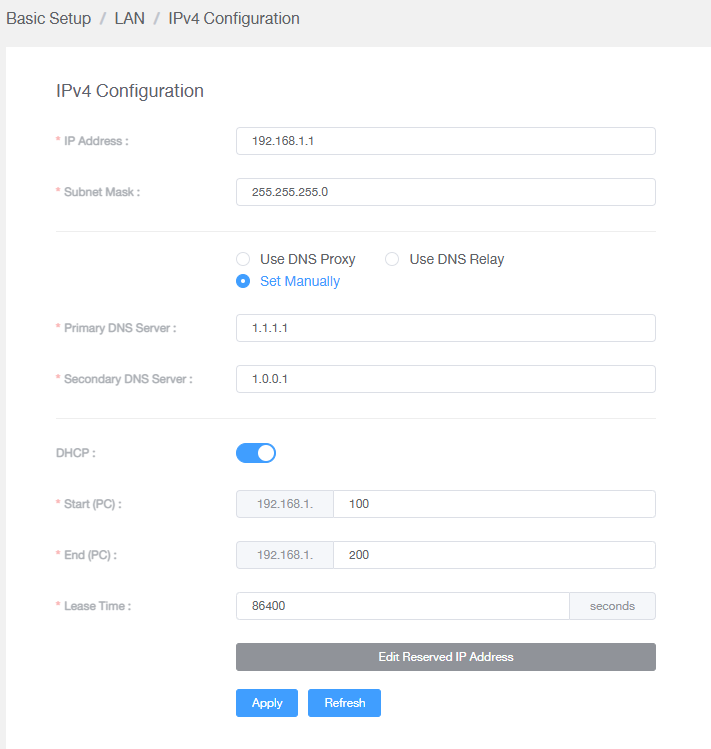
failed.hashcheck
post Apr 3 2022, 12:59 AM

Neighborhood plant pathologist
*******
Senior Member
2,090 posts

Joined: Aug 2009
From: Shithole Klang
QUOTE(frozenstarxd93 @ Apr 2 2022, 11:58 PM)
Ayam bought this from Ookas at RM216 due to Lazada 10th promo and came today. Damn fast weii!! Speed can get from 180 to 200 Mbps on 2nd floor with 5Ghz connection. Finally, can throw Unifi DIR-842 stock router into the trash bin.
user posted image
*
I prefer to have low power but multiple AP instead of single router trying so hard to cover the entire house.
sgpdsmss
post Apr 3 2022, 06:28 AM

Regular
******
Senior Member
1,704 posts

Joined: Jan 2005
QUOTE(frozenstarxd93 @ Apr 3 2022, 12:09 AM)
Yea, I changed to AX20 today. Speed test on 2nd floor can up to 180-200 Mbps with 5Ghz connection. Don't even need AP or mesh now. So happy can save money!!! Stock router straight into trash bin!
*
i suggest u keep the stock router in case ax20 broken and stock router still can connect to internet while hunting for new router..

QUOTE(failed.hashcheck @ Apr 3 2022, 12:59 AM)
I prefer to have low power but multiple AP instead of single router trying so hard to cover the entire house.
*
more ap more power consumption?
failed.hashcheck
post Apr 3 2022, 10:57 AM

Neighborhood plant pathologist
*******
Senior Member
2,090 posts

Joined: Aug 2009
From: Shithole Klang
QUOTE(sgpdsmss @ Apr 3 2022, 06:28 AM)
i suggest u keep the stock router in case ax20 broken and stock router still can connect to internet while hunting for new router..
more ap more power consumption?
*
Its not about power consumption, plus its negligible at best.

The main thing is consistent coverage. I prefer to have wifi that consistently within at least mcs7 (650Mbps) in every corner of my house; rather than full speed only at center, but 40Mbps at edge although its still counted as within coverage.
sgpdsmss
post Apr 3 2022, 01:18 PM

Regular
******
Senior Member
1,704 posts

Joined: Jan 2005
QUOTE(failed.hashcheck @ Apr 3 2022, 10:57 AM)
Its not about power consumption, plus its negligible at best.

The main thing is consistent coverage. I prefer to have wifi that consistently within at least mcs7 (650Mbps) in every corner of my house; rather than full speed only at center, but  40Mbps at edge although its still counted as within coverage.
*
ic ...

but 650m ...do your all the devices can support so high speed?
tng55
post Apr 3 2022, 01:36 PM

Regular
******
Senior Member
1,434 posts

Joined: Sep 2021


QUOTE(frozenstarxd93 @ Apr 2 2022, 11:58 PM)
Ayam bought this from Ookas at RM216 due to Lazada 10th promo and came today. Damn fast weii!! Speed can get from 180 to 200 Mbps on 2nd floor with 5Ghz connection. Finally, can throw Unifi DIR-842 stock router into the trash bin.

user posted image
*
enjoy you new router
i will not take tp link because i don't like

i using ASUS AC68U Router

i will plan to upgrade new router ASUS High End GT-AX11000
but not now i waiting tm offering 800m then will upgrade too
troy29
post Apr 3 2022, 02:38 PM

Getting Started
**
Junior Member
85 posts

Joined: May 2012
Current plan, RM129 per month + 100mbps + free calls + unifi tv + iqiyi + No contract

Went to tmpoint tasek ipoh asked for swu 300mbps,
Double confirmed with the staff said it is available but only internet. NO FREE CALLS.
So I postponed the upgrade then until I get free calls from the swu 300mbps.
Quite strange...You all get FREE calls but I don't.

This post has been edited by troy29: Apr 3 2022, 02:39 PM
YoungMan
post Apr 3 2022, 03:10 PM

Look at all my stars!!
*******
Senior Member
6,793 posts

Joined: Oct 2008
From: Kuala Lumpur


QUOTE(troy29 @ Apr 3 2022, 03:38 PM)
Current plan, RM129 per month + 100mbps + free calls + unifi tv + iqiyi + No contract

Went to tmpoint tasek ipoh asked for swu 300mbps,
Double confirmed with the staff said it is available but only internet. NO FREE CALLS.
So I postponed the upgrade then until I get free calls from the swu 300mbps.
Quite strange...You all get FREE calls but I don't.
*
Different Tmpoint different luck. Go try in another Tmpoint
failed.hashcheck
post Apr 3 2022, 03:12 PM

Neighborhood plant pathologist
*******
Senior Member
2,090 posts

Joined: Aug 2009
From: Shithole Klang
QUOTE(sgpdsmss @ Apr 3 2022, 01:18 PM)
ic ...

but 650m ...do your all the devices can support so high speed?
*
Yeah. 650mb is typical of wifi5 devices
sgpdsmss
post Apr 3 2022, 04:32 PM

Regular
******
Senior Member
1,704 posts

Joined: Jan 2005
QUOTE(tng55 @ Apr 3 2022, 01:36 PM)
enjoy you new router
i will not take tp link because i don't like

i using ASUS AC68U Router

i will plan to upgrade new router ASUS High End GT-AX11000
but not now i waiting tm offering 800m then will upgrade too
*
upgrade from ac68u to aC86u then mesh with ac68u ok tak?


tng55
post Apr 3 2022, 09:26 PM

Regular
******
Senior Member
1,434 posts

Joined: Sep 2021


QUOTE(sgpdsmss @ Apr 3 2022, 04:32 PM)
upgrade from ac68u to aC86u then mesh with ac68u ok tak?
*
sorry ac86u is to many failure i know bad model

ac68u still strong

i will take GT-AX11000 biggrin.gif

This post has been edited by tng55: Apr 3 2022, 09:27 PM
steelv
post Apr 3 2022, 09:35 PM

Getting Started
**
Junior Member
73 posts

Joined: May 2015
QUOTE(sgpdsmss @ Apr 3 2022, 04:32 PM)
upgrade from ac68u to aC86u then mesh with ac68u ok tak?
*
U already got ac router, still upgrade to ac router for what, time to upgrade to ax86u or rog gt-ax6000
westlife
post Apr 3 2022, 11:23 PM

10k Club
********
All Stars
14,241 posts

Joined: Jan 2011
no more contract for my unifi, any good deal like free 4k tv etc. by switching ISP?

if yes, how to do it?
sgpdsmss
post Apr 3 2022, 11:33 PM

Regular
******
Senior Member
1,704 posts

Joined: Jan 2005
QUOTE(tng55 @ Apr 3 2022, 09:26 PM)
sorry ac86u is to many failure i know bad model

ac68u still strong

i will take GT-AX11000  biggrin.gif
*
ic ...

QUOTE(steelv @ Apr 3 2022, 09:35 PM)
U already got ac router, still upgrade to ac router for what,  time to upgrade to ax86u or rog gt-ax6000
*
ok ..ok ..
eugenecctan
post Apr 4 2022, 04:30 PM

Wee Wang Wang
******
Senior Member
1,058 posts

Joined: Nov 2009


QUOTE(jhleo1 @ Mar 31 2022, 07:34 PM)
Who offer you? Not you said can then TM will offer you.
*
It was question smile.gif. so from what you know it is not possible from Unifi. Currently i am paying 129 for 300mb
Lurker
post Apr 4 2022, 04:57 PM

L U R K I N G
Group Icon
Elite
4,420 posts

Joined: Jan 2003
Need some help here to troubleshoot unifi Dect phone.

Anyone with a working unit can verify this for me?
If the DECT phone (base unit) is unplugged from the jack, when you call the number, does it have a ring tone?

My cordless unit is more than 10 years, LCD has faded but still functions for call in/out. Recently there is no daily tone and call to the number 'can't be reached'
Check unifi status, all is green.


TIA
andrekua2
post Apr 4 2022, 05:14 PM

10k Club
********
All Stars
13,469 posts

Joined: Jan 2012


QUOTE(Lurker @ Apr 4 2022, 04:57 PM)
Need some help here to troubleshoot unifi Dect phone.

Anyone with a working unit can verify this for me?
If the DECT phone (base unit) is unplugged from the jack, when you call the number, does it have a ring tone?

My cordless unit is more than 10 years, LCD has faded but still functions for call in/out. Recently there is no daily tone and call to the number 'can't be reached'
Check unifi status, all is green.
TIA
*
10years? Battery most likely gone.
sadlyfalways
post Apr 4 2022, 05:55 PM

Regular
******
Senior Member
1,185 posts

Joined: Nov 2020
Hello!! Does anyone else experience severe lag on discord after like 8pm?

It doesn’t happen everyday, but yesterday was especially bad as I couldn’t even join a call or send media to a group
Lurker
post Apr 4 2022, 06:30 PM

L U R K I N G
Group Icon
Elite
4,420 posts

Joined: Jan 2003
QUOTE(andrekua2 @ Apr 4 2022, 05:14 PM)
10years? Battery most li kely gone.
*
Bro, it's using AAA rechargeable. And no that's not the issue.
hurricane21
post Apr 4 2022, 10:04 PM

Senior Probation
******
Senior Member
1,388 posts

Joined: Feb 2006
From: Southern Region


QUOTE(Lurker @ Apr 4 2022, 04:57 PM)
Need some help here to troubleshoot unifi Dect phone.

Anyone with a working unit can verify this for me?
If the DECT phone (base unit) is unplugged from the jack, when you call the number, does it have a ring tone?

My cordless unit is more than 10 years, LCD has faded but still functions for call in/out. Recently there is no daily tone and call to the number 'can't be reached'
Check unifi status, all is green.
TIA
*
unplugged phone, tried call still can connect
wiraone
post Apr 5 2022, 07:42 AM

Who cares about all the stars?
*******
Senior Member
3,892 posts

Joined: Jan 2003
From: Back on earth!
QUOTE(Lurker @ Apr 4 2022, 04:57 PM)
Need some help here to troubleshoot unifi Dect phone.

Anyone with a working unit can verify this for me?
If the DECT phone (base unit) is unplugged from the jack, when you call the number, does it have a ring tone?

My cordless unit is more than 10 years, LCD has faded but still functions for call in/out. Recently there is no daily tone and call to the number 'can't be reached'
Check unifi status, all is green.
TIA
*
You might need to check with Unifi, your number should be able to be called up even when no phone is connected to the ONU/modem.


YoungMan
post Apr 5 2022, 08:14 AM

Look at all my stars!!
*******
Senior Member
6,793 posts

Joined: Oct 2008
From: Kuala Lumpur


QUOTE(Lurker @ Apr 4 2022, 05:57 PM)
Need some help here to troubleshoot unifi Dect phone.

Anyone with a working unit can verify this for me?
If the DECT phone (base unit) is unplugged from the jack, when you call the number, does it have a ring tone?

My cordless unit is more than 10 years, LCD has faded but still functions for call in/out. Recently there is no daily tone and call to the number 'can't be reached'
Check unifi status, all is green.
TIA
*
If you unplugged phone, regardless cordless or corded phone, it still have ringtone when you call. Only if the BTU is turn off then it won't ring.
andrekua2
post Apr 5 2022, 08:35 AM

10k Club
********
All Stars
13,469 posts

Joined: Jan 2012


Just installed Unifi yesterday and seems okay. Noticed some difference with Maxis fibre. Overall so far, no problem. I'm glad that my Tapo cctv is now loading faster. Preciously was getting kinda laggy and hard to load feeds when using Maxis Fiber. I don't game thus unable to tell. Maybe this weekend when my son play roblox will notice the difference.
Lurker
post Apr 5 2022, 09:59 AM

L U R K I N G
Group Icon
Elite
4,420 posts

Joined: Jan 2003
QUOTE(hurricane21 @ Apr 4 2022, 10:04 PM)
unplugged phone, tried call still can connect
*
QUOTE(wiraone @ Apr 5 2022, 07:42 AM)
You might need to check with Unifi, your number should be able to be called up even when no phone is connected to the ONU/modem.
*
QUOTE(YoungMan @ Apr 5 2022, 08:14 AM)
If you unplugged phone, regardless cordless or corded phone, it still have ringtone when you call. Only if the BTU is turn off then it won't ring.
*
Thanks for confirming

I hv made the report once, and the technician came over (only parents around) and pointed it's the DECT phone issue, due to the display faded much. Report close.

Seems like I would need to report again.
sgpdsmss
post Apr 5 2022, 10:28 AM

Regular
******
Senior Member
1,704 posts

Joined: Jan 2005
QUOTE(andrekua2 @ Apr 5 2022, 08:35 AM)
Just installed Unifi yesterday and seems okay. Noticed some difference with Maxis fibre. Overall so far, no problem. I'm glad that my Tapo cctv is now loading faster. Preciously was getting kinda laggy and hard to load feeds when using Maxis Fiber. I don't game thus unable to tell. Maybe this weekend when my son play roblox will notice the difference.
*
are you from maxis fiber to unifi ?
tng55
post Apr 5 2022, 11:26 AM

Regular
******
Senior Member
1,434 posts

Joined: Sep 2021


QUOTE(andrekua2 @ Apr 5 2022, 08:35 AM)
Just installed Unifi yesterday and seems okay. Noticed some difference with Maxis fibre. Overall so far, no problem. I'm glad that my Tapo cctv is now loading faster. Preciously was getting kinda laggy and hard to load feeds when using Maxis Fiber. I don't game thus unable to tell. Maybe this weekend when my son play roblox will notice the difference.
*
haha i hate maxis fibre i know many people complaint and torrent most night speed throttling i think most 7pm to 2am will throttling torrent

but unifi torrent always speed full i don't have problem

i will not change other isp i will stay unifi i hope tm will offering 800m i waiting
jhleo1
post Apr 5 2022, 11:44 AM

Look at all my stars!!
*******
Senior Member
4,381 posts

Joined: Jan 2003
Heard many complaint about Maxis fibre but still many dont listen and want to jump over to Maxis. After jumped, complaint start. What's point. biggrin.gif

QUOTE(tng55 @ Apr 5 2022, 11:26 AM)
haha i hate maxis fibre i know many people complaint and torrent most night speed throttling i think most 7pm to 2am will throttling torrent

but unifi torrent always speed full i don't have problem

i will not change other isp i will stay unifi i hope tm will offering 800m i waiting
*
andrekua2
post Apr 5 2022, 11:55 AM

10k Club
********
All Stars
13,469 posts

Joined: Jan 2012


QUOTE(sgpdsmss @ Apr 5 2022, 10:28 AM)
are you from maxis fiber to unifi ?
*
Yes... Been using for more than a decade...

tng55
post Apr 5 2022, 11:56 AM

Regular
******
Senior Member
1,434 posts

Joined: Sep 2021


QUOTE(jhleo1 @ Apr 5 2022, 11:44 AM)
Heard many complaint about Maxis fibre but still many dont listen and want to jump over to Maxis. After jumped, complaint start. What's point.  biggrin.gif
*
yah i know

maxis fibre if BTU LOS Light without internet then fibre problem they call maxis then seen technical no come everday call look like few days no internet and someone told 2weeks no internet look maxis lazy to come technical maxis + tm look cannot complaint TM haha

i first time installed unifi may 2019 after installed tm technical left then next day suddenly LOS Light i tell TM they had early come technical my house to fix fibre cable he told me cable loss so he doing splicing then now no more problem

look like less then 24h look i happy unifi and very fast come tm technical
sgpdsmss
post Apr 5 2022, 01:02 PM

Regular
******
Senior Member
1,704 posts

Joined: Jan 2005
QUOTE(andrekua2 @ Apr 5 2022, 11:55 AM)
Yes... Been using for more than a decade...
*
why jump ship to unifi?

QUOTE(tng55 @ Apr 5 2022, 11:56 AM)
yah i know

maxis fibre if BTU LOS Light without internet then fibre problem they call maxis then seen technical no come everday call look like few days no internet and someone told 2weeks no internet look maxis lazy to come technical maxis + tm look cannot complaint TM haha

i first time installed unifi may 2019 after installed tm technical left then next day suddenly LOS Light i tell TM they had early come technical my house to fix fibre cable he told me cable loss so he doing splicing then now no more problem

look like less then 24h look i happy unifi and very fast come tm technical
*
infra is from tm ..they can fixed it by tm contractor..
maxis need to consult tm if infra issue ..maxis only can solve if modem or router issue right ?


Momo33
post Apr 5 2022, 01:29 PM

Regular
******
Senior Member
1,448 posts

Joined: Oct 2019
QUOTE(william1976 @ Apr 1 2022, 03:54 PM)
Hi guys,
Unifi got any free upgrade lately?
My speed suddenly upgraded from 300Mbps to 500Mbps
*
after reading this today April 5 , i did a speed test and
notice my speed too increase from 100 to 300 .

i dont notice any difference in speed when surfing and download from 100 mbps. nod.gif


tng55
post Apr 5 2022, 01:32 PM

Regular
******
Senior Member
1,434 posts

Joined: Sep 2021


QUOTE(sgpdsmss @ Apr 5 2022, 01:02 PM)
why jump ship to unifi?
infra is from tm ..they can fixed it by tm contractor..
maxis need to consult tm if infra issue ..maxis only can solve if modem or router issue right ?
*
yes correct that very slow fix haha
my area is TM infra so i stay Unifi

if maxis infra i can take maxis fibre haha

lucky my area is TM Infra so i happy Unifi

if my area maxis infra i will disappointed due torrent most night speed throttling i think most 7pm to 2am will throttling torrent

that why i still prefer TM biggrin.gif

but unifi torrent always speed full i don't have problem
tng55
post Apr 5 2022, 01:37 PM

Regular
******
Senior Member
1,434 posts

Joined: Sep 2021


QUOTE(Momo33 @ Apr 5 2022, 01:29 PM)
after reading this today  April 5 ,  i  did a speed test  and
notice  my speed  too increase  from 100  to 300 .

i dont notice  any difference  in speed  when  surfing and download  from 100 mbps.  nod.gif
*
i am 100mbps i got 300mbps its trial seen i got notice difference speed 300mbps
after trial expired i will be 100mbps no problem

i wont upgrade 300mbps

i am sure tm will offering 800mbps good price RM179 below i will upgrade

if i upgrade 300mbps if suddenly tm offering 800mbps for trick good price RM179 below i can't due need contract finish then must be trick

someone 300mbps offering RM159 bad he contract finished then make trick he got RM129 for 300mbps that

mine contract finished so i hope 800mbps good offering

i am not sure when offering tm 800mbps

so need wait few month maybe 6month or don't know
sgpdsmss
post Apr 5 2022, 01:54 PM

Regular
******
Senior Member
1,704 posts

Joined: Jan 2005
QUOTE(Momo33 @ Apr 5 2022, 01:29 PM)
after reading this today  April 5 ,  i  did a speed test  and
notice  my speed  too increase  from 100  to 300 .

i dont notice  any difference  in speed  when  surfing and download  from 100 mbps.  nod.gif
*
any buffering during night time from 10pm daily?

QUOTE(tng55 @ Apr 5 2022, 01:32 PM)
yes correct that very slow fix haha
my area is TM infra so i stay Unifi

if maxis infra i can take maxis fibre haha

lucky my area is TM Infra so i happy Unifi

if my area maxis infra i will disappointed due torrent most night speed throttling i think most 7pm to 2am will throttling torrent

that why i still prefer TM  biggrin.gif

but unifi torrent always speed full i don't have problem
*
initial u use maxis fiber even on unifi infra ?
now only switch to unifi ?
Momo33
post Apr 5 2022, 01:58 PM

Regular
******
Senior Member
1,448 posts

Joined: Oct 2019
QUOTE(sgpdsmss @ Apr 5 2022, 02:54 PM)
any buffering during night time from 10pm daily?
initial u use maxis fiber even on unifi infra ?
now only switch to unifi ?
nite time mostly on netflix ...dont see any difference/ change.


papyrous
post Apr 5 2022, 02:13 PM

Getting Started
**
Junior Member
214 posts

Joined: May 2017
Read about this for thailand. https://fiber.3bb.co.th/en/ช่วยเ...667c766835ba41f

they call it DDNS, but really it’s to assign you some ports that makes you accessible behind CGNAT.
andrekua2
post Apr 5 2022, 02:31 PM

10k Club
********
All Stars
13,469 posts

Joined: Jan 2012


QUOTE(sgpdsmss @ Apr 5 2022, 01:02 PM)
why jump ship to unifi?
infra is from tm ..they can fixed it by tm contractor..
maxis need to consult tm if infra issue ..maxis only can solve if modem or router issue right ?
*
Apa lagi... harga...

Previously using because using my sister name with oku card... 10mbps 168-50%...

Then gobind came and everything flipped. No more oku discount, previously on 30mbps, maxis said no offer. My cousin using unifi only pay 159 for 500mbps.
sHawTY
post Apr 5 2022, 02:44 PM

Frequent Reporter
********
All Stars
14,908 posts

Joined: Jul 2005

QUOTE(PJng @ Apr 2 2022, 02:16 PM)
No yet
Claim lar. I always get RM20 off my bill when there are enough rewards points
YoungMan
post Apr 5 2022, 03:19 PM

Look at all my stars!!
*******
Senior Member
6,793 posts

Joined: Oct 2008
From: Kuala Lumpur


QUOTE(Lurker @ Apr 5 2022, 10:59 AM)
Thanks for confirming

I hv made the report once, and the technician came over (only parents around) and pointed it's the DECT phone issue, due to the display faded much. Report close.

Seems like I would need to report again.
*
It is advisable for you to have a working phone set for troubleshooting purpose. If the deck phone already like that, I suggest you get a unit of normal corded telephone and plug in, so that when they come they can have a working phone to test the line. Unless, you are hoping they will replace the telephone set for you.

QUOTE(jhleo1 @ Apr 5 2022, 12:44 PM)
Heard many complaint about Maxis fibre but still many dont listen and want to jump over to Maxis. After jumped, complaint start. What's point.  biggrin.gif
*
Some of the complain is due to hard cap impose by TM to other provider. Imagine this, you subscribe Unifi 100mbps can get speed test result of 105mbps, but for Maxis on TM infra you can only get 90 to 99mbps.
So TM can syok sendiri by capping their line a bit higher and cap their competitor line at the exact speed, in the end customer think the other providers line is slow. This is a fact that stonch TM supporter will never believe, but me as a digi subscriber on TM infra saw this with my own eye.

This post has been edited by YoungMan: Apr 5 2022, 03:20 PM
andrekua2
post Apr 5 2022, 07:30 PM

10k Club
********
All Stars
13,469 posts

Joined: Jan 2012


QUOTE(YoungMan @ Apr 5 2022, 03:19 PM)
It is advisable for you to have a working phone set for troubleshooting purpose. If the deck phone already like that, I suggest you get a unit of normal corded telephone and plug in, so that when they come they can have a working phone to test the line. Unless, you are hoping they will replace the telephone set for you.
Some of the complain is due to hard cap impose by TM to other provider. Imagine this, you subscribe Unifi 100mbps can get speed test result of 105mbps, but for Maxis on TM infra you can only get 90 to 99mbps.
So TM can syok sendiri by capping their line a bit higher and cap their competitor line at the exact speed, in the end customer think the other providers line is slow. This is a fact that stonch TM supporter will never believe, but me as a digi subscriber on TM infra saw this with my own eye.
*
I think there are issues unrelated to hard capping as well. The fact that maxis throttle torrent between 8pm to 2am is a fact. The fact that speed is faster on weekend than weekday is also true.

Honestly there are ups and downs with every telco. I'm more interested that Unifi did provide free or discounted speed upgrade. My cousin never even tried mnp but still received discounted 500mbps.
jackdon
post Apr 5 2022, 07:39 PM

Enthusiast
*****
Senior Member
719 posts

Joined: Dec 2006
My internet is down.
Replace router same problem.
POWER / LAN / OPTICAL and POTS light on.

Previously the POTS is not on.
Now I cannot get connect online, Telephone call is OK.

Any suggestion. Will have to make a call to TM for support.

Thanks.
YoungMan
post Apr 5 2022, 08:19 PM

Look at all my stars!!
*******
Senior Member
6,793 posts

Joined: Oct 2008
From: Kuala Lumpur


QUOTE(andrekua2 @ Apr 5 2022, 08:30 PM)
I think there are issues unrelated to hard capping as well. The fact that maxis throttle torrent between 8pm to 2am is a fact. The fact that speed is faster on weekend than weekday is also true.

Honestly there are ups and downs with every telco. I'm more interested that Unifi did provide free or discounted speed upgrade. My cousin never even tried  mnp but still received discounted 500mbps.
*
Those discound can be very luck-based. The only time I got free upgrade was during Unifi turbo. And there are also people here who got rejected when they go and request for upgrade to #staywithunifi at Tmpoint. Not to mention the 101 pricing mechanism that make it unfair for subscribers. You can be subscribe to 100mbps and pay RM129, and nex thing someone paying the same price for 300mbps or 500mbps.

tng55
post Apr 5 2022, 10:20 PM

Regular
******
Senior Member
1,434 posts

Joined: Sep 2021


QUOTE(sgpdsmss @ Apr 5 2022, 01:54 PM)
any buffering during night time from 10pm daily?
initial u use maxis fiber even on unifi infra ?
now only switch to unifi ?
*
i never use maxis fibre
i know many people usie maxis fibre with tm infra and very bad haha
i never switch
old days was streamyx so may 2019 streamyx to upgrade unifi 100mbps
tng55
post Apr 5 2022, 10:22 PM

Regular
******
Senior Member
1,434 posts

Joined: Sep 2021


QUOTE(andrekua2 @ Apr 5 2022, 02:31 PM)
Apa lagi... harga...

Previously using because using my sister name with oku card... 10mbps 168-50%...

Then gobind came and everything flipped. No more oku discount, previously on 30mbps, maxis said no offer. My cousin using unifi only pay 159 for 500mbps.
*
yah oku no more discount very bad
SUSpetpenyubobo
post Apr 5 2022, 11:33 PM

Regular
******
Senior Member
1,030 posts

Joined: Jan 2022

QUOTE(tng55 @ Apr 5 2022, 11:26 AM)
haha i hate maxis fibre i know many people complaint and torrent most night speed throttling i think most 7pm to 2am will throttling torrent

but unifi torrent always speed full i don't have problem

i will not change other isp i will stay unifi i hope tm will offering 800m i waiting
*
Can confirm Maxis Fibre do not throttle torrents at night. In fact it is less intrusive than Unifi.

QUOTE(jhleo1 @ Apr 5 2022, 11:44 AM)
Heard many complaint about Maxis fibre but still many dont listen and want to jump over to Maxis. After jumped, complaint start. What's point.  biggrin.gif
*
Maxis international circuit is much better than Unifi. Their international bandwidth is managed by NTT and Sparkle SEABONE which are way more professional than TM.

QUOTE(tng55 @ Apr 5 2022, 11:56 AM)
yah i know

maxis fibre if BTU LOS Light without internet then fibre problem they call maxis then seen technical no come everday call look like few days no internet and someone told 2weeks no internet look maxis lazy to come technical maxis + tm look cannot complaint TM haha

i first time installed unifi may 2019 after installed tm technical left then next day suddenly LOS Light i tell TM they had early come technical my house to fix fibre cable he told me cable loss so he doing splicing then now no more problem

look like less then 24h look i happy unifi and very fast come tm technical
*
There's SLA between TM Wholesale and other ISPs. If caught playing cheat, applying monopolistic practices or delaying repair/downtime by other ISPs TM will get sued by the ISP who leases their last mile from them.
So no such thing as Maxis /Celcom/DiGi repairs need longer wait times. They all have SLA agreement with TM Wholesale to rectify any issues linked to TM last mile network.

QUOTE(andrekua2 @ Apr 5 2022, 07:30 PM)
I think there are issues unrelated to hard capping as well. The fact that maxis throttle torrent between 8pm to 2am is a fact. The fact that speed is faster on weekend than weekday is also true.

Honestly there are ups and downs with every telco. I'm more interested that Unifi did provide free or discounted speed upgrade. My cousin never even tried  mnp but still received discounted 500mbps.
*
Not that I know of. No torrent throttling so far even at peak hours at night 8pm-1am. Can still achieve 90% speed to Europe servers with 90Mbps+ to London/New York/Sweden speedtest servers at peak hours at night.Very stable.
tng55
post Apr 6 2022, 12:15 AM

Regular
******
Senior Member
1,434 posts

Joined: Sep 2021


QUOTE(petpenyubobo @ Apr 5 2022, 11:33 PM)
Can confirm Maxis Fibre do not throttle torrents at night. In fact it is less intrusive than Unifi.
Maxis international circuit is much better than Unifi. Their international bandwidth is managed by NTT and Sparkle SEABONE which are way more professional than TM.
There's SLA between TM Wholesale and other ISPs. If caught playing cheat, applying monopolistic practices or delaying repair/downtime by other ISPs TM will get sued by the ISP who leases their last mile from them.
So no such thing as Maxis /Celcom/DiGi repairs need longer wait times. They all have SLA agreement with TM Wholesale to rectify any issues linked to TM last mile network.
Not that I know of. No torrent throttling so far even at peak hours at night 8pm-1am. Can still achieve 90% speed to Europe servers with 90Mbps+ to London/New York/Sweden speedtest servers at peak hours at night.Very stable.
*
are you sure maxis fibre No torrent throttling ??
someone already told 8pm to 2am torrent throttling

maybe you maxis fibre you area is maxis infra i think so not tm infra right
SUSpetpenyubobo
post Apr 6 2022, 12:33 AM

Regular
******
Senior Member
1,030 posts

Joined: Jan 2022

QUOTE(tng55 @ Apr 6 2022, 12:15 AM)
are you sure maxis fibre No torrent throttling ??
someone already told 8pm to 2am torrent throttling

maybe you maxis fibre you area is maxis infra i think so not tm infra right
*
Nowadays you go Shopee to find IPTV packages lots of sellers will warn and discourage you from subscribing if you're using Unifi. Reason is because Unifi international connectivity to this region IPTV servers even to SG and Thailand is very lousy. They suspect TM also is secretly doing bandwidth throttling to their customers line.

That is how bad Unifi is and the complaints about slowdowns accessing Telegram at peak hours at night and Reddit all are true.
andrekua2
post Apr 6 2022, 01:27 AM

10k Club
********
All Stars
13,469 posts

Joined: Jan 2012


QUOTE(petpenyubobo @ Apr 6 2022, 12:33 AM)
Nowadays you go Shopee to find IPTV packages lots of sellers will warn and discourage you from subscribing if you're using Unifi. Reason is because Unifi international connectivity to this region IPTV servers even to SG and Thailand is very lousy. They suspect TM also is secretly doing bandwidth throttling to their customers line.

That is how bad Unifi is and the complaints about slowdowns accessing Telegram at peak hours at night and Reddit all are true.
*
Reddit is okay on both... telegram, well, you know i know what that's all about. I haven't test taobao on unifi yet. On maxis, lately it wouldn't load but working fine on my hotlink line.

Twitch, Iqiyi working fine... this weekend will test hotstar. Will test more apps soon. So far still havent found big difference between both.


Shozo10
post Apr 6 2022, 01:33 AM

New Member
*
Newbie
4 posts

Joined: Jul 2011


Received my Fiberhome router today with Unifi 500mbps package. The Fiberhome router admin page so messy. bangwall.gif

Is it possible to replace with a different router? Any recommendations by all the sifu here?

This post has been edited by Shozo10: Apr 6 2022, 01:36 AM
steelv
post Apr 6 2022, 01:45 AM

Getting Started
**
Junior Member
73 posts

Joined: May 2015
QUOTE(Shozo10 @ Apr 6 2022, 01:33 AM)
Received my Fiberhome router today with Unifi 500mbps package. The Fiberhome router admin page so messy.  bangwall.gif

Is it possible to replace with a different router? Any recommendations by all the sifu here?
*
asus rt-ax86u, rog rapture gt-ax6000, rog rapture gt-ax11000
andrekua2
post Apr 6 2022, 01:48 AM

10k Club
********
All Stars
13,469 posts

Joined: Jan 2012


QUOTE(Shozo10 @ Apr 6 2022, 01:33 AM)
Received my Fiberhome router today with Unifi 500mbps package. The Fiberhome router admin page so messy.  bangwall.gif

Is it possible to replace with a different router? Any recommendations by all the sifu here?
*
I see. I got an aztech WR744 AC1200. Webgui considered okay and the performance is quite good. Just the range a bit short. I'm surprised that such router got option to configure as mesh.

I reconfigured my usual setup of AC18 + AX50 since I lazy to reconnect all my smart devices and tapo cctv.
Shozo10
post Apr 6 2022, 01:54 AM

New Member
*
Newbie
4 posts

Joined: Jul 2011


Thank you, I will look into those options! biggrin.gif

I go into the Fiberhome page and already got headache after a few hours. rclxub.gif
tng55
post Apr 6 2022, 02:02 AM

Regular
******
Senior Member
1,434 posts

Joined: Sep 2021


QUOTE(petpenyubobo @ Apr 6 2022, 12:33 AM)
Nowadays you go Shopee to find IPTV packages lots of sellers will warn and discourage you from subscribing if you're using Unifi. Reason is because Unifi international connectivity to this region IPTV servers even to SG and Thailand is very lousy. They suspect TM also is secretly doing bandwidth throttling to their customers line.

That is how bad Unifi is and the complaints about slowdowns accessing Telegram at peak hours at night and Reddit all are true.
*
i also download telegram very slow but after 2am above speed abit batter can hit 12mbps mean 1mb/sec
12pm i try telegram download still slow most 100kb/sec like 1mbps and 1pm also slow 1.30pm also slow telegram sad.gif
i download telegram most movies and some poxrm group video a lot but slow haizz
QuantumEdge
post Apr 6 2022, 08:54 AM

Regular
******
Senior Member
1,593 posts

Joined: Jan 2016


QUOTE(tng55 @ Apr 6 2022, 02:02 AM)
i also download telegram very slow but after 2am above speed abit batter can hit 12mbps mean 1mb/sec
12pm i try telegram download still slow most 100kb/sec like 1mbps and 1pm also slow 1.30pm also slow telegram  sad.gif
i download telegram most movies and some poxrm group video a lot but slow haizz
*
Maxis user here, I can hit the full 300mbps speed when downloading from telegram
Even during peak hours, so it is definitely TM's problem brows.gif
Torrent wise I didnt notice any throttling, most of the time speed is limited by the seeders not my internet speed

4 months in, so far so good

No more random youtube bufferings and tweets that doesnt load
tng55
post Apr 6 2022, 11:21 AM

Regular
******
Senior Member
1,434 posts

Joined: Sep 2021


QUOTE(QuantumEdge @ Apr 6 2022, 08:54 AM)
Maxis user here, I can hit the full 300mbps speed when downloading from telegram
Even during peak hours, so it is definitely TM's problem  brows.gif
Torrent wise I didnt notice any throttling, most of the time speed is limited by the seeders not my internet speed

4 months in, so far so good

No more random youtube bufferings and tweets that doesnt load
*
you using maxis fibre so you area is maxis infra or tm infra

QuantumEdge
post Apr 6 2022, 01:27 PM

Regular
******
Senior Member
1,593 posts

Joined: Jan 2016


QUOTE(tng55 @ Apr 6 2022, 11:21 AM)
you using maxis fibre so you area is maxis infra or tm infra
*
TM infra
tng55
post Apr 6 2022, 01:33 PM

Regular
******
Senior Member
1,434 posts

Joined: Sep 2021


QUOTE(QuantumEdge @ Apr 6 2022, 01:27 PM)
TM infra
*
unifi my contract ended but i unable to try maxis fibre due 24month
if i don't like maxis fibre can't early back Unifi sad.gif

look like OWN TO RISK sad.gif

This post has been edited by tng55: Apr 6 2022, 01:34 PM
QuantumEdge
post Apr 6 2022, 01:42 PM

Regular
******
Senior Member
1,593 posts

Joined: Jan 2016


QUOTE(tng55 @ Apr 6 2022, 01:33 PM)
unifi my contract ended but i unable to try maxis fibre due 24month
if i don't like maxis fibre can't early back Unifi  sad.gif

look like OWN TO RISK  sad.gif
*
I bailed from TM just after a year, cant stand the constant bad routing+frequent downtime at my area
Ended up subscribing to Maxis 300mbps, so far 0 problem

Probably will unsub from Maxis after contract ended, not because of their service but because Allo is almost ready here
tng55
post Apr 6 2022, 01:55 PM

Regular
******
Senior Member
1,434 posts

Joined: Sep 2021


QUOTE(QuantumEdge @ Apr 6 2022, 01:42 PM)
I bailed from TM just after a year, cant stand the constant bad routing+frequent downtime at my area
Ended up subscribing to Maxis 300mbps, so far 0 problem

Probably will unsub from Maxis after contract ended, not because of their service but because Allo is almost ready here
*
Allo will be private ip

mine unifi not much downtime my area not daily not monthly
i say uptime 98% and 2% downtime i think less than 1h or less than 30min

so far
annoymous1234
post Apr 6 2022, 06:20 PM

Look at all my stars!!
*******
Senior Member
7,614 posts

Joined: Mar 2009

will connecting to VPN solve the slow telegram download problem?
go626201
post Apr 6 2022, 07:26 PM

Regular
******
Senior Member
1,882 posts

Joined: Sep 2017
QUOTE(annoymous1234 @ Apr 6 2022, 06:20 PM)
will connecting to VPN solve the slow telegram download problem?
*
Mostly Yes.
QuantumEdge
post Apr 6 2022, 08:23 PM

Regular
******
Senior Member
1,593 posts

Joined: Jan 2016


QUOTE(tng55 @ Apr 6 2022, 01:55 PM)
Allo will be private ip

mine unifi not much downtime my area not daily not monthly
i say uptime 98% and 2% downtime i think less than 1h or less than 30min

so far
*
I'd probably won't be outstation that often by that time, not going to need remote access
BTW I noticed an odd pattern when downloading stuff from telegram during peak our...
Full speed for a couple of seconds, then cut off... full speed again... repeats still finished downloading

user posted image

user posted image
RiriRuruRara
post Apr 6 2022, 10:14 PM

Regular
******
Senior Member
1,010 posts

Joined: Aug 2014


Anyone twitch keep buffering??
jacktiew
post Apr 6 2022, 10:26 PM

Getting Started
**
Junior Member
289 posts

Joined: Sep 2012
QUOTE(RiriRuruRara @ Apr 6 2022, 10:14 PM)
Anyone twitch keep buffering??
*
Yes, random buffering for me
tng55
post Apr 6 2022, 10:30 PM

Regular
******
Senior Member
1,434 posts

Joined: Sep 2021


QUOTE(QuantumEdge @ Apr 6 2022, 08:23 PM)
I'd probably won't be outstation that often by that time, not going to need remote access
BTW I noticed an odd pattern when downloading stuff from telegram during peak our...
Full speed for a couple of seconds, then cut off... full speed again... repeats still finished downloading

user posted image

user posted image
*
why like that cut and full speed again and cut again full speed again and cut again

my unifi after 2am above i getting 1mb/sec like 10mbps never cut just stay 10mbps running without cut for telegram

you telegram cannot download running full speed without cut 10 second
steelv
post Apr 7 2022, 12:00 AM

Getting Started
**
Junior Member
73 posts

Joined: May 2015
QUOTE(RiriRuruRara @ Apr 6 2022, 10:14 PM)
Anyone twitch keep buffering??
*
smooth for me
coolguy_0925
post Apr 7 2022, 01:41 AM

Look at all my stars!!
*******
Senior Member
4,538 posts

Joined: Jan 2003
QUOTE(RiriRuruRara @ Apr 6 2022, 10:14 PM)
Anyone twitch keep buffering??
*
Just tested, smooth for 1080p tonight
RiriRuruRara
post Apr 7 2022, 04:56 AM

Regular
******
Senior Member
1,010 posts

Joined: Aug 2014


QUOTE(jacktiew @ Apr 6 2022, 10:26 PM)
Yes, random buffering for me
*
QUOTE(steelv @ Apr 7 2022, 12:00 AM)
smooth for me
*
QUOTE(coolguy_0925 @ Apr 7 2022, 01:41 AM)
Just tested, smooth for 1080p tonight
*
Thanks.
yongtjunkit
post Apr 7 2022, 10:23 AM

Look at all my stars!!
*******
Senior Member
2,516 posts

Joined: Mar 2016
Been noticing lately that disney+hotstar, certain websites seems to be loading slower than normal. Wondering if this is unifi issue?
sadlyfalways
post Apr 7 2022, 02:08 PM

Regular
******
Senior Member
1,185 posts

Joined: Nov 2020
QUOTE(yongtjunkit @ Apr 7 2022, 10:23 AM)
Been noticing lately that disney+hotstar, certain websites seems to be loading slower than normal. Wondering if this is unifi issue?
*
my lazada keeps showing connection error too
Alpha_Tay
post Apr 8 2022, 04:00 PM

Beware The Spammer Star!
******
Senior Member
1,725 posts

Joined: Jan 2003
RM0 unifi: You've been pre-approved for unifi 300Mbps SME Grant+Cloud Storage. Click i.unifi.my/smegrant300cloud OR call 100(Press 4) to save RM107.40 for 12mth

66555 April 8 2022 3:48PM

https://biz.unifi.com.my/business/smegrant

FAQ for SME Step Forward Campaign ver. 2 (22022022): Customer

FREQUENTLY ASKED QUESTIONS (FAQ)
FOR
SME STEP FORWARD CAMPAIGN

https://home.unifi.com.my/sites/default/fil...r2_22022022.pdf

https://home.unifi.com.my/sites/default/fil...3a_4Aug2021.pdf

Terms and Conditions for SME Step Forward Campaign Version 2/2022

Terms & Conditions for SME Step Forward
Campaign

https://home.unifi.com.my/sites/default/fil...sion_2_2022.pdf

https://home.unifi.com.my/sites/default/fil...nt_03082021.pdf

Campaign Offering 2:
Non-SME Digitalisation
Grant
(“Non-SDG Offering”)

1.5 What does the
SD-WAN
offers?

 Under Managed Software Defined – Wide Area Network (“SD-WAN”), you can
choose either one depending on preferred speed.

Speed Device

100 Mbps
Cisco Meraki MX64W
BTU
BTU Installation
DECT Phone

300 Mbps
Cisco Meraki RG MX67W
BTU
BTU Installation
DECT Phone

500 Mbps
Cisco Meraki RG MX75
BTU
BTU Installation
DECT Phone

800 Mbps
Cisco Meraki RG MX250
BTU
BTU Installation
DECT Phone

3.1.2 How long is
the contract
period?

 Upon subscription and activation to the available packages under the
Campaign Offering, Customer is subjected to contract term as below:
No. Category Contract Term

2 Internet connectivity (SD-WAN) 36 months (Internet Connectivity)

3.0 CAMPAIGN PACKAGE 2: NON-SME DIGITALISATION GRANT (“NON-SDG OFFERING”)

3.1 OVERVIEW OF NON-SME DIGITALISATION GRANT (“NON-GRANT”)

3.2.1.1 Under NonSDG
Offering,
what is the
price detail
for Internet
Connectivity
(unifi Biz) for
this type of
customer?

 Under Non-SDG Offering, the price detail for Internet Connectivity (unifi Biz) for this
type of customer shall be illustrated as below:
Speed Commercial Rate
(RM)

30Mbps 99
100Mbps (without Mesh) 139
100Mbps (Mesh M4) 154
100Mbps (Mesh M9) 169
300Mbps (Wi-Fi 6 certified Mesh) 249
500Mbps (Wi-Fi 6 certified Mesh) 299
800Mbps (Wi-Fi 6 certified Mesh) 349

3.2.1.2 Under NonSDG
Offering,
what is the
price detail
for Internet
Connectivity
(SD-WAN)
for this type
of
customer?

 Under Non-SDG Offering, the price detail for Internet Connectivity (SD-WAN) for
this type of customer shall be illustrated as below:

Speed Commercial Rate
(RM)

SD-WAN Basic 100 Mbps 408
SD-WAN Basic 300 Mbps 576
SD-WAN Basic 500 Mbps 856
SD-WAN Basic 800 Mbps 1,747

https://meraki.cisco.com/product/security-s...l-branch/mx64w/

https://meraki.cisco.com/product/security-s...l-branch/mx67w/

https://meraki.cisco.com/product/security-s...ll-branch/mx75/

https://meraki.cisco.com/product/security-s...entrator/mx250/


This post has been edited by Alpha_Tay: Apr 8 2022, 05:36 PM
Iceman74
post Apr 8 2022, 04:30 PM

Regular
******
Senior Member
1,407 posts

Joined: May 2010


QUOTE(Shozo10 @ Apr 6 2022, 01:33 AM)
Received my Fiberhome router today with Unifi 500mbps package. The Fiberhome router admin page so messy.  bangwall.gif

Is it possible to replace with a different router? Any recommendations by all the sifu here?
*
Hi, what package they offer to you now?

rajlesta00
post Apr 9 2022, 01:14 AM

Lfcywna
***
Junior Member
463 posts

Joined: May 2008
From: Cyberjaya


Guys, need info, thanks in advance
who are eligible to upgrade to the SWU offer 300mbps @ RM129

My current plan is 100mbps @ 129 and still within the contract, Am I eligible ?

And must walk in to TM point?

This post has been edited by rajlesta00: Apr 9 2022, 01:14 AM
Shozo10
post Apr 9 2022, 04:23 AM

New Member
*
Newbie
4 posts

Joined: Jul 2011


QUOTE(Iceman74 @ Apr 8 2022, 04:30 PM)
Hi, what package they offer to you now?
*
Now it's Rm 249. Include a mesh and Unifi tv. Mesh is Fiberhome brand and the configuration page is very messy and confusing.

I have experience using TP-Link, Dlink and Asus but non of their configuration page are as confusing as Fiberhome one.

Unifi Tv is quite useless for me plus if you want Netflix on the Unifi tv, you need to sideload but then cannot stream 4k content on Netflix. Overall, the only thing that I want is the 500mbps internet but they don't offer standalone. bangwall.gif

I moved from a condo using TIME at RM 149 500mbps to landed with UNIFI at RM 249 for 500mbps. cry.gif


This is the UNIFI packages currently; https://home.unifi.com.my/anytimeanywhere
YoungMan
post Apr 9 2022, 11:02 AM

Look at all my stars!!
*******
Senior Member
6,793 posts

Joined: Oct 2008
From: Kuala Lumpur


QUOTE(rajlesta00 @ Apr 9 2022, 02:14 AM)
Guys, need info, thanks in advance
who are eligible to upgrade to the SWU offer 300mbps @ RM129

My current plan is 100mbps @ 129 and still within the contract, Am I eligible ?

And must walk in to TM point?
*
You have to go to Tmpoint and see if they want to give you the swu package. Because you are still under contract, they know you won't run away easily.
patrickthissen
post Apr 9 2022, 01:38 PM

Casual
***
Junior Member
381 posts

Joined: Feb 2012
Hello, asking here before I deal with TM live chat CS.
I did apply Unifi application, but now I decided to cancel installation for some reason.
Will I face any penalty?
kcl2006ch
post Apr 9 2022, 01:53 PM

Getting Started
**
Junior Member
288 posts

Joined: Sep 2020


QUOTE(patrickthissen @ Apr 9 2022, 01:38 PM)
Hello, asking here before I deal with TM live chat CS.
I did apply Unifi application, but now I decided to cancel installation for some reason.
Will I face any penalty?
*
the installer came to install fiber or not? If not, then can cancel
lamode
post Apr 9 2022, 04:13 PM

anything could happen!
*******
Senior Member
3,902 posts

Joined: Jul 2007
they really enforce the 2 devices for 30 mbps plan?

user posted image
patrickthissen
post Apr 9 2022, 04:28 PM

Casual
***
Junior Member
381 posts

Joined: Feb 2012
QUOTE(kcl2006ch @ Apr 9 2022, 01:53 PM)
the installer came to install fiber or not? If not, then can cancel
*
Install fiber mean what? (I saw they doing something outside the pole, but not yet come in my house)

asellus
post Apr 9 2022, 04:33 PM

#gompusas
Group Icon
Elite
4,541 posts

Joined: Jan 2003
From: BSRPPG51 Access Concentrator


QUOTE(lamode @ Apr 9 2022, 04:13 PM)
they really enforce the 2 devices for 30 mbps plan?

user posted image
*
No TM didn't. TM says that because the e-waste wifi router TM provides only give good performance for 2 devices for 30Mbps package.

Turn off wifi on the e-waste router TM gives you, then pair the router with one of this MoFo and you can support 50 devices in your house even on 30Mbps connection.


YoungMan
post Apr 9 2022, 05:07 PM

Look at all my stars!!
*******
Senior Member
6,793 posts

Joined: Oct 2008
From: Kuala Lumpur


QUOTE(patrickthissen @ Apr 9 2022, 05:28 PM)
Install fiber mean what? (I saw they doing something outside the pole, but not yet come in my house)
*
You want to postpone the installation or cancel it? Better call 100 to check.
patrickthissen
post Apr 9 2022, 06:10 PM

Casual
***
Junior Member
381 posts

Joined: Feb 2012
QUOTE(YoungMan @ Apr 9 2022, 05:07 PM)
You want to postpone the installation or cancel it? Better call 100 to check.
*
I wan to cancel.. i plan to ask at lyn before go to live chat
Iceman74
post Apr 9 2022, 06:44 PM

Regular
******
Senior Member
1,407 posts

Joined: May 2010


QUOTE(Shozo10 @ Apr 9 2022, 04:23 AM)
Now it's Rm 249. Include a mesh and Unifi tv. Mesh is Fiberhome brand and the configuration page is very messy and confusing.

I have experience using TP-Link, Dlink and Asus but non of their configuration page are as confusing as Fiberhome one.

Unifi Tv is quite useless for me plus if you want Netflix on the Unifi tv, you need to sideload but then cannot stream 4k content on Netflix. Overall, the only thing that I want is the 500mbps internet but they don't offer standalone.  bangwall.gif

I moved from a condo using TIME at RM 149 500mbps to landed with UNIFI at RM 249 for 500mbps.  cry.gif
This is the UNIFI packages currently; https://home.unifi.com.my/anytimeanywhere
*
Ok.. me applying for digi 500Mbps package at RM180/mth. Let see unifi can counteroffer me.

YoungMan
post Apr 9 2022, 09:04 PM

Look at all my stars!!
*******
Senior Member
6,793 posts

Joined: Oct 2008
From: Kuala Lumpur


QUOTE(patrickthissen @ Apr 9 2022, 07:10 PM)
I wan to cancel.. i plan to ask at lyn before go to live chat
*
You better call 100 to ask to cancel it. If you wait some more, soon when the technician come and you cancel, there will be penalty.

QUOTE(Iceman74 @ Apr 9 2022, 07:44 PM)
Ok.. me applying for digi 500Mbps package at RM180/mth. Let see unifi can counteroffer me.
*
Don't think they have any better offer for 500mbps. Count yourself lucky if can get for RM199.
l0k0
post Apr 10 2022, 12:25 AM

Getting Started
**
Junior Member
63 posts

Joined: Sep 2004
If I'm getting packet loss pinging to the gateway, what's the likely culprit?
go626201
post Apr 10 2022, 01:06 AM

Regular
******
Senior Member
1,882 posts

Joined: Sep 2017
QUOTE(l0k0 @ Apr 10 2022, 12:25 AM)
If I'm getting packet loss pinging to the gateway, what's the likely culprit?
*
Your gateway mean your router or unifi ip prefix gateway?
If pinging to your router having packet lost meaning the connection between your device and your router is having issue.
Or for packet lost to unifi prefix gateway most likely is unifi problem.(But super rarely to have this issue)
Iceman74
post Apr 10 2022, 05:54 PM

Regular
******
Senior Member
1,407 posts

Joined: May 2010


QUOTE(YoungMan @ Apr 9 2022, 09:04 PM)
You better call 100 to ask to cancel it. If you wait some more, soon when the technician come and you cancel, there will be penalty.
Don't think they have any better offer for 500mbps. Count yourself lucky if can get for RM199.
*
Look like what you said is correct, the best they can do is RM199 for 500mbps.
Can't beat Digi price for now. Digi really give very tempting offer to me since i was also their postpaid users which can reduce further to RM145/mth for 500mbps packages.

Anyway the Unifi CS gave hint get the free upgrade 300Mbps offer to me first. I think i better stay with Unifi for now cos without the house phone is quite troublesome to inform others families members about it.
bitebug
post Apr 11 2022, 02:11 AM

Getting Started
**
Junior Member
291 posts

Joined: Aug 2007

My unifi lost internet connection again today. 3 times already this happened. Red lights on both the modem and router. The same technican has only been replacing the fibre optic but now I'm thinking it's not the problem after all.

Anyone has any clue what the problem is since obviously the techican has no clue either. Fml

This post has been edited by bitebug: Apr 11 2022, 02:32 AM
eternity4av
post Apr 11 2022, 08:21 AM

♥ ♥ ♥ taeyeon
*******
Senior Member
2,269 posts

Joined: Nov 2004
anyone seniors here can advise if my hypptv remote is not responsive even changing the battery of the remote, can i request from TM for replacements?
YoungMan
post Apr 11 2022, 10:27 AM

Look at all my stars!!
*******
Senior Member
6,793 posts

Joined: Oct 2008
From: Kuala Lumpur


QUOTE(bitebug @ Apr 11 2022, 03:11 AM)
My unifi lost internet connection again today. 3 times already this happened. Red lights on both the modem and router. The same technican has only been replacing the fibre optic but now I'm thinking it's not the problem after all.

Anyone has any clue what the problem is since obviously the techican has no clue either. Fml
*
They replace the whole fibre optic cable from outside to your house or just replace the BTU?
sam240
post Apr 11 2022, 12:06 PM

Look at all my stars!!
*******
Senior Member
3,657 posts

Joined: Jan 2003


I'm new to Unifi and plan to use my own router.
I get the Unifi and password from 100 thru SMS and try key-in on own router, it never connector to internet while the Unifi stock router no issue for that. Need any special setting or to unlock for own router?
YoungMan
post Apr 11 2022, 12:24 PM

Look at all my stars!!
*******
Senior Member
6,793 posts

Joined: Oct 2008
From: Kuala Lumpur


QUOTE(sam240 @ Apr 11 2022, 01:06 PM)
I'm new to Unifi and plan to use my own router.
I get the Unifi and password from 100 thru SMS and try key-in on own router, it never connector to internet while the Unifi stock router no issue for that. Need any special setting or to unlock for own router?
*
You need to configure the internet profile to Unifi, or set vlan 500 for internet, vlan 600 for HyppTv. What is the model and brand of router you are using?
sHawTY
post Apr 11 2022, 12:39 PM

Frequent Reporter
********
All Stars
14,908 posts

Joined: Jul 2005

QUOTE(sam240 @ Apr 11 2022, 12:06 PM)
I'm new to Unifi and plan to use my own router.
I get the Unifi and password from 100 thru SMS and try key-in on own router, it never connector to internet while the Unifi stock router no issue for that. Need any special setting or to unlock for own router?
State the brand and model of your router
sam240
post Apr 11 2022, 03:07 PM

Look at all my stars!!
*******
Senior Member
3,657 posts

Joined: Jan 2003


QUOTE(YoungMan @ Apr 11 2022, 12:24 PM)
You need to configure the internet profile to Unifi, or set vlan 500 for internet, vlan 600 for HyppTv. What is the model and brand of router you are using?
*
Oh, wondering how to set this info. Any website / guide that can follow?
Below are my router:
1) Asus RT-AX56U AX1800 (main)
2) TP-Link AC1200 (as backup, just in case)
1mr3tard3d
post Apr 11 2022, 04:53 PM

Regular
******
Senior Member
1,137 posts

Joined: Oct 2018


QUOTE(sam240 @ Apr 11 2022, 03:07 PM)
Oh, wondering how to set this info. Any website / guide that can follow?
Below are my router:
1) Asus RT-AX56U AX1800 (main)
2) TP-Link AC1200 (as backup, just in case)
*
easy way, check if your have selected Unifi-Home as your ISP provider setting
ISP provider

otherwise, u may manually configure the VLAN settings
VLAN
the internet VID should be 500 instead of 621

This post has been edited by 1mr3tard3d: Apr 11 2022, 04:55 PM
frontierzone
post Apr 11 2022, 05:29 PM

Enthusiast
*****
Senior Member
735 posts

Joined: May 2010
QUOTE(andrekua2 @ Apr 6 2022, 01:27 AM)
Reddit is okay on both... telegram, well, you know i know what that's all about. I haven't test taobao on unifi yet. On maxis, lately it wouldn't load but working fine on my hotlink line.

Twitch, Iqiyi working fine... this weekend will test hotstar. Will test more apps soon. So far still havent found big difference between both.
*
What's wrong with telegram? Pornography?
sHawTY
post Apr 11 2022, 06:20 PM

Frequent Reporter
********
All Stars
14,908 posts

Joined: Jul 2005

QUOTE(sam240 @ Apr 11 2022, 03:07 PM)
1) Asus RT-AX56U AX1800 (main)
Go into the ASUS router setings > LAN > IPTV > Select ISP Profile > UniFi Home or UniFi Business (if you don't use the HyppTV at all) > Click Apply then the router will reboot

Or just refer to the screenshot below

user posted image

This post has been edited by sHawTY: Apr 11 2022, 06:22 PM
sam240
post Apr 11 2022, 08:13 PM

Look at all my stars!!
*******
Senior Member
3,657 posts

Joined: Jan 2003


QUOTE(1mr3tard3d @ Apr 11 2022, 04:53 PM)
easy way, check if your have selected Unifi-Home as your ISP provider setting
ISP provider

otherwise, u may manually configure the VLAN settings
VLAN
the internet VID should be 500 instead of 621
*

thanks for the link and tips. That's really help.

QUOTE(sHawTY @ Apr 11 2022, 06:20 PM)
Go into the ASUS router setings > LAN > IPTV > Select ISP Profile > UniFi Home or UniFi Business (if you don't use the HyppTV at all) > Click Apply then the router will reboot

Or just refer to the screenshot below

user posted image
*
Thanks for the screenshot.

I did a quick check on my very old N-wireless router, I do not see "VLAN" option inside.
Only ask me to key-in "service name".
I'm not sure this kind of old router can connect UNIFI or not

sHawTY
post Apr 11 2022, 08:39 PM

Frequent Reporter
********
All Stars
14,908 posts

Joined: Jul 2005

QUOTE(sam240 @ Apr 11 2022, 08:13 PM)
I did a quick check on my very old N-wireless router
Why bother with the wireless N router?
YoungMan
post Apr 11 2022, 08:51 PM

Look at all my stars!!
*******
Senior Member
6,793 posts

Joined: Oct 2008
From: Kuala Lumpur


QUOTE(sam240 @ Apr 11 2022, 09:13 PM)
thanks for the link and tips. That's really help.

Thanks for the screenshot.

I did a quick check on my very old N-wireless router, I do not see "VLAN" option inside.
Only ask me to key-in "service name".
I'm not sure this kind of old router can connect UNIFI or not
*
Use the Asus router lah. Why bother with whatever old router. Both router that you mentioned above is compatible with Unifi.
JasonTheGreat
post Apr 11 2022, 08:54 PM

Enthusiast
*****
Junior Member
832 posts

Joined: Jul 2016
QUOTE(eternity4av @ Apr 11 2022, 08:21 AM)
anyone seniors here can advise if my hypptv remote is not responsive even changing the battery of the remote, can i request from TM for replacements?
*
Open the controller. Use an eraser to rub and clean the contacts and it will work again
sam240
post Apr 12 2022, 12:43 AM

Look at all my stars!!
*******
Senior Member
3,657 posts

Joined: Jan 2003


QUOTE(sHawTY @ Apr 11 2022, 08:39 PM)
Why bother with the wireless N router?
*
QUOTE(YoungMan @ Apr 11 2022, 08:51 PM)
Use the Asus router lah. Why bother with whatever old router. Both router that you mentioned above is compatible with Unifi.
*
haha... my main connection actually majoriry is LAN that running Gigabit.
my old N-router had gigabit port, just as a backup router only.
Well, yeah it's old and slow speed for wireless, just in case and last option as standby only sweat.gif

Anyway, thanks for all sifu input here, my both router can connect to Unifi rclxms.gif
Singh93
post Apr 12 2022, 02:51 AM

Getting Started
**
Junior Member
224 posts

Joined: Sep 2019


QUOTE(eternity4av @ Apr 11 2022, 09:21 AM)
anyone seniors here can advise if my hypptv remote is not responsive even changing the battery of the remote, can i request from TM for replacements?
*
Just go to any tm point and purchase replacement remote.
Rhetoric
post Apr 12 2022, 08:03 PM

On my way
****
Junior Member
553 posts

Joined: Mar 2018
here i am once again to check if anybody else has problem with Twitter video buffering. is it only me, unifi routing problem or worldwide. only video. twtter feed loading normally.
andrekua2
post Apr 12 2022, 10:18 PM

10k Club
********
All Stars
13,469 posts

Joined: Jan 2012


QUOTE(Rhetoric @ Apr 12 2022, 08:03 PM)
here i am once again to check if anybody else has problem with Twitter video buffering. is it only me, unifi routing problem or worldwide. only video. twtter feed loading normally.
*
Certain streamer or all ? Live?

Not surprised if only particular streamer since Twitch has so many servers. Still my first month with Unifi. Just now watching YouTube LPL playoff, it buffer for 15minutes which forced me to use my data. After that it returned to normal.

I havent encounter any problem with twitch yet, but when I was using Maxis fibre, I would occasionally get buffering when watching LCK after 8pm. I also tried and managed to get it fixed by switching from 1080p50 to 720p which wasn't ideal for my 65" TV.
SUSpetpenyubobo
post Apr 12 2022, 10:34 PM

Regular
******
Senior Member
1,030 posts

Joined: Jan 2022

QUOTE(Rhetoric @ Apr 12 2022, 08:03 PM)
here i am once again to check if anybody else has problem with Twitter video buffering. is it only me, unifi routing problem or worldwide. only video. twtter feed loading normally.
*
No problem here even with YTL Broadband, Time and Maxis Fibre. Loads without any pauses from start to finish.
steelv
post Apr 13 2022, 01:19 AM

Getting Started
**
Junior Member
73 posts

Joined: May 2015
QUOTE(Rhetoric @ Apr 12 2022, 08:03 PM)
here i am once again to check if anybody else has problem with Twitter video buffering. is it only me, unifi routing problem or worldwide. only video. twtter feed loading normally.
*
no problem for me ip start with 210, i mainly watch apex, dota2 and csgo.
BenYeeHua
post Apr 13 2022, 05:32 AM

Regular
******
Senior Member
1,873 posts

Joined: Nov 2010


QUOTE(andrekua2 @ Apr 12 2022, 10:18 PM)
Certain streamer or all ? Live?

Not surprised if only particular streamer since Twitch has so many servers. Still my first month with Unifi. Just now watching YouTube LPL playoff, it buffer for 15minutes which forced me to use my data. After that it returned to normal.

I havent encounter any problem with twitch yet, but when I was using Maxis fibre, I would occasionally get buffering when watching LCK after 8pm. I also tried and managed to get it fixed by switching from 1080p50 to 720p which wasn't ideal for my 65" TV.
*
QUOTE
problem with Twitter video buffering

hmm.gif confused.gif

Twitter~
Twitch~
Uh! Twitter~Twitcher~ tongue.gif


QUOTE(Rhetoric @ Apr 12 2022, 08:03 PM)
here i am once again to check if anybody else has problem with Twitter video buffering. is it only me, unifi routing problem or worldwide. only video. twtter feed loading normally.
*
Twitter are also heavy throttling sometimes, but their video server got issues, it is very likely you are facing what's I am facing.

It is a very old bug happen on the internet, since HTTP 1.1.

So you connect to their CDN server, then CDN back to origin.
If you have bad connection to their CDN server, or their CDN server back to origin server are broken, because of HTTP 2, the whole pipeline for that server IP address will waiting for just that single video to loading.

And bang, you got all the video stop loading, until...
1. 2 mins connection timeout
2. You cut the WiFi off and on.
3. chrome://net-internals/#sockets and cut them all

If you are using desktop, try this on your hosts file?
Just, try any one that give you full speed + no issues on hanging. tongue.gif

As you are posting using IPv6, I will recommend try on fastly SG first, then verizon, then HK, finally JP. icon_rolleyes.gif


#fastly SG
199.232.44.158 video.twimg.com

#edgecast.com
2606:2800:247:22e4:1f0b:18b4:207d:15b0 video.twimg.com

#verizon line
117.18.232.102 video.twimg.com

#fastly JP
151.101.108.158 video.twimg.com

#fastly HK
151.101.76.158 video.twimg.com


----------
Nearly forgot why I post here, but it look like the UniFi getting throttling to CloudFlare SG last until 4 AM, aiya... sweat.gif


This post has been edited by BenYeeHua: Apr 13 2022, 05:34 AM
andrekua2
post Apr 13 2022, 09:32 AM

10k Club
********
All Stars
13,469 posts

Joined: Jan 2012


QUOTE(BenYeeHua @ Apr 13 2022, 05:32 AM)
hmm.gif  :confused:

Twitter~
Twitch~
Uh! Twitter~Twitcher~ tongue.gif
Twitter are also heavy throttling sometimes, but their video server got issues, it is very likely you are facing what's I am facing.

It is a very old bug happen on the internet, since HTTP 1.1.

So you connect to their CDN server, then CDN back to origin.
If you have bad connection to their CDN server, or their CDN server back to origin server are broken, because of HTTP 2, the whole pipeline for that server IP address will waiting for just that single video to loading.

And bang, you got all the video stop loading, until...
1. 2 mins connection timeout
2. You cut the WiFi off and on.
3. chrome://net-internals/#sockets and cut them all

If you are using desktop, try this on your hosts file?
Just, try any one that give you full speed + no issues on hanging. tongue.gif

As you are posting using IPv6, I will recommend try on fastly SG first, then verizon, then HK, finally JP. icon_rolleyes.gif
#fastly SG
199.232.44.158 video.twimg.com

#edgecast.com
2606:2800:247:22e4:1f0b:18b4:207d:15b0 video.twimg.com

#verizon line
117.18.232.102 video.twimg.com

#fastly JP
151.101.108.158 video.twimg.com

#fastly HK
151.101.76.158 video.twimg.com
----------
Nearly forgot why I post here, but it look like the UniFi getting throttling to CloudFlare SG last until 4 AM, aiya... sweat.gif
*
LoL... my bad

BenYeeHua
post Apr 13 2022, 12:10 PM

Regular
******
Senior Member
1,873 posts

Joined: Nov 2010


QUOTE(andrekua2 @ Apr 13 2022, 09:32 AM)
LoL... my bad
*
Nah, I also mess up these 2 easily, as they both start with T.
Always want to search twitch live stream, end up typing as twitter lol. laugh.gif
---
Anyways, UniFi still heavy throttling after 7 PM for certain website, including CloudFlare, sad. sweat.gif
liwei92
post Apr 13 2022, 12:20 PM

Casual
***
Junior Member
405 posts

Joined: Nov 2007
From: Earth
QUOTE(andrekua2 @ Apr 12 2022, 10:18 PM)
Certain streamer or all ? Live?

Not surprised if only particular streamer since Twitch has so many servers. Still my first month with Unifi. Just now watching YouTube LPL playoff, it buffer for 15minutes which forced me to use my data. After that it returned to normal.

I havent encounter any problem with twitch yet, but when I was using Maxis fibre, I would occasionally get buffering when watching LCK after 8pm. I also tried and managed to get it fixed by switching from 1080p50 to 720p which wasn't ideal for my 65" TV.
*
Hahaha nice to see fellow league watcher here.
Rhetoric
post Apr 13 2022, 04:47 PM

On my way
****
Junior Member
553 posts

Joined: Mar 2018
QUOTE(BenYeeHua @ Apr 13 2022, 05:32 AM)
*
Yeah I lol'ing at the reply too but I understand people got confused and sometimes I do get buffering on Twitch too. Btw that Twitter problem thankfully only last for less than an hour after I posted that post. Everything has been fine since then. thumbsup.gif

This post has been edited by Rhetoric: Apr 13 2022, 04:47 PM
heLL_bOy
post Apr 13 2022, 04:52 PM

Regular
******
Senior Member
1,350 posts

Joined: Nov 2004
From: HEAVEN & HELL


Twitch issue will keep persist on and off the only option just use VPN bypass it.

same goes for others...


L3SME
post Apr 13 2022, 05:40 PM

New Member
*
Junior Member
33 posts

Joined: Dec 2019
I understand 30mbps package do not have free call. Is there any add on available for call?
aniq8676
post Apr 13 2022, 06:22 PM

Regular
******
Senior Member
1,524 posts

Joined: Dec 2020
From: Perak


QUOTE(L3SME @ Apr 13 2022, 05:40 PM)
I understand 30mbps package do not have free call. Is there any add on available for call?
*
Can, you need to go to the nearby TMpoint or livechat or Call100 to add-on Voice STD20 (600 minutes)
rogue
post Apr 14 2022, 02:36 AM

Getting Started
**
Junior Member
75 posts

Joined: Jun 2006
For those having slow/buffering issues on occasion, maybe can try this work around:

a. Disable IPv6
b. Change DNS server

For #a, I know TM IPv6 been out awhile already. The issue is they give out dynamic /64 IPv6 address. You will notice connection buffering/loading when your internet connection auto-redial because the old IPv6 address is still in cache and OS will not switch over to new IPv6 address immediately. OS will cache old IP for around 5 minutes more or less. After that your connection will resume as per normal.

The fix for this is for TM to assign a fix /64 address prefix to each customer. This will also make IPv6 LAN network renumbering easier.


For #b this is pretty obvious already and hopefully you have already done it.

Cheers.
L3SME
post Apr 14 2022, 10:25 AM

New Member
*
Junior Member
33 posts

Joined: Dec 2019
QUOTE(aniq8676 @ Apr 13 2022, 06:22 PM)
Can, you need to go to the nearby TMpoint or livechat or Call100 to add-on Voice STD20 (600 minutes)
*
Thanks
frontierzone
post Apr 15 2022, 12:31 PM

Enthusiast
*****
Senior Member
735 posts

Joined: May 2010
Anyone has lodged complaint to Unifi before about international routing, CDN problem, IPv4/IPv6 issues and when they so called, escalate to 2nd Level, are these guys the competent ones that knows and answers you properly about all these? My assumption tells me they aren't, am I wrong?
sgpdsmss
post Apr 15 2022, 01:27 PM

Regular
******
Senior Member
1,704 posts

Joined: Jan 2005
QUOTE(rogue @ Apr 14 2022, 02:36 AM)
For those having slow/buffering issues on occasion, maybe can try this work around:

a. Disable IPv6
b. Change DNS server

For #a, I know TM IPv6 been out awhile already. The issue is they give out dynamic /64 IPv6 address. You will notice connection buffering/loading when your internet connection auto-redial because the old IPv6 address is still in cache and OS will not switch over to new IPv6 address immediately. OS will cache old IP for around 5 minutes more or less. After that your connection will resume as per normal.

The fix for this is for TM to assign a fix /64 address prefix to each customer. This will also make IPv6 LAN network renumbering easier.
For #b this is pretty obvious already and hopefully you have already done it.

Cheers.
*
i already did a and b use google dns ..still encounter buffering ..lagging at night time

which dns server to try ?

thanks..
laytiong
post Apr 15 2022, 02:12 PM

p3wns noobies for bfast, lunch and dinner
*****
Senior Member
787 posts

Joined: Jan 2003
Unifi in Juru, Penang is unstable, router says internet connected but some websites are not loading, some slow like LY. Office laptop not able to connect to VPN, MS 365 apps all not working

I think their shitty routing issue is popping up again. Since 1.50pm
afif92
post Apr 15 2022, 02:15 PM

Casual
***
Junior Member
374 posts

Joined: Mar 2010
QUOTE(laytiong @ Apr 15 2022, 02:12 PM)
Unifi in Juru, Penang is unstable, router says internet connected but some websites are not loading, some slow like LY. Office laptop not able to connect to VPN, MS 365 apps all not working

I think their shitty routing issue is popping up again. Since 1.50pm
*
Do you still use default DNS or have change it to Google or Cloudflare DNS?
sadlyfalways
post Apr 15 2022, 02:15 PM

Regular
******
Senior Member
1,185 posts

Joined: Nov 2020
QUOTE(laytiong @ Apr 15 2022, 02:12 PM)
Unifi in Juru, Penang is unstable, router says internet connected but some websites are not loading, some slow like LY. Office laptop not able to connect to VPN, MS 365 apps all not working

I think their shitty routing issue is popping up again. Since 1.50pm
*
Same. I’m in petaling Jaya and getting err connection closed when accessing lowyat website on my phone.

My Lazada also giving error and logging out

I hate unifi so much
sadlyfalways
post Apr 15 2022, 02:15 PM

Regular
******
Senior Member
1,185 posts

Joined: Nov 2020
QUOTE(afif92 @ Apr 15 2022, 02:15 PM)
Do you still use default DNS or have change it to Google or Cloudflare DNS?
*
I’m using Google ipv6 and ipv4 dns.

Should I change it? Or disable ipv6?
afif92
post Apr 15 2022, 02:19 PM

Casual
***
Junior Member
374 posts

Joined: Mar 2010
QUOTE(sadlyfalways @ Apr 15 2022, 02:15 PM)
I’m using Google ipv6 and ipv4 dns.

Should I change it? Or disable ipv6?
*
You may try disable ipv6 first.. as like Rouge said in previous post that IPV6 is unstable sometimes..
laytiong
post Apr 15 2022, 02:32 PM

p3wns noobies for bfast, lunch and dinner
*****
Senior Member
787 posts

Joined: Jan 2003
QUOTE(afif92 @ Apr 15 2022, 02:15 PM)
Do you still use default DNS or have change it to Google or Cloudflare DNS?
*
Primary DNS 1111
Alt DNS 8888

IPV6 DNS also enabled

resolved by calling 100 and TM reset my port. Seems ok again for now my internet.

This post has been edited by laytiong: Apr 15 2022, 02:43 PM
JasonTheGreat
post Apr 15 2022, 03:04 PM

Enthusiast
*****
Junior Member
832 posts

Joined: Jul 2016
Hi all
Still got Rm129 for 300mbs for stay with unifi? Yea
jhleo1
post Apr 15 2022, 03:07 PM

Look at all my stars!!
*******
Senior Member
4,381 posts

Joined: Jan 2003
It's better you go TM point to ask since they are the only person can offer.

QUOTE(JasonTheGreat @ Apr 15 2022, 03:04 PM)
Hi all
Still got Rm129 for 300mbs for stay with unifi? Yea
*
shaktiv8
post Apr 15 2022, 06:11 PM

Casual
***
Junior Member
363 posts

Joined: Sep 2014


Hello, today I applied to maxis for the first time from unifi

But the guy called me and said my address is not serviceable because it has a transfer request already

Anybody know what this means ?

How do I fix this ?
1mr3tard3d
post Apr 15 2022, 06:30 PM

Regular
******
Senior Member
1,137 posts

Joined: Oct 2018


QUOTE(shaktiv8 @ Apr 15 2022, 06:11 PM)
Hello, today I applied to maxis for the first time from unifi

But the guy called me and said my address is not serviceable because it has a transfer request already

Anybody know what this means ?

How do I fix this ?
*
so i presume u have visited TM and applied a transfer request?
i guess u have to follow the transfer procedure instead of signing up a new service
like mobile port in
YoungMan
post Apr 15 2022, 06:31 PM

Look at all my stars!!
*******
Senior Member
6,793 posts

Joined: Oct 2008
From: Kuala Lumpur


QUOTE(shaktiv8 @ Apr 15 2022, 07:11 PM)
Hello, today I applied to maxis for the first time from unifi

But the guy called me and said my address is not serviceable because it has a transfer request already

Anybody know what this means ?

How do I fix this ?
*
You are using Unifi and want to apply for Maxis fibre? Can you tell us the steps you took to apply?

The proper way should be you register for Maxis fibre with Maxis center or agent, informing them you are switching from Unifi. After that get the transfer ID, bring to a proper Tmpoint and do thumbprint. Pay your Unifi bill 1 month in advance to ensure no outstanding, and then wait for TM to approve the transfer within 10 days.
Maxis will contact you for installation once TM approve the transfer request.
You cannot have 2 providers running at the same address, hence you must go for the transfer process.
shaktiv8
post Apr 15 2022, 07:39 PM

Casual
***
Junior Member
363 posts

Joined: Sep 2014


QUOTE(YoungMan @ Apr 15 2022, 06:31 PM)
You are using Unifi and want to apply for Maxis fibre? Can you tell us the steps you took to apply?

The proper way should be you register for Maxis fibre with Maxis center or agent, informing them you are switching from Unifi. After that get the transfer ID, bring to a proper Tmpoint and do thumbprint. Pay your Unifi bill 1 month in advance to ensure no outstanding, and then wait for TM to approve the transfer within 10 days.
Maxis will contact you for installation once TM approve the transfer request.
You cannot have 2 providers running at the same address, hence you must go for the transfer process.
*
Hello thank you for your reply. Yes I did do it with a maxis agent. During the process of getting me the transfer id, it somehow shows in the system that I have made a request before and my connection is “not serviceable”

Don’t know what to do now

The agent said will try and check with TM
YoungMan
post Apr 15 2022, 08:56 PM

Look at all my stars!!
*******
Senior Member
6,793 posts

Joined: Oct 2008
From: Kuala Lumpur


QUOTE(shaktiv8 @ Apr 15 2022, 08:39 PM)
Hello thank you for your reply. Yes I did do it with a maxis agent. During the process of getting me the transfer id, it somehow shows in the system that I have made a request before and my connection is “not serviceable”

Don’t know what to do now

The agent said will try and check with TM
*
You can try call TM and ask them to cancel the existing transfer. Or wait for 2 weeks usually the transfer ID will lapse because you do not visit Tmpoint to confirm it.
Iceman74
post Apr 15 2022, 08:57 PM

Regular
******
Senior Member
1,407 posts

Joined: May 2010


QUOTE(JasonTheGreat @ Apr 15 2022, 03:04 PM)
Hi all
Still got Rm129 for 300mbs for stay with unifi? Yea
*
Yes
RallyNight
post Apr 15 2022, 09:07 PM

Regular
******
Senior Member
1,124 posts

Joined: Nov 2015
Anyone facing speed drop till 10mbps ?
mr lappy
post Apr 16 2022, 12:53 PM

Casual
***
Junior Member
398 posts

Joined: Jul 2005
From: boring melaka
Hi just want to check, i just upgraded to 500mb plan,

unfi gave me these mesh wifi routers.

can i know if i can configure these mesh device to totally wireless mesh?

i.e. from my existing wifi-> mesh conencts to my wifi -> rebroadcast ssid/mesh between the 2 device?

or must plug lan cable into 1 of the device to use the mesh system?

thanks.

the mesh system they gave is the fiberhome mesh router.
PRSXFENG
post Apr 16 2022, 02:31 PM

Look at all my stars!!
*******
Senior Member
2,607 posts

Joined: Nov 2020


QUOTE(mr lappy @ Apr 16 2022, 12:53 PM)
Hi just want to check, i just upgraded to 500mb plan,

unfi gave me these mesh wifi routers.

can i know if i can configure these mesh device to totally wireless mesh?

i.e. from my existing wifi-> mesh conencts to my wifi -> rebroadcast ssid/mesh between the 2 device?

or must plug lan cable into 1 of the device to use the mesh system?

thanks.

the mesh system they gave is the fiberhome mesh router.
*
Is your existing wifi router is also a FibreHome?
Should be able to just wirelessly link them all together, not sure on the exact specific steps

Normally with a separate mesh system you would not want your mesh to connect to your existing wifi, but completely replace it
mr lappy
post Apr 16 2022, 04:58 PM

Casual
***
Junior Member
398 posts

Joined: Jul 2005
From: boring melaka
oh no, i dont want my mesh to replace my wifi network as i already have 4 AP's peppered around the house, but i intend to use this mesh to cover the blind spot.

the mesh there is no way it can replace my wifi as the coverage is too big for 1 device.

my existing wifi router is not a fiberhome, its my own device.

right now my setup is

FTTH unifi modem-> own router dailing out PPOE -> switch -> APs and other devices.

i want to extend coverage from the AP as certain spots at my hse (downstairs some room) is not having good signals from my AP's (which is upstairs on my roof, im using a few Ubiquity ACLR's currently)

if the fiberhome routers can only connect between their devices, then i wont be able to get them to connect to my exisiting AP for wifi-relay right?

This post has been edited by mr lappy: Apr 16 2022, 04:59 PM
boonhan
post Apr 16 2022, 05:18 PM

Reader
******
Senior Member
1,934 posts

Joined: Jul 2009


Got below message from unifi, is that mean the new port is coming soon next 2 week?
user posted image
xxxgkssixxx
post Apr 16 2022, 05:43 PM

Getting Started
**
Junior Member
187 posts

Joined: Jun 2019
QUOTE(Iceman74 @ Apr 15 2022, 08:57 PM)
Yes
*
How to tell TM point that i want to sign up SWU package? I went to TM point 2 weeks ago and the staff told me that packages like this only can sign up via phone call … she seems reluctant to check further


YoungMan
post Apr 16 2022, 07:46 PM

Look at all my stars!!
*******
Senior Member
6,793 posts

Joined: Oct 2008
From: Kuala Lumpur


QUOTE(mr lappy @ Apr 16 2022, 05:58 PM)
oh no, i dont want my mesh to replace my wifi network as i already have 4 AP's peppered around the house, but i intend to use this mesh to cover the blind spot.

the mesh there is no way it can replace my wifi as the coverage is too big for 1 device.

my existing wifi router is not a fiberhome, its my own device.

right now my setup is

FTTH unifi modem-> own router dailing out PPOE -> switch -> APs and other devices.

i want to extend coverage from the AP as certain spots at my hse (downstairs some room) is not having good signals from my AP's (which is upstairs on my roof, im using a few Ubiquity ACLR's currently)

if the fiberhome routers can only connect between their devices, then i wont be able to get them to connect to my exisiting AP for wifi-relay right?
*
I think only way is you wire it to one of your switch.

QUOTE(boonhan @ Apr 16 2022, 06:18 PM)
Got below message from unifi, is that mean the new port is coming soon next 2 week?
user posted image
*
Probably, you can try check with them again after 14 days.

QUOTE(xxxgkssixxx @ Apr 16 2022, 06:43 PM)
How to tell TM point that i want to sign up SWU package? I went to TM point 2 weeks ago and the staff told me that packages like this only can sign up via phone call … she seems reluctant to check further
*
You have to try at another Tmpoint or try with other staff. Package like this are often not given to all, because it is a last attempt to protect their business by preventing customer switching to competing providers. It is all base on your luck if Tmpoint staff want to give you or not.

This post has been edited by YoungMan: Apr 16 2022, 07:47 PM
KKW
post Apr 16 2022, 08:59 PM

Look at all my stars!!
*******
Senior Member
2,954 posts

Joined: Apr 2008


Seem no longer we can use e-pay to pay Unifi using Grab. Any alternative website that allow us to use Grab Pay to pay Unifi?
PJng
post Apr 16 2022, 11:40 PM

10k Club
********
All Stars
12,039 posts

Joined: Oct 2017


QUOTE(KKW @ Apr 16 2022, 08:59 PM)
Seem no longer we can use e-pay to pay Unifi using Grab. Any alternative website that allow us to use Grab Pay to pay Unifi?
*
https://www.lowyat.net/2022/270703/epay-shu...d-bill-payment/

e-pay closed bill payment
Iceman74
post Apr 16 2022, 11:57 PM

Regular
******
Senior Member
1,407 posts

Joined: May 2010


QUOTE(xxxgkssixxx @ Apr 16 2022, 05:43 PM)
How to tell TM point that i want to sign up SWU package? I went to TM point 2 weeks ago and the staff told me that packages like this only can sign up via phone call … she seems reluctant to check further
*
If you do not have any contacts lock with unifi, you can try apply port out to digi or maxis
I find Digi convenience applying thru online.
The rest ….
RallyNight
post Apr 17 2022, 12:02 AM

Regular
******
Senior Member
1,124 posts

Joined: Nov 2015
QUOTE(Iceman74 @ Apr 17 2022, 12:57 AM)
If you do not have any contacts lock with unifi, you can try apply port out to digi or maxis
I find Digi convenience applying thru online.
The rest ….
*
And also digi had 129 for 300
JayChoww
post Apr 17 2022, 01:02 AM

New Member
*
Junior Member
49 posts

Joined: Aug 2007


QUOTE(Iceman74 @ Apr 15 2022, 08:57 PM)
Yes
*
Hi, how to apply for this? I'm on 100mbps and I pay more than that
YoungMan
post Apr 17 2022, 10:06 AM

Look at all my stars!!
*******
Senior Member
6,793 posts

Joined: Oct 2008
From: Kuala Lumpur


QUOTE(RallyNight @ Apr 17 2022, 01:02 AM)
And also digi had 129 for 300
*
129 for 300mbps? How? Afaik there is RM100 for 300mbps if combine with postpaid 90.
kcl2006ch
post Apr 17 2022, 10:29 AM

Getting Started
**
Junior Member
288 posts

Joined: Sep 2020


QUOTE(JayChoww @ Apr 17 2022, 01:02 AM)
Hi, how to apply for this? I'm on 100mbps and I pay more than that
*
ur contract period already over or not? If over contract period can go to tm point try to apply 300mbps rm129 SWU basic , if the TM staff not allow to proceed your request tehn have to apply another telco (EG:maxis , celcom & digi fiber plan)to get the transfer code then they will proceed offer the SWU package for you
Iceman74
post Apr 17 2022, 11:55 AM

Regular
******
Senior Member
1,407 posts

Joined: May 2010


QUOTE(JayChoww @ Apr 17 2022, 01:02 AM)
Hi, how to apply for this? I'm on 100mbps and I pay more than that
*
I applied 500Mbps with my digi 60, the offer price is RM145.

The problems for me is house landlines, me lazy to informed all the changes to relatives

Since unifi CS called but can't offer me any better or matching the 500Mbps Digi offer, I ask about 300Mbps. They give me offer everythings remain same (but take out the unifi tv that I don't use) including the price but up the speed to 300Mbps with 2 years contract.
CS do hint, after 2 years see how lar

QUOTE(YoungMan @ Apr 17 2022, 10:06 AM)
129 for 300mbps? How? Afaik there is RM100 for 300mbps if combine with postpaid 90.
*
I think RM129 for 300Mbps is the new norm price structure.
For 100Mbps price should be below or around RM100

This post has been edited by Iceman74: Apr 17 2022, 01:03 PM
RallyNight
post Apr 17 2022, 01:51 PM

Regular
******
Senior Member
1,124 posts

Joined: Nov 2015
QUOTE(Iceman74 @ Apr 17 2022, 12:55 PM)
I applied 500Mbps with my digi 60, the offer price is RM145.

The problems for me is house landlines, me lazy to informed all the changes to relatives 

Since unifi CS called but can't offer me any better or matching the 500Mbps Digi offer,  I ask about 300Mbps. They give me offer everythings remain same (but take out the unifi tv that I don't use) including the price but up the speed to 300Mbps with 2 years contract.
CS do hint, after 2 years see how lar
I think RM129 for 300Mbps is the new norm price structure.
For 100Mbps price should be below or around RM100
*
Even tho give you 300, their service now is like shit pass few days i only get 10mbps

This post has been edited by RallyNight: Apr 17 2022, 01:51 PM
afif92
post Apr 17 2022, 03:43 PM

Casual
***
Junior Member
374 posts

Joined: Mar 2010
QUOTE(RallyNight @ Apr 17 2022, 01:51 PM)
Even tho give you 300, their service now is like shit pass few days i only get 10mbps
*
It maybe only on certain area.. I noticed that you complaint for a few days before.. But I dont have any issues with Unifi at the moment..

Are you still using TM provided router or have change to aftermarket one?
YoungMan
post Apr 17 2022, 04:32 PM

Look at all my stars!!
*******
Senior Member
6,793 posts

Joined: Oct 2008
From: Kuala Lumpur


QUOTE(Iceman74 @ Apr 17 2022, 12:55 PM)
I think RM129 for 300Mbps is the new norm price structure.
For 100Mbps price should be below or around RM100
*
Don't think so. Currently it is still a selective offer to selected few lucky people. Everythin is offered through selective negotiation only.
RallyNight
post Apr 17 2022, 04:39 PM

Regular
******
Senior Member
1,124 posts

Joined: Nov 2015
QUOTE(afif92 @ Apr 17 2022, 04:43 PM)
It maybe only on certain area.. I noticed that you complaint for a few days before.. But I dont have any issues with Unifi at the moment..

Are you still using TM provided router or have change to aftermarket one?
*
Already use my own asus router and their technician come and use their own router, same result but gone even worst than yesterday. Saw their facebook seems like many people facing the same issue especially from the east

This post has been edited by RallyNight: Apr 17 2022, 04:39 PM
Iceman74
post Apr 17 2022, 04:54 PM

Regular
******
Senior Member
1,407 posts

Joined: May 2010


QUOTE(RallyNight @ Apr 17 2022, 01:51 PM)
Even tho give you 300, their service now is like shit pass few days i only get 10mbps
*
so far ok for me. Only twice me reported problem. Once the fiber cable broken outside and another time my speed are always turtle speed at certain hours, complaining about it. Reset it but still cannot, me tell them just go change my port outside to other available port. So far all ok.
After service are much better than Maxis for my office.

QUOTE(YoungMan @ Apr 17 2022, 04:32 PM)
Don't think so. Currently it is still a selective offer to selected few lucky people. Everythin is offered through selective negotiation only.
*
Going to apply for my mom place, undecided now
Time offer RM99/mth for 100Mbps free 1 month(so far this is best offer, no need attach to any other plan)
Digi offer RM75/mth for 50Mbps or RM115/mth for 100 or 300Mbps plan since I already Digi 60 postpaid.
Celcom offer RM120/mth but if I'm Mega customer, rebate RM21/mth.. too bad, me port put from Celcom quite some time.

Maxis i think got rebate 6mths but not sure applicable which plan, will find out later if wanted.
Unifi is the worse for 100Mbps plan for now.

This post has been edited by Iceman74: Apr 17 2022, 05:19 PM
RallyNight
post Apr 17 2022, 04:58 PM

Regular
******
Senior Member
1,124 posts

Joined: Nov 2015
QUOTE(Iceman74 @ Apr 17 2022, 05:54 PM)
so far ok for me. Only twice me reported problem. Once the fiber cable broken outside and another time my speed are always turtle speed at certain hours, complaining about it. Reset it but still cannot, me tell them just go change my port outside to other available port. So far all ok. 
After service are much better than Maxis for my office.
*
Atm i just make more update report for their shit service, if cant i endup mcmc settle.

Iceman74
post Apr 17 2022, 05:27 PM

Regular
******
Senior Member
1,407 posts

Joined: May 2010


QUOTE(RallyNight @ Apr 17 2022, 04:39 PM)
Already use my own asus router and their technician come and use their own router, same result but gone even worst than yesterday. Saw their facebook seems like many people facing the same issue especially from the east
*
I can feel your pain. Did you ask around your neighborhood facing the same problems like yours or you are the isolate one?
If yours are isolate case, tell them or ask the technician change port from their outside post.
If constantly registering low speed and already changed all the equipments, then need to look at the cabling problem.
Of cos, request change the outside cabling is the first option, then test it whistling.gif

This post has been edited by Iceman74: Apr 17 2022, 05:27 PM
RallyNight
post Apr 17 2022, 05:43 PM

Regular
******
Senior Member
1,124 posts

Joined: Nov 2015
QUOTE(Iceman74 @ Apr 17 2022, 06:27 PM)
I can feel your pain. Did you ask around your neighborhood facing the same problems like yours or you are the isolate one?
If yours are isolate case, tell them or ask the technician change port from their outside post.
If constantly registering low speed and already changed all the equipments, then need to look at the cabling problem.
Of cos, request change the outside cabling is the first option, then test it  whistling.gif
*
Their tecnician come check seems like my optic cable to server is on clean transfer to server without interfer. He said seems like server problem
Iceman74
post Apr 17 2022, 05:49 PM

Regular
******
Senior Member
1,407 posts

Joined: May 2010


QUOTE(RallyNight @ Apr 17 2022, 05:43 PM)
Their tecnician come check seems like my optic cable to server is on clean transfer to server without interfer. He said seems like server problem
*
then request rebate on the bill for their substandard service, since they can't fixed it if more then 1 months
afif92
post Apr 17 2022, 05:51 PM

Casual
***
Junior Member
374 posts

Joined: Mar 2010
QUOTE(RallyNight @ Apr 17 2022, 04:39 PM)
Already use my own asus router and their technician come and use their own router, same result but gone even worst than yesterday. Saw their facebook seems like many people facing the same issue especially from the east
*
Oh i see.. yeah just found out at fb too.. many people faced this problem.. I think thats maybe problem for CGNAT user like 100mbps and below package.. Thats maybe la..
YoungMan
post Apr 17 2022, 06:00 PM

Look at all my stars!!
*******
Senior Member
6,793 posts

Joined: Oct 2008
From: Kuala Lumpur


QUOTE(Iceman74 @ Apr 17 2022, 06:27 PM)
I can feel your pain. Did you ask around your neighborhood facing the same problems like yours or you are the isolate one?
If yours are isolate case, tell them or ask the technician change port from their outside post.
If constantly registering low speed and already changed all the equipments, then need to look at the cabling problem.
Of cos, request change the outside cabling is the first option, then test it  whistling.gif
*
Change port also depend on the housing area. If that area port full, then it's impossible.
RallyNight
post Apr 17 2022, 06:07 PM

Regular
******
Senior Member
1,124 posts

Joined: Nov 2015
QUOTE(afif92 @ Apr 17 2022, 06:51 PM)
Oh i see.. yeah just found out at fb too.. many people faced this problem.. I think thats maybe problem for CGNAT user like 100mbps and below package.. Thats maybe la..
*
I also think the same now. But i try vpn still get same result.
shaktiv8
post Apr 17 2022, 06:44 PM

Casual
***
Junior Member
363 posts

Joined: Sep 2014


QUOTE(YoungMan @ Apr 15 2022, 08:56 PM)
You can try call TM and ask them to cancel the existing transfer. Or wait for 2 weeks usually the transfer ID will lapse because you do not  visit Tmpoint to confirm it.
*
Thank you for the reply! Just wanted to give update

Turns out someone tried to subscribe to BBC iplayer last year when connected to my Wi-Fi

Because the tac didn’t go through there was a stuck order

TM said need to go tm point and cancel because it is “pending” and not “processing” lmao
YoungMan
post Apr 17 2022, 07:33 PM

Look at all my stars!!
*******
Senior Member
6,793 posts

Joined: Oct 2008
From: Kuala Lumpur


QUOTE(shaktiv8 @ Apr 17 2022, 07:44 PM)
Thank you for the reply! Just wanted to give update

Turns out someone tried to subscribe to BBC iplayer last year when connected to my Wi-Fi

Because the tac didn’t go through there was a stuck order

TM said need to go tm point and cancel because it is “pending” and not “processing” lmao
*
Lol you better be careful if that someone is not from your household but can access your Wifi.
KKW
post Apr 17 2022, 10:25 PM

Look at all my stars!!
*******
Senior Member
2,954 posts

Joined: Apr 2008


QUOTE(PJng @ Apr 16 2022, 11:40 PM)
Means there is not other to pay Unifi using grab right?
GameSky
post Apr 17 2022, 10:36 PM

Nyancat too much
*******
Senior Member
6,381 posts

Joined: Jun 2005
From: meow meow
QUOTE(KKW @ Apr 17 2022, 10:25 PM)
Means there is not other to pay Unifi using grab right?
*
could try shopee or lazada .. too bad epay shuts down tho
mcchin
post Apr 18 2022, 10:01 AM

SLAVA UKRAINI !
*******
Senior Member
3,902 posts

Joined: Jul 2005
From: Sin Lor, B'worth,Pg.
Hi

Got my 300mbps upgrade earlier of the month

My problem seems that for local speed no problem

But stuff like imgur, APK mirror
Unless using some VPN, the speed is shit

With free VPN like tunnel bear to download an apk that only takes 2 sec
While without it, takes 13mins @ 1mbps or so?

Using fiberhome SR1041Y model with another for ??mesh??

Changed DNS, the homescreen no show change, ipleak.net show my DNS still malaysian, I guess?

user posted image

Anyone can point me to the right direction?
MyProLife
post Apr 18 2022, 11:08 AM

I bully wumao & MPKL
*******
Senior Member
2,072 posts

Joined: Sep 2021
From: nowhere

QUOTE(mcchin @ Apr 18 2022, 10:01 AM)
Hi

Got my 300mbps upgrade earlier of the month

My problem seems that for local speed no problem

But stuff like imgur, APK mirror
Unless using some VPN, the speed is shit

With free VPN like tunnel bear to download an apk that only takes 2 sec
While without it, takes 13mins @ 1mbps or so?

Using fiberhome SR1041Y model with another for ??mesh??

Changed DNS, the homescreen no show change, ipleak.net show my DNS still malaysian, I guess?

user posted image

Anyone can point me to the right direction?
*
probably the firmware hardcoded. you can either set DNS in the LAN DHCP setting of the router OR set DNS in the device network settings. That's only way so far to circumvent the hardcode with DHCP or DoT/DoH way.

note: using cloudflare DNS will shown malaysian ip because cloudflare data center in johor

Anyhow the unifi routing is like that, especially on some websites with unfriendly CDNs (in TM eyes). some times twitter video also struggle to load. VPN can circumvent this issue

This post has been edited by MyProLife: Apr 18 2022, 11:27 AM
mcchin
post Apr 18 2022, 12:42 PM

SLAVA UKRAINI !
*******
Senior Member
3,902 posts

Joined: Jul 2005
From: Sin Lor, B'worth,Pg.
QUOTE(MyProLife @ Apr 18 2022, 11:08 AM)
probably the firmware hardcoded. you can either set DNS in the LAN DHCP setting of the router OR set DNS in the device network settings. That's only way so far to circumvent the hardcode with DHCP or DoT/DoH way.

note: using cloudflare DNS will shown malaysian ip because cloudflare data center in johor

Anyhow the unifi routing is like that, especially on some websites with unfriendly CDNs (in TM eyes). some times twitter video also struggle to load. VPN can circumvent this issue
*
I saw reply that fiberhome DNS change in home page is bugged?

Oh cloudflare is Malaysia johor

Sad that speed 300mbps also need to buffer wait for load a gif....
MyProLife
post Apr 18 2022, 01:04 PM

I bully wumao & MPKL
*******
Senior Member
2,072 posts

Joined: Sep 2021
From: nowhere

QUOTE(mcchin @ Apr 18 2022, 12:42 PM)
I saw reply that fiberhome  DNS change in home page is bugged?

Oh cloudflare is Malaysia johor

Sad that speed 300mbps also need to buffer wait for load a gif....
*
If you are using cloudflare settings, use this to check

https://1.1.1.1/help
mcchin
post Apr 18 2022, 01:20 PM

SLAVA UKRAINI !
*******
Senior Member
3,902 posts

Joined: Jul 2005
From: Sin Lor, B'worth,Pg.
QUOTE(MyProLife @ Apr 18 2022, 01:04 PM)
If you are using cloudflare settings, use this to check

https://1.1.1.1/help
*
user posted image


user posted image


user posted image


are these normal?

This post has been edited by mcchin: Apr 18 2022, 01:20 PM
MyProLife
post Apr 18 2022, 01:37 PM

I bully wumao & MPKL
*******
Senior Member
2,072 posts

Joined: Sep 2021
From: nowhere

QUOTE(mcchin @ Apr 18 2022, 01:20 PM)
user posted image
user posted image
user posted image
are these normal?
*
so you are using DHCP way. after that make sure you clear the DNS cache in your computer

https://www.ubisoft.com/en-gb/help/connecti...h-dns/000061010


then retry the ipleak. if successful setup should see 172.69.x.x in DNS section instead of 202.x.x.x

This post has been edited by MyProLife: Apr 18 2022, 01:45 PM
mcchin
post Apr 18 2022, 01:48 PM

SLAVA UKRAINI !
*******
Senior Member
3,902 posts

Joined: Jul 2005
From: Sin Lor, B'worth,Pg.
QUOTE(MyProLife @ Apr 18 2022, 01:37 PM)
so you are using DHCP way. after that make sure you clear the DNS cache in your computer

https://www.ubisoft.com/en-gb/help/connecti...h-dns/000061010
then retry the ipleak. if successful setup should see 172.69.x.x in DNS section instead of 202.x.x.x
*
So basically
currently I am set up the best I can now?

user posted image

this applies to the pc only right

phones and laptop not configured like this will still revert back to TM right?

This post has been edited by mcchin: Apr 18 2022, 01:49 PM
MyProLife
post Apr 18 2022, 01:53 PM

I bully wumao & MPKL
*******
Senior Member
2,072 posts

Joined: Sep 2021
From: nowhere

QUOTE(mcchin @ Apr 18 2022, 01:48 PM)
So basically
currently I am set up the best I can now?

user posted image

this applies to the pc only right

phones and laptop not configured like this will still revert back to TM right?
*
phones/laptops if able to get proper DHCP settings should also use the same DNS settings as on PC within the same network

otherwise (alternatively) the modern native os (android 9+ for example) should have the DoT or DoH setting. in settings > wifi network > more connection settings > private DNS (this is DoT setting for android 9+)
mcchin
post Apr 18 2022, 01:54 PM

SLAVA UKRAINI !
*******
Senior Member
3,902 posts

Joined: Jul 2005
From: Sin Lor, B'worth,Pg.
QUOTE(MyProLife @ Apr 18 2022, 01:53 PM)
phones/laptops if able to get proper DHCP settings should also use the same DNS settings as on PC within the same network

otherwise (alternatively) the modern native os (android 9+ for example) should have the DoT or DoH setting. in settings > wifi network > more connection settings > private DNS (this is DoT setting for android 9+)
*
Ok later will try,
now only Teamviewer back to home pc to test it out

thanks for the info notworthy.gif notworthy.gif thumbup.gif thumbsup.gif
Rakeoz
post Apr 18 2022, 02:45 PM

New Member
*
Newbie
3 posts

Joined: Apr 2013


Hi all sifu

I been using unifi for a long time recently my black router broke down but lasted very well not much issue after change white router internet unstable want go online Elden Ring also scared DC lost connection.

Any idea can help...

TQ
failed.hashcheck
post Apr 18 2022, 04:23 PM

Neighborhood plant pathologist
*******
Senior Member
2,090 posts

Joined: Aug 2009
From: Shithole Klang
QUOTE(Rakeoz @ Apr 18 2022, 02:45 PM)
Hi all sifu

I been using unifi for a long time recently my black router broke down but lasted very well not much issue after change white router internet unstable want go online Elden Ring also scared DC lost connection.

Any idea can help...

TQ
*
Cable/wifi?
Result of local ping?
SUSpetpenyubobo
post Apr 18 2022, 05:58 PM

Regular
******
Senior Member
1,030 posts

Joined: Jan 2022

QUOTE(mcchin @ Apr 18 2022, 10:01 AM)

With free VPN like tunnel bear to download an apk that only takes 2 sec
While without it, takes 13mins @ 1mbps or so?

Using fiberhome SR1041Y model with another for ??mesh??

Changed DNS, the homescreen no show change, ipleak.net show my DNS still malaysian, I guess?

user posted image

Anyone can point me to the right direction?
*
Your VPN app better throw away or dun use. What you showed there is that your computer is leaking DNS queries out via IPv6 even though your VPN is protecting you through IPv4 route only.
Changing public DNS won't protect you if you want security. When you enable both IPv4/Ipv6 and your VPN has a lousy app implementation, it'll still leak your IPv6 out.

My better suggestion is if you're using VPN best you disable IPv6 on your device network adapter settings or just disable it in your router permanently.
mcchin
post Apr 18 2022, 07:11 PM

SLAVA UKRAINI !
*******
Senior Member
3,902 posts

Joined: Jul 2005
From: Sin Lor, B'worth,Pg.
QUOTE(petpenyubobo @ Apr 18 2022, 05:58 PM)
Your VPN app better throw away or dun use. What you showed there is that your computer is leaking DNS queries out via IPv6 even though your VPN is protecting you through IPv4 route only.
Changing public DNS won't protect you if you want security. When you enable both IPv4/Ipv6 and your VPN has a lousy app implementation, it'll still leak your IPv6 out.

My better suggestion is if you're using VPN best you disable IPv6 on your device network adapter settings or just disable it in your router permanently.
*
thats not with my vpn on
I am just saying with VPN 120mbps no problem for a simple file

also, I use vpn to watch geolocked youtube

so i have no problem with that, and nothing else

I even okay with opera own vpn

user posted image

here with tunnel bear singapore

user posted image
tng55
post Apr 19 2022, 01:14 AM

Regular
******
Senior Member
1,434 posts

Joined: Sep 2021


QUOTE(mcchin @ Apr 18 2022, 10:01 AM)
Hi

Got my 300mbps upgrade earlier of the month

My problem seems that for local speed no problem

But stuff like imgur, APK mirror
Unless using some VPN, the speed is shit

With free VPN like tunnel bear to download an apk that only takes 2 sec
While without it, takes 13mins @ 1mbps or so?

Using fiberhome SR1041Y model with another for ??mesh??

Changed DNS, the homescreen no show change, ipleak.net show my DNS still malaysian, I guess?

user posted image

Anyone can point me to the right direction?
*
QUOTE(mcchin @ Apr 18 2022, 12:42 PM)
I saw reply that fiberhome  DNS change in home page is bugged?

Oh cloudflare is Malaysia johor

Sad that speed 300mbps also need to buffer wait for load a gif....
*
because fiberhome SR1041Y shit
you change DNS also will show malaysia

i am using my own ASUS router i still use google DNS no more problem wont show dns malaysia

that why you use free router fiberhome get trouble

get you own router
GOPI56
post Apr 19 2022, 08:26 AM

Regular
******
Senior Member
1,494 posts

Joined: Dec 2012
Avoid using the fiberhome SR1041Y router, it sucks.

It is better to use your own router, I recommend Asus routers. They are stable. So far no issues using them.
HippyTony
post Apr 19 2022, 09:33 AM

Regular
******
Senior Member
1,053 posts

Joined: Oct 2016
From: HKG tsai
QUOTE(GOPI56 @ Apr 19 2022, 08:26 AM)
Avoid using the fiberhome SR1041Y router, it sucks.

It is better to use your own router, I recommend Asus routers. They are stable. So far no issues using them.
*
When I change to my own router do I have to change the DNS? I know nothing about internet things. I’m a senior citizen l reading up here to learn. I’m waiting for my Unifi to be installed. Would appreciate your advice? Thanks.

Or anyone else who can advise me what I should do? TQ

This post has been edited by HippyTony: Apr 19 2022, 09:35 AM
Iceman74
post Apr 19 2022, 09:57 AM

Regular
******
Senior Member
1,407 posts

Joined: May 2010


QUOTE(HippyTony @ Apr 19 2022, 09:33 AM)
When I change to my own router do I have to change the DNS? I know nothing about internet things. I’m a senior citizen l reading up here to learn. I’m waiting for my Unifi to be installed. Would appreciate your advice? Thanks.

Or anyone else who can advise me what I should do? TQ
*
If u really want to change the router, buy it and tell the installer to use your router after they setup the original router(use as backup router). Give them some coffee money if needed since you new to this. You just hope the installer are not rookie jer.

Or you can ask around your friends/family members who know about this setup to help you.
Request list down all the ID and password first when the installer come.

This post has been edited by Iceman74: Apr 19 2022, 09:58 AM
1mr3tard3d
post Apr 19 2022, 09:59 AM

Regular
******
Senior Member
1,137 posts

Joined: Oct 2018


QUOTE(HippyTony @ Apr 19 2022, 09:33 AM)
When I change to my own router do I have to change the DNS? I know nothing about internet things. I’m a senior citizen l reading up here to learn. I’m waiting for my Unifi to be installed. Would appreciate your advice? Thanks.

Or anyone else who can advise me what I should do? TQ
*
changing DNS is optional
but u need to know your PPPoE credentials (ID e.g. xxx@unifi etc and password)
or get your router ready and hopefully the technician will be kind to setup with your own router
arslow
post Apr 19 2022, 12:47 PM

Look at all my stars!!
*******
Senior Member
3,544 posts

Joined: Sep 2008


QUOTE(HippyTony @ Apr 19 2022, 09:33 AM)
When I change to my own router do I have to change the DNS? I know nothing about internet things. I’m a senior citizen l reading up here to learn. I’m waiting for my Unifi to be installed. Would appreciate your advice? Thanks.

Or anyone else who can advise me what I should do? TQ
*
If the installer is really hesitant to help, really all you need to prepare on hand is your username and password as another guy has posted. You can use the Asus router app to setup the new router easily. Just have to choose unifi home in the profile choosing page, insert the username password and you’re set.

Feel free to post here in case you still need help during the time of installation.
HippyTony
post Apr 19 2022, 12:52 PM

Regular
******
Senior Member
1,053 posts

Joined: Oct 2016
From: HKG tsai
QUOTE(Iceman74 @ Apr 19 2022, 09:57 AM)
If u really want to change the router, buy it and tell the installer to use your router after they setup the original router(use as backup router). Give them some coffee money if needed since you new to this. You just hope the installer are not rookie jer.

Or you can ask around your friends/family members who know about this setup to help you.
Request list down all the ID and password first when the installer come.
*
QUOTE(1mr3tard3d @ Apr 19 2022, 09:59 AM)
changing DNS is optional
but u need to know your PPPoE credentials (ID e.g. xxx@unifi etc and password)
or get your router ready and hopefully the technician will be kind to setup with your own router
*
QUOTE(arslow @ Apr 19 2022, 12:47 PM)
If the installer is really hesitant to help, really all you need to prepare on hand is your username and password as another guy has posted. You can use the Asus router app to setup the new router easily. Just have to choose unifi home in the profile choosing page, insert the username password and you’re set.

Feel free to post here in case you still need help during the time of installation.
*
Thanks everyone for your advice
shaktiv8
post Apr 19 2022, 03:33 PM

Casual
***
Junior Member
363 posts

Joined: Sep 2014


Anyones YouTube lagging and buffering halfway while Speedtest still normal speed ?

Cable gone again ?
failed.hashcheck
post Apr 19 2022, 03:38 PM

Neighborhood plant pathologist
*******
Senior Member
2,090 posts

Joined: Aug 2009
From: Shithole Klang
QUOTE(shaktiv8 @ Apr 19 2022, 03:33 PM)
Anyones YouTube lagging and buffering halfway while Speedtest still normal speed ?

Cable gone again ?
*
try forcing ipv4
shaktiv8
post Apr 19 2022, 03:40 PM

Casual
***
Junior Member
363 posts

Joined: Sep 2014


QUOTE(failed.hashcheck @ Apr 19 2022, 03:38 PM)
try forcing ipv4
*
Yes I did 🥲🥲. Disabled ipv6 yesterday because of lag on most websites.
shaktiv8
post Apr 19 2022, 04:35 PM

Casual
***
Junior Member
363 posts

Joined: Sep 2014


QUOTE(shaktiv8 @ Apr 19 2022, 03:40 PM)
Yes I did 🥲🥲. Disabled ipv6 yesterday because of lag on most websites.
*
My tiktok comments also not loading now hahaha
failed.hashcheck
post Apr 19 2022, 04:56 PM

Neighborhood plant pathologist
*******
Senior Member
2,090 posts

Joined: Aug 2009
From: Shithole Klang
QUOTE(shaktiv8 @ Apr 19 2022, 04:35 PM)
My tiktok comments also not loading now hahaha
*
time to switch to other isp I guess
XeactorZ
post Apr 19 2022, 05:23 PM

♥ PandaDog ♥
*********
All Stars
31,607 posts

Joined: Aug 2010
On my iPhone cannot even update the apps sweat.gif

Force to use vpn then good to go doh.gif
yurie
post Apr 19 2022, 05:28 PM

Getting Started
**
Junior Member
87 posts

Joined: Jan 2017
QUOTE(shaktiv8 @ Apr 19 2022, 03:40 PM)
Yes I did 🥲🥲. Disabled ipv6 yesterday because of lag on most websites.
*
Didn't someone said ipv6 better a while back..
eddie89
post Apr 19 2022, 10:56 PM

Getting Started
**
Junior Member
153 posts

Joined: Apr 2007


Hi guys,

Can I confirm if UnifiBiz is using PPPoE connection with a single public IP address? Is it possible to change the line to WAN line with static IP addresses and have at least 2 public IPs?

My overseas IT admin asked me these questions and I do not know the answer. Any expert here can help before I reach out to TM?

Thanks!
asellus
post Apr 19 2022, 11:03 PM

#gompusas
Group Icon
Elite
4,541 posts

Joined: Jan 2003
From: BSRPPG51 Access Concentrator


QUOTE(eddie89 @ Apr 19 2022, 10:56 PM)
Hi guys,

Can I confirm if UnifiBiz is using PPPoE connection with a single public IP address? Is it possible to change the line to WAN line with static IP addresses and have at least 2 public IPs?

My overseas IT admin asked me these questions and I do not know the answer. Any expert here can help before I reach out to TM?

Thanks!
*
UnifiBIZ used PPPoE too, with dynamic public IP address by default. You can pay extra for 1 static IP address or 5 static IP addresses.
andrekua2
post Apr 20 2022, 06:29 AM

10k Club
********
All Stars
13,469 posts

Joined: Jan 2012


Guys, do you get first month bill? TM charged me for what I guessed pro rated first month and 1 month advance but can't confirm since I only have the figure in my unifi app but no billing pdf.
frontierzone
post Apr 20 2022, 08:34 AM

Enthusiast
*****
Senior Member
735 posts

Joined: May 2010
Horrible Google Search results page loading at night. Similar experiences here?
go626201
post Apr 20 2022, 10:00 AM

Regular
******
Senior Member
1,882 posts

Joined: Sep 2017
QUOTE(andrekua2 @ Apr 20 2022, 06:29 AM)
Guys, do you get first month bill? TM charged me for what I guessed pro rated first month and 1 month advance but can't confirm since I only have the figure in my unifi app but no billing pdf.
*
It is normal. First month always charge more. (total around 1.5-2x of monthly subscription fee)
andrekua2
post Apr 20 2022, 10:01 AM

10k Club
********
All Stars
13,469 posts

Joined: Jan 2012


QUOTE(frontierzone @ Apr 20 2022, 08:34 AM)
Horrible Google Search results page loading at night. Similar experiences here?
*
No... Very smooth last night.
michaelkkl
post Apr 20 2022, 11:16 AM

Casual
***
Junior Member
362 posts

Joined: Jan 2011
QUOTE(frontierzone @ Apr 20 2022, 08:34 AM)
Horrible Google Search results page loading at night. Similar experiences here?
*
Did you enabled your IPv6?
If not, kindly enable your IPv6 for better performance experience.
Duckies
post Apr 20 2022, 12:14 PM

Rubber Ducky
*******
Senior Member
9,789 posts

Joined: Jun 2008
From: Rubber Duck Pond


Hmm, 2 of my laptops + desktop are unable to connect to the wifi but the phone are able to...any idea why this happens?
sHawTY
post Apr 20 2022, 12:19 PM

Frequent Reporter
********
All Stars
14,908 posts

Joined: Jul 2005

QUOTE(Duckies @ Apr 20 2022, 12:14 PM)
Hmm, 2 of my laptops + desktop are unable to connect to the wifi but the phone are able to...any idea why this happens?
Still using stock router from TM?
Duckies
post Apr 20 2022, 12:20 PM

Rubber Ducky
*******
Senior Member
9,789 posts

Joined: Jun 2008
From: Rubber Duck Pond


QUOTE(sHawTY @ Apr 20 2022, 12:19 PM)
Still using stock router from TM?
*
It's a D-link router with 4 antennas..should be the stock router. The router has been changed previously when I switched from Maxis to Unifi.

I've tried restarting router and all my devices but the issue remains.
aniq8676
post Apr 20 2022, 12:30 PM

Regular
******
Senior Member
1,524 posts

Joined: Dec 2020
From: Perak


QUOTE(Duckies @ Apr 20 2022, 12:14 PM)
Hmm, 2 of my laptops + desktop are unable to connect to the wifi but the phone are able to...any idea why this happens?
*
Try to forget the WIFI SSID on your computer.
Duckies
post Apr 20 2022, 12:33 PM

Rubber Ducky
*******
Senior Member
9,789 posts

Joined: Jun 2008
From: Rubber Duck Pond


QUOTE(aniq8676 @ Apr 20 2022, 12:30 PM)
Try to forget the WIFI SSID on your computer.
*
Doesn't work. The funny thing is I can connect to the wifi via my phone and then hotspot to the devices. I mean if 1 laptop I can understand could be driver issue or etc but this is 3 devices hmm.gif
sHawTY
post Apr 20 2022, 12:38 PM

Frequent Reporter
********
All Stars
14,908 posts

Joined: Jul 2005

QUOTE(Duckies @ Apr 20 2022, 12:20 PM)
It's a D-link router with 4 antennas..should be the stock router. The router has been changed previously when I switched from Maxis to Unifi.

I've tried restarting router and all my devices but the issue remains.
Have you tried connecting the laptops to your mobile hotspot (handphone)?
If the laptops can connect to the hotspot, then it's the router's issue
If the laptops cannot connect to the hotspot, then it's the laptop's issue
Duckies
post Apr 20 2022, 12:41 PM

Rubber Ducky
*******
Senior Member
9,789 posts

Joined: Jun 2008
From: Rubber Duck Pond


QUOTE(sHawTY @ Apr 20 2022, 12:38 PM)
Have you tried connecting the laptops to your mobile hotspot (handphone)?
If the laptops can connect to the hotspot, then it's the router's issue
If the laptops cannot connect to the hotspot, then it's the laptop's issue
*
I can connect to my mobile hotspot via my laptop.

My phone is also able to connect to the wifi with cellular connection disabled and then hotspot to the laptop sweat.gif

In this case I also don't know if it's router issue or laptop issue. Cause if it's router issue then my phone should not able to connect to the wifi and get any connection.

If it's laptop issue it shouldn't be able to connect to the hotspot but it's able to rclxub.gif

Another thing to take note is that I actually can connect to both 5ghz and 2.4ghz channel but it just says no internet.

EDIT: Seems to working when I fixed a DNS value (Using Google DNS) instead of automatic DNS.. hmm.gif

EDIT 2: It's funnier that now the 5ghz channel works (very laggy though) but 2.4ghz is not and need Google DNS.

This post has been edited by Duckies: Apr 20 2022, 12:56 PM
YoungMan
post Apr 20 2022, 02:42 PM

Look at all my stars!!
*******
Senior Member
6,793 posts

Joined: Oct 2008
From: Kuala Lumpur


QUOTE(andrekua2 @ Apr 20 2022, 07:29 AM)
Guys, do you get first month bill? TM charged me for what I guessed pro rated first month and 1 month advance but can't confirm since I only have the figure in my unifi app but no billing pdf.
*
What TM charge you is correct. Prorated from the day Unifi is activated until your bill date, plus 1 month advance. You can get the PDF from My Unifi App or in your registered email. If no PDF bill sent to your email, please call 100 to update your info.

QUOTE(Duckies @ Apr 20 2022, 01:20 PM)
It's a D-link router with 4 antennas..should be the stock router. The router has been changed previously when I switched from Maxis to Unifi.

I've tried restarting router and all my devices but the issue remains.
*
Try to reset your router and reconfigure again. Also check if your Wifi encryption in router is set to WPA2 or WPA3. Some older device cannot support WPA3.
alexwsk
post Apr 20 2022, 04:50 PM

Look at all my stars!!
*******
Senior Member
4,093 posts

Joined: Jan 2003
From: USJ


just went to TM Point and asked whether can remove the Ruby pack from my unifi 100Mbps - Super Value YEP 2019

initially said after remove still same price, but after that told me to wait a while and offer me RM99 for 100Mbps without free calls/hypptv, didn't offer me the 300Mbps for same price though

I gladly took it and renew another 2 years contract
Marcus Cody
post Apr 20 2022, 05:23 PM

New Member
*
Newbie
42 posts

Joined: Apr 2016


Hi guys, recently I have had some problems with the 300mbps UNIFI package, it is slow, I keep getting buffering on my TV box, as well as 抖音 or TikTok. I am not sure is there anything wrong with the modem or what, I am using the latest modem from UNIFI, which is the Fiberhome SR1041Y router, I have two of them and the second one is connected as a mesh router via LAN cable from ground floor to the upper floor. The TV Box is connected to the main router. I am planning to change to AX73 for stronger coverage since my upper floor is unable to get a good connection although there is a mesh router on the upper floor. Can I get some advice on this?
heLL_bOy
post Apr 20 2022, 05:27 PM

Regular
******
Senior Member
1,350 posts

Joined: Nov 2004
From: HEAVEN & HELL


QUOTE(Marcus Cody @ Apr 20 2022, 05:23 PM)
Hi guys, recently I have had some problems with the 300mbps UNIFI package, it is slow, I keep getting buffering on my TV box, as well as 抖音 or TikTok. I am not sure is there anything wrong with the modem or what, I am using the latest modem from UNIFI, which is the Fiberhome SR1041Y router, I have two of them and the second one is connected as a mesh router via LAN cable from ground floor to the upper floor. The TV Box is connected to the main router. I am planning to change to AX73 for stronger coverage since my upper floor is unable to get a good connection although there is a mesh router on the upper floor. Can I get some advice on this?
*
抖音 live or video?

if live pls use vpn


Marcus Cody
post Apr 20 2022, 05:28 PM

New Member
*
Newbie
42 posts

Joined: Apr 2016


QUOTE(heLL_bOy @ Apr 20 2022, 06:27 PM)
抖音 live or video?

if live pls use vpn
*
Not live
heLL_bOy
post Apr 20 2022, 05:34 PM

Regular
******
Senior Member
1,350 posts

Joined: Nov 2004
From: HEAVEN & HELL


QUOTE(Marcus Cody @ Apr 20 2022, 05:28 PM)
Not live
*
for videos sometime will abit issue due to their dns region route. sometimes it will assign you to china cache server, unless you build your own dns resolver pointer and add local server IP.


shaktiv8
post Apr 20 2022, 05:44 PM

Casual
***
Junior Member
363 posts

Joined: Sep 2014


QUOTE(Marcus Cody @ Apr 20 2022, 05:23 PM)
Hi guys, recently I have had some problems with the 300mbps UNIFI package, it is slow, I keep getting buffering on my TV box, as well as 抖音 or TikTok. I am not sure is there anything wrong with the modem or what, I am using the latest modem from UNIFI, which is the Fiberhome SR1041Y router, I have two of them and the second one is connected as a mesh router via LAN cable from ground floor to the upper floor. The TV Box is connected to the main router. I am planning to change to AX73 for stronger coverage since my upper floor is unable to get a good connection although there is a mesh router on the upper floor. Can I get some advice on this?
*
I have issues with YouTube and tiktok

Now waiting for my switch to maxis
Mazda9
post Apr 20 2022, 07:58 PM

On my way
****
Junior Member
535 posts

Joined: Mar 2009
Hello LYN,

I’m on 800mbps unlimited calls package + all
Channels unifi tv pack at rm159 package.

Received a call today from TM offering me new box with 3 additional apps and all
Channel subscription at the same plan pricing but need to sign up 2 year contract.

Was wondering if anyone has got similar offer from TM and isit worth it?


YoungMan
post Apr 20 2022, 08:11 PM

Look at all my stars!!
*******
Senior Member
6,793 posts

Joined: Oct 2008
From: Kuala Lumpur


QUOTE(Mazda9 @ Apr 20 2022, 08:58 PM)
Hello LYN,

I’m on 800mbps unlimited calls package + all
Channels unifi tv pack at rm159 package.

Received a call today from TM offering me new box with 3 additional apps and all
Channel subscription at the same plan pricing but need to sign up 2 year contract.

Was wondering if anyone has got similar offer from TM and isit worth it?
*
As long as the pricing maintain at RM159 even after contract, it is worth it. Where else in Malaysia do you find 800mbps with calls and TV pack at this price?
SUSpetpenyubobo
post Apr 20 2022, 11:26 PM

Regular
******
Senior Member
1,030 posts

Joined: Jan 2022

QUOTE(michaelkkl @ Apr 20 2022, 11:16 AM)
Did you enabled your IPv6?
If not, kindly enable your IPv6 for better performance experience.
*
If they're going to use VPN anyway, best to disable IPv6 to avoid leakage and unintended routing. Make life simpler and safer.

You're going to hide behind a single gateway anyways similar to private/CGNAT IP and want to route only through that single gateway. Disable IPv6 simplify things.
Iceman74
post Apr 20 2022, 11:41 PM

Regular
******
Senior Member
1,407 posts

Joined: May 2010


QUOTE(Mazda9 @ Apr 20 2022, 07:58 PM)
Hello LYN,

I’m on 800mbps unlimited calls package + all
Channels unifi tv pack at rm159 package.

Received a call today from TM offering me new box with 3 additional apps and all
Channel subscription at the same plan pricing but need to sign up 2 year contract.

Was wondering if anyone has got similar offer from TM and isit worth it?
*
Wow! I asking RM159 for 500mbps, they also no give in. Yours is 800mbps already worthy.
As long no increase in fees, go for it.
Alpha_Tay
post Apr 21 2022, 12:37 AM

Beware The Spammer Star!
******
Senior Member
1,725 posts

Joined: Jan 2003
QUOTE(amirul hafizz @ Apr 1 2022, 09:11 AM)
Unifi tv now can watch via ur internet browser.
*
QUOTE(Alpha_Tay @ Apr 20 2022, 08:02 PM)
Desktop 1080p has around 8mbps bitrate
*
unifi TV

unifi PlayTV app

How to watch unifi PlayTV through web browser?

Log on to https://playtv.unifi.com.my and watch unifi PlayTV from recommended web browser as below:


Supported web browsers:
Google Chrome - Version 99.0.4844.82 (Official Build) (64-bit) (recommended)
Mozilla Firefox - version (98.0.1 (64-bit) and above)
Microsoft Edge - Version 99.0.1150.46 (Official build) (64-bit) and above.


unifi PlayTV player is currently not supported on Safari browsers or any Apple devices.

https://unifi.com.my/tv/support/unifitv


The desktop version is available at https://playtv.unifi.com.my

https://playtv.unifi.com.my/EPG/WEBTV/index.html#/aboutus


This post has been edited by Alpha_Tay: Apr 21 2022, 01:58 PM
tng55
post Apr 21 2022, 01:06 AM

Regular
******
Senior Member
1,434 posts

Joined: Sep 2021


QUOTE(Mazda9 @ Apr 20 2022, 07:58 PM)
Hello LYN,

I’m on 800mbps unlimited calls package + all
Channels unifi tv pack at rm159 package.

Received a call today from TM offering me new box with 3 additional apps and all
Channel subscription at the same plan pricing but need to sign up 2 year contract.

Was wondering if anyone has got similar offer from TM and isit worth it?
*
daam you lucky

i can afford RM159 for 800MBPS cry.gif cry.gif cry.gif cry.gif

i really need 800MBPS For RM159

waiting TM offering

you go ahead take offering new box with 3 additional apps price remain same RM159

nice take it but 2 year contract agree because RM159 very good price for 800MBPS

i am very sad i am on 100mbps RM129

i really wanted 800Mbps RM159 cry.gif cry.gif cry.gif

This post has been edited by tng55: Apr 21 2022, 01:10 AM
tng55
post Apr 21 2022, 01:11 AM

Regular
******
Senior Member
1,434 posts

Joined: Sep 2021


QUOTE(Iceman74 @ Apr 20 2022, 11:41 PM)
Wow! I asking RM159 for 500mbps, they also no give in. Yours is 800mbps already worthy.
As long no increase in fees, go for it.
*
yah he lucky 800mbps RM159 cry.gif cry.gif cry.gif
frontierzone
post Apr 21 2022, 06:57 AM

Enthusiast
*****
Senior Member
735 posts

Joined: May 2010
QUOTE(andrekua2 @ Apr 20 2022, 10:01 AM)
No... Very smooth last night.
*
I'm on Lite actually. Unsure if copper lines degrade at night?? Shouldn't be right? It must been the international linkage that shares with Fiber users, the common routing congestion at night. I'm ok on Lite actually except the high wait time for website to respond at night. I don't need bandwidth above 10mbps as I dont use media consumption too much. What is absolutely hated is the lag between request and response for web, once the response comes can see the html page will load continuously, but when URL entered and submitted there's a huge lag before the website response, both local and international. i think ipv6 and ipv4 similar experience.
sHawTY
post Apr 21 2022, 10:59 AM

Frequent Reporter
********
All Stars
14,908 posts

Joined: Jul 2005

QUOTE(Mazda9 @ Apr 20 2022, 07:58 PM)
isit worth it?
No. Just continue using without any renewal
Who knows if one day suddenly Time Fiber comes to your place and you're stuck with the current contract you have with UniFi

I get the same package 800Mb/s all channels & unlimited calls @ RM189 & I would not renew my contract whatsoever unless UniFi makes a huge improvement on their package such as symmetrical speed for both download & upload
YoungMan
post Apr 21 2022, 11:44 AM

Look at all my stars!!
*******
Senior Member
6,793 posts

Joined: Oct 2008
From: Kuala Lumpur


QUOTE(sHawTY @ Apr 21 2022, 11:59 AM)
No. Just continue using without any renewal
Who knows if one day suddenly Time Fiber comes to your place and you're stuck with the current contract you have with UniFi

I get the same package 800Mb/s all channels & unlimited calls @ RM189 & I would not renew my contract whatsoever unless UniFi makes a huge improvement on their package such as symmetrical speed for both download & upload
*
2 years is a short time and I am sure that Time will not expand rapidly in whole of Malaysia. Unless he is staying in high rise in KL or certain states covered by Time, do not expect anything.
katowwe
post Apr 21 2022, 08:58 PM

Getting Started
**
Junior Member
200 posts

Joined: Aug 2016
Suddenly dc from Battlenet and Origin, both of them cant login now. Anyone here has facing this problem?
JasonTheGreat
post Apr 21 2022, 09:17 PM

Enthusiast
*****
Junior Member
832 posts

Joined: Jul 2016
user posted image

Rm159 for 300mps
jhleo1
post Apr 21 2022, 09:34 PM

Look at all my stars!!
*******
Senior Member
4,381 posts

Joined: Jan 2003
FYI..... this package already offered more than 2 years if not mistaken.

QUOTE(JasonTheGreat @ Apr 21 2022, 09:17 PM)
user posted image

Rm159 for 300mps
*
jhleo1
post Apr 21 2022, 09:35 PM

Look at all my stars!!
*******
Senior Member
4,381 posts

Joined: Jan 2003
This package already offered more than 2 years if not mistaken.

QUOTE(JasonTheGreat @ Apr 21 2022, 09:17 PM)
user posted image

Rm159 for 300mps
*
This post has been edited by jhleo1: Apr 21 2022, 09:35 PM
sHawTY
post Apr 21 2022, 09:35 PM

Frequent Reporter
********
All Stars
14,908 posts

Joined: Jul 2005

QUOTE(katowwe @ Apr 21 2022, 08:58 PM)
Suddenly dc from Battlenet and Origin, both of them cant login now. Anyone here has facing this problem?
Netflix & Microsoft Store is down as well

19 Pages  1 2 3 > » Top
Topic ClosedOptions
 

Change to:
| Lo-Fi Version
0.2467sec    0.14    6 queries    GZIP Disabled
Time is now: 2nd December 2025 - 05:29 AM