Welcome Guest ( Log In | Register )

Bump Topic Topic Closed RSS Feed
6 Pages  1 2 3 > » Bottom

Outline · [ Standard ] · Linear+

Hardware The New MacBook/MacBook Pro Users Thread, Share your joy and your pain here

views
     
TSprasys
post Aug 26 2007, 08:38 PM, updated 17y ago

Heros Never Die
Group Icon
VIP
12,925 posts

Joined: Mar 2005
From: Kuala Lumpur
Hello guys,

This is the 2nd Version of the MacBook Pro/MacBook Thread. I hope you macbook users can get along and share the joy of your MacBook. Oh yes , did I say that it comes with new rules. I hope you guys can obey the rules


Basic Rules for This Thread


1. DO NOT SPAM
When I say do not spam. It means do not post useless '1 sen' posts such as 'Apple s**** , too expensive .. without being constructive. You can say Apple Sucks but please do provide your reason. For example


CODE
I think MacBook Pro is overpriced. This is because I could get a laptop with a similar specification for half the price. On top of that , there are some heat-releated issues that Apple should solve with their MacBook Pro series. Overall for me , I don't think its worth it. Its just my thought


2. BE POLITE

Please respect other members here and don't just start to flame. We should be thankful that the Administrators for giving this marvellous place


I hope you enjoy your new MacBook Pro/MacBook Thread

I'll add some useful application and list of URLs later for you all


xandman
post Aug 26 2007, 10:01 PM

When Darkness is the only Light U See.
*******
Senior Member
7,214 posts

Joined: Oct 2006
From: Kamino


guys...
juz wanna ask / share something here...
i notice that my boot time almost doubles when i have USB thingy plugged in my mbp....
especially noticeable when using griffin tech powermate and logitech desktop for mac....
is this common....?
without the usb thingy...i can booth in less then 25 secs....with the usb thingy...it sometime goes up to 35+ secs....
sometimes 1 min+....
i m not sure what happened actually....=(
TSprasys
post Aug 27 2007, 02:53 PM

Heros Never Die
Group Icon
VIP
12,925 posts

Joined: Mar 2005
From: Kuala Lumpur
Yeah its normal

This is because your OSX has to load the kernel extensions for all of the devices up-front..When it sees new devices , it searches for the required kext then caches it. To see how OSX works. Boot your mac with command key (apple) plus V. Its very interesting to see whats going on behind the Spinning Sunflower !
xandman
post Aug 27 2007, 06:00 PM

When Darkness is the only Light U See.
*******
Senior Member
7,214 posts

Joined: Oct 2006
From: Kamino


hey thanks for the info...will try it....=)
woi
post Aug 27 2007, 07:41 PM

New Member
*
Newbie
3 posts

Joined: Jun 2005


I am planning to replace the hard disk in my Macbook with a higher capacity one.

Can anyone recommend a non-Apple place to do that ? I find the Apple store prices a bit expensive :-(

If you have recently done so, please share the brand and capacity of the hard disk you selected and whether you experience any heat issue after the replacement. (And the price if you don't mind)

Thanks.
rajulkabir
post Aug 28 2007, 02:28 AM

Regular
Group Icon
Elite
1,428 posts

Joined: Oct 2004


QUOTE(woi @ Aug 27 2007, 07:41 PM)
I am planning to replace the hard disk in my Macbook with a higher capacity one.

Can anyone recommend a non-Apple place to do that ? I find the Apple store prices a bit expensive :-(

If you have recently done so, please share the brand and capacity of the hard disk you selected and whether you experience any heat issue after the replacement. (And the price if you don't mind)

Thanks.
*
It's pretty easy to do it yourself (on the iBook it was very difficult, but no problem with the MacBook).

I recommend Seagate drives, a little more expensive but much more reliable than that Western Digital crap.

Depending on the model, if you get a much higher-capacity drive you could increase the heat output of your MacBook.
lokgotz
post Aug 28 2007, 04:24 AM

hehehe
*******
Senior Member
2,657 posts

Joined: Jan 2003
From: In front of my computer


i think my macbook battery is half dead...

it charges fully, then when used without the adapter, it goes up to about 25-30% then the whole macbook shutsdown, without notice...total lost of power...

i remembered when it used to approach less than 20%, the batt bar on the top turns red right?

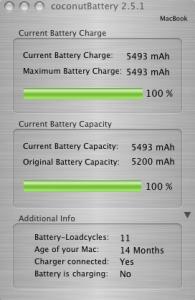
i ran a test with coconutbattery...and this is what i got

user posted image

155 charge cycles is not too bad right?? and my capacity is still at 93%, which is not too bad considering it's age...

I'll be sending it one of the mac shops...been having a lot of hardware problems with my mac....now sekali gus kao tim the thing...

Is it because my macbook is the first batch?? I am one of the first few macbook owners in malaysia...pre booked it when it was announced, got it when it was just launched..
MoNnY
post Aug 28 2007, 08:12 AM

Ooooo... Now I know how to change this
*******
Senior Member
4,423 posts

Joined: Jan 2003
From: Subang Jaya


it should last for longer than that right ?
if not then can say its quite unreliable...
and i'm getting one soon......
hahaha

This post has been edited by MoNnY: Aug 28 2007, 08:13 AM
civic98
post Aug 28 2007, 08:39 AM

Regular
******
Senior Member
1,255 posts

Joined: Aug 2006
From: Langkawi


QUOTE(lokgotz @ Aug 28 2007, 04:24 AM)
i think my macbook battery is half dead...

it charges fully, then when used without the adapter, it goes up to about 25-30% then the whole macbook shutsdown, without notice...total lost of power...

i remembered when it used to approach less than 20%, the batt bar on the top turns red right?

i ran a test with coconutbattery...and this is what i got

user posted image

155 charge cycles is not too bad right?? and my capacity is still at 93%, which is not too bad considering it's age...

I'll be sending it one of the mac shops...been having a lot of hardware problems with my mac....now sekali gus kao tim the thing...

Is it because my macbook is the first batch?? I am one of the first few macbook owners in malaysia...pre booked it when it was announced, got it when it was just launched..
*
Yup there's something wrong with your battery alright, go get a replacement, I just got mine 2 weeks back.

QUOTE(rajulkabir)
It's pretty easy to do it yourself (on the iBook it was very difficult, but no problem with the MacBook).

I recommend Seagate drives, a little more expensive but much more reliable than that Western Digital crap.

Depending on the model, if you get a much higher-capacity drive you could increase the heat output of your MacBook.


I got mine 2 months back, got a Seagate as well, the original hdd is a Seagate as well. I got a 120GB, no problems. I don't think capacity will affect temperature much, instead if you want to get a 7200rpm hdd, then it may run hotter. Can't remember how much I bought it but should be a little less than RM300, including a casing for the original hdd to be used as external storage.
MacDaNife
post Aug 28 2007, 10:01 AM

Adrenalina Italiana
******
Senior Member
1,737 posts

Joined: Jan 2003
QUOTE(rajulkabir @ Aug 28 2007, 02:28 AM)
It's pretty easy to do it yourself (on the iBook it was very difficult, but no problem with the MacBook).

I recommend Seagate drives, a little more expensive but much more reliable than that Western Digital crap.

Depending on the model, if you get a much higher-capacity drive you could increase the heat output of your MacBook.
*
Actually; I'd recommend Western Digital over Seagate....


A more comprehensive resource listing valuable user experiences with drives in Macs may be read here:

http://forums.xlr8yourmac.com/drivedb/search.drivedb.lasso

As you will see searching the database for MacBookPro drives; the Western Digital Scorpio 250Gb comes VERY highly recommended. I have one in my MBP and it is very quiet and having the space for all my stuff made it a very worthwhile upgrade. The Seagates don't come in that size so comparison between the two is moot.

If you're going for a 250Gb though: stay away from the Samsung drives. They require a firmware update in order to work with the MBP. Even so; there are too many adverse experiences reported in xlr8yourmac to recommend them.
hairol83
post Aug 28 2007, 11:24 AM

Casual
***
Junior Member
344 posts

Joined: Jan 2003
From: Kuching


QUOTE(woi @ Aug 27 2007, 07:41 PM)
I am planning to replace the hard disk in my Macbook with a higher capacity one.

Can anyone recommend a non-Apple place to do that ? I find the Apple store prices a bit expensive :-(

If you have recently done so, please share the brand and capacity of the hard disk you selected and whether you experience any heat issue after the replacement. (And the price if you don't mind)

Thanks.
*
3 Days ago i just replace my stock HDD (Seagate 60GB) to Western Digital 160GB
which is very smooth actually.
i just clone my stock HDD using SuperDuper!
after that copy the clone to the new HDD.

This post has been edited by hairol83: Aug 28 2007, 11:27 AM
woi
post Aug 28 2007, 04:00 PM

New Member
*
Newbie
3 posts

Joined: Jun 2005


re replacement harddisk for Macbook

rajulkadir, civic98, MacDaNife, hairol83 and others

Thanks for your feedback. Much appreciated.
nando
post Aug 28 2007, 10:53 PM

Was Nando Morientes, Nando Torres, now is Nandos Chicken
******
Senior Member
1,650 posts

Joined: Mar 2005


Hi guy, how much approximately to upgrade the current 15inch MBP to 4G RAM? any cheaper option?
kapalterbang_737
post Aug 29 2007, 03:13 AM

Enthusiast
*****
Senior Member
859 posts

Joined: Jun 2007


hi all
i just wanna know whether anyone here ever tried a flight simulation game on a macbook
i recently played need for speed on windows xp(using boot camp 1.3) and it's quiet laggy
so any advise or opinion from all of u?
is it ok to play a flight simulator regarding that macbook only using gma950

thnx
peace~
psyeo
post Aug 30 2007, 10:11 PM

Look at all my stars!!
*******
Senior Member
2,605 posts

Joined: Jan 2003
Hi all, just doing some research on what bluetooth wireless mouse to get, while waiting for my mbp to arrive. I want one which doesnt requires USB port, any recommendation? Price range preferable similar to wireless mighty mouse. Or should I get the wireless mighty mouse?
civic98
post Aug 30 2007, 10:55 PM

Regular
******
Senior Member
1,255 posts

Joined: Aug 2006
From: Langkawi


QUOTE(psyeo @ Aug 30 2007, 10:11 PM)
Hi all, just doing some research on what bluetooth wireless mouse to get, while waiting for my mbp to arrive. I want one which doesnt requires USB port, any recommendation? Price range preferable similar to wireless mighty mouse. Or should I get the wireless mighty mouse?
*
Any reasons why you are not getting the wireless mighty mouse? If there aren't any, GET IT! thumbup.gif
vandetta
post Aug 31 2007, 12:03 AM

On my way
****
Senior Member
658 posts

Joined: Jan 2003


Wireless mighty mouse would be nice, and match with your mac.. unless you play games on your macbook. I try my friend's wired mighty mouse for iMac and it's not suitable for hardcore games, if you're into games, maybe you would like to consider Logitech wireless mouse or Razr gaming mouse. biggrin.gif
psyeo
post Aug 31 2007, 06:36 AM

Look at all my stars!!
*******
Senior Member
2,605 posts

Joined: Jan 2003
well there is quite alot of bad review in apple website for wireless mighty mouse e.g. the ball not being sensitive after some time of use, and the right click is not sensitive as well. anyone facing these issue?
xandman
post Aug 31 2007, 06:49 AM

When Darkness is the only Light U See.
*******
Senior Member
7,214 posts

Joined: Oct 2006
From: Kamino


if u dun mind wired...i'd suggest razer copperhead....
i use it a lot when on the go...first i dun have to worry about batteries...2nd i can change the dpi on the fly...=)
nando
post Aug 31 2007, 01:42 PM

Was Nando Morientes, Nando Torres, now is Nandos Chicken
******
Senior Member
1,650 posts

Joined: Mar 2005


QUOTE(nando @ Aug 28 2007, 10:53 PM)
Hi guy, how much approximately to upgrade the current 15inch MBP to 4G RAM? any cheaper option?
*
checked with Apple...to do so for the new MBP will cost a whopping RM1399! it means discarding the 2X1G RAM in the new MBP and fitting in a 2 x 2G RAM.....

anyoone can suggest a cheaper option?

cheers
ifer
post Aug 31 2007, 01:51 PM

Look at all my stars!!
*******
Senior Member
4,637 posts

Joined: Jan 2003


Try This Site?

i think it's cheaper than in mac store.
or i think you can opt for the kingston value RAM. there was some thread about it prviously over here about the compatibility.

the 2x1GB you can sell it off...
deu5
post Aug 31 2007, 08:58 PM

Getting Started
**
Junior Member
65 posts

Joined: Aug 2007
quick question for kingston value RAM or any other RAm beside the Apple RAM , will it sustains the strain-full memory usage .. im a graphic designer whom regularly used 2-3 graphic software at once when designing , i also interested to upgrade my macbook d2c,

QUOTE
Try This Site?

i think it's cheaper than in mac store.
or i think you can opt for the kingston value RAM. there was some thread about it previously over here about the compatibility.

the 2x1GB you can sell it off


surprisingly your given website sell a paired 1gig + 1 gig ram for only RM 350 .. compared to buying from apple which will cause me 1 gig = RM 410 ----> is this true or im being cheated? sweat.gif
MoNnY
post Sep 1 2007, 04:09 AM

Ooooo... Now I know how to change this
*******
Senior Member
4,423 posts

Joined: Jan 2003
From: Subang Jaya


ok. i'm getting my macbook soon and thinking of ways to protect it
any idea where can i buy marware protection pack in KL ?
MacDaNife
post Sep 1 2007, 08:04 AM

Adrenalina Italiana
******
Senior Member
1,737 posts

Joined: Jan 2003
Mac RAM has always been ridiculously expensive in Malaysia. I bought my RAM upgrade from MCEtech (together with a harddrive upgrade too). I'd also recommend One World Computing at http://eshop.macsales.com/.

If you do go the online route be sure to ship FedEx International Priority. Saving on shipping just doesn't make sense as it's not only the time taken to transport but also the fact that they will facilitate passage through customs.

I also bought the Marware Protection Pack from Machines in MidValley. Given that this is available online for around USD35; the fact that Machines is selling for RM180 thereabouts reinforces what we already know about our local mac retailers....

Buy online.
nando
post Sep 1 2007, 09:47 PM

Was Nando Morientes, Nando Torres, now is Nandos Chicken
******
Senior Member
1,650 posts

Joined: Mar 2005


QUOTE(MacDaNife @ Sep 1 2007, 08:04 AM)
Mac RAM has always been ridiculously expensive in Malaysia. I bought my RAM upgrade from MCEtech (together with a harddrive upgrade too). I'd also recommend One World Computing at http://eshop.macsales.com/.

If you do go the online route be sure to ship FedEx International Priority. Saving on shipping just doesn't make sense as it's not only the time taken to transport but also the fact that they will facilitate passage through customs.

I also bought the Marware Protection Pack from Machines in MidValley. Given that this is available online for around USD35; the fact that Machines is selling for RM180 thereabouts reinforces what we already know about our local mac retailers....

Buy online.
*
Thanks MacDanife....
checked the MCEtech and found this
http://store.mcetech.com/Merchant2/merchan...Product_Count=0
-and with the Fedex Priority shipping you recommended its comes up to about USD285...
about 400RM cheaper than what i was quoted here....good value..thanks!

rclxms.gif rclxms.gif rclxms.gif
MoNnY
post Sep 2 2007, 02:05 AM

Ooooo... Now I know how to change this
*******
Senior Member
4,423 posts

Joined: Jan 2003
From: Subang Jaya


okok.. thx..
will check out machines @ MV
|Keantan|
post Sep 2 2007, 02:17 AM

Casual
***
Junior Member
407 posts

Joined: Dec 2005
QUOTE(nando @ Aug 31 2007, 01:42 PM)
checked with Apple...to do so for the new MBP will cost a whopping RM1399! it means discarding the 2X1G RAM in the new MBP and fitting in a 2 x 2G RAM.....

anyoone can suggest a cheaper option?

cheers
*
there is a cheaper option: to do it yourself. The RAM upgrade is pretty straightforward. You just need to make sure that the RAM you purchase is compatible with the mac. Im no expert in this field so maybe another forummer can help, its only like 1 screw or something to replace the ram.

also i would agree with macdenife on the WD drives as oppose to seagate. all the wd drives i bought are still functioning perfectly. I find they work much better than seagate/maxtor drives which seem to have a lifespan of two years for me.

anyways abit ot but i use superduper to back up as well.. and i run bootcamp on vista.. anyone know anybackup programs that work like superduper for vista... free ones please.. thx laugh.gif
munky
post Sep 2 2007, 07:30 PM

Regular
******
Senior Member
1,971 posts

Joined: Oct 2004


guys, how do i maximize the window fullscreen ? when i click the green + button some programs only maximize the window vertically. I have to do it manually. But when i press it again, it'll go back to the initial size
MoNnY
post Sep 3 2007, 03:30 AM

Ooooo... Now I know how to change this
*******
Senior Member
4,423 posts

Joined: Jan 2003
From: Subang Jaya


what program do you guys use to watch movies ?
cause i'm looking for a program that has all the codecs... so just install and use...
xandman
post Sep 3 2007, 07:04 AM

When Darkness is the only Light U See.
*******
Senior Member
7,214 posts

Joined: Oct 2006
From: Kamino


QUOTE(MoNnY @ Sep 3 2007, 03:30 AM)
what program do you guys use to watch movies ?
cause i'm looking for a program that has all the codecs... so just install and use...
*
VLC...=)
kwekeugene
post Sep 3 2007, 09:50 AM

 
******
Senior Member
1,479 posts

Joined: Nov 2005
If you watch mainly downloaded Avi, get the Dvix codex for quicktime. VLC is good option for viewing pretty much anything, but the app sometimes quits unexpectedly while in full screen.
siaukia
post Sep 3 2007, 12:10 PM

Regular
******
Senior Member
1,491 posts

Joined: Jan 2003
ello guys
i got a bit demotivated a lot after looked at LYN pricelist from CZONE for
1gb ddr2 667mhz ram = rm140

i bought mine 2 piece of 1gb ram 667mhz for my macbook from taiwan for rm180++ per piece...i'm conned? sad.gif

but last time i checked with lowyat's macstore they quote me rm599 per stick for 1gb
hmm...someone...please...enlighten me...
allvin
post Sep 3 2007, 12:56 PM

......
*******
Senior Member
4,506 posts

Joined: Aug 2005

QUOTE(kwekeugene @ Sep 3 2007, 10:50 AM)
If you watch mainly downloaded Avi, get the Dvix codex for quicktime. VLC is good option for viewing pretty much anything, but the app sometimes quits unexpectedly while in full screen.
*
better use perian --> http://www.versiontracker.com/dyn/moreinfo/macosx/30931 It support tons of media format, except RMVB/RM and wmv (i think hmm.gif )
munky
post Sep 3 2007, 01:23 PM

Regular
******
Senior Member
1,971 posts

Joined: Oct 2004


guys, where can i find the casing for macbook, like the one by Speck or something.

One more thing, can anyone help me with my problem above hehe icon_rolleyes.gif


Added on September 3, 2007, 4:44 pmwhere's everyone ?

can someone tell me where can i find dvi-d to vga adapter ? I bought the wrong adapter just now, which is the dvi-a to vga. Wasted !!!!!

This post has been edited by munky: Sep 3 2007, 04:44 PM
furryfeline
post Sep 3 2007, 06:54 PM

Getting Started
**
Junior Member
105 posts

Joined: May 2006


hi! just want to know whether are there any UTM students using any macbook there? need some help to configure the wireless thingie. went to register my macbook for wireless facilities, the ppl in the IT dept was clueless on how to configure my mac for the wireless... thanks
lokgotz
post Sep 3 2007, 08:24 PM

hehehe
*******
Senior Member
2,657 posts

Joined: Jan 2003
From: In front of my computer


QUOTE(lokgotz @ Aug 28 2007, 04:24 AM)
i think my macbook battery is half dead...

it charges fully, then when used without the adapter, it goes up to about 25-30% then the whole macbook shutsdown, without notice...total lost of power...

i remembered when it used to approach less than 20%, the batt bar on the top turns red right?

i ran a test with coconutbattery...and this is what i got

user posted image

155 charge cycles is not too bad right?? and my capacity is still at 93%, which is not too bad considering it's age...

I'll be sending it one of the mac shops...been having a lot of hardware problems with my mac....now sekali gus kao tim the thing...

Is it because my macbook is the first batch?? I am one of the first few macbook owners in malaysia...pre booked it when it was announced, got it when it was just launched..
*
Hi, i quoted my previous post...

I have not send my MB to the service center yet (yes, I am procastinating)..

But I've been monitoring my batt status....these few days, i managed to use it until about 10%, then i went to charge it...does that mean my battery is ok?

Since it is ok these few days, if i send it to VR tech, will they not change a new batt for me? since i cant really prove that something is faulty..

P.S. I hate it when this happens..when i want it to go wrong, it doesn't....happens to me EVERY SINGLE TIME.
lokgotz
post Sep 3 2007, 08:27 PM

hehehe
*******
Senior Member
2,657 posts

Joined: Jan 2003
From: In front of my computer


QUOTE(siaukia @ Sep 3 2007, 12:10 PM)
ello guys
i got a bit demotivated a lot after looked at LYN pricelist from CZONE for
1gb ddr2 667mhz ram = rm140

i bought mine 2 piece of 1gb ram 667mhz for my macbook from taiwan for rm180++ per piece...i'm conned? sad.gif

but last time i checked with lowyat's macstore they quote me rm599 per stick for 1gb
hmm...someone...please...enlighten me...
*
RAM prices are different among countries.....I am sure you were not conned, RM40 differences is not that huge....

The RAMS sold in macstores are apple certified RAMS, which are usually much more expensive...
siaukia
post Sep 3 2007, 08:44 PM

Regular
******
Senior Member
1,491 posts

Joined: Jan 2003
thanks for the reply
but the rami bought from taiwan is from apple centre at their SOGO pacific @ taipei

maybe this weekend i'll drop by lowyat to confirm the price again. scared until pant drop
MacDaNife
post Sep 3 2007, 08:58 PM

Adrenalina Italiana
******
Senior Member
1,737 posts

Joined: Jan 2003
QUOTE(siaukia @ Sep 3 2007, 08:44 PM)
thanks for the reply
but the rami bought from taiwan is from apple centre at their SOGO pacific @ taipei

maybe this weekend i'll drop by lowyat to confirm the price again. scared until pant drop
*
You've already bought the RAM. (Presumably) it's working well in your computer. Why bother to look back?

Move on. Go look at other stuff that you're interested in. It's a far more productive use of your time, no?
ifer
post Sep 3 2007, 09:33 PM

Look at all my stars!!
*******
Senior Member
4,637 posts

Joined: Jan 2003


apple centre in taiwan sell their 1GB ram for rm 180?
here selling rm 400++ leh
am i right?
deu5
post Sep 3 2007, 10:48 PM

Getting Started
**
Junior Member
65 posts

Joined: Aug 2007
huh? u kidding me ... anyone wanna go taiwan and buy it? i would like 2 gb please ... hhehehe

This post has been edited by deu5: Sep 3 2007, 10:49 PM
munky
post Sep 3 2007, 11:35 PM

Regular
******
Senior Member
1,971 posts

Joined: Oct 2004


if any of u would like to buy a mini dvi to dvi adapter let me know, i wanna sell mine

EDIT : decided to keep it wink.gif

This post has been edited by munky: Sep 5 2007, 03:23 PM
MoNnY
post Sep 5 2007, 02:10 AM

Ooooo... Now I know how to change this
*******
Senior Member
4,423 posts

Joined: Jan 2003
From: Subang Jaya


any MB users using notebook coolers ?
was thinking of the zalman nc1000 but not too sure..
cause the coolermaster notepal p1 looks really interesting also

and i notice alot of heat from the MB comes from the area around the F2 to F4 keys region where the CPU and graphics chip are located.
munky
post Sep 6 2007, 04:56 PM

Regular
******
Senior Member
1,971 posts

Joined: Oct 2004


created a topic wink.gif

This post has been edited by munky: Sep 6 2007, 10:38 PM
psyeo
post Sep 8 2007, 08:32 AM

Look at all my stars!!
*******
Senior Member
2,605 posts

Joined: Jan 2003
Finally my order status change to prepared for shipment, hopefully i can get my mbp by end of next week
Frenly
post Sep 8 2007, 10:46 PM

Casual
***
Junior Member
381 posts

Joined: Jan 2003


Hi Guys,

Am going to get a Mac notebook soon but i am wondering have anyone here try to install Windows Vista Ultimate as a secondary OS on the notebook?

yetieater
post Sep 8 2007, 11:04 PM

pur.skill
******
Senior Member
1,546 posts

Joined: Dec 2004


QUOTE(Frenly @ Sep 8 2007, 09:46 AM)
Hi Guys,

Am going to get a Mac notebook soon but i am wondering have anyone here try to install Windows Vista Ultimate as a secondary OS on the notebook?
*
Plenty of people have done it. No worries there. All flavors of Windows Vista should work with Boot Camp, but I do recall some hubbub about Vista Home.
|Keantan|
post Sep 8 2007, 11:34 PM

Casual
***
Junior Member
407 posts

Joined: Dec 2005
QUOTE(yetieater @ Sep 8 2007, 11:04 PM)
Plenty of people have done it.  No worries there.  All flavors of Windows Vista should work with Boot Camp, but I do recall some hubbub about Vista Home.
*
i use vista on my MBP.. only tried XP on regular macbook. both work without a hitch as long as you use the latest version of bootcamp *as i found out when trying to update drivers*
munky
post Sep 9 2007, 12:26 AM

Regular
******
Senior Member
1,971 posts

Joined: Oct 2004


is macbook 2ghz with 1gb ram good enough to run vista smoothly ?
BridgestoneRE711
post Sep 9 2007, 12:46 AM

♦ ♣ ♥ ♠
*******
Senior Member
3,429 posts

Joined: Nov 2004
From: alor star • selangor • skudai


1G ram is not good for vista already .. what do u expect ?
so so only .
summore macbook is not build for windows , the outcome might be diferent abit .
Frenly
post Sep 9 2007, 12:48 AM

Casual
***
Junior Member
381 posts

Joined: Jan 2003


Hmmm..i'm wondering whether want to upgrade the ram to 2gbz to run the windos vista?
by the way, will there be any lag playing games such as warcraft or starcraft?

vandetta
post Sep 9 2007, 01:02 AM

On my way
****
Senior Member
658 posts

Joined: Jan 2003


IMHO 1GB RAM for Vista in MacBook is like XP running on 512MB RAM, smooth but not really smooth biggrin.gif
For the games, I think warcraft and starcraft at low resolution would be no problem..
psyeo
post Sep 9 2007, 01:06 AM

Look at all my stars!!
*******
Senior Member
2,605 posts

Joined: Jan 2003
Woah, i didnt know that they do shipment on saturday as well, yeah, will be receiving my mbp by or before friday smile.gif
Frenly
post Sep 9 2007, 01:43 AM

Casual
***
Junior Member
381 posts

Joined: Jan 2003


QUOTE(Frenly @ Sep 9 2007, 12:48 AM)
Hmmm..i'm wondering whether want to upgrade the ram to 2gbz to run the windos vista?
by the way, will there be any lag playing games such as warcraft or starcraft?
*
Thanks for the information.
Well, now i need to think whether to get the white or the black?
n is RM800 diffrent ? sigh
MoNnY
post Sep 9 2007, 03:45 AM

Ooooo... Now I know how to change this
*******
Senior Member
4,423 posts

Joined: Jan 2003
From: Subang Jaya


well, its all up to you.. every bit of information u need on the macbook is already on the net...

but, basically, the major diff is only the superdrive, faster proc and bigger HDD
thats it...
SanosukeSagara
post Sep 9 2007, 12:21 PM

2008 2008
******
Senior Member
1,193 posts

Joined: Jan 2003
From: Sungai Petani


hey.. do you think in malaysia where can i find this product by http://speckproducts.com/
i like the seethru hardshell for my mb
allvin
post Sep 9 2007, 02:02 PM

......
*******
Senior Member
4,506 posts

Joined: Aug 2005

QUOTE(Frenly @ Sep 9 2007, 02:43 AM)
Thanks for the information.
Well, now i need to think whether to get the white or the black?
n is RM800 diffrent ? sigh
*
the second white and black different is only the HDD. One is 120Gb and the black is 160Gb. Rest of the spec are the same. You can go check at apple.com

This post has been edited by allvin: Sep 9 2007, 02:03 PM
MoNnY
post Sep 9 2007, 04:45 PM

Ooooo... Now I know how to change this
*******
Senior Member
4,423 posts

Joined: Jan 2003
From: Subang Jaya


i am now, very very unsatisfied with my macbook...
tomorrow going back to macstudio..
see what they can do...
best thing, replace with new unit..

the keyboard plate on my right side, squeeks.. most likely because its warped from being overtighten..

the front panel, along the infrared, doesn't match the top part when its closed... there are 2 bumps along the case...

that day itself they brought out a second unit, it was worse than mine.. i thought i could live with it.. but obviously i can't


Added on September 9, 2007, 5:30 pmhere are some pictures to those that are unclear of what i'm talking about

user posted image
the arrow, points to a chip... a small bit has been chipped off the cover

user posted image
this picture, speaks for itself

This post has been edited by MoNnY: Sep 9 2007, 05:30 PM
hairol83
post Sep 9 2007, 05:50 PM

Casual
***
Junior Member
344 posts

Joined: Jan 2003
From: Kuching


QUOTE(MoNnY @ Sep 9 2007, 04:45 PM)

user posted image
the arrow, points to a chip... a small bit has been chipped off the cover

user posted image
this picture, speaks for itself
*
The second picture happens to me..
but i used to ignored it...
not only that part..
the other part around USB and ethernet area also occur
as long it serve me in good condition
i dont mind at all..
lokgotz
post Sep 9 2007, 07:01 PM

hehehe
*******
Senior Member
2,657 posts

Joined: Jan 2003
From: In front of my computer


QUOTE(MoNnY @ Sep 9 2007, 04:45 PM)
i am now, very very unsatisfied with my macbook...
tomorrow going back to macstudio..
see what they can do...
best thing, replace with new unit..

the keyboard plate on my right side, squeeks.. most likely because its warped from being overtighten..

the front panel, along the infrared, doesn't match the top part when its closed... there are 2 bumps along the case...

that day itself they brought out a second unit, it was worse than mine.. i thought i could live with it.. but obviously i can't


Added on September 9, 2007, 5:30 pmhere are some pictures to those that are unclear of what i'm talking about

user posted image
the arrow, points to a chip... a small bit has been chipped off the cover

user posted image
this picture, speaks for itself
*
let me know the outcome....

i have even more squeeks and gaps and not matching covers.....

if u could get it fixed(i doubt they'll give u a replacement), i might send for warranty as well.....

i am too busy to send it to warranty and i need my macbook....cant afford to have it with apple for 1 week...heheh
MoNnY
post Sep 9 2007, 09:12 PM

Ooooo... Now I know how to change this
*******
Senior Member
4,423 posts

Joined: Jan 2003
From: Subang Jaya


the squeek getting REAL irritating..
the moment i lift my hands from the palmrest it squeeks..

i called them today and asked if their technician around tomorrow
they seem to remember me from my description of the problem.. haha

see how.. maybe will bug them for a replacement..

dun really care about the marware protective pack on it now..
as long as the problem is solved..

my macbook can't even close flushly...
the bottom case sticks out
civic98
post Sep 9 2007, 09:14 PM

Regular
******
Senior Member
1,255 posts

Joined: Aug 2006
From: Langkawi


To be frank, these are the things to check when buying, not after. And it's really nothing serious, nothing is perfect obviously, especially after taken it home.
MoNnY
post Sep 9 2007, 09:19 PM

Ooooo... Now I know how to change this
*******
Senior Member
4,423 posts

Joined: Jan 2003
From: Subang Jaya


no
i did..
then the DAMN SUAY fella who took my macbook out from the store room, went back in to take another cause i was complaning like ass...

the second one he brought out was even worse than mine..
they told me to come back on monday when technician around...
i wasn't free last monday.. so i'm going tomorrow..
my MB one week old only

the least they could do is change the keyboard cover la..
its really irritating and doesn't sit flush with the back case..
thats the least i hope they can do la


Added on September 9, 2007, 9:23 pmthe 2 buldges from the bottom case, we'll see how it goes la...

This post has been edited by MoNnY: Sep 9 2007, 09:23 PM
lokgotz
post Sep 9 2007, 09:57 PM

hehehe
*******
Senior Member
2,657 posts

Joined: Jan 2003
From: In front of my computer


QUOTE(civic98 @ Sep 9 2007, 09:14 PM)
To be frank, these are the things to check when buying, not after. And it's really nothing serious, nothing is perfect obviously, especially after taken it home.
*
eeeerm...are u allowed to check before buying??

i am not too sure..hahah....mine came to me by courier......
MoNnY
post Sep 10 2007, 01:11 AM

Ooooo... Now I know how to change this
*******
Senior Member
4,423 posts

Joined: Jan 2003
From: Subang Jaya


i was at the shop..
after paying, they brought it out, i check it...

i wasn't happy at all.. but when i saw the second unit, i thought i'd take my chances with the first one...

now i regret not making them bring out a third unit from their store... those bast**ds
aaronchin
post Sep 10 2007, 02:01 AM

Getting Started
**
Junior Member
251 posts

Joined: Mar 2006


Haha my MacBook Pro now has the same problem after I took it apart to have a look inside. Is your MacBook a stock unit or you upgraded the harddrive or something?
MoNnY
post Sep 10 2007, 03:48 AM

Ooooo... Now I know how to change this
*******
Senior Member
4,423 posts

Joined: Jan 2003
From: Subang Jaya


stock..... it was freaking new..
came out of the damn plastic like that
sugarboi
post Sep 10 2007, 04:00 AM

Casual
***
Junior Member
350 posts

Joined: Jan 2003


Where you bought it?
ah_heng
post Sep 10 2007, 04:02 AM

On my way
****
Junior Member
505 posts

Joined: Oct 2004


wah.. so expensive stuff also got this prb meh?? somemore Macbook Pro worr....
justinckl
post Sep 10 2007, 10:05 AM

Getting Started
**
Junior Member
81 posts

Joined: Feb 2006
hey guys, since the new ipods is already out, is there gonna be a new macbook and macbook pro? or just new softwares?
aaronchin
post Sep 10 2007, 07:58 PM

Getting Started
**
Junior Member
251 posts

Joined: Mar 2006


QUOTE(justinckl @ Sep 10 2007, 10:05 AM)
hey guys, since the new ipods is already out, is there gonna be a new macbook and macbook pro? or just new softwares?
*
The MacBook got a speed bump in May and the MacBook Pro was updated in June so probably no updates for now.
allvin
post Sep 10 2007, 08:49 PM

......
*******
Senior Member
4,506 posts

Joined: Aug 2005

@justinckl, macbook *might* update in Dec 07/Jan 08. As for now, there sure no update. Extra info, Mac Pro might update in Dec cos' penryn server processor release around that time. brows.gif
Frenly
post Sep 10 2007, 08:58 PM

Casual
***
Junior Member
381 posts

Joined: Jan 2003


QUOTE(allvin @ Sep 10 2007, 08:49 PM)
@justinckl, macbook *might* update in Dec 07/Jan 08. As for now, there sure no update. Extra info, Mac Pro might update in Dec cos' penryn server processor release around that time. brows.gif
*
wow coming end of the year ..i believe that the new macbook will be very expensive.
by the way, i m wondering how much disc space used my MAC OS? I m planning to install 2 OS on the same hardisk OSK & VISTA Ultimate and i believe it will take a lot of space for both of the OS

allvin
post Sep 10 2007, 09:47 PM

......
*******
Senior Member
4,506 posts

Joined: Aug 2005

QUOTE(Frenly @ Sep 10 2007, 09:58 PM)
wow coming end of the year ..i believe that the new macbook will be very expensive.
by the way, i m wondering how much disc space used my MAC OS? I m planning to install 2 OS on the same hardisk OSK & VISTA Ultimate and i believe it will take a lot of space for both of the OS
*
blink.gif Why say so?

Btw, it should be either cheaper or same price as before.

I don't understand why you guys want to install Vista(my friend install ultimate which waste 20GB for that junkie). Better install xp if you want to run some windows applications or games.. wink.gif Less resource (ram) needed. And most games still support for winxp except DirectX10 and you do require to have DirectX10 graphic card.
Frenly
post Sep 11 2007, 02:14 PM

Casual
***
Junior Member
381 posts

Joined: Jan 2003


I actually got a free licesne for vista so i dont want to waste it and i want to try this new OS

QUOTE(allvin @ Sep 10 2007, 09:47 PM)
blink.gif Why say so?

Btw, it should be either cheaper or same price as before.

I don't understand why you guys want to install Vista(my friend install ultimate which waste 20GB for that junkie). Better install xp if you want to run some windows applications or games..  wink.gif Less resource (ram) needed. And most games still support for winxp except DirectX10 and you do require to have DirectX10 graphic card.
*
-Jonathan-
post Sep 11 2007, 04:00 PM

Honorary Minister
******
Senior Member
1,430 posts

Joined: Sep 2005
From: Melbourne, Australia


I've just gotten the new macbook, and am posting through it

sadly i can't post up any photos because my n73 installation setup don't work on mac, or at least thats what i think
tinkerbel
post Sep 11 2007, 04:01 PM

Fanaddict!
Group Icon
VIP
13,495 posts

Joined: Dec 2006
From: KL, Malaysia


@-Jonathan-,
N73 no bluetooth? Work it via Bluetooth

allvin
post Sep 11 2007, 04:15 PM

......
*******
Senior Member
4,506 posts

Joined: Aug 2005

QUOTE(-Jonathan- @ Sep 11 2007, 05:00 PM)
I've just gotten the new macbook, and am posting through it

sadly i can't post up any photos because my n73 installation setup don't work on mac, or at least thats what i think
*
Just use BT (BlueTooth) la.. laugh.gif Or use USB cardreader to read your memory card of the mobile phone.
xandman
post Sep 11 2007, 04:35 PM

When Darkness is the only Light U See.
*******
Senior Member
7,214 posts

Joined: Oct 2006
From: Kamino


bluetooth would work fine on the mac..
also...
u can try bluephoneelite...phone manager...=)
psyeo
post Sep 11 2007, 07:06 PM

Look at all my stars!!
*******
Senior Member
2,605 posts

Joined: Jan 2003
LOL...reformating my macbook pro on the 1st day...messed up lots of coding to enable writing on ntfs...

overall am happy with my purchase...anyone found any guide for noobie pc convertz? all those coding makes me go... haha
-Jonathan-
post Sep 11 2007, 09:33 PM

Honorary Minister
******
Senior Member
1,430 posts

Joined: Sep 2005
From: Melbourne, Australia


Severely need some getting used to

Any thing for mac newbies like me?

Attached Image

Attached Image

This post has been edited by -Jonathan-: Sep 11 2007, 11:52 PM
munky
post Sep 11 2007, 10:07 PM

Regular
******
Senior Member
1,971 posts

Joined: Oct 2004


why is it my ext hdd cannot be detected by my MB ? when i turn it on, it will be busy forever, but nothing happens on my MB. I need to restart my MB with the ext hdd connected, then only i can get it to appear on my MB. And now even after i restarted my MB, it doesnt appear.

Any idea why n what should i do ?
-Jonathan-
post Sep 12 2007, 12:03 AM

Honorary Minister
******
Senior Member
1,430 posts

Joined: Sep 2005
From: Melbourne, Australia


I was wondering, now that i've gotten my new macbook, there are several issues that is bugging me. I know i should've googled it out, but if anyone here wouldn't mind assisting me, that'll be great

#1 How do i transfer files from the old notebook (Windows XP) into the new macbook. I can't exactly find the thing to search for computer. I have a wireless router in my unit, and i can connect both notebooks through the wifi.

#2 I downloaded the 400 mb file of bootcamp, and i've got an XP pro CD, do i just install the bootcamp and then subsequently install XP? How are the drivers installed in XP?

#3 MSN Messenger on mac doesn't have the features i was actually wanting (Webcam feature). I downloaded the newest MSN messenger for OSX, it doesn't have webcam features, and also i can't format my contact list according to groups eh?
MoNnY
post Sep 12 2007, 12:39 AM

Ooooo... Now I know how to change this
*******
Senior Member
4,423 posts

Joined: Jan 2003
From: Subang Jaya


#1, make sure u are sharing the folders on windows XP..
open finder, go networks.. u should see the workgroup name under a folder

#2, i dunno.. i dun find the need to install windows

#3, donwload amsn or adium... i'm using amsn.. no problem.. exactly like mac messenger


Added on September 12, 2007, 12:42 am
QUOTE(munky @ Sep 11 2007, 10:07 PM)
why is it my ext hdd cannot be detected by my MB ? when i turn it on, it will be busy forever, but nothing happens on my MB. I need to restart my MB with the ext hdd connected, then only i can get it to appear on my MB. And now even after i restarted my MB, it doesnt appear.

Any idea why n what should i do ?
*
u cold boot your macbook... once OS X is loaded, plug in cannot detect ?

This post has been edited by MoNnY: Sep 12 2007, 12:42 AM
-Jonathan-
post Sep 12 2007, 02:22 AM

Honorary Minister
******
Senior Member
1,430 posts

Joined: Sep 2005
From: Melbourne, Australia


apparently the step to find computer doesn't work.

I can't google this up, but anyone know the shortcut key to "Show the desktop"

In windows, its the windows button + D

Sadly, adium doesn't support voice/video system. aMSn seems to be having problem with the video chat.

Some compilers are windows compatible only, i've got no choice as well
yetieater
post Sep 12 2007, 03:43 AM

pur.skill
******
Senior Member
1,546 posts

Joined: Dec 2004


QUOTE(-Jonathan- @ Sep 11 2007, 01:22 PM)
I can't google this up, but anyone know the shortcut key to "Show the desktop"
Go to System Preferences and set up your Dashboard and Expose settings. You can bind a keystroke to show the desktop through this.

Follow the instructions on the Boot Camp site to install Windows. Or read the included readme file. It's a fairly simple process. Install the Boot Camp Assistant, burn a CD with driver files, use the Boot Camp Assistant to partition your harddrive, install your Microsoft Windows XP/Vista OS of choice, run the driver installation CD.

I've been using Adium for chatting, but it certainly does have its limitations. :\
MoNnY
post Sep 12 2007, 04:32 AM

Ooooo... Now I know how to change this
*******
Senior Member
4,423 posts

Joined: Jan 2003
From: Subang Jaya


erm,
press the F11 key...
it will show finder/desktop..

press F9 to expose all running programs
F10 is to bring the current window to front and f12 shows dashboard
try it out
pspfan
post Sep 12 2007, 10:54 AM

On my way
****
Junior Member
516 posts

Joined: Sep 2005
my adium doesnt support video chat sad.gif


QUOTE(yetieater @ Sep 12 2007, 03:43 AM)
Go to System Preferences and set up your Dashboard and Expose settings.  You can bind a keystroke to show the desktop through this.

Follow the instructions on the Boot Camp site to install Windows.  Or read the included readme file.  It's a fairly simple process.  Install the Boot Camp Assistant, burn a CD with driver files, use the Boot Camp Assistant to partition your harddrive, install your Microsoft Windows XP/Vista OS of choice, run the driver installation CD.

I've been using Adium for chatting, but it certainly does have its limitations. :\
*
allvin
post Sep 12 2007, 11:57 AM

......
*******
Senior Member
4,506 posts

Joined: Aug 2005

QUOTE(pspfan @ Sep 12 2007, 11:54 AM)
my adium doesnt support video chat sad.gif
*
of cos it won't la.. sweat.gif

Try aMsn.. wink.gif
-Jonathan-
post Sep 12 2007, 01:04 PM

Honorary Minister
******
Senior Member
1,430 posts

Joined: Sep 2005
From: Melbourne, Australia


QUOTE(yetieater @ Sep 12 2007, 03:43 AM)
Go to System Preferences and set up your Dashboard and Expose settings.  You can bind a keystroke to show the desktop through this.

Follow the instructions on the Boot Camp site to install Windows.  Or read the included readme file.  It's a fairly simple process.  Install the Boot Camp Assistant, burn a CD with driver files, use the Boot Camp Assistant to partition your harddrive, install your Microsoft Windows XP/Vista OS of choice, run the driver installation CD.

I've been using Adium for chatting, but it certainly does have its limitations. :\
*
Ill give that a good try, binding the keystroke wink.gif

Yea, problem is that i dont have a blank CD here, yikes...i have to get the driver files from the net eh?


QUOTE(allvin @ Sep 12 2007, 11:57 AM)
of cos it won't la..  sweat.gif

Try aMsn..  wink.gif
*
even aMSN video chat doesn't really work for me...something i tried going after
morgan
post Sep 12 2007, 01:07 PM

Perfumeries
****
Senior Member
520 posts

Joined: Oct 2006
From: Somewhere over the rainbow -


MSN wont work with Video Chat. it is because of the version is not allowed to do so, Perhaps Apple want every user goes Video chat on iChat?
-Jonathan-
post Sep 12 2007, 01:13 PM

Honorary Minister
******
Senior Member
1,430 posts

Joined: Sep 2005
From: Melbourne, Australia


Not MSN, aMSN, a protocol for MSN on OSX

It has the webcam button, but it has problem connecting

Anyone has used this before?
Well, sadly but truly i have iChat (not a .MAC account though), but my family member uses MSN Messenger

Anyone still know how to search for computers within the network?
Frenly
post Sep 12 2007, 01:50 PM

Casual
***
Junior Member
381 posts

Joined: Jan 2003


QUOTE(-Jonathan- @ Sep 12 2007, 01:13 PM)
Not MSN, aMSN, a protocol for MSN on OSX

It has the webcam button, but it has problem connecting

Anyone has used this before?
Well, sadly but truly i have iChat (not a .MAC account though), but my family member uses MSN Messenger

Anyone still know how to search for computers within the network?
*
Do u have a cross cable? just connect both notebook n just set an ip address on both notebook. For example , Notebook 1 IP Address 10.10.10.1 Subnet Mask 255.255.255.0 n MAC IP Address 10.10.10.2 Subnet MAsk 255.255.255.0

I think it is pretty straight forward.

munky
post Sep 12 2007, 04:04 PM

Regular
******
Senior Member
1,971 posts

Joined: Oct 2004


QUOTE(MoNnY @ Sep 12 2007, 12:39 AM)
#1, make sure u are sharing the folders on windows XP..
open finder, go networks.. u should see the workgroup name under a folder

#2, i dunno.. i dun find the need to install windows

#3, donwload amsn or adium... i'm using amsn.. no problem.. exactly like mac messenger


Added on September 12, 2007, 12:42 am

u cold boot your macbook... once OS X is loaded, plug in cannot detect ?
*
yesterday 2nd time boot macbook, it detected the hdd. But then very tulan la have to restart everytime wanna connect the ext hdd.

BTW, will it affect the battery life if i use the AC adapter all the time even when the battery is fully charged ?
MoNnY
post Sep 12 2007, 04:29 PM

Ooooo... Now I know how to change this
*******
Senior Member
4,423 posts

Joined: Jan 2003
From: Subang Jaya


my webcam has worked fine with aMsn
very smooth too
civic98
post Sep 12 2007, 04:34 PM

Regular
******
Senior Member
1,255 posts

Joined: Aug 2006
From: Langkawi


QUOTE(munky @ Sep 12 2007, 04:04 PM)
yesterday 2nd time boot macbook, it detected the hdd. But then very tulan la have to restart everytime wanna connect the ext hdd.
Friend, if there's nothing wrong with your Macbook, then it is very likely something wrong with your ext hdd enclosure, I've experienced with ext hdd and seems like Macs are pretty sensitive to low quality enclosures. You probably need external power source for your enclosure as well. Just a thought though...
hairol83
post Sep 12 2007, 04:40 PM

Casual
***
Junior Member
344 posts

Joined: Jan 2003
From: Kuching


QUOTE(munky @ Sep 12 2007, 04:04 PM)
BTW, will it affect the battery life if i use the AC adapter all the time even when the battery is fully charged ?
*
i dont think so...
i plugged in all the time..
calibrate once after 2 month!
MoNnY
post Sep 12 2007, 09:55 PM

Ooooo... Now I know how to change this
*******
Senior Member
4,423 posts

Joined: Jan 2003
From: Subang Jaya


yeap.. calibrating your battery is important..
http://docs.info.apple.com/article.html?artnum=86284
-Jonathan-
post Sep 13 2007, 12:55 AM

Honorary Minister
******
Senior Member
1,430 posts

Joined: Sep 2005
From: Melbourne, Australia


QUOTE(Frenly @ Sep 12 2007, 01:50 PM)
Do u have a cross cable? just connect both notebook n just set an ip address on both notebook. For example , Notebook 1 IP Address 10.10.10.1 Subnet Mask 255.255.255.0 n MAC IP Address 10.10.10.2 Subnet MAsk 255.255.255.0

I think it is pretty straight forward.
*
Its pretty straightforward in Windows, but i can't use a function in mac to find computers. Having cross cables doe nothing at all because i can't find computer heh

Anyhow, just another question, is it important to actually remove the battery when im using power directly from the source?
tinkerbel
post Sep 13 2007, 10:01 AM

Fanaddict!
Group Icon
VIP
13,495 posts

Joined: Dec 2006
From: KL, Malaysia


@-Jonathan-,
To find other computers, or to connect into them:-
1) Open Finders
2) Click Network
3) Choose the Folder they're in
4) Look for the Network / PC you want to join
5) Double click on the icon
6) And click OK (if there's a password, put that in otherwise just leave it blank)

I hope it helps - smile.gif

And, no u don't need to actually remove the battery when you're plugged onto the power supply smile.gif


-Jonathan-
post Sep 13 2007, 02:15 PM

Honorary Minister
******
Senior Member
1,430 posts

Joined: Sep 2005
From: Melbourne, Australia


Great feedback tinkerbel. I've actually tried that before posting it up, thats why i was pretty much frustrated. I couldn't find the computers in the network. Pretty ackward ,but if thats the only way around it, no worries ill use terminal to transfer items :S

Just worried about the battery issue, last thing i want is my battery to be dead in 2 months because of "over" charging
morgan
post Sep 13 2007, 02:19 PM

Perfumeries
****
Senior Member
520 posts

Joined: Oct 2006
From: Somewhere over the rainbow -


QUOTE(-Jonathan- @ Sep 13 2007, 02:15 PM)
Great feedback tinkerbel. I've actually tried that before posting it up, thats why i was pretty much frustrated. I couldn't find the computers in the network. Pretty ackward ,but if thats the only way around it, no worries ill use terminal to transfer items :S

Just worried about the battery issue, last thing i want is my battery to be dead in 2 months because of "over" charging
*
Do unplug the battery while you use it at home/work. it saves the battery life smile.gif
-Jonathan-
post Sep 13 2007, 02:24 PM

Honorary Minister
******
Senior Member
1,430 posts

Joined: Sep 2005
From: Melbourne, Australia


Yup, my macbook will be at used at home mostly, unless i need to bring it out for my projects or assignment. But other than that, it'll mostly lie at home. So you reckon i should remove it eh?

Alrighty then..
morgan
post Sep 13 2007, 02:36 PM

Perfumeries
****
Senior Member
520 posts

Joined: Oct 2006
From: Somewhere over the rainbow -


QUOTE(-Jonathan- @ Sep 13 2007, 02:24 PM)
Yup, my macbook will be at used at home mostly, unless i need to bring it out for my projects or assignment. But other than that, it'll mostly lie at home. So you reckon i should remove it eh?

Alrighty then..
*
Yes bro, since you utilize it mostly at home and that will be the best option. first i was told by my sister who previously worked for DDB, and i tried it out, seriously it really does protect your battery life, and recently i just got a free replacement battery for her smile.gif
-Jonathan-
post Sep 13 2007, 03:19 PM

Honorary Minister
******
Senior Member
1,430 posts

Joined: Sep 2005
From: Melbourne, Australia


That's great mate.
I was told that battery technology might have improved, but i aint wanna risk it. I'm just worried that the comp might be abit faulty if battery's removed and the source always comes from the main power supply.

Great
civic98
post Sep 13 2007, 06:09 PM

Regular
******
Senior Member
1,255 posts

Joined: Aug 2006
From: Langkawi


I always have the battery plugged in even with the main power supply. i rather not risk my work & data (or even the hdd) vs the slim chance of battery degrading. whats the point of having a battery & not use it anyway? And you never know when the main power could be interrupted, even more so with the Magsafe adaptor.
MoNnY
post Sep 13 2007, 07:29 PM

Ooooo... Now I know how to change this
*******
Senior Member
4,423 posts

Joined: Jan 2003
From: Subang Jaya


i agree with civic98.. you'll never know with the magsafe...

i prefere to leave it in as well..
allow the battery to trickle charge...

when u don't use it at all, it still discharges... better not risk anything.... sometimes might need it outside... dun wanna have a dead battery and no power point...

as long as u calibrate your battery once every few months, it will be fine...


-Jonathan-
post Sep 13 2007, 08:58 PM

Honorary Minister
******
Senior Member
1,430 posts

Joined: Sep 2005
From: Melbourne, Australia


All right, ill go research it up and see which one best fits.

Anyhow, there is something i notice, is that sometimes when i save files to the desktop, it doesn't show up in the desktop. But when i check using the terminal, the file exists. What could be the problem?
hairol83
post Sep 13 2007, 09:42 PM

Casual
***
Junior Member
344 posts

Joined: Jan 2003
From: Kuching


QUOTE(-Jonathan- @ Sep 13 2007, 08:58 PM)
Anyhow, there is something i notice, is that sometimes when i save files to the desktop, it doesn't show up in the desktop. But when i check using the terminal, the file exists. What could be the problem?
*
happens to me several time..
just relaunched ur finder..
it will show again ur files at the desktop finder!
rajulkabir
post Sep 14 2007, 01:15 AM

Regular
Group Icon
Elite
1,428 posts

Joined: Oct 2004


QUOTE(-Jonathan- @ Sep 13 2007, 08:58 PM)
All right, ill go research it up and see which one best fits.

Anyhow, there is something i notice, is that sometimes when i save files to the desktop, it doesn't show up in the desktop. But when i check using the terminal, the file exists. What could be the problem?
*
Click on any window in the Finder which is not currently in the front, and it should refresh files in all the windows.
yetieater
post Sep 14 2007, 02:24 AM

pur.skill
******
Senior Member
1,546 posts

Joined: Dec 2004


You guys do know that the MacBook / MacBook Pro will scale back the processor speed if it's running on AC power with no battery plugged in? You might as well just leave the battery in there all the time, but unplug once in a while to allow the electrons to do a little moving.

http://docs.info.apple.com/article.html?artnum=305336
-Jonathan-
post Sep 14 2007, 09:56 PM

Honorary Minister
******
Senior Member
1,430 posts

Joined: Sep 2005
From: Melbourne, Australia


I reckon that too, but i'm worried that this will shorten the battery life cycle. This issue has trifled me as my previous fujitsu notebook's battery could only last 4 month before it dysfunctioned. From a 2 hour duration, down to only 30 mins.

And i notice, the alignment for the battery cell will not be correct after you remove it.


Mine has a slight bump now, can't seem to align it perfectly


Added on September 14, 2007, 11:05 pm
QUOTE(rajulkabir @ Sep 14 2007, 01:15 AM)
Click on any window in the Finder which is not currently in the front, and it should refresh files in all the windows.
*
I tried print screen,a nd it usually shows in the desktop. But this time, i did what you recommended, yet it doesn't show up
Again i had to go through the terminal.

This post has been edited by -Jonathan-: Sep 14 2007, 11:05 PM
aaronchin
post Sep 14 2007, 11:36 PM

Getting Started
**
Junior Member
251 posts

Joined: Mar 2006


Seriously guys, just keep the damn battery in. Why go through all the trouble of removing it and putting it back all the frigging time just to save some charge cycles? If by the time the battery deteriorates to a point where you absolutely need to get a new one and you still haven't upgraded to a better machine, the battery is only 500 bucks a pop. It's well worth the money. Mind you the Magsafe adaptor disconnects easily.

And I just don't like to use my laptop knowing there's a hole underneath it. tongue.gif
munky
post Sep 15 2007, 12:04 AM

Regular
******
Senior Member
1,971 posts

Joined: Oct 2004


QUOTE(-Jonathan- @ Sep 14 2007, 09:56 PM)
And i notice, the alignment for the battery cell will not be correct after you remove it.
Mine has a slight bump now, can't seem to align it perfectly
same here. It's not aligned properly, even after i tried a few times

-Jonathan-
post Sep 15 2007, 12:20 AM

Honorary Minister
******
Senior Member
1,430 posts

Joined: Sep 2005
From: Melbourne, Australia


QUOTE(aaronchin @ Sep 14 2007, 11:36 PM)
Seriously guys, just keep the damn battery in. Why go through all the trouble of removing it and putting it back all the frigging time just to save some charge cycles? If by the time the battery deteriorates to a point where you absolutely need to get a new one and you still haven't upgraded to a better machine, the battery is only 500 bucks a pop. It's well worth the money. Mind you the Magsafe adaptor disconnects easily.

And I just don't like to use my laptop knowing there's a hole underneath it. tongue.gif
*
Chill mate, not knowing what effect it does to your notebook, i just wanted to use my past experience with having a battery plugged in as a reference. I might say that technology is better now, thats why i just wanted to know for sure. And i dont think its just "some" charge cycles. Maybe prasys has some enlightenment in this issue?

QUOTE(munky @ Sep 15 2007, 12:04 AM)
same here. It's not aligned properly, even after i tried a few times
*
Its something thats bothering me, very much...anyone else with this issue?

Oh, apparently those files appeared in the desktop only AFTER i restarted mac.
Again something i dont understand about the systems. Tried googling to no avail...

This post has been edited by -Jonathan-: Sep 15 2007, 12:21 AM
lokgotz
post Sep 16 2007, 06:05 AM

hehehe
*******
Senior Member
2,657 posts

Joined: Jan 2003
From: In front of my computer


hi guys,

I've been looking for a mini-DVI to VGA connector for my macbook for months now....i've tried many mac shops but all of them do not have stock...

anyone know where can i get it?

thanks!
d@odao
post Sep 16 2007, 09:56 AM

Daodao
*******
Senior Member
2,648 posts

Joined: Jan 2003
From: Sri Petaling, Seri Kembangan...
QUOTE(lokgotz @ Sep 16 2007, 06:05 AM)
hi guys,

I've been looking for a mini-DVI to VGA connector for my macbook for months now....i've tried many mac shops but all of them do not have stock...

anyone know where can i get it?

thanks!
*
I saw it at Machines, KLCC, quite a lot a week ago...

This post has been edited by d@odao: Sep 16 2007, 09:57 AM
shoguniphicus
post Sep 16 2007, 12:59 PM

Casual
***
Junior Member
428 posts

Joined: Jul 2005
From: Music Garden


Just to be curious. i have come across this issue, i mean read it somewhere in the web. Some in the macrumors, engadget, they recommend taking it off. Well, i dont really know about the processor speed being rescale if there is a presence of a battery. but anyway, why should the processors being scaled if there isnt a battery inside? i thought the only time the processor speed is being scaled, or even the gpu thing is affected, is all because the energy setting is set to Better battery life or may be you set it that way?

and i also heard that charging your battery to half of the maximum capacity before you store it. This way, the battery charge will diminish slower. i think this has something to do with half life cycle? lol
MoNnY
post Sep 16 2007, 02:20 PM

Ooooo... Now I know how to change this
*******
Senior Member
4,423 posts

Joined: Jan 2003
From: Subang Jaya


QUOTE(yetieater @ Sep 14 2007, 02:24 AM)
You guys do know that the MacBook / MacBook Pro will scale back the processor speed if it's running on AC power with no battery plugged in?  You might as well just leave the battery in there all the time, but unplug once in a while to allow the electrons to do a little moving.

http://docs.info.apple.com/article.html?artnum=305336
*
in the article, read the IMPORTANT bit below..
answers all your questions whether to remove the battery or not...
oh, and MacBook batteries have a microprocessor inside to calculate remaining battery life.. it also handles trickle charging and everything related to the battery la.. its not that stupid... there's nothing wrong leaving it in with it plugged in....

That is why, we have to calibrate our battery once in a while.... as long as u calibrate it, it will be fine... not like normal notebooks.... say 2 hours plus max only... so far, my macbook has gone about 4 hours on one charge... tho mac claims it can go 6.... probably with brightness setting at minimum, no sound, no wifi and no HDD activity la...

jon: i dun seem to be experiencing any of that... could be one of your appearance settings maybe ?

shoguniphicus: all batteries have a specific discharging rate. the half life cycle basically is carbon-14 dating...
i dun think the amount of charge will affect the discharging rate... maybe u could experiment for us... let us know the results icon_rolleyes.gif

This post has been edited by MoNnY: Sep 16 2007, 02:25 PM
siaukia
post Sep 16 2007, 03:03 PM

Regular
******
Senior Member
1,491 posts

Joined: Jan 2003
QUOTE(lokgotz @ Sep 16 2007, 06:05 AM)
hi guys,

I've been looking for a mini-DVI to VGA connector for my macbook for months now....i've tried many mac shops but all of them do not have stock...

anyone know where can i get it?

thanks!
*
if you drop by lowyat goto the apple centre there
i got it quite cheap
90 only
-Jonathan-
post Sep 16 2007, 05:09 PM

Honorary Minister
******
Senior Member
1,430 posts

Joined: Sep 2005
From: Melbourne, Australia


yea lok, think macstudio has it. I just got mine in Auz tongue.gif, approximately AUD$30, so its about 90-100 malaysian ringgit. They dont have stock aye...try asking babyk

Yup, there is something i dont understand with the architecture of the main OS X. I dont know architecture, a bug, or just some configuration i've messed up.

Apparently the desktop/dock doesn't get refreshed sometimes.

#1 Occurence
- I print screen, files weren't in desktop, wasn't in finder. Went to other folders and back forth, couldn't find it. It comes out in terminal

#2 Occurence
- I deleted some files from the desktop, but it wasn't removed from the desktop, not available in terminal as well

#3 Occurence
- I clicked trash to empty bin, but it won't open. I had to right click, empty trash. Apparently even after doing so, the UI shows that there are still files within it but when there ain't anything in trash anymore. I still couldn't open trash

I had to restart my comp for all this things to be updated. I found a refresher button online as a wrapper around the applescript. Although its still not tested on this machine, i just need to know if anyone else experience this problem?

This post has been edited by -Jonathan-: Sep 16 2007, 07:39 PM
lokgotz
post Sep 16 2007, 11:49 PM

hehehe
*******
Senior Member
2,657 posts

Joined: Jan 2003
From: In front of my computer


u have windows installed using bootcamp??

all of your occurances happened to me when i have windows in my macbook.....

after removing it, everything was fine..
-Jonathan-
post Sep 17 2007, 12:44 AM

Honorary Minister
******
Senior Member
1,430 posts

Joined: Sep 2005
From: Melbourne, Australia


Sadly but truly...yes...i have windows on my bootcamp. I have no choice but to use it for some **coughs** gaming purposes at the moment.

Heh, i notice that the speaker has some cracking sound towards the high frequencies..woohoo
MoNnY
post Sep 17 2007, 02:45 AM

Ooooo... Now I know how to change this
*******
Senior Member
4,423 posts

Joined: Jan 2003
From: Subang Jaya


there u have it..
the problem lies within windows... corrupting your Mac OS..
hands down to the folks at Redmond for thinking of this..
LOL
shoguniphicus
post Sep 17 2007, 12:50 PM

Casual
***
Junior Member
428 posts

Joined: Jul 2005
From: Music Garden


Yea, i read some about that corrupting thing once. It's the bootcamp problem.

and yea. this is one of the website i read the 50% thing from.

http://www.dssw.co.uk/sleepcentre/threads/...ok_battery.html

as this is for storing the macbook itself. does it mean storing the macbook with battery in? or storing the battery and the macbook separately?

hrmph...


http://reviews.ebay.com/Rechargeable-Batte...000000001229809

Found this, quite convincing. i think hence off i will just leave the battery inside since the battery supposedly has a brain of its own.

laugh.gif

This post has been edited by shoguniphicus: Sep 17 2007, 01:31 PM
allvin
post Sep 17 2007, 01:45 PM

......
*******
Senior Member
4,506 posts

Joined: Aug 2005

QUOTE(MoNnY @ Sep 17 2007, 03:45 AM)
there u have it..
the problem lies within windows... corrupting your Mac OS..
hands down to the folks at Redmond for thinking of this..
LOL
*
The culprit is bootcamp la.. tongue.gif Can you install windows directly(without bootcamp or virtualization or anything)? No boh.. rolleyes.gif After all, you do need bootcamp to install it.
-Jonathan-
post Sep 17 2007, 03:46 PM

Honorary Minister
******
Senior Member
1,430 posts

Joined: Sep 2005
From: Melbourne, Australia


The problem is in bootcamp, i suspected it when i went through the disc utility

About my warping problem (alignment) for the battery, i will send it to the apple shop for replacement. They give a DoA issuement on this problem.

I need windows anyhow, i've got no choice, its not just games, but i want some "flexibility" running certain program on windows. Im loving mac, no doubt
shoguniphicus
post Sep 17 2007, 04:50 PM

Casual
***
Junior Member
428 posts

Joined: Jul 2005
From: Music Garden


Woot!

http://forums.macrumors.com/showthread.php?t=191948


lokgotz
post Sep 17 2007, 05:34 PM

hehehe
*******
Senior Member
2,657 posts

Joined: Jan 2003
From: In front of my computer


yeah....i sont know if it's windows or bootcamp problem..

what i know is, when i have bootcamp and windows in my macbook....all the things happens....

so i removed windows from my macbook and live with it....and i am happy.....hehe
psyeo
post Sep 17 2007, 08:24 PM

Look at all my stars!!
*******
Senior Member
2,605 posts

Joined: Jan 2003
a super wierd thing just happen, I'm trying to print a MS office 2004 document off a network shared printer connected to window XP, the print order went through, but the printer keep on continuously printing empty pages till i run out of paper...my printer connected to the window XP laptop is HP-2040. anyone know what went wrong?
MoNnY
post Sep 17 2007, 08:45 PM

Ooooo... Now I know how to change this
*******
Senior Member
4,423 posts

Joined: Jan 2003
From: Subang Jaya


hhmm
i'm experiencing network printer issues also..

added the printer fine... the print jobs also successful but nothing coming out from the printer

lokgotz
post Sep 17 2007, 09:16 PM

hehehe
*******
Senior Member
2,657 posts

Joined: Jan 2003
From: In front of my computer


haha....i never got my macbook working with all of my office printers (network printers and also printers connected to a pc on the network)

dunno y also....maybe i dunno how to setup......

i just copy the file to a windows machine, print from there
hahah...
tinkerbel
post Sep 17 2007, 09:25 PM

Fanaddict!
Group Icon
VIP
13,495 posts

Joined: Dec 2006
From: KL, Malaysia


I'd been printing through the office networked printers and i haven't faced the issues mentioned. Perhaps u wanna check out the configurations?

lokgotz
post Sep 17 2007, 09:27 PM

hehehe
*******
Senior Member
2,657 posts

Joined: Jan 2003
From: In front of my computer


QUOTE(tinkerbel @ Sep 17 2007, 09:25 PM)
I'd been printing through the office networked printers and i haven't faced the issues mentioned.  Perhaps u wanna check out the configurations?
*
i'd like to also.....but dunno what to check......everything seems to be fine....hahah.....

super mac os x noobs here...heheh.....print pun tak tau.....
E|dan
post Sep 17 2007, 09:47 PM

On my way
****
Senior Member
532 posts

Joined: Oct 2004


hey guys..i got a question...i wanna upgrade my ram for my mbp...and as long as i get a 1gb ddr2 ram it should work fine right? kingston or even crosair
lokgotz
post Sep 17 2007, 09:50 PM

hehehe
*******
Senior Member
2,657 posts

Joined: Jan 2003
From: In front of my computer


QUOTE(E|dan @ Sep 17 2007, 09:47 PM)
hey guys..i got a question...i wanna upgrade my ram for my mbp...and as long as i get a 1gb ddr2 ram it should work fine right? kingston or even crosair
*
just get the correct type of RAMs and it shoudl work...regardless of the brand...

I am using Kingston Value Ram on my macbook and it worked fine...

The original RAM for my macbook was Hynix...
E|dan
post Sep 17 2007, 10:02 PM

On my way
****
Senior Member
532 posts

Joined: Oct 2004


cause im in australia right now..and i wanna upgrade my mbp ram..i scared i made the wrong purchase and im not willing to buy the apple certified because they are to jacked up
-Jonathan-
post Sep 17 2007, 10:49 PM

Honorary Minister
******
Senior Member
1,430 posts

Joined: Sep 2005
From: Melbourne, Australia


True, the ram by apple is jacked up simply because each are tested, and apple products are meant to be that way

As long as you get the same type of ram, rest assured you'll be ok.

One main reason why i need my windows is because i need printer to work on my mac machine. HP1020 laser jet installation can't be done on Mac OSX, pretty crappy, but yea..


Are the mac users using Open Office for your xls, ppt documents?

This post has been edited by -Jonathan-: Sep 17 2007, 10:57 PM
crazymoo
post Sep 17 2007, 11:00 PM

New Member
*
Junior Member
30 posts

Joined: Aug 2007


I was thinking of getting some themes for my macbook.

So guys, which website delivers the best themes?

Plus will it ever lag my macbook?

I am having a macbook black 2.0GHz, 1GB RAM..
E|dan
post Sep 17 2007, 11:01 PM

On my way
****
Senior Member
532 posts

Joined: Oct 2004


hey jonathan...which campus are u in? caufield or clayton?
-Jonathan-
post Sep 17 2007, 11:22 PM

Honorary Minister
******
Senior Member
1,430 posts

Joined: Sep 2005
From: Melbourne, Australia


I'm in Clayton. I bought my macbook in the clayton campus computer store

crazymoo

http://interfacelift.com/themes-mac/

Certain theme tends to eat up more resource.
lokgotz
post Sep 17 2007, 11:34 PM

hehehe
*******
Senior Member
2,657 posts

Joined: Jan 2003
From: In front of my computer


there is a 2cm crack at my palm area near the IR and sleep LED....haihh....
really need to send it to apple.....

any idea if they'll replace the palm area?? or is this considered wear and tear??


crazymoo
post Sep 18 2007, 01:27 AM

New Member
*
Junior Member
30 posts

Joined: Aug 2007


Well, have you been pressing your hands on the palm area alot.

Because that is the place where you will normally rest your hands/palms alot.


Added on September 18, 2007, 1:29 amBy the way, Johnathan, any themes you can intro?

This post has been edited by crazymoo: Sep 18 2007, 01:29 AM
MoNnY
post Sep 18 2007, 01:38 AM

Ooooo... Now I know how to change this
*******
Senior Member
4,423 posts

Joined: Jan 2003
From: Subang Jaya


clayton ar ? lol... hope la i'll be in melbourne next year..

Care to show pictures of the crack ?
E|dan
post Sep 18 2007, 07:10 AM

On my way
****
Senior Member
532 posts

Joined: Oct 2004


QUOTE(-Jonathan- @ Sep 17 2007, 11:22 PM)
I'm in Clayton. I bought my macbook in the clayton campus computer store

crazymoo

http://interfacelift.com/themes-mac/

Certain theme tends to eat up more resource.
*
u think the ram sold in MSY can work on my MBP?
Frenly
post Sep 18 2007, 05:15 PM

Casual
***
Junior Member
381 posts

Joined: Jan 2003


QUOTE(E|dan @ Sep 18 2007, 07:10 AM)
u think the ram sold in MSY can work on my MBP?
*
i just found out that msia Macbook Pro is out of stock. It need 2 weeks for the delivery. Anyone recently able to buy the Mac Pro on the spot?
MoNnY
post Sep 18 2007, 08:47 PM

Ooooo... Now I know how to change this
*******
Senior Member
4,423 posts

Joined: Jan 2003
From: Subang Jaya


not that i'm aware off..
and yes mmg got shortage of MBP here
ed0gawa
post Sep 19 2007, 03:50 PM

coconut
*******
Senior Member
4,398 posts

Joined: Jan 2003


Not sure if this question have been asked here.


I have a somewhat "big" problem. My OSX doesn't "refresh" by itself.
E.g I download a zip file to my Desktop. When the download is complete, it doesn't show in my Desktop. Even when i unzip the file thru the Firefox download box, the contain still doesn't show in my Desktop.

I got myself a temporary fix, a "refresh" AppleScript. But then i don't wish to manually refresh all the time. Before this i sort of quit the finder and relaunch it.. zzz both are troublesome method.

Any idea why my OSX doesn't auto refresh?
civic98
post Sep 19 2007, 04:24 PM

Regular
******
Senior Member
1,255 posts

Joined: Aug 2006
From: Langkawi


QUOTE(ed0gawa @ Sep 19 2007, 03:50 PM)
Not sure if this question have been asked here.
I have a somewhat "big" problem. My OSX doesn't "refresh" by itself.
E.g I download a zip file to my Desktop. When the download is complete, it doesn't show in my Desktop. Even when i unzip the file thru the Firefox download box, the contain still doesn't show in my Desktop.

I got myself a temporary fix, a "refresh" AppleScript. But then i don't wish to manually refresh all the time. Before this i sort of quit the finder and relaunch it.. zzz both are troublesome method.

Any idea why my OSX doesn't auto refresh?
*
Just browse back one page, you will see someone else with the same problem, caused by Boot Camp + Windows. I had the same problem before, then I dumped Windows entirely. Every thing's perfect since then. Not sure if your problem is the same though.. hmm.gif

This post has been edited by civic98: Sep 19 2007, 04:25 PM
-Jonathan-
post Sep 19 2007, 05:19 PM

Honorary Minister
******
Senior Member
1,430 posts

Joined: Sep 2005
From: Melbourne, Australia


I had the same problem, and i had to use the refresh list script that serves as a wrapper around the applescript.

Boot camp, most likely the culprit
ed0gawa
post Sep 19 2007, 05:51 PM

coconut
*******
Senior Member
4,398 posts

Joined: Jan 2003


Well, i do have Bootcamp and Windoze....

geez.... I still can't abandon Windoze completely... need MSN and Skype for my video call (and somehow the quality of video call of Skype in OSX sux big time) and i still need Windoze for my occasion gaming.

When i just started BC + Windoze, i dont actually face this problem.. until like.. erm.... 2 months after that
MoNnY
post Sep 19 2007, 06:55 PM

Ooooo... Now I know how to change this
*******
Senior Member
4,423 posts

Joined: Jan 2003
From: Subang Jaya


aha
another victim....
but thats bootcamp..
what about parallels or maybe vmware ?
anyone tried ?
shoguniphicus
post Sep 19 2007, 08:08 PM

Casual
***
Junior Member
428 posts

Joined: Jul 2005
From: Music Garden


QUOTE(MoNnY @ Sep 19 2007, 06:55 PM)
aha
another victim....
but thats bootcamp..
what about parallels or maybe vmware ?
anyone tried ?
*
You mean the corrupted things and stuff?
not at all, i have parallels, my friend has vmware, works fine.
because it doesnt really format your disk in physical state. *correct me if i am wrong.
because when i move the .hdd to other drive.
it just works.
so, to me, it's just virtualization inside that small package. so it doesnt really affect the maxos file.
allvin
post Sep 19 2007, 10:56 PM

......
*******
Senior Member
4,506 posts

Joined: Aug 2005

QUOTE(shoguniphicus @ Sep 19 2007, 09:08 PM)
You mean the corrupted things and stuff?
not at all, i have parallels, my friend has vmware, works fine.
because it doesnt really format your disk in physical state. *correct me if i am wrong.
because when i move the .hdd to other drive.
it just works.
so, to me, it's just virtualization inside that small package. so it doesnt really affect the maxos file.
*
Yep. Exactly.

Bootcamp is different, cos' it partition your hdd and adding the extra stuff like emulate BIOS since mac machine is using EFI.

Btw, for those who only run small applications like msn, skype and etc. It is best you use any virtualization software. After all, those application is just "light weight". Only applications like 3D softwares or games, then you do need bootcamp in order to run at native speed. wink.gif
SUSj3rry
post Sep 19 2007, 11:50 PM

..one man, one machine
*****
Senior Member
841 posts

Joined: Feb 2005


Hi Sifus, need some advises ~ biggrin.gif

i plan to get a Macbook which is RM4999. i got an offer from MacStudio about RM250 cash rebate.

If i don't want the cash rebate, what i got are : keyboard protector N Targus bag.


What can i do with the RM250 ?

my plans are :
1. Get a wireless mighty mouse - RM289

2. Get those hard case N keyboard protector - ( no idea about this budget. any guide ? )

3. Maybe trade-in the 2 pieces of 512MB RAM to 1 slot of 1G RAM, plan for future upgrade to 2G RAM. ( It is a good idea? tongue.gif need guide. )

thanks ~ rclxms.gif
-Jonathan-
post Sep 20 2007, 12:47 AM

Honorary Minister
******
Senior Member
1,430 posts

Joined: Sep 2005
From: Melbourne, Australia


you are getting the macbook black?

I've already gotten a STM bag, so i would take the cash rebate and upgrade the ram. I think you can talk with them in changing those 512's to 1 gig, and than you converting it to 2 gig by forking it a bit more (a lot more). Targus bag ain't cheap btw. No point getting mighty mouse, i've seen and used it, design wise, fantastic, price wise a killer
MoNnY
post Sep 20 2007, 01:03 AM

Ooooo... Now I know how to change this
*******
Senior Member
4,423 posts

Joined: Jan 2003
From: Subang Jaya


no no...
RM4999 is the mid spec white color..
5699 is the black...

if it was me, i'd upgrade the RAM...

*damn, i know more than those idiots working at apple stores... wonder how the hell they able to work there.....
lokgotz
post Sep 20 2007, 01:29 AM

hehehe
*******
Senior Member
2,657 posts

Joined: Jan 2003
From: In front of my computer


QUOTE(j3rry @ Sep 19 2007, 11:50 PM)
Hi Sifus, need some advises ~  biggrin.gif

i plan to get a Macbook which is RM4999. i got an offer from MacStudio about RM250 cash rebate.

If i don't want the cash rebate, what i got are : keyboard protector N Targus bag.
What can i do with the RM250 ?

my plans are :
1. Get a wireless mighty mouse - RM289

2. Get those hard case N keyboard protector - ( no idea about this budget. any guide ? )

3. Maybe trade-in the 2 pieces of 512MB RAM to 1 slot of 1G RAM, plan for future upgrade to 2G RAM. ( It is a good idea?  tongue.gif need guide. )

thanks ~  rclxms.gif
*
i dont think you'll be able to use the macbook with 1 slot of RAM....IIRC, both ram slots have to be filled....

my suggestion is like the others, upgrade your RAM....but RAM is cheaper if you DIY with value rams....

so it's your choice...
shoguniphicus
post Sep 20 2007, 09:51 AM

Casual
***
Junior Member
428 posts

Joined: Jul 2005
From: Music Garden


Planning hard case and keyboard protector?
Hard case will cost you alot more than you think. especially those branded.

keyboard protector cost around rm58. i think.


Added on September 20, 2007, 9:55 am
QUOTE(MoNnY @ Sep 20 2007, 01:03 AM)
no no...
RM4999 is the mid spec white color..
5699 is the black...

if it was me, i'd upgrade the RAM...

*damn, i know more than those idiots working at apple stores... wonder how the hell they able to work there.....
*
yup, been there done that. but not all are that stupid. some apple genius do knows some of the things that fresh apple user dont.
and it's quite frustrating when you ask them for some recommendation, they would either shake head, or call for their superior, who is not any smarter anyway.

This post has been edited by shoguniphicus: Sep 20 2007, 09:55 AM
Shiitake
post Sep 20 2007, 10:06 AM

Forum Troll
******
Senior Member
1,249 posts

Joined: Feb 2006
QUOTE(MoNnY @ Sep 13 2007, 07:29 PM)
i agree with civic98.. you'll never know with the magsafe...

i prefere to leave it in as well..
allow the battery to trickle charge...

when u don't use it at all, it still discharges... better not risk anything.... sometimes might need it outside... dun wanna have a dead battery and no power point...

as long as u calibrate your battery once every few months, it will be fine...
*
hi there....
how do we calibrate the battery...
sory for da noob question becoz i'm a new mac user...
tq

shoguniphicus
post Sep 20 2007, 01:56 PM

Casual
***
Junior Member
428 posts

Joined: Jul 2005
From: Music Garden


QUOTE(Shiitake @ Sep 20 2007, 10:06 AM)
hi there....
how do we calibrate the battery...
sory for da noob question becoz i'm a new mac user...
tq
*
Just google for a while. and you will see this.

http://docs.info.apple.com/article.html?artnum=86284
-Jonathan-
post Sep 20 2007, 04:16 PM

Honorary Minister
******
Senior Member
1,430 posts

Joined: Sep 2005
From: Melbourne, Australia


I'm just enquiring this issue for my friend. He installed a bunch of program, that upon installation, most of them were locked. Now, he wants to delete those program,but some of you know that you cannot delete locked program. It is easy to delete one file, but when there are 300 locked files or so, it makes it so hard to unlock it one by one. Is there a general button to unlock a series of folder/files?
MoNnY
post Sep 21 2007, 02:53 PM

Ooooo... Now I know how to change this
*******
Senior Member
4,423 posts

Joined: Jan 2003
From: Subang Jaya


QUOTE(shoguniphicus @ Sep 20 2007, 09:51 AM)
Planning hard case and keyboard protector?
Hard case will cost you alot more than you think. especially those branded.

keyboard protector cost around rm58. i think.


Added on September 20, 2007, 9:55 am
yup, been there done that. but not all are that stupid. some apple genius do knows some of the things that fresh apple user dont.
and it's quite frustrating when you ask them for some recommendation, they would either shake head, or call for their superior, who is not any smarter anyway.
*
agree with you..
not only frust, dun feel like buying liao after that...
tinkerbel
post Sep 21 2007, 03:25 PM

Fanaddict!
Group Icon
VIP
13,495 posts

Joined: Dec 2006
From: KL, Malaysia


I noticed a few forumers getting replacements for the batteries and have started to take note of my MBP's battery health.

I'm currently using iStatpro to monitor health of my battery and I'm getting pretty 'inconsistent' figures - any particular reason?

Battery Health indicator shows:
Last week : 96-98%
Yesterday Morn : 55%
Yesterday Evening : 58%
This Morning : 65%
Now : 96%

Is this a problem? Do I need to get the battery replaced? *grins* [seems like a lot of you out there had issues with your battery so I started paying a bit more attention to mine]


PS: I put this post up at Macbook Pro battery life but there was no response hence decided to post it here too smile.gif

civic98
post Sep 21 2007, 03:35 PM

Regular
******
Senior Member
1,255 posts

Joined: Aug 2006
From: Langkawi


QUOTE(tinkerbel @ Sep 21 2007, 03:25 PM)
I noticed a few forumers getting replacements for the batteries and have started to take note of my MBP's battery health.

I'm currently using iStatpro to monitor health of my battery and I'm getting pretty 'inconsistent' figures - any particular reason?

Battery Health indicator shows:
Last week : 96-98%
Yesterday Morn : 55%
Yesterday Evening : 58%
This Morning : 65%
Now : 96%

Is this a problem? Do I need to get the battery replaced? *grins* [seems like a lot of you out there had issues with your battery so I started paying a bit more attention to mine]
PS: I put this post up at Macbook Pro battery life but there was no response hence decided to post it here too smile.gif
*
Tinker dear, get coconutBattery to monitor, it shows your original & current capacity as well as maximum & current charge. The capacity part is more important I think.

http://www.coconut-flavour.com/coconutbattery/

Attached is my battery stats...

This post has been edited by civic98: Sep 21 2007, 03:38 PM


Attached thumbnail(s)
Attached Image
deu5
post Sep 21 2007, 04:11 PM

Getting Started
**
Junior Member
65 posts

Joined: Aug 2007
hey tx for the link, never knew need to monitor the batt tongue.gif tx
tinkerbel
post Sep 21 2007, 05:16 PM

Fanaddict!
Group Icon
VIP
13,495 posts

Joined: Dec 2006
From: KL, Malaysia


@civic98,
I thought iStatpro would be more than sufficient mah. Ok.. I'll get the Coconut-thing downloaded and report back on my batt status smile.gif

Thanks! biggrin.gif

Ok.. I just downloaded the program. It's showing (refer to below). The 96% matches. I'll continue monitoring it and update ocassionally.

user posted image

This post has been edited by tinkerbel: Sep 21 2007, 05:28 PM
munky
post Sep 21 2007, 05:45 PM

Regular
******
Senior Member
1,971 posts

Joined: Oct 2004


downloaded the coconut software, and why it shows there my current battery capacity is bigger than original capacity ? is this normal ?
MoNnY
post Sep 21 2007, 08:07 PM

Ooooo... Now I know how to change this
*******
Senior Member
4,423 posts

Joined: Jan 2003
From: Subang Jaya


its normal for all batteries..

tinkerbel
post Sep 22 2007, 09:57 AM

Fanaddict!
Group Icon
VIP
13,495 posts

Joined: Dec 2006
From: KL, Malaysia


I just checked the battery status of mine and now its capacity is showing 57% versus yesterday's 96%. Is this normal?

user posted image
-Jonathan-
post Sep 24 2007, 01:47 AM

Honorary Minister
******
Senior Member
1,430 posts

Joined: Sep 2005
From: Melbourne, Australia


Another enquiry, which folder are those imported files into iphoto stored into? Kinda having problem looking into those places
lokgotz
post Sep 24 2007, 01:54 AM

hehehe
*******
Senior Member
2,657 posts

Joined: Jan 2003
From: In front of my computer


QUOTE(tinkerbel @ Sep 22 2007, 09:57 AM)
I just checked the battery status of mine and now its capacity is showing 57% versus yesterday's 96%.  Is this normal?

user posted image
*
it is not normal.....

57% is way too low....send it back to service...hehe.....
rajulkabir
post Sep 24 2007, 02:29 AM

Regular
Group Icon
Elite
1,428 posts

Joined: Oct 2004


QUOTE(-Jonathan- @ Sep 20 2007, 04:16 PM)
I'm just enquiring this issue for my friend. He installed a bunch of program, that upon installation, most of them were locked. Now, he wants to delete those program,but some of you know that you cannot delete locked program. It is easy to delete one file, but when there are 300 locked files or so, it makes it so hard to unlock it one by one. Is there a general button to unlock a series of folder/files?
*
If you Get Info on a sufficiently large number of files at the same time (highlight them all and choose Get Info), then you get a single window where you can set things like Locked status on all of them at once.
MoNnY
post Sep 24 2007, 04:53 AM

Ooooo... Now I know how to change this
*******
Senior Member
4,423 posts

Joined: Jan 2003
From: Subang Jaya


oh wait...
its your capacity...
lokgotz just snapped me to it...
i thought it was your current charge...

and since i see your MBP only 9 months, i'm sure from the purchase date its still under its 1 year warranty... go get the batt replaced...

but first, have u tried calibrating it ?
yetieater
post Sep 24 2007, 05:54 AM

pur.skill
******
Senior Member
1,546 posts

Joined: Dec 2004


QUOTE(-Jonathan- @ Sep 23 2007, 12:47 PM)
Another enquiry, which folder are those imported files into iphoto stored into? Kinda having problem looking into those places
*
Finder -> Pictures -> iPhoto Library -> Originals
tinkerbel
post Sep 24 2007, 10:55 AM

Fanaddict!
Group Icon
VIP
13,495 posts

Joined: Dec 2006
From: KL, Malaysia


Just checked and it's showing me 63% health.

@lokgotz,
It sure does look like I've to schedule in a trip to one of the Apple stores soon. And it's such a bz month !! *uGh*

@MoNnY,
I'd drained and recharged the batt some time last week and a couple of times too - load cycle's increased from uh. perhaps 60 to what it is now and i'm still getting such inconsistent figures. Could there be a better method to recalibrate? blush.gif And Yes, it's still under warranty [d only reason I'm checking!...hAHahAHah]
-Jonathan-
post Sep 24 2007, 11:00 AM

Honorary Minister
******
Senior Member
1,430 posts

Joined: Sep 2005
From: Melbourne, Australia


QUOTE(rajulkabir @ Sep 24 2007, 02:29 AM)
If you Get Info on a sufficiently large number of files at the same time (highlight them all and choose Get Info), then you get a single window where you can set things like Locked status on all of them at once.
*
I did it on 20 files, yet each one popped out single. So there were 20 get info files. I dont know your definition of sufficiently large number of files now

QUOTE(yetieater @ Sep 24 2007, 05:54 AM)
Finder -> Pictures -> iPhoto Library -> Originals
*
Yea, it opens up in iPhoto again. I am rather curious whether i can it by itself (files) within the system itself.

rajulkabir
post Sep 24 2007, 12:46 PM

Regular
Group Icon
Elite
1,428 posts

Joined: Oct 2004


QUOTE(-Jonathan- @ Sep 24 2007, 11:00 AM)
I did it on 20 files, yet each one popped out single. So there were 20 get info files. I dont know your definition of sufficiently large number of files now

That's strange. On my computer it has to be more than 10 - if you select 10 files, you get 10 separate get info windows. If you select 11 files, you get one window. Using OSX 10.4.10.

QUOTE
Yea, it opens up in iPhoto again. I am rather curious whether i can it by itself (files) within the system itself.
Sure, just right-click the file, choose "Open with" and select any available application, maybe Preview? Or drag the icon on top of an application.

Just don't move the files in iPhoto's directory around, or it will get confused.
-Jonathan-
post Sep 24 2007, 12:54 PM

Honorary Minister
******
Senior Member
1,430 posts

Joined: Sep 2005
From: Melbourne, Australia


QUOTE(rajulkabir @ Sep 24 2007, 12:46 PM)
That's strange. On my computer it has to be more than 10 - if you select 10 files, you get 10 separate get info windows. If you select 11 files, you get one window. Using OSX 10.4.10.
Sure, just right-click the file, choose "Open with" and select any available application, maybe Preview? Or drag the icon on top of an application.

Just don't move the files in iPhoto's directory around, or it will get confused.
*
I think its how the OSx works, i am rather dumbfounded as well. There should be a general one click button to unlock several file, to begin with. 10 separate files to unlock is already a hassle to be honest wink.gif

Sorry, i wasn't clear about my enquiry about the iPhoto. I want the photos to be listed like those general filenames in your finder, not to open it with any particular program or some sort
MoNnY
post Sep 24 2007, 06:09 PM

Ooooo... Now I know how to change this
*******
Senior Member
4,423 posts

Joined: Jan 2003
From: Subang Jaya


QUOTE(tinkerbel @ Sep 24 2007, 10:55 AM)
Just checked and it's showing me 63% health.

@lokgotz,
It sure does look like I've to schedule in a trip to one of the Apple stores soon.  And it's such a bz month !! *uGh*

@MoNnY,
I'd drained and recharged the batt some time last week and a couple of times too - load cycle's increased from uh. perhaps 60 to what it is now and i'm still getting such inconsistent figures.  Could there be a better method to recalibrate?  blush.gif  And Yes, it's still under warranty [d only reason I'm checking!...hAHahAHah]
*
followed the steps here to calibrate ? http://docs.info.apple.com/article.html?artnum=86284
tinkerbel
post Sep 24 2007, 07:13 PM

Fanaddict!
Group Icon
VIP
13,495 posts

Joined: Dec 2006
From: KL, Malaysia


@MoNnY,
Yeah.. I've oredi calibrated the batt *grins* That's what I did; except perhaps the timing might be a bit different *grins*

And when recharging from empty to full, the laptop was in use. I'll try it again *grins* just to be sure..
deu5
post Sep 24 2007, 07:25 PM

Getting Started
**
Junior Member
65 posts

Joined: Aug 2007
hehehe im also trying the same thing inconsistent figures coming out from the coconut need to recalibrate my batt hopes its ok

side track for a awhile (posted on other thread but probably wrong one)

im still solving the imovie '08 probs uncle google did'nt help much guess just need to wait till i replace my hd ( maybe in 20 years hehehehe), anybody with the same prob? , tried to do few things to fix the kernel panic , delete quictime plugin and stopped lil snitch, reinstall yet still no luck, idea anyone?
MoNnY
post Sep 24 2007, 08:09 PM

Ooooo... Now I know how to change this
*******
Senior Member
4,423 posts

Joined: Jan 2003
From: Subang Jaya


then its time to make way to the apple retailer u purchased your macbook from...

show them the coconut battery la.. see what they say....
go when their technician around... best is to call up before hand...
-Jonathan-
post Sep 25 2007, 08:50 PM

Honorary Minister
******
Senior Member
1,430 posts

Joined: Sep 2005
From: Melbourne, Australia


If there is something i would love to compare, it would be the service that sometimes apple provides. I mean its good, but i'm having a DOA (Dead On Arrival) issue. Not entirely a fuss, but there's a warping on my battery casing, in which its alignment ain't right. I admit, i took it out, but even if i take it out and putting it back in, the alignment should be correctly fitted. Its just a small hitch, but its slowly collecting dust. I went for them to repair, they say it will take 3-5 working days to process that small issue. I insist on a technician to just have a look, and they say its protocol

I understand protocols, but i just couldn't dump it down for 3-5 days. In the first place, i don't even have to go through this procedures because it should come into my hands in near perfect condition. I was in this service line before under different manufacturer, and we always try to get things done immediately.

Probably its just my expectation, but i just wanted to whine about this issue. Can't compare to Dell definitely. I love the macbook i'm using, and i need it for my project, i dont know how they deal with people in the graphics line having to dump in their machine 3-5 working days for a new notebook
ifer
post Sep 25 2007, 09:48 PM

Look at all my stars!!
*******
Senior Member
4,637 posts

Joined: Jan 2003


jonathan... from what u said, it sounds scary.

if it is for canon or nikon... if a professional sent in their cameras for repair and need to leave it in the hospital for a couple of days, canon or nikon are happy enough to lend an exact unit to the photographer.

i hope mac is doing this. well, in order not to let other people to abuse on this, maybe they can do it for top of the line only product... that's what nikon and canon are doing
tinkerbel
post Sep 25 2007, 10:59 PM

Fanaddict!
Group Icon
VIP
13,495 posts

Joined: Dec 2006
From: KL, Malaysia


@-Jonathan-,
The Macs in my office are serviced by a what Apple dubs a 'Service Provider'. When there are issues with any of the Mac machines, a 'replacement' unit is brought in, just so that work can still be done and that it doesn't cause too much downtime. The loaned machine isn't as powerful as the 'customised' Mac Pro but it sure beats not getting any work done smile.gif

And... instead of speaking with Apple, Y didn't u just go back to the Apple store you made your purchase from and get them to give you a replacement?

Like urself, I find it a bit troublesome when I've to leave my MBP with the service centres - other than the inconvenience, it's also the data and information on the HDD. I had some issues with my standby/on/off button (it sank!) but till now i haven't taken it back to the Apple Store to get it fixed - haven't found time to go, and was told there was a possibility of not getting it back on the same day....... [obviously it's not giving me any problems/issues hence the 'non urgency' of the matter] *grins*

Good Luck with urs smile.gif
vandetta
post Sep 25 2007, 11:05 PM

On my way
****
Senior Member
658 posts

Joined: Jan 2003


QUOTE(-Jonathan- @ Sep 25 2007, 08:50 PM)
If there is something i would love to compare, it would be the service that sometimes apple provides. I mean its good, but i'm having a DOA (Dead On Arrival) issue. Not entirely a fuss, but there's a warping on my battery casing, in which its alignment ain't right. I admit, i took it out, but even if i take it out and putting it back in, the alignment should be correctly fitted. Its just a small hitch, but its slowly collecting dust. I went for them to repair, they say it will take 3-5 working days to process that small issue. I insist on a technician to just have a look, and they say its protocol

I understand protocols, but i just couldn't dump it down for 3-5 days. In the first place, i don't even have to go through this procedures because it should come into my hands in near perfect condition. I was in this service line before under different manufacturer, and we always try to get things done immediately.

Probably its just my expectation, but i just wanted to whine about this issue. Can't compare to Dell definitely. I love the macbook i'm using, and i need it for my project, i dont know how they deal with people in the graphics line having to dump in their machine 3-5 working days for a new notebook
*
Well, you're not the one that faced the problem. I thought that kind of problem only happen in Malaysia, rupa-rupanya also same there.. shakehead.gif
MoNnY
post Sep 26 2007, 12:11 AM

Ooooo... Now I know how to change this
*******
Senior Member
4,423 posts

Joined: Jan 2003
From: Subang Jaya


apple service in US much better of course..
its really disappointing...

its a shame to see the phrase behind all apple product that goes "Designed in California, Made in China"

thats what kills the user experience.... for me la...
the product is ok overall. but when u look deeper into the finer things, the subtle things, u notice alot of flaws...
yetieater
post Sep 26 2007, 12:28 AM

pur.skill
******
Senior Member
1,546 posts

Joined: Dec 2004


QUOTE(MoNnY @ Sep 25 2007, 11:11 AM)
its a shame to see the phrase behind all apple product that goes "Designed in California, Made in China"

thats what kills the user experience.... for me la...
*
Honestly here - who bothers manufacturing in their home countries anymore? Most everyone has moved to Asia for manufacturing purposes. What difference does it make to you if your MacBook Pro is made in the US over China? Are you really willing to pay more for the same product just because production has taken place in the United States, where you have to pay employees with an hourly minimum wage that exceeds what the Chinese laborer is making for his whole work day? The end product is what matters. It's the same damned thing, produced at lower cost. There are plenty of people out there clamoring for consumers to "buy American" but at the end of the day, there's no difference.
MoNnY
post Sep 26 2007, 12:56 AM

Ooooo... Now I know how to change this
*******
Senior Member
4,423 posts

Joined: Jan 2003
From: Subang Jaya


true... then blame apple QC ?
-Jonathan-
post Sep 26 2007, 03:23 AM

Honorary Minister
******
Senior Member
1,430 posts

Joined: Sep 2005
From: Melbourne, Australia


Knowing how the manufacturing matter goes, there will be a forementioned that 1% of goods will have some problem. Much understood on the fact that nothing is perfect, and i can't blame things going on.

When they gave me a choice to exchange for a new one, i told them i'll be more than happy to keep the current one because i found no point in exchanging a new one due to a small warping. All i ask if for them to fix it. Its so hard to travel down the city to get it fixed, only to be told that i have to leave it down. Its not about the warranty, but its the assurance of the product once i had it.

I for one couldn't be bothered much where the item is manufactured, there's enough trust for Apple to have it manufacture there, there is enough trust from me to them.

@tinkerbel, i bought the product from a reseller in my campus, he was the one that said that it was just small warping that cannot be "serious" enough to be dealt DOA. Stupid mistake #1.

Anyhow, i can't just send it back to them to repair it, apple has a few service provider that i have to go through before i can get it repaired or DOA. The fact that Apple doesn't have a service provider provided is already an issue i cannot tolerate.

My issue was escalated to their manager because i was pushy and i know it because i have the right to do it. The status quo is for them to provide me with a solution that will make me happy, and for them to close this case.
yewkhuay
post Sep 27 2007, 06:18 PM

I don't even belong here....
*******
Senior Member
6,657 posts

Joined: Jul 2006
just wanto ask, if buy mcbook from singapore, can we claim warranty in malaysia ? and do we hav to pay the GST tax or we can claim back ?
morgan
post Sep 27 2007, 06:23 PM

Perfumeries
****
Senior Member
520 posts

Joined: Oct 2006
From: Somewhere over the rainbow -


QUOTE(yewkhuay @ Sep 27 2007, 06:18 PM)
just wanto ask, if buy mcbook from singapore, can we claim warranty in malaysia ? and do we hav to pay the GST tax or we can claim back ?
*
What's the point, bro, You can buy it here cheaper locally smile.gif Yes, the warranty is international covered smile.gif
kimganner
post Sep 28 2007, 11:47 AM

Getting Started
**
Junior Member
149 posts

Joined: Apr 2007


not sure where to post this, but anyone have any problem with Boot Camp running WinXP on a Macbook?

i've tried installing & re-installing WinXP on my Macbook as the 1st 2 times it wasn't installed right. now it's all good, 'cept when i put in a CD/DVD with program files & installers inside, the drive reads it all as 1 audio file (this is regardless of how many different files there are on the disc or the fact that none of them are audio files).

but then when i boot back to Mac OSX, i can see the files in their original format (tho the Windows applications/files won't be able to execute) & the CD/DVD runs fine on my WinMCE05 PC.

anyone encountered this same problem?

This post has been edited by kimganner: Sep 28 2007, 11:48 AM
yetieater
post Sep 28 2007, 12:37 PM

pur.skill
******
Senior Member
1,546 posts

Joined: Dec 2004


Try burning the driver installation CD again, or use the Boot Camp Assistant and put all of the driver files onto a USB flash drive. The first time I burned the CD it didn't work and my computer would hang trying to read it under XP.

A 512MB USB flash drive is enough for the drivers.
-Jonathan-
post Sep 28 2007, 02:52 PM

Honorary Minister
******
Senior Member
1,430 posts

Joined: Sep 2005
From: Melbourne, Australia


I'm loving the macbook, i might interested in getting a macbook pro soon.

I think my current case is being talked around within the departments in Apple Australia customer care. I've been pushing and putting them in hard situations. Just because of a warping in battery
Cyclone87
post Sep 28 2007, 08:31 PM

Regular
******
Senior Member
1,254 posts

Joined: Jan 2003
From: Penang


Any idea how i remove some light brown stain on my macbook ? Is there any polish kit i can get outside ?

-Jonathan-
post Sep 28 2007, 09:11 PM

Honorary Minister
******
Senior Member
1,430 posts

Joined: Sep 2005
From: Melbourne, Australia


Haha, the same stain some of my friends are having. I always have a towel with me, and after 3-4 days, i just rub it hard with a lubricated towel...removes the stains...slightly that is heh
wjie20
post Sep 29 2007, 01:23 AM

6 Star-Dude
******
Senior Member
1,582 posts

Joined: May 2006
From: KL


Hello,
My Airport for my MBP cant connect to SMC router and some other routers...i believe its discussed long ago, erm...i havent been online lately...so is there a way to fix this problems?

Thanks and sorry in advanced...
deu5
post Sep 30 2007, 08:11 PM

Getting Started
**
Junior Member
65 posts

Joined: Aug 2007
i clean it with a nail polisher non-acetone (else it burn a hole in your mac) will leave an oily kindda reflective surface but have a good swipe with tissue it will be allrite , i use silkygirl blue bottle tongue.gif it smells great
kimganner
post Oct 2 2007, 10:54 AM

Getting Started
**
Junior Member
149 posts

Joined: Apr 2007


QUOTE(yetieater @ Sep 28 2007, 12:37 PM)
Try burning the driver installation CD again, or use the Boot Camp Assistant and put all of the driver files onto a USB flash drive.  The first time I burned the CD it didn't work and my computer would hang trying to read it under XP.

A 512MB USB flash drive is enough for the drivers.
*
okies. will try this out. ta!
Cyclone87
post Oct 3 2007, 09:16 PM

Regular
******
Senior Member
1,254 posts

Joined: Jan 2003
From: Penang


I just bought a mac book last weeks and so far i just touch it twice for less then half an hour. i found out that all my game cant be run and alot program imcompatible with mac. Feel like installing window on my macbook . Haha
mugenz
post Oct 4 2007, 04:23 AM

hmmmm..
******
Senior Member
1,300 posts

Joined: Oct 2006
From: Pee Jay


hi, im new to macbook and i dont really know how to use yet.

i installed the boot camp and use the windows for macbook, but i change back to Mac OS.

any idea how to switch to windows?
allvin
post Oct 4 2007, 12:16 PM

......
*******
Senior Member
4,506 posts

Joined: Aug 2005

QUOTE(Cyclone87 @ Oct 3 2007, 10:16 PM)
I just bought a mac book last weeks and so far i just touch it twice for less then half an hour. i found out that all my game cant be run and alot program imcompatible with mac. Feel like installing window on my macbook  . Haha
*
Of cos you cannot run. Mac OSX using .app, but windows use .exe Both compilation are very different. Same thing if you have use Linux before. Btw, you do need to download mac version of application or games.

For games, it is best you install windows via bootcamp and play games at there wink.gif
rajulkabir
post Oct 4 2007, 01:17 PM

Regular
Group Icon
Elite
1,428 posts

Joined: Oct 2004


QUOTE(Cyclone87 @ Oct 3 2007, 09:16 PM)
I just bought a mac book last weeks and so far i just touch it twice for less then half an hour. i found out that all my game cant be run and alot program imcompatible with mac. Feel like installing window on my macbook  . Haha
*
Other than games, there are programs that do the same thing as whatever you were using before. Normally better than the Windows counterparts.

You can install bootcamp for gaming if you want, though for me the joy of the Mac is that it's a great machine for getting work done productively; being a glorified video game console is more Windows' strength.
deu5
post Oct 4 2007, 02:22 PM

Getting Started
**
Junior Member
65 posts

Joined: Aug 2007
second on that, since i get my mac (last year i guess) i practically stop playing games using computer but only play at home using ps2 only definetly the productivity is there whn using mac, but if u insist on using game might as well get the mac version for the game u want, it'll never be the same~~
ed0gawa
post Oct 4 2007, 02:37 PM

coconut
*******
Senior Member
4,398 posts

Joined: Jan 2003


QUOTE(Cyclone87 @ Oct 3 2007, 09:16 PM)
I just bought a mac book last weeks and so far i just touch it twice for less then half an hour. i found out that all my game cant be run and alot program imcompatible with mac. Feel like installing window on my macbook  . Haha
*
Is this suppose to be a joke? U don't use Windows version of Game and try to run in on OSX.

Guess that you ain't used to your Epal thus not using it eh..... try to spare some time and look for Mac version of software that you wish to use. Picking up the "skills" to use a MacBook is kinda easy... 2 finger on the touchpad = scroll etc etc... hmm.. how convenient it can get
Cyclone87
post Oct 4 2007, 09:33 PM

Regular
******
Senior Member
1,254 posts

Joined: Jan 2003
From: Penang


QUOTE(ed0gawa @ Oct 4 2007, 02:37 PM)
Is this suppose to be a joke? U don't use Windows version of Game and try to run in on OSX.

Guess that you ain't used to your Epal thus not using it eh..... try to spare some time and look for Mac version of software that you wish to use. Picking up the "skills" to use a MacBook is kinda easy... 2 finger on the touchpad = scroll etc etc... hmm.. how convenient it can get
*
It not a joke . It my first time using mac. And i m so blur with my mac. Even setting up internet got problem . Dont know should i go get a book how to use mac from mph ? cry.gif
shoguniphicus
post Oct 5 2007, 01:29 AM

Casual
***
Junior Member
428 posts

Joined: Jul 2005
From: Music Garden


lol. lots of peeps stuck with mac when it comes to games. all that goes back to Apple. They practically dont care if gamers stays for mac. even EA have gone to online news talking about that. i never look back after using mac. though gaming was one of my favourite past time in the past. but i realise gaming cant earn me a living. productivity can somehow help me. *hug my mac.

-Jonathan-
post Oct 5 2007, 04:06 AM

Honorary Minister
******
Senior Member
1,430 posts

Joined: Sep 2005
From: Melbourne, Australia


Every OS has its pro's and con's i would say. I need my macbook, and i love my macbook. There is much to it than just gaming. Its the power i have on my hand, and also the great outlook of it. Eventhough graphics ain't my superiority, i am venturing into it because its so irresistible with the mac
ed0gawa
post Oct 5 2007, 10:38 AM

coconut
*******
Senior Member
4,398 posts

Joined: Jan 2003


QUOTE(Cyclone87 @ Oct 4 2007, 09:33 PM)
It not a joke . It my first time using mac. And i m so blur with my mac. Even setting up internet got problem . Dont know should i go get a book how to use mac from mph ?  cry.gif
*
nah, you don't need a book from bookstore.
Google around for Mac tips and such .... you'll be able to learn a lot
SUSj3rry
post Oct 5 2007, 11:27 AM

..one man, one machine
*****
Senior Member
841 posts

Joined: Feb 2005


Alert for ur car ? how about ur macbook ? http://www.youtube.com/watch?v=KkAtRfA1UXc

u can get the software here..
http://www.slappingturtle.com/home/

This post has been edited by j3rry: Oct 5 2007, 11:28 AM
rx330
post Oct 5 2007, 02:13 PM

10k Club
********
All Stars
11,811 posts

Joined: Jun 2006
hi guys, im thinking of getting a macbook for my wife, she likes the black one, wats ur take guys, is it worht the extra rm 700 for the kaler and the xtra 40gb?

btw, she is not a frequent windos user b4 this, and has never touch an apple b4, pls comment

thank you
kwekeugene
post Oct 5 2007, 04:30 PM

 
******
Senior Member
1,479 posts

Joined: Nov 2005
I think you need to be more specific. What does your wife frequently use the computer for?

If it's just some basic emailing, surfing and some music. The entry line Macbook would be more than sufficient.
-Jonathan-
post Oct 5 2007, 11:32 PM

Honorary Minister
******
Senior Member
1,430 posts

Joined: Sep 2005
From: Melbourne, Australia


I dont see a point in getting the black one unless you've got the extra 700 to burn. Get the mid range, and spend that 700 to get a external hard drive if the space is REALLY needed.
rx330
post Oct 6 2007, 10:51 AM

10k Club
********
All Stars
11,811 posts

Joined: Jun 2006
yes, mainly for surfing

the rest of the functions, maybe me use biggrin.gif

space isnt really needed, but she just afraid the white getting easily dirtied

i dun think i have seen any balck apple users yet

tinkerbel
post Oct 6 2007, 10:56 AM

Fanaddict!
Group Icon
VIP
13,495 posts

Joined: Dec 2006
From: KL, Malaysia


There are a few pros to the Black than to the White; it's probably easier to keep clean; hence lower maintenance *grins* but if it's only because you prefer the cover and not because u need the additional space, you probably be able to make do with the White one *grins* [i'm not up to date on specifications though]

Also, RM700 can get you the ACPP for extended 2nd and 3rd year warranties *grins*
rx330
post Oct 6 2007, 12:01 PM

10k Club
********
All Stars
11,811 posts

Joined: Jun 2006
yea, my wife prefer the apperance of the black, wah rm 700 can get extended warranty ar? hmmm...

i wanted the mac mini, but she wants it to bea protable, sigh..... it means i after her mac, i need to get another mac mini

ok guys, here the take, wait for leopard or go for tiger now?
MoNnY
post Oct 6 2007, 12:11 PM

Ooooo... Now I know how to change this
*******
Senior Member
4,423 posts

Joined: Jan 2003
From: Subang Jaya


wait
its already october man
rx330
post Oct 6 2007, 12:21 PM

10k Club
********
All Stars
11,811 posts

Joined: Jun 2006
hopefully the missus willign to wait, she alredy naggin me yesterday
allvin
post Oct 6 2007, 12:53 PM

......
*******
Senior Member
4,506 posts

Joined: Aug 2005

QUOTE(rx330 @ Oct 6 2007, 01:21 PM)
hopefully the missus willign to wait, she alredy naggin me yesterday
*
or just get it now.. before hari raya. XD

Well, i expect that leopard will arrive Malaysia by {earliest} end of this month or Early next month (Nov). Get now if can't wait. whistling.gif
rx330
post Oct 6 2007, 12:57 PM

10k Club
********
All Stars
11,811 posts

Joined: Jun 2006
was wondering would there be a price drop?
sigh its hard to get an apple in jaybee
only one store selling, and they dun even have any units for u to see or try sad.gif
shoguniphicus
post Oct 6 2007, 01:12 PM

Casual
***
Junior Member
428 posts

Joined: Jul 2005
From: Music Garden


price drop? not likely this few months. if really want price drop, wait for the next season of apple. when they want to clear stock,
kwekeugene
post Oct 6 2007, 03:06 PM

 
******
Senior Member
1,479 posts

Joined: Nov 2005
Get it later this month when Leopard is out tongue.gif

Contrary to popular belief, the black Macbooks do get dirty too. They suffer from oil stains which is rather annoying. But it's can be wiped off.

The white Macbooks on the other hand, has a glossy exterior finish, you have to be careful or you might leave some unpleasant scratches on the surface. (the black macbook has a matte finish)
|Keantan|
post Oct 6 2007, 04:29 PM

Casual
***
Junior Member
407 posts

Joined: Dec 2005
QUOTE(kwekeugene @ Oct 6 2007, 03:06 PM)
Get it later this month when Leopard is out tongue.gif

Contrary to popular belief, the black Macbooks do get dirty too. They suffer from oil stains which is rather annoying. But it's can be wiped off.

The white Macbooks on the other hand, has a glossy exterior finish, you have to be careful or you might leave some unpleasant scratches on the surface. (the black macbook has a matte finish)
*
In other words, the best solution is to wait for leopard as well as get the white macbook. I have personal experience with black macbook, the oil stain is quite bad, so what i recommend is getting a palm protector to go under the keyboard around the touchpad. The same things happens with my MBP, bought a silver palm rest (et-cetera brand) for about Rm60, works fantastic, totally worth the money, and more comfortable to type with imo aswell. There are white and black versions of it available as well.
MoNnY
post Oct 6 2007, 07:23 PM

Ooooo... Now I know how to change this
*******
Senior Member
4,423 posts

Joined: Jan 2003
From: Subang Jaya


tell the wife, i waiting to buy u a better macbook ma....
ed0gawa
post Oct 6 2007, 09:22 PM

coconut
*******
Senior Member
4,398 posts

Joined: Jan 2003


QUOTE(rx330 @ Oct 6 2007, 12:57 PM)
was wondering would there be a price drop?
sigh its hard to get an apple in jaybee
only one store selling, and they dun even have any units for u to see or try sad.gif
*
Yo man, cross the causeway to SG . Tons of units on display.

I think there is a shop in Landmark that seems to carry Apple, also there is a shop in Tmn U that says that they can help to order Macs product.
rx330
post Oct 6 2007, 09:52 PM

10k Club
********
All Stars
11,811 posts

Joined: Jun 2006
yes, most prolly go sg look see
tat shop in landmark now has nothing on display aredi, years back still have a few, now nothing sad.gif

wats this oilstain u guys toking abt? got any pics? or can elaborate more?
thanks guys, u apple users really a big help, help in lowyat is not easily gotten biggrin.gif

kwekeugene
post Oct 6 2007, 10:23 PM

 
******
Senior Member
1,479 posts

Joined: Nov 2005
Hmm.... wished I had a pic to show.

But it's something like this, imagine a matte surface which is kinda faded. Then you put on a little baby oil on it, the area kinda shines a little. That's the oil stain effect of the black Macbook.
ifer
post Oct 6 2007, 11:54 PM

Look at all my stars!!
*******
Senior Member
4,637 posts

Joined: Jan 2003


was at machine midvalley last night to play with ipod touch. then asked the abit blur looking sales person about the touch and told him i would prefer the touch to be at least 30GB before i purchase it. maybe in another 2 years time i told him. he told me that it's impossible. it's so thin how to put in 30GB worth of memories... i wanted to lol but instead of put on a brave face.

then i asked about leopard. he said not so fast wan lah... end of the year or early next year lah for malaysia. US there come out liao... that's what he said.

then i said since it's out can i placed an order of the low spec 15 inches MBP and hope that it is preinstalled with leopard. he said dunno can or not. besides, now no stock... need to wait for 3 months.

WTF? 3 months?
WTF? early next year baru ada leopard
WTF? its impossible to have 30GB ipod touch in 2 years time.

if the GM of machine is reading this, please send your sales for training please. they are killing your business.
SUSj3rry
post Oct 7 2007, 01:01 AM

..one man, one machine
*****
Senior Member
841 posts

Joined: Feb 2005


QUOTE(ifer @ Oct 6 2007, 11:54 PM)
was at machine midvalley last night to play with ipod touch. then asked the abit blur looking sales person about the touch and told him i would prefer the touch to be at least 30GB before i purchase it. maybe in another 2 years time i told him. he told me that it's impossible. it's so thin how to put in 30GB worth of memories... i wanted to lol but instead of put on a brave face.

then i asked about leopard. he said not so fast wan lah... end of the year or early next year lah for malaysia. US there come out liao... that's what he said.

then i said since it's out can i placed an order of the low spec 15 inches MBP and hope that it is preinstalled with leopard. he said dunno can or not. besides, now no stock... need to wait for 3 months.

WTF? 3 months?
WTF? early next year baru ada leopard
WTF? its impossible to have 30GB ipod touch in 2 years time.

if the GM of machine is reading this, please send your sales for training please. they are killing your business.
*
jz get ur set la..dun go n kacau ppl wif stupid Q since u oredi knew the ans. google ur Q in net plz ~ Study b4 u buy , nvr ever depend on those salesman. whistling.gif
ifer
post Oct 7 2007, 01:53 AM

Look at all my stars!!
*******
Senior Member
4,637 posts

Joined: Jan 2003


QUOTE(j3rry @ Oct 7 2007, 01:01 AM)
jz get ur set la..dun go n kacau ppl wif stupid Q since u oredi knew the ans. google ur Q in net plz ~ Study b4 u buy , nvr ever depend on those salesman.  whistling.gif
*
that is what sales are for right? if not why employ them worr... google answer is more towards the US based... what i was asking for the MBP at least is more about malaysia type... whistling.gif
rx330
post Oct 7 2007, 04:58 PM

10k Club
********
All Stars
11,811 posts

Joined: Jun 2006
the oil stain wont be able to clean off?
morgan
post Oct 7 2007, 05:10 PM

Perfumeries
****
Senior Member
520 posts

Joined: Oct 2006
From: Somewhere over the rainbow -


QUOTE(rx330 @ Oct 7 2007, 04:58 PM)
the oil stain wont be able to clean off?
*
Yes, you can, you only need a small piece of 3M cloth to wipe the stain off smile.gif this is how i keep it tip top before sold it off. smile.gif
rx330
post Oct 8 2007, 02:11 PM

10k Club
********
All Stars
11,811 posts

Joined: Jun 2006
so the oil stain not a big issue either?

im wondering, if i wanna use outlook express for my email, is it posiible on the mac? or is there other email cient?
deu5
post Oct 9 2007, 05:12 PM

Getting Started
**
Junior Member
65 posts

Joined: Aug 2007
errr u got apple mail
MoNnY
post Oct 9 2007, 06:31 PM

Ooooo... Now I know how to change this
*******
Senior Member
4,423 posts

Joined: Jan 2003
From: Subang Jaya


lol
if u wanna see oil stains on white and black macbooks, just go to any mac store...
see the display models...

macstudio @ lowyat has both white and black on display..
cna see the oil stains on the black is much worse...

i think with black, u gonna have to be wiping it more often especially the palm area after use... unless u have a protector then it should be fine..

my white macbook, has nothing accept a mareware cloth to protect the screen from oil stains when i close it..

i'm quite confident we will be seeing leopard in stores end of october or early december... even new ipods got shipped here a few days after the keynote... wouldn't mind forking out RM600 for leopard... now is worrying my 1gb RAM macbook might not be enough
munky
post Oct 9 2007, 08:01 PM

Regular
******
Senior Member
1,971 posts

Joined: Oct 2004


need help !

i connected my macbook to my lcd tv, but the screen on the tv just go black. It's like my macbook is on sleep mode.

Any idea why ? Im using the mini-dvi to dvi adapter, connected to a dvi to vga converter and then a vga cable.

Hope someone can help me here
mrbadrul
post Oct 9 2007, 08:26 PM

Getting Started
**
Junior Member
140 posts

Joined: Jun 2006


QUOTE(ifer @ Oct 7 2007, 01:53 AM)
that is what sales are for right? if not why employ them worr... google answer is more towards the US based... what i was asking for the MBP at least is more about malaysia type...  whistling.gif
*
a bit off topic, but I just want to express my feeling towards all Apple Store here in Malaysia, maybe not all but majority. I feel huge differences if I enter their store nowaday compared last 5 years time. Now their sales rep are less informative, not convincing, not friendly enough to treat us...They should get enough and propoer training. I remember how hard to apply yourself to be Apple Sales Rep last time, they wanted Quality people to represent them, but now I think they simply take anybody who wanted a job.

Apple, you should maintain your prestige, reputation and status if you want to get more Malaysian to use Mac. I just miss on of my fav Apple Store in Great Eastern Mall...
TSprasys
post Oct 9 2007, 08:40 PM

Heros Never Die
Group Icon
VIP
12,925 posts

Joined: Mar 2005
From: Kuala Lumpur
Yeah , that is the place where I bought my mac mini. I love my mac mini man..Their staffs were friendly and they laughed at me ..They said downloading OSX Upgrades on dial-up is not going to be nice

Ey just curious by the way..Is that place is operating (i mean apple store in great eastern mall)
mrbadrul
post Oct 9 2007, 08:48 PM

Getting Started
**
Junior Member
140 posts

Joined: Jun 2006


QUOTE(prasys @ Oct 9 2007, 08:40 PM)
Yeah , that is the place where I bought my mac mini. I love my mac mini man..Their staffs were friendly and they laughed at me ..They said downloading OSX Upgrades on dial-up is not going to be nice

Ey just curious by the way..Is that place is operating (i mean apple store in great eastern mall)
*
Sadly to tell you brother, the place already closed in year 2005, IIANM. sad.gif
TSprasys
post Oct 9 2007, 08:50 PM

Heros Never Die
Group Icon
VIP
12,925 posts

Joined: Mar 2005
From: Kuala Lumpur
*mourns for the lost of the greatest mac shop*

Thats one of the place that I will not forget...Trust me , the staffs there are very friendly. Oh well , time to take the camera and post pics of my mac mini !
honeymic
post Oct 10 2007, 11:45 AM

New Member
*
Newbie
10 posts

Joined: Mar 2006
Hi all,
I have a MacBook with Intel Core 2 Duo processors, + Apple DVI to Video Adapter ... Duo OS .. MacOS/WinXP ...

But i have the following Issue ...

in MacOS mode, the TV out Work Fine ... But when in WinXP mode the TvOut dont work? why? anyone solved this issue before ... ???

also how to install the latest video Codec for Dvix/MKV/MP4 and many more ... for MAC OS ...
all i get is developer edition? any easlier method to do this? ... like MegaCodecLite/Full??? (sorry Win User/MAc noobie) ... HAHA


allvin
post Oct 10 2007, 11:56 AM

......
*******
Senior Member
4,506 posts

Joined: Aug 2005

@honeymic, second question: Try this Perian for almost all codec except RM/RMVB(Go to RM site to download) and WMV. For WMV, you can try Flip4Mac
rx330
post Oct 10 2007, 12:16 PM

10k Club
********
All Stars
11,811 posts

Joined: Jun 2006
sigh, no macs to see in jaybee lar....
honeymic
post Oct 10 2007, 12:16 PM

New Member
*
Newbie
10 posts

Joined: Mar 2006
QUOTE(allvin @ Oct 10 2007, 11:56 AM)
@honeymic, second question: Try this Perian for almost all codec except RM/RMVB(Go to RM site to download) and WMV. For WMV, you can try Flip4Mac
*
Thanks ... for "RM" i just rename the file to RMVB so that Realplayer can play them too ... ... got update ah ... i got check out .. Thanks
MoNnY
post Oct 12 2007, 08:25 PM

Ooooo... Now I know how to change this
*******
Senior Member
4,423 posts

Joined: Jan 2003
From: Subang Jaya


leopard gonna be released on the 26th in US..
have to wait one or 2 weeks for it to reach here...


Added on October 12, 2007, 8:26 pm
QUOTE(mrbadrul @ Oct 9 2007, 08:26 PM)
a bit off topic, but I just want to express my feeling towards all Apple Store here in Malaysia, maybe not all but majority. I feel huge differences if I enter their store nowaday compared last 5 years time. Now their sales rep are less informative, not convincing, not friendly enough to treat us...They should get enough and propoer training. I remember how hard to apply yourself to be Apple Sales Rep last time, they wanted Quality people to represent them, but now I think they simply take anybody who wanted a job.

Apple, you should maintain your prestige, reputation and status if you want to get more Malaysian to use Mac. I just miss on of my fav  Apple Store in Great Eastern Mall...
*
couldn't agree with u more... kinda hate those junior staff who know nothing about macs..
i thought they had to have like at least 1 year mac experience ?

This post has been edited by MoNnY: Oct 12 2007, 08:26 PM
allvin
post Oct 12 2007, 11:19 PM

......
*******
Senior Member
4,506 posts

Joined: Aug 2005

QUOTE(honeymic @ Oct 10 2007, 01:16 PM)
Thanks ... for "RM" i just rename the file to RMVB so that Realplayer can play them too ...  ... got update ah ... i got check out .. Thanks
*
no need rename le.. why rename? I just play RM (without rename) in realplayer in my hack brows.gif

QUOTE(MoNnY @ Oct 12 2007, 09:25 PM)
leopard gonna be released on the 26th in US..
have to wait one or 2 weeks for it to reach here...
*
No no.. That's only assumption from those mac rumors. Not official btw.
singleguy
post Oct 14 2007, 02:21 AM

relax lah!
******
Senior Member
1,090 posts

Joined: Jan 2003
From: Malaysia~Singapore


QUOTE(honeymic @ Oct 10 2007, 11:45 AM)
Hi all,
I have a MacBook with Intel Core 2 Duo processors, + Apple DVI to Video Adapter ... Duo OS .. MacOS/WinXP ...

But i have the following Issue ...

in MacOS mode, the TV out Work Fine ... But when in WinXP mode the TvOut dont work? why? anyone solved this issue before ... ???

also how to install the latest video Codec for Dvix/MKV/MP4 and many more ... for MAC OS ...
all i get is developer edition? any easlier method to do this? ... like MegaCodecLite/Full??? (sorry Win User/MAc noobie) ... HAHA
*
try vlc player. It plays most of the files around. VLC for mac.
don8ld
post Oct 14 2007, 11:52 PM

R.I.P Gary Moore
******
Senior Member
1,267 posts

Joined: Oct 2007
bruddas and sista , where can i buy skins for my macbook white
MoNnY
post Oct 15 2007, 12:52 PM

Ooooo... Now I know how to change this
*******
Senior Member
4,423 posts

Joined: Jan 2003
From: Subang Jaya


what u eman by skins ?

3ric
post Oct 17 2007, 09:43 PM

Casual
***
Junior Member
349 posts

Joined: Jan 2003
From: Petaling Jaya/ Melbourne


I would want to ask

I'm buying MacbookPro 15" and 17" in Aussie next year...

What if i planed to use DUO OS what kind of software should i buy from here so i can take i over there to install?

planning to switch to mac user in future. need some of the existing users' advice.

Thanks

This post has been edited by 3ric: Oct 17 2007, 09:44 PM
ah_heng
post Oct 17 2007, 09:54 PM

On my way
****
Junior Member
505 posts

Joined: Oct 2004


QUOTE(3ric @ Oct 17 2007, 09:43 PM)
I would want to ask

I'm buying MacbookPro 15" and 17"  in Aussie next year...

What if i planed to use DUO OS what kind of software should i buy from here so i can take i over there to install?

planning to switch to mac user in future. need some of the existing users' advice.

Thanks
*
When u buy at that time, ur MB should come with Leopard, which by itself loaded with Bootcamp, the applicaton u need to run both OS wink.gif
3ric
post Oct 17 2007, 10:02 PM

Casual
***
Junior Member
349 posts

Joined: Jan 2003
From: Petaling Jaya/ Melbourne


Okay Thanks bro..
thhis solved most my problem.
kwekeugene
post Oct 19 2007, 01:06 AM

 
******
Senior Member
1,479 posts

Joined: Nov 2005
Hey all,

My Macbook developed a few hairline cracks on the sides. It's not really that noticable but I'm afraid the crack would get larger!

What are the contact/address for Apple service centre in the Klang Valley? Do I need to make an appointment?

thanks

This post has been edited by kwekeugene: Oct 19 2007, 01:06 AM
smudger14
post Oct 19 2007, 10:14 AM

Getting Started
**
Junior Member
260 posts

Joined: Oct 2007


QUOTE(kwekeugene @ Oct 19 2007, 01:06 AM)
Hey all,

My Macbook developed a few hairline cracks on the sides. It's not really that noticable but I'm afraid the crack would get larger!

What are the contact/address for Apple service centre in the Klang Valley? Do I need to make an appointment?

thanks
*
which side? is it on the palm rest area? u can try go to machines mid valley. they provide good support smile.gif
kwekeugene
post Oct 19 2007, 09:24 PM

 
******
Senior Member
1,479 posts

Joined: Nov 2005
I bought my Macbook from them. My past experience with them isn't exactly the best....

It's on the side right side, the side with the superdrive. Not on the palm-rest area.
smudger14
post Oct 19 2007, 10:14 PM

Getting Started
**
Junior Member
260 posts

Joined: Oct 2007


just bring your macbook to machines n let them have a look smile.gif
MoNnY
post Oct 21 2007, 06:51 PM

Ooooo... Now I know how to change this
*******
Senior Member
4,423 posts

Joined: Jan 2003
From: Subang Jaya


if its stil under warranty, fight for a claim..

anyway, guys, my friend has a 2 month old MBP..
checked with coconut battery...

his capacity is about 90% only...

means its about 49XX from the original of about 5500

anything wrong ? or is that normal ? cause he complaning it doesn't tahan long... probably thats why....
smudger14
post Oct 21 2007, 07:50 PM

Getting Started
**
Junior Member
260 posts

Joined: Oct 2007


QUOTE(MoNnY @ Oct 21 2007, 06:51 PM)
if its stil under warranty, fight for a claim..

anyway, guys, my friend has a 2 month old MBP..
checked with coconut battery...

his capacity is about 90% only...

means its about 49XX from the original of about 5500

anything wrong ? or is that normal ? cause he complaning it doesn't tahan long... probably thats why....
*
May i know how many charge cycles your friend have? have ur friend tried calibrating the battery?

kwekeugene,
may i suggest u go to vr technology. their service center is at block c, megan avenue II. near klcc.
MoNnY
post Oct 21 2007, 10:10 PM

Ooooo... Now I know how to change this
*******
Senior Member
4,423 posts

Joined: Jan 2003
From: Subang Jaya


60+
i asked him to calibrate and check later...
but just wanted to check with the people here...
maybe some of the MBP users experience before..
cause my MB is fine

This post has been edited by MoNnY: Oct 26 2007, 12:03 AM
MoNnY
post Oct 26 2007, 12:04 AM

Ooooo... Now I know how to change this
*******
Senior Member
4,423 posts

Joined: Jan 2003
From: Subang Jaya


Question to all MacBook users..
how do u clean your keyboard ?

as in the bit inside... dust, hair, crumbs... whatever... how to clean ?
morgan
post Oct 26 2007, 12:07 AM

Perfumeries
****
Senior Member
520 posts

Joined: Oct 2006
From: Somewhere over the rainbow -


QUOTE(MoNnY @ Oct 26 2007, 12:04 AM)
Question to all MacBook users..
how do u clean your keyboard ?

as in the bit inside... dust, hair, crumbs... whatever... how to clean ?
*
Cover with shield, settle. Things will never bother smile.gif I suggest to use a soft brush...
MoNnY
post Oct 26 2007, 12:08 AM

Ooooo... Now I know how to change this
*******
Senior Member
4,423 posts

Joined: Jan 2003
From: Subang Jaya


how to get it out of the gap ?
vacuum ?


Added on October 26, 2007, 12:09 amand i just saw a blardy ant go in... and it didn't come out..
dunno if its dead inside after i pressed the key

This post has been edited by MoNnY: Oct 26 2007, 12:09 AM
morgan
post Oct 26 2007, 12:32 AM

Perfumeries
****
Senior Member
520 posts

Joined: Oct 2006
From: Somewhere over the rainbow -


QUOTE(MoNnY @ Oct 26 2007, 12:08 AM)
how to get it out of the gap ?
vacuum ?


Added on October 26, 2007, 12:09 amand i just saw a blardy ant go in... and it didn't come out..
dunno if its dead inside after i pressed the key
*
Normally i use the brush, sweep away those dirts that's all. Alternatively, you can use a magic sponge or 3M cloth to mop the stain away. Cheers!
MoNnY
post Oct 26 2007, 12:33 AM

Ooooo... Now I know how to change this
*******
Senior Member
4,423 posts

Joined: Jan 2003
From: Subang Jaya


but if it drops inside the gap, how ?
its not like a normal keyboard i can remove the keys right ?
i can only think of vacuuming it
morgan
post Oct 26 2007, 12:39 AM

Perfumeries
****
Senior Member
520 posts

Joined: Oct 2006
From: Somewhere over the rainbow -


QUOTE(MoNnY @ Oct 26 2007, 12:33 AM)
but if it drops inside the gap, how ?
its not like a normal keyboard i can remove the keys right ?
i can only think of vacuuming it
*
I've not tried to vacuum it cuz i always protect with shield. Anyway, you can probably send it to centre for clean up.
dragna
post Oct 26 2007, 01:56 AM


*******
Senior Member
5,252 posts

Joined: Jan 2003
From: Apple MACland


Just a question, is it possible to change the entire house casing of the macbook? was planning to change my white casing into a black if possible.
MoNnY
post Oct 26 2007, 03:08 AM

Ooooo... Now I know how to change this
*******
Senior Member
4,423 posts

Joined: Jan 2003
From: Subang Jaya


anything is possible if u have money
but its not just the housing, its pracically everything..
means changing the screen, changing the keyboard, changing battery...
i'm not surprised if it hits 2k to change white to black...

would have saved more just getting the black in the first place

This post has been edited by MoNnY: Oct 26 2007, 03:09 AM
dragna
post Oct 26 2007, 06:24 AM


*******
Senior Member
5,252 posts

Joined: Jan 2003
From: Apple MACland


QUOTE(MoNnY @ Oct 26 2007, 03:08 AM)
anything is possible if u have money
but its not just the housing, its pracically everything..
means changing the screen, changing the keyboard, changing battery...
i'm not surprised if it hits 2k to change white to black...

would have saved more just getting the black in the first place
*
Naw.. I'm just bored with white now, liked it when i bought it.. u know la.. need a change.. anyways thanks for the info rclxms.gif
MC_Amig0
post Oct 26 2007, 08:35 AM

Casual
***
Junior Member
456 posts

Joined: Nov 2005
From: KL-Dungun


QUOTE(MoNnY @ Oct 26 2007, 12:33 AM)
but if it drops inside the gap, how ?
its not like a normal keyboard i can remove the keys right ?
i can only think of vacuuming it
*
i just used vacuum.
morgan
post Oct 26 2007, 12:25 PM

Perfumeries
****
Senior Member
520 posts

Joined: Oct 2006
From: Somewhere over the rainbow -


QUOTE(dragna @ Oct 26 2007, 06:24 AM)
Naw.. I'm just bored with white now, liked it when i bought it.. u know la.. need a change.. anyways thanks for the info  rclxms.gif
*
If RM2k just for the housing, not so brilliant then. might as well replace one unit
dragna
post Oct 26 2007, 05:21 PM


*******
Senior Member
5,252 posts

Joined: Jan 2003
From: Apple MACland


QUOTE(morgan @ Oct 26 2007, 12:25 PM)
If RM2k just for the housing, not so brilliant then. might as well replace one unit
*
Thats true, but ain't it just changing the casing.. the keyboards and etc can be reused right? i doubt a casing costs that much in relative terms i mean.
MoNnY
post Oct 26 2007, 05:32 PM

Ooooo... Now I know how to change this
*******
Senior Member
4,423 posts

Joined: Jan 2003
From: Subang Jaya


well u could reuse the keyboard, but it'll look weird..

cause u'd have a black housing macbook, u open it, and the keyboard is white... and the screen frame will be white...

and remember, top and under housing diff pieces.. means more money involved...

then u have to change the vents at the back... honestly, there is quite alot to change...

have i mentioned the battery ?
psyeo
post Oct 27 2007, 08:18 PM

Look at all my stars!!
*******
Senior Member
2,605 posts

Joined: Jan 2003
I was just wondering how do i change the colour profile of the external display, coz last time when i connect to my uni's projector, everything is so yellowish....while those using ms windows have no problem with the colour =.=
sugarboi
post Oct 28 2007, 12:47 AM

Casual
***
Junior Member
350 posts

Joined: Jan 2003


Anyone knows how to import my hotmail mails into Mail? I tried but its telling me I need some kind of subscription. I am already on Windows Live Mail but it wont just work.
shoguniphicus
post Oct 28 2007, 02:25 AM

Casual
***
Junior Member
428 posts

Joined: Jul 2005
From: Music Garden


QUOTE(psyeo @ Oct 27 2007, 08:18 PM)
I was just wondering how do i change the colour profile of the external display, coz last time when i connect to my uni's projector, everything is so yellowish....while those using ms windows have no problem with the colour =.=
*
You may want to check out if the projector has profiles that can be used.
or calibrate it in prefpane?


Added on October 28, 2007, 2:28 am
QUOTE(sugarboi @ Oct 28 2007, 12:47 AM)
Anyone knows how to import my hotmail mails into Mail? I tried but its telling me I need some kind of subscription. I am already on Windows Live Mail but it wont just work.
*
hotmail i think it's the same with yahoo. you need a paid version of it to get it work.


Added on October 28, 2007, 2:30 amhttp://email.about.com/od/macosxmailtips/qt/et_free_hotmail.htm

or you may try this. a bit old. but a bit of google doesnt kill, does it?

This post has been edited by shoguniphicus: Oct 28 2007, 02:30 AM
sugarboi
post Oct 28 2007, 03:33 AM

Casual
***
Junior Member
350 posts

Joined: Jan 2003


Thanks man. I was messing with plug-ins and all just now but it didnt work.
psyeo
post Oct 28 2007, 08:19 AM

Look at all my stars!!
*******
Senior Member
2,605 posts

Joined: Jan 2003
QUOTE(shoguniphicus @ Oct 28 2007, 02:25 AM)
You may want to check out if the projector has profiles that can be used.
or calibrate it in prefpane?

*
hmm the problem is i cant adjust from the projector is on the ceiling, i can only adjust from my mbp.....I guess the colour profile that causes it to be yellowish could be the colour profile use by LED screen.
friends
post Oct 28 2007, 06:05 PM

Benjiro Kujo
******
Senior Member
1,291 posts

Joined: Jan 2003
From: -= Earth =-
those who lately purchased MacBook, i need u guys to confirm for me.
it comes along with iLife 06 or iLife 08 ?

as I checked out Apple Malaysia website, it's written iLife 08, check out :
http://www.applemalaysia.com.my/macbook/macbook.html

as I browsed thru Apple's Reseller MACHINES' website is NOT iLife 08 :
http://www.machines.com.my/product_macbook.php

btw... anybody has the Epic (at Pavillion) official website address ?
Or... do they own one ?
kwekeugene
post Oct 28 2007, 07:53 PM

 
******
Senior Member
1,479 posts

Joined: Nov 2005
It should come with iLife '08.

Just make sure to double check when making your purchase...
razuryza
post Oct 28 2007, 10:33 PM

\('o')/~fewwwiitttt~\("0")/
*******
Senior Member
5,515 posts

Joined: Jan 2006


and all new macbook should comes with leapord rite?
-Jonathan-
post Oct 30 2007, 04:47 AM

Honorary Minister
******
Senior Member
1,430 posts

Joined: Sep 2005
From: Melbourne, Australia


Supposedly yea, here in Australia that is.

I got my notebook middle of september, and i can't upgrade my OS to leopard without having to pay $129 for it. I thought if i can pay $10 for the upgrade, i'll be more than happy so. Suffice to say, no such help

Anyhow, i'm using a macbook and i was just gooogling to no avail, trying to find if we can actually keep the macbook running, or in particular, just iTunes running/multimedia with the lid closed

The closest i came was SleepLess
http://www.softpedia.com/reviews/mac/Sleep...iew-66249.shtml

But its not a freeware. Its just convenient for me to close the notebook lid while studying external notes and listening to songs through itunes.
shoguniphicus
post Oct 30 2007, 06:07 AM

Casual
***
Junior Member
428 posts

Joined: Jul 2005
From: Music Garden


I thought if the lid is closed while your machine is running. your screen will melt. i mean sorta fried in a way. But i think only applies to mpb, cause the holes are up against the screen if the lid is closed. and the screen is nowhere near cheap. Near rm3000 if spoiled. That's the reason the machine goes sleep when the lid is closed.
To prevent such agony.
yetieater
post Oct 30 2007, 08:45 AM

pur.skill
******
Senior Member
1,546 posts

Joined: Dec 2004


QUOTE(shoguniphicus @ Oct 29 2007, 05:07 PM)
I thought if the lid is closed while your machine is running. your screen will melt. i mean sorta fried in a way. But i think only applies to mpb, cause the holes are up against the screen if the lid is closed. and the screen is nowhere near cheap. Near rm3000 if spoiled. That's the reason the machine goes sleep when the lid is closed.
To prevent such agony.
*
I run mine fine with the lid closed. Think about the people who have their MBPs hooked up to external displays.

Jonathan, get InsomniaX.
shoguniphicus
post Oct 30 2007, 01:40 PM

Casual
***
Junior Member
428 posts

Joined: Jul 2005
From: Music Garden


They did warn about temperature as well. and recommend temperature checking just in case. So, they are aware of the risk involved. because the screen is not included in warranty.
alang
post Oct 30 2007, 03:05 PM

Getting Started
**
Junior Member
115 posts

Joined: Jan 2003
From: BU


welcome me to the club. Just got my machine on Sunday

Macbook Pro 15.4", 160GB internal HDD, 500GB lacie d2 quadra external harddrive, 4GB ram, wireless mighty mouse, speck clearcase and notepal cooler.

I got leopard preinstalled with ilife08, iwork demo and office 2004 demo. But for original leopard dvd, I have to mail apple singapore. They just include tiger dvd.
Balok
post Oct 30 2007, 05:33 PM

Truly Malaysian
******
Senior Member
1,666 posts

Joined: Aug 2007
QUOTE(alang @ Oct 30 2007, 03:05 PM)
welcome me to the club. Just got my machine on Sunday

Macbook Pro 15.4", 160GB internal HDD, 500GB lacie d2 quadra external harddrive, 4GB ram, wireless mighty mouse, speck clearcase and notepal cooler.

I got leopard preinstalled with ilife08, iwork demo and office 2004 demo. But for original leopard dvd, I have to mail apple singapore. They just include tiger dvd.
*
can i know how much you need to pay for that? icon_rolleyes.gif
alang
post Oct 30 2007, 06:30 PM

Getting Started
**
Junior Member
115 posts

Joined: Jan 2003
From: BU


RM 12300 including case logic laptop bag.
shoguniphicus
post Oct 30 2007, 06:33 PM

Casual
***
Junior Member
428 posts

Joined: Jul 2005
From: Music Garden


160GB, that would be 8000 +, 500GB lacie (man, i love lacie, but cant afford one), would be 1400+, wireless mighty mouse 240+, speck clearcase 200+, notepal cooler, 90+, woo hoo.

fire in a hole! pocket hole!

oh crap, i counted less than that.

rm12300. that's a nice number.

*welcome to the club. ;p

This post has been edited by shoguniphicus: Oct 30 2007, 06:36 PM
alang
post Oct 30 2007, 06:38 PM

Getting Started
**
Junior Member
115 posts

Joined: Jan 2003
From: BU


Price for macbook pro 2.4 with 160GB is 9299, upgrade RAM to 4GB is RM1600, lacie quadra 500GB RM1099, wireless mighty mouse RM279....owning my dream machine...priceless biggrin.gif
shoguniphicus
post Oct 30 2007, 06:55 PM

Casual
***
Junior Member
428 posts

Joined: Jul 2005
From: Music Garden


and woots!
MBP is the fastest machine for Vista, says PCWORLD.

http://www.theinquirer.net/gb/inquirer/new...ta-notebook-mac


alang
post Oct 30 2007, 07:06 PM

Getting Started
**
Junior Member
115 posts

Joined: Jan 2003
From: BU


QUOTE(shoguniphicus @ Oct 30 2007, 06:55 PM)
and woots!
MBP is the fastest machine for Vista, says PCWORLD.

http://www.theinquirer.net/gb/inquirer/new...ta-notebook-mac
*
yes, I will install vista soon biggrin.gif

vandetta
post Oct 31 2007, 02:37 PM

On my way
****
Senior Member
658 posts

Joined: Jan 2003


I try to use Parallel and VMWare Fusion to run windows on my MacBook but seems that both application could not do 3D acceleration, because of GMA950, I wonder MBP should not have same problem right? I think Parallel or Fusion is the best way around since is's pain to restart each time want to use different OS, and if in Windows/Linux then forgot some files in Mac OS, have to restart again!
allvin
post Oct 31 2007, 03:14 PM

......
*******
Senior Member
4,506 posts

Joined: Aug 2005

QUOTE(vandetta @ Oct 31 2007, 03:37 PM)
I try to use Parallel and VMWare Fusion to run windows on my MacBook but seems that both application could not do 3D acceleration, because of GMA950, I wonder MBP should not have same problem right? I think Parallel or Fusion is the best way around since is's pain to restart each time want to use different OS, and if in Windows/Linux then forgot some files in Mac OS, have to restart again!
*
No need la.. By default in Linux, it can read mac os filesystem(HFS+) and in windows, just install some 3rd party apps (macdrive or transmac). Get the files is not that problem, the problem is application which is only support in windows or particular platform only.

*Btw, I recover my drive(corrupted NTFS) via my hack, winxp/vista detect none sweat.gif doh.gif
Frenly
post Oct 31 2007, 03:18 PM

Casual
***
Junior Member
381 posts

Joined: Jan 2003


i try to install parallel on my mackbook pro it seem to be very slow when running vista ultimate
i havent try bootcamp yet because i m still waiting for the leopard cd sent from SG

shoguniphicus
post Oct 31 2007, 08:16 PM

Casual
***
Junior Member
428 posts

Joined: Jul 2005
From: Music Garden


Dont set Vista ultimate to full eye candy. It's a virtualization software. Although PCworld says it's the fastest machine to run vista. but they do mean in Bootcamp. Because virtualization eats up lots of your resources.

and you realize how they count the proc speed for virtualization,right?
munky
post Oct 31 2007, 08:53 PM

Regular
******
Senior Member
1,971 posts

Joined: Oct 2004


what is so good bout lacie ?
vandetta
post Oct 31 2007, 11:35 PM

On my way
****
Senior Member
658 posts

Joined: Jan 2003


QUOTE(allvin @ Oct 31 2007, 03:14 PM)
No need la.. By default in Linux, it can read mac os filesystem(HFS+) and in windows, just install some 3rd party apps (macdrive or transmac). Get the files is not that problem, the problem is application which is only support in windows or particular platform only.

*Btw, I recover my drive(corrupted NTFS) via my hack, winxp/vista detect none  sweat.gif  doh.gif
*
Yah, forgot about MacDrive tongue.gif
Ei Linux can read HFS+?
-Jonathan-
post Nov 1 2007, 01:35 AM

Honorary Minister
******
Senior Member
1,430 posts

Joined: Sep 2005
From: Melbourne, Australia


This just sucks
There's this application called Veoh Player, that keeps starting at login. Even after i uncheck the tick in the dock, it still does it all the time. I even check my settings in the System Preferences but it doesn't have Veoh Player as one of the applications to start up when the system reboots.
Besides removing the application, any other way to solve this error
shoguniphicus
post Nov 1 2007, 04:00 AM

Casual
***
Junior Member
428 posts

Joined: Jul 2005
From: Music Garden


QUOTE(-Jonathan- @ Nov 1 2007, 01:35 AM)
This just sucks
There's this application called Veoh Player, that keeps starting at login. Even after i uncheck the tick in the dock, it still does it all the time. I even check my settings in the System Preferences but it doesn't have Veoh Player as one of the applications to start up when the system reboots.
Besides removing the application, any other way to solve this error
*
In its preferences pane there? i mean, sometimes, even when i uncheck the box in System Preferences. The settings inside the Apps prefences sometimes override and thus launch at login.
-Jonathan-
post Nov 1 2007, 04:51 AM

Honorary Minister
******
Senior Member
1,430 posts

Joined: Sep 2005
From: Melbourne, Australia


in System Preferences --> Account --> Login items

I dont have Veoh Player as one of the applications to start on login.

Ill reinstall the application to see what has happened. Preference pane in Veoh player also has the start at login unchecked
smudger14
post Nov 1 2007, 10:26 AM

Getting Started
**
Junior Member
260 posts

Joined: Oct 2007


QUOTE(vandetta @ Oct 31 2007, 02:37 PM)
I try to use Parallel and VMWare Fusion to run windows on my MacBook but seems that both application could not do 3D acceleration, because of GMA950, I wonder MBP should not have same problem right? I think Parallel or Fusion is the best way around since is's pain to restart each time want to use different OS, and if in Windows/Linux then forgot some files in Mac OS, have to restart again!
*
MBP also will have the same problem. Its not about the graphic card but the software itself. At the the moment, parallels and vmware have not supported 3D yet thus Aero desktop on vista is not possible. The only way is by Bootcamp.

@Frenly

The best bet is to max your RAM on MBP. Mine with 2GB also is insufficient. Its like running windows xp on PIII machine. smile.gif
kokyun
post Nov 1 2007, 10:49 AM

Enthusiast
*****
Senior Member
770 posts

Joined: Mar 2005


is it true ?
http://www.tuaw.com/2007/10/30/rumor-new-m...e-the-holidays/
i just bought my macbook
smudger14
post Nov 1 2007, 12:02 PM

Getting Started
**
Junior Member
260 posts

Joined: Oct 2007


QUOTE(kokyun @ Nov 1 2007, 10:49 AM)
rumors are very strong for a new MB with intel X3100 processor
tishaban
post Nov 1 2007, 12:09 PM

Look at all my stars!!
*******
Senior Member
3,615 posts

Joined: Feb 2007
QUOTE(smudger14 @ Nov 1 2007, 10:26 AM)
MBP also will have the same problem. Its not about the graphic card but the software itself. At the the moment, parallels and vmware have not supported 3D yet thus Aero desktop on vista is not possible. The only way is by Bootcamp.

@Frenly

The best bet is to max your RAM on MBP. Mine with 2GB also is insufficient. Its like running windows xp on PIII machine.  smile.gif
*
The latest VMware Fusion beta does have support for 3D acceleration, but at only DirectX 8 level. Not sure how much of an improvement that will be on Vista since I only run XP. You can download the beta for free to try it out.

I agree about the RAM though, I'm now up to 3GB and am happier biggrin.gif

smudger14
post Nov 1 2007, 12:23 PM

Getting Started
**
Junior Member
260 posts

Joined: Oct 2007


QUOTE(tishaban @ Nov 1 2007, 12:09 PM)
The latest VMware Fusion beta does have support for 3D acceleration, but at only DirectX 8 level. Not sure how much of an improvement that will be on Vista since I only run XP. You can download the beta for free to try it out.

I agree about the RAM though, I'm now up to 3GB and am happier biggrin.gif
*
yeah. wrong info. vmware does support 3D but aero desktop still not possible
NSkyline
post Nov 1 2007, 12:59 PM

Getting Started
**
Junior Member
207 posts

Joined: Jun 2006


QUOTE(smudger14 @ Nov 1 2007, 12:02 PM)
rumors are very strong for a new MB with intel X3100 processor
*
chances are there will be new macbook with new processor and so forth???
stringfellow
post Nov 1 2007, 01:40 PM

Ultrawide | 4K | VR
********
Senior Member
11,305 posts

Joined: Jan 2003
When will it end? When will you be done waiting and start *gasp* actually using the Mac and have fun with it?
shoguniphicus
post Nov 1 2007, 02:46 PM

Casual
***
Junior Member
428 posts

Joined: Jul 2005
From: Music Garden


QUOTE(smudger14 @ Nov 1 2007, 12:23 PM)
yeah. wrong info. vmware does support 3D but aero desktop still not possible
*
mostly i think it's the directX thing.
smudger14
post Nov 1 2007, 04:17 PM

Getting Started
**
Junior Member
260 posts

Joined: Oct 2007


QUOTE(NSkyline @ Nov 1 2007, 12:59 PM)
chances are there will be new macbook with new processor and so forth???
*
ooppss...not x3100 processor.....its x3100GMA smile.gif

check the apple website. new MB's are out icon_rolleyes.gif

www.apple.com

This post has been edited by smudger14: Nov 1 2007, 05:38 PM
elico
post Nov 1 2007, 07:07 PM

Enthusiast
*****
Senior Member
749 posts

Joined: Oct 2006
finally Macbook with Santa Rosa... rclxms.gif
allvin
post Nov 1 2007, 07:21 PM

......
*******
Senior Member
4,506 posts

Joined: Aug 2005

QUOTE(smudger14 @ Nov 1 2007, 01:23 PM)
yeah. wrong info. vmware does support 3D but aero desktop still not possible
*
i'm dono not sure about the aero thing.

The right info is both vmware and parallels support 3D or directx. vmware support only directx8.1 currently, whereas parallels support up to directx9. But still, some games unable to run under parallels. In latest parallels version 3 can enable aero, but not for older version of parallels. I'm not sure about vmware wink.gif More info, go google it yourself.

Yeppi.. goin get my macbook.. rclxm9.gif One sad thing, the appearance still same. I expect it will be aluminum

SUSj3rry
post Nov 1 2007, 07:22 PM

..one man, one machine
*****
Senior Member
841 posts

Joined: Feb 2005


QUOTE(smudger14 @ Nov 1 2007, 12:02 PM)
rumors are very strong for a new MB with intel X3100 processor
*
is a fact NOW ! check out Apple Store from US. they r selling now. same price but upgrade on processor,preloaded with leopard n GC Intel X3100 !!
|Keantan|
post Nov 1 2007, 07:28 PM

Casual
***
Junior Member
407 posts

Joined: Dec 2005
Just checked the USA apple store, the macbook pro, bothe 15 and 17 inch are now available with a 2.6 GHz core2duo processor, i reckon its a BTO option because its not a new model per se, only in the tech spec details.
allvin
post Nov 1 2007, 07:53 PM

......
*******
Senior Member
4,506 posts

Joined: Aug 2005

QUOTE(|Keantan| @ Nov 1 2007, 08:28 PM)
Just checked the USA apple store, the macbook pro, bothe 15 and 17 inch are now available with a 2.6 GHz core2duo processor, i reckon its a BTO option because its not a new model per se, only in the tech spec details.
*
what BTO?

yea.. "secret update"..

@j3rry, just say upgrade to santa rosa platform is enough and preloaded with "leopard".. tongue.gif
shoguniphicus
post Nov 1 2007, 10:37 PM

Casual
***
Junior Member
428 posts

Joined: Jul 2005
From: Music Garden


Just want to ask all of you here. there is this UDP thing that is bothering me.
In my firewall advanced mode. i checked everything, from blocking udp, log it down, and stealth mode.

even when i am not surfing the net. there is still process of incoming udp, which my mac blocked all of it. but the question is, why is it so? this only happens when i am in campus, like now. but when i am at home. Not such UDP traffic is found. After hours of online, even though i only search news and in forum. my traffic can surmount to aroun 134mb. which is only download. so i checked my disk space, and after i reboot, i checked again. the 134mb is gone. to think that, the space needed to log the activity can mount up to that much, is quite unbelievable.

Instead, after usual online. i do the same thing, but this time i use Macjanitor. clean all the junks. sam thing happens. Well. what causes this thing to flock to my machine? anyone?
|Keantan|
post Nov 1 2007, 11:16 PM

Casual
***
Junior Member
407 posts

Joined: Dec 2005
QUOTE(allvin @ Nov 1 2007, 07:53 PM)
what BTO?

yea.. "secret update"..

@j3rry, just say upgrade to santa rosa platform is enough and preloaded with "leopard"..  tongue.gif
*
BTO: built to order, not available off the shelf.

lol
ah_heng
post Nov 1 2007, 11:24 PM

On my way
****
Junior Member
505 posts

Joined: Oct 2004


haha.. it's confirm. MB and MBP comes with new display chipset and slightly faster perfrormance... cool!!!!!!
=Hanxz=
post Nov 1 2007, 11:27 PM

l33t!
******
Senior Member
1,903 posts

Joined: Feb 2005
From: ipohmali


hey guys
what software you guys use for p2p to download *ahem* stuffs ah? laugh.gif
i dun mean prawn but just free songs and not itunes payed stuffs ar?

dun tell me to run on bootcamp download edi and then only boot back
that is jsut sooooooooo troublesome...

thanks yea for all ya input tongue.gif

stringfellow
post Nov 2 2007, 12:30 AM

Ultrawide | 4K | VR
********
Senior Member
11,305 posts

Joined: Jan 2003
Call me crazy but i like the smell of a brand new Macbook. Cant stop smelling it. laugh.gif
allvin
post Nov 2 2007, 12:36 AM

......
*******
Senior Member
4,506 posts

Joined: Aug 2005

QUOTE(ah_heng @ Nov 2 2007, 12:24 AM)
haha.. it's confirm. MB and MBP comes with new display chipset and slightly faster perfrormance... cool!!!!!!
*
Only MB with new chipset. MBP is ntg new here. Just speed bump. Is it speed bump consider "new"? sweat.gif And you need to pay extra for that 2.6Ghz. doh.gif doh.gif
verced
post Nov 2 2007, 12:44 PM

Getting Started
**
Junior Member
168 posts

Joined: Jan 2003
QUOTE(smudger14 @ Nov 1 2007, 10:26 AM)
MBP also will have the same problem. Its not about the graphic card but the software itself. At the the moment, parallels and vmware have not supported 3D yet thus Aero desktop on vista is not possible. The only way is by Bootcamp.

@Frenly

The best bet is to max your RAM on MBP. Mine with 2GB also is insufficient. Its like running windows xp on PIII machine.  smile.gif
*
All in all, how's the performance like in Parallels on a 2GB macbooks?

2 GB (around RM 180) of memory doesn't sound to expensive now, but the price jump to 4 GB (around RM 860) is a bit too much for me to pay at the moment. smile.gif
munky
post Nov 2 2007, 02:17 PM

Regular
******
Senior Member
1,971 posts

Joined: Oct 2004


QUOTE(=Hanxz= @ Nov 1 2007, 11:27 PM)
hey guys
what software you guys use for p2p to download *ahem* stuffs ah? laugh.gif
i dun mean prawn but just free songs and not itunes payed stuffs ar?

dun tell me to run on bootcamp download edi and then only boot back
that is jsut sooooooooo troublesome...

thanks yea for all ya input tongue.gif
*
limewire

it's free
smudger14
post Nov 2 2007, 02:48 PM

Getting Started
**
Junior Member
260 posts

Joined: Oct 2007


QUOTE(verced @ Nov 2 2007, 12:44 PM)
All in all, how's the performance like in Parallels on a 2GB macbooks?

2 GB (around RM 180) of memory doesn't sound to expensive now, but the price jump to 4 GB (around RM 860) is a bit too much for me to pay at the moment. smile.gif
*
Just imagine running windows xp with 256mb ram on a PIII 866MHz rig. And for the RAM price u quote i think its a normal RAM not the macbook specified RAM. Just remember that our macbook requires a special ram made for apple not the normal ram for the 'cap ayam' notebook. smile.gif
verced
post Nov 2 2007, 03:23 PM

Getting Started
**
Junior Member
168 posts

Joined: Jan 2003
Apple requires special RAM? Correct me if I'm wrong, since both pc and mac is running on the same platform, why does the mac requires different ram?

As for the RAM price above, the one going for that price is Mushkin. They're a cap ayam company now? smile.gif


smudger14
post Nov 2 2007, 04:02 PM

Getting Started
**
Junior Member
260 posts

Joined: Oct 2007


QUOTE(verced @ Nov 2 2007, 03:23 PM)
Apple requires special RAM? Correct me if I'm wrong, since both pc and mac is running on the same platform, why does the mac requires different ram?

As for the RAM price above, the one going for that price is Mushkin. They're a cap ayam company now? smile.gif
*
Sorry smile.gif . wrong term. although pc and mac are both on the same platform, they will require specific RAM made for macbook, imac, macpro, MBP or the mini. let say if u purchased the normal RAM from low yatt, the RAM will work but for long term or handling extensive memory hungry apps will make your macbook hang. it can be any brand from kingston, crucial, samsung or any well known brand but u have to make sure that its meant for macbook. u can browse around the apple.com official forum and the mac users experienced problems when using they use normal RAM on their apple hardware. for mine, i'm using both samsung.
hairol83
post Nov 2 2007, 05:44 PM

Casual
***
Junior Member
344 posts

Joined: Jan 2003
From: Kuching


using the KVR RAM here...
so far so good!

for me, purchasing the expensive RAM
that officially "Work" (for long term) with the apple computer is a lil bit pricey for me...
unless u are rich enuf to buy those kind of RAM..

p/s-->no offense here smudger14.. rolleyes.gif

stringfellow
post Nov 2 2007, 06:19 PM

Ultrawide | 4K | VR
********
Senior Member
11,305 posts

Joined: Jan 2003
Using KVR as well, instead of forking out RM1600 for the 2x1GB sticks. Works well so far.
SUSj3rry
post Nov 2 2007, 10:22 PM

..one man, one machine
*****
Senior Member
841 posts

Joined: Feb 2005


how much for 1G KTR ?
smudger14
post Nov 3 2007, 01:51 AM

Getting Started
**
Junior Member
260 posts

Joined: Oct 2007


QUOTE(hairol83 @ Nov 2 2007, 05:44 PM)
using the KVR RAM here...
so far so good!

for me, purchasing the expensive RAM
that officially "Work" (for long term) with the apple computer is a lil bit pricey for me...
unless u are rich enuf to buy those kind of RAM..

p/s-->no offense here smudger14.. rolleyes.gif
*
it's ok. i get my stuff online. so, kinda escape the mark up price for ram.

i'm just curious, why does mac products here sold much more expensive than US?
yetieater
post Nov 3 2007, 03:13 AM

pur.skill
******
Senior Member
1,546 posts

Joined: Dec 2004


QUOTE(smudger14 @ Nov 2 2007, 12:51 PM)
i'm just curious, why does mac products here sold much more expensive than US?
*
I couldn't figure that one out, either. Supposedly there are no tariffs charged on the importation of computer products into Malaysia, so that's likely not the reason. I hear that it's Apple's decision to mark up prices in Malaysia.
smudger14
post Nov 3 2007, 09:56 AM

Getting Started
**
Junior Member
260 posts

Joined: Oct 2007


QUOTE(yetieater @ Nov 3 2007, 03:13 AM)
I couldn't figure that one out, either.  Supposedly there are no tariffs charged on the importation of computer products into Malaysia, so that's likely not the reason.  I hear that it's Apple's decision to mark up prices in Malaysia.
*
i think to increase the percentage of mac users in m'sia is by selling same price as they are selling in USD. for example, macbook ram.....they are selling 1gb module ranging from rm500-rm700 shocking.gif. where as the same brand and model selling in online stores are in the range of rm300 only. any opinions?

verced
post Nov 3 2007, 10:16 AM

Getting Started
**
Junior Member
168 posts

Joined: Jan 2003
QUOTE(smudger14 @ Nov 3 2007, 09:56 AM)
i think to increase the percentage of mac users in m'sia is by selling same price as they are selling in USD. for example, macbook ram.....they are selling 1gb module ranging from rm500-rm700 shocking.gif. where as the same brand and model selling in online stores are in the range of rm300 only. any opinions?
*
Maybe that's why they called it the 'SPECIAL' RAM. smile.gif

Still no news on when the newer macbooks will arrive. I can't wait to smell mine!

This post has been edited by verced: Nov 3 2007, 10:16 AM
ibrick
post Nov 3 2007, 10:35 AM

New Member
*
Junior Member
48 posts

Joined: Aug 2007


Guys. Just wana ask. Can MacBook HD been upgrade up to 250GB? If can, then is it will cause any problem? If not, then until how many GB we can upgrade it? Is it also connected to RAM upgrading as well?

Your help are highly appreciated

Tq
munky
post Nov 4 2007, 12:52 AM

Regular
******
Senior Member
1,971 posts

Joined: Oct 2004


QUOTE(smudger14 @ Nov 3 2007, 01:51 AM)
it's ok. i get my stuff online. so, kinda escape the mark up price for ram.

i'm just curious, why does mac products here sold much more expensive than US?
*
IIRC someone mentioned before that apple malaysia is still using the old US exchange rate, which is 3.7 or 3.8. That's why expensive
yetieater
post Nov 5 2007, 12:54 PM

pur.skill
******
Senior Member
1,546 posts

Joined: Dec 2004


QUOTE(ibrick @ Nov 2 2007, 09:35 PM)
Guys. Just wana ask. Can MacBook HD been upgrade up to 250GB? If can, then is it will cause any problem? If not, then until how many GB we can upgrade it? Is it also connected to RAM upgrading as well?

Your help are highly appreciated

Tq
*
Upgrading the HD and RAM are completely separate matters. Many have upgraded to 250GB harddrives by themselves without any issues. Use SuperDuper or similar software to back up your harddrive onto the new disk before installing it.
ibrick
post Nov 5 2007, 02:26 PM

New Member
*
Junior Member
48 posts

Joined: Aug 2007


QUOTE(yetieater @ Nov 5 2007, 12:54 PM)
Upgrading the HD and RAM are completely separate matters.  Many have upgraded to 250GB harddrives by themselves without any issues.  Use SuperDuper or similar software to back up your harddrive onto the new disk before installing it.
*
Ooo. That cool. Thanks man. rclxms.gif
SEP910
post Nov 5 2007, 08:23 PM

Desire!!!
******
Senior Member
1,153 posts

Joined: Aug 2005


QUOTE(j3rry @ Nov 2 2007, 10:22 PM)
how much for 1G KTR ?
*
I bought 2gb for RM300,
pspfan
post Nov 5 2007, 08:30 PM

On my way
****
Junior Member
516 posts

Joined: Sep 2005
QUOTE(SEP910 @ Nov 5 2007, 08:23 PM)
I bought 2gb for RM300,
*
i paid 250 for my 2x1G Kingston Value RAM. got it from HK
SEP910
post Nov 5 2007, 08:36 PM

Desire!!!
******
Senior Member
1,153 posts

Joined: Aug 2005


QUOTE(pspfan @ Nov 5 2007, 08:30 PM)
i paid 250 for my 2x1G Kingston Value RAM. got it from HK
*
I paid 1gb x2, at RM300 if not mistaken. this ram confirm by crucial mac compatible.
http://www.crucial.com/store/mpartspecs.as...698C1B9A5CA7304


This post has been edited by SEP910: Nov 5 2007, 08:38 PM
kwekeugene
post Nov 5 2007, 09:05 PM

 
******
Senior Member
1,479 posts

Joined: Nov 2005
The current market price for 1GB of Kingston Value RAM is RM85.

I'm on Corsair's Value RAM. Been using for 6 months. No problems.
SUSj3rry
post Nov 5 2007, 10:57 PM

..one man, one machine
*****
Senior Member
841 posts

Joined: Feb 2005


QUOTE(SEP910 @ Nov 5 2007, 08:23 PM)
I bought 2gb for RM300,
*
wad brand u bought ? from ?
tishaban
post Nov 5 2007, 11:21 PM

Look at all my stars!!
*******
Senior Member
3,615 posts

Joined: Feb 2007
QUOTE(kwekeugene @ Nov 5 2007, 09:05 PM)
The current market price for 1GB of Kingston Value RAM is RM85.

I'm on Corsair's Value RAM. Been using for 6 months. No problems.
*
Damn.... I paid RM 800+ for 2x1GB KVR for my Mac back in October 2006 biggrin.gif And this was LYP price!!!


-Jonathan-
post Nov 5 2007, 11:58 PM

Honorary Minister
******
Senior Member
1,430 posts

Joined: Sep 2005
From: Melbourne, Australia


I've got iStatspro as one of my widget, and if there is one thing that worries me, is the fact that my notebook jacks up the temperature to about 72 degrees when i'm programming or really utilizing the computer's resources. My friend that's studying computer architecture believes that any computer that goes beyond 70 degrees is actually pushing the computer's limit.

Normal surfing, usage of the computer will hover the temperature at about 72 degrees. Even putting itunes on visualization will stress the computer out..makes some fuzzy noisy wizzy turning sound...anyone know that there will be side effects fort this high temperature problem
SEP910
post Nov 6 2007, 10:22 AM

Desire!!!
******
Senior Member
1,153 posts

Joined: Aug 2005


QUOTE(-Jonathan- @ Nov 5 2007, 11:58 PM)
I've got iStatspro as one of my widget, and if there is one thing that worries me, is the fact that my notebook jacks up the temperature to about 72 degrees when i'm programming or really utilizing the computer's resources. My friend that's studying computer architecture believes that any computer that goes beyond 70 degrees is actually pushing the computer's limit.

Normal surfing, usage of the computer will hover the temperature at about 72 degrees. Even putting itunes on visualization will stress the computer out..makes some fuzzy noisy wizzy turning sound...anyone know that there will be side effects fort this high temperature problem
*
that fuzzy noise is fan sound, it's start turning faster,
tilt ur macbook a bit, so that hot air can go out at the back,
might help for a few degree lowers..
MoNnY
post Nov 6 2007, 06:00 PM

Ooooo... Now I know how to change this
*******
Senior Member
4,423 posts

Joined: Jan 2003
From: Subang Jaya


yea.. MBs spike to about 70.... quite scary...
but when i see it goes to about 60+ i usually check the activity monitor to see whats hogging up CPU reserouces...

70 for MB is nothing. my friends MBP can go to 80
-Jonathan-
post Nov 6 2007, 06:56 PM

Honorary Minister
******
Senior Member
1,430 posts

Joined: Sep 2005
From: Melbourne, Australia


I know its the fan sound, but its just happening all too often, everything that needs a little strain on the graphic, will start turning it

I wasn't sure if 70 is normal for MB...its just not normal usually
kwekeugene
post Nov 6 2007, 07:49 PM

 
******
Senior Member
1,479 posts

Joined: Nov 2005
Jonathan,

What is your idling temperature without running any applications? If it's high all the time, it may suggest that your internal fans may be having problems.


tishaban
post Nov 6 2007, 09:17 PM

Look at all my stars!!
*******
Senior Member
3,615 posts

Joined: Feb 2007
QUOTE(MoNnY @ Nov 6 2007, 06:00 PM)
yea.. MBs spike to about 70.... quite scary...
but when i see it goes to about 60+ i usually check the activity monitor to see whats hogging up CPU reserouces...

70 for MB is nothing. my friends MBP can go to 80
*
My Macbook hovers at around 50-60 during idle. When I run VisualHub which is quite often, it's usually at 85-88C, sometimes for 4-6 hours at a time...


LeoDaVinci
post Nov 6 2007, 11:45 PM

Getting Started
**
Junior Member
116 posts

Joined: Aug 2006
From: Kuching


I bought the latest Macbook. It comes with Leopard. biggrin.gif

However, I notice that my Macbook is rather laggish. In fact, it hang twice already since I got it yesterday. I have to press and hold the start button to switch it off. sweat.gif I don't know why does it so. Is this something normal? Or perhaps I open too many application at the same time...and the pathetic 1G RAM can't handle it?
Sometimes when I open aMSN it freezes also. Is this due to the fact that aMSN latest version is still not that stable?

And I wanna ask how long does it usually take to load NeoOffice or maybe Word? Mine takes quite long to load....sweat...

Ohya...my MB temp is usually 60C. I hope this is considered normal. :-)
SEP910
post Nov 6 2007, 11:49 PM

Desire!!!
******
Senior Member
1,153 posts

Joined: Aug 2005


QUOTE(LeoDaVinci @ Nov 6 2007, 11:45 PM)
I bought the latest Macbook. It comes with Leopard. biggrin.gif

However, I notice that my Macbook is rather laggish. In fact, it hang twice already since I got it yesterday. I have to press and hold the start button to switch it off.  sweat.gif  I don't know why does it so. Is this something normal? Or perhaps I open too many application at the same time...and the pathetic 1G RAM can't handle it?
Sometimes when I open aMSN it freezes also. Is this due to the fact that aMSN latest version is still not that stable?

And I wanna ask how long does it usually take to load NeoOffice or maybe Word? Mine takes quite long to load....sweat...

Ohya...my MB temp is usually 60C. I hope this is considered normal. :-)
*
did you switch on the time machine???
LeoDaVinci
post Nov 6 2007, 11:56 PM

Getting Started
**
Junior Member
116 posts

Joined: Aug 2006
From: Kuching


QUOTE(SEP910 @ Nov 6 2007, 11:49 PM)
did you switch on the time machine???
*
No. I didn't buy any external harddisk.

BTW, my aMSN closed unexpectedly again. ohmy.gif ohmy.gif
I quite like the latest version of aMSN because it looks like the real MSN Messengser on Windows. But it's not that stable...so shitty la~~~ shocking.gif

SEP910
post Nov 7 2007, 06:33 AM

Desire!!!
******
Senior Member
1,153 posts

Joined: Aug 2005


QUOTE(LeoDaVinci @ Nov 6 2007, 11:56 PM)
No. I didn't buy any external harddisk.

BTW, my aMSN closed unexpectedly again. ohmy.gif  ohmy.gif
I quite like the latest version of aMSN because it looks like the real MSN Messengser on Windows. But it's not that stable...so shitty la~~~ shocking.gif
*
I'm also using that msn. Its sometimes restart. But that not the reason your leopard hang.
-Jonathan-
post Nov 7 2007, 07:27 AM

Honorary Minister
******
Senior Member
1,430 posts

Joined: Sep 2005
From: Melbourne, Australia


I dont know about leopard, but a little on my experience with neo office would be its occasional closing.
Actually not occasional, only that one time when i was doing my presentation, whilst doing, the whole thing just shuts off, entirely wiping off my whole data that was inputted, and yes, it takes time to load the program itself. My comp temperature can sit at about 40-50 when idle.
I doubt there's problem with internal fan, i just have worries when i do program or perform some graphical amendments to my project that it heats up for hours
SEP910
post Nov 7 2007, 07:57 AM

Desire!!!
******
Senior Member
1,153 posts

Joined: Aug 2005


QUOTE(-Jonathan- @ Nov 7 2007, 07:27 AM)
I dont know about leopard, but a little on my experience with neo office would be its occasional closing.
Actually not occasional, only that one time when i was doing my presentation, whilst doing, the whole thing just shuts off, entirely wiping off my whole data that was inputted, and yes, it takes time to load the program itself. My comp temperature can sit at about 40-50 when idle.
I doubt there's problem with internal fan, i just have worries when i do program or perform some graphical amendments to my project that it heats up for hours
*
he he he last questions, did u do upgrade or clean install???
I'm facing leopard hang when I update from tiger to leopard,
after I do clean install it never hang again
kwekeugene
post Nov 7 2007, 08:59 AM

 
******
Senior Member
1,479 posts

Joined: Nov 2005
Running at 80-85 degrees all the time is going to reduce the lifespan of your Mac. In your case, I highly recommend you to get Applecare.

As for the heat issues, there is nothing much you can do other than purchase a notebook cooler. I use the Zalman-NC1000. It helps keep the temperature constant average 50 for me while doing surfing,chatting. Nothing intensive though.

Alternatively, download this little application called "smcFancontrol". It allows you to set a higher fan speed.
MoNnY
post Nov 7 2007, 11:06 AM

Ooooo... Now I know how to change this
*******
Senior Member
4,423 posts

Joined: Jan 2003
From: Subang Jaya


yea...
i'm running smcfancontrol... my MB fan runs at 3.6k...
even now surfing, watching movies... running about 50-52.....

and amsn is rather laggish and unstable.. i using adium...
got growl support somemore

-Jonathan-
post Nov 7 2007, 01:25 PM

Honorary Minister
******
Senior Member
1,430 posts

Joined: Sep 2005
From: Melbourne, Australia


My fan runs up to 6k RPM.
Im trying my very best not to stress my notebook anyhow
vandetta
post Nov 7 2007, 01:30 PM

On my way
****
Senior Member
658 posts

Joined: Jan 2003


Why don't get notebook cooler? If you love your MacBook, give her some protection lar biggrin.gif
-Jonathan-
post Nov 7 2007, 07:02 PM

Honorary Minister
******
Senior Member
1,430 posts

Joined: Sep 2005
From: Melbourne, Australia


i think its inevitable, i will have to get it. The weird thing is, the notebook cooler would only be able to shoot it up at one ventilation area...small small vertical area
LeoDaVinci
post Nov 7 2007, 10:34 PM

Getting Started
**
Junior Member
116 posts

Joined: Aug 2006
From: Kuching


I've just installed Adobe CS3 from my friend's original DVD. But the thing is after I keyed in the serial number I have to activate it online. Otherwise after 30 days i won't be able to use it anymore. Is there any way I can "get rid" of this activation process? Hehe~~ I'll be so dead without Photoshop... :-(
allvin
post Nov 7 2007, 10:46 PM

......
*******
Senior Member
4,506 posts

Joined: Aug 2005

QUOTE(LeoDaVinci @ Nov 7 2007, 11:34 PM)
I've just installed Adobe CS3 from my friend's original DVD. But the thing is after I keyed in the serial number I have to activate it online. Otherwise after 30 days i won't be able to use it anymore. Is there any way I can "get rid" of this activation process? Hehe~~ I'll be so dead without Photoshop... :-(
*
well, no warez discussion here. Just look for your webGod. brows.gif
» Click to show Spoiler - click again to hide... «

LeoDaVinci
post Nov 7 2007, 11:45 PM

Getting Started
**
Junior Member
116 posts

Joined: Aug 2006
From: Kuching


QUOTE(allvin @ Nov 7 2007, 10:46 PM)
well, no warez discussion here. Just look for your webGod.  brows.gif
» Click to show Spoiler - click again to hide... «

*
Oopsss...paiseh. Hehe~
SUSHaiXuan
post Nov 8 2007, 03:20 PM

Getting Started
**
Junior Member
141 posts

Joined: Jul 2007
From: Wangsa Maju,Kuala Lumpur


very high quality compare wit others.
allvin
post Nov 8 2007, 03:41 PM

......
*******
Senior Member
4,506 posts

Joined: Aug 2005

@LeoDaVinci, your macbook is new revision right? Does it has bootcamp install? Cos' i heard some forumers say the new macbook don't have bootcamp pre-install.
MoNnY
post Nov 8 2007, 05:50 PM

Ooooo... Now I know how to change this
*******
Senior Member
4,423 posts

Joined: Jan 2003
From: Subang Jaya


thought if its new, its with leopard and that has bootcamp bundled inside what
SUSj3rry
post Nov 8 2007, 06:45 PM

..one man, one machine
*****
Senior Member
841 posts

Joined: Feb 2005


mac cs 2 got cracked 1...now wait for CS3..once i got it, i let u guys know...PIRATED 1 la..hahaha !
allvin
post Nov 8 2007, 06:54 PM

......
*******
Senior Member
4,506 posts

Joined: Aug 2005

QUOTE(MoNnY @ Nov 8 2007, 06:50 PM)
thought if its new, its with leopard and that has bootcamp bundled inside what
*
i think you don't get it. The new macbook uses other build of Leopard (9A3110). It should be with bootcamp, but some guy from other thread say that no bootcamp. sweat.gif I just want comfirmation .. that all nod.gif

Read this.. http://forum.lowyat.net/topic/548633/+20 under post number 25 wink.gif

This post has been edited by allvin: Nov 8 2007, 06:59 PM
LeoDaVinci
post Nov 8 2007, 09:13 PM

Getting Started
**
Junior Member
116 posts

Joined: Aug 2006
From: Kuching


QUOTE(allvin @ Nov 8 2007, 03:41 PM)
@LeoDaVinci, your macbook is new revision right? Does it has bootcamp install? Cos' i heard some forumers say the new macbook don't have bootcamp pre-install.
*
No bootcamp. I wonder why... blink.gif
verced
post Nov 8 2007, 09:17 PM

Getting Started
**
Junior Member
168 posts

Joined: Jan 2003
Bootcamp's there, it's just not installed by default.

You can copy it from the following folder in Install Disc 1.

/Volumes/Mac OS X Install Disc 1/System/Installation/Packages

There you should see BootCamp.pkg. Running that with all the defaults puts the Boot Camp Assistant in /Applications/Utilities/


Source: http://discussions.apple.com/thread.jspa?threadID=1213278
LeoDaVinci
post Nov 8 2007, 10:45 PM

Getting Started
**
Junior Member
116 posts

Joined: Aug 2006
From: Kuching


QUOTE(verced @ Nov 8 2007, 09:17 PM)
Bootcamp's there, it's just not installed by default.

You can copy it from the following folder in Install Disc 1.

/Volumes/Mac OS X Install Disc 1/System/Installation/Packages

There you should see BootCamp.pkg. Running that with all the defaults puts the Boot Camp Assistant in /Applications/Utilities/
Source: http://discussions.apple.com/thread.jspa?threadID=1213278
*
thanks dude! I got it installed already!
verced
post Nov 9 2007, 03:02 PM

Getting Started
**
Junior Member
168 posts

Joined: Jan 2003
QUOTE(LeoDaVinci @ Nov 8 2007, 10:45 PM)
thanks dude! I got it installed already!
*
No problem! smile.gif Now all I need is a Macbook.


One question guys, how many Apple Stores are there in Bukit Bintang area? Planning jalan jalan cari MB next week. Any recommendations? biggrin.gif If you can't post anything specific, be kind and PM me. Thanks!
MoNnY
post Nov 10 2007, 03:26 PM

Ooooo... Now I know how to change this
*******
Senior Member
4,423 posts

Joined: Jan 2003
From: Subang Jaya


john, zalman nc1000 looks promising for a notebook cooler..
tho cause its a bit bulky and heavy, its more of a workstation cooler.. not meant for portability
yawhong
post Nov 11 2007, 06:41 AM

ordentlichen Kerl
*****
Senior Member
976 posts

Joined: Jan 2007
From: Newcastle Upon Tyne


QUOTE(LeoDaVinci @ Nov 7 2007, 10:34 PM)
I've just installed Adobe CS3 from my friend's original DVD. But the thing is after I keyed in the serial number I have to activate it online. Otherwise after 30 days i won't be able to use it anymore. Is there any way I can "get rid" of this activation process? Hehe~~ I'll be so dead without Photoshop... :-(
*
ya there is a way... just google it...
tinkerbel
post Nov 11 2007, 10:16 PM

Fanaddict!
Group Icon
VIP
13,495 posts

Joined: Dec 2006
From: KL, Malaysia


@yawhong,
Or.. just pay the full price for an original disc smile.gif Esp since it's a 'life and death' matter, right? *grins*

Thank God CS3 isn't *that* important to me blush.gif but I've got it installed on my system anyways tongue.gif
Peanutz
post Nov 11 2007, 11:58 PM

Casual
***
Junior Member
423 posts

Joined: Sep 2006


-Jonathan-: Maybe this might solve your problem? It happened to my friend as well, so I thought it might happen to you as well.
sugarboi
post Nov 12 2007, 10:49 PM

Casual
***
Junior Member
350 posts

Joined: Jan 2003


Anyone tried playing Gunbound on a MB before? My sis is bugging me day and night to install that in my MB. I tried Parallels but its damm slugish and laggy. Gonna try to do it with boot camp now. Anyone experienced this before?
allvin
post Nov 13 2007, 12:06 AM

......
*******
Senior Member
4,506 posts

Joined: Aug 2005

just install in bootcamp la.. Don't bothe about parallels or vmware if you serious in gaming or your 3D work. Parallels or vmware is kinda a demo for you to "feel" it tongue.gif DirectX still under-developing in both softwares wink.gif
sugarboi
post Nov 13 2007, 09:59 AM

Casual
***
Junior Member
350 posts

Joined: Jan 2003


Yea. Did that. Was gaming from the bed the whole night. tongue.gif
butthead
post Nov 17 2007, 10:51 PM

On my way
****
Senior Member
593 posts

Joined: Feb 2005
From: Highland, Texas
QUOTE(LeoDaVinci @ Nov 7 2007, 10:34 PM)
I've just installed Adobe CS3 from my friend's original DVD. But the thing is after I keyed in the serial number I have to activate it online. Otherwise after 30 days i won't be able to use it anymore. Is there any way I can "get rid" of this activation process? Hehe~~ I'll be so dead without Photoshop... :-(
*
try serialz.to... either search or download serial box... you need to download the definitions as well... the good thing about cs3 is that now both volume and single license media is the same... so you can use the volume license keys that does not require activation... need to uninstall and trash all the preferences and any files it leaves behind to do that though...

besaid
post Nov 18 2007, 12:28 AM

On my way
****
Senior Member
668 posts

Joined: Jul 2006
From: Klang Valley


hello,no warez discussion please
local_machine
post Nov 18 2007, 02:49 AM

Casual
***
Junior Member
431 posts

Joined: Mar 2006
From: Sg. Petani


my macbook runs perfectly well until last sunday.
all input device except the power button fail to function.
i have to plug in a usb keyboard to do my daily works.
and luckily i have my wireless mighty mouse.
need to send to warranty soon...

Peanutz
post Nov 18 2007, 01:03 PM

Casual
***
Junior Member
423 posts

Joined: Sep 2006


QUOTE(local_machine @ Nov 18 2007, 02:49 AM)
my macbook runs perfectly well until last sunday.
all input device except the power button fail to function.
i have to plug in a usb keyboard to do my daily works.
and luckily i have my wireless mighty mouse.
need to send to warranty soon...
*
When was your MB purchased?
hanzanep
post Nov 19 2007, 02:14 PM

Getting Started
**
Junior Member
62 posts

Joined: Jul 2007


QUOTE(local_machine @ Nov 18 2007, 02:49 AM)
my macbook runs perfectly well until last sunday.
all input device except the power button fail to function.
i have to plug in a usb keyboard to do my daily works.
and luckily i have my wireless mighty mouse.
need to send to warranty soon...
*
sweat.gif There's a lot people complaining about the keyboard and trackpad got cramped just after upgrade from tiger to leopard.
I found this thread at apple.com Macbook pro problem

Any user that had same problem? icon_question.gif

p/s: Really makes me wonder..?mega_shok.gif


Added on November 22, 2007, 9:04 amI've got this msg from one of apple premium reseller

QUOTE
Thank you for your inquiry.

As long as you bought your Mac machine from 1st October 2007 onwards -
it has to come with Leopard - either as a pre-installed machine or a
CPU drop in kit.
At present our MacBook Pro stocks all come with the CPU drop in kit
(we will help you do the upgrade). If you want to wait for the stocks
to come with the pre installed Leopard, then may I suggest you wait
until the December batch as the Apple warehouse in Singapore (which
controls the stocks supplies for Asia Pacific) is still shipping out
MacBook Pro's with version 10.4.10 (Tiger) + CPU drop in kit.

Regards,
Cindy

MacStudio Sdn Bhd (536484)


Better to wait till this december... nod.gif


This post has been edited by hanzanep: Nov 22 2007, 09:04 AM
civic98
post Nov 27 2007, 09:52 PM

Regular
******
Senior Member
1,255 posts

Joined: Aug 2006
From: Langkawi


Hard drive problems reported for Macbooks. Anyway I had mine replaced some time ago, not sure it is the same issue, here's one way to check:-

QUOTE
You can check if your MacBook has one of the scarlet drives by looking up the firmware revision number in System Profiler. If you scored a 7.01, Retrodata advises backing up your data and to consider replacing the drive.


Posted here:-

http://asia.cnet.com/crave/2007/11/27/appl...drive-problems/

friends
post Nov 27 2007, 11:57 PM

Benjiro Kujo
******
Senior Member
1,291 posts

Joined: Jan 2003
From: -= Earth =-
QUOTE(verced @ Nov 9 2007, 03:02 PM)
No problem! smile.gif Now all I need is a Macbook.
One question guys, how many Apple Stores are there in Bukit Bintang area? Planning jalan jalan cari MB next week. Any recommendations? biggrin.gif If you can't post anything specific, be kind and PM me. Thanks!
*
MACHINES have their promotion REBATE up to RM400, but selected models only.
check out www.machines.com.my whistling.gif
ifer
post Nov 28 2007, 08:03 PM

Look at all my stars!!
*******
Senior Member
4,637 posts

Joined: Jan 2003


went to machines KLCC today and upon holding up the macbook pro leaflet to read, i noticed that the 15 inches 2.2GHz spec's RAM has been changed to 2x1GB RAM liao.

arrghhh
Cyrus2k
post Nov 28 2007, 08:20 PM

Casual
***
Junior Member
474 posts

Joined: Jan 2003
From: Ampang @ http://himitsu.us


The RM400 rebate is very tempting tongue.gif

hmm, I wonder I will get any extra freebies if I wait until the next week PC Fair? (err, do Machines got any booth in PC Fair? sweat.gif )

EDIT: I know that we could install Windows into Macbook with Bootcamp, but then I wonder how is the function of the mouse? I mean, in Leopard we're using the mighty mouse; how do we use the mighty mouse in Windows? (especially the keyboard part..) sweat.gif

This post has been edited by Cyrus2k: Nov 29 2007, 10:36 AM
shoguniphicus
post Nov 30 2007, 06:39 AM

Casual
***
Junior Member
428 posts

Joined: Jul 2005
From: Music Garden


mouse will work fine, keyboard, if you want, you can remap it with some freeware. no problem.
NSkyline
post Nov 30 2007, 09:31 AM

Getting Started
**
Junior Member
207 posts

Joined: Jun 2006


so exactly when in december the pre-loaded leopard macbook is in????
ifer
post Nov 30 2007, 10:45 AM

Look at all my stars!!
*******
Senior Member
4,637 posts

Joined: Jan 2003


aik?
i thought it is already in?
no?
eddie89
post Nov 30 2007, 12:31 PM

Getting Started
**
Junior Member
153 posts

Joined: Apr 2007


for what i know, the new macbook (santa rosa) comes with leopard pre-installed already!
rx330
post Nov 30 2007, 12:52 PM

10k Club
********
All Stars
11,811 posts

Joined: Jun 2006
wat is this santa rosa thingy ar???????
allvin
post Nov 30 2007, 01:38 PM

......
*******
Senior Member
4,506 posts

Joined: Aug 2005

QUOTE(NSkyline @ Nov 30 2007, 09:31 AM)
so exactly when in december the pre-loaded leopard macbook is in????
*
only the new revision or santa rosa mb wink.gif

QUOTE(rx330 @ Nov 30 2007, 12:52 PM)
wat is this santa rosa thingy ar???????
*
Go google search or if u lazy, then search at this section. Lot of the other threads already got the answer. sweat.gif
NSkyline
post Nov 30 2007, 01:40 PM

Getting Started
**
Junior Member
207 posts

Joined: Jun 2006


I think santarina's aunty??? biggrin.gif biggrin.gif biggrin.gif rclxm9.gif rclxm9.gif
rx330
post Nov 30 2007, 02:00 PM

10k Club
********
All Stars
11,811 posts

Joined: Jun 2006
ohh is it? ok will search, i kept thinking it was a certain shop in msia .......
kc26
post Dec 3 2007, 03:20 PM

Getting Started
**
Junior Member
277 posts

Joined: Jan 2005


Coming to KL to buy either MBP 15" 2.2 Ghz or MB black.. Will check them out 1st b4 deciding. Anyway
1) WHat is the best promotions now for the new MBP and MB? Where?
2) Anyone selling cheaper thn retail here in forum?
3) PC fair.. any booths or special promo?
4) How can you get student rebate in KL?
|Keantan|
post Dec 3 2007, 04:00 PM

Casual
***
Junior Member
407 posts

Joined: Dec 2005
QUOTE(kc26 @ Dec 3 2007, 03:20 PM)
Coming to KL to buy either MBP 15" 2.2 Ghz or MB black.. Will check them out 1st b4 deciding. Anyway
1) WHat is the best promotions now for the new MBP and MB? Where?
2) Anyone selling cheaper thn retail here in forum?
3) PC fair.. any booths or special promo?
4) How can you get student rebate in KL?
*
regardless of the promotion, if u can afford it, go for the macbook pro. your eyes will thank you for it, i upgraded from a macbook to a pro. I stopped getting headaches staring at the screen trying to do adobe illustrator work, and it is ALOT faster.
munky
post Dec 5 2007, 02:12 PM

Regular
******
Senior Member
1,971 posts

Joined: Oct 2004


guys, can the macbook read the small cd/dvd ? I think u guys know what im talking about.


Added on December 5, 2007, 2:14 pmon a 2nd thought, i think i dont want to put in the disc after reading at apple discussion forum that all of them got their mini cd stuck inside the drive sweat.gif

This post has been edited by munky: Dec 5 2007, 02:14 PM
smashpOp
post Dec 5 2007, 02:20 PM

smashing pOpstar
*******
Senior Member
2,116 posts

Joined: Nov 2004
From: KL, Malaysia


hey teh 400rm rebate is for MB with 2.16ghz... means its the old one rite? cos the santa rosa or santarina version comes with 2.2ghz
kc26
post Dec 5 2007, 02:52 PM

Getting Started
**
Junior Member
277 posts

Joined: Jan 2005


QUOTE(smashpOp @ Dec 5 2007, 02:20 PM)
hey teh 400rm rebate is for MB with 2.16ghz... means its the old one rite? cos the santa rosa or santarina version comes with 2.2ghz
*
yes, only for the old ones.
vetkin_gray
post Dec 5 2007, 09:33 PM

Enthusiast
*****
Senior Member
766 posts

Joined: Jul 2006


er guys should i get a Macbook(entry level) now?? pls reply because pc fair on this friday...

all this rumors bout the new macbook.. the new 13.3' LED display.. i'm not sure if the upgrade's for the new ultraportable or the current MB.. steve jobs said all display will be upgraded to LED by the end of 2008.. so the LED should be an upgrade for the current MB and not ultraportable right???

also i read somewhere that apple's getting rid of the white plastic macbook currently has and replace them with aluminium finish.. true or not???

arhh so many rumors.. should i wait for Macworld Expo on Jan 15 and buy it when they clear all those rumors up??

This post has been edited by vetkin_gray: Dec 5 2007, 09:45 PM
N0eL
post Dec 5 2007, 10:18 PM

Regular
******
Senior Member
1,479 posts

Joined: Jan 2003
From: K.Lumpur


Dear Macbook/pro users,

What do you guys use to wash your display screen/casing? Currently i'm only using water as i am afraid some solution might ruin it.

Using MBP with matted lcd here.
ZhaoYun
post Dec 7 2007, 03:22 PM

A Mac Convert
******
Senior Member
1,029 posts

Joined: Jan 2003
From: Petaling Jaya


QUOTE(N0eL @ Dec 5 2007, 10:18 PM)
Dear Macbook/pro users,

What do you guys use to wash your display screen/casing? Currently i'm only using water as i am afraid some solution might ruin it.

Using MBP with matted lcd here.
*
Use the iklear. RM 88...very good.
don8ld
post Dec 13 2007, 09:50 AM

R.I.P Gary Moore
******
Senior Member
1,267 posts

Joined: Oct 2007
QUOTE(N0eL @ Dec 5 2007, 10:18 PM)
Dear Macbook/pro users,

What do you guys use to wash your display screen/casing? Currently i'm only using water as i am afraid some solution might ruin it.

Using MBP with matted lcd here.
*
iMonster which not only cleans yr macbook can clean other things too , I.E Camera , Computer , Handycam , etc..
bought it at UK big bottle 24 pound . I think machines have , its kinda useful ! icon_rolleyes.gif
tinkerbel
post Dec 13 2007, 12:52 PM

Fanaddict!
Group Icon
VIP
13,495 posts

Joined: Dec 2006
From: KL, Malaysia


I still have the LCD Cleaning Kit from the Sony LCD Monitor I purchased. Will that be OK to use on my MBP matte monitor?
kimganner
post Dec 13 2007, 12:54 PM

Getting Started
**
Junior Member
149 posts

Joined: Apr 2007


using Radtech's ScreenSavr to wipe my Macbook's glossy screen as & when needed...or just for the heck of it.
babyk
post Dec 13 2007, 12:57 PM

BANNED 101/100(tm) : Your avatar too sexy
********
All Stars
10,052 posts

Joined: Jan 2003
From: House of Wax
QUOTE(tinkerbel @ Dec 13 2007, 12:52 PM)
I still have the LCD Cleaning Kit from the Sony LCD Monitor I purchased.  Will that be OK to use on my MBP matte monitor?
*
should be no problem provided the liquid is alcohol based without any strong acid or alkaline

Regards
Apple Product Professional
babyk
tinkerbel
post Dec 13 2007, 01:07 PM

Fanaddict!
Group Icon
VIP
13,495 posts

Joined: Dec 2006
From: KL, Malaysia


@babyk,
G.. since when did u become an Apple Product Professional? Ok... let me check out that LCD Cleaning Kit agent and get back to u. It's been sitting on my desk for at least 2 years now *grins* rolleyes.gif
babyk
post Dec 13 2007, 01:17 PM

BANNED 101/100(tm) : Your avatar too sexy
********
All Stars
10,052 posts

Joined: Jan 2003
From: House of Wax
QUOTE(tinkerbel @ Dec 13 2007, 01:07 PM)
@babyk,
G.. since when did u become an Apple Product Professional?  Ok... let me check out that LCD Cleaning Kit agent and get back to u.  It's been sitting on my desk for at least 2 years now *grins*  rolleyes.gif
*
long time ago lor
u never call me jor...sad case cry.gif cry.gif cry.gif
GroundMan
post Dec 13 2007, 07:45 PM

Getting Started
**
Junior Member
210 posts

Joined: Mar 2005


is it a good time to buy a Macbook Pro now? im planning to buy one for my brother. He's studying design, and i still dont know which Macbook Pro im buying. Currently, im considering the low end Macbook Pro, will that do any good? Which ends of Macbook Pro is recommended? Thanks.
tinkerbel
post Dec 13 2007, 11:09 PM

Fanaddict!
Group Icon
VIP
13,495 posts

Joined: Dec 2006
From: KL, Malaysia


@GroundMan,
B4 U decide to get it for ur bro, ask him if he needs it. The MBP is considered high end so even if u get the 'lowest' end for the MBP it's probably gonna be sufficient for your brother's use. A lot of big time Creative Directors out there use the MB - and i'm sure it's not because they can't afford the MBP but because the MB is easier to lug around.

Speaking of which, U want a sister? *grins* rolleyes.gif

@babyk,
Now that I know your an Apple Professional I'll know who to call when I need to *grins*

This post has been edited by tinkerbel: Dec 13 2007, 11:09 PM
easypeasy
post Dec 14 2007, 12:50 PM

On my way
****
Senior Member
564 posts

Joined: Mar 2007


Hi,

I'm quite new to Apple and currently I'm undecided whether to buy iWork'08 or Microsoft Office 2007 (which I can install in bootcamp). The price shouldn't be a problem as both are sold at about £40 each = RM280. iWork'08 is cool, can convert to pdf rather easily and not much difference with the office. Anyone would like to give an opinion?

Another thing is, is it just me or the programmes often crash under Leopard?
tinkerbel
post Dec 15 2007, 12:00 AM

Fanaddict!
Group Icon
VIP
13,495 posts

Joined: Dec 2006
From: KL, Malaysia


@easypeasy,
I've got iWork 08 installed and find it pretty OK to use - it's quite similar to Office Suites except it's got 'nicer' graphic interface *grins* Haven't had problems with 'incompatibility' issues to date since it's easy exporting files from 1 format to the other on iWork.

However, I seem to use Mac Office more frequently - seems like only Keynote's used frequently enough - probably cause I installed Mac Office before the rest *gulps*

I think it's really up to you. iWork '08 had (am not sure if it's still available) a trial version - perhaps u should download that and check it out before making the actual purchase? Can't say much about Leopard cause I haven't made the switch - am waiting for everyone to tell me it's stable before i make the switch *grins* blush.gif
friends
post Dec 15 2007, 05:39 PM

Benjiro Kujo
******
Senior Member
1,291 posts

Joined: Jan 2003
From: -= Earth =-
you can actually download the iWork 08 version from APPLE to try it out.
Thereafter, you make up your mind to choose AppleWork or Ms Office.
civic98
post Dec 16 2007, 10:38 AM

Regular
******
Senior Member
1,255 posts

Joined: Aug 2006
From: Langkawi


QUOTE(easypeasy @ Dec 14 2007, 12:50 PM)
Hi,

I'm quite new to Apple and currently I'm undecided whether to buy iWork'08 or Microsoft Office 2007 (which I can install in bootcamp). The price shouldn't be a problem as both are sold at about £40 each = RM280. iWork'08 is cool, can convert to pdf rather easily and not much difference with the office. Anyone would like to give an opinion?

Another thing is, is it just me or the programmes often crash under Leopard?
*
The way I look at it, you will still need Microsoft Office, I would suggest you get the upcoming Office 08 for Mac (Mac version, not the Windows version, no need to bother with Bootcamp). Furthemore if you are using Microsoft Office elsewhere, iWork documents are not totally compatible with it.

If conversion to pdf is what you need, you can actually do that in OSX in any office app. Just go to Print - Save As PDF.


Added on December 16, 2007, 10:41 am
QUOTE(tinkerbel @ Dec 13 2007, 12:52 PM)
I still have the LCD Cleaning Kit from the Sony LCD Monitor I purchased.  Will that be OK to use on my MBP matte monitor?
*
I have a Sony LCD cleaning kit as well, using it on my MB screen, Dell screen, PDA screen, Digicam screen, Digicam lens, watch etc...

rclxms.gif

This post has been edited by civic98: Dec 16 2007, 10:41 AM
Peanutz
post Dec 16 2007, 11:31 AM

Casual
***
Junior Member
423 posts

Joined: Sep 2006


There is also a rather old version of MS-Office for Macs (again, you don't have to fiddle with Bootcamp), it's MS-Office 2004. A little out dated la, but it should be cheap by now.

Or you can wait for MS-Office 2008 in January like civic98 said smile.gif
tinkerbel
post Dec 17 2007, 09:57 AM

Fanaddict!
Group Icon
VIP
13,495 posts

Joined: Dec 2006
From: KL, Malaysia


If ur going to spend $ purchasing Mac Office 2004, wait for Mac Office 2008, even if u can get a discount on Mac Office 2004 ! smile.gif
rx330
post Dec 17 2007, 10:26 AM

10k Club
********
All Stars
11,811 posts

Joined: Jun 2006
spore ishoppe now free xbox 360 premium version with purchase of macbook pro.....
kwekeugene
post Dec 17 2007, 02:21 PM

 
******
Senior Member
1,479 posts

Joined: Nov 2005
*chuckles*

You don't get to see a deal like this very often...

rx330
post Dec 17 2007, 02:53 PM

10k Club
********
All Stars
11,811 posts

Joined: Jun 2006
welll spore promo very powderful one biggrin.gif
trickflip
post Dec 17 2007, 06:42 PM

Getting Started
**
Junior Member
177 posts

Joined: Jan 2003
From: Kajang...


wtf deal is that? haha.. buy macbook pro free xbox360... gosh... omg..
Peanutz
post Dec 17 2007, 09:38 PM

Casual
***
Junior Member
423 posts

Joined: Sep 2006


Lol, care to show us where you saw this advertisement?
rx330
post Dec 18 2007, 09:50 AM

10k Club
********
All Stars
11,811 posts

Joined: Jun 2006
http://ishop.club21.bz/

i think the website isnt updated, but u can call and check it out
civic98
post Dec 23 2007, 01:34 AM

Regular
******
Senior Member
1,255 posts

Joined: Aug 2006
From: Langkawi


Just received my Leopard in the mail today (bought it on eBay), will probably install tomorrow, after backing up some stuff. Any suggestions or advice? blush.gif

user posted image

kwekeugene
post Dec 23 2007, 01:41 AM

 
******
Senior Member
1,479 posts

Joined: Nov 2005
De-authorize your iTunes account before installing Leopard.

Make backups of any important data. It's always after the reinstall that you realize you forgot to backup somethings....

It's better for a clean install.

Skip unnecessary printer drivers if you want to save on HDD sapce.

Have fun? tongue.gif
ifer
post Dec 25 2007, 09:05 PM

Look at all my stars!!
*******
Senior Member
4,637 posts

Joined: Jan 2003


merry christmas everyone.
got my mbp 2.2 ghz today over at klcc machines...
ahahaa... the sales person was very good... well, if you are reading it here... thanks alot for the services and the computer. i am lovin' it.

This post has been edited by ifer: Dec 26 2007, 12:51 AM
iamhorde
post Dec 27 2007, 04:06 AM

New Member
*
Junior Member
33 posts

Joined: Oct 2007
wow... merry christmas indeed, what an awesome present tongue.gif

Were there any special offers on the MBP at Machines, such as the infamous Free Targus Bag? I am planning to get a 2.2Ghz MBP myself, but i'm waiting for MacWorld 08.

Anyway, enjoy ur new MBP thumbup.gif
rx330
post Dec 27 2007, 08:57 AM

10k Club
********
All Stars
11,811 posts

Joined: Jun 2006
how much is a targus bag worth?
ifer
post Dec 27 2007, 10:31 AM

Look at all my stars!!
*******
Senior Member
4,637 posts

Joined: Jan 2003


oh... i got the targus swiss bag. i think it worth rm300+ (that's what the price tag says anyway) but to be honest, the bag is a bit ugly to me.

who wants it? i dont mind selling it off cheap.

and of course the 2% rebate.
iamhorde
post Dec 27 2007, 09:14 PM

New Member
*
Junior Member
33 posts

Joined: Oct 2007
the targus bag cannot exchange for something more useful? i.e. Microsoft Office for Mac 2008 or other software.

I need Microsoft office for Mac as my lecturers require me to hand in my work in Microsoft Office Documents.

Would it be cheaper to purchase a copy of Windows XP and install my current Microsoft Office on it or simply get Office for Mac?
Crusader
post Dec 27 2007, 09:46 PM

Enthusiast
*****
Senior Member
783 posts

Joined: Jan 2003
From: My Room.


Oops... wrong forum.

This post has been edited by Crusader: Dec 27 2007, 11:58 PM
ifer
post Dec 27 2007, 09:48 PM

Look at all my stars!!
*******
Senior Member
4,637 posts

Joined: Jan 2003


QUOTE(iamhorde @ Dec 27 2007, 09:14 PM)
the targus bag cannot exchange for something more useful? i.e. Microsoft Office for Mac 2008 or other software.

I need Microsoft office for Mac as my lecturers require me to hand in my work in Microsoft Office Documents.

Would it be cheaper to purchase a copy of Windows XP and install my current Microsoft Office on it or simply get Office for Mac?
*
i know what u mean...
but no, i can't exchange the bag for something else.
arrghh
-Jonathan-
post Dec 30 2007, 02:37 AM

Honorary Minister
******
Senior Member
1,430 posts

Joined: Sep 2005
From: Melbourne, Australia


I've got a software question to ask about in MacOSX. Actually, it ain't much of a software question.

When pictures are uploaded to the computer, be it from camera or handphone, the orientation of the pictures are not visually correct. Double clicking on those pictures will run the Preview application. Funny as it seemed, rotating the pictures in Preview and saving it will keep it at the orientation that the user desires, but the original file remains in tact, with the original orientation that is not what is desired.

Besides uploading those photo directly to iPhoto, rotating it there, pulling it out to folder, is there anyway that by saving it in preview, the original photo's orientation will be saved as well?
Raven_lee
post Dec 30 2007, 02:53 AM

Casual
***
Junior Member
310 posts

Joined: Oct 2005
Hi guys, im considering white macbook now. May i know whether the

mac office 2004 excel is the same as office 2003? cos im in quantity

surveying & using excel all the time. Tq for reply.
iamhorde
post Dec 30 2007, 04:19 AM

New Member
*
Junior Member
33 posts

Joined: Oct 2007
i've come across Mac Office 2004 on my school's Macs and my lecturers all use Mac Office. The functions and features seem pretty much identical except for a slight difference in the interface.

i read that Microsoft is launching Mac Office 2008 beginning of next year, and that any purchase of Mac Office 2004 now gets a free upgrade to Office 2008, not sure if that applies in Asia.

More info on Mac Office

http://store.apple.com/1-800-MY-APPLE/WebO...nMore=T9189LL/A


civic98
post Dec 30 2007, 07:43 AM

Regular
******
Senior Member
1,255 posts

Joined: Aug 2006
From: Langkawi


QUOTE(iamhorde @ Dec 30 2007, 04:19 AM)
i've come across Mac Office 2004 on my school's Macs and my lecturers all use Mac Office. The functions and features seem pretty much identical except for a slight difference in the interface.

i read that Microsoft is launching Mac Office 2008 beginning of next year, and that any purchase of Mac Office 2004 now gets a free upgrade to Office 2008, not sure if that applies in Asia.

More info on Mac Office

http://store.apple.com/1-800-MY-APPLE/WebO...nMore=T9189LL/A
*
Naaa.. No free upgrade, read the fine prints on the boxes in the shelves here, you get discount for the upgrade if you buy Mac Office 2004 now.
dannygoh
post Dec 30 2007, 08:51 AM

Casual
***
Junior Member
410 posts

Joined: Aug 2007
do you guys think applecare worth buying?
iamhorde
post Dec 30 2007, 06:09 PM

New Member
*
Junior Member
33 posts

Joined: Oct 2007
QUOTE(civic98 @ Dec 30 2007, 07:43 AM)
Naaa.. No free upgrade, read the fine prints on the boxes in the shelves here, you get discount for the upgrade if you buy Mac Office 2004 now.
*
awww... too bad. its a good thing i'm waiting for Mac Office 2008 though. How much are they selling Mac Office 04 now back in M'sia?
JackSS
post Jan 1 2008, 06:50 PM

New Member
*
Newbie
4 posts

Joined: Jan 2008
BTW I upgraded my Macbook Pro to Leopard last week.

I suggest that you all copy your essential folders to a portable HD and then do a clean format and install.

Because my laptop crashed after 2 days and when I called Apple customer care they told me that some Tiger programs may be incompatible.

Lucky I could use the firewire target HD to transfer the files across otherwise my stuff would be gone.

Oh, BTW the Backup for Tiger is not compatible with Leopard. So you won't be able to recover your files on Leopard using Backup from Tiger
iirnii
post Jan 2 2008, 03:03 AM

New Member
*
Junior Member
12 posts

Joined: Dec 2007
From: Ampang


QUOTE(-Jonathan- @ Dec 30 2007, 02:37 AM)
I've got a software question to ask about in MacOSX. Actually, it ain't much of a software question.

When pictures are uploaded to the computer, be it from camera or handphone, the orientation of the pictures are not visually correct. Double clicking on those pictures will run the Preview application. Funny as it seemed, rotating the pictures in Preview and saving it will keep it at the orientation that the user desires, but the original file remains in tact, with the original orientation that is not what is desired.

Besides uploading those photo directly to iPhoto, rotating it there, pulling it out to folder, is there anyway that by saving it in preview, the original photo's orientation will be saved as well?
*
Not sure if this helps, but I was frustrated using Preview (having experienced on cases like yours above-mentioned) so I've downloaded Seashore Image Editor to do the job. Before using Mac, I'm so used to Adobe Photoshop. Although I haven't properly explore Seashore yet aside from that image scaling, rotating etc, but I think it might help you.

Here's a link for you:

http://seashore.sourceforge.net/


Cheers


This post has been edited by iirnii: Jan 2 2008, 03:30 AM
civic98
post Jan 2 2008, 09:56 PM

Regular
******
Senior Member
1,255 posts

Joined: Aug 2006
From: Langkawi


I would suggest Imagewell, easy to use, you can rotate, crop, resize easily.
-Jonathan-
post Jan 3 2008, 09:36 AM

Honorary Minister
******
Senior Member
1,430 posts

Joined: Sep 2005
From: Melbourne, Australia


Would love to try it out a.s.a.p, programming in Windows still, during office hours

I understand Apple's concept, but its just too troublesome, and i believe if they have a function for user to save as original file, or to save into a new rotated form, it would be much more sufficient.
masicecre
post Jan 3 2008, 01:24 PM

Getting Started
**
Junior Member
77 posts

Joined: Jul 2007
Just rephrasing Raven_lee's question.

Will office programs like word, excel and powerpoint run properly on macbook pro?

Also, how easy is it to switch from windows to mac? Is the mac really as hassle free as advertised? Am not a power user, just need a machine with a beautiful screen that runs fast.


ed0gawa
post Jan 3 2008, 01:28 PM

coconut
*******
Senior Member
4,398 posts

Joined: Jan 2003


QUOTE(masicecre @ Jan 3 2008, 01:24 PM)
Just rephrasing Raven_lee's question.

Will office programs like word, excel and powerpoint run properly on macbook pro?

Also, how easy is it to switch from windows to mac? Is the mac really as hassle free as advertised? Am not a power user, just need a machine with a beautiful screen that runs fast.
*
There are MAC version of Microsoft Office.
Though i believe most of us here is using OpenOffice or other opensource, which might have some formatting/layout issue with MS Office.

Hassle free, erm.. well yeah. Everything is quite simple with MAC OSX. You just need some time to get used to it.
masicecre
post Jan 3 2008, 01:55 PM

Getting Started
**
Junior Member
77 posts

Joined: Jul 2007
QUOTE(ed0gawa @ Jan 3 2008, 01:28 PM)
There are MAC version of Microsoft Office.
Though i believe most of us here is using OpenOffice or other opensource, which might have some formatting/layout issue with MS Office.

Hassle free, erm.. well yeah. Everything is quite simple with MAC OSX. You just need some time to get used to it.
*
Thanks for the quick reply.

But lets say I'm using mac office, can the mac office files be opened in windows office immediately, or will there be formatting problems? (e.g. paragraph indentations, etc.)

Basically, will there be a problem in using mac office, in a windows office environment?

Also, are there any macbook pro 15" users here who've had any stability/durability problems? I travel frequently and will not be able to pop in to a service center as and when i feel like it. So durability is a key issue for me.

This post has been edited by masicecre: Jan 3 2008, 02:40 PM
allvin
post Jan 3 2008, 02:44 PM

......
*******
Senior Member
4,506 posts

Joined: Aug 2005

QUOTE(masicecre @ Jan 3 2008, 01:55 PM)
Thanks for the quick reply.

But lets say I'm using mac office, can the mac office files be opened in windows office immediately, or will there be formatting problems? (e.g. paragraph indentations, etc.)

Basically, will there be a problem in using mac office, in a windows office environment?

Also, are there any macbook pro 15" users here who've had any stability/durability problems? I travel frequently and will not be able to pop in to a service center as and when i feel like it. So durability is a key issue for me.
*
surely no problem with the formating. But maybe few specific effects don't work on mac office. And now mac office 2008 goin release soon.
masicecre
post Jan 3 2008, 03:32 PM

Getting Started
**
Junior Member
77 posts

Joined: Jul 2007
Any recommendation for which apple store in KL i should buy from? For a problem free set?
-Jonathan-
post Jan 3 2008, 03:41 PM

Honorary Minister
******
Senior Member
1,430 posts

Joined: Sep 2005
From: Melbourne, Australia


anyone know how to pair your handphone and your mac so that it automatically updates the address book?

I did it the last time around, but i can't get it to work at the moment. I have Nokia Multimedia Transfer and i do have my handphone and mac paired, but it doesn't seem to be sending and updating my address book.

Anyone know which configuration to update the address book? Synchronization that is...


Added on January 3, 2008, 3:48 pmi'm using isync, is there anyway to do it wirelessly or using bluetooth, i have to use the cable all the time

This post has been edited by -Jonathan-: Jan 3 2008, 03:48 PM
Peanutz
post Jan 3 2008, 04:27 PM

Casual
***
Junior Member
423 posts

Joined: Sep 2006


QUOTE(masicecre @ Jan 3 2008, 03:32 PM)
Any recommendation for which apple store in KL i should buy from? For a problem free set?
*
Head to www.applemalaysia.com.my and locate premium sellers. IMHO, I prefer to buy from premium sellers as they know their stuff. The past 2 authorised sellers store I entered was not very good at Macs.

For me, I bought mine from MacStudio in LowYat Plaza. They have the best deal too biggrin.gif

Also, since you stated in your other post that you travel a lot, why don't you consider getting a MB instead of a MBP? MBs are more than enough to do your office + house workload (word processing, presentations, watching movies, listening to songs etc)

This post has been edited by Peanutz: Jan 3 2008, 04:29 PM
masicecre
post Jan 3 2008, 06:42 PM

Getting Started
**
Junior Member
77 posts

Joined: Jul 2007
QUOTE(Peanutz @ Jan 3 2008, 04:27 PM)
Head to www.applemalaysia.com.my and locate premium sellers. IMHO, I prefer to buy from premium sellers as they know their stuff. The past 2 authorised sellers store I entered was not very good at Macs.

For me, I bought mine from MacStudio in LowYat Plaza. They have the best deal too biggrin.gif

Also, since you stated in your other post that you travel a lot, why don't you consider getting a MB instead of a MBP? MBs are more than enough to do your office + house workload (word processing, presentations, watching movies, listening to songs etc)
*
Plan on keeping my next notebook for a long, long time. Not considering the 13 incher due to its less powerful specs. Would have purchased the dell xps m1330 if not for the horrible reliability comments i've been reading about dell's xps range of notebooks.

Anyone here using the glossy screen for long periods of time? Any eye fatigue after lets say, 4 hours of spreadsheet work on the macbook pro?
daenvgiell
post Jan 3 2008, 07:11 PM

Getting Started
**
Junior Member
63 posts

Joined: Jul 2006


Hi guys,

I'm a new mac user. I'm wondering,
1 - is 1Gb RAM in the new MB 2.2, capable in running all the errands and win XP(in parallels 3.0) smoothly? Should I upgrade it?

2 - Have anyone tried running Sims 2 in parallels 3.0? Does it work?

3 - What is the reputation of Mac Studio Malaysia? am thinking to buy from them. but what about the crack and bumps problems faced by the previous buyers?
-Jonathan-
post Jan 4 2008, 07:34 AM

Honorary Minister
******
Senior Member
1,430 posts

Joined: Sep 2005
From: Melbourne, Australia


QUOTE(masicecre @ Jan 3 2008, 06:42 PM)
Plan on keeping my next notebook for a long, long time. Not considering the 13 incher due to its less powerful specs. Would have purchased the dell xps m1330 if not for the horrible reliability comments i've been reading about dell's xps range of notebooks.

Anyone here using the glossy screen for long periods of time? Any eye fatigue after lets say, 4 hours of spreadsheet work on the macbook pro?
*
Inevitable, im at the computer 10 hours per day, well a bit more than your four, maybe a lot more, and yes, eye fatigue..

QUOTE(daenvgiell @ Jan 3 2008, 07:11 PM)
Hi guys,

I'm a new mac user. I'm wondering,
1 - is 1Gb RAM in the new MB 2.2, capable in running all the errands and win XP(in parallels 3.0) smoothly? Should I upgrade it?

2 - Have anyone tried running Sims 2 in parallels 3.0? Does it work?

3 - What is the reputation of Mac Studio Malaysia? am thinking to buy from them. but what about the crack and bumps problems faced by the previous buyers?
*
1) No, even when you say simple errands like surfing the net (safari), or having a chat client on (Adium), just the fact that you are running parallels will be more than the reason you upgrade the ram. I'm running "simple" errands and at idle state, my mac consumes about 50% of my memory capacity.

2) Sims 2 will work in Windows XP, hence parallel.

slacx
post Jan 4 2008, 09:27 AM

Casual
***
Junior Member
398 posts

Joined: Dec 2004
From: Am Neckar


just got my macbook..wonder if i really need the antivirus and firewall for my mb?
tinkerbel
post Jan 4 2008, 09:44 AM

Fanaddict!
Group Icon
VIP
13,495 posts

Joined: Dec 2006
From: KL, Malaysia


@slacx,
Congrats on ur new purchase. Don't think u'll need antivirus, or at least i haven't put any on mine and it's been OK.
slacx
post Jan 4 2008, 09:47 AM

Casual
***
Junior Member
398 posts

Joined: Dec 2004
From: Am Neckar


QUOTE(tinkerbel @ Jan 4 2008, 09:44 AM)
@slacx,
Congrats on ur new purchase.  Don't think u'll need antivirus, or at least i haven't put any on mine and it's been OK.
*
Thanks for the answer. smile.gif
But do i need it for windows if i want to use the boot camp?
daenvgiell
post Jan 4 2008, 10:25 AM

Getting Started
**
Junior Member
63 posts

Joined: Jul 2006


Thank you Jonathan, the info is helpful.

Btw, I see that VMware Fusion is gaining popularity. So which is better, Parallels or fusion?
-Jonathan-
post Jan 4 2008, 10:25 AM

Honorary Minister
******
Senior Member
1,430 posts

Joined: Sep 2005
From: Melbourne, Australia


A safe user would say an antivirus is an addition, but a wise user would have one installed on windows
allvin
post Jan 4 2008, 01:13 PM

......
*******
Senior Member
4,506 posts

Joined: Aug 2005

QUOTE(slacx @ Jan 4 2008, 09:27 AM)
just got my macbook..wonder if i really need the antivirus and firewall for my mb?
*
you don't need install antivirus. I got a few people who encounter problem while their machine got antivirus. Somtimes it auto-scan things like when you put your dvd in. And it takes longer time to read the dvd sweat.gif doh.gif

Firewall, yes!! Just enable it at your system preference smile.gif
masicecre
post Jan 4 2008, 01:24 PM

Getting Started
**
Junior Member
77 posts

Joined: Jul 2007
QUOTE(-Jonathan- @ Jan 4 2008, 07:34 AM)
Inevitable, im at the computer 10 hours per day, well a bit more than your four, maybe a lot more, and yes, eye fatigue..
1) No, even when you say simple errands like surfing the net (safari), or having a chat client on (Adium), just the fact that you are running parallels will be more than the reason you upgrade the ram. I'm running "simple" errands and at idle state, my mac consumes about 50% of my memory capacity.

2) Sims 2 will work in Windows XP, hence parallel.
*
What about the matte screen? Anyone here who has used both matte and glossy? Does eye fatigue lessen if the matte screen is used?
kwekeugene
post Jan 4 2008, 01:40 PM

 
******
Senior Member
1,479 posts

Joined: Nov 2005
If you are gonna be using the Mac on the go a lot, I wouldn't get the glossy screen variant. The reflections can get a little annoying at times.

I see not much of difference between the matte and gloss screens in terms of fatigue.
-Jonathan-
post Jan 4 2008, 07:01 PM

Honorary Minister
******
Senior Member
1,430 posts

Joined: Sep 2005
From: Melbourne, Australia


I have a fujitsu c series lifebook, matte screen and its pleasant to watch than those of macbook
daenvgiell
post Jan 6 2008, 08:18 PM

Getting Started
**
Junior Member
63 posts

Joined: Jul 2006


Does anyone have keyboard freezing issue with MB or MBP?
allvin
post Jan 6 2008, 09:23 PM

......
*******
Senior Member
4,506 posts

Joined: Aug 2005

QUOTE(daenvgiell @ Jan 6 2008, 08:18 PM)
Does anyone have keyboard freezing issue with MB or MBP?
*
go download the latest update from apple site or use software update. got one fix the freezing issue wink.gif
baby26
post Jan 7 2008, 02:13 AM

Getting Started
**
Junior Member
256 posts

Joined: Apr 2007


QUOTE(-Jonathan- @ Jan 3 2008, 03:41 PM)
anyone know how to pair your handphone and your mac so that it automatically updates the address book?

I did it the last time around, but i can't get it to work at the moment. I have Nokia Multimedia Transfer and i do have my handphone and mac paired, but it doesn't seem to be sending and updating my address book.

Anyone know which configuration to update the address book? Synchronization that is...


Added on January 3, 2008, 3:48 pmi'm using isync, is there anyway to do it wirelessly or using bluetooth, i have to use the cable all the time
*
I have an N73 and pair it with isync all the time to update addresses, calendars and to do's via bluetooth. Did not even need Nokia's PC Suite. The configuration is quite standard for isync and for the phone I just enabled pc suite.

-Jonathan-
post Jan 7 2008, 05:28 AM

Honorary Minister
******
Senior Member
1,430 posts

Joined: Sep 2005
From: Melbourne, Australia


Thats the problem, i can't do it via bluetooth on iSync
belango
post Jan 7 2008, 12:47 PM

New Member
*
Junior Member
43 posts

Joined: Aug 2006


try searching for your phone's plug in

i use E65 and isync couldnt detect it until i installed plug in from nokia web
allvin
post Jan 7 2008, 01:56 PM

......
*******
Senior Member
4,506 posts

Joined: Aug 2005

QUOTE(-Jonathan- @ Jan 7 2008, 05:28 AM)
Thats the problem, i can't do it via bluetooth on iSync
*
try google search for the iSync plugin. Or scripts plugin. You need some hacking brows.gif by changing the .plist under iSync.app
-Jonathan-
post Jan 11 2008, 06:53 AM

Honorary Minister
******
Senior Member
1,430 posts

Joined: Sep 2005
From: Melbourne, Australia


I suck at googling, can't find any relevant plug ins.

On another note, i am rather curious, if any mac book user here uses USB splitter.

truth to be told, 2 USB slot is wayyy too minimal for my current usage.
One slot for my HDD, one slot for my mouse, and i'm out of space for my thumb drive, printer and any vacant slots for my work hardware.

My friend once had a splitter, that extends that one slot to 4 other slots. Convenient as it sounds, he once blew his thumb drive out during his normal usage due to what i suspect overvoltage.

That scared the shit out of me. Don't have the guts to get splitter at the moment until , well, until i can convince myself that it was his pure badluck
civic98
post Jan 11 2008, 07:45 AM

Regular
******
Senior Member
1,255 posts

Joined: Aug 2006
From: Langkawi


QUOTE(-Jonathan- @ Jan 11 2008, 06:53 AM)
I suck at googling, can't find any relevant plug ins.

On another note, i am rather curious, if any mac book user here uses USB splitter.

truth to be told, 2 USB slot is wayyy too minimal for my current usage.
One slot for my HDD, one slot for my mouse, and i'm out of space for my thumb drive, printer and any vacant slots for my work hardware.

My friend once had a splitter, that extends that one slot to 4 other slots. Convenient as it sounds, he once blew his thumb drive out during his normal usage due to what i suspect overvoltage.

That scared the shit out of me. Don't have the guts to get splitter at the moment until  , well, until i can convince myself that it was his pure badluck
*
Those are called USB hubs. I have 2, giving me a total of 8 USB ports but at any one time I have only 2 free ports. One is external powered, both Belkin. I don't trust those non branded ones.
yetieater
post Jan 11 2008, 01:38 PM

pur.skill
******
Senior Member
1,546 posts

Joined: Dec 2004


I've been using some cheap USB 2.0 hub that I picked up at Lowyat without any issues for a while now. They shouldn't pose any problems, but do what you want with your money.
lilredridinghood
post Jan 11 2008, 01:45 PM

Not so google expert
*******
Senior Member
2,111 posts

Joined: Mar 2007
From: Malaysia
if not, get a wireless bluetooth mouse then
allvin
post Jan 11 2008, 03:42 PM

......
*******
Senior Member
4,506 posts

Joined: Aug 2005

QUOTE(yetieater @ Jan 11 2008, 01:38 PM)
I've been using some cheap USB 2.0 hub that I picked up at Lowyat without any issues for a while now.  They shouldn't pose any problems, but do what you want with your money.
*
yea.. just get a cheap one. It works fine. If you rich, then go for those branded 1 la. laugh.gif
tinkerbel
post Jan 11 2008, 03:44 PM

Fanaddict!
Group Icon
VIP
13,495 posts

Joined: Dec 2006
From: KL, Malaysia


@allvin,
And how much is a branded one versus a no-brand one? And am I the only one who's not fully utilising my USB ports too? *grins*

Just what on earth do u people do with all the available ports? (having said that, 2 USB ports really isn't a lot!)
allvin
post Jan 11 2008, 05:18 PM

......
*******
Senior Member
4,506 posts

Joined: Aug 2005

QUOTE(tinkerbel @ Jan 11 2008, 03:44 PM)
@allvin,
And how much is a branded one versus a no-brand one?  And am I the only one who's not fully utilising my USB ports too? *grins*

Just what on earth do u people do with all the available ports? (having said that, 2 USB ports really isn't a lot!)
*
you have to ask civic98. biggrin.gif

For me, as long as I find it cheap and make sure do some digging la before you buying the "cheap" things. Personally, brand or non-brand USB hub does not really matter. Just USB port btw whistling.gif

Hmm.. if you hardcore, 2 USB for the cooler pad (kiasu version). xD Then, wired keyboard and mouse. Even, external hdd casing also need 2 USB cos of the powercable is using USB as well.
-Jonathan-
post Jan 11 2008, 06:29 PM

Honorary Minister
******
Senior Member
1,430 posts

Joined: Sep 2005
From: Melbourne, Australia


For me, its not about the branding, its all about taking the safe side when it comes to power management. I guess sometimes there is reasons why only two slots are given (or maybe not). I'd rather spend extra to preserve my notebook lifespan, then to blow it off on cheap ones just because i have the perception that there is no point spending money on a branded one.

The only reason why i raise this up is because my friend recently blew his port because he used a USB hub. My concern lies just there
tinkerbel
post Jan 11 2008, 08:43 PM

Fanaddict!
Group Icon
VIP
13,495 posts

Joined: Dec 2006
From: KL, Malaysia


@-Jonathan-,
I'm with you on this. Y save $20 when ur gonna have to spend $200 fixing something else? smile.gif

For now, I don't think I need additional USB ports *grins* No external mouse unless necessary, no cooler pad and no external HDD smile.gif

This post has been edited by tinkerbel: Jan 11 2008, 10:37 PM
INFeRNO
post Jan 11 2008, 08:58 PM

Lord and Master
******
Senior Member
1,754 posts

Joined: Jan 2003
From: Balham, London


QUOTE(-Jonathan- @ Jan 10 2008, 10:53 PM)
truth to be told, 2 USB slot is wayyy too minimal for my current usage.
One slot for my HDD, one slot for my mouse, and i'm out of space for my thumb drive, printer and any vacant slots for my work hardware.
*
Get a Bluetooth mouse, that'll save ya a slot. Printer: only plug in when necessary. I agree only 2 USB slots is a bit stingy, but new laptops tend to skimp on these for some reason. Just bought my gf a lappie and it only came with 3 USB slots. Not much better considering it doesn't have bluetooth built in.

I don't know what you mean by "work hardware", but it sounds like you need more than a MBP to do your work, so perhaps consider investing in one of those new shiny iMacs, might make your life easier...
-Jonathan-
post Jan 11 2008, 09:29 PM

Honorary Minister
******
Senior Member
1,430 posts

Joined: Sep 2005
From: Melbourne, Australia


Bluetooth is paired to something else, i've tried having two, devices to work with the bluetooth, doesn't work.

Oh yes, i need more than a MB to do my work, i'm already considering to upgrade it, but until then, i will still have to cope with the additional slots for personal use.

Work hardware varies from bar code scanners to RFID readers.

Spending $50 (AUD) for the hub might work fine than a $2999 MBP at the moment smile.gif
civic98
post Jan 12 2008, 08:38 AM

Regular
******
Senior Member
1,255 posts

Joined: Aug 2006
From: Langkawi


QUOTE(allvin @ Jan 11 2008, 05:18 PM)
you have to ask civic98. biggrin.gif

For me, as long as I find it cheap and make sure do some digging la before you buying the "cheap" things. Personally, brand or non-brand USB hub does not really matter. Just USB port btw  whistling.gif

Hmm.. if you hardcore, 2 USB for the cooler pad (kiasu version). xD Then, wired keyboard and mouse. Even, external hdd casing also need 2 USB cos of the powercable is using USB as well.
*
I used to use those cheap ones but it's just not stable, especially when using USB drives (pendrive / hard drive). And you don't get full speed.

My USB list:-

1. Griffin Powermate;
2. Elgato Eye TV USB Stick;
3. Ipod;
4. PDA;
5. Mighty Mouse;
6. Keyboard;
7 & 8. Reserve for USB Portable Hard Drive.
mybargain
post Jan 14 2008, 08:22 PM

New Member
*
Junior Member
43 posts

Joined: Jan 2008
just to share my woes... i'm noob to my macbook..

it died on me twice... upon reboot, it shows the infamous question mark over the folder icon... it seems like it cannot find the startup disk. Did disk repair, permission cleanup, reset PRAM.. all doesn't help.

In the end, I reinstalled MAC OSX... so far so good.. finger crossed.
vetkin_gray
post Jan 15 2008, 11:20 AM

Enthusiast
*****
Senior Member
766 posts

Joined: Jul 2006


macbook has only two usb ports which is way too little.. last time i bought a wireless mouse which got a big freakin usb receiver and i couldnt pug in another usb since the ports are built cosely together, so annoying..

so my resolution for now is, get a bluetooth mouse, and a firewire 400 HDD

This post has been edited by vetkin_gray: Jan 15 2008, 11:26 AM
allvin
post Jan 15 2008, 01:51 PM

......
*******
Senior Member
4,506 posts

Joined: Aug 2005

QUOTE(vetkin_gray @ Jan 15 2008, 11:20 AM)
macbook has only two usb ports which is way too little.. last time i bought a wireless mouse which got a big freakin usb receiver and i couldnt pug in another usb since the ports are built cosely together, so annoying.. 

so my resolution for now is, get a bluetooth mouse, and a firewire 400 HDD
*
well, why don't you buy USB Hub? Market price roughly around Rm25-30 for that 4-port USB Hub.
vetkin_gray
post Jan 15 2008, 07:34 PM

Enthusiast
*****
Senior Member
766 posts

Joined: Jul 2006


hubs? no way.. hubs make you look like a tech geek, and make u seem so pathetic cos ur notebook's only got 2 usb, and what if i forgot to bring my hub? lol.. just my opinion, no offense
lilredridinghood
post Jan 15 2008, 07:46 PM

Not so google expert
*******
Senior Member
2,111 posts

Joined: Mar 2007
From: Malaysia
oh well, the macbook's nearest competitor, the M1330 XPS, offers 2 USB ports only too
allvin
post Jan 15 2008, 09:52 PM

......
*******
Senior Member
4,506 posts

Joined: Aug 2005

QUOTE(vetkin_gray @ Jan 15 2008, 07:34 PM)
hubs? no way.. hubs make you look like a tech geek, and make u seem so pathetic cos ur notebook's only got 2 usb, and what if i forgot to bring my hub? lol.. just my opinion, no offense
*
well, that's your own problem lo. And btw, you bought your macbook right? Before you "pay" it, you should know that it only have 2 USB and you have to BARE with it or else don't buy. I also no offense dude. whistling.gif
zealless
post Jan 15 2008, 11:46 PM

On my way
****
Senior Member
542 posts

Joined: Feb 2007
QUOTE(-Jonathan- @ Jan 11 2008, 09:29 PM)
Bluetooth is paired to something else, i've tried having two, devices to work with the bluetooth, doesn't work.

Oh yes, i need more than a MB to do my work, i'm already considering to upgrade it, but until then, i will still have to cope with the additional slots for personal use.

Work hardware varies from bar code scanners to RFID readers.

Spending $50 (AUD) for the hub might work fine than a $2999 MBP at the moment smile.gif
*
just wait for mac expo, see got what goodies come out ... you might buy something as an upgrade ... lol

hmm, home work ... clayton has good linux machine lying around ... just use their lab ?
i have no idea how much it has changed since i left, so i guess you are my junior ?

kahlen
post Jan 16 2008, 12:31 AM

New Member
*
Junior Member
5 posts

Joined: Jan 2008
hello world,

I'm a new user of macbook pro, frankly I'm noob at everything about mbp.
The first problem encountered seems to be the heating problem.
my intention is to use my mbp to speed up my archicad drawing, but since i haven't installed the software, haven't had a tried on the software yet, its already so 'hot' when i'm doing normal surfing on internet and playing itunes. is that normal?
kwekeugene
post Jan 16 2008, 12:36 AM

 
******
Senior Member
1,479 posts

Joined: Nov 2005
Yup, the current Macbook/MBPs tend to run hot especially when on intensive software.

You can monitor your temperature using Temperature Monitor.

http://www.versiontracker.com/dyn/moreinfo/macosx/19994

-Jonathan-
post Jan 16 2008, 07:29 AM

Honorary Minister
******
Senior Member
1,430 posts

Joined: Sep 2005
From: Melbourne, Australia


QUOTE(allvin @ Jan 15 2008, 09:52 PM)
well, that's your own problem lo. And btw, you bought your macbook right? Before you "pay" it, you should know that it only have 2 USB and you have to BARE with it or else don't buy. I also no offense dude.  whistling.gif
*
Don't we all know it comes with just 2 USB port. When i bring it out, i need no more than 2 slots anyway.
Its just home usage, or when i have it at work. It'll be good that maybe in the middle of the year, an innovation by apple to get notebooks to work with workstation. That'll be joygasm for working people like me.

QUOTE(zealless @ Jan 15 2008, 11:46 PM)
just wait for mac expo, see got what goodies come out ... you might buy something as an upgrade ... lol

hmm, home work ...  clayton has good linux machine lying around ... just use their lab ?
i have no idea how much it has changed since i left, so i guess you are my junior ?
*
Their lab is a good 30 mins walk away from uni, and there's only one lab that is open 24/7. Considering that previous semester's i have been programming non-stop for 4 days straight, i reckon the home comfort is inevitable

Clayton hasn't changed much, unless you left 10 years ago.
zealless
post Jan 16 2008, 11:58 AM

On my way
****
Senior Member
542 posts

Joined: Feb 2007
QUOTE(-Jonathan- @ Jan 16 2008, 07:29 AM)
Don't we all know it comes with just 2 USB port. When i bring it out, i need no more than 2 slots anyway.
Its just home usage, or when i have it at work. It'll be good that maybe in the middle of the year, an innovation by apple to get notebooks to work with workstation. That'll be joygasm for working people like me.
Their lab is a good 30 mins walk away from uni, and there's only one lab that is open 24/7. Considering that previous semester's i have been programming non-stop for 4 days straight,  i reckon the home comfort is inevitable

Clayton hasn't changed much, unless you left 10 years ago.
*
well, now you have "time capsule", you can have a wireless remote hard disk. (just don't put your private sex video inside, lol) but it is also pricey, damn RM1K for 500mb ... no wire HDD save on usb slot ... lol .. its cool, i am considering getting one. security is an issue ...

ya, bro, have to sacrifice abit lor, if you want to use their facility; i used to stay in labs for weekds, especially research project (3 weeks, other than sleep, eat and weekend) .

clayton changed alot when i was there 2000 - 2004, at least you guys have a new CSE building. They have private facility for research, computer are damn good ... i work in there before ... are you in master ? you should able to access those labs ...


Added on January 16, 2008, 12:00 pm
QUOTE(kahlen @ Jan 16 2008, 12:31 AM)
hello world,

I'm a new user of macbook pro, frankly I'm noob at everything about mbp.
The first problem encountered seems to be the heating problem.
my intention is to use my mbp to speed up my archicad drawing, but since i haven't installed the software, haven't had a tried on the software yet, its already so 'hot' when i'm doing normal surfing on internet and playing itunes. is that normal?
*
well, get a good cooling pad, should relief some heat ....
work in cool room ... should be better

This post has been edited by zealless: Jan 16 2008, 12:00 PM
-Jonathan-
post Jan 16 2008, 12:03 PM

Honorary Minister
******
Senior Member
1,430 posts

Joined: Sep 2005
From: Melbourne, Australia


We have a new CSE building? I didn't know that.

Private facility for research? Good computers?

Where.is.this.coming.from????????

I've got friends in Masters, just had a talk with them, and i don't see them talking about this ub37 higher end computers. Which building is it located? Ima go hunt it.

Wireless remote hard disk is a good product
but the price is not a good practice
zealless
post Jan 16 2008, 12:13 PM

On my way
****
Senior Member
542 posts

Joined: Feb 2007
QUOTE(-Jonathan- @ Jan 16 2008, 12:03 PM)
We have a new CSE building? I didn't know that.

Private facility for research? Good computers?

Where.is.this.coming.from????????

I've got friends in Masters, just had a talk with them, and i don't see them talking about this ub37 higher end computers. Which building is it located? Ima go hunt it.

Wireless remote hard disk is a good product
but the price is not a good practice
*
hmm ... the CSE building at middle of car park, near engineering faculty, computer lab and opposite bio-medical faculty ... that was new 2003 or 2004, it wasn't there during year 2000. the IT faculty was near at engineering lab, near footy field ...

MAster, is he doing course work or research, if you doing research as Master, yes, you will get you own room and good computer, if he is doing course work, then he have to share crappy linux with the others, but they got their master room...

price is insane ... for time capsule ... x2


Added on January 16, 2008, 12:44 pmsorry, i know this is off topic, just this message only
>> -Jonathan-

where is your CSE main office now ? is it building 75 ? because my time it was building 75 during my final year ... previously it is at building 63

This post has been edited by zealless: Jan 16 2008, 12:44 PM
slacker
post Jan 16 2008, 01:50 PM

Casual
***
Junior Member
404 posts

Joined: May 2005
With the MacWorld Expo just finished, I was expecting there will be an announcement for a processor update of Macbook from Merom to Penryn. Dissappointed. Seems like it is unlikely. Anyone tried the upgrade themselves?

allvin
post Jan 16 2008, 02:10 PM

......
*******
Senior Member
4,506 posts

Joined: Aug 2005

QUOTE(slacker @ Jan 16 2008, 01:50 PM)
With the MacWorld Expo just finished, I was expecting there will be an announcement for a processor update of Macbook from Merom to Penryn. Dissappointed. Seems like it is unlikely. Anyone tried the upgrade themselves?
*
macbook pro i assume. Macbook? I highly doubt it. Well, you just have to bare with Apple. Usually they have a specific date for the next revision. Earliest, it should be feb/march during the release of SDK for iPhone. Or else, mid of 2008
kwekeugene
post Jan 16 2008, 03:41 PM

 
******
Senior Member
1,479 posts

Joined: Nov 2005
I wonder the "multi-touch" will come to MB/MBPs since it's only software.

We can already scroll using 2 fingers....
rufryder
post Jan 16 2008, 03:53 PM

Enthusiast
*****
Senior Member
922 posts

Joined: Nov 2004


ive been waiting for a MBP revision for months now and was ready to purchase after the keynote presentation.
but i guess i'll have to wait longer sad.gif
allvin
post Jan 16 2008, 04:00 PM

......
*******
Senior Member
4,506 posts

Joined: Aug 2005

QUOTE(kwekeugene @ Jan 16 2008, 03:41 PM)
I wonder the "multi-touch" will come to MB/MBPs since it's only software.

We can already scroll using 2 fingers....
*
yea and the "remote disc" feature. Not sure it is only the "software" or maybe firmware as well. Need wait for the "darkside" brows.gif
junkieG
post Jan 17 2008, 04:20 AM

DIGITAL ERA
*******
Senior Member
2,687 posts

Joined: Jan 2003
From: Sue Bunk Jai Yaa!


what la u guyz talking? sigh..

i wanted to know, anyone tried wirecast before? because um planning to upgrade from 1gb to 4gb ddr2 667Mhz

and also, can i upgrade my MBP ram from those kingston?

This post has been edited by junkieG: Jan 17 2008, 04:21 AM

6 Pages  1 2 3 > » Top
Topic ClosedOptions
 

Change to:
| Lo-Fi Version
0.1967sec    0.46    6 queries    GZIP Disabled
Time is now: 11th December 2025 - 02:34 PM