Reply from Paypal about my complain which I posted earlier in my previous post..
Thank you for contacting PayPal with your concern.
Our request for Random Charge was declined, so there's no any charge
occurred on your credit card. Please check if the information you
entered is correct and try to add the card again. If the problem
persists, please try to enter a different credit card.
For MasterCard, and Visa, the card verification number is located
within
a string of 19 slanted numbers within a horizontal band on the back of
the card; it is the last 3-digits on the far right. American Express
lists the 4-digit card verification number on the front of your card,
and appears after and to the right of your card number.
If you have already added one or more credit cards to your PayPal
account, please refer below for detailed instructions. If you haven't
added a credit card yet, you can do it now and then ask for your
Expanded Use Number, by following the same instructions here below.
Log in to your account at
https://www.paypal.com/ Click the "Profile" tab.
Click the "Credit Cards" link in the "Financial Information" column.
If the status of the card is "Expanded Use Number Needed", you either
need to initiate the Expanded Use Enrollment Process, or enter the
Expanded Use Number. Please follow the instructions listed below to
complete the Expanded Use Enrollment Process:
Select the credit card for which you would like to complete the
Expanded
Use Enrollment Process.
Click "Complete Expanded Use Enrollment."
You will receive the "Enroll in PayPal's Expanded Use Program" page:
please read this page and click "Get Number." (Note: If you receive the
"Enter Expanded Use Number" page instead of the "Enroll in PayPal's
Expanded Use Program" one, it means you have already requested your
Expanded Use Number to PayPal: check your credit card statement as
indicated in the following a), b) and c) points and go directly to
point
5.)
On the "Expanded Use Number Sent" page, click Continue.
PayPal will charge a small Expanded Use fee to your credit card. The
charge will accompany a unique, randomly generated 4-digit Expanded Use
Number.
If you have online access to your credit card activity, it takes up to
4
business days for the Expanded Use Number to appear, depending on the
cards issuing bank
Else, you'll be able to retrieve your Expanded Use Number on the hard
copy of your statement that is mailed to you by the relevant issuer
Your Expanded Use Number will be printed on your credit card statement
in the transaction description field, next to the Expanded Use Fee
In the item description section of your credit card statement, your
four-digit Expanded Use Number will be printed next to or near the
PayPal Expanded Use Fee. The number will be posted in the following
format: four-digit Expanded Use Number, the word "PAYPAL", (no space
between the numbers and the word "PAYPAL") followed by two dashes (--),
followed by *EXPUSE, (example, 1234PAYPAL--*EXPUSE).
Once you have received your 4-digit Expanded Use Number:
Log in to your account at
https://www.paypal.com/ Click the "Profile" tab.
Click the "Credit Cards" link in the Financial Information column.
Click the "Complete Expanded Use Enrollment" button.
Enter the 4-digit Expanded Use Number in the box provided. If there is
more than one credit card listed, you must choose the credit card by
using the pull-down menu.
Click "Submit."
Please Note:
After you successfully enter your Expanded Use Number, and use that
credit card to make a payment, the Expanded Use Fee will be credited to
your PayPal account as a bonus. You will receive the bonus in the
amount
and currency of the Expanded Use Fee in your PayPal account within 24
hours of sending a payment from your PayPal account
PayPal strongly discourages users from calling their credit card
companies in order to obtain their PayPal Expanded Use Number before
receiving their monthly statement in the mail. If PayPal receives a
complaint from your card issuer regarding a phone call to your credit
card company to obtain the PayPal Expanded Use Number, your PayPal
account may be permanently closed
Completing the Expanded Use Enrollment Process will allow you to use
the
credit card or debit card in the PayPal system, however it will not
always confirm the billing address. If your address is not confirmed,
PayPal recommends adding another card. If your billing address passes
our verification system, your address will be automatically confirmed.
Please let me know if you need further assistance.
Sincerely,
Violin
PayPal Account Review Department
PayPal, an eBay Company
Copyright(C) 2008 PayPal Inc. All rights reserved.
Consumer advisory: PayPal Pte Ltd is regarded as a stored value
facility
under Singapore law. As such, it does not require the approval of the
Monetary Authority of Singapore. You are advised to read the terms and
conditions carefully.
Original Message Follows:
------------------------
Form Message
customer subject: Why my debit card cannot been used to verify ?
customer message: Additional Information: 'I not satisfy with PayPal
customer service replied about why my Standard Chartered Debit
MasterCard cannot been used for verification of my PayPal account.
It's clearly stated in your website that "Debit Cards (also called
check
cards, ATM cards, or banking cards) are accepted if they have a Visa or
MasterCard logo. ".
So, I want to know why my Standard Chartered Debit MasterCard cannot
been used because my card have all the criteria (Mastercard logo). Yet,
preauthorization charge already been made to my card since the day I
tried to verify my account (##th January ####) until now I already
removed the card (since verification cannot been proceed because my
card
was unacceptable with no reason given), the preauthorization still not
been reverse. I called the bank customer service, they said it is down
to merchant (PayPal) to reverse the preauthorization charge.
For me your service is not user friendly and I have been through a hard
time just to verify my PayPal account.
Thank you'
wthell so long...can someone understand it for me....too lazy to do so many steps..


 May 16 2007, 12:00 AM, updated 17y ago


 Quote
Quote



































 ..
..




 . well, anybody using it? i tried to search for FAQ but dont have. juz wanna know whether do they have annual fees?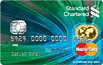























 0.2070sec
 0.20
0.20
 6 queries
 GZIP Disabled