

AMD K8 Family Discussions
This post has been edited by soulfly: May 4 2007, 09:23 AM
AMD K8 Family Overclocking (754/939/940/AM2/1207), General discussions and newbies' guide
AMD K8 Family Overclocking (754/939/940/AM2/1207), General discussions and newbies' guide
|
|
 Dec 27 2005, 02:06 PM, updated 18y ago Dec 27 2005, 02:06 PM, updated 18y ago
Show posts by this member only | Post
#1
|
 
VIP
15,903 posts Joined: Jan 2003 From: Miri   
|
AMD K8 Family Discussions
This post has been edited by soulfly: May 4 2007, 09:23 AM |
|
|
|
|
|
Jan 1 2006, 10:33 AM
Show posts by this member only | Post
#2
|
 
Senior Member
865 posts Joined: Jan 2003
|
my pc spec
amd 64 3000+ KVR 512mb ddr400 x2 (double sided) winfast 6600gt msi k8n neo4-f mobo ok, the problem is that when i run on 1:1 divider(250 fsb,250x9=2.25Ghz,,3X htt) PASS; but when i wanna test how high my proc can go ,so i have to use divider, 5:6 divider(166mhz ram) even cannot pass 240 fsb(240x9).. FAIL. what should i do??pls help This post has been edited by realone: Jan 3 2006, 07:42 PM |
|
|
Jan 1 2006, 11:18 AM
Show posts by this member only | Post
#3
|

Senior Member
4,081 posts Joined: Aug 2005
|
QUOTE(realone @ Jan 1 2006, 10:33 AM) my pc spec act.. ualrady got thread to ask...http://forum.lowyat.net/index.php?showtopic=139453amd 64 3000+ KVR 512mb ddr400 x2 (double sided) winfast 6600gt msi k8n neo4-f mobo ok, the problem is that when i run on 1:1 divider(250 fsb,250x9=2.25Ghz,,3X htt) PASS; but when i wanna test how high my proc can go ,so i have to use divider, 5:6 divider(166mhz ram) even cannot pass 240 fsb(240x9).. FAIL. what should i do??pls help  anyway.. ermm bout ur prob.. u dun tell us wat test was pass  r u sure u r using 166mhz divider ? check it at cpu-z... and print screen it here and also other related info... btw u using 1T timing or 2T ? |
|
|
Jan 1 2006, 11:33 AM
Show posts by this member only | Post
#4
|
|
Senior Member
865 posts Joined: Jan 2003
|
QUOTE(low yat 82 @ Jan 1 2006, 11:18 AM) act.. ualrady got thread to ask...http://forum.lowyat.net/index.php?showtopic=139453 ok,run on 1tanyway.. ermm bout ur prob.. u dun tell us wat test was pass r u sure u r using 166mhz divider ? check it at cpu-z... and print screen it here and also other related info... btw u using 1T timing or 2T ? |
|
|
Jan 1 2006, 12:19 PM
Show posts by this member only | Post
#5
|
|
VIP
15,903 posts Joined: Jan 2003 From: Miri
|
what test was pass and what test was fail?
is there any other divider that you can use besides 5:6? |
|
|
Jan 1 2006, 01:11 PM
Show posts by this member only | Post
#6
|
|
Senior Member
865 posts Joined: Jan 2003
|
i think is my ram problem..before i upgrade to 512x2,,,,256 x2 is running fine and can reach 300mhz fsb.......
|
|
|
|
|
|
Jan 1 2006, 04:00 PM
Show posts by this member only | Post
#7
|

Junior Member
400 posts Joined: Jan 2003 From: Malacca<-->Johor
|
try to raise ur HT bus speed multiplier to 4X.
|
|
|
Jan 1 2006, 11:47 PM
Show posts by this member only | Post
#8
|

Senior Member
954 posts Joined: Jul 2005 From: Anywhere!
|
try 1T same result?
|
|
|
Jan 1 2006, 11:55 PM
Show posts by this member only | Post
#9
|

Senior Member
1,796 posts Joined: Jan 2005
|
higher LDT wont help, try to use 1 stick ram n c
|
|
|
Jan 2 2006, 12:26 AM
|
|
Senior Member
865 posts Joined: Jan 2003
|
QUOTE(wtm0325 @ Jan 1 2006, 11:55 PM) higher LDT wont help, try to use 1 stick ram n c ok, i will try later |
|
|
Jan 2 2006, 12:58 AM
|
|
Senior Member
865 posts Joined: Jan 2003
|
QUOTE(realone @ Jan 2 2006, 12:26 AM) ok, i will try later ok, thr result is ,,,fail...same no post if i try use any divider... |
|
|
Jan 2 2006, 01:19 AM
|
|
Senior Member
865 posts Joined: Jan 2003
|
yeah, confirm is ram problem.
|
|
|
Jan 3 2006, 07:38 PM
|
|
Senior Member
865 posts Joined: Jan 2003
|
 my ram hitting limit liow...have to change ram since it cannot rn on any divider ....end up no post,,,run on 1:1 is fine...run memtest,,stable.. 3d mark 2005 3d mark 2003 cpu-z i'm looking secondhand gskill 3200 fx..512x2 ddr400 This post has been edited by realone: Jan 3 2006, 08:08 PM |
|
|
|
|
|
Jan 3 2006, 07:41 PM
|
|
Senior Member
865 posts Joined: Jan 2003
|
need help to improve my 3d score and overall system...
|
|
|
Jan 3 2006, 07:58 PM
|

Senior Member
4,784 posts Joined: Sep 2004 From: MY 
|
dude, it may also be ur bad proc memory controller
altho i didnt suffer prob luke urs, but my 133 devider is useless n 166 devider can only hold the ram till ddr500 but u didnt mention what test fails.. beside bad ram n bad mem. ctrl'r, psu also may cause the prob |
|
|
Jan 3 2006, 08:04 PM
|
|
Senior Member
865 posts Joined: Jan 2003
|
QUOTE(e-jump @ Jan 3 2006, 07:58 PM) dude, it may also be ur bad proc memory controller as i state above ,before that when i run 256x2 kingston ddr400....its run fine and can use any divider,,,but after upgrade to 512 x2 ,,,,can't even run any divider,,,altho i didnt suffer prob luke urs, but my 133 devider is useless n 166 devider can only hold the ram till ddr500 but u didnt mention what test fails.. beside bad ram n bad mem. ctrl'r, psu also may cause the prob |
|
|
Jan 3 2006, 08:05 PM
|
|
Senior Member
865 posts Joined: Jan 2003
|
so, its confirm ram problem,,,perhaps it dun like divider,, hehe
This post has been edited by realone: Jan 3 2006, 08:06 PM |
|
|
Jan 4 2006, 02:21 PM
|

VIP
4,032 posts Joined: Jan 2003 From: MSR Headquaters
|
newer version kingston value rams are unable to get you 240+ and above...but since you can run at 240 why not u try setting such as 2T 3-4-4-10 and use divider to drop ur ram to either 100 or 133mhz and then push again...just to see if your proc is limitating ur overclock....
|
|
|
Jan 4 2006, 10:23 PM
|
|
Senior Member
865 posts Joined: Jan 2003
|
QUOTE(antonio_zth @ Jan 4 2006, 02:21 PM) newer version kingston value rams are unable to get you 240+ and above...but since you can run at 240 why not u try setting such as 2T 3-4-4-10 and use divider to drop ur ram to either 100 or 133mhz and then push again...just to see if your proc is limitating ur overclock.... ok, i will try |
|
|
Jan 6 2006, 11:37 PM
|
|
Senior Member
865 posts Joined: Jan 2003
|
QUOTE(antonio_zth @ Jan 4 2006, 02:21 PM) newer version kingston value rams are unable to get you 240+ and above...but since you can run at 240 why not u try setting such as 2T 3-4-4-10 and use divider to drop ur ram to either 100 or 133mhz and then push again...just to see if your proc is limitating ur overclock.... no post ...  |
|
|
Jan 7 2006, 01:57 AM
|

Junior Member
203 posts Joined: Jan 2003 From: KL / PJ / LYP / IMBI
|
MY CPU Z 1.31 CANT SHOW?????
THIS OK KAH? CAN OC STP=0540 AMD Athlon 64 Model 3200+ Ordering P/N (Tray) ADA3200DKA4CG Ordering P/N (PIB) ADA3200CGBOX Operating Mode 32/64 Stepping E4 Frequency 2000Mhz HT Speed 2000 Voltage 1.35V Max Temp 65°C Thermal Power 67W L1 Cache 128KB L2 Cache 512KB CMOS Technology 90nm SOI Socket Socket 939 |
|
|
Jan 7 2006, 02:02 AM
|

Senior Member
3,795 posts Joined: Jan 2003 From: .: Old Klang Road :. 
|
The 3500+ in my shop now is CG stepping too
 SanDiego or Venus ?  This post has been edited by ahpaul82: Jan 7 2006, 02:05 AM |
|
|
Jan 7 2006, 02:09 AM
|
|
Junior Member
203 posts Joined: Jan 2003 From: KL / PJ / LYP / IMBI
|
QUOTE(ahpaul82 @ Jan 7 2006, 02:02 AM) The 3500+ in my shop now is CG stepping too \hey i thing not call sd lah vini also.............. betul kahSanDiego or Venus ? Attached thumbnail(s) 
|
|
|
 Jan 7 2006, 02:13 AM Jan 7 2006, 02:13 AM
|
|
Senior Member
3,795 posts Joined: Jan 2003 From: .: Old Klang Road :.
|
|
|
|
Jan 7 2006, 02:37 AM
|

Junior Member
24 posts Joined: Aug 2005
|
ok.. do u have laptop? u chinese or malay
|
|
|
Jan 7 2006, 02:49 AM
|

Senior Member
3,159 posts Joined: Dec 2004 From: >Taiping,Perak<
|
QUOTE(arifazali @ Jan 7 2006, 02:37 AM) ok.. do u have laptop? u chinese or malay What question are you asking?what for??  |
|
|
Jan 7 2006, 02:55 AM
|
|
Junior Member
203 posts Joined: Jan 2003 From: KL / PJ / LYP / IMBI
|
2.8 g at pass 3d mark
Attached thumbnail(s) 
|
|
|
Jan 7 2006, 03:04 AM
|
 
Elite
4,424 posts Joined: Jan 2003 From: Singapore 
|
try CBId or Everest then
|
|
|
Jan 7 2006, 03:37 AM
|

Elite
8,103 posts Joined: Jan 2003 From: Tanah Lot @ Dungun, Terengganu.
|
impressive...
 this e4 steppin really looks promisin...  |
|
|
Jan 7 2006, 11:14 AM
|
|
VIP
15,903 posts Joined: Jan 2003 From: Miri
|
It's Venice E4
Derrived from San Diego E4, half L2 cache disabled. BTW.... what's the improvement of E4 over E3/E6? |
|
|
Jan 7 2006, 11:20 AM
|
|
VIP
4,032 posts Joined: Jan 2003 From: MSR Headquaters
|
QUOTE(kvmcom @ Jan 7 2006, 01:57 AM) MY CPU Z 1.31 CANT SHOW????? a crooked sandy and then transformed in a Venice....THIS OK KAH? CAN OC STP=0540 AMD Athlon 64 Model 3200+ Ordering P/N (Tray) ADA3200DKA4CG Ordering P/N (PIB) ADA3200CGBOX Operating Mode 32/64 Stepping E4 Frequency 2000Mhz HT Speed 2000 Voltage 1.35V Max Temp 65°C Thermal Power 67W L1 Cache 128KB L2 Cache 512KB CMOS Technology 90nm SOI Socket Socket 939 |
|
|
Jan 7 2006, 11:35 AM
|

Senior Member
737 posts Joined: Jan 2003
|
QUOTE(kvmcom @ Jan 7 2006, 02:55 AM) 2.8 g at pass 3d mark u should try running prime 95 for a few hours.. |
|
|
Jan 7 2006, 02:13 PM
|

Store Representative
139 posts Joined: Jan 2003 From: Overclockers Paradise,Subang Jaya
|
hey hari hari oc ini budak..hihih ..prime 95 dulu.. UGPM
|
|
|
Jan 8 2006, 11:40 AM
|

Senior Member
1,809 posts Joined: Jan 2003
|
its still a "disabled-half-cache of sandie" anyway
need high vcore to stable @ 2.8GHz above Evogenix |
|
|
Jan 10 2006, 02:11 AM
|

Junior Member
211 posts Joined: Jan 2003 From: Kuala Lumpur
|
QUOTE(kvmcom @ Jan 7 2006, 01:57 AM) MY CPU Z 1.31 CANT SHOW????? sorry but mind telling where u bought that???THIS OK KAH? CAN OC STP=0540 AMD Athlon 64 Model 3200+ Ordering P/N (Tray) ADA3200DKA4CG Ordering P/N (PIB) ADA3200CGBOX Operating Mode 32/64 Stepping E4 Frequency 2000Mhz HT Speed 2000 Voltage 1.35V Max Temp 65°C Thermal Power 67W L1 Cache 128KB L2 Cache 512KB CMOS Technology 90nm SOI Socket Socket 939 |
|
|
Jan 10 2006, 03:03 AM
|
|
Junior Member
203 posts Joined: Jan 2003 From: KL / PJ / LYP / IMBI
|
QUOTE(briangan @ Jan 10 2006, 02:11 AM) sorry but mind telling where u bought that??? i order with robyn computer but no stock now only 2pc fr supplier |
|
|
Jan 10 2006, 09:21 AM
|

Senior Member
2,549 posts Joined: Dec 2004 From: Sungai Petani, Kedah
|
Any other OC result. How high this processor can go?
|
|
|
Jan 11 2006, 04:51 PM
|

All Stars
10,688 posts Joined: Jan 2005
|
i believe its still venice since it has the SSE3 instructions which clawhammer/ winchester dont have
 |
|
|
Jan 11 2006, 09:49 PM
|

Senior Member
5,227 posts Joined: Jan 2003 From: Anchorage, Alaska 
|
ermm.. actually it is a disablled sandy
using d same memory controller as sandy but cache disabled i think can oc well kua... should perform better than e3 n e6 wif same speed... oc performance not known yet |
|
|
Jan 12 2006, 12:15 AM
|

Senior Member
1,377 posts Joined: Jan 2003 From: Nothing special
|
just brought amd 3200 winchester
abit fatal1ty an8 6 moth ago i want to try to overclock this processor but lack of knowledge already made some studied but hard to understand how to oc... this processor compare to intel previously used can some one help me with this for those who are experience with it This post has been edited by emilz: Jan 12 2006, 12:22 AM |
|
|
Jan 12 2006, 12:22 AM
|

Senior Member
1,372 posts Joined: Jan 2003 From: Sydney - Australia
|
which part don't you understand exactly?
|
|
|
Jan 12 2006, 12:31 AM
|
|
Senior Member
1,377 posts Joined: Jan 2003 From: Nothing special
|
QUOTE(babyelf @ Jan 12 2006, 12:22 AM) which part don't you understand exactly? seems to be all lahhi oc already but when i force to 230 hz the system keep on restarting n i also need to know how to control the ram timing since it way to many compare to intel |
|
|
Jan 12 2006, 12:35 AM
|
|
Senior Member
1,372 posts Joined: Jan 2003 From: Sydney - Australia
|
when you raise your HTT.. you need to set your LDT multiplier to x4 or x3 appropriately according to your HTT..
HTT x LDT multiplier can't exceed 1000.. well it can.. but there's a limit on how far you can go past 1000.. the best way is to keep it under 1000.. as for ram timings.. it depends on which ram you are using.. |
|
|
Jan 12 2006, 12:38 AM
|
|
Senior Member
1,377 posts Joined: Jan 2003 From: Nothing special
|
QUOTE(babyelf @ Jan 12 2006, 12:35 AM) when you raise your HTT.. you need to set your LDT multiplier to x4 or x3 appropriately according to your HTT.. was it the mutiplier factor HTT x LDT multiplier can't exceed 1000.. well it can.. but there's a limit on how far you can go past 1000.. the best way is to keep it under 1000.. as for ram timings.. it depends on which ram you are using.. how about the voltage i only set to 1.45 ~ 1.5 currently using corsair value buy only anything need to kacau |
|
|
Jan 12 2006, 12:49 AM
|
|
Senior Member
1,372 posts Joined: Jan 2003 From: Sydney - Australia
|
there's 2 multiplier..
CPU multiplier which is 200 x "10" for your particular CPU and LDT which is 200 x "5" = 1000 for every athlon64 system i can't remember what it's called in abit's bios.. but there should be one stating something like 1x 2x 3x 4x 5x or 200 400 600 800 1000 as for your ram.. run it at a divider.. in your dram configuration page.. set it to run at DDR333 / 166 to eliminate your ram as the factor that's holding back your CPU.. don't bump your voltage unless u can't go any higher This post has been edited by babyelf: Jan 12 2006, 12:51 AM |
|
|
Jan 12 2006, 12:59 AM
|
|
Senior Member
1,377 posts Joined: Jan 2003 From: Nothing special
|
QUOTE(babyelf @ Jan 12 2006, 12:49 AM) there's 2 multiplier.. sorry to say i cannot find the LTDCPU multiplier which is 200 x "10" for your particular CPU and LDT which is 200 x "5" = 1000 for every athlon64 system i can't remember what it's called in abit's bios.. but there should be one stating something like 1x 2x 3x 4x 5x or 200 400 600 800 1000 as for your ram.. run it at a divider.. in your dram configuration page.. set it to run at DDR333 / 166 to eliminate your ram as the factor that's holding back your CPU.. don't bump your voltage unless u can't go any higher i dont know where it located i only found the current one which is to set the fsb and multiplier wah still hang oooo |
|
|
Jan 12 2006, 01:02 AM
|
|
Senior Member
1,372 posts Joined: Jan 2003 From: Sydney - Australia
|
there's definitely one there
find one that gives u only 5 options 1x 2x 3x 4x 5x or 200 400 600 800 1000 if you don't set it to x4 don't expet it to go higher than ~ 220 |
|
|
Jan 12 2006, 01:08 AM
|
|
Senior Member
1,377 posts Joined: Jan 2003 From: Nothing special
|
QUOTE(babyelf @ Jan 12 2006, 01:02 AM) there's definitely one there ok found itfind one that gives u only 5 options 1x 2x 3x 4x 5x or 200 400 600 800 1000 if you don't set it to x4 don't expet it to go higher than ~ 220 it called HT Frequency inside the ram timing no wonder it was to hard to search the normal condition for it was set to auto wash it higher better or lower better ot set the LDT |
|
|
Jan 12 2006, 01:12 AM
|
|
Senior Member
1,372 posts Joined: Jan 2003 From: Sydney - Australia
|
there's actually no gain if you go past 1000
just keep it below 1000 and it'll be fine up to 250 set x4 past 250 set to x3 and so on |
|
|
Jan 12 2006, 01:29 AM
|
|
Senior Member
1,377 posts Joined: Jan 2003 From: Nothing special
|
QUOTE(babyelf @ Jan 12 2006, 01:12 AM) there's actually no gain if you go past 1000 tq for this information just keep it below 1000 and it'll be fine up to 250 set x4 past 250 set to x3 and so on |
|
|
Jan 12 2006, 01:30 AM
|
|
Senior Member
1,372 posts Joined: Jan 2003 From: Sydney - Australia
|
no problem dude
|
|
|
Jan 12 2006, 01:36 AM
|
|
Senior Member
1,377 posts Joined: Jan 2003 From: Nothing special
|
was it necessary to set the fsb multiplier to 8.5 or lower
dont oc already so far ok with the oc ability how about to stress my processor and ram ability since i using good cooler |
|
|
Jan 12 2006, 01:42 AM
|
|
Senior Member
1,372 posts Joined: Jan 2003 From: Sydney - Australia
|
don't use a .5 multiplier for your CPU .. it manipulates your ram to give you that clock..
if you use .5 your ram will be clocked lower.. use a divider.. run until u hit a wall then raise your voltage.. then keep going.. hit a wall then raise voltage.. and so on.. it's safe to go until about 1.6 i guess if the temps are below 55 test one by one.. don't try to overclock both together.. u'll end up wasting more time.. |
|
|
Jan 12 2006, 01:44 AM
|
|
Senior Member
1,377 posts Joined: Jan 2003 From: Nothing special
|
QUOTE(babyelf @ Jan 12 2006, 01:42 AM) don't use a .5 multiplier for your CPU .. it manipulates your ram to give you that clock.. hmmmif you use .5 your ram will be clocked lower.. use a divider.. run until u hit a wall then raise your voltage.. then keep going.. hit a wall then raise voltage.. and so on.. it's safe to go until about 1.6 i guess if the temps are below 55 test one by one.. don't try to overclock both together.. u'll end up wasting more time.. like what i try to oc the processor to up to 235 and the multiplier for the fsb was 9.0 and the ldt set to 2.5 then suddently the mobo clear it own cmos why????? |
|
|
Jan 12 2006, 01:46 AM
|
|
Senior Member
1,377 posts Joined: Jan 2003 From: Nothing special
|
QUOTE(babyelf @ Jan 12 2006, 01:42 AM) it's safe to go until about 1.6 i guess if the temps are below 55 the temp when oc to 230 was only 34 ~ 35 degree onlyThis post has been edited by emilz: Jan 12 2006, 01:50 AM |
|
|
Jan 12 2006, 01:52 AM
|
|
Senior Member
1,372 posts Joined: Jan 2003 From: Sydney - Australia
|
did you set your ram to run at DDR333 / 166 divider?
for abit the temps usually is about 5-8c lower.. so add about 5-8 back to the reading and it should be right |
|
|
Jan 12 2006, 01:56 AM
|
|
Senior Member
1,377 posts Joined: Jan 2003 From: Nothing special
|
QUOTE(babyelf @ Jan 12 2006, 01:52 AM) did you set your ram to run at DDR333 / 166 divider? that means every time want to oc the processor the ram oso need to set larrrfor abit the temps usually is about 5-8c lower.. so add about 5-8 back to the reading and it should be right is that how it work what was this sse3 since my proc dont have the function of it |
|
|
Jan 12 2006, 02:00 AM
|
|
Senior Member
1,372 posts Joined: Jan 2003 From: Sydney - Australia
|
if you don't set your ram will run async to your HTT.. and if you ram can't take it your system won't take it as a whole.. running a divider makes sure that you are not RAM limited when overclocking your CPU..
sse3 is a set of instructions used in programs.. i think it was first used on intel CPUs.. and now it's on Athlon64 as well.. i think winchesters are the first one to have? (correct me if i'm wrong) i'm not familiar with SSE3.. maybe someone else can enlighten you on it |
|
|
Jan 12 2006, 02:05 AM
|
|
Senior Member
1,377 posts Joined: Jan 2003 From: Nothing special
|
QUOTE(babyelf @ Jan 12 2006, 02:00 AM) if you don't set your ram will run async to your HTT.. and if you ram can't take it your system won't take it as a whole.. running a divider makes sure that you are not RAM limited when overclocking your CPU.. nope my winchester dont have this sse3sse3 is a set of instructions used in programs.. i think it was first used on intel CPUs.. and now it's on Athlon64 as well.. i think winchesters are the first one to have? (correct me if i'm wrong) i'm not familiar with SSE3.. maybe someone else can enlighten you on it i cannot show because i dont know how to paste inside this forum u know how ka???? |
|
|
Jan 12 2006, 02:08 AM
|
|
Senior Member
1,377 posts Joined: Jan 2003 From: Nothing special
|
this is the pic[attachmentid=86645][attachmentid=86646]
This post has been edited by emilz: Jan 12 2006, 02:15 AM |
|
|
Jan 12 2006, 02:36 AM
|

Senior Member
1,697 posts Joined: Jan 2003 From: KL
|
whats the difference between e3 and e6?
|
|
|
Jan 12 2006, 08:39 AM
|

Store Representative
679 posts Joined: Jan 2003 From: PG/KL/CYBERJAYA
|
this might be showed that amd is slowly migrate to a new platform.
to focus more on new technology and production, they reduce the cost by produce old chip using 1 solution and design. so no matter wat, it is still e4 for all... |
|
|
Jan 12 2006, 05:29 PM
|
|
Senior Member
1,377 posts Joined: Jan 2003 From: Nothing special
|
any information
|
|
|
Jan 12 2006, 05:37 PM
|
Senior Member
3,966 posts Joined: Jan 2003 From: Kuala Lumpur
|
winchester core...old core...does not oc as good as the current batch of venice processors...should be able to hit bout 2.7ghz on this processor at max...btw, dun create a thread la...post it in other threads..you really want mod to close this thread duntcha?
 |
|
|
Jan 12 2006, 05:48 PM
|
|
Senior Member
1,377 posts Joined: Jan 2003 From: Nothing special
|
QUOTE(sidewinderz @ Jan 12 2006, 05:37 PM) winchester core...old core...does not oc as good as the current batch of venice processors...should be able to hit bout 2.7ghz on this processor at max...btw, dun create a thread la...post it in other threads..you really want mod to close this thread duntcha? that means i got the old processor laasial la tuu bought just 6 month ago |
|
|
Jan 12 2006, 05:51 PM
|

Senior Member
1,621 posts Joined: Jan 2003 From: Seremban
|
FYI, the venice is the first to have SSE3 support.
This post has been edited by winc87: Jan 12 2006, 09:46 PM |
|
|
Jan 12 2006, 05:51 PM
|
|
Senior Member
3,966 posts Joined: Jan 2003 From: Kuala Lumpur
|
hehe...new processors are all codenamed "venice" with revision of either E3, E4 or E6..hehehe..sorry dude...gotta read up before buying ma..
anyway, its still good that you got yourself AMD instead of intel...  This post has been edited by sidewinderz: Jan 12 2006, 05:52 PM |
|
|
Jan 12 2006, 05:57 PM
|
|
Senior Member
1,377 posts Joined: Jan 2003 From: Nothing special
|
QUOTE(sidewinderz @ Jan 12 2006, 05:51 PM) hehe...new processors are all codenamed "venice" with revision of either E3, E4 or E6..hehehe..sorry dude...gotta read up before buying ma.. ya loo anyway, its still good that you got yourself AMD instead of intel... but i fell the different between my 3200 and my friend 3000 venice instead of overcloking, and in normal condition mine was lake a bit |
|
|
Jan 12 2006, 06:04 PM
|
|
Senior Member
3,966 posts Joined: Jan 2003 From: Kuala Lumpur
|
QUOTE(emilz @ Jan 12 2006, 05:57 PM) ya loo nah...that is wat you feel...actually its based on lots of factors...the mobo, ram and hard disk that both of you uses will yield slightly different performance...overall, your processor should be as good as the venice, the only drawback is that your Vcore runs slightly higher at stock as compared to venice....1.45v as compared to 1.4v....although at stock speeds, both does not have major difference in heat..but once OC, you'll know wat i meant..hehehe...but i fell the different between my 3200 and my friend 3000 venice instead of overcloking, and in normal condition mine was lake a bit oh..another difference would be that venice supports SSE3 instructions whereas your processor doesn't.... This post has been edited by sidewinderz: Jan 12 2006, 06:04 PM |
|
|
Jan 12 2006, 06:07 PM
|
|
Senior Member
1,377 posts Joined: Jan 2003 From: Nothing special
|
QUOTE(sidewinderz @ Jan 12 2006, 06:04 PM) nah...that is wat you feel...actually its based on lots of factors...the mobo, ram and hard disk that both of you uses will yield slightly different performance...overall, your processor should be as good as the venice, the only drawback is that your Vcore runs slightly higher at stock as compared to venice....1.45v as compared to 1.4v....although at stock speeds, both does not have major difference in heat..but once OC, you'll know wat i meant..hehehe... compare to ram mine more better 160 sata 2 1g corsair ramoh..another difference would be that venice supports SSE3 instructions whereas your processor doesn't.... he oso used abit but not fatality 512 ram kingston |
|
|
Jan 12 2006, 06:10 PM
|
|
Senior Member
3,966 posts Joined: Jan 2003 From: Kuala Lumpur
|
QUOTE(emilz @ Jan 12 2006, 06:07 PM) compare to ram mine more better 160 sata 2 1g corsair ram haha....how bout fragmentation of the OS and applications installed and running in the background? hehe...dun forget bout that...dun worry so much...wat matters most is that whether you can achieve high clockspeeds when you OC it.. he oso used abit but not fatality 512 ram kingston |
|
|
Jan 12 2006, 09:29 PM
|
|
Elite
4,424 posts Joined: Jan 2003 From: Singapore
|
QUOTE(winc87 @ Jan 12 2006, 05:51 PM) FYI, the venice E6 is the first to have SSE3 support. weird, my CPU-Z says my E3 supports SSE3 too, is that a bug? btw, since i'm too damn lazy to read up is there any real advantage of SSE3? |
|
|
Jan 12 2006, 09:48 PM
|
|
Senior Member
1,621 posts Joined: Jan 2003 From: Seremban
|
hehehe, Venice is the first to have SSE3. I also do not know i typed E6, sorry for my mistake.
|
|
|
Jan 13 2006, 08:13 PM
|
|
VIP
4,032 posts Joined: Jan 2003 From: MSR Headquaters
|
SSE3 can count faster on math calculation i guess....
|
|
|
Jan 13 2006, 08:26 PM
|
|
Senior Member
1,621 posts Joined: Jan 2003 From: Seremban
|
It's not faster but to make it easier for programmer to do their jobs.
|
|
|
Jan 13 2006, 08:34 PM
|
|
VIP
4,032 posts Joined: Jan 2003 From: MSR Headquaters
|
QUOTE(winc87 @ Jan 13 2006, 08:26 PM) It's not faster but to make it easier for programmer to do their jobs. easier=faster lar...tak same erk??? |
|
|
Jan 13 2006, 08:47 PM
|
|
Senior Member
1,621 posts Joined: Jan 2003 From: Seremban
|
hehehe...if you learn assembly language then you will know what i mean. It is easier for programmer to do a calculation by calling the instructions from SSE3.
|
|
|
Jan 13 2006, 09:09 PM
|
|
VIP
4,032 posts Joined: Jan 2003 From: MSR Headquaters
|
whats assembly lingue???i do know Lingo,actionscript,a lil bit of VB, and a lot of Sandra,memtest,prime95
|
|
|
Jan 13 2006, 10:16 PM
|

Senior Member
1,405 posts Joined: Jun 2005
|
QUOTE(antonio_zth @ Jan 13 2006, 09:09 PM) whats assembly lingue???i do know Lingo,actionscript,a lil bit of VB, and a lot of Sandra,memtest,prime95 damn i hate assembly language so much.. failed my 8085 assembly language paper once b4.. This post has been edited by newbieockids: Jan 13 2006, 10:16 PM |
|
|
Jan 17 2006, 10:55 AM
|
|
Junior Member
335 posts Joined: Jan 2003
|
with my PC spec in my signature... i tried to overclock to reach 1.9+GHz while keeping at 210Hz FSB... dun dare to increase further becoz i was told it will burn d mobo... my CPU voltage is less than 1.4v, northbridge voltage is default
i dun hav a good CPU cooling system.... sifu sekalian, wat would b d max overclock speed will i achieve? thx a lot. This post has been edited by youngmasterho: Jan 17 2006, 10:58 AM |
|
|
Jan 17 2006, 11:44 AM
|
|
VIP
15,903 posts Joined: Jan 2003 From: Miri
|
QUOTE(newbieockids @ Jan 13 2006, 10:16 PM) damn i hate assembly language so much.. failed my 8085 assembly language paper once b4.. same here  lack of practice made me think that assembly is nonsense  |
|
|
Jan 17 2006, 11:46 AM
|
|
VIP
15,903 posts Joined: Jan 2003 From: Miri
|
QUOTE(youngmasterho @ Jan 17 2006, 10:55 AM) with my PC spec in my signature... i tried to overclock to reach 1.9+GHz while keeping at 210Hz FSB... dun dare to increase further becoz i was told it will burn d mobo... my CPU voltage is less than 1.4v, northbridge voltage is default who told you that?i dun hav a good CPU cooling system.... sifu sekalian, wat would b d max overclock speed will i achieve? thx a lot. you will only burn your rig (not only mobo) if you use - excessive voltage applied without proper cooling - using low quality mobo like the generic ones - cheapo power supply |
|
|
Jan 18 2006, 02:17 PM
|

Senior Member
873 posts Joined: Jan 2003 From: Petaling Jaya
|
guys i dont know if this is the right place to ask, but i hope i can get some answers...is Athlon X2 overclocking similar to normal A64?
|
|
|
Jan 18 2006, 02:53 PM
|
|
VIP
15,903 posts Joined: Jan 2003 From: Miri
|
yes....very similar
|
|
|
Jan 19 2006, 03:53 PM
|
|
Junior Member
98 posts Joined: Oct 2004
|
Anybody can help me choosing rite mobo..
it's seems that i lost.. i need mobo for AMD64 s939 that is: - got PCIE gfx slot, i dun wan SLI - got 4 DDR - brand either Abit, Asus or DFI - Budget around RM350 max This post has been edited by zogenk: Jan 19 2006, 03:59 PM |
|
|
Jan 19 2006, 07:19 PM
|
|
Senior Member
1,405 posts Joined: Jun 2005
|
QUOTE(zogenk @ Jan 19 2006, 03:53 PM) Anybody can help me choosing rite mobo.. depend with ur taste or what r u going to do with ur system dude.. but i think the board with nForce4/ultra chipset would be the better one for sc939.. around that price range u can probably get nForce4 vanilla only.. DFI NF4 Infinity, Abit AN8, ASUS im not sure.. Check out their features and choose which one that will suit u better.. Hope this help..it's seems that i lost.. i need mobo for AMD64 s939 that is: - got PCIE gfx slot, i dun wan SLI - got 4 DDR - brand either Abit, Asus or DFI - Budget around RM350 max This post has been edited by newbieockids: Jan 19 2006, 07:20 PM |
|
|
 Jan 21 2006, 10:58 PM Jan 21 2006, 10:58 PM
|

Junior Member
237 posts Joined: Nov 2005 From: Kuching...
|
Can someone help me in doin the right setting for OC.
i only can hit fsb280 stable. that is only at 2.5G. But can't after that. Amd 3000 Sc939. HT at 4X Ram at 166. Or mayb it is becoz of my ram that can't go higher? Kingston normal ram at 512x2. but i have samsung chip and kingston. but it can run on Dual channel. what is the max oc for this mobo (KN8 ultra from abit)? Help me gurus... i'm a new guy want to learn this exciting ability. |
|
|
Jan 21 2006, 11:10 PM
|

Senior Member
1,426 posts Joined: Jan 2005 From: Jln Sg Besi, Taiping
|
lower your HTT to 3x a
4x280 = 1120 over the 1000 already a. |
|
|
Jan 21 2006, 11:18 PM
|
|
Junior Member
237 posts Joined: Nov 2005 From: Kuching...
|
QUOTE(kanethesun @ Jan 21 2006, 11:10 PM) lower your HTT to 3x a but it run stable. u mean if i want to go higher? But if the HT is below 1k, does it mean that the performance will be lower? thnks yah4x280 = 1120 over the 1000 already a. |
|
|
Jan 21 2006, 11:27 PM
|

Senior Member
3,951 posts Joined: Jan 2003 From: BS161ZL, Bristol
|
HTT must never be above 1k la abang....zzz
whatever u do, LDT/FSB x fsb = 1000 or less or else your proc may fry.. and please post your specs la if u want ppl to help... |
|
|
Jan 21 2006, 11:29 PM
|
|
Junior Member
237 posts Joined: Nov 2005 From: Kuching...
|
ok i'll send in 2morrow.. gtg now. thanks a lot
|
|
|
Jan 22 2006, 11:03 PM
|
|
Junior Member
237 posts Joined: Nov 2005 From: Kuching...
|
This my spec.
Amd 939 3000 Abit KN8 Ultra Nforce4 Value ram from kingston 512x2 Noise Taker 600w Enermax. HIS x550 128Mb of ram Dvd-rw and combo. And now i'm OC to 280fsb Ht 3x (which is much better in performance) Normal temp is 29 and 35 at load. DDRV at 2.7V Cpu at 1.5 Ram at 166Mhz. it the setting ok, but how to get higher as it hang if goes more than that. is it my ram, or mobo. anyone own this type of mobo.? |
|
|
Jan 23 2006, 02:04 AM
|

Junior Member
135 posts Joined: Jan 2006 From: KL
|
QUOTE(PowerHouse @ Jan 22 2006, 11:03 PM) it the setting ok, but how to get higher as it hang if goes more than that. no setting is ok lah actually when overkloking. mostly overkloker look for highest speed vs. optimum setting vs. stability. from given spec the cpu run with 9x multiplier (280*9=2.5G) & ram at 166MHz. your actual ram speed with this setting is cpu speed/11 that translate into 229MHz (please check this using Everest CPUID for validation). i don't know what ram chip used on your kingston(KVR) but average kvr will not go over 230MHz. lowering the ram speed to 133 and setting the nforce voltage around 1.6v will help u gain higher fsb.is it my ram, or mobo. anyone own this type of mobo.? i guess you know what tools/application needed to check & monitor your system while overkloking the cpu but i do recommend you read and learn alot about your components espescially cpu, cooling and ram timing. |
|
|
Jan 23 2006, 02:31 AM
|

Junior Member
22 posts Joined: Jan 2006 From: Kuching, Sarawak, MY
|
QUOTE(Garfie @ Jan 21 2006, 11:27 PM) HTT must never be above 1k la abang....zzz really? whatever u do, LDT/FSB x fsb = 1000 or less or else your proc may fry.. and please post your specs la if u want ppl to help... im running on 310x9 at 4x HTT . so far i havent got any weird readings? |
|
|
Jan 23 2006, 04:19 AM
|
|
Junior Member
135 posts Joined: Jan 2006 From: KL
|
QUOTE(grafreak @ Jan 23 2006, 02:31 AM) really? hehehe there you go. nothing happen ah to your system with that htt speed? from what i've read here im running on 310x9 at 4x HTT . so far i havent got any weird readings? the htt clock speed operates from 200MHz to 1.4 GHz range. i think that's why u havent got any weirdo happening to your system. as far as i understand the amd cpu/system that "support xxxxMHz htt" may utilise the htt bus bandwidth at max with that given supported speed but not any further. it's still not a problem if u run the htt at any speed below 1.4GHz. the factor u must consider when running high htt speed is the LVDS IC that come with the motherboard (if u know lah which manufacturer produced the LVDS IC for your mobo). u may read more about LVDS here This post has been edited by Bahlol: Jan 23 2006, 04:24 AM |
|
|
Jan 23 2006, 04:23 AM
|

Junior Member
308 posts Joined: Mar 2005 From: ~Abov3 Da HeaveNs~
|
PowerHouse im using NEARLY the same specs as yours
but how ah if im using AMD Engineering Test Sample A64 3200+ how to deal the fsb?sorry ah quite noob in oc |
|
|
Jan 23 2006, 10:40 AM
|
|
Junior Member
98 posts Joined: Oct 2004
|
from what i heard and read,
Asus : quite stable but limited o/c capabilities DFI : picky on value RAMs Abit : not very stable, bad reputations.. MSI : many forumers told me to avoid MSI..  if i'm going to o/c a bit.. what mobo u all gonna recommend me..? my rig that i wanna build; pro : AMD64 3000+ Venice mobo : still not decide yet RAM : 512*2 Kingston KVR DT-D43 PSU : CM Real 450w Graphic card : ATI X1600XT |
|
|
Jan 23 2006, 12:14 PM
|
 
Staff
7,529 posts Joined: Jan 2003
|
since the topic is A64 OC , i got a question here.
Currently running at 233htt with 1:1 using 3000+ venice, DFi Infini SLi and KVR 512mb x 2. The prob is when i'm primming, it gave out an error in calculation  when i increased the vcore voltage to 1.48v, around test 7, the error will popup or even in test 1 it'll popup too. then I finally upped the vcore to 1.5v and primed till test 10, no error so far. I didn't prime for long though, around 30-45 mins.  What say you guys on the whole thing? Should i increase the vcore again or the ddr voltage or the nf4 chipset voltage? i only tweak with the vcore and nothing else so far. |
|
|
Jan 23 2006, 12:21 PM
|
|
Senior Member
3,966 posts Joined: Jan 2003 From: Kuala Lumpur
|
hmm...for kvr rams, recommended to set to 2.8v if you intend to oc....and as far as increasing your chipset voltage, you only do that if you find that your system is unable to perform well at very high fsb (more than 300mhz)...other than that, increase the vcore slowly to determine the max possible clockspeed for your processor
|
|
|
Jan 23 2006, 12:39 PM
|
|
Staff
7,529 posts Joined: Jan 2003
|
I didn't increase the clockspeed (set at 233) while increasing my vcore.
vdimm at 2.8? will try it out |
|
|
Jan 23 2006, 01:49 PM
|

VIP
2,068 posts Joined: Jan 2003 From: Ipoh / Penang / PJ
|
At that low price, try to get Jetway's latest SLI mobo. Should be around RM370 - RM410. If you dun wish to use two vga, you can always use the single x16 slot that it has. Pretty good overclock too, according to Tomshardware. Here's the link to the features page.
QUOTE(zogenk @ Jan 19 2006, 03:53 PM) Anybody can help me choosing rite mobo.. it's seems that i lost.. i need mobo for AMD64 s939 that is: - got PCIE gfx slot, i dun wan SLI - got 4 DDR - brand either Abit, Asus or DFI - Budget around RM350 max |
|
|
Jan 23 2006, 08:54 PM
|

Senior Member
1,254 posts Joined: Jan 2003 From: Penang
|
Akane..i test before A64 ES. And it doing 2.7-2.8ghz easily with 1st boot with correct setting. Just pump some vcore and multiplier. If you ..dont know..den i
|
|
|
Jan 23 2006, 11:40 PM
|
|
Elite
8,103 posts Joined: Jan 2003 From: Tanah Lot @ Dungun, Terengganu.
|
asrock dual sata too is a good clocker, 300MHz @ 1T is possible. the biggest problem would be limited vcore.
|
|
|
Jan 23 2006, 11:43 PM
|
|
Senior Member
873 posts Joined: Jan 2003 From: Petaling Jaya
|
QUOTE(zogenk @ Jan 19 2006, 03:53 PM) Anybody can help me choosing rite mobo.. Asus A8N5X nForce4 - RM390it's seems that i lost.. i need mobo for AMD64 s939 that is: - got PCIE gfx slot, i dun wan SLI - got 4 DDR - brand either Abit, Asus or DFI - Budget around RM350 max |
|
|
Jan 23 2006, 11:50 PM
|
|
Senior Member
1,405 posts Joined: Jun 2005
|
~deleted~ sorry
This post has been edited by newbieockids: Jan 24 2006, 12:04 AM |
|
|
Jan 24 2006, 01:29 AM
|
|
Senior Member
1,372 posts Joined: Jan 2003 From: Sydney - Australia
|
actually there's no performance difference running it below 1k.. so don't worry too much if it's under.. i use x3 all the time..
if your bios have the option to raise the LDT and chipset voltage.. do so.. it helps improve stability.. try a 133 divider if you wish to go higher.. always keep your ram at or below spec when you're testing your CPU.. |
|
|
Jan 24 2006, 04:21 AM
|

Senior Member
3,224 posts Joined: Jan 2003 From: B.B.Bangi  
|
http://math.gogar.com/athlon64.cgi
Thanks to gogar, this will help optimazation task easier. Powerhouse and Akane Soma, you might as well give this a go. This post has been edited by PCcrazy: Jan 24 2006, 04:22 AM |
|
|
Jan 24 2006, 11:00 AM
|

Senior Member
795 posts Joined: Jan 2003
|
hmm...how come it is so unfair, last time when i posted my spec and ask for OC advice, the mod ask me to post in the Q&A session, and close the thread. Then how come now can posted and ask for advice again?
I posted in Q&A session also no one respond to it. Anyhow, just share some experience with you. I m using Kingston ValueRam also can it can hit fsb 400 on my T-bred 2600+ (default FSB is only 266) by applying 2.7Vdimm. Running stable and passed 3DMark, PCMark, Prime95 tests. |
|
|
Jan 24 2006, 01:24 PM
|

Senior Member
1,222 posts Joined: Jan 2003 From: Melaka
|
okey lah with 2.5ghz.have ur increase ur vcore?
|
|
|
Jan 24 2006, 01:32 PM
|
|
Senior Member
4,784 posts Joined: Sep 2004 From: MY
|
so, u are expecting 2.8G stable?
not all proc have the ability to go high speed.. even u have an identical setup like certain someone that can do 2.7G, theres no guarantee u can do it too.. same goes to kn8, with diff bios, revisions n such ... oh btw, any info of the temps, stepping, cooling, voltages ? =__=" |
|
|
Jan 25 2006, 01:45 PM
|

Junior Member
25 posts Joined: Jan 2005 From: Future,2020 Year
|
QUOTE(e-jump @ Jan 24 2006, 01:32 PM) so, u are expecting 2.8G stable? hi..u try Jetway J939GT-4 SLI..its good overclock.Thanksnot all proc have the ability to go high speed.. even u have an identical setup like certain someone that can do 2.7G, theres no guarantee u can do it too.. same goes to kn8, with diff bios, revisions n such ... oh btw, any info of the temps, stepping, cooling, voltages ? =__=" |
|
|
Jan 25 2006, 03:04 PM
|
|
VIP
15,903 posts Joined: Jan 2003 From: Miri
|
QUOTE(Survivor @ Jan 24 2006, 11:00 AM) Anyhow, just share some experience with you. I m using Kingston ValueRam also can it can hit fsb 400 on my T-bred 2600+ (default FSB is only 266) by applying 2.7Vdimm. Running stable and passed 3DMark, PCMark, Prime95 tests. Just to let you know, actually your Tbred FSB is 133Mhz double pumped. When you're overclocking it, you're actually increasing the 133Mhz value.Running at 200Mhz FSB is not that impressive because it is easy to achieve as long as your processor is good enough to clock higher, provide you pump enough Vcore. You are running your KVR at 200Mhz (400Mhz effective, double data rate), which is just 1:1 with the overclocked FSB of your T-bred. Kingston Value RAM with DDR400 speed is rated at 2.6Vdimm, you don't need to run it at 2.7Vdimm to make it prime stable. |
|
|
Jan 26 2006, 01:16 AM
|
|
Elite
4,424 posts Joined: Jan 2003 From: Singapore
|
QUOTE(Survivor @ Jan 24 2006, 11:00 AM) hmm...how come it is so unfair, last time when i posted my spec and ask for OC advice, the mod ask me to post in the Q&A session, and close the thread. Then how come now can posted and ask for advice again? Read your post there before, it's totally not related to what that thread is meant for I posted in Q&A session also no one respond to it. Anyhow, just share some experience with you. I m using Kingston ValueRam also can it can hit fsb 400 on my T-bred 2600+ (default FSB is only 266) by applying 2.7Vdimm. Running stable and passed 3DMark, PCMark, Prime95 tests. That's why u dont get any replies |
|
|
Jan 26 2006, 09:08 AM
|
|
Staff
7,529 posts Joined: Jan 2003
|
Guys....sigh. looks like i've maxed out at 243HTT. Tried to go 244 HTT tak boleh already (Bootup process hang). Running at 5:4. any ideas?
 This post has been edited by nairud: Jan 26 2006, 09:09 AM |
|
|
Jan 27 2006, 07:50 PM
|
|
Senior Member
1,405 posts Joined: Jun 2005
|
QUOTE(nairud @ Jan 26 2006, 09:08 AM) Guys....sigh. looks like i've maxed out at 243HTT. Tried to go 244 HTT tak boleh already (Bootup process hang). Running at 5:4. any ideas? ur temp still ok.. try to pump up more juice and see how it goes.. |
|
|
Jan 28 2006, 04:50 AM
|
|
Senior Member
3,224 posts Joined: Jan 2003 From: B.B.Bangi
|
QUOTE(nairud @ Jan 26 2006, 09:08 AM) Guys....sigh. looks like i've maxed out at 243HTT. Tried to go 244 HTT tak boleh already (Bootup process hang). Running at 5:4. any ideas? Using CGen to overclock? Hopefully not. Have you try reducing HTT multiplier to 3X (remember HTT multi is not similat to CPU multi). HT frequency must not exceed 1000 whatever you do. Another solution is, try gunning for maximum HTT first to see the whether it's the board limitation. Reduce CPU multi as well as HTT multi and raise the HTT. Provided you can reach a figure of 300HTT without problem, your board is fine. There must be something else that preventing you from scaling higher clock speed. |
|
|
Jan 28 2006, 11:26 AM
|
|
Staff
7,529 posts Joined: Jan 2003
|
hrmmm..ok. You mean retain my overall speed to like 1.8g and increase the HTT while maintaining the multi? ok
Juice is more than enough. i think more than 2.8 for a KVR is overkill. will try it out after CNY. didnt bring my pc back to hometown |
|
|
Jan 28 2006, 11:57 AM
|

Senior Member
2,471 posts Joined: Jan 2003
|
QUOTE(nairud @ Jan 26 2006, 09:08 AM) Guys....sigh. looks like i've maxed out at 243HTT. Tried to go 244 HTT tak boleh already (Bootup process hang). Running at 5:4. any ideas? hang in which part? black & white post screen or during loading windows? try to tune the max async latency and read preamble, see how is it going to happen. |
|
|
Jan 28 2006, 07:29 PM
|
|
Elite
4,424 posts Joined: Jan 2003 From: Singapore
|
QUOTE(nairud @ Jan 28 2006, 11:26 AM) hrmmm..ok. You mean retain my overall speed to like 1.8g and increase the HTT while maintaining the multi? ok would be a lot easier to just lower the multi to about 3X right away though Juice is more than enough. i think more than 2.8 for a KVR is overkill. will try it out after CNY. didnt bring my pc back to hometown |
|
|
Jan 29 2006, 02:26 AM
|
|
VIP
2,068 posts Joined: Jan 2003 From: Ipoh / Penang / PJ
|
I think a Venice can easily hit 2.6ghz. From my experience, I used 1.55Vcore for 2.7ghz. I think 1.55 is a good start. Then, if all the other HTT or LDT multiplier fails, try to turn memory to 2T. That might do it.
|
|
|
Jan 29 2006, 02:55 AM
|
|
Senior Member
3,224 posts Joined: Jan 2003 From: B.B.Bangi
|
QUOTE(jarofclay @ Jan 29 2006, 02:26 AM) I think a Venice can easily hit 2.6ghz. From my experience, I used 1.55Vcore for 2.7ghz. I think 1.55 is a good start. Then, if all the other HTT or LDT multiplier fails, try to turn memory to 2T. That might do it. I've had tested dinster's venice before and to my surprise the most it can do is 2.4GHz. Not all venice is that good so to speak. But from my observation of databases btw, most venices easily hit 2.6 GHz however. |
|
|
Jan 29 2006, 01:49 PM
|
|
Senior Member
1,405 posts Joined: Jun 2005
|
QUOTE(PCcrazy @ Jan 29 2006, 02:55 AM) I've had tested dinster's venice before and to my surprise the most it can do is 2.4GHz. imo venice is very3x depends on luck.. some with good stepping/week/earlier batch perform very well but some of them is worst.. this applied to 0530 above also.. some of them is really3x good.. Not all venice is that good so to speak. But from my observation of databases btw, most venices easily hit 2.6 GHz however. |
|
|
Feb 1 2006, 11:31 AM
|

Senior Member
983 posts Joined: Jan 2003 From: Rawang - Sepang - Pasir Gudang
|
QUOTE(nairud @ Jan 26 2006, 09:08 AM) Guys....sigh. looks like i've maxed out at 243HTT. Tried to go 244 HTT tak boleh already (Bootup process hang). Running at 5:4. any ideas? maybe dat rams is giving u some problem should try loose setting... have da same proc as us, manage to prime at 265*9 ddr333... |
|
|
Feb 1 2006, 11:28 PM
|
|
Elite
8,103 posts Joined: Jan 2003 From: Tanah Lot @ Dungun, Terengganu.
|
QUOTE(diablo69 @ Feb 1 2006, 11:31 AM) maybe dat rams is giving u some problem should try loose setting... have da same proc as us, manage to prime at 265*9 ddr333... not every chip can clock d same way, it's bout luck sometimes. i dun think dat he's gonna put 2225 on kvr, it's outa d ram capability. any looser than dat, i believe it's not d ram problem nemore, most likely w other settings like ldt stuff and etc... |
|
|
Feb 1 2006, 11:38 PM
|

Senior Member
3,593 posts Joined: Feb 2005 From: ***Penang***
|
QUOTE(diablo69 @ Feb 1 2006, 11:31 AM) maybe dat rams is giving u some problem should try loose setting... have da same proc as us, manage to prime at 265*9 ddr333... his ram is running at 199MHz only FYIit might be his proc or other hardware limitation This post has been edited by LittleLinnet: Feb 1 2006, 11:38 PM |
|
|
Feb 2 2006, 11:51 PM
|
|
Senior Member
2,471 posts Joined: Jan 2003
|
how do I know that my proc overclock performance is limited due to memory controller?
|
|
|
Feb 3 2006, 05:01 PM
|

Junior Member
264 posts Joined: Jan 2003 From: Port Klang
|
Hmmm....this is my setup...
AMD64 3000+ venice E3 512x2 KVR BT-D43 DFI NForce4 Infinity So,whut do u all wanna suggest me for ram timing,FSB,HTT and so on. OC newbie here. |
|
|
Feb 3 2006, 10:30 PM
|
|
Senior Member
1,405 posts Joined: Jun 2005
|
QUOTE(Prokutiwuti @ Feb 3 2006, 05:01 PM) Hmmm....this is my setup... yo dude.. diff people,diff procs,diff ram, so diff setting.. even same ram chips or same procs stepping, dun ever think they're identical.. lain padang lain belalang.. AMD64 3000+ venice E3 512x2 KVR BT-D43 DFI NForce4 Infinity So,whut do u all wanna suggest me for ram timing,FSB,HTT and so on. OC newbie here. there is only one best setting for u.. why not test it first?.. neway since ur ram bt-d43, maybe u can loose the timing to 3-4-4-8, raise the VDimm to 2.8.. after dat only u increase the fsb.. keep it at 1:1 divider.. let see how far ur procs can go 1st..  disable the CnQ.. make sure to keep ur HT speed 1000 or below(HTT * HT multiplier == HT speed).. u can make it by adjust the HT multiplier.. have fun.. This post has been edited by newbieockids: Feb 3 2006, 10:35 PM |
|
|
Feb 6 2006, 09:07 AM
|
|
Staff
7,529 posts Joined: Jan 2003
|
QUOTE(newbieockids @ Feb 3 2006, 10:30 PM) yo dude.. diff people,diff procs,diff ram, so diff setting.. even same ram chips or same procs stepping, dun ever think they're identical.. lain padang lain belalang.. by keeping it at 1:1 we'll know how far the proc can go? It's not the ram that's withholding the ocing process while it's at 1:1?there is only one best setting for u.. why not test it first?.. neway since ur ram bt-d43, maybe u can loose the timing to 3-4-4-8, raise the VDimm to 2.8.. after dat only u increase the fsb.. keep it at 1:1 divider.. let see how far ur procs can go 1st.. |
|
|
Feb 6 2006, 09:46 AM
|
|
Senior Member
1,405 posts Joined: Jun 2005
|
QUOTE(nairud @ Feb 6 2006, 09:07 AM) by keeping it at 1:1 we'll know how far the proc can go? It's not the ram that's withholding the ocing process while it's at 1:1? its not the ram itself.. but both procs and ram.. i said that bcoz regarding ur bt-d43.. most of them can easily hit > 250 HTT with 3-4-4-8 timing.. |
|
|
Feb 6 2006, 03:51 PM
|

Junior Member
702 posts Joined: Jan 2006
|
is the batch no. 0532 for AMD Athlon 64 3000+ socket 939 good?
can somebody give me some explaination on this about the batch no.? Thank you. |
|
|
Feb 10 2006, 09:24 AM
|
|
Senior Member
4,784 posts Joined: Sep 2004 From: MY
|
ok guys, is the vChipset n vHDT(sp?) REALY REALY REALY important?
[not available on neo2] for fagget sakes, i cant run my rams beyond ddr520 at whatever vdimm, even with 1c.tccd SideEffect mod bios... NOOOOOOOOOOOOOOOOOOOOOOOOOOOOOOOOOOO!!!!!! dont tell me i need a DFi UltraD This post has been edited by e-jump: Feb 10 2006, 09:33 AM |
|
|
Feb 10 2006, 07:21 PM
|
|
Elite
8,103 posts Joined: Jan 2003 From: Tanah Lot @ Dungun, Terengganu.
|
QUOTE(e-jump @ Feb 10 2006, 09:24 AM) ok guys, is the vChipset n vHDT(sp?) REALY REALY REALY important? rp? ma? cpc on or off? [not available on neo2] for fagget sakes, i cant run my rams beyond ddr520 at whatever vdimm, even with 1c.tccd SideEffect mod bios... NOOOOOOOOOOOOOOOOOOOOOOOOOOOOOOOOOOO!!!!!! dont tell me i need a DFi UltraD |
|
|
Feb 10 2006, 07:34 PM
|
|
Senior Member
4,784 posts Joined: Sep 2004 From: MY
|
 this is what from the bios.. i dont tweak A64 in windows, coz i dont like it prefer old method of oC from bios [as i can memtest it] btw, my proc wont run 2T, be it value ram, or performance |
|
|
Feb 10 2006, 07:56 PM
|
|
Elite
8,103 posts Joined: Jan 2003 From: Tanah Lot @ Dungun, Terengganu.
|
QUOTE(e-jump @ Feb 10 2006, 07:34 PM) this is what from the bios.. i dont tweak A64 in windows, coz i dont like it prefer old method of oC from bios [as i can memtest it] btw, my proc wont run 2T, be it value ram, or performance |
|
|
Feb 10 2006, 08:59 PM
|

Junior Member
126 posts Joined: Apr 2005
|
Any1 tried the new AMD Athlon 64 3000+ s939 with the stepping NBBWE 0604 EPAW?
Mind Share with us? |
|
|
Feb 10 2006, 09:22 PM
|
|
Senior Member
4,784 posts Joined: Sep 2004 From: MY
|
rp as in read preamble n ma as in max async?
not available in bios.. this mod bios only have the basic 5 timings + trrd, twtr,trc, trfc n drive strenght i really wish my epox came alive, as it have more advance settings  and i dont think i will invest on dfi juz to get my ram run higher than stock... This post has been edited by e-jump: Feb 10 2006, 09:30 PM |
|
|
Feb 10 2006, 10:36 PM
|
|
Senior Member
873 posts Joined: Jan 2003 From: Petaling Jaya
|
new to A64 here..
question...A64 3200+ (sc939) can easily clock to 2.4GHz? and...is HTT, HT Multiplier a RAM setting? This post has been edited by gr2000: Feb 10 2006, 10:55 PM |
|
|
Feb 11 2006, 02:25 AM
|

Senior Member
1,467 posts Joined: Dec 2004 From: Petaling Jaya/Melaka/USA
|
im a newbie in this AMD thingy..juz wanna ask..wuts the different between manchester and venice? which is latest version..
|
|
|
Feb 11 2006, 02:53 AM
|

Senior Member
1,469 posts Joined: Jan 2003 From: YOU.ESS.JAY
|
QUOTE(e-jump @ Feb 10 2006, 09:24 AM) ok guys, is the vChipset n vHDT(sp?) REALY REALY REALY important? prolly u'd need a venice instead as they have better mem controller compared to winnies. My winnie cant run my rams beyond ddr480 man, i shall try the ram with other proc later. [not available on neo2] for fagget sakes, i cant run my rams beyond ddr520 at whatever vdimm, even with 1c.tccd SideEffect mod bios... NOOOOOOOOOOOOOOOOOOOOOOOOOOOOOOOOOOO!!!!!! dont tell me i need a DFi UltraD  |
|
|
Feb 11 2006, 06:45 AM
|
|
Senior Member
4,784 posts Joined: Sep 2004 From: MY
|
ok, probably what redbull was saying might be true
here in SideEffect mod bios @htt255  @htt256  notice the CPU clock goes 0.. beyond 256, the htt were mad, likely start counted back from 0 will borrow some venice n try ------------------------- still unsure either its a bios glitch or wut.. but using an E6 Venice also a no go... so now, its either nf3 boards cant handle 2gb, or my kit is a dud This post has been edited by e-jump: Feb 11 2006, 09:52 PM |
|
|
Feb 11 2006, 11:44 AM
|
|
VIP
15,903 posts Joined: Jan 2003 From: Miri
|
QUOTE(gr2000 @ Feb 10 2006, 10:36 PM) new to A64 here.. So easy usuallyquestion...A64 3200+ (sc939) can easily clock to 2.4GHz? and...is HTT, HT Multiplier a RAM setting? HTT = hypertransport HT = hypertransport multiplier those are not RAM setting (google or wikipedia) |
|
|
Feb 11 2006, 12:06 PM
|
|
Senior Member
873 posts Joined: Jan 2003 From: Petaling Jaya
|
QUOTE(soulfly @ Feb 11 2006, 11:44 AM) So easy usually ahh..so it is a RAM thing..must the HTT be same as the CPU FSB?HTT = hypertransport HT = hypertransport multiplier those are not RAM setting (google or wikipedia) say if FSB is 250 must the HTT be 250 as well? |
|
|
Feb 11 2006, 09:28 PM
|
|
Senior Member
1,426 posts Joined: Jan 2005 From: Jln Sg Besi, Taiping
|
its not really for your FSB and HTT same
you can use divider to let your HTT run higher than your FSB if your RAM cant go too high 1:1. |
|
|
Feb 11 2006, 09:30 PM
|
|
Senior Member
873 posts Joined: Jan 2003 From: Petaling Jaya
|
QUOTE(kanethesun @ Feb 11 2006, 09:28 PM) its not really for your FSB and HTT same i see..thx for hte info..new to A64 here...moved over from barton thread you can use divider to let your HTT run higher than your FSB if your RAM cant go too high 1:1. This post has been edited by gr2000: Feb 11 2006, 09:31 PM |
|
|
Feb 12 2006, 11:23 AM
|

Senior Member
907 posts Joined: Jan 2006 From: 124qn543x
|
Actually, how to change divider to 1:1? I only saw 400 333 266 200 on bios..errr..is that the divider as well?
Sorry..Im new using Venice just change from Sempron socket ASPec: Venice 3000+ rev E3 LBBLE 0519CPFW Abit AV8 using latest BIOS KTP800P-8237-6A7L1A19C-26 2*512 Corsair VS run in dual channel [both are not identical] VS512HB400 + VS512MB400 TT silent tower Cheap PSU [avf] 400w So far, i can only hit 265X9 with 1.7 Vcore and using ram divider 200 Anything can i do to hit higher? This post has been edited by kurikuraX: Feb 12 2006, 11:24 AM |
|
|
Feb 12 2006, 11:33 AM
|
|
Senior Member
873 posts Joined: Jan 2003 From: Petaling Jaya
|
well u know...1.7vcore seems a little high for that...
|
|
|
Feb 12 2006, 12:47 PM
|
|
Senior Member
4,784 posts Joined: Sep 2004 From: MY
|
QUOTE(kurikuraX @ Feb 12 2006, 11:23 AM) Actually, how to change divider to 1:1? I only saw 400 333 266 200 on bios..errr..is that the divider as well? get a better psu.. Sorry..Im new using Venice just change from Sempron socket ASPec: Venice 3000+ rev E3 LBBLE 0519CPFW Abit AV8 using latest BIOS KTP800P-8237-6A7L1A19C-26 2*512 Corsair VS run in dual channel [both are not identical] VS512HB400 + VS512MB400 TT silent tower Cheap PSU [avf] 400w So far, i can only hit 265X9 with 1.7 Vcore and using ram divider 200 Anything can i do to hit higher? 270x9, my winnie can do that with 1.53v so, drop the voltage  |
|
|
Feb 12 2006, 06:24 PM
|
|
Junior Member
126 posts Joined: Apr 2005
|
QUOTE(e-jump @ Feb 12 2006, 01:47 PM) get a better psu.. 270*9=2430MHz only? I thought Venice can hit 2500Mhz at ease?! 270x9, my winnie can do that with 1.53v so, drop the voltage  Anyway mine is at 285*9=2565MHz, but just can push it to 2800MHz...dunno y. Anyway mine is at 285*9=2565MHz, but just can push it to 2800MHz...dunno y.My CPU voltage is 1.550v, HTT x5, RAM timings r 2T...izzit b'coz I use SATA port 1 & 2 in my NF4 mobo? Any Guru's here can show me the "light path" to it? Venice 3000+ LBBWE 0548 @ 2565MHz | Asus A8N-SLi Deluxe | Corsair VS 512MB*2 DDR-400 CL2.5(2T) w/ Vantec IceBergII | XFX GeForce 6800GS xXx Edition 256MB | Asus DVD-ROM 16x | Seagate Barracuda NCQ 80.0GB SATA II 3.0GB/s | WD 320.0GB Caviar SATA150 | Creative Audigy2 6.1 SoundCard | Compro TV Mate TV/FM Tuner | CM Stacker BTX Casing | Antec 480w PSU | Vtec 400w PSU | TT Silent Tower 112 w/ TT Smart Fan II 120mm*2 | |
|
|
Feb 12 2006, 07:07 PM
|
|
Elite
4,424 posts Joined: Jan 2003 From: Singapore
|
no such thing as all Venices hit 2.5ghz easily
plus, he said his winnie = Winchester This post has been edited by KilJim: Feb 12 2006, 07:08 PM |
|
|
Feb 12 2006, 07:42 PM
|
|
Junior Member
126 posts Joined: Apr 2005
|
QUOTE(KilJim @ Feb 12 2006, 08:07 PM) no such thing as all Venices hit 2.5ghz easily Sorry...My bad, got too ecxited...plus, he said his winnie = Winchester Btw, u got any solution for my case? |
|
|
Feb 13 2006, 07:19 PM
|
|
Senior Member
1,426 posts Joined: Jan 2005 From: Jln Sg Besi, Taiping
|
QUOTE(IO Guy @ Feb 12 2006, 06:24 PM) 270*9=2430MHz only? I thought Venice can hit 2500Mhz at ease?! HTT 5x? Anyway mine is at 285*9=2565MHz, but just can push it to 2800MHz...dunno y.My CPU voltage is 1.550v, HTT x5, RAM timings r 2T...izzit b'coz I use SATA port 1 & 2 in my NF4 mobo? try to lower it to 3x. not all Venice can go beyond 2700 also, think so. This post has been edited by kanethesun: Feb 13 2006, 07:31 PM |
|
|
Feb 14 2006, 12:01 AM
|
|
Elite
4,424 posts Joined: Jan 2003 From: Singapore
|
yeah, HTT multi has gotta come down
3X would be ideal to find the max speed of your proc and i hope u realise that only a few steppings around here i've seen go up to 2.8ghz |
|
|
Feb 14 2006, 12:06 AM
|
|
Senior Member
907 posts Joined: Jan 2006 From: 124qn543x
|
3X multiplier? i cant set it to 3...5 is the lowest can set on my AV8 board
|
|
|
Feb 14 2006, 12:11 AM
|
|
Senior Member
4,784 posts Joined: Sep 2004 From: MY
|
QUOTE(kurikuraX @ Feb 14 2006, 12:06 AM) 3X multiplier? i cant set it to 3...5 is the lowest can set on my AV8 board thats proc multiplierthe one u need to go tweakin to 3x is the LDT multi |
|
|
Feb 14 2006, 08:14 PM
|

Senior Member
7,516 posts Joined: Jun 2005 From: Petaling Jaya
|
hm.. do you guyz think it's kinda weird that my e3 3000+ can only be pushed to 239*9 3-3-3-8??
haha.. |
|
|
Feb 14 2006, 10:17 PM
|
|
Elite
4,424 posts Joined: Jan 2003 From: Singapore
|
pretty unusual
did u put dividers on your rams? try 166 or 133 to find your max CPU speed |
|
|
Feb 15 2006, 11:34 PM
|
|
Senior Member
1,072 posts Joined: Nov 2004 From: K.L
|
guys how do i know when is a good week for good OC chips? looking for venice 3000+...help
|
|
|
Feb 16 2006, 08:03 AM
|
|
Senior Member
983 posts Joined: Jan 2003 From: Rawang - Sepang - Pasir Gudang
|
does da 3.3v and 12v rail has major effect on OCing... coz my 3.3v rail is quite low, can even reach 3.1v sumetime even lower... but my 12v rail can even go as high as 12.2+... da 5v rail is fine... im using acble 450 true power...
260*9, 3x, ddr333, vcore 1.5v, vdimm 2.9v, vagp 1.6v... |
|
|
Feb 17 2006, 09:59 PM
|
|
Senior Member
7,516 posts Joined: Jun 2005 From: Petaling Jaya
|
QUOTE(KilJim @ Feb 14 2006, 10:17 PM) pretty unusual sry ya.. u mean limit the ram to 166 or 133 right? did u put dividers on your rams? try 166 or 133 to find your max CPU speed |
|
|
Feb 18 2006, 07:48 AM
|
|
Senior Member
4,784 posts Joined: Sep 2004 From: MY
|
just wondering, whats the cause of rebooting while doing superPI/test?
not enough juice for ram/cpu? this never happened to me when im using dt-d43 in the old days if either one lacking juice, it usually show fail squareroot blablabla... |
|
|
Feb 18 2006, 10:13 AM
|
|
Senior Member
873 posts Joined: Jan 2003 From: Petaling Jaya
|
does ur SuperPI just stop calculating..or does ur whole CPU reboot?
most likely its not enough juice on CPU |
|
|
Feb 18 2006, 12:21 PM
|
|
Senior Member
4,784 posts Joined: Sep 2004 From: MY
|
im having a feeling telling me that this 2gb kits is stressing the mem-controller hard =__=
but an increase of vcore didnt help much.. i'll wait for a new mod bios to try on later |
|
|
Feb 19 2006, 12:27 PM
|
|
Junior Member
98 posts Joined: Oct 2004
|
anyone can tell me what the problem with my rigs..
running SuperPI 1M, SP2004 all error..  |
|
|
Feb 19 2006, 12:32 PM
|
|
Senior Member
873 posts Joined: Jan 2003 From: Petaling Jaya
|
ur CPU not enough juice
raise ur vCore btw..what are your RAM settings? This post has been edited by gr2000: Feb 19 2006, 12:33 PM |
|
|
Feb 19 2006, 12:34 PM
|
|
Junior Member
98 posts Joined: Oct 2004
|
actually i'm trying to check the highest oc without raising vcore..
my ram timing 3-4-4-10 at 2T This post has been edited by zogenk: Feb 19 2006, 12:35 PM |
|
|
Feb 19 2006, 12:36 PM
|
|
Senior Member
873 posts Joined: Jan 2003 From: Petaling Jaya
|
what RAM u using?
and remember to raise ur vCore i'm suprised your proc can even boot to desktop with 9x280 @ 1.376v |
|
|
Feb 19 2006, 12:40 PM
|
|
Junior Member
98 posts Joined: Oct 2004
|
the highest with stock vcore is 310x8 actually, but only around 10 min. and restart..
i'm using Hynix TP-D43 single channel.. mobo Infinity Ultra PSU CoolerMaster Real Power 450w This post has been edited by zogenk: Feb 19 2006, 12:42 PM |
|
|
Feb 19 2006, 12:41 PM
|
|
Junior Member
126 posts Joined: Apr 2005
|
QUOTE(gr2000 @ Feb 19 2006, 01:36 PM) what RAM u using? Maybe E3 can do this trick...... and remember to raise ur vCore i'm suprised your proc can even boot to desktop with 9x280 @ 1.376v Venice 3000+ LBBWE 0548 @ 2565MHz | Asus A8N-SLi Deluxe | Corsair VS 512MB*2 DDR-400 CL2.5(2T) w/ Vantec IceBergII | XFX GeForce 6800GS xXx Edition 256MB | Asus DVD-ROM 16x | Seagate Barracuda NCQ 80.0GB SATA II 3.0GB/s | WD 320.0GB Caviar SATA150 | Creative Audigy2 6.1 SoundCard | Compro TV Mate TV/FM Tuner | CM Stacker BTX Casing | Antec 480w PSU | Vtec 400w PSU | TT Silent Tower 112 w/ TT Smart Fan II 120mm*2 | |
|
|
Feb 19 2006, 12:41 PM
|
|
Senior Member
873 posts Joined: Jan 2003 From: Petaling Jaya
|
QUOTE(zogenk @ Feb 19 2006, 12:40 PM) i'm using Hynix TP-D43 single channel.. try 3-4-4-8 for ur RAM timings..mobo Infinity Ultra PSU CoolerMaster Real Power 450w but firstly..just raise the vcore and see how it goes |
|
|
Feb 19 2006, 01:05 PM
|
|
Junior Member
98 posts Joined: Oct 2004
|
-edited-
already know what the problem.. This post has been edited by zogenk: Feb 19 2006, 05:25 PM |
|
|
Feb 20 2006, 11:50 AM
|
|
Senior Member
907 posts Joined: Jan 2006 From: 124qn543x
|
Wow..can reached above 300!! Nice proc u have there!
 |
|
|
Feb 21 2006, 12:38 PM
|
|
Senior Member
1,426 posts Joined: Jan 2005 From: Jln Sg Besi, Taiping
|
ahh, I've got some problem to ask regards to my A64 system.
I'm using KVR DDR 512mbx2. I can boot to windows at about 240 Mhz for divider 1:1 but when I use divider for 133 / 100, my frequency cant even reach 200. is this my RAM limit when using divider? or is it relate to the memory controller? I hope I not confusing anyone and hope you all understand what I'm asking and give me the solution either its my RAM limit or my bad memory controller |
|
|
Feb 22 2006, 03:27 PM
|
|
VIP
15,903 posts Joined: Jan 2003 From: Miri
|
QUOTE(e-jump @ Feb 18 2006, 12:21 PM) im having a feeling telling me that this 2gb kits is stressing the mem-controller hard =__= cannot expect much from a winniebut an increase of vcore didnt help much.. i'll wait for a new mod bios to try on later E6 should handle 2GB easier i think |
|
|
Feb 27 2006, 06:40 AM
|

Junior Member
454 posts Joined: Jan 2003 From: KL
|
Cpu-z and CPID both give different reading revision and code name on my newly bought AMD proc. Which 1 is correct Venice or Manchester , E6 or E4?
|
|
|
Feb 27 2006, 08:08 AM
|
|
Senior Member
3,224 posts Joined: Jan 2003 From: B.B.Bangi
|
QUOTE(linkinpark @ Feb 27 2006, 06:40 AM) Cpu-z and CPID both give different reading revision and code name on my newly bought AMD proc. Which 1 is correct Venice or Manchester , E6 or E4? http://forums.amd.com/lofiversion/index.php/t67425.htmlCheck link above. |
|
|
Feb 27 2006, 01:40 PM
|

Junior Member
434 posts Joined: Jan 2003
|
I'm new at AMD o/cing. I'm trying to figure out what is what, so far here's what I've learned:
HTT is 200 (default for AMD64 processors) HT Multiplier or LDT Multiplier is 5 (default for AMD64 processors) HTT x HT = FSB 200mhz x 5 = 1000mhz (this should never exceed 1000) CPU Multiplier is 9 default for Winchester CPU Multiplier x HTT = CPU Clock 9 x 200mhz = 1800mhz (default for AMD64 3000+) I know that the HTT, HT, CPU Multiplier can be upped. However, I do not understand the memory divider and how it relates mathematically to overclocking. Can someone please explain this and give an example? Thanks. |
|
|
Feb 27 2006, 01:55 PM
|

Senior Member
863 posts Joined: Nov 2005 From: KayTee of BolehLand 2nd Class Citizen
|
QUOTE(linkinpark @ Feb 27 2006, 06:40 AM) Cpu-z and CPID both give different reading revision and code name on my newly bought AMD proc. Which 1 is correct Venice or Manchester , E6 or E4? I think yours is the new E4 Venice that crippled down from Manchester. I heard some forum said AMD take those X2 Manchester that failed/problem 1 core to diable 1 core to make it into single core E4 Venice to save money. Dunno true or not. |
|
|
Feb 27 2006, 02:08 PM
|
|
Senior Member
4,784 posts Joined: Sep 2004 From: MY
|
QUOTE I know that the HTT, HT, CPU Multiplier can be upped. However, I do not understand the memory divider and how it relates mathematically to overclocking. Can someone please explain this and give an example? the memory deviders works are refered to stock htt.. say, in the bios menu, im sure you can find memory speed, whith selection of 200,166,133,100 [for dfi n some mobo, theres 183 n 150] so, if u choose 200, the devider will be like 200[htt]:200[ram], that means ur ram speed are sync to cpu htt.. if u up cpu htt250, means u run ur ram at 250mhz[ddr500] so it goes 200:166, 200:100 etc deviders, ram run slower than cpu htt |
|
|
Feb 27 2006, 03:26 PM
|
|
Junior Member
434 posts Joined: Jan 2003
|
QUOTE(e-jump @ Feb 27 2006, 02:08 PM) the memory deviders works are refered to stock htt.. So if I'm using a DDR400 ram, which divider should I use? I intend to o/c my CPU up to 2.4ghz (currently at 1.8ghz).say, in the bios menu, im sure you can find memory speed, whith selection of 200,166,133,100 [for dfi n some mobo, theres 183 n 150] so, if u choose 200, the devider will be like 200[htt]:200[ram], that means ur ram speed are sync to cpu htt.. if u up cpu htt250, means u run ur ram at 250mhz[ddr500] so it goes 200:166, 200:100 etc deviders, ram run slower than cpu htt Here's my current rig: AMD64 3000+ (winchester) 4x256MB HyperX DDR400 Asus A8N-SLI 939pin UPDATE: I found out this: CPU Clock / Memory Divider = Memory Clock 1800 / 9 = 200 (default for DDR400) Now if I would to up my CPU to 2400mhz, I take the intended CPU Clock and divide it by the CPU Multiplier of 9 (I will assume that this multiplier is locked), 2400mhz / 9 = 266mhz which is the HTT With HTT at 266mhz, I would need to reduce my HT Multiplier because at the default of 5, it would exceed the 1000mhz limit (266 x 5 = 1330mhz) and will be unstable. So I'll reduce the HT Multiplier to 3, 266mhz x 3 = 798mhz (well below the limit) Now, for the memory divider, I know I should also reduce it because now its currently at 1:1 (HTT:Memory Clock) ratio. Because if I don't, 266:266 would make my memory operate at 266mhz which is too much for a DDR400 RAM (should be 200mhz or below). Theoritically, I should divide the new CPU Clock by 12 to get this, 2400mhz / 12 = 200mhz (which is the memory clock of my DDR400 i.e. would be stable). From your example above, I cannot figure out how to get this 12. Anyone? This post has been edited by ZipD: Feb 27 2006, 03:50 PM |
|
|
Feb 27 2006, 04:10 PM
|
|
Senior Member
4,784 posts Joined: Sep 2004 From: MY
|
well, you can always overclock the rams too..
hey, oc is not limited to cpu.. QUOTE From your example above, I cannot figure out how to get this 12. Anyone? owh btw, if you want a calculator for calculating the ram speed on deviders n diff cpu multiplier, try google for "A64MemFreq" i have no idea of the formula here~  A64MemFreq.zip ( 10.73k )
Number of downloads: 46
A64MemFreq.zip ( 10.73k )
Number of downloads: 46This post has been edited by e-jump: Feb 27 2006, 04:14 PM |
|
|
Feb 27 2006, 05:10 PM
|
|
Junior Member
434 posts Joined: Jan 2003
|
QUOTE(e-jump @ Feb 27 2006, 04:10 PM) well, you can always overclock the rams too.. Thanks for the proggie. It's very useful. But since I'm mental, I went to look for more info on the ratios and although I didn't find the formula either (maybe it's very complicated), I found a very useful chart by someone named Oskar from DFI forums (I think most DFI o/cers would know him) here in Extreme Overclocking 's guide (it's right at the end).hey, oc is not limited to cpu.. owh btw, if you want a calculator for calculating the ram speed on deviders n diff cpu multiplier, try google for "A64MemFreq" i have no idea of the formula From there, I can deduce that in order to achieve 2400mhz on my Winchester, I will need to use the 3:4 ratio. Now this is going to get confusing... The 3:4 ratio will set the DDR memory clock to 150mhz. If you refer to the chart, at the CPU multiplier of 9 row, I should get what I'm looking for, a 9:12 ratio. So 266mhz of HTT (base clock) x 3 / 4 = 199.5 i.e. approximately 200mhz of my DDR400. BUT... I think my mobo doesn't support this particular setting of 150 (3:4) DRAM frequency So back to the drawing board |
|
|
Feb 27 2006, 07:23 PM
|
|
Senior Member
4,784 posts Joined: Sep 2004 From: MY
|
what rams are u using btw?
a tipical ram can be tweaked to run faster at loose timings.. so, the probability to get 220mhz is high, beyond that depends on the ram chips.. all i can suggest, try to find the ram speed limit, and the proc limits saperately.. then only decide what devider to use |
|
|
Feb 27 2006, 11:14 PM
|
|
Junior Member
434 posts Joined: Jan 2003
|
I'm using 4 x 256MB Kingston HyperX PC3200 sticks. Here're the timings:
 This post has been edited by ZipD: Feb 28 2006, 10:03 AM |
|
|
Feb 28 2006, 05:51 PM
|
|
Senior Member
907 posts Joined: Jan 2006 From: 124qn543x
|
QUOTE(e-jump @ Feb 27 2006, 07:23 PM) what rams are u using btw? Im a newbie in Oc paradise. Can you give me the link where to learn to tweak the ram timing? Im using Corsair VS and I think it limit my venice overclockbility. the highest i can do is at 278*9 ant it is totally not stable.a tipical ram can be tweaked to run faster at loose timings.. so, the probability to get 220mhz is high, beyond that depends on the ram chips.. all i can suggest, try to find the ram speed limit, and the proc limits saperately.. then only decide what devider to use I try to search some website and i dont really understand...too complicated i think...hehhee... |
|
|
Feb 28 2006, 08:14 PM
|
|
VIP
15,903 posts Joined: Jan 2003 From: Miri
|
QUOTE(kurikuraX @ Feb 28 2006, 05:51 PM) Im a newbie in Oc paradise. Can you give me the link where to learn to tweak the ram timing? Im using Corsair VS and I think it limit my venice overclockbility. the highest i can do is at 278*9 ant it is totally not stable. Other website's method, and out method is just the same. You're just being too lazy.I try to search some website and i dont really understand...too complicated i think...hehhee... |
|
|
Mar 1 2006, 09:27 AM
|

Senior Member
3,239 posts Joined: Jun 2005
|
hi,
i'm also new to OC. check out my OC'ed ram timing. from 166mhz to 222mhz with even tighter timing... btw, my cpu temp after an hour of prime95 is 62C . idle is 42C. need a new HSF?thinkin of acquire one zalman fan but afraid it wont fit into my casing Attached thumbnail(s) 

|
|
|
Mar 1 2006, 01:35 PM
|

Senior Member
1,075 posts Joined: Jan 2003
|
Pros, pls help me here. I got a64 eng sample & 2 stick of cheapo apacer 512M ram. One of the stick is pc2700 and another is pc3200.
Here's the pic from cpuz: 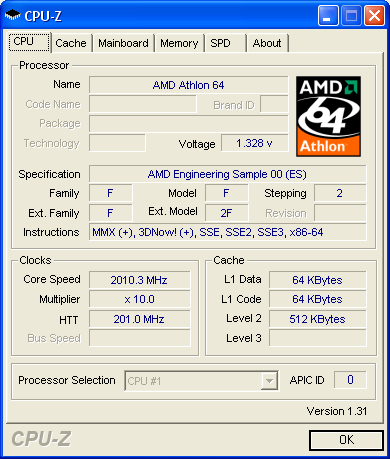 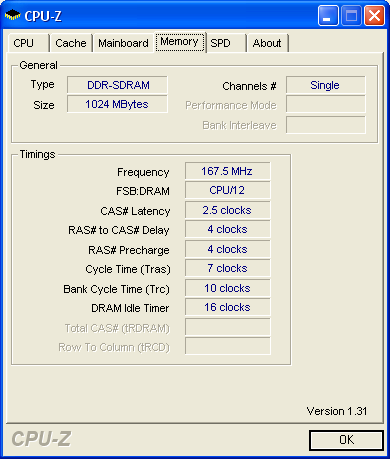 I can't get the ram run in dual channel (mobo beep) If i wanna get my proc running in 2.4ghz, do i just set the multiplier to 12 (up the voltage if required) without applying the mem divider coz i leave HTT @200? |
|
|
Mar 1 2006, 01:45 PM
|
|
Elite
4,424 posts Joined: Jan 2003 From: Singapore
|
QUOTE(toughnut @ Mar 1 2006, 09:27 AM) hi, try looking for temp readings from other users of your same boardi'm also new to OC. check out my OC'ed ram timing. from 166mhz to 222mhz with even tighter timing... btw, my cpu temp after an hour of prime95 is 62C . idle is 42C. need a new HSF?thinkin of acquire one zalman fan but afraid it wont fit into my casing it *might* be over reporting the temps QUOTE(5zigen @ Mar 1 2006, 01:35 PM) Pros, pls help me here. I got a64 eng sample & 2 stick of cheapo apacer 512M ram. One of the stick is pc2700 and another is pc3200. Wow, that's weird Here's the pic from cpuz: I can't get the ram run in dual channel (mobo beep) If i wanna get my proc running in 2.4ghz, do i just set the multiplier to 12 (up the voltage if required) without applying the mem divider coz i leave HTT @200? have u tried with a different proc? maybe the ES' mem controller a little screwed up or something yes u can just up the multi to 12X and leave the HTT that way u wont be overclocking your rams |
|
|
Mar 1 2006, 07:14 PM
|
|
Senior Member
1,075 posts Joined: Jan 2003
|
So far only got ES... but i suspect is either the mobo or ram itself sux that cannot run 1T
Anyway, changed to x12 with 1.4v vcore....prime test now (while surfing) Temperature about 53 degree max |
|
|
Mar 2 2006, 12:03 PM
|
|
VIP
15,903 posts Joined: Jan 2003 From: Miri
|
QUOTE(5zigen @ Mar 1 2006, 07:14 PM) So far only got ES... but i suspect is either the mobo or ram itself sux that cannot run 1T you found the answer itselfAnyway, changed to x12 with 1.4v vcore....prime test now (while surfing) Temperature about 53 degree max most probably the 2700 and 3200 both have different chipsets and compatibility issue arise when running dual channel |
|
|
Mar 2 2006, 11:19 PM
|
|
Senior Member
1,075 posts Joined: Jan 2003
|
I got a weird problem. Everytime i restart the pc(using windows restart), the mobo won't boot. I have to hold the power button for long time to power off the whole system, then on back... everything runs fine.
I tried changing vcore from 1.4 to 1.5 also same. But the system can run prime for more than 4 hours with 2.4ghz... any idea what's lacking? |
|
|
Mar 2 2006, 11:26 PM
|

Senior Member
9,027 posts Joined: Jan 2003 From: Ipoh
|
QUOTE(5zigen @ Mar 2 2006, 11:19 PM) I got a weird problem. Everytime i restart the pc(using windows restart), the mobo won't boot. I have to hold the power button for long time to power off the whole system, then on back... everything runs fine. I wonder when does this happen?happen recently or since u bought the board(I assume brand new)? Is it just windows restart? How about CTRL + ALT + DEL at boot up? and while existing the bios option. |
|
|
Mar 3 2006, 12:06 AM
|
|
Senior Member
1,075 posts Joined: Jan 2003
|
Well, board is brand new (dfi nf4 infinity). I actually just started using it few days ago. It happend when windows restart and when it fail to post, even if you press the reset button also no help. Need to power off entire cpu and on back only can solve.
Let say when i off power and on back, then go straight into bios and exit bios... it sometime also won't post. Sometime it says something like cpu goto safemode thingy.... |
|
|
Mar 3 2006, 08:35 AM
|
|
Senior Member
9,027 posts Joined: Jan 2003 From: Ipoh
|
It happen to my Ai7 b4, guess how I solve it?
RMA |
|
|
Mar 3 2006, 09:18 AM
|
|
Senior Member
1,075 posts Joined: Jan 2003
|
QUOTE(allenultra @ Mar 3 2006, 08:35 AM) It happen to my Ai7 b4, guess how I solve it? Hmm, if i use original multiplier setting (x10)... it won't happend. Like that also need rma?RMA |
|
|
Mar 3 2006, 09:24 AM
|
|
Senior Member
5,165 posts Joined: Feb 2005
|
try reformatting your machine
my guess is your windows is screwed up due to failed ocing previously |
|
|
Mar 3 2006, 09:50 AM
|
|
Senior Member
4,784 posts Joined: Sep 2004 From: MY
|
QUOTE Hmm, if i use original multiplier setting (x10)... it won't happend. Like that also need rma? in ur case, its quite difficult to identify, coz u r using ES, where it may and may not behave like other procs on the shelves 1st thing to do, try to get a hold of identical rams to test the dual channel and mobo bios dont officially support ES.. so even u RMA is n get a repaired mobo, it may not solve ur problem |
|
|
Mar 3 2006, 01:27 PM
|
|
Senior Member
1,075 posts Joined: Jan 2003
|
well then... i guess i gotta try maintain the default multiplier and up the htt instead. It gonna be pain since i dun have much info of apacer ram if wanna put divider on it coz there're so many values need to fill for the ram settings.
|
|
|
Mar 4 2006, 07:39 AM
|

Junior Member
46 posts Joined: Feb 2005
|
Just wanna ask sumthin'
I owned a typical KVR but can overclock nearly 270Mhz... 
I want to add 2 more KVR wif Hynix d43 chipset.. Could i reach 270Mhz when i do so? |
|
|
Mar 4 2006, 09:37 AM
|

Senior Member
2,851 posts Joined: Jan 2003 From: KuAlA LuMpUr
|
the keyword now is
PRAY |
|
|
Mar 4 2006, 12:21 PM
|
|
Junior Member
46 posts Joined: Feb 2005
|
But anyone know which bundle have more potential??
i got KVR week 1 2005 of week of distribution... this is the best bundle where we cant loose ram timing but still got better clock |
|
|
 Mar 12 2006, 11:03 AM Mar 12 2006, 11:03 AM
|
|
Senior Member
863 posts Joined: Nov 2005 From: KayTee of BolehLand 2nd Class Citizen
|
I got 2 A64 3200+ Box retail procs. Just wonder which stepping is better. Any AMD pro out there please comment.
LBBLE 0517GPMW LBBE 0518D9BW This post has been edited by seeseng: Mar 12 2006, 11:04 AM |
|
|
Mar 12 2006, 11:16 AM
|
|
All Stars
10,688 posts Joined: Jan 2005
|
i've do a quick review & i think LBBLE 0517GPMW is not that bad
atleast can do 2.5Ghz on stock voltage while; on LBBLE 0517GPMW, i kenot found. most probably u typo on the steppin' |
|
|
Mar 12 2006, 01:08 PM
|
|
Store Representative
679 posts Joined: Jan 2003 From: PG/KL/CYBERJAYA
|
any1 think 0516 FPAW great?
|
|
|
Mar 12 2006, 01:13 PM
|

Senior Member
995 posts Joined: Mar 2005 From: Johor Bahru , Johor , Malaysia
|
QUOTE(seeseng @ Mar 12 2006, 11:03 AM) I got 2 A64 3200+ Box retail procs. Just wonder which stepping is better. Any AMD pro out there please comment. Since you got two of them I suggest you try oc-ing. Then you yourself will know which one is better.LBBLE 0517GPMW LBBE 0518D9BW |
|
|
Mar 12 2006, 01:59 PM
|

Junior Member
167 posts Joined: May 2005 From: tHe 11Th PlAnEt�
|
Here's a link at XS:
CLICK HERE From what I can see, 0515 is the best for 3200+ and 0517 is currently the best for 3000+. |
|
|
Mar 12 2006, 02:16 PM
|
|
Senior Member
2,471 posts Joined: Jan 2003
|
QUOTE(Westley @ Mar 12 2006, 01:08 PM) any1 think 0516 FPAW great? no people will know unless you give a try |
|
|
Mar 12 2006, 03:21 PM
|
|
Elite
8,103 posts Joined: Jan 2003 From: Tanah Lot @ Dungun, Terengganu.
|
when a chip can do 2.7GHz on stock voltage, u'll sense that it's gonna be a decent clocker...
|
|
|
Mar 12 2006, 04:00 PM
|
|
Senior Member
4,784 posts Joined: Sep 2004 From: MY
|
its said that 0517-0520 have good memory controllers..
this is great for those with 2gb kits |
|
|
Mar 12 2006, 04:10 PM
|
|
Elite
8,103 posts Joined: Jan 2003 From: Tanah Lot @ Dungun, Terengganu.
|
but some gud clocker juz hate devider like 150... juz like my 0516...
This post has been edited by ah_khoo: Mar 12 2006, 04:25 PM |
|
|
Mar 12 2006, 04:52 PM
|
|
All Stars
10,688 posts Joined: Jan 2005
|
QUOTE(ah_khoo @ Mar 12 2006, 04:10 PM) but some gud clocker juz hate devider like 150... juz like my 0516... yeahh.. me tooi dont like to use divider but wat can i say, i thinks my RAMs kenot do higher than ddr440 on 1:1 ratio  |
|
|
Mar 12 2006, 05:01 PM
|
|
Elite
8,103 posts Joined: Jan 2003 From: Tanah Lot @ Dungun, Terengganu.
|
higher multi alwez help, else, tccd/uccc are betta bets for devider 200, but both imply that more $$ need to be spent...
This post has been edited by ah_khoo: Mar 12 2006, 05:01 PM |
|
|
Mar 12 2006, 05:41 PM
|
|
All Stars
10,688 posts Joined: Jan 2005
|
QUOTE(ah_khoo @ Mar 12 2006, 05:01 PM) higher multi alwez help, else, tccd/uccc are betta bets for devider 200, but both imply that more $$ need to be spent... got question here, what if we overclocking our rig using 5:6 ratio(166Mhz) for RAMs & run at 270HTT, for sure in cpu-z, memory tab will show the frequency of RAMs at 225Mhz. my question :-1. is the 225Mhz equivalent to DDR450?? 2. if yes, izzit means our RAMs been 225Mhz(ddr450) & running at the current overclocked cpu speed example 2.7Ghz were equivalent to 2.0Ghz(default) running on ddr400 execpt bonus to the clock speed?? |
|
|
Mar 12 2006, 06:05 PM
|
|
Senior Member
4,784 posts Joined: Sep 2004 From: MY
|
2ghz and 2.7ghz are never equivalent at whatever devider
ram speed : high fsb + loose timing vs low fsb + tight timing, still depends on proc speed |
|
|
Mar 12 2006, 06:50 PM
|
|
Elite
8,103 posts Joined: Jan 2003 From: Tanah Lot @ Dungun, Terengganu.
|
sometimes it depends on applications u run, some like tight timing while others like high frequency...
in a64, d higher d clockspeed, d higher d mem bandwidth. so priority goes to raw cpu clockspeed. *pls correct me if i'm wrong... |
|
|
Mar 13 2006, 12:21 AM
|
|
Elite
4,424 posts Joined: Jan 2003 From: Singapore
|
QUOTE(gengstapo @ Mar 12 2006, 05:41 PM) got question here, what if we overclocking our rig using 5:6 ratio(166Mhz) for RAMs & run at 270HTT, for sure in cpu-z, memory tab will show the frequency of RAMs at 225Mhz. my question :- how could it be possible that 225mhz is equal to 200mhz?1. is the 225Mhz equivalent to DDR450?? 2. if yes, izzit means our RAMs been 225Mhz(ddr450) & running at the current overclocked cpu speed example 2.7Ghz were equivalent to 2.0Ghz(default) running on ddr400 execpt bonus to the clock speed?? if it is, then whats the point in overclocking? |
|
|
Mar 16 2006, 11:53 AM
|
|
Senior Member
1,426 posts Joined: Jan 2005 From: Jln Sg Besi, Taiping
|
hmmm, recently got my new PSU and I try to OC it to 300x9 with 1.65v
but in a few minutes, PC off itself, just like what it happenede before I use a Chapalang Brand PSU. Venice E6 cant go further 1.65v? or is there other problem yet? Heat? |
|
|
Mar 16 2006, 12:14 PM
|
|
Senior Member
3,159 posts Joined: Dec 2004 From: >Taiping,Perak<
|
QUOTE(kanethesun @ Mar 16 2006, 11:53 AM) hmmm, recently got my new PSU and I try to OC it to 300x9 with 1.65v Bro,What is the temp?but in a few minutes, PC off itself, just like what it happenede before I use a Chapalang Brand PSU. Venice E6 cant go further 1.65v? or is there other problem yet? Heat? |
|
|
Mar 16 2006, 07:52 PM
|
|
Senior Member
1,426 posts Joined: Jan 2005 From: Jln Sg Besi, Taiping
|
on for 24/7 when using 1.575, wont exceed 47c.
when priming with 1.65, didnt realize, cause just let it prime, and after sometimes ... it shut down. It might be temp too high? |
|
|
Mar 16 2006, 07:55 PM
|
|
Senior Member
3,159 posts Joined: Dec 2004 From: >Taiping,Perak<
|
First thing it should be the temp and second might be the PSU.Did you OC?How many MHZ?
|
|
|
Mar 17 2006, 12:43 PM
|
|
Senior Member
873 posts Joined: Jan 2003 From: Petaling Jaya
|
i got a problem with my OCing
AMD64 SC939 3200+ (Venice E6) Asus A8N5X thing is when i change the CPU Frequency at the JumperFree Configuration at BIOS menu, after i save and exit, i load to windows..when i check CPU-Z the frequency is unchanged |
|
|
Mar 17 2006, 12:47 PM
|

Senior Member
2,048 posts Joined: Oct 2004
|
QUOTE(gr2000 @ Mar 17 2006, 12:43 PM) i got a problem with my OCing OC profile set to manual or not?AMD64 SC939 3200+ (Venice E6) Asus A8N5X thing is when i change the CPU Frequency at the JumperFree Configuration at BIOS menu, after i save and exit, i load to windows..when i check CPU-Z the frequency is unchanged C&Q enabled? |
|
|
Mar 17 2006, 12:55 PM
|
|
Senior Member
873 posts Joined: Jan 2003 From: Petaling Jaya
|
QUOTE(fx_53_xt @ Mar 17 2006, 12:47 PM) OC profile set to manual or not? cool n quiet disabledC&Q enabled? of course oc profile manual..if not i wont be able to temper the frequency settings. |
|
|
Mar 17 2006, 09:24 PM
|
|
Senior Member
1,426 posts Joined: Jan 2005 From: Jln Sg Besi, Taiping
|
QUOTE(kingmaker_20 @ Mar 16 2006, 07:55 PM) First thing it should be the temp and second might be the PSU.Did you OC?How many MHZ? ya, I did OC, 300*9perhaps thats my limit? ahaha, not sure, maybe its my temp problem as well. gonna try again and look at it, see the temp got go up or not |
|
|
Mar 19 2006, 10:15 PM
|
|
Senior Member
873 posts Joined: Jan 2003 From: Petaling Jaya
|
QUOTE(gr2000 @ Mar 17 2006, 12:43 PM) i got a problem with my OCing anyone can solve my problem?AMD64 SC939 3200+ (Venice E6) Asus A8N5X thing is when i change the CPU Frequency at the JumperFree Configuration at BIOS menu, after i save and exit, i load to windows..when i check CPU-Z the frequency is unchanged |
|
|
Mar 20 2006, 09:39 AM
|

All Stars
15,278 posts Joined: Jan 2003
|
ive got a LBBWE 0603APBW @ a64 3000+ and so far been able to cock it to 2219MHz @ 1.45vcore, 1.66 mem divider, mem @ 208MHz (kvr d-43)
multiplier is still 9 for the venice, and its a bit hard to get it stable and my MBR keeps getting corrupted. solutions would be? 1) lower multiplier, pump up HTT 2) play with HTT and CPU multiplier (max cpu speed, highest possible HTT and RAM speed?) 3)whack voltages then do one of the above |
|
|
Mar 20 2006, 01:39 PM
|
|
Senior Member
4,784 posts Joined: Sep 2004 From: MY
|
if mbr keeps corrupting that would be
1. agp/pci clock ain locking.. try 67mhz [for pata] or 2. sata ports ain locking, try 1&2 or 3&4 [for sata, usually probs on nf3 chipsets] |
|
|
Mar 20 2006, 01:47 PM
|
|
All Stars
15,278 posts Joined: Jan 2003
|
hmmm my mobo should have that lock...it has the nforce 4-4x chipset btw
anyways, will try that out, thanks |
|
|
Mar 21 2006, 08:26 AM
|
|
Elite
8,103 posts Joined: Jan 2003 From: Tanah Lot @ Dungun, Terengganu.
|
message saying that windows corrupted? if so mebe ram timing too tight. i had it during my nf3 era...
|
|
|
Mar 21 2006, 09:36 AM
|
|
All Stars
15,278 posts Joined: Jan 2003
|
ram timing too tight? LOL its the looooosest i have since NF2
|
|
|
Mar 21 2006, 12:24 PM
|

Junior Member
158 posts Joined: Mar 2006 From: pahang
|
dear overclockin gurus.. im kinda in a dillema here.. 1stly, wat mobo is suitable for oc, socket 939 but agp, price should be bout rm 300 sth and if i take socket 939 athlon 64 3000+, how high should i b able to oc it wif ur mobo of choice? pls help, i don 1 2 waste money like the lastime i bought an useless intel 2.8..
pls help? |
|
|
Mar 21 2006, 01:25 PM
|
|
Elite
8,103 posts Joined: Jan 2003 From: Tanah Lot @ Dungun, Terengganu.
|
neo2 platinium from msi, quite a gud clocker board, but vdimm limit to 2.85v only...
dfi nf3 ultra-d not bad either, might be a 'lil bit picky in ram. vdimm up to 3.2V. how far u can go w ya chip depend most on steppin... |
|
|
Mar 21 2006, 07:13 PM
|
|
Junior Member
158 posts Joined: Mar 2006 From: pahang
|
QUOTE(ah_khoo @ Mar 21 2006, 01:25 PM) neo2 platinium from msi, quite a gud clocker board, but vdimm limit to 2.85v only... SO IF GET A64 VENICE, NO STEPPING, CAN OVERCLOCK UNTIL HOW MUCH LEH? dfi nf3 ultra-d not bad either, might be a 'lil bit picky in ram. vdimm up to 3.2V. how far u can go w ya chip depend most on steppin... |
|
|
Mar 21 2006, 07:17 PM
|
|
Senior Member
983 posts Joined: Jan 2003 From: Rawang - Sepang - Pasir Gudang
|
before buying dfi nforce 3 ultra-d, better read up more on the board... if u're not willing to go through all those steps to ensure good OC, then dont... dfi boards requires alot of patients b4 u get ur results...
|
|
|
Mar 21 2006, 07:47 PM
|
|
Junior Member
158 posts Joined: Mar 2006 From: pahang
|
ERM.. WAT BOUT TIS BOARD? MSI K8N NEO2 PLATINUM?
|
|
|
Mar 22 2006, 12:07 AM
|
|
Senior Member
4,784 posts Joined: Sep 2004 From: MY
|
its best u GOOGLE it to find reviews or specific forum/thread where the users gather n discuss bout the specific board
and whats the point getting nf3 boards where theres tonnes of nf4 n ati boards out there [more bios oprtion n better power phase regulators] ----------- as a nforce3 user, im dissapointed that nforce3 cant even get near to nforce4 performance ... bue to lack bios options and power inputs for more stability p/s: DONT USE TEH FRIGGIN CAPS This post has been edited by e-jump: Mar 22 2006, 12:11 AM |
|
|
Mar 22 2006, 02:00 PM
|
|
All Stars
15,278 posts Joined: Jan 2003
|
LOL about the caps
but even then im a bit dissapointed with the nf4-4x chipset......not much options available in award bios esp for gigabyte boards =.=" |
|
|
Mar 22 2006, 09:40 PM
|

Junior Member
79 posts Joined: Jan 2006 From: 知らんわ!!
|
A very newbie and noob here.. i wan OC my pc but dun even noe the 1st step
 can help?? i jus need some pict step by step how 2 do.. My PC can help?? i jus need some pict step by step how 2 do.. My PCamd64 3000 939 E6 Abit an8 ultra colorful 6800gs 512mb WD80GB black case atrix powerlogic 500w SONY DRU810 and SONY CD burner |
|
|
Mar 23 2006, 12:44 AM
|
|
Senior Member
1,426 posts Joined: Jan 2005 From: Jln Sg Besi, Taiping
|
hey yo everyone here, recently my A64 stock fan spinning and sometimes it will create some sounds. just curious whether I can only change the fan to others instead of changing the whole HSF?
|
|
|
Mar 23 2006, 06:59 AM
|
|
Senior Member
907 posts Joined: Jan 2006 From: 124qn543x
|
what kind of sound? scratching sound or what? How long u use it? try clean some dust if it present on your fan blade.
i have an experient with my scratching north bridge fan. after i clean it, the noise gone! |
|
|
Mar 23 2006, 05:49 PM
|

Senior Member
2,658 posts Joined: Jan 2003 From: Given Not
|
I am just wondering, is it possible to overclock an AMD64 3700+ S754?
I am currently using an Asus K8N-E, with 1 Corsair PC3200 CL2.5 and 1 Corsair PC3200 CL2. Board is running at DDR333. PSU is Enermax 460W FMA. 1. Is the CPU multiplier unlocked? 2. What does it mean by DDR333? What I know is it runs at the same cpu speed?? 3. Even if its a minor overclock, can I say, overclock the ram, but with a lower multiplier, achieving result of around 2.4ghz as well? Does that increase performance? 4. I might want to upgrade to 2GB memory, what kind of rams are good for an average OCer (I know this cpu cant o/c much), and what's the average price for these rams? Thanks in advance, sorry for the noobish questions. Its been awhile since I've used AMD, and that was a 1.4ghz Tbird. |
|
|
Mar 23 2006, 09:15 PM
|
|
Junior Member
79 posts Joined: Jan 2006 From: 知らんわ!!
|
QUOTE(hiroshi_87 @ Mar 22 2006, 09:40 PM) A very newbie and noob here.. i wan OC my pc but dun even noe the 1st step no 1 help?? can help?? i jus need some pict step by step how 2 do.. My PCamd64 3000 939 E6 Abit an8 ultra colorful 6800gs 512mb WD80GB black case atrix powerlogic 500w SONY DRU810 and SONY CD burner |
|
|
Mar 23 2006, 09:21 PM
|
|
Senior Member
4,784 posts Joined: Sep 2004 From: MY
|
1. its athlon64, then its multi unlocked [only downward]
2. ?? care for a cpu-z screenshot? cpu htt at 200.. ram can go 200 too , 1:1 devider 3. for amd64, no matter at what devider and multiplier, higher speed is better. but at same cpu speed, tighter ram/faster ram is better 4. no comment... high performance 2gb kits priced at 800.. to overclock it, yes its possible.. provided u know what to tweak, n of coz some luck |
|
|
Mar 23 2006, 09:23 PM
|
|
Junior Member
18 posts Joined: Mar 2006 
|
QUOTE(hiroshi_87 @ Mar 23 2006, 09:15 PM) no 1 help?? i think better some 1 help this guy... |
|
|
Mar 23 2006, 09:30 PM
|
|
Senior Member
4,784 posts Joined: Sep 2004 From: MY
|
on overclocking, ones need to equipt self with knowledge, and dont do things blindly.. coz overclocking means running stuff outa spec..
once mis-setup, considered gone... theres a reason why ppl post screenshot n some other bios setting, so that other can try.. rule of thumb, dont do stuff u dont know... n this sthread is a good start to know what u can tweak http://forum.lowyat.net/index.php?showtopic=17713 |
|
|
Mar 24 2006, 12:26 AM
|
|
Elite
4,424 posts Joined: Jan 2003 From: Singapore
|
QUOTE(bem69 @ Mar 23 2006, 05:49 PM) I am just wondering, is it possible to overclock an AMD64 3700+ S754? 1. As e-jump saidI am currently using an Asus K8N-E, with 1 Corsair PC3200 CL2.5 and 1 Corsair PC3200 CL2. Board is running at DDR333. PSU is Enermax 460W FMA. 1. Is the CPU multiplier unlocked? 2. What does it mean by DDR333? What I know is it runs at the same cpu speed?? 3. Even if its a minor overclock, can I say, overclock the ram, but with a lower multiplier, achieving result of around 2.4ghz as well? Does that increase performance? 4. I might want to upgrade to 2GB memory, what kind of rams are good for an average OCer (I know this cpu cant o/c much), and what's the average price for these rams? Thanks in advance, sorry for the noobish questions. Its been awhile since I've used AMD, and that was a 1.4ghz Tbird. 2. Your rams should already be at DDR400 instead of 333 even at default. Did u check with CPU-Z? 3. Yes u can. You can lower the multi and raise the HTT so that your proc speed matches it's original speed, then your rams will be overclocked. Just make sure you've set your ram dividers to 200 or 1:1 or DDR400 (whichever your board calls it) 4. Try looking for Apacer value rams with Samsung UCCC chips. They're the best price/performance rams if u can find them. How to find them? Go to shops and check their rams yeah it suxThis post has been edited by KilJim: Mar 24 2006, 12:27 AM |
|
|
Mar 24 2006, 03:41 PM
|

Senior Member
2,402 posts Joined: Dec 2004
|
yo~.. i'm new in amd....
as what i know... , the hypertransport thingy should'nt exceeds 1000mhz as it'll cause unstable overclocking.... hmm... what if my hypertransport at 1091mhz ... while prime stable... will it do any harm if i let it stay at 1091mhz which is exceeding 1000mhz? while another thing i wanna ask is that.. what's LDT to Northbridge.. and bla bla bla to southbridge? |
|
|
Mar 24 2006, 04:44 PM
|
|
Senior Member
2,658 posts Joined: Jan 2003 From: Given Not
|
QUOTE(KilJim @ Mar 24 2006, 12:26 AM) 1. As e-jump said 2. Your rams should already be at DDR400 instead of 333 even at default. Did u check with CPU-Z? 3. Yes u can. You can lower the multi and raise the HTT so that your proc speed matches it's original speed, then your rams will be overclocked. Just make sure you've set your ram dividers to 200 or 1:1 or DDR400 (whichever your board calls it) 4. Try looking for Apacer value rams with Samsung UCCC chips. They're the best price/performance rams if u can find them. How to find them? Go to shops and check their rams yeah it suxQUOTE 1. its athlon64, then its multi unlocked [only downward] Thanks for the reply. Well, I'm at work at the moment, see, it says DDR333 when I use my different corsairs together (in cpu-z it says PC2700 & PC3200). Motherboard is Asus K8N. Anyway I remember at CPU-Z at standard settings, the rams are running at 166Mhz. I managed to overclock the FSB to 220Mhz and get a speed of 2.64Ghz. Primed it about 2 hrs, and played CS a bit. Seems to run ok. What's bugging me is that the memory speed is at 17XMhz?2. ?? care for a cpu-z screenshot? cpu htt at 200.. ram can go 200 too , 1:1 devider 3. for amd64, no matter at what devider and multiplier, higher speed is better. but at same cpu speed, tighter ram/faster ram is better 4. no comment... high performance 2gb kits priced at 800.. to overclock it, yes its possible.. provided u know what to tweak, n of coz some luck |
|
|
Apr 1 2006, 04:40 PM
|
|
Junior Member
345 posts Joined: Apr 2005 From: Kajang
|
because you are running on divider. your fsb(in a64 it is called HTT speed) is 220 but since your rams are running at ddr333 so the pair of rams are actually running at 220x(5/6) hence the 17x mhz.
|
|
|
Apr 2 2006, 08:38 PM
|
|
Senior Member
1,022 posts Joined: Sep 2005 From: nomad in the Sahara...
|
Hi guys...need some advice. Still new to OC.
Hit a snag finding my max CPU. Current setting: CPU/FSB = 10.0 LDT/FSB(LDT Multi) = 3.0 LDT/FSB(RAM Ratio) = 133Mhz (2/03) CPU VID = Auto At 250 X 10.0, my computer SuperSI pass the 32M test. Temps were all good. But when i set to 255 X 10.0, windows freezes at startup. Tried with higher Ram ratio(166) and set VID to 1.425 still won't do anything. Anyone can guide me in getting through this? Thanx This post has been edited by WildChai: Apr 2 2006, 08:43 PM |
|
|
Apr 2 2006, 08:51 PM
|
|
Senior Member
4,784 posts Joined: Sep 2004 From: MY
|
probablu reached the limit with low vcore..
1.43 is still low.. tried 1.5+v ? <-- works best with high end cooling |
|
|
Apr 2 2006, 09:08 PM
|

Senior Member
904 posts Joined: Jan 2003 From: Trg / Jay Bee
|
yeahh..try to raise ur vcore..but dont pass 1.6v lorr..except u have good cooling..but for ur information..higher voltage kill ur proc faster than heat..
|
|
|
Apr 2 2006, 10:15 PM
|
|
Senior Member
1,022 posts Joined: Sep 2005 From: nomad in the Sahara...
|
QUOTE(e-jump @ Apr 2 2006, 08:51 PM) probablu reached the limit with low vcore.. Oh...ok. 1.43 is still low.. tried 1.5+v ? <-- works best with high end cooling ThanxSo...do i slowly raise it and boot up each time or straight jump to any vcore between 1.5 - 1.6? Think will try the slow and steady route just to be safe. QUOTE(kulus @ Apr 2 2006, 09:08 PM) yeahh..try to raise ur vcore..but dont pass 1.6v lorr..except u have good cooling..but for ur information..higher voltage kill ur proc faster than heat.. Yeah...hope don't kill it instantly. From what i read, the recommended max would be 1.6 - 1.65 MAX. Anything above will fry it. High end cooling...i'm planning on getting a Arctic Cooling Freezer64 PRO. But contemplating on using watercooling. Saw one in a bulk at the price of RM180 (Syscooling), this ok? Which would be better in the long run? This post has been edited by WildChai: Apr 2 2006, 10:18 PM |
|
|
Apr 2 2006, 10:35 PM
|
|
Senior Member
4,784 posts Joined: Sep 2004 From: MY
|
watercooling sifoos is that way ^ (extreeme cooling section)
if it were me, i'll start with 1.55+v n 300htt.. unstable, go down 10mhz.. [its lazyman method ]everyone have their own way.. but patience in tweaking ram >> tweaking proc |
|
|
Apr 3 2006, 01:00 AM
|
|
Senior Member
904 posts Joined: Jan 2003 From: Trg / Jay Bee
|
patience is most importance thing in tweaking..hehehe..
|
|
|
Apr 3 2006, 09:33 AM
|
|
Senior Member
1,022 posts Joined: Sep 2005 From: nomad in the Sahara...
|
Thanx y'all!
How silly of me to push my CPU without giving it enough juice. what's the average temp for cpu under load at 2.6ghz? i'm getting like 33. Any tips on overclocking rams? |
|
|
Apr 3 2006, 10:32 AM
|
|
Senior Member
904 posts Joined: Jan 2003 From: Trg / Jay Bee
|
QUOTE(WildChai @ Apr 3 2006, 09:33 AM) Thanx y'all! u mean 33c at idle or full load? if the temp is at full load..fuhh..its super cool lor How silly of me to push my CPU without giving it enough juice. what's the average temp for cpu under load at 2.6ghz? i'm getting like 33. Any tips on overclocking rams? |
|
|
Apr 3 2006, 11:45 AM
|
|
Senior Member
1,022 posts Joined: Sep 2005 From: nomad in the Sahara...
|
QUOTE(kulus @ Apr 3 2006, 10:32 AM) u mean 33c at idle or full load? if the temp is at full load..fuhh..its super cool lor full load temps at 33-35(aircon) fan running at 1300rpm, when running the SuperPI 32M. stock hsf.if without the room air-cond turned on, temp would be at 40. which is why i'm getting a freezer64 pro. |
|
|
Apr 3 2006, 10:59 PM
|

Senior Member
684 posts Joined: Feb 2006 From: Seremban, On Gixxer
|
i'm super noob here...
my rig.. cant go more than 239 fsb.. 239fsb setting....- mem 200 = 478mghz 3.3.3.7 @ 2.7v [corsair xms 3200 pro led] rev5.2 - HTT 4x - proc ratio 8x - proc vCore 1.492 240 setting - blank-bios blank... - so i raise vCore..still da same.. did i miss something  |
|
|
Apr 4 2006, 01:07 AM
|

Senior Member
2,295 posts Joined: Jan 2005 From: Penang
|
I currently using the pc as the spec at my signature, 1 weird problem is i can OC my cpu till 2.5Ghz without pumping up any voltage, but once i hit over 2.5 Ghz to 2.6Ghz, i can log on to windows without adding voltages but it freezes when running prime, after i pump up the voltages to 1.425, it stills same , freezes during prime stress test, could anyone give me some hint???
|
|
|
Apr 4 2006, 01:09 AM
|
|
VIP
9,495 posts Joined: Dec 2004
|
Pump it to 1.5V then.
2.6GHz on 1.425 kira good ones adi lo... |
|
|
Apr 4 2006, 01:30 AM
|
|
Senior Member
3,224 posts Joined: Jan 2003 From: B.B.Bangi
|
QUOTE(lichyetan @ Apr 4 2006, 01:07 AM) I currently using the pc as the spec at my signature, 1 weird problem is i can OC my cpu till 2.5Ghz without pumping up any voltage, but once i hit over 2.5 Ghz to 2.6Ghz, i can log on to windows without adding voltages but it freezes when running prime, after i pump up the voltages to 1.425, it stills same , freezes during prime stress test, could anyone give me some hint??? Make sure RAM and HTT are still within permissible limits as well. These are factor most of us sometimes ignore. Pumping the vcore should do as of now. I will avoid exceeding 1.65v on a decent aircooled setup. |
|
|
Apr 4 2006, 01:37 AM
|
|
Senior Member
3,159 posts Joined: Dec 2004 From: >Taiping,Perak<
|
Can you post the Idle/Load temperature?
|
|
|
Apr 4 2006, 02:23 AM
|
|
VIP
2,068 posts Joined: Jan 2003 From: Ipoh / Penang / PJ
|
What is your HTT multiplier? It is commonly called LDT as well. It ranges from 1x to 5x. You might need to lower it down to 4 if your HTT hits 250 or more.
QUOTE(lichyetan @ Apr 4 2006, 01:07 AM) I currently using the pc as the spec at my signature, 1 weird problem is i can OC my cpu till 2.5Ghz without pumping up any voltage, but once i hit over 2.5 Ghz to 2.6Ghz, i can log on to windows without adding voltages but it freezes when running prime, after i pump up the voltages to 1.425, it stills same , freezes during prime stress test, could anyone give me some hint??? |
|
|
Apr 5 2006, 11:16 AM
|

Junior Member
206 posts Joined: Aug 2005 From: selangor
|
try add your vcore...
if also cannot try add your ram vdimm... if also cannot maby your proc hit the wall already.. |
|
|
Apr 5 2006, 04:11 PM
|
|
Senior Member
684 posts Joined: Feb 2006 From: Seremban, On Gixxer
|
try add your vcore...?
if also cannot try add your ram vdimm...? if also cannot maby your proc hit the wall already? waa so low lh... whut 'bout PSU?.. got 12v @14amp n 15amp maybe cant oc well need help |
|
|
Apr 5 2006, 06:39 PM
|
|
Elite
4,424 posts Joined: Jan 2003 From: Singapore
|
QUOTE(ryugan @ Apr 3 2006, 10:59 PM) i'm super noob here... Keep your proc multi at 9Xmy rig.. cant go more than 239 fsb.. 239fsb setting....- mem 200 = 478mghz 3.3.3.7 @ 2.7v [corsair xms 3200 pro led] rev5.2 - HTT 4x - proc ratio 8x - proc vCore 1.492 240 setting - blank-bios blank... - so i raise vCore..still da same.. did i miss something Lower your RAM multi to 166 or whatever your mobo calls it Should be called something like FSB : DRAM |
|
|
Apr 5 2006, 06:53 PM
|
|
Senior Member
904 posts Joined: Jan 2003 From: Trg / Jay Bee
|
yeah..use proc multi at 9 lor..9 x 239 = 2.151 Ghz and 8 x 239 = only 1.9 Ghz
|
|
|
Apr 6 2006, 02:01 PM
|
|
Senior Member
684 posts Joined: Feb 2006 From: Seremban, On Gixxer
|
QUOTE(kulus @ Apr 5 2006, 06:53 PM) yeah..use proc multi at 9 lor..9 x 239 = 2.151 Ghz and 8 x 239 = only 1.9 Ghz ok..i ve done it...250fsb @ 250 mhz ram(500). timing 3.3.3.8 @ 2.8v vcore 1.490.. but sumthing wierd. i set proc multiplier to 8x...@ bios...when boot up .to windows...n see @ CPU-z still 9X |
|
|
Apr 6 2006, 05:03 PM
|
|
Elite
4,424 posts Joined: Jan 2003 From: Singapore
|
QUOTE(ryugan @ Apr 6 2006, 02:01 PM) ok..i ve done it... did u lower your ram multi yet?250fsb @ 250 mhz ram(500). timing 3.3.3.8 @ 2.8v vcore 1.490.. but sumthing wierd. i set proc multiplier to 8x...@ bios...when boot up .to windows...n see @ CPU-z still 9X |
|
|
Apr 6 2006, 05:10 PM
|
|
Senior Member
1,469 posts Joined: Jan 2003 From: YOU.ESS.JAY
|
QUOTE(ryugan @ Apr 6 2006, 02:01 PM) ok..i ve done it... should disable Cool & Quiet feature in bios as well.250fsb @ 250 mhz ram(500). timing 3.3.3.8 @ 2.8v vcore 1.490.. but sumthing wierd. i set proc multiplier to 8x...@ bios...when boot up .to windows...n see @ CPU-z still 9X |
|
|
Apr 6 2006, 07:06 PM
|
|
Senior Member
904 posts Joined: Jan 2003 From: Trg / Jay Bee
|
err.. i think cool n quite in bios doesnt kacau the overclocking system..
|
|
|
Apr 6 2006, 09:54 PM
|
|
Junior Member
206 posts Joined: Aug 2005 From: selangor
|
QUOTE(kulus @ Apr 6 2006, 07:06 PM) err.. i think cool n quite in bios doesnt kacau the overclocking system.. kulus i think cool n quite must be disable before oc...because when oc the system temperature will be increase.. so cool n quite will kacau if wi do nat disable it... |
|
|
Apr 6 2006, 11:02 PM
|
|
Senior Member
684 posts Joined: Feb 2006 From: Seremban, On Gixxer
|
QUOTE(KilJim @ Apr 6 2006, 05:03 PM) did u lower your ram multi yet? nope..all features disabled if i lower my multi ram can get higher cpu clock aaa? ok i'll try.... |
|
|
Apr 7 2006, 12:01 AM
|
|
Elite
4,424 posts Joined: Jan 2003 From: Singapore
|
I'm guessing that's the main thing limiting your speeds now
Cause your rams probably cant go much above 250mhz, so put some lower dividers on them so that they'll run lower and wont limit your proc CnQ doesnt have to be disabled when OCing But you should disable it so that u dont have any problems |
|
|
Apr 7 2006, 04:45 AM
|
|
Senior Member
3,224 posts Joined: Jan 2003 From: B.B.Bangi
|
Recently tested a frined of mine MSI K8N SLI-FI, the basic system consists of AMD64 x 2(4200+) + KVR 1GB/CORSAIR VS 1GB (tested both).
Overclocking wise this board is a dissapointment, while the AMD64 x 2 is capable of some serious performance but was letdown by the poor performance. The maximum HTT was not consistent, the highest being 240HTT which was really unstable and the lowest but competely stable was recorded at only 225HTT. After some googling, there is no fix for this somewhat lacklustre performance via flashing the BIOS. Anyway I did flashed the BIOS but only having to noticed no improvement whatsoever. The BIOS is just to fix bug over some USB issues. So I recommend you guys to stay away from this board at all cost, there is just no Nforce 4 SLI chipset that is cheap but provides the enthusiast with much needed performance. It was a letdown, MSI have certainly gone backwards with this value edition of its SLI chipset. Should have done better considering the K8N Diamond is a wonderful clocker. |
|
|
Apr 7 2006, 12:31 PM
|
|
Senior Member
1,469 posts Joined: Jan 2003 From: YOU.ESS.JAY
|
QUOTE(KilJim @ Apr 7 2006, 12:01 AM) I'm guessing that's the main thing limiting your speeds now CnQ must be disabled if u plan on using a lower cpu multiplier, else it would go back to default whenever u enter windows esp if u had the A64 driver installed.Cause your rams probably cant go much above 250mhz, so put some lower dividers on them so that they'll run lower and wont limit your proc CnQ doesnt have to be disabled when OCing But you should disable it so that u dont have any problems |
|
|
Apr 7 2006, 12:50 PM
|
|
Elite
4,424 posts Joined: Jan 2003 From: Singapore
|
QUOTE(redbull_y2k @ Apr 7 2006, 12:31 PM) CnQ must be disabled if u plan on using a lower cpu multiplier, else it would go back to default whenever u enter windows esp if u had the A64 driver installed. Ah...i seeBut with a max multi of 9X, no one really needs to lower it |
|
|
Apr 7 2006, 01:01 PM
|
|
Senior Member
1,469 posts Joined: Jan 2003 From: YOU.ESS.JAY
|
QUOTE(KilJim @ Apr 7 2006, 12:50 PM) Ah...i see yup, only affects u if u decide to lower it tho. Like in case u wanna test the highest stable HTT for the mobo, u'd lower the cpu n ram multiplier. But with a max multi of 9X, no one really needs to lower it |
|
|
Apr 7 2006, 02:09 PM
|
|
Senior Member
4,784 posts Joined: Sep 2004 From: MY
|
CnQ must be disabled if u run rams on devider anything other than 1:1 [200:200]
no problemo if 1:1 This post has been edited by e-jump: Apr 7 2006, 02:10 PM |
|
|
Apr 8 2006, 08:14 PM
|

Senior Member
2,597 posts Joined: Mar 2005 From: Kuala Lumpur
|
any idea how 2 push higher then 2.6GHz? my target is 2.8GHz and above!
2.4GHz HTT = 267 Multiplier = x9 CPU Voltage = 1.4375v Hyper Transport = 4x Super PI (1M): http://i24.photobucket.com/albums/c17/oymy...ase/superpi.jpg CPU-Z: http://i24.photobucket.com/albums/c17/oymy...0Database/2.png 2.6GHz HTT = 289 Multiplier = x9 CPU Voltage = 1.500v Hyper Transport = 4x Super PI (1M): http://i24.photobucket.com/albums/c17/oymy...e/superpi26.jpg CPU-Z: http://i24.photobucket.com/albums/c17/oymy...tabase/2600.png memory setting: 333MHz 3-4-4-8 (2T) This post has been edited by gmail: Apr 8 2006, 10:43 PM |
|
|
Apr 8 2006, 09:19 PM
|
|
Senior Member
3,224 posts Joined: Jan 2003 From: B.B.Bangi
|
QUOTE(gmail @ Apr 8 2006, 08:14 PM) ---snip--- Both of your links are not working. Btw, change to a better cooler/hsf if heat is unbearable. If heat is not the problem, then try ramping up the vcore a bit higher.any idea how 2 push higher then 2.6GHz? my memory setting: 333MHz 3-4-4-8 (2T) This post has been edited by PCcrazy: Apr 8 2006, 09:19 PM |
|
|
Apr 8 2006, 10:44 PM
|
|
Senior Member
2,597 posts Joined: Mar 2005 From: Kuala Lumpur
|
QUOTE(PCcrazy @ Apr 8 2006, 09:19 PM) Both of your links are not working. Btw, change to a better cooler/hsf if heat is unbearable. If heat is not the problem, then try ramping up the vcore a bit higher. link posted again! i push the vcore still cannot! |
|
|
Apr 8 2006, 11:12 PM
|
|
Senior Member
904 posts Joined: Jan 2003 From: Trg / Jay Bee
|
QUOTE(gmail @ Apr 8 2006, 10:44 PM) link posted again! i push the vcore still cannot! hehhe..it might be already at the limit lor |
|
|
Apr 8 2006, 11:39 PM
|
|
Elite
8,103 posts Joined: Jan 2003 From: Tanah Lot @ Dungun, Terengganu.
|
4*289 is alreaady exceed 1000 leh...
try 3x instead... |
|
|
Apr 9 2006, 02:47 AM
|
|
Senior Member
904 posts Joined: Jan 2003 From: Trg / Jay Bee
|
yeahh..ur Hyper Transport cannot over 1000 lor..
|
|
|
Apr 9 2006, 04:20 AM
|
|
Senior Member
3,224 posts Joined: Jan 2003 From: B.B.Bangi
|
QUOTE(ah_khoo @ Apr 8 2006, 11:39 PM) 4*289 is alreaady exceed 1000 leh... Hmm, nicely spotted. Didn't pay much attention to that one but it's crucially important that you don't break this rule. Stick to it to achieve greater stability and overclock. try 3x instead... |
|
|
Apr 9 2006, 04:43 AM
|

Senior Member
854 posts Joined: Jun 2005 From: N9
|
QUOTE(PCcrazy @ Apr 9 2006, 04:20 AM) Hmm, nicely spotted. Didn't pay much attention to that one but it's crucially important that you don't break this rule. Stick to it to achieve greater stability and overclock. i tried 1,2,3,4,5 and it dosen't affect the performance of the rig. so i put it to 2. no problems so far. dividers, a64 drivers all in. cool and quiet disabled. |
|
|
Apr 10 2006, 10:51 AM
|

Junior Member
307 posts Joined: Apr 2006
|
my rig
amd64 754 2800 (2.4ghz) mobo abit nf3 ram ddr400 1gb ct-d43 gc ati 9600xt little oc so my timing: 3-4-4-10 333 n divider is 3 9 is max multiplier in my mobo 9 X 267 = 2.4ghz temp: idle system 35 n cpu 37c full load sys. 42 n cpu 45c-48c i can go oc to 2.5ghz but to scared if it will burn huhuhu.... si any suggestion to improve my oc.. |
|
|
Apr 10 2006, 10:59 AM
|
|
Senior Member
904 posts Joined: Jan 2003 From: Trg / Jay Bee
|
what ur vcore? dare it will burn? ..are u using stock cooler?
|
|
|
Apr 10 2006, 12:00 PM
|
|
Junior Member
307 posts Joined: Apr 2006
|
noop
im using zalman 7000 so it is to hot.. but seems to be standards cause thats sc754 n nforce3 and my command rate is 1T cpu 1.6v stable ram volt 2.8v |
|
|
Apr 10 2006, 05:50 PM
|
|
All Stars
15,278 posts Joined: Jan 2003
|
 my OC results, but then in BIOS i have the FSB at 302!!! darn bios might be corrupted. sheesh. |
|
|
Apr 10 2006, 10:12 PM
|
|
Elite
8,103 posts Joined: Jan 2003 From: Tanah Lot @ Dungun, Terengganu.
|
QUOTE(kev da man @ Apr 10 2006, 05:50 PM) my OC results, but then in BIOS i have the FSB at 302!!! darn bios might be corrupted. sheesh. woot, new version of sp2004... |
|
|
Apr 10 2006, 11:29 PM
|
|
All Stars
15,278 posts Joined: Jan 2003
|
huh? which divider 140? LOL
ram is at 2/1.33 divider, rams all maxing out already.... and just completed 15++ hours of prime, so this is the most rock stable setting so far, but not the highest |
|
|
Apr 10 2006, 11:42 PM
|
|
Elite
8,103 posts Joined: Jan 2003 From: Tanah Lot @ Dungun, Terengganu.
|
i'm hittin d wall w/ my ram too. sometimes lower dividers like 150, 140 wun work well (atleast in my case). no matter how loose d timin is i just can't get 'em prime stable...
2/1.33??? lazy to do d maths... |
|
|
Apr 11 2006, 12:24 AM
|
|
Senior Member
904 posts Joined: Jan 2003 From: Trg / Jay Bee
|
QUOTE(ah_khoo @ Apr 10 2006, 11:42 PM) i'm hittin d wall w/ my ram too. sometimes lower dividers like 150, 140 wun work well (atleast in my case). no matter how loose d timin is i just can't get 'em prime stable... so..this is right time to get new HP ram la 2/1.33??? lazy to do d maths... |
|
|
Apr 11 2006, 01:51 AM
|
|
Elite
4,424 posts Joined: Jan 2003 From: Singapore
|
QUOTE(ah_khoo @ Apr 10 2006, 11:42 PM) i'm hittin d wall w/ my ram too. sometimes lower dividers like 150, 140 wun work well (atleast in my case). no matter how loose d timin is i just can't get 'em prime stable... that's 133 la 2/1.33??? lazy to do d maths... 2/1.33 = 200/133 (HTT / RAM speed) |
|
|
Apr 11 2006, 01:59 AM
|
|
Elite
8,103 posts Joined: Jan 2003 From: Tanah Lot @ Dungun, Terengganu.
|
QUOTE(KilJim @ Apr 11 2006, 01:51 AM) that's 133 la too lazy... 2/1.33 = 200/133 (HTT / RAM speed) 1 q to ask u guys, if say memtest stable (dos ofcoz) but failed in prime within a minute, wat u guys will do usually... i'm havin hard time to prime-stable my ram @ 245MHz... |
|
|
Apr 11 2006, 05:09 PM
|
|
Elite
4,424 posts Joined: Jan 2003 From: Singapore
|
QUOTE(ah_khoo @ Apr 11 2006, 01:59 AM) too lazy... Reformat HDD? 1 q to ask u guys, if say memtest stable (dos ofcoz) but failed in prime within a minute, wat u guys will do usually... i'm havin hard time to prime-stable my ram @ 245MHz... |
|
|
Apr 11 2006, 10:29 PM
|
|
All Stars
15,278 posts Joined: Jan 2003
|
huh...so kwachiong mer....LOL
prime must see wether its large or small FFTs which affects it mer....like mine if blend got probs, then i do another prime on each type of stress test, so i'll know which is the lagging part. |
|
|
Apr 12 2006, 08:24 AM
|
|
Elite
8,103 posts Joined: Jan 2003 From: Tanah Lot @ Dungun, Terengganu.
|
QUOTE(KilJim @ Apr 11 2006, 05:09 PM) Reformat HDD? QUOTE(kev da man @ Apr 11 2006, 10:29 PM) huh...so kwachiong mer....LOL thx for d feedbacks guys... prime must see wether its large or small FFTs which affects it mer....like mine if blend got probs, then i do another prime on each type of stress test, so i'll know which is the lagging part. d one always failed is large fft, i'll post d alpha timings soon so dat u guys can have betta idea bout my problem... |
|
|
Apr 12 2006, 10:00 AM
|
|
All Stars
15,278 posts Joined: Jan 2003
|
more POWWWWAH! add more vcore lar.
|
|
|
Apr 14 2006, 06:29 AM
|
|
Senior Member
3,224 posts Joined: Jan 2003 From: B.B.Bangi
|
QUOTE(kev da man @ Apr 12 2006, 10:00 AM) more POWWWWAH! add more vcore lar. Or invest in a good cooling solution.OT: kev, what happen to the candidate for the overclocking event? any news as I would be interested to come and see. |
|
|
Apr 14 2006, 07:33 AM
|
|
All Stars
15,278 posts Joined: Jan 2003
|
no more liao.....ATI duwan to do coz their schedule no time ahHAHAHAHAHAHA
but i tired the rig they sent..........its....powerful aahhahahaa |
|
|
Apr 16 2006, 06:36 PM
|
|
Senior Member
2,751 posts Joined: Jan 2003 From: Taiping
|
off ur spread spectrum as i noe..last time i oc time cant work..den i off spread spectrum..oc very good...i heard spread spectrum is to stablize the frequency
|
|
|
Apr 16 2006, 10:03 PM
|
|
Senior Member
904 posts Joined: Jan 2003 From: Trg / Jay Bee
|
yeahh..OC till 2.5 ghz with default vcore can consider good la..
and make sureur LDT x HTT not over 1000 |
|
|
Apr 16 2006, 10:22 PM
|
|
Senior Member
954 posts Joined: Jul 2005 From: Anywhere!
|
2.5 ghz at 1.425V prime no prob?
pump the voltage higher la, u got watercooling! |
|
|
Apr 17 2006, 10:39 PM
|
|
Senior Member
1,426 posts Joined: Jan 2005 From: Jln Sg Besi, Taiping
|
wonder if I pass my blend test and I fail for the stress ram test, whats the problem usually?
|
|
|
Apr 18 2006, 01:53 AM
|
|
All Stars
15,278 posts Joined: Jan 2003
|
your rams cacatz lol
more like you push your rams too far and might experience aBSOD soon or not enough vdimm or wrong timings, not loose enough |
|
|
Apr 18 2006, 10:21 AM
|
|
Junior Member
132 posts Joined: Dec 2004
|
NEED HELP !!!
AMD cool n quiet utility software, anyone use this b4? Ok, here is the story... When I bought my AMD system last august, after power on the cpu stock fan sound teribble. So, I installed the AMD cool n quiet software. I still remember tht when u install, it will popout a msg saying tht do not install this software if u intend to oc ur system. Since the time I do not oc anything, so I proceed to install loh. Now, Im want to oc my sapphire x800gto2 to x850xt. But it cannot goes high bcoz while it find the max core the screen will suddenly blackoff. I seek help by capture some data and posted to overclock zone. A lot of forumer told me tht it is bcoz of the system is not stable. So, I juz think will it caused of the cool n quiet software tht I installed last time? FYI, im using amd 64 venice 3000+, dfi dagf nf4, 2x256mb kingston, enermax noisetaker 600watt, sapphire x800gto2, WD 160GB sata. p/s: I oso try to format the pc, but I still cant oc my sapphire x800gto2 to x850xt. Coz it will blackout like no display on monitor, unless I press reset button. So, my question is:- 1) What is AMD cool n quiet software does? I mean it will update the setting in bios/mobo(permanent) or it juz a windows program; after format it will gone? 2) Do you think this software is the root to my problem? If yes, what can I do so tht I can oc my gto2 higher? |
|
|
Apr 18 2006, 11:51 AM
|
|
All Stars
15,278 posts Joined: Jan 2003
|
lol a gto will never be a xt. unless you actually enable the extra 4 pipelines that is.
|
|
|
Apr 18 2006, 12:57 PM
|
|
Junior Member
132 posts Joined: Dec 2004
|
QUOTE(kev da man @ Apr 18 2006, 11:51 AM) lol a gto will never be a xt. unless you actually enable the extra 4 pipelines that is. this is special edition, by default it oredi unlocked the extra 4 pipelines. The only different is the core and mem speed. |
|
|
Apr 23 2006, 07:04 PM
|

Junior Member
33 posts Joined: Nov 2005
|
Im new in overclocking world.
Plz show me some guide. I drop my cpu multiplier to 9x and start increasing my fsb to 215... Still ok... after i increased my fsb to about 225 my pc shows "Detecting Array" error message. I also notice my PCI clock is also increased as im increasing my fsb. Is this means my mobo dont have PCI lock?! completely confused... thx |
|
|
Apr 23 2006, 07:10 PM
|

Senior Member
1,093 posts Joined: Jun 2005
|
1) is that your rig is as your signature?? better post a printscreen of CPU-Z here. download @ http://www.cpuid.com
2) PCI clock will increase with your FSB incresement.. select PCI AGP clock lock at BIOS.. run some benchmark software to ensure the stablity.. |
|
|
Apr 23 2006, 07:23 PM
|
|
Junior Member
33 posts Joined: Nov 2005
|
Here my rig spec
AMD Athlon 64 3500+ 939 Venice 2.2Ghz DFI NF4 Ultra Infinity 2x 512mb Corsair Value Select DDR400 GeForce 7600GT 256mb Coolermaster Real Power 450watt I cant see any option to lock my PCI in bios... |
|
|
Apr 24 2006, 01:14 PM
|
|
Senior Member
5,165 posts Joined: Feb 2005
|
Im using k8n neo 2 plat, u can enable the fan to follow the temprature. not bad .
anyway im having problems with this board cant seem to get 250ht stable. current config is 250x9. Htt multiplier is 4 rams are running 166 ( currently 205 mhz at 2/3/3/7 at 1T(still not stable with 2t either) at 2.75 volts (winbond ch-6) oh and my a64 is currently a winchester 3000. it aint stable when i prime it. after 5-10 minutes, error anyone got ideas? |
|
|
Apr 24 2006, 04:11 PM
|
|
Junior Member
307 posts Joined: Apr 2006
|
plz help me to oc my rig
max oc reach only2.45ghz default is 1.8ghz amd64 754 ram kingston ddr400 ct-d43 272 x 9 = 2.45ghz 9 is max multiplier 3-4-4-10 (333) 1T my target to get 2.5ghz |
|
|
Apr 24 2006, 11:20 PM
|

Senior Member
2,423 posts Joined: Jan 2003 From: Alor Star & Changlun
|
QUOTE(jarofclay @ Apr 4 2006, 02:23 AM) What is your HTT multiplier? It is commonly called LDT as well. It ranges from 1x to 5x. You might need to lower it down to 4 if your HTT hits 250 or more. It is for stability, more HTT they hits, LDT need to set at least to x4 or x3, am i right ? |
|
|
Apr 25 2006, 02:10 AM
|
|
Senior Member
5,165 posts Joined: Feb 2005
|
how come winchesters dont have multiplier at 10x?
instead of 9x? is this normal or is my msi k8n neo 2 bios has a snag in it? |
|
|
Apr 25 2006, 07:01 AM
|
|
Senior Member
2,423 posts Joined: Jan 2003 From: Alor Star & Changlun
|
QUOTE(thefryingfox @ Apr 25 2006, 02:10 AM) how come winchesters dont have multiplier at 10x? Maybe ur 1 is 3000+ = 1.8ghz <> 9 X 200mhz = 1800mhz....instead of 9x? is this normal or is my msi k8n neo 2 bios has a snag in it? |
|
|
Apr 26 2006, 12:11 PM
|

Senior Member
1,188 posts Joined: Jan 2003
|
QUOTE(thefryingfox @ Apr 25 2006, 02:10 AM) how come winchesters dont have multiplier at 10x? hey, better go read those Neo2 forums @ extremevoverclockers..make sure to use sata 3,4 , pci/agp lock and take all those necessary precautions when overclocking.instead of 9x? is this normal or is my msi k8n neo 2 bios has a snag in it? |
|
|
Apr 26 2006, 01:24 PM
|

Junior Member
403 posts Joined: Jul 2005 From: in front of your house.... peeping
|
Hi all.. I'm wondering for the WINCHESTER 3200+ users, what max OC that you've got?
1. I managed to got 320FSB (x8.0) at 2.80GHz (UN-bootable) 2. Bootable 2.69GHz above 300 FSB (failed at Super PI test 16K) this due to I'm using lousy 1GB dual channel KVR. I wonder what is your PRIME stable clock for WINCHESTER users? |
|
|
Apr 26 2006, 02:53 PM
|
|
Senior Member
904 posts Joined: Jan 2003 From: Trg / Jay Bee
|
QUOTE(batousai @ Apr 26 2006, 01:24 PM) Hi all.. I'm wondering for the WINCHESTER 3200+ users, what max OC that you've got? what board are u using bro?1. I managed to got 320FSB (x8.0) at 2.80GHz (UN-bootable) 2. Bootable 2.69GHz above 300 FSB (failed at Super PI test 16K) this due to I'm using lousy 1GB dual channel KVR. I wonder what is your PRIME stable clock for WINCHESTER users? u better list down ur pc spec here |
|
|
Apr 26 2006, 03:12 PM
|
|
Senior Member
904 posts Joined: Jan 2003 From: Trg / Jay Bee
|
QUOTE(nakata101 @ Apr 24 2006, 11:20 PM) It is for stability, more HTT they hits, LDT need to set at least to x4 or x3, am i right ? it depend on ur HTT. lower than 230 = LDT set to 4 between 250 and 231 = LDT set to 4 250 and above LDT set to 3 |
|
|
Apr 26 2006, 03:30 PM
|
|
Senior Member
5,165 posts Joined: Feb 2005
|
Here's my screenie?
any advise? 3000+ Winchester Msi K8n Neo2 Platinums 250fsb x 4 multiplier rams are at 1T at 2.7 volts ( winbound ch6) i cant go above 270. not sure why...timing at 270 with 166memory devider dont give me any good responds even at 2.85 volts this processor should be able to go up 2.6ghz at 1.6 volts..but im not sure why its acting up. voltage for 2.2ghz is at 1.45. even i pump up to 1.550(max this board allows), i cant really boot up also anyone got tips and hints for me? i suspect my rams are the culprit..bloody dual sideds  Attached thumbnail(s) 
|
|
|
Apr 26 2006, 03:55 PM
|
|
Senior Member
1,469 posts Joined: Jan 2003 From: YOU.ESS.JAY
|
QUOTE(thefryingfox @ Apr 26 2006, 03:30 PM) Here's my screenie? what ram r u using? How bout if u lower the timing to 3-4-4-8 instead. any advise? 3000+ Winchester Msi K8n Neo2 Platinums 250fsb x 4 multiplier rams are at 1T at 2.7 volts ( winbound ch6) i cant go above 270. not sure why...timing at 270 with 166memory devider dont give me any good responds even at 2.85 volts this processor should be able to go up 2.6ghz at 1.6 volts..but im not sure why its acting up. voltage for 2.2ghz is at 1.45. even i pump up to 1.550(max this board allows), i cant really boot up also anyone got tips and hints for me? i suspect my rams are the culprit..bloody dual sideds |
|
|
Apr 26 2006, 04:59 PM
|
|
Senior Member
1,188 posts Joined: Jan 2003
|
QUOTE(thefryingfox @ Apr 26 2006, 03:30 PM) Here's my screenie? i was hitting 2.4 ghz 24/7 with my whinchester.any advise? 3000+ Winchester Msi K8n Neo2 Platinums 250fsb x 4 multiplier rams are at 1T at 2.7 volts ( winbound ch6) i cant go above 270. not sure why...timing at 270 with 166memory devider dont give me any good responds even at 2.85 volts this processor should be able to go up 2.6ghz at 1.6 volts..but im not sure why its acting up. voltage for 2.2ghz is at 1.45. even i pump up to 1.550(max this board allows), i cant really boot up also anyone got tips and hints for me? i suspect my rams are the culprit..bloody dual sideds |
|
|
Apr 26 2006, 05:09 PM
|
|
Senior Member
904 posts Joined: Jan 2003 From: Trg / Jay Bee
|
QUOTE(thefryingfox @ Apr 26 2006, 03:30 PM) Here's my screenie? CH-5 chip is good chip also..any advise? 3000+ Winchester Msi K8n Neo2 Platinums 250fsb x 4 multiplier rams are at 1T at 2.7 volts ( winbound ch6) i cant go above 270. not sure why...timing at 270 with 166memory devider dont give me any good responds even at 2.85 volts this processor should be able to go up 2.6ghz at 1.6 volts..but im not sure why its acting up. voltage for 2.2ghz is at 1.45. even i pump up to 1.550(max this board allows), i cant really boot up also anyone got tips and hints for me? i suspect my rams are the culprit..bloody dual sideds i think it can go higher than 200 Mhz very easy.. try to up ur vdimm |
|
|
Apr 26 2006, 05:18 PM
|
|
Junior Member
345 posts Joined: Apr 2005 From: Kajang
|
well, neo2 max vdimm is 2.95 w/o mod so he's not able to do some crazy 2xxMhz 2-2-2-5 with the CH5 of his.
|
|
|
Apr 26 2006, 06:16 PM
|
|
Junior Member
403 posts Joined: Jul 2005 From: in front of your house.... peeping
|
QUOTE(kulus @ Apr 26 2006, 02:53 PM) what board are u using bro? ABIT Fatal1ty AN8 SLiu better list down ur pc spec here Kingston 1GB Dual Channel Watercooled |
|
|
Apr 26 2006, 06:29 PM
|
|
Senior Member
904 posts Joined: Jan 2003 From: Trg / Jay Bee
|
QUOTE(batousai @ Apr 26 2006, 06:16 PM) ABIT Fatal1ty AN8 SLi did u up ur vcore when overclocking?Kingston 1GB Dual Channel Watercooled if u dont, try to up a bit |
|
|
Apr 26 2006, 06:43 PM
|
|
Junior Member
403 posts Joined: Jul 2005 From: in front of your house.... peeping
|
dude, look at my first question
QUOTE Hi all.. I'm wondering for the WINCHESTER 3200+ users, what max OC that you've got? It just for benchmark among WINCHESTER users.This post has been edited by batousai: Apr 26 2006, 06:43 PM |
|
|
Apr 26 2006, 06:51 PM
|

Senior Member
1,531 posts Joined: Mar 2005 From: Bandar Sunway
|
QUOTE(thefryingfox @ Apr 24 2006, 01:14 PM) Im using k8n neo 2 plat, u can enable the fan to follow the temprature. not bad . well when i was using my k8n neo2 plat with my venice 3000+ with corsair XMS 4400c25pt.... i manage to hit 2.8ghz which is 300htt stable on air cooling xp90c + delta ff fan....anyway im having problems with this board cant seem to get 250ht stable. current config is 250x9. Htt multiplier is 4 rams are running 166 ( currently 205 mhz at 2/3/3/7 at 1T(still not stable with 2t either) at 2.75 volts (winbond ch-6) oh and my a64 is currently a winchester 3000. it aint stable when i prime it. after 5-10 minutes, error anyone got ideas? that was using bios v1.8 but right when they released bios version 1.9....i had problems...cant go above 2.4ghz.....then i tried custom bios....manage to touch 2.5ghz... then they came out with a newer bios...but my best i achieve was with bios v1.8.....try downgrade ur bios to v1.8...i think u might be able to get a better result.... this is just from wat i went through....it might not be an accurate fact....but its based on my experience.....wish u luck... |
|
|
Apr 27 2006, 07:31 AM
|
|
Senior Member
5,165 posts Joined: Feb 2005
|
im using winbound ch6's..should be equivelant to bh-5s but little bit more voltage needed than bh-5 to do what bh5's can do.
yeah i read alot about bios 18. im using 1.b sideeffect's modded bios i heard alot about bios 18. i will try it later and see how it goes. target to reach 2.4ghz. offcourse im still on stock voltage as i just got this board n proc last week. will see how everything goes. This post has been edited by thefryingfox: Apr 27 2006, 08:07 AM |
|
|
Apr 27 2006, 04:22 PM
|
|
Senior Member
5,165 posts Joined: Feb 2005
|
nope failed with 1.8's too
now im using sideeffects 1.37b bios manage to pull 260htt...still priming after 2 hours...will see if i can push further to 270 later on . i have a strong feeling its my rams letting me down. currently they are doing x166 devider at 215mhz 2-3-3-7 (2.8volts) at 1T |
|
|
May 3 2006, 01:58 AM
|

Senior Member
2,706 posts Joined: Jan 2003 From: sunway @ middle earth
|
Is there something wrong with my temp..?
 2.9V This post has been edited by shumaky: May 3 2006, 01:58 AM |
|
|
May 3 2006, 07:05 AM
|
|
Senior Member
1,426 posts Joined: Jan 2005 From: Jln Sg Besi, Taiping
|
your temp ok a, just 30
CPU-Z wrong reading on V-Core your V-Core is 1.46. |
|
|
May 3 2006, 08:53 AM
|
|
Senior Member
2,706 posts Joined: Jan 2003 From: sunway @ middle earth
|
^ I tot the vcore reading on CPUZ was real.. me got scared redy... phew..
|
|
|
May 7 2006, 06:45 PM
|

Senior Member
1,292 posts Joined: Dec 2004
|
i got 1 question please, lowering the speed of memory rams to achieve higher cpu speed OC, how does this compensate in performance?
I mean like OC the FSB and vcore to 2.2Ghz for instance, then lowering the rams from 200Mhz to 133Mhz to achive 2.6Ghz, how does this improve performance as the ram runs slower. Can someone explain to me pls? I OC my cpu to 2.2Ghz only and but i havent lowered the speed of rams. |
|
|
May 15 2006, 09:26 PM
|

Junior Member
71 posts Joined: Oct 2004 From: Bukit Jelutong
|
I'm using Abit KN8 and Athlon64 3200+ (Venice E3), I set the proc at 240FSB, HTT at 3x, CPU voltage 1.4v, and RAM to 133MHz divider. The mobo malfunction, and it never boot anymore, any IDE connected to the mobo didn't receive power unless I unplugged from the mobo. I tried clearing CMOS, but nothing happened. I think the mobo just gets fried up, Abit motherboard is never good at OC which dissapoints me much.....
|
|
|
May 15 2006, 09:36 PM
|

All Stars
13,619 posts Joined: Jan 2003 From: between your legs
|
QUOTE(revived_irfan @ May 15 2006, 09:26 PM) I'm using Abit KN8 and Athlon64 3200+ (Venice E3), I set the proc at 240FSB, HTT at 3x, CPU voltage 1.4v, and RAM to 133MHz divider. The mobo malfunction, and it never boot anymore, any IDE connected to the mobo didn't receive power unless I unplugged from the mobo. I tried clearing CMOS, but nothing happened. I think the mobo just gets fried up, Abit motherboard is never good at OC which dissapoints me much..... saying that abit boards dont clock well, its like saying you were born with a peanut in your head.it depends how you clock them. i've moved from abit to msi and i hate msi even more. its crap! |
|
|
May 16 2006, 10:09 PM
|

Junior Member
70 posts Joined: May 2006
|
what is the amd64 3000+ code name at the market now?
|
|
|
May 17 2006, 11:02 AM
|

Junior Member
487 posts Joined: Jul 2005 From: Malaysia
|
yesterday i get my venice 3000 up to 2.34 ghz, but it can only happen if i set my ram to 166mhz eventhough the RAM is DDR 400..if i set to 200mhz even i set the frequency to 239 sure RAID detected oredi...before i update the BIOS this problem didn't exist....????
|
|
|
May 18 2006, 09:57 PM
|

Senior Member
3,102 posts Joined: May 2005 From: Penang *̡͌l̡*̡̡
|
my ram now only able to do 210 stable in all test (512 KVR double side, wanna change it asap)
if i oc to 220 x 9 , and it can boot up but it failer Prime95 then should i up Vcore first or vdimm?? This post has been edited by tachlio: May 18 2006, 09:58 PM |
|
|
May 28 2006, 11:44 AM
|
|
Junior Member
126 posts Joined: Apr 2005
|
Erm...wanna ask somethin guys, b4 OC ppl always say go for burn-in 1st, what accually burn-in means n what it helps in the OC part???
|
|
|
May 28 2006, 08:16 PM
|
|
Junior Member
71 posts Joined: Oct 2004 From: Bukit Jelutong
|
QUOTE(cockerish @ May 15 2006, 09:36 PM) saying that abit boards dont clock well, its like saying you were born with a peanut in your head. Yesterday am magical thing happened, just discovered that the KN8 come to life again, my friend asked me to check the mobo again in case it is my RAM's fault. Now I can reach 2.4GHz with 1:1 divider using KVR400, guess I was wrong after all, it is my RAM's fault........ it depends how you clock them. i've moved from abit to msi and i hate msi even more. its crap! One thing I'm not sure is the correct timing for the memory when operating at 1:1 divider? Can anyone help me? [attachmentid=110641] [attachmentid=110642] This post has been edited by revived_irfan: May 28 2006, 08:19 PM |
|
|
May 29 2006, 12:57 AM
|

Junior Member
73 posts Joined: Oct 2005
|
my AMD 64 3000+ Venice clock to 2.25, do I need to change the HSF? Currently using default HSF from the box
|
|
|
May 29 2006, 09:51 PM
|
|
Senior Member
825 posts Joined: Jan 2003 From: Ipoh
|
this is what i get with my opteron, which one to go for?
280x9 with 100Mhz divider or 260x9 with 166Mhz divider? |
|
|
May 30 2006, 12:57 AM
|

Junior Member
28 posts Joined: Jul 2005 From: P.J
|
QUOTE(realone @ Jan 2 2006, 01:19 AM) yeah, confirm is ram problem. i think so.. |
|
|
May 30 2006, 04:10 PM
|

Senior Member
1,599 posts Joined: Nov 2004 From: Puchong
|
QUOTE(hellwaker @ May 29 2006, 09:51 PM) this is what i get with my opteron, which one to go for? what ram are you using? if using ram with good chipset why dont try 300mhz with 1:1 divider280x9 with 100Mhz divider or 260x9 with 166Mhz divider? |
|
|
May 30 2006, 07:02 PM
|
|
Senior Member
825 posts Joined: Jan 2003 From: Ipoh
|
QUOTE(magiara @ May 30 2006, 04:10 PM) what ram are you using? if using ram with good chipset why dont try 300mhz with 1:1 divider Just cheap Kingston valueRAM, cant go above 240HTT with 200Mhz divider |
|
|
Jun 4 2006, 01:16 PM
|
|
Senior Member
863 posts Joined: Nov 2005 From: KayTee of BolehLand 2nd Class Citizen
|
I having a weird problem with my Opteron 144 OC. It can do 275HTT 3XLDT default Vcore dual SP2004 stable for over 5 hours. RAM with divider to make it below 200Mhz FSB. Latency 3-4-4-8(Infineon BE5 default 2-3-2-5 PQI Turbo Memory 2GB dual channel kit) . The weird thing is once I use 280HTT it won't even POST to bios screen. No display at all. Even pump up 5% and 10% Vcore and PCIE set to 8up 8down also cannot post. Proc temp always below 50. Stepping CAB2E 0540. Anybody faced this no display prob when OC before?
|
|
|
Jun 5 2006, 10:58 AM
|

Junior Member
500 posts Joined: Sep 2005 From: Taiping/Perak
|
This is My...haih PSU is nop stable again.will get 460W FMA try later.
Mobo:T-force S939 Ram:Value select PQI 512MB DDR=Single channel E6 A64 3000+ stock cooling HSF 150 Divider now... the ram limit and PSU is unstable.shit.....should be better after psu and dual channel on with UCCC chip This post has been edited by Vtec(Rock): Jun 5 2006, 11:28 AM Attached thumbnail(s) 


|
|
|
Jun 22 2006, 09:05 PM
|
|
Senior Member
2,597 posts Joined: Mar 2005 From: Kuala Lumpur
|
this is what i do 2day, oc my 3000+ Venice (S939) to 2.7GHz
Mobo: Asus A8N-E HTT: 301 Multiplier: x9 Voltage: 1.525v Hyper Transport: x2 CPUZ: http://valid.x86-secret.com/show_oc.php?id=101480  This post has been edited by gmail: Jun 22 2006, 09:13 PM |
|
|
Jul 3 2006, 03:53 PM
|

Senior Member
1,823 posts Joined: Mar 2006 From: Kuala Lumpur
|
hey guys.... can tell me wheter dis is a good oc stepping...
ADA3000DAA4BW NBBWE 0618FAB X100347E60173 ... dis one says made in china on the proc...i thoght all made in malaysia... or my eyes were decieving me..must check again.... i figured this proc is week 18 year 06..so it was made sometime in march.... |
|
|
Jul 3 2006, 03:55 PM
|
|
Senior Member
1,823 posts Joined: Mar 2006 From: Kuala Lumpur
|
hey guys.... can tell me wheter dis is a good oc stepping...
ADA3000DAA4BW NBBWE 0618FAB X100347E60173 ... dis one says made in china on the proc...i thoght all made in malaysia... or my eyes were decieving me..must check again.... i figured this proc is week 18 year 06..so it was made sometime in march.... |
|
|
Jul 3 2006, 06:25 PM
|
|
Senior Member
904 posts Joined: Jan 2003 From: Trg / Jay Bee
|
nothing can we tell unless u can give us that proc and i test it for u
|
|
|
Jul 3 2006, 10:27 PM
|
|
Junior Member
345 posts Joined: Apr 2005 From: Kajang
|
the newer batch of A64 939 3000+ are made in china, while semprons are made in china since late last year. OC-ability seems on par with those made in malaysia
|
|
|
Jul 4 2006, 02:56 PM
|
|
Senior Member
1,823 posts Joined: Mar 2006 From: Kuala Lumpur
|
is it as good as the e3?
|
|
|
Jul 7 2006, 11:09 AM
|

Junior Member
10 posts Joined: Jun 2006 From: Gombak
|
i'm new in oc..
can u'll tell me wat can i do for overclock wif dis spec: AMD Athlon 64 3200 venice DFI NF4-ultra Infinity Infineon 1GB DDR Pc3200 (200MHz) I-cute PSupply 450 watt Western D HDD 80GB SATA II |
|
|
Jul 7 2006, 03:00 PM
|
|
Senior Member
983 posts Joined: Jan 2003 From: Rawang - Sepang - Pasir Gudang
|
wow suddenly got a surge in A64 OCer.... since price cut everybody wan to OC.... u guys should use da search function to look for basic solution....
|
|
|
Jul 7 2006, 11:06 PM
|
|
Junior Member
500 posts Joined: Sep 2005 From: Taiping/Perak
|
all moving O64 erm...so diam ade for A64 oc menber.but i still keep A64 since it make me happy at 316HTTx9 3000+ S939 now.nop much inprove if upgrade O64.so will keep this 30sec superpi 1M cpu.nice and up
|
|
|
Jul 14 2006, 10:40 PM
|

Junior Member
98 posts Joined: Jun 2006 From: S@mE @HeRe O@t th@re
|
My 1 is Asus A8R-MVP
AMD64 Winchester 3000 running 1.8ghz. using 1 512mb apacer ddr ram. 160gb hdd WDD. I-cute power supply. but unfortunely i cant go with any clock such as 2.2-2.5ghz. add somemore is no cooling i using but only stock hsf. is it must get dual channel then only can OC better? or we must be using the good ram to OC ? i hope i can get the answer from you since you all are pro in Config OC settings. pls correct me if any wrong. my temperature for IDE load is 40c and full is 55c. |
|
|
Jul 15 2006, 04:13 PM
|
|
VIP
15,903 posts Joined: Jan 2003 From: Miri
|
1. Check whether your motherboard supports AGP/PCI bus locking. Always set AGP=66MHz or PCI-e=100MHz manually in the BIOS.
2. Check whether the hypertransport speed (LDT multi x FSB) is below 1000MHz. 3. Make sure enough voltage feeding the processor. 4. Use FSB:DRAM divider to eliminate bottleneck from RAM. |
|
|
Jul 15 2006, 04:36 PM
|
|
Junior Member
98 posts Joined: Jun 2006 From: S@mE @HeRe O@t th@re
|
QUOTE(soulfly @ Jul 15 2006, 05:13 PM) 1. Check whether your motherboard supports AGP/PCI bus locking. Always set AGP=66MHz or PCI-e=100MHz manually in the BIOS. how to check whether is Agp/pci bus lock or not?2. Check whether the hypertransport speed (LDT multi x FSB) is below 1000MHz. 3. Make sure enough voltage feeding the processor. 4. Use FSB:DRAM divider to eliminate bottleneck from RAM. You mean the HT speed i put it in Auto settings. voltage feeding ?? how to check it?? dram divider is a software or others??? can you help me solve it?? tq. |
|
|
Jul 16 2006, 06:10 PM
|

Senior Member
1,188 posts Joined: Dec 2004
|
http://i76.photobucket.com/albums/j19/gohcj99/1234.gif
I seem can't go above 2.12 GHZ.Help me Pls Using a Acbel 450w PSU CPU Core Volt = 1.5 DDR Ram Volt = 2.65 DDR Rof Volt = -60mV nForce4 volt =1.6o Hyper Tran volt = default |
|
|
Jul 20 2006, 10:09 AM
|
|
Senior Member
1,188 posts Joined: Dec 2004
|
QUOTE(king99 @ Jul 16 2006, 06:10 PM) http://i76.photobucket.com/albums/j19/gohcj99/1234.gif Anyone ? I seem can't go above 2.12 GHZ.Help me Pls Using a Acbel 450w PSU CPU Core Volt = 1.5 DDR Ram Volt = 2.65 DDR Rof Volt = -60mV nForce4 volt =1.6o Hyper Tran volt = default |
|
|
Jul 20 2006, 10:25 AM
|

Senior Member
551 posts Joined: Dec 2005
|
QUOTE(king99 @ Jul 16 2006, 06:10 PM) http://i76.photobucket.com/albums/j19/gohcj99/1234.gif Drop ur ram divider to 133 or 166, set LDT Multi to 3, set ram timing to 3-4-4-8. push ur HTT up.I seem can't go above 2.12 GHZ.Help me Pls Using a Acbel 450w PSU CPU Core Volt = 1.5 DDR Ram Volt = 2.65 DDR Rof Volt = -60mV nForce4 volt =1.6o Hyper Tran volt = default |
|
|
Jul 27 2006, 10:13 AM
|
|
Senior Member
1,188 posts Joined: Dec 2004
|
QUOTE(satanhead2003 @ Jul 20 2006, 10:25 AM) Drop ur ram divider to 133 or 166, set LDT Multi to 3, set ram timing to 3-4-4-8. push ur HTT up. What is ram divider and LDT. And how to set ramtiming. Noob here |
|
|
Jul 27 2006, 10:15 AM
|

All Stars
21,962 posts Joined: Dec 2004 From: KL
|
Uhm...anybody care to teach me how to OC my Athlon 2800+ with K8V SE mobo?
|
|
|
Jul 27 2006, 07:15 PM
|

Junior Member
151 posts Joined: Dec 2005
|
@king99
so much volt u put in ur proc for that speed. in ur bios: ht frequency=1x,2x,3x,4x,5x=set at 3x ram divider=2000mhz,166mhz,133mhz,100mhz=use 166mhz. ram timing=follow cpuz other setting leave in auto.also try weak drive. vcore set 1.42-1.47.that 1.5v is high for air cooling unless ur proc are gem one. nf4 volt=1.6-1.8 volt depend on htt. ram=2.6-2.8 depend on stability htt volt=default |
|
|
Aug 3 2006, 02:09 AM
|

Senior Member
1,298 posts Joined: Jul 2006 From: KLANG TELOK PULAI
|
Im using the AMD SEMPRON 2800+ processor and K8N-NEO3 mobo. so can i know what do i need if i want make OC?
|
|
|
Aug 3 2006, 02:18 AM
|

Junior Member
115 posts Joined: Jul 2006
|
hi, my comp is kinda slow i think. and can anyone tell me how to modified or overclock it. i am new and a noob in os stuff. thanks.
this are my specs in my comp. AMD Athlon 64 bit, 3800+ currently running on 2.4GHz which is kinda slow INNO3D nvidia geforce 7900 GT 512/256mb 2 gb of ram, pc3200 ddr400 MSI k8n neo4 platinum 120 sata maxtor 250 sata2 wd ac bell 450w power supply thermaltake little bettle cooler thermaltake armour jr casing my 3d mark only reach 16+k . can anyone guide me? thanks |
|
|
Aug 3 2006, 02:45 AM
|

Junior Member
456 posts Joined: Nov 2004
|
With specs like tat n still say ur com slow, i dunno wat 2 say.....make mine look so ancient.
Anyway ur RAM ddr2 standard? |
|
|
Aug 3 2006, 02:50 AM
|

Senior Member
900 posts Joined: Jul 2005 From: lalaland
|
that kind of spec SLOW???
u wanna kena hentam issit? |
|
|
Aug 3 2006, 02:53 AM
|

Senior Member
1,788 posts Joined: Jan 2003 From: 冰城
|
yaloh bro... wats wrong with you?
mabye seriously infected by virus, malware, spyware, trojan...?? runnig 2 gb of ram, pc3200 ddr400. how can slow? with Athlon 3800 + SATA somemore... no way man... |
|
|
Aug 3 2006, 03:03 AM
|
|
Senior Member
1,222 posts Joined: Jan 2003 From: Melaka
|
sound he wanna play with lowyatian people....better close this messy thread
|
|
|
Aug 3 2006, 04:30 AM
|
|
Junior Member
115 posts Joined: Jul 2006
|
QUOTE(Zzz... @ Aug 3 2006, 03:45 AM) With specs like tat n still say ur com slow, i dunno wat 2 say.....make mine look so ancient. sorry man. i dun mean to say that. but i was thinking of making it fast. so sorry ppl out there. my board cannot support ddr2. msi board are different for different processors. intel have thier own board and msi have thier own board but all come from same company MSI. ^^ Anyway ur RAM ddr2 standard? |
|
|
Aug 3 2006, 09:02 AM
|

Senior Member
1,214 posts Joined: Oct 2005 From: tenet
|
erm...alot of things can b oc-ed
but i only know bout these : 1) proc - play w/ BIOS 2) RAM - dunno... 3) GPU - i use freeware from internet other than that i dunno, might b alot more so which 1 u wanna oc? i assume u wanna oc ur gpu since u're complaining bout ur 3dmark score...16k ONLY wonder what will satisfy ur 'lust of speed' BTW, u really need some serious cable management  This post has been edited by Hiwatari: Aug 3 2006, 09:03 AM |
|
|
Aug 3 2006, 09:49 AM
|

Senior Member
8,753 posts Joined: Jan 2003
|
buy faster one..
|
|
|
Aug 3 2006, 10:01 AM
|

Senior Member
1,072 posts Joined: Jan 2005 From: Somewhere...
|
if urs is slow, mine is? EDIT: i also plan to oc my pc my proc that is but i have no idea how  This post has been edited by TerryZeroX: Aug 3 2006, 10:02 AM |
|
|
Aug 3 2006, 10:03 AM
|

Senior Member
7,173 posts Joined: Jan 2003 From: PCH
|
QUOTE(LuVjunz @ Aug 3 2006, 02:18 AM) hi, my comp is kinda slow i think. and can anyone tell me how to modified or overclock it. i am new and a noob in os stuff. thanks. 1st of all, wat do u mean slow?slow in startup?slow in gaming session?there are many kind of slow... this are my specs in my comp. AMD Athlon 64 bit, 3800+ currently running on 2.4GHz which is kinda slow INNO3D nvidia geforce 7900 GT 512/256mb 2 gb of ram, pc3200 ddr400 MSI k8n neo4 platinum 120 sata maxtor 250 sata2 wd ac bell 450w power supply thermaltake little bettle cooler thermaltake armour jr casing my 3d mark only reach 16+k . can anyone guide me? thanks n yes, u can always oerclock it, to me, ur system 'readily' to be overclocked! at BIOS, su can upper ur FSB to get higher CPU Clock use CoolBit (since u use nVidia) to increase GPU/Mem clock these are the basic tool ok... |
|
|
Aug 3 2006, 10:07 AM
|
|
Junior Member
115 posts Joined: Jul 2006
|
the picture is a bit messy. but i tried to arrange my wired perfectly but tell you one thing it dun go like what u think. haha. it is like if i pull this, the other will get affected. damm. i did buy the uv cable protector to make them more beautiful and more tidy. my friend tried his best to hide as much cable as possible. but space is limited. the bettle and the ram gap is like 0.5cm. and the side fan to the bettle is about 1.5cm. so space is too limited. who ask that bettle to be that fat. haha. anyway thanks for the comments. i'll try to arrange it and make my comp faster. i will try my very best and will let u all see the result later. thanks. ^^ cheers
|
|
|
Aug 3 2006, 10:11 AM
|

Senior Member
735 posts Joined: Jun 2006 From: Miri, Sarawak ...... and some say S.P kedah
|
Which is slow oH ?
All looks fast fast If say Loading is Slow ... go get Maxtor Raptor 10Krpm. If say CPU mark is low , Bump up your Bus speed. If say MEMory Bandwith is low , Bump up your RAM speed. If say Graphic Frame Rate is Low , Bump up your GPU core speed . If say Your Fans is slow , Bump up the voltage . If say Mouse responds is slow , Bump up your Mouse Respond . If say sound respond is slow , get Sound Blaster Xi- Fi platinium If say everything is slow , Reformat your Computer , Split the Partition of HDD into Windows , Program and data directory . |
|
|
Aug 3 2006, 10:21 AM
|

Senior Member
2,660 posts Joined: Jan 2003 From: Somewhere in the world
|
well if you think that your system is slow then sell it to me and I think I will last at least 2 years with that spec
|
|
|
Aug 3 2006, 11:00 AM
|
|
Junior Member
115 posts Joined: Jul 2006
|
QUOTE(LuVjunz @ Aug 3 2006, 11:07 AM) the picture is a bit messy. but i tried to arrange my wired perfectly but tell you one thing it dun go like what u think. haha. it is like if i pull this, the other will get affected. damm. i did buy the uv cable protector to make them more beautiful and more tidy. my friend tried his best to hide as much cable as possible. but space is limited. the bettle and the ram gap is like 0.5cm. and the side fan to the bettle is about 1.5cm. so space is too limited. who ask that bettle to be that fat. haha. anyway thanks for the comments. i'll try to arrange it and make my comp faster. i will try my very best and will let u all see the result later. thanks. ^^ cheers thanks man. thanks for the advice. cheers |
|
|
Aug 3 2006, 11:02 AM
|
|
Junior Member
115 posts Joined: Jul 2006
|
QUOTE(alextan99 @ Aug 3 2006, 11:21 AM) well if you think that your system is slow then sell it to me and I think I will last at least 2 years with that spec .. thanks for the comment bro. i was just thinking of making it a bit faster. never intend of selling it. coz it is good for me now. thanks. anyway. ^^ cheers |
|
|
 Aug 9 2006, 03:37 PM Aug 9 2006, 03:37 PM
|

Senior Member
561 posts Joined: Aug 2006 From: Kajang, Selangor
|
hi everyone i have amd64 3500 s939.. when i used cpu-z it say my cpu codenamed is machester... some one just tell me maybe i have an AMD X2 with one core is disabled.
If disabled anyone can help me to unlocked it? TQ |
|
|
Aug 9 2006, 09:47 PM
|
|
Senior Member
1,188 posts Joined: Dec 2004
|
Can Someone teach me how to adjust RAM timings ?
|
|
|
Aug 9 2006, 09:55 PM
|
|
Senior Member
995 posts Joined: Mar 2005 From: Johor Bahru , Johor , Malaysia
|
QUOTE(zonan4 @ Aug 9 2006, 03:37 PM) hi everyone i have amd64 3500 s939.. when i used cpu-z it say my cpu codenamed is machester... some one just tell me maybe i have an AMD X2 with one core is disabled. I have that chip. Its a crippled dual core. Runs hotter than the Venice 3500. No way to unlock the 2nd core. If disabled anyone can help me to unlocked it? TQ Have upgraded to a X2 3800 now though. |
|
|
Aug 9 2006, 10:43 PM
|

Senior Member
954 posts Joined: Aug 2005 From: Ampang Kg. Pandan Status: Idle
|
QUOTE(king99 @ Aug 9 2006, 09:47 PM) Can Someone teach me how to adjust RAM timings ? can do in bios |
|
|
Aug 10 2006, 09:25 AM
|
|
Senior Member
1,188 posts Joined: Dec 2004
|
QUOTE(camedemac @ Aug 9 2006, 10:43 PM) can do in bios HOW ? |
|
|
Aug 10 2006, 03:12 PM
|
|
Senior Member
995 posts Joined: Mar 2005 From: Johor Bahru , Johor , Malaysia
|
QUOTE(king99 @ Aug 10 2006, 09:25 AM) HOW ? State your mobo brand and model. Some mobos don't have options like these. |
|
|
Aug 11 2006, 08:48 AM
|

Junior Member
474 posts Joined: Jan 2003 From: Ampang @ http://himitsu.us
|
ermm, I just OC'ed my A64 Venice 3000+ to 2.5GHz (running on stock cooler and vcore is around 1.5V) and just gone through 6 hours of prime without error...
RAM freq is 230MHz (using a 6:5 divider) and only tested in Memtest86 for 3 hours and no error.. The max temp of proc is around 52~53C during max load, so is this normal? btw, my PSU stated as 300W real power and 600W max power, so this is enough for my rig? (I have a X1600XT gpu as well..) |
|
|
Aug 11 2006, 04:29 PM
|

Junior Member
232 posts Joined: Jan 2003 From: cemetery gates
|
just got my Opty 146 (2GHz), PNY 7600gt, DFi NF4 SLi and Sunbeam 550w NUOO series last week....
till now still try to get the most of it mainly at the proc & mobo segmen... needs some advice out there maybe this setup can do more than wud currently i got the full specs are: AMD Opteron 146 (2GHz, 1MB L2 Cache) @ 2.76GHz, 166MHz Divider DFi Infinity NF4 SLi Kingston Hyper-X 512MB PC3200 (Windbond CH-5 chip) @ 230MHz, 2-3-3-8 PNY 7600GT DDR3 Sunbeam NUUO Series SLi 550w below are my latest screenshot since last night...  |
|
|
Aug 11 2006, 06:09 PM
|

Senior Member
2,765 posts Joined: Nov 2005 From: **Hornbills**
|
QUOTE(ffrulz @ Aug 10 2006, 03:12 PM) State your mobo brand and model. Some mobos don't have options like these. bro..jus try oc my x2 3800+..but cant make it 2.3ghz above.. i hv try run it at 2.3ghz with 1.45v vcore, 2.80v vdimm and 3-4-4-7 5:4 timing with HT freq 4x/3x but after 7hours prime..its stop..can help me?this my spec: amd64 x2 3800+ s939 abit kn8 ultra 512x2 corsair xms c2pt tccd chip x800xl flashed to x850xt pe 520w ocz modstream xp120 with 12 cm fan 200gb sata hdd erm btw my full load temp is 58'c..izzit ok for dual core? This post has been edited by mfcm: Aug 12 2006, 02:27 PM |
|
|
Aug 12 2006, 09:31 PM
|
|
Senior Member
1,188 posts Joined: Dec 2004
|
QUOTE(ffrulz @ Aug 10 2006, 03:12 PM) State your mobo brand and model. Some mobos don't have options like these. Abit KN8 |
|
|
Aug 13 2006, 12:55 AM
|

Senior Member
6,744 posts Joined: Jan 2003 From: World Wide Web Status: Banned
|
QUOTE(DeadGoat666 @ Aug 11 2006, 04:29 PM) just got my Opty 146 (2GHz), PNY 7600gt, DFi NF4 SLi and Sunbeam 550w NUOO series last week.... Dude, ur psu rails are too low. U are risking your hardwares with that such low rails. Try to find DMM and measure it, or decrease the clocks.till now still try to get the most of it mainly at the proc & mobo segmen... needs some advice out there maybe this setup can do more than wud currently i got the full specs are: AMD Opteron 146 (2GHz, 1MB L2 Cache) @ 2.76GHz, 166MHz Divider DFi Infinity NF4 SLi Kingston Hyper-X 512MB PC3200 (Windbond CH-5 chip) @ 230MHz, 2-3-3-8 PNY 7600GT DDR3 Sunbeam NUUO Series SLi 550w below are my latest screenshot since last night... QUOTE(king99 @ Aug 12 2006, 09:31 PM) Abit KN8 Im using the same mobo as u, but havent maximise my proc yet. Just use the rated speed timings. When u reached the limit, then tighten the memory timings.This post has been edited by uzairi: Aug 13 2006, 12:57 AM |
|
|
Aug 14 2006, 09:32 PM
|
|
Senior Member
1,188 posts Joined: Dec 2004
|
QUOTE(uzairi @ Aug 13 2006, 12:55 AM) Dude, ur psu rails are too low. U are risking your hardwares with that such low rails. Try to find DMM and measure it, or decrease the clocks. Can teach me on how to do it ? Im using the same mobo as u, but havent maximise my proc yet. Just use the rated speed timings. When u reached the limit, then tighten the memory timings. |
|
|
Aug 17 2006, 11:01 PM
|
|
Junior Member
232 posts Joined: Jan 2003 From: cemetery gates
|
QUOTE(uzairi @ Aug 13 2006, 12:55 AM) Dude, ur psu rails are too low. U are risking your hardwares with that such low rails. Try to find DMM and measure it, or decrease the clocks. hehe... those rails actually i'm not fully mapped it with actual sensor yet... just install mbm and go.... i dun think a SLi certified psu would do that Im using the same mobo as u, but havent maximise my proc yet. Just use the rated speed timings. When u reached the limit, then tighten the memory timings. anyway the rails are great in CMOS |
|
|
Aug 18 2006, 12:42 PM
|

Junior Member
17 posts Joined: Jan 2006 From: penang-perak
|
to all overclock sifu...
i'm having asus a8n-vm csm and i want to overclock it to get the best performance for my system.. but the problem is i cannot increased the ram clock speed... sorry to say i'm newbie in overclocking so just asking for help from overclock sifu in this forum..... |
|
|
Aug 18 2006, 11:10 PM
|

Junior Member
203 posts Joined: Jul 2006 From: shah alam & Melaka
|
QUOTE(lugya_84x @ Aug 18 2006, 12:42 PM) to all overclock sifu... i think ur board dont have any option for that. i also have p4r800vm last time got the same problem. vm =value model=never ever buy vm model from asus again!!i'm having asus a8n-vm csm and i want to overclock it to get the best performance for my system.. but the problem is i cannot increased the ram clock speed... sorry to say i'm newbie in overclocking so just asking for help from overclock sifu in this forum..... This post has been edited by jumajuma: Aug 18 2006, 11:11 PM |
|
|
Aug 24 2006, 11:31 PM
|

Senior Member
2,800 posts Joined: Jan 2003 From: KL / SGOR
|
hey guys, how do i change the dram idle timer to 256clocks? my setting is always at 16clocks...specs are as in my sig
btw, which one is better 256 or 16 |
|
|
Aug 24 2006, 11:56 PM
|
|
VIP
15,903 posts Joined: Jan 2003 From: Miri
|
If the option is not available inside your BIOS, try using A64Tweaker... it should have the option to change that value.
|
|
|
Aug 25 2006, 05:58 PM
|
|
Senior Member
2,800 posts Joined: Jan 2003 From: KL / SGOR
|
QUOTE(soulfly @ Aug 24 2006, 11:56 PM) If the option is not available inside your BIOS, try using A64Tweaker... it should have the option to change that value. so whats the different? any boost or what? |
|
|
Aug 25 2006, 08:15 PM
|
|
Senior Member
1,188 posts Joined: Dec 2004
|
Hi , I've just have change my pro to a 3500+ . How high can this baby go ?
|
|
|
Aug 25 2006, 08:37 PM
|
|
VIP
15,903 posts Joined: Jan 2003 From: Miri
|
QUOTE(Asus @ Aug 25 2006, 05:58 PM) so whats the different? any boost or what? experiment yourself... different idle timer value might give better stability |
|
|
Aug 27 2006, 08:38 PM
|
|
VIP
15,903 posts Joined: Jan 2003 From: Miri
|
nbtd....lol!
my cpu max overclock graph (up to 1.4V)  This post has been edited by soulfly: Aug 27 2006, 08:38 PM |
|
|
Aug 28 2006, 02:05 PM
|

Junior Member
27 posts Joined: Feb 2006
|
hi there, I need your advice as to determine the correct memory divider in making DDR-2 667Mhz running its full speed, I am using Athlon 64 3000, clocked at 2000MHz
I just want to let the RAM running by its maximum speed, I dont want to modify vcore or FSB/HTT settings |
|
|
Aug 28 2006, 03:22 PM
|
|
Senior Member
6,744 posts Joined: Jan 2003 From: World Wide Web Status: Banned
|
QUOTE(king99 @ Aug 25 2006, 08:15 PM) Hi , I've just have change my pro to a 3500+ . How high can this baby go ? U need to try it yourself. Overclocking defers with each other.QUOTE(donald.T @ Aug 28 2006, 02:05 PM) hi there, I need your advice as to determine the correct memory divider in making DDR-2 667Mhz running its full speed, I am using Athlon 64 3000, clocked at 2000MHz U can do that unless youre playing with the fsb/htt settings.I just want to let the RAM running by its maximum speed, I dont want to modify vcore or FSB/HTT settings |
|
|
Aug 28 2006, 09:24 PM
|
|
Senior Member
2,236 posts Joined: Jan 2003 From: BB Bangi
|
err.. all sifus.. i'm new to A64 939, got myself a 3700+ san diego on Asus A8N-E recently, tried clocking it to 2.4Ghz, booted up properly, but then when i check it thru system properties, it shows 2.2Ghz, check with CPU-Z, it shows 2.2Ghz too.. but when i check with Asus Ai booster, it shows 2.4Ghz like what i set in bios.. this doesn't happens to my other A64 at home(3000+ venice on A8N-E too).. anyone knows what is wrong here?? was it with the Sandiego or ??
|
|
|
Aug 29 2006, 12:32 PM
|
|
VIP
15,903 posts Joined: Jan 2003 From: Miri
|
QUOTE(donald.T @ Aug 28 2006, 02:05 PM) hi there, I need your advice as to determine the correct memory divider in making DDR-2 667Mhz running its full speed, I am using Athlon 64 3000, clocked at 2000MHz None...I just want to let the RAM running by its maximum speed, I dont want to modify vcore or FSB/HTT settings You need to have a 10x multi to let the DDR2 run at 667 Please refer to the 1st page on AM2 thread for DDR2 dividers. |
|
|
Aug 29 2006, 08:04 PM
|
|
Senior Member
6,744 posts Joined: Jan 2003 From: World Wide Web Status: Banned
|
QUOTE(kevin613 @ Aug 28 2006, 09:24 PM) err.. all sifus.. i'm new to A64 939, got myself a 3700+ san diego on Asus A8N-E recently, tried clocking it to 2.4Ghz, booted up properly, but then when i check it thru system properties, it shows 2.2Ghz, check with CPU-Z, it shows 2.2Ghz too.. but when i check with Asus Ai booster, it shows 2.4Ghz like what i set in bios.. this doesn't happens to my other A64 at home(3000+ venice on A8N-E too).. anyone knows what is wrong here?? was it with the Sandiego or ?? Have u disabled the "Cool n Quiet" ? |
|
|
Aug 29 2006, 08:08 PM
|
|
Senior Member
2,236 posts Joined: Jan 2003 From: BB Bangi
|
QUOTE(uzairi @ Aug 29 2006, 08:04 PM) Have u disabled the "Cool n Quiet" ? it is being disabled when i OC...any idea what went wrong? |
|
|
Aug 29 2006, 11:38 PM
|
|
Senior Member
1,188 posts Joined: Dec 2004
|
Anyone can help me overclock......I tried to run my Proc at 2.5Ghz but failed Prime95 after 2 hours.Btw I set my Vcore to 4.8 Ghz and everthing stock.
|
|
|
Aug 31 2006, 09:04 PM
|

Junior Member
264 posts Joined: Jan 2003
|
To all the Sifu, i hv a AMD 3200+ Winchester with 2.2Ghz (10x220) with stock heatsink fan.
My CPU core is 1.39V with 26c when idle 35c when fullload. I am using DFI Nforce 4 ultra D board with Cosair VS2.5 512x2. Is there any way to overclock this baby to higher? My current overclock spec is running very stable. Wanna push it go higher This post has been edited by Fluxs: Aug 31 2006, 10:52 PM |
|
|
Aug 31 2006, 09:31 PM
|
|
Senior Member
2,236 posts Joined: Jan 2003 From: BB Bangi
|
QUOTE(Fluxs @ Aug 31 2006, 09:04 PM) To all the Sifu, i hv a AMD 3200+ Winchester with 2.2Ghz (10x220) with stock heatsink fan. are u sure it's 1.93V? winchester run @ such high Vcore meh?My CPU core is 1.93V with 26c when idle 35c when fullload. I am using DFI Nforce 4 ultra D board with Cosair VS2.5 512x2. Is there any way to overclock this baby to higher? My current overclock spec is running very stable. Wanna push it go higher 26c and 35c with stock HSF is good, u run them in aircond room? |
|
|
Aug 31 2006, 10:55 PM
|
|
Junior Member
264 posts Joined: Jan 2003
|
QUOTE(kevin613 @ Aug 31 2006, 09:31 PM) are u sure it's 1.93V? winchester run @ such high Vcore meh? I am sorry typing error, correction is 1.39V26c and 35c with stock HSF is good, u run them in aircond room? I am running in non aircondition room, tried it b4 at my mom room with aircondition room. It go down to 22c!!! full load only 28c! Any way, i am wondering can i still improve the processor speed? i tried b4 make it hit 2.3ghz, but i couldnt boot it up. Any idea? here is the information for my setting CPU 1.39V LDT Bus 1.18V ATX+8.0V 5.5V DRAM 2.75V This post has been edited by Fluxs: Aug 31 2006, 10:55 PM |
|
|
Sep 1 2006, 10:07 AM
|

Senior Member
1,657 posts Joined: Jan 2003 From: Klawang stage 1
|
Maybe increase your vcore a bit?
|
|
|
Sep 2 2006, 10:17 AM
|

VIP
15,705 posts Joined: Mar 2005 From: Tg. Rambutan
|
What's the best way to burn in a chip from u guys experience ar? I've never had to do burn in coz always been lucky to get gem CPUs that OC like hell straight from the box.
This time not so lucky. My X2 4200+ oni can max out to 2.42ghz dual prime stable at stock voltage. That's y I've been burning it in by dual priming for like 12 hours, stop to let AS5 settle, then dual prime 12 hours again, on off on off like that. How long shud I burn in b4 pushing for more FSB again? I've read that we shud burn in for bout a week, then push FSB, burn another week, push FSB again in that order until u c no more gains in FSB. |
|
|
Sep 3 2006, 10:09 PM
|
|
Senior Member
1,809 posts Joined: Jan 2003
|
// ianho :
I dont think there is a "best way" of burning-in a cpu. Everyone got their own resipi to burn-in tho. What i knew is, you try to stress your cpu at certain clock speed with certain vcore for long period of time. After the stress/burn-in, try to prime and see weather its stable o not. If not, increase the vcore by little (until the system is stable), then find out the max stable clock at that vcore, and stress/burn-in again for long period. Continue the process until you felt the vcore is high enough for your proc. Then, switch back to the lower vcore. If you lucky enough, you "might" stable up a few MHz with the same vcore you set last time. Evogenix |
|
|
Sep 4 2006, 12:22 AM
|
|
VIP
15,705 posts Joined: Mar 2005 From: Tg. Rambutan
|
QUOTE(Evogenix @ Sep 3 2006, 10:09 PM) // ianho : Ya. I've read up on the different methods. I've gone the way of highest stable OC at stock Vcore. For me that's currently 2.42ghz at stock Vcore. Been dual priming it like hell. Longest I went was 23 hours sumthin until I stopped it. Coz I remembered that my AS5 is also new so it needs cool down n heat up cycles to really bed in. So I've been priming, cooling, priming, cooling to also gif the AS5 a chance to bed in. After a week of that, I'm gonna try for 2.6ghz at stock vcore n c what happens after that. Hoping to get more mhz.I dont think there is a "best way" of burning-in a cpu. Everyone got their own resipi to burn-in tho. What i knew is, you try to stress your cpu at certain clock speed with certain vcore for long period of time. After the stress/burn-in, try to prime and see weather its stable o not. If not, increase the vcore by little (until the system is stable), then find out the max stable clock at that vcore, and stress/burn-in again for long period. Continue the process until you felt the vcore is high enough for your proc. Then, switch back to the lower vcore. If you lucky enough, you "might" stable up a few MHz with the same vcore you set last time. Evogenix |
|
|
Sep 4 2006, 02:04 AM
|

Senior Member
7,671 posts Joined: Jan 2003
|
sorry, i don't know whether i'm in the right place or not
i've a sempron 2600+ (socket 754) and really wish to make this machine faster and i can't seem to find a guide for OCing sempron |
|
|
Sep 5 2006, 04:15 AM
|
|
Senior Member
6,744 posts Joined: Jan 2003 From: World Wide Web Status: Banned
|
QUOTE(king99 @ Aug 14 2006, 09:32 PM) Can teach me on how to do it ? Er, why not try AMD64info software. U can tune it from inside windows. I think its almost the same as A64 Tweaker.QUOTE(DeadGoat666 @ Aug 17 2006, 11:01 PM) hehe... those rails actually i'm not fully mapped it with actual sensor yet... just install mbm and go.... i dun think a SLi certified psu would do that Yeah, better get a DMM for accurate readings. anyway the rails are great in CMOSQUOTE(ianho @ Sep 2 2006, 10:17 AM) What's the best way to burn in a chip from u guys experience ar? I've never had to do burn in coz always been lucky to get gem CPUs that OC like hell straight from the box. Me i just did like yours. Then stop for a while and continue. This time not so lucky. My X2 4200+ oni can max out to 2.42ghz dual prime stable at stock voltage. That's y I've been burning it in by dual priming for like 12 hours, stop to let AS5 settle, then dual prime 12 hours again, on off on off like that. How long shud I burn in b4 pushing for more FSB again? I've read that we shud burn in for bout a week, then push FSB, burn another week, push FSB again in that order until u c no more gains in FSB. |
|
|
Sep 5 2006, 12:16 PM
|
|
VIP
15,903 posts Joined: Jan 2003 From: Miri
|
To burn-in and make the result permanent, you need to rest the processor as well... a very long burn-in is not really a good idea.
Try 24 hours burn in, divided into 4 sets of 6 hours per session. And let the computer rest/cool down for a few hours between that. And try not to feed excessive voltage. Using lower priority of torture is more than enough for burn-in, the trick is just let the cpu run at 100% utilization, but good enough for you to do your normal computing task. |
|
|
Sep 7 2006, 03:03 AM
|
|
Senior Member
7,671 posts Joined: Jan 2003
|
can anyone help me with my sempron 2600+?
|
|
|
Sep 8 2006, 12:45 AM
|
|
Validating
205 posts Joined: Jan 2003 From: kulim
|
need help ere.m using venice 3000,dfi lanparty sli dr,tagan 430 psu,team xtreem ddr600..at stock voltage,i can go any further than 250fsb..multiplier set to auto,ht set to 4
|
|
|
Sep 8 2006, 12:48 PM
|

Senior Member
3,669 posts Joined: Jan 2003 From: ze deep blue ocean
|
QUOTE(brabus55 @ Sep 8 2006, 12:45 AM) need help ere.m using venice 3000,dfi lanparty sli dr,tagan 430 psu,team xtreem ddr600..at stock voltage,i can go any further than 250fsb..multiplier set to auto,ht set to 4 you should find out the max cpu speed u can get.. only then you fool around with the memory timming. To find out the max O/c cpu speed, drop your HT multi to 3 and set your memory to run at 166. Then only you try to crank your fsb to 300++..i'm usin dfi infinty ultra... n still finding the sweet spot for my corsair ddr500..  Spec Venice a64 3200+@ 300*8 @1.45v (max 2.7g@1.6v not stable) 512*2 Corsair XMS 4000 @2.8v This post has been edited by nicotine: Sep 8 2006, 12:53 PM |
|
|
Sep 8 2006, 05:01 PM
|
|
Validating
205 posts Joined: Jan 2003 From: kulim
|
at 9 mutli..i cant go more than 285 at 1.7v..ldt set to 3..is it because of the mobo or proc?can u giv me contact num..ym?easy to chat..thanx bro
|
|
|
Sep 8 2006, 06:15 PM
|
|
Senior Member
3,669 posts Joined: Jan 2003 From: ze deep blue ocean
|
bos ... 285*9 already 2565mhz (proc)
if thats ze max stable speed u can get.. try do do some stress/burn-in test using sp2004(prime) then cross your finger and pray so that it could run above 2.5ghz after few days of prime torture.mine- ldt voltage@1.5v stock.. i suggest you not to run over 1.6v with that chaplang stock chipset cooler.. it's damn hot ! look for some better aftermarket alternative edit- not necessary to call me ... just visit this site n read it few time to get better understanding http://www.dfi-street.com/forum/showthread.php?t=20823 This post has been edited by nicotine: Sep 8 2006, 06:18 PM |
|
|
Sep 9 2006, 10:17 PM
|
|
Senior Member
6,744 posts Joined: Jan 2003 From: World Wide Web Status: Banned
|
QUOTE(andyjyneo @ Sep 7 2006, 03:03 AM) can anyone help me with my sempron 2600+? What's your sempron problem ? Mind to tell your problems with your system spec ? QUOTE(brabus55 @ Sep 8 2006, 05:01 PM) at 9 mutli..i cant go more than 285 at 1.7v..ldt set to 3..is it because of the mobo or proc?can u giv me contact num..ym?easy to chat..thanx bro What i can suggest is, never go more than 1.6v on stock hsf. Slowly crank up the htt/fsb and burn in for each 5mhz increment. About the ram setting, i think u should use weak drive strength the timings 2.5-4-4-8 first. What's your vdimm ? |
|
|
Sep 13 2006, 10:54 AM
|
 
Moderator
9,275 posts Joined: Jan 2005 From: KL. Best place in Malaysia. Nuff said
|
I have a problem with my system
AMD 64 Venice 3000+ DFi Infinity nForce 4 anyways, I tried overclocking this proc, and tested with 220 freq, 9X multiplier, 5X HTT, and 6:5 memory ratio. the bios shows 1980Mhz (220*9) correctly, but whenever I log in to windows, CPUz will show that it's still 1800Mhz (200*9). and sometimes the multiplier will drop automatically to 5 for a few seconds or so, making it 1000Mhz. I tried updating the bios but it still the same. |
|
|
Sep 13 2006, 11:05 AM
|
|
Junior Member
442 posts Joined: Jan 2003 From: Segamat--Nilai
|
i think its a power saving feature,where the cpu will automatically clock down its speed when there's no load.. but i'm not sure of the name...CnQ maybe (correct me if im wrong)...
try checking u'r power options is control panel and make sure that the scheme is set to always on..if im not mistaken,all the athlon64 PCs in my bro's cc uses the portable/laptop power scheme, and this will make the cpu acts like u mentioned.clocked down when it's not under load.. |
|
|
Sep 13 2006, 11:18 AM
|
|
Moderator
9,275 posts Joined: Jan 2005 From: KL. Best place in Malaysia. Nuff said
|
Yeah, I already turned off Cool and quiet feature, but it's still the same. I'm suspecting my mobo. meh, thank god I'm selling my system to my sis and getting myself a conroe
|
|
|
Sep 13 2006, 11:24 AM
|
|
Junior Member
442 posts Joined: Jan 2003 From: Segamat--Nilai
|
hurm, jus asking.what happens if u run some applications that increases the cpu usage?the cpu speed still 1Ghz izzit?
|
|
|
Sep 13 2006, 11:26 AM
|
|
Senior Member
4,784 posts Joined: Sep 2004 From: MY
|
QUOTE(linkinstreet @ Sep 13 2006, 10:54 AM) I have a problem with my system why is the htt multi at 5x? AMD 64 Venice 3000+ DFi Infinity nForce 4 anyways, I tried overclocking this proc, and tested with 220 freq, 9X multiplier, 5X HTT, and 6:5 memory ratio. the bios shows 1980Mhz (220*9) correctly, but whenever I log in to windows, CPUz will show that it's still 1800Mhz (200*9). and sometimes the multiplier will drop automatically to 5 for a few seconds or so, making it 1000Mhz. I tried updating the bios but it still the same. ever tried going to 4 or 3? |
|
|
Sep 13 2006, 11:29 AM
|
|
Moderator
9,275 posts Joined: Jan 2005 From: KL. Best place in Malaysia. Nuff said
|
i never know about that.. I've heard that the Frequency must not exceed 1000Mhz, so does this has anything to do with that? thanx anyways, will try to lower it when I get home
|
|
|
Sep 13 2006, 11:32 AM
|
|
Junior Member
442 posts Joined: Jan 2003 From: Segamat--Nilai
|
lol..HTT multi at 5x and cpu freq at 220 doesnt make it more than 1000Mhz ka?
jk jk.ok, waiting for ur progress report. This post has been edited by x800: Sep 13 2006, 11:32 AM |
|
|
Sep 13 2006, 05:42 PM
|

Junior Member
114 posts Joined: Aug 2006 From: Multimedia University
|
anyone can teach me how to clock my 3600+..i m using gigabyte m55Sli-s4..on stock fan...
..heard the say can clock to 2.4ghz easily wor |
|
|
Sep 13 2006, 06:19 PM
|

Junior Member
81 posts Joined: Aug 2006
|
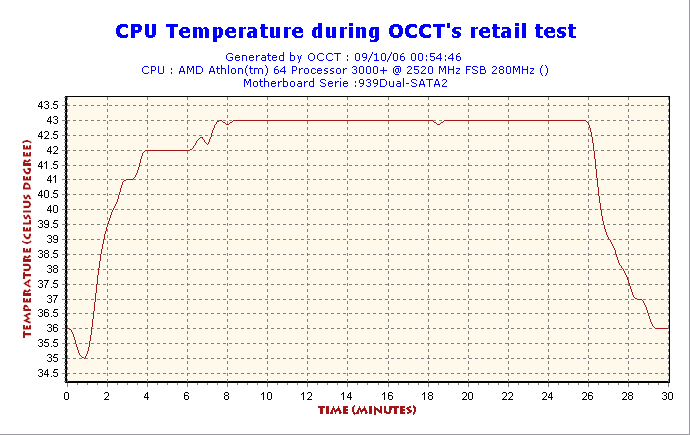 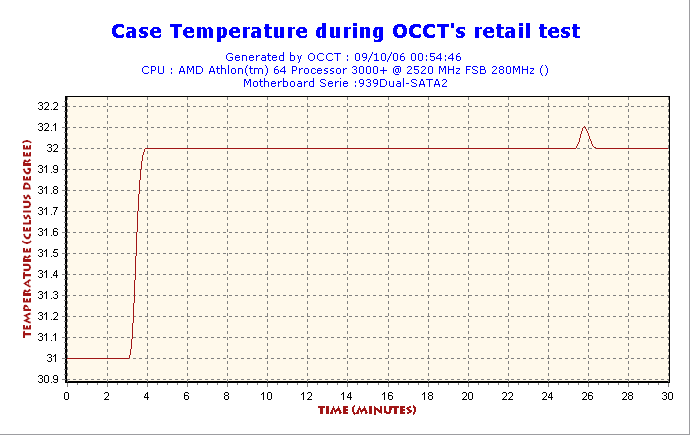 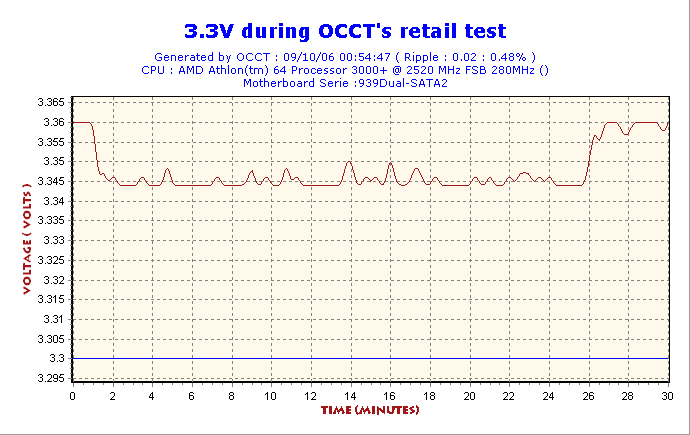  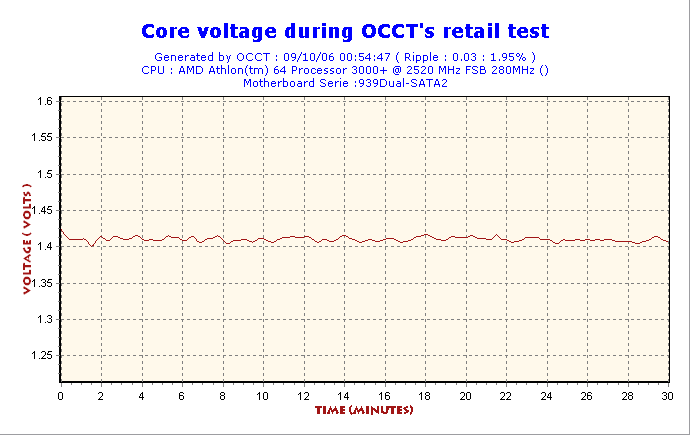 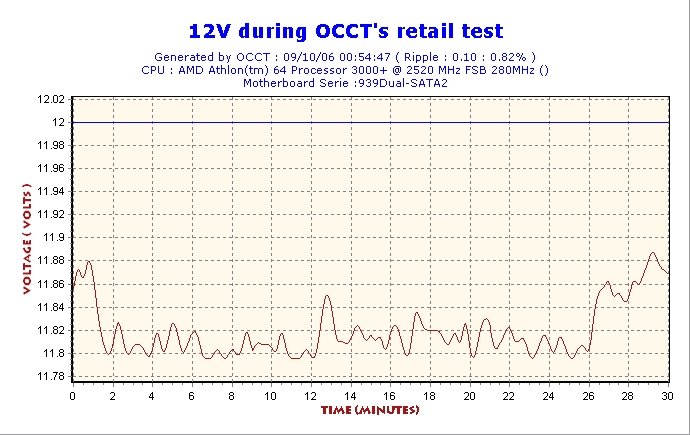 |
|
|
Sep 21 2006, 01:08 PM
|

Junior Member
478 posts Joined: Jan 2003 From: Seremban/ Kuching
|
what's wrong with this..is it ram prob or proc?
Attached thumbnail(s) 
|
|
|
Sep 21 2006, 01:16 PM
|
|
VIP
15,903 posts Joined: Jan 2003 From: Miri
|
use memtest to check whether it's ram problem. if no error during memtest, it should be cpu problem.
|
|
|
Sep 21 2006, 01:21 PM
|
|
All Stars
21,962 posts Joined: Dec 2004 From: KL
|
What mobo u using?
My athlon 2800+ max can only 238fsb |
|
|
Sep 21 2006, 01:57 PM
|
|
Junior Member
478 posts Joined: Jan 2003 From: Seremban/ Kuching
|
QUOTE(WaCKy-Angel @ Sep 21 2006, 01:21 PM) What mobo u using? i'm using abit nv8..stable only at fsb300..once add another 5, errors start to happenMy athlon 2800+ max can only 238fsb |
|
|
Sep 21 2006, 02:00 PM
|
|
Junior Member
478 posts Joined: Jan 2003 From: Seremban/ Kuching
|
QUOTE(soulfly @ Sep 21 2006, 01:16 PM) use memtest to check whether it's ram problem. if no error during memtest, it should be cpu problem. i dun think its memory prob coz the speed now is at 200 with stock voltage..the highest i can go without memory error is at 230mhz..now i'm trying new setting ..the voltage for the cpu in bios is at 1.58v for this new setting when error occurs..do i need to add more or is there other way? or izit temp issue? |
|
|
Sep 22 2006, 02:55 AM
|

Senior Member
656 posts Joined: Jan 2006 From: Malacca, Kuala lumpur, Egypt
|
I got Prob Oc this rig.. Whenever i increase it Frequency it will start to hang.. Dunno y hard to OC this rig.. Can any sifu teach me as im new in amd..
|
|
|
Sep 22 2006, 03:26 AM
|

Senior Member
4,672 posts Joined: Jan 2003
|
QUOTE(awang @ Sep 21 2006, 02:00 PM) i dun think its memory prob coz the speed now is at 200 with stock voltage..the highest i can go without memory error is at 230mhz..now i'm trying new setting ..the voltage for the cpu in bios is at 1.58v for this new setting when error occurs..do i need to add more or is there other way? or izit temp issue? Nope. Speed doesnt determine everything. U have to look at the timings as well. |
|
|
Sep 22 2006, 09:53 AM
|
|
Junior Member
478 posts Joined: Jan 2003 From: Seremban/ Kuching
|
QUOTE(davidletterboyz @ Sep 22 2006, 03:26 AM) Nope. Speed doesnt determine everything. U have to look at the timings as well. the voltage and timing is at default..pass mem test oredi.. |
|
|
Sep 22 2006, 07:26 PM
|

Senior Member
2,631 posts Joined: Dec 2005 From: Keramat
|
Hmm... im a nOOb here... Hope all sifu can help me...
Anyone here got a guide on tweaking ram for DFI nf4 Lanparty Ultra-D? I oredy noe the how to oc the CPU from the Fundamentals of Overclocking sifu.... but i dunno how to tweak ram for the mobo... hope can help me |
|
|
Sep 23 2006, 03:17 AM
|
|
Senior Member
4,672 posts Joined: Jan 2003
|
QUOTE(awang @ Sep 22 2006, 09:53 AM) the voltage and timing is at default..pass mem test oredi.. Open up your A64 tweaker. Look at Max Async Latency and read preamble. They aint same as default anymore. I dont know about other mobo, but for this mobo, it changes with divider. |
|
|
Sep 23 2006, 09:02 PM
|
|
Senior Member
1,689 posts Joined: Jan 2003
|
QUOTE(iceman31 @ Sep 22 2006, 07:26 PM) Hmm... im a nOOb here... Hope all sifu can help me... Brother go to dfistreet.com and you will have everything you can ask for for your dfi moboAnyone here got a guide on tweaking ram for DFI nf4 Lanparty Ultra-D? I oredy noe the how to oc the CPU from the Fundamentals of Overclocking sifu.... but i dunno how to tweak ram for the mobo... hope can help me |
|
|
Sep 24 2006, 01:00 AM
|
|
Senior Member
6,744 posts Joined: Jan 2003 From: World Wide Web Status: Banned
|
QUOTE(awang @ Sep 21 2006, 02:00 PM) i dun think its memory prob coz the speed now is at 200 with stock voltage..the highest i can go without memory error is at 230mhz..now i'm trying new setting ..the voltage for the cpu in bios is at 1.58v for this new setting when error occurs..do i need to add more or is there other way? or izit temp issue? U need to loosen the memory timings in order to go higher. It depends also which ram youre using while increasing the ram clock.QUOTE(sub_noob @ Sep 22 2006, 02:55 AM) I got Prob Oc this rig.. Whenever i increase it Frequency it will start to hang.. Dunno y hard to OC this rig.. Can any sifu teach me as im new in amd.. U need to increase the voltage when u increase the clock. |
|
|
Sep 25 2006, 12:55 PM
|
|
Junior Member
478 posts Joined: Jan 2003 From: Seremban/ Kuching
|
QUOTE(davidletterboyz @ Sep 23 2006, 03:17 AM) Open up your A64 tweaker. Look at Max Async Latency and read preamble. They aint same as default anymore. I dont know about other mobo, but for this mobo, it changes with divider. if it changes, what should i do?never experienced A64 before.. ..need to tighten the timing or loose it? |
|
|
Sep 25 2006, 01:04 PM
|
|
Senior Member
4,784 posts Joined: Sep 2004 From: MY
|
rules of thumb:
to look for max speed, loose timings once identified oc limit, start tightening one by one which one? its trial n error |
|
|
Sep 25 2006, 10:12 PM
|
|
Senior Member
656 posts Joined: Jan 2006 From: Malacca, Kuala lumpur, Egypt
|
QUOTE(uzairi @ Sep 24 2006, 01:00 AM) U need to increase the voltage when u increase the clock. Owh.. But how bout the ram voltage? using tccd chip max how much voltage for stabilty? |
|
|
Sep 25 2006, 10:46 PM
|
|
VIP
15,903 posts Joined: Jan 2003 From: Miri
|
TCCD won't like high voltage. Some people spoiled their TCCD after running with more than 3.0V for a while.
I would say the safe range would be 2.8V - 2.9V. The lower the better. This post has been edited by soulfly: Sep 25 2006, 10:48 PM |
|
|
Sep 26 2006, 12:47 AM
|
|
Senior Member
2,295 posts Joined: Jan 2005 From: Penang
|
TCCD run damn hot at high frequency...
|
|
|
Sep 26 2006, 01:23 AM
|
|
Senior Member
656 posts Joined: Jan 2006 From: Malacca, Kuala lumpur, Egypt
|
Got Another prob here..
i use AMD64 tweaker.. suddenly when i change settings at bios.. it didnt follow the bios setting.. clear cmos oso the same.. Im suppose to format comp again? Tccd Vs Bh-5 Vs D-43.. which one u prefer for amd Ocing..? |
|
|
Sep 26 2006, 08:40 AM
|

Junior Member
82 posts Joined: Apr 2006 From: Theatre Of Dream
|
QUOTE(sub_noob @ Sep 26 2006, 01:23 AM) Got Another prob here.. board does matters here. if ur on dfi lp, i wud say bh-5 & tccd are the better choice. both can do high frequency w/ d board mentioned, w/ d latter need lower voltage. i use AMD64 tweaker.. suddenly when i change settings at bios.. it didnt follow the bios setting.. clear cmos oso the same.. Im suppose to format comp again? Tccd Vs Bh-5 Vs D-43.. which one u prefer for amd Ocing..? This post has been edited by footie: Sep 26 2006, 08:47 AM |
|
|
Sep 26 2006, 03:06 PM
|
|
Senior Member
656 posts Joined: Jan 2006 From: Malacca, Kuala lumpur, Egypt
|
Got conflict with the bios and the oc guru..If Setting in bios, cpu-z still show the default settings.. Need to uninstall the oc guru? Better use oc guru or manual?
|
|
|
Sep 28 2006, 03:21 AM
|
|
Senior Member
6,744 posts Joined: Jan 2003 From: World Wide Web Status: Banned
|
QUOTE(soulfly @ Sep 25 2006, 10:46 PM) TCCD won't like high voltage. Some people spoiled their TCCD after running with more than 3.0V for a while. I run mine with 280mhz @ 2.7v rite now. Will try to increase the mhz till 300mhz and see how it goes. I would say the safe range would be 2.8V - 2.9V. The lower the better. QUOTE(lichyetan @ Sep 26 2006, 12:47 AM) TCCD run damn hot at high frequency... Put a 80mm fan above it, that would do it.QUOTE(sub_noob @ Sep 26 2006, 03:06 PM) Got conflict with the bios and the oc guru..If Setting in bios, cpu-z still show the default settings.. Need to uninstall the oc guru? Better use oc guru or manual? Have u turned off the Cool 'n' Quite at the bios ? |
|
|
Sep 28 2006, 03:35 AM
|
|
Senior Member
2,295 posts Joined: Jan 2005 From: Penang
|
QUOTE(uzairi @ Sep 28 2006, 03:21 AM) I run mine with 280mhz @ 2.7v rite now. Will try to increase the mhz till 300mhz and see how it goes. i sold off my tccd d.. nw using infineon ce-5 1gb x2... running at ddr400 2-3-2-5.. quite nice, i oc my opteron using divider and low timings..Put a 80mm fan above it, that would do it. Have u turned off the Cool 'n' Quite at the bios ? |
|
|
Sep 28 2006, 03:41 AM
|
|
Senior Member
7,173 posts Joined: Jan 2003 From: PCH
|
QUOTE(soulfly @ Sep 25 2006, 10:46 PM) TCCD won't like high voltage. Some people spoiled their TCCD after running with more than 3.0V for a while. my TCCD running daily at 2.83V @ DDR640 (320MHz@3-4-4-8)I would say the safe range would be 2.8V - 2.9V. The lower the better. |
|
|
Sep 28 2006, 01:25 PM
|
|
Senior Member
656 posts Joined: Jan 2006 From: Malacca, Kuala lumpur, Egypt
|
QUOTE(uzairi @ Sep 28 2006, 03:21 AM) Have u turned off the Cool 'n' Quite at the bios ? Ya.. Wan oc must turn off maa.. U see the pic.. dunddo which one is the true freq.. cpuz only detect the right ram setting but not the cpu freq.. |
|
|
Sep 28 2006, 01:31 PM
|
|
Junior Member
478 posts Joined: Jan 2003 From: Seremban/ Kuching
|
QUOTE(davidletterboyz @ Sep 23 2006, 03:17 AM) Open up your A64 tweaker. Look at Max Async Latency and read preamble. They aint same as default anymore. I dont know about other mobo, but for this mobo, it changes with divider. QUOTE(e-jump @ Sep 25 2006, 01:04 PM) rules of thumb: thanks..finally my ram can work at 240mhz at 8,4,4,3..up the max async latency from 6 to 7 n it works..tested with no errors..but is there anyway to run test with memtest?it seems that it only works when i logon to windows..i currently stress it using prime95 n rightmarkmem test..btw, mine is UCCC ram..usually what's the highest voltage n speed it can go?to look for max speed, loose timings once identified oc limit, start tightening one by one which one? its trial n error |
|
|
Sep 28 2006, 03:08 PM
|
|
VIP
15,903 posts Joined: Jan 2003 From: Miri
|
There is DOS based memtest called Memtest86+. You can copy it to your bootdisk and run through DOS.
|
|
|
Sep 28 2006, 06:06 PM
|
|
Senior Member
6,744 posts Joined: Jan 2003 From: World Wide Web Status: Banned
|
QUOTE(sniper69 @ Sep 28 2006, 03:41 AM) my TCCD running daily at 2.83V @ DDR640 (320MHz@3-4-4-8) Mine cant even post at CL3. Mind to share your A64 Tweaker setting ?This post has been edited by uzairi: Sep 28 2006, 06:09 PM |
|
|
Sep 28 2006, 06:50 PM
|

Senior Member
760 posts Joined: Jan 2003
|
QUOTE(uzairi @ Sep 28 2006, 06:06 PM) Mine cant even post at CL3. ram dah rosak kot Mind to share your A64 Tweaker setting ? |
|
|
Sep 29 2006, 02:22 AM
|
|
Senior Member
7,173 posts Joined: Jan 2003 From: PCH
|
QUOTE(uzairi @ Sep 28 2006, 06:06 PM) Mine cant even post at CL3. ok, here's mine... Mind to share your A64 Tweaker setting ? |
|
|
Sep 29 2006, 02:41 PM
|
|
Junior Member
478 posts Joined: Jan 2003 From: Seremban/ Kuching
|
QUOTE(soulfly @ Sep 28 2006, 03:08 PM) There is DOS based memtest called Memtest86+. You can copy it to your bootdisk and run through DOS. yeah i do have memtest86..however i'd like to know if the setting i use in windows environment can be applied in memtest86..because in a64 it only loads up during start up..i adjusted the max async by a64 coz if i dont i'll fail prime95..n my bios setting does not support this tweak..how ah ..or izit otomatically changed the bios setting??This post has been edited by awang: Sep 29 2006, 02:58 PM |
|
|
Sep 30 2006, 12:55 AM
|
|
Senior Member
656 posts Joined: Jan 2006 From: Malacca, Kuala lumpur, Egypt
|
I just can hit 2.4 stable.. Wan to make it faster.. try to push faster but not stable..
Any sifu help me try hit faster freq...  |
|
|
Sep 30 2006, 01:16 AM
|
|
VIP
15,903 posts Joined: Jan 2003 From: Miri
|
give more voltage....simple
|
|
|
Sep 30 2006, 11:26 PM
|
|
Senior Member
656 posts Joined: Jan 2006 From: Malacca, Kuala lumpur, Egypt
|
u see it show 1.35 volt rite.. but in bios it is 1.425 oredi..
Thinking of the ram not that stable timming.. maybe need to set divider.. |
|
|
Sep 30 2006, 11:39 PM
|
|
VIP
15,903 posts Joined: Jan 2003 From: Miri
|
QUOTE(awang @ Sep 29 2006, 02:41 PM) yeah i do have memtest86..however i'd like to know if the setting i use in windows environment can be applied in memtest86..because in a64 it only loads up during start up..i adjusted the max async by a64 coz if i dont i'll fail prime95..n my bios setting does not support this tweak..how ah memtest86+ has the option to change the common timing set during the testing, but other stuffs such as async latency or preamble thingy is not available if i'm not mistaken. ..or izit otomatically changed the bios setting??a64tweaker doesn't have any effect to the timings before u get into windows. |
|
|
Oct 4 2006, 12:26 PM
|

Senior Member
3,668 posts Joined: Jun 2006 From: Bikini Abyss
|
here's my screenie on my first OC attempt
 OF course, i do have some question as noob always do 1) I cant get it running at more than 245Mhz bus speed...what's holding me back rite now 2) It's freakin hot ... i'm thingking of lowering down the VCore but the lowest posible option was 1.40. I've seen some people lowering it to 1.36 ... how is this possible 3) anything wrong in those screenie ?? i'm sorry to bug in, mod did this  This post has been edited by cracksys: Oct 4 2006, 01:00 PM |
|
|
Oct 4 2006, 01:55 PM
|
|
Junior Member
442 posts Joined: Jan 2003 From: Segamat--Nilai
|
1. Assuming u have already decreased the LDT multi to 3X, i suggest u try to decrease your cpu multiplier, n then try increase the bus speed (if you can, try setting the ram to its default speed n timing). If u succeed to increase the bus speed, then most probably it's your cpu limiting you..
2.What hsf are you using? If u're still on stock HSF, then around 50C on load is considered normal to me, not hot. If you still insist on lowering the heat, change the hsf. Some people are able to lower their Vcore to 1.36 probably because their CPU is able to do so (some Athlon64s are rated at 1.40V while some are rated at 1.35V), or maybe its because their mobo,or probably just some voltage fluctuation. This post has been edited by x800: Oct 4 2006, 02:04 PM |
|
|
Oct 4 2006, 09:40 PM
|

Senior Member
2,041 posts Joined: Dec 2005 From: Klang, Malaysia
|
When I OC my rig I realise I really need to pump a lot of voltage to my CPU. Kinda weird I need to set the voltage to 1.65v to get my rig stable at 2.4ghz when I check most DFI mobo users require only around 1.4v to get around 2.5ghz. Guess it differs for every motherboard.
 Anyway here's a screenie of my 2.4ghz OC set up with a Athlon 64 +3000. I'm waiting for my Ultra-90 HSF(currently on stock HSF) to arrive before I attempt to go higher. Btw wats the highest voltage I can pump to my BH-6 chip? |
|
|
Oct 4 2006, 09:48 PM
|
|
Junior Member
442 posts Joined: Jan 2003 From: Segamat--Nilai
|
mxxuang, u're right there, and i wanna add that it differs for every cpu also.1.65v @ 2.4Ghz is high indeed..that amount of voltage is enough for me to get my venice running @ 2.7Ghz, and maybe 2.8~3.0Ghz for some other ppl.
bh-6?i think max 3.5~3.6v..(correct me if i'm wrong..) |
|
|
Oct 4 2006, 09:55 PM
|
|
Senior Member
2,041 posts Joined: Dec 2005 From: Klang, Malaysia
|
QUOTE(x800 @ Oct 4 2006, 09:48 PM) mxxuang, u're right there, and i wanna add that it differs for every cpu also.1.65v @ 2.4Ghz is high indeed..that amount of voltage is enough for me to get my venice running @ 2.7Ghz, and maybe 2.8~3.0Ghz for some other ppl. But when I set the voltage to 1.6v I can't even get my my Prime95 stable for even 1 hour. 1.625v is fine, but I set to 1.65 to be on the safe side.bh-6?i think max 3.5~3.6v..(correct me if i'm wrong..) |
|
|
Oct 5 2006, 12:07 AM
|

All Stars
13,197 posts Joined: Jul 2006
|
QUOTE(cracksys @ Oct 4 2006, 12:26 PM) here's my screenie on my first OC attempt perhaps your superpi result is quite slow ? [image was here] OF course, i do have some question as noob always do 1) I cant get it running at more than 245Mhz bus speed...what's holding me back rite now 2) It's freakin hot ... i'm thingking of lowering down the VCore but the lowest posible option was 1.40. I've seen some people lowering it to 1.36 ... how is this possible 3) anything wrong in those screenie ?? i'm sorry to bug in, mod did this  |
|
|
Oct 5 2006, 01:16 PM
|
|
Senior Member
3,668 posts Joined: Jun 2006 From: Bikini Abyss
|
QUOTE(ktek @ Oct 5 2006, 12:07 AM) perhaps your superpi result is quite slow ? wa ... another prob ka ?? might be ur speed are 50Mhz more than me .. hehe lame doesnt itwhy aa it differ so much? |
|
|
Oct 5 2006, 03:25 PM
|

Junior Member
237 posts Joined: Jun 2006 From: pendalaman
|
HT link more than 1000mhz is it ok?
btw mine using micron technology pc2100 rams..290 mhz*9 at 1.45Vcore, my memory clock setting at 133mhz and ddr running at 189*2@2.8v 2.5-2-2-5..are my setting going to kill something on my system? but i ran prime95 up to 11hrs with no errors..idle i got 37c and full load at 53c..if i wanna go higher..i have to change better clocking rams? or i can run with 100mhz memory and increase more v core to get more HTT?i think my rams are running waaay over the rated speed..even a cap ayam summore..i'll post some screenies tomorrow.. This post has been edited by turbo10: Oct 5 2006, 03:35 PM |
|
|
Oct 5 2006, 04:08 PM
|
|
Junior Member
442 posts Joined: Jan 2003 From: Segamat--Nilai
|
turbo10, i believe that HT more than 1000Mhz is ok but not recommended.anyway, u can lower the ldt multiplier so that the ht speed does not exeed 1Ghz..they dont give any significant performance increase anyway.
|
|
|
Oct 6 2006, 02:58 PM
|
|
Senior Member
3,668 posts Joined: Jun 2006 From: Bikini Abyss
|
err .. is superpi supposed to be varied even at the same speed ???
|
|
|
Oct 6 2006, 03:13 PM
|
|
Junior Member
237 posts Joined: Jun 2006 From: pendalaman
|
QUOTE(x800 @ Oct 5 2006, 04:08 PM) turbo10, i believe that HT more than 1000Mhz is ok but not recommended.anyway, u can lower the ldt multiplier so that the ht speed does not exeed 1Ghz..they dont give any significant performance increase anyway. thanx bro for the advice..now i got the idea..i'm really new in overclocking and learning from u guys and tips in the LYN..it really helps a lot.btw i managed to get only 2.6ghz by running 133mhz devider..my finding was memory clock effects the super pi results, and my results seems better then when i was running 100mhz devider..i know u guys knew that already..for a noobie like me,it was a practical approach to overclocking...heheh ..so i need a gooder ram to replace my lousy outdated pc2100 ram..one more thing..do the ram size improves 3dmarks benching and super pi?[img=http://img201.imageshack.us/img201/6751/pimodum1.th.jpg] this is my setting..anything i could improve? ran this setting with prime95 for 11hrs and stopped with no errors..can it be consider as stable? i know my super pi is super slow considering i am running 2.6g..i think running with better rams could make it faster..i guess.. |
|
|
Oct 6 2006, 03:54 PM
|
|
Junior Member
442 posts Joined: Jan 2003 From: Segamat--Nilai
|
cracksys
there a lot of other causes that can vary the superpi result even if the cpu is running the same speed. turbo1 yes u're right, changing to better rams will make the superpi result faster.i think there's a discussion n tips on how to improve ur superpi result in this thread. as for the size of the rams, i'm not quite sure on the effect on superpi, but in 3dmark06 and gaming, there will be an improvement since u're currently using 512MB. |
|
|
Oct 6 2006, 03:54 PM
|
|
VIP
15,903 posts Joined: Jan 2003 From: Miri
|
should be quite stable already... not bad i should say
|
|
|
Oct 6 2006, 04:42 PM
|
|
Junior Member
237 posts Joined: Jun 2006 From: pendalaman
|
thanx guys for the advice..seems that need ram upgrade for me..if got some money mebbe getting a pair of ram..512x2 set from LYN garage sale..any rams u guys could suggest? but i read somewhere here in lyn that said mobo sometimes a bit choosy with rams..i dunno my mobo love what ram..so far current ram i'm using works like a gem..working waaay above its rated speed..wanna try run dual channel..see what can improve.hehe..u guys know what...90% of my rig parts and 99% help and knowledge come from the LYN..glad i found this community..
|
|
|
Oct 6 2006, 04:47 PM
|
|
Junior Member
82 posts Joined: Apr 2006 From: Theatre Of Dream
|
QUOTE(turbo10 @ Oct 6 2006, 04:42 PM) thanx guys for the advice..seems that need ram upgrade for me..if got some money mebbe getting a pair of ram..512x2 set from LYN garage sale..any rams u guys could suggest? but i read somewhere here in lyn that said mobo sometimes a bit choosy with rams..i dunno my mobo love what ram..so far current ram i'm using works like a gem..working waaay above its rated speed..wanna try run dual channel..see what can improve.hehe..u guys know what...90% of my rig parts and 99% help and knowledge come from the LYN..glad i found this community.. clockin a stick of ram is alwez easier than 2stick @ dual channel. neway, 2.6GHz w/ stock voltage is really impressive. not so familiar w/ abit board, but i suppose hynix ram will help if ur on tight budget, else, go for tccd. my 2 cents. |
|
|
Oct 6 2006, 05:26 PM
|
|
Junior Member
237 posts Joined: Jun 2006 From: pendalaman
|
yup bro..been using single stick rite now..i am sure like what u said the headache will come if i upgrade to dual stick/ channel..but i will go for 2 sticks..u can see my rig is kinda budget one so i am going for a pair of budget rams like hynix u mentioned..TCCD might be an option if ada duit lebih..thanx for the help bro
|
|
|
Oct 6 2006, 05:36 PM
|
|
Junior Member
442 posts Joined: Jan 2003 From: Segamat--Nilai
|
i agree on getting the hynix rams.someone's doing a bulk for hynix rams, n price is rm199 per 512mb piece.one more thing, i dont think high performance rams are cost effective.yes,they do give u better benchmarks, but there's not much fps gained in real life gaming by spending 1k on high perf rams rather than spending the same amount on a better gc.that's just my 2 cents though
u have much more potential to go there bro..bump up the voltage see your venice fly |
|
|
Oct 6 2006, 06:12 PM
|
|
Junior Member
82 posts Joined: Apr 2006 From: Theatre Of Dream
|
get dt or bt-d43 if possible, not so sure bout d oc'bility of their new brother cp-d43. i will alwez go for those items with proven performance, instead of buyin d new stuff which mite end up as a flop. mebe i was just bein bad luck sometimes...
|
|
|
Oct 6 2006, 06:45 PM
|
|
Senior Member
7,173 posts Joined: Jan 2003 From: PCH
|
QUOTE(footie @ Oct 6 2006, 04:47 PM) clockin a stick of ram is alwez easier than 2stick @ dual channel. neway, 2.6GHz w/ stock voltage is really impressive. not so familiar w/ abit board, but i suppose hynix ram will help if ur on tight budget, else, go for tccd. 2.6GHz@1.45vCORE? me myself clocked 2.88GHz@1.4vCORE my 2 cents. ,  actually yes, TCCD is better i must say, coz, i successfully clocked at DDR640 stable |
|
|
Oct 6 2006, 06:47 PM
|
|
Junior Member
82 posts Joined: Apr 2006 From: Theatre Of Dream
|
QUOTE(sniper69 @ Oct 6 2006, 06:45 PM) 2.6GHz@1.45vCORE? me myself clocked 2.88GHz@1.4vCORE 2.6GHz @ stock voltage considered above average ledi, it's about luck sometimes to get a magical stepping... , actually yes, TCCD is better i must say, coz, i successfully clocked at DDR640 stable off topic: mind to share a prime stable screeny mate? superb ram u have there...  i only manage to squeeze this outa my tccd...  This post has been edited by footie: Oct 6 2006, 06:54 PM |
|
|
Oct 6 2006, 08:14 PM
|
|
Senior Member
7,173 posts Joined: Jan 2003 From: PCH
|
QUOTE(footie @ Oct 6 2006, 06:47 PM) 2.6GHz @ stock voltage considered above average ledi, it's about luck sometimes to get a magical stepping... i'll use my 2.835GHz's screenie, as i can't find 2.88GHz screenie off topic: mind to share a prime stable screeny mate? superb ram u have there... i only manage to squeeze this outa my tccd... » Click to show Spoiler - click again to hide... « , anyhow..here's the screenie as u request  BTW, ur timing is quite tight, loosen it... say 3-4-4-8 at 2.8vDIMM This post has been edited by sniper69: Oct 6 2006, 08:15 PM |
|
|
Oct 6 2006, 09:05 PM
|
|
Junior Member
82 posts Joined: Apr 2006 From: Theatre Of Dream
|
awesome chip...
i can get d ram run on 315MHz w/ same timing, but only prime stable for an hour plus... i think 313MHz is d max, or mebe i need a chip w/ better mem. controller... |
|
|
Oct 6 2006, 10:20 PM
|
|
Senior Member
7,173 posts Joined: Jan 2003 From: PCH
|
QUOTE(footie @ Oct 6 2006, 09:05 PM) awesome chip... FYI, i almost throw away my CPU because i tot this is a faulty one i can get d ram run on 315MHz w/ same timing, but only prime stable for an hour plus... i think 313MHz is d max, or mebe i need a chip w/ better mem. controller... , anyway, different chip different max speed i must say  . i did run clock at DDR660, but fail in every stress test (memtest, prime) but did manage to boot successfully, i wonder if i can set at 2.9vDIMM, but still 2.9vDIMM is considered high for TCCD . i did run clock at DDR660, but fail in every stress test (memtest, prime) but did manage to boot successfully, i wonder if i can set at 2.9vDIMM, but still 2.9vDIMM is considered high for TCCD |
|
|
Oct 7 2006, 12:02 AM
|
|
All Stars
13,197 posts Joined: Jul 2006
|
almost forgotten to ask , anyone got other than "assembly in malaysia" athlon64 ?
well , i'm using "assembly in china" one . ADA3000DAA4BW NBBWE 0613BAD X025767C60384 |
|
|
Oct 7 2006, 12:20 AM
|
|
Senior Member
7,173 posts Joined: Jan 2003 From: PCH
|
QUOTE(ktek @ Oct 7 2006, 12:02 AM) almost forgotten to ask , anyone got other than "assembly in malaysia" athlon64 ? well , i'm using "assembly in china" one . ADA3000DAA4BW NBBWE 0613BAD X025767C60384  , never thought got "Assemble In China" one...i thought all AMD Processor assembled in Malaysia , never thought got "Assemble In China" one...i thought all AMD Processor assembled in Malaysia |
| Change to: |  0.1637sec 0.1637sec
 0.25 0.25
 6 queries 6 queries
 GZIP Disabled GZIP Disabled
Time is now: 7th December 2025 - 07:18 AM |
 Quote
Quote