Welcome Guest ( Log In | Register )

Bump Topic Topic Closed RSS Feed
5 Pages  1 2 3 > » Bottom

Outline · [ Standard ] · Linear+

 CLOSED

views
     
TSkianwee
post Nov 19 2010, 05:12 PM, updated 15y ago

Cube
*******
Senior Member
6,562 posts

Joined: Jan 2003
LCD Monitor Thread v10.00 (FYI: LCD MONITOR ≠LCD TV)


Recommended LCD Monitor Review Links:

TestFreaks LCD Monitor Review
TFT Central UK
WSGF
[H]ard|Forumâ„¢


LCD Panel Guides:

TFT Central UK
Contemporary LCD Monitor Parameters and Characteristics


Recommended LCD Testing Tools:

Monitor Testâ„¢
Dead Pixel Tester
EIZO: Monitortest
LCD Monitor Test Images
Nokia Monitor Test


Manufacture's Support Forum:

Dell Community Forum - LCD Monitor


Online Purchase of LCD:

Dell Malaysia *No credit card and need help purchasing from DELL? You can PM me. I can help.
HP Online Store


Sizes Comparison:


» Click to show Spoiler - click again to hide... «

** Special thanks and credit to lex

This post has been edited by kianwee: Sep 22 2011, 08:57 AM
TSkianwee
post Nov 19 2010, 05:13 PM

Cube
*******
Senior Member
6,562 posts

Joined: Jan 2003
» Click to show Spoiler - click again to hide... «

Use this image to test your LCD's color and to detect gradient banding. smile.gif
**Full credit and special thanks to our moderator lex rclxms.gif

Link to v9.00 : https://forum.lowyat.net/topic/1421464
Link to v8.00 : https://forum.lowyat.net/topic/1220049
Link to v7.00 : https://forum.lowyat.net/topic/1068719
Link to v6.00 : https://forum.lowyat.net/topic/950068
Link to v5.00 : https://forum.lowyat.net/topic/832727
Link to v4.00 : https://forum.lowyat.net/topic/724890
Link to v3.10 : https://forum.lowyat.net/topic/374456

This post has been edited by lex: Mar 11 2011, 04:03 AM
wildwestgoh
post Nov 19 2010, 05:23 PM

Look at all my stars!!
*******
Senior Member
2,215 posts

Joined: Jul 2005


Wow, v10 already, must celebrate! LOL
Anyway, how to know if there's banding?
I notice there's sort of line through out lower blue, mid green and upper yellow, is that banding?
rifasha
post Nov 19 2010, 07:44 PM

Getting Started
**
Junior Member
233 posts

Joined: Dec 2008
From: South Korea
hi guys. any idea where i can get an Acer H233H? been looking for it for sometime now~thanks
mitodna
post Nov 19 2010, 08:43 PM

Getting Started
********
All Stars
14,039 posts

Joined: Jan 2003
U2311H still one of the worth buying
killer zone II
post Nov 19 2010, 10:14 PM

Casual
***
Junior Member
469 posts

Joined: Jul 2009
wah.. V10 already. Dell FTW!!! rclxm9.gif Btw, acer H233H is kinda hard to find nowadays. Now acer S231HL and their siblings is popular among other acer LCD.

This post has been edited by killer zone II: Nov 19 2010, 10:22 PM
ScOttY_PanG
post Nov 19 2010, 11:31 PM

Casual
***
Junior Member
382 posts

Joined: Dec 2006
From: KL


any mind to share the u2311H..
coz so long ady..it still the worth monitor been discuss..
so sad din bought it last time..
jasmineivan
post Nov 20 2010, 01:45 AM

Ivan Lee
******
Senior Member
1,774 posts

Joined: Dec 2009
@seniors of the thread (whoever familiar with Dell's lcd price)

Is this worthy?
Dell S2409
I got 1 seller selling this at RM350, do you all think worth to buy it.
Actually i got my own 22' samsung but will do duo-monitor in future, so getting another.


Added on November 20, 2010, 2:00 amsorry bro, no longer interested to the monitor after go through the spec, the contrast is too low for me even though the size really nice

This post has been edited by jasmineivan: Nov 20 2010, 02:00 AM
munak991
post Nov 20 2010, 03:41 AM

ZONIC!
*******
Senior Member
2,746 posts

Joined: Mar 2006
From: 21st century


Good Lcd screen need to calibrate into perfect colour.

But i dont know what software =S
juragan_malam
post Nov 20 2010, 04:25 AM

New Member
*
Newbie
2 posts

Joined: Nov 2010
guys..i just bought this acer aspire one d255....and the lcd screen cracked on the top right and with a cracked line to the bottom left of the screen..

is it under warranty? obviously takde waranty kan? shoot..how much this thing will cost me? please help...its kinda urgent...
owikh84
post Nov 20 2010, 08:18 AM

i7 Clan
Group Icon
Elite
8,711 posts

Joined: Nov 2007
From: Butterworth, PG / Machang, Kelantan


QUOTE(jasmineivan @ Nov 20 2010, 01:45 AM)
@seniors of the thread (whoever familiar with Dell's lcd price)

Is this worthy?
Dell S2409
I got 1 seller selling this at RM350, do you all think worth to buy it.
Actually i got my own 22' samsung but will do duo-monitor in future, so getting another.


Added on November 20, 2010, 2:00 amsorry bro, no longer interested to the monitor after go through the spec, the contrast is too low for me even though the size really nice
*
The price is not bad but there are 2 issues on S2409W:
1) HDMI audio delays like 5 seconds during game/app loading - quite annoying
2) Blurry graphics on laptop - I'm not sure whether this happen to all GPUs but mine is 8600m GT

Now using 3008WFP, it took time in booting up the display - kinda annoying for me especially when playing with BIOS settings.
» Click to show Spoiler - click again to hide... «

mitodna
post Nov 20 2010, 03:30 PM

Getting Started
********
All Stars
14,039 posts

Joined: Jan 2003
Do use S2409W here, not really facing any blurry issue on Atom netbook, 945 chipset. Did not try the HDMI.
Raiko
post Nov 20 2010, 07:58 PM

On my way
****
Senior Member
582 posts

Joined: Jan 2007
From: Shah Alam


can recommend me a real good lcd monitor ? budget rm800. oh 22"/23" will do. thanks !
angah_as
post Nov 21 2010, 02:50 AM

Getting Started
**
Junior Member
279 posts

Joined: Sep 2009
From: raincity

i tried to nego Dell U2311H price at Dell online but they said the price is fix. how did you all nego on Dell online??
mitodna
post Nov 21 2010, 03:06 AM

Getting Started
********
All Stars
14,039 posts

Joined: Jan 2003
QUOTE(angah_as @ Nov 21 2010, 02:50 AM)
i tried to nego Dell U2311H price at Dell online but they said the price is fix. how did you all nego on Dell online??
*
online chat, last time was Gavin, this guy is famous, try to dig up v9 for his e-mail.
angah_as
post Nov 21 2010, 05:14 AM

Getting Started
**
Junior Member
279 posts

Joined: Sep 2009
From: raincity

got his email ady
Wei_Zhen_G​ark@DellTea​m.com

but when i chat online they said he has left Dell cry.gif
ralph9898
post Nov 21 2010, 12:18 PM

New Member
*
Junior Member
44 posts

Joined: Sep 2010
From: Pontian, Johor/Bukit Beruang, Melaka


Using an AOC e2343f, not a bad one tho, price cheaper than other 23" led some more.

Ready for wall mount,e specially look from side view the slimness drool.gif
Raiko
post Nov 21 2010, 12:47 PM

On my way
****
Senior Member
582 posts

Joined: Jan 2007
From: Shah Alam


QUOTE(Raiko @ Nov 20 2010, 07:58 PM)
can recommend me a real good lcd monitor ? budget rm800. oh 22"/23" will do. thanks !
*
someone ?
ralph9898
post Nov 21 2010, 02:24 PM

New Member
*
Junior Member
44 posts

Joined: Sep 2010
From: Pontian, Johor/Bukit Beruang, Melaka


QUOTE(Raiko @ Nov 21 2010, 12:47 PM)
someone ?
*
bro rm800 i think u can get any brand 23" already la, just look at their specs and warranties
xk2
post Nov 21 2010, 02:44 PM

Temporary OFF
*******
Senior Member
2,910 posts

Joined: Oct 2007
From: Melaka


QUOTE(mitodna @ Nov 20 2010, 03:30 PM)
Do use S2409W here, not really facing any blurry issue on Atom netbook, 945 chipset. Did not try the HDMI.
*
wah bro , running at 1920 x 1080 ? havent try my netbook with 24inch , wonder how it perform biggrin.gif
wildwestgoh
post Nov 21 2010, 03:12 PM

Look at all my stars!!
*******
Senior Member
2,215 posts

Joined: Jul 2005


QUOTE(xk2 @ Nov 21 2010, 02:44 PM)
wah bro , running at 1920 x 1080 ?  havent try my netbook with 24inch , wonder how it perform biggrin.gif
*
My Intel Atom (desktop) has no issue with 1080p, web browsing is a breeze (Windows XP), but not sure about Flash content though.
Laptop is Dell Studio 1555, no issue output to VGA at 1080p as well, graphics is crisp, no screen refresh issue as well.
If my Atom N230 can handle 1080p, I'm sure netbook can handle it as well (same G945 chips).
xiong91
post Nov 21 2010, 05:58 PM

Wassupp
*****
Senior Member
732 posts

Joined: Apr 2005
From: Tanah Melayu


Acer S231HL vs Dell ST2320L.. which one better? These 2 monitors offer a good price.. Any other suggestion?
yuka
post Nov 21 2010, 06:20 PM

ヾ(\ ̄ー ̄)
*******
Senior Member
2,265 posts

Joined: Aug 2006
From: Damansara


QUOTE(ralph9898 @ Nov 21 2010, 12:18 PM)
Using an AOC e2343f, not a bad one tho, price cheaper than other 23" led some more.

Ready for wall mount,e specially look from side view the slimness drool.gif
*
how much for it? thumbup.gif
CallOfLegend
post Nov 21 2010, 07:07 PM

Casual
***
Junior Member
350 posts

Joined: Jan 2009


QUOTE(Raiko @ Nov 20 2010, 07:58 PM)
can recommend me a real good lcd monitor ? budget rm800. oh 22"/23" will do. thanks !
*
At that budget u can get Dell U2311h (23"), this thread 1st choice lcd monitor for RM649, or get its smaller sibling U2211h (22") RM609. Can only buy online though.

http://www1.ap.dell.com/my/en/business/mon...s=mybsd1&~tab=5

If u need more info u can read LCD Monitor v9 thread http://forum.lowyat.net/topic/1421464

This post has been edited by CallOfLegend: Nov 21 2010, 10:29 PM
mitodna
post Nov 21 2010, 08:07 PM

Getting Started
********
All Stars
14,039 posts

Joined: Jan 2003
QUOTE(xk2 @ Nov 21 2010, 02:44 PM)
wah bro , running at 1920 x 1080 ?  havent try my netbook with 24inch , wonder how it perform biggrin.gif
*
do try out, it is not that bad, at least for some browsing work, I did not enable dual monitor though
fr0sti3
post Nov 21 2010, 09:29 PM

F0NZz1e
******
Senior Member
1,095 posts

Joined: Dec 2008
QUOTE(angah_as @ Nov 21 2010, 05:14 AM)
got his email ady
Wei_Zhen_G​ark@DellTea​m.com

but when i chat online they said he has left Dell  cry.gif
*
dellteam.com usually means working on contract basis loh~

i got two u2311h & 2709w, all ARB
hmmm maybe should sell off 2709w & grab the third IPS 23" for eyefinity
Raiko
post Nov 21 2010, 09:58 PM

On my way
****
Senior Member
582 posts

Joined: Jan 2007
From: Shah Alam


QUOTE(ralph9898 @ Nov 21 2010, 02:24 PM)
bro rm800 i think u can get any brand 23" already la, just look at their specs and warranties
*
if so, whats your recommendation ?
badzvino
post Nov 22 2010, 12:07 PM

Getting Started
**
Junior Member
140 posts

Joined: Aug 2008
Guys, would like to hear from ur opinion.
Actually i want to get a U2311H for my gf, but she has some issue with the dell brand. Tak tahu kenapa... rclxub.gif
So she want to get a LG E2350T or samsung BX2350 instead.
but samsung is too expensive, so left out dell and lg.

Can u guys give me some comment on the LG LED monitor?
Its LED, more dynamic contrast then dell, but CHEAPER.
why?!?!
CallOfLegend
post Nov 22 2010, 12:27 PM

Casual
***
Junior Member
350 posts

Joined: Jan 2009


QUOTE(badzvino @ Nov 22 2010, 12:07 PM)
Guys, would like to hear from ur opinion.
Actually i want to get a U2311H for my gf, but she has some issue with the dell brand. Tak tahu kenapa... rclxub.gif
So she want to get a LG E2350T or samsung BX2350 instead.
but samsung is too expensive, so left out dell and lg.

Can u guys give me some comment on the LG LED monitor?
Its LED, more dynamic contrast then dell, but CHEAPER.
why?!?!
*
Both LG E2350T and samsung BX2350 are TN panel type lcd, compared to Dell U2311h which is IPS panel (CCFL backlight).
IPS panel have more accurate color production and better viewing angle than TN panel, and IPS panels are more expensive than TN panels.
Dynamic contrast is just the ratio between brightest color to darkest color it can produced. It doesn't necessarily means better picture quality.
The main advantage of LED backlight is that it has lower power consumption, better contrast ratio, and probably faster startup time than CCFL.

This post has been edited by CallOfLegend: Nov 22 2010, 12:33 PM
xiong91
post Nov 22 2010, 12:34 PM

Wassupp
*****
Senior Member
732 posts

Joined: Apr 2005
From: Tanah Melayu


QUOTE(xiong91 @ Nov 21 2010, 05:58 PM)
Acer S231HL vs Dell ST2320L.. which one better? These 2 monitors offer a good price.. Any other suggestion?
*
No one can answer? sad.gif
CallOfLegend
post Nov 22 2010, 12:40 PM

Casual
***
Junior Member
350 posts

Joined: Jan 2009


QUOTE(xiong91 @ Nov 21 2010, 05:58 PM)
Acer S231HL vs Dell ST2320L.. which one better? These 2 monitors offer a good price.. Any other suggestion?
*
IMHO both monitor won't vary much in picture quality, just choose any. Better suggestion would be LG E2350T but i has no hdmi input.
Onion-KiD
post Nov 22 2010, 06:22 PM

Enthusiast
*****
Senior Member
843 posts

Joined: May 2008
From: S'wak Kuching
QUOTE(badzvino @ Nov 22 2010, 12:07 PM)
Guys, would like to hear from ur opinion.
Actually i want to get a U2311H for my gf, but she has some issue with the dell brand. Tak tahu kenapa... rclxub.gif
So she want to get a LG E2350T or samsung BX2350 instead.
but samsung is too expensive, so left out dell and lg.

Can u guys give me some comment on the LG LED monitor?
Its LED, more dynamic contrast then dell, but CHEAPER.
why?!?!
*
For me, Samsung is better then LG while display together. nice design and display color. worth with the price.
Dynamic contrast number is nothing for me. You see Samsung BX2350 give up that kind of advertising. It just stated MEGA DCR. Ignore that number, view yourself with your eyes decide it.

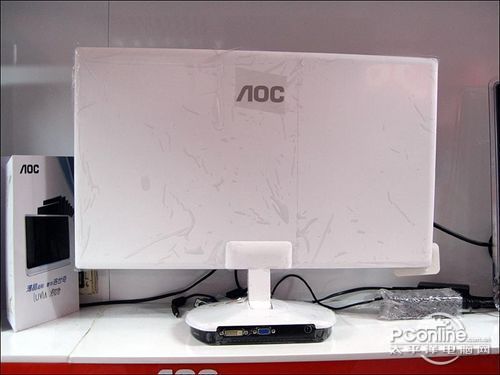
You might can consider AOC too, model IF23(IPS panel too, same as U2311H), and caming soon product AOC Razor - worlds slimmest led monitor

QUOTE(xiong91 @ Nov 22 2010, 12:34 PM)
No one can answer? sad.gif
*
Both are so so average monitor. Can't tell which one best between this two monitor. Best is go view demo unit by yourself.

This post has been edited by Onion-KiD: Nov 22 2010, 06:23 PM
EyraYus
post Nov 22 2010, 10:41 PM

sTRe3tHunt3R
*******
Senior Member
2,152 posts

Joined: Feb 2008
From: Gombak Setia


Do we need warranty card to claim warranty for Samsung monitor at PJ SC?

All IT dint even chop the warranty card.
yuhhaur
post Nov 23 2010, 10:54 AM

I came. I saw. I help
*******
Senior Member
3,757 posts

Joined: Jan 2003
From: E A R T H
QUOTE(EyraYus @ Nov 22 2010, 10:41 PM)
Do we need warranty card to claim warranty for Samsung monitor at PJ SC?

All IT dint even chop the warranty card.
*
for Samsung's product, you need to Online register when you purchase the item.

You didn't do the registration? oops.gif
reallion
post Nov 23 2010, 03:09 PM

New Member
*
Junior Member
13 posts

Joined: Oct 2010
Bros out here. Does anyone knows what is the screen size different between 14 and 15 inch for notebooks? I'm comparing n82jq. I'm using 15.4" wide display asus notebook. Thank you.
yuhhaur
post Nov 23 2010, 03:44 PM

I came. I saw. I help
*******
Senior Member
3,757 posts

Joined: Jan 2003
From: E A R T H
QUOTE(reallion @ Nov 23 2010, 03:09 PM)
Bros out here. Does anyone knows what is the screen size different between 14 and 15 inch for notebooks? I'm comparing n82jq.  I'm using 15.4" wide display asus notebook. Thank you.
*
14" are mostly 1366x768, 15" can be 1366x768 and some higher end (Alienware) can goes up to 1920x1080

wildwestgoh
post Nov 23 2010, 04:29 PM

Look at all my stars!!
*******
Senior Member
2,215 posts

Joined: Jul 2005


QUOTE(yuhhaur @ Nov 23 2010, 03:44 PM)
14" are mostly 1366x768, 15" can be 1366x768 and some higher end (Alienware) can goes up to 1920x1080
*
LOL I thought he was trolling, didn't know screen size is referring to display resolutions sweat.gif
You have to look at the specs to know the resolution, I saw 14" even goes as high as 1600x900, or maybe 1920x1080 (yes, Dell Latitude has it). doh.gif
Didn't know any points of having such high res, but some people just have very darn good eagle eye, haha biggrin.gif
yuhhaur
post Nov 23 2010, 04:45 PM

I came. I saw. I help
*******
Senior Member
3,757 posts

Joined: Jan 2003
From: E A R T H
QUOTE(wildwestgoh @ Nov 23 2010, 04:29 PM)
but some people just have very darn good eagle eye, haha biggrin.gif
*
agree. looking at 10pt font with 1920x1080 on 15" is a pain in the eyes.
-kytz-
post Nov 23 2010, 05:01 PM

10k Club
********
All Stars
12,573 posts

Joined: Nov 2008
QUOTE(yuhhaur @ Nov 23 2010, 04:45 PM)
agree. looking at 10pt font with 1920x1080 on 15" is a pain in the eyes.
*
That's why imma wanna get a U2311H.Still the best bang for buck monitor eh biggrin.gif
Onion-KiD
post Nov 23 2010, 05:49 PM

Enthusiast
*****
Senior Member
843 posts

Joined: May 2008
From: S'wak Kuching
QUOTE(EyraYus @ Nov 22 2010, 10:41 PM)
Do we need warranty card to claim warranty for Samsung monitor at PJ SC?

All IT dint even chop the warranty card.
*
As long as u have receipt from the shop you purchase, or shop warranty sticker paste at behind monitor which got stated the month and year of purchase. you can claim warranty from Samsung SC. Else they will count from month of manufacture which got printed at the back of lcd.
EyraYus
post Nov 23 2010, 07:40 PM

sTRe3tHunt3R
*******
Senior Member
2,152 posts

Joined: Feb 2008
From: Gombak Setia


QUOTE(Onion-KiD @ Nov 23 2010, 05:49 PM)
As long as u have receipt from the shop you purchase, or shop warranty sticker paste at behind monitor which got stated the month and year of purchase. you can claim warranty from Samsung SC. Else they will count from month of manufacture which got printed at the back of lcd.
*
Went to Samsung PJ today, just give them the lcd, they dint ask for receipt nor warranty card
ScOttY_PanG
post Nov 24 2010, 02:11 AM

Casual
***
Junior Member
382 posts

Joined: Dec 2006
From: KL


QUOTE(owikh84 @ Nov 20 2010, 08:18 AM)
The price is not bad but there are 2 issues on S2409W:
1) HDMI audio delays like 5 seconds during game/app loading - quite annoying
2) Blurry graphics on laptop - I'm not sure whether this happen to all GPUs but mine is 8600m GT

Now using 3008WFP, it took time in booting up the display - kinda annoying for me especially when playing with BIOS settings.
» Click to show Spoiler - click again to hide... «

*
HDMI audio it very buzz..
i oso get burry graphic with my hdmi laptop DELL XPS..
but cause u say so..i having the same GC with u..so i cant sure y so blurry..

This post has been edited by ScOttY_PanG: Nov 24 2010, 02:12 AM
owikh84
post Nov 24 2010, 07:12 AM

i7 Clan
Group Icon
Elite
8,711 posts

Joined: Nov 2007
From: Butterworth, PG / Machang, Kelantan


QUOTE(ScOttY_PanG @ Nov 24 2010, 02:11 AM)
HDMI audio it very buzz..
i oso get burry graphic with my hdmi laptop DELL XPS..
but cause u say so..i having the same GC with u..so i cant sure y so blurry..
*
The S2409W is lousy, changed to 2333SW+ no more blurry.
ScOttY_PanG
post Nov 24 2010, 08:20 AM

Casual
***
Junior Member
382 posts

Joined: Dec 2006
From: KL


Added on November 24, 2010, 8:20 am
QUOTE(owikh84 @ Nov 24 2010, 07:12 AM)
The S2409W is lousy, changed to 2333SW+ no more blurry.
*
too bad..no $$ change..still using@@

This post has been edited by ScOttY_PanG: Nov 24 2010, 08:21 AM
uzary
post Nov 25 2010, 12:18 AM

J@ck da D0n
*******
Senior Member
3,149 posts

Joined: Mar 2007
From: Kuala Terengganu


guys, im planning to buy p2770H samsung to replace my current t220 monitor.. any gud review over this p2770h monitor? the price tag is around rm1.1k, the price is within my budget but if there any other recommendation?any better monitor with my budget? i mostly gaming and watched movies..
moonsault
post Nov 25 2010, 03:18 AM

Getting Started
**
Junior Member
69 posts

Joined: Jan 2008
Guys, how do you all rate on SP2309W? rolleyes.gif
Personally feel that this monitor is what I'm looking for(perhaps the perfect match).. rclxms.gif
but then Msia Dell not selling this product, maybe I have to look on foreign site like Amazon or Ebay?

If hard to get this my backup plan will be U2311H, but then no HDMI really bothers.. wink.gif

This post has been edited by moonsault: Nov 25 2010, 03:18 AM
jasmineivan
post Nov 25 2010, 01:42 PM

Ivan Lee
******
Senior Member
1,774 posts

Joined: Dec 2009
Going to get a new monitor to do duo display, suggest the best you think and fit my budget (RM500 rough)
fr0sti3
post Nov 25 2010, 01:45 PM

F0NZz1e
******
Senior Member
1,095 posts

Joined: Dec 2008
DVI = HDMI without audio

i'd rather take u2311h, got displayport incase u wanna go eyefinity

This post has been edited by fr0sti3: Nov 25 2010, 01:47 PM
jasmineivan
post Nov 25 2010, 02:54 PM

Ivan Lee
******
Senior Member
1,774 posts

Joined: Dec 2009
QUOTE(fr0sti3 @ Nov 25 2010, 01:45 PM)
DVI = HDMI without audio

i'd rather take u2311h, got displayport incase u wanna go eyefinity
*
DVI and HDMI visual output is totally same? (newbie for display here)

GC with HDMI just for transfer the audio output only?
ANyway for me the HDMI cable looks so nice.
wildwestgoh
post Nov 25 2010, 03:05 PM

Look at all my stars!!
*******
Senior Member
2,215 posts

Joined: Jul 2005


QUOTE(jasmineivan @ Nov 25 2010, 02:54 PM)
DVI and HDMI visual output is totally same? (newbie for display here)

GC with HDMI just for transfer the audio output only?
ANyway for me the HDMI cable looks so nice.
*
http://en.wikipedia.org/wiki/HDMI nod.gif

wiki it dude yawn.gif
jasmineivan
post Nov 25 2010, 03:28 PM

Ivan Lee
******
Senior Member
1,774 posts

Joined: Dec 2009
QUOTE(wildwestgoh @ Nov 25 2010, 03:05 PM)
lol lazy to do explanation to noob.
Never mind i read the link, i learnt something.
wildwestgoh
post Nov 25 2010, 03:34 PM

Look at all my stars!!
*******
Senior Member
2,215 posts

Joined: Jul 2005


QUOTE(jasmineivan @ Nov 25 2010, 03:28 PM)
lol lazy to do explanation to noob.
Never mind i read the link, i learnt something.
*
It has been explained for many times over the last few threads so it felt like... shakehead.gif (you get what I meant)

Anyway HDMI will only be useful for Full HD device (PS3, XBOX360, Blu-Ray player, etc.) otherwise DVI does it same anyway, even my Intel Atom using VGA on Full HD has no issue, just can't watch Full HD movie only (low-end Atom mah sweat.gif ). wink.gif
jasmineivan
post Nov 26 2010, 12:17 AM

Ivan Lee
******
Senior Member
1,774 posts

Joined: Dec 2009
QUOTE(wildwestgoh @ Nov 25 2010, 03:34 PM)
It has been explained for many times over the last few threads so it felt like... shakehead.gif (you get what I meant)

Anyway HDMI will only be useful for Full HD device (PS3, XBOX360, Blu-Ray player, etc.) otherwise DVI does it same anyway, even my Intel Atom using VGA on Full HD has no issue, just can't watch Full HD movie only (low-end Atom mah sweat.gif ). wink.gif
*
actually now i realize HDMI got nothing special, but it is a very universal port that lot console are using, so display devices with HDMI port can be used for lot purposes, this is what i understand now (is it true?)
wildwestgoh
post Nov 26 2010, 07:28 AM

Look at all my stars!!
*******
Senior Member
2,215 posts

Joined: Jul 2005


QUOTE(jasmineivan @ Nov 26 2010, 12:17 AM)
actually now i realize HDMI got nothing special, but it is a very universal port that lot console are using, so display devices with HDMI port can be used for lot purposes, this is what i understand now (is it true?)
*
1/2 true wink.gif Having 2 or more HDMI ports monitor/TV enables you to connect to various devices/console without the needs of converter and without the hassle of dissemble and reassemble them. That's reason why some big TVs come with 2 or more HDMI ports.
jasmineivan
post Nov 26 2010, 08:04 AM

Ivan Lee
******
Senior Member
1,774 posts

Joined: Dec 2009
QUOTE(wildwestgoh @ Nov 26 2010, 07:28 AM)
1/2 true wink.gif Having 2 or more HDMI ports monitor/TV enables you to connect to various devices/console without the needs of converter and without the hassle of dissemble and reassemble them. That's reason why some big TVs come with 2 or more HDMI ports.
*
From my understanding still true what, means HDMI can is the port that "universal" to lot console.
With extra of these port just no need dissemble and assemble only, but still choosing either to display right? cant be half screen ps3 half screen pc ma.
LloOLlzZzZ
post Nov 26 2010, 03:17 PM

New Member
*
Junior Member
27 posts

Joined: Aug 2008
i need some suggestion about this few monitor...
which 1 that do u guy think that i need to choose...
Acer G205H
Acer S201HL
Samsung E2020X
ViewSonic VA2013wm
which 1 better..??caz my budget js around RM500...or u guy got better recommend ?thanks
CallOfLegend
post Nov 26 2010, 06:55 PM

Casual
***
Junior Member
350 posts

Joined: Jan 2009


QUOTE(LloOLlzZzZ @ Nov 26 2010, 03:17 PM)
i need some suggestion about this few monitor...
which 1 that do u guy think that i need to choose...
Acer G205H
Acer S201HL
Samsung E2020X
ViewSonic VA2013wm
which 1 better..??caz my budget js around RM500...or u guy got better recommend ?thanks
*
Samsung E2020X or LG E2050T. Just my 2cent
vivakarna
post Nov 26 2010, 11:30 PM

Regular
******
Senior Member
1,360 posts

Joined: Oct 2009


Just want to share my experience about warranty claimed using dell product, st2410 monitor to be exact.

my st2410 has been blinking occasionally since last week and i only to manage in claimed the warranty today.

firstly, i dial 1 800 88 0022 and pressed 1 to connect in technical department. Next, the girl technician ask me what is wrong with my monitor and i said the monitor is blinking like there's no tomorrow.

She ask whether I already try with the other computer and i said yes, I also explain to her that my original reciept has gone and she said it's ok, juz provide her with the serial number that came at the back of monitor,

she check the status of my warranty and she said;"ok sir, we'll exchange your monitor with the new one and on monday nxt week by 5pm you'll get ur monitor' I were just like wtf? so hassle free one! thank god! hahaha!

Thumbs up for Dell! for excellent after sales service!
nightshade_nova
post Nov 27 2010, 03:26 AM

Casual
***
Junior Member
443 posts

Joined: Jun 2007
From: 3rd from Sol


QUOTE(uzary @ Nov 25 2010, 12:18 AM)
guys, im planning to buy p2770H samsung to replace my current t220 monitor.. any gud review over this p2770h monitor? the price tag is around rm1.1k, the price is within my budget but if there any other recommendation?any better monitor with my budget? i mostly gaming and watched movies..
*
my friend just bought it few months back.okay la for the price.
I think cheapest you can get here in lowyat is around rm8xx, the price my friend bought, you can ask him, sirknieghf.
wildwestgoh
post Nov 27 2010, 08:20 AM

Look at all my stars!!
*******
Senior Member
2,215 posts

Joined: Jul 2005


QUOTE(vivakarna @ Nov 26 2010, 11:30 PM)
Just want to share my experience about warranty claimed using dell product, st2410 monitor to be exact.

my st2410 has been blinking occasionally since last week and i only to manage in claimed the warranty today.

firstly, i dial 1 800 88 0022 and pressed 1 to connect in technical department. Next, the girl technician ask me what is wrong with my monitor and i said the monitor is blinking like there's no tomorrow.

She ask whether I already try with the other computer and i said yes, I also explain to her that my original reciept has gone and she said it's ok, juz provide her with the serial number that came at the back of monitor,

she check the status of my warranty and she said;"ok sir, we'll exchange your monitor with the new one and on monday nxt week by 5pm you'll get ur monitor' I were just like wtf? so hassle free one! thank god! hahaha!

Thumbs up for Dell! for excellent after sales service!
*
The first thing that I saw this reply is, complains but as I read to the end, LOL... sweat.gif

Anyway, this is why some people choose Dell, I like it also, and because 1 of my boss's client company choose Dell product, I also experience a chit-chat with the Dell technician as well and he answer some of my question really well, their service is top notch. wink.gif

Oh, there's some complaints as well last time about Dell, I guess they do improve from time to time. nod.gif
zpingw
post Nov 27 2010, 09:43 AM

New Member
*
Junior Member
20 posts

Joined: Aug 2006
Just wondering is there any retail shop to pick up a Dell U2311H, rather than order it online? (No one to receive it at home during weekdays)

This post has been edited by zpingw: Nov 27 2010, 09:50 AM
taingonghai
post Nov 27 2010, 12:34 PM

Getting Started
**
Junior Member
75 posts

Joined: Oct 2007
Guys, need some help. I'm trying to find a 24" monitor in a 16:10 aspect. Most of the monitors now are 1920x1080.

Can you guys point me in the right direction for a monitor at least 24" with 1920x1200 resolution? Unfortunately my budget does not exceed 1300. TN panels are ok with me.
Racerx
post Nov 27 2010, 01:28 PM

Tell Your World
*******
Senior Member
8,461 posts

Joined: Mar 2007
From: Kota Bharu,Kelantan


QUOTE(wildwestgoh @ Nov 27 2010, 07:20 AM)
The first thing that I saw this reply is, complains but as I read to the end, LOL...  sweat.gif

Anyway, this is why some people choose Dell, I like it also, and because 1 of my boss's client company choose Dell product, I also experience a chit-chat with the Dell technician as well and he answer some of my question really well, their service is top notch. wink.gif

Oh, there's some complaints as well last time about Dell, I guess they do improve from time to time. nod.gif
*
based on that their customer service here is top notch,however in other countries their are notoriously bad hmm.gif

QUOTE(zpingw @ Nov 27 2010, 08:43 AM)
Just wondering is there any retail shop to pick up a Dell U2311H, rather than order it online? (No one to receive it at home during weekdays)
*
Nope,there isn't any physical shop that sell it.
QUOTE(taingonghai @ Nov 27 2010, 11:34 AM)
Guys, need some help. I'm trying to find a 24" monitor in a 16:10 aspect. Most of the monitors now are 1920x1080.

Can you guys point me in the right direction for a monitor at least 24" with 1920x1200 resolution? Unfortunately my budget does not exceed 1300. TN panels are ok with me.
*
You can try searching for a U2410 in garage sales,last time i checked getting it for RM1300+- is possible.
There isn't any other 24" 1920X1200 LCD that is currently being sold that i know off sweat.gif
Onion-KiD
post Nov 27 2010, 02:37 PM

Enthusiast
*****
Senior Member
843 posts

Joined: May 2008
From: S'wak Kuching
QUOTE(zpingw @ Nov 27 2010, 09:43 AM)
Just wondering is there any retail shop to pick up a Dell U2311H, rather than order it online? (No one to receive it at home during weekdays)
*
you can put your office address =D

QUOTE(taingonghai @ Nov 27 2010, 12:34 PM)
Guys, need some help. I'm trying to find a 24" monitor in a 16:10 aspect. Most of the monitors now are 1920x1080.

Can you guys point me in the right direction for a monitor at least 24" with 1920x1200 resolution? Unfortunately my budget does not exceed 1300. TN panels are ok with me.
*
16:10 slowly to absorb due to market demand. Too much people prefer 16:9 rather then 16:10. Sad case for User wanted 16:10 aspect model.

The last i saw is Fujitsu brand 24" TN by Hikari85. But she look like no more selling, product removed from her list =(
Mr.CoMoT
post Nov 28 2010, 05:07 PM

Manchester United <3
******
Senior Member
1,504 posts

Joined: Jul 2010
From: Rasa?

guys..my budget below rm600..

looking for 23". which 1 u all prefer.. smile.gif smile.gif
wildwestgoh
post Nov 28 2010, 05:53 PM

Look at all my stars!!
*******
Senior Member
2,215 posts

Joined: Jul 2005


QUOTE(Mr.CoMoT @ Nov 28 2010, 05:07 PM)
guys..my budget below rm600..

looking for 23". which 1 u all prefer.. smile.gif  smile.gif
*
You can search "Dell Monitor" at "Trade Zone", there's one company that sells dell 23" below RM600, if not mistaken is JREnterprise.
fnixirix
post Nov 28 2010, 08:28 PM

☻neKo 猫, ねこ neKo☻
****
Senior Member
577 posts

Joined: Aug 2007
From: Petaling Jaya


sifu2, wan to ask u guys about Dell S2309WFP monitor...
how is the pics quality to play games n watch hd movies...
notworthy.gif notworthy.gif notworthy.gif thx!
Racerx
post Nov 28 2010, 09:25 PM

Tell Your World
*******
Senior Member
8,461 posts

Joined: Mar 2007
From: Kota Bharu,Kelantan


QUOTE(Mr.CoMoT @ Nov 28 2010, 04:07 PM)
guys..my budget below rm600..

looking for 23". which 1 u all prefer.. smile.gif  smile.gif
*
for below RM600 there's the LG E2350T,though i highly recommend you adding RM50 more for Dell's U2311H.Better panel,better stand,better warranty,4 USB ports for only RM50 more. thumbup.gif
CallOfLegend
post Nov 28 2010, 10:02 PM

Casual
***
Junior Member
350 posts

Joined: Jan 2009


QUOTE(Mr.CoMoT @ Nov 28 2010, 05:07 PM)
guys..my budget below rm600..

looking for 23". which 1 u all prefer.. smile.gif  smile.gif
*
I also agree with Racerx. U2311h really worth the extra RM 40. Current Price from Dell online is RM 639
Mr.CoMoT
post Nov 28 2010, 11:31 PM

Manchester United <3
******
Senior Member
1,504 posts

Joined: Jul 2010
From: Rasa?

what diffrent this 2?

Dell ST2320L vs Dell U2311H?

i think want get Dell ST2320L,but u all say take Dell U2311H..why eh?? smile.gif
CallOfLegend
post Nov 29 2010, 12:32 AM

Casual
***
Junior Member
350 posts

Joined: Jan 2009


QUOTE(Mr.CoMoT @ Nov 28 2010, 11:31 PM)
what diffrent this 2?

Dell ST2320L vs Dell U2311H?

i think want get Dell ST2320L,but u all say take Dell U2311H..why eh?? smile.gif
*
Most of pros here probably tiresome already with basically almost the same questions and answers over & over again. Any way

Short Answer: IPS panel (U2311h) >> TN panel (ST2320L)

Long Answer: read the previous version of this thread, if you have the time.http://forum.lowyat.net/topic/1421464

Maybe kianwee can add to the 1st page the recent suggestion list of what monitor to buy, as well as what to look for when getting a LCD monitor and a little bit explanations of the technologies related to the LCD, if that is not too much of bother.

This post has been edited by CallOfLegend: Nov 29 2010, 12:36 AM
Mr.CoMoT
post Nov 29 2010, 12:43 AM

Manchester United <3
******
Senior Member
1,504 posts

Joined: Jul 2010
From: Rasa?

QUOTE(CallOfLegend @ Nov 29 2010, 12:32 AM)
Most of pros here probably tiresome already with basically almost the same questions and answers over & over again. Any way

Short Answer: IPS panel (U2311h) >> TN panel (ST2320L)

Long Answer: read the previous version of this thread, if you have the time.http://forum.lowyat.net/topic/1421464

Maybe kianwee can add to the 1st page the recent suggestion list of what monitor to buy, as well as what to look for when getting a LCD monitor and a little bit explanations of the technologies related to the LCD, if that is not too much of bother.
*
expected answer tongue.gif tongue.gif tongue.gif tongue.gif tongue.gif

i think i take U2311h..thx all.. rclxms.gif rclxms.gif rclxms.gif
Irishcoffee
post Nov 29 2010, 01:47 AM

ilX / Espressivo
*******
Senior Member
2,994 posts

Joined: Jan 2003
From: Behind You

here some poison for Dell U2311H vs Samsung 226BW
Pictures speak thousand words
monitor wise , 226BW 22" seems bigger than U2311H 23"
no wonder manufacturer tends to use 16:9 , cut cost cut cost

user posted image

user posted image

This post has been edited by Irishcoffee: Nov 29 2010, 01:50 AM
wildwestgoh
post Nov 29 2010, 07:22 AM

Look at all my stars!!
*******
Senior Member
2,215 posts

Joined: Jul 2005


QUOTE(Irishcoffee @ Nov 29 2010, 01:47 AM)
here some poison for Dell U2311H vs Samsung 226BW
Pictures speak thousand words
monitor wise , 226BW 22" seems bigger than U2311H 23"
no wonder manufacturer tends to use 16:9 , cut cost cut cost

user posted image

user posted image
*
Someone get all these PIN!! rclxub.gif almost getting confused myself explaining all these over and over again.... doh.gif
Mind tell me the settings of your U2311H? brightness, contrast, RGB? notworthy.gif
SUSradical85
post Nov 29 2010, 08:00 AM

lalala~~
****
Senior Member
625 posts

Joined: Oct 2005


guys any suggestion for monitor which is comparable to current imac monitor? size around 24" is enough for me, i know thats ips panel, but im not sure if all ips panel same with imac or they did improve something else.
What i currently have in mind is Dell U2311H. What do you think?
wildwestgoh
post Nov 29 2010, 11:52 AM

Look at all my stars!!
*******
Senior Member
2,215 posts

Joined: Jul 2005


QUOTE(radical85 @ Nov 29 2010, 08:00 AM)
guys any suggestion for monitor which is comparable to current imac monitor? size around 24" is enough for me, i know thats ips panel, but im not sure if all ips panel same with imac or they did improve something else.
What i currently have in mind is Dell U2311H. What do you think?
*
How much can you pour out from your pocket is another issue, the more the better, U2410 is another better one, more features and of course more $$ to spend to.
Dell IPS is value, not the best neither the worst, you can find those good one like iMac, expensive, premium, good looking as well, but that's you have the budget.
I'm not too sure which one the best out there, but those very very good one might only available through online purchase, overseas, expensive + heavy shipping, if you can pour that kind of money, it's worth every cents drool.gif

p/s: Better start using your mouse more by clicking each page and looking at U2311H comments/reviews... people here are pretty frustrated by that question sweat.gif

This post has been edited by wildwestgoh: Nov 29 2010, 11:54 AM
Mr.CoMoT
post Nov 29 2010, 12:16 PM

Manchester United <3
******
Senior Member
1,504 posts

Joined: Jul 2010
From: Rasa?


smile.gif smile.gif smile.gif smile.gif smile.gif

why at here i see Dell 2209WA more nice? shocking.gif shocking.gif shocking.gif

This post has been edited by Mr.CoMoT: Nov 29 2010, 12:18 PM
wildwestgoh
post Nov 29 2010, 12:31 PM

Look at all my stars!!
*******
Senior Member
2,215 posts

Joined: Jul 2005


QUOTE(Mr.CoMoT @ Nov 29 2010, 12:16 PM)

smile.gif  smile.gif  smile.gif  smile.gif  smile.gif

why at here i see Dell 2209WA more nice? shocking.gif  shocking.gif  shocking.gif
*
By looking at the price at Dell website also amaze me at first, but now I know why... U2311H does not inherit much of perfect viewing angle from its brother, could be the reason it's cheaper as well. sweat.gif
But overall the color production is on par with other IPS so.... brows.gif
CallOfLegend
post Nov 29 2010, 12:33 PM

Casual
***
Junior Member
350 posts

Joined: Jan 2009


QUOTE(Mr.CoMoT @ Nov 29 2010, 12:16 PM)

smile.gif  smile.gif  smile.gif  smile.gif  smile.gif

why at here i see Dell 2209WA more nice? shocking.gif  shocking.gif  shocking.gif
*
Dell 2209WA is RM739. IPS panel too. Some forumers said that the panel quality might be better than U2311h. Anyway both are good. smile.gif

This post has been edited by CallOfLegend: Nov 29 2010, 12:34 PM
Mr.CoMoT
post Nov 29 2010, 12:34 PM

Manchester United <3
******
Senior Member
1,504 posts

Joined: Jul 2010
From: Rasa?

ya price also rm7xx smile.gif
SUSradical85
post Nov 29 2010, 01:16 PM

lalala~~
****
Senior Member
625 posts

Joined: Oct 2005


QUOTE(wildwestgoh @ Nov 29 2010, 11:52 AM)
How much can you pour out from your pocket is another issue, the more the better, U2410 is another better one, more features and of course more $$ to spend to.
Dell IPS is value, not the best neither the worst, you can find those good one like iMac, expensive, premium, good looking as well, but that's you have the budget.
I'm not too sure which one the best out there, but those very very good one might only available through online purchase, overseas, expensive + heavy shipping, if you can pour that kind of money, it's worth every cents drool.gif

p/s: Better start using your mouse more by clicking each page and looking at U2311H comments/reviews... people here are pretty frustrated by that question sweat.gif
*
Thanks. I just did my rough research, seems that imac monitor utilizes the LED, currently the only monitor on par with imac is Dell U2711 and it costs rm2700. laugh.gif laugh.gif
yingchai
post Nov 29 2010, 01:40 PM

Regular
******
Senior Member
1,281 posts

Joined: Jul 2005

when i check at dell website, they got offer "Price Includes RM xx Instant Cash Redemption". What does that means?
CallOfLegend
post Nov 29 2010, 01:46 PM

Casual
***
Junior Member
350 posts

Joined: Jan 2009


QUOTE(yingchai @ Nov 29 2010, 01:40 PM)
when i check at dell website, they got offer "Price Includes RM xx Instant Cash Redemption". What does that means?
*
It's just their marketing gimmick. Means that the quoted price already been discounted from the original price.
Racerx
post Nov 29 2010, 05:37 PM

Tell Your World
*******
Senior Member
8,461 posts

Joined: Mar 2007
From: Kota Bharu,Kelantan


the Dell 2209WA has a better panel,but the resolution is not enough imo.Your choice though [U2311H is already very good,iinm it loses out to the 2209WA in terms of colour uniformity and viewing angles.]
cutey
post Nov 29 2010, 07:13 PM

Getting Started
**
Junior Member
54 posts

Joined: Feb 2010


which monitor should i get for price around RM200?
Onion-KiD
post Nov 29 2010, 08:15 PM

Enthusiast
*****
Senior Member
843 posts

Joined: May 2008
From: S'wak Kuching
QUOTE(cutey @ Nov 29 2010, 07:13 PM)
which monitor should i get for price around RM200?
*
With budget RM200 is pretty low for new lcd. 17" around RM300 +/-
You can consider 2nd hand LCD or CRT monitor.
ScarLight
post Nov 30 2010, 05:50 PM

New Member
*
Junior Member
31 posts

Joined: Oct 2007
From: Ampang


Hello sifu2, I lost track on the warm to cool (left to right) gradient or is it vice versa issue for some time ago for the dell U2311H;
Does it still have this problem so will it affect so much to me because I do occasionally when the grass out there is greener(freelance job) do some photo/image editing & web page designing. Planning to get one IPS soon. Any advise will be great.
Kit II
post Nov 30 2010, 06:04 PM

Getting Started
**
Junior Member
197 posts

Joined: Jan 2006
From: Kuala Lumpur
dell brand very good product compared to LG,samsung and more??
wildwestgoh
post Nov 30 2010, 06:50 PM

Look at all my stars!!
*******
Senior Member
2,215 posts

Joined: Jul 2005


QUOTE(ScarLight @ Nov 30 2010, 05:50 PM)
Hello sifu2, I lost track on the warm to cool (left to right) gradient or is it vice versa issue for some time ago for the dell U2311H;
Does it still have this problem so will it affect so much to me because I do occasionally when the grass out there is greener(freelance job) do some photo/image editing & web page designing. Planning to get one IPS soon. Any advise will be great.
*
Get the 2209WA instead if you serious about the issue, from what I see, I didn't saw anyone report any problem on 2209WA yet, it's 22", 1680x1050 (16:10 ratio), it has better quality compare to U2311H, price is tad higher too...

Then, on the other hand... if you want to enjoy 1080p movie... buy the U2311H... whistling.gif


QUOTE(Kit II @ Nov 30 2010, 06:04 PM)
dell brand very good product compared to LG,samsung and more??
*
I can't say Dell brand is good, but the service and warranty they provide is top notch in Malaysia, that's pretty much all, other than that, Samsung has good monitor bezel design, very curvy, very slim yet sturdy stand (I haven seen anyone got the super slim stand broke yet). LG is value, the LG E2350T seems to have good review on the Internet as well.

This post has been edited by wildwestgoh: Nov 30 2010, 06:54 PM
SUSleakingpipe
post Nov 30 2010, 08:24 PM

New Member
*
Junior Member
31 posts

Joined: Jul 2010
From: malacca


hello sifu-s.....
can u all reccomend me a monitor full Hd around RM600??
and i have a question....monior usually got no built in speaker like the Tv do right???
then if i want to use the monitor to play my ps3 i need to buy another speaker/home theater am i right??
CallOfLegend
post Nov 30 2010, 08:48 PM

Casual
***
Junior Member
350 posts

Joined: Jan 2009


QUOTE(leakingpipe @ Nov 30 2010, 08:24 PM)
hello sifu-s.....
can u all reccomend me a monitor full Hd around RM600??
and i have a question....monior usually got no built in speaker like the Tv do right???
then if i want to use the monitor to play my ps3 i need to buy another speaker/home theater am i right??
*
Dell U2311h (RM639)
Dell U2211h (RM599)
LG E2350T (around RM560)

Yes, most monitor don't have built-in speaker.

For guide on how to connect PS3 to LCD monitor can read here
http://forum.lowyat.net/index.php?showtopic=1571538&hl=PS3
SUSleakingpipe
post Nov 30 2010, 10:49 PM

New Member
*
Junior Member
31 posts

Joined: Jul 2010
From: malacca


btw..where is the best spot to buy LCD monitor around melaka??
since i am a student KL is too far for me...
iguana_dude_619
post Dec 1 2010, 10:34 AM

Xbox GT, PSN & Steam ID: iguanadude626
******
Senior Member
1,141 posts

Joined: Apr 2010
From: USJ


hello guys..
can somebody recommend me a minimum 20" monitor FullHD that is less than Rm500??
if is possible la.. PLZ n TQ notworthy.gif notworthy.gif
wildwestgoh
post Dec 1 2010, 10:42 AM

Look at all my stars!!
*******
Senior Member
2,215 posts

Joined: Jul 2005


QUOTE(iguana_dude_619 @ Dec 1 2010, 10:34 AM)
hello guys..
can somebody recommend me a minimum 20" monitor FullHD that is less than Rm500??
if is possible la.. PLZ n TQ  notworthy.gif  notworthy.gif
*
Add another RM30~50 for 21" FullHD, or you can already get LG 23" one within RM550.
Go read few pages back for more details.
iguana_dude_619
post Dec 1 2010, 10:56 AM

Xbox GT, PSN & Steam ID: iguanadude626
******
Senior Member
1,141 posts

Joined: Apr 2010
From: USJ


QUOTE(wildwestgoh @ Dec 1 2010, 10:42 AM)
Add another RM30~50 for 21" FullHD, or you can already get LG 23" one within RM550.
Go read few pages back for more details.
*
oh yeah forgot to tell is for gaming(using xbox 360) & movies(using laptop)
wildwestgoh
post Dec 1 2010, 01:32 PM

Look at all my stars!!
*******
Senior Member
2,215 posts

Joined: Jul 2005


QUOTE(iguana_dude_619 @ Dec 1 2010, 10:56 AM)
oh yeah forgot to tell is for gaming(using xbox 360) & movies(using laptop)
*
Have a look few pages ago, all Full HD (TN panel) within RM550 already has HDMI connectivity, so no problem for gaming console.
joker_greng
post Dec 1 2010, 02:04 PM

New Member
*
Junior Member
8 posts

Joined: Jan 2008
From: Penang


hi guys..

other than energy saving,i was wondering if LED lcd have better performance than normal lcd..
can LED lcd could give better image quality?

can somebody tell me which is better to buy?tq
Racerx
post Dec 1 2010, 03:33 PM

Tell Your World
*******
Senior Member
8,461 posts

Joined: Mar 2007
From: Kota Bharu,Kelantan


QUOTE(joker_greng @ Dec 1 2010, 01:04 PM)
hi guys..

other than energy saving,i was wondering if LED lcd have better performance than normal lcd..
can LED lcd could give better image quality?

can somebody tell me which is better to buy?tq
*
It doesn't give a better image quality,even backlight bleeding isn't cured.One more thing,i found out at anandtech a LCD that uses WLED has a lower colour gamut than a LCD with CCFL backlght.
If you want better image quality,look for LCD that uses other panels than TN such as IPS and VA.
cherroy
post Dec 1 2010, 05:55 PM

20k VIP Club
Group Icon
Staff
25,802 posts

Joined: Jan 2003
From: Penang


QUOTE(joker_greng @ Dec 1 2010, 02:04 PM)
hi guys..

other than energy saving,i was wondering if LED lcd have better performance than normal lcd..
can LED lcd could give better image quality?

can somebody tell me which is better to buy?tq
*
For me, I would spend the extra money that spent on LED lcd, to a better panel like IPS/PVA.

Put side by side.
IPS/PVA can show difference vs TN (or so called normal one)

Put side by side
a normal LED backlight LCD vs a normal non-LED backlight, most won't notice the difference.
Onion-KiD
post Dec 1 2010, 06:28 PM

Enthusiast
*****
Senior Member
843 posts

Joined: May 2008
From: S'wak Kuching
QUOTE(joker_greng @ Dec 1 2010, 02:04 PM)
hi guys..

other than energy saving,i was wondering if LED lcd have better performance than normal lcd..
can LED lcd could give better image quality?

can somebody tell me which is better to buy?tq
*
Beside panel,
The LED lcd contrast control will be better then normal lcd.
While compare Samsung LED LCD with their normal LCD together side by side. I really feel the normal lcd suck sad.gif Old tech ! shakehead.gif *Just my personal opinion.

Best is you look your self. maybe there is no difference for you.

Or follow Mr cherroy & Racerx advice, IPS/VA panel still better in color accurate. Currently Dell Ultrasharp U series very worth with their price.
adrian27
post Dec 1 2010, 09:46 PM

New Member
*
Junior Member
6 posts

Joined: Dec 2010
Hi everyone Asus is a good ideea?
yingchai
post Dec 1 2010, 10:35 PM

Regular
******
Senior Member
1,281 posts

Joined: Jul 2005

if i buy dell lcd monitor from their website, do they charge any delivery fees? I noticed that when i wanna made payment via their site online, it does not state any delivery charges...any feedback is very much appreciated smile.gif
Racerx
post Dec 1 2010, 10:42 PM

Tell Your World
*******
Senior Member
8,461 posts

Joined: Mar 2007
From: Kota Bharu,Kelantan


QUOTE(yingchai @ Dec 1 2010, 09:35 PM)
if i buy dell lcd monitor from their website, do they charge any delivery fees? I noticed that when i wanna made payment via their site online, it does not state any delivery charges...any feedback is very much appreciated smile.gif
*
delivery should be free,haven't heard anyone has to pay for it before.
Onion-KiD
post Dec 1 2010, 10:47 PM

Enthusiast
*****
Senior Member
843 posts

Joined: May 2008
From: S'wak Kuching
QUOTE(yingchai @ Dec 1 2010, 10:35 PM)
if i buy dell lcd monitor from their website, do they charge any delivery fees? I noticed that when i wanna made payment via their site online, it does not state any delivery charges...any feedback is very much appreciated smile.gif
*
Price include delivery. Send to your house thumbup.gif
choyster
post Dec 2 2010, 03:26 AM

Regular
******
Senior Member
1,802 posts

Joined: May 2006


damn man bought an acer with 4 dead pixels wtf
mycerdas
post Dec 2 2010, 06:46 AM

Getting Started
**
Junior Member
53 posts

Joined: Jul 2010
hi sifus,
Currently i got Dell Ultrasharp 2407WFP but thinking to upgrade to a better viewing experience display....probably with better response time, Full HD, HDMI (not sure will use this at the moment hmm.gif ), better contrast ratio & brightness.
My budget is less than rm800...which i doubt can get a 27". whistling.gif
Any recommendation on what to upgrade to rclxub.gif


Dell Ultrasharp 2407WFP spec:

Display Type - LCD display / TFT active matrix
Built-in Devices - USB hub , 9-in-2 card reader
Max Resolution - 1920 x 1200 / 60 Hz
Color Support 16.7 million colors
Response Time 6 ms
Brightness 400 cd/m2
Contrast Ratio 1000:1

This post has been edited by mycerdas: Dec 2 2010, 07:01 AM
CallOfLegend
post Dec 2 2010, 11:06 AM

Casual
***
Junior Member
350 posts

Joined: Jan 2009


QUOTE(mycerdas @ Dec 2 2010, 06:46 AM)
hi sifus,
Currently i got Dell Ultrasharp 2407WFP but thinking to upgrade to a better viewing experience display....probably with better response time, Full HD, HDMI (not sure will use this at the moment  hmm.gif ), better contrast ratio & brightness.
My budget is less than rm800...which i doubt can get a 27".  whistling.gif
Any recommendation on what to upgrade to  rclxub.gif
Dell Ultrasharp 2407WFP spec:

Display Type - LCD display / TFT active matrix
Built-in Devices - USB hub , 9-in-2 card reader
Max Resolution - 1920 x 1200 / 60 Hz
Color Support 16.7 million colors
Response Time 6 ms
Brightness 400 cd/m2
Contrast Ratio 1000:1
*
I think you better don't upgrade at this time. smile.gif Your current monitor spec is good enough already and i doubt you could get anything to beat it with that budget. Better for you to save more money and get better monitor at later time. My 2 cent only.
wildwestgoh
post Dec 2 2010, 11:12 AM

Look at all my stars!!
*******
Senior Member
2,215 posts

Joined: Jul 2005


QUOTE(choyster @ Dec 2 2010, 03:26 AM)
damn man bought an acer with 4 dead pixels wtf
*
*cucuk* 2 more dead pixels and I think can go warranty already LOL.
But Dell's one also need 6 "dead" pixels in order for RMA or exchange. The only guarantee is "bright" pixels which is not so common. doh.gif
Onion-KiD
post Dec 2 2010, 06:30 PM

Enthusiast
*****
Senior Member
843 posts

Joined: May 2008
From: S'wak Kuching
QUOTE(mycerdas @ Dec 2 2010, 06:46 AM)
hi sifus,
Currently i got Dell Ultrasharp 2407WFP but thinking to upgrade to a better viewing experience display....probably with better response time, Full HD, HDMI (not sure will use this at the moment  hmm.gif ), better contrast ratio & brightness.
My budget is less than rm800...which i doubt can get a 27".  whistling.gif
Any recommendation on what to upgrade to  rclxub.gif
Dell Ultrasharp 2407WFP spec:

Display Type - LCD display / TFT active matrix
Built-in Devices - USB hub , 9-in-2 card reader
Max Resolution - 1920 x 1200 / 60 Hz
Color Support 16.7 million colors
Response Time 6 ms
Brightness 400 cd/m2
Contrast Ratio 1000:1
*
You can't get 27" at RM800.
Stick with ur 2407WFP, and purchase one 40" LCD TV will be best.
wildwestgoh
post Dec 2 2010, 06:36 PM

Look at all my stars!!
*******
Senior Member
2,215 posts

Joined: Jul 2005


QUOTE(Onion-KiD @ Dec 2 2010, 06:30 PM)
You can't get 27" at RM800.
Stick with ur 2407WFP, and purchase one 40" LCD TV will be best.
*
If he can spend on 40" LCD then should be able to spend on one 27" or 24" new IPS panel, haha...

Onion-KiD
post Dec 2 2010, 10:16 PM

Enthusiast
*****
Senior Member
843 posts

Joined: May 2008
From: S'wak Kuching
QUOTE(wildwestgoh @ Dec 2 2010, 06:36 PM)
If he can spend on 40" LCD then should be able to spend on one 27" or 24" new IPS panel, haha...
*
Yea, note that his current one is IPS panel. Also 16:10
40" LCD TV more suit his requirement. 24" to 27" with that price(Dell UltraSharp U2711 RM2700) kinda waste hmm.gif

QUOTE(mycerdas @ Dec 2 2010, 06:46 AM)
upgrade to a better viewing experience display....probably with better response time, Full HD, HDMI, better contrast ratio & brightness.

*
Btw he didn't mention need for what usage. I assume he use for media and gaming only.
mycerdas
post Dec 2 2010, 10:37 PM

Getting Started
**
Junior Member
53 posts

Joined: Jul 2010
QUOTE(Onion-KiD @ Dec 2 2010, 10:16 PM)
Yea, note that his current one is IPS panel. Also 16:10
40" LCD TV more suit his requirement. 24" to 27" with that price(Dell UltraSharp U2711 RM2700) kinda waste  hmm.gif
Btw he didn't mention need for what usage. I assume he use for media and gaming only.
*
Yes...most of the time use for media and seldom for gaming.
But watching movies not very satisfying....
This LCD already 5 years tech, i thought nowadays can get with that budget....at least 24" but with much better experience when watching 1080p media. hmm.gif
Racerx
post Dec 2 2010, 10:40 PM

Tell Your World
*******
Senior Member
8,461 posts

Joined: Mar 2007
From: Kota Bharu,Kelantan


QUOTE(mycerdas @ Dec 2 2010, 09:37 PM)
Yes...most of the time use for media and seldom for gaming.
But watching movies not very satisfying....
This LCD already 5 years tech, i thought nowadays can get with that budget....at least 24" but with much better experience when watching 1080p media.  hmm.gif
*
not really,the best you can get with that budget right now is the U2311H which still can't beat your 2407WFP.
mycerdas
post Dec 3 2010, 06:39 AM

Getting Started
**
Junior Member
53 posts

Joined: Jul 2010
QUOTE(CallOfLegend @ Dec 2 2010, 11:06 AM)
I think you better don't upgrade at this time. smile.gif Your current monitor spec is good enough already and i doubt you could get anything to beat it with that budget. Better for you to save more money and get better monitor at later time. My 2 cent only.
*
QUOTE(Racerx @ Dec 2 2010, 10:40 PM)
not really,the best you can get with that budget right now is the U2311H which still can't beat your 2407WFP.
*
Thanks for the comments guys.... thumbup.gif
Actually 1 of my target was to change to U2311H but it seems not a very good upgrade.
Hmm...in that case ill need to save up more rclxub.gif
To get 27", there is sooooooo much difference between the 24" sweat.gif
Irishcoffee
post Dec 3 2010, 07:50 AM

ilX / Espressivo
*******
Senior Member
2,994 posts

Joined: Jan 2003
From: Behind You

QUOTE(mycerdas @ Dec 3 2010, 06:39 AM)
Thanks for the comments guys.... thumbup.gif
Actually 1 of my target was to change to U2311H but it seems not a very good upgrade.
Hmm...in that case ill need to save up more  rclxub.gif
To get 27", there is sooooooo much difference between the 24"  sweat.gif
*
yup u shld jump 2 level up later
IMO , your 2407 still consider high end until today
go for apple cinema 30" display
BATMAN99
post Dec 3 2010, 02:43 PM

Casual
***
Junior Member
346 posts

Joined: May 2008


what brand is good for a 24" LCD monitor?

my budget is only below 600..

list me few choices if possible, thanks! smile.gif
jeffseaw
post Dec 3 2010, 04:49 PM

LOL
***
Junior Member
424 posts

Joined: Jan 2007
want to find 24 inch LCD monitor with FullHD
Mostly gaming and movie
budget below 750

wildwestgoh
post Dec 3 2010, 05:03 PM

Look at all my stars!!
*******
Senior Member
2,215 posts

Joined: Jul 2005


QUOTE(jeffseaw @ Dec 3 2010, 04:49 PM)
want to find 24 inch LCD monitor with FullHD
Mostly gaming and movie
budget below 750
*
Dell ST2420L, RM650 from JREnterprise (5 years advance exchange warranty)
opps... keep on advertising... gosh doh.gif

That's the best that I can find with that price range for 24", if you don't mind 1" lower, you can find tons of them locally, LG 23" is one of it, only RM5xx.

freeman85
post Dec 3 2010, 09:20 PM

Getting Started
**
Junior Member
297 posts

Joined: Jul 2007
From: KL
guys need help
my neighbor want to buy lcd ..budget rm 500
preferably 20 inch and above
any suggestion?...i do hope he can increase his budget to get at least dell u2211h
spadecrew
post Dec 4 2010, 12:46 AM

Getting Started
**
Junior Member
154 posts

Joined: Jul 2008
From: shah alam
my samsung 931bw dead just now...where can i send it to be repair??
freeman85
post Dec 4 2010, 09:11 PM

Getting Started
**
Junior Member
297 posts

Joined: Jul 2007
From: KL
QUOTE(spadecrew @ Dec 4 2010, 12:46 AM)
my samsung 931bw dead just now...where can i send it to be repair??
*
u can check here
http://www.highpoint.com.my/ServiceCentres01.html

This post has been edited by freeman85: Dec 4 2010, 09:12 PM
mr11
post Dec 5 2010, 03:41 AM

Regular
******
Senior Member
1,017 posts

Joined: Jun 2010
which is the value + best 24' lcd/led monitor in the market now ?
Mr.CoMoT
post Dec 5 2010, 02:10 PM

Manchester United <3
******
Senior Member
1,504 posts

Joined: Jul 2010
From: Rasa?

my budget below rm650...

looking for 23" or up..lcd/led

dont recommended dell ultrasharp smile.gif smile.gif
adin70
post Dec 5 2010, 02:36 PM

Getting Started
**
Junior Member
85 posts

Joined: Nov 2006


just curious..whats wrong with dell ultrasharp?any bad experience? hmm.gif
sexualpower
post Dec 5 2010, 06:57 PM

Regular
******
Senior Member
1,964 posts

Joined: Jan 2003
From: KL


hi guys, been away for a few weeks~ wanna ask any new revision for U2311?~

and dad's getting a TV soon, any place I could go to do research?~
kEazYc
post Dec 5 2010, 08:03 PM

Regular
******
Senior Member
1,314 posts

Joined: Oct 2009
From: Cheras, KL


Satisfied user of AOC 23"inch e2343F LED monitor reporting in. smile.gif
After tweaking with the settings on the monitor, i could get the same exact color same as my friend's u2311, minus the angle view but who cares? Not like i'm playing games by watching the side view of the monitor. smile.gif

This post has been edited by kEazYc: Dec 5 2010, 08:04 PM
xEDynamics
post Dec 5 2010, 08:08 PM

On my way
****
Senior Member
544 posts

Joined: Mar 2010
From: Audiophile Land


QUOTE(adin70 @ Dec 5 2010, 02:36 PM)
just curious..whats wrong with dell ultrasharp?any bad experience? hmm.gif
*
i never had bad experience with my 2209WA biggrin.gif use it for multimedia editing, watch HD anime and SNSD MV really satisfied!!! thumbup.gif

This post has been edited by xEDynamics: Dec 5 2010, 08:09 PM
V3nz
post Dec 5 2010, 08:50 PM

Chuck to teh rescue !!
*******
Senior Member
2,367 posts

Joined: Oct 2008
From: Penang / Selangor


QUOTE(Mr.CoMoT @ Dec 5 2010, 02:10 PM)
my budget below rm650...

looking for 23" or up..lcd/led

dont recommended dell ultrasharp smile.gif  smile.gif
*
LOL! still asking?? laugh.gif sweat.gif

if not dell,you can try AOC or Viewsonic,last time i was thinking to buy them nod.gif biggrin.gif
Racerx
post Dec 5 2010, 09:04 PM

Tell Your World
*******
Senior Member
8,461 posts

Joined: Mar 2007
From: Kota Bharu,Kelantan


QUOTE(Mr.CoMoT @ Dec 5 2010, 01:10 PM)
my budget below rm650...

looking for 23" or up..lcd/led

dont recommended dell ultrasharp smile.gif  smile.gif
*
LG E2350T,costs less than RM600 last time i checked
sexualpower
post Dec 6 2010, 06:00 AM

Regular
******
Senior Member
1,964 posts

Joined: Jan 2003
From: KL


QUOTE(Mr.CoMoT @ Dec 5 2010, 02:10 PM)
my budget below rm650...

looking for 23" or up..lcd/led

dont recommended dell ultrasharp smile.gif  smile.gif
*
what's your purpose?~ gaming, photoshop, movies?~
crayzee
post Dec 6 2010, 01:37 PM

Enthusiast
*****
Senior Member
901 posts

Joined: Jan 2003


Anyone here upgraded from a TN panel to IPS panel Dell U2311H?

Any significant improvement? I'm using Samsung 2233SW currently.
Mr.CoMoT
post Dec 6 2010, 07:02 PM

Manchester United <3
******
Senior Member
1,504 posts

Joined: Jul 2010
From: Rasa?

QUOTE(Racerx @ Dec 5 2010, 09:04 PM)
LG E2350T,costs less than RM600 last time i checked
*
which better?

LG E2350T or DELL ST2320L

this 2 LED right?

LG= rm6xx

DELL = 5xx

icon_question.gif icon_question.gif

This post has been edited by Mr.CoMoT: Dec 6 2010, 07:23 PM
yuka
post Dec 6 2010, 07:32 PM

ヾ(\ ̄ー ̄)
*******
Senior Member
2,265 posts

Joined: Aug 2006
From: Damansara


QUOTE(crayzee @ Dec 6 2010, 01:37 PM)
Anyone here upgraded from a TN panel to IPS panel Dell U2311H?

Any significant improvement? I'm using Samsung 2233SW currently.
*
22 to 23. even it is IPS panel, i rather go to 27/30 size.. notworthy.gif
Onion-KiD
post Dec 6 2010, 07:43 PM

Enthusiast
*****
Senior Member
843 posts

Joined: May 2008
From: S'wak Kuching
QUOTE(crayzee @ Dec 6 2010, 01:37 PM)
Anyone here upgraded from a TN panel to IPS panel Dell U2311H?

Any significant improvement? I'm using Samsung 2233SW currently.
*
improve 1"? =D. For me is a lot lar... depend on your need. because i need usb slot, turn left right. No sure u need or not.

QUOTE(Mr.CoMoT @ Dec 6 2010, 07:02 PM)
which better?

LG E2350T or DELL ST2320L

this 2 LED right?

LG= rm6xx

DELL = 5xx

icon_question.gif  icon_question.gif
*
Dell? since he got free HDMI cable thumbup.gif . wonder LG got include or not. Samsung better lor... but will it within ur budget?
crayzee
post Dec 6 2010, 08:38 PM

Enthusiast
*****
Senior Member
901 posts

Joined: Jan 2003


QUOTE(yuka @ Dec 6 2010, 07:32 PM)
22 to 23. even it is IPS panel, i rather go to 27/30 size..  notworthy.gif
*
QUOTE(Onion-KiD @ Dec 6 2010, 07:43 PM)
improve 1"? =D. For me is a lot lar... depend on your need. because i need usb slot, turn left right. No sure u need or not.
Dell? since he got free HDMI cable  thumbup.gif . wonder LG got include or not. Samsung better lor... but will it within ur budget?
*
It's not about the 1 inch increase. 27/30 inch? need to pay much more sweat.gif

Probably in terms of color reproduction will be different?

V3nz
post Dec 6 2010, 08:42 PM

Chuck to teh rescue !!
*******
Senior Member
2,367 posts

Joined: Oct 2008
From: Penang / Selangor


QUOTE(crayzee @ Dec 6 2010, 08:38 PM)
It's not about the 1 inch increase. 27/30 inch? need to pay much more  sweat.gif

Probably in terms of color reproduction will be different?
*
color will be much better!
5564321
post Dec 6 2010, 09:19 PM

Enthusiast
*****
Senior Member
919 posts

Joined: Aug 2007
Better stand with U2311H! It is a much sturdy stand compared to other 'value for money' monitors.
Mr.CoMoT
post Dec 6 2010, 09:21 PM

Manchester United <3
******
Senior Member
1,504 posts

Joined: Jul 2010
From: Rasa?

QUOTE(Onion-KiD @ Dec 6 2010, 07:43 PM)
Dell? since he got free HDMI cable  thumbup.gif . wonder LG got include or not. Samsung better lor... but will it within ur budget?
*
samsung expensive.. cry.gif cry.gif

i dont matter about hdmi..x de ps3 pun tongue.gif tongue.gif

so in your opinion..which better? cry.gif

This post has been edited by Mr.CoMoT: Dec 6 2010, 09:24 PM
SUSI_Hate_Sality
post Dec 6 2010, 10:27 PM

Getting Started
**
Junior Member
179 posts

Joined: Aug 2010
I want to buy a 24inch LED monitor, but I'm undecided between AOC and Samsung.

Why are AOC monitors so cheap? Is there a "catch" or udang di sebalik batu for the cheap prices?

I want to buy samsung because their LCD monitors are proven to be good by many users for many years. But AOC's ultra cheap prices are giving me second thoughts.

So, should I get AOC or Samsung BX2450 or some other good brands?

My budget is under/around RM800-900.
Mr.CoMoT
post Dec 6 2010, 11:16 PM

Manchester United <3
******
Senior Member
1,504 posts

Joined: Jul 2010
From: Rasa?

QUOTE(I_Hate_Sality @ Dec 6 2010, 10:27 PM)
I want to buy a 24inch LED monitor, but I'm undecided between AOC and Samsung.

Why are AOC monitors so cheap? Is there a "catch" or udang di sebalik batu for the cheap prices?

I want to buy samsung because their LCD monitors are proven to be good by many users for many years. But AOC's ultra cheap prices are giving me second thoughts.

So, should I get AOC or Samsung BX2450 or some other good brands?

My budget is under/around RM800-900.
*
if u got budget like that..go for samsung..i also like samsung but no budget to get LED cry.gif cry.gif cry.gif
Racerx
post Dec 7 2010, 12:15 AM

Tell Your World
*******
Senior Member
8,461 posts

Joined: Mar 2007
From: Kota Bharu,Kelantan


QUOTE(crayzee @ Dec 6 2010, 12:37 PM)
Anyone here upgraded from a TN panel to IPS panel Dell U2311H?

Any significant improvement? I'm using Samsung 2233SW currently.
*
i changed from a Samsung 943BWX [Chimei TN panel] to the U2311H,there's significant colour reproduction,viewing angle,colour accuracy improvement.There's also the handy USB ports and well built stand
QUOTE(Mr.CoMoT @ Dec 6 2010, 06:02 PM)
which better?

LG E2350T or DELL ST2320L

this 2 LED right?

LG= rm6xx

DELL = 5xx

icon_question.gif  icon_question.gif
*
The Dell ST2320L sucks doh.gif Low contrast ratio,unaccurate colour.You're better off with the E2350T [Or the AOC Razor,there's no pro review yet but looks good so far]
QUOTE(I_Hate_Sality @ Dec 6 2010, 09:27 PM)
I want to buy a 24inch LED monitor, but I'm undecided between AOC and Samsung.

Why are AOC monitors so cheap? Is there a "catch" or udang di sebalik batu for the cheap prices?

I want to buy samsung because their LCD monitors are proven to be good by many users for many years. But AOC's ultra cheap prices are giving me second thoughts.

So, should I get AOC or Samsung BX2450 or some other good brands?

My budget is under/around RM800-900.
*
First things first,there's no true 'LED' monitors on the market,just LCD monitors with LED backlight.It makes the LCD thinner and use a bit less power,but it doesn't improve picture quality [Unless it's the RGB LED variant,but such LCDs aren't sold here]

Now,Samsung LCD monitors are overrated and overhyped.While Samsung does make good panels,they don't put them in their own LCD but instead sell them and buy a cheaper panel [mostly true for cheaper Samsungs,though the XL2370 is a fine monitor]

About the AOC Razor line,i can't tell for sure,there's no reviews on it.They are gorgeous looking though

ocp1988
post Dec 7 2010, 12:26 AM

Getting Started
**
Junior Member
77 posts

Joined: Jul 2009
I have received my Dell U2311h YESTERDAY...mY QUESTION IS...Where to find the service tag to check my warranty status??
Racerx
post Dec 7 2010, 12:29 AM

Tell Your World
*******
Senior Member
8,461 posts

Joined: Mar 2007
From: Kota Bharu,Kelantan


QUOTE(ocp1988 @ Dec 6 2010, 11:26 PM)
I have received my Dell U2311h YESTERDAY...mY QUESTION IS...Where to find the service tag to check my warranty status??
*
there's no service tag for LCDs below 24",use the invoice number.
ocp1988
post Dec 7 2010, 12:42 AM

Getting Started
**
Junior Member
77 posts

Joined: Jul 2009
QUOTE(Racerx @ Dec 7 2010, 12:29 AM)
there's no service tag for LCDs below 24",use the invoice number.
*
Is there any place to using invoice no. for checking in dell's website?? rclxub.gif
Racerx
post Dec 7 2010, 12:44 AM

Tell Your World
*******
Senior Member
8,461 posts

Joined: Mar 2007
From: Kota Bharu,Kelantan


as far as i know you have to call and use the invoice number/serial number to check the warranty .
ocp1988
post Dec 7 2010, 12:50 AM

Getting Started
**
Junior Member
77 posts

Joined: Jul 2009
QUOTE(Racerx @ Dec 7 2010, 12:44 AM)
as far as i know you have to call and use the invoice number/serial number to check the warranty .
*
Thanks FYI smile.gif
Does anyone feel that the adjustable stand is too tight for adjust??? whistling.gif
Racerx
post Dec 7 2010, 12:53 AM

Tell Your World
*******
Senior Member
8,461 posts

Joined: Mar 2007
From: Kota Bharu,Kelantan


QUOTE(ocp1988 @ Dec 6 2010, 11:50 PM)
Thanks FYI  smile.gif
Does anyone feel that the adjustable stand is too tight for adjust??? whistling.gif
*
The mechanism's not as smooth as U2410/U2711 iinm,but i have no problems adjusting it with one hand.
SUSI_Hate_Sality
post Dec 7 2010, 01:42 AM

Getting Started
**
Junior Member
179 posts

Joined: Aug 2010

So what 24inch LED monitor is good for RM800-900?

LG? Samsung? AOC? Acer? Dell?
nfsu230190
post Dec 7 2010, 02:32 AM

New Member
*
Junior Member
18 posts

Joined: May 2008


currently im using aoc 2434pw 23.6' lcd.. Serve me well for years.. Planning to have a new display.. Usage for web surfing,gaming,watch full hd movie and motivating korean MV.. What different between u2711 and fulhd lcd tv? Their price same range..
Mr.CoMoT
post Dec 7 2010, 02:43 AM

Manchester United <3
******
Senior Member
1,504 posts

Joined: Jul 2010
From: Rasa?

QUOTE(Racerx @ Dec 7 2010, 12:15 AM)
The Dell ST2320L sucks doh.gif Low contrast ratio,unaccurate colour.You're better off with the E2350T [Or the AOC Razor,there's no pro review yet but looks good so far About the AOC Razor line,i can't tell for sure,there's no reviews on it.They are gorgeous looking though
*
owh ic... rclxms.gif rclxms.gif rclxms.gif
SUSI_Hate_Sality
post Dec 7 2010, 10:29 AM

Getting Started
**
Junior Member
179 posts

Joined: Aug 2010

I'm going to samseng computer shop today, so guys, help me out, which 24inch LED monitor should I get?

AOC? Samsung? Or LG?

For AOC, I might buy razor IF they have it (too new, probably dont have), for samsung, my choice is the BX2450, good? For LG, I'll get the LG E2340V.

Samsung is RM860
AOC is RM600
LG is RM610.

I still dont get why AOC and LG are so cheap, did they strip off some features or something? No accessories? Less cables/adapters?
Mr.CoMoT
post Dec 7 2010, 11:44 AM

Manchester United <3
******
Senior Member
1,504 posts

Joined: Jul 2010
From: Rasa?

QUOTE(I_Hate_Sality @ Dec 7 2010, 10:29 AM)
I'm going to samseng computer shop today, so guys, help me out, which 24inch LED monitor should I get?

AOC? Samsung? Or LG?

For AOC, I might buy razor IF they have it (too new, probably dont have), for samsung, my choice is the BX2450, good? For LG, I'll get the LG E2340V.

Samsung is RM860
AOC is RM600
LG is RM610.

I still dont get why AOC and LG are so cheap, did they strip off some features or something? No accessories? Less cables/adapters?
*
samsung expensive for brand and nice also hmm.gif

aoc razor nice!

Lg also nice!

user posted image

user posted image


fuhhh...below rm600 rclxms.gif rclxms.gif rclxms.gif rclxms.gif

This post has been edited by Mr.CoMoT: Dec 7 2010, 11:45 AM
Racerx
post Dec 7 2010, 12:25 PM

Tell Your World
*******
Senior Member
8,461 posts

Joined: Mar 2007
From: Kota Bharu,Kelantan


QUOTE(I_Hate_Sality @ Dec 7 2010, 09:29 AM)
I'm going to samseng computer shop today, so guys, help me out, which 24inch LED monitor should I get?

AOC? Samsung? Or LG?

For AOC, I might buy razor IF they have it (too new, probably dont have), for samsung, my choice is the BX2450, good? For LG, I'll get the LG E2340V.

Samsung is RM860
AOC is RM600
LG is RM610.

I still dont get why AOC and LG are so cheap, did they strip off some features or something? No accessories? Less cables/adapters?
*
either LG E2350T or the AOC.The Samsung is overpriced for basically the same thing.The E2340V is an older model iinm,the E2350T is better.
irix81
post Dec 7 2010, 09:59 PM

New Member
*
Junior Member
11 posts

Joined: Sep 2005
From: Selangor
sifu, which 1 is better..

DELL ST2320L or LG 2350T or SAMSUNG BX2231

for games n hd movies ... help me thx!!

This post has been edited by irix81: Dec 7 2010, 10:09 PM
sexualpower
post Dec 7 2010, 10:11 PM

Regular
******
Senior Member
1,964 posts

Joined: Jan 2003
From: KL


guys, what are the USB ports at the LCDs for?~ can they be used like normal USB ports?~

and pls help link me to a good forum for TV purchase, there are just too many~
Racerx
post Dec 7 2010, 10:16 PM

Tell Your World
*******
Senior Member
8,461 posts

Joined: Mar 2007
From: Kota Bharu,Kelantan


QUOTE(irix81 @ Dec 7 2010, 08:59 PM)
sifu, which 1 is better..

DELL ST2320L  or      LG 2350T      or SAMSUNG BX2231

for games n hd movies ... help me thx!!
*
LG E2350T

QUOTE(sexualpower @ Dec 7 2010, 09:11 PM)
guys, what are the USB ports at the LCDs for?~ can they be used like normal USB ports?~

and pls help link me to a good forum for TV purchase, there are just too many~
*
They are normal USB ports
SUSI_Hate_Sality
post Dec 7 2010, 10:33 PM

Getting Started
**
Junior Member
179 posts

Joined: Aug 2010
QUOTE(irix81 @ Dec 7 2010, 09:59 PM)
sifu, which 1 is better..

DELL ST2320L  or      LG 2350T

for games n hd movies ... help me thx!!
*
Dont get ST series of dell, they use TN panel, get the U series, almost same price but using IPS panel, BETTER PICTURE QUALITY.


steven789
post Dec 7 2010, 10:45 PM

Casual
***
Junior Member
303 posts

Joined: Sep 2006


Which one has better colour accuracy? Dell 2209WA or U2311H? I mostly use for photo editing and web browsing.

This post has been edited by steven789: Dec 7 2010, 10:47 PM
Racerx
post Dec 7 2010, 10:53 PM

Tell Your World
*******
Senior Member
8,461 posts

Joined: Mar 2007
From: Kota Bharu,Kelantan


QUOTE(steven789 @ Dec 7 2010, 09:45 PM)
Which one has better colour accuracy? Dell 2209WA or U2311H? I mostly use for photo editing and web browsing.
*
before this the U2311H a problem in colour uniformity as in the left appear 'colder' compared to the right part.Some say it has been resolved in the latest revision.However the 2209wa doesn't have this problem from the start,so imo it's better to get the 2209wa rather than gambling with the U2311H
steven789
post Dec 7 2010, 11:10 PM

Casual
***
Junior Member
303 posts

Joined: Sep 2006


Oh, looks like the problem is similar to my old 2007wfp whereby the gamma value is different between left and right.
Now i'm looking for my 2nd lcd monitor and actually i also prefer the 2209wa for its 16:10 ratio.
Mr.CoMoT
post Dec 7 2010, 11:55 PM

Manchester United <3
******
Senior Member
1,504 posts

Joined: Jul 2010
From: Rasa?

QUOTE(steven789 @ Dec 7 2010, 10:45 PM)
Which one has better colour accuracy? Dell 2209WA or U2311H? I mostly use for photo editing and web browsing.
*


» Click to show Spoiler - click again to hide... «

Racerx
post Dec 8 2010, 12:09 AM

Tell Your World
*******
Senior Member
8,461 posts

Joined: Mar 2007
From: Kota Bharu,Kelantan


QUOTE(steven789 @ Dec 7 2010, 10:10 PM)
Oh, looks like the problem is similar to my old 2007wfp whereby the gamma value is different between left and right.
Now i'm looking for my 2nd lcd monitor and actually i also prefer the 2209wa for its 16:10 ratio.
*
16:10 LCDs are a rare breed these days as manufacturers move to 16:9 .It's more of a business choice since 16:9 monitors are cheaper to make than 16:10.
Mr.CoMoT
post Dec 8 2010, 02:42 AM

Manchester United <3
******
Senior Member
1,504 posts

Joined: Jul 2010
From: Rasa?

want to ask..

ACER S231HL 23"

worth or not??

market price RM52x-53x...
cpmboy
post Dec 8 2010, 07:03 AM

Getting Started
**
Junior Member
143 posts

Joined: Aug 2010
From: Land Below The Wind!!
QUOTE(xEDynamics @ Dec 5 2010, 08:08 PM)
i never had bad experience with my 2209WA biggrin.gif use it for multimedia editing, watch HD anime and SNSD MV really satisfied!!! thumbup.gif
*
seconded that bro......always good with my 2209WA at the moment.....multimedia + movies + games ......quiet biggrin.gif
VincentHooi
post Dec 8 2010, 05:28 PM

New Member
*
Junior Member
44 posts

Joined: Jun 2005
From: Ipoh, Perak
my samsung 931c is dying, any how significant is the difference between this and the dell u2311h?
nfsu230190
post Dec 8 2010, 09:48 PM

New Member
*
Junior Member
18 posts

Joined: May 2008


QUOTE(nfsu230190 @ Dec 7 2010, 02:32 AM)
currently im using aoc 2434pw 23.6' lcd.. Serve me well for years.. Planning to have a new display.. Usage for web surfing,gaming,watch full hd movie and motivating korean MV.. What different between u2711 and fulhd lcd tv? Their price same range..
*
may i bump my question here.. blush.gif
choyster
post Dec 8 2010, 10:31 PM

Regular
******
Senior Member
1,802 posts

Joined: May 2006


guys usually what do you use to calibrate your new monitor?
Racerx
post Dec 8 2010, 10:32 PM

Tell Your World
*******
Senior Member
8,461 posts

Joined: Mar 2007
From: Kota Bharu,Kelantan


QUOTE(VincentHooi @ Dec 8 2010, 04:28 PM)
my samsung 931c is dying, any how significant is the difference between this and the dell u2311h?
*
better viewing angles,better colour reproduction,better stand,USB ports,larger screen etc etc
QUOTE(nfsu230190 @ Dec 8 2010, 08:48 PM)
may i bump my question here.. blush.gif
*
The U2711 has a much higher resolution which is 2560x1440 instead of 1920x1080,plus it's factory calibrated to show the most accurate colour.That's the difference between the U2711 and LCD TVs in the same price range.
Based on the things you want to do,a LCD TV will serve you better since it's larger and the res isn't as high [For 2560x1440 you'll want something like the GTX570/GTX480/HD6850 CF/GTX460 SLI to play games at nice settings]
nfsu230190
post Dec 9 2010, 02:47 AM

New Member
*
Junior Member
18 posts

Joined: May 2008


QUOTE(Racerx @ Dec 8 2010, 10:32 PM)
The U2711 has a much higher resolution which is 2560x1440 instead of 1920x1080,plus it's factory calibrated to show the most accurate colour.That's the difference between the U2711 and LCD TVs in the same price range.
Based on the things you want to do,a LCD TV will serve you better since it's larger and the res isn't as high [For 2560x1440 you'll want something like the GTX570/GTX480/HD6850 CF/GTX460 SLI to play games at nice settings]
*
thanks pal..
hoh.. sweat.gif im 4850 user only... totally forgot to take note relationship between resolution and performance..
btw.. it is worth to take 120hz lcd tv as pc display ? or better take standard 60hz ??
wildwestgoh
post Dec 9 2010, 10:07 AM

Look at all my stars!!
*******
Senior Member
2,215 posts

Joined: Jul 2005


QUOTE(nfsu230190 @ Dec 9 2010, 02:47 AM)
thanks pal..
hoh.. sweat.gif  im 4850 user only... totally forgot to take note relationship between resolution and performance..
btw.. it is worth to take 120hz lcd tv as pc display ? or better take standard 60hz ??
*
120Hz definitely worth the investment if you like smooth animation across screen, but if you can't see any different between those 2, then goes with 60Hz to save those up for better graphics card.
Also IINM (If I'm Not Mistaken) 120Hz can do 3D gaming/movie provided your device (console, blu-ray player, etc.) or PC is 3D Ready.
Maxieos
post Dec 9 2010, 08:36 PM

Look at all my stars!!
*******
Senior Member
3,767 posts

Joined: May 2008
I read the news that LG LCD was fine , so do you think LCD price will getting cheaper or drop next year since LG was the OEM for most LCD panel ?

http://www.bloomberg.com/news/2010-12-08/s...ice-fixing.html
wildwestgoh
post Dec 9 2010, 10:39 PM

Look at all my stars!!
*******
Senior Member
2,215 posts

Joined: Jul 2005


Price will definitely drop but will drop slowly and probably face out quick.
There's also some limits to the production cost as well so there'll be a minimum selling point before it's face out and replace by newer one.
jerrywan
post Dec 11 2010, 08:20 PM

Casual
***
Junior Member
423 posts

Joined: Jan 2009
From: KL and SeREmban area


is there anyone here using same LCD as mine?
Acer H233H..hoho
angah_as
post Dec 13 2010, 03:27 PM

Getting Started
**
Junior Member
279 posts

Joined: Sep 2009
From: raincity

hi, jus got my Dell U2311H

now, what to do?
is there anything need to be calibrated for better view?
Onion-KiD
post Dec 13 2010, 06:18 PM

Enthusiast
*****
Senior Member
843 posts

Joined: May 2008
From: S'wak Kuching
QUOTE(Maxieos @ Dec 9 2010, 08:36 PM)
I read the news that LG LCD was fine , so do you think LCD price will getting cheaper or drop next year since LG was the OEM for most LCD panel ?

http://www.bloomberg.com/news/2010-12-08/s...ice-fixing.html
*
Good lor, LG and Chi mei. notworthy.gif Our most of lcd product panel from this two big company. But drop by how much? 30? 50?

QUOTE(angah_as @ Dec 13 2010, 03:27 PM)
hi, jus got my Dell U2311H

now, what to do?
is there anything need to be calibrated for better view?
*
Usually just plug and play. adjust brightness and contrast to suit your eyes.
uzary
post Dec 13 2010, 06:18 PM

J@ck da D0n
*******
Senior Member
3,149 posts

Joined: Mar 2007
From: Kuala Terengganu


just bought samsung p2770h from Digital expo couple days ago, this monitor is huge..really satisfied.. btw i asked the salesperson bout warranty, he said 1 year, i thought provide 3 years warranty right?
Onion-KiD
post Dec 13 2010, 06:25 PM

Enthusiast
*****
Senior Member
843 posts

Joined: May 2008
From: S'wak Kuching
QUOTE(uzary @ Dec 13 2010, 06:18 PM)
just bought samsung p2770h from Digital expo couple days ago, this monitor is huge..really satisfied.. btw i asked the salesperson bout warranty, he said 1 year,  i thought provide 3 years warranty right?
*
1 year from shop, 3 years from Samsung. But if LCD got problem better just go Samsung service center. You bring to shop, they bring to Samsung service center. hmm.gif
emy_xvidia
post Dec 13 2010, 08:27 PM

Look at all my stars!!
*******
Senior Member
2,735 posts

Joined: Mar 2006
From: Malaysia - Swindon Town
do u guys notice that samsung monitors now are way overpriced when compared to other similar brands like LG, Acer? sweat.gif
clawhammer
post Dec 13 2010, 08:40 PM

///M
Group Icon
VIP
8,788 posts

Joined: Jan 2003
From: Kuala Lumpur


QUOTE(emy_xvidia @ Dec 13 2010, 08:27 PM)
do u guys notice that samsung monitors now are way overpriced when compared to other similar brands like LG, Acer?  sweat.gif
*
If it has better features, colors, etc then it's normal to be a bit more expensive smile.gif Nevertheless, I don't think Samsung is overpriced, look at Dell Ultrasharp or Apple Cinema display and that's what I call super expensive.
emy_xvidia
post Dec 13 2010, 08:46 PM

Look at all my stars!!
*******
Senior Member
2,735 posts

Joined: Mar 2006
From: Malaysia - Swindon Town
QUOTE(clawhammer @ Dec 13 2010, 08:40 PM)
If it has better features, colors, etc then it's normal to be a bit more expensive smile.gif Nevertheless, I don't think Samsung is overpriced, look at Dell Ultrasharp or Apple Cinema display and that's what I call super expensive.
*
featured-wise, i think most of them have equal or slightly less than the samsung counterparts.. but now since it's samsung, its price shud be higher tongue.gif

perhaps i used d wrong word.. i shudnt put it as 'overpriced' but 'samsung price' instead.. laugh.gif
clawhammer
post Dec 13 2010, 08:48 PM

///M
Group Icon
VIP
8,788 posts

Joined: Jan 2003
From: Kuala Lumpur


QUOTE(emy_xvidia @ Dec 13 2010, 08:46 PM)
featured-wise, i think most of them have equal or slightly less than the samsung counterparts.. but now since it's samsung, its price shud be higher  tongue.gif

perhaps i used d wrong word.. i shudnt put it as 'overpriced' but 'samsung price' instead..  laugh.gif
*
No worries but I think Samsung LCD gives better color contrast as opposed to those LG or Acer. That's just my eyes and it can be subjective though smile.gif
catsper
post Dec 13 2010, 09:07 PM

Elite
******
Senior Member
1,241 posts

Joined: Jan 2003
From: KL


QUOTE(clawhammer @ Dec 13 2010, 08:40 PM)
If it has better features, colors, etc then it's normal to be a bit more expensive smile.gif Nevertheless, I don't think Samsung is overpriced, look at Dell Ultrasharp or Apple Cinema display and that's what I call super expensive.
*
You pay for the premium panel for these monitors. For Ultrasharp, some offer extensive outputs.
Onion-KiD
post Dec 13 2010, 09:15 PM

Enthusiast
*****
Senior Member
843 posts

Joined: May 2008
From: S'wak Kuching
QUOTE(catsper @ Dec 13 2010, 09:07 PM)
You pay for the premium panel for these monitors. For Ultrasharp, some offer extensive outputs.
*
He means 24" above. Well we are not professional designer or what what need use those so high end stuff. skip it hahaha
clawhammer
post Dec 13 2010, 09:26 PM

///M
Group Icon
VIP
8,788 posts

Joined: Jan 2003
From: Kuala Lumpur


QUOTE(catsper @ Dec 13 2010, 09:07 PM)
You pay for the premium panel for these monitors. For Ultrasharp, some offer extensive outputs.
*
I've used quite a number of LCD's from LG, Samsung, Acer, Asus which are based on TN panels as well as Dell Ultrasharp (IPS panel) currently. The older Ultrasharp models like mine does not have extensive outputs but the newer ones do. As for the so-called premium panel (IPS), if you're into designing then it will make you a difference but if you're just another home user and gamer, a TN panel works just as great smile.gif In fact my VK266H produces brighter colour and contrast as compared to this 3007 WFP because the Ultrasharp series have a layer of protection which gives grainier colours. My friend's 3008WFP on the other hand have input lag issues.

Hence, IPS panels (premium panels) isn't always the best smile.gif Just like any other products, they have their pros/cons. I have to say a good TN LCD is just as beautiful as an IPS LCD for general home users. If someone wants the best looking IPS panel LCD then it's obviously the Apple Cinema display (which is also LED backlit). The drawback would certainly be the price biggrin.gif
Kit II
post Dec 13 2010, 11:24 PM

Getting Started
**
Junior Member
197 posts

Joined: Jan 2006
From: Kuala Lumpur
anyone here owns the Alienware Optx AW2310 monitor? drool.gif

hey, i got a tech question. most LCD today have very high resolution. Is it ok to use a budget video card? cause if so good lcd but graphic card not so powerful also no point right?

also,where u guys shop for monitors?

This post has been edited by Kit II: Dec 13 2010, 11:33 PM
Onion-KiD
post Dec 14 2010, 12:00 AM

Enthusiast
*****
Senior Member
843 posts

Joined: May 2008
From: S'wak Kuching
QUOTE(Kit II @ Dec 13 2010, 11:24 PM)
anyone here owns the Alienware Optx AW2310 monitor?  drool.gif

hey, i got a tech question. most LCD today have very high resolution. Is it ok to use a budget video card? cause if so good lcd but graphic card not so powerful also no point right?

also,where u guys shop for monitors?
*
The Graphic card is depend on your need. So, if person only use for visit web, facebook game, watch movie. He no need a powerful graphic card. A heavy gamer which want everything MAX setting then satisfied well he need a very powerful graphic card.

Anyway the most famous resolution now is 1920x1080. 21.5", 23", 24" and some 27" use this resolution. FullHD hehehe.... How should i say...? Currently now most LCD is sticking at this resolution due to customers demand. Higher then that are usually for professional use.

wyyam
post Dec 14 2010, 12:33 AM

Getting Started
**
Junior Member
226 posts

Joined: Sep 2007
From: Malacca


Ehh.. bro, i feel so confuse la..

I wanna buy the Dell 24" de but ..

1) U2410 got IPS Panel but dun hv Full HD
2) ST2420 got no IPS Panel but got Full HD somemore contrast so high . Is IPS really important?
3) ppl recommend me U2311H got IPS but not Full HD..

feel very confuse now.. possible to get a Full HD + IPS Panel together?

By the way, i dunno wat is IPS ... lol , ppl say it good so i get only haha.. sorry
yaphong
post Dec 14 2010, 12:53 AM

On my way
****
Senior Member
659 posts

Joined: Apr 2005


QUOTE(wyyam @ Dec 14 2010, 12:33 AM)
Ehh.. bro, i feel so confuse la..

I wanna buy the Dell 24" de but ..

1) U2410 got IPS Panel but dun hv Full HD
2) ST2420 got no IPS Panel but got Full HD somemore contrast so high . Is IPS really important?
3) ppl recommend me U2311H got IPS but not Full HD..

feel very confuse now.. possible to get a Full HD + IPS Panel together?

By the way, i dunno wat is IPS ... lol , ppl say it good so i get only haha.. sorry
*
What do you mean by not full HD?
1920x1080 not full HD?
Kit II
post Dec 14 2010, 12:57 AM

Getting Started
**
Junior Member
197 posts

Joined: Jan 2006
From: Kuala Lumpur
im same like u too.. i need a new monitor. After hearing about the IPS panels superiority in colours,detail and viewing angles but does have some drawbacks.
I mainly use my PC for gaming and some office,internet browsing.
IPS kinda expensive for me.. around rm600-750.
at the same size , could get a alot cheaper TNs

if consider, i could get a good LED TN panel + extra money to upgrade other things at the same price of one IPS monitor. cool2.gif

still not sure which one to get. but i feel.. getting a LED TN is a better deal, cheaper and can upgrade more other things in my pc

As for viewing angles, i dont think i gonna view the monitor from sideways anyway and nobody does that too.. like my previous LCD,the viewing angles doesnt bother me either cause i always view from front, unless lying down on bed to watch movies with that monitor.

but still, IPS is awesome.. maybe if we are tech hungry.. greed for new technology
still confuse in considering tho rclxub.gif

i guess it falls in the budget then.. will research more,
u guys here can give me tips and recommendations too wink.gif

This post has been edited by Kit II: Dec 14 2010, 01:04 AM
wyyam
post Dec 14 2010, 02:07 AM

Getting Started
**
Junior Member
226 posts

Joined: Sep 2007
From: Malacca


QUOTE(yaphong @ Dec 14 2010, 12:53 AM)
What do you mean by not full HD?
1920x1080 not full HD?
*
Eh.. but is not written there FULL HD..
N some got.. why?


Added on December 14, 2010, 2:16 am
QUOTE(Kit II @ Dec 14 2010, 12:57 AM)
im same like u too.. i need a new monitor. After hearing about the IPS panels superiority in colours,detail and viewing angles but does have some drawbacks.
I mainly use my PC for gaming and some office,internet browsing.
IPS kinda expensive for me.. around rm600-750.
at the same size , could get a alot cheaper TNs

if consider, i could get a good LED TN panel + extra money to upgrade other things at the same price of one IPS monitor.    cool2.gif

still not sure which one to get. but i feel.. getting a LED TN is a better deal, cheaper and can upgrade more other things in my pc

As for viewing angles, i dont think i gonna view the monitor from sideways anyway and nobody does that too.. like my previous LCD,the viewing angles doesnt bother me either cause i always view from front, unless lying down on bed to watch movies with that monitor.

but still, IPS is awesome.. maybe if we are tech hungry.. greed for new technology
still confuse in considering tho  rclxub.gif 

i guess it falls in the budget then.. will research more,
u guys here can give me tips and recommendations too  wink.gif
*
yeah.. We r in the same boat..

This post has been edited by wyyam: Dec 14 2010, 02:16 AM
Bremaine
post Dec 14 2010, 03:16 AM

New Member
*
Junior Member
47 posts

Joined: Dec 2010


I really want to get a new LCD monitor soon. My old one is starting to act up and I'm tired of fixing them. Plus LCD screens are cheaper to buy than to repair these days anyways.
bad melatonin
post Dec 14 2010, 04:24 AM

Insomnia
******
Senior Member
1,677 posts

Joined: Sep 2007
From: Pills & Thrills


guys, any thoughts on this monitor?
Dell Professional P2411H

This post has been edited by bad melatonin: Dec 14 2010, 11:00 AM
Bremaine
post Dec 14 2010, 04:29 AM

New Member
*
Junior Member
47 posts

Joined: Dec 2010


Says the site has encountered a problem. Can't seem to view it. sad.gif
wildwestgoh
post Dec 14 2010, 10:32 AM

Look at all my stars!!
*******
Senior Member
2,215 posts

Joined: Jul 2005


Just for clarification, 1920x1080 (16:9) = 1080p = Full HD.
Some 24" has resolution of 1920x1200 (16:10), is bit larger in height than Full HD, you can watch 1080p movie with black bars at top and bottom.

If can please put this information on the first page.
bad melatonin
post Dec 14 2010, 11:01 AM

Insomnia
******
Senior Member
1,677 posts

Joined: Sep 2007
From: Pills & Thrills


QUOTE(Bremaine @ Dec 14 2010, 04:29 AM)
Says the site has encountered a problem. Can't seem to view it. sad.gif
*
link fixed.
Dell Professional P2411H

This post has been edited by bad melatonin: Dec 14 2010, 11:02 AM
wyyam
post Dec 14 2010, 01:27 PM

Getting Started
**
Junior Member
226 posts

Joined: Sep 2007
From: Malacca


QUOTE(wildwestgoh @ Dec 14 2010, 10:32 AM)
Just for clarification, 1920x1080 (16:9) = 1080p = Full HD.
Some 24" has resolution of 1920x1200 (16:10), is bit larger in height than Full HD, you can watch 1080p movie with black bars at top and bottom.

If can please put this information on the first page.
*
Ok.. Got it sir !
But I c when they written FULL HD there then got LED.
Why? hmm.gif
Kit II
post Dec 14 2010, 01:36 PM

Getting Started
**
Junior Member
197 posts

Joined: Jan 2006
From: Kuala Lumpur
the LED is the backlit type which use LEDs to light up the screen. other LCD monitor uses CCFL lamps to light up the screen. LED is the new ones smile.gif which is more power saving tho as i heard. i hope you know what is LED right? laugh.gif
wildwestgoh
post Dec 14 2010, 01:45 PM

Look at all my stars!!
*******
Senior Member
2,215 posts

Joined: Jul 2005


QUOTE(Kit II @ Dec 14 2010, 01:36 PM)
the LED is the backlit type which use LEDs to light up the screen. other LCD monitor uses CCFL lamps to light up the screen. LED is the new ones smile.gif which is more power saving tho as i heard. i hope you know what is LED right? laugh.gif
*
Yeah, and don't get confused with some not-so-well informed sales person as they'll confuse you backlight with panel technology.
LED does not mean the panel (what you see at the front) is made of LED, it's the backlit technology that makes use of LED shines through the panel (TN, IPS, VA, etc.) that you see.
But according to reviews, there's not much different in power consumption for latest monitor whether it's LED or CCFL backlit, only ~10W at max, which is not significant enough to justify for "normal home" consumer.
Kit II
post Dec 14 2010, 02:22 PM

Getting Started
**
Junior Member
197 posts

Joined: Jan 2006
From: Kuala Lumpur
theres OLED type also tho.. these are the real LED panels drool.gif
but dont have for PC monitor now. sad.gif
each single pixels are tiny micro leds that light up itself
They come in very small screen size only for consumers because its expensive.
the picture quality is so godly in OLED,
when you look at it you will > shocking.gif
plus the screen is so thin like a piece of paper. try check out OLED tvs thumbup.gif
LG has one 15". im sure the price is a rocketeer laugh.gif

This post has been edited by Kit II: Dec 14 2010, 02:27 PM
clawhammer
post Dec 14 2010, 03:48 PM

///M
Group Icon
VIP
8,788 posts

Joined: Jan 2003
From: Kuala Lumpur


QUOTE(Kit II @ Dec 14 2010, 12:57 AM)
but still, IPS is awesome.. maybe if we are tech hungry.. greed for new technology
still confuse in considering tho  rclxub.gif
*
If you have owned both TN and IPS panels LCD before, you will understand that IPS panels are nothing great unless you're into designing whereby color calibration is important for you. Other than that, the TN panels are awesome. Besides, no one will sit 145 degrees beside the LCD when they are using the computer.
Nosferatu
post Dec 14 2010, 04:17 PM

Casual
***
Junior Member
308 posts

Joined: Dec 2004


Samsung MD230X3 Narrow Bezel Triple 23" 1080p Monitor.

video is a good 14mins long

I believe the samsung md230x3 was on expo somewhere around europe after eyefinity starting grabbing the hearts of consumers. it seems its know available.

Samsung MD230X3 Eyefinity Monitor Showcase & First Impressions

wyyam
post Dec 14 2010, 05:31 PM

Getting Started
**
Junior Member
226 posts

Joined: Sep 2007
From: Malacca


Ok.. after some help n review from bros here..

i think i shud get the Dell ST2420..

tq all by da way..
emy_xvidia
post Dec 14 2010, 06:19 PM

Look at all my stars!!
*******
Senior Member
2,735 posts

Joined: Mar 2006
From: Malaysia - Swindon Town
QUOTE(clawhammer @ Dec 14 2010, 03:48 PM)
If you have owned both TN and IPS panels LCD before, you will understand that IPS panels are nothing great unless you're into designing whereby color calibration is important for you. Other than that, the TN panels are awesome. Besides, no one will sit 145 degrees beside the LCD when they are using the computer.
*
haha true true but sometimes when we watch a movie together, those who sit beside the lcd will enjoy the same pictar as those who sit in front, so IPS panel wins in that situation, but due to its expensive price tag, i wud say TN panel would do the job just fine..

personally to me, i prefer a good quality TN panel LCD wif a low price tag on it.. tongue.gif
clawhammer
post Dec 14 2010, 06:36 PM

///M
Group Icon
VIP
8,788 posts

Joined: Jan 2003
From: Kuala Lumpur


QUOTE(emy_xvidia @ Dec 14 2010, 06:19 PM)
haha true true but sometimes when we watch a movie together, those who sit beside the lcd will enjoy the same pictar as those who sit in front, so IPS panel wins in that situation, but due to its expensive price tag, i wud say TN panel would do the job just fine..

personally to me, i prefer a good quality TN panel LCD wif a low price tag on it.. tongue.gif
*
I understand and if there's a good 30" TN LCD, I would've opted for that rather than spending a fortune for IPS panels which I don't utilize biggrin.gif
Mr.CoMoT
post Dec 14 2010, 06:43 PM

Manchester United <3
******
Senior Member
1,504 posts

Joined: Jul 2010
From: Rasa?

LED = SAVE ELECTRIC
bad melatonin
post Dec 14 2010, 11:26 PM

Insomnia
******
Senior Member
1,677 posts

Joined: Sep 2007
From: Pills & Thrills


QUOTE(bad melatonin @ Dec 14 2010, 04:24 AM)
guys, any thoughts on this monitor?
Dell Professional P2411H
*
guys?
Onion-KiD
post Dec 14 2010, 11:52 PM

Enthusiast
*****
Senior Member
843 posts

Joined: May 2008
From: S'wak Kuching
QUOTE(bad melatonin @ Dec 14 2010, 11:26 PM)
guys?
*
No worth with the price(RM699). I rather settle with U2311H or ST2420L
What things attracted you interest on it? hmm.gif
Racerx
post Dec 15 2010, 12:10 AM

Tell Your World
*******
Senior Member
8,461 posts

Joined: Mar 2007
From: Kota Bharu,Kelantan


QUOTE(clawhammer @ Dec 13 2010, 07:48 PM)
No worries but I think Samsung LCD gives better color contrast as opposed to those LG or Acer. That's just my eyes and it can be subjective though smile.gif
*
Samsung is overrated,their cheaper LCDs use panels by other manufacturers which doesn't look as good as their own.Ones that use their won panels look good like the XL2370 but ones that don't look crap since they use the cheapest one they can get.LG makes panels for other companies too besides for their own use,some of them are good,some of them are mediocre.But they are the largest manufacturer for such panels today.


QUOTE(wyyam @ Dec 13 2010, 11:33 PM)
Ehh.. bro, i feel so confuse la..

I wanna buy the Dell 24" de but ..

1) U2410 got IPS Panel but dun hv Full HD
2) ST2420 got no IPS Panel but got Full HD somemore contrast so high . Is IPS really important?
3) ppl recommend me U2311H got IPS but not Full HD..

feel very confuse now.. possible to get a Full HD + IPS Panel together?

By the way, i dunno wat is IPS ... lol , ppl say it good so i get only haha.. sorry
*
see my reply below
QUOTE(Kit II @ Dec 13 2010, 11:57 PM)
im same like u too.. i need a new monitor. After hearing about the IPS panels superiority in colours,detail and viewing angles but does have some drawbacks.
I mainly use my PC for gaming and some office,internet browsing.
IPS kinda expensive for me.. around rm600-750.
at the same size , could get a alot cheaper TNs

if consider, i could get a good LED TN panel + extra money to upgrade other things at the same price of one IPS monitor.    cool2.gif

still not sure which one to get. but i feel.. getting a LED TN is a better deal, cheaper and can upgrade more other things in my pc

As for viewing angles, i dont think i gonna view the monitor from sideways anyway and nobody does that too.. like my previous LCD,the viewing angles doesnt bother me either cause i always view from front, unless lying down on bed to watch movies with that monitor.

but still, IPS is awesome.. maybe if we are tech hungry.. greed for new technology
still confuse in considering tho  rclxub.gif 

i guess it falls in the budget then.. will research more,
u guys here can give me tips and recommendations too  wink.gif
*
see my reply below.

QUOTE(clawhammer @ Dec 13 2010, 08:26 PM)
I've used quite a number of LCD's from LG, Samsung, Acer, Asus which are based on TN panels as well as Dell Ultrasharp (IPS panel) currently. The older Ultrasharp models like mine does not have extensive outputs but the newer ones do. As for the so-called premium panel (IPS), if you're into designing then it will make you a difference but if you're just another home user and gamer, a TN panel works just as great smile.gif In fact my VK266H produces brighter colour and contrast as compared to this 3007 WFP because the Ultrasharp series have a layer of protection which gives grainier colours. My friend's 3008WFP on the other hand have input lag issues.

Hence, IPS panels (premium panels) isn't always the best smile.gif Just like any other products, they have their pros/cons. I have to say a good TN LCD is just as beautiful as an IPS LCD for general home users. If someone wants the best looking IPS panel LCD then it's obviously the Apple Cinema display (which is also LED backlit). The drawback would certainly be the price biggrin.gif
*
QUOTE(clawhammer @ Dec 14 2010, 02:48 PM)
If you have owned both TN and IPS panels LCD before, you will understand that IPS panels are nothing great unless you're into designing whereby color calibration is important for you. Other than that, the TN panels are awesome. Besides, no one will sit 145 degrees beside the LCD when they are using the computer.
*
I disagree.
It's not just the viewing angle,imo the more important thing is the colour reproduction which sucks on most TN panel LCDs.They are 6bit panels and can't produce 16.7mil colours natively and sort to dithering which makes colour banding/gradient appear.Not just that,most TN panels aren't calibrated at the factory to produce accurate colours which will make skins look blueish etc.When you watch videos/surf the net/view pictures/stare at someone's pic at facebook with a LCD that uses IPS/VA the colours appear more real /the way it's intended to be viewed.
FYI i've used TN panel LCDs and IPS panel LCDs before and still are using them actively now.Haven't had the chance to use a VA LCD extensively as of yet,but from my observation they have better blacks.Plasma still trumps them all though until OLED is cheap enough to be mass produced with sizes larger than 7".

jerrywan
post Dec 15 2010, 09:02 AM

Casual
***
Junior Member
423 posts

Joined: Jan 2009
From: KL and SeREmban area


mine is Acer H233H.its quite cheaper than other 24inch's model..
clawhammer
post Dec 15 2010, 05:36 PM

///M
Group Icon
VIP
8,788 posts

Joined: Jan 2003
From: Kuala Lumpur


QUOTE(Racerx @ Dec 15 2010, 12:10 AM)
I disagree.
It's not just the viewing angle,imo the more important thing is the colour reproduction which sucks on most TN panel LCDs.They are 6bit panels and can't produce 16.7mil colours natively and sort to dithering which makes colour banding/gradient appear.Not just that,most TN panels aren't calibrated at the factory to produce accurate colours which will make skins look blueish etc.When you watch videos/surf the net/view pictures/stare at someone's pic at facebook with a LCD that uses IPS/VA the colours appear more real /the way it's intended to be viewed.
FYI i've  used TN panel LCDs and IPS panel LCDs before and still are using them actively now.Haven't had the chance to use a VA LCD extensively as of yet,but from my observation they have better blacks.Plasma still trumps them all though until OLED is cheap enough to be mass produced with sizes larger than 7".
You need to understand that not everyone is a color freak like you smile.gif It is the same case for audiophiles, if you're one then you are very particular about the drum sound, how natural it is, etc. You cannot assume and expect everyone is just like you so speaking for yourself is fine but don't generalize.

If you consider yourself an enthusiast and color freak then yes, all these would matter (go pay a bomb for an IPS panel) but NOT for the general PC users and community. Unless you're a designer or some sort, a normal home or office user couldn't be bothered if the blue is 5-10% off from a proper blue. It doesn't make our Internet Explorer bars look bad nor effect our computing life.

It is very WRONG to assume everyone is being particular about all these and like it or not, almost 80-90% PC users are on TN panels. I can put a mixture of 10 different LCD's (mixture of PVA, TN, IPS panels) in office and ask everyone to inspect carefully which is better and not many people would even be bothered to do so because literally, these are not a concern at all if you're a normal user. It only applies if it means to you that color reproduction is very important should your job role requires it or you're just a PC user that is enthusiastic about it.

On the other hand, let's talk only about PC monitor LCD's, don't involve Plasma or LED TV, those are a different thing altogether and can be discussed in another section in the forums.
Racerx
post Dec 15 2010, 05:51 PM

Tell Your World
*******
Senior Member
8,461 posts

Joined: Mar 2007
From: Kota Bharu,Kelantan


QUOTE(clawhammer @ Dec 15 2010, 04:36 PM)
You need to understand that not everyone is a color freak like you smile.gif It is the same case for audiophiles, if you're one then you are very particular about the drum sound, how natural it is, etc. You cannot assume and expect everyone is just like you so speaking for yourself is fine but don't generalize.

If you consider yourself an enthusiast and color freak then yes, all these would matter (go pay a bomb for an IPS panel) but NOT for the general PC users and community. Unless you're a designer or some sort, a normal home or office user couldn't be bothered if the blue is 5-10% off from a proper blue. It doesn't make our Internet Explorer bars look bad nor effect our computing life.

It is very WRONG to assume everyone is being particular about all these and like it or not, almost 80-90% PC users are on TN panels. I can put a mixture of 10 different LCD's (mixture of PVA, TN, IPS panels) in office and ask everyone to inspect carefully which is better and not many people would even be bothered to do so because literally, these are not a concern at all if you're a normal user. It only applies if it means to you that color reproduction is very important should your job role requires it or you're just a PC user that is enthusiastic about it.

On the other hand, let's talk only about PC monitor LCD's, don't involve Plasma or LED TV, those are a different thing altogether and can be discussed in another section in the forums.
*
Well,the same can be said about CPUs,Graphic cards,RAMs,Case fans,cars etc etc.
But,since the price difference is nonexistent [on some LCDs,particularly ones that use eIPS] why would you go with the worse product anyway?Before this IPS and VA panels LCDs are bloody expensive,so much as to cost as much as a decent system unit itself.But now prices have fallen down for something that used to cost so much a year or two ago.

Now,i didn't mean to talk about TVs,i was only giving my view on display tech on general.
clawhammer
post Dec 15 2010, 05:56 PM

///M
Group Icon
VIP
8,788 posts

Joined: Jan 2003
From: Kuala Lumpur


QUOTE(Racerx @ Dec 15 2010, 05:51 PM)
Well,the same can be said about CPUs,Graphic cards,RAMs,Case fans,cars etc etc.
But,since the price difference is nonexistent [on some LCDs,particularly ones that use eIPS] why would you go with the worse product anyway?Before this IPS and VA panels LCDs are bloody expensive,so much as to cost as much as a decent system unit itself.But now prices have fallen down for something that used to cost so much a year or two ago.

Now,i didn't mean to talk about TVs,i was only giving my view on display tech on general.
*
I understand but my point is, I don't know why people likes to say IPS panels as the God of panels for LCD's smile.gif I think it's relatively inaccurate because IPS panels has it's cons as well, for example:

1. IPS consumes up to 3X more power than a TN panel
2. Refresh rates are a lot slower (I'm sure a hardcore FPS gamers wouldn't like that)
3. Relatively expensive
4. Prone to dead pixels just as easy as a TN panel

Thus it is more like what type of panel suits our needs best and not just spending on costly IPS panels just because the color looks better. I wouldn't mind if my Galil gun looks slightly greyish instead of black but I mind if I get bad input lags or tearing in games.
Kit II
post Dec 15 2010, 06:20 PM

Getting Started
**
Junior Member
197 posts

Joined: Jan 2006
From: Kuala Lumpur
i have a LCD monitor that dies out after 4 years.
how good the performance also, its dead. I think LCD monitor have a lifetime tho. repairing it will be costly.
buy new will be a good option.so now i looking to get one new

actuallly if i compare..
i can get mostly half the price of an IPS monitor with a LED TN monitor at the same size..
plus with the extra half of the money i could even upgrade a new graphic card or something else.
All these done with a single price of an IPS monitor!
sounds a very smart deal right? tongue.gif

yeah i agree with @clawhammer. we buy what we like smile.gif .
Like a lot great colours have a big budget to spend, buy IPS.
for ppl like me, im very on budget sad.gif
IPS monitor will burn a very big hole for me just for one item.
I like to shop smartly icon_rolleyes.gif

now. i looking into getting the LG LED E2250T. looks like a sexy and smart monitor drool.gif
maybe a lesser 20" also fine for me and save rm100.
Should be a great monitor for me..
those who own these models can tell me about it.. thx thx notworthy.gif
and also any other alternatives.. i prefer LED biggrin.gif
emy_xvidia
post Dec 15 2010, 06:58 PM

Look at all my stars!!
*******
Senior Member
2,735 posts

Joined: Mar 2006
From: Malaysia - Swindon Town
QUOTE(clawhammer @ Dec 15 2010, 05:56 PM)
I understand but my point is, I don't know why people likes to say IPS panels as the God of panels for LCD's smile.gif I think it's relatively inaccurate because IPS panels has it's cons as well, for example:

1. IPS consumes up to 3X more power than a TN panel
2. Refresh rates are a lot slower (I'm sure a hardcore FPS gamers wouldn't like that)
3. Relatively expensive
4. Prone to dead pixels just as easy as a TN panel

Thus it is more like what type of panel suits our needs best and not just spending on costly IPS panels just because the color looks better. I wouldn't mind if my Galil gun looks slightly greyish instead of black but I mind if I get bad input lags or tearing in games.
*
haha u made it sound a lil bit funny tongue.gif

btw thx for d facts for IPS panel. Never knew it consumed more power than the normal TN panel.
Racerx
post Dec 15 2010, 07:16 PM

Tell Your World
*******
Senior Member
8,461 posts

Joined: Mar 2007
From: Kota Bharu,Kelantan


QUOTE(clawhammer @ Dec 15 2010, 04:56 PM)
I understand but my point is, I don't know why people likes to say IPS panels as the God of panels for LCD's smile.gif I think it's relatively inaccurate because IPS panels has it's cons as well, for example:

1. IPS consumes up to 3X more power than a TN panel
2. Refresh rates are a lot slower (I'm sure a hardcore FPS gamers wouldn't like that)
3. Relatively expensive
4. Prone to dead pixels just as easy as a TN panel

Thus it is more like what type of panel suits our needs best and not just spending on costly IPS panels just because the color looks better. I wouldn't mind if my Galil gun looks slightly greyish instead of black but I mind if I get bad input lags or tearing in games.
*
God it is not,that's for sure sweat.gif
but
1.H-IPS and S-IPS only.eIPS panels don't do that,in fact it uses lesser power than a CCFL backlit TN and just a bit more than a LED backlit TN.[33W vs 40W vs 28W typical figure]S-IPS/H-IPS use 80W,sometimes more even with LED backlight.

2.Compared to the best of TN panels they are slower since the best ones like the XL2370 has 2MS response time without reverse ghosting.However some do have reverse ghosting which is as bad as ghosting itself.

3.H-IPS and S-IPS panel LCDs are,but not eIPS.

4.That's true,plus with LG dominating panel supplies they have become quite lacking in QC.This is especially true for IPS panels and less so for TN panels.


Boomeraangkid
post Dec 15 2010, 07:57 PM

Behind You
*******
Senior Member
2,696 posts

Joined: Nov 2007
From: forum.lowyat.net


i have a U2311H and loving it. only thing is i saw and touched them new touch panels! AWESOME!
Onion-KiD
post Dec 15 2010, 08:58 PM

Enthusiast
*****
Senior Member
843 posts

Joined: May 2008
From: S'wak Kuching
The more we know their(LCD) performance specification. The more we can argue about. peace, Be wise. Everyone got their point.
Ok, Its is true now e-IPS is better compare with TN.

But I must agree with clawhammer. For most of normal user they no interest the color accurate as long as got RGB display they will fine with it. And then introduce IPS for they is pointless, why? they no even care about it no matter how good there are.
and the price no worth anymore. too pricey. 100+ difference.

This post has been edited by Onion-KiD: Dec 15 2010, 08:59 PM
clawhammer
post Dec 15 2010, 10:13 PM

///M
Group Icon
VIP
8,788 posts

Joined: Jan 2003
From: Kuala Lumpur


QUOTE(Racerx @ Dec 15 2010, 07:16 PM)
God it is not,that's for sure sweat.gif
but
1.H-IPS and S-IPS only.eIPS panels don't do that,in fact it uses lesser power  than a CCFL backlit TN and just a bit more than a LED backlit TN.[33W vs 40W vs 28W typical figure]S-IPS/H-IPS use 80W,sometimes more even with LED backlight.

2.Compared to the best of TN panels they are slower since the best ones like the XL2370 has 2MS response time without reverse ghosting.However some          do have reverse ghosting which is as bad as ghosting itself.

3.H-IPS and S-IPS panel LCDs are,but not eIPS.

4.That's true,plus with LG dominating panel supplies they have become quite lacking in QC.This is especially true for IPS panels and less so for TN panels.
*
You need to get your facts right smile.gif Your comparison and information is totally flawed.

1. Let's take an example of a 24" LCD (operational power):

Samsung P2370HD = 51 watts
Samsung BX2450 (LED) = 27 watts
Dell Ultrasharp U2410 = 75 watts

Another example of 27" LCD (operational power):
Asus VK266H = 60 watts
Samsung P2770H = 50 watts
Dell Ultrasharp U2711 = 94 watts

Please don't compare a 9" IPS with a 27" TN then tell me the consumption is lower smile.gif Look at the examples above and google up for more clarification. Tell me in what sense and how can an IPS panel of the same size consumes lesser power than a TN? You obviously have not been reading enough about LCD panels and do you think to produce better color output it can still literally save more power? If that's the case I will buy a Mercedes C63 6300cc and hope it saves more fuel than a Kancil 660 smile.gif

2. It will be a joke if you say TN panels have slower response times compared to IPS panels. TN panels generally have better response rates and here are some few articles:

http://hubpages.com/hub/The-IPS-vs-TN-Deba...-for-Your-Needs
http://hardforum.com/showthread.php?p=1035547176

Again, please google up and there are plenty of articles. You can also read reviews about Ultrasharp 30" LCD's based on LG panels and how they fare against common TN panels in terms of gaming/ghosting.

3. Again this is a joke. How on earth can IPS panels be cheap? smile.gif Can you name me 3 models of LCD based on IPS panel (whatever type, E-IPS or Z-IPS or FART-IPS) which is cheaper/same price as a TN panel of the same size?

4. Wrong again, both have the tendency to get dead pixels. There's no such thing as TN have lesser chances of dead pixels than IPS or vice versa, or if LG has more dead pixels than Samsung. Some people bought Samsung LCD's and it came with dead pixels the moment they turn it on.


Let's not be a fanboy and IPS panels (whatever type, E-IPS or Z-IPS or FART-IPS) is not the best in everything. It only makes sense if color calibration and reproduction is very important to the user.
Racerx
post Dec 15 2010, 10:54 PM

Tell Your World
*******
Senior Member
8,461 posts

Joined: Mar 2007
From: Kota Bharu,Kelantan


1.These are my examples of common 23” LCDs with their power consumption under normal use without calibration
Dell U2311H,eIPS/CCFL 33.1 W
http://www.flatpanelshd.com/review.php?sub...l&id=1275291737
Samsung XL2370 23" TN/LED 30.2W
http://www.flatpanelshd.com/review.php?sub...l&id=1265026060
Alienware OptX AW2310 23" TN/CCFL 35.8W
http://www.flatpanelshd.com/review.php?sub...l&id=1275899900

2.I didn't say they have better response time,i said some of them TN panel LCDs have reverse ghosting.Ghosting != Reverse Ghosting
http://www.digitalversus.com/acer-s243hl-p357_7728_38.html

3.Prices for several eIPS panel LCDs
Dell U2311H RM639 [23"]
Dell U2211H RM599 [21.5"]
Dell 2209WA RM749 22" 16:10

Prices for several TN Panel LCDs
Samsung BX2350 RM750 [23"]
AOC E2343F RM589 [23"]
LG E2350T RM589 [23"]

Samsung BX2231 21.5" RM575
AOC E2243F 21.5" RM559
Samsung B2230H 21.5" RM535

4.I should've said that some of the LG made IPS panel like on the U2311H/U2410 have problems like uneven colour temperature on the left and right side [not all,only some.],not dead pixels.My bad.

E-IPS
http://en.wikipedia.org/wiki/E-IPS#In-plan...ching_.28IPS.29

This post has been edited by Racerx: Dec 15 2010, 10:58 PM
catsper
post Dec 15 2010, 11:56 PM

Elite
******
Senior Member
1,241 posts

Joined: Jan 2003
From: KL


Good debate I see. Something to share, panel discussion should not bring power consumption into play. In a monitor, it is the backlight that contributes to the power in major. Dell Ultrasharp has higher power rating, that is the monitor design, as a 2209WA has 6 CCFL tube than 4 in others LCD. Hence, more power needed. That is why LED backlighting comes into play to reduce power, be it TN or IPS.

I usually do not quote response time and contrast as it is very subjective, not solid standard available. Ghosting may apply, but lets not generalize all users need 2ms speed to enjoy the monitor, perhaps FPS pros would care?

IPS certainly not the king, but it is better just by looking at it, maybe some people need side by side comparison. I personally enjoy IPS on iPad very much.

Please do not quote this post. It is just personal view. Chill.
clawhammer
post Dec 15 2010, 11:59 PM

///M
Group Icon
VIP
8,788 posts

Joined: Jan 2003
From: Kuala Lumpur


You see, that's the actual problem smile.gif When people talk about IPS, they are referring to high end IPS panels and here you are comparing everything against the E-IPS only (which is crap). Again, there are reviews all over the Internet and the E-IPS is no where near the proper IPS panels that most professionals are using. It's just a cut down cost panel by LG and part of marketing so that people will buy these LCD's thinking it's IPS so it should work great when the answer is "not so great".

http://www.pcmonitors.org/monitor-reviews/...trasharp-u2211h

If you compare a proper premium IPS panel VS a premium TN panel, I don't think your theory applies. It isn't a relatively and proper comparison at all because it's just like comparing a BMW 1 series with a Honda Accord smile.gif Just because it's the cheapest model of an expensive product, you can now say BMW is just as cheap as a Honda.
mumeichan
post Dec 16 2010, 12:00 AM

Member
*******
Senior Member
4,152 posts

Joined: May 2005
Are there any monitors that have high pixel density, 300PPI or higher? I mean for 19" and above monitors. I spend most of my day viewing text so I think high pixel density makes alot more sense compared to large screen.
catsper
post Dec 16 2010, 12:14 AM

Elite
******
Senior Member
1,241 posts

Joined: Jan 2003
From: KL


@clawhammer

Your league is very much different here. People here usually compare products with similar price point, say around RM700. Then, TN and eIPS come into play as these fall into the budget. Hence, the eIPS is not crap anymore if the price point is right. In fact, you pay for what you get still applies, for a cut down IPS monitor but I still see it better than similar priced TN out there and it should do just fine.
Sib
post Dec 16 2010, 12:45 AM

#PasukanPenyelamatMalaysia
******
Senior Member
1,945 posts

Joined: Mar 2008
From: Malaya


i wonder if any1 have ever exp d same symptom as mine here...

my 2nd display, samsung 19" 932B plus is taking few minutes of 'warming up' b4 it turns on, happens everytime on fresh start sad.gif

is it a sign of defect? sweat.gif
Racerx
post Dec 16 2010, 12:45 AM

Tell Your World
*******
Senior Member
8,461 posts

Joined: Mar 2007
From: Kota Bharu,Kelantan


QUOTE(clawhammer @ Dec 15 2010, 10:59 PM)
You see, that's the actual problem smile.gif When people talk about IPS, they are referring to high end IPS panels and here you are comparing everything against the E-IPS only (which is crap). Again, there are reviews all over the Internet and the E-IPS is no where near the proper IPS panels that most professionals are using. It's just a cut down cost panel by LG and part of marketing so that people will buy these LCD's thinking it's IPS so it should work great when the answer is "not so great".

http://www.pcmonitors.org/monitor-reviews/...trasharp-u2211h

If you compare a proper premium IPS panel VS a premium TN panel, I don't think your theory applies. It isn't a relatively and proper comparison at all because it's just like comparing a BMW 1 series with a Honda Accord smile.gif Just because it's the cheapest model of an expensive product, you can now say BMW is just as cheap as a Honda.
*
Well,imo price talks.At the same price range an E-IPS panel display is better than a premium/midrange TN panel with it's better colour reproduction and viewing angles but loses out on response time .
If an E-IPS panel display is crap,by the same logic nearly all TN panel LCD are crappier.


QUOTE(mumeichan @ Dec 15 2010, 11:00 PM)
Are there any monitors that have high pixel density, 300PPI or higher? I mean for 19" and above monitors. I spend most of my day viewing text so I think high pixel density makes alot more sense compared to large screen.
*
300PPI ?IINM no such computer display exists as the most dense display is a 27" 2560x1440 LCD which has a PPI of 108.79.


Added on December 16, 2010, 12:51 am
QUOTE(Sib @ Dec 15 2010, 11:45 PM)
i wonder if any1 have ever exp d same symptom as mine here...

my 2nd display, samsung 19" 932B plus is taking few minutes of 'warming up' b4 it turns on, happens everytime on fresh start  sad.gif

is it a sign of defect?  sweat.gif
*
Does the same happen when using that display alone?

This post has been edited by Racerx: Dec 16 2010, 12:51 AM
Sib
post Dec 16 2010, 12:56 AM

#PasukanPenyelamatMalaysia
******
Senior Member
1,945 posts

Joined: Mar 2008
From: Malaya


QUOTE(Racerx @ Dec 16 2010, 12:45 AM)

Does the same happen when using that display alone?
haven't tried it yet tho...

another sign from d lcd is tat it's power button's light blinks twice in a second before turning on
clawhammer
post Dec 16 2010, 01:32 AM

///M
Group Icon
VIP
8,788 posts

Joined: Jan 2003
From: Kuala Lumpur


QUOTE(catsper @ Dec 16 2010, 12:14 AM)
@clawhammer

Your league is very much different here. People here usually compare products with similar price point, say around RM700. Then, TN and eIPS come into play as these fall into the budget. Hence, the eIPS is not crap anymore if the price point is right. In fact, you pay for what you get still applies, for a cut down IPS monitor but I still see it better than similar priced TN out there and it should do just fine.
*
If you're comparing price range then yes, you are right but at the same, it's not an accurate comparison. Like I said, a BMW 1 series is the same price tag as a Honda Accord but they are not in the same segment smile.gif


QUOTE(Racerx @ Dec 16 2010, 12:45 AM)
Well,imo price talks.At the same price range an E-IPS panel display is better than a premium/midrange TN panel with it's better colour reproduction and viewing angles but loses out on response time .
If an E-IPS panel display is crap,by the same logic nearly all TN panel LCD are crappier.
E-IPS is just like any other TN but maybe with some advantages in certain areas. The point is, you do not know how to differentiate what panels are suited for what applications but continously saying IPS is the best which is wrong. It also proves that marketing strategy from LG is working extremely well because it manages to trick people like you into believing E-IPS is another IPS panel when in actual fact it is a total strip down version that it is only carrying the name "IPS" but acts more or less like a TN panel smile.gif You should really view a proper IPS panel, E-IPS and TN side by side before you conclude.

This post has been edited by clawhammer: Dec 16 2010, 01:33 AM
Racerx
post Dec 16 2010, 03:00 AM

Tell Your World
*******
Senior Member
8,461 posts

Joined: Mar 2007
From: Kota Bharu,Kelantan


QUOTE(clawhammer @ Dec 16 2010, 12:32 AM)
If you're comparing price range then yes, you are right but at the same, it's not an accurate comparison. Like I said, a BMW 1 series is the same price tag as a Honda Accord but they are not in the same segment smile.gif
E-IPS is just like any other TN but maybe with some advantages in certain areas. The point is, you do not know how to differentiate what panels are suited for what applications but continously saying IPS is the best which is wrong. It also proves that marketing strategy from LG is working extremely well because it manages to trick people like you into believing E-IPS is another IPS panel when in actual fact it is a total strip down version that it is only carrying the name "IPS" but acts more or less like a TN panel smile.gif You should really view a proper IPS panel, E-IPS and TN side by side before you conclude.
*
I don't see how you can call E-IPS as more or less TN when the crystal molecules move parallel to the panel plane instead of perpendicular to it like TN.It's cheaper because it has a wider aperture than previous iterations of IPS.This increases light transmission thus enabling the use of cheaper,lower powered backlight.E-IPS LCDs are also cheaper since it doesn't have an ATW Polarizer so off axis you'll see IPS glow compared to the current gen top end H-IPS and S-IPS displays.

For the car analogy,imo that is not even close to accurate.Comparing a JDM Civic Type R versus a Golf GTi would be better since both cost around the same yet the Type R would be faster on corners compared to the GTi.On the other hand the GTi have a better ride quality and it's NVH is also lower.If you compare their top speed they would be about the same.
The Golf GTi would be the E-IPS displays like the U2311H while the Type R will be the premium TN panels like the Samsung BX2350.

About the marketing hype,i haven't seen any of it.Heck,Dell doesn't even declare that their monitors use E-IPS.I found out after digging through websites since IPS displays under RM1k aren't heard of before and i thought it's weird.

One more thing,fyi i've seen E-IPS vs H-IPS vs TN side by side head on before,colours simply look better on the IPSs compared to the TN.About viewing angles,if viewed within x and y axes both are equally good,off axes then the E-IPS will exhibit glowing.For TN,well the colours are completely inverted if viewed from below [around 45 degrees or so for most ].

I stand corrected with my opinion that E-IPS is better at most usage scenarios with it's better colours,better viewing angles relative to TN panels,fast enough response times for most people.
Since you said before that people who care about the differences in colour are colour freaks and doesn't represent the majority,the same can be said about people who care about the fastest response times too.
Not all people have fast reflexes and eyes good enough to see if it's ghosting or not which is the same case for colours as well.

BTW,i didn't say IPS is THE BEST of all,not once.I knew that H-IPS displays,while having superb colour reproduction exhibits noticeable input lag and ghosting.I also know there's the crowd which can see the ghosting with 5MS displays and swear by TNs with 2MS response times [benchmarked response times not manufacturer claims],these are demanding gamers which are not the majority like the demanding users who want the most accurate colours possible who you called colour freaks.
The E-IPS on the other hand strikes a fine balance between typical TN and IPS,it's neither the fastest nor the best colour reproducer.

This post has been edited by Racerx: Dec 16 2010, 03:08 AM
crayzee
post Dec 16 2010, 02:04 PM

Enthusiast
*****
Senior Member
901 posts

Joined: Jan 2003


I have bought the U2311H to replace my Samsung 2233SW.

In summary:
U2311H have better black shades, better viewing angle
2233SW color shift in different angles (common for TN panels)

Viewing both LCD side by side, I don't feel any difference in the color. Looks almost the same for me. Average user might not be able to see it. As an average user myself did not see any improvement in terms of colour reproduction.
clawhammer
post Dec 16 2010, 02:39 PM

///M
Group Icon
VIP
8,788 posts

Joined: Jan 2003
From: Kuala Lumpur


QUOTE(crayzee @ Dec 16 2010, 02:04 PM)
I have bought the U2311H to replace my Samsung 2233SW.

In summary:
U2311H have better black shades, better viewing angle
2233SW color shift in different angles (common for TN panels)

Viewing both LCD side by side, I don't feel any difference in the color. Looks almost the same for me. Average user might not be able to see it. As an average user myself did not see any improvement in terms of colour reproduction.
*
You are right because E-IPS is a totally strip down version of those IPS used by professionals. LG place the name "IPS" for marketing purposes so people will generally think they are buying an IPS panel LCD when in fact this E-IPS is more or less the same as a normal TN panel. A proper IPS would look a lot better, imagine putting a 27" Samsung P2770H side by side with Apple Cinema Display biggrin.gif Now that's IPS!
Onion-KiD
post Dec 16 2010, 06:29 PM

Enthusiast
*****
Senior Member
843 posts

Joined: May 2008
From: S'wak Kuching
What i care now is their making replacement quite slow. They should able to intro LED backlight + IPS panel in time since LED backlight technology run into stable stage. Dominating case again? BTW BenQ VA panel monitor reach M'sia yet?
clawhammer
post Dec 16 2010, 09:44 PM

///M
Group Icon
VIP
8,788 posts

Joined: Jan 2003
From: Kuala Lumpur


If they can make something with H-IPS/S-IPS with LED just like cinema display and it's within my budget, I'd be the first one to buy biggrin.gif
Mr.Lonely
post Dec 16 2010, 10:07 PM

I Don't Give a Damn
******
Senior Member
1,304 posts

Joined: Nov 2005
From: A place


QUOTE(clawhammer @ Dec 16 2010, 09:44 PM)
If they can make something with H-IPS/S-IPS with LED just like cinema display and it's within my budget, I'd be the first one to buy biggrin.gif
*
if and only if steve job thinking to close down his store xD ! anyway if i hav the money i will go for cinema display FOR SURE =D
wildwestgoh
post Dec 16 2010, 11:04 PM

Look at all my stars!!
*******
Senior Member
2,215 posts

Joined: Jul 2005


Apple huh... how much is it for the Cinema Display 27"?
And... is the panel glossy or is it just a demo picture?
http://www.apple.com/displays/
If it's glossy, it would be sucks to have it on IPS.

Mr.CoMoT
post Dec 16 2010, 11:23 PM

Manchester United <3
******
Senior Member
1,504 posts

Joined: Jul 2010
From: Rasa?

guys...which 1 nice eh??

LG E2350T 23" LED or LG E2340V 23" LED?
Racerx
post Dec 17 2010, 02:12 AM

Tell Your World
*******
Senior Member
8,461 posts

Joined: Mar 2007
From: Kota Bharu,Kelantan


QUOTE(clawhammer @ Dec 16 2010, 01:39 PM)
You are right because E-IPS is a totally strip down version of those IPS used by professionals. LG place the name "IPS" for marketing purposes so people will generally think they are buying an IPS panel LCD when in fact this E-IPS is more or less the same as a normal TN panel. A proper IPS would look a lot better, imagine putting a 27" Samsung P2770H side by side with Apple Cinema Display biggrin.gif Now that's IPS!
*
E-IPS is a stripped down version of high end IPSs from today,but compare that to any others below RM1k and it's obvious which is better colours and viewing angles wise.How can you say E-IPS is more or less TN when it's totally different and it is in fact a 8bit IPS panel?Of course the S-IPS panel in the ACD is better,but it friggin costs 5 times more.........and it's not even a professional display.For professional ones look at the EIZOs and NECs.The E-IPS should be comparable to 8bit IPS displays of yesteryear while today's higher end IPS are 10bit.Heck,it's static contrast ratio is better than IPSs of yesteryear.
I can't see the problem if it can't match higher end IPSs when it costs as much as a normal TN panel display anyway.

QUOTE(Onion-KiD @ Dec 16 2010, 05:29 PM)
What i care now is their making replacement quite slow. They should able to intro LED backlight + IPS panel in time since LED backlight technology run into stable stage. Dominating case again? BTW BenQ VA panel monitor reach M'sia yet?
*
Can't find the EW2420 in priceslists anywhere,but reviews show that it has top notch contrast ratio,but it's rather slow input lag wise and response time wise.It also has gamma shift,though not as bad as VAs of yesteryear.

QUOTE(wildwestgoh @ Dec 16 2010, 10:04 PM)
Apple huh... how much is it for the Cinema Display 27"?
And... is the panel glossy or is it just a demo picture?
http://www.apple.com/displays/
If it's glossy, it would be sucks to have it on IPS.
*
It's glossy,so much so you can use it as a mirror if you turn off the display.But because it's glossy the colours have that extra pop.The price is around RM3.5K IINM.The U2711 is the same thing except that it uses CCFL [Wider colour gamut vs WLEDs like the one in ACD 27"] and has tonnes more ports
QUOTE(Mr.CoMoT @ Dec 16 2010, 10:23 PM)
guys...which 1 nice eh??

LG E2350T 23" LED or LG E2340V 23" LED?
*
They are pretty much the same except that the E2350T doesn't have HDMI.If you want a fast TN you can't go wrong with either one.
clawhammer
post Dec 17 2010, 02:16 AM

///M
Group Icon
VIP
8,788 posts

Joined: Jan 2003
From: Kuala Lumpur


QUOTE(Racerx @ Dec 17 2010, 02:12 AM)
E-IPS is a stripped down version of high end IPSs from today,but compare that to any others below RM1k and it's obvious which is better colours and viewing angles wise.How can you say E-IPS is more or less TN when it's totally different and it is in fact a 8bit IPS panel?Of course the S-IPS panel in the ACD is better,but it friggin costs 5 times more.........and it's not even a professional display.For professional ones look at the EIZOs and NECs.The E-IPS should be comparable to 8bit IPS displays of yesteryear while today's higher end IPS are 10bit.Heck,it's static contrast ratio is better than IPSs of yesteryear.
I can't see the problem if it can't match higher end IPSs when it costs as much as a normal TN panel display anyway.
That's why marketing departments will always have good people to trick buyers like you into thinking E-IPS is a wonderful LCD just like any other IPS panels smile.gif
Mr.CoMoT
post Dec 17 2010, 02:20 AM

Manchester United <3
******
Senior Member
1,504 posts

Joined: Jul 2010
From: Rasa?

QUOTE(Racerx @ Dec 17 2010, 02:12 AM)
They are pretty much the same except that the E2350T doesn't have HDMI.If you want a fast TN you can't go wrong with either one.
*
i go print at shop with have all ppl doing photoshop,illustrator etc all adobe..then they use LG E2350T..nice view i see..

dunno how DELL U2311H look in real eyes tongue.gif
Racerx
post Dec 17 2010, 02:33 AM

Tell Your World
*******
Senior Member
8,461 posts

Joined: Mar 2007
From: Kota Bharu,Kelantan


QUOTE(clawhammer @ Dec 17 2010, 01:16 AM)
That's why marketing departments will always have good people to trick buyers like you into thinking E-IPS is a wonderful LCD just like any other IPS panels smile.gif
*
I didn't say it's as good as S-IPS/H-IPS panels of today,but it costs as much as a TN panel only.Can't you get it?
It offers the same colour reproduction capability and viewing angles of IPS in 2006 +- while costing as much as TNs of today which still are 6bit panels.I reiterate,it's friggin sub RM700.

And what sort of failed marketing are they doing when the consumer have to dig through tonnes of website to find out that the panel they're using?That's counter effective.
Want effective marketing?Look at Apple.


Added on December 17, 2010, 2:34 am
QUOTE(Mr.CoMoT @ Dec 17 2010, 01:20 AM)
i go print at shop with have all ppl doing photoshop,illustrator etc all adobe..then they use LG E2350T..nice view i see..

dunno how DELL U2311H look in real eyes tongue.gif
*
Shops i went use the U2410,and that's for viewing photos for printing only and they are shops in Kota Bharu whistling.gif

This post has been edited by Racerx: Dec 17 2010, 02:34 AM
clawhammer
post Dec 17 2010, 03:38 AM

///M
Group Icon
VIP
8,788 posts

Joined: Jan 2003
From: Kuala Lumpur


QUOTE(Racerx @ Dec 17 2010, 02:33 AM)
I didn't say it's as good as S-IPS/H-IPS panels of today,but it costs as much as a TN panel only.Can't you get it?
It offers the same colour reproduction capability and viewing angles of IPS in 2006 +- while costing as much as TNs of today which still are 6bit panels.I reiterate,it's friggin sub RM700.

And what sort of failed marketing are they doing when the consumer have to dig through tonnes of website to find out that the panel they're using?That's counter effective.
Want effective marketing?Look at Apple.
All these while you can only compare E-IPS and that's the most you are talking about smile.gif Nothing else and you've forgotten that the actual IPS panels are H-IPS and S-IPS. E-IPS is just a piece of stripped down version and literally suits people like you that wants to own IPS panels at cheap prices and be a fanboy out of it. I've own so many LCD's, TN is superb in terms of gaming but like I've said, you can't differentiate the actual needs as to which LCD suits what purposes but keep on commending E-IPS, E-IPS and E-IPS.

Marketing on the other hand is to easily convince people like you thinking RM700 would get you an IPS. Look how easy it is for LG? LOL! Yes, you're an IPS owner for RM700 but an IPS which is just like TN or wait, maybe the color on the gal with the bikini in the movies looks like a real "blue" instead of a fake "blue" from a TN panel. Seriously, it doesn't make sense at all, lol. Lastly, E-IPS is no where near S-IPS or H-IPS. If I have RM700 to spend, I rather buy a bigger TN panel which works just as great for my games. For color freaks and IPS fan boys like you, I'm sure you would even buy if there is ever a F-IPS (fake IPS) panel as long as it's IPS and it's CHEAP biggrin.gif

Edit:
If you still don't know what you're talking about, read this: http://www.pchardwarehelp.com/guides/lcd-panel-types.php
When people talk about IPS panels, they are referring to proper S-IPS or H-IPS and all those facts I've stated earlier applies. IPS panels consumes more power than TN panels but oh wait, yes E-IPS is the exception. There you go, E-IPS is the best - just to keep you happy and the only IPS ever in your mind laugh.gif

This post has been edited by clawhammer: Dec 17 2010, 03:42 AM
yuhhaur
post Dec 17 2010, 10:11 AM

I came. I saw. I help
*******
Senior Member
3,757 posts

Joined: Jan 2003
From: E A R T H
QUOTE(Onion-KiD @ Dec 16 2010, 06:29 PM)
What i care now is their making replacement quite slow. They should able to intro LED backlight + IPS panel in time since LED backlight technology run into stable stage. Dominating case again? BTW BenQ VA panel monitor reach M'sia yet?
*
Ada mah, Apple Cinema Display = LED + IPS
bad melatonin
post Dec 17 2010, 10:30 AM

Insomnia
******
Senior Member
1,677 posts

Joined: Sep 2007
From: Pills & Thrills


guys, let say if i buy Dell P2411H & get it calibrated wt Spyder3 Elite, will d monitor perform like an IPS ?
Maximp
post Dec 17 2010, 10:32 AM

On my way
****
Senior Member
656 posts

Joined: Aug 2006
From: Kuala Lumpur N' Kajang


QUOTE(Sib @ Dec 16 2010, 12:56 AM)
haven't tried it yet tho...

another sign from d lcd is tat it's power button's light blinks twice in a second before turning on
*
try use dvi instead of vga? i saw some thread regarding this when i bought my monitor

Racerx
post Dec 17 2010, 10:49 AM

Tell Your World
*******
Senior Member
8,461 posts

Joined: Mar 2007
From: Kota Bharu,Kelantan


QUOTE(bad melatonin @ Dec 17 2010, 09:30 AM)
guys, let say if i buy Dell P2411H & get it calibrated wt Spyder3 Elite, will d monitor perform like an IPS ?
*
it will be more accurate than some IPS panel LCDs out of box,but it still is a 6bit panel so dithering is still used to simulate 16.7mil colours


Added on December 17, 2010, 11:02 am
QUOTE(clawhammer @ Dec 17 2010, 02:38 AM)
All these while you can only compare E-IPS and that's the most you are talking about smile.gif Nothing else and you've forgotten that the actual IPS panels are H-IPS and S-IPS. E-IPS is just a piece of stripped down version and literally suits people like you that wants to own IPS panels at cheap prices and be a fanboy out of it. I've own so many LCD's, TN is superb in terms of gaming but like I've said, you can't differentiate the actual needs as to which LCD suits what purposes but keep on commending E-IPS, E-IPS and E-IPS.

Marketing on the other hand is to easily convince people like you thinking RM700 would get you an IPS. Look how easy it is for LG? LOL! Yes, you're an IPS owner for RM700 but an IPS which is just like TN or wait, maybe the color on the gal with the bikini in the movies looks like a real "blue" instead of a fake "blue" from a TN panel. Seriously, it doesn't make sense at all, lol. Lastly, E-IPS is no where near S-IPS or H-IPS. If I have RM700 to spend, I rather buy a bigger TN panel which works just as great for my games. For color freaks and IPS fan boys like you, I'm sure you would even buy if there is ever a F-IPS (fake IPS) panel as long as it's IPS and it's CHEAP biggrin.gif

Edit:
If you still don't know what you're talking about, read this: http://www.pchardwarehelp.com/guides/lcd-panel-types.php
When people talk about IPS panels, they are referring to proper S-IPS or H-IPS and all those facts I've stated earlier applies. IPS panels consumes more power than TN panels but oh wait, yes E-IPS is the exception. There you go, E-IPS is the best - just to keep you happy and the only IPS ever in your mind laugh.gif
*
Going by your logic,a BMW 3 series isn't a beemer,only the 5 series and 7 series are.You're telling me i'm a colour freak,now going by the same logic you're a response time freak?Using your logic again most people won't see the difference between a 2ms display and a 8ms display.About that article,it's old and doesn't necessarily reflect the environment today.It says S-IPS and H-IPS displays are still 8bit displays when ones today are 10bit displays.
Here's a review of your 3007wfp,see how it stacks up to todays IPS...even an E-IPS panel has better contrast and response time.[I don't mean to diss your display,i just wanna show that the tech has improved making better products cheaper]
http://www.tftcentral.co.uk/reviews/dell_3008wfp.htm
http://www.tftcentral.co.uk/reviews/dell_u2311h.htm
Finally,i rest my case,our argument is too long already and it's taken too much of the thread.

This post has been edited by Racerx: Dec 17 2010, 11:11 AM
freeman85
post Dec 17 2010, 03:20 PM

Getting Started
**
Junior Member
297 posts

Joined: Jul 2007
From: KL
@clawhammer and @racerx
nice discussion smile.gif
i glad i make my choice on u2311h
JinXXX
post Dec 17 2010, 03:21 PM

Look at all my stars!!
*******
Senior Member
2,516 posts

Joined: Feb 2007
From: Uarla Umpur


hey guys

anybody of you guys know any monitor that support 1920x1200 native ? other than dell U2410 ?
freeman85
post Dec 17 2010, 03:24 PM

Getting Started
**
Junior Member
297 posts

Joined: Jul 2007
From: KL
QUOTE(JinXXX @ Dec 17 2010, 03:21 PM)
hey guys

anybody of you guys know any monitor that support 1920x1200 native ? other than dell U2410 ?
*
not even sure other brand in malaysia that support that res existed or not .. sad.gif

Kit II
post Dec 17 2010, 03:30 PM

Getting Started
**
Junior Member
197 posts

Joined: Jan 2006
From: Kuala Lumpur
dell using LG's panel and rebrand as dell?
Mr.CoMoT
post Dec 17 2010, 03:54 PM

Manchester United <3
******
Senior Member
1,504 posts

Joined: Jul 2010
From: Rasa?

dell monitor drop price..

waiting more & more drop price for other monitor.. rclxms.gif rclxms.gif rclxms.gif

user posted image

wildwestgoh
post Dec 17 2010, 04:03 PM

Look at all my stars!!
*******
Senior Member
2,215 posts

Joined: Jul 2005


QUOTE(JinXXX @ Dec 17 2010, 03:21 PM)
hey guys

anybody of you guys know any monitor that support 1920x1200 native ? other than dell U2410 ?
*
There's an AOC model which has resolution of 1920x1200, but I'm not sure if it's still available in Lowyat, but it's still available in Kuching, Sarawak here for a price RM699 (during IT Expo/Fair), old model I guess but still very expensive.
clawhammer
post Dec 17 2010, 04:10 PM

///M
Group Icon
VIP
8,788 posts

Joined: Jan 2003
From: Kuala Lumpur


QUOTE(Racerx @ Dec 17 2010, 10:49 AM)
Going by your logic,a BMW 3 series isn't a beemer,only the 5 series and 7 series are.You're telling me i'm a colour freak,now going by the same logic you're a response time freak?Using your logic again most people won't see the difference between a 2ms display and a 8ms display.About that article,it's old and doesn't necessarily reflect the environment today.It says S-IPS and H-IPS displays are still 8bit displays when ones today are 10bit displays.
Here's a review of your 3007wfp,see how it stacks up to todays IPS...even an E-IPS panel has better contrast and response time.[I don't mean to diss your display,i just wanna show that the tech has improved making better products cheaper]
http://www.tftcentral.co.uk/reviews/dell_3008wfp.htm
http://www.tftcentral.co.uk/reviews/dell_u2311h.htm
Finally,i rest my case,our argument is too long already and it's taken too much of the thread.
*
Actually if you read back all my postings, I did not focus on response times. I focus on the pros/cons of both types of panels and like I've mentioned before, both have it's pros and cons. On the other hand, you are continuously misleading everyone by saying IPS is the best panel JUST because it has better color reproduction. You see, your explanation and recommendation is totally flawed plus you cannot use E-IPS in general to substitute the whole group of IPS panels smile.gif

The E-IPS is not an example of a more advanced technology thus making it cheaper but it is an intentional stripped down version of the original IPS features. This is to cater for the lower price range segment and that's the main intention. You sacrifice other important features and points of the original IPS panel to achieve better market penetration.

E-IPS has better response times because it has removed all other features like I said earlier. If you want perfect color reproduction, you need to sacrifice something else. Generally these are how things work, it has pros/cons. Your analogy of saying TN panels are crap is totally unacceptable because like I've said many times which you still don't understand, IPS only makes sense if you need very good color reproduction and if you like to sit 70 degrees beside your LCD (better viewing angles) smile.gif

If there's a 2560 x 1600 TN panel which costs a lot cheaper than the Dell Ultrasharp 30", I would've went for the TN. I can use the extra cash to spend on something else rather than paying a bomb for features I might not really need. For fanboys, IPS is very important and for the majority, I'm sure people don't care if the panties the girl is wearing on the porn movies were properly displayed as black or slightly lighter black by a TN panel. By using a TN panel, I can also save my electricity bills.

This post has been edited by clawhammer: Dec 17 2010, 04:14 PM
catsper
post Dec 17 2010, 05:15 PM

Elite
******
Senior Member
1,241 posts

Joined: Jan 2003
From: KL


Wow, this has not end. Just to answer previous question. For 16:10 panel other than DELL, look for Fujitsu. Last time hikari85 carried them, now not sure.

What I can deduce is:
clawhammer wanted a 30' TN so bad that he does not like to pay a lot more for a same size IPS, understandable as there is no such big TN available, it is enthusiast class.
The rest of us, I believe wanted a better panel at 22-24' other then widely spread TN as long as not too much expensive.
Hence, this is the cause that eIPS mushrooming and people start talking about. Just my comment.
Onion-KiD
post Dec 17 2010, 08:35 PM

Enthusiast
*****
Senior Member
843 posts

Joined: May 2008
From: S'wak Kuching
QUOTE(yuhhaur @ Dec 17 2010, 10:11 AM)
Ada mah, Apple Cinema Display = LED + IPS
*
Expensive ma. hahaha I wan cheap cheap abit de~ that Apple like pay more for brand name >.<

QUOTE(JinXXX @ Dec 17 2010, 03:21 PM)
hey guys

anybody of you guys know any monitor that support 1920x1200 native ? other than dell U2410 ?
*
I doubt there is no more 16:10 for latest model anymore, due to market demand.

QUOTE(Kit II @ Dec 17 2010, 03:30 PM)
dell using LG's panel and rebrand as dell?
*
Rebrand? no no can't say like that. Their LCD just use one of part manufactured by LG. Just like car. Myvi use xxx engine, xxx tyre, xxx mirror etc although no make by their self.

QUOTE(Mr.CoMoT @ Dec 17 2010, 03:54 PM)
dell monitor drop price..

waiting more & more drop price for other monitor.. rclxms.gif  rclxms.gif  rclxms.gif

user posted image
*
Last time is how much arH? No more free HDMI cable eh...
Kit II
post Dec 17 2010, 08:48 PM

Getting Started
**
Junior Member
197 posts

Joined: Jan 2006
From: Kuala Lumpur
guys.. actually we dont need to debate so hard on these details..
it will be too overwhelming information for people to look for a monitor. Just buy depending to our needs and solution. thats all smile.gif

if you want true colours, view from many angles from time to time, editing photos,watching movies with friends/family on the same screen and your usage suits it.. take the e-IPS

if you want faster refresh time, lower input lag, play fast moving games, never even use it sideways, and on budget... get the popular TNs which is widely available today

simple as that.. its all preference smile.gif
dont need to make other people adopt your preferences.
no matter which one you use, it wont fail you down. rolleyes.gif
----------------------------------------------------------
QUOTE
Rebrand? no no can't say like that. Their LCD just use one of part manufactured by LG. Just like car. Myvi use xxx engine, xxx tyre, xxx mirror etc although no make by their self.

so its true then they use some LG biggrin.gif i heard last time they use samsung. and i loooove LG laugh.gif

CallOfLegend
post Dec 17 2010, 10:24 PM

Casual
***
Junior Member
350 posts

Joined: Jan 2009


biggrin.gif No need to quarrel. Both TN and IPS panels have its own advantages & drawbacks.

Anyway, we are not stating that IPS is the best, why we suggest Dell U2311h is that it is simply a BETTER BUY you can get at RM600-700 price range in Malaysia, as most users usually ready to spend around this range for a new monitor.

Even though its performance not on par with high end IPS, it still significantly has nicer colour than TN panel at the same price range, and better viewing angle (useful for me since i already have 6 years old VGA box that still usable which can be use as TV replacement to watch Astro). Of course you can shell out more money to get monitor better than this if you can afford.

As for the response time of 8 ms is worse compare to cheaper TN panel, as a gamer myself I have no complain about this monitor for ghosting as when playing games and watching movies, except that for some fast scrolling text, the text might be a bit blur. For example at the Start menu of MotoGP 09/10 for PS3 the text description is scrolling fast.
» Click to show Spoiler - click again to hide... «
Sorry the picture not really good, it looks worse on the picture than the real thing.

Some more pic. Sorry for the d*mn big picture

» Click to show Spoiler - click again to hide... «

» Click to show Spoiler - click again to hide... «

Uploaded with ImageShack.us

This post has been edited by CallOfLegend: Dec 17 2010, 10:27 PM
Mr.CoMoT
post Dec 17 2010, 10:26 PM

Manchester United <3
******
Senior Member
1,504 posts

Joined: Jul 2010
From: Rasa?

bro spoiler.. sweat.gif sweat.gif sweat.gif
Onion-KiD
post Dec 17 2010, 10:29 PM

Enthusiast
*****
Senior Member
843 posts

Joined: May 2008
From: S'wak Kuching
QUOTE(Kit II @ Dec 17 2010, 08:48 PM)

so its true then they use some LG  biggrin.gif  i heard last time they use samsung. and i loooove LG  laugh.gif
*
It depend on their quotation oh.. You know some of Samsung lcd, their panel are manufactured from Chi Mei.
Dell U2410 no more action at their website. New model caming soon or shortage? laugh.gif
kubing
post Dec 18 2010, 01:22 AM

Getting Started
**
Junior Member
263 posts

Joined: Dec 2008
Which one better is up to user taste..haha.
owikh84
post Dec 18 2010, 08:45 AM

i7 Clan
Group Icon
Elite
8,711 posts

Joined: Nov 2007
From: Butterworth, PG / Machang, Kelantan


QUOTE(Onion-KiD @ Dec 17 2010, 10:29 PM)
It depend on their quotation oh.. You know some of Samsung lcd, their panel are manufactured from Chi Mei.
Dell U2410 no more action at their website. New model caming soon or shortage?  laugh.gif
*
Stock shortage due to high demands. nod.gif
SUSI_Hate_Sality
post Dec 18 2010, 02:37 PM

Getting Started
**
Junior Member
179 posts

Joined: Aug 2010

Guys, help me out, which dell monitor is better?

Dell ST2420L

http://accessories.dell.com/sna/productdet...19&sku=320-9334

Dell U2311H
http://accessories.dell.com/sna/products/D...19&sku=320-9270


I use it for gaming, multimedia and "stuff".


Mr.CoMoT
post Dec 18 2010, 02:43 PM

Manchester United <3
******
Senior Member
1,504 posts

Joined: Jul 2010
From: Rasa?

QUOTE(I_Hate_Sality @ Dec 18 2010, 02:37 PM)
Guys, help me out, which dell monitor is better?

Dell ST2420L

http://accessories.dell.com/sna/productdet...19&sku=320-9334

Dell U2311H
http://accessories.dell.com/sna/products/D...19&sku=320-9270
I use it for gaming, multimedia and "stuff".
*
already open tered..post here back sweat.gif sweat.gif

go for Dell U2311H biggrin.gif
Beouwulf
post Dec 18 2010, 05:18 PM

Laptop or Notebook ?
******
Senior Member
1,035 posts

Joined: Mar 2007
From: JB to KL
QUOTE(Onion-KiD @ Dec 17 2010, 10:29 PM)
It depend on their quotation oh.. You know some of Samsung lcd, their panel are manufactured from Chi Mei.
Dell U2410 no more action at their website. New model caming soon or shortage?  laugh.gif
*
U2410 back on Dell website, RM1932 now. sweat.gif
SUSI_Hate_Sality
post Dec 18 2010, 05:47 PM

Getting Started
**
Junior Member
179 posts

Joined: Aug 2010
QUOTE(Beouwulf @ Dec 18 2010, 05:18 PM)
U2410 back on Dell website, RM1932 now.  sweat.gif
*
Walao, rompakan siang hari dell. shakehead.gif

I thought it was RM800-1000 before?
cherroy
post Dec 18 2010, 06:10 PM

20k VIP Club
Group Icon
Staff
25,802 posts

Joined: Jan 2003
From: Penang


QUOTE(I_Hate_Sality @ Dec 18 2010, 05:47 PM)
Walao, rompakan siang hari dell. shakehead.gif

I thought it was RM800-1000 before?
*
Where got below 1K? for U24

It was always >1500 ~ 1700, even during promotion time, if not mistaken.

This post has been edited by cherroy: Dec 18 2010, 06:11 PM
SUSI_Hate_Sality
post Dec 18 2010, 06:24 PM

Getting Started
**
Junior Member
179 posts

Joined: Aug 2010
my bad, I didnt know, hehe. Coz my friend told me its RM800-1000 and he owns one. I guess he made a mistake.

Btw, can you guys help me out with this?

http://forum.lowyat.net/topic/1682247

Edited.

Whoops, I checked the back of my card, it has 2 of these, DVI-I I think.

DVI-I should work with a monitor with DVI-D connector right?

user posted image

This post has been edited by I_Hate_Sality: Dec 18 2010, 06:35 PM
Onion-KiD
post Dec 18 2010, 06:50 PM

Enthusiast
*****
Senior Member
843 posts

Joined: May 2008
From: S'wak Kuching
QUOTE(Beouwulf @ Dec 18 2010, 05:18 PM)
U2410 back on Dell website, RM1932 now.  sweat.gif
*
OMG, 说到曹操,曹操就到! blink.gif issh~ The price haven't include Cash Redemption. Should be RM17xx... Arg~
SUSI_Hate_Sality
post Dec 18 2010, 07:28 PM

Getting Started
**
Junior Member
179 posts

Joined: Aug 2010
Guys, have got a question.

Is there a big difference in size between 23 inch and 24 inch widescreen LCD monitors?

I mean, is it very noticeable or barely noticeable?

Btw, is Samsung BX2450 better than Dell U2311h?

This post has been edited by I_Hate_Sality: Dec 18 2010, 08:43 PM
Kit II
post Dec 18 2010, 09:04 PM

Getting Started
**
Junior Member
197 posts

Joined: Jan 2006
From: Kuala Lumpur
1 inch = 2.5cm .. how to notice?? tongue.gif
SUSI_Hate_Sality
post Dec 18 2010, 09:28 PM

Getting Started
**
Junior Member
179 posts

Joined: Aug 2010
QUOTE(Kit II @ Dec 18 2010, 09:04 PM)
1 inch = 2.5cm .. how to notice?? tongue.gif
*
But its measured from corner to corner. unsure.gif
Kit II
post Dec 18 2010, 09:33 PM

Getting Started
**
Junior Member
197 posts

Joined: Jan 2006
From: Kuala Lumpur
yeah diagonally... will be less noticeable if 1 inch only
mumeichan
post Dec 18 2010, 10:07 PM

Member
*******
Senior Member
4,152 posts

Joined: May 2005
QUOTE(I_Hate_Sality @ Dec 18 2010, 07:28 PM)
Guys, have got a question.

Is there a big difference in size between 23 inch and 24 inch widescreen LCD monitors?

I mean, is it very noticeable or barely noticeable?

Btw, is Samsung BX2450 better than Dell U2311h?
*
Your brain will just get used to whatever size you buy. That's why people can still work on high resolution 12" laptop screen without finding it small. What's more important is to get the one that produced the better picture, cause you're brain won't get used to that, especially when your phone and camera screens are almost always better.
SUSI_Hate_Sality
post Dec 18 2010, 10:17 PM

Getting Started
**
Junior Member
179 posts

Joined: Aug 2010

Ok, this response time thingamajig is really getting to me.

Coz its the only thing preventing me from buying my new dell 23inch monitor. (for gaming, movies and stuff)

Its 8ms and some ppl say you will notice the blur/ghosting with 8ms, but 5ms or lower is fine. But others are saying that it wont matter, your eyes can see the difference.

dammit, who is telling the truth here? Is 8ms really THAT BAD?!
Racerx
post Dec 18 2010, 10:23 PM

Tell Your World
*******
Senior Member
8,461 posts

Joined: Mar 2007
From: Kota Bharu,Kelantan


QUOTE(I_Hate_Sality @ Dec 18 2010, 09:17 PM)
Ok, this response time thingamajig is really getting to me.

Coz its the only thing preventing me from buying my new dell 23inch monitor.  (for gaming, movies and stuff)

Its 8ms and some ppl say you will notice the blur/ghosting with 8ms, but 5ms or lower is fine. But others are saying that it wont matter, your eyes can see the difference.

dammit, who is telling the truth here? Is 8ms really THAT BAD?!
*
Have you tried gaming on a lcd tv/monitor before?
SUSI_Hate_Sality
post Dec 18 2010, 10:35 PM

Getting Started
**
Junior Member
179 posts

Joined: Aug 2010
QUOTE(Racerx @ Dec 18 2010, 10:23 PM)
Have you tried gaming on a lcd tv/monitor before?
*
In cybercafe, yes.

I've also seen pretty horrid ghosting on cheap flatscreen TV.

But I'm no expert, so I cant be sure.
Kit II
post Dec 18 2010, 10:36 PM

Getting Started
**
Junior Member
197 posts

Joined: Jan 2006
From: Kuala Lumpur
dont just listen to people,
your eyes will tell the truth.. we should have a try before buy laugh.gif
SUSI_Hate_Sality
post Dec 18 2010, 10:41 PM

Getting Started
**
Junior Member
179 posts

Joined: Aug 2010
QUOTE(Kit II @ Dec 18 2010, 10:36 PM)
dont just listen to people,
your eyes will tell the truth.. we should have a try before buy  laugh.gif
*
Dell monitor cannot try.

sad.gif
Kit II
post Dec 18 2010, 10:48 PM

Getting Started
**
Junior Member
197 posts

Joined: Jan 2006
From: Kuala Lumpur
QUOTE(I_Hate_Sality @ Dec 18 2010, 10:41 PM)
Dell monitor cannot try.

sad.gif
*
Dell have a retail shop in midvally megamall , Level 2 right? maybe there got on display.. so we can see and try

http://www1.ap.dell.com/content/topics/top...&l=en&cs=mydhs1

This post has been edited by Kit II: Dec 18 2010, 10:51 PM
SUSI_Hate_Sality
post Dec 18 2010, 10:54 PM

Getting Started
**
Junior Member
179 posts

Joined: Aug 2010
QUOTE(Kit II @ Dec 18 2010, 10:48 PM)
Dell have a retail shop in midvally megamall , Level 2 right? maybe there got on display.. so we can see and try

http://www1.ap.dell.com/content/topics/top...&l=en&cs=mydhs1
*
I live in Sarawak. icon_question.gif
Racerx
post Dec 18 2010, 10:59 PM

Tell Your World
*******
Senior Member
8,461 posts

Joined: Mar 2007
From: Kota Bharu,Kelantan


QUOTE(I_Hate_Sality @ Dec 18 2010, 09:35 PM)
In cybercafe, yes.

I've also seen pretty horrid ghosting on cheap flatscreen TV.

But I'm no expert, so I cant be sure.
*
Did you see any ghosting with the cc lcd?
SUSI_Hate_Sality
post Dec 18 2010, 11:13 PM

Getting Started
**
Junior Member
179 posts

Joined: Aug 2010
QUOTE(Racerx @ Dec 18 2010, 10:59 PM)
Did you see any ghosting with the cc lcd?
*
I was playing RTS and RPG games, so no, but as for fast pace FPS, I havent tried it.

sweat.gif


Mr.Lonely
post Dec 19 2010, 01:40 AM

I Don't Give a Damn
******
Senior Member
1,304 posts

Joined: Nov 2005
From: A place


QUOTE(I_Hate_Sality @ Dec 18 2010, 10:17 PM)
Ok, this response time thingamajig is really getting to me.

Coz its the only thing preventing me from buying my new dell 23inch monitor.  (for gaming, movies and stuff)

Its 8ms and some ppl say you will notice the blur/ghosting with 8ms, but 5ms or lower is fine. But others are saying that it wont matter, your eyes can see the difference.

dammit, who is telling the truth here? Is 8ms really THAT BAD?!
*
if u playing racing or fps in such quick movement u still can notice the blur/ghosting then i think u r watching the game as a video then playing the game.
anyway another point i wanted to say is i just wondering how can a human eyes can c things change <16ms ? if u really can c tat change without REALLY REALLY paying attention at tat "ghosting" then my conclusion is i meet a new god in my life =) tongue.gif
uzary
post Dec 19 2010, 02:01 AM

J@ck da D0n
*******
Senior Member
3,149 posts

Joined: Mar 2007
From: Kuala Terengganu


actually i was wondering how was ghosting and screen tearing looks like.. not sure if i hv experience any of it b4 tongue.gif laugh.gif
Kit II
post Dec 19 2010, 03:03 AM

Getting Started
**
Junior Member
197 posts

Joined: Jan 2006
From: Kuala Lumpur
ghosting is like when a person running.. got series of shadows of his previous position behind him as he moves forward.. hehehe. u seen the movie or cartoon Flash right? the guy who runs faster than cheetah lol. when he runs got a shadowy trail of his red colour clothes behind him. thats ghosting tongue.gif tongue.gif tongue.gif

tearing is like few parts of images to make one big picture not properly aligned. senget sikit from one to another so the lines become not straight. just like u tear your photo then u try attach it back together like was before. u can see the tearing lines tongue.gif tongue.gif tongue.gif


Added on December 19, 2010, 3:26 amdell u2311h playing on CRYSIS
» Click to show Spoiler - click again to hide... «


ghosting?tearing? not sure tho.. hmm.gif

or read this
http://hardforum.com/showthread.php?p=1036528875

This post has been edited by Kit II: Dec 19 2010, 03:42 AM
uzary
post Dec 19 2010, 05:17 AM

J@ck da D0n
*******
Senior Member
3,149 posts

Joined: Mar 2007
From: Kuala Terengganu


QUOTE(Kit II @ Dec 19 2010, 03:03 AM)
ghosting is like when a person running.. got series of shadows of his previous position behind him as he moves forward..  hehehe. u seen the movie or cartoon Flash right? the guy who runs faster than cheetah lol. when he runs got a shadowy trail of his red colour clothes behind him. thats ghosting tongue.gif tongue.gif tongue.gif

tearing is like few parts of images to make one big picture not properly aligned. senget sikit from one to another so the lines become not straight. just like u tear your photo then u try attach it back together like was before. u can see the tearing lines tongue.gif tongue.gif tongue.gif


Added on December 19, 2010, 3:26 amdell u2311h playing on CRYSIS
» Click to show Spoiler - click again to hide... «


ghosting?tearing? not sure tho.. hmm.gif

or read this
http://hardforum.com/showthread.php?p=1036528875
*
thanks for the info bro, gues never experience any ghosting b4 but for the tearing, does it happen vertically or horizontally? coz i notice some games i played sometimes got this kinda wave kinda line sliding down from top to bottom,games like fifa11 and last remnant.. is that screen tearing?
yuna1987
post Dec 19 2010, 10:08 AM

Getting Started
**
Junior Member
98 posts

Joined: Oct 2009


QUOTE(Kit II @ Dec 19 2010, 03:03 AM)

Added on December 19, 2010, 3:26 amdell u2311h playing on CRYSIS
» Click to show Spoiler - click again to hide... «
im interested in this monitor, anyone just get these monitor recently? i would like to know what is the rev. smile.gif
TDUEnthusiast
post Dec 19 2010, 10:47 AM

Critical thinking
Group Icon
Elite
10,015 posts

Joined: Mar 2009
From: the future
QUOTE(yuna1987 @ Dec 19 2010, 10:08 AM)
im interested in this monitor, anyone just get these monitor recently? i would like to know what is the rev. smile.gif
*
hmm.gif. If the monitors are recent, then the revision should be A00.
CallOfLegend
post Dec 19 2010, 01:13 PM

Casual
***
Junior Member
350 posts

Joined: Jan 2009


QUOTE
http://hardforum.com/showthread.php?p=1036528875


My Dell U2311h is Rev A01 but it don't have any buzzing and IPS glow are not as bad as in the hardforum. I don't really know about tearing though. I have fun playing Killzone 2 and when playing I don't even been bothered by any ghosting. Probably my eyes are not that sensitive.
Kit II
post Dec 19 2010, 04:20 PM

Getting Started
**
Junior Member
197 posts

Joined: Jan 2006
From: Kuala Lumpur
yes thats some tearing you got there. the tearing lines can move one. it can also dissapear a while then reappear back again in other line pattern form.

for me i never had vertical tearing, just horizontal.
can be abit diagonal or similar.
some like wave..
worse one can like the lightning pattern (Z pattern) laugh.gif
when u look at it, its like a samurai or zorro give a slash on your screen biggrin.gif

mostly will happen if your frames per sec is not in sync with monitor refresh rate. if you on Vsync in any game setting can prevent tearing. but Vsync can make low frame rate for low end graphic card sad.gif
However, Vsync helps alot tho.

Tearing can be fix but ghosting i think cannot. ghosting depends on the monitor speed rolleyes.gif
Racerx
post Dec 19 2010, 07:45 PM

Tell Your World
*******
Senior Member
8,461 posts

Joined: Mar 2007
From: Kota Bharu,Kelantan


wait guys,what sort of tearing are you guys seeing?Shouldn't it be solved if you turn on Vsync?
nightshade_nova
post Dec 20 2010, 05:57 AM

Casual
***
Junior Member
443 posts

Joined: Jun 2007
From: 3rd from Sol


tearing is cos of game/gc, not cos of monitor...lol
ghosting is cos of monitor.

trust me on this one, almost all of the current LCD wont have any ghosting issues, be it IPS or TN.And most certainly not TN.
If got, wont be noticeable, or wont be that bad to deter your experience watching movies/ playing games.

But SOME monitors, like my u2410, has terrible ghosting issue, but only with analog input, like this thread.
cant use my old ps2 on it =.=
It looks like the picture takes time to "set in"
example, ur game character move, than stops, but theres a shadow behind him, and the shadow only stops and merge with him after1-2secs. sweat.gif

http://en.community.dell.com/support-forum...8/19661600.aspx

Like I said before, the only bad kind of ghosting, that will kacau your gaming is years back, where IPS monitors built for graphic jobs are used for gaming.
That kind of ghosting makes gaming unplayable
My fren at MMU had been challenged to play Doom3 on IPS monitor....it was THAT bad...haha laugh.gif

Dont be paranoid buying LCD.No current LCD should have ghosting problem. icon_rolleyes.gif


reno88
post Dec 20 2010, 10:33 AM

Getting Started
**
Junior Member
103 posts

Joined: Dec 2009


now i focus on ACER LED 23'' or 24'' , it is Reali cheaper than other.. RM525 sumthing
pergilahsayang
post Dec 20 2010, 01:47 PM

Casual
***
Junior Member
359 posts

Joined: Dec 2008
From: NoT WoRTh TelLiNg


Why there is no LED monitor for size 27" eh? or i failed to find it? hmm.gif

This post has been edited by pergilahsayang: Dec 20 2010, 01:48 PM
shajack
post Dec 20 2010, 03:21 PM

semi-retired@everything
*****
Senior Member
872 posts

Joined: Jun 2007
From: Kuala Lumpur(juz my body,LOl)


guys,question time
planning to buy a 2nd monitor so i can set up dual monitor on my pc
wht got me wondering is,is it possible tht im playing a game on one monitor while viewing pdf,surf tenet on d other monitor

thanks
Beouwulf
post Dec 20 2010, 03:31 PM

Laptop or Notebook ?
******
Senior Member
1,035 posts

Joined: Mar 2007
From: JB to KL
QUOTE(reno88 @ Dec 20 2010, 10:33 AM)
now i focus on ACER LED 23'' or 24'' , it is Reali cheaper than other.. RM525 sumthing
*
Don't get those, bad/unnaturall colours, and powered by an adapter which covered with 1 year warranty only.


Added on December 20, 2010, 3:32 pm
QUOTE(shajack @ Dec 20 2010, 03:21 PM)
guys,question time
planning to buy a 2nd monitor so i can set up dual monitor on my pc
wht got me wondering is,is it possible tht im playing a game on one monitor while viewing pdf,surf tenet on d other monitor

thanks
*
Yes, I do that frequently on my monitors, better get similiar sized ones. laugh.gif

This post has been edited by Beouwulf: Dec 20 2010, 03:32 PM
shajack
post Dec 20 2010, 03:36 PM

semi-retired@everything
*****
Senior Member
872 posts

Joined: Jun 2007
From: Kuala Lumpur(juz my body,LOl)


QUOTE(Beouwulf @ Dec 20 2010, 04:31 PM)
Don't get those, bad/unnaturall colours, and powered by an adapter which covered with 1 year warranty only.


Added on December 20, 2010, 3:32 pm

Yes, I do that frequently on my monitors, better get similiar sized ones.  laugh.gif
*
wht disadvantage if different size?
set my eyes on 20inch only...owned 22/23inch,dont remember tongue.gif
yuhhaur
post Dec 20 2010, 04:55 PM

I came. I saw. I help
*******
Senior Member
3,757 posts

Joined: Jan 2003
From: E A R T H
QUOTE(pergilahsayang @ Dec 20 2010, 01:47 PM)
Why there is no LED monitor for size 27" eh? or i failed to find it?  hmm.gif
*
Got. THIS icon_rolleyes.gif

Don't ask the price.


Added on December 20, 2010, 4:57 pm
QUOTE(Beouwulf @ Dec 20 2010, 03:31 PM)
Don't get those, bad/unnaturall colours, and powered by an adapter which covered with 1 year warranty only.


Added on December 20, 2010, 3:32 pm

Yes, I do that frequently on my monitors, better get similiar sized ones.  laugh.gif
*
What about a current 23/24" 1920x1080 + my old 15" 1024x768? Can do? hmm.gif
Gonna try plug my 2nd rig's monitor to my 1st rig...

This post has been edited by yuhhaur: Dec 20 2010, 04:57 PM
wildwestgoh
post Dec 20 2010, 05:15 PM

Look at all my stars!!
*******
Senior Member
2,215 posts

Joined: Jul 2005


QUOTE(yuhhaur @ Dec 20 2010, 04:55 PM)
What about a current 23/24" 1920x1080 + my old 15" 1024x768? Can do?  hmm.gif
Gonna try plug my 2nd rig's monitor to my 1st rig...
*
Yes you can, just you'll feel missing some part when moving your cursor to the smaller 15" monitor, because the 23/24" monitor has higher height resolution, can't really describe until you use it yourself. unsure.gif
zerorating
post Dec 20 2010, 05:26 PM

Miskin Adab
*****
Senior Member
977 posts

Joined: Aug 2007
From: Lokap Polis


benq not release its va panel lcd yet?
oh my, looks like i have no choice but to buy dell ultrasharp
im prefer va panel than ips, because of better colour production and higher typical contrast ratio cry.gif

This post has been edited by zerorating: Dec 20 2010, 05:29 PM
ZRong223
post Dec 20 2010, 08:58 PM

Enthusiast
*****
Senior Member
864 posts

Joined: Dec 2009
From: Selangor


Any ASUS monitor users here?
wildwestgoh
post Dec 21 2010, 10:51 AM

Look at all my stars!!
*******
Senior Member
2,215 posts

Joined: Jul 2005


QUOTE(zerorating @ Dec 20 2010, 05:26 PM)
benq not release its va panel lcd yet?
oh my, looks like i have no choice but to buy dell ultrasharp
im prefer va panel than ips, because of better colour production and higher typical contrast ratio  cry.gif
*
http://www.pchardwarehelp.com/guides/lcd-panel-types.php
http://forums.speedguide.net/showthread.ph...nel-information

Read this first.

This post has been edited by wildwestgoh: Dec 21 2010, 10:58 AM
Racerx
post Dec 21 2010, 11:25 AM

Tell Your World
*******
Senior Member
8,461 posts

Joined: Mar 2007
From: Kota Bharu,Kelantan


QUOTE(zerorating @ Dec 20 2010, 04:26 PM)
benq not release its va panel lcd yet?
oh my, looks like i have no choice but to buy dell ultrasharp
im prefer va panel than ips, because of better colour production and higher typical contrast ratio  cry.gif
*
It's already released overseas but not here....
The Benq does have a 3000:1 tested contrast ratio,but it's input lag is quite high.
iman_210
post Dec 21 2010, 12:52 PM

1.0 bar @ 221WHP
*******
Senior Member
2,684 posts

Joined: Mar 2005
From: Central Region


guys,

what about the new dell led 24 incher? the specs is it allright?
LOOOOOOL
post Dec 21 2010, 01:07 PM

what is this
*****
Senior Member
704 posts

Joined: Oct 2007
From: Anywhere
guys,
this saturday most of the shop in lowyat opening or not???
i gona go grab my new monitor smile.gif
pang0119
post Dec 21 2010, 01:56 PM

New Member
*
Junior Member
44 posts

Joined: May 2009
From: Penang/Kedah (sungai petani)


just bought a u2311h in the early month but 2day im notice it got a dead pixel on it..so can i send it for warranty? any1 here got experience about the warranty issue.@@~
CyberSundayz
post Dec 21 2010, 02:42 PM

★★★★★★★★★
******
Senior Member
1,850 posts

Joined: Feb 2008


QUOTE(pang0119 @ Dec 21 2010, 01:56 PM)
just bought a u2311h in the early month but 2day im notice it got a dead pixel on it..so can i send it for warranty? any1 here got experience about the warranty issue.@@~
*
early this month? ohmy.gif shocking.gif

jasonbourne222
post Dec 21 2010, 02:48 PM

Getting Started
**
Junior Member
242 posts

Joined: Dec 2009
From: Kuala Lumpur


HELP, my lcd monitor cacat ad...the screen goes blank after 2 seconds when its turned on..basically what i have to do is off/on the monitor over 20++ times in order to get the visual stable..

why is it like that??? dead capacitors?

how to solve the problem............help pls
wildwestgoh
post Dec 21 2010, 04:52 PM

Look at all my stars!!
*******
Senior Member
2,215 posts

Joined: Jul 2005


QUOTE(jasonbourne222 @ Dec 21 2010, 02:48 PM)
HELP, my lcd monitor cacat ad...the screen goes blank after 2 seconds when its turned on..basically what i have to do is off/on the monitor over 20++ times in order to get the visual stable..

why is it like that??? dead capacitors?

how to solve the problem............help pls
*
Circuit board problem, warranty or just buy new one, not sure if anyone can repair but usually they just change the circuit board if there's any of the same model with a broken panel, etc.
TDUEnthusiast
post Dec 21 2010, 06:44 PM

Critical thinking
Group Icon
Elite
10,015 posts

Joined: Mar 2009
From: the future
QUOTE(pang0119 @ Dec 21 2010, 01:56 PM)
just bought a u2311h in the early month but 2day im notice it got a dead pixel on it..so can i send it for warranty? any1 here got experience about the warranty issue.@@~
*
Since it is a Premium Panel, you should be able to claim warranty for it even if it only has a single dead pixel.

Visit Dell's website and find the page to claim warranty.
Onion-KiD
post Dec 21 2010, 07:01 PM

Enthusiast
*****
Senior Member
843 posts

Joined: May 2008
From: S'wak Kuching
QUOTE(pang0119 @ Dec 21 2010, 01:56 PM)
just bought a u2311h in the early month but 2day im notice it got a dead pixel on it..so can i send it for warranty? any1 here got experience about the warranty issue.@@~
*
Maybe got dirt on screen? tongue.gif

QUOTE(jasonbourne222 @ Dec 21 2010, 02:48 PM)
HELP, my lcd monitor cacat ad...the screen goes blank after 2 seconds when its turned on..basically what i have to do is off/on the monitor over 20++ times in order to get the visual stable..

why is it like that??? dead capacitors?

how to solve the problem............help pls
*
Maybe the backlight or power supply faulty. How old your monitor? warranty is the way.
shajack
post Dec 21 2010, 07:37 PM

semi-retired@everything
*****
Senior Member
872 posts

Joined: Jun 2007
From: Kuala Lumpur(juz my body,LOl)


bought samsung e2020 as 2nd monitor...make me dizzy tho
pang0119
post Dec 22 2010, 02:49 AM

New Member
*
Junior Member
44 posts

Joined: May 2009
From: Penang/Kedah (sungai petani)


ya buy early in tis month and notice got a dead pixel in today morning..haiz..think to cal for the dell at tmr..jz worry the warranty take a long time oni coz now im rushing for the assignment.. ><''
Tamsin
post Dec 22 2010, 11:02 AM

On my way
****
Senior Member
553 posts

Joined: Apr 2010


Wanna ask you guys,I was planning to get the u2311H for both PC and PS3.Is it any good or is there any other better ones?Eyeing on some Samsung LED monitor as well.

P.S. Budget not more than RM800

This post has been edited by Tamsin: Dec 22 2010, 11:05 AM
wildwestgoh
post Dec 22 2010, 11:11 AM

Look at all my stars!!
*******
Senior Member
2,215 posts

Joined: Jul 2005


QUOTE(Tamsin @ Dec 22 2010, 11:02 AM)
Wanna ask you guys,I was planning to get the u2311H for both PC and PS3.Is it any good or is there any other better ones?Eyeing on some Samsung LED monitor as well.

P.S. Budget not more than RM800
*
If you buy U2311H, get a HDMI to DVI converter cable.
Samsung LED already come with HDMI port so you can just buy HDMI to HDMI cable.
If you were to ask me to compare Samsung LED with Dell U2311H, definitely going for U2311H, but Samsung has very pretty design, pretty much all that attract me, not the panel quality.
cherroy
post Dec 22 2010, 11:45 AM

20k VIP Club
Group Icon
Staff
25,802 posts

Joined: Jan 2003
From: Penang


QUOTE(pang0119 @ Dec 22 2010, 02:49 AM)
ya buy early in tis month and notice got a dead pixel in today morning..haiz..think to cal for the dell at tmr..jz worry the warranty take a long time oni coz now im rushing for the assignment.. ><''
*
Dell warranty is one for one exchange.

They send you the replacement lcd then take back the old one.
You won't without lcd in between.


xi4n9
post Dec 22 2010, 02:18 PM

Getting Started
**
Junior Member
207 posts

Joined: Feb 2008


erm... how do u guys make settings for brightness, contrast and sharpness? and for the color section, gamma all those stuff, RGB, color temp? Now having a LG E2350T, bought yesterday at czone with RM530 biggrin.gif anyone with this monitor can guide me with the setting? a little eye pain here... :S i can set myself, but i dunno what is the nicest setting.
pang0119
post Dec 22 2010, 04:49 PM

New Member
*
Junior Member
44 posts

Joined: May 2009
From: Penang/Kedah (sungai petani)


QUOTE(cherroy @ Dec 22 2010, 11:45 AM)
Dell warranty is one for one exchange.

They send you the replacement lcd then take back the old one.
You won't without lcd in between.
*
thx for information..just cal for dell technical support and they ask me to snap the dead pixel photo for them lolx?? now waiting them to reply blink.gif
cherroy
post Dec 22 2010, 05:46 PM

20k VIP Club
Group Icon
Staff
25,802 posts

Joined: Jan 2003
From: Penang


QUOTE(pang0119 @ Dec 22 2010, 04:49 PM)
thx for information..just cal for dell technical support and they ask me to snap the dead pixel photo for them lolx?? now waiting them to reply  blink.gif
*
Ya, me last time also like that, as a proof/claim.

Email them the photo, they replied, and sent the new LCD and took back the faulty old one.


wyyam
post Dec 23 2010, 12:30 AM

Getting Started
**
Junior Member
226 posts

Joined: Sep 2007
From: Malacca


Bro, i wan to ask..
why Samsung PX2370 price like nvr drop wan since launch?

Is it worth to buy now coz i think got half year liao..

The spec oso almost same wif those LG, Acer.. etc etc but the price like half diff.. why ah?

Racerx
post Dec 23 2010, 01:30 AM

Tell Your World
*******
Senior Member
8,461 posts

Joined: Mar 2007
From: Kota Bharu,Kelantan


QUOTE(wyyam @ Dec 22 2010, 11:30 PM)
Bro, i wan to ask..
why Samsung PX2370 price like nvr drop wan since launch?

Is it worth to buy now coz i think got half year liao..

The spec oso almost same wif those LG, Acer.. etc etc but the price like half diff.. why ah?
*
it's among the best TN panel LCDs you can get,plus Samsung LCDs are typically more expensive than other even when they aren't the best.
Guardian
post Dec 23 2010, 02:31 PM

Enthusiast
*****
Senior Member
819 posts

Joined: Jan 2003
From: Buzzcut Union


guys,any suggestions on cheapest monitor with HDMI port and speakers? Thanks
pang0119
post Dec 23 2010, 05:00 PM

New Member
*
Junior Member
44 posts

Joined: May 2009
From: Penang/Kedah (sungai petani)


QUOTE(cherroy @ Dec 22 2010, 05:46 PM)
Ya, me last time also like that, as a proof/claim.

Email them the photo, they replied, and sent the new LCD and took back the faulty old one.
*
can i know last time they take hw long to reply u?? coz 1 day alr but they haven reply me yet.. hmm.gif
cherroy
post Dec 23 2010, 09:36 PM

20k VIP Club
Group Icon
Staff
25,802 posts

Joined: Jan 2003
From: Penang


QUOTE(pang0119 @ Dec 23 2010, 05:00 PM)
can i know last time they take hw long to reply u?? coz 1 day alr but they haven reply me yet.. hmm.gif
*
Give them a few days loh.

Took about a week to complete the exchange/warranty claim.
Dickong
post Dec 24 2010, 09:40 PM

Regular
******
Senior Member
1,689 posts

Joined: Jan 2003
Guys, need to know whether you guys connect your monitor using DVI or HDMI cable, secondly which is better DVI or HDMI.
yuka
post Dec 24 2010, 10:09 PM

ヾ(\ ̄ー ̄)
*******
Senior Member
2,265 posts

Joined: Aug 2006
From: Damansara


same, except hdmi came with audio
clawhammer
post Dec 25 2010, 12:43 AM

///M
Group Icon
VIP
8,788 posts

Joined: Jan 2003
From: Kuala Lumpur


QUOTE(Dickong @ Dec 24 2010, 09:40 PM)
Guys, need to know whether you guys connect your monitor using DVI or HDMI cable, secondly which is better DVI or HDMI.
*
For PC it's normally DVI unless you are turning it to be HTPC and plugging into an LCD/Plasma TV then HDMI.
uzary
post Dec 25 2010, 01:58 AM

J@ck da D0n
*******
Senior Member
3,149 posts

Joined: Mar 2007
From: Kuala Terengganu


QUOTE(Dickong @ Dec 24 2010, 09:40 PM)
Guys, need to know whether you guys connect your monitor using DVI or HDMI cable, secondly which is better DVI or HDMI.
*
it just the same thing except hdmi carried both audio n video signal which dvi didnt, dvi only carry video signal.
marcus20125
post Dec 25 2010, 10:22 AM

Regular
******
Senior Member
1,770 posts

Joined: Dec 2009


QUOTE(Guardian @ Dec 23 2010, 02:31 PM)
guys,any suggestions on cheapest monitor with HDMI port and speakers? Thanks
*
AOC 2436VWH(RM569) or Philips 244E1SB(RM610)

This post has been edited by marcus20125: Dec 25 2010, 10:23 AM
cherroy
post Dec 25 2010, 10:43 AM

20k VIP Club
Group Icon
Staff
25,802 posts

Joined: Jan 2003
From: Penang


QUOTE(Dickong @ Dec 24 2010, 09:40 PM)
Guys, need to know whether you guys connect your monitor using DVI or HDMI cable, secondly which is better DVI or HDMI.
*
Most LCD do not have good built-in audio or not all LCD have built-in audio, so HDMI is not something priority to have, as most people have separate speaker.

I know a lot of marketing gimmick said HDMI got good quality, the actual fact HDMI = DVI + audio

So picture quality wise HDMI = DVI
big fat panda
post Dec 25 2010, 02:24 PM

Getting Started
**
Junior Member
75 posts

Joined: Oct 2010


guys! which lcd is good for gaming + movies? my budget is around RM500 - RM650... smile.gif
D.Sync
post Dec 25 2010, 03:32 PM

Enthusiast
*****
Senior Member
777 posts

Joined: Mar 2007
From: 6th Stratum: Forbidden Room


QUOTE(big fat panda @ Dec 25 2010, 02:24 PM)
guys! which lcd is good for gaming + movies? my budget is around RM500 - RM650... smile.gif
*
Dell U2311 seems like a good choice for RM650. It's non-glossy, have tilt and swivel mount (in case you prefer portrait / landscape), 5ms (few people can notice the ghosting image between 2ms and 5ms, unless you have a detail eyesight), and it's IPS panel (offer wider color spectrum, great for viewing pictures). The only downside is that it only have 80% color gamut compared to the U2411 but the price for it is way more than your budget.

This post has been edited by D.Sync: Dec 25 2010, 03:33 PM
big fat panda
post Dec 25 2010, 03:40 PM

Getting Started
**
Junior Member
75 posts

Joined: Oct 2010


QUOTE(D.Sync @ Dec 25 2010, 03:32 PM)
Dell U2311 seems like a good choice for RM650. It's non-glossy, have tilt and swivel mount (in case you prefer portrait / landscape), 5ms (few people can notice the ghosting image between 2ms and 5ms, unless you have a detail eyesight), and it's IPS panel (offer wider color spectrum, great for viewing pictures). The only downside is that it only have 80% color gamut compared to the U2411 but the price for it is way more than your budget.
*
thanx~ other than U2311 bro?? any1 here got sell ha?
rafieq
post Dec 25 2010, 08:47 PM

Getting Started
**
Junior Member
81 posts

Joined: Jan 2008
From: Batu Pahat


for 23" lcd is there any other else beside dell st2320l which have both hdmi and dvi or at least dual dvi?
big fat panda
post Dec 25 2010, 08:57 PM

Getting Started
**
Junior Member
75 posts

Joined: Oct 2010


QUOTE(rafieq @ Dec 25 2010, 08:47 PM)
for 23" lcd is there any other else beside dell st2320l which have both hdmi and dvi or at least dual dvi?
*
U2311?
failed.hashcheck
post Dec 25 2010, 09:04 PM

Neighborhood plant pathologist
*******
Senior Member
2,096 posts

Joined: Aug 2009
From: Shithole Klang
QUOTE
for 23" lcd is there any other else beside dell st2320l which have both hdmi and dvi or at least dual dvi?

Samsung B2330H.
using it now, love it. thumbup.gif

This post has been edited by failed.hashcheck: Dec 25 2010, 09:05 PM
KKW
post Dec 25 2010, 09:17 PM

Look at all my stars!!
*******
Senior Member
2,954 posts

Joined: Apr 2008


Guys, Do u think is worth getting u2711?
Any comment on this monitor?
big fat panda
post Dec 25 2010, 09:20 PM

Getting Started
**
Junior Member
75 posts

Joined: Oct 2010


QUOTE(failed.hashcheck @ Dec 25 2010, 09:04 PM)
Samsung B2330H.
using it now, love it. thumbup.gif
*
how much??
rafieq
post Dec 25 2010, 09:27 PM

Getting Started
**
Junior Member
81 posts

Joined: Jan 2008
From: Batu Pahat


QUOTE(big fat panda @ Dec 25 2010, 08:57 PM)
U2311?
*
i like u2311 but the price and 8ms response time has made me to reconsider.before this i'm using h233h.but this morning some unfortunate thing happened to my monitor.sad...that why i want lcd which has better or at least same with my current monitor..


big fat panda
post Dec 25 2010, 09:35 PM

Getting Started
**
Junior Member
75 posts

Joined: Oct 2010


QUOTE(rafieq @ Dec 25 2010, 09:27 PM)
i like u2311 but the price and 8ms response time has made me to reconsider.before this i'm using h233h.but this morning some unfortunate thing happened to my monitor.sad...that why i want lcd which has better or at least same with my current monitor..
*
oh..pity u..dunno which monitor to choose oso...any1 wan to sell their lcd monitor here?? can save my p0cket money oso...haha laugh.gif
Racerx
post Dec 25 2010, 09:37 PM

Tell Your World
*******
Senior Member
8,461 posts

Joined: Mar 2007
From: Kota Bharu,Kelantan


QUOTE(rafieq @ Dec 25 2010, 08:27 PM)
i like u2311 but the price and 8ms response time has made me to reconsider.before this i'm using h233h.but this morning some unfortunate thing happened to my monitor.sad...that why i want lcd which has better or at least same with my current monitor..
*
what monitor did you use before the H233H?Did you notice any trailing/blurring with it?
rafieq
post Dec 25 2010, 09:44 PM

Getting Started
**
Junior Member
81 posts

Joined: Jan 2008
From: Batu Pahat


before h233h im using lgw1952.also that monitor has fail on me.got one yellow line.sold.after that i bought h233h.acctually this morning my monitor got hit by my elbow.quite strong hit.then i turn on, the monitor show me thousand of yellow and white line lol.
failed.hashcheck
post Dec 26 2010, 12:10 AM

Neighborhood plant pathologist
*******
Senior Member
2,096 posts

Joined: Aug 2009
From: Shithole Klang
QUOTE(big fat panda @ Dec 25 2010, 09:20 PM)
how much??
*
around RM590-610 for new.
nabelon
post Dec 26 2010, 12:07 PM

Walk of Life
******
Senior Member
1,714 posts

Joined: Aug 2005
From: Taman Pekaka, Sg. Dua, Gelugor, Penang


QUOTE(rafieq @ Dec 25 2010, 09:44 PM)
before h233h im using lgw1952.also that monitor has fail on me.got one yellow line.sold.after that i bought h233h.acctually this morning my monitor got hit by my elbow.quite strong hit.then i turn on, the monitor show me thousand of yellow and white line lol.
*
I'm using H233H its a great monitor, what a sad thing to happen to yours. btw, were you angry or something that you elbowed the monitor ? tongue.gif
rafieq
post Dec 26 2010, 12:35 PM

Getting Started
**
Junior Member
81 posts

Joined: Jan 2008
From: Batu Pahat


QUOTE(nabelon @ Dec 26 2010, 12:07 PM)
I'm using H233H its a great monitor, what a sad thing to happen to yours. btw, were you angry or something that you elbowed the monitor ? tongue.gif
*
haha..im not angry at that time. i wake up from my sleep then i twist my body so my elbow hit the monitor accidentally. i place my monitor just beside my bed. after this i'll change the location.afraid will happen again...

i'm wondering if the damage like this will warranty cover it? i wanna send the monitor to the acer centre if can. i like that monitor so much..
selikatwo
post Dec 26 2010, 01:22 PM

Casual
***
Junior Member
302 posts

Joined: May 2010
From: Shah Alam, Malaysia


is LED lcd type suitable for watching movie?
or normal lcd good enough?
failed.hashcheck
post Dec 26 2010, 01:41 PM

Neighborhood plant pathologist
*******
Senior Member
2,096 posts

Joined: Aug 2009
From: Shithole Klang
QUOTE(selikatwo @ Dec 26 2010, 01:22 PM)
is LED lcd type suitable for watching movie?
or normal lcd good enough?
*
no detectable difference.
LED praised more for its long life.
rafieq
post Dec 26 2010, 01:55 PM

Getting Started
**
Junior Member
81 posts

Joined: Jan 2008
From: Batu Pahat


QUOTE(I_Hate_Sality @ Dec 26 2010, 01:18 PM)
Beside your bed?

You fap on your bed?  rclxm9.gif

Guys, I just got my dell U2311h IPS monitor, native resolution looks great, but any other resolution doesnt look so nice in comparison (stretched and pixelated) , unless I use 4:3 ratio.

Got a quarter inch back light bleed on the top left corner, cannot claim warranty for this right? (Not that I mind, since most LCD have backlight bleed, regardless of quality)

I'm trying to calibrate my LCD with third party software to make it look naisss and smooveee, got any software recommendations? I'm not sure what to use. (I know hardware calibrate is the best, but I dont have the money) smile.gif
*
haha. no la. kinda easy if my comp near the bed. i dont have a chair.so i sit on my bed.that is a real sad.haha.

can i know where did u bought ur dell?online?shop?or lowyat.net garage sale?
SUSI_Hate_Sality
post Dec 26 2010, 03:14 PM

Getting Started
**
Junior Member
179 posts

Joined: Aug 2010
QUOTE(rafieq @ Dec 26 2010, 01:55 PM)
haha. no la. kinda easy if my comp near the bed. i dont have a chair.so i sit on my bed.that is a real sad.haha.

can i know where did u bought ur dell?online?shop?or lowyat.net garage sale?
*
Bought online, deduct RM241 cash redemption, so only RM639 instead of RM880. (online only, no cash redemption for offline buy)

3 years premium panel 1 for 1 exchange warranty, even if got 1 dead pixel, u can exchange immediately, bery naisss, add another RM50 you get 5 years warranty.

Comes with DVI-D cable.

IPS panel, ultrasharp, bery sharp images, but the design is boxy and simple, no bling bling or round curves (doesnt matter, I dont buy it to look at the plastic encasing, that would be stupid)

Btw, dont on your PC when u sleep, the EMF radiating from the PC will interrupt your dreams and sleep and you will only get 3 hours REAL sleep out of 6 hours sleep, bad for health. sweat.gif
big fat panda
post Dec 26 2010, 04:02 PM

Getting Started
**
Junior Member
75 posts

Joined: Oct 2010


QUOTE(I_Hate_Sality @ Dec 26 2010, 03:14 PM)
Bought online, deduct RM241 cash redemption, so only RM639 instead of RM880. (online only, no cash redemption for offline buy)

3 years premium panel 1 for 1 exchange warranty, even if got 1 dead pixel, u can exchange immediately, bery naisss, add another RM50 you get 5 years warranty.

Comes with DVI-D cable.

IPS panel, ultrasharp, bery sharp images, but the design is boxy and simple, no bling bling or round curves (doesnt matter, I dont buy it to look at the plastic encasing, that would be stupid)

Btw, dont on your PC when u sleep, the EMF radiating from the PC will interrupt your dreams and sleep and you will only get 3 hours REAL sleep out of 6 hours sleep, bad for health.  sweat.gif
*
did u try wit any games? how is the performance??
SUSI_Hate_Sality
post Dec 26 2010, 09:58 PM

Getting Started
**
Junior Member
179 posts

Joined: Aug 2010
QUOTE(big fat panda @ Dec 26 2010, 04:02 PM)
did u try wit any games? how is the performance??
*
I tried dragon age origin, looks fine to me, color is vivid and naissss.

Havent tried any FPS games, but dont think ghosting will be that bad, even with 8ms, unless I have superman vision to spot milliseconds ghosting.


big fat panda
post Dec 27 2010, 12:45 AM

Getting Started
**
Junior Member
75 posts

Joined: Oct 2010


QUOTE(I_Hate_Sality @ Dec 26 2010, 09:58 PM)
I tried dragon age origin, looks fine to me, color is vivid and naissss.

Havent tried any FPS games, but dont think ghosting will be that bad, even with 8ms, unless I have superman vision to spot milliseconds ghosting.
*
hmm.gif i wonder if can spot ghosting when playing racing games..
rafieq
post Dec 27 2010, 01:03 AM

Getting Started
**
Junior Member
81 posts

Joined: Jan 2008
From: Batu Pahat


i have decided to get u2311h.hope my decision is correct. btw, where can i get the displayport to hdmi converter?
big fat panda
post Dec 27 2010, 02:51 AM

Getting Started
**
Junior Member
75 posts

Joined: Oct 2010


QUOTE(rafieq @ Dec 27 2010, 01:03 AM)
i have decided to get u2311h.hope my decision is correct. btw, where can i get the displayport to hdmi converter?
*
got 1 selling Samsung 2233SW 21.5" Full Hd 1920x1080 LCD Monitor..is this monitor good for gaming n movies?? hmm.gif

This post has been edited by big fat panda: Dec 27 2010, 02:52 AM
pergilahsayang
post Dec 27 2010, 05:19 PM

Casual
***
Junior Member
359 posts

Joined: Dec 2008
From: NoT WoRTh TelLiNg


QUOTE(selikatwo @ Dec 26 2010, 01:22 PM)
is LED lcd type suitable for watching movie?
or normal lcd good enough?
*
No major difference in watching movie. BUt i have to admit LED display tend to be brighter which somehow makes the display a lil bit 'cristal clear' effect. Em how to say eh,to put it simply, it produce brighter white. But other than that, u wont notice significant improvement in color performance, definitely no significant difference in watching movies. Even HD movies laugh.gif

Rather than comparing LED and normal LCD for the purpose of watching movie, you may want to compare other spec such as the panel type(IPS panel has wider angle view), size, screen type (glossy finish or matte finish) etc.

This post has been edited by pergilahsayang: Dec 27 2010, 05:20 PM
rafieq
post Dec 27 2010, 05:21 PM

Getting Started
**
Junior Member
81 posts

Joined: Jan 2008
From: Batu Pahat


21.5" no syiok to watch movie get 23" la.hahha.
freeman85
post Dec 27 2010, 07:39 PM

Getting Started
**
Junior Member
297 posts

Joined: Jul 2007
From: KL
QUOTE(rafieq @ Dec 27 2010, 01:03 AM)
i have decided to get u2311h.hope my decision is correct. btw, where can i get the displayport to hdmi converter?
*
i'll believe at lyp got..price around rm 70+ ..iirc at allit ..viewnet selling display port cable rm 79 .so expensive cry.gif ..i do hope that
someone able to bring bulk sales display port cable for less than rm 50 per cable

and why u need display port to hdmi converter ? ....that monitor dont have hdmi port ...

This post has been edited by freeman85: Dec 27 2010, 07:40 PM
rafieq
post Dec 27 2010, 08:06 PM

Getting Started
**
Junior Member
81 posts

Joined: Jan 2008
From: Batu Pahat


QUOTE(freeman85 @ Dec 27 2010, 07:39 PM)
i'll believe at lyp got..price around rm 70+ ..iirc at allit ..viewnet selling display port cable rm 79 .so expensive  cry.gif  ..i do hope that
someone able to bring bulk sales display port cable for less than rm 50 per cable

and why u need display port to hdmi converter ? ....that monitor dont have hdmi port ...
*
bcoz i want to connect the ps3 to the monitor as the ps3 only have hdmi. ps3>hdmi cable>hdmi to displayport converter>monitor.or i am wrong?haha.can someone suggest the right way to do it.one cable to ps3 and one more to desktop.
freeman85
post Dec 27 2010, 08:09 PM

Getting Started
**
Junior Member
297 posts

Joined: Jul 2007
From: KL
oo..i think it will work smile.gif...completely havent cross my mind about that solution
but must ask sifus here work or not the solution smile.gif

This post has been edited by freeman85: Dec 27 2010, 08:09 PM
KKW
post Dec 27 2010, 08:26 PM

Look at all my stars!!
*******
Senior Member
2,954 posts

Joined: Apr 2008


QUOTE(rafieq @ Dec 27 2010, 08:06 PM)
bcoz i want to connect the ps3 to the monitor as the ps3 only have hdmi. ps3>hdmi cable>hdmi to displayport converter>monitor.or i am wrong?haha.can someone suggest the right way to do it.one cable to ps3 and one more to desktop.
*
Hmm.. You can use HDMI to DVI cable from ps3 to LCD
Btw, any Dell u2711 user?
loonsave
post Dec 27 2010, 08:37 PM

Regular
******
Senior Member
1,635 posts

Joined: May 2005


now Dell U2311H is offer at a good price, but too bad it does not have HDMI port...

I would like to connect my ps3 to U2311H with hdmi...if i use the hdmi-to-dvi converter, what would i lost? picture quality?


whereby Dell also offer Dell ST2420L with an attracting price and it come with hdmi port.

to all LCD guru, what would you choose?
pang0119
post Dec 27 2010, 09:03 PM

New Member
*
Junior Member
44 posts

Joined: May 2009
From: Penang/Kedah (sungai petani)


just done warranty and get my replacement for my u2311h (problem with dead pixel) today..but im notice that they replace me with the used unit and the unit now got the backlight bleeding issues..haiz..
should i go for the warranty again? bad luck for me.. ><
rafieq
post Dec 27 2010, 09:09 PM

Getting Started
**
Junior Member
81 posts

Joined: Jan 2008
From: Batu Pahat


QUOTE(KKW @ Dec 27 2010, 08:26 PM)
Hmm.. You can use HDMI to DVI cable from ps3 to LCD
Btw, any Dell u2711 user?
*
i want to use DVI for my desktop sad.gif i'm poor person cannot buy monitor for each desktop and ps3...just can share it.

QUOTE(loonsave @ Dec 27 2010, 08:37 PM)
now Dell U2311H is offer at a good price, but too bad it does not have HDMI port...

I would like to connect my ps3 to U2311H with hdmi...if i use the hdmi-to-dvi converter, what would i lost? picture quality?
whereby Dell also offer Dell ST2420L with an attracting price and it come with hdmi port.

to all LCD guru, what would you choose?
*
as i knew there is no any loss in pic quality.buy u2311h la.haha.
loonsave
post Dec 27 2010, 09:28 PM

Regular
******
Senior Member
1,635 posts

Joined: May 2005


QUOTE(pang0119 @ Dec 27 2010, 09:03 PM)
just done warranty and get my replacement for my u2311h (problem with dead pixel) today..but im notice that they replace me with the used unit and the unit now got the backlight bleeding issues..haiz..
should i go for the warranty again? bad luck for me.. ><
*
For sure they do replacement with a refurbish unit. So if you still unsatisfied, you may claim again.
KKW
post Dec 27 2010, 09:31 PM

Look at all my stars!!
*******
Senior Member
2,954 posts

Joined: Apr 2008


QUOTE(loonsave @ Dec 27 2010, 08:37 PM)
now Dell U2311H is offer at a good price, but too bad it does not have HDMI port...

I would like to connect my ps3 to U2311H with hdmi...if i use the hdmi-to-dvi converter, what would i lost? picture quality?
whereby Dell also offer Dell ST2420L with an attracting price and it come with hdmi port.

to all LCD guru, what would you choose?
*
With HDMI u will get picture and sound..
on HDMI-to-DVI converter u will get picture only..

QUOTE(rafieq @ Dec 27 2010, 09:09 PM)
i want to use DVI for my desktop sad.gif i'm poor person cannot buy monitor for each desktop and ps3...just can share it.
as i knew there is no any loss in pic quality.buy u2311h la.haha.
*
Hmm.. You can get a DVI-to-HDMI converter on ur graphic card.
So u can use back that cable on pc and ps3
loonsave
post Dec 27 2010, 09:33 PM

Regular
******
Senior Member
1,635 posts

Joined: May 2005


QUOTE(rafieq @ Dec 27 2010, 09:09 PM)
i want to use DVI for my desktop sad.gif i'm poor person cannot buy monitor for each desktop and ps3...just can share it.
as i knew there is no any loss in pic quality.buy u2311h la.haha.
*
I use my monitor for desktop and ps3 too ^^
5564321
post Dec 27 2010, 10:25 PM

Enthusiast
*****
Senior Member
919 posts

Joined: Aug 2007
QUOTE(loonsave @ Dec 27 2010, 09:28 PM)
For sure they do replacement with a refurbish unit. So if you still unsatisfied, you may claim again.
*
Hmm, how do you know it is a refurbished unit?


Added on December 27, 2010, 10:30 pm
QUOTE(loonsave @ Dec 27 2010, 08:37 PM)
now Dell U2311H is offer at a good price, but too bad it does not have HDMI port...

I would like to connect my ps3 to U2311H with hdmi...if i use the hdmi-to-dvi converter, what would i lost? picture quality?
whereby Dell also offer Dell ST2420L with an attracting price and it come with hdmi port.

to all LCD guru, what would you choose?
*
Well, I will choose ST2420L. You won't notice the color differences when playing games. Unless you are into photo editing then a better screen matters. Save yourself some money and you could connect the PS3 easily.

This post has been edited by 5564321: Dec 27 2010, 10:30 PM
loonsave
post Dec 27 2010, 10:37 PM

Regular
******
Senior Member
1,635 posts

Joined: May 2005


QUOTE(5564321 @ Dec 27 2010, 10:25 PM)
Hmm, how do you know it is a refurbished unit?


Added on December 27, 2010, 10:30 pm

Well, I will choose ST2420L. You won't notice the color differences when playing games. Unless you are into photo editing then a better screen matters. Save yourself some money and you could connect the PS3 easily.
*
It's regardless from which supplier or vendor. Dell/HP/IBM, whatever it is, for 1-to-1 exchange, they will never give you a new unit.

That's the dilemma I'm facing now...for a better view, or convenience purpose.
cherroy
post Dec 27 2010, 11:23 PM

20k VIP Club
Group Icon
Staff
25,802 posts

Joined: Jan 2003
From: Penang


QUOTE(loonsave @ Dec 27 2010, 10:37 PM)
It's regardless from which supplier or vendor. Dell/HP/IBM, whatever it is, for 1-to-1 exchange, they will never give you a new unit.

That's the dilemma I'm facing now...for a better view, or convenience purpose.
*
How do you know it is a refurbished or new unit, mind to tell.

Because last time I claimed the warranty time with Dell, the person handled did tell me, they will send a new unit instead of refurbished one, now still using.
And when I opened the box, it is as same as the new one (the first one), no different at all.

Also what is wrong with refurbished, if the replacement is as good as the new, and people has little way to know it is a refurbished.

Willing to stuck with a new faulty lcd instead of refurbished that working perfectly?

For other without 1 to 1 exchange policy, you send in the faulty unit, wait for few weeks or month before coming back, and they won't replace with a new one either. It just means faulty component being replaced, so it is as same as refurbished. tongue.gif

I don't see any issue on the refurbished, as long as the refurbished one is working flawless and all condition is as good as new one.

This post has been edited by cherroy: Dec 27 2010, 11:25 PM
pang0119
post Dec 28 2010, 12:01 AM

New Member
*
Junior Member
44 posts

Joined: May 2009
From: Penang/Kedah (sungai petani)


ya actually im also nt mind if they replace me with refurbished unit at least the monitor working good..but unfortunately the replace unit have the backlight bleeding problem..so i think i will do the warranty again.

ps: the date of manufacture of my 1st monitor is October 2010(REV A01) and they replace me with the date of manufacture on April 2010(REV A00)..as i know A00 always hv the backlight problem...><
wyyam
post Dec 28 2010, 01:14 AM

Getting Started
**
Junior Member
226 posts

Joined: Sep 2007
From: Malacca


Bro, i juz purchased a samsung PX2370 monitor..
but somehow, i notice tat the wordings is not tat smooth..
i dunno how to explain it.. is it normal?


Added on December 28, 2010, 1:33 amn somemore.. why so white wan ah?

how m i gonna to determine tat the color is original color?

This post has been edited by wyyam: Dec 28 2010, 01:33 AM
big fat panda
post Dec 28 2010, 01:54 AM

Getting Started
**
Junior Member
75 posts

Joined: Oct 2010


QUOTE(rafieq @ Dec 27 2010, 05:21 PM)
21.5" no syiok to watch movie get 23" la.hahha.
*
haha laugh.gif im not rich enough lol..u can sell to me ur 23" monitor if u wanna change to the bigger screen laugh.gif
SUSromentheposmen
post Dec 28 2010, 02:07 AM

Getting Started
**
Junior Member
66 posts

Joined: Dec 2010


QUOTE(wyyam @ Dec 28 2010, 01:14 AM)
Bro, i juz purchased a samsung PX2370 monitor..
but somehow, i notice tat the wordings is not tat smooth..
i dunno how to explain it.. is it normal?


Added on December 28, 2010, 1:33 amn somemore.. why so white wan ah?

how m i gonna to determine tat the color is original color?
*
you using native resolution or not?

23" at 1920x1080 = 96 dpi should be quite nice with cleartype one.

LED backlight monitor is whiter than CCFL, i think manufacturer's decision to turn the lights up and make the color more 'vibrant'.

you want color closer to 'real' color need to buy calibration equipment already or you can tune the RGB yourself or google for ICC profiles online.
JusticeDeserves
post Dec 28 2010, 02:26 AM

Regular
******
Senior Member
1,914 posts

Joined: Aug 2009


Hey guys, I'm planning on getting a monitor for my MBA. I don't think it supports HDMI. I purchased the Mini DisplayPort to DVI cable from Apple. So any recommendations for DVI monitors? Huge but not too expensive?
wildwestgoh
post Dec 28 2010, 09:00 AM

Look at all my stars!!
*******
Senior Member
2,215 posts

Joined: Jul 2005


QUOTE(JusticeDeserves @ Dec 28 2010, 02:26 AM)
Hey guys, I'm planning on getting a monitor for my MBA. I don't think it supports HDMI. I purchased the Mini DisplayPort to DVI cable from Apple. So any recommendations for DVI monitors? Huge but not too expensive?
*
State your budget and we can give you recommendation, "not too expensive" can't work here since anyone's "expensive" is different.
JusticeDeserves
post Dec 28 2010, 11:28 AM

Regular
******
Senior Member
1,914 posts

Joined: Aug 2009


QUOTE(wildwestgoh @ Dec 28 2010, 09:00 AM)
State your budget and we can give you recommendation, "not too expensive" can't work here since anyone's "expensive" is different.
*
Below a thousand.
nairud
post Dec 28 2010, 11:55 AM

One Leg Kick Ultra
Group Icon
Staff
7,529 posts

Joined: Jan 2003
Dell Ultrasharp 23" Full HD goin for RM639 only now..

using IPS panel somemore
rafieq
post Dec 28 2010, 01:49 PM

Getting Started
**
Junior Member
81 posts

Joined: Jan 2008
From: Batu Pahat


rm639 with 5 years warranty or just 3 years?i bought rm600 for 3 years warranty.
big fat panda
post Dec 28 2010, 01:51 PM

Getting Started
**
Junior Member
75 posts

Joined: Oct 2010


QUOTE(rafieq @ Dec 28 2010, 01:49 PM)
rm639 with 5 years warranty or just 3 years?i bought rm600 for 3 years warranty.
*
bought d? so fast..i thought rm639 wit 3years warranty if online la
pergilahsayang
post Dec 28 2010, 02:13 PM

Casual
***
Junior Member
359 posts

Joined: Dec 2008
From: NoT WoRTh TelLiNg


QUOTE(nairud @ Dec 28 2010, 11:55 AM)
Dell Ultrasharp 23" Full HD goin for RM639 only now..

using IPS panel somemore
*
Yeah darn cheap for IPS panel. But then if you have to compare that U2311H(IPS,23") versus ST2024L (LED, 24"), which one will you go? Both at almost the same price range..... rclxub.gif

ozak
post Dec 28 2010, 02:35 PM

10k Club
********
All Stars
17,024 posts

Joined: Jan 2005


Hey guys, Is there any LED LCD monitor size 27" or above 24" in the market? Looking for one.
chris_c28
post Dec 28 2010, 03:09 PM

Enthusiast
*****
Senior Member
882 posts

Joined: Jan 2005


Dell is selling the U2311H for RM639 at the moment. Is that a decent deal? I'm shopping for a 23-24" monitor with either a 1920x1080 or 1920x1200 resolution.
Mr.CoMoT
post Dec 28 2010, 04:09 PM

Manchester United <3
******
Senior Member
1,504 posts

Joined: Jul 2010
From: Rasa?


drool.gif drool.gif
HiT-AbLe
post Dec 28 2010, 04:54 PM

Enthusiast
*****
Senior Member
866 posts

Joined: Jan 2003
Are there any 23"-24" 120Hz LCD that's selling in Malaysia?
big fat panda
post Dec 28 2010, 04:56 PM

Getting Started
**
Junior Member
75 posts

Joined: Oct 2010


DELL ST2310 23" LCD monitor
izit good for gaming + movies??
pergilahsayang
post Dec 28 2010, 04:57 PM

Casual
***
Junior Member
359 posts

Joined: Dec 2008
From: NoT WoRTh TelLiNg


QUOTE(chris_c28 @ Dec 28 2010, 03:09 PM)
Dell is selling the U2311H for RM639 at the moment. Is that a decent deal? I'm shopping for a 23-24" monitor with either a 1920x1080 or 1920x1200 resolution.
*
Can you get an ips panel 23" at that price with other brand? Ultrasharp 23" rm 639. The 24" RM 1200 if not mistaken. And its only 1" difference hahaha
Onion-KiD
post Dec 28 2010, 06:23 PM

Enthusiast
*****
Senior Member
843 posts

Joined: May 2008
From: S'wak Kuching
QUOTE(HiT-AbLe @ Dec 28 2010, 04:54 PM)
Are there any 23"-24" 120Hz LCD that's selling in Malaysia?
*
Dell Alienware, Viewsonic...So far I know this 2 brand. Samsung no idea. Got but don know can find at M'sia or not.

QUOTE(pergilahsayang @ Dec 28 2010, 04:57 PM)
Can you get an ips panel 23" at that price with other brand? Ultrasharp 23" rm 639. The 24" RM 1200 if not mistaken. And its only 1" difference hahaha
*
AOC iF23? IPS panel too. i guess it share same panel with Dell.
U2410 and U2311H. Their spec difference is too huge. Price for U2410 around RM17xx~RM19xx (current is RM1932)
wyyam
post Dec 28 2010, 06:24 PM

Getting Started
**
Junior Member
226 posts

Joined: Sep 2007
From: Malacca


QUOTE(romentheposmen @ Dec 28 2010, 02:07 AM)
you using native resolution or not?

23" at 1920x1080 = 96 dpi should be quite nice with cleartype one.

LED backlight monitor is whiter than CCFL, i think manufacturer's decision to turn the lights up and make the color more 'vibrant'.

you want color closer to 'real' color need to buy calibration equipment already or you can tune the RGB yourself or google for ICC profiles online.
*
yeah using 1920x1080.. dunno why weird weird wan .. haha

somemore cant fit the screen wan.. got black at top/btm/left/right..
SUSromentheposmen
post Dec 28 2010, 06:48 PM

Getting Started
**
Junior Member
66 posts

Joined: Dec 2010


QUOTE(wyyam @ Dec 28 2010, 06:24 PM)
yeah using 1920x1080.. dunno why weird weird wan .. haha

somemore cant fit the screen wan.. got black at top/btm/left/right..
*
Found something on google, same black border and washed out font problems like yours:

QUOTE
Don't know if you have found a solution for your problem yet. I own a P2470HD and I had the same issue with the border and the text. For clearing the text - You might want to try the following to try and improve HDMI connectivity to a PC.

* Using the Samsung remote press the 'source' button
* Now press the 'Tools' button
* Highlight 'Edit Name' and press the 'OK/Accept' button
* Move the selected input to HDMI and press the 'OK/Accept' button again.
* Move the selection to 'PC' and again OK your selection.

See whether you now have crystal clear text on the HDMI input when connected to your PC.
It turns out the Catalyst Control Center is the answer.

In CCC there should be an option for DTV and under that an option for Under Scan/Over Scan. Drag this to 0% and you should get what you're looking for.

(Note: Under scanning effectively tries to fit the whole image in less pixels, creating fuzziness and blurring. Not only will this make the image fit the whole screen, there is a Significant improvement in quality. Bonus!)

wyyam
post Dec 28 2010, 06:54 PM

Getting Started
**
Junior Member
226 posts

Joined: Sep 2007
From: Malacca


QUOTE(romentheposmen @ Dec 28 2010, 06:48 PM)
Found something on google, same black border and washed out font problems like yours:
*
eh.. cant..
mayb not same model?
i wonder why cant fit the screen completely..
SUSromentheposmen
post Dec 28 2010, 07:09 PM

Getting Started
**
Junior Member
66 posts

Joined: Dec 2010


overscan/underscan done already?
wyyam
post Dec 28 2010, 07:16 PM

Getting Started
**
Junior Member
226 posts

Joined: Sep 2007
From: Malacca


QUOTE(romentheposmen @ Dec 28 2010, 07:09 PM)
overscan/underscan done already?
*
oh ok.. juz realise got this function..
tq tq rclxms.gif rclxms.gif
problem solved!

but still a lot problem.. haha
very headache especially when u juz changed a new thing..

This post has been edited by wyyam: Dec 28 2010, 07:17 PM
skylinegtr34rule4life
post Dec 29 2010, 12:42 AM

13k elite :P
********
Senior Member
13,340 posts

Joined: Feb 2005
From: back from vacation XD


QUOTE(ozak @ Dec 28 2010, 02:35 PM)
Hey guys, Is there any LED LCD monitor size 27" or above 24" in the market? Looking for one.
*
dell got one selling for 2700 bucks laugh.gif rclxms.gif

http://www1.ap.dell.com/my/en/home/monitor...s=dhs&cs=mydhs1


Added on December 29, 2010, 12:50 am
QUOTE(big fat panda @ Dec 28 2010, 04:56 PM)
DELL ST2310 23" LCD monitor
izit good for gaming + movies??
*
should b good although i rather recommend ST2420 LED instead laugh.gif just 609 bucks only rclxms.gif

http://www1.ap.dell.com/my/en/home/monitor...s=dhs&cs=mydhs1

This post has been edited by skylinegtr34rule4life: Dec 29 2010, 12:50 AM
big fat panda
post Dec 29 2010, 02:45 AM

Getting Started
**
Junior Member
75 posts

Joined: Oct 2010


QUOTE(skylinegtr34rule4life @ Dec 29 2010, 12:42 AM)
dell got one selling for 2700 bucks laugh.gif rclxms.gif

http://www1.ap.dell.com/my/en/home/monitor...s=dhs&cs=mydhs1


Added on December 29, 2010, 12:50 am

should b good although i rather recommend ST2420 LED instead laugh.gif just 609 bucks only rclxms.gif

http://www1.ap.dell.com/my/en/home/monitor...s=dhs&cs=mydhs1
*
maybe i will go for st2320l
wildwestgoh
post Dec 29 2010, 08:05 AM

Look at all my stars!!
*******
Senior Member
2,215 posts

Joined: Jul 2005


QUOTE(skylinegtr34rule4life @ Dec 29 2010, 12:42 AM)
FYI That Dell 27" is still a CCFL backlighted LCD monitor.
Unless you have some $$ to invest, can try Apple 27" LED IPS monitor, it'll burn a hole in my leg tho (burn through wallet).
rafieq
post Dec 29 2010, 10:51 AM

Getting Started
**
Junior Member
81 posts

Joined: Jan 2008
From: Batu Pahat


is warranty card and purchase receipt is required for the warranty process? i like to take my faulty monitor to acer cetre.
wildwestgoh
post Dec 29 2010, 11:17 AM

Look at all my stars!!
*******
Senior Member
2,215 posts

Joined: Jul 2005


QUOTE(rafieq @ Dec 29 2010, 10:51 AM)
is warranty card and purchase receipt is required for the warranty process? i  like to take my faulty monitor to acer cetre.
*
Preferred to have both, ease the warranty process. But usually warranty card is enough, and depends on the shops/supplier/distro.

This post has been edited by wildwestgoh: Dec 29 2010, 11:17 AM
rafieq
post Dec 29 2010, 12:20 PM

Getting Started
**
Junior Member
81 posts

Joined: Jan 2008
From: Batu Pahat


oh, shi----- i dont know where i put my warranty card.how now?
ozak
post Dec 29 2010, 01:22 PM

10k Club
********
All Stars
17,024 posts

Joined: Jan 2005


QUOTE(skylinegtr34rule4life @ Dec 29 2010, 12:42 AM)
Thank bro. But that monitor still using CCFL backlight. I m looking LED backlight for 27" or above.


Added on December 29, 2010, 1:25 pm
QUOTE(wildwestgoh @ Dec 29 2010, 08:05 AM)
FYI That Dell 27" is still a CCFL backlighted LCD monitor.
Unless you have some $$ to invest, can try Apple 27" LED IPS monitor, it'll burn a hole in my leg tho (burn through wallet).
*
Don't no apple have 27" LED LCD. Is it compactible with PC?

The price RM3999 sweat.gif

This post has been edited by ozak: Dec 29 2010, 01:25 PM
freeman85
post Dec 29 2010, 03:43 PM

Getting Started
**
Junior Member
297 posts

Joined: Jul 2007
From: KL
QUOTE(rafieq @ Dec 29 2010, 12:20 PM)
oh, shi----- i dont know where i put my warranty card.how now?
*
u can call acer service center ask first smile.gif
i think highpoint (acer service center) can help u
http://www.highpoint.com.my/
wildwestgoh
post Dec 29 2010, 05:05 PM

Look at all my stars!!
*******
Senior Member
2,215 posts

Joined: Jul 2005


QUOTE(ozak @ Dec 29 2010, 01:22 PM)
Thank bro. But that monitor still using CCFL backlight. I m looking LED backlight for 27" or above.


Added on December 29, 2010, 1:25 pm
Don't no apple have 27" LED LCD. Is it compactible with PC?

The price RM3999  sweat.gif
*
Yeah it's compatible with PC as long as you can find the converter, plus with that price tag, you're paying for its design and brand name, not as much features as the Dell offering and that's Apple whistling.gif .
Anyway I haven known any LED backlighted 27" as yet, but CCFL is not bad at all nowadays, even the CCFL IPS U2311H consume only 30W+ after lower down the brightness to comfortable level, much close to LED backlight as well.
If you insist on LED backlight, maybe you can to look at TV? Plenty >32" 1080p already has LED backlight and close to the price of Dell 27" IPS offering or slightly higher if you can afford wink.gif .
ozak
post Dec 29 2010, 08:19 PM

10k Club
********
All Stars
17,024 posts

Joined: Jan 2005


QUOTE(wildwestgoh @ Dec 29 2010, 05:05 PM)
Yeah it's compatible with PC as long as you can find the converter, plus with that price tag, you're paying for its design and brand name, not as much features as the Dell offering and that's Apple whistling.gif .
Anyway I haven known any LED backlighted 27" as yet,  but CCFL is not bad at all nowadays, even the CCFL IPS U2311H consume only 30W+ after lower down the brightness to comfortable level, much close to LED backlight as well.
If you insist on LED backlight, maybe you can to look at TV? Plenty >32" 1080p already has LED backlight and close to the price of Dell 27" IPS offering or slightly higher if you can afford wink.gif .
*
I guess it come down to either wait a bit longer or get it now with that cut throat price. hmm.gif Till this year, LED monitor till 24". Maybe early next year, 27" LED will coming.

LED is much more better than CCFL. And over a few yrs, CCFL will getting dim and the light uneven over whole monitor. LED have more vibrant color and better white. And won't dim over yrs.

CCFL is almost at the edge age tech and replacing by LED. So buying LED now will not get outdate in few yrs coming.

I have 2 laptop which 1 is LED LCD. For 4yrs, the LED laptop still look good and no show of aging. While CCFL laptop getting dim and color not as good as LED LCD.

So time tell me that LED LCD is better. But not the price. sad.gif


wyyam
post Dec 29 2010, 10:26 PM

Getting Started
**
Junior Member
226 posts

Joined: Sep 2007
From: Malacca


Any1 can help me?
why when i play football game (PES 2011)
when the long shot the ball .. the screen moving.. the images become blur..
play oso like eyes pain n dizzy la..
can solve this problem or is it like this?
juz change to 23" monitor.. old 19" monitor wont like this.
yuka
post Dec 29 2010, 11:01 PM

ヾ(\ ̄ー ̄)
*******
Senior Member
2,265 posts

Joined: Aug 2006
From: Damansara


have you set to native resolution for 23"?

btw, what model?

This post has been edited by yuka: Dec 29 2010, 11:01 PM
cherroy
post Dec 29 2010, 11:31 PM

20k VIP Club
Group Icon
Staff
25,802 posts

Joined: Jan 2003
From: Penang


QUOTE(ozak @ Dec 29 2010, 08:19 PM)
I guess it come down to either wait a bit longer or get it now with that cut throat price. hmm.gif  Till this year, LED monitor till 24". Maybe early next year, 27" LED will coming.

LED is much more better than CCFL. And over a few yrs, CCFL will getting dim and the light uneven over whole monitor. LED have more vibrant color and better white. And won't dim over yrs.

CCFL is almost at the edge age tech and replacing by LED. So buying LED now will not get outdate in few yrs coming.

I have 2 laptop which 1 is LED LCD. For 4yrs, the LED laptop still look good and no show of aging. While CCFL laptop getting dim and color not as good as LED LCD.

So time tell me that LED LCD is better. But not the price. sad.gif
*
Until LED cost is going down near to CCFL, CCFL won't diminish so soon, although it is expected to phase out, just it may take longer than most people expected.

After all, price is one of most influential factor that dictate a product sales.
SUSromentheposmen
post Dec 29 2010, 11:53 PM

Getting Started
**
Junior Member
66 posts

Joined: Dec 2010


QUOTE(wyyam @ Dec 29 2010, 10:26 PM)
Any1 can help me?
why when i play football game (PES 2011)
when the long shot the ball .. the screen moving.. the images become blur..
play oso like eyes pain n dizzy la..
can solve this problem or is it like this?
juz change to 23" monitor.. old 19" monitor wont like this.
*
lol, your 19" is crt?

lcd is like that one, fast moving image dem blurry.
wyyam
post Dec 30 2010, 01:12 AM

Getting Started
**
Junior Member
226 posts

Joined: Sep 2007
From: Malacca


QUOTE(yuka @ Dec 29 2010, 11:01 PM)
have you set to native resolution for 23"?

btw, what model?
*
set liao..
Px 2370


Added on December 30, 2010, 1:13 am
QUOTE(romentheposmen @ Dec 29 2010, 11:53 PM)
lol, your 19" is crt?

lcd is like that one, fast moving image dem blurry.
*
no ah.. Is lcd..
See oso blur.. Haha

This post has been edited by wyyam: Dec 30 2010, 01:13 AM
SUSromentheposmen
post Dec 30 2010, 02:12 AM

Getting Started
**
Junior Member
66 posts

Joined: Dec 2010


QUOTE(wyyam @ Dec 30 2010, 01:12 AM)
no ah.. Is lcd..
See oso blur.. Haha
the monitor have options for slow, fast, faster mode. try them out see if there's any differences. but expect none la i think samsung put there for fun only.
-kytz-
post Dec 30 2010, 04:30 AM

10k Club
********
All Stars
12,573 posts

Joined: Nov 2008
Are there still problems with the U2311H whereby colours on the left is cool, the right is warm or vice versa(can't remember tongue.gif )?

I'm planning to use it extensively for Photo Editing and this problem is very serious lol. And watching movies/surfing the internet also la biggrin.gif

This post has been edited by -kytz-: Dec 30 2010, 04:30 AM
ozak
post Dec 30 2010, 08:40 AM

10k Club
********
All Stars
17,024 posts

Joined: Jan 2005


QUOTE(cherroy @ Dec 29 2010, 11:31 PM)
Until LED cost is going down near to CCFL, CCFL won't diminish so soon, although it is expected to phase out, just it may take longer than most people expected.

After all, price is one of most influential factor that dictate a product sales.
*
Sometime I wonder are this component really that expensive. Is the manufacturing try to cashing in on the new product? Cause it is the only way to make big profit before everybody jumping in. hmm.gif

LED LCD is not really new. It been 4yrs in the market and sony is the first to introduce LED LCD in their laptop. Well, maybe we here catchng slow probaly. Because of the price and spending power.

LED LCD have less component and less wattage to generate light compare CCFL. It has thinner LCD too. My Laptop LED LCD only 4mm thick.
wildwestgoh
post Dec 30 2010, 09:35 AM

Look at all my stars!!
*******
Senior Member
2,215 posts

Joined: Jul 2005


QUOTE(ozak @ Dec 30 2010, 08:40 AM)
Sometime I wonder are this component really that expensive. Is the manufacturing try to cashing in on the new product? Cause it is the only way to make big profit before everybody jumping in. hmm.gif

LED LCD is not really new. It been 4yrs in the market and sony is the first to introduce LED LCD in their laptop. Well, maybe we here catchng slow probaly. Because of the price and spending power.

LED LCD have less component and less wattage to generate light compare CCFL. It has thinner LCD too. My Laptop LED LCD only 4mm thick.
*
One laptop already needs maybe 20~30 LEDs (depends on size) to provide enough back-light, CCFL might only need 2 sticks, 2 little LED might already cost close to 1 CCFL right now so it's still much expensive to produce, not to talk about those monitors and huge size TV.

Less wattage because of the bulb but consider all the components that needs to lights up the panel (yes don't forget that LCD panel also produce light) also consume power, so in the end CCFL still wins in price at the moment, until manufacturer can cheaply produce a bright and durable LED can the monitor makers reduce their cost.

China is catching up on the LED manufacturing, brighter LED but the durability and consistency still lacks, the lifetime still worst than the normal light bulb, so we might expect another few more years before IPS monitor makers fully transition to LED back-light.
Siu_Ming
post Dec 30 2010, 10:23 AM

New Member
*
Newbie
1 posts

Joined: Dec 2010
hi thr all, i m finding a gud LED screen wif affordable price.. based on my survey i found out da best product currently in da market is Dell 24" ST420L (Rm609 with Dynamic Contrast Ratio 5million) and Acer 23" S231HL(RM525 with Dynamic Contrast Ratio 12million)
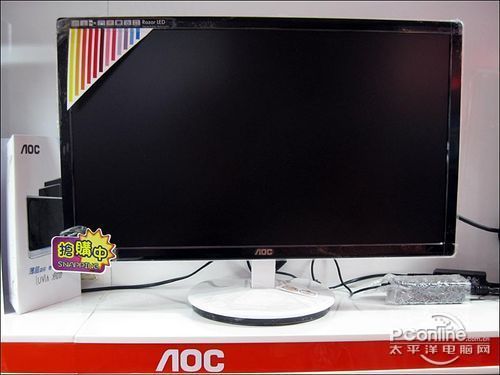
Which 1 shuld i choose? (>.<)
pergilahsayang
post Dec 30 2010, 12:17 PM

Casual
***
Junior Member
359 posts

Joined: Dec 2008
From: NoT WoRTh TelLiNg


QUOTE(Siu_Ming @ Dec 30 2010, 10:23 AM)
hi thr all, i m finding a gud LED screen wif affordable price.. based on my survey i found out da best product currently in da market is Dell 24" ST420L (Rm609 with Dynamic Contrast Ratio 5million) and Acer 23" S231HL(RM525 with Dynamic Contrast Ratio 12million)

Which 1 shuld i choose? (>.<)
*
of coz la 24" . Watching movie syiok woooo thumbup.gif

5 mil contrast ratio and 12 mil? seem big in numbers but doesn't effect that much lah.

GUd luk thumbup.gif
Onion-KiD
post Dec 30 2010, 06:43 PM

Enthusiast
*****
Senior Member
843 posts

Joined: May 2008
From: S'wak Kuching
QUOTE(wyyam @ Dec 29 2010, 10:26 PM)
Any1 can help me?
why when i play football game (PES 2011)
when the long shot the ball .. the screen moving.. the images become blur..
play oso like eyes pain n dizzy la..
can solve this problem or is it like this?
juz change to 23" monitor.. old 19" monitor wont like this.
*
Sometime is due to your computer response slow. what is your computer system spec? because 1400x900 to 1920x1080 is a jump for computer performance.

QUOTE(Siu_Ming @ Dec 30 2010, 10:23 AM)
hi thr all, i m finding a gud LED screen wif affordable price.. based on my survey i found out da best product currently in da market is Dell 24" ST420L (Rm609 with Dynamic Contrast Ratio 5million) and Acer 23" S231HL(RM525 with Dynamic Contrast Ratio 12million)

Which 1 shuld i choose? (>.<)
*
Mind you those xx million Dynamic contrast ratio just marketing advertising. Samsung already give up this kind of advertising. Just put "Mega Dynamic". This best is go shop view by your own eyes to compare. Ignore those xx million DCR. The screen will tell you their difference.

You can save some money to consider purchase Dell ultrasharp U2311H, currently is very worth to purchase with his price.
freeman85
post Dec 30 2010, 09:07 PM

Getting Started
**
Junior Member
297 posts

Joined: Jul 2007
From: KL
what more important is static ratio smile.gif
dynamic ratio failed when watched movie..sometime too bright sometime too dark doh.gif
i always disable dynamic contrast
nanomugen
post Dec 30 2010, 10:28 PM

Getting Started
**
Junior Member
287 posts

Joined: Jun 2007
From: YIPOW


hey guys just wanna know which is better, the AOC Razor E2243FW or the LG E2250T? biggrin.gif
-kytz-
post Dec 30 2010, 11:30 PM

10k Club
********
All Stars
12,573 posts

Joined: Nov 2008
Can U2311H users enlighten me on the warm/cold colours on either side.Does this only happen if you are viewing your monitor from an angle NOT directly in front?
Racerx
post Dec 30 2010, 11:35 PM

Tell Your World
*******
Senior Member
8,461 posts

Joined: Mar 2007
From: Kota Bharu,Kelantan


QUOTE(-kytz- @ Dec 30 2010, 10:30 PM)
Can U2311H users enlighten me on the warm/cold colours on either side.Does this only happen if you are viewing your monitor from an angle NOT directly in front?
*
mine's a REVA00.If within the x and y axis there's no colour shift .Plus my eyes can't detect any warm/cold colour gradient on the left and right side of the display.
If you view it off axis there's the IPS glow,the display becomes yellow/orange-ish if the background's black.
freeman85
post Dec 30 2010, 11:39 PM

Getting Started
**
Junior Member
297 posts

Joined: Jul 2007
From: KL
QUOTE(nanomugen @ Dec 30 2010, 10:28 PM)
hey guys just wanna know which is better, the AOC Razor E2243FW or the LG E2250T?  biggrin.gif
*
go for lg e2250t
the touch control for aoc s**k at least on my sis aoc 20 inch (not the same model)

QUOTE(-kytz- @ Dec 30 2010, 11:30 PM)
Can U2311H users enlighten me on the warm/cold colours on either side.Does this only happen if you are viewing your monitor from an angle NOT directly in front?
*
not sure..i havent notice any warm/cold colours..i think not all model affected
-kytz-
post Dec 30 2010, 11:39 PM

10k Club
********
All Stars
12,573 posts

Joined: Nov 2008
QUOTE(Racerx @ Dec 30 2010, 11:35 PM)
mine's a REVA00.If within the x and y axis there's no colour shift .Plus my eyes can't detect any warm/cold colour gradient on the left and right side of the display.
If you view it off axis there's the IPS glow,the display becomes yellow/orange-ish if the background's black.
*
Thanks so it means there's no colour shift when you're facing the monitor directly(as in perpendicular to the monitor). How about when you view it from a larger viewing distance?

And also, I only see colour shifts(in reviews) when they're testing the viewing angles.

This post has been edited by -kytz-: Dec 30 2010, 11:40 PM
Racerx
post Dec 30 2010, 11:44 PM

Tell Your World
*******
Senior Member
8,461 posts

Joined: Mar 2007
From: Kota Bharu,Kelantan


QUOTE(-kytz- @ Dec 30 2010, 10:39 PM)
Thanks so it means there's no colour shift when you're facing the monitor directly(as in perpendicular to the monitor). How about when you view it from a larger viewing distance?

And also, I only see colour shifts(in reviews) when they're testing the viewing angles.
*
For your first question,i tried viewing it about 2 meters away [my room's small] and there's no colour shift.

For your 2nd question,colour shift only occurs for me when it's viewed off axis,if within axis there's no colour shift even at extreme angles.However the brightness/contrast is slightly reduced though when viewed from extreme angles.
-kytz-
post Dec 31 2010, 12:24 AM

10k Club
********
All Stars
12,573 posts

Joined: Nov 2008
QUOTE(Racerx @ Dec 30 2010, 11:44 PM)
For your first question,i tried viewing it about 2 meters away [my room's small] and there's no colour shift.

For your 2nd question,colour shift only occurs for me when it's viewed off axis,if within axis there's no colour shift even at extreme angles.However the brightness/contrast is slightly reduced though when viewed from extreme angles.
*
Thanks!! thumbup.gif

I was pretty worried about the colour shifts because i'm planning to get it partly for photo editing as i'm doing photography biggrin.gif And yes, more workspace for surfing the web/watching movies as such biggrin.gif I won't be viewing it at angles, so it's good news for me smile.gif

Sow, now yea. I've decided already ! Time to start funding for it rclxms.gif

This post has been edited by -kytz-: Dec 31 2010, 12:25 AM
SUSromentheposmen
post Dec 31 2010, 12:36 AM

Getting Started
**
Junior Member
66 posts

Joined: Dec 2010


cannot la, bro. i read a lot of reviews on u2211h and u2311h, a lot (those who care enough) oso don't recommend that screen for professional photo editing.

the colors are nicer and more vibrant with deeper black etc etc but it's definitely not there for color accuracy because of the gradient shift.

if you're in the printing business you should really get a decent crt with excellent color reproduction or a high end ips screen, but if it's just web publishing i think that's still ok.
-kytz-
post Dec 31 2010, 01:11 AM

10k Club
********
All Stars
12,573 posts

Joined: Nov 2008
I've only got a budget of around RM600 and that also, need to slowly fund for it. I definitely can't afford the higher end Ultra Sharp 24" or 27".

I'm deciding based on my budget and U2311H seems to be the best i can get? smile.gif
freeman85
post Dec 31 2010, 01:21 AM

Getting Started
**
Junior Member
297 posts

Joined: Jul 2007
From: KL
QUOTE(-kytz- @ Dec 31 2010, 01:11 AM)
I've only got a budget of around RM600 and that also, need to slowly fund for it. I definitely can't afford the higher end Ultra Sharp 24" or 27".

I'm deciding based on my budget and U2311H seems to be the best i can get? smile.gif
*
yea ..the lowest price of ips panel u can get ..can sold it later for bigger screen smile.gif got for 5 year warranty if u want to sell it ..easier to sell rclxms.gif
Racerx
post Dec 31 2010, 01:21 AM

Tell Your World
*******
Senior Member
8,461 posts

Joined: Mar 2007
From: Kota Bharu,Kelantan


QUOTE(-kytz- @ Dec 31 2010, 12:11 AM)
I've only got a budget of around RM600 and that also, need to slowly fund for it. I definitely can't afford the higher end Ultra Sharp 24" or 27".

I'm deciding based on my budget and U2311H seems to be the best i can get? smile.gif
*
well,the 2209WA is better for your usage since it doesn't have the colour gradient problem compared to the u2311h/u221h.

if your budget is around rm600 only then the u2211h/u2311h will give the most accurate colour.Do you have a colorimeter with you btw?


Added on December 31, 2010, 1:24 am
QUOTE(-kytz- @ Dec 30 2010, 11:24 PM)
Thanks!! thumbup.gif

I was pretty worried about the colour shifts because i'm planning to get it partly for photo editing as i'm doing photography biggrin.gif And yes, more workspace for surfing the web/watching movies as such biggrin.gif I won't be viewing it at angles, so it's good news for me smile.gif

Sow, now yea. I've decided already ! Time to start funding for it rclxms.gif
*
try asking dma0991/TDUEnthusiast,they bought REVA01 units recently.See if their unit have the colour shift or not.

This post has been edited by Racerx: Dec 31 2010, 01:24 AM
SUSKakakKoboi
post Dec 31 2010, 01:40 AM

New Member
*
Junior Member
49 posts

Joined: Oct 2010
Hello guys. I dont know about lcd/led that much. Just that i dont think my 20ich monitor is enough for my photo editing.

Whats the best monitor i can get for budget below RM700? thanks. smile.gif
Racerx
post Dec 31 2010, 01:46 AM

Tell Your World
*******
Senior Member
8,461 posts

Joined: Mar 2007
From: Kota Bharu,Kelantan


QUOTE(KakakKoboi @ Dec 31 2010, 12:40 AM)
Hello guys. I dont know about lcd/led that much. Just that i dont think my 20ich monitor is enough for my photo editing.

Whats the best monitor i can get for budget below RM700? thanks. smile.gif
*
For photo editing?consider the Dell Ultrasharp U2311H/E2211H/2209WA,they use eIPS panel which have better colour reproduction than TN panels of the same price.They are also tuned for colour accuracy. icon_rolleyes.gif
SUSKakakKoboi
post Dec 31 2010, 01:48 AM

New Member
*
Junior Member
49 posts

Joined: Oct 2010
QUOTE(Racerx @ Dec 31 2010, 01:46 AM)
For photo editing?consider the Dell Ultrasharp U2311H/E2211H/2209WA,they use eIPS panel which have better colour reproduction than TN panels of the same price.They are also tuned for colour accuracy. icon_rolleyes.gif
*
ok thanks! any other brand? thanks. will look further on the dells. smile.gif
nanomugen
post Dec 31 2010, 04:04 AM

Getting Started
**
Junior Member
287 posts

Joined: Jun 2007
From: YIPOW


QUOTE(freeman85 @ Dec 30 2010, 11:39 PM)
go for lg e2250t
the touch control for aoc s**k at least on my sis aoc 20 inch  (not the same model)
*
owh is it? thx for suggesting bro btw i think the auto brightness feature on the LG is kinda cool brows.gif
Onion-KiD
post Dec 31 2010, 03:43 PM

Enthusiast
*****
Senior Member
843 posts

Joined: May 2008
From: S'wak Kuching
Other option are AoC iF23 or BenQ BL2400PU(refer page 20). i hope BenQ that model price below RM1000.

Btw Racex 2209WA no more at Dell website cry.gif
wyyam
post Dec 31 2010, 05:40 PM

Getting Started
**
Junior Member
226 posts

Joined: Sep 2007
From: Malacca


seriously, why my px2370 so bright.. even thou i adjust to very low brightness..

really eyes pain lo..
any options ?

LED to me is a NO NO..lol
TDUEnthusiast
post Dec 31 2010, 06:02 PM

Critical thinking
Group Icon
Elite
10,015 posts

Joined: Mar 2009
From: the future
Lower the contrast?
wyyam
post Dec 31 2010, 06:27 PM

Getting Started
**
Junior Member
226 posts

Joined: Sep 2007
From: Malacca


QUOTE(TDUEnthusiast @ Dec 31 2010, 06:02 PM)
Lower the contrast?
*
done tat too.. haizz..
seriously how to set ??
TDUEnthusiast
post Dec 31 2010, 07:16 PM

Critical thinking
Group Icon
Elite
10,015 posts

Joined: Mar 2009
From: the future
Did you enable Windows Cleartype? hmm.gif.
wyyam
post Dec 31 2010, 07:35 PM

Getting Started
**
Junior Member
226 posts

Joined: Sep 2007
From: Malacca


QUOTE(TDUEnthusiast @ Dec 31 2010, 07:16 PM)
Did you enable Windows Cleartype? hmm.gif.
*
Yes too..
talking abt this .. it doesn't relate to this brightness but my words aren't clear too..

tats why i m headache abt this matter too..
TDUEnthusiast
post Dec 31 2010, 09:29 PM

Critical thinking
Group Icon
Elite
10,015 posts

Joined: Mar 2009
From: the future
Have you tried disabling it?
freeman85
post Dec 31 2010, 11:51 PM

Getting Started
**
Junior Member
297 posts

Joined: Jul 2007
From: KL
QUOTE(wyyam @ Dec 31 2010, 05:40 PM)
seriously, why my px2370 so bright.. even thou i adjust to very low brightness..

really eyes pain lo..
any options ?

LED to me is a NO NO..lol
*
use graphic card control panel to adjust the brightness ..should able to lower the brightness a bit
if there is and option make sure set the dynamic contrast ratio to disable..

Racerx
post Jan 1 2011, 03:09 AM

Tell Your World
*******
Senior Member
8,461 posts

Joined: Mar 2007
From: Kota Bharu,Kelantan


QUOTE(wyyam @ Dec 31 2010, 04:40 PM)
seriously, why my px2370 so bright.. even thou i adjust to very low brightness..

really eyes pain lo..
any options ?

LED to me is a NO NO..lol
*
i've seen people recommend LED backlit LCDs before based on the fact that it's brighter blink.gif
Try turning off dynamic contrast and use standard/user colour preset.
wyyam
post Jan 1 2011, 09:32 AM

Getting Started
**
Junior Member
226 posts

Joined: Sep 2007
From: Malacca


Fyi, i customed it myself the setup.. nvr use dynamic..

but then i think is bcoz not used to it ..

the problem is too bright until ur eyes oso pain when u face ur monitor for so long..


danny_sp15
post Jan 1 2011, 02:13 PM

==============
*******
Senior Member
3,045 posts

Joined: Dec 2007
From: Canterlot


hi guys, may i ask a question? are Dell LCDs sold in normal shops? or only online through dell website? cos im thinking of buying an LCD with a budget of RM600 max, 23", and seems like u guys always recommend Dell. but i dont have the means for online purchase. could u guys recommend another good brand for a 23" LCD? preferably with a HDMI input. Thanks in advance! smile.gif

-update: already bought Acer S231HL for RM525, plus free DVI-to-HDMI cable. very satisfied with overall quality. smile.gif

This post has been edited by danny_sp15: Jan 2 2011, 01:04 AM
JinXXX
post Jan 1 2011, 04:00 PM

Look at all my stars!!
*******
Senior Member
2,516 posts

Joined: Feb 2007
From: Uarla Umpur


hey guys just curious

is it possible that the monitors response time affect or make some ppl more dizzy/nauseating when playing FPS kind of game ??

cause in cybercafe i can play with out much dizzy but at home .. like very teruk.. i kena
uzary
post Jan 1 2011, 08:23 PM

J@ck da D0n
*******
Senior Member
3,149 posts

Joined: Mar 2007
From: Kuala Terengganu


hurm.. not many buy or using samsung p2770h.. gues ideal size for lcd monitor is between 22-24''..

This post has been edited by uzary: Jan 1 2011, 08:24 PM
yuna1987
post Jan 3 2011, 01:27 AM

Getting Started
**
Junior Member
98 posts

Joined: Oct 2009


Guys, i just received my U2311H few hours ago from JREnterprise(very nice seller thumbup.gif ) i test it by connect it with my laptop(945 chipset onboard graphic) and pretty much everything was good except this random blinking dot thingy. Izzit this what so called flickering? Did i received a faulty unit? or it's the problem with my old laptop? It just happen when the screen is completely dark thou. hmm.gif
I record it and post it up as the video below, have a look doh.gif

http://www.youtube.com/watch?v=zkfDiIJmeSA

edited: i dont know how to put the youtube player here sry doh.gif

This post has been edited by yuna1987: Jan 3 2011, 01:32 AM
wildwestgoh
post Jan 3 2011, 08:26 AM

Look at all my stars!!
*******
Senior Member
2,215 posts

Joined: Jul 2005


QUOTE(yuna1987 @ Jan 3 2011, 01:27 AM)
Guys, i just received my U2311H few hours ago from JREnterprise(very nice seller thumbup.gif ) i test it by connect it with my laptop(945 chipset onboard graphic) and pretty much everything was good except this random blinking dot thingy. Izzit this what so called flickering? Did i received a faulty unit? or it's the problem with my old laptop? It just happen when the screen is completely dark thou. hmm.gif
I record it and post it up as the video below, have a look doh.gif

http://www.youtube.com/watch?v=zkfDiIJmeSA

edited: i dont know how to put the youtube player here sry  doh.gif
*
Using VGA port? It could be some interference with the cable or the port itself though I'm not sure the reason as well, you might want to test with other monitor to see if the same thing happen.
alexng2208
post Jan 3 2011, 09:00 AM

Why my warn is 0%? i miss my high warn
*******
Senior Member
4,789 posts

Joined: Jul 2007
Any suggestion for LED, minimum 23/24" better if 27" monitor?

My budget is around RM1000 ^^
selikatwo
post Jan 3 2011, 09:02 AM

Casual
***
Junior Member
302 posts

Joined: May 2010
From: Shah Alam, Malaysia


can someone suggest my lcd with led having dvi + hdmi below rm400.

syk
post Jan 3 2011, 09:30 AM

Casual
***
Junior Member
315 posts

Joined: Jan 2003
From: KL


QUOTE(alexng2208 @ Jan 3 2011, 09:00 AM)
Any suggestion for LED, minimum 23/24" better if 27" monitor?

My budget is around RM1000 ^^
*
Size does matter, you won't regret to choose for 27 rather than 24.

BTW : I am using P2770 now. Won't go back to any 24.

This post has been edited by syk: Jan 3 2011, 09:31 AM
alexng2208
post Jan 3 2011, 09:36 AM

Why my warn is 0%? i miss my high warn
*******
Senior Member
4,789 posts

Joined: Jul 2007
QUOTE(syk @ Jan 3 2011, 09:30 AM)
Size does matter, you won't regret to choose for 27 rather than 24.

BTW : I am using P2770 now. Won't go back to any 24.
*
>.< i know.. i know i want 27 but comfort myself by seeing at 24 monitors too.. LOL

P2770 is samsung? is it LED? i prefer LED because i think ccfl takes too long to get to max brightness
SUSVerdictReview
post Jan 3 2011, 09:49 AM

Casual
***
Junior Member
330 posts

Joined: Dec 2010
QUOTE(alexng2208 @ Jan 3 2011, 09:00 AM)
Any suggestion for LED, minimum 23/24" better if 27" monitor?

My budget is around RM1000 ^^
*
Samsung BX2450..


Added on January 3, 2011, 9:51 am
QUOTE(alexng2208 @ Jan 3 2011, 09:36 AM)
>.< i know.. i know i want 27 but comfort myself by seeing at 24 monitors too.. LOL

P2770 is samsung? is it LED? i prefer LED because i think ccfl takes too long to get to max brightness
*
It's actually depends on your room size.

This post has been edited by VerdictReview: Jan 3 2011, 09:51 AM
alexng2208
post Jan 3 2011, 09:54 AM

Why my warn is 0%? i miss my high warn
*******
Senior Member
4,789 posts

Joined: Jul 2007
wah bx2450 looks good ^^

and my room is small sad.gif if i put a 27, practically 1/4 of my room is already decorated
nizam1205
post Jan 3 2011, 11:40 AM

New Member
*
Junior Member
38 posts

Joined: Mar 2009
From: Port Klang/Subang Jaya
Hello guys, newbie here.

Can anybody here help me to find an old hpw2207. Being eyeing for some time now. TQVM
yuna1987
post Jan 3 2011, 08:49 PM

Getting Started
**
Junior Member
98 posts

Joined: Oct 2009


QUOTE(wildwestgoh @ Jan 3 2011, 08:26 AM)
Using VGA port? It could be some interference with the cable or the port itself though I'm not sure the reason as well, you might want to test with other monitor to see if the same thing happen.
*
Found out the problem is due to my laptop. doh.gif This afternoon i bring it over to my friend house to try it on his PC, it works perfectly. No randam blinking thingy and those horizontal line are not there anymore. Even on his 8 years old graphic card, its still better then my laptop graphics LOL but the orange glow on this monitor is very annoying shakehead.gif
coolkwc
post Jan 3 2011, 09:15 PM

Fall in love with audio again.
*******
Senior Member
3,112 posts

Joined: Jul 2006
After 6 years with my Samsung 17" 795MB CRT, finally bought myself 1st ever LCD yesterday, Samsung BX2450, looks so huge and syiok, biggrin.gif but... unsure.gif

1. The response time in racing game still no fight with my CRT.
2. Black colour still no fight with my CRT.
3. Can notice 'color gradient' (don know what it call) during color fading/transition.
4. Viewing angle no fight with CRT.
sad.gif
but... unsure.gif

1. Contrast ratio during movie is soooo good.
2. Particle effect during gaming is sooooo crisp and sharp.
3. The temp generated is almost none. (My room no longer heated by monitor).
4. Text is sharp.
rclxms.gif

Actually eyeing Dell 23" IPS for long time adi, but somehow finally purchase TN panel, because IPS have their shortage as well. smile.gif

Anyway all the items mentioned above is well known by me before i buy LCD, haiz no choice we don't have plasma monitor. tongue.gif

Right now i'm using DVI to HDMI converter from my 6870 GC, may i know if HDMI to HDMI wil result better quality? hmm.gif
AlanSiew
post Jan 3 2011, 10:06 PM

Enthusiast
*****
Senior Member
807 posts

Joined: Jan 2009
Anyone know why LG E2360T LED still not can't in malaysia market yet?or it just available in other coutries only?hmm.gif
Illiad
post Jan 3 2011, 11:33 PM

Getting Started
**
Junior Member
229 posts

Joined: Dec 2006


Hey guys, just asking suggestions. Should i get 3x Dell U2311h for eyefinity or a single U2711? Is there any difference in quality for the two. What are the pros and cons of both set ups. Use mainly for movies and gaming. Desk space is not a problem for both. Another thing, does any of the monitors come with display port and is it easily available at pc stores?
wildwestgoh
post Jan 4 2011, 08:56 AM

Look at all my stars!!
*******
Senior Member
2,215 posts

Joined: Jul 2005


QUOTE(coolkwc @ Jan 3 2011, 09:15 PM)
Right now i'm using DVI to HDMI converter from my 6870 GC, may i know if HDMI to HDMI wil result better quality? hmm.gif
*
HDMI basically DVI+Audio signal, it's the same thing whether you choose DVI or HDMI.

QUOTE(Illiad @ Jan 3 2011, 11:33 PM)
Hey guys, just asking suggestions. Should i get 3x Dell U2311h for eyefinity or a single U2711? Is there any difference in quality for the two. What are the pros and cons of both set ups. Use mainly for movies and gaming. Desk space is not a problem for both. Another thing, does any of the monitors come with display port and is it easily available at pc stores?
*
U2711 is 2560x1440, 3x U2311H you get 5760x1080 or 3240x1920 (portrait mode).
Depends on your needs, getting U2711 is better for professional graphics, and it has some input lags, not good for gaming.
If you're just into gaming, eyefinity might benefit you more.
And yes, all of the models that you listed has display port.
Illiad
post Jan 4 2011, 11:28 AM

Getting Started
**
Junior Member
229 posts

Joined: Dec 2006


U2711 is 2560x1440, 3x U2311H you get 5760x1080 or 3240x1920 (portrait mode).
Depends on your needs, getting U2711 is better for professional graphics, and it has some input lags, not good for gaming.
If you're just into gaming, eyefinity might benefit you more.
And yes, all of the models that you listed has display port.
*

[/quote]
I mean does a display port cable come with the package. Are there alot of games at the moment supporting eyefinity such as mass effect 1 & 2? From what I have seen eyefinity suits FPS games the most.
AlanSiew
post Jan 4 2011, 11:40 AM

Enthusiast
*****
Senior Member
807 posts

Joined: Jan 2009
Halo any sifu know answer my question or not?icon_question.gif
freeman85
post Jan 4 2011, 12:16 PM

Getting Started
**
Junior Member
297 posts

Joined: Jul 2007
From: KL
[quote=Illiad,Jan 4 2011, 11:28 AM]
U2711 is 2560x1440, 3x U2311H you get 5760x1080 or 3240x1920 (portrait mode).
Depends on your needs, getting U2711 is better for professional graphics, and it has some input lags, not good for gaming.
If you're just into gaming, eyefinity might benefit you more.
And yes, all of the models that you listed has display port.
*

[/quote]
I mean does a display port cable come with the package. Are there alot of games at the moment supporting eyefinity such as mass effect 1 & 2? From what I have seen eyefinity suits FPS games the most.
*

[/quote]
u2311h doesnt come with display port cable..about the game u can check the http://support.amd.com/us/eyefinity/Pages/...y-software.aspx
u2711h i'm not sure it come with display port cable or not


[quote=AlanSiew,Jan 4 2011, 11:40 AM]
Halo any sifu know answer my question or not?icon_question.gif
*

[/quote]
it up to vendor if they want to bring or not ..for now we just have to wait or u can ask some shop at lyn for lg vendor contact no
Illiad
post Jan 4 2011, 12:28 PM

Getting Started
**
Junior Member
229 posts

Joined: Dec 2006


Base on reviews, it seems u2711 has better colour reproduction then the u2311. I play bout 60% movies and 40% games.
freeman85
post Jan 4 2011, 12:55 PM

Getting Started
**
Junior Member
297 posts

Joined: Jul 2007
From: KL
QUOTE(Illiad @ Jan 4 2011, 12:28 PM)
Base on reviews, it seems u2711 has better colour reproduction then the u2311. I play bout 60% movies and 40% games.
*
actually more like up to you..but for me eyefinity no go with movies..lcd bezel disturb the movies >_<
u2711 got better resolution so more workspace and less smaller than 3 lcd combined smile.gif but the price is so expensive
do remember than when going eyefinity u need display port cable also ..which is already expensive..only found at lyp for rm 79 a piece..lyn cheaper but have to post ..

Illiad
post Jan 4 2011, 01:04 PM

Getting Started
**
Junior Member
229 posts

Joined: Dec 2006


QUOTE(freeman85 @ Jan 4 2011, 12:55 PM)
actually more like up to you..but for me eyefinity no go with movies..lcd bezel disturb the movies >_<
u2711 got better resolution so more workspace and less smaller than 3 lcd combined smile.gif but the price is so expensive
do remember than when going eyefinity u need display port cable also ..which is already expensive..only found at lyp for rm 79 a piece..lyn cheaper but have to post ..
*
Probably getting u2711 then. Cause I like the pixel density it has and i think going eyefinity would be pushing my 5870 a lil far.
Racerx
post Jan 4 2011, 02:17 PM

Tell Your World
*******
Senior Member
8,461 posts

Joined: Mar 2007
From: Kota Bharu,Kelantan


QUOTE(Illiad @ Jan 4 2011, 12:04 PM)
Probably getting u2711 then. Cause I like the pixel density it has and i think going eyefinity would be pushing my 5870 a lil far.
*
actually even 2560x1440 is already pushing your HD5870 to it's limits.If gaming and movies is all you do then i suggest a 32" fullHD LCD TV instead.Less pixels so your movies won't look too pixelated and your HD5870 is still great for 1920x1080
clawhammer
post Jan 4 2011, 02:29 PM

///M
Group Icon
VIP
8,788 posts

Joined: Jan 2003
From: Kuala Lumpur


QUOTE(Racerx @ Jan 4 2011, 02:17 PM)
actually even 2560x1440 is already pushing your HD5870 to it's limits.If gaming and movies is all you do then i suggest a 32" fullHD LCD TV instead.Less pixels so your movies won't look too pixelated and your HD5870 is still great for 1920x1080
*
This is not true smile.gif The 5870 can handle 2560x1600 for quite a number of top games today without issues. I have used a 5870 with my Dell 30" which is a 2560x1600 resolution. On top of that, there are also reviews on the Internet that shows you 50+ FPS with this resolution. I think you should really read up and re-confirm your facts before giving out wrong information to others.

At the same time, have you owned a 5870 with a 2560x1440 or 2560x1600 LCD before and what are the games you've played on that setup?
Racerx
post Jan 4 2011, 03:06 PM

Tell Your World
*******
Senior Member
8,461 posts

Joined: Mar 2007
From: Kota Bharu,Kelantan


QUOTE(clawhammer @ Jan 4 2011, 01:29 PM)
This is not true smile.gif The 5870 can handle 2560x1600 for quite a number of top games today without issues. I have used a 5870 with my Dell 30" which is a 2560x1600 resolution. On top of that, there are also reviews on the Internet that shows you 50+ FPS with this resolution. I think you should really read up and re-confirm your facts before giving out wrong information to others.

At the same time, have you owned a 5870 with a 2560x1440 or 2560x1600 LCD before and what are the games you've played on that setup?
*
http://www.anandtech.com/bench/Product/162

look at the 2560x1600 results,40+-fps is ok,but it's not 50+ you're claiming.
and no,i don't have a 5870/2560X1600 combo with me.
clawhammer
post Jan 4 2011, 03:16 PM

///M
Group Icon
VIP
8,788 posts

Joined: Jan 2003
From: Kuala Lumpur


QUOTE(Racerx @ Jan 4 2011, 03:06 PM)
http://www.anandtech.com/bench/Product/162

look at the 2560x1600 results,40+-fps is ok,but it's not 50+ you're claiming.
and no,i don't have a 5870/2560X1600 combo with me.
*
You are just being plain ignorant smile.gif First of all, you're not an owner of these hardware itself and are just commenting based on your pure theoretical knowledge but that again is flawed. Secondly, how many 5870 reviews have you read? Thirdly, if you compare everything against Crysis, even a GTX 295 is screwed. In my opinion, everything you said cannot be taken into account. You don't learn your mistakes but instead confuse others biggrin.gif
Racerx
post Jan 4 2011, 03:22 PM

Tell Your World
*******
Senior Member
8,461 posts

Joined: Mar 2007
From: Kota Bharu,Kelantan


QUOTE(clawhammer @ Jan 4 2011, 02:16 PM)
You are just being plain ignorant smile.gif First of all, you're not an owner of these hardware itself and are just commenting based on your pure theoretical knowledge but that again is flawed. Secondly, how many 5870 reviews have you read? Thirdly, if you compare everything against Crysis, even a GTX 295 is screwed. In my opinion, everything you said cannot be taken into account. You don't learn your mistakes but instead confuse others biggrin.gif
*
Geez,do you have something personal against me?
I posted anandtech since it's easy to compare to other cards.
Now,have you read my post properly,i said 40+-fps,Crysis isn't even at 40FPS to begin with.
clawhammer
post Jan 4 2011, 03:28 PM

///M
Group Icon
VIP
8,788 posts

Joined: Jan 2003
From: Kuala Lumpur


QUOTE(Racerx @ Jan 4 2011, 03:22 PM)
Geez,do you have something personal against me?
I posted anandtech since it's easy to compare to other cards.
Now,have you read my post properly,i said 40+-fps,Crysis isn't even at 40FPS to begin with.
*
No, I'm not getting personal but if you're not on the right track, what's wrong with you re-evaluating your theories again? smile.gif It's a good example and based on that review, try clicking GTX 480 and 5870 as a comparison. If going by your theory and that review, even GTX 480 isn't suited for 2560x1440/2560x1600 resolution so does that mean everyone has to buy GTX 480 or 580 SLI to run with a 30" LCD? Look, you should compare common games where people play. Not everyone is into Crysis and Metro 2033. Call of Duty, Starcraft 2, Dirt 2, Far Cry 2, etc is a lot more common than these 2 games and it's very much playable. Secondly, you need to understand how reviews are written and if you notice, your actual hardware always gets a better FPS that what is stated in the review. As to why that is the case, it's your own effort to find out.
rafieq
post Jan 6 2011, 12:10 PM

Getting Started
**
Junior Member
81 posts

Joined: Jan 2008
From: Batu Pahat


where can i get the DP-HDMI cable very cheap?
Imaizumi
post Jan 6 2011, 01:46 PM

Getting Started
**
Junior Member
266 posts

Joined: Oct 2004
Hi All.
I was wondering how good is samsung bx2231 LED monitor? Is it worth it?

If not, maybe anyone can recommend a monitor below Rm600? For gaming and movies.

This post has been edited by Imaizumi: Jan 6 2011, 03:04 PM
cyew86
post Jan 6 2011, 07:07 PM

oh my ...
*******
Senior Member
4,251 posts

Joined: Aug 2006
For RM600, go for Dell U2311H

Compared to BX2231:

Pros:
1. IPS Panel (great image quality and viewing angle)
2. 23" (1.5 inches larger, size does matter laugh.gif )

Cons:
1. 8ms response (not that we can see the difference anyway)
2. CCFL backlight (not that it has any major impact on image quality, and IPS still pwn TN panel any time)
3. No speakers (built-in speakers are crappy anyway)
4. No HDMI (you have DVI-D which does the same thing, unless you want more connectivity for your PS3/XBOX360)
-kytz-
post Jan 6 2011, 08:11 PM

10k Club
********
All Stars
12,573 posts

Joined: Nov 2008
How is this monitor lol

http://www.lacie.com/products/product.htm?pid=11096

And what's this?

# 10-bit P-IPS LCD panel for superior uniformity
# Wide color gamuts, 102% NTSC, 98% AdobeRGB

What's P-IPS?? hmm.gif

http://www.lacie.com/products/product.htm?pid=11568

This post has been edited by -kytz-: Jan 6 2011, 08:13 PM
crazyjackzzz
post Jan 6 2011, 09:21 PM

New Member
*
Newbie
1 posts

Joined: Aug 2008


Hey, i have a problem with my monitor. I am currently using samsung 2233sw. So 1 day i try to on my computer, my CPU everything is working but my monitor is ON but no graphic or anything. Just the Blue LED light below of the monitor keep blinking. I hope someone are able to help me.
Jason_ppk
post Jan 6 2011, 10:56 PM

Getting Started
**
Junior Member
86 posts

Joined: Nov 2006


hey there sifus, can recommend me a good LED monitor with at least 2 hdmi ports, wanna connect my ps3 and my pc together
NekoRacing
post Jan 7 2011, 12:29 PM

Casual
***
Junior Member
325 posts

Joined: Sep 2005
Same here. Any recommendations if I should get a normal LCD LED monitor or a HDTV 32" for web surfing, movies, and games?

- running on GTX460
BeastX
post Jan 7 2011, 06:24 PM

Genomics Revolution; Proud to be a Scientist
*******
Senior Member
5,987 posts

Joined: Jan 2003
From: North Borneo & South Nihon/Nippon


QUOTE(rafieq @ Jan 6 2011, 12:10 PM)
where can i get the DP-HDMI cable very cheap?
You can use ordinary HDMI cable but just get an DP to HDMI/DVI adapter......

These are passive adapters , which means for the DP port that transmit DVI/HDMI signals as well, not every DP port have this feature, The DP on AMD 5series GC cards certainly does not...

COST: Around RM 12 to 15... at least on ebay, local retailers should carry them as well


Added on January 7, 2011, 6:28 pm
QUOTE(NekoRacing @ Jan 7 2011, 12:29 PM)
Same here. Any recommendations if I should get a normal LCD LED monitor or a HDTV 32" for web surfing, movies, and games?

- running on GTX460
A Full 1920x1080p HDTV......

This post has been edited by BeastX: Jan 8 2011, 09:26 AM
nanomugen
post Jan 8 2011, 03:45 AM

Getting Started
**
Junior Member
287 posts

Joined: Jun 2007
From: YIPOW


guys, where to get the samsung bx2235?
and how much is it here?
NekoRacing
post Jan 8 2011, 04:42 AM

Casual
***
Junior Member
325 posts

Joined: Sep 2005
Let's say; 50% web surfing 50% movies

Should I get a >30" LCD Monitor by Dell or ViewSonic or Full HD 32" 1080p.

The thing is, sitting right infront of the desktop. I worry the 32" will strain the eyes when web surfing.
SUSromentheposmen
post Jan 8 2011, 05:04 AM

Getting Started
**
Junior Member
66 posts

Joined: Dec 2010


QUOTE(NekoRacing @ Jan 8 2011, 04:42 AM)
Let's say; 50% web surfing 50% movies

Should I get a >30" LCD Monitor by Dell or ViewSonic or Full HD 32" 1080p.

The thing is, sitting right infront of the desktop. I worry the 32" will strain the  eyes when web surfing.
*
no la, eye won't strain. neck will.
ktek
post Jan 8 2011, 01:35 PM

小喇叭
********
All Stars
13,216 posts

Joined: Jul 2006
QUOTE(-kytz- @ Jan 6 2011, 08:11 PM)
How is this monitor lol
*

those are calibrated LCD monitor for specialized field (colour accuracy freaks or even sometimes hospital)
similar to NEC Eizo Planar where you can check out their price for 5-digit USD$ in Dell USA website
leslie0880
post Jan 8 2011, 05:09 PM

Enthusiast
*****
Senior Member
728 posts

Joined: Feb 2005
From: Johor


Hi All, got any1 using Viewsonic VX2450WM or LG E2360T?
how bout both LCD? i oso headache which should 1 pick........
i normally use for Movie,Surfing,Gaming.........
Jason_ppk
post Jan 8 2011, 06:25 PM

Getting Started
**
Junior Member
86 posts

Joined: Nov 2006


yoyo, just got my new led monitor Lg 2340v... anyway just wanna ask is there any good led calibration software ??
AlanSiew
post Jan 8 2011, 06:40 PM

Enthusiast
*****
Senior Member
807 posts

Joined: Jan 2009
QUOTE(leslie0880 @ Jan 8 2011, 05:09 PM)
Hi All, got any1 using Viewsonic VX2450WM or LG E2360T?
how bout both LCD? i oso headache which should 1 pick........
i normally use for Movie,Surfing,Gaming.........
*
I will pick LG E2360T. brows.gif LG E2360T LED not release in malaysia yet,and don't know when it will release. Cause i also want buy tat LED monitor too. sad.gif
Scavengers
post Jan 8 2011, 06:47 PM

Casual
***
Junior Member
380 posts

Joined: Oct 2004
From: Vekta

saw samsung px2370 at lyn this morning
priced at rm1039 or something, darn the design is sleek


This post has been edited by Scavengers: Jan 8 2011, 06:54 PM
leslie0880
post Jan 8 2011, 07:27 PM

Enthusiast
*****
Senior Member
728 posts

Joined: Feb 2005
From: Johor


QUOTE(AlanSiew @ Jan 8 2011, 06:40 PM)
I will pick LG E2360T. brows.gif LG E2360T LED not release in malaysia yet,and don't know when it will release. Cause i also want buy tat LED monitor too.  sad.gif
*
brother, m'sia ady sell = =
RM660 free DVI->HDMI Cable @ Johor.................
AlanSiew
post Jan 8 2011, 08:34 PM

Enthusiast
*****
Senior Member
807 posts

Joined: Jan 2009
QUOTE(leslie0880 @ Jan 8 2011, 07:27 PM)
brother, m'sia ady sell = =
RM660 free DVI->HDMI Cable @ Johor.................
*
Wah really? blink.gif Then i might pick 1 soon, my place melaka don't see it yet. hmm.gif
dk999
post Jan 8 2011, 09:28 PM

Casual
***
Junior Member
474 posts

Joined: Jan 2005


Can anyone share what brightness contrast settings for their U2311H
mine is quite okay when viewing colored images(movie games) but its quite tiring to read with lots of white/whitish background..
LYN is quite okay bcoz of the blue background less contrast on the words

Thanks if anyone can help can share
tcchuin
post Jan 8 2011, 09:44 PM

On my way
****
Senior Member
511 posts

Joined: Nov 2007
can any1 suggest me a best for bucks monitor under rm450??
Onion-KiD
post Jan 9 2011, 12:07 AM

Enthusiast
*****
Senior Member
843 posts

Joined: May 2008
From: S'wak Kuching
QUOTE(dk999 @ Jan 8 2011, 09:28 PM)
Can anyone share what brightness contrast settings for their U2311H
mine is quite okay when viewing colored images(movie games) but its quite tiring to read with lots of white/whitish background..
LYN is quite okay bcoz of the blue background less contrast on the words

Thanks if anyone can help can share
*
You can change your background color via ur OS.

1)For Window 7, Right click your desktop, Click personalize>Window color>Advanced Appearance setting...>Under "Item", Choose "Window" Then select any color you like. >Apply. TaTa~ rclxms.gif

2)For IE background after change ur desktop background. Open IE, click Tools>Internet Option>Under "General" click "Accessibility"> Tick "Ignore colors specified on web pages" > OK. Tata~ rclxms.gif

3)For FireFox> Open FireFox> Tools>Options>Content>Under "Font & Colors" Click Colors...> Under Background choose any color you like> Untick "Allow pages to choose their own colors, instead of my selection above">OK. Tata~

thumbup.gif thumbup.gif
cyew86
post Jan 9 2011, 12:13 AM

oh my ...
*******
Senior Member
4,251 posts

Joined: Aug 2006
QUOTE(dk999 @ Jan 8 2011, 09:28 PM)
Can anyone share what brightness contrast settings for their U2311H
mine is quite okay when viewing colored images(movie games) but its quite tiring to read with lots of white/whitish background..
LYN is quite okay bcoz of the blue background less contrast on the words

Thanks if anyone can help can share
*
just set to 30-40 would be fine, but i believe that it's up to individuals preference. just tweak until you feel comfortable with the brightness.
AlanSiew
post Jan 9 2011, 04:38 PM

Enthusiast
*****
Senior Member
807 posts

Joined: Jan 2009
Does anyone see this LCD monitor before?I mean in malaysia. hmm.gif


Attached thumbnail(s)
Attached Image Attached Image
leslie0880
post Jan 9 2011, 08:25 PM

Enthusiast
*****
Senior Member
728 posts

Joined: Feb 2005
From: Johor


QUOTE(AlanSiew @ Jan 9 2011, 04:38 PM)
Does anyone see this LCD monitor before?I mean in malaysia. hmm.gif
*
almost same with philips design hmm.gif
y dun want the LG ady? biggrin.gif

LG price same with the Dell U2311 IPS 1............
all friend ask me take the IPS 1.... wont regret...... rclxub.gif
Mr.Lonely
post Jan 9 2011, 08:51 PM

I Don't Give a Damn
******
Senior Member
1,304 posts

Joined: Nov 2005
From: A place


QUOTE(dk999 @ Jan 8 2011, 09:28 PM)
Can anyone share what brightness contrast settings for their U2311H
mine is quite okay when viewing colored images(movie games) but its quite tiring to read with lots of white/whitish background..
LYN is quite okay bcoz of the blue background less contrast on the words

Thanks if anyone can help can share
*
i used to hav same problem oso, den i decrease the brightness to 30 den i feel cool while reading the text, last time feel the morning is hurting my eyes although the colors really nice

QUOTE(leslie0880 @ Jan 9 2011, 08:25 PM)
almost same with philips design hmm.gif
y dun want the LG ady? biggrin.gif

LG price same with the Dell U2311 IPS 1............
all friend ask me take the IPS 1.... wont regret...... rclxub.gif
*
look for JEnterprise~
AlanSiew
post Jan 9 2011, 08:56 PM

Enthusiast
*****
Senior Member
807 posts

Joined: Jan 2009
It's Philip LCD monitor with Light Frame(Eye Care Design) brows.gif
Ya, Dell U2311H is IPS quality sure win those LED monitor, but power consumption higher than LED monitor! I like LG E2360T LED cause low power consumption & good for our eyes if we using computer 10hrs+ per day. hmm.gif
rafieq
post Jan 9 2011, 09:21 PM

Getting Started
**
Junior Member
81 posts

Joined: Jan 2008
From: Batu Pahat


guys sorry, i want to know is from graphic card(dvi-d) to monitor(displayport) work?
Mr.Lonely
post Jan 9 2011, 09:39 PM

I Don't Give a Damn
******
Senior Member
1,304 posts

Joined: Nov 2005
From: A place


QUOTE(AlanSiew @ Jan 9 2011, 08:56 PM)
It's Philip LCD monitor with Light Frame(Eye Care Design) brows.gif
Ya, Dell U2311H is IPS quality sure win those LED monitor, but power consumption higher than LED monitor! I like LG E2360T LED cause low power consumption & good for our eyes if we using computer 10hrs+ per day. hmm.gif
*
u r wrong =) dude, yes IPS panel will superior to others for higher end model, not this entry level 2311h it just slightly better in term of colors accuracy but not "sure win" i do saw some LED backlit TN panel are doing better. smile.gif

QUOTE(rafieq @ Jan 9 2011, 09:21 PM)
guys sorry, i want to know is from graphic card(dvi-d) to monitor(displayport) work?
*
should work if u got the convertor =D
rafieq
post Jan 9 2011, 09:56 PM

Getting Started
**
Junior Member
81 posts

Joined: Jan 2008
From: Batu Pahat


QUOTE(Mr.Lonely @ Jan 9 2011, 09:39 PM)
u r wrong =) dude, yes IPS panel will superior to others for higher end model, not this entry level 2311h it just slightly better in term of colors accuracy but not "sure win" i do saw some LED backlit TN panel are doing better.  smile.gif
should work if u got the convertor =D
*
i'm afraid it only convert from display port signal to dvi not from dvi to displayport.
Racerx
post Jan 9 2011, 10:11 PM

Tell Your World
*******
Senior Member
8,461 posts

Joined: Mar 2007
From: Kota Bharu,Kelantan


QUOTE(AlanSiew @ Jan 9 2011, 07:56 PM)
It's Philip LCD monitor with Light Frame(Eye Care Design) brows.gif
Ya, Dell U2311H is IPS quality sure win those LED monitor, but power consumption higher than LED monitor! I like LG E2360T LED cause low power consumption & good for our eyes if we using computer 10hrs+ per day. hmm.gif
*
the U2311H's power consumption isn't that high,it's just 33W compared to the LED backlit LCDs that range from 25-28W.
wsrulez
post Jan 9 2011, 10:30 PM

Getting Started
**
Junior Member
123 posts

Joined: Jan 2011


Hi, need some advice

I am thinking to go for 24" Toshiba Regza 24PB1E LCD TV for my monitor. around 699myr, is it a wise decision over the led monitor?

any recommended led monitor around 500 to 650?

thanks in advance

AlanSiew
post Jan 9 2011, 10:50 PM

Enthusiast
*****
Senior Member
807 posts

Joined: Jan 2009
QUOTE(Mr.Lonely @ Jan 9 2011, 09:39 PM)
u r wrong =) dude, yes IPS panel will superior to others for higher end model, not this entry level 2311h it just slightly better in term of colors accuracy but not "sure win" i do saw some LED backlit TN panel are doing better.  smile.gif
should work if u got the convertor =D
*
Which LED backlit TN panel are doing better?hmm.gif

QUOTE(Racerx @ Jan 9 2011, 10:11 PM)
the U2311H's power consumption isn't that high,it's just 33W compared to the LED backlit LCDs that range from 25-28W.
*
Oh, but Dell U2311H not eye care design, glare will make our eyes injure, if we look on monitor long time. But tat LG E2350T or E2360T got Auto Bright or Anti-Glare.hmm.gif
Racerx
post Jan 9 2011, 10:56 PM

Tell Your World
*******
Senior Member
8,461 posts

Joined: Mar 2007
From: Kota Bharu,Kelantan


QUOTE(AlanSiew @ Jan 9 2011, 09:50 PM)
Which LED backlit TN panel are doing better?hmm.gif
Oh, but Dell U2311H not eye care design, glare will make our eyes injure, if we look on monitor long time. But tat LG E2350T or E2360T got Auto Bright or Anti-Glare.hmm.gif
*
The U2311H have an anti glare coating too,in fact most desktop LCDs have this .Auto brightness?Based on my past experience on other devices auto brightness doesn't work properly,in the end i have to adjust the brightness myself. sweat.gif

5 Pages  1 2 3 > » Top
Topic ClosedOptions
 

Change to:
| Lo-Fi Version
0.2116sec    0.82    6 queries    GZIP Disabled
Time is now: 22nd December 2025 - 06:01 AM