Welcome Guest ( Log In | Register )

Bump Topic Topic Closed RSS Feed
3 Pages  1 2 3 >Bottom

Outline · [ Standard ] · Linear+

 Seagate 7200.11 hard drive firmware woes, Barracuda 7.11, FW:SD15, 1.5TB/1TB/500GB

views
     
SUSspanker
post Jan 14 2009, 01:38 AM, updated 16y ago

Custom Made e-Penis
*******
Senior Member
7,606 posts

Joined: Dec 2004
From: Subang


Man I was duped into buying this HDD because it was cheap, now I know why. It is reported that the 7.11 Barracudas with the AD15 firmware has problems and retailers are getting up to a 30% return rate for these bricks.

Physically, your HDD is fine, so the freezing trick will NOT help. Symptons after an uncertain number of booting up your HDD will not be detected by BIOS (and possibly all your other SATA/PATA devices, even non-Seagate ones), or your BIOS reports it having 0GB capacity. Your data is still intact, however, something in the firmware is telling the BIOS that it is busy.

You can read some bits of it here:
http://forums.seagate.com/stx/search?submi...AS&page_size=10
Or search on on google for the ST3500320AS+BIOS

Simply due to the fact that Seagate doesn't want to acknowledge that this is a problem (because they don't want to fix it, not for free anyway) is enough for me to boycott Seagate products for EVER.


Update:

Since there are many questions asking "which model is affected" etc, I'm copy pastaring the potentially affected models here:

http://seagate.custkb.com/seagate/crm/self...sp?DocId=207951

Drive Family:
Seagate Barracuda 7200.11

Models Affected:
ST3500320AS
ST3640330AS
ST3750330AS
ST31000340AS

Firmware Affected
SD15, SD16, SD17, SD18, SD19, AD14

Recommended Firmware Update:
SD1A


So far, the firmware update doesn't work for OEM drives (P/N) ending with 303. And some claim the firmware update DOESN'T fix the bricking issue, just the cache issue. It's up to you to decide whether or not to update. You are responsible for your data.


More updates (Jan 23):
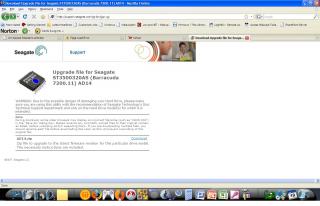
Here's a firmware to patch the SD15 to SD1A

http://seagate.custkb.com/seagate/crm/self...sp?DocId=207951

Download the appropriate ISO file for your drive model, burn it onto a CD (or a USB key if you know how), reboot and if your drive is still detectable, flash it accordingly.

It is not known if the firmware will stop the bricking issue (BSY/LBA0) or cause other issues, but I have successfully flashed the firmware to SD1A on my remaining ST3500320AS, and it has been running for 10 minutes now.

Firmware does NOT fix BSY state drives, I don't know about the LBA0 drives.

This post has been edited by spanker: Jan 23 2009, 10:48 AM
SUSspanker
post Jan 14 2009, 01:45 AM

Custom Made e-Penis
*******
Senior Member
7,606 posts

Joined: Dec 2004
From: Subang


By the way, it seems like if you leave the 1.5 GB operation Jumper alone (instead of removing it for 3GB operation), it is less likely to happen (doesn't mean it won't). Owners of the 500GB and 1 TB model are more likely to face this problem.

Anyone experiencing this problem?


======================================
thanks for mxploit for the simple guide.

A tip to getting your HDD back with all your data untouched shall your Seagate 7200.11 brick:
1. Log on to Seagate's website.
2. Create a support case.
3. A support representative will contact you to confirm that your HDD is facing firmware issue.
4. Once confirmed, Seagate will arrange for UPS pickup to be delivered to Singapore for firmware upgrade.
5. After 10-20 working days, you'll receive your HDD at your doorstep with upgraded firmware and all your data in store.
No more worries about sending your HDD back to local service centres or sending your HDD for Data Recovery services.
Cheers!

Here's a few additional guide : (credit to andy0212)
1) Register & submit ticket at https://partnerreg.seagate.com/pppm/csoregistration.jsp?source=casemgmt&languageselect=en-US
2) AFTER submit, check again the ticket , and update your case by selecting "Yes - Escalate Case to Seagate Support" from the Escalate Case dropdown. (you will receive an email about this)
3) You'll receive an email from customer support to confirm about you harddisk condition. In my case, they asked me this question :
QUOTE
To assist you better, I need you to verify the status of the hard drive again
When the drive is directly connected directly to your desktop
1) Is the drive detected in the BIOS?
2) Is the drive still spinning? (You may need to touch the drive)
3) Is your drive making any clicking sound?

4) After you reply to them, they will email you the Disclaimer on how the process will be done. You need to reply them with your Full Name, complete shipping address with city, state and postal code and contact numbers with country code. This is for FREE Pick Up and return purpose.
5) Within few hours or maybe days you'll get an email from UPS with a few documents attached. You only need to print the UPS Return Label
6) Call UPS Malaysia toll free no. 1800-1800-88 to request a pick up, give them the tracking number stated on your UPS Return Label. They'll give you a date and time to pick up or you can choose which day that you prefer.
7) Ensure that the hard drive is packed in an ESD bag or any anti-static plastic. Then, securely packed it inside a small packaging box and ensure that the drive it is not moving. To have a sponge in between the hard drive would be superb.
8) Wait UPS for pick up and pray that your harddisk arrived safely..

Send your HDD to seagate if you have precious/important data..
Send to RMA if you doesn't care about your data and get a new hdd

This post has been edited by fariz: Jan 4 2010, 05:08 PM
Irishcoffee
post Jan 14 2009, 01:53 AM

ilX / Espressivo
*******
Senior Member
2,994 posts

Joined: Jan 2003
From: Behind You

send to RMA shld fix the prob then
its juz manucfacturer faulty
overclockalbert
post Jan 14 2009, 01:58 AM

Regular
******
Senior Member
1,058 posts

Joined: Apr 2006
From: Penang , Malaysia


is this so true?
they should do a massive recall afterall
gamers maniac
post Jan 14 2009, 02:07 AM

Casual Gamers
******
Senior Member
1,070 posts

Joined: Jan 2003
From: Ipoh


aiyo, i just bought this model yesterday.. 500g. hope nothing went wrong.. but so far its ok..
ZeneticX
post Jan 14 2009, 02:12 AM

stars for what
********
All Stars
12,412 posts

Joined: Jan 2008
From: KL - Cardiff - Subang - Sydney


totally agree.my 500GB Seagate sata oem went dead just after 3 weeks using it.unable to detect in bios and the hdd led stays on.i've exchged it for a new same 1 2day and lets see how long this will last again.totally disappointed with seagate.my 5 year old maxtor 80gb is still running although its noisy,ironic eh rolleyes.gif

http://forum.lowyat.net/index.php?showtopi...post&p=22950650

This post has been edited by ZeneticX: Jan 14 2009, 02:15 AM
SUSspanker
post Jan 14 2009, 02:29 AM

Custom Made e-Penis
*******
Senior Member
7,606 posts

Joined: Dec 2004
From: Subang


QUOTE(Irishcoffee @ Jan 14 2009, 01:53 AM)
send to RMA shld fix the prob then
its juz manucfacturer faulty
*
RMA is not an acceptable option for those who value data more than hardware. I've got years of data in there since "migration". And I don't intend to RMA before i recover the data. I'm going to buy a competitor HDD, and then sell off the RMA-ed HDD to you guys.


BTW: Sauce for those who think their safe:

http://www.theinquirer.net/inquirer/news/3...7200-11-failing

40% failure rate!!! And I have 2 of this crap.

This post has been edited by spanker: Jan 14 2009, 02:36 AM
ZeneticX
post Jan 14 2009, 02:35 AM

stars for what
********
All Stars
12,412 posts

Joined: Jan 2008
From: KL - Cardiff - Subang - Sydney


QUOTE(spanker @ Jan 14 2009, 01:45 AM)
By the way, it seems like if you leave the 1.5 GB operation Jumper alone (instead of removing it for 3GB operation), it is less likely to happen (doesn't mean it won't). Owners of the 500GB and 1 TB model are more likely to face this problem.

Anyone experiencing this problem?
Depends on your model and the firmware. And it when your PC powers down.
*
where's the jumper thing?

and IMO hdd failure is the most worse/headache among any hardwares in ur pc bcoz its the main memory storage for all ur data files etc.mobo or proc prob at least u can send for RMA while ur precious data are still intact.i;ve spend almost 5 hours installing windows and all the necessary updates driver etc just now bcoz of the stupid failure shakehead.gif

ham_revilo
post Jan 14 2009, 02:51 AM

I
*******
Senior Member
6,583 posts

Joined: Feb 2008


QUOTE
Over a month into the problem Seagate had still not come back to customers with an official solution. Despite the company updating the firmware on newer drives, it has issued no recall on the firmware-defective drives that are still on shop shelves. They must be waiting for some grand event to come and go, say a shareholder meeting?
this is from "The Inquirer".

sad though seeing seagate going down this way doh.gif . I was one of their supporter mainly because their RMA rate is lower than WD. i wonder why after so long (1 month) they still fail to get a solution hmm.gif

now i guess its time to move to WD tongue.gif

btw, TS thanks alot for sharing this notworthy.gif
hilmiangah
post Jan 14 2009, 02:54 AM

Kongsi Gelap Elite Ramadass
Group Icon
Elite
5,602 posts

Joined: Jul 2007
From: The Holiest Of Hole


maybe thats why they shorten the warranty period.
ZeneticX
post Jan 14 2009, 02:59 AM

stars for what
********
All Stars
12,412 posts

Joined: Jan 2008
From: KL - Cardiff - Subang - Sydney


they probably shot themselves in the head by lowering the warranty period shakehead.gif

btw how much is WD Caviar black now?might wanna get it in case my current 1 went dead again
suicideroach
post Jan 14 2009, 03:32 AM

kiss mah a^^
******
Senior Member
1,494 posts

Joined: Dec 2005
From: Wangsa Maju


damn.. i should buy a new WD hdd and backup all my data before my 500gb seagate died on me....tick tock tick tock.. huhu
ham_revilo
post Jan 14 2009, 03:40 AM

I
*******
Senior Member
6,583 posts

Joined: Feb 2008


QUOTE(suicideroach @ Jan 14 2009, 03:32 AM)
damn.. i should buy a new WD hdd and backup all my data before my 500gb seagate died on me....tick tock tick tock.. huhu
*
according to them this happen to most 1T only. so i guess your 500Gb should be safe. at least for now tongue.gif

This post has been edited by ham_revilo: Jan 14 2009, 03:41 AM
SUSspanker
post Jan 14 2009, 03:53 AM

Custom Made e-Penis
*******
Senior Member
7,606 posts

Joined: Dec 2004
From: Subang


No way dude. my 500 GB bricked on me. Now the other 500 GB is just a ticking timebomb to me.
suicideroach
post Jan 14 2009, 04:16 AM

kiss mah a^^
******
Senior Member
1,494 posts

Joined: Dec 2005
From: Wangsa Maju


No wonder i felt fishy when i saw my hdd was made in thailand.. coz before this, all my seagate hdds were a product of china..
lex
post Jan 14 2009, 05:22 AM

Old Am I?
Group Icon
VIP
18,182 posts

Joined: Jan 2005
From: Dagobah
QUOTE(spanker @ Jan 14 2009, 01:38 AM)
Physically, your HDD is fine, so the freezing trick will NOT help.
If there is an ever a Warning, then its the so-called "Freezer Trick".. Do NOT use that, especially with FDB motors plus the danger of stiction due to moisture condensation on the platters. doh.gif

On the other hand, after gobbling up Maxtor.. I hope Seagate is not inheriting one of Maxtor's infamous hard drive issues (clue: firmware corruption) sweat.gif

This post has been edited by lex: Jan 14 2009, 06:13 AM
yangxi
post Jan 14 2009, 08:09 AM

Violinist ^.^ 囧 囧
*******
Senior Member
4,189 posts

Joined: Jan 2003
From: Age Quod Agis


update:

http://www.theinquirer.net/inquirer/news/3...7200-11-failing

Seagate Barracuda 7200.11 drives failing

SEAGATE'S FLAGSHIP desktop Barracuda 7200.11 drives, in particular the 1TB (ST31000340AS) units, are failing at an alarming rate and prompting outrage from their faithful customers.

A new self-bricking feature apparently resides in faulty firmware microcode which will rear its ugly head sometime at boot detection. Essentially the drive will be working as normal for a while, then - out of the blue - it'll brick itself to death. The next time you reboot your computer the drive will simply lock itself up as a failsafe and won't be detected by the BIOS. In other words, there's power, spin-up, but no detection to enable booting.

Naturally the Seagate forums (as well as many other customer-driven forums, like etailers and hardware sites) are flooded with testimonies of customers' experiences with Seagate support. These are helpful enough to ship you a new drive, as per the warranty, but invariably the drives end up bricking as well.


希捷酷鱼7200.11硬盘面临缺陷问题
http://edu.cnbeta.com/articles/74761.htm

希捷最新一代的Barracuda 7200.11硬盘被曝出有缺陷,容易引发故障,据希捷公司论坛上和新蛋等B2C网站上的用户报告,这款磁盘,尤其是1TB版本包含一个缺陷,容易不正确地触发硬盘内部的保护机制,导致使用期间出现问题.这一问题主要集中在泰国出产的硬盘固件上.一些数据恢复公司的报告也应证了这一说法,7200.11硬盘的失败率明显高于其它产品.


虽然据报道说,希捷承认问题存在,并发布了固件更新,但并没有对客户提供额外的补偿和保修服务,许多用户也根本不知道需要更新自己的固件,因此业内认为希捷无视用户评论的行为令人失望.

This post has been edited by yangxi: Jan 14 2009, 08:10 AM
SUSspanker
post Jan 14 2009, 08:18 AM

Custom Made e-Penis
*******
Senior Member
7,606 posts

Joined: Dec 2004
From: Subang


dude the HDD encasement is sealed, don't think moisture can squeeze their way in, but... you never know.
lex
post Jan 14 2009, 08:29 AM

Old Am I?
Group Icon
VIP
18,182 posts

Joined: Jan 2005
From: Dagobah
QUOTE(spanker @ Jan 14 2009, 08:18 AM)
dude the HDD encasement is sealed, don't think moisture can squeeze their way in, but... you never know.
Most HDDs are not completely sealed and have a "breather hole". wink.gif

The moisture comes from the cold temperatures within a "sealed" casing.. just like when you wrap something in plastic bag, seal it and put in the freezer.. when you take it out, you will notice moisture condensation on the surface of the plastic bag. Moisture can cause the head to stick to the platter, thus when spinning the head crashes and scrapes the platter. sweat.gif

Furthermore FDB (fluid dynamic bearing motors) require an optimal temperature to operate. Freezing it may cause the motor to seize or stutter on spin-up. hmm.gif

This is why I do NOT recommend the so-called "Freezer Trick"! doh.gif

This post has been edited by lex: Jan 14 2009, 08:36 AM
ericpires
post Jan 14 2009, 08:38 AM

Arsenal FC
*******
Senior Member
2,657 posts

Joined: Feb 2008
From: Highbury House, 75 Drayton Park, London


Hmm, i bought this from the Allngap

OEM Seagate 1TB SATA 32mb 3.5" HDD - ST31000340AS

After reading all ur comments... hmm.gif should i get another hdd as a precaution???
SUSspanker
post Jan 14 2009, 08:46 AM

Custom Made e-Penis
*******
Senior Member
7,606 posts

Joined: Dec 2004
From: Subang


It's up to you, but a global 30% RMA rate is no joke. That means 1 out of 3 will very likely brick, and the remaining 2/3 have a potential of going wrong, but hasn't.
keanoppy
post Jan 14 2009, 08:53 AM

Click click click
******
Senior Member
1,090 posts

Joined: Nov 2008
damn...thanks for the review...just about to buy seagate hdd sweat.gif
SUSMatrix
post Jan 14 2009, 09:26 AM

King of Char Siew!
********
Senior Member
15,022 posts

Joined: Jan 2003
From: Damansara Jaya/Bandar Utama


Well, i've 2 x 250GB and 1 x 500GB in my PC. All seagates, no problem. 1 250GB is an old model, no problem for that.

The newer 250GB is maybe 8 months or so, it has some problems after 2 or 3 months, but later discover it's the SATA cable giving problem and after changing the SATA cable, it works fine.

The last 500GB is the model in the thread title, i think about 2 months or so. So far no problem....but i'll start making schedule backup of my data to the other HDD tonight...
Musafir_86
post Jan 14 2009, 10:02 AM

On my way
****
Junior Member
541 posts

Joined: Jun 2007
From: Sungai Petani/Alor Setar (Kedah).


-Hmm, seems like a massive & widespread problem; refer here:

1. http://www.msfn.org/board/index.php?showtopic=128092

2. http://www.msfn.org/board/index.php?showtopic=128514

-BTW, the 1TB Seagate HDDs AllnGap is selling (ST31000340xx) here are affected by this or not?


Regards.

This post has been edited by Musafir_86: Jan 14 2009, 10:04 AM
s1lencer
post Jan 14 2009, 11:00 AM

New Member
*
Junior Member
15 posts

Joined: Jun 2005


Bought mine at PC Fair. Bricked itself a couple of days ago. 500GB model. man.... and it ran well for 2 weeks. didn't perform migration till i had run it for a week to see if it was okay and then it died a week after i moved all my data. Seriously, what the hell man... for me the data on the disk is more important than the drive too... time to get an Raid 1 on an NAS for backup. cripes.. still hoping beyond hope that a miracle will happen but probably bring it back in next week. bloody hell... no more seagates for me.
mhn21
post Jan 14 2009, 11:00 AM

savvy
****
Senior Member
613 posts

Joined: Jan 2003
From: Miri / PJ


i just got the ST31000340NS from allngp..... with 2 months warranty only samore. mine is sd15 fw....

shit... scary... cant put valuable data there then... how now?
SUSspanker
post Jan 14 2009, 11:01 AM

Custom Made e-Penis
*******
Senior Member
7,606 posts

Joined: Dec 2004
From: Subang


the xxxxxAS models are affected if they carry the SD15 firmware, which I think is supposed to be OEM package. But some people in MSFN forum said they bought a retail pack and the drive is still the OEM version
caballero206
post Jan 14 2009, 11:08 AM

Casual
***
Junior Member
430 posts

Joined: Sep 2006
From: Gombak,Selangor


S**t...this matter should've been discussed earlier...i bought 500gb barracuda hd last week and it hasn't been partitioned yet but when i read this thread..sweat.gif

This post has been edited by caballero206: Jan 14 2009, 11:08 AM
cinbao
post Jan 14 2009, 11:09 AM

Casual
***
Junior Member
380 posts

Joined: Oct 2006
From: PJ Damansara

From 2003 I blacklist Maxtor, 2005 I blacklist Western Digital, 2007 I blacklist Seagate, 2008 I blacklist Hitachi. Now I really dunno what to choose liao. Maybe time to try Samsung.
ericpires
post Jan 14 2009, 11:10 AM

Arsenal FC
*******
Senior Member
2,657 posts

Joined: Feb 2008
From: Highbury House, 75 Drayton Park, London


QUOTE(spanker @ Jan 14 2009, 11:01 AM)
the xxxxxAS models are affected if they carry the SD15 firmware, which I think is supposed to be OEM package. But some people in MSFN forum said they bought a retail pack and the drive is still the OEM version
*
How to check the firmware of the hdd model?
Musafir_86
post Jan 14 2009, 11:10 AM

On my way
****
Junior Member
541 posts

Joined: Jun 2007
From: Sungai Petani/Alor Setar (Kedah).


QUOTE(mhn21 @ Jan 14 2009, 11:00 AM)
i just got the ST31000340NS from allngp..... with 2 months warranty only samore. mine is sd15 fw....

shit... scary... cant put valuable data there then... how now?
*
-Err, I just RMA'ed my ST31000340AS which bought from him in mid-December 2008.
Symptom(s): failed to do full-format (quick format OK), when trying to re-partition(s), Disk Management couldn't detect the disk anymore (but could be detected in Device Manager).

-I asked for a refund, but he mistakenly sent another replacement. rclxub.gif
Now wondering whether want to use or return back (still sealed in the static back)... sweat.gif


Regards.

This post has been edited by Musafir_86: Jan 14 2009, 11:12 AM
Musafir_86
post Jan 14 2009, 11:55 AM

On my way
****
Junior Member
541 posts

Joined: Jun 2007
From: Sungai Petani/Alor Setar (Kedah).


-BTW, here's the official thread for the ST31000340AS on the Seagate Community Forums: Official st31000340as 1TB barracuda epic fail thread..


Regards.

This post has been edited by Musafir_86: Jan 14 2009, 11:56 AM
mhn21
post Jan 14 2009, 12:02 PM

savvy
****
Senior Member
613 posts

Joined: Jan 2003
From: Miri / PJ


from what I see online all the ones affected are the AS models. No reports of NS models failing yet.
but the firmware for the AS and NS are similiar so I think they both should have the same risk factor.

any idea why we are not seeing reports of NS models failing?

frostmourne
post Jan 14 2009, 12:18 PM

Getting Started
**
Junior Member
219 posts

Joined: Sep 2006
From: Kuantan, Pahang


i just bought seagate 1tb last month. but now still ok.
worried after reading this sweat.gif
Oxburg
post Jan 14 2009, 12:54 PM

Enthusiast
*****
Senior Member
857 posts

Joined: Feb 2007


Seriously i also dead 1 ST3500320AS. It dead just right after i reboot my pc.I also @.@. Then i heard from the seller from shop.It also claimed that RMA rate is very lot for this.Well i just sent it to RMA.Hope will get another patch.
yshiuan
post Jan 14 2009, 12:56 PM

Look at all my stars!!
*******
Senior Member
2,126 posts

Joined: Sep 2008
From: Kedah

only ST3500320AS have this prob gua, the rest i think dun hv prob. my seagate 160gb still fine le.
empire23
post Jan 14 2009, 01:32 PM

Team Island Hopper
Group Icon
Staff
9,417 posts

Joined: Jan 2003
From: Bladin Point, Northern Territory
Looks like i'm lucky, was wanting to take 2 of these off a friend.

I think Seagate know that with the economic crisis and all that it's shipments are dropping like mayflies above a lake. I think it can't afford the hit to it's OEM and large volume business so it's keeping mum and hoping that both investors and OEM customers don't catch wind of the problem while they quickly give RMAs out to shut people's mouths up. This is the same issue with the bad cap plague where most manufacturers were climbing up after the post asian economic crisis and couldn't afford to give out market ground to other brands.

Well, i hope some brave soul takes it up with the relevant authorities. As i recall, many cases have been won against computer hardware manufacturers from Abit, Asus and others due to such problems.
blindbox
post Jan 14 2009, 01:42 PM

Meh
******
Senior Member
1,705 posts

Joined: Nov 2004


Luckily I stayed away from Seagate as WD is cheap biggrin.gif .
Radeon
post Jan 14 2009, 01:44 PM

Semi-Retired Overclocker
*******
Senior Member
2,257 posts

Joined: Jan 2003

QUOTE(spanker @ Jan 14 2009, 01:45 AM)
By the way, it seems like if you leave the 1.5 GB operation Jumper alone (instead of removing it for 3GB operation), it is less likely to happen (doesn't mean it won't). Owners of the 500GB and 1 TB model are more likely to face this problem.

Anyone experiencing this problem?
Depends on your model and the firmware. And it when your PC powers down.
*
will a firmware flash solve this?
cyew86
post Jan 14 2009, 02:04 PM

oh my ...
*******
Senior Member
4,251 posts

Joined: Aug 2006
darn, i am hearing my 500GB Seagate ticks as well sweat.gif i should get a Western Digital as back up sweat.gif
ckh93
post Jan 14 2009, 02:15 PM

40k VIP club
******
Senior Member
1,136 posts

Joined: Jan 2009

thx for this information and i will stick with WD .__.
SUSspanker
post Jan 14 2009, 02:44 PM

Custom Made e-Penis
*******
Senior Member
7,606 posts

Joined: Dec 2004
From: Subang


QUOTE(Radeon @ Jan 14 2009, 01:44 PM)
will a firmware flash solve this?
*
There's no firmware, nor will there be one. It's simple, by issuing a firmware to fix the bricked HDD will mean Seagate acknowledges a problem, and this will make them liable in a host of civil lawsuits, including criminal negligence (since now they have a track record of denying the problem). So all you can do is either wait for them to issue a recall (not gonna happen also), or wait for the drive to die, and then RMA, hopefully you will get back another drive that is not the same batch.
adam_dkh
post Jan 14 2009, 02:49 PM

Getting Started
**
Junior Member
152 posts

Joined: Sep 2008


i got few at home and office, it work so far so good.
Kidz1995
post Jan 14 2009, 03:28 PM

Elite
******
Senior Member
1,539 posts

Joined: Aug 2008
From: Coexist

QUOTE(gamers maniac @ Jan 14 2009, 02:07 AM)
aiyo, i just bought this model yesterday.. 500g. hope nothing went wrong.. but so far its ok..
*
same as me also doh.gif
just bought 3 weeks ago..and haven't use yet
but is it ok if i make this HDD for my gaming data ??

motherboard_barai
post Jan 14 2009, 03:38 PM

Getting Started
**
Junior Member
98 posts

Joined: Jan 2009
beware when buy something like storage or memory.. some storage is not in gud quality.. might b shake when it's deliver to the shop.. and about warranty must ask proper.. do not simply about the warranty.. and must understand different warranty and guarantee...ask the promoter b4 make a payment..
casperito
post Jan 14 2009, 04:00 PM

221.133.99.99
****
Senior Member
662 posts

Joined: Feb 2006
From: int eth 5/0/16 vlan 13


im using seagate 500gb hdd for 1 year ++ alreadi.. no such problem to me..
this mean onli the newer model of the 500gb got this problem??
haiz.. last time WD failed on me.. if Seagate fail also... dunno wat brand to use...
keanoppy
post Jan 14 2009, 04:03 PM

Click click click
******
Senior Member
1,090 posts

Joined: Nov 2008
wait,seagate external 2.5" can be affected?
matyrze
post Jan 14 2009, 04:04 PM

Historical tears
****
Senior Member
678 posts

Joined: Dec 2007
From: Shah Alam


QUOTE(casperito @ Jan 14 2009, 04:00 PM)
im using seagate 500gb hdd for 1 year ++ alreadi.. no such problem to me..
this mean onli the newer model of the 500gb got this problem??
haiz.. last time WD failed on me.. if Seagate fail also... dunno wat brand to use...
*
Maybe. Because mine which was bought somewhere in April last year broke down last month. Already sent for RMA 3 weeks ago but still doesn't get any news doh.gif
TristanX
post Jan 14 2009, 05:19 PM

Where is my stars?
Group Icon
Elite
24,334 posts

Joined: Nov 2004
From: Setapak, Kuala Lumpur


Never have problems for my Seagate HDDs. It's probably bad luck for you.

For me, all hard disk depends on your luck.
i_love_japan
post Jan 14 2009, 06:38 PM

Enthusiast
*****
Senior Member
753 posts

Joined: Oct 2005
From: Heaven


been using Western Digital for quite some time. so far so good.

what i heard is Seagate's HDD quality so so only but it still depends on the model and ur luck.
kurogane
post Jan 14 2009, 06:51 PM

On my way
****
Junior Member
508 posts

Joined: Mar 2005
From: KL/Cyberjaya.


I have a ST31000340AS with SD15 firmware too, just bought from PC Fair (III) 2008. Still working fine one month down the road, but I'm pretty spooked now.

I've heard there is a firmware patch for this drive, but does it it work? Apparently we need to contact Seagate Tech Support directly to get it. Anyone willing to try it out?
s1lencer
post Jan 14 2009, 07:28 PM

New Member
*
Junior Member
15 posts

Joined: Jun 2005


I wonder how widespread this problem actually is in Malaysia. We know it's worldwide from the MSFN forums where members have been tracking it geographically.

Gonna try and give seagate tech support a call tomorrow and see what they say. If they give me the run around, the best way to push seagate in the right direction is to hit them where it hurts, the local media. Hit their local subsidiary as well.

I think the next step would be forwarding it to some local PC mag or even the computer sections of the papers. The more publicity we bring, the clearer the picture will get on how widespread this is in malaysia.

Whole lot of these drives dumped at the PC fair. Alot more should die in the next couple of months. (3 month lifetime average? lol)
ericpires
post Jan 14 2009, 07:38 PM

Arsenal FC
*******
Senior Member
2,657 posts

Joined: Feb 2008
From: Highbury House, 75 Drayton Park, London


Seagate can close shop alredi if they want to runaway from `their` problem... i think they're about to lose a big chunk of the hdd market share.. tongue.gif
ZeneticX
post Jan 14 2009, 07:42 PM

stars for what
********
All Stars
12,412 posts

Joined: Jan 2008
From: KL - Cardiff - Subang - Sydney


QUOTE(s1lencer @ Jan 14 2009, 07:28 PM)
I wonder how widespread this problem actually is in Malaysia. We know it's worldwide from the MSFN forums where members have been tracking it geographically.

Gonna try and give seagate tech support a call tomorrow and see what they say. If they give me the run around, the best way to push seagate in the right direction is to hit them where it hurts, the local media. Hit their local subsidiary as well.

I think the next step would be forwarding it to some local PC mag or even the computer sections of the papers. The more publicity we bring, the clearer the picture will get on how widespread this is in malaysia.

Whole lot of these drives dumped at the PC fair. Alot more should die in the next couple of months. (3 month lifetime average? lol)
*
its getting worse on some it seems.average 3 weeks
s1lencer
post Jan 14 2009, 08:12 PM

New Member
*
Junior Member
15 posts

Joined: Jun 2005


Oh and do... do... read the thread on the official Seagate forums that the Seagate mod kindly closed down when it was clear there was a problem :

http://stx.lithium.com/stx/board/message?b....id=45485#M4134

Wonderful corporate policy eh?
sukatra_aicaca
post Jan 14 2009, 08:35 PM

Forever Alone
******
Senior Member
1,180 posts

Joined: Feb 2007
From: Earth of Alone
WD FTW!!
ham_revilo
post Jan 14 2009, 08:36 PM

I
*******
Senior Member
6,583 posts

Joined: Feb 2008


looks like seagate is really trying to cover something here. really unexpected seagate will do something like this sweat.gif
notystar_exe
post Jan 14 2009, 08:57 PM

✖kapan™✖
*****
Senior Member
725 posts

Joined: Jul 2008


500gb seagate 3.5" hdd barracuda 7200.11 / ES


<---does this model is same like wat TS said?? imma newb here..sweat.gif
thh1212
post Jan 14 2009, 09:08 PM

Getting Started
**
Junior Member
182 posts

Joined: Jan 2003
From: USM Engineering Campus <> Taiping


QUOTE(ericpires @ Jan 14 2009, 08:38 AM)
Hmm, i bought this from the Allngap

OEM Seagate 1TB SATA 32mb 3.5" HDD - ST31000340AS

After reading all ur comments...  hmm.gif  should i get another hdd as a precaution???
*
QUOTE(Musafir_86 @ Jan 14 2009, 10:02 AM)
-Hmm, seems like a massive & widespread problem; refer here:

1. http://www.msfn.org/board/index.php?showtopic=128092

2. http://www.msfn.org/board/index.php?showtopic=128514

-BTW, the 1TB Seagate HDDs AllnGap is selling (ST31000340xx) here are affected by this or not?
Regards.
*
QUOTE(mhn21 @ Jan 14 2009, 11:00 AM)
i just got the ST31000340NS from allngp..... with 2 months warranty only samore. mine is sd15 fw....

shit... scary... cant put valuable data there then... how now?
*
QUOTE(spanker @ Jan 14 2009, 11:01 AM)
the xxxxxAS models are affected if they carry the SD15 firmware, which I think is supposed to be OEM package. But some people in MSFN forum said they bought a retail pack and the drive is still the OEM version
*
After i read through all the forums and links, so far i only saw products of thailand are infected. AllnGap selling 1 is from China. Hopefully no problem gua~ coz i also owned 1
InfiniteX
post Jan 14 2009, 09:21 PM

Getting Started
**
Junior Member
256 posts

Joined: Jan 2003
From: Kota Kinabalu, Sabah


I'm using ST3500320AS DS15 MADE in Thailand too, having some odd sound lately... any solution yet? upgrade firmware? or send to RMA?
SUSspanker
post Jan 14 2009, 09:36 PM

Custom Made e-Penis
*******
Senior Member
7,606 posts

Joined: Dec 2004
From: Subang


supposedly there's a firmware update for sd15, but you'll have to call seagate to get it. Other than that, you'll have to back up your data A.S.A.P hopefully on a non Seagate 7200.11 HDD.
chyu89
post Jan 14 2009, 09:55 PM

I'm not a gynaecologist but I'll take a look
*******
Senior Member
2,465 posts

Joined: Sep 2007
From: Kuala Lumpur     Status: Freeride not dead
Hmm, I think i shall start keeping important stuff outta my 500gb. Now mostly "stash" inside the 500gb.
kintsuchi
post Jan 14 2009, 09:57 PM

cumel kan
*****
Senior Member
916 posts

Joined: Dec 2008
From: nippon
i use seagate 7200.10(already use 1 year still ok)

is it gonna have same problem with 7200.11


or just seagate 7200.11 got problem
keanoppy
post Jan 14 2009, 09:59 PM

Click click click
******
Senior Member
1,090 posts

Joined: Nov 2008
QUOTE(kintsuchi @ Jan 14 2009, 09:57 PM)
i use seagate 7200.10(already use 1 year still ok)

is it gonna have same problem with 7200.11
or just seagate 7200.11 got problem
*
ppl say .11 xD
yangxi
post Jan 14 2009, 10:01 PM

Violinist ^.^ 囧 囧
*******
Senior Member
4,189 posts

Joined: Jan 2003
From: Age Quod Agis


soon will see many Seagate HDD for lelong..
ZeneticX
post Jan 14 2009, 10:08 PM

stars for what
********
All Stars
12,412 posts

Joined: Jan 2008
From: KL - Cardiff - Subang - Sydney


QUOTE(yangxi @ Jan 14 2009, 10:01 PM)
soon will see many Seagate HDD for lelong..
*
if there's even ppl who dare to buy tongue.gif.unless they are really noob in this stuffs and seldom visit online tech forums.

seagate -----> hellgate
fcuk90
post Jan 14 2009, 10:10 PM

ef eg ek es
*******
Senior Member
7,863 posts

Joined: May 2007
From: highbury


using seagate 500gb bought from jian_yi bulk

pray hard ...
00007kel
post Jan 14 2009, 10:12 PM

Casual
***
Junior Member
397 posts

Joined: Jan 2003
From: Kuala Lumpur


ahhh! and i picked this over WD X(

This post has been edited by 00007kel: Jan 14 2009, 10:13 PM
sukhoi37
post Jan 14 2009, 10:18 PM

Into Computer Since 2002
*******
Senior Member
4,810 posts

Joined: Jan 2003


i got the same drive as TS, it gives me 'tick' sound once in a while.
F**K seagate, it's in my blacklist now. vmad.gif
owikh84
post Jan 14 2009, 10:29 PM

i7 Clan
Group Icon
Elite
8,711 posts

Joined: Nov 2007
From: Butterworth, PG / Machang, Kelantan


Aiya, my RM1k WD VRaptor 300GB also died on me recently.
But happy got Seagate 1TB 7200.11 works as a spare.
xenothrix
post Jan 14 2009, 10:34 PM

RB26DETT
******
Senior Member
1,394 posts

Joined: Jan 2003
From: 68000


Just wonder, is the seagate es or sv35 series got affected?
like this >http://www.seagate.com/www/en-us/products/servers/sv35_series/

kinda tempted to get SV35 as my OS drive.
ericpires
post Jan 14 2009, 10:50 PM

Arsenal FC
*******
Senior Member
2,657 posts

Joined: Feb 2008
From: Highbury House, 75 Drayton Park, London


Lolz all seagate users panic alredi including me... must look for another 1tb hdd just in case my seagate fail tongue.gif
SUSspanker
post Jan 14 2009, 11:21 PM

Custom Made e-Penis
*******
Senior Member
7,606 posts

Joined: Dec 2004
From: Subang


hey, no need to panic. It's only a 30% failure rate, so if you know 1 other guy who has a broken 7200.11, then chances are yours will be safe. That's why Seagate's not bothered with correcting the problem, because people who experienced it will just RMA or bring it to some data recovery and pay the arm and leg instead of suing them as they rightfully should.

Though technically, all 7200.11 drives with the DS15 firmware will definitely have a much shorter lifespan than any other drives, especially if you power cycle often.
ericpires
post Jan 14 2009, 11:27 PM

Arsenal FC
*******
Senior Member
2,657 posts

Joined: Feb 2008
From: Highbury House, 75 Drayton Park, London


QUOTE(spanker @ Jan 14 2009, 11:21 PM)
hey, no need to panic. It's only a 30% failure rate, so if you know 1 other guy who has a broken 7200.11, then chances are yours will be safe. That's why Seagate's not bothered with correcting the problem, because people who experienced it will just RMA or bring it to some data recovery and pay the arm and leg instead of suing them as they rightfully should.

Though technically, all 7200.11 drives with the DS15 firmware will definitely have a much shorter lifespan than any other drives, especially if you power cycle often.
*
Mind if i ask whats power cycle? hmm.gif
SUSspanker
post Jan 14 2009, 11:30 PM

Custom Made e-Penis
*******
Senior Member
7,606 posts

Joined: Dec 2004
From: Subang


QUOTE(ericpires @ Jan 14 2009, 11:27 PM)
Mind if i ask whats power cycle?  hmm.gif
*
Cold reboot, power off then power on. Some people experienced it while the system is running where the OS spits out some error, and the drive doesn't come back on again after rebooting.
notystar_exe
post Jan 14 2009, 11:31 PM

✖kapan™✖
*****
Senior Member
725 posts

Joined: Jul 2008


500gb seagate 3.5" hdd barracuda 7200.11 / ES


<---does this model is same like wat TS said?? imma newb here..sweat.gif
cschun86
post Jan 14 2009, 11:38 PM

Heading towards 2000~
******
Senior Member
1,972 posts

Joined: Oct 2006
From: Seberang Perai


Does this affected to the new 1.5TB or not?
I was almost buy the 1.5TB lately...

confuzan
post Jan 15 2009, 12:04 AM

Regular
******
Senior Member
1,121 posts

Joined: Jan 2003
From: random!


oh crap now i'm worried. having one 500gb 7200.11 as well...
one_guy
post Jan 15 2009, 12:12 AM

Ethuasiast!!
*****
Senior Member
926 posts

Joined: Oct 2005
From: Johor&Penang


QUOTE(thh1212 @ Jan 14 2009, 09:08 PM)
After i read through all the forums and links, so far i only saw products of thailand are infected. AllnGap selling 1 is from China. Hopefully no problem gua~ coz i also owned 1
*
AllnGap is selling Seagate product of Thailand. And it's have SD15 frimware.. I already check...
Waaaa.... i also, buying from AllnGap last month.. And the warranty for OEM is only 3months. Should i ask for refund or just wait my hard disk to die??? This is crazy,all my important data in there... No money to buy new HDD anymore...
Irishcoffee
post Jan 15 2009, 12:18 AM

ilX / Espressivo
*******
Senior Member
2,994 posts

Joined: Jan 2003
From: Behind You

QUOTE(one_guy @ Jan 15 2009, 12:12 AM)
AllnGap is selling Seagate product of Thailand. And it's have SD15 frimware.. I already check...
Waaaa.... i also, buying from AllnGap last month.. And the warranty for OEM is only 3months. Should i ask for refund or just wait my hard disk to die??? This is crazy,all my important data in there... No money to buy new HDD anymore...
*
tat is not possible since he stated its 3 month warranty
n u bought frm him bocz of the price
juz get rdy to backup

This post has been edited by Irishcoffee: Jan 15 2009, 12:19 AM
SUSspanker
post Jan 15 2009, 12:20 AM

Custom Made e-Penis
*******
Senior Member
7,606 posts

Joined: Dec 2004
From: Subang


I think quattro150 from the msfn forum is thinking of purchasing a the HD Doctor for Seagate fix by salvationHD.com. Apparently the have the kit that fixes this particular problem, but costs USD 600. If anyone knows him, please tell him I'm ready to chip in the pool for recovery.


http://www.msfn.org/board/index.php?showtopic=128092&st=80


FYI: I did not buy the HDD from AllnGap, and I'm sure he's not out to get you guys ok?

This post has been edited by spanker: Jan 15 2009, 12:22 AM
one_guy
post Jan 15 2009, 12:48 AM

Ethuasiast!!
*****
Senior Member
926 posts

Joined: Oct 2005
From: Johor&Penang


QUOTE(spanker @ Jan 15 2009, 12:20 AM)
FYI: I did not buy the HDD from AllnGap, and I'm sure he's not out to get you guys ok?
*
If AllanGap not pay attention to this matter,it only show that he is irresponsible seller.. mad.gif
At least he can longer the warranty first until Seagate have the solution for this matter because many people already buy the HDD from him last 2 month..
By the way, i already pin point this matter to him... icon_question.gif
masterz_man
post Jan 15 2009, 01:25 AM

Casual
***
Junior Member
409 posts

Joined: May 2008
From: K-B


Already have problem with this HDD
DAMN !!!!
All my data fly away and HDD sent back to RMA
It's THAILAND product
i don't know why my HDD dead
it happen when i installing windows
So now i afraid to keep reformat windows
Not format HDD since got new one from RMA

Still use till now and so far so good
Remove the jumper and hilang entah kemana lol
AND i hope this one not DEAD also cool2.gif


Irishcoffee
post Jan 15 2009, 02:23 AM

ilX / Espressivo
*******
Senior Member
2,994 posts

Joined: Jan 2003
From: Behind You

QUOTE(one_guy @ Jan 15 2009, 12:48 AM)
If AllanGap not pay attention to this matter,it only show that he is irresponsible seller.. mad.gif
At least he can longer the warranty first until Seagate have the solution for this matter because many people already buy the HDD from him last 2 month..
By the way, i already pin point this matter to him... icon_question.gif
*
its not his fault its seagate problem

kurogane
post Jan 15 2009, 02:24 AM

On my way
****
Junior Member
508 posts

Joined: Mar 2005
From: KL/Cyberjaya.


Is the 7200.12 series already selling in Malaysia? Heard that one got no problems. Perhaps should upgrade to that while my drive still works.
uzary
post Jan 15 2009, 03:54 AM

J@ck da D0n
*******
Senior Member
3,149 posts

Joined: Mar 2007
From: Kuala Terengganu


QUOTE(suicideroach @ Jan 14 2009, 03:32 AM)
damn.. i should buy a new WD hdd and backup all my data before my 500gb seagate died on me....tick tock tick tock.. huhu
*
i told u b4, seagate 500g has a high failure risk..there were other thread discussing bout 500g seagate. And many forumers have suffered from 500 seagate failure. notworthy.gif


Added on January 15, 2009, 3:54 am
QUOTE(suicideroach @ Jan 14 2009, 03:32 AM)
damn.. i should buy a new WD hdd and backup all my data before my 500gb seagate died on me....tick tock tick tock.. huhu
*
i told u b4, seagate 500g has a high failure risk..there were other thread discussing bout 500g seagate. And many forumers have suffered from 500 seagate failure. notworthy.gif


This post has been edited by uzary: Jan 15 2009, 03:54 AM
hilmiangah
post Jan 15 2009, 04:23 AM

Kongsi Gelap Elite Ramadass
Group Icon
Elite
5,602 posts

Joined: Jul 2007
From: The Holiest Of Hole


QUOTE
A new self-bricking feature apparently resides in faulty firmware microcode which will rear its ugly head sometime at boot detection. Essentially the drive will be working as normal for a while, then - out of the blue - it'll brick itself to death. The next time you reboot your computer the drive will simply lock itself up as a failsafe and won't be detected by the BIOS. In other words, there's power, spin-up, but no detection to enable booting.


Source Here
poolcarpet
post Jan 15 2009, 06:40 AM

On my way
****
Senior Member
548 posts

Joined: Sep 2005
From: Mars
Hi all,

I was directed here by someone who saw the more global forums discussing about this over at :
http://www.msfn.org/board/index.php?showtopic=128092&st=220

For Malaysians (in KL) who are affected by this stupid self-coma hard disk, I'm suggesting that we share and buy 1 unit of the HD Doctor for Seagate. That is known to be able to fix the hard disk without loss of data. There are people in UK + Canada who has confirmed that and I have also gotten a quotation from SalvationData.

I will be purchasing that very soon (before end of January - might delay to after CNY as the company is in China) but it's really costly. In order to recoup some of my costs, I'm proposing to fix other self-coma-ed hard disk for a small fee.

For those interested, please send me an email poolcarpet at yahoo dot com. Note that I am located in KL, Malaysia.

P/s: Anyone also contemplating to buy the HD Doctor? Just to avoid the situation where 2 or more people end up buying the same HD Doctor just to fix their single hard disk.

Thank you!


Added on January 15, 2009, 6:49 amBtw, for those affected, please try and goto:

http://www.msfn.org/board/index.php?showtopic=128514

and post the details of your hard disk to DerSnoezie - he/she is from Holland and is doing the world community a great service by trying to compile the list of all the failed drives and come out with enough numbers to proof that this is no random hardware failure.

This post has been edited by poolcarpet: Jan 15 2009, 06:49 AM
loongking
post Jan 15 2009, 07:17 AM

Casual
***
Junior Member
412 posts

Joined: Dec 2007
From: kl,malaysia


for sure already
my 1tb went dead suddenly...
bring back to warranty n 1to1 exchange
now let's see how long it will last....it made me lost faith with sg
for all sg users,remember to back up ur important files
cheers
thh1212
post Jan 15 2009, 07:34 AM

Getting Started
**
Junior Member
182 posts

Joined: Jan 2003
From: USM Engineering Campus <> Taiping


QUOTE(one_guy @ Jan 15 2009, 12:12 AM)
AllnGap is selling Seagate product of Thailand. And it's have SD15 frimware.. I already check...
Waaaa.... i also, buying from AllnGap last month.. And the warranty for OEM is only 3months. Should i ask for refund or just wait my hard disk to die??? This is crazy,all my important data in there... No money to buy new HDD anymore...
*
Mayb different batch, tis is mine.
Attached Image
one_guy
post Jan 15 2009, 07:56 AM

Ethuasiast!!
*****
Senior Member
926 posts

Joined: Oct 2005
From: Johor&Penang


QUOTE(Irishcoffee @ Jan 15 2009, 02:23 AM)
its not his fault its seagate problem
*
Yes,we know it's seagate problem... But,at least he can prolong the warranty 1st until Seagate come to new firmware or something else...This is called win-win situation..Seller got the profit and buyer get their satisfied since many of us here buying from AllnGap.

This post has been edited by one_guy: Jan 15 2009, 07:56 AM
ericpires
post Jan 15 2009, 08:31 AM

Arsenal FC
*******
Senior Member
2,657 posts

Joined: Feb 2008
From: Highbury House, 75 Drayton Park, London


QUOTE(thh1212 @ Jan 15 2009, 07:34 AM)
Mayb different batch, tis is mine.
Attached Image
*
How to check mine since my hdd is alredi inside the 3.5" casing?
Musafir_86
post Jan 15 2009, 08:37 AM

On my way
****
Junior Member
541 posts

Joined: Jun 2007
From: Sungai Petani/Alor Setar (Kedah).


QUOTE(ericpires @ Jan 15 2009, 08:31 AM)
How to check mine since my hdd is alredi inside the 3.5" casing?
*
-Hmm, just open the casing la...
kurogane
post Jan 15 2009, 08:45 AM

On my way
****
Junior Member
508 posts

Joined: Mar 2005
From: KL/Cyberjaya.


According to the data, it doesn't matter if it's China or Thailand, any drive with the SD15 firmware can fail, although it's a higher rate of Thailand-made drives for now.
s1lencer
post Jan 15 2009, 08:46 AM

New Member
*
Junior Member
15 posts

Joined: Jun 2005


Well if your HDD is still running and you don't want to physically take it out to check the codes (still the easiest way), you can see the model number in the device manager under disk drives.

Control Panel > System > Hardware > Device Manager > Disk Drives

Failing which SeaTools for DOS from Seagate can provide the same information.

What you're looking for should be something like ST3xx003x0AS.

However, what you will not get is the firmware version which is all important because it seems to affect mostly version SD15 drives.

I recommend take the time, open up the casing (5 mins downtime max and a screwdriver is all you need) and check the codes.


notystar_exe
post Jan 15 2009, 08:48 AM

✖kapan™✖
*****
Senior Member
725 posts

Joined: Jul 2008


QUOTE(s1lencer @ Jan 15 2009, 08:46 AM)
Well if your HDD is still running and you don't want to physically take it out to check the codes (still the easiest way), you can see the model number in the device manager under disk drives.

Control Panel > System > Hardware > Device Manager > Disk Drives

Failing which SeaTools for DOS from Seagate can provide the same information.

What you're looking for should be something like ST3xx003x0AS.

However, what you will not get is the firmware version which is all important because it seems to affect mostly version SD15 drives.

I recommend take the time, open up the casing (5 mins downtime max and a screwdriver is all you need) and check the codes.
*
does this 500gb seagate 3.5" hdd barracuda 7200.11 / ES is same like wat TS said?
kurogane
post Jan 15 2009, 08:48 AM

On my way
****
Junior Member
508 posts

Joined: Mar 2005
From: KL/Cyberjaya.


Actually you can also download Seagate's drive diagnostic utility, Seatools which will show all the data you need w/o needing to open the casing.

You can get it here: http://www.seagate.com/www/en-us/support/downloads/seatools/
ruffstuff
post Jan 15 2009, 09:10 AM

Look at all my stars!!
*******
Senior Member
3,345 posts

Joined: Jan 2003
QUOTE(one_guy @ Jan 15 2009, 07:56 AM)
Yes,we know it's seagate problem... But,at least he can prolong the warranty 1st until Seagate come to new firmware or something else...This is called win-win situation..Seller got the profit and buyer get their satisfied since many of us here buying from AllnGap.
*
allngap is already generous enough to give the 3 months personal warranty. It should have come with no warranty at all.
Musafir_86
post Jan 15 2009, 09:11 AM

On my way
****
Junior Member
541 posts

Joined: Jun 2007
From: Sungai Petani/Alor Setar (Kedah).


QUOTE(s1lencer @ Jan 15 2009, 08:46 AM)
Well if your HDD is still running and you don't want to physically take it out to check the codes (still the easiest way), you can see the model number in the device manager under disk drives.

Control Panel > System > Hardware > Device Manager > Disk Drives

Failing which SeaTools for DOS from Seagate can provide the same information.

What you're looking for should be something like ST3xx003x0AS.

However, what you will not get is the firmware version which is all important because it seems to affect mostly version SD15 drives.

I recommend take the time, open up the casing (5 mins downtime max and a screwdriver is all you need) and check the codes.
*
QUOTE(kurogane @ Jan 15 2009, 08:48 AM)
Actually you can also download Seagate's drive diagnostic utility, Seatools which will show all the data you need w/o needing to open the casing.

You can get it here: http://www.seagate.com/www/en-us/support/downloads/seatools/
*
-Hmm, he wants to know where his HDD was made (i.e. China or Thailand).
Could any software tell that?

Regards.
poolcarpet
post Jan 15 2009, 09:23 AM

On my way
****
Senior Member
548 posts

Joined: Sep 2005
From: Mars
sellers/distributors are the victims too. they are even worse off, if they are keeping stock of this stupid brick. hopefully large retailers can pressure seagate into doing something. individually as consumers, it is very difficult.


QUOTE(ruffstuff @ Jan 15 2009, 09:10 AM)
allngap is already generous enough to give the 3 months personal warranty. It should have come with no warranty at all.
*
rayfoo
post Jan 15 2009, 09:32 AM

Look at all my stars!!
*******
Senior Member
2,562 posts

Joined: Jan 2003


is there a firmware update out yet?
s1lencer
post Jan 15 2009, 09:37 AM

New Member
*
Junior Member
15 posts

Joined: Jun 2005


lol, well I don't think that there's any soft marking in the information reported to the system that explicitly says where it's made...

maybe serial numbers if you have the master list of which set of serials originate from where.. but unless you work in seagate little hope of getting that. LOL. and if you DO work in seagate, you wouldn't be posting here now would you?

China or Thailand, you've still got a semi suicidal drive on your hands...
poolcarpet
post Jan 15 2009, 09:48 AM

On my way
****
Senior Member
548 posts

Joined: Sep 2005
From: Mars
Nope. Not officially from Seagate. They are not even acknowledging this problem and just request us to send in the drive for RMA.


QUOTE(rayfoo @ Jan 15 2009, 09:32 AM)
is there a firmware update out yet?
*
mhn21
post Jan 15 2009, 10:03 AM

savvy
****
Senior Member
613 posts

Joined: Jan 2003
From: Miri / PJ


a friend's disk just died... 500gb 7200.11 . bought at pcfair.
poolcarpet
post Jan 15 2009, 10:05 AM

On my way
****
Senior Member
548 posts

Joined: Sep 2005
From: Mars
Fully agreed with this - it's not any seller's fault, this is a seagate problem. Please don't fault the sellers as they are even more victimized that us consumers.

Anyway, just ensure you do backups of important data that is stored on this drive. Anything that you can re-download or reproduce, forget about it, but if you keep personal photos for example, you better back it up.


QUOTE(Irishcoffee @ Jan 15 2009, 02:23 AM)
its not his fault its seagate problem
*

Added on January 15, 2009, 10:06 amCheck here and you'll see there are China made drives which failed too.

http://www.msfn.org/board/index.php?showtopic=128514


QUOTE(s1lencer @ Jan 15 2009, 09:37 AM)
lol, well I don't think that there's any soft marking in the information reported to the system that explicitly says where it's made...

maybe serial numbers if you have the master list of which set of serials originate from where.. but unless you work in seagate little hope of getting that. LOL. and if you DO work in seagate, you wouldn't be posting here now would you?

China or Thailand, you've still got a semi suicidal drive on your hands...
*

Added on January 15, 2009, 10:08 amCome here for more details on this - it's widespread all over the world. The best option now is to get the Salvation Data HD Doctor for Seagate 3.0 as users in UK/Canada have reported success in fixing and getting back their data. I'm trying to gauge how many in KL, Malaysia would pay a small amount to get their hard disk fixed. If there is enough number I will buy the HD Doctor and then we can fix our hard disks and then kiss Seagate goodbye!

http://www.msfn.org/board/index.php?showtopic=128092&st=520

QUOTE(mhn21 @ Jan 15 2009, 10:03 AM)
a friend's disk just died... 500gb 7200.11 . bought at pcfair.
*
This post has been edited by poolcarpet: Jan 15 2009, 10:08 AM
ruffstuff
post Jan 15 2009, 10:11 AM

Look at all my stars!!
*******
Senior Member
3,345 posts

Joined: Jan 2003
Its on techreport now.
http://techreport.com/discussions.x/16232
cloudwan
post Jan 15 2009, 10:24 AM

- Knob -
*******
Senior Member
8,524 posts

Joined: Jan 2003
From: The Jungle Of Pahang


Oh farkkk.. I'm using a Seagate 320GB ST3320620AS as my system hdd + personal data hdd...

Man owhh man, i should have kept my WD 320GB for myself instead of giving it to my sis.. Haihhhhh.. sad.gif
amiranna
post Jan 15 2009, 10:28 AM

Newbie
****
Senior Member
699 posts

Joined: May 2008
From: Kajang / K.L


i just bought SG 500gb last month.. but with AD15 firmware, this also effected? very scare la now..
ruffstuff
post Jan 15 2009, 10:30 AM

Look at all my stars!!
*******
Senior Member
3,345 posts

Joined: Jan 2003
The concentrations among 500gb, 750gb, 1TB models with SD15 firmware, both china and thailand should include.
The common symptoms
-drive on the next boot will not detected in BIOS
-drive might detect but only "0GB"

What you can do, keep it running and dont cold boot. Backup your data.
Musafir_86
post Jan 15 2009, 10:31 AM

On my way
****
Junior Member
541 posts

Joined: Jun 2007
From: Sungai Petani/Alor Setar (Kedah).


QUOTE(cloudwan @ Jan 15 2009, 10:24 AM)
Oh farkkk.. I'm using a Seagate 320GB ST3320620AS as my system hdd + personal data hdd...

Man owhh man, i should have kept my WD 320GB for myself instead of giving it to my sis.. Haihhhhh.. sad.gif
*
-Err, as far as I know, there're only mentions on 500GB and 1TB drives, but none on others (correct me if I'm wrong).

Regards.
ericpires
post Jan 15 2009, 10:34 AM

Arsenal FC
*******
Senior Member
2,657 posts

Joined: Feb 2008
From: Highbury House, 75 Drayton Park, London


QUOTE(ruffstuff @ Jan 15 2009, 10:30 AM)
The concentrations among 500gb, 750gb, 1TB models with SD15 firmware, both china and thailand should include.
The common symptoms
-drive on the next boot will not detected in BIOS
-drive might detect but only "0GB"

What you can do, keep it running and dont cold boot. Backup your data.
*
u mean keep it running 24/7? whats cold boot?

normally i on the hdd to backup then after finish.. i off it... is that ok?
amiranna
post Jan 15 2009, 10:40 AM

Newbie
****
Senior Member
699 posts

Joined: May 2008
From: Kajang / K.L


yes, what is cold boot...? after reading this make force me to find backup as soon as possible..
valho
post Jan 15 2009, 10:40 AM

Look at all my stars!!
*******
Senior Member
4,967 posts

Joined: Jan 2003
From: somewhere, far far away


I have the 500gb version of this drive, been running it since Sept last year. After reading this thread I quickly backup all my stuff in the drive to an external just in case.
Probably gonna get a new drive soon just in case.

hmmm so if we keep the drive running, less chance for the problem to occur?
ruffstuff
post Jan 15 2009, 10:46 AM

Look at all my stars!!
*******
Senior Member
3,345 posts

Joined: Jan 2003
QUOTE(ericpires @ Jan 15 2009, 10:34 AM)
u mean keep it running 24/7? whats cold boot?

normally i on the hdd to backup then after finish.. i off it... is that ok?
*
QUOTE(amiranna @ Jan 15 2009, 10:40 AM)
yes, what is cold boot...? after reading this make force me to find backup as soon as possible..
*
Cold boot simply shutting down(off state) your computer and powered it back (on state). Bare in mind this is randomly happen, not 100 percent can kill your hardisk.
poolcarpet
post Jan 15 2009, 10:46 AM

On my way
****
Senior Member
548 posts

Joined: Sep 2005
From: Mars
correct, so far it seems that 500GB and 1TB are mainly affected. Some 750GBs are also reported but no 320GB. See the list here:

http://www.msfn.org/board/index.php?showtopic=128514

ST3500320AS = 7200.11 500GB
ST31000340AS = 7200.11 1TB
ST3750630AS = 7200.11 750GB

http://www.seagate.com/www/en-us/products/...racuda_7200.11/


QUOTE(Musafir_86 @ Jan 15 2009, 10:31 AM)
-Err, as far as I know, there're only mentions on 500GB and 1TB drives, but none on others (correct me if I'm wrong).

Regards.
*
SUSMatrix
post Jan 15 2009, 10:50 AM

King of Char Siew!
********
Senior Member
15,022 posts

Joined: Jan 2003
From: Damansara Jaya/Bandar Utama


Made a NERO backup last night of my data in the 500GB drive to another Seagate 250GB HDD. Will set to schedule to run it twice weekly.

I still love my SEAGATE. smile.gif....Just give it enough love and it'll run fine....ha-ha..

This post has been edited by Matrix: Jan 15 2009, 10:50 AM
cloudwan
post Jan 15 2009, 10:54 AM

- Knob -
*******
Senior Member
8,524 posts

Joined: Jan 2003
From: The Jungle Of Pahang


QUOTE(poolcarpet @ Jan 15 2009, 10:46 AM)
correct, so far it seems that 500GB and 1TB are mainly affected. Some 750GBs are also reported but no 320GB. See the list here:

http://www.msfn.org/board/index.php?showtopic=128514

ST3500320AS = 7200.11 500GB
ST31000340AS = 7200.11 1TB
ST3750630AS = 7200.11 750GB

http://www.seagate.com/www/en-us/products/...racuda_7200.11/
*
Owwhhhh thank god.. But still i kinda still hate my Seagate HDD ah coz since purchase i always notice my older WD 320GB performs much better..
Plus there's always an unidentified ticking noise sounding at random times during operation.. It would just tick then dissappear sweat.gif sweat.gif
ham_revilo
post Jan 15 2009, 11:11 AM

I
*******
Senior Member
6,583 posts

Joined: Feb 2008


my 500gb has been running since july 2008. so far so good.

TS, maybe you could put on the first post for those who has faulty seagate hdd and duration? just for the record so ppl could see how many faulty hdd case we have here

i bet after this, seagate used hdd price will drop then those who using it now wont be able to sell it out sad.gif

This post has been edited by ham_revilo: Jan 15 2009, 11:17 AM
ijat84
post Jan 15 2009, 11:25 AM

Kodi
*****
Senior Member
884 posts

Joined: Aug 2005
From: http://portfolio.hafizadt.ghazali.tv


aisey men, baru jer terbeli 500 gigaspace punya drive.
ST3500320AS that is and stumble upon this thread.
terbaek lah. sad.gif
Zmir
post Jan 15 2009, 11:33 AM

Getting Started
**
Junior Member
208 posts

Joined: Jul 2007
From: Burgertown


hmm, with my friends + me buying the ST3500320AS SD15 firmware, i think weve bought about 7 of them, and none of them failed over 6 months!
Not to say they wont fail, every drive will fail over time, so ppl who dont have backups are just sad ppl
one_guy
post Jan 15 2009, 11:47 AM

Ethuasiast!!
*****
Senior Member
926 posts

Joined: Oct 2005
From: Johor&Penang


QUOTE(Musafir_86 @ Jan 15 2009, 10:31 AM)
-Err, as far as I know, there're only mentions on 500GB and 1TB drives, but none on others (correct me if I'm wrong).

Regards.
*
750GB version also facing some problem but only small cases. Not many people using 750GB because Seagate not produce anymore 750GB version for unknown reason AFAIK..

This post has been edited by one_guy: Jan 15 2009, 11:47 AM
abubin
post Jan 15 2009, 11:56 AM

10k Club
********
All Stars
10,429 posts

Joined: Jan 2003


damn! luckily my 500GB is ES version. Whew...

I see potentially a class action lawsuit.

This post has been edited by abubin: Jan 15 2009, 11:56 AM
thh1212
post Jan 15 2009, 12:19 PM

Getting Started
**
Junior Member
182 posts

Joined: Jan 2003
From: USM Engineering Campus <> Taiping


QUOTE

Added on January 15, 2009, 10:06 amCheck here and you'll see there are China made drives which failed too.

http://www.msfn.org/board/index.php?showtopic=128514
QUOTE(ruffstuff @ Jan 15 2009, 10:30 AM)
The concentrations among 500gb, 750gb, 1TB models with SD15 firmware, both china and thailand should include.
The common symptoms
-drive on the next boot will not detected in BIOS
-drive might detect but only "0GB"

What you can do, keep it running and dont cold boot. Backup your data.
*
From the failing pattern in Seagate 7200.11 fail & fine dataset, China disk should consider as normal failure (for now). Still have some hope for Seagate Make in China owner like me.

Another hope for Seagate Make in Thailand onwer:

http://www.bvg-group.cn/

Found here:
http://www.msfn.org/board/index.php?showtopic=128092&st=540

poolcarpet
post Jan 15 2009, 01:40 PM

On my way
****
Senior Member
548 posts

Joined: Sep 2005
From: Mars
Zmir, I hope your words will not come back to haunt you! smile.gif

We are talking about drives that fail within few weeks and months from purchase date. We also have people whose hard disk was purchased in Dec 2007 and it failed in Dec 2008 due to this problem, so please don't assume that 'drives will fail over time' because in this case, it's not a hardware failure but a potentially defective firmware code!

Anyway, I hope you and your friends have backups, all the time, before every single reboot smile.gif


QUOTE(Zmir @ Jan 15 2009, 11:33 AM)
hmm, with my friends + me buying the ST3500320AS SD15 firmware, i think weve bought about 7 of them, and none of them failed over 6 months!
Not to say they wont fail, every drive will fail over time, so ppl who dont have backups are just sad ppl
*
Radeon
post Jan 15 2009, 01:52 PM

Semi-Retired Overclocker
*******
Senior Member
2,257 posts

Joined: Jan 2003

QUOTE(one_guy @ Jan 15 2009, 12:48 AM)
If AllanGap not pay attention to this matter,it only show that he is irresponsible seller.. mad.gif
At least he can longer the warranty first until Seagate have the solution for this matter because many people already buy the HDD from him last 2 month..
By the way, i already pin point this matter to him... icon_question.gif
*
it's not fair if you say like that,
the seller mentioned 2 months warranty you agree to it and you buy it.


QUOTE(cloudwan @ Jan 15 2009, 10:24 AM)
Oh farkkk.. I'm using a Seagate 320GB ST3320620AS as my system hdd + personal data hdd...

Man owhh man, i should have kept my WD 320GB for myself instead of giving it to my sis.. Haihhhhh.. sad.gif
*
QUOTE(cloudwan @ Jan 15 2009, 10:54 AM)
Owwhhhh thank god.. But still i kinda still hate my Seagate HDD ah coz since purchase i always notice my older WD 320GB performs much better..
Plus there's always an unidentified ticking noise sounding at random times during operation.. It would just tick then dissappear sweat.gif  sweat.gif
*
320gb is not barracuda 11

This post has been edited by Radeon: Jan 15 2009, 01:58 PM
ZeneticX
post Jan 15 2009, 04:35 PM

stars for what
********
All Stars
12,412 posts

Joined: Jan 2008
From: KL - Cardiff - Subang - Sydney


i just checked the details of my replacement HDD after my 1st 1 went dead.the model is indeed ST3500320AS 7200.11,made in thailand,but didnt state OEM on the label and the firmware is SD1A.duno wheter is it affected as well hmm.gif hmm.gif

EDIT:
After some googling it seems SD1A is a newer firmware thn SD15,SD17 and SD18.but i not sure wheter it had solve the problem completely yet bcoz i just used it for 3 days.u can download the firmware and more info here

http://computerappblog.com/2008/12/02/seag...irmware-update/

note : google bout more info 1st before attempting to download and install the fw.

some ppl frm msfn forums reported lower die-ing rates of hdd with SD1A firmware recommend updating to it as well

http://www.msfn.org/board/index.php?showto...t=120&start=120

This post has been edited by ZeneticX: Jan 15 2009, 04:51 PM
s1lencer
post Jan 15 2009, 05:17 PM

New Member
*
Junior Member
15 posts

Joined: Jun 2005


Just spoke to Seagate technical support in Singapore. Nice lady said she had never heard of the problem before and that there was no internal notice out about it. Whether or not that's true is up to you to believe... could be a stonewalling technique or Seagate US is too messed up to tell their AP region subs about it.

Anyhow, they're going to escalate it (supposedly 24 hrs timeframe) and I'll see what happens from there.
fiqir
post Jan 15 2009, 05:30 PM

BE YOURSELF
*******
Senior Member
3,810 posts

Joined: Jan 2006


i just thinking to get seagate 500GB as my system backup. doh.gif , now currently using WD 320gb for 5 month.. no prob at all.
matyrze
post Jan 15 2009, 06:27 PM

Historical tears
****
Senior Member
678 posts

Joined: Dec 2007
From: Shah Alam


QUOTE(ZeneticX @ Jan 15 2009, 04:35 PM)
i just checked the details of my replacement HDD after my 1st 1 went dead.the model is indeed ST3500320AS 7200.11,made in thailand,but didnt state OEM on the label and the firmware is SD1A.duno wheter is it affected as well  hmm.gif  hmm.gif
Bro, I also just collected my RMA'ed HDD yesterday at C-zone. And my spoilt HDD was exactly the same as yours.Firstly the computer had some kind of loading applications. And then I shut down. Then next I turned on the PC, BIOS can't detect the HDD already doh.gif
jackster07
post Jan 15 2009, 06:28 PM

New Member
*
Junior Member
44 posts

Joined: Oct 2007
From: Gombak,KL


my seagate 500gb failing me last month and already send to RMA.. bought on may last year.. same prob as others bios can't detect... lost all my valuable data in it cry.gif hope they can repair it asap
SUSitanium
post Jan 15 2009, 06:30 PM

I brake very late.
*****
Senior Member
762 posts

Joined: Jan 2003
From: Kota Kinabalu, Country of North Borneo.


Mine died after 3 months and stupidfarkin disti says RMA takes 2-3 months.
ZeneticX
post Jan 15 2009, 06:56 PM

stars for what
********
All Stars
12,412 posts

Joined: Jan 2008
From: KL - Cardiff - Subang - Sydney


QUOTE(matyrze @ Jan 15 2009, 06:27 PM)
Bro, I also just collected my RMA'ed HDD yesterday at C-zone. And my spoilt HDD was exactly the same as yours.Firstly the computer had some kind of loading applications. And then I shut down. Then next I turned on the PC, BIOS can't detect the HDD already doh.gif
*
]ic.guess have to start praying now sweat.gif sweat.gif .based on all the post here,most users cant detect their hdd after they turn on the comp since the last time shutting it down.so if the comp stay on for 24 hrs will it be safer?
Kytz
post Jan 15 2009, 07:18 PM

On my way
****
Junior Member
572 posts

Joined: Jun 2005
I have a SeaGate 500Gb 7200.11 ST3500320AS SD15 firmware since April 08 and I've been turning off my com almost everyday, still working till now
oh and it's Made in Thailand as well, guess I'm lucky I don't have this problem yet
matyrze
post Jan 15 2009, 08:17 PM

Historical tears
****
Senior Member
678 posts

Joined: Dec 2007
From: Shah Alam


QUOTE(ZeneticX @ Jan 15 2009, 06:56 PM)
]ic.guess have to start praying now  sweat.gif sweat.gif  .based on all the post here,most users cant detect their hdd after they turn on the comp since the last time shutting it down.so if the comp stay on for 24 hrs will it be safer?
*
In my case, well, it was a bit complicated. The computer was responding slowly before I turned off my PC.

QUOTE(Kytz @ Jan 15 2009, 07:18 PM)
I have a SeaGate 500Gb 7200.11 ST3500320AS SD15 firmware since April 08 and I've been turning off my com almost everyday, still working till now
oh and it's Made in Thailand as well, guess I'm lucky I don't have this problem yet
*
Start backing up your data bro, or else will you will regret it. I've lost thousands of favorite songs and movies because of the spoilt hdd. doh.gif tongue.gif
loongking
post Jan 15 2009, 09:00 PM

Casual
***
Junior Member
412 posts

Joined: Dec 2007
From: kl,malaysia


st310003 33as scsi
dunno got problem anot this time
if not gonna change again
cheers
Kytz
post Jan 15 2009, 09:11 PM

On my way
****
Junior Member
572 posts

Joined: Jun 2005
QUOTE(matyrze @ Jan 15 2009, 08:17 PM)
In my case, well, it was a bit complicated. The computer was responding slowly before I turned off my PC.
Start backing up your data bro, or else will you will regret it. I've lost thousands of favorite songs and movies because of the spoilt hdd. doh.gif  tongue.gif
*
already did laugh.gif
but was wondering why some fail and some don't
anyways i hope this problem is resolved soon
xelnamikaze
post Jan 15 2009, 09:33 PM

i ♥ to workout
******
Senior Member
1,892 posts

Joined: Oct 2008


my Seagate 7200.10 IDE 160GB already send for RMA .. Sri Computers just informed me that my HDD is ready to be collected ..

lets see how does the RMA HDD works ..

will be posting my results soon ^^
SaltyEgg
post Jan 15 2009, 09:34 PM

Getting Started
**
Junior Member
108 posts

Joined: Jan 2003
From: KK, Sabah


Just for sharing, I've got those 1TB SD15 and it failed on me after around 1 month, lost 900GB of stuffs, since cannot refund i am forced to buy another 1TB for RAID 1 mirror. Darn, will save up and buy WD 2TB....
fx_53_xt
post Jan 15 2009, 10:51 PM

Look at all my stars!!
*******
Senior Member
2,048 posts

Joined: Oct 2004


ZOMFG

i just came back from low yat plaza with two pieces of 1TB 7200.11 baracuda.

even though the Firmware and model is slightly different from what you guys chatting up here, i'm afraid to migrate my data onto the new drive.

shit.
ericpires
post Jan 15 2009, 11:05 PM

Arsenal FC
*******
Senior Member
2,657 posts

Joined: Feb 2008
From: Highbury House, 75 Drayton Park, London


QUOTE(fx_53_xt @ Jan 15 2009, 10:51 PM)
ZOMFG

i just came back from low yat plaza with two pieces of 1TB 7200.11 baracuda.

even though the Firmware and model is slightly different from what you guys chatting up here, i'm afraid to migrate my data onto the new drive.

shit.
*
Wow.. you bought 2 1TB seagate hdd??? well, so far mine is okay... using for a month plus... good luck 2 u bro sweat.gif
doom89757
post Jan 15 2009, 11:16 PM

Casual
***
Junior Member
372 posts

Joined: Sep 2008
From: Klang


Is it really terrible ar Seagate HDD now, no wonder they reduce warranty from 5 to 3 years
I wanna get a 1TB seagate HDD but now have some doubts, mayb time to go to WD
yojimbo512
post Jan 15 2009, 11:25 PM

Getting Started
**
Junior Member
237 posts

Joined: Mar 2007
From: primordial soup


woa, kinda scary. To think I almost get 1 from a seller, but he din reply my PM. Got myself a Caviar Green instead.
Maybe that's why they're willin to let them go that cheap...


Added on January 15, 2009, 11:29 pmwoa, kinda scary. To think I almost get 1 from a seller, but he din reply my PM. Got myself a Caviar Green instead.
Maybe that's why they're willin to let them go that cheap...

This post has been edited by yojimbo512: Jan 15 2009, 11:29 PM
Wan
post Jan 15 2009, 11:37 PM

Glory Hunter
Group Icon
Elite
4,174 posts

Joined: Jan 2003
From: Gua


Well, my 500gb just died a week back or so. 6 months old. Rapidshare and prawn stuff did most of the damage I bet. biggrin.gif ST3500320AS.. Glad it wasn't my PC's fault then. But because of my clever brain, I cabut all the wires, took everything out, and then put them back in, insert all the wires, but the PC can't start anymore. laugh.gif I miss my porns! sad.gif

Got back from work, turn on the pc.. HD gone. Kesian my bro had to be interrogated by me. laugh.gif

mad.gif vmad.gif
I'll stay away from Seagate after this. WD, here I come.. on hold till next month for my paycheck. sad.gif

This post has been edited by Wan: Jan 15 2009, 11:44 PM
mitodna
post Jan 16 2009, 12:27 AM

Getting Started
********
All Stars
14,039 posts

Joined: Jan 2003
ST31000333AS is this affected? Thanks
bryanyeo87
post Jan 16 2009, 12:31 AM

Below the Belt
*******
Senior Member
3,175 posts

Joined: May 2006
hmm, looks like what i told some forumers months ago was dead hit on correct regarding the barracudas

all hdd's has a probability of failure, so its not only seagate mind you smile.gif

This post has been edited by bryanyeo87: Jan 16 2009, 12:32 AM
gregy
post Jan 16 2009, 12:41 AM

Casual
***
Junior Member
411 posts

Joined: Apr 2007


QUOTE(poolcarpet @ Jan 15 2009, 06:40 AM)
Hi all,

I was directed here by someone who saw the more global forums discussing about this over at :
http://www.msfn.org/board/index.php?showtopic=128092&st=220

For Malaysians (in KL) who are affected by this stupid self-coma hard disk, I'm suggesting that we share and buy 1 unit of the HD Doctor for Seagate. That is known to be able to fix the hard disk without loss of data. There are people in UK + Canada who has confirmed that and I have also gotten a quotation from SalvationData.

I will be purchasing that very soon (before end of January - might delay to after CNY as the company is in China) but it's really costly. In order to recoup some of my costs, I'm proposing to fix other self-coma-ed hard disk for a small fee.

For those interested, please send me an email poolcarpet at yahoo dot com. Note that I am located in KL, Malaysia.

P/s: Anyone also contemplating to buy the HD Doctor? Just to avoid the situation where 2 or more people end up buying the same HD Doctor just to fix their single hard disk.

Thank you!


Added on January 15, 2009, 6:49 amBtw, for those affected, please try and goto:

http://www.msfn.org/board/index.php?showtopic=128514

and post the details of your hard disk to DerSnoezie - he/she is from Holland and is doing the world community a great service by trying to compile the list of all the failed drives and come out with enough numbers to proof that this is no random hardware failure.
*
To be honest, since there's such a software that is able to fix the issue, the world community (or at least Malaysia) should pressure Seagate into buying that blardy software and fixing the problem, or maybe appoint a service centre in each state or region and get the software for them. As individuals we shouldn't have to spend a dime to fix the manufacturer's problem. As a company with huge interests in protecting their brand equity esp in these tough times, they should spend (what should be considered peanuts to them) a bit of dosh in acquiring the software and putting the case to rest once and for all.

That's what I call a proactive company. Otherwise, if my 1TB fails I'd probably get your help to fix it, then I'll never touch Seagate for as long as I can use a computer.


tongyam
post Jan 16 2009, 12:44 AM

perfect
****
Senior Member
686 posts

Joined: Jan 2003


since i m using the hdd/hdds as slave drive, hopefully no problem come for me, man...its 500gb doh.gif
Musafir_86
post Jan 16 2009, 01:00 AM

On my way
****
Junior Member
541 posts

Joined: Jun 2007
From: Sungai Petani/Alor Setar (Kedah).


QUOTE(Wan @ Jan 15 2009, 11:37 PM)
Well, my 500gb just died a week back or so. 6 months old. Rapidshare and prawn stuff did most of the damage I bet. biggrin.gif ST3500320AS.. Glad it wasn't my PC's fault then. But because of my clever brain, I cabut all the wires, took everything out, and then put them back in, insert all the wires, but the PC can't start anymore. laugh.gif I miss my porns! sad.gif

Got back from work, turn on the pc.. HD gone. Kesian my bro had to be interrogated by me. laugh.gif

mad.gif  vmad.gif
I'll stay away from Seagate after this. WD, here I come.. on hold till next month for my paycheck. sad.gif
*
-Hmm, good for you. Porn collection isn't something to boast about. shakehead.gif
Maybe this event will make you stop watching them anymore. nod.gif


Regards.
notystar_exe
post Jan 16 2009, 01:12 AM

✖kapan™✖
*****
Senior Member
725 posts

Joined: Jul 2008


QUOTE(Musafir_86 @ Jan 16 2009, 01:00 AM)
-Hmm, good for you. Porn collection isn't something to boast about.  shakehead.gif
Maybe this event will make you stop watching them anymore.  nod.gif
Regards.
*
haha nod.gif


does ES is affected too?just curious!
zeronehza
post Jan 16 2009, 01:25 AM

Malaysian Real Madrid Supporter Club
******
Senior Member
1,704 posts

Joined: Jan 2003
From: Hogoh Pahang Hogoh

im using 1TB sd15 and 1.5TB (not check about firmware version yet)

1tb im using about 3 months, 1.5 about 2 weeks...
let's see what happen then. if true happen. i will ban seagate in my choice:P
kurogane
post Jan 16 2009, 05:13 AM

On my way
****
Junior Member
508 posts

Joined: Mar 2005
From: KL/Cyberjaya.


People need to stop being too paranoid. So far only proven that drives with the SD15 firmware has this problem. If you're using a ST31000333AS, then it's okay. You can actually see this in the list of failed drives they're collecting in the MSFN forums here http://www.msfn.org/board/index.php?showtopic=128514


yoyo38
post Jan 16 2009, 09:55 AM

Getting Started
**
Junior Member
140 posts

Joined: Jun 2007


Wow...happen on 1TB Hdd? That might becoming a big issues when u r putting a lot of data into it....lol
s1lencer
post Jan 16 2009, 10:30 AM

New Member
*
Junior Member
15 posts

Joined: Jun 2005


LoL... so anyway, as I was driving to work (8.55am) Seagate tech calls me up. Tell him to call back and when he does, we spend 30mins going through the whole bloody make-sure-you-are-not-a-newbie routine. During which just to make him happy we did the whole power cycle, bios reset, power drain, switch computers etc etc etc...

So blah blah blah.."not aware of any problems with the model" and at the end of it... "I will replace your hard drive with a different model and personally e-mail you a proven version of the firmware."

Now, if there was no problem with this drive model, then why the hell give me another drive model with a specific firmware upgrade?

Anyhow got him to agree to open a formal investigation into the drive model in Malaysia. Going to send him a link to the MSFN forums as well.

Basically, I think they realise there's a problem and are just covering their butts... if you've Seagate stocks.. time to sell em... before they get hit by a class action. lol.


This post has been edited by s1lencer: Jan 16 2009, 10:39 AM
SUSMatrix
post Jan 16 2009, 11:20 AM

King of Char Siew!
********
Senior Member
15,022 posts

Joined: Jan 2003
From: Damansara Jaya/Bandar Utama


Just checked my HDD using SeagateTools....confirm it's the SD15 500GB drive....sweat.gif

Gonna schedule to run backup every 3 days tonight..


ruffstuff
post Jan 16 2009, 11:30 AM

Look at all my stars!!
*******
Senior Member
3,345 posts

Joined: Jan 2003
this knowledge base was uploaded by seagate, but for unknown reason they took it down.

user posted image


This post has been edited by ruffstuff: Jan 16 2009, 11:55 AM
ben_panced
post Jan 16 2009, 11:49 AM

PC and MotorBicycle Enthusiast
*****
Senior Member
962 posts

Joined: Dec 2004
From: Kulai


thx bro ruffstuff
btw anyone got the seagate drive detect software?
i cant find it anywhere on seagate website but i have downloaded the seatools utility tho..
btw i have two drives with the affected faulty firmware which is st3500320as and stm31000340as..
i felt really screwed right now
btw have seagate updated their firmware? rite now i alredi scared to turn off my pc
budakhops
post Jan 16 2009, 12:39 PM

Regular
******
Senior Member
1,519 posts

Joined: Aug 2007
From: Somewhere in the distant galaxy....


guys...
i got a 1tb OEM seagate dat i bought from AllnGap last month... it can't do full format n last time i used quick format... the harddisk still working in windows xp.. recently i installed osx86 in my pc.. and the hard-disk cannot mount... how ar?? is it faulty or what??
Musafir_86
post Jan 16 2009, 12:47 PM

On my way
****
Junior Member
541 posts

Joined: Jun 2007
From: Sungai Petani/Alor Setar (Kedah).


QUOTE(budakhops @ Jan 16 2009, 12:39 PM)
guys...
i got a 1tb OEM seagate dat i bought from AllnGap last month... it can't do full format n last time i used quick format... the harddisk still working in windows xp.. recently i installed osx86 in my pc.. and the hard-disk cannot mount... how ar?? is it faulty or what??
*
-Hmm, exactly the SAME issue as me (bought from him also).
Can do quick format, but full format cannot. When attempt to do it, just hang at 0%.

-Then I tried to delete all partitions (to repartition all over again), but suddenly Disk Management cannot detect anymore (still shown in Device Manager). Just send back to him and asked for a refund, instead he give another one (replacement). Now going to return this also.


Regards.
budakhops
post Jan 16 2009, 12:51 PM

Regular
******
Senior Member
1,519 posts

Joined: Aug 2007
From: Somewhere in the distant galaxy....


0owh really... then how?
but mine different a bit... mine the format didn't hang... it continue as usual then after 100%.. it said format cannot be completed...
loki
post Jan 16 2009, 12:56 PM

Look at all my stars!!
*******
Senior Member
2,109 posts

Joined: Jan 2003
From: Damansara Damai, PJ


QUOTE(spanker @ Jan 14 2009, 01:45 AM)
By the way, it seems like if you leave the 1.5 GB operation Jumper alone (instead of removing it for 3GB operation), it is less likely to happen (doesn't mean it won't). Owners of the 500GB and 1 TB model are more likely to face this problem.

Anyone experiencing this problem?
Depends on your model and the firmware. And it when your PC powers down.
*
omg..i have 500gb worth of movies in there...
ericpires
post Jan 16 2009, 02:25 PM

Arsenal FC
*******
Senior Member
2,657 posts

Joined: Feb 2008
From: Highbury House, 75 Drayton Park, London


QUOTE(budakhops @ Jan 16 2009, 12:39 PM)
guys...
i got a 1tb OEM seagate dat i bought from AllnGap last month... it can't do full format n last time i used quick format... the harddisk still working in windows xp.. recently i installed osx86 in my pc.. and the hard-disk cannot mount... how ar?? is it faulty or what??
*
when i receive my 1tb hdd from allngap, i din format it also. Straight use only.... well, fingers crossed now tongue.gif
RacingTech
post Jan 16 2009, 02:27 PM

Casual
***
Junior Member
404 posts

Joined: Jan 2003
From: Kuching, Sarawak


I got a 1tb seagate with this stupid firmware also.... mine is from china.... damn seagate.... mad.gif

anyone try out the new firmware posted in few page back? is it suitable for 1tb cause the link is show tat it is for 1.5tb drive....
one_guy
post Jan 16 2009, 02:52 PM

Ethuasiast!!
*****
Senior Member
926 posts

Joined: Oct 2005
From: Johor&Penang


How to apply the new firmware after download it?
Can someone teach me how to update the firmware?
What software i must use....etc...
Musafir_86
post Jan 16 2009, 02:55 PM

On my way
****
Junior Member
541 posts

Joined: Jun 2007
From: Sungai Petani/Alor Setar (Kedah).


@spanker,

-Could you edit the topic description so it would states ST3*340AS also (this series is the mostly affected), since you're the thread starter (TS)?

-Or, maybe you can just put "Seagate 500GB/750GB/1TB 7200.11 drives" only.


Regards.
RacingTech
post Jan 16 2009, 03:13 PM

Casual
***
Junior Member
404 posts

Joined: Jan 2003
From: Kuching, Sarawak


QUOTE(one_guy @ Jan 16 2009, 02:52 PM)
How to apply the new firmware after download it?
Can someone teach me how to update the firmware?
What software i must use....etc...
*
wat model r u using? i think u create a bootable floppy or thumb drive and copy the firmware in it n try to flash it in DOS.... please let us know wat is the result...
kurogane
post Jan 16 2009, 03:37 PM

On my way
****
Junior Member
508 posts

Joined: Mar 2005
From: KL/Cyberjaya.


DON'T APPLY THE AD14 FIRMWARE! It's a for a different model and version.

It's actually a fix for the SD14 firmware, which had a performance issue bug. It's not for the SD15 drives.

BTW, it seems Seagate will do an official announcement on the 21st, so let's keep our fingers crossed.

This post has been edited by kurogane: Jan 16 2009, 03:37 PM
ericpires
post Jan 16 2009, 03:40 PM

Arsenal FC
*******
Senior Member
2,657 posts

Joined: Feb 2008
From: Highbury House, 75 Drayton Park, London


QUOTE(kurogane @ Jan 16 2009, 03:37 PM)
DON'T APPLY THE AD14 FIRMWARE! It's a for a different model and version.

It's actually a fix for the SD14 firmware, which had a performance issue bug. It's not for the SD15 drives.

BTW, it seems Seagate will do an official announcement on the 21st, so let's keep our fingers crossed.
*
What announcement is that? Seagate give free hdd to replace the faulty ones? laugh.gif
Musafir_86
post Jan 16 2009, 03:45 PM

On my way
****
Junior Member
541 posts

Joined: Jun 2007
From: Sungai Petani/Alor Setar (Kedah).


QUOTE(kurogane @ Jan 16 2009, 03:37 PM)
BTW, it seems Seagate will do an official announcement on the 21st, so let's keep our fingers crossed.
*
-Where do you get the information? Any source/link?

This post has been edited by Musafir_86: Jan 16 2009, 03:46 PM
Xonius
post Jan 16 2009, 03:55 PM

Y U NO MAD???
******
Senior Member
1,113 posts

Joined: Jan 2005
From: <Insert interesting place>


oh wow, i was just about to get a 1TB Seagate drive, cus from the benchmarks it looked great, but after reading alot of their drives failed within months, i think i'll go for WD, my 200GB WD drive is 4+ years old but still going very strong.
ruffstuff
post Jan 16 2009, 03:58 PM

Look at all my stars!!
*******
Senior Member
3,345 posts

Joined: Jan 2003
QUOTE(ericpires @ Jan 16 2009, 03:40 PM)
What announcement is that? Seagate give free hdd to replace the faulty ones?  laugh.gif
*
the announcement is this. http://www.dailytech.com/Seagate+Will+Cut+...rticle13956.htm
lol
lucifah
post Jan 16 2009, 04:06 PM

St. Fu
Group Icon
Staff
7,948 posts

Joined: Jan 2005
From: Soviet Sarawak


time bomb ticking in my casing

but my unit, bought from allngap, IIRC, is a malaysian made, but still with SD15 firmware


edit: not malaysia, but singapore

Allngap units are made in singapore. so dunno this one oso got affected or not. keeping fingers crossed

This post has been edited by lucifah: Jan 16 2009, 04:13 PM
avenger
post Jan 16 2009, 04:08 PM

What is there to put here?
******
Senior Member
1,467 posts

Joined: Jan 2003
From: Online wirelessly


this happen on OEM hdd only or affect retails as well?
ben_panced
post Jan 16 2009, 04:11 PM

PC and MotorBicycle Enthusiast
*****
Senior Member
962 posts

Joined: Dec 2004
From: Kulai


QUOTE(avenger @ Jan 16 2009, 04:08 PM)
this happen on OEM hdd only or affect retails as well?
*
>500gb hdd from seagate and maxtor with sd15 or mx15 firmware
SkywalkerxX
post Jan 16 2009, 04:11 PM

Protection & Control
****
Senior Member
590 posts

Joined: Feb 2008
From: Ampang


pokemon! i just bought the same series subjected as ST3500320AS...sweet~
ruffstuff
post Jan 16 2009, 04:30 PM

Look at all my stars!!
*******
Senior Member
3,345 posts

Joined: Jan 2003
A graph compiled by DerSnoezie from msfn forum show the life trajectories of 7200.11 drives.

user posted image
Musafir_86
post Jan 16 2009, 04:38 PM

On my way
****
Junior Member
541 posts

Joined: Jun 2007
From: Sungai Petani/Alor Setar (Kedah).


QUOTE(ruffstuff @ Jan 16 2009, 03:58 PM)
-That isn't it la... doh.gif
Izzairi
post Jan 16 2009, 04:53 PM

Getting Started
**
Junior Member
167 posts

Joined: Aug 2006
From: Shah Alam


OMG I have this disk! sad.gif Bought it last August.
rook-ie
post Jan 16 2009, 04:54 PM

Getting Started
**
Junior Member
138 posts

Joined: Sep 2008
QUOTE(SkywalkerxX @ Jan 16 2009, 04:11 PM)
pokemon! i just bought the same series subjected as ST3500320AS...sweet~
*
same. i bought it before read this................... vmad.gif
RacingTech
post Jan 16 2009, 04:59 PM

Casual
***
Junior Member
404 posts

Joined: Jan 2003
From: Kuching, Sarawak


QUOTE(kurogane @ Jan 16 2009, 03:37 PM)
DON'T APPLY THE AD14 FIRMWARE! It's a for a different model and version.

It's actually a fix for the SD14 firmware, which had a performance issue bug. It's not for the SD15 drives.

BTW, it seems Seagate will do an official announcement on the 21st, so let's keep our fingers crossed.
*
The one i mention is this SD1A from this link http://computerappblog.com/2008/12/02/seag...irmware-update/

is this applicable to our 1tb drive?
shah_ho_nam
post Jan 16 2009, 05:02 PM

らき☆すた
******
Senior Member
1,317 posts

Joined: Jul 2005
From: Soviet Putrajaya
QUOTE(spanker @ Jan 14 2009, 01:38 AM)
Man I was duped into buying this HDD because it was cheap, now I know why. It is reported that the 7.11 Barracudas with the AD15 firmware has problems and retailers are getting up to a 30% return rate for these bricks.

Physically, your HDD is fine, so the freezing trick will NOT help. Symptons after an uncertain number of booting up your HDD will not be detected by BIOS (and possibly all your other SATA/PATA devices, even non-Seagate ones), or your BIOS reports it having 0GB capacity. Your data is still intact, however, something in the firmware is telling the BIOS that it is busy.

You can read some bits of it here:
http://forums.seagate.com/stx/search?submi...AS&page_size=10
Or search on on google for the ST3500320AS+BIOS

Simply due to the fact that Seagate doesn't want to acknowledge that this is a problem (because they don't want to fix it, not for free anyway) is enough for me to boycott Seagate products for EVER.
*
they extend to 5 years warranty
abubin
post Jan 16 2009, 05:07 PM

10k Club
********
All Stars
10,429 posts

Joined: Jan 2003


To those who are going to RMA their HDD, please RMA directly from Seagate, this will usually take only 1 week for the hdd to come back.

Refer to the HDD rma tutorial. It's all there.

http://forum.lowyat.net/index.php?showtopi...8954&hl=seagate

Going through reseller or shop will usually take much longer. IF TS reading this, please post this info in the first page.
avenger
post Jan 16 2009, 05:11 PM

What is there to put here?
******
Senior Member
1,467 posts

Joined: Jan 2003
From: Online wirelessly


QUOTE(ben_panced @ Jan 16 2009, 04:11 PM)
>500gb hdd from seagate and maxtor with sd15 or mx15 firmware
*
hmmm my biggest hdd is just 500GB tongue.gif got time will check the firmware version
RacingTech
post Jan 16 2009, 05:29 PM

Casual
***
Junior Member
404 posts

Joined: Jan 2003
From: Kuching, Sarawak


QUOTE(RacingTech @ Jan 16 2009, 04:59 PM)
The one i mention is this SD1A from this link http://computerappblog.com/2008/12/02/seag...irmware-update/

is this applicable to our 1tb drive?
*
strange?! http://forums.seagate.com/stx/board/messag...cending&page=17 there is a guy call mle says seagate ask him to use AD14???

This post has been edited by RacingTech: Jan 16 2009, 05:30 PM
kurogane
post Jan 16 2009, 06:59 PM

On my way
****
Junior Member
508 posts

Joined: Mar 2005
From: KL/Cyberjaya.


Hmm, if Seagate tech support say can, then maybe can? I read on the MSFN forum thread that there might be chance of bricking the drive if you use the AD14/SD14 firmware, since it's actually "downgrading". Regarding the announcement, it's also sourced from German news site + reports of people from Seagate tech support.
RacingTech
post Jan 16 2009, 07:28 PM

Casual
***
Junior Member
404 posts

Joined: Jan 2003
From: Kuching, Sarawak


QUOTE(kurogane @ Jan 16 2009, 06:59 PM)
Hmm, if Seagate tech support say can, then maybe can? I read on the MSFN forum thread that there might be chance of bricking the drive if you use the AD14/SD14 firmware, since it's actually "downgrading". Regarding the announcement, it's also sourced from German news site + reports of people from Seagate tech support.
*
by the way, anyone using the WD green cavior 1TB drive? i might want to buy one to backup my current data on the seagate drive.... please advice for a reliable drive for me.... thanks ya!
ericpires
post Jan 16 2009, 10:11 PM

Arsenal FC
*******
Senior Member
2,657 posts

Joined: Feb 2008
From: Highbury House, 75 Drayton Park, London


QUOTE(RacingTech @ Jan 16 2009, 07:28 PM)
by the way, anyone using the WD green cavior 1TB drive? i might want to buy one to backup my current data on the seagate drive.... please advice for a reliable drive for me.... thanks ya!
*
You can buy any hdd except Seagate now.. now i feel like my seagate hdd is like a ticking timebomb... sad.gif
Irishcoffee
post Jan 16 2009, 10:28 PM

ilX / Espressivo
*******
Senior Member
2,994 posts

Joined: Jan 2003
From: Behind You

nope today i went to lowyat look for hdd
those 7200.11 almost phase out edi bcoz cycom is start selling 7200.12
notystar_exe
post Jan 16 2009, 10:36 PM

✖kapan™✖
*****
Senior Member
725 posts

Joined: Jul 2008


500gb seagate 3.5"--got forummer sell for rm130..but since everybody said stay away from seagate..will do~ tongue.gif
RacingTech
post Jan 16 2009, 11:12 PM

Casual
***
Junior Member
404 posts

Joined: Jan 2003
From: Kuching, Sarawak


QUOTE(Irishcoffee @ Jan 16 2009, 10:28 PM)
nope today i went to lowyat look for hdd
those 7200.11 almost phase out edi bcoz cycom is start selling 7200.12
*
Dono whether after we RMA back, we will get the new 7200.12 or not? hopefully we can all get the new problem free hard disk....
Irishcoffee
post Jan 16 2009, 11:28 PM

ilX / Espressivo
*******
Senior Member
2,994 posts

Joined: Jan 2003
From: Behind You

QUOTE(RacingTech @ Jan 16 2009, 11:12 PM)
Dono whether after we RMA back, we will get the new 7200.12 or not? hopefully we can all get the new problem free hard disk....
*
mayb
bcoz the prob seems cant solve by upgrading the firmware
i think its fair u get a higher performance new model as replacement
poolcarpet
post Jan 17 2009, 07:44 AM

On my way
****
Senior Member
548 posts

Joined: Sep 2005
From: Mars
Hi all,

Please do not simply update your firmware. Latest news now is that Seagate has finally acknowledged this problem and they will be releasing a firmware soon.

http://seagate.custkb.com/seagate/crm/self...sp?DocId=207931

Also, a statement from their spokesman:
http://techreport.com/discussions.x/16246

So those with this drive that is still running, hang in there make sure you have backups before you shutdown each time.

Those with this brick-ed drive and need to get the data back, wait for the news on free recovery.
rayfoo
post Jan 17 2009, 08:35 AM

Look at all my stars!!
*******
Senior Member
2,562 posts

Joined: Jan 2003


ok firmware should be out in a couple of days time , so let's just chill
kurogane
post Jan 17 2009, 08:38 AM

On my way
****
Junior Member
508 posts

Joined: Mar 2005
From: KL/Cyberjaya.


QUOTE(poolcarpet @ Jan 17 2009, 07:44 AM)
Hi all,

Please do not simply update your firmware. Latest news now is that Seagate has finally acknowledged this problem and they will be releasing a firmware soon.

http://seagate.custkb.com/seagate/crm/self...sp?DocId=207931

Also, a statement from their spokesman:
http://techreport.com/discussions.x/16246

So those with this drive that is still running, hang in there make sure you have backups before you shutdown each time.

Those with this brick-ed drive and need to get the data back, wait for the news on free recovery.
*
YES! Good to see Seagate's acknowledging the issue finally, and even offering free data recovery services to all uses with bricked drives. Let's hope they don't screw this up even more.

Already contacted Seagate tech support Malaysia about the issue, I hope to hear something good back from them.
Sib
post Jan 17 2009, 08:38 AM

#PasukanPenyelamatMalaysia
******
Senior Member
1,945 posts

Joined: Mar 2008
From: Malaya


*sigh*

if only tis news is out earlier, i wouldn't bought my 750GB WD Green yesterday... doh.gif
fiqir
post Jan 17 2009, 08:44 AM

BE YOURSELF
*******
Senior Member
3,810 posts

Joined: Jan 2006


QUOTE(Sib @ Jan 17 2009, 08:38 AM)
*sigh*

if only tis news is out earlier, i wouldn't bought my 750GB WD Green yesterday... doh.gif
*
we all talking here about seagate hdd prob not WD (western digital) smile.gif
Thrust
post Jan 17 2009, 08:59 AM

Power To The People!!!
*******
Senior Member
3,760 posts

Joined: Oct 2005


What firmware do we need to update? it was not mentioned in the site.
happy90909090
post Jan 17 2009, 09:52 AM

New Member
*
Newbie
1 posts

Joined: Jan 2009
Just share with you guys..

Seagate have acknowlege that harddisk 7200.11 harddsik have some firmware problem.
Please refer to this link below. Seagate say that if your harddsik is on the list below, please send a email to them.
They will advice you what to do. I do send already..waiting for reply.. By the way..I have 500GB 7200.11 and was on the list..

Please check.. better save than sorry..later cannot boot up


http://seagate.custkb.com/seagate/crm/self...sp?DocId=207931

owikh84
post Jan 17 2009, 09:53 AM

i7 Clan
Group Icon
Elite
8,711 posts

Joined: Nov 2007
From: Butterworth, PG / Machang, Kelantan


QUOTE(Sib @ Jan 17 2009, 08:38 AM)
*sigh*

if only tis news is out earlier, i wouldn't bought my 750GB WD Green yesterday... doh.gif
*
laugh.gif laugh.gif laugh.gif
ben_panced
post Jan 17 2009, 10:10 AM

PC and MotorBicycle Enthusiast
*****
Senior Member
962 posts

Joined: Dec 2004
From: Kulai


Guys it seems that seagate has admitted that their hdds got problem so their offering free replacements and data recovery services to all previously bricked hdd, and if u send them email with ur hdd serial number, they'll send u an updated firmware. smile.gif
btw i already emailed them, let see how fast they respond

Techreport
ericpires
post Jan 17 2009, 10:13 AM

Arsenal FC
*******
Senior Member
2,657 posts

Joined: Feb 2008
From: Highbury House, 75 Drayton Park, London


QUOTE(ben_panced @ Jan 17 2009, 10:10 AM)
Guys it seems that seagate has admitted that their hdds got problem so their offering free replacements and data recovery services to all previously bricked hdd, and if u send them email with ur hdd serial number, they'll send u an updated firmware.  smile.gif
btw i already emailed them, let see how fast they respond

Techreport
*
Does this apply to OEM drives??
ben_panced
post Jan 17 2009, 10:16 AM

PC and MotorBicycle Enthusiast
*****
Senior Member
962 posts

Joined: Dec 2004
From: Kulai


QUOTE(ericpires @ Jan 17 2009, 10:13 AM)
Does this apply to OEM drives??
*
yup, just give them ur hdd model name and serial number
ruffstuff
post Jan 17 2009, 10:32 AM

Look at all my stars!!
*******
Senior Member
3,345 posts

Joined: Jan 2003
QUOTE(ericpires @ Jan 17 2009, 10:13 AM)
Does this apply to OEM drives??
*
QUOTE(ben_panced @ Jan 17 2009, 10:16 AM)
yup, just give them ur hdd model name and serial number
*
no manufacturers warranty as far as I'm concerned for OEMs drives.
herojack41
post Jan 17 2009, 11:39 AM

Master Of Trouble Maker
*******
Senior Member
5,697 posts

Joined: Nov 2007
From: A Place Where God And Master Of TroubleMaker Exist


sweat.gif another seagate problem.........i still nt yet try seagate hdd...since alot of problem nt going risk my data tongue.gif

btw....one of my WD just die after 2 years usage... laugh.gif my usage are rough lol,transfer big files always and 24/7

rma on teh way....they send mi back a new unit thumbup.gif

shh...make from thailand 1

This post has been edited by herojack41: Jan 17 2009, 11:39 AM
zeronehza
post Jan 17 2009, 11:58 AM

Malaysian Real Madrid Supporter Club
******
Senior Member
1,704 posts

Joined: Jan 2003
From: Hogoh Pahang Hogoh

that updated firmware.. can be dowload from their website or not..
im already own 2 seagate baracuda.. 1 is 1tb, second is 1,5tb.. both is SD15.. oops.gif
Musafir_86
post Jan 17 2009, 12:03 PM

On my way
****
Junior Member
541 posts

Joined: Jun 2007
From: Sungai Petani/Alor Setar (Kedah).


QUOTE(ericpires @ Jan 17 2009, 10:13 AM)
Does this apply to OEM drives??
*
QUOTE(ruffstuff @ Jan 17 2009, 10:32 AM)
no manufacturers warranty as far as I'm concerned for OEMs drives.
*
-Err, then how about OEM drives bought from AllnGap?
Here's my HDD details (the RMA'ed/replacement one):

ST31000340AS
S/N: xxxxxxxx
P/N: 9BX158-568
Firmware: SD35
Date code: 08251
Site code: WUXISG (Made in China)

-Any other buyer(s) had RMA/returned HDDs to him?
Please state here so we know whether those drives affected too (or not).


Regards.
ruffstuff
post Jan 17 2009, 12:18 PM

Look at all my stars!!
*******
Senior Member
3,345 posts

Joined: Jan 2003
QUOTE(Musafir_86 @ Jan 17 2009, 12:03 PM)
-Err, then how about OEM drives bought from AllnGap?
Here's my HDD details (the RMA'ed/replacement one):

ST31000340AS
S/N: xxxxxxxx
P/N: 9BX158-568
Firmware: SD35
Date code: 08251
Site code: WUXISG (Made in China)

-Any other buyer(s) had RMA/returned HDDs to him?
Please state here so we know whether those drives affected too (or not).
Regards.
*
your hdd is listed. It's all between you and allngap. I don't think it will involved seagate.
Musafir_86
post Jan 17 2009, 12:25 PM

On my way
****
Junior Member
541 posts

Joined: Jun 2007
From: Sungai Petani/Alor Setar (Kedah).


QUOTE(ruffstuff @ Jan 17 2009, 12:18 PM)
your hdd is listed.  It's all between you and allngap. I don't think it will involved seagate.
*
-What I meant is, can we obtain the firmware update directly from Seagate?
I already submit a case, though.

-BTW, my drive have SD35 firmware, don't know whether is affected or not.
But, have returned once (failed to detect after trying to full formatting). rclxub.gif
s1lencer
post Jan 17 2009, 01:25 PM

New Member
*
Junior Member
15 posts

Joined: Jun 2005


About bloody time! haha.. waiting for the free recovery service now. Oh and don't forget to ask them to send you a different model drive as a replacement. The 7200.11s are a death trap.
5w33
post Jan 17 2009, 01:55 PM

On my way
****
Senior Member
638 posts

Joined: Apr 2007
From: Johor Bahru


Did you guys register before sending an email to them? Or already have an account?

I keep getting "Invalid XML message" this when I try to register. doh.gif


ZeneticX
post Jan 17 2009, 02:10 PM

stars for what
********
All Stars
12,412 posts

Joined: Jan 2008
From: KL - Cardiff - Subang - Sydney


which sub group to select before sending the email?

technical support,presales support,warranty, or data recovery?
ar188
post Jan 17 2009, 02:17 PM

Look at all my stars!!
*******
Senior Member
9,206 posts

Joined: Jun 2006
I wonder if the extrenal HDD 1TB Maxtor basics is using the DiamondMax 22 drive.. just brought this unit.. damn if it's using the 22.

which is also the group listed in the seagate knowledgebase in the affected HDD..
http://seagate.custkb.com/seagate/crm/self...sp?DocId=207931

Barracuda 7200.11
DiamondMax 22
Barracuda ES.2 SATA
SV35
Sib
post Jan 17 2009, 04:12 PM

#PasukanPenyelamatMalaysia
******
Senior Member
1,945 posts

Joined: Mar 2008
From: Malaya


well, any1 knows the email they're using so tat i can send the screenshot of my drive to seagate? unsure.gif
ben_panced
post Jan 17 2009, 04:17 PM

PC and MotorBicycle Enthusiast
*****
Senior Member
962 posts

Joined: Dec 2004
From: Kulai


to all, the e-mail address for seagate support is discsupport@seagate.com
cyew86
post Jan 17 2009, 04:24 PM

oh my ...
*******
Senior Member
4,251 posts

Joined: Aug 2006
do we really need to register just to e-mail Seagate? sweat.gif it is found that my drive is affected. those who have got replies from Seagate, mind to share the details?
omara86
post Jan 17 2009, 04:26 PM

0mg nicotine juice
*****
Senior Member
707 posts

Joined: Jan 2007
From: Island of Borneo
wow.. i juz bought my 1TB seagate... hope nothing happened or my data all gone
ben_panced
post Jan 17 2009, 04:41 PM

PC and MotorBicycle Enthusiast
*****
Senior Member
962 posts

Joined: Dec 2004
From: Kulai


just e-mail to the address that i've given above, they'll respond to u
cyew86
post Jan 17 2009, 04:48 PM

oh my ...
*******
Senior Member
4,251 posts

Joined: Aug 2006
just e-mailed them, lets see what will happen next
thanks to ben smile.gif

This post has been edited by cyew86: Jan 17 2009, 04:48 PM
Sib
post Jan 17 2009, 04:56 PM

#PasukanPenyelamatMalaysia
******
Senior Member
1,945 posts

Joined: Mar 2008
From: Malaya


thx a million ben_panced for the email icon_rolleyes.gif

now waiting for their response, keeping my finger's crossed now. smile.gif
ssiapf
post Jan 17 2009, 05:45 PM

Casual
***
Junior Member
483 posts

Joined: Feb 2008
just about to buy a oem 1tb seagate hdd,
maybe next time then.
zwanvedder
post Jan 17 2009, 07:12 PM

Rock For Choice
******
Senior Member
1,589 posts

Joined: Sep 2008


just bought 1tera external hdd maxtor... doh.gif
mhn21
post Jan 17 2009, 07:30 PM

savvy
****
Senior Member
613 posts

Joined: Jan 2003
From: Miri / PJ


I need some assistance from u guys here since i'm using an oem drive I might not be able to get FW updates from my ST31000340AS.
So i would appreciate it if anyone with the updated fw from seagate for the above model could send me a copy of the firmware .

Thanks
lucifah
post Jan 17 2009, 08:10 PM

St. Fu
Group Icon
Staff
7,948 posts

Joined: Jan 2005
From: Soviet Sarawak


QUOTE(mhn21 @ Jan 17 2009, 07:30 PM)
I need some assistance from u guys here since i'm using an oem drive I might not be able to get FW updates from my ST31000340AS.
So i would appreciate it if anyone with the updated fw from seagate for the above model could send me a copy of the firmware .

Thanks
*
same here. upload to somewhere and we'll leech. or better yet, email to me wink.gif
notystar_exe
post Jan 17 2009, 08:13 PM

✖kapan™✖
*****
Senior Member
725 posts

Joined: Jul 2008


QUOTE(ben_panced @ Jan 17 2009, 04:41 PM)
just e-mail to the address that i've given above, they'll respond to u
*
mind to share with me?thanks!
cyew86
post Jan 17 2009, 08:14 PM

oh my ...
*******
Senior Member
4,251 posts

Joined: Aug 2006
QUOTE(notystar_exe @ Jan 17 2009, 08:13 PM)
mind to share with me?thanks!
*
discsupport@seagate.com
mind to read the previous posts? its just few post above the quoted post. thanks!

This post has been edited by cyew86: Jan 17 2009, 08:15 PM
SaltyEgg
post Jan 17 2009, 10:30 PM

Getting Started
**
Junior Member
108 posts

Joined: Jan 2003
From: KK, Sabah


Great to know that Seagate admitted to that, too bad for me as I ady lost mine with tons of data. I have just followed the instructions and requested for the firmware, lets see the response..
ar188
post Jan 17 2009, 10:41 PM

Look at all my stars!!
*******
Senior Member
9,206 posts

Joined: Jun 2006
firmware not released yet right? according to the people posting in seagate forum..
yewyong
post Jan 17 2009, 10:49 PM

New Member
*
Junior Member
33 posts

Joined: Feb 2005
From: Klang


so luckily for me..just grab 1tb yesterday...
seagate no stock so i take wd biggrin.gif
ckh93
post Jan 17 2009, 11:29 PM

40k VIP club
******
Senior Member
1,136 posts

Joined: Jan 2009

lucky hvnt get my 1 tb biggrin.gif
ericpires
post Jan 18 2009, 01:16 AM

Arsenal FC
*******
Senior Member
2,657 posts

Joined: Feb 2008
From: Highbury House, 75 Drayton Park, London


QUOTE(lucifah @ Jan 17 2009, 08:10 PM)
same here. upload to somewhere and we'll leech. or better yet, email to me  wink.gif
*
QUOTE(notystar_exe @ Jan 17 2009, 08:13 PM)
mind to share with me?thanks!
*
Alot of ppl waiting ....like me rclxms.gif
tpl
post Jan 18 2009, 02:10 AM

Newbie
******
Senior Member
1,748 posts

Joined: Jul 2006
From: www.thegigabit.com
thx for the info.
skyline1301
post Jan 18 2009, 02:47 AM

Getting Started
**
Junior Member
201 posts

Joined: Feb 2006
From: BESUT,TERENGGANU


mind sharing the firmware if any of u got it..thankx..
MX510
post Jan 18 2009, 02:47 AM

Love Me Sin Hate Me Sinner
*******
Senior Member
4,038 posts

Joined: Aug 2005
From: Earth


So far i had no problems with seagate now using 1TB HD on My Dvico TVIX Player


skyline1301
post Jan 18 2009, 03:03 AM

Getting Started
**
Junior Member
201 posts

Joined: Feb 2006
From: BESUT,TERENGGANU


cant detect my hdd to check the serial.
why ar..
but i can access the data..
just cant check the serial no..
have to open the casing..
zzz..
Irzani
post Jan 18 2009, 04:09 AM

Just you know why .. why u and i ...
*******
Senior Member
2,972 posts

Joined: Jul 2006
From: OSINT

I got 500Gb SD15 firmware .. damn, I need to buy another drive to do a backup .. when will they upload the firmware?
cyew86
post Jan 18 2009, 12:26 PM

oh my ...
*******
Senior Member
4,251 posts

Joined: Aug 2006
i guess they do not work on saturday, no reply since yesterday
will wait for weekdays
InfiniteX
post Jan 18 2009, 01:45 PM

Getting Started
**
Junior Member
256 posts

Joined: Jan 2003
From: Kota Kinabalu, Sabah


Great news, but yet can't get the firmware yet?
ar188
post Jan 18 2009, 01:54 PM

Look at all my stars!!
*******
Senior Member
9,206 posts

Joined: Jun 2006
QUOTE(InfiniteX @ Jan 18 2009, 01:45 PM)
Great news, but yet can't get the firmware yet?
*
the US fellas on the seagate forum already called the 1-800 tech support number last 2days, no firmware yet..

stone13
post Jan 18 2009, 03:11 PM

Getting Started
**
Junior Member
272 posts

Joined: Jun 2006


lucky not yet purchase new harddisk if not sure will need to buy an extra new harddisk for this. thank you for the info
Irzani
post Jan 18 2009, 03:31 PM

Just you know why .. why u and i ...
*******
Senior Member
2,972 posts

Joined: Jul 2006
From: OSINT

QUOTE(stone13 @ Jan 18 2009, 03:11 PM)
lucky not yet purchase new harddisk if not sure will need to buy an extra new harddisk for this. thank you for the info
*
New Seagate harddisk in Lowyat already have the newest version of firmware, SD1A
ar188
post Jan 18 2009, 03:49 PM

Look at all my stars!!
*******
Senior Member
9,206 posts

Joined: Jun 2006
QUOTE(Irzani @ Jan 18 2009, 03:31 PM)
New Seagate harddisk in Lowyat already have the newest version of firmware, SD1A
*
but now Seagate is only 3years waranty rite? better stick to the cheaper WD for new purchases until the smoke clears.. biggrin.gif


RacingTech
post Jan 18 2009, 04:59 PM

Casual
***
Junior Member
404 posts

Joined: Jan 2003
From: Kuching, Sarawak


QUOTE(Irzani @ Jan 18 2009, 03:31 PM)
New Seagate harddisk in Lowyat already have the newest version of firmware, SD1A
*
R u sure is SD1A? wat model is tat? is it for 1TB hdd or other capacity? 7200.12 or still 7200.11? please give us more clue so tat we can guest so wat is the possible release firmware.....

if they release the SD1A, then most of us can flash our own already... dont need to wait for the slow response from the seagate......
ericpires
post Jan 18 2009, 05:21 PM

Arsenal FC
*******
Senior Member
2,657 posts

Joined: Feb 2008
From: Highbury House, 75 Drayton Park, London


i think now everyone scared to buy seagate hdd alredi... better buy other brands... better to be safe than sorry
SeaMonster
post Jan 18 2009, 05:23 PM

192.168.1.1
*******
Senior Member
2,056 posts

Joined: Oct 2007
From: (n_n)


I Had Bad Exprience To Seagate HDD Too.

Seagate 500Gb 32mb .

My Friend 2Unit & My 1Unit Also Dead After Few Months
I Lost All My Important Data

This post has been edited by SeaMonster: Jan 18 2009, 05:24 PM
Irzani
post Jan 18 2009, 06:30 PM

Just you know why .. why u and i ...
*******
Senior Member
2,972 posts

Joined: Jul 2006
From: OSINT

QUOTE(ar188 @ Jan 18 2009, 03:49 PM)
but now Seagate is only 3years waranty rite? better stick to the cheaper WD for new purchases until the smoke clears..  biggrin.gif
*
5 years at certain shop. 2 days ago I ask some of the shop and they said no more 5 years but when I check the warranty at home via Seagate Warranty Checker .. ya da ya da .. 5 years .. tongue.gif~ until 2013.

Factory date : 26 December 2008
Dateline for warranty : 26 December 2013


QUOTE(RacingTech @ Jan 18 2009, 04:59 PM)
R u sure is SD1A? wat model is tat? is it for 1TB hdd or other capacity? 7200.12 or still 7200.11? please give us more clue so tat we can guest so wat is the possible release firmware.....

if they release the SD1A, then most of us can flash our own already... dont need to wait for the slow response from the seagate......
*
7200.11 - ST3500320AS (500GB) - SD1A . Most of the shop have it ..

This post has been edited by Irzani: Jan 18 2009, 06:32 PM
one_guy
post Jan 18 2009, 06:50 PM

Ethuasiast!!
*****
Senior Member
926 posts

Joined: Oct 2005
From: Johor&Penang


QUOTE(Irzani @ Jan 18 2009, 06:30 PM)
5 years at certain shop. 2 days ago I ask some of the shop and they said no more 5 years but when I check the warranty at home via Seagate Warranty Checker .. ya da ya da .. 5 years .. tongue.gif~ until 2013.

Factory date : 26 December 2008
Dateline for warranty : 26 December 2013
7200.11 - ST3500320AS (500GB) - SD1A . Most of the shop have it ..
*
If confirm SD1A can solve the problem, people can download here :
http://computerappblog.com/2008/12/02/seag...irmware-update/

But,no one know the result after apply the new firmware..
ZeneticX
post Jan 18 2009, 07:08 PM

stars for what
********
All Stars
12,412 posts

Joined: Jan 2008
From: KL - Cardiff - Subang - Sydney


using the a new 1 wif SD1A now since my 1st one died.only used for 4 days,so far so good
RacingTech
post Jan 18 2009, 07:25 PM

Casual
***
Junior Member
404 posts

Joined: Jan 2003
From: Kuching, Sarawak


QUOTE(ZeneticX @ Jan 18 2009, 07:08 PM)
using the a new 1 wif SD1A now since my 1st one died.only used for 4 days,so far so good
*
yours is 1tb or 500gb? got any strange activity running while pc is in idle? mine keep running something at the background, i am so scare tat is the sign of the defective hdd....


Added on January 18, 2009, 7:27 pm
QUOTE(one_guy @ Jan 18 2009, 06:50 PM)
If confirm SD1A can solve the problem, people can download here :
http://computerappblog.com/2008/12/02/seag...irmware-update/

But,no one know the result after apply the new firmware..
*
i think probably the data is all gone in the hdd as the firmware is new n it unable to detect the previous record in the hdd.... wish i am wrong.... blush.gif

This post has been edited by RacingTech: Jan 18 2009, 07:27 PM
ZeneticX
post Jan 18 2009, 07:32 PM

stars for what
********
All Stars
12,412 posts

Joined: Jan 2008
From: KL - Cardiff - Subang - Sydney


QUOTE(RacingTech @ Jan 18 2009, 07:25 PM)
yours is 1tb or 500gb? got any strange activity running while pc is in idle? mine keep running something at the background, i am so scare tat is the sign of the defective hdd....


Added on January 18, 2009, 7:27 pm
i think probably the data is all gone in the hdd as the firmware is new n it unable to detect the previous record in the hdd.... wish i am wrong.... blush.gif
*
500GB.ST3500320AS 7200.11.

er.what kinda strange activity u referring to?
fantagero
post Jan 18 2009, 07:40 PM

[ToFish4RepliesLikeYours]
*******
Senior Member
2,723 posts

Joined: Jan 2006
From: Pekopon Planet ~~~


dang.. i'm using this hdd for my external..
but i think almost half a year.. no prob at the moment.
acbc
post Jan 18 2009, 08:06 PM

Look at all my stars!!
*******
Senior Member
9,041 posts

Joined: Jan 2003
Shit! I'm using ST3500320AS-SD15 on my torrent server. Bought on 01/01/09 after the 500GB WD died on 31/12/08 (exactly 3 months).

Now what?
ZeneticX
post Jan 18 2009, 08:22 PM

stars for what
********
All Stars
12,412 posts

Joined: Jan 2008
From: KL - Cardiff - Subang - Sydney


time for some backup before its too late
ar188
post Jan 18 2009, 08:24 PM

Look at all my stars!!
*******
Senior Member
9,206 posts

Joined: Jun 2006
QUOTE(acbc @ Jan 18 2009, 08:06 PM)
Shit! I'm using ST3500320AS-SD15 on my torrent server. Bought on 01/01/09 after the 500GB WD died on 31/12/08 (exactly 3 months).

Now what?
*
wah WD also died? now using SEAGATE with this problem? then looks like have to try Hitachi or samsung lor.. biggrin.gif
Musafir_86
post Jan 18 2009, 08:37 PM

On my way
****
Junior Member
541 posts

Joined: Jun 2007
From: Sungai Petani/Alor Setar (Kedah).


-Hmm, the SD1A firmware could be used on all 7200.11 series or have different set for (each) different size(s)?

-Any SD1A binary for ST31000340AS (1TB)? Please share!

Regards.
ericpires
post Jan 18 2009, 08:37 PM

Arsenal FC
*******
Senior Member
2,657 posts

Joined: Feb 2008
From: Highbury House, 75 Drayton Park, London


QUOTE(ar188 @ Jan 18 2009, 08:24 PM)
wah WD also died? now using SEAGATE with this problem?  then looks like have to try Hitachi or samsung lor..    biggrin.gif
*
lolz... these manufacturers don't know how to make hdd anymore...or they purposely launch faulty hdds to the market with no proper QC? hmm.gif
SUSMatrix
post Jan 18 2009, 08:48 PM

King of Char Siew!
********
Senior Member
15,022 posts

Joined: Jan 2003
From: Damansara Jaya/Bandar Utama


QUOTE(ar188 @ Jan 18 2009, 08:24 PM)
wah WD also died? now using SEAGATE with this problem?  then looks like have to try Hitachi or samsung lor..    biggrin.gif
*
nOOOO!!!! I've just bought a 640GB WD HDD today for my BT machine...doh.gif

btw, how to update the firmware for the seagate 500GB HDD?? The link provided up there has the batch file and all, but i've three drives in my PC....how does it know which to flash? Furthermore, is is safe to do? I'm afraid if i do it, it kills it immediately even faster than let it die naturally ..sweat.gif
cannavaro
post Jan 18 2009, 08:54 PM

CATTENACIO
*******
Senior Member
3,008 posts

Joined: Sep 2005
From: T.T.D.I, Bukit Damansara


QUOTE(Matrix @ Jan 18 2009, 08:48 PM)
nOOOO!!!! I've just bought a 640GB WD HDD today for my BT machine...doh.gif

btw, how to update the firmware for the seagate 500GB HDD?? The link provided up there has the batch file and all, but i've three drives in my PC....how does it know which to flash? Furthermore, is is safe to do? I'm afraid if i do it, it kills it immediately even faster than let it die naturally ..sweat.gif
*
Now now... don't jump to conclusions based on an isolated case. It's not even widespread like these dying seagates.
I have 2 units of 640GB WD, both are working fine so far. One is about a year old and the other is like 2,3 months behind, IIRC.
vex
post Jan 18 2009, 09:19 PM

Regular
******
Senior Member
1,984 posts

Joined: Jan 2003
From: Hell @ Penang


found mine is AD14 firmware, this consider affected or not ?
ar188
post Jan 18 2009, 09:40 PM

Look at all my stars!!
*******
Senior Member
9,206 posts

Joined: Jun 2006
QUOTE(Matrix @ Jan 18 2009, 08:48 PM)

btw, how to update the firmware for the seagate 500GB HDD?? The link provided up there has the batch file and all, but i've three drives in my PC....how does it know which to flash? Furthermore, is is safe to do? I'm afraid if i do it, it kills it immediately even faster than let it die naturally
if you flash wrong one.. then.... erm.. shakehead.gif sad.gif tongue.gif
sinclairZX81
post Jan 18 2009, 09:47 PM

Change for the better
*******
Senior Member
2,013 posts

Joined: Aug 2007
From: USJ
Wow, so much problems with Seagate. Luckily, I haven't upgraded my HDD yet, was thinking about Seagate. sweat.gif

RacingTech
post Jan 18 2009, 10:24 PM

Casual
***
Junior Member
404 posts

Joined: Jan 2003
From: Kuching, Sarawak


QUOTE(ZeneticX @ Jan 18 2009, 07:32 PM)
500GB.ST3500320AS 7200.11.

er.what kinda strange activity u referring to?
*
I am not sure... sometimes after boot into the OS, the HDD led still blinking like many thing is loading... then sometimes when i browse through the folders inside back n forward, then it took a long time to display the icon again... dono is the OS slow or the problem from the hdd. but i only face this kind of problem from this seagate. my previous WD dont have this problem.... i am just worried that the drive may die suddenly... damn seagate... still dont want to fast fast release the firmware.... making me and everybody keep worried on the hdd... shakehead.gif


Added on January 18, 2009, 10:35 pmhttp://seagate.custkb.com/seagate/crm/selfservice/search.jsp?DocId=207931

Can anyone try out the online serial checker tools for verifying the affected drive? mine come back saying not affected. Please all the forumers here try to check using that tool n report in the result so that we know that tools is reliable or not....

This post has been edited by RacingTech: Jan 18 2009, 10:35 PM
ZeneticX
post Jan 18 2009, 10:38 PM

stars for what
********
All Stars
12,412 posts

Joined: Jan 2008
From: KL - Cardiff - Subang - Sydney


Nope.even if i have lagging whn browsing thru file is bcoz my proc is busy.usually the hdd led wont blink when im idle or not busy.


Added on January 18, 2009, 10:43 pmtried the serial checker.returned back tht my drive is not affected as well.maybe some1 with a already dead drive can check to confirm its reliability

This post has been edited by ZeneticX: Jan 18 2009, 10:43 PM
SUSspanker
post Jan 18 2009, 10:46 PM

Custom Made e-Penis
*******
Senior Member
7,606 posts

Joined: Dec 2004
From: Subang


QUOTE(Musafir_86 @ Jan 16 2009, 02:55 PM)
@spanker,

-Could you edit the topic description so it would states ST3*340AS also (this series is the mostly affected), since you're the thread starter (TS)?

-Or, maybe you can just put "Seagate 500GB/750GB/1TB 7200.11 drives" only.
Regards.
*
Sure thing.

QUOTE(poolcarpet @ Jan 17 2009, 07:44 AM)
Hi all,

Please do not simply update your firmware. Latest news now is that Seagate has finally acknowledged this problem and they will be releasing a firmware soon.

http://seagate.custkb.com/seagate/crm/self...sp?DocId=207931

Also, a statement from their spokesman:
http://techreport.com/discussions.x/16246

So those with this drive that is still running, hang in there make sure you have backups before you shutdown each time.

Those with this brick-ed drive and need to get the data back, wait for the news on free recovery.
*
They probably didn't want to acknowledge the problem because they don't know how to duplicate it in their labs, and even if they could duplicate it, they probably couldn't find the cause (since the HDD would've died), and even then, even when they have found the cause and they still need to find a fix which will cause no further problems. I expect the firmware to be out in early February earliest. Till then, I can only keep my fingers crossed with my current functional 7200.11.

Any news on the HD Doctor? Btw, I'm trying to get the RS232 connector for the drive terminal, do you know where i can get one?


Added on January 18, 2009, 10:58 pmHmm.... looks like there may be silver lining amongst the clouds after all:

Seagate offers fix for 7200.11 Barracudas, and FREE data recovery for bricked units.

Or is it just wishful thinking?

This post has been edited by spanker: Jan 18 2009, 11:02 PM
ham_revilo
post Jan 18 2009, 11:06 PM

I
*******
Senior Member
6,583 posts

Joined: Feb 2008


is it even available here in malaysia?
confuzan
post Jan 18 2009, 11:09 PM

Regular
******
Senior Member
1,121 posts

Joined: Jan 2003
From: random!


oh damn.

i tried the serial number checker and it say my drive IS affected.

=((

user posted image

This post has been edited by confuzan: Jan 18 2009, 11:14 PM
SUSMatrix
post Jan 18 2009, 11:13 PM

King of Char Siew!
********
Senior Member
15,022 posts

Joined: Jan 2003
From: Damansara Jaya/Bandar Utama


Dang...mines is affected...i tried to create a case but failed to login...maybe non-working hours?
ZeneticX
post Jan 18 2009, 11:43 PM

stars for what
********
All Stars
12,412 posts

Joined: Jan 2008
From: KL - Cardiff - Subang - Sydney


so it actually works.but i'm still nt so convince despite it mention my drive is not affected
Lefty
post Jan 19 2009, 12:18 AM

Designer Piece
*****
Senior Member
750 posts

Joined: Jul 2006
From: Interior Design World !


so how and where to update the firmware ? thx
one_guy
post Jan 19 2009, 12:25 AM

Ethuasiast!!
*****
Senior Member
926 posts

Joined: Oct 2005
From: Johor&Penang


From the serial checker below, i try to check my serial and it's said that "Your drive is NOT affected".
http://support.seagate.com/sncheck.html

But then i try one by one the serial from msfn forum, many of the fail hard disk also said said "Your drive is NOT affected"... How come????

http://www.msfn.org/board/index.php?showtopic=128514

Here i wrote some fail hard disk that reported at msfn forum but Seagate Serial Checker said Your drive is NOT affected"..

1) 5QJ03R2M
2) 9QM8BLTQ
3) 5QJ0JRE3

S*hit....is the serial checker very2 reliable???
Now make me more miserable because i also using firmware SD15 from Thailand.. It's just waiting the timebomb to explode...

ar188
post Jan 19 2009, 12:36 AM

Look at all my stars!!
*******
Senior Member
9,206 posts

Joined: Jun 2006
QUOTE(one_guy @ Jan 19 2009, 12:25 AM)
From the serial checker below, i try to check my serial and it's said that "Your drive is NOT affected".
http://support.seagate.com/sncheck.html

But then i try one by one the serial from msfn forum, many of the fail hard disk also said said "Your drive is NOT affected"... How come????

http://www.msfn.org/board/index.php?showtopic=128514

Here i wrote some fail hard disk that reported at msfn forum but Seagate Serial Checker said Your drive is NOT affected"..

1) 5QJ03R2M
2) 9QM8BLTQ
3) 5QJ0JRE3

S*hit....is the serial checker very2 reliable???
Now make me more miserable because i also using firmware SD15 from Thailand.. It's just waiting the timebomb to explode...
*
I also tried, both 1TB and 750G of mine not affected.. is this like a standard response? tongue.gif

not taking chances, now doing backup ..
Irzani
post Jan 19 2009, 12:43 AM

Just you know why .. why u and i ...
*******
Senior Member
2,972 posts

Joined: Jul 2006
From: OSINT

Mine also considered not affected .. doh.gif
Lefty
post Jan 19 2009, 12:56 AM

Designer Piece
*****
Senior Member
750 posts

Joined: Jul 2006
From: Interior Design World !


So where can i get the firmware update for my 1TB ST31000340AS ?My hard diskis OEM which means i cannot send it back to Seagate.
ndgoh
post Jan 19 2009, 01:13 AM

Enthusiast
*****
Senior Member
928 posts

Joined: Jun 2006


Affected HDD... Faster check le... sweat.gif

Barracuda 7200.11
ST31000340AS
ST31000640AS
ST3750330AS
ST3750630AS
ST3640330AS
ST3640630AS
ST3500320AS
ST3500620AS
ST3500820AS
ST31500341AS
ST31000333AS
ST3640323AS
ST3640623AS
ST3320613AS
ST3320813AS
ST3160813AS

Barracuda ES.2 SATA
ST31000340NS
ST3750330NS
ST3500320NS
ST3250310NS

DiamondMax 22
STM31000340AS
STM31000640AS
STM3750330AS
STM3750630AS
STM3500320AS
STM3500620AS
STM3500820AS
STM31000334AS
STM3320614AS
STM3160813AS

Software to detect model no. and firmware no...

http://support.seagate.com/kbimg/utils/drivedetect.exe

This post has been edited by ndgoh: Jan 19 2009, 01:16 AM
clawhammer
post Jan 19 2009, 02:07 AM

///M
Group Icon
VIP
8,788 posts

Joined: Jan 2003
From: Kuala Lumpur


I'm having Model: ST3500320AS, Serial: 9QM3BZ5N, Firmware: SD15 but so far it's behaving fine? Perhaps it's because I'm having it to store my backup file as I'm having my OS on another 2 disks in RAID-0 so lesser activity on my 500GB biggrin.gif
Lefty
post Jan 19 2009, 03:41 AM

Designer Piece
*****
Senior Member
750 posts

Joined: Jul 2006
From: Interior Design World !


QUOTE(clawhammer @ Jan 19 2009, 02:07 AM)
I'm having Model: ST3500320AS, Serial: 9QM3BZ5N, Firmware: SD15 but so far it's behaving fine? Perhaps it's because I'm having it to store my backup file as I'm having my OS on another 2 disks in RAID-0 so lesser activity on my 500GB biggrin.gif
*
so do you have any solution for this ? my HD is the affected ST310001340AS (1tb). i got no warranty cause is a OEM hard disk. where can i get firmware ? thx

This post has been edited by Lefty: Jan 19 2009, 03:42 AM
jakuraz
post Jan 19 2009, 03:48 AM

need more stars. i luv em
****
Senior Member
582 posts

Joined: May 2007
From: 3°08′N 101°42′E


i used a Seagate IDE HDD.

it died twice,sent for warranty once.
now dead and sold to besi buruk together with my old motorbike parts
SUSahbeng2
post Jan 19 2009, 03:51 AM

Getting Started
**
Junior Member
107 posts

Joined: Dec 2008
i buy seagate hdd 500mb last month, it still moving
jigc
post Jan 19 2009, 07:50 AM

Getting Started
**
Junior Member
269 posts

Joined: Jan 2003
From: LK


QUOTE(RacingTech @ Jan 18 2009, 10:24 PM)
I am not sure... sometimes after boot into the OS, the HDD led still blinking like many thing is loading... then sometimes when i browse through the folders inside back n forward, then it took a long time to display the icon again... dono is the OS slow or the problem from the hdd. but i only face this kind of problem from this seagate. my previous WD dont have this problem.... i am just worried that the drive may die suddenly... damn seagate... still dont want to fast fast release the firmware.... making me and everybody keep worried on the hdd...  shakehead.gif


Added on January 18, 2009, 10:35 pmhttp://seagate.custkb.com/seagate/crm/selfservice/search.jsp?DocId=207931

Can anyone try out the online serial checker tools for verifying the affected drive? mine come back saying not affected. Please all the forumers here try to check using that tool n report in the result so that we know that tools is reliable or not....
*
bro,

ur HDD led stay busy symptom is exactly same as my seagate 500gb bought on April 2008.
the problem just surfaced these few days after i put the drive in horizontal condition.

when this happened, the system was frozen, Drive LED stayed on.
i just get in-patient and reset the system.
sometime, during boot, bios detected disk read error.

i checked the cable, it didt come loose.

after that, i put the drive in vertical condition, the symptom never happened again till now.

i checked the link, it stated the drive didt affect.


night killer
post Jan 19 2009, 08:15 AM

On my way
****
Senior Member
542 posts

Joined: Jan 2005
i got 5 unit of 500G..... shit.... but so far also nothing happen..... touch wood..
ham_revilo
post Jan 19 2009, 08:56 AM

I
*******
Senior Member
6,583 posts

Joined: Feb 2008


can check to see whether my drive is affected? can anyone provide the link to check?

thanks
ycs
post Jan 19 2009, 09:21 AM

MEMBER
*******
Senior Member
4,224 posts

Joined: Jan 2003
From: Selangor


i bought a 500GB during pc fair and it had problems from day one.

firstly, partitioning problems, then slow to boot and got ticking sound during startup. scary. i'm leaving it on 24x7 until i buy a wd 1TB to back up. sad.gif
SUSMatrix
post Jan 19 2009, 09:39 AM

King of Char Siew!
********
Senior Member
15,022 posts

Joined: Jan 2003
From: Damansara Jaya/Bandar Utama


I've called Seagate Malaysia just now.

Just give them the serial number and they checked for you. The operator confirmed my HDD is affected and will be e-mailing me the update instructions. thumbup.gif

Let's see how fast they can respond now....


Please call 1-800-80-2335. Just wait for a few minutes for the representative to pick up your call.

But i think everyone in LYP will start calling this number already so it might take longer now...tongue.gif

This post has been edited by Matrix: Jan 19 2009, 10:08 AM
SUSMatrix
post Jan 19 2009, 10:05 AM

King of Char Siew!
********
Senior Member
15,022 posts

Joined: Jan 2003
From: Damansara Jaya/Bandar Utama


Woo Hoo...Seagate reply me and responded already. They will send u a link and a certification validation. I've downloaded the file already...all in < 20 min after i called them....no need to e-mail to them...CALL IS MOST EFFECTIVE!

Here's the screenshot:


1) The certification link screen:
Attached Image

2) After u key in the certificate no(which is included in the e-mail they sent to you), the download screen.

Attached Image


I'll update tonight and see what happens...but must run backup before flashing!!

I still love Seagate.

thumbup.gif
one_guy
post Jan 19 2009, 10:09 AM

Ethuasiast!!
*****
Senior Member
926 posts

Joined: Oct 2005
From: Johor&Penang


QUOTE(Matrix @ Jan 19 2009, 10:05 AM)
Woo Hoo...Seagate reply me and responded already. They will send u a link and a certification validation. I've downloaded the file already...all in < 20 min after i called them....no need to e-mail to them...CALL IS MOST EFFECTIVE!

Here's the screenshot:
1) The certification link screen:
Attached Image

2) After u key in the certificate no(which is included in the e-mail they sent to you), the download screen.

Attached Image
I'll update tonight and see what happens...but must run backup before flashing!!

I still love Seagate.

thumbup.gif
*
Please share the firmware that u already download... Many of us still not getting any feedback from seagate..
Share also your experience after applied this new firmware ASAP..
Musafir_86
post Jan 19 2009, 10:14 AM

On my way
****
Junior Member
541 posts

Joined: Jun 2007
From: Sungai Petani/Alor Setar (Kedah).


QUOTE(one_guy @ Jan 19 2009, 10:09 AM)
Please share the firmware that u already download... Many of us still not getting any feedback from seagate..
Share also your experience after applied this new firmware ASAP..
*
-Yes, please share! icon_rolleyes.gif

-Err, did the firmware they give you is SD14? If yes, then it's the OLDER version! sweat.gif
It have a problem of not able to utilize full cache capacity!
Refer here: http://www.seagate.com/www/en-us/support/d...wnloads/cuda-fw

-BTW, I want SD1A, please, anybody please share! notworthy.gif

This post has been edited by Musafir_86: Jan 19 2009, 10:17 AM
SUSMatrix
post Jan 19 2009, 10:22 AM

King of Char Siew!
********
Senior Member
15,022 posts

Joined: Jan 2003
From: Damansara Jaya/Bandar Utama


QUOTE(Musafir_86 @ Jan 19 2009, 10:14 AM)
-Yes, please share!  icon_rolleyes.gif

-Err, did the firmware they give you is SD14? If yes, then it's the OLDER version!  sweat.gif
It have a problem of not able to utilize full cache capacity!
Refer here: http://www.seagate.com/www/en-us/support/d...wnloads/cuda-fw

-BTW, I want SD1A, please, anybody please share!  notworthy.gif
*
No, mine is AD14. The reason i don't wanna post is because there could be different firmware for different batches. Don't simply pandai-pandai and flash everything to latest urself lar. I dun wanna post my firmware here and later screw up everyone's hard disks, then blame SeaGate.

Just give em a call, forgot the e-mail to the support posted up there. What's so difficult? Just spend 5 minutes on the line and kaw-tim already. Tell them ur serial no and they'll give u the correct firmware. Don't be lazy! doh.gif

This post has been edited by Matrix: Jan 19 2009, 10:22 AM
Musafir_86
post Jan 19 2009, 10:34 AM

On my way
****
Junior Member
541 posts

Joined: Jun 2007
From: Sungai Petani/Alor Setar (Kedah).


QUOTE(Matrix @ Jan 19 2009, 10:22 AM)
No, mine is AD14.  The reason i don't wanna post is because there could be different firmware for different batches. Don't simply pandai-pandai and flash everything to latest urself lar. I dun wanna post my firmware here and later screw up everyone's hard disks, then blame SeaGate.

Just give em a call, forgot the e-mail to the support posted up there. What's so difficult? Just spend 5 minutes on the line and kaw-tim already. Tell them ur serial no and they'll give u the correct firmware. Don't be lazy! doh.gif
*
-I already created a support case at Seagate and escalated it 2 days ago (Friday).
No reply yet!

This post has been edited by Musafir_86: Jan 19 2009, 10:39 AM
poolcarpet
post Jan 19 2009, 10:37 AM

On my way
****
Senior Member
548 posts

Joined: Sep 2005
From: Mars
AD14 fixes the cache issue, not this BSY problem.
I suggest you double check with Seagate and MAKE SURE you have 100% tested backups before you do this....

AD14 has been out for a while, so this cannot be the firmware that fixes the BSY problem.


QUOTE(Matrix @ Jan 19 2009, 10:22 AM)
No, mine is AD14.  The reason i don't wanna post is because there could be different firmware for different batches. Don't simply pandai-pandai and flash everything to latest urself lar. I dun wanna post my firmware here and later screw up everyone's hard disks, then blame SeaGate.

Just give em a call, forgot the e-mail to the support posted up there. What's so difficult? Just spend 5 minutes on the line and kaw-tim already. Tell them ur serial no and they'll give u the correct firmware. Don't be lazy! doh.gif
*
rayfoo
post Jan 19 2009, 10:41 AM

Look at all my stars!!
*******
Senior Member
2,562 posts

Joined: Jan 2003


the local seagate support team might not be so uptodate as compared to the US one,hence they gave the AD14 firmware..who knows..?
Musafir_86
post Jan 19 2009, 10:44 AM

On my way
****
Junior Member
541 posts

Joined: Jun 2007
From: Sungai Petani/Alor Setar (Kedah).


-BTW, can we use the SD1A firmware from Newegg (for 1.5TB ST31500341AS) for the 1TB drive (ST31000340AS)?

This post has been edited by Musafir_86: Jan 19 2009, 10:46 AM
poolcarpet
post Jan 19 2009, 10:49 AM

On my way
****
Senior Member
548 posts

Joined: Sep 2005
From: Mars
I would suggest to wait for Seagate for official news. Don't try to pandai-pandai sendiri, may end up with a permanently bricked hard disk!!

Just use the online serial number checker to see if yours is affected, if yes, then send a mail to discsupport and wait. Serial numbers need to be in CAPS.

QUOTE(Musafir_86 @ Jan 19 2009, 10:44 AM)
-BTW, can we use the SD1A firmware from Newegg (for 1.5TB ST31500341AS) for the 1TB drive (ST31000340AS)?
*
keanoppy
post Jan 19 2009, 10:50 AM

Click click click
******
Senior Member
1,090 posts

Joined: Nov 2008
so many concerned seagate users xD
rook-ie
post Jan 19 2009, 10:55 AM

Getting Started
**
Junior Member
138 posts

Joined: Sep 2008
i go to online checker but it said "This application is temporarily unavailable."
grrr
Musafir_86
post Jan 19 2009, 10:57 AM

On my way
****
Junior Member
541 posts

Joined: Jun 2007
From: Sungai Petani/Alor Setar (Kedah).


QUOTE(poolcarpet @ Jan 19 2009, 10:49 AM)
I would suggest to wait for Seagate for official news. Don't try to pandai-pandai sendiri, may end up with a permanently bricked hard disk!!

Just use the online serial number checker to see if yours is affected, if yes, then send a mail to discsupport and wait. Serial numbers need to be in CAPS.
*
-Err, I already submitted a case on Saturday (2 days ago). sweat.gif

-BTW, about the S/N Checker, refer here: http://forums.seagate.com/stx/board/messag...&thread.id=5005
It isn't reliable.

This post has been edited by Musafir_86: Jan 19 2009, 10:58 AM
poolcarpet
post Jan 19 2009, 10:59 AM

On my way
****
Senior Member
548 posts

Joined: Sep 2005
From: Mars
wow, it was working before! now they took it down??? maybe overloaded smile.gif

https://apps1.seagate.com/rms_af_srl_chk/


QUOTE(Musafir_86 @ Jan 19 2009, 10:57 AM)
-Err, I already submitted a case on Saturday (2 days ago).  sweat.gif

-BTW, about the S/N Checker, refer here: http://forums.seagate.com/stx/board/messag...&thread.id=5005
It isn't reliable.
*
SUSMatrix
post Jan 19 2009, 11:01 AM

King of Char Siew!
********
Senior Member
15,022 posts

Joined: Jan 2003
From: Damansara Jaya/Bandar Utama


QUOTE(poolcarpet @ Jan 19 2009, 10:37 AM)
AD14 fixes the cache issue, not this BSY problem.
I suggest you double check with Seagate and MAKE SURE you have 100% tested backups before you do this....

AD14 has been out for a while, so this cannot be the firmware that fixes the BSY problem.
*
Maybe, but perhaps it also didn't have the problematic code in SD15?? Who knows. We are not Seagate.

btw, here's some info from Seagate's forum...some user advice not to use NewEgg SD1A download (which i actually downloaded already).
http://forums.seagate.com/stx/board/messag...message.id=4240


Added on January 19, 2009, 11:03 am
QUOTE(Musafir_86 @ Jan 19 2009, 10:34 AM)
-I already created a support case at Seagate and escalated it 2 days ago (Friday).
No reply yet!
*
I said just give 'em a call (As in 'Membuat Pangillan Talipon'). So hard to pick up a phone and press some numbers meh??

Anyway, i'll pester their support to check on the SD1A.

This post has been edited by Matrix: Jan 19 2009, 11:03 AM
poolcarpet
post Jan 19 2009, 11:05 AM

On my way
****
Senior Member
548 posts

Joined: Sep 2005
From: Mars
haha, you do realize that Seagate didn't own up to this until much later when they faced enormous pressure from worldwide community.

Anyway, what I'm saying is - AD14 doesn't sound like the fix for this BSY problem. If it were, then we wouldn't have this problem and now we are waiting for Seagate's firmware fix. Numerous people worldwide have contacted Seagate for the firmware fix and was told it was not ready yet. So it will be really amazing if AD14 is the solution.

What I'm also saying is be careful if you are going to do this, and make sure you have verified backups of your data before you proceed.

QUOTE(Matrix @ Jan 19 2009, 11:01 AM)
Maybe, but perhaps it also didn't have the problematic code in SD15?? Who knows. We are not Seagate.
rook-ie
post Jan 19 2009, 11:05 AM

Getting Started
**
Junior Member
138 posts

Joined: Sep 2008
QUOTE(Musafir_86 @ Jan 19 2009, 10:57 AM)
-Err, I already submitted a case on Saturday (2 days ago).  sweat.gif

-BTW, about the S/N Checker, refer here: http://forums.seagate.com/stx/board/messag...&thread.id=5005
It isn't reliable.
*
yeah, it said "This application is temporarily unavailable."
nevermind since it not reliable anyway.
ericpires
post Jan 19 2009, 11:12 AM

Arsenal FC
*******
Senior Member
2,657 posts

Joined: Feb 2008
From: Highbury House, 75 Drayton Park, London


QUOTE(poolcarpet @ Jan 19 2009, 10:49 AM)
I would suggest to wait for Seagate for official news. Don't try to pandai-pandai sendiri, may end up with a permanently bricked hard disk!!

Just use the online serial number checker to see if yours is affected, if yes, then send a mail to discsupport and wait. Serial numbers need to be in CAPS.
*
That's what i agree with. Simply flash... nanti.. ur okay hdd become k.o!.. LOL tongue.gif
SUSMatrix
post Jan 19 2009, 11:12 AM

King of Char Siew!
********
Senior Member
15,022 posts

Joined: Jan 2003
From: Damansara Jaya/Bandar Utama


QUOTE(poolcarpet @ Jan 19 2009, 11:05 AM)
haha, you do realize that Seagate didn't own up to this until much later when they faced enormous pressure from worldwide community.

Anyway, what I'm saying is - AD14 doesn't sound like the fix for this BSY problem. If it were, then we wouldn't have this problem and now we are waiting for Seagate's firmware fix. Numerous people worldwide have contacted Seagate for the firmware fix and was told it was not ready yet. So it will be really amazing if AD14 is the solution.

What I'm also saying is be careful if you are going to do this, and make sure you have verified backups of your data before you proceed.
*
Yes, read somewhere that the fix isn't ready yet. So, even the SD1A isn't going to solve the problem anyway. Just wait for official release-lar. I backup my data everyday.


Added on January 19, 2009, 11:25 amJust found something:

http://ata.wiki.kernel.org/index.php/Known...Q_is_being_used

Is it because it caused by AHCI and NCQ? Those user who have a failed Seagate 500GB/1TB here....are you running in IDE mode or AHCI/RAID???

Please update!!

I am currently running in IDE mode.

This post has been edited by Matrix: Jan 19 2009, 11:25 AM
ruffstuff
post Jan 19 2009, 12:26 PM

Look at all my stars!!
*******
Senior Member
3,345 posts

Joined: Jan 2003
There have been discussion among forumers in MSFN if AHCI and NCQ contribute to the failing drives. Seems like there is no definite answer for that.

This post has been edited by ruffstuff: Jan 19 2009, 12:27 PM
salimbest83
post Jan 19 2009, 12:32 PM

♥PMS on certain day♥
*******
Senior Member
8,639 posts

Joined: Feb 2006
From: Jelutong Penang


auch.. lucky me read this first..
just thinking to get a new Seagate this month..
i think need to get a WD hdd after this..
dokidoki
post Jan 19 2009, 01:48 PM

I am not War machine~
*******
Senior Member
4,630 posts

Joined: Jul 2005
From: PJ somewhere~


damn...that day when i go visit rockrock..all his wd 1tb habis jual edi sad.gif terpasak take seagate 1tb which is expensive rm5 sad.gif
RacingTech
post Jan 19 2009, 01:53 PM

Casual
***
Junior Member
404 posts

Joined: Jan 2003
From: Kuching, Sarawak


The stupid seagate, just now i called n he says mine is not affected when he check on my serial then the moment i ask him regarding my firmware version, he said if i am scared, i can sent back the hdd for a swap for another one with new firmware.. i ask him whether there any updates for the firmware, he said he not advice me to do so... keep asking me to backup my data or sent it back.... !!! if am poor n out of budget how i suppose to buy another hdd! #@&?!

now the phone line keep in busy tone.... cant get through anymore!!!!
kuanhon
post Jan 19 2009, 02:31 PM

Getting Started
**
Junior Member
190 posts

Joined: Jan 2003


try this page, not sure if it fix the issue http://seagate.custkb.com/seagate/crm/self...sp?DocId=207951

please note that some users experience this ->
user posted image
user posted image

This post has been edited by kuanhon: Jan 19 2009, 02:39 PM
SeaMonster
post Jan 19 2009, 02:39 PM

192.168.1.1
*******
Senior Member
2,056 posts

Joined: Oct 2007
From: (n_n)


Bad Exprience With Seagate Product..

Lost Confident Buying Anymore Seagate Product.
Say No!

This post has been edited by SeaMonster: Jan 19 2009, 02:39 PM
NUR_VER.3
post Jan 19 2009, 04:06 PM

Casual
***
Junior Member
308 posts

Joined: May 2008
From: Dun ya


OMG, just bought 500GB Seagate last year on october...now this happens.... icon_question.gif icon_question.gif icon_question.gif icon_question.gif icon_question.gif

hopefully i wont face this prob, no more money to buy another HDD la....
amiranna
post Jan 19 2009, 04:21 PM

Newbie
****
Senior Member
699 posts

Joined: May 2008
From: Kajang / K.L


if i update the firmware, all of my data will erase or not?
s1lencer
post Jan 19 2009, 04:30 PM

New Member
*
Junior Member
15 posts

Joined: Jun 2005


For those with drives which have self bricked and aren't detected in the BIOS, let me save you some time. The AD 14 firmware upgrade Seagate is going to be offering you guys won't work. The tool itself will be unable to detect the drive. I just got the e-mail from Seagate tech with the firmware and tried it. Nada.

There is a fix up on http://www.msfn.org/board/index.php?showtopic=128807
for the strong at heart. Gonna see what Seagate says about that free data recovery, failing which i'm gonna debrick my own drive and ask for another model.
misthunter
post Jan 19 2009, 05:31 PM

Getting Started
**
Junior Member
68 posts

Joined: Jan 2003
SD14 is out. Anybody tried it yet?
Radeon
post Jan 19 2009, 05:33 PM

Semi-Retired Overclocker
*******
Senior Member
2,257 posts

Joined: Jan 2003

QUOTE(amiranna @ Jan 19 2009, 04:21 PM)
if i update the firmware, all of my data will erase or not?
*
it won't
cyew86
post Jan 19 2009, 06:24 PM

oh my ...
*******
Senior Member
4,251 posts

Joined: Aug 2006
i still haven't receive any e-mail from Seagate
anyone got any reply yet? the phone reply does not seem to be helpful
and what is this SD14 firmware? can fix the problem of the old SD15?
SUSMatrix
post Jan 19 2009, 06:25 PM

King of Char Siew!
********
Senior Member
15,022 posts

Joined: Jan 2003
From: Damansara Jaya/Bandar Utama


QUOTE(s1lencer @ Jan 19 2009, 04:30 PM)
For those with drives which have self bricked and aren't detected in the BIOS, let me save you some time. The AD 14 firmware upgrade Seagate is going to be offering you guys won't work. The tool itself will be unable to detect the drive. I just got the e-mail from Seagate tech with the firmware and tried it. Nada.

There is a fix up on http://www.msfn.org/board/index.php?showtopic=128807
for the strong at heart. Gonna see what Seagate says about that free data recovery, failing which i'm gonna debrick my own drive and ask for another model.
*
The firmware can't unbricked a bricked HDD. It is suppose to prevent the problem. What i would like to know is there and AD14 users who has a bricked HDD as well?
cyew86
post Jan 19 2009, 06:31 PM

oh my ...
*******
Senior Member
4,251 posts

Joined: Aug 2006
http://seagate.custkb.com/seagate/crm/self...sp?DocId=207951
it's OUT
RacingTech
post Jan 19 2009, 06:49 PM

Casual
***
Junior Member
404 posts

Joined: Jan 2003
From: Kuching, Sarawak


QUOTE(cyew86 @ Jan 19 2009, 06:31 PM)
Anyone try out yet especially for the ST31000340AS user? mine is made in china..... please anyone with similar model as mine n flashed their drive please report in....
fantagero
post Jan 19 2009, 06:56 PM

[ToFish4RepliesLikeYours]
*******
Senior Member
2,723 posts

Joined: Jan 2006
From: Pekopon Planet ~~~


QUOTE(cyew86 @ Jan 19 2009, 06:31 PM)
dayum.. mine is listed..
ehmm but been using it as external for my laptop almost 6month
.. working fine until now.. dang.. now have to find new hdd for backup rclxub.gif rclxub.gif
lingling
post Jan 19 2009, 07:00 PM

On my way
****
Senior Member
535 posts

Joined: Jan 2003


try reading this before flashing
some user got big error

http://forums.seagate.com/stx/board/messag...e.id=5133#M5133
cyew86
post Jan 19 2009, 07:04 PM

oh my ...
*******
Senior Member
4,251 posts

Joined: Aug 2006
crap, i am not flashing it yet, although i already burned the image into a CD
Irzani
post Jan 19 2009, 07:20 PM

Just you know why .. why u and i ...
*******
Senior Member
2,972 posts

Joined: Jul 2006
From: OSINT

QUOTE(cyew86 @ Jan 19 2009, 07:04 PM)
crap, i am not flashing it yet, although i already burned the image into a CD
*
We are waiting for you .. brows.gif
cyew86
post Jan 19 2009, 07:27 PM

oh my ...
*******
Senior Member
4,251 posts

Joined: Aug 2006
don't wanna brick my HDD just yet as i still have to do my assignments and thesis doh.gif anybody generous enough to become LYN's guinea pig?
notystar_exe
post Jan 19 2009, 07:31 PM

✖kapan™✖
*****
Senior Member
725 posts

Joined: Jul 2008


ayooo..this is suck~!
ruffstuff
post Jan 19 2009, 07:35 PM

Look at all my stars!!
*******
Senior Member
3,345 posts

Joined: Jan 2003
zomg the iso also bad coding
Thrust
post Jan 19 2009, 07:36 PM

Power To The People!!!
*******
Senior Member
3,760 posts

Joined: Oct 2005


Screw SEAGATE!!!! I tried flashing & I got the same error: SPECIFIC MODEL NOT FOUND.

Wasted 1 blank CD... vmad.gif

This post has been edited by Thrust: Jan 19 2009, 07:36 PM
cyew86
post Jan 19 2009, 07:38 PM

oh my ...
*******
Senior Member
4,251 posts

Joined: Aug 2006
if just specific model not found and wasted 1 CD is fine
if get that error and brick the HDD then die
the forummers in Seagate forum damaged the HDD (need to reboot few times to get it boot up)
Thrust
post Jan 19 2009, 07:38 PM

Power To The People!!!
*******
Senior Member
3,760 posts

Joined: Oct 2005


What kind of people SEAGATE is hiring???? Damn sucky coding and job done....
ZeneticX
post Jan 19 2009, 08:08 PM

stars for what
********
All Stars
12,412 posts

Joined: Jan 2008
From: KL - Cardiff - Subang - Sydney


SD1A means i dont need to update the fw edi?but if my hdd went dead agn i swear i'm gonna dump dis shyt and go for WD.
cyew86
post Jan 19 2009, 08:13 PM

oh my ...
*******
Senior Member
4,251 posts

Joined: Aug 2006
lol, instead of dumping into dustbin, can dump to me instead tongue.gif
ZeneticX
post Jan 19 2009, 08:39 PM

stars for what
********
All Stars
12,412 posts

Joined: Jan 2008
From: KL - Cardiff - Subang - Sydney


but so far so good,no any strange activites or lagness.before shutting down i always make sure theres no any other program running to prevent any holes for probs.
melvintcs
post Jan 19 2009, 08:51 PM

♥ Photography ♪
******
Senior Member
1,350 posts

Joined: Feb 2008
damn...juz bought 500GB on Dec...and affected...
sometime gt tick tick sound...
cyew86
post Jan 19 2009, 09:03 PM

oh my ...
*******
Senior Member
4,251 posts

Joined: Aug 2006
alright, some quick reading led me to believe that this firmware update is NOT applicable to OEM drives
http://forums.seagate.com/stx/board/messag...cending&page=19


Added on January 19, 2009, 9:05 pm
QUOTE
Many of you who have "crashes" with the firmware updater are probably like me.  If you have a 1TB drive, you probably have part number 9BX158-303 (or something like that) which is DIFFERENT than the 9BX158-300 that the firmware updater is expecting.


If you open up your PC and look at the drive, on the label there will be a "P/N" field that needs to match "9BX158-300".  If it doesn't, at least for now, the firmware updater won't do it.


What this means, I'm not sure, because there sure seems to be a lot of us with "-303" drives that need some sort of fix.

from the seagate forum

This post has been edited by cyew86: Jan 19 2009, 09:05 PM
SUSMatrix
post Jan 19 2009, 09:37 PM

King of Char Siew!
********
Senior Member
15,022 posts

Joined: Jan 2003
From: Damansara Jaya/Bandar Utama


QUOTE(kuanhon @ Jan 19 2009, 02:31 PM)
try this page, not sure if it fix the issue http://seagate.custkb.com/seagate/crm/self...sp?DocId=207951

please note that some users experience this ->
user posted image
user posted image
*
So any 500gb users has updated the firmware successfully already?
cyew86
post Jan 19 2009, 09:40 PM

oh my ...
*******
Senior Member
4,251 posts

Joined: Aug 2006
would be interested to know as well, as i think majority of us here own an OEM drive, which is claimed to be not updateable from the official forum
one_guy
post Jan 19 2009, 10:01 PM

Ethuasiast!!
*****
Senior Member
926 posts

Joined: Oct 2005
From: Johor&Penang


Hey,seagate just update their link with firmware download... U can click the model listed to get the firmware..

http://seagate.custkb.com/seagate/crm/self...sp?DocId=207931

Below link Firmware Update for ST3500320AS, ST3640330AS, ST3750330AS, ST31000340AS

http://seagate.custkb.com/seagate/crm/self...sp?DocId=207951

Hope someone can post the result...
cyew86
post Jan 19 2009, 10:05 PM

oh my ...
*******
Senior Member
4,251 posts

Joined: Aug 2006
this has been posted in previous pages
but nobody dare to try as the firmware is said not being able to update the HDDs
asellus
post Jan 19 2009, 10:06 PM

#gompusas
Group Icon
Elite
4,541 posts

Joined: Jan 2003
From: BSRPPG51 Access Concentrator


I tried to update my 500GB SD15 Seagate drive, but failed with the picture above.

QUOTE(one_guy @ Jan 19 2009, 10:01 PM)
Hey,seagate just update their link with firmware download... U can click the model listed to get the firmware..

http://seagate.custkb.com/seagate/crm/self...sp?DocId=207931

Below link Firmware Update for ST3500320AS, ST3640330AS, ST3750330AS, ST31000340AS

http://seagate.custkb.com/seagate/crm/self...sp?DocId=207951

Hope someone can post the result...
*
Is that a new one compared to the firmware available earlier in the day?
cyew86
post Jan 19 2009, 10:08 PM

oh my ...
*******
Senior Member
4,251 posts

Joined: Aug 2006
should be the same, judging from the same web address from the screenshot of failed firmware update
one_guy
post Jan 19 2009, 10:09 PM

Ethuasiast!!
*****
Senior Member
926 posts

Joined: Oct 2005
From: Johor&Penang


QUOTE(asellus @ Jan 19 2009, 10:06 PM)
I tried to update my 500GB SD15 Seagate drive, but failed with the picture above.
Is that a new one compared to the firmware available earlier in the day?
*
I just realize just now...
Sorry if this repeated post.. sweat.gif
I thought the earlier forumer get their firmware through email...
BTW, how many people already success with this firmware?
If the update fail,does the data inside the disk also corrupt? icon_question.gif
asellus
post Jan 19 2009, 10:13 PM

#gompusas
Group Icon
Elite
4,541 posts

Joined: Jan 2003
From: BSRPPG51 Access Concentrator


QUOTE(one_guy @ Jan 19 2009, 10:09 PM)
I just realize just now...
Sorry if this repeated post.. sweat.gif
I thought the earlier forumer get their firmware through email...
BTW, how many people already success with this firmware?
If the update fail,does the data inside the disk also corrupt?  icon_question.gif
*
When I updated it, no data was lost (I have already backed up my data). Rebooted after the failure and the drive is still there, with the contents intact.

Now waiting for the Seagate 320GB firmware to be available. Does anyone know if Seagate 320GB with SD22 firmware is affected? The Seagate link gives me a blank page for that.
snoopyguy
post Jan 19 2009, 10:47 PM

Getting Started
**
Junior Member
145 posts

Joined: Apr 2007


hmm.. this is bad...
better support WD black edition for my 1 TB Hdd
zsnipes
post Jan 19 2009, 10:55 PM

Enthusiast
*****
Senior Member
878 posts

Joined: Aug 2008
QUOTE(one_guy @ Jan 19 2009, 10:01 PM)
Hey,seagate just update their link with firmware download... U can click the model listed to get the firmware..

http://seagate.custkb.com/seagate/crm/self...sp?DocId=207931

Below link Firmware Update for ST3500320AS, ST3640330AS, ST3750330AS, ST31000340AS

http://seagate.custkb.com/seagate/crm/self...sp?DocId=207951

Hope someone can post the result...
*
Wow, just saw this thread, seems serious. I owned 4 HDD, all also Seagate. I trust them for many years. biggrin.gif

So far no problem, I think need backup more frequent now. Oops, where to Backup ? All also Seagate sweat.gif

Does it affect those model number ending with "NS" ? eg. ST3500630NS , ST3750640NS icon_question.gif

Thanks.
amiranna
post Jan 19 2009, 11:08 PM

Newbie
****
Senior Member
699 posts

Joined: May 2008
From: Kajang / K.L


it fail.. rclxub.gif
cyew86
post Jan 19 2009, 11:30 PM

oh my ...
*******
Senior Member
4,251 posts

Joined: Aug 2006
really bad customer service
and apparently the firmware does not fix this problem
» Click to show Spoiler - click again to hide... «


This post has been edited by cyew86: Jan 19 2009, 11:31 PM
amiranna
post Jan 20 2009, 12:25 AM

Newbie
****
Senior Member
699 posts

Joined: May 2008
From: Kajang / K.L


why they acting like that, very unprofessional.. after this no body want to buy seagate product.
cyew86
post Jan 20 2009, 12:28 AM

oh my ...
*******
Senior Member
4,251 posts

Joined: Aug 2006
if this Seagate of mine brick (touch wood), i would send for RMA, and buy Western Digital 640GB as replacement while waiting for RMA
and i swear to god that i won't buy Seagate HDD anymore
Irzani
post Jan 20 2009, 12:30 AM

Just you know why .. why u and i ...
*******
Senior Member
2,972 posts

Joined: Jul 2006
From: OSINT

QUOTE(amiranna @ Jan 20 2009, 12:25 AM)
why they acting like that, very unprofessional.. after this no body want to buy seagate product.
*
It's the same one like Microsoft .. you can try to chat with their Customer Service .. most of the guidance or the URL they give at last go to the pay service method .. if you insist to ask for some guidance or help for free even it's not your mistake, you will get an unexpected answer .. brows.gif
NtahX
post Jan 20 2009, 12:53 AM

Getting Started
**
Junior Member
94 posts

Joined: Dec 2006


facing this problem also last time bought in march 2008 after 1 week crash already all my files were gone the shop says cannot RMA.. just replace it with new 1 sad.gif

but now still using it.. mine is 500GB

nextime i'll go for WD...
Irzani
post Jan 20 2009, 01:03 AM

Just you know why .. why u and i ...
*******
Senior Member
2,972 posts

Joined: Jul 2006
From: OSINT

QUOTE(NtahX @ Jan 20 2009, 12:53 AM)
facing this problem also last time bought in march 2008 after 1 week crash already all my files were gone the shop says cannot RMA.. just replace it with new 1 sad.gif

but now still using it.. mine is 500GB

nextime i'll go for WD...
*
Crash only? You still can RMA as long the HDD are not in physical damage ..
melvintcs
post Jan 20 2009, 01:08 AM

♥ Photography ♪
******
Senior Member
1,350 posts

Joined: Feb 2008
QUOTE(snoopyguy @ Jan 19 2009, 10:47 PM)
hmm.. this is bad...
better support WD black edition for my 1 TB Hdd
*
i wonder wat is so special with black edition? hmm.gif
bboyspirit
post Jan 20 2009, 01:28 AM

Getting Started
**
Junior Member
279 posts

Joined: Mar 2008
my mum working at seagate Singapore. smile.gif
quite a lot problem occured to the harddisk..haha
RacingTech
post Jan 20 2009, 07:43 AM

Casual
***
Junior Member
404 posts

Joined: Jan 2003
From: Kuching, Sarawak


http://seagate.custkb.com/seagate/crm/self...sp?DocId=207951

New version is up according to....

http://forums.seagate.com/stx/board/messag...cending&page=33


Wo hu... gonna try out this one... it should be able to detect -303 part number.
trix
post Jan 20 2009, 08:30 AM

Enthusiast
*****
Senior Member
848 posts

Joined: Feb 2005
From: everywhere, yet nowhere.


successfully updated my drive with part number -301
no more annoying "clack" sound when the drive is powering up/down
ericpires
post Jan 20 2009, 08:45 AM

Arsenal FC
*******
Senior Member
2,657 posts

Joined: Feb 2008
From: Highbury House, 75 Drayton Park, London


QUOTE(trix @ Jan 20 2009, 08:30 AM)
successfully updated my drive with part number -301
no more annoying "clack" sound when the drive is powering up/down
*
Your hdd is which model? so far no problem?
SUSMatrix
post Jan 20 2009, 08:59 AM

King of Char Siew!
********
Senior Member
15,022 posts

Joined: Jan 2003
From: Damansara Jaya/Bandar Utama


QUOTE(trix @ Jan 20 2009, 08:30 AM)
successfully updated my drive with part number -301
no more annoying "clack" sound when the drive is powering up/down
*
yeah..yeah please tell more. You are the first guy who successfully updated the firmware and see improvement!

1) What is ur HD model?

2) What is ur previous firmware version?

3) What is the firmware you updated?

Please share!!!!


Added on January 20, 2009, 9:03 am
QUOTE(RacingTech @ Jan 20 2009, 07:43 AM)
http://seagate.custkb.com/seagate/crm/self...sp?DocId=207951

New version is up according to....

http://forums.seagate.com/stx/board/messag...cending&page=33
Wo hu... gonna try out this one... it should be able to detect -303 part number.
*
Sure or not???

An update update has been released as of Jan 19, 2008 3:15PM CST

That was 1 year ago?? or the updater still stuck in the 2008 twilight zone??? sweat.gif


Added on January 20, 2009, 9:13 amJust to share and update u guys, yesterday i called them and they give me a certificate to download the AD14 firmware. Then i reply them and ask them to confirm the new version (SD1A) and today they reply me with a link (same as the one above posted by poster here) which points to the SD1A....doh.gif doh.gif doh.gif

Wah...lau...if i ask them again for new version again, maybe they give me another version?????

====================

Seagete Support:

Dear Xxxxx,

As per our conversation, Sending you the link to download the firmware upgrade for your drive with Model no.ST3500320AS

http://seagate.custkb.com/seagate/crm/self...sp?DocId=207931

Kindly click on the model no.of your drive. and follow the process.

Also attached is the file below on how to upgrade the firmware upgrade.

For any further assistance kindly feel free to Contact Us.

Best Regards,
Aditi Singh,
Customer Service & Support,
Seagate Technology.


--------------- Original Message ---------------
From: xxxxx
Sent: 1/19/2009 11:07 AM
To: sfdc.apacsupport@seagate.com
Subject: RE: Firmware upgrade [ ref:00D0hhzl.50035uo8V:ref ]

Dear Aditi,

Thanks for your prompt reply. But from what I understand this AD14 is an old version of the firmware that fixes the SD14 problem of not recognizing the full cache. I understand there is a latest firmware called SD1A which is available.

Can you please confirm if the latest SD1A can be downloaded?

Thank you.

Regards,
xxxx


-----Original Message-----
From: Seagate Technical Support [mailto:sfdc.apacsupport@seagate.com]
Sent: Monday, January 19, 2009 9:42 AM
To: xxxxx
Subject: Firmware upgrade [ ref:00D0hhzl.50035uo8V:ref ]

Dear xxxx,

Below you will find the instructions for redeeming the certificate number for Firmware upgrade for your internal drive

1. Go to the Certificate Validation URL on Seagate's website at: http://support.seagate.com/support/certificate.html

2. Enter the certificate number in the field provided on the website and click SUBMIT,

Your certificate number for your download is: <deleted>

(This code consists of 12 characters so please verify that you are using all characters listed.)

For any further assistance kindly feel free to Contact Us.

Best Regards,
Aditi Singh,
Customer Service & Support,
Seagate Technology.


ref:00D0hhzl.50035uo8V:ref


This post has been edited by Matrix: Jan 20 2009, 09:13 AM
trix
post Jan 20 2009, 09:14 AM

Enthusiast
*****
Senior Member
848 posts

Joined: Feb 2005
From: everywhere, yet nowhere.


model: ST31000340AS
old fw: SD15
new fw: SD1A
part number: 9BX158-301

make sure to leave only your cd/dvd and the hdd connected when updating
btw, i downloaded the firmware iso at around 8am this morning from http://seagate.custkb.com/seagate/crm/self...sp?DocId=207951 (its stated there the file was updated at Jan 19, 2008 4:15PM CST)


Attached thumbnail(s)
Attached Image
SUSMatrix
post Jan 20 2009, 09:18 AM

King of Char Siew!
********
Senior Member
15,022 posts

Joined: Jan 2003
From: Damansara Jaya/Bandar Utama


QUOTE(trix @ Jan 20 2009, 09:14 AM)
model: ST31000340AS
old fw: SD15
new fw: SD1A
part number: 9BX158-301

make sure to leave only your cd/dvd and the hdd connected when updating
btw, i downloaded the firmware iso at around 8am this morning from http://seagate.custkb.com/seagate/crm/self...sp?DocId=207951 (its stated there the file was updated at Jan 19, 2008 4:15PM CST)
*
Thank you. You da man! smile.gif

I'm not sure what is my part no though, must open up and see i suppose, can't see from the SEATOOLS.

I'll update tonight and feedback.
ericpires
post Jan 20 2009, 09:19 AM

Arsenal FC
*******
Senior Member
2,657 posts

Joined: Feb 2008
From: Highbury House, 75 Drayton Park, London


QUOTE(trix @ Jan 20 2009, 09:14 AM)
model: ST31000340AS
old fw: SD15
new fw: SD1A
part number: 9BX158-301

make sure to leave only your cd/dvd and the hdd connected when updating
btw, i downloaded the firmware iso at around 8am this morning from http://seagate.custkb.com/seagate/crm/self...sp?DocId=207951 (its stated there the file was updated at Jan 19, 2008 4:15PM CST)
*
Your hdd is OEM or retail???
SUSkalambong
post Jan 20 2009, 09:26 AM

On my way
****
Senior Member
584 posts

Joined: Oct 2008
It is a mess right now.

Seagate itself doesn't really know how to fix this problem. They are giving out conflicting "solutions".

So far, I've managed to repair one of the drives, 2 others dead, and I'm not touching 6 others, awaiting Seagate's decision.

But anyway, here are the softwares I've managed to download
USE THEM AT YOUR OWN RISK !!!

http://support.seagate.com/firmware/MooseDT-32MB-SD1A.ISO

http://support.seagate.com/kbimg/utils/drivedetect.exe

http://rapidshare.com/files/186016793/FDL457.EXE

http://www.seagate.com/support/seatools/se...indowssetup.exe

This post has been edited by kalambong: Jan 20 2009, 09:28 AM
dokidoki
post Jan 20 2009, 10:04 AM

I am not War machine~
*******
Senior Member
4,630 posts

Joined: Jul 2005
From: PJ somewhere~


QUOTE(kalambong @ Jan 20 2009, 09:26 AM)
It is a mess right now.

Seagate itself doesn't really know how to fix this problem. They are giving out conflicting "solutions".

So far, I've managed to repair one of the drives, 2 others dead, and I'm not touching 6 others, awaiting Seagate's decision.

But anyway, here are the softwares I've managed to download
USE THEM AT YOUR OWN RISK !!!

http://support.seagate.com/firmware/MooseDT-32MB-SD1A.ISO

http://support.seagate.com/kbimg/utils/drivedetect.exe

http://rapidshare.com/files/186016793/FDL457.EXE

http://www.seagate.com/support/seatools/se...indowssetup.exe
*
are you using the guide given by seagate??
bill_yap
post Jan 20 2009, 10:23 AM

Getting Started
**
Junior Member
165 posts

Joined: Apr 2006
omg, stay away from seagate, WD closed kilang.... then wat brand shd 1 use??
ericpires
post Jan 20 2009, 10:24 AM

Arsenal FC
*******
Senior Member
2,657 posts

Joined: Feb 2008
From: Highbury House, 75 Drayton Park, London


QUOTE(bill_yap @ Jan 20 2009, 10:23 AM)
omg, stay away from seagate, WD closed kilang.... then wat brand shd 1 use??
*
WD only close their branch in Sarawak, here still open ler tongue.gif
SUSMatrix
post Jan 20 2009, 10:47 AM

King of Char Siew!
********
Senior Member
15,022 posts

Joined: Jan 2003
From: Damansara Jaya/Bandar Utama


QUOTE(bill_yap @ Jan 20 2009, 10:23 AM)
omg, stay away from seagate, WD closed kilang.... then wat brand shd 1 use??
*
Cakera Keras Cap Ayam. Made in Chow Kit. tongue.gif
RacingTech
post Jan 20 2009, 11:00 AM

Casual
***
Junior Member
404 posts

Joined: Jan 2003
From: Kuching, Sarawak


Hey Hey!!! updated my firmware with no data lose!!! mine is ST31000340AS!!..... rclxms.gif

But my shutdown still got the "clark" sound... i think is the quality or design of the hdd... physically dont feel any different... just wish it dont die like the terrifying SD15!

This post has been edited by RacingTech: Jan 20 2009, 11:00 AM
Musafir_86
post Jan 20 2009, 11:03 AM

On my way
****
Junior Member
541 posts

Joined: Jun 2007
From: Sungai Petani/Alor Setar (Kedah).


-OEM or retail?

-Anybody with HDD bought from AllnGap did this already?
Can share your results?
SUSMatrix
post Jan 20 2009, 11:04 AM

King of Char Siew!
********
Senior Member
15,022 posts

Joined: Jan 2003
From: Damansara Jaya/Bandar Utama


Well, my one doesn't have any clack sound AFAIK...i've got 3 HDD inside...maybe too many other noise?? I thought some sound is normal?? Maybe i try to put my ears to the PC and listen for the sound tonight.
kuanhon
post Jan 20 2009, 11:08 AM

Getting Started
**
Junior Member
190 posts

Joined: Jan 2003


the initial post of http://seagate.custkb.com/seagate/crm/self...sp?DocId=207951 update the firmware to SD1A but only works for part number end with -300

later the version updated on Jan 19, 2008 4:15PM CST is able to update those part number end with -303 (probably some others as well), but was reported to bricked 500G model (refer http://forums.seagate.com/stx/board/messag...thread.id=5625)

the page is being updated again on Jan 19, 2008 8PM CST (should be 10am our time) and now the updater is taken offline for validation..

and note that the year stated on the page, it's still 2008?!? guess it's a chaos over there at their support department happy.gif||

RacingTech
post Jan 20 2009, 11:13 AM

Casual
***
Junior Member
404 posts

Joined: Jan 2003
From: Kuching, Sarawak


QUOTE(kuanhon @ Jan 20 2009, 11:08 AM)
the initial post of http://seagate.custkb.com/seagate/crm/self...sp?DocId=207951 update the firmware to SD1A but only works for part number end with -300

later the version updated on Jan 19, 2008 4:15PM CST is able to update those part number end with -303 (probably some others as well), but was reported to bricked 500G model (refer http://forums.seagate.com/stx/board/messag...thread.id=5625)

the page is being updated again on Jan 19, 2008 8PM CST (should be 10am our time) and now the updater is taken offline for validation..

and note that the year stated on the page, it's still 2008?!? guess it's a chaos over there at their support department happy.gif||
*
WOW!!! didnt know they release again!!!!.... luckily mine ok.... damn seagate... keep giving us problem!!!!
Musafir_86
post Jan 20 2009, 11:18 AM

On my way
****
Junior Member
541 posts

Joined: Jun 2007
From: Sungai Petani/Alor Setar (Kedah).


QUOTE(kuanhon @ Jan 20 2009, 11:08 AM)
the initial post of http://seagate.custkb.com/seagate/crm/self...sp?DocId=207951 update the firmware to SD1A but only works for part number end with -300

later the version updated on Jan 19, 2008 4:15PM CST is able to update those part number end with -303 (probably some others as well), but was reported to bricked 500G model (refer http://forums.seagate.com/stx/board/messag...thread.id=5625)

the page is being updated again on Jan 19, 2008 8PM CST (should be 10am our time) and now the updater is taken offline for validation..

and note that the year stated on the page, it's still 2008?!? guess it's a chaos over there at their support department happy.gif||
*
-Err, I hope the time & date system only break on their website, not their development/test system.
If not, maybe our drive could be 'gelong' already... sweat.gif
Y2K8 anyone? biggrin.gif
hhtoh88
post Jan 20 2009, 11:20 AM

New Member
*
Junior Member
35 posts

Joined: Aug 2005


QUOTE(Musafir_86 @ Jan 20 2009, 11:03 AM)
-OEM or retail?

-Anybody with HDD bought from AllnGap did this already?
Can share your results?
*
will try tonight..
RacingTech
post Jan 20 2009, 11:23 AM

Casual
***
Junior Member
404 posts

Joined: Jan 2003
From: Kuching, Sarawak


QUOTE(Musafir_86 @ Jan 20 2009, 11:03 AM)
-OEM or retail?

-Anybody with HDD bought from AllnGap did this already?
Can share your results?
*
Mine is retail....
PeowYong
post Jan 20 2009, 12:01 PM

PeowYong
*******
Senior Member
2,263 posts

Joined: Jan 2003
From: MMU Cyberjaya, Sandakan


Quoted from seagate website,

"Seagate has isolated this issue to a firmware bug affecting drives from these families manufactured in December 2008."

"With regards to Barracuda 7200.11, Barracuda ES.2 SATA, and DiamondMax 22 drives sold in December 2008,"

does that means hdd before this is not affected even though SD15 is used in hdd before that time?

i m using a 750GB and its with SD 15 firmware...but i didnt buy it on December2008... and it seems to be running without any problem... so do i still need a firmware update for my drive?

Musafir_86
post Jan 20 2009, 12:05 PM

On my way
****
Junior Member
541 posts

Joined: Jun 2007
From: Sungai Petani/Alor Setar (Kedah).


QUOTE(PeowYong @ Jan 20 2009, 12:01 PM)
Quoted from seagate website,

"Seagate has isolated this issue to a firmware bug affecting drives from these families manufactured in December 2008."

"With regards to Barracuda 7200.11, Barracuda ES.2 SATA, and DiamondMax 22 drives sold in manufactured through December 2008,"

does that means hdd before this is not affected even though SD15 is used in hdd before that time?

i m using a 750GB and its with SD 15 firmware...but i didnt buy it on December2008... and it seems to be running without any problem... so do i still need a firmware update for my drive?
*
-Fixed that for you (original quotes from Tech Report here; maybe Seagate modified the sentence on purpose). smile.gif

xelnamikaze
post Jan 20 2009, 12:12 PM

i ♥ to workout
******
Senior Member
1,892 posts

Joined: Oct 2008


ZzZz .. begone with Seagate and return with Western Digital lah ..

so much headache caused ..
Lefty
post Jan 20 2009, 12:13 PM

Designer Piece
*****
Senior Member
750 posts

Joined: Jul 2006
From: Interior Design World !


QUOTE(RacingTech @ Jan 20 2009, 11:00 AM)
Hey Hey!!! updated my firmware with no data lose!!! mine is ST31000340AS!!..... rclxms.gif

But my shutdown still got the "clark" sound... i think is the quality or design of the hdd... physically dont feel any different... just wish it dont die like the terrifying SD15!
*
can you share the firmware with me ? urs is -300 or -303 at the back of it . thx
ericpires
post Jan 20 2009, 12:24 PM

Arsenal FC
*******
Senior Member
2,657 posts

Joined: Feb 2008
From: Highbury House, 75 Drayton Park, London


QUOTE(hhtoh88 @ Jan 20 2009, 11:20 AM)
will try tonight..
*
Post results here after u updated ... thx... coz i believe alot ppl also bought the same OEM hdd blink.gif
SUSMatrix
post Jan 20 2009, 12:36 PM

King of Char Siew!
********
Senior Member
15,022 posts

Joined: Jan 2003
From: Damansara Jaya/Bandar Utama


Wah-lau...better not update anything now until they test their thing thoroughly. At least mine is still working at the moment, it might get KOed immediately if i update with a not-so-tested firmware released in a hurry. sweat.gif
ericpires
post Jan 20 2009, 12:38 PM

Arsenal FC
*******
Senior Member
2,657 posts

Joined: Feb 2008
From: Highbury House, 75 Drayton Park, London


QUOTE(Matrix @ Jan 20 2009, 12:36 PM)
Wah-lau...better not update anything now until they test their thing thoroughly. At least mine is still working at the moment, it might get KOed immediately if i update with a not-so-tested firmware released in a hurry. sweat.gif
*
But some ppl itchy finger want to try... cannot stop them mar... so let them try 1st lor... hehe tongue.gif
RIGmaster
post Jan 20 2009, 01:09 PM

Enthusiast
*****
Senior Member
735 posts

Joined: Jun 2006
From: Miri, Sarawak ...... and some say S.P kedah


i am so scare ...... i had 11X 1TB seagate sata running (so a seagate fans ^^) , which one of it DEAD in 3 month time ...... screwing me 1TB data loss.... now i dunno weather i should make it a raid 1 mirror to prevent data loss if anything might happen to it again .... or should i go for some alternative...
Irzani
post Jan 20 2009, 01:11 PM

Just you know why .. why u and i ...
*******
Senior Member
2,972 posts

Joined: Jul 2006
From: OSINT

QUOTE(Matrix @ Jan 20 2009, 08:59 AM)
Wah...lau...if i ask them again for new version again, maybe they give me another version?????
*
Tell them your 4 of your HDD with a new update of SD1A is failing after updating. Then, they are going into chaos again and new improved version will come out. Evil .. Evil .. tongue.gif~
crazy_rose
post Jan 20 2009, 01:12 PM

Getting Started
**
Junior Member
218 posts

Joined: Oct 2005


OMg i bought 2x seagate 1TB drives how do i check to see if my hdd is -303 ? or -300?
sleepybee
post Jan 20 2009, 01:15 PM

New Member
*
Junior Member
44 posts

Joined: Jan 2007
From: Kedah-Johor


after this we can see all mny pple sell their seagate hd in trade zone liao...keep away from that.
RacingTech
post Jan 20 2009, 01:20 PM

Casual
***
Junior Member
404 posts

Joined: Jan 2003
From: Kuching, Sarawak


QUOTE(Lefty @ Jan 20 2009, 12:13 PM)
can you share the firmware with me ? urs is -300 or -303 at the back of it . thx
*
how to attach the file? y dont u wait for the final release...
shinjite
post Jan 20 2009, 01:26 PM

�ŞħĬΩĵΐŦ��
********
All Stars
19,320 posts

Joined: Jan 2003
From: Klang


Checked my 320GB Segate HDD...revision 3.AAC, so no worries for me sweat.gif
Irzani
post Jan 20 2009, 01:33 PM

Just you know why .. why u and i ...
*******
Senior Member
2,972 posts

Joined: Jul 2006
From: OSINT

QUOTE(sleepybee @ Jan 20 2009, 01:15 PM)
after this we can see all mny pple sell their seagate hd in trade zone liao...keep away from that.
*
Shhh .. You'll ruined my future plan .. whistling.gif
Xonius
post Jan 20 2009, 01:35 PM

Y U NO MAD???
******
Senior Member
1,113 posts

Joined: Jan 2005
From: <Insert interesting place>


I actually wanted to buy the Barracuda 7.11 1TB but thanks to this thread, i think i made the right choice by buying a WD Caviar GP. Seagate, because of this, u just lost one ex-loyal customer.
hhtoh88
post Jan 20 2009, 01:56 PM

New Member
*
Junior Member
35 posts

Joined: Aug 2005


QUOTE(Matrix @ Jan 20 2009, 12:36 PM)
Wah-lau...better not update anything now until they test their thing thoroughly. At least mine is still working at the moment, it might get KOed immediately if i update with a not-so-tested firmware released in a hurry. sweat.gif
*
If you don't update the firmware now, you also risk your HDD dying anytime before the next release. It's a personal choice.
zer0hour
post Jan 20 2009, 02:45 PM

Unlike Any Other
******
Senior Member
1,864 posts

Joined: Jun 2008
Don't flash the SD1A firmware if you're using a 500GB Barracuda.

http://www.tomshardware.com/news/seagate-5...pdate,6867.html
http://forums.seagate.com/stx/board/messag...scending&page=1

cschun86
post Jan 20 2009, 02:56 PM

Heading towards 2000~
******
Senior Member
1,972 posts

Joined: Oct 2006
From: Seberang Perai


btw, I saw there is some model of 1TB and 1.5TB with firmware CCxx or LCxx.
It should be safe to use for now.
amiranna
post Jan 20 2009, 02:59 PM

Newbie
****
Senior Member
699 posts

Joined: May 2008
From: Kajang / K.L


QUOTE(zer0hour @ Jan 20 2009, 02:45 PM)
haiya, i also which want to follow anymore.. rclxub.gif
frostmourne
post Jan 20 2009, 03:07 PM

Getting Started
**
Junior Member
219 posts

Joined: Sep 2006
From: Kuantan, Pahang


i got 1tb seagate barracuda but now still dont make any problem. planning to buy 1 more 1tb seagate, but after read this thread, i'll change my plan to buy other brand. thanks to this thread a lot.

but i'm still worry about my 1tb seagate i'm using right now. too many data to backup and i'm very lazy to do it. sweat.gif
is it big possible all seagate Barracuda 7.11, FW:SD15, 1.5TB/1TB/500GB will cause this problem?
shinjite
post Jan 20 2009, 03:17 PM

�ŞħĬΩĵΐŦ��
********
All Stars
19,320 posts

Joined: Jan 2003
From: Klang


the failure rates of the 500GB/1TB drives with the mentioned firmware serves as a global warning to all existing users knowing that their HDDs are ticking time bombs. So it doesn't matter, the possibility is there, no matter big or not, its better to backup data now and don't regret for not doing so later.
SUS-YellowSn0w-
post Jan 20 2009, 03:43 PM

You Are the Chosen One !
*****
Senior Member
716 posts

Joined: Jan 2009
From: GPG Industries China


who wants to go for seagate ? that Brand Seriously Pissed Me off.
vex
post Jan 20 2009, 04:02 PM

Regular
******
Senior Member
1,984 posts

Joined: Jan 2003
From: Hell @ Penang


Note: This file has been temporarily taken offline as of Jan 19, 2008 8PM CST for validation. <--- wan download the firmware, it show me this wow.
SUS-YellowSn0w-
post Jan 20 2009, 04:58 PM

You Are the Chosen One !
*****
Senior Member
716 posts

Joined: Jan 2009
From: GPG Industries China


QUOTE(vex @ Jan 20 2009, 04:02 PM)
Note: This file has been temporarily taken offline as of Jan 19, 2008 8PM CST for validation. <--- wan download the firmware, it show me this wow.
*
calm la bro , server downtime.
SUSMatrix
post Jan 20 2009, 05:46 PM

King of Char Siew!
********
Senior Member
15,022 posts

Joined: Jan 2003
From: Damansara Jaya/Bandar Utama


QUOTE(-YellowSn0w- @ Jan 20 2009, 04:58 PM)
calm la bro , server downtime.
*
Not downtime. I think the SD1A got problem, so to prevent furhter damage, they take it offline b4 more Seagate users nuke their HDD.
fantagero
post Jan 20 2009, 06:46 PM

[ToFish4RepliesLikeYours]
*******
Senior Member
2,723 posts

Joined: Jan 2006
From: Pekopon Planet ~~~


dang.. ticking time bomb..
time for a new 500gb.. WD maybe.
ehmm all the files in my hdd worth my lifetime.

btw.. what's the symptom for all these error to happen??
coz been using mine for more 6months. nutyn suspicious
boonykun
post Jan 20 2009, 06:57 PM

On my way
****
Senior Member
690 posts

Joined: Jul 2008
From: Taman Equine. Seri Kembangan


the symptom of this hdd is where.... When you boot up normally.. it;s ok... but sometimes i restart my comp... then... Takes ages to detect the hdd.... and for Fastest way to cure that is to open the dam case and switch the sata ports... from 1-2.. or 2-3... or 3-4 (who cares, i have 5 ports ~_~) and then it will detect the HDD, Till your Next restart (Mostly for my case)

Checked with the drive detect.. and it's SD15... NOOOO!!! Typing the E-mail for Segate at this point of time.. hopefully something can be arranged... sleep.gif"
ZeneticX
post Jan 20 2009, 07:00 PM

stars for what
********
All Stars
12,412 posts

Joined: Jan 2008
From: KL - Cardiff - Subang - Sydney


QUOTE(fantagero @ Jan 20 2009, 06:46 PM)
dang.. ticking time bomb..
time for a new 500gb.. WD maybe.
ehmm all the files in my hdd worth my lifetime.

btw.. what's the symptom for all these error to happen??
coz been using mine for more 6months. nutyn suspicious
*
scariest is u won get any symtoms,like me.shut down comp without any suspicious activities,second day turn on hdd no longer can be detected
SUSMatrix
post Jan 20 2009, 07:52 PM

King of Char Siew!
********
Senior Member
15,022 posts

Joined: Jan 2003
From: Damansara Jaya/Bandar Utama


QUOTE(boonykun @ Jan 20 2009, 06:57 PM)
the symptom of this hdd is where.... When you boot up normally.. it;s ok... but sometimes i restart my comp... then... Takes ages to detect the hdd.... and for Fastest way to cure that is to open the dam case and switch the sata ports... from 1-2.. or 2-3... or 3-4 (who cares, i have 5 ports ~_~) and then it will detect the HDD, Till your Next restart (Mostly for my case)

Checked with the drive detect.. and it's SD15... NOOOO!!! Typing the E-mail for Segate at this point of time.. hopefully something can be arranged... sleep.gif"
*
This sympton actually to my 250GB with AAC firmware. Switch port and all that. But after i changed the SATA cable, it is now ok and doesn't have such problem anymore. rclxub.gif
boonykun
post Jan 20 2009, 09:36 PM

On my way
****
Senior Member
690 posts

Joined: Jul 2008
From: Taman Equine. Seri Kembangan


Unfortunately for my case, i did make a change of the cables, from the red cap ayam's one to the yellow one's Provided within the motherboards, till the cables from from uglyvamp last time... all also same.. no hope =_="
don_naza
post Jan 20 2009, 10:05 PM

Getting Started
**
Junior Member
110 posts

Joined: Jul 2007
my RMA'ed 500gb seagate hardisk just came back from singapore yesterday.
going to pick it up tomorrow at PCZONE.
hope that there wont be any problem after this....

........

This post has been edited by don_naza: Jan 20 2009, 10:06 PM
cyew86
post Jan 20 2009, 10:10 PM

oh my ...
*******
Senior Member
4,251 posts

Joined: Aug 2006
just go check whether the firmware is still SD15 or not
amiranna
post Jan 20 2009, 10:30 PM

Newbie
****
Senior Member
699 posts

Joined: May 2008
From: Kajang / K.L


so the conclusion, there is no proven solution for our firmware problem
ar188
post Jan 20 2009, 10:31 PM

Look at all my stars!!
*******
Senior Member
9,206 posts

Joined: Jun 2006
QUOTE(amiranna @ Jan 20 2009, 10:30 PM)
so the conclusion, there is no proven solution for our firmware problem
*
yeah sadly it seems like it..
cyew86
post Jan 20 2009, 10:32 PM

oh my ...
*******
Senior Member
4,251 posts

Joined: Aug 2006
the best solution is, Seagate recall those HDD, and give free exchange to newer and problem free HDD
but then, if Seagate does that, but not applicable to OEM drives, then i cry.gif
ar188
post Jan 20 2009, 10:35 PM

Look at all my stars!!
*******
Senior Member
9,206 posts

Joined: Jun 2006
QUOTE(cyew86 @ Jan 20 2009, 10:32 PM)
the best solution is, Seagate recall those HDD, and give free exchange to newer and problem free HDD
but then, if Seagate does that, but not applicable to OEM drives, then i cry.gif
*
recall also I will need many extra drives to move the data mah.. how to recall and give up all those TBs.. sigh.
nkphnx
post Jan 20 2009, 10:40 PM

Casual
***
Junior Member
390 posts

Joined: May 2005
From: Somewhere


I think the quality problem with Seagate drives lies in the ST power regulator ICs on the controller boards, particularly the UL97 device.. They are of substandard specs..

Whatever it is, just try to stay away from Seagate for now...

This post has been edited by nkphnx: Jan 20 2009, 10:41 PM
ar188
post Jan 20 2009, 10:45 PM

Look at all my stars!!
*******
Senior Member
9,206 posts

Joined: Jun 2006
QUOTE(nkphnx @ Jan 20 2009, 10:40 PM)
I think the quality problem with Seagate drives lies in the ST power regulator ICs on the controller boards, particularly the UL97 device.. They are of substandard specs..

Whatever it is, just try to stay away from Seagate for now...
*
har? UL97 ? what IC is that?
spoil_
post Jan 20 2009, 11:43 PM

Kacang Illuminatus
****
Senior Member
687 posts

Joined: Jan 2003
From: S Van Buren St, IA


whats ur suggestion guys
for my barracuda 7200.11 500GB

cannot detected by mobo already? sad.gif
boonykun
post Jan 20 2009, 11:51 PM

On my way
****
Senior Member
690 posts

Joined: Jul 2008
From: Taman Equine. Seri Kembangan


QUOTE(spoil_ @ Jan 20 2009, 11:43 PM)
whats ur suggestion guys
for my barracuda 7200.11 500GB

cannot detected by mobo already? sad.gif
*
Send back to Segate SG ... nothing much nothing less sad.gif
ar188
post Jan 20 2009, 11:59 PM

Look at all my stars!!
*******
Senior Member
9,206 posts

Joined: Jun 2006
yeah have to masuk hospital liao..
cyew86
post Jan 21 2009, 12:10 AM

oh my ...
*******
Senior Member
4,251 posts

Joined: Aug 2006
QUOTE(ar188 @ Jan 20 2009, 11:59 PM)
yeah have to masuk hospital liao..
*
more like masuk keranda
as seagate cannot even rectify the problem now
boonykun
post Jan 21 2009, 12:24 AM

On my way
****
Senior Member
690 posts

Joined: Jul 2008
From: Taman Equine. Seri Kembangan


nvm la.. get new one with same Firmware... at least can run few weeks / months only die again... swap hdd till Segate Boring only... maybe will come up new firmware smile.gif

This post has been edited by boonykun: Jan 21 2009, 12:25 AM
kuanhon
post Jan 21 2009, 12:26 AM

Getting Started
**
Junior Member
190 posts

Joined: Jan 2003


QUOTE(spoil_ @ Jan 20 2009, 11:43 PM)
whats ur suggestion guys
for my barracuda 7200.11 500GB

cannot detected by mobo already? sad.gif
*
if you have important data in the hdd and if your hdd failed because you updated it with 2nd release of SD1A firmware, try to attach it to different controller or different pc, someone from the seagate forum (forgot which one, too many of them regarding this issue) claims the hdd was able to be detected on different setup.. you might be lucky to retrieve your data and wait for workable firmware
spoil_
post Jan 21 2009, 12:54 AM

Kacang Illuminatus
****
Senior Member
687 posts

Joined: Jan 2003
From: S Van Buren St, IA


i realize this thread after i bought hdd
even worse i realize after hdd dead already sad.gif

never do update firmware or such things
so all the data cannot be save anymore?

cry.gif
ar188
post Jan 21 2009, 01:00 AM

Look at all my stars!!
*******
Senior Member
9,206 posts

Joined: Jun 2006
QUOTE(cyew86 @ Jan 21 2009, 12:10 AM)
more like masuk keranda
as seagate cannot even rectify the problem now
*
they said the data on the platter is intact (only firmware causing it to disappear from computer OS),
but only seagate's data recovery services (or other pro HDD recovery) can recover them..
so masuk hospital lor.. if keranda then cannot even recover the data mah.. tongue.gif
firdaus_bob
post Jan 21 2009, 01:09 AM

New Member
*
Junior Member
26 posts

Joined: Jan 2009


QUOTE(ar188 @ Jan 21 2009, 01:00 AM)
they said the data on the platter is intact (only firmware causing it to disappear from computer OS),
but only seagate's data recovery services (or other pro HDD recovery) can recover them..
so masuk hospital lor.. if keranda then cannot even recover the data mah..  tongue.gif
*
Umm but my seagate "st3500320as" works for 1 yr till now without any clicking noise... btw i nvr dropped my drive when i service it....
cyew86
post Jan 21 2009, 01:10 AM

oh my ...
*******
Senior Member
4,251 posts

Joined: Aug 2006
lucky you then
what is the firmware that your HDD using?
some just die without warning, u don't even have to physically damage the drive
firdaus_bob
post Jan 21 2009, 01:14 AM

New Member
*
Junior Member
26 posts

Joined: Jan 2009


QUOTE(cyew86 @ Jan 21 2009, 01:10 AM)
lucky you then
what is the firmware that your HDD using?
some just die without warning, u don't even have to physically damage the drive
*
umm how to check ehh i nvr upgrade the firmware.. sorry ^^
cyew86
post Jan 21 2009, 01:16 AM

oh my ...
*******
Senior Member
4,251 posts

Joined: Aug 2006
its stated on the label of the HDD
or u can download the SeaTool from Seagate website to check
SD15 firmware HDD is affected
firdaus_bob
post Jan 21 2009, 01:19 AM

New Member
*
Junior Member
26 posts

Joined: Jan 2009


QUOTE(firdaus_bob @ Jan 21 2009, 01:14 AM)
umm how to check ehh i nvr upgrade the firmware.. sorry ^^
*
wait a minute juz now i check at device manager at drives propeties and at details tab

property

device instance path

IDE\DISKST3500320AS_____________________________SD15____\5&B140DE0&0&0.0.0


i think my firmware is sd15
cyew86
post Jan 21 2009, 01:20 AM

oh my ...
*******
Senior Member
4,251 posts

Joined: Aug 2006
haha, lucky you then
i am praying hard that my HDD won't brick on me, i need it to do my works, i don't mind if it wanna brick in May (touch wood)
corad
post Jan 21 2009, 01:23 AM

Hard to see, the dark side is.
*******
Senior Member
2,403 posts

Joined: Jan 2003
From: Sarawak / United Kingdom

wtf wtf wtf ?

built a data storage solution for a company (free lance) a few months ago. I used 8x1Tb n 12 x750Gb barracuda7200 in RAID.

anyway to prevent this? so far i havent heard any complaints. but their have my head if everything suddenly dissapears doh.gif doh.gif rclxub.gif

ar188
post Jan 21 2009, 01:24 AM

Look at all my stars!!
*******
Senior Member
9,206 posts

Joined: Jun 2006
QUOTE(corad @ Jan 21 2009, 01:23 AM)
wtf wtf wtf ?

built a data storage solution for a company (free lance) a few months ago. I used 8x1Tb n 12 x750Gb barracuda7200 in RAID.

anyway to prevent this? so far i havent heard any complaints. but their have my head if everything suddenly dissapears  doh.gif  doh.gif  rclxub.gif
*
raid which version? with redundancy? one die still can rescue..


Added on January 21, 2009, 1:25 am
QUOTE(cyew86 @ Jan 21 2009, 01:20 AM)
haha, lucky you then
i am praying hard that my HDD won't brick on me, i need it to do my works, i don't mind if it wanna brick in May (touch wood)
*
wah if die in may can get new 7200.12 series ar? tongue.gif

This post has been edited by ar188: Jan 21 2009, 01:25 AM
firdaus_bob
post Jan 21 2009, 01:25 AM

New Member
*
Junior Member
26 posts

Joined: Jan 2009


QUOTE(cyew86 @ Jan 21 2009, 01:20 AM)
haha, lucky you then
i am praying hard that my HDD won't brick on me, i need it to do my works, i don't mind if it wanna brick in May (touch wood)
*
get another extra hdd like me .... means you can store your data on safe hdd like wd green works green for me hehehehe
cyew86
post Jan 21 2009, 01:26 AM

oh my ...
*******
Senior Member
4,251 posts

Joined: Aug 2006
QUOTE(corad @ Jan 21 2009, 01:23 AM)
wtf wtf wtf ?

built a data storage solution for a company (free lance) a few months ago. I used 8x1Tb n 12 x750Gb barracuda7200 in RAID.

anyway to prevent this? so far i havent heard any complaints. but their have my head if everything suddenly dissapears  doh.gif  doh.gif  rclxub.gif
*
so far Seagate has not came up with any solution doh.gif
anyway, if something goes wrong, it wouldn't be your fault right? it's like, you set up properly for them and all, but it's the hardware problem, not because of your negligence


Added on January 21, 2009, 1:27 am
QUOTE(firdaus_bob @ Jan 21 2009, 01:25 AM)
get another extra hdd like me .... means you can store your data on safe hdd like wd green works green for me hehehehe
*
wait until i have my own income to do that

This post has been edited by cyew86: Jan 21 2009, 01:27 AM
firdaus_bob
post Jan 21 2009, 01:28 AM

New Member
*
Junior Member
26 posts

Joined: Jan 2009


QUOTE(cyew86 @ Jan 21 2009, 01:26 AM)
so far Seagate has not came up with any solution doh.gif
anyway, if something goes wrong, it wouldn't be your fault right? it's like, you set up properly for them and all, but it's the hardware problem, not because of your negligence
*
ummmm RAID means RISK ACKNOWLEDGE IN DEVICE ahhaha just joking but raid takes alot of risk for my opinion...
corad
post Jan 21 2009, 01:32 AM

Hard to see, the dark side is.
*******
Senior Member
2,403 posts

Joined: Jan 2003
From: Sarawak / United Kingdom

QUOTE(ar188 @ Jan 21 2009, 01:24 AM)
raid which version? with redundancy?  one die still can rescue..
*
RAID 10. so these things happen on random ? or do they have a "timer"?

QUOTE(cyew86 @ Jan 21 2009, 01:26 AM)
so far Seagate has not came up with any solution doh.gif
anyway, if something goes wrong, it wouldn't be your fault right? it's like, you set up properly for them and all, but it's the hardware problem, not because of your negligence


Added on January 21, 2009, 1:27 am
wait until i have my own income to do that
*
i still want my reputation to stay intact. and all this while i've been avoiding maxtor sad.gif
ar188
post Jan 21 2009, 01:35 AM

Look at all my stars!!
*******
Senior Member
9,206 posts

Joined: Jun 2006
QUOTE(corad @ Jan 21 2009, 01:32 AM)
RAID 10. so these things happen on random ? or do they have a "timer"?
random rate of 40%.. biggrin.gif
firdaus_bob
post Jan 21 2009, 01:35 AM

New Member
*
Junior Member
26 posts

Joined: Jan 2009


QUOTE(corad @ Jan 21 2009, 01:32 AM)
RAID 10. so these things happen on random ? or do they have a "timer"?
i still want my reputation to stay intact. and all this while i've been avoiding maxtor  sad.gif
*
sir im not that geek to explain you bout that but try click this link...

http://en.wikipedia.org/wiki/RAID_10#RAID_1.2B0
crazy_rose
post Jan 21 2009, 09:23 AM

Getting Started
**
Junior Member
218 posts

Joined: Oct 2005


Guys.. if i Unplug my HDD's for the mean time will the time bomb still TICK? @_@". i was thinking to unplug until theres a fix @_@"
ruffstuff
post Jan 21 2009, 09:30 AM

Look at all my stars!!
*******
Senior Member
3,345 posts

Joined: Jan 2003
QUOTE(crazy_rose @ Jan 21 2009, 09:23 AM)
Guys.. if i Unplug my HDD's for the mean time will the time bomb still TICK? @_@". i was thinking to unplug until theres a fix @_@"
*
the bricking feature happen during your power on state. you can test that feature if you want.
SUSMatrix
post Jan 21 2009, 09:31 AM

King of Char Siew!
********
Senior Member
15,022 posts

Joined: Jan 2003
From: Damansara Jaya/Bandar Utama


QUOTE(crazy_rose @ Jan 21 2009, 09:23 AM)
Guys.. if i Unplug my HDD's for the mean time will the time bomb still TICK? @_@". i was thinking to unplug until theres a fix @_@"
*
No guarantee. It could die the next time u plug it back in.

My advise...don't do anything or flash anything until there's further notice of new firmware and sees what happens...

It'll be ironic if we are trying to avoid a brick, but in the quest to prevent the brick, we actually bricked it. doh.gif

Stay cool....
crazy_rose
post Jan 21 2009, 09:32 AM

Getting Started
**
Junior Member
218 posts

Joined: Oct 2005


rite... =( UGH need88gb of space more to backup my stuff GYAAAAA
ar188
post Jan 21 2009, 09:46 AM

Look at all my stars!!
*******
Senior Member
9,206 posts

Joined: Jun 2006
QUOTE(Matrix @ Jan 21 2009, 09:31 AM)

It'll be ironic if we are trying to avoid a brick, but in the quest to prevent the brick, we actually bricked it. doh.gif
yeah, maybe if we didn't kacau it will work for a year, but after kacau, die next day after reboot.. tongue.gif
dokidoki
post Jan 21 2009, 10:01 AM

I am not War machine~
*******
Senior Member
4,630 posts

Joined: Jul 2005
From: PJ somewhere~


lucky my newly bought 1tb seagate is not in the problematic batch..but unfortunately my ext hdd which i bought from a forumer last yr which is 500gb is 320AS and is on SD15..using it like almost 6 months...inside full of data ...

i am going to transfer it to my new pc and wait seagate to give response sad.gif so far the hdd perform as usual just that the power on of the hdd is a bit noisy...
Musafir_86
post Jan 21 2009, 10:06 AM

On my way
****
Junior Member
541 posts

Joined: Jun 2007
From: Sungai Petani/Alor Setar (Kedah).


-Hmm, any drive owner with -568 Product Code and/or SD35 firmware have any problem(s) with the HDD? Mind to share?

-Also, anyone who bought from AllnGap and faced a problem & RMA'ed the HDD already, please share too. Not try to ruin his sale, only want to know.
If there's no case (beside mine sad.gif ), then maybe his batch could be safe.

-FYI, my HDD is ST31000340AS with 9BX158-568 Product Code and SD35 firmware.


Regards.

This post has been edited by Musafir_86: Jan 21 2009, 10:13 AM
dokidoki
post Jan 21 2009, 10:15 AM

I am not War machine~
*******
Senior Member
4,630 posts

Joined: Jul 2005
From: PJ somewhere~


QUOTE(Musafir_86 @ Jan 21 2009, 10:06 AM)
-Hmm, any drive owner with -568 Product Code and/or SD35 firmware have any problem(s) with the HDD? Mind to share?

-Also, anyone who bought from AllnGap and faced a problem & RMA'ed the HDD already, please share too. Not try to ruin his sale, only want to know.
If there's no case (beside mine  sad.gif  ), then maybe his batch could be safe.

-FYI, my HDD is ST31000340AS with 9BX158-568 Product Code and SD35 firmware.
Regards.
*
This article applies to the following models:
Drive Family

Models Affected

Firmware Affected

Recommended Firmware Update Status
Seagate Barracuda 7200.11

ST3500320AS
ST3640330AS
ST3750330AS
ST31000340AS

SD15, SD16, SD17, SD18, SD19

In Validation*

Please verify your drive model number, serial number, and firmware revision using the Drive Detect software.

*Note: This file has been temporarily taken offline as of Jan 19, 2008 8PM CST for validation.

If your drive matches one of the models listed in this article and does not match any of these versions of firmware, your drive is not affected.
If you are still unsure if this applies to your drive, please submit an email to disksupport@seagate.com. Please enter the model number, serial number, and firmware revision into the subject line of the email.


Added on January 21, 2009, 10:21 amdamn..i just chk again my newly bought 1gb is end with 333AS and it's on the affected model sad.gif

This post has been edited by dokidoki: Jan 21 2009, 10:21 AM
Musafir_86
post Jan 21 2009, 10:30 AM

On my way
****
Junior Member
541 posts

Joined: Jun 2007
From: Sungai Petani/Alor Setar (Kedah).


@dokidoki,

-Yes, my firmware isn't listed, but my model is. I already contacted them (through Submit a Case) last Saturday, but still no reply yet.

-And I'm skeptical that the article actually states incomplete list of affected firmware. On MSFN forum, there's a HDD with -568 & SD81 failed already.
BFGWong
post Jan 21 2009, 10:33 AM

時代革命
******
Senior Member
1,998 posts

Joined: Jan 2003
From: Stardust


So far I have tested 2 of my 4 harddisk. They all have the same model number and same firmware revision. However, when querying by serial number it shows that 1 out of 2 is affected. Well, just wait and see I suppose, even though more information, transparency and hopefully a Weibull plot from Seagate would have let a lot of us sleep better.

The important thing is critical data should be backed up on another hard disk, or better yet, add an offline optical storage to the mix
dokidoki
post Jan 21 2009, 11:46 AM

I am not War machine~
*******
Senior Member
4,630 posts

Joined: Jul 2005
From: PJ somewhere~


look like i have no choice but to invest another 1.5tb WD hdd sad.gif
shinjite
post Jan 21 2009, 11:56 AM

�ŞħĬΩĵΐŦ��
********
All Stars
19,320 posts

Joined: Jan 2003
From: Klang


before anything happens, just back up everything, it doesn't matter in a newly bought HDD, blank DVDs or whatsoever as data are more precious than the HDD itself. For me, I would rather buy a new HDD and do backup than to go to a data recovery center to do it >_<

Imagine the cost off a new HDD compared to the data recovery center
SUSMatrix
post Jan 21 2009, 12:16 PM

King of Char Siew!
********
Senior Member
15,022 posts

Joined: Jan 2003
From: Damansara Jaya/Bandar Utama


The firmware is still "In Validation" as of now..12:15pm 21st Jan 2009.

How long does it takes for them to fix this thing? Or maybe they're still scratching their head?

They should just buy bulk from WD to get discount and give out WD replacement to us!!!
amiranna
post Jan 21 2009, 12:25 PM

Newbie
****
Senior Member
699 posts

Joined: May 2008
From: Kajang / K.L


QUOTE(Matrix @ Jan 21 2009, 12:16 PM)
The firmware is still "In Validation" as of now..12:15pm 21st Jan 2009.

How long does it takes for them to fix this thing? Or maybe they're still scratching their head?

They should just buy bulk from WD to get discount and give out WD replacement to us!!!
*
lol.. rclxms.gif , good also.. so i don need to buy WD after this for replacement, they already do it for us.. rclxms.gif

This post has been edited by amiranna: Jan 21 2009, 12:26 PM
NewbieBetta
post Jan 21 2009, 12:31 PM

The Sexy Man
*******
Senior Member
3,706 posts

Joined: Aug 2005


where can we dl the firmware update?

This post has been edited by NewbieBetta: Jan 21 2009, 12:32 PM
SUSMatrix
post Jan 21 2009, 12:33 PM

King of Char Siew!
********
Senior Member
15,022 posts

Joined: Jan 2003
From: Damansara Jaya/Bandar Utama


QUOTE(NewbieBetta @ Jan 21 2009, 12:31 PM)
where can we dl the firmware update?
*
When the cow comes home...or ur HDD bricked, whichever comes first.
syazone
post Jan 21 2009, 12:35 PM

Regular
******
Senior Member
1,413 posts

Joined: Nov 2004
From: KL


luckily din buy seagate yesterday, bought WD instead sweat.gif
NewbieBetta
post Jan 21 2009, 12:40 PM

The Sexy Man
*******
Senior Member
3,706 posts

Joined: Aug 2005


oh..mine are running at sata1 speed since using old mobo
SUSMatrix
post Jan 21 2009, 12:43 PM

King of Char Siew!
********
Senior Member
15,022 posts

Joined: Jan 2003
From: Damansara Jaya/Bandar Utama


http://www.anandtech.com/weblog/showpost.aspx?i=540

Update-

If it were not for bad luck, we would have no luck at all. We decided to follow Seagate's instructions and updated several of our other Barracuda 7200.11 drives today that were identified to have suspect firmware with the revised SD1A firmware. Our ST3500320AS (500GB) and ST3640330AS (640GB) drives are bricked now. It appears this is a widespread problem, once again, and Seagate has pulled this firmware. We do not have a response from Seagate yet, but how in world they let this one get by qualification testing is beyond us. At this time, do not flash your drives if you have the SD1A firmware.

cofe23
post Jan 21 2009, 01:19 PM

Getting Started
**
Junior Member
273 posts

Joined: Mar 2006
From: You To Me


last time the seagate 750gb also fail me.the hard-disk is run at (raid 0 ). that time i had already brought 2 more new hard-disk to backup it, but when the week i get the new hard-disk. the 1st hard-disk suddenly KO. all my data was gone just like that.i miss my data a lot cry.gif
the rma is ok, i get back my hard-disk in 7-12 day with a green label" repair hard-disk" on the hard-disk. so ugly blink.gif
notystar_exe
post Jan 21 2009, 02:03 PM

✖kapan™✖
*****
Senior Member
725 posts

Joined: Jul 2008


QUOTE(syazone @ Jan 21 2009, 12:35 PM)
luckily din buy seagate yesterday, bought WD instead sweat.gif
*
all seagate hdd price is droppd edy or wat?
dokidoki
post Jan 21 2009, 02:39 PM

I am not War machine~
*******
Senior Member
4,630 posts

Joined: Jul 2005
From: PJ somewhere~


QUOTE(notystar_exe @ Jan 21 2009, 02:03 PM)
all seagate hdd price is droppd edy or wat?
*
not yet...not every1 know about this case le...
Gh-x
post Jan 21 2009, 02:50 PM

Casual
***
Junior Member
475 posts

Joined: Nov 2006
From: Kuala Lumpur


my Seagate 750GB just kong yesterday ;(
dokidoki
post Jan 21 2009, 02:57 PM

I am not War machine~
*******
Senior Member
4,630 posts

Joined: Jul 2005
From: PJ somewhere~


QUOTE(Gh-x @ Jan 21 2009, 02:50 PM)
my Seagate 750GB just kong yesterday ;(
*
how long u use the hdd edi?
ericpires
post Jan 21 2009, 03:03 PM

Arsenal FC
*******
Senior Member
2,657 posts

Joined: Feb 2008
From: Highbury House, 75 Drayton Park, London


QUOTE(notystar_exe @ Jan 21 2009, 02:03 PM)
all seagate hdd price is droppd edy or wat?
*
Seagate drop price until rm10 bux also now nobody buy ler ..

QUOTE(Gh-x @ Jan 21 2009, 02:50 PM)
my Seagate 750GB just kong yesterday ;(
*
Hmm... well time to go for WD then tongue.gif

SUSMatrix
post Jan 21 2009, 03:07 PM

King of Char Siew!
********
Senior Member
15,022 posts

Joined: Jan 2003
From: Damansara Jaya/Bandar Utama


QUOTE(ericpires @ Jan 21 2009, 03:03 PM)
Seagate drop price until rm10 bux also now nobody buy ler ..
Hmm... well time to go for WD then  tongue.gif
*
Errr...RM10 i buy...buy 30 units and put RAID 10, any HDD kong, just swap with extra only.
Gh-x
post Jan 21 2009, 03:08 PM

Casual
***
Junior Member
475 posts

Joined: Nov 2006
From: Kuala Lumpur


QUOTE(dokidoki @ Jan 21 2009, 02:57 PM)
how long u use the hdd edi?
*
i think more than 1 month

QUOTE(ericpires @ Jan 21 2009, 03:03 PM)
Hmm... well time to go for WD then  tongue.gif
*
it haven't been more than a month since i spend over 3k on my new rig so currently in dire situation

This post has been edited by Gh-x: Jan 21 2009, 03:09 PM
ztecon
post Jan 21 2009, 03:52 PM

Getting Started
**
Junior Member
72 posts

Joined: Dec 2008


i thnik seagate hdd the best one that i use smile.gif
dokidoki
post Jan 21 2009, 04:10 PM

I am not War machine~
*******
Senior Member
4,630 posts

Joined: Jul 2005
From: PJ somewhere~


QUOTE(ztecon @ Jan 21 2009, 03:52 PM)
i thnik seagate hdd the best one that i use smile.gif
*
was...best~..now sux...if u r not the barracuda 7200.11 user..u wouldnt feel the pain..
RViN
post Jan 21 2009, 06:04 PM

There Is Only One United
*******
Senior Member
5,827 posts

Joined: Jan 2003
From: Selayang, Selangor


I helped building PC's for my friends and two 500GB and one 750GB Seagate drives failed on me. Nowadays I just tell them to get WD.
hypermax
post Jan 21 2009, 06:06 PM

Newbie
*******
Senior Member
2,524 posts

Joined: Jan 2003
From: Beneath the starry night


Damn it, no wonder my drive failed only after 6 months of use. Mine is a 500GB with firmware SD15. Lost all my pron collection vmad.gif . RMAed already but still got back the drive with same model. DAmn damn damn. vmad.gif mad.gif mad.gif vmad.gif

BTW, when will they put up a new firmware fix?

This post has been edited by hypermax: Jan 21 2009, 06:08 PM
PeowYong
post Jan 21 2009, 06:21 PM

PeowYong
*******
Senior Member
2,263 posts

Joined: Jan 2003
From: MMU Cyberjaya, Sandakan


how to know is it an oem unit or not?

btw, i m not facing any bricked problem...
but kinda scare that it will happen although mine is not bought last month, but i m having the firmware thats affected...
maybe mine is alrite?
i seldom restart or shutdown the com....
could this help?

sinclairZX81
post Jan 21 2009, 06:24 PM

Change for the better
*******
Senior Member
2,013 posts

Joined: Aug 2007
From: USJ
Oh scary shait hearing all these horror stories. I must go buy a WD now to back up my 5 Seagate HDDs.
ZeneticX
post Jan 21 2009, 06:37 PM

stars for what
********
All Stars
12,412 posts

Joined: Jan 2008
From: KL - Cardiff - Subang - Sydney


1 week using my replacement SD1A hdd now.2 more weeks to go to see if it get passed the record set by the former tongue.gif
akash
post Jan 21 2009, 07:33 PM

AK Da BEAR
******
Senior Member
1,368 posts

Joined: Oct 2004
From: Mandalorian


cry.gif OMG!!! sad.gif sad.gif *speehless* i am using the Exact same model of HDD...Dam...
So long saved money to build a Mid range gaming system.Still a student sumore with alot of data inside my HDD,(around 350GB).Suddenly seeing this thread about this HDD makes me really really sad and scared.So far nt experianceing any problem what so ever but 1st few times when i used my HDD it sometimes detect and sometimes didnt..Now so far i dont have any problem.I play games around 5 hours a day and let the PC torrent for the night..

sad.gif sad.gif sad.gif sad.gif May god bless my HDD...

Any solution for my hdd and data other then Backup because i dont have any external HDD to backup. cry.gif


SeaTools for Windows v1.1.1.0

1/21/2009 7:24:11 PM

Model: ST3500320AS
Serial Number: 9QM9GNVY
Firmware Revision: SD15


Identify - Started 1/21/2009 7:24:11 PM
Identify - Pass 1/21/2009 7:24:12 PM
Identify - Started 1/21/2009 7:26:22 PM
Identify - Pass 1/21/2009 7:26:23 PM
SMART: Supported and enabled

48-bit Address feature set supported: True
Max LBA: 976771055
Host Protected Area features: Supported and enabled
Mandatory Power Management: Supported and enabled
Security Mode: Supported not enabled
SET MAX security extension: Supported not enabled
Advanced Power Managment: Not Supported
Download Firmware: False
SMART self-test supported: True
SMART error logging supported: True
Drive Temperature(C/F): 38/100
Power-On Hours: 253

This post has been edited by akash: Jan 21 2009, 08:22 PM
NewbieBetta
post Jan 21 2009, 07:58 PM

The Sexy Man
*******
Senior Member
3,706 posts

Joined: Aug 2005


what to do..backup everything lo
Gh-x
post Jan 21 2009, 08:37 PM

Casual
***
Junior Member
475 posts

Joined: Nov 2006
From: Kuala Lumpur


QUOTE(ericpires @ Jan 21 2009, 03:03 PM)
Hmm... well time to go for WD then  tongue.gif
*
damn i was leave with no choice as the HDD had passed 1 month, so they(shop) do not provide 1 to 1 exchange sad.gif
i got myself WD 640GB Blue for RM220 burn money burn.
rayfoo
post Jan 21 2009, 09:23 PM

Look at all my stars!!
*******
Senior Member
2,562 posts

Joined: Jan 2003


read here guys to get the inside story on what's going on :

http://slashdot.org/~maxtorman
cybpsych
post Jan 21 2009, 09:35 PM

---------------------
*********
All Stars
65,274 posts

Joined: Jan 2003
QUOTE
Seagate has promised to issue a fix for the latest Barracuda bricking fault within 24 hours.

This will be firmware to fix the firmware (SD1A) that was issued to fix the firmware (SD15) that caused some 1TB Barracuda 7200.11 drives and others to stop working. The SD1A firmware caused 500GB Barracuda 7200.11s to stop working.

In all cases Seagate assures its customers that none of their data on the drive should be lost as the firmware faults render the drives inaccessible but doesn't cause corrupted data on the drive.

Seagate says that: "This firmware upgrade will be available on the Seagate website within 24 hours"

It adds that: "Seagate is working with customers to expedite a remedy."

ar188
post Jan 21 2009, 10:16 PM

Look at all my stars!!
*******
Senior Member
9,206 posts

Joined: Jun 2006
QUOTE(rayfoo @ Jan 21 2009, 09:23 PM)
read here guys to get the inside story on what's going on :

http://slashdot.org/~maxtorman
*
interesting blog...by maxtorman (seagate insider I guess)

"*ONLY* if the drive is powered down having just written the 320th log file. After Log file #320, it rolls back around and overwrites log file #1. So, on Log files 1-319, you're okay. only in the case that it has just written Log #320 AND is power cycled, will it lock up. If it is on #319 or rolled around to #1, then it's fine. one in a million chance. "

hmm.. so it's a time bomb then..
ZeneticX
post Jan 21 2009, 10:23 PM

stars for what
********
All Stars
12,412 posts

Joined: Jan 2008
From: KL - Cardiff - Subang - Sydney


so for new users now they can start counting each time we power down and stop at 319 tongue.gif

This post has been edited by ZeneticX: Jan 21 2009, 10:24 PM
ar188
post Jan 21 2009, 10:31 PM

Look at all my stars!!
*******
Senior Member
9,206 posts

Joined: Jun 2006
so this is the summary of the SD1A firmware..


Seagate Firmware Fix Turned Barracudas into Paperweights

user posted image

http://i.gizmodo.com/5135916/seagate-firmw...to-paperweights


pikacu
post Jan 21 2009, 10:38 PM

male tag rosak
*******
Senior Member
7,740 posts

Joined: Jun 2006
From: Some Yih


any solution for this? i scare my fren's pc affected to =________=
solarwing
post Jan 21 2009, 10:40 PM

aR u LoOkInG fOr mE ?""
******
Senior Member
1,202 posts

Joined: Jul 2007
From: Western Digital "Bring your Life TO LIFE"


using 500gb seagate hdd..will anything happen soon? laugh.gif
crazy_rose
post Jan 21 2009, 10:48 PM

Getting Started
**
Junior Member
218 posts

Joined: Oct 2005


QUOTE(ZeneticX @ Jan 21 2009, 10:23 PM)
so for new users now they can start counting each time we power down and stop at 319 tongue.gif
*
which means? after shutting down the hdd 320 times? it dies? dont really get about the #320 log thing -.-"
Donphatz
post Jan 21 2009, 10:53 PM

Getting Started
**
Junior Member
62 posts

Joined: Jan 2009
From: PJ


damn...my 500gb HDD is not even one month old and im feeling the pressure to back up my data...my old drive is only 80gb(samsung) and last for 4 years already...and got no money to buy a new one... cry.gif
one_guy
post Jan 21 2009, 11:02 PM

Ethuasiast!!
*****
Senior Member
926 posts

Joined: Oct 2005
From: Johor&Penang


QUOTE(Musafir_86 @ Jan 21 2009, 10:06 AM)
-Hmm, any drive owner with -568 Product Code and/or SD35 firmware have any problem(s) with the HDD? Mind to share?

-Also, anyone who bought from AllnGap and faced a problem & RMA'ed the HDD already, please share too. Not try to ruin his sale, only want to know.
If there's no case (beside mine  sad.gif  ), then maybe his batch could be safe.

-FYI, my HDD is ST31000340AS with 9BX158-568 Product Code and SD35 firmware.
Regards.
*
I'm also buying from AllnGap 1TB ST31000340AS, SD15... So far no problem since December... But, still hope for the new firmware from Seagate to prevent my hard disk failure also... sad.gif
ZeneticX
post Jan 21 2009, 11:03 PM

stars for what
********
All Stars
12,412 posts

Joined: Jan 2008
From: KL - Cardiff - Subang - Sydney


QUOTE(crazy_rose @ Jan 21 2009, 10:48 PM)
which means? after shutting down the hdd 320 times? it dies? dont really get about the #320 log thing -.-"
*
was just making an assumption tongue.gif .i guess the hdd will make a log file evrytime it shut down
RacingTech
post Jan 21 2009, 11:05 PM

Casual
***
Junior Member
404 posts

Joined: Jan 2003
From: Kuching, Sarawak


Wow new tactics for counting the power cycle... this is well known on notebook battery but i never know it will implement in the hdd as well... i think this is the only way they can kill the hdd so that business is keep coming in!!! damn cheater!...

By the way.... i already flashed mine to the SD1A! will the counter still running? damn scary.... but for performance wise... the SD1A really feel a lot better, it acts like a normal fast hdd again not like the damn SD15 that getting worse and worse the performance.... curse seagate!!!!
crazy_rose
post Jan 21 2009, 11:16 PM

Getting Started
**
Junior Member
218 posts

Joined: Oct 2005


so worried now ..dont know how many time ive shut down since i plugged it in since mid December ...

Tick Tock Tick Tock peoples... @_@"
xelnamikaze
post Jan 21 2009, 11:18 PM

i ♥ to workout
******
Senior Member
1,892 posts

Joined: Oct 2008


QUOTE(don_naza @ Jan 20 2009, 11:05 PM)
my RMA'ed 500gb seagate hardisk just came back from singapore yesterday.
going to pick it up tomorrow at PCZONE.
hope that there wont be any problem after this....

........
*
please do tell us if your RMA'ed HDD have further problems in future .. if yes .. then Seagate very lousy already ..
ar188
post Jan 21 2009, 11:23 PM

Look at all my stars!!
*******
Senior Member
9,206 posts

Joined: Jun 2006
QUOTE(xelnamikaze @ Jan 21 2009, 11:18 PM)
please do tell us if your RMA'ed HDD have further problems in future .. if yes .. then Seagate very lousy already ..
*
firmware also not settled as of today how the RMA drive can improve over the previous unit? summore RMA is some body's
used HDD..
Irzani
post Jan 21 2009, 11:25 PM

Just you know why .. why u and i ...
*******
Senior Member
2,972 posts

Joined: Jul 2006
From: OSINT

I've been using this Firmware SD15 since June 2008, until now no problem .. I wonder what happen? brows.gif
ar188
post Jan 21 2009, 11:28 PM

Look at all my stars!!
*******
Senior Member
9,206 posts

Joined: Jun 2006
maybe you can get a prize if it lasts over 1year..hahaha!
don_naza
post Jan 21 2009, 11:28 PM

Getting Started
**
Junior Member
110 posts

Joined: Jul 2007
QUOTE(xelnamikaze @ Jan 21 2009, 11:18 PM)
please do tell us if your RMA'ed HDD have further problems in future .. if yes .. then Seagate very lousy already ..
*
bro, my HDD was returned b'coz the sata cable was burnt, not bcoz of this firmware issue.
right now, it has been working succesfully for the first 6 hours. biggrin.gif
however, still dunno what my HDD's fate will be tomorrow, day after tomorow, next month.... mad.gif

will keep you guys updated.

anyway, how to check the firmware version?
what should i do now? only back-up all the data? update the firmware?
pls advise, thanks!

rclxms.gif
Donphatz
post Jan 21 2009, 11:29 PM

Getting Started
**
Junior Member
62 posts

Joined: Jan 2009
From: PJ


QUOTE(cybpsych @ Jan 21 2009, 09:35 PM)

*
hupfully seagate keep their promise unsure.gif
cyew86
post Jan 21 2009, 11:42 PM

oh my ...
*******
Senior Member
4,251 posts

Joined: Aug 2006
each time i switch on my PC, i pray that the HDD would not fail on me sad.gif
don_naza
post Jan 21 2009, 11:48 PM

Getting Started
**
Junior Member
110 posts

Joined: Jul 2007
when i start my pc, bios shows:

master...: none
master...: none

is this the bad news?

but my drives are still accessible in windows.
what do i do??
amiranna
post Jan 21 2009, 11:54 PM

Newbie
****
Senior Member
699 posts

Joined: May 2008
From: Kajang / K.L


QUOTE(cyew86 @ Jan 21 2009, 11:42 PM)
each time i switch on my PC, i pray that the HDD would not fail on me sad.gif
*
same with me.. but since i bought this HDD, there is something noise with this HDD and after i read all of this make me.. cry.gif
Irzani
post Jan 22 2009, 12:24 AM

Just you know why .. why u and i ...
*******
Senior Member
2,972 posts

Joined: Jul 2006
From: OSINT

QUOTE(don_naza @ Jan 21 2009, 11:48 PM)
when i start my pc, bios shows:

master...: none
master...: none

is this the bad news?

but my drives are still accessible in windows.
what do i do??
*
Prepare to create RMA report .. nod.gif
PeowYong
post Jan 22 2009, 12:43 AM

PeowYong
*******
Senior Member
2,263 posts

Joined: Jan 2003
From: MMU Cyberjaya, Sandakan


QUOTE(Irzani @ Jan 21 2009, 11:25 PM)
I've been using this Firmware SD15 since June 2008, until now no problem .. I wonder what happen?  brows.gif
*
i m using the 750GB with SD15 firmware since May2008, so far no problem also.... i dont think i m gonna update the firmware until weeks or months later coz all latest firmware dunno safe to use or not...
boonykun
post Jan 22 2009, 12:56 AM

On my way
****
Senior Member
690 posts

Joined: Jul 2008
From: Taman Equine. Seri Kembangan


Ok, finish backed up my HDD.. time to RMA ~_~
DzX
post Jan 22 2009, 01:22 AM

Casual
***
Junior Member
415 posts

Joined: Dec 2008
From: KL


hai all..i have some info
http://www.anandtech.com/weblog/showpost.aspx?i=540
gha4
post Jan 22 2009, 01:28 AM

Getting Started
**
Junior Member
231 posts

Joined: Sep 2007
From: Karakura Town


I always believe in WD for their reliable HDD. This is always the smarter choice for me. Many of my friends' Seagate HDD will spoiled after few months. Besides, Seagate sounds not so high tech. That was my first impression when buying my first HDD when I was a noob.
ZeneticX
post Jan 22 2009, 01:36 AM

stars for what
********
All Stars
12,412 posts

Joined: Jan 2008
From: KL - Cardiff - Subang - Sydney


lol.what does name got to the with these?seagate not high tech? sweat.gif sweat.gif .but seriously i'm disappointed with them.this is my 1st seagate hdd (using the second 1 actually now) and it died 3 weeks using it.my maxtor 80gb is still running after 4 years flex.gif flex.gif
SUSahbeng2
post Jan 22 2009, 01:39 AM

Getting Started
**
Junior Member
107 posts

Joined: Dec 2008
i scared to turn off my pc. now almost 1 week power di
Musafir_86
post Jan 22 2009, 06:57 AM

On my way
****
Junior Member
541 posts

Joined: Jun 2007
From: Sungai Petani/Alor Setar (Kedah).


QUOTE(one_guy @ Jan 21 2009, 11:02 PM)
I'm also buying from AllnGap 1TB ST31000340AS, SD15... So far no problem since December... But, still hope for the new firmware from Seagate to prevent my hard disk failure also... sad.gif
*
-Yours is OEM unit right? What's the Product Code?
komag
post Jan 22 2009, 07:46 AM

Casual
***
Junior Member
300 posts

Joined: Mar 2005


QUOTE
New Seagate Firmware Turns Sour, Dangerous
You might want to think again before flashing your Seagate hard drive with whatever firmware the company provides as a 'fix' to pending firmware issues with some of its Barracuda 7200.11 series hard drives. The latest firmware by the company, version SD1A turned many hard drives to paperweights. After flashing the drives with the new firmware, users reported receiving disk failure messages, and systems not being able to access - let alone boot from - the drives. Users claimed to have lost data and backups stored on the hard drive, since the drive is rendered inaccessible from any machine.
Supposedly issuing firmware updates that just masked obvious bugs and problems (to avoid publicity),
and now this from Seagate whistling.gif

so every body just stay away from this...user posted image


B u B u
post Jan 22 2009, 11:54 AM

chill
******
Senior Member
1,479 posts

Joined: Nov 2008


I jz bought the 500gb one last 2 weeks ago sad.gif So far bios still detecting it BUT there are some problems which I'm not sure whether its caused by my HDD.

1. My CM Elite 334 Casing the HDD LIGHT won't light up,no blink or anything,I thought its the casing's problem but now...im not sure.. (Checked mobo manual all the wiring are correct..)

2. Sometimes (20%) that when I power up my PC reach the XP WELCOME screen,jammed there. Mouse can move but I have to press the Reset button and let it boot up again..Thought it was not enough power from my PSU but now...

My Rig is:
Intel Core2Quad Extreme QX6800
2x2gb DDR-800 RAM
Sapphire HD4850 512MB
500GB Seagate
LG DVD-rw
Core Contact Freezer
Cooler Master Extreme 550w

enought power anot?

Other than that x ada problems... please please people enlighten me! Just spend almost all my saving on getting this new rig =(

This post has been edited by B u B u: Jan 22 2009, 11:56 AM
Musafir_86
post Jan 22 2009, 12:29 PM

On my way
****
Junior Member
541 posts

Joined: Jun 2007
From: Sungai Petani/Alor Setar (Kedah).


QUOTE(B u B u @ Jan 22 2009, 11:54 AM)
2. Sometimes (20%) that when I power up my PC reach the XP WELCOME screen,jammed there. Mouse can move but I have to press the Reset button and let it boot up again..Thought it was not enough power from my PSU but now...
*
-Hmm, that problem could be caused by other factors (e.g. conflicting software); I've experienced it before - in my case it's WIA (Windows Image Acquisition) service hangs when attempting to start.

-To investigate, review your Event Viewer: right-click My Computer, select Manage; after Computer Management appears, go to System Tools>Event Viewer>System. Find any event(s) with warning or error (yellow exclamation mark or red "X" mark).


Regards.
crazee
post Jan 22 2009, 01:12 PM

Getting Started
**
Junior Member
134 posts

Joined: Jun 2005
Haha seems that juz now i cannot copy anythg to my seagate hdd! it's just freeze...i cursed u seagate..this is my 1st try with seagate and it fail badly vmad.gif
i should have stick with WD!
ycs
post Jan 22 2009, 01:14 PM

MEMBER
*******
Senior Member
4,224 posts

Joined: Jan 2003
From: Selangor


anyone tried update with latest firmware release?

http://seagate.custkb.com/seagate/crm/self...sp?DocId=207951

3 Pages  1 2 3 >Top
Topic ClosedOptions
 

Change to:
| Lo-Fi Version
0.1409sec    0.50    6 queries    GZIP Disabled
Time is now: 2nd December 2025 - 05:51 PM