Welcome Guest ( Log In | Register )

Bump Topic Topic Closed RSS Feed
23 Pages  1 2 3 > » Bottom

Outline · [ Standard ] · Linear+

 Digi Infinite Fan Club [V3], Infinite 150, 100, 80

views
     
TSblacktubi
post Jul 12 2017, 10:14 PM, updated 8y ago

-
Group Icon
Elite
8,402 posts

Joined: Jul 2008

user posted image

This is a post to discuss about all Digi Infinite internet plans.
excl.gif Please use the Garage Sales section for any sales related matters. excl.gif
Previous Versions: V1 V2

Infinite 150Infinite 100Infinite 80
Unlimited CallsUnlimited CallsUnlimited Calls
Unlimited 4G LTE Internet10Mbps Unlimited 4G LTE Internet10Mbps Unlimited 4G LTE Internet
Unlimited Tethering biggrin.gif20GB TetheringPaid tethering
Currently AvailableCurrently AvailableOffer Ended


Useful Links:Common Tips:
  • Torrent connections will be limited to 64Kbps.
  • Private IP will be provided, services and games that require public IP will not work.
  • Only Digi DNS, Google DNS and Cloudflare DNS will work.
  • Download the MyDigi app. You can do a lot on the app which include lodging a complain.
  • Please put your modem near a window for the best performance.
Modem and Routers buying guide:
  • Getting an LTE+ which means routers that are CAT 6 and above are able to take advantage of Digi LTE+ network.
  • It is able achieve this by combining 2 bands (currently 2600Mhz and 1800Mhz) in order to have a better performance.
  • Most LTE modems will come with antennas. You can always purchase an external antenna to boost the signal.
Huawei E5186 Cat6 modem router ~RM600
• Get the s22a variant for LTE+ support. The s61a variant is not compatible with our Malaysia LTE+ frequency.
• Tools for Huawei E5186
• Firmware flashing guide for Huawei E5186
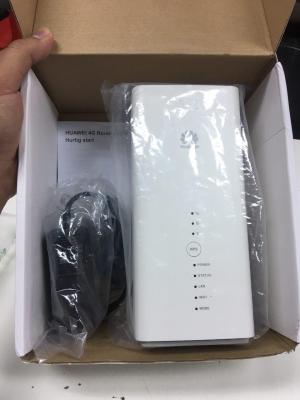
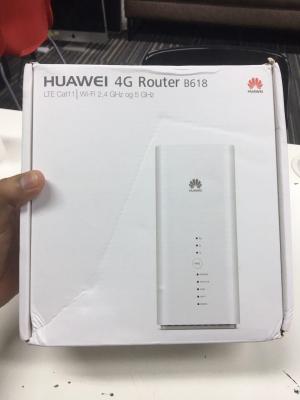
Huawei B618 Cat11 modem router ~ RM1000
• Best modem to get currently at a higher price.
• Firmware update link. Thanks to fruitie. Only tested on 22d variant
Netgear AC790S Cat6 LTE MiFi ~ RM450
• A value option for a cheap modem with great performance.
Netgear M1 Gigabit LTE MiFi

Other modems
» Click to show Spoiler - click again to hide... «


This post has been edited by MilesAndMore: Sep 14 2018, 12:37 PM
TSblacktubi
post Jul 12 2017, 10:14 PM

-
Group Icon
Elite
8,402 posts

Joined: Jul 2008

Factors that affect network performance:

1) Your device:
• Getting a new LTE modem especially a LTE CA capable one will have better performance.
• You might be having a faulty modem, try switching your SIM card with other modems.

2) Your signal coverage:
• If you are not within LTE-A coverage area or getting awful 1 bar signal, don't expect to have 20Mbps of speed.
• Consider placing your modem at a better spot.

3) Congested with other users:
• If you live in an area where there are a lot of Digi users, be prepared with network congestion.
• Even you have a 100Mbps modem, under serious congestion, you may not even get 5Mbps.

4) Timing:
• The network will be more congested at a certain time when there's a lot of users on the network. Bear with it, it is normally the fastest during midnight.

Full LTE modem list
» Click to show Spoiler - click again to hide... «


Check for LTE-A coverage on Samsung devices:
[attachmentid=8831039]
Only works with new Samsung phones with CA ability. (S7, S8 etc)


You can also refer to my old LTE guide, a lot of them are still applicable.user posted image

HolySatan
post Jul 12 2017, 10:19 PM

Regular
******
Senior Member
1,116 posts

Joined: Dec 2009
V3 thumbup.gif

tonight speedtest

user posted image

fruitie
post Jul 12 2017, 10:20 PM

Rise and Shine
Group Icon
Staff
72,803 posts

Joined: Sep 2005
From: KUL

Actually no need to rush for a new thread. sweat.gif

But well, let's carry on since it's opened.

This post has been edited by fruitie: Jul 12 2017, 10:20 PM
TSblacktubi
post Jul 12 2017, 10:36 PM

-
Group Icon
Elite
8,402 posts

Joined: Jul 2008

QUOTE(fruitie @ Jul 12 2017, 10:20 PM)
Actually no need to rush for a new thread. sweat.gif

But well, let's carry on since it's opened.
*
I believe the 2500 posts limit is no longer applicable now?

fruitie
post Jul 12 2017, 10:49 PM

Rise and Shine
Group Icon
Staff
72,803 posts

Joined: Sep 2005
From: KUL

QUOTE(blacktubi @ Jul 12 2017, 10:36 PM)
I believe the 2500 posts limit is no longer applicable now?
*
Nah, can sustain longer now but don't until few hundreds pages, susah wanna look back some details.
tan_aniki
post Jul 12 2017, 10:54 PM

Look at all my stars!!
*******
Senior Member
9,052 posts

Joined: Feb 2006


QUOTE(fruitie @ Jul 12 2017, 10:49 PM)
Nah, can sustain longer now but don't until few hundreds pages, susah wanna look back some details.
*
sometime too many threads also very hard to search for information...
anyway we can search for keywords at the bottom of the topic
fruitie
post Jul 12 2017, 10:59 PM

Rise and Shine
Group Icon
Staff
72,803 posts

Joined: Sep 2005
From: KUL

QUOTE(tan_aniki @ Jul 12 2017, 10:54 PM)
sometime too many threads also very hard to search for information...
anyway we can search for keywords at the bottom of the topic
*
I know we can search, just saying. smile.gif
Anyway, we do keep track of threads exceeding x no. of posts and we will remind if deem necessary.
tan_aniki
post Jul 12 2017, 11:04 PM

Look at all my stars!!
*******
Senior Member
9,052 posts

Joined: Feb 2006


QUOTE(HolySatan @ Jul 12 2017, 10:19 PM)
V3  thumbup.gif

tonight speedtest

user posted image

*
how come shows 2.18pm?
tan_aniki
post Jul 12 2017, 11:07 PM

Look at all my stars!!
*******
Senior Member
9,052 posts

Joined: Feb 2006


QUOTE(fruitie @ Jul 12 2017, 10:59 PM)
I know we can search, just saying. smile.gif
Anyway, we do keep track of threads exceeding x no. of posts and we will remind if deem necessary.
*
if there is no more limitation on max post, why creating so many version?
even 125 pages also very hard to go through page by page...
searching through single topic is better than searching through so many version, somemore same question will be raise again from version to version...
raul88
post Jul 12 2017, 11:10 PM

░░Madridista ░░
*******
Senior Member
2,280 posts

Joined: Jul 2008
From: マレーシア


Parking
Will go for this plan once move out from condo
Hopefully still available then

This post has been edited by raul88: Jul 12 2017, 11:11 PM
fruitie
post Jul 12 2017, 11:14 PM

Rise and Shine
Group Icon
Staff
72,803 posts

Joined: Sep 2005
From: KUL

QUOTE(tan_aniki @ Jul 12 2017, 11:07 PM)
if there is no more limitation on max post, why creating so many version?
even 125 pages also very hard to go through page by page...
searching through single topic is better than searching through so many version, somemore same question will be raise again from version to version...
*
Not up to me to say yes or no. Only Admin has the access to our server and they will assess from time to time. For now, our current server is far more capable in handling more than 2500 posts per thread.
TSblacktubi
post Jul 12 2017, 11:36 PM

-
Group Icon
Elite
8,402 posts

Joined: Jul 2008

QUOTE(tan_aniki @ Jul 12 2017, 11:04 PM)
how come shows 2.18pm?
*
Time zone in GMT.

+8 and you get 10:18 smile.gif
mrlongshen
post Jul 13 2017, 12:22 AM

Getting Started
**
Junior Member
179 posts

Joined: Mar 2010
From: Kuala Lumpur


Follow up new home. My battery never full after using digi infinite. Yesterday use download and watching netflix. Total usage is 40gb. AWESOME!
ajoi57
post Jul 13 2017, 12:26 AM

On my way
****
Senior Member
530 posts

Joined: Jan 2010
From: South Lehgoland


lipoting in!
joeboto
post Jul 13 2017, 12:26 AM

insert title
*****
Senior Member
913 posts

Joined: Jun 2006


samsung galaxy s8 is cat16 capable! mindblowing 1024/150 Mbps. anyone using digi infinite with this s8 or s8+?
bingozero
post Jul 13 2017, 08:01 AM

♥♥♥♥♥♥♥♥♥♥♥♥♥♥♥♥♥♥♥♥♥
*******
Senior Member
4,522 posts

Joined: Jan 2009
Morning guys
Band 7 active at current area.

Attached Image
prosibu
post Jul 13 2017, 08:12 AM

Look at all my stars!!
*******
Senior Member
2,428 posts

Joined: Feb 2010
From: Alam Damai


QUOTE(bingozero @ Jul 13 2017, 08:01 AM)
Morning guys
Band 7 active at current area.

Attached Image
*
Lol, at least tell us where u r?
Else how we know? ...
TSblacktubi
post Jul 13 2017, 08:24 AM

-
Group Icon
Elite
8,402 posts

Joined: Jul 2008

QUOTE(bingozero @ Jul 13 2017, 08:01 AM)
Morning guys
Band 7 active at current area.

Attached Image
*
Good signal for B7. Outdoor?
greenlp_87
post Jul 13 2017, 08:51 AM

Look at all my stars!!
*******
Senior Member
3,150 posts

Joined: Feb 2011
From: Shah Alam, Subang, PJ


reporting in.......
KaizokuLuffy
post Jul 13 2017, 09:02 AM

Getting Started
**
Junior Member
69 posts

Joined: Jun 2017
I gained a lot of useful information from here, however too many thread some time is a pain where you need to go through and digging back the previous posts. I know there is a searching engine for that. Anyway, i'll continue follow up and support the threads smile.gif. Please pin the important information to the first page ya. Thank you smile.gif
bingozero
post Jul 13 2017, 09:35 AM

♥♥♥♥♥♥♥♥♥♥♥♥♥♥♥♥♥♥♥♥♥
*******
Senior Member
4,522 posts

Joined: Jan 2009
QUOTE(prosibu @ Jul 13 2017, 08:12 AM)
Lol, at least tell us where u r?
Else how we know? ...
*
Taman Jati, Ipoh

QUOTE(blacktubi @ Jul 13 2017, 08:24 AM)
Good signal for B7. Outdoor?
*
Yup, outdoor
starz92
post Jul 13 2017, 10:22 AM

Regular
******
Senior Member
1,679 posts

Joined: Jan 2010
From: Penang
Wow, so fast V3 already....guys, I have frozen my i150 plan for almost a month now. Recently I have seen the digi announcement on 800mhz spectrum. May I know if it is available for public already? I hope that it can solve my speed issue before I terminate it.

This post has been edited by starz92: Jul 13 2017, 10:23 AM
#Victor
post Jul 13 2017, 10:38 AM

Look at all my stars!!
*******
Senior Member
4,672 posts

Joined: Nov 2016
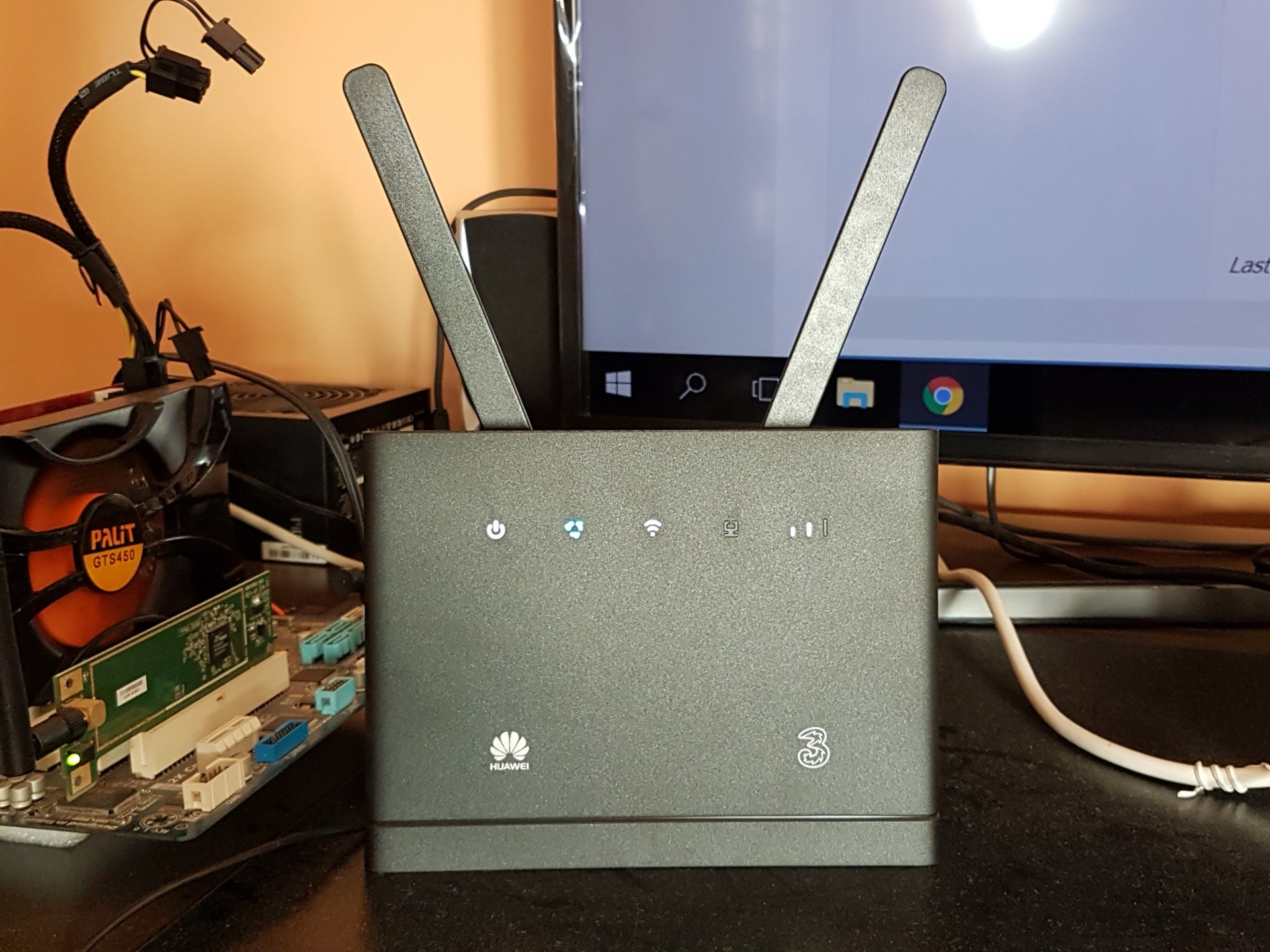
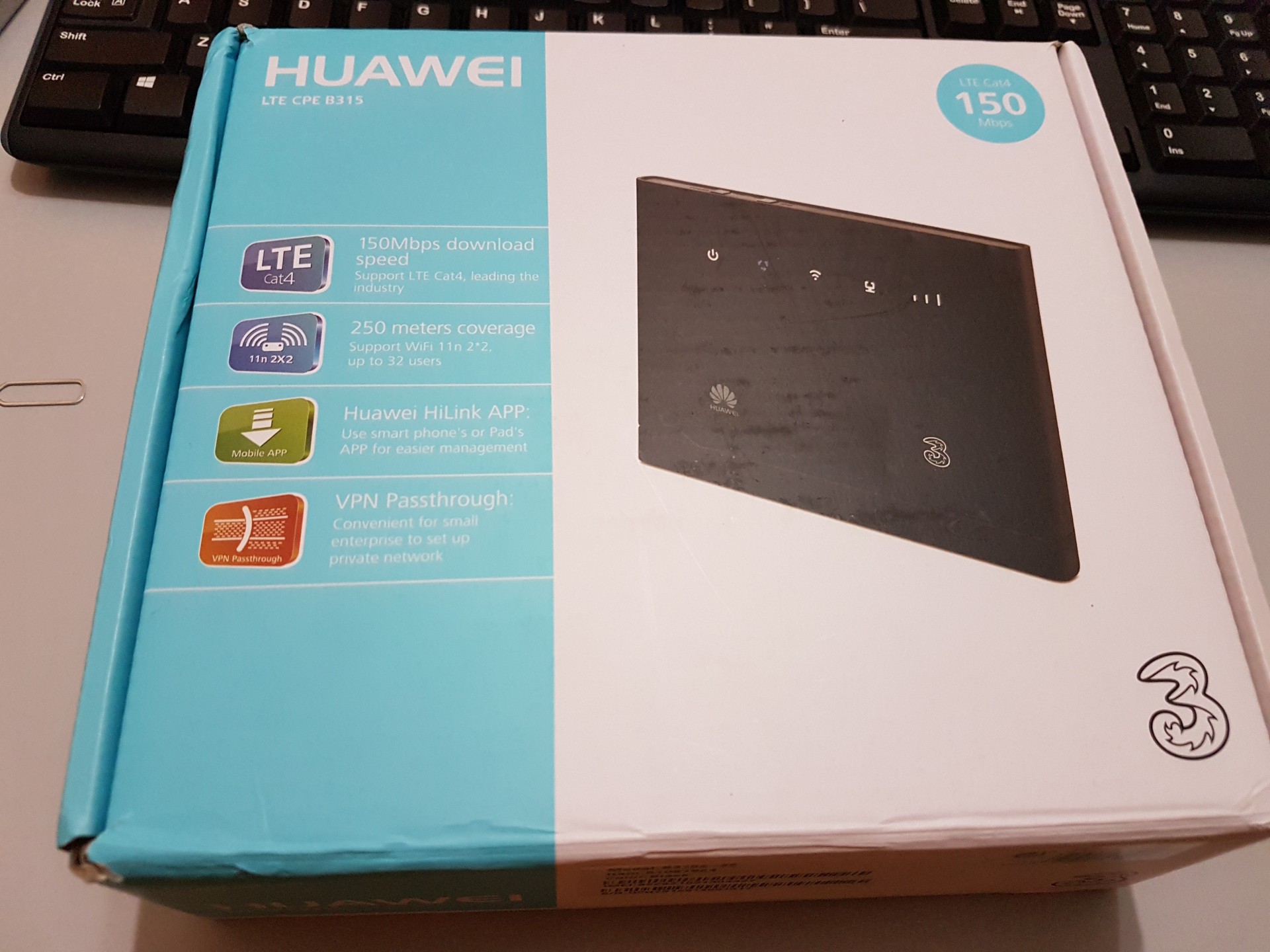
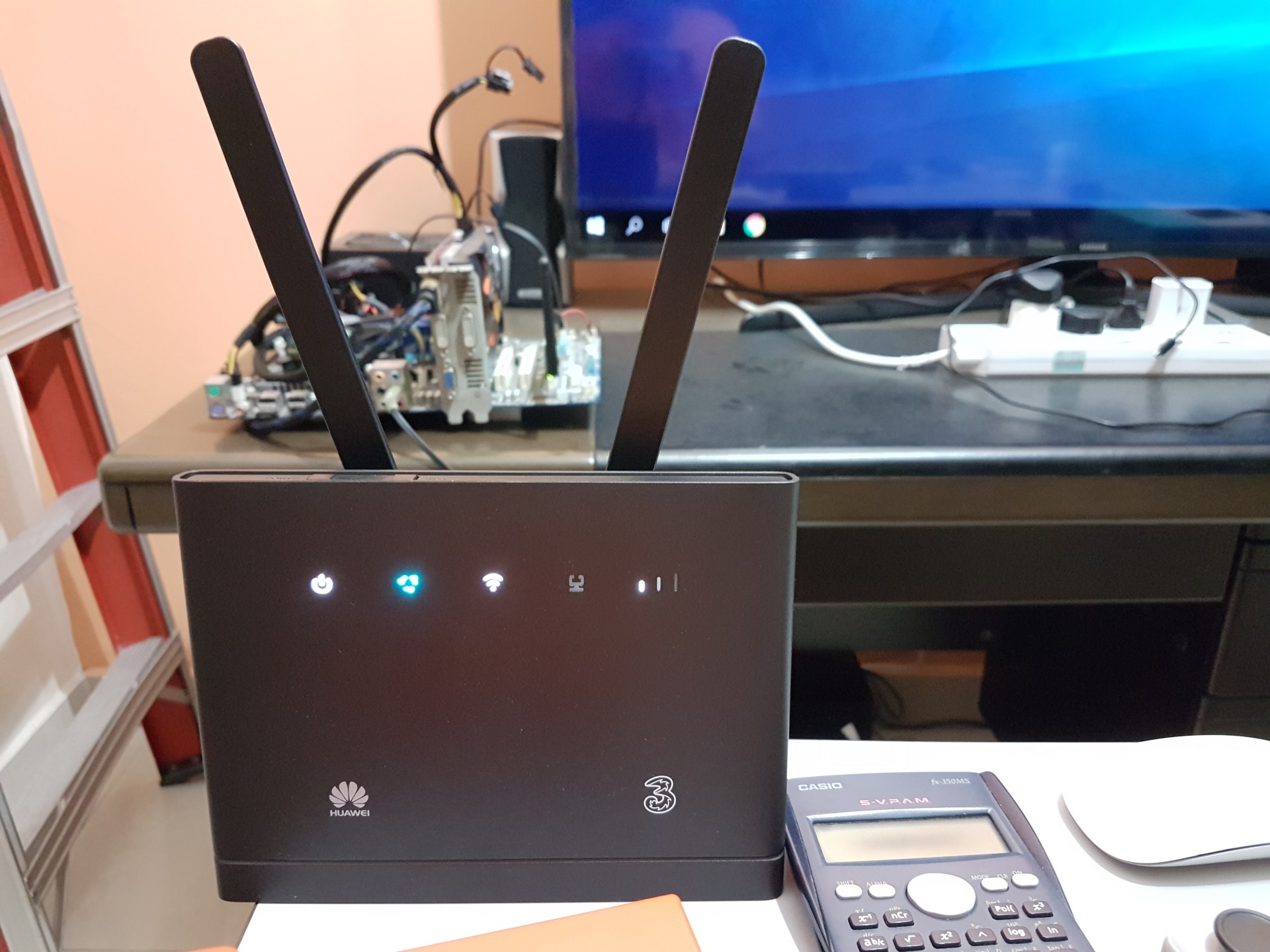
Just received my B315s-22 and setup it up to test the capabilities. After speedtest, the average speed I get is around 4Mbps for the router but can get faster speed using phone. The 4G signal strength always maintain at 1-2 bars (lucky enough to get 3 bars but only a short while) even with external antenna (I did change antenna settings to External from Auto in router page), I notice with or without external antenna no improvement for the signal strength.

Speedtest using B315s:
user posted imageuser posted image

Speedtest using phone:
user posted image

Both test at same spot where I placed the router.
Is that normal for phone getting faster speed and signal strength?

B315s-22 outlook:
» Click to show Spoiler - click again to hide... «


This post has been edited by #Victor: Jul 13 2017, 10:43 AM
hapisal
post Jul 13 2017, 10:43 AM

Getting Started
**
Junior Member
55 posts

Joined: Sep 2012
QUOTE(joeboto @ Jul 13 2017, 12:26 AM)
samsung galaxy s8 is cat16 capable! mindblowing 1024/150 Mbps. anyone using digi infinite with this s8 or s8+?
*
Waiting for 128GB 6GB Ram alang2 buy 64GB 4GB Ram. Wish it will release in Malaysia very soon. biggrin.gif
blibala
post Jul 13 2017, 11:03 AM

Regular
******
Senior Member
1,910 posts

Joined: Jan 2005
QUOTE(#Victor @ Jul 13 2017, 10:38 AM)
Just received my B315s-22 and setup it up to test the capabilities. After speedtest, the average speed I get is around 4Mbps for the router but can get faster speed using phone. The 4G signal strength always maintain at 1-2 bars (lucky enough to get 3 bars but only a short while) even with external antenna (I did change antenna settings to External from Auto in router page), I notice with or without external antenna no improvement for the signal strength.

Speedtest using B315s:
user posted imageuser posted image

Speedtest using phone:
user posted image

Both test at same spot where I placed the router.
Is that normal for phone getting faster speed and signal strength?

B315s-22 outlook:
» Click to show Spoiler - click again to hide... «

*
I too have same issue. Phone is much faster than b315 at the same location. How to change the antenna setting to external? What is your firmware version?

greenlp_87
post Jul 13 2017, 11:06 AM

Look at all my stars!!
*******
Senior Member
3,150 posts

Joined: Feb 2011
From: Shah Alam, Subang, PJ


QUOTE(#Victor @ Jul 13 2017, 10:38 AM)
Just received my B315s-22 and setup it up to test the capabilities. After speedtest, the average speed I get is around 4Mbps for the router but can get faster speed using phone. The 4G signal strength always maintain at 1-2 bars (lucky enough to get 3 bars but only a short while) even with external antenna (I did change antenna settings to External from Auto in router page), I notice with or without external antenna no improvement for the signal strength.

Speedtest using B315s:
user posted imageuser posted image

Speedtest using phone:
user posted image

Both test at same spot where I placed the router.
Is that normal for phone getting faster speed and signal strength?

B315s-22 outlook:
» Click to show Spoiler - click again to hide... «

*
b310 & b315 signal reception not strong. comparing to e5186 u will get better signal and speed. i have tested both models. lock to single band. on e5186 can get 4-5 bars but on b310 only get 3 bars.
greenlp_87
post Jul 13 2017, 11:07 AM

Look at all my stars!!
*******
Senior Member
3,150 posts

Joined: Feb 2011
From: Shah Alam, Subang, PJ


QUOTE(blibala @ Jul 13 2017, 11:03 AM)
I too have same issue. Phone is much faster than b315 at the same location. How to change the antenna setting to external? What is your firmware version?
*
if wanna use external antenna just plug and play no setting needed.
Proclaimer
post Jul 13 2017, 11:09 AM

Regular
******
Senior Member
1,150 posts

Joined: Aug 2005


Is there any difference in variance for e5186-22? Need to refer to the spec sheet or all the same specs? I've seen different model names such as e5186s-22, e5186-22a.
greenlp_87
post Jul 13 2017, 11:12 AM

Look at all my stars!!
*******
Senior Member
3,150 posts

Joined: Feb 2011
From: Shah Alam, Subang, PJ


QUOTE(Proclaimer @ Jul 13 2017, 11:09 AM)
Is there any difference in variance for e5186-22? Need to refer to the spec sheet or all the same specs? I've seen different model names such as e5186s-22, e5186-22a.
*
only one model s-22
NinjaGaiden
post Jul 13 2017, 11:12 AM

Getting Started
**
Junior Member
68 posts

Joined: Jan 2012


QUOTE(greenlp_87 @ Jul 13 2017, 11:06 AM)
b310 & b315 signal reception not strong. comparing to e5186 u will get better signal and speed. i have tested both models. lock to single band. on e5186 can get 4-5 bars but on b310 only get 3 bars.
*
its mean, phone antenna far better than router antenna? how come arr? router got extra external antenna somemore... confused.gif
fadzly
post Jul 13 2017, 11:14 AM

Regular
******
Senior Member
1,757 posts

Joined: Oct 2005


deleted

This post has been edited by fadzly: Jul 13 2017, 11:15 AM
greenlp_87
post Jul 13 2017, 11:16 AM

Look at all my stars!!
*******
Senior Member
3,150 posts

Joined: Feb 2011
From: Shah Alam, Subang, PJ


QUOTE(NinjaGaiden @ Jul 13 2017, 11:12 AM)
its mean, phone antenna far better than router antenna? how come arr? router got extra external antenna somemore... confused.gif
*
that external antenna only give small different...if want to use external antenna find mimo external antenna.
#Victor
post Jul 13 2017, 11:30 AM

Look at all my stars!!
*******
Senior Member
4,672 posts

Joined: Nov 2016
QUOTE(Proclaimer @ Jul 13 2017, 11:09 AM)
Is there any difference in variance for e5186-22? Need to refer to the spec sheet or all the same specs? I've seen different model names such as e5186s-22, e5186-22a.
*
There are 2 variants for E5186s: E5186s-22a and E5186s-61a. If u referring E5186s-22a variant, there is only 1 just that E5186s-22a is the full name.
fadzly
post Jul 13 2017, 11:38 AM

Regular
******
Senior Member
1,757 posts

Joined: Oct 2005


QUOTE(#Victor @ Jul 13 2017, 10:38 AM)
Just received my B315s-22 and setup it up to test the capabilities. After speedtest, the average speed I get is around 4Mbps for the router but can get faster speed using phone. The 4G signal strength always maintain at 1-2 bars (lucky enough to get 3 bars but only a short while) even with external antenna (I did change antenna settings to External from Auto in router page), I notice with or without external antenna no improvement for the signal strength.

Speedtest using B315s:
user posted imageuser posted image

Speedtest using phone:
user posted image

Both test at same spot where I placed the router.
Is that normal for phone getting faster speed and signal strength?

B315s-22 outlook:
» Click to show Spoiler - click again to hide... «

*
Ya right. Might as well just make our phone as a hotspot

Proclaimer
post Jul 13 2017, 11:44 AM

Regular
******
Senior Member
1,150 posts

Joined: Aug 2005


QUOTE(greenlp_87 @ Jul 13 2017, 11:12 AM)
only one model s-22
*
QUOTE(#Victor @ Jul 13 2017, 11:30 AM)
There are 2 variants for E5186s: E5186s-22a and E5186s-61a. If u referring E5186s-22a variant, there is only 1 just that E5186s-22a is the full name.
*
Thanks guys
fruitie
post Jul 13 2017, 11:54 AM

Rise and Shine
Group Icon
Staff
72,803 posts

Joined: Sep 2005
From: KUL

QUOTE(#Victor @ Jul 13 2017, 10:38 AM)
Just received my B315s-22 and setup it up to test the capabilities. After speedtest, the average speed I get is around 4Mbps for the router but can get faster speed using phone. The 4G signal strength always maintain at 1-2 bars (lucky enough to get 3 bars but only a short while) even with external antenna (I did change antenna settings to External from Auto in router page), I notice with or without external antenna no improvement for the signal strength.

Speedtest using B315s:
user posted imageuser posted image

Speedtest using phone:
user posted image

Both test at same spot where I placed the router.
Is that normal for phone getting faster speed and signal strength?

B315s-22 outlook:
» Click to show Spoiler - click again to hide... «

*
I have no such issue with E5186, speed is fast. This is pretty bad if you ask me.
captvizcenzo
post Jul 13 2017, 11:54 AM

Regular
******
Senior Member
1,484 posts

Joined: Feb 2009
From: Kuching - Samarahan, Sarawak


QUOTE(#Victor @ Jul 13 2017, 10:38 AM)
Just received my B315s-22 and setup it up to test the capabilities. After speedtest, the average speed I get is around 4Mbps for the router but can get faster speed using phone. The 4G signal strength always maintain at 1-2 bars (lucky enough to get 3 bars but only a short while) even with external antenna (I did change antenna settings to External from Auto in router page), I notice with or without external antenna no improvement for the signal strength.

Speedtest using B315s:
user posted imageuser posted image

Speedtest using phone:
user posted image

Both test at same spot where I placed the router.
Is that normal for phone getting faster speed and signal strength?

B315s-22 outlook:
» Click to show Spoiler - click again to hide... «

*
Your ping and upload speed don't differ much tho hmm.gif
alna1988
post Jul 13 2017, 12:30 PM

Getting Started
**
Junior Member
94 posts

Joined: Jan 2016


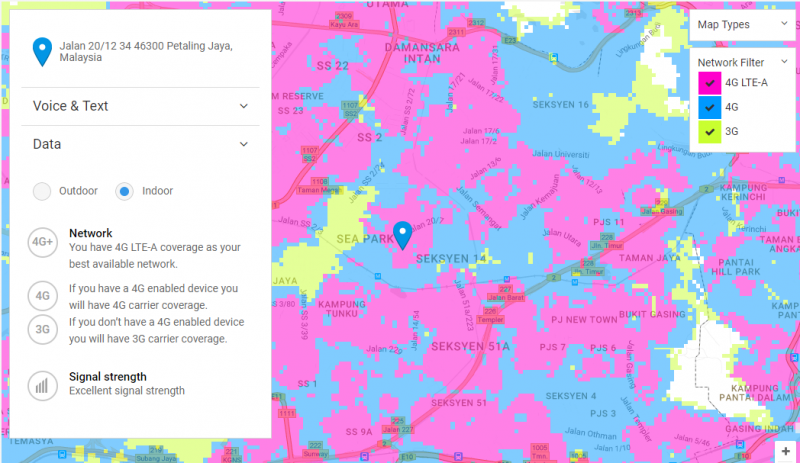
Hi all sifus and mastaa of the i150 league.

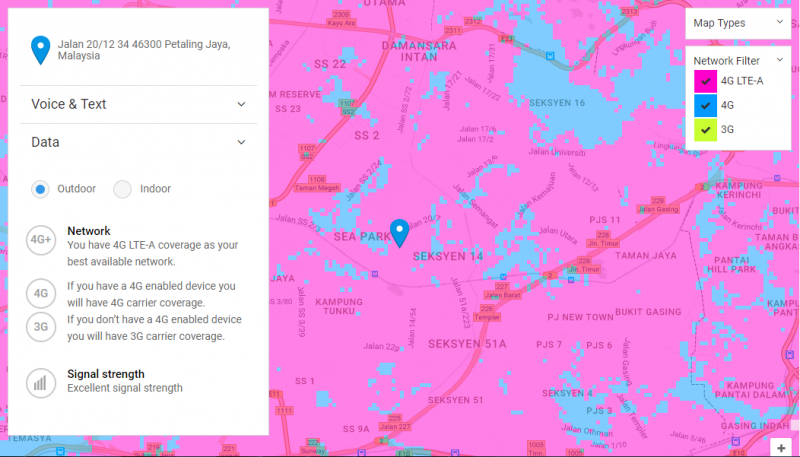
attach is coverage for 4G LTE-A, unluckly my current house just a few steps from the 4 G LTE-A

Worth to subscribe?

Or will i get a "sipi sipi" 4GLTE-A? Ha3


Attached thumbnail(s)
Attached Image
HolySatan
post Jul 13 2017, 12:39 PM

Regular
******
Senior Member
1,116 posts

Joined: Dec 2009
QUOTE(tan_aniki @ Jul 12 2017, 11:04 PM)
how come shows 2.18pm?
*
GMT +8 rclxub.gif

user posted image

speed during peak hour
kaiserreich
post Jul 13 2017, 12:56 PM

Pendekar Papan Kekunci
*******
Senior Member
4,234 posts

Joined: Sep 2006
QUOTE(#Victor @ Jul 13 2017, 10:38 AM)
Just received my B315s-22 and setup it up to test the capabilities. After speedtest, the average speed I get is around 4Mbps for the router but can get faster speed using phone. The 4G signal strength always maintain at 1-2 bars (lucky enough to get 3 bars but only a short while) even with external antenna (I did change antenna settings to External from Auto in router page), I notice with or without external antenna no improvement for the signal strength.

Speedtest using B315s:
user posted imageuser posted image

Speedtest using phone:
user posted image

Both test at same spot where I placed the router.
Is that normal for phone getting faster speed and signal strength?

B315s-22 outlook:
» Click to show Spoiler - click again to hide... «

*
What phone are you using?
Maybe your phone has 4G+ ?

QUOTE(alna1988 @ Jul 13 2017, 12:30 PM)
Hi all sifus and mastaa of the i150 league.

attach is coverage for 4G LTE-A, unluckly my current house just a few steps from the 4 G LTE-A

Worth to subscribe?

Or will i get a "sipi sipi" 4GLTE-A? Ha3
*
People here will tell you to try with prepaid. And you should.
I am in the same situation as you, 1 blind spot in a sea of 4G+ coverage. That means coverage is poor.
The speed I get with that '88dbi' antenna is about 12Mbps in morning. During heavy congestion time, B3 is unusable, B7 gets 4-5Mbps.
This is acceptable for me as the alternative is 4Mbps streamyx.

It falls back to you to try it and figure out whether the speed is acceptable to you or not,

HolySatan
post Jul 13 2017, 01:04 PM

Regular
******
Senior Member
1,116 posts

Joined: Dec 2009
QUOTE(alna1988 @ Jul 13 2017, 12:30 PM)
Hi all sifus and mastaa of the i150 league.

attach is coverage for 4G LTE-A, unluckly my current house just a few steps from the 4 G LTE-A

Worth to subscribe?

Or will i get a "sipi sipi" 4GLTE-A? Ha3
*
buy prepaid & internet.. test sendiri using phone thumbup.gif

btw check outdoor & indoor coverage

user posted image

user posted image
alextan99
post Jul 13 2017, 01:05 PM

Wassup
*******
Senior Member
2,660 posts

Joined: Jan 2003
From: Somewhere in the world
lucky you. my seremban house 4G sometimes only 1 bar
ajoi57
post Jul 13 2017, 01:17 PM

On my way
****
Senior Member
530 posts

Joined: Jan 2010
From: South Lehgoland


QUOTE(HolySatan @ Jul 13 2017, 01:04 PM)
buy prepaid & internet.. test sendiri using phone  thumbup.gif

btw check outdoor & indoor coverage

user posted image

user posted image
*
fuio those lte-a coverage cry.gif
fruitie
post Jul 13 2017, 01:38 PM

Rise and Shine
Group Icon
Staff
72,803 posts

Joined: Sep 2005
From: KUL

Out of curiosity, I also checked mine. laugh.gif

user posted image

user posted image

icon_idea.gif

tan_aniki
post Jul 13 2017, 01:39 PM

Look at all my stars!!
*******
Senior Member
9,052 posts

Joined: Feb 2006


u see keep asking for E5186 variant even though now already V3... that's why i always against to open new version...
fruitie
post Jul 13 2017, 01:41 PM

Rise and Shine
Group Icon
Staff
72,803 posts

Joined: Sep 2005
From: KUL

QUOTE(tan_aniki @ Jul 13 2017, 01:39 PM)
u see keep asking for E5186 variant even though now already V3... that's why i always against to open new version...
*
This is what we called ignorant when first post already shows it. It doesn't matter, if it is V1, V2, V3 or V100, if they don't read first post or search topic, they will not.
hapisal
post Jul 13 2017, 02:31 PM

Getting Started
**
Junior Member
55 posts

Joined: Sep 2012
QUOTE(fruitie @ Jul 13 2017, 01:38 PM)
Out of curiosity, I also checked mine. laugh.gif

user posted image

user posted image

icon_idea.gif
*
Bersyukurlah.. very happy la if indoor like that
HolySatan
post Jul 13 2017, 03:00 PM

Regular
******
Senior Member
1,116 posts

Joined: Dec 2009
user posted image

new mifi.. ac810s & e5787..
bye e5786 bye.gif
CustomKids
post Jul 13 2017, 03:04 PM

Getting Started
**
Junior Member
117 posts

Joined: Jul 2008
From: Malaysia


QUOTE(HolySatan @ Jul 13 2017, 03:00 PM)
user posted image

new mifi.. ac810s & e5787..
bye e5786 bye.gif
*
Waa..Give some review later rclxms.gif rclxms.gif
greenlp_87
post Jul 13 2017, 03:13 PM

Look at all my stars!!
*******
Senior Member
3,150 posts

Joined: Feb 2011
From: Shah Alam, Subang, PJ


QUOTE(HolySatan @ Jul 13 2017, 03:00 PM)
user posted image

new mifi.. ac810s & e5787..
bye e5786 bye.gif
*
hmm.gif hmm.gif hmm.gif
Proclaimer
post Jul 13 2017, 03:28 PM

Regular
******
Senior Member
1,150 posts

Joined: Aug 2005


QUOTE(tan_aniki @ Jul 13 2017, 01:39 PM)
u see keep asking for E5186 variant even though now already V3... that's why i always against to open new version...
*
QUOTE(fruitie @ Jul 13 2017, 01:41 PM)
This is what we called ignorant when first post already shows it. It doesn't matter, if it is V1, V2, V3 or V100, if they don't read first post or search topic, they will not.
*
I was asking between the discrepancy of the -22 models name as there are some with e5186-22, e5186s-22a, e5186s-22 and so forth.

I dont see such info stated on the main page? unsure.gif
alexchew_2020
post Jul 13 2017, 03:37 PM

MOD
*******
Senior Member
3,363 posts

Joined: Sep 2005

QUOTE(#Victor @ Jul 13 2017, 10:38 AM)
Just received my B315s-22 and setup it up to test the capabilities. After speedtest, the average speed I get is around 4Mbps for the router but can get faster speed using phone. The 4G signal strength always maintain at 1-2 bars (lucky enough to get 3 bars but only a short while) even with external antenna (I did change antenna settings to External from Auto in router page), I notice with or without external antenna no improvement for the signal strength.

Speedtest using B315s:
user posted imageuser posted image

Speedtest using phone:
user posted image

Both test at same spot where I placed the router.
Is that normal for phone getting faster speed and signal strength?

B315s-22 outlook:
» Click to show Spoiler - click again to hide... «

*
the modem is shown 3G connection or 4G?

i'm using B310 modem as well. For me the modem reception way better than my iphone and ipad. for me if less 1 bar also effect on the internet speed. at the moment i'm only get 4bar cant get max 5 bar. if 2~3bar 4G speed will be lower than 4bar 4G speed.

The rabbit antenna is useless.. i also wasted money brought it. No antenna setting speed is better than set external antenna speed. doh.gif

try place modem or using phone find a sweet spot at home. might get a good spot.

This post has been edited by alexchew_2020: Jul 13 2017, 03:39 PM
Anime in HD
post Jul 13 2017, 03:38 PM

Regular
******
Senior Member
1,510 posts

Joined: Oct 2016
From: Celcom Internet 4G × Malaysia
QUOTE(fruitie @ Jul 13 2017, 01:38 PM)
Out of curiosity, I also checked mine. laugh.gif

user posted image

user posted image

icon_idea.gif
*
So good.

Meanwhile, other "certain" telco website not update their coverage map.. doh.gif laugh.gif
Like Celcom or Maxis.. whistling.gif
#Victor
post Jul 13 2017, 04:11 PM

Look at all my stars!!
*******
Senior Member
4,672 posts

Joined: Nov 2016
QUOTE(alexchew_2020 @ Jul 13 2017, 03:37 PM)
the modem is shown 3G connection or 4G?

i'm using B310 modem as well. For me the modem reception way better than my iphone and ipad. for me if less 1 bar also effect on the internet speed. at the moment i'm only get 4bar cant get max 5 bar. if 2~3bar 4G speed will be lower than 4bar 4G speed.

The rabbit antenna is useless.. i also wasted money brought it. No antenna setting speed is better than set external antenna speed.  doh.gif

try place modem or using phone find a sweet spot at home. might get a good spot.
*
Both 3G and 4G can be differentiate by the indicator light. If u mean in the picture shown, it is currently in 4G, it will drop to 3G when there is outgoing / incoming call.

Maybe my phone has LTE-A improves the signal strength and speed compare with the modem.

Lucky thing I did not buy the external antenna, it comes with the modem.

Is quite hard to find a sweet spot at home if want to use this modem + router all in one because have to care for the WiFi reception too.
greenlp_87
post Jul 13 2017, 04:13 PM

Look at all my stars!!
*******
Senior Member
3,150 posts

Joined: Feb 2011
From: Shah Alam, Subang, PJ


QUOTE(#Victor @ Jul 13 2017, 04:11 PM)
Both 3G and 4G can be differentiate by the indicator light. If u mean in the picture shown, it is currently in 4G, it will drop to 3G when there is outgoing / incoming call.

Maybe my phone has LTE-A improves the signal strength and speed compare with the modem.

Lucky thing I did not buy the external antenna, it comes with the modem.

Is quite hard to find a sweet spot at home if want to use this modem + router all in one because have to care for the WiFi reception too.
*
upgrade to e5186 for better signal reception and more speed (stability as well)
alexchew_2020
post Jul 13 2017, 04:14 PM

MOD
*******
Senior Member
3,363 posts

Joined: Sep 2005

QUOTE(#Victor @ Jul 13 2017, 04:11 PM)
Both 3G and 4G can be differentiate by the indicator light. If u mean in the picture shown, it is currently in 4G, it will drop to 3G when there is outgoing / incoming call.

Maybe my phone has LTE-A improves the signal strength and speed compare with the modem.

Lucky thing I did not buy the external antenna, it comes with the modem.

Is quite hard to find a sweet spot at home if want to use this modem + router all in one because have to care for the WiFi reception too.
*
if your are have LTE-A coverage better is get a 4G+ or cat6 modem.

U can try use the e5186 tools to lock the band 3. see if can get better speed or not. icon_idea.gif
#Victor
post Jul 13 2017, 04:28 PM

Look at all my stars!!
*******
Senior Member
4,672 posts

Joined: Nov 2016
QUOTE(greenlp_87 @ Jul 13 2017, 04:13 PM)
upgrade to e5186 for better signal reception and more speed (stability as well)
*
bangwall.gif Just bought B315s, supposed to get e5186 but everywhere in local markets out of stock and hiking price cry.gif

QUOTE(alexchew_2020 @ Jul 13 2017, 04:14 PM)
if your are have LTE-A coverage better is get a 4G+ or cat6 modem.

U can try use the e5186 tools to lock the band 3. see if can get better speed or not. icon_idea.gif
*
My 4G+ in phone is not consistent too, maybe because I am inside building? I tried go to the guard house of the building can get higher speed.

Inside building:
user posted image

Outside building:
user posted image

This post has been edited by #Victor: Jul 13 2017, 04:31 PM
0705224
post Jul 13 2017, 04:32 PM

New Member
*
Newbie
6 posts

Joined: Mar 2008
QUOTE(CustomKids @ Jul 8 2017, 09:40 PM)
Using Nighthawk M1..Tested B7 and B3 and got consistent 40mbps each..but cant seems to enable CA for some reason
Hi CustomKids,
I am using the 810s and I am unable to get CA as well, is it because of Telstra branded modem?
TSblacktubi
post Jul 13 2017, 04:52 PM

-
Group Icon
Elite
8,402 posts

Joined: Jul 2008

QUOTE(#Victor @ Jul 13 2017, 10:38 AM)
Just received my B315s-22 and setup it up to test the capabilities. After speedtest, the average speed I get is around 4Mbps for the router but can get faster speed using phone. The 4G signal strength always maintain at 1-2 bars (lucky enough to get 3 bars but only a short while) even with external antenna (I did change antenna settings to External from Auto in router page), I notice with or without external antenna no improvement for the signal strength.

Speedtest using B315s:
user posted imageuser posted image

Speedtest using phone:
user posted image

Both test at same spot where I placed the router.
Is that normal for phone getting faster speed and signal strength?

B315s-22 outlook:
» Click to show Spoiler - click again to hide... «

*
https://forum.lowyat.net/index.php?showtopi...&#entry85421945

Well, believe it or not I face the same issue. Speed is limited when it is able to detect the traffic originated from somewhere other than my mobile phone even when I tethered from my phone and conduct the speedtest on my laptop.

I actually manage to trick the traffic shaping sometime but it is not reliable. Shady practice and yet I don't have a concrete prove. It seems that only a small portion of users are affected.

Edit: I use E5186 smile.gif

This post has been edited by blacktubi: Jul 13 2017, 04:52 PM
fadzly
post Jul 13 2017, 04:56 PM

Regular
******
Senior Member
1,757 posts

Joined: Oct 2005


QUOTE(HolySatan @ Jul 13 2017, 03:00 PM)
user posted image

new mifi.. ac810s & e5787..
bye e5786 bye.gif
*
rupanya ko admin kat fb ye..
eh that e5787 ok ka?
HolySatan
post Jul 13 2017, 05:01 PM

Regular
******
Senior Member
1,116 posts

Joined: Dec 2009
QUOTE(fadzly @ Jul 13 2017, 04:56 PM)
rupanya ko admin kat fb ye..
eh that e5787 ok ka?
*
biggrin.gif not tested yet
but e5786 thumbup.gif
maybe not so different from e5787 except touchscreen
fruitie
post Jul 13 2017, 05:02 PM

Rise and Shine
Group Icon
Staff
72,803 posts

Joined: Sep 2005
From: KUL

QUOTE(Proclaimer @ Jul 13 2017, 03:28 PM)
I was asking between the discrepancy of the -22 models name as there are some with e5186-22, e5186s-22a, e5186s-22 and so forth.

I dont see such info stated on the main page?  unsure.gif
*
Not referring to you. Just in general and about E5186 variant. smile.gif

QUOTE(Anime in HD @ Jul 13 2017, 03:38 PM)
So good.

Meanwhile, other "certain" telco website not update their coverage map.. doh.gif laugh.gif
Like Celcom or Maxis.. whistling.gif
*
Your phone is your best checker provided you have 4G+ enabled phone. That was how I checked mine last year. laugh.gif
0705224
post Jul 13 2017, 05:12 PM

New Member
*
Newbie
6 posts

Joined: Mar 2008
QUOTE(HolySatan @ Jul 13 2017, 03:00 PM)
user posted image

new mifi.. ac810s & e5787..
bye e5786 bye.gif
*
Hi HolySatan,
Have you tested out the AC810s yet? Can it do CA? Thanks rclxm9.gif
sctong147
post Jul 13 2017, 05:21 PM

Getting Started
**
Junior Member
59 posts

Joined: Apr 2005


QUOTE(blacktubi @ Jul 12 2017, 10:14 PM)
Factors that affect network performance:

1) Your device:
• Getting a new LTE modem especially a LTE CA capable one will have better performance.
• You might be having a faulty modem, try switching your SIM card with other modems.

2) Your signal coverage:
• If you are not within LTE-A coverage area or getting awful 1 bar signal, don't expect to have 20Mbps of speed.
• Consider placing your modem at a better spot.

3) Congested with other users:
• If you live in an area where there are a lot of Digi users, be prepared with network congestion.
• Even you have a 100Mbps modem, under serious congestion, you may not even get 5Mbps.

4) Timing:
• The network will be more congested at a certain time when there's a lot of users on the network. Bear with it, it is normally the fastest during midnight.

Full LTE modem list
» Click to show Spoiler - click again to hide... «


Check for LTE-A coverage on Samsung devices:
[attachmentid=8831039]
Only works with new Samsung phones with CA ability. (S7, S8 etc)
You can also refer to my old LTE guide, a lot of them are still applicable.user posted image

*
Hi all, can Huawei B593S-22 can support Internet +Call for this plan? Currently using Celcom First Gold Plus with this device and no problem making call + internet.
#Victor
post Jul 13 2017, 06:38 PM

Look at all my stars!!
*******
Senior Member
4,672 posts

Joined: Nov 2016
Anyone know how to enable remote management for B315s modem router? Seems that I cannot find it in the router page?
syazwanreno
post Jul 13 2017, 07:10 PM

Won (*3*) Chu Kiss Me?
******
Senior Member
1,269 posts

Joined: Apr 2007
From: Shah Alam


my simcard arrived but my number hasn't MNP yet sweat.gif

Attached Image
tan_aniki
post Jul 13 2017, 07:12 PM

Look at all my stars!!
*******
Senior Member
9,052 posts

Joined: Feb 2006


QUOTE(#Victor @ Jul 13 2017, 06:38 PM)
Anyone know how to enable remote management for B315s modem router? Seems that I cannot find it in the router page?
*
try port fowarding and remote access with a desktop using teamviewer
derthvadar
post Jul 13 2017, 07:24 PM

(ง •̀_•́)ง
******
Senior Member
1,792 posts

Joined: Feb 2016
From: Bikini Bottom
QUOTE(syazwanreno @ Jul 13 2017, 07:10 PM)
my simcard arrived but my number hasn't MNP yet  sweat.gif

Attached Image
*
Keep waiting patiently.
fadzly
post Jul 13 2017, 09:48 PM

Regular
******
Senior Member
1,757 posts

Joined: Oct 2005


QUOTE(HolySatan @ Jul 13 2017, 05:01 PM)
biggrin.gif not tested yet
but e5786  thumbup.gif
maybe not so different from e5787 except touchscreen
*
bro. that fb group is so messy with so called DiGi "agent" who wants to offer service to register i150 with payment ranging from RM 70-150. some of the agent claim its free for the first month and the second month will be rebated for RM50, which turn out to be untrue. There's no free 1st month and the agent is getting $$$ ranging from RM20 to 100 ringgit. If its minimal fee, should be ok. But to claim until RM100, this is bad. I would suggest that the group page should do screening for new posting. In fact, i think most of the user in the group page might already subscribed to infinite plan, and most of us wanted to know how to improve our speed.
my 2 cent.
Mr Gray
post Jul 13 2017, 09:57 PM

Enthusiast
*****
Senior Member
924 posts

Joined: Aug 2013
Seriously I think Huawei E5186s-22a is overated. I'm perfectly happy now with Huawei B310As-852. Way cheaper than 5186, no carrier aggregation. But can connect to LTE band 3/7 and 8.

Consistently at least 20Mbps. It's nothing to shout about, but more than enough for average user like me.
ahchun
post Jul 13 2017, 10:16 PM

MiddleAge
******
Senior Member
1,147 posts

Joined: Jan 2003
From: HeRe
trying out 900Mhz and seems like my area only for 3g still
not yet LTE


Attached thumbnail(s)
Attached Image
CustomKids
post Jul 13 2017, 10:21 PM

Getting Started
**
Junior Member
117 posts

Joined: Jul 2008
From: Malaysia


QUOTE(0705224 @ Jul 13 2017, 04:32 PM)
Hi CustomKids,
I am using the 810s and I am unable to get CA as well, is it because of Telstra branded modem?
*
I have consulted Netgear regarding the CA issue. According to Netgear, we are currently connected to CA without knowing it. The modem will automatically connect to the best band /signal and assign to it. In the Diagnostics tab, you can see which frequency/band that you connected under Current Radio Band info. But you can only see only 1 band (Main band) in the info.

If you really keen to see which band that you connected (CA), there is 2 ways of doing it.
1. Connect your AC810s to PC using USB and check it with Telnet. (Google / Refer Netgear Forum)
2. Change to other modem that can manually lock the band. Eg : Huawei E5186-22a / B618 drool.gif drool.gif drool.gif

I tested several modem and the result show that different Category LTE capable modem does affect the speed. flex.gif flex.gif

AC810s (Cat11 & 3CA) is consider a good buy in case B8 can CA in the future. thumbup.gif thumbup.gif

This post has been edited by CustomKids: Jul 13 2017, 10:24 PM
amirudin920927
post Jul 13 2017, 10:53 PM

///-| Kapten | Amirudin |-\\\
******
Senior Member
1,431 posts

Joined: Feb 2009
From: Seremban - Putrajaya


When using with phone I got 30Mbps but when I start do tethering, the speed like being capped, and its capped @ 2Mbps.. WTf Digi? i150 should not have any capped speed n lifetime tethering
kvotnet
post Jul 13 2017, 11:28 PM

Getting Started
**
Junior Member
130 posts

Joined: Jan 2003


QUOTE(amirudin920927 @ Jul 13 2017, 10:53 PM)
When using with phone I got 30Mbps but when I start do tethering, the speed like being capped, and its capped @ 2Mbps.. WTf Digi? i150 should not have any capped speed n lifetime tethering
*
yah i have the same experience here also ... even with the Digi 80 package. once tethered the speed capped @ 1~2Mbps
fadzly
post Jul 13 2017, 11:38 PM

Regular
******
Senior Member
1,757 posts

Joined: Oct 2005


QUOTE(amirudin920927 @ Jul 13 2017, 10:53 PM)
When using with phone I got 30Mbps but when I start do tethering, the speed like being capped, and its capped @ 2Mbps.. WTf Digi? i150 should not have any capped speed n lifetime tethering
*
Maybe wifi issue. Or the device issue. Either the hotspot device or the receiver device.
pakmulau
post Jul 13 2017, 11:45 PM

On my way
****
Junior Member
589 posts

Joined: Mar 2016
QUOTE(amirudin920927 @ Jul 13 2017, 10:53 PM)
When using with phone I got 30Mbps but when I start do tethering, the speed like being capped, and its capped @ 2Mbps.. WTf Digi? i150 should not have any capped speed n lifetime tethering
*
i have no problem tethering i150 to laptop still got ~20Mbps using E5186 router

when tethering my hp line postpaid 110 to laptop got ~10Mbps. btw my hp samsung J5 prime je
wc_how
post Jul 13 2017, 11:46 PM

Regular
******
Senior Member
1,187 posts

Joined: Oct 2009
QUOTE(Mr Gray @ Jul 13 2017, 09:57 PM)
Seriously I think Huawei E5186s-22a is overated. I'm perfectly happy now with Huawei B310As-852. Way cheaper than 5186, no carrier aggregation. But can connect to LTE band 3/7 and 8.

Consistently at least 20Mbps. It's nothing to shout about, but more than enough for average user like me.
*
E5186 is not overated. The problem is on digi/ISP side.
A good LTE-A for digi, can reach to 100M out of 145(10+10mhz) - 180M(10+15mhz) speed.

And it depends on you or the users deem how much speed is enough for you.

I am glad that LTE-A for my home is stable at 60-80M, and max at 110M.

» Click to show Spoiler - click again to hide... «

alexchew_2020
post Jul 14 2017, 12:27 AM

MOD
*******
Senior Member
3,363 posts

Joined: Sep 2005

QUOTE(amirudin920927 @ Jul 13 2017, 10:53 PM)
When using with phone I got 30Mbps but when I start do tethering, the speed like being capped, and its capped @ 2Mbps.. WTf Digi? i150 should not have any capped speed n lifetime tethering
*
no issue on tethering hotspot.. i'm using ipad share hotspot to pc and hp also no capped speed. just same speedtest.
TSblacktubi
post Jul 14 2017, 12:51 AM

-
Group Icon
Elite
8,402 posts

Joined: Jul 2008

QUOTE(amirudin920927 @ Jul 13 2017, 10:53 PM)
When using with phone I got 30Mbps but when I start do tethering, the speed like being capped, and its capped @ 2Mbps.. WTf Digi? i150 should not have any capped speed n lifetime tethering
*
I experience the same issue here.

Speed is capped when the SIM card is in my modem.
fruitie
post Jul 14 2017, 02:44 AM

Rise and Shine
Group Icon
Staff
72,803 posts

Joined: Sep 2005
From: KUL

QUOTE(Mr Gray @ Jul 13 2017, 09:57 PM)
Seriously I think Huawei E5186s-22a is overated. I'm perfectly happy now with Huawei B310As-852. Way cheaper than 5186, no carrier aggregation. But can connect to LTE band 3/7 and 8.

Consistently at least 20Mbps. It's nothing to shout about, but more than enough for average user like me.
*
It's not. If your area has no good CA speed, cannot say the same for others.
There are people who are enjoying 80Mbps and above, if I were one of them, this is a justified purchase.
That said I am using E5186 and though I didn't enjoy full CA speed but 50Mbps has made me happy.

QUOTE(amirudin920927 @ Jul 13 2017, 10:53 PM)
When using with phone I got 30Mbps but when I start do tethering, the speed like being capped, and its capped @ 2Mbps.. WTf Digi? i150 should not have any capped speed n lifetime tethering
*
No such issue here. Tethering all the way using router.
hkspower
post Jul 14 2017, 04:14 AM

Casual
***
Junior Member
357 posts

Joined: Jan 2003
From: 工口


150


This post has been edited by hkspower: Jul 14 2017, 06:39 AM


Attached thumbnail(s)
Attached Image
pakmulau
post Jul 14 2017, 07:36 AM

On my way
****
Junior Member
589 posts

Joined: Mar 2016
QUOTE(blacktubi @ Jul 14 2017, 12:51 AM)
I experience the same issue here.

Speed is capped when the SIM card is in my modem.
*
It's weird. I use E5776 first when I got i150. Now using E5186. The max speed I got ~30Mbps. Mostly around 10-20 Mbps la. Normally 7 devices connected to this router all day.

Last nite I download firmware from sammobile. 2gb file finish in 30 minutes. Better than streamyx 8Mbps mcm langit dgn bumi.
psjjl
post Jul 14 2017, 07:37 AM

Casual
***
Junior Member
392 posts

Joined: Dec 2007


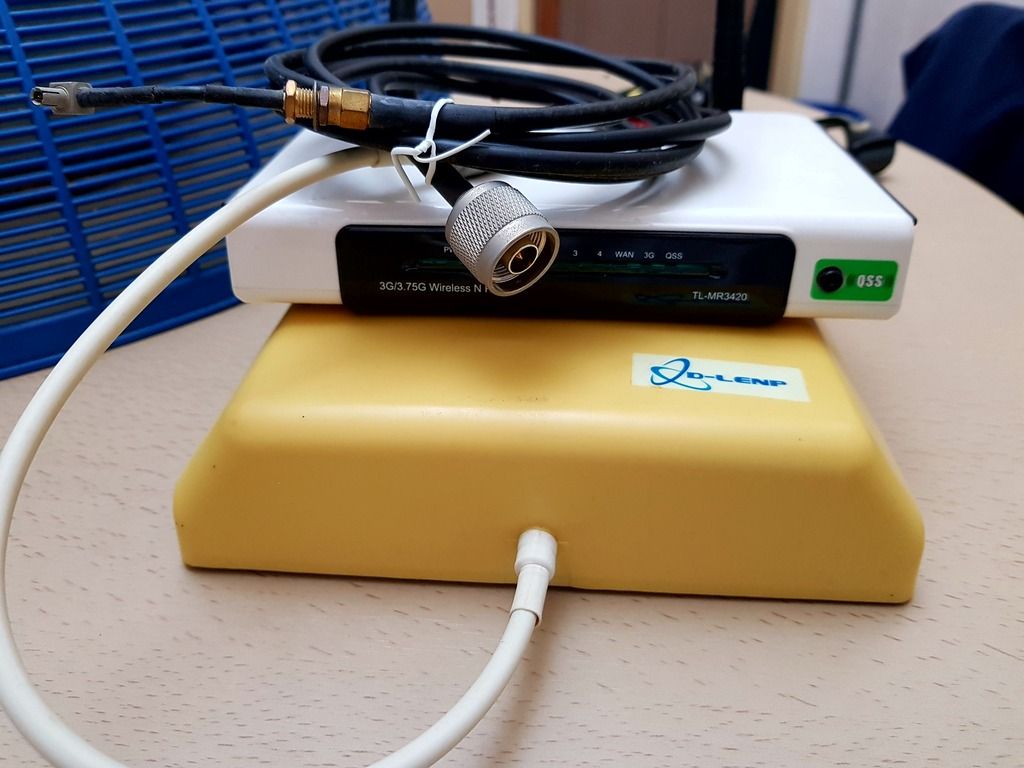
hmm...i'm not alone i think. When i plug in my e398 to my laptop, i can easily get 20Mbps++, but when i put the modem in 3420, the dl speed drop and only left 10-12Mbps.
amirudin920927
post Jul 14 2017, 07:39 AM

///-| Kapten | Amirudin |-\\\
******
Senior Member
1,431 posts

Joined: Feb 2009
From: Seremban - Putrajaya


QUOTE(kvotnet @ Jul 13 2017, 11:28 PM)
yah i have the same experience here also ... even with the Digi 80 package. once tethered the speed capped @ 1~2Mbps
*
QUOTE(fadzly @ Jul 13 2017, 11:38 PM)
Maybe wifi issue. Or the device issue. Either the hotspot device or the receiver device.
*
Its ok before this, coz i'll get around 30-50Mbps either on phone itself or tethering to pc from my S7E. But lately I noticed that the decreased to 10-20Mbps at peak hours (7pm-11pm) maybe due to congestion. But now its more like being capped. When I restart my phone n use just the phone to FB n youtube, the speed normal @30Mbps, but when i start tethering the speed suddenly decrease to 1-2Mbps.. walao! Like being cheated ooo.. haihhh

QUOTE(blacktubi @ Jul 14 2017, 12:51 AM)
I experience the same issue here.

Speed is capped when the SIM card is in my modem.
*
Where is ur area bro? I'm at Tasik Selatan.. Feel like crazy, balik kerja nk rehat2 tgk youtube but the speed like turtle.. If congestion then its acceptable, but if capped then mad.gif vmad.gif bangwall.gif ranting.gif
fadzly
post Jul 14 2017, 07:47 AM

Regular
******
Senior Member
1,757 posts

Joined: Oct 2005


QUOTE(amirudin920927 @ Jul 14 2017, 07:39 AM)
Its ok before this, coz i'll get around 30-50Mbps either on phone itself or tethering to pc from my S7E. But lately I noticed that the decreased to 10-20Mbps at peak hours (7pm-11pm) maybe due to congestion. But now its more like being capped. When I restart my phone n use just the phone to FB n youtube, the speed normal @30Mbps, but when i start tethering the speed suddenly decrease to 1-2Mbps.. walao! Like being cheated ooo.. haihhh
Where is ur area bro? I'm at Tasik Selatan.. Feel like crazy, balik kerja nk rehat2 tgk youtube but the speed like turtle.. If congestion then its acceptable, but if capped then mad.gif  vmad.gif  bangwall.gif  ranting.gif
*
Maybe it's only you. Try invest some router
pukichu
post Jul 14 2017, 08:04 AM

New Member
*
Junior Member
11 posts

Joined: Aug 2016
Anyone know where I can get the Infinite 80 plan? Tried signing up on Digi website but sold out.
amirudin920927
post Jul 14 2017, 08:19 AM

///-| Kapten | Amirudin |-\\\
******
Senior Member
1,431 posts

Joined: Feb 2009
From: Seremban - Putrajaya


QUOTE(fadzly @ Jul 14 2017, 07:47 AM)
Maybe it's only you. Try invest some router
*
Its weird, just happens from 7pm to 11pm only. If the whole day 24/7 then I hae no problem to try invest for router
CustomKids
post Jul 14 2017, 08:28 AM

Getting Started
**
Junior Member
117 posts

Joined: Jul 2008
From: Malaysia


Its happened to me once last week. Speed drop from 80mbps to <5mbps. Maybe doing too many speedtest with different device. Happen around 7~8pm like that.

But after reset the modem, the problem solved.


amirudin920927
post Jul 14 2017, 08:32 AM

///-| Kapten | Amirudin |-\\\
******
Senior Member
1,431 posts

Joined: Feb 2009
From: Seremban - Putrajaya


QUOTE(CustomKids @ Jul 14 2017, 08:28 AM)
Its happened to me once last week. Speed drop from 80mbps to <5mbps. Maybe doing too many speedtest with different device. Happen around 7~8pm like that.

But after reset the modem, the problem solved.
*
I restart phone ok but if start tethering n open youtube, become slow again..
CustomKids
post Jul 14 2017, 08:37 AM

Getting Started
**
Junior Member
117 posts

Joined: Jul 2008
From: Malaysia


You are using Usb tethering / Wifi? Using any DNS?
amirudin920927
post Jul 14 2017, 08:59 AM

///-| Kapten | Amirudin |-\\\
******
Senior Member
1,431 posts

Joined: Feb 2009
From: Seremban - Putrajaya


Wifi tethering S7E.. No DNS
TSblacktubi
post Jul 14 2017, 10:22 AM

-
Group Icon
Elite
8,402 posts

Joined: Jul 2008

QUOTE(psjjl @ Jul 14 2017, 07:37 AM)
hmm...i'm not alone i think. When i plug in my e398 to my laptop, i can easily get 20Mbps++, but when i put the modem in 3420, the dl speed drop and only left 10-12Mbps.
*
Firmware limitation on the stock firmware of MR3420. Should be solved with the Rooter firmware .
stranger88
post Jul 14 2017, 10:27 AM

On my way
****
Junior Member
593 posts

Joined: Oct 2008
my house area digi coverage getting weak, don't know what is digi doing. from 4 bars to 3bars, recently only 2 bars.

might just terminate this plan soon, can't replace my streamyx.
blibala
post Jul 14 2017, 10:42 AM

Regular
******
Senior Member
1,910 posts

Joined: Jan 2005
Anyone using b315s and updated the firmware?
kaiserreich
post Jul 14 2017, 10:43 AM

Pendekar Papan Kekunci
*******
Senior Member
4,234 posts

Joined: Sep 2006
QUOTE(stranger88 @ Jul 14 2017, 10:27 AM)
my house area digi coverage getting weak, don't know what is digi doing. from 4 bars to 3bars, recently only 2 bars.

might just terminate this plan soon, can't replace my streamyx.
*
Maybe Digi is doing maintenance on that tower that you are connected to.

For my case, I have a B3 Tower that I always connect to. For the past few days it did not work.
Moved my modem to the living room to connect to another B7 tower. Surprisingly that B7 tower got somewhat upgraded with and I was able to get CA, almost doubling the speed.
#Victor
post Jul 14 2017, 10:47 AM

Look at all my stars!!
*******
Senior Member
4,672 posts

Joined: Nov 2016
QUOTE(tan_aniki @ Jul 13 2017, 07:12 PM)
try port fowarding and remote access with a desktop using teamviewer
*
That applicable if I am connecting to a PC and always on it. I'm referring remote access direct to the modem like other brands do without have to use with a PC using Teamviewer.
psjjl
post Jul 14 2017, 10:52 AM

Casual
***
Junior Member
392 posts

Joined: Dec 2007


QUOTE(blacktubi @ Jul 14 2017, 10:22 AM)
Firmware limitation on the stock firmware of MR3420. Should be solved with the Rooter firmware .
*
That happens to me with ROOter firmware dated 1 July 2017, same thing happened also with 15 April 2017 firmware.
kaiserreich
post Jul 14 2017, 10:52 AM

Pendekar Papan Kekunci
*******
Senior Member
4,234 posts

Joined: Sep 2006
Does DIGI perform any traffic shaping on VPN?

My company VPN is very slow with Digi. But if I use other telco, the response is better.
I usually connect to the VPN, then remote Desktop to another work PC.
I get 26ms pings at speed tests with non-Digi but Malaysian server. But Remote Desktop via VPN is quite a pain with this telco.

This post has been edited by kaiserreich: Jul 14 2017, 10:53 AM
greenlp_87
post Jul 14 2017, 10:54 AM

Look at all my stars!!
*******
Senior Member
3,150 posts

Joined: Feb 2011
From: Shah Alam, Subang, PJ


QUOTE(pukichu @ Jul 14 2017, 08:04 AM)
Anyone know where I can get the Infinite 80 plan? Tried signing up on Digi website but sold out.
*
Lama dah sold out biggrin.gif
d3v073d_50uL
post Jul 14 2017, 10:57 AM

Regular
******
Senior Member
1,416 posts

Joined: Oct 2007


QUOTE(psjjl @ Jul 14 2017, 10:52 AM)
That happens to me with ROOter firmware dated 1 July 2017, same thing happened also with 15 April 2017 firmware.
*
E398 on ROOter TP-Link TL-MR3420 v2 GoldenOrb_ Build 2017-04-15
Down 20, up 3

Altho lately.. connection quite not stable...
Lost connection a lot...
psjjl
post Jul 14 2017, 11:11 AM

Casual
***
Junior Member
392 posts

Joined: Dec 2007


QUOTE(d3v073d_50uL @ Jul 14 2017, 10:57 AM)
E398 on ROOter TP-Link TL-MR3420 v2      GoldenOrb_ Build 2017-04-15
Down 20, up 3

Altho lately.. connection quite not stable...
Lost connection a lot...
*
Any antenna attached on e398, bro? What kind of setting in 3420 v2?
d3v073d_50uL
post Jul 14 2017, 11:21 AM

Regular
******
Senior Member
1,416 posts

Joined: Oct 2007


QUOTE(psjjl @ Jul 14 2017, 11:11 AM)
Any antenna attached on e398, bro? What kind of setting in 3420 v2?
*
No setting whatsoever (aside from APN)
And no antenna attached biggrin.gif
stranger88
post Jul 14 2017, 11:35 AM

On my way
****
Junior Member
593 posts

Joined: Oct 2008
QUOTE(kaiserreich @ Jul 14 2017, 10:43 AM)
Maybe Digi is doing maintenance on that tower that you are connected to.

For my case, I have a B3 Tower that I always connect to. For the past few days it did not work.
Moved my modem to the living room to connect to another B7 tower. Surprisingly that B7 tower got somewhat upgraded with and I was able to get CA, almost doubling the speed.
*
hmm, will try move around when i free to do so. thanks for the info.
tan_aniki
post Jul 14 2017, 11:36 AM

Look at all my stars!!
*******
Senior Member
9,052 posts

Joined: Feb 2006


QUOTE(#Victor @ Jul 14 2017, 10:47 AM)
That applicable if I am connecting to a PC and always on it. I'm referring remote access direct to the modem like other brands do without have to use with a PC using Teamviewer.
*
you have to use this method if the router unable to get the remote management option while keep on finding the answer
alvpkl
post Jul 14 2017, 11:40 AM

Getting Started
**
Junior Member
124 posts

Joined: Mar 2011


QUOTE(tan_aniki @ Jul 14 2017, 11:36 AM)
you have to use this method if the router unable to get the remote management option while keep on finding the answer
*
I installed Teamviewer host in Android TVBox and it works just fine. TVBox doesn't consume much power like a PC.
#Victor
post Jul 14 2017, 11:47 AM

Look at all my stars!!
*******
Senior Member
4,672 posts

Joined: Nov 2016
QUOTE(tan_aniki @ Jul 14 2017, 11:36 AM)
you have to use this method if the router unable to get the remote management option while keep on finding the answer
*
QUOTE(alvpkl @ Jul 14 2017, 11:40 AM)
I installed Teamviewer host in Android TVBox and it works just fine. TVBox doesn't consume much power like a PC.
*
I know can access it with another device that connecting to this router using remote access tools but I'm looking for way to direct remote access to the router without other devices. Seems like this router does not support remote management. bye.gif

This post has been edited by #Victor: Jul 14 2017, 11:51 AM
alvpkl
post Jul 14 2017, 11:53 AM

Getting Started
**
Junior Member
124 posts

Joined: Mar 2011


QUOTE(#Victor @ Jul 14 2017, 11:47 AM)
I know can access it with another device that connecting to this router using remote access tools but I'm looking for way to direct remote access to the router without other devices. So I guess this router does not support remote management and no way to do it with this router?
*
Besides the router doesn't support remote access, Digi Infinite 150 also doesn't provide public ip address like Streamyx and Unifi.
https://community.digi.com.my/t5/Solution/P...dress/m-p/22593

#Victor
post Jul 14 2017, 12:05 PM

Look at all my stars!!
*******
Senior Member
4,672 posts

Joined: Nov 2016
QUOTE(alvpkl @ Jul 14 2017, 11:53 AM)
Besides the router doesn't support remote access, Digi Infinite 150 also doesn't provide public ip address like Streamyx and Unifi.
https://community.digi.com.my/t5/Solution/P...dress/m-p/22593
*
Holy... shocking.gif If I'm using CCTV with Internet access how? Can we request to change to public IP like TM?

Added on
QUOTE
@h2chiang, unfortunately public IP address is no longer provided upon request.

For your requirement of public IP address, do enquire with your future telco that they can provide a public IP address before subscription.

Oh no bangwall.gif seems like no luck to change to public IP cry.gif

This post has been edited by #Victor: Jul 14 2017, 12:11 PM
zhuan97
post Jul 14 2017, 12:08 PM

Getting Started
**
Junior Member
197 posts

Joined: Jan 2003
Anyone using this type of Huawei E5186S-22A VIVA modem?

user posted image
alvpkl
post Jul 14 2017, 12:16 PM

Getting Started
**
Junior Member
124 posts

Joined: Mar 2011


QUOTE(#Victor @ Jul 14 2017, 12:05 PM)
Holy... shocking.gif If I'm using CCTV with Internet access how? Can we request to change to public IP like TM?

Added on

Oh no bangwall.gif seems like no luck to change to public IP cry.gif
*
I am having the same problem. Thinking of installing the IPCam apk in the TVBox and watch using Teamviewer.
tan_aniki
post Jul 14 2017, 12:18 PM

Look at all my stars!!
*******
Senior Member
9,052 posts

Joined: Feb 2006


QUOTE(#Victor @ Jul 14 2017, 12:05 PM)
Holy... shocking.gif If I'm using CCTV with Internet access how? Can we request to change to public IP like TM?

Added on

Oh no bangwall.gif seems like no luck to change to public IP cry.gif
*
u need to change your CCTV to p2p type
anyway my alarm need port forwarding and only android apps to control from outside, therefore i do port forwarding and install teamviewer and Remix OS Player in a Windows 10 mini PC with 4GB RAM to control it.
in this way u can control almost anything from outside without static public ip or ddns~
#Victor
post Jul 14 2017, 12:25 PM

Look at all my stars!!
*******
Senior Member
4,672 posts

Joined: Nov 2016
QUOTE(tan_aniki @ Jul 14 2017, 12:18 PM)
u need to change your CCTV to p2p type
anyway my alarm need port forwarding and only android apps to control from outside, therefore i do port forwarding and install teamviewer and Remix OS Player in a Windows 10 mini PC with 4GB RAM to control it.
in this way u can control almost anything from outside without static public ip or ddns~
*
Not all CCTV decoder supports p2p, if it is those traditional type then will be troublesome rclxub.gif
#Victor
post Jul 14 2017, 01:16 PM

Look at all my stars!!
*******
Senior Member
4,672 posts

Joined: Nov 2016
Day 2 of using with B315s-22 + Digi
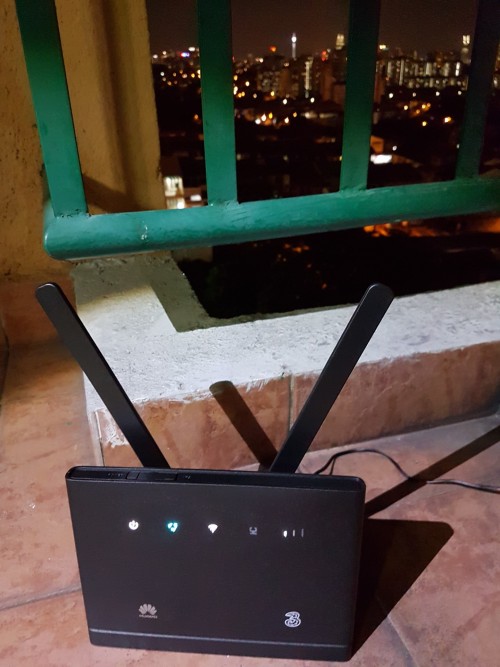
Tried to relocate my modem at balcony still does not see significant improvement of the signal strength, average speed at 4Mbps but upload speed up to 10-20Mbps. ohmy.gif

Speedtest at balcony with 1 bar 4G signal:
» Click to show Spoiler - click again to hide... «


After moved back to indoor with 1-3 bars 4G signal:
3.05Mb/s / 19.40Mb/s2.63Mb/s / 11.69Mb/s3.17Mb/s / 10.58Mb/s

Also I found out that switching from External to Auto in Antenna Setting will affect the signal (from 3 bars to 1 bar after setting changed):
0.59Mb/s / 13.31Mb/s0.83Mb/s / 14.58Mb/s

When time getting late [11:25PM], the download speed seems improved near to 9Mbps but then just for a short while, after that dropped back to average 4Mbps:
8.89Mb/s / 12.52Mb/s4.75Mb/s / 6.02Mb/s3.52Mb/s / 10.45Mb/s4.08Mb/s / 12.97Mb/s

Btw, I did saw someone mentioned torrent is capped but I able to torrent at maximum speed without VPN or any trick:
user posted image

*All the result are tested with only 1 device connected to the router without other Internet usage.

This post has been edited by #Victor: Jul 18 2017, 06:08 PM
fadzly
post Jul 14 2017, 01:28 PM

Regular
******
Senior Member
1,757 posts

Joined: Oct 2005


QUOTE(#Victor @ Jul 14 2017, 01:16 PM)
Day 2 of using with B315s-22 + Digi
Tried to relocate my modem at balcony still does not see significant improvement of the signal strength, average speed at 4Mbps but upload speed up to 10-20Mbps. ohmy.gif

Speedtest at balcony with 1 bar 4G signal:
» Click to show Spoiler - click again to hide... «


After moved back to indoor with 1-3 bars 4G signal:
<a href='http://www.speedtest.net/my-result/a/3029225095' target='_blank'>3.05Mb/s
2.63Mb/s 3.17Mb/s

Also I found out that switching from External to Auto in Antenna Setting will affect the sigal (from 3 bars to 1 bar after setting changed):
0.59Mb/s 0.83Mb/s

When time getting late [11:25PM], the download speed seems improved near to 9Mbps but then just for a short while, after that dropped back to average 4Mbps: 8.89Mb/s 4.75Mb/s 3.52Mb/s 4.08Mb/s

Btw, I did saw someone mentioned torrent is capped but I able to torrent at maximum speed without VPN or any trick:
user posted image

*All the result are tested with only 1 device connected to the router without other Internet usage.
*
What level are u at?
#Victor
post Jul 14 2017, 03:00 PM

Look at all my stars!!
*******
Senior Member
4,672 posts

Joined: Nov 2016
QUOTE(fadzly @ Jul 14 2017, 01:28 PM)
What level are u at?
*
level 5, about 70 feet from the ground flex.gif
alexleow81
post Jul 14 2017, 03:18 PM

Liverpool FC
*******
Senior Member
2,782 posts

Joined: Jul 2010


QUOTE(#Victor @ Jul 14 2017, 01:16 PM)
Day 2 of using with B315s-22 + Digi
Tried to relocate my modem at balcony still does not see significant improvement of the signal strength, average speed at 4Mbps but upload speed up to 10-20Mbps. ohmy.gif

Speedtest at balcony with 1 bar 4G signal:
» Click to show Spoiler - click again to hide... «


After moved back to indoor with 1-3 bars 4G signal:
<a href='http://www.speedtest.net/my-result/a/3029225095' target='_blank'>3.05Mb/s
2.63Mb/s 3.17Mb/s

Also I found out that switching from External to Auto in Antenna Setting will affect the sigal (from 3 bars to 1 bar after setting changed):
0.59Mb/s 0.83Mb/s

When time getting late [11:25PM], the download speed seems improved near to 9Mbps but then just for a short while, after that dropped back to average 4Mbps: 8.89Mb/s 4.75Mb/s 3.52Mb/s 4.08Mb/s

Btw, I did saw someone mentioned torrent is capped but I able to torrent at maximum speed without VPN or any trick:
user posted image

*All the result are tested with only 1 device connected to the router without other Internet usage.
*
Nice KL view u have! Must be staying near Cheras area! laugh.gif
kop2299
post Jul 14 2017, 03:27 PM

Enthusiast
*****
Senior Member
824 posts

Joined: Dec 2006


Can I use INF 150 to connect the TV Mi Box to access the Live TV apps without lag?
Anyone using now>?
greenlp_87
post Jul 14 2017, 03:30 PM

Look at all my stars!!
*******
Senior Member
3,150 posts

Joined: Feb 2011
From: Shah Alam, Subang, PJ


QUOTE(kop2299 @ Jul 14 2017, 03:27 PM)
Can I use INF 150 to connect the TV Mi Box to access the Live TV apps without lag?
Anyone using now>?
*
im using it. as long the speed is stable and ping is below 30 streaming should be fine without lag.
usmanjailani
post Jul 14 2017, 03:34 PM

Getting Started
**
Junior Member
174 posts

Joined: Jun 2014
QUOTE(greenlp_87 @ Jul 14 2017, 03:30 PM)
im using it. as long the speed is stable and ping is below 30 streaming should be fine without lag.
*
does ping affecting video feed?.
fadzly
post Jul 14 2017, 03:56 PM

Regular
******
Senior Member
1,757 posts

Joined: Oct 2005


QUOTE(#Victor @ Jul 14 2017, 03:00 PM)
level 5, about 70 feet from the ground flex.gif
*
But the speed is good enough. It's MB/sec. Not mbps
kaiserreich
post Jul 14 2017, 04:19 PM

Pendekar Papan Kekunci
*******
Senior Member
4,234 posts

Joined: Sep 2006
QUOTE(#Victor @ Jul 14 2017, 01:16 PM)
» Click to show Spoiler - click again to hide... «
Easier to measure with the Huawei Toolbox.
Placing the router at the balcony and not getting better signal could mean that there are no good towers near your balcony.

Try using open signal/network signal info app to locate your Tower, then point towards it. That works better.

Also, I found that having the front side of the CPE facing the tower works better than behind. I think there are internal antennas in the CPE. Anyone can verify my claim?
ahchun
post Jul 14 2017, 04:28 PM

MiddleAge
******
Senior Member
1,147 posts

Joined: Jan 2003
From: HeRe
QUOTE(#Victor @ Jul 14 2017, 12:25 PM)
Not all CCTV decoder supports p2p, if it is those traditional type then will be troublesome rclxub.gif
*
i am using same router as you but
i use it as modem only and use asus as router which connect to traditional cctv decoder
for asus router, i got the option for port forward/install vpn client.

i use vpn client option and it work for my case to view cctv remotely

#Victor
post Jul 14 2017, 06:57 PM

Look at all my stars!!
*******
Senior Member
4,672 posts

Joined: Nov 2016
QUOTE(fadzly @ Jul 14 2017, 03:56 PM)
But the speed is good enough. It's MB/sec. Not mbps
*
Speed is good when it's good but not as stable as 4Mbps StreamMax. After tested by connecting with Smart TV to watch YouTube, 10% of the time it buffers and resolution keep auto adjusted, some times even down to 360p. Even 4Mbps StreamMax can maintain at 720p with other usage, but not as bad as Digi.

QUOTE(kaiserreich @ Jul 14 2017, 04:19 PM)
Easier to measure with the Huawei Toolbox.
Placing the router at the balcony and not getting better signal could mean that there are no good towers near your balcony.

Try using open signal/network signal info app to locate your Tower, then point towards it. That works better.

Also, I found that having the front side of the CPE facing the tower works better than behind. I think there are internal antennas in the CPE. Anyone can verify my claim?
*
Yes, I am using Network Signal Info to location the tower location which is facing the balcony's direction. Do the cell locations in the app accurate?
Another thing that I discovered is the placement / angle of the SMA external antenna when I'm using it inside. I am putting it 45°-60° facing outwards which improves the signal to 3-4 bars, when I put the antenna up right 90° immediately the signal drop to 1 bar but anyone can verify my claim? hmm.gif
jackal75
post Jul 14 2017, 07:08 PM

Casual
***
Junior Member
473 posts

Joined: Dec 2004


i got myself a prepaid card to test.
is the speed being capped to 2mbps?
kaiserreich
post Jul 14 2017, 07:22 PM

Pendekar Papan Kekunci
*******
Senior Member
4,234 posts

Joined: Sep 2006
QUOTE(#Victor @ Jul 14 2017, 06:57 PM)
Speed is good when it's good but not as stable as 4Mbps StreamMax. After tested by connecting with Smart TV to watch YouTube, 10% of the time it buffers and resolution keep auto adjusted, some times even down to 360p. Even 4Mbps StreamMax can maintain at 720p with other usage, but not as bad as Digi.
Yes, I am using Network Signal Info to location the tower location which is facing the balcony's direction. Do the cell locations in the app accurate?
Another thing that I discovered is the placement / angle of the SMA external antenna when I'm using it inside. I am putting it 45°-60° facing outwards which improves the signal to 3-4 bars, when I put the antenna up right 90° immediately the signal drop to 1 bar but anyone can verify my claim? hmm.gif
*
Sometimes not accurate.
45deg polarization. Blacktubi recommend that a lot.

Can you try look for another tower to see if that one is less congested?
cicak.fakir
post Jul 14 2017, 11:11 PM

Casual
***
Junior Member
387 posts

Joined: May 2016
QUOTE(yewfatt @ Jul 5 2017, 02:15 PM)
how u get it without contract?
*
read the maxisone go wifi broadband page.

highlight of the page:
- get the broadband only OR
- get the broadband + device + [device discount + contract]

buried in faq and tnc:
- get the broadband + device + [NO device discount + NO contract]
- device warranty through walk-in maxis counter for 12 mths

what is not mentioned at all
- get device only
cicak.fakir
post Jul 14 2017, 11:18 PM

Casual
***
Junior Member
387 posts

Joined: May 2016
QUOTE(#Victor @ Jul 13 2017, 10:38 AM)
Just received my B315s-22 and setup it up to test the capabilities. After speedtest, the average speed I get is around 4Mbps for the router but can get faster speed using phone. The 4G signal strength always maintain at 1-2 bars (lucky enough to get 3 bars but only a short while) even with external antenna (I did change antenna settings to External from Auto in router page), I notice with or without external antenna no improvement for the signal strength.

--snipped--
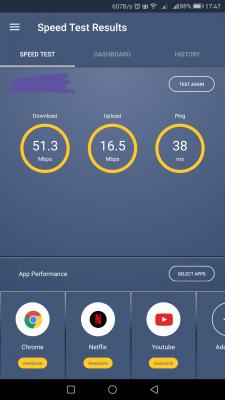
just got my external "rabbit ears" for same b315s-22.

managed to achieve d/load avg 35Mb/s, up to 51Mb/s (previous avg 20Mb/s, max 25Mb/s)
and u/load became consistent at 16Mb/s (previous max 12Mb/s)


Attached Image

This post has been edited by cicak.fakir: Jul 16 2017, 05:55 PM
tan_aniki
post Jul 15 2017, 03:30 AM

Look at all my stars!!
*******
Senior Member
9,052 posts

Joined: Feb 2006


E5186s-22a reached and Automatic is the best configuration~ It will still showing CA mode Yes even though the toolkit is not fixed to LTE-A~


Attached thumbnail(s)
Attached Image Attached Image Attached Image
tan_aniki
post Jul 15 2017, 04:00 AM

Look at all my stars!!
*******
Senior Member
9,052 posts

Joined: Feb 2006


Omg… This eBay routershop from Latvia is genuine~ new USD129 and used USD100 E5186s-22a really worth it~


Attached thumbnail(s)
Attached Image
fadzly
post Jul 15 2017, 08:52 AM

Regular
******
Senior Member
1,757 posts

Joined: Oct 2005


QUOTE(tan_aniki @ Jul 15 2017, 04:00 AM)
Omg… This eBay routershop from Latvia is genuine~ new USD129 and used USD100 E5186s-22a really worth it~
*
Can give the link?
fadzly
post Jul 15 2017, 08:54 AM

Regular
******
Senior Member
1,757 posts

Joined: Oct 2005


QUOTE(cicak.fakir @ Jul 14 2017, 11:18 PM)
just got my external "rabbit ears" for same b315s-22.

managed to achieve d/load avg 35Mb/s, up to 51Mb/s (previous avg 20Mb/s, max 25Mb/s)
and u/load became consistent at 16Mb/s (previous max 12Mb/s)
*
U sure it's Mb/s or Mbps? 2 different things u know.
cicak.fakir
post Jul 15 2017, 09:05 AM

Casual
***
Junior Member
387 posts

Joined: May 2016
QUOTE(fadzly @ Jul 15 2017, 08:54 AM)
U sure it's Mb/s or Mbps? 2 different things u know.
*
they are the same

megabits per second

edit:
in case you confused between
megaBITs per second (Mb/s)
and
megaBYTEs per second (MB/s)

it's in the uppercase and lowercase


edit:
... and then there are mebibits per second (Mib/s) and mebibytes per second (MiB/s)


This post has been edited by cicak.fakir: Jul 15 2017, 09:22 AM
fadzly
post Jul 15 2017, 09:37 AM

Regular
******
Senior Member
1,757 posts

Joined: Oct 2005


QUOTE(cicak.fakir @ Jul 15 2017, 09:05 AM)
they are the same

megabits per second

edit:
in case you confused between
megaBITs per second (Mb/s)
and
megaBYTEs per second (MB/s)

it's in the uppercase and lowercase
edit:
... and then there are mebibits per second (Mib/s) and mebibytes per second (MiB/s)
*
I see. Ok then. People usually not using / but Use p for Mbps(bit). It's confused me. The symbol for / is usually used for Byte per second.

But u are correct.
bronx8889
post Jul 15 2017, 09:37 AM

Getting Started
**
Junior Member
93 posts

Joined: Nov 2006


QUOTE(tan_aniki @ Jul 15 2017, 04:00 AM)
Omg… This eBay routershop from Latvia is genuine~ new USD129 and used USD100 E5186s-22a really worth it~
*
Can I have the link as well?

Found this: http://www.ebay.ie/usr/routershop?_trksid=p2047675.l2559

this person?

This post has been edited by bronx8889: Jul 15 2017, 09:39 AM
cicak.fakir
post Jul 15 2017, 10:26 AM

Casual
***
Junior Member
387 posts

Joined: May 2016
QUOTE(fadzly @ Jul 15 2017, 09:37 AM)
I see. Ok then. People usually not using / but Use p for Mbps(bit). It's confused me. The symbol for / is usually used for Byte per second.

But u are correct.
*
oh no no

'/' represents 'per'

just like km/h, kmph

-------------

lowercase 'b' for bit
uppercase 'B' is byte (8 bits)

--------------

lowercase 'm' represents 1000
uppercase 'M' represents 1024

--------------

but most didn't care whether they are writing 'm' or 'M', and it causes confusion to those that care about this.

imagine the mathematics will wildly differ in result depending on correctness of notation

1MB = 8Mb
1MB != 1024kb
1MB != 1024kB
1MB = 1024KB
1MB = 8192Kb
1MB != 8192kb
1MB != 8192KB

so, we use extra 'i' as in Kibi, Mebi, Mibi, tibi to be certain of representing 1024.

k vs K/Ki
m vs M/Mi
g vs G/Gi
t vs T/Ti

tomastan4134
post Jul 15 2017, 11:43 AM

Enthusiast
*****
Senior Member
830 posts

Joined: Mar 2014
Wanna ask is this infinite 150 plan contracted or no contract. I just worried my house signal very shit
blibala
post Jul 15 2017, 11:50 AM

Regular
******
Senior Member
1,910 posts

Joined: Jan 2005
QUOTE(tomastan4134 @ Jul 15 2017, 11:43 AM)
Wanna ask  is this infinite 150 plan contracted or no contract.    I just worried my house signal very shit
*
No contract
HolySatan
post Jul 15 2017, 11:53 AM

Regular
******
Senior Member
1,116 posts

Joined: Dec 2009
QUOTE(bronx8889 @ Jul 15 2017, 09:37 AM)
Can I have the link as well?

Found this: http://www.ebay.ie/usr/routershop?_trksid=p2047675.l2559

this person?
*
user posted image

maybe same seller frm Latvia

but taobao lagi murah

QUOTE(tomastan4134 @ Jul 15 2017, 11:43 AM)
Wanna ask  is this infinite 150 plan contracted or no contract.    I just worried my house signal very shit
*
no contract..
buy digi prepaid internet..
test speed & signal
before buy 150i
tomastan4134
post Jul 15 2017, 12:06 PM

Enthusiast
*****
Senior Member
830 posts

Joined: Mar 2014
QUOTE(HolySatan @ Jul 15 2017, 11:53 AM)
user posted image

maybe same seller frm Latvia

but taobao lagi murah
no contract..
buy digi prepaid internet..
test speed & signal
before buy 150i
*
Okie. Thanks bro for suggestion


tan_aniki
post Jul 15 2017, 12:08 PM

Look at all my stars!!
*******
Senior Member
9,052 posts

Joined: Feb 2006


Yup the routershop is from Latvia~ sometime he will post one new unit with USD129 while few units of used units with USD100. The point is used unit is same outlook as new, just without the original box and the signal indicator there without the sticker~
tan_aniki
post Jul 15 2017, 12:10 PM

Look at all my stars!!
*******
Senior Member
9,052 posts

Joined: Feb 2006


QUOTE(HolySatan @ Jul 15 2017, 11:53 AM)
user posted image

maybe same seller frm Latvia

but taobao lagi murah
no contract..
buy digi prepaid internet..
test speed & signal
before buy 150i
*
I got bad impression on taobao already, wasted my time although refund when the things not arrive for a month, actually eBay is faster than them and the price is not bad as compare to local reseller at RM800~850
tomastan4134
post Jul 15 2017, 12:10 PM

Enthusiast
*****
Senior Member
830 posts

Joined: Mar 2014
So this plan. Torrent is throttled or not ??

I plan to use it on my 4g mifi. Since I have one unit left over since last time I use maxis unlimited
ajoi57
post Jul 15 2017, 12:15 PM

On my way
****
Senior Member
530 posts

Joined: Jan 2010
From: South Lehgoland


QUOTE(tomastan4134 @ Jul 15 2017, 12:10 PM)
So this plan. Torrent is throttled or not ?? 

I plan to use it on my 4g mifi.  Since I have one unit left over since last time I use maxis unlimited
*
those basic question, u can find answer easily on post #1 at first page.
tomastan4134
post Jul 15 2017, 12:19 PM

Enthusiast
*****
Senior Member
830 posts

Joined: Mar 2014
QUOTE(ajoi57 @ Jul 15 2017, 12:15 PM)
those basic question, u can find answer easily on post #1 at first page.
*
I saw some say throttled. Some say not throttled. So the answer is yes or no??
ajoi57
post Jul 15 2017, 12:44 PM

On my way
****
Senior Member
530 posts

Joined: Jan 2010
From: South Lehgoland


QUOTE(tomastan4134 @ Jul 15 2017, 12:19 PM)
I saw some say throttled. Some say not throttled.  So the answer is yes or no??
*
if base on digi, torrent is throttle to 64Kbps.

who know's if some user consider lucky didn't get throttle and some user being throttled to 64Kbps.
fruitie
post Jul 15 2017, 12:56 PM

Rise and Shine
Group Icon
Staff
72,803 posts

Joined: Sep 2005
From: KUL

QUOTE(tomastan4134 @ Jul 15 2017, 12:19 PM)
I saw some say throttled. Some say not throttled.  So the answer is yes or no??
*
Short answer yes. Long answer try yourself to know if it works and Digi has the right to block your line if they noticed you are abusing P2P. Read it somewhere or my Digizen friends told me. Can't recall. hmm.gif
seehong
post Jul 15 2017, 02:28 PM

Getting Started
**
Junior Member
56 posts

Joined: Apr 2006


QUOTE(tan_aniki @ Jul 15 2017, 12:10 PM)
I got bad impression on taobao already, wasted my time although refund when the things not arrive for a month, actually eBay is faster than them and the price is not bad as compare to local reseller at RM800~850
*
I had bad experience with Taobao also. 2 orders of Huawei E5186 and both refunded bcos no stock. And the worst thing was a day after the second refunded, they told me got stock but price marked up by almost double. In the end I bought from Lelong Sing4G. Fast delivery and brand new package fully working and unlocked.
#Victor
post Jul 15 2017, 02:33 PM

Look at all my stars!!
*******
Senior Member
4,672 posts

Joined: Nov 2016
QUOTE(kaiserreich @ Jul 14 2017, 04:19 PM)
Easier to measure with the Huawei Toolbox.
Placing the router at the balcony and not getting better signal could mean that there are no good towers near your balcony.

Try using open signal/network signal info app to locate your Tower, then point towards it. That works better.

Also, I found that having the front side of the CPE facing the tower works better than behind. I think there are internal antennas in the CPE. Anyone can verify my claim?
*
Seems like Huawei Toolbox and LTEWatch does not support B315s? I can't read the dBm readings instead of indicator bar to measure accurately.
user posted image

Added on
Cell info also not available for both Huawei Toolbox and LTEWatch icon_question.gif

This post has been edited by #Victor: Jul 15 2017, 02:36 PM
neil73
post Jul 15 2017, 04:02 PM

New Member
*
Junior Member
35 posts

Joined: Jun 2011


I applied a prepaid card from digi and am thinking of upgrading to infinite 150. I am out of Malaysia now and read before that i can upgrade with my present Digi sim card. That means I maintain my present sim card. Just checking is this correct?

ajoi57
post Jul 15 2017, 04:04 PM

On my way
****
Senior Member
530 posts

Joined: Jan 2010
From: South Lehgoland


QUOTE(neil73 @ Jul 15 2017, 04:02 PM)
I applied a prepaid card from digi  and am thinking of upgrading to infinite 150. I am out of Malaysia now and read before that i can upgrade with my present Digi sim card. That means I maintain my present sim card. Just checking is this correct?
*
yes u have option to change plan from digi prepaid sim card.

proceed to digi website
neil73
post Jul 15 2017, 04:08 PM

New Member
*
Junior Member
35 posts

Joined: Jun 2011


Thank you. Any idea for billing can i use my credit card? I am back in Singapore and will only be back in Penang next month.
ajoi57
post Jul 15 2017, 04:11 PM

On my way
****
Senior Member
530 posts

Joined: Jan 2010
From: South Lehgoland


QUOTE(neil73 @ Jul 15 2017, 04:08 PM)
Thank you. Any idea for billing can i use my credit card? I am back in Singapore and will only be back in Penang next month.
*
I never pay my bills yet, but i just check for u.

Yes u can pay via credit card or online banking using digi apps and i think it's posibble via digi website too.

No problem thumbup.gif
neil73
post Jul 15 2017, 04:15 PM

New Member
*
Junior Member
35 posts

Joined: Jun 2011


Thanks again, I will try to apply online.
budi1413
post Jul 15 2017, 04:20 PM

Regular
******
Senior Member
1,607 posts

Joined: Aug 2013


Eh v3 dy? biggrin.gif
STEVE75
post Jul 15 2017, 08:38 PM

Casual
***
Junior Member
440 posts

Joined: May 2008
May I know how to set Google DNS on E5186s-22a router?
ajoi57
post Jul 15 2017, 08:58 PM

On my way
****
Senior Member
530 posts

Joined: Jan 2010
From: South Lehgoland


QUOTE(STEVE75 @ Jul 15 2017, 08:38 PM)
May I know how to set Google DNS on E5186s-22a router?
*
Open this link and change connection mode http://192.168.8.1/html/ethernetsettings.html


STEVE75
post Jul 15 2017, 09:10 PM

Casual
***
Junior Member
440 posts

Joined: May 2008
QUOTE(ajoi57 @ Jul 15 2017, 08:58 PM)
Open this link and change connection mode http://192.168.8.1/html/ethernetsettings.html
*
I ady in there > is it we set the DNS under Ethernet Settings > Connection Mode choose Auto > Tick Set DNS Manually.

After finish setting DNS need to reboot the router right?
STEVE75
post Jul 15 2017, 09:40 PM

Casual
***
Junior Member
440 posts

Joined: May 2008
QUOTE(STEVE75 @ Jul 15 2017, 09:10 PM)
I ady in there > is it we set the DNS under Ethernet Settings > Connection Mode choose Auto > Tick Set DNS Manually.

After finish setting DNS need to reboot the router right?
*
After reboot the router, the DNS still using DiGi DNS hmm.gif
HolySatan
post Jul 15 2017, 10:36 PM

Regular
******
Senior Member
1,116 posts

Joined: Dec 2009
QUOTE(STEVE75 @ Jul 15 2017, 09:40 PM)
After reboot the router, the DNS still using DiGi DNS hmm.gif
*
refer previous thread.. im too lazy to cnp for u laugh.gif

CODE
https://forum.lowyat.net/index.php?showtopic=4258219&view=findpost&p=84833022

STEVE75
post Jul 15 2017, 11:12 PM

Casual
***
Junior Member
440 posts

Joined: May 2008
QUOTE(HolySatan @ Jul 15 2017, 10:36 PM)
refer previous thread.. im too lazy to cnp for u laugh.gif

CODE
https://forum.lowyat.net/index.php?showtopic=4258219&view=findpost&p=84833022

*
Tq tongue.gif
franky1835
post Jul 16 2017, 01:10 AM

New Member
*
Junior Member
35 posts

Joined: Jun 2008


Huawei B525s-23a (Bought from sing4g-Lelong)
Location test: Taman Sutera Idaman, Sungai Petani, Kedah (Indoor)
Location is not under LTE-A coverage, using 150i.

Unable to open "E5186 Toolbox 0.8a and 0.9" under win10 64bit.

LTEWATCH worked. If select B3 only, able to achieve below results.
Tried B7 only.... says error.... network not available....looks like my area don't have B7 coverage.


» Click to show Spoiler - click again to hide... «

#Victor
post Jul 16 2017, 01:20 AM

Look at all my stars!!
*******
Senior Member
4,672 posts

Joined: Nov 2016
QUOTE(franky1835 @ Jul 16 2017, 01:10 AM)
Huawei B525s-23a (Bought from sing4g-Lelong)
Location test: Taman Sutera Idaman, Sungai Petani, Kedah (Indoor)
Location is not under LTE-A coverage, using 150i.

Unable to open "E5186 Toolbox 0.8a and 0.9" under win10 64bit.

LTEWATCH worked. If select B3 only, able to achieve below results.
Tried B7 only.... says error.... network not available....looks like my area don't have B7 coverage.
» Click to show Spoiler - click again to hide... «

*
I have no problem open Huawei Toolbox 0.9 with Windows 10 x64. The only problem I have is cannot see the dBm readings.
QUOTE(#Victor @ Jul 15 2017, 02:33 PM)
Seems like Huawei Toolbox and LTEWatch does not support B315s? I can't read the dBm readings instead of indicator bar to measure accurately.
user posted image

Added on
Cell info also not available for both Huawei Toolbox and LTEWatch icon_question.gif
*
ahchun
post Jul 16 2017, 09:14 AM

MiddleAge
******
Senior Member
1,147 posts

Joined: Jan 2003
From: HeRe
QUOTE(#Victor @ Jul 15 2017, 02:33 PM)
Seems like Huawei Toolbox and LTEWatch does not support B315s? I can't read the dBm readings instead of indicator bar to measure accurately.
user posted image

Added on
Cell info also not available for both Huawei Toolbox and LTEWatch icon_question.gif
*
Toolbox definitely support b315
EON
post Jul 16 2017, 11:20 AM

Getting Started
**
Junior Member
192 posts

Joined: Nov 2011


any way to still get the i80 offer?
fadzly
post Jul 16 2017, 11:32 AM

Regular
******
Senior Member
1,757 posts

Joined: Oct 2005


QUOTE(EON @ Jul 16 2017, 11:20 AM)
any way to still get the i80 offer?
*
ask someone with i80 to change into your name
EON
post Jul 16 2017, 11:51 AM

Getting Started
**
Junior Member
192 posts

Joined: Nov 2011


QUOTE(fadzly @ Jul 16 2017, 11:32 AM)
ask someone with i80 to change into your name
*
there is no other way other than this? confused.gif
ajoi57
post Jul 16 2017, 11:54 AM

On my way
****
Senior Member
530 posts

Joined: Jan 2010
From: South Lehgoland


QUOTE(EON @ Jul 16 2017, 11:51 AM)
there is no other way other than this? confused.gif
*
the only other way is wait until digi reopen it again. If reopen again.
EON
post Jul 16 2017, 12:01 PM

Getting Started
**
Junior Member
192 posts

Joined: Nov 2011


QUOTE(ajoi57 @ Jul 16 2017, 11:54 AM)
the only other way is wait until digi reopen it again. If reopen again.
*
Ok say i get the i150 then put the sim into my tplink mobile hotspot.. is there any way like multisim so that i dont hv to keep switching the sim to my mobile phone to make calls or receive call?
ajoi57
post Jul 16 2017, 12:07 PM

On my way
****
Senior Member
530 posts

Joined: Jan 2010
From: South Lehgoland


QUOTE(EON @ Jul 16 2017, 12:01 PM)
Ok say i get the i150 then put the sim into my tplink mobile hotspot.. is there any way like multisim so that i dont hv to keep switching the sim to my mobile phone to make calls or receive call?
*
as far i know, there is no such thing as multisim with digi infinite 150.
#Victor
post Jul 16 2017, 12:13 PM

Look at all my stars!!
*******
Senior Member
4,672 posts

Joined: Nov 2016
QUOTE(ahchun @ Jul 16 2017, 09:14 AM)
Toolbox definitely support b315
*
Yes I know support, I mean not full compatible with B315s? I can't read the dBm measurements wink.gif
fadzly
post Jul 16 2017, 12:15 PM

Regular
******
Senior Member
1,757 posts

Joined: Oct 2005


why did u want 5mbps i80 with limited tethering? would u share to us?
ahchun
post Jul 16 2017, 12:33 PM

MiddleAge
******
Senior Member
1,147 posts

Joined: Jan 2003
From: HeRe
QUOTE(#Victor @ Jul 16 2017, 12:13 PM)
Yes I know support, I mean not full compatible with B315s? I can't read the dBm measurements wink.gif
*
this dbm ?


Attached thumbnail(s)
Attached Image
northernhero
post Jul 16 2017, 01:46 PM

Getting Started
**
Junior Member
174 posts

Joined: Jan 2005


Hi all, need some suggestion.

I am currently umobile 28 (xiaomi redmi note 3), webe broadband (Huawei e5377) user.

Recently webe everyday disconnect and some time slow internet speed, so I am thinking to switch to Digi.

However, I am torn between these combo, hope you guys could enlight me.

1. Cutting umobile and webe, use digi infinite to tether to my laptop. Cost wise jump from RM90/month to RM150/month. I can try to sell my huawei modem.

2. Cutting webe, use digi infinite in huawei modem alongside with umobil. Cost jump from RM90/month to RM180/month. Good combination but cost wise was a bit of stretch.

On top of this 2 combo, I still have streamyx 1mbps, stable but turtle speed.

Please share ur 2 cents.
ajoi57
post Jul 16 2017, 01:52 PM

On my way
****
Senior Member
530 posts

Joined: Jan 2010
From: South Lehgoland


QUOTE(northernhero @ Jul 16 2017, 01:46 PM)
Hi all, need some suggestion.

I am currently umobile 28 (xiaomi redmi note 3), webe broadband (Huawei e5377) user.

Recently webe everyday disconnect and some time slow internet speed, so I am thinking to switch to Digi.

However, I am torn between these combo, hope you guys could enlight me.

1. Cutting umobile and webe, use digi infinite to tether to my laptop. Cost wise jump from RM90/month to RM150/month. I can try to sell my huawei modem.

2. Cutting webe, use digi infinite in huawei modem alongside with umobil. Cost jump from RM90/month to RM180/month. Good combination but cost wise was a bit of stretch.

On top of this 2 combo, I still have streamyx 1mbps, stable but turtle speed.

Please share ur 2 cents.
*
test digi coverage first at your place, if good

then cut all, buy i150 for house usage and just keep your umobile for phone usage
cicak.fakir
post Jul 16 2017, 02:55 PM

Casual
***
Junior Member
387 posts

Joined: May 2016
QUOTE(northernhero @ Jul 16 2017, 01:46 PM)
Hi all, need some suggestion.

I am currently umobile 28 (xiaomi redmi note 3), webe broadband (Huawei e5377) user.

Recently webe everyday disconnect and some time slow internet speed, so I am thinking to switch to Digi.

However, I am torn between these combo, hope you guys could enlight me.

1. Cutting umobile and webe, use digi infinite to tether to my laptop. Cost wise jump from RM90/month to RM150/month. I can try to sell my huawei modem.

2. Cutting webe, use digi infinite in huawei modem alongside with umobil. Cost jump from RM90/month to RM180/month. Good combination but cost wise was a bit of stretch.

On top of this 2 combo, I still have streamyx 1mbps, stable but turtle speed.

Please share ur 2 cents.
*
test with a digi prepaid sim. if coverage is adequate, you will be delighted to see it surpasses your experience with streamyx 1mb/s.

advise: if you think you would later convert the digi prepaid into infinite 150, look for a nice number upfront if you prefer. cannot change msisdn of infinite subscription afterward, digi said.

cut streamyx (110?) and webe broadband (58) = 168. convert to digi 150, use as mobile broadband to cover both home and on-the-road use.

convert umobile (28) to digi 50 (50) = extra rm4 on top of rm28 + rm18 from terminating streamyx and webe.

if you still insist on keeping infinite specifically for home and requiring another for modem on-the-road, subscribe to digi data sharing sim as supplementary to your digi 50 (add 10 to enable data sharing + 10 for the sim). if you think 10 GB from the digi 50 is not enough, upgrade to digi 80 or digi 110 as required.
ne0bolimi3rd
post Jul 16 2017, 03:23 PM

New Member
*
Junior Member
40 posts

Joined: Nov 2008
today is the worst day for digi at my place.. ever
can't t stream hd smoothly
even speedtest.net couldn't load up..
how do i make a report, by phone call?
EON
post Jul 16 2017, 03:30 PM

Getting Started
**
Junior Member
192 posts

Joined: Nov 2011


Decided to get the i150.. any modem can recoomend below rm 400? How is it e5180 huawei? Dont mind no port
Mr Gray
post Jul 16 2017, 03:35 PM

Enthusiast
*****
Senior Member
924 posts

Joined: Aug 2013
QUOTE(EON @ Jul 16 2017, 03:30 PM)
Decided to get the i150.. any modem can recoomend below rm 400? How is it e5180 huawei? Dont mind no port
*
From first page.

4G LTE Modem Router
D-Link DWR-921 (Internet Only) - CAT4 150mbps - 2.4ghz wifi
TP-Link MR6400 (Internet Only) - CAT4 150mbps - 2.4ghz wifi
TP-Link MR200 (Internet Only) - CAT4 150mbps - 2.4ghz & 5ghz wifi
Huawei B310 (call+Internet) - CAT4 150mbps - 32 user - 2.4ghz wifi
Huawei B315 (call+Internet) - CAT4 150mbps - 32 user - 2.4ghz wifi
Huawei B593 (Internet Only) - CAT4 150mbps - 32 user - 2.4ghz wifi
Huawei E5172 (Internet Only) - CAT4 150mbps - 32 user - 2.4ghz wifi
Huawei E5180 (Internet Only) - CAT4 150mbps - 32 user - 2.4ghz wifi
Huawei E5186 (call+Internet) - CAT6 CA 300mbps - 64 user - 2.4ghz & 5ghz wifi

Mobile Hotspot
Alcatel EE60 - CAT4 150mbps - Battery 5150mAh
Huawei E5372 - CAT4 150mbps - Battery 1780mAh
Huawei E5377 - CAT4 150mbps - Battery 1500mAh
Huawei E5573 - CAT4 150mbps - Battery 1500mAh
Huawei E5577 - CAT4 150mbps - Battery 3000mAh
Huawei E5770 - CAT4 150mbps - Battery 5200mAh | 1 LAN port
Huawei E5776 - CAT4 150mbps - Battery 3000mAh
Huawei E5786 - CAT6 300mbps - Battery 3000mAh
Huawei E5787 - CAT6 300mbps - Battery 3000mAh | touch screen

USB Modem
Alcatel L800 - CAT3 100mbps
Huawei E3372 - CAT4 150mbps
Huawei E3276 - CAT4 150mbps
Huawei E8372 - CAT4 150mbps - Wifi Hotspot
Mr Gray
post Jul 16 2017, 03:38 PM

Enthusiast
*****
Senior Member
924 posts

Joined: Aug 2013
QUOTE(northernhero @ Jul 16 2017, 01:46 PM)
Hi all, need some suggestion.

I am currently umobile 28 (xiaomi redmi note 3), webe broadband (Huawei e5377) user.

Recently webe everyday disconnect and some time slow internet speed, so I am thinking to switch to Digi.

However, I am torn between these combo, hope you guys could enlight me.

1. Cutting umobile and webe, use digi infinite to tether to my laptop. Cost wise jump from RM90/month to RM150/month. I can try to sell my huawei modem.

2. Cutting webe, use digi infinite in huawei modem alongside with umobil. Cost jump from RM90/month to RM180/month. Good combination but cost wise was a bit of stretch.

On top of this 2 combo, I still have streamyx 1mbps, stable but turtle speed.

Please share ur 2 cents.
*
Digi Ambassador Broadband RM70 + Digi Ambassador RM38. Total RM108. That's the combo I'm using now. smile.gif. Just make sure Digi network in your place is okay though.

However, Digi Ambassador only provides 50GB internet (+ 50GB youtube), and Ambassador RM38 3GB internet and unlimited call. Should you use more than 50GB, there's no other choice but to go for Digi Infinite 150 or Unifi/Maxis Fibre.
fadzly
post Jul 16 2017, 03:50 PM

Regular
******
Senior Member
1,757 posts

Joined: Oct 2005


QUOTE(Mr Gray @ Jul 16 2017, 03:38 PM)
Digi Ambassador Broadband RM70 + Digi Ambassador RM38. Total RM108. That's the combo I'm using now. smile.gif. Just make sure Digi network in your place is okay though.

However, Digi Ambassador only provides 50GB internet (+ 50GB youtube), and Ambassador RM38 3GB internet and unlimited call. Should you use more than 50GB, there's no other choice but to go for Digi Infinite 150 or Unifi/Maxis Fibre.
*
saw the last month bill for my i50. im using data around 100gb. is there any recommendation on any other package? or i just stay with the current plan?

This post has been edited by fadzly: Jul 16 2017, 03:50 PM
Mr Gray
post Jul 16 2017, 03:54 PM

Enthusiast
*****
Senior Member
924 posts

Joined: Aug 2013
QUOTE(fadzly @ Jul 16 2017, 03:50 PM)
saw the last month bill for my i50. im using data around 100gb. is there any recommendation on any other package? or i just stay with the current plan?
*
No other package is suitable for you then. nod.gif Just stay with Infinite 150 IMHO. I also used around 100GB, but plenty of data used for watching Youtube videos. So Ambassador 70 is enough for me.
ckyow1
post Jul 16 2017, 04:34 PM

Casual
***
Junior Member
416 posts

Joined: Mar 2014


just curious, I noticed whenever I am connected to digi infinite 150 plan to browse internet, it take long time for the website to be load... even for simple website like google sheet, gmail and etc...

But when I do the speed test, everything seem to be fine, around 10mbps for download and 4mbps for upload, 20ms ping (ookla app)

Issue since few weeks ago... is there anyone else facing the same issue like me? it seem to be ok when I change the internet connection to unifi or my Hotlink mobile data... only when I connected to digi infinite 150 the website loading buat hal...
erik8lyt
post Jul 16 2017, 04:59 PM

Enthusiast
*****
Senior Member
715 posts

Joined: Jan 2008


Can I use 80 Infinite for unlimited quota online gaming?
alexchew_2020
post Jul 16 2017, 05:07 PM

MOD
*******
Senior Member
3,363 posts

Joined: Sep 2005

QUOTE(ckyow1 @ Jul 16 2017, 04:34 PM)
just curious, I noticed whenever I am connected to digi infinite 150 plan to browse internet, it take long time for the website to be load... even for simple website like google sheet, gmail and etc...

But when I do the speed test, everything seem to be fine, around 10mbps for download and 4mbps for upload, 20ms ping (ookla app)

Issue since few weeks ago... is there anyone else facing the same issue like me? it seem to be ok when I change the internet connection to unifi or my Hotlink mobile data... only when I connected to digi infinite 150 the website loading buat hal...
*
try set google dns in your device or modem.
ajoi57
post Jul 16 2017, 05:49 PM

On my way
****
Senior Member
530 posts

Joined: Jan 2010
From: South Lehgoland


QUOTE(erik8lyt @ Jul 16 2017, 04:59 PM)
Can I use 80 Infinite for unlimited quota online gaming?
*
if u already subscribe the i80 and u have good ping and speed, yes.

if u just planning to subscribe the i80, then no because i80 is already sold out.
erik8lyt
post Jul 16 2017, 06:07 PM

Enthusiast
*****
Senior Member
715 posts

Joined: Jan 2008


QUOTE(ajoi57 @ Jul 16 2017, 05:49 PM)
if u already subscribe the i80 and u have good ping and speed, yes.

if u just planning to subscribe the i80, then no because i80 is already sold out.
*
How about online games like Dota 2? When will it return?

This post has been edited by erik8lyt: Jul 16 2017, 06:09 PM
fadzly
post Jul 16 2017, 06:08 PM

Regular
******
Senior Member
1,757 posts

Joined: Oct 2005


QUOTE(ckyow1 @ Jul 16 2017, 04:34 PM)
just curious, I noticed whenever I am connected to digi infinite 150 plan to browse internet, it take long time for the website to be load... even for simple website like google sheet, gmail and etc...

But when I do the speed test, everything seem to be fine, around 10mbps for download and 4mbps for upload, 20ms ping (ookla app)

Issue since few weeks ago... is there anyone else facing the same issue like me? it seem to be ok when I change the internet connection to unifi or my Hotlink mobile data... only when I connected to digi infinite 150 the website loading buat hal...
*
Browser issue. Close browser clear hisftory/cache/temp files. Then restart the browser

EON
post Jul 16 2017, 06:55 PM

Getting Started
**
Junior Member
192 posts

Joined: Nov 2011


What is the difference between usb modem with wifi hotspot and lte modem router? Comparing between huawei e8372(usb modem+wifi hotspot and huawei e5180(modem router).. is it the usb modem signal strength is weaker than modem router? Pls gv me some advice
eric93yo
post Jul 16 2017, 06:57 PM

New Member
*
Junior Member
24 posts

Joined: Sep 2012


May i ask anyone here owned the huawei b310s-22 and is it able to use the huawei e5186s tool to lock the LTE band?Planned to get new modem that able to detect and lock band & tower that less congested when night time..

This post has been edited by eric93yo: Jul 16 2017, 06:59 PM
wanttobuylaptop
post Jul 16 2017, 07:04 PM

.......
******
Senior Member
1,693 posts

Joined: Sep 2009


QUOTE(erik8lyt @ Jul 16 2017, 06:07 PM)
How about online games like Dota 2? When will it return?
*
doubt it will return and umobile and webe come out with better offer now compare to old i80 of digi.
usmanjailani
post Jul 16 2017, 07:17 PM

Getting Started
**
Junior Member
174 posts

Joined: Jun 2014
QUOTE(noien @ Jul 16 2017, 12:36 PM)
Any 40 inch TV for recommendations? Cheaper the better
*
QUOTE(EON @ Jul 16 2017, 06:55 PM)
What is the difference between usb modem with wifi hotspot and lte modem router? Comparing between huawei e8372(usb modem+wifi hotspot and huawei e5180(modem router).. is it the usb modem signal strength is weaker than modem router? Pls gv me some advice
*
USB can be plug-in on your laptop/power bank (depending on model)/wall power point..

Modem router can only be plug in your wall powerpoint/car battery..

not sure about the signal though.
EON
post Jul 16 2017, 07:38 PM

Getting Started
**
Junior Member
192 posts

Joined: Nov 2011


QUOTE(usmanjailani @ Jul 16 2017, 07:17 PM)
USB can be plug-in on your laptop/power bank (depending on model)/wall power point..

Modem router can only be plug in your wall powerpoint/car battery..

not sure about the signal though.
*
Ya i also worry about the signal too.. but usb portability is very good.. confusing nw
usmanjailani
post Jul 16 2017, 07:44 PM

Getting Started
**
Junior Member
174 posts

Joined: Jun 2014
QUOTE(EON @ Jul 16 2017, 07:38 PM)
Ya i also worry about the signal too.. but usb portability is very good..  confusing nw
*
depend on your usage..

my house dont have streamyx/unifi so im using i150 as my home internet..free umobile internet is enough when going outside..at office already got unifi..
HolySatan
post Jul 16 2017, 07:45 PM

Regular
******
Senior Member
1,116 posts

Joined: Dec 2009
QUOTE(fadzly @ Jul 16 2017, 03:50 PM)
saw the last month bill for my i50. im using data around 100gb. is there any recommendation on any other package? or i just stay with the current plan?
*
postpaid 110... 25gb weekday + unlimited weekend
EON
post Jul 16 2017, 07:51 PM

Getting Started
**
Junior Member
192 posts

Joined: Nov 2011


QUOTE(usmanjailani @ Jul 16 2017, 07:44 PM)
depend on your usage..

my house dont have streamyx/unifi so im using i150 as my home internet..free umobile internet is enough when going outside..at office already got unifi..
*

I will be using this as my wifi when going out and also home internet.. i do own a tplink mifi but im afraid if i use it at home the battery worn out very fast. Then hv to spend money on mifi agn rclxub.gif
Mr Gray
post Jul 16 2017, 07:51 PM

Enthusiast
*****
Senior Member
924 posts

Joined: Aug 2013
QUOTE(eric93yo @ Jul 16 2017, 06:57 PM)
May i ask anyone here owned the huawei b310s-22 and is it able to use the huawei e5186s tool to lock the LTE band?Planned to get new modem that able to detect and lock band & tower that less congested when night time..
*
I use Huawei B310as-852, and yes it's possible to use 5186 tool to lock the band. Should be the same for B310s-22 I suppose.
poooky
post Jul 16 2017, 08:09 PM

Enthusiast
*****
Junior Member
829 posts

Joined: Sep 2011
Hello all,

Is the i150 plan worth it if I use it primarily for home internet via modem? Don't really need the unlimited calls.

Thanks.
ajoi57
post Jul 16 2017, 09:03 PM

On my way
****
Senior Member
530 posts

Joined: Jan 2010
From: South Lehgoland


QUOTE(poooky @ Jul 16 2017, 08:09 PM)
Hello all,

Is the i150 plan worth it if I use it primarily for home internet via modem? Don't really need the unlimited calls.

Thanks.
*
yes if your area have good digi coverage.

most of us here(me) use it primarily for home internet, never use the free calls.
poooky
post Jul 16 2017, 09:23 PM

Enthusiast
*****
Junior Member
829 posts

Joined: Sep 2011
QUOTE(ajoi57 @ Jul 16 2017, 09:03 PM)
yes if your area have good digi coverage.

most of us here(me) use it primarily for home internet, never use the free calls.
*
Cool, what about p2p streaming and torrenting? Digi faqs states capped at 64kbps. is this for real?
usmanjailani
post Jul 16 2017, 09:42 PM

Getting Started
**
Junior Member
174 posts

Joined: Jun 2014
QUOTE(EON @ Jul 16 2017, 07:51 PM)
I will be using this as my wifi when going out and also home internet.. i do own a tplink mifi but im afraid if i use it at home the battery worn out very fast. Then hv to spend money on mifi agn  rclxub.gif
*
try 1st with mifi..if okay next couple of month buy modem for home usage..but need to change simcard eachtime change place..
fruitie
post Jul 16 2017, 09:43 PM

Rise and Shine
Group Icon
Staff
72,803 posts

Joined: Sep 2005
From: KUL

QUOTE(poooky @ Jul 16 2017, 09:23 PM)
Cool, what about p2p streaming and torrenting? Digi faqs states capped at 64kbps. is this for real?
*
Yes, some lucky managed to have uncapped speed while some don't. However, Digi has the right to suspend your line if they suspect you are doing it.
stranger88
post Jul 16 2017, 11:25 PM

On my way
****
Junior Member
593 posts

Joined: Oct 2008
looks like b3 gone from my house area, might be digi having maintenance again.

no wonder my phone keep connected to 3g instead. forced my mr200 connect 4g (b7 i guess), only can get max 10mbps due to weak signal.
mrlongshen
post Jul 16 2017, 11:50 PM

Getting Started
**
Junior Member
179 posts

Joined: Mar 2010
From: Kuala Lumpur


I'm using digi infinite, Help me I cant stop download and uploading.
My handphone one day will explode. Always overheat. Every day must near 100GB !!
Crazy ! Hahahahhaa
pisces1529
post Jul 17 2017, 12:11 AM

Casual
***
Junior Member
371 posts

Joined: May 2007
QUOTE(stranger88 @ Jul 16 2017, 11:25 PM)
looks like b3 gone from my house area, might be digi having maintenance again.

no wonder my phone keep connected to 3g instead. forced my mr200 connect 4g (b7 i guess), only can get max 10mbps due to weak signal.
*
Bro, mind sharing how to lock it to b3 or b7 for mr200? Considering getting 5186 or other route that could lock on certain bands
fruitie
post Jul 17 2017, 12:12 AM

Rise and Shine
Group Icon
Staff
72,803 posts

Joined: Sep 2005
From: KUL

QUOTE(mrlongshen @ Jul 16 2017, 11:50 PM)
I'm using digi infinite, Help me I cant stop download and uploading.
My handphone one day will explode. Always overheat. Every day must near 100GB !!
Crazy ! Hahahahhaa
*
Get a proper router and don't torture your phone that way.
Everyday near 100GB, you will achieve 1TB in 10 days and your speed will be capped until your statement cycle refreshes. smile.gif
mrlongshen
post Jul 17 2017, 01:15 AM

Getting Started
**
Junior Member
179 posts

Joined: Mar 2010
From: Kuala Lumpur


QUOTE(fruitie @ Jul 17 2017, 12:12 AM)
Get a proper router and don't torture your phone that way.
Everyday near 100GB, you will achieve 1TB in 10 days and your speed will be capped until your statement cycle refreshes. smile.gif
*
hehe. cannot.. Its my main number. so i had to torture my phone..
rclxms.gif
Yeah, I aware of that..
speed will capped to 5mbps right ?
cry.gif
fruitie
post Jul 17 2017, 01:25 AM

Rise and Shine
Group Icon
Staff
72,803 posts

Joined: Sep 2005
From: KUL

QUOTE(mrlongshen @ Jul 17 2017, 01:15 AM)
hehe. cannot.. Its my main number. so i had to torture my phone..
rclxms.gif
Yeah, I aware of that..
speed will capped to 5mbps right ?
cry.gif
*
Good luck to your phone. If I were you, I rather get a cheap Digi plan for my phone and let my Infinite 150 work at home with proper equipment.

Well, just saying. I have no issue because my main line is on Digi Ambassador 0 and sharing data with my Celcom corporate using my dual SIM phone and I also have a cheap Digi prepaid line for my iPad or spare phone.

Infinite 150 is in my router replacing UniFi 50Mbps at my home.

Using it myself and I cannot go more than 100GB per month and this month nearly approaching the amount because I uploaded 30GB+ photos to my Google Drive. laugh.gif

And yes, 5Mbps. Worth for it? Not sure. After all I hardly download anything these days unless software or Windows updates, fully streaming from my phone, laptop, iPad and Android box. No point keeping so much. laugh.gif

This post has been edited by fruitie: Jul 17 2017, 01:26 AM
mrlongshen
post Jul 17 2017, 01:47 AM

Getting Started
**
Junior Member
179 posts

Joined: Mar 2010
From: Kuala Lumpur


QUOTE(fruitie @ Jul 17 2017, 01:25 AM)
Good luck to your phone. If I were you, I rather get a cheap Digi plan for my phone and let my Infinite 150 work at home with proper equipment.

Well, just saying. I have no issue because my main line is on Digi Ambassador 0 and sharing data with my Celcom corporate using my dual SIM phone and I also have a cheap Digi prepaid line for my iPad or spare phone.

Infinite 150 is in my router replacing UniFi 50Mbps at my home.

Using it myself and I cannot go more than 100GB per month and this month nearly approaching the amount because I uploaded 30GB+ photos to my Google Drive. laugh.gif

And yes, 5Mbps. Worth for it? Not sure. After all I hardly download anything these days unless software or Windows updates, fully streaming from my phone, laptop, iPad and Android box. No point keeping so much. laugh.gif
*
Well thanks for your suggestion. One day I will get my router thumbsup.gif

Auch, I see you not use so much. Currently im fully using it because Im backup my data to google drive. Its almost 5 tera need to be upload.
Full house of movie. Haha. Need to clear my PC .......
I love my digi infinite, and use its as main no because, i make it a private no. So I call people private no appear. haha brows.gif
I got second no, maxis, but it dead . lazy to topup hehe..
And celcom in my ipad for work only. 3gb data company give hahaha~ cool2.gif
fruitie
post Jul 17 2017, 01:59 AM

Rise and Shine
Group Icon
Staff
72,803 posts

Joined: Sep 2005
From: KUL

QUOTE(mrlongshen @ Jul 17 2017, 01:47 AM)
Well thanks for your suggestion. One day I will get my router thumbsup.gif

Auch, I see you not use so much. Currently im fully using it because Im backup my data to google drive. Its almost 5 tera need to be upload.
Full house of movie. Haha. Need to clear my PC .......
I love my digi infinite, and use its as main no because, i make it a private no. So I call people private no appear. haha  brows.gif
I got second no, maxis, but it dead . lazy to topup hehe..
And celcom in my ipad for work only. 3gb data company give hahaha~  cool2.gif
*
My Celcom is 20GB which given by company hence my Ambassador plan has no active Internet plan attached because no point keeping so much of data in my phone.

I have no time and space to keep up with these stuff anymore, as life goes on, priority and lifestyle change. Anyway, everyone has their own way to utilize their data. I only need to ensure I have stable and high speed for surfing net, checking my Bitcoin and other investments, streaming shows using my various devices, taking conference calls for work and working from home. To me, these are considered utilization in my context. biggrin.gif
EON
post Jul 17 2017, 08:28 AM

Getting Started
**
Junior Member
192 posts

Joined: Nov 2011


QUOTE(fruitie @ Jul 17 2017, 01:59 AM)
My Celcom is 20GB which given by company hence my Ambassador plan has no active Internet plan attached because no point keeping so much of data in my phone.

I have no time and space to keep up with these stuff anymore, as life goes on, priority and lifestyle change. Anyway, everyone has their own way to utilize their data. I only need to ensure I have stable and high speed for surfing net, checking my Bitcoin and other investments, streaming shows using my various devices, taking conference calls for work and working from home. To me, these are considered utilization in my context. biggrin.gif
*
is it the i150 will capped at 5mbps if used until certain gb? how much is it?
stranger88
post Jul 17 2017, 08:34 AM

On my way
****
Junior Member
593 posts

Joined: Oct 2008
QUOTE(pisces1529 @ Jul 17 2017, 12:11 AM)
Bro, mind sharing how to lock it to b3 or b7 for mr200? Considering getting 5186 or other route that could lock on certain bands
*
I'm using tp link mr200, it can only lock 3g or 4g. If you using huawei, I think there is huawei tool can do that. Try search v2 thread.
fruitie
post Jul 17 2017, 08:37 AM

Rise and Shine
Group Icon
Staff
72,803 posts

Joined: Sep 2005
From: KUL

QUOTE(EON @ Jul 17 2017, 08:28 AM)
is it the i150 will capped at 5mbps if used until certain gb? how much is it?
*
1TB.

QUOTE(stranger88 @ Jul 17 2017, 08:34 AM)
I'm using tp link mr200, it can only lock 3g or 4g. If you using huawei, I think there is huawei tool can do that. Try search v2 thread.
*
It's called Huawei Toolbox. It's at front page.
zftrans
post Jul 17 2017, 09:10 AM

Getting Started
**
Junior Member
191 posts

Joined: Oct 2007


Hi guys,

I need some suggestions. I'm currently on Maxis one plan 98 but I'm thinking of switching to Digi Infinite 150.

The reason for this is, I work in a rural town in Sarawak and the house there doesn't have any internet. In need of some entertainment, but I always end up finishing my Maxis data before it refreshes due to tethering/streaming/video call.

Therefore I'm thinking of the Digi infinite plan might solve this problem for me. Even in the office here, the internet is very bad and almost non existent. So I need a solid connection for me to finish my work and personal entertainment at home.

Would you guys recommend me porting to Digi Infinite 150? I don't mind paying that RM50 extra from the current Maxis plan I'm on.

Thanks

This post has been edited by zftrans: Jul 17 2017, 09:16 AM
blibala
post Jul 17 2017, 09:15 AM

Regular
******
Senior Member
1,910 posts

Joined: Jan 2005
QUOTE(fruitie @ Jul 17 2017, 01:59 AM)
My Celcom is 20GB which given by company hence my Ambassador plan has no active Internet plan attached because no point keeping so much of data in my phone.

I have no time and space to keep up with these stuff anymore, as life goes on, priority and lifestyle change. Anyway, everyone has their own way to utilize their data. I only need to ensure I have stable and high speed for surfing net, checking my Bitcoin and other investments, streaming shows using my various devices, taking conference calls for work and working from home. To me, these are considered utilization in my context. biggrin.gif
*
How to harvest bitcoin nowadays? tongue.gif

This post has been edited by blibala: Jul 17 2017, 09:15 AM
fruitie
post Jul 17 2017, 09:17 AM

Rise and Shine
Group Icon
Staff
72,803 posts

Joined: Sep 2005
From: KUL

QUOTE(zftrans @ Jul 17 2017, 09:10 AM)
Hi guys,

I need some suggestions. I'm currently on Maxis one plan 98 but I'm thinking of switching to Digi Infinite 150.

The reason for this is, I work in a rural town in Sarawak and the house there doesn't have any internet. In need of some entertainment, but I always end up finishing my Maxis data before it refreshes due to tethering.

Therefore I'm thinking of the Digi infinite plan might solve this problem for me. Even in the office here, the internet is very bad and almost non existent. So I need a solid connection for me to finish my work and personal entertainment at home.

Would you guys recommend me porting to Digi Infinite 150? I don't mind paying that RM50 extra from the current Maxis plan I'm on.

Thanks
*
Any of your colleagues is using Digi? Can check out how's the connection and coverage in your place especially when you said it's a rural area. Digi is not strong in rural area but it's one of the preferred telcos in Sarawak, so it may be OK as well.

Since you said you wanna MNP from your Maxis line, then I may not recommend you to buy a prepaid to try and convert to Infinite 150. If you want, that's one of the fastest ways to find out and if nobody around you is using Digi..
zftrans
post Jul 17 2017, 09:21 AM

Getting Started
**
Junior Member
191 posts

Joined: Oct 2007


QUOTE(fruitie @ Jul 17 2017, 09:17 AM)
Any of your colleagues is using Digi? Can check out how's the connection and coverage in your place especially when you said it's a rural area. Digi is not strong in rural area but it's one of the preferred telcos in Sarawak, so it may be OK as well.

Since you said you wanna MNP from your Maxis line, then I may not recommend you to buy a prepaid to try and convert to Infinite 150. If you want, that's one of the fastest ways to find out and if nobody around you is using Digi..
*
Actually most of my colleagues here are using Digi. It's much better than Maxis if I was being honest, especially at the site we work in. However, it's no match to the mighty Celcom but still comes very close.

Would it be an issue constantly tethering my iPhone to my laptop? This is what I'm really worried about. Or should I be looking at getting one of those external LTE modems?
HongKi
post Jul 17 2017, 09:25 AM

Getting Started
**
Junior Member
147 posts

Joined: Nov 2013


Sigh

When first use the speed up to 60mbps.
Now speedtest show 30 but download only 10mbps .

fruitie
post Jul 17 2017, 09:27 AM

Rise and Shine
Group Icon
Staff
72,803 posts

Joined: Sep 2005
From: KUL

QUOTE(blibala @ Jul 17 2017, 09:15 AM)
How to harvest bitcoin nowadays? tongue.gif
*
OT la but now is HODL period.

QUOTE(zftrans @ Jul 17 2017, 09:21 AM)
Actually most of my colleagues here are using Digi. It's much better than Maxis if I was being honest, especially at the site we work in. However, it's no match to the mighty Celcom but still comes very close.

Would it be an issue constantly tethering my iPhone to my laptop? This is what I'm really worried about. Or should I be looking at getting one of those external LTE modems?
*
Then, no issue. Quickly go and do it as it will be opened until end of the month only.

For long term tethering, I think it's not good for your phone battery. Better invest in a router and not necessary to splurge for E5186 since you are at a rural area, it will not gain much since I presume you may not be to utilize LTE-A. You can buy cheaper router like B310.
lpsoldier007
post Jul 17 2017, 09:36 AM

Casual
***
Junior Member
306 posts

Joined: May 2009
Can I know how much users can MR200 support?
zftrans
post Jul 17 2017, 10:06 AM

Getting Started
**
Junior Member
191 posts

Joined: Oct 2007


QUOTE(fruitie @ Jul 17 2017, 09:27 AM)
OT la but now is HODL period.
Then, no issue. Quickly go and do it as it will be opened until end of the month only.

For long term tethering, I think it's not good for your phone battery. Better invest in a router and not necessary to splurge for E5186 since you are at a rural area, it will not gain much since I presume you may not be to utilize LTE-A. You can buy cheaper router like B310.
*
But if I use a router, I can't utilize the unlimited free calling right? And I'd still need to have a different sim for my phone?
fruitie
post Jul 17 2017, 10:19 AM

Rise and Shine
Group Icon
Staff
72,803 posts

Joined: Sep 2005
From: KUL

QUOTE(zftrans @ Jul 17 2017, 10:06 AM)
But if I use a router, I can't utilize the unlimited free calling right? And I'd still need to have a different sim for my phone?
*
You can plug in a phone to the router and call using it.
Or
Switch your main line to a cheaper package and register a new plan for Infinite 150.
#Victor
post Jul 17 2017, 10:38 AM

Look at all my stars!!
*******
Senior Member
4,672 posts

Joined: Nov 2016
QUOTE(ahchun @ Jul 16 2017, 12:33 PM)
this dbm ?
*
Yes, mine not showing either signal readings (dBm) nor cell ID, what is wrong or what config do tweak to get the reading?
user posted image
BBXiong
post Jul 17 2017, 10:57 AM

CFX
*******
Senior Member
6,317 posts

Joined: Sep 2007
A question about LTE-CA for the experts here. From what I know CA is like a dual band wifi kinda connection, where it locks to 2 different frequency ( 1800 + 2600 ) in our case, and utilize the bandwidth for both bands.
Right now I can get a pretty consistent ~15mbps on 1800, but 2600 is probably giving me ~5-8mbps only.
My question is that if I get a LTE-CA compatible modem, would the speec be ~15 + 5 or so, so my average speed would be around 20-23mbps, or would be it lower or higher due to the split traffic? Just curious if spending the extra RM400 to 600+ to get a LTE-CA router would be worth it
kn5107
post Jul 17 2017, 01:20 PM

New Member
*
Newbie
4 posts

Joined: Jul 2017
Hi Guys,
i just got my E5186s-22a with huawei logo on it, yet to put in digi sim to test is out. shall i update firmware which firmware? 21.306 or 21.316?


Attached image(s)
Attached Image
uhlaw
post Jul 17 2017, 01:32 PM

-[L]aw -
*******
Senior Member
2,896 posts

Joined: Nov 2005
From: Criminal Underworld


QUOTE(kn5107 @ Jul 17 2017, 01:20 PM)
Hi Guys,
i just got my E5186s-22a with huawei logo on it, yet to put in digi sim to test is out. shall i update firmware which firmware? 21.306 or 21.316?
*
Do you mean the online update inside webUI?
kn5107
post Jul 17 2017, 01:35 PM

New Member
*
Newbie
4 posts

Joined: Jul 2017
QUOTE(uhlaw @ Jul 17 2017, 01:32 PM)
Do you mean the online update inside webUI?
*
manual update firmware, download from mega where i downloaded the E5186 Toolbox
ahchun
post Jul 17 2017, 01:39 PM

MiddleAge
******
Senior Member
1,147 posts

Joined: Jan 2003
From: HeRe
QUOTE(#Victor @ Jul 17 2017, 10:38 AM)
Yes, mine not showing either signal readings (dBm) nor cell ID, what is wrong or what config do tweak to get the reading?
user posted image
*
i didnt do any config or tweak.
maybe try hard reset you modem?

Azureknight94
post Jul 17 2017, 01:43 PM

Regular
******
Senior Member
1,667 posts

Joined: Oct 2006


Hi guys, am thinking of getting the b310 and wanna ask if u guys add any antennas to it? Does it make a big difference to the performance? If so which antenna do you guys recommend getting? Thanks biggrin.gif
blibala
post Jul 17 2017, 02:00 PM

Regular
******
Senior Member
1,910 posts

Joined: Jan 2005
QUOTE(Azureknight94 @ Jul 17 2017, 01:43 PM)
Hi guys, am thinking of getting the b310 and wanna ask if u guys add any antennas to it? Does it make a big difference to the performance? If so which antenna do you guys recommend getting? Thanks biggrin.gif
*
External antenna definitely help to improve signal. I just got my b315 and the speed was merely 7-8mbps (but can get 15mbps if the sim used on my phone).

With external antenna now i can get close to 40mbps speed using b315. Happy with it.


chuahcs79
post Jul 17 2017, 02:09 PM

Look at all my stars!!
Group Icon
Elite
6,931 posts

Joined: Apr 2011
From: Bolehland for sure ^_^


QUOTE(BBXiong @ Jul 17 2017, 10:57 AM)
A question about LTE-CA for the experts here. From what I know CA is like a dual band wifi kinda connection, where it locks to 2 different frequency ( 1800 + 2600 ) in our case, and utilize the bandwidth for both bands.
Right now I can get a pretty consistent ~15mbps on 1800, but 2600 is probably giving me ~5-8mbps only.
My question is that if I get a LTE-CA compatible modem, would the speec be ~15 + 5 or so, so my average speed would be around 20-23mbps, or would be it lower or higher due to the split traffic? Just curious if spending the extra RM400 to 600+ to get a LTE-CA router would be worth it
*
it probably around

1800 = 15mbps

2600 = 5-8mbps

it will be similar to load balances,.

wont be high speed to 20mbps+ since your 2600 is low speed

correct me if i am wrong
chuahcs79
post Jul 17 2017, 02:10 PM

Look at all my stars!!
Group Icon
Elite
6,931 posts

Joined: Apr 2011
From: Bolehland for sure ^_^


QUOTE(Azureknight94 @ Jul 17 2017, 01:43 PM)
Hi guys, am thinking of getting the b310 and wanna ask if u guys add any antennas to it? Does it make a big difference to the performance? If so which antenna do you guys recommend getting? Thanks biggrin.gif
*
probably this one ?

http://www.lazada.com.my/lf-ant4g01-indoor...09478.html?ff=1
blibala
post Jul 17 2017, 02:44 PM

Regular
******
Senior Member
1,910 posts

Joined: Jan 2005
QUOTE(chuahcs79 @ Jul 17 2017, 02:10 PM)
I am using this one. Got it for less than rm30 on 11street with coupon. The result is amazing and consistent
psjjl
post Jul 17 2017, 02:54 PM

Casual
***
Junior Member
392 posts

Joined: Dec 2007


QUOTE(blibala @ Jul 17 2017, 02:44 PM)
I am using this one. Got it for less than rm30 on 11street with coupon. The result is amazing and consistent
*
What is your modem?
blibala
post Jul 17 2017, 02:59 PM

Regular
******
Senior Member
1,910 posts

Joined: Jan 2005
QUOTE(psjjl @ Jul 17 2017, 02:54 PM)
What is your modem?
*
B315s
cicak.fakir
post Jul 17 2017, 03:12 PM

Casual
***
Junior Member
387 posts

Joined: May 2016
QUOTE(Azureknight94 @ Jul 17 2017, 01:43 PM)
Hi guys, am thinking of getting the b310 and wanna ask if u guys add any antennas to it? Does it make a big difference to the performance? If so which antenna do you guys recommend getting? Thanks biggrin.gif
*
QUOTE(cicak.fakir @ Jul 14 2017, 11:18 PM)
just got my external "rabbit ears" for same b315s-22.

managed to achieve d/load avg 35Mb/s, up to 51Mb/s (previous avg 20Mb/s, max 25Mb/s)
and u/load became consistent at 16Mb/s (previous max 12Mb/s)
Attached Image
*
This post has been edited by cicak.fakir: Jul 17 2017, 03:13 PM
EON
post Jul 17 2017, 03:12 PM

Getting Started
**
Junior Member
192 posts

Joined: Nov 2011


went to digi centre to subscribe the i150 plan tody.. but they told me that i150 is not available to subscribe at the centre they gave me 110 postpaid for temporary and they request to change online? May i know hw many day do i have to wait until they change to i150? Anyone got the same exprience ?
cicak.fakir
post Jul 17 2017, 03:14 PM

Casual
***
Junior Member
387 posts

Joined: May 2016
QUOTE(EON @ Jul 17 2017, 03:12 PM)
went to digi centre to subscribe the i150 plan tody.. but they told me that i150 is not available to subscribe at the centre they gave me 110 postpaid for temporary and they request to change online? May i know hw many day do i have to wait until they change to i150? Anyone got the same exprience ?
*
i150 is available only through digi website.
submit your conversion application via the website.
#Victor
post Jul 17 2017, 03:35 PM

Look at all my stars!!
*******
Senior Member
4,672 posts

Joined: Nov 2016
QUOTE(ahchun @ Jul 17 2017, 01:39 PM)
i didnt do any config or tweak.
maybe try hard reset you modem?
*
Tried reset before, it wont show the dBm and cell info readings, others are ok as shown in the snippet. hmm.gif
EON
post Jul 17 2017, 04:05 PM

Getting Started
**
Junior Member
192 posts

Joined: Nov 2011


i wanna ask im only getting 3mb/s on digi with 2 or 3 bar signal on my mifi at my home by using postpaid 110, if i switch to i150 i will also get the same speed right?
ajoi57
post Jul 17 2017, 04:18 PM

On my way
****
Senior Member
530 posts

Joined: Jan 2010
From: South Lehgoland


QUOTE(EON @ Jul 17 2017, 04:05 PM)
i wanna ask im only getting 3mb/s on digi with 2 or 3 bar signal on my mifi at my home by using postpaid 110, if i switch to i150 i will also get the same speed right?
*
since u connect using mifi, try put the mifi at your window to find which side giving better signal

play around and do few speedtest on each window
EON
post Jul 17 2017, 04:19 PM

Getting Started
**
Junior Member
192 posts

Joined: Nov 2011


QUOTE(ajoi57 @ Jul 17 2017, 04:18 PM)
since u connect using mifi, try put the mifi at your window to find which side giving better signal

play around and do few speedtest on each window
*
postpaid 110 speed no cap one right?unlimited right?
amatjusri
post Jul 17 2017, 04:21 PM

New Member
*
Junior Member
14 posts

Joined: Sep 2012
anyone tethering using iphone? how much u get?
any USB modem user here?
SUSAmeiN
post Jul 17 2017, 04:33 PM

★★★★★★★
*******
Senior Member
4,735 posts

Joined: Feb 2010
From: ★~Starlight~★
Found this huawei firmware collection, might be useful. So i'll just share here anyway

https://www.mediafire.com/folder/ll9ieqqooy...s#ll9ieqqooyhy5
mrcg
post Jul 17 2017, 04:40 PM

Getting Started
**
Junior Member
235 posts

Joined: Nov 2008
change my plan back from 110unlimited to 80 using online method..damn only 1 day they change it even they state in the page that normally take 7 days. very effective imho...other telco should put them as standard btw
BBXiong
post Jul 17 2017, 05:13 PM

CFX
*******
Senior Member
6,317 posts

Joined: Sep 2007
QUOTE(mrcg @ Jul 17 2017, 04:40 PM)
change my plan back from 110unlimited to 80 using online method..damn only 1 day they change it even they state in the page that normally take 7 days. very effective imho...other telco should put them as standard btw
*
unlimited 80 still available? or is this just their normal postpaid plan?
EON
post Jul 17 2017, 05:25 PM

Getting Started
**
Junior Member
192 posts

Joined: Nov 2011


QUOTE(ajoi57 @ Jul 17 2017, 04:18 PM)
since u connect using mifi, try put the mifi at your window to find which side giving better signal

play around and do few speedtest on each window
*
tried putting at the window got the same results sad.gif
BBXiong
post Jul 17 2017, 05:35 PM

CFX
*******
Senior Member
6,317 posts

Joined: Sep 2007
QUOTE(EON @ Jul 17 2017, 05:25 PM)
tried putting at the window got the same results sad.gif
*
perhaps different part of the house? I found a funny situation when testing on my gf house last night.

All this while the best result yield was ~12mbps or so, there was once that I managed to get 20+mbps speed, and after that i never got that speed anymore and I ignored that. Odd enough, if i put it indoor at a lower position, but further from balcony glass door, the speed can go up to 16mbps. Last night i gave the modem another house tour, and just when I was about to give up, I just face the modem downwards facing the floor for the lulz, and surprisingly i got max speed of what my modem is capable of( well, somewhat ), at around 22mbps -25mbps sweat.gif

So moral of the story is that for high rise building, your management might have installed a few repeater, and i suspect mine is such case, and the repeated is located some floors below my gf's unit, and facing down surprisingly gives me ~20mbps most of the time, and 15mbps at peak hours.
jiaen0509
post Jul 17 2017, 05:37 PM

Look at all my stars!!
*******
Senior Member
3,305 posts

Joined: Dec 2012
Any1 here can detect 900Mhz Digi network?

This post has been edited by jiaen0509: Jul 17 2017, 05:42 PM
Mr Gray
post Jul 17 2017, 06:10 PM

Enthusiast
*****
Senior Member
924 posts

Joined: Aug 2013
QUOTE(jiaen0509 @ Jul 17 2017, 05:37 PM)
Any1 here can detect 900Mhz Digi network?
*
There's 900mhz/band 8 LTE at Jalan Klang Lama. smile.gif
kaiserreich
post Jul 17 2017, 06:11 PM

Pendekar Papan Kekunci
*******
Senior Member
4,234 posts

Joined: Sep 2006
QUOTE(#Victor @ Jul 15 2017, 02:33 PM)
Seems like Huawei Toolbox and LTEWatch does not support B315s? I can't read the dBm readings instead of indicator bar to measure accurately.
user posted image

Added on
Cell info also not available for both Huawei Toolbox and LTEWatch icon_question.gif
*
Sorry. I meant use Network Cell Info App.
Scan for the towers around your area. Better yet, drive around and the towers should pop out on the map.


I found out that apparently, there are plenty of towers around my building, but there is 1 with clear Line of Sight to my balcony.
I pointed my antenna towards that and is getting 4 bars B3+B7 (14- 15Mbps during peak period.s). Previously I get 3 bars on B3 (16Mbps morning, 8 Mbps during peak periods)

Anime in HD
post Jul 17 2017, 06:12 PM

Regular
******
Senior Member
1,510 posts

Joined: Oct 2016
From: Celcom Internet 4G × Malaysia
QUOTE(Mr Gray @ Jul 17 2017, 06:10 PM)
There's 900mhz/band 8 LTE at Jalan Klang Lama. smile.gif
*
Just wider 4G coverage. But speed up to 20Mbps only. Not faster than 4G+ speed.

Same like webe 850Mhz & Digi 900Mhz. Speed max 20Mbps. sad.gif
Mr Gray
post Jul 17 2017, 06:14 PM

Enthusiast
*****
Senior Member
924 posts

Joined: Aug 2013
QUOTE(Anime in HD @ Jul 17 2017, 06:12 PM)
Just wider 4G coverage. But speed up to 20Mbps only. Not faster than 4G+ speed.

Same like webe 850Mhz & Digi 900Mhz. Speed max 20Mbps. sad.gif
*
Yeah, speed wise is so so only. I just set my B310 router to auto. Much faster than locking on band 8. Usually consistently more than 20mbps, which is more than enough for me.
EON
post Jul 17 2017, 06:36 PM

Getting Started
**
Junior Member
192 posts

Joined: Nov 2011


Will a modem router gain more digi signal than my mifi? My mifi signal only 2 or 3 bar
dragonguy
post Jul 17 2017, 07:22 PM

New Member
*
Junior Member
35 posts

Joined: Mar 2006
i bought huawei E5186s-22a, is it need do any settings to enable to call out or receive call?
ajoi57
post Jul 17 2017, 07:51 PM

On my way
****
Senior Member
530 posts

Joined: Jan 2010
From: South Lehgoland


QUOTE(dragonguy @ Jul 17 2017, 07:22 PM)
i bought huawei E5186s-22a, is it need do any settings to enable to call out or receive call?
*
just put it on 3g/4g mode.

never in 4g only mode
Vaselle
post Jul 17 2017, 08:33 PM

New Member
*
Junior Member
15 posts

Joined: Apr 2012
Hey guys. Im living in a high rise condo. Is it normal for the speed to be so low and upload so high? Not sure if signal or modem problem.

» Click to show Spoiler - click again to hide... «
ajoi57
post Jul 17 2017, 08:47 PM

On my way
****
Senior Member
530 posts

Joined: Jan 2010
From: South Lehgoland


QUOTE(Vaselle @ Jul 17 2017, 08:33 PM)
Hey guys. Im living in a high rise condo. Is it normal for the speed to be so low and upload so high? Not sure if signal or modem problem.

» Click to show Spoiler - click again to hide... «
try change your modem location.

with ping and upload that good, usually it's the signal.

This post has been edited by ajoi57: Jul 17 2017, 08:52 PM
usmanjailani
post Jul 17 2017, 08:50 PM

Getting Started
**
Junior Member
174 posts

Joined: Jun 2014
QUOTE(EON @ Jul 17 2017, 06:36 PM)
Will a modem router gain more digi signal than my mifi? My mifi signal only 2 or 3 bar
*
from my test..YES..router gain more speed..but not sure if my mifi is malfunction or what since last time i used it, it was 1.5years ago..

ip5<MF90<B310

trying saving money this month for antenna pulak..
xauxix
post Jul 17 2017, 11:49 PM

New Member
*
Junior Member
45 posts

Joined: Jun 2009
From: in the bucket


guys, i would like to ask some questions..

i got my sim today, bought online and already activate under my name.

but, when i check the plan it shows digi postpaid 50 instead of digi infinite 150 plan.

when i ask my seller, he answer that digi will upgrade the plan soon.. is it true?

if its true, how many days takes to upgrade to infinite 150?
fruitie
post Jul 17 2017, 11:51 PM

Rise and Shine
Group Icon
Staff
72,803 posts

Joined: Sep 2005
From: KUL

QUOTE(xauxix @ Jul 17 2017, 11:49 PM)
guys, i would like to ask some questions..

i got my sim today, bought online and already activate under my name.

but, when i check the plan it shows digi postpaid 50 instead of digi infinite 150 plan.

when i ask my seller, he answer that digi will upgrade the plan soon.. is it true?

if its true, how many days takes to upgrade to infinite 150?
*
Hmm. How did you buy this? I don't trust those third party sellers. If buy and register through Digi website, it comes straight as Infinite 150 without converting from other plan.
Honestly, I never seen others asking this question before...

Is it true these third party sellers have access to this plan though it is an online store exclusive plan?

This post has been edited by fruitie: Jul 17 2017, 11:54 PM
cicak.fakir
post Jul 17 2017, 11:53 PM

Casual
***
Junior Member
387 posts

Joined: May 2016
QUOTE(xauxix @ Jul 17 2017, 11:49 PM)
guys, i would like to ask some questions..

i got my sim today, bought online and already activate under my name.

but, when i check the plan it shows digi postpaid 50 instead of digi infinite 150 plan.

when i ask my seller, he answer that digi will upgrade the plan soon.. is it true?

if its true, how many days takes to upgrade to infinite 150?
*
can buy direct from digi, but you still want to use reseller....

This post has been edited by cicak.fakir: Jul 17 2017, 11:54 PM
ajoi57
post Jul 17 2017, 11:56 PM

On my way
****
Senior Member
530 posts

Joined: Jan 2010
From: South Lehgoland


QUOTE(xauxix @ Jul 17 2017, 11:49 PM)
guys, i would like to ask some questions..

i got my sim today, bought online and already activate under my name.

but, when i check the plan it shows digi postpaid 50 instead of digi infinite 150 plan.

when i ask my seller, he answer that digi will upgrade the plan soon.. is it true?

if its true, how many days takes to upgrade to infinite 150?
*
as i know, those agent will change the plan to postpaid and then to digi i150.

since u believe those seller at first place, just wait.

wait for how long? ask the seller
Boy96
post Jul 17 2017, 11:58 PM

That's a tripod.
*******
Senior Member
3,848 posts

Joined: Dec 2009
From: Ampang


I feel like my hotspot is throttled

Speedtest from phone

user posted image

Speedtest from PC using my s7 edge hotspot

user posted image

no background downloads or any windows updates ongoing..

This post has been edited by Boy96: Jul 18 2017, 12:00 AM
fruitie
post Jul 18 2017, 12:00 AM

Rise and Shine
Group Icon
Staff
72,803 posts

Joined: Sep 2005
From: KUL

QUOTE(ajoi57 @ Jul 17 2017, 11:56 PM)
as i know, those agent will change the plan to postpaid and then to digi i150.

since u believe those seller at first place, just wait.

wait for how long? ask the seller
*
Does it have any rationale to go through this option? hmm.gif unsure.gif
Cheaper?
ajoi57
post Jul 18 2017, 12:05 AM

On my way
****
Senior Member
530 posts

Joined: Jan 2010
From: South Lehgoland


QUOTE(fruitie @ Jul 18 2017, 12:00 AM)
Does it have any rationale to go through this option? hmm.gif unsure.gif
Cheaper?
*
base on logic, user rugi one because need to pay some amount money(base on how much the agent company set from rm50 to 100 for commission and others)

usually pipul choose this option to avoid paying the rm318,

or they know nothing about digi infinite and only know about it when read it from those fb spam comment or post.

pay to seller for the service with 'rebate' rm50 offer for first month payment biggrin.gif

This post has been edited by ajoi57: Jul 18 2017, 12:07 AM
xauxix
post Jul 18 2017, 12:08 AM

New Member
*
Junior Member
45 posts

Joined: Jun 2009
From: in the bucket


Hmmm...my mistake. I suddenly paid without further research. Normally i x buy anything from those third party seller, donno how this time i masuk lubang. Just wait already la for now.. 😔
chuahcs79
post Jul 18 2017, 12:09 AM

Look at all my stars!!
Group Icon
Elite
6,931 posts

Joined: Apr 2011
From: Bolehland for sure ^_^


QUOTE(blibala @ Jul 17 2017, 02:44 PM)
I am using this one. Got it for less than rm30 on 11street with coupon. The result is amazing and consistent
*
What is the difference in terms of speed and consistency and latency ping? Mind to share ?
ajoi57
post Jul 18 2017, 12:10 AM

On my way
****
Senior Member
530 posts

Joined: Jan 2010
From: South Lehgoland


QUOTE(xauxix @ Jul 18 2017, 12:08 AM)
Hmmm...my mistake. I suddenly paid without further research. Normally i x buy anything from those third party seller, donno how this time i masuk lubang. Just wait already la for now.. 😔
*
i dont think they scam, just u pay for something u can get without any extra cost.

yup just wait until the status change.

nobody here can give answer for that.
fruitie
post Jul 18 2017, 12:25 AM

Rise and Shine
Group Icon
Staff
72,803 posts

Joined: Sep 2005
From: KUL

QUOTE(xauxix @ Jul 18 2017, 12:08 AM)
Hmmm...my mistake. I suddenly paid without further research. Normally i x buy anything from those third party seller, donno how this time i masuk lubang. Just wait already la for now.. 😔
*
QUOTE(ajoi57 @ Jul 18 2017, 12:10 AM)
i dont think they scam, just u pay for something u can get without any extra cost.

yup just wait until the status change.

nobody here can give answer for that.
*
Yeah, try to push it to happen since this plan will be discontinued on 1st August onward..
alexchew_2020
post Jul 18 2017, 12:26 AM

MOD
*******
Senior Member
3,363 posts

Joined: Sep 2005

» Click to show Spoiler - click again to hide... «


u using B310 right? the huawei tools is for e5186... we are using B310 wont have the fully function toolbox lol laugh.gif
ajoi57
post Jul 18 2017, 12:29 AM

On my way
****
Senior Member
530 posts

Joined: Jan 2010
From: South Lehgoland


QUOTE(fruitie @ Jul 18 2017, 12:25 AM)
Yeah, try to push it to happen since this plan will be discontinued on 1st August onward..
*
i hope digi wont extend it again biggrin.gif

but there is still chance for it to happen hmm.gif
Neomax3
post Jul 18 2017, 12:32 AM

Enthusiast
*****
Senior Member
981 posts

Joined: Feb 2005


MR3420 + E3272.. none LTE-A coverage..

user posted image


Since CURRENTLY band 8 won't be able to CA, so it is a waste of money if buying those 3CA router/mifi right? CMIIW

This post has been edited by Neomax3: Jul 18 2017, 12:33 AM
fadzly
post Jul 18 2017, 01:00 AM

Regular
******
Senior Member
1,757 posts

Joined: Oct 2005


QUOTE(xauxix @ Jul 17 2017, 11:49 PM)
guys, i would like to ask some questions..

i got my sim today, bought online and already activate under my name.

but, when i check the plan it shows digi postpaid 50 instead of digi infinite 150 plan.

when i ask my seller, he answer that digi will upgrade the plan soon.. is it true?

if its true, how many days takes to upgrade to infinite 150?
*
QUOTE(fruitie @ Jul 17 2017, 11:51 PM)
Hmm. How did you buy this? I don't trust those third party sellers. If buy and register through Digi website, it comes straight as Infinite 150 without converting from other plan.
Honestly, I never seen others asking this question before...

Is it true these third party sellers have access to this plan though it is an online store exclusive plan?
*
The first ever complaint then. Soon will be hearing a lot of similar complaints.
HolySatan
post Jul 18 2017, 01:23 AM

Regular
******
Senior Member
1,116 posts

Joined: Dec 2009
people choose agent/reseller for i150 bcz blacklisted & "cheaper" upfront
pay rm110 ; rebate rm50 (postpaid 50) + makan commission rm60
rugi rm60 because its "cheaper" than rm318 (cover 2 month bill)..

rclxub.gif rclxub.gif rclxub.gif

better subscribe sendiri.. buy postpaid 50 then upgrade tp i150 whistling.gif
no need to pay extra for commission makan atas angin

This post has been edited by HolySatan: Jul 18 2017, 01:26 AM
amirudin920927
post Jul 18 2017, 07:27 AM

///-| Kapten | Amirudin |-\\\
******
Senior Member
1,431 posts

Joined: Feb 2009
From: Seremban - Putrajaya


QUOTE(Boy96 @ Jul 17 2017, 11:58 PM)
I feel like my hotspot is throttled

Speedtest from phone

user posted image

Speedtest from PC using my s7 edge hotspot

user posted image

no background downloads or any windows updates ongoing..
*
We are same bro.. using S7E also.. when tethering, the speed suddenly drop to 2Mbps..
cicak.fakir
post Jul 18 2017, 07:49 AM

Casual
***
Junior Member
387 posts

Joined: May 2016
QUOTE(chuahcs79 @ Jul 18 2017, 12:09 AM)
What is the difference in terms of speed and consistency and latency ping? Mind to share ?
*
after I put on the "rabbit ears", gained up to double the download (from up-to-25Mb/s to up-to-50Mb/s) and now consistently getting 16Mb/s upload (from up-to-12Mb/s). Not much difference on the latency since mine had been low even before.
PlayThis125
post Jul 18 2017, 09:11 AM

Getting Started
**
Junior Member
113 posts

Joined: Jul 2011


i just port to digi infinite 150 few days ago, my signal is very unstable the highest can goes up to 3 bar and lowest is 1 bar. Highest speed i can get is 7mb/s and lowest is <1mb/s. I'm currently using TPLink M7350 Mifi. I tried putting it near the window but still got the same results. Will changing to a modem router improve my signal strength??
Hummingbird
post Jul 18 2017, 09:31 AM

Regular
******
Senior Member
1,007 posts

Joined: Nov 2006


QUOTE(PlayThis125 @ Jul 18 2017, 09:11 AM)
i just port to digi infinite 150 few days ago, my signal is very unstable the highest can goes up to 3 bar and lowest is 1 bar. Highest speed i can get is 7mb/s and lowest is <1mb/s. I'm currently using TPLink M7350 Mifi. I tried putting it near the window but still got the same results. Will changing to a modem router improve my signal strength??
*
My experience tells me that the bigger 'home LTE gateway' usually can receive better signal. I guess it's due to higher power gain (since it's power source is directly from adapter, so why not?).
syazwanreno
post Jul 18 2017, 09:48 AM

Won (*3*) Chu Kiss Me?
******
Senior Member
1,269 posts

Joined: Apr 2007
From: Shah Alam


QUOTE(blibala @ Jul 17 2017, 02:44 PM)
I am using this one. Got it for less than rm30 on 11street with coupon. The result is amazing and consistent
*
which one in 11street? hmm.gif
TSblacktubi
post Jul 18 2017, 10:39 AM

-
Group Icon
Elite
8,402 posts

Joined: Jul 2008

QUOTE(amirudin920927 @ Jul 18 2017, 07:27 AM)
We are same bro.. using S7E also.. when tethering, the speed suddenly drop to 2Mbps..
*
As I said before, it is throttled.

We need to complain to Digi regarding this matter. I see more and more users affected by this issue.
TSblacktubi
post Jul 18 2017, 10:41 AM

-
Group Icon
Elite
8,402 posts

Joined: Jul 2008

QUOTE(Neomax3 @ Jul 18 2017, 12:32 AM)
MR3420 + E3272.. none LTE-A coverage..

user posted image
Since CURRENTLY band 8 won't be able to CA, so it is a waste of money if buying those 3CA router/mifi right? CMIIW
*
I doubt there's any 3CA router in the market that can do that kind of band configuration.

Don't think it is enabled as well. Kind of pointless anyway.
#Victor
post Jul 18 2017, 10:51 AM

Look at all my stars!!
*******
Senior Member
4,672 posts

Joined: Nov 2016
QUOTE(Vaselle @ Jul 17 2017, 08:33 PM)
Hey guys. Im living in a high rise condo. Is it normal for the speed to be so low and upload so high? Not sure if signal or modem problem.

» Click to show Spoiler - click again to hide... «
Same for me, upload speed is many times faster than download with good ping with 1-3 bars signal strength. But of course if I put the same SIM to my phone the speed will be higher and signal is better compare with modem.
How many 4G signal bars do u get in ur condo?

» Click to show Spoiler - click again to hide... «


QUOTE(alexchew_2020 @ Jul 18 2017, 12:26 AM)
» Click to show Spoiler - click again to hide... «


u using B310 right? the huawei tools is for e5186... we are using B310 wont have the fully function toolbox lol  laugh.gif
*
B315s-22 FYI, but this manage to get the dBm readings.
QUOTE(ahchun @ Jul 16 2017, 12:33 PM)
this dbm ?
*
SUSAmeiN
post Jul 18 2017, 11:05 AM

★★★★★★★
*******
Senior Member
4,735 posts

Joined: Feb 2010
From: ★~Starlight~★
QUOTE(xauxix @ Jul 18 2017, 12:08 AM)
Hmmm...my mistake. I suddenly paid without further research. Normally i x buy anything from those third party seller, donno how this time i masuk lubang. Just wait already la for now.. 😔
*
Try check inside your digi account, got any order pending or not hmm.gif

user posted image
#Victor
post Jul 18 2017, 11:10 AM

Look at all my stars!!
*******
Senior Member
4,672 posts

Joined: Nov 2016
QUOTE(xauxix @ Jul 17 2017, 11:49 PM)
guys, i would like to ask some questions..

i got my sim today, bought online and already activate under my name.

but, when i check the plan it shows digi postpaid 50 instead of digi infinite 150 plan.

when i ask my seller, he answer that digi will upgrade the plan soon.. is it true?

if its true, how many days takes to upgrade to infinite 150?
*
Is normal procedure, u are converting from Digi Prepaid right? I experience the same, 24 hours to change from Prepaid to Digi Postpaid 50, then another 24 hours to Digi Postpaid™ 150 INFINITE.

QUOTE(fruitie @ Jul 17 2017, 11:51 PM)
Hmm. How did you buy this? I don't trust those third party sellers. If buy and register through Digi website, it comes straight as Infinite 150 without converting from other plan.
Honestly, I never seen others asking this question before...

Is it true these third party sellers have access to this plan though it is an online store exclusive plan?
*
Is true, I successfully got mine from so called agent.

QUOTE(fruitie @ Jul 18 2017, 12:00 AM)
Does it have any rationale to go through this option? hmm.gif unsure.gif
Cheaper?
*
Yes, cheaper and don't need upfront but one time service charge to the agent.

QUOTE(ajoi57 @ Jul 18 2017, 12:05 AM)
base on logic, user rugi one because need to pay some amount money(base on how much the agent company set from rm50 to 100 for commission and others)

usually pipul choose this option to avoid paying the rm318,

or they know nothing about digi infinite and only know about it when read it from those fb spam comment or post.

pay to seller for the service with 'rebate' rm50 offer for first month payment  biggrin.gif
*
I get first month waiver thru my 'agent', the monthly payment only starts on 2nd month.

QUOTE(ajoi57 @ Jul 18 2017, 12:10 AM)
i dont think they scam, just u pay for something u can get without any extra cost.

yup just wait until the status change.

nobody here can give answer for that.
*
I can give answer for that:
user posted image


khloh1166
post Jul 18 2017, 11:10 AM

New Member
*
Junior Member
21 posts

Joined: Jun 2016
dear all, is i150 speed better than UNIFI 30mbps? my area UNIFI full port and currently using streamyx 1mbps.. i'm tired with the speed. please suggest me. thanks all.
daTUK_SErI
post Jul 18 2017, 11:17 AM

Getting Started
**
Junior Member
110 posts

Joined: Jul 2005
From: Kuching-Kulim-Ampang-Norway!!

QUOTE(khloh1166 @ Jul 18 2017, 11:10 AM)
dear all, is  i150  speed better than UNIFI 30mbps? my area UNIFI full port and currently using streamyx 1mbps.. i'm tired with the speed. please suggest me. thanks all.
*
u should purchase prepaid digi, purchase high speed internet and test it at your area.. There is a big chance that the speed above/on par 30Mbps or even lower than 1Mbps stimik due to congested.. good luck.. rclxms.gif rclxms.gif
usmanjailani
post Jul 18 2017, 11:18 AM

Getting Started
**
Junior Member
174 posts

Joined: Jun 2014
QUOTE(khloh1166 @ Jul 18 2017, 11:10 AM)
dear all, is  i150  speed better than UNIFI 30mbps? my area UNIFI full port and currently using streamyx 1mbps.. i'm tired with the speed. please suggest me. thanks all.
*
since u cant upgrade to unifi, i dont see any reason why you should compare to it..

since u using 1mbps, yes, it is much faster and better..but still it can sometime unstable since it is not a fixed line connection..but overall highly recommend if your place can get max speed..

pls test it out 1st with prepaid plan..then you can decide based on the finding..
Neomax3
post Jul 18 2017, 11:52 AM

Enthusiast
*****
Senior Member
981 posts

Joined: Feb 2005


HolySatan how's your 810s? can do CA thru given settings?
pakmulau
post Jul 18 2017, 12:44 PM

On my way
****
Junior Member
589 posts

Joined: Mar 2016
QUOTE(#Victor @ Jul 18 2017, 11:10 AM)
Is normal procedure, u are converting from Digi Prepaid right? I experience the same, 24 hours to change from Prepaid to Digi Postpaid 50, then another 24 hours to Digi Postpaid™ 150 INFINITE.
Is true, I successfully got mine from so called agent.
Yes, cheaper and don't need upfront but one time service charge to the agent.
I get first month waiver thru my 'agent', the monthly payment only starts on 2nd month.
I can give answer for that:
user posted image
*
Mine was better first bill - RM290

Second bill - RM131

Really jimat this i150 😁
EON
post Jul 18 2017, 12:51 PM

Getting Started
**
Junior Member
192 posts

Joined: Nov 2011


QUOTE(#Victor @ Jul 18 2017, 11:10 AM)
Is normal procedure, u are converting from Digi Prepaid right? I experience the same, 24 hours to change from Prepaid to Digi Postpaid 50, then another 24 hours to Digi Postpaid™ 150 INFINITE.
Is true, I successfully got mine from so called agent.
Yes, cheaper and don't need upfront but one time service charge to the agent.
I get first month waiver thru my 'agent', the monthly payment only starts on 2nd month.
I can give answer for that:
user posted image
*
24 hour to postpaid 150? i went to digi centre yesterday to sign the infinite 150, but they say it is not available there. so they gave me postpaid 110 temporary and they will request to change to infinite 150.. but 24 hour passed alr stil havent change yet. i asked digi live chat but they say need to wait one month only can change to infinite.. icon_question.gif icon_question.gif rclxub.gif rclxub.gif
Neomax3
post Jul 18 2017, 12:57 PM

Enthusiast
*****
Senior Member
981 posts

Joined: Feb 2005


QUOTE(EON @ Jul 18 2017, 12:51 PM)
24 hour to postpaid 150? i went to digi centre yesterday to sign the infinite 150, but they say it is not available there. so they gave me postpaid 110 temporary and they will request to change to infinite 150.. but 24 hour passed alr stil havent change yet. i asked digi live chat but they say need to wait one month only can change to infinite..  icon_question.gif  icon_question.gif  rclxub.gif  rclxub.gif
*
have you tried it online?
ajoi57
post Jul 18 2017, 12:59 PM

On my way
****
Senior Member
530 posts

Joined: Jan 2010
From: South Lehgoland


QUOTE(EON @ Jul 18 2017, 12:51 PM)
24 hour to postpaid 150? i went to digi centre yesterday to sign the infinite 150, but they say it is not available there. so they gave me postpaid 110 temporary and they will request to change to infinite 150.. but 24 hour passed alr stil havent change yet. i asked digi live chat but they say need to wait one month only can change to infinite..  icon_question.gif  icon_question.gif  rclxub.gif  rclxub.gif
*
if u do simple read, then u will know the infinite 150 is online exclusive.

open digi website, apply for change plan to i150 from the postpaid 110.

this is digi website https://new.digi.com.my/home
alexleow81
post Jul 18 2017, 01:38 PM

Liverpool FC
*******
Senior Member
2,782 posts

Joined: Jul 2010


QUOTE(EON @ Jul 18 2017, 12:51 PM)
24 hour to postpaid 150? i went to digi centre yesterday to sign the infinite 150, but they say it is not available there. so they gave me postpaid 110 temporary and they will request to change to infinite 150.. but 24 hour passed alr stil havent change yet. i asked digi live chat but they say need to wait one month only can change to infinite..  icon_question.gif  icon_question.gif  rclxub.gif  rclxub.gif
*
Infinite 150 is only available online bro! Do it online ok! thumbup.gif thumbup.gif
#Victor
post Jul 18 2017, 02:03 PM

Look at all my stars!!
*******
Senior Member
4,672 posts

Joined: Nov 2016
QUOTE(pakmulau @ Jul 18 2017, 12:44 PM)
Mine was better first bill - RM290

Second bill - RM131

Really jimat this i150 😁
*
Huh? Why first bill RM290? Is ur first bill in the 1st month or 2nd month? And why second bill RM131, can u elaborate?

QUOTE(EON @ Jul 18 2017, 12:51 PM)
24 hour to postpaid 150? i went to digi centre yesterday to sign the infinite 150, but they say it is not available there. so they gave me postpaid 110 temporary and they will request to change to infinite 150.. but 24 hour passed alr stil havent change yet. i asked digi live chat but they say need to wait one month only can change to infinite..  icon_question.gif  icon_question.gif  rclxub.gif  rclxub.gif
*
Yes, for me it takes 24 hours to 150 from Postpaid 50, and another 24 hours from Digi Prepaid to Postpaid 50. I went to Digi center to enquire too and not available at stores but they never offer me temporary postpaid or anything, so I just purchase a new prepaid SIM.

Maybe just wait another 2 days maximum? One month is too long i think, do u check with them whether they receive change request for ur account to infinite?
Elvin7
post Jul 18 2017, 02:10 PM

Casual
***
Junior Member
330 posts

Joined: May 2012
Any1 using Digi broadband before? i150 seem too much for me, i am considering the RM60 broadband come with 40GB. Digi customer will get RM10 off and 10G extra for 12 months. I am not sure what the main different between except cannot call and sms? stability?

I am using Digi prepaid now, speed test average 18m dl 10m ul. Between, there is Unifi lite launching. Any experience Sifu can advise here? I don.t want to spend too much as i am only lite user.
SUSAmeiN
post Jul 18 2017, 02:32 PM

★★★★★★★
*******
Senior Member
4,735 posts

Joined: Feb 2010
From: ★~Starlight~★
QUOTE(Elvin7 @ Jul 18 2017, 02:10 PM)
Any1 using Digi broadband before? i150 seem too much for me, i am considering the RM60 broadband come with 40GB. Digi customer will get RM10 off and 10G extra for 12 months. I am not sure what the main different between except cannot call and sms? stability?

I am using Digi prepaid now, speed test average 18m dl 10m ul. Between, there is Unifi lite launching. Any experience Sifu can advise here? I don.t want to spend too much as i am only lite user.
*
Go here ( https://forum.lowyat.net/topic/542818 ) and ask someone to nominate u for bb70 (bb100 at discounted price)
usmanjailani
post Jul 18 2017, 03:04 PM

Getting Started
**
Junior Member
174 posts

Joined: Jun 2014
can i know the exact procedure from changing BEST PREPAID to i150?.

i mean if i select no new sim required, so i can just use the sim and they changing plan online right?.those who need to wait for new sim is for those who port-in right?.
fruitie
post Jul 18 2017, 03:12 PM

Rise and Shine
Group Icon
Staff
72,803 posts

Joined: Sep 2005
From: KUL

QUOTE(usmanjailani @ Jul 18 2017, 03:04 PM)
can i know the exact procedure from changing BEST PREPAID to i150?.

i mean if i select no new sim required, so i can just use the sim and they changing plan online right?.those who need to wait for new sim is for those who port-in right?.
*
Yes, just use back the same SIM and you can see the plan change in MyDigi app.
Neomax3
post Jul 18 2017, 03:40 PM

Enthusiast
*****
Senior Member
981 posts

Joined: Feb 2005


And it will take less then an hour to change from prepaid to i150 smile.gif
usmanjailani
post Jul 18 2017, 03:45 PM

Getting Started
**
Junior Member
174 posts

Joined: Jun 2014
QUOTE(fruitie @ Jul 18 2017, 03:12 PM)
Yes, just use back the same SIM and you can see the plan change in MyDigi app.
*
average how long?. 1day?

QUOTE(Neomax3 @ Jul 18 2017, 03:40 PM)
And it will take less then an hour to change from prepaid to i150 smile.gif
*
that is what i hope for..but already 3hours..hahaha..

updating from mydigi apps..still showing as "Digi Prepaid Best 2016 | 0113xxxxxxx"


fruitie
post Jul 18 2017, 03:52 PM

Rise and Shine
Group Icon
Staff
72,803 posts

Joined: Sep 2005
From: KUL

QUOTE(usmanjailani @ Jul 18 2017, 03:45 PM)
average how long?. 1day?
that is what i hope for..but already 3hours..hahaha..

updating from mydigi apps..still showing as "Digi Prepaid Best 2016 | 0113xxxxxxx"
*
It depends on their system, some can get within minutes, hours and even days as per sharing here.
Be patient je..
alexchew_2020
post Jul 18 2017, 04:00 PM

MOD
*******
Senior Member
3,363 posts

Joined: Sep 2005

QUOTE(usmanjailani @ Jul 18 2017, 03:04 PM)
can i know the exact procedure from changing BEST PREPAID to i150?.

i mean if i select no new sim required, so i can just use the sim and they changing plan online right?.those who need to wait for new sim is for those who port-in right?.
*
settle within an hr i think.. mine last time i change from prepaid to postpaid only take mins.
Neomax3
post Jul 18 2017, 04:02 PM

Enthusiast
*****
Senior Member
981 posts

Joined: Feb 2005


QUOTE(usmanjailani @ Jul 18 2017, 03:45 PM)
average how long?. 1day?
that is what i hope for..but already 3hours..hahaha..

updating from mydigi apps..still showing as "Digi Prepaid Best 2016 | 0113xxxxxxx"
*
in my case I have been notified thru sms.. you might wanna check that too..
kopiride
post Jul 18 2017, 04:08 PM

Enthusiast
*****
Junior Member
782 posts

Joined: Jan 2003
QUOTE(blacktubi @ Jul 18 2017, 10:39 AM)
As I said before, it is throttled.

We need to complain to Digi regarding this matter. I see more and more users affected by this issue.
*
Nowander so slow. I too am using phone to tether. Damn slow like fck. Complain to CS?
alexchew_2020
post Jul 18 2017, 04:11 PM

MOD
*******
Senior Member
3,363 posts

Joined: Sep 2005

wow, so now there are fews being throttled doh.gif doh.gif
seehong
post Jul 18 2017, 04:13 PM

Getting Started
**
Junior Member
56 posts

Joined: Apr 2006


Hi, just wondering anyone has the same problem as I have with my Huawei E5186.
I have been using the modem for almost two weeks without any problems until ab hour ago.
LAN connections works fine but when I connect my devices and pc via wireless, they get connected but no internet access and resolving host.
I have rebooted a couple of times but still the same. Is it safe to restore it to factory mode?

This post has been edited by seehong: Jul 18 2017, 04:14 PM
pcbase
post Jul 18 2017, 04:16 PM

Regular
******
Senior Member
1,411 posts

Joined: Dec 2004
From: Batu Pahat


QUOTE(#Victor @ Jul 18 2017, 11:10 AM)
I can give answer for that:
user posted image
*
whoa how u got that nice VIP phone number ?
usmanjailani
post Jul 18 2017, 04:17 PM

Getting Started
**
Junior Member
174 posts

Joined: Jun 2014
QUOTE(fruitie @ Jul 18 2017, 03:52 PM)
It depends on their system, some can get within minutes, hours and even days as per sharing here.
Be patient je..
*
actually okay je..just asking around how long need to wait since the sim at house..so i just checking it through the apps but not success yet in changing plan..
fruitie
post Jul 18 2017, 04:21 PM

Rise and Shine
Group Icon
Staff
72,803 posts

Joined: Sep 2005
From: KUL

QUOTE(usmanjailani @ Jul 18 2017, 04:17 PM)
actually okay je..just asking around how long need to wait since the sim at house..so i just checking it through the apps but not success yet in changing plan..
*
Really depends on their mood and your luck too. laugh.gif
seehong
post Jul 18 2017, 04:28 PM

Getting Started
**
Junior Member
56 posts

Joined: Apr 2006


QUOTE(seehong @ Jul 18 2017, 04:13 PM)
Hi, just wondering anyone has the same problem as I have with my Huawei E5186.
I have been using the modem for almost two weeks without any problems until ab hour ago.
LAN connections works fine but when I connect my devices and pc via wireless, they get connected but no internet access and resolving host.
I have rebooted a couple of times but still the same. Is it safe to restore it to factory mode?
*
Oops after tinkering for about an hour, all of a sudden it decided to work again.
Don't remember changing any settings though.
I_am_Mushi_90
post Jul 18 2017, 05:02 PM

Getting Started
**
Junior Member
56 posts

Joined: Apr 2016
Guys, I don't know where to ask. I bought b310s22 modem and everything works fine except phone call. I m using desk phone. When call out, the receiver can't hear my voice unless he open his speaker but I can hear him. When call out using speaker, then both parties can hear.
wanttobuylaptop
post Jul 18 2017, 05:04 PM

.......
******
Senior Member
1,693 posts

Joined: Sep 2009


received my e5196s-22a. i need mac filter and i see only 10 mac address can be set up in the modem menu...any firmware or can add more via toolbox?
seehong
post Jul 18 2017, 05:10 PM

Getting Started
**
Junior Member
56 posts

Joined: Apr 2006


QUOTE(seehong @ Jul 18 2017, 04:28 PM)
Oops after tinkering for about an hour, all of a sudden it decided to work again.
Don't remember changing any settings though.
*
Looks like my problem resurfaced again. The 2.4GHz band is cranky but the 5GHz band works fine. Anybody with the same modem encountered this problem?
wanttobuylaptop
post Jul 18 2017, 05:14 PM

.......
******
Senior Member
1,693 posts

Joined: Sep 2009


QUOTE(seehong @ Jul 18 2017, 05:10 PM)
Looks like my problem resurfaced again. The 2.4GHz band is cranky but the 5GHz band works fine. Anybody with the same modem encountered this problem?
*
did you set ur dchp and ur lan setting?
seehong
post Jul 18 2017, 05:16 PM

Getting Started
**
Junior Member
56 posts

Joined: Apr 2006


QUOTE(wanttobuylaptop @ Jul 18 2017, 05:14 PM)
did you set ur dchp and ur lan setting?
*
no. but the funny thing is the 5GHz bankd works fine.
Is it safe to restore defaults to factory setting?
ajoi57
post Jul 18 2017, 05:32 PM

On my way
****
Senior Member
530 posts

Joined: Jan 2010
From: South Lehgoland


QUOTE(seehong @ Jul 18 2017, 05:16 PM)
no. but the funny thing is the 5GHz bankd works fine.
Is it safe to restore defaults to factory setting?
*
i did restore my e5186 back to factory default last week.

still usable after that biggrin.gif

seehong
post Jul 18 2017, 05:39 PM

Getting Started
**
Junior Member
56 posts

Joined: Apr 2006


QUOTE(ajoi57 @ Jul 18 2017, 05:32 PM)
i did restore my e5186 back to factory default last week.

still usable after that  biggrin.gif
*
thanks. will try now.
Azureknight94
post Jul 18 2017, 05:50 PM

Regular
******
Senior Member
1,667 posts

Joined: Oct 2006


Just got my sim from digi today biggrin.gif quite efficient. Applied for it online on Sunday. Monday they send out then today gdex arrived with it. Currently using my old Huawei digi mifi getting around 15mbps d/l 5mbps u/l. Any recommended seller to get the Huawei b310 from? I see in garage sales mostly around rm400? There's one seller selling rm 350 but seems like a fairly new thread with no comments so not sure if it's trustable.
ukee
post Jul 18 2017, 05:50 PM

New Member
*
Newbie
2 posts

Joined: Jul 2017
Just checking in with you guys with the 150 plan

Anyone else is getting throttled?
I'm using it with my TP-Link M7300 modem and lately the download speed is really terrible but the upload speed is almost double the download speed.
Normal browsing + streaming (youtube) is doable but when it comes to downloading files I can only get 200kbps or less which is crazy.

It's been happening for a few days now which is really starting to irritate me.
sjneow
post Jul 18 2017, 05:52 PM

Getting Started
**
Junior Member
82 posts

Joined: Oct 2008


QUOTE(Elvin7 @ Jul 18 2017, 03:10 PM)
Any1 using Digi broadband before? i150 seem too much for me, i am considering the RM60 broadband come with 40GB. Digi customer will get RM10 off and 10G extra for 12 months. I am not sure what the main different between except cannot call and sms? stability?

I am using Digi prepaid now, speed test average 18m dl 10m ul. Between, there is Unifi lite launching. Any experience Sifu can advise here? I don.t want to spend too much as i am only lite user.
*
I'm on broadband 100, speed is very good. from my room(Kajang) speedtest can consistently get 25-30 mbps. I got similar speeds when I am testing with prepaid

do note however the RM60 plan is 16GB normal quota + 16GB streaming quota(Youtube and some other free video streaming sites) and 8 GB on-demand quota(Netflix and other paid video streaming sites).
Gladhua1234
post Jul 18 2017, 06:06 PM

New Member
*
Newbie
1 posts

Joined: Jul 2017
QUOTE(khloh1166 @ Jul 18 2017, 11:10 AM)
dear all, is  i150  speed better than UNIFI 30mbps? my area UNIFI full port and currently using streamyx 1mbps.. i'm tired with the speed. please suggest me. thanks all.
*
you can try to use digi internet.. Since i also use it.it is quite stable..
pokka456
post Jul 18 2017, 06:08 PM

New Member
*
Newbie
6 posts

Joined: Jul 2017
QUOTE(#Victor @ Jul 18 2017, 02:03 PM)
Huh? Why first bill RM290? Is ur first bill in the 1st month or 2nd month? And why second bill RM131, can u elaborate?
Yes, for me it takes 24 hours to 150 from Postpaid 50, and another 24 hours from Digi Prepaid to Postpaid 50. I went to Digi center to enquire too and not available at stores but they never offer me temporary postpaid or anything, so I just purchase a new prepaid SIM.

Maybe just wait another 2 days maximum? One month is too long i think, do u check with them whether they receive change request for ur account to infinite?
*
His bill becomes cheaper in the second month because he has changed his plan to i150 smile.gif smile.gif
#Victor
post Jul 18 2017, 06:10 PM

Look at all my stars!!
*******
Senior Member
4,672 posts

Joined: Nov 2016
QUOTE(ukee @ Jul 18 2017, 05:50 PM)
Just checking in with you guys with the 150 plan

Anyone else is getting throttled?
I'm using it with my TP-Link M7300 modem and lately the download speed is really terrible but the upload speed is almost double the download speed.
Normal browsing + streaming (youtube) is doable but when it comes to downloading files I can only get 200kbps or less which is crazy.

It's been happening for a few days now which is really starting to irritate me.
*
I feel that is it being throttled when using it in 4G router but can't confirm because the signal strength might be the culprit.
» Click to show Spoiler - click again to hide... «


pokka456
post Jul 18 2017, 06:18 PM

New Member
*
Newbie
6 posts

Joined: Jul 2017
QUOTE(#Victor @ Jul 18 2017, 02:03 PM)
Huh? Why first bill RM290? Is ur first bill in the 1st month or 2nd month? And why second bill RM131, can u elaborate?
Yes, for me it takes 24 hours to 150 from Postpaid 50, and another 24 hours from Digi Prepaid to Postpaid 50. I went to Digi center to enquire too and not available at stores but they never offer me temporary postpaid or anything, so I just purchase a new prepaid SIM.

Maybe just wait another 2 days maximum? One month is too long i think, do u check with them whether they receive change request for ur account to infinite?
*
His bill becomes cheaper in the second month because he has changed his plan to i150 smile.gif smile.gif
ukee
post Jul 18 2017, 06:36 PM

New Member
*
Newbie
2 posts

Joined: Jul 2017
QUOTE(#Victor @ Jul 18 2017, 06:10 PM)
I feel that is it being throttled when using it in 4G router but can't confirm because the signal strength might be the culprit.
» Click to show Spoiler - click again to hide... «

*
Oh interesting, I might have to try swapping the sim card into my phone then and see if it makes a difference.
noien
post Jul 18 2017, 06:45 PM

Getting Started
*******
Senior Member
3,184 posts

Joined: Jan 2008
I can get quite a stable speed with this.
But how do I get the 6% rebate for the first 6 months?

1 week user and new digi customer here
seehong
post Jul 18 2017, 06:48 PM

Getting Started
**
Junior Member
56 posts

Joined: Apr 2006


QUOTE(seehong @ Jul 18 2017, 05:39 PM)
thanks. will try now.
*
just reset to factory defaults and the problem still persists.
The 2.4Ghz band is erratic and when connected is slow while the 5Ghz band works fine. LAN connection to my Asus RT-AC1200G+ router works fine with the wifi signal out from there also OK.
Wondering whether I should bring back to the supplier to test and request a change.
Any opinions?
cicak.fakir
post Jul 18 2017, 06:50 PM

Casual
***
Junior Member
387 posts

Joined: May 2016
those who have the option to select "auto", "internal", or "external" antenna, i think you better set it explicit to either "internal" or "external".

i cannot imagine how in the world the device can actually detect which circuit it should use. probably if you set "auto", it could be switching back and forth.

ever since i got my "rabbit ears", the modem has been very unresponsive for few minutes at boot when it is set to "auto".


------------


another thing, when you do speed test, you don't run a single test and immediately "a-ha!".

the 1st reading is must always be treated with suspicion. even when we do stress testing on web services and what else, we always discard the first round of any scenario as a "warm up". some components of your system - both remote and local - didn't load into memory the first time, and the time it takes to load them up the first time can impact your benchmark.

run the test for a few rounds to be conclusive, but always discard the first round of each scenario.

scenario could include you moving to a different window location, suddenly mounting or unmounting the antenna, or reconfiguring a modem setting such as "auto", "internal", or "external".

This post has been edited by cicak.fakir: Jul 18 2017, 06:51 PM
cicak.fakir
post Jul 18 2017, 09:29 PM

Casual
***
Junior Member
387 posts

Joined: May 2016
QUOTE(Eren_16 @ Jul 18 2017, 08:57 PM)
Sometimes i feel the speed is slow after 11pm, what is happening?
*
university and college students.
that's "what happened".

and gamers. back home from working in lowyat plaza.

and late-night netflixers.

This post has been edited by cicak.fakir: Jul 18 2017, 09:30 PM
jiaen0509
post Jul 18 2017, 09:45 PM

Look at all my stars!!
*******
Senior Member
3,305 posts

Joined: Dec 2012
QUOTE(seehong @ Jul 18 2017, 06:48 PM)
just reset to factory defaults and the problem still persists.
The 2.4Ghz band is erratic and when connected is slow while the 5Ghz band works fine. LAN connection to my Asus RT-AC1200G+ router works fine with the wifi signal out from there also OK.
Wondering whether I should bring back to the supplier to test and request a change.
Any opinions?
*
My AC88U just claim warranty. 2.4Ghz can only get 6mbps while 5Ghz and wired working normal. Claim a new unit
seehong
post Jul 18 2017, 09:52 PM

Getting Started
**
Junior Member
56 posts

Joined: Apr 2006


QUOTE(jiaen0509 @ Jul 18 2017, 09:45 PM)
My AC88U just claim warranty. 2.4Ghz can only get 6mbps while 5Ghz and wired working normal. Claim a new unit
*
Will continue to monitor and report back
hon kin
post Jul 18 2017, 10:23 PM

Casual
***
Junior Member
391 posts

Joined: Apr 2012
Just started to use this plan. Stay on 21th floor and speed is like 2mbps... T_T


Any sifus give some solution?

EDIT: My modem is D-Link’s DWR-921, location of modem is now at the balcony cry.gif

This post has been edited by hon kin: Jul 18 2017, 11:08 PM
tanwh1999
post Jul 18 2017, 10:24 PM

New Member
*
Newbie
2 posts

Joined: Jul 2017


QUOTE(blacktubi @ Jul 18 2017, 10:39 AM)
As I said before, it is throttled.

We need to complain to Digi regarding this matter. I see more and more users affected by this issue.
*
I would recommend for those who have to call to any networks with low call rate. If you are always calling to Non-DiGi FnF numbers, then digi has just the plan for you. But if you are always calling to all numbers and monthly usage over RM 30, then you should consider DG 30 postpaid plan.
Turnip
post Jul 18 2017, 10:34 PM

bonjour beau là-bas
******
Senior Member
1,111 posts

Joined: Aug 2005
From: UK


Those who uses e5186s 22 router,
Is there a way to know if your router having 4-5 bars rather than looking manually in the Huawei app

Since on the router there's only 3 signals indicator showing? *facepalm*

Or am I missing something here?


This post has been edited by Turnip: Jul 18 2017, 10:35 PM
fruitie
post Jul 18 2017, 11:13 PM

Rise and Shine
Group Icon
Staff
72,803 posts

Joined: Sep 2005
From: KUL

QUOTE(Turnip @ Jul 18 2017, 10:34 PM)
Those who uses e5186s 22 router,
Is there a way to know if your router having 4-5 bars rather than looking manually in the Huawei app

Since on the router there's only 3 signals indicator showing? *facepalm*

Or am I missing something here?
*
No other way as far as I am concerned... Check via app or router setting page.
lee hong206
post Jul 19 2017, 12:00 AM

New Member
*
Newbie
2 posts

Joined: Jul 2017


QUOTE(blacktubi @ Jul 18 2017, 11:39 AM)
As I said before, it is throttled.

We need to complain to Digi regarding this matter. I see more and more users affected by this issue.
*
I agree your opinion too. Which we are complain to Digi regarding the problem, then Digi will know where is their drawbacks. But, we also need to give some times for the Digi solve the problem and a chance to serve us too.

This post has been edited by lee hong206: Jul 19 2017, 12:01 AM
chuahcs79
post Jul 19 2017, 12:34 AM

Look at all my stars!!
Group Icon
Elite
6,931 posts

Joined: Apr 2011
From: Bolehland for sure ^_^


QUOTE(cicak.fakir @ Jul 18 2017, 07:49 AM)
after I put on the "rabbit ears", gained up to double the download (from up-to-25Mb/s to up-to-50Mb/s) and now consistently getting 16Mb/s upload (from up-to-12Mb/s). Not much difference on the latency since mine had been low even before.
*
Wow t seems rabbit er antenna did wonder here.. t.hanks for feed back..
Turnip
post Jul 19 2017, 12:54 AM

bonjour beau là-bas
******
Senior Member
1,111 posts

Joined: Aug 2005
From: UK


QUOTE(chuahcs79 @ Jul 19 2017, 12:34 AM)
Wow t seems rabbit er antenna did wonder here.. t.hanks for feed back..
*
*finds rabbit ears*

works worse for me.
fruitie
post Jul 19 2017, 01:04 AM

Rise and Shine
Group Icon
Staff
72,803 posts

Joined: Sep 2005
From: KUL

QUOTE(chuahcs79 @ Jul 19 2017, 12:34 AM)
Wow t seems rabbit er antenna did wonder here.. t.hanks for feed back..
*
My router comes free with the rabbit ears, didn't have any significant changes.
However, after using MIMO antenna, it does improve albeit a bit.
kernel123
post Jul 19 2017, 05:51 AM

Regular
******
Senior Member
1,746 posts

Joined: Feb 2011
QUOTE(lee hong206 @ Jul 19 2017, 12:00 AM)
I agree your opinion too. Which we are complain to Digi regarding the problem, then Digi will know where is their drawbacks. But, we also need to give some times for the Digi solve the problem and a chance to serve us too.
*
hye digi staff.new account? wave.gif wave.gif

This post has been edited by kernel123: Jul 19 2017, 05:52 AM
hapisal
post Jul 19 2017, 08:00 AM

Getting Started
**
Junior Member
55 posts

Joined: Sep 2012
QUOTE(Turnip @ Jul 19 2017, 12:54 AM)
*finds rabbit ears*

works worse for me.
*
can someone put an image what kind of rabbit ear is it? googled but cannot find which one laugh.gif
cicak.fakir
post Jul 19 2017, 08:09 AM

Casual
***
Junior Member
387 posts

Joined: May 2016
QUOTE(hapisal @ Jul 19 2017, 08:00 AM)
can someone put an image what kind of rabbit ear is it? googled but cannot find which one laugh.gif
*
Attached Image
hapisal
post Jul 19 2017, 08:14 AM

Getting Started
**
Junior Member
55 posts

Joined: Sep 2012
QUOTE(cicak.fakir @ Jul 19 2017, 08:09 AM)
Attached Image
*
oo.. like this. tq rclxms.gif
seehong
post Jul 19 2017, 08:27 AM

Getting Started
**
Junior Member
56 posts

Joined: Apr 2006


QUOTE(hapisal @ Jul 19 2017, 08:00 AM)
can someone put an image what kind of rabbit ear is it? googled but cannot find which one laugh.gif
*
That s mine, black rabbit. HahaAttached Image
pcbase
post Jul 19 2017, 08:41 AM

Regular
******
Senior Member
1,411 posts

Joined: Dec 2004
From: Batu Pahat


that external ommi antenna. i think 5dbm.
rabbit antenna use for tv.
bronx8889
post Jul 19 2017, 09:52 AM

Getting Started
**
Junior Member
93 posts

Joined: Nov 2006


e5186 or e5786 hmm.gif
fruitie
post Jul 19 2017, 09:55 AM

Rise and Shine
Group Icon
Staff
72,803 posts

Joined: Sep 2005
From: KUL

QUOTE(bronx8889 @ Jul 19 2017, 09:52 AM)
e5186 or e5786  hmm.gif
*
I bought both initially and let go E5786 eventually and kept E5186. It's more practical for me because I use Infinite at home and I still have the predecessor of E5786 - E5776 and 4G spare phone when I'm travelling.
bronx8889
post Jul 19 2017, 10:06 AM

Getting Started
**
Junior Member
93 posts

Joined: Nov 2006


QUOTE(fruitie @ Jul 19 2017, 09:55 AM)
I bought both initially and let go E5786 eventually and kept E5186. It's more practical for me because I use Infinite at home and I still have the predecessor of E5786 - E5776 and 4G spare phone when I'm travelling.
*
now that my area has B7 and B8, i'm thinking of upgrading from my current E5577
fruitie
post Jul 19 2017, 10:10 AM

Rise and Shine
Group Icon
Staff
72,803 posts

Joined: Sep 2005
From: KUL

QUOTE(bronx8889 @ Jul 19 2017, 10:06 AM)
now that my area has B7 and B8, i'm thinking of upgrading from my current E5577
*
You do know B8 cannot CA right?
bronx8889
post Jul 19 2017, 10:12 AM

Getting Started
**
Junior Member
93 posts

Joined: Nov 2006


QUOTE(fruitie @ Jul 19 2017, 10:10 AM)
You do know B8 cannot CA right?
*
yeap.. but at least either 5186 or 5786 can do CA B3+B7.. if only can do 3CA
greenlp_87
post Jul 19 2017, 10:16 AM

Look at all my stars!!
*******
Senior Member
3,150 posts

Joined: Feb 2011
From: Shah Alam, Subang, PJ


QUOTE(bronx8889 @ Jul 19 2017, 10:12 AM)
yeap.. but at least either 5186 or 5786 can do CA B3+B7.. if only can do 3CA
*
as far as my observation no router support CA between B8 and other band.
bronx8889
post Jul 19 2017, 10:20 AM

Getting Started
**
Junior Member
93 posts

Joined: Nov 2006


QUOTE(greenlp_87 @ Jul 19 2017, 10:16 AM)
as far as my observation no router support CA between B8 and other band.
*
yeap. for me, if can get around 50Mbps++ is considered enough already
#Victor
post Jul 19 2017, 10:28 AM

Look at all my stars!!
*******
Senior Member
4,672 posts

Joined: Nov 2016
QUOTE(cicak.fakir @ Jul 18 2017, 06:50 PM)
those who have the option to select "auto", "internal", or "external" antenna, i think you better set it explicit to either "internal" or "external".

i cannot imagine how in the world the device can actually detect which circuit it should use. probably if you set "auto", it could be switching back and forth.

ever since i got my "rabbit ears", the modem has been very unresponsive for few minutes at boot when it is set to "auto".
------------
another thing, when you do speed test, you don't run a single test and immediately "a-ha!".

the 1st reading is must always be treated with suspicion. even when we do stress testing on web services and what else, we always discard the first round of any scenario as a "warm up". some components of your system - both remote and local - didn't load into memory the first time, and the time it takes to load them up the first time can impact your benchmark.

run the test for a few rounds to be conclusive, but always discard the first round of each scenario.

scenario could include you moving to a different window location, suddenly mounting or unmounting the antenna, or reconfiguring a modem setting such as "auto", "internal", or "external".
*
I did tested out, when i unmount the rabbit antenna or even adjust the position out of sudden, the signal dropped dramatically. I'm using Auto FYI, cus earlier someone mentioned just leave it auto:
» Click to show Spoiler - click again to hide... «


QUOTE(Turnip @ Jul 18 2017, 10:34 PM)
Those who uses e5186s 22 router,
Is there a way to know if your router having 4-5 bars rather than looking manually in the Huawei app

Since on the router there's only 3 signals indicator showing? *facepalm*

Or am I missing something here?
*
U can use Huawei Toolbox to see the dBm readings instead of indicator bars in app / web UI.
» Click to show Spoiler - click again to hide... «


QUOTE(hapisal @ Jul 19 2017, 08:00 AM)
can someone put an image what kind of rabbit ear is it? googled but cannot find which one laugh.gif
*
This is my rabbit rolleyes.gif
» Click to show Spoiler - click again to hide... «

fruitie
post Jul 19 2017, 10:32 AM

Rise and Shine
Group Icon
Staff
72,803 posts

Joined: Sep 2005
From: KUL

QUOTE(bronx8889 @ Jul 19 2017, 10:20 AM)
yeap. for me, if can get around 50Mbps++ is considered enough already
*
CA doesn't mean high speed. My B7 is not good and pulls down my CA.
My B3 alone can reach 50+Mbps.
bronx8889
post Jul 19 2017, 10:43 AM

Getting Started
**
Junior Member
93 posts

Joined: Nov 2006


QUOTE(fruitie @ Jul 19 2017, 10:32 AM)
CA doesn't mean high speed. My B7 is not good and pulls down my CA.
My B3 alone can reach 50+Mbps.
*
my B3 always score terrible speed..
masashi89
post Jul 19 2017, 10:55 AM

殺人の意図..
*****
Senior Member
916 posts

Joined: Feb 2009
From: Merlimau, Melaka Status: Single


guys, i tried to apply for DiGi infinite, yet i got error saying Customer Validation Failed.

any idea why?
thanks
fruitie
post Jul 19 2017, 10:55 AM

Rise and Shine
Group Icon
Staff
72,803 posts

Joined: Sep 2005
From: KUL

QUOTE(bronx8889 @ Jul 19 2017, 10:43 AM)
my B3 always score terrible speed..
*
Areas dependant. Some are having good B7 while that's not the case for me.
Neomax3
post Jul 19 2017, 11:36 AM

Enthusiast
*****
Senior Member
981 posts

Joined: Feb 2005


QUOTE(greenlp_87 @ Jul 19 2017, 10:16 AM)
as far as my observation no router support CA between B8 and other band.
*
Huawei B525 can do B8 CA..
fruitie
post Jul 19 2017, 11:42 AM

Rise and Shine
Group Icon
Staff
72,803 posts

Joined: Sep 2005
From: KUL

QUOTE(Neomax3 @ Jul 19 2017, 11:36 AM)
Huawei B525 can do B8 CA..
*
Actually E5186 also can add in B8 CA which I have added but I don't think Digi's B8 supports CA. hmm.gif
chuahcs79
post Jul 19 2017, 11:48 AM

Look at all my stars!!
Group Icon
Elite
6,931 posts

Joined: Apr 2011
From: Bolehland for sure ^_^


QUOTE(fruitie @ Jul 19 2017, 01:04 AM)
My router comes free with the rabbit ears, didn't have any significant changes.
However, after using MIMO antenna, it does improve albeit a bit.
*
my B310 didnt come with rabbit ear antenna,. it come with the LTE MIMO antenna , testing to get best spot for the antenna, so far using it without the antenna seems better,.. will continue tweak today later on when i have more time,.. so wondering whether the rabbit ear antenna really zero effect .... hmm.gif

this mimo antenna not easy to put in right spot in my current location,.. sweat.gif sweat.gif

:by the way, i able to detect B8 band with toolbox locking in this B310,.. thumbup.gif about 4-6Mbps only,..

so far without the antenna i able to get this speed on Band 7 whole day long whether is peak or non peak hour, quite happy already ,. consistency

user posted image

This post has been edited by chuahcs79: Jul 19 2017, 11:53 AM


Attached thumbnail(s)
Attached Image Attached Image Attached Image
Neomax3
post Jul 19 2017, 11:57 AM

Enthusiast
*****
Senior Member
981 posts

Joined: Feb 2005


QUOTE(fruitie @ Jul 19 2017, 11:42 AM)
Actually E5186 also can add in B8 CA which I have added but I don't think Digi's B8 supports CA. hmm.gif
*
I have read somewhere they are doing trials to do this 3CA but forgotten where.. in the future we will see this 3CA working together.. hopefully whistling.gif
greenlp_87
post Jul 19 2017, 12:05 PM

Look at all my stars!!
*******
Senior Member
3,150 posts

Joined: Feb 2011
From: Shah Alam, Subang, PJ


QUOTE(Neomax3 @ Jul 19 2017, 11:36 AM)
Huawei B525 can do B8 CA..
*
2CA yes if digi enable CA for band 8. For 3CA no router on the planet can 3CA with band 3, 7 & 8...
Neomax3
post Jul 19 2017, 12:18 PM

Enthusiast
*****
Senior Member
981 posts

Joined: Feb 2005


QUOTE(greenlp_87 @ Jul 19 2017, 12:05 PM)
2CA yes if digi enable CA for band 8. For 3CA no router on the planet can 3CA with band 3, 7 & 8...
*
yup.. so far what I know only Samsung S8 n S8+ can do those 3 CAs..
masashi89
post Jul 19 2017, 12:49 PM

殺人の意図..
*****
Senior Member
916 posts

Joined: Feb 2009
From: Merlimau, Melaka Status: Single


can anyone suggest where to get B310 at MYR350?
and any B310 user can verify that its runs well even with 3-5 person using the wifi?

thanks
masashi89
post Jul 19 2017, 12:49 PM

殺人の意図..
*****
Senior Member
916 posts

Joined: Feb 2009
From: Merlimau, Melaka Status: Single


SRY DOUBLE POSTED

This post has been edited by masashi89: Jul 19 2017, 12:50 PM
usmanjailani
post Jul 19 2017, 12:59 PM

Getting Started
**
Junior Member
174 posts

Joined: Jun 2014
QUOTE(masashi89 @ Jul 19 2017, 12:49 PM)
can anyone suggest where to get B310 at MYR350?
and any B310 user can verify that its runs well even with 3-5 person using the wifi?

thanks
*
somebody in fb selling at that price..if im not mistaken, add rm10 for postage..
syazwanreno
post Jul 19 2017, 01:00 PM

Won (*3*) Chu Kiss Me?
******
Senior Member
1,269 posts

Joined: Apr 2007
From: Shah Alam


QUOTE(chuahcs79 @ Jul 19 2017, 11:48 AM)
» Click to show Spoiler - click again to hide... «
where did you buy the antenna?
chilskater
post Jul 19 2017, 01:04 PM

Regular
******
Senior Member
1,124 posts

Joined: Oct 2004
hai, i just surfed and found this thread.. i subscribed the plan 1 weeks after it was launched. I am using Xiaomi Redmi Note 3 as tethering and getting 10Mbps in living room & 16Mbps inside bedroom.. any good modem to get > 16Mbps? If that is possible, i might getting another Digi50/Digi80 for personal use..
fruitie
post Jul 19 2017, 01:37 PM

Rise and Shine
Group Icon
Staff
72,803 posts

Joined: Sep 2005
From: KUL

QUOTE(chuahcs79 @ Jul 19 2017, 11:48 AM)
my B310 didnt come with rabbit ear antenna,. it come with the LTE MIMO antenna , testing to get best spot for the antenna, so far using it without the antenna seems better,.. will continue tweak  today later on when i have more time,.. so wondering whether the rabbit ear antenna really zero effect .... hmm.gif

this mimo antenna not easy to put in right spot in my current location,..  sweat.gif  sweat.gif

:by the way, i able to detect B8 band with toolbox locking in this B310,..  thumbup.gif  about 4-6Mbps only,..

so far without the antenna i able to get this speed on Band 7 whole day long whether is peak or non peak hour, quite happy already ,. consistency

user posted image
*
MIMO is good for me but again based on the feedback here, it really varies. Some good and some bad.
For me, rabbit ears have no additional effect for me. tongue.gif Luckily it is free. laugh.gif

QUOTE(syazwanreno @ Jul 19 2017, 01:00 PM)
where did you buy the antenna?
*
Taobao, Lazada, Lelong have. Taobao is the cheapest.
I got it there.

Earlier was thinking to do this antenna business but I'm a bit lazy to start. blush.gif
chuahcs79
post Jul 19 2017, 01:48 PM

Look at all my stars!!
Group Icon
Elite
6,931 posts

Joined: Apr 2011
From: Bolehland for sure ^_^


QUOTE(masashi89 @ Jul 19 2017, 12:49 PM)
can anyone suggest where to get B310 at MYR350?
and any B310 user can verify that its runs well even with 3-5 person using the wifi?

thanks
*
QUOTE(syazwanreno @ Jul 19 2017, 01:00 PM)
where did you buy the antenna?
*
i buy from him, you can contact him

This post has been edited by chuahcs79: Jul 19 2017, 01:48 PM
chuahcs79
post Jul 19 2017, 01:50 PM

Look at all my stars!!
Group Icon
Elite
6,931 posts

Joined: Apr 2011
From: Bolehland for sure ^_^


QUOTE(chilskater @ Jul 19 2017, 01:04 PM)
hai, i just surfed and found this thread.. i subscribed the plan 1 weeks after it was launched. I am using Xiaomi Redmi Note 3 as tethering and getting 10Mbps in living room & 16Mbps inside bedroom.. any good modem to get > 16Mbps? If that is possible, i might getting another Digi50/Digi80 for personal use..
*
modem is definitely higher speed than phones,

previously i am using S3 Cat 3 LTE 100mbps & Redmi 4X Cat6 300Mbps devices,.. but B310s-22 Cat 4 150Mbps still outdone both of my phones when come to speed and consistency
ajoi57
post Jul 19 2017, 01:50 PM

On my way
****
Senior Member
530 posts

Joined: Jan 2010
From: South Lehgoland


QUOTE(fruitie @ Jul 19 2017, 01:37 PM)
MIMO is good for me but again based on the feedback here, it really varies. Some good and some bad.
For me, rabbit ears have no additional effect for me. tongue.gif Luckily it is free. laugh.gif
Taobao, Lazada, Lelong have. Taobao is the cheapest.
I got it there.

Earlier was thinking to do this antenna business but I'm a bit lazy to start. blush.gif
*
yeah i agree on that.

the MIMO works for me, but when i bring it to my friend house, it doesnt work for him.

i'm currently thinking about poynting antenna, their nearest distributor is at jurong area.

but, one set for LTE setup + 1x bracket without postage cost about rm1010 after convert from usd cry.gif cry.gif
chuahcs79
post Jul 19 2017, 01:55 PM

Look at all my stars!!
Group Icon
Elite
6,931 posts

Joined: Apr 2011
From: Bolehland for sure ^_^


QUOTE(fruitie @ Jul 19 2017, 01:37 PM)
MIMO is good for me but again based on the feedback here, it really varies. Some good and some bad.
For me, rabbit ears have no additional effect for me. tongue.gif Luckily it is free. laugh.gif
Taobao, Lazada, Lelong have. Taobao is the cheapest.
I got it there.

Earlier was thinking to do this antenna business but I'm a bit lazy to start. blush.gif
*
agree on that varies..

my area so far not working,. probably havent found a great spot yet..

those rabbit ear antenna local seller sell very high price,.. lucky you get it for free biggrin.gif
fruitie
post Jul 19 2017, 01:57 PM

Rise and Shine
Group Icon
Staff
72,803 posts

Joined: Sep 2005
From: KUL

QUOTE(ajoi57 @ Jul 19 2017, 01:50 PM)
yeah i agree on that.

the MIMO works for me, but when i bring it to my friend house, it doesnt work for him.

i'm currently thinking about poynting antenna, their nearest distributor is at jurong area.

but, one set for LTE setup + 1x bracket without postage cost about rm1010 after convert from usd cry.gif  cry.gif
*
Aiyo, no need to spend so much la. I'm already contented with my current speed. tongue.gif
SUSAmeiN
post Jul 19 2017, 02:18 PM

★★★★★★★
*******
Senior Member
4,735 posts

Joined: Feb 2010
From: ★~Starlight~★
Want to ask if no CA, MIMO antenna works too? hmm.gif

my e3272 got 2 antenna port.

This post has been edited by AmeiN: Jul 19 2017, 02:18 PM
fruitie
post Jul 19 2017, 02:19 PM

Rise and Shine
Group Icon
Staff
72,803 posts

Joined: Sep 2005
From: KUL

QUOTE(AmeiN @ Jul 19 2017, 02:18 PM)
Want to ask if no CA, MIMO antenna works too? hmm.gif

my e3272 got 2 antenna port.
*
Yes, though I'm using E5186 now but I only use B3 which is not CA and using MIMO.
greenlp_87
post Jul 19 2017, 02:20 PM

Look at all my stars!!
*******
Senior Member
3,150 posts

Joined: Feb 2011
From: Shah Alam, Subang, PJ


QUOTE(AmeiN @ Jul 19 2017, 02:18 PM)
Want to ask if no CA, MIMO antenna works too? hmm.gif

my e3272 got 2 antenna port.
*
works.
driftmeister
post Jul 19 2017, 02:20 PM

Penggadai Rakyat®
*******
Senior Member
4,133 posts

Joined: Jan 2003
From: Cameron Highlands Rank: Amateur
QUOTE(Azureknight94 @ Jul 18 2017, 05:50 PM)
Just got my sim from digi today biggrin.gif quite efficient. Applied for it online on Sunday. Monday they send out then today gdex arrived with it. Currently using my old Huawei digi mifi getting around 15mbps d/l 5mbps u/l. Any recommended seller to get the Huawei b310 from? I see in garage sales mostly around rm400? There's one seller selling rm 350 but seems like a fairly new thread with no comments so not sure if it's trustable.
*
Sing4G selling "rejected units" at rm330
cicak.fakir
post Jul 19 2017, 02:33 PM

Casual
***
Junior Member
387 posts

Joined: May 2016
QUOTE(chuahcs79 @ Jul 19 2017, 11:48 AM)
my B310 didnt come with rabbit ear antenna,. it come with the LTE MIMO antenna.
*
i think some people are confused about between the concept of "MIMO" antennas against the physical appearance of "MIMO" antennas.

1 connector = 1 antenna. period.

the appearance is irrelevant for the concept. what matters is
if you want LTE, you must get MIMO, you must get 2 antennas.
and that means, you must have 2 connectors.

each of the antenna is meant to transmit and receive different waves at same time.
that obviously wont work if the 2 antennas get Y-patched to the same connector.

whether its a pair of 2 rabbit ears each with its own connector, or,
2 antennas contained within 1 housing with 2 connectors jutting out,
that is up to your preference.

usmanjailani
post Jul 19 2017, 02:40 PM

Getting Started
**
Junior Member
174 posts

Joined: Jun 2014
already 1 day waiting to changing plan from prepaid to i150..how come you guys here get in 1 day..even those who need postage also got within a day..i dont ask for new sim or any physical transfer..just need to change my plan online meh.. doh.gif

i'm too excited to get yet can't get started..aiyoo..

still patiently waiting..haha
Neomax3
post Jul 19 2017, 02:52 PM

Enthusiast
*****
Senior Member
981 posts

Joined: Feb 2005


QUOTE(usmanjailani @ Jul 19 2017, 02:40 PM)
already 1 day waiting to changing plan from prepaid to i150..how come you guys here get in 1 day..even those who need postage also got within a day..i dont ask for new sim or any physical transfer..just need to change my plan online meh.. doh.gif

i'm too excited to get yet can't get started..aiyoo..

still patiently waiting..haha
*
contact Digi CS/Community won't do any good? This problem is on their side..
cicak.fakir
post Jul 19 2017, 02:54 PM

Casual
***
Junior Member
387 posts

Joined: May 2016
Found one article that itself also increased my understanding on LTE signal.
I'm going to "angle" my rabbit ears when i get home, rather than its current straight-to-the-ceiling.


TLDR;

1) This - is where MIMO comes in to play - if we're unable to improve air transmission, why not increase the number of antennas?

2) By using multiple antennas we can forget about the difficulties in transmitting over air and instead place the burden on the signal processing hardware in your modem.

3) To take full advantage of MIMO (currently used in 4G LTE communications) two antennas must be used.

4) ... cannot use a 'Y' patch lead or some other trick to connect both ports of the modem into one antenna, ...

5) ... nor can we connect both external antennas into one port.

6) ... the first antenna must be rotated horisontally to a 45 degree angle and the second to a 135 degree angle. This is because of "polarisation diversity". LTE uses polarisation diversity to help distinguish between the two data streams sent from the tower.

7) MIMO is switched on and off by the modem. When signal strength or quality is low it's difficult for the modem to distinguish between the two data streams, so when signal levels drop below a certain threshold level, MIMO is switched off and the modem operates with only one antenna.

8) When using only one antenna ensure it is connected to Port 1 of the modem, which is often labelled on the plastic/rubber tag covering the port.

https://www.telcoantennas.com.au/site/how-does-mimo-work
hanzlim1988
post Jul 19 2017, 02:57 PM

New Member
*
Newbie
4 posts

Joined: Jul 2017


Anyone mind sharing where i can get the Huawei E5186-22a ? don't dare to buy from taboo,scare get fake product. if you have any reputable seller from taboo pls share wit me. TQ. currently using alcatel device 25mbps my area happy.gif
usmanjailani
post Jul 19 2017, 02:58 PM

Getting Started
**
Junior Member
174 posts

Joined: Jun 2014
QUOTE(Neomax3 @ Jul 19 2017, 02:52 PM)
contact Digi CS/Community won't do any good? This problem is on their side..
*
already live chat..he said "within 7days"..

malas to argue with SOP answer like that..
fruitie
post Jul 19 2017, 03:08 PM

Rise and Shine
Group Icon
Staff
72,803 posts

Joined: Sep 2005
From: KUL

QUOTE(hanzlim1988 @ Jul 19 2017, 02:57 PM)
Anyone mind sharing where i can get the Huawei E5186-22a ? don't dare to buy from taboo,scare get fake product. if you have any reputable seller from taboo pls share wit me. TQ. currently using alcatel device 25mbps my area happy.gif
*
No fake routers in Taobao. So no worries, if you have the access to Taobao then buy from there.
Else, buy from Sing4G but expensive.
hanzlim1988
post Jul 19 2017, 03:17 PM

New Member
*
Newbie
4 posts

Joined: Jul 2017


QUOTE(fruitie @ Jul 19 2017, 03:08 PM)
No fake routers in Taobao. So no worries, if you have the access to Taobao then buy from there.
Else, buy from Sing4G but expensive.
*
seriously bro ? i will get it now, looking forward above 50 mbps
Azureknight94
post Jul 19 2017, 03:18 PM

Regular
******
Senior Member
1,667 posts

Joined: Oct 2006


Anyone with experience on the tp link Mr 200 or the d link dw-921? Saw some reviews on the tp link that they experience internet drops even when there's signal and have to restart router which is something I'm getting too on my Alcatel mobifi. Anyone experienced this too? Have to restart the router to get internet again
Neomax3
post Jul 19 2017, 03:20 PM

Enthusiast
*****
Senior Member
981 posts

Joined: Feb 2005


QUOTE(hanzlim1988 @ Jul 19 2017, 03:17 PM)
seriously bro ? i will get it now, looking forward above 50 mbps
*
how dare you called her bro.. hehehe biggrin.gif
SUSAmeiN
post Jul 19 2017, 03:25 PM

★★★★★★★
*******
Senior Member
4,735 posts

Joined: Feb 2010
From: ★~Starlight~★
QUOTE(fruitie @ Jul 19 2017, 02:19 PM)
Yes, though I'm using E5186 now but I only use B3 which is not CA and using MIMO.
*
QUOTE(greenlp_87 @ Jul 19 2017, 02:20 PM)
works.
*
Thanks!
fruitie
post Jul 19 2017, 03:26 PM

Rise and Shine
Group Icon
Staff
72,803 posts

Joined: Sep 2005
From: KUL

QUOTE(hanzlim1988 @ Jul 19 2017, 03:17 PM)
seriously bro ? i will get it now, looking forward above 50 mbps
*
I'm not a bro. Yes, I got mine and helped a few forummers got theirs from Taobao.
And no, I don't have time now, please don't PM me to help. tongue.gif
hanzlim1988
post Jul 19 2017, 03:27 PM

New Member
*
Newbie
4 posts

Joined: Jul 2017


QUOTE(Neomax3 @ Jul 19 2017, 03:20 PM)
how dare you called her bro.. hehehe  biggrin.gif
*
I dint know tongue.gif
fruitie
post Jul 19 2017, 03:33 PM

Rise and Shine
Group Icon
Staff
72,803 posts

Joined: Sep 2005
From: KUL

QUOTE(hanzlim1988 @ Jul 19 2017, 03:27 PM)
I dint know  tongue.gif
*
It's OK. Not the first and won't be last. tongue.gif
Anyway, back to buying this router in Taobao, please make sure to tell them it is 22a, too many 61a lying around and that's useless for our network. Only 4G and no 4G+ here.
Neomax3
post Jul 19 2017, 03:48 PM

Enthusiast
*****
Senior Member
981 posts

Joined: Feb 2005


fruitie mind telling which oneplus 3 that supports Digi's 4G+?
kaiserreich
post Jul 19 2017, 03:49 PM

Pendekar Papan Kekunci
*******
Senior Member
4,234 posts

Joined: Sep 2006
QUOTE(Neomax3 @ Jul 19 2017, 03:48 PM)
fruitie mind telling which oneplus 3 that supports Digi's 4G+?
*
Official brightstar sets.
fruitie
post Jul 19 2017, 03:51 PM

Rise and Shine
Group Icon
Staff
72,803 posts

Joined: Sep 2005
From: KUL

QUOTE(Neomax3 @ Jul 19 2017, 03:48 PM)
fruitie mind telling which oneplus 3 that supports Digi's 4G+?
*
A3003 variant.
ajoi57
post Jul 19 2017, 03:55 PM

On my way
****
Senior Member
530 posts

Joined: Jan 2010
From: South Lehgoland


QUOTE(usmanjailani @ Jul 19 2017, 02:40 PM)
already 1 day waiting to changing plan from prepaid to i150..how come you guys here get in 1 day..even those who need postage also got within a day..i dont ask for new sim or any physical transfer..just need to change my plan online meh.. doh.gif

i'm too excited to get yet can't get started..aiyoo..

still patiently waiting..haha
*
those who get it within 1 day nor less than 1 hour is just a lucky person.

u must know got pipul wait more than a week still didnt settle for both, new sim or change plan. biggrin.gif
usmanjailani
post Jul 19 2017, 03:55 PM

Getting Started
**
Junior Member
174 posts

Joined: Jun 2014
QUOTE(fruitie @ Jul 19 2017, 03:33 PM)
It's OK. Not the first and won't be last. tongue.gif
Anyway, back to buying this router in Taobao, please make sure to tell them it is 22a, too many 61a lying around and that's useless for our network. Only 4G and no 4G+ here.
*
mine is B310s-22..may i know the diff between 22 and 22a?
hanzlim1988
post Jul 19 2017, 04:02 PM

New Member
*
Newbie
4 posts

Joined: Jul 2017


QUOTE(fruitie @ Jul 19 2017, 03:33 PM)
It's OK. Not the first and won't be last. tongue.gif
Anyway, back to buying this router in Taobao, please make sure to tell them it is 22a, too many 61a lying around and that's useless for our network. Only 4G and no 4G+ here.
*
Noted with thx rclxms.gif
Neomax3
post Jul 19 2017, 04:19 PM

Enthusiast
*****
Senior Member
981 posts

Joined: Feb 2005


QUOTE(fruitie @ Jul 19 2017, 03:51 PM)
A3003 variant.
*
Ok thanks! Searched v2 but failed to find that info..
fruitie
post Jul 19 2017, 04:28 PM

Rise and Shine
Group Icon
Staff
72,803 posts

Joined: Sep 2005
From: KUL

QUOTE(usmanjailani @ Jul 19 2017, 03:55 PM)
mine is B310s-22..may i know the diff between 22 and 22a?
*
I think no difference. Some called it 22, some called it 22a. Not sure if B310 has 22a or not because E5186 is 22a.

QUOTE(hanzlim1988 @ Jul 19 2017, 04:02 PM)
Noted with thx rclxms.gif
*
You are welcome. smile.gif

QUOTE(Neomax3 @ Jul 19 2017, 04:19 PM)
Ok thanks! Searched v2 but failed to find that info..
*
Can find in OP3/3T thread.
PsychoHDxMachine
post Jul 19 2017, 04:39 PM

Getting Started
**
Junior Member
249 posts

Joined: Sep 2014
Hi, I need some help over here. I just registered through website for 150 digi. When put number. Should I just out 016 xxx xxx or +6016 xxx xxxx? Normally it takes how long to activate the plan?
ajoi57
post Jul 19 2017, 05:02 PM

On my way
****
Senior Member
530 posts

Joined: Jan 2010
From: South Lehgoland


QUOTE(PsychoHDxMachine @ Jul 19 2017, 04:39 PM)
Hi, I need some help over here. I just registered through website for 150 digi. When put number. Should I just out 016 xxx xxx or +6016 xxx xxxx? Normally it takes how long to activate the plan?
*
put the number where?

do u mean to register via digi connect?

save answer is 7 working days biggrin.gif
surefire v LED
post Jul 19 2017, 06:18 PM

Never Say Never But Say Never 2 Proton
*******
Senior Member
4,349 posts

Joined: Sep 2005
My old setup now become shelf queen.
Good old days for Biz68
» Click to show Spoiler - click again to hide... «

PsychoHDxMachine
post Jul 19 2017, 06:20 PM

Getting Started
**
Junior Member
249 posts

Joined: Sep 2014
QUOTE(ajoi57 @ Jul 19 2017, 06:02 PM)
put the number where?

do u mean to register via digi connect?

save answer is 7 working days  biggrin.gif
*
Via digi website. Choose under existing numbr then change plan.
ajoi57
post Jul 19 2017, 07:03 PM

On my way
****
Senior Member
530 posts

Joined: Jan 2010
From: South Lehgoland


QUOTE(PsychoHDxMachine @ Jul 19 2017, 06:20 PM)
Via digi website. Choose under existing numbr then change plan.
*
just 016-xxx xxxx shud be ok thumbup.gif
tasek16
post Jul 19 2017, 07:04 PM

New Member
*
Newbie
9 posts

Joined: Mar 2005
Hi..

I came across one of the members here asking about the huawei e8372.. Yes I'm using it since about a month ago with digi i150. What I could say.. this modem/dongle/router is ok for the price I've paid for (market price RM180.00 - RM230). I bought the used one from mudah.my.. so I've paid cheaper in price.

performance wise.. when I first used.. I felt little bit frustrated since it did not performed as I expected.. the download speed just about 5mb and upload speed about 3mb... FYI I'm coming from tm streamyx 4mb.. I hope the speed should be much more better. BTW I'm not straightly jump to digi i150 bandwagon.. rather than use my digi
prepaid to test the speed of digi 4g lte.. (daily unlimited RM8). So I almost cancel my intention to subscribe to digi i150

BTW thanks to this forum especially this thread .. it has widen my knowledge about the wireless things... 4g/lte particularly.. so here i want to share my experience using this kind of modem for digi i150..

As I had mentioned earlier I'm not satisfied with it's performance ... but after digging and more digging from this forum and google.. I found that .. this modem should be set as it should be.. at least for my own usage.

Attached Image

This modem has capability to choose mode either LTE only, UMTS only, GSM only or combination betwwen these three modes via web browser 192.168 8.1. As default the auto mode is used. So that's why in my opinion the download/upload speed is not as it should be for lte network. So I set it to LTE only. This modem also has the
capability of what lte bands to be using ..as far as i know, digi uses 3 bands for their network b3 1800, b7 2600 and b8 900 (still not yet supported in my area) my best option is to use either b3 or b7 and combination b3+b7.. but from my experience if I set to b3+b7 the download speed max about 12mb upload max about 7mb.. same
thing if i set to b7 only.. but the thing is quite different if i set to b3 only... the download speed suddenly jumped to 20mb to 25b constantly through out the day.. same goes to uploading speed between 16mb to 20mb.. the signal strength jump to 4 bar compared to 2 - 3 bar previously.. since I ve said ealier I'm coming from
streamyx 4mb.. so this huge download/upload difference make me wonder what to download..what to upload.. hahahaha.. the speed become better and faster during early morning.. the upload speed can reach up to 30mb without using any ext antenna.. yap this modem supports mimo antenna (2 x ts9 ports)

Attached Image

Attached Image

Attached Image

So my suggestion for those who are going to use this modem ..pls attach the modem with usb male to female ext cable for power supply rather than straightly plug in to usb power adapter.. why ?? because it is easier for us to move, to point to the best position/direction or change the orientation etc... yap this modem is quite sensitive.. slightly move the modem.. It will effect the performance.. In my case .. I'm pointing this modem to the nearest digi tower (as shown in Cell Tower Locator app)..

last week I balik kampung .. karai enggor kuala kangsar.. I know 1 digi tower already been in my kampung for years... So I brought along this dongle/modem to test.. to my suprise.. the download speed... almost 40mb...wooo.... Ok hope this will help you all...at least...
Turnip
post Jul 19 2017, 08:30 PM

bonjour beau là-bas
******
Senior Member
1,111 posts

Joined: Aug 2005
From: UK


QUOTE(ajoi57 @ Jul 19 2017, 01:50 PM)
yeah i agree on that.

the MIMO works for me, but when i bring it to my friend house, it doesnt work for him.

i'm currently thinking about poynting antenna, their nearest distributor is at jurong area.

but, one set for LTE setup + 1x bracket without postage cost about rm1010 after convert from usd cry.gif  cry.gif
*
Takpe, you sacrifice for us, then from your experience we decide whether we gonna buy or not.

*cabut lari* ph34r.gif

This post has been edited by Turnip: Jul 19 2017, 08:31 PM
EON
post Jul 19 2017, 08:34 PM

Getting Started
**
Junior Member
192 posts

Joined: Nov 2011


QUOTE(tasek16 @ Jul 19 2017, 07:04 PM)
Hi..

I came across one of the members here asking about the huawei e8372.. Yes I'm using it since about a month ago with digi i150. What I could say.. this modem/dongle/router is ok for the price I've paid for (market price RM180.00 - RM230). I bought the used one from mudah.my.. so I've paid cheaper in price.

performance wise.. when I first used.. I felt little bit frustrated since it did not performed as I expected.. the download speed just about 5mb and upload speed about 3mb... FYI I'm coming from tm streamyx 4mb.. I hope the speed should be much more better. BTW I'm not straightly jump to digi i150 bandwagon.. rather than  use my digi
prepaid to test the speed of digi 4g lte.. (daily unlimited RM8). So I almost cancel my intention to subscribe to digi i150

BTW thanks to this forum especially this thread .. it has widen my knowledge about the wireless things... 4g/lte particularly.. so here i want to share my experience using this kind of modem for digi i150..

As I had mentioned earlier I'm not satisfied with it's performance ... but after digging and more digging  from this forum and google.. I found that .. this modem should be set as it should be.. at least for my own usage.

Attached Image

This modem has capability to choose mode either LTE only, UMTS only, GSM only or combination betwwen these three modes via web browser 192.168 8.1. As default the auto mode is used. So that's why in my opinion the download/upload speed is not as it should be for lte network. So I set it to LTE only. This modem  also has the
capability of  what lte bands to be using ..as far as i know,  digi uses 3 bands for their network b3 1800, b7 2600 and b8 900 (still not yet supported in my area) my best option is to use either b3 or b7 and combination b3+b7.. but from my experience if I set to b3+b7 the download speed max about 12mb upload max about 7mb.. same
thing if i set to b7 only.. but the thing is quite different if i set to b3 only... the download speed suddenly jumped to 20mb to 25b constantly through out the day.. same goes to uploading speed between 16mb to 20mb.. the signal strength jump to 4 bar compared to 2 - 3 bar previously..  since I ve said ealier I'm coming from
streamyx 4mb.. so this  huge download/upload difference make me wonder what to download..what to upload.. hahahaha.. the speed become better and faster during early morning.. the upload speed can reach up to 30mb without using any ext antenna.. yap this modem supports mimo antenna (2 x ts9 ports)

Attached Image

Attached Image

Attached Image

So my suggestion for those who are going to use this modem ..pls attach the modem with usb male to female ext cable for power supply rather than straightly plug in to usb power adapter.. why ?? because it is easier for us to move, to point to the best position/direction or change the orientation etc... yap this modem is quite sensitive.. slightly move the modem.. It will effect the performance.. In my case .. I'm pointing this modem to the nearest digi tower (as shown in Cell Tower Locator app)..

last week I balik kampung .. karai enggor kuala kangsar.. I know 1 digi tower already been in my kampung for years... So I brought along this dongle/modem to test.. to my suprise.. the download speed... almost 40mb...wooo.... Ok hope this will help you all...at least...
*
Finally got review for this modem, thumbup.gif do you use a mimo antenna? How is the result?
ajoi57
post Jul 19 2017, 08:36 PM

On my way
****
Senior Member
530 posts

Joined: Jan 2010
From: South Lehgoland


QUOTE(Turnip @ Jul 19 2017, 08:30 PM)
Takpe, you sacrifice for us, then from your experience we decide whether we gonna buy or not.

*cabut lari* ph34r.gif
*
on v2, got person who said he dont mind to buy if it works.

i will find that dude later so he can be our saver biggrin.gif

but yeah, i have the urge to buy it cry.gif
kaiserreich
post Jul 19 2017, 08:51 PM

Pendekar Papan Kekunci
*******
Senior Member
4,234 posts

Joined: Sep 2006
QUOTE(surefire v LED @ Jul 19 2017, 06:18 PM)
My old setup now become shelf queen.
Good old days for Biz68
» Click to show Spoiler - click again to hide... «

*
What antenna is that?
surefire v LED
post Jul 19 2017, 09:08 PM

Never Say Never But Say Never 2 Proton
*******
Senior Member
4,349 posts

Joined: Sep 2005
QUOTE(kaiserreich @ Jul 19 2017, 08:51 PM)
What antenna is that?
*
External antenna for stability
uhlaw
post Jul 19 2017, 09:42 PM

-[L]aw -
*******
Senior Member
2,896 posts

Joined: Nov 2005
From: Criminal Underworld


Just received my MIMO antenna.. and as a result, my rabbit antenna is better than this MIMO antenna in term of speed and signal strength... feel wasted of buying that MIMO antenna sad.gif
alvpkl
post Jul 19 2017, 10:05 PM

Getting Started
**
Junior Member
124 posts

Joined: Mar 2011


QUOTE(uhlaw @ Jul 19 2017, 09:42 PM)
Just received my MIMO antenna.. and as a result, my rabbit antenna is better than this MIMO antenna in term of speed and signal strength... feel wasted of buying that MIMO antenna sad.gif
*
How much the MIMO cost you?
kernel123
post Jul 19 2017, 10:11 PM

Regular
******
Senior Member
1,746 posts

Joined: Feb 2011
the kind of speed u get with latest modem, huawei b618. single band, 1800.with antenna


Attached thumbnail(s)
Attached Image
Neomax3
post Jul 19 2017, 10:15 PM

Enthusiast
*****
Senior Member
981 posts

Joined: Feb 2005


QUOTE(kernel123 @ Jul 19 2017, 10:11 PM)
the kind of speed u get with latest modem, huawei b618. single band, 1800.with antenna
*
Nice speed! thumbup.gif

No result for 2CA?
cicak.fakir
post Jul 19 2017, 11:37 PM

Casual
***
Junior Member
387 posts

Joined: May 2016
QUOTE(uhlaw @ Jul 19 2017, 09:42 PM)
Just received my MIMO antenna.. and as a result, my rabbit antenna is better than this MIMO antenna in term of speed and signal strength... feel wasted of buying that MIMO antenna sad.gif
*
if you have a pair of rabbit antennas, then they're also MIMO lerrr.....
MIMO = minimum 2 independent antennas.
fruitie
post Jul 19 2017, 11:45 PM

Rise and Shine
Group Icon
Staff
72,803 posts

Joined: Sep 2005
From: KUL

QUOTE(surefire v LED @ Jul 19 2017, 09:08 PM)
External antenna for stability
*
I have the same stuff as yours except I have two antennas. laugh.gif

QUOTE(uhlaw @ Jul 19 2017, 09:42 PM)
Just received my MIMO antenna.. and as a result, my rabbit antenna is better than this MIMO antenna in term of speed and signal strength... feel wasted of buying that MIMO antenna sad.gif
*
It's either for better or worse, mine is better. smile.gif
hon kin
post Jul 20 2017, 12:21 AM

Casual
***
Junior Member
391 posts

Joined: Apr 2012
Staying at 11th floor, only get 7mbps speed. Will this stuff boost my speed a lil bit? I'm connected to 4G though

user posted image

http://www.lazada.com.my/lte-sma-antenna-b...0.0.x9hOgD&ff=1
ajoi57
post Jul 20 2017, 02:20 AM

On my way
****
Senior Member
530 posts

Joined: Jan 2010
From: South Lehgoland


QUOTE(hon kin @ Jul 20 2017, 12:21 AM)
Staying at 11th floor, only get 7mbps speed. Will this stuff boost my speed a lil bit? I'm connected to 4G though

user posted image

http://www.lazada.com.my/lte-sma-antenna-b...0.0.x9hOgD&ff=1
*
that one is small one.

the one pipul usually buy and try is this one https://www.lazada.com.my/lf-ant4g01-indoor...0.0.WDzSvc&ff=1
uhlaw
post Jul 20 2017, 07:07 AM

-[L]aw -
*******
Senior Member
2,896 posts

Joined: Nov 2005
From: Criminal Underworld


QUOTE(alvpkl @ Jul 19 2017, 10:05 PM)
How much the MIMO cost you?
*
I bought from lazada and waited for 2 weeks delivery time :'(
ahchun
post Jul 20 2017, 08:44 AM

MiddleAge
******
Senior Member
1,147 posts

Joined: Jan 2003
From: HeRe
QUOTE(ajoi57 @ Jul 20 2017, 02:20 AM)
that one is small one.

the one pipul usually buy and try is this one https://www.lazada.com.my/lf-ant4g01-indoor...0.0.WDzSvc&ff=1
*
i bought this too
it does not improve the speed drastically but it does give stability on the signal
overall for rm70 i think worth the investment


evilsmile
post Jul 20 2017, 09:24 AM

Getting Started
**
Junior Member
248 posts

Joined: Sep 2009


QUOTE(tasek16 @ Jul 19 2017, 07:04 PM)
So my suggestion for those who are going to use this modem ..pls attach the modem with usb male to female ext cable for power supply rather than straightly plug in to usb power adapter.. why ?? because it is easier for us to move, to point to the best position/direction or change the orientation etc... yap this modem is quite sensitive.. slightly move the modem.. It will effect the performance.. In my case .. I'm pointing this modem to the nearest digi tower (as shown in Cell Tower Locator app)..

last week I balik kampung .. karai enggor kuala kangsar.. I know 1 digi tower already been in my kampung for years... So I brought along this dongle/modem to test.. to my suprise.. the download speed... almost 40mb...wooo.... Ok hope this will help you all...at least...
*
what cell tower locator app you use bro?
Zhik
post Jul 20 2017, 09:27 AM

eeerrrmmmnnn, stupidity has no limit?
******
Senior Member
1,225 posts

Joined: Nov 2012
Damn, did anyone trying to applied for digi infinite recently?
I was trying to applied for digi infinite 150 since last week but failed .
Digi has call me and informed that their system having problem . they also tell me to applied end of this month but no guarantee for further successful sign up...lol
Did anyone having similar problem as well?

This post has been edited by Zhik: Jul 20 2017, 09:34 AM
usmanjailani
post Jul 20 2017, 09:42 AM

Getting Started
**
Junior Member
174 posts

Joined: Jun 2014
QUOTE(Zhik @ Jul 20 2017, 09:27 AM)
Damn, did anyone trying to applied for digi infinite recently?
I was trying to applied for digi infinite 150 since last week but failed .
Digi has call me and informed that their system having problem . they also tell me to applied end of this month but no guarantee for further successful sign up...lol
Did anyone having similar problem as well?
*
by failed you mean no successful payment done or what?

i applied last tuesday..paid successful..but still pending on activating the account..im changing plan from prepaid to i150 fyi..

already contact DG through live chat twice and they ask me to just wait within 7days after payment..
tomastan4134
post Jul 20 2017, 09:57 AM

Enthusiast
*****
Senior Member
830 posts

Joined: Mar 2014
want to ask what is the maximum speed digi 4g network people are getting.
AngryDoll
post Jul 20 2017, 10:02 AM

New Member
*
Newbie
23 posts

Joined: Oct 2012


Are there any download speed limitation if I tether to my laptop/pc ?
momuchi
post Jul 20 2017, 10:06 AM

Regular
******
Senior Member
1,065 posts

Joined: Jan 2003
From: Born in Kedah, Now @Putrajaya


QUOTE(alvpkl @ Jul 19 2017, 10:05 PM)
How much the MIMO cost you?
*
can share ur rabbit antenna pict?
fruitie
post Jul 20 2017, 10:39 AM

Rise and Shine
Group Icon
Staff
72,803 posts

Joined: Sep 2005
From: KUL

QUOTE(AngryDoll @ Jul 20 2017, 10:02 AM)
Are there any download speed limitation if I tether to my laptop/pc ?
*
Some said yes if use mobile phone but I'm using router and have no issue with tethering.

QUOTE(momuchi @ Jul 20 2017, 10:06 AM)
can share ur rabbit antenna pict?
*
This is mine previously, already took it out and replaced with the so-called MIMO router.
user posted image
froggyx
post Jul 20 2017, 10:48 AM

Casual
***
Junior Member
341 posts

Joined: Dec 2006


QUOTE(kernel123 @ Jul 19 2017, 10:11 PM)
the kind of speed u get with latest modem, huawei b618. single band, 1800.with antenna
*
Hi.bro.mind sharing where u bought the modem.thanks.
syazwanreno
post Jul 20 2017, 10:51 AM

Won (*3*) Chu Kiss Me?
******
Senior Member
1,269 posts

Joined: Apr 2007
From: Shah Alam


» Click to show Spoiler - click again to hide... «

what made you bought a "4g wifi dongle" than a proper mifi? hmm.gif
fruitie
post Jul 20 2017, 10:56 AM

Rise and Shine
Group Icon
Staff
72,803 posts

Joined: Sep 2005
From: KUL

blacktubi, may I please suggest to include V1 and V2 link in your front page? It is a good reference for others to refer back to previous threads.
driftmeister
post Jul 20 2017, 11:12 AM

Penggadai Rakyat®
*******
Senior Member
4,133 posts

Joined: Jan 2003
From: Cameron Highlands Rank: Amateur
QUOTE(Zhik @ Jul 20 2017, 09:27 AM)
Damn, did anyone trying to applied for digi infinite recently?
I was trying to applied for digi infinite 150 since last week but failed .
Digi has call me and informed that their system having problem . they also tell me to applied end of this month but no guarantee for further successful sign up...lol
Did anyone having similar problem as well?
*
Applied on Tuesday. From payment till activation less than 1 hour.
usmanjailani
post Jul 20 2017, 11:18 AM

Getting Started
**
Junior Member
174 posts

Joined: Jun 2014
QUOTE(driftmeister @ Jul 20 2017, 11:12 AM)
Applied on Tuesday. From payment till activation less than 1 hour.
*
you mean last tuesday?
magnumkaiser
post Jul 20 2017, 11:23 AM

Rest in Peace
******
Senior Member
1,032 posts

Joined: Jun 2012


QUOTE(Zhik @ Jul 20 2017, 09:27 AM)
Damn, did anyone trying to applied for digi infinite recently?
I was trying to applied for digi infinite 150 since last week but failed .
Digi has call me and informed that their system having problem . they also tell me to applied end of this month but no guarantee for further successful sign up...lol
Did anyone having similar problem as well?
*
I apply 2day ago it arrived yesterday but i not at home so i ask the gdex to deliver today
tasek16
post Jul 20 2017, 11:25 AM

New Member
*
Newbie
9 posts

Joined: Mar 2005
QUOTE(EON @ Jul 19 2017, 08:34 PM)
Finally got review for this modem,  thumbup.gif  do you use a mimo antenna? How is the result?
*
Haven't tried yet.. but going to try...

QUOTE(evilsmile @ Jul 20 2017, 09:24 AM)
what cell tower locator app you use bro?
*
for android search for.. Cell Tower Locator.. this is what i'm using .. but there are some other apps for similar function..
QUOTE(syazwanreno @ Jul 20 2017, 10:51 AM)
what made you bought a "4g wifi dongle" than a proper mifi?  hmm.gif
*
biggrin.gif able to plug in directly to any usb ports for power supply .. , form factor.. price cheaper than normal mifi.. unlimited operation time... so I don't need to care about battery life as a normal mifi .. has router function ..not just a modem..

Neomax3
post Jul 20 2017, 11:33 AM

Enthusiast
*****
Senior Member
981 posts

Joined: Feb 2005


QUOTE(fruitie @ Jul 20 2017, 10:39 AM)
Some said yes if use mobile phone but I'm using router and have no issue with tethering.
This is mine previously, already took it out and replaced with the so-called MIMO router.
user posted image
*
Is that your setup? Might as well move away router from that subwoofer.. electromagnetically it is not good to put both near or side by side
fruitie
post Jul 20 2017, 11:35 AM

Rise and Shine
Group Icon
Staff
72,803 posts

Joined: Sep 2005
From: KUL

QUOTE(Neomax3 @ Jul 20 2017, 11:33 AM)
Is that your setup? Might as well move away router from that subwoofer.. electromagnetically it is not good to put both near or side by side
*
Yes, previous setup. Now no longer together. smile.gif
Anyway, I put my UniFi BTU and router there since God knows when. laugh.gif No worries, nothing on the subwoofer now.
Neomax3
post Jul 20 2017, 12:05 PM

Enthusiast
*****
Senior Member
981 posts

Joined: Feb 2005


QUOTE(evilsmile @ Jul 20 2017, 09:24 AM)
what cell tower locator app you use bro?
*
you can try opensignal app.. it shows tower around you.. reliable for me
EON
post Jul 20 2017, 12:07 PM

Getting Started
**
Junior Member
192 posts

Joined: Nov 2011


QUOTE(tasek16 @ Jul 20 2017, 11:25 AM)
Haven't tried yet..  but going to try...
for android search for.. Cell Tower Locator.. this is what i'm  using .. but there are some  other  apps for similar function..

biggrin.gif able to plug in directly to any usb ports for power supply .. , form factor.. price cheaper than normal mifi.. unlimited operation time... so I don't need to care about battery life as a normal mifi  .. has router function ..not just a modem..
*
Do update the results once u tried it 😄
tan_aniki
post Jul 20 2017, 12:11 PM

Look at all my stars!!
*******
Senior Member
9,052 posts

Joined: Feb 2006


QUOTE(usmanjailani @ Jul 20 2017, 09:42 AM)
by failed you mean no successful payment done or what?

i applied last tuesday..paid successful..but still pending on activating the account..im changing plan from prepaid to i150 fyi..

already contact DG through live chat twice and they ask me to just wait within 7days after payment..
*
you need to call them and hunt them down like hell
btw i successfully convert just within hour after payment and called their CS straight away because it is nonsense that they have received the payment and the prepaid sim card is with me
tan_aniki
post Jul 20 2017, 12:13 PM

Look at all my stars!!
*******
Senior Member
9,052 posts

Joined: Feb 2006


QUOTE(tomastan4134 @ Jul 20 2017, 09:57 AM)
want to ask what is the maximum speed digi 4g network people are getting.
*
mine at Kajang can goes up to 50-60Mbps using Redmi Note 3 Pro while 80-90Mbps using Huawei LMT E5186s-22a from Latvia routershop bought from ebay~
Neomax3
post Jul 20 2017, 12:26 PM

Enthusiast
*****
Senior Member
981 posts

Joined: Feb 2005


QUOTE(tan_aniki @ Jul 20 2017, 12:13 PM)
mine at Kajang can goes up to 50-60Mbps using Redmi Note 3 Pro while 80-90Mbps using Huawei LMT E5186s-22a from Latvia routershop bought from ebay~
*
quite unbelievable that your RN3 Pro can get 50-60Mbps.. IINM that speed is 2CA right?
coochiecoochie
post Jul 20 2017, 12:36 PM

New Member
*
Junior Member
6 posts

Joined: Aug 2005
Wanna confirm: Huawei b315 not capable of LTE-CA, right?
fruitie
post Jul 20 2017, 01:50 PM

Rise and Shine
Group Icon
Staff
72,803 posts

Joined: Sep 2005
From: KUL

QUOTE(coochiecoochie @ Jul 20 2017, 12:36 PM)
Wanna confirm: Huawei b315 not capable of LTE-CA, right?
*
Nope, not capable.
psjjl
post Jul 20 2017, 01:55 PM

Casual
***
Junior Member
392 posts

Joined: Dec 2007


QUOTE(tan_aniki @ Jul 20 2017, 12:13 PM)
mine at Kajang can goes up to 50-60Mbps using Redmi Note 3 Pro while 80-90Mbps using Huawei LMT E5186s-22a from Latvia routershop bought from ebay~
*
How long it took to reach your doorstep?
greenlp_87
post Jul 20 2017, 03:29 PM

Look at all my stars!!
*******
Senior Member
3,150 posts

Joined: Feb 2011
From: Shah Alam, Subang, PJ


QUOTE(Neomax3 @ Jul 20 2017, 12:26 PM)
quite unbelievable that your RN3 Pro can get 50-60Mbps.. IINM that speed is 2CA right?
*
lock to band 3 and you can get that speed provided ur area not congested and signal quiet strong.
STEVE75
post Jul 20 2017, 03:51 PM

Casual
***
Junior Member
440 posts

Joined: May 2008
Huawei E5186s-22A router, most of sellers have increase their price for most of the famous e-commerce sites.

chances for price to fall is very low currently
greenlp_87
post Jul 20 2017, 04:08 PM

Look at all my stars!!
*******
Senior Member
3,150 posts

Joined: Feb 2011
From: Shah Alam, Subang, PJ


QUOTE(STEVE75 @ Jul 20 2017, 03:51 PM)
Huawei E5186s-22A router, most of sellers have increase their price for most of the famous e-commerce sites.

chances for price to fall is very low currently
*
how much increase?
STEVE75
post Jul 20 2017, 04:19 PM

Casual
***
Junior Member
440 posts

Joined: May 2008
QUOTE(greenlp_87 @ Jul 20 2017, 04:08 PM)
how much increase?
*
from RM30 to RM100++
fruitie
post Jul 20 2017, 04:26 PM

Rise and Shine
Group Icon
Staff
72,803 posts

Joined: Sep 2005
From: KUL

QUOTE(STEVE75 @ Jul 20 2017, 03:51 PM)
Huawei E5186s-22A router, most of sellers have increase their price for most of the famous e-commerce sites.

chances for price to fall is very low currently
*
Yes, Malaysia market makes the price increase.
This is based on feedback I spoke to some sellers on Taobao.
masashi89
post Jul 20 2017, 04:51 PM

殺人の意図..
*****
Senior Member
916 posts

Joined: Feb 2009
From: Merlimau, Melaka Status: Single


guys is it true i need to pay rm300 in advance when order the infinite 150 online?
noien
post Jul 20 2017, 04:55 PM

Getting Started
*******
Senior Member
3,184 posts

Joined: Jan 2008
QUOTE(fruitie @ Jul 20 2017, 04:26 PM)
Yes, Malaysia market makes the price increase.
This is based on feedback I spoke to some sellers on Taobao.
*
how much do you pay last time for e5186 ?

fadzly
post Jul 20 2017, 04:56 PM

Regular
******
Senior Member
1,757 posts

Joined: Oct 2005


QUOTE(noien @ Jul 20 2017, 04:55 PM)
how much do you pay last time for e5186 ?
*
400-500
STEVE75
post Jul 20 2017, 05:01 PM

Casual
***
Junior Member
440 posts

Joined: May 2008
there is seller still sell below RM500 but it's a used units la
fruitie
post Jul 20 2017, 05:03 PM

Rise and Shine
Group Icon
Staff
72,803 posts

Joined: Sep 2005
From: KUL

QUOTE(masashi89 @ Jul 20 2017, 04:51 PM)
guys is it true i need to pay rm300 in advance when order the infinite 150 online?
*
Yes and will be offset in next bills.

QUOTE(noien @ Jul 20 2017, 04:55 PM)
how much do you pay last time for e5186 ?
*
RM 475 like that I think.

How much is those local sellers selling?

This post has been edited by fruitie: Jul 20 2017, 05:04 PM
noien
post Jul 20 2017, 05:08 PM

Getting Started
*******
Senior Member
3,184 posts

Joined: Jan 2008
QUOTE(fruitie @ Jul 20 2017, 05:03 PM)
Yes and will be offset in next bills.
RM 475 like that I think.

How much is those local sellers selling?
*
RM800 min now.
so i should just wait then.
fruitie
post Jul 20 2017, 05:13 PM

Rise and Shine
Group Icon
Staff
72,803 posts

Joined: Sep 2005
From: KUL

QUOTE(noien @ Jul 20 2017, 05:08 PM)
RM800 min now.
so i should just wait then.
*
Wow, like seriously RM 800? shocking.gif
I also wanna do business now la then. laugh.gif
Neomax3
post Jul 20 2017, 05:41 PM

Enthusiast
*****
Senior Member
981 posts

Joined: Feb 2005


QUOTE(greenlp_87 @ Jul 20 2017, 03:29 PM)
lock to band 3 and you can get that speed provided ur area not congested and signal quiet strong.
*
meaning this phone is connecting to single band instead of 2?
seehong
post Jul 20 2017, 06:34 PM

Getting Started
**
Junior Member
56 posts

Joined: Apr 2006


QUOTE(fruitie @ Jul 20 2017, 05:13 PM)
Wow, like seriously RM 800? shocking.gif
I also wanna do business now la then. laugh.gif
*
I paid RM860 including poslaju for it after two failed tries at taobao.
fruitie
post Jul 20 2017, 06:43 PM

Rise and Shine
Group Icon
Staff
72,803 posts

Joined: Sep 2005
From: KUL

QUOTE(seehong @ Jul 20 2017, 06:34 PM)
I paid RM860 including poslaju for it after two failed tries at taobao.
*
Crazy pricing. sweat.gif Though I know the pricing has increased a lot as well.
V3000
post Jul 20 2017, 06:55 PM

CLICK REPORT LAH!
*******
Senior Member
3,074 posts

Joined: Jul 2006


QUOTE(seehong @ Jul 20 2017, 06:34 PM)
I paid RM860 including poslaju for it after two failed tries at taobao.
*
QUOTE(fruitie @ Jul 20 2017, 06:43 PM)
Crazy pricing. sweat.gif Though I know the pricing has increased a lot as well.
*
I got mine (Black Colour with no logo) for RM850 with Sing4G but after use it i think not much different from normal 4G router sad.gif
tan_aniki
post Jul 20 2017, 07:03 PM

Look at all my stars!!
*******
Senior Member
9,052 posts

Joined: Feb 2006


QUOTE(Neomax3 @ Jul 20 2017, 12:26 PM)
quite unbelievable that your RN3 Pro can get 50-60Mbps.. IINM that speed is 2CA right?
*
yup it should be, last time it shows in the LTE-A device list in wiki
tan_aniki
post Jul 20 2017, 07:03 PM

Look at all my stars!!
*******
Senior Member
9,052 posts

Joined: Feb 2006


QUOTE(psjjl @ Jul 20 2017, 01:55 PM)
How long it took to reach your doorstep?
*
around 2 weeks
tan_aniki
post Jul 20 2017, 07:04 PM

Look at all my stars!!
*******
Senior Member
9,052 posts

Joined: Feb 2006


QUOTE(STEVE75 @ Jul 20 2017, 05:01 PM)
there is seller still sell below RM500 but it's a used units la
*
the routershop used unit at USD100 is like new, just without the original box and led display sticker
fruitie
post Jul 20 2017, 07:08 PM

Rise and Shine
Group Icon
Staff
72,803 posts

Joined: Sep 2005
From: KUL

QUOTE(V3000 @ Jul 20 2017, 06:55 PM)
I got mine (Black Colour with no logo) for RM850 with Sing4G but after use it i think not much different from normal 4G router sad.gif
*
Areas dependence. You know it well. laugh.gif

QUOTE(tan_aniki @ Jul 20 2017, 07:03 PM)
yup it should be, last time it shows in the LTE-A device list in wiki
*
QUOTE(tan_aniki @ Jul 20 2017, 07:03 PM)
around 2 weeks
*
QUOTE(tan_aniki @ Jul 20 2017, 07:04 PM)
the routershop used unit at USD100 is like new, just without the original box and led display sticker
*
Please multi-quote.
Neomax3
post Jul 20 2017, 07:09 PM

Enthusiast
*****
Senior Member
981 posts

Joined: Feb 2005


QUOTE(tan_aniki @ Jul 20 2017, 07:03 PM)
yup it should be, last time it shows in the LTE-A device list in wiki
*
that is weird since my Mi Max cannot support inter-band 2CA though listed as LTE-A device.. if rooted mind showing Network Signal Guru screenshot?
ajoi57
post Jul 20 2017, 07:17 PM

On my way
****
Senior Member
530 posts

Joined: Jan 2010
From: South Lehgoland


QUOTE(fruitie @ Jul 20 2017, 06:43 PM)
Crazy pricing. sweat.gif Though I know the pricing has increased a lot as well.
*
looking at those price, now i feel my router is cheap one biggrin.gif
tan_aniki
post Jul 20 2017, 07:28 PM

Look at all my stars!!
*******
Senior Member
9,052 posts

Joined: Feb 2006


QUOTE(fruitie @ Jul 20 2017, 07:08 PM)
Areas dependence. You know it well. laugh.gif
Please multi-quote.
*
sorry ya, now i figure out how to multi quote cos everytime click quote then reply can't...
just figure out click the more option below


QUOTE(Neomax3 @ Jul 20 2017, 07:09 PM)
that is weird since my Mi Max cannot support inter-band 2CA though listed as LTE-A device.. if rooted mind showing Network Signal Guru screenshot?
*
my RN3 pro is not rooted, but i think it is automatically configure just like E5186s without the toolkits, the CA mode is set to auto
chilskater
post Jul 20 2017, 07:30 PM

Regular
******
Senior Member
1,124 posts

Joined: Oct 2004
My RN3 get 16Mbps max..
tan_aniki
post Jul 20 2017, 07:34 PM

Look at all my stars!!
*******
Senior Member
9,052 posts

Joined: Feb 2006


QUOTE(chilskater @ Jul 20 2017, 07:30 PM)
My RN3 get 16Mbps max..
*
SD or MTK?

This post has been edited by tan_aniki: Jul 20 2017, 07:35 PM
rhytion
post Jul 20 2017, 08:30 PM

Casual
***
Junior Member
389 posts

Joined: Oct 2016
From: Kota Kinabalu


QUOTE(tan_aniki @ Jul 20 2017, 07:34 PM)
SD or MTK?
*
Redmi Note 3 only supports intraband CA, so no CA on Digi LTE network, someone on XDA forum is trying to hack it with some help from me finding the schematic diagrams, but no luck so far.

Tips: Modding NVRAM like what others done on Mi 5 doesn't work, LTE+/4G+ shows up on the status bar but it doesn't get connected to 2 cell towers.
tan_aniki
post Jul 20 2017, 08:41 PM

Look at all my stars!!
*******
Senior Member
9,052 posts

Joined: Feb 2006


Really like this download speed~


Attached thumbnail(s)
Attached Image
Neomax3
post Jul 20 2017, 08:45 PM

Enthusiast
*****
Senior Member
981 posts

Joined: Feb 2005


QUOTE(tan_aniki @ Jul 20 2017, 07:28 PM)
my RN3 pro is not rooted, but i think it is automatically configure just like E5186s without the toolkits, the CA mode is set to auto
*
yours is SD right? because Pro version..

tan_aniki
post Jul 20 2017, 09:54 PM

Look at all my stars!!
*******
Senior Member
9,052 posts

Joined: Feb 2006


QUOTE(Neomax3 @ Jul 20 2017, 08:45 PM)
yours is SD right? because Pro version..
*
yup SD650 - https://www.qualcomm.com/products/snapdragon/processors/650
jiaen0509
post Jul 20 2017, 10:27 PM

Look at all my stars!!
*******
Senior Member
3,305 posts

Joined: Dec 2012
Anyone know what happen after 1TB used?
#Victor
post Jul 20 2017, 10:49 PM

Look at all my stars!!
*******
Senior Member
4,672 posts

Joined: Nov 2016
QUOTE(jiaen0509 @ Jul 20 2017, 10:27 PM)
Anyone know what happen after 1TB used?
*
Probably ur speed will be throttled but anyone can confirm with this. hmm.gif
chilskater
post Jul 20 2017, 11:58 PM

Regular
******
Senior Member
1,124 posts

Joined: Oct 2004
QUOTE(tan_aniki @ Jul 20 2017, 08:34 PM)
SD or MTK?
*
Snapdragon... i use Cell Tower Location appa.. nearest tower is 781m and signal - 90dBM
fruitie
post Jul 21 2017, 12:30 AM

Rise and Shine
Group Icon
Staff
72,803 posts

Joined: Sep 2005
From: KUL

QUOTE(jiaen0509 @ Jul 20 2017, 10:27 PM)
Anyone know what happen after 1TB used?
*
Speed will be throttled to 5Mbps based on others' feedback.
akurinduko
post Jul 21 2017, 09:11 AM

Getting Started
**
Junior Member
99 posts

Joined: Sep 2016
u guys didn't notice sometimes speedtest is much faster when googling/surfing/streaming slow like a snail doesn't matter whether infinite package or not coz i have both plan...watch youtube full hd also lagging in tv...is there any issue with digi infra?

p/s: compare pc to mobile is not equivalent apple to apple
froggyx
post Jul 21 2017, 09:57 AM

Casual
***
Junior Member
341 posts

Joined: Dec 2006


So far already exceed 1TB last month...still 40mb to 45 mb download....
fruitie
post Jul 21 2017, 10:08 AM

Rise and Shine
Group Icon
Staff
72,803 posts

Joined: Sep 2005
From: KUL

QUOTE(froggyx @ Jul 21 2017, 09:57 AM)
So far already exceed 1TB last month...still 40mb to 45 mb download....
*
Is your bill.cycle refreshed?
froggyx
post Jul 21 2017, 10:50 AM

Casual
***
Junior Member
341 posts

Joined: Dec 2006


Yes.
fruitie
post Jul 21 2017, 10:56 AM

Rise and Shine
Group Icon
Staff
72,803 posts

Joined: Sep 2005
From: KUL

QUOTE(froggyx @ Jul 21 2017, 10:50 AM)
Yes.
*
The speed will be reset if your bill cycle is refreshed.

Anyway, hardly got people touch 1TB. I know I won't, so cannot validate.
Many reported became 5Mbps.
#Victor
post Jul 21 2017, 10:59 AM

Look at all my stars!!
*******
Senior Member
4,672 posts

Joined: Nov 2016
QUOTE(akurinduko @ Jul 21 2017, 09:11 AM)
u guys didn't notice sometimes speedtest is much faster when googling/surfing/streaming slow like a snail doesn't matter whether infinite package or not coz i have both plan...watch youtube full hd also lagging in tv...is there any issue with digi infra?

p/s: compare pc to mobile is not equivalent apple to apple
*
Yes, when speedtest the speed looks ideal for HD streaming, but when playing YouTube, it somehow wont load in full speed and keep switching between HD and SD.
I use the debug info ‘Stats For Nerds’ to monitor the 'Network Activity', the speed is inconsistent and not not highly active.
QUOTE(#Victor @ Jul 14 2017, 06:57 PM)
Speed is good when it's good but not as stable as 4Mbps StreamMax. After tested by connecting with Smart TV to watch YouTube, 10% of the time it buffers and resolution keep auto adjusted, some times even down to 360p. Even 4Mbps StreamMax can maintain at 720p with other usage, but not as bad as Digi.
Yes, I am using Network Signal Info to location the tower location which is facing the balcony's direction. Do the cell locations in the app accurate?
Another thing that I discovered is the placement / angle of the SMA external antenna when I'm using it inside. I am putting it 45°-60° facing outwards which improves the signal to 3-4 bars, when I put the antenna up right 90° immediately the signal drop to 1 bar but anyone can verify my claim? hmm.gif
*
Elvin7
post Jul 21 2017, 11:11 AM

Casual
***
Junior Member
330 posts

Joined: May 2012
Yeah, max dl 25M ul10 but youtube only auto select 480p
froggyx
post Jul 21 2017, 11:15 AM

Casual
***
Junior Member
341 posts

Joined: Dec 2006


QUOTE(fruitie @ Jul 21 2017, 10:56 AM)
The speed will be reset if your bill cycle is refreshed.

Anyway, hardly got people touch 1TB. I know I won't, so cannot validate.
Many reported became 5Mbps.
*
I think so too...it shows last usage for 28 days...i think if u dont exceed 1TB speed will stay the same.

GearRevolution
post Jul 21 2017, 11:24 AM

Getting Started
**
Junior Member
164 posts

Joined: Oct 2014
I received the card but never received the lazada voucher sad.gif
SUSAmeiN
post Jul 21 2017, 11:26 AM

★★★★★★★
*******
Senior Member
4,735 posts

Joined: Feb 2010
From: ★~Starlight~★
QUOTE(akurinduko @ Jul 21 2017, 09:11 AM)
u guys didn't notice sometimes speedtest is much faster when googling/surfing/streaming slow like a snail doesn't matter whether infinite package or not coz i have both plan...watch youtube full hd also lagging in tv...is there any issue with digi infra?

p/s: compare pc to mobile is not equivalent apple to apple
*
im on bb70, no problem as of this morning.
Neomax3
post Jul 21 2017, 11:41 AM

Enthusiast
*****
Senior Member
981 posts

Joined: Feb 2005


a little bit off topic..

the next best thing for unlimited access is Postpaid 110 right? Though only weekends..
Do any other competitors have similar unlimited plans?

Kindly share..
kernel123
post Jul 21 2017, 12:31 PM

Regular
******
Senior Member
1,746 posts

Joined: Feb 2011
QUOTE(akurinduko @ Jul 21 2017, 09:11 AM)
u guys didn't notice sometimes speedtest is much faster when googling/surfing/streaming slow like a snail doesn't matter whether infinite package or not coz i have both plan...watch youtube full hd also lagging in tv...is there any issue with digi infra?

p/s: compare pc to mobile is not equivalent apple to apple
*
yup. speedtest much faster, when download slower and worse..btw it is area dependent. here in melaka, got. lte a. speedtest get 60 to 70Mbps.when download only max at 45Mbps.it's ok already

but when in seremban, single band lte, speedtest can get 12Mbps,download and utube only max at 6Mbps.i guees they are shaping traffic in highly congested area.
TSblacktubi
post Jul 21 2017, 01:01 PM

-
Group Icon
Elite
8,402 posts

Joined: Jul 2008

QUOTE(fruitie @ Jul 20 2017, 10:56 AM)
blacktubi, may I please suggest to include V1 and V2 link in your front page? It is a good reference for others to refer back to previous threads.
*
Good suggestion. Added on first post.
TSblacktubi
post Jul 21 2017, 01:03 PM

-
Group Icon
Elite
8,402 posts

Joined: Jul 2008

QUOTE(tan_aniki @ Jul 20 2017, 07:03 PM)
yup it should be, last time it shows in the LTE-A device list in wiki
*
Redmi Note 3 LTE CA is not working.

Somehow it isn't enable by Xiaomi despite it is supported but the SoC.

http://en.miui.com/thread-656590-1-1.html
easta90
post Jul 21 2017, 01:31 PM

New Member
*
Junior Member
31 posts

Joined: Jul 2010


huawei b618s-22d cat 11 600mb... review soon ;P

This post has been edited by easta90: Jul 21 2017, 01:32 PM


Attached thumbnail(s)
Attached Image Attached Image
souler_heart
post Jul 21 2017, 02:00 PM

Getting Started
**
Junior Member
52 posts

Joined: Jun 2015
QUOTE(easta90 @ Jul 21 2017, 02:31 PM)
huawei b618s-22d cat 11 600mb... review soon ;P
*
Can provide the link where you brought it?
Waiting your review rclxms.gif
This huawei b618s-22d vs huawei e5186 (b525) vs Netgear Nighthawk M1 which one is better?? hmm.gif hmm.gif
Seem it need a lot of money for my i150 plan.
Any model above or other model have the feature which can control and limit the internet quota or speed per user ? notworthy.gif notworthy.gif notworthy.gif
froggyx
post Jul 21 2017, 03:26 PM

Casual
***
Junior Member
341 posts

Joined: Dec 2006


QUOTE(easta90 @ Jul 21 2017, 01:31 PM)
huawei b618s-22d cat 11 600mb... review soon ;P
*
hi bro,please share link where to buy this modem.thank you.
froggyx
post Jul 21 2017, 03:26 PM

Casual
***
Junior Member
341 posts

Joined: Dec 2006


Hi sifus,would like to seek ur help...i intend to upgrade the firmware of my e5186 modem,already put it in upgrade mode but did not upgrade the firmware.after switching off and turning it back it on it give a simlock error and i cant connect unless i give a simlock code.

I hope u can help me in this matter.thank you.
TSblacktubi
post Jul 21 2017, 03:39 PM

-
Group Icon
Elite
8,402 posts

Joined: Jul 2008

QUOTE(easta90 @ Jul 21 2017, 01:31 PM)
huawei b618s-22d cat 11 600mb... review soon ;P
*
Is this a Telco sample? brows.gif
lkskillelks
post Jul 21 2017, 03:49 PM

New Member
*
Junior Member
21 posts

Joined: Jul 2017
QUOTE(blacktubi @ Jul 21 2017, 03:39 PM)
Is this a Telco sample? brows.gif
*
rclxms.gif

This post has been edited by lkskillelks: Jul 21 2017, 04:02 PM
easta90
post Jul 21 2017, 03:59 PM

New Member
*
Junior Member
31 posts

Joined: Jul 2010


QUOTE(blacktubi @ Jul 21 2017, 04:39 PM)
Is this a Telco sample? brows.gif
*
nope .. i bought myself for replace my streamyx ;P

23 Pages  1 2 3 > » Top
Topic ClosedOptions
 

Change to:
| Lo-Fi Version
0.1808sec    0.25    6 queries    GZIP Disabled
Time is now: 3rd December 2025 - 08:00 PM