

any way to still get the i80 offer?
Digi Infinite Fan Club [V3], Infinite 150, 100, 80
Digi Infinite Fan Club [V3], Infinite 150, 100, 80
|
|
 Jul 16 2017, 11:20 AM Jul 16 2017, 11:20 AM
Return to original view | Post
#1
|
 
Junior Member
192 posts Joined: Nov 2011  
|
any way to still get the i80 offer?
|
|
|
|
|
|
Jul 16 2017, 11:51 AM
Return to original view | Post
#2
|
|
Junior Member
192 posts Joined: Nov 2011
|
QUOTE(fadzly @ Jul 16 2017, 11:32 AM) ask someone with i80 to change into your name there is no other way other than this?   |
|
|
Jul 16 2017, 12:01 PM
Return to original view | Post
#3
|
|
Junior Member
192 posts Joined: Nov 2011
|
QUOTE(ajoi57 @ Jul 16 2017, 11:54 AM) the only other way is wait until digi reopen it again. If reopen again. Ok say i get the i150 then put the sim into my tplink mobile hotspot.. is there any way like multisim so that i dont hv to keep switching the sim to my mobile phone to make calls or receive call? |
|
|
Jul 16 2017, 03:30 PM
Return to original view | Post
#4
|
|
Junior Member
192 posts Joined: Nov 2011
|
Decided to get the i150.. any modem can recoomend below rm 400? How is it e5180 huawei? Dont mind no port
|
|
|
Jul 16 2017, 06:55 PM
Return to original view | Post
#5
|
|
Junior Member
192 posts Joined: Nov 2011
|
What is the difference between usb modem with wifi hotspot and lte modem router? Comparing between huawei e8372(usb modem+wifi hotspot and huawei e5180(modem router).. is it the usb modem signal strength is weaker than modem router? Pls gv me some advice
|
|
|
Jul 16 2017, 07:38 PM
Return to original view | Post
#6
|
|
Junior Member
192 posts Joined: Nov 2011
|
QUOTE(usmanjailani @ Jul 16 2017, 07:17 PM) USB can be plug-in on your laptop/power bank (depending on model)/wall power point.. Ya i also worry about the signal too.. but usb portability is very good.. confusing nwModem router can only be plug in your wall powerpoint/car battery.. not sure about the signal though. |
|
|
|
|
|
Jul 16 2017, 07:51 PM
Return to original view | Post
#7
|
|
Junior Member
192 posts Joined: Nov 2011
|
QUOTE(usmanjailani @ Jul 16 2017, 07:44 PM) depend on your usage.. my house dont have streamyx/unifi so im using i150 as my home internet..free umobile internet is enough when going outside..at office already got unifi.. I will be using this as my wifi when going out and also home internet.. i do own a tplink mifi but im afraid if i use it at home the battery worn out very fast. Then hv to spend money on mifi agn  |
|
|
Jul 17 2017, 08:28 AM
Return to original view | Post
#8
|
|
Junior Member
192 posts Joined: Nov 2011
|
QUOTE(fruitie @ Jul 17 2017, 01:59 AM) My Celcom is 20GB which given by company hence my Ambassador plan has no active Internet plan attached because no point keeping so much of data in my phone. is it the i150 will capped at 5mbps if used until certain gb? how much is it?I have no time and space to keep up with these stuff anymore, as life goes on, priority and lifestyle change. Anyway, everyone has their own way to utilize their data. I only need to ensure I have stable and high speed for surfing net, checking my Bitcoin and other investments, streaming shows using my various devices, taking conference calls for work and working from home. To me, these are considered utilization in my context.  |
|
|
Jul 17 2017, 03:12 PM
Return to original view | Post
#9
|
|
Junior Member
192 posts Joined: Nov 2011
|
went to digi centre to subscribe the i150 plan tody.. but they told me that i150 is not available to subscribe at the centre they gave me 110 postpaid for temporary and they request to change online? May i know hw many day do i have to wait until they change to i150? Anyone got the same exprience ?
|
|
|
Jul 17 2017, 04:05 PM
Return to original view | Post
#10
|
|
Junior Member
192 posts Joined: Nov 2011
|
i wanna ask im only getting 3mb/s on digi with 2 or 3 bar signal on my mifi at my home by using postpaid 110, if i switch to i150 i will also get the same speed right?
|
|
|
Jul 17 2017, 04:19 PM
Return to original view | Post
#11
|
|
Junior Member
192 posts Joined: Nov 2011
|
QUOTE(ajoi57 @ Jul 17 2017, 04:18 PM) since u connect using mifi, try put the mifi at your window to find which side giving better signal postpaid 110 speed no cap one right?unlimited right?play around and do few speedtest on each window |
|
|
Jul 17 2017, 05:25 PM
Return to original view | Post
#12
|
|
Junior Member
192 posts Joined: Nov 2011
|
QUOTE(ajoi57 @ Jul 17 2017, 04:18 PM) since u connect using mifi, try put the mifi at your window to find which side giving better signal tried putting at the window got the same results play around and do few speedtest on each window  |
|
|
Jul 17 2017, 06:36 PM
Return to original view | Post
#13
|
|
Junior Member
192 posts Joined: Nov 2011
|
Will a modem router gain more digi signal than my mifi? My mifi signal only 2 or 3 bar
|
|
|
|
|
|
Jul 18 2017, 12:51 PM
Return to original view | Post
#14
|
|
Junior Member
192 posts Joined: Nov 2011
|
QUOTE(#Victor @ Jul 18 2017, 11:10 AM) Is normal procedure, u are converting from Digi Prepaid right? I experience the same, 24 hours to change from Prepaid to Digi Postpaid 50, then another 24 hours to Digi Postpaid™ 150 INFINITE. 24 hour to postpaid 150? i went to digi centre yesterday to sign the infinite 150, but they say it is not available there. so they gave me postpaid 110 temporary and they will request to change to infinite 150.. but 24 hour passed alr stil havent change yet. i asked digi live chat but they say need to wait one month only can change to infinite.. Is true, I successfully got mine from so called agent. Yes, cheaper and don't need upfront but one time service charge to the agent. I get first month waiver thru my 'agent', the monthly payment only starts on 2nd month. I can give answer for that: 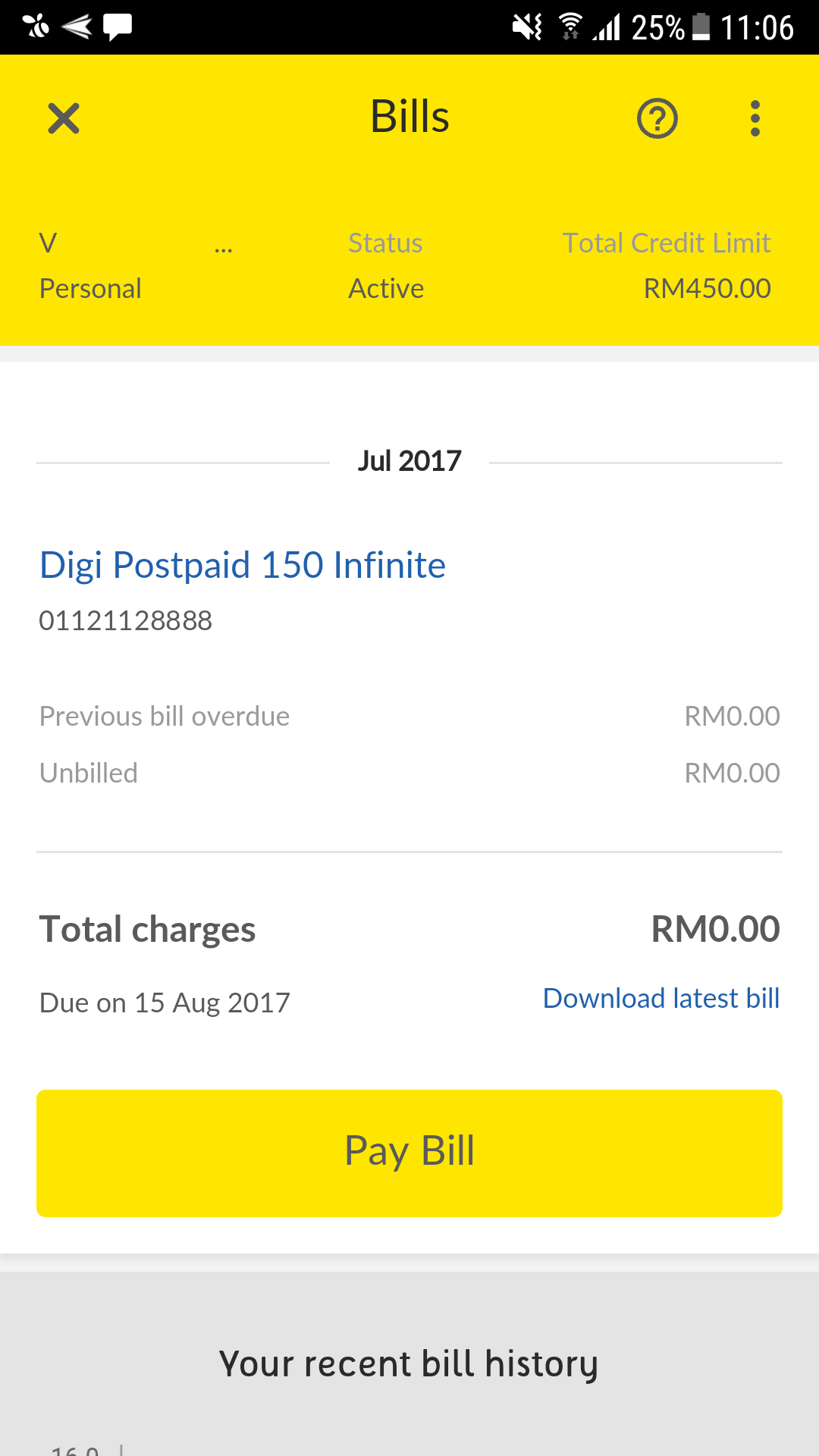  |
|
|
Jul 19 2017, 08:34 PM
Return to original view | Post
#15
|
|
Junior Member
192 posts Joined: Nov 2011
|
QUOTE(tasek16 @ Jul 19 2017, 07:04 PM) Hi.. Finally got review for this modem, I came across one of the members here asking about the huawei e8372.. Yes I'm using it since about a month ago with digi i150. What I could say.. this modem/dongle/router is ok for the price I've paid for (market price RM180.00 - RM230). I bought the used one from mudah.my.. so I've paid cheaper in price. performance wise.. when I first used.. I felt little bit frustrated since it did not performed as I expected.. the download speed just about 5mb and upload speed about 3mb... FYI I'm coming from tm streamyx 4mb.. I hope the speed should be much more better. BTW I'm not straightly jump to digi i150 bandwagon.. rather than use my digi prepaid to test the speed of digi 4g lte.. (daily unlimited RM8). So I almost cancel my intention to subscribe to digi i150 BTW thanks to this forum especially this thread .. it has widen my knowledge about the wireless things... 4g/lte particularly.. so here i want to share my experience using this kind of modem for digi i150.. As I had mentioned earlier I'm not satisfied with it's performance ... but after digging and more digging from this forum and google.. I found that .. this modem should be set as it should be.. at least for my own usage. [attachmentid=8976620] This modem has capability to choose mode either LTE only, UMTS only, GSM only or combination betwwen these three modes via web browser 192.168 8.1. As default the auto mode is used. So that's why in my opinion the download/upload speed is not as it should be for lte network. So I set it to LTE only. This modem also has the capability of what lte bands to be using ..as far as i know, digi uses 3 bands for their network b3 1800, b7 2600 and b8 900 (still not yet supported in my area) my best option is to use either b3 or b7 and combination b3+b7.. but from my experience if I set to b3+b7 the download speed max about 12mb upload max about 7mb.. same thing if i set to b7 only.. but the thing is quite different if i set to b3 only... the download speed suddenly jumped to 20mb to 25b constantly through out the day.. same goes to uploading speed between 16mb to 20mb.. the signal strength jump to 4 bar compared to 2 - 3 bar previously.. since I ve said ealier I'm coming from streamyx 4mb.. so this huge download/upload difference make me wonder what to download..what to upload.. hahahaha.. the speed become better and faster during early morning.. the upload speed can reach up to 30mb without using any ext antenna.. yap this modem supports mimo antenna (2 x ts9 ports) [attachmentid=8976621] [attachmentid=8976622] [attachmentid=8976623] So my suggestion for those who are going to use this modem ..pls attach the modem with usb male to female ext cable for power supply rather than straightly plug in to usb power adapter.. why ?? because it is easier for us to move, to point to the best position/direction or change the orientation etc... yap this modem is quite sensitive.. slightly move the modem.. It will effect the performance.. In my case .. I'm pointing this modem to the nearest digi tower (as shown in Cell Tower Locator app).. last week I balik kampung .. karai enggor kuala kangsar.. I know 1 digi tower already been in my kampung for years... So I brought along this dongle/modem to test.. to my suprise.. the download speed... almost 40mb...wooo.... Ok hope this will help you all...at least...  do you use a mimo antenna? How is the result? do you use a mimo antenna? How is the result? |
|
|
Jul 20 2017, 12:07 PM
Return to original view | Post
#16
|
|
Junior Member
192 posts Joined: Nov 2011
|
QUOTE(tasek16 @ Jul 20 2017, 11:25 AM) Haven't tried yet.. but going to try... Do update the results once u tried it 😄for android search for.. Cell Tower Locator.. this is what i'm using .. but there are some other apps for similar function.. able to plug in directly to any usb ports for power supply .. , form factor.. price cheaper than normal mifi.. unlimited operation time... so I don't need to care about battery life as a normal mifi .. has router function ..not just a modem.. |
|
|
Jul 24 2017, 01:28 PM
Return to original view | Post
#17
|
|
Junior Member
192 posts Joined: Nov 2011
|
anyone heard of http://mymobilebooster.com.. is it reliable?
|
|
|
Jul 25 2017, 10:16 AM
Return to original view | Post
#18
|
|
Junior Member
192 posts Joined: Nov 2011
|
QUOTE(pakmulau @ Jul 24 2017, 11:21 PM) Field test mode. if my freq band indicator shows band 3 is it only band 3 supported in my area? Or i can lock to other band?Dial *3001#12345#* Serving Cell Info > Freq Band Indicator https://forums.imore.com/iphone-6s-plus/348...plus-using.html |
|
|
Jul 27 2017, 11:58 AM
Return to original view | Post
#19
|
|
Junior Member
192 posts Joined: Nov 2011
|
I just contacted digi online live chat. I told them my area signal is very weak only getting 1-2bar.. they say my area is having maintenance until 3/8/2017 from 1/7/2017.. dont know whether they just simply saying or what.. *sighs*
This post has been edited by EON: Jul 27 2017, 11:59 AM |
|
|
Aug 7 2017, 12:41 PM
Return to original view | Post
#20
|
|
Junior Member
192 posts Joined: Nov 2011
|
QUOTE(aswad1986 @ Aug 7 2017, 12:00 PM) anyone has experience in using lte signal booster for digi infinite? my area inside house fluctuate 2-15mbps depends on peak/non peak hours, but outside ~ 20-30meter from my house consistent 20-40mbps... will i benefit anything if using lte signal booster eg; MYMB or Myamplifier.com I've experience with MYMB but end up return it because it is not working for me.. Inside my house and outside my house I also getting 2mbps with 1-2 signal bar.. Then i buy the indoor 88dbi mimo antenna and connect to my modem.. I got better signal and download speed which is 5mbps but it is still not very consistent sometimes can drop to 2mbps.. Then i decide to put it out of my window and the result surprised me.. I can get consistent 4 signal bar and download speed at 10mb/s-20mb/s which is enough for me as my area got no unifi only 4mb/s streamyx.. So you can try and buy outdoor antenna straight connect to your modem which is more cheapear and easier... |
|
Topic ClosedOptions
|
| Change to: |  0.2565sec 0.2565sec
 0.31 0.31
 7 queries 7 queries
 GZIP Disabled GZIP Disabled
Time is now: 8th December 2025 - 09:56 AM |
 Quote
Quote