Welcome Guest ( Log In | Register )

8 Pages  1 2 3 > » Bottom

Outline · [ Standard ] · Linear+

Enterprise Networking Mikrotik Routers (RouterBoard & RouterOS), User and owner discussion group

views
     
TSeric_tan
post Sep 20 2011, 05:23 PM, updated 4y ago

Getting Started
**
Junior Member
264 posts

Joined: Feb 2005


Mikrotik Routers

History (About us taken directly from Mikrotik website)

QUOTE
MikroTik is a Latvian company which was founded in 1995 to develop routers and wireless ISP systems. MikroTik now provides hardware and software for Internet connectivity in most of the countries around the world.

Our experience in using industry standard PC hardware and complete routing systems allowed us in 1997 to create the RouterOS software system that provides extensive stability, controls, and flexibility for all kinds of data interfaces and routing.

In 2002 we decided to make our own hardware, and the RouterBOARD brand was born. We have resellers in most parts of the world, and customers in probably every country on the planet.

Our company is located in Riga, the capital city of Latvia and has 80 employees.
Background
Mikrotik are famous for their RouterOS and also their RouterBoard hardware. Their products are affordable yet featured pack. In the SEA region, Indonesia ISP uses these Mikrotik routers in their backend. In fact if you Google about Mikrotik, Indonesia has a huge user base.

Over here in Malaysia, these Mikrotik routers became famous when Unifi was launched. At that time, Mikrotik routers had support VLAN tagging, and was one of the most affordable ones around. With VLAN tagging, it allowed the user to replace TM provided router with their own, while retaining both internet access and IPTV service.

RouterOS
RouterOS can be installed on a PC or on Mikrotik hardware, or better known as RouterBoard. You can read about the featuers of RouterOS with this PDF file from Mikrotik.

Their RouterOS comes in many versions from Level 0 to Level 6. Read the difference of each level here.
You may try and download the Level 0 which is a full featured RouterOS, but with a 24 hour limit.

RouterBoard
RouterBoard are special hardware platform manufactured by Mikrotik.
You can view all their hardware on their routerboard.com website.
You could also view the hardware features by viewing this PDF from Mikrotik.

You are able to interface with your RouterBoard via one of the following methods
| WinBox via IP or MAC address
| Web Interface via IP
| SSH via IP
| Telnet via IP
| Terminal via Serial connection (selected models) [This is OLD SKOOL]

Where to buy Mikrotik
Malaysia Distributor: Landasan Teknologi (M) Sdn Bhd (website)
Malaysia: Computer Zone
From Singapore: Just google Mikrotik Singapore and you'll get a few online retailers
From Lowyat Forum: Just do a forum search and you'll find some sellers

I have a Mikrotik and I need some help!
Start by visiting Mikrotik's Wiki page. For most home users, you'll find instructions with sample codes available.
Their Wiki pages also has lots of interesting articles, discussion topics as well as advance routing concepts.
If you are unable to find what you need, please try your best friend Google.
Or you could just post on this thread, and we'll hopefully someone who is expert enough to help.

Certification
There are basically 6 certification available. More info here.

MTCNA - MikroTik Certified Network Associate
MTCRE - MikroTik Certified Routing Engineer
MTCWE - MikroTik Certified Wireless Engineer
MTCTCE - MikroTik Certified Traffic Control Engineer
MTCUME - MikroTik Certified User Management Engineer
MTCINE - MikroTik Certified Inter-networking Engineer

Next Course in Malaysia
MTCNA | 3 to 6 Oct 2011 | Organised by Spectrum Indonesia

Past Course in Malaysia
MTCNA | 5 to 7 July 2011 | Organised by Landasan Teknologi

Pros / Cons of Mikrotik Routers
+ Affordable hardware
+ Full featured routerOS with enterprise features
+ Hotspot with Radius support
+ etc

- Need to have basic networking knowledge to setup
- Advance setting require someone with good RouterOS knowledge
- Not for the ordinary home user

Facebook Mikrotik User Group (MUG)
I started MUG on Facebook because a few friends/users asked me to.
However I believe that the forum format would be easier for discussion.

Interesting Facts
Did you know that KLIA's free Hotspot service is service by Mikrotik hardware?

This post has been edited by eric_tan: Oct 4 2011, 12:09 PM
TSeric_tan
post Sep 20 2011, 05:34 PM

Getting Started
**
Junior Member
264 posts

Joined: Feb 2005


Mikrotik & RouterOS owner list

soonwai = RB750GL, RB751U-2HnD
eric_tan = RB750GL, RB751G-2HnD x2, RB433UAH +R52 wifi, RB433 + R52 wifi
DeLarafi = RB750, RB750GL, RB 951 2N
Arul = RB1100 , RB450, RB750G, RB433 and RB433AH
billytong = RB750G, RB250GS

[PM me to add to list]

This post has been edited by eric_tan: May 29 2013, 11:35 PM
yushin
post Sep 21 2011, 02:45 PM

Look at all my stars!!
*******
Senior Member
3,327 posts

Joined: Jan 2003
From: Selangor


Additional information of Microtik product availability.

I have seen Microtik price quote in C-zone in digital mall.
TSeric_tan
post Sep 21 2011, 05:48 PM

Getting Started
**
Junior Member
264 posts

Joined: Feb 2005


Just checked and yes C-Zone has Mikrotik products under the Unifi category.

Yesterday I just asked the price from Landasan on the following product:-

| RB750GB @ RM210 + RM10 courier charges
arul_sr
post Sep 21 2011, 05:53 PM

New Member
*
Junior Member
37 posts

Joined: Aug 2005


Nice group, build community for mikrotik malaysia..
i'm using mikrotik for all my networks backend.. smile.gif


TSeric_tan
post Sep 21 2011, 06:06 PM

Getting Started
**
Junior Member
264 posts

Joined: Feb 2005


arul_sr can I ask what series of the RouterBoard do you use as backend?

Your is PC or RouterBoard?
arul_sr
post Sep 21 2011, 08:09 PM

New Member
*
Junior Member
37 posts

Joined: Aug 2005


i'm using Rb1100 , rb450, rb750g also rb433 and rb433ah
before this use x86 too..
TSeric_tan
post Sep 21 2011, 08:25 PM

Getting Started
**
Junior Member
264 posts

Joined: Feb 2005


Wow, all the TOP end stuff..... nice...

I actually have question, is the RB750G any good?

I actually have the RB433 but is wondering how does the RB750GL compare to it?

Because the RB750GL is very cheap, want to help friend setup hotspot service at his place.
arul_sr
post Sep 21 2011, 09:32 PM

New Member
*
Junior Member
37 posts

Joined: Aug 2005


rb750g also ok, better than 750..huhu..try handle 1000-3000connection still proc below 50%, but at 750 1000 connection hang....

rb433 and rb433AH i using for wireless..insert radio card inside rb for point to point and multipoint bridging..

rb750gl not tested..but sure ok..


Added on September 23, 2011, 9:41 pmif any user or forumer from lowyat.net want a local training mikrotik just tell me.. min 10 user.. but certificate local only..not proper certificate.. biggrin.gif

This post has been edited by arul_sr: Sep 23 2011, 09:41 PM
TSeric_tan
post Sep 25 2011, 09:00 AM

Getting Started
**
Junior Member
264 posts

Joined: Feb 2005


Arul: bro you do much scripting with Mikrotik?

billytong
post Sep 25 2011, 12:19 PM

Lord Sauron
*******
Senior Member
4,522 posts

Joined: Jan 2003
From: Mordor, Middle Earth.


hmm both my RB750G, RB250GS collecting dust now. :>

my old router still havent spoil. been trying to fully use it till spoil...

This post has been edited by billytong: Sep 25 2011, 12:20 PM
arul_sr
post Sep 25 2011, 10:33 PM

New Member
*
Junior Member
37 posts

Joined: Aug 2005


QUOTE(eric_tan @ Sep 25 2011, 09:00 AM)
Arul: bro you do much scripting with Mikrotik?
*
what script do you want to know bro?
MX510
post Sep 26 2011, 05:35 AM

Love Me Sin Hate Me Sinner
*******
Senior Member
4,038 posts

Joined: Aug 2005
From: Earth


Great we have a group here also selling mikrotik stuff :-) partner with arul_sr

Centralized Mikrotik WiFi Radius server will be up this week


TSeric_tan
post Sep 26 2011, 08:12 AM

Getting Started
**
Junior Member
264 posts

Joined: Feb 2005


QUOTE(arul_sr @ Sep 25 2011, 10:33 PM)
what script do you want to know bro?
*
I completed my sript.

Because RouterOS only takes IP, but I want to have a script that resolves the domain name and then updates the IP address accordingly.
raptar_eric
post Sep 26 2011, 05:33 PM

Live life to the fullest!
******
Senior Member
1,367 posts

Joined: Jan 2006
From: Kuala Lumpur


sifus for the Mikrotik RB750GL, is it possible to create a IP v6 network with it, rather than running on a v4 network? ppl recommend me the 750GL cause some said it can have a full IP v6 network running on it smile.gif plz advise fellow sifus.. need it for research purposes

This post has been edited by raptar_eric: Sep 26 2011, 05:34 PM
arul_sr
post Sep 27 2011, 05:11 AM

New Member
*
Junior Member
37 posts

Joined: Aug 2005


QUOTE(eric_tan @ Sep 26 2011, 08:12 AM)
I completed my sript.

Because RouterOS only takes IP, but I want to have a script that resolves the domain name and then updates the IP address accordingly.
*
for dyndns bro?
can you paste your script here smile.gif
JinXXX
post Sep 27 2011, 08:51 AM

Look at all my stars!!
*******
Senior Member
2,516 posts

Joined: Feb 2007
From: Uarla Umpur


QUOTE(raptar_eric @ Sep 26 2011, 05:33 PM)
sifus for the Mikrotik RB750GL, is it possible to create a IP v6 network with it, rather than running on a v4 network? ppl recommend me the 750GL cause some said it can have a full IP v6 network running on it smile.gif plz advise fellow sifus.. need it for research purposes
*
did you even try looking at the mikrotik wiki ?

check here http://wiki.mikrotik.com/wiki/Manual:IPv6
TSeric_tan
post Sep 27 2011, 09:58 AM

Getting Started
**
Junior Member
264 posts

Joined: Feb 2005


QUOTE(arul_sr @ Sep 27 2011, 05:11 AM)
for dyndns bro?
can you paste your script here  smile.gif
*
yes sort of.

Scripts I taken from the following link and modify. Not that hard, just need to use the "resolve" function only

http://wiki.mikrotik.com/wiki/Manual:Scripting-examples

QUOTE
And here is a script that will resolve ip address, compare resolved ip with configured one and replace if not equal:

/system script add name="resolver" source= {

:local resolvedIP [:resolve "server.example.com"];
:local radiusID [/radius find comment="myRad"];
:local currentIP [/radius get $radiusID address];

:if ($resolvedIP != $currentIP) do={
   /radius set $radiusID address=$resolvedIP;
   /log info "radius ip updated";
}

}


This post has been edited by eric_tan: Sep 27 2011, 09:59 AM
arul_sr
post Sep 27 2011, 11:11 AM

New Member
*
Junior Member
37 posts

Joined: Aug 2005


QUOTE(eric_tan @ Sep 27 2011, 09:58 AM)
yes sort of.

Scripts I taken from the following link and modify. Not that hard, just need to use the "resolve" function only

http://wiki.mikrotik.com/wiki/Manual:Scripting-examples
*
after create the script, you must add scheduler to run
at your script i think no problem..
did you see the log bro?
TSeric_tan
post Sep 27 2011, 02:31 PM

Getting Started
**
Junior Member
264 posts

Joined: Feb 2005


QUOTE(arul_sr @ Sep 27 2011, 11:11 AM)
after create the script, you must add scheduler to run
at your script i think no problem..
did you see the log bro?
*
Yes you need to add to scheduler to run (I assume you already know)

Yah, I use the log to do debugging. No problem.

*I didnt use that script, I modified that script to use for my purpose
MX510
post Oct 3 2011, 11:56 AM

Love Me Sin Hate Me Sinner
*******
Senior Member
4,038 posts

Joined: Aug 2005
From: Earth


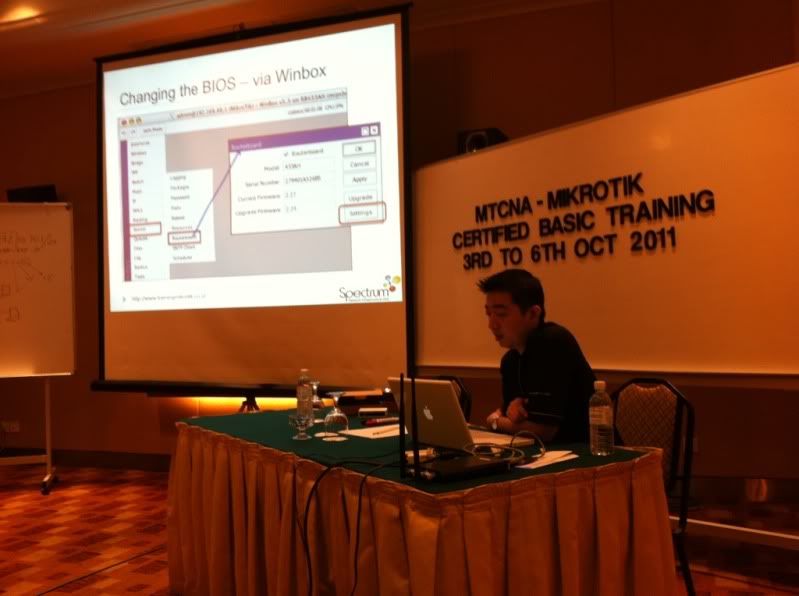
user posted image

In the classroom now :-)
TSeric_tan
post Oct 3 2011, 12:22 PM

Getting Started
**
Junior Member
264 posts

Joined: Feb 2005


I did the previous class by Landasan....

Exam not that easy, specially for those with no Networking background.
Exams very tricky too.

How much they charge for the class? How many people in the class?

Try to save or get sample exams from them. So share with others.


MX510
post Oct 3 2011, 06:22 PM

Love Me Sin Hate Me Sinner
*******
Senior Member
4,038 posts

Joined: Aug 2005
From: Earth


QUOTE(eric_tan @ Oct 3 2011, 12:22 PM)
I did the previous class by Landasan....

Exam not that easy, specially for those with no Networking background.
Exams very tricky too.

How much they charge for the class? How many people in the class?

Try to save or get sample exams from them. So share with others.
*
Heheh day one so many input already . Anyway did u pass the test?

Total is RM 1500 from Monday to Thursday

http://www.trainingmikrotik.co.id/mikrotik...-mtcna--96.html


TSeric_tan
post Oct 3 2011, 10:50 PM

Getting Started
**
Junior Member
264 posts

Joined: Feb 2005


Passed on first try tongue.gif (lucky)
You no problem la: Eat, Sleep & Networking....

But in my class only 3 people pass on first try.

But most of them passed on 2nd try tongue.gif

Same price, but mine only 3 days.. I think yours more worth it tongue.gif

Ask you class members to join the FB MUG group tongue.gif
MX510
post Oct 4 2011, 12:25 AM

Love Me Sin Hate Me Sinner
*******
Senior Member
4,038 posts

Joined: Aug 2005
From: Earth


QUOTE(eric_tan @ Oct 3 2011, 10:50 PM)
Passed on first try tongue.gif (lucky)
You no problem la: Eat, Sleep & Networking....

But in my class only 3 people pass on first try.

But most of them passed on 2nd try tongue.gif

Same price, but mine only 3 days.. I think yours more worth it tongue.gif

Ask you class members to join the FB MUG group tongue.gif
*
Well we see about it this Thursday hopefully i pass on first try 95% :-)

Kindly update your first post for the link on FB MUG Group i will ask them to join :-)


TSeric_tan
post Oct 4 2011, 11:17 AM

Getting Started
**
Junior Member
264 posts

Joined: Feb 2005


QUOTE(MX510 @ Oct 4 2011, 12:25 AM)
Well we see about it this Thursday hopefully i pass on first try 95% :-)

Kindly update your first post for the link on FB MUG Group i will ask them to join :-)
*
Wah, want 90% plus somemore, means u want to be trainer...

I cant la, I tried many times, everytime I put FB link, I cannot save the page... very strange.... (I try again)

Eric


MX510
post Oct 6 2011, 05:19 PM

Love Me Sin Hate Me Sinner
*******
Senior Member
4,038 posts

Joined: Aug 2005
From: Earth


QUOTE(eric_tan @ Oct 4 2011, 11:17 AM)
Wah, want 90% plus somemore, means u want to be trainer...

I cant la, I tried many times, everytime I put FB link, I cannot save the page... very strange.... (I try again)

Eric
*
Not so good lah bro failed the first time due to multiple box answer


Attached Image

[attachmentid=2472349]

This post has been edited by MX510: Oct 6 2011, 09:47 PM


Attached thumbnail(s)
Attached Image
TSeric_tan
post Oct 7 2011, 12:24 PM

Getting Started
**
Junior Member
264 posts

Joined: Feb 2005


Fail 1 time, but can still get 79% wor... congratulations!


MX510
post Oct 7 2011, 07:42 PM

Love Me Sin Hate Me Sinner
*******
Senior Member
4,038 posts

Joined: Aug 2005
From: Earth


QUOTE(eric_tan @ Oct 7 2011, 12:24 PM)
Fail 1 time, but can still get 79% wor... congratulations!
*
Thanks bro :-)

Current project with Mikrotik is using centralized hotspot gateway system which is currently running now


Ok already running the system now :-)

This post has been edited by MX510: Oct 11 2011, 12:03 AM


Attached thumbnail(s)
Attached Image
cyberic
post Oct 12 2011, 03:54 PM

Regular
******
Senior Member
1,129 posts

Joined: Jan 2003


anyone got any script to build a good home router? I found the Dmitry's firewall guide and the one article for home router. I'm still reading and checking the wiki page to understand more. It will be great if any sifu here can share your opinion and guidance smile.gif
TSeric_tan
post Oct 16 2011, 09:01 AM

Getting Started
**
Junior Member
264 posts

Joined: Feb 2005


QUOTE(cyberic @ Oct 12 2011, 03:54 PM)
anyone got any script to build a good home router? I found the Dmitry's firewall guide and the one article for home router. I'm still reading and checking the wiki page to understand more. It will be great if any sifu here can share your opinion and guidance smile.gif
*
Hi,
There isn't any pre-written script. You start with a clean slate and you fill in with any settings you need.

To use as a home router, you'll need at least the following set
| PPPOE Client to connect to Streamyx
| NAT Translation to share the internet with all the PC on the network
| DHCP Server to provide IP address to all PC on the network


Optional stuff includes (not required for most people)
| Firewall setup (can be a few lines to hundreds of line)
| QOS/Bandwidth management (can be a few lines to hundreds of line)


Depending on what you need to do, you'll need to setup it up. There is no "fixed" template that will fit everybody's requirement.

As for the optional stuff, your router will fine without it. You may run it without a Firewall or QOS/Bandwidth management. However should you need to optimise it, you have the option to.

As you know NAT itself can also be considered a very basic firewall.
cyberic
post Oct 18 2011, 12:24 AM

Regular
******
Senior Member
1,129 posts

Joined: Jan 2003


my 750GL router already up and running smile.gif I use IP mangle for packet classification (short list though) but also decide not to use QoS yet. My port scan rule add my own PC into blocked list...maybe too strict smile.gif I do not have time for it now.

This post has been edited by cyberic: Oct 18 2011, 12:26 AM
jomdotcom
post Oct 18 2011, 05:50 PM

New Member
*
Junior Member
10 posts

Joined: Oct 2011
QUOTE(cyberic @ Oct 18 2011, 12:24 AM)
my 750GL router already up and running smile.gif I use IP mangle for packet classification (short list though) but also decide not to use QoS yet. My port scan rule add my own PC into blocked list...maybe too strict smile.gif I do not have time for it now.
*
+++++++++++Good work, thumbup.gif thumbup.gif eric_tan for creating this user group. +++++++++++

ok back to firewall.


As eric_tan said
you start with a clean slate and no one complete rules fits all situation or user needs.

Maybe we can start with the must do, for start, and we add in as we specify our requirement together.

1. as a start, make sure you change router default password,

2. make sure you close all services you are not using, so that it cannot be access, and specify ip address where it is allowed to be access.

[admin@HSE.AP] /ip service> print
Flags: X - disabled, I - invalid
# NAME PORT ADDRESS CERTIFICATE
0 X telnet 23
1 X ftp 21
2 X www 80
3 X ssh 22
4 X www-ssl 443 none
5 X api 8728
6 winbox 8291

On firewall, I think Demitry example is a bit complicated. I think you don't need to mangle to do firewall, Just filter straight away.
first thing first, you should have at least this on your first entry of firewall rules. allow router to accept only clean packet. ie ; meant for you.

/ip firewall filter
add chain=forward connection-state=established comment="allow established connections"
add chain=forward connection-state=related comment="allow related connections"
add chain=forward connection-state=invalid action=drop comment="drop invalid connections"

Next what did we want to filter,objective?? doh.gif Hey guys, maybe we can come out with the list together and move from here

TO BE CONTINUE ........
TSeric_tan
post Oct 19 2011, 02:09 AM

Getting Started
**
Junior Member
264 posts

Joined: Feb 2005


Honestly. I dont bother with Firewall setup.
Good ones are just too complicated and LONG to setup.....
Simple ones are just too restrictive....

Unless you have a Trojan Horse, a router with NAT should be good enough for most home users. [My opinion only]

But if you want to setup Firewall, because you worried that people want to come in, check out the option "Tarpit"....

Yes, disable all services not used, so you keep all the ports closed.


Added on October 19, 2011, 2:11 amGuys also join the Facebook page I had setup tongue.gif

https://www.facebook.com/pages/Mikrotik-Use...247061138651771

This post has been edited by eric_tan: Oct 19 2011, 02:13 AM
cyberic
post Oct 19 2011, 02:53 PM

Regular
******
Senior Member
1,129 posts

Joined: Jan 2003


I agree that NAT enough for most. I bought microtik to learn new stuff and other benefit is able to use my old D-link 655 wireless as AP. I hope the supposely upcoming Asus RT-N66 or 57U will be a good replacement later.

spend some time RTFM before finalize my firewall setup. I actually like the idea of using packet classifier and filter from there biggrin.gif. So, my firewall is based on the Dimitri's guide and modified it for my own requirement. I already secure the router and SSH and winbox only allowed from local. just that I never really test the firewall properly.


Added on October 20, 2011, 4:10 pmcurious question:

I notice that my router's cpu speed is 250 (not 400). I have no complain about the performance. Just want to clarify.

Is the rb750gl default cpu speed set to 250?


This post has been edited by cyberic: Oct 20 2011, 04:10 PM
jomdotcom
post Oct 20 2011, 11:25 PM

New Member
*
Junior Member
10 posts

Joined: Oct 2011
QUOTE(cyberic @ Oct 19 2011, 02:53 PM)
I agree that NAT enough for most. I bought microtik to learn new stuff and other benefit is able to use my old D-link 655 wireless as AP. I hope the supposely upcoming Asus RT-N66 or 57U will be a good replacement later.

spend some time RTFM before finalize my firewall setup. I actually like  the idea of using packet classifier and filter from there biggrin.gif. So, my firewall is based on the Dimitri's guide and modified it for my own requirement. I already secure the router and SSH and winbox only allowed from local. just that I never really test the firewall properly.


Added on October 20, 2011, 4:10 pmcurious question:

I notice that my router's cpu speed is 250 (not 400). I have no complain about the performance. Just want to clarify.

Is the rb750gl default cpu speed set to 250?
*
Wa, you all sifu so advance, me just starting. need to RTFM more.

My RB750GL says CPU Frequency 400MHz, don't know where to set also.
cyberic
post Oct 21 2011, 10:30 AM

Regular
******
Senior Member
1,129 posts

Joined: Jan 2003


Strange. I should have check 1st before upgrade to bootloader 3.7 and RouterOS 5.7. Now I don't know why it is set to 250 only. Going to try change the cpu speed tonight.

I'm not a sifu..just a beginner that do a lot of RTFM. I still new to this biggrin.gif

this is the command to set the cpu speed. Need to reboot the router after that.

system routerboard settings set cpu-frequency=400

to check configurable speed?
system routerboard settings set cpu-frequency=
KennyP
post Oct 25 2011, 03:34 PM

New Member
*
Junior Member
13 posts

Joined: May 2005


QUOTE(MX510 @ Oct 3 2011, 11:56 AM)
user posted image

In the classroom now :-)
*
Wow, I was actually in the same class as you
JinXXX
post Oct 30 2011, 05:44 PM

Look at all my stars!!
*******
Senior Member
2,516 posts

Joined: Feb 2007
From: Uarla Umpur


anybody using or tried the new RB751U-2HnD ??
any comments on it ?


MX510
post Oct 30 2011, 11:23 PM

Love Me Sin Hate Me Sinner
*******
Senior Member
4,038 posts

Joined: Aug 2005
From: Earth


There has been a group here

https://www.facebook.com/groups/157243411036294/

Mikrotik Malaysia


Added on November 2, 2011, 7:29 pmVersion 5.8 is now out now

What's new in 5.8 (2011-Nov-01 10:14):

*) snmp - fixed problem where some rows were missed
in a few tables when walking them;
*) ipv6 - added support for router address assignment from ipv6 pools;
*) routerboard - fix RB400/RB700 bootloader upgrade problem
*) radius - respond to CoA & Disconnect requests with the same ip address
it was received to;
*) improved webfig look;
*) webfig - do not allow to show secret passwords if user does not have
sensitive permission;
*) webfig - allow to customize all item names in skins;
*) updated timezone information;
*) lcd - added support for new ax93304 model and nexcom LCDs;
*) ppp - added support for ipv6 pools;
*) ppp - added support for Framed-IPv6-Pool radius attribute;
*) dhcp client - fix high CPU usage when interface is disabled;
*) snmp - trap interface filter, multiple trap targets;
*) dhcp - added server support for IPv6 prefix delegation from /ipv6 pool,
client support is also added;
*) ipsec - support authorization with raw RSA keys;
*) added ipv6 prefix pools;
*) winbox - now copied item in ordered list is added right after it's original;
*) pcq - fixed possible crash;

This post has been edited by MX510: Nov 2 2011, 07:29 PM
fazryle
post Nov 4 2011, 12:18 AM

Getting Started
**
Junior Member
219 posts

Joined: Dec 2005
From: around selangor


when use RB750GL , do we need to write script manualy or do have a browser setup? kinda looking forward with this router/switch
boxsystem
post Nov 4 2011, 06:10 PM

Legend
******
Senior Member
1,573 posts

Joined: Jan 2003
From: Nilai, Negeri Sembilan
QUOTE(fazryle @ Nov 4 2011, 12:18 AM)
when use RB750GL , do we need to write script manualy or do have a browser setup? kinda looking forward with this router/switch
*
I'm using RB750. Pretty much the same as RB750GL. Except for the Gigabit LAN.

Setup is simple. You have a couple of choices.

Web interface - SOME features can be accessed and toy around with.
Winbox - Fully GUI and ALL features are available to be messing around with.
Telnet - Scripting. If you're well conversed with RouterOS, then go ahead.
fazryle
post Nov 5 2011, 01:06 AM

Getting Started
**
Junior Member
219 posts

Joined: Dec 2005
From: around selangor


still in planning ..
TSeric_tan
post Nov 11 2011, 12:01 AM

Getting Started
**
Junior Member
264 posts

Joined: Feb 2005


QUOTE(boxsystem @ Nov 4 2011, 06:10 PM)
I'm using RB750. Pretty much the same as RB750GL. Except for the Gigabit LAN.

Setup is simple. You have a couple of choices.

Web interface - SOME features can be accessed and toy around with.
Winbox - Fully GUI and ALL features are available to be messing around with.
Telnet - Scripting. If you're well conversed with RouterOS, then go ahead.
*
Yes there are 3 ways to setup your Mikrotik routers.

Web Interface have very limited features. Don't bother...

Winbox should have 99% of the the settings you need. Certain things you just cannot do from Winbox.

Command Line Interface (CLI) via Telnet/SSH is for those who knows what they are doing. Most of the tutorials online are based on command line. Easy to copy other people's setting, and just paste it in the command line.

Start with Winbox and slowly graduate to Command Line Interface.


JinXXX
post Dec 6 2011, 07:02 PM

Look at all my stars!!
*******
Senior Member
2,516 posts

Joined: Feb 2007
From: Uarla Umpur


oh la la..

the new SME router.. thats what im talking abt mikrotik...

user posted image
MX510
post Dec 6 2011, 07:53 PM

Love Me Sin Hate Me Sinner
*******
Senior Member
4,038 posts

Joined: Aug 2005
From: Earth


QUOTE(JinXXX @ Dec 6 2011, 07:02 PM)
oh la la..

the new SME router.. thats what im talking abt mikrotik...

user posted image
*
Cool what is the name of this model bro ?
JinXXX
post Dec 6 2011, 09:30 PM

Look at all my stars!!
*******
Senior Member
2,516 posts

Joined: Feb 2007
From: Uarla Umpur


QUOTE(MX510 @ Dec 6 2011, 07:53 PM)
Cool what is the name of this model bro ?
*
not sure the product not fully launch yet.. just a preview.. only will update this thread once i get more info and all
ahlong
post Dec 6 2011, 09:50 PM

not a debt collector
****
Junior Member
610 posts

Joined: Apr 2005
From: http://127.0.0.1:80/announce


MX510:

good day bro.. i dont find your thread selling Mikrotik router.. kinda interested here and a 1week+ Unifi user here..

This post has been edited by ahlong: Dec 6 2011, 09:51 PM
MX510
post Dec 7 2011, 08:57 AM

Love Me Sin Hate Me Sinner
*******
Senior Member
4,038 posts

Joined: Aug 2005
From: Earth


QUOTE(ahlong @ Dec 6 2011, 09:50 PM)
MX510:

good day bro.. i dont find your thread selling Mikrotik router.. kinda interested here and a 1week+ Unifi user here..
*
Click here bro

:-)


ahlong
post Dec 7 2011, 11:31 AM

not a debt collector
****
Junior Member
610 posts

Joined: Apr 2005
From: http://127.0.0.1:80/announce


tq abang MX510
JinXXX
post Dec 7 2011, 09:02 PM

Look at all my stars!!
*******
Senior Member
2,516 posts

Joined: Feb 2007
From: Uarla Umpur


seems like Mikrotik has been bz bz..

new model (RB750UP) - http://routerboard.com/RB750UP
user posted image

QUOTE
RB750UP is a small five port ethernet router in a nice plastic case, the UP model includes a USB 2.0 port and PoE output. Ports 2-5 can power other PoE capable devices with the same voltage as applied to the unit. Less power adapters and cables to worry about. Max current is 500mA per port.


RAM is 32MB same with the previous RB750 modemsl...
thankyou
post Dec 8 2011, 04:03 PM

Regular
******
Senior Member
1,941 posts

Joined: Jan 2003
I can see that the new model has SFP port. Does it support all kind of SFP? i.e. GPON ONU SFP?

http://www.alibaba.com/product-gs/51369418...ceiver_OLT.html
arul_sr
post Dec 8 2011, 08:30 PM

New Member
*
Junior Member
37 posts

Joined: Aug 2005


The RB2011 will support GEPON via the appropriate GEPON ONU SFP module
thankyou
post Dec 8 2011, 08:33 PM

Regular
******
Senior Member
1,941 posts

Joined: Jan 2003
Interesting... Interesting... one device rule them all!

Hopefully its not that expensive!
MX510
post Dec 8 2011, 09:13 PM

Love Me Sin Hate Me Sinner
*******
Senior Member
4,038 posts

Joined: Aug 2005
From: Earth


QUOTE(thankyou @ Dec 8 2011, 08:33 PM)
Interesting... Interesting... one device rule them all!

Hopefully its not that expensive!
*
Agreed hopefully it's not so expensive :-)
JinXXX
post Dec 8 2011, 10:33 PM

Look at all my stars!!
*******
Senior Member
2,516 posts

Joined: Feb 2007
From: Uarla Umpur


QUOTE(MX510 @ Dec 8 2011, 09:13 PM)
Agreed hopefully it's not so expensive :-)
*
starting price would be 100 USD

so makes it abt 370MYR plus-minus...

for the basic model
TSeric_tan
post Dec 15 2011, 12:41 AM

Getting Started
**
Junior Member
264 posts

Joined: Feb 2005


Forget to check this thread for sometime liao.. sorry guys..

looks like got a few regulars now tongue.gif


JinXXX
post Dec 15 2011, 08:41 PM

Look at all my stars!!
*******
Senior Member
2,516 posts

Joined: Feb 2007
From: Uarla Umpur


hey guys

just to share with you all mikrotik latest newsletter

http://www.mikrotik.com/download/share/news_35.pdf
Boldnut
post Dec 18 2011, 10:07 AM

Look at all my stars!!
*******
Senior Member
2,209 posts

Joined: Nov 2010
lol looks like the newer RB750 series all of them still inferior to the RB750G. I guess I am happy to be one of the early bird buyer who manage to get my hands on RB750G
JinXXX
post Dec 18 2011, 10:25 AM

Look at all my stars!!
*******
Senior Member
2,516 posts

Joined: Feb 2007
From: Uarla Umpur


QUOTE(Boldnut @ Dec 18 2011, 10:07 AM)
lol looks like the newer RB750 series all of them still inferior to the RB750G. I guess I am happy to be one of the early bird buyer who manage to get my hands on RB750G
*
what makes you say that.. what about the 750GL ???
Boldnut
post Dec 18 2011, 11:24 AM

Look at all my stars!!
*******
Senior Member
2,209 posts

Joined: Nov 2010
QUOTE(JinXXX @ Dec 18 2011, 10:25 AM)
what makes you say that.. what about the 750GL ???
*

if u check the throughput listed by Mikrotik's spec sheet themselves, the 750G edge out the 750GL in all cases.

750G is equipped with a much more powerful Atheros 680MHz CPU, while being smaller RAM than 750GL, the CPU inside 750GL is exactly the same as 750(non G version) = 400MHz only. May not even be Atheros(not sure since it didnt say)


RB750UP is nothing much than a 750(non G) with Ethenet power capable.

http://routerboard.com/RB750G
http://routerboard.com/RB750GL
http://routerboard.com/RB750UP
http://routerboard.com/RB750

This post has been edited by Boldnut: Dec 18 2011, 11:28 AM
paultantk
post Dec 18 2011, 09:40 PM

Casual
***
Junior Member
407 posts

Joined: Jan 2003


QUOTE(JinXXX @ Dec 6 2011, 09:30 PM)
not sure the product not fully launch yet.. just a preview.. only will update this thread once i get more info and all
*
the case looks like it says RB201
s_alagas
post Jan 3 2012, 04:42 PM

New Member
*
Newbie
0 posts

Joined: Jan 2012
QUOTE(paultantk @ Dec 18 2011, 09:40 PM)
the case looks like it says RB201
*
It's RB2011, suppose to be launched in 2011 but delayed smile.gif, it will have few different models, stay tuned
MX510
post Jan 11 2012, 12:50 AM

Love Me Sin Hate Me Sinner
*******
Senior Member
4,038 posts

Joined: Aug 2005
From: Earth


I have checked n found this model

http://routerboard.com/RB751U-2HnD

Would be great :-) for Unifi replacement since got WiFi Card with 30DBM transmit power

user posted image

Product specifications

Details
Product code RB751U-2HnD
CPU speed 400MHz
TX power 30dBm
CPU Atheros AR7241
Current Monitor No
Antenna gain 2x2 MIMO PIF antennas, max gain 2.5dBi; external MMCX option
Max Power consumption 10W
RAM 32MB
LAN ports 5
Gigabit No
MiniPCI 0
Integrated Wireless 1
Wireless standards 802.11b/g/n
USB 1
Power Jack yes
PoE 8-30V
Voltage Monitor No
CPU temperature monitor No
Dimensions 113x138x29mm
Operating System RouterOS
Temperature range -20C .. +50
RouterOS License L4


Attached File(s)
Attached File  rb751U_2HnD.pdf ( 275.83k ) Number of downloads: 26
Attached File  rb751U_2HnD_ug.pdf ( 892.5k ) Number of downloads: 28
CloudComputer
post Jan 11 2012, 02:29 PM

Getting Started
**
Junior Member
257 posts

Joined: Aug 2011
From: Kuala Lumpur
QUOTE(MX510 @ Jan 11 2012, 12:50 AM)
I have checked n found this model

http://routerboard.com/RB751U-2HnD

Would be great :-) for Unifi replacement since got WiFi Card with 30DBM transmit power

user posted image

Product specifications

Details
Product code RB751U-2HnD
CPU speed 400MHz
TX power 30dBm
CPU  Atheros AR7241
Current Monitor No
Antenna gain 2x2 MIMO PIF antennas, max gain 2.5dBi; external MMCX option
Max Power consumption 10W
RAM 32MB
LAN ports 5
Gigabit No
MiniPCI 0
Integrated Wireless 1
Wireless standards 802.11b/g/n
USB 1
Power Jack yes
PoE 8-30V
Voltage Monitor No
CPU temperature monitor No
Dimensions 113x138x29mm
Operating System RouterOS
Temperature range  -20C .. +50
RouterOS License L4
*
Yes this is great as it is the sole integrated model from Mikrotik that does everything in one box! rclxms.gif
JinXXX
post Jan 11 2012, 07:04 PM

Look at all my stars!!
*******
Senior Member
2,516 posts

Joined: Feb 2007
From: Uarla Umpur


QUOTE(CloudComputer @ Jan 11 2012, 02:29 PM)
Yes this is great as it is the sole integrated model from Mikrotik that does everything in one box!  rclxms.gif
*
if they only have it in gigabit ether and 8 port.. it would be be AWESOME
Boldnut
post Jan 12 2012, 08:37 AM

Look at all my stars!!
*******
Senior Member
2,209 posts

Joined: Nov 2010
QUOTE(JinXXX @ Jan 11 2012, 07:04 PM)
if they only have it in gigabit ether and 8 port.. it would be be AWESOME
*

Its the gigabit that is the major drawback.

8 port can be easily fix by connecting a switch and I doubt any home user needed more than 5 ports.

This post has been edited by Boldnut: Jan 12 2012, 08:37 AM
TubeNRibbon
post Jan 12 2012, 09:42 AM

Getting Started
**
Junior Member
175 posts

Joined: May 2008
any mikrotik product support load balancing?
JinXXX
post Jan 12 2012, 12:18 PM

Look at all my stars!!
*******
Senior Member
2,516 posts

Joined: Feb 2007
From: Uarla Umpur


QUOTE(TubeNRibbon @ Jan 12 2012, 09:42 AM)
any mikrotik product support load balancing?
*
most of them support load balancing as its done at routeros level...

see here http://wiki.mikrotik.com/wiki/Load_Balanci...ltiple_Gateways

there are many methods to LB.. just google for them

This post has been edited by JinXXX: Jan 12 2012, 12:20 PM
rootlinux
post Jan 12 2012, 01:15 PM

Enthusiast
*****
Senior Member
898 posts

Joined: Jan 2003
From: ph/sbj/slgr
QUOTE(CloudComputer @ Jan 11 2012, 02:29 PM)
Yes this is great as it is the sole integrated model from Mikrotik that does everything in one box!  rclxms.gif
*
Bought from CloudComputer and my unit has been working great. Recommended seller. thumbup.gif thumbup.gif thumbup.gif

My simple configuration below: -

BTU - RB751U-2HnD - WRT54GSv4 - IPTV

BTU & RB751U-2HnD located in 1st floor

WRT54GSv4 & IPTV located in ground floor

1st floor, RB751U-2HnD ethernet port 1 connect to BTU, ethernet port 5 connect to HomePlug, users can connect to ethernet port 2 to 4 and wireless for web browsing.

Ground floor, WRT54GSv4 ethernet port 1 connect to HomePlug, users can connect to WRT54GSv4 ethernet port 2 to 3 and wireless for web browsing. IPTV connect to WRT54GSv4 port 4.

rclxm9.gif rclxm9.gif rclxm9.gif
weikee
post Jan 13 2012, 02:28 PM

10k Club
********
All Stars
12,019 posts

Joined: Jan 2003
QUOTE(rootlinux @ Jan 12 2012, 01:15 PM)
Bought from CloudComputer and my unit has been working great. Recommended seller.  thumbup.gif  thumbup.gif  thumbup.gif

My simple configuration below: -

BTU - RB751U-2HnD - WRT54GSv4 - IPTV

BTU & RB751U-2HnD located in 1st floor

WRT54GSv4 & IPTV located in ground floor

1st floor, RB751U-2HnD ethernet port 1 connect to BTU, ethernet port 5 connect to HomePlug, users can connect to ethernet port 2 to 4 and wireless for web browsing.

Ground floor, WRT54GSv4 ethernet port 1 connect to HomePlug, users can connect to WRT54GSv4  ethernet port 2 to 3 and wireless for web browsing. IPTV connect to WRT54GSv4 port 4.

rclxm9.gif  rclxm9.gif  rclxm9.gif
*
Rootlinux, how to you rate the wireless signal of the 751?

I got RB751U-2HnD last week, planing to put in my "server" room (aka store room)? Current Dlink give me 50% wireless signal in my working room, wonder if 751 will give better signal.

I also have 2 units of 250GS. Did not fully put into "production" only use it for cisco paring and testing.

Later when I have time, I'll put 751, and one 250 for my Unifi. The extra 250 will be use to pair with my Cisco test lab. If all done up, should have 4 VLans. So the 751 is good fit with the 4 ports.


MX510
post Jan 13 2012, 03:54 PM

Love Me Sin Hate Me Sinner
*******
Senior Member
4,038 posts

Joined: Aug 2005
From: Earth


My Current Mikrotik setup

My house is now operating as network operation centre ( Hehehe )

Unifi Biz10 ( Static IP ) With L2TP VPN

BTU -> RB1200 -> ASUS RTN-56U as access point -> Notebook / PC

Lan Ports from RB1200
From RB1200 to another radius server central billing server for all wifi hotspot gateway ( AAA Server )
From RB1200 to my desktop PC

Another setup

Unifi Biz5 for WiFI hotspot

BTU - Server with Mikrotik RouterOS + Transparent Proxy Server 200GB Cache ( Dual Network Card ) - Switch Gigabit - UBNT Nanostation M2 and Picostation M2HP as Access Point

For mobile usage use Maxis 3G Unlimited on iPhone4S and Blacberry advance on Celcom :-)

Additional jobs

Active network routing monitoring performance to offshore dedicated server located in Europe and USA


rootlinux
post Jan 13 2012, 04:05 PM

Enthusiast
*****
Senior Member
898 posts

Joined: Jan 2003
From: ph/sbj/slgr
QUOTE(weikee @ Jan 13 2012, 02:28 PM)
Rootlinux, how to you rate the wireless signal of the 751?

I got RB751U-2HnD last week, planing to put in my "server" room (aka store room)? Current Dlink give me 50% wireless signal in my working room, wonder if 751 will give better signal.

I also have 2 units of 250GS. Did not fully put into "production" only use it for cisco paring and testing.

Later when I have time,  I'll put  751, and one 250 for my Unifi. The extra 250 will be use to pair with my Cisco test lab. If all done up, should have 4 VLans. So the 751 is good fit with the 4 ports.
*
The built-in antenna signal is very bad if u were some distance from it. I put the RB751U-2HnD in my room. Within the room the signal is good to fair only.

Anything outside the room is bad... sad.gif


Added on January 13, 2012, 4:06 pm
QUOTE(MX510 @ Jan 13 2012, 03:54 PM)
My Current Mikrotik setup

My house is now operating as network operation centre ( Hehehe )

Unifi Biz10 ( Static IP ) With L2TP VPN

BTU -> RB1200 -> ASUS RTN-56U as access point -> Notebook / PC

Lan Ports from RB1200
From RB1200 to another radius server central billing server for all wifi hotspot gateway ( AAA Server )
From RB1200 to my desktop PC

Another setup

Unifi Biz5 for WiFI hotspot

BTU - Server with Mikrotik RouterOS + Transparent Proxy Server 200GB Cache ( Dual Network Card ) - Switch Gigabit  -  UBNT Nanostation M2 and Picostation M2HP as Access Point

For mobile usage use Maxis 3G Unlimited on iPhone4S and Blacberry advance on Celcom :-)

Additional jobs

Active network routing monitoring performance to offshore dedicated server located in Europe and USA
*
Wah... your setup is awesome biggrin.gif

This post has been edited by rootlinux: Jan 13 2012, 04:06 PM
weikee
post Jan 13 2012, 04:37 PM

10k Club
********
All Stars
12,019 posts

Joined: Jan 2003
QUOTE(rootlinux @ Jan 13 2012, 04:05 PM)
The built-in antenna signal is very bad if u were some distance from it. I put the RB751U-2HnD in my room. Within the room the signal is good to fair only.

Anything outside the room is bad... sad.gif
Oh my.. I hope is better than the D-Link 615. If not it will be really a bad investment. I'll test it out this soon to find out.
rootlinux
post Jan 13 2012, 04:50 PM

Enthusiast
*****
Senior Member
898 posts

Joined: Jan 2003
From: ph/sbj/slgr
QUOTE(weikee @ Jan 13 2012, 04:37 PM)
Oh my.. I hope is better than the D-Link 615. If not it will be really a bad investment. I'll test it out this soon to find out.
*
Would like to hear on your feedback. smile.gif
weikee
post Jan 17 2012, 11:34 PM

10k Club
********
All Stars
12,019 posts

Joined: Jan 2003
QUOTE(rootlinux @ Jan 13 2012, 04:50 PM)
Would like to hear on your feedback.  smile.gif
*
Not a bad investment smile.gif Here the sample signal i took using Windows 7 catcher. Is not the most precious testing, but is something free smile.gif

Viru$$$ = Mikrotik RB751U-2HnD
Viru$ = Dlink 615


At Room 1
user posted image

At Room 2
user posted image

At Room 3
user posted image

At Room 4
user posted image

This post has been edited by weikee: Jan 17 2012, 11:37 PM
CloudComputer
post Jan 19 2012, 02:14 PM

Getting Started
**
Junior Member
257 posts

Joined: Aug 2011
From: Kuala Lumpur
QUOTE(weikee @ Jan 17 2012, 11:34 PM)
Not a bad investment smile.gif Here the sample signal i took using Windows 7 catcher. Is not the most precious testing, but is something free smile.gif

Viru$$$ = Mikrotik RB751U-2HnD
Viru$ = Dlink 615
At Room 1
user posted image

At Room 2
user posted image

At Room 3
user posted image

At Room 4
user posted image
*
Is this the result with internal antenna or external antenna? hmm.gif
weikee
post Jan 19 2012, 03:37 PM

10k Club
********
All Stars
12,019 posts

Joined: Jan 2003
All build in, no external antenna.
rootlinux
post Jan 20 2012, 10:30 AM

Enthusiast
*****
Senior Member
898 posts

Joined: Jan 2003
From: ph/sbj/slgr
QUOTE(weikee @ Jan 19 2012, 03:37 PM)
All build in, no external antenna.
*
thanks for sharing. can u run this command in terminal and share the output

interface wireless print

i will install the wifi catcher and share mine soon smile.gif
MX510
post Jan 20 2012, 04:59 PM

Love Me Sin Hate Me Sinner
*******
Senior Member
4,038 posts

Joined: Aug 2005
From: Earth


QUOTE(MX510 @ Jan 11 2012, 12:50 AM)
I have checked n found this model

http://routerboard.com/RB751U-2HnD

Would be great :-) for Unifi replacement since got WiFi Card with 30DBM transmit power

user posted image

Product specifications

Details
Product code RB751U-2HnD
CPU speed 400MHz
TX power 30dBm
CPU  Atheros AR7241
Current Monitor No
Antenna gain 2x2 MIMO PIF antennas, max gain 2.5dBi; external MMCX option
Max Power consumption 10W
RAM 32MB
LAN ports 5
Gigabit No
MiniPCI 0
Integrated Wireless 1
Wireless standards 802.11b/g/n
USB 1
Power Jack yes
PoE 8-30V
Voltage Monitor No
CPU temperature monitor No
Dimensions 113x138x29mm
Operating System RouterOS
Temperature range  -20C .. +50
RouterOS License L4
*
C-Zone lowyat plaza is now selling RB-751-2HnD

Limited 10 units i saw the stock arrive today

20 units RB750GL grab it while stock last


JinXXX
post Jan 20 2012, 09:26 PM

Look at all my stars!!
*******
Senior Member
2,516 posts

Joined: Feb 2007
From: Uarla Umpur


just sharing

QUOTE
In this MikroTik newsletter issue, new products:

* RB751U-2HnD
* RB411L
* RB433GL
* R5SHPn
* RB433L
* RB751G-2HnD
* OmniTikUPA-5HnD
* RB433UAHL

Download the newsletter here:
http://www.mikrotik.com/download/share/news_36.pdf
thats alot of new products smile.gif
weikee
post Jan 20 2012, 09:54 PM

10k Club
********
All Stars
12,019 posts

Joined: Jan 2003
QUOTE(JinXXX @ Jan 20 2012, 09:26 PM)
just sharing
thats alot of new products smile.gif
*
Some not really new, maybe few months old.
JinXXX
post Jan 21 2012, 11:01 AM

Look at all my stars!!
*******
Senior Member
2,516 posts

Joined: Feb 2007
From: Uarla Umpur


QUOTE(weikee @ Jan 20 2012, 09:54 PM)
Some not really new, maybe few months old.
*
well i got it in my email yesterday lol smile.gif hahahaha

well good to share.. some ppl really slowpoke smile.gif
mcmicheal
post Jan 24 2012, 12:27 AM

IT Guy
*****
Senior Member
952 posts

Joined: Jun 2005
From: Cyberjaya
I'm scouting where can i get the RB751G-2HnD~
weikee
post Jan 24 2012, 07:04 AM

10k Club
********
All Stars
12,019 posts

Joined: Jan 2003
QUOTE(rootlinux @ Jan 20 2012, 10:30 AM)
thanks for sharing. can u run this command in terminal and share the output

interface wireless print

i will install the wifi catcher and share mine soon smile.gif
*
Here you go.

Flags: X - disabled, R - running
0 R name="wlan1" mtu=1500 mac-address=00:0C:42:FC:xx:xx arp=enabled interface-type=Atheros 11N mode=ap-bridge ssid="Viru$$$" frequency=2412 band=2ghz-b/g/n
channel-width=20/40mhz-ht-above scan-list=default wireless-protocol=any antenna-mode=ant-a wds-mode=disabled wds-default-bridge=none wds-ignore-ssid=no
bridge-mode=enabled default-authentication=yes default-forwarding=yes default-ap-tx-limit=0 default-client-tx-limit=0 hide-ssid=no
security-profile=WPA-Key compression=no


MX510
post Jan 25 2012, 07:59 PM

Love Me Sin Hate Me Sinner
*******
Senior Member
4,038 posts

Joined: Aug 2005
From: Earth


QUOTE(mcmicheal @ Jan 24 2012, 12:27 AM)
I'm scouting where can i get the RB751G-2HnD~
*
C-Zone Lowyat Plaza :-)
ck_mon
post Jan 26 2012, 11:55 AM

Getting Started
**
Junior Member
133 posts

Joined: May 2007
hello all im new in mikrotik biggrin.gif

curently im using mikrotik OS (v2.9) installed on HP PC


djhenry91
post Jan 26 2012, 12:11 PM

Slow and Steady
*******
Senior Member
6,779 posts

Joined: Jan 2009
From: SEGI Heaven


hmm..mikrotik has wireless router rght? how much the cost for support unifi?
MX510
post Jan 26 2012, 06:50 PM

Love Me Sin Hate Me Sinner
*******
Senior Member
4,038 posts

Joined: Aug 2005
From: Earth


QUOTE(ck_mon @ Jan 26 2012, 11:55 AM)
hello all im new in mikrotik biggrin.gif

curently im using mikrotik OS (v2.9) installed on HP PC
*
Sound like u are using illegal vesion old one? Now Version 5.11 Lulz


QUOTE(djhenry91 @ Jan 26 2012, 12:11 PM)
hmm..mikrotik has wireless router rght? how much the cost for support unifi?
*
You can check with c-zone Lowyat Plaza

Anyway

Biggest WISP event in Europe!  LESS THAN TWO MONTHS UNTIL THE MUM !!!
Warsaw/Poland, March 15-16, 2012

Over 500 people have already registered for the MUM Europe 2012. The
capacity of the conference room will be reached soon. We are working
with the hotel to get additional space if needed, but please register
IMMEDIATELY to be sure of your place.

FREE registration will end on February 21, 2012. Entrance ticket at the
door will cost USD 75.

Registered attendees and the next 150 people to register will receive a
HARDWARE GIFT from MikroTik! Register now to be among them
http://mum.mikrotik.com/register.php?section=32.

The hotel is filling up as well, please reserve your room as soon as
possible to be sure that you get one! Promotion code for booking rooms
at a special price is "MIKROTIK", more information -
http://mum.mikrotik.com/2012/PL/accomodation.

Come and see:

- !!! BIG new product announcements and demos !!!
- New Hands On Workshop Events
- a raffle on the last day of the MUM with many interesting gifts from
us and the vendors at the show
- meet, greet, and register Wednesday night at 6PM (free beer and soft
drinks)
- exhibition area with distributors and vendors presenting their
innovative hardware and software designs
http://mum.mikrotik.com/2012/PL/exhibitors

   Totalconn (Italy) http://www.wi4net.it/
   Meconet (Germany) http://www.meconet.de/
   Batna (Poland) http://www.anteny24.pl/
   CDR (Poland) http://www.4wifi.pl/
   FMS (Germany) http://www.fmsweb.de/
   Inter Projekt (Poland) http://www.interprojekt.pl/
   Sys-DataCom (Czech Republic) http://www.sys-data.com/
   ATS (Poland) http://www.wirelesslan.pl/
   Cyberbajt (Poland) http://www.cyberbajt.pl/
   i4wifi (Czech Republic) http://www.i4-wifi.com/
   NIM Wave (Italy) http://www.nimwave.com/
   RF Elements (Slovakia) http://www.rfelements.com/
   Deltalink (Turkey) http://deltalink.com.tr/
   EDCwifi (China) http://www.edcwifi.com/
   NET service solution (Czech Republic) http://www.net-service.cz/
   Jirous (Czech Republic) http://en.jirous.com/
   Technologic (Poland) http://www.technologic.pl/
   ... 4 more in process

Where:           Warsaw (Poland)
When:            Thu-Fri, March 15-16
Meet and greet:  Wednesday, March 14, 6PM (registration and free beer)
Register:        http://mum.mikrotik.com/register.php?section=32
Venue:          http://mum.mikrotik.com/2012/PL/accomodation
Agenda:        http://mum.mikrotik.com/2012/PL/agenda

Training sessions before the MUM are almost fully booked. Please be sure
to register soon to get a seat. Contact the organizer to sign up!

Trainings before MUM (March 12-14):

- Training for Trainers by MikroTik (ENG)
http://www.mikrotik.com/training/offers
- MTCTCE by Sys-DataCom and Citraweb (ENG) http://mtctce.mikrotik.cz/
- MTCINE by MikroTik (ENG) http://www.mikrotik.com/training/offers
- MTCWE by NEST Wireless UK (ENG) http://www.nestwireless.co.uk/training/
- MTCNA by router.lv (ENG) http://www.router.lv/eng/courses/24
- MTCRE by FMS Internetservice (GER)
http://www.mikrotik-shop.de/Training:::92.html
- MTCRE by MD Brasil (ENG) http://www.mdbrasil.com.br/en
- MTCUME by Grifonline S.r.l. (ENG)
http://training.grifonline.it/training_mik..._032012_en.html
- MTCNA by Pawel Cieplinski (POL)
http://cieplinski.pl/training.php?e=mtcna-before-mum

To register for the MUM event (conference, exhibition, workshop), follow this link: http://mum.mikrotik.com/register.php?section=32

See you in Warsaw!

Regards,
MikroTik
ck_mon
post Jan 27 2012, 10:58 AM

Getting Started
**
Junior Member
133 posts

Joined: May 2007
QUOTE(MX510 @ Jan 26 2012, 06:50 PM)
Sound like u are using illegal vesion old one? Now Version 5.11 Lulz
hehehehe brows.gif

2.9 is enough for me, i use pc instead rb750 because i implement web proxy feature (need large storage for saving cache) biggrin.gif
JinXXX
post Jan 31 2012, 03:46 PM

Look at all my stars!!
*******
Senior Member
2,516 posts

Joined: Feb 2007
From: Uarla Umpur


anybody using

RB751U-2HnD

and is experiencing router reboot @ random with the error below ?

CODE
jan/01/2002 09:00:01 system,error,critical router was rebooted without proper shutdown (cause 1)


This post has been edited by JinXXX: Jan 31 2012, 03:48 PM
ck_mon
post Jan 31 2012, 04:34 PM

Getting Started
**
Junior Member
133 posts

Joined: May 2007
QUOTE(JinXXX @ Jan 31 2012, 03:46 PM)
anybody using

RB751U-2HnD

and is experiencing router reboot @ random with the error below ?

CODE
jan/01/2002 09:00:01 system,error,critical router was rebooted without proper shutdown (cause 1)

*
maybe cable unplugged, or turned it off without shutdown
JinXXX
post Jan 31 2012, 04:43 PM

Look at all my stars!!
*******
Senior Member
2,516 posts

Joined: Feb 2007
From: Uarla Umpur


QUOTE(ck_mon @ Jan 31 2012, 04:34 PM)
maybe cable unplugged, or turned it off without shutdown
*
cannot be.. i was sitting down looking at the winbox and i got router disconnected hahahah

so it cannot be the said problem that you mentioned...

on another matter.. anybody aware of this

CODE
I found another issue related to this, which I post here to save someone else some time one day.

Changing use-ip-firewall also affects NAT. I had set up my NAT rule to masquerade all traffic going onto the bridge. With use-ip-firewall=no, this worked correctly. Once I set use-ip-firewall=yes, the router also started NATting traffic crossing the bridge. I fixed it by creating a pre-routing rule that put a packet-mark on all frames coming from the LAN, then set the masquerade rule to only operate on frames with that packet-mark.

It now seems to work correctly - traffic from the WAN crosses the bridge untouched (but filtered according to the rules), and traffic to/from the LAN gets NATted.


http://www.dslreports.com/forum/r20255506-...idging-Firewall
MX510
post Jan 31 2012, 04:55 PM

Love Me Sin Hate Me Sinner
*******
Senior Member
4,038 posts

Joined: Aug 2005
From: Earth


QUOTE(JinXXX @ Jan 31 2012, 04:43 PM)
cannot be.. i was sitting down looking at the winbox and i got router disconnected hahahah

so it cannot be the said problem that you mentioned...

on another matter.. anybody aware of this

CODE
I found another issue related to this, which I post here to save someone else some time one day.

Changing use-ip-firewall also affects NAT. I had set up my NAT rule to masquerade all traffic going onto the bridge. With use-ip-firewall=no, this worked correctly. Once I set use-ip-firewall=yes, the router also started NATting traffic crossing the bridge. I fixed it by creating a pre-routing rule that put a packet-mark on all frames coming from the LAN, then set the masquerade rule to only operate on frames with that packet-mark.

It now seems to work correctly - traffic from the WAN crosses the bridge untouched (but filtered according to the rules), and traffic to/from the LAN gets NATted.


http://www.dslreports.com/forum/r20255506-...idging-Firewall
*
Have u upgrade to version 5.11?
JinXXX
post Jan 31 2012, 06:29 PM

Look at all my stars!!
*******
Senior Member
2,516 posts

Joined: Feb 2007
From: Uarla Umpur


QUOTE(MX510 @ Jan 31 2012, 04:55 PM)
Have u upgrade to version 5.11?
*
running on 5.12, with latest fw 2.38 apart from that i get these weird lags.. on the rb751,

dont have that on my rb750gl

not sure whats the cause... of it only difference there is a wifi module..

did the exact same cfg compared with my rb750gl but bad lag...

noticed another thing

on the rb751 i seem to have quite a high tx drop for unifi vlan500 , but on my rb750gl that has been bz pumping torrents away doesn't seem to have any drops at all..

not sure if its a hardware fault/software fault..

This post has been edited by JinXXX: Jan 31 2012, 06:35 PM
weikee
post Feb 2 2012, 04:24 PM

10k Club
********
All Stars
12,019 posts

Joined: Jan 2003
QUOTE(JinXXX @ Jan 31 2012, 06:29 PM)
running on 5.12, with latest fw 2.38 apart from that i get these weird lags.. on the rb751,

dont have that on my rb750gl

not sure whats the cause... of it only difference there is a wifi module..

did the exact same cfg compared with my rb750gl but bad lag...

noticed another thing

on the rb751 i seem to have quite a high tx drop for unifi vlan500 , but on my rb750gl that has been bz pumping torrents away doesn't seem to have any drops at all..

not sure if its a hardware fault/software fault..
*
How do you check your VLAN 500 having TX drop?

Don't have this issue on my RB751U-2HnD, well maybe i switch it off when not use.
MISMan
post Feb 2 2012, 07:36 PM

Enthusiast
*****
Senior Member
718 posts

Joined: Apr 2009
From: KL


hi all,

how to set 2nd unifi using rb250gs?

1st unifi already set up n running fine...
JinXXX
post Feb 2 2012, 09:28 PM

Look at all my stars!!
*******
Senior Member
2,516 posts

Joined: Feb 2007
From: Uarla Umpur


QUOTE(weikee @ Feb 2 2012, 04:24 PM)
How do you check your VLAN 500 having TX drop?

Don't have this issue on my RB751U-2HnD, well maybe i switch it off when not use.
*
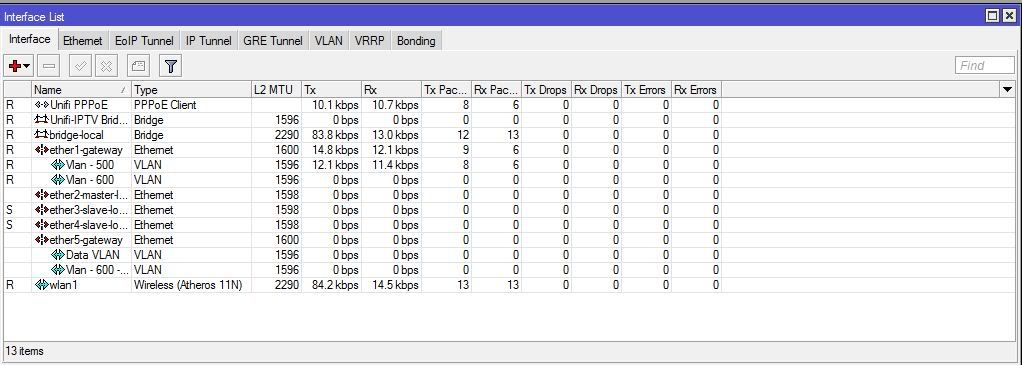
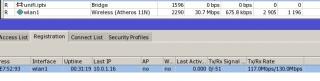
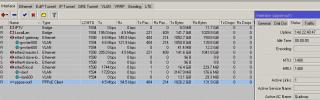
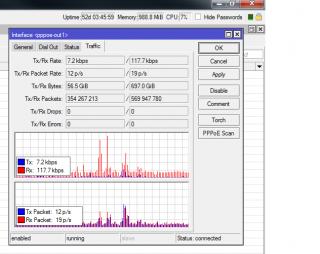
this is my 751 with the high drop rate...

*fyi click on interface*

Attached Image

and this is my 750 without any drop rate since i switch it back

Attached Image


Added on February 2, 2012, 9:29 pm
QUOTE(MISMan @ Feb 2 2012, 07:36 PM)
hi all,

how to set 2nd unifi using rb250gs?

1st unifi already set up n running fine...
*
meaning ?? , how you want to connect it first ??


This post has been edited by JinXXX: Feb 2 2012, 09:29 PM
MX510
post Feb 2 2012, 10:34 PM

Love Me Sin Hate Me Sinner
*******
Senior Member
4,038 posts

Joined: Aug 2005
From: Earth


For load balancing you need a script for that
weikee
post Feb 2 2012, 11:22 PM

10k Club
********
All Stars
12,019 posts

Joined: Jan 2003
QUOTE(JinXXX @ Feb 2 2012, 09:28 PM)
this is my 751 with the high drop rate... 

*fyi click on interface*

Attached Image

and this is my 750 without any drop rate since i switch it back

Attached Image
Mine up for 1 hours + no Transmission drop.

user posted image


Added on February 2, 2012, 11:24 pm
QUOTE(MISMan @ Feb 2 2012, 07:36 PM)
hi all,

how to set 2nd unifi using rb250gs?

1st unifi already set up n running fine...
*
You need to explain what you want to do? You have two Unifi Fiber in one location?

This post has been edited by weikee: Feb 2 2012, 11:24 PM
MISMan
post Feb 3 2012, 09:55 AM

Enthusiast
*****
Senior Member
718 posts

Joined: Apr 2009
From: KL


QUOTE(JinXXX @ Feb 2 2012, 09:28 PM)
this is my 751 with the high drop rate... 

*fyi click on interface*

Attached Image

and this is my 750 without any drop rate since i switch it back

Attached Image


Added on February 2, 2012, 9:29 pm

meaning ?? , how you want to connect it first ??
*
Yes, I have 2 fiber connections at d same place.

D 1st 1 already using VLAN Tag 500, 2nd unifi uses 600 but firewall doesn't seem to b able to dial (pppoe)

Both use for different/separate traffic (controlled by firewall).

Just need to get d firewall to dial d 2nd unifi properly.

Y it couldn't do it ah? Some settings must b wrong here...


Added on February 3, 2012, 9:56 am
QUOTE(MX510 @ Feb 2 2012, 10:34 PM)
For load balancing you need a script for that
*
I'm not using it for LB. Coz 2nd unifi has no fixed ip....


This post has been edited by MISMan: Feb 3 2012, 09:56 AM
JinXXX
post Feb 3 2012, 09:57 AM

Look at all my stars!!
*******
Senior Member
2,516 posts

Joined: Feb 2007
From: Uarla Umpur


QUOTE(MISMan @ Feb 3 2012, 09:55 AM)
Yes, I have 2 fiber connections at d same place.

D 1st 1 already using VLAN Tag 500, 2nd unifi uses 600 but firewall doesn't seem to b able to dial (pppoe)

Both use for different/separate traffic (controlled by firewall).

Just need to get d firewall to dial d 2nd unifi properly.

Y it couldn't do it ah? Some settings must b wrong here...


Added on February 3, 2012, 9:56 am

I'm not using it for LB. Coz 2nd unifi has no fixed ip....
*
unifi data/internet vlan is always working on vlan500...

your vlan 600 is a retag of vlan500 or what ?

vlan600 if not mistaken is for iptv... ONLY..

for it to work.. u need to retag the 2nd unifi vlan500 to maybe vlan 501 and attach your pppoe dailer to it..

then from there you fix your firewall/routing/queing to split traffic on vlan 500 and vlan 501

that is the best way to split/assign the traffic...

This post has been edited by JinXXX: Feb 3 2012, 09:59 AM
MISMan
post Feb 3 2012, 10:03 AM

Enthusiast
*****
Senior Member
718 posts

Joined: Apr 2009
From: KL


QUOTE(weikee @ Feb 2 2012, 11:22 PM)
Mine up for 1 hours + no Transmission drop.

user posted image


Added on February 2, 2012, 11:24 pm
You need to explain what you want to do? You have two Unifi Fiber in one location?
*
Yes, 2 unifis in 1 place. 1 dyn IP for surfing, 1 static for emailing. No load balance (firewall does tat).

The static is already working. Dynamic account was just installed.

IF try2 still kenot, i'll do 2 rb250gs routers for fault tolerant....


Added on February 3, 2012, 10:07 am
QUOTE(JinXXX @ Feb 3 2012, 09:57 AM)
unifi data/internet vlan is always working on vlan500...

your vlan 600 is a retag of vlan500 or what ?

vlan600 if not mistaken is for iptv... ONLY..

for it to work.. u need to retag the 2nd unifi vlan500 to maybe vlan 501 and attach your pppoe dailer to it..

then from there you fix your firewall/routing/queing to split traffic on vlan 500 and vlan 501

that is the best way to split/assign the traffic...
*
Sorry, vlan 600 is not a retag. Vlan '600' was setup SIMPLY to differentiate from 500.

Can firewall dials '501'?


This post has been edited by MISMan: Feb 3 2012, 10:07 AM
JinXXX
post Feb 3 2012, 10:33 AM

Look at all my stars!!
*******
Senior Member
2,516 posts

Joined: Feb 2007
From: Uarla Umpur


QUOTE(MISMan @ Feb 3 2012, 10:03 AM)
Yes, 2 unifis in 1 place. 1 dyn IP for surfing, 1 static for emailing. No load balance (firewall does tat).

The static is already working. Dynamic account was just installed.

IF try2 still kenot, i'll do 2 rb250gs routers for fault tolerant....


Added on February 3, 2012, 10:07 am

Sorry, vlan 600 is not a retag. Vlan '600' was setup SIMPLY to differentiate from 500.

Can firewall dials '501'?
*
so im guessing your trying to do this

unifi 1 & 2 >> rb250 >> firewall ?

why u need the rb250 ? what firewall are you using.. ?

you can actually plug directly from the fiberhome/vdsl modem to the firewall, create a dailer on vlan500 on the firewall itself , im guessing your firewall is doing the dailing...
MX510
post Feb 3 2012, 10:49 AM

Love Me Sin Hate Me Sinner
*******
Senior Member
4,038 posts

Joined: Aug 2005
From: Earth


RB450G :-)

Attached Image
JinXXX
post Feb 3 2012, 10:50 AM

Look at all my stars!!
*******
Senior Member
2,516 posts

Joined: Feb 2007
From: Uarla Umpur


QUOTE(MX510 @ Feb 3 2012, 10:49 AM)
RB450G :-)

Attached Image
*
you using it for ??
MX510
post Feb 3 2012, 10:54 AM

Love Me Sin Hate Me Sinner
*******
Senior Member
4,038 posts

Joined: Aug 2005
From: Earth


QUOTE(JinXXX @ Feb 3 2012, 10:50 AM)
you using it for ??
*
Hotspot deployment my WiFiNet this is for marketing to test market use this later replace with PowerPC

https://www.facebook.com/wifinets

Additional proxy server are included to cater bandwidth usage , link with Mikrotik controller

Attached Image
JinXXX
post Feb 3 2012, 11:00 AM

Look at all my stars!!
*******
Senior Member
2,516 posts

Joined: Feb 2007
From: Uarla Umpur


QUOTE(MX510 @ Feb 3 2012, 10:54 AM)
Hotspot deployment my WiFiNet this is for marketing to test market use this later replace with PowerPC

https://www.facebook.com/wifinets

Additional proxy server are included to cater bandwidth usage , link with Mikrotik controller

Attached Image
*
nice all the best smile.gif
MISMan
post Feb 3 2012, 11:03 AM

Enthusiast
*****
Senior Member
718 posts

Joined: Apr 2009
From: KL


QUOTE(JinXXX @ Feb 3 2012, 10:33 AM)
so im guessing your trying to do this

unifi 1 & 2 >> rb250 >> firewall ?

why u need the rb250 ? what firewall are you using.. ?

you can actually plug directly from the fiberhome/vdsl modem to the firewall, create a dailer on vlan500 on the firewall itself , im guessing your firewall is doing the dailing...
*
Yes, correct.

I need rb250gs coz my FW couldn't dial directly.

It's a sonicwall tz200. It supports vlan tagging but still failed to dial directly.

My setup always concentrate on FW; thus making other equipments running in bridge mode.

JinXXX
post Feb 3 2012, 11:26 AM

Look at all my stars!!
*******
Senior Member
2,516 posts

Joined: Feb 2007
From: Uarla Umpur


QUOTE(MISMan @ Feb 3 2012, 11:03 AM)
Yes, correct.

I need rb250gs coz my FW couldn't dial directly.

It's a sonicwall tz200. It supports vlan tagging but still failed to dial directly.

My setup always concentrate on FW; thus making other equipments running in bridge mode.
*
sonicwall is not a cheap device.. surprise that it can't dail pppoe vlan correctly..

did u try to debug/capture trace when it tries to dail to see whats the fault ? for a device x10 more expensive than mktik..

i think u should at least try to troubleshoot it frist or get their customer service/support services...
MISMan
post Feb 3 2012, 11:45 AM

Enthusiast
*****
Senior Member
718 posts

Joined: Apr 2009
From: KL


QUOTE(JinXXX @ Feb 3 2012, 11:26 AM)
sonicwall is not a cheap device.. surprise that it can't dail pppoe vlan correctly..

did u try to debug/capture trace when it tries to dail to see whats the fault ? for a device x10 more expensive than mktik..

i think u should at least try to troubleshoot it frist or get their customer service/support services...
*
been there, done tat. manufacturer said it could, but other Vendor couldn't make it work. some others said couldn't.

Ding ding dong dong, end up, got d rb250gs solved tat problem.

Next time, dun get sonicwall. Get Fortigate!


JinXXX
post Feb 3 2012, 11:50 AM

Look at all my stars!!
*******
Senior Member
2,516 posts

Joined: Feb 2007
From: Uarla Umpur


QUOTE(MISMan @ Feb 3 2012, 11:45 AM)
been there, done tat. manufacturer said it could, but other Vendor couldn't make it work. some others said couldn't.

Ding ding dong dong, end up, got d rb250gs solved tat problem.

Next time, dun get sonicwall. Get Fortigate!
*
ur sonicwall has an opt port right ?

if yes then the easiest way to configure rb250 is to zone it into two sections(segment it using the forwarding tab)

but with both still using vlan500 and you pipe the second unifi to your opt port and throw the dailer there..

This post has been edited by JinXXX: Feb 3 2012, 11:51 AM
MISMan
post Feb 3 2012, 12:01 PM

Enthusiast
*****
Senior Member
718 posts

Joined: Apr 2009
From: KL


QUOTE(JinXXX @ Feb 3 2012, 11:50 AM)
ur sonicwall has an opt port right ?

if yes then the easiest way to configure rb250 is to zone it into two sections(segment it using the forwarding tab)

but with both still using vlan500 and you pipe the second unifi to your opt port and throw the dailer there..
*
yes...all ports r configurable by software switches. I wonder if d vendor has tried tat. They exhausted all methods...

But, it is possible to do it tat way...have to fiddle FW to try...
JinXXX
post Feb 3 2012, 12:09 PM

Look at all my stars!!
*******
Senior Member
2,516 posts

Joined: Feb 2007
From: Uarla Umpur


QUOTE(MISMan @ Feb 3 2012, 12:01 PM)
yes...all ports r configurable by software switches. I wonder if d vendor has tried tat. They exhausted all methods...

But, it is possible to do it tat way...have to fiddle FW to try...
*
i was mentioning the opt cause, im not sure your has wan2 port ..the opt port is configurable to be a second wan connection smile.gif if u have wan2 then u can use wan2..

you just need to segment the rb250 into 2 and strip the vlan before connecting it to your sonic wan1 and wan2/opt
weikee
post Feb 3 2012, 12:14 PM

10k Club
********
All Stars
12,019 posts

Joined: Jan 2003
You want 1841, 2811, 2821 biggrin.gif
MISMan
post Feb 3 2012, 12:27 PM

Enthusiast
*****
Senior Member
718 posts

Joined: Apr 2009
From: KL


QUOTE(JinXXX @ Feb 3 2012, 12:09 PM)
i was mentioning the opt cause, im not sure your has wan2 port ..the opt port is configurable to be a second wan connection smile.gif if u have wan2 then u can use wan2..

you just need to segment the rb250 into 2 and strip the vlan before connecting it to your sonic wan1 and wan2/opt
*
i hav 4 wan ports (all ports r configurable). I can set any lan/wan combinations.

I tot i must add vlan tags instead of striping it???

later i take a snapshot of my existing rb250gs pics to show u...

JinXXX
post Feb 3 2012, 12:33 PM

Look at all my stars!!
*******
Senior Member
2,516 posts

Joined: Feb 2007
From: Uarla Umpur


QUOTE(MISMan @ Feb 3 2012, 12:27 PM)
I tot i must add vlan tags instead of striping it???

later i take a snapshot of my existing rb250gs pics to show u...
*
depends how your rb250 is.. the ingress port to tm needs the tag, if your stripping the egress to your sonic, then your sonic can dail without the vlan

unifi (vlan500) > rb250 (strip vlan500) > sonic wan1 (pppoe dail without vlan)

so the traffic will be pppoe > rb250 (tag) > unifi lan 500 > internet

of if you wan.. you can tag your wan port on your sonic for vlan500 and put the pppoe dailer there so when u dail and when it goes out the port it will have vlan500 and u can connect straight to the unifi(bridge)/fiber/vdsl


This post has been edited by JinXXX: Feb 3 2012, 12:35 PM
MISMan
post Feb 3 2012, 04:10 PM

Enthusiast
*****
Senior Member
718 posts

Joined: Apr 2009
From: KL


hey guys,

would u guys take a look at my rb250gs config to c wat's wrong?

Vlan:
Attached Image

Vlans:
Attached Image

Problem is, tz200 couldn't dial pppoe properly for WAN2. RB250gs constantly switching from Port 1, 3 to Port 2,4. Can tell from d way LEDs blinking.

Port 1 (from tm 1st unifi) couples with Port 3 (outgoing to FW as WAN1) works perfectly. After adding Port 2 (from tm 2nd unifi) couples with Port 4 (outgoing to FW as WAN2); it didn't work properly.

Any idea? Any other important settings i over looked?


JinXXX
post Feb 3 2012, 04:15 PM

Look at all my stars!!
*******
Senior Member
2,516 posts

Joined: Feb 2007
From: Uarla Umpur


QUOTE(MISMan @ Feb 3 2012, 04:10 PM)
hey guys,

would u guys take a look at my rb250gs config to c wat's wrong?

Vlan:
Attached Image

Vlans:
Attached Image

Problem is, tz200 couldn't dial pppoe properly for WAN2. RB250gs constantly switching from Port 1, 3 to Port 2,4. Can tell from d way LEDs blinking.

Port 1 (from tm 1st unifi) couples with Port 3 (outgoing to FW as WAN1) works perfectly. After adding Port 2 (from tm 2nd unifi) couples with Port 4 (outgoing to FW as WAN2); it didn't work properly.

Any idea? Any other important settings i over looked?
*
ur config wrong already la

u can't do it like that...

use vlan 500 for all.. but in the "forwarding" section.. you split the forwarding/cross connection table to split the switch into 2...

http://forum.lowyat.net/index.php?showtopic=1733801 , see post #4 & #5

the 501 vlan i was mentioning is to trunk 2 data line smile.gif

This post has been edited by JinXXX: Feb 3 2012, 04:26 PM
MISMan
post Feb 3 2012, 05:07 PM

Enthusiast
*****
Senior Member
718 posts

Joined: Apr 2009
From: KL


QUOTE(JinXXX @ Feb 3 2012, 04:15 PM)
ur config wrong already la

u can't do it like that...

use vlan 500 for all.. but in the "forwarding" section.. you split the forwarding/cross connection table to split the switch into 2...

http://forum.lowyat.net/index.php?showtopic=1733801 , see post #4 & #5

the 501 vlan i was mentioning is to trunk 2 data line smile.gif
*
How ler, here's my 'forwarding' page:
Attached Image

Sorry, dun understand d cross connection part. Dun understand how mikrotik put up their routing table either sweat.gif ...

Any help is much appreciated! smile.gif


After viewing post #4, i think it makes sense now.

This post has been edited by MISMan: Feb 3 2012, 05:09 PM
weikee
post Feb 3 2012, 05:19 PM

10k Club
********
All Stars
12,019 posts

Joined: Jan 2003
RB250GS is not router, is a simple manageable Switch. I have not try using 2 same VLAN and separate into two more ports. Not sure you can do that. Hopefully can.

In Cisco, you can do private VLAN that may solve your problem.

Alternative if 250GS can't do what you need, you will have to get 2 250GS
MISMan
post Feb 3 2012, 05:26 PM

Enthusiast
*****
Senior Member
718 posts

Joined: Apr 2009
From: KL


QUOTE(weikee @ Feb 3 2012, 05:19 PM)
RB250GS is not router, is a simple manageable Switch. I have not try using 2 same VLAN and separate into two more ports. Not sure you can do that. Hopefully can.

In Cisco, you can do private VLAN that may solve your problem.

Alternative if 250GS can't do what you need, you will have to get 2 250GS
*
I know. Tat's y i find it very strange. Wat looks like a 'routing table' is a port comm table. Weird.

Yes, i tot of getting 2 x rb250, for fault tolerant as well.

ffrulz
post Feb 3 2012, 05:36 PM

Over the hills and far away.
*****
Senior Member
995 posts

Joined: Mar 2005
From: Johor Bahru , Johor , Malaysia


Hi guys,

http://www.cisco.com/en/US/products/ps10026/index.html

Currently my office has this for a foreign number. But when we connect it to the DIR615, the phone has the tone but when we try to dial out it just doesn't go through. Keeps getting constant Du Du Du Du Du sounds back.

So I was wondering is this issue due to the VLAN for UniFi?

We have no problems using this device connecting it directly to the Streamyx router nor P1. So I'm suspecting it's the VLAN issue.
JinXXX
post Feb 3 2012, 05:45 PM

Look at all my stars!!
*******
Senior Member
2,516 posts

Joined: Feb 2007
From: Uarla Umpur


QUOTE(ffrulz @ Feb 3 2012, 05:36 PM)
So I was wondering is this issue due to the VLAN for UniFi?

We have no problems using this device connecting it directly to the Streamyx router nor P1. So I'm suspecting it's the VLAN issue.
*
well guess you solve your own problem,

when you login to the ATA adaptor, is it logged in to your voip provider ?

im guessing some network problem , open a new thread to address your problem this thread is for mikrotik only smile.gif

This post has been edited by JinXXX: Feb 3 2012, 05:48 PM
soonwai
post Feb 3 2012, 05:46 PM


********
All Stars
11,456 posts

Joined: Oct 2007
From: KL


Hi, RB750GL noob here. I tried the "RB750G setup file for UniFi" from KLSEET.COM available at this URL http://klseet.com/index.php?option=com_con...id=51&Itemid=49

but it's not working. The log shows that the PPPOE keeps dialing and terminating. Username and password are correct.

What's the best guide out these?

I'm trying on BIZ20 fixed IP and will try again tonight on VIP5 at home.

Any help appreciated.
JinXXX
post Feb 3 2012, 05:50 PM

Look at all my stars!!
*******
Senior Member
2,516 posts

Joined: Feb 2007
From: Uarla Umpur


QUOTE(soonwai @ Feb 3 2012, 05:46 PM)
Hi, RB750GL noob here. I tried the "RB750G setup file for UniFi" from KLSEET.COM available at this URL http://klseet.com/index.php?option=com_con...id=51&Itemid=49

but it's not working. The log shows that the PPPOE keeps dialing and terminating. Username and password are correct.

What's the best guide out these?

I'm trying on BIZ20 fixed IP and will try again tonight on VIP5 at home.

Any help appreciated.
*
can't comment about using the setup file, why dont you reset and configure it manually.. 1 by 1 following the screenshot ?

weikee
post Feb 3 2012, 06:14 PM

10k Club
********
All Stars
12,019 posts

Joined: Jan 2003
The Username is case sensitive. Make sure is same as per the Dlink router.
soonwai
post Feb 3 2012, 11:10 PM


********
All Stars
11,456 posts

Joined: Oct 2007
From: KL


QUOTE(JinXXX @ Feb 3 2012, 05:50 PM)
can't comment about using the setup file, why dont you reset and configure it manually.. 1 by 1 following the screenshot ?
*
Was short on time at the office today so I thought I'd take the easy way out first. Will try the manual way tonight. Is the klseet.com guide a good place to start? Or is there another one?

EDIT: It's working! For some reason, possibly the KLSEET config file, the ethernet ports were reversed. Physical port 5 is Ether1 (where my vlan500 is attached). Earlier today I was connecting my BTU to physical port 1 which was actually Ether5-local-slave. I only noticed it just now in the logs (link up/link down messages) when I was plugging in the cables.

Going to do a reset and start everything from scratch. This time doing it manually.


Added on February 3, 2012, 11:12 pm
QUOTE(weikee @ Feb 3 2012, 06:14 PM)
The Username is case sensitive. Make sure is same as per the Dlink router.
*
Got it. I think I have the case correct. Will double check tonight.

btw, where in winbox do I change the IP address of the RB750GL?


Added on February 4, 2012, 5:18 amAll's well now. Haven't had so much fun configuring a router.

One question, for BIZ20 fixed IP, do I just use normal PPPOE as I would for VIP5 dynamic IP? Or is there a proper way to configure fixed IP (with PPPOE authentication)?

One more, can I delete the DHCP Client that's running on ether1 (the WAN port)?

This post has been edited by soonwai: Feb 4 2012, 05:18 AM
jinaun
post Feb 4 2012, 09:54 AM

where are my stars???
Group Icon
Elite
6,139 posts

Joined: Jan 2003
QUOTE(soonwai @ Feb 3 2012, 11:10 PM)

One question, for BIZ20 fixed IP, do I just use normal PPPOE as I would for VIP5 dynamic IP? Or is there a proper way to configure fixed IP (with PPPOE authentication)?

One more, can I delete the DHCP Client that's running on ether1 (the WAN port)?
*
just use normal pppoe, the biz20 username is oledi linked to a fixed ip.

no matter how many times u reconnect.. it will be the same ip.
JinXXX
post Feb 4 2012, 10:27 AM

Look at all my stars!!
*******
Senior Member
2,516 posts

Joined: Feb 2007
From: Uarla Umpur


anybody using RB751U-2HnD

and have some weird problems ?

like this ?

Attached Image


soonwai
post Feb 4 2012, 01:50 PM


********
All Stars
11,456 posts

Joined: Oct 2007
From: KL


QUOTE(jinaun @ Feb 4 2012, 09:54 AM)
just use normal pppoe,  the biz20 username is oledi linked to a fixed ip.

no matter how many times u reconnect.. it will be the same ip.
*
Thanks. Next is to figure out how to utilize the 2nd static IP that I have.
weikee
post Feb 4 2012, 05:28 PM

10k Club
********
All Stars
12,019 posts

Joined: Jan 2003
QUOTE(JinXXX @ Feb 4 2012, 10:27 AM)
anybody using RB751U-2HnD

and have some weird problems ?

like this ?

Attached Image
*
You got disconnection issue?

You using build in antenna?
TSeric_tan
post Feb 4 2012, 06:03 PM

Getting Started
**
Junior Member
264 posts

Joined: Feb 2005


Wow, this thread suddenly got lots of active users.

Good to know there are many other Mikrotik users out there.

I was wondering, I have seen a few users using "RB751U-2HnD". Where do you guys buy it from?
jinaun
post Feb 4 2012, 08:10 PM

where are my stars???
Group Icon
Elite
6,139 posts

Joined: Jan 2003
QUOTE(JinXXX @ Feb 4 2012, 10:27 AM)
anybody using RB751U-2HnD

and have some weird problems ?

like this ?

Attached Image
*
does it happen on the 750GL?
JinXXX
post Feb 4 2012, 11:57 PM

Look at all my stars!!
*******
Senior Member
2,516 posts

Joined: Feb 2007
From: Uarla Umpur


QUOTE(weikee @ Feb 4 2012, 05:28 PM)
You got disconnection issue?

You using build in antenna?
*
not disconnection.. just packet drop.. just now i notice on my RB751U-2HnD

cpu hitting 100%,super slow logging to it using winbox, and im sure that is causing my earlier high tx drop rates..

fyi im using wired, got a feeling something is wrong with the firmware or the 5.12 os

QUOTE(jinaun @ Feb 4 2012, 08:10 PM)
does it happen on the 750GL?
*
nope

weikee
post Feb 5 2012, 08:12 AM

10k Club
********
All Stars
12,019 posts

Joined: Jan 2003
Can you disconnect all connection and wait few mins and see if happen?


Added on February 5, 2012, 8:17 amI mean wait sometime and check log if its still happen.

This post has been edited by weikee: Feb 5 2012, 08:17 AM
JinXXX
post Feb 5 2012, 08:36 AM

Look at all my stars!!
*******
Senior Member
2,516 posts

Joined: Feb 2007
From: Uarla Umpur


QUOTE(weikee @ Feb 5 2012, 08:12 AM)
Can you disconnect all connection and wait few mins and see if happen?


Added on February 5, 2012, 8:17 amI mean wait sometime and check log if its still happen.
*
yeah doing that currently... smile.gif


Added on February 5, 2012, 11:46 pmanybody know how the heck to read the supout.rif file ?

This post has been edited by JinXXX: Feb 5 2012, 11:46 PM
soonwai
post Feb 6 2012, 03:30 AM


********
All Stars
11,456 posts

Joined: Oct 2007
From: KL


QUOTE(eric_tan @ Feb 4 2012, 06:03 PM)
Wow, this thread suddenly got lots of active users.

Good to know there are many other Mikrotik users out there.

I was wondering, I have seen a few users using "RB751U-2HnD". Where do you guys buy it from?
*
There's a sales thread in Garage Sales for this but I"m holding out for the RB751G-2HnD. Prefer to have GB ports.
ck_mon
post Feb 7 2012, 05:29 PM

Getting Started
**
Junior Member
133 posts

Joined: May 2007
hi all, im having problem with firewall filter setting

im planning to restriction users for access several IPs (public IP) so im implement this:

» Click to show Spoiler - click again to hide... «


but its no effect at all, all users still can access the IP, is there any wrong in my settings?
JinXXX
post Feb 7 2012, 05:32 PM

Look at all my stars!!
*******
Senior Member
2,516 posts

Joined: Feb 2007
From: Uarla Umpur


QUOTE(ck_mon @ Feb 7 2012, 05:29 PM)
hi all, im having problem with firewall filter setting

im planning to restriction users for access several IPs (public IP) so im implement this:

» Click to show Spoiler - click again to hide... «


but its no effect at all, all users still can access the IP, is there any wrong in my settings?
*
go check the wiki regarding chain..

input (refers to router itself)
forward (pass through router)
output (well the opposite of input)

soonwai
post Feb 9 2012, 08:40 PM


********
All Stars
11,456 posts

Joined: Oct 2007
From: KL


Hi sifus,

What's the difference between Queue Trees and Simple Queues (from the context of traffic prioritization) ?

btw, I just found that there are a lot of tutorials for Mikrotik on 4shared.com. Just do a search for "Mikrotik". I think might be good for newbies like me. Most of them are in Bahasa Indonesia but not a prob for us.

Two more tools that I found during my Mikrotik R&D this week.

RouterOS monitoring tool in PHP: http://sourceforge.net/projects/rosinfo/
TikTool: iPhone app for monitoring RouterOS devices.

This post has been edited by soonwai: Feb 9 2012, 08:46 PM
asellus
post Feb 10 2012, 12:45 PM

#gompusas
Group Icon
Elite
4,541 posts

Joined: Jan 2003
From: BSRPPG51 Access Concentrator


Use simple queues to shape/limit/prioritize traffic, use queue trees to distribute bandwidth.
soonwai
post Feb 11 2012, 03:42 AM


********
All Stars
11,456 posts

Joined: Oct 2007
From: KL


I've enabled uPNP on the RB750GL and it's working. Is there anywhere in winbox where I can see the ports that were created by uPNP?


Added on February 11, 2012, 3:05 pm
QUOTE(asellus @ Feb 10 2012, 12:45 PM)
Use simple queues to shape/limit/prioritize traffic, use queue trees to distribute bandwidth.
*
asellus, thanks, I still don't quite understand in what situation we should use one or the either. I've tried both the examples given on klseet.com and they both achieve the same thing so I'm happy. Currently I'm using Simple Queues. I'm under the assumption that this is faster/less CPU intensive if I only have a few Mangle rules.

This post has been edited by soonwai: Feb 11 2012, 03:05 PM
weikee
post Feb 11 2012, 10:29 PM

10k Club
********
All Stars
12,019 posts

Joined: Jan 2003
QUOTE(soonwai @ Feb 11 2012, 03:42 AM)
I've enabled uPNP on the RB750GL and it's working. Is there anywhere in winbox where I can see the ports that were created by uPNP?


Added on February 11, 2012, 3:05 pm
asellus, thanks, I still don't quite understand in what situation we should use one or the either. I've tried both the examples given on klseet.com and they both achieve the same thing so I'm happy. Currently I'm using Simple Queues. I'm under the assumption that this is faster/less CPU intensive if I only have a few Mangle rules.
*
How many equipments you have that need QoS?
soonwai
post Feb 12 2012, 12:55 AM


********
All Stars
11,456 posts

Joined: Oct 2007
From: KL


QUOTE(weikee @ Feb 11 2012, 10:29 PM)
How many equipments you have that need QoS?
*
Currently where I'm experimenting, which is in the house, there are 2 iPhones, 2 iPads, 3 computers, 2 AppleTVs and 1 Wii. I think that's all the stuff that gets on the net. The bandwidth hogs would be the 2 of the 3 computers and the 2 AppleTVs when they are in use.

I've been playing around with setting up the email and scripting. Just want to share this little script which I modified based on an example from the Mikrotik wiki.

All it does is email me the IP address if it's changed (along with uptime, cpu load & free mem).
It assumes the interface for UniFi is named "unifi" and that email has been setup.
I have it schedule to run at 1 min intervals.

After this I plan to integrate one of the sample dyndns.com scripts into this so that it updates my dyndns as well.

This RB750GL is so much fun. Sure beats playing with the kids. :-)

CODE
:global ddnsip
:global ddnslastip
:global strdate [/system clock get date]
:global strtime [/system clock get time]
:global strsystemname [/system identity get name]
:global strsystemuptime [/system resource get uptime]
:global strsystemfreemem [/system resource get free-memory]
:global strsystemcpuload [/system resource get cpu-load]
:if ([ :typeof $ddnslastip ] = nil ) do={ :global ddnslastip "0" }
:global ddnssystem ("Version-" . [/system package get system version] )
:global ddnsip [ /ip address get [/ip address find interface=unifi ] address ]
:if ([ :typeof $ddnsip ] = nil ) do={
  :log info ("DDNS: No ip address present on Unifi interface, please check.")
} else={
 :if ($ddnsip != $ddnslastip) do={
   /tool e-mail send to=user@example.com subject="UniFi IP $strdate $strtime $strsystemname" body="$strsystemname $strdate $strtime \rUniFi IP: $ddnsip \rUptime: $strsystemuptime \rFree memory: $strsystemfreemem kb \rCPU Load: $strsystemcpuload %" tls=yes
   :log info "DDNS: Sending UPDATE!"
   :global ddnslastip "$ddnsip"
 } else={
#    :log info "DDNS: No update required."
   }
}


This post has been edited by soonwai: Feb 12 2012, 01:06 AM
weikee
post Feb 12 2012, 02:56 PM

10k Club
********
All Stars
12,019 posts

Joined: Jan 2003
i use Mikrotik for basic connection only. Mostly use cisco for setting. Lazy to relearn another language unless required.

You don't have much machine. If it hog up, maybe you have too many torrent or p2p connection.
JinXXX
post Feb 12 2012, 04:46 PM

Look at all my stars!!
*******
Senior Member
2,516 posts

Joined: Feb 2007
From: Uarla Umpur


QUOTE(weikee @ Feb 12 2012, 02:56 PM)
i use Mikrotik for basic connection only. Mostly use cisco for setting. Lazy to relearn another language unless required.

You don't have much machine. If it hog up, maybe you have too many torrent or p2p connection.
*
go to the ip>firewall > connection and see how many connection are there...

me 1 user can have about 300 max.. and on average 150 connections

@weikee , cisco IOS , can do scripting ?

This post has been edited by JinXXX: Feb 12 2012, 04:46 PM
soonwai
post Feb 12 2012, 04:53 PM


********
All Stars
11,456 posts

Joined: Oct 2007
From: KL


QUOTE(weikee @ Feb 12 2012, 02:56 PM)
i use Mikrotik for basic connection only. Mostly use cisco for setting. Lazy to relearn another language unless required.

You don't have much machine. If it hog up, maybe you have too many torrent or p2p connection.
*
I only have one Mac torrenting. Just want to learn more about QoS. Not really having a problem with bandwidth hogs.


Added on February 12, 2012, 4:55 pm
QUOTE(JinXXX @ Feb 12 2012, 04:46 PM)
go to the ip>firewall > connection and see how many connection are there...

me 1 user can have about 300 max.. and on average 150 connections

@weikee , cisco IOS , can do scripting ?
*
Currently, with 2 torrents downloading and 3 more seeding, I have 190 connections.

Sorry if sifus misunderstood me, I'm not having a prob with QoS but just trying to learn more about IP Mangles and when and where to use Simple Queues or Queue Trees.

This post has been edited by soonwai: Feb 12 2012, 04:57 PM
weikee
post Feb 12 2012, 05:02 PM

10k Club
********
All Stars
12,019 posts

Joined: Jan 2003
QUOTE(JinXXX @ Feb 12 2012, 04:46 PM)
go to the ip>firewall > connection and see how many connection are there...

me 1 user can have about 300 max.. and on average 150 connections

@weikee , cisco IOS , can do scripting ?
*
You can, but some don't need too, cause already build in the ios. Like the Dyndns. Scripting is another level of knowledge. I did once for ISP failover to secondary "ADSL" line.


Added on February 12, 2012, 5:03 pm
QUOTE(soonwai @ Feb 12 2012, 04:53 PM)
I only have one Mac torrenting. Just want to learn more about QoS. Not really having a problem with bandwidth hogs.


Added on February 12, 2012, 4:55 pm
Currently, with 2 torrents downloading and 3 more seeding, I have 190 connections.

Sorry if sifus misunderstood me, I'm not having a prob with QoS but just trying to learn more about IP Mangles and when and where to use Simple Queues or Queue Trees.
*
Using P2P or torrent will surely take up bandwidth may used up all your NAT translation table too. In Cisco it can limit it, but this will slow down your download. Think mikrotik can too.

This post has been edited by weikee: Feb 12 2012, 05:03 PM
soonwai
post Feb 12 2012, 05:08 PM


********
All Stars
11,456 posts

Joined: Oct 2007
From: KL


Sorry, I've got another question. I'm using the QoS rules (Simple Queues) example from klseet.com which I'm still trying to understand. It prioritizes web traffic (port 80) into q1 and everything unspecified incl encrypted bittorrent traffic gets dumped into q7. All this seems to work.

My question is how do I mark FTP data connection? Port 21 is marked for q2 which works but passive FTP uses a dynamic port for the actual data connection. At the moment this gets marked into q7.

Sorry I'm so blur when it comes to this.
weikee
post Feb 12 2012, 05:54 PM

10k Club
********
All Stars
12,019 posts

Joined: Jan 2003
FTP is using dynamic port so is not easy to identify. If you know specific FTP Server IP, you can than do QoS on destination IP.

BTW, putting port 80 as q1, if i use P2P HTTP tunneling it will go to your q1 smile.gif
soonwai
post Feb 12 2012, 07:45 PM


********
All Stars
11,456 posts

Joined: Oct 2007
From: KL


QUOTE(weikee @ Feb 12 2012, 05:54 PM)
FTP is using dynamic port so is not easy to identify.  If you know specific FTP Server IP, you can than do QoS on destination IP.

BTW, putting port 80 as q1, if i use P2P HTTP tunneling it will go to your q1 smile.gif
*
weikee, thanks, but my FTP server and BT client is on the same Mac, same IP. I suppose I could:
1. Set the FTP server to non-passive.
2. Limit the passive FTP port range on my FTP server and mark those ports on the router.

Will connection-type=ftp catch passive FTP ports?

Will try that later and see how it's go.

As for HTTP tunneling, it's ok lah. I'm not trying to block my p2p, just want to queue them up so that web browsing & FTP has priority. FTP is only used occasionally by my mum to transfer stuff from my house to hers.
weikee
post Feb 12 2012, 09:13 PM

10k Club
********
All Stars
12,019 posts

Joined: Jan 2003
Wow, your mom very "in" woh. Know how to use FTP.
soonwai
post Feb 13 2012, 01:19 AM


********
All Stars
11,456 posts

Joined: Oct 2007
From: KL


QUOTE(weikee @ Feb 12 2012, 09:13 PM)
Wow, your mom very "in" woh. Know how to use FTP.
*
Not really lah. Now got plenty of easy to use dragndrop ftp clients. She just use it to copy over the TVB shows I download for her. Since I started mucking around with the QoS on the RB750GL, she's complaining it's slower than before. Anyway temporarily I've got her to sftp in to my server. That works OK since it's on port 22 and that's marked properly. Problem now is she can see all the folders on my HD. Have to go and chroot her login.


Added on February 13, 2012, 3:05 am
QUOTE(soonwai @ Feb 12 2012, 07:45 PM)
Will connection-type=ftp catch passive FTP ports?

Will try that later and see how it's go.
*
Just tried it and it seems to work. FTP data transfer are now going into correct queue. Relevent parts of /IP Firewall Mangle below.

CODE

chain=prerouting action=mark-connection new-connection-mark=q2 passthrough=yes protocol=tcp in-interface=unifi port="" connection-type=ftp

chain=postrouting action=mark-connection new-connection-mark=q2 passthrough=yes protocol=tcp out-interface=unifi port="" connection-type=ftp

chain=prerouting action=mark-packet new-packet-mark=QoS_2 passthrough=no protocol=tcp in-interface=unifi connection-mark=q2

chain=postrouting action=mark-packet new-packet-mark=QoS_2 passthrough=no protocol=tcp out-interface=unifi connection-mark=q2

NB: You don't have to mark-connection and mark-packet. I was just doing that so I can see the results in my Connections table.

This post has been edited by soonwai: Feb 13 2012, 03:12 AM
akmis
post Feb 13 2012, 05:44 PM

Getting Started
**
Junior Member
158 posts

Joined: Jan 2003
Any one has experience setting up mikrotik for unifi biz with 5 fixed ip? how can i use the 5 ip?

Currently our RB750GL can only see 1 ip.
MX510
post Feb 13 2012, 06:35 PM

Love Me Sin Hate Me Sinner
*******
Senior Member
4,038 posts

Joined: Aug 2005
From: Earth


This is the code for ddns update

CODE
# Written by Sam Norris, ChangeIP.com:global ddnsuser "username"
:global ddnspass "password"
:global ddnshost "saddizdd7.PORTRELAY.COM"
:global ddnsinterface "pppoe-out1"
# ~~~~~~~~~~~~~~~~~~~~~~~~~~~~~~~~~~~~~~~~~
# END OF USER DEFINED CONFIGURATION
# ~~~~~~~~~~~~~~~~~~~~~~~~~~~~~~~~~~~~~~~~~

:global ddnssystem ("mt-" . [/system package get [/system package find name=system] version] )
:global ddnsip [ /ip address get [/ip address find interface=$ddnsinterface] address ]
:global ddnslastip

:if ([:len [/interface find name=$ddnsinterface]] = 0 ) do={ :log info "DDNS: No interface named $ddnsinterface, please check configuration." }

:if ([ :typeof $ddnslastip ] = "nothing" ) do={ :global ddnslastip 0.0.0.0/0 }

:if ([ :typeof $ddnsip ] = "nothing" ) do={

:log info ("DDNS: No ip address present on " . $ddnsinterface . ", please check.")

} else={

 :if ($ddnsip != $ddnslastip) do={

   :log info "DDNS: Sending UPDATE!"
   :log info [ :put [/tool dns-update name=$ddnshost address=[:pick $ddnsip 0 [:find $ddnsip "/"] ] key-name=$ddnsuser key=$ddnspass ] ]
   :global ddnslastip $ddnsip

 } else={

   :log info "DDNS: No changes necessary."

 }

}


soonwai
post Feb 14 2012, 01:08 AM


********
All Stars
11,456 posts

Joined: Oct 2007
From: KL


QUOTE(MX510 @ Feb 13 2012, 06:35 PM)
This is the code for ddns update
Thanks, I don't have have my own BIND server. I'm using dyn.com for my dyndns. Luckily there're plenty of examples on the wiki.


Added on February 14, 2012, 1:44 am
QUOTE(akmis @ Feb 13 2012, 05:44 PM)
Any one has experience setting up mikrotik for unifi biz with 5 fixed ip? how can i use the 5 ip?

Currently our RB750GL can only see 1 ip.
*
This is next on my todo list. I"m using BiZ20 with 2 fixed IPs. At the moment just using one of them. Hope we can share and learn.

Currently, how is your RB750GL set up to connect to UniFi? I'm using the usual PPPOE client to "dial" UniFi and letting it assign my fixed IP. I've always wondered if there's another way to do it.

This post has been edited by soonwai: Feb 14 2012, 01:44 AM
akmis
post Feb 14 2012, 06:33 AM

Getting Started
**
Junior Member
158 posts

Joined: Jan 2003
I initially thought of bridging the LAN interface with vlan 500 of WAN Gateway, but this cause the internet uplink to fail.
JinXXX
post Feb 14 2012, 11:05 AM

Look at all my stars!!
*******
Senior Member
2,516 posts

Joined: Feb 2007
From: Uarla Umpur


QUOTE(akmis @ Feb 13 2012, 05:44 PM)
Any one has experience setting up mikrotik for unifi biz with 5 fixed ip? how can i use the 5 ip?

Currently our RB750GL can only see 1 ip.
*
QUOTE(soonwai @ Feb 14 2012, 01:08 AM)
Thanks, I don't have have my own BIND server. I'm using dyn.com for my dyndns. Luckily there're plenty of examples on the wiki.


Added on February 14, 2012, 1:44 am
This is next on my todo list. I"m using BiZ20 with 2 fixed IPs. At the moment just using one of them. Hope we can share and learn.

Currently, how is your RB750GL set up to connect to UniFi? I'm using the usual PPPOE client to "dial" UniFi and letting it assign my fixed IP. I've always wondered if there's another way to do it.
*
QUOTE(akmis @ Feb 14 2012, 06:33 AM)
I initially thought of bridging the LAN interface with vlan 500 of WAN Gateway, but this cause the internet uplink to fail.
*
if not mistaken you need to create a new network and have a route to route it in

as the ip assigned to the router will be the gateway...

you need to create another network with the proper subnet of the public ip i think its /26
weikee
post Feb 14 2012, 11:37 AM

10k Club
********
All Stars
12,019 posts

Joined: Jan 2003
QUOTE(soonwai @ Feb 14 2012, 01:08 AM)
Thanks, I don't have have my own BIND server. I'm using dyn.com for my dyndns. Luckily there're plenty of examples on the wiki.


Added on February 14, 2012, 1:44 am
This is next on my todo list. I"m using BiZ20 with 2 fixed IPs. At the moment just using one of them. Hope we can share and learn.

Currently, how is your RB750GL set up to connect to UniFi? I'm using the usual PPPOE client to "dial" UniFi and letting it assign my fixed IP. I've always wondered if there's another way to do it.
*
When you got the IP after successful dial in PPPoE, what subnet did you get? 255.255.255.252? or 255.255.255.255 (/32 or /30) ?

This post has been edited by weikee: Feb 14 2012, 11:37 AM
akmis
post Feb 14 2012, 02:04 PM

Getting Started
**
Junior Member
158 posts

Joined: Jan 2003
the subnet given is 255.255.255.248
soonwai
post Feb 14 2012, 04:32 PM


********
All Stars
11,456 posts

Joined: Oct 2007
From: KL


QUOTE(weikee @ Feb 14 2012, 11:37 AM)
When you got the IP after successful dial in PPPoE, what subnet did you get? 255.255.255.252? or 255.255.255.255  (/32 or /30) ?
*
Mine's 255.255.255.252 or /30
weikee
post Feb 14 2012, 04:41 PM

10k Club
********
All Stars
12,019 posts

Joined: Jan 2003
QUOTE(soonwai @ Feb 14 2012, 04:32 PM)
Mine's 255.255.255.252 or /30
*
That mean, the 2 ip is route to your router already. If you trace route from another network (ISP) you see it will reach your Mikrotik router.
soonwai
post Feb 14 2012, 05:30 PM


********
All Stars
11,456 posts

Joined: Oct 2007
From: KL


This is odd. I think I'm wrong about the subnet mask.

My fixed IP & mask as given by TM is x.x.x.65 & 66, mask 255.255.255.252.

x.x.x.65 is assigned by PPPOE. I added 66 in /ip address. Now traceroute completes for 66 and I can telnet to both IPs.

Just for the heck of it, I added 64 & 67 as well. These work as well. Seems like I have 4 fixed IPs. Hmmm. (63 & 68 doesn't)

From where on the RB750GL do you see the subnet mask given by PPPOE?

OK, I did a /ip address print and the PPPOE assigned IP is x.x.x.65/32.

This post has been edited by soonwai: Feb 14 2012, 05:53 PM
JinXXX
post Feb 14 2012, 09:07 PM

Look at all my stars!!
*******
Senior Member
2,516 posts

Joined: Feb 2007
From: Uarla Umpur


if not mistaken usually the ip assigned to the pppoe interface

is the gateway to your other ip that is given..


weikee
post Feb 14 2012, 09:31 PM

10k Club
********
All Stars
12,019 posts

Joined: Jan 2003
QUOTE(soonwai @ Feb 14 2012, 05:30 PM)
This is odd. I think I'm wrong about the subnet mask.

My fixed IP & mask as given by TM is x.x.x.65 & 66, mask 255.255.255.252.

x.x.x.65 is assigned by PPPOE. I added 66 in /ip address. Now traceroute completes for 66 and I can telnet to both IPs.

Just for the heck of it, I added 64 & 67 as well. These work as well. Seems like I have 4 fixed IPs. Hmmm. (63 & 68 doesn't)

From where on the RB750GL do you see the subnet mask given by PPPOE?

OK, I did a /ip address print and the PPPOE assigned IP is x.x.x.65/32.
*
That is usually the case, cause one IP for TM router, another for your router, and 2 for your fixed IP.

Last time when my office using one fix IP ADSL, i can use 2 inside the router. But if you need to map external IP inside your office / network you can only do one equipment/server.

This post has been edited by weikee: Feb 14 2012, 09:32 PM
MX510
post Feb 14 2012, 10:49 PM

Love Me Sin Hate Me Sinner
*******
Senior Member
4,038 posts

Joined: Aug 2005
From: Earth


To do load balancer on Mikrotik you need a script for that otherwise it will be total fakap tongue.gif
jinaun
post Feb 14 2012, 10:59 PM

where are my stars???
Group Icon
Elite
6,139 posts

Joined: Jan 2003
just found out 5.13 is out
MX510
post Feb 14 2012, 11:01 PM

Love Me Sin Hate Me Sinner
*******
Senior Member
4,038 posts

Joined: Aug 2005
From: Earth


QUOTE(jinaun @ Feb 14 2012, 10:59 PM)
just found out 5.13 is out
*
Yeah

CODE
What's new in 5.13 (2012-Feb-14 08:18):

*) firewall - to-address can be specified as ip address with mask in addition to
   ip range;
*) traffic-generator - fix crash on multicore systems;
*) smb - fixes and improvements;
*) sstp - added RC4 cipher support to fix interoperability issues
   introduced in MS KB2585542 security update. from now on RC4 is the
   preferred cipher and AES will be used only if peer does not advertise RC4;
*) dhcp client - revert DNS settings on dhcp client disable;
*) quickset - country & channel-width can now be specified;
*) quickset - added support for configuring pppoe client on wireless interface;
*) bridge - fixed problem where arp reply-only or disabled mode didn't work and
  disabled bridge interfaces didn't have X flag;
*) webfig - fixed problem where none of table entries were shown if table filter
  was left to 'all';
*) webfig - show login page if autologin fails;
*) user manager - don't store backups in active store, always use path relative to /;


Will do the update later :-)
soonwai
post Feb 15 2012, 01:45 AM


********
All Stars
11,456 posts

Joined: Oct 2007
From: KL


For Mac users (& Linux too), I just found out today that winbox.exe works just fine with WineBottler. No need to boot-up Parallels or VMWare just to run it. Only thing that doesn't work is device discovery.


Added on February 16, 2012, 2:19 pmmfa333 plans to bring in the RB751G-HnD! Anybody planning to get one?

This post has been edited by soonwai: Feb 16 2012, 02:19 PM
weikee
post Feb 16 2012, 11:00 PM

10k Club
********
All Stars
12,019 posts

Joined: Jan 2003
How much is the RB751G? Same price as the RB751U?

The CPU and FPS about the same, not worth to pay too much difference. Maybe RM 50 to 70 extra is ok.
soonwai
post Feb 17 2012, 12:47 AM


********
All Stars
11,456 posts

Joined: Oct 2007
From: KL


QUOTE(weikee @ Feb 16 2012, 11:00 PM)
How much is the RB751G? Same price as the RB751U?

The CPU and FPS about the same, not worth to pay too much difference. Maybe RM 50 to 70 extra is ok.
*
It's listed in mfa333's thread already at RM380 so that's +100. But in his reply to my question, he said 350-380. Might be in by next week.

I called Landasan also, they say they're going to bring in at the end of Feb. But these guys cannot depend one. Last month I ask for RB750GL also say end of the month. Nothing in stock for now. I think they prefer doing training than selling hardware. Better margins.

This post has been edited by soonwai: Feb 17 2012, 12:51 AM
weikee
post Feb 17 2012, 09:44 AM

10k Club
********
All Stars
12,019 posts

Joined: Jan 2003
Paying another RM 100 for all the same with just Giga port. To me not worth it. Maybe you have specific use for Gigaport but I don't see the use on my equipment.
soonwai
post Feb 17 2012, 10:02 AM


********
All Stars
11,456 posts

Joined: Oct 2007
From: KL


QUOTE(weikee @ Feb 17 2012, 09:44 AM)
Paying another RM 100 for all the same with just Giga port. To me not worth it. Maybe you have specific use for Gigaport but I don't see the use on my equipment.
*
I'm waiting to see if Landasan can bring in cheaper. Last time they were selling the RB750GL for RM210. 40 bucks less than the LYN.

You're using RB751U-HnD already right? Did you manage to solve the problem with the network throughput dropouts caused by high CPU usage by the Flash process?
weikee
post Feb 17 2012, 11:11 AM

10k Club
********
All Stars
12,019 posts

Joined: Jan 2003
QUOTE(soonwai @ Feb 17 2012, 10:02 AM)
I'm waiting to see if Landasan can bring in cheaper. Last time they were selling the RB750GL for RM210. 40 bucks less than the LYN.

You're using RB751U-HnD already right? Did you manage to solve the problem with the network throughput dropouts caused by high CPU usage by the Flash process?
*
I don't have dropping issue, Even using torrent for few hours did not have this problem. But I don't leave the equipments on 24x7, I usually off before leaving to work.
soonwai
post Feb 17 2012, 11:28 AM


********
All Stars
11,456 posts

Joined: Oct 2007
From: KL


I wanted a quick & simple way to monitor Tx & Rx rates for my local devices. There's Traffic Flow & Accounting in the RB750GL but I had no idea what they're for nor how to use them. I was going to ask here but thought I'd give it a try first. I checked the Mikrotik forums and found an example using Simple Queues to achieve that but it seems to interfere with my existing queues and only shows Rx rates. In the end I realize that I can do this by using IP Mangle. Maybe this will be useful to someone. My apologies if it's already common knowledge.

CODE
/ip firewall mangle print
Flags: X - disabled, I - invalid, D - dynamic
0  ;;; iMac
    chain=postrouting action=passthrough dst-address=10.0.1.7

1   chain=prerouting action=passthrough src-address=10.0.1.7

2  ;;; MBP
    chain=postrouting action=passthrough dst-address=10.0.1.8

3   chain=prerouting action=passthrough src-address=10.0.1.8

4  ;;; MacPro
    chain=postrouting action=passthrough dst-address=10.0.1.9

5   chain=prerouting action=passthrough src-address=10.0.1.9


Basically I just add 2 Mangle rules with a passthrough action for each IP address that I want to monitor. The result in winbox is this, which is exactly what I need.
Attached Image

I'm sure this has been done before. Am I doing it the right way? Or is there a better way to do this.


Added on February 17, 2012, 11:32 am
QUOTE(weikee @ Feb 17 2012, 11:11 AM)
I don't have dropping issue, Even using torrent for few hours did not have this problem. But I don't leave the equipments on 24x7, I usually off before leaving to work.
*
My mistake, it was JinXXX, post #130 in this thread. I remember he posted on the Mikrotik forums too.

@JinXXX did you manage to find out what cause the dropouts and solve it?

This post has been edited by soonwai: Feb 17 2012, 11:32 AM
JinXXX
post Feb 17 2012, 02:35 PM

Look at all my stars!!
*******
Senior Member
2,516 posts

Joined: Feb 2007
From: Uarla Umpur


QUOTE(soonwai @ Feb 17 2012, 11:28 AM)

Added on February 17, 2012, 11:32 am
My mistake, it was JinXXX, post #130 in this thread. I remember he posted on the Mikrotik forums too.

@JinXXX did you manage to find out what cause the dropouts and solve it?
*
nope.. never did found out and nobody seems to know anything abt it.. other than some people are experiencing it..

im guessing its a bug.. not sure if it exists on the new 5.13 but seeing the mk forum..

seem like 5.06 and above seem to have weird funny problems..

maybe u can help bump the thread in mk forum see if anybody tested out the 5.13 and is still having the problem or not

ps : i malas wan to test and swap back n forth.. just need my network to run and work.. smile.gif

This post has been edited by JinXXX: Feb 17 2012, 02:36 PM
weikee
post Feb 17 2012, 07:40 PM

10k Club
********
All Stars
12,019 posts

Joined: Jan 2003
QUOTE(JinXXX @ Feb 17 2012, 02:35 PM)
nope.. never did found out and nobody seems to know anything abt it.. other than some people are experiencing it..

im guessing its a bug.. not sure if it exists on the new 5.13 but seeing the mk forum..

seem like 5.06 and above seem to have weird funny problems..

maybe u can help bump the thread in mk forum see if anybody tested out the 5.13 and is still having the problem or not

ps : i malas wan to test and swap back n forth.. just need my network to run and work.. smile.gif
*
Good excuse for buying the 751G biggrin.gif
soonwai
post Feb 17 2012, 07:48 PM


********
All Stars
11,456 posts

Joined: Oct 2007
From: KL


QUOTE(JinXXX @ Feb 17 2012, 02:35 PM)
maybe u can help bump the thread in mk forum see if anybody tested out the 5.13 and is still having the problem or not

ps : i malas wan to test and swap back n forth.. just need my network to run and work.. smile.gif
*
Sure, I'll go bump it after this.


Added on February 17, 2012, 8:16 pmJinXXX: Have you read this thread? Something about RB751U first batch production problem and flashing LEDs. Might be related to your prob too.
http://forum.mikrotik.com/viewtopic.php?f=7&t=58741&p=300632

This post has been edited by soonwai: Feb 17 2012, 08:16 PM
JinXXX
post Feb 18 2012, 09:44 AM

Look at all my stars!!
*******
Senior Member
2,516 posts

Joined: Feb 2007
From: Uarla Umpur


QUOTE(soonwai @ Feb 17 2012, 07:48 PM)
Sure, I'll go bump it after this.


Added on February 17, 2012, 8:16 pmJinXXX: Have you read this thread? Something about RB751U first batch production problem and flashing LEDs. Might be related to your prob too.
http://forum.mikrotik.com/viewtopic.php?f=7&t=58741&p=300632
*
nope check already..

those batches are in the very early stages of the release way back in oct/nov...


soonwai
post Feb 18 2012, 03:01 PM


********
All Stars
11,456 posts

Joined: Oct 2007
From: KL


QUOTE(JinXXX @ Feb 18 2012, 09:44 AM)
nope check already..

those batches are in the very early stages of the release way back in oct/nov...
*
I see, I suppose you've emailed MT support about this already? Did they reply?


Added on February 18, 2012, 5:10 pm
QUOTE(akmis @ Feb 13 2012, 05:44 PM)
Any one has experience setting up mikrotik for unifi biz with 5 fixed ip? how can i use the 5 ip?

Currently our RB750GL can only see 1 ip.
*
Hi akmis,
Have you found a solution to this yet?

I haven't had much time at the office where the BIZ20 is so I couldn't try this week but I've been reading up and maybe 2 possible solutions.

1. New routes
2. SRC-NAT

This post has been edited by soonwai: Feb 18 2012, 05:10 PM
JinXXX
post Feb 20 2012, 08:45 PM

Look at all my stars!!
*******
Senior Member
2,516 posts

Joined: Feb 2007
From: Uarla Umpur


QUOTE(soonwai @ Feb 18 2012, 03:01 PM)
I see, I suppose you've emailed MT support about this already? Did they reply?


Added on February 18, 2012, 5:10 pm
Hi akmis,
Have you found a solution to this yet?

I haven't had much time at the office where the BIZ20 is so I couldn't try this week but I've been reading up and maybe 2 possible solutions.

1. New routes
2. SRC-NAT
*
http://wiki.mikrotik.com/wiki/Manual:IP/Address

ip address> add address=10.10.10.1/24 interface=ether2

so u guys would put

tmnuts ip/30 interface=ether3 well 30 is already 1 ip with 1 loop and 1 bcast..

so /29 will net you 6 ip.. 1 on the pppoe interface aka gateway to your other ips..

then from then link out to a switch and pop the ip's to the server or what ever net equipment ?

anybody tested that ?

should be able to route the traffic in and out of the router since the pppoe for biz is usually the gateway

which happens to the be the first/second ip of the /30 right, (depending if you count loopback)
soonwai
post Feb 21 2012, 02:30 AM


********
All Stars
11,456 posts

Joined: Oct 2007
From: KL


Thanks, JinXXX. I'm gonna try to wrap my head around that and see if I can get it working.


Added on February 21, 2012, 9:46 amAnybody wanna try out IPv6 on their Mikrotik router. My config below. This is using 6to4 anycast relays.

My IPv6 config for my Mikrotik RB750GL.
CODE
/interface 6to4
add disabled=no local-address=175.139.x.x name=6to4 remote-address=unspecified

/ipv6 address
add address=2002:XXXX:XXXX::1/16 advertise=no comment=6to4public disabled=no eui-64=no interface=6to4
add address=2002:XXXX:XXXX:1::1/64 advertise=yes comment=6to4subnet disabled=no eui-64=no interface=ether2

/ipv6 route
add disabled=no distance=1 dst-address=2000::/3 gateway=::192.88.99.1%6to4


175.139.x.x is current IP address.
2002:XXXX:XXXX:1::1 is the IPv6 address calculated based on the above IP. Just convert IPv4 to hex.
This needs to be updated every time you get a new IP from UniFi.

IPv6 DNS from OpenDNS: 2620::ccd::2 and 2620::ccc::2

Did you know www.v6.facebook.com has an IPv6 address of 2620:0:1cfe:face:b00c::3


Added on February 24, 2012, 12:58 pmHey guys, Landasan has stocks in for RB750GL & RB751U-2HnD. Receptionist wasn't sure about RB751G. Prices are good too. Will probably be picking up a unit or two.


Added on February 25, 2012, 3:14 pmWent to Landasan yesterday and bought a RB751U-2HnD to play with. Will be testing out its wifi range this weekend. Also had a hands on look at the Omnitik, Groove, SXT and other Mikrotik stuff. They have a lot of stuff in stock but no RB751G-2HnD.

This post has been edited by soonwai: Feb 25 2012, 03:15 PM
icelc
post Feb 25 2012, 04:45 PM

New Member
*
Junior Member
44 posts

Joined: Dec 2006
Hi, I would like to ask how does the mikrotik rb750gl fare with asus rt-n56u in performance?

I currently looking for a router with high throughput and wide coverage. Not interested in other features. Thanks.
soonwai
post Feb 25 2012, 08:53 PM


********
All Stars
11,456 posts

Joined: Oct 2007
From: KL


QUOTE(icelc @ Feb 25 2012, 04:45 PM)
Hi, I would like to ask how does the mikrotik rb750gl fare with asus rt-n56u in performance?

I currently looking for a router with high throughput and wide coverage. Not interested in other features. Thanks.
*
What performance are you looking at? The switch, routing, VPN? RB750GL doesn't have WiFi.

The only speeds I know of is the VPN throughput. Someone did a test with AES128 and got about 12mbps. The Draytek 2130 I think only managed about 2mbps. n56u doesn't have a VPN server. The new n66u has (which doesn't work according to smallnetbuilder). This benchmark will be a good test for the cpu.

Ethernet throughput you can see here in various conditions. http://routerboard.com/RB750GL

If you're not interested in other features then I think the RB750GL is the perfect router for you. It doesn't have any fancy features but has every feature a router should have and, most importantly, accessible to the user in a relatively simple manner.
JinXXX
post Feb 26 2012, 01:06 AM

Look at all my stars!!
*******
Senior Member
2,516 posts

Joined: Feb 2007
From: Uarla Umpur


QUOTE(soonwai @ Feb 21 2012, 02:30 AM)
Thanks, JinXXX. I'm gonna try to wrap my head around that and see if I can get it working.


Added on February 25, 2012, 3:14 pmWent to Landasan yesterday and bought a RB751U-2HnD to play with. Will be testing out its wifi range this weekend. Also had a hands on look at the Omnitik, Groove, SXT and other Mikrotik stuff. They have a lot of stuff in stock but no RB751G-2HnD.
*
hey test out your RB751U-2HnD with unifi and tell me if your experiencing the problem that i had earlier smile.gif

wan see whats the problem/fault smile.gif
soonwai
post Feb 26 2012, 04:03 AM


********
All Stars
11,456 posts

Joined: Oct 2007
From: KL


QUOTE(JinXXX @ Feb 26 2012, 01:06 AM)
hey test out your RB751U-2HnD with unifi and tell me if your experiencing the problem that i had earlier smile.gif

wan see whats the problem/fault smile.gif
*
Will do. Get back to you soon.
weikee
post Feb 26 2012, 11:01 PM

10k Club
********
All Stars
12,019 posts

Joined: Jan 2003
QUOTE(soonwai @ Feb 21 2012, 02:30 AM)


Added on February 25, 2012, 3:14 pmWent to Landasan yesterday and bought a RB751U-2HnD to play with. Will be testing out its wifi range this weekend. Also had a hands on look at the Omnitik, Groove, SXT and other Mikrotik stuff. They have a lot of stuff in stock but no RB751G-2HnD.
*
Where the office?
soonwai
post Feb 26 2012, 11:15 PM


********
All Stars
11,456 posts

Joined: Oct 2007
From: KL


QUOTE(weikee @ Feb 26 2012, 11:01 PM)
Where the office?
*
Dataran Prima, PJ, full address from website. mikrotik.landasan.com.my

BTW, when I went to LYP to buy WR841ND, one of the shops I went to was CZone. They also have the RB750GL and RB751U-2HnD in stock. Prices are, get ready for it, 359 and 459. sweat.gif

This post has been edited by soonwai: Feb 26 2012, 11:19 PM
weikee
post Feb 26 2012, 11:30 PM

10k Club
********
All Stars
12,019 posts

Joined: Jan 2003
QUOTE(soonwai @ Feb 26 2012, 11:15 PM)
Dataran Prima, PJ, full address from website. mikrotik.landasan.com.my

BTW, when I went to LYP to buy WR841ND, one of the shops I went to was CZone. They also have the RB750GL and RB751U-2HnD in stock. Prices are, get ready for it, 359 and 459. sweat.gif
*
Inflation biggrin.gif


Added on February 26, 2012, 11:30 pmRB750GL used to be 290 only.

i got 2 units of mikrotik switch from them.

This post has been edited by weikee: Feb 26 2012, 11:30 PM
soonwai
post Feb 27 2012, 02:28 AM


********
All Stars
11,456 posts

Joined: Oct 2007
From: KL


Wow, this RB751U-2HnD is giving me headaches. The wireless part has so many options. Out of the box, I can't connect to it from my MacBook, "Connection timeout". Changed channels on the RB751 and it's OK. Maybe power too high. Router just a few feet away from devices. I dunno. I think better get some sleep first.

@JinXXX what's your wlan1 settings for the RB751U? Can you do a /export for me please? Thanks!
weikee
post Feb 27 2012, 10:03 AM

10k Club
********
All Stars
12,019 posts

Joined: Jan 2003
QUOTE(soonwai @ Feb 27 2012, 02:28 AM)
Wow, this RB751U-2HnD is giving me headaches. The wireless part has so many options. Out of the box, I can't connect to it from my MacBook, "Connection timeout". Changed channels on the RB751 and it's OK. Maybe power too high. Router just a few feet away from devices. I dunno. I think better get some sleep first.

@JinXXX what's your wlan1 settings for the RB751U? Can you do a /export for me please? Thanks!
*
Your Mac book support 2.4Ghz? or 5Ghz?
ck_mon
post Feb 27 2012, 12:44 PM

Getting Started
**
Junior Member
133 posts

Joined: May 2007
i have the problem with my bandwidth management setting if using web proxy

the problem is when i enable the web proxy (mikrotik built in) seem the bandwidth setting not working, user can get full speed when downloading, but when the web proxy disable, user speed capped perfectly

this is my settings:

CODE


For the bandwidth management settings:
/ ip firewall mangle
add chain=forward in-interface=Internet out-interface="LAN" protocol=tcp p2p=!all-p2p connection-bytes=524288-4294967295 \
   action=mark-connection new-connection-mark=Traffic_Shapping \
   passthrough=yes comment="Traffic Shapping LAN1 \(Forward\)" disabled=no
add chain=forward in-interface=Internet out-interface="LAN" protocol=tcp connection-mark=Traffic_Shapping p2p=!all-p2p \
   action=mark-packet new-packet-mark=Traffic_Shapping passthrough=no \
   comment="" disabled=no

The bandwidth shapping controlled by Queue tree


CODE


For using internal web proxy:

add chain=dstnat src-address=10.1.1.0/24 protocol=tcp dst-port=80 \
   action=redirect to-ports=3128 comment="Redirect to Web Proxy" disabled=no


soonwai
post Feb 27 2012, 12:46 PM


********
All Stars
11,456 posts

Joined: Oct 2007
From: KL


QUOTE(weikee @ Feb 27 2012, 10:03 AM)
Your Mac book support 2.4Ghz? or 5Ghz?
*
Supports both, it's a 2010 MBP, but that shouldn't matter right? I know that the RB751U is 2.4Ghz only. Also iPhone/iPad has the same problem using the RB751U default config. Sometimes it connects but it's very, very slow. I changed the RB751U wlan1 freq from default 2412 MHz to something else, e.g.: 1452, and it was OK. You think it's just interference?
weikee
post Feb 27 2012, 01:45 PM

10k Club
********
All Stars
12,019 posts

Joined: Jan 2003
QUOTE(soonwai @ Feb 27 2012, 12:46 PM)
Supports both, it's a 2010 MBP, but that shouldn't matter right? I know that the RB751U is 2.4Ghz only. Also iPhone/iPad has the same problem using the RB751U default config. Sometimes it connects but it's very, very slow. I changed the RB751U wlan1 freq from default 2412 MHz to something else, e.g.: 1452, and it was OK. You think it's just interference?
*
Actually I am not surprise. Last time in my office, we had a D-Link AP, and many if our DELL D630 have intermittent connection problem with wireless. I reconfigure some of the AP signal setting and everything work fine. Think some receiver may have some issue with certain AP setting.
JinXXX
post Feb 27 2012, 02:06 PM

Look at all my stars!!
*******
Senior Member
2,516 posts

Joined: Feb 2007
From: Uarla Umpur


QUOTE(soonwai @ Feb 27 2012, 12:46 PM)
Supports both, it's a 2010 MBP, but that shouldn't matter right? I know that the RB751U is 2.4Ghz only. Also iPhone/iPad has the same problem using the RB751U default config. Sometimes it connects but it's very, very slow. I changed the RB751U wlan1 freq from default 2412 MHz to something else, e.g.: 1452, and it was OK. You think it's just interference?
*
use the "snoop" function to see the wireless channel at your place/area..

my condo is super congested with wireless signal sad.gif
soonwai
post Feb 28 2012, 12:53 AM


********
All Stars
11,456 posts

Joined: Oct 2007
From: KL


weikee, JinXXX, thanks. The "snoop" function is useful. I chose a less crowded channel. My MBP shows that I'm connected at 117mbps (MCS 14). Not sure why it's only 20Mhz. I reduced the TX Power because the MBP is just a few feet from the RB751U and did a bTest and got about 75mbps sustained.

What do you guys have as your tx-power-mode and tx-power?
weikee
post Feb 28 2012, 10:28 AM

10k Club
********
All Stars
12,019 posts

Joined: Jan 2003
All mine are default. Maybe terrace house got less wifi congestion. And I also use LAN too.
kaisam
post Feb 28 2012, 10:04 PM

Getting Started
**
Junior Member
257 posts

Joined: Dec 2007
QUOTE(soonwai @ Feb 28 2012, 12:53 AM)
weikee, JinXXX, thanks. The "snoop" function is useful. I chose a less crowded channel. My MBP shows that I'm connected at 117mbps (MCS 14). Not sure why it's only 20Mhz.  I reduced the TX Power because the MBP is just a few feet from the RB751U and did a bTest and got about 75mbps sustained.

What do you guys have as your tx-power-mode and tx-power?
*
b4 im also use RB751U AP, but not so good for me. Download speed not stable.

u can try upgrade new firmware ... to Version 5.14.

http://www.mikrotik.com/download.html

Thank you. rclxms.gif

This post has been edited by kaisam: Feb 28 2012, 10:07 PM
weikee
post Feb 29 2012, 10:36 AM

10k Club
********
All Stars
12,019 posts

Joined: Jan 2003
Mine very stable. Better not upgrade any firware.
soonwai
post Feb 29 2012, 10:53 AM


********
All Stars
11,456 posts

Joined: Oct 2007
From: KL


QUOTE(JinXXX @ Feb 26 2012, 01:06 AM)
hey test out your RB751U-2HnD with unifi and tell me if your experiencing the problem that i had earlier smile.gif

wan see whats the problem/fault smile.gif
*
JinXXX, what's the frequency of the dropouts that you were having? I've been sitting in front of the computer looking at Winbox Profiler, running btest from RB751U to my MBP (on wifi) for the past 10 minutes and haven't seen any throughput dropouts or Flash process 100% CPU yet. Does yours happen with btest, data from the net or from LAN client? I will try again later with an actual download from the net.

This post has been edited by soonwai: Feb 29 2012, 10:55 AM
JinXXX
post Feb 29 2012, 02:16 PM

Look at all my stars!!
*******
Senior Member
2,516 posts

Joined: Feb 2007
From: Uarla Umpur


QUOTE(soonwai @ Feb 29 2012, 10:53 AM)
JinXXX, what's the frequency of the dropouts that you were having? I've been sitting in front of the computer looking at Winbox Profiler, running btest from RB751U to my MBP (on wifi) for the past 10 minutes and haven't seen any throughput dropouts or Flash process 100% CPU yet. Does yours happen with btest, data from the net or from LAN client? I will try again later with an actual download from the net.
*
i didnt use btest..

the data was from connected/running on internet...

which version of mikrotik you are using ? 5.12 ? or 5.14(latest) ?
soonwai
post Feb 29 2012, 06:01 PM


********
All Stars
11,456 posts

Joined: Oct 2007
From: KL


QUOTE(JinXXX @ Feb 29 2012, 02:16 PM)
i didnt use btest..

the data was from connected/running on internet...

which version of mikrotik you are using ? 5.12 ? or 5.14(latest) ?
*
Ok, mine came ootb with 5.12 but I upgraded it to 5.14 (& firmware 2.38, I think) before I started testing. Anyway that unit was for my friend and he's taken it. But I've got another one from Landasan today so I will test it again while connected to UniFi.

Wish they had the RB751G though. Aside from the GB ports, it has 64mb ram vs 32mb.

This post has been edited by soonwai: Feb 29 2012, 06:05 PM
JinXXX
post Feb 29 2012, 06:02 PM

Look at all my stars!!
*******
Senior Member
2,516 posts

Joined: Feb 2007
From: Uarla Umpur


QUOTE(soonwai @ Feb 29 2012, 06:01 PM)
Ok, mine came ootb with 5.12 but I upgraded it to 5.14 (& firmware 2.38, I think) before I started testing. Anyway that unit was for my friend and he's taken it. But I've got another one from Landasan today so I will test it again while connected to UniFi.
*
yet to test on other version will test it once i manage to find time.. sad.gif most likely this weekend
soonwai
post Feb 29 2012, 07:51 PM


********
All Stars
11,456 posts

Joined: Oct 2007
From: KL


QUOTE(weikee @ Feb 28 2012, 10:28 AM)
All mine are default. Maybe terrace house got less wifi congestion. And I also use LAN too.
*
I'm in a double storey terrace also. Actually there're not that many APs around. On channel 1, I see about 3-4 SSIDs. The strongest one is my neighbors (DIR-615), it's directly one floor down and 5 feet away. The other 3 networks are quite weak (< -90dBm). That's why I find it strange that I cannot connect to the RB751U on channel 1 but as soon as I change its radio to, say channel 8, it was fine. Wierd.

Anyway I setup the RB751U for my friend today. He was using DIR-615 previously and had very weak connections in his living room downstairs and none whatsoever in his porch. The router was in upstairs back room like mine. Smaller house too. I think, 18x65 but his house is packed with a lot of rubbish and there're a lot more APs around. The RB751U made a huge difference. Now he can get 3 bars on his iPhone at his porch. Needless to say he's quite happy about it.

This post has been edited by soonwai: Feb 29 2012, 07:53 PM
soonwai
post Mar 1 2012, 04:38 AM


********
All Stars
11,456 posts

Joined: Oct 2007
From: KL


@JinXXX Finally I managed to do a test with the RB751U-2HnD v5.14 downloading from iTunes. No dropouts experienced.

Attached Image

The width of the graph is 3 minutes.

Has anyone managed managed to connect to this router at 300mbps? The best I get is 130mbps, MCS 15 from a 2010 MacBook Pro, Broadcom chipset I believe. Can't seem to get it to connect with 40MHz channel width.

This post has been edited by soonwai: Mar 1 2012, 12:07 PM
asellus
post Mar 1 2012, 08:53 AM

#gompusas
Group Icon
Elite
4,541 posts

Joined: Jan 2003
From: BSRPPG51 Access Concentrator


My Intel laptop can connect to the router at 300MB, it has Atheros chipset it seems. My ASUS wireless router, with DD-WRT firmware and configured as a wireless client bridge can also connect to the router at 300MB, it has a Broadcom chipset.
soonwai
post Mar 1 2012, 01:29 PM


********
All Stars
11,456 posts

Joined: Oct 2007
From: KL


QUOTE(asellus @ Mar 1 2012, 08:53 AM)
My Intel laptop can connect to the router at 300MB, it has Atheros chipset it seems. My ASUS wireless router, with DD-WRT firmware and configured as a wireless client bridge can also connect to the router at 300MB, it has a Broadcom chipset.
*
Seems to be OS X limitation, design or otherwise. My MBP can only connect at 300mbps @ 5Ghz, max is 130mbps @ 2.4Ghz. I read that if I boot up in Windows on the MBP, I should be able to get 300 @ 2.4 GHz. I guess Steve Jobs decided that we don't need 300 @ 2.4Ghz. Oh well.
JinXXX
post Mar 1 2012, 07:12 PM

Look at all my stars!!
*******
Senior Member
2,516 posts

Joined: Feb 2007
From: Uarla Umpur


QUOTE(soonwai @ Mar 1 2012, 04:38 AM)
@JinXXX Finally I managed to do a test with the RB751U-2HnD v5.14 downloading from iTunes. No dropouts experienced.
*
nvm just let it run..

can post a ss of your interface & bridge screens
weikee
post Mar 2 2012, 12:29 AM

10k Club
********
All Stars
12,019 posts

Joined: Jan 2003
QUOTE(soonwai @ Mar 1 2012, 01:29 PM)
Seems to be OS X limitation, design or otherwise. My MBP can only connect at 300mbps @ 5Ghz, max is 130mbps @ 2.4Ghz. I read that if I boot up in Windows on the MBP, I should be able to get 300 @ 2.4 GHz. I guess Steve Jobs decided that we don't need 300 @ 2.4Ghz. Oh well.
*
What can you use on such speed? And with 2nd wireless connect to the same AP performance will drop too.
MX510
post Mar 2 2012, 10:58 AM

Love Me Sin Hate Me Sinner
*******
Senior Member
4,038 posts

Joined: Aug 2005
From: Earth


http://www.trainingmikrotik.co.id/mikrotik...mtcna--106.html

Register now

Spectrum Indonesia, Certified MikroTik Training Partner, will conduct MikroTik RouterOS Certified BASIC Trainer in cooperation with Axomic Malaysia. This Training will be conducted in ENGLISH and will cover all the Basic features of MikroTik and prepare the participants to qualified the MikroTik Certified Network Associate Certificate (MTCNA).

Participants required to have basic knowledge about TCP/IP and experience in MikroTik (even only for connect) will help.

Date : May, 8 - 11 2012
Hour : 08:00 - 17:00
Location : Cititel Mid Valley Hotel
Mid Valley City
Lingkaran Syed Putra 59200
Phone : 603 2296 1188
http://www.cititelmidvalley.com/
Registration Fee : RM 1,800
RM 1,500 (for first 5 registered participants)
Capacity : 20 Pax


Payment Information

Payment in USD via wire-transfer will have to add another USD 30 for wire-transfer fee
Payment in MYR should contact our Local Partner (Axomic)
Early bird price is valid for first 5 registered participants


The Course Materials will cover :


Basic MikroTik (short explanation, with pre-training course material)
Installation using NetInstall
Terminal Console
TCP/IP Basic Theory
Traffic Management
Basic Firewall (securing and managing internet usage)
Network Address Translation (DMZ)
Bridge and Routing Concept
Static Routing (Load Balancing and Fail Over)
Dynamic Routing (OSPF)
Wireless
Wireless Basic (Theory), short explanation with pre-training material
Wireless Connection with MikroTik
Bridge Wireless Connection (WDS)
Routed Wireless Connection
Tunnel dan VPN
Bandwidth Limiter (Quality of Service)
User Management (DHCP, Static ARP, RouterOS Services)
HTTP Proxy
Hotspot and implementation
Hands-on-Lab


Every Participants will get :


Coffee break in the morning and evening
Lunch
Training module
Souvenir (TSHIRT)
MikroTik Level 4 License (as prepaid key)
RouterBOARD (used during Training)
Online Test from MikroTik Latvia
Certificate (for those who pass and not)


Participants need to prepare :

OS Microsoft Windows XP (recommended)
Wireless interface supported (for WiFi)
Ethernet interface supported (RJ45)
USB port available (optional)
UTP Cable (2 pcs, each 3 feet length)
Extension cable (for you and your router) - UK Plug


Other Accomodation :

Spectrum Indonesia and Partner doesn't provide other accomodation, however, you can contact our local partner to help you arrange additional accomodation with extra costs.


For more information, contact :

* Spectrum Indonesia
* Websites : http://www.trainingmikrotik.co.id
Email : training@spectrumindo.com
Phone : +62 31 5482250
+62 81334487088 (Muhti Subiyantoro)

+62 81793 43779 (Herry Darmawan)


* Axomic Malaysia
* Websites : http://www.axomic.com.sg
Address : 7B Jalan Puchong Utama 7/4
Email : hunt.ng@axomic.com.sg
Phone : +603-8063-3090 (Hunt Ng)
weikee
post Mar 2 2012, 11:57 AM

10k Club
********
All Stars
12,019 posts

Joined: Jan 2003
Anyway to only attend the Wifi section only?
soonwai
post Mar 2 2012, 05:42 PM


********
All Stars
11,456 posts

Joined: Oct 2007
From: KL


QUOTE(JinXXX @ Mar 1 2012, 07:12 PM)
nvm just let it run..

can post a ss of your interface & bridge screens
*
Interface
Attached Image
I noticed the TX drops but not sure when it happened, it hasn't increased in the past day or so.

Bridge
Attached Image

What throughput are you guys getting when copying files from another LAN device over WiFi?

MacBook <----WiFi---- RB751U-2HnD <---LAN---- Server

Copying from my file server, so far I've gotten a max of 2.8 megabytes/s. Even when the router shows my MacBook's WiFi is connected at 117mbps/130mbps? I'm quite sure I get better speeds than this with Airport Extreme at 2.4Ghz.

This post has been edited by soonwai: Mar 2 2012, 05:42 PM
JinXXX
post Mar 2 2012, 05:46 PM

Look at all my stars!!
*******
Senior Member
2,516 posts

Joined: Feb 2007
From: Uarla Umpur


QUOTE(soonwai @ Mar 2 2012, 05:42 PM)
Interface
I noticed the TX drops but not sure when it happened, it hasn't increased in the past day or so.

Bridge
What throughput are you guys getting when copying files from another LAN device over WiFi?
*
hmm did you check the cpu profiler ? usually the drop cause cpu is bz and can't manage...

didnt encounter that with the wifi, u got test it with a normal windows laptop and not a macbook ?


Added on March 2, 2012, 5:48 pm
QUOTE(MX510 @ Mar 2 2012, 10:58 AM)
MikroTik Level 4 License (as prepaid key)
RouterBOARD (used during Training)
*
what do you mean as prepaid key ??

routerboard , means mikrotik equipment is provided right ?


This post has been edited by JinXXX: Mar 2 2012, 05:48 PM
weikee
post Mar 2 2012, 09:47 PM

10k Club
********
All Stars
12,019 posts

Joined: Jan 2003
QUOTE(soonwai @ Mar 2 2012, 05:42 PM)
Interface
Attached Image
I noticed the TX drops but not sure when it happened, it hasn't increased in the past day or so.

Bridge
Attached Image

What throughput are you guys getting when copying files from another LAN device over WiFi?

MacBook <----WiFi---- RB751U-2HnD <---LAN---- Server

Copying from my file server, so far I've gotten a max of 2.8 megabytes/s. Even when the router shows my MacBook's WiFi is connected at 117mbps/130mbps? I'm quite sure I get better speeds than this with Airport Extreme at 2.4Ghz.
*
How long did your PPPoE last reset? Mine about 6 hours now so far ok.

user posted image
JinXXX
post Mar 2 2012, 10:20 PM

Look at all my stars!!
*******
Senior Member
2,516 posts

Joined: Feb 2007
From: Uarla Umpur


QUOTE(weikee @ Mar 2 2012, 09:47 PM)
How long did your PPPoE last reset? Mine about 6 hours now so far ok.

» Click to show Spoiler - click again to hide... «

*
6 hrs without any drop packet ? amazing..

you using 5.12 ?

did you take a look at tools > profile , to see cpu utilization ?

whats the longer uptime u have for the router ? u got leave it on for like a week or something like that?

weikee
post Mar 2 2012, 10:56 PM

10k Club
********
All Stars
12,019 posts

Joined: Jan 2003
QUOTE(JinXXX @ Mar 2 2012, 10:20 PM)
6 hrs without any drop packet ? amazing..

you using 5.12 ?

did you take a look at tools > profile , to see cpu utilization ?

whats the longer uptime u have for the router ? u got leave it on for like a week or something like that?
*
Think is old version. Did not do any upgrade since I got it in Dec or was it Jan.

CPU utilization very low, idle most of the time is 98%. I think the most i leave it 3 to 4 days before restart. I usually off it when i go to work, sometime forgot.

All things should be stable, when i watch PPS idle CPU is between 70 to 90%.

This post has been edited by weikee: Mar 2 2012, 10:56 PM
JinXXX
post Mar 2 2012, 11:04 PM

Look at all my stars!!
*******
Senior Member
2,516 posts

Joined: Feb 2007
From: Uarla Umpur


QUOTE(weikee @ Mar 2 2012, 10:56 PM)
Think is old version. Did not do any upgrade since I got it in Dec or was it Jan.
*
what version is your os ? , maybe ill down grade since you dont seem to have any problems

you can see it in the title bar of the winbox
weikee
post Mar 2 2012, 11:15 PM

10k Club
********
All Stars
12,019 posts

Joined: Jan 2003
QUOTE(JinXXX @ Mar 2 2012, 11:04 PM)
what version is your os ? , maybe ill down grade since you dont seem to have any problems

you can see it in the title bar of the winbox
*
version 5.6
soonwai
post Mar 2 2012, 11:40 PM


********
All Stars
11,456 posts

Joined: Oct 2007
From: KL


QUOTE(weikee @ Mar 2 2012, 09:47 PM)
How long did your PPPoE last reset? Mine about 6 hours now so far ok.
*
22hrs and counting. Actually should be +7 hrs because I rebooted manually at 1am early this morning. The last time it rebooted it self was 4:40pm yesterday but I was out at the time so I don't know what happened. TX drops hasn't increased. I'm monitoring profiler also and so far haven't seen Flash 100% yet.
Attached Image

How fast can you get the wlan to run at? 30mbps, is my the fastest I can get so far. This is without any encryption. With WPA2-AES, the best I get is about 25mbps. This is Server --LAN--> RB751 --WiFi--> MacBook, transferring one file.
Attached Image


Added on March 2, 2012, 11:45 pm
QUOTE(JinXXX @ Mar 2 2012, 05:46 PM)
didnt encounter that with the wifi, u got test it with a normal windows laptop and not a macbook ?

Added on March 2, 2012, 5:48 pm
I don't have any Windows PC/notebook in my house. Maybe I ask my neighbor to come and try tomorrow. Still haven't had the chance to do a Skype call so I just did a Skype Test Call, audio only, that was uneventful.


Added on March 2, 2012, 11:50 pm
This is my friend's RB751U. I know they Skype almost everyday and for hours. You wouldn't believe what for. Dad points the notebook cam at Astro and the daughter in Tasmania watches it over Skype. rclxub.gif
Attached Image
Also on 5.14 like mine. This household is all PC.

This post has been edited by soonwai: Mar 3 2012, 12:11 AM
weikee
post Mar 3 2012, 12:14 AM

10k Club
********
All Stars
12,019 posts

Joined: Jan 2003
My wireless speed is 48/54, which i think is good enough. Cause other equipment I am connecting with LAN cables.
soonwai
post Mar 3 2012, 12:21 AM


********
All Stars
11,456 posts

Joined: Oct 2007
From: KL


QUOTE(weikee @ Mar 3 2012, 12:14 AM)
My wireless speed is 48/54, which i think is good enough. Cause other equipment I am connecting with LAN cables.
*
Sometimes need to copy big file over wifi, very slow. Normally when I work, I'm connected via GBLan.

Right now I see my wifi is connecting 130/130 but transfer file still 30mbps. Not a big deal lah but just want to see if I'm configuring something wrong.
JinXXX
post Mar 3 2012, 12:28 AM

Look at all my stars!!
*******
Senior Member
2,516 posts

Joined: Feb 2007
From: Uarla Umpur


running on 750GL

Attached Image

1tb in 14 days.. lol
weikee
post Mar 3 2012, 12:36 AM

10k Club
********
All Stars
12,019 posts

Joined: Jan 2003
QUOTE(soonwai @ Mar 3 2012, 12:21 AM)
Sometimes need to copy big file over wifi, very slow. Normally when I work, I'm connected via GBLan.

Right now I see my wifi is connecting 130/130 but transfer file still 30mbps. Not a big deal lah but just want to see if I'm configuring something wrong.
*
The max speed is for Show only lah. I can never achieve such speed end to end data transfer.
soonwai
post Mar 3 2012, 04:20 AM


********
All Stars
11,456 posts

Joined: Oct 2007
From: KL


QUOTE(JinXXX @ Mar 3 2012, 12:28 AM)
running on 750GL

Attached Image

1tb in 14 days.. lol
*
Nice.

Why do you have a LocalLAN Bridge?
JinXXX
post Mar 3 2012, 09:08 AM

Look at all my stars!!
*******
Senior Member
2,516 posts

Joined: Feb 2007
From: Uarla Umpur


QUOTE(soonwai @ Mar 3 2012, 04:20 AM)
Nice.

Why do you have a LocalLAN Bridge?
*
its just a "name" ... lol dont worry about it...
weikee
post Mar 3 2012, 10:11 AM

10k Club
********
All Stars
12,019 posts

Joined: Jan 2003
Do you'll use back the default LAN IP? I always like to use class B IP but with class C subnet. My LAN IP usually is 172.xxx.xxx.xxx, this allow easy to have multiple zone of subnet for testing and zoning.


Added on March 3, 2012, 10:12 amSo far my PPPoE up for 18.5 hours no dropping.

This post has been edited by weikee: Mar 3 2012, 10:12 AM
JinXXX
post Mar 3 2012, 10:34 AM

Look at all my stars!!
*******
Senior Member
2,516 posts

Joined: Feb 2007
From: Uarla Umpur


@soonwei

you can check here for your wifi N issue..

http://forum.mikrotik.com/viewtopic.php?f=...tart=50#p273699
weikee
post Mar 3 2012, 11:22 AM

10k Club
********
All Stars
12,019 posts

Joined: Jan 2003
hehe, i enable port forwarding and start my torrent for few hours. Here the result.

user posted image
JinXXX
post Mar 3 2012, 11:57 AM

Look at all my stars!!
*******
Senior Member
2,516 posts

Joined: Feb 2007
From: Uarla Umpur


QUOTE(weikee @ Mar 3 2012, 11:22 AM)
hehe, i enable port forwarding and start my torrent for few hours. Here the result.

» Click to show Spoiler - click again to hide... «

*
seems like 5.06 is bug free.. compared to the latest one.. lol


soonwai
post Mar 3 2012, 11:59 AM


********
All Stars
11,456 posts

Joined: Oct 2007
From: KL


QUOTE(weikee @ Mar 3 2012, 12:36 AM)
The max speed is for Show only lah. I can never achieve such speed end to end data transfer.
*
True lah. we'll never get 130mbs.

I just don't understand why it's slow in one direction.

Using iperf with -P 10 (actually 6-7 streams already enough), I can get around 75mbps from MacBook to router to server. The other way around the most I can get is 25mbps (30mbps without encryption). And CPU usage is quite high, 50-60%, during the iperf test.

This post has been edited by soonwai: Mar 3 2012, 12:09 PM
weikee
post Mar 3 2012, 04:02 PM

10k Club
********
All Stars
12,019 posts

Joined: Jan 2003
QUOTE(JinXXX @ Mar 3 2012, 11:57 AM)
seems like 5.06 is bug free.. compared to the latest one.. lol
*
How do you read the version? 5.6 is 5.06? My telnet, web and winbox show 5.6
JinXXX
post Mar 3 2012, 04:04 PM

Look at all my stars!!
*******
Senior Member
2,516 posts

Joined: Feb 2007
From: Uarla Umpur


QUOTE(weikee @ Mar 3 2012, 04:02 PM)
How do you read the version? 5.6 is 5.06? My telnet, web and winbox show 5.6
*
cause latest version is 5.14 smile.gif impossible your will be 5.6 so it must be 5.06 , apart from that my original unit came with 5.06 smile.gif

fyi 5.06 == 5.6 for me smile.gif

This post has been edited by JinXXX: Mar 3 2012, 04:04 PM
soonwai
post Mar 3 2012, 04:33 PM


********
All Stars
11,456 posts

Joined: Oct 2007
From: KL


Flash 80% CPU, can still login via winbox, still responding to pings, ssh/webgui not responding, wifi clients can't connect. Happened this morning, not sure what time but I only realized it at around 11am.

Overnight was downloading just one well-seeded torrent over lan and seeding about 10 others but less than 1mbps upload in total. Nothing else.


Added on March 3, 2012, 4:55 pm
QUOTE(weikee @ Mar 3 2012, 04:02 PM)
How do you read the version? 5.6 is 5.06? My telnet, web and winbox show 5.6
*
Just like an ip address, drop the leading zeroes. :-)

This post has been edited by soonwai: Mar 3 2012, 04:55 PM
weikee
post Mar 3 2012, 05:27 PM

10k Club
********
All Stars
12,019 posts

Joined: Jan 2003
QUOTE(JinXXX @ Mar 3 2012, 04:04 PM)
cause latest version is 5.14 smile.gif impossible your will be 5.6 so it must be 5.06 , apart from that my original unit came with 5.06 smile.gif

fyi 5.06 == 5.6 for me smile.gif
*
Than just down it to 5.06. Is it possible? What improvement or features on the latest firmware?
JinXXX
post Mar 3 2012, 05:59 PM

Look at all my stars!!
*******
Senior Member
2,516 posts

Joined: Feb 2007
From: Uarla Umpur


QUOTE(soonwai @ Mar 3 2012, 04:33 PM)
Flash 80% CPU, can still login via winbox, still responding to pings, ssh/webgui not responding, wifi clients can't connect. Happened this morning, not sure what time but I only realized it at around 11am.


Added on March 3, 2012, 4:55 pm
Just like an ip address, drop the leading zeroes. :-)
*
damn that sux to hear... guess 5.06 is still the best to go.

u guys downgrade before... ? i tried one tak jadi say cannot downgrade dafug man
weikee
post Mar 3 2012, 06:59 PM

10k Club
********
All Stars
12,019 posts

Joined: Jan 2003
Cannot downgrade ah. I think should be possible like cisco is just like putting another ios. Maybe uncle google can help.


Added on March 3, 2012, 7:14 pmYou need to issue downgrade instruction

http://wiki.mikrotik.com/wiki/Manual:Syste...kages#Downgrade

This post has been edited by weikee: Mar 3 2012, 07:14 PM
jinaun
post Mar 4 2012, 07:12 AM

where are my stars???
Group Icon
Elite
6,139 posts

Joined: Jan 2003
the problem is.. where to find earlier versions of the firmware?

i can't seem to find it on mk website? onli the latest.
MX510
post Mar 4 2012, 08:39 AM

Love Me Sin Hate Me Sinner
*******
Senior Member
4,038 posts

Joined: Aug 2005
From: Earth


QUOTE(weikee @ Mar 2 2012, 09:47 PM)
How long did your PPPoE last reset? Mine about 6 hours now so far ok.

user posted image
*
Here is mine 28 days so far this is on Biz10 static ip :-)

Attached Image


weikee
post Mar 4 2012, 10:07 AM

10k Club
********
All Stars
12,019 posts

Joined: Jan 2003
QUOTE(jinaun @ Mar 4 2012, 07:12 AM)
the problem is.. where to find earlier versions of the firmware?

i can't seem to find it on mk website? onli the latest.
*
Maybe you can try this http://www.butchevans.com/MT_Software/5.x/

But I don't know which board is on 751
ck_mon
post Mar 4 2012, 10:45 PM

Getting Started
**
Junior Member
133 posts

Joined: May 2007
QUOTE(MX510 @ Mar 4 2012, 08:39 AM)
Here is mine 28 days so far this is on Biz10 static ip :-)

Attached Image
*
wow RB1200 drool.gif
soonwai
post Mar 5 2012, 09:15 PM


********
All Stars
11,456 posts

Joined: Oct 2007
From: KL


Oh my Rb751U-2HnD. It's kinda happening again. For the last 5 mins or so, I was watching the Flash process in Profiler fluctuating between 20 & 80%. Now it seems to have stopped. No entries were written to the log. Sector writes in Resources did not increase. Nothing on the network stressing the router. No downloads going on.
weikee
post Mar 5 2012, 09:32 PM

10k Club
********
All Stars
12,019 posts

Joined: Jan 2003
QUOTE(soonwai @ Mar 5 2012, 09:15 PM)
Oh my Rb751U-2HnD. It's kinda happening again. For the last 5 mins or so, I was watching the Flash process in Profiler fluctuating between 20 & 80%. Now it seems to have stopped. No entries were written to the log. Sector writes in Resources did not increase. Nothing on the network stressing the router. No downloads going on.
*
How is your NAT setup? and are you using Class C? Sometime Class B or A can stress the router.

If all else fail downgrade smile.gif
soonwai
post Mar 5 2012, 10:09 PM


********
All Stars
11,456 posts

Joined: Oct 2007
From: KL


My NAT just got 1 srcnat for masquerade and 1 dstnat for port forwarding to my FTP server. At the moment there 33 other UPnP dynamic entries in my NAT table. I think mostly BT. Traffic isn't very high at the moment.

I just noticed in Profiler, an unclassified process going from 0-20% periodically. Anyone know what this is?

I thought classes didn't matter anymore with subnet masks. I'm using 10.0.1.0/24. Yeah, I know it used to be a Class A but mine's a /24. Shouldn't matter right?
weikee
post Mar 5 2012, 11:42 PM

10k Club
********
All Stars
12,019 posts

Joined: Jan 2003
/24 should be good. Unless Mikrotik got buy treat 10.xxx.xxx.xxx as default Class A.

33 is low. I can reach few thousand sometime.
MX510
post Mar 6 2012, 07:37 AM

Love Me Sin Hate Me Sinner
*******
Senior Member
4,038 posts

Joined: Aug 2005
From: Earth


I just checked with Hunt they are free gift from the Mikrotik MCTNA Training

Rb751U-2HnD


weikee
post Mar 6 2012, 09:43 AM

10k Club
********
All Stars
12,019 posts

Joined: Jan 2003
QUOTE(MX510 @ Mar 6 2012, 07:37 AM)
I just checked with Hunt they are free gift from the Mikrotik MCTNA Training

Rb751U-2HnD
*
So nice.
JinXXX
post Mar 6 2012, 10:05 AM

Look at all my stars!!
*******
Senior Member
2,516 posts

Joined: Feb 2007
From: Uarla Umpur


QUOTE(weikee @ Mar 6 2012, 09:43 AM)
So nice.
*
hope they encounter the cpu bug ahahhaa i mean the high flash utilization when they testing it out hahahhahaha
weikee
post Mar 6 2012, 12:16 PM

10k Club
********
All Stars
12,019 posts

Joined: Jan 2003
They using 5.6 right smile.gif

I going to get my cisco 1921, will give it a run soon.
JinXXX
post Mar 6 2012, 12:20 PM

Look at all my stars!!
*******
Senior Member
2,516 posts

Joined: Feb 2007
From: Uarla Umpur


QUOTE(weikee @ Mar 6 2012, 12:16 PM)
They using 5.6 right smile.gif

I going to get my cisco 1921, will give it a run soon.
*
yeah hope they are the newer batch and not running 5.06, then they will curse ahahhaha smile.gif

cisco 1921 for home use ? thats OVERKILL RIGHT ?

cisco for home = overkill^overkill for me smile.gif
soonwai
post Mar 6 2012, 03:54 PM


********
All Stars
11,456 posts

Joined: Oct 2007
From: KL


QUOTE(MX510 @ Mar 6 2012, 07:37 AM)
I just checked with Hunt they are free gift from the Mikrotik MCTNA Training

Rb751U-2HnD
*
There's a reason they're giving that out for free. :-) More people using it the better. Hope someone finds out what's wrong with it.
MX510
post Mar 6 2012, 04:54 PM

Love Me Sin Hate Me Sinner
*******
Senior Member
4,038 posts

Joined: Aug 2005
From: Earth


QUOTE(soonwai @ Mar 6 2012, 03:54 PM)
There's a reason they're giving that out for free. :-) More people using it the better. Hope someone finds out what's wrong with it.
*
What's wrong with it ?
weikee
post Mar 6 2012, 05:01 PM

10k Club
********
All Stars
12,019 posts

Joined: Jan 2003
QUOTE(JinXXX @ Mar 6 2012, 12:20 PM)
yeah hope they are the newer batch and not running 5.06, then they will curse ahahhaha smile.gif

cisco 1921 for home use ? thats OVERKILL RIGHT ?

cisco for home = overkill^overkill for me smile.gif
*
Want to build a mini lab smile.gif


Added on March 6, 2012, 5:03 pm
QUOTE(soonwai @ Mar 6 2012, 03:54 PM)
There's a reason they're giving that out for free. :-) More people using it the better. Hope someone finds out what's wrong with it.
*
I doubt it have physical h/w problem. Maybe just OS / firmware.

This post has been edited by weikee: Mar 6 2012, 05:03 PM
JinXXX
post Mar 6 2012, 05:46 PM

Look at all my stars!!
*******
Senior Member
2,516 posts

Joined: Feb 2007
From: Uarla Umpur


QUOTE(soonwai @ Mar 6 2012, 03:54 PM)
There's a reason they're giving that out for free. :-) More people using it the better. Hope someone finds out what's wrong with it.
*
did you test it with 5.06 firmware ?

QUOTE(MX510 @ Mar 6 2012, 04:54 PM)
What's wrong with it ?
*
cpu utilization , flash process seem to makan alot of cpu time causing whole router to slow/hang/drop packet/wifi cannot connect
weikee
post Mar 6 2012, 06:04 PM

10k Club
********
All Stars
12,019 posts

Joined: Jan 2003
Maybe you'll want to find good reason to upgrade to RB751G-2HnD
JinXXX
post Mar 6 2012, 06:48 PM

Look at all my stars!!
*******
Senior Member
2,516 posts

Joined: Feb 2007
From: Uarla Umpur


QUOTE(weikee @ Mar 6 2012, 06:04 PM)
Maybe you'll want to find good reason to upgrade to RB751G-2HnD
*
rather wait for the SME class one, the red colour one.. which i pasted a few pages back


Added on March 6, 2012, 10:31 pmRB2011L-IN

http://routerboard.com/RB2011L-IN

99 USD

brochure http://routerboard.com/pdf/390/rb2011L-IN.pdf


This post has been edited by JinXXX: Mar 6 2012, 10:32 PM
lara_
post Mar 6 2012, 11:50 PM

Getting Started
**
Junior Member
139 posts

Joined: Apr 2006
I am going to get a mikrotik router for bandwidth control at home.
Do you recommend RB750GL?

ps: I will plug my existing router dir-615 for wifi purpose.

This post has been edited by lara_: Mar 6 2012, 11:57 PM
soonwai
post Mar 7 2012, 01:15 AM


********
All Stars
11,456 posts

Joined: Oct 2007
From: KL


QUOTE(JinXXX @ Mar 6 2012, 05:46 PM)
did you test it with 5.06 firmware ?
cpu utilization , flash process seem to makan alot of cpu time causing whole router to slow/hang/drop packet/wifi cannot connect
*
Not yet. Maybe later this week. Strangely my friend's RB751U is now 6days uptime. No probs yet. Also on 5.14.


Added on March 7, 2012, 1:41 am
QUOTE(lara_ @ Mar 6 2012, 11:50 PM)
I am going to get a mikrotik router for bandwidth control at home.
Do you recommend RB750GL?

ps: I will plug my existing router dir-615 for wifi purpose.
*
Highly recommended. For its price, nothing else really comes close. It's very flexible.

This post has been edited by soonwai: Mar 7 2012, 01:41 AM
JinXXX
post Mar 7 2012, 10:03 AM

Look at all my stars!!
*******
Senior Member
2,516 posts

Joined: Feb 2007
From: Uarla Umpur


QUOTE(soonwai @ Mar 7 2012, 01:15 AM)
Not yet. Maybe later this week. Strangely my friend's RB751U is now 6days uptime. No probs yet. Also on 5.14.
*
you try compare settings between your 751u and his one line by line...
soonwai
post Mar 7 2012, 10:36 AM


********
All Stars
11,456 posts

Joined: Oct 2007
From: KL


QUOTE(weikee @ Mar 6 2012, 05:01 PM)
I doubt it have physical h/w problem. Maybe just OS / firmware.
*
I hope so too. Quite confident that an OS update will solve the problem.
weikee
post Mar 7 2012, 10:40 AM

10k Club
********
All Stars
12,019 posts

Joined: Jan 2003
QUOTE(soonwai @ Mar 7 2012, 10:36 AM)
I hope so too. Quite confident that an OS update will solve the problem.
*
Can you check if interface have CRC error?
soonwai
post Mar 7 2012, 10:43 AM


********
All Stars
11,456 posts

Joined: Oct 2007
From: KL


QUOTE(JinXXX @ Mar 7 2012, 10:03 AM)
you try compare settings between your 751u and his one line by line...
*
That's why it's strange as I'm the one who setup for him. It's almost exactly the same as mine. Mine has 4 additional IP/Mangle rules but they're all passthrough, just for monitoring traffic by IP. One of my logging rules goes to a syslog server. I think that's all the differences. Dunnolah.


Added on March 7, 2012, 10:50 am
QUOTE(weikee @ Mar 7 2012, 10:40 AM)
Can you check if interface have CRC error?
*
Funny you should ask me to do this now. My Flash process acting up again. Interface vlan500, TX errors increasing. I can still login to via Winbox and am making a supout.rif file now.

A minute after starting the supout.rif, winbox disconnected and now I can't log back in. Will let it run for awhile. How big is a supout.rif anyway?

Just checked on my friend's RB751U, still running, no tx/rx drops/errors on any of the interfaces.

This post has been edited by soonwai: Mar 7 2012, 10:50 AM
JinXXX
post Mar 7 2012, 10:54 AM

Look at all my stars!!
*******
Senior Member
2,516 posts

Joined: Feb 2007
From: Uarla Umpur


QUOTE(soonwai @ Mar 7 2012, 10:43 AM)

Added on March 7, 2012, 10:50 am
Funny you should ask me to do this now. My Flash process acting up again. Interface vlan500, TX errors increasing. I can still login to via Winbox and am making a supout.rif file now.

A minute after starting the supout.rif, winbox disconnected and now I can't log back in. Will let it run for awhile. How big is a supout.rif anyway?

Just checked on my friend's RB751U, still running, no tx/rx drops/errors on any of the interfaces.
*
supout.rif is about 800kb or so..

mine took about 10 mins to 20 mins when it was having that problem..
soonwai
post Mar 7 2012, 06:25 PM


********
All Stars
11,456 posts

Joined: Oct 2007
From: KL


Mikrotik support answered putting a new angle on this problem.
QUOTE
Support output file shows problems with FTP on router.
Did you use FTP server of router by any application on your router?


Router's FTP server is active on mine on port 21 but I don't use it. Well, used it once today to transfer the supout.rif file and once in a blue moon to copy out the backup files.

I also have a dstnat NAT rule to forward port 21 from interface unifi to my local LAN PC running an FTP server.

This post has been edited by soonwai: Mar 7 2012, 06:31 PM
JinXXX
post Mar 7 2012, 06:37 PM

Look at all my stars!!
*******
Senior Member
2,516 posts

Joined: Feb 2007
From: Uarla Umpur


i disabled ftp service .. use the drag n drop from winbox to windows smile.gif


well even if the ftp service is running n nobody accesses it why would it cause the flash process to be high ?

cause if some one access the ftp it would sure be logged in to the logs what..

weird.. man

This post has been edited by JinXXX: Mar 7 2012, 06:38 PM
MX510
post Mar 7 2012, 07:32 PM

Love Me Sin Hate Me Sinner
*******
Senior Member
4,038 posts

Joined: Aug 2005
From: Earth


QUOTE(JinXXX @ Mar 6 2012, 06:48 PM)
rather wait for the SME class one, the red colour one.. which i pasted a few pages back


Added on March 6, 2012, 10:31 pmRB2011L-IN

http://routerboard.com/RB2011L-IN

99 USD

brochure http://routerboard.com/pdf/390/rb2011L-IN.pdf
*
No wifi radio?
JinXXX
post Mar 7 2012, 08:08 PM

Look at all my stars!!
*******
Senior Member
2,516 posts

Joined: Feb 2007
From: Uarla Umpur


QUOTE(MX510 @ Mar 7 2012, 07:32 PM)
No wifi radio?
*
this model no..

guess they gonna release another one with wifi radio... smile.gif when not sure hahaha
soonwai
post Mar 7 2012, 09:44 PM


********
All Stars
11,456 posts

Joined: Oct 2007
From: KL


QUOTE(JinXXX @ Mar 7 2012, 06:37 PM)
i disabled ftp service .. use the drag n drop from winbox to windows smile.gif
well even if the ftp service is running n nobody accesses it why would it cause the flash process to be high ?

cause if some one access the ftp it would sure be logged in to the logs what..

weird.. man
*
I have to keep the FTP service active cause I can't dragndrop to Winbox because Winbox running under Mac Wine emulator.

Yeah, double weird. I'm the only one who use the ftp. Any attempts to connect from outside is port forwarded to my FTP server. Dunno what's happening. Maybe I will try disabling FTP service and see if it still happens. But yours is disabled and the prob still occurs on yours, right? My friends RB751U which is still running OK also has FTP service enabled but he doesn't have the port forwarding for port 21. Probably a red herring. I've replied to support, see what they have to say.


Added on March 7, 2012, 9:46 pm@MX510 Have you worked with the RB751U much? Did you have encounter any probs with it?

This is the thread on Mikrotik forums where JinXXX first reported the problem.

http://forum.mikrotik.com/viewtopic.php?f=2&t=59064

This post has been edited by soonwai: Mar 7 2012, 09:46 PM
weikee
post Mar 7 2012, 11:44 PM

10k Club
********
All Stars
12,019 posts

Joined: Jan 2003
So far 2d 3 hours up time, no error transmission recorded.
soonwai
post Mar 8 2012, 10:28 AM


********
All Stars
11,456 posts

Joined: Oct 2007
From: KL


QUOTE(weikee @ Mar 7 2012, 11:44 PM)
So far 2d 3 hours up time, no error transmission recorded.
*
My friends one coming up to 8 days uptime now. No Flash CPU prob yet. No TX drops. Also on 5.14 like me. Why oh why?
weikee
post Mar 8 2012, 10:42 AM

10k Club
********
All Stars
12,019 posts

Joined: Jan 2003
QUOTE(soonwai @ Mar 8 2012, 10:28 AM)
My friends one coming up to 8 days uptime now. No Flash CPU prob yet. No TX drops. Also on 5.14 like me. Why oh why?
*
Actually what you can do is swap the h/w and test. If your friend allow.

This post has been edited by weikee: Mar 8 2012, 11:39 AM
JinXXX
post Mar 8 2012, 01:08 PM

Look at all my stars!!
*******
Senior Member
2,516 posts

Joined: Feb 2007
From: Uarla Umpur


QUOTE(soonwai @ Mar 8 2012, 10:28 AM)
My friends one coming up to 8 days uptime now. No Flash CPU prob yet. No TX drops. Also on 5.14 like me. Why oh why?
*
if you export the configuration
both the same except for mac address and unifi username n password ?
weikee
post Mar 8 2012, 04:29 PM

10k Club
********
All Stars
12,019 posts

Joined: Jan 2003
Sometime problem may not be equipment. Could it be other reason? I read somewhere the input power can be problem too. Perhaps change another adapter.
JinXXX
post Mar 8 2012, 06:06 PM

Look at all my stars!!
*******
Senior Member
2,516 posts

Joined: Feb 2007
From: Uarla Umpur


QUOTE(weikee @ Mar 8 2012, 04:29 PM)
Sometime problem may not be equipment. Could it be other reason? I read somewhere the input power can be problem too. Perhaps change another adapter.
*
that power problem is for the initial batch back in oct 2011, i think all the current batch dont have that problem..

but then @soonwai , bought 2 units of 751u and 1 have problem the other dont have problem even though both have been upgraded to 5.14 ..


lara_
post Mar 8 2012, 06:24 PM

Getting Started
**
Junior Member
139 posts

Joined: Apr 2006
Just collect RB750GL from landasan. Suprisingly the router is so small.
weikee
post Mar 8 2012, 11:16 PM

10k Club
********
All Stars
12,019 posts

Joined: Jan 2003
QUOTE(JinXXX @ Mar 8 2012, 06:06 PM)
that power problem is for the initial batch back in oct 2011, i think all the current batch dont have that problem..

but then @soonwai , bought 2 units of 751u and 1 have problem the other dont have problem even though both have been upgraded to 5.14 ..
*
Well, I will isolate any possibility first. And try swap the router with working unit from hid friend.


Added on March 8, 2012, 11:19 pm
QUOTE(lara_ @ Mar 8 2012, 06:24 PM)
Just collect RB750GL from landasan. Suprisingly the router is so small.
*
Is only 5 ports, and no card / interface expansion.

This post has been edited by weikee: Mar 8 2012, 11:19 PM
JinXXX
post Mar 8 2012, 11:48 PM

Look at all my stars!!
*******
Senior Member
2,516 posts

Joined: Feb 2007
From: Uarla Umpur


QUOTE(lara_ @ Mar 8 2012, 06:24 PM)
Just collect RB750GL from landasan. Suprisingly the router is so small.
*
how big u thought it would be its only 5 port smile.gif
TSeric_tan
post Mar 8 2012, 11:55 PM

Getting Started
**
Junior Member
264 posts

Joined: Feb 2005


Wow, so much action happening in this thread.... when i started.. we had NOBODY....
Do people want to list what Mikrotik products they own?

I can make a list on the first page!
weikee
post Mar 9 2012, 09:32 AM

10k Club
********
All Stars
12,019 posts

Joined: Jan 2003
QUOTE(JinXXX @ Mar 8 2012, 11:48 PM)
how big u thought it would be its only 5 port smile.gif
*
Cisco only got 4 ports, but is big.
MX510
post Mar 9 2012, 09:53 AM

Love Me Sin Hate Me Sinner
*******
Senior Member
4,038 posts

Joined: Aug 2005
From: Earth


QUOTE(soonwai @ Mar 7 2012, 09:44 PM)
I have to keep the FTP service active cause I can't dragndrop to Winbox because Winbox running under Mac Wine emulator.

Yeah, double weird. I'm the only one who use the ftp. Any attempts to connect from outside is port forwarded to my FTP server. Dunno what's happening. Maybe I will try disabling FTP service and see if it still happens. But yours is disabled and the prob still occurs on yours, right? My friends RB751U which is still running OK also has FTP service enabled but he doesn't have the port forwarding for port 21. Probably a red herring. I've replied to support, see what they have to say.


Added on March 7, 2012, 9:46 pm@MX510 Have you worked with the RB751U much? Did you have encounter any probs with it?

This is the thread on Mikrotik forums where JinXXX first reported the problem.

http://forum.mikrotik.com/viewtopic.php?f=2&t=59064
*
I will play later currently very busy at this moment :-)
soonwai
post Mar 10 2012, 02:53 AM


********
All Stars
11,456 posts

Joined: Oct 2007
From: KL


QUOTE(eric_tan @ Mar 8 2012, 11:55 PM)
Wow, so much action happening in this thread.... when i started.. we had NOBODY....
Do people want to list what Mikrotik products they own?

I can make a list on the first page!
*
Sure, why not, I have an RB750GL and RB751U-2HnD.


Added on March 10, 2012, 3:00 am
QUOTE(JinXXX @ Mar 8 2012, 01:08 PM)
if you export the configuration
both the same except for mac address and unifi username n password ?
*
Not 100% identical but both our setups were based on the one from my RB750GL. The differences, off the top of my head:
1. Mine has extra 10 /ip mangle passthrough rules which I use to monitor traffic by ip.
2. In /ip firewall I have 2 drop rules for 2 websites, forum.lowyat.net (to block ipv4 when I was testing ipv6) and for a BT tracker.
3. I have a port forward for port 21 to a local FTP server.

I think that's about it. The rest are the same.


Added on March 10, 2012, 3:02 am
QUOTE(weikee @ Mar 8 2012, 10:42 AM)
Actually what you can do is swap the h/w and test. If your friend allow.
*
Don't think that'll be possible. Perhaps what I can try is backup his config and restore onto mine and see what happens. Might just try that.


Added on March 10, 2012, 3:04 am
QUOTE(JinXXX @ Mar 8 2012, 06:06 PM)
that power problem is for the initial batch back in oct 2011, i think all the current batch dont have that problem..

but then @soonwai , bought 2 units of 751u and 1 have problem the other dont have problem even though both have been upgraded to 5.14 ..
*
Yeah, bought 3 days apart. JinXXX, you swapped for a new unit when you first had this problem right?


Added on March 10, 2012, 3:10 amJust checked, sometime during the last 24hrs, my vlan500 interface TX drops increased from ~7000 - 21774.

My friend's still going OK, no TX drops, uptime now 9+ days.

This post has been edited by soonwai: Mar 10 2012, 03:10 AM
weikee
post Mar 10 2012, 07:53 AM

10k Club
********
All Stars
12,019 posts

Joined: Jan 2003
I have a feeling it maybe setup problem. Do a clean setup.
JinXXX
post Mar 12 2012, 11:55 AM

Look at all my stars!!
*******
Senior Member
2,516 posts

Joined: Feb 2007
From: Uarla Umpur


QUOTE(weikee @ Mar 10 2012, 07:53 AM)
I have a feeling it maybe setup problem. Do a clean setup.
*
so in the end apa cerita for 751u ? lol

i didnt bother to test it wasting time.. to troubleshoot.... since i know its confirm a bug issue...

only thing i didnt do was test it at the default 5.06 that comes with it...

@soonwai , yeah changed 1 time thought it was faulty.. then same problem then confirm not hardware issue..


Added on March 12, 2012, 11:55 am
QUOTE(weikee @ Mar 10 2012, 07:53 AM)
I have a feeling it maybe setup problem. Do a clean setup.
*
so in the end apa cerita for 751u ? lol

i didnt bother to test it wasting time.. to troubleshoot.... since i know its confirm a bug issue...

only thing i didnt do was test it at the default 5.06 that comes with it...

@soonwai , yeah changed 1 time thought it was faulty.. then same problem then confirm not hardware issue..

This post has been edited by JinXXX: Mar 12 2012, 11:55 AM
TSeric_tan
post Mar 12 2012, 05:56 PM

Getting Started
**
Junior Member
264 posts

Joined: Feb 2005


Please PM me your Mikrotik hardware list....

Save me the trouble of reading every reply....
TSeric_tan
post Mar 12 2012, 06:03 PM

Getting Started
**
Junior Member
264 posts

Joined: Feb 2005


FYI:

I had backup my configuration from my 433UAH and then restore into 750GL using backup & restore.

Everything works, with no issues at all, except the "interface" names all mixed up.
After renaming the interface names. You also need to check anything that is linked to the interface (that you had renamed) is attached to right interface.

Other than that, everything works perfectly....

You could also use "export" and "import" the configuration from command line.... but I was too lazy....


Hattori
post Mar 15 2012, 09:18 PM

(ノಠ益ಠ)ノ彡┻━┻
******
Senior Member
1,186 posts

Joined: Jun 2005
Question :

2 offices are next door to each other, with their own subnets & have a LAN cable ready to connect both of the networks together.

Office A is using 10.0.0.x subnet with UniFi DIR-615 on 10.0.0.1
Office B is using 192.168.1.x subnet with UniFi DIR-615 on 192.168.1.1

I need to join these 2 subnets together so that both offices can see each other's PCs, network printers & file servers, but will not use the UniFi that don't belong to their own subnet.

Is the 250GS is able to achieve this or I need to use the 750GL?

This post has been edited by Hattori: Mar 15 2012, 09:20 PM
JinXXX
post Mar 16 2012, 08:55 AM

Look at all my stars!!
*******
Senior Member
2,516 posts

Joined: Feb 2007
From: Uarla Umpur


QUOTE(Hattori @ Mar 15 2012, 09:18 PM)
Is the 250GS is able to achieve this or I need to use the 750GL?
*
250gs is just a smart switch..but its not smart for routing..

get a 750gl that is a real router that can do what u require..

configuration wise.. get from landasan(KL) and ask them for installation services..

or buy and install and configure your own..make sure u have 101 in networking else its a real b****
weikee
post Mar 16 2012, 04:57 PM

10k Club
********
All Stars
12,019 posts

Joined: Jan 2003
QUOTE(JinXXX @ Mar 16 2012, 08:55 AM)
250gs is just a smart switch..but its not smart for routing..

get a 750gl that is a real router that can do what u require..

configuration wise.. get from landasan(KL) and ask them for installation services..

or buy and install and configure your own..make sure u have 101 in networking else its a real b****
*
Yup, you need L3 routing only 450, 750 and above can do. Maybe some forum-er here can sell service to you smile.gif

Looking for Cisco services let me know biggrin.gif
soonwai
post Mar 17 2012, 01:28 PM


********
All Stars
11,456 posts

Joined: Oct 2007
From: KL


QUOTE(Hattori @ Mar 15 2012, 09:18 PM)
Question :

2 offices are next door to each other, with their own subnets & have a LAN cable ready to connect both of the networks together.

Office A is using 10.0.0.x subnet with UniFi DIR-615 on 10.0.0.1
Office B is using 192.168.1.x subnet with UniFi DIR-615 on 192.168.1.1

I need to join these 2 subnets together so that both offices can see each other's PCs, network printers & file servers, but will not use the UniFi that don't belong to their own subnet.

Is the 250GS is able to achieve this or I need to use the 750GL?
*
I'm a noob in all this networking stuff but you can achieve this using 2 capable routers (e.g.: RB750GL) either with static routing or OSPF. One problem I see with this is that broadcast won't work so while you can still FTP to the next door office, you won't see any automatic service discoveries.

I think a L3 switch instead of routers will also work but no idea if the RB250GS is such a beast. Chances are it is since it can handle VLANs.


Added on March 17, 2012, 1:47 pm
QUOTE(eric_tan @ Mar 12 2012, 06:03 PM)
FYI:

I had backup my configuration from my 433UAH and then restore into 750GL using backup & restore.

Everything works, with no issues at all, except the "interface" names all mixed up.
After renaming the interface names. You also need to check anything that is linked to the interface (that you had renamed) is attached to right interface.

Other than that, everything works perfectly....

You could also use "export" and "import" the configuration from command line.... but I was too lazy....
*
Same thing happened to me when I restored the RB750 backup into a RB750GL. All ethernet ports got reversed. 1 became 5 and so on.


Added on March 17, 2012, 1:51 pmBeen away for a few days, my RB751U-2HnD hasn't rebooted. Uptime now 10days but TX drop has increased to 156000. I think last I posted here was about 22000.

Friend's RB751U, still going well, no TX drops, uptime 17days already.

I think I'm going to backup his config and restore onto mine and just change the username/password for unifi and test from there.

This post has been edited by soonwai: Mar 17 2012, 01:51 PM
MX510
post Mar 17 2012, 03:03 PM

Love Me Sin Hate Me Sinner
*******
Senior Member
4,038 posts

Joined: Aug 2005
From: Earth


Using version 5.14 for powerpc version so far so good
JinXXX
post Mar 17 2012, 04:30 PM

Look at all my stars!!
*******
Senior Member
2,516 posts

Joined: Feb 2007
From: Uarla Umpur


QUOTE(soonwai @ Mar 17 2012, 01:28 PM)

Added on March 17, 2012, 1:51 pmBeen away for a few days, my RB751U-2HnD hasn't rebooted. Uptime now 10days but TX drop has increased to 156000. I think last I posted here was about 22000.

Friend's RB751U, still going well, no TX drops, uptime 17days already.

I think I'm going to backup his config and restore onto mine and just change the username/password for unifi and test from there.
*
please do update us ya smile.gif , curious if that will fix the problem or not.. lol...
weikee
post Mar 18 2012, 03:51 PM

10k Club
********
All Stars
12,019 posts

Joined: Jan 2003
QUOTE(soonwai @ Mar 17 2012, 01:28 PM)
I'm a noob in all this networking stuff but you can achieve this using 2 capable routers (e.g.: RB750GL) either with static routing or OSPF. One problem I see with this is that broadcast won't work so while you can still FTP to the next door office, you won't see any automatic service discoveries.

I think a L3 switch instead of routers will also work but no idea if the RB250GS is such a beast. Chances are it is since it can handle VLANs.


Added on March 17, 2012, 1:47 pm
Same thing happened to me when I restored the RB750 backup into a RB750GL. All ethernet ports got reversed. 1 became 5 and so on.


Added on March 17, 2012, 1:51 pmBeen away for a few days, my RB751U-2HnD hasn't rebooted. Uptime now 10days but TX drop has increased to 156000. I think last I posted here was about 22000.

Friend's RB751U, still going well, no TX drops, uptime 17days already.

I think I'm going to backup his config and restore onto mine and just change the username/password for unifi and test from there.
*
250 is not L3 switch so cannot do routing.
SUSnatzakaria
post Mar 20 2012, 12:57 PM

Regular
******
Senior Member
1,022 posts

Joined: Jan 2003
I am about to buy this in replacement of my N16.
Reading the past 15 pages I notice that this router is not at all stable and has issues.
Please enlighten me if this is sorted out? or is this router just a geek plaything?
Shengz
post Mar 20 2012, 05:31 PM

On my way
****
Senior Member
671 posts

Joined: Jul 2005


Err guys, do you have firewall rules script/list?

I don't know why accessing some website took ages to load, ping was fine.
Or is there something to tweak for faster web browsing. Hehehehe..

EDIT: I read some of you guys are using http://wiki.mikrotik.com/wiki/Dmitry_on_firewalling, will further investigate it when I have time. brows.gif

This post has been edited by Shengz: Mar 20 2012, 05:38 PM
JinXXX
post Mar 20 2012, 06:52 PM

Look at all my stars!!
*******
Senior Member
2,516 posts

Joined: Feb 2007
From: Uarla Umpur


QUOTE(natzakaria @ Mar 20 2012, 12:57 PM)
I am about to buy this in replacement of my N16.
Reading the past 15 pages I notice that this router is not at all stable and has issues.
Please enlighten me if this is sorted out? or is this router just a geek plaything?
*
which router ? model ?
weikee
post Mar 20 2012, 10:55 PM

10k Club
********
All Stars
12,019 posts

Joined: Jan 2003
QUOTE(natzakaria @ Mar 20 2012, 12:57 PM)
I am about to buy this in replacement of my N16.
Reading the past 15 pages I notice that this router is not at all stable and has issues.
Please enlighten me if this is sorted out? or is this router just a geek plaything?
*
Nope, I use 751 after configure, did not do anything. All running perfect.
myjet
post Mar 21 2012, 01:37 AM

New Member
*
Junior Member
20 posts

Joined: Mar 2011
From: Selangor


Hi,
I'm new to this Mikrotik topic.
Currently own an RB750G and RB751U-2HnD running ROS 5.14 used for load balancing.
I'm no network expert, just knowing some simple networking stuff.
Just to mention that if you guys have any problem regarding Mikrotik script, I'm here to help.
If you are learning to script, I'd be glad to guide you. However if you just want a ready-made solution, I'm also glad to help you, with a small fee of course. tongue.gif
SUSnatzakaria
post Mar 21 2012, 09:13 AM

Regular
******
Senior Member
1,022 posts

Joined: Jan 2003
I am looking at either Mikrotik RB750 where I will use the Asus N16 as AP or the RB751U-2HnD

Which is the better route to go?
Please advise
JinXXX
post Mar 21 2012, 11:37 AM

Look at all my stars!!
*******
Senior Member
2,516 posts

Joined: Feb 2007
From: Uarla Umpur


QUOTE(natzakaria @ Mar 21 2012, 09:13 AM)
I am looking at either Mikrotik RB750 where I will use the Asus N16 as AP or the RB751U-2HnD

Which is the better route to go?
Please advise
*
if u wan use back your asus as AP just get the RB750 lo
weikee
post Mar 22 2012, 12:12 PM

10k Club
********
All Stars
12,019 posts

Joined: Jan 2003
Just got my new toys smile.gif

user posted image

Now will try use one box for everything into Unifi. Testing testing....
JinXXX
post Mar 22 2012, 07:52 PM

Look at all my stars!!
*******
Senior Member
2,516 posts

Joined: Feb 2007
From: Uarla Umpur


QUOTE(weikee @ Mar 22 2012, 12:12 PM)
Just got my new toys smile.gif

» Click to show Spoiler - click again to hide... «


Now will try use one box for everything into Unifi. Testing testing....
*
betrayer... go make your own thread rclxm9.gif rclxm9.gif
weikee
post Mar 22 2012, 09:48 PM

10k Club
********
All Stars
12,019 posts

Joined: Jan 2003
QUOTE(JinXXX @ Mar 22 2012, 07:52 PM)
betrayer... go make your own thread  rclxm9.gif  rclxm9.gif
*
Don't like that. Mikrotik will be up later. This 1921 need special license files for VPN, so won't be my permanent toy(s).
JinXXX
post Mar 23 2012, 01:04 AM

Look at all my stars!!
*******
Senior Member
2,516 posts

Joined: Feb 2007
From: Uarla Umpur


QUOTE(weikee @ Mar 22 2012, 09:48 PM)
Don't like that. Mikrotik will be up later. This 1921 need special license files for VPN, so won't be my permanent toy(s).
*
yeah cisco sux.. cause of the license requirement for vpn function

mikrotik u get everything in 1 package no additional licenses and that bullcrap...


weikee
post Mar 23 2012, 08:20 AM

10k Club
********
All Stars
12,019 posts

Joined: Jan 2003
QUOTE(JinXXX @ Mar 23 2012, 01:04 AM)
yeah cisco sux.. cause of the license requirement for vpn function

mikrotik u get everything in 1 package no additional licenses and that bullcrap...
*
The previous model not too bad, if creative enough can get the correct ios for the vpn and firewall function. The newer generation with ios 15 need serial number and license key to open up the function.

Their product is really enterprise level especially on routing, and vpn. Mikrotik will have to work hard, and I feel they are going to the right direction too.
jinaun
post Mar 25 2012, 09:00 PM

where are my stars???
Group Icon
Elite
6,139 posts

Joined: Jan 2003
i tried the setting below and it does not work

/ip firewall nat add chain=dstnat protocol=tcp dst-port=8060 \ action=dst-nat to-addresses=192.168.1.10 to-ports=8060

please refer to the attachment for more detail

//edit// addition to the picture below.
and also the php app uses absolute url in many of its fuctions

This post has been edited by jinaun: Mar 25 2012, 09:05 PM


Attached thumbnail(s)
Attached Image
weikee
post Mar 25 2012, 10:43 PM

10k Club
********
All Stars
12,019 posts

Joined: Jan 2003
You just want to do port mapping or DynDns?
jinaun
post Mar 25 2012, 10:50 PM

where are my stars???
Group Icon
Elite
6,139 posts

Joined: Jan 2003
QUOTE(weikee @ Mar 25 2012, 10:43 PM)
You just want to do port mapping or DynDns?
*
actually.. port mapping.. so both the LAN and WAN can access via the same url

currently if access from WAN, mydomain.hopon.net:8060/myapp works.. but if access from the same LAN as the server (behind the router) mydomain.hopon.net:8060/myapp does not work and it only shows timeout on the browser but can access other internet sites such as yahoo.com but not mydomain.hopon.net:8060/myapp

This post has been edited by jinaun: Mar 25 2012, 10:55 PM
weikee
post Mar 25 2012, 11:04 PM

10k Club
********
All Stars
12,019 posts

Joined: Jan 2003
QUOTE(jinaun @ Mar 25 2012, 10:50 PM)
actually.. port mapping.. so both the LAN and WAN can access via the same url

currently if access from WAN, mydomain.hopon.net:8060/myapp works.. but if access from the same LAN as the server (behind the router) mydomain.hopon.net:8060/myapp does not work and it only shows timeout on the browser but can access other internet sites such as yahoo.com but not mydomain.hopon.net:8060/myapp
*
You try to use the same url for the local ip? I have not done this, but usually when using same fqdn, we translate to local ip, instead of using publicl ip.
jinaun
post Mar 25 2012, 11:07 PM

where are my stars???
Group Icon
Elite
6,139 posts

Joined: Jan 2003
QUOTE(weikee @ Mar 25 2012, 11:04 PM)
You try to use the same url for the local ip? I have not done this, but usually when using same fqdn, we translate to local ip, instead of using publicl ip.
*
because previously it works with tplink's 1043nd, but i can't seem to configure it to work in such a way on mikrotik. maybe perhaps the way 1043nd does is provide loopback?

other workaround i was thinking is.. would be putting a static dns on the router?

so from WAN it access via dyndns's mapped ip, and while in LAN it access via static dns on the router?

//the static dns workaround gives another issue, which i have several portmapping to other servers. 8060 to server1, 8082 to server 2, if use static dns.. there is no way to resolve to 2 different ip

solution found, its called hairpin NAT, so far the same URL works on LAN and WAN

This post has been edited by jinaun: Mar 26 2012, 12:24 AM
arul_sr
post Mar 26 2012, 12:55 AM

New Member
*
Junior Member
37 posts

Joined: Aug 2005


QUOTE(jinaun @ Mar 25 2012, 09:00 PM)
i tried the setting below and it does not work

/ip firewall nat add chain=dstnat protocol=tcp dst-port=8060 \ action=dst-nat to-addresses=192.168.1.10 to-ports=8060

please refer to the attachment for more detail

//edit// addition to the picture below.
and also the php app uses absolute url in many of its fuctions
*
try

/ip firewall nat add chain=dstnat protocol=tcp dst-port=8060 in-interface=ppoe-out1 \ action=dst-nat to-addresses=192.168.1.10 to-ports=8060


in-interface= your missing?

This post has been edited by arul_sr: Mar 26 2012, 12:55 AM
jinaun
post Mar 26 2012, 12:58 AM

where are my stars???
Group Icon
Elite
6,139 posts

Joined: Jan 2003
QUOTE(arul_sr @ Mar 26 2012, 12:55 AM)
try

/ip firewall nat add chain=dstnat protocol=tcp dst-port=8060 in-interface=ppoe-out1 \ action=dst-nat to-addresses=192.168.1.10 to-ports=8060
in-interface= your missing?
*
thanks but i've tried it and its not working too with the in-interface.. i've used hairpinNAT instead justnow and it seems to be working from both side

This post has been edited by jinaun: Mar 26 2012, 12:59 AM
rattan
post Mar 26 2012, 02:40 AM

Droid
Group Icon
Trade Dispute
3,379 posts

Joined: Apr 2006
From: KL


QUOTE(jinaun @ Mar 25 2012, 10:50 PM)
actually.. port mapping.. so both the LAN and WAN can access via the same url

currently if access from WAN, mydomain.hopon.net:8060/myapp works.. but if access from the same LAN as the server (behind the router) mydomain.hopon.net:8060/myapp does not work and it only shows timeout on the browser but can access other internet sites such as yahoo.com but not mydomain.hopon.net:8060/myapp
*
Let me pin out this for you as I cant solve it till today, maybe i was just too lazy to crack my head on it at my clients place.

I problem lies in the NAT Loopback or also known as NAT Reflection. It depends on what type of chipset the router uses. A few routers can solve the IP address that is masked by DNS. Some routers just cant. For more advance routers like cicso and mikrotik im sure there a work around.

Please input if the info was helpful and if you found a way around the loopback and reflection.
weikee
post Mar 26 2012, 09:51 AM

10k Club
********
All Stars
12,019 posts

Joined: Jan 2003
But you may have problem if your ip change.
jinaun
post Mar 26 2012, 08:22 PM

where are my stars???
Group Icon
Elite
6,139 posts

Joined: Jan 2003
QUOTE(weikee @ Mar 26 2012, 09:51 AM)
But you may have problem if your ip change.
*
so far tested.. the WAN side is dynamic.. IP changed a few times n the url works both sides. the server on LAN has fixed ip

here is the hairpin NAT wiki

http://wiki.mikrotik.com/wiki/Hairpin_NAT
TSeric_tan
post Mar 27 2012, 07:05 PM

Getting Started
**
Junior Member
264 posts

Joined: Feb 2005


Wow, this thread is really moving along.... I learned something new today on the Hairpin NAT... will go back and study the link...

Check link out too!!

http://cloudcorerouter.com/


Added on March 27, 2012, 7:05 pmIt is a 32 Core Mikrotik router!!

This post has been edited by eric_tan: Mar 27 2012, 07:05 PM
Shengz
post Mar 29 2012, 03:20 PM

On my way
****
Senior Member
671 posts

Joined: Jul 2005


What modem do you guys use as modem?
TSeric_tan
post Mar 29 2012, 03:58 PM

Getting Started
**
Junior Member
264 posts

Joined: Feb 2005


QUOTE(Shengz @ Mar 29 2012, 03:20 PM)
What modem do you guys use as modem?
*
I normally buy the cheapest "NON-router NON-wifi modem only" modem.

The last few I bought was TP-Link.

Eric


aliex87
post Apr 3 2012, 05:47 PM

Casual
***
Junior Member
376 posts

Joined: Nov 2005


hi all sifus here, i have a question. i just got a RB750. i want to setup it to be a router at my school's computer lab. now my school use maxis's vsat, which which are connected to a 24 ports switch. now every computer need to configure ip address before can connect to internet. now i want to make the rb750 to be a dhcp server, that'll give automatic ip to all pc connected to it. my setup will be vsat gateway => rb750 => 24ports switch =>pcs/ap/wireless routers. how to setup it? ive looked in the wiki and cant seem to find the answer.....i didnt know that mikrotik is very hard to configure...i bought it because my friend said its high quality......hope any sifu can point me to the right direction...tq.. smile.gif
asellus
post Apr 3 2012, 06:49 PM

#gompusas
Group Icon
Elite
4,541 posts

Joined: Jan 2003
From: BSRPPG51 Access Concentrator


QUOTE(aliex87 @ Apr 3 2012, 05:47 PM)
hi all sifus here, i have a question. i just got a RB750. i want to setup it to be a router at my school's computer lab. now my school use maxis's vsat, which which are connected to a 24 ports switch. now every computer need to configure ip address before can connect to internet. now i want to make the rb750 to be a dhcp server, that'll give automatic ip to all pc connected to it. my setup will be  vsat gateway => rb750 => 24ports switch =>pcs/ap/wireless routers. how to setup it? ive looked in the wiki and cant seem to find the answer.....i didnt know that mikrotik is very hard to configure...i bought it because my friend said its high quality......hope any sifu can point me to the right direction...tq.. smile.gif
*
How did the Maxis vsat device works? Is that a router by itself?

Assuming that the answer is yes, and that the Maxis STB has its own IP (for example 192.168.1.1).

Connect the decoder to port 1 of the RB750.
Connect the 24-port switch (I assume it is unmanaged) to port 2 of RB750.
Configure the port 1 of RB750 to have the IP of 192.168.1.2/24.
Make a srcnat masquerade NAT rule with port 1 being the Output Interface.
Create a DHCP server running on port 2 of RB750. If the said port is part of a bridge, run the DHCP server on the bridge. If a bridge exist, port 1 must not be part of it.
Configure the computers to use DHCP, and then connect them to the unmanaged switch.

At this time, the computers should be able to connect to the Internet already.

aliex87
post Apr 3 2012, 07:08 PM

Casual
***
Junior Member
376 posts

Joined: Nov 2005


QUOTE(asellus @ Apr 3 2012, 06:49 PM)
How did the Maxis vsat device works? Is that a router by itself?

Assuming that the answer is yes, and that the Maxis STB has its own IP (for example 192.168.1.1).

Connect the decoder to port 1 of the RB750.
Connect the 24-port switch (I assume it is unmanaged) to port 2 of RB750.
Configure the port 1 of RB750 to have the IP of 192.168.1.2/24.
Make a srcnat masquerade NAT rule with port 1 being the Output Interface.
Create a DHCP server running on port 2 of RB750. If the said port is part of a bridge, run the DHCP server on the bridge. If a bridge exist, port 1 must not be part of it.
Configure the computers to use DHCP, and then connect them to the unmanaged switch.

At this time, the computers should be able to connect to the Internet already.
*
thank you for replying in the first place notworthy.gif notworthy.gif

the maxis vsat stb has static ip range (10.193.10.200-250) (i have no way to set it to be dhcp enabled) so in a common router i'll have to set the wan to one of the static ip in the range. so here i have to

1. configure the port 1 of rb750 to have the ip in the range of (10.193.10.200-250)? what is the /24 suppose to mean?

how to make a srcnat masquerade nat rule with port 1 being the output interface?

very sorry im extremely noob in this, hope you will be patient with me... cry.gif
asellus
post Apr 3 2012, 07:18 PM

#gompusas
Group Icon
Elite
4,541 posts

Joined: Jan 2003
From: BSRPPG51 Access Concentrator


QUOTE(aliex87 @ Apr 3 2012, 07:08 PM)
thank you for replying in the first place  notworthy.gif  notworthy.gif

the maxis vsat stb has static ip range (10.193.10.200-250) (i have no way to set it to be dhcp enabled) so in a common router i'll have to set the wan to one of the static ip in the range. so here i have to

1. configure the port 1 of rb750 to have the ip in the range of (10.193.10.200-250)?  what is the /24 suppose to mean?

how to make a srcnat masquerade nat rule with port 1 being the output interface?

very sorry im extremely noob in this, hope you will be patient with me...  cry.gif
*
Ok then, as of now, how did you configure static IP for a computer that will connect to the Internet via the STB?
IP Address:
Subnet Mask:
Default Gateway:

Fill the info above, and we can go from there.
aliex87
post Apr 4 2012, 12:40 PM

Casual
***
Junior Member
376 posts

Joined: Nov 2005


QUOTE(asellus @ Apr 3 2012, 07:18 PM)
Ok then, as of now, how did you configure static IP for a computer that will connect to the Internet via the STB?
IP Address:
Subnet Mask:
Default Gateway:

Fill the info above, and we can go from there.
*
IP Address: 10.121.192.205
Subnet Mask: 255.255.255.192
Default Gateway: 10.121.194.193

can you help me?

asellus
post Apr 4 2012, 01:26 PM

#gompusas
Group Icon
Elite
4,541 posts

Joined: Jan 2003
From: BSRPPG51 Access Concentrator


QUOTE(aliex87 @ Apr 4 2012, 12:40 PM)
IP Address: 10.121.192.205
Subnet Mask: 255.255.255.192
Default Gateway: 10.121.194.193

can you help me?
*
The default gateway isn't even in the same /26 subnet as the example IP address is. Plus, it isn't what you have said earlier, where you claim that the Maxis STB used static IP addresses between 10.193.10.200-250.

A question, if you configure the computer this setting:-

IP Address: 10.121.194.205
Subnet Mask: 255.255.255.192
Default Gateway: 10.121.194.193

can the computer connects to the Internet?
aliex87
post Apr 4 2012, 01:37 PM

Casual
***
Junior Member
376 posts

Joined: Nov 2005


QUOTE(asellus @ Apr 4 2012, 01:26 PM)
The default gateway isn't even in the same /26 subnet as the example IP address is. Plus, it isn't what you have said earlier, where you claim that the Maxis STB used static IP addresses between 10.193.10.200-250.

A question, if you configure the computer this setting:-

IP Address: 10.121.194.205
Subnet Mask: 255.255.255.192
Default Gateway: 10.121.194.193

can the computer connects to the Internet?
*
sorry, the 10.193.10.200-250. i mention earlier is wrong, i confused with the schoolnet adsl modem setting. the one i posted above is the maxis vsat setting.

here' a screen shot:

» Click to show Spoiler - click again to hide... «
asellus
post Apr 4 2012, 01:59 PM

#gompusas
Group Icon
Elite
4,541 posts

Joined: Jan 2003
From: BSRPPG51 Access Concentrator


QUOTE(aliex87 @ Apr 4 2012, 01:37 PM)
sorry, the 10.193.10.200-250. i mention earlier is wrong, i confused with the schoolnet adsl modem setting. the one i posted above is the maxis vsat setting.

here' a screen shot:

other computer has 10.121.194.194 up to 215 that i have seen. there's one wireless router been assigned 208 by me and its working. internet is slow but working, help me here  notworthy.gif  notworthy.gif
*
So the setting I mentioned works then? If yes, below is what you should do.

Connect the decoder to port 1 of the RB750.
Connect the 24-port switch (I assume it is unmanaged) to port 2 of RB750.
Configure the port 1 of RB750 to have the IP of 10.121.194.205/32, and the network to use 10.121.194.193.
Make a srcnat masquerade NAT rule with port 1 being the Output Interface.
Make a new static route entry where the destination address is 0.0.0.0/0, gateway being 10.121.194.193, and the distance being 1.
Create a DHCP server running on port 2 of RB750. If the said port is part of a bridge, run the DHCP server on the bridge. If a bridge exist, port 1 must not be part of it.
Configure the computers to use DHCP, and then connect them to the unmanaged switch.

After that, from one of the computers, try pinging 8.8.8.8

This post has been edited by asellus: Apr 4 2012, 02:00 PM
aliex87
post Apr 7 2012, 06:19 PM

Casual
***
Junior Member
376 posts

Joined: Nov 2005


QUOTE(asellus @ Apr 4 2012, 01:59 PM)
So the setting I mentioned works then? If yes, below is what you should do.

1. Connect the decoder to port 1 of the RB750.
2. Connect the 24-port switch (I assume it is unmanaged) to port 2 of RB750.
3. Configure the port 1 of RB750 to have the IP of 10.121.194.205/32, and the network to use 10.121.194.193.
4. Make a srcnat masquerade NAT rule with port 1 being the Output Interface.
5. Make a new static route entry where the destination address is 0.0.0.0/0, gateway being 10.121.194.193, and the distance being 1.
6. Create a DHCP server running on port 2 of RB750. If the said port is part of a bridge, run the DHCP server on the bridge. If a bridge exist, port 1 must not be part of it.
7. Configure the computers to use DHCP, and then connect them to the unmanaged switch.

After that, from one of the computers, try pinging 8.8.8.8
*
hi, im very sorry if i kinda annoys you, but, how exactly do i do the steps that you mention above using winbox? i manage to get in the rb750, but i have no idea where to click to do steps 3-6. can u help me here? or point me to where i should read to get going? thank you notworthy.gif notworthy.gif notworthy.gif
asellus
post Apr 8 2012, 01:21 AM

#gompusas
Group Icon
Elite
4,541 posts

Joined: Jan 2003
From: BSRPPG51 Access Concentrator


Step 3 is done at IP -> Addresses.
Step 4 is done at IP -> Firewall, in the NAT tab.
Step 5 is done at IP -> Routes.
Step 6 is done at IP -> DHCP Server.

In Winbox, click the 'New Terminal' button, run the command '/interface print' and put them here.
JinXXX
post Apr 8 2012, 09:01 AM

Look at all my stars!!
*******
Senior Member
2,516 posts

Joined: Feb 2007
From: Uarla Umpur


QUOTE(aliex87 @ Apr 7 2012, 06:19 PM)
hi, im very sorry if i kinda annoys you, but, how exactly do i do the steps that you mention above using winbox? i manage to get in the rb750, but i have no idea where to click to do  steps 3-6. can u help me here? or point me to where i should read to get going? thank you  notworthy.gif  notworthy.gif  notworthy.gif
*
semangat noob is very strong with this one smile.gif


rip_code
post Apr 13 2012, 12:27 AM

Regular
******
Senior Member
1,972 posts

Joined: Jan 2003


Hi guys, need a lil bit help on pppoe.
just bought rb751g and unifi.
currently not using the hypptv so i don't mind about the vlan things.
i've set up using the default configuration and add new pppoe client.
i've entered my unifi username and also password but apparently,
the status keep on "dialing..disconnect..dialing..disconnect and so on"
the log from pppoe topics are ;

ether1: sent PADI to FF:FF:FF:FF:FF:FF
sessionid=0x0000
host-uniq=0x46
service-name=
pppoe-out1 : terminating.. - disconnect
pppoe-out1 : LCP lowerdown
pppoe-out1 : LCP down event in initial state
pppoe-out1 : disconnect

using default config here

This post has been edited by rip_code: Apr 13 2012, 12:29 AM
soonwai
post Apr 13 2012, 12:41 AM


********
All Stars
11,456 posts

Joined: Oct 2007
From: KL


QUOTE(rip_code @ Apr 13 2012, 12:27 AM)
Hi guys, need a lil bit help on pppoe.
just bought rb751g and unifi.
currently not using the hypptv so i don't mind about the vlan things.
i've set up using the default configuration and add new pppoe client.
i've entered my unifi username and also password but apparently,
the status keep on "dialing..disconnect..dialing..disconnect and so on"
the log from pppoe topics are ;

ether1: sent PADI to FF:FF:FF:FF:FF:FF
  sessionid=0x0000
  host-uniq=0x46
  service-name=
pppoe-out1 : terminating.. - disconnect
pppoe-out1 : LCP lowerdown
pppoe-out1 : LCP down event in initial state
pppoe-out1 : disconnect

using default config here
*
You still need to setup an interface for vlan500 for PPPoE. vlan600 no need if you're not using HyppTV.
rip_code
post Apr 13 2012, 01:01 AM

Regular
******
Senior Member
1,972 posts

Joined: Jan 2003


QUOTE(soonwai @ Apr 13 2012, 12:41 AM)
You still need to setup an interface for vlan500 for PPPoE. vlan600 no need if you're not using HyppTV.
*
bro. thanks alot. it is working now. did not know that i need to set-up vlan because for my previous dd-wrted router, i just set the pppoe straight away and can connect to the internet. notworthy.gif

do u have any idea what is the different on setup between MikroTik and DD-WRT? assume that i don't need vlan.600

edit: ok pls discard above statement. somehow i already forgot that i did setup vlan 500 for the dd-wrt. did this tweak back early 2011. doh.gif

This post has been edited by rip_code: Apr 13 2012, 01:34 AM
SUSnatzakaria
post Apr 14 2012, 09:43 AM

Regular
******
Senior Member
1,022 posts

Joined: Jan 2003
Hi all

I got the RB751U-2HnD just to whet my curiosity.
Managed to get it connected to internet but i noticed by speedtest dl is on 5-9mbps and ul is 14mbps.
Issue is i have UniFi 20.
Can someone share with me their backup file so I can learn from it.
Thanks
jinaun
post Apr 14 2012, 04:54 PM

where are my stars???
Group Icon
Elite
6,139 posts

Joined: Jan 2003
RouterOS 6.0 Beta1 is out

test at ur own risk, but so far it works good for me on 751U

QUOTE
What's new in 6.0beta1 (2012-Apr-13 15:26):

*) updated drivers and kernel (to linux-2.6.38.2);
*) improved interface management (scales well for up to thousands of interfaces and more);
*) improved queue management (/queue simple and /queue tree) - easily handles tens
  of thousands of queues;
*) improved overall router performance when simple queues are used -
  at least double the performance of v5, even bigger improvements on multicore systems;
*) very small overhead for packets that miss simple queues,
  but simple queues are present in the system;
*) pcq queue is NAT aware (just like "/queue simple" and "/ip traffic-flow";
*) in "/ip firewall mangle" can specify "new-priority=from-dscp-high-3-bits";
*) new default queue types: pcq-download-default and pcq-upload-default;
*) simple queues have separate priority setting for download/upload/total;
*) slave flag shows up for interfaces that are in bridge,bonding or switch group;
*) global-in, global-out, global-total parent in /queue tree is
  replaced with global that is equivalent to global-total in v5;
*) simple queues happen in different place - at the very end of
  postrouting and local-in chains;
*) simple queues target-addresses and interface parameters are joined into one
  target parameter, now supports multiple interfaces match for one queue;
*) simple queues dst-address parameter is changed to dst and now supports
  destination interface matching;
*) dns cache logs requests to topics "dns" and "packet";
This post has been edited by jinaun: Apr 14 2012, 08:49 PM
weikee
post Apr 14 2012, 06:13 PM

10k Club
********
All Stars
12,019 posts

Joined: Jan 2003
QUOTE(natzakaria @ Apr 14 2012, 09:43 AM)
Hi all

I got the RB751U-2HnD just to whet my curiosity.
Managed to get it connected to internet but i noticed by speedtest dl is on 5-9mbps and ul is 14mbps.
Issue is i have UniFi 20.
Can someone share with me their backup file so I can learn from it.
Thanks
*
How about you connect direct and dial from notebook / pc? do you get better speed. It maybe the isp problem.
SUSnatzakaria
post Apr 14 2012, 06:52 PM

Regular
******
Senior Member
1,022 posts

Joined: Jan 2003
Using LAN cable I get the speed - in fact 10% faster 22-24mbps.
Its the wireless thats screwed.
Weikee & Jinaun : Can you share your settings or backup file?
jinaun
post Apr 14 2012, 08:51 PM

where are my stars???
Group Icon
Elite
6,139 posts

Joined: Jan 2003
QUOTE(natzakaria @ Apr 14 2012, 06:52 PM)
Using LAN cable I get the speed - in fact 10% faster 22-24mbps.
Its the wireless thats screwed.
Weikee & Jinaun : Can you share your settings or backup file?
*
i follow the klseet setting minus the vlan600 coz its on BIZ line

however.. wireless speed i did't notice the rate.. i onli tested on wire speed and its ~95% of the subscribed speed

This post has been edited by jinaun: Apr 14 2012, 08:59 PM
SUSnatzakaria
post Apr 14 2012, 10:36 PM

Regular
******
Senior Member
1,022 posts

Joined: Jan 2003
You mean his .backup file?
Can that be used for the RB751U-2HnD?
aliex87
post Apr 15 2012, 11:18 AM

Casual
***
Junior Member
376 posts

Joined: Nov 2005


QUOTE(asellus @ Apr 8 2012, 01:21 AM)
Step 3 is done at IP -> Addresses.
Step 4 is done at IP -> Firewall, in the NAT tab.
Step 5 is done at IP -> Routes.
Step 6 is done at IP -> DHCP Server.

In Winbox, click the 'New Terminal' button, run the command '/interface print' and put them here.
*
here's the interface print

» Click to show Spoiler - click again to hide... «


and it worked!! thank you very2 much!! notworthy.gif notworthy.gif and to my surprise, after using the rb750 between the vsat stb and switch, i can get constant speed of about 3mbps, before this cannot get past 512kbps, i dont know why. but streaming youtube is still slow and ping is high since it is vsat. but downloading is good and constant. thank you very2 much again!! notworthy.gif notworthy.gif
SUSnatzakaria
post Apr 15 2012, 09:44 PM

Regular
******
Senior Member
1,022 posts

Joined: Jan 2003
After upgrading to the beta.

Attached Image
weikee
post Apr 15 2012, 10:54 PM

10k Club
********
All Stars
12,019 posts

Joined: Jan 2003
QUOTE(jinaun @ Apr 14 2012, 08:51 PM)
i follow the klseet setting minus the vlan600 coz its on BIZ line

however.. wireless speed i did't notice the rate.. i onli tested on wire speed and its ~95% of the subscribed speed
*
Wireless speed can get 20Mbps? Try LAN cable, if you can achieve the speed.

My setting is totally difference, I have many VLAN devices.
asellus
post Apr 15 2012, 11:27 PM

#gompusas
Group Icon
Elite
4,541 posts

Joined: Jan 2003
From: BSRPPG51 Access Concentrator


QUOTE(aliex87 @ Apr 15 2012, 11:18 AM)
here's the interface print

» Click to show Spoiler - click again to hide... «


and it worked!! thank you very2 much!!  notworthy.gif  notworthy.gif  and to my surprise, after using the rb750 between the vsat stb and switch, i can get constant speed of about 3mbps, before this cannot get past 512kbps, i dont know why. but streaming youtube is still slow and ping is high since it is vsat. but downloading is good and constant. thank you very2 much again!!  notworthy.gif  notworthy.gif
*
So it works then, actually I forgot to tell you to specify the DNS servers too. Did you manually set the DNS servers on the computers?
SUSnatzakaria
post Apr 16 2012, 03:34 PM

Regular
******
Senior Member
1,022 posts

Joined: Jan 2003
QUOTE(weikee @ Apr 15 2012, 10:54 PM)
Wireless speed can get 20Mbps? Try LAN cable, if you can achieve the speed.

My setting is totally difference, I have many VLAN devices.
*
My speedtest post is taken using the Asus N16 set as AP but using the RB751U as router.
Using the Mikrotik as AP I get 10mbps on average DL and 15 UL.
However using the Mikrotik wifi my AppleTV live streaming is very stable with barely any buffering.

I guess I need to uncheck TKIP and use AES as suggested by one of the posters on MT forum and possibly change from 20/40 to just 20Mhz

What are your thoughts?
aliex87
post Apr 16 2012, 09:18 PM

Casual
***
Junior Member
376 posts

Joined: Nov 2005


QUOTE(asellus @ Apr 15 2012, 11:27 PM)
So it works then, actually I forgot to tell you to specify the DNS servers too. Did you manually set the DNS servers on the computers?
*
all pcs now set to auto, i set the dns server to use google dns in the rb750, everything runs smoothly now, my setup right now is vsat to rb750. from rb750 i connect 1 24port switch, and 2 aps for distributing wifi to whole school. currently running for more than 96 hours already non stop, since at night teachers who live in the quarters will use it too, so cannot turn off leh....is this safe anyway?
JinXXX
post Apr 16 2012, 10:40 PM

Look at all my stars!!
*******
Senior Member
2,516 posts

Joined: Feb 2007
From: Uarla Umpur


QUOTE(aliex87 @ Apr 16 2012, 09:18 PM)
so cannot turn off leh....is this safe anyway?
*
networking equipment is ment to run 24/7 just make sure there is adequate cooling..

my rb750 + vdsl is running more than 50 days with 50 days of connection uptime smile.gif

stable and smooth all the way.. if your electrical is stable should be no problem if not get a ups or what to protect the equipment
aliex87
post Apr 16 2012, 11:02 PM

Casual
***
Junior Member
376 posts

Joined: Nov 2005


QUOTE(JinXXX @ Apr 16 2012, 10:40 PM)
networking equipment is ment to run 24/7 just make sure there is adequate cooling..

my rb750 + vdsl is running more than 50 days with 50 days of connection uptime smile.gif

stable and smooth all the way.. if your electrical is stable should be no problem if not get a ups or what to protect the equipment
*
yup the room is air-conditioned 24/7, all the equipment inside the rack (vsat stb, rb750, switch) are connected to an rackmount apc smart-ups, ive tried cutting power, the whole setup could survive for around 15mins, very short but i think its enough because black out is rare here....
rip_code
post Apr 18 2012, 02:06 PM

Regular
******
Senior Member
1,972 posts

Joined: Jan 2003


Hi. My wireless can connect to mikrotik but i cannot surf the net. It says no internet access on win7. However, i can ping external host eg: google.com from winbox.

Wlan1 is set bridge to ether2. Can help me..


Added on April 18, 2012, 5:16 pm
QUOTE(rip_code @ Apr 18 2012, 02:06 PM)
Hi. My wireless can connect to mikrotik but i cannot surf the net. It says no internet access on win7. However, i can ping external host eg: google.com from winbox.

Wlan1 is set bridge to ether2. Can help me..
*
ok got it. some how the default configuration does not work well for wlan1.

just go to nat rules, set srcnat from ether1 to pppoe and everything should be fine

This post has been edited by rip_code: Apr 18 2012, 05:16 PM
Shengz
post Apr 19 2012, 08:46 AM

On my way
****
Senior Member
671 posts

Joined: Jul 2005


Ermm guys, I'm using rb751u-2hnd, on every electricity interruption, my router sure went crazy after electricity restored. Means, I will have to restore my router backup file every time electricity interruption occurred.

LAN not accessible, every LEDs in dark except the first LAN/POE port.
Did I set anything wrong or something not configured properly?

SOLUTION:
5.13 & 5.14 to have this known issue. Upgraded to 5.15 firmware and problem fixed. flex.gif

This post has been edited by Shengz: May 5 2012, 11:26 AM
Prince of Andalus
post Apr 19 2012, 08:59 AM

Casual
***
Junior Member
365 posts

Joined: Dec 2006
anybody can help in mikrotik forum?

i'm just stuck in configuring intervlan routing in mikrotik..

http://forum.mikrotik.com/viewtopic.php?f=2&t=61219

Hi everyone,

I just got 1 RB750UP to play with. I'm trying to configurre intervlan routing in this model but not fully functional. This my diagram.
user posted image

User A
- can ping 8.8.8.8 (internet)
- can ping 192.168.0.254 (ADSL internal interface)
- can ping 10.0.0.1 (br-vlan2)
- can not ping user B (10.0.0.200)

User B
- can not ping 8.8.8.8 (internet)
- can not ping 192.168.0.254 (ADSL internal interface)
- can ping 192.168.0.1 (br-vlan1)
- can ping user A (192.168.0.200)


1. How do i make user A can ping user B (10.0.0.200)?
2. How do i make user B can ping 192.168.0.254 (ADSL internal interface) and the internet through that?

TQ very much for your help.

This is my config

CODE
[admin@MikroTik] > /ip address print detail
Flags: X - disabled, I - invalid, D - dynamic
0   address=192.168.0.1/24 network=192.168.0.0 interface=br-vlan1
    actual-interface=br-vlan1

1   address=10.0.0.1/24 network=10.0.0.0 interface=br-vlan2
    actual-interface=br-vlan2


CODE
[admin@MikroTik] > /ip route print detail
Flags: X - disabled, A - active, D - dynamic,
C - connect, S - static, r - rip, b - bgp, o - ospf, m - mme,
B - blackhole, U - unreachable, P - prohibit
0 A S  dst-address=0.0.0.0/0 gateway=192.168.0.254
       gateway-status=192.168.0.254 reachable br-vlan1 distance=1 scope=30
       target-scope=10

1 ADC  dst-address=10.0.0.0/24 pref-src=10.0.0.1 gateway=br-vlan2
       gateway-status=br-vlan2 reachable distance=0 scope=10

2 ADC  dst-address=192.168.0.0/24 pref-src=192.168.0.1 gateway=br-vlan1
       gateway-status=br-vlan1 reachable distance=0 scope=10


CODE
[admin@MikroTik] > /interface print detail
Flags: D - dynamic, X - disabled, R - running, S - slave
0     name="ether1-gateway" type="ether" mtu=1500 l2mtu=1600

1  R  name="ether2-master-local" type="ether" mtu=1500 l2mtu=1598
      max-l2mtu=2030

2  R  name="ether3-slave-local" type="ether" mtu=1500 l2mtu=1598
      max-l2mtu=2030

3     name="ether4-slave-local" type="ether" mtu=1500 l2mtu=1598
      max-l2mtu=2030

4  R  name="ether5-slave-local" type="ether" mtu=1500 l2mtu=1598
      max-l2mtu=2030

5  R  name="vlan1" type="vlan" mtu=1500 l2mtu=1594

6     name="vlan2" type="vlan" mtu=1500 l2mtu=1594

7  R  name="br-vlan1" type="bridge" mtu=1500 l2mtu=1594

8  R  name="br-vlan2" type="bridge" mtu=1500 l2mtu=1598


CODE
[admin@MikroTik] > /ip firewall export
# jan/02/1970 00:58:50 by RouterOS 5.6
# software id = 1SD1-VBKI
#
/ip firewall connection tracking
set enabled=yes generic-timeout=10m icmp-timeout=10s tcp-close-timeout=10s \
   tcp-close-wait-timeout=10s tcp-established-timeout=1d \
   tcp-fin-wait-timeout=10s tcp-last-ack-timeout=10s \
   tcp-syn-received-timeout=5s tcp-syn-sent-timeout=5s tcp-syncookie=no \
   tcp-time-wait-timeout=10s udp-stream-timeout=3m udp-timeout=10s
/ip firewall filter
add action=accept chain=input comment="default configuration" disabled=no \
   protocol=icmp
add action=accept chain=input comment="default configuration" \
   connection-state=established disabled=no
add action=accept chain=input comment="default configuration" \
   connection-state=related disabled=no
add action=drop chain=input comment="default configuration" disabled=yes \
   in-interface=ether1-gateway
/ip firewall nat
add action=masquerade chain=srcnat comment="default configuration" disabled=\
   no out-interface=ether1-gateway
/ip firewall service-port
set ftp disabled=no ports=21
set tftp disabled=no ports=69
set irc disabled=no ports=6667
set h323 disabled=no
set sip disabled=no ports=5060,5061 sip-direct-media=yes
set pptp disabled=no


TQ
asellus
post Apr 19 2012, 09:30 AM

#gompusas
Group Icon
Elite
4,541 posts

Joined: Jan 2003
From: BSRPPG51 Access Concentrator


QUOTE(Prince of Andalus @ Apr 19 2012, 08:59 AM)
anybody can help in mikrotik forum?

i'm just stuck in configuring intervlan routing in mikrotik..

http://forum.mikrotik.com/viewtopic.php?f=2&t=61219

Hi everyone,

I just got 1 RB750UP to play with. I'm trying to configurre intervlan routing in this model but not fully functional. This my diagram.
user posted image

User A
- can ping 8.8.8.8 (internet)
- can ping 192.168.0.254 (ADSL internal interface)
- can ping 10.0.0.1 (br-vlan2)
- can not ping user B (10.0.0.200)

User B
- can not ping 8.8.8.8 (internet)
- can not ping 192.168.0.254 (ADSL internal interface)
- can ping 192.168.0.1 (br-vlan1)
- can ping user A (192.168.0.200)
1. How do i make user A can ping user B (10.0.0.200)?
2.  How do i make user B can ping 192.168.0.254 (ADSL internal interface) and the internet through that?

TQ very much for your help.
*
Put output of '/interface vlan print' here.

A question - why you don't put the ADSL router at ether-gateway interface? You are lucky that the ADSL router and vlan1 is in the same broadcast domain, else User A will not be able to connect to the Internet.
JinXXX
post Apr 19 2012, 09:42 AM

Look at all my stars!!
*******
Senior Member
2,516 posts

Joined: Feb 2007
From: Uarla Umpur


QUOTE(asellus @ Apr 19 2012, 09:30 AM)
Put output of '/interface vlan print' here.

A question - why you don't put the ADSL router at ether-gateway interface? You are lucky that the ADSL router and vlan1 is in the same broadcast domain, else User A will not be able to connect to the Internet.
*
routing ? issue ? or just need to configure firewall for access ?

the src net for the other vlan domain ?
Prince of Andalus
post Apr 20 2012, 07:31 AM

Casual
***
Junior Member
365 posts

Joined: Dec 2006
QUOTE(asellus @ Apr 19 2012, 09:30 AM)
Put output of '/interface vlan print' here.

A question - why you don't put the ADSL router at ether-gateway interface? You are lucky that the ADSL router and vlan1 is in the same broadcast domain, else User A will not be able to connect to the Internet.
*
hehehe.. actually my actual diagram is different.. not using ADSL router but have to other equipment to do NATing

QUOTE(JinXXX @ Apr 19 2012, 09:42 AM)
routing ? issue ? or just need to configure firewall for access ?

the src net for the other vlan domain ?
*
the solution is

code][admin@MikroTik] > /ip firewall nat print
Flags: X - disabled, I - invalid, D - dynamic
0 ;;; default configuration
chain=srcnat action=masquerade out-interface=ether1-gateway

1 chain=srcnat action=masquerade src-address=10.0.0.0/24

2 chain=srcnat action=masquerade src-address=192.168.0.0/24[/code]


hehehe..


So i'm moving forward configuring my mikrotik. :-)

http://forum.mikrotik.com/viewtopic.php?f=...=312892#p312892
rip_code
post Apr 23 2012, 08:20 PM

Regular
******
Senior Member
1,972 posts

Joined: Jan 2003


Guys, MikroTik 5.15 officially out.


Changelog:
CODE
What's new in 5.15 (2012-Apr-20 13:11):

*) ssh - added option "/ip ssh always-allow-password-login" which will allow
   password based login for users using public key;
*) snmp - moved disk oids shown in console from "/system resoure" to "/store disk";
*) certificate manager - added PKCS#8 support for key import;
*) lte - support for modems which utilize sierra_net driver with product ID 0x68a3,
   serial interface is no longer accesable for those modems;
*) quickset - added AP mode;
*) smb - fixed authorization problems, shares should now be browsable;
*) dhcp client - revert NTP settings on dhcp client disable;
*) dhcp server - use DNS server from DHCP client (broken in v5.13);
*) sstp - made it working on Pentium 4 again;
*) webfig - fixed uptime column in hotspot active users list (and other places as well);
*) webfig - hide design skin button if user does not have
  sensitive & policy permissions;
*) webfig - do not allow to upload/download files
  without write/read & ftp permisions;
*) webfig - fixed blank page when logout, undo, redo, hide-menu or safe-mode were hidden in skin,
*) winbox - show connection tracking max entries properly;
*) winbox - make interface name sorting more stable;
*) winbox - do not reset user password when changing it's properties;
*) rb1200 ether6,ether7,ether8 did not support big packets when linked at 10/100Mbps;


This post has been edited by rip_code: Apr 23 2012, 08:20 PM
SUSnatzakaria
post Apr 23 2012, 11:07 PM

Regular
******
Senior Member
1,022 posts

Joined: Jan 2003
After testing the beta 6.02 how to revert to stable 5.15?

wKkaY
post Apr 23 2012, 11:40 PM

misutā supākoru
Group Icon
VIP
6,008 posts

Joined: Jan 2003
Do any of you use the mikrotik RB750GL as a pptp server?

I find that I'm getting a bit of packet loss and a latency increase of 10ms over my pptp link.
TSeric_tan
post Apr 24 2012, 01:40 AM

Getting Started
**
Junior Member
264 posts

Joined: Feb 2005


QUOTE(wKkaY @ Apr 23 2012, 11:40 PM)
Do any of you use the mikrotik RB750GL as a pptp server?

I find that I'm getting a bit of packet loss and a latency increase of 10ms over my pptp link.
*
I am using 750GL and L2TP over 1mb streamyx links.

Minimal packet loss (like 12 for 200,000 packets)....

Latency, how to check from Mikrotik?

Maybe its your encryption causing the latency?
MX510
post Apr 24 2012, 07:23 AM

Love Me Sin Hate Me Sinner
*******
Senior Member
4,038 posts

Joined: Aug 2005
From: Earth


Hmm 5.15 sounds nice
rip_code
post Apr 24 2012, 04:09 PM

Regular
******
Senior Member
1,972 posts

Joined: Jan 2003


Any realible NTP server to use for MikroTik?

Been using NTP from ntp.org and it seems there is offset.
TSeric_tan
post Apr 24 2012, 09:55 PM

Getting Started
**
Junior Member
264 posts

Joined: Feb 2005


QUOTE(rip_code @ Apr 24 2012, 04:09 PM)
Any realible NTP server to use for MikroTik?

Been using NTP from ntp.org and it seems there is offset.
*
Best is use a script to convert the domain name to its IP addresses... as these server IPs always changes....

I usually set 1 from Asia, and 1 from US


rip_code
post Apr 24 2012, 11:29 PM

Regular
******
Senior Member
1,972 posts

Joined: Jan 2003


QUOTE(eric_tan @ Apr 24 2012, 09:55 PM)
Best is use a script to convert the domain name to its IP addresses... as these server IPs always changes....

I usually set 1 from Asia, and 1 from US
*
What do you mean by converting the domain to IP?

I've set to use my.pool.ntp.org and MT automatically converted into IP.

Do you have the sample of the script so that I can have a look? Many thanks.
88sales88
post Apr 25 2012, 12:27 AM

Getting Started
**
Junior Member
166 posts

Joined: Jul 2008
Hi I need some help.

Just got a rb751g ap.

I want to setup following to get client on the internet

Clients <wifi> rb751g ap ---------- remote ap <> internet

Left part is Ok but need help with getting from rb751g to remote ap and internet. Remote ap don't support wds.

I read somewhere I need to setup the 751g as repeater which acts like client. Need some help on what to do using win box or web fig.

Thank you sifus in advance.

asellus
post Apr 25 2012, 12:45 AM

#gompusas
Group Icon
Elite
4,541 posts

Joined: Jan 2003
From: BSRPPG51 Access Concentrator


QUOTE(88sales88 @ Apr 25 2012, 12:27 AM)
Hi I need some help.

Just got a rb751g ap.

I want to setup following to get client on the internet

Clients <wifi> rb751g ap  ---------- remote ap <> internet

Left part is Ok but need help with getting from rb751g to remote ap and internet. Remote ap don't support wds.

I read somewhere I need to setup the 751g as repeater which acts like client. Need some help on what to do using win box or web fig.

Thank you sifus in advance.
*
If remote ap doesn't support wds, then you cannot do it with rb751g. Need to do a cable run to the remote AP.
88sales88
post Apr 25 2012, 07:49 AM

Getting Started
**
Junior Member
166 posts

Joined: Jul 2008
QUOTE(asellus @ Apr 25 2012, 01:45 AM)
If remote ap doesn't support wds, then you cannot do it with rb751g. Need to do a cable run to the remote AP.
*
Isn't there anyway to configure the rb to function as a normal wifi client to the remote ap ?

Or is the challenge because I want the rb to also serve as an ap to my PC clients wirelessly?
asellus
post Apr 25 2012, 08:57 AM

#gompusas
Group Icon
Elite
4,541 posts

Joined: Jan 2003
From: BSRPPG51 Access Concentrator


QUOTE(88sales88 @ Apr 25 2012, 07:49 AM)
Isn't there anyway to configure the rb to function as a normal wifi client to the remote ap ?

Or is the challenge because I want the rb  to also serve as an ap to my PC clients wirelessly?
*
The answer to the first question is yes, but then you cannot use the RB751G as an AP then. If the remote AP supports WDS then it is doable.
88sales88
post Apr 25 2012, 09:27 AM

Getting Started
**
Junior Member
166 posts

Joined: Jul 2008
QUOTE(asellus @ Apr 25 2012, 09:57 AM)
The answer to the first question is yes, but then you cannot use the RB751G as an AP then. If the remote AP supports WDS then it is doable.
*
If this is true, quite sad as it seems DD-WRT could do it based on this.

http://www.dd-wrt.com/wiki/index.php/Unive...reless_Repeater
maxiscool
post May 7 2012, 09:37 PM

Casual
***
Junior Member
379 posts

Joined: Jan 2003
Using Unifi setup over here. I've successfully done so without any problem.

Any idea how to setup Guest Wi-Fi network? The guest network shall not have access to my LAN network.
JinXXX
post May 8 2012, 02:59 PM

Look at all my stars!!
*******
Senior Member
2,516 posts

Joined: Feb 2007
From: Uarla Umpur


QUOTE(maxiscool @ May 7 2012, 09:37 PM)
Using Unifi setup over here. I've successfully done so without any problem.

Any idea how to setup Guest Wi-Fi network? The guest network shall not have access to my LAN network.
*
configure it using the hotspot guide...
maxiscool
post May 8 2012, 03:06 PM

Casual
***
Junior Member
379 posts

Joined: Jan 2003
Any guide can be reference?

Also, Hotspot system is one with landing page right? Can i do it with just standard WPA2 encryption setup ?
clawhammer
post May 11 2012, 01:12 AM

///M
Group Icon
VIP
8,788 posts

Joined: Jan 2003
From: Kuala Lumpur


I just bought this router (mikrotik rb751u-2hnd) and I have a question. I connected to my modem and enabled PPPOE mode. How can I restart my connection if needed? Normally routers have a restart button like my previous D-Link, lol. I can't seem to find any options in this case?
kaisam
post May 11 2012, 11:20 AM

Getting Started
**
Junior Member
257 posts

Joined: Dec 2007
QUOTE(clawhammer @ May 11 2012, 01:12 AM)
I just bought this router (mikrotik rb751u-2hnd) and I have a question. I connected to my modem and enabled PPPOE mode. How can I restart my connection if needed? Normally routers have a restart button like my previous D-Link, lol. I can't seem to find any options in this case?
*
u just disable and enable PPPOE client then ok already.

If u want to restart router also can, go ---> SYSTEM ---> REBOOT.

Thank you. biggrin.gif

This post has been edited by kaisam: May 11 2012, 04:33 PM
clawhammer
post May 11 2012, 02:40 PM

///M
Group Icon
VIP
8,788 posts

Joined: Jan 2003
From: Kuala Lumpur


Thanks kaisam smile.gif You mean there's no option for "restart" and the only thing possible is "disable/re-enable"? Btw, how can I increase the TX-power? I can't seem to find the command/UI to do it as well?
kaisam
post May 11 2012, 04:45 PM

Getting Started
**
Junior Member
257 posts

Joined: Dec 2007
QUOTE(clawhammer @ May 11 2012, 02:40 PM)
Thanks kaisam smile.gif You mean there's no option for "restart" and the only thing possible is "disable/re-enable"? Btw, how can I increase the TX-power? I can't seem to find the command/UI to do it as well?
*
Reboot = Restart. icon_idea.gif

TX-power default is 100%. The UI at

---> Wireless ---> Interfaces ---> double click interface name ---> Advanced mode --> Tx power.

Thank you. rclxms.gif
clawhammer
post May 11 2012, 05:44 PM

///M
Group Icon
VIP
8,788 posts

Joined: Jan 2003
From: Kuala Lumpur


QUOTE(kaisam @ May 11 2012, 04:45 PM)
Reboot = Restart.    icon_idea.gif

TX-power default is 100%. The UI at

---> Wireless ---> Interfaces ---> double click interface name ---> Advanced mode --> Tx power.

Thank you.  rclxms.gif
*
Thank you boss, I found it biggrin.gif Didn't know it was hidden. Actually what's the command to check the current Tx power? When I click on Tx power on the UI, it says 17? I thought the default is 30? During high loads, the connection strength seems to drop so I guess increasing Tx power to default 30 would help?
kaisam
post May 11 2012, 09:21 PM

Getting Started
**
Junior Member
257 posts

Joined: Dec 2007
QUOTE(clawhammer @ May 11 2012, 05:44 PM)
Thank you boss, I found it biggrin.gif Didn't know it was hidden. Actually what's the command to check the current Tx power? When I click on Tx power on the UI, it says 17? I thought the default is 30? During high loads, the connection strength seems to drop so I guess increasing Tx power to default 30 would help?
*
30dBm = 1W = is max.

i'm try mikrotik wireless, but is not stable..... cry.gif

then i'm use other brand as AP, just off mikrotik wireless.

Thank you. rclxms.gif

jtleon
post May 11 2012, 09:53 PM

Getting Started
**
Junior Member
266 posts

Joined: Nov 2009
From: Kuala Lumpur


anyone take Mikrotik Certification here, would like to share your experience?
thanks
clawhammer
post May 16 2012, 03:36 AM

///M
Group Icon
VIP
8,788 posts

Joined: Jan 2003
From: Kuala Lumpur


Can anyone tell me what's the command to use NTP on mikrotik rb751u-2hnd? I can't find the option under "system" > "NTP client" on the user interface? That's odd??
asellus
post May 16 2012, 03:53 PM

#gompusas
Group Icon
Elite
4,541 posts

Joined: Jan 2003
From: BSRPPG51 Access Concentrator


QUOTE(clawhammer @ May 16 2012, 03:36 AM)
Can anyone tell me what's the command to use NTP on mikrotik rb751u-2hnd? I can't find the option under "system" > "NTP client" on the user interface? That's odd??
*
Upload system-5.16-mipsbe.npk to the router and reboot?
clawhammer
post May 16 2012, 04:12 PM

///M
Group Icon
VIP
8,788 posts

Joined: Jan 2003
From: Kuala Lumpur


QUOTE(asellus @ May 16 2012, 03:53 PM)
Upload system-5.16-mipsbe.npk to the router and reboot?
*
Thanks and I will download the latest firmware and upload. The thing I'm confused about is that Winbox says I'm running on Version 5.6 (on the status bar) but the latest available version is 5.16?! I suppose if I backup my settings, I can restore it after I flash to the latest firmware?
rip_code
post May 16 2012, 11:51 PM

Regular
******
Senior Member
1,972 posts

Joined: Jan 2003


QUOTE(clawhammer @ May 16 2012, 04:12 PM)
Thanks and I will download the latest firmware and upload. The thing I'm confused about is that Winbox says I'm running on Version 5.6 (on the status bar) but the latest available version is 5.16?! I suppose if I backup my settings, I can restore it after I flash to the latest firmware?
*
5.6 is equivalent to 5.06. Please don't confuse. Latest stable version is 5.16.
Someone in MikroTik's forum does suggest to make the version numbering more clearer.
Check it out @ http://forum.mikrotik.com/viewtopic.php?f=1&t=61813

Backup your setting, copy over to your computer (backup purpose) and upgrade to the new firmware.

Restore back using the backup file earlier.

This post has been edited by rip_code: May 16 2012, 11:53 PM
clawhammer
post May 16 2012, 11:57 PM

///M
Group Icon
VIP
8,788 posts

Joined: Jan 2003
From: Kuala Lumpur


LOL, thanks for clarifying smile.gif Seriously, the version number is indeed confusing. I have no idea why they made it that way.
88sales88
post May 17 2012, 12:48 AM

Getting Started
**
Junior Member
166 posts

Joined: Jul 2008
Anyone can advise how to configure the Mikrotik RB751G with a 3G USB Dongle ZTE-MF190 ?


JinXXX
post May 17 2012, 11:25 AM

Look at all my stars!!
*******
Senior Member
2,516 posts

Joined: Feb 2007
From: Uarla Umpur


QUOTE(88sales88 @ May 17 2012, 12:48 AM)
Anyone can advise how to configure the Mikrotik RB751G with a 3G USB Dongle ZTE-MF190 ?
*
is it detected by the rb ? and is it listed as supported device ?
teohwk
post May 17 2012, 10:00 PM

Getting Started
**
Junior Member
189 posts

Joined: Oct 2005
From: Cybertron


need help from fellow Mikrotik users here..

I cannot set wireless to 5Ghz. Country set to Malaysia and others also cannot.

Using RB751u-2HnD running routeros v5.16.

Any help?
kaisam
post May 18 2012, 01:25 PM

Getting Started
**
Junior Member
257 posts

Joined: Dec 2007
QUOTE(teohwk @ May 17 2012, 10:00 PM)
need help from fellow Mikrotik users here..

I cannot set wireless to 5Ghz. Country set to Malaysia and others also cannot.

Using RB751u-2HnD running routeros v5.16.

Any help?
*
This model don't have 5Ghz wireless. sweat.gif

Country can set to malaysia or others is no problem ....

If still can't u can reset system to default.

Thank you. icon_rolleyes.gif
clawhammer
post May 18 2012, 02:58 PM

///M
Group Icon
VIP
8,788 posts

Joined: Jan 2003
From: Kuala Lumpur


kaisam, thanks for all the help earlier and I know you're an expert in this biggrin.gif May I ask a question? If I want to limit bandwidth for all my wireless connections, what do I need to do? I suppose I first need to create a queue and assign it to my WLAN then limit the bandwidth from there? Anything else?
asellus
post May 18 2012, 03:42 PM

#gompusas
Group Icon
Elite
4,541 posts

Joined: Jan 2003
From: BSRPPG51 Access Concentrator


QUOTE(clawhammer @ May 18 2012, 02:58 PM)
kaisam, thanks for all the help earlier and I know you're an expert in this biggrin.gif May I ask a question? If I want to limit bandwidth for all my wireless connections, what do I need to do? I suppose I first need to create a queue and assign it to my WLAN then limit the bandwidth from there? Anything else?
*
Doesn't that will limit the bandwidth on the wireless network, which is a strange thing to do?

If you want to limit Internet speed for wireless users, detach the wireless interface from the bridge, run a DHCP server on the wireless interface with its own IP range, and then throttle the said IP range Internet speed.
clawhammer
post May 18 2012, 04:10 PM

///M
Group Icon
VIP
8,788 posts

Joined: Jan 2003
From: Kuala Lumpur


QUOTE(asellus @ May 18 2012, 03:42 PM)
Doesn't that will limit the bandwidth on the wireless network, which is a strange thing to do?

If you want to limit Internet speed for wireless users, detach the wireless interface from the bridge, run a DHCP server on the wireless interface with its own IP range, and then throttle the said IP range Internet speed.
*
Maybe I should explain further as to what I'm trying to achieve laugh.gif I have a lot of wireless devices but my PC is running on LAN cable. Sometimes my family members which connects to wireless would YouTube, upload/download, etc which takes up a lot of bandwidth and eventually it affects my online gaming experience. What I want to do is to limit the bandwidth available to these devices so I thought it's easier to limit by interface rather than MAC or IP address?

If you have a better solution, please let me know. I'm sorry as I'm not a networking guy and the other day it took me so many hours just to configure port forwarding on the router, lol.
kaisam
post May 18 2012, 04:45 PM

Getting Started
**
Junior Member
257 posts

Joined: Dec 2007
QUOTE(clawhammer @ May 18 2012, 02:58 PM)
kaisam, thanks for all the help earlier and I know you're an expert in this biggrin.gif May I ask a question? If I want to limit bandwidth for all my wireless connections, what do I need to do? I suppose I first need to create a queue and assign it to my WLAN then limit the bandwidth from there? Anything else?
*
hahaha, i'm not expert .. sweat.gif

I'm just play around for this toy.

u can limit bandwidth via each user each own bandwidth. flex.gif

can use hostspot server & radius function to limit bandwidth for lan and wlan user.

can limit by total bandwidth, rate limit, time base.

Thank you. rclxms.gif

This post has been edited by kaisam: May 18 2012, 04:56 PM
asellus
post May 18 2012, 07:53 PM

#gompusas
Group Icon
Elite
4,541 posts

Joined: Jan 2003
From: BSRPPG51 Access Concentrator


QUOTE(clawhammer @ May 18 2012, 04:10 PM)
Maybe I should explain further as to what I'm trying to achieve laugh.gif I have a lot of wireless devices but my PC is running on LAN cable. Sometimes my family members which connects to wireless would YouTube, upload/download, etc which takes up a lot of bandwidth and eventually it affects my online gaming experience. What I want to do is to limit the bandwidth available to these devices so I thought it's easier to limit by interface rather than MAC or IP address?

If you have a better solution, please let me know. I'm sorry as I'm not a networking guy and the other day it took me so many hours just to configure port forwarding on the router, lol.
*
Then what I have said before will do exactly what you want. All devices that connect to the wireless interface of the router can have its Internet connection throttled to whatever speed you wanted, while keeping the LAN users to enjoy full speed Internet access. Your earlier method will not only limit Internet speed but also wireless LAN badnwidth.
clawhammer
post May 21 2012, 03:23 PM

///M
Group Icon
VIP
8,788 posts

Joined: Jan 2003
From: Kuala Lumpur


QUOTE(asellus @ May 18 2012, 07:53 PM)
Then what I have said before will do exactly what you want. All devices that connect to the wireless interface of the router can have its Internet connection throttled to whatever speed you wanted, while keeping the LAN users to enjoy full speed Internet access. Your earlier method will not only limit Internet speed but also wireless LAN badnwidth.
*
Thank you sir but I have no idea where to start, lol. I suppose the WLAN is already a separate interface for now (default configuration) so I basically need to create an IP address range and assign it to this interface then a queue to throttle it?
JinXXX
post May 21 2012, 03:53 PM

Look at all my stars!!
*******
Senior Member
2,516 posts

Joined: Feb 2007
From: Uarla Umpur


QUOTE(clawhammer @ May 21 2012, 03:23 PM)
Thank you sir but I have no idea where to start, lol. I suppose the WLAN is already a separate interface for now (default configuration) so I basically need to create an IP address range and assign it to this interface then a queue to throttle it?
*
i think he ment was create a virtual wlan interface.. then create a dhcp for this new virtual interface

and configure the queue for that dhcp/virtual interface

this is for two ssid la.. for single ssid

just create a queue for the interface itself but then you yourself will kena throttled la..

unless you using wired
asellus
post May 22 2012, 12:17 AM

#gompusas
Group Icon
Elite
4,541 posts

Joined: Jan 2003
From: BSRPPG51 Access Concentrator


QUOTE(clawhammer @ May 21 2012, 03:23 PM)
Thank you sir but I have no idea where to start, lol. I suppose the WLAN is already a separate interface for now (default configuration) so I basically need to create an IP address range and assign it to this interface then a queue to throttle it?
*
With your router, I'm sure that the wireless interface is part of a bridge, therefore you cannot run a DHCP server on the wireless interface if you already have another running on the bridge. Detach the wireless interface from the bridge, assign a new IP address in a /24 range that is different than the one used by the bridge, run a DHCP server using the said range (no need to utilize the whole /24, use a /26 only for example) on the detached wireless interface. Then throttle the DHCP range they way you wanted it to happen.

The VirtualAP method can be used too though. Make a new virtual AP, assign a /24 address range to it, run a DHCP server to distribute address from a /26 within the /24, then throttle away.


MX510
post May 22 2012, 09:54 AM

Love Me Sin Hate Me Sinner
*******
Senior Member
4,038 posts

Joined: Aug 2005
From: Earth


Attached Image

I got myself 3 RB1100AH X2 one my colleague dah amik

Another 2 left with me and it's sold

Wanna replace my RB1200 any takers? Still got warranty

This post has been edited by MX510: May 22 2012, 09:57 AM
Shengz
post May 22 2012, 12:51 PM

On my way
****
Senior Member
671 posts

Joined: Jul 2005


Er... Can we downgrade the RouterOS version?
I found some problem using 5.16... Sobs...

EDIT: Done already.

This post has been edited by Shengz: May 22 2012, 04:19 PM
jackdon
post Jun 4 2012, 06:37 PM

Enthusiast
*****
Senior Member
719 posts

Joined: Dec 2006
QUOTE(jinaun @ Mar 26 2012, 12:58 AM)
thanks but i've tried it and its not working too with the in-interface.. i've used hairpinNAT instead justnow and it seems to be working from both side
*
Hi,

I tried the hairpinNAT but cannot seems to get it to work.

Mail server Virtualbox running XP with ip 192.168.0.237
RB750GL IP is 192.168.0.1
I already have Dynamic DNS working and I can access using dyndns url from the WAN side to access the POP but cannot seems to access from the LAN side. Can you have a look at the line below to see where I went wrong.

/ip firewall nat add chain=srcnat src-address=192.168.0.0/24 \ dst-address=192.168.0.237 protocol=tcp dst-port=110 \ out-interface=ether2-master-local action=masquerade

Thanks.

Solved with example from this

Mikrotik Forum


This post has been edited by jackdon: Jun 5 2012, 11:46 PM
MX510
post Jun 9 2012, 06:53 AM

Love Me Sin Hate Me Sinner
*******
Senior Member
4,038 posts

Joined: Aug 2005
From: Earth


CODE
What's new in 5.17 (2012-May-28 12:34):

*) files - fixed problem when directories disappeared after reboot on usb or sd flash;
*) webfig - make QuickSet scan list work in Firefox v12;
*) webfig - fixed problem in QuickSet when changing country or channel-width in AP
  mode would enable NV2 protocol;
*) webfig - fixed skins when hiding first tab may make other tabs inaccessible;
*) winbox - fixed packet raw data view in packet sniffer;
*) winbox - fixed problem when router could be DoS attacked through winbox port;
*) ports - add option "/port firmware ignore-directip-modem"
   which will ignore modems ip interface
   and modem's serial ports will be made accessible to users;
*) ipv6 pool - allow pools with prefix equal to prefix length;
*) ping times improved on Nv2 high data rate wireless links;
*) tool email - added starttls option;
*) snmp - allow multiple ip ranges for each community;
*) serial console - added channel support;


http://www.mikrotik.com/download

I just flashed my RB1100 AHX2 see lah what happened 5.16 lot's of bug


weikee
post Jun 9 2012, 09:08 AM

10k Club
********
All Stars
12,019 posts

Joined: Jan 2003
My 751u been running for 10.5 days, so far no transmission error.. Look like the old firmware is better.

Anyone use the latest firmware on 751u yet?


Added on June 9, 2012, 9:17 amAnyone know about how much a RB450 with casing?

This post has been edited by weikee: Jun 9 2012, 09:17 AM
kaisam
post Jun 9 2012, 12:13 PM

Getting Started
**
Junior Member
257 posts

Joined: Dec 2007
QUOTE(Shengz @ May 22 2012, 12:51 PM)
Er... Can we downgrade the RouterOS version?
I found some problem using 5.16... Sobs...

EDIT: Done already.
*
Now got version5.17, more stable.

Thank you. rclxms.gif

JinXXX
post Jun 10 2012, 12:47 AM

Look at all my stars!!
*******
Senior Member
2,516 posts

Joined: Feb 2007
From: Uarla Umpur


QUOTE(weikee @ Jun 9 2012, 09:08 AM)
My 751u been running for 10.5 days, so far no transmission error.. Look like the old firmware is better.

Anyone use the latest firmware on 751u yet?


Added on June 9, 2012, 9:17 amAnyone know about how much a RB450 with casing?
*
which firmware u running ?
weikee
post Jun 10 2012, 09:56 AM

10k Club
********
All Stars
12,019 posts

Joined: Jan 2003
QUOTE(JinXXX @ Jun 10 2012, 12:47 AM)
which firmware u running ?
*
The original that come from it, think was 5.10 or lower. Can't recall. Did mention here before.


Added on June 10, 2012, 9:59 amRemember, is 5.6

This post has been edited by weikee: Jun 10 2012, 09:59 AM
kimyee73
post Jun 11 2012, 10:43 AM

Regular
******
Senior Member
1,007 posts

Joined: Oct 2006
From: island up north


Hi. I've just bought RB751G-2HnD and configured it according to klseet.com for Unifi. Need some tweaking to make it work as I'm totally noob on MikroTik and it is of different model from RB750 example. Problem is I did not know what I did to make the WiFi working, spent half a day toying with just the WiFi setup. I change protocol from default nv2 nstreme 802.11 to just 802.11 to finally get my laptop able to see the SSID but still not able to get an address from DHCP. I click a few thing and voila, my laptop got the IP. Hope someone can help me or point me to right direction to understand actual setup or configuration to make the WiFi work in case it stop working in future, I'll know what to check. I googled a lot on this but did not find anything helpful. Thanks.
Shengz
post Jun 11 2012, 11:25 AM

On my way
****
Senior Member
671 posts

Joined: Jul 2005


QUOTE(kaisam @ Jun 9 2012, 12:13 PM)
Now got version5.17, more stable.

Thank you.  rclxms.gif
*
My one just revived from bricked. sweat.gif

One day out of sudden the device hung and the LED just keeps flashing, I search through google and found out that several users met this problem, but Mikrotik technical support said this problem has been resolved after the first batch sent out, according to them, only a few units affected.

Oh well, I thought its gone, and have to send back to seller.
During the time I seeking for solutions, I let it blinks at the same time. brows.gif
Suddenly it back to life. But, the LEDs is dead now, no more blinking during activity except the wifi ones. laugh.gif

Btw, already updated to 5.17 RouterOS and 2.38 firmware now. Hopefully it won't goes crazy anymore. Office use. rclxub.gif
JinXXX
post Jun 11 2012, 11:51 AM

Look at all my stars!!
*******
Senior Member
2,516 posts

Joined: Feb 2007
From: Uarla Umpur


QUOTE(kimyee73 @ Jun 11 2012, 10:43 AM)
Hi. I've just bought RB751G-2HnD and configured it according to klseet.com for Unifi. Need some tweaking to make it work as I'm totally noob on MikroTik and it is of different model from RB750 example. Problem is I did not know what I did to make the WiFi working, spent half a day toying with just the WiFi setup. I change protocol from default nv2 nstreme 802.11 to just 802.11 to finally get my laptop able to see the SSID but still not able to get an address from DHCP. I click a few thing and voila, my laptop got the IP. Hope someone can help me or point me to right direction to understand actual setup or configuration to make the WiFi work in case it stop working in future, I'll know what to check. I googled a lot on this but did not find anything helpful. Thanks.
*
u can look here http://wiki.mikrotik.com/wiki/Manual:Makin...ple_wireless_AP

http://wiki.mikrotik.com/wiki/Manual:Wireless_AP_Client

http://wiki.mikrotik.com/wiki/Manual:Interface/Wireless
kimyee73
post Jun 11 2012, 01:47 PM

Regular
******
Senior Member
1,007 posts

Joined: Oct 2006
From: island up north


QUOTE(JinXXX @ Jun 11 2012, 11:51 AM)
Thanks for the pointer. Still could not understand why my laptop and android phone not able to see my SSID when wireless protocol set to default nv2 nstreme 802.11. It will work only when set to 802.11. Any explanation on this part? Thanks.
SUSnatzakaria
post Jun 11 2012, 02:14 PM

Regular
******
Senior Member
1,022 posts

Joined: Jan 2003
Will also check and advise
JinXXX
post Jun 11 2012, 03:08 PM

Look at all my stars!!
*******
Senior Member
2,516 posts

Joined: Feb 2007
From: Uarla Umpur


QUOTE(kimyee73 @ Jun 11 2012, 01:47 PM)
Thanks for the pointer. Still could not understand why my laptop and android phone not able to see my SSID when wireless protocol set to default nv2 nstreme 802.11. It will work only when set to 802.11. Any explanation on this part? Thanks.
*
nv2 nstreme , is actually a modified 802.11 that is use for wireless bridging

u need to select the vanilla 802.11

read the documentation on the different radio type that is available
kimyee73
post Jun 11 2012, 04:15 PM

Regular
******
Senior Member
1,007 posts

Joined: Oct 2006
From: island up north


QUOTE(JinXXX @ Jun 11 2012, 03:08 PM)
nv2 nstreme , is actually a modified 802.11 that is use for wireless bridging

u need to select the vanilla 802.11

read the documentation on the different radio type that is available
*
Sorry, I read but just don't understand it. I'll follow whatever you said. One more question. I'm going to setup a vlan trunking. There is already an existing bridge-local that bridge ether2-master to wlan1 interfaces. If I create a vlan.500-trunk with ether5-slave port. Can I just add vlan.500-trunk to the existing bridge-local so that it can bridge to ether2-master as well or I need to create a new bridge for connecting vlan.500-trunk to ether2-master. I'm following klseet.com instruction on vlan trunking which originated from you as well. Thanks.

This post has been edited by kimyee73: Jun 11 2012, 04:17 PM
weikee
post Jun 12 2012, 09:28 PM

10k Club
********
All Stars
12,019 posts

Joined: Jan 2003
QUOTE(kimyee73 @ Jun 11 2012, 04:15 PM)
Sorry, I read but just don't understand it. I'll follow whatever you said. One more question. I'm going to setup a vlan trunking. There is already an existing bridge-local that bridge ether2-master to wlan1 interfaces. If I create a vlan.500-trunk with ether5-slave port. Can I just add vlan.500-trunk to the existing bridge-local so that it can bridge to ether2-master as well or I need to create a new bridge for connecting vlan.500-trunk to ether2-master. I'm following klseet.com instruction on vlan trunking which originated from you as well. Thanks.
*
What do you want to do? VLAN 500 is the router / dialer to access the pppoe.


kimyee73
post Jun 13 2012, 09:49 AM

Regular
******
Senior Member
1,007 posts

Joined: Oct 2006
From: island up north


QUOTE(weikee @ Jun 12 2012, 09:28 PM)
What do you want to do? VLAN 500 is the router / dialer to access the pppoe.
*
I want to trunk both Unifi vlan 600 and vlan 500 thru ether5 to my RB250GS. Based on klseet.com instruction, I need to create a new bridge called LAN to connect vlan.500-trunk to ether2-master. I already have a bridge called bridge-local that connect wlan1 (wireless lan port) to ether2-master. I want to find out if I can just add vlan.500-trunk to bridge-local or need to create a new bridge (LAN) to connect vlan.500-trunk to ether2-master.
JinXXX
post Jun 13 2012, 06:09 PM

Look at all my stars!!
*******
Senior Member
2,516 posts

Joined: Feb 2007
From: Uarla Umpur


QUOTE(kimyee73 @ Jun 13 2012, 09:49 AM)
I want to find out if I can just add vlan.500-trunk to bridge-local or need to create a new bridge (LAN) to connect vlan.500-trunk to ether2-master.
*
yes
weikee
post Jun 15 2012, 09:30 PM

10k Club
********
All Stars
12,019 posts

Joined: Jan 2003
Mine after 16 days biggrin.gif

user posted image
kurogane
post Jun 15 2012, 11:11 PM

On my way
****
Junior Member
508 posts

Joined: Mar 2005
From: KL/Cyberjaya.


Hi all,

I was wondering, is it possible to use the RB250 switch to use my WRT54GL router for Maxis FTTH package?

My setup is currently using Thomson router WAN -> Huawei HG850a LAN 2. I already made a dump of the VLAN's used by Maxis from the Thomson as below:

CODE
:eth vlan list
Vid      Name
---      ----
1        default
2        dummy
18       HotSpot
621      HSI_vlan
721      SME_vlan
821      MGMT_vlan
822      VoIP_vlan
823      VOD+BTV_vlan


So is it possible to actually use the RB250 switch for the VLAN tagging -> WRT54GL?
ultimategunner
post Jul 15 2012, 01:21 AM

New Member
*
Newbie
0 posts

Joined: Jun 2012
Can anyone tell how to setup Mikrotic RB750 GL. I have try it but it cannot connect.
TSeric_tan
post Jul 20 2012, 10:27 AM

Getting Started
**
Junior Member
264 posts

Joined: Feb 2005


I believe their default IP is 192.168.88.1

Best is you download "winbox" from Mikrotik website.

You dont need to have an IP to connect. Connect direct to your PC/laptop and Winbox can connect to it via "MAC address"


Added on July 22, 2012, 4:22 pmRecently I had to use my Mikrotik Router to connect to the internet via a USB 3G Dongle. The following are the steps that I took to get it online.

Read article here.

This post has been edited by eric_tan: Jul 22 2012, 04:24 PM
TSeric_tan
post Jul 22 2012, 04:33 PM

Getting Started
**
Junior Member
264 posts

Joined: Feb 2005


Has anyone updated to Firmware version 5.19?

Anyone attending the MTCTCE - MikroTik Certified Traffic Control Engineer course in Singapore on the 13-17 Aug?
weikee
post Jul 23 2012, 11:17 PM

10k Club
********
All Stars
12,019 posts

Joined: Jan 2003
BTW, have anyone encounter mukrotik, with IPTV problem? My IPTV can go into menu, and 100, but all channel is blank screen with voice only.
MX510
post Jul 24 2012, 01:51 AM

Love Me Sin Hate Me Sinner
*******
Senior Member
4,038 posts

Joined: Aug 2005
From: Earth


QUOTE(eric_tan @ Jul 22 2012, 04:33 PM)
Has anyone updated to Firmware version 5.19?

Anyone attending the MTCTCE - MikroTik Certified Traffic Control Engineer course in Singapore on the 13-17 Aug?
*
Not yet still stay with 5.18

Are u going bro ?

TSeric_tan
post Jul 24 2012, 08:02 AM

Getting Started
**
Junior Member
264 posts

Joined: Feb 2005


QUOTE(MX510 @ Jul 24 2012, 01:51 AM)
Not yet still stay with 5.18

Are u going bro ?
*
Not interested in the Wireless one. But would love to go still.. if boss PAY!


clawhammer
post Jul 24 2012, 03:58 PM

///M
Group Icon
VIP
8,788 posts

Joined: Jan 2003
From: Kuala Lumpur


Can someone guide me how to tag VLAN 621 and 822 to a specific LAN port so I can plug in my Thomson router and use VOIP? sad.gif
klcc212
post Jul 24 2012, 09:46 PM

Getting Started
**
Junior Member
176 posts

Joined: Jan 2003
QUOTE(clawhammer @ Jul 24 2012, 03:58 PM)
Can someone guide me how to tag VLAN 621 and 822 to a specific LAN port so I can plug in my Thomson router and use VOIP? sad.gif
*
Can follow klseet guide for unifi
Change the vlan id

http://klseet.com/index.php/mikrotik/mikro...setup-for-unifi
clawhammer
post Jul 24 2012, 09:47 PM

///M
Group Icon
VIP
8,788 posts

Joined: Jan 2003
From: Kuala Lumpur


QUOTE(klcc212 @ Jul 24 2012, 09:46 PM)
Can follow klseet guide for unifi
Change the vlan id

http://klseet.com/index.php/mikrotik/mikro...setup-for-unifi
*
Do I need to change my Thomson router to disable DHCP and the same group of IP address with my router?
paultantk
post Jul 24 2012, 10:09 PM

Casual
***
Junior Member
407 posts

Joined: Jan 2003


Does anyone know how to configure a Mikrotik device for Unifi BIZ accounts? The kind that has 2 IP, 1 sits on the router and 1 sits on a device of your choice. The normal howto guides out there only allow us to use 1 of the 2 IP... and everyone gets NAT through the 1 IP on the router.
MX510
post Jul 25 2012, 12:43 AM

Love Me Sin Hate Me Sinner
*******
Senior Member
4,038 posts

Joined: Aug 2005
From: Earth


QUOTE(paultantk @ Jul 24 2012, 10:09 PM)
Does anyone know how to configure a Mikrotik device for Unifi BIZ accounts? The kind that has 2 IP, 1 sits on the router and 1 sits on a device of your choice. The normal howto guides out there only allow us to use 1 of the 2 IP... and everyone gets NAT through the 1 IP on the router.
*
Which ip do u want to use ?

klcc212
post Jul 25 2012, 09:55 AM

Getting Started
**
Junior Member
176 posts

Joined: Jan 2003
QUOTE(clawhammer @ Jul 24 2012, 09:47 PM)
Do I need to change my Thomson router to disable DHCP and the same group of IP address with my router?
*
you not replacing the thomson with mikrotik?
clawhammer
post Jul 25 2012, 02:32 PM

///M
Group Icon
VIP
8,788 posts

Joined: Jan 2003
From: Kuala Lumpur


QUOTE(klcc212 @ Jul 25 2012, 09:55 AM)
you not replacing the thomson with mikrotik?
*
I have Mikrotik connected to the BTU and I'm able to make the connection so Internet is fine. Now I need to configure a LAN port with VLAN 621 + 822 in order to have VOIP and then plug Thomson router on that LAN port. Is my understanding correct? laugh.gif
JinXXX
post Jul 26 2012, 07:49 PM

Look at all my stars!!
*******
Senior Member
2,516 posts

Joined: Feb 2007
From: Uarla Umpur


QUOTE(clawhammer @ Jul 25 2012, 02:32 PM)
I have Mikrotik connected to the BTU and I'm able to make the connection so Internet is fine. Now I need to configure a LAN port with VLAN 621 + 822 in order to have VOIP and then plug Thomson router on that LAN port. Is my understanding correct? laugh.gif
*
Thomson router is not the the BTU unit ?


paultantk
post Jul 26 2012, 11:20 PM

Casual
***
Junior Member
407 posts

Joined: Jan 2003


thomson router is RGW


Added on July 26, 2012, 11:21 pm
QUOTE(MX510 @ Jul 25 2012, 12:43 AM)
Which ip do u want to use ?
*
normally if you sign up for a biz account, you'll get 2 ip

111.111.111.45
111.111.111.46

.45 ip will sit on the router they provide, then you can put .46 on any machine you want, and point the gateway of the .46 machine to .45

basically i want .45 to sit on mikrotik, and .46 on a machine of my choice.

i managed to configure .45 to sit on mikrotik, but have no idea how to get it to route .46 for me to a machine of my choice. i can only connect computers to it and have them fetch a private ip and get nat masq-ed to the internet via .45

This post has been edited by paultantk: Jul 26 2012, 11:22 PM
weikee
post Jul 27 2012, 03:02 PM

10k Club
********
All Stars
12,019 posts

Joined: Jan 2003
QUOTE(paultantk @ Jul 26 2012, 11:20 PM)
thomson router is RGW


Added on July 26, 2012, 11:21 pm

normally if you sign up for a biz account, you'll get 2 ip

111.111.111.45
111.111.111.46

.45 ip will sit on the router they provide, then you can put .46 on any machine you want, and point the gateway of the .46 machine to .45

basically i want .45 to sit on mikrotik, and .46 on a machine of my choice.

i managed to configure .45 to sit on mikrotik, but have no idea how to get it to route .46 for me to a machine of my choice. i can only connect computers to it and have them fetch a private ip and get nat masq-ed to the internet via .45
*
It should auto route it, try ping .46 or tracert .46 from another IP.

I use this in Cisco, and with the configuration I can use 2 fixed IP. Mikrotik i don't have any chance to try.
paultantk
post Jul 29 2012, 03:45 PM

Casual
***
Junior Member
407 posts

Joined: Jan 2003


in this case what should i set as the LAN IP of mikrotik? .45?

so .45 will sit on both WAN and LAN?
mcmicheal
post Jul 29 2012, 08:41 PM

IT Guy
*****
Senior Member
952 posts

Joined: Jun 2005
From: Cyberjaya
Hi,

Anyone can assist me to setup a PPTP server on my mikrotik?
RB750GL.

I've configured exactly like this guide.
http://wispwatchers.com/index.php/how-tos/...rotik-vpn-setup

Problem is, I'm unable to connect to that VPN when I'm using Internet.
But IF I'm attached to my internal network, then dial the PPTP VPN, it connects.

I suspect there is some firewall thing that I need to configure.
However, I have tried to disable all of the firewall rules and retry, but still unable to connect to the VPN.

rclxub.gif
JinXXX
post Jul 30 2012, 02:25 PM

Look at all my stars!!
*******
Senior Member
2,516 posts

Joined: Feb 2007
From: Uarla Umpur


QUOTE(mcmicheal @ Jul 29 2012, 08:41 PM)
Hi,

Anyone can assist me to setup a PPTP server on my mikrotik?
RB750GL.
» Click to show Spoiler - click again to hide... «

*
you using unifi ? fix ip or using dyndns service ?


weikee
post Jul 30 2012, 02:57 PM

10k Club
********
All Stars
12,019 posts

Joined: Jan 2003
QUOTE(paultantk @ Jul 29 2012, 03:45 PM)
in this case what should i set as the LAN IP of mikrotik? .45?

so .45 will sit on both WAN and LAN?
*
If your mikrotik is the dialer, it should be .45
clawhammer
post Jul 30 2012, 04:39 PM

///M
Group Icon
VIP
8,788 posts

Joined: Jan 2003
From: Kuala Lumpur


QUOTE(JinXXX @ Jul 26 2012, 07:49 PM)
Thomson router  is not the the BTU unit ?
*
BTU is like the modem, Thomson is just the router smile.gif
Spootid
post Aug 3 2012, 12:13 AM

Casual
***
Junior Member
405 posts

Joined: Sep 2004
Any mikrotik product with support for VOIP...??? Maybe can replace Maxis' s Thomson router...
weikee
post Aug 3 2012, 01:21 PM

10k Club
********
All Stars
12,019 posts

Joined: Jan 2003
QUOTE(Spootid @ Aug 3 2012, 12:13 AM)
Any mikrotik product with support for VOIP...??? Maybe can replace Maxis' s Thomson router...
*
I doubt. The Voip is at the BTU level, not router level.
mcmicheal
post Aug 3 2012, 05:31 PM

IT Guy
*****
Senior Member
952 posts

Joined: Jun 2005
From: Cyberjaya
QUOTE(JinXXX @ Jul 30 2012, 02:25 PM)
you using unifi ? fix ip or using dyndns service ?
*
I'm using the dyndns... I've configured it successfully.
I can RDP to my home pc using that dnydns name.

Have any idea how to fix the PPTP issue?
TSeric_tan
post Aug 3 2012, 06:05 PM

Getting Started
**
Junior Member
264 posts

Joined: Feb 2005


QUOTE(mcmicheal @ Aug 3 2012, 05:31 PM)
I'm using the dyndns... I've configured it successfully.
I can RDP to my home pc using that dnydns name.

Have any idea how to fix the PPTP issue?
*
What is your purpose of your PPTP service?
You want to connect to your server at home? Or you want connect between 2 networks.

I have done a Tunnel using L2TP between 2 networks. No problems.
But it is transparent, meaning everything done at router level.

I will find sometime and try the PPTP service that you posted.


mcmicheal
post Aug 3 2012, 06:27 PM

IT Guy
*****
Senior Member
952 posts

Joined: Jun 2005
From: Cyberjaya
QUOTE(eric_tan @ Aug 3 2012, 06:05 PM)
What is your purpose of your PPTP service?
You want to connect to your server at home? Or you want connect between 2 networks.

I have done a Tunnel using L2TP between 2 networks. No problems.
But it is transparent, meaning everything done at router level.

I will find sometime and try the PPTP service that you posted.
*
I'm ok with any type of vpn.
As long as its can enable me to connect to my home network.

Extranet ------- [VPN] ------- Intranet

smile.gif
JinXXX
post Aug 3 2012, 07:00 PM

Look at all my stars!!
*******
Senior Member
2,516 posts

Joined: Feb 2007
From: Uarla Umpur


QUOTE(mcmicheal @ Aug 3 2012, 06:27 PM)
I'm ok with any type of vpn.
As long as its can enable me to connect to my home network.

Extranet ------- [VPN] ------- Intranet

smile.gif
*
first is the pptp session successful ? or u can't connect/establish the pptp session
mcmicheal
post Aug 3 2012, 07:20 PM

IT Guy
*****
Senior Member
952 posts

Joined: Jun 2005
From: Cyberjaya
QUOTE(JinXXX @ Aug 3 2012, 07:00 PM)
first is the pptp session successful ? or u can't connect/establish the pptp session
*
Of you refer to my earlier post.
I've followed exactly the guide says.
If I try to connect to the pptp via my own network.
It successful, can register ip. But it seems does not sense.

If I use my laptop. Connected to digi broadband. Then try to connect to the pptp. It can't.
JinXXX
post Aug 3 2012, 07:27 PM

Look at all my stars!!
*******
Senior Member
2,516 posts

Joined: Feb 2007
From: Uarla Umpur


QUOTE(mcmicheal @ Aug 3 2012, 07:20 PM)
Of you refer to my earlier post.
I've followed exactly the guide says.
If I try to connect to the pptp via my own network.
It successful, can register ip. But it seems does not sense.

If I use my laptop. Connected to digi broadband. Then try to connect to the pptp. It can't.
*
u got try connecting using something else than digi broadband ?

sorry i didnt open/read your earlier article.. but im using the guide from here

http://wiki.mikrotik.com/wiki/Manual:Interface/PPTP

and i have no problem connecting to it using celcom/umobile 3g


This post has been edited by JinXXX: Aug 3 2012, 07:30 PM
mcmicheal
post Aug 3 2012, 08:31 PM

IT Guy
*****
Senior Member
952 posts

Joined: Jun 2005
From: Cyberjaya
QUOTE(JinXXX @ Aug 3 2012, 07:27 PM)
u got try connecting using something else than digi broadband ?

sorry  i didnt open/read your earlier article.. but im using the guide from here

http://wiki.mikrotik.com/wiki/Manual:Interface/PPTP

and i have no problem connecting to it using celcom/umobile  3g
*
Hmm... I need to ask someone to lend me broadband to test it out.
My android phone is DiGI, USB broadband is DiGi... and company network is PPTP blocked

This post has been edited by mcmicheal: Aug 3 2012, 08:33 PM
MX510
post Aug 4 2012, 05:19 AM

Love Me Sin Hate Me Sinner
*******
Senior Member
4,038 posts

Joined: Aug 2005
From: Earth


I just switch over the Biz10 Dynamic on RB1100AHX2 direct dial from UniFi BTU

Another Biz10 Static is running on RB1200 :-)

So far both run great worth it
rip_code
post Aug 7 2012, 10:29 AM

Regular
******
Senior Member
1,972 posts

Joined: Jan 2003


Guys, my log being flood by wireless info.

wlan1: data from unknown device XX:XX:XX:XX:XX:XX, sent deauth

what cause the log to appear? the MAC device is my iMac. Other device so far have not giving me this kind of log.

Thanks.
JinXXX
post Aug 7 2012, 12:07 PM

Look at all my stars!!
*******
Senior Member
2,516 posts

Joined: Feb 2007
From: Uarla Umpur


QUOTE(rip_code @ Aug 7 2012, 10:29 AM)
Guys, my log being flood by wireless info.

wlan1: data from unknown device XX:XX:XX:XX:XX:XX, sent deauth

what cause the log to appear? the MAC device is my iMac. Other device so far have not giving me this kind of log.

Thanks.
*
i've seen this a few times.. looks like only apple products gives this msg..

others one no problem... weird implementation on apple products ?
rip_code
post Aug 7 2012, 03:48 PM

Regular
******
Senior Member
1,972 posts

Joined: Jan 2003


QUOTE(JinXXX @ Aug 7 2012, 12:07 PM)
i've seen this a few times.. looks like only apple products gives this msg..

others one no problem... weird implementation on apple products ?
*
i played around with wireless setting. tried to changed the wireless protocol from default (any) to nv2 nstream 802.11 and surprisingly the log disappear. changed to 802.11 giving the same error log. shall monitor more
JinXXX
post Aug 7 2012, 08:45 PM

Look at all my stars!!
*******
Senior Member
2,516 posts

Joined: Feb 2007
From: Uarla Umpur


new mikrotik router
RB951-2n

QUOTE
RB951-2n

The RB951-2n is the home wireless AP you have been waiting for. It has five Ethernet ports and a 802.11b/g/n wireless AP with an antenna built in.

This model is much smaller than the more powerful RB751U-2HnD model, the RB951-2n looks exactly like our popular RB750 series. The device is very small and will look good in any home or office, wall mounting anchor holes are provided.


http://routerboard.com/RB951-2n
weikee
post Aug 8 2012, 09:27 PM

10k Club
********
All Stars
12,019 posts

Joined: Jan 2003
The wireless signal are weaker compare to 751
TSeric_tan
post Aug 13 2012, 08:32 AM

Getting Started
**
Junior Member
264 posts

Joined: Feb 2005


QUOTE(weikee @ Aug 8 2012, 09:27 PM)
The wireless signal are weaker compare to 751
*
When you said weaker? where are you using? how did you compare?

I am planning to purchase a few of these 951 as APs


asellus
post Aug 13 2012, 09:10 PM

#gompusas
Group Icon
Elite
4,541 posts

Joined: Jan 2003
From: BSRPPG51 Access Concentrator


QUOTE(eric_tan @ Aug 13 2012, 08:32 AM)
When you said weaker? where are you using? how did you compare?

I am planning to purchase a few of these 951 as APs
*
Only 17dBm output power.
JinXXX
post Aug 14 2012, 08:38 PM

Look at all my stars!!
*******
Senior Member
2,516 posts

Joined: Feb 2007
From: Uarla Umpur


delicious nyaaa

new router smile.gif

http://routerboard.com/RB2011UAS-2HnD-IN

QUOTE
RB2011UAS-2HnD-IN

RouterBOARD 2011UAS-2HnD has most features and interfaces from all our Wireless routers. It’s powered by the new Atheros 600MHz 74K MIPS network processor, has 128MB RAM, five Gigabit LAN ports, five Fast Ethernet LAN ports and SFP cage (SFP module not included!). Also, it features powerful (up to 1W!) dual chain 2.4Ghz 802.11bgn wireless, RJ45 serial port, microUSB port and RouterOS L5 license, as well as desktop case with power supply, two 4dBi Omni antennas and LCD panel

weikee
post Aug 14 2012, 10:43 PM

10k Club
********
All Stars
12,019 posts

Joined: Jan 2003
QUOTE(eric_tan @ Aug 13 2012, 08:32 AM)
When you said weaker? where are you using? how did you compare?

I am planning to purchase a few of these 951 as APs
*
READ the specification please.
slimgam
post Aug 21 2012, 01:41 PM

New Member
*
Newbie
0 posts

Joined: Aug 2012
Hi all,

I'm thinking of using RB751U-2HnD as a wireless hotspot for a small hotel.

I assume max concurrent session around 10-15.

Do you think this model can handle 10-15 concurrent session?
SUSnatzakaria
post Aug 22 2012, 07:37 PM

Regular
******
Senior Member
1,022 posts

Joined: Jan 2003
Can someone advise me how to change the wireless channel on this RB751U-2HnD
BTW Rip_Code - can you share your wireless settings?
rip_code
post Aug 22 2012, 10:00 PM

Regular
******
Senior Member
1,972 posts

Joined: Jan 2003


QUOTE(natzakaria @ Aug 22 2012, 07:37 PM)
Can someone advise me how to change the wireless channel on this  RB751U-2HnD
BTW Rip_Code - can you share your wireless settings?
*
Most of my setting are the default one.
For MikroTik, I believe in order for you to change the wireless channel, you need to adjust the frequency.

Refer to http://en.wikipedia.org/wiki/List_of_WLAN_channels
SUSnatzakaria
post Aug 22 2012, 10:19 PM

Regular
******
Senior Member
1,022 posts

Joined: Jan 2003
Thanks - will have a look
CloudStore.com.my
post Sep 5 2012, 06:29 PM

New Member
*
Newbie
0 posts

Joined: Sep 2012


Good afternoon, I am Steven from Cloud Store, please allow me to introduce my company, Cloud Store here.

Cloud Store has been officially appointed as Official Master Distributor of Mikrotik, we are now distributing Mikrotik licenses and RouterBoard products to resellers/retailers in Malaysia and South East Asia.

We are actively looking for reseller or dealer currently, please do not hesitate to contact us for Mikrotik dealership or bulk order, promotional pricing is offering for new reseller.

You are welcome to call me at phone number, 012-999 1680 or email address, sales@cloudstore.com.my.

Thank you.
biggrin.gif
TSeric_tan
post Sep 12 2012, 01:46 PM

Getting Started
**
Junior Member
264 posts

Joined: Feb 2005


QUOTE(CloudStore.com.my @ Sep 5 2012, 06:29 PM)
Good afternoon, I am Steven from Cloud Store, please allow me to introduce my company, Cloud Store here.

Cloud Store has been officially appointed as Official Master Distributor of Mikrotik, we are now distributing Mikrotik licenses and RouterBoard products to resellers/retailers in Malaysia and South East Asia.

We are actively looking for reseller or dealer currently, please do not hesitate to contact us for Mikrotik dealership or bulk order, promotional pricing is offering for new reseller.

You are welcome to call me at phone number, 012-999 1680 or email address, sales@cloudstore.com.my.

Thank you.
biggrin.gif
*
I have been purchasing from Landasan, who is also a Master Distributor.

Can you please provide a letter to proof your claim as Master Distributor for this region.

Thanks.

This post has been edited by eric_tan: Sep 12 2012, 01:47 PM
TSeric_tan
post Sep 12 2012, 01:49 PM

Getting Started
**
Junior Member
264 posts

Joined: Feb 2005


Just checked that there are 3 Master Distributor in Malaysia.

http://www.mikrotik.com/buy/asia/malaysia
CloudStore.com.my
post Sep 12 2012, 04:23 PM

New Member
*
Newbie
0 posts

Joined: Sep 2012


QUOTE(eric_tan @ Sep 12 2012, 01:49 PM)
Just checked that there are 3 Master Distributor in Malaysia.

http://www.mikrotik.com/buy/asia/malaysia
*
Hi Bro,

Yes, we are the master distributor as listed officially on Mikrotik website. You can try to get our quote next times, maybe we are better. tongue.gif

biggrin.gif
TSeric_tan
post Sep 12 2012, 11:51 PM

Getting Started
**
Junior Member
264 posts

Joined: Feb 2005


QUOTE(CloudStore.com.my @ Sep 12 2012, 04:23 PM)
Hi Bro,

Yes, we are the master distributor as listed officially on Mikrotik website. You can try to get our quote next times, maybe we are better.  tongue.gif

biggrin.gif
*
Price is right, service is good... can always consider!

You guys organise Courses or not?
CloudStore.com.my
post Sep 13 2012, 10:29 AM

New Member
*
Newbie
0 posts

Joined: Sep 2012


QUOTE(eric_tan @ Sep 12 2012, 11:51 PM)
Price is right, service is good... can always consider!

You guys organise Courses or not?
*
Hi Sir,

We are currently focusing on selling the products, no plan on training so far.

smile.gif
weikee
post Sep 15 2012, 11:36 AM

10k Club
********
All Stars
12,019 posts

Joined: Jan 2003
QUOTE(CloudStore.com.my @ Sep 13 2012, 10:29 AM)
Hi Sir,

We are currently focusing on selling the products, no plan on training so far.

smile.gif
*
Your online price not that attractive.
SUSnatzakaria
post Sep 15 2012, 12:42 PM

Regular
******
Senior Member
1,022 posts

Joined: Jan 2003
QUOTE(weikee @ Sep 15 2012, 11:36 AM)
Your online price not that attractive.
*
And support is practically non existent
CloudStore.com.my
post Sep 15 2012, 01:35 PM

New Member
*
Newbie
0 posts

Joined: Sep 2012


QUOTE(natzakaria @ Sep 15 2012, 12:42 PM)
And support is practically non existent
*
We never do any single retail sale until today and always supporting our resellers. You are not our customers and we don't even see you before, what make you say so?


Added on September 15, 2012, 1:39 pm
QUOTE(weikee @ Sep 15 2012, 11:36 AM)
Your online price not that attractive.
*
Hi weikee,

Our online store is still under development and we are fully focusing on our resellers now.

Even we starts the online store in the future, we are not going to compete with our resellers, so you will probably find our reseller selling at better price.

Please contact us to get reseller or bulk pricing if you are interested.

biggrin.gif

This post has been edited by CloudStore.com.my: Sep 15 2012, 01:39 PM
SUSnatzakaria
post Sep 15 2012, 01:44 PM

Regular
******
Senior Member
1,022 posts

Joined: Jan 2003
[quote=CloudStore.com.my,Sep 15 2012, 01:35 PM]
We never do any single retail sale until today and always supporting our resellers. You are not our customers and we don't even see you before, what make you say so?

I purchased the RB751U-2HnD from you and was promised to be already preconfigured with unifi settings and wifi setting.
And guess what NOTHING was set and when asked just point to klseet site which has no wifi configuration - THAT'S SERVICE??
CloudStore.com.my
post Sep 15 2012, 01:48 PM

New Member
*
Newbie
0 posts

Joined: Sep 2012


[quote=natzakaria,Sep 15 2012, 01:44 PM]
[quote=CloudStore.com.my,Sep 15 2012, 01:35 PM]
We never do any single retail sale until today and always supporting our resellers. You are not our customers and we don't even see you before, what make you say so?

I purchased the RB751U-2HnD from you and was promised to be already preconfigured with unifi settings and wifi setting.
And guess what NOTHING was set and when asked just point to klseet site which has no wifi configuration - THAT'S SERVICE??
*

[/quote]
You must be kidding here, we never do any retail sale until today.

Please show any thing to prove your purchase.
SUSnatzakaria
post Sep 15 2012, 02:03 PM

Regular
******
Senior Member
1,022 posts

Joined: Jan 2003
QUOTE(CloudStore.com.my @ Sep 15 2012, 01:48 PM)
You must be kidding here, we never do any retail sale until today.

Please show any thing to prove your purchase.
*
Selective memory practiced here? U dont even know who your customers are and claim ignorance?
Take a look at the attachment.
I have more logs to embarrass you if you want.

Attached Image
CloudStore.com.my
post Sep 15 2012, 02:08 PM

New Member
*
Newbie
0 posts

Joined: Sep 2012


QUOTE(natzakaria @ Sep 15 2012, 02:03 PM)
Selective memory practiced here? U dont even know who your customers are and claim ignorance?
Take a look at the attachment.
I have more logs to embarrass you if you want.

Attached Image
*
You are really a good joker, the username and the display picture in the PM are Cloud Computer, it shared a similar name with our company name so you think it is us? Lol

Please, you must show more logs, so we know the truth here.

Anyway, this is not selective memory but your false memory.
CloudComputer
post Sep 15 2012, 03:18 PM

Getting Started
**
Junior Member
257 posts

Joined: Aug 2011
From: Kuala Lumpur
We were contacted by CloudStore.com.my to help to clarify the misunderstanding here.

We are Cloud Computer, selling MikroTik products on LYN forum since last year, not to be confused with CloudStore, they are not us and does not represent our staff nor our company.

natzakaria is indeed our previous customer that placed order and COD with us in the April of this year.

In his first inquiry in PM, we did told him that we can help to configure the router on demand but we do not do it before the order is placed.

Several days after he contacted us on forum, he sent us a SMS to request for COD on the same day but we did not have enough time for our engineer to configure the router, so we explained it in the SMS and offered the guide for him to setup on own, he agreed with it and we proceeded the COD.

However, a few days after the COD, he started to blame us as he cannot follow the guide himself. After that, we never stop trying to help him by guiding him with more guides and even created a full backup file for the same model with completed setup for UniFi, so he can just restore it to his router then plug and play.

This customer is one of the customers that we spent most time providing support, even though he is just a first time customer that bought only one unit with us so far.

We are so regret to hear about his complain here. We are earning little profit from selling the device and the engineer hired to provide support is even more expensive than the entire device price, we are basically making loss in this order.

We believe very little MikroTik sellers can provide the technical support like us as we are getting so little profit from the single hardware.

For your information, the normal rate of engineer is RM300-RM500 per hour even for easy job, the support is definitely not free for us.

This post has been edited by CloudComputer: Sep 15 2012, 03:19 PM
JinXXX
post Sep 15 2012, 06:13 PM

Look at all my stars!!
*******
Senior Member
2,516 posts

Joined: Feb 2007
From: Uarla Umpur


why la noob users wanna get mikrotik...

its not for noob users...

next time those of you that sell please quote that support is 1st from web.. if require onsite support , payment/money is required for installation services...

and please state in your guys punya thread that you all ARE SELLING NO SOFTWARE SUPPORT ONLY HARDWARE SUPPORT/warranty la...

that will clear up alot of expectation and what not...
weikee
post Sep 15 2012, 11:02 PM

10k Club
********
All Stars
12,019 posts

Joined: Jan 2003
Distributor -> Reseller -> customer... sigh so many level. Not sure why in Malaysia router are so expensive and buying 1 is like paying 50% more than our neighbor country.

ruffstuff
post Sep 16 2012, 03:20 AM

Look at all my stars!!
*******
Senior Member
3,345 posts

Joined: Jan 2003
QUOTE(JinXXX @ Sep 15 2012, 06:13 PM)
why la noob users wanna get mikrotik...

its not for noob users...

next time those of you that sell please quote that support is 1st from web.. if require onsite support , payment/money is required for installation services...

and please state in your guys punya thread that you all ARE SELLING NO SOFTWARE SUPPORT ONLY HARDWARE SUPPORT/warranty la...

that will clear up alot of expectation and what not...
*
agreed. Mikrotik is not for n00b. That is why i dont need their rb750 series for normal home usage. I just need the vlan switch, and pair it with consumer grade router.

Although tempting to get the mikrotik router, but the config seems to complicated and not user friendly. Ie to run dyndns need to use script etc. Indeed, it is a powerful router.
JinXXX
post Sep 16 2012, 07:11 AM

Look at all my stars!!
*******
Senior Member
2,516 posts

Joined: Feb 2007
From: Uarla Umpur


QUOTE(ruffstuff @ Sep 16 2012, 03:20 AM)
Although tempting to get the mikrotik router, but the config seems to complicated and not user friendly. Ie to run dyndns need to use script etc. Indeed, it is a powerful router.
*
yes its not easy for noob and at times beginners...., agree with you its damn powerful smile.gif

sometimes middle level users like me also have some problem smile.gif
MX510
post Sep 16 2012, 09:36 AM

Love Me Sin Hate Me Sinner
*******
Senior Member
4,038 posts

Joined: Aug 2005
From: Earth


QUOTE(JinXXX @ Sep 16 2012, 07:11 AM)
yes its not easy for noob and at times beginners...., agree with you its damn powerful smile.gif

sometimes middle level users like me also have some problem smile.gif
*
Agreed with this statement that is why u have to pay for the support :-) labour isn't free


Love the graph

Just flash the Mikrotik 5.20 to RB1100AHX2

So far handling the 10 Mbps Unifi Biz in an extreme conditions tongue.gif

Attached Image
JinXXX
post Sep 16 2012, 10:26 AM

Look at all my stars!!
*******
Senior Member
2,516 posts

Joined: Feb 2007
From: Uarla Umpur


QUOTE(MX510 @ Sep 16 2012, 09:36 AM)
Agreed with this statement that is why u have to pay for the support :-) labour isn't free
Love the graph

Just flash the Mikrotik 5.20 to RB1100AHX2

So far handling the 10 Mbps Unifi Biz in an extreme conditions tongue.gif

Attached Image
*
why so like unstable one.. thought it would be more of a flatline at 10mbps @ max throughput smile.gif hehehe
MX510
post Sep 16 2012, 10:42 AM

Love Me Sin Hate Me Sinner
*******
Senior Member
4,038 posts

Joined: Aug 2005
From: Earth


QUOTE(JinXXX @ Sep 16 2012, 10:26 AM)
why so like unstable one.. thought it would be more of a flatline at 10mbps @ max throughput smile.gif hehehe
*
Nobody utilize it before reboot the data transfer was 350GB for 20 days tongue.gif lulz

Connected to WiFi Hotspot


Anyway here is my personal usage RB1200

Attached Image
JinXXX
post Sep 16 2012, 10:43 AM

Look at all my stars!!
*******
Senior Member
2,516 posts

Joined: Feb 2007
From: Uarla Umpur


QUOTE(MX510 @ Sep 16 2012, 10:42 AM)
Nobody utilize it before reboot the data transfer was 350GB for 20 days tongue.gif lulz

Connected to WiFi Hotspot
Anyway here is my personal usage RB1200

Attached Image
*
thats like so little hehehhe
davidsk2002
post Sep 20 2012, 07:22 PM

Enthusiast
*****
Senior Member
890 posts

Joined: Jan 2003
From: Penang


Hi, anyone can give me a hand on setup Mikrotik router for UNIFI?
I had follow from website but I got problem on getting IP from router. I get good ping from google.com but when I connect my laptop to it via wireless. I unable get any IP.
Any setup file to restore the setting?
Thank you.
kaisam
post Sep 21 2012, 11:47 AM

Getting Started
**
Junior Member
257 posts

Joined: Dec 2007
QUOTE(davidsk2002 @ Sep 20 2012, 07:22 PM)
Hi, anyone can give me a hand on setup Mikrotik router for UNIFI?
I had follow from website but I got problem on getting IP from router. I get good ping from google.com but when I connect my laptop to it via wireless. I unable get any IP.
Any setup file to restore the setting?
Thank you.
*
refer here ...

http://miknifi.com/2011/09/05/hello-world/

or

http://klseet.com/index.php/mikrotik/mikro...setup-for-unifi

Thank you. biggrin.gif
davidsk2002
post Sep 21 2012, 02:57 PM

Enthusiast
*****
Senior Member
890 posts

Joined: Jan 2003
From: Penang


thank you.


Added on September 21, 2012, 2:58 pmwhen i see the first login screen after reset the router. should i click OK or Remove Configuration?

This post has been edited by davidsk2002: Sep 21 2012, 02:58 PM
kaisam
post Sep 22 2012, 04:35 PM

Getting Started
**
Junior Member
257 posts

Joined: Dec 2007
QUOTE(davidsk2002 @ Sep 21 2012, 02:57 PM)
thank you.


Added on September 21, 2012, 2:58 pmwhen i see the first login screen after reset the router. should i click OK or Remove Configuration?
*
should be click OK.

Thank you. biggrin.gif
davidsk2002
post Sep 22 2012, 04:42 PM

Enthusiast
*****
Senior Member
890 posts

Joined: Jan 2003
From: Penang


ok. thank alot.
will continue to 'debug' this router again.
CloudStore.com.my
post Sep 27 2012, 11:26 AM

New Member
*
Newbie
0 posts

Joined: Sep 2012


We are working with some new resellers to make MikroTik products available in Plaza Low Yat soon.

Malaysian consumers will able to buy MikroTik products in retail stores as soon as next week!

We will share some names of our reseller in Low Yat here on next week.

Soon you can buy MikroTik easily!
ronniermerchant
post Sep 27 2012, 03:30 PM

New Member
*
Newbie
3 posts

Joined: Sep 2012
From what I see, Mikrotik has a wide base of followers here. What is so good about Mikrotik routers?
asellus
post Sep 27 2012, 07:03 PM

#gompusas
Group Icon
Elite
4,541 posts

Joined: Jan 2003
From: BSRPPG51 Access Concentrator


Because Mikrotik routers are enterprise-grade product and is also affordable (at least compared to the likes of Cisco anyway).
weikee
post Sep 28 2012, 11:38 PM

10k Club
********
All Stars
12,019 posts

Joined: Jan 2003
QUOTE(asellus @ Sep 27 2012, 07:03 PM)
Because Mikrotik routers are enterprise-grade product and is also affordable (at least compared to the likes of Cisco anyway).
*
Is not really an enterprise grade product. Is still far from Cisco on supported interface, routing, and vpn technology.

But is a good powerful flexible product at affordable $$$.
MX510
post Sep 29 2012, 11:18 AM

Love Me Sin Hate Me Sinner
*******
Senior Member
4,038 posts

Joined: Aug 2005
From: Earth


Anybody else joining me ?

http://mum.mikrotik.com/register.php?section=37

Attached Image
CloudStore.com.my
post Oct 9 2012, 12:22 PM

New Member
*
Newbie
0 posts

Joined: Sep 2012


Just a update here, C-ZONE LOW YAT starts selling our products, you can now buy the MikroTik products from them.

C-Zone Sdn Bhd

Lot 2.56 & 57, Second Floor Low Yat Plaza
Off Jalan Bukit Bintang
52100 Kuala Lumpur, W.P
Malaysia

Tel - 603.2145.8841 / 8842
Fax - 603.2145.8845
shadowblack
post Oct 9 2012, 12:45 PM

Enthusiast
*****
Senior Member
857 posts

Joined: Mar 2009


I just subscribe to unifi. What I want to do now is to extend the wireless range. My house and my sister house is on the same road but the distance to her house is around 40-50 meter. Anybody know what I can do so my wireless can reach to her house? Thinking of getting asus RT-N66U modem. Do I need anything else? Or is there any modem better? Do teach me situ. Didn't care need to use repeater or any other thing as long it can reach there

http://imageshack.us/photo/my-images/195/mapppp.png/

Red is my house,blue is my sis house.Modem currently at red house in front facing road

Is it possible to use the Mikrotik 14dBI outdoor antenna to reach to the other house? If possible,how can I do it?
weikee
post Oct 10 2012, 08:34 AM

10k Club
********
All Stars
12,019 posts

Joined: Jan 2003
QUOTE(CloudStore.com.my @ Oct 9 2012, 12:22 PM)
Just a update here, C-ZONE LOW YAT starts selling our products, you can now buy the MikroTik products from them.

C-Zone Sdn Bhd

Lot 2.56 & 57, Second Floor Low Yat Plaza
Off Jalan Bukit Bintang
52100 Kuala Lumpur, W.P
Malaysia

Tel    - 603.2145.8841 / 8842
Fax    - 603.2145.8845
*
Their price are so so only.
davidsk2002
post Oct 10 2012, 12:17 PM

Enthusiast
*****
Senior Member
890 posts

Joined: Jan 2003
From: Penang


Finally i can get the router to work but it keep disconnect from UNIFI all the time. Anyone can give me RB751G-2HnD UNIFI setting backup file?

Send to davidsk2001@yahoo.com

thank.


Added on October 12, 2012, 10:06 amno one can help me? sad.gif

This post has been edited by davidsk2002: Oct 12 2012, 10:06 AM
CloudStore.com.my
post Oct 12 2012, 11:38 AM

New Member
*
Newbie
0 posts

Joined: Sep 2012


Another update here.

Viewnet (The Hub) from Low Yat Plaza also starts selling MikroTik products now, we heard they are going to offer competitive prices. tongue.gif


Viewnet HQ - The Hub
Lot 3.12, 3rd Floor. EXT : 113/114/120

Plaza Low Yat, Off Jalan Bukit Bintang, 55100 Kuala Lumpur.

TEL: (603)-2145 2545 (Hunting Line)
FAX: (603)-2145 3545 , 2144 5792
E-mail: enquiry@viewnet.com.my

user posted image

This post has been edited by CloudStore.com.my: Oct 12 2012, 11:39 AM
SUSash tray
post Oct 19 2012, 11:13 AM

New Member
*
Newbie
0 posts

Joined: Jul 2012
QUOTE(davidsk2002 @ Oct 10 2012, 01:17 PM)
Finally i can get the router to work but it keep disconnect from UNIFI all the time. Anyone can give me RB751G-2HnD UNIFI setting backup file?

Send to davidsk2001@yahoo.com

thank.


Added on October 12, 2012, 10:06 amno one can help me? sad.gif
*
Hmm... am thinking of getting a Mikrotik RB751G-2HnD to solve the problem that our office is having - see http://forum.lowyat.net/topic/2553367 - but reading your post does give me some pause ...

What if in the middle of installing the device we encounter problems - where would we get the help needed ?

Hmmmmm .....
CloudComputer
post Oct 19 2012, 05:53 PM

Getting Started
**
Junior Member
257 posts

Joined: Aug 2011
From: Kuala Lumpur
QUOTE(ash tray @ Oct 19 2012, 11:13 AM)
Hmm... am thinking of getting a Mikrotik RB751G-2HnD to solve the problem that our office is having - see http://forum.lowyat.net/topic/2553367 - but reading your post does give me some pause ...

What if in the middle of installing the device we encounter problems - where would we get the help needed ?

Hmmmmm .....
*
The question is like, when using computer encounter problem, where can we get the help? blush.gif
ywkwy
post Oct 20 2012, 01:42 PM

Enthusiast
*****
Senior Member
868 posts

Joined: Dec 2005
Hi, anyone know where to get good price for RB751G? Mikrotik website recommended price for distributor is around RM250 but after searching through lowyat net seems all around RM350.. if the market price here all around this figure then I might as well get it from Mikrotik distributor at China TaoBao which only RM270 including shipping.. just the 1 year warranty is more problematic but I believe Mikrotik product is very durable product..
CloudComputer
post Oct 20 2012, 02:31 PM

Getting Started
**
Junior Member
257 posts

Joined: Aug 2011
From: Kuala Lumpur
QUOTE(ywkwy @ Oct 20 2012, 01:42 PM)
Hi, anyone know where to get good price for RB751G? Mikrotik website recommended price for distributor is around RM250 but after searching through lowyat net seems all around RM350.. if the market price here all around this figure then I might as well get it from Mikrotik distributor at China TaoBao which only RM270 including shipping.. just the 1 year warranty is more problematic but I believe Mikrotik product is very durable product..
*
The local distributors need to pay for SIRIM testing and approval, import permits, duty taxes and sale taxes to import the products legally, which added up a lot of cost, not to mention other overheads.
JinXXX
post Oct 20 2012, 03:31 PM

Look at all my stars!!
*******
Senior Member
2,516 posts

Joined: Feb 2007
From: Uarla Umpur


QUOTE(davidsk2002 @ Oct 10 2012, 12:17 PM)
Finally i can get the router to work but it keep disconnect from UNIFI all the time. Anyone can give me RB751G-2HnD UNIFI setting backup file?

Send to davidsk2001@yahoo.com

thank.


Added on October 12, 2012, 10:06 amno one can help me? sad.gif
*
care to share your logs ? or your config ?

QUOTE(ywkwy @ Oct 20 2012, 01:42 PM)
Hi, anyone know where to get good price for RB751G? Mikrotik website recommended price for distributor is around RM250 but after searching through lowyat net seems all around RM350.. if the market price here all around this figure then I might as well get it from Mikrotik distributor at China TaoBao which only RM270 including shipping.. just the 1 year warranty is more problematic but I believe Mikrotik product is very durable product..
*
depends what you want.. u want sirim ? label and all that shit pay more... if u dont want or need it get from taobao.. smile.gif
CloudComputer
post Oct 21 2012, 01:51 PM

Getting Started
**
Junior Member
257 posts

Joined: Aug 2011
From: Kuala Lumpur
I think most shippers are not willing to deliver routers, as it is taking risk in customs clearance, their entire shipment may get customs holdup, due to lack of appropriate import permits, unless something under table.
davidsk2002
post Oct 21 2012, 10:02 PM

Enthusiast
*****
Senior Member
890 posts

Joined: Jan 2003
From: Penang


After delete all the firewall, now my router stable. i can feel it much better than the TM's router.
JinXXX
post Oct 21 2012, 10:15 PM

Look at all my stars!!
*******
Senior Member
2,516 posts

Joined: Feb 2007
From: Uarla Umpur


QUOTE(davidsk2002 @ Oct 21 2012, 10:02 PM)
After delete all the firewall, now my router stable. i can feel it much better than the TM's router.
*
what firewall configuration you using la ?

8 Pages  1 2 3 > » Top
 

Change to:
| Lo-Fi Version
0.3797sec    0.41    6 queries    GZIP Disabled
Time is now: 4th December 2025 - 04:10 AM