Welcome Guest ( Log In | Register )

Bump Topic Topic Closed RSS Feed
6 Pages  1 2 3 > » Bottom

Outline · [ Standard ] · Linear+

Unifi Official TM UniFi High Speed Broadband Thread V17

views
     
TSlengcaiboy
post Feb 3 2013, 01:48 PM, updated 13y ago

On my way
****
Senior Member
543 posts

Joined: Oct 2007

UniFi

The UniFi Project
» Click to show Spoiler - click again to hide... «


PLEASE READ BEFORE YOU PROCEED
10 Things You Should Know About Unifi

1. This service is a 24- month contract and a termination fee of RM500 is chargeable for termination of service within the contract period.

2. If your premises reside in high rise building served via copper, you must terminate your existing Streamyx service (if any).

3. Minimal drilling is required for fibre installation to the premise. You will be responsible for providing TV and 4-socket extension cord to complete the installation. No installation appointment will be made for premises under renovation.

4. All triple play services (internet, voice and TV) must be activated during service installation. Partial service activation is not allowed.

5. UniFi is a wired broadband service. Wireless connectivity is an option and is subject to interference and obstructions factor.

6. UniFi account owner or authorised contact person must be available during the service installation. For high rise premises, owners are required to make arrangement with Building Management Office for installation permission, internal cabling and access to telecommunication room.

7. Installation fee includes external cable entrance up to the internal wiring with maximum of 15 metres for fiber cable, 15 meters for Ethernet/phone cables and 30 metres for casing (raceway). Additional charges will be applied for cable more than 15 metres and 30 metres casing (raceway) and charges will be included in your UniFi bill.

8. For other non-standard installation e.g. wiring above ceiling, underground and conceal wiring, you may appoint your own contractor or deal directly with TM appointed contractor. Payment will be made directly to the contractor.

9. Please provide correct and valid Billing Address / Postal Address. Select either paper bill or e-mail bill (please provide valid and preferred e-mail address). Bill is also accessible at myUniFi (https://occ.unifi.my). TM may impose a minimal monthly charge for paper bill with notification given.

10. All UniFi equipment provided by TM is subject to 12 months warranty period
IMPORTANT NOTES (MUST READ)


Internal Wiring
Minimal drilling is required for fibre installation to the premise to allow fibre cable entrance into the house. Internal concealed wiring will not be carried out by TM. However, customers can arrange their own or choose from TM’s authorised list of contractors at their own expense. TM shall propose the recommended list of contractor for the concealed wiring (wall or ceiling). As this is beyond the job scope of RNO, customer will deal and make payment directly to the contractor. Operationally, reappointment is to be arranged when the conceal wiring is completed. Customer is required to inform TM for installation appointment.
Premise currently under renovation
During installation day, TM will not proceed if the customer premise is under renovation unless insist by customer, TM will charge customer accordingly if request for other appointment time. Customers who are having their home renovated are advised to inform TM prior setting service installation appointment. TM shall not be responsible for any damages resulted from construction and renovation done by customer through third party during or after the installation.
Customer Unreachable and Change of Appointment
Premise inaccessibility or deferment of installation appointment upon the installation team’s arrival at a customer’s premise will be subject to a charge of RM100. Re-appointment will be subject to time slot availability.
High-Rise VDSL & FTTH
For high-rise (condos, apartment, office building) ,TM would require to access the MDF/SDF room to physically activate the port which normally locked by the Building Management/Maintenance. Therefore, customers are required to communicate and make arrangement with your Building Management/Maintenance Office to ensure someone is available to grant the access to TM UniFi Installer to MDF/SDF room during the installation time. Without the access to MDF/SDF room, installation cannot be performed and TM has to revisit which will incur unnecessary cost to customer.
In the case of copper wired building that uses VDSL2 technology, successful delivery of UniFi services is subject to technical testing. TM has the right to cancel the order should the building copper wire is deemed as not passing the technical test or not ready to deliver the service.


Customer's requirements for installation
» Click to show Spoiler - click again to hide... «


The fibre of UniFi: http://www.themalaysianinsider.com/feature...fibre-of-unifi/
Getting Unified – A walkthrough: http://www.themalaysianinsider.com/feature...-a-walkthrough/
The Unifi Installation – My Experience: http://www.shaolintiger.com/2010/12/29/the...-my-experience/

UniFi Set Up
» Click to show Spoiler - click again to hide... «


* Thanks to TM twitter for the tweets, links to the article, blog (ShaolinTiger) & video (TheXMagellan)

http://klseet.com/

klseet website for information on TM-Unifi
user posted image

http://unifi.athena.my/

rizvanrp website of the unofficial HSBB (Unifi) "handbook".

UPDATE 10th September 2011 : Added ASUS router reviews and updated router compatibility list!
UPDATE 27th January 2011 : Updated the site with details regarding the new 7.09 router firmware. Added port forwarding guide to the Router Config section
UPDATE 20th January 2011 : Added the official TM DIR-615 G2/7.05B firmware file to the Downloads page (untested).
UPDATE 15th January 2011 : Happy new year! Added a Router Compatibility List (with configuration information) for routers that natively work with Unifi. Do drop me a PM if you have any updates for the list
UPDATE 31st October 2010 : Switched to lite UI due to security issues.
UPDATE 14th October 2010 : Added DIR-615 config.bin file format spec to the router password dumping guide.
UPDATE 10th October 2010 : Added router password dumping guide for the TM DIR-615 G1/G2 which is compatible with all firmware revisions as of now (7.05 + 7.05b). Don't bother calling the TM support hotline for your account/router details anymore smile.gif!
UPDATE 3rd October 2010 : TM has upgraded the stock router to rev G2 (DIR-615 G2) with Firmware 7.05B. Current guides are not compatible with this new model AFAIK. Do not attempt to downgrade/reflash as the hardware revision change may indicate a different platform.Thanks to LYN-er IcEMoCHa for this information!
UPDATE 23rd August 2010 : Added the MikroTik RB250GS Unifi configuration guide. It completely replaces the DIR-615 G1 without any issues. Thanks klseet!
UPDATE 9th August 2010 : Added a Router Config (DIR-615) section for info/guides related to the DIR-615 stock firmware. Fixed the iPod/iTouch/iPad w/ TM DIR-615 G1 bug!
UPDATE 9th August 2010 : Due to popular demand, I've added a DD-WRT firmware flashing and configuration guide for the TM DIR-615 G1 router.
UPDATE 28 July 2010 : Unifi/TM is sending out text messages to customers telling them that it is 'encouraged' to enable the remote management option for troubleshooting issues. This should only be enabled when you call in to perform troubleshooting and they request access to your router and immediately disabled after that. The router firmware itself is bugged and allows an attacker to download the configuration file off your router without using the correct username/password combination so it is recommended that you DO NOT enable this option.
UPDATE 19th June 2010 : Unifi network seems to be okay again. Massive network downtime from 4pm 18th June till about 1pm today due to some 'load balacing' issues (?). ( http://forum.lowyat.net/topic/1407338/+1100 )
UPDATE 12th June 2010 : Added a new security notification to the router security (DIR-615) guide & added DIR-615 G1 stock factory firmware to downloads section
UPDATE 11th June 2010 : Switched over to a nicer webhost smile.gif Thanks for the suggestion mylinear !
UPDATE 9th June 2010 : Added Method 2 to custom router configuration guide
UPDATE 9th June 2010 : Added IPTV information and configuration article
UPDATE 5th June 2010 : Added firewall configuration to the DIR-615 security configuration guide
UPDATE 4th June 2010 : Added FTTH wiring information and pics from old LYN threads
UPDATE 3rd June 2010 : Included removal of TR-069 protocol in the DIR-615 security configuration guide
UPDATE 31st May 2010 : Added custom router guide (1st method) for TM DIR-615 VLAN bridging
UPDATE 30th May 2010 : Highlighted DIR-615 security flaw + added security configuration guide

* A very big thank you to rizvanrp for his guides & contribution! notworthy.gif

Unifi Users

VIP5

» Click to show Spoiler - click again to hide... «


VIP10

» Click to show Spoiler - click again to hide... «


VIP20

» Click to show Spoiler - click again to hide... «


BIZ5

» Click to show Spoiler - click again to hide... «


BIZ10

» Click to show Spoiler - click again to hide... «


BIZ20

» Click to show Spoiler - click again to hide... «


* Want to see your name in the list ? then give me a shout out in your post or sent me a private message
To give me a shout out, please follow the format below.
example,

Unifi User: Calvin871989 - VIP5

http://forum.lowyat.net/index.php?showuser=58779
TM UniFi High Speed Broadbrand News

(21 January 2011) http://twitter.com/TMCorp/status/28417285165158400
UniFi installation promo 15 Jan-15 Feb.RM200 installation fee waived 4all new successful subscriber registrations

(12 January 2011) http://twitter.com/TMCorp/status/25338087773052928
Online registration for UniFi now available.Customers who reg. online get a FREE 1 mnth UniFi package subscription fee.

(28 September 2010) http://twitter.com/TMCorp/status/25777240517
Current Promotion - VIP 20 and BIZ20 packages will have the installation fee waived until 31 December 2010.

(22 September 2010) http://twitter.com/TMCorp/status/25182201785
Beginning 1 October 2010, an installation fee of RM200 will be imposed for UniFi installation orders.

(30 August 2010) http://twitter.com/TMCorp/status/22508389157
Get UNIFI before 30 September and enjoy RM200 off! TM to begin charging for installation from 1 October.

(26 March 2010) http://twitter.com/TMCorp/status/11073868275
LATEST: NO volume cap 4 all #unifi packages 4 now.Decision due to public feedback.TMwill only monitor usage pattern 4 time being
Important: Please read the Frequently Asked Questions (FAQ) & Terms & Conditions (T&C), Thank You.
user posted image user posted image

Welcome To The Official TM UniFi High Speed Broadband Thread V16

Previous UniFi threads

V1 V2 V3 V4 V5 V6 V7 V8 V9 V10 V11 V12 V13

Official TM Website
Official UniFi Website
Official UniFi Youtube
Official TM Twitter
UniFi HyppTV
UniFi Wikipedia
myUniFi
myEMAIL

About UniFi
» Click to show Spoiler - click again to hide... «


Help & Support

» Click to show Spoiler - click again to hide... «


Billing & payment guide
» Click to show Spoiler - click again to hide... «


UniFi installation
» Click to show Spoiler - click again to hide... «


Installation Guide

From making an appointment to the signing-off of the Service Acceptance Form, here is a complete step-by-step process of how we bring UniFi into your home or office.

Step 1: Appointment

Appointment is made at the point of registration. You may choose your preferred date and time for UniFi installation but please note that installation for FTTx (Fibre to the Home or Office) is expected to take between 4-8 hours, and for VDSL2, 2-3 hours.

24 hours prior to the agreed installation date and time, the TM UniFi Centre will call you for a final confirmation. Our UniFi technician will also call you just before he goes to the agreed address of installation.

Step 2: Site Assessment

Upon arrival at your home or office, our technician will brief you on the step-by-step process of the entire installation. This includes:

(i) Site assessessment (outdoor and indoor)
(ii) Cable entrance (drilling point for FTTx)
(iii) Equipment termination point
(iv) Route of wiring

In the case of FTTx installation, our technician will determine the location of the Fibre Distribution Point (FDP), whether it is located on an overhead pole, or underground. If the underground fibre access is blocked due to any home or office renovation, it may require a longer installation period than for overhead fibre access installation.

For VDSL2, site assessment is much quicker since our technician need only access the building’s MDF room and perform the necessary cabling there.
Note: VDSL2 - your existing Streamyx or Business Broadband access will be disabled during this exercise.

Step 3: Installation

It's time to complete the installation process. As part of this process, some minimal drilling may be required. After laying the cables we will determine which modem is suitable for your home. Indoor installation requires more time as our technician needs to lay the internal fibre optic cable. Cables of sufficient length will be provided. However, in cases where additional cable lengths are required, some minimal charges will be incurred. To prevent unsightly wiring, wires and cables will be housed in proper casings.

However, if you wish it to be a drill-free installation, and if the fibre optic cables are required to be pulled through your home or office ceiling, we have a panel of contractors that you can work with, the costs of which will be borne by you.

VDSL2 does not require drilling since UniFi connection will come from the existing phone jack in your home or office. For this premise type, indoor installation requires minimal setup time.

Step 4: Equipment Setup

After laying all the cables, it’s time to connect the equipment. Our technician will first set up the BTU followed by Premise Gateway, Set-top-Box (for Residential package only) and DECT Phone. Once the equipment is tested and works properly, our technician will then show you that all the services are in working order.

Step 5: Completion

You are required to sign-off a Service Acceptance Form (SAF) as part of the process to complete the installation work. For a complete understanding of what TM UniFi service is, please read the terms and conditions in your service agreement. If you require more information or encounter any problems with the services, please contact us through any of the following avenues:
TM Unifi centres – call 1 300 88 1221
Email us at unifi@tm.com.my
Your nearest TMpoint outlet

Technical Assistance 24/7

24/7 Technical Assistance

We are ready to assist you 24/7. Please call our Technical Support team: 1 300 88 1221

Initial steps you can take:

If possible, always try to troubleshoot or do a quick check by yourself first, such as:

1. Ensure that all equipment are switched on and properly connected to the power points.
2. Ensure that all equipment are correctly connected to each other, no loose cable connections.
3. If you think your Internet connection is slow or erratic, you may want to test your Internet speed at the UniFi Speedtest first.
+ If the results return as normal, the problem may be caused by the website or server you are accessing.
+ If the results return as unsatisfactory, call us immediately for assistance.

Things you SHOULD NOT DO:

Do not carry out any of the following without any advice from the TM UniFi Centre or TM Technicians:

1. Hard reset or reconfigure the following equipment:
+ Broadband Termination Unit (BTU)
+ Residential/Premise Gateway (RG/PG)
+ Set-Top-Box (STB)

2. Hard resetting the above equipment may cause service interruption
3. Unplug or move existing wiring especially cables that connect the Fibre Wall Socket (FWS) to the BTU and BTU to the RG/BG.

Frequently Asked Questions -> http://www.unifi.my/unifi/index.php?option...d=51&Itemid=203
UniFi RESIDENTIAL GENERAL TERMS AND CONDITIONS -> http://www.unifi.my/unifi/index.php?option...d=68&Itemid=214

HyppTV

Official HyppTV Website

What is Hypp TV?
» Click to show Spoiler - click again to hide... «


HyppTV - Entertainment All The Time
» Click to show Spoiler - click again to hide... «


How To Retreive PPOE password from DLINK Router
» Click to show Spoiler - click again to hide... «


Frequently Asked Questions -> http://www.unifi.my/hypptv/index.php?optio...id=48&Itemid=64

*

*


This post has been edited by lengcaiboy: Jun 22 2013, 11:08 PM
fit
post Feb 3 2013, 01:53 PM

Casual
***
Junior Member
451 posts

Joined: Jun 2006


Aldy connect another router from LAN to LAN..now both downstair n upstair can get full wifi signal n LAN connection..
karichio
post Feb 3 2013, 02:25 PM

Getting Started
**
Junior Member
150 posts

Joined: Dec 2005
From: Selangor


thinking to replace current TM router to asus n13u, does this asus router still having issues?
ddr3
post Feb 3 2013, 03:23 PM

HEDGIE :3
******
Senior Member
1,459 posts

Joined: Oct 2009
From: BOLEHLAND


the installation of unifi need to drill holes and so on? TQ
wei__
post Feb 3 2013, 03:24 PM

New Member
*
Junior Member
19 posts

Joined: Jan 2013
From: Ampang


QUOTE(ddr3 @ Feb 3 2013, 03:23 PM)
the installation of unifi need to drill holes and so on? TQ
*
yes, if you are staying at landed property like terrace house they will need to do some drilling
Harapan
post Feb 3 2013, 06:28 PM

Getting Started
**
Junior Member
159 posts

Joined: Mar 2008


QUOTE(ddr3 @ Feb 3 2013, 03:23 PM)
the installation of unifi need to drill holes and so on? TQ
*
But the holes are quite small and not intrusive.

Boy96
post Feb 3 2013, 10:25 PM

That's a tripod.
*******
Senior Member
3,848 posts

Joined: Dec 2009
From: Ampang


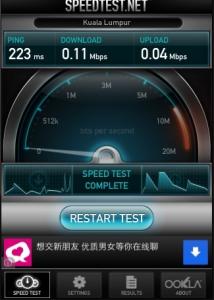
Every night also like this, Pay Rm199 for what?? Neighbours why the heck are you all using UniFi? Use la streamyx or other broadbands haiyaa

user posted imageuser posted image


wei__
post Feb 3 2013, 10:38 PM

New Member
*
Junior Member
19 posts

Joined: Jan 2013
From: Ampang


^ ampang area should have no problem wo, so sad meh ur case?
Boy96
post Feb 3 2013, 10:43 PM

That's a tripod.
*******
Senior Member
3,848 posts

Joined: Dec 2009
From: Ampang


QUOTE(wei__ @ Feb 3 2013, 10:38 PM)
^ ampang area should have no problem wo, so sad meh ur case?
*
Only happens at night...
andrew9292
post Feb 3 2013, 10:49 PM

-/Livin' On A Prayer/-
*****
Senior Member
955 posts

Joined: Sep 2008
From: Petaling Jaya


user posted image

Right...
When 1st sign up 4.9Mbps/4.8, few months later 4.8Mbps/4.7...this month, 4.7Mbps/4.6.

I realize that if u cut .1Mbps from 50 users, u can serve one extra 5Mbps account...

One more time... then...well......
blacktubi
post Feb 3 2013, 10:51 PM

-
Group Icon
Elite
8,408 posts

Joined: Jul 2008

QUOTE(Boy96 @ Feb 3 2013, 10:25 PM)
Every night also like this, Pay Rm199 for what?? Neighbours why the heck are you all using UniFi? Use la streamyx or other broadbands haiyaa

user posted imageuser posted image
*
You should really consider lodging a complaint smile.gif
amirsubhi
post Feb 3 2013, 11:26 PM

The Power Is IN Your Hand!
******
Senior Member
1,472 posts

Joined: Apr 2005
From: SumwHeRe In MaLaYsIa


QUOTE(Boy96 @ Feb 3 2013, 10:25 PM)
Every night also like this, Pay Rm199 for what?? Neighbours why the heck are you all using UniFi? Use la streamyx or other broadbands haiyaa

user posted imageuser posted image
*
Have you log the complain? seriously.that ping are quite bad dude
Boy96
post Feb 4 2013, 05:03 AM

That's a tripod.
*******
Senior Member
3,848 posts

Joined: Dec 2009
From: Ampang


QUOTE(blacktubi @ Feb 3 2013, 10:51 PM)
You should really consider lodging a complaint smile.gif
*
QUOTE(amirsubhi @ Feb 3 2013, 11:26 PM)
Have you log the complain? seriously.that ping are quite bad dude
*
I am still monitoring it.

As of now


Attached thumbnail(s)
Attached Image
SUSraynman
post Feb 4 2013, 07:02 AM

Look at all my stars!!
*******
Senior Member
4,333 posts

Joined: Jan 2003


QUOTE(Boy96 @ Feb 4 2013, 05:03 AM)
I am still monitoring it.

As of now
*
This is the speedtest result for your UNIFI VIP10? shocking.gif
starwalk2002
post Feb 4 2013, 09:59 AM

New Member
*
Junior Member
41 posts

Joined: Jun 2005
Took the plunged and installed Unifi VIP5. Registered on last Tuesday and installed on last Saturday. Surprised that it took them so short time from registration to installation.

I switched from streamyx 4 to VIP5. Have not found much improvement except for the IPTV and the upload speed.

IPTV is really very painful to setup as I am using homeplug and further i have 2 different homeplug segment (DLINK wifi extender and AZtech - IPTV). Looks like there are interference when both DLINK and Aztech within the same house. For some reason, i need to off the DLINK homeplug and let Aztech homeplug active for a period of time only the signal between Aztech homeplug is stable enough for IPTV.
Anyone has similar setup and issue?
Boy96
post Feb 4 2013, 05:01 PM

That's a tripod.
*******
Senior Member
3,848 posts

Joined: Dec 2009
From: Ampang


QUOTE(raynman @ Feb 4 2013, 07:02 AM)
This is the speedtest result for your UNIFI VIP10? shocking.gif
*
Yep, speed as of 5pm today

Attached Image

As you can see, after 8 AM, the speed will be fine, when night time, it slows back..
iXora.ix
post Feb 5 2013, 11:04 AM

scoot scoot
******
Senior Member
1,682 posts

Joined: Jan 2007
From: Kuala Lumpur


Hi everyone.

Does anyone know how to plug off the fiber cable from alcatel lucent modem?
I want to switch the modem position but dont know how to plug off the fiber cable on the back modem.
Seems cant find any guide on internet.

Any expert can help me?
wilsonjack228
post Feb 5 2013, 02:15 PM

Android .... best!!
******
Senior Member
1,112 posts

Joined: Jan 2007
From: Kuala Lumpur


QUOTE(iXora.ix @ Feb 5 2013, 11:04 AM)
Hi everyone.

Does anyone know how to plug off the fiber cable from alcatel lucent modem?
I want to switch the modem position but dont know how to plug off the fiber cable on the back modem.
Seems cant find any guide on internet.

Any expert can help me?
*
Easy but might be scary if first time. Slide the cover out from the modem (slide back) , then u'll see the cable
Pull the cable cover clip then only pull cable

iXora.ix
post Feb 5 2013, 02:26 PM

scoot scoot
******
Senior Member
1,682 posts

Joined: Jan 2007
From: Kuala Lumpur


QUOTE(wilsonjack228 @ Feb 5 2013, 02:15 PM)
Easy but might be scary if first time. Slide the cover out from the modem (slide back) , then u'll see the cable
Pull the cable cover clip then only pull cable
*
done, thanks dude rclxms.gif
yay now I can place my one to toher place icon_idea.gif
kamkemkimkom
post Feb 5 2013, 07:01 PM

Casual
***
Junior Member
349 posts

Joined: Sep 2012
From: Subang


how to use QoS Engine on UniFi router to limit my brother bandwidth because sometime i will lag or delay when playing DOTA2 on Steam

btw im VIP10 user icon_rolleyes.gif
Jeremy_John
post Feb 6 2013, 03:48 AM

Getting Started
**
Junior Member
147 posts

Joined: Jan 2010
From: Selangor


QUOTE(kamkemkimkom @ Feb 5 2013, 07:01 PM)
how to use QoS Engine on UniFi router to limit my brother bandwidth because sometime i will lag or delay when playing DOTA2 on Steam

btw im VIP10 user  icon_rolleyes.gif
*
What is your router Model and brand? L7 or Dlink 615 ?
kamkemkimkom
post Feb 6 2013, 11:37 AM

Casual
***
Junior Member
349 posts

Joined: Sep 2012
From: Subang


QUOTE(Jeremy_John @ Feb 6 2013, 03:48 AM)
What is your router Model and brand? L7 or Dlink 615 ?
*
L7
wai2kit
post Feb 6 2013, 09:08 PM

Getting Started
**
Junior Member
100 posts

Joined: Apr 2010


my pc is kinda far from the TV, will that be a problem?

As i read they have to set up both the hypptv and the modem/router at around the same station.

If i set it next to the TV, does that mean i need to get a USB Wifi for my PC :S?
wei__
post Feb 6 2013, 10:07 PM

New Member
*
Junior Member
19 posts

Joined: Jan 2013
From: Ampang


QUOTE(wai2kit @ Feb 6 2013, 09:08 PM)
my pc is kinda far from the TV, will that be a problem?

As i read they have to set up both the hypptv and the modem/router at around the same station.

If i set it next to the TV, does that mean i need to get a USB Wifi for my PC :S?
*
yup i did that at my home.
Ricky300
post Feb 7 2013, 10:06 AM

Regular
******
Senior Member
1,514 posts

Joined: Jan 2003
From: Earth


QUOTE(Boy96 @ Feb 4 2013, 05:03 AM)
I am still monitoring it.

As of now
*
I suggest you to file a complaint too!!!

I made my complaint last weekend, as at to-date no reply from them.

I will continue monitor my speed this few days, if they didn't reply me after CNY. I will write another email attaching my previous email to TM and cc to SKMM.

hafez13
post Feb 7 2013, 03:13 PM

excited nintendo switch fanboi
******
Senior Member
1,274 posts

Joined: Feb 2006
From: Shah Alam


anyone experience unstable connection on VIP10?
for the past 2 weeks,i kept getting unstable connection.
really bugging me out.
i'm at shah alam area,

console
post Feb 7 2013, 04:06 PM

Getting Started
**
Junior Member
123 posts

Joined: Oct 2005


forgot my dir 615 password...if i reset the router, all the unifi setting will be wipe out?
dycod
post Feb 7 2013, 05:19 PM

Getting Started
**
Junior Member
87 posts

Joined: Oct 2011
Sry for disturbing you guys.
I would like to ask a question about upgrade to Unifi from Streamyx Is it true that Streamyx will not terminate even I tick to terminate it when apply via TM website online? This issue still happen till now? Or resolved by TM ady? Because I found that most of the complaint threads are before Oct 2012.

Thanks
wei__
post Feb 7 2013, 06:21 PM

New Member
*
Junior Member
19 posts

Joined: Jan 2013
From: Ampang


QUOTE(dycod @ Feb 7 2013, 05:19 PM)
Sry for disturbing you guys.
I would like to ask a question about upgrade to Unifi from Streamyx Is it true that Streamyx will not terminate even I tick to terminate it when apply via TM website online? This issue still happen till now? Or resolved by TM ady? Because I found that most of the complaint threads are before Oct 2012.

Thanks
*
i have already pm-ed u about this before. if you don't feel confident about applying online you can always choose to apply directly through TM point or agents like me.
ComposMentis
post Feb 8 2013, 12:36 PM

Casual
***
Junior Member
420 posts

Joined: May 2010
Did anyone of you ever get a call from the number 03-41414141? I googled it up and the number seems to belong to a debt collector...should I just ignore it or should I answer the phone? hmm.gif
frozzbyte
post Feb 8 2013, 05:03 PM

Feeling butthurt lately? Like I care
*******
Senior Member
3,657 posts

Joined: May 2005
Anyone know how to access the Alcatel-Lucent BTU?
TSlengcaiboy
post Feb 8 2013, 07:32 PM

On my way
****
Senior Member
543 posts

Joined: Oct 2007
QUOTE(ComposMentis @ Feb 8 2013, 12:36 PM)
Did anyone of you ever get a call from the number 03-41414141? I googled it up and the number seems to belong to a debt collector...should I just ignore it or should I answer the phone?  hmm.gif
*
wow the number so nice doh.gif


Unwir3D
post Feb 9 2013, 12:25 PM

New Member
*
Junior Member
37 posts

Joined: Aug 2007
I'm want to replace my 4Mbps Streamyx to either UniFi or Maxis. What would you guys recommend?

I heard my area will have Astro IPTV soon next month, should I wait instead?

Is't true Maxis has high ping connection, I planned to host couple of basic website for testing from my home.


SUSpakji
post Feb 9 2013, 01:14 PM

Regular
******
Senior Member
1,386 posts

Joined: Nov 2012


QUOTE(Unwir3D @ Feb 9 2013, 12:25 PM)
I'm want to replace my 4Mbps Streamyx to either UniFi or Maxis. What would you guys recommend?

I heard my area will have Astro IPTV soon next month, should I wait instead?

Is't true Maxis has high ping connection, I planned to host couple of basic website for testing from my home.
*
recommend UNIFI

maxis always bad because a lot block and torrent capped 100kb/sec and private ip
many people complant to
unifi public ip and not much block

i on streamyx 1mbps only

wei__
post Feb 9 2013, 01:39 PM

New Member
*
Junior Member
19 posts

Joined: Jan 2013
From: Ampang


QUOTE(Unwir3D @ Feb 9 2013, 12:25 PM)
I'm want to replace my 4Mbps Streamyx to either UniFi or Maxis. What would you guys recommend?

I heard my area will have Astro IPTV soon next month, should I wait instead?

Is't true Maxis has high ping connection, I planned to host couple of basic website for testing from my home.
*
go for Unifi. if you dont want to pay so much for Astro IPTV, you can enjoy HyppTv at a much cheaper rate + 19 free channels.
Jeremy_John
post Feb 10 2013, 09:18 AM

Getting Started
**
Junior Member
147 posts

Joined: Jan 2010
From: Selangor


Just checking, Download volume cap (FUP) started already or they monitoring only those heavy downloaders ?
Anyone who exceeded their monthly quota is your speed still same or already throttled?
vanillatwilight
post Feb 10 2013, 01:33 PM

Getting Started
**
Junior Member
55 posts

Joined: Feb 2010
From: SG


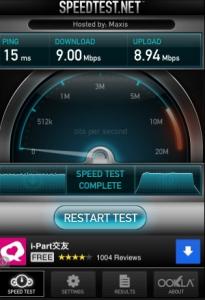
VIP 10 Speed doh.gif

user posted image
djhenry91
post Feb 10 2013, 11:42 PM

Slow and Steady
*******
Senior Member
6,779 posts

Joined: Jan 2009
From: SEGI Heaven


QUOTE(Jeremy_John @ Feb 10 2013, 09:18 AM)
Just checking, Download volume cap (FUP) started already or they monitoring only those heavy downloaders ?
Anyone who exceeded their monthly quota is your speed still same or already throttled?
*
FUP not yet start..thy monitoring oni..

Jeremy_John
post Feb 11 2013, 07:56 AM

Getting Started
**
Junior Member
147 posts

Joined: Jan 2010
From: Selangor


QUOTE(djhenry91 @ Feb 10 2013, 11:42 PM)
FUP not yet start..thy monitoring oni..
*
OK, so if monitoring case if a spike like this will it bring their attention?
user posted image
60GB Monthly Quota and Steam does not go together....
SUSwongth7
post Feb 11 2013, 12:09 PM

Casual
***
Junior Member
440 posts

Joined: Oct 2007


aiya..why klseet website only got cny wallpaper..where are all the unifi setup instructions?..i need to resetup my tp-link router..
Jeremy_John
post Feb 11 2013, 01:17 PM

Getting Started
**
Junior Member
147 posts

Joined: Jan 2010
From: Selangor


QUOTE(wongth7 @ Feb 11 2013, 12:09 PM)
aiya..why klseet website only got cny wallpaper..where are all the unifi setup instructions?..i need to resetup my tp-link router..
*
So many router O.O

Maybe he wrongly disabled the sidebar in his joomla cPanel...
Use Google then:
http://www.google.com.my/search?hl=en-MY&s...c.1.iowO7xK9-wo
azim61
post Feb 11 2013, 02:18 PM

Casual
***
Junior Member
480 posts

Joined: Jan 2007


QUOTE(Jeremy_John @ Feb 11 2013, 07:56 AM)
OK, so if monitoring case if a spike like this will it bring their attention?
user posted image
60GB Monthly Quota and Steam does not go together....
*
using what router bro?
Jeremy_John
post Feb 11 2013, 05:57 PM

Getting Started
**
Junior Member
147 posts

Joined: Jan 2010
From: Selangor


QUOTE(azim61 @ Feb 11 2013, 02:18 PM)
using what router bro?
*
Default TM one D-Link DIR615 with DD-WRT firmware
toobad
post Feb 12 2013, 12:37 AM

Getting Started
**
Junior Member
291 posts

Joined: Oct 2008


Hello,

I'm using the default router given by TM during the installation, I did not have any problems with it until recently, been using it for almost 1 year without any problems.

The wifi is very unpredictable, at times I do not get a connection at all and at times the speed is SUPER slow, cant even load lyn website.

So would like to ask all the sifu's out there:

1. Do I need to change a new router?
2. Is it my router settings problem?
3. If I do go for a new router, is it easy to setup? I do not know what is our password/configuration that was previously done by technician.

Please let me know guys

THank you

This post has been edited by toobad: Feb 12 2013, 12:37 AM
patienceGNR
post Feb 12 2013, 01:17 AM

♥ Ride All Day ♥
*******
Senior Member
2,058 posts

Joined: Mar 2011
From: Today: 9:03 AM


QUOTE(toobad @ Feb 12 2013, 12:37 AM)
Hello,

I'm using the default router given by TM during the installation, I did not have any problems with it until recently, been using it for almost 1 year without any problems.

The wifi is very unpredictable, at times I do not get a connection at all and at times the speed is SUPER slow, cant even load lyn website.

So would like to ask all the sifu's out there:

1. Do I need to change a new router?
2. Is it my router settings problem?
3. If I do go for a new router, is it easy to setup? I do not know what is our password/configuration that was previously done by technician.

Please let me know guys

THank you
*
Currently, I am at my cousin's house. He is having this issue also. He's using the white-blue router by TM. I'm currently facing this issue. Rebooted the router, still no cure. Internet is SUPER DUPER slow, speed is not even 10kb/s I can bet. Router is hardly accessible, infinitely loading 192.168.0.1 . WiFi using handphone is also not able to authenticate. What the fak man...

Same question I want to ask as toobad
1) Should I recommend him a new router?
2) Router issues?
3) Would the ASUS router within RM150 budget range easy to setup?


When I access

Wireless Settings > Manual Wireless Setup

user posted image

Then when I've finished setting up, it'll tell me "No changes have been made, continue?"

This post has been edited by patienceGNR: Feb 12 2013, 02:11 AM
patienceGNR
post Feb 12 2013, 04:01 AM

♥ Ride All Day ♥
*******
Senior Member
2,058 posts

Joined: Mar 2011
From: Today: 9:03 AM


Currently on a Macbook over WiFi, also slow.

However, connecting to the internet via LAN cable on the Macbook has NO slow issues. All are fine as usual.

Only devices over WiFi is encountering problems. I believe it's the router (L7) that has faulty WiFi engineering/make.
azim61
post Feb 12 2013, 11:37 AM

Casual
***
Junior Member
480 posts

Joined: Jan 2007


QUOTE(Jeremy_John @ Feb 11 2013, 05:57 PM)
Default TM one D-Link DIR615 with DD-WRT firmware
*
lucky you
i got L7 router
cant even flash to 3rd party firmware doh.gif
SUSwongth7
post Feb 12 2013, 12:34 PM

Casual
***
Junior Member
440 posts

Joined: Oct 2007


QUOTE(toobad @ Feb 12 2013, 12:37 AM)
Hello,

I'm using the default router given by TM during the installation, I did not have any problems with it until recently, been using it for almost 1 year without any problems.

The wifi is very unpredictable, at times I do not get a connection at all and at times the speed is SUPER slow, cant even load lyn website.

So would like to ask all the sifu's out there:

1. Do I need to change a new router?
2. Is it my router settings problem?
3. If I do go for a new router, is it easy to setup? I do not know what is our password/configuration that was previously done by technician.

Please let me know guys

THank you
*
QUOTE(patienceGNR @ Feb 12 2013, 01:17 AM)
Currently, I am at my cousin's house. He is having this issue also. He's using the white-blue router by TM. I'm currently facing this issue. Rebooted the router, still no cure. Internet is SUPER DUPER slow, speed is not even 10kb/s I can bet. Router is hardly accessible, infinitely loading 192.168.0.1 . WiFi using handphone is also not able to authenticate. What the fak man...

Same question I want to ask as toobad
1) Should I recommend him a new router?
2) Router issues?
3) Would the ASUS router within RM150 budget range easy to setup?
When I access

Wireless Settings > Manual Wireless Setup

user posted image

Then when I've finished setting up, it'll tell me "No changes have been made, continue?"
*
wow..i thought i was the only one having this issue...fyi, i hav been using tp-link 841nd router for the past 2 years..i have encountered tis problem more than 1 year ago, suddenly wifi keep disconnecting, internet speed slow..i thought it was my router's problem, but when changed back to tm's d-link router, it had the same problem..but after waited for few days, the problem dissapeared and the internet speed back to normal. and now the problem occured again doh.gif
i think its not about the d-link router's fault, it's more of the internet speed problem, cant really confirm though...i have call up the unifi service line and the operator told me my line has no problem, she even help reset my line...but the problem is still there...weird thing is, when trying to use wifi closer to the router, the speed seems to be 'ok'...hmmm..weird
patienceGNR
post Feb 12 2013, 12:44 PM

♥ Ride All Day ♥
*******
Senior Member
2,058 posts

Joined: Mar 2011
From: Today: 9:03 AM


QUOTE(wongth7 @ Feb 12 2013, 12:34 PM)
wow..i thought i was the only one having this issue...fyi, i hav been using tp-link 841nd router for the past 2 years..i have encountered tis problem more than 1 year ago, suddenly wifi keep disconnecting, internet speed slow..i thought it was my router's problem, but when changed back to tm's d-link router, it had the same problem..but after waited for few days, the problem dissapeared and the internet speed back to normal. and now the problem occured again  doh.gif
i think its not about the d-link router's fault, it's more of the internet speed problem, cant really confirm though...i have call up the unifi service line and the operator told me my line has no problem, she even help reset my line...but the problem is still there...weird thing is, when trying to use wifi closer to the router, the speed seems to be 'ok'...hmmm..weird
*
Using the internet close to router doesnt solve it but ethernet cable does. It happens only at night according to my cousin.

Ireally dont know what is causing this problem. Need sifu's suggestions, new router will help rectify this issue?
rattan
post Feb 12 2013, 01:36 PM

Droid
Group Icon
Trade Dispute
3,379 posts

Joined: Apr 2006
From: KL


V16 thread not yet reach 2500 post. This thread informed to close.

Please continue discussion at thread V16
Jeremy_John
post Feb 12 2013, 02:47 PM

Getting Started
**
Junior Member
147 posts

Joined: Jan 2010
From: Selangor


QUOTE(azim61 @ Feb 12 2013, 11:37 AM)
lucky you
i got L7 router
cant even flash to 3rd party firmware  doh.gif
*
I trew mine away tongue.gif
L7 can't even change wifi channel or select vlan option...

It's not TM who gives the router model but the installer who chooses the model, was told this by my installer.
why don't you ask them to change to the orange one?

I thought this was the official thread but looks like it's not.


This post has been edited by Jeremy_John: Feb 12 2013, 03:58 PM
TSlengcaiboy
post Feb 12 2013, 02:52 PM

On my way
****
Senior Member
543 posts

Joined: Oct 2007
QUOTE(rattan @ Feb 12 2013, 01:36 PM)
V16 thread not yet reach 2500 post. This thread informed to close.

Please continue discussion at thread V16
*
haiya
why so jealous?
v16 already page 100++

u open thread from v15 to v16 also post not 2500 (proof http://forum.lowyat.net/topic/2286487/+2140)
and u open v14 to v15 also not count 2500 (proof http://forum.lowyat.net/topic/2189508/+1980)

QUOTE(Jeremy_John @ Feb 12 2013, 02:47 PM)
I trew mine away tongue.gif
L7 can't even change wifi channel or select vlan option...

It's not TM who gives the router model but the installer who chooses the model, was told this by my installer.
why don't you ask them to change to the orange one?

I thought this was the official thread but looks like it's not.
*
this is official thread smile.gif

This post has been edited by lengcaiboy: Feb 12 2013, 03:06 PM
toobad
post Feb 12 2013, 03:15 PM

Getting Started
**
Junior Member
291 posts

Joined: Oct 2008


QUOTE(wongth7 @ Feb 12 2013, 12:34 PM)
wow..i thought i was the only one having this issue...fyi, i hav been using tp-link 841nd router for the past 2 years..i have encountered tis problem more than 1 year ago, suddenly wifi keep disconnecting, internet speed slow..i thought it was my router's problem, but when changed back to tm's d-link router, it had the same problem..but after waited for few days, the problem dissapeared and the internet speed back to normal. and now the problem occured again  doh.gif
i think its not about the d-link router's fault, it's more of the internet speed problem, cant really confirm though...i have call up the unifi service line and the operator told me my line has no problem, she even help reset my line...but the problem is still there...weird thing is, when trying to use wifi closer to the router, the speed seems to be 'ok'...hmmm..weird
*
QUOTE(patienceGNR @ Feb 12 2013, 12:44 PM)
Using the internet close to router doesnt solve it but ethernet cable does. It happens only at night according to my cousin.

Ireally dont know what is causing this problem. Need sifu's suggestions, new router will help rectify this issue?
*
My problem is the wifi does not work even if i use my laptop beside the router, regardless of its distance, it still has shitty speed. However, if i connect using LAN, it works fine, perfectly fine. And this happens like quite frequently, like for now, the wifi is working fine, yesterday night for about 4 hours i need to use LAN cable to connect to the internet.

So my question is, what is the problem? with the wifi signal? Router settings? Router problem?


djhenry91
post Feb 12 2013, 03:40 PM

Slow and Steady
*******
Senior Member
6,779 posts

Joined: Jan 2009
From: SEGI Heaven


Rattan bro last two version reach 2.2k already close tread open mew de

azim61
post Feb 12 2013, 03:44 PM

Casual
***
Junior Member
480 posts

Joined: Jan 2007


QUOTE(Jeremy_John @ Feb 12 2013, 02:47 PM)
I trew mine away tongue.gif
L7 can't even change wifi channel or select vlan option...

It's not TM who gives the router model but the installer who chooses the model, was told this by my installer.
why don't you ask them to change to the orange one?

I thought this was the official thread but looks like it's not.
*
dont know about that
haiya doh.gif
but i never get any prob with my L7
i can change my channel and other things
but not alot to change as it is a stock firmware
not 3rd party firmware
thinking to get a new router with awesome QoS function
Asus RT-N16 (3rd party firmware) or Asus RT-N56U (3rd party firmware) or Draytek 2130N

This post has been edited by azim61: Feb 12 2013, 03:55 PM
TSlengcaiboy
post Feb 12 2013, 03:52 PM

On my way
****
Senior Member
543 posts

Joined: Oct 2007
QUOTE(djhenry91 @ Feb 12 2013, 03:40 PM)
Rattan bro last two version reach 2.2k already close tread open mew de
*
ye la i dont know what wrong with he

he open thread from v15 to v16 also post not 2500 (proof http://forum.lowyat.net/topic/2286487/+2140)
and u open v14 to v15 also not count 2500 (proof http://forum.lowyat.net/topic/2189508/+1980)


Jeremy_John
post Feb 12 2013, 04:04 PM

Getting Started
**
Junior Member
147 posts

Joined: Jan 2010
From: Selangor


QUOTE(lengcaiboy @ Feb 12 2013, 02:52 PM)
haiya
why so jealous?
v16 already page 100++

u open thread from v15 to v16 also post not 2500 (proof http://forum.lowyat.net/topic/2286487/+2140)
and u open v14 to v15 also not count 2500 (proof http://forum.lowyat.net/topic/2189508/+1980)
this is official thread smile.gif
*
QUOTE(lengcaiboy @ Feb 12 2013, 03:52 PM)
ye la i dont know what wrong with he

he open thread from v15 to v16 also post not 2500 (proof http://forum.lowyat.net/topic/2286487/+2140)
and u open v14 to v15 also not count 2500 (proof http://forum.lowyat.net/topic/2189508/+1980)
*
I very confused already, post here, post there or double post everywhere? unsure.gif
Can a moderator please settle this?


QUOTE(azim61 @ Feb 12 2013, 03:44 PM)
dont know about that
haiya  doh.gif
but i never get any prob with my L7
i can change my channel and other things
but not alot to change as it is a stock firmware
not 3rd party firmware
thinking to get a new router with awesome QoS function
Asus RT-N16 (3rd party firmware) or Asus RT-N56U (3rd party firmware) or Draytek 2130N
*
You sure or not? My L7 i tried to change the wifi channel then it stated as change in the firmware but when i use my other ddwrt router to bridge to the L7 it detected the wifi channel was still stuck on channel 4 plus when ever i try to change a setting it will auto log me out and reboot sometimes never even press save just change page auto reboot =.= so it's really a piece of crap...
TSlengcaiboy
post Feb 12 2013, 04:14 PM

On my way
****
Senior Member
543 posts

Joined: Oct 2007
QUOTE(Jeremy_John @ Feb 12 2013, 04:04 PM)
I very confused already, post here, post there or double post everywhere?  unsure.gif
Can a moderator please settle this?
You sure or not? My L7 i tried to change the wifi channel then it stated as change in the firmware but when i use my other ddwrt router to bridge to the L7 it detected the wifi channel was still stuck on channel 4 plus when ever i try to change a setting it will auto log me out and reboot sometimes never even press save just change page auto reboot =.= so it's really a piece of crap...
*
no need confused this just post on this thread thumbup.gif
toobad
post Feb 12 2013, 04:17 PM

Getting Started
**
Junior Member
291 posts

Joined: Oct 2008


QUOTE(toobad @ Feb 12 2013, 03:15 PM)
My problem is the wifi does not work even if i use my laptop beside the router, regardless of its distance, it still has shitty speed. However, if i connect using LAN, it works fine, perfectly fine. And this happens like quite frequently, like for now, the wifi is working fine, yesterday night for about 4 hours i need to use LAN cable to connect to the internet.

So my question is, what is the problem? with the wifi signal? Router settings? Router problem?
*
Any sifu's can help?

Please icon_question.gif

thanks!
TechnoG
post Feb 12 2013, 04:29 PM

Look at all my stars!!
*******
Senior Member
9,337 posts

Joined: Mar 2010


just installed unifi yesterday, yes, on the first day of CNY. sweat.gif

now there is a huge problem. My modem and the rest of the stuff is upstairs, so I have to use a wireless adapter for my desktop downstairs. And idk for what bloody reason, I cant play any game with it. The ping is skyhigh, especially on Dota 2..this is really getting frustrating. 900+ms

I still havent cut my streamyx line, so I usually switch it back to streamyx when I wanna game.

helpppppppppppppp.
SUSwongth7
post Feb 12 2013, 04:59 PM

Casual
***
Junior Member
440 posts

Joined: Oct 2007


QUOTE(toobad @ Feb 12 2013, 04:17 PM)
Any sifu's can help?

Please  icon_question.gif

thanks!
*
i dont think anyone could help unless they really encoutered this problem themselves..until not i also i cant figure out whether is the router's setting problem, unifi problem or etc sweat.gif ...just hope that things will get better in next few days
toobad
post Feb 12 2013, 05:05 PM

Getting Started
**
Junior Member
291 posts

Joined: Oct 2008


QUOTE(wongth7 @ Feb 12 2013, 04:59 PM)
i dont think anyone could help unless they really encoutered this problem themselves..until not i also i cant figure out whether is the router's setting problem, unifi problem or etc  sweat.gif ...just hope that things will get better in next few days
*
Well if the problem still persist, I may change the router, is it hard to setup? anyone experienced care to share some insights?
patienceGNR
post Feb 12 2013, 05:30 PM

♥ Ride All Day ♥
*******
Senior Member
2,058 posts

Joined: Mar 2011
From: Today: 9:03 AM


QUOTE(toobad @ Feb 12 2013, 03:15 PM)
My problem is the wifi does not work even if i use my laptop beside the router, regardless of its distance, it still has shitty speed. However, if i connect using LAN, it works fine, perfectly fine. And this happens like quite frequently, like for now, the wifi is working fine, yesterday night for about 4 hours i need to use LAN cable to connect to the internet.

So my question is, what is the problem? with the wifi signal? Router settings? Router problem?
*
LAN works fine for me too when the WiFi isn't working! According to my cousin, it happens at night mostly and usually randomly throughout the day, he was playing Battlefield 3 earlier, his ping spikes to 999 - 1500ms and then back to normal, then spikes again after some time.

WiFi signal/settings within 192.168.0.1 control panel cannot modify. As above in my first post with picture attached, I tried to modify the setting and I get "No changes are made, continue?"

hmm.gif I think it's router faulty or entirely, the router itself is not properly made by L7. Are you using L7 router?
azim61
post Feb 12 2013, 06:04 PM

Casual
***
Junior Member
480 posts

Joined: Jan 2007


QUOTE(Jeremy_John @ Feb 12 2013, 04:04 PM)
I very confused already, post here, post there or double post everywhere?  unsure.gif
Can a moderator please settle this?
You sure or not? My L7 i tried to change the wifi channel then it stated as change in the firmware but when i use my other ddwrt router to bridge to the L7 it detected the wifi channel was still stuck on channel 4 plus when ever i try to change a setting it will auto log me out and reboot sometimes never even press save just change page auto reboot =.= so it's really a piece of crap...
*
I use inSSIDer to identify my channel, never got any prob since day 1 and never encounter ur prob in my L7
maybe it's my luck got "working" L7 or maybe the TM already fix it in the firmware
just disappointed coz L7 does not get any 3rd party firmware
toobad
post Feb 12 2013, 06:17 PM

Getting Started
**
Junior Member
291 posts

Joined: Oct 2008


QUOTE(patienceGNR @ Feb 12 2013, 05:30 PM)
LAN works fine for me too when the WiFi isn't working! According to my cousin, it happens at night mostly and usually randomly throughout the day, he was playing Battlefield 3 earlier, his ping spikes to 999 - 1500ms and then back to normal, then spikes again after some time.

WiFi signal/settings within 192.168.0.1 control panel cannot modify. As above in my first post with picture attached, I tried to modify the setting and I get "No changes are made, continue?"

hmm.gif I think it's router faulty or entirely, the router itself is not properly made by L7. Are you using L7 router?
*
Hello,

Yes we are having the same problem! I cant modify the settings too, there are only options to configure NEW wireless setup. I thought of changing the channel as well to see it it will work lol, but cant find such option.

Uh its the one with white top, and orange side. D-link, with 2 antenna


patienceGNR
post Feb 12 2013, 06:33 PM

♥ Ride All Day ♥
*******
Senior Member
2,058 posts

Joined: Mar 2011
From: Today: 9:03 AM


QUOTE(toobad @ Feb 12 2013, 06:17 PM)
Hello,

Yes we are having the same problem! I cant modify the settings too, there are only options to configure NEW wireless setup. I thought of changing the channel as well to see it it will work lol, but cant find such option.

Uh its the one with white top, and orange side. D-link, with 2 antenna
*
That is DIR-615 I believe. DIR-615 should be a better router than the L7. I am using it with DD-WRT firmware ( http://unifi.athena.my/ddwrt_guide.php ) and have no issues except I can't watch HyppTV.


SUSwongth7
post Feb 12 2013, 07:05 PM

Casual
***
Junior Member
440 posts

Joined: Oct 2007


QUOTE(toobad @ Feb 12 2013, 05:05 PM)
Well if the problem still persist, I may change the router, is it hard to setup? anyone experienced care to share some insights?
*
if you are currently using tm's d-link router, u can try change to tp-link router or asus, the coverage is much better..but still, it doesn't solve the problem we mentioned above no matter which router u use
toobad
post Feb 12 2013, 07:16 PM

Getting Started
**
Junior Member
291 posts

Joined: Oct 2008


QUOTE(patienceGNR @ Feb 12 2013, 06:33 PM)
That is DIR-615 I believe. DIR-615 should be a better router than the L7. I am using it with DD-WRT firmware ( http://unifi.athena.my/ddwrt_guide.php ) and have no issues except I can't watch HyppTV.
*
Ohh but my parents watch HyppTV, so that is not an option for me sad.gif


QUOTE(wongth7 @ Feb 12 2013, 07:05 PM)
if you are currently using tm's d-link router, u can try change to tp-link router or asus, the coverage is much better..but still, it doesn't solve the problem we mentioned above no matter which router u use
*
It doesn't solve what problem?
SUSwongth7
post Feb 12 2013, 07:43 PM

Casual
***
Junior Member
440 posts

Joined: Oct 2007


QUOTE(toobad @ Feb 12 2013, 07:16 PM)
It doesn't solve what problem?
*
the problem mentioned previously in post #44, #45 lor rclxub.gif

This post has been edited by wongth7: Feb 12 2013, 07:43 PM
patienceGNR
post Feb 12 2013, 08:16 PM

♥ Ride All Day ♥
*******
Senior Member
2,058 posts

Joined: Mar 2011
From: Today: 9:03 AM


QUOTE(wongth7 @ Feb 12 2013, 07:43 PM)
the problem mentioned previously in post #44, #45 lor  rclxub.gif
*
So, replacing router will not solve the WiFi problem??? sad.gif
SUSwongth7
post Feb 12 2013, 09:17 PM

Casual
***
Junior Member
440 posts

Joined: Oct 2007


QUOTE(patienceGNR @ Feb 12 2013, 08:16 PM)
So, replacing router will not solve the WiFi problem??? sad.gif
*
if your problem is just the wifi range, then u can try to get another router to solve the problem..but if the problem is more than just the wifi range as mentioned in post #44, #45...then getting another router wont really solve the problem...anyways..i think my connection is back to normal now biggrin.gif (tested with both tp-link & tm d-link router)
patienceGNR
post Feb 12 2013, 09:19 PM

♥ Ride All Day ♥
*******
Senior Member
2,058 posts

Joined: Mar 2011
From: Today: 9:03 AM


QUOTE(wongth7 @ Feb 12 2013, 09:17 PM)
if your problem is just the wifi range, then u can try to get another router to solve the problem..but if the problem is more than just the wifi range as mentioned in post #44, #45...then getting another router wont really solve the problem...anyways..i think my connection is back to normal now biggrin.gif (tested with both tp-link & tm d-link router)
*
It isn't my problem but cousin's lah, basically his issue is just WiFi goes cuckoo randomly, connection drops, authentication (mobile phones) fail. Only ethernet/LAN would work for that time being, not to mention his PC's ethernet card is somehow dead doh.gif
toobad
post Feb 12 2013, 09:43 PM

Getting Started
**
Junior Member
291 posts

Joined: Oct 2008


QUOTE(wongth7 @ Feb 12 2013, 09:17 PM)
if your problem is just the wifi range, then u can try to get another router to solve the problem..but if the problem is more than just the wifi range as mentioned in post #44, #45...then getting another router wont really solve the problem...anyways..i think my connection is back to normal now biggrin.gif (tested with both tp-link & tm d-link router)
*
Ohh thanks for the clarification. Ohh because I thought i read somewhere few months ago that the stock modem that comes with the unifi package have its flaws i.e. the wifi connectivity issue. That is why I think most of them have since switched to a TP-Link or Asus for better wifi connectivity.

So i just want to check with those who have encountered this WiFi issue and then switched to a new router (TP-Link or Asus). Would it solve the problem?


QUOTE(patienceGNR @ Feb 12 2013, 09:19 PM)
It isn't my problem but cousin's lah, basically his issue is just WiFi goes cuckoo randomly, connection drops, authentication (mobile phones) fail. Only ethernet/LAN would work for that time being, not to mention his PC's ethernet card is somehow dead doh.gif
*
Lol, yeah, just imagine my frustration!

This post has been edited by toobad: Feb 12 2013, 09:44 PM
MonfereBlogspot
post Feb 12 2013, 11:20 PM

MonfereBlogspot
******
Senior Member
1,052 posts

Joined: Mar 2010
From: World Wide Web
Suppose to install UniFi VIP5 last Wednesday but due to some problems with the contractor so delayed to last Saturday. Then the contractor found out that there was a problem with the port so installation delayed again sad.gif

This post has been edited by MonfereBlogspot: Feb 12 2013, 11:22 PM
TSlengcaiboy
post Feb 13 2013, 11:57 AM

On my way
****
Senior Member
543 posts

Joined: Oct 2007
QUOTE(MonfereBlogspot @ Feb 12 2013, 11:20 PM)
Suppose to install UniFi VIP5 last Wednesday but due to some problems with the contractor so delayed to last Saturday. Then the contractor found out that there was a problem with the port so installation delayed again sad.gif
*
rilex later u will get thumbup.gif
virus699
post Feb 13 2013, 10:57 PM

Getting Started
**
Junior Member
78 posts

Joined: Oct 2007
this is sux..

user posted image

user posted image

This post has been edited by virus699: Feb 13 2013, 11:01 PM
nazamlebaran
post Feb 13 2013, 11:18 PM

Getting Started
**
Junior Member
62 posts

Joined: Oct 2012
Hi y'all,
Happy New Year!!!

I have an issue with my bill. I install Unifi back in November 2012 and I believe the promotion was 2 months free if you register online. Now Unifi wants me to pay the free 1 month since the promotion was only free 1 month.

My question is, anybody remember this 2 months free promotion if you register online back at the end of 2012? I don't have any record since I registered via phone during my Q&A with the unifi people.
TSlengcaiboy
post Feb 14 2013, 01:24 AM

On my way
****
Senior Member
543 posts

Joined: Oct 2007
QUOTE(nazamlebaran @ Feb 13 2013, 11:18 PM)
Hi y'all,
Happy New Year!!!

I have an issue with my bill. I install Unifi back in November 2012 and I believe the promotion was 2 months free if you register online. Now Unifi wants me to pay the free 1 month since the promotion was only free 1 month.

My question is, anybody remember this 2 months free promotion if you register online back at the end of 2012? I don't have any record since I registered via phone during my Q&A with the unifi people.
*
whoa glad now u have unifi thumbup.gif

patienceGNR
post Feb 14 2013, 01:57 AM

♥ Ride All Day ♥
*******
Senior Member
2,058 posts

Joined: Mar 2011
From: Today: 9:03 AM


QUOTE(nazamlebaran @ Feb 13 2013, 11:18 PM)
Hi y'all,
Happy New Year!!!

I have an issue with my bill. I install Unifi back in November 2012 and I believe the promotion was 2 months free if you register online. Now Unifi wants me to pay the free 1 month since the promotion was only free 1 month.

My question is, anybody remember this 2 months free promotion if you register online back at the end of 2012? I don't have any record since I registered via phone during my Q&A with the unifi people.
*
Sorry to say that since you don't have any black & white, a.k.a written proof, you don't stand a chance.
dannygeni
post Feb 14 2013, 10:25 AM

Regular
******
Senior Member
1,804 posts

Joined: Jun 2009


Unifi mail down today? Anyone log in this morning?
dannygeni
post Feb 14 2013, 10:32 AM

Regular
******
Senior Member
1,804 posts

Joined: Jun 2009


Server ok already. Can log in now
expl0it
post Feb 14 2013, 01:16 PM

On Letting Go
******
Senior Member
1,213 posts

Joined: Jan 2003
Anyone have more info on the outage that is affecting the entire TTDI area and parts of Damansara right now?

Thanks
silentsc
post Feb 14 2013, 01:20 PM

New Member
*
Junior Member
9 posts

Joined: Jan 2011
QUOTE(expl0it @ Feb 14 2013, 01:16 PM)
Anyone have more info on the outage that is affecting the entire TTDI area and parts of Damansara right now?

Thanks
*
apparently some cabling issue
rizvanrp
post Feb 14 2013, 01:44 PM

Getting Started
Group Icon
Elite
195 posts

Joined: Sep 2006


QUOTE(expl0it @ Feb 14 2013, 01:16 PM)
Anyone have more info on the outage that is affecting the entire TTDI area and parts of Damansara right now?

Thanks
*
Switches @ TDI seem to be having issues since 4am, can't comment much as I'm not working on the issue and haven't been down to the exchange yet
richard912
post Feb 14 2013, 01:49 PM

d('_')b
******
Senior Member
1,821 posts

Joined: Jun 2009
From: 3°7'59"N 101°37'49"E


QUOTE(rizvanrp @ Feb 14 2013, 01:44 PM)
Switches @ TDI seem to be having issues since 4am, can't comment much as I'm not working on the issue and haven't been down to the exchange yet
*
I hope someone IS working on it as the outage remains unresolved grumble.gif
jovial
post Feb 14 2013, 01:50 PM

carpe diem
*******
Senior Member
2,129 posts

Joined: Jan 2003
From: Somewhere only we know..

QUOTE(expl0it @ Feb 14 2013, 01:16 PM)
Anyone have more info on the outage that is affecting the entire TTDI area and parts of Damansara right now?

Thanks
*
Telekom Malaysia ‏@TMCorp
#TMAlerts The UniFi/Streamyx service issue affecting subs in K. Jaya was causd by equipment damage due to a power surge. Restoration in prog
Xefron
post Feb 14 2013, 03:00 PM

Look at all my stars!!
*******
Senior Member
2,507 posts

Joined: Jan 2003


QUOTE(nazamlebaran @ Feb 13 2013, 11:18 PM)
Hi y'all,
Happy New Year!!!

I have an issue with my bill. I install Unifi back in November 2012 and I believe the promotion was 2 months free if you register online. Now Unifi wants me to pay the free 1 month since the promotion was only free 1 month.

My question is, anybody remember this 2 months free promotion if you register online back at the end of 2012? I don't have any record since I registered via phone during my Q&A with the unifi people.
*
As far I am concern,they didn't have any 2 months free,only 1 month if you register online.
azim61
post Feb 14 2013, 03:49 PM

Casual
***
Junior Member
480 posts

Joined: Jan 2007


Guys
Want to ask
What router and custom firmware that support 3 digit vlan so that i can use internet and also watch hypptv
can asus rt-n16 achieve this?
im using huawei hg850a BTU

This post has been edited by azim61: Feb 14 2013, 03:50 PM
janson_kaniaz
post Feb 14 2013, 04:39 PM

...
*******
Senior Member
6,955 posts

Joined: Apr 2008


really wtf

down since morning. reporting from BU
impedance
post Feb 14 2013, 05:01 PM

Getting Started
**
Junior Member
166 posts

Joined: Jan 2003
Same goes to damansara perdana
SUSkhalpowers
post Feb 14 2013, 05:05 PM

Regular
******
Senior Member
1,966 posts

Joined: Dec 2009
TTDI also down since morning..
vanillatwilight
post Feb 14 2013, 05:32 PM

Getting Started
**
Junior Member
55 posts

Joined: Feb 2010
From: SG


damn slow @ subang
amirsubhi
post Feb 14 2013, 09:46 PM

The Power Is IN Your Hand!
******
Senior Member
1,472 posts

Joined: Apr 2005
From: SumwHeRe In MaLaYsIa


QUOTE(khalpowers @ Feb 14 2013, 05:05 PM)
TTDI also down since morning..
*
TDI having a crisis now, just hope it can be solved asap

QUOTE
Telekom Malaysia ‏@TMCorp
#TMAlerts The UniFi/Streamyx service issue affecting subs in K. Jaya was causd by equipment damage due to a power surge. Restoration in prog

dzeisen
post Feb 14 2013, 10:24 PM

Getting Started
**
Junior Member
114 posts

Joined: Oct 2006


I'm at Mutiara Damansara - down as well since 4am. TM Support told me it should be back up by 8pm but nothing yet so far... sad.gif
DecaPix
post Feb 15 2013, 12:04 AM

5 star monkey
*******
Senior Member
3,000 posts

Joined: Aug 2008
From: PeeJay
Also from mutiara damansara.
Tried reset modem and stuff still no help.
We should get discount for this! sad.gif
janson_kaniaz
post Feb 15 2013, 12:36 AM

...
*******
Senior Member
6,955 posts

Joined: Apr 2008


still downmnnnn
siles1991
post Feb 15 2013, 12:46 AM

I love tubes so should you!
******
Senior Member
1,861 posts

Joined: Feb 2008
From: Selangor


Went up for awhile in bu now back down
patienceGNR
post Feb 15 2013, 01:22 AM

♥ Ride All Day ♥
*******
Senior Member
2,058 posts

Joined: Mar 2011
From: Today: 9:03 AM


QUOTE(toobad @ Feb 12 2013, 09:43 PM)
Ohh thanks for the clarification. Ohh because I thought i read somewhere few months ago that the stock modem that comes with the unifi package have its flaws i.e. the wifi connectivity issue. That is why I think most of them have since switched to a TP-Link or Asus for better wifi connectivity.

So i just want to check with those who have encountered this WiFi issue and then switched to a new router (TP-Link or Asus). Would it solve the problem?
Lol, yeah, just imagine my frustration!
*
Hi bro. I have just installed a new router, ASUS RT-N12. Everything is better than the L7 so far now smile.gif awaiting the WiFi hiccup.
doremon
post Feb 15 2013, 10:27 AM

eMPtiNess =`(
*******
Senior Member
2,619 posts

Joined: Jan 2005


Hi guys

Just to check with all of you fine people, how to downgrade from VIP20 to VIP5?

I think is not wise for me to spend additional RM100 already since I already fully utilized like mad downloading 1080p files =`(

What's the procedure?

Just walk in to TM point and ask to downgrade?

Thanks in advance

This post has been edited by doremon: Feb 15 2013, 10:28 AM
wei__
post Feb 15 2013, 10:42 AM

New Member
*
Junior Member
19 posts

Joined: Jan 2013
From: Ampang


QUOTE(doremon @ Feb 15 2013, 10:27 AM)
Hi guys

Just to check with all of you fine people, how to downgrade from VIP20 to VIP5?

I think is not wise for me to spend additional RM100 already since I already fully utilized like mad downloading 1080p files =`(

What's the procedure?

Just walk in to TM point and ask to downgrade?

Thanks in advance
*
for downgrade you will be charged rm200-300 as far as i know
doremon
post Feb 15 2013, 11:03 AM

eMPtiNess =`(
*******
Senior Member
2,619 posts

Joined: Jan 2005


QUOTE(wei__ @ Feb 15 2013, 10:42 AM)
for downgrade you will be charged rm200-300 as far as i know
*
Why? My contract only 24 months. Currently im using ip20 more then 2 years already hmm.gif
toobad
post Feb 15 2013, 11:25 AM

Getting Started
**
Junior Member
291 posts

Joined: Oct 2008


QUOTE(patienceGNR @ Feb 15 2013, 01:22 AM)
Hi bro. I have just installed a new router, ASUS RT-N12. Everything is better than the L7 so far now smile.gif awaiting the WiFi hiccup.
*
Hello, thanks for letting me know! Can you monitor and let me know after a week, lol, i hope thats not too much to ask for!

How much is your router and is it hard to do the setup bro?
yushin
post Feb 15 2013, 11:31 AM

Look at all my stars!!
*******
Senior Member
3,327 posts

Joined: Jan 2003
From: Selangor


QUOTE(doremon @ Feb 15 2013, 11:03 AM)
Why? My contract only 24 months. Currently im using ip20 more then 2 years already  hmm.gif
*
I want to downgrade too as my VIP 20 is not utilised most of the time.
doremon
post Feb 15 2013, 11:39 AM

eMPtiNess =`(
*******
Senior Member
2,619 posts

Joined: Jan 2005


QUOTE(yushin @ Feb 15 2013, 11:31 AM)
I want to downgrade too as my VIP 20 is not utilised most of the time.
*
rclxms.gif . Welcome to the club LOL

VIP5 should be sufficient enough
yushin
post Feb 15 2013, 11:42 AM

Look at all my stars!!
*******
Senior Member
3,327 posts

Joined: Jan 2003
From: Selangor


QUOTE(doremon @ Feb 15 2013, 11:39 AM)
rclxms.gif . Welcome to the club LOL

VIP5 should be sufficient enough
*
I wonder when tm will offer use long time users (more than 2 years old) a new improved package?
doremon
post Feb 15 2013, 11:44 AM

eMPtiNess =`(
*******
Senior Member
2,619 posts

Joined: Jan 2005


QUOTE(yushin @ Feb 15 2013, 11:42 AM)
I wonder when tm will offer use long time users (more than 2 years old) a new improved package?
*
VIP20 improvement package hmm.gif

Interesting drool.gif
yushin
post Feb 15 2013, 11:48 AM

Look at all my stars!!
*******
Senior Member
3,327 posts

Joined: Jan 2003
From: Selangor


QUOTE(doremon @ Feb 15 2013, 11:44 AM)
VIP20 improvement package  hmm.gif

Interesting  drool.gif
*
Something like a 5MB package with a fixed ip that is rm200?
wei__
post Feb 15 2013, 12:13 PM

New Member
*
Junior Member
19 posts

Joined: Jan 2013
From: Ampang


read the T&C for downgrade
doremon
post Feb 15 2013, 01:46 PM

eMPtiNess =`(
*******
Senior Member
2,619 posts

Joined: Jan 2005


QUOTE(wei__ @ Feb 15 2013, 12:13 PM)
read the T&C for downgrade
*
hmm.gif
doremon
post Feb 15 2013, 01:59 PM

eMPtiNess =`(
*******
Senior Member
2,619 posts

Joined: Jan 2005


It's ok. I know already.

Make sure you must finish up the contract (24 months aka 2 years).

After that, to downgrade can simple call them up and do remotely.

If less then 1 year, penalty.


wei__
post Feb 15 2013, 03:29 PM

New Member
*
Junior Member
19 posts

Joined: Jan 2013
From: Ampang


good for you then no penalty smile.gif
patienceGNR
post Feb 15 2013, 04:20 PM

♥ Ride All Day ♥
*******
Senior Member
2,058 posts

Joined: Mar 2011
From: Today: 9:03 AM


QUOTE(toobad @ Feb 15 2013, 11:25 AM)
Hello, thanks for letting me know! Can you monitor and let me know after a week, lol, i hope thats not too much to ask for!

How much is your router and is it hard to do the setup bro?
*
Got it for RM155 from Dynamite Computer @ Digital Center, Sunway Pyramid.

IdealTech on Lowyat Forum sells for RM145 excluding delivery.

Setting up is easy as ABC, I will guide you a little if you're interested in getting one too. So far, the WiFi is fine. I will have to ask my cousin sisters (who complained about the WiFi drops)

1) Make sure you download THIS FIRMWARE file
2) Follow this firmware flash guide FIRST. http://klseet.com/index.php/asus/asus-rt-n...factory-restore

*I didn't flash, I sat there wondering why I couldn't connect for 3 hours tongue.gif *

3) Setup guide here. 100% straight forward, no complexed stuffs. http://klseet.com/index.php/asus/asus-rt-n...irmware-a-setup

^ I skipped some parts in the SETUP GUIDE ; they are : disable WPS, changing LAN IP, DoS Protection, QoS, Port Forwarding.

Now all is good. I am going to try BF3 smile.gif
longpants
post Feb 15 2013, 08:30 PM

Getting Started
**
Junior Member
260 posts

Joined: Nov 2005


Hey guys. Have anyone of you face a problem with hypptv for YouTube?

When I try to go into YouTube under the interactive section for hypptv, it just went blank. Nothing comes out. The only I can do is exit. Could this due to my router setting?

I have no problem with other normal channels. Everything seems to be working fine except the YouTube part. On LAN and wireless, YouTube is also fine. But why the Hypptv for YouTube ain't working? Hmmmmm.

Help please? smile.gif
SuperVelocity
post Feb 15 2013, 08:57 PM

Casual
***
Junior Member
332 posts

Joined: Feb 2012
Hey sifu sifu, im staying at a 3-floor house, just setting up my Unifi for 5mb today, my 2nd floor signal is weak, and 3rd floor practically no signal, what should I do, I ask the technician, he told me to buy BELKIN router, or install splitter at 2nd and 3rd floor. The technician also told me that the Unifi router is a piece of crap.
wai2kit
post Feb 15 2013, 10:03 PM

Getting Started
**
Junior Member
100 posts

Joined: Apr 2010


Just got my unifi, browsing is fast, youtube is fast, but weirdly direct downloads for some sites are slower (even stuck at times!) whenever i try downloading shows.
jovial
post Feb 16 2013, 12:25 AM

carpe diem
*******
Senior Member
2,129 posts

Joined: Jan 2003
From: Somewhere only we know..

QUOTE(SuperVelocity @ Feb 15 2013, 08:57 PM)
Hey sifu sifu, im staying at a 3-floor house, just setting up my Unifi for 5mb today, my 2nd floor signal is weak, and 3rd floor practically no signal, what should I do, I ask the technician, he told me to buy BELKIN router, or install splitter at 2nd and 3rd floor. The technician also told me that the Unifi router is a piece of crap.
*
homeplug
djhenry91
post Feb 16 2013, 01:14 AM

Slow and Steady
*******
Senior Member
6,779 posts

Joined: Jan 2009
From: SEGI Heaven


QUOTE(SuperVelocity @ Feb 15 2013, 08:57 PM)
Hey sifu sifu, im staying at a 3-floor house, just setting up my Unifi for 5mb today, my 2nd floor signal is weak, and 3rd floor practically no signal, what should I do, I ask the technician, he told me to buy BELKIN router, or install splitter at 2nd and 3rd floor. The technician also told me that the Unifi router is a piece of crap.
*
there is 2 choice
1) chg other router which is support unifi
2)homeplug
CloudTen
post Feb 16 2013, 08:48 PM

Getting Started
**
Junior Member
51 posts

Joined: May 2012
Hi, just changed my tv from old 29 inches to 46 inches. But hypptv streaming seems very blurish when fitted to 16:9...

Is there any option to change streaming quality like youtube? 240p, 720p????
TSlengcaiboy
post Feb 17 2013, 01:34 AM

On my way
****
Senior Member
543 posts

Joined: Oct 2007
QUOTE(wai2kit @ Feb 15 2013, 10:03 PM)
Just got my unifi, browsing is fast, youtube is fast, but weirdly direct downloads for some sites are slower (even stuck at times!) whenever i try downloading shows.
*
glad welcome to the club smile.gif

for direct downloads try use download manager smile.gif thumbup.gif
SuperVelocity
post Feb 17 2013, 03:08 AM

Casual
***
Junior Member
332 posts

Joined: Feb 2012
QUOTE(djhenry91 @ Feb 16 2013, 01:14 AM)
there is 2 choice
1) chg other router which is support unifi
2)homeplug
*
any good recommendation? the Unifi installer suggested me to go for Belkin, but personally me don't really like it as the setting is real TOUGH for noob like me.

what is homeplug?
jovial
post Feb 17 2013, 09:23 AM

carpe diem
*******
Senior Member
2,129 posts

Joined: Jan 2003
From: Somewhere only we know..

QUOTE(SuperVelocity @ Feb 17 2013, 03:08 AM)
any good recommendation? the Unifi installer suggested me to go for Belkin, but personally me don't really like it as the setting is real TOUGH for noob like me.

what is homeplug?
*
for router replacement options -> http://klseet.com

google "homeplug"
rattan
post Feb 17 2013, 12:39 PM

Droid
Group Icon
Trade Dispute
3,379 posts

Joined: Apr 2006
From: KL


QUOTE(yushin @ Feb 15 2013, 11:42 AM)
I wonder when tm will offer use long time users (more than 2 years old) a new improved package?
*
I think for unifi there won't be such package
rattan
post Feb 17 2013, 12:40 PM

Droid
Group Icon
Trade Dispute
3,379 posts

Joined: Apr 2006
From: KL


QUOTE(doremon @ Feb 15 2013, 11:03 AM)
Why? My contract only 24 months. Currently im using ip20 more then 2 years already  hmm.gif
*
Contract over no penalty to downgrade but do remember that the contract will be renewed.
toobad
post Feb 17 2013, 03:00 PM

Getting Started
**
Junior Member
291 posts

Joined: Oct 2008


QUOTE(patienceGNR @ Feb 15 2013, 04:20 PM)
Got it for RM155 from Dynamite Computer @ Digital Center, Sunway Pyramid.

IdealTech on Lowyat Forum sells for RM145 excluding delivery.

Setting up is easy as ABC, I will guide you a little if you're interested in getting one too. So far, the WiFi is fine. I will have to ask my cousin sisters (who complained about the WiFi drops)

1) Make sure you download THIS FIRMWARE file
2) Follow this firmware flash guide FIRST. http://klseet.com/index.php/asus/asus-rt-n...factory-restore

*I didn't flash, I sat there wondering why I couldn't connect for 3 hours tongue.gif *

3) Setup guide here. 100% straight forward, no complexed stuffs. http://klseet.com/index.php/asus/asus-rt-n...irmware-a-setup

^ I skipped some parts in the SETUP GUIDE ; they are : disable WPS, changing LAN IP, DoS Protection, QoS, Port Forwarding.

Now all is good. I am going to try BF3 smile.gif
*
hello!

Thanks for the info! ohh that's cool, so its been 2 days since you have installed a new router, any problems so far? is it stable?

And the HyypTV still works right even if we change the router? I'm not sure where I've read about another configuration which is more stable but we cant have HyypTV

This post has been edited by toobad: Feb 17 2013, 03:00 PM
patienceGNR
post Feb 17 2013, 03:23 PM

♥ Ride All Day ♥
*******
Senior Member
2,058 posts

Joined: Mar 2011
From: Today: 9:03 AM


QUOTE(toobad @ Feb 17 2013, 03:00 PM)
hello!

Thanks for the info! ohh that's cool, so its been 2 days since you have installed a new router, any problems so far? is it stable?

And the HyypTV still works right even if we change the router? I'm not sure where I've read about another configuration which is more stable but we cant have HyypTV
*
Exactly why you need the custom firmware (just follow the guide exactly for flashing), for UniFi and HyppTV smile.gif more stable is probably flashing the DD-WRT onto DIR-615? I'm (at home, own UniFi) using the DD-WRT on my DIR-615, stable or not it's normal lol. Got flash custom firmware = didn't flash since my internet is fine.

However, my cousin's case (the ASUS RT-N12) is 140% no issues. It's all fine now onwards. His sisters say ok already, no more hiccups, he has been using for 2 days now, still okay.
tvcat
post Feb 17 2013, 05:43 PM

Mr. Dumb Dumb
*******
Senior Member
2,901 posts

Joined: Nov 2004


hey guy, is there any way to decrypt the pppoe password in the l7-n-r2000 router?
i tried telnet but they are using their own system so no way to get the password in telnet AFAIK.
the password that successful retrieved via javascript had been encrypted...
amirsubhi
post Feb 17 2013, 06:49 PM

The Power Is IN Your Hand!
******
Senior Member
1,472 posts

Joined: Apr 2005
From: SumwHeRe In MaLaYsIa


QUOTE(tvcat @ Feb 17 2013, 05:43 PM)
hey guy, is there any way to decrypt the pppoe password in the l7-n-r2000 router?
i tried telnet but they are using their own system so no way to get the password in telnet AFAIK.
the password that successful retrieved via javascript had been encrypted...
*
Why dont u just drop a call to TM Unifi Centre?
tvcat
post Feb 17 2013, 07:07 PM

Mr. Dumb Dumb
*******
Senior Member
2,901 posts

Joined: Nov 2004


QUOTE(amirsubhi @ Feb 17 2013, 06:49 PM)
Why dont u just drop a call to TM Unifi Centre?
*
ok will try, i thought tm wont tell me the password...
darren_yuri
post Feb 18 2013, 10:19 PM

Casual
***
Junior Member
394 posts

Joined: Aug 2010
From: 御堂筋

Sorry for asking a stupid/useless questions ..

Why the UniFi WiFi is slower than the cable ? Even though the signal is strong, but the internet speed is slow.

Using new laptop, but UniFi speed seems slower than my 5yo desktop, why ?
djhenry91
post Feb 19 2013, 12:15 AM

Slow and Steady
*******
Senior Member
6,779 posts

Joined: Jan 2009
From: SEGI Heaven


QUOTE(darren_yuri @ Feb 18 2013, 10:19 PM)
Sorry for asking a stupid/useless questions ..

Why the UniFi WiFi is slower than the cable ? Even though the signal is strong, but the internet speed is slow.

Using new laptop, but UniFi speed seems slower than my 5yo desktop, why ?
*
is router tht TM given has wifi prob...
one simple solution is chg router which is support unifi..

darren_yuri
post Feb 19 2013, 12:38 AM

Casual
***
Junior Member
394 posts

Joined: Aug 2010
From: 御堂筋

QUOTE(djhenry91 @ Feb 19 2013, 12:15 AM)
is router tht TM given has wifi prob...
one simple solution is chg router which is support unifi..
*
Sorry again, my UniFi router is DIR-615, but i have another old router, which is Belkin Enhanced Wireless Router N150 F6D4230-4 .

Can i replace the UniFi router to Belkin mentioned above ?

This post has been edited by darren_yuri: Feb 19 2013, 12:57 AM
TSlengcaiboy
post Feb 19 2013, 08:35 PM

On my way
****
Senior Member
543 posts

Joined: Oct 2007
QUOTE(tvcat @ Feb 17 2013, 07:07 PM)
ok will try, i thought tm wont tell me the password...
*
call 100 they will ask your ic number and your name smile.gif
tvcat
post Feb 19 2013, 10:38 PM

Mr. Dumb Dumb
*******
Senior Member
2,901 posts

Joined: Nov 2004


QUOTE(lengcaiboy @ Feb 19 2013, 08:35 PM)
call 100 they will ask your ic number and your name smile.gif
*
Ok thanks bro.
djhenry91
post Feb 19 2013, 11:54 PM

Slow and Steady
*******
Senior Member
6,779 posts

Joined: Jan 2009
From: SEGI Heaven


QUOTE(lengcaiboy @ Feb 19 2013, 08:35 PM)
call 100 they will ask your ic number and your name smile.gif
*
not 100 la boss..tu for streamyx
djhenry91
post Feb 19 2013, 11:58 PM

Slow and Steady
*******
Senior Member
6,779 posts

Joined: Jan 2009
From: SEGI Heaven


QUOTE(darren_yuri @ Feb 19 2013, 12:38 AM)
Sorry again, my UniFi router is DIR-615, but i have another old router, which is Belkin Enhanced Wireless Router N150 F6D4230-4 .

Can i replace the UniFi router to Belkin mentioned above ?
*
tht model set as repeater wifi router can la..
if u 100% replace TM given the router is cannot de..
because tht model u mention dont have tht function or i duno how 2 say is technical stuff not my major for iptv..
currently there is 2 brand can support unifi which is Asus and Dlink..
u can go to klseet.com to find which model is support..cheaper to expensive want also got..
TSlengcaiboy
post Feb 20 2013, 12:03 AM

On my way
****
Senior Member
543 posts

Joined: Oct 2007
QUOTE(djhenry91 @ Feb 19 2013, 11:54 PM)
not 100 la boss..tu for streamyx
*
1 300 88 1221 ?
djhenry91
post Feb 20 2013, 12:07 AM

Slow and Steady
*******
Senior Member
6,779 posts

Joined: Jan 2009
From: SEGI Heaven


QUOTE(lengcaiboy @ Feb 20 2013, 12:03 AM)
1 300 88 1221 ?
*
ya...u as agent also duno???
if u call 100 say ur unifi got problem..thy will tell u 100 is for streamyx and house phone line oni..
TSlengcaiboy
post Feb 20 2013, 12:11 AM

On my way
****
Senior Member
543 posts

Joined: Oct 2007
QUOTE(djhenry91 @ Feb 20 2013, 12:07 AM)
ya...u as agent also duno???
if u call 100 say ur unifi got problem..thy will tell u 100 is for streamyx and house phone line oni..
*
sorry la biggrin.gif
i always help costumers streamyx doh.gif
andrew9292
post Feb 20 2013, 12:45 AM

-/Livin' On A Prayer/-
*****
Senior Member
955 posts

Joined: Sep 2008
From: Petaling Jaya


QUOTE(darren_yuri @ Feb 19 2013, 12:38 AM)
Sorry again, my UniFi router is DIR-615, but i have another old router, which is Belkin Enhanced Wireless Router N150 F6D4230-4 .

Can i replace the UniFi router to Belkin mentioned above ?
*
If u dont plan to spend on getting a new router, this guide is for you: http://unifi.athena.my/custom_routers.php
Use Method 2 to accomplish it. I did it and it works fine.

What it basically does in simple terms is, route and ouput VLAN 500 (Internet/IP) to Port3 of TM's 615.
While retaining VLAN 600 (IPTV) at Port4. This way you still can have IPTV access from the original 615.
Refer to the 2nd diagram for a better understanding. (altho he didnt draw iptv connection out, he mentioned it should work, and i've tested, it works)

Then after the configuration all you need to do is plug your Belkin's WAN port to TM's 615 @ Port 3, and set up as normal PPPoE.
Eg. Just type xxx@unifi and your password. But please read and understand what u're doin if not familiar/techy person. Also you should backup your current configuration from Administration tab in 615's firmware, shall anything go wrong a simple restore will do. Remember your username n password too notworthy.gif

This post has been edited by andrew9292: Feb 20 2013, 12:54 AM
kkb1987
post Feb 20 2013, 02:08 PM

New Member
*
Junior Member
6 posts

Joined: Feb 2013
Hi all, I wish to upgrade Streamyx to Unifi, get free 1 month subscription fee?
how its work? rebate on every month? or use unifi free in 1st month?
TittleTattleToxin
post Feb 20 2013, 09:25 PM

Getting Started
**
Junior Member
167 posts

Joined: Dec 2012
From: a world full of pink candy!
i want to register unifi but they said no port.

why cant my streamyx upload same as download!
any tm technician want to open faster port for me? i give 300 duit kopi.
jovial
post Feb 20 2013, 09:36 PM

carpe diem
*******
Senior Member
2,129 posts

Joined: Jan 2003
From: Somewhere only we know..

QUOTE(TittleTattleToxin @ Feb 20 2013, 09:25 PM)
i want to register unifi but they said no port.

why cant my streamyx upload same as download!
any tm technician want to open faster port for me? i give 300 duit kopi.
*
Can..just reduce your download speed to 384kbps

Btw please google what the "a" in adsl means
TittleTattleToxin
post Feb 20 2013, 09:41 PM

Getting Started
**
Junior Member
167 posts

Joined: Dec 2012
From: a world full of pink candy!
QUOTE(jovial @ Feb 20 2013, 09:36 PM)
Can..just reduce your download speed to 384kbps

Btw please google what the "a" in adsl means
*
yes i know. blush.gif i was talking about downlod speed.....


lalalalal lalalalalala

btw dint tm have sdsl service like long time ago? now dun have isit?

This post has been edited by TittleTattleToxin: Feb 20 2013, 09:50 PM
toobad
post Feb 20 2013, 11:06 PM

Getting Started
**
Junior Member
291 posts

Joined: Oct 2008


QUOTE(patienceGNR @ Feb 17 2013, 03:23 PM)
Exactly why you need the custom firmware (just follow the guide exactly for flashing), for UniFi and HyppTV smile.gif more stable is probably flashing the DD-WRT onto DIR-615? I'm (at home, own UniFi) using the DD-WRT on my DIR-615, stable or not it's normal lol. Got flash custom firmware = didn't flash since my internet is fine.

However, my cousin's case (the ASUS RT-N12) is 140% no issues. It's all fine now onwards. His sisters say ok already, no more hiccups, he has been using for 2 days now, still okay.
*
Hello,

Sorry for the late reply, went outstation for company training.

Thanks for the update. Its weird now that I am ready to change a new router, the wifi has been stable for almost 5 days without any problem! Lol.

Giving it one last shot, else will definitely buy a new router!


patienceGNR
post Feb 21 2013, 12:10 AM

♥ Ride All Day ♥
*******
Senior Member
2,058 posts

Joined: Mar 2011
From: Today: 9:03 AM


QUOTE(toobad @ Feb 20 2013, 11:06 PM)
Hello,

Sorry for the late reply, went outstation for company training.

Thanks for the update. Its weird now that I am ready to change a new router, the wifi has been stable for almost 5 days without any problem! Lol.

Giving it one last shot, else will definitely buy a new router!
*
LOL! No problem but if it comes up again, maybe you can change it right away biggrin.gif

This post has been edited by patienceGNR: Feb 21 2013, 12:10 AM
TSlengcaiboy
post Feb 21 2013, 01:13 AM

On my way
****
Senior Member
543 posts

Joined: Oct 2007
QUOTE(kkb1987 @ Feb 20 2013, 02:08 PM)
Hi all, I wish to upgrade Streamyx to Unifi, get free 1 month subscription fee?
how its work? rebate on every month? or use unifi free in 1st month?
*
free 1 month before 28/2/2013

it mean your first bill should be 2x mean if package vip rm149x2 = rm298

now before 28/2/2013 only pay rm149 smile.gif thumbup.gif
chesterchek
post Feb 21 2013, 01:38 AM

Getting Started
**
Junior Member
77 posts

Joined: Aug 2008
From: Klang, Selangor


why my upload speed is so slow.. 300kbps max.. tried in speedtest.net with diff server and location also same mad.gif mad.gif
sabbir9985
post Feb 21 2013, 09:07 AM

On my way
****
Senior Member
515 posts

Joined: Sep 2012
My VIP 5 never crosses 592 KB/s I even tried by connecting VDSL modem directy to the computer. No luck. Does TM cap b/w of heavy users ?
bijanto
post Feb 21 2013, 09:36 AM

New Member
*
Junior Member
44 posts

Joined: Jul 2005
From: Puchong
anyone having slow download speed here? mine down to below 50kbps ..
this suck..
saber201
post Feb 21 2013, 01:10 PM

New Member
*
Junior Member
9 posts

Joined: Aug 2011
Hey guys, just received the call from Unifi this morning & offering me to upgrade from my 4mbps Streamyx to Vip 5.
Now here's the question, whenever I asked (for triple time) is it unlimited download or the quota will be there by now & future, the guy on the line answer (for triple time as well): Yes unlimited download & No quota now or future.

Can believe lol?
ferzeq
post Feb 21 2013, 03:12 PM

New Member
*
Junior Member
40 posts

Joined: Mar 2012
if upgrade from streamyx to unifi..do i have to pay for installation fee worth 200 if my house only use standard installation?

cuz its confusing,,some website says only for NEW customer get free installation,, in my case do i still considered a NEW customer, even i'm streamyx subscriber?
XeactorZ
post Feb 21 2013, 03:40 PM

♥ PandaDog ♥
*********
All Stars
31,608 posts

Joined: Aug 2010
anybody facing lag issue when watching facebook video ??
don't know watch few seconds lag awhile
youtube no problem at all
any idea ?
Xefron
post Feb 21 2013, 03:51 PM

Look at all my stars!!
*******
Senior Member
2,507 posts

Joined: Jan 2003


QUOTE(ferzeq @ Feb 21 2013, 03:12 PM)
if upgrade from streamyx to unifi..do i have to pay for installation fee worth 200 if my house only use standard installation?

cuz its confusing,,some website says only for NEW customer get free installation,, in my case do i still considered a NEW customer, even i'm streamyx subscriber?
*
brows.gif you still eligible for free installation.
ferzeq
post Feb 21 2013, 03:55 PM

New Member
*
Junior Member
40 posts

Joined: Mar 2012
haha confirm ah.. thankz bro
esthercpl
post Feb 21 2013, 04:12 PM

New Member
*
Junior Member
41 posts

Joined: Jan 2010
im having my installation tomorrow. i guess my unifi will be at downstairs since my tv is downstairs. is there any solution if i want my desktop which is at upstairs to connect to with unifi by using cable?
DecaPix
post Feb 21 2013, 04:47 PM

5 star monkey
*******
Senior Member
3,000 posts

Joined: Aug 2008
From: PeeJay
sure got solution la..
buy a very long cable or use home plug lor
seme
post Feb 21 2013, 04:48 PM

New Member
*
Junior Member
27 posts

Joined: Mar 2006


QUOTE(esthercpl @ Feb 21 2013, 04:12 PM)
im having my installation tomorrow. i guess my unifi will be at downstairs since my tv is downstairs. is there any solution if i want my desktop which is at upstairs to connect to with unifi by using cable?
*
use homeplug. but my configuration is the other way round. i've install the unifi upstairs in my bedroom and use the homeplug to connect iptv to my tv downstairs. so far homeplug works flawlessly. and FYI, i'm using TP-Link homeplug.
esthercpl
post Feb 21 2013, 05:03 PM

New Member
*
Junior Member
41 posts

Joined: Jan 2010
QUOTE(seme @ Feb 21 2013, 04:48 PM)
use homeplug. but my configuration is the other way round. i've install the unifi upstairs in my bedroom and use the homeplug to connect iptv to my tv downstairs. so far homeplug works flawlessly. and FYI, i'm using TP-Link homeplug.
*
can i get the model of the home plug? how much you bought it?
ferzeq
post Feb 21 2013, 06:03 PM

New Member
*
Junior Member
40 posts

Joined: Mar 2012
ok i just registered online, in last registering procedure in confirmation page, it do stated that standard installation were provided..so its confirm std installation is free.

my turn is on 27 feb.
jovial
post Feb 21 2013, 11:05 PM

carpe diem
*******
Senior Member
2,129 posts

Joined: Jan 2003
From: Somewhere only we know..

QUOTE(TittleTattleToxin @ Feb 20 2013, 09:41 PM)
yes i know.  blush.gif  i was talking about downlod speed.....
lalalalal lalalalalala

btw dint tm have sdsl service like long time ago? now dun have isit?
*
just pulling your leg smile.gif
sdsl got..but u won't like the prices
http://www.tm.com.my/ap/business/enterpris...bbpackages.aspx
TSlengcaiboy
post Feb 21 2013, 11:14 PM

On my way
****
Senior Member
543 posts

Joined: Oct 2007
QUOTE(ferzeq @ Feb 21 2013, 06:03 PM)
ok i just registered online, in last registering procedure in confirmation page, it do stated that standard installation were provided..so its confirm std installation is free.

my turn is on 27 feb.
*
cool

enjoy your unifi sir thumbup.gif
Tachikoma
post Feb 22 2013, 02:16 AM

Dot
*******
Senior Member
2,864 posts

Joined: Jan 2005


So... Unifi has started capping now issit? I can't get more than 50-60kbps with my VIP5 line now.
abec
post Feb 22 2013, 05:54 AM

Getting Started
**
Junior Member
135 posts

Joined: Sep 2012


no laa.. right now my torrent speed 500kB/s smile.gif
sadaniel
post Feb 22 2013, 06:21 AM

On my way
****
Junior Member
520 posts

Joined: Jan 2003
From: Sri Petaling, Kuala Lumpur


yeah me too. my torrent is fine. but most website is crawling now even facebook and lowyat forum itself. takes a few reloads to open. server problem maybe?
RangerKarl
post Feb 22 2013, 07:33 AM

Getting Started
**
Junior Member
230 posts

Joined: Jan 2003


Feels like DNS issue. I changed my DNS from Google to OpenDNS it seemed to fix the issue for some sites. Not rigorously tested though.
~C.W.S~
post Feb 22 2013, 08:07 AM

Casual
***
Junior Member
305 posts

Joined: Aug 2008


Having problem with connection while I using google DNS. Removed it and able to access most site.
leetan33
post Feb 22 2013, 08:20 AM

On my way
****
Junior Member
594 posts

Joined: Oct 2012
It seems like Google DNS is the issue.
leetan33
post Feb 22 2013, 08:23 AM

On my way
****
Junior Member
594 posts

Joined: Oct 2012
Any other DNS to use?
Tachikoma
post Feb 22 2013, 10:24 AM

Dot
*******
Senior Member
2,864 posts

Joined: Jan 2005


No, my connection definitely feels like its being throttled. I have no issues loading websites and browsing, but if I try to http download from say, youtube (with flashgot/flashget) I can't get more than 30-60 kbps.
Tachikoma
post Feb 22 2013, 10:36 AM

Dot
*******
Senior Member
2,864 posts

Joined: Jan 2005


Ironically downloading via torrent is a lot faster than http downloading now...?
akuinsan
post Feb 22 2013, 11:01 AM

Getting Started
**
Junior Member
253 posts

Joined: Oct 2004
From: Bangi/Kajang


-


This post has been edited by akuinsan: Feb 22 2013, 11:07 AM
TittleTattleToxin
post Feb 22 2013, 12:00 PM

Getting Started
**
Junior Member
167 posts

Joined: Dec 2012
From: a world full of pink candy!
QUOTE(jovial @ Feb 21 2013, 11:05 PM)
just pulling your leg smile.gif
sdsl got..but u won't like the prices
http://www.tm.com.my/ap/business/enterpris...bbpackages.aspx
*
why isit so expensive? shocking.gif
rattan
post Feb 22 2013, 01:53 PM

Droid
Group Icon
Trade Dispute
3,379 posts

Joined: Apr 2006
From: KL


QUOTE(Tachikoma @ Feb 22 2013, 10:36 AM)
Ironically downloading via torrent is a lot faster than http downloading now...?
*
Yes for sure... torrent is every seeders upload speed combined. Where else http is based on the server.
ferzeq
post Feb 22 2013, 03:42 PM

New Member
*
Junior Member
40 posts

Joined: Mar 2012
QUOTE(lengcaiboy @ Feb 21 2013, 11:14 PM)
cool

enjoy your unifi sir  thumbup.gif
*

haha.. tq sir biggrin.gif


--------------------------------------------------------------------

next thing i concern other than unifi download speed, is what about hypp tv. what package is recommended to subcribe..

rjb123
post Feb 22 2013, 03:48 PM

Regular
******
Senior Member
1,820 posts

Joined: May 2010
From: Kuala Lumpur


Something definitely wrong today - Dropbox / Google drive keeps disconnecting and VOIP software also keeps dropping the connection. Some sites require multiple attempts to get them to load up.

Changed from Google DNS to Open DNS and still the same - wonder where the problem is ... hopefully fixed soon
Neptern
post Feb 22 2013, 03:48 PM

On my way
****
Junior Member
518 posts

Joined: Aug 2005
Same here. Definitely not like usual
liciece
post Feb 22 2013, 04:00 PM

Casual
***
Junior Member
389 posts

Joined: Jan 2003
From: Jln Klang Lama


I have the same problem since this morning.Tried OpenDNS and TM DNS,same as Google DNS...What happen???

abec
post Feb 22 2013, 04:16 PM

Getting Started
**
Junior Member
135 posts

Joined: Sep 2012


i cant access https://www.google.com.my/

definitely something wrong today
Kiding
post Feb 22 2013, 04:16 PM

Regular
******
Senior Member
1,135 posts

Joined: Jan 2003
From: Seri Kembangan


youtube loading show, web page loading slow... what happen today Unifi ???
ProComplex
post Feb 22 2013, 04:18 PM

Getting Started
**
Junior Member
127 posts

Joined: Apr 2006
Very slow here as well in KL.
ddr3
post Feb 22 2013, 04:22 PM

HEDGIE :3
******
Senior Member
1,459 posts

Joined: Oct 2009
From: BOLEHLAND


Sorry, noob question, how to get pppoe username and password? Tq
ferzeq
post Feb 22 2013, 04:23 PM

New Member
*
Junior Member
40 posts

Joined: Mar 2012
maybe at certain area oni.. at my office works fine as usual.. download and web browsing.
Alpse
post Feb 22 2013, 04:27 PM

Getting Started
**
Junior Member
105 posts

Joined: Jan 2003
Just switched from google DNS to OpenDNS, seems to fix the problem for me. Can open most websites at normal speed and stream youtube. Subang area.
Asgaard
post Feb 22 2013, 05:15 PM

Regular
******
Senior Member
1,249 posts

Joined: Apr 2012
on Google DNS. Alot page cant load.


sabbir9985
post Feb 22 2013, 05:24 PM

On my way
****
Senior Member
515 posts

Joined: Sep 2012
Well my SPEED seems to be normal. However, page loading is an issue.

user posted image

This post has been edited by sabbir9985: Feb 22 2013, 05:32 PM
scalper
post Feb 22 2013, 05:44 PM

New Member
*
Junior Member
17 posts

Joined: Sep 2009
From: Puchong


puchong area also seems affected by this.. slow whole day today..
azim61
post Feb 22 2013, 06:45 PM

Casual
***
Junior Member
480 posts

Joined: Jan 2007


QUOTE(ddr3 @ Feb 22 2013, 04:22 PM)
Sorry, noob question, how to get pppoe username and password? Tq
*
Call TM
sabbir9985
post Feb 22 2013, 06:53 PM

On my way
****
Senior Member
515 posts

Joined: Sep 2012
QUOTE(Fimox @ Feb 22 2013, 06:20 PM)
reply me
*
QUOTE(Fimox @ Feb 22 2013, 06:34 PM)
got message
*
QUOTE(Fimox @ Feb 22 2013, 06:48 PM)
Good
*
NOW, WHAT'S WRONG WITH YOUR POSTS doh.gif
Godlike war
post Feb 22 2013, 06:58 PM

On my way
****
Senior Member
632 posts

Joined: Jul 2010
From: down to earth


QUOTE(sabbir9985 @ Feb 22 2013, 05:24 PM)
Well my SPEED seems to be normal. However, page loading is an issue.

user posted image
*
MY speed also normal but very turtle page loading
sometime the ping jump to 1xx

sabbir9985
post Feb 22 2013, 07:05 PM

On my way
****
Senior Member
515 posts

Joined: Sep 2012
QUOTE(Godlike war @ Feb 22 2013, 06:58 PM)
MY speed also normal but very turtle page loading
sometime the ping jump to 1xx
*
My guess is there is and ISSUE with the routing [ or might be packet loss]. I will run a full hour pingplotter test on youtube [most loading problem I faced] and post it here.
sabbir9985
post Feb 22 2013, 07:17 PM

On my way
****
Senior Member
515 posts

Joined: Sep 2012
No packet loss hmm.gif
user posted image
TSlengcaiboy
post Feb 22 2013, 08:46 PM

On my way
****
Senior Member
543 posts

Joined: Oct 2007
QUOTE(ddr3 @ Feb 22 2013, 04:22 PM)
Sorry, noob question, how to get pppoe username and password? Tq
*
hi sir
1 300 88 1221

call this number thumbup.gif
ddr3
post Feb 22 2013, 09:02 PM

HEDGIE :3
******
Senior Member
1,459 posts

Joined: Oct 2009
From: BOLEHLAND


QUOTE(lengcaiboy @ Feb 22 2013, 08:46 PM)
hi sir
1 300 88 1221

call this number  thumbup.gif
*
ic, kamsia lengcai biggrin.gif
sadaniel
post Feb 22 2013, 10:26 PM

On my way
****
Junior Member
520 posts

Joined: Jan 2003
From: Sri Petaling, Kuala Lumpur


QUOTE(Alpse @ Feb 22 2013, 04:27 PM)
Just switched from google DNS to OpenDNS, seems to fix the problem for me. Can open most websites at normal speed and stream youtube. Subang area.
*
same here.
longpants
post Feb 22 2013, 10:35 PM

Getting Started
**
Junior Member
260 posts

Joined: Nov 2005


QUOTE(longpants @ Feb 15 2013, 08:30 PM)
Hey guys. Have anyone of you face a problem with hypptv for YouTube?

When I try to go into YouTube under the interactive section for hypptv, it just went blank. Nothing comes out. The only I can do is exit. Could this due to my router setting?

I have no problem with other normal channels. Everything seems to be working fine except the YouTube part. On LAN and wireless, YouTube is also fine. But why the Hypptv for YouTube ain't working? Hmmmmm.

Help please? smile.gif
*
Anybody know why am I having such problem?
ProComplex
post Feb 23 2013, 12:46 AM

Getting Started
**
Junior Member
127 posts

Joined: Apr 2006
QUOTE(ProComplex @ Feb 22 2013, 04:18 PM)
Very slow here as well in KL.
*
Speed back to normal now.
hahahuhu
post Feb 23 2013, 01:57 AM

Getting Started
**
Junior Member
67 posts

Joined: Nov 2008
my connection always putus-putus is it modem faulty?
because the lights went off like restarted when it happens.
sabbir9985
post Feb 23 2013, 09:37 AM

On my way
****
Senior Member
515 posts

Joined: Sep 2012
QUOTE(sabbir9985 @ Feb 22 2013, 07:17 PM)
No packet loss  hmm.gif
user posted image
*
Ummm why my 1st hoop hast 35+ ping ? icon_question.gif
wai2kit
post Feb 23 2013, 10:57 AM

Getting Started
**
Junior Member
100 posts

Joined: Apr 2010


Unifi is running fast on PC (with LAN cable connected) but the Wifi speed is really slow. At times 0mbps upload and download speed.

Am using the L7 network router provided by TM.
wilsonjack228
post Feb 23 2013, 11:53 AM

Android .... best!!
******
Senior Member
1,112 posts

Joined: Jan 2007
From: Kuala Lumpur


QUOTE(wai2kit @ Feb 23 2013, 10:57 AM)
Unifi is running fast on PC (with LAN cable connected) but the Wifi speed is really slow. At times 0mbps upload and download speed.

Am using the L7 network router provided by TM.
*
the L7 router has buggy wifi , reported by someone after change router all normal smile.gif
thoseeyes
post Feb 23 2013, 12:59 PM

Casual
***
Junior Member
365 posts

Joined: Dec 2006


QUOTE(wilsonjack228 @ Feb 23 2013, 11:53 AM)
the L7 router has buggy wifi , reported by someone after change router all normal  smile.gif
*
Is all L7 buggy or only happened to certain units...How come TM still providing this router even though they know it is faulty. So all new subscriber to Unifi must go out and buy their own router?
rattan
post Feb 23 2013, 03:20 PM

Droid
Group Icon
Trade Dispute
3,379 posts

Joined: Apr 2006
From: KL


QUOTE(wai2kit @ Feb 23 2013, 10:57 AM)
Unifi is running fast on PC (with LAN cable connected) but the Wifi speed is really slow. At times 0mbps upload and download speed.

Am using the L7 network router provided by TM.
*
Take my advise. Change the router.
zwanvedder
post Feb 23 2013, 07:17 PM

Rock For Choice
******
Senior Member
1,589 posts

Joined: Sep 2008


me too got L7 router, not link up well with my ipad mini, but not for my Mac n iphone, need to change the DNS at my ipad mini...
what router should i buy?
ddr3
post Feb 23 2013, 07:24 PM

HEDGIE :3
******
Senior Member
1,459 posts

Joined: Oct 2009
From: BOLEHLAND


QUOTE(zwanvedder @ Feb 23 2013, 07:17 PM)
me too got L7 router, not link up well with my ipad mini, but not for my Mac n iphone, need to change the DNS at my ipad mini...
what router should i buy?
*
same question, any suggestion? biggrin.gif dont too mahal 1 lah tongue.gif
wilsonjack228
post Feb 23 2013, 07:36 PM

Android .... best!!
******
Senior Member
1,112 posts

Joined: Jan 2007
From: Kuala Lumpur


QUOTE(ddr3 @ Feb 23 2013, 07:24 PM)
same question, any suggestion?  biggrin.gif dont too mahal 1 lah  tongue.gif
*
Tplink 841nd cheap and stable . Im using myself , cost less than 80
ddr3
post Feb 23 2013, 07:41 PM

HEDGIE :3
******
Senior Member
1,459 posts

Joined: Oct 2009
From: BOLEHLAND


QUOTE(wilsonjack228 @ Feb 23 2013, 07:36 PM)
Tplink 841nd cheap and stable . Im using myself , cost less than 80
*
TQ bro, very very easy to setup right? biggrin.gif
wilsonjack228
post Feb 23 2013, 08:17 PM

Android .... best!!
******
Senior Member
1,112 posts

Joined: Jan 2007
From: Kuala Lumpur


QUOTE(ddr3 @ Feb 23 2013, 07:41 PM)
TQ bro, very very easy to setup right?  biggrin.gif
*
Very easy , just either buy one with pre-install unifi firmware or dl from tplink website .
Then all u need is follow the setup wizard . And no to forget the pppoe password
j45on
post Feb 23 2013, 08:49 PM

Casual
***
Junior Member
348 posts

Joined: Sep 2006
New Unifi user here using VIP5 package.

I am provided the Networks Wifi Router and Huawei Fiber Router Modem.

What should I know as a new user for hardware as well as network quality I should be aware of?

Previously I was using streamyx with my Dlink DIR 655 router, it appears the new router provided by TM Net has better signal! I wonder what is the hardware spec as my home has 3-4 active users with average video streaming and gaming usage.

Any comments appreciated!

This post has been edited by j45on: Feb 23 2013, 08:51 PM
wai2kit
post Feb 24 2013, 01:08 AM

Getting Started
**
Junior Member
100 posts

Joined: Apr 2010


QUOTE(rattan @ Feb 23 2013, 03:20 PM)
Take my advise. Change the router.
*
it's kinda sad right that we have to spend because the product they gave us sucked. Am thinking of asking them to change to D-Link
rattan
post Feb 24 2013, 04:15 AM

Droid
Group Icon
Trade Dispute
3,379 posts

Joined: Apr 2006
From: KL


QUOTE(wai2kit @ Feb 24 2013, 01:08 AM)
it's kinda sad right that we have to spend because the product they gave us sucked. Am thinking of asking them to change to D-Link
*
Since it cost less then 80 might as well just buy 1 and change it
ddr3
post Feb 24 2013, 04:26 PM

HEDGIE :3
******
Senior Member
1,459 posts

Joined: Oct 2009
From: BOLEHLAND


using the stock router biggrin.gif user posted image

i think its ok right guys? using wifi
wai2kit
post Feb 24 2013, 04:43 PM

Getting Started
**
Junior Member
100 posts

Joined: Apr 2010


QUOTE(rattan @ Feb 24 2013, 04:15 AM)
Since it cost less then 80 might as well just buy 1 and change it
*
less than 80? which would you recommend for a two storey house? Currently using VIP 5 here

Now the L7 router wifi is good. Sometimes it sucks. Argh!

This post has been edited by wai2kit: Feb 24 2013, 05:05 PM
lerrymaru
post Feb 24 2013, 05:31 PM

New Member
*
Junior Member
24 posts

Joined: Dec 2008
From: KL


Hey guys, I'm not sure if this is the right place to ask -- please forgive me if I got it wrong.

I've been experiencing problems with online gaming on Unifi (Dragon Nest SEA to be exact). On days that have problem, I restart router 30 mins +- the problem will come back. Some days however no problem at all.

Web surfing, youtube, all no problem. My direct download doesn't break when my game disconnects.

Using Unifi 5mbps, DIR-615 firmware v7.09, wired to the router. Tried changing from TM DNS to Google DNS, didn't help.

Can anyone advise on what problem is this and what can I do? (unifi blocking ports?) I don't even know how to complain since the problems comes and goes randomly.. I think it's Unifi problem because I use Streamyx on another place frequently and it's very smooth there (ironically!).

This post has been edited by lerrymaru: Feb 24 2013, 05:33 PM
Godlike war
post Feb 24 2013, 07:59 PM

On my way
****
Senior Member
632 posts

Joined: Jul 2010
From: down to earth


unifi connection still got problem?unifi upgrading service>?
i feel like turtle speed..page loading takes 3 times refresh
facebook loading
lynn page loading
gaming lag

wat happen?
Boldnut
post Feb 25 2013, 10:19 AM

Look at all my stars!!
*******
Senior Member
2,209 posts

Joined: Nov 2010
Do u guys know any software to shape network traffic? using windows 8 here

Steam download has been eating all my bandwidth. I do not want to limit the download speed, but I want to put it on low priority so when i play online game, my online game will get top priority for bandwidth.

This post has been edited by Boldnut: Feb 25 2013, 10:19 AM
tangzi
post Feb 25 2013, 01:07 PM

Getting Started
**
Junior Member
60 posts

Joined: Aug 2005
From: Petaling Jaya
Hi guys,

Maxis has started capping for P2P during peak hour 8pm-2am at 1Mbps. Can I check if Unifi also same?
https://forum.maxis.com.my/forum_topic.asp?...312&whichpage=2
geekfiredog
post Feb 25 2013, 02:00 PM

Getting Started
**
Junior Member
194 posts

Joined: Jul 2009
Hi all, need advise/help here. I forgot my username/password for my L7 corporation router, what can I do to recover or reset my username/password?
SUSpakji
post Feb 25 2013, 05:06 PM

Regular
******
Senior Member
1,386 posts

Joined: Nov 2012


QUOTE(tangzi @ Feb 25 2013, 01:07 PM)
Hi guys,

Maxis has started capping for P2P during peak hour 8pm-2am at 1Mbps. Can I check if Unifi also same?
https://forum.maxis.com.my/forum_topic.asp?...312&whichpage=2
*
sure unifi also not same i think wont capping for p2p

i wont take Maxis fiber because sucks

i waiting my area to get unifi 20mbps

maxis fiber is mad.gif vmad.gif because always want block so much and private ip very bad
Voonz
post Feb 25 2013, 10:28 PM

Enthusiast
*****
Senior Member
701 posts

Joined: Nov 2004


is unifi capping torrent as well? im on vip20 and is only getting maximum of 1.2MB/s for my torrents.
aliendarknez
post Feb 25 2013, 11:29 PM

Bus Driver :P
******
Senior Member
1,645 posts

Joined: Apr 2005
From: Puchong

user posted image

VIP20 on TP-Link 1043ND, wifi connection and 2 walls apart. But upload speed is... doh.gif shakehead.gif
Dickong
post Feb 26 2013, 06:31 AM

Regular
******
Senior Member
1,689 posts

Joined: Jan 2003
Install unifi yesterday n need advise whether can change to 3rd party router becos unifi come with L7 router n alcatel modem. I have TP link 1043nd router but try to connect but cant work. Need sifu advice. tq

This post has been edited by Dickong: Feb 26 2013, 09:07 AM
wilsonjack228
post Feb 26 2013, 11:55 AM

Android .... best!!
******
Senior Member
1,112 posts

Joined: Jan 2007
From: Kuala Lumpur


QUOTE(Dickong @ Feb 26 2013, 06:31 AM)
Install unifi yesterday n need advise whether can change to 3rd party router becos unifi come with L7 router n alcatel modem. I have TP link 1043nd router but try to connect but cant work. Need sifu advice. tq
*
Is your router flash with unifi firmware and do u have the unifi pppoe login from tm? Not the wifi login
seme
post Feb 26 2013, 03:40 PM

New Member
*
Junior Member
27 posts

Joined: Mar 2006


i've upgraded my unifi to 10mbps. so far so good

user posted image

This post has been edited by seme: Feb 26 2013, 03:41 PM
johnnywynne
post Feb 26 2013, 04:59 PM

Getting Started
**
Junior Member
70 posts

Joined: Jul 2009
HI Guys,

Does anyone know if the TP-Link WR842ND works with Unifi by deafult?

I have the stupid L7 router and im sure Wifi is dropping in and out.

Thanks
Jon
Dickong
post Feb 26 2013, 06:15 PM

Regular
******
Senior Member
1,689 posts

Joined: Jan 2003
QUOTE(wilsonjack228 @ Feb 26 2013, 11:55 AM)
Is your router flash with unifi firmware and do u have the unifi pppoe login from tm? Not the wifi login
*
It's already with the unifi firmware but the unifi pppoe login from tm i have yet to confirm. Other than that is the tp link compatible with the alcatel uni modem. rclxub.gif rclxub.gif
aliendarknez
post Feb 26 2013, 06:21 PM

Bus Driver :P
******
Senior Member
1,645 posts

Joined: Apr 2005
From: Puchong

QUOTE(Dickong @ Feb 26 2013, 06:15 PM)
It's already with the unifi firmware but the unifi pppoe login from tm i have yet to confirm. Other than that is the tp link compatible with the alcatel uni modem. rclxub.gif  rclxub.gif
*
you will need your pppoe password to be connected, other that that, no problem i think smile.gif
wilsonjack228
post Feb 26 2013, 09:35 PM

Android .... best!!
******
Senior Member
1,112 posts

Joined: Jan 2007
From: Kuala Lumpur


QUOTE(Dickong @ Feb 26 2013, 06:15 PM)
It's already with the unifi firmware but the unifi pppoe login from tm i have yet to confirm. Other than that is the tp link compatible with the alcatel uni modem. rclxub.gif  rclxub.gif
*
Im also using alcatel with tplink , no problem . Make sure pppoe login is correct smile.gif
Max
post Feb 26 2013, 09:38 PM

Regular
******
Senior Member
1,705 posts

Joined: Jan 2003
From: Sepang - Putrajaya - Cyberjaya


why lately unifi is so damn slow..
only 1.xx - 2.00 mbps (unstable) in speedtest..
putrajaya
DCboii
post Feb 26 2013, 10:33 PM

Getting Started
**
Junior Member
89 posts

Joined: Aug 2009


QUOTE(Max @ Feb 26 2013, 09:38 PM)
why lately unifi is so damn slow..
only 1.xx - 2.00 mbps (unstable) in speedtest..
putrajaya
*
im experiencing slow connection too. using the 5mbps one. Loading 240p youtube video also gotta wait.. doh.gif mega_shok.gif
Dickong
post Feb 26 2013, 11:20 PM

Regular
******
Senior Member
1,689 posts

Joined: Jan 2003
QUOTE(wilsonjack228 @ Feb 26 2013, 09:35 PM)
Im also using alcatel with tplink , no problem . Make sure pppoe login is correct  smile.gif
*
Finally manage to hook up my tp link, but yet to see the stability side. Anyway thanks guys for the info. rclxms.gif rclxms.gif
Max
post Feb 26 2013, 11:44 PM

Regular
******
Senior Member
1,705 posts

Joined: Jan 2003
From: Sepang - Putrajaya - Cyberjaya


QUOTE(DCboii @ Feb 26 2013, 10:33 PM)
im experiencing slow connection too. using the 5mbps one. Loading 240p youtube video also gotta wait..  doh.gif  mega_shok.gif
*
on 5mbps also.
online video stuck2.. mad.gif

console
post Feb 27 2013, 11:51 AM

Getting Started
**
Junior Member
123 posts

Joined: Oct 2005


QUOTE(Max @ Feb 26 2013, 11:44 PM)
on 5mbps also.
online video stuck2..  mad.gif
*
complaint to TM la... thumbup.gif
TSlengcaiboy
post Feb 27 2013, 12:14 PM

On my way
****
Senior Member
543 posts

Joined: Oct 2007
QUOTE(seme @ Feb 26 2013, 03:40 PM)
i've upgraded my unifi to 10mbps. so far so good

user posted image
*
enjoy your unifi thumbup.gif
rattan
post Feb 27 2013, 01:04 PM

Droid
Group Icon
Trade Dispute
3,379 posts

Joined: Apr 2006
From: KL


QUOTE(johnnywynne @ Feb 26 2013, 04:59 PM)
HI Guys,

Does anyone know if the TP-Link WR842ND works with Unifi by deafult?

I have the stupid L7 router and im sure Wifi is dropping in and out.

Thanks
Jon
*
No, TP-Link WR842ND is not compatible with unifi
ferzeq
post Feb 27 2013, 09:22 PM

New Member
*
Junior Member
40 posts

Joined: Mar 2012
hah same la,,i just got unifi today..then try to connect my ps3 to router via LAN cable...suddenly it says cant connect to internet/dns error..

but works fine if connect through wifi..haaiihh
gahpadu
post Feb 28 2013, 02:00 AM

Regular
******
Senior Member
1,438 posts

Joined: Dec 2008
hi guy..i really noob about unifi..only know how surf only.

today , my BTU is kaput already , so Im looking forward to buy the new one BTU. which is the best? and simple just plug n play. I really hav no idea about firmware or what so ever.

I cant claims the new one from TM coz the warranty is over already.
DjKenji
post Feb 28 2013, 02:49 AM

On my way
****
Senior Member
650 posts

Joined: Sep 2006
From: Klang>Melbourne>OUG>PJ>KL


what's the best combination of

modem router and repeater ?

budget below RM1K

I need repeater because bottom downstair KTV room receive weak signal, modem router place at upstair living hall.
linkinstreet
post Feb 28 2013, 07:54 AM

Red Bull Addict
Group Icon
Moderator
9,275 posts

Joined: Jan 2005
From: KL. Best place in Malaysia. Nuff said

QUOTE(DjKenji @ Feb 28 2013, 02:49 AM)
what's the best combination of

modem router and repeater ?

budget below RM1K

I need repeater because bottom downstair KTV room receive weak signal, modem router place at upstair living hall.
*
Pull a cable downstairs and put a dedicated AP. A repeater will split your bandwith in half and is only advisable in extreme cases
QUOTE(gahpadu @ Feb 28 2013, 02:00 AM)
hi guy..i really noob about unifi..only know how surf only.

today , my BTU is kaput already , so Im looking forward to buy the new one BTU. which is the best? and simple just plug n play. I really hav no idea about firmware or what so ever.

I cant claims the new one from TM coz the warranty is over already.
*

quite hard to recommend as Unifi's BTU has their own special firmware IIRC. Also depending whether you are
connected directly to the fibre or you are in a high rise home, you will be using different BTUs as well.
wilsonjack228
post Feb 28 2013, 09:12 AM

Android .... best!!
******
Senior Member
1,112 posts

Joined: Jan 2007
From: Kuala Lumpur


QUOTE(gahpadu @ Feb 28 2013, 02:00 AM)
hi guy..i really noob about unifi..only know how surf only.

today , my BTU is kaput already , so Im looking forward to buy the new one BTU. which is the best? and simple just plug n play. I really hav no idea about firmware or what so ever.

I cant claims the new one from TM coz the warranty is over already.
*
BTU kaput ? or is it hmm.gif the router ? BTU should be lifetime warranty by tm stated in their website
gahpadu
post Feb 28 2013, 09:37 AM

Regular
******
Senior Member
1,438 posts

Joined: Dec 2008
QUOTE(wilsonjack228 @ Feb 28 2013, 09:12 AM)
BTU kaput ? or is it hmm.gif  the router ? BTU should be lifetime warranty by tm stated in their website
*
it stated only 1 years warranty for hardware in the service aceptance form

yea. u right. life time warranty for BTU..just called them

This post has been edited by gahpadu: Feb 28 2013, 09:56 AM
Survivor
post Feb 28 2013, 11:22 AM

I will survive...
*****
Senior Member
795 posts

Joined: Jan 2003


Dear forumers,

Please help to participate in below poll to help new users out there to make a choice smile.gif Thanks!

http://forum.lowyat.net/topic/2716421
yeelong
post Feb 28 2013, 11:41 AM

K for /K
******
Senior Member
1,218 posts

Joined: Jul 2007
From: Sibu, Cheras Selangor


Hi Guys and Sifus... i am moving into a landed property very soon as currently i am staying in an apartment with unifi more than 1 year and it served me very well. When i moved into the landed property and i will request the TM to migrate the unifi for me as well. The uncertainty for me is i heard from the house owner that the phone line is located at 1st floor, I don't have problem where it's located as long as i can get connected with wifi. But the problem is the hyppo TV, i want to use it at my ground floor living area and i don't want pull or lay a single cable inside the house what will look very messy.

Any sifus here encountered my case and got solution for it??

THanks in advance
zeronehza
post Feb 28 2013, 11:48 AM

Malaysian Real Madrid Supporter Club
******
Senior Member
1,704 posts

Joined: Jan 2003
From: Hogoh Pahang Hogoh

QUOTE(yeelong @ Feb 28 2013, 11:41 AM)
Hi Guys and Sifus... i am moving into a landed property very soon as currently i am staying in an apartment with unifi more than 1 year and it served me very well. When i moved into the landed property and i will request the TM to migrate the unifi for me as well. The uncertainty for me is i heard from the house owner that the phone line is located at 1st floor, I don't have problem where it's located as long as i can get connected with wifi. But the problem is the hyppo TV, i want to use it at my ground floor living area and i don't want pull or lay a single cable inside the house what will look very messy.

Any sifus here encountered my case and got solution for it??

THanks in advance
*
still need at least 30m cable.
yeelong
post Feb 28 2013, 11:52 AM

K for /K
******
Senior Member
1,218 posts

Joined: Jul 2007
From: Sibu, Cheras Selangor


QUOTE(zeronehza @ Feb 28 2013, 11:48 AM)
still need at least 30m cable.
*
Other than that?
zeronehza
post Feb 28 2013, 11:57 AM

Malaysian Real Madrid Supporter Club
******
Senior Member
1,704 posts

Joined: Jan 2003
From: Hogoh Pahang Hogoh

QUOTE(yeelong @ Feb 28 2013, 11:52 AM)
Other than that?
*
ask the technical.. if the 1st floor cable can be use or not.. or need new wiring.. cuz im also moved to landed house about 3 weeks ago.. old cable cannot be use.. so need new wiring.. prepare about RM 170 to do the above ceiling direct fibre optic.. then u can place the all the equipment at the GF
yeelong
post Feb 28 2013, 12:04 PM

K for /K
******
Senior Member
1,218 posts

Joined: Jul 2007
From: Sibu, Cheras Selangor


QUOTE(zeronehza @ Feb 28 2013, 11:57 AM)
ask the technical.. if the 1st floor cable can be use or not.. or need new wiring.. cuz im also moved to landed house about 3 weeks ago.. old cable cannot be use.. so need new wiring.. prepare about RM 170 to do the above ceiling direct fibre optic..  then u can place the all the equipment at the GF
*
Thanks for reply, those new wiring at your house, are they concealed or with PVC?
zeronehza
post Feb 28 2013, 12:32 PM

Malaysian Real Madrid Supporter Club
******
Senior Member
1,704 posts

Joined: Jan 2003
From: Hogoh Pahang Hogoh

QUOTE(yeelong @ Feb 28 2013, 12:04 PM)
Thanks for reply, those new wiring at your house, are they concealed or with PVC?
*
the fibre cable just lay inside the ceiling
yeelong
post Feb 28 2013, 12:36 PM

K for /K
******
Senior Member
1,218 posts

Joined: Jul 2007
From: Sibu, Cheras Selangor


QUOTE(zeronehza @ Feb 28 2013, 12:32 PM)
the fibre cable just lay inside  the ceiling
*
OIC thanx rclxms.gif
virus699
post Feb 28 2013, 03:49 PM

Getting Started
**
Junior Member
78 posts

Joined: Oct 2007
bought TP-Link WR1043ND to replace tm router n its sux,working onli with 1 device,more than that,speed like turtle,load FB took so long,youtube wont load..

seme
post Feb 28 2013, 04:39 PM

New Member
*
Junior Member
27 posts

Joined: Mar 2006


QUOTE(virus699 @ Feb 28 2013, 03:49 PM)
bought TP-Link WR1043ND to replace tm router n its sux,working onli with 1 device,more than that,speed like turtle,load FB took so long,youtube wont load..
*
which one is suck? TP link or tm router? or both?

gahpadu
post Feb 28 2013, 05:19 PM

Regular
******
Senior Member
1,438 posts

Joined: Dec 2008
the technician just replace the new BTU this evening. it was so efficient. called them at 9.30 and at 2pm they came to my house.
djhenry91
post Feb 28 2013, 06:02 PM

Slow and Steady
*******
Senior Member
6,779 posts

Joined: Jan 2009
From: SEGI Heaven


QUOTE(seme @ Feb 28 2013, 04:39 PM)
which one is suck? TP link or tm router? or both?
*
for me tplink ok je..natin prob..
doremon
post Mar 1 2013, 10:06 AM

eMPtiNess =`(
*******
Senior Member
2,619 posts

Joined: Jan 2005


Hi Guys

Just finish up my contract with VIP20.

Now to downgrade or maintain the VIP20 huhuhuhu

Im so confuse now. Different RM100.00

Any suggestions?
xDjWanNabex
post Mar 1 2013, 11:29 AM

Enthusiast
*****
Senior Member
932 posts

Joined: Sep 2008
Anyone having really slow connections these past few weeks?
makealiving
post Mar 1 2013, 12:02 PM

New Member
*
Junior Member
10 posts

Joined: Aug 2008


QUOTE(xDjWanNabex @ Mar 1 2013, 11:29 AM)
Anyone having really slow connections these past few weeks?
*
Yup. My connection seems slow, especially downloads never go above 50kbps.
Has been a week or two now.
xDjWanNabex
post Mar 1 2013, 12:06 PM

Enthusiast
*****
Senior Member
932 posts

Joined: Sep 2008
whenever i call thier TM hotline(TAKES FCKING AGES) they keep asking me to do bandwitdh test, and i know thats not the fcking bandwitdht im getting, then they give me shlt like oh its sufficient, oh its within the proper range, check your com for malware/virus..GOD.
rattan
post Mar 1 2013, 03:02 PM

Droid
Group Icon
Trade Dispute
3,379 posts

Joined: Apr 2006
From: KL


QUOTE(xDjWanNabex @ Mar 1 2013, 12:06 PM)
whenever i call thier TM hotline(TAKES FCKING AGES) they keep asking me to do bandwitdh test, and i know thats not the fcking bandwitdht im getting, then they give me shlt like oh its sufficient, oh its within the proper range, check your com for malware/virus..GOD.
*
Would be appropriate if you drop the profanity from your language, this is a family oriented forum.
owc
post Mar 1 2013, 03:19 PM

Generous in Sharing Knowledge
******
Senior Member
1,240 posts

Joined: Aug 2008
From: Other World Computing

QUOTE(rattan @ Mar 1 2013, 03:02 PM)
Would be appropriate if you drop the profanity from your language, this is a family oriented forum.
*
lols bros, no need argue with lowest class human.
andrew9292
post Mar 1 2013, 03:24 PM

-/Livin' On A Prayer/-
*****
Senior Member
955 posts

Joined: Sep 2008
From: Petaling Jaya


Yea, thats how crazy things can get when you have low bandwidth. I wonder is there any scientific relation with internet speed to anger.... lol. If there is, i want to defend my rights to good mental state n health. lol! biggrin.gif

This post has been edited by andrew9292: Mar 1 2013, 03:25 PM
xDjWanNabex
post Mar 1 2013, 08:50 PM

Enthusiast
*****
Senior Member
932 posts

Joined: Sep 2008
lol im not angry at the internet speed, im just annoyed with their lousy customer service.

and @owc, before you lash out at others, take a look at your self. lowest class human? At least learn to write a proper sentence before looking down on people.

I did not come here to fight with anyone, and i respect rattans opinion on my sentence and have nothing against it.

Peace smile.gif

This post has been edited by xDjWanNabex: Mar 1 2013, 08:50 PM
da_aviator
post Mar 1 2013, 09:14 PM

Getting Started
**
Junior Member
73 posts

Joined: Dec 2008
how we can know for sure TM already throttle one account? My torrent dl super slow now.
ddr3
post Mar 1 2013, 09:17 PM

HEDGIE :3
******
Senior Member
1,459 posts

Joined: Oct 2009
From: BOLEHLAND


QUOTE(da_aviator @ Mar 1 2013, 09:14 PM)
how we can know for sure TM already throttle one account? My torrent dl super slow now.
*
speedtest test, torrent speed depends on the seeder
da_aviator
post Mar 2 2013, 08:50 AM

Getting Started
**
Junior Member
73 posts

Joined: Dec 2008
thanks speedtest look okay. I guess the seeder problem then.
ddr3
post Mar 2 2013, 01:24 PM

HEDGIE :3
******
Senior Member
1,459 posts

Joined: Oct 2009
From: BOLEHLAND


QUOTE(da_aviator @ Mar 2 2013, 08:50 AM)
thanks speedtest look okay. I guess the seeder problem then.
*
yes, wanna know cap or not is the speedtest. torrent depends on seeder while the direct downlaod depends on the host file tongue.gif
Dickong
post Mar 2 2013, 03:17 PM

Regular
******
Senior Member
1,689 posts

Joined: Jan 2003
Wanna ask u guys face lag problem when watching hd movie n at the same time line playing on line game. Router use is tp ,line 1043nd. Question is the router problem or others, or shall i change to Asus rt16n router. Suggestion needed. tq

ddr3
post Mar 2 2013, 05:21 PM

HEDGIE :3
******
Senior Member
1,459 posts

Joined: Oct 2009
From: BOLEHLAND


for those who are using L7 router (stock router) whats the latest firmware? mine is 1.01TM blink.gif
WallaceZai
post Mar 2 2013, 05:53 PM

Getting Started
**
Junior Member
130 posts

Joined: Dec 2008
From: Kuala Lumpur
Hey guys may i know what is the default wireless channel for Unifi? Currently using 6.. but my wireless signal is quite weak..
earlofclarendon
post Mar 2 2013, 06:53 PM

Getting Started
**
Junior Member
195 posts

Joined: Jan 2009
When i turn off my IPTV box (connected to homeplug) my torrent download speed improves to normal speed 5mbps, anyone facing the same thing?
sickx
post Mar 2 2013, 09:25 PM

:)
******
Senior Member
1,232 posts

Joined: Dec 2005


Guys, my Hypptv box is still updating it's software since 3pm today. Is this normal? I couldn't watch anything since it doesn't allow me to switch off the box or stop the update.
ddr3
post Mar 2 2013, 09:29 PM

HEDGIE :3
******
Senior Member
1,459 posts

Joined: Oct 2009
From: BOLEHLAND


QUOTE(earlofclarendon @ Mar 2 2013, 06:53 PM)
When i turn off my IPTV box (connected to homeplug) my torrent download speed improves to normal speed 5mbps, anyone facing the same thing?
*
IMHO, coz its using the speed from the 5mbps to watch ur channel on TV? biggrin.gif
wai2kit
post Mar 2 2013, 11:53 PM

Getting Started
**
Junior Member
100 posts

Joined: Apr 2010


Is there any way we can get our UNIFI ID password? I called TM and they say they are upgrading their system thus they can't give me my password -.-
andrew9292
post Mar 3 2013, 01:31 AM

-/Livin' On A Prayer/-
*****
Senior Member
955 posts

Joined: Sep 2008
From: Petaling Jaya


QUOTE(WallaceZai @ Mar 2 2013, 05:53 PM)
Hey guys may i know what is the default wireless channel for Unifi? Currently using 6.. but my wireless signal is quite weak..
*
If using windows, download and run InSSIDer, it will allow you to check which channels are not used by each wifi around you. Select a channel not used by your neighbours. As for signal strength n range, nothin much you can do unless you change firmware to ddwrt for increasing transmit power, or geta unifi compatible router.

Be reminded that wifi is a technology that involves 'two people talking'. While you can increase transmit power to have the router 'shout' louder to you. You will have to should as loud for the router to hear you if it isnt sensitive enough. That is why increasing tx power might ormight not help at all.
andrew9292
post Mar 3 2013, 01:38 AM

-/Livin' On A Prayer/-
*****
Senior Member
955 posts

Joined: Sep 2008
From: Petaling Jaya


QUOTE(Dickong @ Mar 2 2013, 03:17 PM)
Wanna ask u guys face lag problem when watching hd movie n at the same time line playing on line game. Router use is tp ,line 1043nd. Question is the router problem or others, or shall i change to Asus rt16n router. Suggestion needed. tq
*
Try pinging 8.8.8.8 -n 50 (that is the command to ping 50 times) before watching a hd video and let it contiune once you start loading a video... The ping should be abt 10ms when not watching n should shoot up to 200 or more while loading/buffering the video. This means your line has reached its limit n is saturating... Only way to overcome this is by turning on QOS. If the ping is relatively stable it might mean your computer is nt powerfull enough to decode the video, causing lag in your games

This post has been edited by andrew9292: Mar 3 2013, 01:44 AM
safeesali
post Mar 3 2013, 02:34 AM

New Member
*
Junior Member
27 posts

Joined: Mar 2012
guys suggest me another reliable other VDSL2 Modem
my zte modem seems kaput
Dickong
post Mar 3 2013, 07:13 AM

Regular
******
Senior Member
1,689 posts

Joined: Jan 2003
QUOTE(andrew9292 @ Mar 3 2013, 01:38 AM)
Try pinging 8.8.8.8 -n 50 (that is the command to ping 50 times) before watching a hd video and let it contiune once you start loading a video... The ping should be abt 10ms when not watching n should shoot up to 200 or more while loading/buffering the video. This means your line has reached its limit n is saturating... Only way to overcome this is by turning on QOS. If the ping is relatively stable it might mean your computer is nt powerfull enough to decode the video, causing lag in your games
*
BRO, the lag come from tv but on line game no lag at all. I am using tv to watch hd movie from the iptv box n playing game from the computer. rclxub.gif
djhenry91
post Mar 3 2013, 09:44 AM

Slow and Steady
*******
Senior Member
6,779 posts

Joined: Jan 2009
From: SEGI Heaven


QUOTE(Dickong @ Mar 3 2013, 07:13 AM)
BRO, the lag come from tv but on line game no lag at all. I am using tv to watch hd movie from the iptv box n playing game from the computer. rclxub.gif
*
Iptv and internet using different line..
I suggest u call unifi customer service to tell the porblem
jolmy
post Mar 3 2013, 12:37 PM

Meow
******
Senior Member
1,182 posts

Joined: Jan 2003


QUOTE(safeesali @ Mar 3 2013, 02:34 AM)
guys suggest me another reliable other VDSL2 Modem
my zte modem seems kaput
*
DOn't think you can buy your own VDSL2 modem. Call UniFi customer service to report and get a replacement.

FYI, the VDSL2 modem belongs to TM, and they are to provide lifetime support so long as you are a subscriber.
andrew9292
post Mar 3 2013, 02:07 PM

-/Livin' On A Prayer/-
*****
Senior Member
955 posts

Joined: Sep 2008
From: Petaling Jaya


QUOTE(Dickong @ Mar 3 2013, 07:13 AM)
BRO, the lag come from tv but on line game no lag at all. I am using tv to watch hd movie from the iptv box n playing game from the computer. rclxub.gif
*
Right, in that case just report to tm n get them over to check. Erm vdsl based unifi more prone to this, but check anyways =>
safeesali
post Mar 3 2013, 04:00 PM

New Member
*
Junior Member
27 posts

Joined: Mar 2012
QUOTE(jolmy @ Mar 3 2013, 12:37 PM)
DOn't think you can buy your own VDSL2 modem. Call UniFi customer service to report and get a replacement.

FYI, the VDSL2 modem belongs to TM, and they are to provide lifetime support so long as you are a subscriber.
*
So no aftermarket vdsl2 modem?
Mine always no connection that results to the modem restart by itself.
selikatwo
post Mar 3 2013, 06:33 PM

Casual
***
Junior Member
302 posts

Joined: May 2010
From: Shah Alam, Malaysia


Hi all, will tm charge me if i move my unifi to new house? Cause right now i using unifi at apartment and planning move out to 2 storey house. Just used unifi for 6 month.
jovial
post Mar 3 2013, 07:11 PM

carpe diem
*******
Senior Member
2,129 posts

Joined: Jan 2003
From: Somewhere only we know..

QUOTE(selikatwo @ Mar 3 2013, 06:33 PM)
Hi all, will tm charge me if i move my unifi to new house? Cause right now i using unifi at apartment and planning move out to 2 storey house. Just used unifi for 6 month.
*
300 for relocation
Kris187
post Mar 3 2013, 07:32 PM

Getting Started
**
Junior Member
73 posts

Joined: Mar 2011
Hi everyone,

Hope someone can answer my question, here is the scenario

"Our unifi 5Mpbs Two year contract is going to end on MAY 2013. The unifi is registered to my housemate, she already left last february 2013. My question is, Is it possible to transfer the ownership to me? so that i wont have to register again and be bonded by 2 years by unifi? Can i just continue the current connection i have?

This post has been edited by Kris187: Mar 3 2013, 07:33 PM
selikatwo
post Mar 3 2013, 09:22 PM

Casual
***
Junior Member
302 posts

Joined: May 2010
From: Shah Alam, Malaysia


QUOTE(Kris187 @ Mar 3 2013, 07:32 PM)
Hi everyone,

Hope someone can answer my question, here is the scenario

"Our unifi 5Mpbs Two year contract is going to end on MAY 2013. The unifi is registered to my housemate, she already left last february 2013. My question is, Is it possible to transfer the ownership to me? so that i wont have to register again and be bonded by 2 years by unifi? Can i just continue the current connection i have?
*
why not just continue use and pay bills?
Kris187
post Mar 3 2013, 09:39 PM

Getting Started
**
Junior Member
73 posts

Joined: Mar 2011
QUOTE(selikatwo @ Mar 3 2013, 10:22 PM)
why not just continue use and pay bills?
*
Previous housemate doesnt want her name on the unifi account. sad.gif
silencer
post Mar 4 2013, 12:08 AM

AnyThiN GoEs
******
Senior Member
1,846 posts

Joined: Jan 2003
From: City^of^Anggerik


Really needs help here as our IT Guy is so damn stoopid, on configuring Mikrotik RB750G without iPTV but connected to firewall server.
rizvanrp
post Mar 4 2013, 12:23 AM

Getting Started
Group Icon
Elite
195 posts

Joined: Sep 2006


QUOTE(safeesali @ Mar 3 2013, 04:00 PM)
So no aftermarket vdsl2 modem?
Mine always no connection that results to the modem restart by itself.
*
VDSL2 modems are interchangeable but it would be best to claim a replacement from TM as they own the equipment and it comes with the correct VDSL and VLAN trunk configuration
jolmy
post Mar 4 2013, 03:31 PM

Meow
******
Senior Member
1,182 posts

Joined: Jan 2003


QUOTE(safeesali @ Mar 3 2013, 04:00 PM)
So no aftermarket vdsl2 modem?
Mine always no connection that results to the modem restart by itself.
*
Nope... even if you could get one, it will most probably won't work due to the customized firmware for VLAN support.
Dreamworks
post Mar 4 2013, 04:39 PM

Shining with 3x2+1 stars!
*******
Senior Member
2,141 posts

Joined: Apr 2005
From: Polaris Galaxy


New UniFi VIP 5 user reporting!

Already swapped the stock router with a cheap TP-LINK WR-841ND (reasonable RM75). TM's L7 router really cannot swim leh, IPTV + BT + web surfing = WiFi dead doh.gif Cannot tahan after 2 days of using.

This post has been edited by Dreamworks: Mar 4 2013, 04:39 PM
Dickong
post Mar 4 2013, 06:14 PM

Regular
******
Senior Member
1,689 posts

Joined: Jan 2003
After using iptv for few days i observe the hd picture quality cant compare to astro.Astro HD picture quality is clearer n sharp or is it my iptv is not clear. Can anyone give some feed back. tq
safeesali
post Mar 4 2013, 06:44 PM

New Member
*
Junior Member
27 posts

Joined: Mar 2012
my mom just force the technician to change modem and router for free of charge even the warranty expired ady..lol
jovial
post Mar 4 2013, 06:49 PM

carpe diem
*******
Senior Member
2,129 posts

Joined: Jan 2003
From: Somewhere only we know..

QUOTE(Dickong @ Mar 4 2013, 06:14 PM)
After using iptv for few days i observe the hd picture quality cant compare to astro.Astro HD picture quality is clearer n sharp or is it my iptv is not clear. Can anyone give some feed back. tq
*
Looks just as good to me. Are you using the hdmi cable? Is your tv 1080 or 720?
Dickong
post Mar 4 2013, 07:24 PM

Regular
******
Senior Member
1,689 posts

Joined: Jan 2003
QUOTE(jovial @ Mar 4 2013, 06:49 PM)
Looks just as good to me. Are you using the hdmi cable? Is your tv 1080 or 720?
*
Of course i am using hdmi cable on both astro n iptv n setting is 1920x1080 n iptv is really as clear as astro, why
whistleon
post Mar 4 2013, 07:50 PM

Getting Started
**
Junior Member
289 posts

Joined: Oct 2005
From: Kuantan


anyone know how to change the modem 80 port to other port,
my cctv want use 80 port but the modem already use, anyway can change the 80 port? my modem is l7-n-r2000
wai2kit
post Mar 4 2013, 09:37 PM

Getting Started
**
Junior Member
100 posts

Joined: Apr 2010


QUOTE(Dreamworks @ Mar 4 2013, 04:39 PM)
New UniFi VIP 5 user reporting!

Already swapped the stock router with a cheap TP-LINK WR-841ND (reasonable RM75). TM's L7 router really cannot swim leh, IPTV + BT + web surfing = WiFi dead doh.gif Cannot tahan after 2 days of using.
*
I've changed to TP-Link WR-841ND as well. L7 is useless as crap lol

But i got a problem now, my download speed is always less than 1mbps on my PC but upload speed is around 4.4mbps sad.gif

No problem on wireless connection aka laptop and hp. I wonder if it's my LAN settings..

note: just found out my LAN cable was problematic lol

This post has been edited by wai2kit: Mar 4 2013, 09:49 PM
TSlengcaiboy
post Mar 4 2013, 09:57 PM

On my way
****
Senior Member
543 posts

Joined: Oct 2007
good news : TM extend free 1month subscription untill 31/3/2013 rclxm9.gif
doremon
post Mar 5 2013, 09:21 AM

eMPtiNess =`(
*******
Senior Member
2,619 posts

Joined: Jan 2005


Bro lengcaiboy

I already downgraded my speed from VIP20 to VIP5. Please update.

FYI, 2 options given (Via phone)
1. To renew contract (FOC). Meaning my VIP5 2 years contract with TM.
2. No contract (No string attach) RM200.00

Please make sure (upgrade or downgrade speed) to finish up your contract before you do so.

This post has been edited by doremon: Mar 5 2013, 09:22 AM
Dickong
post Mar 5 2013, 10:41 AM

Regular
******
Senior Member
1,689 posts

Joined: Jan 2003
QUOTE(Dickong @ Mar 4 2013, 07:24 PM)
Of course i am using hdmi cable on both astro n iptv n setting is 1920x1080 n iptv is not really as clear as astro, why
*
rattan
post Mar 5 2013, 01:22 PM

Droid
Group Icon
Trade Dispute
3,379 posts

Joined: Apr 2006
From: KL


QUOTE(Dickong @ Mar 5 2013, 10:41 AM)

*
Its bcos of the source. Astro source is full HD for the HD channels.
aneip
post Mar 5 2013, 01:42 PM

Look at all my stars!!
*******
Senior Member
2,466 posts

Joined: Nov 2004


QUOTE(silencer @ Mar 4 2013, 12:08 AM)
Really needs help here as our IT Guy is so damn stoopid, on configuring Mikrotik RB750G without iPTV but connected to firewall server.
*
PM me if you wanna freelance support..
harryfoo
post Mar 5 2013, 01:53 PM

Look at all my stars!!
*******
Senior Member
2,296 posts

Joined: Feb 2010


Guys, the limit of free fibre cable(in house) is 15 meters?
johnnywynne
post Mar 5 2013, 02:19 PM

Getting Started
**
Junior Member
70 posts

Joined: Jul 2009
QUOTE(rattan @ Feb 27 2013, 01:04 PM)
No, TP-Link WR842ND is not compatible with unifi
*
Thank you!
rattan
post Mar 5 2013, 02:31 PM

Droid
Group Icon
Trade Dispute
3,379 posts

Joined: Apr 2006
From: KL


QUOTE(harryfoo @ Mar 5 2013, 01:53 PM)
Guys, the limit of free fibre cable(in house) is 15 meters?
*
Yes.
harryfoo
post Mar 5 2013, 03:38 PM

Look at all my stars!!
*******
Senior Member
2,296 posts

Joined: Feb 2010


QUOTE(rattan @ Mar 5 2013, 02:31 PM)
Yes.
*
I see. Normally it takes how long for them to install(apartment)?
esmonde
post Mar 5 2013, 04:12 PM

On my way
****
Junior Member
510 posts

Joined: Jan 2009


Guys, I need some guide here,
I am trying to open port 7001 for a web server, but failed.
Tried other port for example port 21 able to work.

ANy tips on what is the problem?

Appreciate your help.

Thank you very much. smile.gif

SkyHermit
post Mar 5 2013, 07:44 PM

Regular
******
Senior Member
1,799 posts

Joined: Nov 2009


how do i change my email address for amount bill payment from 1 to the other?
scottsaw
post Mar 5 2013, 08:41 PM

New Member
*
Newbie
0 posts

Joined: May 2012
Hi Guys, i wish to terminate unifi but i don't have so lot money to do it. I jus wan to ask it is possible tat i don't pay the bill for 3month n it will stop my unifi untill 1 more years my contract is end i still go pay the bill than straight terminate it? Will i get any penalty from tis?
angelic88
post Mar 6 2013, 01:01 AM

Casual
***
Junior Member
325 posts

Joined: Jan 2008
From: Kuala Lumpur


wanted to ask those with DLink DIR 615 connected via LAN , are your speed limited to 10Mbps Full Duplex .....

Since the router support 100Mbps , why it show "unplugged" when i changed it ? any help ?
jolmy
post Mar 6 2013, 12:11 PM

Meow
******
Senior Member
1,182 posts

Joined: Jan 2003


QUOTE(scottsaw @ Mar 5 2013, 08:41 PM)
Hi Guys, i wish to terminate unifi but i don't have so lot money to do it. I jus wan to ask it is possible tat i don't pay the bill for 3month n it will stop my unifi untill 1 more years my contract is end i still go pay the bill than straight terminate it? Will i get any penalty from tis?
*
Well, you'll get lawyer letter demanding for payment for doing that.
rattan
post Mar 6 2013, 04:31 PM

Droid
Group Icon
Trade Dispute
3,379 posts

Joined: Apr 2006
From: KL


QUOTE(harryfoo @ Mar 5 2013, 03:38 PM)
I see. Normally it takes how long for them to install(apartment)?
*
Well it depends on the agent you apply with tongue.gif
ahhann
post Mar 6 2013, 05:32 PM

Lim Peh
****
Senior Member
545 posts

Joined: Mar 2006
From: The Weirdo River O_o


Unifi down at section 14 PJ WAN L.E.D static orange... called Custcare told troubleshooting on going, problem with the exchange box. Random 7xx users affected in this area ... grrr ...
jovial
post Mar 6 2013, 06:13 PM

carpe diem
*******
Senior Member
2,129 posts

Joined: Jan 2003
From: Somewhere only we know..

QUOTE(Dickong @ Mar 4 2013, 07:24 PM)
Of course i am using hdmi cable on both astro n iptv n setting is 1920x1080 n iptv is really as clear as astro, why
*
Hmm, hypp.tv is also 1080i tho. Maybe it's backend equipment difference.
jobok
post Mar 6 2013, 07:03 PM

Getting Started
**
Junior Member
188 posts

Joined: Nov 2008
how much the cost for unifi starting from register until installation?

is there any penalty if i terminate streamyx?
djhenry91
post Mar 6 2013, 09:03 PM

Slow and Steady
*******
Senior Member
6,779 posts

Joined: Jan 2009
From: SEGI Heaven


QUOTE(jobok @ Mar 6 2013, 07:03 PM)
how much the cost for unifi starting from register until installation?

is there any penalty if i terminate streamyx?
*
hmm..u stayin landed property?

about streamyx is no need pay penalty de when u want to apply unifi from streamyx..thy call upgrade
harryfoo
post Mar 6 2013, 09:20 PM

Look at all my stars!!
*******
Senior Member
2,296 posts

Joined: Feb 2010


QUOTE(rattan @ Mar 6 2013, 04:31 PM)
Well it depends on the agent you apply with  tongue.gif
*
If I apply with you? brows.gif
hafiez
post Mar 6 2013, 10:33 PM

Look at all my stars!!
*******
Senior Member
2,980 posts

Joined: Jan 2007
From: Mount Chiliad


my DIR615 wifi died last two days ago.

not exactly dead, but cant have stable wifi transmission.

upon reboot, the wifi will only transmit its power for moment. after a while, wifi conn lost. however, the WAN connection still good and running as usual.

so what i do, im pairing my DIR615 with DIR300. luckily i still keep that DIR300 (streamyx use last time).

DIR615 power up UniFi meanwhile the DIR300 power up the WiFi signal.

now i can use the internet via WiFi again.

will lodge report when i feel a bit rajin. now so damn malas.

This post has been edited by hafiez: Mar 6 2013, 10:34 PM
jovial
post Mar 6 2013, 11:26 PM

carpe diem
*******
Senior Member
2,129 posts

Joined: Jan 2003
From: Somewhere only we know..

Today, people claiming to be from Telekom hq called me twice to tell me that I have been specially selected to qualify for Unifi upgrade..can get 10mbps speed! For the same price as listed on the website. I really hate these bunch of liars. Why does tm give these people my info??
hafiez
post Mar 7 2013, 07:13 AM

Look at all my stars!!
*******
Senior Member
2,980 posts

Joined: Jan 2007
From: Mount Chiliad


QUOTE(jovial @ Mar 6 2013, 11:26 PM)
Today, people claiming to be from Telekom hq called me twice to tell me that I have been specially selected to qualify for Unifi upgrade..can get 10mbps speed! For the same price as listed on the website. I really hate these bunch of liars. Why does tm give these people my info??
*
Dont hate them.

They just provide extra service which u dont have to do anything instead they are coming to u.

Some matters are good via this way. No hidden or extra charges too. What u see is what u pay.

However, if im not mistaken, u wont get that 1 month free subscription. Last time they called me, and for the sake of giving them business, i just agree.

If you dont want, just say dont want. They just earn money for their rice bowl legally.
jovial
post Mar 7 2013, 07:19 AM

carpe diem
*******
Senior Member
2,129 posts

Joined: Jan 2003
From: Somewhere only we know..

QUOTE(hafiez @ Mar 7 2013, 07:13 AM)
Dont hate them.

They just provide extra service which u dont have to do anything instead they are coming to u.

Some matters are good via this way. No hidden or extra charges too. What u see is what u pay.

However, if im not mistaken, u wont get that 1 month free subscription. Last time they called me, and for the sake of giving them business, i just agree.

If you dont want, just say dont want. They just earn money for their rice bowl legally.
*
They make it sound like you won the lottery. IMHO, that's misleading the customer. All the "special" benefits are just normal. I doubt they are really TM staff, just agents pretending to be such. I've been bitten by one of these agents before so I am more cautios these days.
linkinstreet
post Mar 7 2013, 12:09 PM

Red Bull Addict
Group Icon
Moderator
9,275 posts

Joined: Jan 2005
From: KL. Best place in Malaysia. Nuff said

QUOTE(whistleon @ Mar 4 2013, 07:50 PM)
anyone know how to change the modem 80 port to other port,
my cctv want use 80 port but the modem already use, anyway can change the 80 port? my modem is  l7-n-r2000
*
Portforwading bro, no need to change port
linkinstreet
post Mar 7 2013, 12:12 PM

Red Bull Addict
Group Icon
Moderator
9,275 posts

Joined: Jan 2005
From: KL. Best place in Malaysia. Nuff said

QUOTE(jovial @ Mar 6 2013, 06:13 PM)
Hmm, hypp.tv is also 1080i tho. Maybe it's backend equipment difference.
*
Some setup box were not configured properly. Mine was only configured to output 480p over hdmi even if it was 720p content. You need go use the rivzanrvp setupbox guide, see your output config for hdmi and change
chickenducksoup
post Mar 7 2013, 06:43 PM

I'm so GAY
******
Senior Member
1,298 posts

Joined: Jan 2003
From: utopia
Hi guys.just install unifi 5 this morning.
Was wondering izzit their setup correct o not.
There is no fibre cable to my modem.
The setup is phone line to modem.modem to router.router to Iptv box.
I thought unifi is using fibre optic cable?
jovial
post Mar 7 2013, 06:46 PM

carpe diem
*******
Senior Member
2,129 posts

Joined: Jan 2003
From: Somewhere only we know..

QUOTE(chickenducksoup @ Mar 7 2013, 06:43 PM)
Hi guys.just install unifi 5 this morning.
Was wondering izzit their setup correct o not.
There is no fibre cable to my modem.
The setup is phone line to modem.modem to router.router to Iptv box.
I thought unifi is using fibre optic cable?
*
If apartment, it's vdsl so phone line.
chickenducksoup
post Mar 7 2013, 07:07 PM

I'm so GAY
******
Senior Member
1,298 posts

Joined: Jan 2003
From: utopia
Ya.I in apartment.
Thanks Jovial for the info.
Leon||
post Mar 8 2013, 06:12 PM

Casual
***
Junior Member
347 posts

Joined: Feb 2009


hi..

understood asus n66u router could perform vlan for iptv with ethernet connection.

now i want to use the iptv with wireless way using wireless with lan repeater, is there anyway instead of connecting another wireless router to share out the iptv port? something like ssid? if no choice then i will get another wireless router, and anyone could share out how's the quality if i setup in this way..

because i don't want to lay a long cat5e cable running around my house
cstkl1
post Mar 9 2013, 01:23 AM

Look at all my stars!!
Group Icon
Elite
6,799 posts

Joined: Jan 2003

has anybody here manage to get a tplink 4300 to work
1043nd was almost plug and play

also y in the routing table theres this line which was in the 1043nd

Destination : 239.0.0.0
Subnet Mask : 255.0.0.0
Gateway : 0.0.0.0
Interface : LAN&WAN
cstkl1
post Mar 9 2013, 09:41 AM

Look at all my stars!!
Group Icon
Elite
6,799 posts

Joined: Jan 2003

update got it working

stupid flaw i found.

so far pretty good. coverage slightly better on the 2.4ghz than 1043nd.

5ghz good . getting another 4300 with a switch .

This post has been edited by cstkl1: Mar 9 2013, 06:48 PM
heavendevil
post Mar 9 2013, 07:34 PM

New Member
*
Newbie
17 posts

Joined: Mar 2009


Now got free all channels? When did it start and until when?
CloudTen
post Mar 9 2013, 11:45 PM

Getting Started
**
Junior Member
51 posts

Joined: May 2012
QUOTE(linkinstreet @ Mar 7 2013, 12:12 PM)
Some setup box were not configured properly. Mine was only configured to output 480p over hdmi even if it was 720p content. You need go use the rivzanrvp setupbox guide, see your output config for hdmi and change
*
Source for guide please...
SUSphantom_zero
post Mar 10 2013, 05:08 AM

On my way
****
Senior Member
517 posts

Joined: Mar 2011
how to upgrade from unifi vip5 to vip10?
amirsubhi
post Mar 10 2013, 08:34 AM

The Power Is IN Your Hand!
******
Senior Member
1,472 posts

Joined: Apr 2005
From: SumwHeRe In MaLaYsIa


QUOTE(phantom_zero @ Mar 10 2013, 05:08 AM)
how to upgrade from unifi vip5 to vip10?
*
Simple call to 1300881221 or their Unifi Portal and create support ticket..


gogetter83
post Mar 10 2013, 08:54 AM

New Member
*
Junior Member
32 posts

Joined: Oct 2010
QUOTE(Leon|| @ Mar 8 2013, 06:12 PM)
hi..

understood asus n66u router could perform vlan for iptv with ethernet connection.

now i want to use the iptv with wireless way using wireless with lan repeater, is there anyway instead of connecting another wireless router to share out the iptv port? something like ssid? if no choice then i will get another wireless router, and anyone could share out how's the quality if i setup in this way..

because i don't want to lay a long cat5e cable running around my house
*
you can't use iptv on wifi 2.4Ghz. Get homeplug instead.
jolmy
post Mar 10 2013, 09:37 AM

Meow
******
Senior Member
1,182 posts

Joined: Jan 2003


QUOTE(chickenducksoup @ Mar 7 2013, 07:07 PM)
Ya.I in apartment.
Thanks Jovial for the info.
*
Actually they use a fiber optic cable from the exchange to your building's MDF room where the VDSL equipment is located. From there, it will be copper all the way to your modem.


This post has been edited by jolmy: Mar 10 2013, 09:38 AM
jolmy
post Mar 10 2013, 09:39 AM

Meow
******
Senior Member
1,182 posts

Joined: Jan 2003


QUOTE(cstkl1 @ Mar 9 2013, 01:23 AM)
also y in the routing table theres this line which was in the 1043nd

Destination : 239.0.0.0
Subnet Mask : 255.0.0.0
Gateway : 0.0.0.0
Interface : LAN&WAN
*
This 239.0.0.0 is a multicast IP.
jolmy
post Mar 10 2013, 09:42 AM

Meow
******
Senior Member
1,182 posts

Joined: Jan 2003


QUOTE(jovial @ Mar 6 2013, 11:26 PM)
Today, people claiming to be from Telekom hq called me twice to tell me that I have been specially selected to qualify for Unifi upgrade..can get 10mbps speed! For the same price as listed on the website. I really hate these bunch of liars. Why does tm give these people my info??
*
Many times I get calls from numbers that I know very well is NOT from TM. In fact their phone number is from other telcos (e.g. Maxis, P1, etc.) but they claimed to be from TM.

I am already a UniFi user and yet they ask me whether I want to subscribe to UniFi (and I mean subscribe, NOT upgrade).

Actually these are resellers. They should NOT claim they are from TM, they should identify themselves who they are, from which company and that they are resellers.

Maybe TM should make sure all their resellers do NOT misrepresent themselves as coming from TM.
iamkent
post Mar 10 2013, 12:50 PM

i shoot you <3
*******
Senior Member
3,073 posts

Joined: Sep 2010
From: Kuala Lumpur


just port in to MAXIS , so it's true that when i was outiside was FULL BAR and nice SPEED DATA .

but when inside HOUSE/BUILDING , my line was unstable , keep jumping around 1-4bar , sometime no signal ...

it's normal for maxis user having this problem , because i feel when inside my room , the line are slow then DIGI . the problem is i dont understand why the line unstable , can keep jumping , sometime 1 bar , sometime fullbar line
ComposMentis
post Mar 10 2013, 01:43 PM

Casual
***
Junior Member
420 posts

Joined: May 2010
QUOTE(iamkent @ Mar 10 2013, 12:50 PM)
just port in to MAXIS , so it's true that when i was outiside was FULL BAR and nice SPEED DATA .

but when inside HOUSE/BUILDING , my line was unstable , keep jumping around 1-4bar , sometime no signal ...

it's normal for maxis user having this problem , because i feel when inside my room , the line are slow then DIGI . the problem is i dont understand why the line unstable , can keep jumping , sometime 1 bar , sometime fullbar line
*
Wrong thread perhaps? unsure.gif
iamkent
post Mar 10 2013, 02:38 PM

i shoot you <3
*******
Senior Member
3,073 posts

Joined: Sep 2010
From: Kuala Lumpur


QUOTE(ComposMentis @ Mar 10 2013, 01:43 PM)
Wrong thread perhaps?  unsure.gif
*
tongue.gif sorry bro , though this treat .. mind show me ?
zwanvedder
post Mar 10 2013, 09:14 PM

Rock For Choice
******
Senior Member
1,589 posts

Joined: Sep 2008


hypptv box supports external keyboard - quite difficult to type for Youtubing la
noobfc
post Mar 10 2013, 10:59 PM

Peanuts
*****
Senior Member
753 posts

Joined: Jan 2008


Hey guys, wanna confirm something, the tv port at the router(red one) can only be used for hyppptv?
linkinstreet
post Mar 11 2013, 06:06 AM

Red Bull Addict
Group Icon
Moderator
9,275 posts

Joined: Jan 2005
From: KL. Best place in Malaysia. Nuff said

QUOTE(CloudTen @ Mar 9 2013, 11:45 PM)
Source for guide please...
*
http://unifi.athena.my/iptv_information.php
thoseeyes
post Mar 11 2013, 10:56 AM

Casual
***
Junior Member
365 posts

Joined: Dec 2006


over the weekend unifi not so smooth...even hypptv breaking a little...anyone has the same problem?
Dickong
post Mar 11 2013, 11:10 AM

Regular
******
Senior Member
1,689 posts

Joined: Jan 2003
I change the iptv default setting from pal to ntsc audio format to pass throughn even hdmi audio from pcm to pass through n video from 1080i-50hzs tp 1080i only n every thing run smooth n picture quality is better.
AmuroRay
post Mar 11 2013, 02:15 PM

New Member
*
Junior Member
14 posts

Joined: Oct 2006
From: KL Cheras PJ
I heard some ppl offering an `inside' job to adjust ur connection speed with one shot charges.... anyone hear about it ?

This post has been edited by AmuroRay: Mar 11 2013, 02:16 PM
thoseeyes
post Mar 11 2013, 03:03 PM

Casual
***
Junior Member
365 posts

Joined: Dec 2006


QUOTE(Dickong @ Mar 11 2013, 11:10 AM)
I change the iptv default setting from pal to ntsc audio format to pass throughn even hdmi audio from pcm to pass through n video from 1080i-50hzs tp 1080i only n every thing run smooth n picture quality is better.
*
All these settings change in the hypptv setting menu?
Dickong
post Mar 11 2013, 05:32 PM

Regular
******
Senior Member
1,689 posts

Joined: Jan 2003
QUOTE(thoseeyes @ Mar 11 2013, 03:03 PM)
All these settings change in the hypptv setting menu?
*
You cant do it at iptv setting menu but can do it with the special code to go inside the iptv decorder to set.
abec
post Mar 11 2013, 10:22 PM

Getting Started
**
Junior Member
135 posts

Joined: Sep 2012


QUOTE(Dickong @ Mar 11 2013, 05:32 PM)
You cant do it at iptv setting menu but can do it with the special code to go inside the iptv decorder to set.
*
how u do it ?
krayz_underground
post Mar 12 2013, 03:28 AM

Casual
***
Junior Member
373 posts

Joined: Apr 2010
From: Nilai, N9


I subscribed to Unifi Vip 20 at my High Rise Residential in Subang Jaya SS12.

Too bad my building does not have Time Fiber.

My issues is i hardly get 20 mbps which is weird..

When i was using Vip 10 i always get more than 10 mbps which is opposite of what happens with me now.

I'm getting less than 20 mbps.

Only some time i could get 20 mbps. Anything i should do? My friends recommended to get a new router.

But i don't want to sacrifice my iptv.,
nyunyu
post Mar 12 2013, 03:31 AM

His Royal Highness
******
Senior Member
1,393 posts

Joined: Aug 2006
From: Sungai Petani


QUOTE(krayz_underground @ Mar 12 2013, 03:28 AM)
I subscribed to Unifi Vip 20 at my High Rise Residential in Subang Jaya SS12.

Too bad my building does not have Time Fiber.

My issues is i hardly get 20 mbps which is weird..

When i was using Vip 10 i always get more than 10 mbps which is opposite of what happens with me now.

I'm getting less than 20 mbps.

Only some time i could get 20 mbps. Anything i should do? My friends recommended to get a new router.

But i don't want to sacrifice my iptv.,
*
One of my customer told me she talked with TM and all TM have to say is she already got 60% of the speed so that is usual..lol
djhenry91
post Mar 12 2013, 03:39 AM

Slow and Steady
*******
Senior Member
6,779 posts

Joined: Jan 2009
From: SEGI Heaven


QUOTE(krayz_underground @ Mar 12 2013, 03:28 AM)
I subscribed to Unifi Vip 20 at my High Rise Residential in Subang Jaya SS12.

Too bad my building does not have Time Fiber.

My issues is i hardly get 20 mbps which is weird..

When i was using Vip 10 i always get more than 10 mbps which is opposite of what happens with me now.

I'm getting less than 20 mbps.

Only some time i could get 20 mbps. Anything i should do? My friends recommended to get a new router.

But i don't want to sacrifice my iptv.,
*
TP link and Asus brand got certain model support unifi so wont sacrifice ur iptv..

about the speed u get less thn 20mbps sorry i cant help u..
krayz_underground
post Mar 12 2013, 04:53 AM

Casual
***
Junior Member
373 posts

Joined: Apr 2010
From: Nilai, N9


QUOTE(djhenry91 @ Mar 12 2013, 03:39 AM)
TP link and Asus brand got certain model support unifi so wont sacrifice ur iptv..

about the speed u get less thn 20mbps sorry i cant help u..
*
You're saying even by changing router won't help to improve the speed?..

Sad case then Vip 10 should be better because you'll get more than 10 mbps on average... doh.gif
chuahcs79
post Mar 12 2013, 05:08 AM

Look at all my stars!!
Group Icon
Elite
6,931 posts

Joined: Apr 2011
From: Bolehland for sure ^_^


QUOTE(krayz_underground @ Mar 12 2013, 04:53 AM)
You're saying even by changing router won't help to improve the speed?..

Sad case then Vip 10 should be better because you'll get more than 10 mbps on average...  doh.gif
*
that's one of the main lesson in all ISP,

never subscribe the Maximum plan, because you can't get any higher,.. which during peak hour u only have 1 way to go, is lower,.. notworthy.gif

subscribe 10Mbps is best, because most of the time u will get more than 10Mbps for sure,.. icon_idea.gif

This post has been edited by chuahcs79: Mar 12 2013, 05:09 AM
krayz_underground
post Mar 12 2013, 05:21 AM

Casual
***
Junior Member
373 posts

Joined: Apr 2010
From: Nilai, N9


QUOTE(chuahcs79 @ Mar 12 2013, 05:08 AM)
that's one of the main lesson in all ISP,

never subscribe the Maximum plan, because you can't get any higher,.. which during peak hour u only have 1 way to go, is lower,..  notworthy.gif

subscribe 10Mbps is best, because most of the time u will get more than 10Mbps for sure,..  icon_idea.gif
*
I tamak sbb tu ambik maximum package.

whistling.gif

Haha.. Hoping there's a solution..

Is ok i can live with 15 mbps for now..

I'll wait for Times Fiber. My building considered elite condo they should expand their coverage..

Thanks sifu.l cool.gif
chickenducksoup
post Mar 12 2013, 09:10 AM

I'm so GAY
******
Senior Member
1,298 posts

Joined: Jan 2003
From: utopia
QUOTE(nyunyu @ Mar 12 2013, 03:31 AM)
One of my customer told me she talked with TM and all TM have to say is she already got 60% of the speed so that is usual..lol
*
this is one of the lousiest reason i totally cant accept when i have my 4Mb streamyx time.
try ask them back since you have only 60% of the speed can you pay 60% of the bill o not?

**but i do read the T&C,they did state there.So u cant sue them shocking.gif

This post has been edited by chickenducksoup: Mar 12 2013, 09:11 AM
TeK_KeN
post Mar 12 2013, 12:21 PM

rcctl
******
Senior Member
1,540 posts

Joined: Aug 2008
From: Your Dream
QUOTE(thoseeyes @ Mar 11 2013, 10:56 AM)
over the weekend unifi not so smooth...even hypptv breaking a little...anyone has the same problem?
*
same here, HD channel totally out
thoseeyes
post Mar 12 2013, 02:35 PM

Casual
***
Junior Member
365 posts

Joined: Dec 2006


QUOTE(TeK_KeN @ Mar 12 2013, 12:21 PM)
same here, HD channel totally out
*
astruk nothing to watch...hypptv cannot watch....wat to do....if only can fix big big satellite and watch other channels
yinsw
post Mar 12 2013, 05:08 PM

New Member
*
Junior Member
40 posts

Joined: Jan 2003
From: Perai, Penang


Help! Just installed Unifi today. Is it something wrong with my setting or this L7 router wifi is really buggy? All my devices (Laptop, Samsung Note 2, iPad, etc) had some problem connecting to it. I've tried various configuration but still problematic. Always get authentication error although I'm pretty sure it is correct.


*edit*
Changing the Channel to others seems to solve the problem so far.. I can't use 6 or 11. Now I'm using Channel 5.. Get inSSIDer and look for the less crowded channel.

This post has been edited by yinsw: Mar 12 2013, 09:51 PM
jovial
post Mar 12 2013, 08:35 PM

carpe diem
*******
Senior Member
2,129 posts

Joined: Jan 2003
From: Somewhere only we know..

QUOTE(thoseeyes @ Mar 12 2013, 02:35 PM)
astruk nothing to watch...hypptv cannot watch....wat to do....if only can fix big big satellite and watch other channels
*
Hulu
patienceGNR
post Mar 13 2013, 06:59 AM

♥ Ride All Day ♥
*******
Senior Member
2,058 posts

Joined: Mar 2011
From: Today: 9:03 AM


user posted image

UniFi VIP5 power laugh.gif
thoseeyes
post Mar 13 2013, 09:59 AM

Casual
***
Junior Member
365 posts

Joined: Dec 2006


QUOTE(yinsw @ Mar 12 2013, 05:08 PM)
Help! Just installed Unifi today. Is it something wrong with my setting or this L7 router wifi is really buggy? All my devices (Laptop, Samsung Note 2, iPad, etc) had some problem connecting to it. I've tried various configuration but still problematic. Always get authentication error although I'm pretty sure it is correct.

*edit*
Changing the Channel to others seems to solve the problem so far.. I can't use 6 or 11. Now I'm using Channel 5.. Get inSSIDer and look for the less crowded channel.
*
same thing happened to me after the installation...pc cannot connect, blackberry cannot...so after that i just called TM, the did some resetting and it was ok....yes the L7 indeed buggy, especially your connections are blocked by walls or double storeys buildings
Boldnut
post Mar 13 2013, 10:02 AM

Look at all my stars!!
*******
Senior Member
2,209 posts

Joined: Nov 2010
Can anyone explain why Unifi to Australia servers has much higher ping than to Japan?

its like 250-270ms to 90ms. So much diff when Japan is obvious far away
Tikietic
post Mar 13 2013, 11:09 AM

Casual
***
Junior Member
339 posts

Joined: Aug 2010
QUOTE(krayz_underground @ Mar 12 2013, 05:21 AM)
I tamak sbb tu ambik maximum package.

whistling.gif

Haha.. Hoping there's a solution..

Is ok i can live with 15 mbps for now..

I'll wait for Times Fiber. My building considered elite condo they should expand their coverage..

Thanks sifu.l  cool.gif
*
ffoouuu.... elite condo... u stay at laman baiduri issit? sweat.gif
zwanvedder
post Mar 13 2013, 12:33 PM

Rock For Choice
******
Senior Member
1,589 posts

Joined: Sep 2008


suggest me very good router to replace my L7 router - my budget around 1++ something....tq
patienceGNR
post Mar 13 2013, 02:19 PM

♥ Ride All Day ♥
*******
Senior Member
2,058 posts

Joined: Mar 2011
From: Today: 9:03 AM


QUOTE(zwanvedder @ Mar 13 2013, 12:33 PM)
suggest me very good router to replace my L7 router - my budget around 1++ something....tq
*
I personally support ASUS always. So I'd say ASUS RT-N12. My cousin got this router to replace his L7 (not even 3 months using UniFi and the router is giving problems such as WiFi drops connection randomly)
wilsonjack228
post Mar 13 2013, 02:37 PM

Android .... best!!
******
Senior Member
1,112 posts

Joined: Jan 2007
From: Kuala Lumpur


QUOTE(zwanvedder @ Mar 13 2013, 12:33 PM)
suggest me very good router to replace my L7 router - my budget around 1++ something....tq
*
if u wan cheap go for tplink , Asus more premium that's all but u pay for what u get smile.gif see all the option u have
Here


This post has been edited by wilsonjack228: Mar 13 2013, 02:38 PM
rootlinux
post Mar 13 2013, 02:50 PM

Enthusiast
*****
Senior Member
898 posts

Joined: Jan 2003
From: ph/sbj/slgr
QUOTE(krayz_underground @ Mar 12 2013, 05:21 AM)
I tamak sbb tu ambik maximum package.

whistling.gif

Haha.. Hoping there's a solution..

Is ok i can live with 15 mbps for now..

I'll wait for Times Fiber. My building considered elite condo they should expand their coverage..

Thanks sifu.l  cool.gif
*
My VIP5 cant get 5Mbps. Always getting 4.6Mbps. 2 years contract going to end soon.

Have a question. If I cancel it on 26 months, will I get penalty charges? Thank you.

amirsubhi
post Mar 13 2013, 03:42 PM

The Power Is IN Your Hand!
******
Senior Member
1,472 posts

Joined: Apr 2005
From: SumwHeRe In MaLaYsIa


QUOTE(krayz_underground @ Mar 12 2013, 05:21 AM)
I tamak sbb tu ambik maximum package.

whistling.gif

Haha.. Hoping there's a solution..

Is ok i can live with 15 mbps for now..

I'll wait for Times Fiber. My building considered elite condo they should expand their coverage..

Thanks sifu.l  cool.gif
*
Eh, why wait..complain for it..i subscrive for 20mbps and i get 20mbps, and i live in apartment too using vdsl


Check your attainable rate, might be copper the problem,

Just make a complain
chickenducksoup
post Mar 13 2013, 04:03 PM

I'm so GAY
******
Senior Member
1,298 posts

Joined: Jan 2003
From: utopia
it is reliable to get a router replacement with Download Manager App?
i hope i dont just get a normal stable router and on my PC for 24/7 download.waste of electric.

anyone try? how was the download speed?
krayz_underground
post Mar 14 2013, 04:53 AM

Casual
***
Junior Member
373 posts

Joined: Apr 2010
From: Nilai, N9


QUOTE(amirsubhi @ Mar 13 2013, 03:42 PM)
Eh, why wait..complain for it..i subscrive for 20mbps and i get 20mbps, and i live in apartment too using vdsl
Check your attainable rate, might be copper the problem,

Just make a complain
*
Oh so I can complaint?

Because, when the IT Tech comes for installation I'm getting 21 mbps something.

I'm afraid if I submit complaint then the IT Tech comes when he checked then the speed is okay then they will do nothing.

Any suggestion? rclxub.gif
amirsubhi
post Mar 14 2013, 09:11 AM

The Power Is IN Your Hand!
******
Senior Member
1,472 posts

Joined: Apr 2005
From: SumwHeRe In MaLaYsIa


QUOTE(krayz_underground @ Mar 14 2013, 04:53 AM)
Oh so I can complaint?

Because, when the IT Tech comes for installation I'm getting 21 mbps something.

I'm afraid if I submit complaint then the IT Tech comes when he checked then the speed is okay then they will do nothing.

Any suggestion?  rclxub.gif
*
speedtest1.unifi.my or speedtest2.unifi.my how much you are getting btway, they used their own speedtest server
eqmal197
post Mar 14 2013, 11:24 AM

Getting Started
**
Junior Member
110 posts

Joined: Sep 2011
hi all

almost 2 years using unifi. so far so good. even equiptment all in stock condition and working as usual

want to know. is Unifi use dynamic ip or fixed ip? mine vip5. thanks
youliang
post Mar 14 2013, 03:24 PM

Aficionado
******
Senior Member
1,178 posts

Joined: Oct 2005
From: Sunway / Ipoh


QUOTE(eqmal197 @ Mar 14 2013, 11:24 AM)
hi all

almost 2 years using unifi. so far so good. even equiptment all in stock condition and working as usual

want to know. is Unifi use dynamic ip or fixed ip? mine vip5. thanks
*
dynamic..

eqmal197
post Mar 14 2013, 04:07 PM

Getting Started
**
Junior Member
110 posts

Joined: Sep 2011
QUOTE(youliang @ Mar 14 2013, 03:24 PM)
dynamic..
*
thanks

i notice that some unifi user dont turn off their btu. it run 24/7. make their ip didnt change
my style different. i only switch on all unifi equipment at night 8pm to 12am working day (except weekends). so i assume each time off, it reset the ip and put new ip when its on.
im working guy. 9 to 5 weekdays. so i turn off all of it when im not available. at least i can save some RM on my electric bill

the question is about ip. i plan to hide my ip address from network, worrying of anyone wanna take advantages of my unifi. but its dynamic as it change each time i turn on. should i hide it or not? thanks
djhenry91
post Mar 14 2013, 04:59 PM

Slow and Steady
*******
Senior Member
6,779 posts

Joined: Jan 2009
From: SEGI Heaven


is turn off ur router not btu to get new ip..
for me..all TM equipment thy gv i on 24/7 unless i balik kampung
amirsubhi
post Mar 14 2013, 05:27 PM

The Power Is IN Your Hand!
******
Senior Member
1,472 posts

Joined: Apr 2005
From: SumwHeRe In MaLaYsIa


QUOTE(eqmal197 @ Mar 14 2013, 04:07 PM)
thanks

i notice that some unifi user dont turn off their btu. it run 24/7. make their ip didnt change
my style different. i only switch on all unifi equipment at night 8pm to 12am working day (except weekends). so i assume each time off, it reset the ip and put new ip when its on.
im working guy. 9 to 5 weekdays. so i turn off all of it when im not available. at least i can save some RM on my electric bill

the question is about ip. i plan to hide my ip address from network, worrying of anyone wanna take advantages of my unifi. but its dynamic as it change each time i turn on. should i hide it or not? thanks
*
you will be suprised on how many port scanner and brute forcer try to access your network if you haven't disable ssh and web access, even in dynamic ip biggrin.gif
nestlebliss
post Mar 14 2013, 11:24 PM

Casual
***
Junior Member
315 posts

Joined: May 2008


hie guys i wanna ask my hypptv suddenly no picture and stuck at channel 101.... what should i do? everything was working fine but suddenly pic went black and stuck at channel 101...
zgerm
post Mar 14 2013, 11:25 PM

Getting Started
**
Junior Member
151 posts

Joined: Jun 2007
QUOTE(nestlebliss @ Mar 14 2013, 11:24 PM)
hie guys i wanna ask my hypptv suddenly no picture and stuck at channel 101.... what should i do? everything was working fine but suddenly pic went black and stuck at channel 101...
*
Have you tried other channel? also black?
nestlebliss
post Mar 14 2013, 11:28 PM

Casual
***
Junior Member
315 posts

Joined: May 2008


QUOTE(zgerm @ Mar 14 2013, 11:25 PM)
Have you tried other channel? also black?
*
i cant switch channel...its stuck at 101... nothing happens when i press the remote
zgerm
post Mar 14 2013, 11:35 PM

Getting Started
**
Junior Member
151 posts

Joined: Jun 2007
QUOTE(nestlebliss @ Mar 14 2013, 11:28 PM)
i cant switch channel...its stuck at 101... nothing happens when i press the remote
*
try to restart the hypptv, maybe it hang..

nestlebliss
post Mar 14 2013, 11:43 PM

Casual
***
Junior Member
315 posts

Joined: May 2008


QUOTE(zgerm @ Mar 14 2013, 11:35 PM)
try to restart the hypptv, maybe it hang..
*
ITS FINE NOW rclxm9.gif .... thanks for the help notworthy.gif


This post has been edited by nestlebliss: Mar 14 2013, 11:52 PM
zgerm
post Mar 14 2013, 11:54 PM

Getting Started
**
Junior Member
151 posts

Joined: Jun 2007
QUOTE(nestlebliss @ Mar 14 2013, 11:43 PM)
ITS FINE NOW  rclxm9.gif .... thanks for the help  notworthy.gif
*
the back of the hypptv got button that can on/off...black colour button..just press it..
SUSGreenSamurai
post Mar 15 2013, 01:31 AM

The Green One
*******
Senior Member
2,150 posts

Joined: Feb 2006


Guys is myunifi down? I can't seem to access it anymore
xen0
post Mar 15 2013, 10:57 AM

ismi..alif..lam..ya..fa
******
Senior Member
1,486 posts

Joined: Jun 2005
From: Cyberjaya/Kamunting


unifi down until 18 march???
thoseeyes
post Mar 15 2013, 11:33 AM

Casual
***
Junior Member
365 posts

Joined: Dec 2006


QUOTE(xen0 @ Mar 15 2013, 10:57 AM)
unifi down until 18 march???
*
HA!!! it is true?
xen0
post Mar 15 2013, 12:21 PM

ismi..alif..lam..ya..fa
******
Senior Member
1,486 posts

Joined: Jun 2005
From: Cyberjaya/Kamunting


QUOTE(thoseeyes @ Mar 15 2013, 11:33 AM)
HA!!! it is true?
*
my line down since 2am..called service center, the auto-answer lady announce the interruption is until 18 march..
why taking so long? sad.gif

This post has been edited by xen0: Mar 15 2013, 12:25 PM
chickenducksoup
post Mar 15 2013, 02:50 PM

I'm so GAY
******
Senior Member
1,298 posts

Joined: Jan 2003
From: utopia
whole malaysia downtime?
thought wanna Dota for this weekend......aiyoo......
krayz_underground
post Mar 15 2013, 04:17 PM

Casual
***
Junior Member
373 posts

Joined: Apr 2010
From: Nilai, N9


Called Customer Service, I'm getting 11 mbps on VIP20 package.

Opened a report got the report number, hope they can rectify the issue ASAP.

Wish me luck..
jovial
post Mar 15 2013, 04:26 PM

carpe diem
*******
Senior Member
2,129 posts

Joined: Jan 2003
From: Somewhere only we know..

QUOTE(chickenducksoup @ Mar 15 2013, 02:50 PM)
whole malaysia downtime?
thought wanna Dota for this weekend......aiyoo......
*
Unifi working well here
mukhrizMrz
post Mar 15 2013, 05:58 PM

Getting Started
**
Junior Member
203 posts

Joined: Jul 2010
From: Shah Alam


QUOTE(jovial @ Mar 15 2013, 04:26 PM)
Unifi working well here
*
ah... so berdebar.
i'm at office now. later balik rumah i'll know whether i'm in faktab weekend or not
Boldnut
post Mar 15 2013, 05:58 PM

Look at all my stars!!
*******
Senior Member
2,209 posts

Joined: Nov 2010
unifi got new IP range? 202.188?
whistler
post Mar 16 2013, 10:37 AM

On my way
****
Senior Member
532 posts

Joined: Jan 2003
QUOTE(wilsonjack228 @ Mar 13 2013, 02:37 PM)
if u wan cheap go for tplink , Asus more premium that's all but u pay for what u get  smile.gif  see all the option u have
Treacherous Backdoor Found In TP-Link Routers
tzxsean
post Mar 16 2013, 06:44 PM

Lonely Driver
*******
Senior Member
5,608 posts

Joined: Jan 2010


can anyone brief me on the drilling process on landed property

signed up for VIP5 but mum end up bei syok after need some drilling ...

if there anyway to avoid drilling ? please advise
wilsonjack228
post Mar 16 2013, 10:04 PM

Android .... best!!
******
Senior Member
1,112 posts

Joined: Jan 2007
From: Kuala Lumpur


QUOTE(tzxsean @ Mar 16 2013, 06:44 PM)
can anyone brief me on the drilling process on landed property

signed up for VIP5 but mum end up bei syok after need some drilling ...

if there anyway to avoid drilling ? please advise
*
Depends on where u wan it . If the room is beside instead of the middle room then only drill ome wall a hole about 20 cent size just to pass the fibre cable and after that they will patch it up .
If not u call them hide the cable but will need to pay for the job .
tzxsean
post Mar 16 2013, 10:10 PM

Lonely Driver
*******
Senior Member
5,608 posts

Joined: Jan 2010


QUOTE(wilsonjack228 @ Mar 16 2013, 10:04 PM)
Depends on where u wan it . If the room is beside instead of the middle room then only drill ome wall a hole about 20 cent size just to pass the fibre cable and after that they will patch it up .
If not u call them hide the cable but will need to pay for the job .
*
usually the fibre at the pole in front or at the back of the house?

I'm thinking of setting the modem and etc inside my bedroom ..which is 1st room if pulling the cables into the room from the front or last room if pulling from the back hmm.gif

i hope their patch work wont be too hideous and my mum will start to complain again ...

im oso wondering if I can ask them to skip the set up for hypptv since I wont be using it
wilsonjack228
post Mar 16 2013, 10:18 PM

Android .... best!!
******
Senior Member
1,112 posts

Joined: Jan 2007
From: Kuala Lumpur


QUOTE(tzxsean @ Mar 16 2013, 10:10 PM)
usually the fibre at the pole in front or at the back of the house?

I'm thinking of setting the modem and etc inside my bedroom ..which is 1st room if pulling the cables into the room from the front or last room if pulling from the back  hmm.gif

i hope their patch work wont be too hideous and my mum will start to complain again ...

im oso wondering if I can ask them to skip the set up for hypptv since I wont be using it
*
Well depends where your phone pole with the white box is usually its at the back.
let them set it up why no , it needs to put in login and password for the hypptv . Just provide a tv temporary at the place u wan to setup just for them the do their job . Who knows later u need to used it
danielwoo
post Mar 17 2013, 01:04 PM

Getting Started
**
Junior Member
227 posts

Joined: Jan 2003
user posted image

Weird. hmm.gif

I am using VIP 20.

My upload became double when I switch from b/g to b/g/n under the advanced wireless settings in my D-Link.

Are this real upload speed ?


mr asimo
post Mar 17 2013, 01:30 PM

Getting Started
**
Junior Member
58 posts

Joined: Oct 2006
Guys,do u facing ping request time out ?
sad.gif


Attached thumbnail(s)
Attached Image
kajika81
post Mar 17 2013, 02:11 PM

Getting Started
**
Junior Member
115 posts

Joined: Jan 2003
QUOTE(mr asimo @ Mar 17 2013, 01:30 PM)
Guys,do u facing ping request time out ?
sad.gif
*
Probably ur modem problem.i hav the same issue as u,after they change new modem.back to normal
tzxsean
post Mar 17 2013, 03:11 PM

Lonely Driver
*******
Senior Member
5,608 posts

Joined: Jan 2010


QUOTE(wilsonjack228 @ Mar 16 2013, 10:18 PM)
Well depends where your phone pole with the white box is usually its at the back.
let them set it up why no , it needs to put in login and password for the hypptv . Just provide a tv temporary at the place u wan to setup just for them the do their job . Who knows later u need to used it
*
i just check ..the phone pole is at the back of my house

i think the contractor will need to drill few times in order to pull the cable into my room

my mum is not going to like it doh.gif

I dun watch tv at all except for sports channel

hence no tv in my room ... even if I put the modems and etc on the hall

still got quite a distance to the tv rclxub.gif
tzxsean
post Mar 17 2013, 07:36 PM

Lonely Driver
*******
Senior Member
5,608 posts

Joined: Jan 2010


p/s: apparently i saw there's a white box of TM in front of my house oso ..

I'm wondering can I opt for the one in front of my house or not
skod
post Mar 17 2013, 08:35 PM

Regular
******
Senior Member
1,038 posts

Joined: Jan 2003
From: K . L . I . A


hi, anyone got issue with tp link tl-wn727n usb adapter?

I'm using Win7 64 bit, previously using old SMC adapter with XP 32bit, working flawlessly, but that old adapter is not compatible with win7 64bit, keep dc-ing, so I bought a new TP-Link adapter, however only got around 2.3 only, same exact place as I placed my previous adapter, 2-3m from router, signal is around 80%..

edit:
upload speed is good, 4.6+

SOLVED:
Ended up need to use the TP-Link software instead of just using the driver and let Windows handle the connection.. flex.gif

This post has been edited by skod: Mar 17 2013, 08:48 PM
wanvadder
post Mar 18 2013, 02:10 AM

Getting Started
**
Junior Member
94 posts

Joined: Aug 2008
From: Tristram


Gentlemen, I would like to ask a question. Where can I find a replacement for Unifi optical modem? I would like to get a replacement since I noticed some of the signs when I'm restarting it, the lights did not pop up until 5-15 seconds later, only the RJ-45 light is blinking and sometimes it will show a red light. Probably a loose cable or so, and it requires a restart to fix it.

user posted image

This is the speed. It does not affect download speed but it does affect upload speed badly. I could never get above 15Mbps upload anymore and even applications that rely on upload such as torrent can no longer uploads as high as before.
(Similar to transferring multiple large files over a thumbdrive, the interface simply could not provide the speed :/)
» Click to show Spoiler - click again to hide... «

(WARNING: Large picture)

The device I'm talking about. Not sure wheter this is a modem or a router.

I tried calling TM center and they keep trying to convice me that it is not a hardware problem but I am skeptical about it.

That upload never ever reaches more than 15Mbps anymore :/

This post has been edited by wanvadder: Mar 18 2013, 02:14 AM
djhenry91
post Mar 18 2013, 02:36 AM

Slow and Steady
*******
Senior Member
6,779 posts

Joined: Jan 2009
From: SEGI Heaven


actually is a modem..
tis kind of modem i dont think it will sell in any IT shop..
and tht modem is lifetime warranty..
so it can exchange to another modem free..
if can u tell them tht modem function not right..
sometime get red light..ask them send tech guy ASAP..
hope will help u
wanvadder
post Mar 18 2013, 03:13 AM

Getting Started
**
Junior Member
94 posts

Joined: Aug 2008
From: Tristram


QUOTE(djhenry91 @ Mar 18 2013, 02:36 AM)
actually is a modem..
tis kind of modem i dont think it will sell in any IT shop..
and tht modem is lifetime warranty..
so it can exchange to another modem free..
if can u tell them tht modem function not right..
sometime get red light..ask them send tech guy ASAP..
hope will help u
*
Aight mate. Will try to contact them tomorrow, thanks.
chickenducksoup
post Mar 18 2013, 09:16 AM

I'm so GAY
******
Senior Member
1,298 posts

Joined: Jan 2003
From: utopia
iptv got any live sport channel?
didnt see any in the list
djhenry91
post Mar 18 2013, 11:18 AM

Slow and Steady
*******
Senior Member
6,779 posts

Joined: Jan 2009
From: SEGI Heaven


QUOTE(chickenducksoup @ Mar 18 2013, 09:16 AM)
iptv got any live sport channel?
didnt see any in the list
*
starting from channel 173 to 177
chickenducksoup
post Mar 18 2013, 01:37 PM

I'm so GAY
******
Senior Member
1,298 posts

Joined: Jan 2003
From: utopia
QUOTE(djhenry91 @ Mar 18 2013, 11:18 AM)
starting from channel 173 to 177
*
No EPL live?
medwolf
post Mar 18 2013, 02:26 PM

New Member
*
Junior Member
47 posts

Joined: Dec 2012


hey all sifu,
i just bought TP-Link TL-WR841N Ver 7.2 .
i already tried to setup it but failed at the final stage.
it said fail to configure router and check WAN perimeter.

i already searching around the web and wonder if it because of need to custom firmware?
how to do this? can someone guide me?

*at the box doesnt say that it is for unifi

This post has been edited by medwolf: Mar 18 2013, 02:26 PM
djhenry91
post Mar 18 2013, 02:58 PM

Slow and Steady
*******
Senior Member
6,779 posts

Joined: Jan 2009
From: SEGI Heaven


QUOTE(chickenducksoup @ Mar 18 2013, 01:37 PM)
No EPL live?
*
if not wrong got..
but i no subscribe less watch
andrew9292
post Mar 18 2013, 07:01 PM

-/Livin' On A Prayer/-
*****
Senior Member
955 posts

Joined: Sep 2008
From: Petaling Jaya


QUOTE(medwolf @ Mar 18 2013, 02:26 PM)
hey all sifu,
i just bought TP-Link TL-WR841N Ver 7.2 .
i already tried to setup it but failed at the final stage.
it said fail to configure router and check WAN perimeter.

i already searching around the web and wonder if it because of need to custom firmware?
how to do this? can someone guide me?

*at the box doesnt say that it is for unifi
*
http://www.tp-link.com.my/products/details...model=TL-WR841N

>click download
>under software, click 'firmware' of the version of the router you have. do not mix up the version.
>once at firmware page, select the firmware that says 'support unifi users' or firmwares that are produced after that firmware (latest)
>flash it into your router, after finished flash and reboot, wait a min, then power off for 15sec and power on again to ensure everything is done correctly (router internal sofware needs to update and reset properly, just in case)
>when you set up, should be able to select your ISP, which is TM/Unifi.

not sure of all version of 841 can support unifi, on the website only v7 and v8 has unifi firmware, you will need to confirm with tplink or other sifus out here if yours is not those version
notworthy.gif

This post has been edited by andrew9292: Mar 18 2013, 07:04 PM
medwolf
post Mar 18 2013, 07:52 PM

New Member
*
Junior Member
47 posts

Joined: Dec 2012


QUOTE(andrew9292 @ Mar 18 2013, 07:01 PM)
http://www.tp-link.com.my/products/details...model=TL-WR841N

>click download
>under software, click 'firmware' of the version of the router you have. do not mix up the version.
>once at firmware page, select the firmware that says 'support unifi users' or firmwares that are produced after that firmware (latest)
>flash it into your router, after finished flash and reboot, wait a min, then power off for 15sec and power on again to ensure everything is done correctly (router internal sofware needs to update and reset properly, just in case)
>when you set up, should be able to select your ISP, which is TM/Unifi.

not sure of all version of 841 can support unifi, on the website only v7 and v8 has unifi firmware, you will need to confirm with tplink or other sifus out here if yours is not those version
notworthy.gif
*
oh okay done, thanks smile.gif
CuteSniper22
post Mar 18 2013, 09:52 PM

Casual
***
Junior Member
315 posts

Joined: Sep 2006
Hi all,

I'm bit confused... Is the Unifi portal login userID & password same as Unifi password that used for PPPoE dialup within router? I tried to change third-party router and key-in Unifi portal login userID & password and keep saying "authentication failed"..Need some help here, urgent & thanks..
Angel of Deth
post Mar 19 2013, 08:10 AM

Regular
******
Senior Member
1,242 posts

Joined: Sep 2008
From: Cheras


QUOTE(CuteSniper22 @ Mar 18 2013, 09:52 PM)
Hi all,

I'm bit confused... Is the Unifi portal login userID & password same as Unifi password that used for PPPoE dialup within router? I tried to change third-party router and key-in Unifi portal login userID & password and keep saying "authentication failed"..Need some help here, urgent & thanks..
*
No it isn't. If you forgot your login credential for your router, you can always call the customer center even at night. They're very helpful and quick.

On the other hand, something weird on my bill for this month or maybe i'm just ignorant. Usually they charged me RM30 for HyppTV Platinum Pack, but this time it's only RM8.

This post has been edited by Angel of Deth: Mar 19 2013, 08:12 AM
knight_EM
post Mar 20 2013, 10:13 AM

New Member
*
Junior Member
19 posts

Joined: May 2006
Guys, any other way for me to upgrade to unifi. Currently using streamyx but registered under my frens name. The problem is i cant find him after he went to oversea..
sani154ta
post Mar 20 2013, 03:24 PM

New Member
*
Junior Member
17 posts

Joined: Dec 2005

just go to the nearest tmpoint and register using your name.
tkh218
post Mar 21 2013, 11:58 AM

New Member
*
Junior Member
10 posts

Joined: Sep 2010
From: PENANG(BUTTERWORTH)


user posted image


Hi All~install unifi vip5 yesterday,my speed normal or unnormal,because i see some ppl speed over 5mbps~

This post has been edited by tkh218: Mar 21 2013, 11:59 AM
wilsonjack228
post Mar 21 2013, 10:51 PM

Android .... best!!
******
Senior Member
1,112 posts

Joined: Jan 2007
From: Kuala Lumpur


QUOTE(tkh218 @ Mar 21 2013, 11:58 AM)
user posted image
Hi All~install unifi vip5 yesterday,my speed normal or unnormal,because i see some ppl speed over 5mbps~
*
normal with speed test , if u use tm own speed test will be around 4.8-4.9 so kinda normal
smile.gif
tkh218
post Mar 21 2013, 11:23 PM

New Member
*
Junior Member
10 posts

Joined: Sep 2010
From: PENANG(BUTTERWORTH)


QUOTE(wilsonjack228 @ Mar 21 2013, 10:51 PM)
normal with speed test , if u use tm own speed test will be around 4.8-4.9 so kinda normal
smile.gif
*
ya max can get 4.8 using thier speedtest
drumhitz
post Mar 22 2013, 05:18 AM

Casual
***
Junior Member
412 posts

Joined: Jan 2003
Hi guys, I had been using Unifi for 1 and half year already, recently my laptop always disconnected from the router, then will auto connect back..very annoying. Im using unifi initial Dlink router.

I plan to change to a better stable router, is there any recommendations.?

Do all the routers out there work fine with Unifi? Thanks lot.
hafiez
post Mar 22 2013, 07:16 AM

Look at all my stars!!
*******
Senior Member
2,980 posts

Joined: Jan 2007
From: Mount Chiliad


QUOTE(drumhitz @ Mar 22 2013, 05:18 AM)
Hi guys, I had been using Unifi for 1 and half year already, recently my laptop always disconnected from the router, then will auto connect back..very annoying. Im using unifi initial Dlink router.

I plan to change to a better stable router, is there any recommendations.?

Do all the routers out there work fine with Unifi? Thanks lot.
*
I saw many people using ASUS.

also, they discussed about it in other thread. YES, it works fine with unifi...
chickenducksoup
post Mar 22 2013, 09:42 AM

I'm so GAY
******
Senior Member
1,298 posts

Joined: Jan 2003
From: utopia
QUOTE(drumhitz @ Mar 22 2013, 05:18 AM)
Hi guys, I had been using Unifi for 1 and half year already, recently my laptop always disconnected from the router, then will auto connect back..very annoying. Im using unifi initial Dlink router.

I plan to change to a better stable router, is there any recommendations.?

Do all the routers out there work fine with Unifi? Thanks lot.
*
http://klseet.com/index.php/replacement-option-summary

can refer to this list posted by forumer few pages ago

This post has been edited by chickenducksoup: Mar 22 2013, 09:42 AM
Wonka
post Mar 22 2013, 11:22 AM

U n k o ™
******
Senior Member
1,643 posts

Joined: Apr 2007
From: U n k o L a n d


Hiye to all sifu,

Wanna ask about the current unifi connections.

My colleague recently bought this model of router. D-Link DIR-645

My question is he will be replacing it with the current router that Unifi provided, wanna know which one is the modem? The black one where the fibre cable is connected or is it the router that Unifi provided? The settings of the username and password will be set at the black or the router?

I tried to setup the router as the dialer but it seems that I am unable to make the connection available for my Unifi. When I reset and only setup the newly bought router for wireless security, it's still not able to get a connection.

Is there any compatibility issue?

Thanks!
TSlengcaiboy
post Mar 22 2013, 12:06 PM

On my way
****
Senior Member
543 posts

Joined: Oct 2007
QUOTE(tkh218 @ Mar 21 2013, 11:58 AM)
user posted image
Hi All~install unifi vip5 yesterday,my speed normal or unnormal,because i see some ppl speed over 5mbps~
*
normal

welcome to the club thumbup.gif
BLANk_
post Mar 22 2013, 01:33 PM

Getting Started
**
Junior Member
163 posts

Joined: Mar 2012


my unifi VIP5~

user posted image
tkh218
post Mar 22 2013, 01:47 PM

New Member
*
Junior Member
10 posts

Joined: Sep 2010
From: PENANG(BUTTERWORTH)


QUOTE(lengcaiboy @ Mar 22 2013, 12:06 PM)
normal

welcome to the club  thumbup.gif
*
thx ya~
tkh218
post Mar 22 2013, 01:47 PM

New Member
*
Junior Member
10 posts

Joined: Sep 2010
From: PENANG(BUTTERWORTH)


QUOTE(BLANk_ @ Mar 22 2013, 01:33 PM)
my unifi VIP5~

user posted image
*
nice speed bro~i only can get 4.7~
BLANk_
post Mar 22 2013, 06:42 PM

Getting Started
**
Junior Member
163 posts

Joined: Mar 2012


QUOTE(tkh218 @ Mar 22 2013, 01:47 PM)
nice speed bro~i only can get 4.7~
*
tkh218

not constant 1 la bro...just sometimes only~~~ doh.gif

This post has been edited by BLANk_: Mar 22 2013, 06:43 PM
Angel of Deth
post Mar 22 2013, 08:21 PM

Regular
******
Senior Member
1,242 posts

Joined: Sep 2008
From: Cheras


QUOTE
Dear Valued HyppTV Customer,

HYPPTV PLATINUM PACK UPDATES

Thank you for your continuous support.

We wish to inform you that your HyppTV Platinum Pack subscription contract will end soon. Good news! You can still enjoy the HyppTV Platinum Pack promotion and enjoy your favourite programmes.

Lookout for our latest packages including HyppTV Ruby Pack at a low price of RM 30 a month. Please press the "i" button on your remote to subscribe.

If you wish to discontinue your HyppTV Platinum Pack subscription after your 12 months contract period ends, you may do so by calling TM UniFi Center (1300881221) or visit your nearest TMpoint.

For more information on other HyppTV offerings, please visit www.tm.com.my/hypptv.
I have received this email from TM. Can someone tell me what this email actually mean? I remember it was on 12 months contract last year, kinda ambiguous. Do i need to resubscribe if i wish to continue enjoy the platinum pack?
rattan
post Mar 24 2013, 02:18 PM

Droid
Group Icon
Trade Dispute
3,379 posts

Joined: Apr 2006
From: KL


QUOTE(Angel of Deth @ Mar 22 2013, 08:21 PM)
I have received this email from TM. Can someone tell me what this email actually mean? I remember it was on 12 months contract last year, kinda ambiguous. Do i need to resubscribe if i wish to continue enjoy the platinum pack?
*
No need to resubscribe.
duck v3
post Mar 24 2013, 03:34 PM

Getting Started
**
Junior Member
220 posts

Joined: Mar 2013


Guys, is unifi down? Shows no internet access on my pc. Pj seksyen 19 area
jimmy G
post Mar 24 2013, 06:43 PM

Getting Started
**
Junior Member
129 posts

Joined: Sep 2005
From: --


want to upgrade to VIP20 from VIP5. Any idea how long it usually takes?
amirsubhi
post Mar 24 2013, 07:29 PM

The Power Is IN Your Hand!
******
Senior Member
1,472 posts

Joined: Apr 2005
From: SumwHeRe In MaLaYsIa


QUOTE(jimmy G @ Mar 24 2013, 06:43 PM)
want to upgrade to VIP20 from VIP5. Any idea how long it usually takes?
*
depend on tm..give a call, or through their portal

one hour can be done biggrin.gif

but make sure u restart your router and modem after a while if not changes didnt happen
seme
post Mar 24 2013, 07:39 PM

New Member
*
Junior Member
27 posts

Joined: Mar 2006


QUOTE(jimmy G @ Mar 24 2013, 06:43 PM)
want to upgrade to VIP20 from VIP5. Any idea how long it usually takes?
*
i did it thru portal. takes about 1 hour to finally upgraded thumbup.gif but for my case from 5mbps to 10mbps.
jimmy G
post Mar 24 2013, 08:00 PM

Getting Started
**
Junior Member
129 posts

Joined: Sep 2005
From: --


QUOTE(amirsubhi @ Mar 24 2013, 07:29 PM)
depend on tm..give a call, or through their portal

one hour can be done biggrin.gif

but make sure u restart your router and modem after a while if not changes didnt happen
*
thx

QUOTE(seme @ Mar 24 2013, 07:39 PM)
i did it thru portal. takes about 1 hour to finally upgraded  thumbup.gif but for my case from 5mbps to 10mbps.
*
thx

donatelo
post Mar 25 2013, 01:27 PM

Getting Started
**
Junior Member
120 posts

Joined: Jun 2009


tm contractor just installed my VIP 5, so far so good.
BLANk_
post Mar 25 2013, 03:00 PM

Getting Started
**
Junior Member
163 posts

Joined: Mar 2012


my unifi was down just now...called the unifi centre and they reset the port for me...now all back online~~~
mukhrizMrz
post Mar 25 2013, 03:01 PM

Getting Started
**
Junior Member
203 posts

Joined: Jul 2010
From: Shah Alam


QUOTE(BLANk_ @ Mar 25 2013, 03:00 PM)
my unifi was down just now...called the unifi centre and they reset the port for me...now all back online~~~
*
fast as usual then?
BLANk_
post Mar 25 2013, 03:04 PM

Getting Started
**
Junior Member
163 posts

Joined: Mar 2012


mukhrizMrz

yup...fast as usual now~~~ rclxms.gif
~Battousai~
post Mar 25 2013, 03:29 PM

Look at all my stars!!
*******
Senior Member
4,477 posts

Joined: Jan 2003
From: Bandar Utama,PJ,Subang Jaya, TTDI


guys 1 question.. for p2p even with unifi do i need to still subscribe to vpn ?
rattan
post Mar 25 2013, 05:34 PM

Droid
Group Icon
Trade Dispute
3,379 posts

Joined: Apr 2006
From: KL


QUOTE(~Battousai~ @ Mar 25 2013, 03:29 PM)
guys 1 question.. for p2p even with unifi do i need to still subscribe to vpn ?
*
no need
ping325
post Mar 25 2013, 06:12 PM

Prudential Advisor
*****
Senior Member
859 posts

Joined: Feb 2008


Internet down for more than 24 hours since yesterday. ..anyone facing same problem ? Usj 11 area...log shown PAP authentication error what mean ? Should I call tm for reset port or ? Any guidance much appreciated =(
djhenry91
post Mar 25 2013, 06:42 PM

Slow and Steady
*******
Senior Member
6,779 posts

Joined: Jan 2009
From: SEGI Heaven


QUOTE(ping325 @ Mar 25 2013, 06:12 PM)
Internet down for more than 24 hours since yesterday. ..anyone facing same problem ? Usj 11 area...log shown PAP authentication error what mean ? Should I call tm for reset port or ? Any guidance much appreciated =(
*
call them tht internet down more thn 24 hours..i wan internet now..plz send ur technician ASAP.. btw u just tell them i already restart router and modem many time yet no internet..if can i wan rebate NOW
silentsc
post Mar 26 2013, 12:09 PM

New Member
*
Junior Member
9 posts

Joined: Jan 2011
Damansara/TamanTun, office facing connection downtime, any of you guys having the same issue?
Kris187
post Mar 26 2013, 12:13 PM

Getting Started
**
Junior Member
73 posts

Joined: Mar 2011
yep. internet slowness. Damansara.
frankiethan
post Mar 26 2013, 04:14 PM

New Member
*
Junior Member
19 posts

Joined: Sep 2006
Hi, guys~ nice to meet u all biggrin.gif
I just installed Unifi VIP5 yesterday, so far so good. Play online game & p2p no problem ^^
I using Tp-Link TL-WR1043ND (Unifi supported) now, because original from tmnut wifi performance very suck lol
Here my speedtest result nod.gif
user posted image

This post has been edited by frankiethan: Mar 26 2013, 04:17 PM
sadaniel
post Mar 27 2013, 05:27 AM

On my way
****
Junior Member
520 posts

Joined: Jan 2003
From: Sri Petaling, Kuala Lumpur


sri petaling, kl. same here slow.
lolful
post Mar 27 2013, 12:00 PM

On my way
****
Senior Member
570 posts

Joined: Apr 2012


USJ 1, same slow.. random DC, 1 second can connect 1 second dc
cursed
post Mar 27 2013, 06:14 PM

I Am Your Only Despair
******
Senior Member
1,631 posts

Joined: Dec 2006
From: Where Light Meets Day


Mont Kiara Area, random disconnections and slow connection to US websites rclxub.gif
FlamingYu
post Mar 27 2013, 06:17 PM

New Member
*
Junior Member
31 posts

Joined: Sep 2008
From: Setapak


Wangsa Maju, Setapak here. Same case as above.
Not bothering me much though.

This post has been edited by FlamingYu: Mar 27 2013, 06:18 PM
chan01
post Mar 27 2013, 06:45 PM

Getting Started
**
Junior Member
287 posts

Joined: Oct 2006
is there something wrong with unifi? i getting 0 kbps dl speed from billionupload and putlocker.
djhenry91
post Mar 27 2013, 07:06 PM

Slow and Steady
*******
Senior Member
6,779 posts

Joined: Jan 2009
From: SEGI Heaven


kota damansara also same...ply dota 2 suddenly ping shoot up..or straight dc..
chan01
post Mar 27 2013, 07:17 PM

Getting Started
**
Junior Member
287 posts

Joined: Oct 2006
maybe earthquake cause the cable putus again....
sabbir9985
post Mar 27 2013, 08:16 PM

On my way
****
Senior Member
515 posts

Joined: Sep 2012
I am not facing any problem at all. sleep.gif
Location : Bukit Jalil
chan01
post Mar 27 2013, 08:21 PM

Getting Started
**
Junior Member
287 posts

Joined: Oct 2006
my mmorpg from US server ping reach 10 k .
ahhann
post Mar 27 2013, 08:31 PM

Lim Peh
****
Senior Member
545 posts

Joined: Mar 2006
From: The Weirdo River O_o


super uber slow. Candy crush cannot load lol. PJ Sec 14
angelic88
post Mar 27 2013, 08:32 PM

Casual
***
Junior Member
325 posts

Joined: Jan 2008
From: Kuala Lumpur


is it me , or the line just pure Slow today
sabbir9985
post Mar 27 2013, 08:34 PM

On my way
****
Senior Member
515 posts

Joined: Sep 2012
Well, now FACING slowing of internet sleep.gif

Is it DNS issue ?
b8kgytx
post Mar 27 2013, 08:56 PM

New Member
*
Junior Member
12 posts

Joined: Dec 2005


Unifi screwed up again. Can't do shit.

Location: TTDI, KL.
sai-bee
post Mar 27 2013, 09:00 PM

New Member
*
Junior Member
34 posts

Joined: Dec 2007
From: k l


kajang unifi screwed up...
totallydtd
post Mar 27 2013, 09:19 PM

New Member
*
Junior Member
6 posts

Joined: Jun 2012
Very slow connection to US websites and MMO sad.gif.

SS2, Petaling Jaya.
kaizer_x
post Mar 27 2013, 09:45 PM

On my way
****
Senior Member
638 posts

Joined: Feb 2009


want to read manga also so slow...torrent no problem

Location: sg nibong,penang
GKilla
post Mar 28 2013, 01:21 AM

Casual
***
Junior Member
453 posts

Joined: Jan 2003
It feels very laggy when I was playing MMO games on Europe server. Last time it wasn't like this.

Location: USJ 13
HyourinMaru
post Mar 28 2013, 03:01 AM

THORChad
****
Junior Member
502 posts

Joined: May 2009
user posted image

Using 4Mb package lol
Even just open google also slow
skylinelover
post Mar 28 2013, 06:51 AM

Future Crypto Player😄👊Driver Abamsado😎😎
********
All Stars
11,251 posts

Joined: Jul 2005
QUOTE(HyourinMaru @ Mar 28 2013, 03:01 AM)
user posted image

Using 4Mb package lol
Even just open google also slow
*
Haha. U post in wrong place wey. This should b inside 4mbps thread wey. laugh.gif
krayz_underground
post Mar 28 2013, 07:11 AM

Casual
***
Junior Member
373 posts

Joined: Apr 2010
From: Nilai, N9


Currently I noticed a problem with my UNIFI VIP20.

Basically I should be getting download speed of 2.5 MB/sec from IDM.

But, what happens is as soon as my download speed reached 2.5 MB/sec it went down back to 300 KB/sec.

Unless I use the Speed Limit Feature on IDM and set it to download at only 1.9 MB/sec the speed will always drop.

Now I can download with speed of 1.9 MB/sec and it won't drop until the download is complete.

The thing is, I'm paying for 2.5 MB/sec so another 600 KB/sec is wasted here.

How can I regain the 600 KB/sec speed?
mukhrizMrz
post Mar 28 2013, 09:49 AM

Getting Started
**
Junior Member
203 posts

Joined: Jul 2010
From: Shah Alam


QUOTE(krayz_underground @ Mar 28 2013, 07:11 AM)
Currently I noticed a problem with my UNIFI VIP20.

Basically I should be getting download speed of 2.5 MB/sec from IDM.

But, what happens is as soon as my download speed reached 2.5 MB/sec it went down back to 300 KB/sec.

Unless I use the Speed Limit Feature on IDM and set it to download at only 1.9 MB/sec the speed will always drop.

Now I can download with speed of 1.9 MB/sec and it won't drop until the download is complete.

The thing is, I'm paying for 2.5 MB/sec so another 600 KB/sec is wasted here.

How can I regain the 600 KB/sec speed?
*
u download using errr, torrent?
Xefron
post Mar 28 2013, 10:31 AM

Look at all my stars!!
*******
Senior Member
2,507 posts

Joined: Jan 2003


owhh crapss... UniFi is slow,Yes4g is slow too.mostly problem in connecting US servers.
b8kgytx
post Mar 28 2013, 07:15 PM

New Member
*
Junior Member
12 posts

Joined: Dec 2005


My Unifi speed now is back to normal.
iXora.ix
post Mar 28 2013, 11:27 PM

scoot scoot
******
Senior Member
1,682 posts

Joined: Jan 2007
From: Kuala Lumpur


QUOTE(ping325 @ Mar 25 2013, 06:12 PM)
Internet down for more than 24 hours since yesterday. ..anyone facing same problem ? Usj 11 area...log shown PAP authentication error what mean ? Should I call tm for reset port or ? Any guidance much appreciated =(
*
PAP auth fail mean the server for auth are hang
andrew9292
post Mar 29 2013, 01:15 AM

-/Livin' On A Prayer/-
*****
Senior Member
955 posts

Joined: Sep 2008
From: Petaling Jaya


http://www.euronews.com/2013/03/28/spam-ro...r-cyber-attack/
http://www.dailymail.co.uk/sciencetech/art...ber-attack.html
http://edition.cnn.com/2013/03/27/tech/mas...internet-attack

Large scale worldwide cyberattack currently taking place might be the cause for global slowdown... sos above
notworthy.gif

This post has been edited by andrew9292: Mar 29 2013, 01:16 AM
krayz_underground
post Mar 29 2013, 11:57 AM

Casual
***
Junior Member
373 posts

Joined: Apr 2010
From: Nilai, N9


QUOTE(mukhrizMrz @ Mar 28 2013, 09:49 AM)
u download using errr, torrent?
*
not torrent, I have servers and I can do direct download from the servers.

Upload speed is 500 MBPS.

So using unifi I should be getting max speed when downloading from the server which is 20 MBPS.

Problem is seems that unifi have dropback features.

Where if your download speed goes more than 21 MBPS it drops you back to 5 MBPS or less.

rclxub.gif
skincladalien
post Mar 29 2013, 01:16 PM

Densha Otaku
******
Senior Member
1,914 posts

Joined: Jan 2003
From: New Selangor ^.^Y


hi, wanna ask, what does the satellite icon with a cross at iptv mean?
rattan
post Mar 29 2013, 02:02 PM

Droid
Group Icon
Trade Dispute
3,379 posts

Joined: Apr 2006
From: KL


QUOTE(andrew9292 @ Mar 29 2013, 01:15 AM)
Thanks for sharing notworthy.gif
jh95
post Mar 29 2013, 06:38 PM

Getting Started
**
Junior Member
62 posts

Joined: Jul 2012
how to,connect voip phone with sipdroid...how to setting
warlove3
post Mar 29 2013, 11:56 PM

On my way
****
Senior Member
537 posts

Joined: Nov 2006


can anyone ping to router(192.168.1.1), to see if any high latency when downloading files??

previously even i've downloaded full speed also no suddeny spike on router latency, but nowadays i've experience very high spikes towards the router and not to the internet...
InSplre
post Mar 30 2013, 06:40 AM

Look at all my stars!!
*******
Senior Member
2,816 posts

Joined: Jan 2003
From: kat situ kat sana


QUOTE(warlove3 @ Mar 29 2013, 11:56 PM)
can anyone ping to router(192.168.1.1), to see if any high latency when downloading files??

previously even i've downloaded full speed also no suddeny spike on router latency, but nowadays i've experience very high spikes towards the router and not to the internet...
*
router start to give up edi maybe
tkh218
post Mar 30 2013, 09:36 AM

New Member
*
Junior Member
10 posts

Joined: Sep 2010
From: PENANG(BUTTERWORTH)


hi all~maintain old phone line not free,y my streamyx bill charge me rm26 rental?~
tzxsean
post Mar 30 2013, 11:38 AM

Lonely Driver
*******
Senior Member
5,608 posts

Joined: Jan 2010


made an appointment for unifi installation in morning session

until now still didn't appear

and unifi customer service hotline has been down since thursday

doh.gif
rattan
post Mar 30 2013, 02:24 PM

Droid
Group Icon
Trade Dispute
3,379 posts

Joined: Apr 2006
From: KL


QUOTE(tzxsean @ Mar 30 2013, 11:38 AM)
made an appointment for unifi installation in morning session

until now still didn't appear

and unifi customer service hotline has been down since thursday

doh.gif
*
shocking.gif serious ?
customer service hotline down ?

This post has been edited by rattan: Mar 30 2013, 02:25 PM
jovenne
post Mar 30 2013, 03:19 PM

Getting Started
**
Junior Member
117 posts

Joined: Nov 2004


QUOTE(tkh218 @ Mar 30 2013, 09:36 AM)
hi all~maintain old phone line not free,y my streamyx bill charge me rm26 rental?~
*
You need to call 100 and tell them you want to request for rental waiving as you have already migrated to unifi.
They will waive the rental for you starting from next bill.
btw, the streamyx & phone line must be the same owner in order to enjoy this rental free tongue.gif
tzxsean
post Mar 30 2013, 07:21 PM

Lonely Driver
*******
Senior Member
5,608 posts

Joined: Jan 2010


QUOTE(rattan @ Mar 30 2013, 02:24 PM)
shocking.gif serious ?
customer service hotline down ?
*
it's always the customer service is currently busy ..pls try again later
rattan
post Mar 31 2013, 02:02 AM

Droid
Group Icon
Trade Dispute
3,379 posts

Joined: Apr 2006
From: KL


QUOTE(tzxsean @ Mar 30 2013, 07:21 PM)
it's always the customer service is currently busy ..pls try again later
*
Very rare occasions
stu4rt
post Apr 1 2013, 10:07 AM

Getting Started
**
Junior Member
147 posts

Joined: Jun 2005
Just want to add another information I got from customer service. For highrise building, installation charges outside your apartment/condo,e.g. corridor, staircase or riser is all born by TM. Inside your apartment/condo,i.e. after your door or window of your unit, you will be entitled to 15m of cable,i.e. white cable, free, unless you requested for covered or over the ceiling installation.
ftptwistedclown
post Apr 1 2013, 12:24 PM

Getting Started
**
Junior Member
242 posts

Joined: Dec 2005


where I can find Unifi router compatibility list?

tq


meeprat
post Apr 1 2013, 01:06 PM

New Member
*
Junior Member
42 posts

Joined: Dec 2006
Has anyone gotten the Tomato custom firmware to work with Unifi? I've replaced the stock router with a Asus RT-N16 (192.168.1.1) that's been flashed with Tomato, and that has 2 additional routers (192.168.2.1 and 192.168.3.1) hooked up to it via LAN ports to extend the network.

Problem now is that if I have a computer connected to one of the additional networks (192.168.2.1 for eg), it's not able to connect to the Internet unless I assign it a static IP under the 192.168.1.1 network.

Any ideas? :<
jovenne
post Apr 1 2013, 02:41 PM

Getting Started
**
Junior Member
117 posts

Joined: Nov 2004


QUOTE(ftptwistedclown @ Apr 1 2013, 12:24 PM)
where I can find Unifi router compatibility list?

tq
*
UniFi Router Replacement List

Check out the website tongue.gif
jovenne
post Apr 1 2013, 02:44 PM

Getting Started
**
Junior Member
117 posts

Joined: Nov 2004


QUOTE(stu4rt @ Apr 1 2013, 10:07 AM)
Just want to add another information I got from customer service. For highrise building, installation charges outside your apartment/condo,e.g. corridor, staircase or riser is all born by TM. Inside your apartment/condo,i.e. after your door or window of your unit, you will be entitled to 15m of cable,i.e. white cable, free, unless you requested for covered or over the ceiling installation.
*
Thanks for sharing rclxms.gif
Btw, the current standard charges for over ceiling installation is RM170 tongue.gif
tzxsean
post Apr 1 2013, 05:39 PM

Lonely Driver
*******
Senior Member
5,608 posts

Joined: Jan 2010


QUOTE(jovenne @ Apr 1 2013, 02:44 PM)
Thanks for sharing  rclxms.gif
Btw, the current standard charges for over ceiling installation is RM170  tongue.gif
*
I see.. the contractor said he discount me RM50

so at the end I only paid RM120
chickenducksoup
post Apr 2 2013, 01:30 AM

I'm so GAY
******
Senior Member
1,298 posts

Joined: Jan 2003
From: utopia
ok.after i tangan gatai go reset the Huawei modem now the VOIP light become red.
i set all night to get the line back.
now only left is VOIP red light.no income/outgoing call now.

anyone solution?
already call Unifi helpdesk to reset my port.
still cant help
tomboyed
post Apr 2 2013, 01:01 PM

New Member
*
Junior Member
18 posts

Joined: Jun 2010
Hi,

Any one here know where to set the vlan port in TM L7 Network router?

Thank you


WaZai
post Apr 2 2013, 05:40 PM

New Member
*
Newbie
2 posts

Joined: Dec 2009
Hi,

I have question regarding the UniFi relocation service.
I am moving to another place and I wished to relocate my UniFi, but the problem is the person who subscribed the UniFi is my brother and he is not in Malaysia currently, is it possible to relocate without him?

Thanks in advanced.
iXora.ix
post Apr 2 2013, 09:45 PM

scoot scoot
******
Senior Member
1,682 posts

Joined: Jan 2007
From: Kuala Lumpur


QUOTE(meeprat @ Apr 1 2013, 01:06 PM)
Has anyone gotten the Tomato custom firmware to work with Unifi? I've replaced the stock router with a Asus RT-N16 (192.168.1.1) that's been flashed with Tomato, and that has 2 additional routers (192.168.2.1 and 192.168.3.1) hooked up to it via LAN ports to extend the network.

Problem now is that if I have a computer connected to one of the additional networks (192.168.2.1 for eg), it's not able to connect to the Internet unless I assign it a static IP under the 192.168.1.1 network.

Any ideas? :<
*
where do you set the static ip? on router or on pc? make sure you disable nat icon_idea.gif
amirsubhi
post Apr 2 2013, 11:58 PM

The Power Is IN Your Hand!
******
Senior Member
1,472 posts

Joined: Apr 2005
From: SumwHeRe In MaLaYsIa


QUOTE(chickenducksoup @ Apr 2 2013, 01:30 AM)
ok.after i tangan gatai go reset the Huawei modem now the VOIP light become red.
i set all night to get the line back.
now only left is VOIP red light.no income/outgoing call now.

anyone solution?
already call Unifi helpdesk to reset my port.
still cant help
*
They need to reconfigure your ONU, have you try turn off and on back?

Cal again 1300881221 and ask them to come instead
chickenducksoup
post Apr 3 2013, 12:19 AM

I'm so GAY
******
Senior Member
1,298 posts

Joined: Jan 2003
From: utopia
QUOTE(amirsubhi @ Apr 2 2013, 11:58 PM)
They need to reconfigure your ONU, have you try turn off and on back?

Cal again 1300881221 and ask them to come instead
*
will they charge me?
heard they will charge me rm50 on my next bill
djhenry91
post Apr 3 2013, 12:48 AM

Slow and Steady
*******
Senior Member
6,779 posts

Joined: Jan 2009
From: SEGI Heaven


QUOTE(chickenducksoup @ Apr 3 2013, 12:19 AM)
will they charge me?
heard they will charge me rm50 on my next bill
*
i think thy will charge u Rm50..
shaniandras2787
post Apr 3 2013, 12:48 AM

drugged coordinator
*******
Senior Member
2,309 posts

Joined: Apr 2011
Does anyone here turns off their UNIFI wireless modem and ONU when not in used?

I placed them in the living room so the fan and the air-conditioner is turned off during the night when we are asleep.

Always fear that they might overheat or something.
djhenry91
post Apr 3 2013, 12:59 AM

Slow and Steady
*******
Senior Member
6,779 posts

Joined: Jan 2009
From: SEGI Heaven


QUOTE(shaniandras2787 @ Apr 3 2013, 12:48 AM)
Does anyone here turns off their UNIFI wireless modem and ONU when not in used?

I placed them in the living room so the fan and the air-conditioner is turned off during the night when we are asleep.

Always fear that they might overheat or something.
*
got turn off when balik hometown...rest of the day on 24/7
JakeGFX
post Apr 3 2013, 05:33 AM

On my way
****
Senior Member
660 posts

Joined: Jan 2012


guys my unifi suddenly can't work no more.
It was 3:30 and I was watching video then my video freeze.
I check, no internet access.

I check my router and it says connecting.....
I restart many time both of the devices.
No red lights, no any out of the ordinary lights flashing or anything. Only thing is that is not connected. HyppTV works fine.

So how to fix. is it maintanence or what?
Bigfoot-X
post Apr 3 2013, 11:05 AM

On my way
****
Senior Member
536 posts

Joined: Jan 2003
From: Petaling Jaya


QUOTE(JakeGFX @ Apr 3 2013, 05:33 AM)
guys my unifi suddenly can't work no more.
It was 3:30 and I was watching video then my video freeze.
I check, no internet access.

I check my router and it says connecting.....
I restart many time both of the devices.
No red lights, no any out of the ordinary lights flashing or anything. Only thing is that is not connected. HyppTV works fine.

So how to fix. is it maintanence or what?
*
What's your location? I got no access to everything when I got home from work yesterday.

Got it installed on Friday 29/03. HyppTV was down for 1/2 day after installation.

Already made a report last night.

I'm in Bandar Utama by the way. Was told no other reports from my area.
Bigfoot-X
post Apr 3 2013, 11:05 AM

On my way
****
Senior Member
536 posts

Joined: Jan 2003
From: Petaling Jaya


QUOTE(JakeGFX @ Apr 3 2013, 05:33 AM)
guys my unifi suddenly can't work no more.
It was 3:30 and I was watching video then my video freeze.
I check, no internet access.

I check my router and it says connecting.....
I restart many time both of the devices.
No red lights, no any out of the ordinary lights flashing or anything. Only thing is that is not connected. HyppTV works fine.

So how to fix. is it maintanence or what?
*
What's your location? I got no access to everything when I got home from work yesterday.

Got it installed on Friday 29/03. HyppTV was down for 1/2 day after installation.

Already made a report last night.

I'm in Bandar Utama by the way. Was told no other reports from my area.
ckh93
post Apr 3 2013, 11:12 AM

40k VIP club
******
Senior Member
1,136 posts

Joined: Jan 2009

QUOTE(jovenne @ Mar 30 2013, 03:19 PM)
You need to call 100 and tell them you want to request for rental waiving as you have already migrated to unifi.
They will waive the rental for you starting from next bill.
btw, the streamyx & phone line must be the same owner in order to enjoy this rental free  tongue.gif
*
Hi there,
Do you mean we can migrate to unifi and got unifi number (for free?) while retain our old number(waive the rental) ?

6 Pages  1 2 3 > » Top
Topic ClosedOptions
 

Change to:
| Lo-Fi Version
0.2789sec    0.36    6 queries    GZIP Disabled
Time is now: 6th December 2025 - 04:11 AM