Welcome Guest ( Log In | Register )

Bump Topic Topic Closed RSS Feed
6 Pages  1 2 3 > » Bottom

Outline · [ Standard ] · Linear+

 THE DD-WRT V1, For Linksys WRT54G/GL/GS Fans -ONLY-

views
     
TSMX510
post Dec 28 2005, 10:45 PM, updated 18y ago

Love Me Sin Hate Me Sinner
*******
Senior Member
4,038 posts

Joined: Aug 2005
From: Earth


About DD-WRT

12. December 2004

DD-WRT was founded
The initial target was just a modification of the original Linksys Firmware for supporting
simple Radius Authentication, But I decided to add some more small tools and fancy things, just for fun.

Anytime in January 2005

Out from the great Response
from our Community, after releasing it to the public, I developed more and more features and started also to redesign the complete
firmware.

June 2005
Just 6 months later, i quit my regular Job in the Software Industry and started to work on DD-WRT as full time Job, at this time i joined
the Blueline-AG for getting some help with the financial background.

January 2006
Started todo some code supporting work for FON

May 2006
Since i was unable to fullfill my dreams within the Blueline-AG i joined the NewMedia-NET GmbH and finally i got the support for bringing
DD-WRT to the next level which was

September 2006
DD-WRT V23 SP2 was released which seemed our biggest success so far. many people still like it
At this time we started also porting DD-WRT to various Platforms like
Avila Gateworks, X86, FON Fonera and whatever was comming to my dev table. (about 90 different router types so far)

August 2007
We finally got a contract with a main vendor of Wireless Routers. Buffalo decided that they want to work with us together on future wireless platforms.

October 2007
The Buffalo WHR-HP-G54DD (EU only) was released by Buffalo with a exlusive DD-WRT Firmware

December 2007
The Buffalo AS-100 (Japan only) was released by Buffalo

Soon:

Release of v24 final. unlike some rumours, it will be activation free for all home or broadcom based routers like in the past.
We are currently in our final stages and deep in final tests. so keep patient until its ready. its worth to wait a little bit

18.05.08

We are very proud to release the final DD-WRT v24 to the public. After months of development and bug fixing we are sure this release is as stable and reliable people expect a DD-WRT major release to be. The v24 binaries are now available in the download section (click here).

DD-WRT v24 offers many new features, on of the most important is support of Atheros wlan chipsets and SOC designs. By supporting special features of the Atheros wireless designs like half- and quarter channels and extended channel support DD-WRT is now perfectly suited for long range wireless links. With this DD-WRT is now also supporting the whole Ubiquity line of wireless products using all available features the hardware offers.

Highlights of DD-WRT v24:
- Virtual SSIDs, Virtual DHCP-Servers, PPTP over WAN enhencements, Bridging + VLAN support, VDSL Support, OLSR-Routing / Freifunk, My Ad Network (powered by AnchorFree), Quaqqa instead of Bird (in X86 + Xscale default), PPPOE-Server, EOIP-Tunnel, Network configuration enhencements, UP-Downstream (QOS), New Packet Scheduler HFSC, Save & Apply, extended DDNS options, extended status information, New Languages, Sipwerk integrated Milkfish into the new release, turning every DD-WRT router into a SIP-aware firewall.


New hardware platforms:
- X86, Avila Gateworks, Cambria Gateworks, Atheros Soc (for a list, please look into the Download Section), Compex,Senao, Fonera, Ubiquiti

Thanks for all the help and response we got.

DD-WRT is:

Sebastian Gottschall (BrainSlayer, founder, maindeveloper)
Christian Scheele (Chris, CEO)
Ales Majdic (Eko, fixing alot)
Sylvain Bothorel (Botho,router webdesign)
Felix Fietkau (nbd/openwrt,madwifi)

and alot of supporters around the world

Helpful Links

Click for List of supported hardware that support DD-WRT

Click Here to download dd-wrt

Click Here to Support DD-WRT

DD-WRT Wikipedia Page & Guideline

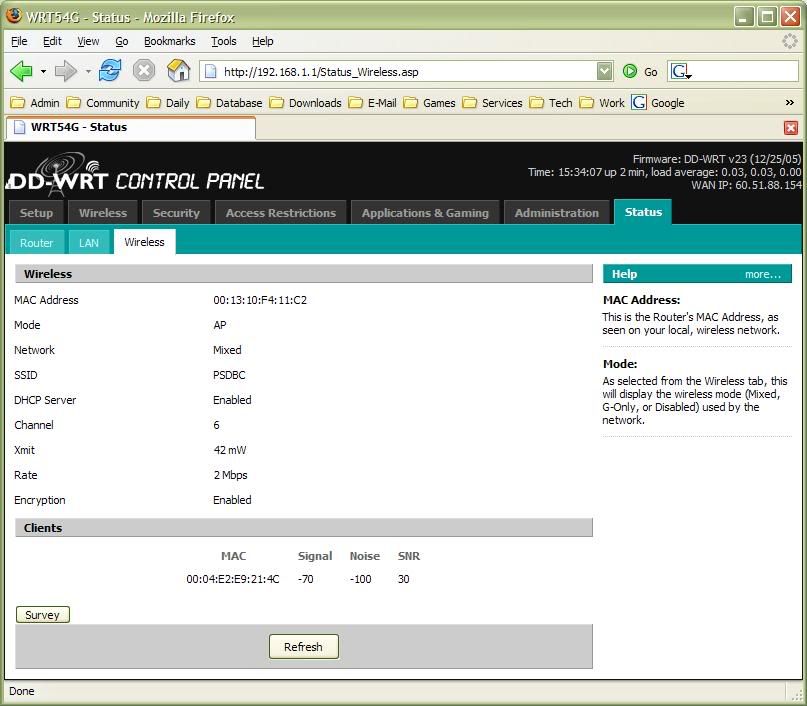
Example of interfaces

WRT54GS Ver 1.1 running on Ver 24 Final

user posted image

This post has been edited by MX510: Jun 19 2008, 12:33 PM
OKLY
post Dec 28 2005, 10:47 PM

The Penguin Vader
Group Icon
Staff
12,089 posts

Joined: Dec 2004
From: Malaysia


Really ?? I'm also gonna flash it later. smile.gif
prasys
post Dec 29 2005, 09:15 AM

Heros Never Die
Group Icon
VIP
12,925 posts

Joined: Mar 2005
From: Kuala Lumpur
I am going to flash this. Its one of the greatest frimware ever to be created. OpenWRT + GUI
amirsubhi
post Dec 29 2005, 09:40 AM

The Power Is IN Your Hand!
******
Senior Member
1,472 posts

Joined: Apr 2005
From: SumwHeRe In MaLaYsIa


finally..ehehehe..after long time keep flashin wit their latest beta firmware(Which peepz say its not good to alwayz flash ur router)..

hurm...afterthis..keep flashin my router wit v24 beta

This post has been edited by amirsubhi: Dec 29 2005, 09:42 AM
TSMX510
post Dec 29 2005, 10:05 AM

Love Me Sin Hate Me Sinner
*******
Senior Member
4,038 posts

Joined: Aug 2005
From: Earth


QUOTE(hardyboyz888 @ Dec 28 2005, 10:47 PM)
Really ?? I'm also gonna flash it later. smile.gif
*
After flash do give snapshot and feedback okies smile.gif
OKLY
post Dec 29 2005, 10:16 AM

The Penguin Vader
Group Icon
Staff
12,089 posts

Joined: Dec 2004
From: Malaysia


I just flashed it. For feedbacks, I'll post it later. Need to do a long test before can give any feedbacks. What snapshot do you guys want ?
TSMX510
post Dec 29 2005, 11:48 AM

Love Me Sin Hate Me Sinner
*******
Senior Member
4,038 posts

Joined: Aug 2005
From: Earth


QUOTE(hardyboyz888 @ Dec 29 2005, 10:16 AM)
I just flashed it. For feedbacks, I'll post it later. Need to do a long test before can give any feedbacks. What snapshot do you guys want ?
*
I just flash it refer to my first post tongue.gif working perfectly rite now
OKLY
post Dec 29 2005, 02:59 PM

The Penguin Vader
Group Icon
Staff
12,089 posts

Joined: Dec 2004
From: Malaysia


user posted image

This is my screenie.

P/S : Only prasys and moderating team knows my IP. laugh.gif

This post has been edited by hardyboyz888: Dec 29 2005, 03:00 PM
prasys
post Dec 29 2005, 03:06 PM

Heros Never Die
Group Icon
VIP
12,925 posts

Joined: Mar 2005
From: Kuala Lumpur
user posted image

Okay , it works..Surfing is somewhat faster. This thing broke my iPV6 Support. I might have to fix it. Other then that its great
d@odao
post Dec 29 2005, 11:45 PM

Daodao
*******
Senior Member
2,648 posts

Joined: Jan 2003
From: Sri Petaling, Seri Kembangan...
I m going to flash to this too...
Frenly
post Dec 30 2005, 07:53 PM

Casual
***
Junior Member
381 posts

Joined: Jan 2003


QUOTE(d@odao @ Dec 29 2005, 11:45 PM)
I m going to flash to this too...
*
i am wondering whether it can it is suitable for linksys v 5.0 firmware?
prasys
post Dec 30 2005, 07:54 PM

Heros Never Die
Group Icon
VIP
12,925 posts

Joined: Mar 2005
From: Kuala Lumpur
It does not work on V5 , nor any other 3rd party frimware do , becuase V5 does not use Linux anymore..nor it uses the broadcom chip
Frenly
post Dec 30 2005, 09:05 PM

Casual
***
Junior Member
381 posts

Joined: Jan 2003


QUOTE(prasys @ Dec 30 2005, 07:54 PM)
It does not work on V5 , nor any other 3rd party frimware do , becuase V5 does not use Linux anymore..nor it uses the broadcom chip
*
Ok..
Then i need to downgrade my firmwae from 5.0 to 4.0
prasys
post Dec 30 2005, 09:10 PM

Heros Never Die
Group Icon
VIP
12,925 posts

Joined: Mar 2005
From: Kuala Lumpur
You cannot , the hardware revision does not support it. So its impossible , you cannot

even if you load , you would brick your router and void your warranty
OKLY
post Dec 30 2005, 09:42 PM

The Penguin Vader
Group Icon
Staff
12,089 posts

Joined: Dec 2004
From: Malaysia


Well, you can always screw up your router and try to claim warranty. Hehe. But please be aware that it won't be 100% guaranteed you will get a 1 to 1 exchange.
asellus
post Dec 31 2005, 12:45 AM

#gompusas
Group Icon
Elite
4,541 posts

Joined: Jan 2003
From: BSRPPG51 Access Concentrator


Have the developers fixed the memory leak problem?

The reason I use tofu11 instead of this is because of the memeory leaks and has to be rebooted every week or so.
OKLY
post Jan 1 2006, 11:34 AM

The Penguin Vader
Group Icon
Staff
12,089 posts

Joined: Dec 2004
From: Malaysia


Memory leaks ? I don't experience any memory leaks so far. Which version did you use that you experience the memory leak problem ?
asellus
post Jan 1 2006, 04:51 PM

#gompusas
Group Icon
Elite
4,541 posts

Joined: Jan 2003
From: BSRPPG51 Access Concentrator


QUOTE(hardyboyz888 @ Jan 1 2006, 11:34 AM)
Memory leaks ? I don't experience any memory leaks so far. Which version did you use that you experience the memory leak problem ?
*
The v22 firmware.

Maybe I will try the new version later.
OKLY
post Jan 1 2006, 05:12 PM

The Penguin Vader
Group Icon
Staff
12,089 posts

Joined: Dec 2004
From: Malaysia


Yeah. v23 Final. smile.gif
prasys
post Jan 1 2006, 05:18 PM

Heros Never Die
Group Icon
VIP
12,925 posts

Joined: Mar 2005
From: Kuala Lumpur
Fixed , well ..thats what I have heard. It has been fixed. Since its using OpenWRT as its base , I guess its fixed , plus webpages loads 50-80% faster
OKLY
post Jan 1 2006, 10:40 PM

The Penguin Vader
Group Icon
Staff
12,089 posts

Joined: Dec 2004
From: Malaysia


To those who are using this version of DD-WRT and on Streamyx, I wanna ask when you guys get disconnected from Streamyx, does the router redial back ? Mine didn't dial back. sweat.gif
TSMX510
post Jan 4 2006, 09:58 PM

Love Me Sin Hate Me Sinner
*******
Senior Member
4,038 posts

Joined: Aug 2005
From: Earth


QUOTE(hardyboyz888 @ Jan 1 2006, 10:40 PM)
To those who are using this version of DD-WRT and on Streamyx, I wanna ask when you guys get disconnected from Streamyx, does the router redial back ? Mine didn't dial back. sweat.gif
*
Of course the router dialback smile.gif what happened to your check ur config settings smile.gif
stmu
post Jan 5 2006, 09:48 AM

Getting Started
**
Junior Member
123 posts

Joined: May 2005
Hi guys,
Did you guys experience b4 cannot browse internet but bittorent and MSN running ??? I usually on my PC 24 hours then the next day i open the internet xplorer then i type a website the page cannot be displayed but my msn n bittorent still downloading.....
I need to Switch off my router then on back again Then only i can surf the web... aNyone xperience this b4? how to solve it.. i'm currently using linksys v2.2 firmware is 4.20.7.. If i flash to DD-WRT V23 will it solve my problem?
animorphs
post Jan 5 2006, 05:20 PM

Getting Started
**
Junior Member
183 posts

Joined: Jan 2003
From: Singapore


this firmware has been tested under the following router models

WRT54G 1.0/1.1
WRT54G 2.0
WRT54G 2.2
WRT54G 3.0
WRT54G 3.1
WRT54G 4.0
WRT54GL 1.0

WRT54GS 1.0
WRT54GS 1.1
WRT54GS 2.0
WRT54GS 2.1
WRT54GS 3.0
WRT54GS 4.0
ASUS WL500G-Deluxe
Motorola WR850G --> see flashing notes
Siemens SE505 --> see flashing notes


additionally there is untested support for:

Buffalo WBR-G54


Siemens Flashing notes:
for flashing the Siemens gigaset SE505, you have to use the dd-wrt.v23_mini_generic.bin
with boot tftp on 192.168.2.1
since the siemens default settings do not fit to the linksys/dd-wrt ones you have additionally
to check your configuration details after flashing.

Motorola WR850G flashing notes:

just use the dd-wrt.v23_mini_moto.bin for initial flashing of the motorola device using the boot
wait state.
never, and i say never try to clear the nvram by the mtd utility. (mtd erase nvram). this will also
delete your hardware mac adresses which arent stored in the cfe like in other routers.
dd-wrt itself prevents this if a motorola router is detected, but the commandline mtd utility
can still brick your router in this case

Linksys WRT54G/GS (any version) flashing notes:

for upgrading from original linksys firmware, please use the generic mini version
and flash it from web interface.
after this first flashing you can upgrade to any other distribution too. for webinterface
flashing just use always the included generic binaries. the rest is only made for tftp upgrades
thankyou
post Jan 5 2006, 06:17 PM

Regular
******
Senior Member
1,941 posts

Joined: Jan 2003
FYI, all WRT54G V3.1 router are running out of stock! i just went lowyat and search for the whole lowyat..

almost gave up and wanted to buy the GS version! finally found it at techdos for WRT54G.... only few units left! Anyone who interested in the router... get it while stock last. RM220!!

This post has been edited by thankyou: Jan 5 2006, 06:27 PM
TSMX510
post Jan 5 2006, 06:19 PM

Love Me Sin Hate Me Sinner
*******
Senior Member
4,038 posts

Joined: Aug 2005
From: Earth


QUOTE(thankyou @ Jan 5 2006, 06:17 PM)
FYI, all WRT54G V3.1 router are running out of stock! i just went lowyat and search for the whole lowyat..

almost gave up and buy the GS version! finally found it at techdos.... only few units left! Anyone who interested in the router... get it while stock last. RM220!!
*
I will buy one for my friends today thanx for the lovely info looking for WRT54GS ;-)
thankyou
post Jan 5 2006, 06:25 PM

Regular
******
Senior Member
1,941 posts

Joined: Jan 2003
ohhh... GS i know techdos selling also.... is V1.1 confirm... RM290

errm.. all IT selilng GS at RM273 cheapest i guess... but i ask them what v they said V5 also... thats' why i din't get GS....

BTW, I am really new to this router... just got into the official dd-wrt site and i saw alot of firmware such as VOIP/VPN/STD... Hmmm wonder which is good... any recommend?

This post has been edited by thankyou: Jan 5 2006, 06:26 PM
prasys
post Jan 5 2006, 06:29 PM

Heros Never Die
Group Icon
VIP
12,925 posts

Joined: Mar 2005
From: Kuala Lumpur
go with mini , or you could visit ##dd-wrt or PM me (I'm on the DD-WRT Team as well , beta testing , etc)

There are many ways , go with mini. Trust me , it works great
TSMX510
post Jan 5 2006, 06:31 PM

Love Me Sin Hate Me Sinner
*******
Senior Member
4,038 posts

Joined: Aug 2005
From: Earth


QUOTE(thankyou @ Jan 5 2006, 06:25 PM)
ohhh... GS i know techdos selling also.... is V1.1 confirm... RM290

errm.. all IT selilng GS at RM273 cheapest i guess... but i ask them what v they said V5 also... thats' why i din't get GS....

BTW, I am really new to this router... just got into the official dd-wrt site and i saw alot of firmware such as VOIP/VPN/STD... Hmmm wonder which is good... any recommend?
*
http://dd-wrt.gruftie.com/dd-wrtv2/downloa...wrt.v23.std.zip

Download ver 23 :-)

http://wrt-wiki.bsr-clan.de/index.php?title=Main_Page

Follow this use internet explorer and cable when flashing before u flash make sure set it it to factory default and no modem attach to it smile.gif flash from mini first then flash to standard version smile.gif
thankyou
post Jan 5 2006, 08:48 PM

Regular
******
Senior Member
1,941 posts

Joined: Jan 2003
Just get it done.... the basic linksys firmware is really good enough... but the DD-WRT v23 I"ll give DOUBLE THUMBS UP! still playing with it... I think I installed the voip firmware by accident bcos i downloaded standard and voip..

But one thing, i having problem connect to internet which i dont' know why... after a few reboot... it back to normal.

off topic... the adapter is REALLY REALLY HOT! I actually read about this issue from some other thread long time ago... but i never expect it to be THAT HOT! Erm... do you guys on 24/7? and it still working fine?
OKLY
post Jan 5 2006, 09:24 PM

The Penguin Vader
Group Icon
Staff
12,089 posts

Joined: Dec 2004
From: Malaysia


Yeap. I did on it for about 25-26 hours and it was just warm.
TSMX510
post Jan 5 2006, 09:41 PM

Love Me Sin Hate Me Sinner
*******
Senior Member
4,038 posts

Joined: Aug 2005
From: Earth


QUOTE(thankyou @ Jan 5 2006, 08:48 PM)
Just get it done.... the basic linksys firmware is really good enough... but the DD-WRT v23 I"ll give DOUBLE THUMBS UP! still playing with it... I think I installed the voip firmware by accident bcos i downloaded standard and voip..

But one thing, i having problem connect to internet which i dont' know why... after a few reboot... it back to normal.

off topic... the adapter is REALLY REALLY HOT! I actually read about this issue from some other thread long time ago... but i never expect it to be THAT HOT! Erm... do you guys on 24/7? and it still working fine?
*
I got RM 280 from TechDos manage to bought them before they close their shop Ver 1.1 smile.gif will flash this router tonite it's for my friends

The router adapter was kinda hot but manage to get it cool because i put a fan near it and the fan running 24/7 smile.gif only rest for and hour hehehe smile.gif
stmu
post Jan 5 2006, 09:55 PM

Getting Started
**
Junior Member
123 posts

Joined: May 2005
QUOTE(thankyou @ Jan 5 2006, 08:48 PM)
Just get it done.... the basic linksys firmware is really good enough... but the DD-WRT v23 I"ll give DOUBLE THUMBS UP! still playing with it... I think I installed the voip firmware by accident bcos i downloaded standard and voip..

But one thing, i having problem connect to internet which i dont' know why... after a few reboot... it back to normal.

off topic... the adapter is REALLY REALLY HOT! I actually read about this issue from some other thread long time ago... but i never expect it to be THAT HOT! Erm... do you guys on 24/7? and it still working fine?
*
oh ya i also having the same problem with u cannot connect to internet and after a reboot it back to normal.....ya i'm same with u on 24/7.. i need to reboot my modem every day!!!!...anyone knows wat problem are we having here?????i also got post earlier but seems no reply... i've already flashed with this new version WRT v23
stmu
post Jan 5 2006, 09:57 PM

Getting Started
**
Junior Member
123 posts

Joined: May 2005
Oh ya by the way i tell u this version WRT v23 got QOS and i'm using it...ITs awesome!!!!!...surfing web no lag....BT Still running quite fast....
TSMX510
post Jan 5 2006, 10:56 PM

Love Me Sin Hate Me Sinner
*******
Senior Member
4,038 posts

Joined: Aug 2005
From: Earth


QUOTE(stmu @ Jan 5 2006, 09:57 PM)
Oh ya by the way i tell u this version WRT v23 got QOS and i'm using it...ITs awesome!!!!!...surfing web no lag....BT Still running quite fast....
*
Of course it's good smile.gif the best firmware i ever had smile.gif
garanzia
post Jan 15 2006, 11:11 PM

Getting Started
**
Junior Member
218 posts

Joined: Jan 2003
From: Georgetown Penang


tumpang thread

which version is good for this router ?
adsl included ?
price range for the router and pci wifi card ?
which shop sell it ?
TSMX510
post Jan 15 2006, 11:29 PM

Love Me Sin Hate Me Sinner
*******
Senior Member
4,038 posts

Joined: Aug 2005
From: Earth


QUOTE(garanzia @ Jan 15 2006, 11:11 PM)
tumpang thread

which version is good for this router ?
adsl included ?
price range for the router and pci wifi card ?
which shop sell it ?
*
Before u buy pls check the version of the router i advice you to buy from TechDos in Lowyat they still sells version 1.1 WRT54GS smile.gif

Browse this thread for price

smile.gif


biatche
post Jan 21 2006, 07:48 PM

Regular
******
Senior Member
1,649 posts

Joined: Jan 2003
wrt54g 2.2 here

originally hyperwrt user, just switched to ddwrt v23..

1st try, firefox screwed me, i couldn't fully flash the firmware, some stupid stop script stuff came up
2nd try, used ie and succesfully flashed to v23 std

issue: plenty of timeouts, it's really slow, what's going on? i did experience a LITTLE of this in hyperwrt whether its related or not i don't remember or know. anyone experience this issue?
prasys
post Jan 21 2006, 09:15 PM

Heros Never Die
Group Icon
VIP
12,925 posts

Joined: Mar 2005
From: Kuala Lumpur
V 2.2 is known to have a lot of problems when wifi is turned on . Its a known issue , I had a lots of problems with it
HiT-AbLe
post Jan 22 2006, 07:13 AM

Enthusiast
*****
Senior Member
866 posts

Joined: Jan 2003
I'm currently using Hyperwrt, if I want to flash it to ddwrt v23, do I have to do reset or something?

Also is it worth to jump boat? I'm not in Wifi thing but more concerned abt download issue coz this router has been used by me and other user, if the other user runs BT then I will face slow down problem while surfing, even I limit the speed on the other user's BT also won't help, so I wonder it'll be any improvement in this case.
biatche
post Jan 22 2006, 07:17 AM

Regular
******
Senior Member
1,649 posts

Joined: Jan 2003
echo 4096 > /proc/sys/net/ipv4/ip_conntrack_max
echo 1 > /proc/sys/net/ipv4/icmp_echo_ignore_broadcasts
echo 1 > /proc/sys/net/ipv4/icmp_ignore_bogus_error_responses
echo 512 > /proc/sys/net/ipv4/neigh/default/gc_thresh1
echo 2048 > /proc/sys/net/ipv4/neigh/default/gc_thresh2
echo 4096 > /proc/sys/net/ipv4/neigh/default/gc_thresh3
echo "600 1800 120 60 120 120 10 60 30 120" > /proc/sys/net/ipv4/ip_conntrack_tcp_timeouts

important settings to be used for torrent users.
biatche
post Jan 22 2006, 07:51 AM

Regular
******
Senior Member
1,649 posts

Joined: Jan 2003
well done enough testing with dd-wrt, tofu (hyperwrt) is far far better. good luck and bye bye ddwrt users.
TSMX510
post Jan 22 2006, 05:23 PM

Love Me Sin Hate Me Sinner
*******
Senior Member
4,038 posts

Joined: Aug 2005
From: Earth


QUOTE(biatche @ Jan 22 2006, 07:51 AM)
well done enough testing with dd-wrt, tofu (hyperwrt) is far far better. good luck and bye bye ddwrt users.
*
I'll stick on DD-WRT smile.gif
bem69
post Jan 25 2006, 09:25 PM

K-Bem
*******
Senior Member
2,658 posts

Joined: Jan 2003
From: Given Not
QUOTE(MX510 @ Jan 22 2006, 05:23 PM)
I'll stick on DD-WRT smile.gif
*
Okay, I'm just a normal user with 3 pcs in the household. I do use bittorrent. Probably one is gonna switch to wifi. What's so good about DDWRT compared to the original firmware?

My situation? I got an unused WRT54G v5 (was cheated by a d**khead shop in Sunway Pyramid saying its a v4.Turns out they don't have a v4 after waiting 2 weeks) and I have the option to upgrade to WRT54GS and probably install DD-WRT by doing so. Should I go GS, or stick with this v5 crap?
prasys
post Jan 26 2006, 03:11 PM

Heros Never Die
Group Icon
VIP
12,925 posts

Joined: Mar 2005
From: Kuala Lumpur
Go with GS and please make sure your GS is not V5 too....and its V4 (you could only use the mini , but I think that will be fine)

If you use BitTorrent then QoS plays an important role here. So its better for you , to dump the V5 (which has many problems) and go with GS Instead
bem69
post Jan 30 2006, 01:02 AM

K-Bem
*******
Senior Member
2,658 posts

Joined: Jan 2003
From: Given Not
QUOTE(prasys @ Jan 26 2006, 03:11 PM)
Go with GS and please make sure your GS is not V5 too....and its V4 (you could only use the mini , but I think that will be fine)

If you use BitTorrent then QoS plays an important role here. So its better for you , to dump the V5 (which has many problems) and go with GS Instead
*
Thanks, is there a V5 GS too?
DaBaD
post Jan 30 2006, 01:56 AM

Getting Started
**
Junior Member
264 posts

Joined: Apr 2005
From: Subang Jaya


Anybody using v23 sp1 beta?
sjn hassan
post Jan 30 2006, 02:07 AM

Member's of MAKAN MEGGI club
*******
Senior Member
3,544 posts

Joined: Jan 2003
From: United States of Cybertron


anyone tried new model?? WRT54GL (L - Linux)
DaBaD
post Jan 30 2006, 11:09 AM

Getting Started
**
Junior Member
264 posts

Joined: Apr 2005
From: Subang Jaya


QUOTE(sjn hassan @ Jan 30 2006, 02:07 AM)
anyone tried new model?? WRT54GL (L - Linux)
*
Lol... WRT54GL is WRT54G smile.gif

Look at the link :
http://www.linuxdevices.com/news/NS4729641740.html
prasys
post Jan 30 2006, 01:51 PM

Heros Never Die
Group Icon
VIP
12,925 posts

Joined: Mar 2005
From: Kuala Lumpur
WRT54GL is the re-birth of WRT54G v4 !
bem69
post Feb 5 2006, 11:02 PM

K-Bem
*******
Senior Member
2,658 posts

Joined: Jan 2003
From: Given Not
Ok thanks for advice, just got myself the WRT54GS v4. Haven't got the guts to update the firmware to DD-WRT yet. Is it possible to backup the original Linksys firmware?
takata
post Feb 6 2006, 12:18 PM

Casual
***
Junior Member
317 posts

Joined: Jan 2003
From: DeeeeeeeeeeeeeepDown


i also just get WRT54GS from sunway... after bought, back home stright flash ti DD-WRT ... without problem...

for those who wanna get WRT54G... i dun think there is WRT54G V4 in the market now.... unless u get the WRT54GS V4 with serial no starting with CGN6XXXXXXXX ...

just tips for WRT54GS v4 user to flash with DD-WRT, flash with dd-wrt.v23_mini_wrt54gsv4.bin 1st.... then u can flash with any version u want VOIP,STD or VPN ... thumbup.gif thumbup.gif
attap
post Feb 6 2006, 04:13 PM

Getting Started
**
Junior Member
199 posts

Joined: Sep 2005
QUOTE(takatadome @ Feb 6 2006, 12:18 PM)
i also just get WRT54GS from sunway... after bought, back home stright flash ti DD-WRT ... without problem...

*
How much did you paid for WRT54GS? Thinking to get one myself!
takata
post Feb 7 2006, 12:43 PM

Casual
***
Junior Member
317 posts

Joined: Jan 2003
From: DeeeeeeeeeeeeeepDown


QUOTE(attap @ Feb 6 2006, 04:13 PM)
How much did you paid for WRT54GS? Thinking to get one myself!
*
RM 350
kevinhkw
post Feb 7 2006, 05:59 PM

Getting Started
**
Junior Member
264 posts

Joined: Jan 2003
From: Selangor Darul Ehsan


RM350 for Linksys WRT54GS? Techdos System in Low Yat selling RM290 only!! thumbup.gif

This post has been edited by kevinhkw: Feb 7 2006, 06:00 PM
OKLY
post Feb 7 2006, 07:02 PM

The Penguin Vader
Group Icon
Staff
12,089 posts

Joined: Dec 2004
From: Malaysia


It's because Techdos has some kind of partnership with Linksys. smile.gif
TSMX510
post Feb 8 2006, 12:24 AM

Love Me Sin Hate Me Sinner
*******
Senior Member
4,038 posts

Joined: Aug 2005
From: Earth


QUOTE(kevinhkw @ Feb 7 2006, 05:59 PM)
RM350 for Linksys WRT54GS? Techdos System in Low Yat selling RM290 only!!  thumbup.gif
*
I got RM 280 tongue.gif used to buy a lots of things from there tongue.gif already bought 3 routers for my friends from them same price tongue.gif
takata
post Feb 8 2006, 01:42 PM

Casual
***
Junior Member
317 posts

Joined: Jan 2003
From: DeeeeeeeeeeeeeepDown


walaawea rugi laa.... NVM laa bought oready..sad.gif
sanosizo
post Feb 9 2006, 10:52 AM

Look at all my stars!!
*******
Senior Member
4,553 posts

Joined: Jan 2003
From: Shah Alam


i just bought a wrt54gs v4 last week. can sumone teach me how to flash the firmware to dd-wrt?
prasys
post Feb 9 2006, 06:09 PM

Heros Never Die
Group Icon
VIP
12,925 posts

Joined: Mar 2005
From: Kuala Lumpur
www.dd-wrt.com , just get the mini frimware and flash it..The website covers it all , go to their WiKi section too....

or you could visit #dd-wrt @ irc.freenode.net , if you're stucked (But read their wiki first)


sanosizo
post Feb 9 2006, 07:15 PM

Look at all my stars!!
*******
Senior Member
4,553 posts

Joined: Jan 2003
From: Shah Alam


thanks for all the advices...going to flash the router soon, btw i bought mine for rm270 from startec
attap
post Feb 10 2006, 12:15 PM

Getting Started
**
Junior Member
199 posts

Joined: Sep 2005
QUOTE(sanosizo @ Feb 9 2006, 07:15 PM)
thanks for all the advices...going to flash the router soon, btw i bought mine for rm270 from startec
*
Wah! WRT54GS v4 for RM270? That's bargain man! thumbup.gif In Low Yat a shop quoted me RM330 for the same thing doh.gif

BTW Where is Startec? Sunway or Low Yat?

This post has been edited by attap: Feb 10 2006, 12:16 PM
sanosizo
post Feb 11 2006, 01:51 AM

Look at all my stars!!
*******
Senior Member
4,553 posts

Joined: Jan 2003
From: Shah Alam


startec is in low yat but unfortunately i've bought the last unit. i've asked several shops in the 3rd floor, the linksys shop offered rm310 then others offered rm330. after that i went downstairs, most of the shops dun have the GS luckily i found 1 hehe...
attap
post Feb 11 2006, 10:35 AM

Getting Started
**
Junior Member
199 posts

Joined: Sep 2005
Thanks sanosizo!
sanosizo
post Feb 11 2006, 01:56 PM

Look at all my stars!!
*******
Senior Member
4,553 posts

Joined: Jan 2003
From: Shah Alam


asking for help from all the sifus here... do i have to unplug the modem and all cables (leaving only 1 connected to the pc) from the port if i want to flash the router?
OKLY
post Feb 11 2006, 04:51 PM

The Penguin Vader
Group Icon
Staff
12,089 posts

Joined: Dec 2004
From: Malaysia


IMO, I don't think it is needed to unplug other cables. Just make sure you don't flash it via wireless LAN.
amirsubhi
post Feb 11 2006, 06:26 PM

The Power Is IN Your Hand!
******
Senior Member
1,472 posts

Joined: Apr 2005
From: SumwHeRe In MaLaYsIa


yerp...btway..sp1 beta ddwrt v23 is out
silencer
post Feb 16 2006, 01:03 AM

AnyThiN GoEs
******
Senior Member
1,846 posts

Joined: Jan 2003
From: City^of^Anggerik


To Flash or Not to Flash???????
gerrard capashen
post Feb 16 2006, 02:04 PM

Quarry Executive
*******
Senior Member
3,377 posts

Joined: Jan 2003
From: Kulai-Pontian (Johor)


huh.. i got also WRT54G ver 2.0 now.. thinking also upgrade the firmware..
prasys
post Feb 16 2006, 03:15 PM

Heros Never Die
Group Icon
VIP
12,925 posts

Joined: Mar 2005
From: Kuala Lumpur
Want more functions , want to Torrent and play games at the sametime , then flash , otherwise stick with the default frimware
silencer
post Feb 17 2006, 10:55 AM

AnyThiN GoEs
******
Senior Member
1,846 posts

Joined: Jan 2003
From: City^of^Anggerik


QUOTE(prasys @ Feb 16 2006, 03:15 PM)
Want more functions , want to Torrent and play games at the sametime , then flash , otherwise stick with the default frimware
*
Prasys, as a newbie in networking here, i wonder if u know where can i refer for wifi and streamys setting for wrt54gs, as i do the auto setup for my existing wrt54gs. Wioll i loose the benefits of speedbooster as all my usb adapter in my condo using the speedbooster enbaled usb adapter.
Pls advise
prasys
post Feb 17 2006, 01:46 PM

Heros Never Die
Group Icon
VIP
12,925 posts

Joined: Mar 2005
From: Kuala Lumpur
No , you will not loose Speedbooster , if you upgrade the firmware....
blackbox
post Feb 19 2006, 03:17 PM

Getting Started
**
Junior Member
133 posts

Joined: Jul 2005
From: Malaysia


Guys,

Please help me on setting up the DSL600E & WRT54G, i'm a newbie in networking, anyone keen to help? Step by step guiding?

DSL600E will attach to my desktop pc, and my notebook will connecting wireless thru WRT54G.

Thanks in advance!

OKLY
post Feb 19 2006, 03:26 PM

The Penguin Vader
Group Icon
Staff
12,089 posts

Joined: Dec 2004
From: Malaysia


DSL600E > WRT54G > Computers

That's all. Just make sure the DSL600E is in bridge mode. Then set the WRT54G to dial.
silencer
post Feb 20 2006, 10:56 AM

AnyThiN GoEs
******
Senior Member
1,846 posts

Joined: Jan 2003
From: City^of^Anggerik


QUOTE(blackbox @ Feb 19 2006, 03:17 PM)
Guys,

Please help me on setting up the DSL600E & WRT54G, i'm a newbie in networking, anyone keen to help? Step by step guiding?

DSL600E will attach to my desktop pc, and my notebook will connecting wireless thru WRT54G.

Thanks in advance!
*
I'm a newbie too....but managed to set up the wrt 54gs by myself. My advise is use the cd which come with the package( wrt54g). But if it still doesnt work, just download the netset apps fro linksys.com. The installation and configuration will be done instantly......

'NUFF SAID
blackbox
post Feb 21 2006, 10:37 AM

Getting Started
**
Junior Member
133 posts

Joined: Jul 2005
From: Malaysia


QUOTE(silencer @ Feb 20 2006, 10:56 AM)
I'm a newbie too....but managed to set up the wrt 54gs by myself. My advise is use the cd which come with the package( wrt54g). But if it still doesnt work, just download the netset apps fro linksys.com. The installation and configuration will be done instantly......

'NUFF SAID
*
Silencer,

Thanks for your help smile.gif
PRINZE
post Feb 21 2006, 02:46 PM

I'm 1337..
*******
Senior Member
2,404 posts

Joined: Jan 2003
QUOTE(stmu @ Jan 5 2006, 09:48 AM)
Hi guys,
Did you guys experience b4 cannot browse internet but bittorent and MSN running ??? I usually on my PC 24 hours then the next day i open the internet xplorer then i type a website the page cannot be displayed but my msn n bittorent still downloading.....
I need to Switch off my router then on back again Then only i can surf the web... aNyone xperience this b4? how to solve it.. i'm currently using linksys v2.2 firmware is 4.20.7.. If i flash to DD-WRT V23 will it solve my problem?
*
nobody answer this question? i also facing this prob.. when in BT, cant seems to surf net via http.. have to restart the router.. mine is v3.1.. flashed it to DDWRT v2.3, still facing same prob.. when runnign BT, sometimes cant access to router as well.. anyone facing same prob?

QUOTE(MX510 @ Jan 15 2006, 11:29 PM)
Before u buy pls check the version of the router i advice you to buy from TechDos in Lowyat they still sells version 1.1 WRT54GS smile.gif

Browse this thread for price

smile.gif
*
most of the sales person do not know.. i ask b4 for certain version, they reply what version? what do u mean? all same la...
takata
post Feb 21 2006, 03:31 PM

Casual
***
Junior Member
317 posts

Joined: Jan 2003
From: DeeeeeeeeeeeeeepDown


about version... can find it here...

http://www.wrt54g.net/pages.php?p=guide_version

overview of each model revision hardware

http://wrt54g.net/pages.php?p=guide_hardware
waifaq
post Feb 22 2006, 04:33 AM

Null
Group Icon
Elite
3,347 posts

Joined: Jan 2003
From: Malaysia, Selangor, Sg. Buloh.

QUOTE(PRINZE @ Feb 21 2006, 02:46 PM)
nobody answer this question? i also facing this prob.. when in BT, cant seems to surf net via http.. have to restart the router.. mine is v3.1.. flashed it to DDWRT v2.3, still facing same prob.. when runnign BT, sometimes cant access to router as well.. anyone facing same prob?
most of the sales person do not know.. i ask b4 for certain version, they reply what version? what do u mean? all same la...
*
Try this
Login to router > 192.168.xxx.xxx
>Administration
>Management
>IP Filter Settings
QUOTE
Maximum Ports : 4096
TCP Timeout (s) : 120
UDP Timeout (s) : 120

>Save Settings
>Reboot Router

Above setting probaly can solve "sometimes cant access to router as well.."

For the slow internet with BT 24hours, u need to enable QoS.
Suggest u play around with the

>Applications & Gaming
>QoS
>Port WAN
>243 Uplink kbps & 640 Downlink kbps (you can play around here)
>Services Priority
>Add>bittorrent>Priority (Bulk)
>Add/Edit Service>bittorrent port (e.g 29999)>Apply>Close

Still internet load slow, better than nothing.
sanosizo
post Feb 22 2006, 08:53 PM

Look at all my stars!!
*******
Senior Member
4,553 posts

Joined: Jan 2003
From: Shah Alam


I cant find the 'IP Filter Settings' in my router. Im using WRT54GS v4.
silencer
post Feb 22 2006, 10:28 PM

AnyThiN GoEs
******
Senior Member
1,846 posts

Joined: Jan 2003
From: City^of^Anggerik


QUOTE(sanosizo @ Feb 22 2006, 08:53 PM)
I cant find the 'IP Filter Settings' in my router. Im using WRT54GS v4.
*
Huh... r u sure..Im using the same model....uder option of Application and Gaming>>>>choose Port Range Forwar>and key in the following items>Application:Torrent; Start:6881; End:6889; Protocol:Both; IP adress: 192.168.1.100; check Enable.....

Try it....as my BT is working OK

'NUFF SAID
PRINZE
post Feb 22 2006, 10:58 PM

I'm 1337..
*******
Senior Member
2,404 posts

Joined: Jan 2003
QUOTE(waifaq @ Feb 22 2006, 04:33 AM)
Try this
Login to router > 192.168.xxx.xxx
>Administration
>Management
>IP Filter Settings

>Save Settings
>Reboot Router

Above setting probaly can solve "sometimes cant access to router as well.."

For the slow internet with BT 24hours, u need to enable QoS.
Suggest u play around with the

>Applications & Gaming
>QoS
>Port WAN
>243 Uplink kbps & 640 Downlink kbps (you can play around here)
>Services Priority
>Add>bittorrent>Priority (Bulk)
>Add/Edit Service>bittorrent port (e.g 29999)>Apply>Close

Still internet load slow, better than nothing.
*
thanks for the tips.. i hope mine can work..
PRINZE
post Feb 23 2006, 11:44 AM

I'm 1337..
*******
Senior Member
2,404 posts

Joined: Jan 2003
QUOTE(waifaq @ Feb 22 2006, 04:33 AM)
Try this
Login to router > 192.168.xxx.xxx
>Administration
>Management
>IP Filter Settings

>Save Settings
>Reboot Router

Above setting probaly can solve "sometimes cant access to router as well.."

For the slow internet with BT 24hours, u need to enable QoS.
Suggest u play around with the

>Applications & Gaming
>QoS
>Port WAN
>243 Uplink kbps & 640 Downlink kbps (you can play around here)
>Services Priority
>Add>bittorrent>Priority (Bulk)
>Add/Edit Service>bittorrent port (e.g 29999)>Apply>Close

Still internet load slow, better than nothing.
*
QUOTE(PRINZE @ Feb 22 2006, 10:58 PM)
thanks for the tips.. i hope mine can work..
*
Your tips are awesome and it works... thank you very much..
aku_ker
post Feb 23 2006, 11:03 PM

Casual
***
Junior Member
438 posts

Joined: Mar 2005


QUOTE(PRINZE @ Feb 23 2006, 11:44 AM)
Your tips are awesome and it works... thank you very much..
*
sorry..to run off topics . I jus want to know where we can get wrt54g ver4...its look like all the shop is selling ver 5
takata
post Feb 24 2006, 11:07 AM

Casual
***
Junior Member
317 posts

Joined: Jan 2003
From: DeeeeeeeeeeeeeepDown


i dun think there is WRT54G V4 in market now.... u can find GS V4, grab it before it last.... otherwise u can get GL but i'm not sure malaysia got this model or not... wink.gif
Kite
post Feb 24 2006, 10:33 PM

Dark Tipper
Group Icon
VIP
4,289 posts

Joined: Jan 2003
From: Behind You

Guess can't join the club laio >_<
I was looking for a router and come to learn that there is something special with the Linux firmware modem.
Can i ask , if just use for normal surfing, the firmware dont play much role right ?

Sorry for noob Q.

This post has been edited by Kite: Feb 24 2006, 10:48 PM
peterbrutus
post Feb 25 2006, 03:12 AM

On my way
****
Senior Member
528 posts

Joined: Jan 2003
does the latest WRT54G-L supports DDWRT?
ruztynail
post Feb 25 2006, 04:46 AM

Acrimonious Young Man
******
Senior Member
1,886 posts

Joined: Jan 2005
From: world above you


i got WRT54G v2.2... question.. i am using the intel proset for my wirelss.. the connection is always strong and never dc wat so ever (unless on DOTA) and hv no other problems including speed.. except tat.. sometimes while playing DOTA.. it will DC.. any reason to this? the firware is the latest by linksys v4.20.7

any of u guys exp this??

This post has been edited by ruztynail: Feb 25 2006, 04:47 AM
silencer
post Feb 25 2006, 10:38 AM

AnyThiN GoEs
******
Senior Member
1,846 posts

Joined: Jan 2003
From: City^of^Anggerik


QUOTE(peterbrutus @ Feb 25 2006, 03:12 AM)
does the latest WRT54G-L supports DDWRT?
*
I think it is a linux version for WRT54G, and if it is, it does support DDWRT.

'NUFF SAID
peterbrutus
post Feb 26 2006, 05:53 PM

On my way
****
Senior Member
528 posts

Joined: Jan 2003
Compare WRT54GS V4 & WRT54GL, If i'd like to use DD-WRT, which one should I choose?

This post has been edited by peterbrutus: Feb 26 2006, 08:42 PM
amirsubhi
post Feb 26 2006, 11:11 PM

The Power Is IN Your Hand!
******
Senior Member
1,472 posts

Joined: Apr 2005
From: SumwHeRe In MaLaYsIa


V4 gs if not mistaken having less ram..while GL doesnt hav speedbooster..unless u r desperately wanna use speedbooster(which to me is kinda useless.) get GL.try search for v3 gs if u want

This post has been edited by amirsubhi: Feb 26 2006, 11:14 PM
justin_nys
post Mar 14 2006, 12:13 PM

Regular
******
Senior Member
1,192 posts

Joined: Jan 2003
From: Bandar Utama


I have WRT54GS v1.1 and was using the original firmware.
Last night downloaded dd-wrt.v23 standard version. and i flashed my router with
dd-wrt.v23_wrt54gs.bin because the file name matches my modem model. I have read all the readme files before flashing. But after reading it again i realise this:


QUOTE
Linksys WRT54G/GS (any version) flashing notes:

for upgrading from original linksys firmware, please use the generic mini version
and flash it from web interface.
after this first flashing you can upgrade to any other distribution too. for webinterface
flashing just use always the included generic binaries. the rest is only made for tftp upgrades


So did i flash it wrongly? It's stated there use always the included generic binaries.
There is a dd-wrt.v23_generic.bin in the zip file but why is there a dd-wrt.v23_wrt54gs.bin ? Btw, what is the difference between mini and standard version?

Any c_fu out there can guide me with the proper step to flash it? Btw, i already flash again to dd-wrt.v23_generic.bin from the wrt.v23_wrt54gs.bin firmware. Will using the "wrong" firmware damage my router? can i go back to Linksys' original firmware just in case i want it in the future?


prasys
post Mar 14 2006, 12:29 PM

Heros Never Die
Group Icon
VIP
12,925 posts

Joined: Mar 2005
From: Kuala Lumpur
yes you can go back

You can use GS Frimware to flash it as well , I dont see any problem with it..Its just mainly for tftp , but it works for web based upgrades as well...Dont worry it will not damange your router

If you plan to move back to linksys , go to frimware upgrade , select frimware default and then choose Linksys frimware (you can get it from linksys' website). Please enable bootWait..Thats very important..just incase if anything goes wrong , you can recover your router back...
silencer
post Mar 14 2006, 11:39 PM

AnyThiN GoEs
******
Senior Member
1,846 posts

Joined: Jan 2003
From: City^of^Anggerik


Really need help here...does WRT54GS v4 with dd-wrt firmware works better for live connection with xbox 360? Anyone here mind to advise?

Thanks
TSMX510
post Mar 15 2006, 12:00 AM

Love Me Sin Hate Me Sinner
*******
Senior Member
4,038 posts

Joined: Aug 2005
From: Earth


QUOTE(silencer @ Mar 14 2006, 11:39 PM)
Really need help here...does WRT54GS v4 with dd-wrt firmware works better for live connection with xbox 360? Anyone here mind to advise?

Thanks
*
Yes it does smile.gif
PLYZing
post Mar 16 2006, 09:19 AM

Getting Started
**
Junior Member
104 posts

Joined: Mar 2005


I'm just having one problem with thr router. It is that the router's time is like not syncronized. Any solutions? Currently using dd-wrt mini v23 on WRT54G v3.1.
TSMX510
post Mar 16 2006, 10:08 AM

Love Me Sin Hate Me Sinner
*******
Senior Member
4,038 posts

Joined: Aug 2005
From: Earth


QUOTE(PLYZing @ Mar 16 2006, 09:19 AM)
I'm just having one problem with thr router. It is that the router's time is like not syncronized. Any solutions?  Currently using dd-wrt mini v23 on WRT54G v3.1.
*
Try upgrade them to standard version smile.gif i'm sure full function will be unleashed smile.gif
prasys
post Mar 16 2006, 01:05 PM

Heros Never Die
Group Icon
VIP
12,925 posts

Joined: Mar 2005
From: Kuala Lumpur
no , the time...well , there are some problem with 'the time sync' thingy......Its a known issue...You dont have to upgrade to standard version...You could upgrade to DD-WRT v23 Service Pack 1
PLYZing
post Mar 17 2006, 12:58 PM

Getting Started
**
Junior Member
104 posts

Joined: Mar 2005


Another question what is the NTP Client setting for anyway. Do I need to set it?
prasys
post Mar 17 2006, 01:29 PM

Heros Never Die
Group Icon
VIP
12,925 posts

Joined: Mar 2005
From: Kuala Lumpur
NTP Client is meant for time sync , its up to you..you could leave it blank or use

192.43.244.18 [ntp.nist.org] , make sure to set your time +8 GMT , Singapore
silencer
post Mar 21 2006, 03:50 AM

AnyThiN GoEs
******
Senior Member
1,846 posts

Joined: Jan 2003
From: City^of^Anggerik


QUOTE(MX510 @ Mar 15 2006, 12:00 AM)
Yes it does smile.gif
*
It seems like the wi fi connection between the MS adaptor at my xbox 360 with the router is improved after I reflash with the original software, and i wonder why, as no more dc problem at all....
DeLarafi
post Mar 21 2006, 04:05 PM

Ammar Tycoon
******
Senior Member
1,423 posts

Joined: Jan 2003
From: Yasud - Tash Murkon


QUOTE(amirsubhi @ Feb 26 2006, 11:11 PM)
V4 gs if not mistaken having less ram..while GL doesnt hav speedbooster..unless u r desperately wanna use speedbooster(which to me is kinda useless.) get GL.try search for v3 gs if u want
*
WRT54GS V.4 = 16MB 200Mhz... Half Everything but same with WRT54G model. shocking.gif

This post has been edited by DeLarafi: Mar 21 2006, 05:57 PM
DeLarafi
post Mar 21 2006, 04:12 PM

Ammar Tycoon
******
Senior Member
1,423 posts

Joined: Jan 2003
From: Yasud - Tash Murkon


QUOTE(aku_ker @ Feb 23 2006, 11:03 PM)
sorry..to run off topics . I jus want to know where we can get wrt54g ver4...its look like all the shop is selling ver 5
*
i know here in melaka got WRT54G < .V5 but it cost RM250. Last 1..last week..

zhen^wei
post Mar 23 2006, 12:36 PM

Look at all my stars!!
*******
Senior Member
4,057 posts

Joined: Jan 2003
From: Pandan Indah


i want find 1 X wifi modem router. linksys nice ?
soul2soul
post Mar 24 2006, 01:39 AM

To the end of suffering!
*******
Senior Member
5,640 posts

Joined: Feb 2005
From: Manussa loka


any info/reviews on this model WRT54GC.. my friend got it, it looks kind of cute.. he got it for RM220 at lowyat.

does it support 3rd party firmware?

I am going to buy another wireless router.. any recommendation? should i get WRT54GC ? i got wrt54G but it's version 5 hardware.. dont really like it, has lots of issues. any other recommendation?

I saw a friend of mine using Dlink wireless... gosh the ping from his laptop to the router is 20ms . Linksys still works the best with 1-2 ms ping.

any idea? thanx for reply.
DeLarafi
post Mar 24 2006, 10:38 AM

Ammar Tycoon
******
Senior Member
1,423 posts

Joined: Jan 2003
From: Yasud - Tash Murkon


it look cute but when u see it live.. its quite big also. bigger then the horizontal 1. say... almost the same size with the Crappy RSX if im not mistaken
TSMX510
post Mar 26 2006, 04:11 PM

Love Me Sin Hate Me Sinner
*******
Senior Member
4,038 posts

Joined: Aug 2005
From: Earth


Just bought another WRT54GS for another friend yesterday manage to get Version 4 at Sri Computer and Techdos also selling Version 4 you can identify the version on the box they have serial number on it look for CDF for WRT54G or CGN0 for WRT54GS

Manage to flash the version 4 to mini using i.e and the flash it again to standard version smile.gif working perfectly


There are serveral versions of the WRT54G and WRT54GS. different powersupplies, chipsets, features, though all based on similar firmware.

To find out which model you have please go by the Serail Number of your WRT54G/GS. this is the only true way of finding out.

Known serial numbers (first 4 characters) vs versions / Chipsets:

WRT54G
CDF0 = WRT54G v1.0 / ADM6996L Chipset / CPU 125Mhz
CDF1 = WRT54G v1.0 / ADM6996L Chipset / CPU 125Mhz
CDF2 = WRT54G v1.1 / ADM6996L Chipset / CPU 125Mhz
CDF3 = WRT54G v1.1 / ADM6996L Chipset / CPU 125Mhz
CDF5 = WRT54G v2.0 / ADM6996L Chipset / CPU 200Mhz
CDF7 = WRT54G v2.2 / BCM5325EKQM Chipset / CPU 200Mhz
CDF8 = WRT54G v3.0 / BCM5325EKQM Chipset / CPU 200Mhz
CDF9 = WRT54G v3.1 / BCM5325EKQM Chipset / CPU 200Mhz
CDFA = WRT54G v4.0 / BCM5352E Chipset / CPU 200Mhz
CDFB = WRT54G v5.0 / BCM5352EKPB Chipset / CPU 200Mhz

NOTE: The WRT54G v5.0 has 2Mb/8Mb Ram, it uses VxWorks OS and is incompatable with 3rd Party Firmware.

WRT54GL
CL7A = WRT54GL / BCM5352E Chipset / CPU 200Mhz

WRT54GS
CGN0 = WRT54GS v1.0 / ADM6996L Chipset / CPU 200Mhz
CGN1 = WRT54GS v1.0 / ADM6996L Chipset / CPU 200Mhz
CGN2 = WRT54GS v1.1 / BCM5325EKQM Chipset / CPU 200Mhz
CGN3 = WRT54GS v2.0 / BCM5325EKQM Chipset / CPU 200Mhz
CGN4 = WRT54GS v2.1 / BCM5325EKQM Chipset / CPU 200Mhz
CGN5 = WRT54GS v3.0 / BCM5352E Chipset / CPU 200Mhz
CGN6 = WRT54GS v4.0 / BCM5352E Chipset / CPU 200Mhz
CGN7 = WRT54GS v5.0 /

NOTE: The WRT54GS v5.0 uses VxWorks OS and is incompatable with 3rd Party Firmwares.

using the "SysInfo.htm" is not recommended, this gives on some versions the same answer and therefore cannot be used as an accurate way of finding out which model version you have.

NOTE: if you have a new version of WRT54G/GS that is not listed then please PM me with the version number and first four characters of the Serial number.

For more info on the Internals please check out our Autopsy here: http://www.linksysinfo.org/modules.php?nam...=showpage&pid=6
DeLarafi
post Mar 27 2006, 07:39 AM

Ammar Tycoon
******
Senior Member
1,423 posts

Joined: Jan 2003
From: Yasud - Tash Murkon


can dd chek the MAximum bandwith for our ADSL line???
like other modem and routers DO..
see whather we r using 1024/512 or 1024/384
FoX^
post Mar 27 2006, 12:24 PM

Getting Started
**
Junior Member
197 posts

Joined: Jan 2003
WRT54GS v4 << this one got any problem? What will the reduction of ram do?

Cant find WRT54g V4 :'( anybody know where to get?
DeLarafi
post Mar 27 2006, 01:59 PM

Ammar Tycoon
******
Senior Member
1,423 posts

Joined: Jan 2003
From: Yasud - Tash Murkon


PErfect for the time being.. ram reduction?? only cant install more software inside.. after install 1 software.. the ram already left 2mb.. maybe plan to do the SD card modd.

WRT54G v4... hmm.. try melaka.. i think got 1.
if GS v4.. can get it at PcZone for 280.
TSMX510
post Mar 28 2006, 01:01 PM

Love Me Sin Hate Me Sinner
*******
Senior Member
4,038 posts

Joined: Aug 2005
From: Earth


QUOTE(FoX^ @ Mar 27 2006, 12:24 PM)
WRT54GS v4 << this one got any problem? What will the reduction of ram do?

Cant find WRT54g V4 :'( anybody know where to get?
*
All it HyperMarket in Lowyat Plaza and TechDos in Lowyat Plaza both are selling WRT54GS version 4 rite now just bought them last Saturday :-) i pair them with Linksys ADSL2MUE Modem
TSMX510
post Mar 28 2006, 01:01 PM

Love Me Sin Hate Me Sinner
*******
Senior Member
4,038 posts

Joined: Aug 2005
From: Earth


QUOTE(DeLarafi @ Mar 27 2006, 07:39 AM)
can dd chek the MAximum bandwith for our ADSL line???
like other modem and routers DO..
see whather we r using 1024/512 or 1024/384
*
I check that in my Linksys ADSL2Mue Configuration page :-)
Dannyl
post Mar 29 2006, 03:24 PM

what the fucuk-yimai
*******
Senior Member
6,113 posts

Joined: Jan 2003
From: Pokey Oaks


Oh this thread for fans only? I have a WRT54G but I'm not a fan... so I guess I'm not welcome here... hehehe...
Squallwc
post Mar 30 2006, 10:44 AM

Getting Started
**
Junior Member
76 posts

Joined: Feb 2005


OMG... just bought WRT54G from PC Zone, check check.... is version 5... before that don't know I can check it from serial... So now how... can change? Or just use it..?
Criptonox89
post Mar 30 2006, 07:08 PM

Look at all my stars!!
*******
Senior Member
2,792 posts

Joined: Jun 2005


QUOTE(DeLarafi @ Mar 21 2006, 04:12 PM)
i know here in melaka got WRT54G    < .V5 but it cost RM250. Last 1..last week..
*
did u mean Stygix?
Got WRT54GS or any other model?


QUOTE(MX510 @ Mar 28 2006, 01:01 PM)
All it HyperMarket in Lowyat Plaza and TechDos in Lowyat Plaza both are selling WRT54GS version 4 rite now just bought them last Saturday :-) i pair them with Linksys ADSL2MUE Modem

*
hmm...mind to tell us how much?
TSMX510
post Apr 1 2006, 08:37 AM

Love Me Sin Hate Me Sinner
*******
Senior Member
4,038 posts

Joined: Aug 2005
From: Earth


QUOTE(ANGELING @ Mar 30 2006, 07:08 PM)
did u mean Stygix?
Got WRT54GS or any other model?
hmm...mind to tell us how much?
*
RM 269
kucau
post Apr 1 2006, 08:17 PM

Casual
***
Junior Member
459 posts

Joined: Apr 2005
From: Mee Bandung Muor


QUOTE(Squallwc @ Mar 30 2006, 10:44 AM)
OMG... just bought WRT54G from PC Zone, check check.... is version 5... before that don't know I can check it from serial... So now how... can change? Or just use it..?
*
of course u can use it ,,but u cant upgrade the firmware to DDRT..u loss the fun part smile.gif
Squallwc
post Apr 1 2006, 09:20 PM

Getting Started
**
Junior Member
76 posts

Joined: Feb 2005


QUOTE(kucau @ Apr 1 2006, 08:17 PM)
of course u can use it ,,but u cant upgrade the firmware to DDRT..u loss the fun part smile.gif
*
that's what I meant.. Sigh... cox before u buy this u wont go and read how to install open firmware, and when u did, it's too late... cry.gif
DeLarafi
post Apr 3 2006, 08:27 PM

Ammar Tycoon
******
Senior Member
1,423 posts

Joined: Jan 2003
From: Yasud - Tash Murkon


QUOTE(ANGELING @ Mar 30 2006, 07:08 PM)
did u mean Stygix?
Got WRT54GS or any other model?
hmm...mind to tell us how much?
*
Nope... actualy at the lausy PC World bukit beruang.
prasys
post Apr 3 2006, 08:31 PM

Heros Never Die
Group Icon
VIP
12,925 posts

Joined: Mar 2005
From: Kuala Lumpur
Guys

FYI , I just have converted my WRT54G into a GS [Thats right with SpeedBooster thingy and now OSX reports that Airport+ Connection and I could get pretty good transfer rates as well..]
jovial
post Apr 3 2006, 08:59 PM

carpe diem
*******
Senior Member
2,129 posts

Joined: Jan 2003
From: Somewhere only we know..

how did you do that?

prasys
post Apr 3 2006, 09:22 PM

Heros Never Die
Group Icon
VIP
12,925 posts

Joined: Mar 2005
From: Kuala Lumpur
I just loaded the script , edited here and there , if you want...I will....Post the Guide later

WRT54G is a cripped version of WRT54GS.....
jovial
post Apr 3 2006, 11:43 PM

carpe diem
*******
Senior Member
2,129 posts

Joined: Jan 2003
From: Somewhere only we know..

that would be great
i just bought a 54G v4 to replace my unpredictable 54GC
aku_ker
post Apr 5 2006, 10:34 AM

Casual
***
Junior Member
438 posts

Joined: Mar 2005


hi
hi need to log all ip/mac address connected to my wrt54g to an external database.
Which 3rd party firmware i should use?Can anyone show me how to do this???

This post has been edited by aku_ker: Apr 5 2006, 10:34 AM
ldragon
post Apr 5 2006, 11:15 AM

Regular
******
Senior Member
1,026 posts

Joined: Jan 2003
From: Kuala Lumpur, Malaysia
aku_ker,

Can try this out:-

RFlow Collector
http://www.dd-wrt.com/dd-wrtv2/index.php?link=rflow

Log Viewer
http://svs.sv.funpic.de/index.php?option=c...&id=1&Itemid=63
zeehond
post Apr 5 2006, 02:29 PM

Getting Started
**
Junior Member
94 posts

Joined: Oct 2005
QUOTE(prasys @ Apr 3 2006, 09:22 PM)
I just loaded the script , edited here and there , if you want...I will....Post the Guide later

WRT54G is a cripped version of WRT54GS.....
*
Or you just activate afterburner in the webmenu.

http://wrt-wiki.bsr-clan.de/index.php?title=Afterburner


aku_ker
post Apr 5 2006, 02:32 PM

Casual
***
Junior Member
438 posts

Joined: Mar 2005


QUOTE(ldragon @ Apr 5 2006, 11:15 AM)
thanks ldragon, gonna chek this out.
anything in linux???
justin_nys
post Apr 5 2006, 05:31 PM

Regular
******
Senior Member
1,192 posts

Joined: Jan 2003
From: Bandar Utama


QUOTE(ldragon @ Apr 5 2006, 11:15 AM)
i've downloaded RFlow. looks like a cool software.
But there isn't any signal coming in...need some help to configure it. thanks in advance guys
DeLarafi
post Apr 5 2006, 05:48 PM

Ammar Tycoon
******
Senior Member
1,423 posts

Joined: Jan 2003
From: Yasud - Tash Murkon


QUOTE(justin_nys @ Apr 5 2006, 05:31 PM)
i've downloaded RFlow. looks like a cool software.
But there isn't any signal coming in...need some help to configure it. thanks in advance guys
*
ok... u need to set your WRT also.

anyway... my WRT setting is Static ID. For example.. my PC that i use to open this RFLOW sw is 192.168.1.128

login into your WRT seting page.

Go to Administration > Services > and do this.

Attached Image

This post has been edited by DeLarafi: Apr 5 2006, 05:49 PM
justin_nys
post Apr 5 2006, 06:03 PM

Regular
******
Senior Member
1,192 posts

Joined: Jan 2003
From: Bandar Utama


oh yeah DeLarafi, i forgot to say i've already set that.
but i still can't see the statistic of individual PCs with diff IP.
thanks again.
justin_nys
post Apr 5 2006, 06:08 PM

Regular
******
Senior Member
1,192 posts

Joined: Jan 2003
From: Bandar Utama


i've included two printscreens here.
Did i do any wrong here? Is subnet the same as subnet mask?


Attached thumbnail(s)
Attached Image Attached Image
DeLarafi
post Apr 5 2006, 08:00 PM

Ammar Tycoon
******
Senior Member
1,423 posts

Joined: Jan 2003
From: Yasud - Tash Murkon


the right side picture.....
lokal subnet remove the 255.255.255.0 that the Mask
just put 192.168.1 <--- just like this..dont end it with dot .
then remove all the simply IP.

i can teach you to give name to all the IP add that enter the network base on the MAC address.

and on the right side of the setting. (in the donot show)
in the simply IP... put your router ip... u dont need to show it together in the list.. ill show you my screen shot.

Attached Image

hope this can fix it. thumbup.gif

This post has been edited by DeLarafi: Apr 5 2006, 08:03 PM
TSMX510
post Apr 5 2006, 09:29 PM

Love Me Sin Hate Me Sinner
*******
Senior Member
4,038 posts

Joined: Aug 2005
From: Earth


THis is cool i will try it today after finish downloading Casonova DvdRip tongue.gif

04.01.06 7:21 pm

Subject: V23 SP1 final is near
So far everything goes well we will release the next version v23 SP1. in the last days i thought a little bit about a version numbering change since SP1 contains many new features and again a cutting edge webgui which was improved in the last days.
noteworthy changes:
- live RSSI/NOISE and SNR statistic
- less memory consumption for supporting low memory devices (SE505)
- official Buffalo WHR G54s and WHR HP G54 support (my replacement for the unavailable Linksys WRT54G/GS/GL)
- ACK Timing setting support
- improved HTTP performance
- new UPNP configuration window
- browser compatiblity enhanced (including IE7 and Safari)
- Autoformating of installed SD Cards with EXT2 (sdmod)
- improved help pages
- http username support (default is "root")
- New CPU Overclocking features (use with care and at your own risk)
- Enhanced Site Survey
- New Etherner driver which should solve many problems
- Save settings improved (does now automaticly refresh the settings page)
- New P2P Catchall feature which allows blocking of all Filesharing services with 1 click

and many uncounted enhancements and fixes (for more details see changelog)

Below is my rFlow Connections smile.gif

This post has been edited by MX510: Apr 6 2006, 03:49 AM


Attached thumbnail(s)
Attached Image
justin_nys
post Apr 6 2006, 01:56 AM

Regular
******
Senior Member
1,192 posts

Joined: Jan 2003
From: Bandar Utama


thanks DeLarafi, i've got it to work. wink.gif
And i also realised that i forgot to enable MACupd...haha...nice tool!
Squallwc
post Apr 6 2006, 04:55 PM

Getting Started
**
Junior Member
76 posts

Joined: Feb 2005


Is GL sold at lowyat now?
BTW.. ddwrt author show that it is possible to flash V5 to 3rd party firmware, release a micro version, 1.7MB. But need extra hardware to rewrite the boot thingy though. so still not possible for most ppl like me. :'(
DeLarafi
post Apr 6 2006, 05:29 PM

Ammar Tycoon
******
Senior Member
1,423 posts

Joined: Jan 2003
From: Yasud - Tash Murkon


Wow..that sure a good news to share.. wish they create a "more easier way to install" type later.

Anyway... Anyone try the Sputnik version of DDWRT???

Any improvement or diffrent???

plan to flash it now but my WRT still heavily use. have to wait friday. sweat.gif

anybody try it do care to share please....

http://www.dd-wrt.com/dd-wrtv2/index.php?link=downloads

thumbup.gif thumbup.gif thumbup.gif

This post has been edited by DeLarafi: Apr 6 2006, 05:44 PM
TSMX510
post Apr 6 2006, 05:50 PM

Love Me Sin Hate Me Sinner
*******
Senior Member
4,038 posts

Joined: Aug 2005
From: Earth


QUOTE(DeLarafi @ Apr 6 2006, 05:29 PM)
Wow..that sure a good news to share.. wish they create a "more easier way to install" type later.

Anyway... Anyone try the Sputnik version of DDWRT???

Any improvement or diffrent???

plan to flash it now but my WRT still heavily use. have to wait friday. sweat.gif

anybody try it do care to share please....

http://www.dd-wrt.com/dd-wrtv2/index.php?link=downloads

thumbup.gif  thumbup.gif  thumbup.gif
*
Don't install that Sputnik because it's nothing more info can be read in

http://www.sputnik.com/products/apf.html

Sputnik announced today that the popular DD-WRT open-source firmware for Linksys and other wireless routers now includes Sputnik Agent(tm) software. The addition of Sputnik is a response to growing demand from Wi-Fi service providers and software developers for such "carrier-class" features as scalable user authentication, centralized Wi-Fi management, and flexible control over security and quality of service (QoS).

Sputnik software provides central management for a network of DD-WRT-powered routers, adding a suite of subscriber management options to create a powerful access-controlled network. Wi-Fi service providers can use Sputnik software to set and adjust options for access control, user authentication, and equipment settings over the Internet using a web browser.

In addition to dd-wrt.com, Sputnik will provide the firmware for download from its site, and sells Linksys routers with Sputnik Agent software installed. Sputnik Control Center(tm) server software can be licensed for use in the provider's data center, and is also offered as a hosted service, SputnikNet(tm). Both are available at www.sputnik.com .

About Sputnik
Sputnik Inc. is a leading provider of software that allows wireless service providers to build Wi-Fi networks and manage them over the Internet. Sputnik's remote network and subscriber management features allow cost-effective operation in locations without onsite technical support. The company offers a family of wireless application modules and access points to support a variety of businesses, service providers, and educational institutions. The company is based in San Francisco.

Please wait for SP1 Version 23 for DD-WRT smile.gif

This post has been edited by MX510: Apr 6 2006, 05:53 PM
ldragon
post Apr 6 2006, 09:57 PM

Regular
******
Senior Member
1,026 posts

Joined: Jan 2003
From: Kuala Lumpur, Malaysia
Squallwc,

Sell off your wrt54g ver5 at lelong/lowyat & get yourself the wrt54gs v4 price range from RM250 to RM340 (serious there is a shop in lowyat selling at RM340 !! )
weirdo
post Apr 7 2006, 02:21 AM

New Member
*
Junior Member
39 posts

Joined: Jan 2003
hi

anybody here got the CD driver for LINKSYS Modem (ADSL2MUE) ?...i think i've misplaced it....anybody here can burn the CD for me ?...i'll pay for the service....
sjn hassan
post Apr 7 2006, 03:11 AM

Member's of MAKAN MEGGI club
*******
Senior Member
3,544 posts

Joined: Jan 2003
From: United States of Cybertron


QUOTE(weirdo @ Apr 7 2006, 02:21 AM)
hi

anybody here got the CD driver for LINKSYS Modem (ADSL2MUE) ?...i think i've misplaced it....anybody here can burn the CD for me ?...i'll pay for the service....
*
PM me u'r offer laugh.gif
soul2soul
post Apr 7 2006, 09:29 AM

To the end of suffering!
*******
Senior Member
5,640 posts

Joined: Feb 2005
From: Manussa loka


i am going to KL next week. can someone tell me where i could get my hands on the LInksys wrt54G version 4 hardware?
aku_ker
post Apr 7 2006, 10:42 AM

Casual
***
Junior Member
438 posts

Joined: Mar 2005


QUOTE(soul2soul @ Apr 7 2006, 09:29 AM)
i am going to KL next week. can someone tell me where i could get my hands on the LInksys wrt54G version 4 hardware?
*
Midvalley kl it world, at Mtec shop. Just bought one yesterday.At lowyat u cannot find it anywhere except for the rm340 one tongue.gif tongue.gif tongue.gif
ldragon
post Apr 7 2006, 01:11 PM

Regular
******
Senior Member
1,026 posts

Joined: Jan 2003
From: Kuala Lumpur, Malaysia
QUOTE(aku_ker @ Apr 7 2006, 10:42 AM)
Midvalley kl it world, at Mtec shop. Just bought one yesterday.At lowyat u cannot find it anywhere except for the rm340  one tongue.gif  tongue.gif  tongue.gif
*
Did you check with Techdos in lowyat? they might have exstock (RM260/265)

jovial
post Apr 7 2006, 02:13 PM

carpe diem
*******
Senior Member
2,129 posts

Joined: Jan 2003
From: Somewhere only we know..

If anyone going to singapore..it's $86 dollars for v4
TSMX510
post Apr 7 2006, 03:04 PM

Love Me Sin Hate Me Sinner
*******
Senior Member
4,038 posts

Joined: Aug 2005
From: Earth


QUOTE(soul2soul @ Apr 7 2006, 09:29 AM)
i am going to KL next week. can someone tell me where i could get my hands on the LInksys wrt54G version 4 hardware?
*
Still got in Lowyat Plaza version for check for previous post in here to recognize hardware version based on their serial number

Price range rm 240 to rm 280 based on WRT54G / GS

There is one stupid shop selling for RM 340 he claim that he is the dealer for linksys products even though the dealer price if you have business card also very expensive you will see only Linksys Product at the shop don't get cheated smile.gif
Dickong
post Apr 7 2006, 04:06 PM

Regular
******
Senior Member
1,689 posts

Joined: Jan 2003
Hi there, just off topic, hope dont mind. Is it wise to put the router on top of the modem. Secondly can it be to hot if the router is on top of the modem. TQ
aku_ker
post Apr 7 2006, 04:36 PM

Casual
***
Junior Member
438 posts

Joined: Mar 2005


QUOTE(ldragon @ Apr 7 2006, 01:11 PM)
Did you check with Techdos in lowyat? they might have exstock (RM260/265)
*
Im not sure if i went to Techdos or not but i already ask almost all shop in lowyat, the only one selling is the one with the bull**** price (rm340).


justin_nys
post Apr 7 2006, 05:00 PM

Regular
******
Senior Member
1,192 posts

Joined: Jan 2003
From: Bandar Utama


QUOTE(Dickong @ Apr 7 2006, 04:06 PM)
Hi there, just off topic, hope dont mind. Is it wise to put the router on top of the modem. Secondly can it be to hot if the router is on top of the modem. TQ
*
IMHO, the router shouldn't be placed on top of the ADSL modem. coz both the router and modem generates heat...which is bad for the operations of both devices.
Dickong
post Apr 7 2006, 05:38 PM

Regular
******
Senior Member
1,689 posts

Joined: Jan 2003
I know it hot when you put your modem or the router on top of each other, but the linksys modem and router when you put them together it look nice and I think they purposely make it that way. Moreover, the stand they make fit onto it other that why i ask whether they can put together, if thats say you cant put on top of each other, then why they made it so perfectly fit to each other. TQ
TSMX510
post Apr 7 2006, 06:05 PM

Love Me Sin Hate Me Sinner
*******
Senior Member
4,038 posts

Joined: Aug 2005
From: Earth


Problems for me the router adapter is kinda hot must have a good ventilation for it i put a fan near the adapter to make it cool when it's so hot it always disconnected
thankyou
post Apr 7 2006, 11:08 PM

Regular
******
Senior Member
1,941 posts

Joined: Jan 2003
May i know where can i check the downstream and upstream data for my ADSL link?

i seems not able to check where is it.. after using it for 1 - 2 months... noob..
dopp
post Apr 7 2006, 11:41 PM

Regular
******
Senior Member
1,733 posts

Joined: Jan 2003
From: Penang


how to check version <5 without open the box?, currently pc fair, the seller dunno the version and not willing to open the box
dopp
post Apr 7 2006, 11:42 PM

Regular
******
Senior Member
1,733 posts

Joined: Jan 2003
From: Penang


nvm found the link http://www.yahel.org/misc/WRT54G-ID-1.pdf
soul2soul
post Apr 8 2006, 09:01 AM

To the end of suffering!
*******
Senior Member
5,640 posts

Joined: Feb 2005
From: Manussa loka


ok thanks!

will avoid CDFB!
strace
post Apr 8 2006, 01:38 PM

Ayy
*****
Senior Member
700 posts

Joined: Aug 2005
Does it support any of the non wireless linksys broadband modem router? 1 feature that I really want in it is the HTB queue support, save my time & money for configure linux on a new pc later on. Besides I dont need the wireless feature. If not I just have to buy it :/

This post has been edited by strace: Apr 8 2006, 01:39 PM
danielwoo
post Apr 9 2006, 06:48 PM

Getting Started
**
Junior Member
227 posts

Joined: Jan 2003
Hi guys, i am new to this DD-WRT thing, I had flashed to the latest V23 and is wondering how to turn off the secure easy setup? Anyone can guide me, thanks in advance!! notworthy.gif
TSMX510
post Apr 9 2006, 08:45 PM

Love Me Sin Hate Me Sinner
*******
Senior Member
4,038 posts

Joined: Aug 2005
From: Earth


QUOTE(thankyou @ Apr 7 2006, 11:08 PM)
May i know where can i check the downstream and upstream data for my ADSL link?

i seems not able to check where is it.. after using it for 1 - 2 months... noob..
*
Pls wait for version 23 SP1 released u can check with the new updated version will released soon :-)
TSMX510
post Apr 9 2006, 08:47 PM

Love Me Sin Hate Me Sinner
*******
Senior Member
4,038 posts

Joined: Aug 2005
From: Earth


QUOTE(danielwoo @ Apr 9 2006, 06:48 PM)
Hi guys, i am new to this DD-WRT thing, I had flashed to the latest V23 and is wondering how to turn off the secure easy setup? Anyone can guide me, thanks in advance!! notworthy.gif
*
I'm not sure secure and easy setup works with DD-WRT i think not because i flash my brother version 4 with DD-WRT the LED just lid on and nothing happened configured it using http://192.168.1.1


danielwoo
post Apr 9 2006, 09:11 PM

Getting Started
**
Junior Member
227 posts

Joined: Jan 2003
QUOTE(MX510 @ Apr 9 2006, 08:47 PM)
I'm not sure secure and easy setup works with DD-WRT i think not because i flash my brother version 4 with DD-WRT the LED just lid on and nothing happened configured it using http://192.168.1.1
*
Ya, because the original linksys firmware has an option to disable the secure easy setup under the advance settings. I usually disable this option to turn off the SES light. Therefore, i am wondering whether is there an option to disable it in the latest DD-WRT V23? After i flashed to this DD-WRT the SES light is lid on, i wanna turn it off. Thanks !!!
prasys
post Apr 9 2006, 09:22 PM

Heros Never Die
Group Icon
VIP
12,925 posts

Joined: Mar 2005
From: Kuala Lumpur
Just hold it , Just hold the Linksys' Light for a while

It would change color and eventually it will turn off
danielwoo
post Apr 9 2006, 09:49 PM

Getting Started
**
Junior Member
227 posts

Joined: Jan 2003
QUOTE(prasys @ Apr 9 2006, 09:22 PM)
Just hold it , Just hold the Linksys' Light for a while

It would change color and eventually it will turn off
*
Just hold it???? Did you mean I need to press and hold on that SES button??? Thanks!!!!
aku_ker
post Apr 9 2006, 10:03 PM

Casual
***
Junior Member
438 posts

Joined: Mar 2005


QUOTE(ldragon @ Apr 5 2006, 11:15 AM)
do you guyz know how to configure rflow with mysql, what table we need to create??
TSMX510
post Apr 9 2006, 10:17 PM

Love Me Sin Hate Me Sinner
*******
Senior Member
4,038 posts

Joined: Aug 2005
From: Earth


QUOTE(aku_ker @ Apr 9 2006, 10:03 PM)
do you guyz know how to configure rflow with mysql, what table we need to create??
*
enable them in ur router settings check this thread previous post :-)
prasys
post Apr 9 2006, 10:17 PM

Heros Never Die
Group Icon
VIP
12,925 posts

Joined: Mar 2005
From: Kuala Lumpur
you would need MySQL installed , just get MySQL installed ...You would need v4

daniel : yes , just press and hold it
danielwoo
post Apr 10 2006, 03:43 PM

Getting Started
**
Junior Member
227 posts

Joined: Jan 2003
I got another question, I noticed that my wireless network card require a longer time to acquire network addresses from the linksys router around 10 to 15 sec because i set it to automatically obtain address. I don't have such problem before I flashed to this DD-WRT, I mean when using the original linksys firmware. So, now I manually set the IP address for my network card.

To prasys: I press and hold on that SES button for few seconds and it turn white color but it did not lid off. After i switch off the router and turn it on, the SES light lid on and turn yellow again, swt!!! heheh!!! dunno why rclxub.gif
danielwoo
post Apr 10 2006, 07:12 PM

Getting Started
**
Junior Member
227 posts

Joined: Jan 2003
Bump!!!!!!!!!!!!!!!
prasys
post Apr 10 2006, 09:19 PM

Heros Never Die
Group Icon
VIP
12,925 posts

Joined: Mar 2005
From: Kuala Lumpur
QUOTE(danielwoo @ Apr 10 2006, 03:43 PM)
I got another question, I noticed that my wireless network card require a longer time to acquire network addresses from the linksys router around 10 to 15 sec because i set it to automatically obtain address. I don't have such problem before I flashed to this DD-WRT, I mean when using the original linksys firmware. So, now I manually set the IP address for my network card.

To prasys: I press and hold on that SES button for few seconds and it turn white color but it did not lid off. After i switch off the router and turn it on, the SES light lid on and turn yellow again, swt!!! heheh!!! dunno why rclxub.gif
*
Keep on holding again , it would be


Yellow/Orange ---> (hold) --> White and then it would be off...Just press and hold

You can configure that thing to use a script that tells your Network Load as well , Orange Will be high load , White , Normal and if there is nothing your network is relaxed [aka Internet Connection]. Its pretty cool

ldragon
post Apr 12 2006, 05:58 PM

Regular
******
Senior Member
1,026 posts

Joined: Jan 2003
From: Kuala Lumpur, Malaysia
WRT54GS version 4 (serial number: CGN6)still available at TechDOS & Sri Computer (RM260.00)
If power adapter faulty, techdos give 1 to 1 swap if stock available.
Dannyl
post Apr 13 2006, 12:00 PM

what the fucuk-yimai
*******
Senior Member
6,113 posts

Joined: Jan 2003
From: Pokey Oaks


Okay, just flashed to this firmware from the original Linksys yesterday. First attempt, the browser timed out midway of updating... I had a scare. Then I refreshed and tried again... successful. I have many questions...

1) I have a WRT54G v2.2. A few pages back someone mentioned v2.2 has some wireless problems, may I know what it is?

2) What's this QoS which can supposedly improve BT? Is it in the network properties at Windows? Becos I've seen it there with the TCP/IP settings.

3) What are some good settings to try? So far I've only changed the xMit value to 42mW (someone said it's a good value to try).

4) From the wireless connection icon in Windows, I see that the speed fluctuates greatly... it changes all the time, 2Mbps, 6Mbps, 48Mbps, 36Mbps, 12Mbps... what happened?

4) In the pic below, how come my PC is not listed as one of the clients? I set the IP manually to 192.168.1.100. DHCP starting IP is from 192.168.1.100.

Thanks for any help.

user posted image

This post has been edited by Dannyl: Apr 13 2006, 12:02 PM
DeLarafi
post Apr 13 2006, 01:25 PM

Ammar Tycoon
******
Senior Member
1,423 posts

Joined: Jan 2003
From: Yasud - Tash Murkon


00:04:E2:E9:21:4C ...whos MAC is it anyway???
Dannyl
post Apr 13 2006, 02:32 PM

what the fucuk-yimai
*******
Senior Member
6,113 posts

Joined: Jan 2003
From: Pokey Oaks


QUOTE(DeLarafi @ Apr 13 2006, 01:25 PM)
00:04:E2:E9:21:4C ...whos MAC is it anyway???
*
Oops, my bad. It's there after all. But at another screen, it's totally not there... hmm...
prasys
post Apr 13 2006, 03:36 PM

Heros Never Die
Group Icon
VIP
12,925 posts

Joined: Mar 2005
From: Kuala Lumpur
QUOTE(Dannyl @ Apr 13 2006, 12:00 PM)
Okay, just flashed to this firmware from the original Linksys yesterday.  First attempt, the browser timed out midway of updating... I had a scare.  Then I refreshed and tried again... successful.  I have many questions...

1)  I have a WRT54G v2.2.  A few pages back someone mentioned v2.2 has some wireless problems, may I know what it is?

2)  What's this QoS which can supposedly improve BT?  Is it in the network properties at Windows?  Becos I've seen it there with the TCP/IP settings.

3)  What are some good settings to try?  So far I've only changed the xMit value to 42mW (someone said it's a good value to try).

4)  From the wireless connection icon in Windows, I see that the speed fluctuates greatly... it changes all the time, 2Mbps, 6Mbps, 48Mbps, 36Mbps, 12Mbps... what happened?

4)  In the pic below, how come my PC is not listed as one of the clients?  I set the IP manually to 192.168.1.100.  DHCP starting IP is from 192.168.1.100.

Thanks for any help.
1. Frequent Disconnections and 'The Slow File Transfer' Problem Syndrome

2. Manage your Traffic. You could run BitTorrent and still able to play online games without 'major' lags. It shapes your traffic. In other words , you can manage your own bandwidth [Lets assume that you have RM 1 and if you dont manage it , you might just spend it , but if you manage it , you could buy some useful stuffs]

3. Well you could boost up to 100mW , there is no problem at all. I suggest you to install proper cooling system [or at least place in a 'cool' envoriment] , so that the router does not overheat


soul2soul
post Apr 14 2006, 01:15 AM

To the end of suffering!
*******
Senior Member
5,640 posts

Joined: Feb 2005
From: Manussa loka


I went to Midvalley AND lowyat plaza/imbi/ sungei wang searching for LInksys WRT54G version 4 hardware.. well dude... not in sale anymore. I did find WRT54GS version 4 hardware sold for RM280 at midvalley IT corner.

After some thoughts, I settled for my 2nd Linksys WRT54G hardware version 5... reason.. dont fix what is not broken. I have the propencity to get into problem with computer stuff (call it bad karma).. so better dont try mess aroudn with the firmware.

anyway thanx for the advice on ddwrt... I wish I had the gut to flash it.. but I guess I wont risk my RM280 for that!
die_257
post Apr 14 2006, 12:14 PM

Getting Started
**
Junior Member
108 posts

Joined: Jan 2005
From: Langkawi


QUOTE(soul2soul @ Apr 14 2006, 01:15 AM)
I went to Midvalley AND lowyat plaza/imbi/ sungei wang searching for LInksys WRT54G version 4 hardware.. well dude... not in sale anymore. I did find WRT54GS version 4 hardware sold for RM280 at midvalley IT corner.

After some thoughts, I settled for my 2nd Linksys WRT54G hardware version 5... reason.. dont fix what is not broken. I have the propencity to get into problem with computer stuff (call it bad karma).. so  better dont try mess aroudn with the firmware.

anyway thanx for the advice on ddwrt... I wish I had the gut to flash it.. but I guess I wont risk my RM280 for that!
*
//Off topic

Friend,

How is your new Linksys v5 router doing? Trouble free? I read around the net and
found that many had an unfortunate experience with the router after some prolong usage.

Here is the link "http://wifinetnews.com/archives/006160.html"

I want to buy one, prefer the previous version coz I want to try the DD-WRT but it
seems that it's hard to get one nowdays n the price is quite expensive compared to v5.

Where can I find the WRT54GL?

This post has been edited by die_257: Apr 14 2006, 12:21 PM
Squallwc
post Apr 14 2006, 01:05 PM

Getting Started
**
Junior Member
76 posts

Joined: Feb 2005


QUOTE(die_257 @ Apr 14 2006, 12:14 PM)
//Off topic

Friend,

How is your new Linksys v5 router doing? Trouble free? I read around the net and
found that many had an unfortunate experience with the router after some prolong usage.

Here is the link "http://wifinetnews.com/archives/006160.html"

I want to buy one, prefer the previous version coz I want to try the DD-WRT but it
seems that it's hard to get one nowdays n the price is quite expensive compared to v5.

Where can I find the WRT54GL?
*
Well, I accidentally bought a WRT54Gv5.... Got disconnect problem, need to reset it once or twice per day.. Then go to forum and found a solution:
Turn off uPnP. Turn off Firewall(Un-tick all things in the firewall page). Change the router IP to 192.168.2.x.

So far no problem. Up and running smoothly. icon_rolleyes.gif

This post has been edited by Squallwc: Apr 14 2006, 01:08 PM
sanosizo
post Apr 14 2006, 01:24 PM

Look at all my stars!!
*******
Senior Member
4,553 posts

Joined: Jan 2003
From: Shah Alam


some guys in ddwrt forum are discussing abt flashing the v5 with linux firmware. some have success but its not official yet. so do not flash ur v5 yet until the gurus say its safe to do so...
btw rite now my 54gsv4 is running on ddwrt2.3. there's a slight problem with the router time. i've change the time setting several times but it never sync with our time. for example, time rite now is 1.20pm (according to my pc) and the router time shows 5.23am. its 8 hours difference. or do i have to switch off the router?
prasys
post Apr 14 2006, 03:14 PM

Heros Never Die
Group Icon
VIP
12,925 posts

Joined: Mar 2005
From: Kuala Lumpur
Its a known issue and you would need to wait for a Fix [that is DD-WRT SP1]
sanosizo
post Apr 14 2006, 03:28 PM

Look at all my stars!!
*******
Senior Member
4,553 posts

Joined: Jan 2003
From: Shah Alam


i see...thanks 4 the info. another prob 4 u hehehe...in the dhcp client table i see no client at all. rite now the router got 5 pcs connected but none of them are displayed in the client table.
prasys
post Apr 14 2006, 03:59 PM

Heros Never Die
Group Icon
VIP
12,925 posts

Joined: Mar 2005
From: Kuala Lumpur
Are you on Static IP ?

Try to change the DHCP Lease time from x minutes to 1440 minutes , that should fix the problem
sanosizo
post Apr 14 2006, 04:20 PM

Look at all my stars!!
*******
Senior Member
4,553 posts

Joined: Jan 2003
From: Shah Alam


nope. all pcs set to dynamic & the lease time is the default value (1440). btw, i read some posts in the ddwrt forum n found out that some of the members are using the latest build of v2.3. i dont know where they get the firmware from....


update: the client table is updated finally. only 2 pcs show up becos their lease time are over. problem solved i guess since i know why it didnt show up b4 this. thanks prasys.

This post has been edited by sanosizo: Apr 14 2006, 04:32 PM
soul2soul
post Apr 14 2006, 05:30 PM

To the end of suffering!
*******
Senior Member
5,640 posts

Joined: Feb 2005
From: Manussa loka


Well the only problem i have with Linksys WRT54G version 5 is that the ethernet port always hang.

My laptop is connected to LInksys through wifi.. and so far so good.. and i would confidently say that Linksys router gives the most stable wireless connection with ping from my laptop to router around 1ms only. (other models give around 15ms -20 ms delay = not good for gaming)

however, my desktop is connected to linksys through its ethernet port. After a few hours, i will get disconnected so to speak. Check the LAN connection says connected but no packets is coming through from linksys router to my desktop connected physically to it. anyone has any idea how to fix this?
soul2soul
post Apr 14 2006, 05:44 PM

To the end of suffering!
*******
Senior Member
5,640 posts

Joined: Feb 2005
From: Manussa loka


QUOTE(Squallwc @ Apr 14 2006, 01:05 PM)
Well, I accidentally bought a WRT54Gv5.... Got disconnect problem, need to reset it once or twice per day.. Then go to forum and found a solution:
Turn off uPnP. Turn off Firewall(Un-tick all things in the firewall page). Change the router IP to 192.168.2.x.

So far no problem. Up and running smoothly. icon_rolleyes.gif
*
I tried changing the ip to 192.168.2.x .
Interesting, I could see my desktop(ethernet) name appearing on the DHCP clients table.
Previously I would have only my laptop (connected wirelessly) appearing on the table.

Will keep it running for a while and see what happens. THanks for this piece of information. Where did u read the solution btw?

This post has been edited by soul2soul: Apr 14 2006, 05:54 PM
Squallwc
post Apr 14 2006, 06:16 PM

Getting Started
**
Junior Member
76 posts

Joined: Feb 2005


QUOTE(soul2soul @ Apr 14 2006, 05:44 PM)
I tried changing the ip to 192.168.2.x .
Interesting, I could see my desktop(ethernet) name appearing on the DHCP clients table.
Previously I would have only my laptop (connected wirelessly) appearing on the table.

Will keep it running for a while and see what happens. THanks for this piece of information. Where did u read the solution btw?
*
Forgot... under frustration of getting a blue brick that need to be reset once in a while, searched and read various forums, site etc. Could be from ddwrt forum if I not remember wrongly.

The problem is still occur once in a week, but sort of okay.. Sigh.. consumer rights here different, see the forum of ddwrt, some of them can get refund. =.=
soul2soul
post Apr 14 2006, 06:24 PM

To the end of suffering!
*******
Senior Member
5,640 posts

Joined: Feb 2005
From: Manussa loka


have u tried disabling the DHCP server and assign your own internal IP to the computers connected to your router?

I am sure there is light at the end of the tunnel for linksys router. I read 3rd party software might be compatible with version 5.

As for me I could not think of any other brand except Linksys. Tried Dlink.. not very good because of the 20ms delay in the router. Linksys still gives the minimal latency.

This post has been edited by soul2soul: Apr 14 2006, 06:26 PM
vincent_ng86
post Apr 15 2006, 03:08 PM

Regular
******
Senior Member
1,659 posts

Joined: Feb 2005


According to http://www.dd-wrt.org/ the flash for Linksys WRT54G had been released. My i know it is stable? Anyone using?
jlchannel
post Apr 15 2006, 03:20 PM

Getting Started
**
Junior Member
290 posts

Joined: Jan 2003
ANyone try OpenWRT www.openwrt.org ?

I was just upgraded my firmware http://planetmy.com/blog/?p=48
prasys
post Apr 15 2006, 03:29 PM

Heros Never Die
Group Icon
VIP
12,925 posts

Joined: Mar 2005
From: Kuala Lumpur
I have tried OpenWRT , works fine. You get a lots of storage , but again you dont have a GUI ...All CLI...I would rather have DD-WRT [OpenWRT + GUI + $VEA$oft]
sanosizo
post Apr 15 2006, 07:46 PM

Look at all my stars!!
*******
Senior Member
4,553 posts

Joined: Jan 2003
From: Shah Alam


prasys...do u use any of those beta build of v23 sp1? rite now my router is on v23 final and doing fine but i still have problem limiting torrent in my network. i've read a little bit abt traffic control (tc) support in linux n v23 but dunno how to use it. actually i want to give individual bandwidth to each pc so that they have their own bandwidth & dont kacau me when playing online games.

this is what i found... http://luxik.cdi.cz/~devik/qos/htb/manual/userg.htm
but im not a linux nor network expert so this thing rclxub.gif rclxub.gif me...

This post has been edited by sanosizo: Apr 15 2006, 08:18 PM
prasys
post Apr 15 2006, 09:53 PM

Heros Never Die
Group Icon
VIP
12,925 posts

Joined: Mar 2005
From: Kuala Lumpur
You might want to check this site out

I havent tried those beta builds as I worried that it will break my IPV6 Tunnel

http://solosoft.org:81/projects/qos/ <--check that out on QoS
sanosizo
post Apr 16 2006, 02:23 PM

Look at all my stars!!
*******
Senior Member
4,553 posts

Joined: Jan 2003
From: Shah Alam


actually the qos didnt work before this becos i dont set the accurate up/download speed of the connection. im on 1mb package but the highest i could get is 750kbps only while the upload max out at 160kpbs. the average download speed is between 650-700. so i set 140/650 and now qos works. btw, when i set 1 of the pc (based on mac address) priority to bulk the pc wont get into internet at all. this is a good punishment to those using bt (bandwidth suckers) without thinking abt others. using ddwrt we can check who's actually sucking the bandwidth by telnetting into the router.

thanks prasys for the site.
danielwoo
post Apr 17 2006, 12:14 AM

Getting Started
**
Junior Member
227 posts

Joined: Jan 2003
Hi all, may i know what is the port number to be set in the QOS for Ragnarok? Cause my brother wanna play RO without much lag while BT. BTW, how to check which port is use for particular application or other online games? Thanks!!!
vincent_ng86
post Apr 17 2006, 12:24 AM

Regular
******
Senior Member
1,659 posts

Joined: Feb 2005


Does dd-wrt support WRT54G for version 5. I just got a version 5, and don't know what should i do with it as the current firmware is not very user friendly though...
takata
post Apr 17 2006, 12:36 AM

Casual
***
Junior Member
317 posts

Joined: Jan 2003
From: DeeeeeeeeeeeeeepDown


QUOTE(vincent_ng86 @ Apr 17 2006, 12:24 AM)
Does dd-wrt support WRT54G for version 5. I just got a version 5, and don't know what should i do with it as the current firmware is not very user friendly though...
*
bad news for ya.... did't support V5 wink.gif
TSMX510
post Apr 17 2006, 08:34 AM

Love Me Sin Hate Me Sinner
*******
Senior Member
4,038 posts

Joined: Aug 2005
From: Earth


QUOTE(vincent_ng86 @ Apr 17 2006, 12:24 AM)
Does dd-wrt support WRT54G for version 5. I just got a version 5, and don't know what should i do with it as the current firmware is not very user friendly though...
*
They are DD-WRT for version 5 but still in beta not stable smile.gif
vincent_ng86
post Apr 17 2006, 08:22 PM

Regular
******
Senior Member
1,659 posts

Joined: Feb 2005


Thanks... Please do post about it here if there is one stable one... smile.gif
osxchd
post Apr 18 2006, 12:51 PM

Am I a Freak?
******
Senior Member
1,083 posts

Joined: Jan 2003
From: "New" Klang Road, Kuala Lumpur


i hav a WBR2-G54, but scare after flash will brick my router... not supported yet... but Prasys adviced me to do it... but really scare hehe sleep.gif
sanosizo
post Apr 18 2006, 03:59 PM

Look at all my stars!!
*******
Senior Member
4,553 posts

Joined: Jan 2003
From: Shah Alam


you may need to enter the ddwrt forum n search for any success stories of your router. once u gained enuf confidence then go for it!
zeehond
post Apr 19 2006, 09:58 AM

Getting Started
**
Junior Member
94 posts

Joined: Oct 2005
QUOTE(osxchd @ Apr 18 2006, 12:51 PM)
i hav a WBR2-G54, but scare after flash will brick my router... not supported yet... but Prasys adviced me to do it... but really scare hehe sleep.gif
*
http://wrt-wiki.bsr-clan.de/index.php?titl...C_WLA-G54%2C_...


The brick risk is real. Are you willing to solder a JTAG header and debrick it ? .

If your CFE get's damaged you have to go this way.


Squallwc
post Apr 19 2006, 01:56 PM

Getting Started
**
Junior Member
76 posts

Joined: Feb 2005


Erm...how to set to make the WRT54gv5 act as switch? Currently try numerous ways and trials and errors but still failed.

Want to share internet in Uniten apartment. Got proxy also, don't know how set. cry. Anyone know pls help.
TSMX510
post Apr 19 2006, 03:13 PM

Love Me Sin Hate Me Sinner
*******
Senior Member
4,038 posts

Joined: Aug 2005
From: Earth


QUOTE(Squallwc @ Apr 19 2006, 01:56 PM)
Erm...how to set to make the WRT54gv5 act as switch? Currently try numerous ways and trials and errors but still failed.

Want to share internet in Uniten apartment. Got proxy also, don't know how set. cry. Anyone know pls help.
*
I don't understand ur needs you already 4 lan ports same function as switch u want to link more than buy a switch plug to any lan port behind the router smile.gif
Dannyl
post Apr 19 2006, 05:35 PM

what the fucuk-yimai
*******
Senior Member
6,113 posts

Joined: Jan 2003
From: Pokey Oaks


Hey I have a problem with WRT54G v2.2 with DD-WRT. Not sure this problem is becos of DD-WRT or not. When I got Streamyx at my new place I straightaway flashed with DD-WRT.

The PC sometimes cannot access the router admin page.. it's like it's stuck, or disconnected, Internet doesn't work too. But the wireless status is still connected. I've tried changing some settings as suggested (set 4096, 120, 120 to some variables, I forgot which ones) but it still happens sometimes. I guess this is not Streamyx problem, right? Becos router page also can't access. Normally I would powercycle the router and modem or restart the PC to fix this problem. Normally it works, but sometimes it still doesn't work.

Anybody facing the same problem?
TSMX510
post Apr 20 2006, 11:42 AM

Love Me Sin Hate Me Sinner
*******
Senior Member
4,038 posts

Joined: Aug 2005
From: Earth


QUOTE(Dannyl @ Apr 19 2006, 05:35 PM)
Hey I have a problem with WRT54G v2.2 with DD-WRT.  Not sure this problem is becos of DD-WRT or not.  When I got Streamyx at my new place I straightaway flashed with DD-WRT.

The PC sometimes cannot access the router admin page.. it's like it's stuck, or disconnected, Internet doesn't work too.  But the wireless status is still connected.  I've tried changing some settings as suggested (set 4096, 120, 120 to some variables, I forgot which ones) but it still happens sometimes.  I guess this is not Streamyx problem, right?  Becos router page also can't access.  Normally I would powercycle the router and modem or restart the PC to fix this problem.  Normally it works, but sometimes it still doesn't work.

Anybody facing the same problem?
*
Use internet explorer :-)

Do you run torrent while accessing the router admin page? Try reset it to default and reconfigured it :-) i think the problem occurs when someone run p2p it's hard to access the admin page :-)

sanosizo
post Apr 20 2006, 12:32 PM

Look at all my stars!!
*******
Senior Member
4,553 posts

Joined: Jan 2003
From: Shah Alam


i've experienced the same thing few times already. there are 2 pcs in my home that run full speed torrent at all time. i've told them (the owner) many times to limit their upload n download but they never listen. now i've blocked all ports ranging from 6k to 60k n surfing has never been better hehehe...

as 4 your problem, just restart the router will solve it.

This post has been edited by sanosizo: Apr 20 2006, 12:33 PM
un9ku
post Apr 20 2006, 12:49 PM

Casual
***
Junior Member
335 posts

Joined: Jan 2003
From: Milo
xcuse me, where can i get linksys wrt54gs v4 routers? i mean in lowyat. btw, how much issit? n is this router+modem or ?

edit: after reading the post, someone recommend techdos & startec, price around rm290 rite? and also, which one should i get? wrt54gs v4 or v1 or ? help

This post has been edited by un9ku: Apr 20 2006, 01:12 PM
sanosizo
post Apr 20 2006, 01:11 PM

Look at all my stars!!
*******
Senior Member
4,553 posts

Joined: Jan 2003
From: Shah Alam


only few shops left selling it i guess. maybe in all i.t or techdos. never buy from the linksys shop (the one with all linksys product 3rd floor if im not mistaken). wrt54gsv4 is a router only. price shud be between 260 - 280

This post has been edited by sanosizo: Apr 20 2006, 01:11 PM
prasys
post Apr 20 2006, 05:06 PM

Heros Never Die
Group Icon
VIP
12,925 posts

Joined: Mar 2005
From: Kuala Lumpur
V1 , V4..it does not matter..Just dont get V5.....Better get'em , some people are selling at a higher price .....
weeluvmal
post Apr 20 2006, 09:58 PM

Casual
***
Junior Member
316 posts

Joined: Jan 2003
From: PG/IPOH


Not a DD-WRT fan, using HyperWRT.

the timeout and delay when accesing the admin page (and other surfing activities) is caused by a limitation due to the implementation of linksys routers. linksys is known to have long timeout for IP entries visited. in order to shorten the timeout, one would need a startup script:

echo 4096 > /proc/sys/net/ipv4/ip_conntrack_max
echo 1 > /proc/sys/net/ipv4/icmp_echo_ignore_broadcasts
echo 1 > /proc/sys/net/ipv4/icmp_ignore_bogus_error_responses
echo 512 > /proc/sys/net/ipv4/neigh/default/gc_thresh1
echo 2048 > /proc/sys/net/ipv4/neigh/default/gc_thresh2
echo 4096 > /proc/sys/net/ipv4/neigh/default/gc_thresh3
echo "600 1800 120 60 120 120 10 60 30 120" > /proc/sys/net/ipv4/ip_conntrack_tcp_timeouts

not too sure if DD-WRT supports startup script, anyway if it doesn't, try HyperWRT, u'll be able to find it in Sourceforge.net, the popular open source community.
sanosizo
post Apr 20 2006, 11:36 PM

Look at all my stars!!
*******
Senior Member
4,553 posts

Joined: Jan 2003
From: Shah Alam


ddwrt n hyperwrt both based on linux, of course can use startup script. everthing shud be the same for both.
vincent_ng86
post Apr 20 2006, 11:39 PM

Regular
******
Senior Member
1,659 posts

Joined: Feb 2005


I am using WRT54G version 5. And is pretty unstable. I can't get any access to the internet or LAN although the wireless icon shows i am connected. Why that happened? Any solution? Thanks in advance.
sanosizo
post Apr 21 2006, 07:43 AM

Look at all my stars!!
*******
Senior Member
4,553 posts

Joined: Jan 2003
From: Shah Alam


r u using windows? have u turned on the file n printer sharing? u need to explain a bit more abt the situation. abt the internet problem maybe u need to check the connection status, dialling password etc.
thedoctor
post Apr 21 2006, 10:30 AM

Certified PhD in EE
Group Icon
Elite
1,040 posts

Joined: May 2005
From: north + south
QUOTE(sanosizo @ Apr 20 2006, 01:11 PM)
only few shops left selling it i guess. maybe in all i.t or techdos. never buy from the linksys shop (the one with all linksys product 3rd floor if im not mistaken). wrt54gsv4 is a router only. price shud be between 260 - 280
*

noob in all of this, but may i know how do i know which version that i'm buying?
there's something written on the box maybe?

thanks guys.
sanosizo
post Apr 21 2006, 12:23 PM

Look at all my stars!!
*******
Senior Member
4,553 posts

Joined: Jan 2003
From: Shah Alam


that 1 u need to personally ask the shopkeeper, since its very hard to get 54G v4 these days i suggest u get the 54GS. not many shops selling also but try checking the prices from the shops at level 3 and all-it store. i really dunno abt current price becos its been months since the last time i went to lowyat.

This post has been edited by sanosizo: Apr 21 2006, 12:23 PM
prasys
post Apr 21 2006, 02:06 PM

Heros Never Die
Group Icon
VIP
12,925 posts

Joined: Mar 2005
From: Kuala Lumpur
wrt5GS..just ask them for GS..If its around RM 280-300 , thats it. Some resellers , sell it at a higher price [i.e at RM 360]....Of course if you got that much of money , just get it...To play safe as well , I suggest you to go to linksys info website , they have a guide on how to check the revision/version before buying'em
osxchd
post Apr 21 2006, 04:30 PM

Am I a Freak?
******
Senior Member
1,083 posts

Joined: Jan 2003
From: "New" Klang Road, Kuala Lumpur


found some1 selling wrt54g v4 for 269+9 shipping... worth the money? should i juz go to lowyat like sanosizo said, techdos and all it to get a wrt54gs v4 or less?
sanosizo
post Apr 21 2006, 07:00 PM

Look at all my stars!!
*******
Senior Member
4,553 posts

Joined: Jan 2003
From: Shah Alam


are u sure that the seller really sell v4? be very cautios becos some ppl really wanna take advantage of current v4 shortage u know. i still think the best option is to get the gs v4 from lowyat or anywhere u can find where u can actually meet the seller in person. last time im also searching for g v4 but instead i ended up buying gs v4 hehehe...
prasys
post Apr 22 2006, 06:40 AM

Heros Never Die
Group Icon
VIP
12,925 posts

Joined: Mar 2005
From: Kuala Lumpur
ask him the serial number , if it matches with V4 Serial Number found on linksysinfo , that means its okay...These days , people are taking advantage just to 'increase' the price of WRT54G
un9ku
post Apr 22 2006, 01:32 PM

Casual
***
Junior Member
335 posts

Joined: Jan 2003
From: Milo
just got the router (wrt54gs v4) today from startec. price is rm268. got 1 shop at lvl 3 called "robust network", or something like that, selling it for rm330.

now what should i do? the box says "run cd first before connecting cables". should i run it or... what the heck, teach me from scratch, dun wanna brick that thing.
sanosizo
post Apr 22 2006, 02:14 PM

Look at all my stars!!
*******
Senior Member
4,553 posts

Joined: Jan 2003
From: Shah Alam


the run cd stuff is a wizard mode. it gives u step by step instruction to configure the router (not configure really, just setting up simple things). i dunno to recommend using the cd or not becos i tried it last time it didnt work maybe i set something wrong i dunno. but i still prefer using normal configuration becos can customize a lots of things (also becos my previous router didnt have wizard mode hehehe...)

2b on the safe side, just follow what the manual says.

This post has been edited by sanosizo: Apr 22 2006, 02:15 PM
rootlinux
post Apr 22 2006, 02:18 PM

Enthusiast
*****
Senior Member
898 posts

Joined: Jan 2003
From: ph/sbj/slgr
Check out this page http://wrt-wiki.bsr-clan.de/index.php?titl...T_Docu_%28EN%29 for the serial number reference
rootlinux
post Apr 22 2006, 02:19 PM

Enthusiast
*****
Senior Member
898 posts

Joined: Jan 2003
From: ph/sbj/slgr
Btw, is WRT54GL available in Msia market yet?

DaBaD
post Apr 22 2006, 02:21 PM

Getting Started
**
Junior Member
264 posts

Joined: Apr 2005
From: Subang Jaya


QUOTE(un9ku @ Apr 22 2006, 01:32 PM)
just got the router (wrt54gs v4) today from startec. price is rm268. got 1 shop at lvl 3 called "robust network", or something like that, selling it for rm330.

now what should i do? the box says "run cd first before connecting cables". should i run it or... what the heck, teach me from scratch, dun wanna brick that thing.
*
For me the Cd/wizard mode did not help 1 bit to setup the network...setting it up manually was the onlu way it worked rclxub.gif

Then flashed to DD-WRT and now everything is good. DD-WRT is a very Good 3rd Party Firmware thumbup.gif
amirsubhi
post Apr 22 2006, 02:21 PM

The Power Is IN Your Hand!
******
Senior Member
1,472 posts

Joined: Apr 2005
From: SumwHeRe In MaLaYsIa


Wrong post

This post has been edited by amirsubhi: Apr 22 2006, 02:25 PM
un9ku
post Apr 22 2006, 02:24 PM

Casual
***
Junior Member
335 posts

Joined: Jan 2003
From: Milo
thats the confirmation i wanted. as the sticker looks so nice on the cd envolope. thx a bunch dudettes ;P
prasys
post Apr 22 2006, 02:29 PM

Heros Never Die
Group Icon
VIP
12,925 posts

Joined: Mar 2005
From: Kuala Lumpur
Toss the CD , the CD is useless.....It would not help , just read the DD-WRT , the right way of flashing

I suggest you to use mini , instead of standard. Go with mini for starters
sanosizo
post Apr 22 2006, 02:43 PM

Look at all my stars!!
*******
Senior Member
4,553 posts

Joined: Jan 2003
From: Shah Alam


i took both the 'run cd 1st stickers' n stick them on the router hehehe...
un9ku
post Apr 22 2006, 03:43 PM

Casual
***
Junior Member
335 posts

Joined: Jan 2003
From: Milo
thx to prasys "you the man" its up n running.

wanna play around wit it for a while. be back in 10 hours time ;?
DaBaD
post Apr 22 2006, 08:17 PM

Getting Started
**
Junior Member
264 posts

Joined: Apr 2005
From: Subang Jaya


QUOTE(prasys @ Apr 22 2006, 02:29 PM)
Toss the CD , the CD is useless.....It would not help , just read the DD-WRT , the right way of flashing

I suggest you to use mini , instead of standard. Go with mini for starters
*
Hmmm.....any particular reason?
I'm using standard now, is mini much better? or much more stable?
un9ku
post Apr 22 2006, 08:21 PM

Casual
***
Junior Member
335 posts

Joined: Jan 2003
From: Milo
prasys told me that we aint gonna use ipv6 n some other functions, thats y its rendered useless

btw, just now i checked the box "Priority for gaming" under

QUOTE
>Applications & Gaming
>QoS
>Port WAN
>243 Uplink kbps & 640 Downlink kbps (you can play around here)


n i canot access the router's browser anymore.
can anyone help me?

This post has been edited by un9ku: Apr 22 2006, 08:21 PM
sjn hassan
post Apr 22 2006, 08:21 PM

Member's of MAKAN MEGGI club
*******
Senior Member
3,544 posts

Joined: Jan 2003
From: United States of Cybertron


don't want to wait for WRT54G-L??
TSMX510
post Apr 22 2006, 09:21 PM

Love Me Sin Hate Me Sinner
*******
Senior Member
4,038 posts

Joined: Aug 2005
From: Earth


Just an update from Creator Of DD-WRT BrainSlayer

user posted image

04.21.06 6:53 pm

Subject: some company news
Okay. maybe you noticed the new logo on top of that page. The reason is simple. I left Blueline today to join this new company which is much more powerful in wifi business and they are supporting me since many months with router hardware and informations. soon maybe together with v23 sp1 (which is near again, yes) there will be a first release of the Routerboard 500 version of dd-wrt with atheros a/b/g support for up to 6 minipci cards and many new wireless features

This post has been edited by MX510: Apr 22 2006, 09:21 PM
sanosizo
post Apr 22 2006, 09:59 PM

Look at all my stars!!
*******
Senior Member
4,553 posts

Joined: Jan 2003
From: Shah Alam


priority for gaming only works if u play these games...

Counterstrike
Age Of Empires
Diablo 2
Everquest
Halflife
Quake2
Quake3
Unreal Tournament
Return To Castle Wolfenstein

so if u play other mmorpg do not enable this option.

the router usually do a slight refresh process and sometime reboot itself after we make changes in the configuration. if u use wireless then the connection will be lost for a short time maybe arnd 10sec be4 u can xs the router again. if u still couldnt xs the router then restart the router manually by switching it off n on again.
Leozak
post Apr 23 2006, 02:37 AM

Getting Started
**
Junior Member
95 posts

Joined: Jan 2003
QUOTE(rootlinux @ Apr 22 2006, 02:19 PM)
Btw, is WRT54GL available in Msia market yet?
*
1 guy from Cycom claimed that they will have the product next month, but that's just them.

I ended up purchasing the GS v4. smile.gif
pachenkot
post Apr 23 2006, 02:49 AM

New Member
*
Junior Member
41 posts

Joined: Sep 2005
From: Tanah Melayu


well basically wrt54G v4 is same as WRT54GL v1....nope sure wit WRT54GL v1.1
prasys
post Apr 23 2006, 08:49 AM

Heros Never Die
Group Icon
VIP
12,925 posts

Joined: Mar 2005
From: Kuala Lumpur
Well , priority for gaming also helps if you set the QOS rules correctly...With mini , you get some storage space that allows you to install programs
vincent_ng86
post Apr 23 2006, 04:35 PM

Regular
******
Senior Member
1,659 posts

Joined: Feb 2005


So there isn't any DD-WRT for version 5 yet, right?
OKLY
post Apr 23 2006, 05:18 PM

The Penguin Vader
Group Icon
Staff
12,089 posts

Joined: Dec 2004
From: Malaysia


It is coming soon.
un9ku
post Apr 24 2006, 07:46 AM

Casual
***
Junior Member
335 posts

Joined: Jan 2003
From: Milo
I've got some problem playing cs 1.6 on my laptop. After few minutes of gameplay, suddenly the ping went nuts, about 2000ms, then request timed out . But the ping on my desktop still stable.

is it something to do with my wireless config? coz if im not playing games, the ping on my laptop is stable as well. btw, the day i bought it n flashed it, it was working fine, no disconnection. i think it must be the configurations i made to it.

it couldn't be my laptop's prob. coz now at office n using *ahem* free wifi, no disconnections also

This post has been edited by un9ku: Apr 24 2006, 10:36 AM
prasys
post Apr 24 2006, 03:48 PM

Heros Never Die
Group Icon
VIP
12,925 posts

Joined: Mar 2005
From: Kuala Lumpur
You need to turn off SpeedBooster , its turned on by default and it causes lot of problems as well
justin_nys
post Apr 25 2006, 12:16 AM

Regular
******
Senior Member
1,192 posts

Joined: Jan 2003
From: Bandar Utama


i realise every wireless device connected to my Linksys WRT54GS v1.1 sometimes will just reconnect it self again. it only happens to wireless devices i think. Wired are okay. What do you guys think is the cause? It sucks when u're downloading something that can't be resumed on later. or while playing an online game.

Firmware is DD-WRT v23 full version
sanosizo
post Apr 25 2006, 01:11 AM

Look at all my stars!!
*******
Senior Member
4,553 posts

Joined: Jan 2003
From: Shah Alam


i've 2 laptops connected to the router rite now but no disconnection happens. whats the lease time value do u use? im using the default 1440. btw v23 final got qos problem (never seem to work after changing lots of settings). now im using v23 sp1 beta february release n it worked very well.
justin_nys
post Apr 25 2006, 02:17 AM

Regular
******
Senior Member
1,192 posts

Joined: Jan 2003
From: Bandar Utama


u mean client lease time? it's written there 1440 minutes. is it okay? does it mean i will be reconnected after 1440 minutes? but i'm not using dynamic IP too...every node in my house has a specific ip address. any clue? thanks again man
sanosizo
post Apr 25 2006, 09:17 AM

Look at all my stars!!
*******
Senior Member
4,553 posts

Joined: Jan 2003
From: Shah Alam


i think its actually a known issue in v23 final. found this in the forum...
" V.23Final has a DHCP bug causing disconnects when renewing outside DHCP assigned address.

Fixed in 16.01.2006:
dhcpc lease update fixes (does not disconnect on lease update anymore) "

for details, go into ddwrt forum, search posts under word 'disconnection'.

another suggestion is to disable the power save mode for the wireless interface.

This post has been edited by sanosizo: Apr 25 2006, 11:56 AM
FoX^
post Apr 25 2006, 07:23 PM

Getting Started
**
Junior Member
197 posts

Joined: Jan 2003
i have super slow browsing speed here. even to the router's control panel... always timeout.

Any ideas why?

ddwrt v23 with v4 GS
prasys
post Apr 25 2006, 07:44 PM

Heros Never Die
Group Icon
VIP
12,925 posts

Joined: Mar 2005
From: Kuala Lumpur
Super Slow Browsing Speed , try to restart your router..That should fix the problem

Are you using WiFi ?
kcng
post Apr 26 2006, 04:17 AM

~ Or@ng Giler ~
********
Senior Member
17,566 posts

Joined: Jan 2005
From: FFK Division - Klang


Mine is WAG354G.....

Qualify ar ?


sleepwalker
post Apr 27 2006, 08:30 AM

Need sleep....
Group Icon
Staff
5,568 posts

Joined: Jan 2003
From: the lack of sleep


QUOTE(FoX^ @ Apr 25 2006, 07:23 PM)
i have super slow browsing speed here. even to the router's control panel... always timeout.

Any ideas why?

ddwrt v23 with v4 GS
*
Increase the IP Filter Settings from default max ports 512 to 4096. This is under the Administration tab and is very important esp if you are running P2P applications.
un9ku
post Apr 27 2006, 07:21 PM

Casual
***
Junior Member
335 posts

Joined: Jan 2003
From: Milo
This is freakin pissin me off. I've flashed v23 sp1 build 0425, and made modded some settings like qos for quake-halflife, even diabled my wifi security (but with mac filtering of course). but still cant play cs1.6 thru wifi, the ping to router went nuts midway, n it takes about 20secs for it to be stable again, by that time, i got dc from server already. anyone can help me?

(ps: issit because i've got a 21" beside my router? but when i first flashed ddwrt, with factory settings plus wpa-psk, the connection was stable)
sanosizo
post Apr 28 2006, 11:07 AM

Look at all my stars!!
*******
Senior Member
4,553 posts

Joined: Jan 2003
From: Shah Alam


which channel do u set the wifi? actually u can check which channel is free from interference by using a program called bwlog. (http://www.hetos.de/bwlog.html) but the program need to be installed into the router. i donno its true or not but channel 6 is usually free.

btw, have u guys tried increasing the wireless transmit signal strength? ive tried setting it to 35 but never actually test it. anyone whos done it care to share the outcome?

prasys, i wonder if i can use the router to search for nearby ap & connect to it so that i can use (pinjam je hehehe... sweat.gif ) its internet connection?

This post has been edited by sanosizo: Apr 28 2006, 11:26 AM
ldragon
post Apr 28 2006, 12:16 PM

Regular
******
Senior Member
1,026 posts

Joined: Jan 2003
From: Kuala Lumpur, Malaysia
sanosizo, if u r using firmware version 23 final,
Status > Wireless > survey , it will list out all the detected AP and u can click "Join" if the AP is not secured.

This post has been edited by ldragon: Apr 28 2006, 12:24 PM
prasys
post Apr 28 2006, 12:46 PM

Heros Never Die
Group Icon
VIP
12,925 posts

Joined: Mar 2005
From: Kuala Lumpur
Yes do a wireless survey

If its protected by WEP , you can crack it using kismet....Hehehehe !
un9ku
post Apr 29 2006, 08:09 PM

Casual
***
Junior Member
335 posts

Joined: Jan 2003
From: Milo
QUOTE(un9ku @ Apr 27 2006, 07:21 PM)
This is freakin pissin me off. I've flashed v23 sp1 build 0425, and made modded some settings like qos for quake-halflife, even diabled my wifi security (but with mac filtering of course). but still cant play cs1.6 thru wifi, the ping to router went nuts midway, n it takes about 20secs for it to be stable again, by that time, i got dc from server already. anyone can help me?

(ps: issit because i've got a 21" beside my router? but when i first flashed ddwrt, with factory settings plus wpa-psk, the connection was stable)
*
I think I solved it, changed the beacon interval to 65535 *ahaks*

Just wait n see what happens next
FoX^
post Apr 30 2006, 11:53 AM

Getting Started
**
Junior Member
197 posts

Joined: Jan 2003
QUOTE(sleepwalker @ Apr 27 2006, 08:30 AM)
Increase the IP Filter Settings from default max ports 512 to 4096. This is under the Administration tab and is very important esp if you are running P2P applications.
*
Thx, juz did that.

Can put all the MUST DO, and optimization settings or tweaks on the first page? New to this, and dunno what else to do to optimize..

Now still dun really know how to setup QoS so that can host dota while bittorrenting rclxm9.gif
prasys
post Apr 30 2006, 02:19 PM

Heros Never Die
Group Icon
VIP
12,925 posts

Joined: Mar 2005
From: Kuala Lumpur
check out the solo soft guide

chane your TCP Connection from 3600 to 90....that would speed up your connection as well
vincent_ng86
post May 3 2006, 10:21 PM

Regular
******
Senior Member
1,659 posts

Joined: Feb 2005


I was using my bitcomet quite fine the last couple of days, 100kbps. and now sudden;y don't know why it dropped down until 2 the max is 5kbps. Using WRT54G, version 5. Original firmware. What should i do? I forgot what i set to the router.
TSMX510
post May 9 2006, 10:52 AM

Love Me Sin Hate Me Sinner
*******
Senior Member
4,038 posts

Joined: Aug 2005
From: Earth


Good News For Everybody from brainslayer

Subject: v23 SP1 Release Candidate 1

The last weeks the improvements we wanted to have in v23 sp1 were realized. We decided to release the v23 SP1 rc1.
Since the last post with the improvements there were some features we added:

- Show count of Active IP Connections
- Values are shown as bars
- Chilispot gui-fixes
- Sputnik Agent

You find the rc1 in the download section under "dd-wrt.v23 SP1".

We would appreciate to get feedback.

v23 SP1 final is planned to be released on May 15 2006.

Thanks for all help, patches and support especially to Steve Horbachuk, Sylvian Bothorel, Pierre Belanger, Eko, LawnMowerGuy1, Nbd and all known and unknown testers.
stmu
post May 10 2006, 12:03 AM

Getting Started
**
Junior Member
123 posts

Joined: May 2005
yeah v23 SP1 rc1 rocks....nice firmware to use!!!!..i bet the v23 SP1 final more rocks!!!tested this v23 SP1 rc1 out and cool man even the QoS works even better....Great work by Steve Horbachuk, Sylvian Bothorel, Pierre Belanger, Eko, LawnMowerGuy1, Nbd and all known and unknown testers...Gambateh guys!
PJusa
post May 10 2006, 08:24 AM

Look at all my stars!!
*******
Senior Member
2,027 posts

Joined: Jan 2003
From: PJ
has anyone of you applied the mini-version on a V5 WRT54G?
Frenly
post May 12 2006, 03:23 PM

Casual
***
Junior Member
381 posts

Joined: Jan 2003


QUOTE(PJusa @ May 10 2006, 08:24 AM)
has anyone of you applied the mini-version on a V5 WRT54G?
*
V5 is not out yet...

un9ku
post May 13 2006, 08:28 AM

Casual
***
Junior Member
335 posts

Joined: Jan 2003
From: Milo
guyz i wanna know something, suppose i flashed v23 mini, then v23 standard, then v23 sp1 beta 04/25/06 build. n now i have 13.8 MB / 16.0 MB left.

if i flash the v23 sp1 final, then will it add up to the 13.8? if yes, there i've got not much memory left. or is there a way to remove the v23 sp1 beta?
sanosizo
post May 13 2006, 11:23 AM

Look at all my stars!!
*******
Senior Member
4,553 posts

Joined: Jan 2003
From: Shah Alam


flashing new firmware will overwrite any previous firmware inside the router. so no worry abt the memory space. i prefer the mini version becos i dont really use other features such as voip, hotspot, etc.
cry4freedom
post May 13 2006, 01:00 PM

The Only Exception
*****
Senior Member
938 posts

Joined: May 2005
From: Cyberjaya


I have problem regarding my wireless networking at my home.

And currently i'm using WRT54G v5 and Aztech 305e as Streamyx modem. Currently i faced the problem that my DSL led kept blinking like mad and suffered very frequently disconnection when i attached the cat5 cable from modem to my wireless router.

And sometimes , when i switch on the desktop power on which connected through wired line to router , the modem will blink blink again.

I wonder if anyone experienced same problem w/ me? Btw i've flashed my wireless router w/ latest firmware version 1.0.0.6 from Linksys

Help me ,i'm bewildered sad.gif
OKLY
post May 13 2006, 02:37 PM

The Penguin Vader
Group Icon
Staff
12,089 posts

Joined: Dec 2004
From: Malaysia


So you are not using DD-WRT eh ?
cry4freedom
post May 13 2006, 03:34 PM

The Only Exception
*****
Senior Member
938 posts

Joined: May 2005
From: Cyberjaya


No , DD-WRT firmware isnt available for v5
PLYZing
post May 13 2006, 05:41 PM

Getting Started
**
Junior Member
104 posts

Joined: Mar 2005


dd-wrt v23 sp1 RC4 came out. Is the firmware less buggy compared to v23?

PS: ddwrt is available for WRT54G V5.
http://wrt-wiki.bsr-clan.de/index.php?titl...ersion_5_WRT54G

This post has been edited by PLYZing: May 13 2006, 05:43 PM
OKLY
post May 13 2006, 06:20 PM

The Penguin Vader
Group Icon
Staff
12,089 posts

Joined: Dec 2004
From: Malaysia


QUOTE(cry4freedom @ May 13 2006, 03:34 PM)
No , DD-WRT firmware isnt available for v5
*
Well, this is a DD-WRT thread. So anyway, you don't experience those problem when you don't connect your modem to the router ?
jinaun
post May 13 2006, 06:43 PM

where are my stars???
Group Icon
Elite
6,139 posts

Joined: Jan 2003
QUOTE(sanosizo @ May 13 2006, 11:23 AM)
flashing new firmware will overwrite any previous firmware inside the router. so no worry abt the memory space. i prefer the mini version becos i dont really use other features such as voip, hotspot, etc.
*
i've got GS V4 and the Flash size is onli 4MB, but the flash file size from ddwrt website all in excess 4MB, how does it going to fit in there..

even GS V3 or earlier has 8MB flash

pls advice...
prasys
post May 13 2006, 09:26 PM

Heros Never Die
Group Icon
VIP
12,925 posts

Joined: Mar 2005
From: Kuala Lumpur
You need to flash it to DD-WRT prev23 mini...You need to flash mini. From mini you could upgrade to Standard ,etc. Standard is meant for those who wants IPV6 nad all other extras like Hotspot. The mini itself is pretty good...biggrin.gif. At least you would have 200KB of memory [RAM Space] to install some programs for WRT54GS
jinaun
post May 13 2006, 10:17 PM

where are my stars???
Group Icon
Elite
6,139 posts

Joined: Jan 2003
QUOTE(prasys @ May 13 2006, 09:26 PM)
You need to flash it to DD-WRT prev23 mini...You need to flash mini. From mini you could upgrade to Standard ,etc. Standard is meant for those who wants IPV6 nad all other extras like Hotspot. The mini itself is pretty good...biggrin.gif. At least you would have 200KB of memory [RAM Space] to install some programs for WRT54GS
*
does the OS of the router execute directly from the flash memory or its uncompressed into the memory (RAM) and then run there ? coz AFAIK the OS in the flash is compressed.

so for a 16MB RAM WRT54GS, the effective memory available would be less than 16MB as the OS is occupying the space.

pls advice.

This post has been edited by jinaun: May 13 2006, 10:26 PM
prasys
post May 13 2006, 10:27 PM

Heros Never Die
Group Icon
VIP
12,925 posts

Joined: Mar 2005
From: Kuala Lumpur
Just flash , it would store itself in ROM
jinaun
post May 14 2006, 12:22 AM

where are my stars???
Group Icon
Elite
6,139 posts

Joined: Jan 2003
QUOTE(prasys @ May 13 2006, 10:27 PM)
Just flash , it would store itself in ROM
*
lets say i've flash to this mini... and then i want to flash it back to the original firmware.. not a problem right?

prasys
post May 14 2006, 09:11 AM

Heros Never Die
Group Icon
VIP
12,925 posts

Joined: Mar 2005
From: Kuala Lumpur
No problem , should be no problem. But remember, you would have to do a full restart. Trust me , once you're on DD-WRT , you dont ever wish to go back to default linksys' frimware. Please make sure you have BootWait On
intothefantasy
post May 14 2006, 10:16 AM

Regular
******
Senior Member
1,561 posts

Joined: Feb 2006
From: Penang island
how can i know my version of wrg?? and does this help gaming online go faster?
prasys
post May 14 2006, 10:55 AM

Heros Never Die
Group Icon
VIP
12,925 posts

Joined: Mar 2005
From: Kuala Lumpur
If you have bought WRT54G/GS , series..look at the back of the router it should state what version of WRT54G or GS
Squallwc
post May 14 2006, 12:05 PM

Getting Started
**
Junior Member
76 posts

Joined: Feb 2005


Well, using wrt54gv5.. kinda okay, but experience random disconnect even if DCHP disabled. Using WPA2 PSK, would try WEP or no encryption and see how it goes.

MSN would DC randomly, same with network game also.. I would get banned for pull plug if it continues.. Sigh...
TSMX510
post May 14 2006, 04:18 PM

Love Me Sin Hate Me Sinner
*******
Senior Member
4,038 posts

Joined: Aug 2005
From: Earth


Just went to lowyat search for version 1 to 4 for my sister office but they are all sold out only Ver 5 available price around RM 265 for GS and RM 220 for 54G. Hopefully the L version comes out soon.

This post has been edited by MX510: May 14 2006, 04:19 PM
jinaun
post May 14 2006, 04:31 PM

where are my stars???
Group Icon
Elite
6,139 posts

Joined: Jan 2003
Firmware: DD-WRT v23 SP1-RC5 is not that stable

slow web interface, and when i try to disconnect the broadband connection in the status -> router page, the router reboot*... what the!

*update: the router actually disconnected the wireless connection..( i onli notice after checking the uptime on the router)

This post has been edited by jinaun: May 14 2006, 09:28 PM
zahri
post May 15 2006, 09:11 AM

Do You Feel LuCKY PunK ?
******
Senior Member
1,526 posts

Joined: Jan 2006
From: Between Those Legs Position : Missionary


i thought dd-wrt is not available for version 5 ?
strace
post May 15 2006, 09:23 AM

Ayy
*****
Senior Member
700 posts

Joined: Aug 2005
v5 is available but not officially supported by them. So if you ran into problems, they will not help you.
TSMX510
post May 15 2006, 10:02 AM

Love Me Sin Hate Me Sinner
*******
Senior Member
4,038 posts

Joined: Aug 2005
From: Earth


Flash Your Version 5 WRT54G
From WRT Wiki

As of April 3, 2006, there is a "Micro" version of DD-WRT that fits onto a version 5 of the WRT54G or WRT54GS. The process to get the firmware onto the version 5 is complicated, however. Mainly, it involves using a JTAG cable (http://en.wikipedia.org/wiki/JTAG). This linkmay (http://forums.hardwarezone.com/showthread.php?p=18118180#post18118180) provide some other helpful guidance on performing the procedure below.

The Micro version also works on routers with more than 2MB of flash space. It lacks some functionality of the Mini version (which also lacks some functionality of the full version.). Specifically it leaves out the following: chillispot, nocat, rflow, kaid, samba client, SNMP, IPv6, MMC/SD Card Support, SSH, PPTP/PPTP Client, UPnP and ? (please edit!)

Note: WRT54 v5 routers are not officially supported by DD-WRT. Results are unstable and flashing is not recommended until DD-WRT compatibility improves.

(Expanded directions based on instructions from Piotr Gozdur)

1. If you don't have both a JTAG cable and the most recent version (4.5) of the HairyDairyMaid's debricker tool (http://downloads.openwrt.org/utils/), STOP HERE!
2. Download the generic micro version of DD-WRT firmware (dd-wrt.v23_micro_generic.bin) from DD-WRT SP1 Beta Page (http://www.dd-wrt.com/dd-wrtv2/index.php?link=downloads). You should choose the most recent build.
3. Download the cfe.bin file from this directory (http://www.dd-wrt.com/dd-wrtv2/downloads/index.php?path=wrt54gv5+flashing/). If you are on linux rename CFE.bin to CFE.BIN.
4. Prepare your JTAG flashing environment.
Best practices:
1. unplug router between commands.
2. If you're using Linux, you'll probably need to be root to have rights to the parallel port.
3. Version 4.5 of HDM's debricker tool will auto-sense the flashchip. Explicit chip parameters like '/fc:01' are usually not necessary. If it does not auto-sense, triple-check the jtag connections before trying to force it!
4. If the debricker freezes at any point then exit the executable (ctrl-C), power cycle your router, and try again. If the debricker refuses to go past the "Enabling Memory Writes" then you may need to use the /noemw option.
5. Make a backup of your flash via JTAG with command 'wrt54g -backup:wholeflash'. This will take about 10 minutes.
6. Erase the flash (you did backup your :wholeflash, right?) with 'wrt54g -erase:wholeflash'. This will only take a minute.
7. Now your canvas is blank. From here on, you will need to append '/noreset' to your commands. It's time to flash the CFE.BIN you downloaded earlier (It's originally from a wap54g v3). Use the command 'wrt54g -flash:cfe /noreset'. This will also take about 10 minutes. Note that it is possible to flash the entire firmware to the flash using the debricker tool, but this will take a very long time (like 90 minutes). For this reason it is recommended to use the CFE.BIN then just tftp the whole image over after.
8. Ping 192.168.1.245 to make sure it's responding. If you have troubles you may need to force 10mb/half duplex connection. Either remember the location of the firmware, or copy it to 'c:\code.bin' for ease of use.
9. Upload example micro version of DD-WRT firmware via tftp using command. For example, under Windows use:
tftp -i 192.168.1.245 PUT {path to firmware file; example: c:\code.bin}
10. After uploading via TFTP, just WAIT! Keep waiting. After a few minutes it'll come around on its own if you've done it right. The lights will stop blinking and it'll respond to pings on 192.168.1.1.
11. If your newly flashed v5 router is working properly, you may want to correctly set your MAC addresses. Using a command line, enter 'nvram set et0macaddr=xx:xx:xx:xx:xx:xx' where xx is the MAC address printed on the bottom of your router. Follow that with the commands 'nvram commit' and 'reboot'.
goldfries
post May 15 2006, 10:18 AM

40K Club
Group Icon
Forum Admin
44,415 posts

Joined: Jan 2003


QUOTE(jinaun @ May 14 2006, 04:31 PM)
Firmware: DD-WRT v23 SP1-RC5 is not that stable

slow web interface, and when i try to disconnect the broadband connection in the status -> router page, the router reboot*... what the!

*update: the router actually disconnected the wireless connection..( i onli notice after checking the uptime on the router)
*
i'm using WRT54G version 2.x and DD-WRT as well.

i can never reconnect connection to internet via WiFi, cos my connection sure go off and have to reconnect.

so most time i do this via RJ45 connected PC.
jinaun
post May 15 2006, 10:54 AM

where are my stars???
Group Icon
Elite
6,139 posts

Joined: Jan 2003
QUOTE(goldfries @ May 15 2006, 10:18 AM)
i'm using WRT54G version 2.x and DD-WRT as well.

i can never reconnect connection to internet via WiFi, cos my connection sure go off and have to reconnect.

so most time i do this via RJ45 connected PC.
*
is that a bug or a feature for dd-wrt?


but this problem does not happen with thibor15c + GS.v4

so i'll stick with thibor15c for now

This post has been edited by jinaun: May 15 2006, 11:12 AM
prasys
post May 15 2006, 04:44 PM

Heros Never Die
Group Icon
VIP
12,925 posts

Joined: Mar 2005
From: Kuala Lumpur
Version 2 is known for its famous WiFi 'drop' bug..You would need to overclock your CPU to 216Mhz to fix that problem. [Your router's CPU].Its a known issue with V2.x series.....

Try overclocking or get a different frimware , I heard $vea$oft's Frimware fixes this problems...but you gotta pay USD$ 25 for that !
un9ku
post May 16 2006, 09:13 AM

Casual
***
Junior Member
335 posts

Joined: Jan 2003
From: Milo
QUOTE
Well, using wrt54gv5.. kinda okay, but experience random disconnect even if DCHP disabled. Using WPA2 PSK, would try WEP or no encryption and see how it goes.

MSN would DC randomly, same with network game also.. I would get banned for pull plug if it continues.. Sigh...


Try not using Mixed mode, n try either G-only or B-only. im using B-only n my disconnection while playing cs1.6 went away.

anyone got their hands on sp1 final yet? btw, if i wanna scrap my sp1 beta std, n install sp1 final mini, would it free some of my memory?

This post has been edited by un9ku: May 16 2006, 09:17 AM
prasys
post May 16 2006, 03:51 PM

Heros Never Die
Group Icon
VIP
12,925 posts

Joined: Mar 2005
From: Kuala Lumpur
Yes , it should free some memory. Better ask those fols over at #DD-WRT on really how-to flash .....
TSMX510
post May 16 2006, 05:14 PM

Love Me Sin Hate Me Sinner
*******
Senior Member
4,038 posts

Joined: Aug 2005
From: Earth


Subject: Its done.
DD-WRT v23 SP1 final is now available for download in the following distributions:
micro - made for low memory and flash space devices. its does support the WRT54G/GS v5 too. but you need a jtag adapter to get it on this unit for the first time. consult the dd-wrt wiki for step by step instructions
mini - minimal feature set dd-wrt. it contains almost everything you need and leaves also enough flash space free for doing some customization using jffs
standard - standard feature set dd-wrt which contains almost everything you need for professional usage including snmp, hotspot features like chillispot and sputnik ™.
voip - contains a additional SIP Gateway Routing system for managing SIP capable devices in a private network
vpn - contains a full featured openvpn client for high secure network connections.

please consider that we are also offering customized builds, special feature development and brandings for some fee for comercial environments

for more information about this and other things contact us at info@dd-wrt.com

I'm going to test it now
danielwoo
post May 16 2006, 05:34 PM

Getting Started
**
Junior Member
227 posts

Joined: Jan 2003
Using the V23 sp1 final at the moment, was wondering why that option to select both the UDP and TCP for port forwarding was remove??? I thought we need both right???
Dannyl
post May 16 2006, 05:45 PM

what the fucuk-yimai
*******
Senior Member
6,113 posts

Joined: Jan 2003
From: Pokey Oaks


QUOTE(prasys @ May 15 2006, 04:44 PM)
Version 2 is known for its famous WiFi 'drop' bug..You would need to overclock your CPU to 216Mhz to fix that problem. [Your router's CPU].Its a known issue with V2.x series.....

Try overclocking or get a different frimware , I heard $vea$oft's Frimware fixes this problems...but you gotta pay USD$ 25 for that !
*
How do I overclock the router's CPU?
TSMX510
post May 16 2006, 05:48 PM

Love Me Sin Hate Me Sinner
*******
Senior Member
4,038 posts

Joined: Aug 2005
From: Earth


New Interface For DD-WRT SP1 Final

Here is my snapshot

user posted image

Second Snapshot

user posted image


prasys
post May 16 2006, 07:41 PM

Heros Never Die
Group Icon
VIP
12,925 posts

Joined: Mar 2005
From: Kuala Lumpur
bang , protect your Mac Addy...People could get in also
OKLY
post May 16 2006, 09:16 PM

The Penguin Vader
Group Icon
Staff
12,089 posts

Joined: Dec 2004
From: Malaysia


Pretty neat. But I was still wondering why you didn't hide those important info. I'm still waiting for my router to be back from the shop after lightning stiked the LAN port out. cry.gif

This post has been edited by hardyboyz888: May 16 2006, 09:16 PM
stmu
post May 17 2006, 12:51 AM

Getting Started
**
Junior Member
123 posts

Joined: May 2005
wow interesting...wat a big memory u have...i only have 13.7 MB / 16.0 MB Total Available memory but urs is 32MB wow.....wat a difference...man buy wrong version liao me...me only Ver 2.2 but nvm la already used to this ver router for one year liao..thanks to the DD-wrt final!!!..great job especially in the QoS..working fine for me for 1 year liao
coolkidz
post May 17 2006, 02:32 AM

Getting Started
**
Junior Member
206 posts

Joined: Mar 2006
From: BKT Heaven


guys, my housemate wanna sel me linksys WRT54G wireless router..basicaly how muc u tin for 2nd hand price?as far as i noe is v2..d firmware is v4.20.7..i read all d previous post on d flashin n all...wat d benefits og flashin it?im quite noob in dis kinda stuff..basicaly our house ll hav 24/7 on pc, gamin n BT downloadin...wat suggestion u guys hav?shud i flash it n how do i do it? ty smile.gif
DaBaD
post May 17 2006, 08:18 AM

Getting Started
**
Junior Member
264 posts

Joined: Apr 2005
From: Subang Jaya


QUOTE(Dannyl @ May 16 2006, 05:45 PM)
How do I overclock the router's CPU?
*
The new DD-WRT V23 SP1 has an option to overclock ur router flex.gif

Just make sure u got good cooling for the router whistling.gif
sanosizo
post May 17 2006, 12:45 PM

Look at all my stars!!
*******
Senior Member
4,553 posts

Joined: Jan 2003
From: Shah Alam


2nd hand wrt shud be less than rm200 depending on how long its being used. gaming + bt? ultimately u need ddwrt man... ive been using it for a while n very satisfied with it. 7 pcs sharing connection (4 gaming, 3 bt)... no lag at all but bt of course will be slower la...also depending on the streamx connection. if got 218.x ip then guaranteed very fast if got 60.x then very bad la. need to dc n dc until get 218.x
intothefantasy
post May 17 2006, 01:00 PM

Regular
******
Senior Member
1,561 posts

Joined: Feb 2006
From: Penang island
this firmware got support v5?my router is v5...
prasys
post May 17 2006, 03:01 PM

Heros Never Die
Group Icon
VIP
12,925 posts

Joined: Mar 2005
From: Kuala Lumpur
you need JTAG Cable..If you dont know what is that , how to do..Then you can't

It supports V5 , but you need to have a JTAG Cable with you.
coolkidz
post May 17 2006, 08:20 PM

Getting Started
**
Junior Member
206 posts

Joined: Mar 2006
From: BKT Heaven


QUOTE(sanosizo @ May 17 2006, 12:45 PM)
2nd hand wrt shud be less than rm200 depending on how long its being used. gaming + bt? ultimately u need ddwrt man... ive been using it for a while n very satisfied with it. 7 pcs sharing connection (4 gaming, 3 bt)... no lag at all but bt of course will be slower la...also depending on the streamx connection. if got 218.x ip then guaranteed very fast if got 60.x then very bad la. need to dc n dc until get 218.x
*
ty for d info man smile.gif err.. so how do i flash d router? if anytin goes wron can i roll back? sry.. im noob in dis.. btw, do i ned specific data cable o watever? mine is v2, firmware v4.20.7... wat software i ned? icon_question.gif
prasys
post May 17 2006, 08:33 PM

Heros Never Die
Group Icon
VIP
12,925 posts

Joined: Mar 2005
From: Kuala Lumpur
Go to www.dd-wrt.com ....

You should read the guide 10times , if possible print it. Since you're doing it for the first-time. After you have flashed it , you dont have to worry about it...Better go with mini , as it would give you more storage space
ldragon
post May 17 2006, 10:28 PM

Regular
******
Senior Member
1,026 posts

Joined: Jan 2003
From: Kuala Lumpur, Malaysia
DD-WRT v23 SP1 Final ROCKS!!
Have been using it for almost 7hours rclxms.gif
p.s: Picture of my LAN usage, 1x Heavy BT, 1x DOTA, 1x Web Browsing

This post has been edited by ldragon: May 17 2006, 10:30 PM


Attached thumbnail(s)
Attached Image
sanosizo
post May 17 2006, 11:59 PM

Look at all my stars!!
*******
Senior Member
4,553 posts

Joined: Jan 2003
From: Shah Alam


direct link for flashing guide... dont ever miss a step.

http://wrt-wiki.bsr-clan.de/index.php?title=Installation
intothefantasy
post May 18 2006, 12:46 AM

Regular
******
Senior Member
1,561 posts

Joined: Feb 2006
From: Penang island
err....wat is that cable?JTAG?
soul2soul
post May 18 2006, 01:35 AM

To the end of suffering!
*******
Senior Member
5,640 posts

Joined: Feb 2005
From: Manussa loka


do not attempt this if u are rookie.

This post has been edited by soul2soul: May 18 2006, 01:35 AM
TSMX510
post May 20 2006, 10:54 PM

Love Me Sin Hate Me Sinner
*******
Senior Member
4,038 posts

Joined: Aug 2005
From: Earth


Just bought today WRT54G ver 5 from lowyat.net i hope the stable version DD-WRT for this version will come out soon. The router for my sister office smile.gif
OKLY
post May 20 2006, 10:57 PM

The Penguin Vader
Group Icon
Staff
12,089 posts

Joined: Dec 2004
From: Malaysia


Well, my story was another case. My WRT54G v3.1 was striked by lightning and was sent for RMA. Now they replaced it with a v5. Sigh. Will the v5 need the JTAG cable forever ?
TSMX510
post May 20 2006, 11:06 PM

Love Me Sin Hate Me Sinner
*******
Senior Member
4,038 posts

Joined: Aug 2005
From: Earth


QUOTE(hardyboyz888 @ May 20 2006, 10:57 PM)
Well, my story was another case. My WRT54G v3.1 was striked by lightning and was sent for RMA. Now they replaced it with a v5. Sigh. Will the v5 need the JTAG cable forever ?
*
Flash Your Version 5 WRT54G
From WRT Wiki

As of April 3, 2006, there is a "Micro" version of DD-WRT that fits onto a version 5 of the WRT54G or WRT54GS. The process to get the firmware onto the version 5 is complicated, however. Mainly, it involves using a JTAG cable (http://en.wikipedia.org/wiki/JTAG). This linkmay (http://forums.hardwarezone.com/showthread.php?p=18118180#post18118180) provide some other helpful guidance on performing the procedure below.

The Micro version also works on routers with more than 2MB of flash space. It lacks some functionality of the Mini version (which also lacks some functionality of the full version.). Specifically it leaves out the following: chillispot, nocat, rflow, kaid, samba client, SNMP, IPv6, MMC/SD Card Support, SSH, PPTP/PPTP Client, UPnP and ? (please edit!)

Note: WRT54 v5 routers are officially supported by DD-WRT since v23 SP1 final. Flashing them is still not for the faint of heart, it is recommended that you get a router with more memory.

(Expanded directions based on instructions from Piotr Gozdur)

1. If you don't have both a JTAG cable and the most recent version (4.5) of the HairyDairyMaid's debricker tool (http://downloads.openwrt.org/utils/), STOP HERE!
2. Download the generic micro version of DD-WRT firmware (dd-wrt.v23_micro_generic.bin) from DD-WRT SP1 Beta Page (http://www.dd-wrt.com/dd-wrtv2/index.php?link=downloads). You should choose the most recent build.
3. Download the cfe.bin file from this directory (http://www.dd-wrt.com/dd-wrtv2/downloads/index.php?path=wrt54gv5+flashing/). If you are on linux rename CFE.bin to CFE.BIN.
4. Prepare your JTAG flashing environment.
Best practices:
1. unplug router between commands.
2. If you're using Linux, you'll probably need to be root to have rights to the parallel port.
3. Version 4.5 of HDM's debricker tool will auto-sense the flashchip. Explicit chip parameters like '/fc:01' are usually not necessary. If it does not auto-sense, triple-check the jtag connections before trying to force it!
4. If the debricker freezes at any point then exit the executable (ctrl-C), power cycle your router, and try again. If the debricker refuses to go past the "Enabling Memory Writes" then you may need to use the /noemw option.
5. Make a backup of your flash via JTAG with command 'wrt54g -backup:wholeflash'. This will take about 10 minutes.
6. Erase the flash (you did backup your :wholeflash, right?) with 'wrt54g -erase:wholeflash'. This will only take a minute.
7. Now your canvas is blank. From here on, you will need to append '/noreset' to your commands. It's time to flash the CFE.BIN you downloaded earlier (It's originally from a wap54g v3). Use the command 'wrt54g -flash:cfe /noreset'. This will also take about 10 minutes. Note that it is possible to flash the entire firmware to the flash using the debricker tool, but this will take a very long time (like 90 minutes). For this reason it is recommended to use the CFE.BIN then just tftp the whole image over after.
8. Ping 192.168.1.245 to make sure it's responding. If you have troubles you may need to force 10mb/half duplex connection. Either remember the location of the firmware, or copy it to 'c:\code.bin' for ease of use.
9. Upload example micro version of DD-WRT firmware via tftp using command. For example, under Windows use:
tftp -i 192.168.1.245 PUT {path to firmware file; example: c:\code.bin}
10. After uploading via TFTP, just WAIT! Keep waiting. After a few minutes it'll come around on its own if you've done it right. The lights will stop blinking and it'll respond to pings on 192.168.1.1.
11. If your newly flashed v5 router is working properly, you may want to correctly set your MAC addresses. Using a command line, enter 'nvram set et0macaddr=xx:xx:xx:xx:xx:xx' where xx is the MAC address printed on the bottom of your router. Follow that with the commands 'nvram commit' and 'reboot'.
victorboy
post May 20 2006, 11:09 PM

3 ngien yiu 3 ngien :(
******
Senior Member
1,756 posts

Joined: Nov 2004
From: Kuala Lumpur


WRT54GS user, reporting in! icon_rolleyes.gif
OKLY
post May 20 2006, 11:10 PM

The Penguin Vader
Group Icon
Staff
12,089 posts

Joined: Dec 2004
From: Malaysia


So it is gonna need a JTAG cable to flash it even in the future ?
prasys
post May 21 2006, 06:40 AM

Heros Never Die
Group Icon
VIP
12,925 posts

Joined: Mar 2005
From: Kuala Lumpur
thats for WRT54G V5 only
OKLY
post May 21 2006, 08:37 AM

The Penguin Vader
Group Icon
Staff
12,089 posts

Joined: Dec 2004
From: Malaysia


Sigh. I guess I'm stucked with it already.
jinaun
post May 21 2006, 04:24 PM

where are my stars???
Group Icon
Elite
6,139 posts

Joined: Jan 2003
i changed to the SP1 final std

and i notice there is excessive? amount of error on wireless transmits while zero errors on receive.

user posted image

is this normal?
Frenly
post May 22 2006, 09:55 AM

Casual
***
Junior Member
381 posts

Joined: Jan 2003


QUOTE(jinaun @ May 21 2006, 04:24 PM)
i changed to the SP1 final std

and i notice there is excessive? amount of error on wireless transmits while zero errors on receive.

user posted image

is this normal?
*
anyone tried to flash the router for v5?
how much do u think the cable cost?

prasys
post May 22 2006, 04:11 PM

Heros Never Die
Group Icon
VIP
12,925 posts

Joined: Mar 2005
From: Kuala Lumpur
Malaysia...Im not too sure ,

JTAG Cable , check eBay...If anyone knows where to find this cable in Malaysia , please let us know
soulmate
post May 22 2006, 04:13 PM

..your girlfriend said im a good kisser
******
Senior Member
1,276 posts

Joined: Jan 2003
From: ..in your heart 中心 Status: Blessed

check Jalan Pasar then... heaven of electronic parts
Frenly
post May 22 2006, 04:14 PM

Casual
***
Junior Member
381 posts

Joined: Jan 2003


Hmm.so no one manage to flash yet...i am wondering lowyat sold this type of cable.
My WRT54G hang most of the time when i downloang file using bit torrent

OKLY
post May 22 2006, 04:17 PM

The Penguin Vader
Group Icon
Staff
12,089 posts

Joined: Dec 2004
From: Malaysia


Finally I get to use back DD-WRT ! Just bought a WRT54GS today ! thumbup.gif
soulmate
post May 22 2006, 04:19 PM

..your girlfriend said im a good kisser
******
Senior Member
1,276 posts

Joined: Jan 2003
From: ..in your heart 中心 Status: Blessed

i heard that WRT54GS wouldn't work if u dont have Gigabit NIC
isit true?
i meant the SpeedBooster features...
OKLY
post May 22 2006, 04:21 PM

The Penguin Vader
Group Icon
Staff
12,089 posts

Joined: Dec 2004
From: Malaysia


The speedbooster requires you to have a wireless LAN card with SpeedBooster feature then only it will work.
prasys
post May 22 2006, 04:24 PM

Heros Never Die
Group Icon
VIP
12,925 posts

Joined: Mar 2005
From: Kuala Lumpur
if you have WRT54G ,[with DD-WRT] you can turn on SpeedBooster

On my iBook [with Apple Airport Extreme] card , speedbooster works very well..You could get around 64Mbps......You just need to turn on AfterBurner , thats it
soulmate
post May 22 2006, 06:02 PM

..your girlfriend said im a good kisser
******
Senior Member
1,276 posts

Joined: Jan 2003
From: ..in your heart 中心 Status: Blessed

QUOTE(prasys @ May 22 2006, 04:11 PM)
Malaysia...Im not too sure ,

JTAG Cable , check eBay...If anyone knows where to find this cable in Malaysia , please let us know
*
for ver 5.x user who wanted to purchase JTAG please contact:

Kevin Quek (kq@testech-elect.com)
Malaysia Office (Puchong)
Call: 012-2036552

or u can make ur own JTAG here:
http://forums.hardwarezone.com/showthread.php?t=1265089

cheers! icon_rolleyes.gif
soulmate
post May 22 2006, 06:05 PM

..your girlfriend said im a good kisser
******
Senior Member
1,276 posts

Joined: Jan 2003
From: ..in your heart 中心 Status: Blessed

but there's lotsa JTAG cable available... dunno which one to pick
http://wiki.openwrt.org/OpenWrtDocs/Troubl...3c0c4ea93ffbadd
http://wiki.openwrt.org/JTAG_Cables

as for the interested JTAG buyer, please let Mr. Kevin know by e-mail what type of JTAG u r using
thanks!
OKLY
post May 23 2006, 07:01 PM

The Penguin Vader
Group Icon
Staff
12,089 posts

Joined: Dec 2004
From: Malaysia


DD-WRT SP1 is really working well for me ! Been running it for 27 hours already ! thumbup.gif
Frenly
post May 23 2006, 08:41 PM

Casual
***
Junior Member
381 posts

Joined: Jan 2003


QUOTE(hardyboyz888 @ May 23 2006, 07:01 PM)
DD-WRT SP1 is really working well for me ! Been running it for 27 hours already ! thumbup.gif
*
how much will be the cable cost?

OKLY
post May 23 2006, 09:42 PM

The Penguin Vader
Group Icon
Staff
12,089 posts

Joined: Dec 2004
From: Malaysia


Cable ? I just bought my new WRT54GS since the WRT54G was v5. laugh.gif
prasys
post May 24 2006, 09:45 AM

Heros Never Die
Group Icon
VIP
12,925 posts

Joined: Mar 2005
From: Kuala Lumpur
JTAG Cables are pretty expensive

http://wiki.openwrt.org/JTAG_Cables

There is a guide on how-to create your own JTAG Cable [for the braves]


As for the rest of us , we have eBay
http://www.ebay.com.my/viItem?ItemId=9729561030
The cable itself is around RM 40-50
PRINZE
post May 24 2006, 11:53 AM

I'm 1337..
*******
Senior Member
2,404 posts

Joined: Jan 2003
JTAG cable needed only for v5?

what if i'm using WRT45G v3?
zeehond
post May 24 2006, 01:59 PM

Getting Started
**
Junior Member
94 posts

Joined: Oct 2005
QUOTE(prasys @ May 24 2006, 09:45 AM)
JTAG Cables are pretty expensive

http://wiki.openwrt.org/JTAG_Cables

There is a guide on how-to create your own JTAG Cable [for the braves]
As for the rest of us , we have eBay
http://www.ebay.com.my/viItem?ItemId=9729561030
The cable itself is around RM 40-50
*
Building your own JTAG cable is the easy part. Soldering a JTAG header on the WRT board is the difficult part. And none of the Linksys WRT54G/S models have an JTAG header, so what is the use of buying a JTAG cable if you lack the skills to solder the header ?


kev_neville
post May 24 2006, 04:10 PM

Holy Shit!!!
****
Senior Member
676 posts

Joined: Jan 2003
From: Ipoh / Melaka


Hi, I wanna ask if I wan to buy a WRT54G router, how i can check the firmware? Is it shown at the box?
OKLY
post May 24 2006, 04:30 PM

The Penguin Vader
Group Icon
Staff
12,089 posts

Joined: Dec 2004
From: Malaysia


Try to avoid the serial number that is starting with CDFB. But it would be difficult as most WRT54G routers out there now is v5 unless you go for the WRT54GS.
kev_neville
post May 24 2006, 05:29 PM

Holy Shit!!!
****
Senior Member
676 posts

Joined: Jan 2003
From: Ipoh / Melaka


So the safest way to avoid WRT54G v5 firmware is to buy WRT54GS router?
OKLY
post May 24 2006, 05:47 PM

The Penguin Vader
Group Icon
Staff
12,089 posts

Joined: Dec 2004
From: Malaysia


Yeah. I've gone around searching for WRT54G that is older than v5 but can't find any of them. So in the end I just bought WRT54GS which has the serial number starting with CGN6.
kev_neville
post May 24 2006, 05:57 PM

Holy Shit!!!
****
Senior Member
676 posts

Joined: Jan 2003
From: Ipoh / Melaka


So S/N starting with CGN6 is the best?? v5 GS also same with v5 G rite??
soulmate
post May 24 2006, 09:08 PM

..your girlfriend said im a good kisser
******
Senior Member
1,276 posts

Joined: Jan 2003
From: ..in your heart 中心 Status: Blessed

QUOTE(PRINZE @ May 24 2006, 11:53 AM)
JTAG cable needed only for v5?

what if i'm using WRT45G v3?
*
then u shud be able to use dd-wrt flashing method without any hesitation
weeluvmal
post May 25 2006, 09:44 AM

Casual
***
Junior Member
316 posts

Joined: Jan 2003
From: PG/IPOH


or get a WRT54GL... that's a "rebadged" version v1~4 WRT54G running Linux based system.
prasys
post May 25 2006, 10:05 AM

Heros Never Die
Group Icon
VIP
12,925 posts

Joined: Mar 2005
From: Kuala Lumpur
i cant find WRT54GL in malaysia
kev_neville
post May 25 2006, 07:14 PM

Holy Shit!!!
****
Senior Member
676 posts

Joined: Jan 2003
From: Ipoh / Melaka


Anyone here knows GS is wat version now?? v5 also?? Can be flashed?
OKLY
post May 25 2006, 07:34 PM

The Penguin Vader
Group Icon
Staff
12,089 posts

Joined: Dec 2004
From: Malaysia


Nope. v5 and above can't be flashed with 3rd party firmware. There is still WRT54GS v4 in the market. Grab it while you still can.
tvcat
post May 26 2006, 04:21 AM

Mr. Dumb Dumb
*******
Senior Member
2,901 posts

Joined: Nov 2004


v5 can be flash but only for very very pro people lah..... last month i go lowyatt but cant get v4...
OKLY
post May 26 2006, 12:57 PM

The Penguin Vader
Group Icon
Staff
12,089 posts

Joined: Dec 2004
From: Malaysia


Have to get the JTAG cable and stuff plus v5 has low RAM and ROM which I say it's not worth the money to get it in my opinion.
tvcat
post May 26 2006, 07:44 PM

Mr. Dumb Dumb
*******
Senior Member
2,901 posts

Joined: Nov 2004


haha really not worth for it and the risk is too high.........
Dannyl
post May 26 2006, 08:35 PM

what the fucuk-yimai
*******
Senior Member
6,113 posts

Joined: Jan 2003
From: Pokey Oaks


Ok, I'm using WRT54G v2.2 with DD-WRT v23. I'm quite sick of my router disconnections, is there anything I can try? The strange part is that if I don't use the PC, it can BT happily for a day or two with excellent speed. If I start to use the PC, the connection may die anytime.

How often does your router disconnect, prasys?
OKLY
post May 26 2006, 08:41 PM

The Penguin Vader
Group Icon
Staff
12,089 posts

Joined: Dec 2004
From: Malaysia


I have been connected for more than 2 days now. Almost 3 days already.
sanosizo
post May 27 2006, 12:23 AM

Look at all my stars!!
*******
Senior Member
4,553 posts

Joined: Jan 2003
From: Shah Alam


my connection also very stable... normally i reboot the router every 2-3 days. its good to get 218.x.x.x ip. but sometime need to change the ip, less vulnerable to attack i guess.
redhat
post May 27 2006, 04:48 PM

New Member
*
Junior Member
8 posts

Joined: May 2006
how many BT connections can the DD-WRT/WRT54G/WRT54GS support usually? is there a max before it crashes? tongue.gif

pls mention if ur using the normal WRT54G or WRT54GS, your router ver and 16/32mb if possible?

sanosizo
post May 27 2006, 08:15 PM

Look at all my stars!!
*******
Senior Member
4,553 posts

Joined: Jan 2003
From: Shah Alam


from the web interface we can set the connection upto 4096 but it can be set to even larger using the linux command line. i dont think it will ever crash but 'hang' is possible i guess. if u flash the latest sp1 final, at the status page u can see the total of maximum connections and the current total open connections. in my house, if 2 pcs use bt then total connections can reach ~1k. btw, mine is wrt54gsv4 with sp1 final mini.
redhat
post May 30 2006, 06:31 PM

New Member
*
Junior Member
8 posts

Joined: May 2006
sanosizo, nice system u have there, 1k connections smile.gif

Any other feedbacks from other users ?
OKLY
post May 30 2006, 07:01 PM

The Penguin Vader
Group Icon
Staff
12,089 posts

Joined: Dec 2004
From: Malaysia


If you want feedbacks, I would give 2 thumbs up for this router. I have been using this router to run my CS Server for 6 days without disconnections already. This is certainly the most rock solid router for it's price. thumbup.gif
kev_neville
post Jun 1 2006, 12:06 PM

Holy Shit!!!
****
Senior Member
676 posts

Joined: Jan 2003
From: Ipoh / Melaka


I just bought a GS... flashed to the DD-WRT firmware.. the problem is when I use the line heavily such as emule,BT,surf net suddenly it will lost connection to the router... I'm using the LinkSys Wireless Adapter with Speed Booster... The router is still running but I lost contact with the router.. What's the problem??
OKLY
post Jun 1 2006, 12:31 PM

The Penguin Vader
Group Icon
Staff
12,089 posts

Joined: Dec 2004
From: Malaysia


Have you tried using a wired LAN and see if the problem is still there ?

And when you say you lost connection meaning the wireless connection disconnect from the router and then connect back ?
kev_neville
post Jun 1 2006, 10:00 PM

Holy Shit!!!
****
Senior Member
676 posts

Joined: Jan 2003
From: Ipoh / Melaka


Yeah... even wired also like that... the router did not DC from the line but my connection with router is lost for 1 sec.. I play dota straight DC-ed..
TSMX510
post Jun 1 2006, 10:57 PM

Love Me Sin Hate Me Sinner
*******
Senior Member
4,038 posts

Joined: Aug 2005
From: Earth


Any snapshot for longest uptime for DD-WRT in here tongue.gif
OKLY
post Jun 2 2006, 09:43 AM

The Penguin Vader
Group Icon
Staff
12,089 posts

Joined: Dec 2004
From: Malaysia


QUOTE(kev_neville @ Jun 1 2006, 10:00 PM)
Yeah... even wired also like that... the router did not DC from the line but my connection with router is lost for 1 sec.. I play dota straight DC-ed..
*
If that is the case, I suppose you are using DHCP where the router will auto assign an IP for the computer and your client lease time is very short that when it reach that limit, that IP expires and the computer then has to reconnect to the router to renew the lease time. I would suggest that you use static IP if you were to let your computer on for 24/7.
kev_neville
post Jun 2 2006, 11:17 AM

Holy Shit!!!
****
Senior Member
676 posts

Joined: Jan 2003
From: Ipoh / Melaka


Yeah.. I using DHCP assigned IP..... about the lease time what is the maximum value i have to set??
freako
post Jun 2 2006, 11:29 AM

Enthusiast
*****
Senior Member
885 posts

Joined: Apr 2005


hey guys...
any1 knoe how to use the syslogd ? on windows XP?
prasys
post Jun 2 2006, 12:11 PM

Heros Never Die
Group Icon
VIP
12,925 posts

Joined: Mar 2005
From: Kuala Lumpur
yOU CAN get LinkLogger to log all incoming and outgoing traffic

www.linklogger.com/
sanosizo
post Jun 2 2006, 04:19 PM

Look at all my stars!!
*******
Senior Member
4,553 posts

Joined: Jan 2003
From: Shah Alam


just use static dhcp. under administration, services, dhcp server then enter the mac address n the desired static ip for it. this way the pc wont have any lease time at all. btw, regarding the lost connection on the router, try setting the maximum ports to 4096. its under administration, ip filter setting.
prasys
post Jun 2 2006, 04:33 PM

Heros Never Die
Group Icon
VIP
12,925 posts

Joined: Mar 2005
From: Kuala Lumpur
Or set the lease time to 1440 mins , which is 24 hours !
kev_neville
post Jun 2 2006, 04:42 PM

Holy Shit!!!
****
Senior Member
676 posts

Joined: Jan 2003
From: Ipoh / Melaka


Thx... Setup to static IP and disabled the DHCP server.... Going to see what happen in the next 24hours.
soulmate
post Jun 3 2006, 06:05 PM

..your girlfriend said im a good kisser
******
Senior Member
1,276 posts

Joined: Jan 2003
From: ..in your heart 中心 Status: Blessed

what is the best modem to use with Linksys WRT54G?
anyone can recommend some
TSMX510
post Jun 4 2006, 12:03 PM

Love Me Sin Hate Me Sinner
*******
Senior Member
4,038 posts

Joined: Aug 2005
From: Earth


QUOTE(soulmate @ Jun 3 2006, 06:05 PM)
what is the best modem to use with Linksys WRT54G?
anyone can recommend some
*
ADSL2Mue Modem from Linksys

This is an ADSL 2 Modem support up to 25 Mbps

Price range around RM 150 smile.gif
soulmate
post Jun 4 2006, 12:50 PM

..your girlfriend said im a good kisser
******
Senior Member
1,276 posts

Joined: Jan 2003
From: ..in your heart 中心 Status: Blessed

thanks MX510
so it's best to say the best way is to combine Linksys with Linksys?
sanosizo
post Jun 4 2006, 06:58 PM

Look at all my stars!!
*******
Senior Member
4,553 posts

Joined: Jan 2003
From: Shah Alam


im using the streamyx provided modem. its dsl600e if im not mistaken. so far no problem. btw i make sure during weekend both modem n router get a good 3 hour rest at least. machine need to rest too... right?
Criptonox89
post Jun 5 2006, 01:19 PM

Look at all my stars!!
*******
Senior Member
2,792 posts

Joined: Jun 2005


just bought a wrt54gs version 4.....haven't start using it yet...one question here......i'm using desktop now.....could i connect my computer to the net without using a LAN cable,that means using wireless connection without a network adapter?
prasys
post Jun 5 2006, 01:49 PM

Heros Never Die
Group Icon
VIP
12,925 posts

Joined: Mar 2005
From: Kuala Lumpur
Huh...Without a Wireless Network Adapter....

Well you can connec tit wirelessly , all you need is a PCI/USB Wifi Network Adapter. If you're thinking of using BitTorrent on WiFi , Think again....
Criptonox89
post Jun 5 2006, 03:40 PM

Look at all my stars!!
*******
Senior Member
2,792 posts

Joined: Jun 2005


QUOTE(prasys @ Jun 5 2006, 01:49 PM)
Huh...Without a Wireless Network Adapter....

Well you can connec tit wirelessly , all you need is a PCI/USB Wifi Network Adapter. If you're thinking of using BitTorrent on WiFi , Think again....
*
ic...Thanks..

hmm..any problem if i'm using WIFI on dl'ing using BT for 24/7?

EDIT: i should buy 10/100MBs or 100/1000MBs network adaptors?

This post has been edited by ANGELING: Jun 5 2006, 04:07 PM
blaxez
post Jun 5 2006, 04:41 PM

Aficionado
******
Senior Member
1,885 posts

Joined: Jan 2005
From: Sydney / Penang


QUOTE(MX510 @ Jun 1 2006, 10:57 PM)
Any snapshot for longest uptime for DD-WRT in here tongue.gif
*
user posted image
18 days and still counting flex.gif
ldragon
post Jun 5 2006, 06:15 PM

Regular
******
Senior Member
1,026 posts

Joined: Jan 2003
From: Kuala Lumpur, Malaysia
i have been bt for a long time using USB Wi-Fi link to WRT54GSv4+Alcatel Speedtouch Pro ADSL Modem. 24x7 never off & no hang smile.gif

This post has been edited by ldragon: Jun 5 2006, 06:20 PM
Criptonox89
post Jun 6 2006, 01:00 AM

Look at all my stars!!
*******
Senior Member
2,792 posts

Joined: Jun 2005


faced a problem while installing my WRT54GS.....my modem(Aztech DSL305E) cannot detect my linksys router......anyone faced this problem before?

EDIT: i read start from 1st post.....is that the cd that comes with the router('run cd 1st' stick on it) is totally useless? i've to use dd-wrt to install my router?

Thanks in advanced...

This post has been edited by ANGELING: Jun 6 2006, 01:26 AM
blaxez
post Jun 6 2006, 02:15 AM

Aficionado
******
Senior Member
1,885 posts

Joined: Jan 2005
From: Sydney / Penang


QUOTE(ANGELING @ Jun 6 2006, 01:00 AM)
faced a problem while installing my WRT54GS.....my modem(Aztech DSL305E) cannot detect my linksys router......anyone faced this problem before?

EDIT: i read start from 1st post.....is that the cd that comes with the router('run cd 1st' stick on it) is totally useless? i've to use dd-wrt to install my router?

Thanks in advanced...
*
make sure you set your WRT54GS to router mode and plug your modem into the WAN port

just flash your router with dd-wrt firmware and forget about the CD, it's just a wizard that helps you configure your network, that's all
Criptonox89
post Jun 6 2006, 08:41 AM

Look at all my stars!!
*******
Senior Member
2,792 posts

Joined: Jun 2005


i found it's very hard to connect to www.dd-wrt.com since yesterday night until now.....maybe i'll try again after my vocation....

anyway...Thanks for ur all advices and helps....
blaxez
post Jun 6 2006, 12:31 PM

Aficionado
******
Senior Member
1,885 posts

Joined: Jan 2005
From: Sydney / Penang


I am wondering how can I access my modem's configuration page that is connected to my WRT54G's WAN port. Can you guys help me out?
jinaun
post Jun 6 2006, 12:37 PM

where are my stars???
Group Icon
Elite
6,139 posts

Joined: Jan 2003
QUOTE(blaxez @ Jun 6 2006, 12:31 PM)
I am wondering how can I access my modem's configuration page that is connected to my WRT54G's WAN port. Can you guys help me out?
*
u can try this method.... technically it should work

of coz if ur modem and the router uses the same IP, eg. 192.168.1.1 then you should configure either ur modem or router with anohter ip.. eg 192.168.1.2

after this u should be able to access ur modem (192.168.1.1) and ur router (192.168.1.2)

This post has been edited by jinaun: Jun 6 2006, 12:40 PM


Attached thumbnail(s)
Attached Image
blaxez
post Jun 6 2006, 01:04 PM

Aficionado
******
Senior Member
1,885 posts

Joined: Jan 2005
From: Sydney / Penang


QUOTE(jinaun @ Jun 6 2006, 12:37 PM)
u can try this method.... technically it should work

of coz if ur modem and the router uses the same IP, eg. 192.168.1.1 then you should configure either ur modem or router with anohter ip.. eg 192.168.1.2

after this u should be able to access ur modem (192.168.1.1) and ur router (192.168.1.2)
*
it seems like a short-circuit and I can't access dd-wrt's configuration page when I link my modem the way you mentioned, thanks anyway

This post has been edited by blaxez: Jun 6 2006, 01:04 PM
stmu
post Jun 6 2006, 01:18 PM

Getting Started
**
Junior Member
123 posts

Joined: May 2005
oh yeah this is another way for the access to the modem if its plugged to ur internet port in ur WRT54G.

Oh this thing only work for those firmware like eg DD-WRT that can run command. in administrator ->diagnostics page

For Ur Modem configuration
You need to put ur modem in bridge mode
then just change ur aztech modem ip to 192.168.0.1 netmask 255.255.255.0

For Ur WRT54G configuration

Set ur router IP to 192.168.1.1

go to administrator ->diagnostics page

put this 2 command in the command box

ifconfig vlan1:0 192.168.0.2 netmask 255.255.255.0
iptables -t nat -I POSTROUTING -o vlan1 -d 192.168.0.0/24 -j SNAT --to-source 192.168.0.2

click save firewall
reboot router.

Then u can access ur modem via 192.168.0.1
then u can access ur router via 192.168.1.1
arcan8888
post Jun 6 2006, 10:04 PM

Getting Started
**
Junior Member
157 posts

Joined: Mar 2005
From: KL


Hi there,

I'm using the WRTG54 v2.2, just installed this firmware. But I've encountered an error already. sad.gif

Why does the firmware deny me access after I reboot it using the web GUI? Gives a password invalid error. L:root, P:admin doesnt work.

And btw, any of u mind sharing your Router settings? It would be nice to have a reference.

Thanx alot ya biggrin.gif

This post has been edited by arcan8888: Jun 6 2006, 10:05 PM
TSMX510
post Jun 6 2006, 10:13 PM

Love Me Sin Hate Me Sinner
*******
Senior Member
4,038 posts

Joined: Aug 2005
From: Earth


QUOTE(arcan8888 @ Jun 6 2006, 10:04 PM)
Hi there,

I'm using the WRTG54 v2.2, just installed this firmware. But I've encountered an error already.  sad.gif

Why does the firmware deny me access after I reboot it using the web GUI? Gives a password invalid error. L:root, P:admin doesnt work.

And btw, any of u mind sharing your Router settings? It would be nice to have a reference.

Thanx alot ya biggrin.gif
*
PM me i set your router remotely tongue.gif f.o.c :-)
prasys
post Jun 6 2006, 10:14 PM

Heros Never Die
Group Icon
VIP
12,925 posts

Joined: Mar 2005
From: Kuala Lumpur
Username : root
password : <your old Password>

If else fails , just do a hard reboot , just hold the restart button and it should restart

arcan8888
post Jun 7 2006, 12:01 AM

Getting Started
**
Junior Member
157 posts

Joined: Mar 2005
From: KL


QUOTE(prasys @ Jun 6 2006, 11:14 PM)
Username : root
password : <your old Password>

If else fails , just do a hard reboot , just hold the restart button and it should restart
*
Thanx ya.

Yea I tried the old password with the username:root as well. Didnt work. I had to restart.

As a result all my settings were gone, I had either reset all my settings or use a .bin to restore my old settings. Mafan~!

But that only happened twice.......so far. Hasnt occured since I used IE to set my router settings. Previously I was using Firefox to set my router.

cool.gif

This post has been edited by arcan8888: Jun 7 2006, 12:08 AM
arcan8888
post Jun 7 2006, 12:08 AM

Getting Started
**
Junior Member
157 posts

Joined: Mar 2005
From: KL


QUOTE(MX510 @ Jun 6 2006, 11:13 PM)
PM me i set your router remotely tongue.gif f.o.c :-)
*
UGPM

Thx ya.
cool.gif
arcan8888
post Jun 7 2006, 11:26 AM

Getting Started
**
Junior Member
157 posts

Joined: Mar 2005
From: KL


Ok, so far my connection's uptime is 8 hours. biggrin.gif So I guess my settings should be ok. But could some1 tell me what are the necessary ports used for viewing video over the internet (eg. YouTube), or is this considered under HTTP (ports 0 - 80) ?

Please post examples of your QoS settings if possible.

Another quick question. Should I enable the 'Wireless Multimedia Support Settings' under Wireless\Advanced Settings if say I want to stream video from another PC within the next work via WiFi?

Rather, what is the purpose of Wireless Multimedia Support?

Thanx ya.

cool.gif

This post has been edited by arcan8888: Jun 7 2006, 11:28 AM
jeremy05
post Jun 8 2006, 01:31 AM

software engineer
******
Senior Member
1,851 posts

Joined: Apr 2005
From: kuala lumpur


QUOTE(prasys @ Dec 30 2005, 07:54 PM)
It does not work on V5 , nor any other 3rd party frimware do , becuase V5 does not use Linux anymore..nor it uses the broadcom chip
*
My one can flash or not???

Help me to look the attachment, thanks!


Attached thumbnail(s)
Attached Image
prasys
post Jun 8 2006, 07:22 AM

Heros Never Die
Group Icon
VIP
12,925 posts

Joined: Mar 2005
From: Kuala Lumpur
Nope , its not supported. You're on V5 [Unless you have a JTAG Cable with you]
jeremy05
post Jun 8 2006, 09:07 AM

software engineer
******
Senior Member
1,851 posts

Joined: Apr 2005
From: kuala lumpur


how to know it was V5 ??? All new linksys WRT54G is V5 version already? If i want to buy the support DD-WRT router, how to get?
sleepwalker
post Jun 8 2006, 09:38 AM

Need sleep....
Group Icon
Staff
5,568 posts

Joined: Jan 2003
From: the lack of sleep


QUOTE(jeremy05 @ Jun 8 2006, 09:07 AM)
how to know it was V5 ??? All new linksys WRT54G is V5 version already? If i want to buy the support DD-WRT router, how to get?
*
Because V5 is using a different firmware and they started the version number at 1.00 again.

Your current firmware version is 1.00 and that indicates that you have a V5. If you had a V4 that can use 3rd party firmware, it will show firmware version 4.xxx
prasys
post Jun 8 2006, 10:23 AM

Heros Never Die
Group Icon
VIP
12,925 posts

Joined: Mar 2005
From: Kuala Lumpur
You have two choices , your first choice is of course............Get a JTAG Cable [that itself costs you around RM 200-300 [assuming you're getting from eBay] or buy yourself a WRT54GS v4 [I know , those guys placed a higher price tag , because you its pretty much rare and sooner or later it will be replaced by WRT54GS v5]
OKLY
post Jun 8 2006, 11:50 AM

The Penguin Vader
Group Icon
Staff
12,089 posts

Joined: Dec 2004
From: Malaysia


DD-WRT does support v5 but you will need to use the micro version of DD-WRT and you will require a JTAG cable for flashing though.
zeehond
post Jun 8 2006, 11:53 AM

Getting Started
**
Junior Member
94 posts

Joined: Oct 2005
QUOTE(prasys @ Jun 8 2006, 10:23 AM)
You have two choices , your first choice is of course............Get a JTAG Cable [that itself costs you around RM 200-300 [assuming you're getting from eBay] or buy yourself a WRT54GS v4 [I know , those guys placed a higher price tag , because you its pretty much rare and sooner or later it will be replaced by WRT54GS v5]
*
I already made a remark about this. A JTAG cable will get you nowhere if you can't solder the header on the board. And if you can do that, you also have the skill to make your own JTAG cable. I made my own for 15 RM The big trouble is the header which needs to be soldered properly on both sides of the board. I had to do it 3 times to get it all working. And while you at it, better solder the serial header too then.


arcan8888
post Jun 8 2006, 12:21 PM

Getting Started
**
Junior Member
157 posts

Joined: Mar 2005
From: KL


My previous question, not sure if any of you missed it.

Should I enable the 'Wireless Multimedia Support Settings' under Wireless\Advanced Settings if say I want to stream video from another PC within the next work via WiFi?

Rather, what is the purpose of Wireless Multimedia Support?

Thanx ya.

cool.gif
Criptonox89
post Jun 8 2006, 08:15 PM

Look at all my stars!!
*******
Senior Member
2,792 posts

Joined: Jun 2005


i'm can't setup my router.......my aztech 305E modem can't detect my router.....its 'ETH/ACT' light doesn't on and blink at all.....

i tried netset from linksys....but netset cannot detect my router......

but there's a weird thing...even though the aztech modem cannot detect the router...but i can flash the firmware....after i restart the modem...i can't logon to 192.168.1.1.....what's the problem now?

Thanks.

EDIT: if you all don't mind...i hope that anyone here can give me some advice or tutorial by discussing on MSN:bking_shall@hotmail.com

Thanks in advance.. smile.gif

This post has been edited by ANGELING: Jun 8 2006, 08:30 PM
kev_neville
post Jun 10 2006, 03:06 AM

Holy Shit!!!
****
Senior Member
676 posts

Joined: Jan 2003
From: Ipoh / Melaka


Need some help..... My wired based PC cant seem to detect my wireless PC while my wireless PC can detect the wired based PC... what is the problem?
Criptonox89
post Jun 10 2006, 03:08 AM

Look at all my stars!!
*******
Senior Member
2,792 posts

Joined: Jun 2005


ok...now the certain problem fixed.....but my router cannot get the WAN Ip? what's the problem now?

Thanks.
mokh
post Jun 10 2006, 03:43 AM

Getting Started
**
Junior Member
243 posts

Joined: Jul 2005


hi all.. smile.gif

i own wrt54G router. never know about 3rd party firmware.
this is my version;
user posted image

after read along this thread from the 1st page my eyes cannot tahan rclxub.gif . too long to go. so im sory to come out with this few questions;
what firmware version of my router now? i ever upgrade before..forget what previous version.
what is the DDWRT is all about?
can i flash my router with DDWRT?
what advantage if i flash it to my router?
will it help improving my internet speed?
if i want to flash it, what version of DDWRT should i take?

* i used streamyx 1Mb.. but my torent speed max ever reached only 50kB. cry.gif
i did port forwading.
just know a litle about QoS when i read this thread. mind to tell more about it?

i dont know much about networking things.. unsure.gif
prasys
post Jun 10 2006, 09:43 AM

Heros Never Die
Group Icon
VIP
12,925 posts

Joined: Mar 2005
From: Kuala Lumpur
QUOTE
what is the DDWRT is all about?


A 3rd party firmware biggrin.gif
QUOTE
can i flash my router with DDWRT?


Of course , you seem to be using < v5...So its possible

» Click to show Spoiler - click again to hide... «


You will unlock all those goodies....Extras , you could load software , tons of goodies..Improved Firewall and lots more...

» Click to show Spoiler - click again to hide... «


Yep


» Click to show Spoiler - click again to hide... «


Better go with Mini. I suggest everyone to take mini. Unless you want IPV6 Support and Hotspot support [i.e if you plan to open your own Hotspot area]. Mini would do fine

www.dd-wrt.com covers everything. Read their wiki as well !
TSMX510
post Jun 10 2006, 09:44 AM

Love Me Sin Hate Me Sinner
*******
Senior Member
4,038 posts

Joined: Aug 2005
From: Earth


I received an email a few weeks back that asked me to see whether I could determine whether Linksys' WRT54G V5 wireless router is really as bad as users seem to have found it to be. For those of you unfamiliar with the situation, here's a short synopsis.

Linksys, like most consumer networking companies, constantly evolves the design of its products. Some changes are for cost reduction, others for performance reasons and others for reasons known only to the company. At any rate, these companies seem to think that consumers need not be concerned with the changes, since they in most cases don't change the model number of the product.

The WRT54G wireless router is probably one of Linksys' top five most popular products, with sales volumes in the "hundreds of thousands per month" according to this LinuxDevices article. It is Linux-based and also is probably the #1 "hacked" consumer networking product, with numerous alternative firmware distros available including Sveasoft, HyperWRT, Ewrt, DD-WRT, and OpenWrt. Although loading any of them voids the product warranty, enough users have found the risk worth it due to the features they provide. Some simply provide access to transmit power settings, while others add features not available with Linksys' code.

For whatever reason, with the V5, Linksys decided to remove the hackability "feature", switching to the proprietary VxWorks embedded operating system that is used in other consumer networking products. The V5 also halves the amount of both RAM and flash memory to 8 and 2 MB respectively, which according to the LinuxDevices article lets Linksys come out ahead in cost reduction even with the additional cost of the VxWorks license fee. The reduced memory also serves as a deterrent for hackers who might want to find a way around the new bootloader.

The change didn't sit well with enough of Linksys' customers that the company responded to the outcry and created the WRT54GL (L for "Linux"), which is still loadable with alternative firmware. At the time of announcement, Linksys said it wouldn't guarantee how long the "L" would be available. But apparently it's popular enough that it has progressed to a "V1.1" version.

http://www.tomsnetworking.com/2006/06/08/l...a_lousy_router/
soulmate
post Jun 10 2006, 09:56 AM

..your girlfriend said im a good kisser
******
Senior Member
1,276 posts

Joined: Jan 2003
From: ..in your heart 中心 Status: Blessed

QUOTE(prasys @ May 25 2006, 10:05 AM)
i cant find WRT54GL in malaysia
*
u can get this from Ingram Micro
RRP is about RM250
if u want i can get some
mokh
post Jun 10 2006, 11:03 AM

Getting Started
**
Junior Member
243 posts

Joined: Jul 2005


i use to video conference and torrent..
and i also share my wireless with my housemates.

is it ok if i use mini?


if i have flash it with mini..can i flash it back to original firmware later?
or flash it with other than mini?

what the different; micro,mini,standard,voip,vpn?

This post has been edited by mokh: Jun 10 2006, 11:05 AM
Criptonox89
post Jun 10 2006, 11:37 AM

Look at all my stars!!
*******
Senior Member
2,792 posts

Joined: Jun 2005


nobody can help me? please......

my WAN IP is now 0.0.0.0......what should i do?

This post has been edited by ANGELING: Jun 10 2006, 11:39 AM
prasys
post Jun 10 2006, 02:57 PM

Heros Never Die
Group Icon
VIP
12,925 posts

Joined: Mar 2005
From: Kuala Lumpur
ANGELING : PPPoE ?..How are you connected to the Net..I had this problem..I restarted and just set it up again

mokh : Read the old posts...Many people have explained it...and check the Wiki out as well [DD-WRT's wiki]

mini - Pretty much has all the stuff you need...Improved QoS , Wireless booster , etc. It gives end users some storage space so they can load program

Standard - Has Hotspot stuff and IPV6 , SD Card support + stuffs from mini

VOIP - The name says it all as well

VPN - The name says it all as well

micro- Meant for V5 - Linksys WRT54G...


Just go with mini. Please read the wiki , and I suggest to read from the first page till the last page of this thread [if possible]. DD-WRT.com covers everything you want , just click on WiKi and read from A-Z...Then flash
Criptonox89
post Jun 10 2006, 03:04 PM

Look at all my stars!!
*******
Senior Member
2,792 posts

Joined: Jun 2005


i've to choose PPopE to connect with the modem and to the internet as well?

so..i just type my streamyx registered password and username there?
prasys
post Jun 10 2006, 03:07 PM

Heros Never Die
Group Icon
VIP
12,925 posts

Joined: Mar 2005
From: Kuala Lumpur
Of course , just type it there and hit Save Settings. It should do the rest...biggrin.gif
OKLY
post Jun 10 2006, 03:23 PM

The Penguin Vader
Group Icon
Staff
12,089 posts

Joined: Dec 2004
From: Malaysia


QUOTE(kev_neville @ Jun 10 2006, 03:06 AM)
Need some  help..... My wired based PC cant seem to detect my wireless PC while my wireless PC can detect the wired based PC... what is the problem?
*
Use the PC with wireless card and ping to the PC with wired LAN and see, if it shows back destination host unreachable then the problem is most likely that there is a firewall at the PC with wired LAN blocking incoming connections.
mokh
post Jun 10 2006, 07:51 PM

Getting Started
**
Junior Member
243 posts

Joined: Jul 2005


i just flashed my router with mini.. biggrin.gif

everything goes fine...untill i set port forwarding for torrent and limewire. when i set it,then save setting, the internet become super slow.cannot surf at all.i dont use torrent or limewire. just set it. why this happen?

when i remove the setting, everything go back to normal..can surf the web as usual..

am i done something wrong? or should i set other setting to do port forwarding?

prasys
post Jun 10 2006, 07:58 PM

Heros Never Die
Group Icon
VIP
12,925 posts

Joined: Mar 2005
From: Kuala Lumpur
Make sure you turn off uPnp and increase the number of connections....that could be the problem
azmihamzah
post Jun 10 2006, 10:02 PM

I love Nikon
*****
Senior Member
962 posts

Joined: Jan 2006
From: شه عالم


i've got 3 question regarding WRT wireless router

1) Are the antennas detachable and can plug with wall-mounted external antenna. I know there are 2 ori antenna on WRT, but how do they performed? Can anyone give me the true practical length of coverage with ori antenna?

2) Is wireless bridging possible. How about DHCP re-routing setting?

3) I went trough the thread and found out there are 2 type of version available...Does version <5 is still available in the market now. How much for one unit?

thanks!

This post has been edited by azmihamzah: Jun 10 2006, 10:04 PM
prasys
post Jun 10 2006, 10:17 PM

Heros Never Die
Group Icon
VIP
12,925 posts

Joined: Mar 2005
From: Kuala Lumpur
QUOTE
1) Are the antennas detachable and can plug with wall-mounted external antenna. I know there are 2 ori antenna on WRT, but how do they performed? Can anyone give me the true practical length of coverage with ori antenna?
I will say how it goes tomorrow. I would have to disable WDS first and then I would t ell you the true prattical length coverage...

QUOTE
2) Is wireless bridging possible. How about DHCP re-routing setting?


Its possible to bridge two routers wirelessly. DHCP re-routing , I know its possible with OpenWRT. BUt I am not too sure if you could do that with DD-WRT

QUOTE
3) I went trough the thread and found out there are 2 type of version available...Does version <5 is still available in the market now. How much for one unit?


You would need to get WRT54GS...Stocks are limited...Anywhere from RM 295 to RM 350..Yes , its selling like hotcakes...There is WR54GL as well , if you could find that grab that...
kev_neville
post Jun 10 2006, 11:13 PM

Holy Shit!!!
****
Senior Member
676 posts

Joined: Jan 2003
From: Ipoh / Melaka


I still encountered disconnection at random using wireless.... Really duno what is the problem....
azmihamzah
post Jun 10 2006, 11:17 PM

I love Nikon
*****
Senior Member
962 posts

Joined: Jan 2006
From: شه عالم


just one more quick question about wireless bridging... Does WRT compatible if let say I want to bridge my current wireless connection from Netgear router which doesnt hv wireless bridging capability by using WRT one? Or I have to use the same WRT router to do so?
cyclone9
post Jun 19 2006, 11:07 AM

War Kills Love , Love Save War
*******
Senior Member
2,949 posts

Joined: Jan 2003
From: Cheras , Bandar Sungai Long
Linksys WRT54GL
can get in lowyat?
TSMX510
post Jun 19 2006, 01:46 PM

Love Me Sin Hate Me Sinner
*******
Senior Member
4,038 posts

Joined: Aug 2005
From: Earth


QUOTE(cyclone9 @ Jun 19 2006, 11:07 AM)
Linksys WRT54GL
can get in lowyat?
*
We have no idea when this router will come into the market many Linksys FAN are waiting for this since they don't manage to buy Version 1 to 4 earlier smile.gif
cyclone9
post Jun 20 2006, 07:17 AM

War Kills Love , Love Save War
*******
Senior Member
2,949 posts

Joined: Jan 2003
From: Cheras , Bandar Sungai Long
how about WRT54GS v4??stil available in lowyat? n price?
jinaun
post Jun 20 2006, 02:16 PM

where are my stars???
Group Icon
Elite
6,139 posts

Joined: Jan 2003
QUOTE(cyclone9 @ Jun 20 2006, 07:17 AM)
how about WRT54GS v4??stil available in lowyat? n price?
*
i just bought my WRT54GS V4 from mtech midvalley.. abt rm280. 2 weeks ago..
cyclone9
post Jun 20 2006, 02:18 PM

War Kills Love , Love Save War
*******
Senior Member
2,949 posts

Joined: Jan 2003
From: Cheras , Bandar Sungai Long
i juz got 2nd hand WRT54G v2 from here
hope when back can test it biggrin.gif

edit: can i reset the firmware? i mean roll back to the 1st firmware?

This post has been edited by cyclone9: Jun 20 2006, 02:37 PM
prasys
post Jun 20 2006, 04:14 PM

Heros Never Die
Group Icon
VIP
12,925 posts

Joined: Mar 2005
From: Kuala Lumpur
Nope , you cant just restart it.You can't roll back to original linksys firmware by just restarting it

You could flash back to the original firmware by flashing it with Linksys Firmware...Once you're into DD-WRT...You would not even touch Linksys' Firmware !
cyclone9
post Jun 20 2006, 04:46 PM

War Kills Love , Love Save War
*******
Senior Member
2,949 posts

Joined: Jan 2003
From: Cheras , Bandar Sungai Long
coz there is one DD-WRT that supports psp biggrin.gif
the current wan i buy alr exist DD-WRT

i ned update..so scare conflict
prasys
post Jun 20 2006, 07:43 PM

Heros Never Die
Group Icon
VIP
12,925 posts

Joined: Mar 2005
From: Kuala Lumpur
Nah , flashing should be okay

Just make sure BootWait is on , because if anything goes wrong..you could use linksys tftp tool to restore your firmware back

I am assuming that you're saying this

http://dl.qj.net/DDWRT-PSP-Custom-Router-F...d/837/catid/193

But v21a is an old version of WRT54G...I wonder if the new version has bulit-in support for this or not
cyclone9
post Jun 20 2006, 07:58 PM

War Kills Love , Love Save War
*******
Senior Member
2,949 posts

Joined: Jan 2003
From: Cheras , Bandar Sungai Long
duno wor... i also wan new version support
any ideas
kev_neville
post Jun 22 2006, 04:36 PM

Holy Shit!!!
****
Senior Member
676 posts

Joined: Jan 2003
From: Ipoh / Melaka


Anyone interested in GL version?? I can bulk a few units...
cyclone9
post Jun 22 2006, 05:05 PM

War Kills Love , Love Save War
*******
Senior Member
2,949 posts

Joined: Jan 2003
From: Cheras , Bandar Sungai Long
can i flash to dd-wrt from hyperwrt?
Lord Bueshct
post Jun 22 2006, 07:23 PM

New Member
*
Junior Member
19 posts

Joined: Jul 2005


bought a WRT54GS v4 at SRI comp @ rm255 ..think still got more
azmihamzah
post Jun 23 2006, 02:18 AM

I love Nikon
*****
Senior Member
962 posts

Joined: Jan 2006
From: شه عالم


dammit..last time went to lowyat- the Robust Network shop offer me rm320, lucky i didn't bring money that time...

Gee...they try to sell it at higher price now meh??
cyclone9
post Jun 24 2006, 09:11 AM

War Kills Love , Love Save War
*******
Senior Member
2,949 posts

Joined: Jan 2003
From: Cheras , Bandar Sungai Long
wat is port triggering and how to port forward a range of ip?
shld i enable upnp?
strace
post Jun 24 2006, 09:32 PM

Ayy
*****
Senior Member
700 posts

Joined: Aug 2005
JTAG-less flash method for WRT54G v5
http://www.bitsum.com/openwiking/owbase/ow.asp?WRT54G5%5FCFE

Anyone wants to be the guinea pig?
GNandGS
post Jun 27 2006, 08:13 PM

New Member
*
Junior Member
8 posts

Joined: Jun 2006
QUOTE(strace @ Jun 24 2006, 09:32 PM)
JTAG-less flash method for WRT54G v5
http://www.bitsum.com/openwiking/owbase/ow.asp?WRT54G5%5FCFE

Anyone wants to be the guinea pig?
*
I was tempted but had JUST purchased the v5 two days ago. Instead, I opted to return it to SriComp (paid 200) for the 54GSv4 (paid 250).

Prolly give it a while (days?) then check my firmware options. Mostly wanted to post that Linux enabled devices were still avail @ lowyat. Since products at SriComp are exchange ONLY I couldnt hunt for better prices.
azmihamzah
post Jun 27 2006, 08:33 PM

I love Nikon
*****
Senior Member
962 posts

Joined: Jan 2006
From: شه عالم


i heard that v5-v6 have les memory than older versions. Correct me if i am wrong...but how much less?
strace
post Jun 27 2006, 10:26 PM

Ayy
*****
Senior Member
700 posts

Joined: Aug 2005
My guess

>= v5 :4MB
< v5 :16MB
guardioo
post Jun 28 2006, 06:27 PM

Casual
***
Junior Member
360 posts

Joined: Jan 2003


any1 still wanna get GL version??
left 1 ppl to make the bulk successful

http://forum.lowyat.net/index.php?showtopic=304646
PRINZE
post Jun 28 2006, 07:12 PM

I'm 1337..
*******
Senior Member
2,404 posts

Joined: Jan 2003
tumpang thread.. my WRT54G v3 the power led keep blinking... i cant access to the router.. what's wrong with it? my warranty period expired oledi.. where can i send it for fix?
prasys
post Jun 28 2006, 08:59 PM

Heros Never Die
Group Icon
VIP
12,925 posts

Joined: Mar 2005
From: Kuala Lumpur
Did you ever try to flash to DD-WRT ?....I am assuming its a Yes , if you enabled boot_wait then you're in luck.......Otherwise its a no.....
PRINZE
post Jun 29 2006, 12:31 PM

I'm 1337..
*******
Senior Member
2,404 posts

Joined: Jan 2003
QUOTE(PRINZE @ Jun 28 2006, 07:12 PM)
tumpang thread.. my WRT54G v3 the power led keep blinking... i cant access to the router.. what's wrong with it? my warranty period expired oledi.. where can i send it for fix?
*
QUOTE(prasys @ Jun 28 2006, 08:59 PM)
Did you ever try to flash to DD-WRT ?....I am assuming its a Yes , if you enabled boot_wait then you're in luck.......Otherwise its a no.....
*
is this refer to my question above?
azmihamzah
post Jun 29 2006, 01:15 PM

I love Nikon
*****
Senior Member
962 posts

Joined: Jan 2006
From: شه عالم


thats mean ur router is already been bricked

http://forum.lowyat.net/index.php?showtopic=304646

This post has been edited by azmihamzah: Jun 29 2006, 01:16 PM
strace
post Jun 29 2006, 01:44 PM

Ayy
*****
Senior Member
700 posts

Joined: Aug 2005
Oh yeah I got this problem with WRT54G v2.2 + DD-WRT v23 SP1 final where I got occasional timeout when surfing. Any ideas?

edit: you guys have any l7 protocol patterns to share?

This post has been edited by strace: Jun 29 2006, 02:03 PM
Galerians
post Jun 30 2006, 12:44 AM

New Member
*
Junior Member
19 posts

Joined: Dec 2005
hello, a good news for Linksys WRT54G/GL/GS Fans, start with next week WRT54GL will arrive at plaza lowyat
DeLarafi
post Jul 1 2006, 12:50 AM

Ammar Tycoon
******
Senior Member
1,423 posts

Joined: Jan 2003
From: Yasud - Tash Murkon


Woww... its been to long for me to been out from LYN world... anyway.. whut is the best QoS uplink and downlink for 1mb so far???
PRINZE
post Jul 1 2006, 02:35 AM

I'm 1337..
*******
Senior Member
2,404 posts

Joined: Jan 2003
what is the difference for WRT54GL/GS/G? what is the GL price?
guardioo
post Jul 1 2006, 09:57 PM

Casual
***
Junior Member
360 posts

Joined: Jan 2003


Just test with v5 router.
using 6280kB out of 8192kB
loading quite nice...

tat take me 1 hours to find the correct firmware with pppoe support.
ckwey
post Jul 3 2006, 03:50 AM

屌人咧﹐就冇害既
****
Senior Member
580 posts

Joined: Jan 2003
^
Mind to tell which firmware that you flashed?
wilson88
post Jul 3 2006, 02:14 PM

Dupe Acc
******
Senior Member
1,807 posts

Joined: Jul 2005
From: World Wide Web
QUOTE(ckwey @ Jul 3 2006, 03:50 AM)
^
Mind to tell which firmware that you flashed?
*
DD-WRT .. now DD-WRT can be supported by V5 WRT54G ...

I havent try to flash , but those who flash , any problem u facing ?
TSMX510
post Jul 4 2006, 02:58 AM

Love Me Sin Hate Me Sinner
*******
Senior Member
4,038 posts

Joined: Aug 2005
From: Earth


My latest uptime 20 Days


Attached thumbnail(s)
Attached Image
OKLY
post Jul 4 2006, 07:37 AM

The Penguin Vader
Group Icon
Staff
12,089 posts

Joined: Dec 2004
From: Malaysia


Here's my uptime too :

This post has been edited by hardyboyz888: Jul 4 2006, 07:39 AM


Attached thumbnail(s)
Attached Image
PRINZE
post Jul 4 2006, 03:43 PM

I'm 1337..
*******
Senior Member
2,404 posts

Joined: Jan 2003
QUOTE(PRINZE @ Jun 28 2006, 07:12 PM)
tumpang thread.. my WRT54G v3 the power led keep blinking... i cant access to the router.. what's wrong with it? my warranty period expired oledi.. where can i send it for fix?
*
mine power LED keep blinking and now work as a normal hub.. but since my router warranty period already over, so i try to google it and look for solution.. and found this guide

http://www.linksysinfo.org/modules.php?nam...showpage&pid=33

after trying the tip 2, it does not work..
so then go for tip 3, surprisingly it can ping the router and i quickly flashed the router with firmware... after it done, i power off and on the router, it turns back to a faulty router which is act as just a normal hub.. sob sob.. cry.gif
prasys
post Jul 4 2006, 05:02 PM

Heros Never Die
Group Icon
VIP
12,925 posts

Joined: Mar 2005
From: Kuala Lumpur
user posted image
Uptime !

Why did you power off the router , it should be there..It should at least restart by itself..If you kill it after its flashed it would be the same...Try to flash it and leave it there , it would take several seconds to get 'steady' green light

This post has been edited by prasys: Jul 4 2006, 05:37 PM
shinigamicpt
post Jul 4 2006, 08:07 PM

Getting Started
**
Junior Member
68 posts

Joined: Feb 2006


erm sorry if i repeat wat other forumers hav ask i wud lyk 2 noe wat r the avantages of dd-wrt .. i noe it hs more features but does it boost performance of wirelesS?

tq
prasys
post Jul 4 2006, 09:17 PM

Heros Never Die
Group Icon
VIP
12,925 posts

Joined: Mar 2005
From: Kuala Lumpur
Pretty much everything...Wireless , A-Z...!
azmihamzah
post Jul 4 2006, 10:02 PM

I love Nikon
*****
Senior Member
962 posts

Joined: Jan 2006
From: شه عالم


QUOTE(shinigamicpt @ Jul 4 2006, 08:07 PM)
erm sorry if i repeat wat other forumers hav ask i wud lyk 2 noe wat r the avantages of dd-wrt .. i noe it hs more features but does it boost performance of wirelesS?

tq
*
you can enable Speedbooster feature which is only available "originally" for GS m GX version with your normal G version. in terms of performance surely increase eg WDS mode etc... thumbup.gif
Wuahaha
post Jul 4 2006, 11:31 PM

哇哈哈 :D
******
Senior Member
1,528 posts

Joined: Dec 2004


I got a WRT54G v5 here and I just recently read about how to upgrade to DD-WRT. tongue.gif I say "Why not give it a shot and flash it" ... first I follow the guide:
http://www.bitsum.com/openwiking/owbase/ow.asp?WRT54G5%5FCFE

Then prasys passed me a link for latest firmware which supports PPPoE, and I tried ...... SUCCESS. It's working and fast !! thumbup.gif
BTW I'm using firmware: DD-WRT v23 SP1 Final (07/01/06) micro

Thanks prasys for assisting and help configuring it. Now I can surf better haha. rclxms.gif

This post has been edited by Wuahaha: Jul 4 2006, 11:42 PM
PRINZE
post Jul 5 2006, 01:05 AM

I'm 1337..
*******
Senior Member
2,404 posts

Joined: Jan 2003
QUOTE(prasys @ Jul 4 2006, 05:02 PM)
user posted image
Uptime !

Why did you power off the router , it should be there..It should at least restart by itself..If you kill it after its flashed it would be the same...Try to flash it and leave it there , it would take several seconds to get 'steady' green light
*
i re-try but cannot ping it already...
jinaun
post Jul 5 2006, 04:59 PM

where are my stars???
Group Icon
Elite
6,139 posts

Joined: Jan 2003
can ddwrt has more than 1 wireless ssid for different security level???

its a hassle.. coz my computer uses WPA-PSK while my NDS uses onli WEP protocol.. and not to mention my pda onli support WPA-TKIP
stmu
post Jul 5 2006, 05:02 PM

Getting Started
**
Junior Member
123 posts

Joined: May 2005
iayo if hassle ma dun use the encryption lor...just disable it. then hide ur SSID...
azmihamzah
post Jul 6 2006, 12:06 AM

I love Nikon
*****
Senior Member
962 posts

Joined: Jan 2006
From: شه عالم


u can configure to use chilispot auth system which works like any standard hotspot management system which requires user to enter username and password before can enter the networks...

btw, have u ever try tmnet hotspot? It works something similar like that system..

edit : i miss understanding one part of it. U need another machine running chillispot and connected to WRT54 for them to works...still in theory mode, haven't get my wrt54gl yet!

This post has been edited by azmihamzah: Jul 6 2006, 02:18 AM
azmihamzah
post Jul 6 2006, 01:47 AM

I love Nikon
*****
Senior Member
962 posts

Joined: Jan 2006
From: شه عالم


QUOTE(jinaun @ Jul 5 2006, 04:59 PM)
can ddwrt has more than 1 wireless ssid for different security level???

its a hassle.. coz my computer uses WPA-PSK while my NDS uses onli WEP protocol.. and not to mention my pda onli support WPA-TKIP
*
with new v24 alpha...u can set up to 3 different SSID with different security level

check out at their main website for details...
TSMX510
post Jul 6 2006, 09:34 AM

Love Me Sin Hate Me Sinner
*******
Senior Member
4,038 posts

Joined: Aug 2005
From: Earth


Anyone tested the version v24 alpha? :-) 3ssid with one router is just like Cisco Airnet Access point smile.gif
Christopher_LKL
post Jul 7 2006, 12:50 PM

Kairi Kawaii ^^
******
Senior Member
1,399 posts

Joined: Jan 2003
From: Destiny Island


anyone here can gimme his ip or anything so i am able to c whats inside that firmware? (dun worry i dunno how to hack and i wont change settings, just to wanna browse through the features and settings tongue.gif)
OKLY
post Jul 7 2006, 08:16 PM

The Penguin Vader
Group Icon
Staff
12,089 posts

Joined: Dec 2004
From: Malaysia


QUOTE(Christopher_LKL @ Jul 7 2006, 12:50 PM)
anyone here can gimme his ip or anything so i am able to c whats inside that firmware? (dun worry i dunno how to hack and i wont change settings, just to wanna browse through the features and settings tongue.gif)
*
His IP ? Who are you referring to ?
blindbox
post Jul 8 2006, 01:16 AM

Meh
******
Senior Member
1,705 posts

Joined: Nov 2004


QUOTE(mokh @ Jun 10 2006, 07:51 PM)
i just flashed my router with mini.. biggrin.gif

everything goes fine...untill i set port forwarding for torrent and limewire. when i set it,then save setting, the internet become super slow.cannot surf at all.i dont use torrent or limewire. just set it. why this happen?

when i remove the setting, everything go back to normal..can surf the web as usual..

am i done something wrong? or should i set other setting to do port forwarding?
*
@mokh

I got a good place for you to fix that(works for me).

Click here!

Anyway, use Putty for secure shell client. Do not copy the commands immedietely. Fill it line by line cuz some of the signs is already given. (ignore this if you dont understand wth I was saying)


Ooohhh.... anyway this might not fix it, but is useful if you plan to run bt 24/7.

To fix your problem, try using Port Range Forwarding, since it is originally from linksys firmware biggrin.gif .

One more thing, the firmware will reconnect internet connection if you change a setting at port, dmz ,etc.

This post has been edited by blindbox: Jul 8 2006, 01:19 AM
DeLarafi
post Jul 8 2006, 04:05 PM

Ammar Tycoon
******
Senior Member
1,423 posts

Joined: Jan 2003
From: Yasud - Tash Murkon


Ok really want to know.
Somone told me GL is out this week..

is it true?? which shop??? cry.gif
ldragon
post Jul 8 2006, 07:02 PM

Regular
******
Senior Member
1,026 posts

Joined: Jan 2003
From: Kuala Lumpur, Malaysia
Linksys WRT54GL is available at lowyat 3rd Floor (forgot the company name)..price tag at RM260 or below
DeLarafi
post Jul 8 2006, 07:04 PM

Ammar Tycoon
******
Senior Member
1,423 posts

Joined: Jan 2003
From: Yasud - Tash Murkon


owh great.. thanks m8.. will inform bout the news.
die_257
post Jul 8 2006, 10:23 PM

Getting Started
**
Junior Member
108 posts

Joined: Jan 2005
From: Langkawi


QUOTE(Wuahaha @ Jul 4 2006, 11:31 PM)
I got a WRT54G v5 here and I just recently read about how to upgrade to DD-WRT. tongue.gif I say "Why not give it a shot and flash it" ... first I follow the guide:
http://www.bitsum.com/openwiking/owbase/ow.asp?WRT54G5%5FCFE

Then prasys passed me a link for latest firmware which supports PPPoE, and I tried ...... SUCCESS. It's working and fast !! thumbup.gif
BTW I'm using firmware: DD-WRT v23 SP1 Final (07/01/06) micro

Thanks prasys for assisting and help configuring it. Now I can surf better haha. rclxms.gif
*
Hi there, I got V5 too. Where can I get the latest firmware like the one you are using wright now?

Want to feel the DD-WRT mania too .............. laugh.gif

Fom my understanding, first you follow the guide from www.bitsum.com. Then u apply the firmware that prasys gave you. Am I wright?
Wuahaha
post Jul 8 2006, 10:41 PM

哇哈哈 :D
******
Senior Member
1,528 posts

Joined: Dec 2004


QUOTE(die_257 @ Jul 8 2006, 10:23 PM)
Hi there, I got V5 too. Where can I get the latest firmware like the one you are using wright now?

Want to feel the DD-WRT mania too ..............  laugh.gif

Fom my understanding, first you follow the guide from www.bitsum.com. Then u apply the firmware that prasys gave you. Am I wright?
*
Make sure u follow the guide and convert to DD-WRT first icon_idea.gif
Then go here:
http://www.dd-wrt.com/dd-wrtv2/down.php?pa...%2F2006+-+0707/

Download the dd-wrt.v23_micro_wrt54g.bin make sure is the micro version else u cant flash smile.gif
die_257
post Jul 8 2006, 10:55 PM

Getting Started
**
Junior Member
108 posts

Joined: Jan 2005
From: Langkawi


Thanks, will try it when I'm ready.

Woops, one more question. On the guide given, the author advised to use the micro generic version and not the one labelled WRT54G but you gave me the micro wrt54g version.

Is this alright?

This post has been edited by die_257: Jul 8 2006, 11:13 PM
azmihamzah
post Jul 9 2006, 04:29 AM

I love Nikon
*****
Senior Member
962 posts

Joined: Jan 2006
From: شه عالم


QUOTE(HiT-AbLe @ Jan 22 2006, 07:13 AM)
I'm currently using Hyperwrt, if I want to flash it to ddwrt v23, do I have to do reset or something?

Also is it worth to jump boat? I'm not in Wifi thing but more concerned abt download issue coz this router has been used by me and other user, if the other user runs BT then I will face slow down problem while surfing, even I limit the speed on the other user's BT also won't help, so I wonder it'll be any improvement in this case.
*
sure...the new QoS allow u to use BT productively...when u want to use IE, the router automatically give priority to HTTP connection while slowing the BT connection..
azmihamzah
post Jul 9 2006, 04:34 AM

I love Nikon
*****
Senior Member
962 posts

Joined: Jan 2006
From: شه عالم


QUOTE(die_257 @ Jul 8 2006, 10:55 PM)
Thanks, will try it when I'm ready.

Woops, one more question. On the guide given, the author advised to use the micro generic version and not the one labelled WRT54G but you gave me the micro wrt54g version.

Is this alright?
*
for WRT54G v4 or WRT54GL, the flash memory is reduced to 4mb. So whenever u want to upgrade to DD-WRT generic/full version from original firmware by linksys u need to flash the mini version first, then follow by generic/full version which has bigger size.

But for WRT54G v5> u can only use mini version of DD-WRT firmwares
blindbox
post Jul 9 2006, 09:09 AM

Meh
******
Senior Member
1,705 posts

Joined: Nov 2004


QUOTE(azmihamzah @ Jul 9 2006, 04:34 AM)
for WRT54G v4 or WRT54GL, the flash memory is reduced to 4mb. So whenever u want to upgrade to DD-WRT generic/full version from original firmware by linksys u need to flash the mini version first, then follow by generic/full version which has bigger size.

But for WRT54G v5> u can only use mini version of DD-WRT firmwares
*
Correction, micro version.
DeLarafi
post Jul 9 2006, 08:23 PM

Ammar Tycoon
******
Senior Member
1,423 posts

Joined: Jan 2003
From: Yasud - Tash Murkon


ok want to ask.. my fren tell me the GL is v5.... from my logic it Still linux coz its GL.. so in GL case.. versio number is not the problem right??
azmihamzah
post Jul 9 2006, 08:41 PM

I love Nikon
*****
Senior Member
962 posts

Joined: Jan 2006
From: شه عالم


GL v1 is equavalent to Gv4...

it is linux-based for sure..
DeLarafi
post Jul 9 2006, 08:58 PM

Ammar Tycoon
******
Senior Member
1,423 posts

Joined: Jan 2003
From: Yasud - Tash Murkon


just now my fren told me he got GL v5.. i hope his wrong.
blindbox
post Jul 10 2006, 07:03 AM

Meh
******
Senior Member
1,705 posts

Joined: Nov 2004


check www.dd-wrt.com and see the guide to flashing v5, but then.... is there such thing is wrt54glv5?


WRT54G Router list.

See which one the best, i got v 3.1 here biggrin.gif fastest and most ram.

This post has been edited by blindbox: Jul 10 2006, 07:10 AM
strace
post Jul 10 2006, 08:09 AM

Ayy
*****
Senior Member
700 posts

Joined: Aug 2005
WRTSL54GS v1 is the best so far
CPU 266MHz
RAM 32MB
Flash 8MB
ldragon
post Jul 10 2006, 05:29 PM

Regular
******
Senior Member
1,026 posts

Joined: Jan 2003
From: Kuala Lumpur, Malaysia
The question now is where to find WRTSL54GS v1?
PRINZE
post Jul 12 2006, 12:21 PM

I'm 1337..
*******
Senior Member
2,404 posts

Joined: Jan 2003
QUOTE(ldragon @ Jul 10 2006, 05:29 PM)
The question now is where to find WRTSL54GS v1?
*
WRTSL54GS v1 or WRT54GS v1????

ldragon
post Jul 12 2006, 07:45 PM

Regular
******
Senior Member
1,026 posts

Joined: Jan 2003
From: Kuala Lumpur, Malaysia
PRINZE, WRTSL54GS v1 is diffrent from WRT54GS coz it support external USB Storage out of the box smile.gif thumbup.gif

Indecided
post Jul 13 2006, 03:25 PM

Getting Started
**
Junior Member
129 posts

Joined: Jan 2003


I'm having frequent disconnection problems with wireless on my WRT54GS.

Using DD-WRT 23a SP1 on WRT54GS v1.2.

TX set to 40mW with active cooling below the router.

Frequently get drops (SSID drops out of range but notebook was not moved) and there was no human movement on the whole floor of the house. Sometimes, the connection simply drops while the SSID still can be found, and it'll take a while (longer then usual) to reconnect. (Using hardwired LAN connection from the router is problem free at that time).

Used with Centrino notebooks w/ 2200BG Intel ProSET wireless.

Anybody have simillar experiences? (PS: i dropped the TXp to default 28mw but still the same problem).
prasys
post Jul 13 2006, 04:41 PM

Heros Never Die
Group Icon
VIP
12,925 posts

Joined: Mar 2005
From: Kuala Lumpur
I am having the exact same problem. I have read somewhere that WRT54G Wireless isnt that great....Try to change your channel to channel 1 and instead of WPA , use WEP. That should fix it. Change ACK Timing from 2000 to 0 . That should 'fix' your problem for now
DeLarafi
post Jul 13 2006, 06:44 PM

Ammar Tycoon
******
Senior Member
1,423 posts

Joined: Jan 2003
From: Yasud - Tash Murkon


whut the ACK tiing is really for??
ldragon
post Jul 13 2006, 10:02 PM

Regular
******
Senior Member
1,026 posts

Joined: Jan 2003
From: Kuala Lumpur, Malaysia
Indecided, I have been using the WRT54GS v4 SP1 Final without any problem 24x7 wi-fi using my PC (BT) . My notebook have no problem going online.
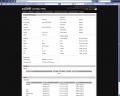
TX set to 70 all the time & no extra cooling smile.gif
The best part is i can even connected to my Access Point even i am 300 meters away from my House , of coz line of sight icon_rolleyes.gif


This post has been edited by ldragon: Jul 13 2006, 10:03 PM
wilson88
post Jul 14 2006, 04:24 PM

Dupe Acc
******
Senior Member
1,807 posts

Joined: Jul 2005
From: World Wide Web
muhahahha ..... now i m official member of this thread liao ...

Thanks to Prasys who guided throughout the whole process. biggrin.gif

I m very pleased with the my WRT54G v5 now biggrin.gif
osxchd
post Jul 14 2006, 10:01 PM

Am I a Freak?
******
Senior Member
1,083 posts

Joined: Jan 2003
From: "New" Klang Road, Kuala Lumpur


me as well... but not linksys... sad.gif
i've flashed my buffalo wbr2-g54 to dd-wrt with help from the dd-wrt forum... all works great!!! and with the help of prasys "optimization"... workin even better now... now hav to do hard testing biggrin.gif
one more thing... thinkin of getting wrt54gl... asked about the price at lowyat RM270, sleep.gif" mayb get it from richx RM225+RM10 shipment...

This post has been edited by osxchd: Jul 14 2006, 10:02 PM
wilson88
post Jul 15 2006, 02:02 AM

Dupe Acc
******
Senior Member
1,807 posts

Joined: Jul 2005
From: World Wide Web
I would like to where to see my SNR margine using DD-WRT ???

I cant find the option on the original firmware ...

WRT54G v5 is using the micro version or the mini version?? ... I flashed using micro .. but someone told me v5 only compatible with mini .

I m confuse rclxub.gif

Wuahaha
post Jul 15 2006, 02:07 AM

哇哈哈 :D
******
Senior Member
1,528 posts

Joined: Dec 2004


QUOTE(wilson88 @ Jul 15 2006, 02:02 AM)
I would like to where to see my SNR margine using DD-WRT ???

I cant find the option on the original firmware ...

WRT54G v5 is using the micro version or the mini version?? ... I flashed using micro .. but someone told me v5 only compatible with mini .

I m confuse rclxub.gif
*
Tat guy said typo already. For v5, u need to flash using micro version and not mini! icon_idea.gif
yrh0413
post Jul 15 2006, 09:31 AM

10k Club
********
All Stars
12,214 posts

Joined: Jan 2003
From: Singapore | Malaysia


smile.gif Finally took the plunge and got myself a WRT54GS v4 yesterday. Purposely went up to KL from Malacca for a one-day-trip. sweat.gif Reached Lowyat on 12pm and hunted up and down for GL/GS. Sigh, no sign at all. 3rd floor only sells GS v5 and no sign of GL.
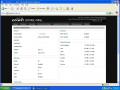
Went to the 4th floor and suprisingly TechDos is selling GS v4 with the label RM290. doh.gif 3rd floor is selling GS v5 for RM250 only! But then after bargain the salesperson quoted me RM275. Still unwilling to get from him though... Went to Linksys counter and geez! They quoted me RM330 for GS v4! Damn, its so freaking expensive!

doh.gif Ended up going back to TechDos and tried bargained with another salesperson, and he gave me RM260! Hehe, took it immediately and double checked the serial to confirm its a v4. Next is to hunt for Linksys usb adapter with speedbooster; and i got mine from 4th floor for RM220. At first i wanna get GL from Richx's bulk order which will cost me less than RM400 in total, but ended up leaving Lowyat with RM480 worth of goods.

Went home and immediately flashed it to DD-WRT v23 (not SP1), so frankly i didn't manage to test out the original firmware. There's a line of steps that is bolded and in RED color from the firmware upgrade instructions - WAIT FOR AROUND 5 MINUTES. Hands too itchy and i just click on "continue" without waiting...

Heck, i was diverted back to the firmware page, but without any nice GUI. Freaked me out man! I thought i did something wrong with the router!! Off the power switch and on it back... finally got the familiar black GUI thumbup.gif ! Yippie, success!

My GS is placed upstairs with both antenna parallel with the floor whereas my computer is downstairs, seperated by just a wall (ceiling to be more exact). Got 54MBps and excellent signal. I tried closing my room door (which adds another "wall" to the amount of barriers between the router and my PC), and i got good signal @ 36MBps. Left my PC on whole night running BT and manage to download 1.3GB last night, average download speed is 55kbps. cool.gif

Overall very satisfied with its performance! flex.gif rclxms.gif

edit: Forgot to add, WRT54GL is on sale in Lowyat 4th floor. Price is a shocking RM270 each. rclxub.gif Here's some of my findings (14th July 2006):
- WRT54G v5 (no more older versions), didn't check out the price
- WRT54GS v5 (RM250 lowest i think, haven't bargain)
- WRT54GS v4 (RM260 lowest from TechDos but i'd grabbed the last unit, RM330 from Linksys booth)
- WRT54GL (RM270, only available at 4th floor)
- WMP54GS (PCI adapter with Speedbooster, RM170 from TechDos)
- WUSB54GS (USB adapter with Speedbooster, RM220 from 4th floor)

This post has been edited by yrh0413: Jul 15 2006, 09:39 AM
OKLY
post Jul 15 2006, 09:43 AM

The Penguin Vader
Group Icon
Staff
12,089 posts

Joined: Dec 2004
From: Malaysia


My WRT54GS still going strong with an uptime of 52 days and 12 hours. thumbup.gif


Attached thumbnail(s)
Attached Image
justin_nys
post Jul 15 2006, 10:38 AM

Regular
******
Senior Member
1,192 posts

Joined: Jan 2003
From: Bandar Utama


QUOTE(yrh0413 @ Jul 15 2006, 09:31 AM)
smile.gif Finally took the plunge and got myself a WRT54GS v4 yesterday. Purposely went up to KL from Malacca for a one-day-trip. sweat.gif Reached Lowyat on 12pm and hunted up and down for GL/GS. Sigh, no sign at all. 3rd floor only sells GS v5 and no sign of GL.

Went to the 4th floor and suprisingly TechDos is selling GS v4 with the label RM290. doh.gif 3rd floor is selling GS v5 for RM250 only! But then after bargain the salesperson quoted me RM275. Still unwilling to get from him though... Went to Linksys counter and geez! They quoted me RM330 for GS v4! Damn, its so freaking expensive!

doh.gif Ended up going back to TechDos and tried bargained with another salesperson, and he gave me RM260! Hehe, took it immediately and double checked the serial to confirm its a v4. Next is to hunt for Linksys usb adapter with speedbooster; and i got mine from 4th floor for RM220. At first i wanna get GL from Richx's bulk order which will cost me less than RM400 in total, but ended up leaving Lowyat with RM480 worth of goods.

Went home and immediately flashed it to DD-WRT v23 (not SP1), so frankly i didn't manage to test out the original firmware. There's a line of steps that is bolded and in RED color from the firmware upgrade instructions - WAIT FOR AROUND 5 MINUTES. Hands too itchy and i just click on "continue" without waiting...

Heck, i was diverted back to the firmware page, but without any nice GUI. Freaked me out man! I thought i did something wrong with the router!! Off the power switch and on it back... finally got the familiar black GUI thumbup.gif ! Yippie, success!

My GS is placed upstairs with both antenna parallel with the floor whereas my computer is downstairs, seperated by just a wall (ceiling to be more exact). Got 54MBps and excellent signal. I tried closing my room door (which adds another "wall" to the amount of barriers between the router and my PC), and i got good signal @ 36MBps. Left my PC on whole night running BT and manage to download 1.3GB last night, average download speed is 55kbps. cool.gif

Overall very satisfied with its performance! flex.gif  rclxms.gif

edit: Forgot to add, WRT54GL is on sale in Lowyat 4th floor. Price is a shocking RM270 each. rclxub.gif Here's some of my findings (14th July 2006):
- WRT54G v5 (no more older versions), didn't check out the price
- WRT54GS v5 (RM250 lowest i think, haven't bargain)
- WRT54GS v4 (RM260 lowest from TechDos but i'd grabbed the last unit, RM330 from  Linksys booth)
- WRT54GL (RM270, only available at 4th floor)
- WMP54GS (PCI adapter with Speedbooster, RM170 from TechDos)
- WUSB54GS (USB adapter with Speedbooster, RM220 from 4th floor)
*
You've got the skill to write articles. haha.

ldragon
post Jul 15 2006, 11:08 AM

Regular
******
Senior Member
1,026 posts

Joined: Jan 2003
From: Kuala Lumpur, Malaysia
yrh0413, welcome to DD-WRT Club rclxms.gif
yrh0413
post Jul 15 2006, 06:11 PM

10k Club
********
All Stars
12,214 posts

Joined: Jan 2003
From: Singapore | Malaysia


blush.gif anyone mind telling me the improvements of Speedbooster? I still get 54MBps max leh
wilson88
post Jul 15 2006, 07:14 PM

Dupe Acc
******
Senior Member
1,807 posts

Joined: Jul 2005
From: World Wide Web
mind some one answer my question ? my question is on page 24 blush.gif
blindbox
post Jul 15 2006, 08:21 PM

Meh
******
Senior Member
1,705 posts

Joined: Nov 2004


Is WRTSL54GS out in Malaysia already?

Btw, a bit off-topic... but I never know many don't know about this firmware before this thread started lol.
OKLY
post Jul 15 2006, 08:31 PM

The Penguin Vader
Group Icon
Staff
12,089 posts

Joined: Dec 2004
From: Malaysia


QUOTE(wilson88 @ Jul 15 2006, 07:14 PM)
mind some one answer my question ? my question is on page 24 blush.gif
*
If I'm not wrong, there is no way to see your DSL SNR Margin for now.
yrh0413
post Jul 17 2006, 02:19 PM

10k Club
********
All Stars
12,214 posts

Joined: Jan 2003
From: Singapore | Malaysia


QUOTE(hardyboyz888 @ Jul 15 2006, 08:31 PM)
If I'm not wrong, there is no way to see your DSL SNR Margin for now.
*
http://www.dd-wrt.com/dd-wrtv2/ddwrt.phpIts under the Wireless category - Clients. smile.gif

wilson88
post Jul 17 2006, 02:35 PM

Dupe Acc
******
Senior Member
1,807 posts

Joined: Jul 2005
From: World Wide Web
QUOTE(yrh0413 @ Jul 17 2006, 02:19 PM)
http://www.dd-wrt.com/dd-wrtv2/ddwrt.phpIts under the Wireless category - Clients. smile.gif
*
I cant find sweat.gif Using this firmware now DD-WRT v23 SP1 Final (06/26/06) micro , is there any latest firmware that support PPPoE ?
yrh0413
post Jul 17 2006, 03:52 PM

10k Club
********
All Stars
12,214 posts

Joined: Jan 2003
From: Singapore | Malaysia


your GUI is same as the one in the link above? In the System Information page, under Wireless Client. The sample pic in the link shows no wireless client available, but there's a SNR category. I'm in my office now so can't post any screenie for you. tongue.gif

p/s: huh.gif PPPoE? I thought all routers have this? If not how did you set your Streamyx username and password for your Linksys router?

This post has been edited by yrh0413: Jul 17 2006, 03:53 PM
wilson88
post Jul 17 2006, 05:01 PM

Dupe Acc
******
Senior Member
1,807 posts

Joined: Jul 2005
From: World Wide Web
whoppps sorry for the confusion ... I m refering to DSL SNR margine
prasys
post Jul 17 2006, 05:46 PM

Heros Never Die
Group Icon
VIP
12,925 posts

Joined: Mar 2005
From: Kuala Lumpur
You need to go to the forums -DDWRT and there is a special build for WRT54G/GS v5 with PPPoE support
OKLY
post Jul 17 2006, 05:48 PM

The Penguin Vader
Group Icon
Staff
12,089 posts

Joined: Dec 2004
From: Malaysia


QUOTE(yrh0413 @ Jul 17 2006, 02:19 PM)
http://www.dd-wrt.com/dd-wrtv2/ddwrt.phpIts under the Wireless category - Clients. smile.gif
*
Yeah. I was referring to DSL's SNR Margin and not the wireless SNR Margin. smile.gif
osxchd
post Jul 17 2006, 07:10 PM

Am I a Freak?
******
Senior Member
1,083 posts

Joined: Jan 2003
From: "New" Klang Road, Kuala Lumpur


i wonder if i wan to switch to mini from std? any suggestion would b good... any1 of u tried the latest fw such as 24 or 23 sp2?
techno_fanatics
post Jul 18 2006, 02:56 PM

-Retired OCers-
******
Senior Member
1,006 posts

Joined: Jan 2003
From: Bukit Mertajam,Png Job: Jobless Status:Pending..


WRT54GS v1.1 user here flex.gif

with DD-WRT v23 SP1 Final (05/16/06) std

This post has been edited by techno_fanatics: Jul 18 2006, 02:57 PM
yrh0413
post Jul 18 2006, 04:39 PM

10k Club
********
All Stars
12,214 posts

Joined: Jan 2003
From: Singapore | Malaysia


ohmy.gif where you got your v1.1? Bought few years back izzit?
Indecided
post Jul 19 2006, 11:33 AM

Getting Started
**
Junior Member
129 posts

Joined: Jan 2003


QUOTE(prasys @ Jul 13 2006, 04:41 PM)
I am having the exact same problem. I have read somewhere that WRT54G Wireless isnt that great....Try to change your channel to channel 1 and instead of WPA , use WEP. That should fix it. Change ACK Timing from 2000 to 0 . That should 'fix' your problem for now
*
prasys,

thanks! excellent help, did some reading on ACK and instead of disabling it completely set it to an effective range, say 100m to cover my house. Works like a charm now.

And to think it's default was 20000 = 20km biggrin.gif

Took a look at your "status" page you posted up here and noticed that you were running WDS with an Airport. When I return to the States, I have to get a ~200m link up and running with no LOS, through a block of apartments to another(mine) from campus.

I already have 2 WRT54G V4s stockpiled over there, with plans to pick up another.

HWZ has some useful pages on the WRT54g/gs here -> http://forums.hardwarezone.com/showthread.php?t=998127

Any tips on WDS or should I be messing with a client/client bridge on the APs?

This post has been edited by Indecided: Jul 19 2006, 11:36 AM
azmihamzah
post Jul 19 2006, 09:10 PM

I love Nikon
*****
Senior Member
962 posts

Joined: Jan 2006
From: شه عالم


QUOTE(yrh0413 @ Jul 15 2006, 06:11 PM)
blush.gif anyone mind telling me the improvements of Speedbooster? I still get 54MBps max leh
*
speedbooster only increased your coverage and stablility of your wireless connection, but not the speed

BS mentioned that the cheapest yet most exellent router is Buffalo WHR G54s which capable to transmit up to 125mbps...and quoted price at $43+ (around rm160). But unluckily it is currently not available in Malaysia. Maybe someone could manage a bulks order for us all here... icon_idea.gif


P/S: still waiting for any news from Richx...sighh... whistling.gif

This post has been edited by azmihamzah: Jul 19 2006, 09:11 PM
yrh0413
post Jul 20 2006, 09:53 AM

10k Club
********
All Stars
12,214 posts

Joined: Jan 2003
From: Singapore | Malaysia


QUOTE(azmihamzah @ Jul 19 2006, 09:10 PM)
speedbooster only increased your coverage and stablility of your wireless connection, but not the speed

BS mentioned that the cheapest yet most exellent router is Buffalo WHR G54s which capable to transmit up to 125mbps...and quoted price at $43+ (around rm160). But unluckily it is currently not available in Malaysia. Maybe someone could manage a bulks order for us all here... icon_idea.gif
P/S: still waiting for any news from Richx...sighh... whistling.gif
*
huh.gif afaik speedbooster only increase the data transmission rate between LAN and WLAN, nothing to do with expanding the coverage and stability lo.

Ahh... richx... i got fed up with the waiting tongue.gif
cyclone9
post Jul 20 2006, 10:09 AM

War Kills Love , Love Save War
*******
Senior Member
2,949 posts

Joined: Jan 2003
From: Cheras , Bandar Sungai Long
hey guys
i juz installed DD-wRT ..but i think my speed is limited to 30 k d/l rate sad.gif
anything to check or configure?
yrh0413
post Jul 20 2006, 11:40 PM

10k Club
********
All Stars
12,214 posts

Joined: Jan 2003
From: Singapore | Malaysia


huh.gif what Linksys router you're using? I'm on 512kbps streamyx package and getting 55~60kbps smile.gif Try port forwarding those BT ports.

6 Pages  1 2 3 > » Top
Topic ClosedOptions
 

Change to:
| Lo-Fi Version
0.1589sec    0.33    6 queries    GZIP Disabled
Time is now: 6th December 2025 - 11:57 PM