Welcome Guest ( Log In | Register )

Bump Topic Topic Closed RSS Feed
4 Pages  1 2 3 > » Bottom

Outline · [ Standard ] · Linear+

Maxis The Official Maxis Wireless Broadband Thread, OMG PORT FORWARDING KRACKED !

views
     
TSprasys
post Oct 11 2007, 09:05 PM, updated 18y ago

Heros Never Die
Group Icon
VIP
12,925 posts

Joined: Mar 2005
From: Kuala Lumpur
Hi

<WORK IN Progress> <FEEL FREE TO HELP ME>
Official Site : http://maxis.com.my/maxisbb

The Old Thread : http://forum.lowyat.net/index.php?showtopic=341424

Coverage
Please check out the coverage zone here :- http://www.maxis.com.my/personal/broadband...adband_main.asp

Another way to determine if you are in the coverage zone is by using your 3G/3.5 enabled handset (or just borrow one) and test it out in your house. If yo can get HSDPA/UMTS , it means you can use Maxis Broadband. This is a very good way to determine if you are in their coverage zone. If possible do a speedtest from your mobile device to determine roughly whats the speed is going to be like .

Pricing and Packages
user posted image


Equipment Information (Modems)

ZTE MF600
user posted image

ZTE MF600 Specifications
QUOTE
Standard  HSDPA/WCMDA/EDGE/GPRS/GSM
Band      WCDMA 2100M
GPRS/EDGE/GSM 900M/1800M/1900M
Data Speed  3.6M DL?384K UL (HSDPA)
Interface    RJ45 LAN and RJ11 Fixed line
Features  ADSL-like data speed 3.6M ( HSDPA )
              LAN directly connection
              Telephone directly connection
3GPP R5 Compliant
GPRS/EGPRS Class 10
GSM/EDGE ClassB
Transparent handover between 2G and 3G Supports voice call
Supports CW, CF service
Support DTMF
Support CLIP
Five LEDs Indicator
Internal Battery
Firmware upgrade
Source : http://wwwen.zte.com.cn/main/mobile/mob_pa...catalogId=12899

Huawei E220 HSDPA USB Modem (Power Package - RM 138 for 3.6Mbps)

user posted image

USB Modem Specifications
QUOTE
HSDPA/UMTS/EDGE/GPRS/GSM
HSDPA packet data service with a maximum transmission rate of 3.6Mbps
UMTS packet data service with a maximum transmission rate of 384kbps
EDGE packet data service with a maximum transmission rate of 236.8kbps
SMS service
Auto installation, convenient for use
Windows 2000 and Windows XP Operating system

NOTE : It works under Linux and MacOS X. I will post the URLs for the drivers

Source : http://www-cnc.huawei.com/mobileweb/en/pro.../view.do?id=282

Drivers/Manuals

MacOS X Generic Driver for E220 USB Modem -> http://homepage.mac.com/timhaigh/E220_Drivers.zip

MacOS X Vodaphone Driver (for E220) --> http://www.business.vodafone.com/site/bus/...atest/p_mac.jsp [NOT SURE IF IT WORKS FOR MAXIS]

Huawei Driver for E220 (MacOS X Edition) {provided by Hutch Teleco} --> http://www.hutch.co.th/download/downloads/...C325_%20Mac.zip [NOT SURE IF IT WORKS FOR MAXIS]

Guide on how to set the modem up under Ubuntu -> http://www.inorp.com/blog/2007/03/13/ubunt...he-tre-network/


Tips and tricks

Fixing MSN Messenger's Disconnection & To Surf certain sites (This includes unable to connect to MSN , Hotmail , etc etc). PLEASE READ THIS TUTORIAL BEFORE ASKING QUESTIONS. I've simplified it for people

After researching and trying out. I've finally found out that by using Tor. Its possible to connect to MSN Directly. Maxis blocks port 1863. So which makes MSN Messenger impossible to connect. When it checks that the port is blocked , it switches to HTTP Mode. But then the HTTP Service isn't that great compared to direct connection. To bypass this sort of resections , we can use tor or a SOCKS4/SOCKS5 Proxy. I prefer tor because its safe and anonymous

Firstly download tor for your platform from :-
http://tor.eff.org/download.html.en

Direct URL For Windows Users : http://tor.eff.org/dist/vidalia-bundles/vi...2.17-0.0.14.exe
Setting it up : http://tor.eff.org/docs/tor-doc-win32.html.en

Assuming that you have managed to get tor to run. Its time to configure MSN Messenger.

If you can't surf Hotmail , MSN . You can set tor's HTTP Proxy. If you use Firefox , there is an automatic switcher , that allows you to switch from tored connection and your normal maxis connection. Get it from
http://addons.mozilla.org/firefox/2275/

You configure it by going to Tools >> Options >>
Connection >> Advanced Settings. Set SOCKS5 proxy for 127.0.0.1:9050 and
HTTP Proxy for 127.0.0.1:8118 assuming Privoxy/Tor defaults or by setting up it in Internet Explorer

Keep in mind that using tor may 'slow down' your Internet Experince. Tor also can be used for connecting to trackers during the daytime. This allows you to p2p during the daytime. But keep in mind , even if you do that..Sooner or later maxis kicks you out of the network. I've experienced this a lot. It takes 30 minutes for me to reconnect back (It will show that HSDPA and its connected but then no data goes through or comes in). So just keep that mind when you p2p during the daytime

Boosting The Signal (DIY) (For ZTE Modems)
After searching and searching and searching.I've finally managed to find a method (thanks to someone who posted in the original thread). THE DIY Parabolic Solution Works. It does improve the reception but there is a catch to this. This works only in one-way ,so you need to point the 'booster' to the Maxis Cell Tower (Trial and error works). You need to make sure that it faces the tower for it to boost the signal. For me it did improve the latency to the cell tower and it may improve the speed. This is ideal if you wish to get a consistent connection.

user posted image
This is how the modem looks like after the Wind-Surfer booster. Nothing big deal

Here is the complete how-to :-
http://www.metacafe.com/watch/720362/how_t...olic_reflector/ - Video

http://www.freeantennas.com/projects/template2/index.html

Boosting The Signal (DIY) (For USB Modems) Thanks JWCheah
For user staying above 8th floor (mine's 19th), who is experiencing 4-5bars or lower. Do consider getting a 5m USB extention with booster. This will act as a external antenna (remove s/n losses), this is according to a few Huawei E220 signal issue forums I've found (will post them later)

Breaking Free From the Lich King (aka maxis)'s NAT for FREE !

Certainly ,as we all know Maxis uses NAT and it makes impossible for us to even CONNECT TO MSN . Thats right ,and On top of that maxis blocks certain ports as well making it impossible for us to download patches for our games. There is one way of breaking NAT , that is by using VPN or by using SSH Tunneling. Since some of you are too rich broke , and can't afford to get VPN/SSH Tunneling and yet still want to bypass Maxis' NAT. There is one software that does this , its called Hotspot Shield , it completely breaks free of Maxis' NAT by using OpenVPN , keep in mind that your connection speed will be reduced to a somewhat slower speed as you are using their connection which is located in the US. The beauty of this software that it encrypts everything , so it makes impossible for Maxis or any other 3rd party folks (aka hackers) to detect what you are doing , as we know its possible to capture radio packet and edit/alter it and resend it back. So here is the URL

http://anchorfree.com/downloads/hotspot-shield/

NOTICE : ITS NOT MEANT FOR KAKI TORRENT. ITS MEANT FOR GENUINE PEOPLE , SO KEEP THAT IN MIND. I DONT WANT MAXIS' IP RANGE TO BE BLOCKED BY THEM BECAUSE OF SOME SMART ALEX WHO WANTS TO USE THIS TO DO SOMETHING 'FUNNY'.

E220 Tool (thanks JW !)

Download

Pretty much an alternative to Maxis connect !

Port Forward and Reverse Port forwarding


Ever wondered how to host a website or ever wondered how to torrent behind Maxis Broadband. Now its possible , thanks to SSH Port forwarding and SSH Reverse Port forwarding. With this its possible to break free Maxis port blocking technique , they can't even log or even sense what you are doing. So its a very good way to 'protect' yourself. To do this there you need to have a SSH Server (that has open ports and access to the Internet). You can use your office PC , or your server or what-so-ever , as long you have access to the PC (You dont need root/Administrator privilege). If you can't get a Shell account (You'll need a SSH Client such as Putty - http://www.chiark.greenend.org.uk/~sgtatham/putty but personally I would recommend you to go for Tunnelier - http://www.bitvise.com/tunnelier and for UNIX/Linux/BSD/OSX users alike you dont have to do anything , its included in your Distrubution (OpenSSH-client) comes by default for most of the linux distros) , I would suggest you to pay USD$ 5 or USD$ 1 to silenceisdefeat (http://www.silenceisdefeat.org) for a shell account. These people allow you to Port Forwarding so you can torrent without worrying about Maxis' P2P Timing Restrictions. Hence you can freely torrent using an encrypted connection. Apart from that if you could tie it together with FreeCap (http://www.freecap.ru/eng/?p=download) , this allows you to play games , download patches , do what-so-ever that needs a direct connection with the server. So now you can download patches for games or even play certain games itself

As for remote port forwarding it works the other way around. In other words , its like this , it allows the server to make a direct connection with its client. (Notice the arrows are switched , and as for normal port forwarding , the Client connects to server , but reverse is the other way around the server connects to client). So let me put it this way , Lets say you are running a game server @ port 5423 but your ISP blocks that port or even worst you are behind a NAT (School firewall) and there is no way you could be a host but then all of a sudden you realised that you have a SSH Account in Server X that has SSHd running and that has port 5423 opened. So you create a reverse Tunnel connection with Server X. Voila , you are a host now. So all you have to do is give out Server X's IP Address to your friends and they can join your game -aint that easy...So whoever connects to 5423 will be automatically forwarded to client's port 5423 (where the sever is running).

user posted image
Adpoted from Sial.org


FAQ
Q : Can I Torrent ?

A : Yes , you are allowed to torrent from 1 am to 6 am. The ports are opened during that time and you can get sky rocket speed. I do not suggest you to torrent during the daytime. Deluge might work but most of the time , it fails to connect to the tracker. I think maxis is now slowly starting to block certain well known trackers


Q : How about the IP Space ?. Are all the users behind shared via one IP ?

A : No , each user is located a Dynamic IP. It changes everytime you disconnect/reconnect or switch bands sometimes [UMTS/HSDPA <---> EDGE/GPRS] {as it requires reconnection for most of the time}. But then the Modem does NAT, meaning that you dont have control over your IP. The modem does everything for you. Pretty much you can't host games or anything else. This makes it useless for you to your own IP. But on the brighter side , you can use rapidshare/megaupload and other online-file-sharing sites without worrying about those annoying message that someone is already downloading the file. You are safe if you IRC , or use these services. In other words , you dont have to worry about one public Gateway

Q : Wait..I'm a streamyx user {or insert any ISP}. I am getting fed up with their service..Shall I switch ?

A : Yes and no. It depends which category you fall to. I mean if you are a light user who wants a portable Internet Access , sure why not. You can carry it just about anywhere in Malaysia and be online. But then if you are a heavy user , I suggest you to stay away from this. The main reason is that a cell tower can only support 10 HSDPA Users a time. Meaning that if there are lots of heavy users , it might ruin your surfing experience. That is what most of us are facing now. Maxis does not guarantee you any minimal speed. At least with streamyx you are getting a consist speed for local links

Q : How about Online gaming ?

A : You can forget games that needs consist low latency like fps. The latency itself is quite high when comes to local servers (the ping rate is around ~90ms-110ms..But then its wireless , so it can shoot up to 2000ms}. If you are a light gamer and play games that does not require you to a consistent low latency. Maxis should be sufficient. I've tried from wow to dota (both local and international}. Only local servers shine


Q : I can't access few sites. I really want to access them. Is there any way for me to access them

A : Please read more about tor , I've posted the how-to above. Just follow it and you can freely surf any site without any restrictions. Tor is the only secure proxy solution that works for maxis broadband. They can't filter tor out


This post has been edited by prasys: Jan 10 2008, 08:16 AM
cloudstrife07
post Oct 11 2007, 09:08 PM

I'm back, beaches!
*******
Senior Member
4,688 posts

Joined: Jan 2003
From: http://127.0.0.1


what happened to old thread?thread quota fulfilled?
TSprasys
post Oct 11 2007, 09:09 PM

Heros Never Die
Group Icon
VIP
12,925 posts

Joined: Mar 2005
From: Kuala Lumpur
Yeah , I am in the progress of merging useful information and things like that
llhm87
post Oct 11 2007, 09:09 PM

Casual
***
Junior Member
346 posts

Joined: Oct 2006
From: Kuala Lumpur, Malaysia


Yeap... What happen to the old thread.
TSprasys
post Oct 11 2007, 09:18 PM

Heros Never Die
Group Icon
VIP
12,925 posts

Joined: Mar 2005
From: Kuala Lumpur
I am updating the FAQ and everything else for the rest of the folks
gr44
post Oct 11 2007, 09:22 PM

Getting Started
**
Junior Member
269 posts

Joined: Aug 2005


just got my modem today my package is advance i not quite happy wit it..since i try to download small file like 3mb so damm slow..i get around 3kb to 6kb only..why so slow??
TSprasys
post Oct 11 2007, 09:44 PM

Heros Never Die
Group Icon
VIP
12,925 posts

Joined: Mar 2005
From: Kuala Lumpur
Welcome to the world of slowness..Maxis is pretty slow these days

Post your modem details
gr44
post Oct 11 2007, 09:46 PM

Getting Started
**
Junior Member
269 posts

Joined: Aug 2005


my modem detail??what u mean by that?
TSprasys
post Oct 11 2007, 09:48 PM

Heros Never Die
Group Icon
VIP
12,925 posts

Joined: Mar 2005
From: Kuala Lumpur
Go to http://192.168.0.1 and post a screenshot or post details of your modem (from ZTE Output)
gr44
post Oct 11 2007, 09:53 PM

Getting Started
**
Junior Member
269 posts

Joined: Aug 2005


well this is it......so what for do u need to see this??


Attached Image

This post has been edited by gr44: Oct 11 2007, 09:54 PM
TSprasys
post Oct 11 2007, 09:58 PM

Heros Never Die
Group Icon
VIP
12,925 posts

Joined: Mar 2005
From: Kuala Lumpur
Your RSSI is weak. Try relocating the modem. If possible put near a window or so.
llhm87
post Oct 11 2007, 10:00 PM

Casual
***
Junior Member
346 posts

Joined: Oct 2006
From: Kuala Lumpur, Malaysia


QUOTE(gr44 @ Oct 11 2007, 09:53 PM)
well this is it......so what for do u need to see this??
Attached Image
*
Can I know where is your area?
gr44
post Oct 11 2007, 10:01 PM

Getting Started
**
Junior Member
269 posts

Joined: Aug 2005


the lowest i get aroun 73...im near to outside already..the rssi didnt blink...what is the best should be??how bout urs??im gonna try torrent tonight after 1am right..then see the speed...


Added on October 11, 2007, 10:08 pm
QUOTE(llhm87 @ Oct 11 2007, 10:00 PM)
Can I know where is your area?
*
i stay kelana jaya ss4b.....

This post has been edited by gr44: Oct 11 2007, 10:08 PM
pativy2
post Oct 11 2007, 10:15 PM

New Member
*
Junior Member
9 posts

Joined: Aug 2007
Pls am using the maxis broadband, and am having problems accessing Microsoft pages and msn messenger for the past two days, am i the only one having this problem or is any other person experiencing this same problem?
gr44
post Oct 11 2007, 10:20 PM

Getting Started
**
Junior Member
269 posts

Joined: Aug 2005


well i heard before there is someone complain bout cant connect to msn..im using yahoo so far no problem to me...only damm slow...
llhm87
post Oct 11 2007, 10:38 PM

Casual
***
Junior Member
346 posts

Joined: Oct 2006
From: Kuala Lumpur, Malaysia


QUOTE(gr44 @ Oct 11 2007, 10:20 PM)
well i heard before there is someone complain bout cant connect to msn..im using yahoo so far no problem to me...only damm slow...
*
MSN will connect and reconnect very often. But I don't face any problem this few days. But before that, my MSN keep connected and disconnected and waiting for reconnect.

cloudstrife07
post Oct 11 2007, 10:55 PM

I'm back, beaches!
*******
Senior Member
4,688 posts

Joined: Jan 2003
From: http://127.0.0.1


hmm, based on my experience, i suggest those who are using the 1st generation of ZTE modem to not to change your modem.your RSSI might be blinking but the download is still fast.
gr44
post Oct 12 2007, 02:11 AM

Getting Started
**
Junior Member
269 posts

Joined: Aug 2005


my download on limewire or torrent not dat fast why??right now im downloading..im getting around less then20kb...
yewkhuay
post Oct 12 2007, 02:24 AM

I don't even belong here....
*******
Senior Member
6,657 posts

Joined: Jul 2006
just to check is the modem given by maxis can really on 24-7 ?
my fren said it might get overheated n hang, is tht true?
gtoforce
post Oct 12 2007, 02:27 AM

SPAM AND BECOME A SENIOR MEMBER
*******
Senior Member
2,967 posts

Joined: May 2006


oi prasys
haha
my maxis modem burnt
can u believe that?
dah la since last thurs no connection at all
F*** la
oh well
i heard maxis at gombak area also sucky
but one morning tu, everything's ultra fast
that was once la
download speed went up to 100kbps
haha
only lasted for a few hours
and its a perma-disconnection case in gombak
seriously

sheesh
sui
post Oct 12 2007, 04:47 AM

Getting Started
**
Junior Member
115 posts

Joined: Dec 2004


its like impossible to sign in windows live messenger
cant access my emails and cant sell my paypal
cloudstrife07
post Oct 12 2007, 05:19 AM

I'm back, beaches!
*******
Senior Member
4,688 posts

Joined: Jan 2003
From: http://127.0.0.1


hmm prasys, how bout merging this thread and the one at Broadband User to User?

cos most of us already using maxis wbb here.or maybe we're the one that posted on wrong section?
TSprasys
post Oct 12 2007, 08:01 PM

Heros Never Die
Group Icon
VIP
12,925 posts

Joined: Mar 2005
From: Kuala Lumpur
Updated , check out the 1st post !

This post has been edited by prasys: Oct 12 2007, 08:01 PM
f1br3opt1c
post Oct 12 2007, 08:23 PM

On my way
****
Senior Member
654 posts

Joined: Jul 2006
i can only get EDGE connection for the rest of my time using this. How the heck can i get UMTS. I feel like throwing the modem at ananda krishans bladdey face. To post this message also took me 10 tries. I hate this connection!!!
TSprasys
post Oct 12 2007, 08:26 PM

Heros Never Die
Group Icon
VIP
12,925 posts

Joined: Mar 2005
From: Kuala Lumpur
Have you tried setting it as WCDMA only. That might work. Don't fall back to EDGE/GPRS. Its going to be uber slow cause you will be fighting with the voice users (those who are using the cell tower for sending sms , placing a call etc)
f1br3opt1c
post Oct 12 2007, 08:42 PM

On my way
****
Senior Member
654 posts

Joined: Jul 2006
Tried every single thing. It will not connect if i set it to WCDMA only sad.gif really miserables months i been having
TSprasys
post Oct 12 2007, 09:03 PM

Heros Never Die
Group Icon
VIP
12,925 posts

Joined: Mar 2005
From: Kuala Lumpur
Are you in UMTS/HSDPA coverage ?
Cheesenium
post Oct 12 2007, 09:18 PM

Vigilo Confido
*******
Senior Member
4,852 posts

Joined: Aug 2006
QUOTE
Tips and tricks

Fixing MSN Messenger's Disconnection

After researching and trying out. I've finally found out that by using Tor. Its possible to connect to MSN Directly. Maxis blocks port 1863. So which makes MSN Messenger impossible to connect. When it checks that the port is blocked , it switches to HTTP Mode. But then the HTTP Service isn't that great compared to direct connection. To bypass this sort of resections , we can use tor or a SOCKS4/SOCKS5 Proxy. I prefer tor because its safe and anonymous

Firstly download tor for your platform from :-
http://tor.eff.org/download.html.en

Direct URL For Windows Users : http://tor.eff.org/dist/vidalia-bundles/vi...2.17-0.0.14.exe
Setting it up : http://tor.eff.org/docs/tor-doc-win32.html.en

Assuming that you have managed to get tor to run. Its time to configure MSN Messenger.

If you can't surf Hotmail , MSN . You can set tor's HTTP Proxy. If you use Firefox , there is an automatic switcher , that allows you to switch from tored connection and your normal maxis connection. Get it from
http://addons.mozilla.org/firefox/2275/

You configure it by going to Tools >> Options >>
Connection >> Advanced Settings. Set SOCKS5 proxy for 127.0.0.1:9050 and
HTTP Proxy for 127.0.0.1:8118 assuming Privoxy/Tor defaults or by setting up it in Internet Explorer

Keep in mind that using tor may 'slow down' your Internet Experince. Tor also can be used for connecting to trackers during the daytime. This allows you to p2p during the daytime. But keep in mind , even if you do that..Sooner or later maxis kicks you out of the network. I've experienced this a lot. It takes 30 minutes for me to reconnect back (It will show that HSDPA and its connected but then no data goes through or comes in). So just keep that mind when you p2p during the daytime


This works for me.I can sign into MSN and login to my email adi.

Thanks a lot,prasys. smile.gif
BBXiong
post Oct 12 2007, 11:40 PM

CFX
*******
Senior Member
6,317 posts

Joined: Sep 2007
thx a lot, i will try it now, if can, i will post a confirmation here then
f1br3opt1c
post Oct 13 2007, 12:13 AM

On my way
****
Senior Member
654 posts

Joined: Jul 2006
They said condo not higher then 5th floor can get coverage. When he installed he didnt say anything. But its all like this now sad.gif
sui
post Oct 13 2007, 12:24 AM

Getting Started
**
Junior Member
115 posts

Joined: Dec 2004


finally can connect to msn, still get the usual login dc login dc loop thing then it'll be stable after like 5-10 dcs

prasys u're a godsend!
zexynova
post Oct 13 2007, 10:02 AM

Getting Started
**
Junior Member
292 posts

Joined: Sep 2006
From: Petaling Jaya


on my first 2 days having the zte modem it was pretty hot and it actually hang . so i bought a laptop cooler the next day, and till now i've on it 24/7 and theres no problems. its been 5 days since i bought the cooler.
TSprasys
post Oct 13 2007, 11:08 AM

Heros Never Die
Group Icon
VIP
12,925 posts

Joined: Mar 2005
From: Kuala Lumpur
Take out the battery , I rekon you to take out the battery..Then its cooler..The battery might explode
llhm87
post Oct 13 2007, 01:29 PM

Casual
***
Junior Member
346 posts

Joined: Oct 2006
From: Kuala Lumpur, Malaysia


QUOTE(prasys @ Oct 13 2007, 11:08 AM)
Take out the battery , I rekon you to take out the battery..Then its cooler..The battery might explode
*
Agree with what you say. I also took out my modem battery.
psychoedic
post Oct 13 2007, 05:06 PM

New Member
*
Junior Member
10 posts

Joined: Apr 2005
From: Damansara Perdana


OMFG...at last i m done with the unable to sign-in issues...gosh, for the past couple of days, it was really helluva nitemare...is like having internet connection but unable to do anything...but now, thanks to u, i m back connected with the WHOLE WIDE WORLD!!!! massive thanks mate!!!

This post has been edited by psychoedic: Oct 13 2007, 05:30 PM
TSprasys
post Oct 13 2007, 05:13 PM

Heros Never Die
Group Icon
VIP
12,925 posts

Joined: Mar 2005
From: Kuala Lumpur
Well do you have tor running ?. It will show a green colour icon once its ready. Then all you have to go to MSN Messenger Preferences and set it. Voila it should use tor
BBXiong
post Oct 13 2007, 08:29 PM

CFX
*******
Senior Member
6,317 posts

Joined: Sep 2007
QUOTE(zexynova @ Oct 13 2007, 10:02 AM)
on my first 2 days having the zte modem it was pretty hot and it actually hang . so i bought a laptop cooler the next day, and till now i've on it 24/7 and theres no problems. its been 5 days since i bought the cooler.
*
actually, the battery can be taken out, ur problem is mainly caused by ur battery....
nhojeod
post Oct 13 2007, 08:45 PM

New Member
*
Junior Member
8 posts

Joined: Aug 2005
From: kajang


Hello. Thanks for compiling the info.

I would like to request addtional info.

My readings are below

RSSI -81 dBm
RSCP -88 dBm
Ec/Io -7 dB

Using deluge my torrents can get to ~100 kBps.

I am thinking about using DIY antenna (something like this, http://img528.imageshack.us/img528/1631/alfawindxu5.jpg ) but not sure if there's a difference. Also not sure where to point it.

Hope someone can assist, thanks.

Lord_Destructo
post Oct 13 2007, 10:47 PM

Getting Started
**
Junior Member
60 posts

Joined: Oct 2007
Eh the USB modem say 3.6 Mbps, real wan or not?
I call up Maxis, they say it's the same as normal modem only.
Don't try trick people leh.
All this 3.6 Mbps is only peak speed, which is purely theoretical. Impossible to achieve wan.
denver1347
post Oct 13 2007, 11:08 PM

Getting Started
**
Junior Member
252 posts

Joined: Apr 2006


user posted image

mad.gif mad.gif mad.gif mad.gif

Can someone help me on this ???

See the speed,
I am using 384kbps package ...

Address:
Block 5, 1st Floor,
Genting Court ....
Setapak

Modem location is at the balcony. rclxms.gif rclxms.gif

- I am using the old version modem which is without the RSSI column in the 192.168.0.1 interface ....
Possible for me to update it myself OR I NEED TO CHANGE IT AT KLCC ?? notworthy.gif notworthy.gif
Dekoyy
post Oct 14 2007, 07:27 AM

New Member
*
Junior Member
25 posts

Joined: Jan 2003


user posted image

My location: Pandan Jaya.

Modem location: Near window

Hello, i just wanna share with you all. This the result i got at 7:27am. By the way im using the ZTE modem.
sui
post Oct 14 2007, 08:00 AM

Getting Started
**
Junior Member
115 posts

Joined: Dec 2004


impressive speed

r u subscribed to Power package?

this is mine

user posted image

Hardware: ZTE MF600 + Level One WBR-3406TX Wireless Router

Modem Location: Above Warddrobe + Near Window + Aluminium Foil Near Antenna

Package: Advanced 640 (Before this Starter 384, then upgraded to Power 3.6, then downgraded to Advanded 640)

Location: Bandar Utama 12 (StreamyX Not Available -Maxis Territory, Jaring Wireless Warned Low Signal Strenght, TimeNet Rejected -Capacity Full)

i get good HTTP download speeds, but somehow i cant play DOTA in BS due to lag nowadays and always get below 100kbps in Maxis Speed Test


This post has been edited by sui: Oct 14 2007, 08:15 AM
Dekoyy
post Oct 14 2007, 08:37 AM

New Member
*
Junior Member
25 posts

Joined: Jan 2003


Yes, im subscribed to the Power package (RM98)

hmm P2P is totally OUT during daytime sad.gif cant get ARES to connect.
sui
post Oct 14 2007, 08:43 AM

Getting Started
**
Junior Member
115 posts

Joined: Dec 2004


wow i just checked maxis speed test and i get about 640kbps

did maxis finally fixed their problems, maybe i should go back to power package!

when i was subscribed to power 2-3 weeks ago i only get 100-200kbps shakehead.gif

no p2p daytime nvm, just want to play online game

p2p after midnight
bose00
post Oct 14 2007, 09:15 AM

Getting Started
**
Junior Member
214 posts

Joined: Dec 2004


QUOTE(sui @ Oct 14 2007, 08:43 AM)
wow i just checked maxis speed test and i get about 640kbps

did maxis finally fixed their problems, maybe i should go back to power package!

when i was subscribed to power 2-3 weeks ago i only get 100-200kbps  shakehead.gif

no p2p daytime nvm, just want to play online game

p2p after midnight
*
i cannot access certain *.com websites, anyone encounter this problem ?
thanks i manage to fix it by reading the first post.. will this be permanent countermeasure / temporary CM ?


This post has been edited by bose00: Oct 14 2007, 09:19 AM
sui
post Oct 14 2007, 09:21 AM

Getting Started
**
Junior Member
115 posts

Joined: Dec 2004


i cant access to microsoft.com also

the status bar just says Waiting
TSprasys
post Oct 14 2007, 09:22 AM

Heros Never Die
Group Icon
VIP
12,925 posts

Joined: Mar 2005
From: Kuala Lumpur
Don't switch. They have not fixed few problems. For example , I can't get into digg and most of the US Sites do not even work. Today I finally paid up my wow account to play. Then I found out that I was not able to connect. I am quite pissed off

I think the reason why we are getting good speeds is that there aren't much users. Most of us are in our kampungs or went for an holiday. So this is why we are enjoying great speeds. Reminds me of the time , when I used JARING during the CNY Holidays. I was getting speeds like 2.5Mbps++. Oh well...

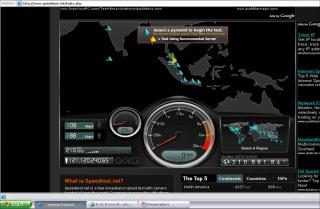
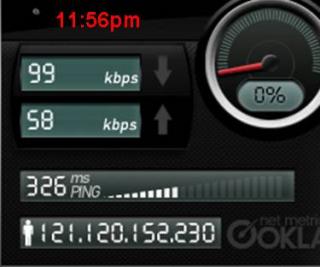
user posted image

user posted image

I dont care about the download speed. But I am impressed with the Upload. Pretty good. The maximum it can get is 384Kbps. I am impressed

This post has been edited by prasys: Oct 14 2007, 09:22 AM
bose00
post Oct 14 2007, 09:26 AM

Getting Started
**
Junior Member
214 posts

Joined: Dec 2004


QUOTE(prasys @ Oct 14 2007, 09:22 AM)
Don't switch. They have not fixed few problems. For example , I can't get into digg and most of the US Sites do not even work. Today I finally paid up my wow account to play. Then I found out that I was not able to connect. I am quite pissed off

I think the reason why we are getting good speeds is that there aren't much users. Most of us are in our kampungs or went for an holiday. So this is why we are enjoying great speeds. Reminds me of the time , when I used JARING during the CNY Holidays. I was getting speeds like 2.5Mbps++. Oh well...

user posted image

user posted image

I dont care about the download speed. But I am impressed with the Upload. Pretty good. The maximum it can get is 384Kbps. I am impressed
*
meaning the maxis bb does have a problem .. haha i did call maxis a few times but they said 'ok sir, we will try to reset yr connection , pls turn off yr modem for 10 mins and then try to turn on again'.

treat n cure the wrong problem ... doh.gif

This post has been edited by bose00: Oct 14 2007, 09:27 AM
nhojeod
post Oct 14 2007, 11:25 AM

New Member
*
Junior Member
8 posts

Joined: Aug 2005
From: kajang


QUOTE(sui @ Oct 14 2007, 08:00 AM)

Modem Location: Above Warddrobe + Near Window + Aluminium Foil Near Antenna
Can please post a pic of how you did the aluminium foil ? I'm trying to do the same but no noticeable change in performance. Thanks.
sui
post Oct 14 2007, 11:58 AM

Getting Started
**
Junior Member
115 posts

Joined: Dec 2004


QUOTE(nhojeod @ Oct 14 2007, 11:25 AM)
Can please post a pic of how you did the aluminium foil ? I'm trying to do the same but no noticeable change in performance. Thanks.
*
im not sure if it really works since i cant compare the speeds because of maxis being unstable in the past weeks

anyway this is the video link given by prasys http://www.metacafe.com/watch/720362/how_t...olic_reflector/

i made the foil looks 99% like it
nhojeod
post Oct 14 2007, 12:19 PM

New Member
*
Junior Member
8 posts

Joined: Aug 2005
From: kajang


thanks a lot for the video, I made something similiar, but smaller, gonna try a bigger one with more layers of foil. Also found a parabola calculator, hoping it'll help

http://mscir.tripod.com/parabola/index.htm

will post results when free.
TSprasys
post Oct 14 2007, 01:13 PM

Heros Never Die
Group Icon
VIP
12,925 posts

Joined: Mar 2005
From: Kuala Lumpur
Yeah I use to have it in the old thread. I'll move it over from the old thread to the new one. Give me sometime

Just back from the Doctor , as I'm down with flu

QUOTE(bose00 @ Oct 14 2007, 09:26 AM)
meaning the maxis bb does have a problem .. haha i did call maxis a few times but they said 'ok sir, we will try to reset yr connection , pls turn off yr modem for 10 mins and then try to turn on again'.

treat n cure the wrong problem ...  doh.gif
*
Like I've said They do not admit their fault. Thats the joke. They will just reset the connection which makes no difference. Its their fault. So yeah to overcome all that please use tor.

This post has been edited by prasys: Oct 14 2007, 01:14 PM
llhm87
post Oct 14 2007, 02:20 PM

Casual
***
Junior Member
346 posts

Joined: Oct 2006
From: Kuala Lumpur, Malaysia


Hope my area also can get that kind of speed. Pray Hard.
fire_chrome
post Oct 14 2007, 05:24 PM

Getting Started
**
Junior Member
205 posts

Joined: Sep 2005


one simple question~

can i change my old modem to new modem? did i need to pay anything? biggrin.gif
TSprasys
post Oct 14 2007, 05:31 PM

Heros Never Die
Group Icon
VIP
12,925 posts

Joined: Mar 2005
From: Kuala Lumpur
If you got the old modem keep it .I've heard old modem users are getting better speeds. But then its up to you. YOU CAN say your modem kaput and ask for a replacement
fire_chrome
post Oct 14 2007, 05:36 PM

Getting Started
**
Junior Member
205 posts

Joined: Sep 2005


ek? it fast? haha

hmm for me maxis is ok now compare to first time i subscribe it on july haha and last two days its really demm fast biggrin.gif

one more question to ask, have any of maxis subscriber have an account in rapidshare? how the speed goes? good? or same? thinking to subscribe it due to p2p block sad.gif
TSprasys
post Oct 14 2007, 05:39 PM

Heros Never Die
Group Icon
VIP
12,925 posts

Joined: Mar 2005
From: Kuala Lumpur
Well there are alternative rapidshare services. I was downloading off the rapidshare mirror. I have to say its pretty good (for today). I was getting around 80-120kB/s. Pretty happy


cofe23
post Oct 14 2007, 07:19 PM

Getting Started
**
Junior Member
273 posts

Joined: Mar 2006
From: You To Me


wanna ask, did setapak area got 3g connection?
TSprasys
post Oct 14 2007, 07:20 PM

Heros Never Die
Group Icon
VIP
12,925 posts

Joined: Mar 2005
From: Kuala Lumpur
If your phone shows UMTS/HSDPA that means you are under HSDPA/UMTS coverage. Most of the places in Setapak are covered
cofe23
post Oct 14 2007, 07:25 PM

Getting Started
**
Junior Member
273 posts

Joined: Mar 2006
From: You To Me


icic my is UTMS, Thanks very much.
TSprasys
post Oct 14 2007, 07:35 PM

Heros Never Die
Group Icon
VIP
12,925 posts

Joined: Mar 2005
From: Kuala Lumpur
That means you are under coverage. So if your 3g phone shows UMTS/3G . You can use their maxis broadband services.
Lord_Destructo
post Oct 14 2007, 08:29 PM

Getting Started
**
Junior Member
60 posts

Joined: Oct 2007
Hehe....today the maxis employee call me up to remind me that that they are working on the problem even during Raya.(true or not?)
They say Maxis contacting Microsoft to solve the problem.
I told them some customer already bypass the problem by himself and he's on low yat forum.
So they say they will check out low yat forum as well.
Maxis kena pwn by own customer! haha!

llhm87
post Oct 14 2007, 10:37 PM

Casual
***
Junior Member
346 posts

Joined: Oct 2006
From: Kuala Lumpur, Malaysia


QUOTE(Lord_Destructo @ Oct 14 2007, 08:29 PM)
Hehe....today the maxis employee call me up to remind me that that they are working on the problem even during Raya.(true or not?)
They say Maxis contacting Microsoft to solve the problem.
I told them some customer already bypass the problem by himself and he's on low yat forum.
So they say they will check out low yat forum as well.
Maxis kena pwn by own customer! haha!
*
They call you. Hope they really fixed the problem.

psychoedic
post Oct 15 2007, 12:14 AM

New Member
*
Junior Member
10 posts

Joined: Apr 2005
From: Damansara Perdana


i just wanna check with you guys, i have aleady installed the TOR and not i tried to dl BT but it was block...does it mean i have to turn it off and get it done before i turn it on??
fire_chrome
post Oct 15 2007, 03:10 AM

Getting Started
**
Junior Member
205 posts

Joined: Sep 2005


BT is block during day hour its only open 1 am to 6 am. if u using tor to torrent yes it work. but it is very slow. im using it during day hour only after that using direct maxis not tor smile.gif
TSprasys
post Oct 15 2007, 04:27 AM

Heros Never Die
Group Icon
VIP
12,925 posts

Joined: Mar 2005
From: Kuala Lumpur
you need to configure tor for proxy. I'll post up the guide later. Just point it to the socks server. It should work but its going to be very slow
th3_UnFoRs33n
post Oct 15 2007, 06:18 PM

Getting Started
**
Junior Member
123 posts

Joined: Jul 2005


Hi,
Really appreciate the sharing about the Tor from prasys, can connect to hotmail and msn messenger now.

But using Tor really affecting the connection speed just like prasys mentioned. After around 1/2 an hour, the network will change to gprs. Any way to over come this? Can i use Tor to connect to msn messenger then right after it's connected i shut down the Tor? Will the network stick to hsdpa with this way?

This post has been edited by th3_UnFoRs33n: Oct 15 2007, 06:24 PM
fire_chrome
post Oct 15 2007, 06:22 PM

Getting Started
**
Junior Member
205 posts

Joined: Sep 2005


eh why some ppl cant connect through msn and hotmail while i can? juz curious biggrin.gif (using maxis 368 package)
Lord_Destructo
post Oct 15 2007, 07:00 PM

Getting Started
**
Junior Member
60 posts

Joined: Oct 2007
QUOTE(fire_chrome @ Oct 15 2007, 06:22 PM)
eh why some ppl cant connect through msn and hotmail while i can? juz curious biggrin.gif (using maxis 368 package)
*
Dunno why leh....Just freaking weird.
This problem only affect certain users, and all not same area so more.
TSprasys
post Oct 15 2007, 08:33 PM

Heros Never Die
Group Icon
VIP
12,925 posts

Joined: Mar 2005
From: Kuala Lumpur
QUOTE(th3_UnFoRs33n @ Oct 15 2007, 06:18 PM)
Hi,
     Really appreciate the sharing about the Tor from prasys, can connect to hotmail and msn messenger now.

     But using Tor really affecting the connection speed just like prasys mentioned. After around 1/2 an hour, the network will change to gprs. Any way to over come this? Can i use Tor to connect to msn messenger then right after it's connected i shut down the Tor? Will the network stick to hsdpa with this way?
*
Nope it does not work. Tor must be on. Like I said change the modem to WCDMA only. It works that way. Dont put WCDMA preferred.


This post has been edited by prasys: Oct 15 2007, 08:34 PM
BBXiong
post Oct 15 2007, 10:51 PM

CFX
*******
Senior Member
6,317 posts

Joined: Sep 2007
FOR PEOPLE WHO LIVE NEAR SUNWAY AREA:
don even bother to subscribe the service, i have been using it for nearly 2 week, but hardly( only twice, bout 5 mins each time) get higher then 1mbps
i called and called the bloody helpline, all they can do is help to open a case
i call till my phone credit also used up like RM80...
in my area, until now, MSN issue still exist and speed is still horribly slow since i start using
that's why, ppl near sunway area, don even bother to subscribe this service, it's a total kon there
JWCheah
post Oct 16 2007, 01:30 AM

Getting Started
**
Junior Member
251 posts

Joined: Sep 2007


Hi to all,

I'm a E220 USB user. A few additional tips to share;

(1) For user staying above 8th floor (mine's 19th), who is experiencing 4-5bars or lower. Do consider getting a 5m USB extention with booster. This will act as a external antenna (remove s/n losses), this is according to a few Huawei E220 signal issue forums I've found (will post them later).

(2) I've successful d/l BT during daytime (from 10K to 50Kbps) almost 80% of the time. I guess the tracker and type of BT plays a part. I've yet to figure this out. The speed-test may be poor but it does not reflect the BT performance. Cannot explain.

To Prasys;
By using TOR for BT, what is your predicted d/l speed? I've tried it, cannot see any diff, not sure if I'm on the right track. Please advice....
llhm87
post Oct 16 2007, 02:30 AM

Casual
***
Junior Member
346 posts

Joined: Oct 2006
From: Kuala Lumpur, Malaysia


So how is the speed right now? Everything normal/better/worst?
Lord_Destructo
post Oct 16 2007, 03:10 AM

Getting Started
**
Junior Member
60 posts

Joined: Oct 2007
QUOTE(BBXiong @ Oct 15 2007, 10:51 PM)
FOR PEOPLE WHO LIVE NEAR SUNWAY AREA:
don even bother to subscribe the service, i have been using it for nearly 2 week, but hardly( only twice, bout 5 mins each time) get higher then 1mbps
i called and called the bloody helpline, all they can do is help to open a case
i call till my phone credit also used up like RM80...
in my area, until now, MSN issue still exist and speed is still horribly slow since i start using
that's why, ppl near sunway area, don even bother to subscribe this service, it's a total kon there
*
It's not your area. Everyone also kena the same s***.
I heard rumours Maxis is gonna overhaul their entire system in the next few weeks, upgrading both their software and hardware.
If after these few weeks still no change, I advise you change to another ISP.
cloudstrife07
post Oct 16 2007, 04:17 AM

I'm back, beaches!
*******
Senior Member
4,688 posts

Joined: Jan 2003
From: http://127.0.0.1


pretty wierd.since they can offer such excellent service for their wired broadband, why can't they do the same for wireless?

double standard?

i've heard the word "upgrade" many times already on wireless, but none when using maxis wired.
TSprasys
post Oct 16 2007, 09:29 AM

Heros Never Die
Group Icon
VIP
12,925 posts

Joined: Mar 2005
From: Kuala Lumpur
Well using tor does boost a little. But during daytime I limit my downloads to 10kB/s. The main reason is not to 'hog' all the bandwidth. If I do that , bam I get disconnected and reconnection takes a long time. So I rekon those who wants to torrent during the daytime , set the download speed around ~10-15kB/s. Otherwise I've noticed my speed would just suck after that .
kevin613
post Oct 16 2007, 09:34 AM

Newbie
*******
Senior Member
2,236 posts

Joined: Jan 2003
From: BB Bangi


my guess is maxis's bandwidth is being outnumbered by the subscribers.. i enjoy great speed too during raya, but this morning, crawling again.. anyway, TOR works for me.. i dont have problem with logging in to windows, and MSN, but certain sites just dont load.. now it works..
TSprasys
post Oct 16 2007, 09:38 AM

Heros Never Die
Group Icon
VIP
12,925 posts

Joined: Mar 2005
From: Kuala Lumpur
Few speedtests

Asia (Japan)
user posted image

Australia (Perth)
user posted image

Singapore
user posted image

Vive La France..C'est Paris (France) (Europe)
user posted image

United Kingdom (Europe)
user posted image


North America (USA)
user posted image

North America (Canada)
user posted image

South America (Argentina) (Take a look at the upload speed by the way) (I'm not expecting the connection to be good)
user posted image

Middle East (Saudi Arabia)
user posted image

Africa (South Africa)
user posted image


My comment : I do not know why the ping to Singapore is that high.

I'm doing few more tests. I just want to check out their International Link thats all

This post has been edited by prasys: Oct 16 2007, 10:01 AM
sweetcat
post Oct 16 2007, 10:16 AM

Getting Started
**
Junior Member
185 posts

Joined: Jul 2005
From: the Goddess palace


i m going to stay in kota damansara soon, been amuse by the maxis BB package the one can go up to 3.6mps...

but still worried that it is worst than streamyx....

there is a few reason i option for maxis,

1.i dun need a fix line phone (apply for streamyx need to apply for a land line)

2.streamyx is full for the ports or something in that area....

3. wish to try something different


any1 from that area?

TSprasys
post Oct 16 2007, 11:03 AM

Heros Never Die
Group Icon
VIP
12,925 posts

Joined: Mar 2005
From: Kuala Lumpur
Well read all the reviews in this thread. That will give you a general idea. Don't get carried away with speeds up to 3.6Mbps. Its only achievable under ideal conditions . In other words , its not possible.

So if you are kaki torrent , you can forget it. Apart from that , there are many drawbacks. If you want to do light surfing feel free to choose maxis. Do keep in mind , connecting to MSN is also impossible at this moment.
asiatrader98
post Oct 16 2007, 11:07 AM

Regular
******
Senior Member
1,485 posts

Joined: Dec 2005
QUOTE(prasys @ Oct 15 2007, 08:33 PM)
Nope it does not work. Tor must be on. Like I said change the modem to WCDMA only. It works that way. Dont put WCDMA preferred.
*
only select the WCDMA only when ur network type is HSDPA hmm.gif

Lord_Destructo
post Oct 16 2007, 12:18 PM

Getting Started
**
Junior Member
60 posts

Joined: Oct 2007
QUOTE(cloudstrife07 @ Oct 16 2007, 04:17 AM)
pretty wierd.since they can offer such excellent service for their wired broadband, why can't they do the same for wireless?

double standard?

i've heard the word "upgrade" many times already on wireless, but none when using maxis wired.
*
As I said, Maxis made some major screw ups when setting up their network.
This caused some major bottlenecks in our connections.
And their hardware also cannot meet the demand of customers.

Furthermore, Maxis is the first ISP in the world to use HSDPA technology.
So of course, they are the pioneers and have to bear through all the problems firsthand without any experience or help.

So it's not like they just gonna leave us to rot like TMnut's screamyx.
I believe they will find a solution to fix the problem.

My only concern is: Why they take such a long time to realise such a serious error?
llhm87
post Oct 16 2007, 01:49 PM

Casual
***
Junior Member
346 posts

Joined: Oct 2006
From: Kuala Lumpur, Malaysia


QUOTE(Lord_Destructo @ Oct 16 2007, 12:18 PM)
As I said, Maxis made some major screw ups when setting up their network.
This caused some major bottlenecks in our connections.
And their hardware also cannot meet the demand of customers.

Furthermore, Maxis is the first ISP in the world to use HSDPA technology.
So of course, they are the pioneers and have to bear through all the problems firsthand without any experience or help.

So it's not like they just gonna leave us to rot like TMnut's screamyx.
I believe they will find a solution to fix the problem.

My only concern is: Why they take such a long time to realise such a serious error?
*
Are you sure that Maxis is the 1st ISP providing HSDPA technology in the world. As I know, there are many other ISP providing HSDPA technology. I agree with what you say that why they take such a long time to realise a serious error. My personal opinion is that they realise it but no one bother to take any action on it. I really hope they can fixed the error/problem as fast as possible.
TSprasys
post Oct 16 2007, 03:04 PM

Heros Never Die
Group Icon
VIP
12,925 posts

Joined: Mar 2005
From: Kuala Lumpur
QUOTE(Wikipedia)
EMOBILE Launched HSDPA service on April 28, 2007.


QUOTE(Wikipedia)
Both MTN and Vodacom, two of South Africa's leading GSM operators have already announced their deployment of the fast HSDPA service delivering theoretical downlink speeds of 1.8 Mbit/s after introducing UMTS 3G services more than 14 months ago. MTN launched their HSDPA service on the 22 March 2006, hot on the heels of Vodacom's announcement that their service would go live on 2 April 2006. The move is disputed however, as MTN had no data cards available even after Vodacom's launch who had data cards available on the day of their launch. Technically MTN was first to launch the service commercially, but without the means for users to connect to it. You could however use it if you could get your hands on a compatible data card, brought one as a foreigner, or ironically, bought one from its competitor Vodacom. Regardless of this and how it is considered MTN won the race on a technical level and so became the 14th network world-wide to deploy HSDPA, possibly also becoming one of the instigators for some users no longer regarding Vodacom's widely known slogan "South Africa's leading cellular network" to be valid.


QUOTE(Wikipedia)
Maxis Communications (Maxis Broadband) announced in April 2006 that it has fully integrated HSDPA into its 3G network and anticipates HSDPA services by September 2006. Maxis officially launches its HSDPA services on 26 September 2006, delivering broadband Internet access to residential customers in Kuala Lumpur. The service is delivered through a specially designed low-cost HSDPA modem, a world's first.

http://en.wikipedia.org/wiki/List_of_Deployed_HSDPA_networks


They said they will fully integrate . It was only ready in September 2006. So they were not the first. I am not sure facts from wikipedia are correct or not. Unless you have the exact date when they did launch the HSDPA service , do let me know
llhm87
post Oct 16 2007, 03:25 PM

Casual
***
Junior Member
346 posts

Joined: Oct 2006
From: Kuala Lumpur, Malaysia


This is my speedtest for today at 3.22pm.
Weather = Thunderstorm

Speedtest @ Singapore
user posted image

Speedtest @ Cyberjaya
user posted image

Speedtest @ Penang
user posted image

I will update more speedtest result later on. =)

This post has been edited by llhm87: Oct 16 2007, 03:26 PM
Lord_Destructo
post Oct 16 2007, 03:25 PM

Getting Started
**
Junior Member
60 posts

Joined: Oct 2007
QUOTE(prasys @ Oct 16 2007, 03:04 PM)
QUOTE(Wikipedia)
Maxis Communications (Maxis Broadband) announced in April 2006 that it has fully integrated HSDPA into its 3G network and anticipates HSDPA services by September 2006. Maxis officially launches its HSDPA services on 26 September 2006, delivering broadband Internet access to residential customers in Kuala Lumpur. The service is delivered through a specially designed low-cost HSDPA modem, a world's first.

http://en.wikipedia.org/wiki/List_of_Deployed_HSDPA_networks
They said they will fully integrate . It was only ready in September 2006. So they were not the first. I am not sure facts from wikipedia are correct or not. Unless you have the exact date when they did launch the HSDPA service , do let me know
*
Ok, it's like this.
I think other companies long time ago already implement HSDPA in their networks, but Maxis is the first to sell HSDPA as an alternative to home broadband.
This is totally different from catering to just laptop users only.
They have to set up the networks differently.
Actually it's quite stupid to try and replace home broadband with HSDPA, considering that the theoretical speeds for HSDPA is already so limited.
I don't think HSDPA was ever meant to replace home broadband, it's just for laptops on the go only.

This post has been edited by Lord_Destructo: Oct 16 2007, 03:31 PM
cloudstrife07
post Oct 16 2007, 03:36 PM

I'm back, beaches!
*******
Senior Member
4,688 posts

Joined: Jan 2003
From: http://127.0.0.1


QUOTE(sweetcat @ Oct 16 2007, 10:16 AM)
i m going to stay in kota damansara soon, been amuse by the maxis BB package the one can go up to 3.6mps...

but still worried that it is worst than streamyx....

there is a few reason i option for maxis,

1.i dun need a fix line phone (apply for streamyx need to apply for a land line)

2.streamyx is full for the ports or something in that area....

3. wish  to try something different
any1 from that area?
*
if theres maxis wired broadband, do go for it. u can do everything with it.

for other ISP like jaring, i dun have any experience with them.

and the 3.6mbps speed is ALMOST impossible to get as of now.maxis screwed up,been slow for these couple of weeks.

but well, atleast maxis hears our complains, unlike stimix which just dun bother doh.gif

This post has been edited by cloudstrife07: Oct 16 2007, 03:37 PM
zexynova
post Oct 16 2007, 03:38 PM

Getting Started
**
Junior Member
292 posts

Joined: Sep 2006
From: Petaling Jaya


i just hope maxis can get msn working and increase our surf speed.
TSprasys
post Oct 16 2007, 05:05 PM

Heros Never Die
Group Icon
VIP
12,925 posts

Joined: Mar 2005
From: Kuala Lumpur
Lord_Destructo , I agree with you. HSDPA is meant for professionals and not meant for Home Broadband. Its meant for those busy businessman who travel up and down the North-South Expressway or who jump one place to another and needs on the go internet connection. For them , they prefer a reliable and somewhat fast Internet Connection. They could not be bothered if the latency is high or low (although some of them do as there are many demanding application which needs low-latency). But then I think HSUPA + HSDPA (I am not sure what its called , HS something something) might replace Home Broadband. For now we are getting there

Maxis is just excited to roll the new technology without researching thoroughly. They might have done their homework but then as you all know our Malaysian Mentality ™..When its stated 3.6Mbps. All of us do expect to get 3.6Mbps

Oh , I can't wait for the 7.2Mbps/14.4Mbps rollout. I know its not possible to achieve that high speed but then who knows...


I think TM Streamyx customer care is much more better then Maxis. At least they listen to you. Maxis loves to do assumptions such as your PC is hit by spyware and I've advised to them to open up certain ports , msn needs a direct connection. Oh well....
Lord_Destructo
post Oct 16 2007, 05:53 PM

Getting Started
**
Junior Member
60 posts

Joined: Oct 2007
QUOTE(prasys @ Oct 16 2007, 05:05 PM)
Lord_Destructo , I agree with you. HSDPA is meant for professionals and not meant for Home Broadband. Its meant for those busy businessman who travel up and down the North-South Expressway or who jump one place to another and needs on the go internet connection. For them , they prefer a reliable and somewhat fast Internet Connection. They could not be bothered if the latency is high or low (although some of them do as there are many demanding application which needs low-latency). But then I think HSUPA + HSDPA (I am not sure what its called , HS something something) might replace Home Broadband. For now we are getting there

Maxis is just excited to roll the new technology without researching thoroughly. They might have done their homework but then as you all know our Malaysian Mentality ™..When its stated 3.6Mbps. All of us do expect to get 3.6Mbps

Oh , I can't wait for the 7.2Mbps/14.4Mbps rollout. I know its not possible to achieve that high speed but then who knows...
I think TM Streamyx customer care is much more better then Maxis. At least they listen to you. Maxis loves to do assumptions such as your PC is hit by spyware and I've advised to them to open up certain ports , msn needs a direct connection. Oh well....
*
They really gonna have 7.4 or 14.4 Mbps connection?
If got, I super happy leh.......

And you say the Streamyx customer care better ?
So far the Maxis service has been very good to me.
They never question my own computer most of the time.

This post has been edited by Lord_Destructo: Oct 16 2007, 07:09 PM
-YS-
post Oct 16 2007, 06:12 PM

On my way
****
Senior Member
519 posts

Joined: Feb 2006
From: Fairyland in Reality


Anyone know about maxis " fair usage policy" , did they really implemented it?

And is the Hua Wei modem provided by maxis is locked for maxis sim card only?
Lord_Destructo
post Oct 16 2007, 07:11 PM

Getting Started
**
Junior Member
60 posts

Joined: Oct 2007
QUOTE(-YS- @ Oct 16 2007, 06:12 PM)
Anyone know about maxis " fair usage policy" , did they really implemented it?

And is the Hua Wei modem provided by maxis is locked for maxis sim card only?
*
They say got this "fair usage policy", but so far it has never affected me, even if my downloads exceeded 3GB, i never noticed any differences.

And I think the modem IS locked for Maxis only
-YS-
post Oct 16 2007, 07:19 PM

On my way
****
Senior Member
519 posts

Joined: Feb 2006
From: Fairyland in Reality


I see. Thks for the info

cscheat
post Oct 16 2007, 07:31 PM

V.V.I.P member
******
Senior Member
1,262 posts

Joined: Aug 2005
From: Mars


hello !!

mind to post the pics of 5m USB extention with booster ???
im an E220 dude
BBXiong
post Oct 16 2007, 07:48 PM

CFX
*******
Senior Member
6,317 posts

Joined: Sep 2007
the 3GB thing has been removed, it is posted on one of these LYN thread, i forgot which one though...
even before they removed it, all my fren that have exceeded 3GB did not be banned by Maxis, and btw, they say that the 3GB is only for p2p connection...
for now, maxis got damn lot of problems...
my case reaches 7 working days today, but it seems that my problem is still unfix
sometimes it really makes me no mood when i think of paying RM98 for something like this....
Lord_Destructo
post Oct 16 2007, 08:20 PM

Getting Started
**
Junior Member
60 posts

Joined: Oct 2007
Yay! Maxis fix the MSN problem already!

See, you can trust Maxis to fix things!

llhm87
post Oct 16 2007, 09:37 PM

Casual
***
Junior Member
346 posts

Joined: Oct 2006
From: Kuala Lumpur, Malaysia


Actually I'm not so sure is it MSN problem fixed or not coz I can connect to MSN without using TOR. Anybody else having the same situation as me. I hope is not area dependent.
kevin613
post Oct 16 2007, 10:38 PM

Newbie
*******
Senior Member
2,236 posts

Joined: Jan 2003
From: BB Bangi


me too.. i dun need TOR to connect to MSN.. have been working well all the while.. i'm only having problem connecting to certain sites, as well as loading pages with photos..
llhm87
post Oct 16 2007, 10:41 PM

Casual
***
Junior Member
346 posts

Joined: Oct 2006
From: Kuala Lumpur, Malaysia


QUOTE(kevin613 @ Oct 16 2007, 10:38 PM)
me too.. i dun need TOR to connect to MSN.. have been working well all the while.. i'm only having problem connecting to certain sites, as well as loading pages with photos..
*
What sites you can't load? Can't load or slow? Mind to list down the site.
TSprasys
post Oct 16 2007, 10:42 PM

Heros Never Die
Group Icon
VIP
12,925 posts

Joined: Mar 2005
From: Kuala Lumpur
Mine does not work still

Keep in mind , not using Official Client and never will. I'll try later on Winblows..Maybe Maxis loves Winblows to see if it connects or not


JWCheah
post Oct 16 2007, 10:45 PM

Getting Started
**
Junior Member
251 posts

Joined: Sep 2007


QUOTE(cscheat @ Oct 16 2007, 07:31 PM)
hello !!

mind to post the pics of 5m USB extention with booster ???
im an E220 dude
*
I got this pic of the net but it is the same as the one i'm using (except for the colour),
bear in mind this help to maximize the signal in your area, therefore, it is still
area dependant. U can get it in LowYat.


Attached image(s)
Attached Image
llhm87
post Oct 17 2007, 01:21 AM

Casual
***
Junior Member
346 posts

Joined: Oct 2006
From: Kuala Lumpur, Malaysia


QUOTE(JWCheah @ Oct 16 2007, 10:45 PM)
I got this pic of the net but it is the same as the one i'm using (except for the colour),
bear in mind this help to maximize the signal in your area, therefore, it is still
area dependant. U can get it in LowYat.
*
Is that booster really useful? And how much is it?
cloudstrife07
post Oct 17 2007, 03:20 AM

I'm back, beaches!
*******
Senior Member
4,688 posts

Joined: Jan 2003
From: http://127.0.0.1


3 more days and im back using maxis wireless..gonna miss 24/7 torrent sad.gif

thinking of upgrading from 384 to 640..lets see how..
JWCheah
post Oct 17 2007, 10:50 AM

Getting Started
**
Junior Member
251 posts

Joined: Sep 2007


QUOTE(llhm87 @ Oct 17 2007, 01:21 AM)
Is that booster really useful? And how much is it?
*
Technically it doesn't "boost" the signal, all the 5m extention does is to; (1) enables you to place it at the most strategic area in your house/comdo (2) it also reduce the "human movement" inteference where some estimate to be around 2dBm~4dBm (=1bar signal).


To Cloudstrife07: Do reconsider your plans, as we all been buzzing about here, Maxis is getting there (slowly) but not there yet. I kinda regret that i signed up for the E220 RM138 package instead of getting an aircard w Internet2go package. I heard that there will be a few new WBB ISP by year end. I reckon you should wait and see.... like myself, i can only wait and pray.....
TSprasys
post Oct 17 2007, 10:53 AM

Heros Never Die
Group Icon
VIP
12,925 posts

Joined: Mar 2005
From: Kuala Lumpur
They have fixed MSN connection issue. Kudos , but it only works through port 80 and it still can't establish direct connection to MSN
JWCheah
post Oct 17 2007, 10:54 AM

Getting Started
**
Junior Member
251 posts

Joined: Sep 2007


Forgot to add : The 5m extension should cost around RM85 in LowYat. I reckon it should be a lot cheaper in Lelong.com. Do try....
JWCheah
post Oct 17 2007, 11:32 AM

Getting Started
**
Junior Member
251 posts

Joined: Sep 2007


This is the "so-called" E220 signal helper. It is a pad that connect to an antenna located outdoor. This will help those lack of 3G signal but willing to jump off the building for a single bar of HSDPA (like myself drool.gif )

Read more:
http://www.poyntingdirect.co.za/ProductInf...K-LPDA-A0021-01


Attached thumbnail(s)
Attached Image
llhm87
post Oct 17 2007, 11:39 AM

Casual
***
Junior Member
346 posts

Joined: Oct 2006
From: Kuala Lumpur, Malaysia


QUOTE(prasys @ Oct 17 2007, 10:53 AM)
They have fixed MSN connection issue. Kudos , but it only works through port 80 and it still can't establish direct connection to MSN
*
Are you sure they have fixed MSN issue? So now can you connect without using TOR?

QUOTE(JWCheah @ Oct 17 2007, 10:54 AM)
Forgot to add : The 5m extension should cost around RM85 in LowYat. I reckon it should be a lot cheaper in Lelong.com. Do try....
*
Thanks for the info.
Cheesenium
post Oct 17 2007, 11:48 AM

Vigilo Confido
*******
Senior Member
4,852 posts

Joined: Aug 2006
I can login to MSN without Tor now.
wr6969
post Oct 17 2007, 12:08 PM

Casual
***
Junior Member
314 posts

Joined: Jan 2003


QUOTE(JWCheah @ Oct 17 2007, 11:32 AM)
This is the "so-called" E220 signal helper. It is a pad that connect to an antenna located outdoor. This will help those lack of 3G signal but willing to jump off the building for a single bar of HSDPA (like myself  drool.gif )

Read more:
http://www.poyntingdirect.co.za/ProductInf...K-LPDA-A0021-01
*
laugh.gif After you see the price of the antenna plus the antenna connector, you will come to the conclusion that you're better off just buying a new datacard with a proper external antenna connector, and buying an antenna for it doh.gif The E220's biggest weakness is its lack of an external antenna port.
JWCheah
post Oct 17 2007, 12:38 PM

Getting Started
**
Junior Member
251 posts

Joined: Sep 2007


QUOTE(wr6969 @ Oct 17 2007, 12:08 PM)
laugh.gif  After you see the price of the antenna plus the antenna connector, you will come to the conclusion that you're better off just buying a new datacard with a proper external antenna connector, and buying an antenna for it doh.gif  The E220's biggest weakness is its lack of an external antenna port.
*
Agreed. Therefore, it is an alternative solution to those who is already on board on the E220 18-month ship, taken for a ride of their lifes with Maxis cry.gif . If you can choose, then stick with those without tie-up contract as WBB is still a new in Malaysia.


Added on October 17, 2007, 12:42 pmIt is like; "Spend more to get more out of something which is not much at the moment." concept.


This post has been edited by JWCheah: Oct 17 2007, 12:42 PM
cloudstrife07
post Oct 17 2007, 02:53 PM

I'm back, beaches!
*******
Senior Member
4,688 posts

Joined: Jan 2003
From: http://127.0.0.1


QUOTE(JWCheah @ Oct 17 2007, 10:50 AM)
To Cloudstrife07:    Do reconsider your plans, as we all been buzzing about here, Maxis is getting there (slowly) but not there yet. I kinda regret that i signed up for the E220 RM138 package instead of getting an aircard w Internet2go package. I heard that there will be a few new WBB ISP by year end. I reckon you should wait and see.... like myself, i can only wait and pray.....
*
but then from what me and prasys calculating, it's not worth my money for the 384 package. add RM10 more and u get 640.

willing to be a tester, since my area got so many potential.
bulibulizaimon
post Oct 17 2007, 03:15 PM

PSN : bulibulizaimon
*******
Senior Member
4,667 posts

Joined: Jan 2005
From: UniVeRSiTy Of MaLaYa


Im just move on to Bandar Baru Bangi for "Hari Raya" holiday. Covered with HSDPA but network mode seldom changed from HSDPA - UMTS - EDGE at day light, constant HSDPA at night.
Tested with online gaming, day light - ping get high suddently then go back to normal frequently. At night, ping constant normal

Suk
post Oct 17 2007, 03:54 PM

Look at all my stars!!
*******
Senior Member
2,330 posts

Joined: Jan 2003
From: 192.168.1.2


CAN NOT connect to msn pls use www.meebo.com


yeechuen
post Oct 17 2007, 04:02 PM

Getting Started
**
Junior Member
216 posts

Joined: Jan 2007


QUOTE(prasys @ Oct 16 2007, 05:05 PM)
Lord_Destructo , I agree with you. HSDPA is meant for professionals and not meant for Home Broadband. Its meant for those busy businessman who travel up and down the North-South Expressway or who jump one place to another and needs on the go internet connection. For them , they prefer a reliable and somewhat fast Internet Connection. They could not be bothered if the latency is high or low (although some of them do as there are many demanding application which needs low-latency). But then I think HSUPA + HSDPA (I am not sure what its called , HS something something) might replace Home Broadband. For now we are getting there

Maxis is just excited to roll the new technology without researching thoroughly. They might have done their homework but then as you all know our Malaysian Mentality ™..When its stated 3.6Mbps. All of us do expect to get 3.6Mbps

Oh , I can't wait for the 7.2Mbps/14.4Mbps rollout. I know its not possible to achieve that high speed but then who knows...
I think TM Streamyx customer care is much more better then Maxis. At least they listen to you. Maxis loves to do assumptions such as your PC is hit by spyware and I've advised to them to open up certain ports , msn needs a direct connection. Oh well....
*
the combine of HSDPA and HSUPA is caleed HSPA.......
it has only enhance uplink which u wont feel any diff as u will need more stable downlink as u need to DL thing more thn Up load........
wait for another newerhardware n software to launch soooooon


Added on October 17, 2007, 4:05 pm
QUOTE(wr6969 @ Oct 17 2007, 12:08 PM)
laugh.gif  After you see the price of the antenna plus the antenna connector, you will come to the conclusion that you're better off just buying a new datacard with a proper external antenna connector, and buying an antenna for it doh.gif  The E220's biggest weakness is its lack of an external antenna port.
*
i think this ZTE modem seriously retarded 1.....
the firmware still not good..... it will hang from time to time.......
hopefully the hua wei 1 will be better.....
haihhhhhhhhh...china product.... wat to expect.....


Added on October 17, 2007, 4:07 pmc my connection in office
user posted image

This post has been edited by yeechuen: Oct 17 2007, 04:07 PM
cloudstrife07
post Oct 17 2007, 04:54 PM

I'm back, beaches!
*******
Senior Member
4,688 posts

Joined: Jan 2003
From: http://127.0.0.1


iianm ZTE modem antena connector is the same as normal TV antenna right?

can i connect it to improve my connection?
-YS-
post Oct 17 2007, 06:17 PM

On my way
****
Senior Member
519 posts

Joined: Feb 2006
From: Fairyland in Reality


Oh my god..I cant connect to msn...
TSprasys
post Oct 17 2007, 06:18 PM

Heros Never Die
Group Icon
VIP
12,925 posts

Joined: Mar 2005
From: Kuala Lumpur
QUOTE(yeechuen @ Oct 17 2007, 04:02 PM)
the combine of HSDPA and HSUPA is caleed HSPA.......
it has only enhance uplink which u wont feel any diff as u will need more stable downlink as u need to DL thing more thn Up load........
wait for another newerhardware n software to launch soooooon
I am not really intrested in its Downlink speed. I want better uplink and at the same time it improves round trip time from user's terminal to the RAN

QUOTE(Wikipedia)
Latency times of around 20 ms for round trip time from user terminal to RAN, approximately the same as a combined HSDPA/HSUPA system, but much better than "classic" W-CDMA.
http://en.wikipedia.org/wiki/HSOPA

So if we can combine that , we can get better latency. This will certainly improve the latency for critical demanding applications.


http://en.wikipedia.org/wiki/Evolved_HSPA

Evolved HSPA seems promising. I hope Maxis launches HSUPA and HSPA..If they do , it will certainly boost their Wireless Broadband. Currently they need to focus on HSPA !

-YS-
post Oct 17 2007, 06:25 PM

On my way
****
Senior Member
519 posts

Joined: Feb 2006
From: Fairyland in Reality


I cant get online msn by using TOR ...
SUSKukumalu
post Oct 17 2007, 06:31 PM

Getting Started
**
Junior Member
136 posts

Joined: Dec 2004
Wireless BB will never compensate for wired broadband. When it hits mainstream, speed degradation will likely to occur. Ping rate will never get anything near DSL while fiber annihilates all competition.

Why are Malaysians so enthusiastic about wireless technology I have no idea.

NLOS wireless BB, those who live in Setapak, KL why not consider Streamyx wireless?
BTS is located at TM Bukit Dinding.

http://proxus.com.my/tmnet/wireless_streamyx5.aspx

Equipment is based on mixture of Proxim Orinoco & Motorola Canopy Series.


llhm87
post Oct 17 2007, 06:48 PM

Casual
***
Junior Member
346 posts

Joined: Oct 2006
From: Kuala Lumpur, Malaysia


QUOTE(Suk @ Oct 17 2007, 03:54 PM)
CAN NOT connect to msn pls use www.meebo.com
*
QUOTE(-YS- @ Oct 17 2007, 06:17 PM)
Oh my god..I cant connect to msn...
*
QUOTE(-YS- @ Oct 17 2007, 06:25 PM)
I cant get online msn by using TOR ...
*
Why can't connect MSN? I get connected to MSN without using TOR.
BBXiong
post Oct 17 2007, 06:52 PM

CFX
*******
Senior Member
6,317 posts

Joined: Sep 2007
QUOTE(cloudstrife07 @ Oct 17 2007, 04:54 PM)
iianm ZTE modem antena connector is the same as normal TV antenna right?

can i connect it to improve my connection?
*
this is a very good question, i wanted to know also, cos u know, we can use our outdoor tv antenna and get damn strong signal...
-YS-
post Oct 17 2007, 07:25 PM

On my way
****
Senior Member
519 posts

Joined: Feb 2006
From: Fairyland in Reality


I called maxis they say is Microsoft server problem..Wht is this man...

actually i am not using Maxis broadband, i dont wan 18 months contract therefore i choose

Unlimited Data Plan for Rm99 per month (promotion)

I suppose they are the same..
TSprasys
post Oct 17 2007, 07:44 PM

Heros Never Die
Group Icon
VIP
12,925 posts

Joined: Mar 2005
From: Kuala Lumpur
Nope , they are not the same

The Internet2Go packages gives you a different IP Range which is unblocked and which is 'free' from any of their crap. Its pretty much worth it you ask me .
Lord_Destructo
post Oct 17 2007, 08:48 PM

Getting Started
**
Junior Member
60 posts

Joined: Oct 2007
QUOTE(Kukumalu @ Oct 17 2007, 06:31 PM)
Wireless BB will never compensate for wired broadband. When it hits mainstream, speed degradation will likely to occur. Ping rate will never get anything near DSL while fiber annihilates all competition.

Why are Malaysians so enthusiastic about wireless technology I have no idea.

NLOS wireless BB, those who live in Setapak, KL why not consider Streamyx wireless?
BTS is located at TM Bukit Dinding.

http://proxus.com.my/tmnet/wireless_streamyx5.aspx

Equipment is based on mixture of Proxim Orinoco & Motorola Canopy Series.
*
We have no option for a few reasons:
1. Streamyx fix line way too expensive
I spend less money per month using Maxis wireless BB and maxis hp. (I use hp very little, heh.)
If i use streamyx, i have to pay for both streamyx and the fixed land line rental.
So more, that stupid TMNUt keep cutting off my phone line for NO reason until i beh tahan. So I Use totally Maxis.

2. You think TMNut will improve services in the future?
Until now also their broadband packages so sucky. Other nations improve to 5Mbps everage. Our one 1Mbps average.

3. People are trying to show disapproval to TMNut. We pay them so much,
their employess pocket everything, until now also their services never improve one bit.

I'm not saying wireless BB is better, it's just that TMNut is lousier.


x_tionman
post Oct 17 2007, 08:52 PM

New Member
*
Junior Member
37 posts

Joined: Nov 2006
From: Men are from Mars


how much is the total installation for the maxis broadband? i know the prices for the packages offered, but what is the prices for the installation, modem etc?
Lord_Destructo
post Oct 17 2007, 08:56 PM

Getting Started
**
Junior Member
60 posts

Joined: Oct 2007
QUOTE(-YS- @ Oct 17 2007, 07:25 PM)
I called maxis they say is Microsoft server problem..Wht is this man...

actually i am not using Maxis broadband, i dont wan 18 months contract therefore i choose

Unlimited Data Plan for Rm99 per month (promotion)

I suppose they are the same..
*
"Nope , they are not the same

The Internet2Go packages gives you a different IP Range which is unblocked and which is 'free' from any of their crap. Its pretty much worth it you ask me ."

I saw the Internet2Go in action before.
DAMN FAST MAN!!!!!!!!!!!!!!!!!!!
They put you on a totally different connection from other ZTE modem users, so your speed is undisturbed by other people's usage.

Your's is much more worth it.

But they fixed my msn problem already. I think they will fix yours soon also.
TSprasys
post Oct 17 2007, 09:05 PM

Heros Never Die
Group Icon
VIP
12,925 posts

Joined: Mar 2005
From: Kuala Lumpur
Its fast. You get a different IP Range. Even speed tests in my phone shows I am getting 800-900Kbps with 2-3 bars..Its amazing..I dont know why their broadband service sucks
kiDChan
post Oct 17 2007, 10:37 PM

New Member
*
Junior Member
9 posts

Joined: Jan 2003


Hello smile.gif

I am new to Maxis Broadband,
I am using Wireless Broadband Power package
I live in Sunway Area.

The net is kinda okay for the first day (they load videos from youtube for like less than 10 seconds )
Then these few days it started to go really slow.
Loading websites takes a very long time, and downloading files is really slow.
I am not sure if it's because of my area (last time i used streamyx, and it lags terribly)

As for games, so far I can't load Lineage II.
The patching always stopped when it reach 10%.
Which is weird because another friend of mine who live in the same area (just a few houses away) can play the game.
The RSSI light didn't blink tho. It's green all the time.

Which I hope it's just a temporary problem, is there anyone who live in Sunway area and having the same problem as me?
I really hope they'll improve the performance in this area.

By the way this is my speedtest
user posted image

This post has been edited by kiDChan: Oct 17 2007, 10:52 PM
SUSKukumalu
post Oct 17 2007, 11:17 PM

Getting Started
**
Junior Member
136 posts

Joined: Dec 2004
QUOTE(Lord_Destructo @ Oct 17 2007, 08:48 PM)
We have no option for a few reasons:
1. Streamyx fix line way too expensive
I spend less money per month using Maxis wireless BB and maxis hp. (I use hp very little, heh.)
If i use streamyx, i have to pay for both streamyx and the fixed land line rental.
So more, that stupid TMNUt keep cutting off my phone line for NO reason until i beh tahan. So I Use totally Maxis.

2. You think TMNut will improve services in the future?
Until now also their broadband packages so sucky. Other nations improve to 5Mbps everage. Our one 1Mbps average.

3. People are trying to show disapproval to TMNut. We pay them so much,
their employess pocket everything, until now also their services never improve one bit.

I'm not saying wireless BB is better, it's just that TMNut is lousier.
*
Streamyx may suck compared to other isps around the world but they are still way ahead to the likes of Maxsucks BB.

TMnut cutting of your phone line for no reason?What r u trying to imply Maxis won't if you don't pay your bills?

Don't talk about other nations la I am not a supporter of TMnet as well but for innovations such as metro ethernet.
Maxis is just yet another sucky isp even worst than TMnut.You are better off giving support to some really good isps like Metrofon or Izzinet.


Added on October 17, 2007, 11:22 pm
QUOTE(prasys @ Oct 17 2007, 09:05 PM)
Its fast. You get a different IP Range. Even speed tests in my phone shows I am getting 800-900Kbps with 2-3 bars..Its amazing..I dont know why their broadband service sucks
*
If everybody jumps ship to Internet2Go, it will just end up being the same as what you're experiencing now.

It took years for TMnet to finally get the kick on managing international pipes, lots of investments too.With the benefit of doubt, say Maxis may be a little more efficient than TM to learn this up in a year or 2.By the time they would have lots of competitors competing neck to neck with them.

This post has been edited by Kukumalu: Oct 17 2007, 11:22 PM
BBXiong
post Oct 17 2007, 11:29 PM

CFX
*******
Senior Member
6,317 posts

Joined: Sep 2007
QUOTE(kiDChan @ Oct 17 2007, 10:37 PM)
Hello smile.gif

I am new to Maxis Broadband,
I am using Wireless Broadband Power package
I live in Sunway Area.

The net is kinda okay for the first day (they load videos from youtube for like less than 10 seconds )
Then these few days it started to go really slow.
Loading websites takes a very long time, and downloading files is really slow.
I am not sure if it's because of my area (last time i used streamyx, and it lags terribly)

As for games, so far I can't load Lineage II.
The patching always stopped when it reach 10%.
Which is weird because another friend of mine who live in the same area (just a few houses away) can play the game.
The RSSI light didn't blink tho. It's green all the time.

Which I hope it's just a temporary problem, is there anyone who live in Sunway area and having the same problem as me?
I really hope they'll improve the performance in this area.

By the way this is my speedtest
user posted image
*
i live in sunway also, same case as u, 1st day fast, then suck
if u have the time and money, just keep calling them everyday on the helpline and scold them up until they fix ur problem
so far, i have complained for like one week or so, but still do not see any improvement....
btw, what is ur max dl speed? mine is 20++, near 30 without dl manager
Lord_Destructo
post Oct 17 2007, 11:59 PM

Getting Started
**
Junior Member
60 posts

Joined: Oct 2007
QUOTE(Kukumalu @ Oct 17 2007, 11:17 PM)
Streamyx may suck compared to other isps around the world but they are still way ahead to the likes of Maxsucks BB.

TMnut cutting of your phone line for no reason?What r u trying to imply Maxis won't if you don't pay your bills?

Don't talk about other nations la I am not a supporter of TMnet as well but for innovations such as metro ethernet.
Maxis is just yet another sucky isp even worst than TMnut.You are better off giving support to some really good isps like Metrofon or Izzinet.

You're right I should be using other better broadband services, but I have to use Maxis for personal reasons which i cannot say here.

And I find you saying that I didn't pay my phone bills very insulting.
I paid all of my TMNut bills on time, but they still cut it for no reason.
After a few weeks of calling and begging, they finally restore the phone line.
A few days later it got cut again, and a few weeks later again only it got repaired to be finally cut off again a few days later.

So I'm a responsible paying customer, but TMNUt keep cutting me off for no reason.

Will Maxis cut your phone line if you continue paying your phone bills on time?
If they do, then I stand corrected.

And yes, TMNut is ahead of Maxis in terms of ISP service overall right now, but I believe with the right technology Maxis can overtake them in the future.
It's because Maxis has a better attitude than the TMNut's GLC protected attitude.

Look at Maxis Landline BB, it's way better than Screamyx. If i had a choice, I'd rather switch to Maxis Land line right now.


Added on October 18, 2007, 12:04 am
QUOTE(kiDChan @ Oct 17 2007, 10:37 PM)
Hello smile.gif

I am new to Maxis Broadband,
I am using Wireless Broadband Power package
I live in Sunway Area.

The net is kinda okay for the first day (they load videos from youtube for like less than 10 seconds )
Then these few days it started to go really slow.
Loading websites takes a very long time, and downloading files is really slow.
I am not sure if it's because of my area (last time i used streamyx, and it lags terribly)


As for games, so far I can't load Lineage II.
The patching always stopped when it reach 10%.
Which is weird because another friend of mine who live in the same area (just a few houses away) can play the game.
The RSSI light didn't blink tho. It's green all the time.

Which I hope it's just a temporary problem, is there anyone who live in Sunway area and having the same problem as me?
I really hope they'll improve the performance in this area.

By the way this is my speedtest
user posted image
*
Don't worry. Currently EVERY SINGLE MAXIS WIRELESS BB also has the same problem.
So it's not your area.
Unless you friend that has no problem uses Maxis wireless BB, then something weird is going on.

Just wait for a few weeks, I hear they (Maxis) are doing some major upgrades in their hardware and software.
They screwed up pretty badly when setting up their networks so now only they take notice.(Which is a friggin long time since this problem has been here since June)

If they don't improve in this few weeks, I advise you to just cancel Maxis wireless BB and change to a better ISP


This post has been edited by Lord_Destructo: Oct 18 2007, 12:04 AM
-YS-
post Oct 18 2007, 02:37 AM

On my way
****
Senior Member
519 posts

Joined: Feb 2006
From: Fairyland in Reality


Hello sir... i still cant access to the MSN even i connected thru TOR..

GOSH , this is terrible..

cloudstrife07
post Oct 18 2007, 02:47 AM

I'm back, beaches!
*******
Senior Member
4,688 posts

Joined: Jan 2003
From: http://127.0.0.1


QUOTE(Kukumalu @ Oct 17 2007, 11:17 PM)
Maxis is just yet another sucky isp even worst than TMnut.You are better off giving support to some really good isps like Metrofon or Izzinet.


Added on October 17, 2007, 11:22 pm

If everybody jumps ship to Internet2Go, it will just end up being the same as what you're experiencing now.

It took years for TMnet to finally get the kick on managing international pipes, lots of investments too.With the benefit of doubt, say Maxis may be a little more efficient than TM to learn this up in a year or 2.By the time they would have lots of competitors competing neck to neck with them.
*
its just unfair to say the whole ISP suck just becos one of its division doing poorly. i agreed that maxis wbb is quite at a disadvantage right now, but its a whole lot different when using maxis landline bb. family is using it.everything is fine.downtime almost none.torrent 24/7. playing games fluently.using videocam like there's no tomoro.and mind u 3 pc is using at the same time.

i can say maxis is still fresh on wireless home broadband technology.they need time to mature.i got no complains with it becos i understand..and i got no choice too.

.to me, its better to have slow wireless modem than having the hassle of registering phone line, paying installation fees etc etc when the next year u'll going out from the house already..cos right now im staying at a rented house.
-YS-
post Oct 18 2007, 02:52 AM

On my way
****
Senior Member
519 posts

Joined: Feb 2006
From: Fairyland in Reality


You wont say this if you experienced

1. MSN is inaccessable
2. Speed can reach 2.0mbps but can be 20kbps too (At least for mine)
3. Disconnect issue
4. 18 months contract
5. Force customer to package with their modem even it is so lousy (ZTE), i think they should let customer to choose.


Added on October 18, 2007, 2:59 amHi guys , this is my latest speed ,

Its 2.57pm in the morning and my location is Pusat Bandar Damansara

Modem : Options GT Max


user posted image

I know its cool at the moment but i hope it is constant

This post has been edited by -YS-: Oct 18 2007, 02:59 AM
cloudstrife07
post Oct 18 2007, 03:02 AM

I'm back, beaches!
*******
Senior Member
4,688 posts

Joined: Jan 2003
From: http://127.0.0.1


QUOTE(-YS- @ Oct 18 2007, 02:52 AM)
You wont say this if you experienced

1. MSN is inaccessable
2. Speed can reach 2.0mbps but can be 20kbps too (At least for mine)
3. Disconnect issue
4. 18 months contract
5. Force customer to package with their modem even it is so lousy (ZTE), i think they should let customer to choose.
*
1. im using YM tongue.gif
2. experienced this many times
3.normal issue..its like daily life to me sweat.gif
4. registered on March 2007..still have 11 months to go tongue.gif
5. i think they only have that kind of modem.the USB one is totally different

hey, im a maxis wbb package 384 user and a maxis bb 1mbps user too.atleast i know what i'm talking up there wink.gif
flyingteeku
post Oct 18 2007, 03:41 AM

Look at all my stars!!
*******
Senior Member
2,008 posts

Joined: Dec 2006


i have been using 384kbps data package. i often experience disconneted problem even when i check my status is 'HSDPA', i often have to disconnect and reconnect again. and i also coulnt log in to msn messenger. what the heck..often disconnect too, kinda regret and frustrated with the service..
waif
post Oct 18 2007, 07:46 AM

Getting Started
**
Junior Member
270 posts

Joined: Jan 2007


Announce for TS and all maxis broadband user,

I tested this morning, all msn services such as msn websites , msn messenger and etc, all services back to normal~!!!

Hip hip hurray~!
jasonbehr87
post Oct 18 2007, 08:20 AM

New Member
*
Newbie
2 posts

Joined: Aug 2007
i read about the msn thing on the pages in front, but i cannot log in to MSN for the past one week. problem error came up was the same thing. I restarted the modem and my lap top still the same problem. it's really frustrating ler
Lord_Destructo
post Oct 18 2007, 09:17 AM

Getting Started
**
Junior Member
60 posts

Joined: Oct 2007
QUOTE(-YS- @ Oct 18 2007, 02:52 AM)
You wont say this if you experienced

1. MSN is inaccessable
2. Speed can reach 2.0mbps but can be 20kbps too (At least for mine)
3. Disconnect issue
4. 18 months contract
5. Force customer to package with their modem even it is so lousy (ZTE), i think they should let customer to choose.

I can feel your pain man. If you not happy with Maxis, just don't pay them.
I don't know what they can to do you, but i think it's the best way to voice your disapproval.

And about the 2Mbps then 20kbps thing, also experience the same thing. Currently, as I speak, I'm having no problems whatsoever buffering youtube videos(insta-play).
However, got other times need to wait 30 minutes just to buffer 5 minutes video.
I think it all depends on how many other users there are at the moment.
TSprasys
post Oct 18 2007, 09:23 AM

Heros Never Die
Group Icon
VIP
12,925 posts

Joined: Mar 2005
From: Kuala Lumpur
It seems that we are fighting with Voice users , and switched-circuit data users. They are given the 1st priority then followed by us. Anyway the speed is now somewhat okay..I am getting around 1.8Mbps
BBXiong
post Oct 18 2007, 02:46 PM

CFX
*******
Senior Member
6,317 posts

Joined: Sep 2007
QUOTE(-YS- @ Oct 18 2007, 02:52 AM)
Its 2.57pm in the morning and my location is Pusat Bandar Damansara

Modem : Options GT Max
user posted image

I know its cool at the moment but i hope it is constant
*
1st of all, i would like to ask u some stuffs:
1. how u by pass their sim-lock?
2. how much u buy the modem, and does it gives string signal comparing to ZTE?

i try using the sim card on my phone, but i got the sim lock msg like a permenant loop... so i was thinking if u can use other modem, that means u have bypass the sim lock
another thing, i do think that our slow connection speed issue is caused by our modem, as i heard that it runs on linux, so the firewall must be the main reason for it....
i try before, without using any software to download, i only get 20++, speed test also got like 190kbps++, but strange thing is when i use download manager, my speed can reach near 200kb/s
i was thinking and have one assumption....
i think that the firewall is limiting the bandwidth we can connect through one sever at a time.....

by the way, can u post a image got ur Options GT Max modem?? i am quite interested in that one......

This post has been edited by BBXiong: Oct 18 2007, 02:57 PM
TSprasys
post Oct 18 2007, 04:36 PM

Heros Never Die
Group Icon
VIP
12,925 posts

Joined: Mar 2005
From: Kuala Lumpur
Hes not using Maxis Broadband I think. He is using Unlimited Maxis data plan
-YS-
post Oct 18 2007, 06:36 PM

On my way
****
Senior Member
519 posts

Joined: Feb 2006
From: Fairyland in Reality


My msn issue still here, cant get to msn even using TOR
BBXiong
post Oct 18 2007, 09:06 PM

CFX
*******
Senior Member
6,317 posts

Joined: Sep 2007
hmm... i guess so....
but i tot that one is 3G only?
llhm87
post Oct 18 2007, 09:16 PM

Casual
***
Junior Member
346 posts

Joined: Oct 2006
From: Kuala Lumpur, Malaysia


QUOTE(-YS- @ Oct 18 2007, 06:36 PM)
My msn issue still here, cant get to msn even using TOR
*
Why you can't connect to MSN? You sure cannot connect or keep reconnect?
belfong
post Oct 18 2007, 09:28 PM

click clacking
*****
Senior Member
864 posts

Joined: Jan 2003
From: malaysia


Can I upgrade to Power 3.6 to try for a month and if I decide to change my mind, downgrade back to Starter 384? Will I be charged penalty or something?

BBXiong
post Oct 18 2007, 09:34 PM

CFX
*******
Senior Member
6,317 posts

Joined: Sep 2007
ok, here is some information update:
after calling the helpline 1~2 days once, and scold them up, i got the info that they are having problem since the 9th of October, and the problem will be solved within 10 to 14 days.....
belfong
post Oct 18 2007, 09:36 PM

click clacking
*****
Senior Member
864 posts

Joined: Jan 2003
From: malaysia


My msn is working fine tonight. I am on maxis wireless..

TSprasys
post Oct 18 2007, 09:45 PM

Heros Never Die
Group Icon
VIP
12,925 posts

Joined: Mar 2005
From: Kuala Lumpur
You'll be charged RM 20 for the downgrade. I think better not upgrade and lets just wait
cloudstrife07
post Oct 18 2007, 10:34 PM

I'm back, beaches!
*******
Senior Member
4,688 posts

Joined: Jan 2003
From: http://127.0.0.1


QUOTE(Lord_Destructo @ Oct 18 2007, 09:17 AM)
I can feel your pain man. If you not happy with Maxis, just don't pay them.
I don't know what they can to do you, but  i think it's the best way to voice your disapproval.

And about the 2Mbps then 20kbps thing,  also experience the same thing. Currently, as I speak, I'm having no problems whatsoever buffering youtube videos(insta-play).
However, got other times need to wait 30 minutes just to buffer 5 minutes video.
I think it all depends on how many other users there are at the moment.
*
i felt his pain too.but i don't have any other choice. sad.gif
lj0000
post Oct 18 2007, 11:19 PM

Look at all my stars!!
*******
Senior Member
2,199 posts

Joined: Jan 2003
1. how u by pass their sim-lock?
2. how much u buy the modem, and does it gives string signal comparing to ZTE?

1. try to clone the sim card to remove the stk. it should work theoretically.. dint have the clone card to try. but i did once manage to run it on my motov360. disabling the stk by pressing randomly during startup.. not able to replicate the same result sad.gif

2. i think the zte modem is a damn good modem liao. but do remove the battery as the battery is slowing down the modem! battery gets too hot, affect the rest of circuit. my one removed all possible plastics for it to breath... never hang liao

3. my msn never had any problem for the past few days ar.... only 2 nights ago.. 1 or 2 pc in my network cannot login. changed my router mtu to 1400 then smooth liao.

in a nutshell.. congrats to maxis for the effort, but its far from perfection.

also... philippines is copying the exact same way of deploying bb


Added on October 18, 2007, 11:20 pmthe 2mb-20kbps thing.. maxis say they are upgrading the lines. appearantly my area is over congested with users i think. 1 bts can only serve a handful of users at the same time.

This post has been edited by lj0000: Oct 18 2007, 11:20 PM
llhm87
post Oct 18 2007, 11:49 PM

Casual
***
Junior Member
346 posts

Joined: Oct 2006
From: Kuala Lumpur, Malaysia


We just have to wait the technician or any sort of engineers quickly solve the problem that all of us facing right now. For me, I just experiencing slow connection but not MSN issue. I can login to MSN anytime I want without any problem, the only problem that may occur is the keep reconnect thing. Other than that problem, I guess my MSN works pretty well.
crash
post Oct 19 2007, 12:33 AM

Getting Started
**
Junior Member
240 posts

Joined: Jan 2003
From: Kay-El


I just subscribed to the Power package ausing the USB Modem, a day ago. 3.6Mbps.

Yeah rite.

I'm currently running on 150kbps download and about the same for upload. And I'm paying RM138 per month for this? Adoi. That's not even 10% of published speeds. This is terrible.

I've been a Streamyx user since last year and get pretty consistent 1.4Mbps connection, and thought I'd give Maxis a shot since they've been blatantly publicising 'blazing fast' speeds of 3.6Mbps to the general public.

Got off the phone with technical support to ask about the speeds. The person told me to shutdown my comp and also modem and they would restart my session. No change there.

Anyone getting better luck? There is a 7-day cooling off period, so if I still experience this over the next few days, I am returning the modem and cancelling my subscription.


cloudstrife07
post Oct 19 2007, 12:49 AM

I'm back, beaches!
*******
Senior Member
4,688 posts

Joined: Jan 2003
From: http://127.0.0.1


QUOTE(crash @ Oct 19 2007, 12:33 AM)
I just subscribed to the Power package ausing the USB Modem, a day ago. 3.6Mbps.

Yeah rite.

I'm currently running on 150kbps download and about the same for upload. And I'm paying RM138 per month for this? Adoi. That's not even 10% of published speeds. This is terrible.

I've been a Streamyx user since last year and get pretty consistent 1.4Mbps connection, and thought I'd give Maxis a shot since they've been blatantly publicising 'blazing fast' speeds of 3.6Mbps to the general public.

Got off the phone with technical support to ask about the speeds. The person told me to shutdown my comp and also modem and they would restart my session. No change there.

Anyone getting better luck? There is a 7-day cooling off period, so if I still experience this over the next few days, I am returning the modem and cancelling my subscription.
*
mind posting ur speedtest result? smile.gif
Lord_Destructo
post Oct 19 2007, 03:03 PM

Getting Started
**
Junior Member
60 posts

Joined: Oct 2007
QUOTE(crash @ Oct 19 2007, 12:33 AM)
I just subscribed to the Power package ausing the USB Modem, a day ago. 3.6Mbps.

Yeah rite.

I'm currently running on 150kbps download and about the same for upload. And I'm paying RM138 per month for this? Adoi. That's not even 10% of published speeds. This is terrible.

I've been a Streamyx user since last year and get pretty consistent 1.4Mbps connection, and thought I'd give Maxis a shot since they've been blatantly publicising 'blazing fast' speeds of 3.6Mbps to the general public.

Got off the phone with technical support to ask about the speeds. The person told me to shutdown my comp and also modem and they would restart my session. No change there.

Anyone getting better luck? There is a 7-day cooling off period, so if I still experience this over the next few days, I am returning the modem and cancelling my subscription.
*
Aiseh.....good thing you got one week period to return your modem.
You should've check out the forums before getting Maxis WBB.
Their service is DISAPPOINTING. So far every single Maxis WBB customer on lowyat have endless complaints about Maxis WBB.
The speed they advertise is technically not false, but extremely misleading, because it is the peak speed of their technology.
Probably you'll only get that sorta speed for half-a second every now and then.

I'm still waiting to see whether they're capable of improving their speeds in the next few weeks when they do their upgrades.
cloudstrife07
post Oct 19 2007, 05:34 PM

I'm back, beaches!
*******
Senior Member
4,688 posts

Joined: Jan 2003
From: http://127.0.0.1


it seems that mobile users are affected too. I can't call my galfren in UITM shah alam, there's not much ppl there yet, all still at kampung, but the line is busy. sweat.gif
kiDChan
post Oct 20 2007, 02:44 AM

New Member
*
Junior Member
9 posts

Joined: Jan 2003


hey guys!

I can't check the previous posts since my line is very slow at the moment lol
I can't even check my speedtest!
It's already a bless when I can actually login.
MSN is like impossible, the only thing I can do is...Googling.
I checked my Network Information Report, somehow it's EDGE, not HSPDA
I tried to restart everything and all but still the same.

To tell the truth I purchased it since I don't need to go all the way to Taipan or Kelana Jaya to apply for a phoneline (just started working and no transport).
Also, their advertisement sounds promising. Smooth surfing and all.
But god this is frustrating.
It's already frustrating dealing with the dealer (they actually forgot my application for 2 weeks and everyday I call them they'll just tell me "I'll call you back in 15 minutes" and never call back until I said I will terminate my purchase )

Maybe I should terminate it and switch back to Streamyx

[edit] managed to check my speedtest,

user posted image

rclxub.gif
urm.....3.6 Mpbs and RM150 goes *kaboom*

This post has been edited by kiDChan: Oct 20 2007, 03:01 AM
bulibulizaimon
post Oct 20 2007, 04:02 AM

PSN : bulibulizaimon
*******
Senior Member
4,667 posts

Joined: Jan 2005
From: UniVeRSiTy Of MaLaYa


insane speed there drool.gif

maxis really pissing me off today with their unstable connection mad.gif
JWCheah
post Oct 20 2007, 05:47 AM

Getting Started
**
Junior Member
251 posts

Joined: Sep 2007


Been having a really bad 2 days with the WBB USB. So I called Maxis to give them a piece of my mind. Luckily for them, they quickly admit that they have been having downtime at their end for the past 1 week, reason why we only see this problem in the last 2 days becoz it has been covered up by the "balik kampung" fever. They say that it should be resolve in the next couple of hours as they have been doing testing on the whole entire Friday. Hmmm..... bagi chance lagi sekali.....

To all those WBB USB who isn't sure why 5-full bars performance could not be reflected on the speedtest, you can use the E620/220 tool for measuring the signal in dBm (Click here http://www.nerve.org.za/e620tool/). This tool kinda show some light on to the signal measurement like the ones in the ZTE MF600 RSSI figures. Please note that the default Maxis Connect software will show 5-full bar for any signal better than -80dBm (which is just so-so considering <-60dBm you can achieve 600KB/s to 1.2MB/s; area dependant).

It is also confirmed that all Maxis current WBB user and mobile phone user are in one mixed up pot as both share the common root system. This is because Maxis WBB is still new and they are utilizing the existing system infrastructure to accommodate us as the total subscibed WBB is still small.... mad.gif ....... So they unofficial comment is and will always be; "Errrr.... wait-lah, coming soon.... ". Note that Internet2go is not included in this pot as they are in a league of their own (lucky bast*rd) sad.gif


BBXiong
post Oct 20 2007, 10:11 AM

CFX
*******
Senior Member
6,317 posts

Joined: Sep 2007
actually, only part of the helpline staff are aware of this networking problem that they are facing now....
it's like this, that day, this consultant called me and said that my case has been handled, and the reply is due to the networking problem that they face, i have slow connection...
then yesterday afternoon, another of them called me and asked me bout my connection speed, then when i mention about the networking problem i got the typical answer again: "Sir, no, we are not facing any problem sir, everything in our server is in great condition"
that's why now i suspect the quality of their helpline, got problem for so damn long edi still got part of the staff dunno...
JWCheah
post Oct 20 2007, 02:46 PM

Getting Started
**
Junior Member
251 posts

Joined: Sep 2007


Sometimes you got to make a stand when talking to the operator. We are paid customer and sometimes their "solution" is so lame and stupid, it kinda treat us like pasar malam buyers. To those who works there and is reading this thread, no offence but hey, please do treat us with a bit more respect as the product (WBB 3.6MBps) we are talking about here is consider to be top of its range and ppl don't subscribe to 3.5G to read CNN.

By the way I've notice the improvement today, manage to torrent at 20 to 50 KBps (now raining) since 1:00pm. I do think that if there is enough ppl making their voice heard by the rest, it could push for a better performance. So keep on shouting and hope we can wake them up a little bit.
llhm87
post Oct 20 2007, 02:52 PM

Casual
***
Junior Member
346 posts

Joined: Oct 2006
From: Kuala Lumpur, Malaysia


QUOTE(JWCheah @ Oct 20 2007, 02:46 PM)
Sometimes you got to make a stand when talking to the operator. We are paid customer and sometimes their "solution" is so lame and stupid, it kinda treat us like pasar malam buyers. To those who works there and is reading this thread, no offence but hey, please do treat us with a bit more respect as the product (WBB 3.6MBps) we are talking about here is consider to be top of its range and ppl don't subscribe to 3.5G to read CNN.

By the way I've notice the improvement today, manage to torrent at 20 to 50 KBps (now raining) since 1:00pm. I do think that if there is enough ppl making their voice heard by the rest, it could push for a better performance. So keep on shouting and hope we can wake them up a little bit.
*
Can I know what torrent client are you using? From what I realize, there is no way to run P2P application during the daytime. Share your opinion here ok. Correct me if I'm wrong. Thanks.=)
JWCheah
post Oct 20 2007, 03:04 PM

Getting Started
**
Junior Member
251 posts

Joined: Sep 2007


I'm using Utorrent, but the I kept on changing the settings until I get a constant 10KBps, then let it run and monitor it for the next 15 minutes, sometimes it will start flying to 70~80KBps after 5 minutes. Bear in mind that now it is raining cats and dogs here at DesaParkcity and i can even watch ASTRO (services currently not available).

Here's my results :


Added on October 20, 2007, 3:06 pmSorry, typo error, I can't watch Astro at all for the last hour.

This post has been edited by JWCheah: Oct 20 2007, 03:06 PM


Attached thumbnail(s)
Attached Image
JWCheah
post Oct 20 2007, 03:24 PM

Getting Started
**
Junior Member
251 posts

Joined: Sep 2007


My speed test results:


Attached thumbnail(s)
Attached Image
TSprasys
post Oct 20 2007, 06:33 PM

Heros Never Die
Group Icon
VIP
12,925 posts

Joined: Mar 2005
From: Kuala Lumpur
I guess you are just lucky to get that speed. Now my surfing pretty much just sucks with couple of packet losses
JWCheah
post Oct 20 2007, 06:55 PM

Getting Started
**
Junior Member
251 posts

Joined: Sep 2007


Yeah I know what you mean, that is why I'm segregating the factors to really see the "real" speed and application. I think the weather factor is not that great as we know the user's source comes from the base station. Like now, clear sky after rain my speed is drastically low as compared before. Download speed has been reduced to 5~16KB/s.

My results:


Attached thumbnail(s)
Attached Image Attached Image
JWCheah
post Oct 20 2007, 07:04 PM

Getting Started
**
Junior Member
251 posts

Joined: Sep 2007


Actually there is still too much unknown, getting an excellent connection (>1.5MBps d/l u/l) of course would make gaming and torrenting so much easier. But I've been testing the lines lately and I was able to achieve d/l >250KBps for more than 3 hours.... and the speednet results only shows D/L 300KBps U/L 100KBps (using HTTP tunnelling). But I was unable to repeat the results. Still trying to understand more.
TSprasys
post Oct 20 2007, 07:28 PM

Heros Never Die
Group Icon
VIP
12,925 posts

Joined: Mar 2005
From: Kuala Lumpur
Nope. I am not worried about speeds during gaming. Just consistent latency will do for me because gaming does not depend on speed , but instead latency.

I'm pretty happy with the upload. I mean I can get pretty good speeds for the upload
JWCheah
post Oct 20 2007, 07:54 PM

Getting Started
**
Junior Member
251 posts

Joined: Sep 2007


Got some questions for other USB/ZTE WBB user out there;
1) Can you torrent during daytime and what's the speed like?
2) How about the night time?
3) Gamers, has anyone achieve "good" latency? What are the games that can and can't play using WBB?

Prasys: I think there is a need to compile all the feedbacks to truly understand the system's capability. We got to start somewhere.
llhm87
post Oct 20 2007, 08:39 PM

Casual
***
Junior Member
346 posts

Joined: Oct 2006
From: Kuala Lumpur, Malaysia


QUOTE(JWCheah @ Oct 20 2007, 07:54 PM)
Got some questions for other USB/ZTE WBB user out there;
1) Can you torrent during daytime and what's the speed like?
2) How about the night time?
3) Gamers, has anyone achieve "good" latency? What are the games that can and can't play using WBB?

Prasys: I think there is a need to compile all the feedbacks to truly understand the system's capability. We got to start somewhere.
*
For your information, I can't torrent during daytime except from 1-6am. I can play flying spaghetti monster with latency around 100 but still a smooth game. Just recently can't really play because is too lag.
TSprasys
post Oct 20 2007, 09:10 PM

Heros Never Die
Group Icon
VIP
12,925 posts

Joined: Mar 2005
From: Kuala Lumpur
You see , USB Modem folks are getting direct IP - check you'll get 121.x.x.x IP. It means you obtain a direct IP and not being firewalled or so (If i am not mistaken). ZTE Modem users face the problem..They are being NAT'ed by ZTE for an add reason

Currently I am playing wow on a private server here in Malaysia. The latency is well superb as expected because the server is in umm Malaysia. Used to play in original servers then gave up because of the price and latency. Few other local games like RO does work. Jedi academy is playable in our local servers and servers that are located in Taiwan. Its tolerable when you play servers in the asian region
fire_chrome
post Oct 20 2007, 10:19 PM

Getting Started
**
Junior Member
205 posts

Joined: Sep 2005


QUOTE(prasys @ Oct 20 2007, 09:10 PM)
You see , USB Modem folks are getting direct IP - check you'll get 121.x.x.x IP. It means you obtain a direct IP and not being firewalled or so (If i am not mistaken). ZTE Modem users face the problem..They are being NAT'ed by ZTE for an add reason

Currently I am playing wow on a private server here in Malaysia. The latency is well superb as expected because the server is in umm Malaysia. Used to play in original servers then gave up because of the price and latency. Few other local games like RO does work. Jedi academy is playable in our local servers and servers that are located in Taiwan. Its tolerable when you play servers in the asian region
*
eh i oso got that ip (121.x.x.x) using zte.. what is the different?
JWCheah
post Oct 20 2007, 10:34 PM

Getting Started
**
Junior Member
251 posts

Joined: Sep 2007


I'm also studying the IP pattern but so far cannot 100% determine it yet. For example, IP address of 121.120.A.XXX: Certain A value like 240 & 245 seems to be very stable (this includes the latency <150ms), I cannot explain it in terms of logic (which makes no sense at the moment) but during those no/poor BT period, I've tried re-connect until my ideal A value, and BOOM.... the Torrent started running with the green tick without changing any values (this happens of 3 diff occasion). Any similar sigthings you guys plan to share?
maximus85
post Oct 21 2007, 02:57 AM

O.M.F.G~!!!
****
Senior Member
605 posts

Joined: Jun 2005
From: Beyond and Above
i think it really depends.......

i'm staying in Taman Paramount....

my daylight speed skyrocket to 100kbps+.....

but night time speed more sucky.........

as i typing now........the speed is less than 10kbps.....

and i also dun have any problem wif the msn login or wat so eva.....

i'm using the 3.5mbps package anyway.......
kiDChan
post Oct 21 2007, 04:36 AM

New Member
*
Junior Member
9 posts

Joined: Jan 2003


I don't think it's possible to play Lineage II South East Asia server....the patch only load till 5% (furthest I get is 20% and that's it)
Also, MSN tends to connect and disconnect most of the time.

But I live in Sunway Area, our area is quite famous for the laggyness smile.gif

I have yet to try torrenting....since direct download is already slow rclxub.gif
BBXiong
post Oct 21 2007, 10:25 AM

CFX
*******
Senior Member
6,317 posts

Joined: Sep 2007
i live in Sunway area too, the speed yesterday is extremely slow...
now, that they have finally tell everyone that they are facing network problem, they use that issue as a shield to all out complaints against the slow connection speed...


Added on October 21, 2007, 1:17 pmthis is a speed test i do last night bout 11pm, i live in sunway area
user posted image

i tot i was using a 28k modem.....
this sucks man, i call them up, and they use the problem a a shield, saying that we will fix the problem soon...
even before this, when the problem exist, i didnt get anything similar to this also
what the f*** are they actually doing after taking our money???

This post has been edited by BBXiong: Oct 21 2007, 01:17 PM
Cheesenium
post Oct 21 2007, 05:27 PM

Vigilo Confido
*******
Senior Member
4,852 posts

Joined: Aug 2006
QUOTE(JWCheah @ Oct 20 2007, 07:54 PM)
Got some questions for other USB/ZTE WBB user out there;
1) Can you torrent during daytime and what's the speed like?
2) How about the night time?
3) Gamers, has anyone achieve "good" latency? What are the games that can and can't play using WBB?

Prasys: I think there is a need to compile all the feedbacks to truly understand the system's capability. We got to start somewhere.
*
I dont torrent at all.For gaming,i play a game call Dawn of War:Dark Cursade.Things arent really good.The NAT ports are blocked by Maxis and thats results people cant join the game that i have host and i cant play any Automatch games.I only can join games because the UDP 6112 port is not blocked.Btw,the server that i play is in US.Ping can go up to 1000.

Is there anything i can help in testing the system?
JWCheah
post Oct 21 2007, 06:16 PM

Getting Started
**
Junior Member
251 posts

Joined: Sep 2007


QUOTE(Cheesenium @ Oct 21 2007, 05:27 PM)
I dont torrent at all.For gaming,i play a game call Dawn of War:Dark Cursade.Things arent really good.The NAT ports are blocked by Maxis and thats results people cant join the game that i have host and i cant play any Automatch games.I only can join games because the UDP 6112 port is not blocked.Btw,the server that i play is in US.Ping can go up to 1000.

Is there anything i can help in testing the system?
*
The thing is that I realise that even when we are talking about the same application/games, not all share the same answer. This is what I think;

(1) For Torrent : I dun think that THEY only blocked P2P for a certain user and open it up to some, it doesn't make sense as it should all be under the same system.

(2) For Gaming : I dun do gaming, so cannot comment on the poor inconsistence latency, so would someone with tips and pointers please comment further.
xtrm_cdr
post Oct 21 2007, 08:22 PM

Getting Started
**
Junior Member
199 posts

Joined: Jan 2003
From: Kota Bharu, Kelantan


where i can get maxis connect software?
JWCheah
post Oct 21 2007, 08:35 PM

Getting Started
**
Junior Member
251 posts

Joined: Sep 2007


QUOTE(xtrm_cdr @ Oct 21 2007, 08:22 PM)
where i can get maxis connect software?
*
What do you mean connect software? U mean the driver/mobile connect? For Maxis USB it is preset in the modem that autoruns once it is detected.
TSprasys
post Oct 21 2007, 08:42 PM

Heros Never Die
Group Icon
VIP
12,925 posts

Joined: Mar 2005
From: Kuala Lumpur
Its right there inside the Modem. The modem has ~52MB FLASH ROM and it contains the 'drivers' that is needed. So its all inside the modem itself !
BBXiong
post Oct 21 2007, 09:25 PM

CFX
*******
Senior Member
6,317 posts

Joined: Sep 2007
QUOTE(xtrm_cdr @ Oct 21 2007, 08:22 PM)
where i can get maxis connect software?
*
what do u mean by maxis connect software?
u mean like screamyx dial up software?
you don need that one, the modem is like a router, just connect through LAN( i dunno bout USB) and wait for initialization for 1-2 mins, then u can surf edi
cscheat
post Oct 21 2007, 10:28 PM

V.V.I.P member
******
Senior Member
1,262 posts

Joined: Aug 2005
From: Mars


really pissed today
kiDChan
post Oct 21 2007, 10:52 PM

New Member
*
Junior Member
9 posts

Joined: Jan 2003


BBXiong > oooh...which area are you? I'm around PJS 9

today is slow as well...tho my Network Type is HSDPA

:/
JWCheah
post Oct 22 2007, 12:24 AM

Getting Started
**
Junior Member
251 posts

Joined: Sep 2007


walau-eh ..... the line is really really bad....

Ping statistics for 209.131.36.158: (www.yahoo.com)
Packets: Sent = 123, Received = 93, Lost = 30 (24% loss),
Approximate round trip times in milli-seconds:
Minimum = 276ms, Maximum = 1228ms, Average = 484ms


» Click to show Spoiler - click again to hide... «


Has anyone tried I2P to unthrottling the line? If yes, please pm me the outcome. Can't seem to get it working.
planetshaker
post Oct 22 2007, 12:37 AM

Getting Started
**
Junior Member
142 posts

Joined: Sep 2006


WTF is wit the line!!!!!!!! i load airasia book ticket book need 10 minit.ddl down 2 about 20+ onli.cannot even load webpage...............
JWCheah
post Oct 22 2007, 09:24 AM

Getting Started
**
Junior Member
251 posts

Joined: Sep 2007


Hmmm, line recovers. Still torrenting above 30Kbps at 9:20am... rclxms.gif

Ping statistics for 209.131.36.158:
Packets: Sent = 187, Received = 184, Lost = 3 (1% loss)
Approximate round trip times in milli-seconds:
Minimum = 267ms, Maximum = 486ms, Average = 291ms
BBXiong
post Oct 22 2007, 09:41 AM

CFX
*******
Senior Member
6,317 posts

Joined: Sep 2007
QUOTE(kiDChan @ Oct 21 2007, 10:52 PM)
BBXiong > oooh...which area are you? I'm around PJS 9

today is slow as well...tho my Network Type is HSDPA

:/
*
i live at PJS 7, network type also HSDPA, damn slow also, downlaod from rapidshare also less then 10k yesterday...
dunno why they just suck in our area.....
cinbao
post Oct 22 2007, 12:07 PM

Casual
***
Junior Member
380 posts

Joined: Oct 2006
From: PJ Damansara

Eh , power pack means up to 3.6Mbps ?

can torrent at 9.20am ? u r using unlimited data plan is it ?

Mine power pack was unstable .... the DL speed was randomly change from 0 - 56kBps.

rclxub.gif
JWCheah
post Oct 22 2007, 12:33 PM

Getting Started
**
Junior Member
251 posts

Joined: Sep 2007


QUOTE(cinbao @ Oct 22 2007, 12:07 PM)
Eh , power pack means up to 3.6Mbps ?

can torrent at 9.20am ? u r using unlimited data plan is it ?

Mine power pack was unstable .... the DL speed was randomly change from 0 - 56kBps.

rclxub.gif
*
That's the thing, I've always been able to torrent during daytime.
No special settings or VPN. Average speed daytime 15~20KBps & night 50~110KBps.
cinbao
post Oct 22 2007, 12:39 PM

Casual
***
Junior Member
380 posts

Joined: Oct 2006
From: PJ Damansara

edited due to saw the previous post
notworthy.gif notworthy.gif notworthy.gif

This post has been edited by cinbao: Oct 22 2007, 12:48 PM
JWCheah
post Oct 22 2007, 12:48 PM

Getting Started
**
Junior Member
251 posts

Joined: Sep 2007


QUOTE(cinbao @ Oct 22 2007, 12:39 PM)
OK , I got several questions , feel free to help me answer it , thanks. tongue.gif

1.What package u r using?
2.ur area ?
3.using what p2p software ?
4.How long was u subscribe till today ?
5.What OS was u using ?

notworthy.gif  notworthy.gif  notworthy.gif
*
1.What package u r using?
Maxis USB WBB power pack RM138/month for 18mths sad.gif

2.ur area ?
DesaParkcity (in btw The Curve and Kepong)

3.using what p2p software ?
uTorrent. Tried using the rest but still find uTorrent delivering the most stable d/l.

4.How long was u subscribe till today ?
If not mistaken, 28days and counting....

5.What OS was u using ?
XP SP2

-------------------------------------------------------------
Been trying out VPN (slightly off topic), check out the speed and time!!!!


Attached thumbnail(s)
Attached Image
cinbao
post Oct 22 2007, 12:51 PM

Casual
***
Junior Member
380 posts

Joined: Oct 2006
From: PJ Damansara

Wow , thanks for fast reply , as I know u only subscribe 28 days since now. Maybe u will face the problems after next months , just my 2 cents , no offence . smile.gif

Or maybe as prasys stateed , USB modem didn't firewalled, and so that u could get better performance than ZTE modem. rclxms.gif
JWCheah
post Oct 22 2007, 12:58 PM

Getting Started
**
Junior Member
251 posts

Joined: Sep 2007


Finger crossed.... but I was on the ZTE for 2 weeks b4 I move into USB, the problem with ZTE is that he signal is so inconsistence with high rise condo (like myself on the 19th floor) it almost made me jump off the buliding trying to get a decent connection. But even at that time, torrent in the daytime is still possible, around 10-15Kbps, but need to adjust the parabolic direction once a while when the speed starts dropping, really annoying.
cscheat
post Oct 22 2007, 01:39 PM

V.V.I.P member
******
Senior Member
1,262 posts

Joined: Aug 2005
From: Mars


GUYS !!!

IM ANOTHER 138RM POWER PACKAGE VICTIM TOO !!!!!!!!!
YOU KNOW WHAT ? MAXIS FINALLY REPLIED ME JUST NOW !!!

"Sir, i want to tell u that 3.5G will be available in your area after Chinese New Year"

!!! WHAT THE !
MX510
post Oct 22 2007, 01:57 PM

Love Me Sin Hate Me Sinner
*******
Senior Member
4,038 posts

Joined: Aug 2005
From: Earth


user posted image

Using Package RM 120 per month with N95

FTP download from TorrentFlux server

HSPDA mode is On

Speed: 183kb/sec

Speed does different between package

This post has been edited by MX510: Oct 22 2007, 01:58 PM
fions
post Oct 22 2007, 02:09 PM

New Member
*
Junior Member
14 posts

Joined: Dec 2005


wow how can u get that kinda speeds
im using MAXIS 3.6Mbps package E220 usb

my http downloads cant even get past 10kb though im on hsdpa
this is sickening!!!


TSprasys
post Oct 22 2007, 03:07 PM

Heros Never Die
Group Icon
VIP
12,925 posts

Joined: Mar 2005
From: Kuala Lumpur
Look

There are two types of Internet Service

Maxis Internet Service (Aka Internet2Go) gives you a 58.x.x.x IP range. Notice that , they give you a better connection and they dont block any sort of connections. So it means that you get superb speed

Their APN is wap or maxis. But ours is maxisbb. We are going through a different system and a different approach by maxis
JWCheah
post Oct 22 2007, 03:46 PM

Getting Started
**
Junior Member
251 posts

Joined: Sep 2007


I strongly believe that the location and the number of users connected at that particular base station plays an important role. No matter how strong (in dBm) the signal is, if it is a highly populated surfer/voicecall user, you are likely to be given low priority usage as compared to a less signal but also less populated location. I think the question of the day is that can anyone provide a clue on the IP string (121.X.X.X, 58.X.X.X or 192.X.X.X) matching the base core system used to power them.
TSprasys
post Oct 22 2007, 03:53 PM

Heros Never Die
Group Icon
VIP
12,925 posts

Joined: Mar 2005
From: Kuala Lumpur
No it has nothing got to do with base station

How

I did an experiment with my phone and ZTE Modem. Both of them are connected to the same base station (I used a tool in my Trinity to find out which base station I'm connected to)

My Phone's APN is set to unet . I get an IP op 58.x.x.x (which is a Class B IP Address and its Public). I'm getting speeds around 900kbps-1.1Mbps (my phone has a 1.8Mbps HSDPA Chip , so yeah its pretty good)

On the other hand the ZTE (Not too sure bout the USB)'s APN is maxisbb. It gives me a 121.120.x.x IP Address. Now here comes the problem , the speed is pretty bad compared to the phone


zipitup
post Oct 22 2007, 03:58 PM

New Member
*
Junior Member
29 posts

Joined: Nov 2006
Hi Prasys,

I just called Maxis yesterday and they say Internet2GO (the internet service with your mobile phone) is limited to 384kbps no matter if your phone supports HSPDA or not..

You just mentioned you downloaded 900kbps-1.1mbps, thats not 384kbps :\


Edit: The lady at the Midvalley mall that is doing the maxisbb promotion also said the same. Thats why I called up maxis there and then to confirm.. I was contemplating whether to use my phone as a modem or get the maxisbb package.

This post has been edited by zipitup: Oct 22 2007, 03:59 PM
TSprasys
post Oct 22 2007, 04:17 PM

Heros Never Die
Group Icon
VIP
12,925 posts

Joined: Mar 2005
From: Kuala Lumpur
But if you notice , some guy whos using the Maxis Internet2Go package can get higher speeds. I am not sure if that is the RM 99 package or the RM 120 (Unlimited Data package).
JWCheah
post Oct 22 2007, 04:28 PM

Getting Started
**
Junior Member
251 posts

Joined: Sep 2007


QUOTE(prasys @ Oct 22 2007, 04:17 PM)
But if you notice , some guy whos using the Maxis Internet2Go package can get higher speeds. I am not sure if that is the RM 99 package or the RM 120 (Unlimited Data package).
*
I can confirm this as I've tried the Internet2go RM120 package..... VERY stable and fast. I do think that maybe the information given out is not that accurate as I also heard a rumor that the USB wireless sales is not doing good, maybe more promo to win new user and upset the old ones like us vmad.gif

Bottomline is that the speed on the 121.120.X.X really varies. I've witness a 1800KBps/700KBps connection using the USB in Hartamas.

prasys... u mention abt "tool in my Trinity" can helps to locate the basestation, any recommended tools for WinXP? Really find that interesting.
fions
post Oct 22 2007, 10:59 PM

New Member
*
Junior Member
14 posts

Joined: Dec 2005


user posted image

haha feel like jumping down!!!
what shud i do man
llhm87
post Oct 22 2007, 11:48 PM

Casual
***
Junior Member
346 posts

Joined: Oct 2006
From: Kuala Lumpur, Malaysia


QUOTE(fions @ Oct 22 2007, 10:59 PM)
user posted image

haha feel like jumping down!!!
what shud i do man
*
A lot people also having this problem. So you are not alone. Same goes to me. I just tired complaining to Maxis. Just see what they can provide this few couple days.
JWCheah
post Oct 23 2007, 12:24 AM

Getting Started
**
Junior Member
251 posts

Joined: Sep 2007


yawn.gif blink.gif shakehead.gif doh.gif sad.gif

Hmmm..... speed sux..... only torrenting abt 10KBps..... cannot suft..... this is not good..... gonna call Maxis now...... to let out some fire!!!!


Attached thumbnail(s)
Attached Image
BBXiong
post Oct 23 2007, 12:35 AM

CFX
*******
Senior Member
6,317 posts

Joined: Sep 2007
QUOTE(fions @ Oct 22 2007, 10:59 PM)
user posted image

haha feel like jumping down!!!
what shud i do man
*
ur speed is consider quite fast, just look at mine..
i have posted it at page 9....
after that u know that u are getting high speed ( for maxis bb)
gtoforce
post Oct 23 2007, 01:07 AM

SPAM AND BECOME A SENIOR MEMBER
*******
Senior Member
2,967 posts

Joined: May 2006


QUOTE(BBXiong @ Oct 21 2007, 10:25 AM)
i live in Sunway area too, the speed yesterday is extremely slow...
now, that they have finally tell everyone that they are facing network problem, they use that issue as a shield to all out complaints against the slow connection speed...


Added on October 21, 2007, 1:17 pmthis is a speed test i do last night bout 11pm, i live in sunway area
user posted image

i tot i was using a 28k modem.....
this sucks man, i call them up, and they use the problem a a shield, saying that we will fix the problem soon...
even before this, when the problem exist, i didnt get anything similar to this also
what the f*** are they actually doing after taking our money???
*
QUOTE(fions @ Oct 22 2007, 10:59 PM)
user posted image

haha feel like jumping down!!!
what shud i do man
*
QUOTE(JWCheah @ Oct 23 2007, 12:24 AM)
yawn.gif  blink.gif  shakehead.gif  doh.gif  sad.gif

Hmmm..... speed sux..... only torrenting abt 10KBps..... cannot suft..... this is not good..... gonna call Maxis now...... to let out some fire!!!!
*
for all of u who's using maxisbb and geting more than 20kbps for download
i congratulate
and prasys, gua try kat keramat also the speed sucks despite a lil better
cuz gombak, the rssi is 83-90
keramat rssi is 70-80

but speed still suck jugak
dl wont reach more than 20kbps nowadays
MX510
post Oct 23 2007, 01:27 AM

Love Me Sin Hate Me Sinner
*******
Senior Member
4,038 posts

Joined: Aug 2005
From: Earth


QUOTE(prasys @ Oct 22 2007, 03:53 PM)
No it has nothing got to do with base station

How

I did an experiment with my phone and ZTE Modem. Both of them are connected to the same base station (I used a tool in my Trinity to find out which base station I'm connected to)

My Phone's APN is set to unet . I get an IP op 58.x.x.x (which is a Class B IP Address and its Public). I'm getting speeds around 900kbps-1.1Mbps (my phone has a 1.8Mbps HSDPA Chip , so yeah its pretty good)

On the other hand the ZTE (Not too sure bout the USB)'s APN is maxisbb. It gives me a 121.120.x.x IP Address. Now here comes the problem , the speed is pretty bad compared to the phone
*
user posted image

I think what u said is true smile.gif better use Internet2Go only ip with 58.x.x.x give that superb speed smile.gif RM 120 plan
tracyjz
post Oct 23 2007, 01:59 AM

-Jay Jay-
******
Senior Member
1,059 posts

Joined: Jan 2007
From: Petaling jaya
my area here dun have the service yet
sob
gr44
post Oct 23 2007, 02:08 AM

Getting Started
**
Junior Member
269 posts

Joined: Aug 2005


just want to share something..

my package is advance

1st day i bought it n test it im not happy at all..damm slow..i plug direct.signal is good then rssi didnt blink n its hsdpa..but still slow...download getting around less then 15kb..tested it for few days still da same...im damm piss off with it..event i used dap still cant get much around 20kb..

few days later i try connect using my wireless router..then i try to download some stuff direct download..using dap or ie download im quite suprise im getting around 1++kb ...i dont believes it also..i download few big files n small the speed quite fast..event torrent or limewire full speed im getting at night..

next day i try direct connect again zte to my comp damm slow..i dont understand why..but when i connect back to my wireless router i get full speed..now im quite happy wit it..no problem at all..i download more then 5gb....not sure what is the prob....
llhm87
post Oct 23 2007, 02:37 AM

Casual
***
Junior Member
346 posts

Joined: Oct 2006
From: Kuala Lumpur, Malaysia


QUOTE(gr44 @ Oct 23 2007, 02:08 AM)
just want to share something..

my package is advance

1st day i bought it n test it im not happy at all..damm slow..i plug direct.signal is good then rssi didnt blink n its hsdpa..but still slow...download getting around less then 15kb..tested it for few days still da same...im damm piss off with it..event i used dap still cant get much around 20kb..

few days later i try connect using my wireless router..then i try to download some stuff direct download..using dap or ie download im quite suprise im getting around 1++kb ...i dont believes it also..i download few big files n small the speed quite fast..event torrent or limewire full speed im getting at night..

next day i try direct connect again zte to my comp damm slow..i dont understand why..but when i connect back to my wireless router i get full speed..now im quite happy wit it..no problem at all..i download more then 5gb....not sure what is the prob....
*
Are you trying to say that when you connect the ZTE modem to your computer / laptop, you are getting very slow download speed. And when you connect your modem with your wireless router, your download speed is fast. I think that will not help to boost up your connection.

1st : How can your wireless router perform better with ZTE modem?
2nd : Do you know the difference between a router and a modem?

No insult/flame OK. Just want to clarify. Correct me if I'm wrong. =)
JWCheah
post Oct 23 2007, 08:55 AM

Getting Started
**
Junior Member
251 posts

Joined: Sep 2007


user posted image
Results @ Plaza Mont Kiara.
9:00am also can torrent more than 25KB/s.... must move here to get faster torrent.....


zipitup
post Oct 23 2007, 10:53 AM

New Member
*
Junior Member
29 posts

Joined: Nov 2006
JWCheah: with maxisbb or Internet2GO?
JWCheah
post Oct 23 2007, 11:04 AM

Getting Started
**
Junior Member
251 posts

Joined: Sep 2007


QUOTE(zipitup @ Oct 23 2007, 10:53 AM)
JWCheah: with maxisbb or Internet2GO?
*
MaxisBB USB RM138 per month.

Starngely during my surfing at the Mont Plaza, as I was torrenting @ 40+KBps... a friend of mine turn on his Maxis 3G and starting reading the KLSE and all of the sudden my connection drops deep down and torrenting only @ 10KBps.... Therefore, I asked him to discon to confirm the factors and it the line resume as before (+40KBps) just after 5 second he discon his.... hmmmm
lilac_alex
post Oct 23 2007, 05:33 PM

Getting Started
**
Junior Member
235 posts

Joined: Jun 2007
From: Kuala Lumpur/Malaysia


wow, the power of advertisement.

before reading thru this thread, thought maxis broadband would be better than celcom, but now, really think twice before subscribing it.

what about celcom broadband? same probs as maxis?
TSprasys
post Oct 23 2007, 05:52 PM

Heros Never Die
Group Icon
VIP
12,925 posts

Joined: Mar 2005
From: Kuala Lumpur
I suggest you to take a look at the Celcom Thread !
cloudstrife07
post Oct 23 2007, 06:42 PM

I'm back, beaches!
*******
Senior Member
4,688 posts

Joined: Jan 2003
From: http://127.0.0.1


guys i think now it's not the suitable time to test ur speed using www.speedtest.net.

why?

i've been getting crap uploads and download from the speedtest, but when i on my deluge, the speed is hovers around 40kBps.direct download too.

refer to the screenshot.that's the speed i've been getting for the past 2 days i think.i thought maxis is real slow, but i realise that my torrents are constantly downloading around 30~40kBps everytime i use it.

hmm..


Attached thumbnail(s)
Attached Image
Oracles
post Oct 23 2007, 07:13 PM

New Member
*
Junior Member
24 posts

Joined: Oct 2006
oh man...prasys...i've tried everything but my dl still won't even move for azureus..is there anything that i need to set or do??...they aren't working at all...but msn hotmail all fine and working after 3 days of torrid time trying to find out the prob...
cloudstrife07
post Oct 23 2007, 07:17 PM

I'm back, beaches!
*******
Senior Member
4,688 posts

Joined: Jan 2003
From: http://127.0.0.1


QUOTE(Oracles @ Oct 23 2007, 07:13 PM)
oh man...prasys...i've tried everything but my dl still won't even move for azureus..is there anything that i need to set or do??...they aren't working at all...but msn hotmail all fine and working after 3 days of torrid time trying to find out the prob...
*
try deluge.since it can encrypt packet headers, it can "trick" the modem to allow u to bt.
Oracles
post Oct 23 2007, 07:24 PM

New Member
*
Junior Member
24 posts

Joined: Oct 2006
what's deluge??and btw your name sounds familliar..haha..played ro before??
TSprasys
post Oct 23 2007, 07:33 PM

Heros Never Die
Group Icon
VIP
12,925 posts

Joined: Mar 2005
From: Kuala Lumpur
Read whats deluge about. I suggest you to search the forums. There is a dedicated Thread for Deluge

I dont rekon people using torrent on Maxis. If you are a heavy torrent user , get yourself a VPN or a torrentflux account
cloudstrife07
post Oct 23 2007, 07:43 PM

I'm back, beaches!
*******
Senior Member
4,688 posts

Joined: Jan 2003
From: http://127.0.0.1


QUOTE(Oracles @ Oct 23 2007, 07:24 PM)
what's deluge??and btw your name sounds familliar..haha..played ro before??
*
wah, someone just remembered me!!i felt so happy and 'terharu' biggrin.gif this name was an abandoned hybrid knight in RO server loki from 2003 to 2005. smile.gif

btw, for deluge:
deluge thread,click here


Oracles
post Oct 23 2007, 08:01 PM

New Member
*
Junior Member
24 posts

Joined: Oct 2006
owh...ok then
chemnz
post Oct 23 2007, 08:58 PM

Getting Started
**
Junior Member
181 posts

Joined: May 2006


there is actually a way other than using TOR to torrent outside the 1-6 a.m limit...trying it out right now...let's see what happens to me next..
TSprasys
post Oct 23 2007, 09:04 PM

Heros Never Die
Group Icon
VIP
12,925 posts

Joined: Mar 2005
From: Kuala Lumpur
Another 'way' ?. Define another way

Is it through VPN ? or so

chemnz
post Oct 23 2007, 09:16 PM

Getting Started
**
Junior Member
181 posts

Joined: May 2006


google proximitron... havent tried TOR yet but i reckon it does a similar job... i paired it up with deluge (utorrent and azureus dont work at all) after reading this thread... thanks to all of u who mentioned deluge...
BBXiong
post Oct 23 2007, 11:39 PM

CFX
*******
Senior Member
6,317 posts

Joined: Sep 2007
i wanna ask something...
if they provide my extremely poor service ( as seen in the sreen shot i post before this...), can i still terminate the service without paying the 18 month subscription fee for breaking the contract?
by any chance also, can i get beck my RM100 deposit??
JWCheah
post Oct 24 2007, 02:04 AM

Getting Started
**
Junior Member
251 posts

Joined: Sep 2007


QUOTE(chemnz @ Oct 23 2007, 09:16 PM)
google proximitron... havent tried TOR yet but i reckon it does a similar job... i paired it up with deluge (utorrent and azureus dont work at all) after reading this thread... thanks to all of u who mentioned deluge...
*

care to share some torrent results? brows.gif
Oracles
post Oct 24 2007, 04:47 AM

New Member
*
Junior Member
24 posts

Joined: Oct 2006
whoa.i just tried deluge and it works extremely smoothly in the middle of the night(early mornings..1-8am)check my current speed...er the time now is 4.45am

user posted image
chemnz
post Oct 24 2007, 10:07 AM

Getting Started
**
Junior Member
181 posts

Joined: May 2006


QUOTE(JWCheah @ Oct 24 2007, 02:04 AM)
care to share some torrent results?  brows.gif
*
righto...this a screen shot taken a few minutes ago..as u can see its 9.51AM and yes..it works..speed is about 10-30KB/s.. sometimes slower than that..but hey.. it definitely works... icon_rolleyes.gif

This post has been edited by chemnz: Oct 24 2007, 10:10 AM


Attached thumbnail(s)
Attached Image
SUSyukikaze
post Oct 24 2007, 10:47 AM

Casual
***
Junior Member
315 posts

Joined: Feb 2006
From: Ipoh,Perak


using maxis wbb 384kbps
download speed hits 38kb/s -50kb/s
JWCheah
post Oct 24 2007, 12:22 PM

Getting Started
**
Junior Member
251 posts

Joined: Sep 2007


QUOTE(chemnz @ Oct 24 2007, 10:07 AM)
righto...this a screen shot taken a few minutes ago..as u can see its 9.51AM and yes..it works..speed is about 10-30KB/s.. sometimes slower than that..but hey.. it definitely works...  icon_rolleyes.gif
*
Hmmm..... not bad if it is free. Anyway, I'm using VPN and it is running at 60~120KBps.... even faster than night time.

sui
post Oct 24 2007, 01:44 PM

Getting Started
**
Junior Member
115 posts

Joined: Dec 2004


anyone subscribed to Power package download torrent at 150kb/s and above?

im on Advanced and my max download speed is 100kb/s (afternoon 1.43pm) without VPN


chemnz
post Oct 24 2007, 01:48 PM

Getting Started
**
Junior Member
181 posts

Joined: May 2006


wat...ur using wireless broadband and can download torrents outside 1-6am without using vpn?
sui
post Oct 24 2007, 02:09 PM

Getting Started
**
Junior Member
115 posts

Joined: Dec 2004


yup

usually i get my peak speed after midnight to morning

afternoon onwards can be as slow as 20 - 50kb/s though

downloading popular game like Neverwinter Nights gives me good speed, single file 100-150kb/s

yesterday morning my line went crazy too, see screenshot


chemnz
post Oct 24 2007, 02:30 PM

Getting Started
**
Junior Member
181 posts

Joined: May 2006


wow...great to hear that..how did u manage to torrent during daytime?
JWCheah
post Oct 24 2007, 03:22 PM

Getting Started
**
Junior Member
251 posts

Joined: Sep 2007


QUOTE(sui @ Oct 24 2007, 02:09 PM)
yup

usually i get my peak speed after midnight to morning

afternoon onwards can be as slow as 20 - 50kb/s though

downloading popular game like Neverwinter Nights gives me good speed, single file 100-150kb/s
CAn see that you are using Tor and Privoxy.... hmmm.......

This post has been edited by JWCheah: Oct 24 2007, 03:22 PM
cinbao
post Oct 24 2007, 03:59 PM

Casual
***
Junior Member
380 posts

Joined: Oct 2006
From: PJ Damansara

QUOTE(sui @ Oct 24 2007, 02:09 PM)
yup

usually i get my peak speed after midnight to morning

afternoon onwards can be as slow as 20 - 50kb/s though

downloading popular game like Neverwinter Nights gives me good speed, single file 100-150kb/s

yesterday morning my line went crazy too, see screenshot
*
Crazy shocking.gif , u get constant DL speed ? I am using ZTE modem with power package (auto upgrade from 768Kbps to 3.6Mbps) at 17/2 , PJ. using utorrent is piss me off for sure. Maybe I should try bitcomet 0.90 like urs. Do u set anything to the bitcomet? using what anti virus ? firewall ? TOR ? DULGE?

My result on download speed is 1 - 200KBps , nah, I wont get constant 200KBps , mostly is 1-20 KBps , average 11KBps, 200KBps maybe u can get once a month and in a few seconds. doh.gif


Added on October 24, 2007, 4:07 pm
QUOTE(sui @ Oct 24 2007, 02:09 PM)
yup

usually i get my peak speed after midnight to morning

afternoon onwards can be as slow as 20 - 50kb/s though

downloading popular game like Neverwinter Nights gives me good speed, single file 100-150kb/s

yesterday morning my line went crazy too, see screenshot
*
Crazy shocking.gif , u get constant DL speed ? I am using ZTE modem with power package (auto upgrade from 768Kbps to 3.6Mbps) at 17/2 , PJ. using utorrent is piss me off for sure. Maybe I should try bitcomet 0.90 like urs. Do u set anything to the bitcomet? using what anti virus ? firewall ? TOR ? DULGE?

My result on download speed is 1 - 200KBps , nah, I wont get constant 200KBps , mostly is 1-20 KBps , average 11KBps, 200KBps maybe u can get once a month and in a few seconds. doh.gif

This post has been edited by cinbao: Oct 24 2007, 04:07 PM
JWCheah
post Oct 24 2007, 04:20 PM

Getting Started
**
Junior Member
251 posts

Joined: Sep 2007


QUOTE(cinbao @ Oct 24 2007, 03:59 PM)
Crazy  shocking.gif  , u get constant DL speed ? I am using ZTE modem with power package (auto upgrade from 768Kbps to 3.6Mbps) at 17/2 , PJ. using utorrent is piss me off for sure. Maybe I should try bitcomet 0.90 like urs. Do u set anything to the bitcomet? using what anti virus ? firewall ? TOR ? DULGE?

My result on download speed is 1 - 200KBps , nah, I wont get constant 200KBps , mostly is 1-20 KBps , average 11KBps, 200KBps maybe u can get once a month and in a few seconds.  doh.gif


Added on October 24, 2007, 4:07 pm
Crazy  shocking.gif  , u get constant DL speed ? I am using ZTE modem with power package (auto upgrade from 768Kbps to 3.6Mbps) at 17/2 , PJ. using utorrent is piss me off for sure. Maybe I should try bitcomet 0.90 like urs. Do u set anything to the bitcomet? using what anti virus ? firewall ? TOR ? DULGE?

My result on download speed is 1 - 200KBps , nah, I wont get constant 200KBps , mostly is 1-20 KBps , average 11KBps, 200KBps maybe u can get once a month and in a few seconds.  doh.gif
*
Jus wanna ask, how was your connection last night btw 11:00pm till 1:00am? I logon at 9:00pm and the speed was poor. But all of a sudden, I could not log on and got error message from Maxis. Called to the centre and MAKE NOISE vmad.gif then finally they resolve to resetting my connection. Then the unexpecteded happened. The speed reaches more than 1.2MBps (really happy as it has proven that E220 has the capability not just manual figures) but the torrent didnot show much as I was on some 0:5 seed/peer torrent. Just wanna to know if this is a one time only event or maybe resetting the connection helps..... unsure.gif

This post has been edited by JWCheah: Oct 24 2007, 04:21 PM


Attached image(s)
Attached Image
sui
post Oct 24 2007, 04:28 PM

Getting Started
**
Junior Member
115 posts

Joined: Dec 2004


QUOTE(cinbao @ Oct 24 2007, 03:59 PM)
Crazy  shocking.gif  , u get constant DL speed ? I am using ZTE modem with power package (auto upgrade from 768Kbps to 3.6Mbps) at 17/2 , PJ. using utorrent is piss me off for sure. Maybe I should try bitcomet 0.90 like urs. Do u set anything to the bitcomet? using what anti virus ? firewall ? TOR ? DULGE?

My result on download speed is 1 - 200KBps , nah, I wont get constant 200KBps , mostly is 1-20 KBps , average 11KBps, 200KBps maybe u can get once a month and in a few seconds.  doh.gif
i do port forward since im using router, norton anti virus + norton internet security, using TOR

while im downloading multiple BT files at 100kb/s right now, my web browsing speed is extremely slow though

my modem is ZTE as well

QUOTE(JWCheah @ Oct 24 2007, 04:20 PM)
Jus wanna ask, how was your connection last night btw 11:00pm till 1:00am? I logon at 9:00pm and the speed was poor. But all of a sudden, I could not log on and got error message from Maxis. Called to the centre and MAKE NOISE vmad.gif then finally they resolve to resetting my connection. Then the unexpecteded happened. The speed reaches more than 1.2MBps (really happy as it has proven that E220 has the capability not just manual figures) but the torrent didnot show much as I was on some 0:5 seed/peer torrent. Just wanna to know if this is a one time only event or maybe resetting the connection helps..... unsure.gif
*
is it ur 1st time to reach 1.2MBps as a POWER subscriber?

what was ur max speed before this?

This post has been edited by sui: Oct 24 2007, 04:30 PM
JWCheah
post Oct 24 2007, 04:45 PM

Getting Started
**
Junior Member
251 posts

Joined: Sep 2007


QUOTE(sui @ Oct 24 2007, 04:28 PM)
i do port forward since im using router, norton anti virus + norton internet security, using TOR

while im downloading multiple BT files at 100kb/s right now, my web browsing speed is extremely slow though

my modem is ZTE as well
is it ur 1st time to reach 1.2MBps as a POWER subscriber?

what was ur max speed before this?
*
First time on the E220 3.6MBps, before this I've only seen this kind of performance on Internet2go.
Where's your location? Speed test result to share?
TSprasys
post Oct 24 2007, 05:49 PM

Heros Never Die
Group Icon
VIP
12,925 posts

Joined: Mar 2005
From: Kuala Lumpur
Dude

Port Forward HAS ZERO IMPACT. I've tried it. It does nothing. Your ZTE is already a router. What you are doing is well just waste of time and resources. I dont port forward at all , cause its the same .But if you use Internet2Go , then yes all ports are UNBLOCKED. When I say UNBLOCKED , you are free !
JWCheah
post Oct 24 2007, 05:58 PM

Getting Started
**
Junior Member
251 posts

Joined: Sep 2007


QUOTE(prasys @ Oct 24 2007, 05:49 PM)
Dude

Port Forward HAS ZERO IMPACT. I've tried it. It does nothing. Your ZTE is already a router. What you are doing is well just waste of time and resources. I dont port forward at all , cause its the same .But if you use Internet2Go , then yes all ports are UNBLOCKED. When I say UNBLOCKED , you are free !
*
So in short, are you suggesting that the BEST Wireless BB at the moment can only be achieved by:

1) Get someone to takeover the account... tongue.gif
2) PURCHASE an AIRCARD
3) GET INTERNET2GO or CELCOM HSDPA

Forget about VPN as since there is no BLOCKING... then P2P should be an open highway..... icon_idea.gif

TSprasys
post Oct 24 2007, 06:03 PM

Heros Never Die
Group Icon
VIP
12,925 posts

Joined: Mar 2005
From: Kuala Lumpur
Yes , I mean I've seen crazy speeds with Internet2Go

I can proof it , you see Internet2Go users are using an APN called unet (for 3G/HSDPA) and net (for GPRS/EDGE). For Maxis BB its all maxisbb. They give higher priorities first to Internet2Go users. Don't trust me fine (I think JW has conducted a test as well) , just get a friend to connect to 3G/UMTS/HSDPA and ask him to surf the net or download something (make sure you are connected to the same tower) , you'll notice your speed drops. I mean it drops. If there are more Internet2Go users on that tower , you'll notice the speed starts to crawl. Ask him to stop , you'll notice it goes up back. Plus it gets even slower if people use that tower to make 3G Video calls , etc. So yeah.....Maxisbb is given the lowest priority of all other services. They are interested in businessman who uses his phone as an Modem and regular customers who are into SMSing and Chatting.

3.6Mbps* can be only achieved if they set up a Dedicated Cell tower just for Broadband. Doubt they do that


*- You'll never get 3.6Mbps , but then you'll get around 2Mbps++
JWCheah
post Oct 24 2007, 06:11 PM

Getting Started
**
Junior Member
251 posts

Joined: Sep 2007


Ok... I'll try to conduct your theory this weekend in Kepong and share the results... if this is true then can we all delete the previous 2 days thread and start a new one called "MAXIS WBB free account TRANSFER - reason: Migrating to Moscow" brows.gif rclxms.gif tongue.gif whistling.gif thumbup.gif icon_idea.gif biggrin.gif
cinbao
post Oct 24 2007, 06:42 PM

Casual
***
Junior Member
380 posts

Joined: Oct 2006
From: PJ Damansara

QUOTE(sui @ Oct 24 2007, 04:28 PM)
i do port forward since im using router, norton anti virus + norton internet security, using TOR

while im downloading multiple BT files at 100kb/s right now, my web browsing speed is extremely slow though

my modem is ZTE as well
is it ur 1st time to reach 1.2MBps as a POWER subscriber?

what was ur max speed before this?
*
Last night I think is because of the maxis ISP network down , ZTE modem (192.168.0.1) page was showing connect at HSPDA mode , but browse IE will give the error page like what u r mentioned.

1.2MBps ? 200KByte / second, yup this is the 1st time I can reach this speed as a power package subscriber (b4 October, I am still 768kbps subscriber who paid RM98/months).

B4 this 200KBps , like I mentioned 1-20KBps which inconsistent for BT after 1.00AM - 6.00AM. Average was 11KBps. shakehead.gif

This post has been edited by cinbao: Oct 24 2007, 07:03 PM
multiplexer
post Oct 24 2007, 08:34 PM

Casual
***
Junior Member
393 posts

Joined: Jan 2005


guys,

i just received my E220 with unlimited package. im staying at desa tasik, bandar tasik selatan. but this is what i got...

user posted image


even not up to 384kb... any comments?
-YS-
post Oct 24 2007, 09:10 PM

On my way
****
Senior Member
519 posts

Joined: Feb 2006
From: Fairyland in Reality


I am an Internet2go user , its an unlimited data plan for maxis and you can request 2 SIM card for just 1 line. Its called multi-Sim.

Anyway, my speed can reach up to 350 KB/s download every time. It doesnt matter you are using Bitcomet / FTP or even Http. Its fast.

But, I am having a very serious problem with the broadband.

When i surf any website , all the image file will become very low quality , just like 256 colours...I dunno why it happened but when i switch to celcom,everything is fine...

Anyone has an idea why is it so?
JWCheah
post Oct 24 2007, 09:25 PM

Getting Started
**
Junior Member
251 posts

Joined: Sep 2007


QUOTE(multiplexer @ Oct 24 2007, 08:34 PM)
guys,

i just received my E220 with unlimited package. im staying at desa tasik, bandar tasik selatan. but this is what i got...

user posted image
even not up to 384kb... any comments?
*
You're on UTMS 2bar signal.... no good, sometimes, even EDGE could be much faster and stable than what you are having. Perform speedtest to verify. If it is confirm that your area is not cover in the 3.5G area, I suggest that you return the package while you are still on the trial period, else, you probably end up surfing and downloading in some open "taman". shakehead.gif
JWCheah
post Oct 24 2007, 09:38 PM

Getting Started
**
Junior Member
251 posts

Joined: Sep 2007


Hmmm... bandar tasik selatan? Condo? Well still the same advice, confirm the coverage fast, I think they only allow 7 days trial. Good luck!

By the way, I'm now in SS24 sitting in a car online and speed was not good 4 the first 15 minutes but now seems ok...
user posted image

Manage to torrent more than 25KBps (w VPN)... sweat.gif

This post has been edited by JWCheah: Oct 24 2007, 09:41 PM


Attached thumbnail(s)
Attached Image
multiplexer
post Oct 24 2007, 10:23 PM

Casual
***
Junior Member
393 posts

Joined: Jan 2005


im sitting at near windows and found out i got 3 bars of HSDPA.. this is the results of speedtest.net

user posted image

i also check maxis websites and yup.. my area is supported for hspda. but i live at 8th floor. could that be the caused? im thinking of getting downstairs and try the speedtest again..

anyway, how many bar should i get in order to get a 1.8mbps? thanks...
JWCheah
post Oct 24 2007, 10:44 PM

Getting Started
**
Junior Member
251 posts

Joined: Sep 2007


QUOTE(multiplexer @ Oct 24 2007, 10:23 PM)
im sitting at near windows and found out i got 3 bars of HSDPA.. this is the results of speedtest.net

user posted image

i also check maxis websites and yup.. my area is supported for hspda. but i live at 8th floor. could that be the caused? im thinking of getting downstairs and try the speedtest again..

anyway, how many bar should i get in order to get a 1.8mbps? thanks...
*
I'm always with 5bar HSDPA and I've not seen anything above 1.5MBps. As we all been in discussion here (read all previous thread), there are still too many factors involved in understanding why we are paying for 3.6MBps when we can only get avg 500Kbps.... :shakehead:


Added on October 24, 2007, 10:48 pmby the way, cannot view your speed, mind spelling it out in plain text.

This post has been edited by JWCheah: Oct 24 2007, 10:48 PM
llhm87
post Oct 24 2007, 10:57 PM

Casual
***
Junior Member
346 posts

Joined: Oct 2006
From: Kuala Lumpur, Malaysia


Finally Maxis pissed me off today. I go outside watching TV and when I go back to my room, I found that my monitor got those flickering. I quickly check my network type and it drops to EDGE. I call Maxis customer service and spoke to 1 of the people there. They ask me try to place my modem to another location and shut down my modem for 20 minutes then try to on it back again after 20 minutes. This is sick, every time I call the customer service that is the solution they give me. "Sir, you shut down your modem for 20 minutes and restart it back, I will do a location reset for you." I think this is kind of insulting, they treat me like I'm those retard. Worst come to worst, I'll just walk in to KLCC this friday and terminate the service. I know we got 18 months contract thing but how you can stand for it. You paying so much for them and they giving so much problem. We as consumer have our rights to claim that. Anyone else having the same problem?
JWCheah
post Oct 24 2007, 11:26 PM

Getting Started
**
Junior Member
251 posts

Joined: Sep 2007


QUOTE(llhm87 @ Oct 24 2007, 10:57 PM)
Finally Maxis pissed me off today. I go outside watching TV and when I go back to my room, I found that my monitor got those flickering. I quickly check my network type and it drops to EDGE. I call Maxis customer service and spoke to 1 of the people there. They ask me try to place my modem to another location and shut down my modem for 20 minutes then try to on it back again after 20 minutes. This is sick, every time I call the customer service that is the solution they give me. "Sir, you shut down your modem for 20 minutes and restart it back, I will do a location reset for you." I think this is kind of insulting, they treat me like I'm those retard. Worst come to worst, I'll just walk in to KLCC this friday and terminate the service. I know we got 18 months contract thing but how you can stand for it. You paying so much for them and they giving so much problem. We as consumer have our rights to claim that. Anyone else having the same problem?
*
Do share the outcome, if u manage to do so... i'll definately follow suit...
apisgogo
post Oct 24 2007, 11:41 PM

Audiofreakosauros 6.1
*****
Senior Member
925 posts

Joined: Nov 2006
From: Shah Alam


user posted image

is this a joke from maxis? damn, already starting to piss me off..
multiplexer
post Oct 25 2007, 12:16 AM

Casual
***
Junior Member
393 posts

Joined: Jan 2005


QUOTE(JWCheah @ Oct 24 2007, 10:44 PM)
I'm always with 5bar HSDPA and I've not seen anything above 1.5MBps. As we all been in discussion here (read all previous thread), there are still too many factors involved in understanding why we are paying for 3.6MBps when we can only get avg 500Kbps....  shakehead.gif


Added on October 24, 2007, 10:48 pmby the way, cannot view your speed, mind spelling it out in plain text.
*
from the speedtest i can manage to get 45kbps download, and 30kbps upload... its a way too far from 384kbps that i should get... i dont understand, i can get 3 bar of hspda but the speed is very dissappointing... vmad.gif

i got this e220 from my company to enable me to tunnel to my office servers.. but with the speed, i dont think my vpn would work well.... very dissappointing... eh, no maxis technical personnel in lowyat.net aaa?!?! how come this kind of things happen??? cry.gif
llhm87
post Oct 25 2007, 02:23 AM

Casual
***
Junior Member
346 posts

Joined: Oct 2006
From: Kuala Lumpur, Malaysia


QUOTE(JWCheah @ Oct 24 2007, 11:26 PM)
Do share the outcome, if u manage to do so... i'll definately follow suit...
*
You also disapointed with the service Maxis providing. What is your problem and did you make any complaint to them?
cloudstrife07
post Oct 25 2007, 02:30 AM

I'm back, beaches!
*******
Senior Member
4,688 posts

Joined: Jan 2003
From: http://127.0.0.1


i can't trust speedtest.net right now.

been getting around 100+ kbps there upload and 50+ download.

but then my torrent and direct download tells vice versa.torrent constant 50kBps and direct download 40~60kBpb.

so..which one is correct? sweat.gif
-YS-
post Oct 25 2007, 03:10 AM

On my way
****
Senior Member
519 posts

Joined: Feb 2006
From: Fairyland in Reality


MAXIS 3G is down now , Pusat Bandar Damansara...
TSprasys
post Oct 25 2007, 06:52 AM

Heros Never Die
Group Icon
VIP
12,925 posts

Joined: Mar 2005
From: Kuala Lumpur
user posted image

That is a joke. I can only get speeds at this hour of the morning. I Think maxis is doing something. Ack , its slow
llhm87
post Oct 25 2007, 07:09 AM

Casual
***
Junior Member
346 posts

Joined: Oct 2006
From: Kuala Lumpur, Malaysia


This is my speedtest at 7.08am

user posted image

This is 2nd speedtest at 7.09am

user posted image

This is 3rd speedtest at 7.11am

user posted image

This is 4th speestest at 7.12am

user posted image

Just can get this kind of speed in the morning. When night time, the speed is 10 times slower or even worst. icon_question.gif

This post has been edited by llhm87: Oct 25 2007, 07:13 AM
JWCheah
post Oct 25 2007, 08:06 AM

Getting Started
**
Junior Member
251 posts

Joined: Sep 2007


QUOTE(llhm87 @ Oct 25 2007, 02:23 AM)
You also disapointed with the service Maxis providing. What is your problem and did you make any complaint to them?
*
I think I called 1800822000 almost 4 times a week... complaint to them until the operator had to ask his/her supervisor to talk (which are more knowledgable, this happen twice). Bottomline is that if this is the best HSDPA performance in Malaysia then I guess you either paid up or shut up, right? But it is not, even as we mention here on, the performance btw Power Package vs Internet2go (both Maxis WBB) is such a huge gap that makes ppl like us go crazy.... bruce.gif mad.gif vmad.gif grumble.gif mega_shok.gif

That's why if you somehow succeed to get out of your contract, do inform... I'll still stick back with Maxis but with Internet2go.... at least if they screwed up, then you just terminate and move on....


sui
post Oct 25 2007, 08:47 AM

Getting Started
**
Junior Member
115 posts

Joined: Dec 2004


i've noticed these problems many times and heres what i do

1) when i was browsing suddenly feel very slow, check and found out my network mode changed from HSDPA to EDGE

off and on the modem and i am back connected to HSDPA (sometimes takes a few times)

2) just now my torrent speed 50kb/s+, then i afk went to eat for like 20 minutes, when back my speed suddenly dropped to 3kb/s, (i was downloading the same file, and still connected to HSDPA)

i off and on the modem again, and now my speed is back to 100kb/s

its like unstable, u need to reset the connection
fire_chrome
post Oct 25 2007, 11:04 AM

Getting Started
**
Junior Member
205 posts

Joined: Sep 2005


hurmm in the morning maxis is so fast~ dont know why. and 1 thing, i using vista before this, internet and downloading fast and stable. when im switch back to xp suddenly it got worse. OS is a factor? probably next time i will try in mac os x tongue.gif
zaqre
post Oct 25 2007, 11:12 AM

Getting Started
**
Junior Member
194 posts

Joined: Mar 2007


QUOTE(llhm87 @ Oct 24 2007, 10:57 PM)
Finally Maxis pissed me off today. I go outside watching TV and when I go back to my room, I found that my monitor got those flickering. I quickly check my network type and it drops to EDGE. I call Maxis customer service and spoke to 1 of the people there. They ask me try to place my modem to another location and shut down my modem for 20 minutes then try to on it back again after 20 minutes. This is sick, every time I call the customer service that is the solution they give me. "Sir, you shut down your modem for 20 minutes and restart it back, I will do a location reset for you." I think this is kind of insulting, they treat me like I'm those retard. Worst come to worst, I'll just walk in to KLCC this friday and terminate the service. I know we got 18 months contract thing but how you can stand for it. You paying so much for them and they giving so much problem. We as consumer have our rights to claim that. Anyone else having the same problem?
*
the truth is we pay MAXIS for suffering but not surfing sweat.gif
and, customer service will give u a solution that never solve the problem shakehead.gif
also, the 18th months contract is to make sure u will pay at least 18 months rental to them but not to make sure they will provide 18 months of good service to u. (i really satisfied with the service for the first 3 months but after that ... rclxub.gif)

maybe the only thing we can do is having an egg throwing event at MAXIS tower. hmm.gif
bulibulizaimon
post Oct 25 2007, 12:31 PM

PSN : bulibulizaimon
*******
Senior Member
4,667 posts

Joined: Jan 2005
From: UniVeRSiTy Of MaLaYa


2.00am.. cant connect HSDPA either EDGE... huh!
xtrm_cdr
post Oct 25 2007, 12:32 PM

Getting Started
**
Junior Member
199 posts

Joined: Jan 2003
From: Kota Bharu, Kelantan


QUOTE(zaqre @ Oct 25 2007, 11:12 AM)
the truth is we pay MAXIS for suffering but not surfing sweat.gif
and, customer service will give u a solution that never solve the problem  shakehead.gif
also, the 18th months contract is to make sure u will pay at least 18 months rental to them but not to make sure they will provide 18 months of good service to u. (i really satisfied with the service for the first 3 months but after that ... rclxub.gif)

maybe the only thing we can do is having an egg throwing event at MAXIS tower. hmm.gif
*
Egg throwing evnt sounds like fun 2 me.. thumbup.gif
llhm87
post Oct 25 2007, 12:43 PM

Casual
***
Junior Member
346 posts

Joined: Oct 2006
From: Kuala Lumpur, Malaysia


QUOTE(sui @ Oct 25 2007, 08:47 AM)
i've noticed these problems many times and heres what i do

1) when i was browsing suddenly feel very slow, check and found out my network mode changed from HSDPA to EDGE

off and on the modem and i am back connected to HSDPA (sometimes takes a few times)

2) just now my torrent speed 50kb/s+, then i afk went to eat for like 20 minutes, when back my speed suddenly dropped to 3kb/s, (i was  downloading the same file, and still connected to HSDPA)

i off and on the modem again, and now my speed is back to 100kb/s

its like unstable, u need to reset the connection
*
I also having this problem yesterday. I just went out to watch movie and the i realise my network type switch to EDGE. This is so sick and I call Maxis. They solution is damn lame and retard.
bytefreezer
post Oct 25 2007, 02:02 PM

Getting Started
**
Junior Member
175 posts

Joined: Jan 2003
From: PJ SS2


I think Maxis is also using some kind of lame tricks, such as throttling our connection. Sometimes ur speed will drop down tremendously when u reach to a certain limit. I used time webbit (wireless broadband) for 3 years, even though the speed is not stable, but is only +- 5KBps from their promised 384kbps.

But once in a while, Maxis also will feed u with fast internet, like this morning. smile.gif

user posted image
TSprasys
post Oct 25 2007, 03:08 PM

Heros Never Die
Group Icon
VIP
12,925 posts

Joined: Mar 2005
From: Kuala Lumpur
Ah ha , I've found out the cause. Today , went out during lunch hour (ack studies after this again) with a friend of mine who brought another friend of his (hes from Maxis). So I asked him couple of questions and he admitted that Maxis is using QoS. Its like this , they check your connection. Too much torrenting , bam your speed goes down. They know , once you restart modem you'll get back the original speed. So they just 'drop' your speed back to sucky speed and force you to restart modem few times. At the end , they know that you'll lose. How many times you want to restart the modem and wait for it to hook a signal....It seems that these days they are limiting the surfing speed as well. So you'll face sucky surfing speeds during afternoon and night. Their reason , 'upgrading'. Pretty much the ZTE Modem has QoS in it and it does that all the time. Dont worry. For the USB Modem , they are using a special 'customised' version that does this exactly as well. Even if you bypass , the chances are very slim. If you get hold of a ZTE Test Unit...You'll see the difference..Its huge !


JWCheah
post Oct 25 2007, 03:17 PM

Getting Started
**
Junior Member
251 posts

Joined: Sep 2007


QUOTE(prasys @ Oct 25 2007, 03:08 PM)
Ah ha , I've found out the cause. Today , went out during lunch hour (ack studies after this again) with a friend of mine who brought another friend of his (hes from Maxis). So I asked him couple of questions and he admitted that Maxis is using QoS. Its like this , they check your connection. Too much torrenting , bam your speed goes down. They know , once you restart modem you'll get back the original speed. So they just 'drop' your speed back to sucky speed and force you to restart modem few times. At the end , they know that you'll lose. How many times you want to restart the modem and wait for it to hook a signal....It seems that these days they are limiting the surfing speed as well. So you'll face sucky surfing speeds during afternoon and night. Their reason , 'upgrading'. Pretty much the ZTE Modem has QoS in it and it does that all the time. Dont worry. For the USB Modem , they are using a special 'customised' version that does this exactly as well. Even if you  bypass , the chances are very slim. If you get hold of a ZTE Test Unit...You'll see the difference..Its huge !
*
What about Internet2Go.... izzit affected? Technically it shouldn't but need confirmation.
If what you say is true, then even using VPN only allows you to bypass the system for awhile then when they detect your high bandwidth connection, they shut you down??? rclxub.gif

Hmmm... hmm.gif your statement kinda of explain my "restarting connection with certain IP" theory, the factor is not in the IP but in getting a new IP after achieving certain speed/download limit..... what is there left to do..... mega_shok.gif

This post has been edited by JWCheah: Oct 25 2007, 03:19 PM
sui
post Oct 25 2007, 03:20 PM

Getting Started
**
Junior Member
115 posts

Joined: Dec 2004


i wont lose except when im sleeping!!
TSprasys
post Oct 25 2007, 03:22 PM

Heros Never Die
Group Icon
VIP
12,925 posts

Joined: Mar 2005
From: Kuala Lumpur
VPN only makes a single connection. Don't worry. They only get your VPN Address. They will not know what you are doing. Its being masked you see (thats the beauty of VPN). They only shut down when you do certain amount of connections. Once it reaches a level , you'll see your speed drops dramatically (but your signal is still strong). So if you complain , they'll restart and bam for 1 hour or so you'll get superb speeds. Start using p2p again , bam it goes down

So if you are a kaki torrent , go get VPN. Its very hard for them to detect and VPN bypasses all their crap restriction. So dont worry about it.

I'm not sure about Internet2Go. But I've seen some heavy users using it and its fine throughout the day expect during peak hours. That I understand , i mean peak hours are peak hours. But then for us , its a joke

I'll be digging up more information. Like I said I need to conduct more tests on it. I'll be e-mailing ZTE. If you want to help me on this please do so. I'll try to ask them to give me a Full Unlocked Firmware so that its possible for us to bypass Maxis Restrictions or so
JWCheah
post Oct 25 2007, 03:42 PM

Getting Started
**
Junior Member
251 posts

Joined: Sep 2007


Sounds like a plan... I'll read more on Huawei's E220 to search for similar approach (btw I've seen them selling "flashed/unlocked" E220 on ebay). In a meantime, I've just send the "Terms and Conditions" of the 18-months contract to a lawyer fren of mine and explain the current situation... dun think you can get them on breach of service as it covers them on this ground... best bet is to promote bad publicity for them to allow "mutual termination" with special conditions... not an easy battle but willing to explore....
sui
post Oct 25 2007, 03:43 PM

Getting Started
**
Junior Member
115 posts

Joined: Dec 2004


if i use VPN do i have to make any changes to my current settings?

like just install vpn and run it only?
TSprasys
post Oct 25 2007, 03:47 PM

Heros Never Die
Group Icon
VIP
12,925 posts

Joined: Mar 2005
From: Kuala Lumpur
I am willing to do that. I'll research more on it

VPN , yeah just configure and run. If you torrent a lot then its worth to get a VPN account. No hassle , its hard for them to detect as its uses encryption !
Oracles
post Oct 25 2007, 04:16 PM

New Member
*
Junior Member
24 posts

Joined: Oct 2006
any direct link to vpn?? would love to have it here...thanks!
TSprasys
post Oct 25 2007, 04:18 PM

Heros Never Die
Group Icon
VIP
12,925 posts

Joined: Mar 2005
From: Kuala Lumpur
Its not Free. Look at the service notice board

You need to pay for the services.
Cheesenium
post Oct 25 2007, 04:47 PM

Vigilo Confido
*******
Senior Member
4,852 posts

Joined: Aug 2006
QUOTE(prasys @ Oct 25 2007, 03:22 PM)
I'll be digging up more information. Like I said I need to conduct more tests on it. I'll be e-mailing ZTE. If you want to help me on this please do so. I'll try to ask them to give me a Full Unlocked Firmware so  that its possible for us to bypass Maxis Restrictions or so
*
If you need any help in testing,i think i can lend a hand if im free.What do you want me to do?
cloudstrife07
post Oct 25 2007, 05:11 PM

I'm back, beaches!
*******
Senior Member
4,688 posts

Joined: Jan 2003
From: http://127.0.0.1


QUOTE(prasys @ Oct 25 2007, 03:08 PM)
he admitted that Maxis is using QoS.
*
looks like my doubt has come true. been guessing it was QoS. no wonder after downloading so much file (like in torrent or direct download, the connection deteriorates, like 1:1 ratio of give and take for certain timeline.

This post has been edited by cloudstrife07: Oct 25 2007, 05:12 PM
multiplexer
post Oct 25 2007, 05:47 PM

Casual
***
Junior Member
393 posts

Joined: Jan 2005


QUOTE(prasys @ Oct 25 2007, 03:47 PM)
I am willing to do that. I'll research more on it

VPN , yeah just configure and run. If you torrent a lot then its worth to get a VPN account. No hassle , its hard for them to detect as its uses encryption !
*
as far as i know, your connection will be encrypted or masked. but some im pretty sure they are using sort of security appliances on the internet gateway such as Intrusion Prevention System. some of the IPS can "read" the encrypted packet and definitely catch you if u used torrent or they detected that u are a heavy downloader...
sui
post Oct 25 2007, 05:51 PM

Getting Started
**
Junior Member
115 posts

Joined: Dec 2004


just now stucked in EGDE network for almost 1 hour

damn annoying
kevin613
post Oct 25 2007, 06:24 PM

Newbie
*******
Senior Member
2,236 posts

Joined: Jan 2003
From: BB Bangi


QUOTE(prasys @ Oct 25 2007, 03:22 PM)
I'll be digging up more information. Like I said I need to conduct more tests on it. I'll be e-mailing ZTE. If you want to help me on this please do so. I'll try to ask them to give me a Full Unlocked Firmware so  that its possible for us to bypass Maxis Restrictions or so
*
i've tried asking for new firmware in ZTE's own technical forum ages ago, no news at all..
i'm interested in full unlocked firmware, but i think chances of ZTE distributing it will be very very slim, cause i think maxis is the only company that is using this modem(tried googling, no info found at all..), and they probably have some sort of contract to protect maxis's interest.

This post has been edited by kevin613: Oct 25 2007, 06:27 PM
abubin
post Oct 25 2007, 06:25 PM

10k Club
********
All Stars
10,429 posts

Joined: Jan 2003


i am sorry if this has been posted before in the front pages but I didn't go through the whole 15 pages as it's a lot. Maybe someone should post this in the FAQ.

Maxis and Celcom both have something called Fair Usage Policy

Maxis's if limit to 3GB and Celcom is 5GB.

I believe they still haven't enforce it yet cause no one complain yet. But has anyone kena this before? Like maxis terminating your access due to excessive downloads?

3GB is can easily finished in few days if downloading torrent. So, someone care to explain more about this policy?

Thanks.
JWCheah
post Oct 25 2007, 06:26 PM

Getting Started
**
Junior Member
251 posts

Joined: Sep 2007


QUOTE(multiplexer @ Oct 25 2007, 05:47 PM)
as far as i know, your connection will be encrypted or masked. but some im pretty sure they are using sort of security appliances on the internet gateway such as Intrusion Prevention System. some of the IPS can "read" the encrypted packet and definitely catch you if u used torrent or they detected that u are a heavy downloader...
*
I doubt that... bcoz of the number of users + data and the amount of traffic caused... but I do know that Cisco and a few others have started testing a system to enable ISP to characterized the encryption and then put all the "unknown/possible p2p" into a queries... all push thru a fix channel so that you do not jammed their BW too much, causing an auto throtthe at a tunnel all awaiting their packet to arrive (like the arrival hall of KLIA during super peak) .... from what I read, it is not out yet... or maybe the article was outdated.... hmm.gif
bytefreezer
post Oct 25 2007, 06:59 PM

Getting Started
**
Junior Member
175 posts

Joined: Jan 2003
From: PJ SS2


I think it'll be hard to obtain the firmware directly from ZTE, since they are the one that producing the thing and sell to maxis. Mayb there will be some disclosure agreement in between.

They are some other ISPs in other countries using this modem as well, but no luck sad.gif Their users also facing the same problem.
And the simlock on the simcard itself ... i put tat into my p910i and i can make calls bypassing the simlock ... not sure on other phone.

Anyone tried to unlock the sim card and put it on a data card?

And i found one funny link on the modem, dunno for what ... it will make ur modem show busy message after few hits.
http://192.168.0.1/cgi-bin/mainweb?optype=0006

This post has been edited by bytefreezer: Oct 25 2007, 07:04 PM
gtoforce
post Oct 25 2007, 07:47 PM

SPAM AND BECOME A SENIOR MEMBER
*******
Senior Member
2,967 posts

Joined: May 2006


I DEREGISTERED EFFECTIVE TODAY
GAVE AWAY THE MODEM
HAHA

anyways, got a bill from them yesterday
tapi maxis centre@klcc cakap all payments clear
oh well

so now what should i do?
ANYONE IN GOMBAK wanna testify on celcom's wireless broadband?

SUSKukumalu
post Oct 25 2007, 08:05 PM

Getting Started
**
Junior Member
136 posts

Joined: Dec 2004
Older enterprise grade firewalls prevents P2P activity by doing deep packet inspection but most recently newer ones can even detect bandwidth utilization up to each individual user.The isps would know how each ip behaves while determining who are always downloading all the time.Data can be presented in form where subscribers can be grouped into tiers in which they can be identified based on overall bandwidth utilization.For example in a pool of subscribers, they can identify that a certain number of users are utilizing the overall capacity heavily, specifying a rule that these subscribers be limited in bandwidth.

Results have shown that even VPN won't be effective against this kind of implementation as in countries like Canada such systems have already been in place. Even with VPN encrypting the data, the bandwidth management system would straight away identify your consistent non-stop leeching and kick in to limit your speed.It identifies the user based on how frequent there's activity and how much you're utilizing the total network resources.

Ideally, this kind of system isn't appropriate for low bandwidth packages like our Streamyx 1mbps-2mbps but more for controlling excessive users with uncapped speeds.

Who knows what greedy internet providers in Bolehland can do?


JWCheah
post Oct 25 2007, 09:14 PM

Getting Started
**
Junior Member
251 posts

Joined: Sep 2007


I think we are all getting a bit excited here trying to "hack" the modem and getting pass ISP's evil claw.... but i think we should look at the issues in two different ways.....


(1) WE ARE NOT GETTING CLOSE TO 60% OF OUR PACKAGE STATED SPEED (FOR USERS ON HSDPA)
(2) HEAVY P2P USERS GETTING THROTTLE BADLY FOR EXCESSIVE DOWNLOADS (LIMIT BANDWIDTH)


what we want and what we are getting is sooooooooo far that i've read thousands of threads from UK/USA (mostly dated 2006) and we are not alone on P2P limitations... but at least they are getting at least 75% of their respective packages. vmad.gif

while VPN has already proven to increase your torrent by an average of 300%, the connection speeds/total activities is controlled by the ISP (like the phenomenan for the past few nights) where only resetting your connections helps.

This post has been edited by JWCheah: Oct 25 2007, 09:14 PM
fx_53_xt
post Oct 25 2007, 09:27 PM

Look at all my stars!!
*******
Senior Member
2,048 posts

Joined: Oct 2004


my speedtest of maxis BB back in my hometown at Kulim, Kedah.

user posted image

user posted image

user posted image


i'm on maxis RM68 package.
modem and computer situated on my bed in my room surrounded by walls

ZTE MF600 modem's parameter reading :
network : Maxis UMTS
RSSI : -85dBm
RSCP : -90dBm
Ec/lo : -5dBm


bytefreezer
post Oct 25 2007, 10:38 PM

Getting Started
**
Junior Member
175 posts

Joined: Jan 2003
From: PJ SS2


Hehe ... but the most important issue now is to wait Maxis to finish their so called "upgrade". At least hold ur gun till then. smile.gif
Like myself, my modem is a 3G broadband modem in daytime, after sunset ... it will transforms into .... not Autobot ... but a 56K modem which will giv me 5~10 KBps of http download.
P2P throttling is another case, but at least, let us get back what we are actually paying for ... Y(sleep.gif)
Anyone hav an idea that VPN or tflux or utorrent webui is more suitable for us? currently using getbyte2u's webui, reasonable speed at 60~250KBps, any other method that will achieve better speed?
doinkz_gaara
post Oct 25 2007, 11:37 PM

Too fast to live, too young to die
*******
Senior Member
2,381 posts

Joined: May 2005
From: Narnia
I'm in Damansara Utama area, and Maxis Wireless is the best for me, as I am getting internet connection all by myself.

Don't want the hassle of getting Streamyx and phone line.

Over budget.

Is there any DU people here that is using Maxis wireless?
How is the speed?
bytefreezer
post Oct 26 2007, 01:35 AM

Getting Started
**
Junior Member
175 posts

Joined: Jan 2003
From: PJ SS2


QUOTE(doinkz_gaara @ Oct 25 2007, 11:37 PM)
I'm in Damansara Utama area, and Maxis Wireless is the best for me, as I am getting internet connection all by myself.

Don't want the hassle of getting Streamyx and phone line.

Over budget.

Is there any DU people here that is using Maxis wireless?
How is the speed?
*
I'm in PJ SS2. The speed of the Maxis Wireless here can be considered strong, but in the morning and afternoon only. after 6pm, the modem will transform into 56K modem doh.gif

I got one fren staying near the firestation opposite of KDU college, speed also bout the same like mine.

Hope this can help. icon_question.gif

Here is the speedtest for ur ref. icon_rolleyes.gif

user posted image
cloudstrife07
post Oct 26 2007, 01:38 AM

I'm back, beaches!
*******
Senior Member
4,688 posts

Joined: Jan 2003
From: http://127.0.0.1


it seems that my torrent has been blocked.it wont reach more than 10kBps anymore, though the seeds are around 2k..sometimes it's just 0.1kBps sad.gif
JWCheah
post Oct 26 2007, 01:53 AM

Getting Started
**
Junior Member
251 posts

Joined: Sep 2007


QUOTE(cloudstrife07 @ Oct 26 2007, 01:38 AM)
it seems that my torrent has been blocked.it wont reach more than 10kBps anymore, though the seeds are around 2k..sometimes it's just 0.1kBps sad.gif
*
U are not alone..... same here too!!! I tot my config got problem but it was confirmed that it is Maxis.... I'm using my friends Streamyx router connection (staying 1 floor below me, biggrin.gif ) and the torrent goes to 55K~80K..... effortless.....

bruce.gif grumble.gif

really pissed that I'm paying RM138 for this!!!! vmad.gif
sui
post Oct 26 2007, 06:07 AM

Getting Started
**
Junior Member
115 posts

Joined: Dec 2004


im running VPN today and my torrent speed is slow too

maxis problem?

speedtest 400kbps upload 100kbps
TSprasys
post Oct 26 2007, 06:39 AM

Heros Never Die
Group Icon
VIP
12,925 posts

Joined: Mar 2005
From: Kuala Lumpur
Im using torrentflux now. It seems to be the best choice at the moment.


Added on October 26, 2007, 6:51 amuser posted image

This post has been edited by prasys: Oct 26 2007, 06:51 AM
mxsux
post Oct 26 2007, 06:55 AM

New Member
*
Junior Member
5 posts

Joined: Oct 2007


user posted image
1st speedtest
omfg this is the best speedtest on wbb i ever had ..... got below 100 quite often most of the time T_T

user posted image
2nd speedtest

crap im paying rm98 for 3.6mb(peak) but i dont even get 10% of it vmad.gif vmad.gif vmad.gif


user posted image
3rd and all the speedtest taken after this r average the speed like this argh god save me please zzzzzzzzz doh.gif doh.gif doh.gif doh.gif doh.gif

This post has been edited by mxsux: Oct 26 2007, 07:34 AM
multiplexer
post Oct 26 2007, 08:31 AM

Casual
***
Junior Member
393 posts

Joined: Jan 2005


anyone have an idea how to express our dissapointment to this maxis? i have been using this so called hsdpa for only 3 days.. but really dissapointed with the services.. crap one la... if its mine, surely ill return back everything already...
mxsux
post Oct 26 2007, 08:45 AM

New Member
*
Junior Member
5 posts

Joined: Oct 2007


tell the owner to return it back within the 1st 7 days n get a streamyx line sleep.gif" its better than the maxis 1
Oracles
post Oct 26 2007, 10:34 AM

New Member
*
Junior Member
24 posts

Joined: Oct 2006
omg...i've got the best speed just...but can't dl anything at all man...sien hai

user posted image

er...does anyone know why my ares won't dl even with this speed...i just switch off and on my modem after the dl stop earlier...

This post has been edited by Oracles: Oct 26 2007, 10:36 AM
JWCheah
post Oct 26 2007, 01:05 PM

Getting Started
**
Junior Member
251 posts

Joined: Sep 2007


You'all are not the only one here... just imagine that those you're in this forum are those who can voice it out.... what about the thousands who are not into forums or doesn't know the existence of LYN.... hmm.gif

But the bottomline is that I think Maxis has increase their P2P blocking to a higher level... however last nite was shocking... I manage to do 180KBps for 2 hours (3am till 5am, according to the log) and then "Ka-put" it drops to 5KBps in matter of seconds... this confirmed prasys explaination on how "THEY" are handling the P2P connections (QoS) and stuff....
TSprasys
post Oct 26 2007, 01:17 PM

Heros Never Die
Group Icon
VIP
12,925 posts

Joined: Mar 2005
From: Kuala Lumpur
Again , P2P is blocked. No matter what you do it will be blocked. So its useless..I am telling you

Go and get a torrentflux account or go get a VPN Service
cloudstrife07
post Oct 26 2007, 01:49 PM

I'm back, beaches!
*******
Senior Member
4,688 posts

Joined: Jan 2003
From: http://127.0.0.1


haiz..then i have no choice but to buy a new HDD for my mom to torrent at home.

zzzz maxis wireless bb.maxis wired is way better.too bad i'll be living here for only another 8 months.
TSprasys
post Oct 26 2007, 01:56 PM

Heros Never Die
Group Icon
VIP
12,925 posts

Joined: Mar 2005
From: Kuala Lumpur
Better invest on a torrentflux account if you are a heavy torrent user. Thats my advice..I am doing that now
f1br3opt1c
post Oct 26 2007, 02:06 PM

On my way
****
Senior Member
654 posts

Joined: Jul 2006
Hi, i no longer need this broadband as i have registerd for a faster one. I am using 384kb maxis wireless broadband. I am willing to give it away for free, but they charge a RM50 fee to transfer the modem to its new user. Thats the only thing you will need to pay.

Interested? Contact me and we can get over with it fast.

Regards,
f1br3opt1c

sui
post Oct 26 2007, 02:58 PM

Getting Started
**
Junior Member
115 posts

Joined: Dec 2004


QUOTE(JWCheah @ Oct 26 2007, 01:05 PM)
You'all are not the only one here... just imagine that those you're in this forum are those who can voice it out.... what about the thousands who are not into forums or doesn't know the existence of LYN....  hmm.gif

But the bottomline is that I think Maxis has increase their P2P blocking to a higher level... however last nite was shocking... I manage to do 180KBps for 2 hours (3am till 5am, according to the log) and then "Ka-put" it drops to 5KBps in matter of seconds... this confirmed prasys explaination on how "THEY" are handling the P2P connections (QoS) and stuff....
*
but u're subscribed to bolehvpn right, still drop to 5kb/s?

i subscribed yesterday and now my bitcomet max can go is 20kb/s (with vpn), tried utorrent and its even lower

something wrong with my settings or maxis?
TSprasys
post Oct 26 2007, 03:00 PM

Heros Never Die
Group Icon
VIP
12,925 posts

Joined: Mar 2005
From: Kuala Lumpur
Use Deluge and then use BolehVPN
doinkz_gaara
post Oct 26 2007, 04:02 PM

Too fast to live, too young to die
*******
Senior Member
2,381 posts

Joined: May 2005
From: Narnia
QUOTE(bytefreezer @ Oct 26 2007, 01:35 AM)
I'm in PJ SS2. The speed of the Maxis Wireless here can be considered strong, but in the morning and afternoon only. after 6pm, the modem will transform into 56K modem  doh.gif

I got one fren staying near the firestation opposite of KDU college, speed also bout the same like mine.

Hope this can help. icon_question.gif

Here is the speedtest for ur ref. icon_rolleyes.gif

user posted image
*
Waaa, on usually I'll be home after six after college. Rawr.
But thanks yea smile.gif
-YS-
post Oct 26 2007, 11:00 PM

On my way
****
Senior Member
519 posts

Joined: Feb 2006
From: Fairyland in Reality


Anyone experiencing LOW IMAGE QUALITY , especially GIF and JPEG image file while surfing, i am having the problem and i dont even know who should i complain to?

I have tested with my fren laptop and the result is the same, and i tried with different data card too.

I am an Internet2go user.
TSprasys
post Oct 26 2007, 11:02 PM

Heros Never Die
Group Icon
VIP
12,925 posts

Joined: Mar 2005
From: Kuala Lumpur
They compress for Internet2Go users. There is nothing much you can do. Use the other thread , its geared more towards Internet2Go

Both are different systems btw
apisgogo
post Oct 27 2007, 01:30 AM

Audiofreakosauros 6.1
*****
Senior Member
925 posts

Joined: Nov 2006
From: Shah Alam


QUOTE(multiplexer @ Oct 26 2007, 08:31 AM)
anyone have an idea how to express our dissapointment to this maxis? i have been using this so called hsdpa for only 3 days.. but really dissapointed with the services.. crap one la... if its mine, surely ill return back everything already...
*
set a petition up...
chemnz
post Oct 27 2007, 02:46 AM

Getting Started
**
Junior Member
181 posts

Joined: May 2006


is it just me or torrent speed are really down lately?
mxsux
post Oct 27 2007, 07:41 AM

New Member
*
Junior Member
5 posts

Joined: Oct 2007


user posted image

wa this is a miracle !!! since i always get speed below 100~200kbps
cloudstrife07
post Oct 27 2007, 07:45 AM

I'm back, beaches!
*******
Senior Member
4,688 posts

Joined: Jan 2003
From: http://127.0.0.1


QUOTE(chemnz @ Oct 27 2007, 02:46 AM)
is it just me or torrent speed are really down lately?
*
they have found a way to almost fully block it already.cant say total block cos my torrent still goes around 5kBps.
sui
post Oct 27 2007, 07:59 AM

Getting Started
**
Junior Member
115 posts

Joined: Dec 2004


yeah, me no longer hitting 90kb/s

20kb/s to 50kb/s only, with vpn somemore

sigh

wr6969
post Oct 27 2007, 10:28 AM

Casual
***
Junior Member
314 posts

Joined: Jan 2003


QUOTE(-YS- @ Oct 26 2007, 11:00 PM)
Anyone experiencing LOW IMAGE QUALITY , especially GIF and JPEG image file while surfing, i am having the problem and i dont even know who should i complain to?

I have tested with my fren laptop and the result is the same, and i tried with different data card too.

I am an Internet2go user.
*
On pages where you want to see the images in better quality, perhaps hitting Ctrl-F5 to force refresh the page will help?
JWCheah
post Oct 27 2007, 10:54 AM

Getting Started
**
Junior Member
251 posts

Joined: Sep 2007


QUOTE(sui @ Oct 26 2007, 02:58 PM)
but u're subscribed to bolehvpn right, still drop to 5kb/s?

i subscribed yesterday and now my bitcomet max can go is 20kb/s (with vpn), tried utorrent and its even lower

something wrong with my settings or maxis?
*
I know, as i mentioned b4, VPN helps but as you hit a certain period with high speed.... *bam*.... the entire connection drops to an unimaginable level (the signal strength remains MAX). I've seen this happening for a couple of times. Speechless....

I'm surfing for a possible explaination somewhere in this WORLD WIDE WEB... but i must say... Maxis P2P security is comparable with those in UK and FRANCE.... top notch!


whitestarfc
post Oct 27 2007, 12:40 PM

New Member
*
Newbie
2 posts

Joined: Oct 2007
Hi! I'm just registered to Maxis E220 USB Modem... Still in trial period...

So, for i am staying in 13th floor, jln hang tuah KL area, having UMTS Signal at 4 - 5 bars, running speed test it's like 80kbps onli =_=

What can I do to improve it?? Although im able to get msn to run (And took almost half an hour to update =_=)

So, buying the 5m USB Extension with signal booster will help increase UMTS to higher like HSPDA??

I eager to know, as i wanted it so badly before and now the speed is letting me dowm T_T

Please help me, prasys!!! T_T

I'm first time using wireless broadband................
SUSyukikaze
post Oct 27 2007, 01:02 PM

Casual
***
Junior Member
315 posts

Joined: Feb 2006
From: Ipoh,Perak


QUOTE(whitestarfc @ Oct 27 2007, 12:40 PM)
Hi! I'm just registered to Maxis E220 USB Modem... Still in trial period...

So, for i am staying in 13th floor, jln hang tuah KL area, having UMTS Signal at 4 - 5 bars, running speed test it's like 80kbps onli =_=

What can I do to improve it?? Although im able to get msn to run (And took almost half an hour to update =_=)

So, buying the 5m USB Extension with signal booster will help increase UMTS to higher like HSPDA??

I eager to know, as i wanted it so badly before and now the speed is letting me dowm T_T

Please help me, prasys!!! T_T

I'm first time using wireless broadband................
*
get ready for hell.
i thought the performance will drop over certain level of height?
TSprasys
post Oct 27 2007, 01:09 PM

Heros Never Die
Group Icon
VIP
12,925 posts

Joined: Mar 2005
From: Kuala Lumpur
Ack they are blocking even more junks ...I hate Maxis
JWCheah
post Oct 27 2007, 01:19 PM

Getting Started
**
Junior Member
251 posts

Joined: Sep 2007


I'm staying at 19th floor i'm still on HSDPA 5-bar... it was not recommended at first because the statement was origianal 4 ZTE modem which needs a powerplug to run with... therefore if it is indoor... it is safer not to go beyond 5th floor, but I'm using USB WBB with the 5m extention booster and hang it out at the balcony... no issue with signal problem. Only problem is Maxis itself...

This post has been edited by JWCheah: Oct 27 2007, 01:20 PM
chemnz
post Oct 27 2007, 02:41 PM

Getting Started
**
Junior Member
181 posts

Joined: May 2006


QUOTE(cloudstrife07 @ Oct 27 2007, 07:45 AM)
they have found a way to almost fully block it already.cant say total block cos my torrent still goes around 5kBps.
*
lol...better than mine.. got from 0-3KBps...cant even get decent speed after 1am...aiya...i miss all those animes, tv series and p0rns.... even with all those seeders and peers... cant get anywhere... i getting the hell outta malaysia (wish it was that easy) and i'm gonna be back until we can get some REAL ISPs and BROADband...
cloudstrife07
post Oct 27 2007, 02:45 PM

I'm back, beaches!
*******
Senior Member
4,688 posts

Joined: Jan 2003
From: http://127.0.0.1


haizz...i dun want to spend RM30 on torrentflux yet.
JWCheah
post Oct 27 2007, 03:09 PM

Getting Started
**
Junior Member
251 posts

Joined: Sep 2007


Slightly off topic...I'm now connected to streamyx 1MBps via a friends router staying a floor below me... (ask him to leave his router near the balcony as I'm directly on top . rclxms.gif ) ... utorrent Speed w/o VPN 25K~40K with VPN 55K~85K.

Cloud: i think in short, if you want Torrent, then go get wired with VPN or Tflux.... no other choice... at this moment....

This post has been edited by JWCheah: Oct 27 2007, 03:09 PM


Attached thumbnail(s)
Attached Image
whitestarfc
post Oct 27 2007, 03:32 PM

New Member
*
Newbie
2 posts

Joined: Oct 2007
if that the case, what do you guyz think of 4G Izzi wireless broadband??
which is using radio signal, more stable than 3G

it's 1mbps, but will get free upgrade to 2mbps next year (Got the technology, but not approved yet by the government)

Current package is 1 num sum payment RM 1,138 = RM 88 x 12 months + RM 82 installation.

then is refunded for 1 year period, 7 days 100% refund, 75% refund for 3 months, 50% refund for half year...

What do you think??


Added on October 27, 2007, 3:44 pmmaybe i guess i should return this MAXIS USB Modem fast, since its just 2 days ago since i apply, anyone knows where??

do i have to go to KLCC Maxis Centre to return or any maxis agent can do so??

This post has been edited by whitestarfc: Oct 27 2007, 03:44 PM
JWCheah
post Oct 27 2007, 03:45 PM

Getting Started
**
Junior Member
251 posts

Joined: Sep 2007


QUOTE(whitestarfc @ Oct 27 2007, 03:32 PM)
if that the case, what do you guyz think of 4G Izzi wireless broadband??
which is using radio signal, more stable than 3G

it's 1mbps, but will get free upgrade to 2mbps next year (Got the technology, but not approved yet by the government)

Current package is 1 num sum payment RM 1,138 = RM 88 x 12 months + RM 82 installation.

then is refunded for 1 year period, 7 days 100% refund, 75% refund for 3 months, 50% refund for half year...

What do you think??
*
I've checked out Izzi... limited coverage at the moment which rules it out of contention. There are alot of concern with this non-telco companys where you are not fully assured of their support and future quality. But hey, if the existing users are happy with it, then go on... better than some of us which is still stuck with the big telcos but unwilling/unable (18-mths contract) to move away... therefore we end up here @ LYN vmad.gif mad.gif
talking crap allday..... shocking.gif rclxub.gif
kevyon6
post Oct 27 2007, 04:05 PM

Getting Started
**
Junior Member
179 posts

Joined: May 2006
From: Kuala Lumpur


QUOTE(whitestarfc @ Oct 27 2007, 03:32 PM)
if that the case, what do you guyz think of 4G Izzi wireless broadband??
which is using radio signal, more stable than 3G

it's 1mbps, but will get free upgrade to 2mbps next year (Got the technology, but not approved yet by the government)

Current package is 1 num sum payment RM 1,138 = RM 88 x 12 months + RM 82 installation.

then is refunded for 1 year period, 7 days 100% refund, 75% refund for 3 months, 50% refund for half year...

What do you think??


Added on October 27, 2007, 3:44 pmmaybe i guess i should return this MAXIS USB Modem fast, since its just 2 days ago since i apply, anyone knows where??

do i have to go to KLCC Maxis Centre to return or any maxis agent can do so??
*
yup u need to go to KLCC. just fill up the form and they will refund your activation fee in cheque but dunno when. forgot to ask them.
TSprasys
post Oct 27 2007, 08:11 PM

Heros Never Die
Group Icon
VIP
12,925 posts

Joined: Mar 2005
From: Kuala Lumpur
I think I've found out by crashing the router. They can't do many things. At the moment my modem is hung. I did that trick and bam i have found some speed improvement.
bytefreezer
post Oct 27 2007, 09:36 PM

Getting Started
**
Junior Member
175 posts

Joined: Jan 2003
From: PJ SS2


QUOTE(prasys @ Oct 27 2007, 08:11 PM)
I think I've found out by crashing the router. They can't do many things. At the moment my modem is hung. I did that trick and bam i have found some speed improvement.
*
Yes, i did that before, when the modem showing busy ... ur speed will be faster than usual ...
i found out when i went into a hidden page, then i simply click on those buttons, and it hang until i restart the modem. rclxms.gif

http://192.168.0.1/cgi-bin/mainweb?optype=0016
http://192.168.0.1/cgi-bin/mainweb?optype=0006

both did the same thing ... will bring u into some "pin disable" page. till now haven know what it's for. rclxub.gif

jackywsw
post Oct 28 2007, 09:03 AM

New Member
*
Junior Member
46 posts

Joined: Jan 2007
Maxis wireless broadband is NOT WORTH to try out.
This is what i experienced with Maxis.

A couple of weeks ago, I had decided to have a try on the 7 days free trial of the broadband.
I was told that there won't be any charges if I return the equipment to them within 7 days if the service is not satisfying.
Indeed, the service is really poor that I had called up Maxis to terminate my account on the 3rd day of trial and I went up to KLCC Maxis center to return the modem within the given 7 days.

And a few days back, out of no where, i received a bill from Maxis costing around RM190++.
Thats' really too much and not reasonable charges for 3 days trial which was supposed to be free of charge.
vmad.gif
cloudstrife07
post Oct 28 2007, 10:39 AM

I'm back, beaches!
*******
Senior Member
4,688 posts

Joined: Jan 2003
From: http://127.0.0.1


QUOTE(JWCheah @ Oct 27 2007, 03:09 PM)
Slightly off topic...I'm now connected to streamyx 1MBps via a friends router staying a floor below me... (ask him to leave his router near the balcony as I'm directly on top .  rclxms.gif ) ... utorrent Speed w/o VPN 25K~40K with VPN 55K~85K.

Cloud: i think in short, if you want Torrent, then go get wired with VPN or Tflux.... no other choice... at this moment....
*
yeah.but maybe i'll torrent when im at home.maxis wired broadband is uber delicious! no capping whatsoever. average speed 80~100kBps for 1mbps package smile.gif

QUOTE(bytefreezer @ Oct 27 2007, 09:36 PM)
Yes, i did that before, when the modem showing busy ... ur speed will be faster than usual ...
i found out when i went into a hidden page, then i simply click on those buttons, and it hang until i restart the modem.  rclxms.gif

http://192.168.0.1/cgi-bin/mainweb?optype=0016
http://192.168.0.1/cgi-bin/mainweb?optype=0006

both did the same thing ... will bring u into some "pin disable" page. till now haven know what it's for. rclxub.gif
*
my ZTE modem shows nothing.old generation.
apisgogo
post Oct 28 2007, 11:49 AM

Audiofreakosauros 6.1
*****
Senior Member
925 posts

Joined: Nov 2006
From: Shah Alam


user posted image

seems to be improving...

get torrentflux if u are heavy torrent user... http d/l for this maxis is good (providing there is a coverage or connection)
fcbarcelona-my
post Oct 28 2007, 07:57 PM

Regular
******
Senior Member
1,109 posts

Joined: Oct 2007
rite now i'm using my maxis bb with power package. sumtime ok.most of time..sucks eventhough my house just around univ. putra msia.

mais agent told me..that rm98 is a fix rate (unlimited usage). i'm quite not happy with this since i'm read there's some ppl who need to pay more than that rate. so...is it the package was a fix rate..or bill?
TSprasys
post Oct 28 2007, 08:01 PM

Heros Never Die
Group Icon
VIP
12,925 posts

Joined: Mar 2005
From: Kuala Lumpur
you'll pay more..Not RM 98

RM 98 + gov tax + RM 5 for the bill and that RM 15 for line rental

Breaking News

I am downloading a DVD (as we speak) and I've found out that once you reach 3GB (i assume its 3 or so) the download gets super slow ...It does not go beyond 384Kbps (aka 40 Kilobytes/sec) , currently its hovering around 5-10..Using VPN also does not break this. It seems that my Internet is going slower and slower. I asked my friend who is using maxis and he said that he does not have any sort of slowness. Can someone confirm with me
bytefreezer
post Oct 28 2007, 08:54 PM

Getting Started
**
Junior Member
175 posts

Joined: Jan 2003
From: PJ SS2


QUOTE(prasys @ Oct 28 2007, 08:01 PM)
you'll pay more..Not RM 98

RM 98 + gov tax + RM 5 for the bill and that RM 15 for line rental

Breaking News

I am downloading a DVD (as we speak) and I've found out that once you reach 3GB (i assume its 3 or so) the download gets super slow ...It does not go beyond 384Kbps (aka 40 Kilobytes/sec) , currently its hovering around 5-10..Using VPN also does not break this. It seems that my Internet is going slower and slower. I asked my friend who is using maxis and he said that he does not have any sort of slowness. Can someone confirm with me
*
i downloaded more than 3GB since i subscribed to the service at the beginning of the month. Erm ... roughly 20GB++. my speed only slow at nite time, normally 5-30KBps http download. But morning and afternoon speed very fast, can reach 400KBps if lucky. By the way, i retrieve my torrent files back from utorrent webui provided by getbyte2u. If direct torrent, no luck for me even during 1am-6am. mad.gif My location is in PJ SS2. icon_rolleyes.gif
mp3terry
post Oct 28 2007, 09:43 PM

New Member
*
Junior Member
19 posts

Joined: Apr 2006
I stay at Sri Petaling. In HSDPA area of Maxis Wireless Broadband.
my speed test,
user posted image
Is that my place problem or other?
fcbarcelona-my
post Oct 28 2007, 09:52 PM

Regular
******
Senior Member
1,109 posts

Joined: Oct 2007
user posted image

slow..coz i'm really near UPM. maxis agent said i could get up more 1mbps. damn..

location : Tmn sri serdang, near upm

till have 2 other days. feel like want to give back this devide to maxis
llhm87
post Oct 28 2007, 10:11 PM

Casual
***
Junior Member
346 posts

Joined: Oct 2006
From: Kuala Lumpur, Malaysia


QUOTE(mp3terry @ Oct 28 2007, 09:43 PM)
I stay at Sri Petaling. In HSDPA area of Maxis Wireless Broadband.
my speed test,
user posted image
Is that my place problem or other?
*
I also experience with that kind of speed at this time. Do make a complaint to Maxis. I stay at Happy Garden which is near to Sri Petaling.
JWCheah
post Oct 28 2007, 10:46 PM

Getting Started
**
Junior Member
251 posts

Joined: Sep 2007


user posted image

Just called Maxis at 9:45pm to reset my connection.... b4 this i can't even open speedtest.net... do try & share ur results.... hmm.gif
llhm87
post Oct 28 2007, 10:52 PM

Casual
***
Junior Member
346 posts

Joined: Oct 2006
From: Kuala Lumpur, Malaysia


QUOTE(JWCheah @ Oct 28 2007, 10:46 PM)
user posted image

Just called Maxis at 9:45pm to reset my connection.... b4 this i can't even open speedtest.net... do try & share ur results....  hmm.gif
*
Reset your connection means shut down and wait 20 minutes procedure is it? Do you think that helps?
fcbarcelona-my
post Oct 28 2007, 11:06 PM

Regular
******
Senior Member
1,109 posts

Joined: Oct 2007
reset 4 me : switch off the terminal..and on it again. cannot wait 20 min after need to pay 98 ringgit just for this supersnail connection
JWCheah
post Oct 28 2007, 11:23 PM

Getting Started
**
Junior Member
251 posts

Joined: Sep 2007


QUOTE(llhm87 @ Oct 28 2007, 10:52 PM)
Reset your connection means shut down and wait 20 minutes procedure is it? Do you think that helps?
*
Nope... reset at the Maxis end... called the toll free number and tell them that you can't even load Maxis webpage... ask if there are having any issues... they will probably tells you know.... then u ask for a remote reset on their end... and then they'll tell u to discon... wait 10~15 minutes and then u r back on....

u should know when it is reset as if you try to connect b4 this wait period... ur modem will connect but u can't surf at all, it will show some connection resetting web page... i tried that almost everyday... so far so good... i'm torrenting at 45~80KBps ( for the last 90 minutes) as we speak.

bytefreezer
post Oct 28 2007, 11:31 PM

Getting Started
**
Junior Member
175 posts

Joined: Jan 2003
From: PJ SS2


Reset means reset the base station ... relocating base station.
In my experience, my connection will only get worst every time when i ask them to reset. Last week, i asked them to reset me back to my original base station (normally the nearest to ur location), and my speed improved. And now sometimes in the morning or afternoon, i can get a http download speed at 400KBps++, which is quite happy for me. But at nite, still become 56K modem as most of the maxis wireless bb users experienced. smile.gif


Added on October 28, 2007, 11:53 pm
QUOTE(llhm87 @ Oct 28 2007, 10:11 PM)
I also experience with that kind of speed at this time. Do make a complaint to Maxis. I stay at Happy Garden which is near to Sri Petaling.
*
I got one fren staying in Happy Garden also ... cool2.gif He said connection very fast wo~~~


This post has been edited by bytefreezer: Oct 28 2007, 11:53 PM
JWCheah
post Oct 29 2007, 12:02 AM

Getting Started
**
Junior Member
251 posts

Joined: Sep 2007


Hmmm..... i kind of confirm Maxis anti-P2P formula... if you track back my previous post, i got ok speed at 9:50pm after reset... then torrent for a stable average of 50KBps... not complaining..... then after EXACTLY 2 HOURs ON THE DOT..... BAAM! Speeds drop to 5KBps... and it is like i set the max d/l cap to 5KBps.... u can see the seeds and peers remains but not the speed... of course the peers will slowly down as you go on...

Attached Image

mad.gif vmad.gif shakehead.gif shocking.gif rclxub.gif huh.gif ohmy.gif dry.gif mad.gif bruce.gif shakehead.gif mega_shok.gif
Cyclone87
post Oct 29 2007, 09:50 AM

Regular
******
Senior Member
1,254 posts

Joined: Jan 2003
From: Penang


Is maxis good enough for just online gaming ? And can i use my 3G phone as modem ?
apisgogo
post Oct 29 2007, 09:52 AM

Audiofreakosauros 6.1
*****
Senior Member
925 posts

Joined: Nov 2006
From: Shah Alam


QUOTE(prasys @ Oct 28 2007, 08:01 PM)
you'll pay more..Not RM 98

RM 98 + gov tax + RM 5 for the bill and that RM 15 for line rental

Breaking News

I am downloading a DVD (as we speak) and I've found out that once you reach 3GB (i assume its 3 or so) the download gets super slow ...It does not go beyond 384Kbps (aka 40 Kilobytes/sec) , currently its hovering around 5-10..Using VPN also does not break this. It seems that my Internet is going slower and slower. I asked my friend who is using maxis and he said that he does not have any sort of slowness. Can someone confirm with me
*
bro, i dont think so...

i downloaded 7 HD movies in a months (4gb per movie) and did not experienced any slowness (sometimes lah, due to crappy connection) but most of the times is ok...
multiplexer
post Oct 29 2007, 10:16 AM

Casual
***
Junior Member
393 posts

Joined: Jan 2005


QUOTE(chemnz @ Oct 27 2007, 02:41 PM)
lol...better than mine.. got from 0-3KBps...cant even get decent speed after 1am...aiya...i miss all those animes, tv series and p0rns.... even with all those seeders and peers... cant get anywhere... i getting the hell outta malaysia (wish it was that easy) and i'm gonna be back until we can get some REAL ISPs and BROADband...
*
which location you're from?
TSprasys
post Oct 29 2007, 02:50 PM

Heros Never Die
Group Icon
VIP
12,925 posts

Joined: Mar 2005
From: Kuala Lumpur
Its now. Its just that you are lucky.JWCheah and I are having the same problem. Its just that you are lucky that maxis have not capped you. Sooner or later you'll be ....
JWCheah
post Oct 29 2007, 03:24 PM

Getting Started
**
Junior Member
251 posts

Joined: Sep 2007


It is like when you are a new user... they put u on a special priority list and then later when u r stuck with the 18mth contract... then.... they put you in a dump hole with rest of the ppl including prasys & myself..... Welcome to Maxis Hell WBB....

I've called Maxis KLCC techinical hotline (connected thru a fren), they actually dare to challenge me that I can easily obtain 2.5Mbps... no sweat... my dare is if they fail, i get refund.... not a bad plan smile.gif
abubin
post Oct 29 2007, 04:26 PM

10k Club
********
All Stars
10,429 posts

Joined: Jan 2003


QUOTE(abubin @ Oct 25 2007, 06:25 PM)
i am sorry if this has been posted before in the front pages but I didn't go through the whole 15 pages as it's a lot. Maybe someone should post this in the FAQ.

Maxis and Celcom both have something called Fair Usage Policy

Maxis's if limit to 3GB and Celcom is 5GB.

I believe they still haven't enforce it yet cause no one complain yet. But has anyone kena this before? Like maxis terminating your access due to excessive downloads?

3GB is can easily finished in few days if downloading torrent. So, someone care to explain more about this policy?

Thanks.
*
hmm...seems like nobody even care to read about this "small" little policy which could stop their downloading anytime.
multiplexer
post Oct 29 2007, 04:46 PM

Casual
***
Junior Member
393 posts

Joined: Jan 2005


QUOTE(JWCheah @ Oct 29 2007, 03:24 PM)
It is like when you are a new user... they put u on a special priority list and then later when u r stuck with the 18mth contract... then.... they put you in a dump hole with rest of the ppl including prasys  & myself..... Welcome to Maxis Hell WBB.... 

I've called Maxis KLCC techinical hotline (connected thru a fren), they actually dare to challenge me that I can easily obtain 2.5Mbps... no sweat... my dare is if they fail, i get refund.... not a bad plan smile.gif
*
are they asking u to try it out at KLCC??? do they dare to go to ur house and give it a try? drool.gif
doinkz_gaara
post Oct 29 2007, 06:52 PM

Too fast to live, too young to die
*******
Senior Member
2,381 posts

Joined: May 2005
From: Narnia
user posted image

Is this normal? I'm using my friend's modem to test the connection in my area before I actually subscribe. XD


Added on October 29, 2007, 7:25 pmOhyeah, the hidden fees right, and the voiceplan thingy,
Can we ask Maxis to waive it off?

This post has been edited by doinkz_gaara: Oct 29 2007, 07:25 PM
JWCheah
post Oct 29 2007, 07:29 PM

Getting Started
**
Junior Member
251 posts

Joined: Sep 2007


QUOTE(multiplexer @ Oct 29 2007, 04:46 PM)
are they asking u to try it out at KLCC??? do they dare to go to ur house and give it a try? drool.gif
*
I've tested it before inside KLCC, a few spot actually... the best connection is when u manage to capture HSDPA which is unlikely as that area only covers with UTMS.... so we are looking at max speed 750KBps ~1.2MBps.... how to reach 2.5MBps!!! Has anyone ever experience >2MBps... (a least with 3 consecutive speedtest)???
fcbarcelona-my
post Oct 29 2007, 07:35 PM

Regular
******
Senior Member
1,109 posts

Joined: Oct 2007
my terminal show the light blink-blink. but...i till can connect to the internet. is that normal?
moonshine
post Oct 29 2007, 08:33 PM

New Member
*
Junior Member
46 posts

Joined: Oct 2007
QUOTE(doinkz_gaara @ Oct 29 2007, 06:52 PM)
user posted image

Is this normal? I'm using my friend's modem to test the connection in my area before I actually subscribe. XD


Added on October 29, 2007, 7:25 pmOhyeah, the hidden fees right, and the voiceplan thingy,
Can we ask Maxis to waive it off?
*
Where is ur location? Seem good.
TSprasys
post Oct 29 2007, 08:45 PM

Heros Never Die
Group Icon
VIP
12,925 posts

Joined: Mar 2005
From: Kuala Lumpur
Ack I am getting 300 ish
kingkong888
post Oct 29 2007, 09:29 PM

Getting Started
**
Junior Member
150 posts

Joined: Sep 2007
i wan ask the package for rm138 a month izzit no limit download at all ??
i need to comfirm it cos i saw other topic got ppl complaine got limit download and they dint check when register...


Anyone stay in USJ18 ?? izzit this area have nice speed?
doinkz_gaara
post Oct 29 2007, 09:34 PM

Too fast to live, too young to die
*******
Senior Member
2,381 posts

Joined: May 2005
From: Narnia
QUOTE(moonshine @ Oct 29 2007, 08:33 PM)
Where is ur location? Seem good.
*
Damansara Utama.
Was wondering did anyone of you pay only RM68 monthly?
Without the RM5, and don't know what VoicePlan thingy?


Added on October 29, 2007, 10:45 pmWeird, I'm can't sign in into MSN; but I can before this.

It signed it, then disconnect back,
Same thing happens back and forth.

sad.gif

This post has been edited by doinkz_gaara: Oct 29 2007, 10:45 PM
llhm87
post Oct 29 2007, 10:54 PM

Casual
***
Junior Member
346 posts

Joined: Oct 2006
From: Kuala Lumpur, Malaysia


QUOTE(doinkz_gaara @ Oct 29 2007, 09:34 PM)
Damansara Utama.
Was wondering did anyone of you pay only RM68 monthly?
Without the RM5, and don't know what VoicePlan thingy?


Added on October 29, 2007, 10:45 pmWeird, I'm can't sign in into MSN; but I can before this.

It signed it, then disconnect back,
Same thing happens back and forth.

sad.gif
*
I got that problem as well. Sign in and disconnected, then reconnect.
doinkz_gaara
post Oct 29 2007, 11:04 PM

Too fast to live, too young to die
*******
Senior Member
2,381 posts

Joined: May 2005
From: Narnia
Reconnect, it will disconnect again.
Argh!

Did the TOR thing; also can't.
llhm87
post Oct 29 2007, 11:08 PM

Casual
***
Junior Member
346 posts

Joined: Oct 2006
From: Kuala Lumpur, Malaysia


QUOTE(doinkz_gaara @ Oct 29 2007, 11:04 PM)
Reconnect, it will disconnect again.
Argh!

Did the TOR thing; also can't.
*
Need to connect many times. In the end get connected. Thank GOD.
rlhc17
post Oct 29 2007, 11:31 PM

Enthusiast
*****
Senior Member
835 posts

Joined: Sep 2004
From: LYP@Bintang Walk


My Maxis package rm138 with Huawei E220 HSDPA modem @Jalan Bukit Bintang

user posted image

s sad.gif sad.gif sad.gif
chemnz
post Oct 30 2007, 01:33 AM

Getting Started
**
Junior Member
181 posts

Joined: May 2006


QUOTE(multiplexer @ Oct 29 2007, 10:16 AM)
which location you're from?
*
late reply...puchong perdana area... just a few days after i found out a way to get around the 1-6 limit and WHAM!! slug speed for torrent.. cant get past 5kBps at all... btw no hsdpa connection here, just UMTS...nevertheless, i should be getting around 40-50KBps...
zombie
post Oct 30 2007, 02:26 AM

Died
****
Senior Member
685 posts

Joined: Jan 2003
From: MY
Just subscribed the RM 68 package and am getting this speed.

user posted image

Location is at PJ.

This post has been edited by zombie: Oct 30 2007, 02:28 AM
esssymanex
post Oct 30 2007, 02:33 AM

On my way
****
Senior Member
596 posts

Joined: Sep 2004


It depend ur area actually...the speed internet..
multiplexer
post Oct 30 2007, 12:04 PM

Casual
***
Junior Member
393 posts

Joined: Jan 2005


lepak at pusat bandar damansara. this is what i got.

user posted image

too bad, i live in bandar tasik selatan cry.gif
doinkz_gaara
post Oct 30 2007, 06:42 PM

Too fast to live, too young to die
*******
Senior Member
2,381 posts

Joined: May 2005
From: Narnia
If my friend transfer his account to me right, do I need to be there as well when the transferring takes place?
Cyclone87
post Oct 30 2007, 09:56 PM

Regular
******
Senior Member
1,254 posts

Joined: Jan 2003
From: Penang


QUOTE(zombie @ Oct 30 2007, 02:26 AM)
Just subscribed the RM 68 package and am getting this speed.

user posted image

Location is at PJ.
*
PJ? Which section ? I in PJ too, now having headache which WBB is better for me. Celcom or Maxis. rclxub.gif

zombie
post Oct 31 2007, 01:17 AM

Died
****
Senior Member
685 posts

Joined: Jan 2003
From: MY
QUOTE(Cyclone87 @ Oct 30 2007, 09:56 PM)
PJ? Which section ? I in PJ too, now having headache which WBB is better for me. Celcom or Maxis.  rclxub.gif
*
Sect 14.

One more thing, during the night time, there would be occasions when the connection would be repeatedly down for up to half an hour for no reason.

This post has been edited by zombie: Oct 31 2007, 01:20 AM
cloudstrife07
post Oct 31 2007, 08:14 AM

I'm back, beaches!
*******
Senior Member
4,688 posts

Joined: Jan 2003
From: http://127.0.0.1


my torrent has been downloading for around 40kBps for 2 days already.

maxis off their throttling machine?
fire_chrome
post Oct 31 2007, 10:02 AM

Getting Started
**
Junior Member
205 posts

Joined: Sep 2005


QUOTE
my torrent has been downloading for around 40kBps for 2 days already.

maxis off their throttling machine?
same with me, eh juz asking why when i start my torrent then the browser is unable? issit my application? currently using bitcomet due to deluge crash and cant be repair arrgghhhh

This post has been edited by fire_chrome: Oct 31 2007, 10:03 AM
garageday
post Oct 31 2007, 10:43 AM

New Member
*
Junior Member
6 posts

Joined: Oct 2006
my maxis bb run quite nice in my area... here my speed test ( me quite shock) yawn.gif yawn.gif
user posted image

This post has been edited by garageday: Oct 31 2007, 10:53 AM
llhm87
post Oct 31 2007, 11:37 AM

Casual
***
Junior Member
346 posts

Joined: Oct 2006
From: Kuala Lumpur, Malaysia


QUOTE(garageday @ Oct 31 2007, 10:43 AM)
my maxis bb run quite nice in my area... here my speed test ( me quite shock)  yawn.gif  yawn.gif
user posted image
*
Where is your area?
garageday
post Oct 31 2007, 12:01 PM

New Member
*
Junior Member
6 posts

Joined: Oct 2006
tmn melawati... just install bout 3 weeks ... dunno wat will happen for another 17 month.. nervous
sweat.gif
fire_chrome
post Oct 31 2007, 12:22 PM

Getting Started
**
Junior Member
205 posts

Joined: Sep 2005


using wireless? i thought there are maxis line bb in melawati?
garageday
post Oct 31 2007, 02:03 PM

New Member
*
Junior Member
6 posts

Joined: Oct 2006
yup... the Maxis Wireless Broadband Power Package
cloudstrife07
post Oct 31 2007, 02:59 PM

I'm back, beaches!
*******
Senior Member
4,688 posts

Joined: Jan 2003
From: http://127.0.0.1


QUOTE(fire_chrome @ Oct 31 2007, 10:02 AM)
same with me, eh juz asking why when i start my torrent then the browser is unable? issit my application? currently using bitcomet due to deluge crash and cant be repair arrgghhhh
*
usually torrent will suck all the bandwidth if u don' limit em.hehe.


Cheesenium
post Oct 31 2007, 04:02 PM

Vigilo Confido
*******
Senior Member
4,852 posts

Joined: Aug 2006
Disconnection is getting more and more these days.Cant even surf net properly now.

Wth are they doing?Even surf net also cannot meh?
TSprasys
post Oct 31 2007, 04:32 PM

Heros Never Die
Group Icon
VIP
12,925 posts

Joined: Mar 2005
From: Kuala Lumpur
Disconnection is a joke now days. I have found out that they are disconnecting me and putting me in another base station
Cheesenium
post Oct 31 2007, 07:25 PM

Vigilo Confido
*******
Senior Member
4,852 posts

Joined: Aug 2006
QUOTE(prasys @ Oct 31 2007, 04:32 PM)
Disconnection is a joke now days. I have found out that they are disconnecting me and putting me in another base station
*
Whats the reason behind that?
cloudstrife07
post Oct 31 2007, 08:40 PM

I'm back, beaches!
*******
Senior Member
4,688 posts

Joined: Jan 2003
From: http://127.0.0.1


QUOTE(prasys @ Oct 31 2007, 04:32 PM)
Disconnection is a joke now days. I have found out that they are disconnecting me and putting me in another base station
*
while some experienced worse connection,n my connection is getting better day by day.and now i can torrent 24hours. sweat.gif
kingkong888
post Oct 31 2007, 10:42 PM

Getting Started
**
Junior Member
150 posts

Joined: Sep 2007
maxis broadband 3.6 speed dam sux... better dun use... i have register 3 day and i giv back the usb modem to maxis

SUX SUX SUX
llhm87
post Oct 31 2007, 11:16 PM

Casual
***
Junior Member
346 posts

Joined: Oct 2006
From: Kuala Lumpur, Malaysia


QUOTE(kingkong888 @ Oct 31 2007, 10:42 PM)
maxis broadband 3.6 speed dam sux... better dun use... i have register 3 day and i giv back the usb modem to maxis

SUX SUX SUX
*
LOL. I agree, my connection is fast during the daytime but once reach night time, my connection become damn slow.
fire_chrome
post Oct 31 2007, 11:50 PM

Getting Started
**
Junior Member
205 posts

Joined: Sep 2005


QUOTE(cloudstrife07 @ Oct 31 2007, 08:40 PM)
while some experienced worse connection,n my connection is getting better day by day.and now i can torrent 24hours. sweat.gif
*
hahaha maxis give special treat? tongue.gif my worse connection is only at nite while in morning around 6am -12 pm it is demm good. very fast.. while torrent hurmm depend to client and tracker issit?
cloudstrife07
post Nov 1 2007, 02:32 AM

I'm back, beaches!
*******
Senior Member
4,688 posts

Joined: Jan 2003
From: http://127.0.0.1


QUOTE(fire_chrome @ Oct 31 2007, 11:50 PM)
hahaha maxis give special treat? tongue.gif my worse connection is only at nite while in morning around 6am -12 pm it is demm good. very fast.. while torrent hurmm depend to client and tracker issit?
*
i dunno.maybe la.but before this i cant even torrent, even using deluge.downloading latest anime so seed sure many 1.but still cannot.

now can already rclxms.gif
JWCheah
post Nov 1 2007, 03:39 AM

Getting Started
**
Junior Member
251 posts

Joined: Sep 2007


Hmmm..... i really cannot believe how patient we are in accepting these crab service from Maxis. I manage 2 torrent @ 80KBps and after setting everything for more 15 mins only for the speed to last less than 15 minutes... returning to 3~5KBps... really tired of them....

Cloudstrife07: good on you! at least one of us is smiling rclxms.gif

Conclusion: Maxis WBB is an excellent product to read emails.... but wait, i can do that with my Dopod 818pro.... hmm.gif
cloudstrife07
post Nov 1 2007, 07:09 AM

I'm back, beaches!
*******
Senior Member
4,688 posts

Joined: Jan 2003
From: http://127.0.0.1


my speed today:

user posted image

cant say it's slow becos sharing the connection between 4 PC.iianm all of it are currently running deluge.
cloudstrife07
post Nov 1 2007, 12:53 PM

I'm back, beaches!
*******
Senior Member
4,688 posts

Joined: Jan 2003
From: http://127.0.0.1


for those who said im bluffing, lying etc etc, i kid u not.my torrent really hovers around 40~50kBps.

here's the screeny:


Attached thumbnail(s)
Attached Image
Oracles
post Nov 1 2007, 08:25 PM

New Member
*
Junior Member
24 posts

Joined: Oct 2006
well cloud...er...i agree with you only just...cause since yesterday my torrent downloads were at a constant speed as well...50plus kbs...and i wonder why...today also damn high...and yesterday night i was surprised that i got 1.5kbs and now i'm like getting 1.2kbs...so it's kinda weird all of a sudden so fast...haha
cloudstrife07
post Nov 1 2007, 09:27 PM

I'm back, beaches!
*******
Senior Member
4,688 posts

Joined: Jan 2003
From: http://127.0.0.1


QUOTE(Oracles @ Nov 1 2007, 08:25 PM)
well cloud...er...i agree with you only just...cause since yesterday my torrent downloads were at a constant speed as well...50plus kbs...and i wonder why...today also damn high...and yesterday night i was surprised that i got 1.5kbs and now i'm like getting 1.2kbs...so it's kinda weird all of a sudden so fast...haha
*
my finding is that the torrent can be download all day long, but around 11pm ~2am the torrent stuck at around 1kBps.sometimes even zero.

but then it'll pickup to full speed around 2.30am or so..
kurikuraX
post Nov 2 2007, 12:40 AM

this section is optional
*****
Senior Member
907 posts

Joined: Jan 2006
From: 124qn543x


how to cancel the RM5 for the bill?
llhm87
post Nov 2 2007, 01:04 AM

Casual
***
Junior Member
346 posts

Joined: Oct 2006
From: Kuala Lumpur, Malaysia


QUOTE(kurikuraX @ Nov 2 2007, 12:40 AM)
how to cancel the RM5 for the bill?
*
Make a call to Maxis Customer Service and tell them you want to cancel the ITEMISED BILLING. Then can already. =)
garageday
post Nov 2 2007, 02:51 AM

New Member
*
Junior Member
6 posts

Joined: Oct 2006
hye.. just want to ask.. i just call the maxis centre before n the guy said that if we exeeds the 3Gbyte torrent download we will be charge for extra bil which 1 cents per 1 kilobyte. it is true?.. if its true it will be sux.. fyi im just used this nroadband bout 3 weeks... rclxub.gif sweat.gif
kurikuraX
post Nov 2 2007, 06:43 AM

this section is optional
*****
Senior Member
907 posts

Joined: Jan 2006
From: 124qn543x


user posted image

first day using...serdang area

connection speed is not stable and it was taken at 6.44am ..
moonshine
post Nov 2 2007, 01:34 PM

New Member
*
Junior Member
46 posts

Joined: Oct 2007
QUOTE(garageday @ Nov 2 2007, 02:51 AM)
hye.. just want to ask.. i just call the maxis centre before n the guy said that if we exeeds the 3Gbyte torrent download we will be charge for extra bil which 1 cents per 1 kilobyte. it is true?.. if its true it will be sux.. fyi im just used this nroadband bout 3 weeks...    rclxub.gif  sweat.gif
*
I dun think Maxis will charge us. Just scaring ppl. If yes, who's getting da charges? Mind to share??
JWCheah
post Nov 2 2007, 01:59 PM

Getting Started
**
Junior Member
251 posts

Joined: Sep 2007


QUOTE(moonshine @ Nov 2 2007, 01:34 PM)
I dun think Maxis will charge us. Just scaring ppl. If yes, who's getting da charges? Mind to share??
*
I do strongly believe that MAXIS is stating the "fair usage policy" as a tactical move to legally allows them to cut you off (mad throttling) your connections when you reached a certain BW usage. But they will never admit it as if u complaint, they just reply "oh, we will reset your connections,sir, please leave your modem off for 15 minutes" which i've heard more than 10 times (as i got throttled off more than 10 times) already. I'm not sure about packages like 384MBps... as it is not consider as UNLIMITED ACCESS package.

Just to let you guys know that my first bill came yesterday and somehow... i only have to pay RM 103.00 instead of the RM138.00/month.... the beakdown did not reveal anything... !!! ..... Hmmm...... hmm.gif ...... dunno whether to call them to clarify or not..... BETTER NOT.... anyone with the similar scenario?
bose00
post Nov 2 2007, 02:07 PM

Getting Started
**
Junior Member
214 posts

Joined: Dec 2004


I would like to transfer ownership of the Wireless Broadband .. i am using it for 8 months plus already.

for those who wants to take over do contact me .. no need registration and all. just transfer of ownership.

JWCheah
post Nov 2 2007, 02:16 PM

Getting Started
**
Junior Member
251 posts

Joined: Sep 2007


I reckon that you advertise it at
http://forum.lowyat.net/topic/474232
with all the complaints at this thread, dun think u will get good response.... just my tots.... icon_rolleyes.gif

This post has been edited by JWCheah: Nov 2 2007, 02:16 PM
bytefreezer
post Nov 2 2007, 10:48 PM

Getting Started
**
Junior Member
175 posts

Joined: Jan 2003
From: PJ SS2


QUOTE(JWCheah @ Nov 2 2007, 01:59 PM)
I do strongly believe that MAXIS is stating the "fair usage policy" as a tactical move to legally allows them to cut you off (mad throttling) your connections when you reached a certain BW usage. But they will never admit it as if u complaint, they just reply "oh, we will reset your connections,sir, please leave your modem off for 15 minutes" which i've heard more than 10 times (as i got throttled off more than 10 times) already. I'm not sure about packages like 384MBps... as it is not consider as UNLIMITED ACCESS package.

Just to let you guys know that my first bill came yesterday and somehow... i only have to pay RM 103.00 instead of the RM138.00/month.... the beakdown did not reveal anything... !!! ..... Hmmm......  hmm.gif ...... dunno whether to call them to clarify or not..... BETTER NOT.... anyone with the similar scenario?
*
The "fair usage policy" seriously make me wanna laugh. While Maxis BB user can't even use their bandwidth fairly, and Maxis wanna talk bout "fair usage", mad.gif

We shud ask them, i pay for the 3.6Mbps and i only get 56Kbps, is tat fair? Even if they gimme 768Kbps i also happy already .... carrect or not? doh.gif
JWCheah
post Nov 3 2007, 01:14 AM

Getting Started
**
Junior Member
251 posts

Joined: Sep 2007


QUOTE(bytefreezer @ Nov 2 2007, 10:48 PM)
The "fair usage policy" seriously make me wanna laugh. While Maxis BB user can't even use their bandwidth fairly, and Maxis wanna talk bout "fair usage",  mad.gif

We shud ask them, i pay for the 3.6Mbps and i only get 56Kbps, is tat fair? Even if they gimme 768Kbps i also happy already .... carrect or not? doh.gif
*
i know what u mean mate. Somehow there are a few area in KL that apparently u can reached 1.2Mbps constant (Mont Kiara & DU, need confirmation) but as i said b4, when u use VPN or so... they cut u off.... hmmm..... Maxis is great for outstation surfing reading CNN. not 4 us.
kurikuraX
post Nov 3 2007, 04:38 AM

this section is optional
*****
Senior Member
907 posts

Joined: Jan 2006
From: 124qn543x


Weird...the connection snailing when I start to use µtorrent...but the speed will be ok back when I off the µtorrent doh.gif
Cheesenium
post Nov 3 2007, 10:48 AM

Vigilo Confido
*******
Senior Member
4,852 posts

Joined: Aug 2006
I cant even have direct download now.WTF are they doing?
moonshine
post Nov 3 2007, 02:13 PM

New Member
*
Junior Member
46 posts

Joined: Oct 2007
Just to let you guys know that my first bill came yesterday and somehow... i only have to pay RM 103.00 instead of the RM138.00/month.... the beakdown did not reveal anything... !!! ..... Hmmm...... hmm.gif ...... dunno whether to call them to clarify or not..... BETTER NOT.... anyone with the similar scenario?
*

[/quote]


What is package u subscribe actually?? Power (ZTE modem-RM98/mth) o power mobile (USB modem-RM138/mth). Seem ur bill is RM103, I believe u using ZTE one, rite? 98+ 5(itemized billing)=103. icon_idea.gif If u want to save RM5, so quickly call to cancel da itemized bill. Then ur 3rd mth bill would charge u da RM5, u only need to pay RM98.
kevin613
post Nov 3 2007, 05:12 PM

Newbie
*******
Senior Member
2,236 posts

Joined: Jan 2003
From: BB Bangi


i've tried using TOR some time ago, but now, i noticed that my firefox doesnt work without TOR, means if i disabled TOR, firefox would just return a server error instead of trying to look up for server.. i've checked the proxy setting, and everything is set to direct connect.
i never tried IE with TOR, and it works perfectly fine without TOR ( direct connect), wonder why my firefox is not working.. tried uninstalling TOR, and it's still the same..

anyone facing the same issues?
IE is slow, firefox doesnt work without the slow TOR, life became miserable...

edit: just tried with an australian proxy and it works.. so is this another maxis issue??
maxis blocked firefox arr?

This post has been edited by kevin613: Nov 3 2007, 05:48 PM
JWCheah
post Nov 3 2007, 06:58 PM

Getting Started
**
Junior Member
251 posts

Joined: Sep 2007


Nope.... USB WBB 3.6Mbps (yeah rite! not even close)... as i said, it suppose 2 be RM138 (usb no voice package-one lah)
But still at RM103 for a mere 300Kbps (average) is too much....

This post has been edited by JWCheah: Nov 3 2007, 07:01 PM
nik0ns
post Nov 4 2007, 12:48 AM

Ingenium
******
Senior Member
1,302 posts

Joined: Oct 2006
From: Long Murum, Sarawak


the service getting everyday....sick of it mad.gif
cloudstrife07
post Nov 4 2007, 01:05 AM

I'm back, beaches!
*******
Senior Member
4,688 posts

Joined: Jan 2003
From: http://127.0.0.1


its been weeks since i last complaint in this thread about slow speeds.

now my connection has gone back to normal smile.gif
nik0ns
post Nov 4 2007, 01:28 AM

Ingenium
******
Senior Member
1,302 posts

Joined: Oct 2006
From: Long Murum, Sarawak


what did you do??
complaint to maxis??
i experienced this slow speed for 1 months already
cloudstrife07
post Nov 4 2007, 02:17 AM

I'm back, beaches!
*******
Senior Member
4,688 posts

Joined: Jan 2003
From: http://127.0.0.1


QUOTE(nik0ns @ Nov 4 2007, 01:28 AM)
what did you do??
complaint to maxis??
i experienced this slow speed for 1 months already
*
i didn't complain to maxis about anything.
fcbarcelona-my
post Nov 4 2007, 08:33 AM

Regular
******
Senior Member
1,109 posts

Joined: Oct 2007
URL=http://www.speedtest.net]user posted image[/URL]

8.30 am. near UPM

seems i must wake up at early morning to get the speed like this. haiyyoo.
BBXiong
post Nov 4 2007, 10:59 AM

CFX
*******
Senior Member
6,317 posts

Joined: Sep 2007
tell u what, u need to complain 5 times a week, yell and shout at them about the problems that u have each time, and don give any face...
then they will solve ur problem
nik0ns
post Nov 4 2007, 12:12 PM

Ingenium
******
Senior Member
1,302 posts

Joined: Oct 2006
From: Long Murum, Sarawak


i tried to call them last week..cant even reach the operator even try calling 5 times in 24 hours..
bulibulizaimon
post Nov 4 2007, 12:44 PM

PSN : bulibulizaimon
*******
Senior Member
4,667 posts

Joined: Jan 2005
From: UniVeRSiTy Of MaLaYa


QUOTE(BBXiong @ Nov 4 2007, 10:59 AM)
tell u what, u need to complain 5 times a week, yell and shout at them about the problems that u have each time, and don give any face...
then they will solve ur problem
*
make them totally pissed off laugh.gif
BBXiong
post Nov 4 2007, 02:11 PM

CFX
*******
Senior Member
6,317 posts

Joined: Sep 2007
yaya... i did once, and found out that the best they can actually do is location reset, which is asking u to off ur modem, bla bla bla bla.....
they only do basic trouble shooting, and further then they have to open a case, and we have to wait for aprrox one week....
lame customer service
Oracles
post Nov 4 2007, 02:11 PM

New Member
*
Junior Member
24 posts

Joined: Oct 2006
well...my connectiopns rite now are quite ok too....after a week or so, now a little bit happy that i could finish dl-ing one whole show in one night...bettter like that...haiz
bytefreezer
post Nov 4 2007, 03:16 PM

Getting Started
**
Junior Member
175 posts

Joined: Jan 2003
From: PJ SS2


QUOTE(BBXiong @ Nov 4 2007, 10:59 AM)
tell u what, u need to complain 5 times a week, yell and shout at them about the problems that u have each time, and don give any face...
then they will solve ur problem
*
BBXiong, You sure that you were only yell and shout? ... i tot u told me got some F word in the conversation of you and maxis? .... icon_rolleyes.gif

Now i didn't even want to call them already, wasting my time. Waiting for my semester break, then i'll crack their modem firmware ...wuahahhah .... Try observe ur download speed ... when reaching quite high ... ur speed when drop till very low .... then rise again ...then drop again ... THIS IS BECAUSE OF THE STUPID "CHINA MADE MODEM" DOING QOS ON UR CONNECTION !!!

Maxis rather admit this is a technical problem than admitting it as a trick to con people ... mad.gif

This post has been edited by bytefreezer: Nov 5 2007, 07:19 AM
JWCheah
post Nov 4 2007, 04:30 PM

Getting Started
**
Junior Member
251 posts

Joined: Sep 2007


QUOTE(bytefreezer @ Nov 4 2007, 03:16 PM)
BBXiong, You sure that you were only yell and shout? ... i tot u told me got some F word in the conversation of you and maxis? ....  icon_rolleyes.gif

Now i didn't even want to call them already, wasting my time. Waiting for my semester break, then i'll crack their modem firmware ...wuahahhah .... Try observe ur download speed ... when reaching quite high ... ur speed when drop till very low .... then rise again ...then drop again ... THIS IS BECAUSE OF THE STUPID "CHINESE MODEM" DOING QOS ON UR CONNECTION !!!

Maxis rather admit this is a technical problem than admitting it as a trick to con people ...  mad.gif
*
Spot on.... somehow when u are on non-p2p d/l, the line gets better, only sometime.
I'm actually sitting at MidValley using USB WBB... guess what... no UTMS or HSDPA.... only EDGE!!!! mad.gif

shocking.gif i think maxis was never serious about WBB... just another trial department for them to be in the market but not to be in the service... somehow, i really wish the Top Guys of Maxis WBB gets to read all these threads and now how poor and badly management they are. vmad.gif

Anybody has any luck in cracking the modem? Some south African forums mention that they are on to it but not there yet. It is both s/w & h/w modification. hmm.gif
kurikuraX
post Nov 4 2007, 08:56 PM

this section is optional
*****
Senior Member
907 posts

Joined: Jan 2006
From: 124qn543x


oh..they still didnt do the 3gb limit download rite? Im worry because im about to exceed 2.5gb dnload already...for just 2 days laugh.gif

anyone experience it before? how did they do? terminate our acc? unsure.gif
nik0ns
post Nov 4 2007, 09:40 PM

Ingenium
******
Senior Member
1,302 posts

Joined: Oct 2006
From: Long Murum, Sarawak


i think there are no limitation for now....
bytefreezer
post Nov 5 2007, 07:22 AM

Getting Started
**
Junior Member
175 posts

Joined: Jan 2003
From: PJ SS2


QUOTE(kurikuraX @ Nov 4 2007, 08:56 PM)
oh..they still didnt do the 3gb limit download rite? Im worry because im about to exceed 2.5gb dnload already...for just 2 days laugh.gif

anyone experience it before? how did they do? terminate our acc? unsure.gif
*
hehe ...last month i downloaded nearly 60GB of stuff ... There is no limit .....yet ...smile.gif

This post has been edited by bytefreezer: Nov 5 2007, 07:22 AM
kurikuraX
post Nov 5 2007, 07:42 AM

this section is optional
*****
Senior Member
907 posts

Joined: Jan 2006
From: 124qn543x


Okies...now back to the plan..will download like hell laugh.gif
cantdecide
post Nov 5 2007, 08:02 AM

Regular
******
Senior Member
1,486 posts

Joined: Jan 2003
Mind to specify what package are you guys on - especially those with Speedtest.net result of more than 1000 kbps. This is interesting to me as I am not able to get those speed at any time. I am on a 384kbps. Are you guys on the advance package, how did you manage that speed?
JWCheah
post Nov 5 2007, 08:21 AM

Getting Started
**
Junior Member
251 posts

Joined: Sep 2007


QUOTE(cantdecide @ Nov 5 2007, 08:02 AM)
Mind to specify what package are you guys on - especially those with Speedtest.net result of more than 1000 kbps.  This is interesting to me as I am not able to get those speed at any time.  I am on a 384kbps.  Are you guys on the advance package, how did you manage that speed?
*
On your package, u be lucky to enjoy 300Kbps constant. Occasionally, u will get >500Kbps and that's bonus. thumbup.gif I'm on the usb 3.6Mbps! and i have not seen it either, but i've been having constant 500Kbps to 900Kbps lately which i'm thankful for.

cantdecide
post Nov 5 2007, 08:57 AM

Regular
******
Senior Member
1,486 posts

Joined: Jan 2003
QUOTE(JWCheah @ Nov 5 2007, 08:21 AM)
On your package, u be lucky to enjoy 300Kbps constant. Occasionally, u will get >500Kbps and that's bonus.  thumbup.gif I'm on the usb 3.6Mbps! and i have not seen it either, but i've been having constant 500Kbps to 900Kbps lately which i'm thankful for.
*
OIC. Well, it is fine by me as I do not do big time download. As long as surfing is decent and no disconnection, I will be more than happy.
bytefreezer
post Nov 5 2007, 01:08 PM

Getting Started
**
Junior Member
175 posts

Joined: Jan 2003
From: PJ SS2


QUOTE(cantdecide @ Nov 5 2007, 08:02 AM)
Mind to specify what package are you guys on - especially those with Speedtest.net result of more than 1000 kbps.  This is interesting to me as I am not able to get those speed at any time.  I am on a 384kbps.  Are you guys on the advance package, how did you manage that speed?
*
If u really wan to join the package of 3.6 Mbps, u can state ur location here, see whether if any one can give u the status of their 3.6 package near ur area. smile.gif
cantdecide
post Nov 5 2007, 04:55 PM

Regular
******
Senior Member
1,486 posts

Joined: Jan 2003
QUOTE(bytefreezer @ Nov 5 2007, 01:08 PM)
If u really wan to join the package of 3.6 Mbps, u can state ur location here, see whether if any one can give u the status of their 3.6 package near ur area. smile.gif
*
Don't think I will go for a 3.6 package. The most I will go for is the Advanced Package (640 kpbs).

Anyway, my area is Cheras Taman Connaught. If there is anyone on Advanced Package, please share how good is the signal.

On another note, if you guys are on higher than 5th floor, how do you guys get support from Maxis? To my experience, the moment you mention you are on (say) 10th floor, their standard reply is "We do not support any Wireless BB higher than 5th floor". Of course you can always lie to them that you are not on 10th floor. In a case where you need the Internet urgently and getting frustrated (say on 10th floor), how do you get them to look into your problem? This is frustrating when in the past it has been working like a charm for you (on 10th floor).
bytefreezer
post Nov 5 2007, 05:23 PM

Getting Started
**
Junior Member
175 posts

Joined: Jan 2003
From: PJ SS2


the height of the building i dun think will affect tat much ... as long as it's not too high, else how do those ppl make calls and use 3G over there. by the way, got one fella named prasys staying on 19th(see the first post).
th3_UnFoRs33n
post Nov 5 2007, 05:23 PM

Getting Started
**
Junior Member
123 posts

Joined: Jul 2005


Hi,

Having connection problem with my starter packs for almost a week now. Called the customer support several times and every time they ask me to turn on and off the modem or wait for them to relocate for me.

What is the meaning of relocated? But still can't solve the connection problem. It always shown limited service or the max i can get is gprs or edge which are rare.

Then the last time i called they said might be something going wrong at the coverage of my area or maybe on the more technical side. They asked me to wait 3 to 7 working days for their technical team to find out.

Sigh~~ I'm really getting frustrated. How much i need to pay if i wanna terminate the account? The remaining months from 1 & 1/2 contract x monthly subscription fees? The attitude from the operator of the customer support are not bad, quite polite and patient just they can't solve the problem.

I'm from wangsa maju area any one from this area facing any connection problem?
TSprasys
post Nov 5 2007, 05:40 PM

Heros Never Die
Group Icon
VIP
12,925 posts

Joined: Mar 2005
From: Kuala Lumpur
QUOTE(bytefreezer @ Nov 5 2007, 05:23 PM)
the height of the building i dun think will affect tat much ... as long as it's not too high, else how do those ppl make calls and use 3G over there. by the way, got one fella named prasys staying on 19th(see the first post).
*
Im not staying on the 19th floor. Anyway Finally I managed to do Reverse Port Forward. Now I can host DOTA Games , or what-so-ever. It needs a SSH Server which enables remote port forwarding (so you can do a reverse port forwarding)

If anyone wants to 'test it out'. Let me know. I can run VNC , and bam .........get it connected !
JWCheah
post Nov 5 2007, 09:47 PM

Getting Started
**
Junior Member
251 posts

Joined: Sep 2007


I'm the one staying on the 19th floor using USB WBB 3.6Mbps shakehead.gif ... and i can actually spot the base station from my balcony... abt 1km sight distant. i've tested it on the ground floor and also in front of the base station (curious) and concluded that if the signal is bad... then u will not get HSDPA 5-bar. Everything else above this... well is not that significant as i even measure them in -dBm.... little impact....

what does impact is HOW many users are on it, all queue up according to priorities something like 3G phone users then Internet2Go then maybe USB then only ZTE (this is a non-proven priority list). When i was at Hartamas the line was blazing constant above 1.5M but not in Mont Kiara, different base station i guess. But in short.... if poor signal, it will show at the firmware... i'm actually doing 50KBps on ftp d/l now....

bose00
post Nov 5 2007, 10:09 PM

Getting Started
**
Junior Member
214 posts

Joined: Dec 2004


QUOTE(prasys @ Nov 5 2007, 05:40 PM)
Im not staying on the 19th floor. Anyway Finally I managed to do Reverse Port Forward. Now I can host DOTA Games , or what-so-ever. It needs a SSH Server which enables remote port forwarding (so you can do a reverse port forwarding)

If anyone wants to 'test it out'. Let me know. I can run VNC , and bam .........get it connected !
*
able to guide how to do that ? i cant seem to play online games with maxis broadband.. probably they have blocked the required port to do so,
thanks and i'd really appreciate yr help.


This post has been edited by bose00: Nov 5 2007, 10:12 PM
llhm87
post Nov 5 2007, 10:14 PM

Casual
***
Junior Member
346 posts

Joined: Oct 2006
From: Kuala Lumpur, Malaysia


Anyone still having problem connecting to MSN / Windows Live Messenger?
cantdecide
post Nov 5 2007, 11:08 PM

Regular
******
Senior Member
1,486 posts

Joined: Jan 2003
QUOTE(JWCheah @ Nov 5 2007, 09:47 PM)
I'm the one staying on the 19th floor using USB WBB 3.6Mbps  shakehead.gif ... and i can actually spot the base station from my balcony... abt 1km sight distant. i've tested it on the ground floor and also in front of the base station (curious) and concluded that if the signal is bad... then u will not get HSDPA 5-bar. Everything else above this... well is not that significant as i even measure them in -dBm....  little impact....

what does impact is HOW many users are on it, all queue up according to priorities something like 3G phone users then Internet2Go then maybe USB then only ZTE (this is a non-proven priority list). When i was at Hartamas the line was blazing constant above 1.5M but not in Mont Kiara, different base station i guess. But in short.... if poor signal, it will show at the firmware... i'm actually doing 50KBps on ftp d/l now....
*
How do you guys see how many signal bars do you have? I can't seem to locate a function to show this in the ZTE modem. Is there an additional software?

Ya, if you are connected to a different cell / base station, the performance is very different. Over at me area, I noticed there are 3 cells where there is no HSDPA in 1 cell. It is very slow if I am connected to that cell.
TSprasys
post Nov 6 2007, 06:47 AM

Heros Never Die
Group Icon
VIP
12,925 posts

Joined: Mar 2005
From: Kuala Lumpur
To do SSH Reverse port forwarding , you must have a Shell account. If there is no shell account there is no way
JWCheah
post Nov 6 2007, 07:30 AM

Getting Started
**
Junior Member
251 posts

Joined: Sep 2007


QUOTE(cantdecide @ Nov 5 2007, 11:08 PM)
How do you guys see how many signal bars do you have?  I can't seem to locate a function to show this in the ZTE modem.  Is there an additional software?

Ya, if you are connected to a different cell / base station, the performance is very different.  Over at me area, I noticed there are 3 cells where there is no HSDPA in 1 cell.  It is very slow if I am connected to that cell.
*
As for ZTE model, u need to look at RSSI value. why dun u post your firmware frontpage and let the ppl here to comment. Might be able to determine the root cause. Juz a tot..... biggrin.gif
cloudstrife07
post Nov 6 2007, 08:10 AM

I'm back, beaches!
*******
Senior Member
4,688 posts

Joined: Jan 2003
From: http://127.0.0.1


i gave up torrent using maxis wbb. too much hassle. and wasting time downloading 1 whole day just for some mere 20~50mb+ if the torrent has matured, need to beg for reseed etc etc..

im now into IRC.easier.it's consider direct download.and faster too.
JWCheah
post Nov 6 2007, 09:48 AM

Getting Started
**
Junior Member
251 posts

Joined: Sep 2007


QUOTE(cloudstrife07 @ Nov 6 2007, 08:10 AM)
i gave up torrent using maxis wbb. too much hassle. and wasting time downloading 1 whole day just for some mere 20~50mb+ if the torrent has matured, need to beg for reseed etc etc..

im now into IRC.easier.it's consider direct download.and faster too.
*
why not try using webui.... at least u will get 60~150KB/s on ftp d/l.... i'm actually doing 220KB/s via IDM ftp as we speak...
fire_chrome
post Nov 6 2007, 11:02 AM

Getting Started
**
Junior Member
205 posts

Joined: Sep 2005


eh juz little small curious question. suppose when u all connected to internet. that rssi suppose to be blink issit? why mine is not. except when it connected to gprs, yes it blink.

my modem is old version. can some give advise ~_~
JWCheah
post Nov 6 2007, 11:06 AM

Getting Started
**
Junior Member
251 posts

Joined: Sep 2007


QUOTE(fire_chrome @ Nov 6 2007, 11:02 AM)
eh juz little small curious question. suppose when u all connected to internet. that rssi suppose to be blink issit? why mine is not. except when it connected to gprs, yes it blink.

my modem is old version. can some give advise ~_~
*
blink means shakehead.gif NO GOOD.... it suppose to light up and stay until u discon.

cloudstrife07
post Nov 6 2007, 03:14 PM

I'm back, beaches!
*******
Senior Member
4,688 posts

Joined: Jan 2003
From: http://127.0.0.1


QUOTE(JWCheah @ Nov 6 2007, 11:06 AM)
blink means  shakehead.gif NO GOOD.... it suppose to light up and stay until u discon.
*
but in my condition:

blinking = good but download speed a lil bit slow, around 40~50
not blinking = not good, download speed fast, but frequently disconnects

JWCheah
post Nov 6 2007, 03:23 PM

Getting Started
**
Junior Member
251 posts

Joined: Sep 2007


QUOTE(cloudstrife07 @ Nov 6 2007, 03:14 PM)
but in my condition:

blinking = good but download speed a lil bit slow, around 40~50
not blinking = not good, download speed fast, but frequently disconnects
*
Blinking uh? Interesting hmm.gif .... care to share ur normal average RSSI value (screenshot if possible).... on UTMS or HSDPA?

cloudstrife07
post Nov 6 2007, 04:22 PM

I'm back, beaches!
*******
Senior Member
4,688 posts

Joined: Jan 2003
From: http://127.0.0.1


QUOTE(JWCheah @ Nov 6 2007, 03:23 PM)
Blinking uh? Interesting  hmm.gif .... care to share ur normal average RSSI value (screenshot if possible).... on UTMS or HSDPA?
*
old type modem so i cant see the RSSI value tongue.gif


Added on November 6, 2007, 4:22 pmand the network is on HSDPA smile.gif

This post has been edited by cloudstrife07: Nov 6 2007, 04:22 PM
TSprasys
post Nov 6 2007, 04:45 PM

Heros Never Die
Group Icon
VIP
12,925 posts

Joined: Mar 2005
From: Kuala Lumpur
Blinking means bad. You are getting 'skipped'. The modem tries to grab as much as it could. Thats really bad. I mean I dont like when it blinks or so. It must be steady for a constant connection
cloudstrife07
post Nov 6 2007, 05:28 PM

I'm back, beaches!
*******
Senior Member
4,688 posts

Joined: Jan 2003
From: http://127.0.0.1


QUOTE(prasys @ Nov 6 2007, 04:45 PM)
Blinking means bad. You are getting 'skipped'. The modem tries to grab as much as it could. Thats really bad. I mean I dont like when it blinks or so. It must be steady for a constant connection
*
but mine is the opposite.im comfortable if its blinking but not when the light continues to on.

why?

based on my experience, my download will go slow like hell, my torrent will be down, my iRC will be disconnected, my google.com cant be load if that thing doesnt blink.and i've checked, always, the modem is still in HSDPA when its like that.
cantdecide
post Nov 6 2007, 11:47 PM

Regular
******
Senior Member
1,486 posts

Joined: Jan 2003
QUOTE(JWCheah @ Nov 6 2007, 07:30 AM)
As for ZTE model, u need to look at RSSI value. why dun u post your firmware frontpage and let the ppl here to comment. Might be able to determine the root cause. Juz a tot..... biggrin.gif
*
Attached Image

This is my screenshot.
JWCheah
post Nov 7 2007, 01:14 AM

Getting Started
**
Junior Member
251 posts

Joined: Sep 2007


hmmm..... hmm.gif .... i was using ZTE for two weeks before upgrading to USB. I''m not sure if ur UTMS is due to ur package or ur lack of 3.5G signal strength. i was on power package which means it should show HSDPA. If i'm not mistaken RSSI value is best when is closer to zero... meaning -65dBm is better than -85dBm... need others to confirm this. Search around ur house to see where can it provide u with the best RSSI value. While i was using the ZTE, i actually leave the modem at the balcony via a power extention and a long RJ45 cross cable.... then add on the home-made parabolic antenna (refer to page 1, and read the intro thread which was carefully compiled by prasys, great guide nod.gif ).... only then i could achieve -70dBM which helps to get around 200kbps... i think the speed should have improve significantly since then (2 months ago).
TSprasys
post Nov 7 2007, 06:41 AM

Heros Never Die
Group Icon
VIP
12,925 posts

Joined: Mar 2005
From: Kuala Lumpur
Your signal is really bad mate. It should be around -70dBm or at least 65dBm. You'll face packet loss , high latency issue and inconsistent speed. Apart from that you'll find its difficult to download or to surf. Am I Right ?
cantdecide
post Nov 7 2007, 07:53 AM

Regular
******
Senior Member
1,486 posts

Joined: Jan 2003
QUOTE(prasys @ Nov 7 2007, 06:41 AM)
Your signal is really bad mate. It should be around -70dBm or at least 65dBm. You'll face packet loss , high latency issue and inconsistent speed. Apart from that you'll find its difficult to download or to surf. Am I Right ?
*
My modem is just next to the balcony. It was worse last time when it was in the middle of my living room.

The funny thing is I have no issue with MaxisBB from 1.00am - 8.00am (give or take 1 hour). Download is good (speedtest.net is 300/400kbps). So i somehow come to a conclusion:
1. Base station here is not able to handle the number of users.
2. It is too congested here with a lot of ppl online and doing download.
3. Maxis overall is not able to handle the number of ppl online.

Well, I certainly will try to make a self-made antenna.
cloudstrife07
post Nov 9 2007, 01:50 AM

I'm back, beaches!
*******
Senior Member
4,688 posts

Joined: Jan 2003
From: http://127.0.0.1


just now around 8~10 the connection is around 3~5kBps.now back to normal.
JWCheah
post Nov 9 2007, 08:21 AM

Getting Started
**
Junior Member
251 posts

Joined: Sep 2007


QUOTE(cloudstrife07 @ Nov 9 2007, 01:50 AM)
just now around 8~10 the connection is around 3~5kBps.now back to normal.
*
hmm.gif hmmm...... it seems like ZTE and USB E220 users no longer share the same issues. I notice this after reading the previous days thread. My E220 is now running very constantly at 250Kbps to 400Kbps with occasion burst to 1Mbps. While this is a more consistent performance but I can no longer enjoy the 800Kbps to 1.5Mbps during 1:00am ~ 6:00am. No difference. However no improvement in latency (>350ms) with 12% packet losses (too lazy to post ping results as it is all the same... yawn.gif )

edited due to typo


This post has been edited by JWCheah: Nov 9 2007, 08:29 AM
cantdecide
post Nov 9 2007, 02:48 PM

Regular
******
Senior Member
1,486 posts

Joined: Jan 2003
QUOTE(JWCheah @ Nov 9 2007, 08:21 AM)
hmm.gif hmmm...... it seems like ZTE and USB E220 users no longer share the same issues. I notice this after reading the previous days thread. My E220 is now running very constantly at 250Kbps to 400Kbps with occasion burst to 1Mbps. While this is a more consistent performance but I can no longer enjoy the 800Kbps to 1.5Mbps during 1:00am ~ 6:00am. No difference. However no improvement in latency (>350ms) with 12% packet losses (too lazy to post ping results as it is all the same...  yawn.gif )

edited due to typo

*
Based on your conclusion, which on is better?

BTW, if you are using the USB thingy, how can you connect it to a wireless AP? There is a way to connect it to the ZTE modem but I have not found any article on using the USB thingy. Does anyone know how?
JWCheah
post Nov 9 2007, 09:51 PM

Getting Started
**
Junior Member
251 posts

Joined: Sep 2007


QUOTE(cantdecide @ Nov 9 2007, 02:48 PM)
Based on your conclusion, which on is better?

BTW, if you are using the USB thingy, how can you connect it to a wireless AP?  There is a way to connect it to the ZTE modem but I have not found any article on using the USB thingy.  Does anyone know how?
*
I'm not sure if USB is better than ZTE as some ZTE users are enjoying better gaming performance but not P2P.

For your info, I'm not using a router. But from what I've read from the threads, you need a pc with the router to become the host server for the rest of the pc to connect. But if there's anybody manage to it with a pc, please share.

---------------------------------------------------------------------------------------------------------------------

On a different note, for the first time I'm happy with Maxis for the past 10 days ( touch wood tongue.gif). The USB performance has been constantly hovering around 250kbps to 400kbps. But occasionally after 9:00pm, I see a drastic boost going up to 1Mbps, although this is not a daily routine but it has started more rampant. However, speed will return to normal after 1:00am (maybe it is the un-throttling of the other line causing a spike in total BW usage, hmm.gif ). But still in comparison with the previous weeks, this is a good improvement. Any other USB users experienced similar condition or is it an improvement at my area only?

edited: add screenshot

This post has been edited by JWCheah: Nov 9 2007, 10:01 PM


Attached thumbnail(s)
Attached Image
cscheat
post Nov 10 2007, 07:18 PM

V.V.I.P member
******
Senior Member
1,262 posts

Joined: Aug 2005
From: Mars


speed is crawling nowadays !!!!!!!!!! anyone in mantin or pajam using it?
zairee2580
post Nov 10 2007, 10:02 PM

Casual
***
Junior Member
385 posts

Joined: Nov 2006
From: Utara ke Selatan


Dam... I can't connect to internet this morning and my ping to 192.168.0.1 also timed out....
I already called their 1-800 to reset my line but still cannot get connection. Is my modem dead already? Can I use other modem beside ZTE? icon_question.gif

TSprasys
post Nov 10 2007, 10:05 PM

Heros Never Die
Group Icon
VIP
12,925 posts

Joined: Mar 2005
From: Kuala Lumpur
ping to 192.168.0.1 kaput ?..Can't be...Do you get an IP Sync ?. I mean does Windows assign you the IP Address
zairee2580
post Nov 10 2007, 11:20 PM

Casual
***
Junior Member
385 posts

Joined: Nov 2006
From: Utara ke Selatan


QUOTE(prasys @ Nov 10 2007, 10:05 PM)
ping to 192.168.0.1 kaput ?..Can't be...Do you get an IP Sync ?. I mean does Windows assign you the IP Address
*
I dont't know what is IP sync but no... I set the IP to auto. I use the old version modem.
Oracles
post Nov 10 2007, 11:22 PM

New Member
*
Junior Member
24 posts

Joined: Oct 2006
ok guys...er...we can't play any mmropg games rite??


Added on November 11, 2007, 12:19 amunbelievable...get this such high crazy speed on a saturday night...just so unpredictable....but can i know whether is it possible to play mmorpg games such as ro??cause i can't seem top connect to the charater section...haiz

user posted image

This post has been edited by Oracles: Nov 11 2007, 12:19 AM
lotus_man
post Nov 11 2007, 01:28 AM

On my way
****
Senior Member
620 posts

Joined: Sep 2007


hey guys..
i jst got the USB 3mbps package today
n its damm laggy wei!
my torrent moves so slow
n when my torrent is downloading..my internet moves slow like a turtle :S
JWCheah
post Nov 11 2007, 02:15 AM

Getting Started
**
Junior Member
251 posts

Joined: Sep 2007


QUOTE(lotus_man @ Nov 11 2007, 01:28 AM)
hey guys..
i jst got the USB 3mbps package today
n its damm laggy wei!
my torrent moves so slow
n when my torrent is downloading..my internet moves slow like a turtle :S
*
mind sharing your location?speedtest results? latency?

fcbarcelona-my
post Nov 11 2007, 03:34 AM

Regular
******
Senior Member
1,109 posts

Joined: Oct 2007
its seems my bb connection quite good nowadays. for a whole day..the speed for entire day run constantly. speed constant at the high speed around 3 am to 1-2 pm. but slow down after noon

user posted image
lotus_man
post Nov 11 2007, 07:15 AM

On my way
****
Senior Member
620 posts

Joined: Sep 2007


QUOTE(JWCheah @ Nov 11 2007, 02:15 AM)
mind sharing your location?speedtest results? latency?
*
bangsar...terasek 2
urmmm i did jst now..it says my download is 1mbps while upload is 512 kbps
TSprasys
post Nov 11 2007, 08:58 AM

Heros Never Die
Group Icon
VIP
12,925 posts

Joined: Mar 2005
From: Kuala Lumpur
512 kbps..Wow , UMTS only supports up to 384Kbps upload. Maxis caps it to 128Kbps , but I heard that they do uncap during off-peak hours

user posted image

user posted image

user posted image

It seems that maxis is improving after all. Sadly, they still have not enabled the use of all ports. So it makes playing certain games impossible !
muzrix
post Nov 11 2007, 09:46 AM

New Member
*
Junior Member
19 posts

Joined: Jul 2006


Hi guys, i just subscribed usb 3.5 package recently.
After browsing through this thread quite sometime
im noticed the speed of broadband is something to do with the location we done testing and it kinda headache to findout which one
and which place do have the best coverage speed, why not list all of them in one thread?
maybe something like this:
- package
- test location of test
- speed result
- pc spec (os etc.)
i dun know if this kind of thread already existed, sorry for ignorance if it so but i think it will be useful not just stats knowledge for the forumer, it could be also useful to our maxis friend down here
lotus_man
post Nov 11 2007, 12:43 PM

On my way
****
Senior Member
620 posts

Joined: Sep 2007


user posted image


mine is damm bad wei!
JWCheah
post Nov 11 2007, 01:48 PM

Getting Started
**
Junior Member
251 posts

Joined: Sep 2007


Screenshot taken on 1:38pm:
Attached Image

Attached Image

Quite happy with the upload speed no longer capped at 50kbps. Somehow, i'm wondering if the weekend speed is better that the weekdays. I can't confirm as i seldom use it during weekdays Daytime...

USB WBB user RM138 net (no additional charges)
Area : DesaParkCity, Kepong [19th floor]


This post has been edited by JWCheah: Nov 11 2007, 01:50 PM
doinkz_gaara
post Nov 11 2007, 05:05 PM

Too fast to live, too young to die
*******
Senior Member
2,381 posts

Joined: May 2005
From: Narnia
I was just wondering;
If I subscribe this BB during middle of the month;
Will my bill comes middle of next month?

Or beginning?
NewbieBetta
post Nov 11 2007, 05:50 PM

The Sexy Man
*******
Senior Member
3,706 posts

Joined: Aug 2005


QUOTE(JWCheah @ Nov 5 2007, 08:21 AM)
On your package, u be lucky to enjoy 300Kbps constant. Occasionally, u will get >500Kbps and that's bonus.  thumbup.gif I'm on the usb 3.6Mbps! and i have not seen it either, but i've been having constant 500Kbps to 900Kbps lately which i'm thankful for.
*
walao bro..u get 500kbps to 900kbps download,that mean u having 5mbps~9mbps speed?but maxis say can go up to 3.6mbps

to compare streamyx 1mb package max can get 100kbps download speed

correct me if im wrong...kinda blur on how u guys address this

This post has been edited by NewbieBetta: Nov 11 2007, 05:59 PM
lotus_man
post Nov 11 2007, 06:28 PM

On my way
****
Senior Member
620 posts

Joined: Sep 2007


haiyo`~ dis maxis damm slow lah! msn oso damm hard to connect
kinda regretting for getting it lah! but 18 months contract..haihz
JWCheah
post Nov 11 2007, 06:30 PM

Getting Started
**
Junior Member
251 posts

Joined: Sep 2007


nope. that's the speed with a small b (bits)... meaning it is only 20% of the promised 3.6Mbps.... download will range from 60KBps to 100Kbps.
llhm87
post Nov 11 2007, 06:43 PM

Casual
***
Junior Member
346 posts

Joined: Oct 2006
From: Kuala Lumpur, Malaysia


My speed is back to normal but the upload speed still very low... Only 55 kb/s only. But I'm quite happy because Maxis really improve the service now.
NewbieBetta
post Nov 11 2007, 08:12 PM

The Sexy Man
*******
Senior Member
3,706 posts

Joined: Aug 2005


QUOTE(JWCheah @ Nov 11 2007, 06:30 PM)
nope. that's the speed with a small b (bits)... meaning it is only 20% of the promised 3.6Mbps.... download will range from 60KBps to 100Kbps.
*
oh..get what u mean..

anyone from puchong,bandar kinrara...mind to feedback on the signal at here? using usb modem

alieamin
post Nov 11 2007, 08:35 PM

Mobile Phones Authorized Reseller
******
Senior Member
1,279 posts

Joined: May 2006
From: Klang The Royal Town

hi guys.. just wanna ask, where can i get the hardware? i mean the modem.
If from shop, could you state which shop? did all shop got sell the modem?
and the price too.... biggrin.gif
thanks notworthy.gif
lotus_man
post Nov 11 2007, 11:14 PM

On my way
****
Senior Member
620 posts

Joined: Sep 2007


QUOTE(JWCheah @ Nov 11 2007, 06:30 PM)
nope. that's the speed with a small b (bits)... meaning it is only 20% of the promised 3.6Mbps.... download will range from 60KBps to 100Kbps.
*
care to elaborate more on that ?
i don understand... sorry:blush:


& 1 more thing!
whoever who's using Maxis USB..u would realise there is 2 different USB port rite?
wats the difference?
y 1 has only 1 usb point while the other has 2?

This post has been edited by lotus_man: Nov 11 2007, 11:52 PM
JWCheah
post Nov 12 2007, 12:12 AM

Getting Started
**
Junior Member
251 posts

Joined: Sep 2007


QUOTE(lotus_man @ Nov 11 2007, 11:14 PM)
care to elaborate more on that ?
i don understand... sorry:blush:
& 1 more thing!
whoever who's using Maxis USB..u would realise there is 2 different USB port rite?
wats the difference?
y 1 has only 1 usb point while the other has 2?
*
rclxub.gif hmmmm...... hmm.gif
Ok, in short, the average speedtest results = 600kb/s ~ 1.4Mb/s [that is bits]
If u do ftp/http download the speed should be around 75kB/s to 175kB/s.
Today i've completed 2GByte ftp d/l in less than 5 hours.

...???.... what do u mean there's 2 ports... if u mean the usb cable, then the other end with 2 heads only one will work for your connection, the other is a power assistance used for power charging.
lotus_man
post Nov 12 2007, 12:16 AM

On my way
****
Senior Member
620 posts

Joined: Sep 2007


...???.... what do u mean there's 2 ports... if u mean the usb cable, then the other end with 2 heads only one will work for your connection, the other is a power assistance used for power charging.


Say What??
i must be really silly then!
im using the 1 port only~. that is used for charging??
Oracles
post Nov 12 2007, 01:40 AM

New Member
*
Junior Member
24 posts

Joined: Oct 2006
er guys...i'm unable to connect to the character server for Ragnarok...can anyone help me in this???pls...

This post has been edited by Oracles: Nov 12 2007, 01:45 AM
JWCheah
post Nov 12 2007, 11:56 AM

Getting Started
**
Junior Member
251 posts

Joined: Sep 2007


Last nite around 1 am.. i got discon. Well, it is like u are still log-on but there's no data coming in... as if u r in idle mode. after a minute of so.... dc. Am i alone on this or i've officially over-stress my usb modem... been running non stop for more than 60 hours straight. The whole unit was burning hot...
cloudstrife07
post Nov 12 2007, 01:44 PM

I'm back, beaches!
*******
Senior Member
4,688 posts

Joined: Jan 2003
From: http://127.0.0.1


QUOTE(JWCheah @ Nov 12 2007, 11:56 AM)
Last nite around 1 am.. i got discon. Well, it is like u are still log-on but there's no data coming in... as if u r in idle mode. after a minute of so.... dc. Am i alone on this or i've officially over-stress my usb modem... been running non stop for more than 60 hours straight. The whole unit was burning hot...
*
dunno bout UsB modem but i've on the ZTE modem for almost a month now w/o off.
kevin613
post Nov 12 2007, 07:47 PM

Newbie
*******
Senior Member
2,236 posts

Joined: Jan 2003
From: BB Bangi


my connection is terrible today, constantly being dropped to GPRS..
RaFe
post Nov 12 2007, 07:49 PM

Getting Started
**
Junior Member
86 posts

Joined: Jan 2003
From: Komino


it's the internet in Malaysia and sometimes the modem also .
JWCheah
post Nov 12 2007, 07:52 PM

Getting Started
**
Junior Member
251 posts

Joined: Sep 2007


hmmm.... my modem is still alive... i guess there must be something wrong at the ISP end... todays. speed is excellent.... 1.1Mbps to 1.4Mbps.... i'm on ftp download.... constant for 2 hours... earlier i;ve tried playing CS-source, china server...latency = 200ms.... ok-lah.... can only 2 occasion where i got lagging badly. hope maxis keep this up and worked towards the promised 3.6Mbps.
moonshine
post Nov 12 2007, 08:14 PM

New Member
*
Junior Member
46 posts

Joined: Oct 2007
Maxis do not promise 3.6Mbps. The speed of service is on best effort basis. I strongly believe that's only theoretical HSDPA speed, when come to practical.....who know?? Who can get more than 3Mbps? Mind to share here?
TSprasys
post Nov 12 2007, 09:18 PM

Heros Never Die
Group Icon
VIP
12,925 posts

Joined: Mar 2005
From: Kuala Lumpur
iTS IMPOSSIBLE to achieve 3.6Mbps even under Ideal condition. You can't get anywhere near 3Mbps. The most you can get is 2.5-2.7Mbps out of 3.6Mbps (This is of course taking considering of all factors including TCP/IP overheads and stuff like that).
PetroToxin
post Nov 12 2007, 10:50 PM

Regular
******
Senior Member
1,179 posts

Joined: Jul 2005
From: SS2, Petaling Jaya, Selangor


I have this Maxis wireless broadband too. Its ok for surfing the net and a backup in case Streamyx goes down.


But I am kinda disappointed as many ports are blocked and I am forced to use http for MSN etc.
JWCheah
post Nov 12 2007, 11:52 PM

Getting Started
**
Junior Member
251 posts

Joined: Sep 2007


lol..... i'm not that greedy... i'll settle for a constant 1.5Mbps with burst up to 2.0Mbps... that's all i'm asking for.... wink.gif
apisgogo
post Nov 13 2007, 09:52 AM

Audiofreakosauros 6.1
*****
Senior Member
925 posts

Joined: Nov 2006
From: Shah Alam


now, since last week, every night i able to get 2mbps...

its good.... for now...

we shall see in the long run...
BBXiong
post Nov 13 2007, 11:01 AM

CFX
*******
Senior Member
6,317 posts

Joined: Sep 2007
hmm...i dunno much about the average speed now, cos i am using multi sections download, and i can get 200kb/s last time even my speed test is 56k only......
btw, i do think that 3.6m is possible, but, not in near future tongue.gif
multiplexer
post Nov 14 2007, 12:50 AM

Casual
***
Junior Member
393 posts

Joined: Jan 2005


this is what i get after complaining for the past 2 days

user posted image
wedjohn57
post Nov 14 2007, 02:43 AM

Getting Started
**
Junior Member
99 posts

Joined: Jul 2006
QUOTE(apisgogo @ Nov 13 2007, 09:52 AM)
now, since last week, every night i able to get 2mbps...

its good.... for now...

we shall see in the long run...
*
what package u guy apply?
apisgogo
post Nov 14 2007, 09:44 AM

Audiofreakosauros 6.1
*****
Senior Member
925 posts

Joined: Nov 2006
From: Shah Alam


QUOTE(wedjohn57 @ Nov 14 2007, 02:43 AM)
what package u guy apply?
*
RM 138 including USB modem..

the signal and speed is definitely depends on locations...
llhm87
post Nov 14 2007, 05:58 PM

Casual
***
Junior Member
346 posts

Joined: Oct 2006
From: Kuala Lumpur, Malaysia


QUOTE(apisgogo @ Nov 14 2007, 09:44 AM)
RM 138 including USB modem..

the signal and speed is definitely depends on locations...
*
I agree with you. The signal and speed is really depends on location. My speed is getting better nowadays and hope it will remain like this or even improve in the future. =)

lotus_man
post Nov 15 2007, 12:29 AM

On my way
****
Senior Member
620 posts

Joined: Sep 2007


llhm87 : where u stay?
llhm87
post Nov 15 2007, 01:26 AM

Casual
***
Junior Member
346 posts

Joined: Oct 2006
From: Kuala Lumpur, Malaysia


QUOTE(lotus_man @ Nov 15 2007, 12:29 AM)
llhm87 : where u stay?
*
I stay at Taman Gembira, Kuala Lumpur
ymcross
post Nov 15 2007, 01:52 AM

New Member
*
Newbie
1 posts

Joined: Nov 2007
this is tested as at 1.44am today lol
http://www.speedtest.net/result/202156670.png

err i do not experience any msn or hotmail browsing problems..and the surfing speed is above average for me..but when i on my torrents it turned god damn slow =(
i am also getting constant download speed at torrents..like 20kbps-30kbps or even 50++kbps at daytime(ya my bitcomet can work during daytime) but my speed remains the same and mayb slower at night(20-30kbps,sumtimes even 10kbps =.=)
i tot at night the download speed will be "flying high" wan???
coz i see alot of u guys saying that u get 100++ kps or more at torrents lol..
oh btw i'm staying at taman mayang jaya,sumwhere near damansara jaya =)

p/s i'm using the so called "3.6mbps power package(dissapointed =X)

This post has been edited by ymcross: Nov 15 2007, 02:27 AM
JWCheah
post Nov 15 2007, 09:38 AM

Getting Started
**
Junior Member
251 posts

Joined: Sep 2007


QUOTE(ymcross @ Nov 15 2007, 01:52 AM)
this is tested as at 1.44am today lol
http://www.speedtest.net/result/202156670.png

err i do not experience any msn or hotmail browsing problems..and the surfing speed is above average for me..but when i on my torrents it turned god damn slow =(
i am also getting constant download speed at torrents..like 20kbps-30kbps or even 50++kbps at daytime(ya my bitcomet can work during daytime) but my speed remains the same and mayb slower at night(20-30kbps,sumtimes even 10kbps =.=)
i tot at night the download speed will be "flying high" wan???
coz i see alot of u guys saying that u get 100++ kps or more at torrents lol..
oh btw i'm staying at taman mayang jaya,sumwhere near damansara jaya =)

p/s i'm using the so called "3.6mbps power package(dissapointed =X)
*
Well i guess Maxis is still fiddling around as the speed is not that consistent. Here's the daily average speed i've been getting:
(it is just average speed based on my daily ftp download and Maxis firmware records; data is in Kbps)

15NOV : D/L 250 U/L 40
14NOV : D/L 420 U/L 60
13NOV : D/L 1200 U/L 220
12NOV : D/L 1100 U/L 180
11NOV : D/L 1050 U/L 180
10NOV : D/L 950 U/L 100
09NOV : D/L 750 U/L 140
08NOV : D/L 600 U/L 65
07NOV : D/L 550 U/L 70
06NOV : D/L 600 U/L 80

The recent 2 nights I'm not sure if it is because of Maxis or just bad weather. I've not been able to see a Burst above 1.5Mbps b4 but i've heard some [apisgogo] has seen 2Mbps. I do believe the population of users in a particular area (using the same base station) plays an important factor.


fjoru103
post Nov 15 2007, 02:29 PM

On my way
****
Junior Member
645 posts

Joined: Sep 2005
any user from ampang so i can have more information abt it?
been looking for a better isp as i wan play wow more smoothly smile.gif
streamyx is ok just up and down alot
ty
llhm87
post Nov 15 2007, 03:55 PM

Casual
***
Junior Member
346 posts

Joined: Oct 2006
From: Kuala Lumpur, Malaysia


This is my speedtest at 3.55pm

user posted image

4 Pages  1 2 3 > » Top
Topic ClosedOptions
 

Change to:
| Lo-Fi Version
0.1898sec    0.42    6 queries    GZIP Disabled
Time is now: 2nd December 2025 - 04:41 AM