REMINDER : 1. NO discussions on warez, pirated apps 2. Do NOT ask for links to such apps or links to get free apps which needs to be paid for 3. Do NOT post links or references to such sites that promotes downloads of pirated, cracked, warez apps 4. Please keep the thread CLEAN from such illegal stuffs 5. Any members demands / pirated apps (or of similar nature) will be outright ignored and will attract warning and suspensions from the mods. 6. Posts / assistance given in this thread are on a voluntary basis by the members and please respect that. 7. Readers are advised to try out any suggestions at their own risk. 8. Learn to use "Search Topic" at bottom of each page before asking 9. Read this page especially FAQ on post #3 and #4 for the basics of the phone. If you are interested in rooting, roms, flashing - please read post #5 first
DIRECTORY : Post # 1 : General , Specifications, YouTube reviews, Pricing & Availability, Bulk Purchase link Post # 2 : Web Reviews , Actual retail reviews, M'sian user comments, Other Online Forums, DIFFERENCES between Galaxy S and Galaxy S II, Comparisons with LG Optimus 3D and Motorola Atrix, HTC Sensation Post # 3 : Frequently Asked Questions Post # 4 : Frequently Asked Questions Part 2 Post # 5 : Roms discussions, Tips & Tricks Post # 6 : Roms/Flashing/Tips n Tricks Part 2 Post # 7 : Commonly used Apps, Recommended Widgets, Malaysian Telco Settings Post # 8 : Accessories Post # 9 : Users Listing
PRESS RELEASE : BARCELONA, February 13, 2011 Excerpts and Edited :
» Click to show Spoiler - click again to hide... «
– today announced the Samsung GALAXY S II (Model: GT-I9100), a beautifully thin (8.49mm) and lightweight, dual-core smartphone that combines an unmatched viewing experience with incredible performance.
The Samsung GALAXY S II uses Android™ 2.3 Gingerbread includes access to Samsung’s four new content and entertainment hubs, seamlessly integrated to provide instant access to music, games, e-reading and social networking services.
JK Shin, President and Head of Samsung’s Mobile Communications Business. "With the GALAXY S II, Samsung wants to set the new standard of quality viewing on mobile, powerful performance, and slim and modern design.”
Powerful Performance Dual-core application processor delivers compelling features such as fast web browsing, multi-tasking comparable to a PC-like environment, supreme graphics quality and instantly responsive 3D user interface on the large screen. The GALAXY S II also delivers seamless multitasking, switching between applications instantly. Superior 3D hardware performance makes games and video incredibly fast and smooth. With super-fast HSPA+ connectivity, the GALAXY S II offers rapid mobile download speeds while BlueTooth® 3.0+HS considerably reduces data transfer times.The Samsung GALAXY S II has been equipped with an 8MP, high-profile camera and camcorder with 1080p full HD recording and playback.
A Next Level of Viewing Experience The Samsung GALAXY S II has been equipped with Samsung’s new crystal-clear Super AMOLED Plus screen, the most advanced mobile visual display ever created. A significant reduction in power consumption from Super AMOLED display means it is also more energy-efficient than other comparably-sized devices, allowing Samsung to minimize device weight.
Samsung GALAXY S II Goes to Work Samsung has introduced a new range of enterprise mobility solutions, expanding the business capabilities of the Samsung GALAXY S II and helping enterprise customers empower a flexible and connected mobile workforce.
A New World of Entertainment and Smarter Interaction Samsung has selected the Samsung GALAXY S II as its premium mobile product with which to launch Samsung Hubs – integrated mobile applications designed to fit every element of your life : Social, Readers, Games, Music HUBS
With the enhanced voice technology on the Samsung GALAXY S II, customers will be able to do more with less. Customized Voice Translation application makes the Samsung GALAXY S II the perfect travel companion, translating voice or text into - and from - a range of languages: simply speak a word or phrase into the handset and it will instantly translate it, with audio and text output.
For swift and simple device management, Samsung has introduced Kies Air. With Kies air, consumers can manage their smartphone contents from their PC, via local WiFi connections. download photos taken on the built-in camera, listen to music, check missed calls and send messages in the web browser on their PC. For added connectivity, WiFi Direct allows consumers to connect to wireless-enabled PCs and printers without the need for wireless access points. According to market requirement, the GALAXY S II is able to incorporate Near Field Communication (NFC) technology to support emerging mobile payment service and other services with mobile operators. : Read the full press report here : SOURCE
SPECIFICATIONS :
» Click to show Spoiler - click again to hide... «
Network HSPA+ 21Mbps/ HSUPA 5.76Mbps EDGE/ GPRS Class 12 Quad band GSM 850/900/1800/1900 Quad band UMTS 850/900/1900/2100
Dimensions 125.3X66.1X8.49mm
Display 4.3" WVGA SUPER AMOLED Plus *
Memory 1GB RAM, 16GB/32GB MicroSD (up to 32GB)
Camera 8MP AF with LED Flash + 2MP Front
Connectivity Wi-Fi a/b/g/n BT v3.0+HS USB 2.0 OTG Connectors MicroUSB, 3.5mm Ear Jack MHL Port : * May not be applicable in some regions. * Display: "4.27" in actual measurement
GPS A-GPS Convergence Easy Set-up (WPS PIN/PBC, Wi-Fi Direct) AllShare (DLNA1.5) Samsung Kies 2.0, Samsung Kies air 4 Hubs Social Hub / Readers Hub / Music Hub / Game Hub TouchWiz Google Mobile Services
LATEST as on Sept 2011 : New model i9100G - this one uses the 1GHz Texas Instruments TI OMAP4430 dual-core processor chip
[color=red]Specific extra information about MHL port :from Engadget
» Click to show Spoiler - click again to hide... «
The Galaxy S II is the first smartphone to feature an MHL port. Essentially, the micro-USB shaped MHL jack at the base of the Galaxy S II features internal circuitry that recognizes USB or MHL impedance and then automatically switches the phone into USB data / charging or MHL audio / video / charging modes. A special 5-wire micro-USB to HDMI cable lets you send video and audio to existing HDMI-equipped displays. Unfortunately, the TV won't charge the Galaxy S II during playback unless you insert a phone charger adapter between the GSII and TV or wait for MHL-enabled TVs to begin shipping later this year. Once connected, you can then use your TV's HDMI-CEC compatible remote to navigate and control the Galaxy S II's media interface. The GSII is just the first MHL device with a half-dozen phones, at least one tablet, and a few TVs coming this summer. More details are available in the video below
» Click to show Spoiler - click again to hide... «
This is the official hands-on video of Samsung GALAXY S II. The video contains a detailed demonstration of key features and benefits, and introduces the next generation viewing, entertainment, content, and media experience of Samsung GALAXY S II.
HANDS ON Video Reviews :
» Click to show Spoiler - click again to hide... «
PHANDROID A dual-core CPU, 4.3-inch Super AMOLED Plus display, Android 2.3 and NFC support are just a sampling of where the Galaxy S II takes a huge leap forward. Samsung Galaxy S II feels a bit more sturdy in the hand than the Galaxy of old, but its slimmed down 8.49mm profile and light weight make it one of the sleekest handsets we have seen. This is in part thanks to the thinness of the new Super AMOLED Plus display, which is undeniably one of the most gorgeous screens we have seen. TouchWiz interface, updated to version 4.0 and rests upon Android 2.3 Gingerbread. It brings in more customization options and the introduction of four separate “hubs” taking the place of Samsung Media Hub. Books, music, games, and social are all featured. So far we are pretty impressed. This definitely will be a strong frontrunner for best Android phone of the year (thus far, anyway).
PhoneDog
AndroidCentral
MobileBurn
INTOMOBILE how thin and light the Galaxy S 2 is, as it’s only 8.49-millimeters thick and its incredibly light in your hands. - more ergonomic to grip, and also lends a more premium feel to the device. Galaxy S 2 has a Super AMOLED Plus display and it’s quite bright and vibrant. Text looks brilliant and photos and videos really pop out of the screen. Inside the Galaxy S 2 rocks a dual-core processor that enables it to do things like record video in full 1080p HD. This should also enable some great gaming, as the company is pushing the gyroscopic and accelerometer controls as a way to bring Android gaming to a new level. - launch with Android 2.3 and a customized user interface. This latest version of the Android software will enable the device to take advantage of NFC capabilities TouchWiz 4.0 UI - You get a more customizable homescreen, an app tray that has been refined to include a 3D rotating effect and the company has put a stronger emphasis on its hubs. Overall, the Samsung Galaxy S 2 is a great-looking and performing smartphone and it is bringing the super phone game up another notch
Comparing display with iPhone 4
PhoneArena - on the UI features, apps , video demo
The SGS II is reputed to be a high top end performer. IS the SGS II make up of special exceptional high end electronics ?
» Click to show Spoiler - click again to hide... «
4. How to make sure it is original set from Samsung Malaysia Electronics (SME)? - There are SME stickers on the box and the back side of the phone normally under the battery. It is also sealed with blue Samsung sticker.
» Click to show Spoiler - click again to hide... «
Please refer below links for more info. Importing these phones to Malaysia will possibly held by customs and if so, be prepared to pay up to RM 250 ( 2009 rate ) for SIRIM permit and another 10 % tax on invoiced value. If stocks available, delivery is normally 5 to 7 days More info : See FAQ below Question # 14
Latest news as on 13 Jun : Launching by Maxis 22 - 26 Jun at Midvalley KL ( Center Court ) Rumored price : RM 2099 without contract Specs : Exynos-Super Amoled Plus
» Click to show Spoiler - click again to hide... «
ccm : Overall: very fast. I never used Atrix and Optimus x2, but this is really very fast. Homescreen scrolling - no lagging, very smooth. Gallery scrolling - seems like the reading speed is very fast, the pictures loads very fast and scrolling is very the smooth. Web brosing: by default browser - Page loads very fast. Just complain our Internet connection from our telco isnt fast enough. When using stock browser to browse Lowyat Forum, will have a bit lagg espcecial when u reply using stock browser. I'm not sure why, last time when I use my Nexus One and Nexus S also like that, but problem was gone if use Opera Mobile. In Language Setting, no Japanese and Chinese, got Korean In Samsung Keyboard input language, no Japanese and Chinese as well, got Korean. In Swype input Language setting, got Chinese GB and BIG5, and got Japanese as well
oldKyoo : Everything I typed is based on my own device, to hell with the other people's device, because its my opinion, and it is strictly subjective.
Lets start off with the boot time and shut down time. The Samsung Galaxy S II takes 12 seconds on average to totally shut down. To completely boot it back up, it takes 12 again on average. Then, it takes 10 seconds to completely do all the memory reading and scanning.
From there, we enter the homescreen. Now im greeted with a hell load of heavy widgets, such as weather syncing, ap news, email, skype, and such, with a background live wallpaper. No lag is experienced when navigating from one page to another.
Screen, as you all know, is fantastic, dont be mad or whatever, but sometimes, I feel the screen looks just normal, most probably because I keep looking at the screen.
Pressing the capacitive menu button leads me to add, wallpaper, search, notifications, edit, and settings Press edit and it will allow you to edit the 7 home pages you have, to reorganize the page in any order, or to remove the page completely (Those who have used HTC's recent android phones would be used to this function, and will feel like this is a rip off from htc's, and we'd wonder why samsung is being sued )
Pressing add and that will lead you to either an option of placing more widgets, adding folders, shortcuts, or applying wallpapers. Now widgets, you have about 30 widgets out of the box both by samsung and google. Theres like 7 types of clocks for u people obsessed with time. Talking about widgets, I must say, not all widgets are adjustable by size, few are only. Examples are like accuweather, ap mobile news, email, and about 1 or 2 more I could not bother to give a finger to greet their mother (its rubbish in another word).
Now within this "adding widgets" function, theres a way which samsung calls panning to move widgets from one page to another, this function I find most useful if ur on the 1st page, and you plan to place the widget on the 7th page because its just so inaccurate, like when I want to move the widget to just anothe page, for example from page 1 to page 2, id rather just drag my finger to the next page, so much faster, rather then playing super monkey ball with the damn widget and page..... Of course, you have to activate this "panning" by going to settings and to motion settings.
Next, the contact widget is pretty basic, you have keypad, logs, contacts and favourites tab on top. As usual, facebook integration makes it better, so i can see whos calling me when i forgot who is that.
With keypad tab, you get the dialer, very responsive, no lag at all at this part. You also have 2 options to call, call by voice, or call by video, and also an option to text.
Messaging, the bubble conversation as usual. but before you tap on the small bar down the screen to bring up the keyboard, you have a shortcut to attach files as such : pictures, videos, audios, locations, contacts, calander, memo and tasks. (pretty damn alot if u ask me, very useful indeed)
Since we r on the message, il talk bout the keyboard, the keyboard is alrite, i personally dont find touch screen keyboards great due to the fact that i have kinda "large fingers" not to say fat, but id definitely guarantee loads of americans will find this problem as well.
Back to the keyboard, the samsung keyboard is fine for most of you people im sure, with the additional space you get from the 4.27 inch screen, its definitely easier to type on compared to my previous nexus one. There is also a swype keyboard, i tried it, and.. I dont find it really good, personal preference. Now both swype and samsung keyboard has a bulit in microphone "button", pretty neat, used it, and its accurate, there was a time though where it got it quite a wrong.
Lets jump to the email client. One word. FANTASTIC.
This client is nice because I dont know why, I do think they already have this function, but I can have like a "android 3.0 style email, with one bar separating the email list and the email content. This email content capable of supporting pinch to zoom. Neat feature indeed. I have like a hotmail inbox, a gmail inbox, and a yahoo inbox and you can differentiate them.
Internet, its blazing fast... what the heck can I say, the dual core really does work wonderful here. Scrolling is just so fast, without any lag. Afew sites ive been are unreal tournament web, scan.co.uk, engadget, youtube to stream a 1080p video. No lag. I swear upon my surname, browser no lag, as long as the page has finished rendering.
When I try scrolling a site while the page is still loading, i will get those checkerboard thingy. Thats the only time i ever get it. Now, if you try to type in lowyat or any other forum's reply box, there are times where u noticed u will lag or worse, sometimes hang like my nexus one did when i was listening to music while replying here.. While using the sgs2, the lag is almost, almost! unnoticeable. I say almost because there are some times where it does lag alittle, but thats like quite rare, so no worries. Since we r on browser, il comment about the "tilt" feature, which you can place to pressure points on the screen and bring the device back and forth, to enlarger or to minimize.. This feature... is a real waste of time, why would i want to move my hands or arms when i am already lazy to move my 2 fingers??? no brainer issue here, its just to show off to friends who are not smart enough to shoot u back with what i just said.... Or, its just a feature to say, ur phone got anot???
Moving on to GPS, the 1st time it tried to locate me, it toke exactly 2 minutes to search. Now, 2-4 seconds and it will lock u down with precision. No joke. Maps is just the common maps but with rotation and mayb 3d buildings, i have yet to see any 3d bulidings on my screen yet, perhaps i need to bring the location to KL, okay tried, cant, this 3d feature we dont get in Malaysia...
Now lets go to the 4 hubs, Music, Game, Readers, and Social hub. Music Hub, il skip, because its not supported here in Malaysia.
Now gamehub, We have 2 tabs above, one for social games and the other for premium games.
Social games consists of - We Rule - We City - Pachinko (Is this the cute puppy doggy from the movie???) - Forces of War - Villians (I soppose they got all the bad guys from james bond judging from the cover that looks like 007.) - Age of Legends (I think this is a mmorpg game) - We Farm Safari (ANOTHER WE?????) - Vegas Strip City (The only enticing game tittle which disappointed me 1 minute later)
Now, TO Premium Games !!!! Premium games is nothing but a special link to all gameloft's game I believe, because we have tittle as such: - Real Football 2011 HD - GT Racing - N.O.V.A Near Orbit Vanguard Alliance HD (This game is like a must to buy, it takes full advantage of the sgs2 gyroscope, hyposcope whatever scope lah) - Lets Golf! 2 HD - Assassin's Creed- Altair's Chronicles HD - Hero of Sparta HD - Shrek Kart HD - Modern Combat 2 - Brothers In Arms 2 - James Cameron's Avatar HD (Havent watch this show yet, waiting for astro hbo ) - Dungeon Hunter HD
Well, thats bout the amount of games right now, and its quite an extensive list to me, im not a real mobile gamer, and yes, as the name suggests, u pay for the premium games... The social is free of charge.
Lastly, is the camera, owh yeah, I know u dslr lurkers are waiting to paw me on this one. The camera is decent. Much better compared to a desire HD, but not really much difference if you compare it to sony xperia sensors. Seriously, why frust about the photos??? just pay 20k and get a leica or a hasselblad if ur that obsessed.
Now the camera comes with quite a hell load of options, we have - Self shot (it activates the front camera for more camwhoring) - Flash (3 choices, disable fully, keep it auto, or enable it permanently to blind a person) - Shooting mode (Choosing either single shot, smile shot, beauty shot, panorama, action shot, cartoon) - Scene mode ( Choose from none to either portrait, landscape, night, sports, party/indoor, beach/snow, sunset, dawn, fall colour, firework, text, candlelight, backlight) - Exposure value (-2.0 to +2.0, no idea) - Focus mode (Choosing either auto focus, macro, or face detection) - Timer (choosing from off to either, 2,5, or 10 seconds, useful when u too shy to ask ppl to take photo of urself or noone wan help u take photo of ur whole gang/triad/kampung/clan) - Effects ( From none to either negative, grayscale, or sepia) - Resolution (Yeah babeh, from 3264x2448 aka 8mp all the way to 640x480 aka 0.3mp) - White Balance (Can set from Auto to daylight, cloudy, incandescent, fluorescent, josticent, last one joking, dun claw me plueseeee) - ISO (From auto to 100, 200,400,800) - Metering (From centre- Weighted to either Spot or Matrix) - Outdoor visibility (off or on lah) - Anti-Shake (Cant see difference) - Auto Contrast (Off or on) - Blink Detection (I think it will detect if ur blinking then it wont take the photo, so it doesnt look like ur sleeping, dslr ppl help me here!) - Guidelines (to create white borderlines for u to aim better when u wanna take a photo, so the object is where u want it to be in the photo) - Review (to let u see the photo after u taken it) - Image quality (from superfine baby skin to normal like ah mah) - GPS tag (u wan ppl know where u are when they lookin at cho photo then this is gooding) - Reset (For u to "FFFFUUUUUUU" after u so hard to set ur camera settings" and end up back where u started)
For Video mode, u have the some of the options available only, but new settings as well such as: - Recording mode (Normal, limit for mms or self recording) - Resolution (from 176x144 up to 1920x1080) - Outdoor visibility (when the sun tells u to turn stop recording, u use this to challenge the sun's brightness, a losing battle indeed to begin) - Flash (whether u want to be a night stalker in the singapore night safari)
Battery life. I officially announced that i plug out the charger at 09.xx am and the battery was 100% full, charging for about solid 8 and a half hours while the phone was shut down. I got my 1st battery warning at 20% by 20.13pm. Battery definitely can last you from 8am to 7pm for u working people out there. This was on moderate usage. Calls about a total of 1 hour, heavy messaging, moderate browsing, email and weather syncing. I dont know about others like ccm or anyone else, but this is far from the so claimed 2 days battery, since they got the device, and charged it up for the 1st time as i did. Battery wont last a "Whole" day, but it will get u thru ur working hours.(exclusion for those definitely working in banks and some hardworking people)
The heat, while playing games, and browsing the web, it was well within the acceptable range, but as for calling, it was never once within an acceptable range, all phones are never within that range, thats why they gave u a earphone, and thats why they sell bluetooth earsets, not to show ppl ur ear can wear one, but for a good reason. Thus, phone is cleared from overheating worries.
Hardware wise, phone is light, yes, light. But this light isnt the cheap light, it somewhat has a quality feel. hardware buttons feel great and responsive, its raised perfectly i should say, even with the rubber cover, it still feels good. The battery cover is the one dissapointment, theres no good way of taking it out, u have to pry it out with ur fingernails, but samsung had mercy and gace a small gap only on the side above the volume control hardware button. From there, u drag ur fingernails all the way down and the battery cover will slowly come out. Flimsy, but not to the extent of giving u an impression u can tear it easily.
One thing I want to point out for the hardware, is the usb, whoever used the samsung galaxy s knows that it had a neat little feature which made the phone much more elegant, it was the usb cover that could slide. I'd wish samsung had done this to make the phone look less "hole-ful".
Overall impressions, Touchwiz 4.0 is definitely something... all these little wonders that samsung threw in the pot certainly made the new touchwiz better then those found on the stock 1st gen sgs. With its samsung social hub, I do find it quite a replacement for Htc's proprietary social widgets, although truth be told, it will not beat htc's one. Satisfied?? quite satisfied.
overall ratings 9/10
where did the 1 go?? The 2 REAL reason why the one went off is because the phone rebooted itself without its master's permission. Secondly, battery door, definitely a market i see for people to get a metal doorcover, but i wish the person planning to do this all the best and godspeed, because its gonna be hard, real hard.
If u find this useful, u r more then welcome to pin this up infront of the page, and pray to god people look at this before start typing a question already answered.
Again, I really want to emphasise the browsing experience on this phone. Heavy flash webpages doesn't slow the phone at all, it feels like im browsing google search page lol.... this phone really does close the gaps between phone and tablets browsing experience. Yes, though it does come in frustration when the pages load in mobile mode, you can set the page as yr favs when the page is in desktop mode. That is the only complain for browser.
Ok, the scrolling experience is fast, other than fast, very fast, very smooth, my language is limited myself to describe it better..
benny888 : My opinion on some comments raised by potential buyers : Is the SGS II a good worthy buy ?
Is this the best ? NO it is not. There is always a better one coming out just round the corner. As of now , if it meets most of your needs, consider it your best
First of all do not be distracted by negative comments unless it is a repeated case similarly opinionated by several users. Off the cuff comments are plenty and we do have not many users yet - I recorded 10 so far but only active commenting on it is 3-4 users only. Others are quiet, perhaps they are very happy with it already or they are just too shy to post their opinions. Some negative comments are solely based on personal preferences on what they expect from the phone. Their certain expectations could be unimportant to you
These are my personal opinion - there is no right/wrong answer here. I am not a high power user. Besides the usual phone functions, I used the phone mainly for browsing/Email/Newsfeed/RSS/Tweeter/Facebook updates. Multitasking is an important criteria for me
User Interface : Do not compare with HTC Sense which is far superior . Touch Wiz 4 though is an improvement is still way behind in terms of design, features, attractiveness - there is still lacking the " will die and grab it " appeal . However it is a vast improvement over the older Galaxy S - is slicker, smoother and more responsive. If you don't like it, just customize it yourself with other launchers: ADW or Zeam or Launcher Pro or Go Launcher or SpB Shell 3D - fill the homescreens with your desired apps and widgets. I am on SpB Shell 3D and is superbly smooth and slick, way much better than my other dual core Motorola Atrix.
General performance / speed : Apps access/ launching and respond - fast, very very fast and smooth, must say is the best and fastest I have used. Beats and blow away the other dual core Atrix to " oblivion". The change to EXT4 FS is indeed a big boost vs the RFS FS used in Galaxy S
Operating temperatures : Fair and good , ranging 30 to 45 degree C - I am comfortable with it. The warmness is insignificant to me
Reboot issues : NONE detected so far
Battery life : Hard to say as I have yet to really test it. First day impression as battery was not fully charge, at idle with several apps auto refreshing data ( email, weather, RSS, Newsfeed) from 11 pm till 7 am, battery drop by 30 % which is higher than my other Androids which ranges about 20 % max . Would give a better feedback after several days usage
Camera/Video : I do not have high expectations. Even the ARC which is deem the best does not impress me significantly that I will be overwhelm by it. I'd just say as a normal user I am happy with it - at least it turns up sharp, nice, clear and not blur. Again this feature dependent on one's levels of expectations. Haven't taken any night shots yet. Anyway to me this camera feature is just a bonus when I need it - it is never a consideration when I buy phones
Browser ( on Dolphin HD ) : Superb , the screen slightly oversensitive at times and occasionally flicker slightly . Slightly faster than the Atrix and is way ahead of the IS, Arc, Streak, Galaxy tab
Games : I tested only Asphalt 6 - superb graphics display, very smooth and responsive - slightly better than Atrix . Other Androids just cannot compare which show some lag at times. Anyway, I am not a gamer - how well it performs is not an important issue. Based on its hardware, I don't think one will regret using it to play games
GPS : Excellent , "hundred" times better than SGS. GPS loactions lockup using Aura 2-3 sec ; Papago X5 5-8 secs
Just two days on it, my satisfaction factor : 9.5/10 Overall is the best Android I have used to date. I have said I wish to give Samsung a second chance after a dismal performance from the SGS and I must say I am not disappointed. As a comparison, How do my other Androids rank compared to it ?
DIFFERENCES between the Galaxy S and Galaxy S II ?
Galaxy S ( I9000 ) versus Galaxy S II ( I9100)
Physical Differences :
UI comparison :
» Click to show Spoiler - click again to hide... «
OS : Android (2.1, 2.2) - Eclair, Froyo vs Android 2.3 - Gingerbread CPU : 1 GHz Cortex-A8 PowerVR SGX540 GPU, Hummingbird chipset vs Dual-core 1GHz Cortex-A9 proccessor, Orion chipset Memory Internal 8 GB/16GB storage, 512 MB RAM, 2GB ROM vs 16GB/32GB storage, 1 GB RAM Card Slot: Both similar microSD, up to 32GB Diplay Type : Super AMOLED capacitive touchscreen, 16M colors vs Super AMOLED Plus capacitive touchscreen, 16M colors Display Size : 480 x 800 pixels, 4.0 inches vs 480 x 800 pixels, 4.3 inches Dimensions : 122.4 x 64.2 x 9.9 mm vs 125.3 x 66.1 x 8.5 mm Weight : 119 g vs 116 g Talk time : Up to 13 h 30 min (2G) vs Up to 6 h 30 min (3G) Standby time : Up to 750 h (2G) vs Up to 576 h (3G) GPRS : Both similar at Class 12 (4+1/3+2/2+3/1+4 slots), 32 - 48 kbps EDGE : Both similar at Class 12 3G : HSDPA, 7.2 Mbps; HSUPA, 5.76 Mbps vs HSDPA, 21 Mbps; HSUPA, 5.76 Mbps Wi-Fi : Wi-Fi 802.11 b/g/n; DLNA vs 802.11 a/b/g/n, DLNA, Wi-Fi Direct Bluetooth : Yes, v3.0 with A2DP vs Yes, v3.0+HS Camera 5 MP, 2592 x 1944 pixels, autofocus vs 8 MP, 3264x2448 pixels, autofocus Camera Features : Geo-tagging, touch focus, face and mile detection vs Geo-tagging, touch focus, face and smile detection, image stabilization Camera Flash : No vs Yes, LED flash Video Camera : Yes, 720p@30fps vs Yes, 1080p@30fps FM Radio FM radio with RDS vs Stereo FM radio with RDS
Galaxy S II vs LG Optimus 3D
» Click to show Spoiler - click again to hide... «
We think the clarity and brightness of Samsung’s Super AMOLED Plus display is astounding and rivals any display technology on the market. At 480 x 800, its pixel density is equal to the Optimus 3D. Unfortunately, rendering 3D somewhat lowers the fidelity of the image. Both screens clock in at 4.3 inches. If you don’t think 3D is a gimmick, the Optimus 3D is the winner here. If you value 2D more, The Galaxy S II has a much crisper, brighter screen.
Operating System : Winner - Samsung Galaxy S II
This isn’t really a contest. Though LG has opted for the good, stable Android 2.2, Samsung is supporting Android 2.3 (Gingerbread). Google made a number of needed enhancements to Android, most notably in the visual department. Many of the main Google apps received a visual overhaul for the Dec. 2010 update. In addition, the update also enhances Android’s battery management capabilities and multimedia functions.
Processor : Winner - Tie
Both handsets run a 1GHz dual-core processor. While we’re sure that one of these processors is faster than the other, for the general consumer, they’re about on equal. The Samsung Galaxy S II runs on the 1GHz dual-core ARM Cortex-A9 processor and the Optimus 3D is powered by a 1GHz dual-core Texas Instruments OMAP4 processor.
Storage & Memory : Winner: Samsung Galaxy S II
Both handsets are packing a decent amount of storage and memory, but the Galaxy S II double downs the Optimus 3D in both categories. Samsung’s new phone packs 16-32GB of internal storage and 1GB of RAM. LG has a respectable 8GB of storage, but the company skimps on the RAM. Optimus includes only 512MB of RAM, which seems a bit light for a phone hoping to display 3D.
Portability : Winner - Tie
Samsung claims the Galaxy S II is the thinnest handset yet — even skinnier than the iPhone 4. It may be a few millimeters thinner than the Optimus 3D, but does it really make a difference in the grand scheme of things? These are two 4.3-inch smartphones.
Connectivity : Winner - Tie
Battery Life : Winner - Samsung Galaxy S II
With a slightly larger 1,650 mAh battery and a Super AMOLED Plus screen that sucks up less juice, the Galaxy SII wins this category hands down. The Optimus 3D has a standard 1,500 mAh battery.
Cameras : Winner - LG Optimus 3D
The Optimus 3D may only have a 5-megapixel rear camera, but it packs a neat trick. Not only can the Optimus display 3D images, it can also record 3D images (with autofocus) and video at 720p. If you choose to record in standard 2D, video quality rises even higher to full 1080p. The Galaxy S II is no slouch, however. Though it can’t produce a third dimension, the phone has an 8-megapixel rear camera capable of full 1080p recording as well. Better, it has an LED flash, which the Optimus 3D does not appear to have. So, for the 2D purist, the Galaxy S II may be the way to go. Both devices have front-facing cameras, but the Galaxy S II wins this fight with a 2MP front camera. The LGOptimus 3D cannot record 3D images on its front camera.
Overall winner: Samsung Galaxy S II
While we can’t knock LG for trying something new with glasses-free 3D display and full 3D recording, we’re not sure the effect is entirely needed on a mobile phone. If you remove that one technological advantage, theSamsung Galaxy S II is a much beefier phone in many ways that we know matter. The Galaxy S II has double-quadruple the storage, double the RAM, a much brighter screen, runs a newer version of Android, has a larger battery, and better front and rear 2D cameras.
Galaxy S II vs Motorola Atrix
» Click to show Spoiler - click again to hide... «
Form Factor : Verdict – Samsung Galaxy S II The Samsung Galaxy S II is truly a sight to behold. Not only is it one of the thinnest devices on the planet at just 8.5mm in thickness, but it’s also one of the best looking too. It’s exact measurements are 125.3 x 66.1 x 8.5 mm and it weighs just 116g – that’s 19g lighter than the Motorola Atrix. The Motorola Atrix, on the other hand, doesn’t have any of the premium-feel metallic edging that's present on the Galaxy S II, but don’t let this put you off – the device looks and feels every bit the premium device. The corners are rounded, which gives the device a soft appearance, and the device also features Gorilla Glass too. The Atrix’s vital statistics are 117.8 x 63.5 x 10.1mm, which makes it significantly smaller than the Galaxy S II but, bizarrely, it’s no way near as lightweight at 135g – the same weight as the original HTC Desire.
Display : Winner – Atrix The Samsung Galaxy S II is a big phone. It’s got a 4.3-inch 480x800 pixels display and makes use of Samsung’s Super AMOLED Plus screen technology, which means vibrant colours and near perfect blacks – both of which should put this device high on a lot of people’s wish-lists. The Motorola Atrix, which is the first device to use the LCD qHD display technology, has a staggering 540 x 960 pixel 4-inch display – one of the highest currently on the market. qHD is also reported to use 50 per cent less power through the use of RGBW sub pixel arrangement – adding an extra white pixel in the usual three colour group. Needless to say, this level of resolution puts the Atrix way out in front of the Galaxy S II. And for us, this kind of slides it. Don’t get us wrong, both devices have truly amazing displays and neither will disappoint, but for us 50 per cent less power consumption combined with that pixel resolution snags it for the Atrix.
Operating System : Verdict – Draw This aspect is pretty straightforward: both devices have, or will get, Android 2.3 (AKA: Gingerbread) We’ve seen both devices in action and the only thing separating them at the moment is that Samsung is showing off the Galaxy S II with Android Gingerbread and Motorola only has Froyo on the Atrix.
Storage : Winner – Galaxy S II The Motorola Atrix comes with a perfectly adequate 16GB of internal storage and microSD card support for up to 32GB, giving you a whopping 48GB of potential storage – more than enough for even the most heavily media users. Somehow, though, Samsung manages to upstage the Motorola Atrix with a 32GB internal storage option. There's microSD support as well, meaning users that opt-in for the inevitably more expensive 32GB Samsung Galaxy S II will get a potential 64GB of storage to play with – at present, it doesn’t get much better than this.
Cameras : Winner – Galaxy S II The Motorola Atrix features a 5-megapixel camera with autofocus, LED flash, Geo-tagging and image stabilization. Around front, there’s a VGA camera for video calling – something that practically every new device is geared up for. But Samsung has done it again with the Galaxy S II – it’s only gone one step further than the Atrix – upping the camera spec to 8-megpixels round back, complete with autofocus, LED flash, Geo-tagging, touch focus, face and smile detection and image stabilization, as well as a 2-megapixel front-facing camera for video calling.
Processor/RAM : Winner – Draw As you may of heard, both the Atrix and Galaxy S II feature dual core processors and 1GB of RAM, making them two of the most powerful smartphones currently available. Both device’s use Dual-core 1GHz ARM Cortex-A9 processors, but Samsung has opted for its own homebrew Orion chipset inside the Galaxy S II and Motorola has gone with the Tegra 2 chipset and ULP GeForce GPU with its Atrix. So what’s the difference? At this stage of the game it’s difficult to tell, but Samsung is keen to take on Nvidia in the graphics department with its Orion chipset, which Samsung claims is five times more powerful than its previous attempts – impressive stuff, indeed, then.
Final Thoughts Motorola has gone record claiming that the Motorola Atrix is the most powerful phone in the world – and a couple of months ago it would have been right on the money. Unfortunately though, times have changed, and it appears that there’s a new big-dog in town, which goes by the name Galaxy S II. It’s bigger, lighter, just as powerful and has more potential storage than the Atrix. So for this reason, the Samsung Galaxy S II is victorious. It’s taken a while, but finally, after months of unstoppable victories, the Atrix has finally been well and truly beaten.
1. Is it true that the Galaxy S II could come with different processor for different regions ? Specifically Samsung's EXYNOS or NVidia's Tegra2 ?
» Click to show Spoiler - click again to hide... «
All these rumour arose due to the official technical specs sheet has a footprint about the processor : " May not be applicable in some regions ". The general consensus is it will most probably be produced first with Samsung's Exynos processor
SOURCE :On Day 0 of this year's Mobile World Congress Samsung and NVIDIA announced that the new Galaxy Tab 10.1 will come to market with NVIDIA's Tegra 2 (T20) SoC. At the same time, the two quietly announced they would be working on a new superphone together also based on Tegra 2. At Samsung's press conference however all we saw was the Galaxy Tab 10.1 and the Galaxy S II, the latter using Samsung's own Exynos SoC.
So what happened to the NVIDIA based smartphone and why would Samsung bother with using Tegra if it already had an Exynos based smartphone? To understand why we need to look at the Galaxy S. At its MWC press conference Samsung mentioned that it sold 10 million Galaxy S phones in 2010. The Galaxy S II should sell at least as much, if not more, once it's officially introduced.
Exynos however is a brand new SoC, with a brand new GPU for Samsung. Meeting demand for the Galaxy S II in all markets across the world with an SoC that Samsung has never shipped is risky at best. If you saw our benchmarks yesterday you'll note that NVIDIA's Tegra 2 is a near equivalent in terms of CPU performance and notably better in GPU and Flash performance. In other words, Tegra 2 isn't a bad alternative.
The GT-I9100 is the normal Exynos based Galaxy S II, the I9103 is the Tegra 2 edition. As one of our readers (thanks sarge78), Samsung lists its own dual-core Application Processor in the Galaxy S II as not being used in all regions. It's too early to tell if that means that we'll get Tegra 2 or Exynos depending on physical region.
2. Is the Galaxy S II still using the Samsung's proprietary RFS file system ? If so, are the laggy issues of the previous Galaxy S resolved in this newer model Galaxy S II ??
» Click to show Spoiler - click again to hide... «
Based on all the technical specs sheet and web reviews, there is no indication yet of the FS used. But based on initial quadrant scores done by PhoneArena, it seems to point to the same RFS FS being used ( checkup the PhoneArena link above ) As all reviews done to date are short, more of first impressions and solely based on demo sets with no added apps - there is no conclusive answer yet. But based on the various web videos, it appears to me that the UI scrolling and program launching shows a marked improvement over the previous Galaxy S. There will be a better answer once the reviewers has a set for longer testing - expect some positive answers in probably 2 weeks time
3. How does the new processor of the SGS II compared with other dual cores smartphones ?
» Click to show Spoiler - click again to hide... «
forumer ijat91 comments/opinion : For now LG Optimus 3D is the king in benchmarking, all the test run on it pass with flying colour, it even beat the Optimus 2x. The more interesting part is that it use same GPU as SGS(original galaxy s) which is PowerVR SGX 540. The different between LG and SGS(original galaxy s) is that, LG clock it at 300mhz and use the update version driver which is 1.6 with dual-channel LPDDR2 memory controller vs 200mhz and 1.5 driver in SGS(original galaxy s). As we can see at the picture, it run 2 times better fps compare to SGS2(galaxy s2) in GL Benchmark 2.0-egypt Hope samsung do something to increase their SGS2 performance to compete back. BTW, SGX540 still a really powerful GPU, the current optimus 3D beat Samsung Galaxy S2 each benchmark, don't know why samsung change it
4. What is so special about the new Super Amoled Plus display compared to SGS Super Amoled ?
» Click to show Spoiler - click again to hide... «
[attachmentid=2055458]
The “Plus” indicates a transition from the Pentile matrix to a panel technology that has three sub-pixels for each pixel. The Pentile matrix shares eight sub-pixels between four pixels while the new pixel layout in Super AMOLED Plus follows what has been commonly done in LCD panels. This means the same four pixels will have a total of 12 sub-pixels. This should translate to improved color reproduction and a generally sharper-looking images.
5. How do I get the phone in mass storage mode when connected to a PC?
» Click to show Spoiler - click again to hide... «
-Enable usb debugging from Menu > Settings > Applications -return to home screen -plug usb cable in -pull down status bar -press ' connect usb storage' button
Alternatively, without USB debugging enabled
Go to Settings > Wireless & Network > USB utilities and click the button > then (and ONLY then) plug in USB cable
6. How can I use tethering via my Galaxy S II?
» Click to show Spoiler - click again to hide... «
Tethering is enabled in the installed Android OS. Go to Menu > Settings > Wireless & Networks > Tethering
7. Does the SGS II have NFC (Near Field Communications) Support?
» Click to show Spoiler - click again to hide... «
» Click to show Spoiler - click again to hide... «
The SGS2 does have 1GB of RAM however some is reserved for use by the GPU and so doesn't show up in any task manager. For example my phone has been running for almost 24hrs with various applications and games being used and is currently showing as 165MB RAM in use and 528MB free.
9. OMG WTF I was conned. Where's my 16 GB???
» Click to show Spoiler - click again to hide... «
Your device uses 500 MB of space for the actual system software, plus around 2GB for your applications . Supporting data of the apps goes to the other about 12 GB space.
9a. I don't really understand my SGS II internal memory system. Please explain :
» Click to show Spoiler - click again to hide... «
The internal 16 GB is flash memory. 2 GB is partitioned ( unviewable ) and all your apps is installed there. Out of the balance 14 GB, about 2GB is used by phone system and you have about 12 GB left . When you installed apps with supporting data , example games downloads, dictionary data, newsfeed, tweeter feeds data etc - all such data goes into the other 12 GB partition In this case example, papago x5, the Navisea folder should be in this 14 GB partition. If you use any file explorer : this is the /mnt/sdcard
If you put in a external micro SD card - you will see this card at /mnt/sdcard/external_sd
10. How can I disable the camera shutter sound?
» Click to show Spoiler - click again to hide... «
If you are rooted, you can do this by renaming the shutter sound ogg file in /system/media/audio/ui. Rename it to .ogg.bak and it should stop the noise. Recommend to use app ROOT EXPLORER for this - locate entry and hold down, selct open in text editor. Make sure dialog box above you have tap/select RW
11. While using another launcher (third party), some of the Samsung widgets do not appear under the widget list. Does anyone know why this happens?
» Click to show Spoiler - click again to hide... «
It's normal - Samsung widgets will only work in Touchwiz.
12. How can I test some of the phone's hardware functions - colors, the LCD, speakers, sensor, touch, camera etc
» Click to show Spoiler - click again to hide... «
Dial this code using your phone dialer *#0*#
13. How to check phone information, battery information, usage statistics, WiFi information ?
» Click to show Spoiler - click again to hide... «
launch PHONE, dial *#*#4636#*#*
14. If I buy the phone from overseas and courier in to Malaysia , do I have to pay any additional taxes/duties ?
» Click to show Spoiler - click again to hide... «
INFO from user brotan : Called Sirim just now. here's the deal
1) Sirim permit - RM 100 2) Can be used for up to 3 phones for same model 3) Here's the catch. All the 3 phones need to be under same buyer name. If got 3 invoice, need 3x permit
now there are 2 options
1) everyone go buy themselves. pray each of us won't kena hold by custom. if no hold, everyone untung. if hold, then i estimate have to cough up extra RM 350 for tax + permit
2) combine shipment under 1 person name. higher chance will kena hold (but still got chance escape) but even if kena, ... - Save RM 50 per unit due to combine shipment - Save RM 70 due to sirim permit - still pay about RM 200 for tax - pay extra about RM 30 per unit for DHL clearance fee (assume RM 100 per clearance)
########## Note : For combine shipment, you can share shipping fee, sirim permit and DHL clearance service
RM 200 for tax RM 100 for custom clearance (per clearance, not per unit)
in short, if both single and combine unit kena tax,single pay extra RM 190 compare to combine
if both single and combine unit don't kena tax, single pay extra RM 50 compare to combine
if single tak kena, combine kena, combine pay extra RM 260 compare to combine
if single kena, combine tak kena, single pay extra compare to single 400
15. Can I use Google Video Talk which is released for Gingerbread 2.3.4 ?
» Click to show Spoiler - click again to hide... «
YES> Paul of Modaco has develop an APK that can be installed and works on SGS II ( Gingerbread 2.3.3 ). Make sure you have USB Debugging Enabled http://android.modaco.com/content/software...talk-installer/ QUOTE : Android Gingerbread 2.3.4 includes Video support for Google Talk. Handily, this can be backported for a lot of devices that are running 2.3.3 (or even 2.3.2!) The process is a bit of a challenge though, so i've built the process into an easy to use APK!
Points to note before you start... You use this APK at your own risk! I recommend you have a backup, or at the very least a strategy to return your device to stock should the unthinkable happen. Your device needs to be rooted in order to run this process.
16. How can I make my battery life longer ?
» Click to show Spoiler - click again to hide... «
Having WiFi never turn off ?? This tip is one that seems counter-intuitive, but you can save a lot of wear and tear on your Android phone's battery if you tell it to keep the Wifi radio turned on and connected while the phone is sleeping. Your phone needs a lot of juice to keep pinging those cell towers, and even more to transmit data to and from them. Wifi radios use much less power because of their design, and they don't have to keep searching for a better access point. It's the way cellular data communication was designed, and it's a necessary evil.
But what if you're spending all day (or all evening) in one place, connected to Wifi? If you tell your phone to shut off Wifi when idle, it bounces back to cellular data (be it 2G, 3G, or 4G) and starts sucking down the electrons again when the screen shuts off. That's no good, and easy to fix:
Open the advanced Wifi settings by pressing the menu button, then Settings, Wireless & networks, Wi-Fi settings, and tapping the menu button again. You'll have a choice to either Scan, or go Advanced -- go Advanced. Tap the Wi-Fi sleep policy entry, and you'll get a pop up dialog with the choices you see in the picture above. Choose Never. Now even when your phone goes into standby mode, you'll stay connected to Wifi and be able to get mail and messages without turning the cell radio back on and trouncing your battery life. And for the times when you're not in an area with a Wifi connection, just shut Wifi off, either through the menu or with a handy toggle widget. Your battery will thank you for it.
Tip from noobi3 : Did u guys disable fast dormancy for a better batt life ? I got a slightly better with mine disable ..... 1 - *#9900# 2 - Disable fast dormancy 3 - Exit To turn it back on , follow back the same method
some tweaks I do ( these depend on whether your kernel support it or not ):
Use Tegrak Overclock Ultimate : I undervolt across all levels - 75 mV ; I don't overclock. Don't change any of internal voltage figures
Use SetCPU : Setup profiles to reduce processor power in extreme conditions Setcpu : I set minimum 500 Mhz ; DON'T set it at 200 Mhz - phone might not wake up. For all profiles this is what I set : Highest , Lowest, % priority Battery < 30 % : 800, 500, 95 Display off : 800, 500, 90 Temp > 45 degree : 800, 500, 100 Charging : 800, 500, 80
» Click to show Spoiler - click again to hide... «
Phones Today became more and more sophisticated. They are no longer devices for placing calls or for sending and receiving text messages only. They have become more “smart” and feature packed. A phone is now a PDA, a media player, an internet device and much more which is entirely different from what it was like say 10 years ago. The advancement of the cell phone technology has caused these devices to demand more power. Sadly (and this is my personal opinion) the advancement in Battery technology has not been on par with progress in cellular devices, standards and networks. This is where new network technologies like Fast Dormancy come in play in an attempt to optimize battery live of our power hungry Devices.
What is Fast Dormancy? In simple terms its a device feature that enables mobile devices to notify the cellular base stations when the radio resource allocated to the device is no longer in use, so that the radio resource could be immediately released other than waiting for a timeout event. For instance lets say you are browsing a webpage using your cellular data plan. You stop at a certain webpage (for example to read this article) the connection is maintained and the device will be registered on the network even if data isn’t received or transmitted (always on) and will remain like that until a timeout event is invoked (as per the network rules as to how much time to wait before connection is terminated due to idle timeout). During this time the device’s battery will be drained needlessly in addition to increased congestion on the cellular network due to numerous idle connections. From a device perspective radio power consumes battery so employing fast dormancy should save battery power and increase its life. This also has an advantage to networks as it reduces congestion. But This doesn’t come without a major disadvantage to the very same cellular networks and operators. The making and breaking of the connections increases the signaling traffic and wastes network resources. The workaround to this was done by Nokia Siemens in collaboration with Qualcomm to employ NCFD or Network Control Fast Dormancy in which the device is put on a battery saving idle state while maintaining its network identity without the need to establish a new connection and request a new identity for the device on the network.
How does this affect/benefit us Android Users? Well, too many factors come into play here. The most important being your operator’s network being optimized for Fast Dormancy. In addition each device manufacturer has its own proprietary approach to deploy Fast Dormancy (and well all know proprietary and android don’t play nice regarding third party development). Also the NFCD and other carrier enforced approaches will be designed to override any individual device settings that may ignore the Network Controls. Finally Fast dormancy benefits those who use cellular Data, its of little or no value to those who use wifi for internet and other related services.
16a : Learn more about battery behaviour - charging, discharging and maintenance :
» Click to show Spoiler - click again to hide... «
A portable device should be turned off while charging. This allows the battery to reach the threshold voltage unhindered and reflects the correct saturation current responsible to terminate the charge. A parasitic load confuses the charger.
Charge at a moderate temperature. Do not charge below freezing. Lithium-ion does not need to be fully charged; a partial charge is better. Chargers use different methods for “ready” indication. The light signal may not always indicate a full charge. Discontinue using charger and/or battery if the battery gets excessively warm. Before prolonged storage, apply some charge to bring the pack to about half charge. Over-discharged batteries can be “boosted” to life again. Discard pack if the voltage does not rise to a normal level within a minute while on boost
» Click to show Spoiler - click again to hide... «
Details refer to above link
- Use GPS wisely - Turn off Bluetooth when not in use - Disable Wireless Network Positioning - Switch off WiFi OR Always keep it on - Disable Always On Mobile data - Kill 3G if phone always struggle to find it - Use Quick Screen timeout - Turn down brightness - Do not use Live wallpapers - Amoled display : Use a dark wallpaper - Use widgets wisely - Use a reasonable time interval for automatic updates - Monitor apps using battery - Cutdown streaming apps usage
1) Avoid frequent full discharges because this puts additional strain on the battery. Several partial discharges with frequent recharges are better for lithium-ion than one deep one. Recharging a partially charged lithium-ion does not cause harm because there is no memory. (In this respect, lithium-ion differs from nickel-based batteries.) Short battery life in a device is mainly cause by heat rather than charge / discharge patterns.
2) Batteries with fuel gauge should be calibrated by applying a deliberate full discharge once every 30 charges. Running the pack down in the equipment does this. If ignored, the fuel gauge will become increasingly less accurate and in some cases cut off the device prematurely.
3) Keep the lithium-ion battery cool. Avoid a hot car. For prolonged storage, keep the battery at a 40% charge level.
4) Avoid purchasing spare lithium-ion batteries for later use. Observe manufacturing dates. Do not buy old stock, even if sold at clearance prices.
5) If you have a spare lithium-ion battery, use one to the fullest and keep the other cool by placing it in the refrigerator. Do not freeze the battery. For best results, store the battery at 40% state-of-charge.
How to calibrate battery ?
1.Run the device down until it turns itself off. 2.Turn it back on and wait for it to turn itself off again. 3.Remove the battery for 10 seconds. 4.Replace the battery, but leave the device off. 5.Charge the device until full and then for another hour. 6.**Root users only** Using a Terminal Emulator, type “su” enter, followed by “rm /data/system/batterystats.bin” ( can also be done more easily through CWM or SGSTools app) 7.Run the device’s battery down until it turns itself off. 8.Turn the device on and charge for at least 8 hours. 9.Unplug the device, turn off, then charge for another hour. 10.Unplug the device, turn on, wait 2 minutes. 11.Turn off again and charge for another hour. 12.Restart and use as normal.
16d. Using BetterBatteryStats to analyze your phone battery's usage - a very good app
» Click to show Spoiler - click again to hide... «
Is excessively rapid battery drain giving you a case of the Android blues? If so, XDA forum member chamonix has created the perfect app to help you track down and eliminate causes for excessive drain. Using undocumented API calls to the batteryinfo service, BetterBatteryStats is able to monitor process stats, network usage, and wakelock stats on your Android 2.2- or 2.3-equipped device.
In the words of the developer: I wrote BetterBatteryStats because I was missing the great battery history that Spare Parts allowed to call on Froyo: - Process stats with User and System CPU time - Network Usage with bytes sent and received - Wakelock stats (the most important one when it comes to battery drain) This app is still under development and may contain bugs. If you find one you can keep it, but I’d be happy if you could also report it to me. BetterBatteryStats is calling the “batteryinfo” service of Android to retrieve data already lying there without generating overhead. BetterBatteryStats is focussing and has been tested on Froyo and Gingerbread and the APK is set to run only on those versions only. What are wakelocks and why should you care about them? When it comes to Android the most discussed and commented topic that I know is battery drain / battery life. I’m a quite heavy user because I spend a lot of time on the train every day reading my mails, surfing and listening to music but still my phone is off for a long time during the day and while I accept the battery being drained while I use the phone I care about it draining slowly while “doing nothing”. And here’s the point: my SGS2 drains about 2-10 mAh where it was up at 20-100 mAh before I started cleaning stuff up.
» Click to show Spoiler - click again to hide... «
Your phone need to be rooted for this. From the Market, download and install the free app " MarketAccess" or " MarketEnabler" . Launch the app. In the main interface, select "Backup Settings" - this will save your local APN settings. Move to the next tab, select "T-Mobile (US)" as foreign telco and a pop-up window " fake this provider now" ( in MarketEnabler) or just tap the selected telco ( in MarketAccess) . Select it. Close the app. Launch Market and you will be able to view all the paid and free apps. Once you have completed your " marketing:, launch MarketAccess or MarketEnabler and select "Restore Value" so as to enable back your actual network provider OR you can just restart the phone.
18. How do I make payment for Paid apps in the market ?
» Click to show Spoiler - click again to hide... «
- First, you need a GMail account. If you don't have, just register one at www.gmail.com. - Browse to Google Checkout : https://www.google.com/accounts/ServiceLogi...<mpl=default - Sign in using your gmail account and you will be guided accordingly to setup a payment system using your credit card
19. I cannot see some of my downloaded apps and some apps I see error message - apps not available for your country ??
» Click to show Spoiler - click again to hide... «
This seems to be a problem/bug with Google with the recent May release of paid apps in Malaysia. You can try these :
Settings/Applications/Manage applications : browse to Market - select clear data and clear cache ( if not greyed out ). Restart phone Launch Market. At settings select " SHOW ALL apps " If you still unable to download and see some of your apps you will have to use MarketAccess or MarketEnabler to fake telcos ( Q 17 above )
20. Is it necessary to use Task Killers to manage my memory and battery life ??
» Click to show Spoiler - click again to hide... «
This is a debatable topic. Personally I don't use any Task Killers. The official stand from Google is Task Killers are unnecessary for Androids. I quote from Google :
By default, every application runs in its own Linux process. Android starts the process when any of the application's code needs to be executed, and shuts down the process when it's no longer needed and system resources are required by other applications. A content provider is active only while it's responding to a request from a ContentResolver. And a broadcast receiver is active only while it's responding to a broadcast message. So there's no need to explicitly shut down these components. Activities, on the other hand, provide the user interface. They're in a long-running conversation with the user and may remain active, even when idle, as long as the conversation continues. Similarly, services may also remain running for a long time. So Android has methods to shut down activities and services in an orderly way.
Almost everyone has used these at one point in their Android life. And in most cases, reps at carrier retail stores will install these upon buying any of their Android phones with or without your knowledge. Its part of this HUGE misconception that Android needs these to run properly. Couldn't be further from the truth.
Everyone knows one of the main benefits with Android is the fact that it, unlike certain other OS's, can run apps in the background. And the more RAM on your phone, the more apps you can have open at one time for true multitasking. This is one of the reasons RAM is a highly sought after spec when comparing Android devices.
Most people know Android sucks when it comes to battery life. It's definitely a problem in Android. We know this. The misconception a lot of people have is that the reason for the horrible battery life is largely in part because of all the apps "running" in the background. This is one of the reasons these misinformed reps install these Task Killer apps onto phones thinking they're helping, but they're not. First, Android doesn't necessarily keep apps "running" in the background like a car. Using gas/CPU without you knowing. Android will pause those apps until you return to them. If you don't come back to the app for awhile, Android will eventually close the app altogether.
The other misconception people have with using a task killer is that it's some how making their phone faster. This usually has something to do with the thought that "freeing up RAM" is going to make your phone speedier and quicker when doing everyday tasks (I used to believe this as well). But not so. First off, even if you close out 20 apps in the background, 20 more will open up in their place. Like Bebe's Kids. They don't die -- they multiply. Resistance is futile. Second, it's not like Android keeps running apps in the background until you're completely out of RAM. That would cause your phone to completely freeze and lock up. Instead, it will begin closing the oldest apps still open in the background to make space for new ones. I mean think about it, do you have to manage the RAM on your home computer? No. It just works, right? Same with Android.
But just like your computer, there are those times when things go wrong. Sometimes an app can misbehave and become unresponsive. Or perhaps you changed some options in an app and it needs to be closed/killed/stopped so that it can be opened and refreshed. Or maybe you have a game that has gone rogue and really is, in fact, running in the background sucking CPU and RAM and causing your phone to run to a crawl. It's only in these rare occasions that using a task manager is acceptable. Even then, for your average user, a simple reboot will solve these rare problems.
So for techy people that like to monitor and micro manage everything that goes on in their phone, yes, using a task manager is acceptable. But for your average soccer mom/gf/grandma/Joe Schmo, there really is no excuse for them to have these apps installed on their phone. More often than not, they're going to ruin their user experience with the phone, doing more harm than good, and it will cause them to run to the iPhone where they don't have to worry about this sorta stuff. So with that. I am done here, folks. I hope this Public Service Announcement helped shed some light on a murky subject with Android. Now go uninstall that Task Killer. Now.
21. I have problems detecting my phone on my PC. Installing KIES does not help at all .
» Click to show Spoiler - click again to hide... «
How do I enable my phone to connect to Kies? Disable USB debugging Setting > Applications > Development > untick Enable USB Debugging
KIES is often reported to be unreliable esp on Win 7 systems. You do not need KIES to have phone detected by PC> Install KIES if you need to sync data ( eg contacts, address, music etc ) with phone.
Install the proprietary Samsung USB phone drivers : Google for this exe file : SAMSUNG_USB_Driver_for_Mobile_Phones_v1.3.350.0.exe
If still cannot detect, than need a longer way : install Google default USB phone drivers Download android sdk at : http://developer.android.com/sdk/ Run the exe file. Remember where you extract the files. Locate SDK manager - run it. You will have few dialog box instruction , follow it till you are a prompted to install the packages. Minimum select Android 2.0 and above all files - the download of these could take up to half hour or more Restart computer
22. How do I do a factory reset/hard reset on my SGS II ?
» Click to show Spoiler - click again to hide... «
When you want to pass on your phone to some else it is a good idea that you wipe out all the data on your phone so that no one can get access to your personal data. You could also perform a reset if you device is frozen and not responding to your command.
Note: Performing the below actions will erase all your personal data, so if there is any data that you would like to keep please back them up first so that later you could restore them if you like.
If you are ready, then here's how:
Software Reset
1. Go to the Home screen. 2. Go to Settings. 3. Select Privacy. 4. Select Factory Data reset. 5. Select Reset Phone. 6. Select Erase Everything.
You devices should be resetting now.
Hardware Key Reset
1. Switch off the phone. Pull out the battery if you device is not responding. 2. Now press and hold down the volume up + volume down button. Then press and release the Home/Power button. 3. Next the phone will present a menu for you to choose, select Clear Storage. 4. Confirm if you want to go ahead.
Alternative
Also you could try to key in *2767*3855# and press dial.
23. How do i enabled Navigation in Google Maps as it is not available in Malaysia yet ?
» Click to show Spoiler - click again to hide... «
Basically, you just need to replace the map data : see tutorial here :
TIPS from selphy : Ok, for those of you who have trouble installing the Google Maps (for Navigation), i had issues too, but managed to do it through the following:
1. First, make sure your phone is rooted, then download the Google Maps-ownhere.apk (NOT the re-sign one), and transfer to your external SD card. 2. Using Titanium backup on your phone, wipe data and then uninstall both Google Maps and Street View. 3. Then using root explorer on your phone (i used Super Manager, which also has root functions), transfer the Google Maps-ownhere.apk file to your phone's system/app folder (make sure its set to R/W). 4. Then just reset the phone, and voila! Navigation is available!
There is probably an easier/shorter way, but this works for me. Hope it helps
ALTERNATIVE tips from user Alamaklor :
[GUIDE] How to get Google Map 5.7 (nav) to work
If you are getting "Application not installed" when installing Google map 5.7, here's what you need to do:
1. In Titanium Backup, select Maps and make a backup. 2. Select Maps and wipe data, then uninstall. 3. Select Street View and wipe data, then uninstall 4. Download map5.7ownhere-signed.apk from here: http://www.filesonic.com/file/1389928264/m...wnhere-sign.apk 5. Copy the file to /system/app using root explorer (or any "root" explorer) 6. Mount system as R/W 7. Install Google Maps 5.x ownhere-signed.apk 5. If you wish to reinstall streetview, download it from here: http://www.freewarelovers.com/android/app/street-view (doesn't work in Msia, as you should know)
One "bug" I noticed google nav has is that it automatically sets the system volume to MAX, but it wouldn't turn it back down to default volume when it quits
USER problem : I'm trying to use Navigation..I following all the steps above..but when it come to install the .apk at Step 7..it shows "Application not installed." Anyone can help me on this? is what happen to me. You can try and it works for me like charm.
Solution by nicregi at post # 427 : http://forum.lowyat.net/topic/1950871/+420 1. Make sure it is rooted. 2. Go to Titanium Backup (TB) and backup maps. 3. Uninstall maps 4. Go to street view & uninstall also. 5. Reboot 6. Copy the map / navi (link in my siggy if you can't find) and choose the one WITHOUT resign (resign didn't work for me that's why) - copy into your SD 7. Use Super Manager (since it is free) and move that file you just copied to your System under app. Do this by pressing the back space 8. Inside apps folder, just paste. 9. Reboot and done
Tip: at #7, when the option comes out to R/O or R/W choose R/W
24. How do I improve/remove the pinkish tint in my camera shot ??
» Click to show Spoiler - click again to hide... «
user mydendenmushi : For those who have pinkish spot when using camera apps viewing white background, can try to upgrade your firmware. mine become almost unnoticeable after i upgrade from scee09 to scef02. file can be downloaded from xda. http://forum.xda-developers.com/showthread...ighlight=camera
25. I want to share the LAN thro WiFi on my computer - how do I do it ?
» Click to show Spoiler - click again to hide... «
For those who r looking to share their LAN via their laptop WIFI, below are some tips.
1. You need to set up an access point using yr laptop (ad hoc wifi won't work). 2. How to set up? Follow the instruction here -> http://www.ishanarora.com/2009/07/29/windo...s-access-point/ 3. After u create the access point just restart yr laptop in case it's not working properly. 4. Make sure u shared your LAN connection via ICS (Internet Connection Sharing) 5. On your mobile WIFI and connect. No USB cable require.
26. I saw my other phone charger is rated at Output 5V-1.0A. Our S2 charger is rated at Output 5V-0.7A. The longer time of charging might be due to this but can we use 1.0A charger to charge our batt??
» Click to show Spoiler - click again to hide... «
You can use any car charger as long as its output is minimum 500mA. An ideal charge output will be 1000mA. Even using a 2000mA car charger ( those use to charge Android tablets, ipad ) can be used - it will not spoil your phone - charging times will be faster
27. How can I stream an avi movie file from my computer to my phone ??
» Click to show Spoiler - click again to hide... «
I AM STREAMING an AVI straight from my laptop -> WIFI -> Internet -> 3G -> SGS2. Yee haw, RedDonut + Vplayer works!
No conversion, no transferring files, no nothing.
But rather then streaming and pausing to buffer halfway like Airvideo, it takes about 10-15 minutes to download the entire converted stream over to the SGS2, then it's smooth sailing with NO BUFFERING WHATSOEVER.
Advantage over Allshare -> stream over freakin 3G or any WIFI access point you can find, even if your computer is in the next state over, with nearly zero configuration needed = watch anything anywhere easily guys.
Disadvantage -> low quality streams lar brader. HD over 3G? You will quickly go overquota lol.
Nice. I need to buy BOTH RedDonut Premium (the free one only displays 3 videos from your chosen folder, and only plays a video for about 10 minutes) and Vplayer Full (7 day limitation on the free version).
Caveat? While the whole shebang costs about $3 on iOS (Airvideo + desktop software), it will cost me more then twice that on Android (Vplayer: $5, RedDonut Premium: $5). So much for being the "cheaper" platform lol.
28. What are the apps that I can safely remove from the phone ?
» Click to show Spoiler - click again to hide... «
29. What is sleep mode and how does it work? Is it the same as idle mode when the screen goes off and the screen locks?
» Click to show Spoiler - click again to hide... «
By Bugeca : Deep Sleep runs automatically by the kernel and on battery only. If connected to charger, the kernel won't trigger deep sleep mode (the CPU will throttle down to 200MHz). When activated, the kernel will reduce the CPU frequency like notebook standby and will wake the phone when any services require an update in order to save battery.
Drawback, it introduce the wake up lag to the phone. If your phone instantly wakes up on battery, it means there is an active app running in the foreground (normally apps which requires constant network access) or a nasty app did not suspend or kill by the OS. App to use to monitor : Cpu Spyv0.30beta
30. What is the best way to minor my data usage as I am on a limited data plan from telco ?
» Click to show Spoiler - click again to hide... «
The popular free apps : 3G Watchdog and Data Counter Widget ( this can monitou usage as wifi hotspot too )
Paid app: SPB Wireless Monitor is a complete solution for measuring data traffic via all types of connections and calculating network usage costs according to your data plan.
Features: Per-application reports (for Android 2.2+ devices) Cost reports Mobile and WiFi traffic reports Warnings when exceeding spending limits Export to CSV 330+ pre-defined service plans Home screen widget
This post has been edited by benny888: Sep 18 2011, 11:27 AM
i9100 vs i9103 both of these are variants of the Galaxy S II, to be respectively released in different regions, however key differences will will include: i9100: Super AMOLED Plus screen, 1.2 GHz Dualcore Exynos processor i9103: alternate screen (possibly SLCD, but yet to be confirmed), 1.0 GHz Dualcore Tegra 2 processor List of Regions for Each Variant: INFORMATION NEEDED
What File System Will the Galaxy S II use? EXT4
Will the Galaxy S II have Capped FPS like the Galaxy S I? Yes, the Galaxy S II has its FPS capped at 60fps because of Vsync. Hows the GPS on the Galaxy S II? "Great!" check it out for yourself Picture
» Click to show Spoiler - click again to hide... «
Does the Galaxy S II have a Notification LED ? unfortunately no, it doesnt
Is the Bootloader Locked? No, it is not locked
Is it possible to run Nvidia Tegra Zone games on Galaxy S 2? No, Nvidia Tegra Zone games are custom taylored for Tegra processors only, however most of these games have a non-Tegra alternative
Does having a Dualcore Processor in my phone use more battery than a Single Core No, on the contrary, having two processors do half the work to complete a single task requires less energy than a single core doing all of the work.
What Media Formats/Codec will the Galaxy S II support out of the box? Video: MP4/DivX/XviD/WMV/H.264/H.263/H.264 AVC/VP8/3GPP/VP8/VC-1/WebM Audio: MP3, OGG, AAC, AAC+, eAAC+, AMR-NB/AMR-WB, WMA, WAV, MID, AC3, IMY, FLAC, XMF Image JPEG/GIF/PNG/BMP/WBMP/AGIF
» Click to show Spoiler - click again to hide... «
1)create a AMAZON account. 2)get your fake details from: www.fakenamegenerator.com 3)once account is created, download the app onto your android 4)sign into the app and start downloading the daily free apps.
*Amazon does not check your IP, only checks the address you register with them. the site above will help you generate fake address,credit card,name,etc..everything you need.
2. I am often told Titanium Backup is one of the best backup/restore app for Android. What is the difference between the free and paid version ?
» Click to show Spoiler - click again to hide... «
Paid version : US$ 5.99 ( or above up to you as a donation ) Website : http://matrixrewriter.com/android/ Support is provided free of charge for all Titanium Backup users by Legendroid Community( a M'sian site started by forumer shahz )
Features of the Free version: No time limit Very fast app listing (~1 second for 300 apps) Sort apps by name / last backup / backup frequency Filter apps by name / type / status / Apps Organizer labels (also affects Batch operations) Backup/restore regular apps + their settings Backup/restore protected apps + their settings Backup/restore system settings (incl. Wi-Fi AP list) Restores the Market links when restoring apps Zero-click background batch backup Interactive batch restore Many batch scenarios (eg: if more than N days since last backup, etc) Zero-click app un-installer Zero-click system app un-installer Desktop widgets A single weekly or biweekly scheduled backup User-defined apps lists with filtering, coloring and scheduling support
Additional features of the PRO/Donate version:
Multiple backups per app (history length can be chosen) Zero-click background batch restore Encryption of your backups (asymmetric crypto: the passphrase is needed on restore only) Batch verification of all backups Ultra fast HyperShell (much faster for almost everything) Market Doctor can remake any broken Market links (only for apps that were backed up with the link in place) App freezer can disable an app (and make it invisible) without un-installing it Batch app freezing/defrosting Unlimited, independent scheduled backups (each of which can run 1 to 7 times a week) Dalvik cache cleaner can free up precious internal memory Integrate updated system apps directly into your ROM to free up even more internal memory Synchronize all (or some of) your backups to Dropbox Retrieve all your backups from Dropbox (in case of lost phone or SD card failure) Brand the app with your name
3. Which is a better backup solution : Nanddroid backup or Titanium Backup. Or is there any other backup apps better than these two ?
» Click to show Spoiler - click again to hide... «
First of all , Nandroid Backup is NOT an app. You will have an option of a FULL backup of your phone as it is condition at time of backup using a BACKUP choice in ClockworkMod recovery. Your backup here is often called a Nandroid backup . All your phone's data, apps, settings, roms, kernel etc is FULLY 100 % backup, Under this ClockworkMod recovery you will also have option to RESTORE 100 % the phone status <<<< Read post #4 on rom section to know more about recovery and Clockworkmod recovery>>>>
Titanium Backup is an APP which requires phone to be rooted. You can use TB to backup all your apps and its associated data. You ONLY can use TB in a working phone . You can restore anything from TB if your phone crashes and cannot be rebooted. TB does not backup your kernel/roms
Another popular backup app is MyBackupPro. This will backup all your apps and your personal data - call log, contact, sms, calendar etc etc. If your phone is rooted, it will also backup all data associated with the apps. Without root, it only bakup APK files only. Without root, during restore you will be prompted to accept manually one by one every app that you need restore. With root, the restore is automatically done
4. I cannot view the names of my Chinese songs in the music player - it all turns out gibberish
» Click to show Spoiler - click again to hide... «
if you have problems reading/viewing east asian titled Mp3s, ie your android is showing unrecognizable codes, you can these simple steps.
1) download and install a good mp3 tag editor. (i used mp3tag, its free! mp3tag download here : http://www.mp3tag.de/en/download.html 2) plug in your device to your pc using usb 3) open your mp3 tag editor and select the directory of your audio files. 4) batch select those east asian mp3s (or any mp3 you have problem reading with) 5) after the selection, go on to tools (at the top row) -> options -> tags -> mpeg -> select ID3v2.4 UTF-8 instead of UTF-16. 6) click on file -> save tag and you are done!
additional steps (not really necessary, follow if its still not working)
7) batch select those east asian mp3s 8) on the left, click on comment bar and type in < blank >
now you can view the mp3s without any problem on your audio player!
OR try use the player POWERAMP - is a paid app
5. How can I have mails push to me similar to Blackberry ?
» Click to show Spoiler - click again to hide... «
When I'm using SGS1, there is one app in Samsung App called Social Hub Email that can push any email accounts to your phone. In the end, SGS1 has Gmail client, Stock Email client and Social Hub Email client. Considered bloatware at that time.
Now, using SGS2 I kinda miss that app. But, I did not know that Samsung has integrated Social Hub Email in stock email client. No wonder there is Premium Email setting on it. Turned out, it is the Social Hub email function.
Just select any email account as the primary account for Social Hub registration ID. Then add others and do not forget to check the "Set as premium account ...." checkbox for all the email account.
All your email will have push capability and you can set the schedule. Works on my Jaring, Gmail, Hotmail and Yahoo accounts. It can sync your (added bonus) IM, contacts and calendar if the account has that service. Will not work on Exchange / ActiveSync type of account thou (it has it own push capability).
7. When I click on samsung apps, it prompts an update. I clicked ok, it prompts another window for replacing app. I press ok again, and install. but it shows "Application not installed". How to solve this ?
» Click to show Spoiler - click again to hide... «
Solution by Soulquarianz : for those having samsung updates failure...
here some step u need to do
1) Launch Titanium BackupPro 2) Backup Samsung Una 2.0.9 3) Click Uninstall samsung una 2.0.9
then go back to that samsung apps ...and now u r good to open it without problem
8. I was told the SGS II gets hot when use . Is this true - how hot is it ?
» Click to show Spoiler - click again to hide... «
For new users and to be user - the SGS II operating temperatures is higher than most other Androids, simply because it is dual core and its thinness transmit heat easily. Some users like to use the word " hot" - I'd said is warmer than normal. The word hot connotes a feeling of uneasiness and a possible burning effect on your skin, which it will not. Most users I believe will use some sort of casing or backcover - these will reduce the effect
If you have been using single core Androids 1 GHZ models before - you will not experienced the " hotness" as a serious concern, I'd say generally is about 2-3 degree centigrade more. Those who are coming over from say Blackberries and Symbian will feel the difference more obviously
Use an app to monitor battery temperatures - batterylife widget is a good free app. It shows you the temperature and voltage and is quite a well designed widget
These are guides to operating temperatures ( degree centigrade ) basing solely on my usage :
Idle not in use : 28 - 31 Browsing : 32-35 Gaming : 35 - 40 WiFi hotspot : 35 - 45 GPS : 35 -45
With prolong continuous usage over several hours it could hit 50 but I'd think such usage should be minimal unless you are one freaking gamer I read the phone has gone to extreme testing till 70 degree and still performs well ( will post back the link on this if I can find it again )
There are many ways you can reduce the temperature if you are uncomfortable:
1. Use SetCPU : Scale down CPU speed - do you really need 1.2 GHz power ?? most stuffs works well within 800-1000 Mhz 2. Use SetCPU - set profiles under different conditions
Undervolt core voltage - using Tegrak Overclock Ultimate
Read Page 1 FAQ post#3 Q16 on battery issues where I have detailed this point - will not repeat here . These will also save battery usage
Interested to know how other users experience and feelings on this issue :
9. How to import my contacts vcf files into the phone ?
» Click to show Spoiler - click again to hide... «
Import Contacts is an application to help you import your contacts directly to your Android device without the need to upload them to Google first. Contacts (vCard “.vcf” files) are imported from your SD card directly in to the phones contact list. It is free software, available under the GPLv3.
10. I noticed there is no option for Chinese display in my phone nor do I have choice of Chinese charecters input ??
» Click to show Spoiler - click again to hide... «
For just Chinese input : google from market and install the free app GOOGLE PIN YIN. After you have installed it, go to Settings/Language Keyboard - tick to select it as one of your input options
You need to install a Chinese based rom, example from Hong Kong :
For Chinese based rom : Flash Hong Kong rom
I9100ZSKF1 Version: Android 2.3.3 Gingerbread Build Date: June 04 2011
11. How can I set my own ringtones for my phone rings, SMS etc
» Click to show Spoiler - click again to hide... «
You can setup your ringtones by creating a folder in the internal SD card as follows:
media/audio/notifications ( ... or ringtones or alarms or music ) Just put your choices accordingly to the folder you created
When you wish to select your tones - eg at system/sound/phone ringtone/android system - you will see your choices appears in the listing
12. The back cover ofd the SGS !! is so thin and flimsy. I am worry it will not last long
» Click to show Spoiler - click again to hide... «
The backcover is madeup of reinforced plastics. Watch this video to see its flexibility and streength
13. How to stream videos ( any format ) from computer to phone ? - See Q 31 too related issue
» Click to show Spoiler - click again to hide... «
By user destex: Finally i found a working way to stream any videos of any format from your computer in your phone. AllShare and ES file explorer doesnt play certain video formats eg. mkv and flv, and some dont have subtitles . Then i found out about VLC stream and convert.
you'll need to have vlc media player installed in your computer and must be on. Any video files that can play in your computer, can be played in your phone too.
» Click to show Spoiler - click again to hide... «
* Install the latest version of VLC media player (1.1.2 or 1.1.3 may be a good choice) [About 1.1.4 for Windows read "Known Issues / Corrupted audio" on this website first.]
* Open the file ".hosts" in a text editor. Remove the hash sign (#) in front of the private addresses of your local network (usually "192.168.0.0/16") or just add your IP address to the list. Save the file.
Windows 7: Note: If you are using the VLC installer package for Windows your ".hosts" file is located in "C:\Program Files\VideoLAN\VLC\http" and you may need Admin privileges for saving your changes. Alternatively you can download the zip package of VLC media player and unpack it to another folder on your computer.
Keep in mind that all computers from the allowed networks will be able to browse your hard drives!
* Start VLC and from the menu select View -> Add Interface -> Web Interface.
Windows 7: If a "Windows Security Alert" pops up select all networks and click "Allow access" (administrator privileges required). You can also configure your firewall manually under Start -> Control Panel -> System and Security -> Windows Firewall -> Advanced settings -> Inbound Rules -> New Rule... Create a new rule for VLC media player and allow all local TCP ports (at least 8080, 8081, 5554). Set remote addresses to restrict access to VLC.
VLC Web Interface is now running in the background. You can check the current status in your web browser: http://127.0.0.1:8080/requests/status.xml (If you replace 127.0.0.1 with your computer's local IP address you shall be able to open this page from your computer and phone as well)
In case of problems check that no other media player or server is listening on port 8080 or use another port for VLC.
* Now you are ready to connect from your phone in one of many ways: - android-wifi-tether app to turn your phone into a hotspot and connect from your computer via Wi-Fi or Bluetooth - "Tethering & portable hotspot" on Android 2.2 (Froyo) for connecting from your computer via USB or Wi-Fi - PdaNet app to connect from your computer via USB or Bluetooth (Windows, Mac) - Connectify for Windows 7 to create a Wi-Fi hotspot and connect from your phone - Wireless home network (if phone and computer are connected just scan your local network from the app) - Outside your home network (you need to know your external IP and configure port forwarding on your router)
Start the app, press the menu button and open the "Connect" dialog.
Make sure there's at least one local network listed. Select a network and press "Scan". If everything is set up properly you will see a notice "VLC server found" and the IP address or hostname of your computer will be filled in. You can press "Connect" now.
it can work as a remote control for the vlc in your computer and also it can stream over the net as long as you did the proper settings, portforwarding etc.
14. The latest smart phones contain lots of personal data, so there is a high risk of revealing sensitive personal information if you lose your phone. Remote Controls can minimize the risk of losing your personal information by allowing you to lock and wipe your missing mobile remotely. Also, by using the Find my mobile feature, you can find your missing mobile. The following site SamsungDive explains how to use Remote Controls.
» Click to show Spoiler - click again to hide... «
16. What are the methods I can use to transfer files between Android devices ?
» Click to show Spoiler - click again to hide... «
From user destEX: Got a few methods to transfer between android, here i'll list also between computers.
1) The classic yet fast and reliable, Bluetooth . Now with Bluetooth 3.0, if your comp/laptop/android supports it, it should be quite fast best for small files, up to 25mb
2) Exchanging the microsd card, this assumes you have a port or adapter or an phone with microsd/sd slot, speed would depend on your microsd class, but the fact that you have to off phone & take out the battery isnt very appealing.
3) Swiftp, tutorial http://www.thesimplest.net/android/simples...roid-wirelessly thanks to iori57 one of the best method of file transfer, it allows your phone to act as a server that can be accessed from your computer, best thing about ftp is you can access it using a normal window, therefore you can drag and paste, right click cut etc etc. Speed is average, 5mins 30 secs for a 261mb download, 2mins 45 secs for upload. best for above 100mb files. As for mobile, you can accessed that address using a file explorer or web browser
4) Kies Air, accessible from your app drawer, it acts also as a server, accessible and you can send sms from it too, moving of files is limited to 100mb, speed not sure as i didnt try moving before, need browser.
5) Wifi File Explorer, another app that uses wifi and act as a server, also unlike swiftp, requires a web browser.
6) ES File Explorer/Astro File Explorer or any other explorers that can support LAN, there are a few others. These require the usual know how about sharing your files and folders on the network, as long your files are shared, you can view them, and do all the things a file explorer can, copy paste cut etc, even stream from them but with limit.(this can also be achieved between androids given one shares his files via the Allshare app, while the other uses file explorer to take.)
7) The Best of all, Wifi-Direct, The best advancement in technology in its class, sending 130mb of files in 15-20 seconds, beating all the above methods by far. Transfer between 2 SGS2 is quite simple, altho you have to scan and reconnect each time after 2 minutes. Some files are not supported, so far .xml cant be sent. but speed, Godlike Unfortunately not many devices supports wifi-direct, theoretically only 1 device is needed to have wifi-direct but in the SGS2 case, we need both devices to support it, why i still dont know as only a few devices are using it.
17. How-to: Switch from Mobile to Desktop Browsing Mode for your 'Stock' Browser
» Click to show Spoiler - click again to hide... «
1. Enter “about:debug” in the address bar in the browser, without the quotes. That shouldn’t have any direct effect but enables a debug menu in the options. 2. Go into the options menu. (icon at the top-right corner of the screen) 3. Go into “Settings“. 4. Go into the “Debug” menu on the left menu. 5. Touch “UASTRING“. 6. Select “Desktop” over the default “Android”.
Now you’ll be able to browse websites in desktop mode, just like on your laptop or desktop computer
This post has been edited by benny888: Sep 18 2011, 11:20 AM
» Click to show Spoiler - click again to hide... «
Rooting an Android phone opens its core functions that aren’t available when you buy it. One of the major benefits is the ability to install apps to the SD card, which saves space on the device. Rooting also enables you to install apps that required access to system files, example - backup , screenshots . Commonly use of rooting is to allow installation of alternative roms which is faster and better, more features, and reduced bloatware. Rooting will not remove your 3rd party apps, data/wipe clean your phone. And the chance of bricking the phone during rooting is close to impossible. Just make sure your phone has at least 50% battery charge. Do refer to the specific methods on how to unroot back if needed - easiest is to use SuperOneclick, One root solution or flash back official stock rom
QUICKIE Guide to rooting : Read this if you don't know where /how to get started ?
» Click to show Spoiler - click again to hide... «
1. Rooting will not spoil your phone. Only an idiot /dumb guy will spoil it by rooting. The chance you spoil it is 1 in a million 2. Rooting means warranty void 3. Rooting will not delete/clean any data - all your 3rd party apps, original apps, data, settings etc remains intact 4. If you just want to root ONLY: - Easiest use Supercurio 3 5. If you want root plus clockworkmod recovery: - easiest use Odin flash Chainfire CF Root v4 6. If you want ROOT, Clockwork recovery plus test a new rom WITHOUT wiping your phone: Flash Litening v4.0 and below. Litening rom will AUTO ROOT your phone, installed a clockworkmod recovery, install his cook rom without wiping data on your phone. You will at same time learn what is Odin and how to use Odin to flash your phone 7. You can unroot by using SuperoneClick or flashing official stock rom ( from www.samfirmware.com )
All these can be found in the respective sections below. If you don't know what some of the terms used, read below sections
SOME Tips from me based on my experience flashing roms :
» Click to show Spoiler - click again to hide... «
I STRONGLY suggest you readup the features of the roms you wish to flash. You will get yourself into trouble if you don't do that. Do not just jump in to flash the easy way trying to follow some rules without understanding the features of the rom you wish to flash
The different roms in XDA has these features :
1. Some will wipe clean your phone while some will nbot 2. Some will auto root for you while some will not 3. Some requires you to root it yourself after flashing using an insecure kernel method 4. Some roms required you to wipe clean ( ie factory/hard reset ) ; some will not - is optional step. But my advise is it is better to wipe clean ( hard reset ) so you start with a new plate , again is optional
I always recommend for new users, the easiest way of getting yourself started :
ROOT - easiest method use Supercurio
Rom flash - start with Litening - as using it , you learn how to use Odin. Also flashing this rom will NOT wipe your phone clean. Flashing this rom will AUTO ROOT your phone and a ClockworkMod recovery installed at same time
Recovery - use Chainfire v4.0 . You will need recovery installed if you wish to do a nandroid backup and full restore of your rom. Some roms required you to flash using RECOVERY mode and not through Odin. Some roms even auto installed Chainfire recovery when you flash it
So the GOLDEN RULE is please READ the features of the rom you want to flash - check whether it use Odin or through recovery ??? Does it install recovery auto for you ?? Does the rom wipe clean your phone ??
Another GOLDEN rule :
ALWAYS ALWAYS wipe clean cache partition and in Advanced mode - clear Dalvik cache BEFORE you flash a new rom - this will avoid reboots keep looping or phone fail to boot after flash. This also means it is in a way compulsory you install a RECOVERY first before attempting to flash a new rom. If you are lucky you could have a successful flash; if you are unlucky you will curse yourself because you want a fast way
If the rom developer says - you need " clear data/factory reset " - please DO IT . Some roms while you are installing will warn you and prompt you again to do it before selecting reboot system.
HOW do I backup my phone before rooting and flashing ?
Read post # 4 Q2 and Q3 to understand about using Titanium Backup ( for rooted phones ) and MyBackup Pro ( for non root phones )
EXPLANATION of roms/upgrading roms/rom files in the Galaxy S phones: Read this to know the BASICS
» Click to show Spoiler - click again to hide... «
Q1: What is the ROM or Firmware? A1: ROM or Firmware is software that contains the operating system that runs on our mobile phones. In this case Google’s Android is version 2.1 Eclair and version 2.2 is Froyo, while 2.3 is Gingerbread Q2: Can I update my firmware SGS without having to service center?
A2: Yes. For ordinary users, the official software upgrade from Samsung can be done with PC application software from Samsung called Kies. For SGS purchased in Malaysia , the original firmware that came with the SGS time of purchase is DX*** or DZ**** For users with more knowledge in terms of flashing the firmware, it can use an application called Odin who currently is version 1.8. Firmware file itself can be downloaded from the Internet at www.samfirmware.com ( you need to sign up and register which is free to download ) Firmware used is free from the region in the sense that we can install the firmware from another region (Europe, America, Africa and others) with the risk we will lose settings or special application in force in Indonesia or in Southeast Asian region.
Q3: I have downloaded the firmware files from the internet. Why different file? A3: In general, SGS firmware file is divided into 3 files with suffix. Tar or. Md5. To distinguish it are: Firmware PDA => This file usually has an inscription CODE or PDA in the name of the file. The size is big enough that is about 200MB. This file contains the Google Android operating system and applications are brought. Example: CODE_I9000XWJM5.tar.md5 AP_S1_PDA_DXJF4_CL363024.tar I9000XXJP3-REV3-PDA-mid-CL470734.tar
Firmware RADIO => These files usually have the writing or PHONE MODEM now where the file. This file serves to regulate the working of wireless chipsets such as Wifi, Bluetooth and GSM. Radio firmware is already adapted to regional conditions or the state that issued this firmware. Therefore the use firmware from another region can cause abnormalities when used with a sim card we like wasteful batteries and so forth. This is reasonable because the RADIO ROM from another region is not specified for use in the service of our country. RADIO file size is usually around 12 MB. Example: MODEM_I9000XXJM3.tar.md5 I9000XXJP3.tar MODEM_I9000XXJM1.tar
Firmware CSC => This file contains country-specific code / application / APN settings that vary between regions / countries. Using CSC file from another region may cause us to lose the APN settings automatically or application that is only reserved for our country. On the contrary we may find applications that may not be able to walk in the service of our country. CSC file sizes will vary from about 12 MB to 81 MB and has the writing of CSC in the name of the file. Example: CSC_I9000XXJM1.tar CSC-I9000SERJM1.tar.md5 GT-i9000-CSC-MULTI-OXAJP3.tar
Q4: Can I mix the firmware PDA / MODEM / CSC from different firmware? A4: Yes. We can mix these three files in trying to get the most appropriate combination such as a PDA from JM2, RADIO from JGJP8 and CSC from DXJF4. But you can not mix the different firmware versions between Eclair and Froyo.
Q5: How do I check the firmware that is on my SGS? A5: Go to Phone and then type * # 1234 # then the screen will be displayed SGS third firmware version (PDA, Modem, CSC). Do not be shocked or surprised if the firmware version may be different from each other even when flashing / firmware updates we only use 1 version of firmware.
Q6: What does it mean DXJF4, XXJP3 and so forth? A6: SGS firmware file always begins with the i9100. Both characters then pointed to the Country Code. Example: DX: Indonesia, Malaysia, Philippines, Singapore, Vietnam XX: Austria, Belgium, France, Germany, Hungary, Italy, Spain, United Kingdom JP: Arabic JW: West Africa One character in the output that follows shows the firmware. Example: I = 2009 J = 2010 One character in the output that follows shows the firmware. Example: A = January B = February C = March and so on. The last character is a number that indicates the version. Example: 1 = version 1 2 = version 2 as the successor to version 1 3 = version 3 as the successor of version 2
Rooting using SuperOneClick :
» Click to show Spoiler - click again to hide... «
Quick guide (for experienced users) - Reboot into download mode - Using the attached Odin version, flash the attached XWKDD kernel as PDA. Do not use the PIT, do not have any options checked except for "Auto reboot" and "F. Reset Time" - Wait for the device to reboot - Use the "adb root" command to restart ADB in root mode, followed by "adb shell" to get a rooted shell; then you can manually push Superuser.apk / su, busybox, OR use SuperOneClick to finish the job for you.
Long guide (for beginners) - Download the attached ODIN file and extract the .zip file - Download the attached XWKDD, but do NOT extract the .tar file - Download and extract SuperOneClick - If you do not have Samsung's KIES 2.0 installed, download and install it. You need it to install the correct USB drivers, so the programs can communicate with the device. Reboot your computer after installation of KIES.
- Make sure your device is in USB debugging mode: Settings -> Applications -> Development -> USB debugging - Reboot your device into download mode: Turn the device off, then power it on again by pressing and holding VolumeDown + Home + Power simultaneously. You will know when you are in download mode, it is really obvious - Start ODIN - Connect the device to your computer using USB - Wait a few seconds, the ODIN screen should show you that a device is now connected - Make sure that in ODIN NOTHING is checked, except the "Auto reboot" and "F. Reset Time" checkboxes. Press the "PDA" button, and select the "XWKDD_insecure.tar" file. - Press "Start". ODIN you should now be flashing the kernel, and the device should reboot. - Wait until the device is rebooted, and while still being connected over USB, start SuperOneClick, and press ROOT. - Reboot the device - Done !
Is there an easiest and better and more automatic method to root ?? YES - use Supercurio 3
» Click to show Spoiler - click again to hide... «
If you wish to remove the yellow triangle using the app CWM in your phone : tips from user AstonCheah :
» Click to show Spoiler - click again to hide... «
If you have CWM Manager app in your desk, then continue this way:
1.unzip stock kernel in your pc to get "zImage" and put it in your sdcard (create a folder named StockKernelKG6 and put it in) 2.unzip cf-root kernel in your pc to get "zImage" and put it in your sdcard (create a folder named CF-RootKernel and put it in) 3.use CWM app in your desk to do "flash kernel" 4.choose the "zImage" in your folder: /StockKernelKG6/ to flash then it will reboot, and after rebooting 5.use CWM app in your desk to do "flash kernel" 6.choose the "zImage" in your folder: /CF-RootKernel/ to flash then it will reboot.
step 4.=get rid of triangle step 6.=get cf-root kernel and its CWM
triangle will be gone, you will have CF-Root Kernel comes with CWM, done!!
then from now on, if you flash any updates, roms, kernels via "CWM", the triangle wont show up unless you use "odin" to flash. if you happen to have touched "odin" then repeat the above steps you have learnt.
i always keep each kernel's zImage in my sdcard like:
then flash via CWM Manager app whenever i like without triangle issues.
The EASIEST, FASTEST way to renmove the yellow triangle : Get a JIG ( about RM 30) - see link below in Accessories section - Switch off phone. Plug in JIG. Within seconds you will see a fast short message clearing >>. Take out JIG. Switch on phone. Yellow triangle removed
LIST of insecure and stock kernels :
» Click to show Spoiler - click again to hide... «
The stock kernels are to be used to restore the kernel version after rooting and are not needed for updating the firmware. You do not need to root or unroot the device to update the firmware.
Please ensure that KIES is closed and not running in the system tray! Kies doesn't like Odin, it's like the big brother who's always jealous that his little brother is getting to flash all the phones so he starts to flash block.
NOTES on the usage of PIT files in flashing
» Click to show Spoiler - click again to hide... «
First and foremost I am not an expert in such stuffs - this is based on my experience flashing the first Galaxy S and Galaxy Tab and present Galaxy S II. Any experts reading this please do correct me if I am wrong in any way
PIT stands for PARTITION INFORMATION TABLE. The pit file basically tells Odin how to divide the partitions (for formating) and also where certain components ( PDA, PHONE, CSC ) to go when flashing them individually. PIT understanding is very crucial when you wish to flash roms from samfirmware.com , one place I always discourage new users from attempting as it is a trap to bricking a phone if you do not understand what you are doing
Cooked roms take cares of PIT ; you rarely see cooked roms asking you to choose PIT during flash thro Odin. Most cook roms, the developer has built in his rom the PIT instructions
For example, in the samfirmware.com Galaxy S site, you can even see different types of PIT listed and a warning that you choose the right PIT file. In its SGS II site, If you look at samfirmware.com - there is a default PIT file you can download at the top box just above the list of firmwares for different regions. If you download any of these official roms, you will see some roms comes with a PIT file and some does not. You asked a very good question, why is the PIT included if is of no use ? My advise is simply this : If you see a PIT included in your rom, choose it during flashing as most probably the PIT is a changed version from default. You can only use this PIT to flash with the rom that comes with it. You cannot take this PIT and used it to flash another rom - this will brick your phone. When you use a wrong PIT - you have 2 possible scenarios : - failed flash and phone cannot boot - flash OK but the whole internal SD is formatted and cannot be detected at all by phone ( my experience with the Tab)
If the rom downloaded does not supplied a PIT file - than you just flash it without it or you choose the default PIT
As the PIT name implies, using PIT basically repartition /reformat your whole internal SD - once you select PIT, you will see repartition is auto selected. All your data in the internal SD will be wipe clean
You can choose NOT to select the PIT during flashing if you wish to have your internal SD intact. I cannot say whether you will have a successful flash. If is successful it just means your present rom PIT is similar to the rom you have downloaded. If is unsuccessful, just flash it again and select PIT
If the rom file is packaged together as a single tar file ( instead breakdown into separate entities of PDA, Phone, CSC ) , there is no need to use PIT. Just flash the tar file as PDA in Odin
LINK to version 2.3.4 release stock rom ( not modded ) :
» Click to show Spoiler - click again to hide... «
This is the stock ( non mod) KG1 rom ( 2.3.4 ) for those who are interested:
There's no need to use the .pit file and do not tick mark re-partition.
What is RECOVERY and DOWNLOAD modes ?
» Click to show Spoiler - click again to hide... «
Download mode is used when you need to flash rom through Odin. Recovery mode is used when you wish to do a backup/restore of your phone, flash roms based on zip files, cleaning up your caches , update firmware officially through supplied update zip files etc Read more at http://forum.xda-developers.com/showthread.php?t=1134290
What is Recovery and how is it different from ClockworkMod Recovery
» Click to show Spoiler - click again to hide... «
ClockworkMod Recovery , example v4.0.0.2 has more features : You see this when you are in recovery mode
- reboot system now - apply update from sdcard - wipe data/factory reset - wipe cache partition -install zip from card - backup and restore - mounts and storage -advanced -power off
STOCK recovery ( default that comes with phone ) has very few features :
- reboot syatem now - apply update from sdcard - wipe data/factory reset - wipe cache partition
HOW to OVERCLOCK the SGS II ?
» Click to show Spoiler - click again to hide... «
» Click to show Spoiler - click again to hide... «
Villain 1.1 Warning. This ROM will wipe your data partition after flashing. Carry out a backup before you install it. You will have to reinstall applications again, and restore settings and accounts after installing. This is due to a change in the ROM signatures used. Android can't cope without a wipe when we do this. Due to the lack of recovery image for now, an init.d script is used. It is run only once, and deletes itself. http://forum.xda-developers.com/showthread.php?t=1081368
Samsung KIES : If you do not have Samsung’s KIES 2.0 installed, download and install it. You need it to install the correct USB drivers, so the programs can communicate with the device. Reboot your computer after installation of KIES. Download it at : http://downloadcenter.samsung.com/content/....11044_11_3.exe
ROOTING :
Install an “insecure” modded kernel. This is a kernel that does NOT include the tools you need for Superuser, but it DOES give you root shell access, so you can install these manually.
( KERNEL : The kernel is the central part of an operating system, that directly controls the hardware. Usually, the kernel is the first of the user-installed software on the phone , booting directly after the BIOS. Operating system kernels are specific to the hardware on which they are running, thus most operating systems are distributed with different kernel options that are configured when the system is installed. Changing major hardware components such as the motherboard, processor, or memory, often requires a kernel update. Additionally, often new kernels are offered that improve system security or performance )
- Make sure your device is in USB debugging mode: Settings -> Applications -> Development -> USB debugging - Reboot your device into download mode: Turn the device off, then power it on again by pressing and holding VolumeDown + Home + Power simultaneously. Select Volume Up to continue . You will see Downloading on screen - Start ODIN - Connect the device to your computer using USB - Wait a few seconds, the ODIN screen should show you that a device is now connected - Make sure that in ODIN NOTHING is checked, except the “Auto reboot” and “F. Reset Time” checkboxes. Press the “PDA” button, and select the “GT-I9100_Kernel_Gingerbread-supercurio-3.tar file. - Press “Start”. ODIN you should now be flashing the kernel, and the device should reboot. This will take about 2-3 minutes - Reboot the device Your phone is now rooted.
TUTORIAL : How to ROOT using Chainfire 4.0 - installing same time ClockworkMod Recovery and Rooting same time
» Click to show Spoiler - click again to hide... «
Step 1: To install villain rom, CF Root is a must, try to use the latest CF root 4.0.. download CF Root 4.0巋笒痩 and apply using odin - Follow these instructions to the letter. Do not touch any buttons or checkboxes that are not listed below to touch! - Unzip the attached CF-Root-xxx-vX.X.zip - (USB) Disconnect your phone from your computer - Start ODIN - Click the PDA button, and select CF-Root-xxx-vX.X.tar - Put your phone in download mode ( shut down ur phone and then press volumedown+power+home button) - (USB) Connect the phone to your computer ( need to install kies or android sdk usb driver, find it in the first page) - Make sure repartition is NOT checked - Click the START button - Wait for the phone to reboot - Done and u must have CWM apps in u apps drawer
Step 2: Download the latest Villain Rom痩and copy the file into ur sdcard via usb.. (usb debugging mode is must) Step 3: Try to backup data using titanium backup or nandroid in case u need to wipe data partition
Step 4: Boot to CWM recovery mode
Step 5: if required wipe data, this will optimised the system if u are coming from different and have flashed many rom before..
Step 6: Install the Villain rom zip through Install zip From SD card
Step 7: reboot( take about 5 to 10 minutes) Step 8: Enjoy villain rom.. free your android( try install vrtweaks to apply fix)
Flashing ClockworkMod Recovery on SGS II by Chainfire : Available on 30 May 2011
» Click to show Spoiler - click again to hide... «
This link is tutorial on flashing Recovery and removal of yellow triangle splash screen This rooted kernel is for the "rooting beginners" and those who want to keep as close to stock as possible. CF-Root takes the kernel from an original Samsung firmware, and just adds root, busybox, and ClockWorkMod (CWM3) recovery THIS IS NOT A ROM - it is only a modified kernel. You need to have the relevant firmware already on your device. You do NOT need to wipe anything for this patch. You DO need to read the instructions. PLEASE READ THIS ENTIRE POST!
» Click to show Spoiler - click again to hide... «
Q: What is a ROM? A: A ROM contains the operating system and often additional software which can be “installed” to your mobile device. Most ROM’s provided by the chefs (people who create cutomized ROM’s) just contain the operating system and additional applications. Shipping ROM’s (ROM’s provided by the manufacturer or official providers) also contain a Radio ROM and a bootloader. Please notice: A ROM can ONLY be flashed to a device it is made for.
Q: What is a bootloader? A: A bootloader contains information about your device. It is quite similar to a computer’s BIOS. Some Official bootloader are signed/locked and if you want to flash another ROM, you first have to turn unlock the bootloader first.
Q: What is a Radio ROM? A: The Radio ROM contains the drivers for the communication devices of your phone. Some ROM’s need one or more specific Radio ROM’s to work properly. Usually the chef, who created the ROM recommends a Radio ROM. But don’t mind, if your Radio Rom does not match, you can always flash another without needing to flash the ROM containing the Operating System (OS) again.
Q: What means SIM-Unlock? A: Lots of providers want to bind their customers. So they add a SIM-Lock to their devices with only allows to use SIM-Cards using their networks. If you want to use a SIM-Card from another provider, you need to SIM-unlock your device. This can be done by contacting the phone's provider (paid & sometimes free). This is common for USA based Tecos.
Q: Can I brick my phone by flashing a ROM? A: YES. But if you follow all instructions, it is quite implausible that your device bricks.
Q: Does flashing affect the warranty of my device? A: Yes, flashing an unofficial rom will void warranty. But as long as your device can be unrooted and be reflashed again to stock original rom you can than send in for warranty claims.
Q: What can I do, if i gain problems with the ROM i flashed to my device? A: First of all you should inform the creator by posting in the ROM's thread if the problem is not described yet. Then you should wait for an update/fix or, if the issue is a showstopper for you, try another ROM.
Q: Which is the best/fastest/... ROM? A: Nobody can answer you this properly. There are nearly daily new ROM's here and everybody has different demands to a ROM. If you want to know, which fits best for you, read the ROM description and try the ROM('s). Only you can decide, which ROM is the best (for you).
Q: What is the difference between a hardreset and a softreset? A: A softreset reboots your device. A hardreset sets all settings back to the ROM's defaults. All of your data, settings and additionally installed programs will be deleted.
1. What is a ROM? A. Parts of a ROM B. How is a ROM packaged?
2. How do I install a ROM. A. Got Root? B. Recovery C. Nandroid D. Copy and Flash
3. What if something went wrong? A. Reflash the ROM B. Flash a different ROM C. Look for an official recovery tool D. "Borrow" a Nandroid backup E. A trip to the store
4. How do I uninstall a ROM. 5. Building your own ROM.
» Click to show Spoiler - click again to hide... «
Code: Country: AW Hungary AZ France BD Cyprus, Greece BY Greece CB Poland CE Benelux CP Denmark, Finland, Norway, Sweden DB Vietnam DC Thailand DD India DT Australia DX Indonesia, Malaysia, Philippines, Singapore, Vietnam DZ Malaysia, Singapore JA South Africa JC Algeria, Morocco, Nigeria, South Africa, Tunisia JP Arabic JR Arabic JV Algeria, Egypt, Iran, Iraq, Kuwait, Morocco, Nigeria, Oman, Pakistan, Saudi Arabia,South Africa, Syria, Tunisia, Turkey
JW West Africa JX Algeria, Egypt, Iran, Iraq, Kuwait, Morocco, Nigeria, Oman, Pakistan, Saudi Arabia,South Africa, Syria, Tunisia, Turkey KA Turkey ME France MK Serbia MS France, Germany, Italy, Netherlands, Portugal, Spain, Turkey, UK MT Switserland MY Italy NH Latvia PO France PU Russia UB Brazil XA Austria, France, Germany, Italy, Netherlands, Switzerland, United Kingdom XB Denmark, Norway, Sweden XC Portugal, Spain XD Croatia, Czech, Hungary, Slovakia XE Bulgaria, Estonia, Kazakhstan, Latvia, Lithuania, Russia, Ukraine XF Bulgaria, Croatia, Romania XP UK, France, Italy, Spain, Netherlands, Poland, Portuguese, Turkey XX Austria, Belgium, France, Germany, Hungary, Italy, Spain, United Kingdom XW Austria, Belgium, France, Germany, Hungary, Italy, Spain, United Kingdom ZC China, Hong Kong ZH Hong Kong ZS China, Hong Kong ZT Taiwan
Network carrier codes: Provider: Country: AA T-Mobile Germany AB Orange UK AC Vodafone UK AD O2 UK AE SFR France AF Orange France AG Bouygues France AH Wind Italy AI TIM Italy AK T-Mobile AM Vodafone Germany AN E-Plus Germany AO O2 AR Voafone Netherlands AS KPN Netherlands AT T-Mobile AU Mobilkom Austria AX Telfort Netherlands AY O2 UK BA Airtel Spain BB Tmn Portugal BC Vodafone Portugal BE Orange Netherlands BF Optimus Purtugal BG Telefonica Spain BH Debitel Germany BI Virgin UK BK Orange Polland BM Swisscom Switzerland BN AMena Spain BO T-Mobile Germany BR Era GSM BS T-Mobile BT T-Mobile BU Vodafone T-Mobile BV Orange Switzerland BW O2 United Kingdom BX Meteor Ireland CA TCL Portugal CC Beeline Russia CD Proximus Belgium CG Telia Mobitel Sweden CH Sing Tel Singapore CJ Pannon Hungary CK Tele2 Sweden CT Tdc Denmark CU One Austria CV Telenor Norway CW SUN Switzerland CX Plus GSM Poland DE SingTel Singapore DT Optus Australia DV Telstra Australia EF Cellcom Malaysia EI Digicel Pacific JB Vodacom South Africa JD Cell c South Africa MA Cosmote Greece MB Vodafone Mclaren MD Telia Sonera Finland MG MegaFon Russia MJ Vodafone Italy MM Tele Ring Austria MR VIPnet Croatia MU O2 MV Netcom Norway MW Telenor Denmark NA Nrj France NB Tele2 Norway NE H3G Nordic Sweden NP H3G Italy PC MTS Russia PD Svyaznoi Russia PM Play Poland PN Mobitel Solvenia RE Yoigo Spain RG Telekom Monte Serbia RJ Omnitel Lithuania SH HT-Eronet Bosnia & Herzegovina SS Vodafone Japan UC Cingular USA UH ENTEL PCS Chile UI TIM Brazil UK Movistar UM TELCEL Mexico UR ComCell Colombia UO Oi Brazil UT Claro Brazil UV T-Mobile USA UX Rogers Canada UY Claro Chile UZ FIDO Canada VB BrasilTelecom Brazil VC Claro Argentina VD Telecom Personal Argentina VE Movistar Argentina WP Movistar Peru VI Vivo GSM Brazil ZM China Mobile China
Letter Year Month A 2001 January B 2002 February C 2003 March D 2004 April E 2005 May F 2006 June G 2007 Jule H 2008 August I 2009 September J 2010 October K 2011 November L 2012 December
SAMSUNG MObile codes : Dial this from phone for information
» Click to show Spoiler - click again to hide... «
*#1234# = Firmware Version.
Explanatory notes :
CODE (PDA) is android and all the applications that come with it. (The archives/folders will be named after the version of this file) MODEM (PHONE) is the firmware of the wireless chipset of the device and will operate you WiFi, Blutooth and 3G/2G/GSM connections. (ie Radio ROM) The CSC includes connection data for the broadband networks as well as apps that are only available in certain languages/intended for a specific area.
*#2222# = H/W Version. *#8999*8376263# = All Versions Together. *#8999*8378# = Test Menu. *#4777*8665# = GPSR Tool. *#8999*523# = LCD Brightness. *#8999*377# = Error Menu. *#8999*327# = EEP Menu. *#8999*667# = Debug Mode. *#92782# = PhoneModel. (Wap) #*5737425# = JAVA Mode. *#2255# = Call List. *#232337# = Bluetooth MAC Adress. *#5282837# = Java Version. #*4773# = Incremental Redundancy. #*7752# = 8 PSK uplink capability bit. #*7785# = Reset wakeup & RTK timer cariables/variables. #*7200# = Tone Generator Mute. #*3888# = BLUETOOTH Test mode. #*7828# = Task screen. *#34971539# Check camera firmware and then press Phone/CAM FW Ver Check. #*#8377466# = S/W Version & H/W Version. #*2562# = Restarts Phone. #*2565# = No Blocking? General Defense. #*3353# = General Defense, Code Erased. #*3837# = Phone Hangs on White screen. #*3849# = Restarts Phone. #*3851# = Restarts Phone. #*3876# = Restarts Phone. #*7222# = Operation Typ: (Class C GSM) #*7224# = !!! ERROR !!! #*7252# = Operation Typ: (Class B GPRS) #*7271# = CMD: (Not Available) #*7274# = CMD: (Not Available) #*7337# = Restarts Phone. (Resets Wap Settings) #*2787# = CRTP ON/OFF. #*2886# = AutoAnswer ON/OFF. #*3737# = L1 AFC. #*5133# = L1 HO Data. #*7288# = GPRS Detached/Attached. #*7287# = GPRS Attached. #*7666# = White Screen. #*7693# = Sleep Deactivate/Activate. #*7284# = L1 HO Data. #*2256# = Calibration info? (For CMD set DEBUGAUTONOMY in cihard.opt) #*2286# = Databattery. #*2527# = GPRS switching set to (Class 4, 8, 9, 10) #*2679# = Copycat feature Activa/Deactivate. #*3940# = External looptest 9600 bps. #*4263# = Handsfree mode Activate/Deactivate. #*4700# = Please use function 2637. #*7352# = BVMC Reg value (LOW_SWTOFF, NOMINAL_SWTOFF) #*2558# = Time ON. #*3370# = Same as 4700. #*3941# = External looptest 115200 bps #*5176# = L1 Sleep. #*7462# = SIM Phase. #*7983# = Voltage/Freq. #*7986# = Voltage. #*8466# = Old Time. #*2255# = Call Failed. #*5187# = L1C2G trace Activate/Deactivate. #*5376# = DELETE ALL SMS!!!!. #*6837# = Official Software Version: (0003000016000702) #*7524# = KCGPRS: (FF FF FF FF FF FF FF FF 07) #*7562# = LOCI GPRS: (FF FF FF FF FF FF FF FF FF FF FF FE FF 01) #*2337# = Permanent Registration Beep. #*2474# = Charging Duration. #*2834# = Audio Path. (Handsfree) #*3270# = DCS Support Activate/Deactivate. #*3282# = Data Activate/Deactivate. #*3476# = EGSM Activate/Deactivate. #*3676# = FORMAT FLASH VOLUME!!! #*4760# = GSM Activate/Deactivate. #*4864# = White Screen. #*5171# = L1P1. #*5172# = L1P2. #*5173# = L1P3. #*7326# = Accessory. #*7683# = Sleep variable. #*8465# = Time in L1. #*2252# = Current CAL. #*2836# = AVDDSS Management Activate/Deactivate. #*3877# = Dump of SPY trace. #*7728# = RSAV. #*2677# = Same as 4700. #*3728# = Time 2 Decod. #*3725# = B4 last off. #*7372# = Resetting the time to DPB variables. #*7732# = Packet flow context bit Activate/Deactivate. #*6833# = New uplink establishment Activate/Deactivate. #*3273# = EGPRS multislot. (Class 4, 8, 9, 10) #*7722# = RLC bitmap compression Activate/Deactivate. #*2351# = Blinks 1347E201 in RED. #*4472# = Hysteresis of serving cell: 3 dB #*2775# = Switch to 2 inner speaker. #*9270# = Force WBS. #*7878# = FirstStartup. (0=NO, 1=YES) #*3757# = DSL UART speed set to. (LOW, HIGH) #*8726# = Switches USBACM to Normal. #*8724# = Switches USBACM to Generator mode. #*8727# = Switches USBACM to Slink mode. #*8725# = Switches USBACM to Loop-back mode. #*3838# = Blinks 3D030300 in RED. #*2077# = GPRS Switch. #*2027# = GPRS Switch. #*0227# = GPRS Switch. #*0277# = GPRS Switch. #*8370# = Tfs4.0 Test 0. #*8371# = Tfs4.0 Test 1. #*8372# = Tfs4.0 Test 2. #*8373# = Tfs4.0 Test 3. #*8374# = Tfs4.0 Test 4. #*8375# = Tfs4.0 Test 5. #*8376# = Tfs4.0 Test 6. #*8377# = Tfs4.0 Test 7. #*8378# = Tfs4.0 Test 8. #*8379# = Tfs4.0 Test 9. #*7878# = FirstStartup. (0=NO, 1=YES) #*3838# = Blinks 3D030300 in RED. #*2077# = GPRS Switch. #*2027# = GPRS Switch. #*0227# = GPRS Switch. #*0277# = GPRS Switch. #*22671# = AMR REC START. #*22672# = Stop AMR REC. (File name: /a/multimedia/sounds/voice list/ENGMODE.amr) #*22673# = Pause REC. #*22674# = Resume REC. #*22675# = AMR Playback. #*22676# = AMR Stop Play. #*22677# = Pause Play. #*22678# = Resume Play. #*77261# = PCM Rec Req. #*77262# = Stop PCM Rec. #*77263# = PCM Playback. #*77264# = PCM Stop Play. #*22679# = AMR Get Time. *#8999*364# = Watchdog ON/OFF. *#8999*427# = WATCHDOG signal route setup. *2767*226372# = Camera Reset. (deletes photos) *2767*3855# = E2P Full Reset. *2767*2878# = E2P Custom Reset. *2767*927# = E2P Wap Reset. *2767*226372# = E2P Camera Reset. *2767*688# = Reset Mobile TV. #7263867# = RAM Dump. (On or Off)[/spoiler]
This post has been edited by benny888: Sep 15 2011, 06:38 PM
2. How do I backup my phone IMEI in case it gets missing during flash process ?
» Click to show Spoiler - click again to hide... «
Check to see if your IMEI number is still intact by dialling *#06# efs doesn't get backed up or restored by nandroid
Why the /efs folder? This is a very sensitive system folder that contains Phone-specific information such as the IMEI (encrypted in the nv_data.bin), wireless devices MAC addresses, product code (also in the nv_data.bin), and much more. Often users trying to change product codes or trying to unlock the mobile will end up corrupting data in this location.
Why back it up? Well, let’s resume it saying that backing-up this little folder will keep you away from Samsung service centres.
Easiest : Use HellCatDroid tool - just download and install kTool.apk file. Launch the app and select your choice : http://f.lui.li/get_99_f13d.html
Through TERMINAL commands What you will need: Rooted SGS II to get permissions as a SU (Super User) and perform the backup Terminal Emulator by Jack Palevich (available from the market) <-Terminal Emulator or use ADB which is included in the SDK Development Tools
The standard prompt of terminal (adb) is a $ sign. Once you enter “SU” it will become a # Sign.
***NOTE: Make sure to keep an eye on the screen of your SGS II during this process, because it may request SU permissions [currently doesn't on CF-root]; else, you will get an error (just if it’s the first time). In Terminal Emulator you will need to reset the app after granting permissions cause it usually freezes***
*Remember: to use ADB you need to enable USB DEBUGGING under Applications/Development in your SGS II.
su mkdir /sdcard/efs busybox tar zcvf /sdcard/efs/efs-backup.tar.gz /efs cat /dev/block/mmcblk0p1 > /sdcard/efs/efs_dev-block-mmcblk0p1.img
Close terminal emulator, then transfer to your pc.
RESTORING : Restoring efs backup (It helped when the phone is not working and imei is blank): put your efs-backup.tar.gz in sdcard then in adb shell
su umount /efs mke2fs /dev/block/mmcblk0p1 mount -w -t ext4 /dev/block/mmcblk0p1 /efs busybox tar zxvf /sdcard/efs-backup.tar.gz -C /
2b. Is this really necessary to do. What happen if I lost my iMEI and i did not do a backup ?
If you lose your IMEI means : your phone cannot detect your sim card at all, you cannot make and receive calls, you cannot have internet access. If you go to Settings/About Phone/Status/IMEI - you will see a blank ou stated UNKNOWN. You can try to recover it by either flashing a stock official rom ( full set PDA, PHONE, CSC) or try flash just the modem file. If these failed, your only choice is to send to Service Center to rebuild your rom
The chance of losing the IMEI is very low but if you are a frequent flasher of roms, kernels, modem etc it might happen; these I called accidents. So better backup. Using the app I proposed just takes 1 SECOND. Restoring it another 1 second. Better be safe , preventive than sorry later. Since it is so easy, just do it. Accidents can happen without you knowing and no approval is needed from you to happen. When it happen, don't ask "WHY ME ?" If you are flashing those HP, Motorola, CSL phones the chance losing your IMEI is very, very high
3. How to have GTalk 1.3 with video working on the SGS II ?
» Click to show Spoiler - click again to hide... «
First of all please check your existing camera firmware version by typing *#34971539# and then press Phone/CAM FW Ver Check.
Then you can either get the apk from Samsung Apps application on your phone. Or download the firmware update apk which I have attached to this post. The application should tell you if your camera needs the update or not.
To get from Samsung Apps Click on Featured Tab then click New. Then choose the Galaxy S2 Camera Firmware update application. If you can't find it go to search and type 'camera' or something.
Click download then run it.
Then do *#34971539# again and check your Phone/Cam Fw version
6. I am confused about the JIG - does it really hide all my reflashing records and Samsung Service Center cannot detect the flashing done ?
» Click to show Spoiler - click again to hide... «
The JIG just resets your flash counter and remove the yellow triangle during first bootup What does this counter do exactly?
It's very simple: it counts the number of times you flash a custom ROM or kernel on your SGS II, so the guys over at Samsung know of it when you return the phone to them for any kind of problem you may have (this is done so they can say whether you've voided your warranty or not). Even using Odin to get back to stock won't help you and will let the counter go up by one The good news is that the counter can be reset by using one of those jigs we all know very well
No, unfortunately Samsung has very clear in mind what it's doing. It seems there is a second counter, which counts the number of times the custom flash counter has been reset, and the bad news is that its position/folder has not been discovered yet.
So, it seems all the future SGS II owners and flash addicts over here will have a hard time returning their SGS II to Samsung after having flashed something... I hope someone over at XDA will get everything sorted out (Chainfire is already working on it). Speaking about XDA, here's the source of this article: XDA-SGS II flash counter. http://forum.xda-developers.com/showthread...ghlight=counter
This post has been edited by benny888: Sep 15 2011, 06:37 PM
WARNING : Installing cracked/pirated apps THE TRUTH ABOUT ANDROID VIRUSES: They're Growing Like Crazy And There's A Good Chance You'll Be Infected
» Click to show Spoiler - click again to hide... «
If you install cracked/pirated apps from illegal "ahem" sources or using one of those blackmarket, faked android market apps, etc BEWARE that your phone becomes unstable. Common symptoms said to be due to these are :
- unexplained sudden reboots - auto shutdown - unstable browsing - sudden swing back to homescreen, freeze while in midst of browsing - occasional hangs/freeze while in use
The instability issues is more apparent/commonly occurring if phone is on Android version above Froyo 2.2.2 . Gingerbread is obviously more insecure
No one knows exactly how these cracked apps interact with one another and a combination of certain specific apps could be the cause of these issues. Installing anti vrus apps might help but is not a proven solution READ THIS ARTICLE TO KNOW MORE ABOUT THE DANGERS OF VIRUS ATTACKS FROM SUCH ILLEGAL APPS AND PROBABLE SOLUTION:
» Click to show Spoiler - click again to hide... «
UTILITIES :
» Click to show Spoiler - click again to hide... «
1 Password 3G Watchdog Data Counter widget AdFree ADWLauncher EX Launcher Pro Astro Awesome Drop Backup to Gmail Barcode Scanner BatteryLife Bluetooth File Transfer Bookmarks to SD Bump Chrome to Phone ConvertPad - Unit Converter Currency converter plus Dropbox Fancy Widget Pro Beautiful Widgets Folder Organizer GoAruna Go Launcher Google Translate Handcent SMS Hanndy Safe Pro Launcher Pro MarketAccess MarketEnabler MyBackup Pro Palmary Weather Pro People Widget Protector Quick Boot Quick System Info Root Explorer S2 Calendar Widget Smooth Calendar SMS Backup SMS Backup & Restore SMS Translate ProSpeed Test StopWatch & Timer SwitchPro Widget SystemPanel Zip Viewer Zeam Launcher LBE Privacy guard
OFFICE :
» Click to show Spoiler - click again to hide... «
AK Notepad Documents To Go ezPDF Reader Google Pinyin Note Everything K-9 Mai Post it Desk Quickoffice Vlingo
MULTIMEDIA :
» Click to show Spoiler - click again to hide... «
» Click to show Spoiler - click again to hide... «
Aldiko Books Comic Reader Mobi Google Reader iReader iSilo Laputa Pro PalmBookReader Repligo Reader Tapatalk XDA
NEWS
» Click to show Spoiler - click again to hide... «
BBC News Better Engadget BeyondPod CNN News DailyDilbert FT Mobile MobileKini Newsroom NYTimes TweetDeck Twidroyd PRO Friendcaster Tweetcaster World Newspapers
REFERENCE
» Click to show Spoiler - click again to hide... «
ColorDict Concise Oxford Medical Dictionary Earth IMDB iPharmacy Oxford Dictionary of English WikiMobile
BROWSER-COMMUNICATION
» Click to show Spoiler - click again to hide... «
Dolphin Browser HD Foursquare GPS Status GPS Test Plus MSN Talk Pro PAPAGO! Aura Skype XSCope 6
GAMES ! GAMES ! GAMES ! I have little interest in games. This is a list of what I know are common favorites . PM me your recommendation and I will update this list
» Click to show Spoiler - click again to hide... «
Angry Birds Asphalt 5 or 6 Dungeon Hunter Nova Need for Speed Air control Bebbled Homerun battle Pocket God Vegas Real blackjack Solitaire free pack Backgamon Buble Burst Kumpa Frodo 64 Zelda Lite InfeCCt Pocket legends Modern combat sandstorm hd Shrimpocalypse (sea-themed tower defense) Splinter cell conviction
To anyone interested to know how to play tegra2 game..posted by user irenic
» Click to show Spoiler - click again to hide... «
* pre requisite: - root + superuser access
steps:
0) download the 3 plugins from google (search "chainfire") > put all these 3 files at root of internal memory 1) buy and download chainfire3d pro (have to use market enabler to see it in android market) 2) choose cf3d driver to install the drivers 3) install plugin (the 3 plugins that we put in internal sd card just now) 4) go to default openGL settings > Use plugins > Nvidia 5) go to Per-app OpenGL settings > Tegra Zone > Use plugin > Nvidia 6) fix market settings 7) go to market, and download your desire tegra2 games! 8) enjoy!
* this is still under development, but at least the future looks promising for non tegra device!
RECOMMENDED WIDGETS
» Click to show Spoiler - click again to hide... «
» Click to show Spoiler - click again to hide... «
MAXIS
1) Home -> Menu -> Settings -> Wireless & networks -> Mobile networks -> Access Points Name 2) Menu -> New APN Name = Maxis(3G) APN = unet Username = maxis MMSC = http://172.16.74.100:10021/mmsc MMS proxy = 202.75.133.49 MMS port = 80 APN type = default,mms (Others, leave blank)
DIGI
1) Home -> Menu -> Settings -> Wireless & networks -> Mobile networks -> Access Points Name 2) Menu -> New APN Name : DiGi Internet User name : digi APN: diginet MCC: 502 MNC: 16 APN Type: default (Others, blank)
NOTE : If you subscribed to Digi Internet Prepaid package ( RM2/day package ): the APN is : 3gdgnet
1) Home -> Menu -> Settings -> Wireless & networks -> Mobile networks -> Access Points Name 2) Menu -> New APN Name : Celcom 3G APN : celcom3g MMSC: http://mms.celcom.net.my MMS Proxy : 10.128.1.242 MMS Port : 8080
Other settings you can try :
Celcom 3g internet setting :
Name : Celcom 3G Internet APN : celcom3g MCC : 502 MNC : 19 APN type : default
Celcom 3g MMS setting :
Name : Celcom 3G MMS APN : celcom3g MMSC : http://mms.celcom.net.my MMS proxy : 10.128.1.242 MMS port : 8080 MCC : 502 MNC : 19 APN type : mms
Celcom 2g internet setting :
Name : Celcom 2G Internet APN : celcom.net.my MCC : 502 MNC : 19 APN type : default
Celcom 2g MMS setting :
Name : Celcom 2G MMS APN : mms.celcom.net.my MMSC : http://mms.celcom.net.my MMS proxy : 10.128.1.242 MMS port : 8080 MCC : 502 MNC : 19 APN type : mms
MAIL settings for Yahoo, Hotmail, GMail
» Click to show Spoiler - click again to hide... «
Yahoo
Incoming Setting User Name:User@yahoo.com Password: Password of your yahoo mail Incoming mail server: imap.n.mail.yahoo.com Mailbox Name: Yahoo Mailbox type: IMAP4 Security(Ports): Off Port: Default Outgoing Setting Email Address:User@yahoo.com User Name:User@yahoo.com Password: Password of your yahoo mail Outgoing mail server:smtp.mobile.mail.yahoo.com Security(Ports): Off Port:587
NOTE : For PLUS Yahoo account : Incoming : plus.pop.mail.yahoo.com Outgoing : plus.smtp.mail.yahoo.com
In both security, select SSL always and choose the default values
Hotmail (Live)
Incoming Setting User Name :user@hotmail.com Password : Password of your Hotmaill Incoming mail server : pop3.live.com Mailbox Type : pop3 Security :ssl/tls Port :default
Outgoing Settings User Name :user@hotmail.com Password : Password of your Hotmaill Outgoing mail server : smtp.live.com Mailbox type : pop3 Security :start tls Port :default
Gmail
01Step - Enable IMAP in your Gmail account settings.
Incoming Setting User Name :user@gmail.com Password assword of your Gmail Incoming mail server :imap.gmail.com Mailbox Type :IMAP4 Security :ssl/tls Port :default
Outgoing Settings User Name :user@gmail.com Password assword of your Gmail Outgoing mail server :smtp.gmail.com Security :start tls Port :587
This post has been edited by benny888: Sep 15 2011, 07:12 PM
Samsung Galaxy S II (I9100) USB Gender Adaptor (MicroUSB to USB Converter) – £12.49 (£14.99 inc.VAT) Samsung Galaxy S II (I9100) MHL Adaptor £20.82 (£24.99 inc. VAT) Sound station – Samsung Galaxy S II I9100 – £33.33 (£39.99 inc.VAT) Vehicle Dock – Samsung Galaxy S II I9100 – £33.33 (£39.99 inc.VAT) Samsung Galaxy S II I9100 Desktop Dock – £33.33 (£39.99 inc. VAT) Samsung Galaxy S II I9100 Power Pack (Extended Battery) £54.16 (£64.99 inc.VAT) Samsung Galaxy S II I9100 Spare Battery Charger – £12.49 (£14.99 inc.VAT) Standard Battery (1650mAh) Samsung Galaxy S II (I9100) – £16.66 (£19.99 inc.VAT)
» Click to show Spoiler - click again to hide... «
EBH1A2USBE special charge the battery box, ECR-D1A2BE multimedia base, leather cell phone protector, USB OTG (USB On-The-Go) adapter, EEB-U10BBU battery back cover, the current transfer only microUSB HDMI cable, and USB OTG (USB On-The-Go) adapter will be introduced, and EEB-U10BBU low battery back cover
Connecting a full USB thumb drive to the SGS II :
» Click to show Spoiler - click again to hide... «
Use a mico USB to full USB adapter The phone will detect the USB thumb drive immediate. You need not mount the thumb drive. You can than browse the thumb drive contents at : /sdcard/USBStorage/SDA
I bought this from EBay for US$ 4; I think you should be able to get this any of the shops at LowYat as is a common cable
A Cheap portable small external battery pack 1900mAh for US$ 10 from EBay :
» Click to show Spoiler - click again to hide... «
Just to share with you guys my temporary solution to ensure I have a longer battery life. This is good for emergency use. When attached to the SGS II it serves better as a spare battery when your battery life on phone runs down. As with most of such chargers, when you are using the phone with it - it charges slowly at same time. So is better to use it when the phone battery is at low levels
This micro USB external battery pack fits perfectly to the base of the SGS II. Its psecs : 1900mAh with output 5.0V 800MA
See the pics below and see its size relative to the phone I bought it from EBAY at US $9.69 inclusive delivery to Msia ; delievry took 8 days
It can be charge using any generic USB-mini USB cable or USB-micro USB cable. It is NOT advisable to charge it while attached to the phone. With phone in standbymode mode, this external battery charges the phone by 15% in 1 hour
JIG to revive a bricked SGS II : Available from lowyat forumer
» Click to show Spoiler - click again to hide... «
It's a very useful tool, to get into download mode, reset the flash counter, and also removes the yellow triangle after overclocking. I think it's a must have tool if you flash your ROM every now and then. =)
» Click to show Spoiler - click again to hide... «
MUGEN battery for SGS !! now available - delivery start mid july : 1700 mAH at US $ 46.95 /unit. Airmail to Msia is Free ( 10 -15 days ) - if you need faster delivery speedpost ( 2-5 days ) add another US $13.60
One question here, anyone here who rooted or flashed to other roms have any problem when send our phone for warranty? Rooting and flashing can void warranty right?
One question here, anyone here who rooted or flashed to other roms have any problem when send our phone for warranty? Rooting and flashing can void warranty right?
Uncle Benny? Somebody's asking for you!
Anyways, warranty IS technically void, but just flash any stock ROM and hope for the best. 90% of the time they don't notice/care pun.
This post has been edited by Eiraku: Sep 15 2011, 08:05 PM
hi guys.. some review for battery... i already found the best ROM for battery (at least for me this is the best.. ) checks dark knight edition V2.. long lasting battery for me.. it can last more than 2 days 1 day only 40% something with my usage my usage lite usage, just turn on 3g all day receive email 8-15 a day, call 10mins, games rarely, music rarely, sms 3-5times. browsing always use 3g usually 30-50mins.. thats best for me.. try at your own risk..
hi guys.. some review for battery... i already found the best ROM for battery (at least for me this is the best.. ) checks dark knight edition V2.. long lasting battery for me.. it can last more than 2 days 1 day only 40% something with my usage my usage lite usage, just turn on 3g all day receive email 8-15 a day, call 10mins, games rarely, music rarely, sms 3-5times. browsing always use 3g usually 30-50mins.. thats best for me.. try at your own risk..
Dark knight rom is next on my list to try but somehow i cannot leave touch x.
so fast v14.... haha.. just got back my fon from service center.. they couldnt check wat happen.. so just changed my whole screen where all the sensor at.. den i come back test again..
This post has been edited by ndragon: Sep 15 2011, 08:54 PM
Eventually it will get back to home screen if thats what you mean. Pressing home key will get you to home screen immediately.
Added on September 15, 2011, 9:12 pm New market been out for months. Just got to M'sia. Anyway i dun like it and reverted back to old market.
The thing is, it doesn't goes to home screen if i press back. For example, from the home screen i go to applications. Then after that i press back it doesn;t bring me back to home screen. I need to press the home button.
The thing is, it doesn't goes to home screen if i press back. For example, from the home screen i go to applications. Then after that i press back it doesn;t bring me back to home screen. I need to press the home button.
wat the...i just clear the ram it works again..zzz
One question here, anyone here who rooted or flashed to other roms have any problem when send our phone for warranty? Rooting and flashing can void warranty right?
my advise to my friends is always..
"if u can't mentally prepared to risk voiding and losing your warranty, then don't bother to root"
as uncle benny said.. ssc accepting yr rooted phone is a bonus not a privilege or must..
thinking about buy htc evo 3d or galaxy s2 ? seems galaxy s2 very hot when play games or surfing
Same old question. Hot or not is a very subjective issue. Your hands do not act like a thermometer. And no you wont suffer any burns or getting uncomfortable during use.
It only gets uncomfortable during charging, even then it's around 40 degrees celsius only.
In general, all phone heat up during more intense usage. Why do you think the Evo will be exempted from this issue?
Same old question. Hot or not is a very subjective issue. Your hands do not act like a thermometer. And no you wont suffer any burns or getting uncomfortable during use.
It only gets uncomfortable during charging, even then it's around 40 degrees celsius only.
In general, all phone heat up during more intense usage. Why do you think the Evo will be exempted from this issue?
oh..... coz i saw form other thread said this issues like very terrible. but glaxy s2 firmware update slow than htc , iz it ?
oh..... coz i saw form other thread said this issues like very terrible. but glaxy s2 firmware update slow than htc , iz it ?
Official firmware wise, I would say both manufacturers are equal. Look at the Galaxy S, the previous flagship, already being updated a few times. HTC has also updated their Desire to Gingerbread.
Custom development are happening fast for both as well.
all, if in the battery usage, android os taking 37% of the battery usage, does this means the background process is running too much?
Depends. Example if your screen off most of the time then android process will have higher percentage of batt use but does not actually means something is wrong.
Joined: Jan 2003
From: Taman Bukit Belimbing, Balakong
I'm having a problem where my SGS2 data will disconnected (without any E, G, 3G or even H icon show) whenever I make a call. Anyone with same problem here?
coz during working hours, i just left my phone idle.. but i saw the battery like dropping quite fast.. i tot the background process is too much~~ haha.. paiseh~
I'm having a problem where my SGS2 data will disconnected (without any E, G, 3G or even H icon show) whenever I make a call. Anyone with same problem here?
Mine one also same. My previous phone also same, it is not a problem I think.
Just flashed Batista70 3.7.7..It's great so far..for those who like fancy animation, a lot of features..you should try this ROM..
QUOTE
Changelog 3.7.7 Final Added Jkay 9.2 Optimized frameworks (now there will be no lag in the animation) Added DSP manager for modding the audio of the cell Added scripts to improve the colors of the screen (thanks Angelom) Undervolt script (with the usual values) CPU Script Added to the zip SDcard 2 pears and remove Deamon undervolt for those who do not want Change Bar icon, is now more appropriate to the theme Downloadable apart from the mod's call recording with the images in full screen .. Put back the kernel 2.1.2 Increased basic audio Added more APN Added old market
This is real..the colour really improved..even on my lousy matte SP
This post has been edited by Lineage: Sep 16 2011, 12:10 AM
hi,i discover some sgs2 box have the word "1.2ghz" under "II" but some don't have. So guys,how about urs, mine don't have.
ps: my sgs2 already at service centre for 1 week just waiting to replace the screen.
We talk about this yesterday and it does not matter as long as it is original warranty by samsung malaysia. Just different packaging by samsung I guess. I think older units got the 1.2 while newer one it have been removed.
Just flashed Batista70 3.7.7..It's great so far..for those who like fancy animation, a lot of features..you should try this ROM.. This is real..the colour really improved..even on my lousy matte SP
Ur wireless connection ok? coz i flashed v3.7.7 but facing wireless connection problem. i cant connect to internet using both 3g and wireless. too bad.. i flashed to miui rom, wireless no problem.. grr...
Just flashed Batista70 3.7.7..It's great so far..for those who like fancy animation, a lot of features..you should try this ROM.. This is real..the colour really improved..even on my lousy matte SP
Did you manage to get the cpu scripts working? The guide on the first page on Raf's thread is a bit unclear.....
Ur wireless connection ok? coz i flashed v3.7.7 but facing wireless connection problem. i cant connect to internet using both 3g and wireless. too bad.. i flashed to miui rom, wireless no problem.. grr...
Not a prob at all .... Only DH2 seems to hate Balista , keep getting random shutdown on Balista but not on Cog
Ur wireless connection ok? coz i flashed v3.7.7 but facing wireless connection problem. i cant connect to internet using both 3g and wireless. too bad.. i flashed to miui rom, wireless no problem.. grr...
My connection is ok..Wifi and 3G
QUOTE(Assclown @ Sep 16 2011, 12:37 AM)
Did you manage to get the cpu scripts working? The guide on the first page on Raf's thread is a bit unclear.....
What do you mean? I just use the Daemon..sorry..I'm noob in those script..I thought they run by default?
For undervolt setting..I dont see /system/etc/init.d/76undervol but it only has /system/etc/init.d/s98undervolt..it is normal?
So if I want to modify the setting, I just mod in /system/etc/init.d/s98undervolt ONLY?
Thats y i asked you in the first place whether you got it running properly or not. I could not find 76undervolt also.... The guide is not clear.
From my testing, even after I changed the values in s98undervolt, my phone still able to run well eventhough I put quite low voltage. With the same values in SetCpu, definitely phone will crash.
Thats y i asked you in the first place whether you got it running properly or not. I could not find 76undervolt also.... The guide is not clear.
From my testing, even after I changed the values in s98undervolt, my phone still able to run well eventhough I put quite low voltage. With the same values in SetCpu, definitely phone will crash.
Check /sys/devices/system/cpu/cpu0/cpufreq/UV_mV_table to see if undervolting is implemented.
Thats y i asked you in the first place whether you got it running properly or not. I could not find 76undervolt also.... The guide is not clear.
From my testing, even after I changed the values in s98undervolt, my phone still able to run well eventhough I put quite low voltage. With the same values in SetCpu, definitely phone will crash.
What setting you put? 200mhz at 800mV? Actually I dont bother to undervolt as I dont find it really save battery..I use SetCPU before this.. I already post in his thread in XDA, so far no response yet
What setting you put? 200mhz at 800mV? Actually I dont bother to undervolt as I dont find it really save battery..I use SetCPU before this.. I already post in his thread in XDA, so far no response yet
i tried 1125mV @ 1200mhz and played Riptide. No effect, game continued smoothly.
Joined: Mar 2007
From: In front of my desktop/laptop/phone
Seriously I don't know why some of you keep complaining about the SGS II sound output with earphone.IMO the output quiet good with decent bass.Will try again with my Nokia BH 505 to see whether the output is better than my N900.
1st day with SGS II & I managed to make it work hard.
@Eiraku I played with Nokia N9 & Nokia 950 today. I'll say this : Both of them are SLEEK! Too bad I cannot show any picture & make review.Nokia rep clearly told me this.
After testing MeeGo's mutitasking I feel like Android's multitasking is absolute sh*t
This post has been edited by super_evil_alien: Sep 16 2011, 01:40 AM
under box got sticker write distributed by samsung malaysia electronics and the phone battery part got stickers
QUOTE(super_evil_alien @ Sep 16 2011, 01:39 AM)
Seriously I don't know why some of you keep complaining about the SGS II sound output with earphone.IMO the output quiet good with decent bass.Will try again with my Nokia BH 505 to see whether the output is better than my N900.
1st day with SGS II & I managed to make it work hard.
@Eiraku I played with Nokia N9 & Nokia 950 today. I'll say this : Both of them are SLEEK! Too bad I cannot show any picture & make review.Nokia rep clearly told me this.
After testing MeeGo's mutitasking I feel like Android's multitasking is absolute sh*t
we're comparing it with SGS Voodoo sound and iphone, always compare with the best, not with the worse. Can you elaborate further why meego is better than android in terms of multitasking
under box got sticker write distributed by samsung malaysia electronics and the phone battery part got stickers we're comparing it with SGS Voodoo sound and iphone, always compare with the best, not with the worse. Can you elaborate further why meego is better than android in terms of multitasking
With Batista70 3.7.7..audio quality seems better..maybe you can test it and review it..for me..I'm satisfied
under box got sticker write distributed by samsung malaysia electronics and the phone battery part got stickers we're comparing it with SGS Voodoo sound and iphone, always compare with the best, not with the worse. Can you elaborate further why meego is better than android in terms of multitasking
He made me search for Meego...lol..abit out of topic guys but take a look...
Joined: Mar 2007
From: In front of my desktop/laptop/phone
QUOTE(destEX @ Sep 16 2011, 01:45 AM)
under box got sticker write distributed by samsung malaysia electronics and the phone battery part got stickers we're comparing it with SGS Voodoo sound and iphone, always compare with the best, not with the worse. Can you elaborate further why meego is better than android in terms of multitasking
Ok.Got to admit that iPhone sound does sounds better.But some users complaint that SGS II sound is really bad.That's why I said it's ok for me.IMHO Nokia phones sounds are generally good.(could be subjective though).
MeeGo (true multitasking) vs Android ("fake" multitasking) You need to try N9 to get what I mean.
I could have just started flame wars between MeeGo & Android
This post has been edited by super_evil_alien: Sep 16 2011, 02:05 AM
Ok.Got to admit that iPhone sound does sounds better.But some users complaint that SGS II sound is really bad.That's why I said it's ok for me.IMHO Nokia phones sounds are generally good.(could be subjective though).
MeeGo (true multitasking) vs Android ("fake" multitasking) You need to try N9 to get what I mean.
saw the utube video, gotta agree it's quite nice the iterface, swipe from left, can see currently running apps, budden android also got apps that can do this. There is wave launcher and another 2 apps but i forgot the name, there's also multitasking app, of coz its up to each user's usage to determine which is the better
Joined: Mar 2007
From: In front of my desktop/laptop/phone
QUOTE(destEX @ Sep 16 2011, 02:06 AM)
saw the utube video, gotta agree it's quite nice the iterface, swipe from left, can see currently running apps, budden android also got apps that can do this. There is wave launcher and another 2 apps but i forgot the name, there's also multitasking app, of coz its up to each user's usage to determine which is the better
It's not necessary to copy paste another OS UI.Android's UI is pretty much ok for me. There are some where Android UI is better and one of them widget support.
For a person who relied on physical keyboard for a long time it took me very short time to get used to the VKB.4.3" screen is good for my fat fingers
Added on September 16, 2011, 2:15 amBut seriously you guys probably would have shock of lifetime if you saw Nokia's rep demoing N9 build quality. She actually smashed her N9 3 times at floor.And there was NO scratch on both body & screen.Gorilla screen baby!
I wonder any SGS II users willing to make same demo?
This post has been edited by super_evil_alien: Sep 16 2011, 02:15 AM
i love stock android. and will buy other device if i want the swipe and other thing. dont like using other apps to quick launch an app on android. but hey do take note, android can do anything other phone can, and look like them too. can others do that? nope!
and btw, the best "fake" multitasking is iphone~~
n9 is great, i plan on getting it. but android is my first all the time. my coursemate already call me android poweruser and android guru...
Joined: Mar 2007
From: In front of my desktop/laptop/phone
QUOTE(LuffyPSP @ Sep 16 2011, 02:15 AM)
i love stock android. and will buy other device if i want the swipe and other thing. dont like using other apps to quick launch an app on android. but hey do take note, android can do anything other phone can, and look like them too. can others do that? nope!
and btw, the best "fake" multitasking is iphone~~
n9 is great, i plan on getting it. but android is my first all the time. my coursemate already call me android poweruser and android guru...
Technically speaking multitasking don't exist in iOS.It's more like fast switching
My previous Android phone was my Nokia N900 (yeah,I know it's not a proper android phone) So now that I got a decent Android phone I'll keep it in stock for few days to see what it can do. After that time I'll get down to business.Expect some of Google things to disappear from my phone @ that time(this is illegal according to Google license btw) I dislike the fact that now Google own part of me
sorry for noobie here, A few question need to asking about battery issue and rooting. 1) Root mean jailbreak AKA Crack or Break the code am i right ?? 2) Is that any rooting that easier so i can get some app in to my phone? Example, Jailbreak= Go to his website, click and done. Crack = Copy & paste to software that private. Keygen or other crack solution = Reg file format & Generate the key 3) If let said i root it, Is that possible that i can make my battery life last longer ?? 4) Does any people do service for rooting, i don't want spend alot time to study root because i got alot job to do, I wiiling to paid better i spend the time from Zero to hero. 5) Or If there any shop does have the last longer battery sell which had original ?? I check with Authorize samsung shop, they doesn't have. It quite drain my batter and EVERY day i need to charge.
Note: I'm a heavy duty using such as every hour got incoming call and messaging, Is quite unconvince for a person which got alot call.... T.T
I done nothing... but why I wake up morning...and start the phone, it turn like that yup.. I alrdy wipe all data, factory reset and flash back ori rom but all my user data loss
I done nothing... but why I wake up morning...and start the phone, it turn like that yup.. I alrdy wipe all data, factory reset and flash back ori rom but all my user data loss
once u had wiped all the data, no need flash to stock rom oso lost everything d
anyway try to think that wat u had done ytd before sleep to find out the culprit
Added on September 16, 2011, 7:57 am
QUOTE(TheLaptopDudeGuy @ Sep 16 2011, 07:55 AM)
U didnt backup ur apps with titanium backup?
its quite impossible to run a backup wif hell load of fcs. happened to before when flashing sensation rom, cant even enter menu. can oni manually enter recovery mode
This post has been edited by Fallenangelz: Sep 16 2011, 07:57 AM
sorry for noobie here, A few question need to asking about battery issue and rooting. 1) Root mean jailbreak AKA Crack or Break the code am i right ?? 2) Is that any rooting that easier so i can get some app in to my phone? Example, Jailbreak= Go to his website, click and done. Crack = Copy & paste to software that private. Keygen or other crack solution = Reg file format & Generate the key 3) If let said i root it, Is that possible that i can make my battery life last longer ?? 4) Does any people do service for rooting, i don't want spend alot time to study root because i got alot job to do, I wiiling to paid better i spend the time from Zero to hero. 5) Or If there any shop does have the last longer battery sell which had original ?? I check with Authorize samsung shop, they doesn't have. It quite drain my batter and EVERY day i need to charge.
Note: I'm a heavy duty using such as every hour got incoming call and messaging, Is quite unconvince for a person which got alot call.... T.T
helo bro...no crack discussion here..
This post has been edited by kazama82: Sep 16 2011, 08:23 AM
I done nothing... but why I wake up morning...and start the phone, it turn like that yup.. I alrdy wipe all data, factory reset and flash back ori rom but all my user data loss
When you reboot into recovery should have done backup first. Then can do advanced recovery to restore some apps and data after wipe.
Added on September 16, 2011, 7:57 am its quite impossible to run a backup wif hell load of fcs. happened to before when flashing sensation rom, cant even enter menu. can oni manually enter recovery mode
i mean b4 the random reboots, did he use titanium backup to backup his apps+data
Added on September 16, 2011, 8:38 amjust to confirm b4 i flash, when i wanna install speedmod, just go into cwm recovery, then flash the zip file?
This post has been edited by TheLaptopDudeGuy: Sep 16 2011, 08:38 AM
It's not necessary to copy paste another OS UI.Android's UI is pretty much ok for me. There are some where Android UI is better and one of them widget support.
For a person who relied on physical keyboard for a long time it took me very short time to get used to the VKB.4.3" screen is good for my fat fingers
Added on September 16, 2011, 2:15 amBut seriously you guys probably would have shock of lifetime if you saw Nokia's rep demoing N9 build quality. She actually smashed her N9 3 times at floor.And there was NO scratch on both body & screen.Gorilla screen baby!
I wonder any SGS II users willing to make same demo?
You can only demo such action with unibody casing. S2 case is made up of several pieces of tiny plastic with a lot of fragile connecting point that deformed upon hard contact with another solid material. Different type of material and manufacturing affect the durability and strength of it as well.
Just like my previous HTC Legend. Drop it couple of times from waist and knee level onto cement and tar road, just few nicks into the unibody alu casing without any sign of deformation to the shape of it. Screen didn't shattered even though non gorilla glass.
Anyway, with such elongated screen, I wonder if it would be nice to browse/read in portrait mode. Waiting for Nokia to arrange demo set.
This post has been edited by andrekua: Sep 16 2011, 09:01 AM
got a small question guys, how long SGS2 been on the market? and is there a newer phone of it available?
planning to get one but scare there is a newer one
then after another decade u oso duno which phone to buy, cz new phones are coming out every quarter. for example now the new trend will be galaxy note, but u'll think that "ah! ipo®n 5 is coming up! lets wait". then when ipo®n 5 is out, u'll say "eh, galaxy s3 is on the road in few months"
suggestion: choose one, aim it, forget about others. dun regret and look back at the price. the value of IT products will never appreciate but always depreciate wif a crazy rate
then after another decade u oso duno which phone to buy, cz new phones are coming out every quarter. for example now the new trend will be galaxy note, but u'll think that "ah! ipo®n 5 is coming up! lets wait". then when ipo®n 5 is out, u'll say "eh, galaxy s3 is on the road in few months"
suggestion: choose one, aim it, forget about others. dun regret and look back at the price. the value of IT products will never appreciate but always depreciate wif a crazy rate
then after another decade u oso duno which phone to buy, cz new phones are coming out every quarter. for example now the new trend will be galaxy note, but u'll think that "ah! ipo®n 5 is coming up! lets wait". then when ipo®n 5 is out, u'll say "eh, galaxy s3 is on the road in few months"
suggestion: choose one, aim it, forget about others. dun regret and look back at the price. the value of IT products will never appreciate but always depreciate wif a crazy rate
lucky no LIKE button here..
if want to get future proof smartphone, as long as dualcore phone, it should be future proof for the next 5 years..
lucky no LIKE button here.. if want to get future proof smartphone, as long as dualcore phone, it should be future proof for the next 5 years..
+1 android cant utilise dual core to full potential yet, so i think 2 yrs later dual core will still be very gud, by then android sure can utilise the dual core to full.
Joined: Mar 2007
From: In front of my desktop/laptop/phone
QUOTE(andrekua @ Sep 16 2011, 08:57 AM)
You can only demo such action with unibody casing. S2 case is made up of several pieces of tiny plastic with a lot of fragile connecting point that deformed upon hard contact with another solid material. Different type of material and manufacturing affect the durability and strength of it as well.
Just like my previous HTC Legend. Drop it couple of times from waist and knee level onto cement and tar road, just few nicks into the unibody alu casing without any sign of deformation to the shape of it. Screen didn't shattered even though non gorilla glass.
Anyway, with such elongated screen, I wonder if it would be nice to browse/read in portrait mode. Waiting for Nokia to arrange demo set.
I thought the same thing too.With SGS II you can still feel the "hollowness" inside. Somehow I prefer plastic unibody over metal unibody now.Plastic gives a much better grip.
Browsing is pretty good.I didn't see anything weird with the webkit page rendering with the slightly weird resolution. Looked more or less same with Android default browser in SGS II.
Which one is better? DarkyROM tool or CWM tool? planning to load custom ROM for my phone.
did someone tried to load DarkyROM2 KH3 before? is it ok?
i check on android market, if we want to use DarkyROM tool, we need to have busy box. what's busy box for?
as for CWM, we just need to put the custom ROM in our SD card and flash it via CWM rite?
CWM tol is more generic tool and can be used to flash almost all roms now available Busybox is just a collection of Linux utilities that is required for certain apps to run, eg Titanium Backup. If your phone doesn't have it just download it from market
Most roms these days come with some form of CWM, mainly based on Chainfire CF4. If your phone does not have any clockworkmodrecovery installed, just installed Chainfire 4 will do it ( refer page 1 post#5 ) for link and how to do it Only with CWN installed, only than you can flash rom using it
Darkyrom - if you have read the threads it is highly recommended to use his own DarkyTool to install his rom. Users has reported they lose their CWM if they use CWM to install it. You need go thro another round of reinstalling it back if you need CWM back
I thought the same thing too.With SGS II you can still feel the "hollowness" inside. Somehow I prefer plastic unibody over metal unibody now.Plastic gives a much better grip.
Browsing is pretty good.I didn't see anything weird with the webkit page rendering with the slightly weird resolution. Looked more or less same with Android default browser in SGS II.
too bad nokia gonna discontinue meego... it looks like it has potential
CWM tol is more generic tool and can be used to flash almost all roms now available Busybox is just a collection of Linux utilities that is required for certain apps to run, eg Titanium Backup. If your phone doesn't have it just download it from market
Most roms these days come with some form of CWM, mainly based on Chainfire CF4. If your phone does not have any clockworkmodrecovery installed, just installed Chainfire 4 will do it ( refer page 1 post#5 ) for link and how to do it Only with CWN installed, only than you can flash rom using it
Darkyrom - if you have read the threads it is highly recommended to use his own DarkyTool to install his rom. Users has reported they lose their CWM if they use CWM to install it. You need go thro another round of reinstalling it back if you need CWM back
thank you Taiko!! i think i'm more comfortable with CWM since i rooted my phone with CF KH3 before. so lets find the suitable ROM to load then. thanks!!
You could easily just restore your nanadroid backup from recovery instead of flashing a new rom
Oh..no... after do backup and done all flashing job, why when I turn on my s2 wifi, it keep download ??? I checked running program, nothing.. but why my s2 wifi keep data roaming??? until my battery run out in just 3 hours
what it want to download??? is it market???
This post has been edited by genus: Sep 16 2011, 11:16 AM
i got back my fon from service centre with the screen changed(where all the sensors are at according to the technician).. but my asphalt 6 still gives me the same problem ==".. e.g go into garage.. the screen sendiri move to right upwards.. and keep spinning slowly.. redownloaded the game.. reflash stock rom.. recalibrating horizontal n gyro still the same...
i wonder wat possibly could be the problem.. any1 has a clue?..
let say if we load the custom ROM, can we reload the original ROM for SGS 2? i've checked at SamFirmware.com, they have this stock ROM for SGS 2 but it was in .pit format. is this the safe one?
as i read the 1st page, .pit file was like a booby trap to new ROM flasher. please advice!
Joined: Apr 2011
From: A small town called Malacca
QUOTE(genus @ Sep 16 2011, 10:58 AM)
Oh..no... after do backup and done all flashing job, why when I turn on my s2 wifi, it keep download ??? I checked running program, nothing.. but why my s2 wifi keep data roaming??? until my battery run out in just 3 hours
what it want to download??? is it market???
That is CWM recovery. Off phone, press home, volume up and power at same time and wait. Select restore (if you have backup previously).
QUOTE(del_Piero10 @ Sep 16 2011, 11:55 AM)
let say if we load the custom ROM, can we reload the original ROM for SGS 2? i've checked at SamFirmware.com, they have this stock ROM for SGS 2 but it was in .pit format. is this the safe one?
as i read the 1st page, .pit file was like a booby trap to new ROM flasher. please advice!
If you are doing original firmware, PIT is fine. I believe there are guides on Xda forum on how to flash official firmware.
a week full of soulsearching about this phone. can some experienced MIUI user tell me about battery life using this rom? any problems especialy bugs occured?
That is CWM recovery. Off phone, press home, volume up and power at same time and wait. Select restore (if you have backup previously). If you are doing original firmware, PIT is fine. I believe there are guides on Xda forum on how to flash official firmware.
No, I dont have CWM recovery.. but why now still when turn on wifi, it keep roaming??? the notification shown nothing download!?
wanna ask some question here , dont flame me if it is asked few time ago. been following awhile , but too many roms u guys use , so i decide to download , Batista70 , Cognition and VillainROM to try.
may i ask if the roms is for KH3 so i need to flash to KH3 before i flash the custom roms ? and which kernel u guys recommend for which roms ?
a week full of soulsearching about this phone. can some experienced MIUI user tell me about battery life using this rom? any problems especialy bugs occured?
Both Standard MIUI and GalnetMIUI has it own bugs. Read thru their official thread to learn more.
QUOTE(eadec @ Sep 16 2011, 12:11 PM)
Official vs Custom Rom, which is the best?
Self Cooked ROM is the best
QUOTE(devil94 @ Sep 16 2011, 12:24 PM)
wanna ask some question here , dont flame me if it is asked few time ago. been following awhile , but too many roms u guys use , so i decide to download , Batista70 , Cognition and VillainROM to try.
may i ask if the roms is for KH3 so i need to flash to KH3 before i flash the custom roms ? and which kernel u guys recommend for which roms ?
Thanks
No need coz it will replace the whole system files with the new one unless instructed by the dev.
For the kernel, it is a bit subjective, everyone has it own favorite which depends on own usage pattern and preferences. Try kernel supplied with the ROM first as the benchmark then flash others to judge which is the best for you.
Both Standard MIUI and GalnetMIUI has it own bugs. Read thru their official thread to learn more. Self Cooked ROM is the best No need coz it will replace the whole system files with the new one unless instructed by the dev.
For the kernel, it is a bit subjective, everyone has it own favorite which depends on own usage pattern and preferences. Try kernel supplied with the ROM first as the benchmark then flash others to judge which is the best for you.
Thanks for the explanation
ok can you point me out for the list i download. dowloading list Samsung KIES ( driver) ODIN(Flash) Batista and Cognition Rom. Supercurio(root) CWM Recovery
do u think CF Root is easier ? it root and install CWM together , so should i download CFRoot instead of Supercurio and CWM separate ?
what is the official firmware here ? can you gimme the link , seems cant find it , just incase for backup if anything happen.
so is there anything to download more ?
thx
This post has been edited by devil94: Sep 16 2011, 01:01 PM
ok can you point me out for the list i download. dowloading list Samsung KIES ( driver) - #1 ODIN(Flash) - #2 CWM Recovery - #3 Batista and Cognition Rom. - #4 Supercurio(root) - #5
what is the official firmware here ? can you gimme the link , seems cant find it , just incase for backup if anything happen. - #6
so is there anything to more ?
thx
#1, #2, #3 & #5 - This thread 1st page #4 - XDA SGS2 Original Android Development #6 - Samfirmware website or XDA, under the same section as #4
This post has been edited by Bugeca: Sep 16 2011, 01:12 PM
Data connection suddenly lost without warning. Need advice on this as the telco blaming the phone.
Phone is on stock ROM.
location n ur telco's color? @@ nvr face this issue before and i dun think stock rom have anything to do wif this. if not i think more than 70% of the sold out SGSII will be returned. ur fren will encounter same thing in same area using same telco or not?
location n ur telco's color? @@ nvr face this issue before and i dun think stock rom have anything to do wif this. if not i think more than 70% of the sold out SGSII will be returned. ur fren will encounter same thing in same area using same telco or not?
Mine is Blue in Cyberjaya and My friend using yellow at Kelana Jaya.
HUrm... I think is got to do with the apps it think but could not pin point which one. haih
Mine is Blue in Cyberjaya and My friend using yellow at Kelana Jaya.
HUrm... I think is got to do with the apps it think but could not pin point which one. haih
did u installed any battery conserving apps? i forgotten the name but the icon is a green leave. i think the preset setting is turning off data connection when screen off/ idle. check ur apps first
location n ur telco's color? @@ nvr face this issue before and i dun think stock rom have anything to do wif this. if not i think more than 70% of the sold out SGSII will be returned. ur fren will encounter same thing in same area using same telco or not?
I believe it's the same issue I reported in the previous thread. Not sure if davidlow7 is facing the same issue, since he complained about connectivity as well.
For me, the H, H+, 3G, E logo will suddenly disappear and I lose the data connection.
I found that Anand of anandtech also faced the same problems. I doubt it's the network. Someone suggested switching modem/baseband. I'm thinking of doing that but haven't gotten around to doing it yet. Too much to learn and not enough time to learn how to do it yet. lol. Rooting, flashing, cwm, titanium, etc etc etc.
Edit: I'm using stock + upgrade to KH2 via Kies. This happens before and after I upgraded.
I have no power saving apps, but have the default power saving function ticked. It has no options to kill data connection, though, and my batt was at 80%, way too high above the threshold and I wasn't idle, but busy downloading.
Since me, aiman and Anand are on different carriers, i doubt it's the network.
This post has been edited by +Newbie+: Sep 16 2011, 04:45 PM
did u installed any battery conserving apps? i forgotten the name but the icon is a green leave. i think the preset setting is turning off data connection when screen off/ idle. check ur apps first
Yup.. Are you refering to battery bar?
But mine it does not turn off the data connection, it straight away stop having connection even though i off and on again the data packet. need to restart the phone then it get back to action.
I believe it's the same issue I reported in the previous thread. Not sure if davidlow7 is facing the same issue, since he complained about connectivity as well.
For me, the H, H+, 3G, E logo will suddenly disappear and I lose the data connection.
I found that Anand of anandtech also faced the same problems. I doubt it's the network. Someone suggested switching modem/baseband. I'm thinking of doing that but haven't gotten around to doing it yet. Too much to learn and not enough time to learn how to do it yet. lol. Rooting, flashing, cwm, titanium, etc etc etc.
Edit: I'm using stock + upgrade to KH2 via Kies. This happens before and after I upgraded.
I have no power saving apps, but have the default power saving function ticked. It has no options to kill data connection, though, and my batt was at 80%, way too high above the threshold and I wasn't idle, but busy downloading.
Since me, aiman and Anand are on different carriers, i doubt it's the network.
I am also facing the same problem, i am using yellow teleco and sometime i just lost the mobile signal completely. i am on stock 2.3.4 rom with just some normal apps no battery saving apps.
I am also facing the same problem, i am using yellow teleco and sometime i just lost the mobile signal completely. i am on stock 2.3.4 rom with just some normal apps no battery saving apps.
its weird then. mayb we shud start a poll and c how many peoples are facing the same situations, then file a complaint to SME and claim for a free galaxy note
Careful for already existing settings. In this case, just change the values.
Open your build.prop in system/build.prop via root explorer Check if your current rom have this in the build.prop . IF yes , ignore it . IF no , key in the data Backup your original build.prop b4 editing it Save and Exit and reboot hp and see if this works for u .
I got a slightly better signal on my LG 3D after editing my build.prop with these commands . It should work for SGSII as well as its for all android platform . Here is the link from XDA
Added on September 16, 2011, 5:20 pm
QUOTE(Fallenangelz @ Sep 16 2011, 05:18 PM)
its weird then. mayb we shud start a poll and c how many peoples are facing the same situations, then file a complaint to SME and claim for a free galaxy note
+1 I like this part
This post has been edited by Noobi3: Sep 16 2011, 05:38 PM
its weird then. mayb we shud start a poll and c how many peoples are facing the same situations, then file a complaint to SME and claim for a free galaxy note
Yeah... I though people have already ask about this. So this is a know issue for several people.
Data connection suddenly lost without warning. Need advice on this as the telco blaming the phone.
Phone is on stock ROM.
QUOTE(aiman39 @ Sep 16 2011, 04:20 PM)
Mine is Blue in Cyberjaya and My friend using yellow at Kelana Jaya.
HUrm... I think is got to do with the apps it think but could not pin point which one. haih
QUOTE(+Newbie+ @ Sep 16 2011, 04:38 PM)
I believe it's the same issue I reported in the previous thread. Not sure if davidlow7 is facing the same issue, since he complained about connectivity as well.
For me, the H, H+, 3G, E logo will suddenly disappear and I lose the data connection.
I found that Anand of anandtech also faced the same problems. I doubt it's the network. Someone suggested switching modem/baseband. I'm thinking of doing that but haven't gotten around to doing it yet. Too much to learn and not enough time to learn how to do it yet. lol. Rooting, flashing, cwm, titanium, etc etc etc.
Edit: I'm using stock + upgrade to KH2 via Kies. This happens before and after I upgraded.
I have no power saving apps, but have the default power saving function ticked. It has no options to kill data connection, though, and my batt was at 80%, way too high above the threshold and I wasn't idle, but busy downloading.
Since me, aiman and Anand are on different carriers, i doubt it's the network.
QUOTE(aiman39 @ Sep 16 2011, 04:39 PM)
Yup.. Are you refering to battery bar?
But mine it does not turn off the data connection, it straight away stop having connection even though i off and on again the data packet. need to restart the phone then it get back to action.
QUOTE(Gh-x @ Sep 16 2011, 05:07 PM)
I am also facing the same problem, i am using yellow teleco and sometime i just lost the mobile signal completely. i am on stock 2.3.4 rom with just some normal apps no battery saving apps.
Well, i might have found the culprit.
I found out that whenever I lost my connections suddenly just like u guys, the APN settings were actually all gone in setting >wireless and networks > mobile networks > Access Point Names
Once I restart it, the APN just reappear again and the connection is there again. Try to see if u guys are just the same like me.
just to reiterate, i never install anything that auto switch off the data connection or change the APN setting (apndroid / juice defender)
I found out that whenever I lost my connections suddenly just like u guys, the APN settings were actually all gone in setting >wireless and networks > mobile networks > Access Point Names
Once I restart it, the APN just reappear again and the connection is there again. Try to see if u guys are just the same like me.
just to reiterate, i never install anything that auto switch off the data connection or change the APN setting (apndroid / juice defender)
I see. Let me try to check for that one also. Thanks for the heads up.
hey guys, just got an s2 awhile ago, like literally. was wondering if it was possible to get popular games / apps without buying or rooting? not too sure about rooting since i'm not a windows person and as far as i'm concerned, there's not many safe ways to root with a mac. would be glad if i could get swift replies, thanks!
How to install busy box and cwm..i think it should come when we rooted right? ive change to litening custom rom and its rooted by default..but cwm and busybox is not included..can help?
How to install busy box and cwm..i think it should come when we rooted right? ive change to litening custom rom and its rooted by default..but cwm and busybox is not included..can help?
CWM comes with Litening rom. You can always download busybox from market - is a free app
hey guys, just got an s2 awhile ago, like literally. was wondering if it was possible to get popular games / apps without buying or rooting? not too sure about rooting since i'm not a windows person and as far as i'm concerned, there's not many safe ways to root with a mac. would be glad if i could get swift replies, thanks!
pls dont flame me
You can get plenty free apps/games from the Google Market You can root your phone on a Windows OS on your Mac
its weird then. mayb we shud start a poll and c how many peoples are facing the same situations, then file a complaint to SME and claim for a free galaxy note
I vote yes!
QUOTE(frankgan @ Sep 16 2011, 05:58 PM)
Well, i might have found the culprit.
I found out that whenever I lost my connections suddenly just like u guys, the APN settings were actually all gone in setting >wireless and networks > mobile networks > Access Point Names
Once I restart it, the APN just reappear again and the connection is there again. Try to see if u guys are just the same like me.
just to reiterate, i never install anything that auto switch off the data connection or change the APN setting (apndroid / juice defender)
Thanks for the info!! If this is true, could it be our sgs2 somehow set to auto update APN settings on a regular basis? I'm Just simply guessing. lol.
Anyways, will look out for this symptom next time it happens.
hey guys, just got an s2 awhile ago, like literally. was wondering if it was possible to get popular games / apps without buying or rooting? not too sure about rooting since i'm not a windows person and as far as i'm concerned, there's not many safe ways to root with a mac. would be glad if i could get swift replies, thanks!
pls dont flame me
Yes, possible but we won't discuss it (if you meant those illegal apps) here and you have to find it yourself. And no need rooting to just install apps. This is android not IOS. Don't get yourself confuse.
Why is everyone is asking this kind of "rooting" question here. Are they being advised by Apple guru????
QUOTE(telomasen88 @ Sep 16 2011, 06:48 PM)
How to install busy box and cwm..i think it should come when we rooted right? ive change to litening custom rom and its rooted by default..but cwm and busybox is not included..can help?
CWM you need to access at booting stage. CWM Manager apps is installed by default with CF-Root kernel. Not available for other kernel except the dev included it in the ROM. If your Superuser app is working fine, then your busybox was installed correctly.
This post has been edited by Bugeca: Sep 16 2011, 07:01 PM
Yes, possible but we won't discuss it (if you meant those illegal apps) here and you have to find it yourself. And no need rooting to just install apps. This is android not IOS. Don't get yourself confuse.
Why is everyone is asking this kind of "rooting" question here. Are they being advised by Apple guru????
cause we're transitioning from ios to android? simple as that. thanks anyway.
Cannot also. My head got dizzy with all the same question again and again. That's why i seldom online nowdays. Don't know how Uncle Benny manage to handle it with all this ever growing thread. :-)
The idea of me not having full control of my phone kinda pricks me. So rooting here I come
yep, then use LBE privacy guard, fuh can feel the control
QUOTE(waveweaver @ Sep 16 2011, 08:39 PM)
Cannot also. My head got dizzy with all the same question again and again. That's why i seldom online nowdays. Don't know how Uncle Benny manage to handle it with all this ever growing thread. :-)
yep, i see the firefox tab, wow 42 replies, then see see all is repeating questions
This post has been edited by destEX: Sep 16 2011, 08:47 PM
I thought all uninstall apps still reside inside Titanuim under uninstall batch.? Unless you manually delete all your uninstall apps. Or do as Bugeca and antt00 advice
This post has been edited by waveweaver: Sep 16 2011, 09:22 PM
Guys i lost my usb xable bundled with the phone,those regular cable at pc shop can b a replacement?can buy from hp shop a?i very pek cek now cos wanna ipdate firmware
May I know what is thebig different btw criskelo rom and litening rom? Any additional feature worth to try?
the level of fanciness? rofl
QUOTE(Shizuru @ Sep 16 2011, 09:51 PM)
Just wondering how many here use MP3 songs as ringtone? or you guys just use the phone ringtone?
i use anime OST song (flac file type, 80 mb one song ) as ringtone, and for message jz use the build-in one. msg ringtone dun put too long or u sure will regret
another thing: dun put ur favourite song as alarm ringtone, or else in 2 months time u wont even wanna listen to dat song anymore
Guys i lost my usb xable bundled with the phone,those regular cable at pc shop can b a replacement?can buy from hp shop a?i very pek cek now cos wanna ipdate firmware
Buy from hp accessories shop coz at one end is mini usb
QUOTE(Shizuru @ Sep 16 2011, 09:51 PM)
Just wondering how many here use MP3 songs as ringtone? or you guys just use the phone ringtone?
Using phone ringtones. But you can use any MP3 songs if you like :-)
Joined: Mar 2007
From: In front of my desktop/laptop/phone
QUOTE(Fallenangelz @ Sep 16 2011, 09:53 PM)
another thing: dun put ur favourite song as alarm ringtone, or else in 2 months time u wont even wanna listen to dat song anymore
Been using Prodigy - Omen song as my alarm for the past 3 years. I hate this song to core because everytime I listen to this song means I have to get up
the level of fanciness? rofl i use anime OST song (flac file type, 80 mb one song ) as ringtone, and for message jz use the build-in one. msg ringtone dun put too long or u sure will regret
another thing: dun put ur favourite song as alarm ringtone, or else in 2 months time u wont even wanna listen to dat song anymore
hear that if to long it will still play even after your already answered it right?
I still use phone ringtone. cant decide what song to choose plus so many other things to explore no time to edit the ringtone yet
using touchwiz 4.5, since its hardware accelerated, touchwiz's smoothness/responsiveness is still the best even after full 7 page with widgets + live wallpaper still smooth compared to go launcher ex start to lag lag dei , if only it is better, hard to decide, launcher with more features/docks/customizations but not so smooth or touchwiz 4.5 with not so much customizations and docks but very smooth
This post has been edited by destEX: Sep 16 2011, 10:09 PM
using touchwiz 4.5, since its hardware accelerated, touchwiz's smoothness/responsiveness is still the best even after full 7 page with widgets + live wallpaper still smooth compared to go launcher ex start to lag lag dei , if only it is better, hard to decide, launcher with more features/docks/customizations but not so smooth or touchwiz 4.5 with not so much customizations and docks but very smooth
Hehe. I am in same dilemma as you. Still using TW 4.5 cos of the smoothness. My adw collecting dust on android market.
the level of fanciness? rofl i use anime OST song (flac file type, 80 mb one song ) as ringtone, and for message jz use the build-in one. msg ringtone dun put too long or u sure will regret
another thing: dun put ur favourite song as alarm ringtone, or else in 2 months time u wont even wanna listen to dat song anymore
Haha..I put my favourite song as ringtone..I don't mind as my incoming call very less
QUOTE(10071985 @ Sep 16 2011, 09:56 PM)
+1 on don't put favourite song as ringtone... i blacklist my favourite song due to that
Hahaha..put that..Favourite mean will not boring if 24 hours listening..
Haha..I put my favourite song as ringtone..I don't mind as my incoming call very less Hahaha..put that..Favourite mean will not boring if 24 hours listening..
here we mean the alarm ringtone, not incoming call ringtone u try put it as ur morning wakeup alarm ringtone n c how
its micro usb. mini usb is narrower but taller here we mean the alarm ringtone, not incoming call ringtone u try put it as ur morning wakeup alarm ringtone n c how
No problem..using for quite long..my favourite song..
1st time downloading apps from Samsung Apps so don't really know about the downloading speed. Downloading from market is fast as usual.
First time like that. It will update/download/prepare all the apps. The second time will be okay. Seldom download app from Samsung as it apps can hog the ram and make the phone lag :-)
I'm downloading fast wor..maybe their server busy at the moment? everytime also like this? or not only? Yes..using 3.7.7..I have no random reboot issue after I flash other ROM besides Lite'ning ROM Try reflash again see it happen or not.. Something like Tasker
but batista 3.76 and 3.77 cant work well in my phone.. it has wireless issue.. after connect to wireless, cant surf net.. cant access market.. everything cant.. =(
but batista 3.76 and 3.77 cant work well in my phone.. it has wireless issue.. after connect to wireless, cant surf net.. cant access market.. everything cant.. =(
Too bad then..I have no issue.. Great..will try Timeriffic
sadly after flashing immediately gt problem...it cannot unlock my sim card==
--------------------------------------------------------------------------------------- PROBLEM SOLVED! it's my sim card prob...it separate into upper part and lower part edi LOLX...have to go Maxis center edi
This post has been edited by Ryutaro: Sep 17 2011, 01:00 AM
i got some short-term memory lost illness haha everytime forget to put vibrate...i put a 10sec song is it short or long xD
download MyProfile from the market ..... Set it to go into vibrate mode at the time of your lectures so u wouldnt miss it again . If u r familiar with symbian os , it works the same way as Best Profile
download MyProfile from the market ..... Set it to go into vibrate mode at the time of your lectures so u wouldnt miss it again . If u r familiar with symbian os , it works the same way as Best Profile
i am familiar with symbian coz using N73 for 3year haha...and the best thing about N73 is when the sms ringtone start i press any button then the phone will stop ringing==
i am familiar with symbian coz using N73 for 3year haha...and the best thing about N73 is when the sms ringtone start i press any button then the phone will stop ringing==
Things we all miss about Symbian I miss that as well and also turning off the hp yet the alarm will go off unlike Android ......Anyway , if u put in your lectures time , u dun have to worry about setting it to vibrate mode manually or forgetting to turn it back on after your lectures ....
Things we all miss about Symbian I miss that as well and also turning off the hp yet the alarm will go off unlike Android ......Anyway , if u put in your lectures time , u dun have to worry about setting it to vibrate mode manually or forgetting to turn it back on after your lectures ....
haha i know right? but symbian develop too slow and get left out eventually==anyway thx for the help^^
This post has been edited by Ryutaro: Sep 17 2011, 12:06 AM
the level of fanciness? rofl i use anime OST song (flac file type, 80 mb one song ) as ringtone, and for message jz use the build-in one. msg ringtone dun put too long or u sure will regret
another thing: dun put ur favourite song as alarm ringtone, or else in 2 months time u wont even wanna listen to dat song anymore
last night while watchign a video my screen slowly turned from black to white ... from small little dots the area will expand to cover the whole full screen but then it restarted and ok liao
last night while watchign a video my screen slowly turned from black to white ... from small little dots the area will expand to cover the whole full screen but then it restarted and ok liao
First night on touch x-treme 2.0, battery drain from 62% to 46% Dunno wat causing the phone to awake suddenly at night.
it's a very shitty feeling right. i recognize that one lol
its like pump my ferrari full tank, then go to sleep, next morning ,the ferrari tank left 50%, its like somebody fuxing stole my ferrari fuel everynight. marvelous feeling.
Joined: Apr 2011
From: A small town called Malacca
QUOTE(devil94 @ Sep 17 2011, 12:47 PM)
flashed to batista70 , but i notice under sync there i cant add samsung dive account ?
You can. You have to install the zip file. It is not on the first page but someone has posted it in the middle or so. Just use search and find samsung dive zip. Install via cwm and you are ready.
Damn! I got beaten.. Lol
This post has been edited by nicregi: Sep 17 2011, 01:59 PM
Do you think S2 will support the microSDXC that Sandisk just released? I checked out and Wikipedia stated
QUOTE
In the 3.0 specification, the electronic interface of SDHC and SDXC cards is the same. This means that SDHC hosts that have drivers that recognize the newly used capability bits, and have operating system software that understands the exFAT filesystem, are compatible with SDXC cards. The decision to label cards with a capacity greater than 32 GB as SDXC and to use a different filesystem is due solely to the limitations in creating larger filesystems in certain versions of Microsoft Windows. Other operating system kernels, such as Linux, make no distinction between SDHC and SDXC cards, as long as the card contains a compatible filesystem.
So, do you guys think MicroSDHC host on Android device can support MicroSDXC?
My frens S2 have some wifi problems. It keeps scanning and then disconnects from his home wifi network. This happened after using Kies to transfer some files to his laptop.
Wah never had that before. Check what is waking your phone with Better Battery Stats.
hmm.. i have installed betterbatterystats (restore back with titanium backup from litening rom), but i dun get how to use it
edit: ok i know how to use it now, i'll see if i still have this battery drain tonight.
Added on September 17, 2011, 3:47 pm
QUOTE(wayfeel @ Sep 17 2011, 10:46 AM)
it's a very shitty feeling right. i recognize that one lol
its like pump my ferrari full tank, then go to sleep, next morning ,the ferrari tank left 50%, its like somebody fuxing stole my ferrari fuel everynight. marvelous feeling.
yes agree doesnt feel good, especially after wat i had to do after i flash this rom, nid to restore back the apps, rearrange homescreens and applications.
This post has been edited by TheLaptopDudeGuy: Sep 17 2011, 03:47 PM
gah, I need help! When I connect my SGS2 to my laptop via usb, I can't seem to enter the camera picture folder and music folder. It just disconnects and reconnect whenever I click on those folders every single time! Other folders are enter-able. Whats wrong?
Hello, my first post on this thread after become the proud owner of SGS2 for 2 months. Any body know where to buy the USB OTG cable? And how much the cost?
Hello, my first post on this thread after become the proud owner of SGS2 for 2 months. Any body know where to buy the USB OTG cable? And how much the cost?
Tested it on my way back home by turn on 3G data, GPS and run Papago X5. It is able to charge S2 from 88%(at LVP) to 93% (reached home). Temp is 50C when I reached home.
Thank for your reply! Yesterday i went to low yat thinking easy to find this cable but no luck ! In the end, ask a samsung booth guy with spec, WTF he charge me RM80 . Rejected him politely and walk away .. so back home empty handed .
haiz.. sent my fon to service again.. need wait few more days again.. really dunno wats the problem... hope they fix my fon asap la.. like dat my fon gone in service almost 1 whole week.. y msia samsung dun do 1 to 1 exchange for customer.. ==
haiz.. sent my fon to service again.. need wait few more days again.. really dunno wats the problem... hope they fix my fon asap la.. like dat my fon gone in service almost 1 whole week.. y msia samsung dun do 1 to 1 exchange for customer.. ==
They will exchange 1 to 1 if defect within first 7 days. After that they will repair/change the defect parts only
They will exchange 1 to 1 if defect within first 7 days. After that they will repair/change the defect parts only
no wo.. the service center say they dun replace the phone.. only servicing.. even if its 7 days.. they say 1 to 1 is some dealer promise 1.. this is from the 1 at plaza berjaya la.. i wonder if its diff in pj 1?...
gah, I need help! When I connect my SGS2 to my laptop via usb, I can't seem to enter the camera picture folder and music folder. It just disconnects and reconnect whenever I click on those folders every single time! Other folders are enter-able. Whats wrong?
my phone did auto reboot sometimes, is it normal? i had my phone for more than one week, it auto reboot three times...
are u on stock rom? or u got flash custom rom? cuz i used to have auto reboot problems after i flash to litening rom after abt 2 days i got it. after flash another custom rom, problem gone.
That's really unacceptable. Selling defect units and just offer service to rectify?
Sorry , typo .... yellowish screen ....... Well , they cant b offering a 1 to 1 xchange 4eva since they realize how many defective SGSII with yellowish screen out there . Besides , by now , they should have parts unlike in the beginning
are u on stock rom? or u got flash custom rom? cuz i used to have auto reboot problems after i flash to litening rom after abt 2 days i got it. after flash another custom rom, problem gone.
i'm on stock rom~~ the phone goes to auto reboot sometimes when i open some applications like youtube..but not too frequent..
i'm on stock rom~~ the phone goes to auto reboot sometimes when i open some applications like youtube..but not too frequent..
i also got the same problem. my SGS2 reboot itself too. i just rooted my phone. still using the stock ROM though. does your screen turns blue after it reboot itself? mine happen twice..it just turn blue for at least 5 seconds..
if it persist again, may be need to send to service center for checking..
Added on September 17, 2011, 10:26 pmany one had tried MoDaco custom ROM before? which one is ok for SGS2? i downloaded the KH3 version but haven't load to my phone yet.huhuhu
This post has been edited by del_Piero10: Sep 17 2011, 10:26 PM
i also got the same problem. my SGS2 reboot itself too. i just rooted my phone. still using the stock ROM though. does your screen turns blue after it reboot itself? mine happen twice..it just turn blue for at least 5 seconds..
if it persist again, may be need to send to service center for checking..
Added on September 17, 2011, 10:26 pmany one had tried MoDaco custom ROM before? which one is ok for SGS2? i downloaded the KH3 version but haven't load to my phone yet.huhuhu
got earphone to toggle volume on and off or not ah ??? cannot find leh
To all new users : if you faced auto reboot problems check your apps. This is usually main cause especially if you are using crscked apps from blackmarket if you did not use such apps just do a factory reset n monitor whether this is occuring. If so than send in to claim motherboard issues i can assure all of you thst so far most of the cook roms i have tested never gives reboot issue. So dont think this is due to cook roms it is either bad apps or motherboard issue
i also got the same problem. my SGS2 reboot itself too. i just rooted my phone. still using the stock ROM though. does your screen turns blue after it reboot itself? mine happen twice..it just turn blue for at least 5 seconds..
if it persist again, may be need to send to service center for checking..
Added on September 17, 2011, 10:26 pmany one had tried MoDaco custom ROM before? which one is ok for SGS2? i downloaded the KH3 version but haven't load to my phone yet.huhuhu
mine doesn't have blue screen~~~ twice is when i try to load video from youtube.. dunno y oso... since the problem not so serious.. if it still happen in two weeks time, then i juz go to service center
This post has been edited by desmondk: Sep 17 2011, 11:19 PM
To all new users : if you faced auto reboot problems check your apps. This is usually main cause especially if you are using crscked apps from blackmarket if you did not use such apps just do a factory reset n monitor whether this is occuring. If so than send in to claim motherboard issues i can assure all of you thst so far most of the cook roms i have tested never gives reboot issue. So dont think this is due to cook roms it is either bad apps or motherboard issue
that's right uncle benny. custom ROM were created to fix certain issues that exist in stock ROM.
check your apps, try uninstall any latest apps that u got before the self reboot happens.
mine still got the auto reboot. but it doesn't frequent as before..
Added on September 17, 2011, 11:27 pmguys, got any recommended custom ROM for SGS2? i mean based on your own experience; the most stable to date..
This post has been edited by del_Piero10: Sep 17 2011, 11:27 PM
Btw..I need some help of you guys. I'm not sure whether this is normal.. Because I know that this phone actually comes with 16G storage. I went to the storage tab. It says the System storage is 80.48mb/1.97GB. USB Storage 30.31MB/11.50GB. So which one is the 16GB?
Btw..I need some help of you guys. I'm not sure whether this is normal.. Because I know that this phone actually comes with 16G storage. I went to the storage tab. It says the System storage is 80.48mb/1.97GB. USB Storage 30.31MB/11.50GB. So which one is the 16GB?
Read the first page. Or to make it easier, go to the first page Ctrl+F type 16 and enter. You will find it eventually.
To all new users : if you faced auto reboot problems check your apps. This is usually main cause especially if you are using crscked apps from blackmarket if you did not use such apps just do a factory reset n monitor whether this is occuring. If so than send in to claim motherboard issues i can assure all of you thst so far most of the cook roms i have tested never gives reboot issue. So dont think this is due to cook roms it is either bad apps or motherboard issue
Aiyoo, anything fun happen this weekend? I was lost configuring a new member of my mobile stable:
Annnd, my circle of "using stuff I dissed" is now complete, having gone through all the big 3 mobile OSes (all of which I had a marked distaste towards before this). Needless to say, family circumstances forced me to get one anyway.
And while BBOS is a joke even at ver 6 on my old second hand Torch, compared to iOS and Android, it's still WORLDS better then S^3 or Anna or whatever.
And that QWERTY is sublime. Hopefully a QNX phone with the Torch design, good specs and the "android emulator" would come BEFORE RIM goes bankrupt, as I REALLY like the device. It's the software that's not quite there yet.
Even then, now I know why they call it the CRACKberry. It's fun, even if it feels like a feature phone next to the SGS2 or the iPhone 4.
This post has been edited by Eiraku: Sep 18 2011, 12:47 AM
gah, I need help! When I connect my SGS2 to my laptop via usb, I can't seem to enter the camera picture folder and music folder. It just disconnects and reconnect whenever I click on those folders every single time! Other folders are enter-able. Whats wrong?
QUOTE(Stinky Fart @ Sep 17 2011, 07:27 PM)
my friend used the same cable and it worked for his phone. And I've tried using the port for my mouse and thumbdrive and the port isnt faulty. :'(
can anyone help? Still don't know what the problem is
Ush got my sgs2 today. Can't really get used to amoled this gona take some time. I feel there is a bluish tint over da screen. I looked it up online and it's not uncommon, so it is very subjective. Perhaps this could be partly due to how amoled works. It's either LCD or amoled, I guess im more of a LCD guy, who prefers a brighter white.
4.3" is huge and I must say samsung sure did a good in balancing the dimension of the device and its weight. Overall it's still a magnificent phone. Great stock gingerbread qwerty keyboard. I find myself flying thru da keys in no time.
can help me with getting the tegra zone games....ive done purchasing cf3d pro with all the steps given but i still cant find the tegra games on the market
Ok..situation like this..When I press snap, the camera will delay a while to capture, then it takes quite long time to ready for another pic..that mean it freeze at the previous snapped picture for a round 3 sec..I notice this is longer than previously..Not sure is it ROM related..
This post has been edited by Lineage: Sep 18 2011, 08:03 AM
Ok..situation like this..When I press snap, the camera will delay a while to capture, then it takes quite long time to ready for another pic..that mean it freeze at the previous snapped picture for a round 3 sec..I notice this is longer than previously..Not sure is it ROM related..
My camera same as you, got delay after capture a pic. I dun tink is rom related, cuz every rom i use like that.
Added on September 18, 2011, 8:24 amAlamak! 2nd night, 66% become 52% dunno why battery drain happen at night only, daytime when standby batt usually very impressive... anyways, heres my batt usage and betterbatterystats image.
This post has been edited by TheLaptopDudeGuy: Sep 18 2011, 08:30 AM
My camera same as you, got delay after capture a pic. I dun tink is rom related, cuz every rom i use like that.
Added on September 18, 2011, 8:24 amAlamak! 2nd night, 66% become 52% dunno why battery drain happen at night only, daytime when standby batt usually very impressive... anyways, heres my batt usage and betterbatterystats image.
Can you please help to check how long it delay? mine actual is 4 sec
For me my recommendation in priority of goodness n stability : cognition 1.5.1; modaco gr5; gingermod vsnilla 0.3; touch extreme v2(kh3)
Added on September 18, 2011, 1:23 am Try again by removing the folders and resetup it back. If csn access only copy back your images and music. Possibly corrupted files inside the folders
the modaco is the one we can modify the rom rite? using the online kitchen..
My camera same as you, got delay after capture a pic. I dun tink is rom related, cuz every rom i use like that.
Added on September 18, 2011, 8:24 amAlamak! 2nd night, 66% become 52% dunno why battery drain happen at night only, daytime when standby batt usually very impressive... anyways, heres my batt usage and betterbatterystats image.
My batt drain last night was only from 99 to 96 with data off. Seems like facebook is waking up your phone to sync.
This post has been edited by antt00: Sep 18 2011, 11:03 AM
I'm having a problem that i keep on losing my wifi connection. I had to disable and enable back my wifi from my phone to[I] get connected again. Anyone has this prob too?
I'm having a problem that i keep on losing my wifi connection. I had to disable and enable back my wifi from my phone to[I] get connected again. Anyone has this prob too?
Are you using any apps that control such features ?? There are quite a number of such 3rd party apps - I do not use any of such apps. I only turn on my WiFi when I need it and my 3G is always 24/7 on
Added on September 18, 2011, 11:09 am
QUOTE(Lance XIII @ Sep 18 2011, 09:43 AM)
Guys, how do I uninstall the apps from Safe To Remove spreadsheet ? The options are in grey and i cant choose to uninstall them. Please help me
You can only remove such greyed out apps if your phone is rooted. Use Titanium Backup to delete or freeze it
Added on September 18, 2011, 11:12 am
QUOTE(Lineage @ Sep 18 2011, 08:43 AM)
I realize this when I use Cognition..and I full wipe..now on Batista..but still same.. Benny, what do you think?
I don't think is rom issue. My camera performance is same in all the roms that I have tested I keep my pics on the external micro Sd card ( a DNA class 10) . If you are saving your pics on the external card, Maybe you can check whether is your external card write speed issue ?
This post has been edited by benny888: Sep 18 2011, 11:12 AM
Ush got my sgs2 today. Can't really get used to amoled this gona take some time. I feel there is a bluish tint over da screen. I looked it up online and it's not uncommon, so it is very subjective. Perhaps this could be partly due to how amoled works. It's either LCD or amoled, I guess im more of a LCD guy, who prefers a brighter white.
4.3" is huge and I must say samsung sure did a good in balancing the dimension of the device and its weight. Overall it's still a magnificent phone. Great stock gingerbread qwerty keyboard. I find myself flying thru da keys in no time.
use another phone, take the pics of your screen, let us see it's normal or not first. lcd is brighter but amoled has the best contrast(nothing can beat it), when people see your screen, amoled will make them go wow.
QUOTE(Lineage @ Sep 18 2011, 08:25 AM)
Can you please help to check how long it delay? mine actual is 4 sec
mine, click, then it focus, snap, wait 1-2secs, then can snap next pic ad. I think the speed is based on the writing speed of your flash drive, see if it improves if you select internal memory
QUOTE(Mollai @ Sep 18 2011, 11:02 AM)
I'm having a problem that i keep on losing my wifi connection. I had to disable and enable back my wifi from my phone to[I] get connected again. Anyone has this prob too?
i've never lost a WiFi connection, ever, very stable, using tp-link so better u check if got any apps interfering, or if u plan to flash/root, then u go flash latest modem, or u can try update to the KH2 see it improves or not, if not, to the SC u go
This post has been edited by destEX: Sep 18 2011, 11:15 AM
My camera same as you, got delay after capture a pic. I dun tink is rom related, cuz every rom i use like that.
Added on September 18, 2011, 8:24 amAlamak! 2nd night, 66% become 52% dunno why battery drain happen at night only, daytime when standby batt usually very impressive... anyways, heres my batt usage and betterbatterystats image.
mate.. try to turn off fast dormancy and see if this improve thing?
Phones Today became more and more sophisticated. They are no longer devices for placing calls or for sending and receiving text messages only. They have become more “smart” and feature packed. A phone is now a PDA, a media player, an internet device and much more which is entirely different from what it was like say 10 years ago. The advancement of the cell phone technology has caused these devices to demand more power. Sadly (and this is my personal opinion) the advancement in Battery technology has not been on par with progress in cellular devices, standards and networks. This is where new network technologies like Fast Dormancy come in play in an attempt to optimize battery live of our power hungry Devices.
What is Fast Dormancy? In simple terms its a device feature that enables mobile devices to notify the cellular base stations when the radio resource allocated to the device is no longer in use, so that the radio resource could be immediately released other than waiting for a timeout event. For instance lets say you are browsing a webpage using your cellular data plan. You stop at a certain webpage (for example to read this article) the connection is maintained and the device will be registered on the network even if data isn’t received or transmitted (always on) and will remain like that until a timeout event is invoked (as per the network rules as to how much time to wait before connection is terminated due to idle timeout). During this time the device’s battery will be drained needlessly in addition to increased congestion on the cellular network due to numerous idle connections. From a device perspective radio power consumes battery so employing fast dormancy should save battery power and increase its life. This also has an advantage to networks as it reduces congestion. But This doesn’t come without a major disadvantage to the very same cellular networks and operators. The making and breaking of the connections increases the signaling traffic and wastes network resources. The workaround to this was done by Nokia Siemens in collaboration with Qualcomm to employ NCFD or Network Control Fast Dormancy in which the device is put on a battery saving idle state while maintaining its network identity without the need to establish a new connection and request a new identity for the device on the network.
How does this affect/benefit us Android Users? Well, too many factors come into play here. The most important being your operator’s network being optimized for Fast Dormancy. In addition each device manufacturer has its own proprietary approach to deploy Fast Dormancy (and well all know proprietary and android don’t play nice regarding third party development). Also the NFCD and other carrier enforced approaches will be designed to override any individual device settings that may ignore the Network Controls. Finally Fast dormancy benefits those who use cellular Data, its of little or no value to those who use wifi for internet and other related services.
» Click to show Spoiler - click again to hide... «
Phones Today became more and more sophisticated. They are no longer devices for placing calls or for sending and receiving text messages only. They have become more “smart” and feature packed. A phone is now a PDA, a media player, an internet device and much more which is entirely different from what it was like say 10 years ago. The advancement of the cell phone technology has caused these devices to demand more power. Sadly (and this is my personal opinion) the advancement in Battery technology has not been on par with progress in cellular devices, standards and networks. This is where new network technologies like Fast Dormancy come in play in an attempt to optimize battery live of our power hungry Devices.
What is Fast Dormancy? In simple terms its a device feature that enables mobile devices to notify the cellular base stations when the radio resource allocated to the device is no longer in use, so that the radio resource could be immediately released other than waiting for a timeout event. For instance lets say you are browsing a webpage using your cellular data plan. You stop at a certain webpage (for example to read this article) the connection is maintained and the device will be registered on the network even if data isn’t received or transmitted (always on) and will remain like that until a timeout event is invoked (as per the network rules as to how much time to wait before connection is terminated due to idle timeout). During this time the device’s battery will be drained needlessly in addition to increased congestion on the cellular network due to numerous idle connections. From a device perspective radio power consumes battery so employing fast dormancy should save battery power and increase its life. This also has an advantage to networks as it reduces congestion. But This doesn’t come without a major disadvantage to the very same cellular networks and operators. The making and breaking of the connections increases the signaling traffic and wastes network resources. The workaround to this was done by Nokia Siemens in collaboration with Qualcomm to employ NCFD or Network Control Fast Dormancy in which the device is put on a battery saving idle state while maintaining its network identity without the need to establish a new connection and request a new identity for the device on the network.
How does this affect/benefit us Android Users? Well, too many factors come into play here. The most important being your operator’s network being optimized for Fast Dormancy. In addition each device manufacturer has its own proprietary approach to deploy Fast Dormancy (and well all know proprietary and android don’t play nice regarding third party development). Also the NFCD and other carrier enforced approaches will be designed to override any individual device settings that may ignore the Network Controls. Finally Fast dormancy benefits those who use cellular Data, its of little or no value to those who use wifi for internet and other related services.
thx benny!.. sry didnt search 1st page.. google lead to other forum asking to disable or not only.. so since msia telco most likely dun support it.. so we r better off disabling it.. jimat the phone's job..
This post has been edited by ndragon: Sep 18 2011, 12:04 PM
i've never lost a WiFi connection, ever, very stable, using tp-link so better u check if got any apps interfering, or if u plan to flash/root, then u go flash latest modem, or u can try update to the KH2 see it improves or not, if not, to the SC u go
Ok...now i dont know what u're talking.
Btw guys, attached it about my phone. Is everything up to date?
This post has been edited by Mollai: Sep 18 2011, 12:54 PM
i've never lost a WiFi connection, ever, very stable, using tp-link so better u check if got any apps interfering, or if u plan to flash/root, then u go flash latest modem, or u can try update to the KH2 see it improves or not, if not, to the SC u go
Ok...now i dont know what u're talking.
Btw guys, attached it about my phone. Is everything up to date?
i have tried to enable rooting for my phone and i think i forgot to backup the original kernel do anybody know where can i find malaysia version?
what i have done are
1) downloaded Odin3-v1.85 2) Downloaded XWKDD_insecure 3) Unlock my phone with the XWKDD kernel 4) use S2Root_1.3.1_Release to enable rooting on the phone.
after i did all of the phone now have power user in it so i can use the droid wall.
but every time i restart the phone i still can see the triangle icon.
read at net they can remove the icon by puting back the original kenel but i dont what is my version...
i have tried to enable rooting for my phone and i think i forgot to backup the original kernel do anybody know where can i find malaysia version?
what i have done are
1) downloaded Odin3-v1.85 2) Downloaded XWKDD_insecure 3) Unlock my phone with the XWKDD kernel 4) use S2Root_1.3.1_Release to enable rooting on the phone.
after i did all of the phone now have power user in it so i can use the droid wall.
but every time i restart the phone i still can see the triangle icon.
read at net they can remove the icon by puting back the original kenel but i dont what is my version...
anybody can help?
In the first place why are you flashing such an old kernel n firmware. Xwkdd is the first release of sgs II to get rid yellow triangle just flash original kernel xwkdd . You can download this from intratech thread at xda
Hi, I've installed adobe PDF reader. I would like to know how to import a PDF file into the phone using usb. What i mean is which folder I should put it into. Thanks
Hi, I've installed adobe PDF reader. I would like to know how to import a PDF file into the phone using usb. What i mean is which folder I should put it into. Thanks
You can put it any where you want just remember where you put it. To import you can just copy n paste using usb cable or bluetooth. Android phone is like windows pc.
This post has been edited by antt00: Sep 18 2011, 02:22 PM
Joined: Jan 2009
From: Fort Canning Garden Status: Dog Fighting
I landed myself a Galaxy S II. Here's a few pictures that I took yesterday's evening. Seriously, the brightness and the colours are bursting with life! It certainly shines when it's in a pitch black environment (e.g: bedroom)
One quick question: Is it worth to purchase a 16GB micro SD card? The salesperson offered me RM120 Sandisk 16GB and it comes with a 5 year warranty from Sandisk. Any suggestion? Yay or nay?
» Click to show Spoiler - click again to hide... «
» Click to show Spoiler - click again to hide... «
» Click to show Spoiler - click again to hide... «
» Click to show Spoiler - click again to hide... «
anyone have this same problem ? my phone got freeze sometimes when i wan to make call (while the 3g internet was turned on )and i have to press home button then the top part of the phone will be in green color....my call is still dialing but i cant hear anything and have to end the call ?
This post has been edited by maggi: Sep 18 2011, 03:06 PM
Joined: Jan 2009
From: Fort Canning Garden Status: Dog Fighting
QUOTE(maggi @ Sep 18 2011, 02:56 PM)
just a memory card after 5 years will u stick to the same phone ?it depends on ur usage of the storage, u going to need that card if u take alot of pic and store many songs inside
I might be sticking to it for a few years. On average three years if the hardware didn't let me down or gone kaput. I think I'm going to need it since I'll be trigger-happy with the camera.
I might be sticking to it for a few years. On average three years if the hardware didn't let me down or gone kaput. I think I'm going to need it since I'll be trigger-happy with the camera.
buy it then ! i wish my s2 is able to last long too
» Click to show Spoiler - click again to hide... «
QUOTE(Joey Christensen @ Sep 18 2011, 02:32 PM)
I landed myself a Galaxy S II. Here's a few pictures that I took yesterday's evening. Seriously, the brightness and the colours are bursting with life! It certainly shines when it's in a pitch black environment (e.g: bedroom)
One quick question: Is it worth to purchase a 16GB micro SD card? The salesperson offered me RM120 Sandisk 16GB and it comes with a 5 year warranty from Sandisk. Any suggestion? Yay or nay?
» Click to show Spoiler - click again to hide... «
» Click to show Spoiler - click again to hide... «
» Click to show Spoiler - click again to hide... «
» Click to show Spoiler - click again to hide... «
is that matte screen protector? guys i plan to buy matter SP from sungai wang as my clearn SP just has too many fingerprint. anyone knows which brand should i buy? im afraid i'll get con. my budget is less than rm30. possible?
Joined: Apr 2011
From: A small town called Malacca
QUOTE(Joey Christensen @ Sep 18 2011, 03:12 PM)
My initial intention of my post was meant to get some information if the Sandisk micro SD card is worth it if I were to purchase it at RM120.
I got my dna 32g class 10 with additional 65-70 bucks. So it really depends on what you need. I believe big space is a good investment. Self preference.
Joined: Apr 2011
From: A small town called Malacca
QUOTE(annoymous1234 @ Sep 18 2011, 03:46 PM)
» Click to show Spoiler - click again to hide... «
is that matte screen protector? guys i plan to buy matter SP from sungai wang as my clearn SP just has too many fingerprint. anyone knows which brand should i buy? im afraid i'll get con. my budget is less than rm30. possible?
I think 30 you will probably get a cheap and low quality one. Honestly.
Thanks benny. And one thing i wanna ask. is there an app that can lock the applications. Like I need to type in a password to go into the app?
go find in android market protector, its a free app. currently using it right now, great password locking app. but it doesnt work on speedmod kernel though
This post has been edited by TheLaptopDudeGuy: Sep 18 2011, 04:11 PM
Guys... I'm back reporting related to the loss of connection when using DATA plan. (Using blue and using the RM5/day data plan)
Scenario: Phone was charge, not using it as was sleeping, when woke up there is no data connection, the APN is still setup. Try to disable the packet data. Still the same thing.
Then i try to restart the phone and got connection and wait for several minute loss again.
My screen capture is not working..always fc. any original apk for sgs2 screen capture i can get?
Yeah seen that yesterday but i think still less customization compared to TW 4.5. Anyway have moved back to ADW with some tweaks in build.prop it is a lot smoother and comparable to TW smoothness now. Yay I can use icon theme again.
go google protector, its a free app. currently using it right now, great password locking app. but it doesnt work on speedmod kernel though
Yeah speedmod disable all logging for better batt life. These apps need i think android_logger to work. Look out for Siyah kernel 1.4. He is going to enable some of these logging for users that need these apps.
Added on September 18, 2011, 4:09 pm
QUOTE(TheLaptopDudeGuy @ Sep 18 2011, 04:07 PM)
that was disabled before last night already.
Then i really dont know why your facebook keep waking up. Try uninstall and reinstall if you restore it from Titanium backup.
This post has been edited by antt00: Sep 18 2011, 04:09 PM
Yeah speedmod disable all logging for better batt life. These apps need i think android_logger to work. Look out for Siyah kernel 1.4. He is going to enable some of these logging for users that need these apps.
Added on September 18, 2011, 4:09 pm Then i really dont know why your facebook keep waking up. Try uninstall and reinstall if you restore it from Titanium backup.
i using cf-root kernel now cuz i need that protector app, and ninpo kernel give me auto reboot issues, cfroot kernel never giv this sort of issues. ragemod same as speedmod? no logging?
i using cf-root kernel now cuz i need that protector app, and ninpo kernel give me auto reboot issues, cfroot kernel never giv this sort of issues. ragemod same as speedmod? no logging?
Guys... I'm back reporting related to the loss of connection when using DATA plan. (Using blue and using the RM5/day data plan)
Scenario: Phone was charge, not using it as was sleeping, when woke up there is no data connection, the APN is still setup. Try to disable the packet data. Still the same thing.
Then i try to restart the phone and got connection and wait for several minute loss again.
Any ideas guys what is happening?
When you lost connection, is the H/3G/E/G symbol still there but not moving or the symbol totally gone even though you enable data packet.
Added on September 18, 2011, 4:20 pm
QUOTE(TheLaptopDudeGuy @ Sep 18 2011, 04:13 PM)
nice! i'll go try that now. also reinstalled facebook, hope no more battery drain tonight.
edit: whats the difference between x-treme and x-power rom? x-power=better battery life than x-treme?
Xtreme is KH3 rom Xpower is KG5 rom. Some users including smaberg report better battery life with KG5 rom so he cooked up the older KG5 rom with the new KH3 tweak. Its suppose to give better batt life but for me just about the same. But I am still using the KG5 cos it give me better data stability.
This post has been edited by antt00: Sep 18 2011, 04:20 PM
Joined: Jan 2009
From: Fort Canning Garden Status: Dog Fighting
QUOTE(annoymous1234 @ Sep 18 2011, 03:46 PM)
» Click to show Spoiler - click again to hide... «
is that matte screen protector? guys i plan to buy matter SP from sungai wang as my clearn SP just has too many fingerprint. anyone knows which brand should i buy? im afraid i'll get con. my budget is less than rm30. possible?
The salesperson said it's anti finger-print material. In the picture, I got an extra sheet for free. Actually my Galaxy S II was laminated with the anti finger-print sheet. I'm not sure the one that he gave me as an extra was matte screen protector or whatsnot.
I didn't bother to see what type of sheet he gave.
QUOTE(nicregi @ Sep 18 2011, 04:00 PM)
I got my dna 32g class 10 with additional 65-70 bucks. So it really depends on what you need. I believe big space is a good investment. Self preference.
I think 16GB of capacity is good enough. I need to shave off a little since it's almost forth quarter of year 2011 and I need to cave in for my indulgence in gaming as well (MGS HD Collection, FIFA 2012, ICO, Ace Combat, Gears of War 3...so on and so forth).
Class 10 has better read/write capability than a Class 4, right? The salesperson did explain to me but it was not being remembered. LOLZ!
Yeah speedmod disable all logging for better batt life. These apps need i think android_logger to work. Look out for Siyah kernel 1.4. He is going to enable some of these logging for users that need these apps.
Added on September 18, 2011, 4:09 pm Then i really dont know why your facebook keep waking up. Try uninstall and reinstall if you restore it from Titanium backup.
zzz protector doesnt work on siyah kernel 1.4 gonna go flash back to cfroot kernel agn
The salesperson said it's anti finger-print material. In the picture, I got an extra sheet for free. Actually my Galaxy S II was laminated with the anti finger-print sheet. I'm not sure the one that he gave me as an extra was matte screen protector or whatsnot.
I didn't bother to see what type of sheet he gave. I think 16GB of capacity is good enough. I need to shave off a little since it's almost forth quarter of year 2011 and I need to cave in for my indulgence in gaming as well (MGS HD Collection, FIFA 2012, ICO, Ace Combat, Gears of War 3...so on and so forth).
Class 10 has better read/write capability than a Class 4, right? The salesperson did explain to me but it was not being remembered. LOLZ!
Few years back i bought a 4g micro sd thinking it is enough but a few months later it was full so i bought a 8g card. Few months later its full again so i moved on to 16g. Guess what, I am now using 32g and it about 60% full. So moral of the story just get a 32g at least you will never worry about space or spending more money to buy more cards like me.
And yes the class represent the read/write speed. The higher the faster.
Added on September 18, 2011, 4:27 pm
QUOTE(TheLaptopDudeGuy @ Sep 18 2011, 04:24 PM)
zzz protector doesnt work on siyah kernel 1.4 gonna go flash back to cfroot kernel agn
looks like he needs to enable more than android_logging.
This post has been edited by antt00: Sep 18 2011, 04:27 PM
No symbol at all. Missing without any notification.
Ok now that i have never had before either with stock rom KF1 or KH3 or now KG5 rom. Sometimes of bad signal it loss data but it reconnects when signal is back again. I am on yellow in klang valley area. You might want to consider visiting samsung service center.
Edit: One more thing, how do you normally turn data on/off? Do you go into settings>wireless bla bla bla and tick data packet OR use a widget.
This post has been edited by antt00: Sep 18 2011, 04:46 PM
Ok now that i have never had before either with stock rom KF1 or KH3 or now KG5 rom. Sometimes of bad signal it loss data but it reconnects when signal is back again. I am on yellow in klang valley area. You might want to consider visiting samsung service center.
Edit: One more thing, how do you normally turn data on/off? Do you go into settings>wireless bla bla bla and tick data packet OR use a widget.
If you go into setting to on/off data then I don't know what your problem is. If you use market widgets, normally they will modify your apn to on/off data and this can cause data problem until you reboot.
i just found out that after we reload the stock kernel, CWM cannot recognize the CF kernel any more thus we cannot use CWM to load the custom ROM again.
after reload stock kernel, each time i reboot into CWM download mode, i cannot find the complete menu option. only reboot, install update from .zip, hard reset and clear data only available..
that means, after we reload the stock kernel, we need to load the insecure kernel in order to load other custom ROM via CWM?
Joined: Jan 2009
From: Fort Canning Garden Status: Dog Fighting
QUOTE(zebras @ Sep 18 2011, 05:20 PM)
why is my sgs2 camera so blur? near shot cant see all those word
You can fiddle the settings. Maybe you can opt for MACRO SHOT? There's plethora settings when it comes to camera on the Galaxy S II. Anyway, you need some time to get used to it and the settings will come in handy as time goes by. I'm also experimenting here and there with the mobile at home...
why is my sgs2 camera so blur? near shot cant see all those word
try macro mode?..
QUOTE(del_Piero10 @ Sep 18 2011, 05:20 PM)
i just found out that after we reload the stock kernel, CWM cannot recognize the CF kernel any more thus we cannot use CWM to load the custom ROM again.
after reload stock kernel, each time i reboot into CWM download mode, i cannot find the complete menu option. only reboot, install update from .zip, hard reset and clear data only available..
that means, after we reload the stock kernel, we need to load the insecure kernel in order to load other custom ROM via CWM?
reflash back to stock kernel to remove the yellow triangle will remove cwm recovery from ur fon.. the other way to remove is something with the zimage thingy... to me the yellow triangle doesnt bother me.. so i just leave it.. haha
go find in android market protector, its a free app. currently using it right now, great password locking app. but it doesnt work on speedmod kernel though
why dont you try smartlock lite can lock apps and media
when i click add this attachment it just refresh the page
Added on September 18, 2011, 5:43 pmwhy i already browse my picture but when i click add this attachment it just refresh the page nothing is added into my post zzz is this a bug?
There is no bug. After you add attachment you need to click "add into post" at far right"
This post has been edited by antt00: Sep 18 2011, 05:50 PM
GG ytd. luckily i had backed up my EFS using hellcat tools as per suggested by uncle benny. the signal jz gone totally and shows "insert simcard" even though i had rebooted for more than 3 times. then try restore efs using hellcat, still no luck. freaks me out totally, i'm at mlk dat time then tried to restore the efs once again, and reboot. then oni everything backs to usual. strong recommendation to everyone out there who always flash roms: backup ur efs before its too late
GG ytd. luckily i had backed up my EFS using hellcat tools as per suggested by uncle benny. the signal jz gone totally and shows "insert simcard" even though i had rebooted for more than 3 times. then try restore efs using hellcat, still no luck. freaks me out totally, i'm at mlk dat time then tried to restore the efs once again, and reboot. then oni everything backs to usual. strong recommendation to everyone out there who always flash roms: backup ur efs before its too late
Wah another case. What were you doing when the EFS got corrupted?
try macro mode?.. reflash back to stock kernel to remove the yellow triangle will remove cwm recovery from ur fon.. the other way to remove is something with the zimage thingy... to me the yellow triangle doesnt bother me.. so i just leave it.. haha
even if we reload back the stock kernel, SME will still knows that we already done the root right? so what the heck. no problemo!!
Wah another case. What were you doing when the EFS got corrupted?
i jz flash my criskelo from v18 to v19, then reboot. ntg happens dat time. then play asphalt 6 for around 1 hour, then found out the background become green color, then i think mayb reboot can solve the problem, so i jz reboot it. the problem comes at dat time. after reboot, shit happens
GG ytd. luckily i had backed up my EFS using hellcat tools as per suggested by uncle benny. the signal jz gone totally and shows "insert simcard" even though i had rebooted for more than 3 times. then try restore efs using hellcat, still no luck. freaks me out totally, i'm at mlk dat time then tried to restore the efs once again, and reboot. then oni everything backs to usual. strong recommendation to everyone out there who always flash roms: backup ur efs before its too late
lucky you! what did u do that might have corrupted the phone imei?
hi, anyone can tell me why my sgs2 camera so blur? does my camera have problem?
» Click to show Spoiler - click again to hide... «
i tot they already answered ur question? and u didnt state yr setting for camera? pixels? lighting configuration? any special mode? u jz throw a pict there and expecting others to answer u?
no wo.. the service center say they dun replace the phone.. only servicing.. even if its 7 days.. they say 1 to 1 is some dealer promise 1.. this is from the 1 at plaza berjaya la.. i wonder if its diff in pj 1?...
Bring the phone direct to SME not service centre. If they still refuse then report it to Consumer Tribunal Court.
QUOTE(Noobi3 @ Sep 17 2011, 06:43 PM)
nope , dont apply anymore ..... Fren just sent his 3 days old SGSII in , they repaired it . His prob was yellowish skin
I thought yellowish screen can be eliminate when you upgrade the firmware. If this is true then it can't be considered as a permanent defect. They will simply upgrade the firmware.
Bring the phone direct to SME not service centre. If they still refuse then report it to Consumer Tribunal Court. I thought yellowish screen can be eliminate when you upgrade the firmware. If this is true then it can't be considered as a permanent defect. They will simply upgrade the firmware.
Btw guys, attached it about my phone. Is everything up to date?
Your phone is using Hong Kong firmware. Check in xda for the latest firmware. I think it's android 2.3.4 already.
Added on September 18, 2011, 6:58 pm
QUOTE(blackrobin @ Sep 18 2011, 01:22 PM)
Anyone here facing bluish tint effect over da screen coz i duno i just go ask for a warranty claim
Try to get a screen replacement or firmware upgrade at service centre.
QUOTE(blackrobin @ Sep 18 2011, 06:47 PM)
Hmm yellowish tint when looking dead on?
Yours is blueish or yellowish.? A slight blueish is normal for amoled screen. Yellowish is not normal but i heard it can be reduced or eliminated by firmware upgrade. Don't know whether it's true or not.
This post has been edited by waveweaver: Sep 18 2011, 06:58 PM
i would like to know how long is the warranty for a new SME galaxy S II? I went to some shop and they said it is one year. But i see some of the sellers here selling it with 2 years warranty
I landed myself a Galaxy S II. Here's a few pictures that I took yesterday's evening. Seriously, the brightness and the colours are bursting with life! It certainly shines when it's in a pitch black environment (e.g: bedroom)
One quick question: Is it worth to purchase a 16GB micro SD card? The salesperson offered me RM120 Sandisk 16GB and it comes with a 5 year warranty from Sandisk. Any suggestion? Yay or nay?
I got my 16GB Sandisk for RM80 at Times Square and it's Lifetime Warranty not 5 years
Btw guys, attached it about my phone. Is everything up to date?
go and upgrade your firmware using kies
QUOTE(blackrobin @ Sep 18 2011, 01:22 PM)
Anyone here facing bluish tint effect over da screen coz i duno i just go ask for a warranty claim
take a picture and show us, there are cases of blue tint is actually very bad, what all of us here mean is a slightly blue tint, not a really bad blue tint.
QUOTE(shawnspunxx @ Sep 18 2011, 03:13 PM)
New touchwiz is out?
My screen capture is not working..always fc. any original apk for sgs2 screen capture i can get?
did you backup the screencapture.apk using titanium backup? if not you can just download any rom, open it with winrar and look for the screencapture.apk
QUOTE(antt00 @ Sep 18 2011, 04:04 PM)
Yeah seen that yesterday but i think still less customization compared to TW 4.5. Anyway have moved back to ADW with some tweaks in build.prop it is a lot smoother and comparable to TW smoothness now. Yay I can use icon theme again.
bro can guide meh where to find the tweaks for adw?
This post has been edited by destEX: Sep 18 2011, 07:37 PM
i would like to know how long is the warranty for a new SME galaxy S II? I went to some shop and they said it is one year. But i see some of the sellers here selling it with 2 years warranty
I think SME give only one year warranty. The balance is covered by the shop where you buy it from.
QUOTE(blackrobin @ Sep 18 2011, 07:08 PM)
Looking dead on is ok. its viaible only when i tilt it to da site
You're not going to use your phone by tilting it so don't make your life miserable. As long it's okay when you use it the normal way then should be enough :-)
If you already using latest cooked roms maybe already implemented. Check your build.prop especially on the "Force launcher into memory" and "Render UI with GPU". The 3g and network tweaks really make a difference also. Internet with wifi and 3g was very fast after I added those tweaks.
Edit: Also using siyah kernel 1.3 with his tweaked on demand governor also add to the smoothness. Using other governor there is still a very small lag.
This post has been edited by antt00: Sep 18 2011, 08:02 PM
Just as i'm about to made up my mind for Galaxy Note., another choice crop up ~sigh~ www.samfirmware.com/apps/blog/show/8721898-leaked-specs-galaxy-s-iii
Added on September 18, 2011, 11:12 am I don't think is rom issue. My camera performance is same in all the roms that I have tested I keep my pics on the external micro Sd card ( a DNA class 10) . If you are saving your pics on the external card, Maybe you can check whether is your external card write speed issue ?
I'm always use internal memory to store my camera picture..
QUOTE(destEX @ Sep 18 2011, 11:14 AM)
mine, click, then it focus, snap, wait 1-2secs, then can snap next pic ad. I think the speed is based on the writing speed of your flash drive, see if it improves if you select internal memory
If you already using latest cooked roms maybe already implemented. Check your build.prop especially on the "Force launcher into memory" and "Render UI with GPU". The 3g and network tweaks really make a difference also. Internet with wifi and 3g was very fast after I added those tweaks.
Edit: Also using siyah kernel 1.3 with his tweaked on demand governor also add to the smoothness. Using other governor there is still a very small lag.
lol coincidently after i posted that, i remembered noobi3's post about build.prop tweaks so i went and edit it ad, then see your reply, click the link, went back same page on xda 3g really improved? i'll check it out, i also increased my dalvik vm size from 64mb to 128mb, dunno it helps or not, hopefully it does. Smoothness wise, after adding all tweaks that i see related to smoothness, it really works, even my go launcher ex is quite smooth now
gonna try some of the init.d tweaks except for ram/memory managements later see it improves or not
This post has been edited by destEX: Sep 18 2011, 08:17 PM
Just as i'm about to made up my mind for Galaxy Note., another choice crop up ~sigh~ www.samfirmware.com/apps/blog/show/8721898-leaked-specs-galaxy-s-iii
c'mon bro, galaxy note is just a stunt, we all know it's just an overclocked sgs2 with a bigger screen, bigger battery and stylus featured. but the SGS3
oh mai~ quad core 2.0ghz @@ babi even my i7 is 1.6ghz quad core if turboboost also 2.3 only, this 2.0 quad core wtf but resolution of 1280x1024 that's nearly a square screen right? what happened to 16:9? wanna make it a monitor? but a 352 ppi is damn high, even the ip4's retina display is only 326ppi, if 352, we wont be seeing any pixels at all! but a 2250mAh battery running on quadcore with a high resolution and 60fps 10megapixel cam, it's gonna dry fast and metal casing, that's gonna be quite hot
QUOTE(Lineage @ Sep 18 2011, 08:12 PM)
I'm always use internal memory to store my camera picture.. I'm using internal memory for camera
Anybody using celcom prepaid here? I just bought one yesterday. I thought want to use it for surfing as it give 2GB per week for RM18 but just now the speed test show only 662 kbps for download. Is it normal for prepaid?? :-(
I'm always use internal memory to store my camera picture.. I'm using internal memory for camera
Have you tried tweaking your internal / external sd cache? There are programs to do it and some roms already got script to do it also.
Added on September 18, 2011, 8:35 pm
QUOTE(destEX @ Sep 18 2011, 08:16 PM)
lol coincidently after i posted that, i remembered noobi3's post about build.prop tweaks so i went and edit it ad, then see your reply, click the link, went back same page on xda 3g really improved? i'll check it out, i also increased my dalvik vm size from 64mb to 128mb, dunno it helps or not, hopefully it does. Smoothness wise, after adding all tweaks that i see related to smoothness, it really works, even my go launcher ex is quite smooth now
gonna try some of the init.d tweaks except for ram/memory managements later see it improves or not
Good to know. At least now it can be confirmed the tweaks work and not just my imagination.
Added on September 18, 2011, 8:37 pm
QUOTE(devil94 @ Sep 18 2011, 08:33 PM)
somehow after flashed siyah kernel , i feel that when the apps drawer(the place that all our apps are in) going to Home is abit slower
can i tweak that ?
thx
Siyah kernel is so far the smoothest kernel for my Touch X-power rom. Smoother than a baby's bottom. I am not surprise as the kernel developer uses this rom also.
This post has been edited by antt00: Sep 18 2011, 08:37 PM
Joined: Apr 2011
From: A small town called Malacca
QUOTE(waveweaver @ Sep 18 2011, 08:30 PM)
Anybody using celcom prepaid here? I just bought one yesterday. I thought want to use it for surfing as it give 2GB per week for RM18 but just now the speed test show only 662 kbps for download. Is it normal for prepaid?? :-(
You say it gives 2gb per week. Doesn't that mean 2gb of data transfer per week?
c'mon bro, galaxy note is just a stunt, we all know it's just an overclocked sgs2 with a bigger screen, bigger battery and stylus featured. but the SGS3
oh mai~ quad core 2.0ghz @@ babi even my i7 is 1.6ghz quad core if turboboost also 2.3 only, this 2.0 quad core wtf but resolution of 1280x1024 that's nearly a square screen right? what happened to 16:9? wanna make it a monitor? but a 352 ppi is damn high, even the ip4's retina display is only 326ppi, if 352, we wont be seeing any pixels at all! but a 2250mAh battery running on quadcore with a high resolution and 60fps 10megapixel cam, it's gonna dry fast and metal casing, that's gonna be quite hot ooh...then it cant be helped.
I've got soft spot on phone with big screen so galaxy note is good for me. But SGS3 is quite tempting. Maybe had to sold my SGSII for S3. Sometimes i'm afraid to buy new phone coz just as you bought it another one with more goodies come out. Can go poor if keep on going like this :-(
I've got soft spot on phone with big screen so galaxy note is good for me. But SGS3 is quite tempting. Maybe had to sold my SGSII for S3. Sometimes i'm afraid to buy new phone coz just as you bought it another one with more goodies come out. Can go poor if keep on going like this :-(
dat's y they oni bring on a new heir to the king once a year. let u save for 12 months, then one shot contribute all into sammy's pocket
i just found out that after we reload the stock kernel, CWM cannot recognize the CF kernel any more thus we cannot use CWM to load the custom ROM again.
after reload stock kernel, each time i reboot into CWM download mode, i cannot find the complete menu option. only reboot, install update from .zip, hard reset and clear data only available..
that means, after we reload the stock kernel, we need to load the insecure kernel in order to load other custom ROM via CWM?
please refer to the attached link. i tried all option but only default android recovery menu appears..
u r suppose to flash the image only right , not the kernel ...... Think u flash back the stock kernel when u tried to remove the yellow triangle , thats y u r seeing stock recovery , not CWM
dat's y they oni bring on a new heir to the king once a year. let u save for 12 months, then one shot contribute all into sammy's pocket
ya..ya..i know but sometimes it offshot release can make your saliva dripping. Like this year bought S2 already and should be enough but the galaxy note is very tempting and going to be release this year also. I can save only around RM4K per year for this kind of thing so had to make a right choice :-)
This post has been edited by waveweaver: Sep 18 2011, 08:57 PM
Joined: Mar 2007
From: In front of my desktop/laptop/phone
Weird...Been downloading Asphalt for past 30 minutes.Almost 400MB downloaded but my phone yet to produce much heat like what it will during normal surfing...
Weird...Been downloading Asphalt for past 30 minutes.Almost 400MB downloaded but my phone yet to produce much heat like what it will during normal surfing...
That time when I downloading, my phone charging too..but temp also wont go over 41C..tried to play it when charging also..temperature hard to go up also..I never see my phone temp go more than 43C In no air cond and only fan house
Just call Celcom call centre. They confirm for prepaid it's just 512kbps for download. What a rubbish.!! Although the signal is good and stable for calling, it damn slow for surfing and downloading. Just waste RM30 for nothing :-(
Weird...Been downloading Asphalt for past 30 minutes.Almost 400MB downloaded but my phone yet to produce much heat like what it will during normal surfing...
phone needs to render the web pages during surfing and make it capable of being zoomed easily blabla so it takes some toll on the processor while downloading dont actually need very high cpu speed
Just call Celcom call centre. They confirm for prepaid it's just 512kbps for download. What a rubbish.!! Although the signal is good and stable for calling, it damn slow for surfing and downloading. Just waste RM30 for nothing :-(
Saw the Lowyat forum background? "The most affordable Internet plan with the world's best smartphones" "DG Smart Plan, The smarter plan for smartphones."
Time to change..Digi, the smarter choice..
Added on September 18, 2011, 9:18 pm
QUOTE(destEX @ Sep 18 2011, 09:17 PM)
DAMN NICE FIND! it's reli blink detection problem! thanks! phone needs to render the web pages during surfing and make it capable of being zoomed easily blabla so it takes some toll on the processor while downloading dont actually need very high cpu speed
Hahaha..maybe Benny can put it in Page 1 FAQ..in case someone complain it later on
This post has been edited by Lineage: Sep 18 2011, 09:18 PM
Saw the Lowyat forum background? "The most affordable Internet plan with the world's best smartphones" "DG Smart Plan, The smarter plan for smartphones."
Time to change..Digi, the smarter choice..
Bro., i got all four telco already. Just want to see which one suitable when using at my home and workplace. For prepaid., celcom is the slowest but most stable. Maxis is the fastest but also most unstable. One day good one day poor signal. Umobile cheap and good but only in certain area. DiGi also good. I'm using weekly unlimited but nowdays DiGi trottle down after using 100mb per day. :-(
Bro., i got all four telco already. Just want to see which one suitable when using at my home and workplace. For prepaid., celcom is the slowest but most stable. Maxis is the fastest but also most unstable. One day good one day poor signal. Umobile cheap and good but only in certain area. DiGi also good. I'm using weekly unlimited but nowdays DiGi trottle down after using 100mb per day. :-(
I still using old DG Smart Plan Lite..every month ngam ngam 300Mb Mostly at home and office also got Wifi..so not big problem for me even reach quota..last month reach quota earlier few days before cut off date..a bit suffer when at outside..My friend ask me to upgrade to RM48..but for me, why waste RM15 every month just to get extra quota? since 300MB just nice for me..
I still using old DG Smart Plan Lite..every month ngam ngam 300Mb Mostly at home and office also got Wifi..so not big problem for me even reach quota..last month reach quota earlier few days before cut off date..a bit suffer when at outside..My friend ask me to upgrade to RM48..but for me, why waste RM15 every month just to get extra quota? since 300MB just nice for me..
Unfortunately my name was blacklisted due to the old days. So had to use prepaid. Otherwise surely i'm using data plan right now
In the first place why are you flashing such an old kernel n firmware. Xwkdd is the first release of sgs II to get rid yellow triangle just flash original kernel xwkdd . You can download this from intratech thread at xda
can i know what is the latest kernel ?
i just follow the net instruction to enable rooting thats all.
I just discovered how to make Asphalt 6 run buttery smooth....use Tegrak or whatever program and lock the CPU speed to 1200MHz and above....locked at 1500MHz, it is unbelievably smooth...Locking the GPU at 267 MHz also helps
Did anyone notice Market problem? or problem in your Market Account here?
Mine having problem just a few min ago..I check through my phone, all installed apps missing and left those I purchased.. Then I use PC to view my Market Account..left very few apps record..and last time more than 2 pages..now only 1 page..some old uninstalled apps appear
Added on September 18, 2011, 10:08 pm
QUOTE(ashwin1234 @ Sep 18 2011, 10:05 PM)
I just discovered how to make Asphalt 6 run buttery smooth....use Tegrak or whatever program and lock the CPU speed to 1200MHz and above....locked at 1500MHz, it is unbelievably smooth...Locking the GPU at 267 MHz also helps
Mine running smooth at 1Ghz
This post has been edited by Lineage: Sep 18 2011, 10:08 PM
anyone have this same problem ? my phone got freeze sometimes when i wan to make call (while the 3g internet was turned on )and i have to press home button then the top part of the phone will be in green color....my call is still dialing but i cant hear anything and have to end the call ?
That's the latest local/malaysian firmware. It's android 2.3.3. But why the kernel is XWKDD instead of DXKH2.? Are you trying rooting your phone?
i think maybe he try rooting using superoneclick following the guide that seems to be outdated.. go chainfire thread dl KH1 or KH3 kernel insteal.. either 1..
GG ytd. luckily i had backed up my EFS using hellcat tools as per suggested by uncle benny. the signal jz gone totally and shows "insert simcard" even though i had rebooted for more than 3 times. then try restore efs using hellcat, still no luck. freaks me out totally, i'm at mlk dat time then tried to restore the efs once again, and reboot. then oni everything backs to usual. strong recommendation to everyone out there who always flash roms: backup ur efs before its too late
How you restored the efs? I have backup too, just don't know how to restore it.
Did anyone notice Market problem? or problem in your Market Account here?
Mine having problem just a few min ago..I check through my phone, all installed apps missing and left those I purchased.. Then I use PC to view my Market Account..left very few apps record..and last time more than 2 pages..now only 1 page..some old uninstalled apps appear
Happen to me a few times already since using android from HD2 time till now. Its always google problem and it will resolve after a few days.
i think maybe he try rooting using superoneclick following the guide that seems to be outdated.. go chainfire thread dl KH1 or KH3 kernel insteal.. either 1..
~~duhh~~ In that case he better flash any other 2.3.3 kernel. I don't know whether 2.3.4 kernel suitable/compatible with 2.3.3 firmware or not. Or better still, flash latest KG or KH 2.3.4 firmware first followed by rooting with the same version kernel :-)
This post has been edited by waveweaver: Sep 18 2011, 10:58 PM
I'm back up with he'll cat too, and buf if can't detect skim card how can you run the phone and apps?
Btw, the backup is image file right?
This is not symbian. Even without sim card you can on and use the device and play games. Just no phone/sms/data etc. thats all.
Added on September 18, 2011, 11:11 pm
QUOTE(Lineage @ Sep 18 2011, 10:56 PM)
First time for me..thought something wrong to my phone and cause the Google account out of sync.. Will try to monitor tomorrow
Yeah the first time it happen to me, i also freak out, clearing market data, using titanium to reattached, etc. but all don't work. Then a few days later all come back.
This post has been edited by antt00: Sep 18 2011, 11:11 PM


 Sep 15 2011, 06:30 PM, updated 15y ago


 Quote
Quote


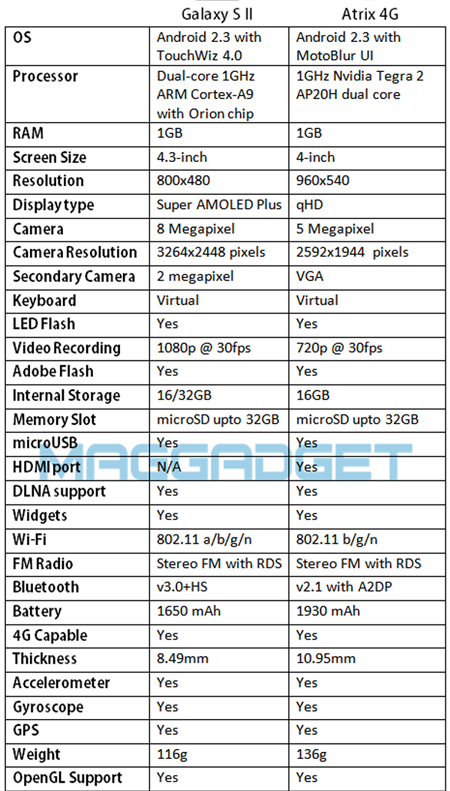


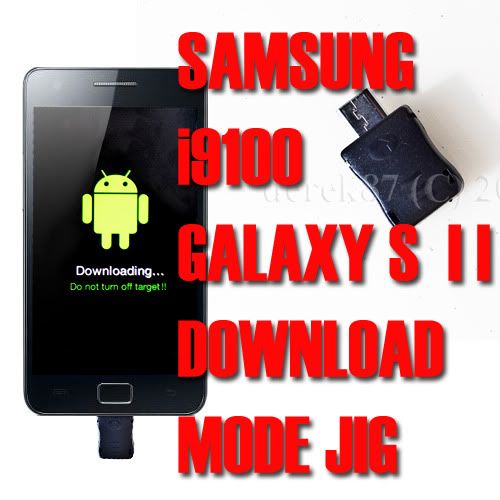


 ) checks dark knight edition V2..
  it can last more than 2 days 1 day only 40% something with my usage my usage lite usage, just turn on 3g all day receive email 8-15 a day, call 10mins, games rarely, music rarely, sms 3-5times. browsing always use 3g usually 30-50mins..











 but why I wake up morning...and start the phone, it turn like that













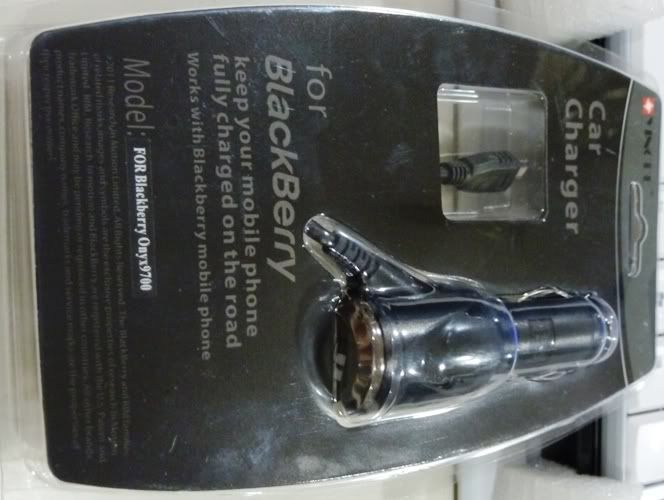
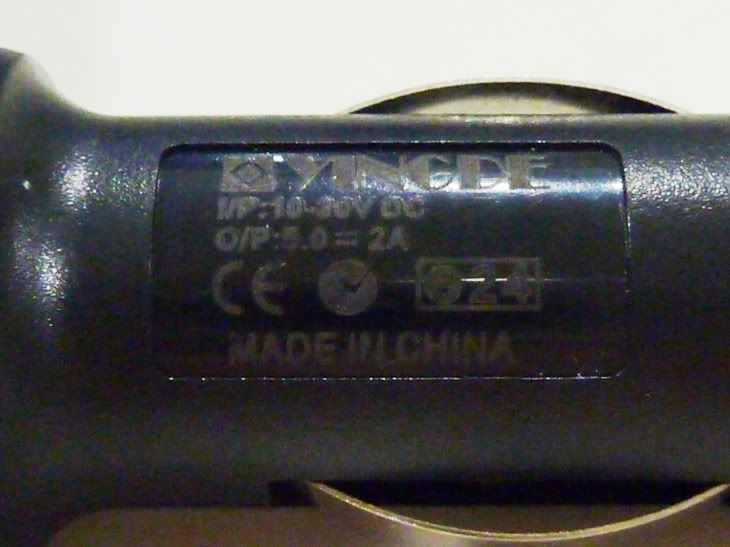





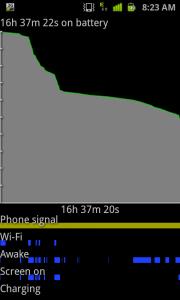
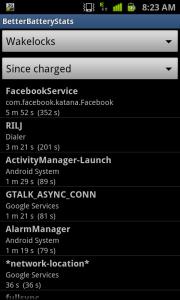


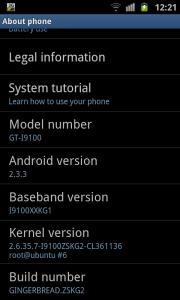


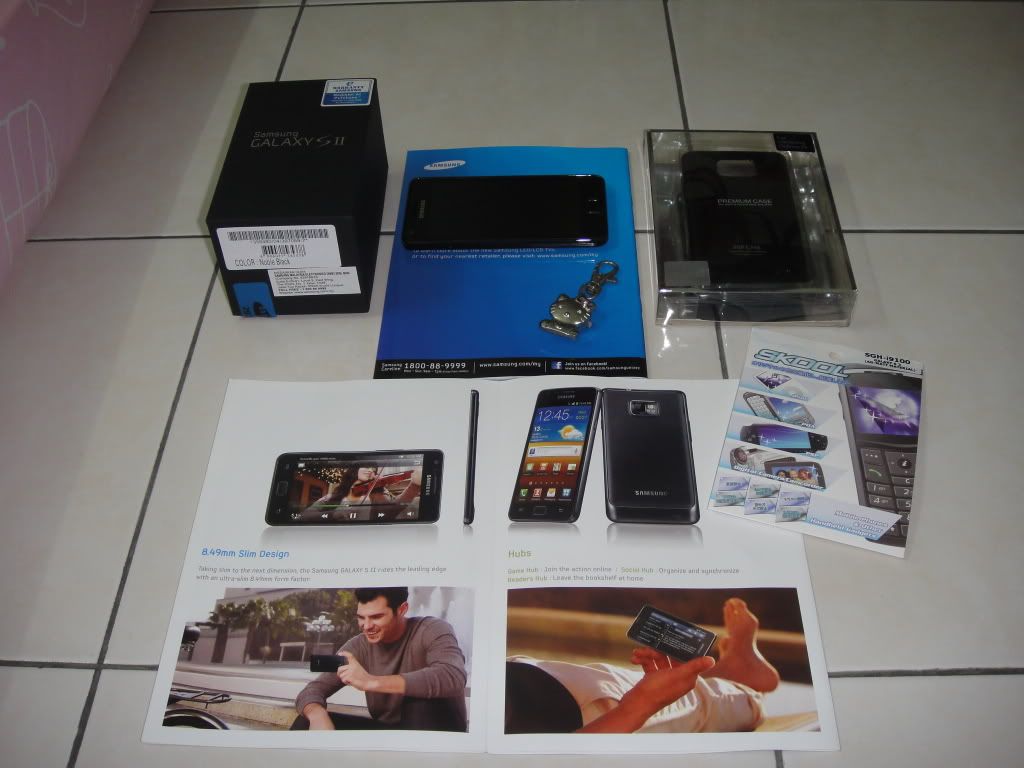
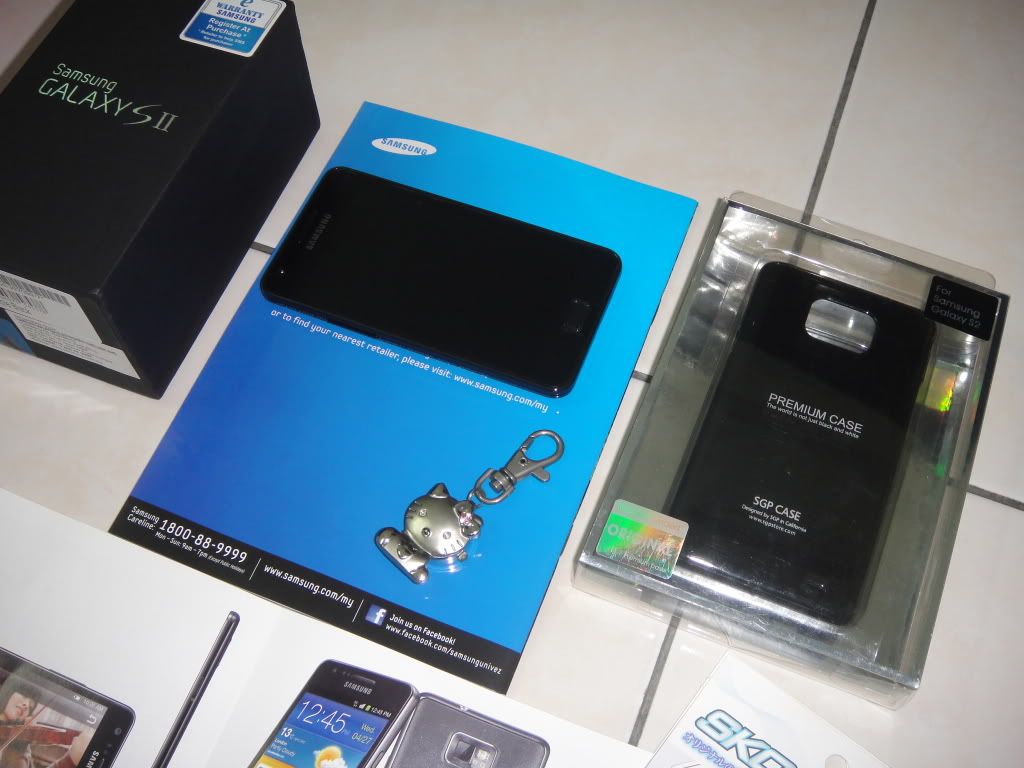
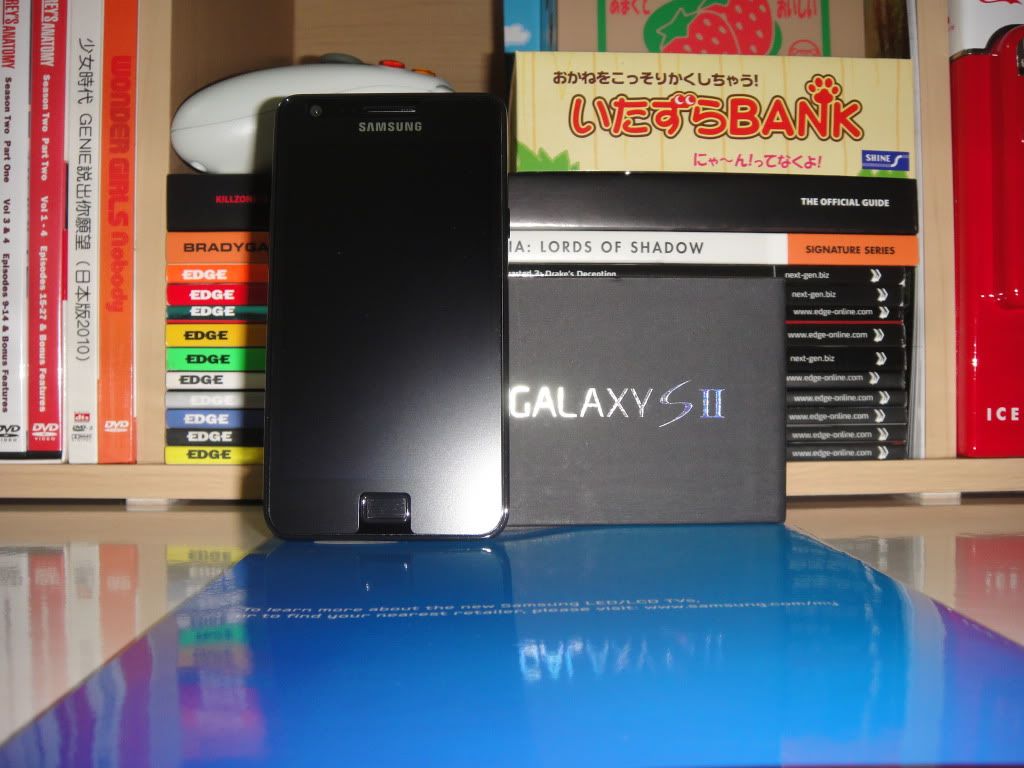
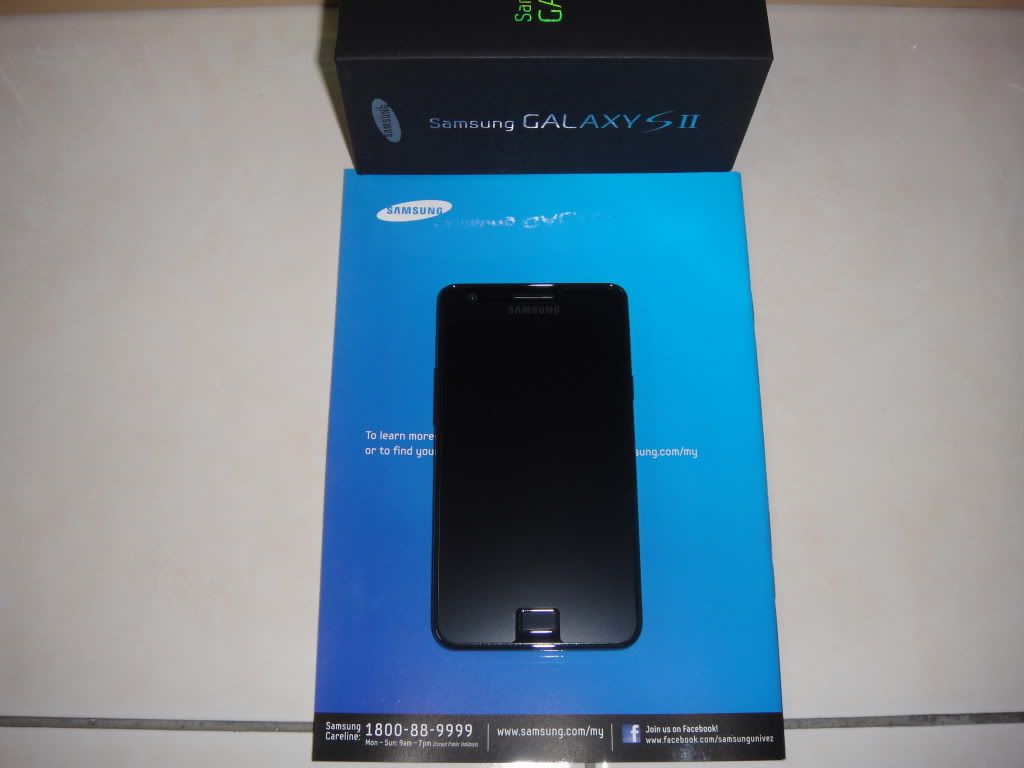


 0.2818sec
 1.59
1.59
 6 queries
 GZIP Disabled