Welcome Guest ( Log In | Register )

4 Pages  1 2 3 > » Bottom

Outline · [ Standard ] · Linear+

Home Networking Ditch ONU, use GPON SFP on Business Grade Router, 2.5G ONU for Unifi & Maxis, NO NEED VLAN

views
     
TSAnime4000
post Mar 18 2020, 12:26 PM, updated 3 months ago

Look at all my stars!!
*******
Senior Member
2,399 posts

Joined: Jul 2009
From: /dev/null


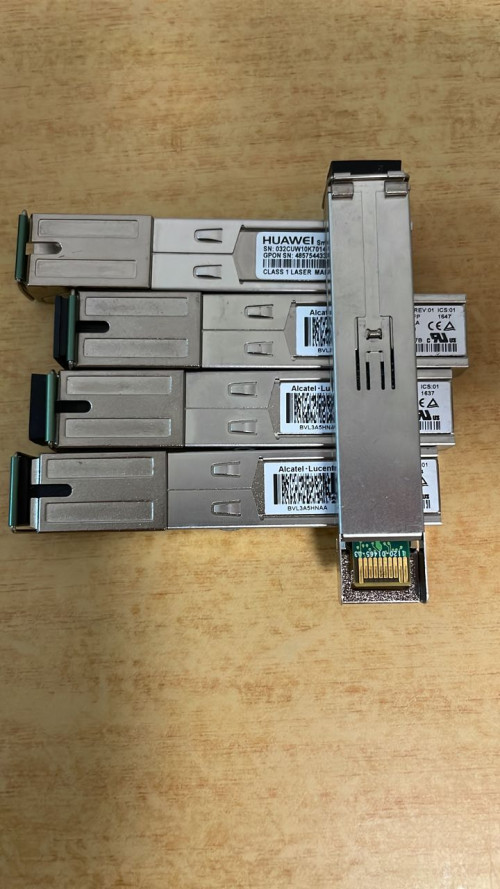
2.5G ONT for Unifi Ultra & Maxis Fiber (Maxis own Infra)
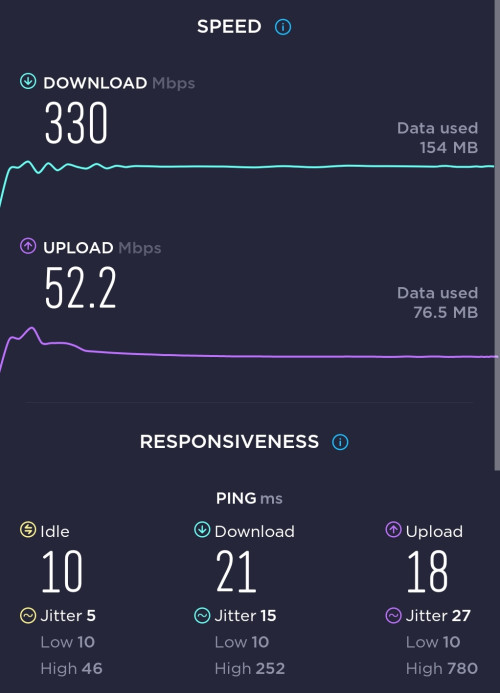
For Unifi Ultra customers subscribing to 1Gbps or 2Gbps plans, looking to maximize performance and resolve the 1+1 GbE issue to attain a pure 2Gbps connection through a single LAN.

Note to Foreigner
This post is specifically for Malaysia Fiber ISP (Telekom Malaysia). You can use this guide as a reference. Keep in mind that some ISPs may have a closed ecosystem, restricting users from using custom ONT. Be aware that this information may vary in other countries.

Where to buy
Contact Anime4000 via WhatsApp (click)
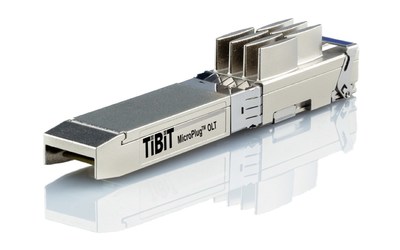
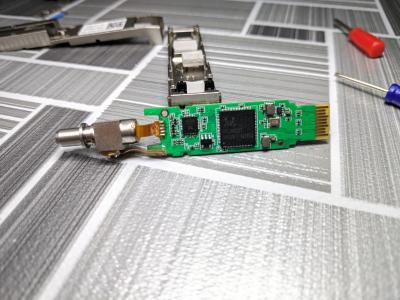
The PON Stick comes pre-installed with my customized firmware (Nijika/OpenWRT) tailored to the OLT vendor serving your area. This device arrives fully configured and is ready for immediate use, adhering to TM Standards.

NOTE: Not all OLT is configured equal, each area is behave differently, ISP may use many OLT Brands that respond differently,
many OLT giving O5 status but doesn't provide VLAN's. Investigation is required so I can properly configure and provide correct PON model,
don't worry, I can help you find it.

ONU Box
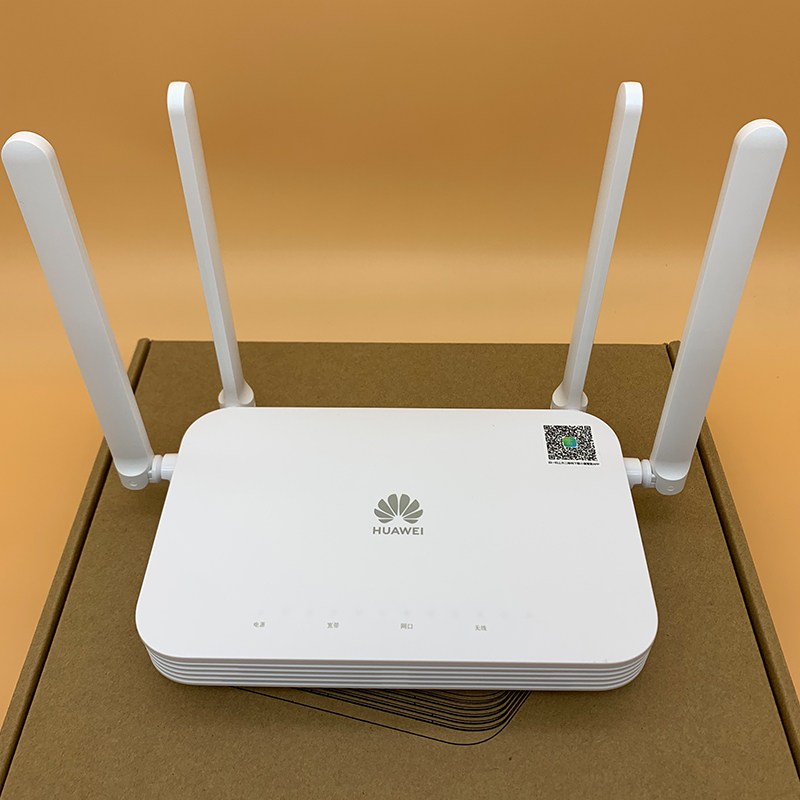
2.5G ONU Bridge (BTU) is available! Yes, typical BTU like Modem + Router.
Also no need VLAN support, you can use any router that don't support VLAN rclxm9.gif
Also... using same Nijika Firmware for additional improvement and bug fix rclxms.gif
Post about 2.5G ONU Bridge here!


List of 2.5Gb Enjoyer
1Gbps subscriber can break Gigabit barrier!
1. lwk523 Breaking 1Gbps barrier!
2. izhamsatria (Recorded Maximum Unifi Biz Speed @ 2.1Gbps (12/Aug/2022))

Successful Client
3. ididhaiqal Unifi Ultra (2Gbps) SpeedTest Result
4. khjh1976 Unifi Ultra (2Gbps) SpeedTest Result
5. darkearth Unifi Ultra (2Gbps) SpeedTest Result
6. Off Lowyat User #6240 Breaking 1Gbps barrier: 1043Mbps DL, 522Mbps UP
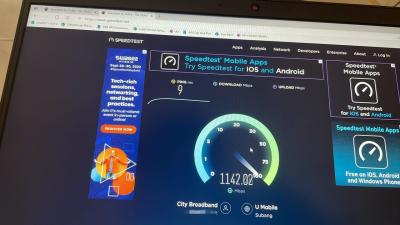
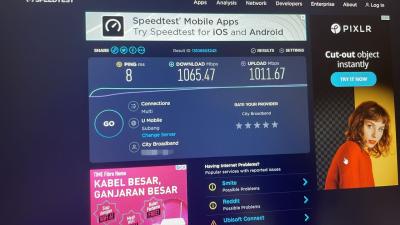
7. Off Lowyat User #5740 #2 in Malaysia, 2118Mbps DL, 1043Mbps UP
8. powertech #7181 (Unifi, Unifi, Allo)
9. kinghz
10. jeebsion
11. dingo7
12. 5hinn
13. bigmojo
14. asellus
15. aztech
16. akifrabbani multiple 2Gbps deployment
17. sya102003
18. Silvermage93
19. Facebook User #1 in Malaysia, 2125.68Mbps DL, 1054.5Mbps UP Using Nijika Firmware Rel.: 240330
20. bigmojo Maxis own Infra, 2Gbps Plan: 2185Mbps DL, 950Mbps UP
21. petrofsky77
22. anthrax33
23. hizadzahid GPON ONU Box, FHTT OLT

2.5G ONU Box
1. OKLY
2. TM Employee (compatibility research)
3.

Supported ISP
ISP Support Universal ME 171 Proprietary OMCI
TM-Unifi
TM-Maxis
TM-DiGi
TM-Celcom
Maxis NGBB Huawei Huawei Specific OMCI
TIME Huawei <1G Huawei Only
Allo Huawei & Nokia Calix Specific OMCI (Cyberjaya)*
*Has been verified with Pendakwah Teknologi, Calix has Proprietary OMCI and disallow non Calix ONT, only Cyberjaya use Calix OLT so far


Highest Speed Rank
Username Download Speed ISP OLT
BigMojo 2185Mbps Maxis own Infra Huawei (Proprietary)
FB User 2126Mbps Unifi ZTE
Off LYN #5740 2118Mbps Unifi Alcatel-Lucent/Nokia

Username Uplaod Speed ISP OLT
FB User 1054Mbps Unifi ZTE
Off LYN #5740 1043Mbps Unifi Alcatel-Lucent/Nokia
Off LYN #???? 971Mbps Unifi Huawei


List High Performance Unifi OLT Rank
LOCATION OLT Max DL Max UP DSCP Priority Queue
Shah Alam ZTEG 2129Mb 1054Mb
Cyberjaya ALCL 2118Mb 1043Mb
Kajang HWTC 2098Mb 971Mb
Terengganu FHTT 2080Mb 941Mb Broken*
Kuching, Sarawak FHTT 609Mb 826Mb ⚠️ Broken**
NOTE:
* FHTT has broken Priority Queue cause Download and Upload speed are unstable and unbalance (example: 2047Mbps DL, 67Mbps Up)
** 1Gbps customer having broken OLT traffic queue where using PON Stick and stock ZTE ONT cause 1Gbps customer get +800Mbps upload speed!
Maximum ever recorded by my customer using my GPON

Verified 2.5G Capable Device
Here is a list of devices that have been personally verified by myself and the community to effectively handle 2Gbps without any speed issues.

Brand Model Type Info
Mikrotik CRS305-1G-4S+IN Switch 4*SFP+, 1*GbE
Mikrotik CRS354-48G-4S+2Q+RM Switch 2*QSFP, 4*SFP+, 48*1GbE
Mikrotik RB5009UG+S+IN Router 1*SFP+, 1*2.5GbE 7*1GbE
Mikrotik CCR2004-1G-12S+2XS Router 2*SFP28, 12*SFP+, 1*1GbE
Mikrotik CCR2116-12G-4S+ Router 4*SFP+, 12*1GbE
TP-Link ER2260T VPN Router 2*SFP+, 4*1GbE
TP-Link ER707-M2 VPN Router 2*2.5GbE, 4*1GbE, 1*SFP+ via HiSGMII to 2.5GbE
TP-Link Archer BE550 WiFi7 Router 1*2.5GbE, 4*2.5GbE. via HiSGMII to 2.5GbE
TP-Link Archer BE800 WiFi7 Router 1*SFP+, 1*10GbE, 4*2.5GbE. via debug firmware
TP-Link Archer BE900 WiFi7 Router 1*SFP+, 1*10GbE, 4*2.5GbE, 1*1GbE. via debug firmware
Asus RT-AX89X WiFi6 Router 1*SFP+, via beta firmware, no 2.5GbE LAN
Asus ROG Rapture GT-AX11000 PRO WiFi6 Router via 2.5GbE WAN, 1*10GbE LAN
Asus ROG Rapture GT-AXE16000 WiFi6e Router via 2.5GbE WAN, 2*10GbE LAN
Asus RT-BE88U WiFi7 Router via SFP+ (HiSGMII/2500Base-X Support)

Take Note!
Not all 2.5GbE routers can effectively handle 2Gbps via PPPoE. Some Mesh WiFi routers in Router Mode struggle to manage 2Gbps download traffic from the PPPoE interface, and certain routers experience buffer overruns due to the GPON upload limit (1244Mbps), resulting in reduced upload speeds.

List of known issue 2.5G device
Brand Model Type Issue
Ubiquiti UDM SE Router SFP+ incapable to support HiSGMII, PPPoE Client runs on CPU, 1.3Gbps is max download via PPPoE
Ubiquiti UDM Pro Router SFP+ incapable to support HiSGMII, PPPoE Client runs on CPU, 1.3Gbps is max download via PPPoE
TP-Link Deco BE65 WiFi7 Router Downstream buffer overruns, limiting download speed to a maximum of 300Mbps.
TP-Link Deco BE85 WiFi7 Router Uptream buffer overruns, limiting upload speed to a maximum of 500Mbps via LAN, 100Mbps via WiFi
Several WiFi 7 SoCs may struggle to handle speeds over 2Gbps via PPPoE due to added overhead causing buffer issues. Running without PPPoE should resolve this.

2.5G Auto Neg
Next release will be 2.5G by default (HiSGMII/2.5G baseX) as SFP in Linux Kernel, Next revision info should look like this:
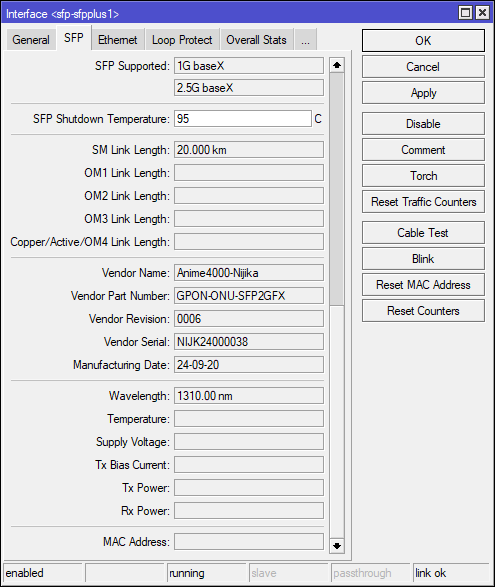
user posted image

Typical Layout
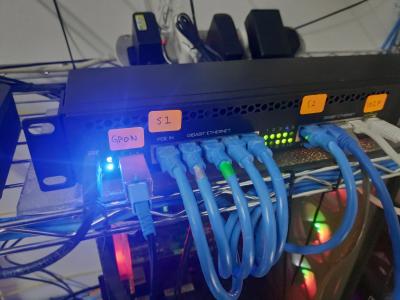
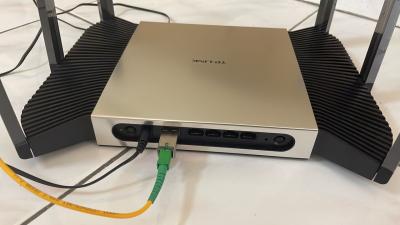
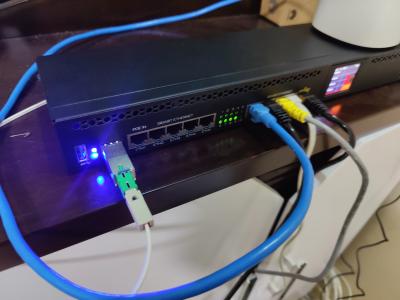
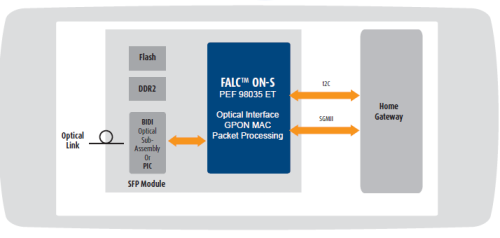
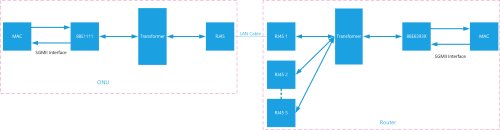
The setup involves a GPON ONU Stick with an SFP+Router (AIO). If a specific router lacks an SFP slot, you'll need an SFP to 2.5GbE Converter via Ethernet cable.

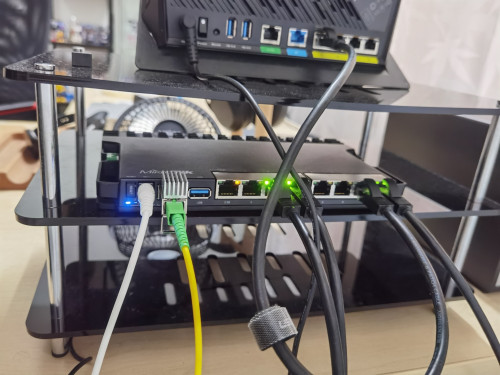
Example use SFP+ Router
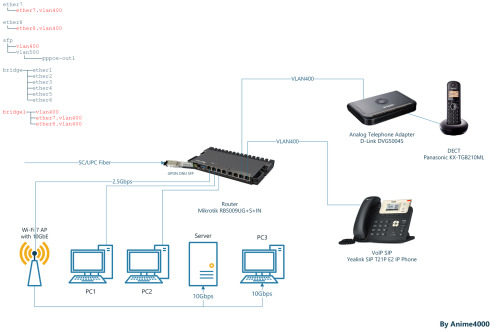
user posted image

GPON ONU Stick Setup
In this guide, I'll show you how to setup quickly and safely for your fiber subscription. (Nijika based Firmware)

PRELIMINARY
1. Take note that GPON ONU Stick take time to boot, please wait around 1 minute.
2. Mikrotik require fiber to be connected inorder to access, it's safe to plug the fiber into my GPON ONU Stick (it wont trigger the OLT of rouge ONT)
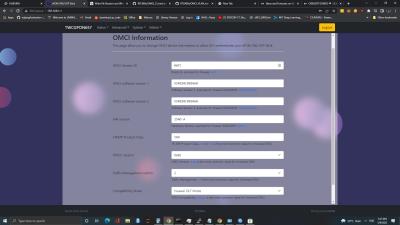
3. All my GPON ONU Stick has been set to use D-Link DPN-FX3060V OMCI Information

Default Login
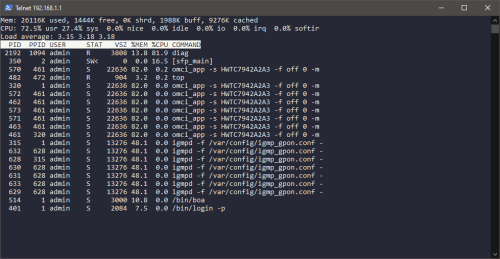
My GPON ONU Stick comes with default WebGUI and Telnet enabled. I suggest setting it up through the WebGUI rather than using command-line Telnet.

Address 192.168.1.1
Username admin
Password admin
NOTE: As SFP devices lack a factory reset button, it's not advisable to change the default IP address, username, and password. Forgetting these details can result in a bricked device that is challenging to configure. If security is a concern, make sure to note down the new IP address and password.

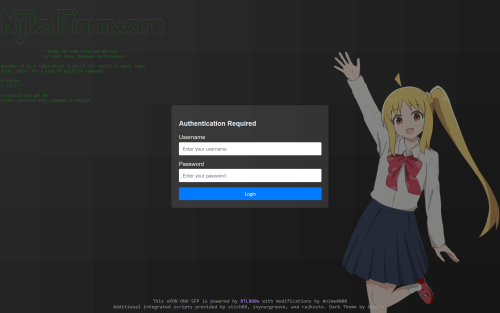
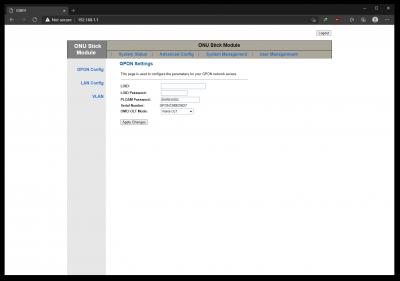
Login
Login with default credential
user posted image

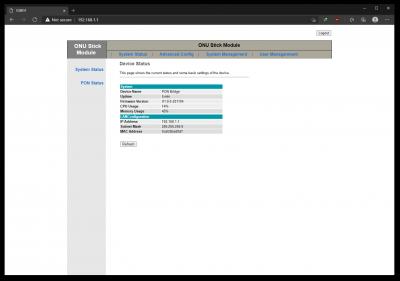
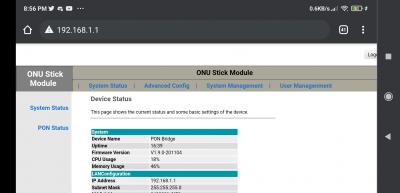
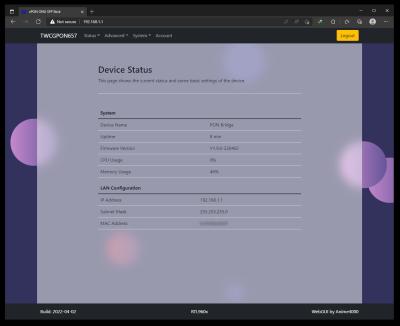
Device Status
You will greet with the Device Status page, take note on the Interface Speed, which mode and speed currently on.
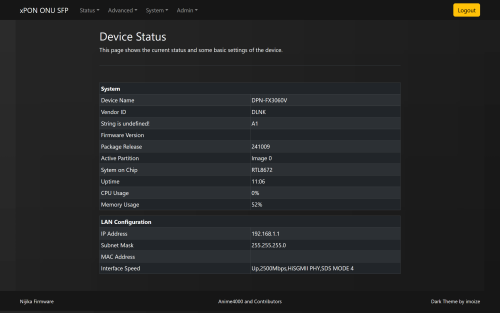
user posted image

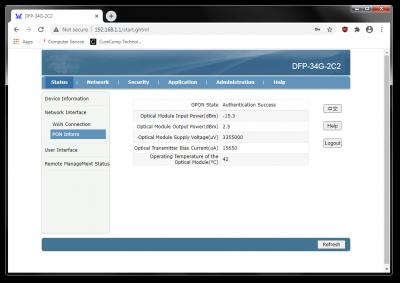
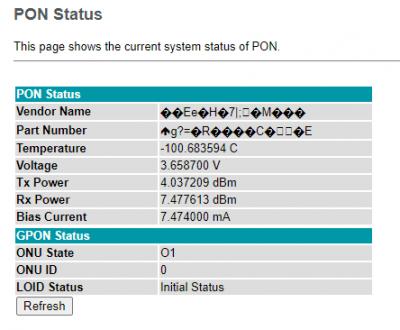
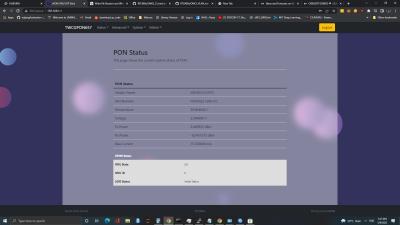
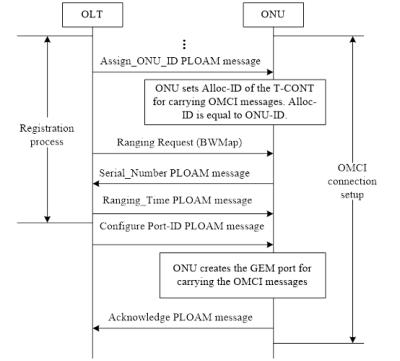
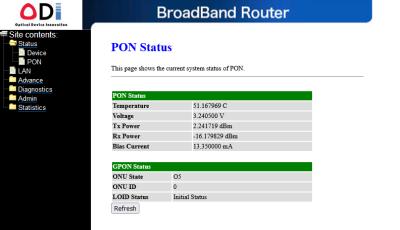
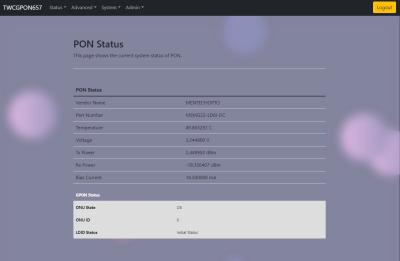
PON Status
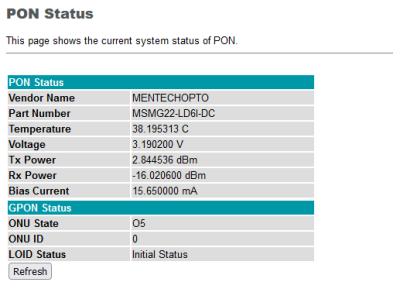
Usual PON Fiber status (Optical Reading) and ONT Authentication
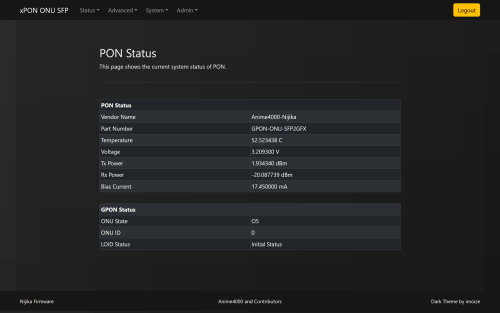
user posted image

PLOAM/ONU Password & Serial Number
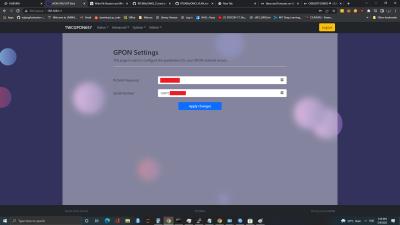
Go to Advanced ➡️ GPON. Enter the Password and S/N from your D-Link. Press Apply once done.
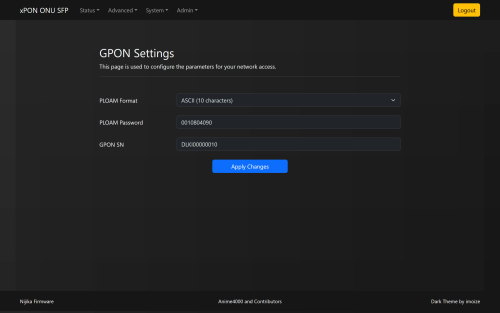
user posted image

Commit & Reboot
Once you have set the PLOAM Password and S/N, reboot the GPON ONU Stick, navigate to: System ➡️ Commit & Reboot

VLAN
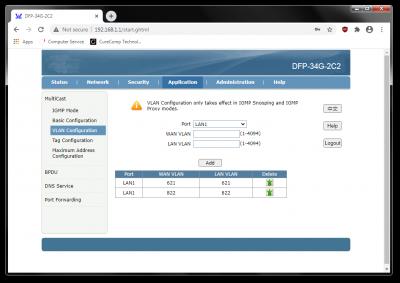
When using PON Stick, use of VLAN is a must! The PON Stick ignore some OMCI, refer to VLAN page to check which VLAN is used
ISP Internet VoIP IPTV Management
Unifi 500 400 600 209
TM-Maxis 621 822 823 209, 821
TM-Celcom 623 - - 209, 819
TM-DiGi 629 - - 209, ?
TIME 499 140 - 121
Allo 990 (PPPoE), 992 (DHCP) - - 995➡️1501
Allo-Celcom 101 - - 819

VoIP
If you plan to use VoIP, please bridge appropriate VLAN and keep in mind Tagging or Untag. Many home router like TP-Link, Asus, ... will untag the VLAN when bridge, mind this.
Second, ISP may filter DHCP request, make sure check your DHCP Option.
1. Unifi
2. Maxis
3. TIME by PRSXFENG

NOTE:
For Unifi, if VLAN400 not exist on LAN 1 (ME Point: 0x101, UNI: LAN 1), you can request VLAN400/VoIP on LAN 1, so GPON Stick/Box can use it

Troubleshoot
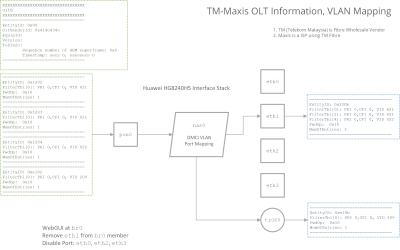
In the OMCI Specification, OLTs are responsible for provisioning VLANs, specifying which ones to bridge, the LAN port for bridging, and termination inside the ONT (IPoE) for TR069, VoIP, or both; the PON Terminal supports two methods of link termination, PPTP (bridging) and VEIP (bridging, IPoE).

In rare cases, the OLT may provision differently, leading the GPON ONU Stick to follow suit and bridge into non-existence. This need to override and correct the bridging...

Override the Forward Operation
Navigate to Advanced ➡️ OMCI FwdOp
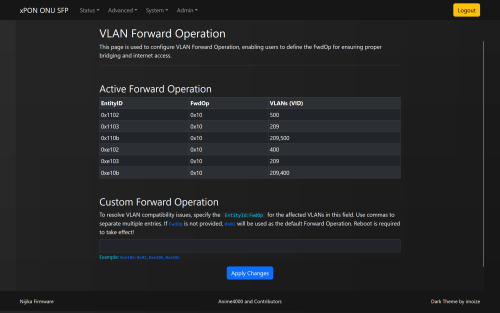
user posted image

Quick understanding the Entity Id
Type FwdOp Prefix
PPTP 0x01XX
PPTP 0x1XXX
VEIP 0x0eXX
PPP 0x4XXX
POTS 0xffXX

VEIP is most common use for TR069 and VoIP, as these are stay inside ONT

Quick understanding the FwdOp (Forward Operation)
Forward operation Received frame: Tagged Received frame: Untagged
0x00 Bridging (a) (no investigation) Bridging (a)
0x01 Discarding © Bridging (a)
0x02 Bridging (a) (no investigation) Discarding ©
0x03 Action (h) (VID investigation) Bridging (a)
0x04 Action (h) (VID investigation) Discarding ©
0x10 Action (h) (VID investigation) Discarding ©

Learn More OMCI specification Table 9.3.11-1:
Attached File  T_REC_G.988_202211_I__PDF_E.pdf ( 9mb ) Number of downloads: 504


Most common FwdOp is 0x10 and in rare case using 0x04

Example
user posted image

If you see, the VLAN has multiple entry, if you like to bridge all except 209,

Syntax
EntityId , EntityId , EntityId : FwdOp (optional) , EntityId
0x1202 , 0x1203 , 0x120b : 0x02 , 0x1204
FwdOp can be left off, it will use 0x02 as default FwdOp

So, you can enter like this:
CODE

0x1202,0x1203,0x120b:0x02,0x1204


Press Apply then System ➡️ Commit & Reboot to take effect.

FwdOp also tell what to do with VLAN, thus setting to 0x02 to bridge as always

PPTP vs VEIP
Overriding Forward Operation is useful for emulating 4-port ONT, back then TM specifically force non Unifi use on LAN 2 ONT, since GPON ONU Stick only have 1 MII interface, override it useful to prevent provision into non-existence.

To learn more quickly about LAN Provisioning that TM use, click here

By default, firmware ignore LAN Provisioning, this make non-Unifi able to use GPON ONU Stick.

Multiple PPPoE on Same Interface
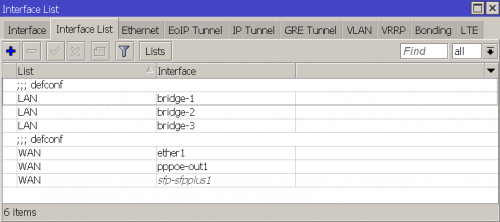
Many PPPoE servers dislike having the same MAC address. To address this, consider employing VRRP tricks, which may involve integrating your router into the ISP's VRRP. This ensures that each VRRP interface has its own MAC address corresponding to the VRID.

* Remap VLAN when using same ISP, example:
Interface VLAN IN VLAN OUT
sfp-sfpplus 2 500 500
sfp-sfpplus 3 500 501
sfp-sfpplus 4 500 502

VRRP
Navigate to Interface ➡️ ➕ ➡️ VRRP
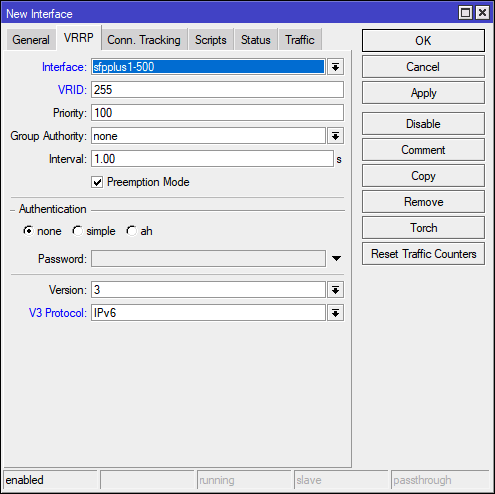
user posted image
VRID can from 1 to 255, then move your pppoe-out1 to new vrrp1

GPON vs NBase-T
Reasons why many ISP giving 1+1Gbps plan because Ethernet is symmetrical, More Info

Advanced Stuff
Risk of D.I.Y.

user posted image

Internal
D-Link DPN-FX3060V: A1 | B1

Disclaimer
I, We, and LYN members cannot take responsibility for individuals engaging in DIY activities outside of the specified design, causing network disturbances (not limited to the entire city), and risking bans or summons by ISPs and OLT vendors.

If you like to tinkering, bricking the stuff, headache, wasting time and own the OLT @ Home, you can take a look at my GitHub Repo

Previous Post
Web Archive Checkpoint #2
Web Archive Checkpoint #1

This post has been edited by Anime4000: Dec 8 2024, 02:56 AM
Doraku
post Jun 25 2020, 03:28 PM

Old threads digger
******
Senior Member
1,155 posts

Joined: Apr 2016


This is kinda super late, but i did ask this kinda question before.

Here a answer from soonwai
https://forum.lowyat.net/index.php?showtopi...post&p=89527265
miloaisdino
post Jun 25 2020, 03:44 PM

Regular
******
Senior Member
1,418 posts

Joined: Jul 2015
QUOTE(Doraku @ Jun 25 2020, 03:28 PM)
This is kinda super late, but i did ask this kinda question before.

Here a answer from soonwai
https://forum.lowyat.net/index.php?showtopi...post&p=89527265
*
iirc tm doesnt do auth based on gpon sn anymore. as long as the password is correct it should work

This post has been edited by miloaisdino: Jun 25 2020, 03:45 PM
TSAnime4000
post Jun 25 2020, 05:58 PM

Look at all my stars!!
*******
Senior Member
2,399 posts

Joined: Jul 2009
From: /dev/null


QUOTE(Doraku @ Jun 25 2020, 03:28 PM)
This is kinda super late, but i did ask this kinda question before.

Here a answer from soonwai
https://forum.lowyat.net/index.php?showtopi...post&p=89527265
*
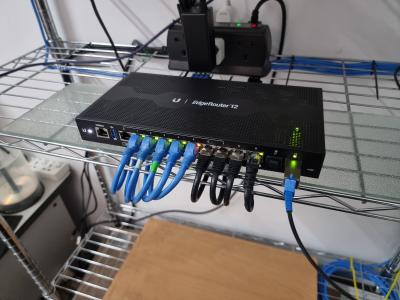
I just got direct Fiber, wanted to use EdgeRouter 12 with GPON SFP
not sure how to auth with password

QUOTE(miloaisdino @ Jun 25 2020, 03:44 PM)
iirc tm doesnt do auth based on gpon sn anymore. as long as the password is correct it should work
*
What I observe, I tried change ONT and put my ONT Password, it works.
Maybe TM OLT looking for SN: 48575443 (HWTC) ?
SUSCandy12
post Jun 25 2020, 07:56 PM

Regular
******
Senior Member
1,878 posts

Joined: Apr 2019
QUOTE(Anime4000 @ Jun 25 2020, 05:58 PM)
What I observe, I tried change ONT and put my ONT Password, it works.
Maybe TM OLT looking for SN: 48575443 (HWTC) ?
*
The SN differs by area. Different area has different ONT password. You can even backup your ONT config save it somewhere safe than upload back to your new ONT which now can easily be bought online.

They place the guide video now all over Youtube teaching users how to replace the ONT by yourself.


TSAnime4000
post Jun 25 2020, 11:14 PM

Look at all my stars!!
*******
Senior Member
2,399 posts

Joined: Jul 2009
From: /dev/null


QUOTE(Candy12 @ Jun 25 2020, 07:56 PM)
The SN differs by area. Different area has different ONT password. You can even backup your ONT config save it somewhere safe than upload back to your new ONT which now can easily be bought online.

They place the guide video now all over Youtube teaching users how to replace the ONT by yourself.
*
I have 2 ONT, stock TM give me and TIME ONT,
I simply put Password and it works,
Both ONT have SN: 48575443 (HWTC)

The config file I got was not encrypted, and didn't store any SN or ONT Password:
https://github.com/Anime4000/Hacking_Huawei...ee_modified.xml

What I do, enable Telnet and SSH with it
amirsubhi
post Jun 26 2020, 11:00 AM

The Power Is IN Your Hand!
******
Senior Member
1,472 posts

Joined: Apr 2005
From: SumwHeRe In MaLaYsIa


QUOTE(Anime4000 @ Jun 25 2020, 11:14 PM)
I have 2 ONT, stock TM give me and TIME ONT,
I simply put Password and it works,
Both ONT have SN: 48575443 (HWTC)

The config file I got was not encrypted, and didn't store any SN or ONT Password:
https://github.com/Anime4000/Hacking_Huawei...ee_modified.xml

What I do, enable Telnet and SSH with it
*
as long as Mikrotik GPON SFP/Huawei support OMCI required by TM than it may work,

I haven't try it though for mikrotik.


miloaisdino
post Jun 26 2020, 12:10 PM

Regular
******
Senior Member
1,418 posts

Joined: Jul 2015
QUOTE(amirsubhi @ Jun 26 2020, 11:00 AM)
as long as Mikrotik GPON SFP/Huawei support OMCI required by TM than it may work,

I haven't try it though for mikrotik.
*
https://blog.csdn.net/zhidc/article/details...Pai2-4.nonecase
Some gpon sticks are actually full fledged onts, even come with web interface. omci might work then
TSAnime4000
post Jun 26 2020, 04:24 PM

Look at all my stars!!
*******
Senior Member
2,399 posts

Joined: Jul 2009
From: /dev/null


QUOTE(miloaisdino @ Jun 26 2020, 12:10 PM)
https://blog.csdn.net/zhidc/article/details...Pai2-4.nonecase
Some gpon sticks are actually full fledged onts, even come with web interface. omci might work then
*
This stick is ONU, might can work?
https://s.lazada.com.my/s.bI2ov
miloaisdino
post Jun 26 2020, 04:34 PM

Regular
******
Senior Member
1,418 posts

Joined: Jul 2015
QUOTE(Anime4000 @ Jun 26 2020, 04:24 PM)
This stick is ONU, might can work?
https://s.lazada.com.my/s.bI2ov
*
it might.. but some gpon sticks come without user interface with "locked loid and password" so you cant really use it unless someone has access to the olt side for whitelisting.. bummer
TSAnime4000
post Jun 26 2020, 05:40 PM

Look at all my stars!!
*******
Senior Member
2,399 posts

Joined: Jul 2009
From: /dev/null


QUOTE(miloaisdino @ Jun 26 2020, 04:34 PM)
it might.. but some gpon sticks come without user interface with "locked loid and password" so you cant really use it unless someone has access to the olt side for whitelisting.. bummer
*
ah, need ask seller for WebUI
thankyou
post Jun 26 2020, 07:00 PM

Regular
******
Senior Member
1,941 posts

Joined: Jan 2003
QUOTE(Anime4000 @ Jun 26 2020, 05:40 PM)
ah, need ask seller for WebUI
*
You can't use this unless you have SFP programmer... My ONU stick w/ web interface is otw... Will update once it's proven working....

If you can find MA5671A with programmer, this is the best in terms of compatibility...

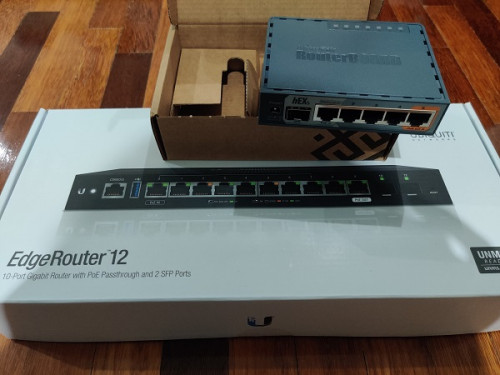
Just noticed you've gotten EdgeRouter 12, I've just gotten this as well! Definitely will update if it's compatible with the ONU Stick I ordered... Most likely compatible since it supports bridge and changeable LOID/GPON PN.

Costly experiment
user posted image

This post has been edited by thankyou: Jun 26 2020, 07:16 PM
TSAnime4000
post Jun 26 2020, 07:33 PM

Look at all my stars!!
*******
Senior Member
2,399 posts

Joined: Jul 2009
From: /dev/null


QUOTE(thankyou @ Jun 26 2020, 07:00 PM)
You can't use this unless you have SFP programmer... My ONU stick w/ web interface is otw... Will update once it's proven working....

If you can find MA5671A with programmer, this is the best in terms of compatibility...

Just noticed you've gotten EdgeRouter 12, I've just gotten this as well! Definitely will update if it's compatible with the ONU Stick I ordered... Most likely compatible since it supports bridge and changeable LOID/GPON PN.

Costly experiment
user posted image
*
May I know which model ONU stick you bought? I wait you for testing, I in tight budget, just can't simply buy and fail blush.gif
thankyou
post Jun 26 2020, 08:07 PM

Regular
******
Senior Member
1,941 posts

Joined: Jan 2003
QUOTE(Anime4000 @ Jun 26 2020, 07:33 PM)
May I know which model ONU stick you bought? I wait you for testing, I in tight budget, just can't simply buy and fail  blush.gif
*
#Aliexpress MYR 208.80 25%OFF | GPON SFP ONU Stick With MAC SC Connector DDM pon module
https://a.aliexpress.com/_dTNv9ks

This is the stick... It's proven working with Mikrotik routers... That's the reason I get Hex S to test it out as well.

Ordered 2 weeks ago and still waiting...

This post has been edited by thankyou: Jun 26 2020, 08:08 PM
thankyou
post Jun 26 2020, 08:10 PM

Regular
******
Senior Member
1,941 posts

Joined: Jan 2003
QUOTE(miloaisdino @ Jun 25 2020, 03:44 PM)
iirc tm doesnt do auth based on gpon sn anymore. as long as the password is correct it should work
*
I don't think they ever authenticate with GPON SN or MAC as long as the password is correct. I've replace the ONU since 2012 and it was working all the while...
miloaisdino
post Jun 26 2020, 09:46 PM

Regular
******
Senior Member
1,418 posts

Joined: Jul 2015
QUOTE(thankyou @ Jun 26 2020, 08:10 PM)
I don't think they ever authenticate with GPON SN or MAC as long as the password is correct. I've replace the ONU since 2012 and it was working all the while...
*
It's like some gpon sticks have their passwords locked to 123456780 so the only way is loid/sn auth but we know thats not what tm does.
TSAnime4000
post Jun 26 2020, 10:32 PM

Look at all my stars!!
*******
Senior Member
2,399 posts

Joined: Jul 2009
From: /dev/null


QUOTE(thankyou @ Jun 26 2020, 08:07 PM)
#Aliexpress MYR 208.80  25%OFF | GPON SFP ONU Stick With MAC SC Connector DDM pon module
https://a.aliexpress.com/_dTNv9ks

This is the stick... It's proven working with Mikrotik routers... That's the reason I get Hex S to test it out as well.

Ordered 2 weeks ago and still waiting...
*
See feedback that, they show have WebUI to configure ONT Authentication
Since you have ER-12, test if that works.
Also, if possible, try override OLT OMCI command or manual OMCI, try remove/adjust Hardware Speed Capping, I like to remove speed cap VLAN 621 to achieve A+ Anti Bufferbloat. let PPPoE based speed limit.

SSH Log OLT of HG8240H5, OLT Provisioning:
CODE
1981-01-01 00:01:43 [Critical][Config-Log] Terminal:OLT(-),Result:Success,Type:Set,Msg:Me[11] Inst[257] Att[5] Val[0]
1981-01-01 00:01:43 [Critical][Config-Log] Terminal:OLT(-),Result:Success,Type:Set,Msg:Me[11] Inst[258] Att[5] Val[0]
1981-01-01 00:01:43 [Critical][Config-Log] Terminal:OLT(-),Result:Success,Type:Set,Msg:Me[11] Inst[259] Att[5] Val[0]
1981-01-01 00:01:43 [Critical][Config-Log] Terminal:OLT(-),Result:Success,Type:Set,Msg:Me[11] Inst[260] Att[5] Val[0]


QUOTE(miloaisdino @ Jun 26 2020, 09:46 PM)
It's like some gpon sticks have their passwords locked to 123456780 so the only way is loid/sn auth but we know thats not what tm does.
*
I also have change TM to TIME ONT, what I do simply put my ONT Authentication Password.
Maybe TM OLT have list or SN check, between new HG8240 and HG8240H5, both have same "48575443" (HWTC) SN at first 8 HEX digit,
miloaisdino
post Jun 27 2020, 01:17 AM

Regular
******
Senior Member
1,418 posts

Joined: Jul 2015
QUOTE(Anime4000 @ Jun 26 2020, 10:32 PM)
See feedback that, they show have WebUI to configure ONT Authentication
Since you have ER-12, test if that works.
Also, if possible, try override OLT OMCI command or manual OMCI, try remove/adjust Hardware Speed Capping, I like to remove speed cap VLAN 621 to achieve A+ Anti Bufferbloat. let PPPoE based speed limit.

SSH Log OLT of HG8240H5, OLT Provisioning:
CODE
1981-01-01 00:01:43 [Critical][Config-Log] Terminal:OLT(-),Result:Success,Type:Set,Msg:Me[11] Inst[257] Att[5] Val[0]
1981-01-01 00:01:43 [Critical][Config-Log] Terminal:OLT(-),Result:Success,Type:Set,Msg:Me[11] Inst[258] Att[5] Val[0]
1981-01-01 00:01:43 [Critical][Config-Log] Terminal:OLT(-),Result:Success,Type:Set,Msg:Me[11] Inst[259] Att[5] Val[0]
1981-01-01 00:01:43 [Critical][Config-Log] Terminal:OLT(-),Result:Success,Type:Set,Msg:Me[11] Inst[260] Att[5] Val[0]

I also have change TM to TIME ONT, what I do simply put my ONT Authentication Password.
Maybe TM OLT have list or SN check, between new HG8240 and HG8240H5, both have same "48575443" (HWTC) SN at first 8 HEX digit,
*
nice. looking at the ui screenshots from the reviews, it is an unlocked rebranded zte onu stick!
edit: it seems to be quite beefy, with 600mhz cpu and 256mb of ram. heck i wonder if it can hardware nat too!

also i used RED qos algorithm to improve bufferbloat on my mikrotik. needs quite a bit of tuning tho

This post has been edited by miloaisdino: Jun 27 2020, 01:27 AM
TSAnime4000
post Jun 27 2020, 03:32 AM

Look at all my stars!!
*******
Senior Member
2,399 posts

Joined: Jul 2009
From: /dev/null


QUOTE(miloaisdino @ Jun 27 2020, 01:17 AM)
nice. looking at the ui screenshots from the reviews, it is an unlocked rebranded zte onu stick!
edit: it seems to be quite beefy, with 600mhz cpu and 256mb of ram. heck i wonder if it can hardware nat too!

also i used RED qos algorithm to improve bufferbloat on my mikrotik. needs quite a bit of tuning tho
*
Oh! I didn't know that was unlocked rebranded ZTE ONU stick.
I plan to have ER-X-SFP or ER-12, if that stick works, currently I using ER-X.

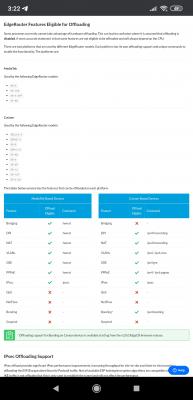
ER-X have "offload hwnat" to offload NAT to Hardware Level.
Attached Image

However, enable Smart QoS will make "hwnat" render useless,
plus very taxing CPU cycle and strain 12V 1A adapter.
I simply enable Smart QoS at Upload:
Attached Image

I saw some Maxis Fibre user able to get more speed than advertised, removing/increasing ONT Speed Limit help eliminate Bufferbloat, and no need QoS to be enable, and reduce router CPU usage!
miloaisdino
post Jun 27 2020, 12:44 PM

Regular
******
Senior Member
1,418 posts

Joined: Jul 2015
QUOTE(Anime4000 @ Jun 27 2020, 03:32 AM)
Oh! I didn't know that was unlocked rebranded ZTE ONU stick.
I plan to have ER-X-SFP or ER-12, if that stick works, currently I using ER-X.

ER-X have "offload hwnat" to offload NAT to Hardware Level.
Attached Image

However, enable Smart QoS will make "hwnat" render useless,
plus very taxing CPU cycle and strain 12V 1A adapter.
I simply enable Smart QoS at Upload:
Attached Image

I saw some Maxis Fibre user able to get more speed than advertised, removing/increasing ONT Speed Limit help eliminate Bufferbloat, and no need QoS to be enable, and reduce router CPU usage!
*
sounds good that omci can be bypassed just by using a 3rd party onu. hopefully the huawei olt wont know how to provision the hard cap on the zte onu stick doh.gif (actually the maxis issued btu should be tm property, maybe the hard cap is tm's way of unfairly limiting maxis bw?)

any idea what brand of onu that maxis user used?

This post has been edited by miloaisdino: Jun 27 2020, 01:23 PM
TSAnime4000
post Jun 28 2020, 05:48 PM

Look at all my stars!!
*******
Senior Member
2,399 posts

Joined: Jul 2009
From: /dev/null


QUOTE(miloaisdino @ Jun 27 2020, 12:44 PM)
sounds good that omci can be bypassed just by using a 3rd party onu. hopefully the huawei olt wont know how to provision the hard cap on the zte onu stick doh.gif
*
This what I hope for, just wanted a fair speed and better latency

QUOTE(miloaisdino @ Jun 27 2020, 12:44 PM)
(actually the maxis issued btu should be tm property, maybe the hard cap is tm's way of unfairly limiting maxis bw?)
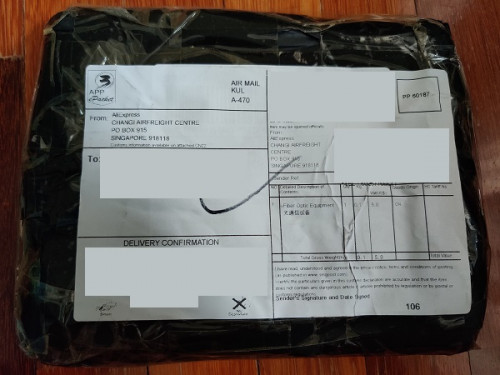
*
Yes, my 300Mbps become 280Mbps in real world, same with upload become 42Mbps, and worst like streamyx, high jitter and lags,
I choose maxis because of routing to SG and no port get block, like TCP 6667, game will run perfectly with better NAT status.

QUOTE(miloaisdino @ Jun 27 2020, 12:44 PM)
any idea what brand of onu that maxis user used?
*
I got HG8240H5 as TM gave me.
I remember when I press "reset" button, and internet speed become 4mbps, this show speed is capped on ONT, not OLT. even tho I put correct password.

---

I kind give up on Hacking Huawei HG8240H5, didn't find any exploit.
if thankyou manage to get ONU SFP stick to work on EdgeRouter 12, I will follow the same, and money well spend biggrin.gif
aneip
post Jun 28 2020, 07:15 PM

Look at all my stars!!
*******
Senior Member
2,466 posts

Joined: Nov 2004


Is this for Huawei ONU? or now got universal ONU which can use all the places? My house use alcatel. love to use SFP if possible..
miloaisdino
post Jun 28 2020, 07:27 PM

Regular
******
Senior Member
1,418 posts

Joined: Jul 2015
QUOTE(Anime4000 @ Jun 28 2020, 05:48 PM)
This what I hope for, just wanted a fair speed and better latency
Yes, my 300Mbps become 280Mbps in real world, same with upload become 42Mbps, and worst like streamyx, high jitter and lags,
I choose maxis because of routing to SG and no port get block, like TCP 6667, game will run perfectly with better NAT status.
I got HG8240H5 as TM gave me.
I remember when I press "reset" button, and internet speed become 4mbps, this show speed is capped on ONT, not OLT. even tho I put correct password.

---

I kind give up on Hacking Huawei HG8240H5, didn't find any exploit.
if thankyou manage to get ONU SFP stick to work on EdgeRouter 12, I will follow the same, and money well spend  biggrin.gif
*
ah that makes sense. at first when you connect without pppoe login your line will be capped to 4mbps (probably for hypptv stb), then upon pppoe login the olt will retroactively increase the speed cap of the ont by omci.

i wonder having 2 pppoe dialers behind the ont to different accounts can confuse the olt doh.gif

edit: maybe thats the key, omci configures a speed limit for port 2 on the huawei onu for maxis, but if the onu can be hacked for maxis to be on eg port 3 instead maybe omci will fail to speed cap?

This post has been edited by miloaisdino: Jun 28 2020, 07:32 PM
TSAnime4000
post Jun 28 2020, 09:01 PM

Look at all my stars!!
*******
Senior Member
2,399 posts

Joined: Jul 2009
From: /dev/null


QUOTE(aneip @ Jun 28 2020, 07:15 PM)
Is this for Huawei ONU? or now got universal ONU which can use all the places? My house use alcatel. love to use SFP if possible..
*
SFP stick is more to universal version

QUOTE(miloaisdino @ Jun 28 2020, 07:27 PM)
ah that makes sense. at first when you connect without pppoe login your line will be capped to 4mbps
*
No, it was under my PPPoE and get 4mbps ONT default settings

QUOTE(miloaisdino @ Jun 28 2020, 07:27 PM)
i wonder having 2 pppoe dialers behind the ont to different accounts can confuse the olt doh.gif
*
I have tried, not working, the ONT speed is shared.

QUOTE(miloaisdino @ Jun 28 2020, 07:27 PM)
edit: maybe thats the key, omci configures a speed limit for port 2 on the huawei onu for maxis, but if the onu can be hacked for maxis to be on eg port 3 instead maybe omci will fail to speed cap?
*
If can hack and override, we have custom OMCI settings.

I thinking, upgrade to 500Mbps for a week and downgrade back 300Mbps, will ONT speed remain cap at 500?
Need call 123 for this.
miloaisdino
post Jun 28 2020, 10:18 PM

Regular
******
Senior Member
1,418 posts

Joined: Jul 2015
QUOTE(Anime4000 @ Jun 28 2020, 09:01 PM)
SFP stick is more to universal version
No, it was under my PPPoE and get 4mbps ONT default settings
I have tried, not working, the ONT speed is shared.
If can hack and override, we have custom OMCI settings.

I thinking, upgrade to 500Mbps for a week and downgrade back 300Mbps, will ONT speed remain cap at 500?
Need call 123 for this.
*
i meant there will be a time lag between pppoe login and increase of speed cap.. all the onts in the same area share the same pw so i guess the speed cap is by detecting your account on pppoe?

taken from tm alcatel ont provisioning guide online:
Service Provisioning – Sample Service Configuration
7.1 Create ONT Infrastructure
Create ONTs using SLID Password.
configure equipment ont interface 1/1/5/1/10 sw-ver-pland AUTO
sernum ALCL:00000000 subslocid 0000000001 voip-allowed enable enable-aes enable

so any match for alcl sn or huawei sn ont will be allowed as long the pw (replaced by 0000000001) is correct for any speed

thankyou
post Jun 29 2020, 01:15 AM

Regular
******
Senior Member
1,941 posts

Joined: Jan 2003
It's going to be a long wait for my GPON Stick...

It has been the same status since 21st June...


QUOTE
Departed country of origin

2020-06-21 23:30:59 [GMT+8]

Shipment accepted by airline

2020-06-21 02:21:33 [GMT+8]


It seems forever now... biggrin.gif

Seems like the guy complain after few days of usage:

QUOTE
I wasn't happy long. .. The module worked for a couple of days, and then stopped establishing a connection with Olt. GPON state: Init state. Contacted the technical support of the provider, they reported that they do not even see authorization attempts. The configuration provider did not change. The ont provider from which the serial number for authorization was taken was connected without problems. Numerous reboot and reset to factory settings did not help. Apparently SFP module marriage. I will contact the seller.


This post has been edited by thankyou: Jun 29 2020, 01:16 AM
TSAnime4000
post Jun 29 2020, 11:18 AM

Look at all my stars!!
*******
Senior Member
2,399 posts

Joined: Jul 2009
From: /dev/null


QUOTE(thankyou @ Jun 29 2020, 01:15 AM)
It's going to be a long wait for my GPON Stick...

It has been the same status since 21st June...
It seems forever now...  biggrin.gif

Seems like the guy complain after few days of usage:
*
oh wow, being stuck in shipping delivery.

if you got extra money, what about Ubiquiti UFiber Nano G:
https://community.ui.com/questions/UFiber-N...dc-cdbcf6939617

that ONT looks awesome to, can be powered by Passive PoE.
thankyou
post Jun 29 2020, 04:24 PM

Regular
******
Senior Member
1,941 posts

Joined: Jan 2003
QUOTE(Anime4000 @ Jun 29 2020, 11:18 AM)
oh wow, being stuck in shipping delivery.

if you got extra money, what about Ubiquiti UFiber Nano G:
https://community.ui.com/questions/UFiber-N...dc-cdbcf6939617

that ONT looks awesome to, can be powered by Passive PoE.
*
It should work but I'm more interested in All-In-One device... I'm currently upgrading switches to CRS309-1G-8S+IN so that's additional RM3k +- to spend including all the SPF modules.

Skipping Nano G smile.gif

This post has been edited by thankyou: Jun 29 2020, 04:24 PM
thankyou
post Jul 17 2020, 03:30 PM

Regular
******
Senior Member
1,941 posts

Joined: Jan 2003
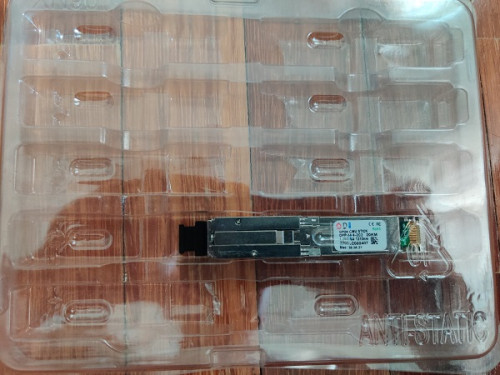
Finally it has arrived... I won't be replacing the router until midnight as there's other family members who are WFH.

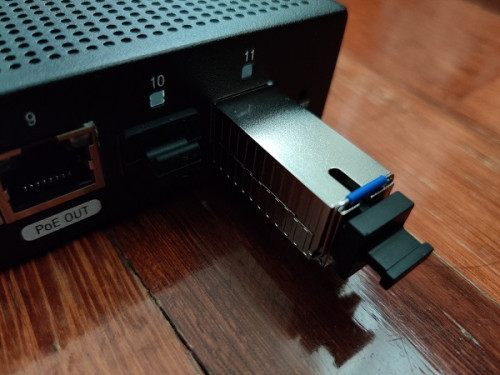
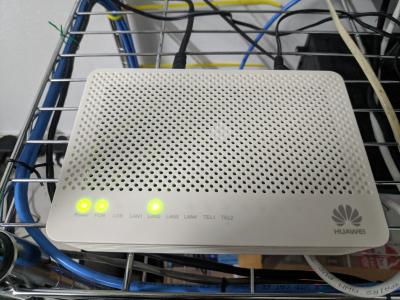
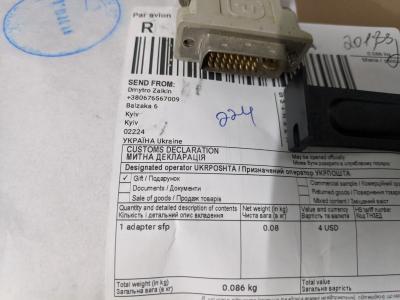
user posted image
user posted image
user posted image
TSAnime4000
post Jul 17 2020, 05:08 PM

Look at all my stars!!
*******
Senior Member
2,399 posts

Joined: Jul 2009
From: /dev/null


QUOTE(thankyou @ Jul 17 2020, 03:30 PM)
Finally it has arrived... I won't be replacing the router until midnight as there's other family members who are WFH.
user posted image
*
Wow nice, we wait for the results!
thankyou
post Jul 18 2020, 04:04 AM

Regular
******
Senior Member
1,941 posts

Joined: Jan 2003
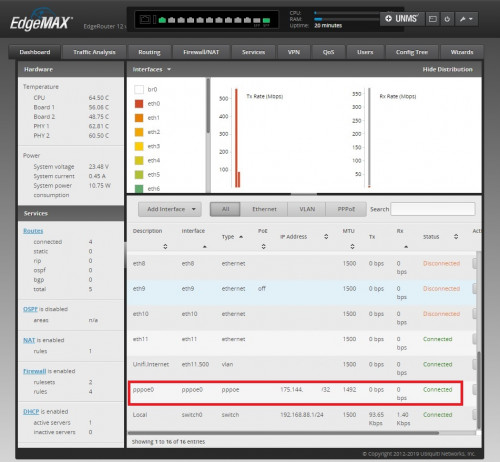
It's working fine... ODI GPON Stick is compatible with EdgeRouter. I'm able to connect to Unifi with following configuration:

The configuration was tested on ER-12, will work with ER-4/ER-6P/ER-X-SFP

eth0-7 = switch0 (192.168.88.0/24)
eth8 = LAN2 (192.168.89.0/24)
eth11 = ODI GPON SFP

1) Plug-in ODI GPON Stick to eth11

2) create br0
CODE
Config Tree >> interfaces >> bridge


3) Back to Dashboard, bridge eth8 & eth11

4) Connect to eth8, change LAN IP -> 192.168.1.2/24

5) Open browser, connect to ODI GPON web interface
CODE
http://192.168.1.1
admin:admin
Telnet
root:PON521


6) ODI GPON main page
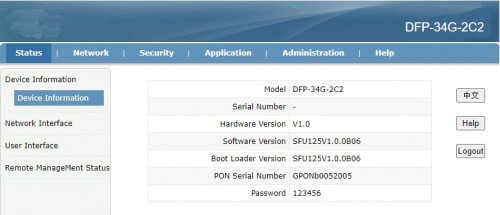
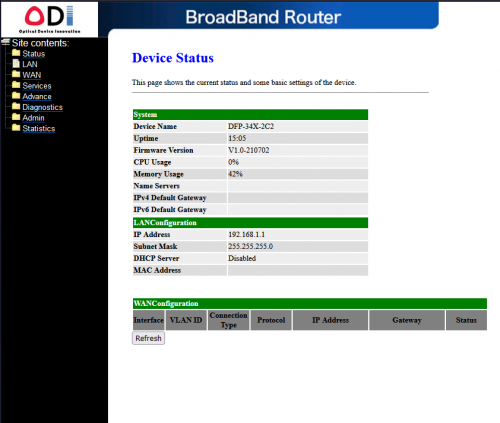
user posted image

7) Update SN/Password
CODE
NETWORK >> PON


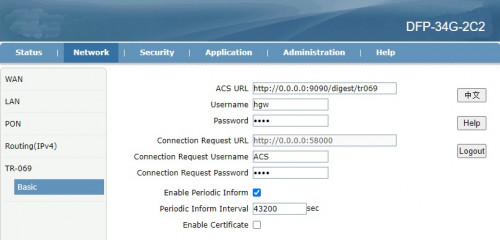
8) Just to be safe, nothing overwrites the ODI GPON Stick, I've changed TR-069 password as well.
» Click to show Spoiler - click again to hide... «


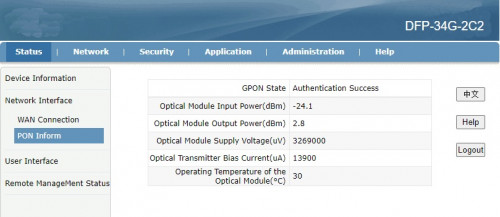
9) You should get the following status once GPON Stick is restarted.
» Click to show Spoiler - click again to hide... «


10) Make sure LAN1 (SFP -> ER) is tagged. Unifi 500/600
» Click to show Spoiler - click again to hide... «


Back to ER-12

11) Remove eth8/eth11 from br0 then disable br0 (Optional)

12) Create VLAN 500 on eth11 (SFP)

13) Create PPPoE, that's it!
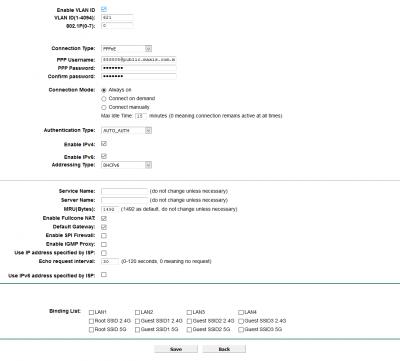
user posted image

This post has been edited by thankyou: Jul 18 2020, 04:16 AM
Azusa_San
post Jul 18 2020, 11:11 AM

Casual
***
Junior Member
309 posts

Joined: Mar 2015
if we replace the ONT with GPON SFP, this means we cannot use the VOIP / unifi phone anymore?

thankyou
post Jul 18 2020, 12:01 PM

Regular
******
Senior Member
1,941 posts

Joined: Jan 2003
QUOTE(Azusa_San @ Jul 18 2020, 11:11 AM)
if we replace the ONT with GPON SFP, this means we cannot use the VOIP / unifi phone anymore?
*
You can with following:

1) if you know the SIP credential
2) SIP phone/adapter that uses RJ45
TSAnime4000
post Jul 18 2020, 07:50 PM

Look at all my stars!!
*******
Senior Member
2,399 posts

Joined: Jul 2009
From: /dev/null


QUOTE(thankyou @ Jul 18 2020, 04:04 AM)
It's working fine... ODI GPON Stick is compatible with EdgeRouter. I'm able to connect to Unifi with following configuration:

The configuration was tested on ER-12, will work with ER-4/ER-6P/ER-X-SFP

eth0-7 = switch0 (192.168.88.0/24)
eth8 = LAN2 (192.168.89.0/24)
eth11 = ODI GPON SFP

1) Plug-in ODI GPON Stick to eth11

2) create br0
CODE
Config Tree >> interfaces >> bridge


3) Back to Dashboard, bridge eth8 & eth11

4) Connect to eth8, change LAN IP -> 192.168.1.2/24

5) Open browser, connect to ODI GPON web interface
CODE
http://192.168.1.1
admin:admin
Telnet
root:PON521


6) ODI GPON main page
user posted image

7) Update SN/Password
CODE
NETWORK >> PON


8) Just to be safe, nothing overwrites the ODI GPON Stick, I've changed TR-069 password as well.
» Click to show Spoiler - click again to hide... «


9) You should get the following status once GPON Stick is restarted.
» Click to show Spoiler - click again to hide... «


10) Make sure LAN1 (SFP -> ER) is tagged. Unifi 500/600
» Click to show Spoiler - click again to hide... «


Back to ER-12

11) Remove eth8/eth11 from br0 then disable br0 (Optional)

12) Create VLAN 500 on eth11 (SFP)

13) Create PPPoE, that's it!
user posted image
*
Neat! Finally I can start saving some cash for this kind of setup!
Have you find that able to override OLT Speed Cap? Curious 3rd Party ONT able to override OLT settings


This make some serious Networking!

This post has been edited by Anime4000: Jul 18 2020, 07:50 PM
TSAnime4000
post Jul 18 2020, 07:51 PM

Look at all my stars!!
*******
Senior Member
2,399 posts

Joined: Jul 2009
From: /dev/null


QUOTE(Azusa_San @ Jul 18 2020, 11:11 AM)
if we replace the ONT with GPON SFP, this means we cannot use the VOIP / unifi phone anymore?
*
Some Business have Unifi and 3 telephone line, since ONT have 2, TM forward VLAN400 to LAN3 and use this device (D-LINK DVG-5004S) to add another telephone line.

You can make VLAN Bridge, it works with my ER-X Maxis Setup:
CODE

eth0.621--pppoe0
eth0.821--br0--eth4.821 (Maxis Remote Management)
eth0.822--br1--eth4.822 (VoIP)

aneip
post Jul 18 2020, 09:27 PM

Look at all my stars!!
*******
Senior Member
2,466 posts

Joined: Nov 2004


QUOTE(thankyou @ Jul 17 2020, 03:30 PM)
Finally it has arrived... I won't be replacing the router until midnight as there's other family members who are WFH.

*
Can I know your original model of BTU? Or confirm compatible will all brand?
thankyou
post Jul 18 2020, 09:34 PM

Regular
******
Senior Member
1,941 posts

Joined: Jan 2003
QUOTE(aneip @ Jul 18 2020, 09:27 PM)
Can I know your original model of BTU? Or confirm compatible will all brand?
*
It's Huawei HG8240H, replace Huawei BTU is fine... No promise for any other models...
papyrous
post Jul 18 2020, 10:30 PM

Getting Started
**
Junior Member
214 posts

Joined: May 2017
cool. was thinking of possibly going for this to ditch ONU

https://www.turris.com/en/omnia/specifications/

TSAnime4000
post Jul 18 2020, 10:58 PM

Look at all my stars!!
*******
Senior Member
2,399 posts

Joined: Jul 2009
From: /dev/null


QUOTE(papyrous @ Jul 18 2020, 10:30 PM)
cool. was thinking of possibly going for this to ditch ONU

https://www.turris.com/en/omnia/specifications/
*
That thing have SIM Card slot!
My ZTE 4G Backup Dongle not reliable, overheat and no internet.
This make ultimate ALL on One!
thankyou
post Jul 18 2020, 11:58 PM

Regular
******
Senior Member
1,941 posts

Joined: Jan 2003
QUOTE(Anime4000 @ Jul 18 2020, 07:50 PM)
Neat! Finally I can start saving some cash for this kind of setup!
Have you find that able to override OLT Speed Cap? Curious 3rd Party ONT able to override OLT settings
This make some serious Networking!
*
Any sample command or anything I can refer to regarding to the OMCI commands?
asellus
post Jul 19 2020, 12:06 PM

#gompusas
Group Icon
Elite
4,541 posts

Joined: Jan 2003
From: BSRPPG51 Access Concentrator


» Click to show Spoiler - click again to hide... «


Can you try measuring the temperature of SFP module when it is in use? Like with the temperature gun you can see nowadays in front of the shops and restaurants. Is the module too hot to be touched or not?
thankyou
post Jul 19 2020, 06:41 PM

Regular
******
Senior Member
1,941 posts

Joined: Jan 2003
QUOTE(asellus @ Jul 19 2020, 12:06 PM)
» Click to show Spoiler - click again to hide... «


Can you try measuring the temperature of SFP module when it is in use? Like with the temperature gun you can see nowadays in front of the shops and restaurants. Is the module too hot to be touched or not?
*
It's hot when I touch it... GPON web interface show it's 45-50c


Anime4000 aneip

Try not to order the GPON SFP yet. It's not that stable with my ER-12. somehow during the startup, the PPPoE did not managed to dial until I have to manually access to 192.168.1.1 web interface (just access will do), then ER-12 automatically connects to Internet somehow.

Not sure what happened as I'm not familiar with EdgeRouter. Will have to capture the logs to see what actually happened that time.

Revert back to TM router then everything resolve immediately. Tried rebooting both TM + ER-12 and PPPoE always managed to dial automatically without manual intervention. Unfortunately this is not happening to SFP GPON sad.gif


Will report again when I try with Mikrotik router.

This post has been edited by thankyou: Jul 19 2020, 06:41 PM
TSAnime4000
post Jul 19 2020, 07:59 PM

Look at all my stars!!
*******
Senior Member
2,399 posts

Joined: Jul 2009
From: /dev/null


QUOTE(thankyou @ Jul 19 2020, 06:41 PM)
Anime4000 aneip
Try not to order the GPON SFP yet. It's not that stable with my ER-12. somehow during the startup, the PPPoE did not managed to dial until I have to manually access to 192.168.1.1 web interface (just access will do), then ER-12 automatically connects to Internet somehow.
Will report again when I try with Mikrotik router.
*
I think 2 possible scenario regrading GPON SFP:
1. GPON SFP getting late power on, thus slow to being ready.
2. GPON SFP is slow to startup, ER-12 find that eth11 is not attached to any, thus PPPoE not execute.

since ER can access SSH, try put "some" script that keep reconnect pppd even eth11 not present/ready, I managed create one for VyOS to record every pppd request (Streamyx) for MCMC PDF Report Documentation
thankyou
post Jul 20 2020, 10:23 AM

Regular
******
Senior Member
1,941 posts

Joined: Jan 2003
QUOTE(Anime4000 @ Jul 19 2020, 07:59 PM)
I think 2 possible scenario regrading GPON SFP:
1. GPON SFP getting late power on, thus slow to being ready.
2. GPON SFP is slow to startup, ER-12 find that eth11 is not attached to any, thus PPPoE not execute.

since ER can access SSH, try put "some" script that keep reconnect pppd even eth11 not present/ready, I managed create one for VyOS to record every pppd request (Streamyx) for MCMC PDF Report Documentation
*
That's what I thought so too but I waited long enough actually, like few minutes but it PPPoE still "disconnect" status. the GPON SFP itself takes less than 1 minutes to reboot if you press the restart button on its webui.

As for SFP itself, ER-12 managed to detect the brand, status of the SFP upon ER-12 start up.
cyborgclone
post Jul 21 2020, 10:59 AM

New Member
*
Junior Member
27 posts

Joined: Dec 2013


@thankyou

Any updates on your project? Correct me if I am wrong, your testing with TM and Maxis fiber?

I am considering the ER-12 - EdgeRouter 12 too, with GPON SPF for Time.
Anyone has any experience with non-Time issued GPON SPF modem/adapter/card/router with Time?
Any information on Time ANU ANT Authentication/SIP/VoIP/VLAN Tagging would be great.
thankyou
post Jul 21 2020, 12:31 PM

Regular
******
Senior Member
1,941 posts

Joined: Jan 2003
QUOTE(cyborgclone @ Jul 21 2020, 10:59 AM)
@thankyou

Any updates on your project? Correct me if I am wrong, your testing with TM and Maxis fiber?

I am considering the ER-12 - EdgeRouter 12 too, with GPON SPF for Time.
Anyone has any experience with non-Time issued GPON SPF modem/adapter/card/router with Time?
Any information on Time ANU ANT Authentication/SIP/VoIP/VLAN Tagging would be great.
*
I didn't have time to re-test the GPON SFP. My family members make noise when I brought down the Internet for 4 hours on Sunday...

Yes, I'm testing on TM (Maxis) network specifically on Huawei ONU. Can't comment much on other networks due to lack of knowledge & environment to test.
thankyou
post Jul 21 2020, 02:04 PM

Regular
******
Senior Member
1,941 posts

Joined: Jan 2003
Tested ODI GPON SFP on Mikrotik hEX S and it worked perfectly fine. Unifi connected immediately during 1st configuration + boot up.

Tested cold boot for 5 times and no issue at all.

Last 3 tests with benchmark:
- Cold boot (power on)
- Time with stop watch

Ping Router (m:s.ms) Ping Google DNS (m:s.ms)
Test 1 0:42.2 0:50.0
Test 2 0:41.3 1:16.0
Test 3 0:43.3 0:54.3

So as you can see, the problem is really ER-12 but not the GPON SFP itself. Will have to find sometime to troubleshoot the issue on ER-12

This post has been edited by thankyou: Jul 21 2020, 02:06 PM
thankyou
post Jul 21 2020, 02:13 PM

Regular
******
Senior Member
1,941 posts

Joined: Jan 2003
QUOTE(aneip @ Jun 28 2020, 07:15 PM)
Is this for Huawei ONU? or now got universal ONU which can use all the places? My house use alcatel. love to use SFP if possible..
*
I have a friend who are staying at SS1 (Sea Park) and during March, his Alcatel ONU was struck by lightning through power adapter...

TM replaced a Huawei HG ONU for him. I think you should request for Huawei replacement as well!

Good luck! thumbsup.gif
aneip
post Jul 21 2020, 10:45 PM

Look at all my stars!!
*******
Senior Member
2,466 posts

Joined: Nov 2004


QUOTE(thankyou @ Jul 21 2020, 02:13 PM)
I have a friend who are staying at SS1 (Sea Park) and during March, his Alcatel ONU was struck by lightning through power adapter...

TM replaced a Huawei HG ONU for him. I think you should request for Huawei replacement as well!

Good luck!  thumbsup.gif
*
Thanks for the info.. Will find some idea to try to replace the ONU.
cyborgclone
post Jul 23 2020, 02:40 PM

New Member
*
Junior Member
27 posts

Joined: Dec 2013


QUOTE(thankyou @ Jul 21 2020, 02:04 PM)
Tested ODI GPON SFP on Mikrotik hEX S and it worked perfectly fine. Unifi connected immediately during 1st configuration + boot up.

Tested cold boot for 5 times and no issue at all.

Last 3 tests with benchmark:
- Cold boot (power on)
- Time with stop watch

  Ping Router (m:s.ms)  Ping Google DNS (m:s.ms)
Test 1      0:42.2                0:50.0
Test 2      0:41.3                1:16.0
Test 3      0:43.3                0:54.3

So as you can see, the problem is really ER-12 but not the GPON SFP itself. Will have to find sometime to troubleshoot the issue on ER-12
*
@thankyou
Any other GPON SFP ONU Stick would you suggest from that you picked up ? (https://a.aliexpress.com/_dTNv9ks) Wanna try to get from within peninsular.
What other combination of router and stick would you suggest? I only have used a Mikrotik RB2011UiAS-IN.


@thread
Does anyone else know someone has tried for all in one router/onu with Time ISP?

thankyou
post Jul 23 2020, 02:49 PM

Regular
******
Senior Member
1,941 posts

Joined: Jan 2003
QUOTE(cyborgclone @ Jul 23 2020, 02:40 PM)
@thankyou
Any other GPON SFP ONU Stick would you suggest from that you picked up ? (https://a.aliexpress.com/_dTNv9ks) Wanna try to get from within peninsular.
What other combination of router and stick would you suggest? I only have used a Mikrotik RB2011UiAS-IN.
@thread
Does anyone else know someone has tried for all in one router/onu with Time ISP?
*
Apologies, I have very limited knowledge on TIME FTTH. Can you share the ONU provided to you? or it's just a media converter?

I think RB2011UiAS-IN is good enough for All-In-On solution! Mikrotik just work fine with this GPON Stick.
aneip
post Jul 25 2020, 05:21 PM

Look at all my stars!!
*******
Senior Member
2,466 posts

Joined: Nov 2004


@thankyou do you able to get SIP info from the Huawei BTU? I got my BTU replaced, try to collect as much info as possible. Seems the password encrypted in backup file.. Current objective

1- use SFP
2- use unifi sip as trunk in 3cx server

thankyou
post Jul 25 2020, 11:32 PM

Regular
******
Senior Member
1,941 posts

Joined: Jan 2003
QUOTE(aneip @ Jul 25 2020, 05:21 PM)
@thankyou do you able to get SIP info from the Huawei BTU? I got my BTU replaced, try to collect as much info as possible. Seems the password encrypted in backup file.. Current objective

1- use SFP
2- use unifi sip as trunk in 3cx server
*
I got the SIP credential on old HG850a configuration.

CODE
<VoiceProfileInstance InstanceID="2" DTMFMethod="RFC2833" PSTNFailOver="1" Region="CN" STUNServer="" X_ATP_STUNServerPort="5006" X_API_FaxOption="T.38 FAX" X_API_PSTNNUMBER="" X_API_AssignTransmitPriority="3" X_API_VoiceTOSPriority="184" X_API_VOIPNUMBER="" X_API_Supported2833FAX="0" X_ATP_Impedance="" X_ATP_FaxSpecification="1" X_ATP_ModemEventReportDelay="0" X_ATP_FaxNegoMode="1">
<SIP ProxyServer="" ProxyServerPort="5060" RegistrarServer="10.225.0.1" RegistrarServerPort="5060" UserAgentDomain="ims.tm.com.my" RegisterExpires="3600" RegisterRetryInterval="10" X_ATP_PrackSupport="1" X_ATP_UrgencyUsePriority="1" X_ATP_SessionExpires="1800" X_ATP_MinSessionExpires="90" X_ATP_SecondProxyServer="" X_ATP_SecondProxyServerPort="5060" X_ATP_SecondRegistrarServer="" X_ATP_SecondRegistrarServerPort="5060" X_ATP_SecondUserAgentDomain="huawei.com" X_ATP_HoldMethod="0" X_ATP_InterfaceName="" SIPEventSubscribeNumberOfElements="0" X_HW_BackRingPattern="4294967295" X_HW_SharpTransToASCIIEnable="0" X_HW_AutoActiveHoldSession="1" X_HW_SupportMultiMedia="1"/>
<Line NumberOfInstances="1">
<ObjExtention MaxInstanceNum="1"/>
<LineInstance InstanceID="1" Enable="Enabled" DirectoryNumber="+60171111111" Status="Disabled" CallState="Idle" X_ATP_SIPLocalPort="5068" X_ATP_OutgoingPhyList="0" X_ATP_IncomingPhyList="0" X_ATP_MWISubscribeURI="" X_ATP_NumberDisplayType="0" X_ATP_RegeditAction="0">
<CallingFeatures X_ATP_PrivacyLevel="6" CallWaitingEnable="1" MWIEnable="1" MaxSessions="2" X_ATP_EnableSharpKey="1" X_ATP_HotLineNumber=""/>
<SIP AuthUserName="+60171111111@ims.tm.com.my" AuthPassword="123456" ClipMode="1" X_ATP_PublicUserName=""/>
</LineInstance>


You can use the above settings as reference. As for SIP password, it's 6 digits... If you really can't get it, I suggest you can try brute force method. It should work...

Will try to extract the detail on newer BTU...
aneip
post Jul 26 2020, 07:27 PM

Look at all my stars!!
*******
Senior Member
2,466 posts

Joined: Nov 2004


QUOTE(thankyou @ Jul 25 2020, 11:32 PM)
I got the SIP credential on old HG850a configuration.

CODE
<VoiceProfileInstance InstanceID="2" DTMFMethod="RFC2833" PSTNFailOver="1" Region="CN" STUNServer="" X_ATP_STUNServerPort="5006" X_API_FaxOption="T.38 FAX" X_API_PSTNNUMBER="" X_API_AssignTransmitPriority="3" X_API_VoiceTOSPriority="184" X_API_VOIPNUMBER="" X_API_Supported2833FAX="0" X_ATP_Impedance="" X_ATP_FaxSpecification="1" X_ATP_ModemEventReportDelay="0" X_ATP_FaxNegoMode="1">
<SIP ProxyServer="" ProxyServerPort="5060" RegistrarServer="10.225.0.1" RegistrarServerPort="5060" UserAgentDomain="ims.tm.com.my" RegisterExpires="3600" RegisterRetryInterval="10" X_ATP_PrackSupport="1" X_ATP_UrgencyUsePriority="1" X_ATP_SessionExpires="1800" X_ATP_MinSessionExpires="90" X_ATP_SecondProxyServer="" X_ATP_SecondProxyServerPort="5060" X_ATP_SecondRegistrarServer="" X_ATP_SecondRegistrarServerPort="5060" X_ATP_SecondUserAgentDomain="huawei.com" X_ATP_HoldMethod="0" X_ATP_InterfaceName="" SIPEventSubscribeNumberOfElements="0" X_HW_BackRingPattern="4294967295" X_HW_SharpTransToASCIIEnable="0" X_HW_AutoActiveHoldSession="1" X_HW_SupportMultiMedia="1"/>
<Line NumberOfInstances="1">
<ObjExtention MaxInstanceNum="1"/>
<LineInstance InstanceID="1" Enable="Enabled" DirectoryNumber="+60171111111" Status="Disabled" CallState="Idle" X_ATP_SIPLocalPort="5068" X_ATP_OutgoingPhyList="0" X_ATP_IncomingPhyList="0" X_ATP_MWISubscribeURI="" X_ATP_NumberDisplayType="0" X_ATP_RegeditAction="0">
<CallingFeatures X_ATP_PrivacyLevel="6" CallWaitingEnable="1" MWIEnable="1" MaxSessions="2" X_ATP_EnableSharpKey="1" X_ATP_HotLineNumber=""/>
<SIP AuthUserName="+60171111111@ims.tm.com.my" AuthPassword="123456" ClipMode="1" X_ATP_PublicUserName=""/>
</LineInstance>


You can use the above settings as reference. As for SIP password, it's 6 digits... If you really can't get it, I suggest you can try brute force method. It should work...

Will try to extract the detail on newer BTU...
*
I got from alcatel btu, hopefully, the same one for Huawei. Yesterday, the Internet come up directly after tech configure the password. But for sip he need to call the center to reconfigure at back end. After 5 min then voip can use.

But still cannot test unless I can find a way for Huawei btu to exposed the vlan 400 to one of the lan port.

SFP still no budget to buy.. Got car insurance renewal this month..

aneip
post Jul 26 2020, 07:28 PM

Look at all my stars!!
*******
Senior Member
2,466 posts

Joined: Nov 2004


Also, from the Huawei config backup got the password. But it's encrypted.
thankyou
post Jul 26 2020, 08:57 PM

Regular
******
Senior Member
1,941 posts

Joined: Jan 2003
QUOTE(aneip @ Jul 26 2020, 07:28 PM)
Also, from the Huawei config backup got the password. But it's encrypted.
*
Yes you're right... Tried to telnet to grab the password but H8240H is pretty much locked down.

One way is to use older BTU to obtain pass...
TSAnime4000
post Jul 26 2020, 11:39 PM

Look at all my stars!!
*******
Senior Member
2,399 posts

Joined: Jul 2009
From: /dev/null


QUOTE(thankyou @ Jul 26 2020, 08:57 PM)
Yes you're right... Tried to telnet to grab the password but H8240H is pretty much locked down.

One way is to use older BTU to obtain pass...
*
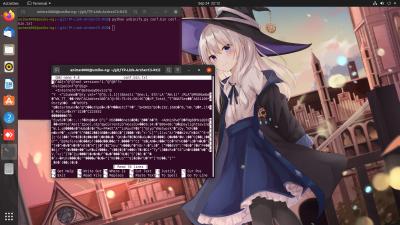
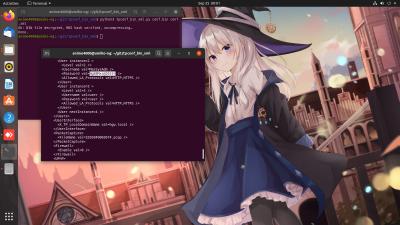
I was trying to Cracking HG8240H5 via UART header, have missing 2 resistor, add 100Ohm and display but no input accept.

The hash is look like Base64 with B85 extension, example:
CODE
<X_HW_CLIUserInfo NumberOfInstances="1">
<X_HW_CLIUserInfoInstance InstanceID="1" Username="root" Userpassword="$211e$LpZ`P3NI3NC.+x025rO)GrxpQ!&gt;*Px,|#2q=Q|Y8F.)AEG&apos;]0\&quot;KFm4=e1lt5%&lt;g&quot;K6&apos;:&gt;D&amp;91HPei:4Y`!)3*52Q9U}XS9G$" UserGroup="" ModifyPWDFlag="0" EncryptMode="2" Salt="6545bfb1aa7bb6d13ca10c1c"/>
</X_HW_CLIUserInfo>


Look into hash:
CODE
$211e$LpZ`P3NI3NC.+x025rO)GrxpQ!&gt;*Px,|#2q=Q|Y8F.)AEG&apos;]0\&quot;KFm4=e1lt5%&lt;g&quot;K6&apos;:&gt;D&amp;91HPei:4Y`!)3*52Q9U}XS9G$


that have HTML Entity &gt &apos &quot &amp, decode HTML entity, get this Base64.B85:
CODE
$211e$LpZ`P3NI3NC.+x025rO)GrxpQ!>*Px,|#2q=Q|Y8F.)AEG']0\"KFm4=e1lt5%<g"K6':>D&91HPei:4Y`!)3*52Q9U}XS9G$


Beginning 2 character $2 is every hashed password= field.

To Generate Base64.B85 from a text pretty simple in python:
CODE
import base64
import hashlib

data = 'The quick brown fox jumped over the lazy dog.'
m = hashlib.md5(data.encode('ascii'))
h = base64.b16encode(m.digest())
b = base64.b85encode(m.digest())

print(h)
print(b)


When run, get this:
CODE

anime4000@umiko-ng:~$ python3 base85encode.py
b'5C6FFBDD40D9556B73A21E63C3E0E904'
b'TyOi`K-pDmbD|z&!{F%z'


Not sure how reverse.

Since we know CLI login root password is adminHW

Maybe can reverse encryption from known password?

thankyou
post Jul 27 2020, 11:03 AM

Regular
******
Senior Member
1,941 posts

Joined: Jan 2003
QUOTE(Anime4000 @ Jul 26 2020, 11:39 PM)
I was trying to Cracking HG8240H5 via UART header, have missing 2 resistor, add 100Ohm and display but no input accept.

The hash is look like Base64 with B85 extension, example:
CODE
<X_HW_CLIUserInfo NumberOfInstances="1">
<X_HW_CLIUserInfoInstance InstanceID="1" Username="root" Userpassword="$211e$LpZ`P3NI3NC.+x025rO)GrxpQ!&gt;*Px,|#2q=Q|Y8F.)AEG&apos;]0\&quot;KFm4=e1lt5%&lt;g&quot;K6&apos;:&gt;D&amp;91HPei:4Y`!)3*52Q9U}XS9G$" UserGroup="" ModifyPWDFlag="0" EncryptMode="2" Salt="6545bfb1aa7bb6d13ca10c1c"/>
</X_HW_CLIUserInfo>


Look into hash:
CODE
$211e$LpZ`P3NI3NC.+x025rO)GrxpQ!&gt;*Px,|#2q=Q|Y8F.)AEG&apos;]0\&quot;KFm4=e1lt5%&lt;g&quot;K6&apos;:&gt;D&amp;91HPei:4Y`!)3*52Q9U}XS9G$


that have HTML Entity &gt &apos &quot &amp, decode HTML entity, get this Base64.B85:
CODE
$211e$LpZ`P3NI3NC.+x025rO)GrxpQ!>*Px,|#2q=Q|Y8F.)AEG']0\"KFm4=e1lt5%<g"K6':>D&91HPei:4Y`!)3*52Q9U}XS9G$


Beginning 2 character $2 is every hashed password= field.

To Generate Base64.B85 from a text pretty simple in python:
CODE
import base64
import hashlib

data = 'The quick brown fox jumped over the lazy dog.'
m = hashlib.md5(data.encode('ascii'))
h = base64.b16encode(m.digest())
b = base64.b85encode(m.digest())

print(h)
print(b)


When run, get this:
CODE

anime4000@umiko-ng:~$ python3 base85encode.py
b'5C6FFBDD40D9556B73A21E63C3E0E904'
b'TyOi`K-pDmbD|z&!{F%z'


Not sure how reverse.

Since we know CLI login root password is adminHW

Maybe can reverse encryption from known password?
*
It's a salted hash so I'm not sure if it's worth to work on it biggrin.gif
aneip
post Jul 27 2020, 11:20 AM

Look at all my stars!!
*******
Senior Member
2,466 posts

Joined: Nov 2004


Can confirm the SIP password is the same with old ALC BTU. I disable phone port 1.. Fields in the info on port 2 with the password from ALC. SIP reg successfully..

Now if can find the way to expose vlan 400 to port 1 as trunk together with 500 & 600 than can use external ATA.. Or maybe bind to any other port (2-4) on BTU.
cyborgclone
post Jul 27 2020, 06:14 PM

New Member
*
Junior Member
27 posts

Joined: Dec 2013


QUOTE(thankyou @ Jul 23 2020, 02:49 PM)
Apologies, I have very limited knowledge on TIME FTTH. Can you share the ONU provided to you? or it's just a media converter?

I think RB2011UiAS-IN is good enough for All-In-On solution! Mikrotik just work fine with this GPON Stick.
*
@thankyou

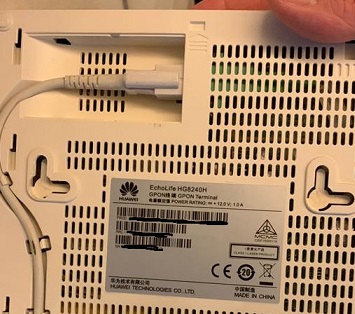
user posted image


TIME FTTH - Huawei EchoLife HG8240H GPON Terminal

Looks like its the general one that everyone seems to have.
thankyou
post Jul 28 2020, 12:20 AM

Regular
******
Senior Member
1,941 posts

Joined: Jan 2003
QUOTE(cyborgclone @ Jul 27 2020, 06:14 PM)
@thankyou

user posted image
TIME FTTH - Huawei EchoLife HG8240H GPON Terminal

Looks like its the general one that everyone seems to have.
*
There's no problem replacing this ONU with the GPON Stick but you definitely need to know all the network detail.

Looking at Time Fibre Broadband thread, someone mentioned as below:

QUOTE
Anyway, the activation was a breeze. Just use PPPoE on your WiFi router or Laptop to establish the WAN link to TIME. No complicated VLAN setting like UNIFI.


It would be great if you can find a way to access to ONU to get all the detail.

This post has been edited by thankyou: Jul 28 2020, 12:24 AM
TSAnime4000
post Jul 28 2020, 01:50 AM

Look at all my stars!!
*******
Senior Member
2,399 posts

Joined: Jul 2009
From: /dev/null


QUOTE(thankyou @ Jul 28 2020, 12:20 AM)
Looking at Time Fibre Broadband thread, someone mentioned as below:
It would be great if you can find a way to access to ONU to get all the detail.
*
Base on your GPON Stick, it is possible to Bridge PON VLAN500 to Untagged LAN 1 GPON Stick? rather than VLAN500 to VLAN500?
thankyou
post Jul 28 2020, 11:03 AM

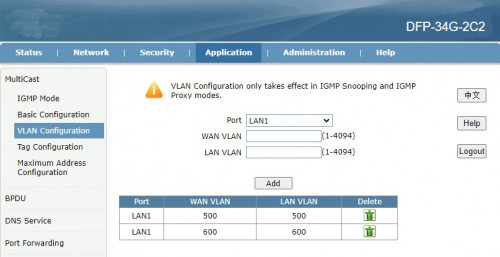
Regular
******
Senior Member
1,941 posts

Joined: Jan 2003
QUOTE(Anime4000 @ Jul 28 2020, 01:50 AM)
Base on your GPON Stick, it is possible to Bridge PON VLAN500 to Untagged LAN 1 GPON Stick? rather than VLAN500 to VLAN500?
*
Based on the screenshot I don't think we can do that as the minimum value is '1'.

I'll try it again this weekend
aneip
post Jul 29 2020, 09:03 AM

Look at all my stars!!
*******
Senior Member
2,466 posts

Joined: Nov 2004


This is the same one right?

https://www.lazada.com.my//products/i106259...tf&urlFlag=true
TSAnime4000
post Jul 29 2020, 04:54 PM

Look at all my stars!!
*******
Senior Member
2,399 posts

Joined: Jul 2009
From: /dev/null


QUOTE(aneip @ Jul 29 2020, 09:03 AM)
Yea, looks same by picture
amirsubhi
post Aug 21 2020, 04:52 PM

The Power Is IN Your Hand!
******
Senior Member
1,472 posts

Joined: Apr 2005
From: SumwHeRe In MaLaYsIa


QUOTE(thankyou @ Jul 28 2020, 11:03 AM)
Based on the screenshot I don't think we can do that as the minimum value is '1'.

I'll try it again this weekend
*
Default vlan is vlan1 for RG btway

This post has been edited by amirsubhi: Aug 21 2020, 04:53 PM
TSAnime4000
post Sep 6 2020, 07:47 PM

Look at all my stars!!
*******
Senior Member
2,399 posts

Joined: Jul 2009
From: /dev/null


thankyou aneip

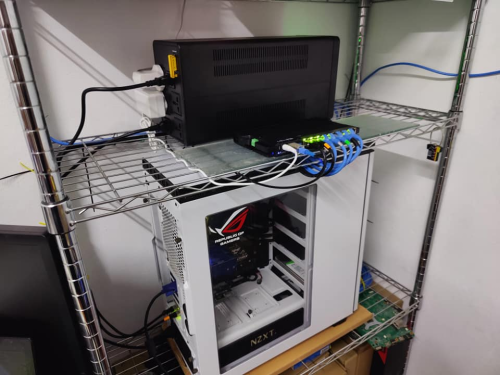
Soon I will have SFP ONT Stick, my friend from Japan give me this, pair with his Ryzen Server in my home.

Item I ask him to buy:
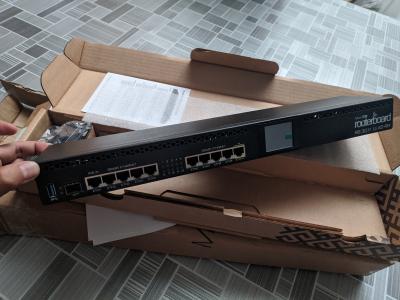
1. Mikrotik RB3011UIAS-RM
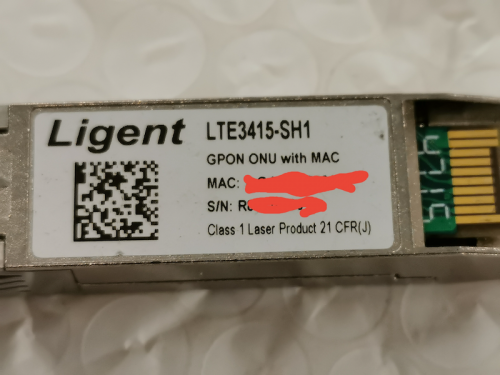
2. Universal PON GPON/EPON ONU/ONT SFP Stick

he didn't buy from AliExpress, somewhat asking personal information and birth certificate, so he bought from Amazon US.

Attached Image

This post has been edited by Anime4000: Sep 6 2020, 07:48 PM
asellus
post Sep 6 2020, 08:42 PM

#gompusas
Group Icon
Elite
4,541 posts

Joined: Jan 2003
From: BSRPPG51 Access Concentrator


As a curiosity, I have bought an ONT SFP module like this one for experimenting. After putting in the 10-digit OLT password, the ONT stick authenticated successfully with the OLT, but the PPPoE client in my Mikrotik RB4011IGS+RM refused to connect to the Unifi service. But when I shoved the ONT stick into my older Mikrotik Routerboard RB2011UiAS-2HnD-IN router, the PPPoE client works successfully. After some consideration, the Huawei GPON ONT box stays with the RB4011, while I chucked away the GPON stick and the RB2011 returned to its function as a wireless access point.
TSAnime4000
post Sep 6 2020, 09:11 PM

Look at all my stars!!
*******
Senior Member
2,399 posts

Joined: Jul 2009
From: /dev/null


QUOTE(asellus @ Sep 6 2020, 08:42 PM)
As a curiosity, I have bought an ONT SFP module like this one for experimenting. After putting in the 10-digit OLT password, the ONT stick authenticated successfully with the OLT, but the PPPoE client in my Mikrotik RB4011IGS+RM refused to connect to the Unifi service. But when I shoved the ONT stick into my older Mikrotik Routerboard RB2011UiAS-2HnD-IN router, the PPPoE client works successfully. After some consideration, the Huawei GPON ONT box stays with the RB4011, while I chucked away the GPON stick and the RB2011 returned to its function as a wireless access point.
*
are VLAN properly bridged and forwarded?
asellus
post Sep 6 2020, 09:16 PM

#gompusas
Group Icon
Elite
4,541 posts

Joined: Jan 2003
From: BSRPPG51 Access Concentrator


QUOTE(Anime4000 @ Sep 6 2020, 09:11 PM)
are VLAN properly bridged and forwarded?
*
Both RB4011 and RB2011 has been configured exactly the same, but it only works with the latter. Probably has to do with the limitations of the RB4011 SFP cage.
thankyou
post Sep 6 2020, 11:31 PM

Regular
******
Senior Member
1,941 posts

Joined: Jan 2003
QUOTE(asellus @ Sep 6 2020, 09:16 PM)
Both RB4011 and RB2011 has been configured exactly the same, but it only works with the latter. Probably has to do with the limitations of the RB4011 SFP cage.
*
Possible... RB4011 is known to be selective on SFP module. I have RB760iGS with GPON SFP and it works just fine.
aneip
post Sep 7 2020, 06:26 AM

Look at all my stars!!
*******
Senior Member
2,466 posts

Joined: Nov 2004


QUOTE(Anime4000 @ Sep 6 2020, 07:47 PM)
thankyou aneip

Soon I will have SFP ONT Stick, my friend from Japan give me this, pair with his Ryzen Server in my home.

Item I ask him to buy:
1. Mikrotik RB3011UIAS-RM
2. Universal PON GPON/EPON ONU/ONT SFP Stick

he didn't buy from AliExpress, somewhat asking personal information and birth certificate, so he bought from Amazon US.

Attached Image
*
Mcm lagi mahal ni.. Need cheaper option.. hehe
aneip
post Sep 7 2020, 06:30 AM

Look at all my stars!!
*******
Senior Member
2,466 posts

Joined: Nov 2004


QUOTE(asellus @ Sep 6 2020, 08:42 PM)
As a curiosity, I have bought an ONT SFP module like this one for experimenting. After putting in the 10-digit OLT password, the ONT stick authenticated successfully with the OLT, but the PPPoE client in my Mikrotik RB4011IGS+RM refused to connect to the Unifi service. But when I shoved the ONT stick into my older Mikrotik Routerboard RB2011UiAS-2HnD-IN router, the PPPoE client works successfully. After some consideration, the Huawei GPON ONT box stays with the RB4011, while I chucked away the GPON stick and the RB2011 returned to its function as a wireless access point.
*
Does yours come with TR-069 in web gui?

user posted image

I also bought 1 from the Lazada... But a bit busy now to troubleshoot.. Last time try, I can auth on OLT.. But same as you cannot connect PPPOE..

Try on mikrotik RB960PGS and some aruba switch.. Both cannot cannot..
asellus
post Sep 7 2020, 08:19 AM

#gompusas
Group Icon
Elite
4,541 posts

Joined: Jan 2003
From: BSRPPG51 Access Concentrator


QUOTE(aneip @ Sep 7 2020, 06:30 AM)
Does yours come with TR-069 in web gui?

user posted image

I also bought 1 from the Lazada... But a bit busy now to troubleshoot.. Last time try, I can auth on OLT.. But same as you cannot connect PPPOE..

Try on mikrotik RB960PGS and some aruba switch.. Both cannot cannot..
*
My web gui has that setting, but unlike TS I doesn't touch any settings there.
TSAnime4000
post Sep 7 2020, 01:54 PM

Look at all my stars!!
*******
Senior Member
2,399 posts

Joined: Jul 2009
From: /dev/null


QUOTE(aneip @ Sep 7 2020, 06:26 AM)
Mcm lagi mahal ni.. Need cheaper option.. hehe
*
I didn't bought it, my friend from Japan wanted me have better equipment, since his server at my home, 2.5" 1TB x 3 Samsung QVO + M.2 NVMe 500GB WD Black
Japan Internet are being monitored, so, Malaysia Internet is Neutral Ground
aneip
post Sep 7 2020, 02:06 PM

Look at all my stars!!
*******
Senior Member
2,466 posts

Joined: Nov 2004


QUOTE(Anime4000 @ Sep 7 2020, 01:54 PM)
I didn't bought it, my friend from Japan wanted me have better equipment, since his server at my home, 2.5" 1TB x 3 Samsung QVO + M.2 NVMe 500GB WD Black
Japan Internet are being monitored, so, Malaysia Internet is Neutral Ground
*
What they do need server in malaysia?
TSAnime4000
post Sep 7 2020, 02:49 PM

Look at all my stars!!
*******
Senior Member
2,399 posts

Joined: Jul 2009
From: /dev/null


QUOTE(aneip @ Sep 7 2020, 02:06 PM)
What they do need server in malaysia?
*
I not sure, having Hyper-V running, don't know what inside, maybe put Anime & Hentai stuff here since having 1TB x 3 Samsung SSD
for my part, I have game server running inside

This post has been edited by Anime4000: Sep 7 2020, 02:51 PM
SUSCandy12
post Sep 7 2020, 05:17 PM

Regular
******
Senior Member
1,878 posts

Joined: Apr 2019
QUOTE(aneip @ Sep 7 2020, 06:30 AM)
Does yours come with TR-069 in web gui?

user posted image

I also bought 1 from the Lazada... But a bit busy now to troubleshoot.. Last time try, I can auth on OLT.. But same as you cannot connect PPPOE..

Try on mikrotik RB960PGS and some aruba switch.. Both cannot cannot..
*
I usually disable TR-069 if I'm supplying my own equipment. It's a potential backdoor for others to gain access to your equipment.
aneip
post Sep 7 2020, 09:57 PM

Look at all my stars!!
*******
Senior Member
2,466 posts

Joined: Nov 2004


QUOTE(Candy12 @ Sep 7 2020, 05:17 PM)
I usually disable TR-069 if I'm supplying my own equipment. It's a potential backdoor for others to gain access to your equipment.
*
Just wanna show the one I got have different software in it.
Gregar Forte
post Sep 10 2020, 09:14 PM

Getting Started
**
Junior Member
238 posts

Joined: Aug 2011
From: Bachok,Kelantan


QUOTE(asellus @ Sep 6 2020, 08:42 PM)
As a curiosity, I have bought an ONT SFP module like this one for experimenting. After putting in the 10-digit OLT password, the ONT stick authenticated successfully with the OLT, but the PPPoE client in my Mikrotik RB4011IGS+RM refused to connect to the Unifi service. But when I shoved the ONT stick into my older Mikrotik Routerboard RB2011UiAS-2HnD-IN router, the PPPoE client works successfully. After some consideration, the Huawei GPON ONT box stays with the RB4011, while I chucked away the GPON stick and the RB2011 returned to its function as a wireless access point.
*
Any consideration to sell the GPON stick sir?
asellus
post Sep 12 2020, 10:45 PM

#gompusas
Group Icon
Elite
4,541 posts

Joined: Jan 2003
From: BSRPPG51 Access Concentrator


QUOTE(Gregar Forte @ Sep 10 2020, 09:14 PM)
Any consideration to sell the GPON stick sir?
*
I have no plan to sell it for now.
Gregar Forte
post Sep 13 2020, 10:06 AM

Getting Started
**
Junior Member
238 posts

Joined: Aug 2011
From: Bachok,Kelantan


QUOTE(asellus @ Sep 12 2020, 10:45 PM)
I have no plan to sell it for now.
*
noted sir.
TSAnime4000
post Sep 14 2020, 05:20 PM

Look at all my stars!!
*******
Senior Member
2,399 posts

Joined: Jul 2009
From: /dev/null


thankyou aneip asellus

My friend told me the seller didn't ship Mikrotik RB3011UIAS-RM in time, asked me to choose differet router

between Ubiquiti EdgeRouter 12 and MikroTik RB4011iGS+RM

I thinking MikroTik RB4011iGS+RM, losing USB port, so I can't use Maxis 4G Backup directly

Also Ubiquiti EdgeRouter 12 have issue with PON SFP, as thankyou experiencing.

MikroTik RB4011iGS+RM then?

edit:
QUOTE(asellus @ Sep 6 2020, 09:16 PM)
Both RB4011 and RB2011 has been configured exactly the same, but it only works with the latter. Probably has to do with the limitations of the RB4011 SFP cage.
*
ah damn, cry.gif

This post has been edited by Anime4000: Sep 14 2020, 05:45 PM
asellus
post Sep 14 2020, 11:00 PM

#gompusas
Group Icon
Elite
4,541 posts

Joined: Jan 2003
From: BSRPPG51 Access Concentrator


QUOTE(Anime4000 @ Sep 14 2020, 05:20 PM)
thankyou aneip asellus

My friend told me the seller didn't ship Mikrotik RB3011UIAS-RM in time, asked me to choose differet router

between Ubiquiti EdgeRouter 12 and MikroTik RB4011iGS+RM

I thinking MikroTik RB4011iGS+RM, losing USB port, so I can't use Maxis 4G Backup directly

Also Ubiquiti EdgeRouter 12 have issue with PON SFP, as thankyou experiencing.

MikroTik RB4011iGS+RM then?

edit:

ah damn,  cry.gif
*
There's always Mikrotik hAP ac. Has SFP cage and USB port too. Buy second-hand cheap from https://shopee.com.my/Mikrotik-hAP-ac-Route...5796.1022231126
TSAnime4000
post Sep 14 2020, 11:30 PM

Look at all my stars!!
*******
Senior Member
2,399 posts

Joined: Jul 2009
From: /dev/null


QUOTE(asellus @ Sep 14 2020, 11:00 PM)
There's always Mikrotik hAP ac. Has SFP cage and USB port too. Buy second-hand cheap from https://shopee.com.my/Mikrotik-hAP-ac-Route...5796.1022231126
*
My Japanese friend tried to buy on Shopee and Lazada, none of them accept his visa card...
He had to buy from Amazon, same thing with IFME Donor, end up buy Ryzen 9 3950X from Amazon US to Malaysia.

Why Shopee, Lazada & Lelong cannot accept non-malaysia visa card? cry.gif

Now I have Amazon US and Japan shipping box.

SFP ONU on it's way, many rare item like this are not sold here

This post has been edited by Anime4000: Sep 14 2020, 11:33 PM
aneip
post Sep 15 2020, 04:21 PM

Look at all my stars!!
*******
Senior Member
2,466 posts

Joined: Nov 2004


QUOTE(Anime4000 @ Sep 14 2020, 11:30 PM)
My Japanese friend tried to buy on Shopee and Lazada, none of them accept his visa card...
He had to buy from Amazon, same thing with IFME Donor, end up buy Ryzen 9 3950X from Amazon US to Malaysia.

Why Shopee, Lazada & Lelong cannot accept non-malaysia visa card?  cry.gif

Now I have Amazon US and Japan shipping box.

SFP ONU on it's way, many rare item like this are not sold here
*
Later can sell ur SFP cheap2...
TSAnime4000
post Sep 16 2020, 04:13 PM

Look at all my stars!!
*******
Senior Member
2,399 posts

Joined: Jul 2009
From: /dev/null


QUOTE(aneip @ Sep 15 2020, 04:21 PM)
Later can sell ur SFP cheap2...
*
If I found a replacement biggrin.gif

Update:
Man, MIKROTIK RB3011UIAS-RM beign held by customs ohmy.gif
Attached Image
Attached Image

so, I follow instruction given, upload required documents and I stuck at "Item" section:
Attached Image

I thought only Radio Emission device (Wireless & Bluetooth) need to declare? This Router has no Wi-Fi cry.gif

List certified Mikrotik on Sirim:
https://drive.google.com/file/d/1SzZce0wohE...iew?usp=sharing *everything is Wireless device

This post has been edited by Anime4000: Sep 16 2020, 04:14 PM
aneip
post Sep 16 2020, 04:57 PM

Look at all my stars!!
*******
Senior Member
2,466 posts

Joined: Nov 2004


QUOTE(Anime4000 @ Sep 16 2020, 04:13 PM)
If I found a replacement biggrin.gif

Update:
Man, MIKROTIK RB3011UIAS-RM beign held by customs ohmy.gif
Attached Image
Attached Image

so, I follow instruction given, upload required documents and I stuck at "Item" section:
Attached Image

I thought only Radio Emission device (Wireless & Bluetooth) need to declare? This Router has no Wi-Fi cry.gif

List certified Mikrotik on Sirim:
https://drive.google.com/file/d/1SzZce0wohE...iew?usp=sharing *everything is Wireless device
*
Need to tell them is have no WiFi. Dunno can ask dhl or need to deal urself.
TSAnime4000
post Sep 16 2020, 11:32 PM

Look at all my stars!!
*******
Senior Member
2,399 posts

Joined: Jul 2009
From: /dev/null


QUOTE(aneip @ Sep 16 2020, 04:57 PM)
Need to tell them is have no WiFi. Dunno can ask dhl or need to deal urself.
*
This new experience for me, I have fill and waiting for approval
Attached Image
TSAnime4000
post Sep 19 2020, 10:56 AM

Look at all my stars!!
*******
Senior Member
2,399 posts

Joined: Jul 2009
From: /dev/null


aneip asellus thankyou
Mikrotik RB3011 UiAS-RM arrived!
Attached Image
quite long, and small. This is my first time to configure Mikrotik and having SFP port Router.

Waiting SFP ONT module to arrive next.
aneip
post Sep 20 2020, 10:19 AM

Look at all my stars!!
*******
Senior Member
2,466 posts

Joined: Nov 2004


I saw RB4001 last friday.. Felt heavy and more robust than RB3011. RB3011/2011 just normal casing.. 4011 more solid like they use the case to dispensed the heat.

Anyway getting myself UDM, thinking of getting another AP then thinking why not UDM.. But the configuration is too layman I think.. Felt very restricted. Need to run 2 cable for lan/wan to managed switch.. Huhu..
TSAnime4000
post Sep 20 2020, 11:44 AM

Look at all my stars!!
*******
Senior Member
2,399 posts

Joined: Jul 2009
From: /dev/null


QUOTE(aneip @ Sep 20 2020, 10:19 AM)
I saw RB4001 last friday.. Felt heavy and more robust than RB3011. RB3011/2011 just normal casing.. 4011  more solid like they use the case to dispensed the heat.
*
I got this for free beside paying SIRIM, and only this Mikrotik get passed.

this is my first time setup, simple task to change default LAN IP address, need configure many than in one page blush.gif

from this:
Attached Image

to this:
Attached Image
Attached Image

and I have enable IPv6, using PD instead of DHCPv6, because android hate DHCPv6

This post has been edited by Anime4000: Sep 20 2020, 11:49 AM
Gregar Forte
post Sep 20 2020, 01:10 PM

Getting Started
**
Junior Member
238 posts

Joined: Aug 2011
From: Bachok,Kelantan


QUOTE(Anime4000 @ Sep 20 2020, 11:44 AM)
I got this for free beside paying SIRIM, and only this Mikrotik get passed.

this is my first time setup, simple task to change default LAN IP address, need configure many than in one page  blush.gif

from this:
Attached Image

to this:
Attached Image
Attached Image

and I have enable IPv6, using PD instead of DHCPv6, because android hate DHCPv6
*
Neat and tidy setup there
TSAnime4000
post Sep 20 2020, 05:02 PM

Look at all my stars!!
*******
Senior Member
2,399 posts

Joined: Jul 2009
From: /dev/null


QUOTE(aneip @ Sep 20 2020, 10:19 AM)
I saw RB4001 last friday.. Felt heavy and more robust than RB3011. RB3011/2011 just normal casing.. 4011  more solid like they use the case to dispensed the heat.
*
In previous post, RB4011 have issue with ONT SFP Stick

QUOTE(Gregar Forte @ Sep 20 2020, 01:10 PM)
Neat and tidy setup there
*
yea, later easy to troubleshoot~

the 4G Backup not working, only works with Stock Maxis TP-Link,
If I can't trick RB3011 is TP-Link, I may use Router + 4G backup and put at roof for optimal, then can do fail over stuff
aneip
post Sep 21 2020, 07:33 AM

Look at all my stars!!
*******
Senior Member
2,466 posts

Joined: Nov 2004


QUOTE(Anime4000 @ Sep 20 2020, 05:02 PM)
In previous post, RB4011 have issue with ONT SFP Stick
yea, later easy to troubleshoot~

the 4G Backup not working, only works with Stock Maxis TP-Link,
If I can't trick RB3011 is TP-Link, I may use Router + 4G backup and put at roof for optimal, then can do fail over stuff
*
Can work on PC? maybe not compatible with mikrotik.. I believe mikrotik got limited support for usb dongle.
TSAnime4000
post Sep 21 2020, 11:37 AM

Look at all my stars!!
*******
Senior Member
2,399 posts

Joined: Jul 2009
From: /dev/null


QUOTE(aneip @ Sep 21 2020, 07:33 AM)
Can work on PC? maybe not compatible with mikrotik.. I believe mikrotik got limited support for usb dongle.
*
LTE Dongle detected, can view dongle WebUI, I think Maxis limit, I try put SIM to my phone, straight no line!

I guess, put dongle at Maxis Router serve via LAN
miloaisdino
post Sep 21 2020, 12:07 PM

Regular
******
Senior Member
1,418 posts

Joined: Jul 2015
QUOTE(Anime4000 @ Sep 21 2020, 11:37 AM)
LTE Dongle detected, can view dongle WebUI, I think Maxis limit, I try put SIM to my phone, straight no line!

I guess, put dongle at Maxis Router serve via LAN
*
is the dongle even receiving an ip address from maxis? if no maybe it could be an apn issue, or might need to clone the imei of the maxis router onto the dongle. if ip address received but still cant access internet, might need to mangle the TTL setting for requests through the dongle on the mikrotik
TSAnime4000
post Sep 21 2020, 12:25 PM

Look at all my stars!!
*******
Senior Member
2,399 posts

Joined: Jul 2009
From: /dev/null


QUOTE(miloaisdino @ Sep 21 2020, 12:07 PM)
is the dongle even receiving an ip address from maxis? if no maybe it could be an apn issue, or might need to clone the imei of the maxis router onto the dongle. if ip address received but still cant access internet, might need to mangle the TTL setting for requests through the dongle on the mikrotik
*
Dongle I use is from Maxis, ZTE brand.

Mikrotik got dongle IP from "lte" Interface, 192.168.0.199
I can access dongle WebUI via 192.168.0.1
Dongle have IP 100.64.0.0/10
APN is fine, since can do nslookup through 192.168.0.1, other traffic is blocked.

Mangle TTL?

This post has been edited by Anime4000: Sep 21 2020, 12:27 PM
thankyou
post Sep 21 2020, 12:29 PM

Regular
******
Senior Member
1,941 posts

Joined: Jan 2003
It has been quite awhile since I last worked on GPON ONU... I've basically "given up" trying to use GPON ONU on ER-12. So far it has been stored in cold storage for sometime.

A little regret getting ER-12 as my heart still with Mikrotik... Maybe my next project is to build a pfsense with SFP slot...

This post has been edited by thankyou: Sep 21 2020, 12:29 PM
miloaisdino
post Sep 21 2020, 12:32 PM

Regular
******
Senior Member
1,418 posts

Joined: Jul 2015
QUOTE(Anime4000 @ Sep 21 2020, 12:25 PM)
Dongle I use is from Maxis, ZTE brand.

Mikrotik got dongle IP from "lte" Interface, 192.168.0.199
I can access dongle WebUI via 192.168.0.1
Dongle have IP 100.64.0.0/10
APN is fine, since can do nslookup through 192.168.0.1, other traffic is blocked.

Mangle TTL?
*
i suspect this is a TTL issue! its similar to how people used TTL changers to bypass tethering caps. try incrementing/decrementing the ttl of traffic destined to the dongle under "mangle" in mikrotik until it works
TSAnime4000
post Sep 21 2020, 11:00 PM

Look at all my stars!!
*******
Senior Member
2,399 posts

Joined: Jul 2009
From: /dev/null


QUOTE(thankyou @ Sep 21 2020, 12:29 PM)
It has been quite awhile since I last worked on GPON ONU... I've basically "given up" trying to use GPON ONU on ER-12. So far it has been stored in cold storage for sometime.

A little regret getting ER-12 as my heart still with Mikrotik... Maybe my next project is to build a pfsense with SFP slot...
*
need find pfSense box with SFP~ x86 can handle gigabit easily biggrin.gif

QUOTE(miloaisdino @ Sep 21 2020, 12:32 PM)
i suspect this is a TTL issue! its similar to how people used TTL changers to bypass tethering caps. try incrementing/decrementing the ttl of traffic destined to the dongle under "mangle" in mikrotik until it works
*
I have test ping ttl under Maxis TP-Link - ZTE Dongle

CODE
TTL:
Address         PC          TP-Link > ZTE Dongle
------------------------------------------------
1.1.1.1         53          54
google.com      112         113
facebook.com    49          50


PC:
Attached Image

TP-Link Router with ZTE Dongle Attached:
Attached Image

53 < 54 is decrease by 1,

So, I do test Firewall Mangle on pppoe-out1:
CODE
Chain: prerouting
In. Interface: pppoe-out1

Action: change TTL
TTL Action: decrement by 1

it's worked! so I change pppoe-out1 to lte1, not working!

I wonder why not work on lte1, maybe dongle detect by MAC Address?

miloaisdino
post Sep 21 2020, 11:36 PM

Regular
******
Senior Member
1,418 posts

Joined: Jul 2015
QUOTE(Anime4000 @ Sep 21 2020, 11:00 PM)
need find pfSense box with SFP~ x86 can handle gigabit easily biggrin.gif
I have test ping ttl under Maxis TP-Link - ZTE Dongle

CODE
TTL:
Address         PC          TP-Link > ZTE Dongle
------------------------------------------------
1.1.1.1         53          54
google.com      112         113
facebook.com    49          50


PC:
Attached Image

TP-Link Router with ZTE Dongle Attached:
Attached Image

53 < 54 is decrease by 1,

So, I do test Firewall Mangle on pppoe-out1:
CODE
Chain: prerouting
In. Interface: pppoe-out1

Action: change TTL
TTL Action: decrement by 1

it's worked! so I change pppoe-out1 to lte1, not working!

I wonder why not work on lte1, maybe dongle detect by MAC Address?
*
hmm so currently:
dongle +sim works when connected to pc --> maxis tplink
dongle doesnt work on mikrotik, sim doesnt work on phone

maxis detects ttl via Outgoing packets to their gateway, so Out Interface should be used instead of In Interface for mangle
https://forum.mikrotik.com/viewtopic.php?t=144140 (example of working for mikrotik dongle).

https://answers.microsoft.com/en-us/windows...3e-92fa5ca0bd16 the ttl from the ping is actually the "final" decremented ttl at the destination and is not what maxis receives! what i suspected was that the "original source" ttl value when dongle is connected to tplink is different from when dongle/sim is plugged anywhere else, so we need to "offset" the ttl somehow...

maybe can try connecting dongle by usb directly into pc instead then ping? that might rule out dongle detect mac address or other problems?

This post has been edited by miloaisdino: Sep 21 2020, 11:43 PM
TSAnime4000
post Sep 22 2020, 12:24 AM

Look at all my stars!!
*******
Senior Member
2,399 posts

Joined: Jul 2009
From: /dev/null


QUOTE(miloaisdino @ Sep 21 2020, 11:36 PM)
hmm so currently:
dongle +sim works when connected to pc --> maxis tplink
dongle doesnt work on mikrotik, sim doesnt work on phone
*
Yeah,
PC > Maxis TP-Link + 4G Dongle = Works
PC > Mikrotik + 4G Dongle = Not Working, only "nslookup" works

QUOTE(miloaisdino @ Sep 21 2020, 11:36 PM)
maxis detects ttl via Outgoing packets to their gateway, so Out Interface should be used instead of In Interface for mangle
https://forum.mikrotik.com/viewtopic.php?t=144140 (example of working for mikrotik dongle).

https://answers.microsoft.com/en-us/windows...3e-92fa5ca0bd16 the ttl from the ping is actually the "final" decremented ttl at the destination and is not what maxis receives! what i suspected was that the "original source" ttl value when dongle is connected to tplink is different from when dongle/sim is plugged anywhere else, so we need to "offset" the ttl somehow...
*
I been thinking the same, I want to know what TTL is set in Maxis TP-Link,
If have tool to crack USB Ethernet between Dongle and Router, inspect packet that way?

Or crack TP-Link router?

I managed to open since I have extra during PKP, put UART header and putty serial console, I stuck at Login, dont know what username and password doh.gif
» Click to show Spoiler - click again to hide... «


QUOTE(miloaisdino @ Sep 21 2020, 11:36 PM)
maybe can try connecting dongle by usb directly into pc instead then ping? that might rule out dongle detect mac address or other problems?
*
Plugging Maxis ZTE 4G Dongle into PC is same like plugging into Mikrotik, only "nslookup" works
Attached Image
Attached Image

I try follow that guide carefully, and do one by one finding, make Mikrotik ALL in One rclxm9.gif
miloaisdino
post Sep 22 2020, 12:27 AM

Regular
******
Senior Member
1,418 posts

Joined: Jul 2015
QUOTE(Anime4000 @ Sep 22 2020, 12:24 AM)
Yeah,
PC > Maxis TP-Link + 4G Dongle = Works
PC > Mikrotik + 4G Dongle = Not Working, only "nslookup" works
I been thinking the same, I want to know what TTL is set in Maxis TP-Link,
If have tool to crack USB Ethernet between Dongle and Router, inspect packet that way?

Or crack TP-Link router?

I managed to open since I have extra during PKP, put UART header and putty serial console, I stuck at Login, dont know what username and password  doh.gif
» Click to show Spoiler - click again to hide... «

Plugging Maxis ZTE 4G Dongle into PC is same like plugging into Mikrotik, only "nslookup" works
Attached Image
Attached Image

I try follow that guide carefully, and do one by one finding, make Mikrotik ALL in One rclxm9.gif
*
haha. maybe try static ttl first, easier than cracking tplink (there are only 255 combinations to try! (much fewer since ttl 1-35 will pretty much kill lots of websites)try near 64, 128, 255 +- or other common ttl maybe?)


This post has been edited by miloaisdino: Sep 22 2020, 12:32 AM
TSAnime4000
post Sep 22 2020, 12:34 AM

Look at all my stars!!
*******
Senior Member
2,399 posts

Joined: Jul 2009
From: /dev/null


QUOTE(miloaisdino @ Sep 22 2020, 12:27 AM)
haha. maybe try static ttl first, easier than cracking tplink (there are only 255 combinations to try! (much fewer since ttl 1-35 will pretty much kill lots of websites)try near 64, 128, 255 +- or other common ttl maybe?)
*
Do I need to disable FastTrack Connection?
miloaisdino
post Sep 22 2020, 12:35 AM

Regular
******
Senior Member
1,418 posts

Joined: Jul 2015
QUOTE(Anime4000 @ Sep 22 2020, 12:34 AM)
Do I need to disable FastTrack Connection?
*
for traffic destined to the dongle only, yes! anyway 4g isnt that fast shouldn't have any bottlenecks doh.gif
QUOTE(calvin1688 @ Apr 16 2019, 04:05 PM)
from the photo indicate you must insert the modem into the pc.FYi although you can plug your usb dongle into your pc & the usb dongle can shown blue light but due to maxis had lock the usb dongle thus the usb dongle will only work when you plug into the maxis tp-link router.
*
QUOTE(G K Lai @ Apr 16 2019, 11:09 PM)
Yup! You are right, I plug it to PC just for testing purpose.
Because it can't seems to work on Maxis' TP-Link router so I try it on PC.
That was last night when Maxis Fibre were down for many people, so I have to try hard for this backup SIM to work.
There was once when I plug it to PC, it seems so have connection, then it ask new software is available and if I would like to update.
I clicked [Yes] then... never get it to work again since then... bangwall.gif
The update should came from either Maxis or ZTE, I can't tell when the message simply pops-up just like that.   sad.gif
*
hmm could be mac address? maybe clone the tplink mac onto mikrotik too?!
https://wiki.mikrotik.com/wiki/Manual:Interface/LTE

QUOTE(trix @ May 28 2019, 02:08 PM)
for those with dongle that has been updated and unable to connect anymore, try these steps:

1. browse to the dongle IP address using firefox
2. go to Settings -> Dial-up settings
3. right click in the page -> Inspect Element
4. search for #auto_mode, double click on disabled="" on the highlighted line, delete it, press enter
old value =
CODE
<input type="radio" name="modeGroup" id="auto_mode" value="auto_dial" data-bind="checked: selectMode, enable: false" disabled="">

new value =
CODE
<input type="radio" name="modeGroup" id="auto_mode" value="auto_dial" data-bind="checked: selectMode, enable: false" >

5. Automatic radio button is now enabled, click on it
6. search for apply, delete disabled="" as well
old value =
CODE
<input type="button" class="btn-1" data-bind="click: save, enable: false" trans="apply" disabled="" value="Apply">

new value =
CODE
<input type="button" class="btn-1" data-bind="click: save, enable: false" trans="apply" value="Apply">

7. Apply button is now enabled, click on it, you should receive success message

Now, the dongle should be usable again with maxis router archer c5v and should auto connect if fiber connection is down.
*
QUOTE(Connexiionz @ Oct 24 2019, 01:52 AM)
Pls note that there is a mac address lock in place... The dongle will only work properly with c5v with firmware 190304 because of dhcp addressing issue... BTW 190304 is the latest version of the routers firmware.
With the mac address lock... U will not be able to use the dongle anywhere else besides ur router.

Latest news.

The sim will not work on anything other than maxis routers or dongle. You maybe the lucky few whose sim is not locked to the maxis devices...
*
confirm mac address!! not TTL!! mac address for maxis usb should be maxis router mac +- a few digits on the last octet!

This post has been edited by miloaisdino: Sep 22 2020, 12:46 AM
TSAnime4000
post Sep 22 2020, 01:57 AM

Look at all my stars!!
*******
Senior Member
2,399 posts

Joined: Jul 2009
From: /dev/null


QUOTE(miloaisdino @ Sep 22 2020, 12:35 AM)
for traffic destined to the dongle only, yes! anyway 4g isnt that fast shouldn't have any bottlenecks doh.gif
hmm could be mac address? maybe clone the tplink mac onto mikrotik too?!
https://wiki.mikrotik.com/wiki/Manual:Interface/LTE
confirm mac address!! not TTL!! mac address for maxis usb should be maxis router mac +- a few digits on the last octet!
*
No wonder, I type TTL value from 1 until 255 no luck doh.gif

some digging:
Attached Image
in maxis router show some list mac address

Attached Image
when 4G backup plug into PC, this mac address kind static across connect-disconnect

Attached Image
Attached Image
Attached Image
the Dongle MAC address will generate randomly every USB plugged

Question is, can Mikrotik act like TP-Link? fool ZTE Dongle, or TP-Router has "special" driver for dongle hmm.gif
miloaisdino
post Sep 22 2020, 11:05 AM

Regular
******
Senior Member
1,418 posts

Joined: Jul 2015
QUOTE(Anime4000 @ Sep 22 2020, 01:57 AM)
No wonder, I type TTL value from 1 until 255 no luck doh.gif

some digging:
Attached Image
in maxis router show some list mac address

Attached Image
when 4G backup plug into PC, this mac address kind static across connect-disconnect

Attached Image
Attached Image
Attached Image
the Dongle MAC address will generate randomly every USB plugged

Question is, can Mikrotik act like TP-Link? fool ZTE Dongle, or TP-Router has "special" driver for dongle hmm.gif
*
maybe the dongle sees the mac address of the tplink/mikrotik and decides whether to block the connection. so maybe try using /interface on mikrotik to set the mac address of the maxis router facing the dongle to "fool" the dongle? arp -a shows the mac address of the dongle itself after every reboot (not the pc)

or maybe theres a hidden mac address filtering page on the dongle webui itself that can be found by inspect element. then we can just disable it!

This post has been edited by miloaisdino: Sep 22 2020, 11:23 AM
pacat
post Sep 22 2020, 04:00 PM

New Member
*
Newbie
16 posts

Joined: Aug 2006
From: bendang, paya, selut, parit, etc.


QUOTE(Anime4000 @ Sep 22 2020, 12:24 AM)
Plugging Maxis ZTE 4G Dongle into PC is same like plugging into Mikrotik, only "nslookup" works
Attached Image
The reason resolve work because Mikrotik is a client behind the dongle network, thus the packet involved was only outgoing packet.
Forwarding on lte1 interface will be confusing cause duplicate route to internet. In your screenshot, active flag was on pppoe-out1 interface, so your connection will not go through lte1 interface.

Have you tried to disable the pppoe-out1 interface first then check whether internet works with lte?

If you want to test specific client to use on lte, you can try this
1. Disable add default route on dhcp client on lte1 interface
CODE
/ip dhcp-client set add-default-route=no [find interface=lte1]

2. Add route to with
2.a Dst addr = 0.0.0.0/0
2.b Gateway = lte1
2.c Routing mark = lte_route (any name to be used later)
CODE
/ip route add dst-address=0.0.0.0/0 gateway=lte1 routing-mark=lte_route


After fixing the route, next is prerouting decision what/when packet to go through this route in IP>Firewall>Mangle.
3. Then add new mangle rule with
3.a Chain = prerouting
3.b Action = mark routing
3.c New routing mark = lte_route (whatever routing mark set in 2.c)
3.d Src address = x.x.x.x (ip address)
CODE
/ip firewall mangle add chain=prerouting action=mark-routing new-routing-mark=lte in-interface=bridge src-address=192.168.88.x


Then the device with specified ip in mangle rule will be using the dongle internet, assuming you have added NAT masquerade rule for outgoing interface lte1, since you can open the dongle webUI.


TSAnime4000
post Sep 22 2020, 10:35 PM

Look at all my stars!!
*******
Senior Member
2,399 posts

Joined: Jul 2009
From: /dev/null


QUOTE(pacat @ Sep 22 2020, 04:00 PM)
Have you tried to disable the pppoe-out1 interface first then check whether internet works with lte?
*
Yes, I simply delete pppoe-out1

I can nslookup 192.168.0.1 on PC through Mikrotik > ZTE Dongle
However other traffic are not get through!

If Dongle looking for specific Device MAC Address, how to fool [data] > [dongle interface]

after some digging, I saw Maxis Router can be access via 192.168.100.1 (br1) under 192.168.1.0/24 (br0) network, I guess some NAT happening

Attached Image
Attached Image

cant get br1 MAC Address since 192.168.100.1 is behind 192.168.1.1
pacat
post Sep 23 2020, 12:15 AM

New Member
*
Newbie
16 posts

Joined: Aug 2006
From: bendang, paya, selut, parit, etc.


QUOTE(Anime4000 @ Sep 22 2020, 01:57 AM)
some digging:
Attached Image
in maxis router show some list mac address
I believe mac address seen by the dongle in the maxis router was at dhcp_USB_4G. Try put that mac address into lte interface in Mikrotik.
TSAnime4000
post Sep 23 2020, 02:36 AM

Look at all my stars!!
*******
Senior Member
2,399 posts

Joined: Jul 2009
From: /dev/null


QUOTE(pacat @ Sep 23 2020, 12:15 AM)
I believe mac address seen by the dongle in the maxis router was at dhcp_USB_4G. Try put that mac address into lte interface in Mikrotik.
*
I tried to change in "Interface" > LTE. it revert back to original MAC.

What if bridge > dummy interface > lte1.

the dummy interface is using maxis router mac address, some kind change mac address
pacat
post Sep 23 2020, 09:36 AM

New Member
*
Newbie
16 posts

Joined: Aug 2006
From: bendang, paya, selut, parit, etc.


QUOTE(Anime4000 @ Sep 23 2020, 02:36 AM)
I tried to change in "Interface" > LTE. it revert back to original MAC.

What if bridge > dummy interface > lte1.

the dummy interface is using maxis router mac address, some kind change mac address
*
Maybe. Try putting the mac address into that bridge and dhcp client interface point to that bridge.

I think lte interface can be added as port into the bridge. Just create a new bridge then add the lte interface as port. No need of dummy interface in between.

This post has been edited by pacat: Sep 23 2020, 09:41 AM
TSAnime4000
post Sep 23 2020, 04:28 PM

Look at all my stars!!
*******
Senior Member
2,399 posts

Joined: Jul 2009
From: /dev/null


QUOTE(pacat @ Sep 23 2020, 09:36 AM)
Maybe. Try putting the mac address into that bridge and dhcp client interface point to that bridge.
*
I have tried this, and not working. bridge > lte1

QUOTE(pacat @ Sep 23 2020, 09:36 AM)
I think lte interface can be added as port into the bridge. Just create a new bridge then add the lte interface as port. No need of dummy interface in between.
*
You mean: bridge > bridgeLTE---lte1 ?
I create bridgeLTE and add a port, the lte1 interface are not exist sad.gif
miloaisdino
post Sep 23 2020, 04:49 PM

Regular
******
Senior Member
1,418 posts

Joined: Jul 2015
QUOTE(Anime4000 @ Sep 23 2020, 04:28 PM)
I have tried this, and not working. bridge > lte1
You mean: bridge > bridgeLTE---lte1 ?
I create bridgeLTE and add a port, the lte1 interface are not exist sad.gif
*
https://forum.mikrotik.com/viewtopic.php?t=113569#p614298
this might be helpful!
pacat
post Sep 23 2020, 05:31 PM

New Member
*
Newbie
16 posts

Joined: Aug 2006
From: bendang, paya, selut, parit, etc.


QUOTE(Anime4000 @ Sep 23 2020, 04:28 PM)
I have tried this, and not working. bridge > lte1
You mean: bridge > bridgeLTE---lte1 ?
I create bridgeLTE and add a port, the lte1 interface are not exist sad.gif
*
QUOTE(miloaisdino @ Sep 23 2020, 04:49 PM)
Yup maybe can try set passthrough to bridgeLTE interface.
https://help.mikrotik.com/docs/display/ROS/...sthroughExample
TSAnime4000
post Sep 24 2020, 02:49 AM

Look at all my stars!!
*******
Senior Member
2,399 posts

Joined: Jul 2009
From: /dev/null


QUOTE(miloaisdino @ Sep 23 2020, 04:49 PM)
QUOTE(pacat @ Sep 23 2020, 05:31 PM)
Yup maybe can try set passthrough to bridgeLTE interface.
https://help.mikrotik.com/docs/display/ROS/...sthroughExample
*
tried, lte1 passthrough to bridge adapter not work:
Attached Image

I guess, time to UART console for some iptables:
Attached Image
WebGUI login not work in UART console, I dont know what is the valid login
UART log here: https://gist.github.com/Anime4000/4dd729dc4...7eec36121184992

This post has been edited by Anime4000: Sep 24 2020, 03:30 AM
pacat
post Sep 24 2020, 05:21 AM

New Member
*
Newbie
16 posts

Joined: Aug 2006
From: bendang, paya, selut, parit, etc.


QUOTE(Anime4000 @ Sep 24 2020, 02:49 AM)
tried, lte1 passthrough to bridge adapter not work:
Attached Image

I guess, time to UART console for some iptables:
Attached Image
WebGUI login not work in UART console, I dont know what is the valid login
UART log here: https://gist.github.com/Anime4000/4dd729dc4...7eec36121184992
*
Have you put the mac address into bridgeLTE's mac address? Passthrough mac address is only a filter to pass a client's mac address to the dongle (in case the interface connected to multiple hosts).

Searching for your dongle vid and pid leads to this https://www.development-cycle.com/2017/04/2...e-mf823-inside/. Though not same as yours, is it able to telnet into? Password might not be same.
miloaisdino
post Sep 24 2020, 09:57 AM

Regular
******
Senior Member
1,418 posts

Joined: Jul 2015
QUOTE(Anime4000 @ Sep 24 2020, 02:49 AM)
tried, lte1 passthrough to bridge adapter not work:
Attached Image

I guess, time to UART console for some iptables:
Attached Image
WebGUI login not work in UART console, I dont know what is the valid login
UART log here: https://gist.github.com/Anime4000/4dd729dc4...7eec36121184992
*
can't switch usb device
sd 0:0:0:1: [sda] we have tried 10 times, but the USB device is still not ready, just return here!
sd 0:0:0:1: [sda] media is not present, wait for 0.5 seconds
getConfigFromMergeFile 150 decrypt mode_switch.conf successfully

and

usbcore: registered new interface driver cdc_ether
usbcore: registered new interface driver rndis_host
Failed to to open /proc/tty/driver/usbserial

clue from here onwards

and maybe the uart password can be found from router backup config file (downloaded from webui)?

This post has been edited by miloaisdino: Sep 24 2020, 10:09 AM
TSAnime4000
post Sep 24 2020, 08:55 PM

Look at all my stars!!
*******
Senior Member
2,399 posts

Joined: Jul 2009
From: /dev/null


QUOTE(pacat @ Sep 24 2020, 05:21 AM)
Have you put the mac address into bridgeLTE's mac address? Passthrough mac address is only a filter to pass a client's mac address to the dongle (in case the interface connected to multiple hosts).

Searching for your dongle vid and pid leads to this https://www.development-cycle.com/2017/04/2...e-mf823-inside/. Though not same as yours, is it able to telnet into? Password might not be same.
*
I tried run nmap scan, none sad.gif
» Click to show Spoiler - click again to hide... «


QUOTE(miloaisdino @ Sep 24 2020, 09:57 AM)
can't switch usb device
sd 0:0:0:1: [sda] we have tried 10 times, but the USB device is still not ready, just return here!
sd 0:0:0:1: [sda] media is not present, wait for 0.5 seconds
getConfigFromMergeFile 150 decrypt mode_switch.conf successfully

and

usbcore: registered new interface driver cdc_ether
usbcore: registered new interface driver rndis_host
Failed to to open /proc/tty/driver/usbserial

clue from here onwards

and maybe the uart password can be found from router backup config file (downloaded from webui)?
*
router backup config is encrypted, cannot see inside, unless I extract router flash and binwalk it, find shadow file and run password crack?

This post has been edited by Anime4000: Sep 24 2020, 09:56 PM
miloaisdino
post Sep 24 2020, 08:59 PM

Regular
******
Senior Member
1,418 posts

Joined: Jul 2015
QUOTE(Anime4000 @ Sep 24 2020, 08:55 PM)
I tried run nmap scan, none sad.gif
router backup config is encrypted, cannot see inside, unless I extract router flash and binwalk it, find shadow file and run password crack?
*
https://github.com/JackDoan/TP-Link-ArcherC5-RCE
looks useful! worth a shot
TSAnime4000
post Sep 24 2020, 10:14 PM

Look at all my stars!!
*******
Senior Member
2,399 posts

Joined: Jul 2009
From: /dev/null


QUOTE(miloaisdino @ Sep 24 2020, 08:59 PM)
it works half way, some can be read
Attached Image
pacat
post Sep 24 2020, 11:25 PM

New Member
*
Newbie
16 posts

Joined: Aug 2006
From: bendang, paya, selut, parit, etc.


QUOTE(Anime4000 @ Sep 24 2020, 08:55 PM)
I tried run nmap scan, none sad.gif
» Click to show Spoiler - click again to hide... «

*
USB dongle connected to PC or router?


QUOTE(Anime4000 @ Sep 24 2020, 10:14 PM)
it works half way, some can be read
Attached Image
*
Try with this https://github.com/sta-c0000/tpconf_bin_xml
miloaisdino
post Sep 24 2020, 11:30 PM

Regular
******
Senior Member
1,418 posts

Joined: Jul 2015
QUOTE(Anime4000 @ Sep 24 2020, 10:14 PM)
it works half way, some can be read
Attached Image
*
now thats some weird encoding :/
anyways the config looks like the "TR069 xml IGD style" of config, probably because customised for maxis

This post has been edited by miloaisdino: Sep 24 2020, 11:30 PM
TSAnime4000
post Sep 25 2020, 12:53 AM

Look at all my stars!!
*******
Senior Member
2,399 posts

Joined: Jul 2009
From: /dev/null


QUOTE(pacat @ Sep 24 2020, 11:25 PM)
USB dongle connected to PC or router?
*
plug directly, so I it can print randomized device MAC Address

QUOTE(miloaisdino @ Sep 24 2020, 11:30 PM)
now thats some weird encoding :/
anyways the config looks like the "TR069 xml IGD style" of config, probably because customised for maxis
*
it appear XML type.

QUOTE(pacat @ Sep 24 2020, 11:25 PM)
I trying in my Linux Box:
Attached Image
It works!!! I love you pcat miloaisdin!!! XD

I found something inside XML:
CODE
       <User instance=2 >
         <Level val=2 />
         <Username val=MaxSysAdm />
         <Password val=Ng88Mxs@2019! />
         <Allowed_LA_Protocols val=HTTP,HTTPS />
       </User>


Login with "administrator" & "SN" as password:
Attached Image
admin

Login with "MaxSysAdm" & "Ng88Mxs@2019!" as password:
Attached Image
root

With root, now can set "Full Cone NAT" for Xbox and PlayStation! no need UPNP or Port Forward, since automatic incoming 1:1 NAT
Attached Image

I made a quick guide here: https://hitoha.ga/hack-stock-maxis-router-t...ink-archer-c5v/

Since I have extra Archer C5v, I going to sacrifice this for Research! I going to share conf.xml file while 4G Dongle attached!
miloaisdino
post Sep 25 2020, 01:18 AM

Regular
******
Senior Member
1,418 posts

Joined: Jul 2015
QUOTE(Anime4000 @ Sep 25 2020, 12:53 AM)
plug directly, so I it can print randomized device MAC Address
it appear XML type.
I trying in my Linux Box:
Attached Image
It works!!! I love you pcat miloaisdin!!! XD

I found something inside XML:
CODE
       <User instance=2 >
         <Level val=2 />
         <Username val=MaxSysAdm />
         <Password val=Ng88Mxs@2019! />
         <Allowed_LA_Protocols val=HTTP,HTTPS />
       </User>


Login with "administrator" & "SN" as password:
Attached Image
admin

Login with "MaxSysAdm" & "Ng88Mxs@2019!" as password:
Attached Image
root

With root, now can set "Full Cone NAT" for Xbox and PlayStation! no need UPNP or Port Forward, since automatic incoming 1:1 NAT
Attached Image

I made a quick guide here: https://hitoha.ga/hack-stock-maxis-router-t...ink-archer-c5v/

Since I have extra Archer C5v, I going to sacrifice this for Research! I going to share conf.xml file while 4G Dongle attached!
*
wow nice that fullcone works. but ive seen routers that dont support hw nat when fullcone is enabled, might have performance penalty for faster connections,wonder if tplink is liddat

and the packet capture filename that u blurred, was that yr mac address? quite disturbing if the router is made to silently packet capture traffic for no reason...

This post has been edited by miloaisdino: Sep 25 2020, 01:23 AM
TSAnime4000
post Sep 25 2020, 01:23 AM

Look at all my stars!!
*******
Senior Member
2,399 posts

Joined: Jul 2009
From: /dev/null


QUOTE(miloaisdino @ Sep 25 2020, 01:18 AM)
wow nice that fullcone works. but ive seen routers that dont support hw nat when fullcone is enabled, might have performance penalty for faster connections,wonder if tplink is liddat
*
during UART Serial sessions, I notice this router have 4 core @ 900MHz CPU
miloaisdino
post Sep 25 2020, 01:28 AM

Regular
******
Senior Member
1,418 posts

Joined: Jul 2015
QUOTE(Anime4000 @ Sep 25 2020, 01:23 AM)
during UART Serial sessions, I notice this router have 4 core @ 900MHz CPU
*
i suspect its actually dual core (2 physical core) but presented as 4 logical core in linux (not 100% sure), anyway most regular ac routers max out at about 700+ mbps without hw nat, should not be an issue unless >800mbps package!

edit: good to disable tr069 and vlan 821 in case maxis releases a fw update to change the password and hash the password entry in the config file!!

This post has been edited by miloaisdino: Sep 25 2020, 01:31 AM
TSAnime4000
post Sep 25 2020, 02:19 AM

Look at all my stars!!
*******
Senior Member
2,399 posts

Joined: Jul 2009
From: /dev/null


QUOTE(miloaisdino @ Sep 25 2020, 01:28 AM)
i suspect its actually dual core (2 physical core) but presented as 4 logical core in linux (not 100% sure), anyway most regular ac routers max out at about 700+ mbps without hw nat, should not be an issue unless >800mbps package!

edit: good to disable tr069 and vlan 821 in case maxis releases a fw update to change the password and hash the password entry in the config file!!
*
I simply disable vlan821 bridge on Mikrotik~

here conf.xml, log.txt and putty.log dump
https://gist.github.com/Anime4000/38db42c2e...a7792005420262d

I notice something this section:
» Click to show Spoiler - click again to hide... «


Especially:
» Click to show Spoiler - click again to hide... «

it is possible 4G Dongle reject traffic that not come from a hostname?
possible to replicate this in Mikrotik without change Mikrotik hostname, just unique hostname to USB 4G
pacat
post Sep 25 2020, 04:07 AM

New Member
*
Newbie
16 posts

Joined: Aug 2006
From: bendang, paya, selut, parit, etc.


QUOTE(Anime4000 @ Sep 25 2020, 02:19 AM)
it is possible 4G Dongle reject traffic that not come from a hostname?
possible to replicate this in Mikrotik without change Mikrotik hostname, just unique hostname to USB 4G
*
Try these commands
CODE
/ip dhcp-client option add name=lte_hostname code=12 value="'Maxis_Archer_C5v'"
/ip dhcp-client set dhcp-options=lte_hostname,clientid [find interface=lte1]
/ip dhcp-client release [find interface=lte1]
/ip dhcp-client renew [find interface=lte1]

pacat
post Sep 25 2020, 04:32 AM

New Member
*
Newbie
16 posts

Joined: Aug 2006
From: bendang, paya, selut, parit, etc.


https://gist.github.com/Anime4000/38db42c2e...-conf-xml-L2291
Take note remote syslog to their server was enabled.
miloaisdino
post Sep 25 2020, 10:09 AM

Regular
******
Senior Member
1,418 posts

Joined: Jul 2015
QUOTE(Anime4000 @ Sep 25 2020, 02:19 AM)
I simply disable vlan821 bridge on Mikrotik~

here conf.xml, log.txt and putty.log dump
https://gist.github.com/Anime4000/38db42c2e...a7792005420262d

I notice something this section:
» Click to show Spoiler - click again to hide... «


Especially:
» Click to show Spoiler - click again to hide... «

it is possible 4G Dongle reject traffic that not come from a hostname?
possible to replicate this in Mikrotik without change Mikrotik hostname, just unique hostname to USB 4G
*
<ExternalIPAddress val=192.168.0.144 /> i was looking at this.. could this be static ip on mikrotik side required for lte to work?!

<APN val=internet /> must apn manually be set to "internet"?
DHCPC: Send DISCOVER with request ip 0.0.0.0 and unicast flag 0 (from D8:0D:17:BB:00:00 to FF:FF:FF:FF:FF:FF) zte should assign ip 144 if this mac address is set on mikrotik somehow

This post has been edited by miloaisdino: Sep 25 2020, 10:26 AM
TSAnime4000
post Sep 25 2020, 10:51 AM

Look at all my stars!!
*******
Senior Member
2,399 posts

Joined: Jul 2009
From: /dev/null


QUOTE(pacat @ Sep 25 2020, 04:32 AM)
https://gist.github.com/Anime4000/38db42c2e...-conf-xml-L2291
Take note remote syslog to their server was enabled.
*
My TP-Link now served as VoIP Gateway, and VLAN 822 get bridged

QUOTE(miloaisdino @ Sep 25 2020, 10:09 AM)
<ExternalIPAddress val=192.168.0.144 /> i was looking at this.. could this be static ip on mikrotik side required for lte to work?!

<APN val=internet /> must apn manually be set to "internet"?
DHCPC: Send DISCOVER with request ip 0.0.0.0 and unicast flag 0 (from D8:0D:17:BB:00:00 to FF:FF:FF:FF:FF:FF) zte should assign ip 144 if this mac address is set on mikrotik somehow
*
To be safe:
» Click to show Spoiler - click again to hide... «


I run some test on some laptop:
» Click to show Spoiler - click again to hide... «


Now I know why biggrin.gif
Proceed to Mikrotik LTE USB

QUOTE(pacat @ Sep 25 2020, 04:07 AM)
Try these commands
CODE
/ip dhcp-client option add name=lte_hostname code=12 value="'Maxis_Archer_C5v'"
/ip dhcp-client set dhcp-options=lte_hostname,clientid [find interface=lte1]
/ip dhcp-client release [find interface=lte1]
/ip dhcp-client renew [find interface=lte1]

*
Finally! Maxis 4G Backup Dongle works on Mikrotik!
Attached Image

Now can configure Mikrotik dual WAN fail-over~
miloaisdino
post Sep 25 2020, 11:04 AM

Regular
******
Senior Member
1,418 posts

Joined: Jul 2015
QUOTE(Anime4000 @ Sep 25 2020, 10:51 AM)
My TP-Link now served as VoIP Gateway, and VLAN 822 get bridged
To be safe:
» Click to show Spoiler - click again to hide... «


I run some test on some laptop:
» Click to show Spoiler - click again to hide... «


Now I know why biggrin.gif
Proceed to Mikrotik LTE USB
Finally! Maxis 4G Backup Dongle works on Mikrotik!
Attached Image

Now can configure Mikrotik dual WAN fail-over~
*
congrats! dhcp option 12 is really sneaky by maxis tongue.gif

the speedtest dl 6.53mbps is abit disappointing, maybe external antenna might help doh.gif

This post has been edited by miloaisdino: Sep 25 2020, 11:08 AM
pacat
post Sep 25 2020, 12:32 PM

New Member
*
Newbie
16 posts

Joined: Aug 2006
From: bendang, paya, selut, parit, etc.


The dongle nat iptables might be created specifically for that hostname, or created upon successful assignment of an ip with that hostname. Still better than mac address since it can change.
miloaisdino
post Sep 25 2020, 01:28 PM

Regular
******
Senior Member
1,418 posts

Joined: Jul 2015
btw does voip work over the lte dongle too?
TSAnime4000
post Sep 25 2020, 02:05 PM

Look at all my stars!!
*******
Senior Member
2,399 posts

Joined: Jul 2009
From: /dev/null


QUOTE(miloaisdino @ Sep 25 2020, 11:04 AM)
congrats! dhcp option 12 is really sneaky by maxis tongue.gif

the speedtest dl 6.53mbps is abit disappointing, maybe external antenna might help doh.gif
*
this dongle don't have external antenna port, I guess buy long USB cable and put at roof for maximum signal?

QUOTE(pacat @ Sep 25 2020, 12:32 PM)
The dongle nat iptables might be created specifically for that hostname, or created upon successful assignment of an ip with that hostname. Still better than mac address since it can change.
*
Yea, many user know 4G dongle locked by MAC Address, CS also said same thing.

After we discovered, it limit by hostname, this dongle can be plugged to any router brand with maxis stuff.

QUOTE(miloaisdino @ Sep 25 2020, 01:28 PM)
btw does voip work over the lte dongle too?
*
By default, VoIP router will choose 4G if fiber down.
I tested, VoIP router also work with fiber, as long VoIP have internet access.

Can be override for VoIP use VLAN 822 by login as MaxSysAdm
miloaisdino
post Sep 25 2020, 05:13 PM

Regular
******
Senior Member
1,418 posts

Joined: Jul 2015
QUOTE(Anime4000 @ Sep 25 2020, 02:05 PM)
this dongle don't have external antenna port, I guess buy long USB cable and put at roof for maximum signal?
Yea, many user know 4G dongle locked by MAC Address, CS also said same thing.

After we discovered, it limit by hostname, this dongle can be plugged to any router brand with maxis stuff.
By default, VoIP router will choose 4G if fiber down.
I tested, VoIP router also work with fiber, as long VoIP have internet access.

Can be override for VoIP use VLAN 822 by login as MaxSysAdm
*
just realised no external port haha, i always assumed these dongles had that hidden side port.. roof sounds like a gd idea!
TSAnime4000
post Sep 25 2020, 09:10 PM

Look at all my stars!!
*******
Senior Member
2,399 posts

Joined: Jul 2009
From: /dev/null


pacat miloaisdino

I make a mistake, "gatal tangan" press reset button on ONT
Attached Image

now I got this speed 😂

this mean, ONT control subscriber speed?

This post has been edited by Anime4000: Oct 3 2020, 04:15 PM
miloaisdino
post Sep 25 2020, 10:26 PM

Regular
******
Senior Member
1,418 posts

Joined: Jul 2015
QUOTE(Anime4000 @ Sep 25 2020, 09:10 PM)
pacat miloaisdino

I make a mistake, "gatal tangan" press reset button on ONT
Attached Image

now I got this speed 😂
[attachmentid=10598074]

this mean, ONT control subscriber speed?
*
oops. for unifi users i heard (think @soonwai) if the config is cleared (but correct gpon password) the olt will auto reprovision the ont in about 5 mins. not sure abt maxis. this probably needs maxis technician and/or tm to fix onsite :/
TSAnime4000
post Sep 26 2020, 03:08 PM

Look at all my stars!!
*******
Senior Member
2,399 posts

Joined: Jul 2009
From: /dev/null


QUOTE(miloaisdino @ Sep 25 2020, 10:26 PM)
oops. for unifi users i heard (think @soonwai) if the config is cleared (but correct gpon password) the olt will auto reprovision the ont in about 5 mins. not sure abt maxis. this probably needs maxis technician and/or tm to fix onsite :/
*
you are right, in few minutes, it revert back to original speed, due to exactly cap + TCP/IP overhead, this is max I can get:
Attached Image
TSAnime4000
post Sep 26 2020, 08:15 PM

Look at all my stars!!
*******
Senior Member
2,399 posts

Joined: Jul 2009
From: /dev/null


pacat miloaisdino

This should be enough for Dual WAN Fail Over?
Attached Image
pacat
post Sep 26 2020, 09:08 PM

New Member
*
Newbie
16 posts

Joined: Aug 2006
From: bendang, paya, selut, parit, etc.


QUOTE(Anime4000 @ Sep 26 2020, 08:15 PM)
pacat miloaisdino

This should be enough for Dual WAN Fail Over?
Attached Image
*
Should be enough. Depend on how long you can tolerate downtime before pppoe-out1 interface timeout. Only then will the route via pppoe-out1 removed and route via lte1 become active.

But when pppoe-out1 up again, default route via pppoe-out1 will not active, like current lte1 default route. Only after lte1 reconnected will pppoe-out1 route become active again.

This post has been edited by pacat: Sep 26 2020, 09:53 PM
miloaisdino
post Sep 26 2020, 10:54 PM

Regular
******
Senior Member
1,418 posts

Joined: Jul 2015
QUOTE(Anime4000 @ Sep 26 2020, 08:15 PM)
pacat miloaisdino

This should be enough for Dual WAN Fail Over?
Attached Image
*
maybe need ping watchdog script to be safe!
TSAnime4000
post Sep 27 2020, 02:09 AM

Look at all my stars!!
*******
Senior Member
2,399 posts

Joined: Jul 2009
From: /dev/null


QUOTE(pacat @ Sep 26 2020, 09:08 PM)
Should be enough. Depend on how long you can tolerate downtime before pppoe-out1 interface timeout. Only then will the route via pppoe-out1 removed and route via lte1 become active.

But when pppoe-out1 up again, default route via pppoe-out1 will not active, like current lte1 default route. Only after lte1 reconnected will pppoe-out1 route become active again.
*
QUOTE(miloaisdino @ Sep 26 2020, 10:54 PM)
maybe need ping watchdog script to be safe!
*
I change lte1 default route distance to 2,
once pppoe-out1 active, traffic redirect to pppoe-out1 gateway,
so far I test, this works for now
pacat
post Sep 27 2020, 11:39 AM

New Member
*
Newbie
16 posts

Joined: Aug 2006
From: bendang, paya, selut, parit, etc.


QUOTE(Anime4000 @ Sep 27 2020, 02:09 AM)
I change lte1 default route distance to 2,
once pppoe-out1 active, traffic redirect to pppoe-out1 gateway,
so far I test, this works for now
*
Yes keep it simple. Less time to troubleshoot in the future.
TSAnime4000
post Sep 30 2020, 09:19 PM

Look at all my stars!!
*******
Senior Member
2,399 posts

Joined: Jul 2009
From: /dev/null


thankyou miloaisdino pacat
Today I received ONT SFP Stick,
I gonna try use on RB3012UiAS-RM
Attached Image
Attached Image
Attached Image
Attached Image

Hope Configuration same like thankyou

This post has been edited by Anime4000: Sep 30 2020, 11:43 PM
thankyou
post Sep 30 2020, 10:30 PM

Regular
******
Senior Member
1,941 posts

Joined: Jan 2003
QUOTE(Anime4000 @ Sep 30 2020, 09:19 PM)
thankyou miloaisdino pacat
Today I received ONT SFP Stick,
I gonna try use on RB3012UiAS-RM
Attached Image
Attached Image
Attached Image
Attached Image
[attachmentid=10604116]

Hope Configuration same like thankyou
*
Waiting for your good news! I wonder how much can I sell for 1 month old ER-12 😁
TSAnime4000
post Oct 1 2020, 05:15 AM

Look at all my stars!!
*******
Senior Member
2,399 posts

Joined: Jul 2009
From: /dev/null


I have setup mine!
Attached Image
Attached Image
Attached Image
Attached Image
Attached Image
Attached Image

WebGUI, Telnet Login:
CODE

admin
stdONU101


Unifi dont use LOID Authentication, and WebGUI dont accept blank, what I do:
1. Backup and download config.xml
2. Edit config.xml
3. Find and set Value="":
CODE

 <Value Name="LOID" Value=""/>
 <Value Name="LOID_PASSWD" Value=""/>
 <Value Name="LOID_OLD" Value=""/>
 <Value Name="LOID_PASSWD_OLD" Value=""/>

4. Save
5. Upload edited config.xml

ONT SFP I have, having limited GUI, so need to configure via Telnet:
Attached Image

Execute these command:
CODE

flash set OMCI_FAKE_OK 1
flash set DIRECT_BRIDGE_MODE 1
flash set PON_VENDOR_ID HWTC
flash set GPON_ONU_MODEL HG8240H
flash set GPON_SN HWTC12345678
flash set GPON_PLOAM_PASSWD 1234567890
reboot

» Click to show Spoiler - click again to hide... «


ONT SFP I have is full bridge, no need set VLAN like thankyou and have internet.
After Mikrotik starts, there is delay, apparently SFP power on same time with LAN ports.

Since I have internet, I set VLAN bridge for VoIP as usual, but maxis router give up so quickly to get IP from DHCP, I tried DHCP client on Mikrotik, it quite slow to get an IP from VLAN 822 via SFP, any idea? miloaisdino pacat
Attached Image
miloaisdino
post Oct 1 2020, 10:49 AM

Regular
******
Senior Member
1,418 posts

Joined: Jul 2015
QUOTE(Anime4000 @ Oct 1 2020, 05:15 AM)
I have setup mine!
Attached Image
Attached Image
Attached Image
Attached Image
Attached Image
Attached Image

WebGUI, Telnet Login:
CODE

admin
stdONU101


Unifi dont use LOID Authentication, and WebGUI dont accept blank, what I do:
1. Backup and download config.xml
2. Edit config.xml
3. Find and set Value="":
CODE

 <Value Name="LOID" Value=""/>
 <Value Name="LOID_PASSWD" Value=""/>
 <Value Name="LOID_OLD" Value=""/>
 <Value Name="LOID_PASSWD_OLD" Value=""/>

4. Save
5. Upload edited config.xml

ONT SFP I have, having limited GUI, so need to configure via Telnet:
Attached Image

Execute these command:
CODE

flash set OMCI_FAKE_OK 1
flash set DIRECT_BRIDGE_MODE 1
flash set PON_VENDOR_ID HWTC
flash set GPON_ONU_MODEL HG8240H
flash set GPON_SN HWTC12345678
flash set GPON_PLOAM_PASSWD 1234567890
reboot

» Click to show Spoiler - click again to hide... «


ONT SFP I have is full bridge, no need set VLAN like thankyou and have internet.
After Mikrotik starts, there is delay, apparently SFP power on same time with LAN ports.

Since I have internet, I set VLAN bridge for VoIP as usual, but maxis router give up so quickly to get IP from DHCP, I tried DHCP client on Mikrotik, it quite slow to get an IP from VLAN 822 via SFP, any idea? miloaisdino pacat
Attached Image
*
https://forum.mikrotik.com/viewtopic.php?t=61263
a script to request dhcp after x seconds after link up if ping fails might work!

unrelated: actually i wonder if we get one of those cheap gpon OLT sticks maybe we can reconfigure some tm ONUs via omci too!

This post has been edited by miloaisdino: Oct 1 2020, 10:58 AM
TSAnime4000
post Oct 1 2020, 07:46 PM

Look at all my stars!!
*******
Senior Member
2,399 posts

Joined: Jul 2009
From: /dev/null


QUOTE(miloaisdino @ Oct 1 2020, 10:49 AM)
a script to request dhcp after x seconds after link up if ping fails might work!
*
What I found that, ONT SFP that I have, might using smart/monitor traffic then automatically bridge VLAN, this is reason DHCP request take too long...

Kind sad, I might need buy thankyou ODI stick my self, since WebGUI have rich interface, allow configure VLAN without monitor packet/automatic VLAN. Then Maxis VoIP works.

Or using main Internet for VoIP? I saw Maxis TP-Link Router automatic switch VoIP to 4G data, so calling still works

QUOTE(miloaisdino @ Oct 1 2020, 10:49 AM)
unrelated: actually i wonder if we get one of those cheap gpon OLT sticks maybe we can reconfigure some tm ONUs via omci too!
*
not working that way, you need OLT device to do that.
pacat
post Oct 1 2020, 11:28 PM

New Member
*
Newbie
16 posts

Joined: Aug 2006
From: bendang, paya, selut, parit, etc.


QUOTE(Anime4000 @ Oct 1 2020, 07:46 PM)
What I found that, ONT SFP that I have, might using smart/monitor traffic then automatically bridge VLAN, this is reason DHCP request take too long...

Kind sad, I might need buy thankyou ODI stick my self, since WebGUI have rich interface, allow configure VLAN without monitor packet/automatic VLAN. Then Maxis VoIP works.
*
Unless you can setup vlan 822 in your sfp, I do not know any workaround to make it faster. Is there any vlan config found in backup config file? Or any way to configure vlan using telnet?

QUOTE(Anime4000 @ Oct 1 2020, 05:15 AM)
ONT SFP I have is full bridge, no need set VLAN like thankyou and have internet.
After Mikrotik starts, there is delay, apparently SFP power on same time with LAN ports.

Since I have internet, I set VLAN bridge for VoIP as usual, but maxis router give up so quickly to get IP from DHCP, I tried DHCP client on Mikrotik, it quite slow to get an IP from VLAN 822 via SFP, any idea? miloaisdino pacat
Attached Image
*
To make maxis router to retry dhcp again, try adding script onto bridge822 interface dhcp client. This script will disable and enable ether2 (I think this is where your maxis router located) interface with 5 seconds delay
CODE
:if ($bound=1) do={
   /interface ethernet disable ether2;
   :delay 5s;
   /interface ethernet enable ether2;
}

Or use this command
CODE
/ip dhcp-client set \
script=":if (\$bound=1) do={\r\
\n    /interface ethernet disable ether2;\r\
\n    :delay 5s;\r\
\n    /interface ethernet enable ether2;\r\
\n}" \
[find interface=bridge822]

TSAnime4000
post Oct 3 2020, 01:18 AM

Look at all my stars!!
*******
Senior Member
2,399 posts

Joined: Jul 2009
From: /dev/null


QUOTE(pacat @ Oct 1 2020, 11:28 PM)
Unless you can setup vlan 822 in your sfp, I do not know any workaround to make it faster. Is there any vlan config found in backup config file? Or any way to configure vlan using telnet?
To make maxis router to retry dhcp again, try adding script onto bridge822 interface dhcp client. This script will disable and enable ether2 (I think this is where your maxis router located) interface with 5 seconds delay
CODE
:if ($bound=1) do={
   /interface ethernet disable ether2;
   :delay 5s;
   /interface ethernet enable ether2;
}

Or use this command
CODE
/ip dhcp-client set \
script=":if (\$bound=1) do={\r\
\n    /interface ethernet disable ether2;\r\
\n    :delay 5s;\r\
\n    /interface ethernet enable ether2;\r\
\n}" \
[find interface=bridge822]

*
XPON SFP ONU I have cannot explicitly define VLAN, everything is automatically detect by reading the traffic, no wonder DHCP request take too long and give up so easily
Attached Image

I guess I need spend by my self, buy what thankyou using, base on his screenshot, can define VLAN, thus no need SFP stick read every packet to auto set VLAN.

pacat it is possible to have 2 different NAT? I thinking let Mikrotik get VLAN 822 DHCP and NAT + DMZ to VoIP LAN port
pacat
post Oct 3 2020, 11:31 AM

New Member
*
Newbie
16 posts

Joined: Aug 2006
From: bendang, paya, selut, parit, etc.


QUOTE(Anime4000 @ Oct 3 2020, 01:18 AM)
pacat it is possible to have 2 different NAT? I thinking let Mikrotik get VLAN 822 DHCP and NAT + DMZ to VoIP LAN port
*
Should be possible. Just add masquerade rule on outgoing interface of your vlan1.822. For DMZ just dst-nat the in-interface vlan1.822 to the ip gotten by voip interface in maxis router.
CODE
/ip firewall nat add chain=srcnat out-interface=vlan1.822 action=masquerade
/ip firewall nat add chain=dstnat in-interface=vlan1.822 action=dst-nat to-addresses=x.x.x.x

To ensure all traffic from vlan2.822 to go through vlan1.822, we need add mangle rules to mark the routing-mark to use the specified route
CODE
/ip route add dst-address=0.0.0.0/0 gateway=vlan1.822 routing-mark=maxis_voip
/ip firewall mangle add chain=prerouting action=mark-routing new-routing-mark=maxis_voip in-interface=vlan2.822 routing-mark=!maxis_voip

miloaisdino
post Oct 3 2020, 12:58 PM

Regular
******
Senior Member
1,418 posts

Joined: Jul 2015
QUOTE(pacat @ Oct 1 2020, 11:28 PM)
Unless you can setup vlan 822 in your sfp, I do not know any workaround to make it faster. Is there any vlan config found in backup config file? Or any way to configure vlan using telnet?
To make maxis router to retry dhcp again, try adding script onto bridge822 interface dhcp client. This script will disable and enable ether2 (I think this is where your maxis router located) interface with 5 seconds delay
CODE
:if ($bound=1) do={
   /interface ethernet disable ether2;
   :delay 5s;
   /interface ethernet enable ether2;
}

Or use this command
CODE
/ip dhcp-client set \
script=":if (\$bound=1) do={\r\
\n    /interface ethernet disable ether2;\r\
\n    :delay 5s;\r\
\n    /interface ethernet enable ether2;\r\
\n}" \
[find interface=bridge822]

*
just thought of this.. how about simply having some mikrotik routing rules for maxis voip gateway. maxis router can obtain ip address from mikrotik in the same subnet as every other device, then when vlan822 is finally up, mikrotik redirects voip traffic through vlan822, else voip is via regular pppoe internet (or 4g failover)

https://forum.mikrotik.com/viewtopic.php?t=157048
TSAnime4000
post Oct 3 2020, 01:51 PM

Look at all my stars!!
*******
Senior Member
2,399 posts

Joined: Jul 2009
From: /dev/null


pacat miloaisdino thankyou

Here I dump my ONT Stick telnet and config:
https://gist.github.com/Anime4000/522b021d0...34e95c42603ed2f
amirsubhi
post Oct 3 2020, 04:08 PM

The Power Is IN Your Hand!
******
Senior Member
1,472 posts

Joined: Apr 2005
From: SumwHeRe In MaLaYsIa


QUOTE(miloaisdino @ Oct 1 2020, 10:49 AM)
https://forum.mikrotik.com/viewtopic.php?t=61263
a script to request dhcp after x seconds after link up if ping fails might work!

unrelated: actually i wonder if we get one of those cheap gpon OLT sticks maybe we can reconfigure some tm ONUs via omci too!
*
The things is GPON are quite dependent on OMCI send by the OLT, if you config on the other OLT, when you plug back to TM OLT, the OLT itself will send back the OMCI and overwrite it. except for some layer 3 configuration if necessary

This post has been edited by amirsubhi: Oct 3 2020, 04:08 PM
pacat
post Oct 3 2020, 04:17 PM

New Member
*
Newbie
16 posts

Joined: Aug 2006
From: bendang, paya, selut, parit, etc.


QUOTE(miloaisdino @ Oct 3 2020, 12:58 PM)
just thought of this.. how about simply having some mikrotik routing rules for maxis voip gateway. maxis router can obtain ip address from mikrotik in the same subnet as every other device, then when vlan822 is finally up, mikrotik redirects voip traffic through vlan822, else voip is via regular pppoe internet (or 4g failover)

https://forum.mikrotik.com/viewtopic.php?t=157048
*
Also can. But maxis SIP use fqdn in their OutboundProxy (homegw01.maxis.com.my), so need to resolve to know the ip address. Resolve using dns from vlan822 dhcp to get ip to route to vlan822, resolve using public dns will get public ip that can be connected using regular internet.

QUOTE(Anime4000 @ Oct 3 2020, 01:51 PM)
pacat miloaisdino thankyou

Here I dump my ONT Stick telnet and config:
https://gist.github.com/Anime4000/522b021d0...34e95c42603ed2f
*
Any info on VLAN_MANU_MODE?
What happen when set VLAN_MANU_MODE to 1 (Tagging). Any difference in webUI?
Can extract /home/httpd/web from the stick?

This post has been edited by pacat: Oct 3 2020, 04:37 PM
aneip
post Oct 3 2020, 04:35 PM

Look at all my stars!!
*******
Senior Member
2,466 posts

Joined: Nov 2004


Long time left this thread.. Loss already.. How many SFP now can use?
TSAnime4000
post Oct 3 2020, 04:57 PM

Look at all my stars!!
*******
Senior Member
2,399 posts

Joined: Jul 2009
From: /dev/null


QUOTE(pacat @ Oct 3 2020, 04:17 PM)
Also can. But maxis SIP use fqdn in their OutboundProxy (homegw01.maxis.com.my), so need to resolve to know the ip address. Resolve using dns from vlan822 dhcp to get ip to route to vlan822, resolve using public dns will get public ip that can be connected using regular internet.
*
I tried your command, Mikrotik and Maxis Router can ping each other.
Yet cannot register VoIP, something happen with FQDN you said earlier.

QUOTE(pacat @ Oct 3 2020, 04:17 PM)
Any info on VLAN_MANU_MODE?
What happen when set VLAN_MANU_MODE to 1 (Tagging). Any difference in webUI?
*
in vlan.asp page, only 1 tag can be set, thus Internet Only.

XPON SFP ONU, V2801F using Realtek Chipset (RTL8672)
thankyou DFP-34G-2C2 seem using ZTE Chipset

Google search "stdONU101" password lead to:
https://bsnlteleservices.com/netlink-onu-co...voice-internet/
WebGUI look same

QUOTE(pacat @ Oct 3 2020, 04:17 PM)
Can extract /home/httpd/web from the stick?
*
Extract via TFTP ?
miloaisdino
post Oct 3 2020, 06:49 PM

Regular
******
Senior Member
1,418 posts

Joined: Jul 2015
QUOTE(Anime4000 @ Oct 3 2020, 04:57 PM)
I tried your command, Mikrotik and Maxis Router can ping each other.
Yet cannot register VoIP, something happen with FQDN you said earlier.
in vlan.asp page, only 1 tag can be set, thus Internet Only.

XPON SFP ONU, V2801F using Realtek Chipset (RTL8672)
thankyou DFP-34G-2C2 seem using ZTE Chipset

Google search "stdONU101" password lead to:
https://bsnlteleservices.com/netlink-onu-co...voice-internet/
WebGUI look same
Extract via TFTP ?
*
prob because mikrotik resolved the fqdn as public ip so cant connect since public ip not accessible by vlan822? maybe set the mikrotik dhcp server to return a hardcoded maxis dns ip from vlan822 so the maxis router will resolve the fqdn as internal vlan822 ip instead?

alternative is manually create mikrotik script to up/down the ethernet facing the maxis router whenever the "state" of vlan822 changes. eg initially, the eth port dedicated to maxis router is like a regular port (dns resolution and traffic all through internet), when mikrotik successfully pings through vlan822, script "brings down" that eth port and adds it to vlan822 bridge, then bring up eth again. maxis router should obtain ip from 822 successfully as it is forced to reconnect

of course another sloppy way is to just set static dns record in the mikrotik itself to rewrite all of homegw01.maxis.com.my to the internal vlan822 ip... but then voip wont work when fibre is down!

and if configuring the ont stick, i think "service mode" voice should not be used for vlan822, just configure as if another internet vlan. because onts (at least zte) treat voice vlans as reserved for internal fxs ports (none on the stick!) and will not be transmitted to mikrotik

This post has been edited by miloaisdino: Oct 3 2020, 07:14 PM
miloaisdino
post Oct 3 2020, 07:07 PM

Regular
******
Senior Member
1,418 posts

Joined: Jul 2015
QUOTE(amirsubhi @ Oct 3 2020, 04:08 PM)
The things is GPON are quite dependent on OMCI send by the OLT, if you config on the other OLT, when you plug back to TM OLT, the OLT itself will send back the OMCI and overwrite it. except for some layer 3 configuration if necessary
*
i was thinking maybe omci could be used to read/overwrite ont login credentials or enable telnet/webui, since i doubt the olt will push the entire config (eg passwords, telnet/web acls etc) whenever the ont is connected?
TSAnime4000
post Oct 3 2020, 07:18 PM

Look at all my stars!!
*******
Senior Member
2,399 posts

Joined: Jul 2009
From: /dev/null


QUOTE(miloaisdino @ Oct 3 2020, 06:49 PM)
prob because mikrotik resolved the fqdn as public ip so cant connect since public ip not accessible by vlan822? maybe set the mikrotik dhcp server to return a hardcoded maxis dns ip from vlan822 so the maxis router will resolve the fqdn as internal vlan822 ip instead?

alternative is manually create mikrotik script to up/down the ethernet facing the maxis router whenever the "state" of vlan822 changes. eg initially, the eth port dedicated to maxis router is like a regular port (dns resolution and traffic all through internet), when mikrotik successfully pings through vlan822, script "brings down" that eth port and adds it to vlan822 bridge, then bring up eth again. maxis router should obtain ip from 822 successfully as it is forced to reconnect

of course another sloppy way is to just set static dns record in the mikrotik itself to rewrite all of homegw01.maxis.com.my to the internal vlan822 ip... but then voip wont work when fibre is down!
*
yea, ONT Stick I have not much can handle, once VLAN 621 has been bridged, other VLAN hard to bridge, thus DHCP Client request under Realtek ONT Stick take too long.

I have try many solution, none of it works.

I guess use DFP-34G-2C2 as thankyou showed to us, can make many VLAN as we like.

Afraid to ask my Japanese friend that ONT Stick he buy not really working 100%
So I need buy my own

QUOTE(miloaisdino @ Oct 3 2020, 07:07 PM)
i was thinking maybe omci could be used to read/overwrite ont login credentials or enable telnet/webui, since i doubt the olt will push the entire config (eg passwords, telnet/web acls etc) whenever the ont is connected?
*
OLT Stick is cheap, but OLT Device are not cheap, even for Ubiquiti UFiber OLT cost you near RM 5K.

If everyone willing to invest together, we can make Pirate OLT Provisioning, ONT connected to VPNed OLT biggrin.gif
miloaisdino
post Oct 3 2020, 07:48 PM

Regular
******
Senior Member
1,418 posts

Joined: Jul 2015
QUOTE(Anime4000 @ Oct 3 2020, 07:18 PM)
yea, ONT Stick I have not much can handle, once VLAN 621 has been bridged, other VLAN hard to bridge, thus DHCP Client request under Realtek ONT Stick take too long.

I have try many solution, none of it works.

I guess use DFP-34G-2C2 as thankyou showed to us, can make many VLAN as we like.

Afraid to ask my Japanese friend that ONT Stick he buy not really working 100%
So I need buy my own
OLT Stick is cheap, but OLT Device are not cheap, even for Ubiquiti UFiber OLT cost you near RM 5K.

If everyone willing to invest together, we can make Pirate OLT Provisioning, ONT connected to VPNed OLT biggrin.gif
*
theres always second-hand olt from ebay/china sites!
miloaisdino
post Oct 3 2020, 07:59 PM

Regular
******
Senior Member
1,418 posts

Joined: Jul 2015
QUOTE(Anime4000 @ Oct 3 2020, 07:18 PM)
yea, ONT Stick I have not much can handle, once VLAN 621 has been bridged, other VLAN hard to bridge, thus DHCP Client request under Realtek ONT Stick take too long.

I have try many solution, none of it works.

I guess use DFP-34G-2C2 as thankyou showed to us, can make many VLAN as we like.

Afraid to ask my Japanese friend that ONT Stick he buy not really working 100%
So I need buy my own
OLT Stick is cheap, but OLT Device are not cheap, even for Ubiquiti UFiber OLT cost you near RM 5K.

If everyone willing to invest together, we can make Pirate OLT Provisioning, ONT connected to VPNed OLT biggrin.gif
*
theres 1 last option! zte onts by default when voice vlan (eg vlan822 is set as voice vlan) on the ont, zte ont ip (192.168.1.1) acts as gateway and vlan822 is accessible through nat in the ont itself (as in can access voip vlan via ont local management subnet)! the same might be for the onu stick.
pacat
post Oct 3 2020, 08:22 PM

New Member
*
Newbie
16 posts

Joined: Aug 2006
From: bendang, paya, selut, parit, etc.


QUOTE(Anime4000 @ Oct 3 2020, 04:57 PM)
I tried your command, Mikrotik and Maxis Router can ping each other.
Yet cannot register VoIP, something happen with FQDN you said earlier.
in vlan.asp page, only 1 tag can be set, thus Internet Only.
*
Try resolve homegw01.maxis.com.my with vlan822 dns server. Is it same as public one?
CODE
/ip route add dst-address=58.71.252.3 gateway=vlan1.822
:put [:resolve domain-name=homegw01.maxis.com.my server=58.71.252.3]

Mine
CODE
:put [:resolve domain-name=homegw01.maxis.com.my]            
202.75.146.26

amirsubhi
post Oct 3 2020, 09:42 PM

The Power Is IN Your Hand!
******
Senior Member
1,472 posts

Joined: Apr 2005
From: SumwHeRe In MaLaYsIa


QUOTE(miloaisdino @ Oct 3 2020, 07:07 PM)
i was thinking maybe omci could be used to read/overwrite ont login credentials or enable telnet/webui, since i doubt the olt will push the entire config (eg passwords, telnet/web acls etc) whenever the ont is connected?
*
Whenever ONU is connected to OLT, ONU will try to register themselves using SLID/ONU password using PLOAM to OLT

From there OLT will send all the configuration back such as profile & ME etc, including UNI, T-Cont and GEM Port which may differ depend on how operator config it, every time when the ONT is registered/sync back to OLT.

As mention earlier, this does not include any layer 3 configuration which require either webui or tr069

This post has been edited by amirsubhi: Oct 3 2020, 09:47 PM
miloaisdino
post Oct 3 2020, 09:56 PM

Regular
******
Senior Member
1,418 posts

Joined: Jul 2015
QUOTE(amirsubhi @ Oct 3 2020, 09:42 PM)
Whenever ONU is connected to OLT, ONU will try to register themselves using SLID/ONU password using PLOAM to OLT

From there OLT will send all the configuration back such as profile & ME etc, including UNI, T-Cont and GEM Port which may differ depend on how operator config it, every time when the ONT is registered/sync back to OLT.

As mention earlier, this does not include any layer 3 configuration which require either webui or tr069
*
oic. so NMS cant edit local config without tr069? i thought omci could override tr069 server settings on the ONU also
thanks for the help!

This post has been edited by miloaisdino: Oct 3 2020, 10:03 PM
TSAnime4000
post Oct 5 2020, 08:51 PM

Look at all my stars!!
*******
Senior Member
2,399 posts

Joined: Jul 2009
From: /dev/null


Today, I received thankyou ONT Stick for 'Education' purpose~
Attached Image
Attached Image
Attached Image
Attached Image

Unfortunately, it didn't work with Maxis riding Unifi, because has no LAN 2 (eth1) port.
VLAN Tag at Multicast menu is no required to set, this stick works same like Realtek, making full bridge.

Comparison between Realtek and ZTE Stick:
Attached Image
Attached Image

Here some telnet log:
https://github.com/Anime4000/DFP-34G-2C2/bl...i_onu_stick.log

Unfortunate, the config file is encrypted & compressed?
https://github.com/Anime4000/DFP-34G-2C2/bl...ter/_config.bin

All Stick content are available here:
https://github.com/Anime4000/DFP-34G-2C2
thankyou
post Oct 20 2020, 11:07 AM

Regular
******
Senior Member
1,941 posts

Joined: Jan 2003
I don't think ER-12 is friendly for home use due to house ambient temperature...

It's running quite hot all the time... Had ordered router fan hopefully to cool it down...

RB4011 (non Wifi) is running around 40-45c most of the time

https://forum.mikrotik.com/viewtopic.php?t=147051

This post has been edited by thankyou: Oct 20 2020, 11:09 AM


Attached image(s)
Attached Image
TSAnime4000
post Oct 20 2020, 11:51 PM

Look at all my stars!!
*******
Senior Member
2,399 posts

Joined: Jul 2009
From: /dev/null


QUOTE(thankyou @ Oct 20 2020, 11:07 AM)
I don't think ER-12 is friendly for home use due to house ambient temperature...

It's running quite hot all the time... Had ordered router fan hopefully to cool it down...

RB4011 (non Wifi) is running around 40-45c most of the time

https://forum.mikrotik.com/viewtopic.php?t=147051
*
My RB3011UiAS-RM temp is 38°C

thankyou can you help what they say?
» Click to show Spoiler - click again to hide... «

Taken from: https://www.txrjy.com/thread-938218-1-1.html
wanttotree
post Oct 21 2020, 02:56 AM

On my way
****
Junior Member
677 posts

Joined: Apr 2008
QUOTE(Anime4000 @ Jun 26 2020, 10:32 PM)
See feedback that, they show have WebUI to configure ONT Authentication
Since you have ER-12, test if that works.
Also, if possible, try override OLT OMCI command or manual OMCI, try remove/adjust Hardware Speed Capping, I like to remove speed cap VLAN 621 to achieve A+ Anti Bufferbloat. let PPPoE based speed limit.

SSH Log OLT of HG8240H5, OLT Provisioning:
CODE
1981-01-01 00:01:43 [Critical][Config-Log] Terminal:OLT(-),Result:Success,Type:Set,Msg:Me[11] Inst[257] Att[5] Val[0]
1981-01-01 00:01:43 [Critical][Config-Log] Terminal:OLT(-),Result:Success,Type:Set,Msg:Me[11] Inst[258] Att[5] Val[0]
1981-01-01 00:01:43 [Critical][Config-Log] Terminal:OLT(-),Result:Success,Type:Set,Msg:Me[11] Inst[259] Att[5] Val[0]
1981-01-01 00:01:43 [Critical][Config-Log] Terminal:OLT(-),Result:Success,Type:Set,Msg:Me[11] Inst[260] Att[5] Val[0]

I also have change TM to TIME ONT, what I do simply put my ONT Authentication Password.
Maybe TM OLT have list or SN check, between new HG8240 and HG8240H5, both have same "48575443" (HWTC) SN at first 8 HEX digit,
*
The fact that you can remove ont speed cap intrigued me. Is this only can be done with third party ont? Any more details on how to do this? Can it be done with the tm default huawei ont? My unit is HG8240W. I hope to remove any sort of cap on my 100mbps viewqwest riding on tm.
thankyou
post Oct 21 2020, 12:39 PM

Regular
******
Senior Member
1,941 posts

Joined: Jan 2003
QUOTE(Anime4000 @ Oct 20 2020, 11:51 PM)
My RB3011UiAS-RM temp is 38°C

thankyou can you help what they say?
» Click to show Spoiler - click again to hide... «

Taken from: https://www.txrjy.com/thread-938218-1-1.html
*
It seems like it's all about troubleshooting the PON interface if it wouldn't establish connection...

it mentioned about port mirroring to local interface...
thankyou
post Oct 21 2020, 01:50 PM

Regular
******
Senior Member
1,941 posts

Joined: Jan 2003
Managed to reduce to ideal temperature but I have to return the fan...

1 out of the 2 fans isn't running... Will have to reorder from the same seller..


Attached thumbnail(s)
Attached Image
TSAnime4000
post Oct 22 2020, 09:02 PM

Look at all my stars!!
*******
Senior Member
2,399 posts

Joined: Jul 2009
From: /dev/null


QUOTE(thankyou @ Oct 21 2020, 12:39 PM)
It seems like it's all about troubleshooting the PON interface if it wouldn't establish connection...

it mentioned about port mirroring to local interface...
*
I tried these on your DFP-34G-2C2, didn't work.

I check between your ZTE and Realtek that I have:

ZTE:
CODE

         br0
     192.168.1.1
          |
|‾‾‾‾‾‾‾‾‾‾‾‾‾‾‾‾‾‾‾‾|
|                    |
|                    |
eth0                nbif0


Realtek:
CODE

         br0
     192.168.1.1
          |
|‾‾‾‾‾‾‾‾‾‾‾‾‾‾‾‾‾‾‾‾|
|                    |
|                    |
eth0               nas0_0


way of bridging is look identical, nbif0 for ZTE, nas0_0 for Realtek that mirror with pon0

DFP-34G-2C2 didn't work with Maxis, I didn't find a way to fake OMCI_OK command like Realtek did.

this seem have same interface:
https://blog.csdn.net/weixin_42353331/artic...tails/100063969

This post has been edited by Anime4000: Oct 22 2020, 09:10 PM
TSAnime4000
post Oct 25 2020, 11:56 AM

Look at all my stars!!
*******
Senior Member
2,399 posts

Joined: Jul 2009
From: /dev/null


I managed to get my SFP stick working, but short lived sad.gif only one hour usable then died from overheat~

Attached Image
Attached Image
Attached Image

very sad,
TSAnime4000
post Oct 26 2020, 10:19 PM

Look at all my stars!!
*******
Senior Member
2,399 posts

Joined: Jul 2009
From: /dev/null


Today I found some GPON SFP that using Open Source Firmware (OpenWrt SFP)
Attached Image
Attached Image

on this page: https://www.facebook.com/CarlitoxxPro/

what I found, it has more control than stock firmware, can Realtek/ZTE flashed to OpenWRT?
Gaara92
post Oct 30 2020, 02:14 AM

Herald
****
Junior Member
612 posts

Joined: Mar 2008


Anyone here have tried the GPON SFP with TIME broadband?
miloaisdino
post Oct 30 2020, 10:35 AM

Regular
******
Senior Member
1,418 posts

Joined: Jul 2015
QUOTE(Anime4000 @ Oct 25 2020, 11:56 AM)
I managed to get my SFP stick working, but short lived sad.gif only one hour usable then died from overheat~

Attached Image
Attached Image
Attached Image

very sad,
*
maybe try attaching a mini heatsink with zip tie and cpu thermal paste?
miloaisdino
post Nov 1 2020, 06:25 PM

Regular
******
Senior Member
1,418 posts

Joined: Jul 2015
QUOTE(miloaisdino @ Oct 30 2020, 10:35 AM)
maybe try attaching a mini heatsink with zip tie and cpu thermal paste?
*
user posted image
TSAnime4000
post Nov 1 2020, 07:46 PM

Look at all my stars!!
*******
Senior Member
2,399 posts

Joined: Jul 2009
From: /dev/null


QUOTE(miloaisdino @ Nov 1 2020, 06:25 PM)
user posted image
*
I dont have that heatsink, but can try DIY
amirsubhi
post Nov 1 2020, 09:23 PM

The Power Is IN Your Hand!
******
Senior Member
1,472 posts

Joined: Apr 2005
From: SumwHeRe In MaLaYsIa


QUOTE(miloaisdino @ Nov 1 2020, 06:25 PM)
user posted image
*
haha this remind me to TIBIT XGSPON SFP OLT

user posted image

This post has been edited by amirsubhi: Nov 1 2020, 09:23 PM
TSAnime4000
post Nov 13 2020, 10:43 PM

Look at all my stars!!
*******
Senior Member
2,399 posts

Joined: Jul 2009
From: /dev/null


I crack open my Realtek ONU SFP stick, what I found:

Attached Image
Attached Image
Attached Image

I found ODI carving inside casing, same like DFP-34G-2C2
Attached Image

SoC: Realtek RTL9601C1
Flash: Winbond 25Q64FVIG

oddly, Realtek RTL9601C1 didn't show any results on Google...
skywardsword
post Nov 14 2020, 04:07 PM

On my way
****
Junior Member
680 posts

Joined: Sep 2010
Just received my mikrotik ambience!

Hopefully can get it to work.

1. maxis fiber broadband.
2. like to setup nordvpn, under one of the 5Ghz wifi, to connect to US nordvpn server.(( this network only for netflix/amazon prime via the smart TV)
3. normal 2.4ghz wifi and normal 5ghz wifi for local malaysian internet.

Probably need to check out this thread and brush up my mikrotik skills.

This is my first mikrotik. I have been reading about mikrotik for close to 5 years. Finally!


hao0302
post Nov 22 2020, 07:55 PM

New Member
*
Junior Member
49 posts

Joined: May 2011


anyone have the way to login to alcatel lucent i240g provided by TM?
would like to get SIP credential and trying to get more control with voip software.
miloaisdino
post Nov 23 2020, 06:39 PM

Regular
******
Senior Member
1,418 posts

Joined: Jul 2015
QUOTE(Anime4000 @ Nov 13 2020, 10:43 PM)
I crack open my Realtek ONU SFP stick, what I found:

I found ODI carving inside casing, same like DFP-34G-2C2
Attached Image

SoC: Realtek RTL9601C1
Flash: Winbond 25Q64FVIG

oddly, Realtek RTL9601C1 didn't show any results on Google...
*
https://www.google.com/search?sxsrf=ALeKk02...le-gws-wiz-serp

This post has been edited by miloaisdino: Nov 23 2020, 06:40 PM
frankovlore P
post Dec 14 2020, 05:55 AM

New Member
*
Probation
5 posts

Joined: Dec 2020
QUOTE(Anime4000 @ Oct 25 2020, 04:56 AM)
I managed to get my SFP stick working, but short lived sad.gif only one hour usable then died from overheat~

Attached Image
Attached Image
Attached Image

very sad,
*
Hi guys. It's my first post here and found this thread/forum so helpful!
I have purchased a mikrotik RB760iGS and a SFP V2801F.
My ISP use EPON (not GPON) Slots to get users connected to their infrastructure.

First, i have Bridged all LAN Ports of Mikrotik (192.168.1.1/24)
Created my isp tagged vlan 331 as sub-interface on SFP1
Created pppoe client on vlan331 interface
Added NAT masquerade on Pppoe_out interface

When i plug the fiber on the sfp, it says link-on and rate 1G but pppoe doesn't try to initialize at all.

Tried to change / clone sfp1 mac from mikrotik terminal, to my original zte-f460 onu but doesnt work.

I managed to get access to the Zte C300 olt, and added the unauthenticated ONU to the epon_olt_x/x/x slot.

Now when i run "show onu all-status..." on the olt it says that ONU is UP and Authenticated!

On the mikrotik IP-->Neighbors i can see my neighbors info, also the layer3 info (ip addresses).

But again, pppoe doesnt initialize. I have tried to pppoe on sfp1, vlan331, create another bridge and add sfp to it and set vlan331 to use this new bridge as master interface but nothing.


Can you guys help me with a detailed guide how to access the SFP WebUi or telnet? Do i need to connect the fiber first or i can access the webui without link-on?
(I know this is a noob question..)

My port on the olt side is configured like this:
CODE

interface epon-onu_x/x/x:12
admin enable
property user-info My_Name
ems-autocfg-request disable
sla upstream fixed 100000 fixedpkt 64 assured 100000 maximum 200000 maxburst 45000 priority 0 vport 1
sla downstream maximum 300000 maxburst 16777215 vport 1
encrypt direction downstream enable
switchport mode hybrid vport 1
switchport vlan 331 tag vport 1
port-location format dsl-forum vport 1
port-location sub-option remote-id name x.x.x.x vport 1
dhcp-option82 enable vport 1
dhcp-option82 trust true replace vport 1
pppoe-plus enable vport 1
pppoe-plus trust true replace vport 1
igmp fast-leave enable vport 1


Anyone can help me 😁

Thank you!


pandera999
post Dec 14 2020, 12:29 PM

모든 것​에는 정해진 때​가 있으니
*******
Senior Member
6,214 posts

Joined: Sep 2010
From: Busan, Kr | Kuching, Swk


wow.. did not realized have this thread.. laugh.gif interesting experiment ongoing it seems or completed... need read from page 2
frankovlore P
post Dec 14 2020, 11:54 PM

New Member
*
Probation
5 posts

Joined: Dec 2020
Update:

I managed to get access to the SFP WebUI and Telnet.

1) Reset Mikrotik Config to Default without any Config.

2) Bridge --> BrigdeLAN (ether1, ether2, ether3, ether4, ether5)
3) Interface List --> LAN, WAN
4) Interface List --> LAN --> BridgeLAN
5) Interface List --> WAN --> SFP1

6) IP Addresses --> BridgeLAN --> 192.168.2.1/24
7) IP Addresses --> SFP1 --> 192.168.1.1/24
8) IP Routes --> Add Route --> Dst. Address: 192.168.1.0/24 Gateway: sfp1
8-a) DAC 192.168.2.0/24 (BridgeLAN reachable) shoud be created dynamically...
9) IP --> Firewall --> NAT --> Add --> {General Tab}= Chain: srcnat, Out. Interface: sfp1 {Action Tab}= Action: Masquerade

10) Go to my windows machine --> Set IPv4 Static:
IP Add: 192.168.2.5
Subnet: 255.255.255.0
Def.G: 192.168.2.1
DNS1: 192.168.2.1

11)Connect the fiber to the SFP1 and reboot the router. If i don't connect the fiber, it doesnt work!

12) Open browser and type 192.168.1.1 admin:stdONU101
13) Same username:password for the telnet too.

On WebUI cannot set anything special...
On telnet interface i get a dump of acutal config by typing:
flash all

And set the parameters:
flash set OMCI_TM_OPT 0
flash set VLAN_CFG_TYPE 1 (manual)
flash set VLAN_MANU_MODE 0 (transparent)

suggested by @Anime4000


On the OLT Side it says Authenticated Successfuly (ONLINE).

But again, PPPoE Doesn't initialize....
frankovlore P
post Dec 15 2020, 12:12 AM

New Member
*
Probation
5 posts

Joined: Dec 2020
QUOTE(frankovlore @ Dec 14 2020, 04:54 PM)
Update:

I managed to get access to the SFP WebUI and Telnet.

1) Reset Mikrotik Config to Default without any Config.

2) Bridge --> BrigdeLAN (ether1, ether2, ether3, ether4, ether5)
3) Interface List --> LAN, WAN
4) Interface List --> LAN --> BridgeLAN
5) Interface List --> WAN --> SFP1

6) IP Addresses --> BridgeLAN --> 192.168.2.1/24
7) IP Addresses --> SFP1 --> 192.168.1.1/24
8) IP Routes --> Add Route --> Dst. Address: 192.168.1.0/24 Gateway: sfp1
8-a) DAC 192.168.2.0/24 (BridgeLAN reachable) shoud be created dynamically...
9) IP --> Firewall --> NAT --> Add --> {General Tab}= Chain: srcnat, Out. Interface: sfp1 {Action Tab}= Action: Masquerade

10) Go to my windows machine --> Set IPv4 Static:
IP Add: 192.168.2.5
Subnet: 255.255.255.0
Def.G: 192.168.2.1
DNS1: 192.168.2.1

11)Connect the fiber to the SFP1 and reboot the router. If i don't connect the fiber, it doesnt work!

12) Open browser and type 192.168.1.1 admin:stdONU101
13) Same username:password for the telnet too.

On WebUI cannot set anything special...
On telnet interface i get a dump of acutal config by typing:
flash all

And set the parameters:
flash set OMCI_TM_OPT 0
flash set VLAN_CFG_TYPE 1 (manual)
flash set VLAN_MANU_MODE 0 (transparent)

suggested by @Anime4000
On the OLT Side it says Authenticated Successfuly (ONLINE).

But again, PPPoE Doesn't initialize....
*
Some dumps from ZTE-F460


Attached File(s)
Attached File  zte_f460_dump.txt ( 5.9k ) Number of downloads: 34
TSAnime4000
post Dec 15 2020, 12:45 AM

Look at all my stars!!
*******
Senior Member
2,399 posts

Joined: Jul 2009
From: /dev/null


QUOTE(frankovlore @ Dec 14 2020, 11:54 PM)

And set the parameters:
flash set OMCI_TM_OPT 0
flash set VLAN_CFG_TYPE 1 (manual)
flash set VLAN_MANU_MODE 0 (transparent)

suggested by @Anime4000
On the OLT Side it says Authenticated Successfuly (ONLINE).

But again, PPPoE Doesn't initialize....
*
Have you tried Fake OMCI to 1 ?

mine need set Fake OMCI to work since ISP have explicit ONT Provisioning.

my Realtek ONT Stick have the option, seem your ONT have similar functions.
AsuKi
post Dec 15 2020, 08:35 PM

♥C.S.I♥
******
Senior Member
1,144 posts

Joined: Jan 2003
From: Republik Of Kelantanese

park
frankovlore P
post Dec 16 2020, 12:41 AM

New Member
*
Probation
5 posts

Joined: Dec 2020
QUOTE(Anime4000 @ Dec 14 2020, 05:45 PM)
Have you tried Fake OMCI to 1 ?

mine need set Fake OMCI to work since ISP have explicit ONT Provisioning.

my Realtek ONT Stick have the option, seem your ONT have similar functions.
*
Thank you,

Via telnet:

flash set OMCI_TM_OPT 0
flash set VLAN_CFG_TYPE 1
flash set VLAN_MANU_MODE 0
flash set OMCI_FAKE_OK 1
flash set DIRECT_BRIDGE_MODE 1
flash set PON_VENDOR_ID ZTE
flash set MacAddr XXXXXXXXXXXX (cloned from original zte)
flash set PON_VENDOR_ID ZTE
flash set EPON_ONU_MODEL F460
flash set EPON_EXTONU_MODEL ZTE
flash set PON_MODE 2 (1 for GPON - 2 for EPON)

Via WebUI:
Changed Advanced Config Mac Address with my original ZTE F460 MAC address.

Added VLANXXX to SFP
PPPoE to VLANXXX

And finally its working!!!


!!ISP Engineer told me to clone mac becouse PPPoE accounts are binded to specific MAC...!!

Thank you guys! Awesome.

Now i'm thinking to watercool the SFP icon_idea.gif thumbup.gif Run extremely hot!

pandera999
post Dec 16 2020, 01:12 PM

모든 것​에는 정해진 때​가 있으니
*******
Senior Member
6,214 posts

Joined: Sep 2010
From: Busan, Kr | Kuching, Swk


QUOTE(frankovlore @ Dec 16 2020, 12:41 AM)
Thank you,

Via telnet:

flash set OMCI_TM_OPT 0
flash set VLAN_CFG_TYPE 1
flash set VLAN_MANU_MODE 0
flash set OMCI_FAKE_OK 1
flash set DIRECT_BRIDGE_MODE 1
flash set PON_VENDOR_ID ZTE
flash set MacAddr XXXXXXXXXXXX (cloned from original zte)
flash set PON_VENDOR_ID ZTE
flash set EPON_ONU_MODEL F460
flash set EPON_EXTONU_MODEL ZTE
flash set PON_MODE 2  (1 for GPON - 2 for EPON)

Via WebUI:
Changed Advanced Config Mac Address with my original ZTE F460 MAC address.

Added VLANXXX to SFP
PPPoE to VLANXXX

And finally its working!!!


!!ISP Engineer told me to clone mac becouse PPPoE accounts are binded to specific MAC...!!

Thank you guys! Awesome.

Now i'm thinking to watercool the SFP  icon_idea.gif  thumbup.gif Run extremely hot!
*
whoaaa .. that caught me off guard... bind to specific MAC.. but did they tell you what MAC it is...? or they just give you MAC / the MAC was all of these while with you.? hmm.gif
frankovlore P
post Dec 17 2020, 01:21 AM

New Member
*
Probation
5 posts

Joined: Dec 2020
QUOTE(pandera999 @ Dec 16 2020, 06:12 AM)
whoaaa .. that caught me off guard... bind to specific MAC.. but did they tell you what MAC it is...? or they just give you MAC / the MAC was all of these while with you.?  hmm.gif
*
The mac (onu mac) was on the back sticker of my ZTE ONU. You can get it also by telneting into it.

My ISP bind 1:1 - PPPoE Account : ONU MAC

And my solution for overheating:

Attached Image

Attached Image

Attached Image
amirsubhi
post Dec 17 2020, 12:10 PM

The Power Is IN Your Hand!
******
Senior Member
1,472 posts

Joined: Apr 2005
From: SumwHeRe In MaLaYsIa


QUOTE(frankovlore @ Dec 17 2020, 01:21 AM)
The mac (onu mac) was on the back sticker of my ZTE ONU. You can get it also by telneting into it.

My ISP bind 1:1 - PPPoE Account : ONU MAC

And my solution for overheating:

Attached Image

Attached Image

Attached Image
*
hahaha that is quite extreme cooling, how about noise level?
quadcube
post Dec 17 2020, 06:20 PM

Regular
******
Senior Member
1,924 posts

Joined: May 2009
From: Yokohama, JP


QUOTE(frankovlore @ Dec 17 2020, 01:21 AM)
The mac (onu mac) was on the back sticker of my ZTE ONU. You can get it also by telneting into it.

My ISP bind 1:1 - PPPoE Account : ONU MAC

And my solution for overheating:

Attached Image

Attached Image

Attached Image
*
Wa..need the heat sink meh? The fan alone already more than enough laugh.gif

Mine 10Gbps SFP runs piping hot without any active airflow, placed one noctua 20cm cool the SFP, thunderbolt 3 nvme drive, and Mac mini. No heat sink needed
user posted image
TSAnime4000
post Dec 17 2020, 08:01 PM

Look at all my stars!!
*******
Senior Member
2,399 posts

Joined: Jul 2009
From: /dev/null


QUOTE(frankovlore @ Dec 17 2020, 01:21 AM)
The mac (onu mac) was on the back sticker of my ZTE ONU. You can get it also by telneting into it.

My ISP bind 1:1 - PPPoE Account : ONU MAC

And my solution for overheating:

Attached Image

Attached Image

Attached Image
*
I try again with my stick again,
I feel RB3011UiAS can't handle very hot SFP, even though I put heatsink

I have Upgraded Maxis Fiber from 300/50 to 500/100 for higher upload speed.
but I got very poor speed test performance, with Passthrough Enabled, can't achieve at least 480Mbps download

sell RB3011UiAS and buy EdgeRouter 12 like thankyou
TSAnime4000
post Dec 21 2020, 10:19 PM

Look at all my stars!!
*******
Senior Member
2,399 posts

Joined: Jul 2009
From: /dev/null


Is anyone know info about Hisense LTF7221?
What Interface is look like, is there any GUI or CMD?

Plan to try on 3011UiAS-RM
TSAnime4000
post Dec 25 2020, 12:37 AM

Look at all my stars!!
*******
Senior Member
2,399 posts

Joined: Jul 2009
From: /dev/null


I add some info for reference about GPON in Unifi

Class B+
• Receiver sensitivity: -27dBm
Wavelengths: US 1310 nm, DS 1490 nm
• Wavelength blocking filter (WBF)
• Flexible mapping between GEM Port and TCONT
• GPON: consistent with the SN or password authentication defined in G.984.3
• Bi-directional FEC
• SR-DBA and NSR-DBA

Class B+ Optical Power:
Minimum Output Optical Power is 1.50dBm,
Maximum Output Optical Power is 5dBm,
Maximum Receiver Sensitivity is -28dBm,
Overload Optical Power is -8dBm


This post has been edited by Anime4000: Dec 25 2020, 12:40 AM
TSAnime4000
post Jan 1 2021, 11:35 PM

Look at all my stars!!
*******
Senior Member
2,399 posts

Joined: Jul 2009
From: /dev/null


I found ONU SFP Stick that have hacked version of /bin/gpon_omci sold, as this user tell:
Attached Image

same as my dead V2801 stick but modified firmware, I must buy this!

This post has been edited by Anime4000: Jan 1 2021, 11:36 PM
miloaisdino
post Jan 2 2021, 01:34 AM

Regular
******
Senior Member
1,418 posts

Joined: Jul 2015
QUOTE(Anime4000 @ Jan 1 2021, 11:35 PM)
I found ONU SFP Stick that have hacked version of /bin/gpon_omci sold, as this user tell:
Attached Image

same as my dead V2801 stick but modified firmware, I must buy this!
*
wot the. this could be because that isp had flawed implementation and capped on onu instead of olt.. anyways wont get more than subscribed for with pppoe doh.gif but at least no bufferbloat!!
TSAnime4000
post Jan 2 2021, 02:38 AM

Look at all my stars!!
*******
Senior Member
2,399 posts

Joined: Jul 2009
From: /dev/null


QUOTE(miloaisdino @ Jan 2 2021, 01:34 AM)
wot the. this could be because that isp had flawed implementation and capped on onu instead of olt.. anyways wont get more than subscribed for with pppoe doh.gif but at least no bufferbloat!!
*
yea, for example, maxis on TNB Allo, get symmetrical speed, PPPoE, if can remove bandwidth control on TM Unifi, surely can get symmetrical speed too biggrin.gif

before I upgrade to 500Mbps package, I can get ~52Mbps on Upload but with bufferbloat, meanwhile my friend (Unifi) also get ~52Mbps but bufferbloat OK.

This mean, all Maxis subscriber (PPPoE) are share same profile that speed are symmetrical.
TSAnime4000
post Jan 3 2021, 01:09 AM

Look at all my stars!!
*******
Senior Member
2,399 posts

Joined: Jul 2009
From: /dev/null


I got more info about DFP-34G-2C2 (ZTE)
Do not buy DFP-34G-2C2, it have many problem and incompatible with certain OLT.

Like me, Maxis under TM Unifi cannot get proper internet/pppoe due to proprietary OMCI that ZTE cannot understand,

They moved to Realtek SoC to fix this issue and support many OLT even support proprietary OMCI by enable "OMCI_FAKE_OK".

Maxis under TM Unifi works when this enable:
CODE

flash set OMCI_FAKE_OK 1
flash set VLAN_CFG_TYPE 1
flash set VLAN_MANU_MODE 2


Attached Image

I plan to buy original orignal realtek XPON SFP ONU to replace my dead existing stick.
QuantumEdge
post Jan 6 2021, 07:11 PM

Regular
******
Senior Member
1,595 posts

Joined: Jan 2016


QUOTE(Anime4000 @ Jan 1 2021, 11:35 PM)
I found ONU SFP Stick that have hacked version of /bin/gpon_omci sold, as this user tell:
Attached Image

same as my dead V2801 stick but modified firmware, I must buy this!
*
Any idea what brand and model of SFP is that?
-----23/2/2021----
It's actually CarlitoxxPro's CPGOS03-0490 v2.0

This post has been edited by QuantumEdge: Feb 23 2021, 09:51 PM
TSAnime4000
post Jan 6 2021, 10:47 PM

Look at all my stars!!
*******
Senior Member
2,399 posts

Joined: Jul 2009
From: /dev/null


I bought Hisense LTF7221 X/G-PON

Attached Image
Attached Image
Attached Image
Attached Image
Attached Image
Attached Image
Attached Image

This xPON is passive and did not have SoC Internet Processor, thus not handle OMCI or anykind.

Conclusion: Did not work, require GPON with SFP, example: ZTE F220
amirsubhi
post Jan 7 2021, 05:55 PM

The Power Is IN Your Hand!
******
Senior Member
1,472 posts

Joined: Apr 2005
From: SumwHeRe In MaLaYsIa


QUOTE(Anime4000 @ Jan 6 2021, 10:47 PM)
I bought Hisense LTF7221 X/G-PON

Attached Image
Attached Image
Attached Image
Attached Image
Attached Image
Attached Image
Attached Image

This xPON is passive and did not have SoC Internet Processor, thus not handle OMCI or anykind.

Conclusion: Did not work, require GPON with SFP, example: ZTE F220
*
The main reason is not working is due to its a XGPON ONU class N1 , which run on different wavelength which is 1270nm Upstream and 1577nm Downstream while GPON is 1310nm upstream and 1490nm downstream.

And yes, it require pluggable SFP type ONU(usually XG/XGS-PON ONU come with Pluggable SFP)

This post has been edited by amirsubhi: Jan 7 2021, 05:58 PM
TSAnime4000
post Jan 7 2021, 06:05 PM

Look at all my stars!!
*******
Senior Member
2,399 posts

Joined: Jul 2009
From: /dev/null


QUOTE(amirsubhi @ Jan 7 2021, 05:55 PM)
The main reason is not working is due to its a XGPON ONU class N1 , which run on different wavelength which is 1270nm Upstream and 1577nm Downstream while GPON is 1310nm upstream and 1490nm downstream.

And yes, it require pluggable SFP type ONU(usually XG/XGS-PON ONU come with Pluggable SFP)
*
They do support GPON wavelength,
Just no way Mikrotik can handle OMCI or even communicate with the stick
Ouru P
post Jan 17 2021, 01:24 PM

New Member
*
Probation
21 posts

Joined: Jan 2021
Hi Team,
First of all thanks for this interesting threads. I'm newbie to this forum. I've attempt to do this change from ONU to GPON SFP after following this thread. Bought 1 sercomm Fgs202 and have 1 unused Fortigate 500D.

Action Taken:

1. Captured SLID password from current I-240G-P ONT
2. Tested setup fortigate 500D with pppoe account ( I-240G-P ONT > Fortigate [RJ45] ) successful
3. Plugged in sfp fgs202 in fortigate' sfp port, with fiber inserted light turns ON and detected on webui

Issue : sfp couldn't established WAN connection with pppoe , if not mistaken as advise here before need to change the SLID password inside sfp.
Kindly seek advice on how to access the sfp fgs202 to change the SLID password. I believe this fgs202 don't have webui, need to telnet or something sorry if Im wrong. But not sure how .Hope to learn something during this MCO smile.gif

Thanks all
amirsubhi
post Jan 17 2021, 01:46 PM

The Power Is IN Your Hand!
******
Senior Member
1,472 posts

Joined: Apr 2005
From: SumwHeRe In MaLaYsIa


QUOTE(Ouru @ Jan 17 2021, 01:24 PM)
Hi Team,
            First of all thanks for this interesting threads. I'm newbie to this forum. I've attempt to do this change from ONU to GPON SFP after following this thread. Bought 1 sercomm Fgs202 and have 1 unused Fortigate 500D.

Action Taken:

1. Captured SLID password from current I-240G-P ONT
2. Tested setup fortigate 500D with pppoe account (  I-240G-P ONT > Fortigate [RJ45] ) successful
3. Plugged in sfp fgs202 in fortigate' sfp port, with fiber inserted light turns ON and detected on webui

Issue : sfp couldn't established WAN connection with pppoe , if not mistaken as advise here before need to change the SLID password inside sfp.
Kindly seek advice on how to access the sfp fgs202 to change the SLID password.  I believe this fgs202 don't have webui, need to telnet or something sorry if Im wrong. But not sure how .Hope to learn something during this MCO  smile.gif 

Thanks all
*
Have u try telnet to 192.168.2.200/24 and run "set gpon_password YOURSLIDHERE"

Based on picture here, the GPON LAN IP is set as 192.168.2.200 https://forum.openwrt.org/t/support-for-gpo...fp-fgs202/42641

amirsubhi
post Jan 17 2021, 02:02 PM

The Power Is IN Your Hand!
******
Senior Member
1,472 posts

Joined: Apr 2005
From: SumwHeRe In MaLaYsIa


Sorry double post

This post has been edited by amirsubhi: Jan 17 2021, 02:02 PM
TSAnime4000
post Jan 17 2021, 02:15 PM

Look at all my stars!!
*******
Senior Member
2,399 posts

Joined: Jul 2009
From: /dev/null


QUOTE(Ouru @ Jan 17 2021, 01:24 PM)
Issue : sfp couldn't established WAN connection with pppoe , if not mistaken as advise here before need to change the SLID password inside sfp.
Kindly seek advice on how to access the sfp fgs202 to change the SLID password.  I believe this fgs202 don't have webui, need to telnet or something sorry if Im wrong. But not sure how .Hope to learn something during this MCO  smile.gif 
*
You can't PPPoE on SFP, the SFP Stick works as bridge and your Router are responsible for VLAN and PPPoE
Other issue, maybe your ONT reject OMCI.
Ouru P
post Jan 17 2021, 04:26 PM

New Member
*
Probation
21 posts

Joined: Jan 2021
[quote=amirsubhi,Jan 17 2021, 01:46 PM]
Have u try telnet to 192.168.2.200/24 and run "set gpon_password YOURSLIDHERE"

Based on picture here, the GPON LAN IP is set as 192.168.2.200 https://forum.openwrt.org/t/support-for-gpo...fp-fgs202/42641
*

[/quote

Hi ,

GPON LAN IP is set as 192.168.2.200 in fortigate sfp port 3 interface as below

https://pictr.com/images/2021/01/17/7TpUEQ.md.jpg

https://pictr.com/images/2021/01/17/7TpiV1.md.jpg

but telnet to the IP from putty still failed. tested without fiber inserted , will try telnet again later with fiber in.
Ouru P
post Jan 17 2021, 04:39 PM

New Member
*
Probation
21 posts

Joined: Jan 2021
QUOTE(Anime4000 @ Jan 17 2021, 02:15 PM)

You can't PPPoE on SFP, the SFP Stick works as bridge and your Router are responsible for VLAN and PPPoE
Other issue, maybe your ONT reject OMCI.
*


Hi,

earlier I've tested connection like from ONU I-240G-P > connects into fortigate sfp port with RJ45 through Cisco GLC-T can dial up PPPoE and VLAN 500 set in as WAN interface successfully.
Only when I bypass ONU I-240G-P and directly plug in fiber through Fgs202 sfp in the same above interface, the PPPoE dial up failed. Thanks


https://pictr.com/images/2021/01/17/7Tp1fq.md.jpg

https://pictr.com/images/2021/01/17/7TpLrr.md.jpg
TSAnime4000
post Jan 17 2021, 05:15 PM

Look at all my stars!!
*******
Senior Member
2,399 posts

Joined: Jul 2009
From: /dev/null


QUOTE(Ouru @ Jan 17 2021, 04:39 PM)
Hi,
earlier I've tested connection like from ONU I-240G-P  > connects into fortigate sfp port with RJ45 through Cisco GLC-T can dial up PPPoE and VLAN 500 set in as WAN interface successfully.
Only when I bypass ONU I-240G-P and directly plug in fiber through Fgs202 sfp in the same above interface, the PPPoE dial up failed. Thanks
https://pictr.com/images/2021/01/17/7Tp1fq.md.jpg
https://pictr.com/images/2021/01/17/7TpLrr.md.jpg
*
I think your Stick get rejected by TM OLT, have you check GPON status, O5 or O3 ?

This post has been edited by Anime4000: Jan 18 2021, 11:49 AM
TSAnime4000
post Jan 25 2021, 08:50 PM

Look at all my stars!!
*******
Senior Member
2,399 posts

Joined: Jul 2009
From: /dev/null


Last week (17/Jan) I bought GPON Stick from Taobao around RM200.
Today (8 days after) GPON Stick arrived.

TWCGPON657 use same SoC as V2801F

Attached Image
Attached Image
Attached Image
Attached Image
Attached Image
Attached Image
Attached Image
Attached Image

Fiber not required to access webGUI/telnet:
Attached Image

Firmware Update:
Attached Image
patricktoh
post Jan 29 2021, 01:39 PM

Casual
***
Junior Member
490 posts

Joined: Jan 2006
From: Kuala Lumpur


What's the fine from MCMC for using non Type Approved communication devices plug into public infrastructure?

This post has been edited by patricktoh: Jan 29 2021, 01:40 PM
miloaisdino
post Jan 30 2021, 10:32 AM

Regular
******
Senior Member
1,418 posts

Joined: Jul 2015
QUOTE(patricktoh @ Jan 29 2021, 01:39 PM)
What's the fine from MCMC for using non Type Approved communication devices plug into public infrastructure?
*
this is not wireless device, need mcmc approval??
patricktoh
post Jan 30 2021, 11:01 AM

Casual
***
Junior Member
490 posts

Joined: Jan 2006
From: Kuala Lumpur


QUOTE(miloaisdino @ Jan 30 2021, 10:32 AM)
this is not wireless device, need mcmc approval??
*
All Communication And Multimedia Products need type approval if not mistaken. Either from Sirim / MCMC.
TSAnime4000
post Jan 30 2021, 08:12 PM

Look at all my stars!!
*******
Senior Member
2,399 posts

Joined: Jul 2009
From: /dev/null


QUOTE(patricktoh @ Jan 30 2021, 11:01 AM)
All Communication And Multimedia Products need type approval if not mistaken. Either from Sirim / MCMC.
*
I got my imported device a approval, so no need to worry,
also equipment used in private place
TSAnime4000
post Feb 28 2021, 05:10 PM

Look at all my stars!!
*******
Senior Member
2,399 posts

Joined: Jul 2009
From: /dev/null


Today I discover something

TWCGPON657 have high quality build, better, less heat.

TWCGPON657 and V2801F using same SoC, but different PCB
TWCGPON657 can use V2801F firmware

By using V2801F firmware, it will cause auto reboot, this happen because of invalid VS_AUTH_KEY
change ELAN_MAC_ADDR require generate new VS_AUTH_KEY

Right Now, I use TWCGPON657 XPON ONU Stick with V2801F Firmware,
Attached Image
Attached Image
Attached Image

Only V2801F firmware works on Maxis/DiGi/Celcom/LAN 2 riding TM Unifi fiber by set OMCI_FAKE_OK, V2801F will make full L2 Bridge what ever OMCI throw

TM Unifi only care your PLOAM Password.

This post has been edited by Anime4000: Feb 28 2021, 10:03 PM
rogue
post Mar 1 2021, 01:07 AM

Getting Started
**
Junior Member
75 posts

Joined: Jun 2006
Hi, wanted to know what is the reason you would configure/re-configure this ONU compared to stock/default ?
TSAnime4000
post Mar 1 2021, 12:07 PM

Look at all my stars!!
*******
Senior Member
2,399 posts

Joined: Jul 2009
From: /dev/null


QUOTE(rogue @ Mar 1 2021, 01:07 AM)
Hi, wanted to know what is the reason you would configure/re-configure this ONU compared to stock/default ?
*
There many good reason using own ONT.

1. Make All in One with flexibility of SFP on High End/Enterprise Router.

2. Learn more about xPON technology (after know xDSL)

3. Make your setup look Professional 😜

4. Giving us more control and optical reading live (You can't do that on TM Unifi after OMCI kick in)

5. Modify some GPON/PON/OMCI parameters, if you in luck, you can modify Bandwidth Control,

CODE

# cat /etc/version
C00R657V00B12 --  Thu Nov 21 14:52:46 CST 2019
# diag
RTK.0> gpon show onu-info
Vendor ID   : GPON
Model ID    : G657
Gpon MAC    : 6cefc6000000
Hardware    : V1.0
Software    : C00R657V00B13
RTK.0> gpon show us-flow
============================================================
   GPON ONU MAC U/S Flow Status
Flow ID | GEM Port | Type | TCont
     0 |      263 |  ETH |     0
     1 |      264 |  ETH |     1
     2 |      267 |  ETH |     1
     3 |      272 |  ETH |     2
    64 |        2 | OMCI |    16
============================================================
RTK.0> bandwidth get egress port all
port: 0  rate:4194296
        queue: 0  apr-index: 0
        queue: 1  apr-index: 0
        queue: 2  apr-index: 0
        queue: 3  apr-index: 0
        queue: 4  apr-index: 0
        queue: 5  apr-index: 0
        queue: 6  apr-index: 0
        queue: 7  apr-index: 0
port: 2  rate:4194296
        queue: 0  apr-index: 0
        queue: 1  apr-index: 0
        queue: 2  apr-index: 0
        queue: 3  apr-index: 0
        queue: 4  apr-index: 0
        queue: 5  apr-index: 0
        queue: 6  apr-index: 0
        queue: 7  apr-index: 0
RTK.0> bandwidth get ingress port all rate
port: 0 rate:4194296
port: 2 rate:4194296
RTK.0> bandwidth set egress port all rate
<UINT:rate>                                      - rate vlaue (unit 1Kbps), <8~1048568>
RTK.0> bandwidth set ingress port all rate
<UINT:rate>                                      - rate value (unit 1Kbps), <8~1048568>
RTK.0> bandwidth set egress port all rate 1048568
RTK.0> bandwidth set ingress port all rate 1048568
RTK.0> bandwidth get egress port all
port: 0  rate:1048568
        queue: 0  apr-index: 0
        queue: 1  apr-index: 0
        queue: 2  apr-index: 0
        queue: 3  apr-index: 0
        queue: 4  apr-index: 0
        queue: 5  apr-index: 0
        queue: 6  apr-index: 0
        queue: 7  apr-index: 0
port: 2  rate:1048568
        queue: 0  apr-index: 0
        queue: 1  apr-index: 0
        queue: 2  apr-index: 0
        queue: 3  apr-index: 0
        queue: 4  apr-index: 0
        queue: 5  apr-index: 0
        queue: 6  apr-index: 0
        queue: 7  apr-index: 0
RTK.0> bandwidth get ingress port all rate
port: 0 rate:1048568
port: 2 rate:1048568
RTK.0> port get status port all
Port Status Speed    Duplex TX_FC RX_FC
---- ------ -----    ------ ----- -----
0    Up     1000M    Full   En    En
2    Up     1000M    Full   Dis   Dis


Attached Image
afif92
post Mar 1 2021, 06:34 PM

Casual
***
Junior Member
374 posts

Joined: Mar 2010
QUOTE(Anime4000 @ Mar 1 2021, 12:07 PM)
There many good reason using own ONT.

1. Make All in One with flexibility of SFP on High End/Enterprise Router.

2. Learn more about xPON technology (after know xDSL)

3. Make your setup look Professional 😜

4. Giving us more control and optical reading live (You can't do that on TM Unifi after OMCI kick in)

5. Modify some GPON/PON/OMCI parameters, if you in luck, you can modify Bandwidth Control,

CODE

# cat /etc/version
C00R657V00B12 --  Thu Nov 21 14:52:46 CST 2019
# diag
RTK.0> gpon show onu-info
Vendor ID   : GPON
Model ID    : G657
Gpon MAC    : 6cefc6000000
Hardware    : V1.0
Software    : C00R657V00B13
RTK.0> gpon show us-flow
============================================================
   GPON ONU MAC U/S Flow Status
Flow ID | GEM Port | Type | TCont
     0 |      263 |  ETH |     0
     1 |      264 |  ETH |     1
     2 |      267 |  ETH |     1
     3 |      272 |  ETH |     2
    64 |        2 | OMCI |    16
============================================================
RTK.0> bandwidth get egress port all
port: 0  rate:4194296
        queue: 0  apr-index: 0
        queue: 1  apr-index: 0
        queue: 2  apr-index: 0
        queue: 3  apr-index: 0
        queue: 4  apr-index: 0
        queue: 5  apr-index: 0
        queue: 6  apr-index: 0
        queue: 7  apr-index: 0
port: 2  rate:4194296
        queue: 0  apr-index: 0
        queue: 1  apr-index: 0
        queue: 2  apr-index: 0
        queue: 3  apr-index: 0
        queue: 4  apr-index: 0
        queue: 5  apr-index: 0
        queue: 6  apr-index: 0
        queue: 7  apr-index: 0
RTK.0> bandwidth get ingress port all rate
port: 0 rate:4194296
port: 2 rate:4194296
RTK.0> bandwidth set egress port all rate
<UINT:rate>                                      - rate vlaue (unit 1Kbps), <8~1048568>
RTK.0> bandwidth set ingress port all rate
<UINT:rate>                                      - rate value (unit 1Kbps), <8~1048568>
RTK.0> bandwidth set egress port all rate 1048568
RTK.0> bandwidth set ingress port all rate 1048568
RTK.0> bandwidth get egress port all
port: 0  rate:1048568
        queue: 0  apr-index: 0
        queue: 1  apr-index: 0
        queue: 2  apr-index: 0
        queue: 3  apr-index: 0
        queue: 4  apr-index: 0
        queue: 5  apr-index: 0
        queue: 6  apr-index: 0
        queue: 7  apr-index: 0
port: 2  rate:1048568
        queue: 0  apr-index: 0
        queue: 1  apr-index: 0
        queue: 2  apr-index: 0
        queue: 3  apr-index: 0
        queue: 4  apr-index: 0
        queue: 5  apr-index: 0
        queue: 6  apr-index: 0
        queue: 7  apr-index: 0
RTK.0> bandwidth get ingress port all rate
port: 0 rate:1048568
port: 2 rate:1048568
RTK.0> port get status port all
Port Status Speed    Duplex TX_FC RX_FC
---- ------ -----    ------ ----- -----
0    Up     1000M    Full   En    En
2    Up     1000M    Full   Dis   Dis


Attached Image
*
which value shows the upload speed has been modified?
TSAnime4000
post Mar 1 2021, 07:53 PM

Look at all my stars!!
*******
Senior Member
2,399 posts

Joined: Jul 2009
From: /dev/null


QUOTE(afif92 @ Mar 1 2021, 06:34 PM)
which value shows the upload speed has been modified?
*
I think "egress" part as mean exit, modifying GEM and OMCI command can trigger alarm on TM OLT, so far so good.
afif92
post Mar 1 2021, 10:01 PM

Casual
***
Junior Member
374 posts

Joined: Mar 2010
QUOTE(Anime4000 @ Mar 1 2021, 07:53 PM)
I think "egress" part as mean exit, modifying GEM and OMCI command can trigger alarm on TM OLT, so far so good.
*
Can you show the speedtest video or gif? I want to look if the upload will spike to more than 500Mbps and down back to the subscribed speed.
TSAnime4000
post Mar 1 2021, 11:24 PM

Look at all my stars!!
*******
Senior Member
2,399 posts

Joined: Jul 2009
From: /dev/null


QUOTE(afif92 @ Mar 1 2021, 10:01 PM)
Can you show the speedtest video or gif? I want to look if the upload will spike to more than 500Mbps and down back to the subscribed speed.
*
sorry, I can't reveal that, later everyone abuse TM OLT and my PM flooded with this.
what I can tell, my PPPoE acccount is symmetrical like under Allo Fiber
Gaara92
post Mar 4 2021, 08:22 PM

Herald
****
Junior Member
612 posts

Joined: Mar 2008


QUOTE(Anime4000 @ Feb 28 2021, 05:10 PM)
Today I discover something

TWCGPON657 have high quality build, better, less heat.

TWCGPON657 and V2801F using same SoC, but different PCB
TWCGPON657 can use V2801F firmware

By using V2801F firmware, it will cause auto reboot, this happen because of invalid VS_AUTH_KEY
change ELAN_MAC_ADDR require generate new VS_AUTH_KEY

Right Now, I use TWCGPON657 XPON ONU Stick with V2801F Firmware,
Attached Image
Attached Image
Attached Image

Only V2801F firmware works on Maxis/DiGi/Celcom/LAN 2 riding TM Unifi fiber by set OMCI_FAKE_OK, V2801F will make full L2 Bridge what ever OMCI throw

TM Unifi only care your PLOAM Password.
*
So this one good to go?
TSAnime4000
post Mar 5 2021, 12:34 PM

Look at all my stars!!
*******
Senior Member
2,399 posts

Joined: Jul 2009
From: /dev/null


QUOTE(Gaara92 @ Mar 4 2021, 08:22 PM)
So this one good to go?
*
Yes,
Attached Image
Let me try for whole month, see how stable Taobao GPON ONU Stick with V2801F firmware
Gregar Forte
post Mar 5 2021, 09:26 PM

Getting Started
**
Junior Member
238 posts

Joined: Aug 2011
From: Bachok,Kelantan


QUOTE(Anime4000 @ Mar 5 2021, 12:34 PM)
Yes,
Attached Image
Let me try for whole month, see how stable Taobao GPON ONU Stick with V2801F firmware
*
Pray for success lol. So good can bypass the upload speed to get symmetrical. However can it bypass TM TCP/IP overhead DL for ISP's leeching TM infra eg Maxis, Digi etc?
TSAnime4000
post Mar 5 2021, 09:43 PM

Look at all my stars!!
*******
Senior Member
2,399 posts

Joined: Jul 2009
From: /dev/null


QUOTE(Gregar Forte @ Mar 5 2021, 09:26 PM)
Pray for success lol. So good can bypass the upload speed to get symmetrical. However can it bypass TM TCP/IP overhead DL for ISP's leeching TM infra eg Maxis, Digi etc?
*
Once you remove OMCI Bandwidth, you only bound to PPPoE Account,
so far, without OMCI Bandwidth, no bufferbloat, L3 bandwidth cap are not aggressive as L2
Gregar Forte
post Mar 5 2021, 10:32 PM

Getting Started
**
Junior Member
238 posts

Joined: Aug 2011
From: Bachok,Kelantan


QUOTE(Anime4000 @ Mar 5 2021, 09:43 PM)
Once you remove OMCI Bandwidth, you only bound to PPPoE Account,
so far, without OMCI Bandwidth, no bufferbloat, L3 bandwidth cap are not aggressive as L2
*
Thats nice. Is it working on TM Unifi PPPoE or only on TM Infra riders ISP?
TSAnime4000
post Mar 5 2021, 10:58 PM

Look at all my stars!!
*******
Senior Member
2,399 posts

Joined: Jul 2009
From: /dev/null


QUOTE(Gregar Forte @ Mar 5 2021, 10:32 PM)
Thats nice. Is it working on TM Unifi PPPoE or only on TM Infra riders ISP?
*
it works most OLT, I make TM OLT like TNB Allo style no L2 Bandwidth Limit
Gregar Forte
post Mar 5 2021, 11:16 PM

Getting Started
**
Junior Member
238 posts

Joined: Aug 2011
From: Bachok,Kelantan


QUOTE(Anime4000 @ Mar 5 2021, 10:58 PM)
it works most OLT, I make TM OLT like TNB Allo style no L2 Bandwidth Limit
*
Damn thats really neat. I wish i can do that too haha
TSAnime4000
post Mar 5 2021, 11:20 PM

Look at all my stars!!
*******
Senior Member
2,399 posts

Joined: Jul 2009
From: /dev/null


QUOTE(Gregar Forte @ Mar 5 2021, 11:16 PM)
Damn thats really neat. I wish i can do that too haha
*
Yea,
All my research hosted here: https://github.com/Anime4000/Hacking_RTL9601C1
Gregar Forte
post Mar 5 2021, 11:53 PM

Getting Started
**
Junior Member
238 posts

Joined: Aug 2011
From: Bachok,Kelantan


QUOTE(Anime4000 @ Mar 5 2021, 11:20 PM)
Yea,
All my research hosted here: https://github.com/Anime4000/Hacking_RTL9601C1
*
Already found it boss haha. Next time got some free time, maybe ill order one GPON stick too lol
Gaara92
post Mar 6 2021, 05:03 PM

Herald
****
Junior Member
612 posts

Joined: Mar 2008


QUOTE(Gregar Forte @ Mar 5 2021, 11:53 PM)
Already found it boss haha. Next time got some free time, maybe ill order one GPON stick too lol
*
Boss count me in if you want to order. If anyone could order a batch then it easier haha laugh.gif
TSAnime4000
post Mar 6 2021, 09:38 PM

Look at all my stars!!
*******
Senior Member
2,399 posts

Joined: Jul 2009
From: /dev/null


QUOTE(Gregar Forte @ Mar 5 2021, 11:53 PM)
Already found it boss haha. Next time got some free time, maybe ill order one GPON stick too lol
*
QUOTE(Gaara92 @ Mar 6 2021, 05:03 PM)
Boss count me in if you want to order. If anyone could order a batch then it easier haha  laugh.gif
*
if you bought from Taobao, you need flash V2801F, a bit trick to get it done, once complete, it feel awesome~ GPON ONU in SFP from-factor,

imagine high end consumer router like Asus BRT with 10/5/2.5/1Gbps SFP port, very modularr, can ditch big ONU,... ISP should do this on Enterprise space.

...

I saw many Enterprise/Large Business still use lousy Huawei Home ONU and Home Router, TM is very stupid on this, business plan not like business.

I make this project, to show at TM that ONU can be fitted in SFP Form Factor, don't be so cheap to Business space

This post has been edited by Anime4000: Mar 6 2021, 09:38 PM
Gregar Forte
post Mar 6 2021, 10:51 PM

Getting Started
**
Junior Member
238 posts

Joined: Aug 2011
From: Bachok,Kelantan


QUOTE(Gaara92 @ Mar 6 2021, 05:03 PM)
Boss count me in if you want to order. If anyone could order a batch then it easier haha  laugh.gif
*
Yeah why not can save on shipping costs.

QUOTE(Anime4000 @ Mar 6 2021, 09:38 PM)
if you bought from Taobao, you need flash V2801F, a bit trick to get it done, once complete, it feel awesome~ GPON ONU in SFP from-factor,

imagine high end consumer router like Asus BRT with 10/5/2.5/1Gbps SFP port, very modularr, can ditch big ONU,... ISP should do this on Enterprise space.

...

I saw many Enterprise/Large Business still use lousy Huawei Home ONU and Home Router, TM is very stupid on this, business plan not like business.

I make this project, to show at TM that ONU can be fitted in SFP Form Factor, don't be so cheap to Business space
*
Yeah, really good looking with just 1 fibre cable into the router. Save some space too since can throw huawei ONT already
Gaara92
post Mar 7 2021, 12:52 AM

Herald
****
Junior Member
612 posts

Joined: Mar 2008


QUOTE(Anime4000 @ Mar 6 2021, 09:38 PM)
if you bought from Taobao, you need flash V2801F, a bit trick to get it done, once complete, it feel awesome~ GPON ONU in SFP from-factor,

*
Boss can you do the documentation on how to flash V2801F?
TSAnime4000
post Mar 7 2021, 02:07 PM

Look at all my stars!!
*******
Senior Member
2,399 posts

Joined: Jul 2009
From: /dev/null


QUOTE(Gregar Forte @ Mar 6 2021, 10:51 PM)
Yeah, really good looking with just 1 fibre cable into the router. Save some space too since can throw huawei ONT already
*
yeah, I have other nokia and huawei ONT,
I purposely destroy stock ONT and call TM to replace biggrin.gif so I can dump Mac Address here: https://github.com/Anime4000/Hacking_RTL960.../VS_AUTH_KEY.md

Plan to destroy TM ONT every month so I can dump ONT data and have some rebate, double win, see how long TM can tahan every month replace ONT tongue.gif

QUOTE(Gaara92 @ Mar 7 2021, 12:52 AM)
Boss can you do the documentation on how to flash V2801F?
*
I did on my GitHub Repo
Gregar Forte
post Mar 7 2021, 04:48 PM

Getting Started
**
Junior Member
238 posts

Joined: Aug 2011
From: Bachok,Kelantan


QUOTE(Anime4000 @ Mar 7 2021, 02:07 PM)
yeah, I have other nokia and huawei ONT,
I purposely destroy stock ONT and call TM to replace biggrin.gif so I can dump Mac Address here: https://github.com/Anime4000/Hacking_RTL960.../VS_AUTH_KEY.md

Plan to destroy TM ONT every month so I can dump ONT data and have some rebate, double win, see how long TM can tahan every month replace ONT tongue.gif
I did on my GitHub Repo
*
Haha serve it right TM lol. Increased library of ONT data certainly is a good thing since can add a wide choice of ONT selection for the Auto Reboot Fix. Need to fire up my Linux machine for this. First of all I really need a router that supports a SFP slot. Then buy the stick from taobao. Really thankful for the guide. Almost step by step lol. With some Linux knowledge, should not be that hard to flash the firmware etc
Gaara92
post Mar 7 2021, 05:09 PM

Herald
****
Junior Member
612 posts

Joined: Mar 2008


QUOTE(Anime4000 @ Mar 7 2021, 02:07 PM)

I did on my GitHub Repo
*
Oh I didn\t realize got the documentation there. Mine using TIME currently, have anyone tried the GPON module with TIME fiber?
TSAnime4000
post Mar 7 2021, 06:12 PM

Look at all my stars!!
*******
Senior Member
2,399 posts

Joined: Jul 2009
From: /dev/null


QUOTE(Gregar Forte @ Mar 7 2021, 04:48 PM)
Haha serve it right TM lol. Increased library of ONT data certainly is a good thing since can add a wide choice of ONT selection for the Auto Reboot Fix. Need to fire up my Linux machine for this. First of all I really need a router that supports a SFP slot. Then buy the stick from taobao. Really thankful for the guide. Almost step by step lol. With some Linux knowledge, should not be that hard to flash the firmware etc
*
Flash firmware just from WebGUI, after you execute echo 3 > /proc/fiber_mode in Telnet to block auto-reboot

Simply put:
1. Update firmware from C00R657V00B12 to V2801F_V1.9.0-201104
2. After firmware update, login to Telnet Quickly
3. Enter echo 3 > /proc/fiber_mode command Quickly (you may need unplug fiber)
4. Enter these command to fix wrong VS_AUTH_KEY:
CODE

flash set HW_HWVER RTL960x
flash set ELAN_MAC_ADDR 000000ABCDEF
flash set VS_AUTH_KEY A73BF734A3348731274ACCADCF9E1E2A
reboot

6. During reboot, plug fiber back
7. Login WebGUI
8. Re-Update same firmware V2801F_V1.9.0-201104 again, this is must do after fix VS_AUTH_KEY
9. Once Re-Update complete, you can put PLOAM password
10. Enjoy

well, I write complete guide soon.

QUOTE(Gaara92 @ Mar 7 2021, 05:09 PM)
Oh I didn\t realize got the documentation there. Mine using TIME currently, have anyone tried the GPON module with TIME fiber?
*
I think it works with TIME too,

Other stick like DFP-34X-2C2 wont work with Maxis under Unifi,
Only V2801F firmware can work, something magic that able to fully L2 Bridge

VoIP Bridge also works on V2801F!

So, why not? sure it work on TIME Fiber.

Like Unifi, TM only care your GPON/PLOAM Password, TM doesn't care MAC Address, Firmware Version, Hardware Version, etc...
Gregar Forte
post Mar 8 2021, 05:42 AM

Getting Started
**
Junior Member
238 posts

Joined: Aug 2011
From: Bachok,Kelantan


QUOTE(Anime4000 @ Mar 7 2021, 06:12 PM)
Flash firmware just from WebGUI, after you execute echo 3 > /proc/fiber_mode in Telnet to block auto-reboot

Simply put:
1. Update firmware from C00R657V00B12 to V2801F_V1.9.0-201104
2. After firmware update, login to Telnet Quickly
3. Enter echo 3 > /proc/fiber_mode command Quickly (you may need unplug fiber)
4. Enter these command to fix wrong VS_AUTH_KEY:
CODE

flash set HW_HWVER RTL960x
flash set ELAN_MAC_ADDR 000000ABCDEF
flash set VS_AUTH_KEY A73BF734A3348731274ACCADCF9E1E2A
reboot

6. During reboot, plug fiber back
7. Login WebGUI
8. Re-Update same firmware V2801F_V1.9.0-201104 again, this is must do after fix VS_AUTH_KEY
9. Once Re-Update complete, you can put PLOAM password
10. Enjoy

well, I write complete guide soon.
I think it works with TIME too,

Other stick like DFP-34X-2C2 wont work with Maxis under Unifi,
Only V2801F firmware can work, something magic that able to fully L2 Bridge

VoIP Bridge also works on V2801F!

So, why not? sure it work on TIME Fiber.

Like Unifi, TM only care your GPON/PLOAM Password, TM doesn't care MAC Address, Firmware Version, Hardware Version, etc...
*
Thank you sir. Gonna order the stick through taobao first

miloaisdino
post Mar 9 2021, 02:56 PM

Regular
******
Senior Member
1,418 posts

Joined: Jul 2015
just wondering, does deleting the "reboot" binary from the fw prevent auto-reboot (prevent need for vs_auth_key)?
TSAnime4000
post Mar 9 2021, 06:19 PM

Look at all my stars!!
*******
Senior Member
2,399 posts

Joined: Jul 2009
From: /dev/null


QUOTE(miloaisdino @ Mar 9 2021, 02:56 PM)
just wondering, does deleting the "reboot" binary from the fw prevent auto-reboot (prevent need for vs_auth_key)?
*
it does not reboot, but wrong VS_AUTH_KEY wont get GPON working
miloaisdino
post Mar 9 2021, 07:17 PM

Regular
******
Senior Member
1,418 posts

Joined: Jul 2015
QUOTE(Anime4000 @ Mar 9 2021, 06:19 PM)
it does not reboot, but wrong VS_AUTH_KEY wont get GPON working
*
ah ok!
TSAnime4000
post Mar 9 2021, 07:20 PM

Look at all my stars!!
*******
Senior Member
2,399 posts

Joined: Jul 2009
From: /dev/null


QUOTE(miloaisdino @ Mar 9 2021, 07:17 PM)
ah ok!
*
but you giving me an idea,

Stage 1 firmware with reboot disabled, allow user to fix

Stage 2 firmware with full function
Boleima P
post Mar 9 2021, 09:54 PM

New Member
*
Probation
1 posts

Joined: Mar 2021
QUOTE(Anime4000 @ Mar 9 2021, 11:20 AM)

but you giving me an idea,

Stage 1 firmware with reboot disabled, allow user to fix

Stage 2 firmware with full function
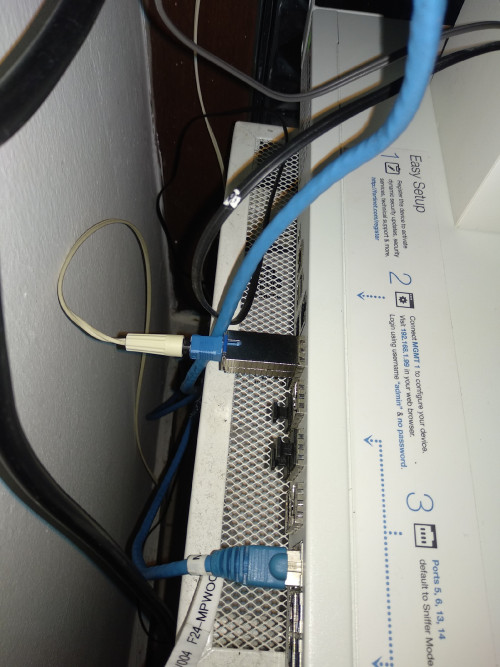
*


https://i.imgur.com/cAAeDhw.png

With a simple RET can be easily patched.
I'm working on a open source keygen and a patch
miloaisdino
post Mar 10 2021, 09:04 AM

Regular
******
Senior Member
1,418 posts

Joined: Jul 2015
QUOTE(Boleima @ Mar 9 2021, 09:54 PM)
https://i.imgur.com/cAAeDhw.png
With a simple RET can be easily patched.
I'm working on a open source keygen and a patch
*
good to see it decompiles to quite readable C! im just bad at assembly smile.gif
TSAnime4000
post Mar 10 2021, 11:00 PM

Look at all my stars!!
*******
Senior Member
2,399 posts

Joined: Jul 2009
From: /dev/null


QUOTE(Boleima @ Mar 9 2021, 09:54 PM)
https://i.imgur.com/cAAeDhw.png
With a simple RET can be easily patched.
I'm working on a open source keygen and a patch
*
Nice, mean modified firmware able regenerate new VS_AUTH_KEY when change ELAN_MAC_ADDR and/or HW_HWVER

QUOTE(miloaisdino @ Mar 10 2021, 09:04 AM)
good to see it decompiles to quite readable C! im just bad at assembly smile.gif
*
I can make quick patch,
TWCGPON657 firmware don't have VS_AUTH_KEY and can't get GPON working.

Another Update:
TM OLT notice my modified bandwidth limiter sad.gif
Damn, OMCI Security pretty tight, sure somewhere can crack TM OLT

Also I notice, TM did bridge VLAN500 on LAN2, as I see this:
CODE

RTK.0> l2 get entry address valid
...
LUT address: 0x00fc (1K LUT)
L2 Unicast table:
MACAddress        Spa Fid Age Vid  State  Ext  Hash
00:00:5E:00:01:60 2   0   7   500  Auto   0    SVL
CtagIf Auth DaBlock SaBlock Arp
En     Dis  Dis     Dis     Dis
...


afif92
post Mar 10 2021, 11:21 PM

Casual
***
Junior Member
374 posts

Joined: Mar 2010
QUOTE(Anime4000 @ Mar 10 2021, 11:00 PM)
Nice, mean modified firmware able regenerate new VS_AUTH_KEY when change ELAN_MAC_ADDR and/or HW_HWVER
I can make quick patch,
TWCGPON657 firmware don't have VS_AUTH_KEY and can't get GPON working.

Another Update:
TM OLT notice my modified bandwidth limiter sad.gif
Damn, OMCI Security pretty tight, sure somewhere can crack TM OLT

Also I notice, TM did bridge VLAN500 on LAN2, as I see this:
CODE

RTK.0> l2 get entry address valid
...
LUT address: 0x00fc (1K LUT)
L2 Unicast table:
MACAddress        Spa Fid Age Vid  State  Ext  Hash
00:00:5E:00:01:60 2   0   7   500  Auto   0    SVL
CtagIf Auth DaBlock SaBlock Arp
En     Dis  Dis     Dis     Dis
...

*
Oh no, now your speed back to normal?
TSAnime4000
post Mar 10 2021, 11:38 PM

Look at all my stars!!
*******
Senior Member
2,399 posts

Joined: Jul 2009
From: /dev/null


QUOTE(afif92 @ Mar 10 2021, 11:21 PM)
Oh no, now your speed back to normal?
*
yea, I connected to Nokia OLT, I saw OMCI log tried to issue OTA Firmware Update several times, surely GPON Stick refuse update due to wrong firmware.
But, I increase buffer a bit let reduce some bufferbloat problem
Ouru P
post Mar 21 2021, 03:55 PM

New Member
*
Probation
21 posts

Joined: Jan 2021
Hi all,

successfully tested V2801F into Fortigate 500D. thanks to Anime4000 to initiate this idea and other members who share guides here. personally myself 1st timer in this whole process, good learning thumbup.gif

1. V2801F brought from Russia, rm320 + shipping , almost 2 month+ to receive
2. Earlier brought sercomm FGS202 from France no WebGui , couldn't make it run & not able to telnet
3. V2801F with WebGui easy just entered SLID password from TM's GPON ONT Alcatel-Lucent I-240G-P , need to convert from Hex to Ascii

user posted image
TSAnime4000
post Mar 21 2021, 07:08 PM

Look at all my stars!!
*******
Senior Member
2,399 posts

Joined: Jul 2009
From: /dev/null


QUOTE(Ouru @ Mar 21 2021, 03:55 PM)
Hi all,

successfully tested V2801F into Fortigate 500D. thanks to Anime4000 to initiate this idea and other members who share guides here. personally myself 1st timer in this whole process, good learning  thumbup.gif

1. V2801F brought from Russia, rm320 + shipping , almost 2 month+ to receive
2. Earlier brought sercomm FGS202 from France no WebGui , couldn't make it run & not able to telnet
3. V2801F with WebGui easy just entered SLID password from TM's GPON ONT Alcatel-Lucent I-240G-P , need to convert from Hex to Ascii

user posted image
*
Nicely Done! thumbup.gif glad so many start using xPON ONU SFP Stick

V2801F might need heat-sink and fan if room temperature is warm.

If V2801F died, you can buy TWCGPON657 at taobao and Flash V2801F frimware,


Gaara92
post Mar 23 2021, 04:22 PM

Herald
****
Junior Member
612 posts

Joined: Mar 2008


QUOTE(Ouru @ Mar 21 2021, 03:55 PM)
Hi all,

successfully tested V2801F into Fortigate 500D. thanks to Anime4000 to initiate this idea and other members who share guides here. personally myself 1st timer in this whole process, good learning  thumbup.gif

1. V2801F brought from Russia, rm320 + shipping , almost 2 month+ to receive
2. Earlier brought sercomm FGS202 from France no WebGui , couldn't make it run & not able to telnet
3. V2801F with WebGui easy just entered SLID password from TM's GPON ONT Alcatel-Lucent I-240G-P , need to convert from Hex to Ascii

user posted image
*
rich guy using fortigate 500D GG shocking.gif
Ouru P
post Mar 23 2021, 05:41 PM

New Member
*
Probation
21 posts

Joined: Jan 2021
QUOTE(Anime4000 @ Mar 21 2021, 07:08 PM)
Nicely Done! thumbup.gif glad so many start using xPON ONU SFP Stick

V2801F might need heat-sink and fan if room temperature is warm.

If V2801F died, you can buy TWCGPON657 at taobao and Flash V2801F frimware,
*
ok sure, will try to get a heat sink soon. Now the gpon sfp temperature ard 42°C . thanks

Ouru P
post Mar 23 2021, 05:45 PM

New Member
*
Probation
21 posts

Joined: Jan 2021
QUOTE(Gaara92 @ Mar 23 2021, 04:22 PM)
rich guy using fortigate 500D GG  shocking.gif
*
no rich lh bro. bought it RM 1.6k after good bargain+nice seller 👍. unit from a company that wound up.


alanshazwan
post Mar 30 2021, 12:27 AM

New Member
*
Newbie
4 posts

Joined: Feb 2012


QUOTE(Anime4000 @ Mar 21 2021, 07:08 PM)
Nicely Done! thumbup.gif glad so many start using xPON ONU SFP Stick

V2801F might need heat-sink and fan if room temperature is warm.

If V2801F died, you can buy TWCGPON657 at taobao and Flash V2801F frimware,
*
WTA : TWCGPON657 works on mikrotik CCR?
TSAnime4000
post Mar 30 2021, 09:23 AM

Look at all my stars!!
*******
Senior Member
2,399 posts

Joined: Jul 2009
From: /dev/null


QUOTE(alanshazwan @ Mar 30 2021, 12:27 AM)
WTA : TWCGPON657 works on mikrotik CCR?
*
sure works, why not? need set 1G
Gaara92
post Mar 30 2021, 01:30 PM

Herald
****
Junior Member
612 posts

Joined: Mar 2008


Anyone is buying the xPON from taobao? I want to include mine also or is there any service that can buy from taobao? Dah lama tak masuk taobao, apparently you need to register an account to explore lol
TSAnime4000
post Mar 30 2021, 06:20 PM

Look at all my stars!!
*******
Senior Member
2,399 posts

Joined: Jul 2009
From: /dev/null


QUOTE(Gaara92 @ Mar 30 2021, 01:30 PM)
Anyone is buying the xPON from taobao? I want to include mine also or is there any service that can buy from taobao? Dah lama tak masuk taobao, apparently you need to register an account to explore lol
*
Just use live translate, layout is same like Lazada and Shopee
asellus
post Mar 31 2021, 08:19 AM

#gompusas
Group Icon
Elite
4,541 posts

Joined: Jan 2003
From: BSRPPG51 Access Concentrator


TWCGPON657 is hard to find nowadays, Taobao sellers all out of stock last time checked.
TSAnime4000
post Mar 31 2021, 08:03 PM

Look at all my stars!!
*******
Senior Member
2,399 posts

Joined: Jul 2009
From: /dev/null


QUOTE(asellus @ Mar 31 2021, 08:19 AM)
TWCGPON657 is hard to find nowadays, Taobao sellers all out of stock last time  checked.
*
No wonder, TWCGPON657 very cheap compared with V2801F and V2801F variant.

Until today,
I using TWCGPON657 with V2801F firmware no problem, it seem many users try this on the cheap.
obenturk P
post Apr 3 2021, 07:21 PM

New Member
*
Probation
11 posts

Joined: Mar 2021


Hi,

I have UF-Instant but I can not change mac address, SN etc. therefore I want to dump SPI flash and upload suitable one from different manufacturer.

Could you please help how can I dump the flash and upload suitable one?

Attached Image
Attached Image

U-BOOT

CODE
RTL9601C
PRELOADER Bismarck 3.5
II: SVN:5077c, Build_date:19110109, Toolkit:rsdk-1.5.6-5281-EB-2.6.30-0.9.30.3-131105
II: Disable OCP Timeout Monitor
II: Disable LX Timeout Monitor
II: Enable Triple Synchronizer
II:cg_cpu_clk_init done
II:cg_spif_clk_init done
II: CPU 112MHz (450/4/0), MEM 400MHz, LX 200MHz, SPIF 25MHz
II: NOR SPI-F... C22018/MMIO16-1/ModeC done
AK: DRAM AUTO CALIBRATION
AK: ZQ Calibration Passed
AK: MR0: 0x00100b62
AK: MR1: 0x00110040
AK: MR2: 0x00120000
AK: MR3: 0x00130000
AK: clear dwdqor

AK: bit:00, max_w_s(00), max_w_len(17), max_r_s(00), max_r_len(31):  (0xb8001510)=0x51e0f00
AK: bit:01, max_w_s(00), max_w_len(17), max_r_s(00), max_r_len(31):  (0xb8001514)=0x51e0f00
AK: bit:02, max_w_s(00), max_w_len(17), max_r_s(00), max_r_len(31):  (0xb8001518)=0x51e0f00
AK: bit:03, max_w_s(00), max_w_len(17), max_r_s(00), max_r_len(31):  (0xb800151c)=0x51e0f00
AK: bit:04, max_w_s(00), max_w_len(19), max_r_s(00), max_r_len(31):  (0xb8001520)=0x61e0f00
AK: bit:05, max_w_s(00), max_w_len(17), max_r_s(00), max_r_len(31):  (0xb8001524)=0x51e0f00
AK: bit:06, max_w_s(00), max_w_len(19), max_r_s(00), max_r_len(31):  (0xb8001528)=0x61e0f00
AK: bit:07, max_w_s(00), max_w_len(17), max_r_s(00), max_r_len(31):  (0xb800152c)=0x51e0f00
AK: bit:08, max_w_s(00), max_w_len(17), max_r_s(00), max_r_len(31):  (0xb8001530)=0x51e0f00
AK: bit:09, max_w_s(00), max_w_len(19), max_r_s(00), max_r_len(31):  (0xb8001534)=0x61e0f00
AK: bit:10, max_w_s(00), max_w_len(17), max_r_s(00), max_r_len(31):  (0xb8001538)=0x51e0f00
AK: bit:11, max_w_s(00), max_w_len(19), max_r_s(00), max_r_len(31):  (0xb800153c)=0x61e0f00
AK: bit:12, max_w_s(00), max_w_len(19), max_r_s(00), max_r_len(31):  (0xb8001540)=0x61e0f00
AK: bit:13, max_w_s(00), max_w_len(17), max_r_s(00), max_r_len(31):  (0xb8001544)=0x51e0f00
AK: bit:14, max_w_s(00), max_w_len(19), max_r_s(00), max_r_len(31):  (0xb8001548)=0x61e0f00
AK: bit:15, max_w_s(00), max_w_len(17), max_r_s(00), max_r_len(31):  (0xb800154c)=0x51e0f00
AK: bit:16, max_w_s(00), max_w_len(17), max_r_s(00), max_r_len(31):  (0xb8001550)=0x1e0f00
AK: bit:17, max_w_s(00), max_w_len(17), max_r_s(00), max_r_len(31):  (0xb8001554)=0x1e0f00
AK: bit:18, max_w_s(00), max_w_len(17), max_r_s(00), max_r_len(31):  (0xb8001558)=0x1e0f00
AK: bit:19, max_w_s(00), max_w_len(17), max_r_s(00), max_r_len(29):  (0xb800155c)=0x1c0e00
AK: bit:20, max_w_s(00), max_w_len(19), max_r_s(00), max_r_len(31):  (0xb8001560)=0x1e0f00
AK: bit:21, max_w_s(00), max_w_len(17), max_r_s(00), max_r_len(31):  (0xb8001564)=0x1e0f00
AK: bit:22, max_w_s(00), max_w_len(19), max_r_s(00), max_r_len(31):  (0xb8001568)=0x1e0f00
AK: bit:23, max_w_s(00), max_w_len(19), max_r_s(00), max_r_len(29):  (0xb800156c)=0x1c0e00
AK: bit:24, max_w_s(00), max_w_len(17), max_r_s(00), max_r_len(31):  (0xb8001570)=0x1e0f00
AK: bit:25, max_w_s(00), max_w_len(19), max_r_s(00), max_r_len(31):  (0xb8001574)=0x1e0f00
AK: bit:26, max_w_s(00), max_w_len(17), max_r_s(00), max_r_len(31):  (0xb8001578)=0x1e0f00
AK: bit:27, max_w_s(00), max_w_len(19), max_r_s(00), max_r_len(31):  (0xb800157c)=0x1e0f00
AK: bit:28, max_w_s(00), max_w_len(19), max_r_s(00), max_r_len(31):  (0xb8001580)=0x1e0f00
AK: bit:29, max_w_s(00), max_w_len(17), max_r_s(00), max_r_len(31):  (0xb8001584)=0x1e0f00
AK: bit:30, max_w_s(00), max_w_len(19), max_r_s(00), max_r_len(31):  (0xb8001588)=0x1e0f00
AK: bit:31, max_w_s(00), max_w_len(17), max_r_s(00), max_r_len(31):  (0xb800158c)=0x1e0f00
AK: DQ enable delay sync with DQ delay tap.
   0xb80015D0=0x05050505, 0xb80015D4=0x05060506, 0xb80015D8=0x06050605, 0xb80015DC=0x05060506

AK: Disable read after write function

AK: dram auto calibrtaion is done
II: MEM_PROBE_OK
II: MEM_XLAT_OK
II: MEM_TO_REG_OK
II: MEM_CAL_OK
II: Change Stack from 0x9f007ff8 to 0x80efffe0
II: Decompressing U-Boot (0x81c00000 <- 0x9fc19a20)... (186 KB <- 71 KB) OK
II: Starting U-boot...


U-Boot 2011.12.NA (Nov 01 2019 - 09:40:17) 359-b87

Board: RTL9601C / CPU:112MHz / LX:200MHx / MEM:400MHz / Type:DDR2

DRAM: 32 MB
SPI-F: C22018/MMIO16-1/ModeX 1x16 MB (plr_flash_info @ 81c2d9a8)
Loading 8192B env. variables from offset 0x40000
Loading 8192B env. variables from offset 0x42000
Loaded 8192B env. variables from offset 0x40000
Net:   LUNA GMAC
Erasing SPI flash...Erasing 8192 B from 00042000... .100% ~ 00043fff/8192 B
Writing to SPI flash...Writing 8192 B from 81adbe78 to 00042000... ...............................................................100% ~ 00043fff/8192 B
Writing 1 B from 81adde80 to 00040004... 100% ~ 00040004/1 B
done
Valid environment: 2
Hit any key to stop autoboot:  0
## Booting kernel from Legacy Image at 94080000 ...
  Image Name:   Linux Kernel Image
  Created:      2019-11-01   9:44:09 UTC
  Image Type:   MIPS Linux Kernel Image (lzma compressed)
  Data Size:    1017779 Bytes = 993.9 KB
  Load Address: 80000000
  Entry Point:  80000000
  Verifying Checksum ... OK
  Uncompressing Kernel Image ... OK

Starting kernel ...

Linux version 2.6.30.9 (builder@9026d26c1d06) (gcc version 4.4.6 (Realtek RSDK-1.5.6p2) ) #1 Fri Nov 1 09:41:28 UTC 2019 [luna SDK V1.9.0]
RTL9602C PLL
CPU revision is: 0000dc02
Determined physical RAM map:
memory: 01700000 @ 00000000 (usable)
memory: 00700000 @ 01800000 (usable)
II: Kernel command line modified: mtdparts=rtk_spi_nor_mtd ->   mtdparts=physmap-flash
Zone PFN ranges:
 Normal   0x00000000 -> 0x00001f00
Movable zone start PFN for each node
early_node_map[2] active PFN ranges
   0: 0x00000000 -> 0x00001700
   0: 0x00001800 -> 0x00001f00
Built 1 zonelists in Zone order, mobility grouping on.  Total pages: 7618
Kernel command line: console=ttyS0,115200   mtdparts=physmap-flash:256K(boot),8K(env),8K(env2),240K(config),3M(k0)ro,4800K(r0)ro,3M(k1),4800K(r1),64K(hw),64K(sec),4K@0ro,4K@0ro,3M@512K(linux),4800K@3584K(rootfs) root=31:5
root_dev_setup line 180 root: 31:5
icache: 64kB/32B, dcache: 32kB/32B, scache: 0kB/0B
NR_IRQS:128
PID hash table entries: 128 (order: 7, 512 bytes)
console [ttyS0] enabled
Dentry cache hash table entries: 4096 (order: 2, 16384 bytes)
Inode-cache hash table entries: 2048 (order: 1, 8192 bytes)
Memory: 19816k/30720k available (2624k kernel code, 10904k reserved, 637k data, 104k init, 0k highmem)
Calibrating delay loop... 112.23 BogoMIPS (lpj=561152)
Mount-cache hash table entries: 512
IMEM section size = 0x1050
net_namespace: 528 bytes
NET: Registered protocol family 16
bio: create slab <bio-0> at 0
Sangoma WANPIPE Router v1.1 (c) 1995-2000 Sangoma Technologies Inc.
NET: Registered protocol family 2
IP route cache hash table entries: 1024 (order: 0, 4096 bytes)
TCP established hash table entries: 1024 (order: 1, 8192 bytes)
TCP bind hash table entries: 1024 (order: 0, 4096 bytes)
TCP: Hash tables configured (established 1024 bind 1024)
TCP reno registered
NET: Registered protocol family 1
=================================
CONFIG_LUNA_SOC_GPIO: gpio_init()
=================================
=================================
luna_capabilities_init
=================================
************ Watchdog Setting ****************
WDT_E=0, (1-enable, 0-disable)
LX(MHz)=200
WDT_CLK_SC=0
PH1_TO=0
PH2_TO=0
WDT_RESET_MODE=0
**********************************************
>>>>> arch/rlx/bsp_rtl8686/board.c, 178: set GPIO_6 high to enable RTL8290
>>>>> arch/rlx/bsp_rtl8686/board.c, 182: set GPIO_35/LOS_O/RSVD1 as output low
>>>>> arch/rlx/bsp_rtl8686/board.c, 186: set GPIO_40/TX_FAULT as output low
>>>>> arch/rlx/bsp_rtl8686/board.c, 190: set GPIO_41/DIS_TX as input
luna_clocksource_init: High Resolution Timer Clock = 4000000, BSP_HT_DIVISOR=50
netlog: listening on port 4660
squashfs: version 4.0 (2009/01/31) Phillip Lougher
JFFS2 version 2.2. (NAND) © 2001-2006 Red Hat, Inc.
msgmni has been set to 38
alg: No test for stdrng (krng)
io scheduler cfq registered (default)
Serial: 8250/16550 driver, 1 ports, IRQ sharing disabled
serial8250: ttyS0 at MMIO 0x0 (irq = 49) is a 16550A
8686 Ethernet driver v0.0.1 (Feb 17, 2012)[Dual Band Disable]
TX[256,64,64,64,64] , RX[256,128,128,32,32,32]
eth0 (): not using net_device_ops yet
eth0: RTL-8686 at 0xb8012000, 00:00:00:01:00:02, IRQ 26
eth0.2 (): not using net_device_ops yet
eth0.2: RTL-8686 at 0xb8012000, 00:00:00:01:00:02, IRQ 26
eth0.3 (): not using net_device_ops yet
eth0.3: RTL-8686 at 0xb8012000, 00:00:00:01:00:02, IRQ 26
nas0 (): not using net_device_ops yet
nas0: RTL-8686 at 0xb8012000, 00:00:00:01:00:02, IRQ 26
pon0 (): not using net_device_ops yet
pon0: RTL-8686 at 0xb8012000, 00:00:00:01:00:02, IRQ 26
RTL8686 GMAC Probing..
first entry: 0, portmask 127, rx: 802896a8
Init RTK Driver Module....OK
Init RTK Core Dev Module....OK

rtdrv_init !!! for netfilter
pkt_redirect_init complete
interrupt broadcaster init ok!
u32 classifier
nf_conntrack version 0.5.0 (480 buckets, 1920 max)
ip_tables: (C) 2000-2006 Netfilter Core Team
TCP cubic registered
NET: Registered protocol family 17
Bridge firewalling registered
Ebtables v2.0 registered
802.1Q VLAN Support v1.8 Ben Greear <greearb@candelatech.com>
All bugs added by David S. Miller <davem@redhat.com>
Realtek GPIO Driver for Flash Reload Default
physmap platform flash device: 0b000000 at 14000000
Luna SPI NOR FLASH G3 driver-MXIC/C22018/MMIO16-1 <5>master->name physmap-flash
cmd: cmdlinepart
14 cmdlinepart partitions found on MTD device physmap-flash
Creating 14 MTD partitions on "physmap-flash":
0x000000000000-0x000000040000 : "boot"
0x000000040000-0x000000042000 : "env"
0x000000042000-0x000000044000 : "env2"
0x000000044000-0x000000080000 : "config"
0x000000080000-0x000000380000 : "k0"
0x000000380000-0x000000830000 : "r0"
0x000000830000-0x000000b30000 : "k1"
0x000000b30000-0x000000fe0000 : "r1"
0x000000fe0000-0x000000ff0000 : "hw"
0x000000ff0000-0x000001000000 : "sec"
0x000000000000-0x000000001000 : "Partition_010"
0x000000000000-0x000000001000 : "Partition_011"
0x000000080000-0x000000380000 : "linux"
0x000000380000-0x000000830000 : "rootfs"
VFS: Mounted root (squashfs filesystem) readonly on device 31:5.
Freeing unused kernel memory: 104k freed

init started: BusyBox v1.12.4 (2019-11-01 09:41:51 UTC)

starting pid 28, tty '': '/etc/init.d/rcS'
ubnthal: module license 'Proprietary' taints kernel.
Disabling lock debugging due to kernel taint
SN: UBNT29f5ddd1
Region: 255
------ [-b]Bootup_config ------
set_msgqueue_max_size:180> set msgqidds.msg_qbytes=20600 OK
Wait counter for configd initialize 'MsgQ' and 'Shm': 95
Fetch mib data (type 8) from program code.
Fetch mib data (type 2) from program code.
Pre-fetch mib data from program default done.
Checking input file [/var/config/lastgood_hs.xml].
[OK] Valid config file!

***** config_parser(): dfname=[/etc/config_default_hs.xml](0) loaded *****

***** config_parser(): fname=[/var/config/lastgood_hs.xml](0) loaded *****

[xml_INFO]: Load HS configuration success.
Checking input file [/var/config/lastgood.xml].
[OK] Valid config file!

***** config_parser(): dfname=[/etc/config_default.xml](0) loaded *****

***** config_parser(): fname=[/var/config/lastgood.xml](0) loaded *****

[xml_INFO]: Load CS configuration success.
omci platform attached!
register_gpon_evt_state: register gpon event state Successfully !
xml_mib_update():...
MIB chain descriptors checking (total 7) ok !
xml_mib_update():...
  CMD: /bin/ifconfig eth0 hw ether 18e829f5ddd1
  CMD: /bin/brctl addbr br0
------ [-u cs]Update cs setting ------
------ [-u hs]Update hs setting ------
  CMD: /bin/ifconfig br0 hw ether 18e829f5ddd1
  CMD: /bin/brctl stp br0 off
  CMD: /bin/brctl setfd br0 1
  CMD: /bin/brctl setageing br0 7200
  CMD: /bin/brctl addif br0 eth0
device eth0 entered promiscuous mode
  CMD: /bin/ifconfig br0 192.168.1.1 netmask 255.255.255.0 mtu 1500
  CMD: /bin/ifconfig eth0 up
re8670_open 3336
br0: port 1(eth0) entering learning state
  CMD: /bin/ifconfig eth0 up
[xml_INFO]: Update cs configuration success.
[xml_INFO]: Update hs configuration success.


help

CODE
9601C#           help
?               - alias for 'help'
base            - print or set address offset
bdinfo          - print Board Info structure
boot            - boot default, i.e., run 'bootcmd'
bootd           - boot default, i.e., run 'bootcmd'
bootm           - boot application image from memory
bootp           - boot image via network using BOOTP/TFTP protocol
btg             - bus traffic generator sub-system
cmp             - memory compare
coninfo         - print console devices and information
cp              - memory copy
crc32           - checksum calculation
echo            - echo args to console
editenv         - edit environment variable
env             - environment handling commands
exit            - exit script
false           - do nothing, unsuccessfully
go              - start application at address 'addr'
help            - print command description/usage
iminfo          - print header information for application image
imxtract        - extract a part of a multi-image
itest           - return true/false on integer compare
loadb           - load binary file over serial line (kermit mode)
loads           - load S-Record file over serial line
loady           - load binary file over serial line (ymodem mode)
loop            - infinite loop on address range
md              - memory display
mdram_test      - mdram_test   - do DRAM test.
mflash_test     - mflash_test   - do flash test.
mm              - memory modify (auto-incrementing address)
mtest           - simple RAM read/write test
mw              - memory write (fill)
nm              - memory modify (constant address)
ping            - send ICMP ECHO_REQUEST to network host
printenv        - print environment variables
reset           - Perform RESET of the CPU
reset_all       - Perform whole chip RESET of the CPU
reset_sw        - Perform software RESET
run             - run commands in an environment variable
saveenv         - save environment variables to persistent storage
setenv          - set environment variables
sf              - SPI flash sub-system
showvar         - print local hushshell variables
sleep           - delay execution for some time
source          - run script from memory
test            - minimal test like /bin/sh
tftpboot        - boot image via network using TFTP protocol
tftpsrv         - act as a TFTP server and boot the first received file
true            - do nothing, successfully
upimgtar        - update kernel and rootfs by tar format on luna platform
upimgtarh       - update kernel and rootfs by UBNT format on luna platform
upvmimg         - update kernel and rootfs by vmimg format on luna platform
urescue         - start TFTP server and wait for firmware
version         - print monitor, compiler and linker version
xf              - xmodem to flash


printenv

CODE
9601C# printenv
b0=setenv bootargs ${bootargs_base} ${mtdparts0} ${rst2dfl_flg}; bootm ${img0_kernel}
b1=setenv bootargs ${bootargs_base} ${mtdparts1} ${rst2dfl_flg}; bootm ${img1_kernel}
baudrate=115200
boot_by_commit=if itest.s ${sw_commit} == 0;then run set_act0;run b0;else run set_act1;run b1;fi
boot_by_tryactive=if itest.s ${sw_tryactive} == 0;then setenv sw_tryactive 2;setenv sw_active 0;saveenv;run en_wdt;run b0;else setenv sw_tryactive 2;setenv sw_active 1;saveenv;run en_wdt;run b1;fi
bootargs_base=console=ttyS0,115200
bootcmd=if itest.s ${sw_tryactive} == 2; then run boot_by_commit;else run boot_by_tryactive;fi
bootcount=1
bootdelay=0
bootlimit=10
en_wdt=mw b8003268 e7c00000
erase_cfgfs=sf erase ${fl_cfgfs} +${fl_cfgfs_sz}
erase_env=sf erase ${fl_env} +${fl_env_sz};sf erase ${fl_env2} +${fl_env_sz}
ethact=LUNA GMAC
ethaddr=18:E8:29:F5:DD:D1
fileaddr=80000000
filesize=31B038
fl_boot_sz=40000
fl_cfgfs=44000
fl_cfgfs_sz=3c000
fl_env=40000
fl_env2=42000
fl_env_sz=2000
fl_hw=fe0000
fl_hw_sz=10000
fl_kernel1=80000
fl_kernel1_sz=300000
fl_kernel2=830000
fl_kernel2_sz=300000
fl_rootfs1=380000
fl_rootfs1_sz=4b0000
fl_rootfs2=b30000
fl_rootfs2_sz=4b0000
fl_sec=ff0000
fl_sec_sz=10000
ftfp_base=80000000
fx1000_init=mw bb000084 00000048
img0_kernel=94080000
img1_kernel=94830000
ipaddr=192.168.1.20
mtdparts0=mtdparts=rtk_spi_nor_mtd:256K(boot),8K(env),8K(env2),240K(config),3M(k0)ro,4800K(r0)ro,3M(k1),4800K(r1),64K(hw),64K(sec),4K@0ro,4K@0ro,3M@512K(linux),4800K@3584K(rootfs) root=31:5
mtdparts1=mtdparts=rtk_spi_nor_mtd:256K(boot),8K(env),8K(env2),240K(config),3M(k0),4800K(r0),3M(k1)ro,4800K(r1)ro,64K(hw),64K(sec),4K@0ro,4K@0ro,3M@8384K(linux),4800K@11456K(rootfs) root=31:7
netmask=255.255.255.0
serverip=192.168.1.19
set_act0=if itest.s ${sw_active} != 0;then setenv sw_active 0;saveenv;fi
set_act1=if itest.s ${sw_active} != 1;then setenv sw_active 1;saveenv;fi
sgmii_init=mw bb000084 00000044
stderr=serial
stdin=serial
stdout=serial
sw_active=0
sw_commit=0
sw_crc0=67b567f2
sw_crc1=67b567f2
sw_tryactive=2
sw_valid0=1
sw_version0=v4.1.0.359-b87.191101.0940
sw_version1=v4.1.0.359-b87.191101.0940
upb=tftpboot ${ftfp_base} plr.img && crc32 ${fileaddr} ${filesize} && sf erase 0 +${fl_boot_sz} && sf write ${fileaddr} 0 ${filesize}
upgrade=tftpboot 80000000 UF-INSTANT.img && upimgtarh ${fileaddr} ${filesize}
upk=tftpboot ${ftfp_base} uImage && crc32 ${fileaddr} ${filesize} && sf erase ${fl_kernel1} +${fl_kernel1_sz} && sf write ${fileaddr} ${fl_kernel1} ${filesize}
upk1=tftpboot ${ftfp_base} uImage && crc32 ${fileaddr} ${filesize} && sf erase ${fl_kernel2} +${fl_kernel2_sz} && sf write ${fileaddr} ${fl_kernel2} ${filesize}
upr=tftpboot ${ftfp_base} rootfs && crc32 ${fileaddr} ${filesize} && sf erase ${fl_rootfs1} +${fl_rootfs1_sz} && sf write ${fileaddr} ${fl_rootfs1} ${filesize}
upr1=tftpboot ${ftfp_base} rootfs && crc32 ${fileaddr} ${filesize} && sf erase ${fl_rootfs2} +${fl_rootfs2_sz} && sf write ${fileaddr} ${fl_rootfs2} ${filesize}
upt=tftpboot 80000000 img.tar && upimgtar ${fileaddr} ${filesize}
upv=tftp 80000000 vm.img;upvmimg ${fileaddr}
yu=loady 80000000 && cp.b 80000000 81000000 ${filesize} && cmp.b 80000000 81000000 ${filesize} && sf erase 0 ${filesize} && sf write 80000000 0 ${filesize}

Environment size: 3364/8187 bytes


bdinfo

CODE
9601C# bdinfo
boot_params = 0x81ADDF10
memstart    = 0x80000000
memsize     = 0x02000000
flashstart  = 0xB4000000
flashsize   = 0x55555755
flashoffset = 0x00000000
ethaddr     = 18:E8:29:F5:DD:D1
ip_addr     = 192.168.1.20
baudrate    = 0 bps

TSAnime4000
post Apr 3 2021, 08:56 PM

Look at all my stars!!
*******
Senior Member
2,399 posts

Joined: Jul 2009
From: /dev/null


obenturk

You need SFP Programmer to read and write flash memory,

since this use same hardware, you can change firmware to V2801F
obenturk P
post Apr 4 2021, 12:04 AM

New Member
*
Probation
11 posts

Joined: Mar 2021


Hi I can read flash from uboot via sf command.

CODE

9601C# sf probe 0
9601C# sf read 0x80000000 0x0 0x1000000
9601C# md.b 0x80000000 0x1000000
80000000: 0b f0 55 ac 00 00 00 00 00 00 00 00 00 00 00 00    ..U.............
80000010: ff ff ff ff ff ff ff ff ff ff ff ff ff ff ff ff    ................
80000020: 30 33 34 33 03 00 05 00 9f c1 99 40 9f c1 99 c0    0343.......@....
.
.
.
.


will this work?
TSAnime4000
post Apr 4 2021, 12:11 AM

Look at all my stars!!
*******
Senior Member
2,399 posts

Joined: Jul 2009
From: /dev/null


QUOTE(obenturk @ Apr 4 2021, 12:04 AM)
Hi I can read flash from uboot via sf command.

CODE

9601C# sf probe 0
9601C# sf read 0x80000000 0x0 0x1000000
9601C# md.b 0x80000000 0x1000000
80000000: 0b f0 55 ac 00 00 00 00 00 00 00 00 00 00 00 00    ..U.............
80000010: ff ff ff ff ff ff ff ff ff ff ff ff ff ff ff ff    ................
80000020: 30 33 34 33 03 00 05 00 9f c1 99 40 9f c1 99 c0    0343.......@....
.
.
.
.


will this work?
*
I strongly avoid using uboot command to flash, try access that MXIC Flash, it should be like this:

CODE

anime4000@hitoha-pc:~/Desktop$ binwalk vm.img

DECIMAL       HEXADECIMAL     DESCRIPTION
--------------------------------------------------------------------------------
64            0x40            uImage header, header size: 64 bytes, header CRC: 0x3923A75D, created: 2019-10-24 12:26:05, image size: 1198258 bytes, Data Address: 0x80000000, Entry Point: 0x80000000, data CRC: 0x68B21C6E, OS: Linux, CPU: MIPS, image type: OS Kernel Image, compression type: lzma, image name: "Linux Kernel Image"
128           0x80            LZMA compressed data, properties: 0x5D, dictionary size: 16777216 bytes, uncompressed size: 3924124 bytes
1198450       0x124972        Squashfs filesystem, little endian, version 4.0, compression:lzma, size: 2230794 bytes, 899 inodes, blocksize: 131072 bytes, created: 2019-10-24 12:25:56


obenturk P
post Apr 4 2021, 04:50 AM

New Member
*
Probation
11 posts

Joined: Mar 2021


I think I successfully dump the flash.

Uploaded Files to GitHub

below is binwalk result.


CODE
obenturk@HomeAssistant:~/uboot-mdb-dump$ binwalk flash.bin

DECIMAL       HEXADECIMAL     DESCRIPTION
--------------------------------------------------------------------------------
104928        0x199E0         uImage header, header size: 64 bytes, header CRC: 0x29C42FC4, created: 2019-11-01 09:40:29, image size: 73144 bytes, Data Address: 0x81C00000, Entry Point: 0x81C00000, data CRC: 0x47E6CAB0, OS: Firmware, CPU: MIPS, image type: Firmware Image, compression type: lzma, image name: "U-Boot 2011.12.NA for rtl9601C"
104992        0x19A20         LZMA compressed data, properties: 0x5D, dictionary size: 16777216 bytes, uncompressed size: 191344 bytes
278528        0x44000         JFFS2 filesystem, big endian
381008        0x5D050         Zlib compressed data, compressed
381468        0x5D21C         Zlib compressed data, compressed
382552        0x5D658         Zlib compressed data, compressed
383636        0x5DA94         JFFS2 filesystem, big endian
389200        0x5F050         Zlib compressed data, compressed
389540        0x5F1A4         Zlib compressed data, compressed
390608        0x5F5D0         Zlib compressed data, compressed
391808        0x5FA80         Zlib compressed data, compressed
392364        0x5FCAC         JFFS2 filesystem, big endian
392776        0x5FE48         Zlib compressed data, compressed
393216        0x60000         JFFS2 filesystem, big endian
421968        0x67050         Zlib compressed data, compressed
422196        0x67134         Zlib compressed data, compressed
423388        0x675DC         Zlib compressed data, compressed
423932        0x677FC         Zlib compressed data, compressed
424768        0x67B40         JFFS2 filesystem, big endian
425040        0x67C50         Zlib compressed data, compressed
425984        0x68000         JFFS2 filesystem, big endian
467024        0x72050         Zlib compressed data, compressed
467472        0x72210         Zlib compressed data, compressed
468016        0x72430         Zlib compressed data, compressed
469104        0x72870         Zlib compressed data, compressed
470340        0x72D44         JFFS2 filesystem, big endian
470476        0x72DCC         Zlib compressed data, compressed
471120        0x73050         Zlib compressed data, compressed
471420        0x7317C         Zlib compressed data, compressed
471956        0x73394         Zlib compressed data, compressed
472492        0x735AC         Zlib compressed data, compressed
473028        0x737C4         Zlib compressed data, compressed
473564        0x739DC         Zlib compressed data, compressed
474100        0x73BF4         Zlib compressed data, compressed
474564        0x73DC4         JFFS2 filesystem, big endian
494180        0x78A64         Zlib compressed data, compressed
495272        0x78EA8         JFFS2 filesystem, big endian
495696        0x79050         Zlib compressed data, compressed
495936        0x79140         JFFS2 filesystem, big endian
496876        0x794EC         Zlib compressed data, compressed
497964        0x7992C         Zlib compressed data, compressed
499208        0x79E08         Zlib compressed data, compressed
499724        0x7A00C         JFFS2 filesystem, big endian
500832        0x7A460         Zlib compressed data, compressed
501696        0x7A7C0         Zlib compressed data, compressed
502792        0x7AC08         Zlib compressed data, compressed
503364        0x7AE44         Zlib compressed data, compressed
503888        0x7B050         Zlib compressed data, compressed
504252        0x7B1BC         Zlib compressed data, compressed
504800        0x7B3E0         Zlib compressed data, compressed
505880        0x7B818         Zlib compressed data, compressed
507080        0x7BCC8         Zlib compressed data, compressed
507580        0x7BEBC         JFFS2 filesystem, big endian
507696        0x7BF30         Zlib compressed data, compressed
507796        0x7BF94         JFFS2 filesystem, big endian
507984        0x7C050         Zlib compressed data, compressed
508668        0x7C2FC         Zlib compressed data, compressed
509144        0x7C4D8         JFFS2 filesystem, big endian
509272        0x7C558         Zlib compressed data, compressed
510152        0x7C8C8         Zlib compressed data, compressed
511044        0x7CC44         Zlib compressed data, compressed
512160        0x7D0A0         Zlib compressed data, compressed
512628        0x7D274         JFFS2 filesystem, big endian
512752        0x7D2F0         Zlib compressed data, compressed
513796        0x7D704         Zlib compressed data, compressed
514332        0x7D91C         Zlib compressed data, compressed
515452        0x7DD7C         Zlib compressed data, compressed
516176        0x7E050         JFFS2 filesystem, big endian
516296        0x7E0C8         Zlib compressed data, compressed
516632        0x7E218         Zlib compressed data, compressed
516744        0x7E288         Zlib compressed data, compressed
516896        0x7E320         JFFS2 filesystem, big endian
517020        0x7E39C         Zlib compressed data, compressed
517812        0x7E6B4         JFFS2 filesystem, big endian
517932        0x7E72C         Zlib compressed data, compressed
518976        0x7EB40         Zlib compressed data, compressed
520192        0x7F000         JFFS2 filesystem, big endian
524288        0x80000         uImage header, header size: 64 bytes, header CRC: 0xF307F7DC, created: 2019-11-01 09:44:09, image size: 1017779 bytes, Data Address: 0x80000000, Entry Point: 0x80000000, data CRC: 0x15E35227, OS: Linux, CPU: MIPS, image type: OS Kernel Image, compression type: lzma, image name: "Linux Kernel Image"
524352        0x80040         LZMA compressed data, properties: 0x5D, dictionary size: 16777216 bytes, uncompressed size: 3448068 bytes
3670016       0x380000        Squashfs filesystem, little endian, version 4.0, compression:lzma, size: 2226519 bytes, 403 inodes, blocksize: 131072 bytes, created: 2019-11-01 09:44:08
8585216       0x830000        uImage header, header size: 64 bytes, header CRC: 0xF307F7DC, created: 2019-11-01 09:44:09, image size: 1017779 bytes, Data Address: 0x80000000, Entry Point: 0x80000000, data CRC: 0x15E35227, OS: Linux, CPU: MIPS, image type: OS Kernel Image, compression type: lzma, image name: "Linux Kernel Image"
8585280       0x830040        LZMA compressed data, properties: 0x5D, dictionary size: 16777216 bytes, uncompressed size: 3448068 bytes
11730944      0xB30000        Squashfs filesystem, little endian, version 4.0, compression:lzma, size: 2226519 bytes, 403 inodes, blocksize: 131072 bytes, created: 2019-11-01 09:44:08
16646144      0xFE0000        JFFS2 filesystem, big endian
16650440      0xFE10C8        Zlib compressed data, compressed
16650900      0xFE1294        JFFS2 filesystem, big endian

obenturk P
post Apr 5 2021, 01:19 AM

New Member
*
Probation
11 posts

Joined: Mar 2021


I uploaded uImage and rootfs instead of kernel1 and rootfs I am not able to log in to busybox.

what is the credentials.
hayenadeblue
post Apr 5 2021, 07:35 PM

Getting Started
**
Junior Member
53 posts

Joined: Nov 2011


Hey, guys.
Just found this thread (and haven't got the time to go through yet)

So, for home user, TM Unifi, is it possible to ditch the ONU/modem/ONT/whatever we call them? I have Edgerouter 4 with SFP port. I think it is time to de-clutter my rack.

If it is possible, maybe can share the guide? E.g. hardware needed etc.

Cheers.
TSAnime4000
post Apr 5 2021, 11:03 PM

Look at all my stars!!
*******
Senior Member
2,399 posts

Joined: Jul 2009
From: /dev/null


QUOTE(obenturk @ Apr 5 2021, 01:19 AM)
I uploaded uImage and rootfs instead of kernel1 and rootfs I am not able to log in to busybox.

what is the credentials.
*
V2801F
CODE

Username: admin
Password: stdONU101


TWCGPON657
CODE

Username: admin
Password: system


QUOTE(hayenadeblue @ Apr 5 2021, 07:35 PM)
Hey, guys.
Just found this thread (and haven't got the time to go through yet)

So, for home user, TM Unifi, is it possible to ditch the ONU/modem/ONT/whatever we call them? I have Edgerouter 4 with SFP port. I think it is time to de-clutter my rack.

If it is possible, maybe can share the guide? E.g. hardware needed etc.

Cheers.
*
Yes, you can use own ONU, I currently using xPON ONU Stick or GPON ONU SFP (TWCGPON657)

I bought my 2nd ONU SFP at taobao at cheaper price, simply enter your PLOAM password!

If stock TWCGPON657 frimware didn't work, you can use V2801F firmware on TWCGPON657 module
TSAnime4000
post Apr 5 2021, 11:40 PM

Look at all my stars!!
*******
Senior Member
2,399 posts

Joined: Jul 2009
From: /dev/null


UPDATE:
Just now my GPON stick get unauthorized/rejected from TM OLT (Nokia)

It seem TM prevent unknown ONU connected, which mean, TM require additional info beside PLOAM Password, it need to spoof TM OLT

What I do (V2801F firmware):
CODE

flash set OMCI_OLT_MODE 1
flash set OMCI_FAKE_OK 1
flash set GPON_ONU_MODEL HG8240H
flash set GPON_SN HWTC98ABCDEF
flash set GPON_PLOAM_PASSWD 0123456789
flash set PON_VENDOR_ID HWTC
flash set HW_HWVER BF9.A
flash set ELAN_MAC_ADDR 043389FFFFFF
flash set VS_AUTH_KEY 8294522FD807CDC01B13B1C43108D881

hayenadeblue
post Apr 7 2021, 05:52 PM

Getting Started
**
Junior Member
53 posts

Joined: Nov 2011


Wow, I will take a look at your posts later. When I went through quickly this thread, I thought you were discussing about replacing the TM's ONU with a stick (I imagined another version with stick appearance). Its an SFP!! Good job. Keep update here.

Do you mind share your router type/model? Mine is ER-4. Do you think it will work?

Do you think if we contact TM and mention clearly our intention (to get rid of their ONU), they will give support to make it legal? Is it similar to the case when a user have to replace their original ONU with similar type/model/brand due to failure and out of warranty? My only intention is to de-clutter my rack and my ONU is working perfectly.

This is a spontaneous idea coming from my head: did you tried to get the MAC address of your original ONU and assign the same MAC address to the stick that you purchased? I believe you have done that! <UPDATE: You've done that!>

<Additional question>
What about voice? I am using their phone line. Do you think ER-4 can do that (sorry, I don't have time to go through the ER-4 documentation) or some other extra hardware are required?

This post has been edited by hayenadeblue: Apr 7 2021, 06:01 PM
SUSCandy12
post Apr 7 2021, 07:51 PM

Regular
******
Senior Member
1,878 posts

Joined: Apr 2019
QUOTE(Anime4000 @ Apr 5 2021, 11:40 PM)
UPDATE:
Just now my GPON stick get unauthorized/rejected from TM OLT (Nokia)

It seem TM prevent unknown ONU connected, which mean, TM require additional info beside PLOAM Password, it need to spoof TM OLT

What I do (V2801F firmware):
CODE

flash set OMCI_OLT_MODE 1
flash set OMCI_FAKE_OK 1
flash set GPON_ONU_MODEL HG8240H
flash set GPON_SN HWTC98ABCDEF
flash set GPON_PLOAM_PASSWD 0123456789
flash set PON_VENDOR_ID HWTC
flash set HW_HWVER BF9.A
flash set ELAN_MAC_ADDR 043389FFFFFF
flash set VS_AUTH_KEY 8294522FD807CDC01B13B1C43108D881

*
MAC ID of ONT as well besides PLOAM password? Since they implementing universal ONU it can't be identifying Huawei ONT ID because need to allow other branded ONTs to coexist.
TSAnime4000
post Apr 7 2021, 11:27 PM

Look at all my stars!!
*******
Senior Member
2,399 posts

Joined: Jul 2009
From: /dev/null


QUOTE(Candy12 @ Apr 7 2021, 07:51 PM)
MAC ID of ONT as well besides PLOAM password? Since they implementing universal ONU it can't be identifying Huawei ONT ID because need to allow other branded ONTs to coexist.
*
Yes and No.

OMCI OTA Update.

OLT I connected is Nokia OLT,
Nokia OLT can send OMCI OTA Update to change ONU firmware or lockdown ONU settings.

I have bought many ONU, every time I connect fiber, it install TM version of firmware and lock firmware.

This very reason TWCGPON657 firmware locked out after authenticated.

only V2801F can spoof these limitations and hack OLT OMCI (at least can enjoy uncap speed for a while)
SUSCandy12
post Apr 8 2021, 05:49 PM

Regular
******
Senior Member
1,878 posts

Joined: Apr 2019
QUOTE(Anime4000 @ Apr 7 2021, 11:27 PM)
Yes and No.

OMCI OTA Update.

OLT I connected is Nokia OLT,
Nokia OLT can send OMCI OTA Update to change ONU firmware or lockdown ONU settings.

I have bought many ONU, every time I connect fiber, it install TM version of firmware and lock firmware.

This very reason TWCGPON657 firmware locked out after authenticated.

only V2801F can spoof these limitations and hack OLT OMCI (at least can enjoy uncap speed for a while)
*
There must be a certificate or counter to uniquely identify the connected ONU/fibre modems out there to create a table.

If every time you switch ONU, it can't be allowing certificate/firmware updates everytime because the OLT won't be able to keep up with the list of connected ONUs connected to it unless it locks down a certain detail for each of them.

A OLT which accepts universal ONUs will need to read a certain international identifier from the respective ONU something like MAC ID for example or some sort of device ID before it starts pushing out the OTA update auth certificate to approve the ONU.
obenturk P
post Apr 10 2021, 04:39 PM

New Member
*
Probation
11 posts

Joined: Mar 2021


Hi agian,

I successfully updated V2801F uImage and rootfs to UFiber Instant module.

even I receive some errors during boot I can successfully login via internal uart pins with admin and stdONU101 credentials.

Could you please comment about errors? Do I need to fix them somehow? What should I do next to use this SFP instead of Ericsson T63G?

CODE
00-T06xG-gpon: st
PLOAM:
        STATE:           Operation (O5)
        SERIAL:          0x4552534e0003fc39
        ONU ID:          5
        US QOS Method:   FLOW
        PASSWD:          0x20202020202020202020
        TXQ DEPTH:       0
        AES KEY:         67a1313e 20a8642c b02b13a 550015bb
BER:
        INTERVAL:        5000
        COUNT:           0
OVERHEAD & EQD:
        GUARD BITS :     0x40
        N PREAMBLE1:     0x0
        N PREAMBLE2:     0x0
        PATTERN 3:       0xaa
        CELL DELIM:      0xab 59 83
        SN MASK:         DISABLED
        EXTRA SN:        0x0
        TX PWR MODE:     0x0
        USE PRE EQD:     ENABLED
        PRE EQDELAY:     0x0
        EQDELAY:         0x2edc9
        EXT BURST:       ENABLED
        PRE TYPE3 NUM:   0xb
        TYPE3 NUM:       0x8
SN & PWR:
        SNREQRX:         7
        SNREQTHRESH:     10
        PWRLVL:          0
        PWRADJ:          0

00-T06xG-packinfo: print
type     T63G
mac      C8:35:B8:48:31:20
serial   0x0003FC39
hwrev    1.0
fwrev    1.0
hwcompat 1.0
fwcompat 1.0
clei     KDU137527R1A
---- manufacturing information ----
ProductSN=C250220634


CODE
=~=~=~=~=~=~=~=~=~=~=~= PuTTY log 2021.04.10 10:31:49 =~=~=~=~=~=~=~=~=~=~=~=


RTL9601C
PRELOADER Bismarck 3.5
II: SVN:5077c, Build_date:19110109, Toolkit:rsdk-1.5.6-5281-EB-2.6.30-0.9.30.3-131105
II: Disable OCP Timeout Monitor
II: Disable LX Timeout Monitor
II: Enable Triple Synchronizer
II:cg_cpu_clk_init done
II:cg_spif_clk_init done
II: CPU 112MHz (450/4/0), MEM 400MHz, LX 200MHz, SPIF 25MHz
II: NOR SPI-F... C22018/MMIO16-1/ModeC done
AK: DRAM AUTO CALIBRATION
AK: ZQ Calibration Passed
AK: MR0: 0x00100b62
AK: MR1: 0x00110040
AK: MR2: 0x00120000
AK: MR3: 0x00130000
AK: clear dwdqor

AK: bit:00, max_w_s(00), max_w_len(17), max_r_s(00), max_r_len(31):  (0xb8001510)=0x51e0f00
AK: bit:01, max_w_s(00), max_w_len(17), max_r_s(00), max_r_len(31):  (0xb8001514)=0x51e0f00
AK: bit:02, max_w_s(00), max_w_len(17), max_r_s(00), max_r_len(31):  (0xb8001518)=0x51e0f00
AK: bit:03, max_w_s(00), max_w_len(17), max_r_s(00), max_r_len(31):  (0xb800151c)=0x51e0f00
AK: bit:04, max_w_s(00), max_w_len(19), max_r_s(00), max_r_len(31):  (0xb8001520)=0x61e0f00
AK: bit:05, max_w_s(00), max_w_len(17), max_r_s(00), max_r_len(31):  (0xb8001524)=0x51e0f00
AK: bit:06, max_w_s(00), max_w_len(19), max_r_s(00), max_r_len(31):  (0xb8001528)=0x61e0f00
AK: bit:07, max_w_s(00), max_w_len(19), max_r_s(00), max_r_len(31):  (0xb800152c)=0x61e0f00
AK: bit:08, max_w_s(00), max_w_len(17), max_r_s(00), max_r_len(31):  (0xb8001530)=0x51e0f00
AK: bit:09, max_w_s(00), max_w_len(19), max_r_s(00), max_r_len(31):  (0xb8001534)=0x61e0f00
AK: bit:10, max_w_s(00), max_w_len(17), max_r_s(00), max_r_len(31):  (0xb8001538)=0x51e0f00
AK: bit:11, max_w_s(00), max_w_len(19), max_r_s(00), max_r_len(31):  (0xb800153c)=0x61e0f00
AK: bit:12, max_w_s(00), max_w_len(19), max_r_s(00), max_r_len(31):  (0xb8001540)=0x61e0f00
AK: bit:13, max_w_s(00), max_w_len(17), max_r_s(00), max_r_len(31):  (0xb8001544)=0x51e0f00
AK: bit:14, max_w_s(00), max_w_len(19), max_r_s(00), max_r_len(31):  (0xb8001548)=0x61e0f00
AK: bit:15, max_w_s(00), max_w_len(17), max_r_s(00), max_r_len(31):  (0xb800154c)=0x51e0f00
AK: bit:16, max_w_s(00), max_w_len(17), max_r_s(00), max_r_len(31):  (0xb8001550)=0x1e0f00
AK: bit:17, max_w_s(00), max_w_len(17), max_r_s(00), max_r_len(31):  (0xb8001554)=0x1e0f00
AK: bit:18, max_w_s(00), max_w_len(17), max_r_s(00), max_r_len(31):  (0xb8001558)=0x1e0f00
AK: bit:19, max_w_s(00), max_w_len(17), max_r_s(00), max_r_len(31):  (0xb800155c)=0x1e0f00
AK: bit:20, max_w_s(00), max_w_len(19), max_r_s(00), max_r_len(31):  (0xb8001560)=0x1e0f00
AK: bit:21, max_w_s(00), max_w_len(17), max_r_s(00), max_r_len(31):  (0xb8001564)=0x1e0f00
AK: bit:22, max_w_s(00), max_w_len(19), max_r_s(00), max_r_len(31):  (0xb8001568)=0x1e0f00
AK: bit:23, max_w_s(00), max_w_len(19), max_r_s(00), max_r_len(31):  (0xb800156c)=0x1e0f00
AK: bit:24, max_w_s(00), max_w_len(17), max_r_s(00), max_r_len(31):  (0xb8001570)=0x1e0f00
AK: bit:25, max_w_s(00), max_w_len(19), max_r_s(00), max_r_len(31):  (0xb8001574)=0x1e0f00
AK: bit:26, max_w_s(00), max_w_len(17), max_r_s(00), max_r_len(31):  (0xb8001578)=0x1e0f00
AK: bit:27, max_w_s(00), max_w_len(19), max_r_s(00), max_r_len(31):  (0xb800157c)=0x1e0f00
AK: bit:28, max_w_s(00), max_w_len(19), max_r_s(00), max_r_len(31):  (0xb8001580)=0x1e0f00
AK: bit:29, max_w_s(00), max_w_len(19), max_r_s(00), max_r_len(31):  (0xb8001584)=0x1e0f00
AK: bit:30, max_w_s(00), max_w_len(21), max_r_s(00), max_r_len(31):  (0xb8001588)=0x1e0f00
AK: bit:31, max_w_s(00), max_w_len(17), max_r_s(00), max_r_len(31):  (0xb800158c)=0x1e0f00
AK: DQ enable delay sync with DQ delay tap.
   0xb80015D0=0x05050505, 0xb80015D4=0x06060506, 0xb80015D8=0x06050605, 0xb80015DC=0x05060506

AK: Disable read after write function

AK: dram auto calibrtaion is done
II: MEM_PROBE_OK
II: MEM_XLAT_OK
II: MEM_TO_REG_OK
II: MEM_CAL_OK
II: Change Stack from 0x9f007ff8 to 0x80efffe0
II: Decompressing U-Boot (0x81c00000 <- 0x9fc19a20)... (186 KB <- 71 KB) OK
II: Starting U-boot...


U-Boot 2011.12.NA (Nov 01 2019 - 09:40:17) 359-b87

Board: RTL9601C / CPU:112MHz / LX:200MHx / MEM:400MHz / Type:DDR2

DRAM: 32 MB
SPI-F: C22018/MMIO16-1/ModeX 1x16 MB (plr_flash_info @ 81c2d9a8)
Loading 8192B env. variables from offset 0x40000
Loading 8192B env. variables from offset 0x42000
Loaded 8192B env. variables from offset 0x42000
Net:   LUNA GMAC
Erasing SPI flash...Erasing 8192 B from 00040000... .100% ~ 00041fff/8192 B
Writing to SPI flash...Writing 8192 B from 81adbe78 to 00040000... ...............................................................100% ~ 00041fff/8192 B
Writing 1 B from 81adde80 to 00042004... 100% ~ 00042004/1 B
done
Valid environment: 1
Hit any key to stop autoboot:  0
## Booting kernel from Legacy Image at 94080000 ...
  Image Name:   Linux Kernel Image
  Created:      2020-11-04   1:41:33 UTC
  Image Type:   MIPS Linux Kernel Image (lzma compressed)
  Data Size:    1199462 Bytes = 1.1 MB
  Load Address: 80000000
  Entry Point:  80000000
  Verifying Checksum ... OK
  Uncompressing Kernel Image ... OK

Starting kernel ...

Linux version 2.6.30.9 (bohannon@terminal) (gcc version 4.4.6 (Realtek RSDK-1.5.6p2) ) #65 Wed Nov 4 09:40:55 CST 2020 [luna SDK V1.9.0]
RTL9602C PLL
CPU revision is: 0000dc02
Determined physical RAM map:
memory: 01700000 @ 00000000 (usable)
memory: 00700000 @ 01800000 (usable)
II: Kernel command line modified: mtdparts=rtk_spi_nor_mtd ->   mtdparts=physmap-flash
Zone PFN ranges:
 Normal   0x00000000 -> 0x00001f00
Movable zone start PFN for each node
early_node_map[2] active PFN ranges
   0: 0x00000000 -> 0x00001700
   0: 0x00001800 -> 0x00001f00
Built 1 zonelists in Zone order, mobility grouping on.  Total pages: 7618
Kernel command line: console=ttyS0,115200   mtdparts=physmap-flash:256K(boot),8K(env),8K(env2),240K(config),3M(k0)ro,4800K(r0)ro,3M(k1),4800K(r1),64K(hw),64K(sec),4K@0ro,4K@0ro,3M@512K(linux),4800K@3584K(rootfs) root=31:5
root_dev_setup line 180 root: 31:5
icache: 64kB/32B, dcache: 32kB/32B, scache: 0kB/0B
NR_IRQS:128
PID hash table entries: 128 (order: 7, 512 bytes)
console [ttyS0] enabled
Dentry cache hash table entries: 4096 (order: 2, 16384 bytes)
Inode-cache hash table entries: 2048 (order: 1, 8192 bytes)
Memory: 16836k/30720k available (2848k kernel code, 13884k reserved, 877k data, 104k init, 0k highmem)
Calibrating delay loop... 112.23 BogoMIPS (lpj=561152)
Mount-cache hash table entries: 512
IMEM section size = 0xf80
net_namespace: 532 bytes
NET: Registered protocol family 16
bio: create slab <bio-0> at 0
SCSI subsystem initialized
NET: Registered protocol family 2
IP route cache hash table entries: 1024 (order: 0, 4096 bytes)
TCP established hash table entries: 1024 (order: 1, 8192 bytes)
TCP bind hash table entries: 1024 (order: 0, 4096 bytes)
TCP: Hash tables configured (established 1024 bind 1024)
TCP reno registered
NET: Registered protocol family 1
=================================
CONFIG_LUNA_SOC_GPIO: gpio_init()
=================================
=================================
luna_capabilities_init
=================================
=================================
luna_wdt_init
=================================
netlog: listening on port 4660
squashfs: version 4.0 (2009/01/31) Phillip Lougher
NTFS driver 2.1.29 [Flags: R/W].
JFFS2 version 2.2. (NAND) © 2001-2006 Red Hat, Inc.
fuse init (API version 7.11)
msgmni has been set to 32
alg: No test for stdrng (krng)
io scheduler noop registered
io scheduler deadline registered
io scheduler cfq registered (default)
Serial: 8250/16550 driver, 1 ports, IRQ sharing disabled
serial8250: ttyS0 at MMIO 0x0 (irq = 49) is a 16550A
Driver 'sd' needs updating - please use bus_type methods
8686 Ethernet driver v0.0.1 (Feb 17, 2012)[Dual Band Disable]
TX[1024,64,64,64,64] , RX[1024,256,256,64,64,64]
eth0 (): not using net_device_ops yet
eth0: RTL-8686 at 0xb8012000, 00:00:00:01:00:02, IRQ 26
eth0.2 (): not using net_device_ops yet
eth0.2: RTL-8686 at 0xb8012000, 00:00:00:01:00:02, IRQ 26
eth0.3 (): not using net_device_ops yet
eth0.3: RTL-8686 at 0xb8012000, 00:00:00:01:00:02, IRQ 26
nas0 (): not using net_device_ops yet
nas0: RTL-8686 at 0xb8012000, 00:00:00:01:00:02, IRQ 26
pon0 (): not using net_device_ops yet
pon0: RTL-8686 at 0xb8012000, 00:00:00:01:00:02, IRQ 26
RTL8686 GMAC Probing..
first entry: 0, portmask 127, rx: 802be73c
Init RTK Driver Module....OK
Init RTK Core Dev Module....OK

rtdrv_init !!! for netfilter
pkt_redirect_init complete
interrupt broadcaster init ok!
u32 classifier
nf_conntrack version 0.5.0 (480 buckets, 1920 max)
ip_tables: (C) 2000-2006 Netfilter Core Team
TCP cubic registered
NET: Registered protocol family 17
Bridge firewalling registered
Ebtables v2.0 registered
802.1Q VLAN Support v1.8 Ben Greear <greearb@candelatech.com>
All bugs added by David S. Miller <davem@redhat.com>
Realtek GPIO Driver for Flash Reload Default
physmap platform flash device: 0b000000 at 14000000
Luna SPI NOR FLASH G3 driver-MXIC/C22018/MMIO16-1 <5>master->name physmap-flash
cmd: cmdlinepart
14 cmdlinepart partitions found on MTD device physmap-flash
Creating 14 MTD partitions on "physmap-flash":
0x000000000000-0x000000040000 : "boot"
0x000000040000-0x000000042000 : "env"
0x000000042000-0x000000044000 : "env2"
0x000000044000-0x000000080000 : "config"
0x000000080000-0x000000380000 : "k0"
0x000000380000-0x000000830000 : "r0"
0x000000830000-0x000000b30000 : "k1"
0x000000b30000-0x000000fe0000 : "r1"
0x000000fe0000-0x000000ff0000 : "hw"
0x000000ff0000-0x000001000000 : "sec"
0x000000000000-0x000000001000 : "Partition_010"
0x000000000000-0x000000001000 : "Partition_011"
0x000000080000-0x000000380000 : "linux"
0x000000380000-0x000000830000 : "rootfs"
VFS: Mounted root (squashfs filesystem) readonly on device 31:5.
Freeing unused kernel memory: 104k freed

init started: BusyBox v1.12.4 (2020-10-26 08:35:57 CST)

starting pid 158, tty '': '/etc/init.d/rcS'
=== Start to run rc0 / rc63 ===
----- do_rc [/etc/init.d/rc2] -----
Mounting /dev/mtdblock3 onto /var/config as the configuration data storage
----- do_rc [/etc/init.d/rc10] -----
----- do_rc [/etc/init.d/rc18] -----
no need to do reset to default
----- do_rc [/etc/init.d/rc20] -----
------ [-b]Bootup_config ------
Wait for configd initialize 'MsgQ' and 'Shm'...
set_msgqueue_max_size:180> set msgqidds.msg_qbytes=20600 OK
Fetch mib data (type 8) from program code.
Fetch mib data (type 2) from program code.
Pre-fetch mib data from program default done.
Checking input file [/var/config/lastgood_hs.xml].
[OK] Valid config file!

***** config_parser(): dfname=[/etc/config_default_hs.xml](0) loaded *****

***** config_parser(): fname=[/var/config/lastgood_hs.xml](0) loaded *****

[xml_INFO]: Load HS configuration success.
Checking input file [/var/config/lastgood.xml].
[OK] Valid config file!

***** config_parser(): dfname=[/etc/config_default.xml](0) loaded *****

***** config_parser(): fname=[/var/config/lastgood.xml](0) loaded *****

[xml_INFO]: Load CS configuration success.
----- do_rc [/etc/init.d/rc21] -----
omci platform attached!
register_gpon_evt_state: register gpon event state Successfully !
----- do_rc [/etc/init.d/rc22] -----
priority: 0, portmask 127, rx: 802be73c
insert here, priority: 7, portmask 255, rx: c00ab34c
running GPON mode ...
insmod: rldp_drv.ko: module not found
change mode to 1(Fiber 1G)
----- do_rc [/etc/init.d/rc32] -----
----- do_rc [/etc/init.d/rc34] -----
----- do_rc [/etc/init.d/rc35] -----
SFP APP

Turn on phy power...
MIB chain descriptors checking (total 8) ok !
xml_mib_update():...
  CMD: /bin/ifconfig eth0 hw ether 18e829f5ddd1
  CMD: /bin/brctl addbr br0
sfp_app: pon_mode = 0
------ [-u cs]Update cs setting ------
------ [-u hs]Update hs setting ------
  CMD: /bin/ifconfig br0 hw ether 18e829f5ddd1
  CMD: /bin/brctl stp br0 off
  CMD: /bin/brctl setfd br0 1
  CMD: /bin/brctl setageing br0 7200
  CMD: /bin/brctl addif br0 eth0
device eth0 entered promiscuous mode
sh: can't create /proc/sys/net/ipv6/conf/br0/dad_transmits: nonexistent directory
  CMD: /bin/ifconfig br0 192.168.1.1 netmask 255.255.255.0 mtu 1500
  CMD: /bin/boa
  CMD: /bin/ifconfig eth0 up
re8670_open 3334
br0: port 1(eth0) entering learning state
drivers/net/rtl86900/sdk/src/rtk/pon_led.c:1118 led sw blink init complete!
rtk_pon_led_SpecType_set 0
  CMD: /bin/ifconfig nas0 up
TRACE: /bin/ethctl addsmux bridge nas0 nas0_0 napt brpppoe
[xml_INFO]: Update cs configuration success.
br0: port 1(eth0) entering forwarding state
[xml_INFO]: Update hs configuration success.
nas0_0 (): not using net_device_ops yet
  CMD: /bin/ifconfig nas0_0 hw ether 18e829f5ddd4
  CMD: /bin/ifconfig nas0_0 txqueuelen 10
  CMD: /bin/ifconfig nas0_0 up
1483 bridged
  CMD: /bin/brctl addif br0 nas0_0
device nas0_0 entered promiscuous mode
br0: port 2(nas0_0) entering learning state
  CMD: /bin/iptables -P INPUT ACCEPT
br0: port 2(nas0_0) entering forwarding state
  CMD: /bin/iptables -P FORWARD ACCEPT
  CMD: /bin/iptables -A FORWARD -p tcp -o ppp+ --tcp-flags SYN,RST SYN -j TCPMSS --clamp-mss-to-pmtu
  CMD: /bin/iptables -A FORWARD -p tcp -i ppp+ --tcp-flags SYN,RST SYN -m tcpmss --mss 1452:1536 -j TCPMSS --set-mss 1452
igmpd is running:  sys_max_port_num =4 .....
  CMD: /bin/iptables -A INPUT -p udp --dport 520 -j ACCEPT
  CMD: /bin/iptables -A INPUT ! -i br0 -d 239.255.255.250 -j DROP
  CMD: /bin/iptables -A INPUT -d 224.0.0.0/4 -j ACCEPT
  CMD: /bin/ebtables -N br_wan
  CMD: /bin/ebtables -P br_wan RETURN
  CMD: /bin/ebtables -N br_wan_out
  CMD: /bin/ebtables -P br_wan_out RETURN
  CMD: /bin/ebtables -A br_wan -i nas0_0 -j DROP
  CMD: /bin/ebtables -A br_wan_out -o nas0_0 -j DROP
  CMD: /bin/ebtables -A INPUT -j br_wan
  CMD: /bin/ebtables -A OUTPUT -j br_wan_out
  CMD: /bin/iptables -N dhcp_port_filter
  CMD: /bin/iptables -A INPUT -j dhcp_port_filter
  CMD: /bin/ifconfig eth0 up
sh: can't create /proc/sys/net/ipv6/conf/br0/dad_transmits: nonexistent directory
sh: can't create /proc/br_igmpsnoop: nonexistent directory
IGMP Snooping: enabled
  CMD: /bin/iptables -t mangle -D PREROUTING -i br0 -j lan_mark
iptables v1.2.7a: Couldn't find target `lan_mark'

Try `iptables -h' or 'iptables --help' for more information.
  CMD: /bin/iptables -t mangle -N lan_mark
size of linux : 3145728
size of linux : 8060928
init_global_parm834::size of g_max_upload_size : 8060928
  CMD: /bin/iptables -t mangle -F lan_mark
  CMD: /bin/iptables -t mangle -A PREROUTING -i br0 -j lan_mark
  CMD: /bin/ebtables -D FORWARD -j portmapping
Illegal target name 'portmapping'.
  CMD: /bin/ebtables -N portmapping
  CMD: /bin/ebtables -A FORWARD -j portmapping
  CMD: /bin/ip rule del fwmark 0x00008000/0x000f8080
exec /bin/ip failed
  CMD: /bin/ip rule del fwmark 0x00010000/0x000f8080
exec /bin/ip failed
  CMD: /bin/ip rule del fwmark 0x00018000/0x000f8080
exec /bin/ip failed
  CMD: /bin/ip rule del fwmark 0x00020000/0x000f8080
exec /bin/ip failed
  CMD: /bin/ip rule del fwmark 0x00028000/0x000f8080
exec /bin/ip failed
  CMD: /bin/ip rule del fwmark 0x00030000/0x000f8080
exec /bin/ip failed
  CMD: /bin/ip rule del fwmark 0x00038000/0x000f8080
exec /bin/ip failed
  CMD: /bin/ip rule del fwmark 0x00040000/0x000f8080
exec /bin/ip failed
  CMD: /bin/ip rule del fwmark 0x00048000/0x000f8080
exec /bin/ip failed
  CMD: /bin/ip rule del fwmark 0x00050000/0x000f8080
exec /bin/ip failed
  CMD: /bin/ip rule del fwmark 0x00058000/0x000f8080
exec /bin/ip failed
  CMD: /bin/ip rule del fwmark 0x00060000/0x000f8080
exec /bin/ip failed
  CMD: /bin/ip rule del fwmark 0x00068000/0x000f8080
exec /bin/ip failed
  CMD: /bin/ip rule del fwmark 0x00070000/0x000f8080
exec /bin/ip failed
  CMD: /bin/ip rule del prohibit
exec /bin/ip failed
  CMD: /bin/ip rule del prohibit
exec /bin/ip failed
  CMD: /bin/ip rule del prohibit
exec /bin/ip failed
  CMD: /bin/ip rule del prohibit
exec /bin/ip failed
  CMD: /bin/ip rule del prohibit
exec /bin/ip failed
  CMD: /bin/ip rule del prohibit
exec /bin/ip failed
  CMD: /bin/ip rule del prohibit
exec /bin/ip failed
  CMD: /bin/ip rule del prohibit
exec /bin/ip failed
  CMD: /bin/ip rule del prohibit
exec /bin/ip failed
  CMD: /bin/ip rule del prohibit
exec /bin/ip failed
  CMD: /bin/ip rule del prohibit
exec /bin/ip failed
  CMD: /bin/ip rule del prohibit
exec /bin/ip failed
  CMD: /bin/ip rule del prohibit
exec /bin/ip failed
  CMD: /bin/ip rule del prohibit
exec /bin/ip failed
  CMD: /bin/ebtables -A portmapping -i eth+ -o eth+ -j RETURN
port set phy-force-power-down port all state disable
  CMD: /bin/ebtables -A portmapping -i eth+ -o wlan+ -j RETURN
  CMD: /bin/ebtables -A portmapping -i wlan+ -o eth+ -j RETURN
  CMD: /bin/ebtables -A portmapping -i wlan+ -o wlan+ -j RETURN
  CMD: /bin/ebtables -A portmapping -i eth0+ -j DROP
  CMD: /bin/ebtables -A portmapping -i wlan+ -j DROP
  CMD: /bin/ebtables -I portmapping 1 -i eth0.2 -o nas0_0 -j RETURN
  CMD: /bin/ebtables -I portmapping 1 -i nas0_0 -o eth0.2 -j RETURN
  CMD: /bin/ebtables -I portmapping 1 -i eth0.3 -o nas0_0 -j RETURN
  CMD: /bin/ebtables -I portmapping 1 -i nas0_0 -o eth0.3 -j RETURN
  CMD: /bin/ebtables -A portmapping -i nas0_0 -j DROP
listening
port set phy-force-power-down port all state disable
RTK.0> command:WaitforOpticalLinkAndReboot: check_mode=0
RTK.0> command:
starting pid 686, tty '/dev/ttyS0': '/bin/login -p'

starting pid 687, tty '': '/bin/inetd'
reg set 0x21808 0x71e0
login: RTK.0> command:[ERR] Warning, unknown dir name: OMCI_WAN_QOS_QUEUE_NUM
Module libigmpipc.so is loaded and inited
stat failed: /lib/features/internal/bdp_00000008.so
stat failed: /lib/features/internal/bdp_00000080.so
stat failed: /lib/featureport 2 sassign to pon0
/pon0 -> 0x4
internal/me_00040000.so
omci_wrapper_msgHandler: devMode 0,receiveState 1,logLevel 0,sn RTKG
reg set 0x21808 0x70e0
RTK.0> command:priority: 7, portmask 255, rx: c00ab34c
priority: 0, portmask 127, rx: 802be73c
insert here, priority: 4, portmask 4, rx: 801fcbac

Password:
login: admin
Password:


BusyBox v1.12.4 (2020-10-26 08:35:57 CST) built-in shell (ash)
Enter 'help' for a list of built-in commands.

#

obenturk P
post Apr 10 2021, 08:49 PM

New Member
*
Probation
11 posts

Joined: Mar 2021


Could you also route me to get access to web settings of V2801 firmware. I can not access by typing 192.168.1.1 directly.
I am using EdgeRouter4 but I can only access to sfp via telnet from edgerouter CLI


Attached Image

TSAnime4000
post Apr 10 2021, 08:59 PM

Look at all my stars!!
*******
Senior Member
2,399 posts

Joined: Jul 2009
From: /dev/null


QUOTE(obenturk @ Apr 10 2021, 08:49 PM)
Could you also route me to get access to web settings of V2801 firmware. I can not access by typing 192.168.1.1 directly.
I am using EdgeRouter4 but I can only access to sfp via telnet from edgerouter CLI
Attached Image
*
Simply add sfp1 (192.168.1.1/24) into NAT group,
so, from LAN 192.168.10.1 to WAN 192.168.1.1

In mikrotik, I like this:
Attached Image

I can access V2801F 192.168.1.1 from my LAN 192.168.88.0/24
Attached Image
obenturk P
post Apr 11 2021, 02:37 PM

New Member
*
Probation
11 posts

Joined: Mar 2021


I could not manage to get access to web or telnet directly from computer.

Could it be related with following flash set parameters?

CODE

 <Value Name="VS_AUTH_KEY" Value="00,00,00,00,00,00,00,00,00,00,00,00,00,00,00,00,00,00,00,00,00,00,00,00,00,00,00,00,00,00,00,00"/>
 <Value Name="PON_VENDOR_ID" Value="ERSN"/>
 <Value Name="GPON_SN" Value="ERSN0003fc39"/>
 <Value Name="EPON_ONU_MODEL" Value="0000"/>
 <Value Name="EPON_EXTONU_MODEL" Value="T63G"/>


or could it be errors during boot? I found following errors or warnings


CODE


Driver 'sd' needs updating - please use bus_type methods
8686 Ethernet driver v0.0.1 (Feb 17, 2012)[Dual Band Disable]


sh: can't create /proc/sys/net/ipv6/conf/br0/dad_transmits: nonexistent directory

sh: can't create /proc/sys/net/ipv6/conf/br0/dad_transmits: nonexistent directory
sh: can't create /proc/br_igmpsnoop: nonexistent directory

  CMD: /bin/iptables -t mangle -D PREROUTING -i br0 -j lan_mark
iptables v1.2.7a: Couldn't find target `lan_mark'

Try `iptables -h' or 'iptables --help' for more information.


  CMD: /bin/ebtables -D FORWARD -j portmapping
Illegal target name 'portmapping'.


  CMD: /bin/ip rule del fwmark 0x00008000/0x000f8080
exec /bin/ip failed
  CMD: /bin/ip rule del fwmark 0x00010000/0x000f8080
exec /bin/ip failed
  CMD: /bin/ip rule del fwmark 0x00018000/0x000f8080
exec /bin/ip failed
  CMD: /bin/ip rule del fwmark 0x00020000/0x000f8080
exec /bin/ip failed
  CMD: /bin/ip rule del fwmark 0x00028000/0x000f8080
exec /bin/ip failed
  CMD: /bin/ip rule del fwmark 0x00030000/0x000f8080
exec /bin/ip failed
  CMD: /bin/ip rule del fwmark 0x00038000/0x000f8080
exec /bin/ip failed
  CMD: /bin/ip rule del fwmark 0x00040000/0x000f8080
exec /bin/ip failed
  CMD: /bin/ip rule del fwmark 0x00048000/0x000f8080
exec /bin/ip failed
  CMD: /bin/ip rule del fwmark 0x00050000/0x000f8080
exec /bin/ip failed
  CMD: /bin/ip rule del fwmark 0x00058000/0x000f8080
exec /bin/ip failed
  CMD: /bin/ip rule del fwmark 0x00060000/0x000f8080
exec /bin/ip failed
  CMD: /bin/ip rule del fwmark 0x00068000/0x000f8080
exec /bin/ip failed
  CMD: /bin/ip rule del fwmark 0x00070000/0x000f8080
exec /bin/ip failed
  CMD: /bin/ip rule del prohibit
exec /bin/ip failed
  CMD: /bin/ip rule del prohibit
exec /bin/ip failed
  CMD: /bin/ip rule del prohibit
exec /bin/ip failed
  CMD: /bin/ip rule del prohibit
exec /bin/ip failed
  CMD: /bin/ip rule del prohibit
exec /bin/ip failed
  CMD: /bin/ip rule del prohibit
exec /bin/ip failed
  CMD: /bin/ip rule del prohibit
exec /bin/ip failed
  CMD: /bin/ip rule del prohibit
exec /bin/ip failed
  CMD: /bin/ip rule del prohibit
exec /bin/ip failed
  CMD: /bin/ip rule del prohibit
exec /bin/ip failed
  CMD: /bin/ip rule del prohibit
exec /bin/ip failed
  CMD: /bin/ip rule del prohibit
exec /bin/ip failed
  CMD: /bin/ip rule del prohibit
exec /bin/ip failed
  CMD: /bin/ip rule del prohibit
exec /bin/ip failed


[ERR] Warning, unknown dir name: OMCI_WAN_QOS_QUEUE_NUM

stat failed: /lib/features/internal/bdp_00000008.so
stat failed: /lib/features/internal/bdp_00000080.so
stat failed: /lib/featureport 2 sassign to pon0


what I can say is I could not find /bin/ip command in V2801F firmware but it was there for UFinstant firmware.
Is it possible you to provide each partition of V2801F firmware?

CODE

0x000000000000-0x000000040000 : "boot"
0x000000040000-0x000000042000 : "env"
0x000000042000-0x000000044000 : "env2"
0x000000044000-0x000000080000 : "config"
0x000000080000-0x000000380000 : "k0"
0x000000380000-0x000000830000 : "r0"
0x000000830000-0x000000b30000 : "k1"
0x000000b30000-0x000000fe0000 : "r1"
0x000000fe0000-0x000000ff0000 : "hw"
0x000000ff0000-0x000001000000 : "sec"
0x000000000000-0x000000001000 : "Partition_010"
0x000000000000-0x000000001000 : "Partition_011"
0x000000080000-0x000000380000 : "linux"
0x000000380000-0x000000830000 : "rootfs"


I also would like to curious about printenv result of V2801F

Thanks.
TSAnime4000
post Apr 11 2021, 04:40 PM

Look at all my stars!!
*******
Senior Member
2,399 posts

Joined: Jul 2009
From: /dev/null


QUOTE(obenturk @ Apr 11 2021, 02:37 PM)
I could not manage to get access to web or telnet directly from computer.

Could it be related with following flash set parameters?

CODE

 <Value Name="VS_AUTH_KEY" Value="00,00,00,00,00,00,00,00,00,00,00,00,00,00,00,00,00,00,00,00,00,00,00,00,00,00,00,00,00,00,00,00"/>
 <Value Name="PON_VENDOR_ID" Value="ERSN"/>
 <Value Name="GPON_SN" Value="ERSN0003fc39"/>
 <Value Name="EPON_ONU_MODEL" Value="0000"/>
 <Value Name="EPON_EXTONU_MODEL" Value="T63G"/>


or could it be errors during boot? I found following errors or warnings

*
after you migrate to V2801F, you need valid VS_AUTH_KEY, example:
CODE

flash set HW_HWVER RTL960x
flash set ELAN_MAC_ADDR 6CEFC6000000
flash set VS_AUTH_KEY 00CF646955CCBDB88AB3B68922DB810F


Valid VS_AUTH_KEY depend on HW_HWVER & ELAN_MAC_ADDR
obenturk P
post Apr 14 2021, 04:25 AM

New Member
*
Probation
11 posts

Joined: Mar 2021


Could you please share printenv of V2801F ?
TSAnime4000
post Apr 14 2021, 05:55 PM

Look at all my stars!!
*******
Senior Member
2,399 posts

Joined: Jul 2009
From: /dev/null


QUOTE(obenturk @ Apr 14 2021, 04:25 AM)
Could you please share printenv of V2801F ?
*
Attached Image
obenturk P
post Apr 15 2021, 02:03 AM

New Member
*
Probation
11 posts

Joined: Mar 2021


OK I forgot to mention it is UBOOT command.

What about extracting all partitions?

Could you do that and upload it to github?
TSAnime4000
post Apr 15 2021, 09:49 PM

Look at all my stars!!
*******
Senior Member
2,399 posts

Joined: Jul 2009
From: /dev/null


QUOTE(obenturk @ Apr 15 2021, 02:03 AM)
OK I forgot to mention it is UBOOT command.

What about extracting all partitions?

Could you do that and upload it to github?
*
I dont have device to R/W SFP
try this: https://github.com/Anime4000/RTL9601C1/issu...mment-819309718
obenturk P
post Apr 16 2021, 12:09 AM

New Member
*
Probation
11 posts

Joined: Mar 2021


I did the flash_eraseall but I could not make it work it stuck at O1 with unifi it is becoming O5 but dropping to O1 later.

Could you please check following Ericsson boot dump may be I am missing something.

Thanks.

my configuration is

CODE
flash set PON_VENDOR_ID ERSN
flash set HW_CWMP_MANUFACTURER 'Ericsson'
flash set HW_CWMP_PRODUCTCLASS KDU137527R1A
flash set HW_HWVER 1.0
flash set ELAN_MAC_ADDR C835B8483120
flash set VS_AUTH_KEY 4FF78A9422FCBC797A0A3061186F20B7
flash set OMCI_FAKE_OK 1
flash set OMCI_OLT_MODE 0
flash set OMCI_SW_VER1 'Entrisphere t65g Release 4.8.3 Build 1 [Wed Aug 29 14:22:38 CST 2012]'
flash set OMCI_SW_VER2 'Entrisphere t65g Release 4.13.1 Build 5 [Wed Jan 22 17:31:13 PST 2014]'
flash set GPON_ONU_MODEL T63G
flash set GPON_SN ERSN0003FC39
flash set GPON_PLOAM_PASSWD '          '


CODE
00-T06xG-packinfo: print
type     T63G
mac      C8:35:B8:48:31:20
serial   0x0003FC39
hwrev    1.0
fwrev    1.0
hwcompat 1.0
fwcompat 1.0
clei     KDU137527R1A
---- manufacturing information ----
ProductSN=C250220634


CODE
T65G BOOT (power on reset) Release 1.6.0 Build 15
Built by build on Tue Jun 17 05:15:40 PDT 2008
Testing DDR2 data bus...
Testing DDR2 address bus...
DDR2 tests PASSED
cachesena ...
copying second stage bootloader from bfc03c4c to 80a00000 (size 79504)
dcache flush ...
icache invalidate ...
executing second stage bootloader
second stage bootloader
initcksum ...
flashinit ...
pbimap: cs 0: 0x00700000 0xfff00001 0x08020802 0x00000000 0x40000000
Flash type: s29gl128n_16
Enter 'er' to erase mib
Enter 'k0' to force boot kernel 0
Enter 'k1' to force boot kernel 1
Enter 'rb' to load kernel from console via Y-MODEM
........boot: running K1
boot: inflating 65536 bytes from bf7c000c to 80003000...
boot: inflating 65536 bytes from bf7d000c to 8002ca50...
boot: inflating 65536 bytes from bf7e000c to 800530b8...
boot: inflating 65536 bytes from bf7f000c to 8007824e...
boot: inflating 65536 bytes from bf80000c to 800d1a4d...
boot: inflating 65536 bytes from bf81000c to 800fd9c0...
boot: inflating 65536 bytes from bf82000c to 8012b1a3...
boot: inflating 65536 bytes from bf83000c to 8015468f...
boot: inflating 65536 bytes from bf84000c to 8019953b...
boot: inflating 65536 bytes from bf85000c to 801c4772...
boot: inflating 65536 bytes from bf86000c to 801ef22e...
boot: inflating 65536 bytes from bf87000c to 80219f59...
boot: inflating 65536 bytes from bf88000c to 80242130...
boot: inflating 65536 bytes from bf89000c to 8026ebf9...
boot: inflating 65536 bytes from bf8a000c to 802a3aaf...
boot: inflating 65536 bytes from bf8b000c to 802d2e74...
boot: inflating 65536 bytes from bf8c000c to 802fce96...
boot: inflating 65536 bytes from bf8d000c to 8032a286...
boot: inflating 65536 bytes from bf8e000c to 80359208...
boot: inflating 65536 bytes from bf8f000c to 803876b8...
boot: inflating 65536 bytes from bf90000c to 803b8dc0...
boot: inflating 65536 bytes from bf91000c to 803e663a...
boot: inflating 65536 bytes from bf92000c to 80414b8c...
boot: inflating 65536 bytes from bf93000c to 80443b3d...
boot: inflating 65536 bytes from bf94000c to 8046ceb0...
boot: inflating 65536 bytes from bf95000c to 8048bfe0...
boot: inflating 65536 bytes from bf96000c to 804d4bdb...
boot: inflating 65536 bytes from bf97000c to 804ebf28...
boot: inflating 65536 bytes from bf98000c to 8052276b...
boot: inflating 65536 bytes from bf99000c to 80554eb2...
boot: inflating 65536 bytes from bf9a000c to 8059f340...
boot: inflating 65536 bytes from bf9b000c to 8060310a...
boot: inflating 23788 bytes from bf9c000c to 8064a432...
boot: inflated size: 6721728 bytes
boot: entering 80003000 from bf7c000c

intinit...
end is at 0x8082b468
postinit ...
sysctlinit ...
pbiinit...
pbimap flash ...
pbimap: cs 0: 0x00700000 0xfff00001 0x08020802 0x00000000 0x40000000
initcksum ...
fmtinit ...
cmdinit ...
flashinit ...
Flash type: s29gl128n_16
ontversioninit ...
appmsginit ...
packinfoinit ...
spiinit ...
onuenvinit ...
DBG: S=1,e=1,i=1,q=1,
cardsinit ...
[4293767421] cardsinit: using t63gcards
testinit ...
t1xxgcmdinit ...
watchdog ...
spiintr: unexpected interrupt 0x0


Xos booted ...

created Thu Jan 23 01:31:17 GMT 2014
booted  Thu Jan 23 01:31:17 GMT 2014
Release 4.13.1 build 5
lmodinit ...
[4293769402] lmodinit: laser module version 'OPGP-34-A4B3SV'
bl2kponinit ...
BL2000 init complete: FW version 0x30505
bl2kethinit ...
duplicate command installed: dscp: from 8001ad28
m88einit ...
[4293769496] Device ID     : 0x161
[4293769496] Base Reg Addr : 0x0
[4293769497] No of Ports   : 6
[4293769497] CPU Port      : 5
QuarterDeck has been started.
[4293769497] gsysSetMaxFrameSize: GT_NOT_SUPPORTED
[4293769497] gprtSetDoubleTag[5]: GT_NOT_SUPPORTED
[4293769498] eventSetActive: GT_FAIL
[4293769499] gprtSetDoubleTag[0]: GT_NOT_SUPPORTED
[4293769500] GPON: os=O1    ns=O2    op=LOF_CLR
[4293769500] grcSetLimitMode[0]: GT_NOT_SUPPORTED
[4293769500] grsSetPri3Rate[0]: GT_NOT_SUPPORTED
[4293769500] grsSetPri2Rate[0]: GT_NOT_SUPPORTED
[4293769500] grsSetPri1Rate[0]: GT_NOT_SUPPORTED
[4293769500] grsSetPri0Rate[0]: GT_NOT_SUPPORTED
[4293769501] gprtSetDoubleTag[1]: GT_NOT_SUPPORTED
[4293769502] grcSetLimitMode[1]: GT_NOT_SUPPORTED
[4293769502] grsSetPri3Rate[1]: GT_NOT_SUPPORTED
[4293769502] grsSetPri2Rate[1]: GT_NOT_SUPPORTED
[4293769502] grsSetPri1Rate[1]: GT_NOT_SUPPORTED
[4293769502] grsSetPri0Rate[1]: GT_NOT_SUPPORTED
[4293769504] gprtSetDoubleTag[2]: GT_NOT_SUPPORTED
[4293769504] grcSetLimitMode[2]: GT_NOT_SUPPORTED
[4293769504] grsSetPri3Rate[2]: GT_NOT_SUPPORTED
[4293769504] grsSetPri2Rate[2]: GT_NOT_SUPPORTED
[4293769504] grsSetPri1Rate[2]: GT_NOT_SUPPORTED
[4293769504] grsSetPri0Rate[2]: GT_NOT_SUPPORTED
[4293769506] gprtSetDoubleTag[3]: GT_NOT_SUPPORTED
[4293769506] grcSetLimitMode[3]: GT_NOT_SUPPORTED
[4293769506] grsSetPri3Rate[3]: GT_NOT_SUPPORTED
[4293769506] grsSetPri2Rate[3]: GT_NOT_SUPPORTED
[4293769506] grsSetPri1Rate[3]: GT_NOT_SUPPORTED
[4293769506] grsSetPri0Rate[3]: GT_NOT_SUPPORTED
ip ...
dnsinit ...
onuinit ...
vdsp_init ...
smainit ...
init video ...
omcisrvinit ...
lesetup ...
lesetup: bind ether le!lan ...
[00:00.769547] osip_meminit : ********** nbufs 4000/100 osipmemlock 80dff068 membufcount 8046fe34 membufs 80db0028 lastmem 80df26a8
lesetup: add 192.168.1.2 255.255.255.0 ...
osip_thread_xos : ENTER 80d4b5b8
[0000000022] _eXosip_thread : pc 80296b04 eXosip.j_stop_ua 0
httpsrvinit ...
[0000000025] httpsrv: listening on 0.0.0.0:80
fxfr-voip-config-file ...
initVoiceConfigProfile...configProfile.c:733: There is no pvar in Flash
vpinit ...
pbimap: cs 1: 0x00008001 0xffffff01 0x18000080 0x10040000 0x0c650202
REGISTER_VERSION 0 : AC48304CE1
[00:00.769559] AC48xDeviceReset : index 0 resetonoff 1 pc 801daa38
osip_thread_create : *** 80db1f80 func 8027d74c arg 0
[00:00.769564] AC48xDeviceReset : index 0 resetonoff 0 pc 801daa54
[0000000040] H248: hvin_init
[0000000040] hvin_init: port 1 -> hwport 1
[0000000040] hvin_init: port 2 -> hwport 0
nbb_initialize: start
nbb_initialize: nbb_init_thread_global_data
nbb_initialize: globals done
nbb_initialize: init spin lock
nbb_initialize: NBB_GET_SPIN_LOCK
nbb_initialize: NBB_RELEASE_SPIN_LOCK
nbb_initialize: init done
[00:00.769586] AC48xDeviceReset : index 0 resetonoff 0 pc 801daba4
[00:00.769590] AC48xDeviceReset : index 0 resetonoff 1 pc 801db3b0
[00:00.769592] AC48xDeviceReset : index 0 resetonoff 0 pc 801db3cc
[0000000126] readmib: MIB Version 4.13.1 Build 5
[0000000132] readmib: success
[0000000132] omcisrv: pminit
[0000000132] onubootok: K1
[0000000133] GPON: start 30 minute range timer
[0000000295] omciproc: max timer 3 ms
[0000000493] omciproc: max msg 1 ms op 14
[0000001213] GPON: os=O2    ns=O3    op=UPSTREAM_OVERHEAD
[0000001213] GPON: ASSIGN ONUID 5
[0000001213] GPON: os=O3    ns=O4    op=ASSIGN_ONU_ID
[0000001256] GPON: os=O4    ns=O4    op=SNREQ_RX
[0000001282] GPON: os=O4    ns=O4    op=SNREQ_RX
pbimap: cs 1: 0x00008002 0xffffff01 0x18000080 0x10040000 0x0c280202
[0000001316] GPON: os=O4    ns=O4    op=SNREQ_RX
[0000001342] GPON: os=O4    ns=O4    op=SNREQ_RX
[0000001376] GPON: os=O4    ns=O4    op=SNREQ_RX
[0000001391] ploam_rngtime: Eqdelay 191936
[0000001392] pon_ranged: YES
[0000001392] GPON: os=O4    ns=O5    op=RANGING_TIME
[0000001392] ploam_rngtime: Eqdelay 191936
[0000001392] GPON: os=O5    ns=O5    op=RANGING_TIME
[0000001392] ploam_rngtime: Eqdelay 191936
[0000001392] GPON: os=O5    ns=O5    op=RANGING_TIME
lelinkup: remove 192.168.1.2 255.255.255.0 ...
lelinkup: unbind ...
[0000001463] GPON: os=O5    ns=O5    op=REQUEST_PASSWORD
[0000001472] bl2000_tcontq: tc 0 rctl 0 q 0 pkt 100 byte 200000 valid 1
[0000001472] GPON: os=O5    ns=O5    op=CONFIGURE_PORT_ID
[0000001473] GPON: os=O5    ns=O5    op=CONFIGURE_PORT_ID
[0000001473] GPON: os=O5    ns=O5    op=CONFIGURE_PORT_ID
[0000001477] GPON: ENCRYPT port 5 DIS
[0000001477] GPON: os=O5    ns=O5    op=ENCRYPTED_PORT_ID
[0000001477] GPON: ENCRYPT port 5 DIS
[0000001477] GPON: os=O5    ns=O5    op=ENCRYPTED_PORT_ID
[0000001477] GPON: ENCRYPT port 5 DIS
[0000001477] GPON: os=O5    ns=O5    op=ENCRYPTED_PORT_ID
[0000001480] GPON: BER INTERVAL: Frames 40000 MS 5000
[0000001480] GPON: os=O5    ns=O5    op=BER_INTERVAL
[0000001480] GPON: os=O5    ns=O5    op=BER_INTERVAL
[0000001480] GPON: os=O5    ns=O5    op=BER_INTERVAL
[0000001486] GPON: ENCRYPT port 306 ENA
[0000001486] GPON: os=O5    ns=O5    op=ENCRYPTED_PORT_ID
[0000001486] GPON: ENCRYPT port 306 ENA
[0000001486] GPON: os=O5    ns=O5    op=ENCRYPTED_PORT_ID
[0000001486] GPON: ENCRYPT port 306 ENA
[0000001486] GPON: os=O5    ns=O5    op=ENCRYPTED_PORT_ID
[0000001493] GPON: ENCRYPT port 309 ENA
[0000001493] GPON: os=O5    ns=O5    op=ENCRYPTED_PORT_ID
[0000001493] GPON: ENCRYPT port 309 ENA
[0000001493] GPON: os=O5    ns=O5    op=ENCRYPTED_PORT_ID
[0000001493] GPON: ENCRYPT port 309 ENA
[0000001493] GPON: os=O5    ns=O5    op=ENCRYPTED_PORT_ID
[0000001502] GPON: ENCRYPT port 322 ENA
[0000001502] GPON: os=O5    ns=O5    op=ENCRYPTED_PORT_ID
[0000001502] GPON: ENCRYPT port 322 ENA
[0000001502] GPON: os=O5    ns=O5    op=ENCRYPTED_PORT_ID
[0000001502] GPON: ENCRYPT port 322 ENA
[0000001502] GPON: os=O5    ns=O5    op=ENCRYPTED_PORT_ID
[0000001504] GPON: ENA ALLOCID 276
[0000001504] GPON: os=O5    ns=O5    op=ASSIGN_ALLOC_ID
[0000001504] GPON: ENA ALLOCID 276
[0000001504] GPON: os=O5    ns=O5    op=ASSIGN_ALLOC_ID
[0000001504] GPON: ENA ALLOCID 276
[0000001504] GPON: os=O5    ns=O5    op=ASSIGN_ALLOC_ID
[0000001520] GPON: ENA ALLOCID 277
[0000001520] GPON: os=O5    ns=O5    op=ASSIGN_ALLOC_ID
[0000001520] GPON: ENA ALLOCID 277
[0000001520] GPON: os=O5    ns=O5    op=ASSIGN_ALLOC_ID
[0000001520] GPON: ENA ALLOCID 277
[0000001520] GPON: os=O5    ns=O5    op=ASSIGN_ALLOC_ID
[0000001536] GPON: ENA ALLOCID 278
[0000001536] GPON: os=O5    ns=O5    op=ASSIGN_ALLOC_ID
[0000001536] GPON: ENA ALLOCID 278
[0000001536] GPON: os=O5    ns=O5    op=ASSIGN_ALLOC_ID
[0000001536] GPON: ENA ALLOCID 278
[0000001536] GPON: os=O5    ns=O5    op=ASSIGN_ALLOC_ID
[0000001557] GPON: ENA ALLOCID 279
[0000001557] GPON: os=O5    ns=O5    op=ASSIGN_ALLOC_ID
[0000001557] GPON: ENA ALLOCID 279
[0000001557] GPON: os=O5    ns=O5    op=ASSIGN_ALLOC_ID
[0000001557] GPON: ENA ALLOCID 279
[0000001557] GPON: os=O5    ns=O5    op=ASSIGN_ALLOC_ID
[0000001574] GPON: ENA ALLOCID 280
[0000001574] GPON: os=O5    ns=O5    op=ASSIGN_ALLOC_ID
[0000001574] GPON: ENA ALLOCID 280
[0000001574] GPON: os=O5    ns=O5    op=ASSIGN_ALLOC_ID
[0000001574] GPON: ENA ALLOCID 280
[0000001574] GPON: os=O5    ns=O5    op=ASSIGN_ALLOC_ID
[0000001683] iphlinkup: conv == nil
[0000001683] iphlinkup: conv == nil
[0000001798] iphstartup: iphc-0 IP 0.0.0.0 MASK /104 GW 0.0.0.0 ipo 0x0 cmd bind ether bl2kve!4.0
[0000001807] bl2000_txpkt: invalid tcid: flow -1 tcid -1 qid -1: from (0x80025588)
[0000001815] GPON: FLOWCFG portid 309 allocid 277 bridge 5 ftype 2 ena 1
[0000001815] bl2000_tcontq: tc 2 rctl 0 q 1 pkt 100 byte 200000 valid 1
[0000001815] GPON: FLOWCFG portid 309 allocid 277 bridge 5 ftype 2 ena 0
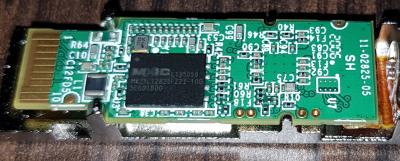
[0000001816] bl2000_tcontq: tc 2 rctl 0 q 1 pkt 100 byte 200000 valid 0
[0000001816] GPON: FLOWCFG portid 309 allocid 277 bridge 5 ftype 2 ena 1
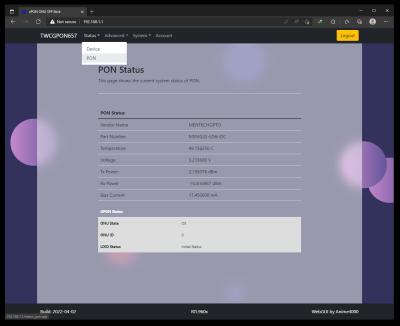
[0000001816] bl2000_tcontq: tc 2 rctl 0 q 1 pkt 100 byte 200000 valid 1
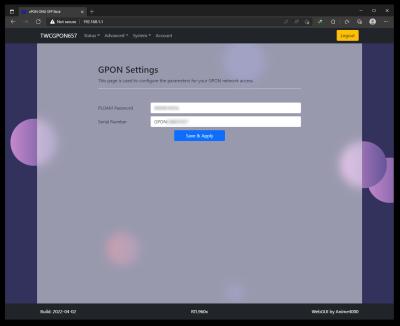
[0000001828] GPON: FLOWCFG portid 306 allocid 279 bridge 1 ftype 3 ena 1
[0000001828] bl2000_tcontq: tc 4 rctl 1 q 2 pkt 100 byte 200000 valid 1
[0000001829] GPON: FLOWCFG portid 306 allocid 279 bridge 1 ftype 3 ena 0
[0000001829] bl2000_tcontq: tc 4 rctl 1 q 2 pkt 100 byte 200000 valid 0
[0000001829] GPON: FLOWCFG portid 306 allocid 279 bridge 1 ftype 3 ena 1
[0000001830] bl2000_tcontq: tc 4 rctl 1 q 2 pkt 100 byte 200000 valid 1
[0000001835] GPON: FLOWCFG portid 322 allocid 276 bridge 1 ftype 3 ena 1
[0000001835] bl2000_tcontq: tc 1 rctl 0 q 2 pkt 100 byte 200000 valid 1
[0000001836] GPON: FLOWCFG portid 322 allocid 276 bridge 1 ftype 3 ena 0
[0000001836] bl2000_tcontq: tc 1 rctl 0 q 2 pkt 100 byte 200000 valid 0
[0000001836] GPON: FLOWCFG portid 306 allocid 279 bridge 1 ftype 3 ena 0
[0000001836] bl2000_tcontq: tc 4 rctl 1 q 2 pkt 100 byte 200000 valid 0
[0000001837] GPON: FLOWCFG portid 322 allocid 276 bridge 1 ftype 3 ena 1
[0000001837] bl2000_tcontq: tc 1 rctl 0 q 2 pkt 100 byte 200000 valid 1
[0000001837] GPON: FLOWCFG portid 306 allocid 279 bridge 1 ftype 3 ena 1
[0000001837] bl2000_tcontq: tc 4 rctl 1 q 2 pkt 100 byte 200000 valid 1
[0000001842] GPON: FLOWCFG portid 4065 allocid 278 bridge 1 ftype 5 ena 1
[0000001842] bl2000_tcontq: tc 3 rctl 0 q 0 pkt 100 byte 200000 valid 1
[0000001843] GPON: FLOWCFG portid 322 allocid 276 bridge 1 ftype 3 ena 0
[0000001843] bl2000_tcontq: tc 1 rctl 0 q 2 pkt 100 byte 200000 valid 0
[0000001843] GPON: FLOWCFG portid 306 allocid 279 bridge 1 ftype 3 ena 0
[0000001844] bl2000_tcontq: tc 4 rctl 1 q 2 pkt 100 byte 200000 valid 0
[0000001844] GPON: FLOWCFG portid 322 allocid 276 bridge 1 ftype 3 ena 1
[0000001844] bl2000_tcontq: tc 1 rctl 0 q 2 pkt 100 byte 200000 valid 1
[0000001845] GPON: FLOWCFG portid 306 allocid 279 bridge 1 ftype 3 ena 1
[0000001845] bl2000_tcontq: tc 4 rctl 1 q 2 pkt 100 byte 200000 valid 1
[0000001889] GPON: FLOWCFG portid 322 allocid 276 bridge 1 ftype 3 ena 0
[0000001889] bl2000_tcontq: tc 1 rctl 0 q 2 pkt 100 byte 200000 valid 0
[0000001889] GPON: FLOWCFG portid 306 allocid 279 bridge 1 ftype 3 ena 0
[0000001889] bl2000_tcontq: tc 4 rctl 1 q 2 pkt 100 byte 200000 valid 0
[0000001890] GPON: FLOWCFG portid 322 allocid 276 bridge 1 ftype 3 ena 1
[0000001890] bl2000_tcontq: tc 1 rctl 0 q 2 pkt 100 byte 200000 valid 1
[0000001890] GPON: FLOWCFG portid 306 allocid 279 bridge 1 ftype 3 ena 1
[0000001891] bl2000_tcontq: tc 4 rctl 1 q 2 pkt 100 byte 200000 valid 1
slacinit ...
initSLICParamZ: the AC/DC/RING has null point
[0000002875] GPON: FLOWCFG portid 306 allocid 279 bridge 1 ftype 3 ena 0
[0000002875] bl2000_tcontq: tc 4 rctl 1 q 2 pkt 100 byte 200000 valid 0
[0000002876] GPON: FLOWCFG portid 322 allocid 276 bridge 1 ftype 3 ena 0
[0000002876] bl2000_tcontq: tc 1 rctl 0 q 2 pkt 100 byte 200000 valid 0
[0000002877] GPON: FLOWCFG portid 322 allocid 276 bridge 1 ftype 3 ena 1
[0000002877] bl2000_tcontq: tc 1 rctl 0 q 2 pkt 100 byte 200000 valid 1
[0000002877] GPON: FLOWCFG portid 306 allocid 279 bridge 1 ftype 3 ena 1
[0000002877] bl2000_tcontq: tc 4 rctl 1 q 2 pkt 100 byte 200000 valid 1
[0000002877] GPON: FLOWCFG portid 322 allocid 276 bridge 1 ftype 3 ena 0
[0000002878] bl2000_tcontq: tc 1 rctl 0 q 2 pkt 100 byte 200000 valid 0
[0000002878] GPON: FLOWCFG portid 306 allocid 279 bridge 1 ftype 3 ena 0
[0000002878] bl2000_tcontq: tc 4 rctl 1 q 2 pkt 100 byte 200000 valid 0
[0000002879] GPON: FLOWCFG portid 322 allocid 276 bridge 1 ftype 3 ena 1
[0000002879] bl2000_tcontq: tc 1 rctl 0 q 2 pkt 100 byte 200000 valid 1
[0000002879] GPON: FLOWCFG portid 306 allocid 279 bridge 1 ftype 3 ena 1
[0000002879] bl2000_tcontq: tc 4 rctl 1 q 2 pkt 100 byte 200000 valid 1
[0000002898] bl2000_tcontq: tc 0 rctl 0 q 0 pkt 100 byte 200000 valid 1
[0000002905] bl2000_tcontq: tc 3 rctl 0 q 0 pkt 100 byte 200000 valid 1
[0000002921] bl2000_tcontq: tc 2 rctl 0 q 1 pkt 100 byte 200000 valid 1
[0000002938] bl2000_tcontq: tc 1 rctl 0 q 2 pkt 100 byte 200000 valid 1
[0000002946] bl2000_tcontq: tc 4 rctl 1 q 2 pkt 100 byte 200000 valid 1
[0000002976] fxfrcreate:
[0000002976] fxfrprov: trig 0, filetype 0
[0000002976] fxfrprov: file transfer entity init
[0000002978] GPON: FLOWCFG portid 322 allocid 276 bridge 1 ftype 3 ena 1
[0000002978] bl2000_tcontq: tc 1 rctl 0 q 2 pkt 100 byte 200000 valid 0
[0000002978] bl2000_tcontq: tc 1 rctl 0 q 2 pkt 100 byte 200000 valid 1
[0000002978] GPON: FLOWCFG portid 322 allocid 276 bridge 1 ftype 3 ena 0
[0000002978] bl2000_tcontq: tc 1 rctl 0 q 2 pkt 100 byte 200000 valid 0
[0000002978] GPON: FLOWCFG portid 306 allocid 279 bridge 1 ftype 3 ena 0
[0000002979] bl2000_tcontq: tc 4 rctl 1 q 2 pkt 100 byte 200000 valid 0
[0000002979] GPON: FLOWCFG portid 322 allocid 276 bridge 1 ftype 3 ena 1
[0000002980] bl2000_tcontq: tc 1 rctl 0 q 2 pkt 100 byte 200000 valid 1
[0000002980] GPON: FLOWCFG portid 306 allocid 279 bridge 1 ftype 3 ena 1
[0000002980] bl2000_tcontq: tc 4 rctl 1 q 2 pkt 100 byte 200000 valid 1
[0000002980] bl2000_rulecfg: rmv VID(75)+PCP(0) = FLOW(2): err 81
[0000002980] bl2000_rulecfg: rmv VID(75)+PCP(1) = FLOW(2): err 81
[0000002981] bl2000_rulecfg: rmv VID(75)+PCP(2) = FLOW(2): err 81
[0000002981] bl2000_rulecfg: rmv VID(75)+PCP(3) = FLOW(2): err 81
[0000002981] bl2000_rulecfg: rmv VID(75)+PCP(4) = FLOW(2): err 81
[0000002981] bl2000_rulecfg: rmv VID(75)+PCP(5) = FLOW(2): err 81
[0000002981] bl2000_rulecfg: rmv VID(75)+PCP(6) = FLOW(2): err 81
[0000002981] bl2000_rulecfg: rmv VID(75)+PCP(7) = FLOW(2): err 81
[0000002984] GPON: FLOWCFG portid 306 allocid 279 bridge 1 ftype 3 ena 1
[0000002984] bl2000_tcontq: tc 4 rctl 1 q 2 pkt 100 byte 200000 valid 0
[0000002984] bl2000_tcontq: tc 4 rctl 1 q 2 pkt 100 byte 200000 valid 1
[0000002985] GPON: FLOWCFG portid 322 allocid 276 bridge 1 ftype 3 ena 0
[0000002985] bl2000_tcontq: tc 1 rctl 0 q 2 pkt 100 byte 200000 valid 0
[0000002985] GPON: FLOWCFG portid 306 allocid 279 bridge 1 ftype 3 ena 0
[0000002985] bl2000_tcontq: tc 4 rctl 1 q 2 pkt 100 byte 200000 valid 0
[0000002986] GPON: FLOWCFG portid 322 allocid 276 bridge 1 ftype 3 ena 1
[0000002986] bl2000_tcontq: tc 1 rctl 0 q 2 pkt 100 byte 200000 valid 1
[0000002986] GPON: FLOWCFG portid 306 allocid 279 bridge 1 ftype 3 ena 1
[0000002986] bl2000_tcontq: tc 4 rctl 1 q 2 pkt 100 byte 200000 valid 1
[0000002987] bl2000_rulecfg: rmv VID(157)+PCP(0) = FLOW(3): err 81
[0000002987] bl2000_rulecfg: rmv VID(157)+PCP(1) = FLOW(3): err 81
[0000002987] bl2000_rulecfg: rmv VID(157)+PCP(2) = FLOW(3): err 81
[0000002988] bl2000_rulecfg: rmv VID(157)+PCP(3) = FLOW(3): err 81
[0000002988] bl2000_rulecfg: rmv VID(157)+PCP(4) = FLOW(3): err 81
[0000002988] bl2000_rulecfg: rmv VID(157)+PCP(5) = FLOW(3): err 81
[0000002988] bl2000_rulecfg: rmv VID(157)+PCP(6) = FLOW(3): err 81
[0000002988] bl2000_rulecfg: rmv VID(157)+PCP(7) = FLOW(3): err 81
[0000002990] GPON: FLOWCFG portid 322 allocid 276 bridge 1 ftype 3 ena 0
[0000002990] bl2000_tcontq: tc 1 rctl 0 q 2 pkt 100 byte 200000 valid 0
[0000002991] GPON: FLOWCFG portid 306 allocid 279 bridge 1 ftype 3 ena 0
[0000002991] bl2000_tcontq: tc 4 rctl 1 q 2 pkt 100 byte 200000 valid 0
[0000002991] GPON: FLOWCFG portid 322 allocid 276 bridge 1 ftype 3 ena 1
[0000002992] bl2000_tcontq: tc 1 rctl 0 q 2 pkt 100 byte 200000 valid 1
[0000002992] GPON: FLOWCFG portid 306 allocid 279 bridge 1 ftype 3 ena 1
[0000002992] bl2000_tcontq: tc 4 rctl 1 q 2 pkt 100 byte 200000 valid 1
[0000003000] omciproc: max msg 1608 ms op 19
[0000003000] GPON: stop 30 minute range timer
[0000003002] omcirecv: dup 'Get attribute AR' ONTDAT-0000 now 4293772531 last 4293772529
[0000003002] omcirecv: dup 'Get attribute AR' ONTDAT-0000 now 4293772531 last 4293772529
00-T06xG: [0000003015] mib upload
[0000003019] omcirecv: max 4 ms op 45
initSLICParamZ: the AC/DC/RING has null point
slacconfig: Fail to get SLIC param
initSLICParamZ: the AC/DC/RING has null point
slacconfig: Fail to get SLIC param
[00:00.773137] donegain : chan 0 port 1 results 0 gx 41232 gr 15584
[00:00.773137] donegain : chan 1 port 2 results 0 gx 41232 gr 15584
[00:00.773137] evthandle : chan 1 port 2 cat 2 id 0 evt VP_EVCAT_RESPONSE
[0000005298] omciproc: max timer 4 ms
[0000005681] snapalm: snapshotted 4 alarms
[0000005961] upgetnxt: DIALPLAN-0001: got last block for attr 5
[0000005986] gb_getfdb: MACBRDGTBLDATA-0001: no such bridge port
[0000006001] gb_getfdb: MACBRDGTBLDATA-0002: no such bridge port
[0000006036] upgetnxt: MACBRDGTBLDATA-0003: got last block for attr 0
[0000006054] gb_getfdb: MACBRDGTBLDATA-0004: no such bridge port
[0000006066] gb_getfdb: MACBRDGTBLDATA-0005: no such bridge port
[0000006081] gb_getfdb: MACBRDGTBLDATA-0006: no such bridge port
[0000006122] writemib: success
[0000006123] omcimibwdone: mib write successful
[0000006331] snapalm: snapshotted 4 alarms
[0000009385] gpifc_gemf_filter_enable enable flowid 0
[0000009385] gpifc_gemf_filter_enable enable flowid 1
[0000009385] gpifc_gemf_filter_enable enable flowid 2
[0000009385] gpifc_gemf_filter_enable enable flowid 3
[0000009385] gpifc_gemf_filter_enable enable flowid 4

obenturk P
post Apr 16 2021, 01:56 AM

New Member
*
Probation
11 posts

Joined: Mar 2021


I am receiving unknown characters for vendor name and part number as well.

How can I fix that?

Attached Image
TSAnime4000
post Apr 28 2021, 09:53 PM

Look at all my stars!!
*******
Senior Member
2,399 posts

Joined: Jul 2009
From: /dev/null


Gaara92 Candy12 miloaisdino amirsubhi thankyou

bad news... my Mikrotik RB3011-UiAS got struck by lightning..... cry.gif and my smart TV with it.... rclxub.gif

Port 1 - 5 cannot use
Port 6 -10 & SFP can use

now cacat already

gladly GPON ONU Stick working fine, no problem...

very odd...

my network equipment, server and pc's protected by Belkin Surge Protector

Somewhat it fried Mikrotik LAN ports....
miloaisdino
post Apr 28 2021, 10:04 PM

Regular
******
Senior Member
1,418 posts

Joined: Jul 2015
QUOTE(Anime4000 @ Apr 28 2021, 09:53 PM)
Gaara92 Candy12 miloaisdino amirsubhi thankyou

bad news... my Mikrotik RB3011-UiAS got struck by lightning.....  cry.gif and my smart TV with it....  rclxub.gif

Port 1 - 5 cannot use
Port 6 -10 & SFP can use

now cacat already

gladly GPON ONU Stick working fine, no problem...

very odd...

my network equipment, server and pc's protected by Belkin Surge Protector

Somewhat it fried Mikrotik LAN ports....
*
oh shit.... my condolences sad.gif

This post has been edited by miloaisdino: Apr 28 2021, 10:16 PM
amirsubhi
post Apr 28 2021, 11:55 PM

The Power Is IN Your Hand!
******
Senior Member
1,472 posts

Joined: Apr 2005
From: SumwHeRe In MaLaYsIa


QUOTE(Anime4000 @ Apr 28 2021, 09:53 PM)
Gaara92 Candy12 miloaisdino amirsubhi thankyou

bad news... my Mikrotik RB3011-UiAS got struck by lightning.....  cry.gif and my smart TV with it....  rclxub.gif

Port 1 - 5 cannot use
Port 6 -10 & SFP can use

now cacat already

gladly GPON ONU Stick working fine, no problem...

very odd...

my network equipment, server and pc's protected by Belkin Surge Protector

Somewhat it fried Mikrotik LAN ports....
*
ooh my, your smart TV are connected via LAN too?


SUSCandy12
post Apr 29 2021, 12:13 AM

Regular
******
Senior Member
1,878 posts

Joined: Apr 2019
QUOTE(Anime4000 @ Apr 28 2021, 09:53 PM)
Gaara92 Candy12 miloaisdino amirsubhi thankyou

bad news... my Mikrotik RB3011-UiAS got struck by lightning.....  cry.gif and my smart TV with it....  rclxub.gif

Port 1 - 5 cannot use
Port 6 -10 & SFP can use

now cacat already

gladly GPON ONU Stick working fine, no problem...

very odd...

my network equipment, server and pc's protected by Belkin Surge Protector

Somewhat it fried Mikrotik LAN ports....
*
Unfortunately when you want to run a datacentre from home without proper lighting arrestors.
No pain no gain. At least you learned quite a lot about TM's GPON setup which the knowledge is worth so much more.
TSAnime4000
post Apr 29 2021, 01:38 AM

Look at all my stars!!
*******
Senior Member
2,399 posts

Joined: Jul 2009
From: /dev/null


QUOTE(miloaisdino @ Apr 28 2021, 10:04 PM)
oh shit.... my condolences sad.gif
*
sad~

QUOTE(amirsubhi @ Apr 28 2021, 11:55 PM)
ooh my, your smart TV are connected via LAN too?
*
Via mesh TP-Link Deco M4R ---> LAN

QUOTE(Candy12 @ Apr 29 2021, 12:13 AM)
Unfortunately when you want to run a datacentre from home without proper lighting arrestors.
No pain no gain. At least you learned quite a lot about TM's GPON setup which the knowledge is worth so much more.
*
Yea, everything is learning~ blush.gif

---
Just odd problem...

My TV LAN connected via TP-Link Deco M4R

TV, Deco M4R, Soundbar, several Phone Charger share same Belkin plug, just TV died, other is working fine... confused.gif

RB3011UiAS-RM at upstairs at network closet:
LAN 10: TP-Link Archer C5v (Maxis VoIP)
LAN 9: Not Connected
LAN 8: Not Connected
LAN 7: Deco M4R (Main)
LAN 6: Server LAN Port 2 (WAN Priority)

LAN 5: Brother in Law PC
LAN 4: Imouto PC
LAN 3: Little Brother PC
LAN 2: My PC
LAN 1: Server LAN Port 1 (LAN Priority)

SFP: GPON Stick

USB: Maxis 4G Backup

Now into confusing situation:
3011UiAS LAN Port 1 - 5 is fried, but, Device on LAN 1 - 5 survived, my PC LAN port working well, same with other PC and Server.

Just can't brain how this is happen, I manage open 3011UiAS, nothing is friend...

I keep thinking, it hurt my head how this weird happen.

To add more weird issue:
Attached Image

how come this happen??
ldragon
post Apr 30 2021, 11:33 PM

Regular
******
Senior Member
1,026 posts

Joined: Jan 2003
From: Kuala Lumpur, Malaysia
QUOTE(Anime4000 @ Apr 29 2021, 01:38 AM)
sad~
Via mesh TP-Link Deco M4R ---> LAN
Yea, everything is learning~ blush.gif

---
Just odd problem...

My TV LAN connected via TP-Link Deco M4R

TV, Deco M4R, Soundbar, several Phone Charger share same Belkin plug, just TV died, other is working fine...  confused.gif

RB3011UiAS-RM at upstairs at network closet:
LAN 10: TP-Link Archer C5v (Maxis VoIP)
LAN 9: Not Connected
LAN 8: Not Connected
LAN 7: Deco M4R (Main)
LAN 6: Server LAN Port 2 (WAN Priority)

LAN 5: Brother in Law PC
LAN 4: Imouto PC
LAN 3: Little Brother PC
LAN 2: My PC
LAN 1: Server LAN Port 1 (LAN Priority)

SFP: GPON Stick

USB: Maxis 4G Backup

Now into confusing situation:
3011UiAS LAN Port 1 - 5 is fried, but, Device on LAN 1 - 5 survived, my PC LAN port working well, same with other PC and Server.

Just can't brain how this is happen, I manage open 3011UiAS, nothing is friend...

I keep thinking, it hurt my head how this weird happen.

To add more weird issue:
Attached Image

how come this happen??
*
Time for Insurance claim from Belkin.

bigmojo
post May 4 2021, 08:14 AM

New Member
*
Newbie
8 posts

Joined: Oct 2014


My setup is abit strange, I currently have Maxis 800/200 (not on TM infra) -> Echolife HG8240H5 -> TP-Link L2 Switch (T2600G-28MPS) -> x86 Pfsense
The TP-Link has 4 SFP slots, will it be possible for me to use a GPON SFP ONT module as a bridge to replace the Echolife and hopefully get symmetrical speed?
Gaara92
post May 4 2021, 09:01 AM

Herald
****
Junior Member
612 posts

Joined: Mar 2008


QUOTE(Anime4000 @ Apr 28 2021, 09:53 PM)
Gaara92 Candy12 miloaisdino amirsubhi thankyou

bad news... my Mikrotik RB3011-UiAS got struck by lightning.....  cry.gif and my smart TV with it....  rclxub.gif

Port 1 - 5 cannot use
Port 6 -10 & SFP can use

now cacat already

gladly GPON ONU Stick working fine, no problem...

very odd...

my network equipment, server and pc's protected by Belkin Surge Protector

Somewhat it fried Mikrotik LAN ports....
*
GG why not use surge protector that mikrotik or ubiquiti? I Currently I used that for my LHG LTE I put on tower and ubiquity one for inside my house.
aneip
post May 4 2021, 10:28 AM

Look at all my stars!!
*******
Senior Member
2,466 posts

Joined: Nov 2004


Following the discussion from last year. @Anime4000 how the verdict now? what brand recommended and it is possible to use or TM already start doing something?
TSAnime4000
post May 6 2021, 09:44 PM

Look at all my stars!!
*******
Senior Member
2,399 posts

Joined: Jul 2009
From: /dev/null


QUOTE(bigmojo @ May 4 2021, 08:14 AM)
My setup is abit strange, I currently have Maxis 800/200 (not on TM infra) -> Echolife HG8240H5 -> TP-Link L2 Switch (T2600G-28MPS) -> x86 Pfsense
The TP-Link has 4 SFP slots, will it be possible for me to use a GPON SFP ONT module as a bridge to replace the Echolife and hopefully get symmetrical speed?
*
I believe your ONU have 1000Mbps Link and your PPPoE account get speed cap,

Try this: https://www.dslreports.com/speedtest

if you get A or A+ on bufferbloat, means your ONU in full speed, no cap.
if you get B or below on bufferbloat, means your ONU obey OLT defined speed, you can use custom ONU to override this, but ISP can know since OLT sending alarm signal

QUOTE(Gaara92 @ May 4 2021, 09:01 AM)
GG why not use surge protector that mikrotik or ubiquiti? I Currently I used that for my LHG LTE I put on tower and ubiquity one for inside my house.
*
I do put surge protector,

device on LAN1-5 are not effected, only Mikrotik LAN1-5 fried.
also I have Port Flop issue, cause RB3011UiAS get restarted when transfer file in full speed

QUOTE(aneip @ May 4 2021, 10:28 AM)
Following the discussion from last year. @Anime4000 how the verdict now? what brand recommended and it is possible to use or TM already start doing something?
*
Using GPON ONU Stick is very stable! I use V2801F and TWCGPON657 (V2801F firmware)
Plus you can set MTU 1500 bytes on PPPoE!!! (by increasing LAN & VLAN to MTU 1508 bytes)
Yes! GPON ONU Stick support Jumbo Frame, GPON have fixed MTU which is 2000 bytes!

TM can't block user using custom ONU, since ONU can send fake information to TM OLT
mamakap
post Jun 8 2021, 01:22 PM

Casual
***
Junior Member
403 posts

Joined: Jan 2005
Just got a SFP Ligent LTE3415-SH1, anyone familiar with this SFP?

user posted image
TSAnime4000
post Jun 8 2021, 03:39 PM

Look at all my stars!!
*******
Senior Member
2,399 posts

Joined: Jul 2009
From: /dev/null


QUOTE(mamakap @ Jun 8 2021, 01:22 PM)
Just got a SFP Ligent LTE3415-SH1, anyone familiar with this SFP?

user posted image
*
Note sure, have telnet/ssh/webui?
mamakap
post Jun 8 2021, 04:13 PM

Casual
***
Junior Member
403 posts

Joined: Jan 2005
QUOTE(Anime4000 @ Jun 8 2021, 03:39 PM)
Note sure, have telnet/ssh/webui?
*
I just plugged into my RB4011 and configured the interface, it seem quite hot. I still cannot access the webUI and ping the GPON stick ip.

user posted image

This post has been edited by mamakap: Jun 8 2021, 08:43 PM
bigmojo
post Jun 26 2021, 06:24 AM

New Member
*
Newbie
8 posts

Joined: Oct 2014


QUOTE(Anime4000 @ May 6 2021, 09:44 PM)
I believe your ONU have 1000Mbps Link and your PPPoE account get speed cap,

Try this: https://www.dslreports.com/speedtest

if you get A or A+ on bufferbloat, means your ONU in full speed, no cap.
if you get B or below on bufferbloat, means your ONU obey OLT defined speed, you can use custom ONU to override this, but ISP can know since OLT sending alarm signal
Thanks for your reply mate, I did the bufferbloat test as you advised and the result was A across the board. So I guess no point for me to get a custom ONU. Thanks again man.
askmestuff
post Jul 25 2021, 08:52 PM

New Member
*
Newbie
5 posts

Joined: Nov 2017
Hi, Anime4000

Incredible research you have done!

I'm currently investigating replacing the my current ONU with a SFP module. My intention is more of simplifying my current setup. I'm getting a B on the dslreport bufferbloat test, but I'm still ok with the current speed.

I have a few questions, if you don't mind.

I read from your research that using the custom ONU will trigger an alarm on the ONT side? Is it possible to just replace the ONU with an SFP ONU without triggering any alarm? Also, are you able to manage to get the phone line working? Is it possible to run my own FreePBX server and get the phone line working?
TSAnime4000
post Jul 25 2021, 11:26 PM

Look at all my stars!!
*******
Senior Member
2,399 posts

Joined: Jul 2009
From: /dev/null


QUOTE(askmestuff @ Jul 25 2021, 08:52 PM)
Hi, Anime4000

Incredible research you have done!

I'm currently investigating replacing the my current ONU with a SFP module. My intention is more of simplifying my current setup. I'm getting a B on the dslreport bufferbloat test, but I'm still ok with the current speed.

I have a few questions, if you don't mind.

I read from your research that using the custom ONU will trigger an alarm on the ONT side? Is it possible to just replace the ONU with an SFP ONU without triggering any alarm? Also, are you able to manage to get the phone line working? Is it possible to run my own FreePBX server and get the phone line working?
*
To avoid OLT Alarm, you need make your SFP ONU Stick like your original ONU, by updating required info for your SFP ONU Stick
You can read here, I make complete guide and sacrifice my ONU collection for this purpose: https://github.com/Anime4000/RTL9601C1/blob.../VS_AUTH_KEY.md

TLDR, Using HG8240H ONT Device Information on SFP ONU Stick;
CODE

flash set PON_VENDOR_ID HWTC
flash set HW_CWMP_MANUFACTURER 'Huawei Technologies Co., Ltd'
flash set HW_CWMP_PRODUCTCLASS HG8240H
flash set HW_HWVER BF9.A
flash set ELAN_MAC_ADDR 043389FE8F59
flash set VS_AUTH_KEY 4FF78A9422FCBC797A0A3061186F20B7

flash set OMCI_FAKE_OK 1
flash set OMCI_SW_VER1 V3R017C10S100
flash set OMCI_SW_VER2 V3R017C10S100
flash set GPON_ONU_MODEL HG8240H
flash set GPON_SN HWTC98AFDD9D
flash set GPON_PLOAM_PASSWD 1234567890


When SFP ONU Stick connecting to OLT, and everything checks out!

Take note that GPON has fixed MTU size which is 2000 bytes.

Advantage using SFP ONU Stick allow you to use PPPoE MTU 1500, able to access many website that block MTU 1492
If your ISP support RFC4638

About Telephone over xPON, I pretty sure they use VLAN for this, refer to your ISP which VLAN they use for Telephone line, then you bridge it, either bridge tagged to tagged or tagged to untag
askmestuff
post Jul 26 2021, 12:03 PM

New Member
*
Newbie
5 posts

Joined: Nov 2017
Thanks for the detailed response.

The current ONU I'm using is actually a TM Alcatel Lucent I240G.

The bottom panel shows a few fields:
SN1 (is this OMCI_SW_VER1?)
SN2 (is this OMCI_SW_VER2?)
MAC ID
Model Number
Material Number (Not sure what this is. Its a number in the format: 100000xxxx)

I seem to be missing hardware version, GPON_SN, VS_AUTH_KEY. What is the VS_AUTH_KEY, and how do I obtain that?

As for the PLOAM password, I think this should be the ONU password that I have. When the technicians came to install the internet for me 3-4 years ago, I asked them for the ONU access and password. I have been planning to replace the ONU since day 1 biggrin.gif . This password is a 10 digit numerical password.

Also, from their info, I can see that the VLAN VOIP is 400, and also, there's a VLAN_VOIP_PORT, which is a string in the format 4-400-LVxxxxxxxxxx. Not sure what this is for though.

This post has been edited by askmestuff: Jul 26 2021, 12:05 PM
TSAnime4000
post Jul 26 2021, 03:12 PM

Look at all my stars!!
*******
Senior Member
2,399 posts

Joined: Jul 2009
From: /dev/null


QUOTE(askmestuff @ Jul 26 2021, 12:03 PM)
Thanks for the detailed response.

The current ONU I'm using is actually a TM Alcatel Lucent I240G.

The bottom panel shows a few fields:
SN1 (is this OMCI_SW_VER1?)
SN2 (is this OMCI_SW_VER2?)
MAC ID
Model Number
Material Number (Not sure what this is. Its a number in the format: 100000xxxx)

I seem to be missing hardware version, GPON_SN, VS_AUTH_KEY. What is the VS_AUTH_KEY, and how do I obtain that?

As for the PLOAM password, I think this should be the ONU password that I have. When the technicians came to install the internet for me 3-4 years ago, I asked them for the ONU access and password. I have been planning to replace the ONU since day 1  biggrin.gif . This password is a 10 digit numerical password.

Also, from their info, I can see that the VLAN VOIP is 400, and also, there's a VLAN_VOIP_PORT, which is a string in the format 4-400-LVxxxxxxxxxx. Not sure what this is for though.
*
all info can obtain from WebGUI like this
https://github.com/Anime4000/RTL9601C1/blob...H_GETSET_DEV.md
askmestuff
post Jul 26 2021, 05:56 PM

New Member
*
Newbie
5 posts

Joined: Nov 2017
QUOTE(Anime4000 @ Jul 26 2021, 03:12 PM)
all info can obtain from WebGUI like this
https://github.com/Anime4000/RTL9601C1/blob...H_GETSET_DEV.md
*
Thanks!

Just curious, I saw that there is a firmware dump of UFiber-Instant in your repo, did you investigate if that SFP module is usable? I'm using a ER‑X‑SFP as my router, and I'm wondering if it might work better if everything is from the same company.
TSAnime4000
post Jul 26 2021, 09:07 PM

Look at all my stars!!
*******
Senior Member
2,399 posts

Joined: Jul 2009
From: /dev/null


QUOTE(askmestuff @ Jul 26 2021, 05:56 PM)
Thanks!

Just curious, I saw that there is a firmware dump of UFiber-Instant in your repo, did you investigate if that SFP module is usable? I'm using a ER‑X‑SFP as my router, and I'm wondering if it might work better if everything is from the same company.
*
that was for Ubiquiti OLT to Ubiquiti ONU, don't mind.
Most router don't care what SFP is plugged, they see as Normal Ethernet.

SFP ONU Stick it self has own Web GUI & Telnet, just like miniture ONU in SFP Form Factor
askmestuff
post Jul 26 2021, 10:17 PM

New Member
*
Newbie
5 posts

Joined: Nov 2017
QUOTE(Anime4000 @ Jul 26 2021, 09:07 PM)
that was for Ubiquiti OLT to Ubiquiti ONU, don't mind.
Most router don't care what SFP is plugged, they see as Normal Ethernet.

SFP ONU Stick it self has own Web GUI & Telnet, just like miniture ONU in SFP Form Factor
*
Ubnt does not have the best track record in terms of stability.

https://community.ui.com/questions/ER-4-Fai...d8-c4cb3a879c66

As you can see from this link, there are some issues with ER4 SFP that CarlitoxxPro himself pointed out to ubnt, but I think its ignored. The fix is already in the linux kernel as far as I know, but still no news about a fix from ubnt.
arul_sr
post Aug 15 2021, 10:42 AM

New Member
*
Junior Member
37 posts

Joined: Aug 2005


Hi,

Anyone try with Huawei HPSP 2120 stick?
TSAnime4000
post Aug 15 2021, 08:12 PM

Look at all my stars!!
*******
Senior Member
2,399 posts

Joined: Jul 2009
From: /dev/null


QUOTE(arul_sr @ Aug 15 2021, 10:42 AM)
Hi,

Anyone try with Huawei HPSP 2120 stick?
*
This not for Router SFP use, it did not have ONU SoC
arul_sr
post Aug 16 2021, 10:23 AM

New Member
*
Junior Member
37 posts

Joined: Aug 2005


QUOTE(Anime4000 @ Aug 15 2021, 08:12 PM)
This not for Router SFP use, it did not have ONU SoC
*
okay2. thank you.
so overall which one better?
TSAnime4000
post Aug 16 2021, 06:26 PM

Look at all my stars!!
*******
Senior Member
2,399 posts

Joined: Jul 2009
From: /dev/null


QUOTE(arul_sr @ Aug 16 2021, 10:23 AM)
okay2. thank you.
so overall which one better?
*
High Compatibility is V2801F or TWCGPON657 with V2801F firmware.

Both are works on Unifi, or Maxis/DiGi/Celcom/other ISP via Unifi (non LAN1 provision)

Also support MTU 1508 (PPPoE MTU 1500)
arul_sr
post Aug 17 2021, 11:45 AM

New Member
*
Junior Member
37 posts

Joined: Aug 2005


QUOTE(Anime4000 @ Aug 16 2021, 06:26 PM)
High Compatibility is V2801F or TWCGPON657 with V2801F firmware.

Both are works on Unifi, or Maxis/DiGi/Celcom/other ISP via Unifi (non LAN1 provision)

Also support MTU 1508 (PPPoE MTU 1500)
*
Allright bro, already email to Vsol regarding the onu stick model V2801F.
TSAnime4000
post Aug 17 2021, 08:32 PM

Look at all my stars!!
*******
Senior Member
2,399 posts

Joined: Jul 2009
From: /dev/null


QUOTE(arul_sr @ Aug 17 2021, 11:45 AM)
Allright bro, already email to Vsol regarding the onu stick model V2801F.
*
These item become very popular, there is shortage, if you can get TWCGPON model, can be flash to
arul_sr
post Aug 17 2021, 09:03 PM

New Member
*
Junior Member
37 posts

Joined: Aug 2005


QUOTE(Anime4000 @ Aug 17 2021, 08:32 PM)
These item become very popular, there is shortage, if you can get TWCGPON model, can be flash to
*
allright..they just reply my email. i got V2801F without shipping USD26.
they can do production if got bulk order.

This post has been edited by arul_sr: Aug 17 2021, 09:04 PM
myxery
post Aug 18 2021, 12:42 PM

Oro?!
*****
Senior Member
904 posts

Joined: Aug 2005
From: Tanjong Golden Ville
QUOTE(arul_sr @ Aug 17 2021, 09:03 PM)
allright..they just reply my email. i got V2801F without shipping USD26.
they can do production if got bulk order.
*
did you order one? Mind to share shipping? i am interested.
Gregar Forte
post Aug 18 2021, 03:58 PM

Getting Started
**
Junior Member
238 posts

Joined: Aug 2011
From: Bachok,Kelantan


QUOTE(myxery @ Aug 18 2021, 12:42 PM)
did you order one? Mind to share shipping? i am interested.
*
can join order too?
QuantumEdge
post Aug 18 2021, 05:30 PM

Regular
******
Senior Member
1,595 posts

Joined: Jan 2016


QUOTE(arul_sr @ Aug 17 2021, 09:03 PM)
allright..they just reply my email. i got V2801F without shipping USD26.
they can do production if got bulk order.
*
Let me know if it is possible to join order,tq
lwk523
post Sep 2 2021, 08:39 PM

Premium Q Trader
******
Senior Member
1,040 posts

Joined: Mar 2006


QUOTE(Anime4000 @ Jul 25 2021, 11:26 PM)
To avoid OLT Alarm, you need make your SFP ONU Stick like your original ONU, by updating required info for your SFP ONU Stick
You can read here, I make complete guide and sacrifice my ONU collection for this purpose: https://github.com/Anime4000/RTL9601C1/blob.../VS_AUTH_KEY.md

TLDR, Using HG8240H ONT Device Information on SFP ONU Stick;
CODE

flash set PON_VENDOR_ID HWTC
flash set HW_CWMP_MANUFACTURER 'Huawei Technologies Co., Ltd'
flash set HW_CWMP_PRODUCTCLASS HG8240H
flash set HW_HWVER BF9.A
flash set ELAN_MAC_ADDR 043389FE8F59
flash set VS_AUTH_KEY 4FF78A9422FCBC797A0A3061186F20B7

flash set OMCI_FAKE_OK 1
flash set OMCI_SW_VER1 V3R017C10S100
flash set OMCI_SW_VER2 V3R017C10S100
flash set GPON_ONU_MODEL HG8240H
flash set GPON_SN HWTC98AFDD9D
flash set GPON_PLOAM_PASSWD 1234567890


When SFP ONU Stick connecting to OLT, and everything checks out!

Take note that GPON has fixed MTU size which is 2000 bytes.

Advantage using SFP ONU Stick allow you to use PPPoE MTU 1500, able to access many website that block MTU 1492
If your ISP support RFC4638

About Telephone over xPON, I pretty sure they use VLAN for this, refer to your ISP which VLAN they use for Telephone line, then you bridge it, either bridge tagged to tagged or tagged to untag
*
Hi bro,

Is that you mean TM will detect your ONU model ? Will it block if it detect another model? I change to my Huawei HG8240 to HG8145V5 (WIFI router , ONT all in one. ) I don't understand why I cant get the connection up even I have the ONT password.

Thank you smile.gif

This post has been edited by lwk523: Sep 2 2021, 08:46 PM
afif92
post Sep 3 2021, 12:35 AM

Casual
***
Junior Member
374 posts

Joined: Mar 2010
QUOTE(Anime4000 @ Jul 25 2021, 11:26 PM)
To avoid OLT Alarm, you need make your SFP ONU Stick like your original ONU, by updating required info for your SFP ONU Stick
You can read here, I make complete guide and sacrifice my ONU collection for this purpose: https://github.com/Anime4000/RTL9601C1/blob.../VS_AUTH_KEY.md

TLDR, Using HG8240H ONT Device Information on SFP ONU Stick;
CODE

flash set PON_VENDOR_ID HWTC
flash set HW_CWMP_MANUFACTURER 'Huawei Technologies Co., Ltd'
flash set HW_CWMP_PRODUCTCLASS HG8240H
flash set HW_HWVER BF9.A
flash set ELAN_MAC_ADDR 043389FE8F59
flash set VS_AUTH_KEY 4FF78A9422FCBC797A0A3061186F20B7

flash set OMCI_FAKE_OK 1
flash set OMCI_SW_VER1 V3R017C10S100
flash set OMCI_SW_VER2 V3R017C10S100
flash set GPON_ONU_MODEL HG8240H
flash set GPON_SN HWTC98AFDD9D
flash set GPON_PLOAM_PASSWD 1234567890


When SFP ONU Stick connecting to OLT, and everything checks out!

Take note that GPON has fixed MTU size which is 2000 bytes.

Advantage using SFP ONU Stick allow you to use PPPoE MTU 1500, able to access many website that block MTU 1492
If your ISP support RFC4638

About Telephone over xPON, I pretty sure they use VLAN for this, refer to your ISP which VLAN they use for Telephone line, then you bridge it, either bridge tagged to tagged or tagged to untag
*
How to find website that block MTU under 1500?

TSAnime4000
post Sep 3 2021, 02:21 AM

Look at all my stars!!
*******
Senior Member
2,399 posts

Joined: Jul 2009
From: /dev/null


QUOTE(lwk523 @ Sep 2 2021, 08:39 PM)
Hi bro,

Is that you mean TM will detect your ONU model ? Will it block if it detect another model? I change to my Huawei HG8240 to HG8145V5 (WIFI router , ONT all in one. ) I don't understand why I cant get the connection up even I have the ONT password.

Thank you  smile.gif
*
Yes, it will detect and forced ONT Provision.
When you using ALL in One, TM OLT will provision LAN1 Unifi or LAN2 Other ISP, etc...
Particular Provision make ONU just simple dumb bridge, so, your ALL in One will not work.

If you still want ALL in One, please use:

RB4011iGS+5HacQ2HnD-IN + ONU SFP Stick

QUOTE(afif92 @ Sep 3 2021, 12:35 AM)
How to find website that block MTU under 1500?
*
just block PMTU via ICMP
lwk523
post Sep 3 2021, 08:31 AM

Premium Q Trader
******
Senior Member
1,040 posts

Joined: Mar 2006


QUOTE(Anime4000 @ Sep 3 2021, 02:21 AM)
Yes, it will detect and forced ONT Provision.
When you using ALL in One, TM OLT will provision LAN1 Unifi or LAN2 Other ISP, etc...
Particular Provision make ONU just simple dumb bridge, so, your ALL in One will not work.

If you still want ALL in One, please use:

RB4011iGS+5HacQ2HnD-IN + ONU SFP Stick
just block PMTU via ICMP
*
Now only time fibre come with All in one and I feel this is more better compare with Maxis and TM.
As latest device is supported on All in one function and don't know why ISP want to waste another device just for bridging. hmm.gif


Actually, I planned to get this Huawei K662C which is around RM200 and Wifi 6 & Mesh is supported.

user posted image

This post has been edited by lwk523: Sep 3 2021, 08:33 AM
PRSXFENG
post Sep 3 2021, 08:50 AM

Look at all my stars!!
*******
Senior Member
2,608 posts

Joined: Nov 2020


QUOTE(lwk523 @ Sep 3 2021, 08:31 AM)
Now only time fibre come with All in one and I feel this is more better compare with Maxis and TM.
As latest device is supported on All in one function and don't know why ISP want to waste another device just for bridging.  hmm.gif
Actually, I planned to get this Huawei K662C which is around RM200 and Wifi 6 & Mesh is supported.

user posted image
*
Well, there are a few reasons why separate is better.
First of all looking at the TIME Fibre thread, seems like these All In One Huawei sucks...

2nd is that if you want to replace your own router, it's easier, just unplug stock router and swap.
Where as with all in one you have to ask cs to change modes.


lwk523
post Sep 3 2021, 08:59 AM

Premium Q Trader
******
Senior Member
1,040 posts

Joined: Mar 2006


QUOTE(PRSXFENG @ Sep 3 2021, 08:50 AM)
Well, there are a few reasons why separate is better.
First of all looking at the TIME Fibre thread, seems like these All In One Huawei sucks...

2nd is that if you want to replace your own router, it's easier, just unplug stock router and swap.
Where as with all in one you have to ask cs to change modes.
*
Yeah, you are right and only minor users like us can do own setup for all in one.


TSAnime4000
post Sep 3 2021, 02:54 PM

Look at all my stars!!
*******
Senior Member
2,399 posts

Joined: Jul 2009
From: /dev/null


QUOTE(lwk523 @ Sep 3 2021, 08:59 AM)
Yeah, you are right and only minor users like us can do own setup for all in one.
*
you still can setup All in One, simply using GPON ONU SFP Stick, plug into Mikrotik RB4011 WiFi Model.

Attached Image

currently I use EdgeRouter 12, my RB3011 broken
lwk523
post Sep 3 2021, 03:18 PM

Premium Q Trader
******
Senior Member
1,040 posts

Joined: Mar 2006


QUOTE(Anime4000 @ Sep 3 2021, 02:54 PM)
you still can setup All in One, simply using GPON ONU SFP Stick, plug into Mikrotik RB4011 WiFi Model.

Attached Image

currently I use EdgeRouter 12, my RB3011 broken
*
Nice setup bro but Mikrotik things look susah for me .. .. sweat.gif
TSAnime4000
post Sep 3 2021, 08:45 PM

Look at all my stars!!
*******
Senior Member
2,399 posts

Joined: Jul 2009
From: /dev/null


QUOTE(lwk523 @ Sep 3 2021, 03:18 PM)
Nice setup bro but Mikrotik things look susah for me  .. ..  sweat.gif
*
both are equally same difficulty, just Ubiquiti have nice basic GUI, anything need use command line
mauli74
post Sep 7 2021, 01:29 AM

New Member
*
Junior Member
47 posts

Joined: Mar 2011
I have a dumb question.

What is the improvement after going through all these hassles?
TSAnime4000
post Sep 7 2021, 10:51 AM

Look at all my stars!!
*******
Senior Member
2,399 posts

Joined: Jul 2009
From: /dev/null


QUOTE(mauli74 @ Sep 7 2021, 01:29 AM)
I have a dumb question.

What is the improvement after going through all these hassles?
*
reduce latency,
GPON to SFP to CPU

Not like GPON to LAN --- LAN to CPU (Router)

LAN has ~3ns delay
thankyou
post Sep 7 2021, 08:24 PM

Regular
******
Senior Member
1,941 posts

Joined: Jan 2003
Hello, it has been awhile! Nice you have gotten edgerouter 12!

Don't you find the router is a little hot? I bought a dual USB fan to cool down the temperature...

This post has been edited by thankyou: Sep 7 2021, 08:25 PM
TSAnime4000
post Sep 8 2021, 04:17 AM

Look at all my stars!!
*******
Senior Member
2,399 posts

Joined: Jul 2009
From: /dev/null


QUOTE(thankyou @ Sep 7 2021, 08:24 PM)
Hello, it has been awhile! Nice you have gotten edgerouter 12!

Don't you find the router is a little hot? I bought a dual USB fan to cool down the temperature...
*
Yea, since my RB3011UiAS switch chip dead.

Yes, I notice run quite hot, I put 120mm fan on top at sfp edge using top blower (since hot air is lighter than cold). and make my SFP run at 36°c instead of 55°c

the CPU at weak spot, Enable QoS make FastPath disable and put cpu on heavy load.

During speed test with QoS Enable, download speed limited at ~300Mbps, with QoS Disabled: 512Mbps

For now, I disable QoS

also, I set eth8 as 2nd LAN for SoftEther VPN on Proxmox VM,

make thing easier, I make VLAN on switch0.821 and switch0.822 just to bridge Maxis VLAN service, I can connect any switch port, even add VLAN 822 on my Windows PC for VoIP hacking,

I was trying implementing Maxis VoIP on VoIP Desk Phone, later I can use eth9 (PoE) to power VoIP Desk Phone, Total Eliminate Maxis Router.
lwk523
post Oct 6 2021, 03:28 PM

Premium Q Trader
******
Senior Member
1,040 posts

Joined: Mar 2006


QUOTE(Anime4000 @ Sep 8 2021, 04:17 AM)
Yea, since my RB3011UiAS switch chip dead.

Yes, I notice run quite hot, I put 120mm fan on top at sfp edge using top blower (since hot air is lighter than cold). and make my SFP run at 36°c instead of 55°c

the CPU at weak spot, Enable QoS make FastPath disable and put cpu on heavy load.

During speed test with QoS Enable, download speed limited at ~300Mbps, with QoS Disabled: 512Mbps

For now, I disable QoS

also, I set eth8 as 2nd LAN for SoftEther VPN on Proxmox VM,

make thing easier, I make VLAN on switch0.821 and switch0.822 just to bridge Maxis VLAN service, I can connect any switch port, even add VLAN 822 on my Windows PC for VoIP hacking,

I was trying implementing Maxis VoIP on VoIP Desk Phone, later I can use eth9 (PoE) to power VoIP Desk Phone, Total Eliminate Maxis Router.
*
I plan to setup softether server with my Allo 1gbps up and down speed. Any advice on the ONU ? laugh.gif
?
TSAnime4000
post Oct 7 2021, 10:54 PM

Look at all my stars!!
*******
Senior Member
2,399 posts

Joined: Jul 2009
From: /dev/null


QUOTE(lwk523 @ Oct 6 2021, 03:28 PM)
I plan to setup softether server with my Allo 1gbps up and down speed. Any advice on the ONU ?  laugh.gif
?
*
I think to get SFP ONU quite hard, might work, might not, just try and luck.

probably Allo/TIME/Viewquest didn't impose OLT Speed Cap, they relaying on standard 1Gbps Link Speed to limit bandwidth, with custom 2.5G ONU, you can have more speed!

Note that, when OLT enforce bandwidth limit, it use Processor Time = Lag, no bandwidth limit on 1Gbps subscribers just reduced OLT load time.

some 1Gbps user able to get 2.1Gbps internet after tweak SFP ONU run at 2.5G mode.

problem is, configuring SFP ONU to run at 2.5G instead of 1G is possible at 50:50 chance.
lwk523
post Oct 7 2021, 11:19 PM

Premium Q Trader
******
Senior Member
1,040 posts

Joined: Mar 2006


QUOTE(Anime4000 @ Oct 7 2021, 10:54 PM)
I think to get SFP ONU quite hard, might work, might not, just try and luck.

probably Allo/TIME/Viewquest didn't impose OLT Speed Cap, they relaying on standard 1Gbps Link Speed to limit bandwidth, with custom 2.5G ONU, you can have more speed!

Note that, when OLT enforce bandwidth limit, it use Processor Time = Lag, no bandwidth limit on 1Gbps subscribers just reduced OLT load time.

some 1Gbps user able to get 2.1Gbps internet after tweak SFP ONU run at 2.5G mode.

problem is, configuring SFP ONU to run at 2.5G instead of 1G is possible at 50:50 chance.
*
You really pro on fibre stuff and all information is kinda rare.
Thank bro

Gaara92
post Nov 19 2021, 11:42 AM

Herald
****
Junior Member
612 posts

Joined: Mar 2008


QUOTE(Ouru @ Mar 21 2021, 03:55 PM)
Hi all,

successfully tested V2801F into Fortigate 500D. thanks to Anime4000 to initiate this idea and other members who share guides here. personally myself 1st timer in this whole process, good learning  thumbup.gif

1. V2801F brought from Russia, rm320 + shipping , almost 2 month+ to receive
2. Earlier brought sercomm FGS202 from France no WebGui , couldn't make it run & not able to telnet
3. V2801F with WebGui easy just entered SLID password from TM's GPON ONT Alcatel-Lucent I-240G-P , need to convert from Hex to Ascii

user posted image
*
May I know how you got into Alcatel lucent ONU? I got friend who have this kind of ONU and he don't know the login to enter the webgui.
TSAnime4000
post Nov 21 2021, 08:42 PM

Look at all my stars!!
*******
Senior Member
2,399 posts

Joined: Jul 2009
From: /dev/null


QUOTE(Gaara92 @ Nov 19 2021, 11:42 AM)
May I know how you got into Alcatel lucent ONU? I got friend who have this kind of ONU and he don't know the login to enter the webgui.
*
Another way to get ONU PLOAM Password...

1. Turn off ONU
2. call TM (100)
3. tell TM: ONU LOS/Red

4. When TM technician come, do this:
4.1 Take white paper
4.2 Tear white paper (piece)
4.3 Jam piece white paper into ONU Fiber Port
4.4 Technician check, ONU cannot use, they replace
4.5 During replacing ONU, ask technician for PLOAM/ONU Password, force technician to write down!!!

5. PROFIT biggrin.gif

I done this countless of times tongue.gif when I fry TM ONU during reverse engineering (overdrive TTL, NAND Read Write, etc...)

For TM, ONU just cost them RM2, dont worry...
rezzorix
post Dec 28 2021, 12:58 PM

Getting Started
**
Junior Member
98 posts

Joined: Nov 2021
Hi Guys,

I am using a Mikrotik RB5009 and just received an ODI XPON ONU Stick.

The web interface of the stick supposed to be reachable at 192.168.100.1 or 192.168.1.1

So I did the following:

1. Create a Bridge between SFP+ and ETH4
2. Plug in client at ETH4 with manual IP 192.168.100.2 (or x.x.1.2)

However, cannot reach the stick at all, no ping or http possible.

Did I miss a step?


asellus
post Dec 28 2021, 04:27 PM

#gompusas
Group Icon
Elite
4,541 posts

Joined: Jan 2003
From: BSRPPG51 Access Concentrator


QUOTE(rezzorix @ Dec 28 2021, 12:58 PM)
Hi Guys,

I am using a Mikrotik RB5009 and just received an ODI XPON ONU Stick.

The web interface of the stick supposed to be reachable at 192.168.100.1 or 192.168.1.1

So I did the following:

1. Create a Bridge between SFP+ and ETH4
2. Plug in client at ETH4 with manual IP 192.168.100.2 (or x.x.1.2)

However, cannot reach the stick at all, no ping or http possible.

Did I miss a step?
*
Did you connect the fiber cable to the SFP module?
Gaara92
post Dec 28 2021, 06:57 PM

Herald
****
Junior Member
612 posts

Joined: Mar 2008


QUOTE(rezzorix @ Dec 28 2021, 12:58 PM)
Hi Guys,

I am using a Mikrotik RB5009 and just received an ODI XPON ONU Stick.

The web interface of the stick supposed to be reachable at 192.168.100.1 or 192.168.1.1

So I did the following:

1. Create a Bridge between SFP+ and ETH4
2. Plug in client at ETH4 with manual IP 192.168.100.2 (or x.x.1.2)

However, cannot reach the stick at all, no ping or http possible.

Did I miss a step?
*
Try to assign an IP address to the stick or in your case your bridge, actually no need to bridge also jusst put and address from the GPON subnet to the stick itself, you can direct connect with it. And try to plug in the fiber to the stick, most stick does not online when it is not plugged in.
rezzorix
post Dec 30 2021, 07:27 PM

Getting Started
**
Junior Member
98 posts

Joined: Nov 2021
asellus & Gaara92 Thanks both of your for your help. thumbup.gif

I followed what you wrote and tried different variants - assigned different ips, with/without bridge, with/without plugged in fiber etc. etc.
Still cannot reach the webinterface.

The stick shows up in routers interface overview but in the details it seems the information arent complete.
For example MAC address of stick is not shown etc.

Summary: aside from the stick being super-super-hot (like really burning hot) nothing happens.

Maybe a faulty stick then?
Will try to return & exchange and then see how it goes... grumble.gif
rezzorix
post Dec 31 2021, 10:12 PM

Getting Started
**
Junior Member
98 posts

Joined: Nov 2021
QUOTE(rezzorix @ Dec 30 2021, 07:27 PM)
asellus & Gaara92 Thanks both of your for your help.  thumbup.gif

I followed what you wrote and tried different variants - assigned different ips, with/without bridge, with/without plugged in fiber etc. etc.
Still cannot reach the webinterface.

The stick shows up in routers interface overview but in the details it seems the information arent complete.
For example MAC address of stick is not shown etc.

Summary: aside from the stick being super-super-hot (like really burning hot) nothing happens.

Maybe a faulty stick then?
Will try to return & exchange and then see how it goes...  grumble.gif
*
Update from Seller: they say that the stick works with a "Switch" only, but not with a "Router"...
What to say... anyway, will get a refund through Lazada i guess.
TSAnime4000
post Jan 1 2022, 01:13 AM

Look at all my stars!!
*******
Senior Member
2,399 posts

Joined: Jul 2009
From: /dev/null


QUOTE(rezzorix @ Dec 31 2021, 10:12 PM)
Update from Seller: they say that the stick works with a "Switch" only, but not with a "Router"...
What to say... anyway, will get a refund through Lazada i guess.
*
eh, it should work, if GPON Stick have embedded Web GUI, it should work like external ONU,
mind share lazada link here...
rezzorix
post Jan 1 2022, 10:16 PM

Getting Started
**
Junior Member
98 posts

Joined: Nov 2021
QUOTE(Anime4000 @ Jan 1 2022, 01:13 AM)
eh, it should work, if GPON Stick have embedded Web GUI, it should work like external ONU,
mind share lazada link here...
*
Anime4000
Sure, can here the link: https:// www.lazada.com.my/products/i2605338727-s11707386106.html
TSAnime4000
post Jan 2 2022, 12:18 AM

Look at all my stars!!
*******
Senior Member
2,399 posts

Joined: Jul 2009
From: /dev/null


QUOTE(rezzorix @ Jan 1 2022, 10:16 PM)
Anime4000
Sure, can here the link: https:// www.lazada.com.my/products/i2605338727-s11707386106.html
*
oh that, either ZTE (old) or Realtek RTL9601C1 (new)
If you have it, try disassemble check which SoC you get
rezzorix
post Jan 2 2022, 02:03 AM

Getting Started
**
Junior Member
98 posts

Joined: Nov 2021
QUOTE(Anime4000 @ Jan 2 2022, 12:18 AM)
oh that, either ZTE (old) or Realtek RTL9601C1 (new)
If you have it, try disassemble check which SoC you get
*
Anime4000
Dont really want to open it up, but production date is Nov 2021, so should be a new model then, correct?
TSAnime4000
post Jan 2 2022, 01:58 PM

Look at all my stars!!
*******
Senior Member
2,399 posts

Joined: Jul 2009
From: /dev/null


QUOTE(rezzorix @ Jan 2 2022, 02:03 AM)
Anime4000
Dont really want to open it up, but production date is Nov 2021, so should be a new model then, correct?
*
Yes, it should be Realtek SoC, are you using Ubiquity or Mikrotik?
Gaara92
post Jan 2 2022, 02:04 PM

Herald
****
Junior Member
612 posts

Joined: Mar 2008


QUOTE(Anime4000 @ Jan 2 2022, 01:58 PM)
Yes, it should be Realtek SoC, are you using Ubiquity or Mikrotik?
*
he is using rb5009 like mine but with time fiber
rezzorix
post Jan 2 2022, 03:16 PM

Getting Started
**
Junior Member
98 posts

Joined: Nov 2021
QUOTE(Gaara92 @ Jan 2 2022, 02:04 PM)
he is using rb5009 like mine but with time fiber
*
Anime4000 Gaara92

Exactly. Mikrotik RB5009 nod.gif
TSAnime4000
post Jan 2 2022, 06:55 PM

Look at all my stars!!
*******
Senior Member
2,399 posts

Joined: Jul 2009
From: /dev/null


QUOTE(rezzorix @ Jan 2 2022, 03:16 PM)
Anime4000 Gaara92

Exactly. Mikrotik RB5009 nod.gif
*
then,
1. Set IP Address 192.168.1.2/24 on sfpplus1
2. Add sfpplus1 under WAN Interface List

now you can access without need to bridge, just NAT
rezzorix
post Jan 3 2022, 12:51 PM

Getting Started
**
Junior Member
98 posts

Joined: Nov 2021
QUOTE(Anime4000 @ Jan 2 2022, 06:55 PM)
then,
1. Set IP Address 192.168.1.2/24 on sfpplus1
2. Add sfpplus1 under WAN Interface List

now you can access without need to bridge, just NAT
*
That worked.
The part I missed was adding it under an Interface List rclxms.gif


Now need to figure out the TIME broadband configuration

user posted image
Gaara92
post Jan 3 2022, 12:54 PM

Herald
****
Junior Member
612 posts

Joined: Mar 2008


QUOTE(rezzorix @ Jan 3 2022, 12:51 PM)
That worked.
The part I missed was adding it under an Interface List  rclxms.gif
Now need to figure out the TIME broadband configuration

user posted image
*
flash it with V2801F firmware. but before you do can you backup the actual firmware. I think my default firmware is same as this @Anime4000
rezzorix
post Jan 3 2022, 03:41 PM

Getting Started
**
Junior Member
98 posts

Joined: Nov 2021
Anime4000 Gaara92 asellus


Ok, so far so good.

Flashing done - telnet comes up for about 4...5 seconds and then it reboots.
I also see that the webinterface is working until reboot.

Now regarding the Auto Reboot Fix...

So lets see the steps from github:

N/A Downgrade your TWCGPON657 to version B13 or below.
OK Flash with V2801F_V1.9.0-201104.tar and wait.
NOT OK Quickly login and execute echo 3 > /proc/fiber_mode to avoid auto-reboot (invalid VS_AUTH_KEY)

1) the password for the flashed Firmware on github is stated to be either: admin:stdONU101 or admin:system
This didnt work for me; I can login into telnet with credentials admin:admin

2) Time is just enough to run echo 3 > /proc/fiber_mode before the reboot.
However that doesnt seem to work, the stick is still in the reboot loop.
I tried this with fiber in and out, both same result.

PENDING Disconnect fiber from module to restore telnet
PENDING Update VS_AUTH_KEY acording to ELAN_MAC_ADDR and HW_HWVER
PENDING Reboot (in telnet)
PENDING Reflash again with V2801F_V1.9.0-201104.tar (must do after fix VS_AUTH_KEY)
PENDING Enjoy!


Gaara92
post Jan 4 2022, 07:12 AM

Herald
****
Junior Member
612 posts

Joined: Mar 2008


QUOTE(rezzorix @ Jan 3 2022, 03:41 PM)
Anime4000 Gaara92 asellus
Ok, so far so good.

Flashing done - telnet comes up for about 4...5 seconds and then it reboots.
I also see that the webinterface is working until reboot.

Now regarding the Auto Reboot Fix...

So lets see the steps from github:

N/A Downgrade your TWCGPON657 to version B13 or below.
OK Flash with V2801F_V1.9.0-201104.tar and wait.
NOT OK Quickly login and execute echo 3 > /proc/fiber_mode to avoid auto-reboot (invalid VS_AUTH_KEY)

1) the password for the flashed Firmware on github is stated to be either: admin:stdONU101 or admin:system
This didnt work for me; I can login into telnet with credentials admin:admin

2) Time is just enough to run echo 3 > /proc/fiber_mode before the reboot.
However that doesnt seem to work, the stick is still in the reboot loop.
I tried this with fiber in and out, both same result.

PENDING Disconnect fiber from module to restore telnet
PENDING Update VS_AUTH_KEY acording to ELAN_MAC_ADDR and HW_HWVER
PENDING Reboot (in telnet)
PENDING Reflash again with V2801F_V1.9.0-201104.tar (must do after fix VS_AUTH_KEY)
PENDING Enjoy!
*
If it does not autoreboot no need to do the auto reboot fix. Does your fiber got laser readings? Tx and Rx
rezzorix
post Jan 4 2022, 12:47 PM

Getting Started
**
Junior Member
98 posts

Joined: Nov 2021
QUOTE(Gaara92 @ Jan 4 2022, 07:12 AM)
If it does not autoreboot no need to do the auto reboot fix. Does your fiber got laser readings? Tx and Rx
*
It does auto-reboot.
It is stuck in a bootloop.

Online: ~5..6 seconds
Rebooting: ~20..30 seconds.
Gaara92
post Jan 4 2022, 02:43 PM

Herald
****
Junior Member
612 posts

Joined: Mar 2008


QUOTE(rezzorix @ Jan 4 2022, 12:47 PM)
It does auto-reboot.
It is stuck in a bootloop.

Online: ~5..6 seconds
Rebooting: ~20..30 seconds.
*
Then you need to use autoit software to autorun the command using macro key. You cannot type it manually as it will b e impossible.
rezzorix
post Jan 4 2022, 02:46 PM

Getting Started
**
Junior Member
98 posts

Joined: Nov 2021
QUOTE(Gaara92 @ Jan 4 2022, 02:43 PM)
Then you need to use autoit software to autorun the command using macro key. You cannot type it manually as it will b e impossible.
*
Yep, did that - as mentioned above with autoit I get the echo 3 > /proc/fiber_mode through.
But the thing still stuck in rebooting all the time.


Gaara92
post Jan 4 2022, 07:44 PM

Herald
****
Junior Member
612 posts

Joined: Mar 2008


QUOTE(rezzorix @ Jan 4 2022, 02:46 PM)
Yep, did that - as mentioned above with autoit I get the echo 3 > /proc/fiber_mode through.
But the thing still stuck in rebooting all the time.
*
Have you entered VS AUTH KEY correctly?
rezzorix
post Jan 4 2022, 08:15 PM

Getting Started
**
Junior Member
98 posts

Joined: Nov 2021
QUOTE(Gaara92 @ Jan 4 2022, 07:44 PM)
Have you entered VS AUTH KEY correctly?
*
Not getting this far. For this even with autoit the time is not enough.

Autoit can only login (username+pw) and then add echo 3 > /proc/fiber_mode

The next command will only be entered partially and then interrupted do to reboot happening.

Anyway I thought that this will already switch echo 3 > /proc/fiber_mode should already prevent the reboot, correct?

The point on Githhub says: "Quickly login and execute echo 3 > /proc/fiber_mode to avoid auto-reboot (invalid VS_AUTH_KEY)"

The total available time after reboot is max 4..5 seconds - there is no way of changing all the other variables because of that.
Gaara92
post Jan 5 2022, 09:49 PM

Herald
****
Junior Member
612 posts

Joined: Mar 2008


QUOTE(rezzorix @ Jan 4 2022, 08:15 PM)
Not getting this far. For this even with autoit the time is not enough.

Autoit can only login (username+pw) and then add echo 3 > /proc/fiber_mode

The next command will only be entered partially and then interrupted do to reboot happening.

Anyway I thought that this will already switch echo 3 > /proc/fiber_mode should already prevent the reboot, correct?

The point on Githhub says: "Quickly login and execute echo 3 > /proc/fiber_mode to avoid auto-reboot (invalid VS_AUTH_KEY)"

The total available time after reboot is max 4..5 seconds - there is no way of changing all the other variables because of that.
*
It should not auto reboot after you have changed the fiber mode. I dont know what is the problem, maybe @Anime4000 can help. ( I dont know how to tag people on this forum)
rezzorix
post Jan 5 2022, 10:55 PM

Getting Started
**
Junior Member
98 posts

Joined: Nov 2021
QUOTE(Gaara92 @ Jan 5 2022, 09:49 PM)
It should not auto reboot after you have changed the fiber mode. I dont know what is the problem, maybe @Anime4000 can help. ( I dont know how to tag people on this forum)
*
Gaara92 Tagging:
CODE
[@Nickname]


Maybe I just should buy a model that people here have already and use successfully...

Which one do you have?
Gaara92
post Jan 6 2022, 08:10 AM

Herald
****
Junior Member
612 posts

Joined: Mar 2008


QUOTE(rezzorix @ Jan 5 2022, 10:55 PM)
Gaara92 Tagging:
CODE
[@Nickname]


Maybe I just should buy a model that people here have already and use successfully...

Which one do you have?
*
Buy this one https://item.taobao.com/item.htm?spm=a1z09....id=597031866488 it is a stable one.
TSAnime4000
post Jan 6 2022, 12:41 PM

Look at all my stars!!
*******
Senior Member
2,399 posts

Joined: Jul 2009
From: /dev/null


QUOTE(rezzorix @ Jan 3 2022, 12:51 PM)
That worked.
The part I missed was adding it under an Interface List  rclxms.gif
Now need to figure out the TIME broadband configuration

user posted image
*
This in EPON mode, you need set "PON_MODE 1" become GPON mode

However, I think it should work with TIME without needing to change firmware, if... original firmware dont bridge successfully
Gaara92
post Jan 9 2022, 09:47 AM

Herald
****
Junior Member
612 posts

Joined: Mar 2008


QUOTE(Anime4000 @ Jan 6 2022, 12:41 PM)
This in EPON mode, you need set "PON_MODE 1" become GPON mode

However, I think it should work with TIME without needing to change firmware, if... original firmware dont bridge successfully
*
My GPON SFP returned error empty response when trying to open webgui. Happened after I reboot router, only can access thru CLI now lol. This happened after I deleted the config partition

TSAnime4000
post Jan 10 2022, 01:01 AM

Look at all my stars!!
*******
Senior Member
2,399 posts

Joined: Jul 2009
From: /dev/null


QUOTE(Gaara92 @ Jan 9 2022, 09:47 AM)
My GPON SFP returned error empty response when trying to open webgui. Happened after I reboot router, only can access thru CLI now lol. This happened after I deleted the config partition
*
need a NAND programmer, mine haven't arrive yet, no local shop sell advanced stuff like this.
maybe can use my config partition? not sure how to pull it
TSAnime4000
post Feb 13 2022, 08:14 PM

Look at all my stars!!
*******
Senior Member
2,399 posts

Joined: Jul 2009
From: /dev/null


I have updated guide for RTL9601C1 based SFP ONU
https://github.com/Anime4000/RTL9601C1/blob.../Setup_Stick.md

Last night, I re-run settings which property TM need:
1. TM OLT doesn't care MAC Address
2. TM OLT need PLOAM Password
3. TM OLT need correct Serial Number (only check first 8 digit or 4 character, example: 48575443 or HWTC)
4. TM OLT need correct OMCI Info (because OLT can send firmware update using OMCI, not TR069)

In summary:

ONU Auth
CODE

flash set GPON_PLOAM_PASSWD 0123456789
flash set GPON_SN ALCL00000000


OMCI Info
CODE

flash set GPON_ONU_MODEL G-240G-E
flash set PON_VENDOR_ID ALCL
flash set OMCI_SW_VER1 3FE46606BGCB45
flash set OMCI_SW_VER2 3FE46606BGCB45
flash set CUSTOM_OMCI_SW_VER1 3FE46606BGCB45
flash set CUSTOM_OMCI_SW_VER2 3FE46606BGCB45
flash set HW_HWVER 3FE48153CBAA


Faking OMCI
CODE

flash set OMCI_FAKE_OK 1
flash set OMCI_OLT_MODE 1


V2801 Auth Key (avoid stick begin auto reboot, it ties with ELAN_MAC_ADDR and HW_HWVER)
CODE

flash set ELAN_MAC_ADDR 781735000000
flash set VS_AUTH_KEY EF0FC1A970A27D52DF340835F0561507


4-port ONU Emulation
TM using 4-port ONU in Bridge mode.
Not all stick are compatible n-Port Emulation, thankyou SFP ZTE Stick only work on LAN 1.

EdgeRouter SFP issue
All SFP XPON ONU Stick are 1GbE only, some time EdgeRouter attempt to negotiate 10 or 100MbE mode on SFP which Stick are not supported
You need force "Speed/Duplex" in 1000/full in order to work!

This post has been edited by Anime4000: Feb 13 2022, 08:29 PM
lwk523
post Feb 16 2022, 02:54 PM

Premium Q Trader
******
Senior Member
1,040 posts

Joined: Mar 2006


Hi,

Does anyone know to where can get huawei ma5671a come with Openwrt firmware ?


user posted image

This post has been edited by lwk523: Feb 16 2022, 02:55 PM
TSAnime4000
post Feb 17 2022, 03:06 AM

Look at all my stars!!
*******
Senior Member
2,399 posts

Joined: Jul 2009
From: /dev/null


Gaara92 miloaisdino

Today I just manage bypass Maxis VoIP, can ditch TP-Link Archer C5v!!!


Method Not Allowed in first attempt...
Attached Image

not soon after.....

MicroSIP connected to Maxis VoIP biggrin.gif biggrin.gif biggrin.gif
Attached Image

I going to test more, probably buy VoIP/IP Phone and I share to Maxis Users how to setup VoIP using IP Phone

This post has been edited by Anime4000: Feb 17 2022, 03:16 AM
TSAnime4000
post Feb 17 2022, 05:24 AM

Look at all my stars!!
*******
Senior Member
2,399 posts

Joined: Jul 2009
From: /dev/null


Update...
Gaara92 miloaisdino

Maxis Home VoIP accepted codec:
1. G.711 A-law
2. G.711 u-law

SIP Proxy:
homegw01.maxis.com.my:5060
This should for NAT Pass-through, Accepted network: VLAN 822, 4G, 4G NAT/hotspot, PPPoE WAN
Rejected Network: PPPoE NAT (from LAN), Non-maxis network

SIP Server:
homesip.maxis.com.my (14.192.234.109)
Only routable inside proxy

Source Port:
ANY

Maxis VoIP CALL via MicroSIP is working!
Attached Image

Making call seem need build Dail Prefix, copy TP-Link Archer C5v prefix and paste into MicroSIP cause forbidden number?
hjack
post Feb 17 2022, 08:57 AM

Getting Started
**
Junior Member
276 posts

Joined: May 2012
QUOTE(Anime4000 @ Feb 17 2022, 03:06 AM)
Gaara92 miloaisdino

Today I just manage bypass Maxis VoIP, can ditch TP-Link Archer C5v!!!
Method Not Allowed in first attempt...
Attached Image

not soon after.....

MicroSIP connected to Maxis VoIP  biggrin.gif  biggrin.gif  biggrin.gif
Attached Image

I going to test more, probably buy VoIP/IP Phone and I share to Maxis Users how to setup VoIP using IP Phone
*
Bravo!
If you could configure this into TM supplied ONU, even better biggrin.gif
SUSnonamer
post Feb 17 2022, 10:08 AM

Getting Started
**
Junior Member
224 posts

Joined: Apr 2019
...................

This post has been edited by nonamer: Feb 20 2022, 05:11 PM
lwk523
post Feb 17 2022, 03:27 PM

Premium Q Trader
******
Senior Member
1,040 posts

Joined: Mar 2006


QUOTE(Anime4000 @ Feb 17 2022, 05:24 AM)
Update...
Gaara92 miloaisdino

Maxis Home VoIP accepted codec:
1. G.711 A-law
2. G.711 u-law

SIP Proxy:
homegw01.maxis.com.my:5060
This should for NAT Pass-through, Accepted network: VLAN 822, 4G, 4G NAT/hotspot, PPPoE WAN
Rejected Network: PPPoE NAT (from LAN), Non-maxis network

SIP Server:
homesip.maxis.com.my (14.192.234.109)
Only routable inside proxy

Source Port:
ANY

Maxis VoIP CALL via MicroSIP is working!
Attached Image

Making call seem need build Dail Prefix, copy TP-Link Archer C5v prefix and paste into MicroSIP cause forbidden number?
*
icon_rolleyes.gif icon_rolleyes.gif This is great !! Thanks
developer
post Feb 21 2022, 07:07 PM

Getting Started
**
Junior Member
285 posts

Joined: Jan 2006


QUOTE(Anime4000 @ Feb 13 2022, 08:14 PM)
EdgeRouter SFP issue
All SFP XPON ONU Stick are 1GbE only, some time EdgeRouter attempt to negotiate 10 or 100MbE mode on SFP which Stick are not supported
You need force "Speed/Duplex" in 1000/full in order to work!
*
just a question on SFP GPON ONU stick, those in the market is 1GbE right?

if i am subscribed to TIME 1Gbps plan and wanna fully utilize the download, do i need to look for a SFP+ GPON onu stick or which setup would you recommend?

currently the ISP provided setup max out at 920Mbps.

Thanks
TSAnime4000
post Feb 21 2022, 09:12 PM

Look at all my stars!!
*******
Senior Member
2,399 posts

Joined: Jul 2009
From: /dev/null


QUOTE(developer @ Feb 21 2022, 07:07 PM)
just a question on SFP GPON ONU stick, those in the market is 1GbE right?

if i am subscribed to TIME 1Gbps plan and wanna fully utilize the download, do i need to look for a SFP+ GPON onu stick or which setup would you recommend?

currently the ISP provided setup max out at 920Mbps.

Thanks
*
TWCGPON657 with 2.5GbE Firmware patch seem can run SGMII at 2.5GbE

Mikrotik RB5009 or CCR2004 seem support 2.5GbE

Here hack ONU run at 2.5GbE
developer
post Feb 21 2022, 09:38 PM

Getting Started
**
Junior Member
285 posts

Joined: Jan 2006


QUOTE(Anime4000 @ Feb 21 2022, 09:12 PM)
TWCGPON657 with 2.5GbE Firmware patch seem can run SGMII at 2.5GbE

Mikrotik RB5009 or CCR2004 seem support 2.5GbE

Here hack ONU run at 2.5GbE
*
May i ask where can i get the TWCGPON657 ? I cant find it in tb and sp
TSAnime4000
post Feb 21 2022, 09:41 PM

Look at all my stars!!
*******
Senior Member
2,399 posts

Joined: Jul 2009
From: /dev/null


QUOTE(developer @ Feb 21 2022, 09:38 PM)
May i ask where can i get the TWCGPON657 ? I cant find it in tb and sp
*
I bought it here: https://item.taobao.com/item.htm?spm=a230r.....2f9df056eAKXY3

Currently I use TWCGPON657 with V2801F firmware to work with TM-Maxis
Gaara92
post Feb 22 2022, 06:47 PM

Herald
****
Junior Member
612 posts

Joined: Mar 2008


QUOTE(Anime4000 @ Feb 21 2022, 09:41 PM)
I bought it here: https://item.taobao.com/item.htm?spm=a230r.....2f9df056eAKXY3

Currently I use TWCGPON657 with V2801F firmware to work with TM-Maxis
*
I have not got in hand this TWC GPON because I am lazy to buy thru taobao, seems complicated because of the language even I can use google translate.
TSAnime4000
post Feb 22 2022, 10:34 PM

Look at all my stars!!
*******
Senior Member
2,399 posts

Joined: Jul 2009
From: /dev/null


QUOTE(Gaara92 @ Feb 22 2022, 06:47 PM)
I have not got in hand this TWC GPON because I am lazy to buy thru taobao, seems complicated because of the language even I can use google translate.
*
I plan to buy same stick as yours to experiment with, seeing many view my git repository, hope they fix n-Port Emulation because TM using it
izhamsatria
post Feb 22 2022, 11:28 PM

Getting Started
**
Junior Member
124 posts

Joined: Mar 2012


Will this ONU stick from FS.com work?

https://www.fs.com/sg/products/133619.html
TSAnime4000
post Feb 23 2022, 01:59 AM

Look at all my stars!!
*******
Senior Member
2,399 posts

Joined: Jul 2009
From: /dev/null


QUOTE(izhamsatria @ Feb 22 2022, 11:28 PM)
Will this ONU stick from FS.com work?

https://www.fs.com/sg/products/133619.html
*
This stick apparently using Intel/Lantiq SoC similar to Huawei MA5671A have come across in Mikrotik forum,

Some one trying to adjust parameters biggrin.gif
Attached Image

Actually, for Intel/Lantiq, you need do like this
https://lafibre.info/remplacer-livebox/guid...-en-2gbps/2724/

There some discussion make Intel/Lantiq run at 2.5GbE Ethernet, user with 1Gbps account can have full 2.5Gbps Internet, apparently ISP didn't speed limit on 1Gbps subscribers because speed are bound to ONU LAN Port.

Then... this Intel/Lantiq no way to change Model Name, Software Version, Hardware Version & Hardware Vendor Id to fool TM OLT,

I have re-run with default value:
1. PLOAM Password (O5, No VLAN provision yet)
2. Serial Number
3. MAC Address
4. Model Name
5. Vendor Id
6. Software Version
7. Hardware Version (O5, TM OMCI start provision, eth mapping, VLAN mapping)

I try again, this time:
1. PLOAM Password
2. Serial Number "GPONC6FFFFFF" (default value)
3. MAC Address "6CEFC6FFFFFF" (default value)
4. Model Name: HG8240H5
5. Vendor Id: HWTC
6. Software Version: V5R019C00S125
7. Hardware Version: 168D.A

TM OLT doesn't care Serial Number & MAC Address, TM OLT only need PLOAM Password and Device Information, with wrong or illegal device, TM OLT wont provision.

Also, not sure with Intel/Lantiq based ONU support n-Port Emulation, TM OLT obsess with 4-Port ONU which option on stick very limited.

This post has been edited by Anime4000: Feb 23 2022, 02:15 AM
Gaara92
post Feb 23 2022, 06:58 PM

Herald
****
Junior Member
612 posts

Joined: Mar 2008


QUOTE(Anime4000 @ Feb 22 2022, 10:34 PM)
I plan to buy same stick as yours to experiment with, seeing many view my git repository, hope they fix n-Port Emulation because TM using it
*
Bro how about I send the stick to you let you experiment with it first. Nanti send address thru whatsapp haha
TSAnime4000
post Feb 23 2022, 08:00 PM

Look at all my stars!!
*******
Senior Member
2,399 posts

Joined: Jul 2009
From: /dev/null


QUOTE(Gaara92 @ Feb 23 2022, 06:58 PM)
Bro how about I send the stick to you let you experiment with it first. Nanti send address thru whatsapp haha
*
sure, I'll send whatsapp
lwk523
post Feb 24 2022, 01:28 PM

Premium Q Trader
******
Senior Member
1,040 posts

Joined: Mar 2006


HI,

Is there anyone interested on Huawei MA5671a Openwrt (Fully support at 2.5G speed) and I doing bulk buy @ around RM200


PM me notworthy.gif

user posted image
lwk523
post Feb 24 2022, 01:34 PM

Premium Q Trader
******
Senior Member
1,040 posts

Joined: Mar 2006


For Newbie like me, try consider this TPLINK XDR5480 model that come with SPF port. It is much easy to get 2.5gbps speed.


user posted image


user posted image

This post has been edited by lwk523: Feb 24 2022, 02:22 PM
TSAnime4000
post Feb 24 2022, 03:23 PM

Look at all my stars!!
*******
Senior Member
2,399 posts

Joined: Jul 2009
From: /dev/null


QUOTE(lwk523 @ Feb 24 2022, 01:28 PM)
HI,

Is there anyone interested on Huawei MA5671a Openwrt (Fully support at 2.5G speed) and I doing bulk buy @ around RM200
PM me  notworthy.gif

user posted image
*
how many bulk you need?

this MA5671a with fully functioning OpenWRT & 2.5GbE ?
lwk523
post Feb 24 2022, 03:30 PM

Premium Q Trader
******
Senior Member
1,040 posts

Joined: Mar 2006


QUOTE(Anime4000 @ Feb 24 2022, 03:23 PM)
how many bulk you need?

Any number also can

this MA5671a with fully functioning OpenWRT & 2.5GbE ?
*
I have ordered one unit and can post for you to play play …
Pm me ya
TSAnime4000
post Feb 24 2022, 05:19 PM

Look at all my stars!!
*******
Senior Member
2,399 posts

Joined: Jul 2009
From: /dev/null


QUOTE(lwk523 @ Feb 24 2022, 03:30 PM)
I have ordered one unit and can post for you to play play …
Pm me ya
*
pm send
Gaara92
post Feb 24 2022, 11:20 PM

Herald
****
Junior Member
612 posts

Joined: Mar 2008


QUOTE(lwk523 @ Feb 24 2022, 03:30 PM)
I have ordered one unit and can post for you to play play …
Pm me ya
*
hi can include for me also? Pm me the details thanks
YoungMan
post Feb 27 2022, 03:57 PM

Look at all my stars!!
*******
Senior Member
6,799 posts

Joined: Oct 2008
From: Kuala Lumpur


Hi, just asking if anyone know how to access the ZTE F620 ONU provided by TM? I can already set the IP and open the UI page just do not have the username and pw to login.
TSAnime4000
post Feb 27 2022, 07:43 PM

Look at all my stars!!
*******
Senior Member
2,399 posts

Joined: Jul 2009
From: /dev/null


QUOTE(YoungMan @ Feb 27 2022, 03:57 PM)
Hi, just asking if anyone know how to access the ZTE F620 ONU provided by TM? I can already set the IP and open the UI page just do not have the username and pw to login.
*
have you try:
tmadmin, Adm@XXXX

X is last 4 Mac address digit in upper case
YoungMan
post Feb 27 2022, 08:26 PM

Look at all my stars!!
*******
Senior Member
6,799 posts

Joined: Oct 2008
From: Kuala Lumpur


QUOTE(Anime4000 @ Feb 27 2022, 08:43 PM)
have you try:
tmadmin, Adm@XXXX

X is last 4 Mac address digit in upper case
*
I tried tmadmin and also admin for both username and pw. Will have a look at the modem to see if there's any mac address sticker on it.
coolkwc
post Feb 27 2022, 09:12 PM

Fall in love with audio again.
*******
Senior Member
3,112 posts

Joined: Jul 2006
may i know what's reason you guys want to ditch TM ONU and replaced by something else?
TSAnime4000
post Feb 27 2022, 10:01 PM

Look at all my stars!!
*******
Senior Member
2,399 posts

Joined: Jul 2009
From: /dev/null


QUOTE(coolkwc @ Feb 27 2022, 09:12 PM)
may i know what's reason you guys want to ditch TM ONU and replaced by something else?
*
1. Learn how xPON (GPON) works
2. Directly attach fiber to Business Router like Ubiquiti EdgeRouter 12 or Mikrotik RB5009
3. More control own equipment, no restriction
4. Hacking...
5. Do This:
Attached Image

6. Also this, I just found VLAN 629 is DiGi Fiber, I called DiGi and my area is covered biggrin.gif
Attached Image

7. Hack OMCI, OAM command for more control, I managed to unlock download but not upload~
Attached Image

everything is learning,

with more knowledge TM cannot mess with us, like my previous streamyx PPPoE keep disconnect, with Wireshark proof TM know his fault not soon after Unifi cover my Taman, which is very WIN for me

as my self as Technician, as usual I will blame customer biggrin.gif so I need info to counter this
YoungMan
post Feb 28 2022, 10:02 AM

Look at all my stars!!
*******
Senior Member
6,799 posts

Joined: Oct 2008
From: Kuala Lumpur


QUOTE(Anime4000 @ Feb 27 2022, 11:01 PM)
1. Learn how xPON (GPON) works
2. Directly attach fiber to Business Router like Ubiquiti EdgeRouter 12 or Mikrotik RB5009
3. More control own equipment, no restriction
4. Hacking...
5. Do This:
Attached Image

6. Also this, I just found VLAN 629 is DiGi Fiber, I called DiGi and my area is covered biggrin.gif
Attached Image

7. Hack OMCI, OAM command for more control, I managed to unlock download but not upload~
Attached Image

everything is learning,

with more knowledge TM cannot mess with us, like my previous streamyx PPPoE keep disconnect, with Wireshark proof TM know his fault not soon after Unifi cover my Taman, which is very WIN for me

as my self as Technician, as usual I will blame customer biggrin.gif so I need info to counter this
*
Haha true. Digi fibre is on VLAN 629 and I'm using it.
papyrous
post Mar 1 2022, 09:25 AM

Getting Started
**
Junior Member
214 posts

Joined: May 2017
QUOTE(Anime4000 @ Feb 24 2022, 03:23 PM)
how many bulk you need?

this MA5671a with fully functioning OpenWRT & 2.5GbE ?
*
let us know after you play with it if it works.
TSAnime4000
post Mar 1 2022, 10:53 AM

Look at all my stars!!
*******
Senior Member
2,399 posts

Joined: Jul 2009
From: /dev/null


QUOTE(papyrous @ Mar 1 2022, 09:25 AM)
let us know after you play with it if it works.
*
sure, I waiting lwk523 biggrin.gif

also I made a progress with RTL9601C1 based XPON Stick, currently tying to make stick run HiSGMII mode

This post has been edited by Anime4000: Mar 1 2022, 10:54 AM
lwk523
post Mar 6 2022, 11:51 PM

Premium Q Trader
******
Senior Member
1,040 posts

Joined: Mar 2006


QUOTE(Anime4000 @ Mar 1 2022, 10:53 AM)
sure, I waiting lwk523 biggrin.gif

also I made a progress with RTL9601C1 based XPON Stick, currently tying to make stick run HiSGMII mode
*
Sorry bro, should be end of this month you will get it notworthy.gif but I still will post you in asap. biggrin.gif
TSAnime4000
post Mar 7 2022, 12:59 AM

Look at all my stars!!
*******
Senior Member
2,399 posts

Joined: Jul 2009
From: /dev/null


QUOTE(lwk523 @ Mar 6 2022, 11:51 PM)
Sorry bro, should be end of this month you will get it   notworthy.gif  but I still will post you in asap.  biggrin.gif
*
Nice! I will be waiting...

I also have bought RB5009
Attached Image

and sold EdgeRouter 12
Attached Image

This post has been edited by Anime4000: Mar 14 2022, 11:41 AM
zarakiken
post Mar 7 2022, 03:01 AM

Getting Started
**
Junior Member
58 posts

Joined: Jul 2009
From: Somewhere in Nendoroidian land...
Have anyone tried on PFsense router? I am planning to get a pc to do PFSense as a router. Now looking around for pcie sfp network cards. Also for the PLOAM password no way we can extract it from the huawei device?


TSAnime4000
post Mar 7 2022, 03:44 AM

Look at all my stars!!
*******
Senior Member
2,399 posts

Joined: Jul 2009
From: /dev/null


QUOTE(zarakiken @ Mar 7 2022, 03:01 AM)
Have anyone tried on PFsense router? I am planning to get a pc to do PFSense as a router. Now looking around for pcie sfp network cards. Also for the PLOAM password no way we can extract it from the huawei device?
*
You need carefully choose proper SFP PCIe Card, Intel X520 not support SFP MAC module

There is way to take out PLOAM Password, turn off Huawei ONU, disconnect fiber, turn ON Huawei ONU, login WebGUI

by default (stock) password: admin, adminHW

if your ONU has custom info, it may have different id
zarakiken
post Mar 7 2022, 04:24 AM

Getting Started
**
Junior Member
58 posts

Joined: Jul 2009
From: Somewhere in Nendoroidian land...
QUOTE(Anime4000 @ Mar 7 2022, 03:44 AM)
You need carefully choose proper SFP PCIe Card, Intel X520 not support SFP MAC module

There is way to take out PLOAM Password, turn off Huawei ONU, disconnect fiber, turn ON Huawei ONU, login WebGUI

by default (stock) password: admin, adminHW

if your ONU has custom info, it may have different id
*
Ah okok... Just notice mine is I-240G-T, Alcatel one. cant find any guides to it.
lwk523
post Mar 7 2022, 09:09 AM

Premium Q Trader
******
Senior Member
1,040 posts

Joined: Mar 2006


QUOTE(Anime4000 @ Mar 7 2022, 12:59 AM)
Nice! I will be waiting...

I also have bought RB5009
Attached Image

and sold EdgeRouter 12
[attachmentid=11110898]
*
Another new stuff and good to play with .. icon_rolleyes.gif

user posted image

This mini Pc come with 1GB, 2x 2.5G port and allow you to install NAS +OpenWRT with Exsi support. That SPF+ port is for me to cucuk MA5671A

icon_rolleyes.gif

This post has been edited by lwk523: Mar 7 2022, 09:10 AM
thankyou
post Mar 7 2022, 10:14 AM

Regular
******
Senior Member
1,941 posts

Joined: Jan 2003
QUOTE(lwk523 @ Mar 7 2022, 09:09 AM)
Another new stuff and good to play with ..  icon_rolleyes.gif

user posted image

This mini Pc come with 1GB, 2x 2.5G port and allow you to install NAS +OpenWRT with Exsi support. That SPF+ port is for me to cucuk MA5671A

icon_rolleyes.gif
*
Can you share the link please? Does it support pfsense?


Update
---------

Okay found.

https://item.taobao.com/item.htm?spm=a230r....&abbucket=0&mt=

not bad... all Intel network chip.

Not sure if pfsense (BSD) solved the Intel I225-V chipset issue?

This post has been edited by thankyou: Mar 7 2022, 10:23 AM
lwk523
post Mar 7 2022, 10:36 AM

Premium Q Trader
******
Senior Member
1,040 posts

Joined: Mar 2006


QUOTE(thankyou @ Mar 7 2022, 10:14 AM)
Can you share the link please? Does it support pfsense?
Update
---------

Okay found.

https://item.taobao.com/item.htm?spm=a230r....&abbucket=0&mt=

not bad... all Intel network chip.

Not sure if pfsense (BSD) solved the Intel I225-V chipset issue?
*
Yeah .


But only (OCP Mezz Qlogic BCM57810) SPF card can push huawei MA5671A to support 2.5G speed... Maybe Anime4000 can fix it for us whistling.gif

https://www.ebay.com/itm/154575953819

This post has been edited by lwk523: Mar 7 2022, 10:37 AM
TSAnime4000
post Mar 7 2022, 01:17 PM

Look at all my stars!!
*******
Senior Member
2,399 posts

Joined: Jul 2009
From: /dev/null


QUOTE(zarakiken @ Mar 7 2022, 04:24 AM)
Ah okok... Just notice mine is I-240G-T, Alcatel one. cant find any guides to it.
*
another way is kill that ONU by simply jam piece a paper into fiber hole, call TM tell ONU broken, when tech arrive, ask him PLOAM Password

QUOTE(lwk523 @ Mar 7 2022, 09:09 AM)
Another new stuff and good to play with ..  icon_rolleyes.gif

user posted image

This mini Pc come with 1GB, 2x 2.5G port and allow you to install NAS +OpenWRT with Exsi support. That SPF+ port is for me to cucuk MA5671A

icon_rolleyes.gif
*
Yea, currently I experiment RTL9601C since SoC support HiSGMII 2.5GbE, need tweak the driver to make it support

Because (Hisense LTE3415-SCA+) RTL9601B support HiSGMII 2.5GbE

I looking MA5671A, found CM5671A saying a replace for MA5671A
YoungMan
post Mar 12 2022, 06:51 PM

Look at all my stars!!
*******
Senior Member
6,799 posts

Joined: Oct 2008
From: Kuala Lumpur


QUOTE(Anime4000 @ Feb 27 2022, 08:43 PM)
have you try:
tmadmin, Adm@XXXX

X is last 4 Mac address digit in upper case
*
Update: manage to login to my ZTE F620 BTU with the Adm@xxxx. I was just browsing every pages to try and make sense of what's around, and also downloaded a copy of backup settings. Since I'm on Digi fibre, what I notice:
1. For LAN 1 is tagged with VLAN 400, 500, 600 as well as the TR-069 (can't remember what vlan).
2. LAN 2 is only tagged with VLAN 629 for Digi fibre while Lan 3 and 4 is empty.
3. Saw that the TR-069 page has username and password. Is that the same as OLT password?
4. What happen if I turn off the TR-069, since I saw the option to enable/disable it in the GUI?
5. is the port information like speed cap etc actually set on the OLT or somewhere inside BTU that will be override by OMCY? I'm just curious as sometimes for downgrade/upgrade they still need to send technician although our router clearly can support the speed.
Not planning to replace the ONU for now, but just to play around and understand it.
PRSXFENG
post Mar 12 2022, 07:48 PM

Look at all my stars!!
*******
Senior Member
2,608 posts

Joined: Nov 2020


QUOTE(YoungMan @ Mar 12 2022, 06:51 PM)
Update: manage to login to my ZTE F620 BTU with the Adm@xxxx. I was just browsing every pages to try and make sense of what's around, and also downloaded a copy of backup settings. Since I'm on Digi fibre, what I notice:
1. For LAN 1 is tagged with VLAN 400, 500, 600 as well as the TR-069 (can't remember what vlan).
2. LAN 2 is only tagged with VLAN 629 for Digi fibre while Lan 3 and 4 is empty.
3. Saw that the TR-069 page has username and password. Is that the same as OLT password?
4. What happen if I turn off the TR-069, since I saw the option to enable/disable it in the GUI?
5. is the port information like speed cap etc actually set on the OLT or somewhere inside BTU that will be override by OMCY? I'm just curious as sometimes for downgrade/upgrade they still need to send technician although our router clearly can support the speed.
Not planning to replace the ONU for now, but just to play around and understand it.
*
1. sounds like vlans for unifi
2. expected, rarely lan4 could be used for hypptv I heard
3. dont think so
4. it's for them to remotely change settings, you will also find TR-069 on your router, somtimes called CWMP or other names
5. supposedly it's OLT send commands to the BTU to tell it to limit speed
YoungMan
post Mar 12 2022, 08:02 PM

Look at all my stars!!
*******
Senior Member
6,799 posts

Joined: Oct 2008
From: Kuala Lumpur


QUOTE(PRSXFENG @ Mar 12 2022, 08:48 PM)
1. sounds like vlans for unifi
2. expected, rarely lan4 could be used for hypptv I heard
3. dont think so
4. it's for them to remotely change settings, you will also find TR-069 on your router, somtimes called CWMP or other names
5. supposedly it's OLT send commands to the BTU to tell it to limit speed
*
I believe can use lan 4 for HyppTv. Just need to add the vlan.
The firewall on ONU is also enabled. Wouldn't that cause double filter since router already has firewall enabled?

SUSoverlimit
post Mar 14 2022, 04:49 PM

Getting Started
**
Junior Member
141 posts

Joined: Mar 2022
How are the units today? They are still issuing 1GBps crap? 10G seems like a dream
Ouru P
post Mar 21 2022, 10:44 PM

New Member
*
Probation
21 posts

Joined: Jan 2021
Hi , can help advise how to set it through fortigate when involving this DVG-5004S. currently internet working no issues. 2 phone lines running through modem also working, only additional 2 more phone line through DVG-5004S is still down.

1. I've try created vlan400 separate interface port and bridge vlan400 together with vlan500 unifi. and also set allow policy vlan400 to outgoing interface vlan500(wan)

think im still missed out something out wrong somewhere in my setup.

please help advise , thanks
TSAnime4000
post Mar 22 2022, 11:44 PM

Look at all my stars!!
*******
Senior Member
2,399 posts

Joined: Jul 2009
From: /dev/null


QUOTE(Ouru @ Mar 21 2022, 10:44 PM)
Hi , can help advise how to set it through fortigate
*
I dont know fortigate sweat.gif
TSAnime4000
post Mar 24 2022, 07:11 PM

Look at all my stars!!
*******
Senior Member
2,399 posts

Joined: Jul 2009
From: /dev/null


Huawei MA5671A
I received lwk523 Huawei MA5671A at 21/03/22
Attached Image

it works nicely with RB5009
Attached Image

after enter PLOAM Password and get O5 status, it didn't work with TM-Maxis even TM-Unifi...
test TM TR069 VLAN209 to check get an IP Address or not, it didn't...

this pretty new to me to discover... all commands

I also order TP-Link TL-XDR5480 from him biggrin.gif , since RB5009 SFP+ (ROS 7.1.5) not support 2.5GbE natively...

One more thing...

Huawei MA5671A using APC connector, only TIME using this, TM using UPC which is need an adapter, if not Optical reading very bad

ODI DFP-34X-2C2 (Realtek)
Not soon after I received new stick, I and Gaara92 going to experiment compatibility with TM OLT (TM-Unifi not test yet)
Attached Image

It use same SoC like TWCGPON and V2801F.

GPON_PLOAM_PASSWD alone... TM OLT not provision down/up stream GEM and T-CONT even you get O5 ONU Status
Attached Image

So, I enter valid OMCI Info (Device Information) for TM OLT to accept!
CODE

flash set GPON_PLOAM_PASSWD 1234567890
flash set OMCI_FAKE_OK 1
flash set OMCI_OLT_MODE 1
flash set GPON_ONU_MODEL HG8240H
flash set PON_VENDOR_ID HWTC
flash set HW_HWVER BF9.A

Attached Image

This stick run as Router Mode by default, changing DEVICE_TYPE 0 (Bridge) not work, it will revert back to 1 after reboot

So, need manually bridge VLAN, However... I only manage to get IP Address on VLAN 209 (TM TR069)
Attached Image

Try to bridge VLAN209,621,821,822. Only VLAN209 working...
Attached Image

Port Mapping seem no effect, untick LAN_1 still manage to get IP Address from VLAN209

This post has been edited by Anime4000: Mar 24 2022, 07:16 PM
TSAnime4000
post Apr 2 2022, 04:01 PM

Look at all my stars!!
*******
Senior Member
2,399 posts

Joined: Jul 2009
From: /dev/null


Huge Update as now...

lwk523 help me bought TL-XDR5480
Attached Image
Attached Image

Link Speed for my OnePlus 9
TP-Link Archer AX20 (AX1800): 600Mbps
TP-Link Archer AX50 (AX3000): 600Mbps
TP-Link TL-XDR5480 (AX5400): 1441Mbps

I believe OnePlus 9 has 1x1 antenna???

Probing UART to fix LAN_SDS_MODE
Not all router SFP support HiSGMII or 2500BaseX

Attached Image
Attached Image
Attached Image
Attached Image

Also...

I updated WebGUI to modern HTML5
Attached Image
Attached Image
Attached Image

I not strong at Web Designing... if want to help fix JavaScript, here the repo: https://github.com/Anime4000/RTL9601C1/tree/main/WebGui

I plan to port V2801F to ODI Stick (RTL9601CI to RTL9601D)


This post has been edited by Anime4000: Apr 2 2022, 04:04 PM
TSAnime4000
post Apr 4 2022, 11:13 PM

Look at all my stars!!
*******
Senior Member
2,399 posts

Joined: Jul 2009
From: /dev/null


This my final verdict on xPON ONU SFP Stick

There are 3 SFP Stick can be use on TM Fiber
1. VSOL V2801F (Stock Firmware)
2. TWC GPON657 (C00R657V2801F_V1.9.0-220404.tar)
3. ODI DFP-34X-2C2 (M114_sfp_ODI_220304.tar)

RTL9601CI
1. VSOL V2801F
2. TWC GPON657

RTL9601D
1. ODI DFP-34X-2C2

Stick Setup
Mikrotik
1. Remove sfp1 or sfp-sfpplus1 from bridge
2. Add sfp1 or sfp-sfpplus1 IP Address 192.168.1.100/24
3. Add sfp1 or sfp-sfpplus1 into WAN Interface Group

Now you can access 192.168.1.1 via 192.168.88.0/24 network via NAT!!!

Default Password
VSOL V2801F
admin, stdONU101

TWC GPON657
admin, system

ODI DFP-34X-2C2
admin, admin


Setup for TM Fiber
Login into telnet via 192.168.1.1

Authentication:
CODE

flash set GPON_SN HWTC99887766
flash set GPON_PLOAM_FORMAT 1
flash set GPON_PLOAM_PASSWD 1234567890


Authorized Model:
CODE

flash set PON_VENDOR_ID HWTC
flash set HW_HWVER 168D.A
flash set OMCI_FAKE_OK 1


Reboot it!
CODE

reboot


Check OMCI VLAN
Login into telnet via 192.168.1.1

TM-Maxis Example:
CODE

# omcicli mib get 84
XXXXXXXXXXXXXXXXXXXXXXXXXXXXXXXXX
VlanTagFilterData
XXXXXXXXXXXXXXXXXXXXXXXXXXXXXXXXX
=================================
EntityID: 0x1202
FilterTbl[0]: PRI 0,CFI 0, VID 621
FwdOp:  0x10
NumOfEntries: 1
=================================
=================================
EntityID: 0x1203
FilterTbl[0]: PRI 0,CFI 0, VID 821
FwdOp:  0x10
NumOfEntries: 1
=================================
=================================
EntityID: 0x1204
FilterTbl[0]: PRI 0,CFI 0, VID 822
FwdOp:  0x10
NumOfEntries: 1
=================================
=================================
EntityID: 0x120b
FilterTbl[0]: PRI 0,CFI 0, VID 621
FilterTbl[2]: PRI 0,CFI 0, VID 821
FilterTbl[4]: PRI 0,CFI 0, VID 822
FwdOp:  0x10
NumOfEntries: 3
=================================
=================================
EntityID: 0xe102
FilterTbl[0]: PRI 0,CFI 0, VID 209
FwdOp:  0x10
NumOfEntries: 1
=================================
=================================
EntityID: 0xe10b
FilterTbl[0]: PRI 0,CFI 0, VID 209
FwdOp:  0x10
NumOfEntries: 1
=================================


2.5GbE Support
RB5009 did not support 2.5GbE via SFP!

Customer with 1Gbps subscription manage to get 1.7Gbps when using 2.5GbE Mode
https://www.speedtest.net/result/c/aabbfe75...c4-5fe4ca4d4999

Screenshot
ODI DFP-34X-2C2
Attached Image
Attached Image

TWC GPON657
Attached Image
Attached Image

More information can be found here: https://github.com/Anime4000/RTL9601C1

I spend my time on this since 2020!

I recommend ODI DFP-34X-2C2 because using newer SFP Body (less heat) and better SoC

This post has been edited by Anime4000: Apr 4 2022, 11:20 PM
aneip
post Apr 5 2022, 07:59 AM

Look at all my stars!!
*******
Senior Member
2,466 posts

Joined: Nov 2004


QUOTE(Anime4000 @ Apr 4 2022, 11:13 PM)
This my final verdict on xPON ONU SFP Stick

There are 3 SFP Stick can be use on TM Fiber
1. VSOL V2801F (Stock Firmware)
2. TWC GPON657 (C00R657V2801F_V1.9.0-220404.tar)
3. ODI DFP-34X-2C2 (M114_sfp_ODI_220304.tar)
TM Fiber means only Unifi? What about Other ISP ride on TM?
TSAnime4000
post Apr 5 2022, 10:01 AM

Look at all my stars!!
*******
Senior Member
2,399 posts

Joined: Jul 2009
From: /dev/null


QUOTE(aneip @ Apr 5 2022, 07:59 AM)
TM Fiber means only Unifi? What about Other ISP ride on TM?
*
if you read carefully, I wrote: "TM-Maxis Example:"

this mean works on TM Fiber with any ISP

with proper firmware, we can see how TM OLT send OMCI command to ONT:
CODE

EntityID: 0x120b
FilterTbl[0]: PRI 0,CFI 0, VID 621
FilterTbl[2]: PRI 0,CFI 0, VID 821
FilterTbl[4]: PRI 0,CFI 0, VID 822
FwdOp:  0x10
NumOfEntries: 3


That Entity Id where TM send group of VLAN to LAN 2, Firmware managed to bridge it including VLAN 209 🤣

Plan to try on Allo network with 1Gbps subscription with 2.5GbE Stick and SFP Port 🤣 see if can get more speed like guy in rome
tng55
post Apr 5 2022, 12:16 PM

Regular
******
Senior Member
1,440 posts

Joined: Sep 2021


i using tm unifi can hack speed uncapped ??
i am on 100m can hack 1gbps like 800m free
TSAnime4000
post Apr 5 2022, 02:57 PM

Look at all my stars!!
*******
Senior Member
2,399 posts

Joined: Jul 2009
From: /dev/null


QUOTE(tng55 @ Apr 5 2022, 12:16 PM)
i using tm unifi can hack speed uncapped ??
i am on 100m can hack 1gbps like 800m free
*
this not sure, only 1Gbps users can get more speed
papyrous
post Apr 5 2022, 04:54 PM

Getting Started
**
Junior Member
214 posts

Joined: May 2017
QUOTE(Anime4000 @ Apr 4 2022, 11:13 PM)
This my final verdict on xPON ONU SFP Stick

There are 3 SFP Stick can be use on TM Fiber
1. VSOL V2801F (Stock Firmware)
2. TWC GPON657 (C00R657V2801F_V1.9.0-220404.tar)
3. ODI DFP-34X-2C2 (M114_sfp_ODI_220304.tar)
for the layperson, which one is the easiest to secure and set up?

TSAnime4000
post Apr 5 2022, 06:18 PM

Look at all my stars!!
*******
Senior Member
2,399 posts

Joined: Jul 2009
From: /dev/null


QUOTE(papyrous @ Apr 5 2022, 04:54 PM)
for the layperson, which one is the easiest to secure and set up?
*
both kind hard...

just now I found ODI also have "MAC_KEY", kind like ",VS_AUTH_KEY"

I been using TWCGPON657 over a year without any issue, so I recommend use TWCGPON657 with firmware update that I put.

just few value to set and up and running
YoungMan
post Apr 5 2022, 07:35 PM

Look at all my stars!!
*******
Senior Member
6,799 posts

Joined: Oct 2008
From: Kuala Lumpur


QUOTE(tng55 @ Apr 5 2022, 01:16 PM)
i using tm unifi can hack speed uncapped ??
i am on 100m can hack 1gbps like 800m free
*
Wait for TM to offer you 800mbps lah bro. No need to hack since your speed test definitely can go more than 100mbps already. Only provider that use TM infra will get cap.

This post has been edited by YoungMan: Apr 5 2022, 07:36 PM
TSAnime4000
post Apr 5 2022, 08:19 PM

Look at all my stars!!
*******
Senior Member
2,399 posts

Joined: Jul 2009
From: /dev/null


QUOTE(YoungMan @ Apr 5 2022, 07:35 PM)
Wait for TM to offer you 800mbps lah bro. No need to hack since your speed test definitely can go more than 100mbps already. Only provider that use TM infra will get cap.
*
indeed, speed are bound to PPPoE account,

that's why I put "1Gbps Subscribers" since they no longer bound to 1GbE LAN Port when using 2.5GbE HiSGMII/2500BaseX ONU
tng55
post Apr 5 2022, 09:54 PM

Regular
******
Senior Member
1,440 posts

Joined: Sep 2021


QUOTE(Anime4000 @ Apr 5 2022, 02:57 PM)
this not sure, only 1Gbps users can get more speed
*
ur maxis did try hack uncapped speed
tng55
post Apr 5 2022, 09:56 PM

Regular
******
Senior Member
1,440 posts

Joined: Sep 2021


QUOTE(YoungMan @ Apr 5 2022, 07:35 PM)
Wait for TM to offer you 800mbps lah bro. No need to hack since your speed test definitely can go more than 100mbps already. Only provider that use TM infra will get cap.
*
hahaha i waiting tm offer 800mbps
TSAnime4000
post Apr 6 2022, 01:15 AM

Look at all my stars!!
*******
Senior Member
2,399 posts

Joined: Jul 2009
From: /dev/null


QUOTE(tng55 @ Apr 5 2022, 09:54 PM)
ur maxis did try hack uncapped speed
*
Just for download, maybe SFP Stick manage override T-CONT, I try many command which is not sure...
Upload seem cannot change...

I read the manual here: https://github.com/Anime4000/RTL9601C1/blob...1.291982779.pdf
aneip
post Apr 6 2022, 07:25 AM

Look at all my stars!!
*******
Senior Member
2,466 posts

Joined: Nov 2004


If I using Maxis, can we get the Unifi vlan up in SFP without TM provision it? Mean can use multiple ISP if got unifi pppoe account.
TSAnime4000
post Apr 6 2022, 11:52 AM

Look at all my stars!!
*******
Senior Member
2,399 posts

Joined: Jul 2009
From: /dev/null


QUOTE(aneip @ Apr 6 2022, 07:25 AM)
If I using Maxis, can we get the Unifi vlan up in SFP without TM provision it? Mean can use multiple ISP if got unifi pppoe account.
*
cannot, because up stream provision just maxis what I get even L2 table show multiple Unifi VLAN.

this what make more secure than xDSL
TSAnime4000
post Apr 9 2022, 01:36 AM

Look at all my stars!!
*******
Senior Member
2,399 posts

Joined: Jul 2009
From: /dev/null


TM OLT OMCI MIB info on my GPON

This is how TM Map VLAN using stock ONU:
Attached Image

Take note that, All ONU has 2 Firmware inside, OLT can request to change sw_commit 0/1 and sw_active 0/1

what I found:
1. sw_commit 0 is Unifi Firmware
2. sw_commit 1 is Other ISP Firmware, more lock down like disable VoIP VLAN

With forwarded VLAN 209, scan /18 address to find dumb router and install VPN Filter (Port Forward 445 to any)
Attached Image

This post has been edited by Anime4000: Apr 9 2022, 02:00 AM
TSAnime4000
post Apr 15 2022, 10:05 PM

Look at all my stars!!
*******
Senior Member
2,399 posts

Joined: Jul 2009
From: /dev/null


I just found out that Allo doesn't use PPPoE!

Which very nice to have, no need to remember Username and Password like TM!

Just plug, DHCP, play!

This very reason TM cannot provide 1Gbps because PPPoE bottleneck! rclxms.gif

TM such outdated tech
TSAnime4000
post May 6 2022, 01:19 AM

Look at all my stars!!
*******
Senior Member
2,399 posts

Joined: Jul 2009
From: /dev/null


I not sure what I did with GPON ONU SFP, did I just broke TM OLT?
user posted image

I re-run using different server
Attached Image
user posted image


This post has been edited by Anime4000: May 6 2022, 01:21 AM
Gregar Forte
post May 6 2022, 12:19 PM

Getting Started
**
Junior Member
238 posts

Joined: Aug 2011
From: Bachok,Kelantan


QUOTE(Anime4000 @ May 6 2022, 01:19 AM)
I not sure what I did with GPON ONU SFP, did I just broke TM OLT?
user posted image

I re-run using different server
Attached Image
user posted image
*
Wow nice got symmetric dl ul. Original speed is?
ChenKaiWen
post May 6 2022, 01:00 PM

Casual
***
Junior Member
370 posts

Joined: May 2019


How is it Maxis and TIME?

I really want to play with these gpon stick but unfortunately do not have the equipment.
TSAnime4000
post May 6 2022, 07:59 PM

Look at all my stars!!
*******
Senior Member
2,399 posts

Joined: Jul 2009
From: /dev/null


QUOTE(Gregar Forte @ May 6 2022, 12:19 PM)
Wow nice got symmetric dl ul. Original speed is?
*
yea, I subscribe 500Mbps plan...
it seem all Maxis PPPoE account is symmetrical, when move from TM to Allo Fiber Network, it just work.

this broken OLT probably not for long, sure OLT send a alarm and TM fix it back 🤣

meanwhile, enjoy symmetrical speed while it's lasts...

This post has been edited by Anime4000: May 6 2022, 08:00 PM
TSAnime4000
post May 6 2022, 08:18 PM

Look at all my stars!!
*******
Senior Member
2,399 posts

Joined: Jul 2009
From: /dev/null


QUOTE(ChenKaiWen @ May 6 2022, 01:00 PM)
How is it Maxis and TIME?

I really want to play with these gpon stick but unfortunately do not have the equipment.
*
lwk523 have tried with Allo Fiber (1Gbps plan)
just copy stock ONU OMCI info to MA5671a SFP

get O5, Public IPv4 get via DHCP (no PPPoE, no VLAN)

Attached Image
Attached Image
Attached Image
Attached Image
Note: This Allo Speedtest done via Wi-Fi 6 2×2 MIMO 160MHz (2.4Gbps Link)

I guess as long enter original ONU OMCI Info into xPON ONU SFP Stick will work!

There is 2 xPON ONU SFP Stick work

1. ODI DFP-34X-2C2 (Blue/UPC)
2. TWCGPON657 (Blue/UPC)
3. Huawei MA5671a (Green/APC)

TM using UPC
Allo & TIME use APC

mix match UPC APC need converter
ChenKaiWen
post May 7 2022, 10:39 AM

Casual
***
Junior Member
370 posts

Joined: May 2019


QUOTE(Anime4000 @ May 6 2022, 08:18 PM)
lwk523 have tried with Allo Fiber (1Gbps plan)
just copy stock ONU OMCI info to MA5671a SFP

get O5, Public IPv4 get via DHCP (no PPPoE, no VLAN)

Attached Image
Attached Image
Attached Image
Attached Image
Note: This Allo Speedtest done via Wi-Fi 6 2×2 MIMO 160MHz (2.4Gbps Link)

I guess as long enter original ONU OMCI Info into xPON ONU SFP Stick will work!

There is 2 xPON ONU SFP Stick work

1. ODI DFP-34X-2C2 (Blue/UPC)
2. TWCGPON657 (Blue/UPC)
3. Huawei MA5671a (Green/APC)

TM using UPC
Allo & TIME use APC

mix match UPC APC need converter
*
I thought Allo doesn't provide public IP. Or only city broadband doesn't.

Gaara92
post May 8 2022, 10:38 PM

Herald
****
Junior Member
612 posts

Joined: Mar 2008


QUOTE(ChenKaiWen @ May 7 2022, 10:39 AM)
I thought Allo doesn't provide public IP. Or only city broadband doesn't.
*
package below 300mbps doesn't provided public ip. other than that you will get a dynamic public ip. same with unifi.
ChenKaiWen
post May 8 2022, 10:49 PM

Casual
***
Junior Member
370 posts

Joined: May 2019


QUOTE(Gaara92 @ May 8 2022, 10:38 PM)
package below 300mbps doesn't provided public ip. other than that you will get a dynamic public ip. same with unifi.
*
Ah. Their website just say dynamic for everything and request for public ip has stopped.

Hopefully they or TIME will come to my area soon.
hezaika
post May 10 2022, 12:02 AM

New Member
*
Newbie
44 posts

Joined: Nov 2016


xPON ONU SFP Stick works with TIME Fiber

Attached Image
I need to buy APC to UPC fiber patch cable to make maximum contact...

Attached Image
Attached Image
Attached Image

Attached Image

VLAN in my apartment, Intetnet VLAN 499
CODE

# omcicli mib get 84
# diag
RTK.0> l2-table get entry address valid

LUT address: 0x000c (1K LUT)
L2 Unicast table:
MACAddress        Spa Fid Age Vid  State  Ext  Hash
00:00:00:01:00:02 3   0   1   0    Static 0    SVL
CtagIf Auth DaBlock SaBlock Arp
Dis    Dis  Dis     Dis     Dis

LUT address: 0x00b0 (1K LUT)
L2 Unicast table:
MACAddress        Spa Fid Age Vid  State  Ext  Hash
00:00:5E:00:01:73 2   0   7   499  Auto   0    SVL
CtagIf Auth DaBlock SaBlock Arp
En     Dis  Dis     Dis     Dis

LUT address: 0x011c (1K LUT)
L2 Unicast table:
MACAddress        Spa Fid Age Vid  State  Ext  Hash
C4:B8:B4:1A:BE:2B 2   0   7   140  Auto   0    SVL
CtagIf Auth DaBlock SaBlock Arp
En     Dis  Dis     Dis     Dis

LUT address: 0x02b4 (1K LUT)
L2 Unicast table:
MACAddress        Spa Fid Age Vid  State  Ext  Hash

--More--
48:8F:5A:00:00:00 0   0   7   0    Auto   0    SVL
CtagIf Auth DaBlock SaBlock Arp
Dis    Dis  Dis     Dis     Dis

LUT address: 0x0348 (1K LUT)
L2 Unicast table:
MACAddress        Spa Fid Age Vid  State  Ext  Hash
00:00:5E:00:01:8D 2   0   7   140  Auto   0    SVL
CtagIf Auth DaBlock SaBlock Arp
En     Dis  Dis     Dis     Dis

LUT address: 0x034c (1K LUT)
L2 Unicast table:
MACAddress        Spa Fid Age Vid  State  Ext  Hash
00:00:5E:00:01:8C 2   0   7   140  Auto   0    SVL
CtagIf Auth DaBlock SaBlock Arp
En     Dis  Dis     Dis     Dis

LUT address: 0x03e4 (1K LUT)
L2 Unicast table:
MACAddress        Spa Fid Age Vid  State  Ext  Hash
6C:EF:C6:BE:D5:D7 3   0   1   0    Static 0    SVL
CtagIf Auth DaBlock SaBlock Arp

--More--
Dis    Dis  Dis     Dis     Dis

RTK.0>


TSAnime4000
post May 11 2022, 05:38 PM

Look at all my stars!!
*******
Senior Member
2,399 posts

Joined: Jul 2009
From: /dev/null


hezaika
Nicely done!

This mean, XPON ONU SFP Stick works with TIME, nice!!!

I have compile list of OMCI Info for clone into PON Stick
CODE

| Brand      | Model     | Vendor Id | SN           | Hardware Version | Software Version | ISP Use |
|------------|-----------|-----------|--------------|------------------|------------------|---------|
| Huawei     | EG8010Hv6 | HWTC      | HWTC12345678 | 260F.A           | V5R020C10S035    | Allo    |
| Huawei     | HG8240H   | HWTC      | HWTC12345678 | BF9.A            | V3R017C10S100    | TM      |
| Huawei     | HG8240H5  | HWTC      | HWTC12345678 | 168D.A           | V5R019C00S125    | TM      |
| Huawei     | HG8145V5  | HWTC      | HWTC12345678 | 15AD.A           | V5R020C00S060    | TIME    |
| Nokia      | G-240G-E  | ALCL      | ALCL12345678 | 3FE48153CBAA     | 3FE46606BGCB45   | TM      |
| Fiber Home | HG6240A   | FHTT      | FHTT12345678 | WKE2.094.325A01  | RP2775           | TM      |

lwk523
post May 26 2022, 11:29 PM

Premium Q Trader
******
Senior Member
1,040 posts

Joined: Mar 2006


mamakap aneip Anime4000

I will ship out to yall tomorrow and sorry for the delay notworthy.gif

user posted image
TSAnime4000
post May 27 2022, 12:13 AM

Look at all my stars!!
*******
Senior Member
2,399 posts

Joined: Jul 2009
From: /dev/null


Nice!
Time to discover Intel SoC xPON ONU SFP!

RTL960x based SFP already full documented by community!
aneip
post May 27 2022, 07:41 AM

Look at all my stars!!
*******
Senior Member
2,466 posts

Joined: Nov 2004


QUOTE(lwk523 @ May 26 2022, 11:29 PM)
mamakap  aneip  Anime4000

I will ship out to yall tomorrow and sorry for the delay  notworthy.gif

user posted image
*
Just PM you for update. then read here.. nvm than.. hopefully will receive soon.. tq for the help.
reiben92 P
post May 27 2022, 08:19 PM

New Member
*
Probation
3 posts

Joined: Mar 2022
QUOTE(Anime4000 @ Apr 15 2022, 10:05 PM)
I just found out that Allo doesn't use PPPoE!

Which very nice to have, no need to remember Username and Password like TM!

Just plug, DHCP, play!

This very reason TM cannot provide 1Gbps because PPPoE bottleneck! rclxms.gif

TM such outdated tech
*
If not mistaken Allo moved to IPOE a few years back.
TSAnime4000
post May 27 2022, 10:46 PM

Look at all my stars!!
*******
Senior Member
2,399 posts

Joined: Jul 2009
From: /dev/null


QUOTE(reiben92 @ May 27 2022, 08:19 PM)
If not mistaken Allo moved to IPOE a few years back.
*
Nice, this should be done, not bottleneck by PPPoE making Router SoC crushed
TSAnime4000
post May 29 2022, 03:08 AM

Look at all my stars!!
*******
Senior Member
2,399 posts

Joined: Jul 2009
From: /dev/null


I test around OMCI Traffic Management, github user ccy found meaning behind:

OMCI_TM_OPT (OMCI Traffic Management Option)
0 = Priority controlled
1 = Rate controlled
2 = Priority and Rate controlled

Results:
OMCI_TM_OPT 0
user posted image

OMCI_TM_OPT 1
user posted image

OMCI_TM_OPT 2
user posted image

I can get more download speed when using 1 or 2

aneip
post Jun 2 2022, 12:13 PM

Look at all my stars!!
*******
Senior Member
2,466 posts

Joined: Nov 2004


Hi...

I using TWCGPON657.. Trying to use on Maxis-TM fiber. Already flash Anime4000 firmware, change the stick identity + PLOAM password. My area use Alcatel-Lucent. Original use ALC ONT but already change to Huawei. This is setting I set

flash set GPON_SN HWTC3793xxxx
flash set GPON_PLOAM_FORMAT 1
flash set GPON_PLOAM_PASSWD 000061xxxx
flash set PON_VENDOR_ID HWTC
flash set HW_HWVER 168D.A
flash set ELAN_MAC_ADDR C4447DB4xxxx
flash set GPON_ONU_MODEL HG8240H5
flash set OMCI_SW_VER1 V5R019C00S125
flash set OMCI_SW_VER2 V5R019C00S125
flash set CUSTOM_OMCI_SW_VER1 V5R019C00S125
flash set CUSTOM_OMCI_SW_VER2 V5R019C00S125
flash set OMCI_OLT_MODE 1


I got O5 status but no VLAN come up.

omcicli mib get 84 > got nothing

# diag
RTK.0> l2-table get entry address valid

^ this one a little interesting.. I got VID 600. (I come from Unifi). After query few time, I can see VID 823 come out n 600 gone.. Next query 600 got and 823 gone. No 621 or 822.

Any point to see whats wrong? Sorry my post lack of info. Try to figure out where to look for error log and command the can help me to figure out more about this.
TSAnime4000
post Jun 2 2022, 04:06 PM

Look at all my stars!!
*******
Senior Member
2,399 posts

Joined: Jul 2009
From: /dev/null


you have enter VS_AUTH_KEY after changing HW_HWVER and ELAN_MAC_ADDRESS ?

omcicli mib get command only works with ODI DFP-34X-2C2
OlgaC4
post Jun 3 2022, 02:29 PM

Look at all my stars!!
*******
Senior Member
5,292 posts

Joined: Nov 2006
Will the ping or respond time improve after we ditch ONU and use the GPON SFP ?
TSAnime4000
post Jun 3 2022, 07:44 PM

Look at all my stars!!
*******
Senior Member
2,399 posts

Joined: Jul 2009
From: /dev/null


QUOTE(OlgaC4 @ Jun 3 2022, 02:29 PM)
Will the ping or respond time improve after we ditch ONU and use the GPON SFP ?
*
should be, but very negligible, when using SGMII, 1000baseX or HiSGMII, 2500baseX, it skip Ethernet Stack, Router is directly to PON interface

if you using 1Gbps, you can have 1.3 or 1.5Gbps or more when using GPON SFP with HiSGMII
lwk523 have done that, first in Malaysia having over 1Gbps internet speed at home

This post has been edited by Anime4000: Jun 3 2022, 07:45 PM
OlgaC4
post Jun 3 2022, 10:02 PM

Look at all my stars!!
*******
Senior Member
5,292 posts

Joined: Nov 2006
QUOTE(Anime4000 @ Jun 3 2022, 07:44 PM)
should be, but very negligible, when using SGMII, 1000baseX or HiSGMII, 2500baseX, it skip Ethernet Stack, Router is directly to PON interface

if you using 1Gbps, you can have 1.3 or 1.5Gbps or more when using GPON SFP with HiSGMII
lwk523 have done that, first in Malaysia having over 1Gbps internet speed at home
*
Hard core gamming speed is utmost important even is very negligible. Thanks for the info
OlgaC4
post Jun 4 2022, 08:43 AM

Look at all my stars!!
*******
Senior Member
5,292 posts

Joined: Nov 2006
1 machine doing 2 works. To convert and to manage.
Not a good idea.

This post has been edited by OlgaC4: Jun 4 2022, 12:06 PM
TSAnime4000
post Jun 4 2022, 12:15 PM

Look at all my stars!!
*******
Senior Member
2,399 posts

Joined: Jul 2009
From: /dev/null


QUOTE(OlgaC4 @ Jun 4 2022, 08:43 AM)
1 machine doing 2 works. To convert and to manage.
Not a good idea.
*
what is not good?
TSAnime4000
post Jun 4 2022, 12:49 PM

Look at all my stars!!
*******
Senior Member
2,399 posts

Joined: Jul 2009
From: /dev/null


Oh, you didn't understand...

GPON ONU SFP has own SoC CPU, it just like miniature ONU with SFP Interface.

ODI DFP-43X-2C2 using Realtek RTL9601D processor
T&W TWCGPON657, V2801F using Realtek RTL9601CI processor
Huawei, Alcatel and Nokia SFP using PEB/PEF 98035 ET processor
user posted image

instead connect using Ethernet Cable for both end,
user posted image

connect using SGMII (1Gbps) or HiSGMII (2.5Gbps) instead
user posted image

using SFP skip all Ethernet stuff, router just do router thing, GPON ONU SFP just manage fiber like ONU do
OlgaC4
post Jun 4 2022, 04:36 PM

Look at all my stars!!
*******
Senior Member
5,292 posts

Joined: Nov 2006
QUOTE(Anime4000 @ Jun 4 2022, 12:49 PM)
Oh, you didn't understand...

GPON ONU SFP has own SoC CPU, it just like miniature ONU with SFP Interface.

ODI DFP-43X-2C2 using Realtek RTL9601D processor
T&W TWCGPON657, V2801F using Realtek RTL9601CI processor
Huawei, Alcatel and Nokia SFP using PEB/PEF 98035 ET processor
user posted image

instead connect using Ethernet Cable for both end,
user posted image

connect using SGMII (1Gbps) or HiSGMII (2.5Gbps) instead
user posted image

using SFP skip all Ethernet stuff, router just do router thing, GPON ONU SFP just manage fiber like ONU do
*
oh Thanks for the info. notworthy.gif notworthy.gif notworthy.gif
mamakap
post Jun 4 2022, 06:08 PM

Casual
***
Junior Member
403 posts

Joined: Jan 2005
Just got my xPON work with DiGi on RB5009. Thanks Anime4000 for the support, I appreciate that. biggrin.gif

user posted image

user posted image

This post has been edited by mamakap: Jun 4 2022, 08:01 PM
TSAnime4000
post Jun 4 2022, 06:31 PM

Look at all my stars!!
*******
Senior Member
2,399 posts

Joined: Jul 2009
From: /dev/null


QUOTE(mamakap @ Jun 4 2022, 06:08 PM)
Just go my xPON work with DiGi on RB5009. Thanks Anime4000 for the support, I appreciate that.  biggrin.gif

user posted image

user posted image
*
Nice! Luckily it works,
too bad my ALCL OLT not allow it cry.gif
YoungMan
post Jun 4 2022, 09:43 PM

Look at all my stars!!
*******
Senior Member
6,799 posts

Joined: Oct 2008
From: Kuala Lumpur


QUOTE(mamakap @ Jun 4 2022, 07:08 PM)
Just got my xPON work with DiGi on RB5009. Thanks Anime4000 for the support, I appreciate that.  biggrin.gif

user posted image

user posted image
*
So Digi not getting symmetrical speed like Maxis account capping?
lwk523
post Jun 4 2022, 09:51 PM

Premium Q Trader
******
Senior Member
1,040 posts

Joined: Mar 2006


QUOTE(mamakap @ Jun 4 2022, 06:08 PM)
Just got my xPON work with DiGi on RB5009. Thanks Anime4000 for the support, I appreciate that.  biggrin.gif

user posted image

user posted image
*
thumbup.gif thumbup.gif thumbup.gif rclxms.gif


TSAnime4000
post Jun 4 2022, 09:52 PM

Look at all my stars!!
*******
Senior Member
2,399 posts

Joined: Jul 2009
From: /dev/null


QUOTE(YoungMan @ Jun 4 2022, 09:43 PM)
So Digi not getting symmetrical speed like Maxis account capping?
*
apparently not,

I just have extra speed on download, and upload is under 100Mbps, 90Mbps realtime

he got extra speed on both direction,
ChenKaiWen
post Jun 4 2022, 10:58 PM

Casual
***
Junior Member
370 posts

Joined: May 2019


QUOTE(Anime4000 @ Jun 4 2022, 09:52 PM)
apparently not,

I just have extra speed on download, and upload is under 100Mbps, 90Mbps realtime

he got extra speed on both direction,
*
I'm on TM-Maxis too.
300mbps plan. And I get extra speed on both directions

user posted image
TSAnime4000
post Jun 5 2022, 01:46 AM

Look at all my stars!!
*******
Senior Member
2,399 posts

Joined: Jul 2009
From: /dev/null


QUOTE(ChenKaiWen @ Jun 4 2022, 10:58 PM)
I'm on TM-Maxis too.
300mbps plan. And I get extra speed on both directions

user posted image
*
nice, mine just download, haha
ChenKaiWen
post Jun 5 2022, 07:25 AM

Casual
***
Junior Member
370 posts

Joined: May 2019


QUOTE(Anime4000 @ Jun 5 2022, 01:46 AM)
nice, mine just download, haha
*
I did switch directly from TM to Maxis. All they changed was my ONU from unifi logo to TM logo. Maybe that could be the reason.
YoungMan
post Jun 5 2022, 10:59 AM

Look at all my stars!!
*******
Senior Member
6,799 posts

Joined: Oct 2008
From: Kuala Lumpur


QUOTE(ChenKaiWen @ Jun 4 2022, 11:58 PM)
I'm on TM-Maxis too.
300mbps plan. And I get extra speed on both directions

user posted image
*
This is on TM's ONU or custom GPON?

QUOTE(Anime4000 @ Jun 5 2022, 02:46 AM)
nice, mine just download, haha
*
Using Digi on TM infra, download max 99mbps and upload can go a bit beyond 50mbps. Using TM's ONU.

QUOTE(ChenKaiWen @ Jun 5 2022, 08:25 AM)
I did switch directly from TM to Maxis. All they changed was my ONU from unifi logo to TM logo. Maybe that could be the reason.
*
The new ZTE ONU?
ChenKaiWen
post Jun 5 2022, 11:24 AM

Casual
***
Junior Member
370 posts

Joined: May 2019


QUOTE(YoungMan @ Jun 5 2022, 10:59 AM)
This is on TM's ONU or custom GPON?
*
TM's ONU, HG8240H

Don't have the equipment for custom GPON
eric_tan
post Jun 5 2022, 07:19 PM

Getting Started
**
Junior Member
264 posts

Joined: Feb 2005


QUOTE(Anime4000 @ Apr 4 2022, 11:13 PM)
This my final verdict on xPON ONU SFP Stick

There are 3 SFP Stick can be use on TM Fiber
1. VSOL V2801F (Stock Firmware)
2. TWC GPON657 (C00R657V2801F_V1.9.0-220404.tar)
3. ODI DFP-34X-2C2 (M114_sfp_ODI_220304.tar)

RTL9601CI
1. VSOL V2801F
2. TWC GPON657

RTL9601D
1. ODI DFP-34X-2C2

Stick Setup
Mikrotik
1. Remove sfp1 or sfp-sfpplus1 from bridge
2. Add sfp1 or sfp-sfpplus1 IP Address 192.168.1.100/24
3. Add sfp1 or sfp-sfpplus1 into WAN Interface Group

Now you can access 192.168.1.1 via 192.168.88.0/24 network via NAT!!!

Default Password
VSOL V2801F
admin, stdONU101

TWC GPON657
admin, system

ODI DFP-34X-2C2
admin, admin
Setup for TM Fiber
Login into telnet via 192.168.1.1

Authentication:
CODE

flash set GPON_SN HWTC99887766
flash set GPON_PLOAM_FORMAT 1
flash set GPON_PLOAM_PASSWD 1234567890


Authorized Model:
CODE

flash set PON_VENDOR_ID HWTC
flash set HW_HWVER 168D.A
flash set OMCI_FAKE_OK 1


Reboot it!
CODE

reboot


Check OMCI VLAN
Login into telnet via 192.168.1.1

TM-Maxis Example:
CODE

# omcicli mib get 84
XXXXXXXXXXXXXXXXXXXXXXXXXXXXXXXXX
VlanTagFilterData
XXXXXXXXXXXXXXXXXXXXXXXXXXXXXXXXX
=================================
EntityID: 0x1202
FilterTbl[0]: PRI 0,CFI 0, VID 621
FwdOp:  0x10
NumOfEntries: 1
=================================
=================================
EntityID: 0x1203
FilterTbl[0]: PRI 0,CFI 0, VID 821
FwdOp:  0x10
NumOfEntries: 1
=================================
=================================
EntityID: 0x1204
FilterTbl[0]: PRI 0,CFI 0, VID 822
FwdOp:  0x10
NumOfEntries: 1
=================================
=================================
EntityID: 0x120b
FilterTbl[0]: PRI 0,CFI 0, VID 621
FilterTbl[2]: PRI 0,CFI 0, VID 821
FilterTbl[4]: PRI 0,CFI 0, VID 822
FwdOp:  0x10
NumOfEntries: 3
=================================
=================================
EntityID: 0xe102
FilterTbl[0]: PRI 0,CFI 0, VID 209
FwdOp:  0x10
NumOfEntries: 1
=================================
=================================
EntityID: 0xe10b
FilterTbl[0]: PRI 0,CFI 0, VID 209
FwdOp:  0x10
NumOfEntries: 1
=================================


2.5GbE Support
RB5009 did not support 2.5GbE via SFP!

Customer with 1Gbps subscription manage to get 1.7Gbps when using 2.5GbE Mode
https://www.speedtest.net/result/c/aabbfe75...c4-5fe4ca4d4999

Screenshot
ODI DFP-34X-2C2
Attached Image
Attached Image

TWC GPON657
Attached Image
Attached Image

More information can be found here: https://github.com/Anime4000/RTL9601C1

I spend my time on this since 2020!

I recommend ODI DFP-34X-2C2 because using newer SFP Body (less heat) and better SoC
*
Bro, any local "trusted" seller that sells the 3 xPON as you mentioned above?

YoungMan
post Jun 5 2022, 08:05 PM

Look at all my stars!!
*******
Senior Member
6,799 posts

Joined: Oct 2008
From: Kuala Lumpur


QUOTE(ChenKaiWen @ Jun 5 2022, 12:24 PM)
TM's ONU, HG8240H

Don't have the equipment for custom GPON
*
Means you are lucky because TM capped your port higher. For most users their port is capped at exact speed or slightly lower if you subscribe from other providers.
lwk523
post Jun 5 2022, 09:11 PM

Premium Q Trader
******
Senior Member
1,040 posts

Joined: Mar 2006


QUOTE(eric_tan @ Jun 5 2022, 07:19 PM)
Bro, any local "trusted" seller that sells the 3 xPON as you mentioned above?
*
Let me know if you need one unit ya .. I doing second batch for this month

Pm me smile.gif

TSAnime4000
post Jun 5 2022, 09:58 PM

Look at all my stars!!
*******
Senior Member
2,399 posts

Joined: Jul 2009
From: /dev/null


QUOTE(eric_tan @ Jun 5 2022, 07:19 PM)
Bro, any local "trusted" seller that sells the 3 xPON as you mentioned above?
*
You can order xPON ONU SFP from lwk523

QUOTE(YoungMan @ Jun 5 2022, 08:05 PM)
Means you are lucky because TM capped your port higher. For most users their port is capped at exact speed or slightly lower if you subscribe from other providers.
*
yea, I discover that Alcatel/Nokia OLT very mess and dumb, Huawei OLT better, high compatibility,
I wish if I could pump high power laser just to destroy TM OLT biggrin.gif
papyrous
post Jun 6 2022, 01:55 PM

Getting Started
**
Junior Member
214 posts

Joined: May 2017
QUOTE(lwk523 @ Jun 5 2022, 09:11 PM)
Let me know if you need one unit ya ..  I doing second batch for this month

Pm me  smile.gif
*
which one of the ones mentioned above are you selling?
aneip
post Jun 6 2022, 05:00 PM

Look at all my stars!!
*******
Senior Member
2,466 posts

Joined: Nov 2004


QUOTE(Anime4000 @ Jun 2 2022, 04:06 PM)
you have enter VS_AUTH_KEY after changing HW_HWVER and ELAN_MAC_ADDRESS ?

omcicli mib get command only works with ODI DFP-34X-2C2
*
Yup VS_AUTH_KEY updated. No reboot issue.

Noted on omcicli mib get.


rezzorix
post Jul 7 2022, 06:04 PM

Getting Started
**
Junior Member
98 posts

Joined: Nov 2021
So.. was busy in the past months since I first tried to get this done, but as of today I succeeded!
My TIME broadband is now running with ODI DFP-34X-2C2 (firmware version V1.0-220414) rclxms.gif

As base I used the very good guide from Anime4000 here: https:/-/github.com/Anime4000/RTL960x/blob/main/Docs/Setup_Stick.md

However, I was running into issues that kept me from succeeding right away.
A lot of reading later, I got it to work, so here in short the issues I ran into with solutions:

Issue: The OMCI_SW_VER1 and OMCI_SW_VER2 reset always to standard after a reboot.
Reason: bug in firmware

Solution: To avoid this and keep the version you need, set OMCI_OLT_MODE to 21, this is a bug exploit ensuring software version stays as set while all other settings function normal.
Note; same as OMCI_OLT_MODE 3 - you need to ensure adding all other available OMCI information.

Here is where I got this info from: https:/-/github.com/Anime4000/RTL960x/issues/30#issuecomment-1146604684

3x Issues: ONU state o5 but but no internet / router cannot establish PPPoE connection
[1] Reason: MAC Address / AUTH_KEY not correct
Solution: Dont change MAC Address & MAC_Key of your ODI ! If you changed it already, use the ones from that you hopefully backed-up.
Should you not have MAC_Key... well you are out of luck - have seen people struggling with getting it correct.

[2] Reason: vlan id not set
Solution: set vlan ID in webinterface -> Advance -> VLAN Settings
I tried VLAN ID 499 based on the post from hezaika earlier in this thread: https:/'/forum.lowyat.net/index.php?showtopic=4925452&view=findpost&p=104339195

[3] Reason: OMCI data not correct; especially OMCI_TM_OPT
Solution: flash set OMCI_TM_OPT 0


For the links above you need to remove the "-", I am a too junior member here to post external links rolleyes.gif

Aside from that I can only encourage everyone who runs into issue to also check the github issue pages of Anime4000 repositories - a lot info & links in there, too.

I hope the above helps someone - if you got questions please let me know.

Again thanks to everyone who participating and contributing, but especially Anime4000 for the great work being done thumbup.gif


rezzorix
post Jul 7 2022, 11:10 PM

Getting Started
**
Junior Member
98 posts

Joined: Nov 2021
Just a quick follow up question:

The CPU Usage of the stick as per webinterface is constantly at 100%.
Temperature over the past hours is between 62-64°C

Is that all normal, or anything to tweak to reduce this?
rezzorix
post Jul 7 2022, 11:14 PM

Getting Started
**
Junior Member
98 posts

Joined: Nov 2021
Just logged in via telnet and did run "top" - see screen.

user posted image

Seems like "diag" is putting a lot of stress on the CPU... can this process safely be killed?
TSAnime4000
post Jul 7 2022, 11:38 PM

Look at all my stars!!
*******
Senior Member
2,399 posts

Joined: Jul 2009
From: /dev/null


» Click to show Spoiler - click again to hide... «


Well done rezzorix rclxms.gif
2 years research on this stuff...

there is several thing to point out:
1. Reason: MAC Address / AUTH_KEY not correct
Answer:
» Click to show Spoiler - click again to hide... «


2. Reason: vlan id not set
» Click to show Spoiler - click again to hide... «


3. Reason: OMCI data not correct; especially OMCI_TM_OPT
» Click to show Spoiler - click again to hide... «


One more thing...

OMCC (ONT Management and Control Channel)
There is several version from 0x80 (128) - 0xB3 (179)

0x80 is commonly use,
0xA0 also used in some places

so far TM accept version 0x80 and 0xA0, still depending on OLT that are you on...

for TIME, 0x80 just works fine~ under Huawei OLT

OMCC is just like Dail-up handshake
Attached Image

Temperature
No need to worry, RTL9601CI and RTL9601D can handle 80°C

This my stick right now:
Attached Image

Hezaika stick temp (TIME)
Attached Image

Stick CPU Usage
I strongly not to mess with stock processes, diag is require to run, usually force stick to accept unidentified OMCI by replying OK back to OLT

first 10minute usually high CPU usage, see in few hours... take note that RTL960x is very slow MIPS, once pon0 interface has been mapped to eth0, it run transparently, wont effect xPON speed
Gaara92
post Jul 8 2022, 08:22 AM

Herald
****
Junior Member
612 posts

Joined: Mar 2008


the experiment is still going on eh haha.. I am now using dark fiber for my resident, no need TM anymore. Pure speed 10Gbps straight to home, but limited in Cybjeraya area only tongue.gif
rezzorix
post Jul 8 2022, 04:55 PM

Getting Started
**
Junior Member
98 posts

Joined: Nov 2021
QUOTE(Gaara92 @ Jul 8 2022, 08:22 AM)
the experiment is still going on eh haha.. I am now using dark fiber for my resident, no need TM anymore. Pure speed 10Gbps straight to home, but limited in Cybjeraya area only tongue.gif
*
Poser flex.gif biggrin.gif
But congrats! smile.gif

Can you actually utilize all this bandwidth?
And if yes... for what if I may ask?
rezzorix
post Jul 9 2022, 12:50 PM

Getting Started
**
Junior Member
98 posts

Joined: Nov 2021

Thanks for the additional explanation Anime4000 smile.gif

Just reporting back; the stick has now an uptime of 48+ hours.
So far internet is working well - I do have the max TIME package with 1000/500 and speeds/ping/package loss etc. is as good as with the old ONU.

Only thing is that stick CPU still constantly at 100% and the temperature is still high between 62-65°C...
This is not impacting internet performance, but seeing that you guys are in high 40s or in around 50°C makes me wonder.

For OMCC version my stick is currently set to 0x80 and traffic management option 2.
I am not daring to touch it; stick is working at the moment and I dont really wanna mess up more unsure.gif
TSAnime4000
post Jul 9 2022, 04:16 PM

Look at all my stars!!
*******
Senior Member
2,399 posts

Joined: Jul 2009
From: /dev/null


one little advantage using SFP ONU

one less adapter, go ease on UPS, no more AC to DC conversion loss at stock ONU
user posted image

during blackout last, all neighborhood Wi-Fi died, only me remain online biggrin.gif
user posted image

UPS I bought is BVX1200LI-MS at CureComp Tech
RB5009 + Deco M4 = up time on UPS ~7 hours
RB5009 + Deco M4 + Ryzen 5 5600 Server ( Load average 1.06,1.15,1.21 ) = ~2.2 hours


This post has been edited by Anime4000: Jul 9 2022, 04:22 PM
rezzorix
post Jul 9 2022, 10:20 PM

Getting Started
**
Junior Member
98 posts

Joined: Nov 2021
Oh I have the same UPS smile.gif

And I have the same reason as you, the advantage of the SFP is 1 device less that uses a power adapter.

I have the following devices secured by UPS;

- RB5009 with SFP
- TP-LINK TL-SG108E
- NAS DS920+
- NAS DS214+
- 2x RPi0w
- RPi4
- LattePanda v1

However, I auto-shutdown all after 5 min. of power outage (using nut-client & nut-server / Network UPS Tools).

Mikrotik announced a new RB5009 version with PoE ON ALL PORTS.
That would free up at some more power adapters as I could have the 3 RPi and 1 Lattepanda powered with PoE.
rezzorix
post Jul 9 2022, 10:21 PM

Getting Started
**
Junior Member
98 posts

Joined: Nov 2021
Ah just to complete... the new RB5009 exact version name is: RB5009UPR+S
go626201
post Jul 10 2022, 04:07 PM

Regular
******
Senior Member
1,882 posts

Joined: Sep 2017
QUOTE(Anime4000 @ Jul 9 2022, 04:16 PM)
one little advantage using SFP ONU

one less adapter, go ease on UPS, no more AC to DC conversion loss at stock ONU
user posted image

during blackout last, all neighborhood Wi-Fi died, only me remain online biggrin.gif
user posted image

UPS I bought is BVX1200LI-MS at CureComp Tech
RB5009 + Deco M4 = up time on UPS ~7 hours
RB5009 + Deco M4 + Ryzen 5 5600 Server ( Load average 1.06,1.15,1.21 ) = ~2.2 hours
*
QUOTE(rezzorix @ Jul 9 2022, 10:20 PM)
Oh I have the same UPS smile.gif

And I have the same reason as you, the advantage of the SFP is 1 device less that uses a power adapter.

I have the following devices secured by UPS;

- RB5009 with SFP
- TP-LINK TL-SG108E
- NAS DS920+
- NAS DS214+
- 2x RPi0w
- RPi4
- LattePanda v1

However, I auto-shutdown all after 5 min. of power outage (using nut-client & nut-server / Network UPS Tools).

Mikrotik announced a new RB5009 version with PoE ON ALL PORTS.
That would free up at some more power adapters as I could have the 3 RPi and 1 Lattepanda powered with PoE.
*
Can i ask something about the UPS,i currently using right power F800P,and i have a blackout 3 months ago, and at that time I tried to power the TM BTU and RB5009 only,and the UPS suddenly shutdown after few minutes of usage, does it mean my UPS battery is almost died? (I bought it about 2 years ago,just have the only first blackout from 3 month ago,but i had run a battery test in 2022-actual date i forgot the date probably before blackout)
rezzorix
post Jul 10 2022, 05:14 PM

Getting Started
**
Junior Member
98 posts

Joined: Nov 2021
QUOTE(go626201 @ Jul 10 2022, 04:07 PM)
Can i ask something about the UPS,i currently using right power F800P,and i have a blackout 3 months ago, and at that time I tried to power the TM BTU and RB5009 only,and the UPS suddenly shutdown after few minutes of usage, does it mean my UPS battery is almost died? (I bought it about 2 years ago,just have the only first blackout from 3 month ago,but i had run a battery test in 2022-actual date i forgot the date probably before blackout)
*
Looking at specifications then RB5009 max power consumption is like 20Watts and your TM BTU probably also another max. 20Watts.

Technical Data Sheet of the F800P says:

- Battery 12V 7Ah x 1
- Backup-Time 20-30 min depending on load....

So lets calculate... (and please correct me if anything is wrong):

CODE
Battery Capacity (in Ah) x Input voltage (V) / Total Load (in Watts) = Backup Time (in hours)

7Ah x 12V / 40 Watts = 2,4 hours


So if my calculation is correct, then the UPS battery "should" last you for about 2 hours.
Now if it was far less than lets say 30 minutes - yeah, something is wrong.
tcwan
post Jul 14 2022, 08:05 AM

Getting Started
**
Junior Member
151 posts

Joined: Dec 2011


QUOTE(go626201 @ Jul 10 2022, 04:07 PM)
Can i ask something about the UPS,i currently using right power F800P,and i have a blackout 3 months ago, and at that time I tried to power the TM BTU and RB5009 only,and the UPS suddenly shutdown after few minutes of usage, does it mean my UPS battery is almost died? (I bought it about 2 years ago,just have the only first blackout from 3 month ago,but i had run a battery test in 2022-actual date i forgot the date probably before blackout)
*
Each time you run the equipment using the UPS battery the capacity degrades. In any case, after ~2 years, the battery capacity will have dropped even without any blackouts.

Change the battery. You should be able to get it at decent hardware shops selling electronic parts.

Edit: If you are not comfortable working with A/C powered devices, it is not advisable to open up the UPS. There are large capacitors in there which can store charge for a while even after switching off the power. Of course, unplug the power socket from the wall before you do anything.

This post has been edited by tcwan: Jul 14 2022, 08:10 AM
rezzorix
post Jul 15 2022, 12:28 PM

Getting Started
**
Junior Member
98 posts

Joined: Nov 2021
Status update on my ODI DFP-34X-2C2 with Firmware V1.0-220414:

Uptime: 7d19hr+
CPU: still 100%
Temp: more or less stable at 64°C

Internet is stable and up/download as it should be:
user posted image


TSAnime4000
post Jul 15 2022, 10:36 PM

Look at all my stars!!
*******
Senior Member
2,399 posts

Joined: Jul 2009
From: /dev/null


QUOTE(rezzorix @ Jul 15 2022, 12:28 PM)
Status update on my ODI DFP-34X-2C2 with Firmware V1.0-220414:

Uptime: 7d19hr+
CPU: still 100%
Temp: more or less stable at 64°C

Internet is stable and up/download as it should be:
user posted image
*
you have 1Gbps subscription, not try to use 2.5Gb SFP router to get more speed??
rezzorix
post Jul 18 2022, 10:01 AM

Getting Started
**
Junior Member
98 posts

Joined: Nov 2021
QUOTE(Anime4000 @ Jul 15 2022, 10:36 PM)
you have 1Gbps subscription, not try to use 2.5Gb SFP router to get more speed??
*
Hmmm... how? hmm.gif
TSAnime4000
post Jul 18 2022, 04:44 PM

Look at all my stars!!
*******
Senior Member
2,399 posts

Joined: Jul 2009
From: /dev/null


QUOTE(rezzorix @ Jul 18 2022, 10:01 AM)
Hmmm... how?  hmm.gif
*
see here:
https://forum.lowyat.net/index.php?showtopi...#entry104286872
rezzorix
post Jul 18 2022, 07:58 PM

Getting Started
**
Junior Member
98 posts

Joined: Nov 2021
QUOTE(Anime4000 @ Jul 18 2022, 04:44 PM)
Hmm not sure what you mean... my ODI Stick is plugged directly into my RB5009:

user posted image
(messy cable-management... I know... will be fixed soon when I have time to print a proper stand for the router)

So the router could do 2.5Gbs at the SFP <=> Router connection;
But the Ethernet is 1GB only... the Speedtest will show 1Gbs only... no?

So Download is at ~920..930 depending on server; how to tweak especially the upload further?
Any suggestions?


TSAnime4000
post Jul 18 2022, 09:09 PM

Look at all my stars!!
*******
Senior Member
2,399 posts

Joined: Jul 2009
From: /dev/null


QUOTE(rezzorix @ Jul 18 2022, 07:58 PM)
Hmm not sure what you mean... my ODI Stick is plugged directly into my RB5009:

user posted image
(messy cable-management... I know... will be fixed soon when I have time to print a proper stand for the router)

So the router could do 2.5Gbs at the SFP <=> Router connection;
But the Ethernet is 1GB only... the Speedtest will show 1Gbs only... no?

So Download is at ~920..930 depending on server; how to tweak especially the upload further?
Any suggestions?
*
Your setup is exactly like mine, and RB5009 cannot support 2.5/5Gb, only 1/10Gb which is very sad...
even hardware is allow it when flash with OpenWRT.

however,
The way lwk523 using that TP-Link Router,
SFP 2.5Gb to 2.5Gb LAN and 2440Mbps Wi-Fi 6 2x2

so, he get speed over 1Gbps limit...

Try adjust OMCI Bandwidth via flash set OMCI_TM_OPT 0/1/2
need reboot the stick after change

This post has been edited by Anime4000: Jul 18 2022, 09:09 PM
go626201
post Jul 19 2022, 12:17 AM

Regular
******
Senior Member
1,882 posts

Joined: Sep 2017
QUOTE(Anime4000 @ Jul 18 2022, 09:09 PM)
Your setup is exactly like mine, and RB5009 cannot support 2.5/5Gb, only 1/10Gb which is very sad...
even hardware is allow it when flash with OpenWRT.

however,
The way lwk523 using that TP-Link Router,
SFP 2.5Gb to 2.5Gb LAN and 2440Mbps Wi-Fi 6 2x2

so, he get speed over 1Gbps limit...

Try adjust OMCI Bandwidth via flash set OMCI_TM_OPT 0/1/2
need reboot the stick after change
*
Use fibre optic converter to 2.5G Ethernet Port maybe more usable,and utilize the SFP+ for other usage should be more usable with RB5009?
Taobao Link:
https://item.taobao.com/item.htm?spm=a312a....id=677706276954
TSAnime4000
post Jul 19 2022, 03:47 AM

Look at all my stars!!
*******
Senior Member
2,399 posts

Joined: Jul 2009
From: /dev/null


QUOTE(go626201 @ Jul 19 2022, 12:17 AM)
Use fibre optic converter to 2.5G Ethernet Port maybe more usable,and utilize the SFP+ for other usage should be more usable with RB5009?
Taobao Link:
https://item.taobao.com/item.htm?spm=a312a....id=677706276954
*
well that defeat making GPON directly to router by skipping Ethernet Stack,
but... this will work to try 2.5Gb GPON speed

we under Unifi fiber can't have that since TM limit at 800Mbps, I guess speed limit at higher speed very taxing
JLA
post Jul 19 2022, 09:58 AM

Look at all my stars!!
*******
Senior Member
2,777 posts

Joined: May 2008
QUOTE(go626201 @ Jul 10 2022, 04:07 PM)
Can i ask something about the UPS,i currently using right power F800P,and i have a blackout 3 months ago, and at that time I tried to power the TM BTU and RB5009 only,and the UPS suddenly shutdown after few minutes of usage, does it mean my UPS battery is almost died? (I bought it about 2 years ago,just have the only first blackout from 3 month ago,but i had run a battery test in 2022-actual date i forgot the date probably before blackout)
*
either the battery or auto off timer
https://www.youtube.com/results?search_quer...n+off+ups+timer
rezzorix
post Jul 22 2022, 12:12 PM

Getting Started
**
Junior Member
98 posts

Joined: Nov 2021
QUOTE(Anime4000 @ Jul 18 2022, 09:09 PM)
Try adjust OMCI Bandwidth via flash set OMCI_TM_OPT 0/1/2
need reboot the stick after change
*
I am at the moment happy that all is working and worried that if I play around more it will not work anymore unsure.gif

Anyway, I will try it out this weekend.. current setting is OMCI_TM_OPT=2

Looking at the table there are:

0 = Priority controlled
1 = Rate controlled
2 = Priority and Rate controlled

Any idea on what "Priority" and/or "Rate" are based on?

As download is more or less at 1Gbs already, the only thing that's basically improvable would be the upload speed.

This post has been edited by rezzorix: Jul 22 2022, 01:27 PM
rezzorix
post Jul 22 2022, 02:02 PM

Getting Started
**
Junior Member
98 posts

Joined: Nov 2021
Ah what the heck... I just made my weekend start now. rclxms.gif

So here my findings for the OMCI_TM_OPT settings:

I tried it in this order 2 -> 1 -> 0.

Speed:
2 = ~900-950 down / ~450-500 up
1 = not working
0 = ~900-950 down / ~450-500 up

So 0 & 2 are resulting in the same speeds and 1 not working at all.

After testing I switched it back to 2 - which was running stable for the past 2 weeks.

Interesting side effect of trying out the different options:
The CPU usage finally went down. thumbup.gif

As I reported here it was always at 100% for the past 2 weeks.
Now after changing the values and rebooting, the CPU usage is now as follows:

CPU:
2 = 15-25%
1 = not tested
0 = 10-20%

The temperature however is still high at 63-64°C despite having much lower CPU usage. furious.gif

This post has been edited by rezzorix: Jul 22 2022, 02:03 PM
TSAnime4000
post Jul 23 2022, 12:44 AM

Look at all my stars!!
*******
Senior Member
2,399 posts

Joined: Jul 2009
From: /dev/null


QUOTE(rezzorix @ Jul 22 2022, 02:02 PM)
The temperature however is still high at 63-64°C despite having much lower CPU usage. furious.gif
*
That's normal, RTL960x can handle 99°C, the heat is not from SoC, but PON Laser, shared same metal case, so, temperature is equalized
TSAnime4000
post Aug 10 2022, 04:44 PM

Look at all my stars!!
*******
Senior Member
2,399 posts

Joined: Jul 2009
From: /dev/null


Since Mar 18 2020, I have been research on this, so far I have known more about GPON work on Malaysia

GPON has 2 standard for PON-LAN mapping:
1. PPTP (Physical Path Termination Point)
2. VEIP (Virtual Ethernet Interface Point)

ISP Using PPTP
1. Allo
2. TM (older deployment/unifi only area)

ISP Using VEIP
1. TM (newer deployment, multi isp support: maxis, digi, celcom, ...)
2. TIME

OMCC Version:
1. TM (0x80/128)
2. TIME (0x80/128)
3. Allo (0xA0/160)

xPON SFP:
1. V2801F (VEIP, PPTP)
2. TWCGPON657 (VEIP, PPTP)
3. Realtek DFP-34X-2C2 (VEIP, PPTP)
4. ZTE DFP-34X-2C2 (PPTP)
5. Huawei MA5671a (PPTP)
6. Nokia G-010S-P (PPTP)
7. Nokia G-010S-A (PPTP)
8. Nokia G-010S-Q (VEIP, PPTP) [using RTL9601CI]

All Malaysia fiber using ASCII PLOAM Password (10 char)

probably I update the first post
thankyou
post Aug 11 2022, 10:09 AM

Regular
******
Senior Member
1,941 posts

Joined: Jan 2003
QUOTE(Anime4000 @ Aug 10 2022, 04:44 PM)
Since Mar 18 2020, I have been research on this, so far I have known more about GPON work on Malaysia

*
One and the only person in this forum so dedicated to this project rclxms.gif
PRSXFENG
post Aug 11 2022, 05:25 PM

Look at all my stars!!
*******
Senior Member
2,608 posts

Joined: Nov 2020


I wonder what does Maxis on their own infra uses 🤔
TSAnime4000
post Aug 11 2022, 08:17 PM

Look at all my stars!!
*******
Senior Member
2,399 posts

Joined: Jul 2009
From: /dev/null


QUOTE(thankyou @ Aug 11 2022, 10:09 AM)
One and the only person in this forum so dedicated to this project  rclxms.gif
*
huhuhu, thanks!
love doing these stuff

QUOTE(PRSXFENG @ Aug 11 2022, 05:25 PM)
I wonder what does Maxis on their own infra uses 🤔
*
this need to try, PPTP or VEIP, which OMCC Version, which Traffic Management they use

Huawei MA5671a SFP using modified GPON OpenWRT, sadly only work at Allo which is using PPTP (cheaper ONU), and some Unifi Area.

RTL960x based SFP work most anywhere, firmware not solid like MA5671a, but good enough to make it work.

my Goal is, break TIME 1Gbps barrier with 2.5Gb mode!
what is maximum speed can have with 2.5Gb mode...

4 Pages  1 2 3 > » Top
 

Change to:
| Lo-Fi Version
0.6677sec    0.59    6 queries    GZIP Disabled
Time is now: 6th December 2025 - 11:06 PM