

 So fellow owners of the HDPro, please chip in to make this your thread!
This post has been edited by ronaldkwok: Mar 10 2010, 06:25 PM
The Official HDPro Media Player Owner's Thread, All about the HDPro Media Player
|
|
 Mar 10 2010, 06:22 PM, updated 15y ago Mar 10 2010, 06:22 PM, updated 15y ago
Show posts by this member only | Post
#1
|
 
Senior Member
656 posts Joined: Feb 2009 
|
Since I've just got one unit of the HDPro Media Player from bro yangxi in this forum, I think I'll start this official thread so that all owners of this player can share their experience (good, bad and ugly; problems and solutions) all in one place for easy reference. My main purpose of getting this player is to view my HD 1920x1080, 60p videos taken with my Sanyo HD2000 camcorder and must now confirm that these can play without any problem on the HDPro. They could not be played on the PS3 and the older WDTV player (not sure about the WDTV Live, could not test). I suppose these 60p videos can also play on all media players using the same Realtek 1073DD chip. Anyway, this is just to start off as there are many other new features on the HDPro which I don't know how to use yet.
So fellow owners of the HDPro, please chip in to make this your thread! This post has been edited by ronaldkwok: Mar 10 2010, 06:25 PM |
|
|
|
|
|
Mar 10 2010, 09:01 PM
Show posts by this member only | Post
#2
|
|
Junior Member
73 posts Joined: Aug 2009
|
Hi all,
I am also HDPro owner. So far so good using it. The only thing that it is lacking is that it cannot play most of the 7.1 channel like DTS-MA, DD-Plus and so on. Hope in future firmware upgrade can work. |
|
|
Mar 10 2010, 09:32 PM
Show posts by this member only | Post
#3
|

Senior Member
4,189 posts Joined: Jan 2003 From: Age Quod Agis  
|
Realtek 1186
 HDPRO X3 (release December 2011) 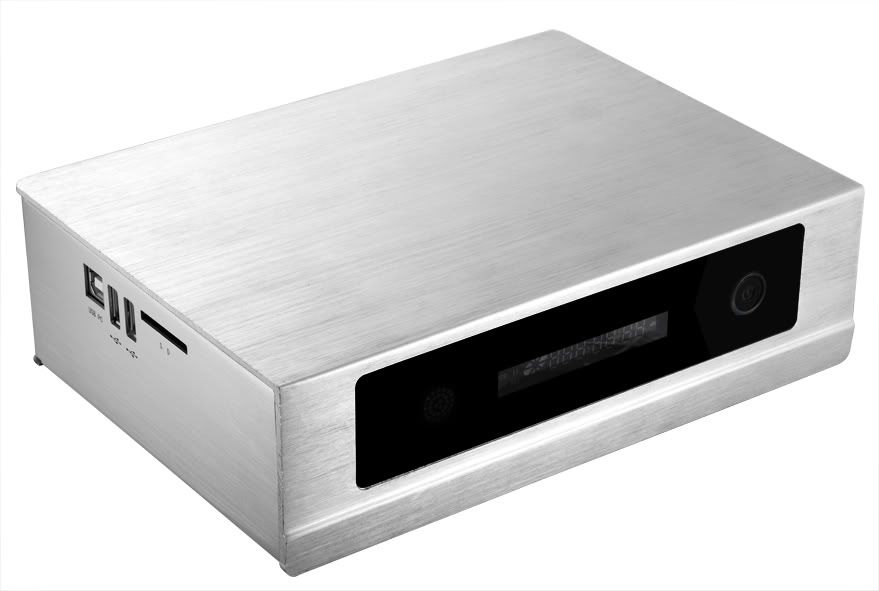 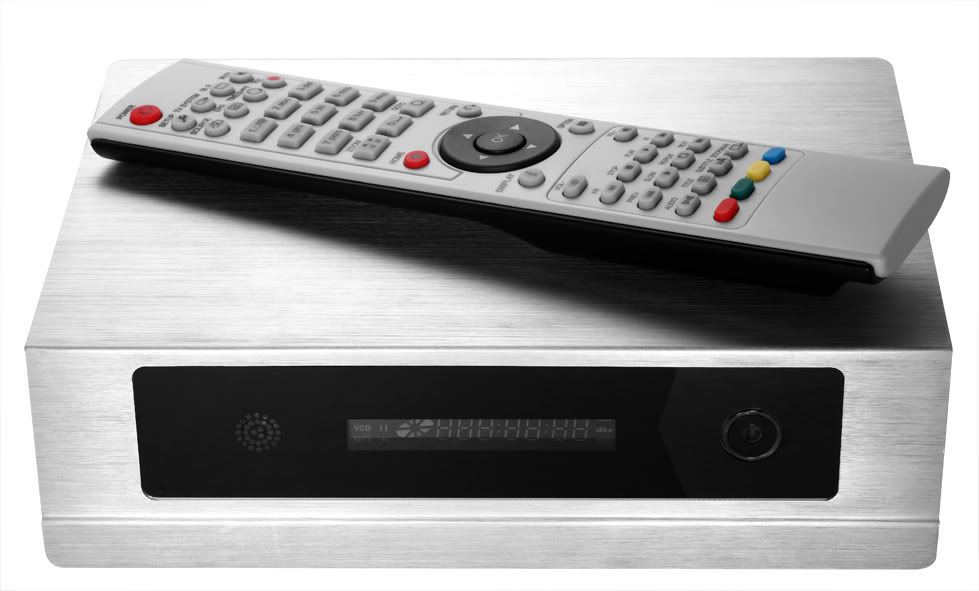 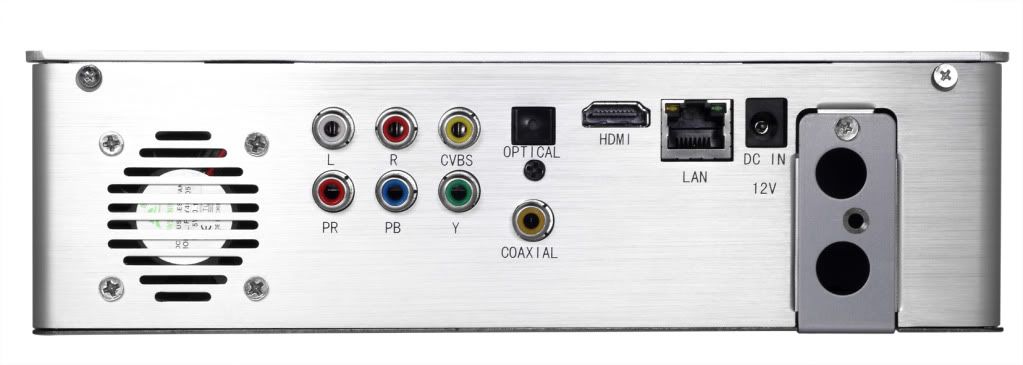 This post has been edited by yangxi: Nov 15 2011, 01:06 AM |
|
|
Mar 10 2010, 11:40 PM
Show posts by this member only | Post
#4
|

Junior Member
381 posts Joined: Jan 2007
|
Can further extend this topic to S6T users?
Yangxi indeed is a very good seller, highly recommend. |
|
|
Mar 11 2010, 12:01 AM
Show posts by this member only | Post
#5
|
|
Senior Member
4,189 posts Joined: Jan 2003 From: Age Quod Agis
|
** Yangxi’s HD Pro+ / HDPro Mini Review **
   http://macammacamada.com/?p=1254  7.1 channel can downmix . Can play HD-MA sound, that's the thing. As it carries two data streams in the track, the 5.1 and an additional two surround channels, the HDPRO simply drops the two channels and plays the 5.1 core. So it does play it. Multi-Channel Stereo Dolby Digital 5.1 (pass-through & downmix to stereo) Dolby Digital Plus (pass-through)* DTS (pass-through & downmix to stereo) (unfair treated by mod... can't post much)  ============================================== HDPRO Realtek 1055  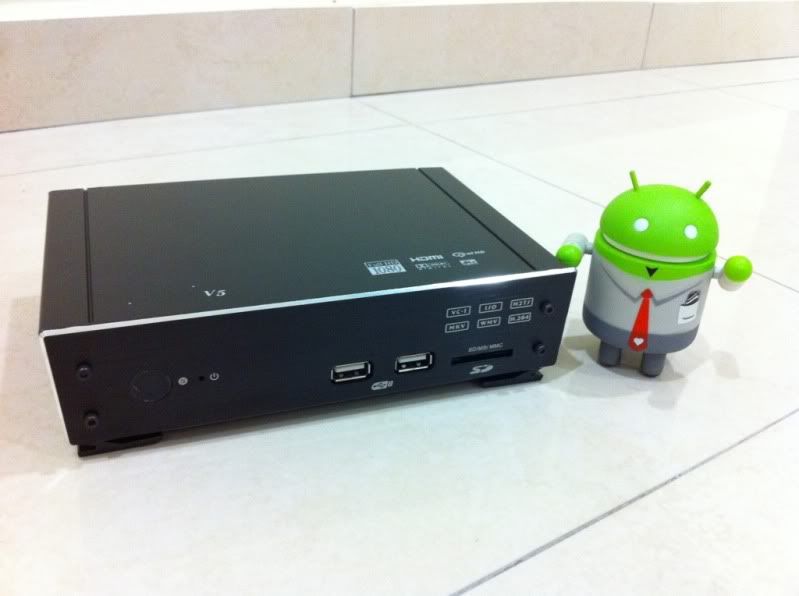 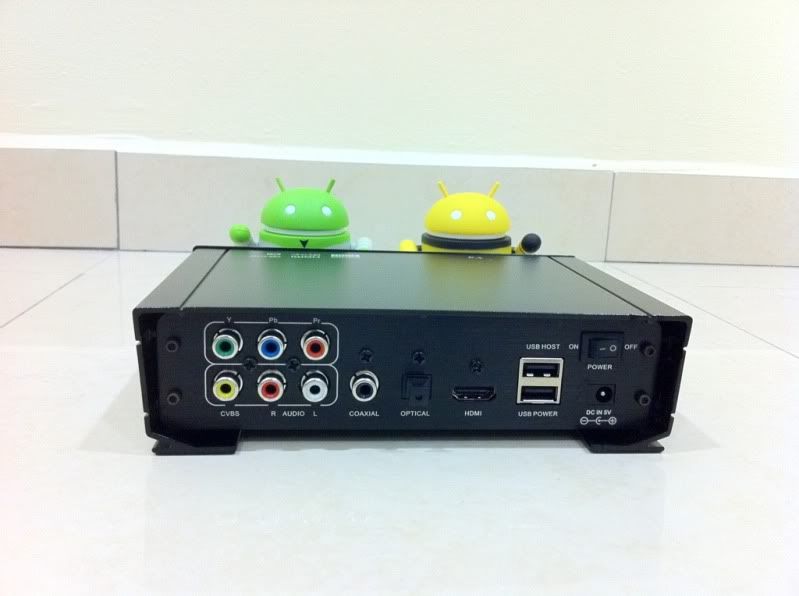 ================================================ HDPRO mini+ 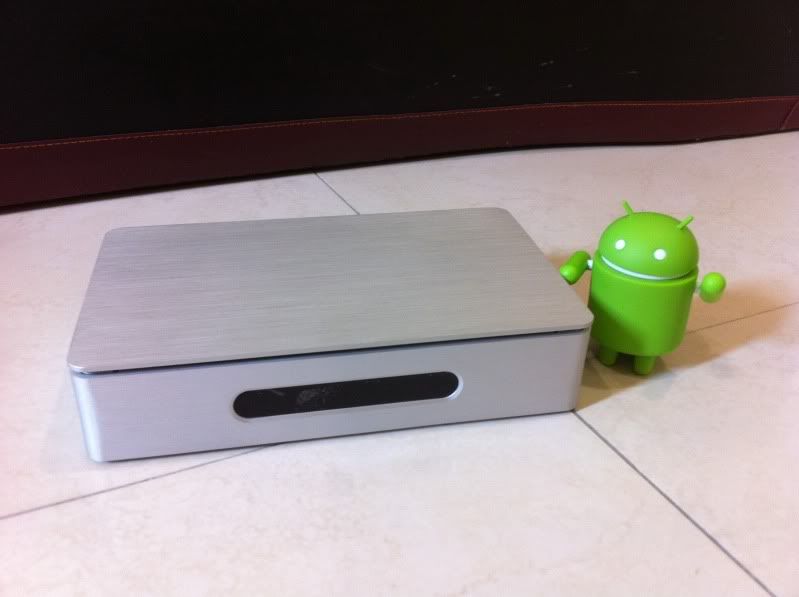 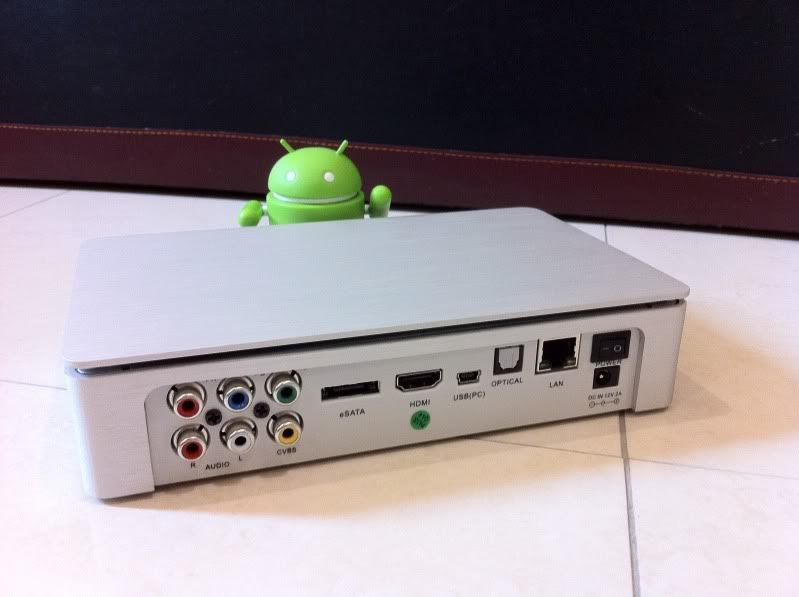 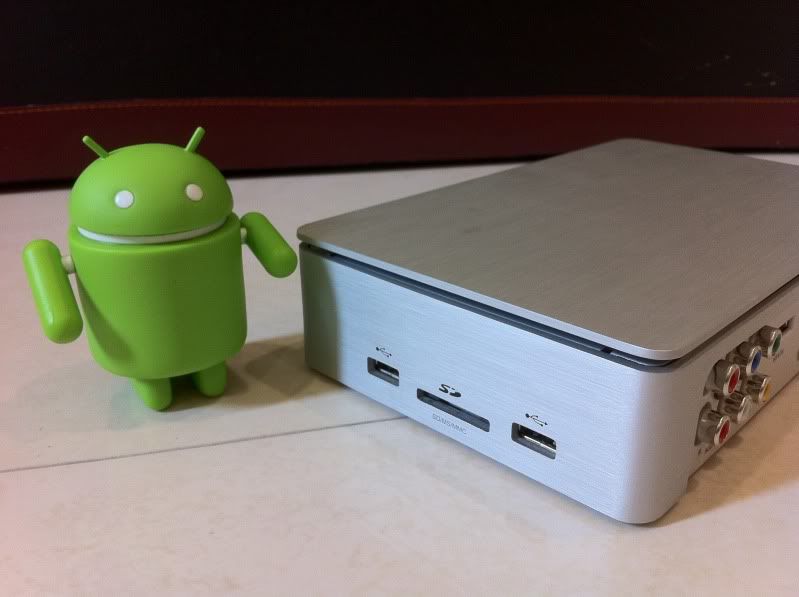 This post has been edited by yangxi: Nov 15 2011, 01:01 AM |
|
|
Mar 11 2010, 12:36 AM
Show posts by this member only | Post
#6
|

Junior Member
162 posts Joined: Jan 2006
|
can allow us to post also about S6 here? it's because both of them share a similar spec right? I'm interested to get a S6 so i hope to do some comparison here before i make my purchase.
Also, I notice that HDPro firmware is frequently updated. Is S6 firmware update-able also? or they can share same firmware? This post has been edited by kkhong: Mar 11 2010, 12:39 AM |
|
|
|
|
|
Mar 11 2010, 12:42 AM
Show posts by this member only | Post
#7
|
|
Senior Member
4,189 posts Joined: Jan 2003 From: Age Quod Agis
|
S6,S6T can discuss here.
http://forum.lowyat.net/index.php?showtopic=1209255 S6/T use 64mb flash..~HDPRO(256MB). can't share same firmware |
|
|
Mar 11 2010, 12:59 AM
Show posts by this member only | Post
#8
|
|
Senior Member
532 posts Joined: Oct 2009
|
Hi,
I just bought HDPro, so would like to share my experience. Received it pretty quick right after yangxi confirm with delivery. Upon receiving, box looks ok. inside, everything are in placed. The HDPro was mention mention as black color on yangxi the site, but I got mine in silver. I was hoping it was black. Anyway I installed my 1TB drive immediately and go ahead with the 1st boot up. I own a Yamaha RX-V465 AVR. Connect it to my 2nd HDMI where my 1st is connected to a BluRay player. Yamaha AVR have NO issue with this player. NO hand shake issue at all. Next, I format the HDD. Then I connect the player via USB, and realized my PC cant recognize the player HDD. After a few try with 2 pc, I took out my camera cable which work. It shows, the USB cable is defective. Not sure if yangxi want to send me a new one. ha ha ha ha Well next, I proceed with movie. I tested UP and Walle, IpMan and Legions. They are all mp4 files. Works like a charm. smooth and clear. Especially UP. So clear look like Bluray format. Even my downloaded IpMan is better than my DVD I bought. My wife couldnt believe what this player could do. Next, I try to install BT Samba. This is where I realized, I cant get it installed. Tried many ways and recommendations from the web but all fail. But the last recommendation that I didnt try, actually work. For those who just received this, you may need to downgrade the firmware and then only install BT Samba. Once complete, you could upgarde it back to the latest firmware again. It was pretty fast actually. I'm watching UP now while typing. Run the IP for my HDPro and open the drive. and play WALL E from my notebook wirelessly. To my surprise, no lag at all. Both movie play smoothly. Then, I try running IP from my notebook, while it play on my TV. Again, it work like a charm. Both my TV and Notebook play smoothly. Amazing. Even the 5.1 surround sound from the mp4 file is great. Next I open 2 movies from my notebook and let UP playing on TV. Amazing... NO problem at all. all movies play smoothly with no issue. The color setting is cool. You stop at a video, and go setup. It allows you to see the color setting in real time. So, human skin color etc is easy to adjust. Alright.... so far so good. Next, I'm to try using the BT apps. see how it work and how fast it can download vs a normal computer? That will be my next thing to do. Now enjoy the movie 1st... |
|
|
Mar 11 2010, 07:32 AM
Show posts by this member only | Post
#9
|

All Stars
11,058 posts Joined: Jun 2008
|
Thanks for the brief review. How many GB are your mp4 files? Have you tried files above 8GB in MKV containers?
Added on March 11, 2010, 7:34 amPS Hope you get a replacement USB cable that was defective from the seller  This post has been edited by DarkNite: Mar 11 2010, 07:34 AM |
|
|
Mar 11 2010, 07:56 AM
|
|
Junior Member
7 posts Joined: Feb 2010
|
What is BT Samba for?
|
|
|
Mar 11 2010, 08:08 AM
|
|
Senior Member
532 posts Joined: Oct 2009
|
QUOTE(DarkNite @ Mar 11 2010, 07:32 AM) Thanks for the brief review. How many GB are your mp4 files? Have you tried files above 8GB in MKV containers? I'll test it with other format including MKV. usually, I dont need this large files since I'm playing them with my computer. Now with this baby. my 40" Samsung LCd Ttrue HD looks really good.Added on March 11, 2010, 7:34 amPS Hope you get a replacement USB cable that was defective from the seller  Btw.. the mp4 files I got only around 2G. Interesting how the result looks like. Especially UP. Will be testing DVD.ISO. I dont have BD.ISO though. Adtionally, I think this new firmware have problem playing Youtube. The rest are ok. This post has been edited by tracktion3: Mar 11 2010, 08:45 AM |
|
|
Mar 11 2010, 09:38 AM
|
 
Moderator
3,542 posts Joined: Jan 2003 From: Puchong, Selangor 
|
Haha
Just a friendly reminder nia..It's better me remiding 1st rather than you got reported later by others & probably a warning for indirect advertising this product & review yourselve ratherthan by users..  QUOTE(yangxi @ Mar 10 2010, 09:32 PM) (unfair treated by mod... can't post much) |
|
|
Mar 11 2010, 09:45 AM
|
|
Senior Member
4,189 posts Joined: Jan 2003 From: Age Quod Agis
|
Hope same treated by AC-Ryan,Xtreamer,Asus and other owner thread...
not advertising.  |
|
|
|
|
|
Mar 11 2010, 09:49 AM
|
|
Junior Member
220 posts Joined: Dec 2009
|
hmm.. i dont see yangxi post as advertising, isnt that explaining ?
whos complaining btw? |
|
|
Mar 11 2010, 10:09 AM
|
|
Senior Member
4,189 posts Joined: Jan 2003 From: Age Quod Agis
|
if this post missing again... then u know whos hate me..(lowyat ac-ryan,xtreamer dealer)
here is the reivew (by andyz) http://macammacamada.com/?p=898   This post has been edited by yangxi: Mar 11 2010, 10:10 AM |
|
|
Mar 11 2010, 10:41 AM
|
|
Moderator
3,542 posts Joined: Jan 2003 From: Puchong, Selangor
|
Too bad I saw "Yangxi HDpro" on te earlier fanclub ..That prompted me to post a friendly reminder.. Anyway, I did not see any one reporting on reseller starting any new 'Indirect" promotional fanclub thread...If anyone wanna to start reporting kah Anyway, for those thread maybe already there for ages & probably almost similar to "Indirect advertisemnt" ....close one eye only-lah..Too long liao...Very susah & probably I will kena bang hammer for closing an existing long winded thread....Those forumers should hv click on the 'Report" button when it started... Yours' is just unlucky...bcos the Thrad just stareted & wth "Yangxi" as the title heading sumore...If u hv just put HDpro & saying you own it...you probably hv excpaed the deletion QUOTE(yangxi @ Mar 11 2010, 09:45 AM) Hope same treated by AC-Ryan,Xtreamer,Asus and other owner thread... not advertising. |
|
|
Mar 11 2010, 10:43 AM
|

Junior Member
359 posts Joined: Jan 2003 From: Kuching, Sarawak
|
yangxi,
I couldnt watch youtube. I can connect and search, but when i wanna play the video, it says not supported. Tried every clips in youtube, turned out same. Also, how come when I connect HDPRO to my router via LAN, all my computers (2 desktops and 1 laptop), speed crawled to 0 kbps. Cant even surf. So, i disconnected HDPRO, become normal again. I tried whole night, same thing. Anyone has this issue? seems like HDPRO sucks all the bandwidth?? |
|
|
Mar 11 2010, 10:51 AM
|
|
Senior Member
4,189 posts Joined: Jan 2003 From: Age Quod Agis
|
QUOTE(spicyfooty @ Mar 11 2010, 10:43 AM) yangxi, Youtube get block (3rd time..). Suppose youtube not allow use in player. Enginner still work on it.I couldnt watch youtube. I can connect and search, but when i wanna play the video, it says not supported. Tried every clips in youtube, turned out same. Also, how come when I connect HDPRO to my router via LAN, all my computers (2 desktops and 1 laptop), speed crawled to 0 kbps. Cant even surf. So, i disconnected HDPRO, become normal again. I tried whole night, same thing. Anyone has this issue? seems like HDPRO sucks all the bandwidth?? LAN problem? so far not happen this issue.. weird. try revert back older version.. http://tinyurl.com/y9z57l6 |
|
|
Mar 11 2010, 11:02 AM
|
|
Junior Member
359 posts Joined: Jan 2003 From: Kuching, Sarawak
|
thanks yangxi, apart from the LAN problem, i must say this player is superb. When it plays mkv files, stunning is the word! even PS3 also kalah.
THen I tried m2ts files, fooyohhhhh, ps3 kalah kao kao again... great value for money... |
|
|
Mar 11 2010, 01:15 PM
|

Senior Member
647 posts Joined: Jan 2010 From: Klang
|
This player can customize zoom & aspect ratio?
|
|
|
Mar 11 2010, 01:34 PM
|
|
Senior Member
4,189 posts Joined: Jan 2003 From: Age Quod Agis
|
can. Jan 21 onward firmware can customize zoom % (x , z).
and ratio setting have 16:9, 16:10. PAN&SCAN 4:3、Letter box 4:3 |
|
|
Mar 11 2010, 01:37 PM
|
|
Senior Member
532 posts Joined: Oct 2009
|
QUOTE(eMKs @ Mar 11 2010, 01:15 PM) This player can customize zoom & aspect ratio? yes it can. another good feature is the continue play back from where you stop. any movies that you watch before, it will ask you whether want to continue from where you stop. This is cool. All movies, not just the last movie you watch. one more is the find feature. just key in the time base on the total length of the movie, then enter. It takes you there without lag. is like less then a second. And for the sound format, I made it all raw. So all sound will be decoded at my AVR. Nice. |
|
|
Mar 11 2010, 02:14 PM
|
|
All Stars
11,058 posts Joined: Jun 2008
|
QUOTE(tracktion3 @ Mar 11 2010, 08:08 AM) Now with this baby. my 40" Samsung LCd Ttrue HD looks really good. Well would be great if you can really test 1080p files. 2G files usually won't pose much problem to process/stream. If the media player is unable to do it then it can be thrown into the trash bin!Btw.. the mp4 files I got only around 2G. Interesting how the result looks like. Especially UP. Will be testing DVD.ISO. I dont have BD.ISO though. Adtionally, I think this new firmware have problem playing Youtube. The rest are ok. Watching the movie UP on 1080p is much much more than interesting especially on your 40" Samsung LCd Ttrue HD! I hate watching youtube on 40" panel. |
|
|
Mar 11 2010, 02:23 PM
|
|
Senior Member
532 posts Joined: Oct 2009
|
QUOTE(DarkNite @ Mar 11 2010, 02:14 PM) Well would be great if you can really test 1080p files. 2G files usually won't pose much problem to process/stream. If the media player is unable to do it then it can be thrown into the trash bin! Yeah... will test that later on larger file. 8G and above.Watching the movie UP on 1080p is much much more than interesting especially on your 40" Samsung LCd Ttrue HD! I hate watching youtube on 40" panel. Testing the Bittorrent download. Hmm, is kinda slow. I purposely choose the most seeded files. Still is pretty slow. I wonder if it can do open port? I cant find any port setting in BT page. Usually, open pod can make it even faster. |
|
|
Mar 11 2010, 02:48 PM
|

Junior Member
391 posts Joined: Jan 2003
|
There is a separate little 4:3 button and 16:9 button. I find the 4:3 (Pan and Scan) very useful for watching old shaw brothers movies in full screen. No noticeable stretched images
|
|
|
Mar 11 2010, 02:54 PM
|

Senior Member
1,136 posts Joined: Oct 2009
|
How does it handle lossless audio like Dolby TrueHD and DTS -HD-MA?
|
|
|
Mar 11 2010, 08:00 PM
|

Senior Member
2,247 posts Joined: Feb 2005
|
received a unit from yangxi,smooth transaction,recommended seller
|
|
|
Mar 11 2010, 08:29 PM
|
|
Junior Member
5 posts Joined: Dec 2009
|
Those who owned this player. Is the fan inside noisy?
Thanks in advance for replying. |
|
|
Mar 11 2010, 08:32 PM
|
|
Senior Member
532 posts Joined: Oct 2009
|
QUOTE(hydyeh @ Mar 11 2010, 08:29 PM) Those who owned this player. Is the fan inside noisy? Nope, I hardly hear the fan from where i sit. Of course you can hear it when you get nearer, but not like annoying sound. Thanks in advance for replying. |
|
|
Mar 11 2010, 08:36 PM
|
|
Junior Member
5 posts Joined: Dec 2009
|
QUOTE(tracktion3 @ Mar 11 2010, 08:32 PM) Nope, I hardly hear the fan from where i sit. Of course you can hear it when you get nearer, but not like annoying sound. Thanks for your feedback. |
|
|
Mar 11 2010, 10:31 PM
|

Senior Member
6,059 posts Joined: Feb 2010 From: Cheras, Kuala Lumpur 
|
Massive poison for this new product..more poison could be expected in near future..
 |
|
|
Mar 12 2010, 01:58 AM
|
|
Junior Member
32 posts Joined: Jan 2006
|
HDPro Media Player works almost perfectly. Although i have not play around with it very long time. However, i do notice a few things.
It seem not having a function like auto volume level (normalization on the fly). This end up i have to +/- vol when watching different files I do wish to have this auto switching between 16:9 and 4:3, although not necessary. Well these r only my wishlist. |
|
|
Mar 12 2010, 09:22 AM
|
|
Senior Member
532 posts Joined: Oct 2009
|
I tested the BT download. Really really slow. I guess it cant do a good job on this vs a computer. The highest speed I saw was around 1.5kb/s.
Also you may experience intermittent disconnect if you trasfering really large files thru network to HDPro. Transfer direct thru USB is recomended. |
|
|
Mar 12 2010, 10:14 AM
|

Senior Member
2,298 posts Joined: Jan 2003 From: Miri, Sarawak
|
QUOTE(tracktion3 @ Mar 11 2010, 12:59 AM) Hi, Wireless streaming of small files usually no problem. Try wireless streaming high bitrate mkv?I just bought HDPro, so would like to share my experience. Received it pretty quick right after yangxi confirm with delivery. Upon receiving, box looks ok. inside, everything are in placed. The HDPro was mention mention as black color on yangxi the site, but I got mine in silver. I was hoping it was black. Anyway I installed my 1TB drive immediately and go ahead with the 1st boot up. I own a Yamaha RX-V465 AVR. Connect it to my 2nd HDMI where my 1st is connected to a BluRay player. Yamaha AVR have NO issue with this player. NO hand shake issue at all. Next, I format the HDD. Then I connect the player via USB, and realized my PC cant recognize the player HDD. After a few try with 2 pc, I took out my camera cable which work. It shows, the USB cable is defective. Not sure if yangxi want to send me a new one. ha ha ha ha Well next, I proceed with movie. I tested UP and Walle, IpMan and Legions. They are all mp4 files. Works like a charm. smooth and clear. Especially UP. So clear look like Bluray format. Even my downloaded IpMan is better than my DVD I bought. My wife couldnt believe what this player could do. Next, I try to install BT Samba. This is where I realized, I cant get it installed. Tried many ways and recommendations from the web but all fail. But the last recommendation that I didnt try, actually work. For those who just received this, you may need to downgrade the firmware and then only install BT Samba. Once complete, you could upgarde it back to the latest firmware again. It was pretty fast actually. I'm watching UP now while typing. Run the IP for my HDPro and open the drive. and play WALL E from my notebook wirelessly. To my surprise, no lag at all. Both movie play smoothly. Then, I try running IP from my notebook, while it play on my TV. Again, it work like a charm. Both my TV and Notebook play smoothly. Amazing. Even the 5.1 surround sound from the mp4 file is great. Next I open 2 movies from my notebook and let UP playing on TV. Amazing... NO problem at all. all movies play smoothly with no issue. The color setting is cool. You stop at a video, and go setup. It allows you to see the color setting in real time. So, human skin color etc is easy to adjust. Alright.... so far so good. Next, I'm to try using the BT apps. see how it work and how fast it can download vs a normal computer? That will be my next thing to do. Now enjoy the movie 1st... |
|
|
Mar 12 2010, 12:34 PM
|
|
Junior Member
391 posts Joined: Jan 2003
|
QUOTE(hydyeh @ Mar 11 2010, 08:36 PM) Thanks for your feedback. Actually the fan is very loud, but with the movie on and me sitting 15 ft away it doesn't bother me. I don't mind the fan, I believe it will allow the internal HD to stay cool (Disclaimer I have yet to install the internal HDD, but am waiting to get a 1.5 TB WD caviar green) |
|
|
Mar 12 2010, 03:06 PM
|
|
Senior Member
532 posts Joined: Oct 2009
|
I test 2 things today.
1. I downloaded some mt2s videos by DTS and Dolby. The Dobly TrueHD audio cant be recognize. The DTS can, but my amp show DTS and not DTS Master Audio. The Video file is a DTS Master audio and sound great! 2. I realize that the video setting to 1080p at 60hz and sort of 'upscale'. Am I right? Because, I post a scean for a video and toggle video setting from 720p to 1080p and I could see the different. Does that means this box actually upscale? |
|
|
Mar 12 2010, 06:41 PM
|
|
Junior Member
5 posts Joined: Dec 2009
|
QUOTE(ykhkay10 @ Mar 12 2010, 01:58 AM) HDPro Media Player works almost perfectly. Although i have not play around with it very long time. However, i do notice a few things. I have not heard of any hdd media player that has auto volume normalization feature. Are there such hdd media player that has audio normalization function?It seem not having a function like auto volume level (normalization on the fly). This end up i have to +/- vol when watching different files I do wish to have this auto switching between 16:9 and 4:3, although not necessary. Well these r only my wishlist. |
|
|
Mar 12 2010, 06:44 PM
|

Senior Member
2,234 posts Joined: Feb 2007
|
denon avr has dynamic volume control
|
|
|
Mar 13 2010, 08:35 PM
|

Senior Member
2,323 posts Joined: Jan 2003 From: Bangi/Serdang/OP Bentley Music
|
no official english website yet?
|
|
|
Mar 13 2010, 08:39 PM
|
|
Senior Member
4,189 posts Joined: Jan 2003 From: Age Quod Agis
|
No money hosting new site. (.. my own brand)
|
|
|
Mar 13 2010, 08:43 PM
|
|
Senior Member
2,234 posts Joined: Feb 2007
|
QUOTE(yangxi @ Mar 13 2010, 08:39 PM) No money hosting new site. (.. my own brand) read my signature, free hosting  |
|
|
Mar 13 2010, 10:56 PM
|
|
Junior Member
32 posts Joined: Jan 2006
|
QUOTE(hydyeh @ Mar 12 2010, 06:41 PM) I have not heard of any hdd media player that has auto volume normalization feature. Are there such hdd media player that has audio normalization function? well.. before i am using HDPRO. i did get a hand on "mobile media player". it has a setting at the music - auto volume "on / off". I did some sample test on it. it does balance the volume of played file. But this player no downmix sound. that why i turn to HDPRO.Sometime things never get perfect... is it? unless its HTPC with XBMC. |
|
|
Mar 13 2010, 11:11 PM
|

Junior Member
225 posts Joined: Mar 2010 From: nipporn
|
QUOTE(yangxi @ Mar 10 2010, 09:32 PM) » Click to show Spoiler - click again to hide... « |
|
|
Mar 13 2010, 11:31 PM
|
|
Senior Member
4,189 posts Joined: Jan 2003 From: Age Quod Agis
|
can rma.. i got tools to flash back. (customer bear all postage fee).
if player stable.. suggest don't update.. This post has been edited by yangxi: Mar 13 2010, 11:31 PM |
|
|
Mar 14 2010, 09:43 AM
|
|
Senior Member
532 posts Joined: Oct 2009
|
tested DVD.ISO of MJ This Is It. Video at 720x480. Audio is AC3 6 channel, 48kHz. B rate at 448kbps show on amp.
Smooth played and sound of the 6 channel run smoothly on my 5.1 sound Yamaha Amp. Nice. This video utilized lots of surround sound. Cool. Smooth streaming from my Notebook simultaneously with the player playing on TV Still waiting for larger MKV files... |
|
|
Mar 14 2010, 07:37 PM
|

Senior Member
4,349 posts Joined: Sep 2005
|
i tested mine (just got it on Wed) with samsung hdd 750gb 32mb cache so far so good,while playing a Batman Movie (the 1st one- Blue Ray Rip) it has no lag at all but when playing on my pc it is a bit lag - this HDPRO is fantastic so far.
This post has been edited by surefire v LED: Mar 14 2010, 07:40 PM |
|
|
Mar 15 2010, 12:39 AM
|

Senior Member
636 posts Joined: Jun 2005
|
I downloaded a sample mkv file to test on my new HDPro but notice serious lagging.
General Complete name : C:\planet_earth[1].sample.x264.mkv Format : Matroska File size : 96.1 MiB Duration : 23s 46ms Overall bit rate : 35.0 Mbps Movie name : Avidemux Writing application : Lavf51.12.1 Writing library : Lavf51.12.1 Video ID : 1 Format : AVC Format/Info : Advanced Video Codec Format profile : High@L5.1 Format settings, CABAC : Yes Format settings, ReFrames : 16 frames Muxing mode : Container profile=Unknown@5.1 Codec ID : V_MPEG4/ISO/AVC Duration : 23s 42ms Bit rate : 33.8 Mbps Width : 1 920 pixels Height : 1 080 pixels Display aspect ratio : 16:9 Frame rate : 23.976 fps Resolution : 8 bits Colorimetry : 4:2:0 Scan type : Progressive Bits/(Pixel*Frame) : 0.680 Stream size : 92.9 MiB (97%) Audio ID : 2 Format : AC-3 Format/Info : Audio Coding 3 Codec ID : A_AC3 Duration : 23s 46ms Bit rate mode : Constant Bit rate : 448 Kbps Channel(s) : 6 channels Channel positions : Front: L C R, Side: L R, LFE Sampling rate : 48.0 KHz Resolution : 16 bits Video delay : -83ms Stream size : 1.23 MiB (1%) Any hope for this new V3 SDK? |
|
|
Mar 15 2010, 12:55 AM
|
|
Senior Member
2,234 posts Joined: Feb 2007
|
QUOTE(kingkong1 @ Mar 15 2010, 12:39 AM) Format settings, ReFrames : 16 frames |
|
|
Mar 15 2010, 01:00 AM
|
|
Senior Member
4,189 posts Joined: Jan 2003 From: Age Quod Agis
|
yes.. realtek chipset can't handle high reframe ..
|
|
|
Mar 15 2010, 10:08 AM
|
|
Senior Member
636 posts Joined: Jun 2005
|
QUOTE(yangxi @ Mar 15 2010, 01:00 AM) yes.. realtek chipset can't handle high reframe .. High reframe or high bit rate? I have another movie having this amount of reframe and 10mbps of bit rate with no issue. But this is with 33.8 Mbps of bit rate |
|
|
Mar 15 2010, 10:26 AM
|

Junior Member
109 posts Joined: Jun 2009
|
This HDpro can handle all these rmvb,mkv (more than 10G), even bluray ts file (more than 40G) with no problem at all. Movie PQ is almost similar to what PS3 have.
Playing the uncompress audio,WAV with better sound performance than other media player,for example Inphic I9. Of course, if compare to PS3, hdpro still lack of some details & punch sound. For budget RM400, I would recommend it. |
|
|
Mar 16 2010, 09:29 AM
|
|
Senior Member
656 posts Joined: Feb 2009
|
One of the new features in the HDPro is the Ken Burns effect for viewing photos under the Misc setup screen. It is less boring that watching your photos in a static slide show even with the transition effects on. This is good for showing off your photos on a HDTV as they fill the wide-screen and slowly zoom and pan like a slow video. This is not for the purists since your photos will be zoomed and cropped; how else can you fit a 4:3 photo in a 16:9 screen?
This post has been edited by ronaldkwok: Mar 16 2010, 09:30 AM |
|
|
Mar 16 2010, 11:26 AM
|
|
Senior Member
532 posts Joined: Oct 2009
|
guys,
I wonder if HDPro could actually play mkv files with lossless audio? Most of the movie I have come with DTS only. Not the Master audio or even lossless PCM format. I have some test files I donwloaded with lossless audio format but HDPro cant recornized it. The spec says it play BD.ISO so I guess thats where it possibly play HD MA or TrueHD. But how about those MKV and M2TS files with lossless audio format? |
|
|
Mar 16 2010, 11:54 AM
|
|
Senior Member
1,136 posts Joined: Oct 2009
|
I have asked these same question before but no answer forthcoming.
Either it is not able to play or they still don't know. Either way, the silence is not reassuring. |
|
|
Mar 16 2010, 12:11 PM
|
|
Senior Member
4,189 posts Joined: Jan 2003 From: Age Quod Agis
|
MKV (contain Flac, PCM audio ?) Not sure can play.. anyone tested?
If AC-Ryan,Asus can.. HDPRO also same (same sdk software) This post has been edited by yangxi: Mar 16 2010, 04:39 PM |
|
|
Mar 16 2010, 02:05 PM
|
|
Senior Member
532 posts Joined: Oct 2009
|
QUOTE(yangxi @ Mar 16 2010, 12:11 PM) MKV (contain Flac, PCM audio ?) Not sure can play.. anyone tested? I tested on MKV files with lossless audio format. HDPro cant recognize the audio. It can play the video at 1080p. But no audio output.If AC-Ryan,Asus can.. HDPRO also same. So far, what I know is these media players can only play mkv files with DTS or Dobly Digital. But NOT for lossless LPCM, Master Audio and True HD. But most of the movies online that downloable are DTS 5.1 or DD only or PCM at 48kHz. Have not seen one at 96kHz yet. |
|
|
Mar 16 2010, 04:54 PM
|
|
Senior Member
4,189 posts Joined: Jan 2003 From: Age Quod Agis
|
|
|
|
Mar 16 2010, 06:12 PM
|

All Stars
10,475 posts Joined: Jan 2003 From: Sarawak
|
QUOTE(tracktion3 @ Mar 16 2010, 02:05 PM) But most of the movies online that downloable are DTS 5.1 or DD only or PCM at 48kHz. Have not seen one at 96kHz yet. i have tested DTS 24/96 audio before on 1073DD player. can play. no problem. |
|
|
Mar 16 2010, 06:42 PM
|
|
Senior Member
532 posts Joined: Oct 2009
|
QUOTE(Skylinestar @ Mar 16 2010, 06:12 PM) i have tested DTS 24/96 audio before on 1073DD player. can play. no problem. cool. I have not have a chance to get this format yet. I saw those files written as lossless. But I dont know the format.Added on March 16, 2010, 6:43 pm QUOTE(yangxi @ Mar 16 2010, 04:54 PM) I dont want down mix. I want it raw to my AVR which could play HD Audio. This post has been edited by tracktion3: Mar 16 2010, 06:43 PM |
|
|
Mar 16 2010, 07:11 PM
|
|
Senior Member
4,189 posts Joined: Jan 2003 From: Age Quod Agis
|
got sound out enough ed...
advance user should buy sigma (1k + player) |
|
|
Mar 16 2010, 08:24 PM
|

Senior Member
668 posts Joined: Mar 2006
|
want to know if the player able to display subtitle in other file format other than AVI? Like MKV or RMVB?
|
|
|
Mar 16 2010, 08:46 PM
|
|
Senior Member
4,349 posts Joined: Sep 2005
|
i have played BD.ISO file (12.86GB) no issue at all but sound quality i'm not sure becoz i don't have external speaker.
|
|
|
Mar 16 2010, 08:46 PM
|
|
All Stars
10,475 posts Joined: Jan 2003 From: Sarawak
|
QUOTE(ivzh @ Mar 16 2010, 08:24 PM) want to know if the player able to display subtitle in other file format other than AVI? Like MKV or RMVB? any 1073DD player can display subtitle in those video format. |
|
|
Mar 16 2010, 08:57 PM
|
|
Senior Member
1,630 posts Joined: Jun 2006
|
i have lots of APE and FLAC. can this one support APE with cuesheet ?
if cant, how about FLAC (hifi music files) |
|
|
Mar 16 2010, 09:28 PM
|
|
Senior Member
2,323 posts Joined: Jan 2003 From: Bangi/Serdang/OP Bentley Music
|
met yangxi today to collect my hdpro..
nice guy, nice player.. no time to test yet.. |
|
|
Mar 16 2010, 11:53 PM
|
|
Senior Member
668 posts Joined: Mar 2006
|
hmm hw does the playlist functioning?
|
|
|
Mar 17 2010, 03:08 AM
|
|
Senior Member
2,323 posts Joined: Jan 2003 From: Bangi/Serdang/OP Bentley Music
|
latest batch HDPRO users:
can turn on by remote or not? if not mistaken i saw the firmware date 2nd march. |
|
|
Mar 17 2010, 06:50 AM
|
|
Senior Member
656 posts Joined: Feb 2009
|
How do you check the firmware date or version in the HDPro?
|
|
|
Mar 17 2010, 09:06 AM
|
|
Senior Member
532 posts Joined: Oct 2009
|
QUOTE(neuvas @ Mar 17 2010, 03:08 AM) latest batch HDPRO users: It sound funny to me when you ask this question. A remote that can't turn on a unit doesnt sound like a remote isnt it? Anyway, I didnt knw about the old firmware. can turn on by remote or not? if not mistaken i saw the firmware date 2nd march. But yes, the unit can be turn on with the remote from standby. Added on March 17, 2010, 9:14 am QUOTE(ronaldkwok @ Mar 17 2010, 06:50 AM) How do you check the firmware date or version in the HDPro? Goto setup>system>system infoThis post has been edited by tracktion3: Mar 17 2010, 09:14 AM |
|
|
Mar 17 2010, 11:50 AM
|
|
Senior Member
2,323 posts Joined: Jan 2003 From: Bangi/Serdang/OP Bentley Music
|
bro what is ur firmware?
|
|
|
Mar 17 2010, 11:59 AM
|
|
Senior Member
532 posts Joined: Oct 2009
|
QUOTE(neuvas @ Mar 17 2010, 11:50 AM) bro what is ur firmware? latest firmware on 2nd March. I can turn on and that turn off and then turn on again using the remote many times. I have no problem.Added on March 17, 2010, 9:03 pmTested the movie 2012 in mkv format. The size is 16GB with DTS sound. Play on TV and stream simultaneously with my notebook. No jerk. Very nice. Hmmm... if this baby come with DTS MA I guess the size would be double. The birate for this movie 1536kbps. Wow! Added on March 18, 2010, 12:18 amI testing another thing today. I set my music background to playlist. Then it takes me a while to figure out how to add item in play list. anyway, I figure it out and get it done. The problem is, when I view photo. still no background music. I think is another bug. This post has been edited by tracktion3: Mar 18 2010, 09:48 AM |
|
|
Mar 18 2010, 09:03 AM
|
|
Senior Member
668 posts Joined: Mar 2006
|
ya, my hdpro also cant be turn on by remote control, thou it's not a big problem
|
|
|
Mar 18 2010, 10:26 AM
|
|
Senior Member
532 posts Joined: Oct 2009
|
QUOTE(ivzh @ Mar 18 2010, 09:03 AM) ya, my hdpro also cant be turn on by remote control, thou it's not a big problem when did you get your HDPro? Did you upgrade the latest firmware?Added on March 18, 2010, 12:19 pm QUOTE(ccschua @ Mar 16 2010, 08:57 PM) i have lots of APE and FLAC. can this one support APE with cuesheet ? I've tested flac lossless music. It play wonderfully... Sound really nice. Each flac files is like 15mb and above. I'm playing one now with 30mb Jamie Cullum What a diffrence a day made.flac. Play with direct setting on my AVR sound really warm for me.if cant, how about FLAC (hifi music files) Added on March 18, 2010, 12:22 pm QUOTE(ivzh @ Mar 16 2010, 11:53 PM) hmm hw does the playlist functioning? is kinda tricky, the manual didnt tell you too. but use the remote. In the center left there are 2 buttons. Select and Confirm.go to the files you want as playlist. then press select. once you selected all the files you wanted, click Confirm. These files are now in your playlist. If you want to delete, go to playlist folder and repeat the process. It will delete selected files. How do i Know? well... trial and error.. This post has been edited by tracktion3: Mar 18 2010, 12:22 PM |
|
|
Mar 18 2010, 04:25 PM
|
|
Senior Member
2,323 posts Joined: Jan 2003 From: Bangi/Serdang/OP Bentley Music
|
QUOTE(ivzh @ Mar 18 2010, 09:03 AM) ya, my hdpro also cant be turn on by remote control, thou it's not a big problem unfortunately its quite a big feature for me to miss out.. |
|
|
Mar 18 2010, 05:42 PM
|
|
Senior Member
532 posts Joined: Oct 2009
|
QUOTE(neuvas @ Mar 18 2010, 04:25 PM) unfortunately its quite a big feature for me to miss out.. u got the older batch of HDPro?Added on March 18, 2010, 5:56 pmBtw.. do you all know that while you play music, you can go and play the photo files simultaneously. I know the auto playback music feature didnt work when viewing photo, but notice, it work when you play music and then go open the photo album ha ha.... This is good, so u can choose the music album to play, then go open the photo album without changing the playlist. This post has been edited by tracktion3: Mar 18 2010, 05:56 PM |
|
|
Mar 18 2010, 05:58 PM
|
|
Senior Member
2,323 posts Joined: Jan 2003 From: Bangi/Serdang/OP Bentley Music
|
latest batch received this week, yangxi already has a solution expected next thursday..
|
|
|
Mar 18 2010, 08:25 PM
|
|
Senior Member
532 posts Joined: Oct 2009
|
QUOTE(neuvas @ Mar 18 2010, 05:58 PM) latest batch received this week, yangxi already has a solution expected next thursday.. ic.. sorry to hear that. I dont have problem with mine though. |
|
|
Mar 19 2010, 07:12 AM
|
|
Senior Member
656 posts Joined: Feb 2009
|
QUOTE(neuvas @ Mar 18 2010, 05:58 PM) latest batch received this week, yangxi already has a solution expected next thursday.. My HDPro firmware is also dated 2 March but I can turn the HDPro on and off with my remote. My batch is the one just before yours so maybe this problem is only in the latest batch. (or just your unit?) BTW, some of the remote buttons also affect my ceiling fan, so have to point closer to my HDPro. So now I have a spare remote for my fan!This post has been edited by ronaldkwok: Mar 19 2010, 07:19 AM |
|
|
Mar 19 2010, 08:19 AM
|

Senior Member
5,291 posts Joined: Dec 2004 From: I Luv Msia
|
QUOTE(ronaldkwok @ Mar 19 2010, 07:12 AM) My HDPro firmware is also dated 2 March but I can turn the HDPro on and off with my remote. My batch is the one just before yours so maybe this problem is only in the latest batch. (or just your unit?) BTW, some of the remote buttons also affect my ceiling fan, so have to point closer to my HDPro. So now I have a spare remote for my fan! can the fan's remote control your HDPro, have u try? if can then can use as spare for your HDPro, my frenz is so worried that his remote spoiled by his kids, it is a good news if the fan's remote can play/pause/stop the HDPro |
|
|
Mar 19 2010, 02:33 PM
|
|
Junior Member
5 posts Joined: Dec 2009
|
For those who own this player, how is the sensitivity of the front panel button? Because it looks to me like touch senser kind of button. Not too sure how effective is the sensitivity of front panel button.
I think it's was very thoughtful of manufacturer to produce player with button on the player. As you know sometime the remote control spoilt due to unforseen various reason (kids, frequently accidentally drop it...etc) or temporary misplacing it, so the front panel button comes in handy while waiting for a replacement. This post has been edited by hydyeh: Mar 19 2010, 02:39 PM |
|
|
Mar 19 2010, 05:17 PM
|
|
Senior Member
656 posts Joined: Feb 2009
|
Added on March 19, 2010, 5:22 pm QUOTE(sotong168 @ Mar 19 2010, 08:19 AM) can the fan's remote control your HDPro, have u try? if can then can use as spare for your HDPro, my frenz is so worried that his remote spoiled by his kids, it is a good news if the fan's remote can play/pause/stop the HDPro  Only one button works and it always bring up the file copy screen, so it is useless. Only one button works and it always bring up the file copy screen, so it is useless.Anyway, no need for another remote in emergency since the HDPro has the front panel buttons for the basic functions. See below. Added on March 19, 2010, 5:27 pm QUOTE(hydyeh @ Mar 19 2010, 02:33 PM) For those who own this player, how is the sensitivity of the front panel button? Because it looks to me like touch senser kind of button. Not too sure how effective is the sensitivity of front panel button. To my touch, the front panel buttons are quite sensitive and they work. This is one of the reasons I chose the HDPro since you can have all the basic functions in case your remote dies or get misplaced.I think it's was very thoughtful of manufacturer to produce player with button on the player. As you know sometime the remote control spoilt due to unforseen various reason (kids, frequently accidentally drop it...etc) or temporary misplacing it, so the front panel button comes in handy while waiting for a replacement. This post has been edited by ronaldkwok: Mar 19 2010, 05:32 PM |
|
|
Mar 19 2010, 06:26 PM
|
|
Junior Member
91 posts Joined: Mar 2005
|
hahaha mine also having problem with remote control can switch off cannot switch on,i thinks mostly are the latest batch,i receive mine on 17th on wednesday,so just wait for Yangxi .
|
|
|
Mar 19 2010, 09:01 PM
|
|
All Stars
10,475 posts Joined: Jan 2003 From: Sarawak
|
QUOTE(sotong168 @ Mar 19 2010, 08:19 AM) can the fan's remote control your HDPro, have u try? if can then can use as spare for your HDPro, my frenz is so worried that his remote spoiled by his kids, it is a good news if the fan's remote can play/pause/stop the HDPro |
|
|
Mar 19 2010, 11:57 PM
|

Junior Member
44 posts Joined: Dec 2009
|
General
Complete name : C:\Downloads\123.wmv Format : Windows Media File size : 890 MiB Duration : 1h 2mn Overall bit rate mode : Constant Overall bit rate : 2 005 Kbps Maximum Overall bit rate : 2 068 Kbps Encoded date : UTC 2010-02-27 08:39:19.437 Video ID : 2 Format : WMV2 Codec ID : WMV2 Codec ID/Info : Windows Media Video 8 Description of the codec : Windows Media Video V8 Duration : 1h 1mn Bit rate mode : Constant Bit rate : 1 920 Kbps Width : 704 pixels Height : 396 pixels Display aspect ratio : 16:9 Frame rate : 29.970 fps Resolution : 8 bits Bits/(Pixel*Frame) : 0.230 Stream size : 851 MiB (96%) NumberOfFrames : 109923 Audio ID : 1 Format : WMA Format version : Version 2 Codec ID : 161 Codec ID/Info : Windows Media Audio Description of the codec : Windows Media Audio 9.2 - 128 kbps, 48 kHz, stereo (A/V) 1-pass CBR Duration : 1h 2mn Bit rate mode : Constant Bit rate : 128 Kbps Channel(s) : 2 channels Sampling rate : 48.0 KHz Resolution : 16 bits Stream size : 56.8 MiB (6%) This video is not supported by HDPro? 1 more thing is how do i make slideshow when viewing picture.so i dun have to press it manually..Thanks in advance This post has been edited by zzshenzz: Mar 20 2010, 12:01 AM |
|
|
Mar 20 2010, 12:05 AM
|
|
Senior Member
4,189 posts Joined: Jan 2003 From: Age Quod Agis
|
cannot.
Realtek 1073dd chipset support WMV9 only. WMV7, WMV8 are not supported. |
|
|
Mar 20 2010, 02:41 PM
|

Junior Member
66 posts Joined: Jul 2005
|
Anybody felt a slight electrical tingling when touching the casing of the HD-Pro when operating?
|
|
|
Mar 20 2010, 04:26 PM
|
|
Senior Member
2,323 posts Joined: Jan 2003 From: Bangi/Serdang/OP Bentley Music
|
maybe ur electrical outlet not properly grounded.. check with test pen
|
|
|
Mar 20 2010, 04:47 PM
|
|
Junior Member
66 posts Joined: Jul 2005
|
QUOTE(neuvas @ Mar 20 2010, 04:26 PM) maybe ur electrical outlet not properly grounded.. check with test pen If you have a unit of the HD-Pro, you will know it has only a two-pin plug on its adapter, therefore no 'earth' for the plug. Since there is no 'earth' on the plug design, I am trying to find out whether the electrical leakage is by design or is my unit faulty as it is. |
|
|
Mar 20 2010, 05:10 PM
|
|
Senior Member
2,323 posts Joined: Jan 2003 From: Bangi/Serdang/OP Bentley Music
|
my unit is ok, try connecting to different sources.. u'll get what i mean..
|
|
|
Mar 20 2010, 07:45 PM
|
|
Junior Member
66 posts Joined: Jul 2005
|
QUOTE(neuvas @ Mar 20 2010, 05:10 PM) my unit is ok, try connecting to different sources.. u'll get what i mean.. I don't think you understand what the 'earth' point on a plug is about. The 'earth' point on a plug serves as the grounding source for the electrical item in instances when there is power surge either through faulty internal components or from the power supply. Unless your unit comes with a three-pin plug as standard, then there is no difference whichever source the power plug is connected to, as there is only two pins on the plug for 'live' and 'neutral'.Secondly, some computer component design uses the metal casing as a sort of grounding as well, similar to the concept of car batteries grounding on the car chassis. So, if this is indeed the design employed by the manufacturer on the HD-Pro, then it will be a normal instance to feel the slight electrical tingle depending on whether the person touching it is directly 'grounded' or not. However, my question again is if there is anybody that has the similar experience, please do say so. I do not wish to make a hasty warranty claim from Yangxi, nor do I wish to risk the safety of my harddisk inside the HD-Pro in case this is a sign of it being faulty. This post has been edited by coldzerotarget: Mar 20 2010, 07:46 PM |
|
|
Mar 20 2010, 10:20 PM
|
|
Senior Member
656 posts Joined: Feb 2009
|
QUOTE(zzshenzz @ Mar 19 2010, 11:57 PM) 1 more thing is how do i make slideshow when viewing picture.so i dun have to press it manually..Thanks in advance Go to Setup. Select MISC. Under this you can set Slide Show Timing from 2seconds to 2minutes, the Transition Effects and Ken Burns effect on or off. Try with the Ken Burns effect on for your slide show, quite cool.  |
|
|
Mar 20 2010, 10:34 PM
|
|
Senior Member
4,189 posts Joined: Jan 2003 From: Age Quod Agis
|
New firmware: 11/3/2010
http://tinyurl.com/ybotyw9 *xunlei download temp can use. *chinese version. (please help me compare 2/3/2010 version.. any changes) AFTER flash...please restore default. Copy install.img to the root directory of a USB flash drive and connect it to the USB host port of the player. Enter the Setup menu, System, System Update, System Upgrade and Enter to confirm. Please wait for the flashing to complete until the player restarts by itself. (sometimes need twice) Do not power off the unit during the flashing process! This post has been edited by yangxi: Mar 20 2010, 10:35 PM |
|
|
Mar 20 2010, 10:55 PM
|
|
Senior Member
532 posts Joined: Oct 2009
|
QUOTE(yangxi @ Mar 20 2010, 10:34 PM) New firmware: 11/3/2010 so If i cant read chinese, I should not upgrade to this version, Correct?http://tinyurl.com/ybotyw9 *xunlei download temp can use. *chinese version. (please help me compare 2/3/2010 version.. any changes) AFTER flash...please restore default. Copy install.img to the root directory of a USB flash drive and connect it to the USB host port of the player. Enter the Setup menu, System, System Update, System Upgrade and Enter to confirm. Please wait for the flashing to complete until the player restarts by itself. (sometimes need twice) Do not power off the unit during the flashing process! Btw, what are the fixes? |
|
|
Mar 20 2010, 10:59 PM
|
|
Senior Member
4,189 posts Joined: Jan 2003 From: Age Quod Agis
|
got english.. like normal
only the online thing (radio,youku,xunlei all chinese word) This post has been edited by yangxi: Mar 20 2010, 11:00 PM |
|
|
Mar 20 2010, 11:11 PM
|
|
Senior Member
532 posts Joined: Oct 2009
|
QUOTE(yangxi @ Mar 20 2010, 10:59 PM) got english.. like normal thanks for the prompt reply yangxi, but what are the fixes?only the online thing (radio,youku,xunlei all chinese word) Will it fix: 1. Youtube? ( should this be in english anyway?) 2. BTsamba installation? 3. background music play from playlist when view photo? |
|
|
Mar 21 2010, 12:27 AM
|
|
Junior Member
32 posts Joined: Jan 2006
|
QUOTE(coldzerotarget @ Mar 20 2010, 07:45 PM) I don't think you understand what the 'earth' point on a plug is about. The 'earth' point on a plug serves as the grounding source for the electrical item in instances when there is power surge either through faulty internal components or from the power supply. Unless your unit comes with a three-pin plug as standard, then there is no difference whichever source the power plug is connected to, as there is only two pins on the plug for 'live' and 'neutral'. As long as the unit on. the leakage is there. Yes the 2 pin plug will not have any "Earth" there. My unit does. However my unit works, yes my unit has hdd put inside. The leakage is found to be the problem on the AC-DC SMPS Adapter. ( just plug in the adapter n on without connect the hdpro, use ur hand to touch the dc voltage plug which suppose to connect hdpro, its shock.) I think what u mean is this.Secondly, some computer component design uses the metal casing as a sort of grounding as well, similar to the concept of car batteries grounding on the car chassis. So, if this is indeed the design employed by the manufacturer on the HD-Pro, then it will be a normal instance to feel the slight electrical tingle depending on whether the person touching it is directly 'grounded' or not. However, my question again is if there is anybody that has the similar experience, please do say so. I do not wish to make a hasty warranty claim from Yangxi, nor do I wish to risk the safety of my harddisk inside the HD-Pro in case this is a sign of it being faulty. However, do anyone face this problem? sudden black screen and restore while playing the movie? (Using HDMI Connection) |
|
|
Mar 21 2010, 12:40 AM
|
|
Senior Member
4,189 posts Joined: Jan 2003 From: Age Quod Agis
|
Sharp LCD? Realtek might unstable output 1080p for certain LCD model.
try this firmware. after flash finish..please restore default. |
|
|
Mar 21 2010, 10:25 AM
|
|
Senior Member
532 posts Joined: Oct 2009
|
yangxi,
I guess this new firmware only for the 2 item you mention below:- *xunlei download temp can use. *chinese version So I wont be updating my HDPro firmware until these fixes arrived: 1. youtube 2. play background music from playlist when view photo. 3. fix BT samba installation. let us know when you got these fixed. thanks. |
|
|
Mar 21 2010, 10:32 AM
|
|
Junior Member
109 posts Joined: Jun 2009
|
QUOTE(yangxi @ Mar 20 2010, 10:34 PM) New firmware: 11/3/2010 Is this firmware can make the mkv in-built subtitle being loaded automatically?http://tinyurl.com/ybotyw9 *xunlei download temp can use. *chinese version. (please help me compare 2/3/2010 version.. any changes) AFTER flash...please restore default. Copy install.img to the root directory of a USB flash drive and connect it to the USB host port of the player. Enter the Setup menu, System, System Update, System Upgrade and Enter to confirm. Please wait for the flashing to complete until the player restarts by itself. (sometimes need twice) Do not power off the unit during the flashing process! I've tried another 4G mkv movie with another same name srt file, subtitle can be loaded & shown. But for 2G mkv in-built srt, hdpro cant display the subtitle automatically, everytime have to reselect the subtitle & turn it ON. (A6&S7T don have this problem).... Is there any firmware possible to handle the problem? |
|
|
Mar 21 2010, 08:10 PM
|
|
Senior Member
532 posts Joined: Oct 2009
|
today I tested B&W Audiophiles flac songs. I'm really surprise with the result. my AVR is Yamaha RX-V465 with Wharfedale Diamond 9.1. Play direct with stereo speakers. They sound really warm... nice.
|
|
|
Mar 24 2010, 11:30 PM
|
|
Senior Member
2,323 posts Joined: Jan 2003 From: Bangi/Serdang/OP Bentley Music
|
my hdpro turn to ashes already
|
|
|
Mar 24 2010, 11:32 PM
|
|
Senior Member
5,291 posts Joined: Dec 2004 From: I Luv Msia
|
QUOTE(neuvas @ Mar 24 2010, 11:30 PM) my hdpro turn to ashes already under-utilized? sell cheap cheap to me |
|
|
Mar 24 2010, 11:34 PM
|
|
Senior Member
2,323 posts Joined: Jan 2003 From: Bangi/Serdang/OP Bentley Music
|
bro literally ashes already
|
|
|
Mar 24 2010, 11:37 PM
|
|
Senior Member
5,291 posts Joined: Dec 2004 From: I Luv Msia
|
QUOTE(neuvas @ Mar 24 2010, 11:34 PM) bro literally ashes already walao, u burnt it eh? what happened? |
|
|
Mar 24 2010, 11:41 PM
|
|
Senior Member
2,323 posts Joined: Jan 2003 From: Bangi/Serdang/OP Bentley Music
|
my house burned down yesterday.. total loss. my hdpro still inbox, waiting to meetup with yangxi.. just my luck.. i lost 3 PCs, 1 laptop, routers, tv, furniture, lcd, all now ashes.
|
|
|
Mar 24 2010, 11:55 PM
|
|
Senior Member
5,291 posts Joined: Dec 2004 From: I Luv Msia
|
QUOTE(neuvas @ Mar 24 2010, 11:41 PM) my house burned down yesterday.. total loss. my hdpro still inbox, waiting to meetup with yangxi.. just my luck.. i lost 3 PCs, 1 laptop, routers, tv, furniture, lcd, all now ashes. ouch, that is terrible... feel sorry for u  |
|
|
Mar 25 2010, 12:10 AM
|
|
Senior Member
4,189 posts Joined: Jan 2003 From: Age Quod Agis
|
sorry for heard that..
if future want purchase another unit.. i can give u special discount. |
|
|
Mar 25 2010, 12:57 AM
|

Senior Member
1,342 posts Joined: Apr 2007
|
QUOTE(yangxi @ Mar 25 2010, 12:10 AM) sorry for heard that.. hope insurance claim will come in ASAP.....if future want purchase another unit.. i can give u special discount. |
|
|
Mar 25 2010, 05:15 PM
|
|
Junior Member
46 posts Joined: Dec 2004
|
QUOTE(yangxi @ Mar 20 2010, 10:34 PM) New firmware: 11/3/2010 I have tried it on my H16. But the Xunlei download still show "start_tsk fail" when selected I think it is same as the previous firmware....http://tinyurl.com/ybotyw9 *xunlei download temp can use. *chinese version. (please help me compare 2/3/2010 version.. any changes) AFTER flash...please restore default. Copy install.img to the root directory of a USB flash drive and connect it to the USB host port of the player. Enter the Setup menu, System, System Update, System Upgrade and Enter to confirm. Please wait for the flashing to complete until the player restarts by itself. (sometimes need twice) Do not power off the unit during the flashing process! |
|
|
Mar 25 2010, 06:51 PM
|
|
Senior Member
4,189 posts Joined: Jan 2003 From: Age Quod Agis
|
your H16 cannot use xunlei la.. Xunlei detect MAC Id.
This post has been edited by yangxi: Mar 25 2010, 06:51 PM |
|
|
Mar 26 2010, 11:14 AM
|
|
Senior Member
5,291 posts Joined: Dec 2004 From: I Luv Msia
|
dear HDPro users, do u put hdd inside? any overheating issue? i plan to put hdd if that is ok, thks~
|
|
|
Mar 26 2010, 12:21 PM
|
|
Senior Member
532 posts Joined: Oct 2009
|
QUOTE(sotong168 @ Mar 26 2010, 11:14 AM) dear HDPro users, do u put hdd inside? any overheating issue? i plan to put hdd if that is ok, thks~ I have a WD 1TB installed. So far no problem. No freezz whats so ever. Pretty good.If Realtek cant do HD Audio, I might invest for a sigma chip player in the future and use HDPro for my bedroom ha ha ha ha. But I think the players will grow further. Realtek with newer chipset and lower price. Added on March 26, 2010, 12:22 pmwell.... just hope new firmware release to solve current problem like youtube etc..... This post has been edited by tracktion3: Mar 26 2010, 12:22 PM |
|
|
Mar 26 2010, 12:23 PM
|
|
Junior Member
66 posts Joined: Jul 2005
|
QUOTE(sotong168 @ Mar 26 2010, 11:14 AM) dear HDPro users, do u put hdd inside? any overheating issue? i plan to put hdd if that is ok, thks~ I have a Western Digital Caviar Green 1.5TB inside mine, casing feels about 35-40°C (using hand touch) while operating. Should not be a problem as harddisks are specified to run in conditions up to 50°C generally, plus the metal casing of HD-Pro should be good for dissipating heat. |
|
|
Mar 26 2010, 12:25 PM
|
|
Senior Member
2,298 posts Joined: Jan 2003 From: Miri, Sarawak
|
QUOTE(neuvas @ Mar 24 2010, 11:41 PM) my house burned down yesterday.. total loss. my hdpro still inbox, waiting to meetup with yangxi.. just my luck.. i lost 3 PCs, 1 laptop, routers, tv, furniture, lcd, all now ashes. So sad to hear that. |
|
|
Mar 26 2010, 01:17 PM
|

Junior Member
319 posts Joined: Jan 2003
|
Just got my HDPro this morning. Very fast and efficient seller, confirmed yesterday afternoon and got it in the morning. Will test it out later. Thanks bro.
|
|
|
Mar 26 2010, 03:52 PM
|
|
Junior Member
46 posts Joined: Dec 2004
|
QUOTE(yangxi @ Mar 25 2010, 06:51 PM) your H16 cannot use xunlei la.. Xunlei detect MAC Id. Oh....I see.....too bad then.....But if I use Wifi unit then the mac address should be ok?This post has been edited by tch01: Mar 26 2010, 03:54 PM |
|
|
Mar 26 2010, 04:29 PM
|
|
Senior Member
4,189 posts Joined: Jan 2003 From: Age Quod Agis
|
cannot. xunlei not free.
every player have own unique id. |
|
|
Mar 27 2010, 11:42 AM
|

Junior Member
9 posts Joined: Nov 2006 From: Ipoh, Perak
|
QUOTE(kysl @ Mar 26 2010, 01:17 PM) Just got my HDPro this morning. Very fast and efficient seller, confirmed yesterday afternoon and got it in the morning. Will test it out later. Thanks bro. Yes,YES... Very Efficient Seller. HIGHLY RECOMMENDED. Confirmed Order & Payment on Thursday Morning and got the item Friday Evening.Yangxi ROCKS!. I am very impressed with the delivery and also the outlook of the product. Finisihing is Superb!. Have not got the time to check it out yet. will only be doing so next week. Will then give a short review then. Anyone looking for a HD player..... PLEASE get from Yangxi. The HD-PRO is one handsome looking machine and the seller is EFFICIENT! |
|
|
Mar 27 2010, 09:23 PM
|

Junior Member
104 posts Joined: Jun 2007
|
can anyone please post a picture of this player playing hd movie with subtitle?
i want to know if the subtitle has shadow so even if the background is white we still can read the subtitle easily. |
|
|
Mar 27 2010, 09:28 PM
|
|
All Stars
10,475 posts Joined: Jan 2003 From: Sarawak
|
i would say the black outline of the subtitle is quite thin
|
|
|
Mar 27 2010, 09:51 PM
|
|
Senior Member
532 posts Joined: Oct 2009
|
QUOTE(wunan @ Mar 27 2010, 09:23 PM) can anyone please post a picture of this player playing hd movie with subtitle? u can change the size and color of the subtitle... i want to know if the subtitle has shadow so even if the background is white we still can read the subtitle easily. |
|
|
Mar 28 2010, 03:20 PM
|
|
Senior Member
4,189 posts Joined: Jan 2003 From: Age Quod Agis
|
.
. . . This post has been edited by yangxi: Mar 28 2010, 11:58 PM |
|
|
Mar 28 2010, 05:09 PM
|
|
Senior Member
532 posts Joined: Oct 2009
|
QUOTE(yangxi @ Mar 28 2010, 03:20 PM) hdpro firmware release 27/3/2010 Alright yangxi... really coolllllllll yahoooo.EN version -fix Youtube -fix CNN video -fix RMVB/VCD/DAT (L/R audio). -Add auto subtitle encoding detection. -Improve the way of installing BT and SAMBA -Improving the stability of this player.. V3 SDK. http://ul.to/sua02a btw, need to back up or not? will it wipe out my content? Added on March 28, 2010, 6:05 pmdamm.. I update the firmware.. hang.. now cant boot at all? Added on March 28, 2010, 6:09 pmyangxi... help.. I still can access the HDD via my PC. Just that I cant boot up now. Any idea how should I fix this? This post has been edited by tracktion3: Mar 28 2010, 06:09 PM |
|
|
Mar 28 2010, 07:19 PM
|
|
Senior Member
4,189 posts Joined: Jan 2003 From: Age Quod Agis
|
ah.. before update . please take out hdd.
please download 21/jan firmware.. and hold the on button -> power plug on. until it goes update menu |
|
|
Mar 28 2010, 08:59 PM
|
|
Senior Member
532 posts Joined: Oct 2009
|
QUOTE(yangxi @ Mar 28 2010, 07:19 PM) ah.. before update . please take out hdd. Thanks yangxi. everything back to normal now. I revert back 8 march fw. HDD content is ok. please download 21/jan firmware.. and hold the on button -> power plug on. until it goes update menu Fewwww anyway, please help to validate the firmware. I hope it can be validated 1st before post here in the future. Kinda scary you know. ha ha ha Well.. hope to hear from you on this new firmware validation. And yes, I saw the file is only around 40mb. The older one is around 130mb. So I guess something is not right. Anyway, what ever size. Please help to validate 1st so other user wont kena scared like me. ha ha ha ha. Thanks. p/s Really good customer experience. yangxi gave me a call and still remember my name and contact. I guess he kept them for better customer support. Thumbs up for that. |
|
|
Mar 29 2010, 11:33 PM
|

Junior Member
462 posts Joined: Oct 2006
|
hi yangxi! the hdpro player is working great! my family loves it!! they watch HD movies everyday using ur player!!! lol...
btw i want to update to the latest firmware but im unable to download from the link u provided (http://ul.to/sua02a)..could u upload to another link? thanks! |
|
|
Mar 29 2010, 11:40 PM
|
|
Senior Member
4,189 posts Joined: Jan 2003 From: Age Quod Agis
|
new firmware problem.. temp take out.
sorry. |
|
|
Mar 30 2010, 11:32 AM
|
|
Senior Member
2,323 posts Joined: Jan 2003 From: Bangi/Serdang/OP Bentley Music
|
i found my hdpro!

This post has been edited by neuvas: Mar 30 2010, 11:36 AM |
|
|
Mar 30 2010, 11:42 AM
|
|
Senior Member
4,189 posts Joined: Jan 2003 From: Age Quod Agis
|
ah.. my player
Insuran can claim all this ? |
|
|
Mar 30 2010, 11:50 AM
|
|
Senior Member
2,323 posts Joined: Jan 2003 From: Bangi/Serdang/OP Bentley Music
|
unfortunately my home not covered..
|
|
|
Mar 31 2010, 10:58 AM
|
|
Junior Member
4 posts Joined: Mar 2010
|
Hi Yang Xi,
Thanks for the great product. I've received mine last weekend and it works great in playing my video files and it works fine with my DTS Amp. However, I'm facing some problem with the unit i have and I hope you could advice on how to solve it. 1st Problem : Can't Bootup after Power Off The unit I have can't Bootup after I shutdown and then turn off the power. When I turn back on the power, the blue keypad lights just lights on and nothing happen. The yellow LED is also off. Sometimes I repeat this power off/on, i get the blue keypad and yellow power LED continuously blinking and nothing happen besides that. I have to actually pull out the power 12VDC at the back of the unit and plug in back to have the unit bootup properly. Is this normal or is there a solution for this? 2nd problem: Can't Detect Wireless-N USB Donggle I have a Wireless-N donggle model WL552USB from Aztech. It is using Ralink Driver in my PC. When I plug in this donggle to the HDPRo, nothing happen. Is this Donggle not compatible? Do you have a list of compatible donggle? if yes, could you kindly PM me? Thanks for your time taken to answer my questions. Best Regards, stacker99 |
|
|
Mar 31 2010, 11:10 AM
|
|
Senior Member
4,189 posts Joined: Jan 2003 From: Age Quod Agis
|
what is your firmware date ? (goto setup->system-> system info)
1.) remote turn on. -Some batch using the new boot loader cause it. (supose need protect HDD) I need serial tool to update this.. 2.) Realtek 1073dd player only use own wifi chipset (RTL8187,RTL8191SU). others cannot. This post has been edited by yangxi: Mar 31 2010, 11:20 AM |
|
|
Mar 31 2010, 11:31 AM
|
|
Junior Member
4 posts Joined: Mar 2010
|
QUOTE(yangxi @ Mar 31 2010, 11:10 AM) what is your firmware date ? (goto setup->system-> system info) Hi Yang Xi,1.) remote turn on. -Some batch using the new boot loader cause it. I need serial tool to update this.. 2.) Realtek 1073dd player only use own wifi chipset (RTL8187,RTL8191SU). others cannot. Thanks for the quick reply. The firmware originally loaded is 8th March. After our phone conversation, the new boot loader behaves this way to protect improper shut down of the HDD. I will try and see if I could live with it. If no, I'll contact you and send back for the ROM upgrade. As for the Wifi Donggle, I'll try to get one with the advised chipset. Thanks & Regards, Stacker99 |
|
|
Mar 31 2010, 02:01 PM
|

Senior Member
4,403 posts Joined: Jan 2007 From: Johor Bahru
|
QUOTE(neuvas @ Mar 30 2010, 11:32 AM) i found my hdpro! ohh..man...I feel sorry for you
 |
|
|
Apr 1 2010, 08:44 AM
|
|
Senior Member
532 posts Joined: Oct 2009
|
bro yangxi,
I was wondering, how do I copy the content from 1 HDPro to another HDPro? Any idea? This is to plan to get for my bro another unit. So........ just want to know 1st. |
|
|
Apr 1 2010, 03:48 PM
|
|
Junior Member
4 posts Joined: Mar 2010
|
Hi tracktion3,
Just a wild idea, maybe you can try connecting the USB port for PC at one HDPRO and connect it to another HDPRO's USB port. Your 2nd HDPRO should see your 1st HDPRO as a Hard Drive. YangXi, Could you confirm if this can be done without damaging the unit? |
|
|
Apr 1 2010, 03:53 PM
|
|
Senior Member
4,189 posts Joined: Jan 2003 From: Age Quod Agis
|
i think can't.. suggest take out hdd.. copy from pc first.
|
|
|
Apr 1 2010, 04:18 PM
|
|
Senior Member
532 posts Joined: Oct 2009
|
QUOTE(yangxi @ Apr 1 2010, 03:53 PM) i think can't.. suggest take out hdd.. copy from pc first. yup. I thinks how it needs to be done. or use portable HDD |
|
|
Apr 1 2010, 05:39 PM
|
|
Senior Member
656 posts Joined: Feb 2009
|
I believe if your PC has two USB ports, you can connect both the HDPro to each of the USB ports. Your PC should see them as two differenct Hard Drives and you can then copy the files across.
|
|
|
Apr 2 2010, 07:34 AM
|
|
Senior Member
532 posts Joined: Oct 2009
|
QUOTE(ronaldkwok @ Apr 1 2010, 05:39 PM) I believe if your PC has two USB ports, you can connect both the HDPro to each of the USB ports. Your PC should see them as two differenct Hard Drives and you can then copy the files across. yah, but thats going to take a very loooooooooooog time for 500G movies..  but no choice lah...... but no choice lah...... |
|
|
Apr 2 2010, 06:43 PM
|
|
Junior Member
225 posts Joined: Mar 2010 From: nipporn
|
QUOTE(tracktion3 @ Apr 2 2010, 07:34 AM) yah, but thats going to take a very loooooooooooog time for 500G movies.. transferring a 1TB via sata would take about 2.5 ~ 3hr , i can feel your pain with usb 2.0 but no choice lah...... |
|
|
Apr 2 2010, 07:08 PM
|
|
Senior Member
4,189 posts Joined: Jan 2003 From: Age Quod Agis
|
if your PC have usb3.0 card + HDD Docking .. can save 2x times.
|
|
|
Apr 2 2010, 07:13 PM
|
|
Senior Member
2,234 posts Joined: Feb 2007
|
get external hard disk casing with both usb 2.0 and eSATA, by using eSATA will definitely save you lots of transfer time
|
|
|
Apr 2 2010, 08:31 PM
|
|
All Stars
10,475 posts Joined: Jan 2003 From: Sarawak
|
QUOTE(neuvas @ Mar 30 2010, 11:32 AM) i found my hdpro! feel pity for you.
|
|
|
Apr 3 2010, 11:14 PM
|
|
Junior Member
5 posts Joined: Mar 2010
|
I bought a AC Ryan ACR-PV73100 Playon!HD and use the firmware Firmware Ver. v7.06.r1757 and never update.
As most people are updating to the latest firmware, Firmware Ver. v7.06.r1757, is it a great improvement ot update to the latest version? Is it hard ot flash back to the older formware version? " just need a confirmation from users who have updated and what are the problems encountered after the update. If none or few, I may join the human race and advance with latest technology. Ha ha. I do have problems loading the subtitles like sub. The player manu said it could play quite a few types of subtitles but the only type I can play is srt. Any advice on how to solve this so I can watch most foreign movies with subtitles? Also some MWV also cannot be played. Will the latest firmware solve ths problem? I hope that who has updated the firmware can kindly advise me on the results and so comment on the subtitle formats. Thanks in advance. Cheers |
|
|
Apr 3 2010, 11:36 PM
|
|
Junior Member
225 posts Joined: Mar 2010 From: nipporn
|
@ colinauckland, u may want to consult here as this thread is for HDPro so i doubt the owners here could give their advice , AFAIK HDPro can handle .srt .ass .ssa .idx + .sub
|
|
|
Apr 4 2010, 11:31 AM
|
|
Junior Member
5 posts Joined: Mar 2010
|
QUOTE(Heihachi777 @ Apr 3 2010, 11:36 PM) @ colinauckland, u may want to consult here as this thread is for HDPro so i doubt the owners here could give their advice , AFAIK HDPro can handle .srt .ass .ssa .idx + .sub Thanks for pointing me to the right direction. Cheers |
|
|
Apr 4 2010, 11:53 AM
|

Senior Member
639 posts Joined: Feb 2009
|
Can this player connect with exteral blu-ray drive and play blu-ray disk movie with full menu navigation ? If it does, any particular model of blu-ray drive compatible to this player. Thanks
|
|
|
Apr 4 2010, 11:54 AM
|

Senior Member
1,733 posts Joined: Jan 2003 From: Penang
|
Do you need to install special software on pc, in order for HDPro to retrieve movie file from PC? (across network)
|
|
|
Apr 4 2010, 12:27 PM
|
|
Senior Member
4,189 posts Joined: Jan 2003 From: Age Quod Agis
|
QUOTE(dopp @ Apr 4 2010, 11:54 AM) Do you need to install special software on pc, in order for HDPro to retrieve movie file from PC? (across network) don't need. can direct browse network workgroup. Added on April 4, 2010, 12:31 pm QUOTE(darenlks @ Apr 4 2010, 11:53 AM) Can this player connect with exteral blu-ray drive and play blu-ray disk movie with full menu navigation ? If it does, any particular model of blu-ray drive compatible to this player. Thanks blueray drive cannot. and BD only support BDlite.. review here: http://macammacamada.com/?p=898 Added on April 4, 2010, 12:55 pmFirmware: Mar 13 2010 *4/4/2010 upload http://ul.to/caxb5f A: Improve the function of playing Blue ray, B: Play the Blue ray ISO more smoothly C: Add the auto-switch function for subtitle selection D: Fix the bug of BT download E: Improve the compatibility of Sony TV F: Improving the stability of this player This post has been edited by yangxi: Apr 4 2010, 12:55 PM |
|
|
Apr 4 2010, 03:18 PM
|
|
Senior Member
532 posts Joined: Oct 2009
|
QUOTE(yangxi @ Apr 4 2010, 12:27 PM) don't need. can direct browse network workgroup. Does it fixAdded on April 4, 2010, 12:31 pm blueray drive cannot. and BD only support BDlite.. review here: http://macammacamada.com/?p=898 Added on April 4, 2010, 12:55 pmFirmware: Mar 13 2010 *4/4/2010 upload http://ul.to/caxb5f A: Improve the function of playing Blue ray, B: Play the Blue ray ISO more smoothly C: Add the auto-switch function for subtitle selection D: Fix the bug of BT download E: Improve the compatibility of Sony TV F: Improving the stability of this player 1. youtube? Can play now? 2. backgroud music at playlist when view photo? |
|
|
Apr 6 2010, 08:48 PM
|

Junior Member
120 posts Joined: Mar 2006
|
These are list of feature that I like to see in this player
1. Rather than display All, Music, Photo, Movies. By right it should display Everyone, PG, PG13, Ristricted, Matured 2. System should boot up with a user/password where level of access can be set for different rated movies or files. This feature is very important when you are a parent 3. Files should be allowed to be locked with password 4. Should support pp stream 5. When turning on the unit, it should default into Browser menu 6. Should have option to disable certain menu like setup and filecopy 7. Should have something like start.ini whether it can automatically play certain predefine movies, for advertising purpose This post has been edited by chek: Apr 6 2010, 09:06 PM |
|
|
Apr 6 2010, 11:29 PM
|
|
Junior Member
225 posts Joined: Mar 2010 From: nipporn
|
@yangxi , u r saying rev B is coming , can we know the changes are from hardware or software/firmware?
|
|
|
Apr 7 2010, 12:17 AM
|
|
Senior Member
4,189 posts Joined: Jan 2003 From: Age Quod Agis
|
bootrom upgrade , for future firmware update. (main function remain same)
~like motherboard also got many revision.. |
|
|
Apr 7 2010, 07:40 AM
|
|
Senior Member
2,323 posts Joined: Jan 2003 From: Bangi/Serdang/OP Bentley Music
|
yangxi, power issue resolved yet?
|
|
|
Apr 9 2010, 12:01 AM
|
|
Junior Member
44 posts Joined: Dec 2009
|
can anyone guide me how to use wifi doggle with hd-pro?thanks in advance
|
|
|
Apr 9 2010, 09:36 AM
|
|
Junior Member
4 posts Joined: Mar 2010
|
Hi Shen,
Maybe I can help. Just plug in your Wifi Donggle (has to be Realtek Chipset), go to Settings--->Network---->Wireless Setup---->Connection1,2or3 ---->Select you connection type (Normally would be Infrastructure AP for standard Wifi home router) Then select the SSID and key in your WEP key if needed. If you keep on getting "Cannot get SSID", very likely your donggle is not of the correct type. So far i've tried using Aztech Wireless-N donggle and it doesn't work with HDPRO. Then I got the correct Realtek Chipset Wireless N usb from yangxi and it works. Try it out and let us know the result Best Regards, stacker |
|
|
Apr 9 2010, 10:07 AM
|
|
Senior Member
656 posts Joined: Feb 2009
|
Of course you must make sure your wireless signal strength is OK. So best to test next to your wireless router before moving further away. Generally if your laptop WiFi works in that spot, the dongle for the HDPro should also work there.
|
|
|
Apr 9 2010, 02:58 PM
|

Senior Member
3,117 posts Joined: Jul 2005 From: Penang
|
I've been lurking in this thread for some time, has anyone used this player as a NAS?
Any reliability concerns / issues for long term network access? I'm thinking to use this as a NAS for bittorrent / ftp downloading through my normal HTPC, since you guys say its slow. Thinking to get one from yangxi after get bonus this month. |
|
|
Apr 11 2010, 08:01 PM
|
|
Junior Member
11 posts Joined: Nov 2009
|
does hd pro can play ass sub?
Added on April 14, 2010, 6:59 pmmy tv is hd ready,16:9 and 16:10 which one i should use? when i use 16:9,half of the movie sub is gone,the movie i play is 720p rmvb.is that normal? my tv is hd ready can set 1080p 60hz ma? This post has been edited by gg3992: Apr 14 2010, 06:59 PM |
|
|
Apr 15 2010, 08:54 AM
|
|
Junior Member
4 posts Joined: Feb 2009
|
how to improve the Bluray ISO (lag), high bitrate network playback. better wifi adapter..??
|
|
|
Apr 15 2010, 01:25 PM
|

Junior Member
7 posts Joined: Aug 2006
|
Hi I just placed order for HDpro with seller but stock run out. So I booked for the next shipment.
May I suggest to seller to create a simple blog that contain all the information needed for each of his product such as product features, firmware update, manuals, video, FAQ and so on. You can use free blogspot (free maa). Kind a lost with long thread discussion which features available or what firmware needed. Just my suggestion. Any who what great product you got there. |
|
|
Apr 15 2010, 01:44 PM
|

Senior Member
3,589 posts Joined: Mar 2005 From: Bolehland
|
May I know how to fit the video source to my 16:9 screen?
I also dunno why the video source i downloaded was some weird resolution (like 1920x800, etc) instead of 1920 x 1080 even though they mentioned 1080p. I used my fren's media player to play, it was full screen, but not in HDPro. And any recommended setting for colors? Brightness, contrast, hue, etc. I feel the color quite weird compare to my fren's media player. Thanks. |
|
|
Apr 15 2010, 02:37 PM
|

Junior Member
69 posts Joined: Jul 2007
|
QUOTE(harrychoo @ Apr 15 2010, 01:44 PM) May I know how to fit the video source to my 16:9 screen? harrychoo, I also dunno why the video source i downloaded was some weird resolution (like 1920x800, etc) instead of 1920 x 1080 even though they mentioned 1080p. I used my fren's media player to play, it was full screen, but not in HDPro. - 1080p actually is counting the WIDTH 1920 pixels rather 1080 pixels HEIGHT. same with 720p, it actually refers to WIDTH 1280px, rather than 720px HEIGHT. The reason is simply becos films are shot and released in different widescreen formats. Philips has this crazy 21:9 screen, think it's called 'true-cinema' or something - your fren got fullscreen - maybe he zoomed more, or he stretch to full screen without "maintaining" aspect ratio |
|
|
Apr 15 2010, 03:13 PM
|
|
Senior Member
532 posts Joined: Oct 2009
|
QUOTE(choobee @ Apr 15 2010, 02:37 PM) harrychoo, Bro as far as I know, 1080p is the height. - 1080p actually is counting the WIDTH 1920 pixels rather 1080 pixels HEIGHT. same with 720p, it actually refers to WIDTH 1280px, rather than 720px HEIGHT. The reason is simply becos films are shot and released in different widescreen formats. Philips has this crazy 21:9 screen, think it's called 'true-cinema' or something - your fren got fullscreen - maybe he zoomed more, or he stretch to full screen without "maintaining" aspect ratio When advertise as 1920x800 that means, the with is at 1920 horizontal and the 800p vertical is due to the ripper took out the rest of the black bars above and below, so you get a smaller file to download. You don't need those black bars anyway do you? well.. the zoom made those black bars disappears sometimes. the toggle 4:3 and 16:9 can remove the left and right bars... it make you video fat though sometimes my 2 cents as I could recall when I google for the same question before.... Added on April 15, 2010, 3:26 pmbtw... I've using HDPro BT for 2 days now. Is is very hot? nope.. not really. I mean is not like super hot. My notebook is even hotter.. didnt hang and still play..... movies no problemo... just that sometimes download speed fast, sometimes slow... hmmm Also, I dont read mandarin.. so, the new download feature at the web is cool. I can see those movies that you want.. I mean the pics... . Then I used it to download the torrent and use my PC to download instead. This post has been edited by tracktion3: Apr 15 2010, 03:26 PM |
|
|
Apr 15 2010, 03:34 PM
|
|
Junior Member
69 posts Joined: Jul 2007
|
QUOTE(tracktion3 @ Apr 15 2010, 03:13 PM) Bro as far as I know, 1080p is the height. well yeah, u're right When advertise as 1920x800 that means, the with is at 1920 horizontal and the 800p vertical is due to the ripper took out the rest of the black bars above and below, so you get a smaller file to download. You don't need those black bars anyway do you? well.. the zoom made those black bars disappears sometimes. the toggle 4:3 and 16:9 can remove the left and right bars... it make you video fat though sometimes harry's asking about his weird 1920x800 resolution... less confusing if u forget about the height being 1080px harry, 1920x800 = 21:9 true-cinema ratio, go buy this then u can get full screen |
|
|
Apr 15 2010, 04:00 PM
|
|
Senior Member
3,589 posts Joined: Mar 2005 From: Bolehland
|
QUOTE(choobee @ Apr 15 2010, 02:37 PM) harrychoo, - 1080p actually is counting the WIDTH 1920 pixels rather 1080 pixels HEIGHT. same with 720p, it actually refers to WIDTH 1280px, rather than 720px HEIGHT. The reason is simply becos films are shot and released in different widescreen formats. Philips has this crazy 21:9 screen, think it's called 'true-cinema' or something - your fren got fullscreen - maybe he zoomed more, or he stretch to full screen without "maintaining" aspect ratio QUOTE(choobee @ Apr 15 2010, 03:34 PM) well yeah, u're right Oh, now I get it. So can I said there are no standardize height even though it is 720p or 1080p? harry's asking about his weird 1920x800 resolution... less confusing if u forget about the height being 1080px harry, 1920x800 = 21:9 true-cinema ratio, go buy this then u can get full screen Means we should check the resolution of the source 1st regardless 720p/1080p or not? So now I have to find sources for 16:9 QUOTE(tracktion3 @ Apr 15 2010, 03:13 PM) Bro as far as I know, 1080p is the height. How to remove the up/down black bars if my source is not 16:9 (which doesn't match my panel ratio)?When advertise as 1920x800 that means, the with is at 1920 horizontal and the 800p vertical is due to the ripper took out the rest of the black bars above and below, so you get a smaller file to download. You don't need those black bars anyway do you? well.. the zoom made those black bars disappears sometimes. the toggle 4:3 and 16:9 can remove the left and right bars... it make you video fat though sometimes my 2 cents as I could recall when I google for the same question before.... Added on April 15, 2010, 3:26 pmbtw... I've using HDPro BT for 2 days now. Is is very hot? nope.. not really. I mean is not like super hot. My notebook is even hotter.. didnt hang and still play..... movies no problemo... just that sometimes download speed fast, sometimes slow... hmmm Also, I dont read mandarin.. so, the new download feature at the web is cool. I can see those movies that you want.. I mean the pics... . Then I used it to download the torrent and use my PC to download instead. I try playing the same source on my fren's player, I noticed that by default, it oledi fit nicely into my screen without changing any settings. So wonder why HDPro can't do the same. About the new download feature, are those torrents or direct download? Not yet try |
|
|
Apr 15 2010, 05:25 PM
|
|
Senior Member
532 posts Joined: Oct 2009
|
the direct download didnt work. so I need to go to neighbor web.
if you like it to stay at that zoom level without the black bars, just go to setup>video>aspect ratio> Pan Scan 4:3 he he he |
|
|
Apr 16 2010, 06:02 PM
|

Senior Member
755 posts Joined: Jan 2008
|
Hi, wanna ask how's the performance if I was to view via an external HDD instead of installing an internal HDD.
|
|
|
Apr 17 2010, 09:25 AM
|
|
Senior Member
1,467 posts Joined: Oct 2007 From: ✪Candy Land✪
|
Have u guys try any .mpg files? I tried a few it can be played but not smooth with distorted sound. Anyone experience this?
|
|
|
Apr 18 2010, 01:18 PM
|
|
Junior Member
265 posts Joined: Jan 2003
|
Currently I am using Linksys WAG200G Wifi-G Modem/Router.
Streaming video is a problem when the distance (>15ft) with the USB WIFI Dougle .Network speed is as low as 165kbps so not able to stream video .What is your recommendation(Brand/Model) for a good/reliable Wifi-N Modem/Router to go with the HDPro Wifi Dongle to stream HD video? TQ |
|
|
Apr 18 2010, 01:30 PM
|
|
Senior Member
4,189 posts Joined: Jan 2003 From: Age Quod Agis
|
recommend router
 |
|
|
Apr 18 2010, 06:08 PM
|
|
Junior Member
265 posts Joined: Jan 2003
|
Need help to install BT , SAMBA, unicgi
On my HDPro (Rev B), system info show that Samba Server & BitTorrent NOT Install. How do I install them without reformatting my internal HD? What is the function of SAMBA/Samba Server? TQ |
|
|
Apr 18 2010, 08:47 PM
|

Junior Member
394 posts Joined: Dec 2007 From: Penang
|
seriously thinking of buying hdpro from yangxi but worried of build quality..interested in Ac Ryan but Hdpro is so cheap with same specs..
Has anyone used both player and can you guys give your recomendation? How about upcoming hd media players? should I wait? |
|
|
Apr 18 2010, 09:27 PM
|
|
Senior Member
656 posts Joined: Feb 2009
|
QUOTE(Damonzero @ Apr 17 2010, 09:25 AM) Have u guys try any .mpg files? I tried a few it can be played but not smooth with distorted sound. Anyone experience this? I have just tried playing some .mpg files from home movies that I made using Corel Video Studio 12 and videos shot with my Sanyo HD2000. They play smoothly and sound was OK and in sync. The original videos from the camcorder were .mp4 and then edited and saved as AVCHD .mpg and also mpeg2 .mpg movies. The HDPro plays both types without problem. Which version firmware is your HDPro using? |
|
|
Apr 18 2010, 09:42 PM
|

Junior Member
29 posts Joined: Sep 2008
|
Hi, I am new owner of HDPro. I having problem installing BT Samba, when i choose to install extender package, the system not allow.
I din install any HDD inside HDPro, it does matter?? And how do i browse my pc folder in HDPro?? My HDPro and pc are on LAN network. I go to Browse option in HDPro, then choose Network, it shown \\my_shortcuts & \\my_neighbour, where are these folder location actually?? Appreciate your help This post has been edited by freedman: Apr 18 2010, 09:44 PM |
|
|
Apr 18 2010, 10:16 PM
|
|
Senior Member
4,189 posts Joined: Jan 2003 From: Age Quod Agis
|
QUOTE(freedman @ Apr 18 2010, 09:42 PM) Hi, I am new owner of HDPro. I having problem installing BT Samba, when i choose to install extender package, the system not allow. Install BT_SAMBAI din install any HDD inside HDPro, it does matter?? And how do i browse my pc folder in HDPro?? My HDPro and pc are on LAN network. I go to Browse option in HDPro, then choose Network, it shown \\my_shortcuts & \\my_neighbour, where are these folder location actually?? Appreciate your help http://docs.google.com/fileview?id=0B046Iw...1YmFlNDFj&hl=en extention file http://ul.to/em5fd0 2.) Did you share your PC folder? |
|
|
Apr 18 2010, 10:44 PM
|
|
Junior Member
29 posts Joined: Sep 2008
|
QUOTE(yangxi @ Apr 18 2010, 10:16 PM) Install BT_SAMBA 1) i have both document & the extension file, i save those file in the root directory of a external harddisk. Then try to install, system shown an not allow icon at the top left hand side. http://docs.google.com/fileview?id=0B046Iw...1YmFlNDFj&hl=en extention file http://ul.to/em5fd0 2.) Did you share your PC folder? 2) Yes, i shared the folder. but it's not show when i try to browse it in HDPro. |
|
|
Apr 18 2010, 10:54 PM
|
|
Senior Member
4,189 posts Joined: Jan 2003 From: Age Quod Agis
|
those 4 ext file.. copy into pendrive.
Before install ..need reformat hdd. 2.) network. What window u use? HDPRO did you get DHCP ip ? under same menu, should detect your Workgroup name. my_shortcuts This post has been edited by yangxi: Apr 18 2010, 10:54 PM |
|
|
Apr 18 2010, 11:04 PM
|
|
Junior Member
29 posts Joined: Sep 2008
|
QUOTE(yangxi @ Apr 18 2010, 10:54 PM) those 4 ext file.. copy into pendrive. 1) Must put HDD in HDPro?? can use external harddisk directly?? Before install ..need reformat hdd. 2.) network. What window u use? HDPRO did you get DHCP ip ? under same menu, should detect your Workgroup name. my_shortcuts I am using Windows 7, connected using LAN cable via router. I din see any Workgroup name under Network browsing, only the 2 default folder. |
|
|
Apr 18 2010, 11:13 PM
|
|
Senior Member
4,189 posts Joined: Jan 2003 From: Age Quod Agis
|
|
|
|
Apr 18 2010, 11:44 PM
|
|
Junior Member
29 posts Joined: Sep 2008
|
QUOTE(yangxi @ Apr 18 2010, 11:13 PM) Thanx. I try 1st... How abt the Samba installation??? Must have HDD in HDPRo?? Can use external harddisk directly??? This post has been edited by freedman: Apr 18 2010, 11:52 PM |
|
|
Apr 19 2010, 12:01 AM
|
|
Senior Member
4,189 posts Joined: Jan 2003 From: Age Quod Agis
|
only use intenal hdd ^.^ |
|
|
Apr 19 2010, 08:06 PM
|
|
Junior Member
394 posts Joined: Dec 2007 From: Penang
|
i have a lot of movies that i have muxed from mkv to mpg using mkv2vob for playback on my ps3..
will the movie play on hdpro? |
|
|
Apr 19 2010, 09:17 PM
|
|
Senior Member
4,189 posts Joined: Jan 2003 From: Age Quod Agis
|
No problem ~
but Realtek 1073DD chipset still cannot play files with reframe rate higher than 4 reframe. check video info~ |
|
|
Apr 20 2010, 07:55 AM
|
|
Junior Member
4 posts Joined: Feb 2009
|
QUOTE(yangxi @ Apr 19 2010, 09:17 PM) No problem ~ sorry ...newbie here...how to check the reframe rate on a video... but Realtek 1073DD chipset still cannot play files with reframe rate higher than 4 reframe. check video info~ |
|
|
Apr 20 2010, 08:51 AM
|

Senior Member
4,229 posts Joined: Jan 2003 From: Selangor 
|
QUOTE(exidus @ Apr 20 2010, 07:55 AM) sorry ...newbie here...how to check the reframe rate on a video... use mediainfo |
|
|
Apr 20 2010, 09:13 AM
|
|
Junior Member
29 posts Joined: Sep 2008
|
 i have insatlled BT Samba into my HDPRo, but i dunno how to launch the program i have insatlled BT Samba into my HDPRo, but i dunno how to launch the program I am using win7 homegroup to share my files in network, i can see a \\WORKGROUP folder from HDPro Browse > NET But system keep asking me for Net ID & Password, where can i find the Net ID to login?? I can check the homegroup password from my win7 homegroup option, but there dun have any ID stated there, where should i get it?? i am really newbie to all this, appreciate ur help  This post has been edited by freedman: Apr 20 2010, 09:35 AM |
|
|
Apr 20 2010, 10:16 AM
|
|
Senior Member
3,589 posts Joined: Mar 2005 From: Bolehland
|
QUOTE(yangxi @ Apr 18 2010, 11:13 PM) I'm using Win 7 too and try the methods in the link, including hacking the registry, but still cannot access the folder in my desktop.And for the download service, is it i have to install BT Samba 1st? |
|
|
Apr 20 2010, 11:57 AM
|
|
Junior Member
29 posts Joined: Sep 2008
|
QUOTE(harrychoo @ Apr 20 2010, 10:16 AM) I'm using Win 7 too and try the methods in the link, including hacking the registry, but still cannot access the folder in my desktop. Need to put in internal HDD then format it using HDPro tool, then follow by BT Samba installtion.And for the download service, is it i have to install BT Samba 1st? I have done the above, dun dunno how to launch the BT Samba in HDPRo |
|
|
Apr 20 2010, 12:27 PM
|
|
Junior Member
265 posts Joined: Jan 2003
|
QUOTE(freedman @ Apr 20 2010, 09:13 AM) i have insatlled BT Samba into my HDPRo, but i dunno how to launch the program I am using win7 homegroup to share my files in network, i can see a \\WORKGROUP folder from HDPro Browse > NET But system keep asking me for Net ID & Password, where can i find the Net ID to login?? I can check the homegroup password from my win7 homegroup option, but there dun have any ID stated there, where should i get it?? i am really newbie to all this, appreciate ur help > ask for NET ID & Net Password. How and where to get NET ID & NET Password? Its NOT in the manual and the manual does not reflect what is on the remote or onscreen display. yangxi, Care to give us a hand on our problems? TQ |
|
|
Apr 20 2010, 05:12 PM
|
|
Senior Member
4,229 posts Joined: Jan 2003 From: Selangor
|
i got no problems connecting to shared folder on LAN but using win xp only
|
|
|
 Apr 21 2010, 09:39 AM Apr 21 2010, 09:39 AM
|
|
Junior Member
46 posts Joined: Dec 2004
|
QUOTE(helob @ Apr 20 2010, 12:27 PM) I encountered the same problem. In browser, I have the \\WORKGROUP folder under NET. I am not sure if this help because I am using winxp and my media player is H16 but running HD-Pro firmware. The NET ID is actually the username for windows login and NET Password is the windows login password.> ask for NET ID & Net Password. How and where to get NET ID & NET Password? Its NOT in the manual and the manual does not reflect what is on the remote or onscreen display. yangxi, Care to give us a hand on our problems? TQ In my winxp I am not using simple sharing so I need to create a new user account for my H16 to access windows share folder. So I create a username:H16 and password: H16 on my windows and allow permission access to the share folder to H16 user. Then my H16 media player could open the share folder using NET ID:H16 and NET Password:H16. Tips: Make sure BT and Samba is running. Check System Info in HD-Pro and see if BT and Samba is running. From Internet Explorer type in your HD-Pro IP address and you will see the BT Web interface. This means BT is running. I think it is better to check if your samba server is running, you could try to open HD-Pro share folder by typing \\your_hd_pro_ip_address\ in your window explorer. If you see the folder of HD-Pro then samba is working. Hope this helps. This post has been edited by tch01: Apr 21 2010, 09:44 AM |
|
|
Apr 21 2010, 11:51 AM
|
|
Junior Member
29 posts Joined: Sep 2008
|
QUOTE(tch01 @ Apr 21 2010, 09:39 AM) I am not sure if this help because I am using winxp and my media player is H16 but running HD-Pro firmware. The NET ID is actually the username for windows login and NET Password is the windows login password. thanx tch01. i have try with my windows login username & password, unfortunately is still fail to logon to the shared folder In my winxp I am not using simple sharing so I need to create a new user account for my H16 to access windows share folder. So I create a username:H16 and password: H16 on my windows and allow permission access to the share folder to H16 user. Then my H16 media player could open the share folder using NET ID:H16 and NET Password:H16. Tips: Make sure BT and Samba is running. Check System Info in HD-Pro and see if BT and Samba is running. From Internet Explorer type in your HD-Pro IP address and you will see the BT Web interface. This means BT is running. I think it is better to check if your samba server is running, you could try to open HD-Pro share folder by typing \\your_hd_pro_ip_address\ in your window explorer. If you see the folder of HD-Pro then samba is working. Hope this helps. appreciate ur replied Added on April 21, 2010, 3:52 pmAnyone with firmware dated 31/3/2010, do you have the "yougu" & "serach video" in your HDPro streaming option??  This post has been edited by freedman: Apr 21 2010, 03:52 PM |
|
|
 Apr 21 2010, 09:34 PM Apr 21 2010, 09:34 PM
|
|
Junior Member
29 posts Joined: Sep 2008
|
have talk to yangxi just now, he is helpful still.
suggested that yangxi upload all those related info here, so everyone can refer it directly  no need to call customer 1 by 1 when they having any issue abt the player QUOTE(freedman @ Apr 21 2010, 02:33 PM) i din flash the firmware at all since i received the player from u in last week. it should come with the latest firmware, rite?? Yangxi, appreciate that if you could provide a better after sale service here. I have to admit that HDPro is a nice product, but a more user friendly guide is very helpful to newbie. I have check and comfirm my firmware version is 31-Mar-2010. I din flash with any other version after i have received the player from you. There are no "Yougu" & "Search Video" available in my Web service option. Kindly response. Thanx so much.    This post has been edited by freedman: Apr 21 2010, 10:08 PM |
|
|
Apr 21 2010, 11:05 PM
|
|
Senior Member
4,229 posts Joined: Jan 2003 From: Selangor
|
QUOTE(freedman @ Apr 21 2010, 11:51 AM) thanx tch01. i have try with my windows login username & password, unfortunately is still fail to logon to the shared folder is it suppose to have the "yougu" & "serach video" function? appreciate ur replied Added on April 21, 2010, 3:52 pmAnyone with firmware dated 31/3/2010, do you have the "yougu" & "serach video" in your HDPro streaming option?? |
|
|
Apr 21 2010, 11:07 PM
|
|
Junior Member
265 posts Joined: Jan 2003
|
QUOTE(freedman @ Apr 21 2010, 09:34 PM) have talk to yangxi just now, he is helpful still. I totally agreed with freedman that Yangxi should provide better after sales service. Yangxi, appreciate that if you could provide a better after sale service here. [color=blue]I have to admit that HDPro is a nice product, but a more user friendly guide is very helpful to newbie.[/size] I have check and comfirm my firmware version is 31-Mar-2010. I din flash with any other version after i have received the player from you. There are no "Yougu" & "Search Video" available in my Web service option. Kindly response. Thanx so much. HDPro is an excellent player for its price. It has many good features but the problem is configuring them. The manual that come with the player is not very helpful as it does not go through the detail steps with illustration of how to configure the available features. Also some of the items mentioned are not reflective of the actual part e.g Remote Control buttons. As someone suggested earlier, Yangxi should set up a blog to provide a guide on "How to ......" with detail steps and pictures and downloads for all the updates and applications. I do hope that Yangxi take on this challenge to help his current and future customers. Added on April 21, 2010, 11:16 pm QUOTE(tch01 @ Apr 21 2010, 09:39 AM) I am not sure if this help because I am using winxp and my media player is H16 but running HD-Pro firmware. The NET ID is actually the username for windows login and NET Password is the windows login password. tch01,In my winxp I am not using simple sharing so I need to create a new user account for my H16 to access windows share folder. So I create a username:H16 and password: H16 on my windows and allow permission access to the share folder to H16 user. Then my H16 media player could open the share folder using NET ID:H16 and NET Password:H16. Tips: Make sure BT and Samba is running. Check System Info in HD-Pro and see if BT and Samba is running. From Internet Explorer type in your HD-Pro IP address and you will see the BT Web interface. This means BT is running. I think it is better to check if your samba server is running, you could try to open HD-Pro share folder by typing \\your_hd_pro_ip_address\ in your window explorer. If you see the folder of HD-Pro then samba is working. Hope this helps. Really appreciate your time and effort to help us out .Didn't realize that NET ID/Password are actually windows login username/password. This should be make clear in the manual. On my WinXP, I tried what you suggested in /My shortcuts/ and it works .Thanks again for your help. This post has been edited by helob: Apr 21 2010, 11:16 PM |
|
|
Apr 22 2010, 12:45 AM
|
|
Senior Member
4,189 posts Joined: Jan 2003 From: Age Quod Agis
|
for more info (Realtek 1073DD player). can refer .ACryan... haha
http://www.acryan.com/forums/viewforum.php...917991609ef8f91 my sales getting increase ... might can't handle all customer support. (1 man business)This post has been edited by yangxi: Apr 22 2010, 12:46 AM |
|
|
Apr 22 2010, 10:54 AM
|
|
Junior Member
29 posts Joined: Sep 2008
|
QUOTE(yangxi @ Apr 22 2010, 12:45 AM) for more info (Realtek 1073DD player). can refer .ACryan... haha yangxi, i think is not good for u to give ur customers this kind of excuses http://www.acryan.com/forums/viewforum.php...917991609ef8f91 my sales getting increase ... might can't handle all customer support. (1 man business) we can always refer to a.c.ryan forum, but how we sure those info posted in that forum are 100% applicable to ur HDPro?? |
|
|
Apr 22 2010, 11:06 AM
|
|
Senior Member
4,189 posts Joined: Jan 2003 From: Age Quod Agis
|
most customer ask help for Windows 7 sharing problem.
i will write a FAQ list later~.. |
|
|
Apr 22 2010, 11:27 AM
|
|
Junior Member
29 posts Joined: Sep 2008
|
QUOTE(yangxi @ Apr 22 2010, 11:06 AM) most customer ask help for Windows 7 sharing problem. thanx in advance for that.i will write a FAQ list later~.. i have dowloaded all version of firmware from the mst site, may i know is that ok if i flash each of the version (start from older 1) to my HDPro?? what will be the implication?? |
|
|
Apr 22 2010, 11:53 AM
|
|
Senior Member
4,189 posts Joined: Jan 2003 From: Age Quod Agis
|
March date onward is V3 SDK.
You can try.~ own risk ha. (after flash, please restore default.) if brick , try hold on button , after that turn on power. release after 10sec. it will automatic update firmware. |
|
|
Apr 22 2010, 01:11 PM
|
|
Junior Member
29 posts Joined: Sep 2008
|
QUOTE(yangxi @ Apr 22 2010, 11:53 AM) March date onward is V3 SDK. March date onward is V3 SDK<---------- mean????You can try.~ own risk ha. (after flash, please restore default.) if brick , try hold on button , after that turn on power. release after 10sec. it will automatic update firmware. my default is stock firmware, not listed in the MST site. is that anyway i backup my original firmware?? This post has been edited by freedman: Apr 22 2010, 01:12 PM |
|
|
Apr 22 2010, 01:23 PM
|
|
Senior Member
4,189 posts Joined: Jan 2003 From: Age Quod Agis
|
new core software.
*Rev B. stock firmware will upload later..~ *my product not relate to MST site.. before flash,please pm or call me. Note: If player stable not encourage to update firmware. |
|
|
Apr 22 2010, 04:25 PM
|
|
Junior Member
29 posts Joined: Sep 2008
|
Found the BT SAMBA HOW TO from other site, hope it's helpful
BT SAMBA HOW TO Install BT_SAMBA The Player is a system, it consist of operating system (Linux+AP) and application software (BT_SAMBA). The operating system install in the internal flash; and application software will install on HDD of Media Player. Ready for installation Please save the relatively of BT_SAMBA files in USB Device, and insert the USB device in the Media Player first. The files are: - btpd_0.0.1_mipsel.ipk - samba_3.0.23c_mipsel.ipk - unicgi_0.0.1_mipsel.ipk HDD FORMAT If you want to use install BT/Samba application, you must use Player’s format tool to format your HDD disk. When you insert a Hard disc on the system at the first time, you can press into Setup menu and select HDD Format to Format HDD. When Format completed, the box need to do restart, then begin to install BT/Samba. Attention: 1) All data on HDD will be lost after format, So , pls. must backup your data firstly. 2) Don’t connect the two HDD into the box, otherwise, you may select the wrong way to format to cause the data lost. Install BT/Samba Extension Plug in the USB disk into player’s USB host port, and then navigate to setup page--system---system upgrade---Extension Package Upgrade, Press OK to start the install Bt/Samba, which will install these one by one: - Btpd - Samba - Unicgi Note: If you find the install is fail,Please check: i) If USB device insert the Player and if the install file is correct in the USB device. ii)The player was shut down during install Launch Bittorent Launch IE or any web bowser from your pc, key in http://<media player ip address>/  At Home page, the “Neighbor web” will display Player’s status and storage device. Bit Torrent Download At Home page, Select “BitTorrent Download” into download interface.  At “add new torrent” page, click “Browser”button to choose torrent file path from local PC.  When you select a torrent file, press “Open” button to add.  Next , click “Yes” to confirm your select file. When select “Yes”, the page will display “Loading” before back download page.  1) Click “start” to begin download  Click every torrent file name, at the bottom of page will display the torrent file information. And you can double click every file, when the left of little frame display, it means the files be choose. Then you can operate to select “start” ,”stop” ,”delete” ,”Refresh” and sort order “up” and “down”. |
|
|
Apr 22 2010, 04:46 PM
|
|
Senior Member
4,189 posts Joined: Jan 2003 From: Age Quod Agis
|
thank you
 |
|
|
Apr 23 2010, 09:54 AM
|
|
Junior Member
265 posts Joined: Jan 2003
|
QUOTE(freedman @ Apr 22 2010, 04:25 PM) Found the BT SAMBA HOW TO from other site, hope it's helpful freedman, BT SAMBA HOW TO Install BT_SAMBA The Player is a system, it consist of operating system (Linux+AP) and application software (BT_SAMBA). The operating system install in the internal flash; and application software will install on HDD of Media Player. Ready for installation Please save the relatively of BT_SAMBA files in USB Device, and insert the USB device in the Media Player first. The files are: - btpd_0.0.1_mipsel.ipk - samba_3.0.23c_mipsel.ipk - unicgi_0.0.1_mipsel.ipk HDD FORMAT If you want to use install BT/Samba application, you must use Player’s format tool to format your HDD disk. When you insert a Hard disc on the system at the first time, you can press into Setup menu and select HDD Format to Format HDD. When Format completed, the box need to do restart, then begin to install BT/Samba. Attention: 1) All data on HDD will be lost after format, So , pls. must backup your data firstly. 2) Don’t connect the two HDD into the box, otherwise, you may select the wrong way to format to cause the data lost. Install BT/Samba Extension Plug in the USB disk into player’s USB host port, and then navigate to setup page--system---system upgrade---Extension Package Upgrade, Press OK to start the install Bt/Samba, which will install these one by one: - Btpd - Samba - Unicgi Note: If you find the install is fail,Please check: i) If USB device insert the Player and if the install file is correct in the USB device. ii)The player was shut down during install Launch Bittorent Launch IE or any web bowser from your pc, key in http://<media player ip address>/ At Home page, the “Neighbor web” will display Player’s status and storage device. Bit Torrent Download At Home page, Select “BitTorrent Download” into download interface. At “add new torrent” page, click “Browser”button to choose torrent file path from local PC. When you select a torrent file, press “Open” button to add. Next , click “Yes” to confirm your select file. When select “Yes”, the page will display “Loading” before back download page. 1) Click “start” to begin download Click every torrent file name, at the bottom of page will display the torrent file information. And you can double click every file, when the left of little frame display, it means the files be choose. Then you can operate to select “start” ,”stop” ,”delete” ,”Refresh” and sort order “up” and “down”. TQ for sharing. As a minimum, yangxi should at least provide an up-to-date manual that is reflective of the current HDPro (Rev.B) Added on April 23, 2010, 10:03 am QUOTE(yangxi @ Apr 22 2010, 12:45 AM) for more info (Realtek 1073DD player). can refer .ACryan... haha yangxi,http://www.acryan.com/forums/viewforum.php...917991609ef8f91 my sales getting increase ... might can't handle all customer support. (1 man business)Its too shortsight to just sell!!sell!!!sell!!!!!!!!!!!!!!!!!!!!! and not provide after sales service. Your business will suffer longer term. If we follow the acryan forum how-to and it break our HDPro, are you willing to help us to repair? Why don't you ask your supplier to host a forum something along the same line as acryan for HDPro to help your customers? This will help your business too!!!!!!!!!!!!!!!!! This post has been edited by helob: Apr 23 2010, 10:03 AM |
|
|
Apr 23 2010, 10:03 AM
|
|
Senior Member
4,189 posts Joined: Jan 2003 From: Age Quod Agis
|
The manual base on old V1 SDK software. Manufacture not update manual since december..
|
|
|
Apr 23 2010, 11:29 AM
|
|
Junior Member
29 posts Joined: Sep 2008
|
QUOTE(helob @ Apr 23 2010, 09:54 AM) freedman, totally agreed with helob TQ for sharing. As a minimum, yangxi should at least provide an up-to-date manual that is reflective of the current HDPro (Rev.B) Added on April 23, 2010, 10:03 am yangxi, Its too shortsight to just sell!!sell!!!sell!!!!!!!!!!!!!!!!!!!!! and not provide after sales service. Your business will suffer longer term. If we follow the acryan forum how-to and it break our HDPro, are you willing to help us to repair? Why don't you ask your supplier to host a forum something along the same line as acryan for HDPro to help your customers? This will help your business too!!!!!!!!!!!!!!!!! yangxi, u will start losing ur potential customer when they see those complaint from the existing HDPro owners. hopefully u could improve it in very soon |
|
|
Apr 23 2010, 03:11 PM
|
|
Junior Member
265 posts Joined: Jan 2003
|
yangxi,
Is our HDPRO (Rev. B) the same as HDPRO-S in http://www.datage.com.cn/product/det/id/42. If so, can we used their latest Firmware: YG_Mar 24 2010 at http://www.datage.com.cn/down |
|
|
Apr 23 2010, 04:24 PM
|
|
Senior Member
4,189 posts Joined: Jan 2003 From: Age Quod Agis
|
My product not relate to datage company.
Rev B. stock firmware is 31/3/2010 date. don't need upgrade. |
|
|
Apr 24 2010, 08:32 AM
|
|
Senior Member
4,229 posts Joined: Jan 2003 From: Selangor
|
QUOTE(helob @ Apr 23 2010, 03:11 PM) yangxi, it does look identical. perhaps someone can try use their firmware and see... Is our HDPRO (Rev. B) the same as HDPRO-S in http://www.datage.com.cn/product/det/id/42. If so, can we used their latest Firmware: YG_Mar 24 2010 at http://www.datage.com.cn/down  |
|
|
Apr 24 2010, 09:46 AM
|
|
Senior Member
4,189 posts Joined: Jan 2003 From: Age Quod Agis
|
*note.
own risk. HDPRO (before April '10 batch). Can't flash latest one. Last firmware data until 14/3/2010. |
|
|
Apr 25 2010, 01:04 PM
|
|
Junior Member
319 posts Joined: Jan 2003
|
I can't even get this scene for all these online functions. Pls advice how to enable/start it.
Tks. Added on April 25, 2010, 1:07 pm QUOTE(freedman @ Apr 21 2010, 09:34 PM) have talk to yangxi just now, he is helpful still. I can't even get this scene for all these online functions. Pls advice how to enable/start it. suggested that yangxi upload all those related info here, so everyone can refer it directly no need to call customer 1 by 1 when they having any issue abt the player Yangxi, appreciate that if you could provide a better after sale service here. I have to admit that HDPro is a nice product, but a more user friendly guide is very helpful to newbie. I have check and comfirm my firmware version is 31-Mar-2010. I din flash with any other version after i have received the player from you. There are no "Yougu" & "Search Video" available in my Web service option. Kindly response. Thanx so much. Tks. This post has been edited by kysl: Apr 25 2010, 01:07 PM |
|
|
Apr 25 2010, 01:23 PM
|
|
Senior Member
4,189 posts Joined: Jan 2003 From: Age Quod Agis
|
QUOTE(kysl @ Apr 25 2010, 01:04 PM) I can't even get this scene for all these online functions. Pls advice how to enable/start it. what is your firmware date? (setup-> system info)Tks. Added on April 25, 2010, 1:07 pm I can't even get this scene for all these online functions. Pls advice how to enable/start it. Tks. |
|
|
Apr 26 2010, 03:11 PM
|
|
Senior Member
4,229 posts Joined: Jan 2003 From: Selangor
|
hdpro can play avatar bdmv
This post has been edited by ycs: Apr 28 2010, 08:15 PM |
|
|
Apr 26 2010, 05:16 PM
|

Senior Member
993 posts Joined: Apr 2007 From: Gas Town, Sarawak
|
QUOTE(ycs @ Apr 26 2010, 04:11 PM) hdpro can play avatar bdmv read from the other thread HDX BD1 can't play... [attachmentid=1547649] |
|
|
Apr 26 2010, 06:04 PM
|
|
Senior Member
639 posts Joined: Feb 2009
|
I wonder whether it can play Region B bdmv ?
|
|
|
Apr 27 2010, 11:12 AM
|
|
Junior Member
391 posts Joined: Jan 2003
|
Yangxi, I really suggest you link/sticky tracktion3's post in your other thread here as well when there are questions about BT and SAMBA
It had really helped me and I do understand the frustration of the buyers when they want to use BT. (But in Yangxi's defence, I really doubt other media player seller will provide BT/SAMBA support via the product official doc....) it is just that for whatever reason the firmware provided 'officially' by Yangxi only has ONE version that supports installing BT SAMBA. All others will fail. So please downgrade as per tracktion3's instruction, install BT/SAMBA and only then upgrade to the firmware that you want. Yangxi is right, do not upgrade the firmware if it is stable unless there is some new feature that you want in the newer firmware For example, I have a optical output from my HDPRO to my old Yamaha 6.1 amp (no HDMI on my amp) and I am using Yangxi's Mar 8 2010 firmware as it has everything I need which is DTS/Dolby Multichannel trackfor some files (I have to manually change the setup to use SPDIF RAW but it is a small problem) And then I will change back to SPDIF LPCM for my other files which only has stereo track.). Older versions had issues with SPDIF RAW. source: http://forum.lowyat.net/index.php?showtopi...&#entry32360608 QUOTE(tracktion3 @ Mar 10 2010, 10:34 PM) I found the solution. This post has been edited by tigerporc: Apr 28 2010, 06:15 PM1. downgrade the firmware from here. http://www.datage.com.cn/download/YG_Jan_21_2010.rar 2. Install BT and SAMBA 3. Re install the new firmware from here. http://ul.to/3skn0k Enjoy! |
|
|
Apr 28 2010, 06:43 PM
|
|
Junior Member
69 posts Joined: Jul 2007
|
hi guys, new HDpro owner here
watching on plasma via HDMI, and optical to old Yamaha AV receiver. one word... AWESOME! still got a bit of electric shock on the casing sometimes, though... gotta check it out in full later. |
|
|
Apr 28 2010, 09:00 PM
|
|
Senior Member
5,291 posts Joined: Dec 2004 From: I Luv Msia
|
QUOTE(choobee @ Apr 28 2010, 06:43 PM) hi guys, new HDpro owner here check your source, i dun experience any static charge shock, or maybe i am a good isolator watching on plasma via HDMI, and optical to old Yamaha AV receiver. one word... AWESOME! still got a bit of electric shock on the casing sometimes, though... gotta check it out in full later. @ yangxi, hdpro-mini comes with '+' chipset? kinda of interested |
|
|
Apr 28 2010, 09:14 PM
|
|
Senior Member
4,189 posts Joined: Jan 2003 From: Age Quod Agis
|
supose can get this week... but PCB part problem.. 200+ board reject.. >.< (delay ~)
This post has been edited by yangxi: Apr 28 2010, 09:14 PM |
|
|
Apr 28 2010, 10:28 PM
|
|
Junior Member
69 posts Joined: Jul 2007
|
very funny ler. tested my fren's HDpro last week. no shock.
today started testing with my brand new set, no shock. after an hour or so, i held it to pull out my thumbdrive and felt a slight tingle. hmm maybe i should touch some metal and remove static from my hands first. |
|
|
Apr 28 2010, 10:59 PM
|
|
Senior Member
4,189 posts Joined: Jan 2003 From: Age Quod Agis
|
use cloth clean,polish the alu casing surface.~. try~
This post has been edited by yangxi: Apr 28 2010, 10:59 PM |
|
|
Apr 29 2010, 09:39 AM
|
|
Junior Member
7 posts Joined: Aug 2006
|
Received yesterday and tested during the night. I'm eager to test the wifi Net streaming ability but at first I'm having difficulties with the WEP authentication. Everytime I put the WEP security password my HDPro was unable to connect to the network. Then finally I removed the WEP security of my wifi and it work. I dunno why it cannot authenticate my wifi WEP.!!!
Ok my wifi is upstairs and my HDpro is downstairs. The signal strength I've got only at 50-60% but the streaming was flawless. I stream a mkv file with the size of 160MB for 54minutes video and here is the result. But then when I try to use the subtitle, the stream video lag very bad. I dunno why maybe the network speed becomes bad. Yet to test again since one of the main reason I buy HDpro is the ability to stream video from my computer to my TV. Later then I install my WD 200GB sata drive. Formatted using the internal format system. No problem at all. Copying from the wifi network is a bad idea. Better off with usb transfer. I've tried to transfer 1.3GB of files to the internal HD and it takes like forever. Will test more features later. |
|
|
Apr 29 2010, 09:45 AM
|
|
Senior Member
5,291 posts Joined: Dec 2004 From: I Luv Msia
|
last resort is to get aztech homeplug for better streaming
|
|
|
Apr 29 2010, 11:22 AM
|
|
Senior Member
647 posts Joined: Jan 2010 From: Klang
|
QUOTE(sotong168 @ Apr 29 2010, 09:45 AM) last resort is to get aztech homeplug for better streaming Is it really better? How is it compare to WiFi N & FE? |
|
|
Apr 29 2010, 11:34 AM
|
|
Senior Member
5,291 posts Joined: Dec 2004 From: I Luv Msia
|
QUOTE(eMKs @ Apr 29 2010, 11:22 AM) Is it really better? How is it compare to WiFi N & FE? yangxi is using it if not mistaken, consult him for this |
|
|
Apr 29 2010, 11:51 AM
|
|
Senior Member
4,189 posts Joined: Jan 2003 From: Age Quod Agis
|
Homeplug 85mps. connect to upstairs room.
*make sure your home wire quality good. This post has been edited by yangxi: Apr 29 2010, 11:52 AM Attached thumbnail(s) 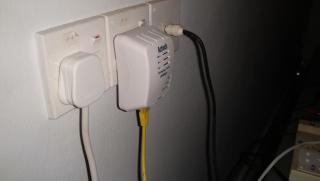
|
|
|
Apr 29 2010, 01:45 PM
|
|
Junior Member
7 posts Joined: Aug 2006
|
Bro did you really get 85MB when using that homeplug?
|
|
|
Apr 29 2010, 02:17 PM
|

Senior Member
3,239 posts Joined: Jun 2005
|
should be 85mbps, which translate to around 10MB/s
|
|
|
Apr 29 2010, 05:51 PM
|
|
Senior Member
647 posts Joined: Jan 2010 From: Klang
|
QUOTE(toughnut @ Apr 29 2010, 02:17 PM) should be 85mbps, which translate to around 10MB/s you forget to minus overhead |
|
|
Apr 30 2010, 12:16 AM
|
|
Senior Member
3,239 posts Joined: Jun 2005
|
i just directly translate the mbps to MB/s, not considered the overhead and max bandwidth.
|
|
|
Apr 30 2010, 09:17 AM
|
|
Junior Member
4 posts Joined: Feb 2009
|
is a 85mbps homeplug enough for HD streaming?
|
|
|
Apr 30 2010, 09:23 AM
|
|
Senior Member
4,189 posts Joined: Jan 2003 From: Age Quod Agis
|
yeah . no problem
but those bitrate more than 20mb.. might lag. |
|
|
Apr 30 2010, 09:37 AM
|
|
Junior Member
4 posts Joined: Feb 2009
|
is it a good idea to get the 200mbps homeplug? its more expensive therefore need to save $ first...
|
|
|
Apr 30 2010, 09:43 AM
|
|
Senior Member
2,298 posts Joined: Jan 2003 From: Miri, Sarawak
|
Homeplug is expensive and they don't last very long. Just my expereince.
|
|
|
Apr 30 2010, 10:00 AM
|
|
Senior Member
4,189 posts Joined: Jan 2003 From: Age Quod Agis
|
? the aztech 85mbps. use more than 4yrs. ~ not bad.
|
|
|
Apr 30 2010, 01:26 PM
|
|
Junior Member
265 posts Joined: Jan 2003
|
QUOTE(slumberjer @ Apr 29 2010, 09:39 AM) Received yesterday and tested during the night. I'm eager to test the wifi Net streaming ability but at first I'm having difficulties with the WEP authentication. Everytime I put the WEP security password my HDPro was unable to connect to the network. Then finally I removed the WEP security of my wifi and it work. I dunno why it cannot authenticate my wifi WEP.!!! Did you plug your USB Wifi Dongle direct to the HDPro port?Ok my wifi is upstairs and my HDpro is downstairs. The signal strength I've got only at 50-60% but the streaming was flawless. I stream a mkv file with the size of 160MB for 54minutes video and here is the result. But then when I try to use the subtitle, the stream video lag very bad. I dunno why maybe the network speed becomes bad. Yet to test again since one of the main reason I buy HDpro is the ability to stream video from my computer to my TV. Later then I install my WD 200GB sata drive. Formatted using the internal format system. No problem at all. Copying from the wifi network is a bad idea. Better off with usb transfer. I've tried to transfer 1.3GB of files to the internal HD and it takes like forever. Will test more features later. Don't. Use the USB extension cable provided. This will help to improve the network speed. Let us know whether this help. |
|
|
May 2 2010, 05:42 PM
|
|
Newbie
2 posts Joined: Dec 2007
|
Just received HDPro from Bro Yangxi, thanks for the efficient services.
I really enjoy the quality of video and sound connected to my home theatre system. However, I hv two major problems here, when I plug in USB DVD Drive, HDPro cannot detect the DVD Drive and I get response of "No Loader". I try with another USB DVD Drive also same problems. I downloaded lot of movies and backup in DVD discs. Help me... I checked my HDPro firmware is RY 31 Mac 2010. As for Xunlei, I can access the Xunlei menu but when I select certain movie to watch / download, nothing happen and HDPro response with "No CIB information". How to overcome this problems also. Update 6:24pm 2/5/2010 I hv found solution for DVD problems, actually my problems is everytime after I inserted disc into USB DVD drive. after playback I cannot eject the disc by pressing the eject button on USB DVD drive. Instead hv to use the eject button on HDPro remote control. As for the "No Loader" response, I figure it might be because the power cord not plug in firmly into USB DVD Drive. Now my problems is how to watch / download from Xunlei?? Anyone hv tested kindly share. This post has been edited by eriklee18: May 2 2010, 06:31 PM |
|
|
May 3 2010, 01:35 AM
|
|
Junior Member
69 posts Joined: Jul 2007
|
hi. quick question...
when FF or Rewinding, i see the time/duration bar. once i press play, the bar doesn't disappear till i press Guide, but i hav to re-play the movie. and after that, sometimes the time/duration bar doesn't appear when i FF or Rewind, which is kind of important. anyone hav this problem too, or am i overlooking a simple solution? |
|
|
May 3 2010, 12:48 PM
|
|
Senior Member
3,239 posts Joined: Jun 2005
|
Can HDpro support download from FTP with username/password? How bout downloading from VPN?
|
|
|
May 4 2010, 09:58 AM
|

Senior Member
3,705 posts Joined: Sep 2004 From: Malaysia
|
QUOTE(toughnut @ May 3 2010, 12:48 PM) Can HDpro support download from FTP with username/password? How bout downloading from VPN? ermm...nah.....dont think can do it..... I noticed theres Chinese Online FM, anyone can provide the list? |
|
|
May 4 2010, 12:33 PM
|
|
Junior Member
69 posts Joined: Jul 2007
|
hmm Yangxi, wonder if can suggest a new feature for remote control, but i doubt can flash firmware for remote
:One of my dvd players remote has a useful button called Quick Review, which basically rewinded and playback 5 secs before. Just nice if you missed some line or some quick action very responsive, if u press 3x, it would go back 15 secs, very minimal lag. One of the most used buttons, for myself at least But since then, i notice not many players have that. Again, just a suggestion, dunno if do-able yes, i could just press Rewind, wait, then press Play, but that's a lot of extra clicking over a few years xD |
|
|
May 5 2010, 09:43 AM
|

Junior Member
130 posts Joined: Mar 2008
|
Hi,
I just bought the HDPro unit from Yangxi, it can play almost all kind of multimedia filles I currently have, very impressed with the output quality & menu features at this price I'm new to this type of HD player and has asked lots of questions, Yangxi is very patient and fast to response With regards to the photo viewing, does anyone know how to play photos at the same time can play the music ? Thanks in advance! This post has been edited by klseet: May 5 2010, 09:54 AM |
|
|
May 5 2010, 11:10 AM
|
|
Senior Member
532 posts Joined: Oct 2009
|
QUOTE(klseet @ May 5 2010, 09:43 AM) Hi, You can set the backgroup music while viewing photo in setup miscellaneous. But, the setting that play the playlist doesnt work even with the latest firmware. You can choose play folder setting where when you view photo in a specific folder, it will play music files from the same folder. I prefer it play from playlist, unfortunately it didnt work. I just bought the HDPro unit from Yangxi, it can play almost all kind of multimedia filles I currently have, very impressed with the output quality & menu features at this price I'm new to this type of HD player and has asked lots of questions, Yangxi is very patient and fast to response With regards to the photo viewing, does anyone know how to play photos at the same time can play the music ? Thanks in advance! S, do it manually, go to playlist, play and then go to the photo and view the photos while music playing on playlist. hate the extra effort, but better than nothing. |
|
|
May 5 2010, 04:39 PM
|
|
Junior Member
130 posts Joined: Mar 2008
|
QUOTE(tracktion3 @ May 5 2010, 11:10 AM) You can set the backgroup music while viewing photo in setup miscellaneous. But, the setting that play the playlist doesnt work even with the latest firmware. You can choose play folder setting where when you view photo in a specific folder, it will play music files from the same folder. I prefer it play from playlist, unfortunately it didnt work. Thanks for the guidance!S, do it manually, go to playlist, play and then go to the photo and view the photos while music playing on playlist. hate the extra effort, but better than nothing.Yes, it sound a bit complicated, especially on how to create the playlist, how nice if can select music when view photos ..... Anywhere, I'll try it out later tonight. Ok, this is what I did: 1. Go to Music folders, Select & Confirm those songs to create the playlist 2. Got to Misc setup and set music background to Playlist After which, each time when I Play the photos, the songs on the playlist will start automatically. This post has been edited by klseet: May 6 2010, 03:19 AM |
|
|
May 7 2010, 01:46 PM
|
|
Senior Member
3,705 posts Joined: Sep 2004 From: Malaysia
|
guys, do i need to format the HDD before install the BT samba?
|
|
|
May 7 2010, 02:26 PM
|
|
Junior Member
130 posts Joined: Mar 2008
|
QUOTE(Sphenix @ May 7 2010, 01:46 PM) guys, do i need to format the HDD before install the BT samba? When I use the menu to Format the internal HDD, I saw the Samba automatically installed right after the format complete.But sorry I do not know how to use the Samba |
|
|
May 9 2010, 08:32 AM
|

Junior Member
451 posts Joined: Oct 2005
|
Been using the HDPro for a few days, and I am really happy with it so far.
Quick question, is the unit atble to multitask such as is copying files from Net to HDD and playing movie at the same time? Jason |
|
|
May 12 2010, 06:55 AM
|
|
Junior Member
384 posts Joined: Jan 2006 From: Penang
|
hi,
I just got my HDPro yesterday. Have been playing with it whole night. A questions: Does anyone manage to get it work with Windows 7 shared folder? I don't have problem with accessing shared folders on machines running on Windows 2003 or Windows XP from HDPro. Please share how you manage to work it out if you are able to do it on Windows 7. Thanks in advance. yangxi, after doing some research, the problem might be caused by the SMB protocol used in the current firmware. Will we be getting a new firmware that will fix this issue? This post has been edited by maxcheam: May 12 2010, 10:00 AM |
|
|
May 12 2010, 02:16 PM
|
|
Junior Member
20 posts Joined: Sep 2006
|
Hi Yangxi,
What's the cost for the latest model of Hd-pro? I am in pj. |
|
|
May 12 2010, 11:47 PM
|
|
Junior Member
51 posts Joined: May 2007
|
QUOTE(jasonlky @ May 9 2010, 08:32 AM) Been using the HDPro for a few days, and I am really happy with it so far. Hi,Quick question, is the unit atble to multitask such as is copying files from Net to HDD and playing movie at the same time? Jason it is not possible to copy and play movies at the same time. because the player does not support multitasking QUOTE(maxcheam @ May 12 2010, 06:55 AM) hi, Hi,I just got my HDPro yesterday. Have been playing with it whole night. A questions: Does anyone manage to get it work with Windows 7 shared folder? I don't have problem with accessing shared folders on machines running on Windows 2003 or Windows XP from HDPro. Please share how you manage to work it out if you are able to do it on Windows 7. Thanks in advance. yangxi, after doing some research, the problem might be caused by the SMB protocol used in the current firmware. Will we be getting a new firmware that will fix this issue? If you would like to get it to work with window 7 shared folder, there is a guide in AC Ryan forum. But the problem i faced was that after enable to share in win 7, all my drives are visible in HDpro browser. hope that helps.... cheers, |
|
|
May 13 2010, 07:29 AM
|
|
Junior Member
384 posts Joined: Jan 2006 From: Penang
|
QUOTE(Ryuluvlia @ May 12 2010, 11:47 PM) If you would like to get it to work with window 7 shared folder, there is a guide in AC Ryan forum. thanks a lot! yangxi also PM me the link. I haven't got a time to tried it out yet. I don't like the idea of having all the drives exposed. But the problem i faced was that after enable to share in win 7, all my drives are visible in HDpro browser. hope that helps.... cheers, |
|
|
May 13 2010, 01:33 PM
|

Senior Member
6,986 posts Joined: Jan 2003 From: E-Poh.../Pen-Nang.../Pee-Jay/S.Jaye
|
hi ppl out here... just wanna ask, as wan to buy this long ago but Eaget M6 also quiet interested with 3 yrs warranty but the price is about RM150 more than HDPro...
any body can guide me on this thanks... |
|
|
May 13 2010, 02:26 PM
|
|
Senior Member
5,291 posts Joined: Dec 2004 From: I Luv Msia
|
QUOTE(michael9413 @ May 13 2010, 01:33 PM) hi ppl out here... just wanna ask, as wan to buy this long ago but Eaget M6 also quiet interested with 3 yrs warranty but the price is about RM150 more than HDPro... yup, rm150 with 3 yr warranty is worthy but HD-Pro now equips with 1073+, u may want to check has M6 upgraded to 1073+any body can guide me on this thanks... |
|
|
May 13 2010, 02:54 PM
|
|
Senior Member
6,986 posts Joined: Jan 2003 From: E-Poh.../Pen-Nang.../Pee-Jay/S.Jaye
|
it is utilizing the latest Realtek 1073DD chipset...
|
|
|
May 13 2010, 02:56 PM
|
|
Senior Member
5,291 posts Joined: Dec 2004 From: I Luv Msia
|
QUOTE(michael9413 @ May 13 2010, 02:54 PM) it is utilizing the latest Realtek 1073DD chipset... with "+"? |
|
|
May 13 2010, 03:13 PM
|
|
Senior Member
6,986 posts Joined: Jan 2003 From: E-Poh.../Pen-Nang.../Pee-Jay/S.Jaye
|
no leh as per mention there... y???
|
|
|
May 13 2010, 03:16 PM
|
|
Senior Member
5,291 posts Joined: Dec 2004 From: I Luv Msia
|
QUOTE(michael9413 @ May 13 2010, 03:13 PM) no leh as per mention there... y??? 1073DD+ vs 1073DD : 1073DD+, support 7.1 (bitstream) "TRUEHD / DTS-HD MA" (quoted frm yangxi ) |
|
|
May 13 2010, 03:18 PM
|
|
Senior Member
6,986 posts Joined: Jan 2003 From: E-Poh.../Pen-Nang.../Pee-Jay/S.Jaye
|
oh icic ok ok... but now still thinking...
that M6 is nice but again HDPro is with better chipset |
|
|
May 13 2010, 03:28 PM
|
|
Senior Member
5,291 posts Joined: Dec 2004 From: I Luv Msia
|
QUOTE(michael9413 @ May 13 2010, 03:18 PM) oh icic ok ok... but now still thinking... yup, but then again few key factors to consider (for me):that M6 is nice but again HDPro is with better chipset - firmware upgrade / support - control panel, a must for me or else if remote kong how to control - gigabit lan, mainly for HD streaming lor - warranty, 1yr is perfect - price, the media players are evolving too fast, dun bother on expensive one (of the same class) |
|
|
May 13 2010, 03:45 PM
|
|
Senior Member
6,986 posts Joined: Jan 2003 From: E-Poh.../Pen-Nang.../Pee-Jay/S.Jaye
|
hmmm so i think HDPro works well for all... ok ok... wait for bro to get the version which has Xun Lei 1
|
|
|
May 13 2010, 03:54 PM
|
|
Senior Member
5,291 posts Joined: Dec 2004 From: I Luv Msia
|
QUOTE(michael9413 @ May 13 2010, 03:45 PM) hmmm so i think HDPro works well for all... ok ok... wait for bro to get the version which has Xun Lei 1 huhu, dun read me wrong, i did not mention which one is better, u may hv your own criteria in choosing one u need, i dun own any unit yet tho' i had bought 2x S6T + 4x HD-Pro frm yangxi |
|
|
May 13 2010, 03:59 PM
|
|
Senior Member
6,986 posts Joined: Jan 2003 From: E-Poh.../Pen-Nang.../Pee-Jay/S.Jaye
|
haha y? for other ppl??? ok ok... but i already him around Feb or Mar, till now no reply and i saw M6 support Xun Lei also so i inquire about the product...
PM bro Yang Xi already he say mostly end of May should be in already as i desperately need the player end of this month coz my gf will go oversea and i need a play to watch movie... |
|
|
May 13 2010, 06:33 PM
|
|
Senior Member
5,291 posts Joined: Dec 2004 From: I Luv Msia
|
QUOTE(michael9413 @ May 13 2010, 03:59 PM) haha y? for other ppl??? ok ok... but i already him around Feb or Mar, till now no reply and i saw M6 support Xun Lei also so i inquire about the product... got htpc already, all are helping frenz (no making profit), maybe u can wait for M6 with 1073DD+, 3yr warranty is unbeatablePM bro Yang Xi already he say mostly end of May should be in already as i desperately need the player end of this month coz my gf will go oversea and i need a play to watch movie... btw, hd pro is quite bulky/heavy, u can opt for noontek or HORNETTEK Phantom, same chipset too but small & cute |
|
|
May 13 2010, 07:00 PM
|
|
Senior Member
6,986 posts Joined: Jan 2003 From: E-Poh.../Pen-Nang.../Pee-Jay/S.Jaye
|
actually i have Xbox360 already but wanna get a player to support all range of files... Xbox 360 only support AVI and WMV only
|
|
|
May 14 2010, 12:56 PM
|
|
Junior Member
20 posts Joined: Sep 2006
|
Hi Yangxi,
Just received HDpro....... thanks for the very fast delivery = 1 day. Efficient seller.... |
|
|
May 16 2010, 11:34 AM
|
|
Junior Member
194 posts Joined: May 2006
|
QUOTE(eriklee18 @ May 2 2010, 05:42 PM) Just received HDPro from Bro Yangxi, thanks for the efficient services. Since HD Pro can support USB DVD Drive, would it support USB DB Drive as well? What about the menu navigation.I really enjoy the quality of video and sound connected to my home theatre system. However, I hv two major problems here, when I plug in USB DVD Drive, HDPro cannot detect the DVD Drive and I get response of "No Loader". I try with another USB DVD Drive also same problems. I downloaded lot of movies and backup in DVD discs. Help me... I checked my HDPro firmware is RY 31 Mac 2010. As for Xunlei, I can access the Xunlei menu but when I select certain movie to watch / download, nothing happen and HDPro response with "No CIB information". How to overcome this problems also. Update 6:24pm 2/5/2010 I hv found solution for DVD problems, actually my problems is everytime after I inserted disc into USB DVD drive. after playback I cannot eject the disc by pressing the eject button on USB DVD drive. Instead hv to use the eject button on HDPro remote control. As for the "No Loader" response, I figure it might be because the power cord not plug in firmly into USB DVD Drive. Now my problems is how to watch / download from Xunlei?? Anyone hv tested kindly share. |
|
|
May 19 2010, 05:58 PM
|
|
Senior Member
4,189 posts Joined: Jan 2003 From: Age Quod Agis
|
New firmware~
Yangxi HDpro (* for all batch ) •1.Firmware: May 13 2010 http://ul.to/c056p0 copy (package_MP) Folder and (install.img) into Pendrive A: Fix AVCHD Video Codec B: Fix the problem of search function for You tube C: Fix the problem of search function for Picasa D: Add Korean/Japanese/German operation language E: Add more Online TV Live (english) ! *Rev A can direct update boot rom. don't need send back to me. HDPRO beta firmware 13/5/2010 *for advance user. PM me Add Transmission BT/PT Add MLdonkey Add FTP This post has been edited by yangxi: May 19 2010, 06:00 PM |
|
|
May 20 2010, 08:46 PM
|
|
Junior Member
109 posts Joined: Jun 2009
|
”Rev A can direct update boot rom. don't need send back to me.“
What is this meant? I can solve the remote cant power ON/OFF problem by firmware upgrade? |
|
|
May 20 2010, 09:37 PM
|
|
Senior Member
4,189 posts Joined: Jan 2003 From: Age Quod Agis
|
yes... try ~~~
|
|
|
May 22 2010, 01:33 PM
|
|
Junior Member
384 posts Joined: Jan 2006 From: Penang
|
QUOTE(yangxi @ May 19 2010, 05:58 PM) New firmware~ Hi bro,Yangxi HDpro HDPRO beta firmware 13/5/2010 *for advance user. PM me Add Transmission BT/PT Add MLdonkey Add FTP I'm interested in the beta firmware. Let me know. Thanks in advance! By the way, is HTTP download supported? Added on May 23, 2010, 5:56 pmThanks, Yangxi. Just tried out that beta firmware. It's really nice that MLDonkey is included which supports multiple protocol download: BT, eMule, HTTP/FTP, etc. So far so good. This post has been edited by maxcheam: May 23 2010, 05:56 PM |
|
|
May 24 2010, 09:16 PM
|
|
Senior Member
532 posts Joined: Oct 2009
|
QUOTE(yangxi @ May 19 2010, 05:58 PM) New firmware~ Yangxi,Yangxi HDpro (* for all batch ) •1.Firmware: May 13 2010 http://ul.to/c056p0 copy (package_MP) Folder and (install.img) into Pendrive A: Fix AVCHD Video Codec B: Fix the problem of search function for You tube C: Fix the problem of search function for Picasa D: Add Korean/Japanese/German operation language E: Add more Online TV Live (english) ! *Rev A can direct update boot rom. don't need send back to me. HDPRO beta firmware 13/5/2010 *for advance user. PM me Add Transmission BT/PT Add MLdonkey Add FTP Could you provide a new link, the link above seems like not working anymore. I have not download the latest firmware yet. thanks in advance. |
|
|
May 24 2010, 09:30 PM
|
|
Senior Member
4,189 posts Joined: Jan 2003 From: Age Quod Agis
|
link2:
http://www.4shared.com/file/HaVUC0Wc/Hdpro_20100513.html i can download this link http://ul.to/c056p0 |
|
|
May 24 2010, 10:06 PM
|
|
Junior Member
265 posts Joined: Jan 2003
|
QUOTE(yangxi @ May 24 2010, 09:30 PM) link2: Can download from http://ul.to/c056p0 but slower than a snail (<10kBps).http://www.4shared.com/file/HaVUC0Wc/Hdpro_20100513.html i can download this link http://ul.to/c056p0 www.4shared.com is so much faster (130-140kBps). Take your pick. |
|
|
May 24 2010, 10:44 PM
|
|
Junior Member
9 posts Joined: May 2008
|
QUOTE(yangxi @ May 19 2010, 05:58 PM) New firmware~ Anybody tried on "Add more Online TV Live (English)" features..is it work? My one cannot play..Yangxi HDpro (* for all batch ) •1.Firmware: May 13 2010 http://ul.to/c056p0 copy (package_MP) Folder and (install.img) into Pendrive A: Fix AVCHD Video Codec B: Fix the problem of search function for You tube C: Fix the problem of search function for Picasa D: Add Korean/Japanese/German operation language E: Add more Online TV Live (english) ! *Rev A can direct update boot rom. don't need send back to me. HDPRO beta firmware 13/5/2010 *for advance user. PM me Add Transmission BT/PT Add MLdonkey Add FTP |
|
|
May 24 2010, 11:36 PM
|
|
Senior Member
4,189 posts Joined: Jan 2003 From: Age Quod Agis
|
some part cannot..
*those live tv still beta stage.. no free meal. This post has been edited by yangxi: May 24 2010, 11:37 PM |
|
|
May 25 2010, 12:46 PM
|
|
Junior Member
130 posts Joined: Mar 2008
|
QUOTE(yangxi @ May 24 2010, 11:36 PM) some part cannot.. I already upgraded the latest firmware, most live TV still not function yet..... any idea when will become available?*those live tv still beta stage.. no free meal. Your instruction mentioned to detach the HDD before firmware upgrade. So everything when I update new firmware, I have to unscrew the box and detach the HDD, later screw back again after the update is done. It is rather troublesome la, is there any easier way to do it without unscrew+screw again? |
|
|
May 26 2010, 08:29 AM
|
|
Senior Member
6,986 posts Joined: Jan 2003 From: E-Poh.../Pen-Nang.../Pee-Jay/S.Jaye
|
guys, i wanna ask if i wannt put 1.5 TB HDD in the player, can i do partition on the HDD b4 i format it with the HDPro???
thanks... bro YangXi, Hopefully i settle everything by today and i can get my player by tomorrow cheers... |
|
|
May 26 2010, 10:55 PM
|
|
Junior Member
265 posts Joined: Jan 2003
|
I just formatted and install BT/Samba on a new HDD on my HDPro .
How do I add/create new folder and subfolder under the main directory? Didn't see any add folder feature under copy file menu. TQ |
|
|
May 27 2010, 06:57 AM
|
|
Senior Member
6,986 posts Joined: Jan 2003 From: E-Poh.../Pen-Nang.../Pee-Jay/S.Jaye
|
i need help here.. I could not connect to my WIFI router even though i key in the password already
otherwise all other features quite nice |
|
|
May 27 2010, 09:22 AM
|
|
Senior Member
4,189 posts Joined: Jan 2003 From: Age Quod Agis
|
QUOTE(michael9413 @ May 27 2010, 06:57 AM) i need help here.. I could not connect to my WIFI router even though i key in the password already what brand router? otherwise all other features quite nice what type Encryption set? if disable or WEP. can connect? |
|
|
May 27 2010, 09:25 AM
|
|
Senior Member
6,986 posts Joined: Jan 2003 From: E-Poh.../Pen-Nang.../Pee-Jay/S.Jaye
|
hmmm i'll try out later today again...
i'm using standard TM Net white color one... |
|
|
May 27 2010, 10:34 AM
|
|
Junior Member
451 posts Joined: Oct 2005
|
QUOTE(michael9413 @ May 27 2010, 09:25 AM) hmmm i'll try out later today again... I have noticed on my unit that if you do not broadcast the SSID from the router, the HDPro can detect the signal but cannot connect. Not sure if that's a bug or a hardware/firmware limitation. As soon as I broadcast the SSID, HDPro connects without a hitch. i'm using standard TM Net white color one... Jason This post has been edited by jasonlky: May 27 2010, 10:35 AM |
|
|
May 27 2010, 10:47 AM
|
|
Senior Member
6,986 posts Joined: Jan 2003 From: E-Poh.../Pen-Nang.../Pee-Jay/S.Jaye
|
i duno how to set SSID... what is that???
sorry noobie on networking here |
|
|
May 27 2010, 11:58 AM
|
|
Junior Member
130 posts Joined: Mar 2008
|
QUOTE(helob @ May 26 2010, 10:55 PM) I just formatted and install BT/Samba on a new HDD on my HDPro . Normally I use my computer to connect the HDPro (either through LAN or direct USB) and organise folders & files.How do I add/create new folder and subfolder under the main directory? Didn't see any add folder feature under copy file menu. TQ But if you intend to copy lots of files, I suggest you use direct USB. I tried few times to copy a DVD ISO (about 4.5GB) over LAN but ended up failed, and the HDPro disconnected automatically, don't know why ..... Added on May 27, 2010, 12:00 pm QUOTE(yangxi @ May 27 2010, 09:22 AM) what brand router? Hi yangxi,what type Encryption set? if disable or WEP. can connect? May I know how to setup the HDPro to connect from outside so can use it to share multimedia files ? This post has been edited by klseet: May 27 2010, 12:00 PM |
|
|
May 27 2010, 08:35 PM
|
|
Senior Member
6,986 posts Joined: Jan 2003 From: E-Poh.../Pen-Nang.../Pee-Jay/S.Jaye
|
QUOTE(jasonlky @ May 27 2010, 10:34 AM) I have noticed on my unit that if you do not broadcast the SSID from the router, the HDPro can detect the signal but cannot connect. Not sure if that's a bug or a hardware/firmware limitation. As soon as I broadcast the SSID, HDPro connects without a hitch. Jason, please give me some advice on the setting coz i duno what do you mean by boardcasting the SSIDJason i'm still wondering how to set it... will try without protection WEP soon coz now enjoying some 720p movies... ** tested without WEP it can enter... any way to solve this problem??? can't let my wifi unsecure... This post has been edited by michael9413: May 27 2010, 09:22 PM |
|
|
May 28 2010, 12:06 AM
|
|
Junior Member
22 posts Joined: Nov 2009
|
hi bro Yangxi,
remember me? ur 1st HD pro buyer. been enjoying the unit ever since. suddenly got this problemtoday. when start up, tv display splash screen "hdd player". after that cannot detect signal liao ???? this when i used HDMI... but got display if i use component video. Have checked the cable - ok. check the tv HDMI port - oso ok. have oso update to latest firmware, still same. PLEASE HELP. |
|
|
May 28 2010, 12:42 AM
|
|
Junior Member
451 posts Joined: Oct 2005
|
QUOTE(michael9413 @ May 27 2010, 08:35 PM) Jason, please give me some advice on the setting coz i duno what do you mean by boardcasting the SSID Bro, I am not sure where to start. i'm still wondering how to set it... will try without protection WEP soon coz now enjoying some 720p movies... ** tested without WEP it can enter... any way to solve this problem??? can't let my wifi unsecure... To check if your SSID (Service Set Identifier) is hidden or not, are you able to see your wifi ID from the HDPro network setup screen? If you can see your wifi ID the your problem is probably not the same as mine. Another way would be to check on the router's end if the SSID has been set to be "broadcast" or not. If it is set not to broadcast just enable it. Its also probably good to turn of your WEP/WPA security to test connectivity before turning it on again. Always re-enable your security after testing to protect yourself. Jason This post has been edited by jasonlky: May 28 2010, 12:58 AM |
|
|
May 28 2010, 01:15 AM
|
|
Junior Member
451 posts Joined: Oct 2005
|
QUOTE(klseet @ May 27 2010, 11:58 AM) Normally I use my computer to connect the HDPro (either through LAN or direct USB) and organise folders & files. Can I ask if your HDD in the HDPro is formated with FAT32 or NTFS?But if you intend to copy lots of files, I suggest you use direct USB. I tried few times to copy a DVD ISO (about 4.5GB) over LAN but ended up failed, and the HDPro disconnected automatically, don't know why ..... Jason |
|
|
May 28 2010, 01:50 AM
|
|
Senior Member
6,986 posts Joined: Jan 2003 From: E-Poh.../Pen-Nang.../Pee-Jay/S.Jaye
|
QUOTE(jasonlky @ May 28 2010, 12:42 AM) Bro, I am not sure where to start. tested without wifi locked it is ok... after WPE enable then i cannot connectTo check if your SSID (Service Set Identifier) is hidden or not, are you able to see your wifi ID from the HDPro network setup screen? If you can see your wifi ID the your problem is probably not the same as mine. Another way would be to check on the router's end if the SSID has been set to be "broadcast" or not. If it is set not to broadcast just enable it. Its also probably good to turn of your WEP/WPA security to test connectivity before turning it on again. Always re-enable your security after testing to protect yourself. Jason |
|
|
May 28 2010, 02:04 AM
|
|
Junior Member
130 posts Joined: Mar 2008
|
Instead of buying a USB wifi, I bought another wifi router, connect my HDPro to it, setup bridging-mode use WPA2 to connect with host router.
Added on May 28, 2010, 2:15 am QUOTE(jasonlky @ May 28 2010, 01:15 AM) Can I ask if your HDD in the HDPro is formated with FAT32 or NTFS? If use the "Format HDD" function, it will format into NTFS and install BT+Samba automatically.Jason I noticed if fix the IP on HDPro, then map it to a drive on your PC, then it is easier and faster to organise folders/files. This post has been edited by klseet: May 28 2010, 02:15 AM |
|
|
May 28 2010, 08:10 AM
|
|
Senior Member
4,189 posts Joined: Jan 2003 From: Age Quod Agis
|
QUOTE(aaronlai @ May 28 2010, 12:06 AM) hi bro Yangxi, try press restore default.remember me? ur 1st HD pro buyer. been enjoying the unit ever since. suddenly got this problemtoday. when start up, tv display splash screen "hdd player". after that cannot detect signal liao ???? this when i used HDMI... but got display if i use component video. Have checked the cable - ok. check the tv HDMI port - oso ok. have oso update to latest firmware, still same. PLEASE HELP. u update the latest MAY version? |
|
|
May 28 2010, 09:02 AM
|
|
Junior Member
22 posts Joined: Nov 2009
|
QUOTE(yangxi @ May 28 2010, 08:10 AM) try press restore default. yes. i have tried restore dafault & update to latest firmware. u update the latest MAY version? |
|
|
May 28 2010, 09:28 AM
|
|
Junior Member
130 posts Joined: Mar 2008
|
Hi yangxi,
I've updated the latest firmware and saw so many online TV channels, but it seem like all of them always show "cannot play this" message, may I know how to make it work? Or we have to wait for next firmware upgrade? Appreciate your further information sharing, thanks in advance! |
|
|
May 28 2010, 10:14 AM
|
|
Senior Member
4,189 posts Joined: Jan 2003 From: Age Quod Agis
|
QUOTE(klseet @ May 28 2010, 09:28 AM) Hi yangxi, Live TV still in beta stage.. might charge. I've updated the latest firmware and saw so many online TV channels, but it seem like all of them always show "cannot play this" message, may I know how to make it work? Or we have to wait for next firmware upgrade? Appreciate your further information sharing, thanks in advance! |
|
|
May 28 2010, 10:20 AM
|
|
Junior Member
130 posts Joined: Mar 2008
|
Any idea what is the charges? And who is charging us?
If the fees is reasonable, I don't mind seem there are loads of channels which I'm very interested in ! Please give more detail, thx! |
|
|
May 28 2010, 08:26 PM
|
|
Junior Member
41 posts Joined: Oct 2006
|
Hi everyone, can anyone confirm that it decodes DD/DTS? Not pass through.
|
|
|
May 28 2010, 11:42 PM
|
|
Senior Member
993 posts Joined: Apr 2007 From: Gas Town, Sarawak
|
QUOTE(exorcisto @ May 28 2010, 09:26 PM) Hi everyone, can anyone confirm that it decodes DD/DTS? Not pass through. All player with 1073DD chipset can at least decode.. |
|
|
Jun 4 2010, 10:21 AM
|

Junior Member
82 posts Joined: Nov 2006 From: Daytime - KL : Nitetime - Melaka
|
yangxi,
how to display subtitle for MKV? when i watch the mkv file in my PC, it shows the subtitle, but i play in the HDpro+, the subtitles do not appear.. thx in advance |
|
|
Jun 4 2010, 11:03 AM
|
|
Senior Member
4,229 posts Joined: Jan 2003 From: Selangor
|
just press the subtitle button ...
|
|
|
Jun 4 2010, 11:27 AM
|
|
Junior Member
82 posts Joined: Nov 2006 From: Daytime - KL : Nitetime - Melaka
|
i did,but still do not appear
|
|
|
Jun 4 2010, 01:49 PM
|
|
Senior Member
639 posts Joined: Feb 2009
|
make sure your subtitle filename same as your mkv filename
|
|
|
Jun 6 2010, 10:13 AM
|

Senior Member
566 posts Joined: Oct 2006
|
a bit confuse, for a new hd do we need to format with hdpro then only can use or straight away plug & play? if do need to format with hdpro then can we just plug & play back into the pc?
for the new hdpro+ can it play bd full menu movie? thanks |
|
|
Jun 6 2010, 11:00 AM
|
|
Junior Member
225 posts Joined: Mar 2010 From: nipporn
|
QUOTE(quintesson @ Jun 6 2010, 10:13 AM) a bit confuse, for a new hd do we need to format with hdpro then only can use or straight away plug & play? if do need to format with hdpro then can we just plug & play back into the pc? normally what i do is to initialize the hdd, and do quick format as ntscfor the new hdpro+ can it play bd full menu movie? thanks nope, doesn't support bd menu but movie playback is fine |
|
|
Jun 7 2010, 10:20 AM
|
|
Junior Member
69 posts Joined: Jul 2007
|
hi yangxi, i'm having some problems with MP4 files, dunno how to describe, so i uploaded some photos:
» Click to show Spoiler - click again to hide... « it plays fine on PC, and also on my TV built-in media player. upgraded firmware from March 2010 to Apr 2010, same result. can test by downloading this MP4 (can use this) -> http://www.youtube.com/watch?v=HQ7R_buZPSo&fmt=22 .... can see the problems from 1:10 onwards  anyone else having this problem? This post has been edited by choobee: Jun 7 2010, 10:44 AM |
|
|
Jun 7 2010, 12:00 PM
|
|
Senior Member
6,986 posts Joined: Jan 2003 From: E-Poh.../Pen-Nang.../Pee-Jay/S.Jaye
|
to the new May update???
hmm this seems like the decoding problem to me lo... our computer of course no problem as they can support more decoding and able to update very easily but not the HDPro lo... i cannot play a lot of FLV file in my HD Pro also... |
|
|
Jun 7 2010, 11:26 PM
|
|
Senior Member
4,189 posts Joined: Jan 2003 From: Age Quod Agis
|
QUOTE(choobee @ Jun 7 2010, 10:20 AM) hi yangxi, i'm having some problems with MP4 files, dunno how to describe, so i uploaded some photos: can show for me video info?» Click to show Spoiler - click again to hide... « it plays fine on PC, and also on my TV built-in media player. upgraded firmware from March 2010 to Apr 2010, same result. can test by downloading this MP4 (can use this) -> http://www.youtube.com/watch?v=HQ7R_buZPSo&fmt=22 .... can see the problems from 1:10 onwards anyone else having this problem? http://mediainfo.sourceforge.net/en mp4 (xvid codec?) Realte 1073 chipset not to support more than one GMC warp point. Added on June 7, 2010, 11:27 pm QUOTE(michael9413 @ Jun 7 2010, 12:00 PM) to the new May update??? FLV . cannot support Vp6 codec (dailymotion , other xx site) . youtube H264 is ok.hmm this seems like the decoding problem to me lo... our computer of course no problem as they can support more decoding and able to update very easily but not the HDPro lo... i cannot play a lot of FLV file in my HD Pro also... This post has been edited by yangxi: Jun 7 2010, 11:27 PM |
|
|
Jun 8 2010, 06:00 AM
|
|
Junior Member
225 posts Joined: Mar 2010 From: nipporn
|
yangxi , do u sell spare remote controller for hdpro , mine oledi spoilt after drop on the floor
|
|
|
Jun 8 2010, 08:25 AM
|
|
Senior Member
6,986 posts Joined: Jan 2003 From: E-Poh.../Pen-Nang.../Pee-Jay/S.Jaye
|
yea i wanna know that also... YangXi maybe you can stock up a lil on the remote... now controller tends to spoil b4 the console does...
|
|
|
Jun 8 2010, 09:53 AM
|
|
Senior Member
4,189 posts Joined: Jan 2003 From: Age Quod Agis
|
got extra..
Remote @RM20 each. if control spoil.. still have front touch panel for temp use. |
|
|
Jun 8 2010, 10:22 AM
|
|
Senior Member
6,986 posts Joined: Jan 2003 From: E-Poh.../Pen-Nang.../Pee-Jay/S.Jaye
|
great to hear that
|
|
|
Jun 8 2010, 12:12 PM
|
|
Junior Member
69 posts Joined: Jul 2007
|
QUOTE(yangxi @ Jun 7 2010, 11:26 PM) can show for me video info? mediainfo in spoiler below http://mediainfo.sourceforge.net/en mp4 (xvid codec?) Realte 1073 chipset not to support more than one GMC warp point. Added on June 7, 2010, 11:27 pm » Click to show Spoiler - click again to hide... « am i the only one having problems with this sample file? (download 720p, view from 1:10 onwards) -> http://www.youtube.com/watch?v=HQ7R_buZPSo&fmt=22 |
|
|
Jun 10 2010, 04:03 PM
|
|
Senior Member
1,467 posts Joined: Oct 2007 From: ✪Candy Land✪
|
Any channel in HDpro that can stream World Cup live? ^^
|
|
|
Jun 10 2010, 07:29 PM
|
|
Senior Member
4,189 posts Joined: Jan 2003 From: Age Quod Agis
|
QUOTE(Damonzero @ Jun 10 2010, 04:03 PM) Any channel in HDpro that can stream World Cup live? ^^ i think...no search youtube?? |
|
|
Jun 10 2010, 09:15 PM
|
|
Junior Member
41 posts Joined: Oct 2006
|
any hdpro owner owns a logitech z5500 as well? can it play 5.1 dolby digital and dts?
|
|
|
Jun 11 2010, 07:42 PM
|

Senior Member
2,664 posts Joined: Jan 2005 From: Puchong
|
QUOTE(exorcisto @ Jun 10 2010, 09:15 PM) any hdpro owner owns a logitech z5500 as well? can it play 5.1 dolby digital and dts? I plug my HDPro on the AV receiver. Confirm can get 5.1 DD and DTS. However, I don't own a Logitech Z5500. |
|
|
Jun 12 2010, 12:11 PM
|
|
Senior Member
1,467 posts Joined: Oct 2007 From: ✪Candy Land✪
|
QUOTE(exorcisto @ Jun 10 2010, 09:15 PM) any hdpro owner owns a logitech z5500 as well? can it play 5.1 dolby digital and dts? Yes but me think TrueHD dont have |
|
|
Jun 12 2010, 03:25 PM
|
|
Junior Member
69 posts Joined: Jul 2007
|
QUOTE(choobee @ Jun 8 2010, 12:12 PM) mediainfo in spoiler below tks guys, the May firmware update did the job! » Click to show Spoiler - click again to hide... « am i the only one having problems with this sample file? (download 720p, view from 1:10 onwards) -> http://www.youtube.com/watch?v=HQ7R_buZPSo&fmt=22 kinda like the april firmware's look though  |
|
|
Jun 12 2010, 06:35 PM
|
|
All Stars
10,475 posts Joined: Jan 2003 From: Sarawak
|
QUOTE(Damonzero @ Jun 12 2010, 12:11 PM) Yes but me think TrueHD dont have no doubt. confirm cannot support Dolby TrueHD. |
|
|
Jun 14 2010, 01:20 PM
|
|
Junior Member
265 posts Joined: Jan 2003
|
Subtitle NOT showing with this MKV file playing with with HDPro
Media Info. General Complete name : H:\uTorrent\District.9.2009.1080p.Blu-Ray.DTS.x264-WiKi\District.9.2009.1080p.BluRay.DTS.x264-WiKi.mkv Format : Matroska File size : 8.74 GiB Duration : 1h 52mn Overall bit rate : 11.2 Mbps Encoded date : UTC 2009-11-13 05:56:45 Writing application : mkvmerge v2.9.8 ('C'est le bon') built on Aug 13 2009 12:49:06 Writing library : libebml v0.7.7 + libmatroska v0.8.1 Video ID : 1 Format : AVC Format/Info : Advanced Video Codec Format profile : High@L4.1 Format settings, CABAC : Yes Format settings, ReFrames : 4 frames Muxing mode : Container profile=Unknown@4.1 Codec ID : V_MPEG4/ISO/AVC Duration : 1h 52mn Bit rate : 9 450 Kbps Width : 1 920 pixels Height : 1 038 pixels Display aspect ratio : 1.850 Frame rate : 23.976 fps Color space : YUV Chroma subsampling : 4:2:0 Bit depth : 8 bits Scan type : Progressive Bits/(Pixel*Frame) : 0.198 Stream size : 7.24 GiB (83%) Title : Video: x264_L4.1 @ 9450 Kbps Writing library : x264 core 68 r1184M 88b35c2 Encoding settings : cabac=1 / ref=4 / deblock=1:-3:-3 / analyse=0x3:0x113 / me=umh / subme=9 / psy_rd=1.0:0.0 / mixed_ref=1 / me_range=32 / chroma_me=1 / trellis=2 / 8x8dct=1 / cqm=0 / deadzone=21,11 / chroma_qp_offset=-4 / threads=12 / nr=0 / decimate=1 / mbaff=0 / bframes=6 / b_pyramid=1 / b_adapt=2 / b_bias=0 / direct=1 / wpredb=1 / keyint=250 / keyint_min=25 / scenecut=40 / rc=2pass / bitrate=9450 / ratetol=1.0 / qcomp=0.60 / qpmin=10 / qpmax=51 / qpstep=4 / cplxblur=20.0 / qblur=0.5 / vbv_maxrate=50000 / vbv_bufsize=50000 / ip_ratio=1.40 / pb_ratio=1.30 / aq=1:0.90 Language : English Audio #1 ID : 2 Format : DTS Format/Info : Digital Theater Systems Codec ID : A_DTS Duration : 1h 52mn Bit rate mode : Constant Bit rate : 1 510 Kbps Channel(s) : 6 channels Channel positions : Front: L C R, Side: L R, LFE Sampling rate : 48.0 KHz Bit depth : 24 bits Stream size : 1.18 GiB (14%) Title : Audio: English DTS 5.1 @ 1.5 Mbps Language : English Audio #2 ID : 3 Format : AC-3 Format/Info : Audio Coding 3 Format profile : Dolby Digital Mode extension : CM (complete main) Codec ID : A_AC3 Duration : 1h 52mn Bit rate mode : Constant Bit rate : 192 Kbps Channel(s) : 2 channels Channel positions : Front: L R Sampling rate : 48.0 KHz Stream size : 154 MiB (2%) Title : Commentary: English Dolby Digital 2.0 @ 192 Kbps Language : English Text #1 ID : 4 Format : UTF-8 Codec ID : S_TEXT/UTF8 Codec ID/Info : UTF-8 Plain Text Title : English Language : English Text #2 ID : 5 Format : UTF-8 Codec ID : S_TEXT/UTF8 Codec ID/Info : UTF-8 Plain Text Title : Chinese Simplified Language : Chinese Text #3 ID : 6 Format : UTF-8 Codec ID : S_TEXT/UTF8 Codec ID/Info : UTF-8 Plain Text Title : English for Commentary Language : English No subtitle problem playing with VLC player on PC. Tried adding SRT subtitle file with same name as mkv file but no joy. Have checked and confirmed that SRT and MKV file have same name. Any help and advise on how to turn on the embedded subtitle with HDPro will be much apprecaited. |
|
|
Jun 18 2010, 05:49 PM
|

Junior Member
49 posts Joined: Apr 2010 From: Kuala lumpur 
|
Just got my HD-Pro today. So would like to know which way is good to connect the hd-pro to the AVR. I have onkyo sr607 avr. normally i connect my hdmi cables directly to the tv. Im a bit confuse cos there is no m.player port in the avr to connect the hd-pro.
Any suggestion ? |
|
|
Jun 18 2010, 06:54 PM
|
|
Senior Member
2,664 posts Joined: Jan 2005 From: Puchong
|
QUOTE(devil'z070 @ Jun 18 2010, 05:49 PM) Just got my HD-Pro today. So would like to know which way is good to connect the hd-pro to the AVR. I have onkyo sr607 avr. normally i connect my hdmi cables directly to the tv. Im a bit confuse cos there is no m.player port in the avr to connect the hd-pro. I assume that your AVR does not have any HDMI inputs? Any suggestion ? In my case: HDPro -> HDMI -> HDTV for the video. HDPro -> Coaxial or Optical -> AVR for stereo, DD and DTS sound reproduction. HDPro audio settings -> SPDIF RAW/LPCM 2Ch Edited: Oops. Just checked that your AVR does have HDMI support. In that case: HDPro -> HDMI -> AVR (one of available input) AVR -> HDMI out (another HDMI cable) -> HDTV HDPro audio settings -> HDMI RAW/HDMI Multi-Ch Pls note that you need to switch your AVR on to use HDPro, similar to your BD and/or DVD players This post has been edited by PoorMan: Jun 18 2010, 07:07 PM |
|
|
Jun 18 2010, 07:24 PM
|
|
Junior Member
49 posts Joined: Apr 2010 From: Kuala lumpur
|
QUOTE(PoorMan @ Jun 18 2010, 06:54 PM) I assume that your AVR does not have any HDMI inputs? I think i'll try the below steps, coz my dvd player and astro byond using the same type of connectionsIn my case: HDPro -> HDMI -> HDTV for the video. HDPro -> Coaxial or Optical -> AVR for stereo, DD and DTS sound reproduction. HDPro audio settings -> SPDIF RAW/LPCM 2Ch Edited: Oops. Just checked that your AVR does have HDMI support. In that case: HDPro -> HDMI -> AVR (one of available input) AVR -> HDMI out (another HDMI cable) -> HDTV HDPro audio settings -> HDMI RAW/HDMI Multi-Ch Pls note that you need to switch your AVR on to use HDPro, similar to your BD and/or DVD players HDPro -> Coaxial or Optical -> AVR Thanks for the advice. This post has been edited by devil'z070: Jun 18 2010, 07:26 PM |
|
|
Jun 19 2010, 05:26 PM
|

Senior Member
2,619 posts Joined: Apr 2005 From: KL
|
anyone here owns both HDPRO/HDPRO+ and WD TV LIVE ? care to do a comparison?
What does HDPRO have that can trump the WDTV LIVE ? As WD TV LIVE price has gone down to near HDPRO levels, im contemplating on which unit to buy! |
|
|
Jun 20 2010, 10:53 AM
|

Junior Member
503 posts Joined: Aug 2006 From: CatCity
|
Anyone connect HDPRO to SATA BDROM ? Wonder can use to play Blu-ray disc o not ?
|
|
|
Jun 24 2010, 01:13 PM
|
|
Senior Member
4,189 posts Joined: Jan 2003 From: Age Quod Agis
|
QUOTE(cybersim2 @ Jun 20 2010, 10:53 AM) Anyone connect HDPRO to SATA BDROM ? Wonder can use to play Blu-ray disc o not ? cannot use BDrom. |
|
|
Jun 24 2010, 01:13 PM
|
|
Senior Member
4,189 posts Joined: Jan 2003 From: Age Quod Agis
|
GOOD NEWS.
finally HDPRO+ support TRUEHD !!! previous firmware show "unknow audio format" (but not sure is downmix or bitstream.. at lease my hdmi got sound )DOWNLOAD: http://www.4shared.com/file/PRKcUn7w/Hdpro_20100617.html login : yangxi April and before batch.. please update MAY firmware first. *below file is HD audio ? please correct me if any mistake. TRUEHD General ID : 0 Complete name : C:\DVR\Test\hd_dolby_truehd_channel_check_lossless.m2ts Format : BDAV Format/Info : Blu-ray Video File size : 188 MiB Duration : 1mn 35s Overall bit rate : 16.6 Mbps Maximum Overall bit rate : 48.0 Mbps Audio ID : 4352 (0x1100) Menu ID : 1 (0x1) Format : AC-3 Format/Info : Audio Coding 3 Format profile : TrueHD / Core Mode extension : CM (complete main) Muxing mode : Stream extension Duration : 1mn 34s Bit rate mode : Variable / Constant Bit rate : Variable / 640 Kbps Maximum bit rate : 5 844 Kbps / 640 Kbps Channel(s) : 8 channels / 6 channels Channel positions : Front: L C R, Side: L R, Back: L R, LFE / Front: L C R, Side: L R, LFE Sampling rate : 48.0 KHz DTS-MA General ID : 0 Complete name : C:\DVR\Test\hd_dts_orchestra_long_lossless.m2ts Format : BDAV Format/Info : Blu-ray Video File size : 99.0 MiB Duration : 21s 780ms Overall bit rate : 38.1 Mbps Maximum Overall bit rate : 48.0 Mbps Audio ID : 4352 (0x1100) Menu ID : 1 (0x1) Format : DTS Format/Info : Digital Theater Systems Format profile : MA Muxing mode : Stream extension Duration : 21s 141ms Bit rate mode : Variable Channel(s) : 8 channels Channel positions : Front: L C R, Side: L R, Back: L R, LFE Sampling rate : 96.0 KHz Bit depth : 24 bits |
|
|
Jun 24 2010, 11:22 PM
|
|
Senior Member
4,189 posts Joined: Jan 2003 From: Age Quod Agis
|
HDPRO-Mini ~ release..
       |
|
|
Jun 26 2010, 03:15 PM
|
|
Junior Member
69 posts Joined: Aug 2009
|
Hi Yangxi,
Can you help me decide which one to choose: 1) HD Pro+ 2) HD Pro Mini 3) S9 I intend to use external HDD for the movies. All these 3 models can support external HDD without problem / lag? HDPro HDMI does not support real DTS right? I'm using a projector (no LCD TV..) with HDMI connected to a AVR. So I usually connect my player to AVR using HDMI. If I need to connect separate coaxial from HDPro to AVR for the DTS audio, that means I cannot use AVR for video output to my projector? What are the things that S9 and Mini are better than HDPro+? Any other brothers can advise too? |
|
|
Jun 26 2010, 03:40 PM
|
|
Senior Member
2,234 posts Joined: Feb 2007
|
hdpro mini got optical out only, how come no coaxial audio out?
|
|
|
Jun 26 2010, 04:53 PM
|
|
Senior Member
4,189 posts Joined: Jan 2003 From: Age Quod Agis
|
QUOTE(jinxiang @ Jun 26 2010, 03:15 PM) Hi Yangxi, all three same chipset. same performace.Can you help me decide which one to choose: 1) HD Pro+ 2) HD Pro Mini 3) S9 I intend to use external HDD for the movies. All these 3 models can support external HDD without problem / lag? HDPro HDMI does not support real DTS right? I'm using a projector (no LCD TV..) with HDMI connected to a AVR. So I usually connect my player to AVR using HDMI. If I need to connect separate coaxial from HDPro to AVR for the DTS audio, that means I cannot use AVR for video output to my projector? What are the things that S9 and Mini are better than HDPro+? Any other brothers can advise too? but HDPRO,hdpromini firmware update often... HDPRO hdmi can passtru or downmix DTS. no problem. from AVR ,your can hdmi output to your projector. Added on June 26, 2010, 4:55 pm QUOTE(neb @ Jun 26 2010, 03:40 PM) hdpro mini got optical out only, how come no coaxial audio out? Mini no coaxial port. (extra esata port ..no space )This post has been edited by yangxi: Jun 26 2010, 04:55 PM |
|
|
Jun 26 2010, 11:30 PM
|
|
Junior Member
225 posts Joined: Mar 2010 From: nipporn
|
the mini's hdd bay is for 2.5" hdd ?
|
|
|
Jun 27 2010, 12:32 AM
|
|
Senior Member
4,189 posts Joined: Jan 2003 From: Age Quod Agis
|
QUOTE(Heihachi777 @ Jun 26 2010, 11:30 PM) the mini's hdd bay is for 2.5" hdd ? yes.. place 2.5" sata hdd. |
|
|
Jun 27 2010, 01:55 AM
|
|
Senior Member
3,294 posts Joined: Dec 2005
|
QUOTE(yangxi @ Jun 27 2010, 12:32 AM) yes.. place 2.5" sata hdd. What is the price for the HD Pro Mini |
|
|
Jun 27 2010, 01:34 PM
|
|
Senior Member
2,664 posts Joined: Jan 2005 From: Puchong
|
yangxi,
Question regarding firmware upgrade. I've done the May FW upgrade. In the May FW update, it has a "package_MP" folder. So, for the Jun FW update, I notice there's no package_MP folder. Do I still retain the folder in the USB thumb drive and replace the "install.img" file with the Jun "install.img"? Do I also need to take out the hard disk before upgrading to Jun FW? |
|
|
Jun 27 2010, 01:35 PM
|
|
Senior Member
4,189 posts Joined: Jan 2003 From: Age Quod Agis
|
delete package_MP folder.
before update , please take out hdd.. afraid auto format it.. |
|
|
Jun 27 2010, 04:29 PM
|
|
Junior Member
265 posts Joined: Jan 2003
|
QUOTE(PoorMan @ Jun 27 2010, 01:34 PM) yangxi, I thought the newest FW is May 13 2010. Where did you get the Jun FW?Question regarding firmware upgrade. I've done the May FW upgrade. In the May FW update, it has a "package_MP" folder. So, for the Jun FW update, I notice there's no package_MP folder. Do I still retain the folder in the USB thumb drive and replace the "install.img" file with the Jun "install.img"? Do I also need to take out the hard disk before upgrading to Jun FW? TQ |
|
|
Jun 27 2010, 04:43 PM
|
|
Senior Member
4,189 posts Joined: Jan 2003 From: Age Quod Agis
|
|
|
|
Jun 28 2010, 11:28 AM
|
|
Junior Member
265 posts Joined: Jan 2003
|
QUOTE(yangxi @ Jun 27 2010, 04:43 PM) May FW can also decode TRUEHD.What are the new features in Jun FW. Pls provide change list. Anyone has installed Jun FW? Pls share your experience (Good , Bad or Indifference?) TQ |
|
|
Jun 28 2010, 12:35 PM
|
|
Senior Member
639 posts Joined: Feb 2009
|
QUOTE(yangxi @ Jun 27 2010, 04:43 PM) yangxi,Is this new firmware applicable to previous batch of HDPRO (with 1073DD chipset) ? |
|
|
Jun 28 2010, 01:28 PM
|
|
Senior Member
4,189 posts Joined: Jan 2003 From: Age Quod Agis
|
yes..
please update MAY firmware first. than apply JUNE ver. This post has been edited by yangxi: Jun 28 2010, 01:32 PM |
|
|
Jun 28 2010, 05:01 PM
|

Junior Member
23 posts Joined: Jun 2010 From: in my office
|
is hdpro and hdpro mini using the same chipset?
|
|
|
Jun 28 2010, 05:04 PM
|
|
Senior Member
4,189 posts Joined: Jan 2003 From: Age Quod Agis
|
yes..
now all use latest Realtek 1073DD+ (C+) chipset. This post has been edited by yangxi: Jun 28 2010, 05:05 PM |
|
|
Jun 29 2010, 12:41 AM
|

Junior Member
132 posts Joined: Dec 2004
|
guys, i got a problem here.. just got the hdpro and now trying to figure out how to output sound through my pioneer 5.1 htib. The htib can only take in RCA as input so does that mean i will loose my surround sound? tq for ur feedback
|
|
|
Jun 29 2010, 01:13 AM
|
|
Senior Member
2,664 posts Joined: Jan 2005 From: Puchong
|
QUOTE(myst @ Jun 29 2010, 12:41 AM) guys, i got a problem here.. just got the hdpro and now trying to figure out how to output sound through my pioneer 5.1 htib. The htib can only take in RCA as input so does that mean i will loose my surround sound? tq for ur feedback If your receiver support DTS or Dolby Digital decoding, they should have digital audio coax and/or optical input. You can use those to connect to the HDPro. |
|
|
Jun 29 2010, 09:46 AM
|
|
Junior Member
132 posts Joined: Dec 2004
|
that is the problem.. the box doesn't have. it's an all in one box. can only take in stereo rca as input.. now no $$$ to invest on a system..
|
|
|
Jun 29 2010, 12:16 PM
|
|
Junior Member
394 posts Joined: Dec 2007 From: Penang
|
waiting 4 hdpro mini from yangxi to arrive..just bought it this morning
|
|
|
Jun 29 2010, 03:10 PM
|
|
Junior Member
23 posts Joined: Jun 2010 From: in my office
|
QUOTE(myst @ Jun 29 2010, 09:46 AM) that is the problem.. the box doesn't have. it's an all in one box. can only take in stereo rca as input.. now no $$$ to invest on a system.. what model(htib) u using?This post has been edited by arl_lhb: Jun 29 2010, 03:13 PM |
|
|
Jun 29 2010, 06:20 PM
|
|
Junior Member
49 posts Joined: Apr 2010 From: Kuala lumpur
|
im using onkyo tx-sr607 avr ..and it could not play the sound from the hdpro if i connect it to the avr with the coaxial cable.... but its able to play the sound if i connect the hdpro to avr using the rca cable... i hv 2 input for coaxial in the avr, 1 for dvd/bd players and another 1 is for the astro. .. so far i try to connect the hdpro to the dvd/bd coaxial slot and its not working ..... my hdpro is installed with march firmware and i dont have any problem playing the videos and only having issue to get sound from the coaxial output ...do i need to update the firmware or what i i should do ?
This post has been edited by devil'z070: Jun 29 2010, 06:21 PM |
|
|
Jun 29 2010, 07:04 PM
|
|
Senior Member
4,189 posts Joined: Jan 2003 From: Age Quod Agis
|
if bought on june. can direct update 17/6 firmware.
http://www.4shared.com/file/PRKcUn7w/Hdpro_20100617.html login: yangxi did you goto setup -> audio -> select spdif RAW? try select other setting. |
|
|
Jun 29 2010, 07:41 PM
|
|
All Stars
10,475 posts Joined: Jan 2003 From: Sarawak
|
QUOTE(devil'z070 @ Jun 29 2010, 06:20 PM) im using onkyo tx-sr607 avr ..and it could not play the sound from the hdpro if i connect it to the avr with the coaxial cable.... but its able to play the sound if i connect the hdpro to avr using the rca cable... i hv 2 input for coaxial in the avr, 1 for dvd/bd players and another 1 is for the astro. .. so far i try to connect the hdpro to the dvd/bd coaxial slot and its not working ..... my hdpro is installed with march firmware and i dont have any problem playing the videos and only having issue to get sound from the coaxial output ...do i need to update the firmware or what i i should do ? are you using spdif raw digital audio out? if yes, there might be no sound for aac or mp3 audio unless change to analog audio. else, re-encode your movies with 5.1 AAC audio to 5.1 Dolby Digital. |
|
|
Jun 29 2010, 08:55 PM
|
|
Senior Member
2,664 posts Joined: Jan 2005 From: Puchong
|
QUOTE(myst @ Jun 29 2010, 09:46 AM) that is the problem.. the box doesn't have. it's an all in one box. can only take in stereo rca as input.. now no $$$ to invest on a system.. Do you mean that your htib receiver have separate inputs for Front, Rear and Centre speakers?Or that your receiver can simulate 5.1 output from only stereo input? If this is the case, then it should be no different to your ears since you are used to it. Otherwise, upgrade your PC sound by using the htib for your PC and go buy a full-fledge AV receiver + speakers for your HDTV and HDPro  |
|
|
Jun 29 2010, 08:57 PM
|
|
Junior Member
49 posts Joined: Apr 2010 From: Kuala lumpur
|
QUOTE(yangxi @ Jun 29 2010, 07:04 PM) if bought on june. can direct update 17/6 firmware. i ddnt try to play with the audio settings ..anyway will try update the firmware and see !http://www.4shared.com/file/PRKcUn7w/Hdpro_20100617.html login: yangxi did you goto setup -> audio -> select spdif RAW? try select other setting. Added on June 29, 2010, 9:02 pm QUOTE(Skylinestar @ Jun 29 2010, 07:41 PM) are you using spdif raw digital audio out? if yes, there might be no sound for aac or mp3 audio unless change to analog audio. If im not wrong almost all my bd rip (mkv) movies are comes with acc audio format.. so i thnk i need change the audio settings ! else, re-encode your movies with 5.1 AAC audio to 5.1 Dolby Digital. anyway how to reencode it to 5.1 d.digital? wht software i need to use to reencode it ? This post has been edited by devil'z070: Jun 29 2010, 09:02 PM |
|
|
Jun 29 2010, 09:03 PM
|
|
Senior Member
2,664 posts Joined: Jan 2005 From: Puchong
|
QUOTE(devil'z070 @ Jun 29 2010, 06:20 PM) im using onkyo tx-sr607 avr ..and it could not play the sound from the hdpro if i connect it to the avr with the coaxial cable.... but its able to play the sound if i connect the hdpro to avr using the rca cable... i hv 2 input for coaxial in the avr, 1 for dvd/bd players and another 1 is for the astro. .. so far i try to connect the hdpro to the dvd/bd coaxial slot and its not working ..... my hdpro is installed with march firmware and i dont have any problem playing the videos and only having issue to get sound from the coaxial output ...do i need to update the firmware or what i i should do ? Not sure if due to HDPro problem. Have you assign (setup within Onkyo) the coax input to HDPro (for example an unused input mode like VCR) yet?Did you also try to troubleshoot if using HDMI input to the tx-sr607? |
|
|
Jun 29 2010, 09:06 PM
|
|
All Stars
10,475 posts Joined: Jan 2003 From: Sarawak
|
QUOTE(devil'z070 @ Jun 29 2010, 08:57 PM) i ddnt try to play with the audio settings ..anyway will try update the firmware and see ! use popcorn mkv audio converterAdded on June 29, 2010, 9:02 pm If im not wrong almost all my bd rip (mkv) movies are comes with acc audio format.. so i thnk i need change the audio settings ! anyway how to reencode it to 5.1 d.digital? wht software i need to use to reencode it ? |
|
|
Jun 29 2010, 09:26 PM
|
|
Junior Member
49 posts Joined: Apr 2010 From: Kuala lumpur
|
QUOTE(PoorMan @ Jun 29 2010, 09:03 PM) Not sure if due to HDPro problem. Have you assign (setup within Onkyo) the coax input to HDPro (for example an unused input mode like VCR) yet? i never try with the hdmi input, my dvd player and a.byond are connected to avr via the coaxial and the hdmi dicrectly connected to the tv. i just plug out the the coaxial from dvd player and plug in to the HD-Pro, thought it will work without any extra settings ! Did you also try to troubleshoot if using HDMI input to the tx-sr607? If the coaxial thing ddnt work than i might need to plug in all my hdmi cables to the hdmi input at the avr ! |
|
|
Jun 29 2010, 10:15 PM
|
|
Senior Member
2,664 posts Joined: Jan 2005 From: Puchong
|
QUOTE(devil'z070 @ Jun 29 2010, 09:26 PM) i never try with the hdmi input, my dvd player and a.byond are connected to avr via the coaxial and the hdmi dicrectly connected to the tv. i just plug out the the coaxial from dvd player and plug in to the HD-Pro, thought it will work without any extra settings ! I think Skylinestar has the answer. I can confirm that the HDPro is unable to decode AAC audio (can't use RAW). You'll need to re-encode your rips to AC-3 audio (ugh! Such a tedious process).If the coaxial thing ddnt work than i might need to plug in all my hdmi cables to the hdmi input at the avr ! Yangxi, can please check if AAC 6-ch audio can be processed by HDPro properly into Dolby Digital? |
|
|
Jun 29 2010, 10:24 PM
|
|
Senior Member
4,189 posts Joined: Jan 2003 From: Age Quod Agis
|
can deode AAC. normally downmix into 2 channel.
HDMI RAW can passtru ... |
|
|
Jun 30 2010, 09:15 AM
|

Senior Member
1,081 posts Joined: Sep 2006 From: Alpha Centauri
|
QUOTE(Skylinestar @ Jun 29 2010, 09:06 PM) use popcorn mkv audio converter Bro, I tried once and didnt realize that the copy(Popcorn mkv converter) i downloaded from strange source contains trojan virus. Anybody can share the correct link to download the Popcorn mkv converter? |
|
|
Jun 30 2010, 01:16 PM
|
|
Junior Member
49 posts Joined: Apr 2010 From: Kuala lumpur
|
QUOTE(RayKazansky @ Jun 30 2010, 09:15 AM) Bro, I tried once and didnt realize that the copy(Popcorn mkv converter) i downloaded from strange source contains trojan virus. download from torrent or rapidshare... try this link to download from rapidshare (www.katz.cd) Anybody can share the correct link to download the Popcorn mkv converter? |
|
|
Jun 30 2010, 02:55 PM
|
|
Senior Member
1,081 posts Joined: Sep 2006 From: Alpha Centauri
|
QUOTE(devil'z070 @ Jun 30 2010, 01:16 PM) download from torrent or rapidshare... try this link to download from rapidshare (www.katz.cd) Thanks, will try it when I get home. |
|
|
Jun 30 2010, 07:17 PM
|
|
All Stars
10,475 posts Joined: Jan 2003 From: Sarawak
|
why go through the hassle of torrent and rs when you can just directly download it from here...
http://audioconverter.heartware.dk/Tutorial/ This post has been edited by Skylinestar: Jun 30 2010, 07:17 PM |
|
|
Jun 30 2010, 07:22 PM
|

Junior Member
108 posts Joined: Jun 2010
|
QUOTE(yangxi @ Jun 29 2010, 07:04 PM) if bought on june. can direct update 17/6 firmware. When I got my Hdpro on 26Jun, noticed that the FW is RY Mar31 2010 http://www.4shared.com/file/PRKcUn7w/Hdpro_20100617.html login: yangxi did you goto setup -> audio -> select spdif RAW? try select other setting. Anyway upgrade the FW first to version May then Jun 17. As I have backup of disk, and after reading the upgrading guide provided in May version that it didn't mention about the removal of harddisk. I gave it a try doing the upgrade without removing the harddisk. Wow it works Save the hassle of unscrewing the unit. |
|
|
Jun 30 2010, 09:18 PM
|
|
Senior Member
2,664 posts Joined: Jan 2005 From: Puchong
|
I've upgraded firmware to Jun10 FW as well as the extension packages.
One problem: when BT and Samba turned on, HDPro will hang up while playing movies even though movie is from HDD1. Noticed that network was very busy! Turned off BT and Samba, and everything is working fine. BTW, I did not have any torrents running from HDPro. So, not very sure what was happening in the background. Question: Can I turn on Samba without turning on BT? |
|
|
Jun 30 2010, 09:43 PM
|
|
Senior Member
4,189 posts Joined: Jan 2003 From: Age Quod Agis
|
QUOTE(PoorMan @ Jun 30 2010, 09:18 PM) I've upgraded firmware to Jun10 FW as well as the extension packages. cannot.. run both..One problem: when BT and Samba turned on, HDPro will hang up while playing movies even though movie is from HDD1. Noticed that network was very busy! Turned off BT and Samba, and everything is working fine. BTW, I did not have any torrents running from HDPro. So, not very sure what was happening in the background. Question: Can I turn on Samba without turning on BT? New firmware 28/6/2010 http://www.4shared.com/file/e0CbiZvT/Hdpro_20100628.html try this...~ after flash, please restore default. |
|
|
Jul 2 2010, 04:16 PM
|
|
Junior Member
503 posts Joined: Aug 2006 From: CatCity
|
wat do u mean by after flash, please restore default ?
why must we restore default ? |
|
|
Jul 3 2010, 01:10 AM
|
|
Senior Member
4,189 posts Joined: Jan 2003 From: Age Quod Agis
|
QUOTE(cybersim2 @ Jul 2 2010, 04:16 PM) wat do u mean by after flash, please restore default ? restore default, avoid any problem happen ...(no color , RCA no sound ..etc.)why must we restore default ? JUNE firmware (V4 SDK) for all batch 1073DD,1073DD+ -Support DTSHD,TrueHD Downmix if HDMI RAW , AVR will show out "DTS Digital Surround" LPCM, will downmix. Previous old version can't play/decode the sound. show "unknow audio". This post has been edited by yangxi: Jul 3 2010, 01:16 AM |
|
|
Jul 3 2010, 01:12 AM
|
|
Junior Member
132 posts Joined: Dec 2004
|
QUOTE(arl_lhb @ Jun 29 2010, 03:10 PM) what model(htib) u using? Pioneer HTZ181 DVDAdded on July 3, 2010, 1:14 am QUOTE(PoorMan @ Jun 29 2010, 08:55 PM) Do you mean that your htib receiver have separate inputs for Front, Rear and Centre speakers? I'm not even sure if the htib can simulate 5.1 from these stereo inputs. So far, i have only use it as standalone. Upgrade? how i wish i could do that.. anyone looking for second hand htib??Or that your receiver can simulate 5.1 output from only stereo input? If this is the case, then it should be no different to your ears since you are used to it. Otherwise, upgrade your PC sound by using the htib for your PC and go buy a full-fledge AV receiver + speakers for your HDTV and HDPro BTW, what is an "unknown GMC" error? This post has been edited by myst: Jul 3 2010, 01:16 AM |
|
|
Jul 3 2010, 01:18 AM
|
|
Senior Member
4,189 posts Joined: Jan 2003 From: Age Quod Agis
|
Hardware issues.
You will have to reencode the file or convert it to eliminate (or limit the warp of) the GMC portion of the Mpeg Part 2 video stream. A quick wiki search describes the GMC emplementation as: QUOTE DivX has only one GMC "warp point" specified. This enables easier hardware implementation, but limits the global transform to panning operation only. Since panning can be described using blocks, this implementation rarely improves video quality. Xvid allows up to 3 warp points, and as a result, has less hardware support. The DivX player, however, does support 3-warp-point GMC, and thus will play GMC Xvid-encoded streams. |
|
|
Jul 3 2010, 09:58 PM
|
|
Junior Member
130 posts Joined: Mar 2008
|
QUOTE(cybersim2 @ Jul 2 2010, 04:16 PM) wat do u mean by after flash, please restore default ? I screw up my HDPro Samba/BT big time, only manage to make it run again through latest firmware, read my post at:why must we restore default ? http://forum.lowyat.net/topic/986399/+2340 post#2347 Somehow restore back to factory default make my Samba/BT run again, strange but it's true! |
|
|
Jul 4 2010, 02:09 PM
|
|
Junior Member
108 posts Joined: Jun 2010
|
My AVR only have Digital Coax Input and not Optical
Found one at Harvey Norman Ikano, very expensive about RM170  Anyone knows where else I can get the cable? Am staying at KL. |
|
|
Jul 4 2010, 03:19 PM
|
|
Senior Member
2,664 posts Joined: Jan 2005 From: Puchong
|
QUOTE(tsc77y @ Jul 4 2010, 02:09 PM) My AVR only have Digital Coax Input and not Optical You can use those common red-white audio cables. Try them out first and see if you can hear any difference compared to those expensive ones. Found one at Harvey Norman Ikano, very expensive about RM170 Anyone knows where else I can get the cable? Am staying at KL. |
|
|
Jul 4 2010, 06:54 PM
|
|
Senior Member
2,234 posts Joined: Feb 2007
|
QUOTE(tsc77y @ Jul 4 2010, 02:09 PM) My AVR only have Digital Coax Input and not Optical hdpro got both coaxial and optical digital audio output, and your AVR got coaxial, perfect match, so why do you need to buy RM170 worth of whatever, very puzzling Found one at Harvey Norman Ikano, very expensive about RM170 Anyone knows where else I can get the cable? Am staying at KL.  This post has been edited by neb: Jul 4 2010, 06:59 PM |
|
|
Jul 4 2010, 10:50 PM
|
|
Junior Member
108 posts Joined: Jun 2010
|
QUOTE(PoorMan @ Jul 4 2010, 03:19 PM) You can use those common red-white audio cables. Try them out first and see if you can hear any difference compared to those expensive ones. QUOTE(neb @ Jul 4 2010, 06:54 PM) hdpro got both coaxial and optical digital audio output, and your AVR got coaxial, perfect match, so why do you need to buy RM170 worth of whatever, very puzzling Currently already using the normal RCA output from Hdpro(those with red-white cable).Thinking of using the coaxial output from Hdpro to my AVR coaxial input to experience the different. But RM170 for an coaxial is a bit too expensive to try. Anyone have tried the RCA vs Coaxial? Not sure if RCA can still play DTS 5.1? |
|
|
Jul 4 2010, 11:01 PM
|
|
Senior Member
2,234 posts Joined: Feb 2007
|
for coaxial digital audio, you can use any 75Ω coaxial cable such as RG-6 cable used in astro, even the RCA cable, you do not need to buy RM170 cable
This post has been edited by neb: Jul 4 2010, 11:09 PM |
|
|
Jul 5 2010, 05:57 AM
|
|
Junior Member
108 posts Joined: Jun 2010
|
QUOTE(neb @ Jul 4 2010, 11:01 PM) for coaxial digital audio, you can use any 75Ω coaxial cable such as RG-6 cable used in astro, even the RCA cable, you do not need to buy RM170 cable Thanks for your advice. I keep my RM170 for othes |
|
|
Jul 5 2010, 12:08 PM
|
|
Junior Member
265 posts Joined: Jan 2003
|
QUOTE(neb @ Jul 4 2010, 11:01 PM) for coaxial digital audio, you can use any 75Ω coaxial cable such as RG-6 cable used in astro, even the RCA cable, you do not need to buy RM170 cable Are there any significant difference on the sound quality on using ordinary RCA cable vs 75 ohm coaxial vs expensive (>RM100) coaxial audio cable.If so, what are the diferences? TQ |
|
|
Jul 5 2010, 12:23 PM
|
|
Senior Member
4,403 posts Joined: Jan 2007 From: Johor Bahru
|
QUOTE(helob @ Jul 5 2010, 12:08 PM) Are there any significant difference on the sound quality on using ordinary RCA cable vs 75 ohm coaxial vs expensive (>RM100) coaxial audio cable. RCA cables:If so, what are the diferences? TQ  Coaxial cables  As you can see, the difference is shielding...signals from Digital Audio is prone to interference...thats why they use Coaxial or toslinks. It can also handle more energy than those pasar malam RCA cables for optimum digital transfer. Difference between normal coaxial RG6U Vs a Monster coaxial RM100 one is the material they used, branding and how many shielding it has. I once DIY a triple shielding Coaxial, but later found out, a single shield was good enough. For DIY: http://forum.lowyat.net/topic/1209686 I swear by Coaxial cables over RCA cause I have experience of major interference cause i need to bundle up my cable due to space constrain. This post has been edited by azbro: Jul 5 2010, 12:43 PM |
|
|
Jul 5 2010, 02:12 PM
|
|
Senior Member
2,234 posts Joined: Feb 2007
|
all RCA cables I have encountered are all in coaxial format, but for audio RCA its impedance may be in 50Ω
I have never seen audio RCA cable using cable in twisted pair fashion , it really not suitable |
|
|
Jul 5 2010, 02:13 PM
|
|
Junior Member
108 posts Joined: Jun 2010
|
QUOTE(azbro @ Jul 5 2010, 12:23 PM) RCA cables: Very interesting information. Thanks bro Azbro.Coaxial cables As you can see, the difference is shielding...signals from Digital Audio is prone to interference...thats why they use Coaxial or toslinks. It can also handle more energy than those pasar malam RCA cables for optimum digital transfer. Difference between normal coaxial RG6U Vs a Monster coaxial RM100 one is the material they used, branding and how many shielding it has. I once DIY a triple shielding Coaxial, but later found out, a single shield was good enough. For DIY: http://forum.lowyat.net/topic/1209686 I swear by Coaxial cables over RCA cause I have experience of major interference cause i need to bundle up my cable due to space constrain. |
|
|
Jul 5 2010, 05:43 PM
|
|
Senior Member
4,403 posts Joined: Jan 2007 From: Johor Bahru
|
QUOTE(neb @ Jul 5 2010, 02:12 PM) all RCA cables I have encountered are all in coaxial format, but for audio RCA its impedance may be in 50Ω Well, thats one method (haha..some ppl swear by twisted or braided).I have never seen audio RCA cable using cable in twisted pair fashion , it really not suitableIn the pictures above case, there is a third wire so called 'Drain Wire' . But normally, RM5 RCA what you'll get is this:  Very seldom you'll see RCA with copper/silver braided like Coaxials. Here is an example of RCA Cables with shielding like those Coaxial cables have...but they are not cheapo stuff 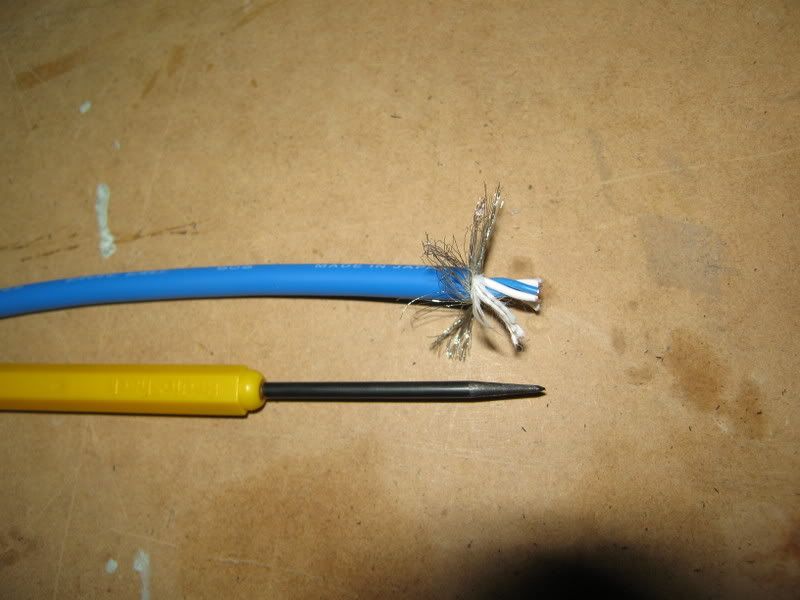 In this case the braided wasn't even used as a shielding. Again you can see clearly the difference of the inner wires that sets RCA and Coaxial cables apart. Sorry...going off topic oledi..haha This post has been edited by azbro: Jul 5 2010, 05:46 PM |
|
|
Jul 5 2010, 06:11 PM
|
|
Senior Member
2,234 posts Joined: Feb 2007
|
twisted pair cable impedance is 100Ω, not suitable to use as a audio/video cable
|
|
|
Jul 6 2010, 02:43 PM
|
|
Junior Member
265 posts Joined: Jan 2003
|
QUOTE(azbro @ Jul 5 2010, 12:23 PM) RCA cables: azbro,Coaxial cables As you can see, the difference is shielding...signals from Digital Audio is prone to interference...thats why they use Coaxial or toslinks. It can also handle more energy than those pasar malam RCA cables for optimum digital transfer. Difference between normal coaxial RG6U Vs a Monster coaxial RM100 one is the material they used, branding and how many shielding it has. I once DIY a triple shielding Coaxial, but later found out, a single shield was good enough. For DIY: http://forum.lowyat.net/topic/1209686 I swear by Coaxial cables over RCA cause I have experience of major interference cause i need to bundle up my cable due to space constrain. Tks a million for the useful info. I will try the normal coaxial RG6U(leftover from Astro). What RCA connector do you recommend? Is gold plated connector necessary? TQ |
|
|
Jul 6 2010, 03:11 PM
|
|
Senior Member
4,403 posts Joined: Jan 2007 From: Johor Bahru
|
QUOTE(helob @ Jul 6 2010, 02:43 PM) azbro, Most of the time...ppl will use RG59 for Astro instead of RG6 to keep the cost down...usually RG6 has a larger diameter core for better digital signal transfer...but you can try with what you have first.Tks a million for the useful info. I will try the normal coaxial RG6U(leftover from Astro). What RCA connector do you recommend? Is gold plated connector necessary? TQ Abt the connectors, No need to get RM30~40 connectors...just those RM6~8 should be OK.....most important is the cable diameter can go through the cables....no point buying fat cables that dun fit into the connector hole at the back. Most important is you need a soldering iron. Before you solder, make sure the Iron is at its optimum temperature. Also, use a sharp object to scratch the connector soldering area so it will stick better. To make both wire and connector to stick with the solder...both need to be hot. If you only heat the wires, than it become dry solder. And to be on the safe side, have some allowance on the cable length. Check the thread I gave to DIY a coaxial cable. |
|
|
Jul 6 2010, 07:43 PM
|
|
Junior Member
132 posts Joined: Dec 2004
|
bros, is it possible to view the contents of the hdd in the hdpro from our pc/laptop running windows xp/vista? tq
|
|
|
Jul 6 2010, 08:24 PM
|
|
All Stars
10,475 posts Joined: Jan 2003 From: Sarawak
|
QUOTE(myst @ Jul 6 2010, 07:43 PM) bros, is it possible to view the contents of the hdd in the hdpro from our pc/laptop running windows xp/vista? tq yes, you can. make sure you link them up using mini-USB connector. |
|
|
Jul 6 2010, 08:42 PM
|
|
Junior Member
132 posts Joined: Dec 2004
|
can view through network?
|
|
|
Jul 6 2010, 08:57 PM
|
|
Senior Member
2,664 posts Joined: Jan 2005 From: Puchong
|
QUOTE(myst @ Jul 6 2010, 08:42 PM) can view through network? Yes, using Samba. The HDPro hard disk is accessible from win explorer. |
|
|
Jul 6 2010, 09:09 PM
|
|
Junior Member
108 posts Joined: Jun 2010
|
QUOTE(myst @ Jul 6 2010, 08:42 PM) can view through network? Samba must be running first. Then you need to know the IP address of your Hdpro.Type the same IP in the window explorer and you should be able to access the hdd of Hdpro. This work for me for winxp. No sure vista work the same. |
|
|
Jul 7 2010, 12:35 AM
|
|
Junior Member
132 posts Joined: Dec 2004
|
oh ok.. i have not install samba yet.. will try it out.. thx guys.
|
|
|
Jul 7 2010, 10:38 AM
|
|
Junior Member
503 posts Joined: Aug 2006 From: CatCity
|
I hope future firmware update for HDPro will include movie cover selection for easier navigation instead of scrolling. Support for external BDROM wil b a plus oso.
|
|
|
Jul 7 2010, 03:06 PM
|
|
Junior Member
194 posts Joined: May 2006
|
I have few movies(mp4) with AAC that play ok but no sound. Connected through optical out to AVR. Yangxi, any idea on this.
I have Celine Dion concert with dual audio of TrueHD and stereo. The player can output stereo but no TrueHD. Unknown format shown. YES, if the new firmware can support external BDROM would be great. |
|
|
Jul 7 2010, 06:17 PM
|
|
All Stars
10,475 posts Joined: Jan 2003 From: Sarawak
|
QUOTE(yltan @ Jul 7 2010, 03:06 PM) I have few movies(mp4) with AAC that play ok but no sound. Connected through optical out to AVR. Yangxi, any idea on this. dunno how many times i've repeatedly answering the same question. and yet no firmware update has fixed this. I have Celine Dion concert with dual audio of TrueHD and stereo. The player can output stereo but no TrueHD. Unknown format shown. YES, if the new firmware can support external BDROM would be great. if you're using spdif raw digital audio out, there is no sound for aac or mp3 audio unless change you to analog audio. the player itself does support aac and mp3 & can decode them, thus plays back fine on analog out. but, when you use raw digital output, the aac audio (as an example) is not decoded internally in the player. this compressed audio is sent directly out to your avr, and let your avr to do the decoding. if your avr cannot decode aac audio, you won't be able to hear any sound from it. the same goes to mkv/mp4 movies with aac audio. if you want the aac in the video to be heard without changing the player's setting to analog audio, re-encode your movies that have AAC audio to Dolby Digital. i use popcorn mkv audio converter for this job. for 5.1 aac audio, i'll re-encode them to at least 384 kbps dd5.1. if your aac is stereo, it'll be re-encode to 192kbps dd2.0. previous 1073dd cannot play dolby trueHD audio. This post has been edited by Skylinestar: Jul 7 2010, 06:18 PM |
|
|
Jul 7 2010, 08:23 PM
|
|
Senior Member
4,189 posts Joined: Jan 2003 From: Age Quod Agis
|
QUOTE(yltan @ Jul 7 2010, 03:06 PM) I have few movies(mp4) with AAC that play ok but no sound. Connected through optical out to AVR. Yangxi, any idea on this. I also tested Celine Dion source can't play truehd sound.. , I have Celine Dion concert with dual audio of TrueHD and stereo. The player can output stereo but no TrueHD. Unknown format shown. YES, if the new firmware can support external BDROM would be great. some movie is ok.. weird ~ still checking =.= Added on July 7, 2010, 8:34 pm QUOTE(Skylinestar @ Jul 7 2010, 06:17 PM) dunno how many times i've repeatedly answering the same question. and yet no firmware update has fixed this. thanks explain if you're using spdif raw digital audio out, there is no sound for aac or mp3 audio unless change you to analog audio. the player itself does support aac and mp3 & can decode them, thus plays back fine on analog out. but, when you use raw digital output, the aac audio (as an example) is not decoded internally in the player. this compressed audio is sent directly out to your avr, and let your avr to do the decoding. if your avr cannot decode aac audio, you won't be able to hear any sound from it. the same goes to mkv/mp4 movies with aac audio. if you want the aac in the video to be heard without changing the player's setting to analog audio, re-encode your movies that have AAC audio to Dolby Digital. i use popcorn mkv audio converter for this job. for 5.1 aac audio, i'll re-encode them to at least 384 kbps dd5.1. if your aac is stereo, it'll be re-encode to 192kbps dd2.0. previous 1073dd cannot play dolby trueHD audio. This post has been edited by yangxi: Jul 7 2010, 08:34 PM |
|
|
Jul 8 2010, 10:24 AM
|
|
Junior Member
20 posts Joined: Sep 2009
|
Hi Yangxi
Remember me ? I am the guy who bought another 2 docks + hdpros from you. My set's version is March. I followed your advise to update to May version, the menu screen became Chinese version, is that correct? Then I restore to default setting & instal the June version last night, so far only one movie ( Blue Plannet no sound, showing 0 kph), i am not sure this is movie or player's problem as my friend's may version can play it fine. Other movies seem ok. Besides that, just after installed may version when the player restart itself, the was message "bad disk eject" pop up, is that something wrong with the player? 1st time encountered !( by that time I didn't unplug the usb drive) Please clarify! My conlcusion, who are using version earlier than may, please update, the picture really improve very significantly. details , colours, shapeness etc appear so much difference, why I know? Because I compare with my friend's same movie. Anyway, do you still need the spoiled dock ( i found leakage inside ) return to you? |
|
|
Jul 9 2010, 03:20 PM
|
|
Junior Member
51 posts Joined: May 2007
|
Hi all owner of HDPro,
Does anyone encounter this problem?? After switch off the hdpro and switch it back on, the hdd and wifi were not detected. I have to unplug the power and plug back so the player can find the wifi and hdd. Anyone know how to solve this prob? thx |
|
|
Jul 10 2010, 09:00 AM
|
|
Senior Member
1,467 posts Joined: Oct 2007 From: ✪Candy Land✪
|
My set's version is March too. is it compulsory to update to May version?
|
|
|
Jul 10 2010, 09:28 AM
|
|
Junior Member
20 posts Joined: Sep 2009
|
QUOTE(Damonzero @ Jul 10 2010, 09:00 AM) My set's version is March too. is it compulsory to update to May version? If you are happy with the performance right now then it should be fine to keep it on march version.I personally feel that update should do, as my friend also having march version, he also realised that his friend's june version's performance in term of video quality really different ! |
|
|
Jul 10 2010, 11:03 AM
|
|
Junior Member
265 posts Joined: Jan 2003
|
QUOTE(Ryuluvlia @ Jul 9 2010, 03:20 PM) Hi all owner of HDPro, Which FW ver are you using?Does anyone encounter this problem?? After switch off the hdpro and switch it back on, the hdd and wifi were not detected. I have to unplug the power and plug back so the player can find the wifi and hdd. Anyone know how to solve this prob? thx Try to update to the latest Jun ver. Let us know whether this help. |
|
|
Jul 10 2010, 06:59 PM
|
|
Senior Member
566 posts Joined: Oct 2006
|
wanna ask i'm using wd essential ext hd, there is password protection software comes with it. question is if the password protection ON can i directly connect to hdpro to enter the password and access the files or must i OFF it fr pc then only can connect it to hdpro to play? anyone did try with others brand hd with password? TQ
|
|
|
Jul 10 2010, 07:10 PM
|
|
Senior Member
1,467 posts Joined: Oct 2007 From: ✪Candy Land✪
|
QUOTE(httan @ Jul 10 2010, 09:28 AM) If you are happy with the performance right now then it should be fine to keep it on march version. So httan , is recommended to upgrade?I personally feel that update should do, as my friend also having march version, he also realised that his friend's june version's performance in term of video quality really different ! |
|
|
Jul 11 2010, 09:08 PM
|
|
Junior Member
51 posts Joined: May 2007
|
I have updated the FW version to the latest one.
No more problem. However some time hang due to excessive fast forward. |
|
|
Jul 12 2010, 11:06 AM
|
|
Junior Member
20 posts Joined: Sep 2009
|
QUOTE(Ryuluvlia @ Jul 11 2010, 09:08 PM) I have updated the FW version to the latest one. No more problem. However some time hang due to excessive fast forward. QUOTE(Damonzero @ Jul 10 2010, 07:10 PM) So httan , is recommended to upgrade? In term of video quality improvement, I personally suggest to update.However, I also encounter hang problem, not very sure is hard disk heat or fw problem. I update mine from march to may & then to jun, I wonder whether i should downdate it to may version ? Still observing................ |
|
|
Jul 12 2010, 11:35 AM
|
|
Junior Member
20 posts Joined: Sep 2006
|
I bought mine in may '10 and recently updated to the June version. Got weird problem afterwards.....switch on 1st sure hang, then off again. Then ok. Stumped...
|
|
|
Jul 12 2010, 08:56 PM
|
|
Senior Member
4,189 posts Joined: Jan 2003 From: Age Quod Agis
|
|
|
|
Jul 13 2010, 09:42 AM
|
|
Junior Member
20 posts Joined: Sep 2009
|
QUOTE(phoong_msia @ Jul 12 2010, 11:35 AM) I bought mine in may '10 and recently updated to the June version. Got weird problem afterwards.....switch on 1st sure hang, then off again. Then ok. Stumped... Video quality got improve? If not I may roll back to May version!Added on July 13, 2010, 9:46 am QUOTE(yangxi @ Jul 12 2010, 08:56 PM) Is it same as hdpros_Apr_13_2010.rar ?If roll back from June to Apr how? Update May, then Apr or directly update from June to Apr ? This post has been edited by httan: Jul 13 2010, 09:46 AM |
|
|
Jul 13 2010, 10:14 AM
|
|
Senior Member
4,189 posts Joined: Jan 2003 From: Age Quod Agis
|
yes. same.
you can roll back any version. |
|
|
Jul 13 2010, 04:12 PM
|
|
Senior Member
1,467 posts Joined: Oct 2007 From: ✪Candy Land✪
|
so April or May?
|
|
|
Jul 14 2010, 11:25 AM
|

Junior Member
14 posts Joined: Jun 2007
|
Hi yangxi,
I just bought external hdd but my mini cannot detected the external hdd. why ? or I have to use the e-sata instead of usb port ? thanks. |
|
|
Jul 14 2010, 11:59 AM
|

Senior Member
1,798 posts Joined: Sep 2004 From: Yuen Long, HK || Seremban || Kuala Lumpur
|
Any good speaker with support TrueHD, DTS-HD recommend for HDPRO?
How can I find the wifi dongle installation instruction? |
|
|
Jul 14 2010, 02:15 PM
|
|
Junior Member
63 posts Joined: Jul 2008
|
Hi, I am looking for HD content. Prefer in BD-ISO format. Please PM me to discuss. many thanks
|
|
|
Jul 14 2010, 04:13 PM
|
|
Senior Member
2,234 posts Joined: Feb 2007
|
QUOTE(rosleemj @ Jul 14 2010, 11:25 AM) Hi yangxi, you need the external casing, and connect both eSATA and USB cables from the casing to the device for it to work, USB in this case is to supply power to the external harddiskI just bought external hdd but my mini cannot detected the external hdd. why ? or I have to use the e-sata instead of usb port ? thanks. |
|
|
Jul 14 2010, 04:35 PM
|
|
Junior Member
14 posts Joined: Jun 2007
|
QUOTE(neb @ Jul 14 2010, 04:13 PM) you need the external casing, and connect both eSATA and USB cables from the casing to the device for it to work, USB in this case is to supply power to the external harddisk Bro, I bought Sensonic HD4 with 500GB WD hdd.. I connect to USB port but mini not detected the hdd. Thumb drive & SD card can use.. |
|
|
Jul 14 2010, 06:00 PM
|
|
Senior Member
2,234 posts Joined: Feb 2007
|
can't detect USB hard drive? ask yangxi to debug your media player, it seems like palyer problem
|
|
|
Jul 14 2010, 06:12 PM
|
|
All Stars
10,475 posts Joined: Jan 2003 From: Sarawak
|
QUOTE(rstusa @ Jul 14 2010, 11:59 AM) Any good speaker with support TrueHD, DTS-HD recommend for HDPRO? you should be asking which AVR support Dolby TrueHD and DTS-HD, not which speaker.please state your budget. the lowest model i can think of is Yamaha RX-V465. |
|
|
Jul 14 2010, 06:39 PM
|
|
Junior Member
14 posts Joined: Jun 2007
|
QUOTE(Skylinestar @ Jul 14 2010, 06:12 PM) you should be asking which AVR support Dolby TrueHD and DTS-HD, not which speaker. Bro, how much Yamaha RX-V465 ? is it HTiB ? mine RX-V340 6yr old AVR.. plan to change a new one... please state your budget. the lowest model i can think of is Yamaha RX-V465. |
|
|
Jul 14 2010, 07:19 PM
|
|
All Stars
10,475 posts Joined: Jan 2003 From: Sarawak
|
it's not HTiB. it's just an AVR.
i'm not sure of the price. maybe around rm1400. you can try to visit desa home theatre. maybe you can try this: http://forum.lowyat.net/index.php?showtopic=1470413&hl= This post has been edited by Skylinestar: Jul 14 2010, 07:38 PM |
|
|
Jul 15 2010, 09:17 AM
|
|
Junior Member
49 posts Joined: Apr 2010 From: Kuala lumpur
|
HDPro can play m2ts file ? Do i need to update any specific firware ?
|
|
|
Jul 15 2010, 11:33 AM
|
|
Senior Member
4,189 posts Joined: Jan 2003 From: Age Quod Agis
|
sure.. realtek chip can support this format.
|
|
|
Jul 15 2010, 12:11 PM
|
|
Junior Member
14 posts Joined: Jun 2007
|
QUOTE(Skylinestar @ Jul 14 2010, 07:19 PM) it's not HTiB. it's just an AVR. Thanks bro.. I found it what i want. i'm not sure of the price. maybe around rm1400. you can try to visit desa home theatre. maybe you can try this: http://forum.lowyat.net/index.php?showtopic=1470413&hl= before this i prefer Onkyo 7.1 HTiB, well if u can't afford a BMW, Perodua also can... hik.hik.hik.. |
|
|
Jul 16 2010, 01:55 PM
|

Junior Member
14 posts Joined: Nov 2007 From: Bangi
|
Can anyone help me?
Just bought Samsung F3 1TB...formatted to NTFS...ran test on my windows 7 64bit.. works fine/no error/no problem watsoever..then I stored more that 500GB of HD movies Next I installed the hdd into my HDPro...the player took 5 minute to boot into menu...went to hdd directory - just saw this sign \..\ ...try clicked the sign it kicked me straight back into menu... check under system info- my hdd size stated unknown...not sure why the HDpro can't detect my hdd ...the sata/power cables were properly attached..I'm using the latest firmware btw (28 june 2010)This post has been edited by zntrax81: Jul 16 2010, 02:04 PM |
|
|
Jul 16 2010, 03:12 PM
|
|
Senior Member
1,798 posts Joined: Sep 2004 From: Yuen Long, HK || Seremban || Kuala Lumpur
|
I heard Yangxi mentioned before if HDD got partitions, it got problem to detect.
|
|
|
Jul 16 2010, 05:36 PM
|
|
Junior Member
14 posts Joined: Nov 2007 From: Bangi
|
QUOTE(rstusa @ Jul 16 2010, 03:12 PM) I heard Yangxi mentioned before if HDD got partitions, it got problem to detect. I'm using single partition only...before no problem when using 1TB Buffalo external HDD connected via usb port..maybe the sata cable is faulty? Will be doing test with other sata hdd soon to see if the problem persist This post has been edited by zntrax81: Jul 16 2010, 08:21 PM |
|
|
Jul 16 2010, 11:07 PM
|
|
Senior Member
1,798 posts Joined: Sep 2004 From: Yuen Long, HK || Seremban || Kuala Lumpur
|
The youtube in HDPRO only can view most top rated, most viewed, and so on but can't do search youtube video.
|
|
|
Jul 16 2010, 11:49 PM
|
|
Junior Member
132 posts Joined: Dec 2004
|
i think you need to use the built-in software to format the hdd.. that's what i did.. but i may be wrong..
|
|
|
Jul 16 2010, 11:53 PM
|
|
Senior Member
1,798 posts Joined: Sep 2004 From: Yuen Long, HK || Seremban || Kuala Lumpur
|
Sorry, I don't understand what you mean. Format HDD anything related to search function in the youtube?
|
|
|
Jul 17 2010, 02:17 AM
|
|
Junior Member
9 posts Joined: May 2008
|
QUOTE(rstusa @ Jul 16 2010, 11:07 PM) The youtube in HDPRO only can view most top rated, most viewed, and so on but can't do search youtube video. If you using June FW, try to use "Search video" menu..have search youtube inside there |
|
|
Jul 17 2010, 02:18 AM
|

Junior Member
199 posts Joined: Oct 2004
|
i've downloaded HD 1080 video from youtube in AVI format. It can't seems to play using HD PRO and it stated file format not supported. Any idea why?
|
|
|
Jul 17 2010, 01:27 PM
|
|
Senior Member
2,234 posts Joined: Feb 2007
|
QUOTE(derict @ Jul 17 2010, 02:18 AM) i've downloaded HD 1080 video from youtube in AVI format. It can't seems to play using HD PRO and it stated file format not supported. Any idea why? I don't think you can download video directly from youtube, try other third party capture software that can output H.264/MPEG-4 AVC format |
|
|
Jul 17 2010, 02:22 PM
|
|
Senior Member
1,798 posts Joined: Sep 2004 From: Yuen Long, HK || Seremban || Kuala Lumpur
|
QUOTE(apois @ Jul 17 2010, 03:17 AM) If you using June FW, try to use "Search video" menu..have search youtube inside there I can't see "search video" inside the youtube main menu. |
|
|
Jul 17 2010, 09:07 PM
|
|
Senior Member
4,189 posts Joined: Jan 2003 From: Age Quod Agis
|
QUOTE(derict @ Jul 17 2010, 02:18 AM) i've downloaded HD 1080 video from youtube in AVI format. It can't seems to play using HD PRO and it stated file format not supported. Any idea why? can give me link ? normally hd format in mp4 (h264 avc codec).Afraid now use own vp8 coding. which realtek can't support. |
|
|
Jul 17 2010, 11:22 PM
|
|
Junior Member
199 posts Joined: Oct 2004
|
ermm, i actually use a software to download it to AVI file. MP4 is playing fine, but i wanna know why it can't play AVI when its stated supported in the spec.
|
|
|
Jul 18 2010, 12:39 AM
|
|
Senior Member
2,234 posts Joined: Feb 2007
|
avi is a container, it can carry any compression scheme or better known as codec inside
|
|
|
Jul 18 2010, 01:05 AM
|
|
Senior Member
4,189 posts Joined: Jan 2003 From: Age Quod Agis
|
QUOTE(derict @ Jul 17 2010, 11:22 PM) ermm, i actually use a software to download it to AVI file. MP4 is playing fine, but i wanna know why it can't play AVI when its stated supported in the spec. show me the video info~http://mediainfo.sourceforge.net/ youtube source only in FLV,MP4. might bad convert? |
|
|
Jul 18 2010, 01:25 AM
|
|
Senior Member
2,664 posts Joined: Jan 2005 From: Puchong
|
QUOTE(derict @ Jul 17 2010, 11:22 PM) ermm, i actually use a software to download it to AVI file. MP4 is playing fine, but i wanna know why it can't play AVI when its stated supported in the spec. I have problem accessing some AVIs through "UPnP". I gave up and now accessing through "NET" instead. |
|
|
Jul 18 2010, 06:29 AM
|
|
Junior Member
9 posts Joined: May 2008
|
QUOTE(Ryuluvlia @ Jul 9 2010, 03:20 PM) Hi all owner of HDPro, I facing the same issue. Does anyone encounter this problem?? After switch off the hdpro and switch it back on, the hdd and wifi were not detected. I have to unplug the power and plug back so the player can find the wifi and hdd. Anyone know how to solve this prob? thx Update to the latest June FW version, but still the same. When it start, show "Wifi Plugin"...then my TV blank...need to turn off power, then turn on back,after that the wifi can detect. |
|
|
Jul 18 2010, 10:12 AM
|
|
Senior Member
4,189 posts Joined: Jan 2003 From: Age Quod Agis
|
need turn off adapter.
Using remote turn on, MCU might not enough power to supply. apois, when switch on adapter, does your player direct on ? or need press power button . Added on July 18, 2010, 10:37 amFirmware: *OEM version http://www.4shared.com/file/m1k2yDgr/Hdpro_20100628_oem.html This post has been edited by yangxi: Jul 18 2010, 10:37 AM |
|
|
Jul 18 2010, 03:19 PM
|
|
Junior Member
9 posts Joined: May 2008
|
QUOTE(yangxi @ Jul 18 2010, 10:12 AM) need turn off adapter. Yes, it directly on and the player can run as usual. No need to press power button. Now I just do some troubleshooting..when I turn off BT Samba, the problem solved..Using remote turn on, MCU might not enough power to supply. apois, when switch on adapter, does your player direct on ? or need press power button . Added on July 18, 2010, 10:37 amFirmware: *OEM version http://www.4shared.com/file/m1k2yDgr/Hdpro_20100628_oem.html |
|
|
Jul 18 2010, 04:30 PM
|
|
Senior Member
4,189 posts Joined: Jan 2003 From: Age Quod Agis
|
might bt samba cause it..weird. THanks mention.
|
|
|
Jul 18 2010, 06:58 PM
|
|
Junior Member
9 posts Joined: May 2008
|
QUOTE(yangxi @ Jul 18 2010, 04:30 PM) might bt samba cause it..weird. THanks mention. Updated to June OEM FW, the same problem happen when I turn on BT Samba. OEM FW, have a lot of video online and it's can be viewed.. |
|
|
Jul 18 2010, 08:15 PM
|
|
Senior Member
4,189 posts Joined: Jan 2003 From: Age Quod Agis
|
oem version is for export model. more english channel.
|
|
|
Jul 18 2010, 08:40 PM
|
|
Junior Member
38 posts Joined: Sep 2005
|
Yangxi help me......I can't do update system...
Before that I was update 3 firmware.... Like it lock me to update new firmware.... I want update for June OEM FW..... your suggestion??? |
|
|
Jul 18 2010, 11:57 PM
|
|
Senior Member
1,798 posts Joined: Sep 2004 From: Yuen Long, HK || Seremban || Kuala Lumpur
|
I just bought a new 1TB 64mb cache HDD (unpartition) for HDPRO, when i plugged in the USB cable to the laptop, it show installing the driver and the safely remove area got show the usb mass storage but i can't see the drive in MY COMPUTER.
|
|
|
Jul 19 2010, 12:35 AM
|

Senior Member
6,022 posts Joined: Oct 2004
|
QUOTE(rstusa @ Jul 18 2010, 11:57 PM) I just bought a new 1TB 64mb cache HDD (unpartition) for HDPRO, when i plugged in the USB cable to the laptop, it show installing the driver and the safely remove area got show the usb mass storage but i can't see the drive in MY COMPUTER. format the hdd 1st |
|
|
Jul 19 2010, 08:28 AM
|
|
Senior Member
1,798 posts Joined: Sep 2004 From: Yuen Long, HK || Seremban || Kuala Lumpur
|
QUOTE(maskedchan @ Jul 19 2010, 01:35 AM) format the hdd 1st After i create single partition and formatted the drive, i tried to plug in the usb again but still can't detect & see the drive appear on MY COMPUTER. |
|
|
Jul 19 2010, 09:21 AM
|
|
Senior Member
647 posts Joined: Jan 2010 From: Klang
|
QUOTE(rstusa @ Jul 19 2010, 08:28 AM) After i create single partition and formatted the drive, i tried to plug in the usb again but still can't detect & see the drive appear on MY COMPUTER. Try view at Disk Management if any letter assigned to the drive. * Right click on My Computer --> Manage. Go to Disk Management in the tree folder |
|
|
Jul 19 2010, 09:55 AM
|
|
Senior Member
1,798 posts Joined: Sep 2004 From: Yuen Long, HK || Seremban || Kuala Lumpur
|
QUOTE(eMKs @ Jul 19 2010, 10:21 AM) Try view at Disk Management if any letter assigned to the drive. Yes, I created and formatted partition in Disk Management, I assigned it to G drive, but still not appear yet.* Right click on My Computer --> Manage. Go to Disk Management in the tree folder Added on July 19, 2010, 8:18 pmFinally settled the problem, sorry, mistake didn't assign drive. Based on the pic below with the speed shown, is it belongs to USB1.1 or USB2.0? 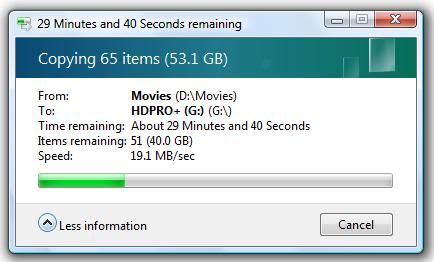 This post has been edited by rstusa: Jul 19 2010, 08:18 PM |
|
|
Jul 19 2010, 11:08 PM
|

Senior Member
4,237 posts Joined: Sep 2006
|
QUOTE(rstusa @ Jul 19 2010, 09:55 AM) Yes, I created and formatted partition in Disk Management, I assigned it to G drive, but still not appear yet. 2.0 Added on July 19, 2010, 8:18 pmFinally settled the problem, sorry, mistake didn't assign drive. Based on the pic below with the speed shown, is it belongs to USB1.1 or USB2.0? |
|
|
Jul 20 2010, 01:48 AM
|
|
Junior Member
130 posts Joined: Mar 2008
|
QUOTE(yangxi @ Jul 18 2010, 08:15 PM) oem version is for export model. more english channel. Just upgraded to OEM, Samba/BT working no problem, LOADS of TV/Movies/OnlineMusic |
|
|
Jul 20 2010, 09:08 AM
|
|
Senior Member
4,229 posts Joined: Jan 2003 From: Selangor
|
QUOTE(klseet @ Jul 20 2010, 01:48 AM) Just upgraded to OEM, Samba/BT working no problem, LOADS of TV/Movies/OnlineMusic is it OK to upgrade from march version to this OEM version? |
|
|
Jul 20 2010, 09:21 AM
|
|
Senior Member
4,189 posts Joined: Jan 2003 From: Age Quod Agis
|
if u bought before May . Please update May firmware first .
|
|
|
Jul 20 2010, 05:59 PM
|
|
Senior Member
532 posts Joined: Oct 2009
|
the june OEM frimware works really well. My BTSAMBA can run again. earlier on cannot, need to format HDD.
Bro Yangxi, The latest HD pro can play DTS Master Audio and True HD? |
|
|
Jul 22 2010, 02:20 PM
|

Senior Member
1,162 posts Joined: Sep 2008 From: PJ
|
Hi there, Just some question from the user here before I decide on the unit.
How's the online radio channel fair from this device? Or even the internet TV channel, is there such a thing? I expect to use quite a bit on internet radio channel other than just streaming the multimedia files, thats why I ask. Besides, can the HD Pro function well WITHOUT a hardisk inside? I already have a network NAS in place. |
|
|
Jul 22 2010, 03:08 PM
|
|
Junior Member
130 posts Joined: Mar 2008
|
I try my best to answer....
QUOTE(peter32 @ Jul 22 2010, 02:20 PM) How's the online radio channel fair from this device? Or even the internet TV channel, is there such a thing? The June10 OEM firmware has lots of online TVs & online radio.I expect to use quite a bit on internet radio channel other than just streaming the multimedia files, thats why I ask. For online TVs & shows, I'd tried some, most of it works, but the problem is the SlowMax (Streamyx) which caused problem on some higher resolution shows, I haven't tried on UniFi, hope it's better. For normal low resolution TV shows, YouTube, PodCast, no problem streaming. For internet radio, also a lot, I like the Akado radio channels http://radio.akado.ru/ I particularly like the Smooth Jazz, The 80's, Love Pride, etc So far I have been playing every night for hours without major problem, once in a while will drop, but I suspect it's due to my network bridging and SlowMax problem. QUOTE(peter32 @ Jul 22 2010, 02:20 PM) Besides, can the HD Pro function well WITHOUT a hardisk inside? I already have a network NAS in place. You don't need to put any internal or external HDD, the HDPro box itself already can go internet TVs & radios For me, definitely the HDPro entertain me a lot more and the price is very reasonable, my only wish list now is to have UniFi quickly launch at my area This post has been edited by klseet: Jul 22 2010, 03:09 PM |
|
|
Jul 22 2010, 04:28 PM
|
|
All Stars
10,475 posts Joined: Jan 2003 From: Sarawak
|
how does yangxi's 1073 player handles BDMV folder structure?
can it play with full menu like real BD or DVD ISO? or need to browse and play individual m2ts? |
|
|
Jul 22 2010, 04:43 PM
|
|
Senior Member
4,189 posts Joined: Jan 2003 From: Age Quod Agis
|
full menu dvd iso can, but no hope for BD.iso (only bd lite.. play m2ts file)
|
|
|
Jul 22 2010, 07:30 PM
|
|
Senior Member
1,162 posts Joined: Sep 2008 From: PJ
|
QUOTE(klseet @ Jul 22 2010, 03:08 PM) I try my best to answer.... Thank you very much for your answer. The June10 OEM firmware has lots of online TVs & online radio. For online TVs & shows, I'd tried some, most of it works, but the problem is the SlowMax (Streamyx) which caused problem on some higher resolution shows, I haven't tried on UniFi, hope it's better. For normal low resolution TV shows, YouTube, PodCast, no problem streaming. For internet radio, also a lot, I like the Akado radio channels http://radio.akado.ru/ I particularly like the Smooth Jazz, The 80's, Love Pride, etc So far I have been playing every night for hours without major problem, once in a while will drop, but I suspect it's due to my network bridging and SlowMax problem. You don't need to put any internal or external HDD, the HDPro box itself already can go internet TVs & radios For me, definitely the HDPro entertain me a lot more and the price is very reasonable, my only wish list now is to have UniFi quickly launch at my area With regards to internet radio, can you manually add new radio channel as it comes along ? Or we have to rely on firmware upgrade only ? I do agree that some radio channel do need constant stream of high speed broadband, unifi should do the trick very well. I am also waiting for that service to come to PJ. |
|
|
Jul 22 2010, 08:14 PM
|
|
Senior Member
4,189 posts Joined: Jan 2003 From: Age Quod Agis
|
it can't add radio channel manually.
|
|
|
Jul 22 2010, 08:42 PM
|
|
All Stars
10,475 posts Joined: Jan 2003 From: Sarawak
|
QUOTE(yangxi @ Jul 22 2010, 04:43 PM) full menu dvd iso can, but no hope for BD.iso (only bd lite.. play m2ts file) i'm not playing BD ISO what i mean is how does the player treat BDMV folder structure? does it treat it like a normal folder, where i have to browse to BDMV\STREAM\ and play each m2ts files individually? or it treat BDMV as a file itself (sth like DVD ISO)? This post has been edited by Skylinestar: Jul 22 2010, 08:42 PM |
|
|
Jul 22 2010, 08:44 PM
|
|
Senior Member
4,229 posts Joined: Jan 2003 From: Selangor
|
QUOTE(Skylinestar @ Jul 22 2010, 08:42 PM) i'm not playing BD ISO it can play BDMV correctly i.e. start with the correct file- no need to find m2ts to play what i mean is how does the player treat BDMV folder structure? does it treat it like a normal folder, where i have to browse to BDMV\STREAM\ and play each m2ts files individually? or it treat BDMV as a file itself (sth like DVD ISO)? |
|
|
Jul 22 2010, 09:25 PM
|
|
All Stars
10,475 posts Joined: Jan 2003 From: Sarawak
|
QUOTE(ycs @ Jul 22 2010, 08:44 PM) it can play BDMV correctly i.e. start with the correct file- no need to find m2ts to play base on example herewhich one is the correct file to start? (noob here, paiseh ) |
|
|
Jul 23 2010, 08:44 AM
|
|
Senior Member
1,162 posts Joined: Sep 2008 From: PJ
|
QUOTE(yangxi @ Jul 18 2010, 08:15 PM) oem version is for export model. more english channel. May I know what channels are available? From which countries? Thanks.. |
|
|
Jul 23 2010, 11:28 AM
|
|
Senior Member
4,189 posts Joined: Jan 2003 From: Age Quod Agis
|
a lot.. but don't know which country..
no time test ^.^ |
|
|
Jul 23 2010, 12:07 PM
|
|
Senior Member
1,162 posts Joined: Sep 2008 From: PJ
|
haha.. ok ok.
|
|
|
Jul 23 2010, 04:16 PM
|
|
Senior Member
1,798 posts Joined: Sep 2004 From: Yuen Long, HK || Seremban || Kuala Lumpur
|
The youtube "search video" cannot continue with related video after playing the 1st one, need to type the words again to search the video.
|
|
|
Jul 23 2010, 07:00 PM
|

Junior Member
44 posts Joined: Oct 2009 From: Damansara PJ
|
I just got a unit HDpro, after test run, PQ is better than my samsung plasma USB build in media player, got more feature to use, can play all my big file size mkv & m2ts file with sub title, can skip chapter somemore, I no need to use my ps3 watch Bluray now... Thanks to yangxi good seller...
|
|
|
Jul 24 2010, 01:06 AM
|
|
Junior Member
130 posts Joined: Mar 2008
|
QUOTE(peter32 @ Jul 23 2010, 08:44 AM) May I know what channels are available? From which countries? Thanks.. Took some pictures from the HDPro internet menu selection [with Jun2010 OEM firmware] for your reference:Internet menu selection (total 20): 


Some TV/Radio channels listing: 


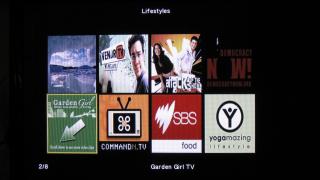



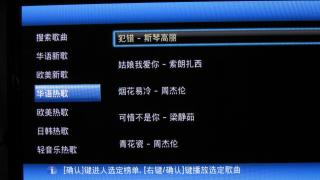

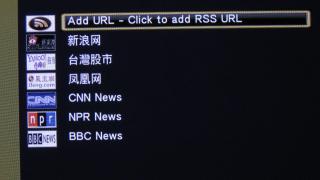
I still have no time to go through all yet ..... QUOTE(ExcelBoy @ Jul 23 2010, 07:00 PM) I just got a unit HDpro, after test run, PQ is better than my samsung plasma USB build in media player, got more feature to use, can play all my big file size mkv & m2ts file with sub title, can skip chapter somemore, I no need to use my ps3 watch Bluray now... Thanks to yangxi good seller... I also never use my Samsung Plasma build-in USB media player, now I throw every multimedia files onto the HDPro This post has been edited by klseet: Jul 24 2010, 01:07 AM |
|
|
Jul 24 2010, 01:23 AM
|
|
Senior Member
1,162 posts Joined: Sep 2008 From: PJ
|
klseet, thanks for your effort. Truly appreciate it.
Looks like high speed broadband is a must to make full use of this device. |
|
|
Jul 24 2010, 12:16 PM
|
|
Junior Member
130 posts Joined: Mar 2008
|
QUOTE(peter32 @ Jul 24 2010, 01:23 AM) klseet, thanks for your effort. Truly appreciate it. Indeed, especially for those HDTV, my current 1M SlowMax (Streamyx) really driving me nuts .... still waiting the UniFi service ..... damn fed-up with TMNUT Looks like high speed broadband is a must to make full use of this device. Luckily most other non-HDTV & radio channels still ok |
|
|
Jul 24 2010, 04:26 PM
|
|
Senior Member
4,237 posts Joined: Sep 2006
|
Just got my piece of HD Pro Mini wonder am i allowed to be in here?
|
|
|
Jul 24 2010, 05:01 PM
|
|
Junior Member
130 posts Joined: Mar 2008
|
QUOTE(johnkor @ Jul 24 2010, 04:26 PM) Just got my piece of HD Pro Mini wonder am i allowed to be in here? I think you are most welcome here, also same HDPro & firmware, just size different mah |
|
|
Jul 24 2010, 07:08 PM
|
|
Senior Member
4,189 posts Joined: Jan 2003 From: Age Quod Agis
|
yes.. hdpro,hdpro mini share same firmware version. Future firmware upgrade flash in both.
|
|
|
Jul 25 2010, 01:37 AM
|

Junior Member
28 posts Joined: Jul 2006
|
Just got my HdPro on friday and would like to know that if there's any problem with certain brand of harddisk?
I bought a new 3.5 1TB seagate barracuda for the player but till now still could not get it to work with the hdpro player. No harddisk issue when plug to my XP computer. On Hdpro, the player recognise the hard disk coz i can see the prompt "HDD plug-in" and also is available in hdpro format hardisk function but cannot see the files in harddisk. I tried all type of formating i.e. Quick format and full format from winXP. Also tried formating using HDpro but formating seems to stuck halfway. I also tried downgrade the firmware to april (still cannot) and upgrade again to oem june but all still don't work. Appreciate if someone could point out my mistake and what i did wrong? thanks. |
|
|
Jul 25 2010, 02:58 PM
|
|
Senior Member
4,237 posts Joined: Sep 2006
|
QUOTE(yangxi @ Jul 24 2010, 07:08 PM) yes.. hdpro,hdpro mini share same firmware version. Future firmware upgrade flash in both. i got one question , how do i set this thing up ? cause i try to set the time i click confirm than the time is not set . Secondly HDMI how do i set it ? cause my friend using a 32 Inch LCD full HD but try to run , having flickering can someone tell me whats wrong with it? |
|
|
Jul 25 2010, 03:55 PM
|
|
Junior Member
9 posts Joined: May 2008
|
My youtube is not working anymore
..previously working fine.. i'm using latest OEM FW..search using social media or search video also not work..is show message "Cannot play this media"... anybody facing this problem..Is it streamyx issue?I still can view video in Internet TV menu... |
|
|
Jul 25 2010, 04:07 PM
|
|
Senior Member
4,189 posts Joined: Jan 2003 From: Age Quod Agis
|
youtube done something on their server. supose youtube not allow use in realtek player.
happen 5th time >< tomorrow will report manufacture again. This post has been edited by yangxi: Jul 25 2010, 04:07 PM |
|
|
Jul 25 2010, 04:50 PM
|
|
Senior Member
2,234 posts Joined: Feb 2007
|
QUOTE(johnkor @ Jul 25 2010, 02:58 PM) i got one question , how do i set this thing up ? cause i try to set the time i click confirm than the time is not set . incompatible between HDTV and player may be, feedback the HDTV brand and model number to yangxi, in the mean time set the player to lower resolution such as 1080i or 720pSecondly HDMI how do i set it ? cause my friend using a 32 Inch LCD full HD but try to run , having flickering can someone tell me whats wrong with it? |
|
|
Jul 25 2010, 07:18 PM
|
|
Senior Member
4,237 posts Joined: Sep 2006
|
One more thing , DVD Loader suddenly appear and than the player hangs ... firmware problem ?
|
|
|
Jul 25 2010, 07:59 PM
|
|
Senior Member
4,189 posts Joined: Jan 2003 From: Age Quod Agis
|
DVD Loader appear? did you plug any Buffalo brand device? might compatible problem.
|
|
|
Jul 26 2010, 01:31 AM
|
|
Senior Member
4,237 posts Joined: Sep 2006
|
QUOTE(yangxi @ Jul 25 2010, 07:59 PM) DVD Loader appear? did you plug any Buffalo brand device? might compatible problem. yes i am using buffalo but the new one seams to have problem but the old one no problem at all , buffalo as well |
|
|
Jul 26 2010, 09:27 AM
|
|
Senior Member
1,467 posts Joined: Oct 2007 From: ✪Candy Land✪
|
Most of my mp4 files doesnt play smoothly....
Need to upgrade firmware? |
|
|
Jul 26 2010, 09:37 AM
|
|
Senior Member
4,189 posts Joined: Jan 2003 From: Age Quod Agis
|
yes. try update to latest june version.
|
|
|
Jul 26 2010, 11:20 AM
|
|
Junior Member
9 posts Joined: Jan 2008
|
hi, just got my player last week. excellent player.
any1 noticed that video download's (inside web menu) is xunlei, but outside is something else (seems like torrentflux or something)... adding torrent inside can view in the web/neighbour and vice versa.... |
|
|
Jul 26 2010, 02:25 PM
|

Senior Member
503 posts Joined: Jan 2003 From: P.J.
|
|
|
|
Jul 26 2010, 03:47 PM
|

Junior Member
10 posts Joined: Aug 2008
|
Just a standard question....
Regardless of HD player type I have,if I want to play full HD 1080p movie on my HD Ready LCD TV(up to 1080i),the file still cant play on the TV right?Though The HD player support 1080p?Am I right?Or there is solution for that?Thank you. |
|
|
Jul 26 2010, 04:14 PM
|
|
Junior Member
130 posts Joined: Mar 2008
|
QUOTE(andyz @ Jul 26 2010, 02:25 PM) WOAH, very in-depth & good review, you are really PRO mate!! QUOTE(nanzotaro @ Jul 26 2010, 03:47 PM) Just a standard question.... I think it will still play.....Regardless of HD player type I have,if I want to play full HD 1080p movie on my HD Ready LCD TV(up to 1080i),the file still cant play on the TV right?Though The HD player support 1080p?Am I right?Or there is solution for that?Thank you. Under Setting, I setup the Video as HDMI Auto, it can play any video formats without any problem on both my Samsung 42" Plasma & Toshiba 37" LCD, both TV HD Ready only. |
|
|
Jul 26 2010, 05:54 PM
|
|
All Stars
10,475 posts Joined: Jan 2003 From: Sarawak
|
QUOTE(nanzotaro @ Jul 26 2010, 03:47 PM) Just a standard question.... even CRT tv can display.Regardless of HD player type I have,if I want to play full HD 1080p movie on my HD Ready LCD TV(up to 1080i),the file still cant play on the TV right?Though The HD player support 1080p?Am I right?Or there is solution for that?Thank you. |
|
|
Jul 26 2010, 09:31 PM
|
|
Junior Member
9 posts Joined: Jan 2008
|
QUOTE(johnkor @ Jul 26 2010, 01:31 AM) yes i am using buffalo but the new one seams to have problem but the old one no problem at all , buffalo as well some bundled drive has hidden partition disguise itself as 'virtual cd' .. my wd passpord also having the dvd plugged in message when plugging in. |
|
|
Jul 26 2010, 11:19 PM
|
|
Senior Member
1,467 posts Joined: Oct 2007 From: ✪Candy Land✪
|
QUOTE(andyz @ Jul 26 2010, 02:25 PM) Nice one, will post the link on my facebook |
|
|
Jul 28 2010, 11:10 AM
|
|
Junior Member
108 posts Joined: Jun 2010
|
When playing the mp3 files or photos, noted that it loop back to replay from the start after the last file.
Does anyone know how to stop the looping function? |
|
|
Jul 29 2010, 11:18 AM
|
|
Junior Member
19 posts Joined: Jul 2010
|
Got my HDpro yestersday , it worked great. I have problem with the subtitle, my LCDTV player able to show subtitle (MKV file with both *.mkv and *.srt). If with HDPro, no subtitle showed the option is subtitle off. Anything I have missed , could help ? Thanks
|
|
|
Jul 29 2010, 11:33 AM
|
|
Junior Member
132 posts Joined: Dec 2004
|
Hi yangxi,
I can't seem to play this file correctly on the HDPRO. Whenever i play it on HDPRO, I see the screen tearing up or huge pixelating, but when I play it on my laptop, no probem. The HDPRO does not support this format? General Complete name : K:\Transformers 2007\Transformers.2007.1080p.BluRay.DTS.x264-ESiR.mkv Format : Matroska File size : 12.3 GiB Duration : 2h 23mn Overall bit rate : 12.3 Mbps Movie name : Transformers (2007) Encoded date : UTC 2008-09-18 20:25:36 Writing application : mkvmerge v2.0.2 ('You're My Flame') built on Feb 21 2007 23:40:55 Writing library : libebml v0.7.7 + libmatroska v0.8.1 Cover : Yes / Yes / Yes Video ID : 1 Format : AVC Format/Info : Advanced Video Codec Format profile : High@L5.1 Format settings, CABAC : Yes Format settings, ReFrames : 12 frames Format settings, GOP : N=1 Muxing mode : Container profile=Unknown@5.1 Codec ID : V_MPEG4/ISO/AVC Duration : 2h 23mn Bit rate : 10.7 Mbps Width : 1 920 pixels Height : 800 pixels Display aspect ratio : 2.40:1 Frame rate : 23.976 fps Color space : YUV Chroma subsampling : 4:2:0 Bit depth : 8 bits Scan type : Progressive Bits/(Pixel*Frame) : 0.291 Stream size : 10.5 GiB (85%) Writing library : x264 core 60 r877M c74a8e2 Encoding settings : cabac=1 / ref=12 / deblock=1:-3:-3 / analyse=0x3:0x133 / me=umh / subme=7 / me-prepass=0 / brdo=1 / mixed_ref=1 / me_range=50 / chroma_me=1 / trellis=0 / 8x8dct=1 / cqm=2 / deadzone=8,8 / chroma_qp_offset=0 / threads=6 / nr=0 / decimate=1 / mbaff=0 / fgo=9 / bframes=16 / b_pyramid=1 / b_adapt=1 / b_bias=0 / direct=3 / wpredb=1 / bime=1 / keyint=250 / keyint_min=25 / scenecut=40(pre) / rc=2pass / bitrate=10721 / ratetol=1.0 / rceq='blurCplx^(1-qComp)' / qcomp=1.00 / qpmin=10 / qpmax=51 / qpstep=4 / cplxblur=20.0 / qblur=0.5 / ip_ratio=1.40 / pb_ratio=1.16 / aq=2:0.80 Language : English |
|
|
Jul 29 2010, 08:37 PM
|
|
Junior Member
34 posts Joined: Aug 2006 
|
Fast Seller ! Got a unit of HDPro+ superfast delivery (order today next day got it liao)
Tested some MKV files > 10GB size works perfectly. Also bought Wifi dongle, setting up is easy. Streaming large MKV files do face some lagging. Streaming normal 300 - 400mb RMVB files works fine. |
|
|
Jul 29 2010, 10:47 PM
|
|
Junior Member
130 posts Joined: Mar 2008
|
QUOTE(dottcomm @ Jul 29 2010, 08:37 PM) ...Also bought Wifi dongle, setting up is easy. Streaming large MKV files do face some lagging. Streaming normal 300 - 400mb RMVB files works fine. Aiyoh, wireless cannot stream those big Gs MKV files smoothly la try to use LAN line whenever possible, it's more stable & reliable |
|
|
Jul 30 2010, 09:15 AM
|
|
Junior Member
503 posts Joined: Aug 2006 From: CatCity
|
New firmware wil automatic show the MKV subtitle or not ?
Troublesome la..hav to press many button to on the subtitle. Any shorcut, YangXi ? |
|
|
Jul 30 2010, 09:21 AM
|
|
All Stars
10,475 posts Joined: Jan 2003 From: Sarawak
|
QUOTE(cybersim2 @ Jul 30 2010, 09:15 AM) New firmware wil automatic show the MKV subtitle or not ? subtitles are shown automatically if the naming of the SRT sub is correct.Troublesome la..hav to press many button to on the subtitle. Any shorcut, YangXi ? or are you referring to softsub embedded in the mkv? generally, the sub is set as default to display. if not, you can set it in program like mkvmergeGUI. |
|
|
Jul 31 2010, 03:30 PM
|
|
Junior Member
265 posts Joined: Jan 2003
|
Help.
Running FW YG Jun 17 2010 on HDPro. Can no play Youtube video. Problem:"Can not play this media" Anyone experience similar problem playin Youtube video. Any help will be much apprciated. |
|
|
Jul 31 2010, 08:12 PM
|
|
Junior Member
503 posts Joined: Aug 2006 From: CatCity
|
QUOTE(Skylinestar @ Jul 30 2010, 09:21 AM) subtitles are shown automatically if the naming of the SRT sub is correct. i mean embedded subtitle. do ur hdpro directly display the subtitle when u play the files or u hav to press the subtitle then select it ?or are you referring to softsub embedded in the mkv? generally, the sub is set as default to display. if not, you can set it in program like mkvmergeGUI. |
| Change to: |  0.2348sec 0.2348sec
 0.28 0.28
 6 queries 6 queries
 GZIP Disabled GZIP Disabled
Time is now: 7th December 2025 - 01:42 AM |
 Quote
Quote


