

 Oct 5 2008, 11:36 PM, updated 17y ago


» Click to show Spoiler - click again to hide... «
Sygic mobile map(Thai, Malaysia, Singapore) for iphone available in app store. (Voice turn by turn navigation)
Sygic Mobile Maps 2009 for iPhone is featuring all of these innovations to guide you precisely to your destination. Sygic GPS navigation software turns your iPhone into a real-time, turn-by-turn voice guided navigation system. Crystal-clear animated 3D maps, fast and intuitive address search, precise route calculation, lane assistant, signpost information, notifications about upcoming petrol stations and restaurants.
Features:
* Review the list of turn instructions. They provide you with detailed overview about maneuvers on the route.
* Software and voice instructions are localized in more than 30 languages. Latin,
* Cyrillic, Arabic, Greek and Thai text input methods are included.
* Click on the POI and call directly from the application. Reserving a table at your favorite restaurant is now just a Click away.
* Sygic Mobile Maps 2009 for iPhone will provide you with a list of nearby parking areas. Select your favorite one and you’ll be guided to it.
* The South-East Asia edition of Sygic Mobile Maps 2009 for iPhone v7.71 includes maps of Indonesia, Malaysia, Singapore and Thailand.
* The application adapts to landscape or portrait view in real time. Colors change when it gets dark.
Compatible with iPhone 3G and minimum requires is iPhone OS 3.0 firmware update or later. You can purchase via direct
Sygic Map [USD 79.99] link

See more
Update 9/6/09
TomTom for iPhone
Turn-by-turn car navigation for iPhone is here
TomTom has made navigation available for your iPhone 3G. All you need is:
* the TomTom app including the latest maps
(coming soon to the iTunes App Store)
* the TomTom car kit that offers secure docking, enhanced GPS performance, clear voice instructions and hands-free calling, while charging your iPhone at the same time.
Check out TomTom's announcement at WWDC
TomTom's announcement at WWDC
See more
Guys.. Pls share how useful is the IPhone3G GPS to u in Malaysia usage.. This include the native iphone3G GPS or any others 3rd party GPS for iphone..
Update 23/4/09
XGPS ver 1.2.7 (Cydia)
xGPS 1.2.7 has been built. It fixes the Japanese Driving Direction issue, as well as:
* Added precomputing for TTS to speed up a little bit the delay between the sound and the voice
* The voice is now played even if the mute switch is turned on
* Tripple tap now zoom out whereas double tap zoom in(not yet working, i think)
* Startup bug corrected
* Bug due to status bar icon corrected
* Bug due to the Wrong Way sign displaying badly is now corrected
* Overall UI reaction is better
Update 19/4/09
Q & A
Q 1. Even i had downloaded the map from XGPS manager and transfer to phone.. Is that mean i still need at least EDGE/3G/GPRS if i use in the car?
A 1. The answer is YES and NO. See what u want to use the XGPS for..Let say u have downloaded an offline map of the entire PG island.Then u use it to search for location(eg Komtar).This type of search does not need data access as it can locate it from the offline map.
If u want to use it as GPS driving navigation.It need GPRS/WIFI data access to compute/plot out the direction.THEN,after that is will use the offline map(no GPRS/3G/EDGE) to navigate u to the destination. GPRS/3G/EDGE is needed again IF U R turning the wrong way.This causes XGPS to auto recompute new route.
Update 17/4/09
XGPS ver 1.2.6 (Cydia)
XGPS Manager ver 1.1.0
You can download the below XGPS map manager on your Windows XP PC.. Then transfer into your iphone.. It is so continence & so easy to make a custom made map..
You can download Map manager at
XGPS Manager ver 1.1.0
You have to plot out the area.. Click Add a region, the "draw out" the are u want.. Only that Click Download.. If the area is big.. It will take a while to calculate before prompt you to save it ..


update 3/3/09
XGPS 1.2- FIRST iphone VOICE turn by turn GPS navigation (http://xgpsdev.xwaves.net/)
Guys.. xGPS1.2 will Turn your iPhone into a True GPS device with Turn-By-Turn Voice Navigation released in Cydia.. Watch the release Video.. The result is impressive ! I am sure many will happy about this..
xGPS v1.2 has the following new features:
* A first beta version of voice navigation in English is now implemented and the speech engine does a pretty good job of pronouncing the directions (see the first video above). It will need some future tweaks to correctly pronounce abbreviations (like Rd, Blvd, Pkwy, N, E, S W, slashes, etc), but other than that it does a very good job.
* GPS coordinates are now accessible under the GPS settings menu.
* A Night Mode view is now available under the User Interface settings menu. Night Mode can either be manually enabled or automatically through a timer from 8pm through 7am. The timer is currently fixed, but will be fully customizable in a future release.
* You can also have your iPhone/iPod play music at the same time when using the xGPS application. The voice directions will be played through the music (see the second video above). It would be nice to have the music fade in/out when there is a voice direction.
You can checkout the videos of xGPS in action below:
Part1
Part2
This post has been edited by sugen: Jul 23 2009, 01:51 PM
 Quote
Quote


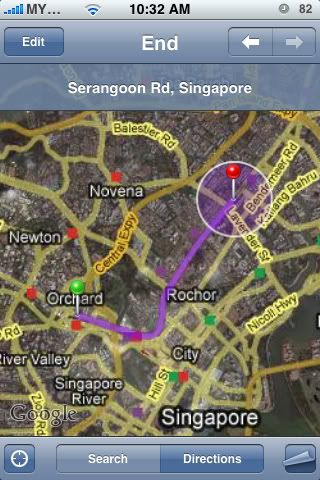


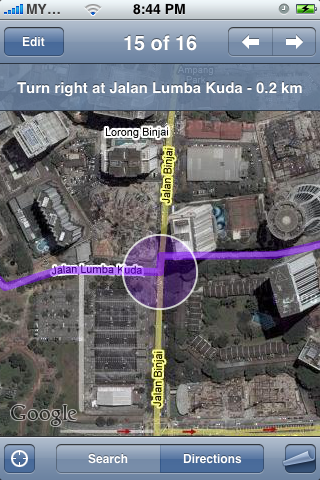
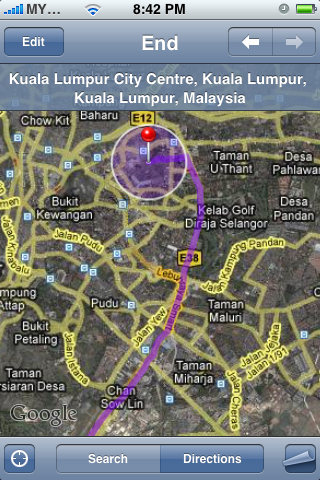
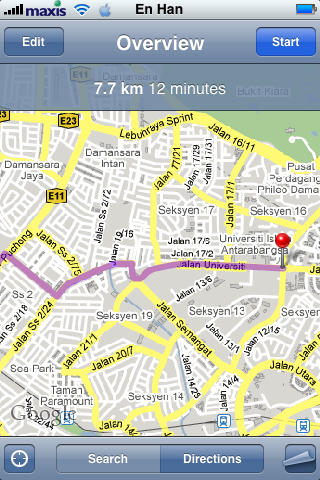


 Tested by getting directions from my home (on the island) to Blissful Memorial Park located in Jalan Sungai Lembu (mainland)






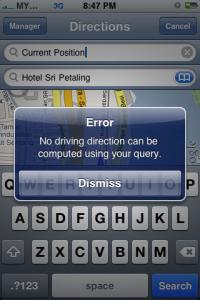




 Wonder what is wrong? Thanks..

























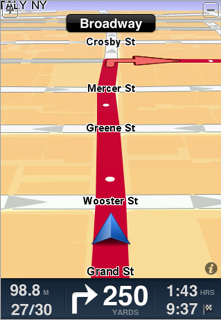




 )
)



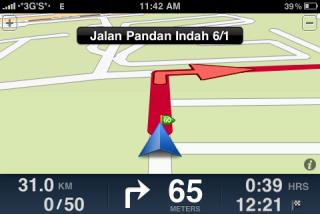


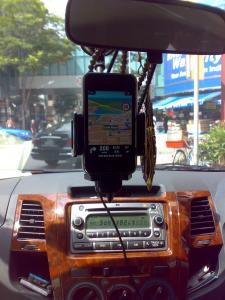





 0.2112sec
 0.63
0.63
 6 queries
 GZIP Disabled