Welcome Guest ( Log In | Register )

3 Pages  1 2 3 >Bottom

Outline · [ Standard ] · Linear+

 Dell XPS M1210 Support Thread #1, COD4? No problem...

views
     
TSEiraku
post Apr 28 2007, 12:38 AM, updated 18y ago

Geeking since 1985!
*******
Senior Member
7,037 posts

Joined: Apr 2006


NOTE: THE DELL XPS M1210 HAS BEEN REPLACED BY THE DELL XPS M1330 AS OF 27/06/2007...

...(Which makes the old XPS a classic already... icon_rolleyes.gif )


Dell XPS M1210 Support Thread #1


user posted image

SPECIFICATIONS

Processor
Core 2 Duo T5500 (Standard)
Core 2 Duo T5600
Core 2 Duo T7200 (Recommended)
Core 2 Duo T7400
Core 2 Duo T7600 (NEW)


Operating System
Windows XP Home Edition
Windows XP Professional
Windows Vista Home Premium (Standard)
Windows Vista Business
Windows Vista Ultimate (Recommended)

Warranty Options
3Yrs XPS Premier Service (24x7 Phone Support) + 3Yrs CompleteCover (Next Business Day (8X5) On-Site response - parts & Labour) (Recommended)
3Yrs XPS Premier Service + 1Yrs CompleteCover
2Yrs XPS Premier Service + 1Yrs CompleteCover
1Yrs XPS Premier Service + 1Yrs CompleteCover (Standard)


Display
12.1" Wide Screen XGA TFT Display With TrueLife(tm) - 1280 x 800
12.1" Wide Screen XGA TFT Display With TrueLife(tm) - 1280 x 800 + 1.3MP Webcam (Recommended)


RAM
1024MB (Standard) - 4096MB DDR2 533MHz/667MHz Dual Channel SDRAM
2048MB DDR2 [1024mb x 2 ] 667mhz (Recommended)

SATA Hard Drives
80GB 5400rpm (Standard)
120GB 5400rpm
160GB 5400rpm
60GB 7200rpm
80GB 7200rpm
100GB 7200rpm (Recommended)

Internal Optical Drives
[Sony / NEC] Internal 24x Max Dvd/CD-Rw Combo Drive (Standard)
[Sony / NEC / Optiac] Internal 8x DVD +/- RW Combination Drive with dual layer write Capabilities (Recommended)

Bluetooth Module
Dell(tm) Wireless 355 Bluetooth Module (Standard)

Wireless Network Connection
Intel (R) PRO/ Wireless 3945ABG Dual-Band 802.11a/b/g 54Mbps Wireless Mini Card (Standard)

Sound
Intergrated SigmaTel Sound Card (Standard)
Sound Blaster Audigy ADVANCED HD Software Driver

Video Solution
Intel GMA 950 (up to 224MB Shared) (Standard)
256MB (64 dedicated + 192 TurboCache - shared) Nvidia GeForce 7400go (Recommended)

Primary Battery
6-cell 56Whr Lithium Ion Primary Battery (Standard)
9-cell 85Whr Lithium Ion Primary Battery (Recommended)

Other Standard Specs
1 ExpressCard Slot (34/54)
Internal Dell™ 84 Keys Keyboard (Grey)
Black and Silver with Chrome Accents
Integrated 10/100 Fast Ethernet
Intel(R) 945 Chipset Family
Dell™ PC-Restore
Internal 56K Modem
RJ-11 Modem cable
65W AC Adapter
Dell™ Media Direct 3.0
Magnesium Lid and Frame.
Weight 2kg++ approx.

*Please note that there are many other additional accessory options available, please check the Dell website for details.

Dell Builds All Notebooks to Be RoadReady
All DellTM Latitude(tm) , Dell Precision(tm) Mobile Workstation, and Inspiron(tm) notebooks are built to last; in other words, they're RoadReady. Durable design and rigorous testing help ensure that each and every Dell notebook can perform under extreme circumstances. Whether you're in a meeting or at the coffee shop, you can feel confident that your Dell notebook will perform reliably.

This post has been edited by Eiraku: Dec 31 2007, 02:55 PM
TSEiraku
post Apr 28 2007, 12:39 AM

Geeking since 1985!
*******
Senior Member
7,037 posts

Joined: Apr 2006


XPS M1210 USERLIST (UPDATED!)

Not in alphabetical order... That would take too much time to sort... whistling.gif


26 users registered as of 28/10/2007!
» Click to show Spoiler - click again to hide... «


XPS users, report in and be added!

This post has been edited by Eiraku: Oct 28 2007, 06:31 PM
TSEiraku
post Apr 28 2007, 12:40 AM

Geeking since 1985!
*******
Senior Member
7,037 posts

Joined: Apr 2006


FAQ


I can't seem to find the XPS M1210 anywhere on the Dell website? What's up?

» Click to show Spoiler - click again to hide... «


Something's broken/malfunctioning/ruined... Who do I call?

» Click to show Spoiler - click again to hide... «


Battery Life: 6 Cell VS 9 Cell


» Click to show Spoiler - click again to hide... «


What is that high pitched noise I keep on hearing while using the XPS?

» Click to show Spoiler - click again to hide... «


Is the 7400go worth the extra RM200++?

» Click to show Spoiler - click again to hide... «


What games can the XPS play with the 7400go?

» Click to show Spoiler - click again to hide... «


Is the 3-Year CompleteCover worth the extra RM600++?

» Click to show Spoiler - click again to hide... «


Is the 9-cell battery worth the extra RM100++?

» Click to show Spoiler - click again to hide... «


Is the 7200rpm HDDs worth the extra money?

» Click to show Spoiler - click again to hide... «


Is a faster processor worth the extra money?

» Click to show Spoiler - click again to hide... «


I've heard that the XPS is build out of magnesium alloy?

» Click to show Spoiler - click again to hide... «


Oh my God, one of my keyboard keys came out. What do I do?

» Click to show Spoiler - click again to hide... «


Why are Dell computers cheaper in comparison with other brands for the same spec? Are they sub-standard?

» Click to show Spoiler - click again to hide... «


I've heard that Dell computers are problematic/easily ruined/sub-standard?

» Click to show Spoiler - click again to hide... «


Oh my God, I think I got a lemon! What do I do?

» Click to show Spoiler - click again to hide... «


What is this 14-Day Total Satisfaction Policy that Dell has?

» Click to show Spoiler - click again to hide... «


How do I check for Dead Pixels/Light Leakage?

» Click to show Spoiler - click again to hide... «


*Any more questions to add to the list people?

This post has been edited by Eiraku: Jun 29 2007, 07:36 PM
TSEiraku
post Apr 28 2007, 12:41 AM

Geeking since 1985!
*******
Senior Member
7,037 posts

Joined: Apr 2006


HOW TOS (UPDATED!)

7400go Graphic Card Temperature Monitoring with Rivatuner (by derred)

» Click to show Spoiler - click again to hide... «


Small Windows Tweak to Increase responsiveness (by derred)

» Click to show Spoiler - click again to hide... «


Windows XP Log-On Tweak/Mod (by derred)

» Click to show Spoiler - click again to hide... «


Installing Drivers From LaptopVideo2Go - Vista (by eiraku)

» Click to show Spoiler - click again to hide... «


Installing New RAM modules (SODIMM) (by FaTJ3sT3R aka Th!NjOK3R)

» Click to show Spoiler - click again to hide... «


This post has been edited by Eiraku: Jun 25 2007, 06:48 PM
TSEiraku
post Apr 28 2007, 12:41 AM

Geeking since 1985!
*******
Senior Member
7,037 posts

Joined: Apr 2006


LINKS

Dell

» Click to show Spoiler - click again to hide... «


Drivers (UPDATED!)

» Click to show Spoiler - click again to hide... «


Reviews

» Click to show Spoiler - click again to hide... «


Other Useful Links
» Click to show Spoiler - click again to hide... «


This post has been edited by Eiraku: Jun 25 2007, 06:29 PM
TSEiraku
post Apr 28 2007, 12:42 AM

Geeking since 1985!
*******
Senior Member
7,037 posts

Joined: Apr 2006


"The Chronicles of Dell"

My own personal first week experiance with the XPS.

» Click to show Spoiler - click again to hide... «


This post has been edited by Eiraku: Apr 29 2007, 10:44 PM
TSEiraku
post Apr 28 2007, 12:42 AM

Geeking since 1985!
*******
Senior Member
7,037 posts

Joined: Apr 2006


ESSENTIAL PROGRAMS

All Vista Compatible unless stated otherwise... icon_rolleyes.gif

» Click to show Spoiler - click again to hide... «


Any suggestions? This is not a fixed list, drop me new programs and I'll review it before adding it in the list... icon_rolleyes.gif

This post has been edited by Eiraku: Jun 5 2007, 02:30 AM
TSEiraku
post Apr 28 2007, 12:44 AM

Geeking since 1985!
*******
Senior Member
7,037 posts

Joined: Apr 2006


Reserved For Future Use
Haneda
post Apr 28 2007, 09:37 AM

Casual
***
Junior Member
326 posts

Joined: Sep 2005
From: Deldrimor Warcamp


Anyone chose cheque as payment option? How long will they take to contact you to arrange cheque collection. I can't seem to track my order online after 24hrs.
TSEiraku
post Apr 28 2007, 04:50 PM

Geeking since 1985!
*******
Senior Member
7,037 posts

Joined: Apr 2006


Alright, that should do it, for now... XPS owners, identify yourselves so that I can add you to the userlist! icon_rolleyes.gif
shortleg88
post Apr 28 2007, 05:14 PM

Francoise Boufhal yummy!
******
Senior Member
1,756 posts

Joined: Jul 2006
From: PJ


nice thread...juz like d previous w810i thread u started... thumbup.gif
Dell user here as well...only Inspiron 6400... no $$$ to get an XPS... sad.gif

job well done... rclxms.gif
TSEiraku
post Apr 28 2007, 05:20 PM

Geeking since 1985!
*******
Senior Member
7,037 posts

Joined: Apr 2006


Thanks mate... U've done a great job urself mantaining the W810i thread... icon_rolleyes.gif

Well, think of it this way... At least with the 6400, you won't get a headache staring at a highly reflective 12 inch screen all day long... A highly reflective 14 incher is miles better in NOT inducing headaches... sweat.gif

I'm a sadist, so its okay... laugh.gif

This post has been edited by Eiraku: Apr 28 2007, 05:38 PM
swanchew
post Apr 28 2007, 05:29 PM

Casual
***
Junior Member
463 posts

Joined: Jan 2003
From: Penang


Congratulations on Dell XPS Support Thread #1 !!

Well done!! biggrin.gif
V3000
post Apr 28 2007, 06:28 PM

CLICK REPORT LAH!
*******
Senior Member
3,074 posts

Joined: Jul 2006


Nice lappy with nice thread!
Grats Dell XPS 1210 user! rclxms.gif

Hope can see more Dell XPS update here!

Cheers!
jiahuilee
post Apr 28 2007, 06:34 PM

Casual
***
Junior Member
320 posts

Joined: Feb 2007
Xps user here! got it since feb i think! I am very happy with it! thumbup.gif
steventan85
post Apr 28 2007, 08:51 PM

Look at all my stars!!
*******
Senior Member
6,447 posts

Joined: Jan 2006
wow....finally opened d....

how is the Opening Caremony ? sweat.gif

Dell user here also ....but juz 6400 cry.gif


unknowndevices
post Apr 28 2007, 10:51 PM

***StaRs oF NakamA uP***
*******
Senior Member
2,915 posts

Joined: Jan 2005


QUOTE(V3000 @ Apr 28 2007, 06:28 PM)
Nice lappy with nice thread!
Grats Dell XPS 1210 user!  rclxms.gif

Hope can see more Dell XPS update here!

Cheers!
*
agree... nod.gif

QUOTE(jiahuilee @ Apr 28 2007, 06:34 PM)
Xps user here! got it since feb i think! I am very happy with it!  thumbup.gif
*
jiahuilee you got nice usedbar(XPS user thumbup.gif )...mind me to copy it? hmm.gif

anyway...XPS owner reporting here... icon_rolleyes.gif
Eiraku!...quick add our name in the list... icon_idea.gif

come and join the XPS thread... rclxm9.gif
CALLING TO ALL XPS USERS!!!... rclxm9.gif

This post has been edited by unknowndevices: Apr 28 2007, 10:54 PM
Haneda
post Apr 28 2007, 11:02 PM

Casual
***
Junior Member
326 posts

Joined: Sep 2005
From: Deldrimor Warcamp


Yay, just got an email from Dell confirming my order. My XPS will be delivered ETA 5-8 business days!!
unknowndevices
post Apr 28 2007, 11:10 PM

***StaRs oF NakamA uP***
*******
Senior Member
2,915 posts

Joined: Jan 2005


QUOTE(Haneda @ Apr 28 2007, 11:02 PM)
Yay, just got an email from Dell confirming my order. My XPS will be delivered ETA 5-8 business days!!
*
when did you order? cool2.gif
maybe on thursday would reach...as next week got two days public holidays... rolleyes.gif
or latest by friday(supposed)... hmm.gif
anyway...all the best in receiving your XPS... thumbup.gif
do share with us your reviews and feedbacks of your XPS... icon_rolleyes.gif
jiahuilee
post Apr 28 2007, 11:20 PM

Casual
***
Junior Member
320 posts

Joined: Feb 2007
QUOTE(unknowndevices @ Apr 28 2007, 10:51 PM)
agree... nod.gif
jiahuilee you got nice usedbar(XPS user thumbup.gif )...mind me to copy it? hmm.gif

anyway...XPS owner reporting here... icon_rolleyes.gif
Eiraku!...quick add our name in the list... icon_idea.gif

come and join the XPS thread... rclxm9.gif
CALLING TO ALL XPS USERS!!!... rclxm9.gif
*
Hey sry i copy it from Eiraku, i hope Eiraku dont mind. haha! Cheers!
TSEiraku
post Apr 29 2007, 01:11 AM

Geeking since 1985!
*******
Senior Member
7,037 posts

Joined: Apr 2006


QUOTE(jiahuilee @ Apr 28 2007, 11:20 PM)
Hey sry i copy it from Eiraku, i hope Eiraku dont mind. haha! Cheers!
*
No problem... I don't mind at all... icon_rolleyes.gif

Aiseh, I just noticed something disturbing on my XPS... At right bottom part of the screen (the extreme end beside the right hinge), there's a very small but noticable gap in the upper part of the plastic and the lower part of the plastic (the part that has XPS engraved on it)...

And along the back part too, right above the battery. There's the same smallish gap from the left hand side of the battery (right after the AC connector) to the right side of the laptop (above the network connector and the screw beside it)...

The left side, the side with the AC connector is completely smooth, no gaps... Is there something really wrong with my XPS or is that just Dell quality assurance screwing up again? Sigh... sweat.gif

The problem is, I've grown quite attached to this XPS... And other than that slight gap problem, there's nothing else quite wrong on it... wub.gif

So guys, I have two more days left to return this baby for a replacement, what do you guys think? Stick with it, a few warts and all, or be extremely anal retentive and risk getting a replacement with an whole new potential set of problems to solve?

I'll put up pics later to show just what I'm talking about... icon_rolleyes.gif

This post has been edited by Eiraku: Apr 29 2007, 01:14 AM
streamline
post Apr 29 2007, 02:10 AM

Casual
***
Junior Member
424 posts

Joined: Jan 2003
lyn's forum for PDAs & Mobile Computing have alot of dell thread tongue.gif
anyway, gratz to the new thread! tongue.gif lol
Avex
post Apr 29 2007, 02:43 AM

On my way
****
Junior Member
570 posts

Joined: Jan 2003
From: /k/ isle

I would like to add something here. Take note for all owners of Dell XPS M1210.

For those who wants to reinstall or reformat or downgrade to Windows XP or whatever, before doing anything please make sure you activate your bluetooth in your Windows before proceeding to your new installation. This is because if you fail to do this step, your new installation will fail fo recognize your bluetooth after that. The only solution then will be reinstalling on your Windows Vista and installing the driver and then reactivating it again. Funny how this bluetooth works. laugh.gif
unknowndevices
post Apr 29 2007, 10:10 AM

***StaRs oF NakamA uP***
*******
Senior Member
2,915 posts

Joined: Jan 2005


i'm just forwarding their question from the old thread to here... cool2.gif
to cherish this thread... thumbup.gif

QUOTE(NewbieBetta @ Apr 29 2007, 02:32 AM)
i think m1210 only come with Go7400..I do wish its Go7600 or even higher..but hell..my 7400 have 80C on idle..soon after my exam im gonna call them for a replacement either on whole xps or the gpu(equal to mobo) aishe..if change mobo it will be the 3rd time of mobo changing..sien ledi..might as well they giv me a whole new unit...since i had changed my processor & ram before..
*
QUOTE(dingding @ Apr 29 2007, 02:51 AM)
I've got my replacement unit. At first glance, i'm happy with it. But soon after checking more of it, I'm thinking of sticking with the old one.

The screen panel they now use is a toshiba one, which has inferior quality compared to the old Samsung panel. The contrast is not that good and the effect is significant when viewing low contrast photos.....
And apart from that, the hinge of it seems a bit loose, which gives me a 'not-so-good' feeling. The LED for the volume control also seems inferior. It seems unequally lit compared to the old one.

And for the hard disk, the old one uses a Hitachi hard disk which has a max internal speed of 540Mbit/s whereas the new unit uses a Toshiba hard disk that has a max internal speed of only 474.7Mbit/s. The old one scorede 4.4 for windows experience index while the new one scored only 4.3.

And the graphics card also seem to have a lower performance compared to the old one. In the Windows Experience Index, the old one scored 3.7 for Graphics and 3.4 for Gaming graphics while the new one scored 3.6 for graphics and 3.3 for gaming graphics. The reason for this lower performance is unknown. The driver version for both are the same.

Haihz...

*
QUOTE(eyen @ Apr 29 2007, 09:47 AM)
How do you check the contrast? Coz I have a toshiba screen too for my replacement.but compared to the AUO and samsung one I had, this one seems to be ok (no major light leakages, no wavy lines).

I got a toshiba harddisk too but no complains about it as its a lot quieter than the previous hitachi one which has this hissing sound.

my gaming graphics has a score of 3.4 but the aero graphics has only 3.6. previous one has 3.7.no idea why is there a discrepancy.

*
unknowndevices
post Apr 29 2007, 10:33 AM

***StaRs oF NakamA uP***
*******
Senior Member
2,915 posts

Joined: Jan 2005


QUOTE(Eiraku @ Apr 29 2007, 01:11 AM)
No problem... I don't mind at all... icon_rolleyes.gif

Aiseh, I just noticed something disturbing on my XPS... At right bottom part of the screen (the extreme end beside the right hinge), there's a very small but noticable gap in the upper part of the plastic and the lower part of the plastic (the part that has XPS engraved on it)...

And along the back part too, right above the battery. There's the same smallish gap from the left hand side of the battery (right after the AC connector) to the right side of the laptop (above the network connector and the screw beside it)...

The left side, the side with the AC connector is completely smooth, no gaps... Is there something really wrong with my XPS or is that just Dell quality assurance screwing up again? Sigh... sweat.gif

The problem is, I've grown quite attached to this XPS... And other than that slight gap problem, there's nothing else quite wrong on it... wub.gif

So guys, I have two more days left to return this baby for a replacement, what do you guys think? Stick with it, a few warts and all, or be extremely anal retentive and risk getting a replacement with an whole new potential set of problems to solve?

I'll put up pics later to show just what I'm talking about... icon_rolleyes.gif
*
thanks for the usedbar Eiraku... thumbup.gif
did you called Dell?...maybe they would only send their technician to works on that...
anyway do post up the photos here... smile.gif

Eiraku don't forget to post up your previous post(from the old thread)... nod.gif
the three chapters of "The Chronicles of Dell"... smile.gif

QUOTE(streamline @ Apr 29 2007, 02:10 AM)
lyn's forum for  PDAs & Mobile Computing have alot of dell thread tongue.gif
anyway, gratz to the new thread! tongue.gif lol
*
thats a good sign for Dell current users and potential one... brows.gif

QUOTE(Avex @ Apr 29 2007, 02:43 AM)
I would like to add something here. Take note for all owners of Dell XPS M1210.

For those who wants to reinstall or reformat or downgrade to Windows XP or whatever, before doing anything please make sure you activate your bluetooth in your Windows before proceeding to your new installation. This is because if you fail to do this step, your new installation will fail fo recognize your bluetooth after that. The only solution then will be reinstalling on your Windows Vista and installing the driver and then reactivating it again. Funny how this bluetooth works.  laugh.gif
*
ooo...thanks for the tips... thumbup.gif
jiahuilee
post Apr 29 2007, 12:53 PM

Casual
***
Junior Member
320 posts

Joined: Feb 2007
Hi guys, heard that there are so many problems for dell xps out there...
well personally i have only experienced 1 problem with my xps, which is that it cant detect my webcam after afew times of using, so i called to dell free toll line, and they just walk me through the steps and WALA its fixed.. haha.

Well i still think xps is pretty good! hope u guys can fix your problems and LOVE IT! haha Cheers! icon_idea.gif
TSEiraku
post Apr 29 2007, 03:06 PM

Geeking since 1985!
*******
Senior Member
7,037 posts

Joined: Apr 2006


QUOTE(Avex @ Apr 29 2007, 02:43 AM)
I would like to add something here. Take note for all owners of Dell XPS M1210.

For those who wants to reinstall or reformat or downgrade to Windows XP or whatever, before doing anything please make sure you activate your bluetooth in your Windows before proceeding to your new installation. This is because if you fail to do this step, your new installation will fail fo recognize your bluetooth after that. The only solution then will be reinstalling on your Windows Vista and installing the driver and then reactivating it again. Funny how this bluetooth works.  laugh.gif
*
Hehe, I found that out the hard way... icon_rolleyes.gif

QUOTE(dingding @ Apr 29 2007, 02:51 AM)
I've got my replacement unit. At first glance, i'm happy with it. But soon after checking more of it, I'm thinking of sticking with the old one.

The screen panel they now use is a toshiba one, which has inferior quality compared to the old Samsung panel. The contrast is not that good and the effect is significant when viewing low contrast photos.....
And apart from that, the hinge of it seems a bit loose, which gives me a 'not-so-good' feeling. The LED for the volume control also seems inferior. It seems unequally lit compared to the old one.

And for the hard disk, the old one uses a Hitachi hard disk which has a max internal speed of 540Mbit/s whereas the new unit uses a Toshiba hard disk that has a max internal speed of only 474.7Mbit/s. The old one scorede 4.4 for windows experience index while the new one scored only 4.3.

And the graphics card also seem to have a lower performance compared to the old one. In the Windows Experience Index, the old one scored 3.7 for Graphics and 3.4 for Gaming graphics while the new one scored 3.6 for graphics and 3.3 for gaming graphics. The reason for this lower performance is unknown. The driver version for both are the same.

Haihz...
*
This is why I don't want to ask for a replacement unit... Adding hassle only... sweat.gif

QUOTE(eyen @ Apr 29 2007, 09:47 AM)
How do you check the contrast? Coz I have a toshiba screen too for my replacement.but compared to the AUO and samsung one I had, this one seems to be ok (no major light leakages, no wavy lines).

I got a toshiba harddisk too but no complains about it as its a lot quieter than the previous hitachi one which has this hissing sound.

my gaming graphics has a score of 3.4 but the aero graphics has only 3.6. previous one has 3.7.no idea why is there a discrepancy.
*
It's the drivers I guess... An update to the latest one provided by Dell generally bumps the score up to 3.7... Or your 7400go has problems... icon_rolleyes.gif

QUOTE(unknowndevices @ Apr 29 2007, 10:33 AM)

did you called Dell?...maybe they would only send their technician to works on that...
anyway do post up the photos here... smile.gif

Eiraku don't forget to post up your previous post(from the old thread)... nod.gif
the three chapters of "The Chronicles of Dell"...  smile.gif

*
Not yet... Maybe I'll ask them later, for a replacement... But I'm afraid I'll get a lemon like dingding... Cause my XPS is fine, not problematic at all... Exept for these gaps... shocking.gif

Yeah I won't forget to post the Chronicles, thanks for reminding me... icon_rolleyes.gif

Here are the pics of the gaps... Sorry if they're not clear... sweat.gif

The right side gap...
user posted image

Compare with the left side, no gap...
user posted image

The long gap above the battery...
user posted image

Anybody with the same problem? What do you guys think I should do? hmm.gif hmm.gif
unknowndevices
post Apr 29 2007, 08:44 PM

***StaRs oF NakamA uP***
*******
Senior Member
2,915 posts

Joined: Jan 2005


QUOTE(Eiraku @ Apr 29 2007, 03:06 PM)
Hehe, I found that out the hard way... icon_rolleyes.gif
This is why I don't want to ask for a replacement unit... Adding hassle only... sweat.gif
It's the drivers I guess... An update to the latest one provided by Dell generally bumps the score up to 3.7... Or your 7400go has problems... icon_rolleyes.gif
Not yet... Maybe I'll ask them later, for a replacement... But I'm afraid I'll get a lemon like dingding... Cause my XPS is fine, not problematic at all... Exept for these gaps... shocking.gif

Yeah I won't forget to post the Chronicles, thanks for reminding me... icon_rolleyes.gif

Here are the pics of the gaps... Sorry if they're not clear... sweat.gif

The right side gap...
user posted image

Compare with the left side, no gap...
user posted image

The long gap above the battery...
user posted image

Anybody with the same problem? What do you guys think I should do?  hmm.gif  hmm.gif
*
hmmm...from the pictures given...hardly for me to see the gaps actually... blush.gif
when you pressed those areas...it came a bit down is it? cool2.gif
or there isn't any movement happened?... hmm.gif

as for mine...got tiny/small gaps...but it seem more of just a made-up/design gaps... rolleyes.gif
caused mine never had experienced technician come to fix/repair...never experienced opened... sweat.gif

anyway...do update the XPS users list... icon_rolleyes.gif
day after would be your last day right?...do share the reports with us... wink.gif
all the best... smile.gif
V3000
post Apr 29 2007, 08:48 PM

CLICK REPORT LAH!
*******
Senior Member
3,074 posts

Joined: Jul 2006


QUOTE(unknowndevices @ Apr 29 2007, 08:44 PM)
hmmm...from the pictures given...hardly for me to see the gaps actually... blush.gif
when you pressed those areas...it came a bit down is it? cool2.gif
or there isn't any movement happened?... hmm.gif

as for mine...got tiny/small gaps...but it seem more of just a made-up/design gaps... rolleyes.gif
caused mine never had experienced technician come to fix/repair...never experienced opened... sweat.gif

anyway...do update the XPS users list... icon_rolleyes.gif
day after would be your last day right?...do share the reports with us... wink.gif
all the best... smile.gif
*
How come soo many negative feedback from XPS user de ah? hmm.gif

NewbieBetta
post Apr 29 2007, 08:51 PM

The Sexy Man
*******
Senior Member
3,706 posts

Joined: Aug 2005


im having a gap too on the right is more obvious compare to the left side..yeah..i can call them & ask for a new casing..lol..since tat whole bar of mine where there "XPS" word on the silver frame there were scratched by the technician last time..
unknowndevices
post Apr 29 2007, 08:55 PM

***StaRs oF NakamA uP***
*******
Senior Member
2,915 posts

Joined: Jan 2005


QUOTE(V3000 @ Apr 29 2007, 08:48 PM)
How come soo many negative feedback from XPS user de ah?  hmm.gif
*
erksss... sweat.gif
actually there got lots of people with positive feedback...maybe they share... biggrin.gif
but it seems it happened to most of the new set...the previous set seems to be ok... cool2.gif

QUOTE(NewbieBetta @ Apr 29 2007, 08:51 PM)
im having a gap too on the right is more obvious compare to the left side..yeah..i can call them & ask for a new casing..lol..since tat whole bar of mine where there "XPS" word on the silver frame there were scratched by the technician last time..
*
so...you did called Dell or not? hmm.gif
wah!...how come they scratch the "XPS" word...thats the proud part for the notebook... shakehead.gif
V3000
post Apr 29 2007, 09:08 PM

CLICK REPORT LAH!
*******
Senior Member
3,074 posts

Joined: Jul 2006


QUOTE(unknowndevices @ Apr 29 2007, 08:55 PM)
erksss... sweat.gif
actually there got lots of people with positive feedback...maybe they share... biggrin.gif 
but it seems it happened to most of the new set...the previous set seems to be ok... cool2.gif
so...you did called Dell or not? hmm.gif
wah!...how come they scratch the "XPS" word...thats the proud part for the notebook... shakehead.gif
*
Ya, and sorry i mean now also, before not this much negative feedback de even both my 640m run very strong till now!

Dell doin bad job nowdays sweat.gif
eyen
post Apr 29 2007, 09:59 PM

Casual
***
Junior Member
461 posts

Joined: Jan 2003
QUOTE(Eiraku @ Apr 29 2007, 03:06 PM)
It's the drivers I guess... An update to the latest one provided by Dell generally bumps the score up to 3.7... Or your 7400go has problems... icon_rolleyes.gif
hmm but i did not upgrade any video related drivers on the old laptop.

those using vista, you guys' score is 3.7 right for the graphics?

eh how come this is the thread #1? shouldnt the previous thread with 96 pages be the #1? tongue.gif


TSEiraku
post Apr 29 2007, 10:13 PM

Geeking since 1985!
*******
Senior Member
7,037 posts

Joined: Apr 2006


QUOTE(eyen @ Apr 29 2007, 09:59 PM)
hmm but i did not upgrade any video related drivers on the old laptop.

those using vista, you guys' score is 3.7 right for the graphics?

eh how come this is the thread #1? shouldnt the previous thread with 96 pages be the #1?  tongue.gif
*
Its the first Support Thread... The other one is just a XPS related thread... icon_rolleyes.gif

QUOTE(unknowndevices @ Apr 29 2007, 08:44 PM)
hmmm...from the pictures given...hardly for me to see the gaps actually... blush.gif
when you pressed those areas...it came a bit down is it? cool2.gif
or there isn't any movement happened?... hmm.gif

as for mine...got tiny/small gaps...but it seem more of just a made-up/design gaps... rolleyes.gif
caused mine never had experienced technician come to fix/repair...never experienced opened... sweat.gif

anyway...do update the XPS users list... icon_rolleyes.gif
day after would be your last day right?...do share the reports with us... wink.gif
all the best... smile.gif
*
In the end I decided to live with it, gaps and all... In a way, the gaps add to the ventilation of the XPS... Hahahaha... laugh.gif laugh.gif laugh.gif

And I'm not about to give my XPS up for another that might give me even more problems... Perfectionism does have its problems... And if any problems DO occur, I can always invoke CompleteCover and get them to repair/replace it... icon_rolleyes.gif

The namelist's have been updated, please state your name XPS owners and be added to the list!
eyen
post Apr 29 2007, 10:34 PM

Casual
***
Junior Member
461 posts

Joined: Jan 2003
There's a new (i think) nvidia geforce 7400 driver for windows xp at the dell support site but no new drivers for vista. bleh.

I checked other forums and it seems like the people there are getting a 3.6 score for their graphics too.
death_nite
post Apr 29 2007, 10:50 PM

Lossless Land...
*******
Senior Member
2,366 posts

Joined: Jun 2005
From: Not Here Not There...


@Eiraku

eyh eiraku....i got similar probs with my 6400...called dell..then they replace new lcd cover n bezel....solve edy...huhu...just call them laa...if u donno how to xplain...then send them the pics to their cs email add...
vampiric
post Apr 29 2007, 11:05 PM

Getting Started
**
Junior Member
157 posts

Joined: Jan 2003
xps owner reporting in. smile.gif
unknowndevices
post Apr 30 2007, 12:35 AM

***StaRs oF NakamA uP***
*******
Senior Member
2,915 posts

Joined: Jan 2005


QUOTE(V3000 @ Apr 29 2007, 09:08 PM)
Ya, and sorry i mean now also, before not this much negative feedback de even both my 640m run very strong till now!

Dell doin bad job nowdays  sweat.gif
*
is there anything related of taking-over Acer...that making Dell facing lots of problem? sweat.gif

QUOTE(Eiraku @ Apr 29 2007, 10:13 PM)
Its the first Support Thread... The other one is just a XPS related thread... icon_rolleyes.gif
In the end I decided to live with it, gaps and all... In a way, the gaps add to the ventilation of the XPS... Hahahaha...  laugh.gif  laugh.gif  laugh.gif

And I'm not about to give my XPS up for another that might give me even more problems... Perfectionism does have its problems... And if any problems DO occur, I can always invoke CompleteCover and get them to repair/replace it... icon_rolleyes.gif

The namelist's have been updated, please state your name XPS owners and be added to the list!
*
just combine everything here...can ask anything about XPS... nod.gif
then we discuss and help together... thumbup.gif

is that gaps really annoying... hmm.gif
anyway...hope that your XPS won't be giving anymore problems in future... sweat.gif
if there's anything straight call Dell and get them fix/replace... smile.gif

QUOTE(vampiric @ Apr 29 2007, 11:05 PM)
xps owner reporting in. smile.gif
*
welcome...welcome... rclxms.gif
do post/forward your questions/reviews/feedbacks or anything here... smile.gif
unknowndevices
post Apr 30 2007, 12:39 AM

***StaRs oF NakamA uP***
*******
Senior Member
2,915 posts

Joined: Jan 2005


anyone with "the XPS wallpaper"... rolleyes.gif
mind to share or post the wallpaper here... cool2.gif

or maybe Eiraku can post it in the first page at any post... hmm.gif
cause...there might be someone "accidentally" deleted the wallpaper and wanted it... blush.gif
at least this thread can give a hand-of-help to them... icon_rolleyes.gif
eyen
post Apr 30 2007, 02:40 AM

Casual
***
Junior Member
461 posts

Joined: Jan 2003
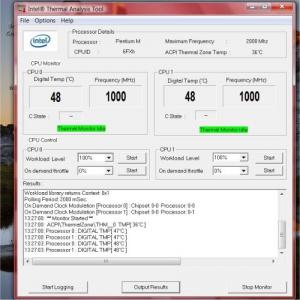
Anyone of u using Intel Thermal Analysis to measure the temperature?

I'm getting the same (most of the time) temperature for both CPU 0 and CPU 1.

For my old xps, the temperature of those two CPU will always be different and it fluctuates a lot.

So I'm wondering if there's something wrong with this unit? (or the old one?)

Good new is, the temperature is usually at 47 or 48 (old one around 50+)

zad78
post Apr 30 2007, 10:22 AM

Remember... Remember
******
Senior Member
1,237 posts

Joined: Nov 2006
From: 3rd Rock From The Sun


xps owner reporting in. got it november last year. no problems so far...touchwood
V3000
post Apr 30 2007, 10:52 AM

CLICK REPORT LAH!
*******
Senior Member
3,074 posts

Joined: Jul 2006


QUOTE(zad78 @ Apr 30 2007, 10:22 AM)
xps owner reporting in. got it november last year. no problems so far...touchwood
*
Old batch all very good le, but new batch i read alot alot negative feedback sad.gif

unknowndevices
post Apr 30 2007, 11:12 AM

***StaRs oF NakamA uP***
*******
Senior Member
2,915 posts

Joined: Jan 2005


QUOTE(eyen @ Apr 30 2007, 02:40 AM)
Anyone of u using Intel Thermal Analysis to measure the temperature?

I'm getting the same (most of the time) temperature for both CPU 0 and CPU 1.

For my old xps, the temperature of those two CPU will always be different and it fluctuates a lot.

So I'm wondering if there's something wrong with this unit? (or the old one?)

Good new is, the temperature is usually at 47 or 48 (old one around 50+)
*
i'm using Notebook Hardware Control... smile.gif
how's the Intel Thermal Analysis looks like?...mind to share? cool2.gif
wah!...with that temperature...your's seems to be good...mine around 49C or 50C... nod.gif

QUOTE(zad78 @ Apr 30 2007, 10:22 AM)
xps owner reporting in. got it november last year. no problems so far...touchwood
*
congrats...congrats... thumbup.gif
welcome to the club...another proud owner of XPS... rclxms.gif
mind to share your specs with us... icon_rolleyes.gif

QUOTE(V3000 @ Apr 30 2007, 10:52 AM)
Old batch all very good le, but new batch i read alot alot negative feedback sad.gif
*
sweat.gif
V3000
post Apr 30 2007, 11:21 AM

CLICK REPORT LAH!
*******
Senior Member
3,074 posts

Joined: Jul 2006


QUOTE(unknowndevices @ Apr 30 2007, 11:12 AM)
i'm using Notebook Hardware Control... smile.gif
how's the Intel Thermal Analysis looks like?...mind to share? cool2.gif
*
Bro, here u go smile.gif

Download link here : http://forum.lowyat.net/index.php?showtopic=440101

This post has been edited by V3000: Apr 30 2007, 11:22 AM
unknowndevices
post Apr 30 2007, 11:24 AM

***StaRs oF NakamA uP***
*******
Senior Member
2,915 posts

Joined: Jan 2005


QUOTE(V3000 @ Apr 30 2007, 11:21 AM)
Bro, here u go smile.gif

Download link here : http://forum.lowyat.net/index.php?showtopic=440101
*
ooo...thanks...think seen it before... nod.gif
what's the different between CPU 0 and CPU 1?is that reading for ram? hmm.gif
V3000
post Apr 30 2007, 11:26 AM

CLICK REPORT LAH!
*******
Senior Member
3,074 posts

Joined: Jul 2006


QUOTE(unknowndevices @ Apr 30 2007, 11:24 AM)
ooo...thanks...think seen it before... nod.gif
what's the different between CPU 0 and CPU 1?is that reading for ram? hmm.gif
*
Dont know le but im sure not ram bah.. I tot duo core got 2 cpu in 1? hmm.gif

Need pro answer this liao smile.gif

This post has been edited by V3000: Apr 30 2007, 11:27 AM
Guardian
post Apr 30 2007, 12:01 PM

Enthusiast
*****
Senior Member
819 posts

Joined: Jan 2003
From: Buzzcut Union


QUOTE(V3000 @ Apr 30 2007, 11:26 AM)
Dont know le but im sure not ram bah.. I tot duo core got 2 cpu in 1?  hmm.gif

Need pro answer this liao smile.gif
*
First core and second core most probably.
zad78
post Apr 30 2007, 12:35 PM

Remember... Remember
******
Senior Member
1,237 posts

Joined: Nov 2006
From: 3rd Rock From The Sun


QUOTE(unknowndevices @ Apr 30 2007, 11:12 AM)
i'm using Notebook Hardware Control... smile.gif
how's the Intel Thermal Analysis looks like?...mind to share? cool2.gif
wah!...with that temperature...your's seems to be good...mine around 49C or 50C... nod.gif
congrats...congrats... thumbup.gif
welcome to the club...another proud owner of XPS... rclxms.gif
mind to share your specs with us... icon_rolleyes.gif
sweat.gif
*
well...mine is a modest spec...nothing much....2 GHz C2D T7200, GeforceGo 7400, 2G of rams, 9 cell battery and windows XP...(Got my vista upgrade cds last week...but not installing it....wanna wait 1 or 2 or 3 years until vista stabilize.....i hope sooo)
V3000
post Apr 30 2007, 01:59 PM

CLICK REPORT LAH!
*******
Senior Member
3,074 posts

Joined: Jul 2006


QUOTE(Guardian @ Apr 30 2007, 12:01 PM)
First core and second core most probably.
*
Yeah, i also think so smile.gif


QUOTE(zad78 @ Apr 30 2007, 12:35 PM)
well...mine is a modest spec...nothing much....2 GHz C2D T7200, GeforceGo 7400, 2G of rams, 9 cell battery and windows XP...(Got my vista upgrade cds last week...but not installing it....wanna wait 1 or 2 or 3 years until vista stabilize.....i hope sooo)
*
Hehe wait for 3 years! New OS coming out le sad.gif

eyen
post Apr 30 2007, 02:01 PM

Casual
***
Junior Member
461 posts

Joined: Jan 2003
QUOTE(unknowndevices @ Apr 30 2007, 11:12 AM)
i'm using Notebook Hardware Control... smile.gif
how's the Intel Thermal Analysis looks like?...mind to share? cool2.gif
wah!...with that temperature...your's seems to be good...mine around 49C or 50C... nod.gif

*
Attached Image

NHC is not compatible with vista I think.
jiahuilee
post Apr 30 2007, 07:16 PM

Casual
***
Junior Member
320 posts

Joined: Feb 2007
QUOTE(zad78 @ Apr 30 2007, 12:35 PM)
well...mine is a modest spec...nothing much....2 GHz C2D T7200, GeforceGo 7400, 2G of rams, 9 cell battery and windows XP...(Got my vista upgrade cds last week...but not installing it....wanna wait 1 or 2 or 3 years until vista stabilize.....i hope sooo)
*
Haha.. i also just recieved the dvd for vista upgrade.. plan to upgrade it this weekend! cant wait lar... ITS VISTA!!!
unknowndevices
post Apr 30 2007, 09:46 PM

***StaRs oF NakamA uP***
*******
Senior Member
2,915 posts

Joined: Jan 2005


QUOTE(zad78 @ Apr 30 2007, 12:35 PM)
well...mine is a modest spec...nothing much....2 GHz C2D T7200, GeforceGo 7400, 2G of rams, 9 cell battery and windows XP...(Got my vista upgrade cds last week...but not installing it....wanna wait 1 or 2 or 3 years until vista stabilize.....i hope sooo)
*
wah!...you bought your XPS last November?sure with that kind of specs...price would be like "boom"... sweat.gif
anyway...you got nice specs... thumbup.gif

QUOTE(eyen @ Apr 30 2007, 02:01 PM)
Attached Image

NHC is not compatible with vista I think.
*
ooo...NHC not compatible with Vista...didn't know that... hmm.gif
anyway...thanks for the photo... icon_rolleyes.gif
how's your XPS?after so many replacement?working perfectly? rolleyes.gif

QUOTE(jiahuilee @ Apr 30 2007, 07:16 PM)
Haha.. i also just recieved the dvd for vista upgrade.. plan to upgrade it this weekend! cant wait lar... ITS VISTA!!!
*
erksss...you planning to change to Vista?... whistling.gif
n20nine
post May 1 2007, 12:53 PM

Enthusiast
*****
Senior Member
909 posts

Joined: Jan 2003
From: London


xps user here....mine says shipped from factory on 25th april..hope to get it soon..
jiahuilee
post May 1 2007, 03:22 PM

Casual
***
Junior Member
320 posts

Joined: Feb 2007
QUOTE(unknowndevices @ Apr 30 2007, 09:46 PM)
wah!...you bought your XPS last November?sure with that kind of specs...price would be like "boom"... sweat.gif
anyway...you got nice specs... thumbup.gif
ooo...NHC not compatible with Vista...didn't know that... hmm.gif
anyway...thanks for the photo... icon_rolleyes.gif
how's your XPS?after so many replacement?working perfectly? rolleyes.gif
erksss...you planning to change to Vista?... whistling.gif
*
Yeap! icon_idea.gif

QUOTE(n20nine @ May 1 2007, 12:53 PM)
xps user here....mine says shipped from factory on 25th april..hope to get it soon..
*
Welcome To XPS CLUB! rclxms.gif

Owh and 1 more thing, i was just wondering, since xps has this S-video plug out, has anyone here tried plugging it to a tv? and will this work like a comp with 2 screen ( 1 the laptop monitor another is the tv) where i can like pull my mouse over to the tv screen and place something there? or maybe play a show on the tv??? can any1 enlighten me with this?
lelong2007
post May 1 2007, 04:39 PM

arissto premium coffee looking for experience salesman / salesg
*****
Senior Member
704 posts

Joined: Apr 2007


How come soo many negative feedback from XPS user de ah?
is it worth to buy ?
TSEiraku
post May 1 2007, 07:44 PM

Geeking since 1985!
*******
Senior Member
7,037 posts

Joined: Apr 2006


QUOTE(n20nine @ May 1 2007, 12:53 PM)
xps user here....mine says shipped from factory on 25th april..hope to get it soon..
*
Added to userlist! Welcome... thumbup.gif

QUOTE(lelong2007 @ May 1 2007, 04:39 PM)
How come soo many negative feedback from XPS user de ah? 
is it worth to buy ?
*
It's well worth the money, even more so with the 3Yrs CompleteCover... But if you don't care so much about the warranty (ie. you can really take care of your laptop), don't care about the small size (some people can't stand 12 inch lappies) and need more bang for the buck, then get a NEC P8210 (RM5000++) or a BenQ S73G (RM3500++)... icon_rolleyes.gif

I was considering both lappies before getting the XPS... In the end the 3Yrs CompleteCover sealed the deal for me, as I'm quite clumsy and drop things all the time... The XPS itself is no slouch, and is actually very well equipped for a 12 inch laptop... thumbup.gif

Even though I do regret not getting the NEC from time to time, especially when I'm forced to play Rainbow Six Vegas at ultra low settings (NEC's ATI x1600 VS XPS's GF7400go = x1600 wins by a long shot)... sweat.gif

But in the end, weather or not it's worth getting the XPS depends on your luck actually... If you get a good unit, then it's well worth it... But if you get a "lemon" (ultra cursed XPS + lotsa problems), then at least you can ask for a replacement from Dell in the first 14 days... icon_rolleyes.gif

Personally, I love my XPS... It hasn't really given me much problems yet, and carrying a 2++kg 12 incher around looking for good WiFi reception is a wonderful experiance, when compared to lugging around my previous 3.6kg Fujitsu... wub.gif

This post has been edited by Eiraku: May 1 2007, 07:44 PM
jiahuilee
post May 1 2007, 08:01 PM

Casual
***
Junior Member
320 posts

Joined: Feb 2007
QUOTE(Eiraku @ May 1 2007, 07:44 PM)
Added to userlist! Welcome... thumbup.gif
It's well worth the money, even more so with the 3Yrs CompleteCover... But if you don't care so much about the warranty (ie. you can really take care of your laptop), don't care about the small size (some people can't stand 12 inch lappies) and need more bang for the buck, then get a NEC P8210 (RM5000++) or a BenQ S73G (RM3500++)... icon_rolleyes.gif

I was considering both lappies before getting the XPS... In the end the 3Yrs CompleteCover sealed the deal for me, as I'm quite clumsy and drop things all the time... The XPS itself is no slouch, and is actually very well equipped for a 12 inch laptop... thumbup.gif

Even though I do regret not getting the NEC from time to time, especially when I'm forced to play Rainbow Six Vegas at ultra low settings (NEC's ATI x1600 VS XPS's GF7400go = x1600 wins by a long shot)... sweat.gif

But in the end, weather or not it's worth getting the XPS depends on your luck actually... If you get a good unit, then it's well worth it... But if you get a "lemon" (ultra cursed XPS + lotsa problems), then at least you can ask for a replacement from Dell in the first 14 days... icon_rolleyes.gif

Personally, I love my XPS... It hasn't really given me much problems yet, and carrying a 2++kg 12 incher around looking for good WiFi reception is a wonderful experiance, when compared to lugging around my previous 3.6kg Fujitsu... wub.gif
*
Haha, I couldnt agree more. For a small laptop like xps, it is really Solid, carrying around is not at all a problem with this size and weight, and furthermore showing it off to your mates haha! I just love my xps!

i still wondering, since xps has this S-video plug out, has anyone here tried plugging it to a tv? and will this work like a comp with 2 screen ( 1 the laptop monitor another is the tv) where i can like pull my mouse over to the tv screen and place something there? or maybe play a show on the tv??? can any1 enlighten me with this?
death_nite
post May 1 2007, 08:30 PM

Lossless Land...
*******
Senior Member
2,366 posts

Joined: Jun 2005
From: Not Here Not There...


Eiraku, u shouldnt be sad..u r comparing xps with another notebook with different category...kindda not fair larr....

u c, xps come with 12inch size notebok, those nec/benq r mostly 14/15inch notebook size (with x1600)...12inch r meant for mobility dude! while 14/15inch notebook for multimedia purpose....

now now....let c...try compare ur xps with other notebook with same category/hv same 12inch size....

now now...when u do dat, u will realise urs come with the most powerfull gcard ever....mostly all 12inch notebook come with integrated gcard only...so, pls be thankfull with ur notbook...n be proud of it! hehehe tongue.gif

@jiahuilee
should not hv any probs...s-video plug r meant to plug it with tv set....n yes, u will hv dual screen mode after that...u can surf the net n at the same time use another screen to watch movies....hehehe thumbup.gif

This post has been edited by death_nite: May 1 2007, 08:34 PM
TSEiraku
post May 2 2007, 01:58 AM

Geeking since 1985!
*******
Senior Member
7,037 posts

Joined: Apr 2006


QUOTE(death_nite @ May 1 2007, 08:30 PM)
Eiraku, u shouldnt be sad..u r comparing xps with another notebook with different category...kindda not fair larr....

u c, xps come with 12inch size notebok, those nec/benq r mostly 14/15inch notebook size (with x1600)...12inch r meant for mobility dude! while 14/15inch notebook for multimedia purpose....

now now....let c...try compare ur xps with other notebook with same category/hv same 12inch size....

now now...when u do dat, u will realise urs come with the most powerfull gcard ever....mostly all 12inch notebook come with integrated gcard only...so, pls be thankfull with ur notbook...n be proud of it! hehehe tongue.gif

@jiahuilee
should not hv any probs...s-video plug r meant to plug it with tv set....n yes, u will hv dual screen mode after that...u can surf the net n at the same time use another screen to watch movies....hehehe thumbup.gif
*
I'm proud of the XPS actually, dun worry bout that... Like you said, no other 12 incher comes with a 7400go (and most other laptops, of any sizes, don't offer a max RAM capacity of 4GBs... Even Sonys top it off at 2GB for most of the models available... Although a grand is a bit for the XPSs 4GB = shocking.gif shocking.gif shocking.gif )... icon_rolleyes.gif

And I'm not trading my XPS for anything else... for now... cool2.gif

About the SVideo thing, try pressing FN+F8 after you've plugged it in? Maybe I'll try it myself after I get home... icon_rolleyes.gif

This post has been edited by Eiraku: May 2 2007, 01:59 AM
eyen
post May 2 2007, 02:27 AM

Casual
***
Junior Member
461 posts

Joined: Jan 2003
I read one of the reviews of the xps and the author posted this image http://www.notebookreview.com/assets/16495.jpg (the nvidia window).

Mine doesn't have all those info, (refer to the pic attached). When I click on the nvidia control panel, there's only two feature there, 3D setting and display.

Is it because I'm running Window Vista? Or something to do with the drivers?

Attached Image
kwws
post May 2 2007, 04:33 AM

Look at all my stars!!
*******
Senior Member
2,040 posts

Joined: Oct 2004
From: UK


wow add me into the user lists...heard u guys having lotsa problem with XPS...haih...wonder why...lolz
unknowndevices
post May 2 2007, 08:18 AM

***StaRs oF NakamA uP***
*******
Senior Member
2,915 posts

Joined: Jan 2005


QUOTE(lelong2007 @ May 1 2007, 04:39 PM)
How come soo many negative feedback from XPS user de ah? 
is it worth to buy ?
*
there still got lots of positive feebacks...just that they didn't drop it here... cool2.gif

QUOTE(Eiraku @ May 1 2007, 07:44 PM)
It's well worth the money, even more so with the 3Yrs CompleteCover... But if you don't care so much about the warranty (ie. you can really take care of your laptop), don't care about the small size (some people can't stand 12 inch lappies) and need more bang for the buck, then get a NEC P8210 (RM5000++) or a BenQ S73G (RM3500++)... icon_rolleyes.gif

I was considering both lappies before getting the XPS... In the end the 3Yrs CompleteCover sealed the deal for me, as I'm quite clumsy and drop things all the time... The XPS itself is no slouch, and is actually very well equipped for a 12 inch laptop... thumbup.gif

Even though I do regret not getting the NEC from time to time, especially when I'm forced to play Rainbow Six Vegas at ultra low settings (NEC's ATI x1600 VS XPS's GF7400go = x1600 wins by a long shot)... sweat.gif

But in the end, weather or not it's worth getting the XPS depends on your luck actually... If you get a good unit, then it's well worth it... But if you get a "lemon" (ultra cursed XPS + lotsa problems), then at least you can ask for a replacement from Dell in the first 14 days... icon_rolleyes.gif

Personally, I love my XPS... It hasn't really given me much problems yet, and carrying a 2++kg 12 incher around looking for good WiFi reception is a wonderful experiance, when compared to lugging around my previous 3.6kg Fujitsu... wub.gif
*
XPS coooooooool!!!!!!..... rclxm9.gif rclxm9.gif rclxm9.gif

QUOTE(death_nite @ May 1 2007, 08:30 PM)
Eiraku, u shouldnt be sad..u r comparing xps with another notebook with different category...kindda not fair larr....

u c, xps come with 12inch size notebok, those nec/benq r mostly 14/15inch notebook size (with x1600)...12inch r meant for mobility dude! while 14/15inch notebook for multimedia purpose....

now now....let c...try compare ur xps with other notebook with same category/hv same 12inch size....

now now...when u do dat, u will realise urs come with the most powerfull gcard ever....mostly all 12inch notebook come with integrated gcard only...so, pls be thankfull with ur notbook...n be proud of it! hehehe tongue.gif

@jiahuilee
should not hv any probs...s-video plug r meant to plug it with tv set....n yes, u will hv dual screen mode after that...u can surf the net n at the same time use another screen to watch movies....hehehe thumbup.gif
*
agree...agree...thanks for supporting XPS... thumbup.gif

QUOTE(Eiraku @ May 2 2007, 01:58 AM)
About the SVideo thing, try pressing FN+F8 after you've plugged it in? Maybe I'll try it myself after I get home... icon_rolleyes.gif
*
do report it here once you tried it?... smile.gif
wanted to know how is it works? hmm.gif

QUOTE(eyen @ May 2 2007, 02:27 AM)
I read one of the reviews of the xps and the author posted this image http://www.notebookreview.com/assets/16495.jpg (the nvidia window).

Mine doesn't have all those info, (refer to the pic attached). When I click on the nvidia control panel, there's only two feature there, 3D setting and display.

Is it because I'm running Window Vista? Or something to do with the drivers?

Attached Image
*
my one...appeared as shown by the picture...but different arrangement of menu... blush.gif

QUOTE(kwws @ May 2 2007, 04:33 AM)
wow add me into the user lists...heard u guys having lotsa problem with XPS...haih...wonder why...lolz
*
don't you wanna share anything with other users in LYN and readers... icon_rolleyes.gif
TSEiraku
post May 2 2007, 03:58 PM

Geeking since 1985!
*******
Senior Member
7,037 posts

Joined: Apr 2006


QUOTE(eyen @ May 2 2007, 02:27 AM)
I read one of the reviews of the xps and the author posted this image http://www.notebookreview.com/assets/16495.jpg (the nvidia window).

Mine doesn't have all those info, (refer to the pic attached). When I click on the nvidia control panel, there's only two feature there, 3D setting and display.

Is it because I'm running Window Vista? Or something to do with the drivers?

Attached Image
*
Don't worry, the Vista NVidia drivers/programs are different... Check for the NVidia settings application in the Control Panel: it replaces the one you saw in the screenshot... A helluva lot less features when compared with the XP drivers/program though... icon_rolleyes.gif

QUOTE(kwws @ May 2 2007, 04:33 AM)
wow add me into the user lists...heard u guys having lotsa problem with XPS...haih...wonder why...lolz
*
New batch = new problems probably... My XPS, other then a few build quality issues (gaps) is running fine, no problems.... thumbup.gif

Added your name Frontpage already... Welcome!

This post has been edited by Eiraku: May 2 2007, 04:01 PM
unknowndevices
post May 2 2007, 06:39 PM

***StaRs oF NakamA uP***
*******
Senior Member
2,915 posts

Joined: Jan 2005


QUOTE(Eiraku @ May 2 2007, 03:58 PM)
Don't worry, the Vista NVidia drivers/programs are different... Check for the NVidia settings application in the Control Panel: it replaces the one you saw in the screenshot... A helluva lot less features when compared with the XP drivers/program though... icon_rolleyes.gif
New batch = new problems probably... My XPS, other then a few build quality issues (gaps) is running fine, no problems.... thumbup.gif

Added your name Frontpage already... Welcome!
*
guess...Vista is having different arrangement in its menu... nod.gif
did you called and ask Dell assistant about the gaps thingy?...wonder why?... hmm.gif
lucifah
post May 2 2007, 06:42 PM

St. Fu
Group Icon
Staff
7,948 posts

Joined: Jan 2005
From: Soviet Sarawak


I'd recommend to change your thread title

XPS is pretty vague. there' the XPSM1210, 1710, 2010 and also the HC desktop serios

and your thread only discuss the M1210.

here is what XPS line has to offer:

http://search.dell.com/results.aspx?s=gen&...&k=xps&cat=prod

This post has been edited by lucifah: May 2 2007, 06:43 PM
Haneda
post May 2 2007, 08:18 PM

Casual
***
Junior Member
326 posts

Joined: Sep 2005
From: Deldrimor Warcamp


Prehaps rename it to "Dell XPS M1210 Club"?
death_nite
post May 2 2007, 08:24 PM

Lossless Land...
*******
Senior Member
2,366 posts

Joined: Jun 2005
From: Not Here Not There...


QUOTE(unknowndevices @ May 2 2007, 06:39 PM)
guess...Vista is having different arrangement in its menu... nod.gif
did you called and ask Dell assistant about the gaps thingy?...wonder why?... hmm.gif
*
no 1 read my previous post ke? doh.gif sweat.gif cry.gif
the gap thing can be fix by calling dell...they will replace new lcd cover + bezel!...

if u really wanna fix it urself, open ur lcd cover...n tighten the screw inside....got gap becos the screw inside the cover went loose! sweat.gif happened with my 6400 but i bet, it would b the same....just the size diff whistling.gif
TSEiraku
post May 3 2007, 03:16 AM

Geeking since 1985!
*******
Senior Member
7,037 posts

Joined: Apr 2006


QUOTE(lucifah @ May 2 2007, 06:42 PM)
I'd recommend  to change your thread title

XPS is pretty vague. there' the XPSM1210, 1710, 2010 and also the HC desktop serios

and your thread only discuss the M1210.

here is what XPS line has to offer:

http://search.dell.com/results.aspx?s=gen&...&k=xps&cat=prod
*
Well, Dell only provides for the XPS M1210 here in Malaysia... I'll put up info on both the M1710 and the M2010 (which is not quite a laptop, really) as soon as they start selling them here in Malaysia, but the only XPS we have in Malaysia right now is the M1210... sweat.gif

But, if I must, no problems mate... Renaming thread... I can always put up a new thread for the M1710 later... Sorry for the trouble... icon_rolleyes.gif

QUOTE(death_nite @ May 2 2007, 08:24 PM)
no 1 read my previous post ke? doh.gif  sweat.gif  cry.gif
the gap thing can be fix by calling dell...they will replace new lcd cover + bezel!...

if u really wanna fix it urself, open ur lcd cover...n tighten the screw inside....got gap becos the screw inside the cover went loose! sweat.gif happened with my 6400 but i bet, it would b the same....just the size diff whistling.gif
*
Sorry about that... But, I'm letting it be nonetheless because:

1) The gap's not THAT big, it's more of a misalignment actually...

2) I'm not going to let the "Legion of Doom" (aka the on-site repair people) touch my XPS unless it's a critical problem. There might be only the tiniest of chances that they might just screw up my LCD (and everything else) in the process, but I'm not gonna risk it... icon_rolleyes.gif

Not yet anyway, unless I get too annoyed with the gap in a few months from now... Then I'll call em up pronto... thumbup.gif


Added on May 3, 2007, 3:53 amWell, I'm back home for the hols, and now I'm noticing something quite funny... Placing my XPS on a flat level surface in an air conditioned room (ie. on the table in my room) and then playing STALKER (or any other 3D intensive game), the air coming out of the left side exhaust vent can get quite warm... Not enough to burn my hand, but to the point that I can actually smell it (hot air smell, can't really describe well)... sweat.gif

Have never faced this problem in my hostel, as there's not AC there and the small chair I put my XPS on is not really flat (its curved downwards a bit = better air circulation?)... hmm.gif

It's never done this even when I use it on my lap... Granted I've never played games on battery... hmm.gif

Temporary solution, prop the back side up with a book... Now its running at about 20-40 degrees inclination = better air circulation = cooler (but still lukewarm) air... icon_rolleyes.gif

The Intel temp thingy is showing 40-50 degrees celsius for the CPU, but as there are some people who say that it's incompatible with Vista, I'll have to try again using Everest or something like that...

The highest I've seen the graphics chip temp go is around 70-75 degrees, and even that was when I was experimenting with ATITools (was overclocking the 7400go a bit, eventually got scared that I might fry the chip and returned it to the stock settings)... I'll have to check with Everest later how hot it's running now...

So guys, especially those who have been using their XPS for a while, is this normal or abnormal? I'm guessing that it's normal, and that is has been happening for a while... Its just that only in the dry, cool, empty air of my AC room that I could really notice (and smell) how warm it is... rolleyes.gif

Of course, I might be wrong and my 7400go (or the processor) might be burning itself alive... sweat.gif

This post has been edited by Eiraku: May 3 2007, 03:53 AM
Haneda
post May 3 2007, 07:31 AM

Casual
***
Junior Member
326 posts

Joined: Sep 2005
From: Deldrimor Warcamp


QUOTE(Eiraku @ May 3 2007, 03:16 AM)
Well, Dell only provides for the XPS M1210 here in Malaysia... I'll put up info on both the M1710 and the M2010 (which is not quite a laptop, really) as soon as they start selling them here in Malaysia, but the only XPS we have in Malaysia right now is the M1210... sweat.gif

But, if I must, no problems mate... Renaming thread... I can always put up a new thread for the M1710 later... Sorry for the trouble... icon_rolleyes.gif
Sorry about that... But, I'm letting it be nonetheless because:

1) The gap's not THAT big, it's more of a misalignment actually...

2) I'm not going to let the "Legion of Doom" (aka the on-site repair people) touch my XPS unless it's a critical problem. There might be only the tiniest of chances that they might just screw up my LCD (and everything else) in the process, but I'm not gonna risk it... icon_rolleyes.gif

Not yet anyway, unless I get too annoyed with the gap in a few months from now... Then I'll call em up pronto... thumbup.gif


Added on May 3, 2007, 3:53 amWell, I'm back home for the hols, and now I'm noticing something quite funny... Placing my XPS on a flat level surface in an air conditioned room (ie. on the table in my room) and then playing STALKER (or any other 3D intensive game), the air coming out of the left side exhaust vent can get quite warm...  Not enough to burn my hand, but to the point that I can actually smell it (hot air smell, can't really describe well)... sweat.gif

Have never faced this problem in my hostel, as there's not AC there and the small chair I put my XPS on is not really flat (its curved downwards a bit = better air circulation?)...  hmm.gif

It's never done this even when I use it on my lap... Granted I've never played games on battery...  hmm.gif

Temporary solution, prop the back side up with a book... Now its running at about 20-40 degrees inclination = better air circulation = cooler (but still lukewarm) air... icon_rolleyes.gif

The Intel temp thingy is showing 40-50 degrees celsius for the CPU, but as there are some people who say that it's incompatible with Vista, I'll have to try again using Everest or something like that...

The highest I've seen the graphics chip temp go is around 70-75 degrees, and even that was when I was experimenting with ATITools (was overclocking the 7400go a bit, eventually got scared that I might fry the chip and returned it to the stock settings)... I'll have to check with Everest later how hot it's running now...

So guys, especially those who have been using their XPS for a while, is this normal or abnormal? I'm guessing that it's normal, and that is has been happening for a while... Its just that only in the dry, cool, empty air of my AC room that I could really notice (and smell) how warm it is...  rolleyes.gif

Of course, I might be wrong and my 7400go (or the processor) might be burning itself alive... sweat.gif
*
If u're playing graphic intensive games, i recommend you to get a laptop cooler. It really cools down ur laptop tremendously... well at least for mine(I'm using Coolermaster Coolpad). I think it's quite normal for laptops to heat up while playing 3D games.

This post has been edited by Haneda: May 3 2007, 07:32 AM
unknowndevices
post May 3 2007, 08:39 AM

***StaRs oF NakamA uP***
*******
Senior Member
2,915 posts

Joined: Jan 2005


QUOTE(death_nite @ May 2 2007, 08:24 PM)
no 1 read my previous post ke? doh.gif  sweat.gif  cry.gif
the gap thing can be fix by calling dell...they will replace new lcd cover + bezel!...

if u really wanna fix it urself, open ur lcd cover...n tighten the screw inside....got gap becos the screw inside the cover went loose! sweat.gif happened with my 6400 but i bet, it would b the same....just the size diff whistling.gif
*
yeah!...i read your post last time... nod.gif
but just wondering if theres anything with that gaps...seen in other units also... cool2.gif

QUOTE(Eiraku @ May 3 2007, 03:16 AM)
Well, Dell only provides for the XPS M1210 here in Malaysia... I'll put up info on both the M1710 and the M2010 (which is not quite a laptop, really) as soon as they start selling them here in Malaysia, but the only XPS we have in Malaysia right now is the M1210...

But, if I must, no problems mate... Renaming thread... I can always put up a new thread for the M1710 later... Sorry for the trouble... icon_rolleyes.gif
Sorry about that... But, I'm letting it be nonetheless because:

1) The gap's not THAT big, it's more of a misalignment actually...

2) I'm not going to let the "Legion of Doom" (aka the on-site repair people) touch my XPS unless it's a critical problem. There might be only the tiniest of chances that they might just screw up my LCD (and everything else) in the process, but I'm not gonna risk it...

Not yet anyway, unless I get too annoyed with the gap in a few months from now... Then I'll call em up pronto...


Added on May 3, 2007, 3:53 amWell, I'm back home for the hols, and now I'm noticing something quite funny... Placing my XPS on a flat level surface in an air conditioned room (ie. on the table in my room) and then playing STALKER (or any other 3D intensive game), the air coming out of the left side exhaust vent can get quite warm...  Not enough to burn my hand, but to the point that I can actually smell it (hot air smell, can't really describe well)...

Have never faced this problem in my hostel, as there's not AC there and the small chair I put my XPS on is not really flat (its curved downwards a bit = better air circulation?)... 

It's never done this even when I use it on my lap... Granted I've never played games on battery... 

Temporary solution, prop the back side up with a book... Now its running at about 20-40 degrees inclination = better air circulation = cooler (but still lukewarm) air...

The Intel temp thingy is showing 40-50 degrees celsius for the CPU, but as there are some people who say that it's incompatible with Vista, I'll have to try again using Everest or something like that...

The highest I've seen the graphics chip temp go is around 70-75 degrees, and even that was when I was experimenting with ATITools (was overclocking the 7400go a bit, eventually got scared that I might fry the chip and returned it to the stock settings)... I'll have to check with Everest later how hot it's running now...

So guys, especially those who have been using their XPS for a while, is this normal or abnormal? I'm guessing that it's normal, and that is has been happening for a while... Its just that only in the dry, cool, empty air of my AC room that I could really notice (and smell) how warm it is...

Of course, I might be wrong and my 7400go (or the processor) might be burning itself alive...
*
yups...maybe you can just specified this thread just for XPS M1210... nod.gif
later,in future can have another thread open to other model of XPS(if its available in Malaysia)... smile.gif

erksss...never happened to my unit...as far as i know...my XPS placed on the straight level table...and not that hot... blush.gif
maybe because of good air circulation... smile.gif

hmmm...been wondering...if its happened to any of you guy's XPS... sweat.gif
when you switch on your XPS...what's the temperature?...
mine,seems to be high the temperature(60+C sad.gif )....then the temperature back to normal(48-50C)wonder why?... hmm.gif
anyone experiencing it? unsure.gif
porkchop
post May 3 2007, 12:00 PM

Lalala Life's Sweet
*******
Senior Member
6,633 posts

Joined: Jan 2003
From: www.kelvinchiew.com


hey why am i not in the list??? anyway add me....

wanna ask do you guys have this problem?? I haev 2 xps m1210, same specs,same software installed, etc....

but on one of it, i have 2 users, and the other is main admin...
the one with 2 user account tends to be slower/laggier than the other one, is it suppose to be like this??

(it is laggier when 2 users are active at the same time.....i.e instead of log off, use switch user)
death_nite
post May 3 2007, 12:37 PM

Lossless Land...
*******
Senior Member
2,366 posts

Joined: Jun 2005
From: Not Here Not There...


QUOTE(porkchop @ May 3 2007, 12:00 PM)
hey why am i not in the list??? anyway add me....

wanna ask do you guys have this problem?? I haev 2 xps m1210, same specs,same software installed, etc....

but on one of it, i have 2 users, and the other is main admin...
the one with 2 user account tends to be slower/laggier than the other one, is it suppose to be like this??

(it is laggier when 2 users are active at the same time.....i.e instead of log off, use switch user)
*
if both user r active, lag bcos it use a lot of ram...its like having 2 person sharing 1 computer n use them at the same time...

This post has been edited by death_nite: May 3 2007, 12:39 PM
keic
post May 3 2007, 02:24 PM

New Member
*
Junior Member
13 posts

Joined: May 2006
From: Middle of Nowhere


Another XPS user in! tongue.gif
NewbieBetta
post May 3 2007, 02:30 PM

The Sexy Man
*******
Senior Member
3,706 posts

Joined: Aug 2005


QUOTE(porkchop @ May 3 2007, 12:00 PM)
hey why am i not in the list??? anyway add me....

wanna ask do you guys have this problem?? I haev 2 xps m1210, same specs,same software installed, etc....

but on one of it, i have 2 users, and the other is main admin...
the one with 2 user account tends to be slower/laggier than the other one, is it suppose to be like this??

(it is laggier when 2 users are active at the same time.....i.e instead of log off, use switch user)
*
do the 1st user login and use it,then he logoff,then here come the 2nd user login & use it?

porkchop
post May 3 2007, 02:48 PM

Lalala Life's Sweet
*******
Senior Member
6,633 posts

Joined: Jan 2003
From: www.kelvinchiew.com


yes i know when 2 user log in its lag..but now the problem is, only one user log in (from a fresh restart) also its equally lag as compared to my other xps which has only one user account
unknowndevices
post May 3 2007, 04:42 PM

***StaRs oF NakamA uP***
*******
Senior Member
2,915 posts

Joined: Jan 2005


QUOTE(porkchop @ May 3 2007, 12:00 PM)
hey why am i not in the list??? anyway add me....

wanna ask do you guys have this problem?? I haev 2 xps m1210, same specs,same software installed, etc....

but on one of it, i have 2 users, and the other is main admin...
the one with 2 user account tends to be slower/laggier than the other one, is it suppose to be like this??

(it is laggier when 2 users are active at the same time.....i.e instead of log off, use switch user)
*
thats why TS need all the XPS users to report it here...so that he can include the name in the list... nod.gif

wah!...having two units of XPS...cool... thumbup.gif

QUOTE(keic @ May 3 2007, 02:24 PM)
Another XPS user in!  tongue.gif
*
congrats...congrats...welcome to the club... rclxms.gif
mind to share your specs?...when did you bought your XPS? hmm.gif
ben83
post May 3 2007, 08:18 PM

IT & GADGETS ELITE SPECIALIST
******
Senior Member
1,602 posts

Joined: May 2006
I encounter frequent booting problem with my XPS M1210. Whenever I boot, it stuck on a black screen while half way booting into Windows XP. Already tried reinstalling Windows but the problem persists. All the 3rd party programs in the XPS M1210 also being used in my other different branded laptops too. Dell personnel asked me not to turn on the Windows auto update & system restore, however I don't think all these will solve the problem permanently though since evn reinstalling Windows also can't solve it. Any of you guys facing this?
lucifah
post May 3 2007, 10:07 PM

St. Fu
Group Icon
Staff
7,948 posts

Joined: Jan 2005
From: Soviet Sarawak


QUOTE(Eiraku @ May 3 2007, 03:16 AM)
Well, Dell only provides for the XPS M1210 here in Malaysia... I'll put up info on both the M1710 and the M2010 (which is not quite a laptop, really) as soon as they start selling them here in Malaysia, but the only XPS we have in Malaysia right now is the M1210... sweat.gif

But, if I must, no problems mate... Renaming thread... I can always put up a new thread for the M1710 later... Sorry for the trouble... icon_rolleyes.gif
*
nah... not a must. just to give my 2-cents.
TSEiraku
post May 3 2007, 11:39 PM

Geeking since 1985!
*******
Senior Member
7,037 posts

Joined: Apr 2006


QUOTE(Haneda @ May 3 2007, 07:31 AM)
If u're playing graphic intensive games, i recommend you to get a laptop cooler. It really cools down ur laptop tremendously... well at least for mine(I'm using Coolermaster Coolpad). I think it's quite normal for laptops to heat up while playing 3D games.
*
I'm gonna get myself a CoolPad or a Notepal later... The CM Notepal looks nice though... icon_rolleyes.gif

QUOTE(porkchop @ May 3 2007, 12:00 PM)
hey why am i not in the list??? anyway add me....

wanna ask do you guys have this problem?? I haev 2 xps m1210, same specs,same software installed, etc....

but on one of it, i have 2 users, and the other is main admin...
the one with 2 user account tends to be slower/laggier than the other one, is it suppose to be like this??

(it is laggier when 2 users are active at the same time.....i.e instead of log off, use switch user)
*
QUOTE(keic @ May 3 2007, 02:24 PM)
Another XPS user in!  tongue.gif
*
Added to the list, welcome!!

About the multi-user problem, is it Vista or XP?

QUOTE(ben83 @ May 3 2007, 08:18 PM)
I encounter frequent booting problem with my XPS M1210. Whenever I boot, it stuck on a black screen while half way booting into Windows XP. Already tried reinstalling Windows but the problem persists. All the 3rd party programs in the XPS M1210 also being used in my other different branded laptops too. Dell personnel asked me not to turn on the Windows auto update & system restore, however I don't think all these will solve the problem permanently though since evn reinstalling Windows also can't solve it. Any of you guys facing this?
*
I'm not sure, but that sounds like you have a bad boot sector, or the MBR (Master Boot Record = wiki entry HERE ) have been corrupted... As you've said you've reinstalled Windows I'll assume that you've reformatted the HDD? But a bad boot sector/corrupted MBR = HDD problem...

Try to get a new HDD from Dell... It should (should, but sometimes they can make it hard... assert your rights! Call for the manager! Complain loudly!) be easy if you have CompCover... icon_rolleyes.gif

ben83
post May 4 2007, 12:05 AM

IT & GADGETS ELITE SPECIALIST
******
Senior Member
1,602 posts

Joined: May 2006
QUOTE(Eiraku @ May 3 2007, 11:39 PM)
I'm gonna get myself a CoolPad or a Notepal later... The CM Notepal looks nice though... icon_rolleyes.gif
Added to the list, welcome!!

About the multi-user problem, is it Vista or XP?
I'm not sure, but that sounds like you have a bad boot sector, or the MBR (Master Boot Record = wiki entry HERE ) have been corrupted... As you've said you've reinstalled Windows I'll assume that you've reformatted the HDD? But a bad boot sector/corrupted MBR = HDD problem...

Try to get a new HDD from Dell... It should (should, but sometimes they can make it hard... assert your rights! Call for the manager! Complain loudly!) be easy if you have CompCover... icon_rolleyes.gif
*
The weird part is that I managed to boot it up after a couple of tries.
eyen
post May 4 2007, 03:38 AM

Casual
***
Junior Member
461 posts

Joined: Jan 2003
Should I remove the battery from the laptop if the laptop is powered using the ac adapter most of the time?
Guardian
post May 4 2007, 09:13 AM

Enthusiast
*****
Senior Member
819 posts

Joined: Jan 2003
From: Buzzcut Union


QUOTE(eyen @ May 4 2007, 03:38 AM)
Should I remove the battery from the laptop if the laptop is powered using the ac adapter most of the time?
*
Yes,you should.If not mistaken,heat will reduce the battery life,correct me if I am wrong.
keic
post May 4 2007, 09:58 AM

New Member
*
Junior Member
13 posts

Joined: May 2006
From: Middle of Nowhere


QUOTE(ben83 @ May 3 2007, 08:18 PM)
I encounter frequent booting problem with my XPS M1210. Whenever I boot, it stuck on a black screen while half way booting into Windows XP. Already tried reinstalling Windows but the problem persists. All the 3rd party programs in the XPS M1210 also being used in my other different branded laptops too. Dell personnel asked me not to turn on the Windows auto update & system restore, however I don't think all these will solve the problem permanently though since evn reinstalling Windows also can't solve it. Any of you guys facing this?
*
Yes, I have this problem too...It got stuck after showing the "Windows loading" screen...
Anyhow, it doesn't happen too frequently for me...so I just ignore it tongue.gif
TSEiraku
post May 4 2007, 11:41 AM

Geeking since 1985!
*******
Senior Member
7,037 posts

Joined: Apr 2006


QUOTE(ben83 @ May 4 2007, 12:05 AM)
The weird part is that I managed to boot it up after a couple of tries.
*
Now that sounds like a bad mobo... Try to check with Dell.... icon_rolleyes.gif

QUOTE(Guardian @ May 4 2007, 09:13 AM)
Yes,you should.If not mistaken,heat will reduce the battery life,correct me if I am wrong.
*
Yep, heat decreases battery life... For me, I like to keep it in though... I'm a bit paranoid when it comes to blackouts - I like to know I have a battery to keep my data safe when everything goes kaput... icon_rolleyes.gif

And besides, I'm using the advanced no write-cache settings for my HDD ---> makes the HDD faster but there's a huge chance for data loss if I lose power suddenly... So I keep my batt in for that purpose... sweat.gif
kwws
post May 4 2007, 04:55 PM

Look at all my stars!!
*******
Senior Member
2,040 posts

Joined: Oct 2004
From: UK


hi guys i seem to be having problems installing hamachi v1.0.2.1
it jus hang thr upon middle of installation process...
anyone facing this prob b4?
porkchop
post May 4 2007, 05:11 PM

Lalala Life's Sweet
*******
Senior Member
6,633 posts

Joined: Jan 2003
From: www.kelvinchiew.com


my multiple windwos user problem i am using win xp lo....hate vista, dont like the interfface
unknowndevices
post May 4 2007, 11:31 PM

***StaRs oF NakamA uP***
*******
Senior Member
2,915 posts

Joined: Jan 2005


QUOTE(Eiraku @ May 4 2007, 11:41 AM)
Now that sounds like a bad mobo... Try to check with Dell.... icon_rolleyes.gif
Yep, heat decreases battery life... For me, I like to keep it in though... I'm a bit paranoid when it comes to blackouts - I like to know I have a battery to keep my data safe when everything goes kaput... icon_rolleyes.gif

And besides, I'm using the advanced no write-cache settings for my HDD ---> makes the HDD faster but there's a huge chance for data loss if I lose power suddenly... So I keep my batt in for that purpose... sweat.gif
*
hmmm...me,also...didn't take out the battery from the notebook... cool2.gif
caused,the Dell assistance said,that it would be ok... sweat.gif

QUOTE(kwws @ May 4 2007, 04:55 PM)
hi guys i seem to be having problems installing hamachi v1.0.2.1
it jus hang thr upon middle of installation process...
anyone facing this prob b4?
*
what is hamachi? hmm.gif
Haneda
post May 5 2007, 10:13 AM

Casual
***
Junior Member
326 posts

Joined: Sep 2005
From: Deldrimor Warcamp


QUOTE(unknowndevices @ May 4 2007, 11:31 PM)
what is hamachi? hmm.gif
*
hamachi is like b.net i think.
kwws
post May 6 2007, 10:33 AM

Look at all my stars!!
*******
Senior Member
2,040 posts

Joined: Oct 2004
From: UK


virtual LAN...it gives u LAN via internet...so that u can play Dota wit frens over internet without using battlenet for example...lol
argh duno why XPS having problem installing it...keeps crashes upon installation...mayb its network card cannot support..
Haneda
post May 6 2007, 04:01 PM

Casual
***
Junior Member
326 posts

Joined: Sep 2005
From: Deldrimor Warcamp


I'll be getting my XPS tomorrow biggrin.gif
unknowndevices
post May 6 2007, 09:12 PM

***StaRs oF NakamA uP***
*******
Senior Member
2,915 posts

Joined: Jan 2005


QUOTE(kwws @ May 6 2007, 10:33 AM)
virtual LAN...it gives u LAN via internet...so that u can play Dota wit frens over internet without using battlenet for example...lol
argh duno why XPS having problem installing it...keeps crashes upon installation...mayb its network card cannot support..
*
ooo...its more of gaming usage is it? ohmy.gif
thats why...seems that heard the words before... hmm.gif

QUOTE(Haneda @ May 6 2007, 04:01 PM)
I'll be getting my XPS tomorrow biggrin.gif
*
wah!...congrats...congrats... rclxms.gif
they called you for confirmation is it? hmm.gif
don't forget to drop by feedbacks and reviews of your XPS here... icon_rolleyes.gif
llleon
post May 6 2007, 10:27 PM

Getting Started
**
Junior Member
77 posts

Joined: Sep 2006

Hamachi is a software that allows you to play game with ur friend through internet just like if you were in a LAN.

FYI to all XPS M1210 owner, DELL recently released new driver for GeForce Go 7400 and Intel 3945 ABG wireless (dated late April 2007). You can download it from the support website of dell. I have tried both and work perfectly. So far I do not notice the differences. I have as well updated my BIOS update patch, and again so far do not notice the differences.
dingding
post May 7 2007, 12:25 AM

Getting Started
**
Junior Member
248 posts

Joined: Oct 2005


QUOTE(Guardian @ May 4 2007, 09:13 AM)
Yes,you should.If not mistaken,heat will reduce the battery life,correct me if I am wrong.
*
i called dell and asked them regarding whether i should remove it, and they told me it's not neccessary. They say mobos will cut off the power to it once it's fully charge.
And one thing i'm concerned of is the possibility of dust accumulation at the contact if you remove the battery.
unknowndevices
post May 7 2007, 03:20 AM

***StaRs oF NakamA uP***
*******
Senior Member
2,915 posts

Joined: Jan 2005


QUOTE(dingding @ May 7 2007, 12:25 AM)
i called dell and asked them regarding whether i should remove it, and they told me it's not neccessary. They say mobos will cut off the power to it once it's fully charge.
And one thing i'm concerned of is the possibility of dust accumulation at the contact if you remove the battery.
*
yups...did asked Dell assistance...they said no problem having the battery inserted... cool2.gif
also concerned about the dust get into the notebook as the battery removed... rclxub.gif
it seems the battery area got lots of open spaces that would let the dust easily enter into it... shakehead.gif
Haneda
post May 7 2007, 07:42 AM

Casual
***
Junior Member
326 posts

Joined: Sep 2005
From: Deldrimor Warcamp


QUOTE(unknowndevices @ May 7 2007, 03:20 AM)
yups...did asked Dell assistance...they said no problem having the battery inserted... cool2.gif
also concerned about the dust get into the notebook as the battery removed... rclxub.gif
it seems the battery area got lots of open spaces that would let the dust easily enter into it... shakehead.gif
*
don't xps have a cover to put in place of the battery to cover up the "hole"?
Guardian
post May 7 2007, 01:14 PM

Enthusiast
*****
Senior Member
819 posts

Joined: Jan 2003
From: Buzzcut Union


QUOTE(ben83 @ May 3 2007, 08:18 PM)
I encounter frequent booting problem with my XPS M1210. Whenever I boot, it stuck on a black screen while half way booting into Windows XP. Already tried reinstalling Windows but the problem persists. All the 3rd party programs in the XPS M1210 also being used in my other different branded laptops too. Dell personnel asked me not to turn on the Windows auto update & system restore, however I don't think all these will solve the problem permanently though since evn reinstalling Windows also can't solve it. Any of you guys facing this?
*
I am having the same problem as well,started from labour's day,now still in save mode cause can't enter windows normally,gonna give the technical support a call later...Any suggestiongs?As for cpu temp,I aware that most of you have it around 60 degree celsius when running at 100%,right?Mine still around 70+ in always on power management profile.They had changed my heatsink and fan last time,the temp is slightly lower but still abnormal...
kwws
post May 7 2007, 02:31 PM

Look at all my stars!!
*******
Senior Member
2,040 posts

Joined: Oct 2004
From: UK


QUOTE(Guardian @ May 7 2007, 01:14 PM)
I am having the same problem as well,started from labour's day,now still in save mode cause can't enter windows normally,gonna give the technical support a call later...Any suggestiongs?As for cpu temp,I aware that most of you have it around 60 degree celsius when running at 100%,right?Mine still around 70+ in always on power management profile.They had changed my heatsink and fan last time,the temp is slightly lower but still abnormal...
*
wow i oso having such problem starting from few days ago...but i think i manage to fix it becuz of hamachi problem thingy...i enable NIC bootup in BIOS n evrything went ok...
anyway i just reformatted to vista ultimate...but after installing the nvidia driver from Dell...my windows experience index drop from 2.2 to 2.0 lol rclxub.gif
i wonder why...but i think thrs no evident lag on the GUI
Guardian
post May 7 2007, 03:24 PM

Enthusiast
*****
Senior Member
819 posts

Joined: Jan 2003
From: Buzzcut Union


QUOTE(kwws @ May 7 2007, 02:31 PM)
wow i oso having such problem starting from few days ago...but i think i manage to fix it becuz of hamachi problem thingy...i enable NIC bootup in BIOS n evrything went ok...
anyway i just reformatted to vista ultimate...but after installing the nvidia driver from Dell...my windows experience index drop from 2.2 to 2.0 lol  rclxub.gif
i wonder why...but i think thrs no evident lag on the GUI
*
Hmmm,what is that NIC bootup?That means it's related to programmes or drivers then,thanks.
kwws
post May 7 2007, 03:38 PM

Look at all my stars!!
*******
Senior Member
2,040 posts

Joined: Oct 2004
From: UK


my vista experience index currently at 3.4 for gaming, 3.6 for aero...hmmm...still got abit of lag when using 3D flip on vista...
dingding
post May 7 2007, 04:34 PM

Getting Started
**
Junior Member
248 posts

Joined: Oct 2005


is the new nvidia 7400 driver compatible with vista?
it's not listed when i put my os as vista...
only comes out when i put my os as xp....

and my firmware is 97.46 already, the one recently added is v.94.22 (does higher number mean newer version??)
kwws
post May 7 2007, 04:55 PM

Look at all my stars!!
*******
Senior Member
2,040 posts

Joined: Oct 2004
From: UK


yea compatible...dell have updated a newer driver oledi...
but somehow the new driver has less settings compared to old one...powermizer n screen color settings are gone
unknowndevices
post May 7 2007, 06:50 PM

***StaRs oF NakamA uP***
*******
Senior Member
2,915 posts

Joined: Jan 2005


QUOTE(Haneda @ May 7 2007, 07:42 AM)
don't xps have a cover to put in place of the battery to cover up the "hole"?
*
as far as i know...Dell didn't provide any cover for the battery "hole"... shakehead.gif
TSEiraku
post May 7 2007, 08:26 PM

Geeking since 1985!
*******
Senior Member
7,037 posts

Joined: Apr 2006


QUOTE(Guardian @ May 7 2007, 03:24 PM)
Hmmm,what is that NIC bootup?That means it's related to programmes or drivers then,thanks.
*
It probably means that the network card can turn the computer on if there is any network activity... That setting actually made my old desktop turn on and off at will, kinda scary... ohmy.gif
Guardian
post May 7 2007, 10:28 PM

Enthusiast
*****
Senior Member
819 posts

Joined: Jan 2003
From: Buzzcut Union


QUOTE(Eiraku @ May 7 2007, 08:26 PM)
It probably means that the network card can turn the computer on if there is any network activity... That setting actually made my old desktop turn on and off at will, kinda scary... ohmy.gif
*
Erm,ok,thanks.
Haneda
post May 8 2007, 12:17 AM

Casual
***
Junior Member
326 posts

Joined: Sep 2005
From: Deldrimor Warcamp


QUOTE(unknowndevices @ May 7 2007, 06:50 PM)
as far as i know...Dell didn't provide any cover for the battery "hole"... shakehead.gif
*
dissappointed to hear that sad.gif... my old dell 4150 has a blank module casing to cover up the "hole"

Got a call yesterday morning from dell delivery, they said they will be delivering my xps on tuesday instead... that's today tongue.gif
unknowndevices
post May 8 2007, 01:42 AM

***StaRs oF NakamA uP***
*******
Senior Member
2,915 posts

Joined: Jan 2005


QUOTE(Haneda @ May 8 2007, 12:17 AM)
dissappointed to hear that sad.gif... my old dell 4150 has a blank module casing to cover up the "hole"

Got a call yesterday morning from dell delivery, they said they will be delivering my xps on tuesday instead... that's today tongue.gif
*
congrats...congrats... rclxms.gif
it should arrived latest by this evening... thumbup.gif
maybe could give a call to Dell asking if they provide any casing cover for the battery part... cool2.gif
dingding
post May 8 2007, 04:14 AM

Getting Started
**
Junior Member
248 posts

Joined: Oct 2005


QUOTE(kwws @ May 7 2007, 04:55 PM)
yea compatible...dell have updated a newer driver oledi...
but somehow the new driver has less settings compared to old one...powermizer n screen color settings are gone
*
how do they name the version of the driver ar??
how come newer one has a lower value? 94.22
while the older one has a higher value? 97.46
should i install it eh?
i got 3.4 for gaming graphics and 3.7 for graphics currently...
scared later drop after installing the newer version....
coz maybe it's juz compatible with vista, but not optimum and maybe that's why they didn't list it under the vista os?


This post has been edited by dingding: May 8 2007, 04:19 AM
kwws
post May 8 2007, 01:14 PM

Look at all my stars!!
*******
Senior Member
2,040 posts

Joined: Oct 2004
From: UK


QUOTE(dingding @ May 8 2007, 04:14 AM)
how do they name the version of the driver ar??
how come newer one has a lower value? 94.22
while the older one has a higher value? 97.46
should i install it eh?
i got 3.4 for gaming graphics and 3.7 for graphics currently...
scared later drop after installing the newer version....
coz maybe it's juz compatible with vista, but not optimum and maybe that's why they didn't list it under the vista os?
*
mine is 3.4 for gaming n 3.6 for aero...i dun think it makes lotsa diff la...my fren using intel media accelerator one having score at 3.1 oso almost same performance as mine in terms of aero smoothiness...wont differ much unless u having an ATI X1600...lolz

wanna ask ur nvidia control panel still got powermizer n TV settings onot? after installing vista the control panel driver i upgraded only hav 2 types of settings duno why hmm.gif
dingding
post May 8 2007, 03:13 PM

Getting Started
**
Junior Member
248 posts

Joined: Oct 2005


yealor... not much settings...
wan set like overlay, can let other ppl watch movie on the tv and me continue doing my stuff.... but cannot.... can make two screens though, but a bit mafan....

kwws u get 3.6 is because of the hard disk u're using. i think it's a toshiba which has a slightly lower speed i guess. u get 4.3 for hard disk rite? if yes then i guess it's a toshiba.....

the replacement unit i got is using toshiba hard disk and i got 3.6 for graphics also... but after swapping the hard disk with a hitachi that has 4.4, the graphics rating rose to 3.7....

This post has been edited by dingding: May 8 2007, 03:15 PM
kwws
post May 8 2007, 08:13 PM

Look at all my stars!!
*******
Senior Member
2,040 posts

Joined: Oct 2004
From: UK


QUOTE(dingding @ May 8 2007, 03:13 PM)
yealor... not much settings...
wan set like overlay, can let other ppl watch movie on the tv and me continue doing my stuff.... but cannot.... can make two screens though, but a bit mafan....

kwws u get 3.6 is because of the hard disk u're using. i think it's a toshiba which has a slightly lower speed i guess. u get 4.3 for hard disk rite? if yes then i guess it's a toshiba.....

the replacement unit i got is using toshiba hard disk and i got 3.6 for graphics also... but after swapping the hard disk with a hitachi that has 4.4, the graphics rating rose to 3.7....
*
nope im using Fujitsu...check my siggy tongue.gif my HDD score is 4.4 anyway.

TSEiraku
post May 8 2007, 10:41 PM

Geeking since 1985!
*******
Senior Member
7,037 posts

Joined: Apr 2006


QUOTE(kwws @ May 8 2007, 01:14 PM)
mine is 3.4 for gaming n 3.6 for aero...i dun think it makes lotsa diff la...my fren using intel media accelerator one having score at 3.1 oso almost same performance as mine in terms of aero smoothiness...wont differ much unless u having an ATI X1600...lolz

wanna ask ur nvidia control panel still got powermizer n TV settings onot? after installing vista the control panel driver i upgraded only hav 2 types of settings duno why hmm.gif
*
No powermiser or TV settings for Vista... I was wondering myself where it went... icon_rolleyes.gif


Added on May 9, 2007, 1:12 amWell, I've checked around, and it seems that Coolbits (or NVTweak/NVTray, as it is called now) can enable the hidden OC component in Dell's drivers... I wonder if it can work under Vista... I'll check that out and report in later... icon_rolleyes.gif

On another note, about the Total Satisfaction policy related claim I did a few weeks ago, the cheque came in already (actually, it came in nearly a week ago, only I didn't notice... sweat.gif )... rclxm9.gif

It's for the price difference between the M1210 when I bought it (free delivery), and when it had the 2GB RAM + DVD Burner promo about a week later... rolleyes.gif

For all the crap that Dell sometimes gives us, who else refunds your money when the lappy you just bought becomes cheaper a week after buying it? Excellent psychological tactic right there, go Dell customer service! notworthy.gif notworthy.gif notworthy.gif notworthy.gif

If only they can buff up the design, quality assurance and on-site service departments as well, they'd be perfect... icon_rolleyes.gif

Here's the cheque...

user posted image

That's total satisfaction for you... thumbup.gif thumbup.gif thumbup.gif

This post has been edited by Eiraku: May 9 2007, 01:15 AM
Haneda
post May 9 2007, 01:18 AM

Casual
***
Junior Member
326 posts

Joined: Sep 2005
From: Deldrimor Warcamp


Got my xps already!! So far, I'm loving it. the build quality is surprisingly quite solid... i was expecting it to be flimsy like fujitsu 12" lifebook. The keyboard and touchpad are quite comfy to use.... just like my old dell 4150. 1 thing i notice tho is the xps gets heated up quite fast. Well.. i'll give a lengthy updates once i use this baby more smile.gif
TSEiraku
post May 9 2007, 01:23 AM

Geeking since 1985!
*******
Senior Member
7,037 posts

Joined: Apr 2006


QUOTE(Haneda @ May 9 2007, 01:18 AM)
Got my xps already!! So far, I'm loving it. the build quality is surprisingly quite solid... i was expecting it to be flimsy like fujitsu 12" lifebook. The keyboard and touchpad are quite comfy to use.... just like my old dell 4150. 1 thing i notice tho is the xps gets heated up quite fast. Well.. i'll give a lengthy updates once i use this baby more smile.gif
*
Welcome to the club then... Adding your name frontpage... thumbup.gif

Any problems as of yet?

EDIT: Ooops, your name's already there... icon_rolleyes.gif

This post has been edited by Eiraku: May 9 2007, 01:25 AM
unknowndevices
post May 9 2007, 09:08 AM

***StaRs oF NakamA uP***
*******
Senior Member
2,915 posts

Joined: Jan 2005


QUOTE(Eiraku @ May 8 2007, 10:41 PM)
No powermiser or TV settings for Vista... I was wondering myself where it went... icon_rolleyes.gif


Added on May 9, 2007, 1:12 amWell, I've checked around, and it seems that Coolbits (or NVTweak/NVTray, as it is called now) can enable the hidden OC component in Dell's drivers... I wonder if it can work under Vista... I'll check that out and report in later... icon_rolleyes.gif

On another note, about the Total Satisfaction policy related claim I did a few weeks ago, the cheque came in already (actually, it came in nearly a week ago, only I didn't notice... sweat.gif )...  rclxm9.gif

It's for the price difference between the M1210 when I bought it (free delivery), and when it had the 2GB RAM + DVD Burner promo about a week later...  rolleyes.gif

For all the crap that Dell sometimes gives us, who else refunds your money when the lappy you just bought becomes cheaper a week after buying it? Excellent psychological tactic right there, go Dell customer service!  notworthy.gif  notworthy.gif  notworthy.gif  notworthy.gif

If only they can buff up the design, quality assurance and on-site service departments as well, they'd be perfect... icon_rolleyes.gif

Here's the cheque...

user posted image

That's total satisfaction for you...  thumbup.gif  thumbup.gif  thumbup.gif
*
wah!...congrats...congrats... rclxms.gif
erksss...cheque reached your home last week,but you didn't noticed? sweat.gif
guess...you're still busy with your exams that time... laugh.gif
so,planned already what to use for the amount of money? icon_rolleyes.gif

QUOTE(Haneda @ May 9 2007, 01:18 AM)
Got my xps already!! So far, I'm loving it. the build quality is surprisingly quite solid... i was expecting it to be flimsy like fujitsu 12" lifebook. The keyboard and touchpad are quite comfy to use.... just like my old dell 4150. 1 thing i notice tho is the xps gets heated up quite fast. Well.. i'll give a lengthy updates once i use this baby more smile.gif
*
welcome to the club... rclxms.gif
do share with us,your reviews and feedback about your XPS... icon_rolleyes.gif
NewbieBetta
post May 9 2007, 02:11 PM

The Sexy Man
*******
Senior Member
3,706 posts

Joined: Aug 2005


weird..when i compare my xps lcd with my samsung lcd...when on white color display for both lcd panel I had compare them both..i notice the xps look alittle yellowish,while the samsung is real white..how come the xps look alittle yellowish?

something wrong ah?
kwws
post May 9 2007, 04:15 PM

Look at all my stars!!
*******
Senior Member
2,040 posts

Joined: Oct 2004
From: UK


QUOTE(NewbieBetta @ May 9 2007, 02:11 PM)
weird..when i compare my xps lcd with my samsung lcd...when on white color display for both lcd panel I had compare them both..i notice the xps look alittle yellowish,while the samsung is real white..how come the xps look alittle yellowish?

something wrong ah?
*
mine oso abit yellowish...actually tats normal la...its just the colors appear warmer
in terms of color saturation it performed well i believed so...lastime i asked for replacement unit i swap the old yellowish lcd with the new one which has cooler colors...some good XPS lcds are kinda yellowish...can change the color settings in nvidia control panel one...i changed become nicer b4...but such setting not available on vista yet blush.gif

NewbieBetta
post May 9 2007, 04:38 PM

The Sexy Man
*******
Senior Member
3,706 posts

Joined: Aug 2005


OMG i run 3dmark06 & i got 204 marks only...omg..wth..my fps is like 0~1

any of you guys test your 7400 before..& my temp shot up to 101C..siao..i will call DELL..so "dell" la.. doh.gif

and need to change which setting to make it looks cooler..?

This post has been edited by NewbieBetta: May 9 2007, 06:03 PM
llleon
post May 9 2007, 06:14 PM

Getting Started
**
Junior Member
77 posts

Joined: Sep 2006

What are you doing to make ur GC to hit 101C temperature? I played the heavy graphic games like Supreme Commander or C&C3 for few hours, the most I've hit is 81C temperature.
NewbieBetta
post May 9 2007, 08:02 PM

The Sexy Man
*******
Senior Member
3,706 posts

Joined: Aug 2005


QUOTE(llleon @ May 9 2007, 06:14 PM)
What are you doing to make ur GC to hit 101C temperature? I played the heavy graphic games like Supreme Commander or C&C3 for few hours, the most I've hit is 81C temperature.
*
lol..i just run 3Dmark06 benchmark..even my GC on idle its already 81C..play BF2 will hit 101C also..something wrong with the GPU or fan or heatsink..cause previously i had change twice mobo..

anyway do benchmark ur 7400 with 3Dmark06,i would like to know the marks you get..
unknowndevices
post May 9 2007, 10:38 PM

***StaRs oF NakamA uP***
*******
Senior Member
2,915 posts

Joined: Jan 2005


QUOTE(kwws @ May 9 2007, 04:15 PM)
mine oso abit yellowish...actually tats normal la...its just the colors appear warmer
in terms of color saturation it performed well i believed so...lastime i asked for replacement unit i swap the old yellowish lcd with the new one which has cooler colors...some good XPS lcds are kinda yellowish...can change the color settings in nvidia control panel one...i changed become nicer b4...but such setting not available on vista yet blush.gif
*
just noticed that you change to Vista Ultimate...how's the changes goes with Vista? hmm.gif
what do you mean can "change the color settings" in nVidia control panel? sweat.gif
is the yellowish thingy or other color thingy? cool2.gif

QUOTE(NewbieBetta @ May 9 2007, 04:38 PM)
OMG i run 3dmark06 & i got 204 marks only...omg..wth..my fps is like 0~1

any of you guys test your 7400 before..& my temp shot up to 101C..siao..i will call DELL..so "dell" la.. doh.gif

and need to change which setting to make it looks cooler..?
*
erksss?...are you boiling something on XPS?... icon_rolleyes.gif
that is sooooooooooooo hoooooooooooooootttt.... shakehead.gif
yups...better call Dell... nod.gif

QUOTE(llleon @ May 9 2007, 06:14 PM)
What are you doing to make ur GC to hit 101C temperature? I played the heavy graphic games like Supreme Commander or C&C3 for few hours, the most I've hit is 81C temperature.
*
yups...mine,highest around 70++C... smile.gif
ahchew
post May 9 2007, 11:49 PM

New Member
*
Junior Member
30 posts

Joined: Jul 2006
From: Puchong, PJ


XPS owner reporting here... rclxm9.gif

Don't mind i copy the nice usedbar from "Eiraku", "unknowndevices" and also from others.... thumbup.gif

Nice to meet you all and this is a nice thread drool.gif
TSEiraku
post May 9 2007, 11:53 PM

Geeking since 1985!
*******
Senior Member
7,037 posts

Joined: Apr 2006


QUOTE(NewbieBetta @ May 9 2007, 04:38 PM)
OMG i run 3dmark06 & i got 204 marks only...omg..wth..my fps is like 0~1

any of you guys test your 7400 before..& my temp shot up to 101C..siao..i will call DELL..so "dell" la.. doh.gif

and need to change which setting to make it looks cooler..?
*
204 points? Now that's a problem... I haven't had the time to d'load 3DMark06 yet, but Notebookcheck.com's posting 800++ 3DMark06 points for a C2D 2GHz M1210... Even taking into account that they're probably running XP, Vista should be around 600 points, minimum... shocking.gif

And with the temp up to 101C? Thats definitely a problem... The hottest it goes when playing games for me is about 70-80, I think (I dunno how to check the GC temp while playing games, just put my hand next to the vent when playing)... The air coming out is hot, but never enough to burn my hand (101 degrees is definitely enuff to burn my hand somewhat)... sweat.gif

Call Dell... They might have screwed the GC heatsink or something...

How the heck do you check the GC Temp while playing anyway, I've been wondering that for a while now... sweat.gif

On another note, I'm probably gonna go to Lowyat tomorrow to check up prices on a few things, namely Razer's Krait and Logitech's V400 mice (my mouse's still working fine, but both these mice look really tempting); Zalman's ZM-NC1000 and CM's CoolPal P1 notebook cooler; and a few other stuff... icon_rolleyes.gif

And I also found out that you can get NOD32 antivirus at a student rate of RM74... That's a heck of a deal for one of the best AVs out there (Kapersky level detection, even lower system load)... icon_rolleyes.gif

So many things to buy, so little money in my pocket... cry.gif cry.gif cry.gif


Added on May 9, 2007, 11:53 pm
QUOTE(ahchew @ May 9 2007, 11:49 PM)
XPS owner reporting here... rclxm9.gif

Don't mind i copy the nice usedbar from "Eiraku", "unknowndevices" and also from others....  thumbup.gif

Nice to meet you all and this is a nice thread  drool.gif
*
Welcome mate!

This post has been edited by Eiraku: May 9 2007, 11:53 PM
ahchew
post May 10 2007, 12:21 AM

New Member
*
Junior Member
30 posts

Joined: Jul 2006
From: Puchong, PJ


Thx. cool2.gif

By the way...can you also help me check the price for this cordless mouse too icon_question.gif ...if convenient...think to get one biggrin.gif

Logitech(R) Cordless Mini Optical Mouse
user posted image

Logitech(R) V200 Cordless notebook mouse
user posted image

Logitech(R) LX5 wireless optical mouse
user posted image

Microsoft Wireless Notebook Laser Mouse 6000
user posted image

This post has been edited by ahchew: May 10 2007, 12:24 AM
kwws
post May 10 2007, 12:32 AM

Look at all my stars!!
*******
Senior Member
2,040 posts

Joined: Oct 2004
From: UK


QUOTE(unknowndevices @ May 9 2007, 10:38 PM)
just noticed that you change to Vista Ultimate...how's the changes goes with Vista? hmm.gif
what do you mean can "change the color settings" in nVidia control panel? sweat.gif
is the yellowish thingy or other color thingy? cool2.gif
*
one of our fren here says his LCD yellowish color so i try to enlighten him
but im not sure my LCD is truly yellowish onot...only when i compare with other ppl's LCD then i see the difference...lol...not to say yellowish, jus tat the colors are warmer, the black colors in my LCD somehow is darker...more saturated
but heck so far my LCD is in tip top condition...good colors, no leakage biggrin.gif

generally vista is good...u need to work out with the tweaking of the 3D settings for ur nvidia awhile to master it...sometimes when settings are not in good mode, the animation of Aero lags abit more...overall still ok...hehe icon_rolleyes.gif

i will try to help out if anyone having problem optimising the aero effects of vista icon_rolleyes.gif

This post has been edited by kwws: May 10 2007, 12:32 AM
TSEiraku
post May 10 2007, 01:25 AM

Geeking since 1985!
*******
Senior Member
7,037 posts

Joined: Apr 2006


QUOTE(ahchew @ May 10 2007, 12:21 AM)
Thx.  cool2.gif

By the way...can you also help me check the price for this cordless mouse too  icon_question.gif ...if convenient...think to get one  biggrin.gif

Logitech(R) Cordless Mini Optical Mouse
user posted image

Logitech(R) V200 Cordless notebook mouse
user posted image

Logitech(R) LX5 wireless optical mouse
user posted image

Microsoft Wireless Notebook Laser Mouse 6000
user posted image
*
I'll try... icon_rolleyes.gif

unknowndevices
post May 10 2007, 01:31 AM

***StaRs oF NakamA uP***
*******
Senior Member
2,915 posts

Joined: Jan 2005


QUOTE(ahchew @ May 9 2007, 11:49 PM)
XPS owner reporting here... rclxm9.gif

Don't mind i copy the nice usedbar from "Eiraku", "unknowndevices" and also from others....  thumbup.gif

Nice to meet you all and this is a nice thread  drool.gif
*
this compliment should goes for Eiraku...he's the one doing it... nod.gif
yeah!...welcome to the club... rclxms.gif
guess...you did have a nice specs of XPS...and currently you're the only one with HDD@160gb(correct if im wronged icon_rolleyes.gif )... cool2.gif

QUOTE(Eiraku @ May 9 2007, 11:53 PM)
On another note, I'm probably gonna go to Lowyat tomorrow to check up prices on a few things, namely Razer's Krait and Logitech's V400 mice (my mouse's still working fine, but both these mice look really tempting); Zalman's ZM-NC1000 and CM's CoolPal P1 notebook cooler; and a few other stuff... icon_rolleyes.gif

And I also found out that you can get NOD32 antivirus at a student rate of RM74... That's a heck of a deal for one of the best AVs out there (Kapersky level detection, even lower system load)... icon_rolleyes.gif

So many things to buy, so little money in my pocket...  cry.gif

Added on May 9, 2007, 11:53 pm

Welcome mate!
*
wah!...Eiraku would be going for shopping at Lowyat tomorrow... icon_idea.gif
who wanna accompany him...make sure you prepared your pockets with money... icon_rolleyes.gif
do update us if there's any promotions or good deals on PC stuff... brows.gif

QUOTE(ahchew @ May 10 2007, 12:21 AM)
Thx.  cool2.gif

By the way...can you also help me check the price for this cordless mouse too...
if convenient...think to get one  biggrin.gif

Logitech(R) Cordless Mini Optical Mouse

Logitech(R) V200 Cordless notebook mouse

Logitech(R) LX5 wireless optical mouse

Microsoft Wireless Notebook Laser Mouse 6000
*
yeah!...Eiraku don't forget to check for our friend here...if you're not in hurry... wink.gif

QUOTE(kwws @ May 10 2007, 12:32 AM)
one of our fren here says his LCD yellowish color so i try to enlighten him
but im not sure my LCD is truly yellowish onot...only when i compare with other ppl's LCD then i see the difference...lol...not to say yellowish, jus tat the colors are warmer, the black colors in my LCD somehow is darker...more saturated
but heck so far my LCD is in tip top condition...good colors, no leakage biggrin.gif

generally vista is good...u need to work out with the tweaking of the 3D settings for ur nvidia awhile to master it...sometimes when settings are not in good mode, the animation of Aero lags abit more...overall still ok...hehe  icon_rolleyes.gif

i will try to help out if anyone having problem optimising the aero effects of vista icon_rolleyes.gif
*
wah!...looking forward for your good jobs and any reviews/feedbacks about Vista to share?... rolleyes.gif
derred
post May 10 2007, 01:41 AM

alienated
******
Senior Member
1,238 posts

Joined: May 2007
QUOTE(Eiraku @ May 9 2007, 10:53 AM)
How the heck do you check the GC Temp while playing anyway, I've been wondering that for a while now... sweat.gif


Added on May 9, 2007, 11:53 pm

Welcome mate!
*
Cant u use Alt + Tab ? (assuming u have Nvtemplogger or Rivatuner; temp display on desktop for Nvtemplogger or temp display in either barchart or textvalue for Rivatuner on the system tray) u can see the temp shows on the system tray.. if u use Rivatuner i think u can record ur temp so after u finish or exit ur game u can see back the history how hot ur GC went during ur gaming.. usually right after gaming the temp will display the best range of temp while ur gaming.. in other word just after 2-3 hours of gaming when u exit see the temp on the system tray and thats basically ur GC temp while gaming..

i hope this help..

I'll add more if there's a need for how-to use Rivatuner.. If not im assuming we all somehow know.. icon_rolleyes.gif

This post has been edited by derred: May 10 2007, 01:47 AM
TSEiraku
post May 10 2007, 01:54 AM

Geeking since 1985!
*******
Senior Member
7,037 posts

Joined: Apr 2006


QUOTE(derred @ May 10 2007, 01:41 AM)
Cant u use Alt + Tab ? (assuming u have Nvtemplogger or Rivatuner; temp display on desktop for Nvtemplogger or temp display in either barchart or textvalue for Rivatuner on the system tray) u can see the temp shows on the system tray.. if u use Rivatuner i think u can record ur temp so after u finish or exit ur game u can see back the history how hot ur GC went during ur gaming.. usually right after gaming the temp will display the best range of temp while ur gaming.. in other word just after 2-3 hours of gaming when u exit see the temp on the system tray and thats basically ur GC temp while gaming..

i hope this help..

I'll add more if there's a need for how-to use Rivatuner.. If not im assuming we all somehow know..  icon_rolleyes.gif
*
Im more an ATITool guy, but thanks... I'll try using both.. icon_rolleyes.gif
NewbieBetta
post May 10 2007, 02:18 AM

The Sexy Man
*******
Senior Member
3,706 posts

Joined: Aug 2005


will call them after I had finish downloading my drama,i don want my hdd incase get screwed up..then my 17.88GB drama will gone..haha
derred
post May 10 2007, 02:22 AM

alienated
******
Senior Member
1,238 posts

Joined: May 2007
QUOTE(Eiraku @ May 9 2007, 12:54 PM)
Im more an ATITool guy, but thanks... I'll try using both.. icon_rolleyes.gif
*
Oh i see, sorry i was assuming XPS m1210 using nVidia card.. but the new Rivatuner v2.01 works with ATI.. but thats something i still couldnt figure out.. since my card is not ATi.. wink.gif


I'll check on for ATi later on.. if anyone needs help about Rivatuner, i'll do step-by-step tutorial by request.. and the fastest i can post for it will be tomorrow afternoon.. i mean today's afternoon by today's date.. It's not that hard but if u never used it before u might not be able to make it appears on the system tray.. so..

and of course its all freeware.. im here to share .. not to sell..

icon_rolleyes.gif


Added on May 10, 2007, 2:24 am
QUOTE(NewbieBetta @ May 9 2007, 01:18 PM)
will call them after I had finish downloading my drama,i don want my hdd incase get screwed up..then my 17.88GB drama will gone..haha
*
are u sending it to depot? if u do it is always a good idea to format ur system before let anybody touches ur pc.. for security and privacy purposes.. unless all u have is nothing important. good luck to u..

This post has been edited by derred: May 10 2007, 02:26 AM
TSEiraku
post May 10 2007, 09:57 AM

Geeking since 1985!
*******
Senior Member
7,037 posts

Joined: Apr 2006


QUOTE(derred @ May 10 2007, 02:22 AM)
Oh i see, sorry i was assuming XPS m1210 using nVidia card.. but the new Rivatuner v2.01 works with ATI.. but thats something i still couldnt figure out.. since my card is not ATi..  wink.gif
I'll check on for ATi later on.. if anyone needs help about Rivatuner, i'll do step-by-step tutorial by request.. and the fastest i can post for it will be tomorrow afternoon.. i mean today's afternoon by today's date.. It's not that hard but if u never used it before u might not be able to make it appears on the system tray.. so..

and of course its all freeware.. im here to share .. not to sell..

icon_rolleyes.gif


Added on May 10, 2007, 2:24 am

are u sending it to depot? if u do it is always a good idea to format ur system before let anybody touches ur pc.. for security and privacy purposes.. unless all u have is nothing important. good luck to u..
*
Well actually, ATiTool can check (and OC) Nvidia cards too (even in Vista, that's the + point)... But just post the Rivatuner tut when you're not busy, and we'll have the first how to for this thread!
llleon
post May 10 2007, 10:12 AM

Getting Started
**
Junior Member
77 posts

Joined: Sep 2006

I'm using NVIDIA nTune to monitor the status of my GeForce Go 7400 graphic card on my XPS. It can also monitor the RPM of the fan, its quite usefull. It integrated with the nVidia Control Panel software.

Visit this website to download:
http://www.nvidia.com/object/ntune_5.05.25.00.html

I have no 3DMark software yet, I will see if I can download it and benchmark my XPS. I kind of wonder what is the score tongue.gif.
beyond430
post May 10 2007, 10:17 AM

-----
******
Senior Member
1,325 posts

Joined: Oct 2006
From: Puchong
QUOTE(llleon @ May 10 2007, 10:12 AM)
I'm using NVIDIA nTune to monitor the status of my GeForce Go 7400 graphic card on my XPS. It can also monitor the RPM of the fan, its quite usefull. It integrated with the nVidia Control Panel software.

Visit this website to download:
http://www.nvidia.com/object/ntune_5.05.25.00.html

I have no 3DMark software yet, I will see if I can download it and benchmark my XPS. I kind of wonder what is the score tongue.gif.
*
if completed the 3dmark06 then post here can? i also curious about XPS with 7400..
derred
post May 10 2007, 10:28 AM

alienated
******
Senior Member
1,238 posts

Joined: May 2007
Ok first of all, lets get the software first, just click here to get one :

RIVATUNER


ok after we install everything.. just follow these steps below :

1)
user posted image

2)
user posted image

3)
user posted image

4)
user posted image

Now what u really need to highlight is core temperature.. if u would like to display memory like mine.. then do it one by one.. highlight one of them then click 'Setup'

5)
user posted image


6)
user posted image

Repeat Step 4 and 5 for Core Temperature also

7)
user posted image


8)
user posted image

if u prefer the numbers then use text value (the one with red arrow) ; instead if u prefer bar chart (green arrow)

good luck and enjoy ! Hope this is helpful to u guys !!

This post has been edited by derred: May 10 2007, 10:36 AM
TSEiraku
post May 10 2007, 10:36 AM

Geeking since 1985!
*******
Senior Member
7,037 posts

Joined: Apr 2006


QUOTE(derred @ May 10 2007, 10:28 AM)
Ok first of all, lets get the software first, just click here to get one :

RIVATUNER
ok after we install everything.. just follow these steps below :

» Click to show Spoiler - click again to hide... «


good luck and enjoy ! Hope this is helpful to u guys !!
*
Hmm, I wonder if this is applicable to Vista... Nonetheless this sure is going frontpage! icon_rolleyes.gif

This post has been edited by Eiraku: May 10 2007, 10:37 AM
derred
post May 10 2007, 10:40 AM

alienated
******
Senior Member
1,238 posts

Joined: May 2007
QUOTE(Eiraku @ May 9 2007, 09:36 PM)
Hmm, I wonder if this is applicable to Vista... icon_rolleyes.gif
*
Good point.. i dont know about that.. are you guys using Vista right now ? I pretty sure for gaming performance it isnt that stable yet.. I mean there are benchmarks and framerate for games like F.E.A.R etc for these facts.. i think its last month MaximumPC.. or prob the April 2007 that have face-to-face performance showdown.. SLi vs non-SLi, C2D vs AMDs , Vista vs XP.. u can check it out.. try 3Dmark and compare.. I bet u will lost some couple hundreds point for just using Vista..

just in case anyone need to know, u can see from the tutorial above me myself dont use Vista yet, but it depends on how u see things and preference.. IMO, why bother using Vista when we already know our laptops are not dx10-capable.. unless theres are performance gains in terms of FPS etc.. but im pretty sure Microsoft is working on it now.. hopefully there will be an increase from XP..

One more thing, sorry if u guys know this already, for Vista gaming profile or whatever it called (the one that shows ESRB thingy and stuff.. ) not all games are fully-supported by Vista.. the only great game i remember works like charm is Company of Heroes. Too bad for great other games like Steam-based is a joke on Vista.. or its not anymore now ?

This post has been edited by derred: May 10 2007, 10:51 AM
TSEiraku
post May 10 2007, 10:48 AM

Geeking since 1985!
*******
Senior Member
7,037 posts

Joined: Apr 2006


QUOTE(derred @ May 10 2007, 10:40 AM)
Good point.. i dont know about that.. are you guys using Vista right now ? I pretty sure for gaming performance it isnt that stable yet.. I mean there are benchmarks and framerate for games like F.E.A.R etc for these facts.. i think its last month MaximumPC.. or prob the April 2007 that have face-to-face performance showdown.. SLi vs non-SLi, C2D vs AMDs , Vista vs XP.. u can check it out.. try 3Dmark and compare.. I bet u will lost some couple hundreds point for just using Vista..
*
Sure lose a couple hundred of points already, lets say 600-700 for Vista, 800 for XP... Its the immature drivers I tell you... FEAR actually FEELS slower under Vista, but there's not much actual difference in practical gaming application for most other games... Although I haven't tried a straight comparison yet... Nor have I dloaded 3DMark06 yet... icon_rolleyes.gif

Anybody here with XP and is a gamer (or at least have FEAR installed in their XPS)? Care to help me test?

Granted FEAR is more of a CPU oriented game then a GPU one... I guess I really have to download 3DMark06... Hmm... icon_rolleyes.gif


Added on May 10, 2007, 10:53 amDloading PCMark05 and 3DMark06 now... Need them for the XPS Review anyway... icon_rolleyes.gif

This post has been edited by Eiraku: May 10 2007, 10:53 AM
derred
post May 10 2007, 10:59 AM

alienated
******
Senior Member
1,238 posts

Joined: May 2007
QUOTE(Eiraku @ May 9 2007, 09:48 PM)
Sure lose a couple hundred of points already, lets say 600-700 for Vista, 800 for XP... Its the immature drivers I tell you... FEAR actually FEELS slower under Vista, but there's not much actual difference in practical gaming application for most other games... Although I haven't tried a straight comparison yet... Nor have I dloaded 3DMark06 yet... icon_rolleyes.gif

Anybody here with XP and is a gamer (or at least have FEAR installed in their XPS)? Care to help me test?

*
There are actually alot lot of gamers out there still holding their breath for Vista.. those who are very picky about framerate stats,benchies, etc.. u know what i mean.. since ur using Vista, i think i have a question for u.. howz 3rd-party programs doing so far on Vista.. is it still full of licensing prob and such.. thats what i read and heard.. i think i dont switch to Vista yet not mainly about gaming, but also some cool inresistible softwares wink.gif

doing comparison is a very good idea.. let me know how it goes.. wink.gif

ah suddenly everyone is using 3dmark06.. i think i shud download one now and see whats up with it.. i hate it when i know i wont get as much.. theres nothing wrong with my gpus but just it doesnt work perfectly as it shud..

FOR GC temperature & core memory MONITORING on system tray or dekstop, please scroll to my previous reply. Its somewhere up there..(right now its for Nvidia cards only tho,sorry i dont have ATi card so.. anyone with ATi card please post if already know-how)


This post has been edited by derred: Jun 14 2007, 02:00 AM
unknowndevices
post May 10 2007, 11:22 AM

***StaRs oF NakamA uP***
*******
Senior Member
2,915 posts

Joined: Jan 2005


QUOTE(Eiraku @ May 10 2007, 10:48 AM)
Sure lose a couple hundred of points already, lets say 600-700 for Vista, 800 for XP... Its the immature drivers I tell you... FEAR actually FEELS slower under Vista, but there's not much actual difference in practical gaming application for most other games... Although I haven't tried a straight comparison yet... Nor have I dloaded 3DMark06 yet... icon_rolleyes.gif

Anybody here with XP and is a gamer (or at least have FEAR installed in their XPS)? Care to help me test?

Granted FEAR is more of a CPU oriented game then a GPU one... I guess I really have to download 3DMark06... Hmm... icon_rolleyes.gif


Added on May 10, 2007, 10:53 amDloading PCMark05 and 3DMark06 now... Need them for the XPS Review anyway... icon_rolleyes.gif
*
wah!...what you guys been discussing about?... hmm.gif
is it about the 3D and graphics thingy?mind to elaborate more... smile.gif
those this kind of thing related to graphics and multimedia? cool2.gif

NewbieBetta
post May 10 2007, 11:47 AM

The Sexy Man
*******
Senior Member
3,706 posts

Joined: Aug 2005


Added on May 10, 2007, 2:24 am

are u sending it to depot? if u do it is always a good idea to format ur system before let anybody touches ur pc.. for security and privacy purposes.. unless all u have is nothing important. good luck to u..
*

[/quote]

doesnt get what you mean,why do i need to format my system after downloading a huge size of drama?i'll actually transfer it into my desktop & burn it to DVD.

will post my 3Dmark06 result ASAP,you guys can download it from the 3dmark website..i got the ahem thingy..then post your result too..curious to know what you guys score

derred
post May 10 2007, 12:08 PM

alienated
******
Senior Member
1,238 posts

Joined: May 2007
QUOTE(NewbieBetta @ May 9 2007, 10:47 PM)

Added on May 10, 2007, 2:24 am

are u sending it to depot? if u do it is always a good idea to format ur system before let anybody touches ur pc.. for security and privacy purposes.. unless all u have is nothing important. good luck to u..
*


doesnt get what you mean,why do i need to format my system after downloading a huge size of drama?i'll actually transfer it into my desktop & burn it to DVD.

will post my 3Dmark06 result ASAP,you guys can download it from the 3dmark website..i got the ahem thingy..then post your result too..curious to know what you guys score
*
oh sorry i somehow thot ur lappy defects and u were planning to send it to dell centre.. the way u describe the download drama made me confuse sorry about that.. yeah good luck on the score


Added on May 10, 2007, 12:13 pm
QUOTE(unknowndevices @ May 9 2007, 10:22 PM)
wah!...what you guys been discussing about?... hmm.gif
is it about the 3D and graphics thingy?mind to elaborate more... smile.gif
those this kind of thing related to graphics and multimedia? cool2.gif
*
hmm.. unknowndevices, its mainly about our graphic card performance.. we will basically know what is our GC + CPU performance range based on the software result. i think u need to read more urself for this. Better if u know point out what you dont understand. Try to read the previous posts to understand better. Give it a try.


FOR GC temperature & core memory MONITORING on system tray or dekstop, please scroll to my previous reply. Its somewhere up there..(right now its for Nvidia cards only tho,sorry i dont have ATi card so.. anyone with ATi card please post if already know-how)


This post has been edited by derred: May 10 2007, 12:27 PM
NewbieBetta
post May 10 2007, 12:28 PM

The Sexy Man
*******
Senior Member
3,706 posts

Joined: Aug 2005


here you go..today i score 200..where yesterday is 204.. doh.gif


Attached thumbnail(s)
Attached Image
eyen
post May 10 2007, 12:51 PM

Casual
***
Junior Member
461 posts

Joined: Jan 2003
QUOTE(kwws @ May 10 2007, 12:32 AM)
generally vista is good...u need to work out with the tweaking of the 3D settings for ur nvidia awhile to master it...sometimes when settings are not in good mode, the animation of Aero lags abit more...overall still ok...hehe  icon_rolleyes.gif

i will try to help out if anyone having problem optimising the aero effects of vista icon_rolleyes.gif
*
Can you teach me how to optimize the 3d settings? Or point me to some site?

Thanks!


derred
post May 10 2007, 01:27 PM

alienated
******
Senior Member
1,238 posts

Joined: May 2007
how u actually see the points ? im using the free one and this is how i always obtain the points(3dmark05). It seems different than NewbieBetta's ones. Im sorry if im not qualify as im not in the same league. but this is my first test with 3dmark06 so.. theres actually something surprising about my points.. for the comparisons tab, i rank #1 for the same configuration that others have.. probably im just lucky.. see picture 2

1)
Attached Image

2)
Attached Image

3)
Attached Image

FOR GC temperature & core memory MONITORING on system tray or dekstop, please scroll to my previous reply. Its somewhere up there..(right now its for Nvidia cards only tho,sorry i dont have ATi card so.. anyone with ATi card please post if already know-how)


Added on May 10, 2007, 1:54 pm
QUOTE(NewbieBetta @ May 9 2007, 11:28 PM)
here you go..today i score 200..where yesterday is 204.. doh.gif
*
hmm.. is it on Vista ? it seems like it isnt.. the points seems unfair to me.. what is ur temp reading during/after the test ? I saw u have some programs open in system tray. Try to off everything unnecessary before running 3dmark. I assume u know-how. Ask if u have anything in mind. Oh and please make sure ur temp isnt going more than 85 to 90 Celcius tops. If it does stop running 3dmark from now on. You might not want an overheat GC. I suggest to call dell and see if they can help with anything. If its GC problem, they must switch u for a new one. Let us know if u have news.

If anyone here using XP I could help with some performance boost on OS tweaking but NO OC.I dont have the guts to risk my warranty "investment".Voided warranty is a nightmare especially when u pay for more than a year-warranty.. sweat.gif

This post has been edited by derred: May 10 2007, 02:02 PM
NewbieBetta
post May 10 2007, 02:01 PM

The Sexy Man
*******
Senior Member
3,706 posts

Joined: Aug 2005


5000score..are you using a desktop for that? 5000score are very high for just a Go7400,its imposibble...

weird..u will sure get a panel like mine for the result before sending it online..

do you download the latest 3dmark06 v1.1.0 do u have the cd-key?cause i do..mine are professional edition 1.1.0

and do select all for the test.

derred:yeah..im on xp..& my GC temp will reach 101C when running 3dmark on the bottom tray those are the temp reading..even im in idle no games..my temp min is 81C..normally it will be 85~88..i will call them as soon I finish transfering my important stuff to another pc..lol..3years warranty roxx thumbup.gif

This post has been edited by NewbieBetta: May 10 2007, 02:05 PM
derred
post May 10 2007, 02:05 PM

alienated
******
Senior Member
1,238 posts

Joined: May 2007
QUOTE(NewbieBetta @ May 10 2007, 01:01 AM)
5000score..are you using a desktop for that? 5000score are very high for just a Go7400,its imposibble...

weird..u will sure get a panel like mine for the result before sending it online..

do you download the latest 3dmark06 v1.1.0 do u have the cd-key?cause i do..mine are professional edition 1.1.0

and do select all for the test.
*
I dont have the cd-key.. i do mention mine is the free one tongue.gif

its not a desktop but like i said im sorry if im not qualify as im not in the league. If u watch the tutorial closely u will see "7900 GO GS".. so.. erm..and its not likely to get 5000 with just 7900 gs too.. i hope u get my hint..
kwws
post May 10 2007, 02:11 PM

Look at all my stars!!
*******
Senior Member
2,040 posts

Joined: Oct 2004
From: UK


damn...i just have a new problem...u guys know the dreamscene wallpaper on vista? its like using a short animated video wallpaper...it uses the graphics acceleration...
it was running smoothly lasnite but i encountered problems this morning when i start up...it starts become lagging n the HDD icon keeps flashing like hell!!! the whole XPS lags n i was forced to turn it off...i notice some evident buzzing sound when i was using it in quiet environment...
shit...could it be mobo or graphics module failure?
i duno how to report this to dell technical staff...doubt they have the solution to it though...
derred
post May 10 2007, 02:11 PM

alienated
******
Senior Member
1,238 posts

Joined: May 2007
QUOTE(NewbieBetta @ May 10 2007, 01:01 AM)
5000score..are you using a desktop for that? 5000score are very high for just a Go7400,its imposibble...

weird..u will sure get a panel like mine for the result before sending it online..

do you download the latest 3dmark06 v1.1.0 do u have the cd-key?cause i do..mine are professional edition 1.1.0

and do select all for the test.

derred:yeah..im on xp..& my GC temp will reach 101C when running 3dmark on the bottom tray those are the temp reading..even im in idle no games..my temp min is 81C..normally it will be 85~88..i will call them as soon I finish transfering my important stuff to another pc..lol..3years warranty roxx thumbup.gif
*
Ok what i will suggest stop running the 3dmark for now. As soon we discover whats up with the high temp than we will go on test ur GC. For such heat problems, it can be from the environment temps to the tiniest dust that "wrap" ur fans. First thing struck my mind is how long since ur last shut down ? sorry in advance i dont want u to think im saying its ur fault but i prefer not to assume it has sumthing problem with the hardware. Bcoz we cant fix the hardware instead if its our probs, we could fix it rite away. biggrin.gif


Added on May 10, 2007, 2:16 pm
QUOTE(kwws @ May 10 2007, 01:11 AM)
damn...i just have a new problem...u guys know the dreamscene wallpaper on vista? its like using a short animated video wallpaper...it uses the graphics acceleration...
it was running smoothly lasnite but i encountered problems this morning when i start up...it starts become lagging n the HDD icon keeps flashing like hell!!! the whole XPS lags n i was forced to turn it off...i notice some evident buzzing sound when i was using it in quiet environment...
shit...could it be mobo or graphics module failure?
i duno how to report this to dell technical staff...doubt they have the solution to it though...
*
im sorry to hear that from u.. i would suggest call dell right now.. from my experience, its best to keep our patience high for these hard situations..
or u could try again one last time and see the workload on Task Manager. See whats bugging ur cpu and memory. I heard such problems when u update wrong GC drivers. Idk as i couldnt reach any further about ur prob. Try Dell tech support."solutions only come when we as customers willing to co-operate; even if hes the best techie in the world, he will fixes nothing not until us willing to listen,follow and co-operate"

i bet they have.. even if they dont sort it out.. they need to fix/replace you with the usable one if u still didn't void anything..

This post has been edited by derred: May 10 2007, 02:30 PM
dingding
post May 10 2007, 04:06 PM

Getting Started
**
Junior Member
248 posts

Joined: Oct 2005


QUOTE(NewbieBetta @ May 9 2007, 02:11 PM)
weird..when i compare my xps lcd with my samsung lcd...when on white color display for both lcd panel I had compare them both..i notice the xps look alittle yellowish,while the samsung is real white..how come the xps look alittle yellowish?

something wrong ah?
*
i guess you probably have a toshiba panel....
do you have the integrated webcam? look between the gap of it and the lcd, do you see some yellow light when the power is on?
that's what i observed from the toshiba panel i got in the replacement unit. requested to swap the samsung screen from the old one to the replacement unit.
coz feel a bit unhappy with it's slightly lower contrast (hardly noticable, but still, dont feel nice that the old one appear nicer)
and also there's some irregular leakage over the upper right corner.....
NewbieBetta
post May 10 2007, 04:08 PM

The Sexy Man
*******
Senior Member
3,706 posts

Joined: Aug 2005


QUOTE(derred @ May 10 2007, 02:05 PM)
I dont have the cd-key.. i do mention mine is the free one  tongue.gif

its not a desktop but like i said im sorry if im not qualify as im not in the league. If u watch the tutorial closely u will see "7900 GO GS".. so.. erm..and its not likely to get 5000 with just 7900 gs too.. i hope u get my hint..
*
ic..sorry..i tought u are using xps..yeah i notice you are on 7900GS the score are ok..im not a nvidia 7 series user..not sure about how a 7900GS will score..

well im actually not complaining my high temp GC,cause i will call definitely call dell on this problem..I had PM you regarding the 3Dmark06
kwws
post May 10 2007, 04:21 PM

Look at all my stars!!
*******
Senior Member
2,040 posts

Joined: Oct 2004
From: UK


QUOTE(derred @ May 10 2007, 02:11 PM)
im sorry to hear that from u.. i would suggest call dell right now.. from my experience, its best to keep our patience high for these hard situations..
or u could try again one last time and see the workload on Task Manager. See whats bugging ur cpu and memory. I heard such problems when u update wrong GC drivers. Idk as i couldnt reach any further about ur prob. Try Dell tech support."solutions only come when we as customers willing to co-operate; even if hes the best techie in the world, he will fixes nothing not until us willing to listen,follow and co-operate"

i bet they have.. even if they dont sort it out.. they need to fix/replace you with the usable one if u still didn't void anything..
*
i think i've found the problem...so far im not sure whether its vista prob or my hardware problem...but i believe the main issue should be software based i suppose...
i jus found out that evrytime i boot up vista ultimate, my HDD light will keep blinking for around 5-10 minutes maybe...not too sure...all i noe is it will take some time...if im loading the dreamscene wallpaper when the HDD is still running initially, i will experience problems i've stated jusnow...driver stop responding, lagging...blabla

so off i set, i patiently wait for the HDD to stop blinking in the end, n i load the dreamscene after that, evrything went smoothly without hassle nod.gif no frequent blinking in HDD icon anymore...

so any dreamscene users out thr, beware...
i think its advisable not to set ur dreamscene wallpaper whenever u reboot, only set it after u finish booting up, so its better to turn it off evrytime u wanna shut down...
im still experimenting this..

any vista ultimate users out thr plz note this problem...i suppose 5400rpm HDD is not enuf for vista sweat.gif


Added on May 10, 2007, 4:25 pm
QUOTE(dingding @ May 10 2007, 04:06 PM)
i guess you probably have a toshiba panel....
do you have the integrated webcam? look between the gap of it and the lcd, do you see some yellow light when the power is on?
that's what i observed from the toshiba panel i got in the replacement unit. requested to swap the samsung screen from the old one to the replacement unit.
coz feel a bit unhappy with it's slightly lower contrast (hardly noticable, but still, dont feel nice that the old one appear nicer)
and also there's some irregular leakage over the upper right corner.....
*
u mean if got yellow light on the gap of webcam n lcd over thr means is toshiba lcd unit?
i think my white contrast oso abit yellow....but dunno...i think jus the colors abit warmer....its ok for me though...the last replacement unit i have was a pure white one, perhaps its samsung im not sure, n doesnt have the yellow light above the webcam thr like my old unit...but the colors seems unreal to me, lighter contrast, less saturation and abit of light leakage, so i reswap the lcd...

wad i did is i tweaked the color n contrast settings in nvidia panel...i managed to get good colors after that...but be warn u need to spend some time fixing that...colors r v sensitive icon_rolleyes.gif
but for my vista now, cant tweak it anymore...no such settings on vista driver sweat.gif

i think ur just too sensitive with it...overall its nothing much...jus bear with it...some LCDs are worst off out thr

This post has been edited by kwws: May 10 2007, 04:28 PM
dingding
post May 10 2007, 04:31 PM

Getting Started
**
Junior Member
248 posts

Joined: Oct 2005


QUOTE(NewbieBetta @ May 9 2007, 04:38 PM)
OMG i run 3dmark06 & i got 204 marks only...omg..wth..my fps is like 0~1

any of you guys test your 7400 before..& my temp shot up to 101C..siao..i will call DELL..so "dell" la.. doh.gif

and need to change which setting to make it looks cooler..?
*
i'm using the full version also.....
I got fps 0~1 also....
=.=''
the whole thing is like so..... lag!
i din let the test go to completion....
maybe will try to let it go to completion later....
but not expecting much also.....

the full version comes with a stupid small game in it.... tried playing it, it's so darn laggy unless i set the settings to the lowest......

kwws
post May 10 2007, 04:57 PM

Look at all my stars!!
*******
Senior Member
2,040 posts

Joined: Oct 2004
From: UK


Dell's D630 is out...i just configured with almost similar spec with my XPS for around 5.4k only...santa rosa man!!!
but anyway its heavier though...heard that intel's base media graphics should be way better than Go7400
unknowndevices
post May 10 2007, 07:02 PM

***StaRs oF NakamA uP***
*******
Senior Member
2,915 posts

Joined: Jan 2005


QUOTE(kwws @ May 10 2007, 04:57 PM)
Dell's D630 is out...i just configured with almost similar spec with my XPS for around 5.4k only...santa rosa man!!!
but anyway its heavier though...heard that intel's base media graphics should be way better than Go7400
*
wah!...finally...santa rosa is in our shore... rclxms.gif
looking forward for thread the full with santa rosa owners... cool2.gif
how many models Dell planning to launch with santa rosa? hmm.gif
wah!...really?...intel's base media graphics is better?... rolleyes.gif
TSEiraku
post May 10 2007, 08:06 PM

Geeking since 1985!
*******
Senior Member
7,037 posts

Joined: Apr 2006


QUOTE(kwws @ May 10 2007, 04:21 PM)
i think i've found the problem...so far im not sure whether its vista prob or my hardware problem...but i believe the main issue should be software based i suppose...
i jus found out that evrytime i boot up vista ultimate, my HDD light will keep blinking for around 5-10 minutes maybe...not too sure...all i noe is it will take some time...if im loading the dreamscene wallpaper when the HDD is still running initially, i will experience problems i've stated jusnow...driver stop responding, lagging...blabla

so off i set, i patiently wait for the HDD to stop blinking in the end, n i load the dreamscene after that, evrything went smoothly without hassle nod.gif no frequent blinking in HDD icon anymore...

so any dreamscene users out thr, beware...
i think its advisable not to set ur dreamscene wallpaper whenever u reboot, only set it after u finish booting up, so its better to turn it off evrytime u wanna shut down...
im still experimenting this..

any vista ultimate users out thr plz note this problem...i suppose 5400rpm HDD is not enuf for vista sweat.gif


Added on May 10, 2007, 4:25 pm

u mean if got yellow light on the gap of webcam n lcd over thr means is toshiba lcd unit?
i think my white contrast oso abit yellow....but dunno...i think jus the colors abit warmer....its ok for me though...the last replacement unit i have was a pure white one, perhaps its samsung im not sure, n doesnt have the yellow light above the webcam thr like my old unit...but the colors seems unreal to me, lighter contrast, less saturation and abit of light leakage, so i reswap the lcd...

wad i did is i tweaked the color n contrast settings in nvidia panel...i managed to get good colors after that...but be warn u need to spend some time fixing that...colors r v sensitive  icon_rolleyes.gif
but for my vista now, cant tweak it anymore...no such settings on vista driver sweat.gif

i think ur just too sensitive with it...overall its nothing much...jus bear with it...some LCDs are worst off out thr
*
I think that's Vista's indexing system at work... It indexes your hard drive every time you add something new, or delete something so make searches faster... I personally set my HDD to NOT be indexed for this very reason, so that it doesn't use the HDD unnecessarily... icon_rolleyes.gif


Added on May 10, 2007, 8:12 pm
QUOTE(kwws @ May 10 2007, 04:57 PM)
Dell's D630 is out...i just configured with almost similar spec with my XPS for around 5.4k only...santa rosa man!!!
but anyway its heavier though...heard that intel's base media graphics should be way better than Go7400
*
X3100 is just a mobile version of the GMA X3000, so comparable to the 7400go, yes... Way better, I don't think so... It's still running DirectX9.0c with Shader Model 3 too... icon_rolleyes.gif

But it's sure WAYYYYY better then any 900 series GMA out there... thumbup.gif

EDIT: I've checked online, it seems that the X3000 IS better then the NVs GF6150 onboard chip, at least... The mobile X3100 should be around that point too... icon_rolleyes.gif

This post has been edited by Eiraku: May 10 2007, 08:22 PM
dingding
post May 10 2007, 08:35 PM

Getting Started
**
Junior Member
248 posts

Joined: Oct 2005


My score on 3DMark06...
Using Nvidia Go 7400, 2.0GHz Core 2 Duo, 2 x 1024MB DDR2 Ram at 667MHz, Windows Vista Home Premium


Attached thumbnail(s)
Attached Image
kwws
post May 10 2007, 08:45 PM

Look at all my stars!!
*******
Senior Member
2,040 posts

Joined: Oct 2004
From: UK


QUOTE(Eiraku @ May 10 2007, 08:06 PM)
I think that's Vista's indexing system at work... It indexes your hard drive every time you add something new, or delete something so make searches faster... I personally set my HDD to NOT be indexed for this very reason, so that it doesn't use the HDD unnecessarily... icon_rolleyes.gif
*
i disabled indexing part...but the problem still persists...evrytime i boot up vista, the HDD will keep on blinking for around 3-5 minutes...checked thru task manager couldnt find anything suspecting... sweat.gif
dingding
post May 10 2007, 09:03 PM

Getting Started
**
Junior Member
248 posts

Joined: Oct 2005


yeah...
mine too...
the hdd blinks for 3-5 minutes every time when the system boots up.
and when i use the reliability and performance monitor to check, it's svchost that is the culprit. still not sure of why that svchost stresses the hard disk so much every time during system bootup.....
it's like reading all the dll files in the computer...
try monitoring it by searching for "reliability and performance monitor" in ur vista.....


Added on May 10, 2007, 9:06 pmyeah...
mine too...
the hdd blinks for 3-5 minutes every time when the system boots up.
and when i use the reliability and performance monitor to check, it's svchost that is the culprit. still not sure of why that svchost stresses the hard disk so much every time during system bootup.....
it's like reading all the dll files in the computer...
try monitoring it by searching for "reliability and performance monitor" in ur vista.....

This post has been edited by dingding: May 10 2007, 09:06 PM
kwws
post May 10 2007, 09:38 PM

Look at all my stars!!
*******
Senior Member
2,040 posts

Joined: Oct 2004
From: UK


watchout for nvidia users...'nvlddmkm' pop up error has been very common
i recommend u guys to stop using dreamscene if anyone of you has one, as the current nvidia driver has problem with dreamscene...it keeps on hanging n crashes...after that ur dreamscene becomes very laggy n so is ur gaming...
normally it happens after u done gaming with dreamscene working in background and oso normal bootup...so far nvidia hasnt solve this problem yet

man...nvidia just sucks big time! regret having it
derred
post May 10 2007, 10:04 PM

alienated
******
Senior Member
1,238 posts

Joined: May 2007
QUOTE(kwws @ May 10 2007, 08:38 AM)
watchout for nvidia users...'nvlddmkm' pop up error has been very common
i recommend u guys to stop using dreamscene if anyone of you has one, as the current nvidia driver has problem with dreamscene...it keeps on hanging n crashes...after that ur dreamscene becomes very laggy n so is ur gaming...
normally it happens after u done gaming with dreamscene working in background and oso normal bootup...so far nvidia hasnt solve this problem yet

man...nvidia just sucks big time! regret having it
*
Im sorry to hear that.. i dont think its just nvidia's fault. Like i mention earlier, it would be better for us laptop user to stick with XP for the time being. As we all know all our laptops are not dx10-capable, so why bother Vista unless u see some performance gains etc.

By the way, NewbieBetta.. thanks thank thanks !! rclxms.gif So here is the pro result:

Attached Image

its about the same as the free one.NewbieBetta, i really appreciate ur help. And for those who lazy to read the whole thread, i know im not qualify as im not in XPS league. but still, my system is a mobile system. I guess i beat my own 1st score on the comparison for d same configuration.

Attached Image

here it says #1(You) the score is just 5375 but the other one is 5377. Just beat myself by 2 points ! thumbup.gif


FOR GC temperature & core memory MONITORING on system tray or dekstop, please scroll to my previous reply. Its somewhere up there..(right now its for Nvidia cards only tho,sorry i dont have ATi card so.. anyone with ATi card please post if already know-how)


This post has been edited by derred: May 11 2007, 01:17 AM
kwws
post May 10 2007, 10:07 PM

Look at all my stars!!
*******
Senior Member
2,040 posts

Joined: Oct 2004
From: UK


well i believe its purely nvidia problem...nvidia has had alot of driver issues with vista some time ago...
i did a research, some desktop users with top-notched nvidia cards such as 7900GS etc oso having same problem in the end they switched to ATi cards...
derred
post May 10 2007, 10:28 PM

alienated
******
Senior Member
1,238 posts

Joined: May 2007
QUOTE(kwws @ May 10 2007, 09:07 AM)
well i believe its purely nvidia problem...nvidia has had alot of driver issues with vista some time ago...
i did a research, some desktop users with top-notched nvidia cards such as 7900GS etc oso having same problem in the end they switched to ATi cards...
*
oh ok yeah what i mean is not just nvidia drivers are the problems on Vista. Theres alot of others like decrease in performance etc. the decrease is just not on nvidia cards but ati as well. Currently SLi also is having problem with Vista. They even test Vista with multitasking benchmarks and yet it cant prove itself worth switching from XP for what it costs.ATi desktop card so far has the best card if u compare it with any nvidia 7xxx lineups.. i said so bcoz its not fair to compare those 8xxx series with ATi as they are not mean to be in the same league. But for laptops, Nvidia still has the best cards on them, no doubt about that. Theres numbers to prove it indeed.


Guys, as this is most viewed Dell XPS m1210 support thread i would suggest if anyone of you could list down what is ur current problem with Vista or lappie. for example,

Derred: dreamscene flickering and unpleasant sound come from HDD.

haha i dont have any idea what i wrote upthere bcoz i dont have Vista. Just try this way so we can put solution under em so forumers with same problems or new forumers dont have to read all 9 pages thread to find his solutions OR repeating the same question all over again. So how is this sounds to u guys ? I have been doing some research but theres alot of xps users are switching back to XP for now on.
If u think its a driver problem, u guys can try the modded ins drivers. It wont cost u anything so why dont u give it a try.

This post has been edited by derred: May 10 2007, 10:55 PM
kwws
post May 10 2007, 11:44 PM

Look at all my stars!!
*******
Senior Member
2,040 posts

Joined: Oct 2004
From: UK


mod it? hah im not a born programmer lolz...for the meantime i jus disable dreamscene anyway...evrything works fine without it being on...

yeah XP is more stable n has higher performance efficiency...vista is really a hardware killer...but dang im not sure bout other users but my XP on XPS always hang halfway whenever i install Hamachi....as for vista hamachi works perfectly.
derred
post May 11 2007, 12:23 AM

alienated
******
Senior Member
1,238 posts

Joined: May 2007
QUOTE(kwws @ May 10 2007, 10:44 AM)
mod it? hah im not a born programmer lolz...for the meantime i jus disable dreamscene anyway...evrything works fine without it being on...

yeah XP is more stable n has higher performance efficiency...vista is really a hardware killer...but dang im not sure bout other users but my XP on XPS always hang halfway whenever i install Hamachi....as for vista hamachi works perfectly.
*
thats rite but consider where im at rite now i dont need hamachi.. for now. But i absolutely know i need it somewhere near in the future for sure.

what i meant by the modded drivers are the one which are not official ones. I was thinking to post a link to it here but when i reconsider i dont think that would be a smart move from me. I believe i would do more damage than being helpful. especially when ur guys on Vista. Unless u really are statswhore and have huge patience inside u.. im more willing than anything to help.. assuming ur XP and Nvidia users..

p/s: My personal experience it doesnt go that smooth either. I have increase framerate for some games, loss for some new games.. and absolutely loss on 3dmark scores.. sometimes 3dmark's alone arent enuf.. u need real games bcoz thats what u really play and use
kwws
post May 11 2007, 12:27 AM

Look at all my stars!!
*******
Senior Member
2,040 posts

Joined: Oct 2004
From: UK


im not a vista fan...but heck...i face some problems in my XP...
so i reformatted the whole HDD n get vista for new look
for now i jus try my best to live with it
derred
post May 11 2007, 12:35 AM

alienated
******
Senior Member
1,238 posts

Joined: May 2007
QUOTE(NewbieBetta @ May 10 2007, 03:08 AM)
ic..sorry..i tought u are using xps..yeah i notice you are on 7900GS the score are ok..im not a nvidia 7 series user..not sure about how a 7900GS will score..

well im actually not complaining my high temp GC,cause i will call definitely call dell on this problem..I had PM you regarding the 3Dmark06
*
hmm i did reply u but in case u missed it, i would like to say thank you again.. now mine works like you. In fact, i beat my own record by 2 points ! check out my newest scores on my previous post with the Pro Edition.. i got first rank for any same config that other users have.. i bet not so many ppl have the same config thats why i got such rank.. or im just plain lucky. I dont even OC mine... yet (waiting for the warranty to expired.. in 2 years doh.gif ). Thanks again ur the man..


ur way off from the hint i gave.. its 7900 go gs..s u'll definitely get it if u see my hint closely..haha


Added on May 11, 2007, 12:38 am
QUOTE(kwws @ May 10 2007, 11:27 AM)
im not a vista fan...but heck...i face some problems in my XP...
so i reformatted the whole HDD n get vista for new look
for now i jus try my best to live with it
*
oh ok too bad for u.. i would be willing to help if u need it.. but its fine Vista wont do any more harm to u.. disabling that works.. btw any scores for the Vista so far? Preferably games than 3dmark..

This post has been edited by derred: May 11 2007, 12:40 AM
TSEiraku
post May 11 2007, 01:52 AM

Geeking since 1985!
*******
Senior Member
7,037 posts

Joined: Apr 2006


QUOTE(derred @ May 11 2007, 12:23 AM)
thats rite but consider where im at rite now i dont need hamachi.. for now. But i absolutely know i need it somewhere near in the future for sure.

what i meant by the modded drivers are the one which are not official ones. I was thinking to post a link to it here but when i reconsider i dont think that would be a smart move from me. I believe i would do more damage than being helpful. especially when ur guys on Vista. Unless u really are statswhore and have huge patience inside u.. im more willing than anything to help.. assuming ur XP and Nvidia users..

p/s: My personal experience it doesnt go that smooth either. I have increase framerate for some games, loss for some new games.. and absolutely loss on 3dmark scores.. sometimes 3dmark's alone arent enuf.. u need real games bcoz thats what u really play and use
*
True... Real games matter more... icon_rolleyes.gif

But it still boggles your mind when you see your 3DMark06 stutter around 1-2FPS at 1280x800 when STALKER manages that just fine, with only slight slowdowns... And for those of you who are wondering, yes I'm trying 3DMark06 (using the lappy downstairs rite now), and I think - from the slide show that it was showing for the 1st test - that I'm another sub-200 point guy...

Funny isn't it, that some other people (dingding, wink wink) can post 800 3DMark06 points under Vista when I and my fellow sufferer NewbieBetta am crawling around at 1-2 frames per minute for each test...

For the modded drivers, actually, I've posted links already for MobileForce drivers in Frontpage... I've tried them even... Guess what, they dropped Aero Performance in the Vista ranking system to 2.0 points, gaming to 2 something... No noticeable gains in FEAR either...

Is it just me, or is my XPS finally showing its hidden lemon within?


Added on May 11, 2007, 1:59 amWith that being said, I'm gonna install the latest MobileForce drivers anyway just to make me feel better... icon_rolleyes.gif

And if I feel bad after doing THAT, back to the Dell drivers for me... sweat.gif

Ah, the life of a troubleshooter...

This post has been edited by Eiraku: May 11 2007, 01:59 AM
derred
post May 11 2007, 02:00 AM

alienated
******
Senior Member
1,238 posts

Joined: May 2007
theres alot than just MobileForce.. but like i said, i prob do more damage than help if i post just links.. modded drivers varies on everyone bcoz we all dont play the same exact games and settings.. so it really trials and errors for that. If not careful u might mixed drivers a make ur system alot lot worse than it is now.. i also mention for modded drivers or just the normal ones, such tests arent that accurate.. we need try it with real games.. as long within range for in-game framerate, i would say u'll be just fine. So far everything seems to work flawlessly on mine. i shud be very grateful thumbup.gif

Eiraku check ur PM.. hope that helps..

This post has been edited by derred: May 11 2007, 02:07 AM
TSEiraku
post May 11 2007, 02:09 AM

Geeking since 1985!
*******
Senior Member
7,037 posts

Joined: Apr 2006


QUOTE(derred @ May 11 2007, 02:00 AM)
theres alot than just MobileForce.. but like i said, i prob do more damage than help if i post just links.. modded drivers varies on everyone bcoz we all dont play the same exact games and settings.. so it really trials and errors for that. If not careful u might mixed drivers a make ur system alot lot worse than it is now..  i also mention for modded drivers or just the normal ones, such tests arent that accurate.. we need try it with real games.. as long within range for in-game framerate, i would say u'll be just fine. So far everything seems to work flawlessly on mine. i shud be very grateful  thumbup.gif
*
Point taken... And we still haven't gone into the motherboard melting dark world of OCing yet... *sigh*

Welcome to the realities of a 12inch lappy, which - somewhat like the realities of life - is hard but necessary to swallow... If I wanted performance so much I shoulda gotten myself a 7900gs Insp 9400, eh?

For that matter, 30-35 FPS mostly medium settings, 640x480 FEAR and 15-30 FPS mostly high settings, static lighting, 1280x800 STALKER; is that normal by the 7400go's standard?
derred
post May 11 2007, 02:46 AM

alienated
******
Senior Member
1,238 posts

Joined: May 2007
QUOTE(Eiraku @ May 10 2007, 01:09 PM)
Point taken... And we still haven't gone into the motherboard melting dark world of OCing yet... *sigh*

Welcome to the realities of a 12inch lappy, which - somewhat like the realities of life - is hard but necessary to swallow... If I wanted performance so much I shoulda gotten myself a 7900gs Insp 9400, eh?

For that matter, 30-35 FPS mostly medium settings, 640x480 FEAR and 15-30 FPS mostly high settings, static lighting, 1280x800 STALKER; is that normal by the 7400go's standard?
*
i would say that's impressive performance for the card.. i think i shud take back all my 3dmark scores. It doesnt belongs here and im afraid it will bother some of u guys.. i dont want to repeat myself but just ignore the 3dmark scores for now.. the thing is we want to know how well our systems performance are based on their specs.. as long as it works within range, i'll say enjoy ur systems while its on its domain.. unless its really not working as it shud, called it the reality of life (taken from Eiraku)

by the way dont worry about the huge gap between the 7400go and 7900go.. because what u see is actually not a gap between 7400go and 7900go.. its 7900go gs's

yup yeah yup, some of u already got it right..

This post has been edited by derred: May 11 2007, 03:17 AM
zad78
post May 11 2007, 09:04 AM

Remember... Remember
******
Senior Member
1,237 posts

Joined: Nov 2006
From: 3rd Rock From The Sun


well as for me...i believe in one thing....if it is not broke....don't fix it...hihi just my 2 cents
kwws
post May 11 2007, 10:31 AM

Look at all my stars!!
*******
Senior Member
2,040 posts

Joined: Oct 2004
From: UK


QUOTE(derred @ May 11 2007, 12:35 AM)
oh ok too bad for u.. i would be willing to help if u need it.. but its fine Vista wont do any more harm to u.. disabling that works.. btw any scores for the Vista so far? Preferably games than 3dmark..
*
QUOTE(Eiraku @ May 11 2007, 02:09 AM)
Point taken... And we still haven't gone into the motherboard melting dark world of OCing yet... *sigh*

Welcome to the realities of a 12inch lappy, which - somewhat like the realities of life - is hard but necessary to swallow... If I wanted performance so much I shoulda gotten myself a 7900gs Insp 9400, eh?

For that matter, 30-35 FPS mostly medium settings, 640x480 FEAR and 15-30 FPS mostly high settings, static lighting, 1280x800 STALKER; is that normal by the 7400go's standard?
*
im not a hardcore gamer....dont really pay attention towards it...but i do play dota anyway, with background apps still on, i can play at 1280x800 resolution flawlessly still on vista...perhaps my RAM helps alot:peace:

since this lappy is NOT designed for games...i hope u guys dun take it for granted becuz its a Geforce card...

this lappy model is designed for light gaming only...yet i've came across alot of ppl whining over the tweaking of gaming graphics n so on... shakehead.gif the go7400 upgrade is just adding abit of icing on the cake, eiraku got a point thr, i hope those newbies who r planning to get an xps, think bout this: dun expect this machine to do extensive gaming for u, if u want gaming, get urself a 6400 or 9400 with better graphics wouldnt you? nod.gif

i've seen the graphics module myself, its just a small chip embedded on mobo...not a separated independent one...its just powerful enuf to offer something a lil' bit more than intel media accelerator, but basically i believe both oso roughly the same, just that go7400 can support slightly more games than intel's base graphics...I've compared aero performance with my fren's inspiron 6400 with intel media, aero performance is somewhat identical...even though my index score is 0.5-0.6 higher...doesnt make much difference...

This post has been edited by kwws: May 11 2007, 10:37 AM
derred
post May 11 2007, 01:25 PM

alienated
******
Senior Member
1,238 posts

Joined: May 2007
i agree with u.. but we just want to be sure that the XPS m1210 works on its performance and one of the ways to measure that is by doing benchmark tests or fps rates. By discussing it here i hope some of owners out there will found this thread helps those who need em. Sometimes not everyone knows what to do.. and everything u said its absolutely true.. buy mid-range or high-end puters if u want to do heavy gamings. It doesnt mean it wont work with F.E.A.R or else, it just it wont works as good on other better models. Hmm im not sure if its worth to OC when u bought 3-years warranty for it. If i personally owned XPS i'll definitely wont risk it. I'll buy a better system to do heavy gaming instead.


TSEiraku
post May 11 2007, 03:20 PM

Geeking since 1985!
*******
Senior Member
7,037 posts

Joined: Apr 2006


QUOTE(derred @ May 11 2007, 01:25 PM)
i agree with u.. but we just want to be sure that the XPS m1210 works on its performance and one of the ways to measure that is by doing benchmark tests or fps rates. By discussing it here i hope some of owners out there will found this thread helps those who need em. Sometimes not everyone knows what to do.. and everything u said its absolutely true.. buy mid-range or high-end puters if u want to do heavy gamings. It doesnt mean it wont work with F.E.A.R or else, it just it wont works as good on other better models. Hmm im not sure if its worth to OC when u bought 3-years warranty for it. If i personally owned XPS i'll definitely wont risk it. I'll buy a better system to do heavy gaming instead.
*
I actually came to the same conclusion after running through a few drivers... The updated Dell drivers gave me 736 3DMark06, which is quite oklah when we factor in the fact that I only have 533MHz 2GB RAM and the slower 1.86 T5600 C2D... icon_rolleyes.gif

Everything else, from the latest inf modded ForceWare drivers (laptopvideo2go.com) to the MobileForce drivers gave me one form of an error or another running 3DMark06 (mostly Vertex Shader problems = not being able to run the HDR test)... The latest laptopvideo2go drivers also crashed FEAR... Everything else ran FEAR comparatively slower then the Dell drivers, which is surprising, actually... sweat.gif

So now, I'm gonna try installing NVTweak, only to extend the functionality of the existing driver, as I can very well say that everything else screws up my system real good... whistling.gif:

And derred, you're seem to be a helluva knowledgeable guy... Hope you'll stick around LYN!
derred
post May 11 2007, 03:33 PM

alienated
******
Senior Member
1,238 posts

Joined: May 2007
» Click to show Spoiler - click again to hide... «


It's good to hear that from u.. now i think we got the solution for NewbieBetta and others that got some below par scores for their 3dmark scores.. finally rclxms.gif

and thanx for the compliment Eiraku.. there's still have plenty of rooms for me to learn and increase my knowledge.. I always think its better to share what I know bcoz thats how I learnt mine.. I get all the inputs from generous ppl that are willing to share.. including u guys !! thumbup.gif

p/s : Santa Rosa is out.. so when u guys think will be a perfect time to take a leap to the new technology.. i just got my very 1st system like 2 months ago.. and its not even C2D (somehow i think im too far behind when everybody kept talking about C2D and stuff.. is single-core really dead by now? cry.gif ). oh cmon technology slow down.. i think some time in the future Moore's Law will be proven wrong..

This post has been edited by derred: May 11 2007, 05:16 PM
kwws
post May 11 2007, 04:20 PM

Look at all my stars!!
*******
Senior Member
2,040 posts

Joined: Oct 2004
From: UK


QUOTE(derred @ May 11 2007, 01:25 PM)
i agree with u.. but we just want to be sure that the XPS m1210 works on its performance and one of the ways to measure that is by doing benchmark tests or fps rates. By discussing it here i hope some of owners out there will found this thread helps those who need em. Sometimes not everyone knows what to do.. and everything u said its absolutely true.. buy mid-range or high-end puters if u want to do heavy gamings. It doesnt mean it wont work with F.E.A.R or else, it just it wont works as good on other better models. Hmm im not sure if its worth to OC when u bought 3-years warranty for it. If i personally owned XPS i'll definitely wont risk it. I'll buy a better system to do heavy gaming instead.
*
lemme tell u why i chose XPS...and i didnt regret it
Im a student and I'm really into 12 inch lappies, XPS fulfills my requirements even though its slightly heavier but with good performance...where else can i find such lappy with similar performance at amazing price? i would have opt for sony vaio sz series or even a fujitsu 12inch if I have the budget cry.gif smaller size definitely eases my burden of carrying it around campus evryday icon_rolleyes.gif compared to 14inch lappies....i had frens complaining their lappie's heavy weight while im free of such hassle... biggrin.gif
if i wanna do heavy gaming i would get myself a diff laptop nextime then
for the mean time, XPS is NOT meant fully for gaming, for ppl out thr who might be interested in buying it...I've came across alot ppl interested in XPS M1210 because they have a common misconception that it performs well in gaming just like M1710...because of Geforce branding thingy...
To me, Go7400 module is just like icing above the cake...ppl tend to exaggerate go7400 in XPS M1210...this is a misconception cool2.gif

QUOTE(derred @ May 11 2007, 03:33 PM)
» Click to show Spoiler - click again to hide... «


It's good to hear that from u.. now i think we got the solution for NewbieBetta and others that got some below par scores for their 3dmark scores.. finally  rclxms.gif

and thanx for the compliment.. there's still have plenty of rooms for me to learn and increase my knowledge.. I always think its better to share what I know bcoz thats how I learnt mine.. I get all the inputs from generous ppl that are willing to share.. including u guys !!  thumbup.gif

p/s : Santa Rosa is out.. so when u guys think will be a perfect time to take a leap to the new technology.. i just got my very 1st system like 2 months ago.. and its not even C2D (somehow i think im too far behind when everybody kept talking about C2D and stuff.. is single-core really dead by now?  cry.gif ). oh cmon technology slow down..  i think some time in the future Moore's Law will be proven wrong..
*
i think u can get it now? if u got thebudget...haha...
i believe santa rosa...wait...centrino pro is the real name, should perform better in vista than our present platforms

This post has been edited by kwws: May 11 2007, 04:23 PM
derred
post May 11 2007, 04:41 PM

alienated
******
Senior Member
1,238 posts

Joined: May 2007
QUOTE(kwws @ May 11 2007, 03:20 AM)
lemme tell u why i chose XPS...and i didnt regret it
Im a student and I'm really into 12 inch lappies, XPS fulfills my requirements even though its slightly heavier but with good performance...where else can i find such lappy with similar performance at amazing price? i would have opt for sony vaio sz series or even a fujitsu 12inch if I have the budget cry.gif smaller size definitely eases my burden of carrying it around campus evryday icon_rolleyes.gif compared to 14inch lappies....i had frens complaining their lappie's heavy weight while im free of such hassle... biggrin.gif
if i wanna do heavy gaming i would get myself a diff laptop nextime then
for the mean time, XPS is NOT meant fully for gaming, for ppl out thr who might be interested in buying it...I've came across alot ppl interested in XPS M1210 because they have a common misconception that it performs well in gaming just like M1710...because of Geforce branding thingy...
To me, Go7400 module is just like icing above the cake...ppl tend to exaggerate go7400 in XPS M1210...this is a misconception cool2.gif
ok it good to hear that from u.. thumbup.gif i kinda wondering the way u reply me.. i think we thinking the same idea as if i were to own XPS, we will get better laptop for gaming.. haha never mind just somehow i got confuse the moment i read.. i thot i mentioned something wrong in earlier post but turns out to be with the same opinion as u.. which is good .. rclxms.gif but if anyone somehow misconcept about how i and Eiraku discussing about the problem with 7400go for 3dmark scoring.. I apologize. As i mention before, we discuss so ppl know that they get what they paid for. Nothing less nothing more.. but if its more no one will actually complain tho tongue.gif

QUOTE(kwws @ May 11 2007, 03:20 AM)
i think u can get it now? if u got thebudget...haha...
i believe santa rosa...wait...centrino pro is the real name, should perform better in vista than our present platforms
*
Santa Rosa is a codename for it. Yup it will comes out as "Centrino Pro" technology.

p/s: I dont think its a good idea to get a new lappy now as i just got mine 2 months ago.. which somehow i consider a good move and somehow its not.

This post has been edited by derred: May 11 2007, 05:17 PM
kwws
post May 11 2007, 05:02 PM

Look at all my stars!!
*******
Senior Member
2,040 posts

Joined: Oct 2004
From: UK


bout the geforce 3dmark06 thingy...i think tats not a fair judge on how ur graphics perform...actual gaming experience should tell u how ur card is performing...3dmark06 is susceptible to many other factors which might affect ur scoring...i suppose.

This post has been edited by kwws: May 11 2007, 05:04 PM
derred
post May 11 2007, 05:13 PM

alienated
******
Senior Member
1,238 posts

Joined: May 2007
QUOTE(kwws @ May 11 2007, 04:02 AM)
bout the geforce 3dmark06 thingy...i think tats not a fair judge on how ur graphics perform...actual gaming experience should tell u how ur card is performing...3dmark06 is susceptible to many other factors which might affect ur scoring...i suppose.
*
yup ur rite.. i think if u read alilbit from where u left off.. u might came across it. We do mention we prefer real games than 3dmark.. i think i did say it to u and u replied me.. and Eurika also mention about the F.E.A.R fps .. which means we do take games into account.

This post has been edited by derred: May 11 2007, 05:16 PM
NewbieBetta
post May 11 2007, 06:30 PM

The Sexy Man
*******
Senior Member
3,706 posts

Joined: Aug 2005


derred
post May 11 2007, 06:53 PM

alienated
******
Senior Member
1,238 posts

Joined: May 2007
QUOTE(NewbieBetta @ May 11 2007, 05:30 AM)
hmm..so suspect its the forceware problem that cause my score to drop..but anyway..i suspect its my way high temp of GPU which cause the performance to drop,well i'll call dell & ask for an GPU exchange then i'll run the test again..
*
yeah it is likely ur way high temp. Like i said it shudnt reach 85 Celcius except under a super-heavy load. It must be the thermal paste on the gpu. I dont think dell will change rite away.. they will try the thermal first then change the GPU if needed, if u ask me.. but it seems likely to be a hardware problem on ur case. I assume u have high temp even when idle ? or it just when u run 3dmark ? If it just the 3dmark, try to close all other apps (what i mean here those on the system tray ..) before running it..


Added on May 12, 2007, 4:06 amu guys are all stupid


This post has been edited by derred: May 12 2007, 04:07 AM
unknowndevices
post May 12 2007, 09:18 AM

***StaRs oF NakamA uP***
*******
Senior Member
2,915 posts

Joined: Jan 2005


wah!...thanks Eiraku,kwws and derred... cool2.gif
guess...i got lots of input about all those 3D or graphics thingy... smile.gif
at least i got the ideas of what is going around with the GC chip or drivers... icon_rolleyes.gif

yeah!...i also agree with kwws statement about XPS... nod.gif
XPS is one of the best and "monster" 12'inch notebook...
it's size and functionality really attracting others... brows.gif
about the game thing,best to experienced it rather than waiting for the result of the driver... laugh.gif
between experienced and result-waiting...the satisfaction is totally different... icon_idea.gif

anyway...do keeps this thread full of information and knowledge... thumbup.gif
guess...Eiraku you need to keep on updated/edit the first page,so that it can be fill with lots of informations and knowledge... icon_idea.gif
looking forward for that... wink.gif
TSEiraku
post May 12 2007, 09:28 AM

Geeking since 1985!
*******
Senior Member
7,037 posts

Joined: Apr 2006


QUOTE(unknowndevices @ May 12 2007, 09:18 AM)
wah!...thanks Eiraku,kwws and derred... cool2.gif
guess...i got lots of input about all those 3D or graphics thingy... smile.gif
at least i got the ideas of what is going around with the GC chip or drivers... icon_rolleyes.gif

yeah!...i also agree with kwws statement about XPS... nod.gif
XPS is one of the best and "monster" 12'inch notebook...
it's size and functionality really attracting others... brows.gif
about the game thing,best to experienced it rather than waiting for the result of the driver... laugh.gif
between experienced and result-waiting...the satisfaction is totally different... icon_idea.gif

anyway...do keeps this thread full of information and knowledge... thumbup.gif
guess...Eiraku you need to keep on updated/edit the first page,so that it can be fill with lots of informations and knowledge... icon_idea.gif
looking forward for that... wink.gif
*
I'll see what I can do for the FrontPage later... icon_rolleyes.gif

This post has been edited by Eiraku: May 12 2007, 01:39 PM
kwws
post May 12 2007, 11:05 AM

Look at all my stars!!
*******
Senior Member
2,040 posts

Joined: Oct 2004
From: UK


guys do u notice ur XPS is warmer when using Vista compared to XP?
even when im in power saver mode...
i think its because of the running of graphics module to perform the aero interface in vista...which makes our lappy warmer
victorboy
post May 12 2007, 11:09 AM

3 ngien yiu 3 ngien :(
******
Senior Member
1,756 posts

Joined: Nov 2004
From: Kuala Lumpur


hi, i got problem in file sharing...
the file sharing seem no easy as windows xp whereby you can share the folder straight away in any location.

now i would like to share the folder, but the network unable to see the folder except the public folder.

any idea? rclxub.gif
NewbieBetta
post May 12 2007, 11:45 AM

The Sexy Man
*******
Senior Member
3,706 posts

Joined: Aug 2005


QUOTE(derred @ May 11 2007, 06:53 PM)
yeah it is likely ur way high temp. Like i said it shudnt reach 85 Celcius except under a super-heavy load. It must be the thermal paste on the gpu. I dont think dell will change rite away.. they will try the thermal first then change the GPU if needed, if u ask me.. but it seems likely to be a hardware problem on ur case. I assume u have high temp even when idle ? or it just when u run 3dmark ? If it just the 3dmark, try to close all other apps (what i mean here those on the system tray ..) before running it..


Added on May 12, 2007, 4:06 am rclxm9.gif  doh.gif  rolleyes.gif  yawn.gif  icon_rolleyes.gif  ohmy.gif  icon_idea.gif  icon_question.gif  brows.gif
*
yes at 80+degree indle..no program running..just at desktop..
TSEiraku
post May 12 2007, 01:40 PM

Geeking since 1985!
*******
Senior Member
7,037 posts

Joined: Apr 2006


QUOTE(victorboy @ May 12 2007, 11:09 AM)
hi, i got problem in file sharing...
the file sharing seem no easy as windows xp whereby you can share the folder straight away in any location.

now i would like to share the folder, but the network unable to see the folder except the public folder.

any idea?  rclxub.gif
*
Lemme check the file sharing permissions thingy... Vista has this thing about limiting file sharing access, check the "network and file sharing center"... icon_rolleyes.gif
derred
post May 12 2007, 11:37 PM

alienated
******
Senior Member
1,238 posts

Joined: May 2007
QUOTE(NewbieBetta @ May 11 2007, 10:45 PM)
yes at 80+degree indle..no program running..just at desktop..
*
then i would say it must be fix.. for longevity sake, i urge u must. I think its just the thermal paste that isnt applied effectively.
kwws
post May 12 2007, 11:47 PM

Look at all my stars!!
*******
Senior Member
2,040 posts

Joined: Oct 2004
From: UK


80C is smokingly hot!!! i think i only achieve that when gaming extensively
victorboy
post May 13 2007, 12:47 AM

3 ngien yiu 3 ngien :(
******
Senior Member
1,756 posts

Joined: Nov 2004
From: Kuala Lumpur


QUOTE(Eiraku @ May 12 2007, 01:40 PM)
Lemme check the file sharing permissions thingy... Vista has this thing about limiting file sharing access, check the "network and file sharing center"... icon_rolleyes.gif
*
the sharing for vista is very very very extremely complicated...
no how i add/set, it doesn't work...

currently i am sharing folder from vista to xp...

xp couldn't access the folder
TSEiraku
post May 13 2007, 02:10 AM

Geeking since 1985!
*******
Senior Member
7,037 posts

Joined: Apr 2006


QUOTE(victorboy @ May 13 2007, 12:47 AM)
the sharing for vista is very very very extremely complicated...
no how i add/set, it doesn't work...

currently i am sharing folder from vista to xp...

xp couldn't access the folder
*
I'll check up the net for more info regarding this matter... I'll check back with you tomorrow late nite latest... icon_rolleyes.gif
Haneda
post May 13 2007, 02:21 AM

Casual
***
Junior Member
326 posts

Joined: Sep 2005
From: Deldrimor Warcamp


The XPS XPerience: Episode I

Got my XPS last tuesday. Here's my XPS spec:

- Core 2 Duo T7200 (Recommended)
- Windows Vista Business
- 3Yrs XPS Premier Service (24x7 Phone Support) + 3Yrs CompleteCover (Next
- 12.1" Wide Screen XGA TFT Display With TrueLife(tm) - 1280 x 800 + 1.3MP Webcam - - 2048MB DDR2 [1024mb x 2 ] 667mhz
- 120GB 5400rpm
- Internal 8x DVD +/- RW Combination Drive with dual layer write Capabilities
- Dell(tm) Wireless 355 Bluetooth Module
- Wireless Network Connection
- Intel (R) PRO/ Wireless 3945ABG Dual-Band 802.11a/b/g 54Mbps Wireless Mini Card
- Intergrated SigmaTel Sound Card (Standard)
- 256MB (64 dedicated + 192 TurboCache - shared) Nvidia GeForce 7400go
- 6-cell 56Whr Lithium Ion Primary Battery (Standard)
Other Standard Specs
- 1 ExpressCard Slot (34/54)
- Internal Dell(tm) 84 Keys Keyboard (Grey)
- Black and Silver with Chrome Accents
- Integrated 10/100 Fast Ethernet
- Intel(R) 945 Chipset Family
- Dell(tm) PC-Restore
- Internal 56K Modem
- RJ-11 Modem cable
- 65W AC Adapter
- Dell(tm) Media Direct 3.0
- Magnesium Lid and Frame.
- Weight 2kg++ approx.

First thing i did when i unpacked the box was to check for any build defects and there were none. Powered it for the 1st time to setup my home wifi connection and I was quite impressed with the screen's vividness. There were neither squeaky sound from the HDD nor any high pitched noises from the C2D like many over here have encountered. The keyboard was very pleasant to type on, very much like my old Inspiron 4150. The only thing I am not used to is having to use the Fn key to activate Prnt Scr and Pause Break keys. One thing I don't like is the placing of the headphone input. Since I will be using my 2.1 speakers at home.. having the headphone input infront is messy. They probably didn't think of users using external speakers when they design this.

Tried playing Guild Wars the next day. The graphics was awesome at high settings, 1280x800 and I'm getting an average of 40-60fps. Smooth! The only lag I experience is most likely contributed by our godly streamyx tongue.gif

Brought my XPS to office to install MS office and other dev tools. Though the XPS is kinda heavy for an ultraportable, I'm glad that I don't have to break my shoulder carrying my IBM Thinkpad R32 to work anymore. My XPS became the center of attraction among my female colleagues.. haha. A real chick magnet! thumbup.gif

Well, that's the end of the 1st episode of The XPS XPerience!
dingding
post May 13 2007, 02:46 AM

Getting Started
**
Junior Member
248 posts

Joined: Oct 2005


haha...
i dont like the speaker jack also....
i'm using Cooler Master NotePal, and having the jack in front makes it troublesome!
but then they got no place to place it anymore. The side is already full and so is the back.....
unknowndevices
post May 13 2007, 03:27 AM

***StaRs oF NakamA uP***
*******
Senior Member
2,915 posts

Joined: Jan 2005


QUOTE(kwws @ May 12 2007, 11:47 PM)
80C is smokingly hot!!! i think i only achieve that when gaming extensively
*
sweat.gif

QUOTE(victorboy @ May 13 2007, 12:47 AM)
the sharing for vista is very very very extremely complicated...
no how i add/set, it doesn't work...

currently i am sharing folder from vista to xp...

xp couldn't access the folder
*
erksss...the problems still haven't solved since the day one? shocking.gif
did you checked with Dell assistance? hmm.gif

QUOTE(Haneda @ May 13 2007, 02:21 AM)
The XPS XPerience: Episode I

Got my XPS last tuesday. Here's my XPS spec:

- Core 2 Duo T7200 (Recommended)
- Windows Vista Business
- 3Yrs XPS Premier Service (24x7 Phone Support) + 3Yrs CompleteCover (Next
- 12.1" Wide Screen XGA TFT Display With TrueLife(tm) - 1280 x 800 + 1.3MP Webcam - - 2048MB DDR2 [1024mb x 2 ] 667mhz
- 120GB 5400rpm
- Internal 8x DVD +/- RW Combination Drive with dual layer write Capabilities
- Dell(tm) Wireless 355 Bluetooth Module
- Wireless Network Connection
- Intel (R) PRO/ Wireless 3945ABG Dual-Band 802.11a/b/g 54Mbps Wireless Mini Card
- Intergrated SigmaTel Sound Card (Standard)
- 256MB (64 dedicated + 192 TurboCache - shared) Nvidia GeForce 7400go
- 6-cell 56Whr Lithium Ion Primary Battery (Standard)
Other Standard Specs
- 1 ExpressCard Slot (34/54)
- Internal Dell(tm) 84 Keys Keyboard (Grey)
- Black and Silver with Chrome Accents
- Integrated 10/100 Fast Ethernet
- Intel(R) 945 Chipset Family
- Dell(tm) PC-Restore
- Internal 56K Modem
- RJ-11 Modem cable
- 65W AC Adapter
- Dell(tm) Media Direct 3.0
- Magnesium Lid and Frame.
- Weight 2kg++ approx.

First thing i did when i unpacked the box was to check for any build defects and there were none. Powered it for the 1st time to setup my home wifi connection and I was quite impressed with the screen's vividness. There were neither squeaky sound from the HDD nor any high pitched noises from the C2D like many over here have encountered. The keyboard was very pleasant to type on, very much like my old Inspiron 4150. The only thing I am not used to is having to use the Fn key to activate Prnt Scr and Pause Break keys. One thing I don't like is the placing of the headphone input. Since I will be using my 2.1 speakers at home.. having the headphone input infront is messy. They probably didn't think of users using external speakers when they design this.

Tried playing Guild Wars the next day. The graphics was awesome at high settings, 1280x800 and I'm getting an average of 40-60fps. Smooth! The only lag I experience is most likely contributed by our godly streamyx  tongue.gif

Brought my XPS to office to install MS office and other dev tools. Though the XPS is kinda heavy for an ultraportable, I'm glad that I don't have to break my shoulder carrying my IBM Thinkpad R32 to work anymore. My XPS became the center of attraction among my female colleagues.. haha. A real chick magnet!  thumbup.gif

Well, that's the end of the 1st episode of The XPS XPerience!
*
wah!...nice specs... thumbup.gif
guess...XPS really attracting the others... icon_idea.gif
looking forward for your reviews... cool2.gif

QUOTE(dingding @ May 13 2007, 02:46 AM)
haha...
i dont like the speaker jack also....
i'm using Cooler Master NotePal, and having the jack in front makes it troublesome!
but then they got no place to place it anymore. The side is already full and so is the back.....
*
erksss...wonder how would that look liked... blush.gif
derred
post May 13 2007, 03:29 AM

alienated
******
Senior Member
1,238 posts

Joined: May 2007
i think as its a laptop, ppl would move alot with it.. so they are thinking headphone more than speaker.. but still not convenient having it infront too..
luckily mine is on the side..
TSEiraku
post May 13 2007, 04:07 AM

Geeking since 1985!
*******
Senior Member
7,037 posts

Joined: Apr 2006


QUOTE(Haneda @ May 13 2007, 02:21 AM)
The XPS XPerience: Episode I

Got my XPS last tuesday. Here's my XPS spec:
» Click to show Spoiler - click again to hide... «


First thing i did when i unpacked the box was to check for any build defects and there were none. Powered it for the 1st time to setup my home wifi connection and I was quite impressed with the screen's vividness. There were neither squeaky sound from the HDD nor any high pitched noises from the C2D like many over here have encountered. The keyboard was very pleasant to type on, very much like my old Inspiron 4150. The only thing I am not used to is having to use the Fn key to activate Prnt Scr and Pause Break keys. One thing I don't like is the placing of the headphone input. Since I will be using my 2.1 speakers at home.. having the headphone input infront is messy. They probably didn't think of users using external speakers when they design this.

Tried playing Guild Wars the next day. The graphics was awesome at high settings, 1280x800 and I'm getting an average of 40-60fps. Smooth! The only lag I experience is most likely contributed by our godly streamyx  tongue.gif

Brought my XPS to office to install MS office and other dev tools. Though the XPS is kinda heavy for an ultraportable, I'm glad that I don't have to break my shoulder carrying my IBM Thinkpad R32 to work anymore. My XPS became the center of attraction among my female colleagues.. haha. A real chick magnet!  thumbup.gif

Well, that's the end of the 1st episode of The XPS XPerience!
*
Keep on doing this, Haneda, cause its going straight to FrontPage... thumbup.gif thumbup.gif thumbup.gif

On another note, just bumped into the Benq S41 (the S73G replacement) on the net... Impressive, actually for a Benq, I'm sure now what I'm gonna make my little brother get... icon_rolleyes.gif

And yeah, probably they were thinking "people will just use headphones as this is an ultraportable, not a desktop replacement"... Sad to say, Dell people, I can't afford a separate desktop replacement (or a desktop for that matter), so my ultraportable IS my desktop replacement... sweat.gif

Probably the best Laptop Coolers to get with this lappie (due to the front SPDIF placement) would be the CM Notepal P1 (gonna get it soon from here) and Zalman's NC1000 (huge and expensive at RM165 in the Garage Sales section)... thumbup.gif

This post has been edited by Eiraku: May 13 2007, 04:11 AM
unknowndevices
post May 13 2007, 04:24 AM

***StaRs oF NakamA uP***
*******
Senior Member
2,915 posts

Joined: Jan 2005


QUOTE(derred @ May 13 2007, 03:29 AM)
i think as its a laptop, ppl would move alot with it.. so they are thinking headphone more than speaker.. but still not convenient having it infront too..
luckily mine is on the side..
*
yups...more of making it for headphone... cool2.gif
as i'm using a headset...making it at the front side is an advantage... nod.gif

QUOTE(Eiraku @ May 13 2007, 04:07 AM)
Keep on doing this, Haneda, cause its going straight to FrontPage... thumbup.gif thumbup.gif  thumbup.gif

On another note, just bumped into the Benq S41 (the S73G replacement) on the net... Impressive, actually for a Benq, I'm sure now what I'm gonna make my little brother get... icon_rolleyes.gif

And yeah, probably they were thinking "people will just use headphones as this is an ultraportable, not a desktop replacement"... Sad to say, Dell people, I can't afford a separate desktop replacement (or a desktop for that matter), so my ultraportable IS my desktop replacement... sweat.gif

Probably the best Laptop Coolers to get with this lappie (due to the front SPDIF placement) would be the CM Notepal P1 (gonna get it soon from here) and Zalman's NC1000 (huge and expensive at RM165 in the Garage Sales section)... thumbup.gif
*
ooo...you still eyeing for either CM Notepal P1 or Zalman's NC1000...

a question...did anyone tried putting XPS in an air conditioned room and in fan room... whistling.gif
it seems that,in an air conditioned room,the temperature seems to be unbalance... sweat.gif
temperature keep on going up and down...anyone experienced it? unsure.gif
derred
post May 13 2007, 05:39 AM

alienated
******
Senior Member
1,238 posts

Joined: May 2007
My current cooler is Pacific Breeze.. i was opting passive cooler but that sucks.. it will drop like what .. 1C for CPU 1/2 C for GPUs ? cmon..


I applied AC5 on my CPU and it is 4-8C cooler than normal without the laptop cooler.. i probably get at least 2C drop with it.. yes the cooler works very good on my lappy..

I want to apply AC5 to the GPUs but it seems the screws are too tight.. so i couldnt get the best temp for my GPUs..

This post has been edited by derred: May 13 2007, 05:43 AM
Haneda
post May 13 2007, 10:39 AM

Casual
***
Junior Member
326 posts

Joined: Sep 2005
From: Deldrimor Warcamp


anyone can recommend any good portable external USB soundcard? preferably one with a headphone jack?
calvin_gsc
post May 13 2007, 11:07 AM

10k Club
********
All Stars
10,261 posts

Joined: Jan 2003


QUOTE(Haneda @ May 13 2007, 10:39 AM)
anyone can recommend any good portable external USB soundcard? preferably one with a headphone jack?
*
There's actually a few models offered by Creative. I don't think you will go wrong with this brand.

They even has a model that uses the ExpressCard/54 slot, which is available on this laptop.

user posted image

There are many other USB models here

http://www.creative.com/products/welcome.asp?category=1

I think you can find out prices at the lowyat frontpage. With all the pricing from various shops.
amdx
post May 13 2007, 11:56 AM

Technology Evangelist
*****
Senior Member
987 posts

Joined: Jan 2003
From: Selangor


informative thread here. smile.gif

just wondering... this lappy using glossy type of LCD or matte coated?
calvin_gsc
post May 13 2007, 12:11 PM

10k Club
********
All Stars
10,261 posts

Joined: Jan 2003


QUOTE(amdx @ May 13 2007, 11:56 AM)
informative thread here. smile.gif

just wondering... this lappy using glossy type of LCD or matte coated?
*
It comes with glossy screen.

victorboy
post May 14 2007, 12:10 AM

3 ngien yiu 3 ngien :(
******
Senior Member
1,756 posts

Joined: Nov 2004
From: Kuala Lumpur


QUOTE(unknowndevices @ May 13 2007, 03:27 AM)
sweat.gif
erksss...the problems still haven't solved since the day one? shocking.gif
did you checked with Dell assistance? hmm.gif
wah!...nice specs... thumbup.gif
guess...XPS really attracting the others... icon_idea.gif
looking forward for your reviews... cool2.gif
erksss...wonder how would that look liked... blush.gif
*
haven't lah.... rclxub.gif worse come to worse need to consult with the dell assistance... doh.gif
TSEiraku
post May 14 2007, 01:01 AM

Geeking since 1985!
*******
Senior Member
7,037 posts

Joined: Apr 2006


QUOTE(victorboy @ May 14 2007, 12:10 AM)
haven't lah.... rclxub.gif worse come to worse need to consult with the dell assistance... doh.gif
*
victorboy... Try these few guides... Tell me if any of them work (or not)... icon_rolleyes.gif

Guides =

http://www.windowsnetworking.com/articles_...dows-Vista.html

http://forums.vnunet.com/thread.jspa?threa...108707&tstart=0

http://cws.internet.com/article/3592-.htm

http://www.e-articles.info/e/a/title/How-t...-Windows-Vista/

http://www.smallbusinesscomputing.com/bizt...cle.php/3667576


Good luck!

unknowndevices
post May 15 2007, 12:43 AM

***StaRs oF NakamA uP***
*******
Senior Member
2,915 posts

Joined: Jan 2005


QUOTE(victorboy @ May 14 2007, 12:10 AM)
haven't lah.... rclxub.gif worse come to worse need to consult with the dell assistance... doh.gif
*
ooo...problems still haven't solved?... sweat.gif
anyway...managed to get Dell assistance or you tried as what Eiraku suggested? hmm.gif

QUOTE(Eiraku @ May 14 2007, 01:01 AM)
wah!...thanks for sharing this informative website... thumbup.gif

derred
post May 15 2007, 08:31 AM

alienated
******
Senior Member
1,238 posts

Joined: May 2007
just to inform, i applied AC5 on my gpus at it starts with 58 Celcius on idle.. after the first 3dmark test now its idle on 64.. even for rite now its on 63-64 Celcius on low workload.. right after ran 3dmark with SLi-enabled it went to 69-71 Celcius tops.. i love this.. my gpus run at 4 C cooler than normal.. but it says it takes some couple thousand/hundred hours to burn-in to see real temp reading with AC5 (cant remember exactly but either one). I'll let u know if it went down a couple more Celcius. This will be good for some of u with high temperature on gpu..
unknowndevices
post May 15 2007, 08:07 PM

***StaRs oF NakamA uP***
*******
Senior Member
2,915 posts

Joined: Jan 2005


QUOTE(derred @ May 15 2007, 08:31 AM)
just to inform, i applied AC5 on my gpus at it starts with 58 Celcius on idle.. after the first 3dmark test now its idle on 64.. even for rite now its on 63-64 Celcius on low workload.. right after ran 3dmark with SLi-enabled it went to 69-71 Celcius tops.. i love this.. my gpus run at 4 C cooler than normal.. but it says it takes some couple thousand/hundred hours to burn-in to see real temp reading with AC5 (cant remember exactly but either one). I'll let u know if it went down a couple more Celcius. This will be good for some of u with high temperature on gpu..
*
hmmm...what do you mean "good for some of you with high temperature on GPU"? hmm.gif
supposed systems with lower temperature is better right? rolleyes.gif
derred
post May 16 2007, 01:24 AM

alienated
******
Senior Member
1,238 posts

Joined: May 2007
QUOTE(unknowndevices @ May 15 2007, 07:07 AM)
hmmm...what do you mean "good for some of you with high temperature on GPU"? hmm.gif
supposed systems with lower temperature is better right? rolleyes.gif
*
i mean by applying AC5 is a good alternative for those who currently have high temp reading on graphic cards n cpu.. like some of us who hit 80 on idle.. that is not normal so..
unknowndevices
post May 17 2007, 11:28 PM

***StaRs oF NakamA uP***
*******
Senior Member
2,915 posts

Joined: Jan 2005


QUOTE(derred @ May 16 2007, 01:24 AM)
i mean by applying AC5 is a good alternative for those who currently have high temp reading on graphic cards n cpu.. like some of us who hit 80 on idle.. that is not normal so..
*
ooo...liked that...understood... icon_rolleyes.gif

hmmm...wonder where why no discussion going around... hmm.gif
nothing to share about XPS or anything...come on everone... rclxm9.gif
TSEiraku
post May 18 2007, 12:29 AM

Geeking since 1985!
*******
Senior Member
7,037 posts

Joined: Apr 2006


I just got back from my day long trip to LowYat... But I was kinda on a rush, so didn't really have time to window shop, just got what I needed to buy, which was a Case Logic 13inch Shuttle neoprene sleeve and a copy of NOD32 antivirus (which I got at the student rate... RM74 from the full price of RM140, great deal!)... Reviews for both later... icon_rolleyes.gif

But I did notice the Zalman NC-1000 laptop cooler being sold at RM150++ at All IT-Megamall... As I was trying to keep my spending low, I decided against getting a laptop cooler (gonna rely on other more primitive methods of propping my XPS at an incline to ensure good airflow = books and stuff), and bought the Case Logic sleeve instead, which I can say is easily worth the RM88 it's sold at (for one thing, it fits the M1210 perfectly)...

Next items to get (when - and if - I get another inflow of monetery resources), a big external HDD and a lappy cooler... and maybe if I'm lucky (really lucky) 2 sticks of 2GB 667MHz RAM...

Sadly, nobody's selling notebook sized gaming mice yet... sweat.gif


Added on May 18, 2007, 1:59 amOn a side note, I helped a friend purchase a Sony VAIO SZ43 today... And somehow I'm really glad I got myself an XPS M1210...

Even though it's got similar specs, the SZ43 build is simply horrendous... And I thought Dell's Quality Control was bad... sweat.gif

Gaps beside the keyboard, gaps in the LCD frame, light leakage that's worse then even mine... And we went through all the units available in stock too... Every one of them suffered, in one degree or another, the same problems... rolleyes.gif

I never thought something assembled mainly out of metal could be so badly put together... Even the plastic heavy XPS M1210 is better built... sweat.gif

The sad part was, my friend just HAD to get a VAIO, and nothing else... And the build quality problems aside, the specs on the lappy was quite nice... Active HDD protection, Finger-scanner and a dual graphics system (both the Intel GMA AND the NV 7400go)... cool2.gif

Finally, the strange part of the tale... The other 2 higher specced SZ models (the one with the 1.83GHz C2D and the 2GHz C2D - the Premium one) had none of these problems... Ehhh... rclxub.gif

This post has been edited by Eiraku: May 18 2007, 02:02 AM
zad78
post May 18 2007, 11:52 AM

Remember... Remember
******
Senior Member
1,237 posts

Joined: Nov 2006
From: 3rd Rock From The Sun


well u have a point here eiraku, actually dell xps1210 is well built if compared to other so called branded brand aka sony, hp and so on...hmm now i'm thinking whether to extend my warranty to 2 years cc or not since my xps didn't encounter any problem watsoever.....touchwood still smile.gif
TSEiraku
post May 18 2007, 01:02 PM

Geeking since 1985!
*******
Senior Member
7,037 posts

Joined: Apr 2006


QUOTE(zad78 @ May 18 2007, 11:52 AM)
well u have a point here eiraku, actually dell xps1210 is well built if compared to other so called branded brand aka sony, hp and so on...hmm now i'm thinking whether to extend my warranty to 2 years cc or not since my xps didn't encounter any problem watsoever.....touchwood still smile.gif
*
If you've got the finances, why not? It's a few hundred ringgits for full peace of mind... icon_rolleyes.gif
zad78
post May 18 2007, 03:07 PM

Remember... Remember
******
Senior Member
1,237 posts

Joined: Nov 2006
From: 3rd Rock From The Sun


hihi you;re rite eiraku...but few hundred ringgits = RM700+ wooo.....no peace of mind like that....hohoho
kwws
post May 18 2007, 04:15 PM

Look at all my stars!!
*******
Senior Member
2,040 posts

Joined: Oct 2004
From: UK


omg now 1gb RAM selling at RM120 only
regret i bought it at 165 lastime argh

anyway wads the price for 2gb RAM now?

another thing, isit possible to call up dell to upgrade my warranty to 2/3 yrs complete cover?
I only have 1 yr complete cover

This post has been edited by kwws: May 18 2007, 04:16 PM
TSEiraku
post May 18 2007, 06:13 PM

Geeking since 1985!
*******
Senior Member
7,037 posts

Joined: Apr 2006


QUOTE(kwws @ May 18 2007, 04:15 PM)
omg now 1gb RAM selling at RM120 only
regret i bought it at 165 lastime argh

anyway wads the price for 2gb RAM now?

another thing, isit possible to call up dell to upgrade my warranty to 2/3 yrs complete cover?
I only have 1 yr complete cover
*
Yep, it can be done... Just call Dell up or contact Dell's Service dept... But keep in mind, a separate CC purchase is gonna cost quite a bit more... icon_rolleyes.gif
zad78
post May 18 2007, 09:19 PM

Remember... Remember
******
Senior Member
1,237 posts

Joined: Nov 2006
From: 3rd Rock From The Sun


QUOTE(Eiraku @ May 18 2007, 06:13 PM)
Yep, it can be done... Just call Dell up or contact Dell's Service dept... But keep in mind, a separate CC purchase is gonna cost quite a bit more... icon_rolleyes.gif
*
about 700 bucks to be exact rclxub.gif
kwws
post May 19 2007, 02:03 PM

Look at all my stars!!
*******
Senior Member
2,040 posts

Joined: Oct 2004
From: UK


hey guys im running on WLM 8.0 recently i jus faced problem in video calling, it keeps on disconnecting evrytime connecting video call...and when i try to setup in audio n video options evrything is ok...the webcam can be detected...
however after that my video call icon is gone!

the logitech webcam had no problems operating...jus wonder why it suddenly have problems on Wlive messenger 8.0....gonna reinstall driver to give it a try

This post has been edited by kwws: May 19 2007, 02:04 PM
hi54ever
post May 19 2007, 02:56 PM

Joined : Today
*****
Senior Member
744 posts

Joined: Jan 2007
From: Slumberland
hi there,im a new xps owner here,just got it today. i ordered yesterday which is friday and im kinda suprised that they process my order so fast and i having it on the next day, its a plus for Dell~

my spec are :
t7200 2ghz
2gb ram
dvd rw
nvidia go 7400
160gb HDD
1.3 mp webcam
3 yrs completecover


got a question here,what driver does this graphic card use??forceware??
dingding
post May 19 2007, 03:23 PM

Getting Started
**
Junior Member
248 posts

Joined: Oct 2005


congrats hi54ever...
so how much is ur xps eh?
usin vista?
steventan85
post May 19 2007, 04:21 PM

Look at all my stars!!
*******
Senior Member
6,447 posts

Joined: Jan 2006
QUOTE(hi54ever @ May 19 2007, 02:56 PM)
hi there,im a new xps owner here,just got it today. i ordered yesterday which is friday and im kinda suprised that they process my order so fast and i having it on the next day, its a plus for Dell~

my spec are :
t7200 2ghz
2gb ram
dvd rw
nvidia go 7400
160gb HDD
1.3 mp webcam
3 yrs completecover
got a question here,what driver does this graphic card use??forceware??
*
wat ?

u ordered yesterday and u get it 2day ?

i think ur the most lucky person so far ... i think no 1 hav such a wonderful experience .... wats ur review for ur system so far ?


hi54ever
post May 19 2007, 07:20 PM

Joined : Today
*****
Senior Member
744 posts

Joined: Jan 2007
From: Slumberland
i myself got suprise when Dell call me up this morning for delivery.for the last few hours of my system is quite good and satisfactory though the keyboard does feel cheapo,lol, haven't try on any heavy application yet,will try soon.

im using winXP home,it cost me rm6.3k..pain....lol...considering for vista sometime in the future
unknowndevices
post May 19 2007, 07:46 PM

***StaRs oF NakamA uP***
*******
Senior Member
2,915 posts

Joined: Jan 2005


QUOTE(steventan85 @ May 19 2007, 04:21 PM)
wat ?

u ordered yesterday and u get it 2day ?

i think ur the most lucky person so far ... i think no 1 hav such a wonderful experience .... wats ur review for ur system so far ?
*
yups...first time know a person receiving his notebook the day after... hmm.gif
Dell really is working and enhancing their works and delivery... thumbup.gif

QUOTE(hi54ever @ May 19 2007, 07:20 PM)
i myself got suprise when Dell call me up this morning for delivery.for the last few hours of my system is quite good and satisfactory though the keyboard does feel cheapo,lol, haven't try on any heavy application yet,will try soon.

im using winXP home,it cost me rm6.3k..pain....lol...considering for vista sometime in the future
*
ooo...really?...your system is working fine... thumbup.gif
do drop by your feedbacks and reviews of XPS here with us... cool2.gif
hi54ever
post May 20 2007, 01:06 AM

Joined : Today
*****
Senior Member
744 posts

Joined: Jan 2007
From: Slumberland
well nonetheless,i think im another satisfied xps user,lol,tried biohazard4 ,sims 2, alittle media playing, work on document, everything just feel nice but i feel the shortcut button for media purpose in front of xps is slightly hard to press.is it just me or u'al feels the same??
TSEiraku
post May 20 2007, 01:34 AM

Geeking since 1985!
*******
Senior Member
7,037 posts

Joined: Apr 2006


QUOTE(hi54ever @ May 19 2007, 02:56 PM)
hi there,im a new xps owner here,just got it today. i ordered yesterday which is friday and im kinda suprised that they process my order so fast and i having it on the next day, its a plus for Dell~

my spec are :
t7200 2ghz
2gb ram
dvd rw
nvidia go 7400
160gb HDD
1.3 mp webcam
3 yrs completecover
got a question here,what driver does this graphic card use??forceware??
*
Use Dell's official Nvidia drivers for max compatibility... I've tried the LaptopVideo2Go - LV2G - drivers (latest beta ForceWare with modded infs), and MobileForce (tweaked desktop ForceWare) and they both gave me problems... MobileForce was somehow slower then the stock Dell drivers in FEAR and the LV2G drivers (most of them anyway, as there are tonnes of them) breaks HDR and possibly Pixel Shader 3 (at least in 3DMark06); AND makes FEAR completely un-runnable... sweat.gif

At least on Vista... But then again, what runs well on Vista? rolleyes.gif

And yeah, some of my media buttons are also hard to press... I guess that's normal... icon_rolleyes.gif

And finally, welcome to the club, hi54ever!


*MEANINGLESS RAMBLING*
On a side note, I'm back to my old habits of playing ancient games on new computers, just to run them on max settings (and saving me the exasperation of trying to run new games like that)... Specifically, the 2003 vintage Freelancer (a really fine game if you're into spacey action/adventure games)... thumbup.gif

But Freelancer can only run fine on 1024x768, so everything looks stretched... shocking.gif

Tried editing some .ini files to make it run at 1280x800 (which I might add, looks gorgeous)... Everything went fine until I restarted it and tried to load a saved game... That was when I lost the game's entire top menu... It clipped the view and the top and the bottom of the game screen was missing entirely... shocking.gif

When I started a new game, everything was normal again... Go figure... rclxub.gif rclxub.gif

Ah... The cursed world of the 12 inch WXGA screen... Thank god Half-Life 2, Homeworld 2 and STALKER supports 1280x800... thumbup.gif

Tried to set "application specific" settings to the game as well, as it did not provide options for Anti-Aliasing or Anistropic Filtering (set the former to 4x and the latter to 8x... Something I could never do to any current generation games I own... Muahahahaha)... But the Nvidia Control Panel mysteriously set this so called "application specific" settings as Global settings after I played the game... rclxub.gif

I wonder why... Jered?

*END MEANINGLESS RAMBLING*

This post has been edited by Eiraku: May 20 2007, 01:52 AM
derred
post May 20 2007, 08:45 AM

alienated
******
Senior Member
1,238 posts

Joined: May 2007
QUOTE(Eiraku @ May 19 2007, 12:34 PM)
Use Dell's official Nvidia drivers for max compatibility... I've tried the LaptopVideo2Go - LV2G - drivers (latest beta ForceWare with modded infs), and MobileForce (tweaked desktop ForceWare) and they both gave me problems... MobileForce was somehow slower then the stock Dell drivers in FEAR and the LV2G drivers (most of them anyway, as there are tonnes of them) breaks HDR and possibly Pixel Shader 3 (at least in 3DMark06); AND makes FEAR completely un-runnable... sweat.gif

At least on Vista... But then again, what runs well on Vista? rolleyes.gif

And yeah, some of my media buttons are also hard to press... I guess that's normal... icon_rolleyes.gif

And finally, welcome to the club, hi54ever!
*MEANINGLESS RAMBLING*
On a side note, I'm back to my old habits of playing ancient games on new computers, just to run them on max settings (and saving me the exasperation of trying to run new games like that)... Specifically, the 2003 vintage Freelancer (a really fine game if you're into spacey action/adventure games)... thumbup.gif

But Freelancer can only run fine on 1024x768, so everything looks stretched...  shocking.gif

Tried editing some .ini files to make it run at 1280x800 (which I might add, looks gorgeous)... Everything went fine until I restarted it and tried to load a saved game... That was when I lost the game's entire top menu... It clipped the view and the top and the bottom of the game screen was missing entirely...  shocking.gif

When I started a new game, everything was normal again... Go figure...  rclxub.gif  rclxub.gif

Ah... The cursed world of the 12 inch WXGA screen... Thank god Half-Life 2, Homeworld 2 and STALKER supports 1280x800...  thumbup.gif

Tried to set "application specific" settings to the game as well, as it did not provide options for Anti-Aliasing or Anistropic Filtering (set the former to 4x and the latter to 8x... Something I could never do to any current generation games I own... Muahahahaha)... But the Nvidia Control Panel mysteriously set this so called "application specific" settings as Global settings after I played the game...  rclxub.gif

I wonder why... Jered?

*END MEANINGLESS RAMBLING*
*
Jered ?! that sounds like me so i think i shud come-in biggrin.gif haha.. Freelancer huh never played that game b4 so.. currently playing S.T.A.L.K.E.R and the graphics is superb.. love it.. however the 'stalker' difficulty is already so hard for me.. hmm i think its bcoz of too much on CSing.. but that games is fun.. for now..

alqa
post May 20 2007, 02:08 PM

Casual
***
Junior Member
346 posts

Joined: Jan 2003
From: Selangor


QUOTE(Eiraku @ Apr 28 2007, 12:39 AM)
XPS M1210 USERLIST

Not in alphabetical order... That would take too much time to sort... icon_rolleyes.gif
16 users registered as of 20/05/2007!
» Click to show Spoiler - click again to hide... «


XPS users, report in and be added!
*
Another one for the list!

sorry guys, a wee bit late reporting in. Just found this thread this morning.
mine is the 1.86 Ghz, DVD burner, 2 Gb RAM and 120Gb HDD, no webcam. running WinXP Pro.

emmmm... guys, do you know where can get a replacement LCD for the M1210? or is it covered under dell warranty? cos mine just met with an 'accident' blink.gif

This post has been edited by alqa: May 20 2007, 02:41 PM
death_nite
post May 20 2007, 03:05 PM

Lossless Land...
*******
Senior Member
2,366 posts

Joined: Jun 2005
From: Not Here Not There...


QUOTE(alqa @ May 20 2007, 02:08 PM)
Another one for the list!

sorry guys, a wee bit late reporting in. Just found this thread this morning.
mine is the 1.86 Ghz, DVD burner, 2 Gb RAM and 120Gb HDD, no webcam. running WinXP Pro.

emmmm... guys, do you know where can get a replacement LCD for the M1210? or is it covered under dell warranty? cos mine just met with an 'accident'  blink.gif
*
1st u hv to tell us ur warranty...
then tell us wat happen with ur lcd...
then, we decide can be replace or not...

or

u call dell n xplain ur situation..they might b able to help u.... laugh.gif
unknowndevices
post May 20 2007, 03:58 PM

***StaRs oF NakamA uP***
*******
Senior Member
2,915 posts

Joined: Jan 2005


QUOTE(hi54ever @ May 20 2007, 01:06 AM)
well nonetheless,i think im another satisfied xps user,lol,tried biohazard4 ,sims 2, alittle media playing, work on document, everything just feel nice but i feel the shortcut button for media purpose in front of xps is slightly hard to press.is it just me or u'al feels the same??
*
hmmm...as far as i know...the button is ok and easy to press...
evendo i press it sometimes...but the button is ok...

QUOTE(derred @ May 20 2007, 08:45 AM)
Jered ?! that sounds like me so i think i shud come-in  biggrin.gif  haha.. Freelancer huh never played that game b4 so.. currently playing S.T.A.L.K.E.R and the graphics is superb.. love it.. however the 'stalker' difficulty is already so hard for me.. hmm i think its bcoz of too much on CSing.. but that games is fun.. for now..
*
wah!...Starcraft 2 in coming out...
anyone watched its launching...the graphics looks cool...
can't wait for its arrival... icon_idea.gif

QUOTE(alqa @ May 20 2007, 02:08 PM)
Another one for the list!

sorry guys, a wee bit late reporting in. Just found this thread this morning.
mine is the 1.86 Ghz, DVD burner, 2 Gb RAM and 120Gb HDD, no webcam. running WinXP Pro.

emmmm... guys, do you know where can get a replacement LCD for the M1210? or is it covered under dell warranty? cos mine just met with an 'accident'  blink.gif
*
welcome to the club...another proud owner of XPS...
nice specs?...when did you purchased your XPS?
don't worry...this kind of incident should be covered by warranty...
unless your warranty is finish or a non-complete cover...
better call Dell and explain everything about the incident...they should come and fixed it for you... cool2.gif
all the best...do report your XPS progress with us here... icon_rolleyes.gif

QUOTE(death_nite @ May 20 2007, 03:05 PM)
1st u hv to tell us ur warranty...
then tell us wat happen with ur lcd...
then, we decide can be replace or not...

or

u call dell n xplain ur situation..they might b able to help u.... laugh.gif
*
erksss...are you working with Dell?... hmm.gif
better call Dell... smile.gif

derred
post May 20 2007, 04:27 PM

alienated
******
Senior Member
1,238 posts

Joined: May 2007
» Click to show Spoiler - click again to hide... «


yeah i cant wait too.. demn i think i need to finish this STALKER fast.. Another game that need to be fit in my tight schedule.. rclxub.gif Everyone knows study shud come first but all these games really have intolerable attractions.. shud i sacrifice the studies or the games ?!

I'll say balance it out bebeh.. sweat.gif
alqa
post May 20 2007, 05:18 PM

Casual
***
Junior Member
346 posts

Joined: Jan 2003
From: Selangor


heh heh heh... maybe I'm the first XPS casualty here blush.gif

actually my 2 yr old daughter used the lappie as a ladder trying to climb onto our bed this morning... the lappie was sitting half closed on the floor next to my bed (was working alte last night) and there's an earphone (the culprit) on the keyboard.

checked service tag for the warranty on dell website, it comes with the usual one year coverage including the CompleteCover and still have 301 days left. sweat.gif

however i cant seem to find the no for the much touted 'XPS 24x7' phone support. have emailed them tho. so which no shud i call and when can i call them?

BTW here's a pic of the wounded beauty:
user posted image
derred
post May 20 2007, 05:42 PM

alienated
******
Senior Member
1,238 posts

Joined: May 2007
QUOTE(alqa @ May 20 2007, 04:18 AM)
heh heh heh... maybe I'm the first XPS casualty here blush.gif

actually my 2 yr old daughter used the lappie as a ladder trying to climb onto our bed this morning... the lappie was sitting half closed on the floor next to my bed (was working alte last night) and there's an earphone (the culprit) on the keyboard.

checked service tag for the warranty on dell website, it comes with the usual one year coverage including the CompleteCover and still have 301 days left. sweat.gif

however i cant seem to find the no for the much touted 'XPS 24x7' phone support. have emailed them tho. so which no shud i call and when can i call them?

BTW here's a pic of the wounded beauty:
» Click to show Spoiler - click again to hide... «

*
I would suggest to call their support and talk to them.. i like ur zebra mice there.. good luck with the solution.. let us know if Dell dont cover that.. I know there's a company that cover lappies screen but it is impractical for now..

This post has been edited by derred: May 20 2007, 05:42 PM
death_nite
post May 20 2007, 05:58 PM

Lossless Land...
*******
Senior Member
2,366 posts

Joined: Jun 2005
From: Not Here Not There...


QUOTE(alqa @ May 20 2007, 05:18 PM)
heh heh heh... maybe I'm the first XPS casualty here blush.gif

actually my 2 yr old daughter used the lappie as a ladder trying to climb onto our bed this morning... the lappie was sitting half closed on the floor next to my bed (was working alte last night) and there's an earphone (the culprit) on the keyboard.

checked service tag for the warranty on dell website, it comes with the usual one year coverage including the CompleteCover and still have 301 days left. sweat.gif

however i cant seem to find the no for the much touted 'XPS 24x7' phone support. have emailed them tho. so which no shud i call and when can i call them?

BTW here's a pic of the wounded beauty:
user posted image
*
well...since u got complete cover...go ahead! call dell...they will replace new lcd screen 4 u.... smile.gif dats the beauty of complete cover...it cover accidental damage...if no cc...say bubye to ur money! laugh.gif

no. phone eh..i am not sure...hehe...steven85 might noe the no...hahaha...owh wait..its xps thread...i guess the no should b similar.... sweat.gif

@unknowndevices
me not workng with dell larr...haiyoh...it just dat me noe how the warranty works...n got xperience how to claim it...but i guess steven85 n calvin_gsc got more experience laa... biggrin.gif
unknowndevices
post May 20 2007, 06:49 PM

***StaRs oF NakamA uP***
*******
Senior Member
2,915 posts

Joined: Jan 2005


QUOTE(alqa @ May 20 2007, 05:18 PM)
heh heh heh... maybe I'm the first XPS casualty here blush.gif

actually my 2 yr old daughter used the lappie as a ladder trying to climb onto our bed this morning... the lappie was sitting half closed on the floor next to my bed (was working alte last night) and there's an earphone (the culprit) on the keyboard.

checked service tag for the warranty on dell website, it comes with the usual one year coverage including the CompleteCover and still have 301 days left. sweat.gif

however i cant seem to find the no for the much touted 'XPS 24x7' phone support. have emailed them tho. so which no shud i call and when can i call them?

BTW here's a pic of the wounded beauty:
user posted image
*
erksss...your daughter used XPS as ladder... shocking.gif
nice zebra mouse...whats that at the back of XPS...anyway...if its stated still under warranty... cool2.gif
do call Dell and ask for replacement...don't wait till tomorrow... icon_rolleyes.gif

here is the XPS 24x7 number:

Technical Support (XPS) : Toll-free: 1800 885 784

this number,you can even call during weekends and night...caused its 24-7... thumbup.gif

Customer Care : Toll-free: 1800 881 306 (option 6)


all the best...do report it here with us the progress... rolleyes.gif
send my smile to your two years old daughter... wink.gif

QUOTE(death_nite @ May 20 2007, 05:58 PM)
well...since u got complete cover...go ahead! call dell...they will replace new lcd screen 4 u.... smile.gif dats the beauty of complete cover...it cover accidental damage...if no cc...say bubye to ur money! laugh.gif

no. phone eh..i am not sure...hehe...steven85 might noe the no...hahaha...owh wait..its xps thread...i guess the no should b similar.... sweat.gif

@unknowndevices
me not workng with dell larr...haiyoh...it just dat me noe how the warranty works...n got xperience how to claim it...but i guess steven85 n calvin_gsc got more experience laa... biggrin.gif
*
ooo...thought you worked with Dell...then can help us also... brows.gif
yeah!...guess...steven and calvin got lots of experienced sending and got fixed by Dell technician... whistling.gif

This post has been edited by unknowndevices: May 20 2007, 06:51 PM
TSEiraku
post May 20 2007, 07:45 PM

Geeking since 1985!
*******
Senior Member
7,037 posts

Joined: Apr 2006


QUOTE(derred @ May 20 2007, 08:45 AM)
Jered ?! that sounds like me so i think i shud come-in  biggrin.gif  haha.. Freelancer huh never played that game b4 so.. currently playing S.T.A.L.K.E.R and the graphics is superb.. love it.. however the 'stalker' difficulty is already so hard for me.. hmm i think its bcoz of too much on CSing.. but that games is fun.. for now..
*
Haha... Sorry for that... All I remembered is that ur name ended in -red... icon_rolleyes.gif

So, have u tried playing with the "app specific" options? Do they stick in XP, course the sure as heck don't seem to under Vista...

And yeah, STALKER is fun... The only problem is, no motorized vehicles... Have to run all around... I think I've drank enough energy drinks in the game to give "the Marked One" type one diabetes... The mods available out there add tremendously to the flexibility of the game though... Repairing armour, adding silencers to rifles manually... Sad I can't run it with full dynamic lighting without going down to 5 FPS...

But I'm currently stuck with Freelancer... I wonder why... icon_rolleyes.gif

QUOTE(alqa @ May 20 2007, 02:08 PM)
Another one for the list!

sorry guys, a wee bit late reporting in. Just found this thread this morning.
mine is the 1.86 Ghz, DVD burner, 2 Gb RAM and 120Gb HDD, no webcam. running WinXP Pro.

emmmm... guys, do you know where can get a replacement LCD for the M1210? or is it covered under dell warranty? cos mine just met with an 'accident'  blink.gif
*
Yep it's covered... As long as your little daughter didn't have any intention to break the LCD ( cool2.gif ), then it should be accepted as an accident, even by Dell... But just tell them you dropped the thing... It should smooth things up coz I think any damage caused by animals are NOT COVERED...

Thinking along the same lines, I wonder if damage caused by little girls would fall under the NOT COVERED catagory... I hope not... sweat.gif

If they do cover it, keep in mind though that in the paperwork it's stated that damage to the LCD would lead only to a repair/replacement of the LCD rather then a complete unit replacement (replacing the entire lappy)... icon_rolleyes.gif

Check the Brochure ( http://www.dell.com/downloads/ap/services/brochureccmycn.pdf ) and the Service Agreement ( http://www.dell.com/downloads/ap/services/...Agreement/2.pdf ) for the CompleteCover program for more details... icon_rolleyes.gif

And, welcome to the club!

QUOTE(derred @ May 20 2007, 04:27 PM)
» Click to show Spoiler - click again to hide... «


yeah i cant wait too.. demn i think i need to finish this STALKER fast.. Another game that need to be fit in my tight schedule.. rclxub.gif  Everyone knows study shud come first but all these games really have intolerable attractions.. shud i sacrifice the studies or the games ?!

I'll say balance it out bebeh.. sweat.gif
*
Games FTW... icon_rolleyes.gif

And I just got to seeing StarCraft 2 in action... It looks remarkably like just StarCraft in 3D, although the 3D part made it really sweet looking... Rumours online have it that SC2 is immensely scalable as well, which means it should be really playable on our XPSs... drool.gif

Hopefully... Need a good speedy new RTS after C&C3 to make up for the ultra power hungry Supreme Commander...

POWER OVERWHELMING!

EDIT: I thought everyone else here had a webcam with their XPS... Anyone else other then me and alqa opted out of the webcam?

This post has been edited by Eiraku: May 20 2007, 07:57 PM
derred
post May 21 2007, 05:29 AM

alienated
******
Senior Member
1,238 posts

Joined: May 2007
» Click to show Spoiler - click again to hide... «


haha dont worry about it.. so far all i use is app specific options and my games run smoothly with that.. So far i never really check specific options like 2x antialiasing effects on my games etc.. My games differ in terms of working on SLi, so i just let the games decide what bests.. like some games such as Counter-Strike 1.6 and Counter-Strike:Source have not take advantages on dual-gpus..yet ( i hope), so ill just enable one gpu and enable a 2nd monitor.. nod.gif

but when i do Company of Heroes or STALKER for example ill just apply apps specific and it works like charm. I do notice differences on CoH if ill set the settings manually, it will have blinking terrains on the map. So far I have not seen THAT MUCH difference between apps controlled or apps that been set manually.So I would say it works uniquely according to ur graphic card drivers and specific games that ur running.

I mention this depending on my experience and self-reference, so correct me if im wrong.. i really cant wait for StarCraft2 but still have got alot lot of STALKER to do.. would u link me legit STALKER updates or patches that is free, i seems not to find one. I hate cheating but I wouldnt mind to have silencer on rifles or longer energy bar to run faster n longer.. running every 5 secs and have to wait like 3 secs to gain full energy and repeat everything all over again is absolutely pissing me off and wasting my precious time.. tongue.gif

but again no cheat, im not one of those nasty cheaters u know biggrin.gif

p/s: Ur question makes me wanting to test my settings specifically on each game to see what works best.. ill try to make it happen but dont hope on it too much ok, i dont want to disappoint anyone.. btw i think i run STALKER on max settings; full-dynamic lighting. That game really pushes my system to its' limit.

This post has been edited by derred: May 21 2007, 05:33 AM
boxer07
post May 21 2007, 07:30 AM

Enthusiast
*****
Senior Member
844 posts

Joined: Feb 2007
@ alqa

ur problems is covered under complete cover ~

juz phone them and it will be solved soon
alqa
post May 21 2007, 01:28 PM

Casual
***
Junior Member
346 posts

Joined: Jan 2003
From: Selangor


already gave them a call, upon confirming the service tag no and ownership, they have asked me to email them a photo of the subject matter.

keeping my fingers crossed!
steventan85
post May 21 2007, 01:48 PM

Look at all my stars!!
*******
Senior Member
6,447 posts

Joined: Jan 2006
QUOTE(alqa @ May 21 2007, 01:28 PM)
already gave them a call, upon confirming the service tag no and ownership, they have asked me to email them a photo of the subject matter.

keeping my fingers crossed!
*
do update us wif ur problem smile.gif

juz gav dell a call regarding my hdd .... guide me to hav a diagnosis test and do ask me to giv them a call if the test has any error msg .... thumbup.gif

~ btw , he still remember me as my problems alwaz handle by him wink.gif
alqa
post May 21 2007, 02:31 PM

Casual
***
Junior Member
346 posts

Joined: Jan 2003
From: Selangor


just received a call from Vivian Amel Xavier of Dell... she'll be issuing the service order now and will have he technical people call meup by tomorow latest, to set the time for service.

phewwwwwwwwwww sweat.gif
derred
post May 21 2007, 03:20 PM

alienated
******
Senior Member
1,238 posts

Joined: May 2007
QUOTE(Eiraku @ May 20 2007, 06:45 AM)


So, have u tried playing with the "app specific" options? Do they stick in XP, course the sure as heck don't seem to under Vista...

*
So far mine do stick if i set anything from in-game like CS:S. I started it out with apps controlled and change to anything I want on in-game menu. I think this is the best way to do. I'll mess around more with it and i'll let u know whats up.
TSEiraku
post May 21 2007, 03:33 PM

Geeking since 1985!
*******
Senior Member
7,037 posts

Joined: Apr 2006


QUOTE(derred @ May 21 2007, 05:29 AM)
I mention this depending on my experience and self-reference, so correct me if im wrong..  i really cant wait for StarCraft2 but still have got alot lot of STALKER to do.. would u link me legit STALKER updates or patches that is free, i seems not to find one. I hate cheating but I wouldnt mind to have silencer on rifles or longer energy bar to run faster n longer.. running every 5 secs and have to wait like 3 secs to gain full energy and repeat everything all over again is absolutely pissing me off and wasting my precious time..  tongue.gif 

but again no cheat, im not one of those nasty cheaters u know  biggrin.gif

p/s: Ur question makes me wanting to test my settings specifically on each game to see what works best.. ill try to make it happen but dont hope on it too much ok, i dont want to disappoint anyone.. btw i think i run STALKER on max settings; full-dynamic lighting. That game really pushes my system to its' limit.
*
Thanks man... icon_rolleyes.gif

I was kinda wondering though... Where didcha get your Aurora? I'm thinking UK or Aussie... Are you there currently or are you here back in the Motherland? If your here, how bout the warranty? Do they cover stuff here too?

About the STALKER stuff, check MODDB... I dunno if they count as cheats though, as it's sure as hell not easier for me even though I can mod my guns and repair my armour (repairing a SEVA suit sure as heck costs a bomb)...

Running without drinking? Well, I do think that there's a mod for that... But I just haven't found it yet... sweat.gif

You're running a legit copy of STALKER I take? Just grab the patches from anywhere, they're all legit... It's currently up to 1.003 International now... icon_rolleyes.gif

As for me, I'm still going down memory lane... Downloading hi-def patches and stuff for Freespace 2, a space combat sim... I sure hope it's gonna look darn sweet at 1280x800 with hi-res textures (it already looks sweet plain vanilla at 1024x768)... Take into consideration the fact that it's 8 years old people (released in 1999) and downloading a full copy of it is already semi-legit, and you sure understand when I think that they sure don't make games like they used to...

It only needed 32MB of RAM too... The age of sweet games everyone can play on any kinda rig has ended it seems... There's only Starcraft 2, Sins of a Solar Empire and Half-Life 2: Episode 2 to look forward to (as they both seem to be playable on almost anything)... icon_rolleyes.gif

QUOTE(alqa @ May 21 2007, 02:31 PM)
just received a call from Vivian Amel Xavier of Dell... she'll be issuing the service order now and will have he technical people call meup by tomorow latest, to set the time for service.

phewwwwwwwwwww sweat.gif
*
That's good to hear... Keep us posted, okay?

This post has been edited by Eiraku: May 21 2007, 03:56 PM
derred
post May 21 2007, 04:00 PM

alienated
******
Senior Member
1,238 posts

Joined: May 2007
QUOTE(Eiraku @ May 21 2007, 02:33 AM)
Thanks man... icon_rolleyes.gif

I was kinda wondering though... Where didcha get your Aurora? I'm thinking UK or Aussie... Are you there currently or are you here back in the Motherland? If your here, how bout the warranty? Do they cover stuff here too?
Check ur pm about the warranty. Anyone that interested to know how it works (yes im not an AW representative or retailer;in fact theres no official AW HQ/retailers here in Malaysia. The nearest is AW Aussie.)
Here's the link: Alienware order,shipping and handling process from Malaysia (Search for my post)

This is not an official claim. Things could change over time. By this date, i believe it still works this way.

QUOTE(Eiraku @ May 21 2007, 02:33 AM)
About the STALKER stuff, check MODDB... I dunno if they count as cheats though, as it's sure as hell not easier for me even though I can mod my guns and repair my armour (repairing a SEVA suit sure as heck costs a bomb)...

Running without drinking? Well, I do think that there's a mod for that... But I just haven't found it yet... sweat.gif

You're running a legit copy of STALKER I take? Just grab the patches from anywhere, they're all legit... It's currently up to 1.003 International now... icon_rolleyes.gif

*
yes legit STALKER. can u gimme the link to the newest patches coz when i update on options it says theres no update available. What difficulty r u running? I used to play stalker but it consumed too much of my time so i changed it. So far doing good. I only complain about the running bar runs out too fast. Other than that i believe its the way it mean to be played. I was thinking there will be like motorcycle or stuff demn. That would be nice. About the armor i think im not up to that yet but somehow i do understand as i play alot of action-RPG. So does it cost ridiculously expensive to repair ? I think i need the mod then. biggrin.gif I dont have problem dealing with enemies or weapons so far. Somehow i manage to have the skills to overcome that.

This post has been edited by derred: May 21 2007, 04:17 PM
TSEiraku
post May 21 2007, 04:15 PM

Geeking since 1985!
*******
Senior Member
7,037 posts

Joined: Apr 2006


QUOTE(derred @ May 21 2007, 04:00 PM)
Check ur pm about the warranty. Anyone that interested to know how it works (yes im not an AW representative or retailer;in fact theres no official AW HQ/retailers here in Malaysia. The nearest is AW Aussie.)
Here's the link:Alienware order,shipping and handling process from Malaysia

This is not an official claim. Things could change over time. By this date, i believe it still works this way.
yes legit STALKER. can u gimme the link to the newest patches cozwhen i update on options it says theres no update available. What difficulty r u running? I used to play stalker but it consumed too much of my time so i changed it. So far doing good. I only complain about the running bar runs out too fast. Other than that i believe its the way it mean to be played. I was thinking there will be like motorcycle or stuff demn. That would be nice. About the armor i think im not up to that yet but somehow i do understand as i play alot of action-RPG. So does it cost ridiculously expensive to repair ? I think i need the mod then.  biggrin.gif  I dont have problem dealing with enemies or weapons so far. Somehow i manage to have the skills to overcome that.
*
Stalker diff, I think... The repair armour stuff comes in a mod actually, or else you just have to buy new ones (or carry 2x armour in your inventory = more weight = breathless Stalker)... Try Ausgamers.com for the patches, they have the fastest dl rates around... icon_rolleyes.gif

I'm up to the Army Warehouse, a few levels away form Chernobyl NPP proper... But, I have a short attention/focus span, so sad to say I'm neglecting Stalker at the moment... icon_rolleyes.gif
carpathia
post May 22 2007, 09:46 AM

Look at all my stars!!
*******
Senior Member
2,619 posts

Joined: Apr 2005
From: KL


http://forum.lowyat.net/topic/458821

Is it just me or does the new benq looks exactly like the XPS M1210?
Haneda
post May 22 2007, 11:37 PM

Casual
***
Junior Member
326 posts

Joined: Sep 2005
From: Deldrimor Warcamp


QUOTE(carpathia @ May 22 2007, 09:46 AM)
http://forum.lowyat.net/topic/458821

Is it just me or does the new benq looks exactly like the XPS M1210?
*
XPS M1210 looks a lot sexier than that laugh.gif
I'll get my 2nd part of my review up here soon.. too busy with work. So far, my XPS is perfect!
steventan85
post May 22 2007, 11:51 PM

Look at all my stars!!
*******
Senior Member
6,447 posts

Joined: Jan 2006
QUOTE(Haneda @ May 22 2007, 11:37 PM)
XPS M1210 looks a lot sexier than that  laugh.gif
I'll get my 2nd part of my review up here soon.. too busy with work. So far, my XPS is perfect!
*
haha....some ppl claimed that Benq copy XPS design tongue.gif tongue.gif
unknowndevices
post May 23 2007, 01:21 AM

***StaRs oF NakamA uP***
*******
Senior Member
2,915 posts

Joined: Jan 2005


QUOTE(Haneda @ May 22 2007, 11:37 PM)
XPS M1210 looks a lot sexier than that  laugh.gif
I'll get my 2nd part of my review up here soon.. too busy with work. So far, my XPS is perfect!
*
yeah!...go XPS M1210!!!... rclxm9.gif
looking forward for your second review... cool2.gif

QUOTE(steventan85 @ May 22 2007, 11:51 PM)
haha....some ppl claimed that Benq copy XPS design  tongue.gif  tongue.gif
*
erksss...no comment... sweat.gif
laihuhng
post May 23 2007, 07:02 AM

On my way
****
Junior Member
603 posts

Joined: Jun 2005


New XPS user here....

BUT...

A little disappointment over...
1. TOO heavy
2. TOO bulky
3. 1 dead pixel vmad.gif
4. Keyboard looks cheap leh sweat.gif

Ordered on 18-May; Received on 22-May. Haven't really tried yet as I returned from work quite late last night.

BTW, my Vista's index only score 2.8....how come??? shocking.gif
steventan85
post May 23 2007, 07:40 AM

Look at all my stars!!
*******
Senior Member
6,447 posts

Joined: Jan 2006
QUOTE(laihuhng @ May 23 2007, 07:02 AM)
New XPS user here....

BUT...

A little disappointment over...
1. TOO heavy
2. TOO bulky
3. 1 dead pixel  vmad.gif
4. Keyboard looks cheap leh  sweat.gif

Ordered on 18-May; Received on 22-May. Haven't really tried yet as I returned from work quite late last night.

BTW, my Vista's index only score 2.8....how come???  shocking.gif
*
for dead pixel , u can phone them and request for exchange of unit OR u can reject the whole unit ...

Vista score index ? same spec and unit might be given diff score by Microsoft ... dont bother it tongue.gif
TSEiraku
post May 23 2007, 10:29 AM

Geeking since 1985!
*******
Senior Member
7,037 posts

Joined: Apr 2006


QUOTE(laihuhng @ May 23 2007, 07:02 AM)
New XPS user here....

BUT...

A little disappointment over...
1. TOO heavy
2. TOO bulky
3. 1 dead pixel  vmad.gif
4. Keyboard looks cheap leh  sweat.gif

Ordered on 18-May; Received on 22-May. Haven't really tried yet as I returned from work quite late last night.

BTW, my Vista's index only score 2.8....how come???  shocking.gif
*
Update the drivers... And as steventan85 said, don't take synthetic benchmarks so seriously... icon_rolleyes.gif

The dead pixel IS a problem, get the unit replaced (you have 14 days from the day they mail the invoice to you, to replace OR return the unit completely if you're not satisfied with it)... Like I stated frontpage, they generally don't give you lemons twice in a row... sweat.gif

But the keyboard IS cheap, so nothing better to expect there... icon_rolleyes.gif

Welcome to the club!

This post has been edited by Eiraku: May 23 2007, 10:32 AM
dingding
post May 23 2007, 10:43 AM

Getting Started
**
Junior Member
248 posts

Joined: Oct 2005


laihuhng... may i know ur specs please??
using nvidia geforce go 7400 or intel GMA 950?
if it's nvidia then i think there's something wrong lor...
there may be slight difference from units to units depending on things like ur hard disk, but you should get at least over 3.0...
i've got a replacement unit and the replacement unit scored 3.3, which is 0.1 lower than the 3.4 scored on the old unit....
and the reason for this difference is because of the hard disk... the old one uses hitachi hard disk that has a slightly faster rate than the toshiba used in the new one.....

i discovered that the keyboard for the replacement unit feels cheap too... it's like when you press it it's not so bouncy or sth... dunno how to describe..... this batch they use keyboard from other manufacturer i guess..... and i requested to swap the keyboard from my old unit...
laihuhng
post May 23 2007, 10:58 AM

On my way
****
Junior Member
603 posts

Joined: Jun 2005


QUOTE(dingding @ May 23 2007, 10:43 AM)
laihuhng... may i know ur specs please??
using nvidia geforce go 7400 or intel GMA 950?
if it's nvidia then i think there's something wrong lor...
there may be slight difference from units to units depending on things like ur hard disk, but you should get at least over 3.0...
i've got a replacement unit and the replacement unit scored 3.3, which is 0.1 lower than the 3.4 scored on the old unit....
and the reason for this difference is because of the hard disk... the old one uses hitachi hard disk that has a slightly faster rate than the toshiba used in the new one.....

i discovered that the keyboard for the replacement unit feels cheap too... it's like when you press it it's not so bouncy or sth... dunno how to describe..... this batch they use keyboard from other manufacturer i guess..... and i requested to swap the keyboard from my old unit...
*
Hi dingding,

Here is my spec...

- Intel C2D T5500
- MS Vista 32bit
- TrueLife display without webcam
- 2G (2 x 1024MB) 667 Dual Channel DDR2 SDRAM
- 80GB SATA Hard Drive
- Internal 8X DVD+/-RW Combination Drive with dual layer capabilities
- 256MB NVIDIA® GeForce® Go 7400 TurboCache <--- misleading, only 64MB
The rest should be common items...
unknowndevices
post May 23 2007, 11:34 AM

***StaRs oF NakamA uP***
*******
Senior Member
2,915 posts

Joined: Jan 2005


QUOTE(laihuhng @ May 23 2007, 07:02 AM)
New XPS user here....

BUT...

A little disappointment over...
1. TOO heavy
2. TOO bulky
3. 1 dead pixel  vmad.gif
4. Keyboard looks cheap leh  sweat.gif

Ordered on 18-May; Received on 22-May. Haven't really tried yet as I returned from work quite late last night.

BTW, my Vista's index only score 2.8....how come???  shocking.gif
*
welcome to the club...another proud owner of XPS... rclxms.gif
wah!...pity with your...anyway...you still got time...keep on discovering the good and bad parts of XPS... blush.gif
after all the check-ups(within 14-days as Eiraku mentioned)...call Dell for replacement or return completely... nod.gif
regarding the disappointment on the weight and size of XPS...depends...only time can tells you... sweat.gif
all the best...do report here with us,your XPS progress... icon_rolleyes.gif

porkchop
post May 23 2007, 11:47 AM

Lalala Life's Sweet
*******
Senior Member
6,633 posts

Joined: Jan 2003
From: www.kelvinchiew.com


surprising my xps is not as light as it looks...........so weird
dingding
post May 23 2007, 01:33 PM

Getting Started
**
Junior Member
248 posts

Joined: Oct 2005


QUOTE(laihuhng @ May 23 2007, 10:58 AM)
Hi dingding,

  Here is my spec...

- Intel C2D T5500
- MS Vista 32bit
- TrueLife display without webcam
- 2G (2 x 1024MB) 667 Dual Channel DDR2 SDRAM
- 80GB SATA Hard Drive
- Internal 8X DVD+/-RW Combination Drive with dual layer capabilities
- 256MB NVIDIA(R) GeForce(R) Go 7400 TurboCache <--- misleading, only 64MB
The rest should be common items...
*
Go to the performance there, click Update my score.
The first time u boot up windows, it will first do a benchmark on your computer and give you the windows experience index. But as what i've experienced, that first benchmark isn't accurate one. Last time at first i also get a lower benchmark. After i click on Update my score, it will do the benchmark again and then the gaming graphics score got up higher to 3.4...
So juz click 'Update my score' and your score should get up to 3.4 or at least 3.3 depending on your hard disk speed or other components.

laihuhng
post May 23 2007, 03:34 PM

On my way
****
Junior Member
603 posts

Joined: Jun 2005


QUOTE(dingding @ May 23 2007, 01:33 PM)
Go to the performance there, click Update my score.
The first time u boot up windows, it will first do a benchmark on your computer and give you the windows experience index. But as what i've experienced, that first benchmark isn't accurate one. Last time at first i also get a lower benchmark. After i click on Update my score, it will do the benchmark again and then the gaming graphics score got up higher to 3.4...
So juz click 'Update my score' and your score should get up to 3.4 or at least 3.3 depending on your hard disk speed or other components.
*
Oh really....hmmm, I'll give it try then later after work. BTW, have any of you experienced the right portion of keyboard seems like 'sinking' (sorry, don't know how to put it in words) when you type, especially when using the right side of the keyboard?
TSEiraku
post May 23 2007, 03:56 PM

Geeking since 1985!
*******
Senior Member
7,037 posts

Joined: Apr 2006


QUOTE(laihuhng @ May 23 2007, 03:34 PM)
Oh really....hmmm, I'll give it try then later after work. BTW, have any of you experienced the right portion of keyboard seems like 'sinking' (sorry, don't know how to put it in words) when you type, especially when using the right side of the keyboard?
*
Ah... The infamous right side keyboard flex... Yeah my M1210 has it too, and it seems that most M1210s has it to a degree... But if it sinks more then a few milimetres, there might be something wrong... icon_rolleyes.gif

But if it bugs you THAT much... You can find details on how you DIY repair it HERE... thumbup.gif

This post has been edited by Eiraku: May 23 2007, 03:59 PM
laihuhng
post May 24 2007, 08:08 AM

On my way
****
Junior Member
603 posts

Joined: Jun 2005


QUOTE(Eiraku @ May 23 2007, 03:56 PM)
Ah... The infamous right side keyboard flex... Yeah my M1210 has it too, and it seems that most M1210s has it to a degree... But if it sinks more then a few milimetres, there might be something wrong... icon_rolleyes.gif

But if it bugs you THAT much... You can find details on how you DIY repair it HERE... thumbup.gif
*
Hi Eiraku,

Thanks for the tips, a great one actually. Anyway, since it's just a 1.5 days old lappy, I'll call the Technical Assistance see if they would help me fix the problem first. These are flaws that I found from my XPS...

1. Keyboard - Bulge at the right side / portion ; Sink at the top (F6, F7, F8)
2. LCD - 1 dead pixel ; color washout (very white, not bright - contrast problem). Reduce brightness doesn't help at all. I'm putting it together with my desktop LCD (Samsung), it's like comparing a BMW with Kancil.....darn.....

BTW, I'd updated my Vista score as what suggested by dingding. Well, it works. My lowest score now went up to 3.4 from 2.8 previously.

Dell..... sweat.gif
derred
post May 24 2007, 09:04 AM

alienated
******
Senior Member
1,238 posts

Joined: May 2007
I think I have another tips for boosting OS interface performance.. its like to avoid major slowdown during heavy workloads.. I don't know if u guys already know that. Eiraku let me know if need a tutorial for this one. btw ill be out of town from saturday to monday so.. expect before or later than that.. peace

QUOTE(Eiraku @ May 21 2007, 02:33 AM)
Thanks man... icon_rolleyes.gif

I was kinda wondering though... Where didcha get your Aurora? I'm thinking UK or Aussie... Are you there currently or are you here back in the Motherland? If your here, how bout the warranty? Do they cover stuff here too?
*
Of course they do cover the problems are the cost and time-consuming. For U.S and Canada, u dont need to pay a cent for warranty just that for outside of U.S and Canada you will need to pay for the shipping to them and the cost of replacement/repair and shipping back to you will cover by them. I simply believe they do this to avoid customer sending them a minor problem like formatting issue or else and for that, they need to cover everything which is very costly. To be fair, customer just need to pay the shipping towards them. I would say it will not worth it. Even if there are some ppl who are rich enuf, but still u dont want to wait like a month or two without ur system especially when the laptop u own is an Alienware mobile system. If u asked me, try something like XPS m1710 which is still great but not too rare for the spare-part (I think).

This post has been edited by derred: May 24 2007, 10:13 AM
pigduck
post May 24 2007, 04:29 PM

Casual
***
Junior Member
422 posts

Joined: Apr 2006
Just got my XP M1210 before lunch. Didn't really get to check for any hardware defects. The only thing I notice is that it wobbles. So I open it up, put it on a table and press on the left side of the laptop, it wobbles. Bah.

It's not major wobbling but it can be quiet annoying now that I notice it. I will have to test out the system later to see if there are any other defects... if the software and everything else is ok, maybe i should keep it. i'm scared if i change it, i might get a lemon.

dunno...
derred
post May 24 2007, 08:10 PM

alienated
******
Senior Member
1,238 posts

Joined: May 2007
QUOTE(pigduck @ May 24 2007, 03:29 AM)
Just got my XP M1210 before lunch. Didn't really get to check for any hardware defects. The only thing I notice is that it wobbles. So I open it up, put it on a table and press on the left side of the laptop, it wobbles. Bah.

It's not major wobbling but it can be quiet annoying now that I notice it. I will have to test out the system later to see if there are any other defects... if the software and everything else is ok, maybe i should keep it. i'm scared if i change it, i might get a lemon.

dunno...
*
It wobbles? get a replacement or u r gonna regret it. Please replace it even it is not mine, i already felt annoyed by that. Let us know if anything
boxer07
post May 24 2007, 08:20 PM

Enthusiast
*****
Senior Member
844 posts

Joined: Feb 2007
wat happended to dell recent badge of XPS ...?

alwaz heard of complaint 1 ..... shocking.gif shocking.gif

This post has been edited by boxer07: May 24 2007, 08:20 PM
alqa
post May 24 2007, 10:23 PM

Casual
***
Junior Member
346 posts

Joined: Jan 2003
From: Selangor


WOOOOOT!! my LCD had been replaced, and my black beauty have been restored!!

it was quite efficient of Dell, damn I'm so proud to be an XPS owner!

will post a photostory later. (I was practically brathing down the techie's neck every step of the process) thumbup.gif
derred
post May 25 2007, 01:37 AM

alienated
******
Senior Member
1,238 posts

Joined: May 2007

TSEiraku
post May 25 2007, 02:22 AM

Geeking since 1985!
*******
Senior Member
7,037 posts

Joined: Apr 2006


TeOtq
post May 25 2007, 09:30 AM

Enthusiast
*****
Senior Member
839 posts

Joined: Sep 2006
From: Johor>singapore


new XPS M1210 user reported here!i will receive my laptop at tomorrow!!
i buy at rm3200 c2d 1.66mhz,intel graphic,no webcam,1gb ram,xp home...
NewbieBetta
post May 25 2007, 11:25 AM

The Sexy Man
*******
Senior Member
3,706 posts

Joined: Aug 2005


hi guys,im back..with my m1210 with a new fan & heatsink & my 3dmark06 score 83X poinr now..back to normal & my idle temp is 60C & highest 79C..

but the sad part is..my system need to be taken back to the service center & to be force open due to a spoiled screw done by the previous technician..it took 1week vmad.gif for me to get back my system..& they had broken the palm rest & bottom casing..therefore they changed a new 1 with my old sticker,service tag number...etc being tear off & transfer to the new bottom casing..which is horrible..i'll upload the pic tomorrow..oh man..its heart breaking cry.gif to see my baby look so horrible,besides the centrino duo & windows vista capable sticker was taken from my old system..why do dell doesnt replace me a new 1..

i'll complain & try to claim for new sticker..
redjol
post May 25 2007, 12:16 PM

Getting Started
**
Junior Member
224 posts

Joined: Apr 2007


stay tuned for new xps model..more stylish... more good looking..

This post has been edited by redjol: Sep 12 2013, 03:36 PM
TeOtq
post May 25 2007, 12:21 PM

Enthusiast
*****
Senior Member
839 posts

Joined: Sep 2006
From: Johor>singapore


when the new model come out???!!
death_nite
post May 25 2007, 02:00 PM

Lossless Land...
*******
Senior Member
2,366 posts

Joined: Jun 2005
From: Not Here Not There...


QUOTE(redjol @ May 25 2007, 12:16 PM)
all xps user...stay tuned for new xps model..more stylish... more good looking..really wont dissapointed you..- dell employee-
*
u really working with dell? how come u didnt join our discusion previously? unsure.gif

@NewbieBetta

u remind me laa...1 of my lcd screw oso look spoilt edy...last time the technicion dat fix new lcd cover/bezel really clumsy wan laa... vmad.gif he forgot a lot of step...so ganas...almost scratch my lcd...smmore, he didnt tighten up my lcd screw properly...no wonder kindda loose...i hv to tighten it up myself...

the most biggest mistake he did is he didnt plugin back the wifi connecter n keyboard sweat.gif

This post has been edited by death_nite: May 25 2007, 02:03 PM
redjol
post May 25 2007, 08:21 PM

Getting Started
**
Junior Member
224 posts

Joined: Apr 2007


QUOTE(TeOtq @ May 25 2007, 12:21 PM)
when the new model come out???!!
*
dont know yet..but i have see the system...and i was so surprise..the latest design for xps was so cool..that system now running for testing..but not sure whether it for asia or US only..i hope..they will release in asia pasific market too
kaiserreich
post May 25 2007, 08:36 PM

Pendekar Papan Kekunci
*******
Senior Member
4,234 posts

Joined: Sep 2006
QUOTE(NewbieBetta @ May 25 2007, 11:25 AM)
hi guys,im back..with my m1210 with a new fan & heatsink & my 3dmark06 score 83X poinr now..back to normal & my idle temp is 60C & highest 79C..

but the sad part is..my system need to be taken back to the service center & to be force open due to a spoiled screw done by the previous technician..it took 1week  vmad.gif for me to get back my system..& they had broken the palm rest & bottom casing..therefore they changed a new 1 with my old sticker,service tag number...etc being tear off & transfer to the new bottom casing..which is horrible..i'll upload the pic tomorrow..oh man..its heart breaking  cry.gif to see my baby look so horrible,besides the centrino duo & windows vista capable sticker was taken from my old system..why do dell doesnt replace me a new 1..

i'll complain & try to claim for new sticker..
*
From what I read from various sources, the users says, next time they want to take your laptop away, give them whatever excuse to make them fix the stuff at your home. I mean, that's what on-site warranty is for right. Just don't let them take it, and it would be fine next time.

Don't only claim for new sticker, get a a palmrest etc etc, the warranty is there for you to abuse it.
death_nite
post May 25 2007, 10:14 PM

Lossless Land...
*******
Senior Member
2,366 posts

Joined: Jun 2005
From: Not Here Not There...


QUOTE(kaiserreich @ May 25 2007, 08:36 PM)
From what I read from various sources, the users says, next time they want to take your laptop away, give them whatever excuse to make them fix the stuff at your home. I mean, that's what on-site warranty is for right. Just don't let them take it, and it would be fine next time.

Don't only claim for new sticker, get a a palmrest etc etc, the warranty is there for you to abuse it.
*
yerp...dont let them take the notebook...if they really need to take it, at least ask them to provide u temp notebook.... laugh.gif

QUOTE(redjol @ May 25 2007, 08:21 PM)
dont know yet..but i have see the system...and i was so surprise..the latest design for xps was so cool..that system now running for testing..but not sure whether it for asia or US only..i hope..they will release in asia pasific market too
*
ahaha...hopefully they bring latest model to malaysia...boring larr...we only cuci mata when surfing dell us website...malaysia only got 1 xps model...haih... doh.gif

This post has been edited by death_nite: May 25 2007, 10:17 PM
steventan85
post May 25 2007, 11:54 PM

Look at all my stars!!
*******
Senior Member
6,447 posts

Joined: Jan 2006
QUOTE(NewbieBetta @ May 25 2007, 11:25 AM)
hi guys,im back..with my m1210 with a new fan & heatsink & my 3dmark06 score 83X poinr now..back to normal & my idle temp is 60C & highest 79C..

but the sad part is..my system need to be taken back to the service center & to be force open due to a spoiled screw done by the previous technician..it took 1week  vmad.gif for me to get back my system..& they had broken the palm rest & bottom casing..therefore they changed a new 1 with my old sticker,service tag number...etc being tear off & transfer to the new bottom casing..which is horrible..i'll upload the pic tomorrow..oh man..its heart breaking  cry.gif to see my baby look so horrible,besides the centrino duo & windows vista capable sticker was taken from my old system..why do dell doesnt replace me a new 1..

i'll complain & try to claim for new sticker..
*
wth .... mad.gif mad.gif

it was the technician fault ....should make him liable for his action...

btw , i know wats ur feeling ....the C2D and windows sticker was forced to taken out from the old system and the sad part was , the stickers are also spoilt d .... it was happended 2 me last time ...


TSEiraku
post May 26 2007, 12:15 AM

Geeking since 1985!
*******
Senior Member
7,037 posts

Joined: Apr 2006


QUOTE(NewbieBetta @ May 25 2007, 11:25 AM)
hi guys,im back..with my m1210 with a new fan & heatsink & my 3dmark06 score 83X poinr now..back to normal & my idle temp is 60C & highest 79C..

but the sad part is..my system need to be taken back to the service center & to be force open due to a spoiled screw done by the previous technician..it took 1week  vmad.gif for me to get back my system..& they had broken the palm rest & bottom casing..therefore they changed a new 1 with my old sticker,service tag number...etc being tear off & transfer to the new bottom casing..which is horrible..i'll upload the pic tomorrow..oh man..its heart breaking  cry.gif to see my baby look so horrible,besides the centrino duo & windows vista capable sticker was taken from my old system..why do dell doesnt replace me a new 1..

i'll complain & try to claim for new sticker..
*
QUOTE(death_nite @ May 25 2007, 02:00 PM)
u remind me laa...1 of my lcd screw oso look spoilt edy...last time the technicion dat fix new lcd cover/bezel really clumsy wan laa... vmad.gif he forgot a lot of step...so ganas...almost scratch my lcd...smmore, he didnt tighten up my lcd screw properly...no wonder kindda loose...i hv to tighten it up myself...

the most biggest mistake he did is he didnt plugin back the wifi connecter n keyboard sweat.gif
*
Reasons why I'd rather not deal with the "Legion of Doom" (the repair people) unless my XPS is utterly half destroyed, or at least ruined enough for them to have to replace it with a new one... icon_rolleyes.gif

QUOTE(redjol @ May 25 2007, 12:16 PM)
all xps user...stay tuned for new xps model..more stylish... more good looking..really wont dissapointed you..- dell employee-
*
Inside man, eh... Well, any specs on this new XPS? I'm betting half a leg it's the long awaited 15 inch XPS... Which, if they could stuff a 8600GT inside of it (AND if they decide to sell it in Msia) would make me cry buckets... sweat.gif

But a M1210 rehash with a 8400 (or a 8600GS drool.gif drool.gif drool.gif ) would be sweet too... icon_rolleyes.gif

EDIT: You sure its a new XPS Lappy and not just the XPS 720 H2C Desktop that Dell's already gonna launch stateside? It would be sweet if they'd launch that ultra desktop here, but it's huge and hugely expensive anyway... icon_rolleyes.gif


Added on May 26, 2007, 12:23 am
QUOTE(TeOtq @ May 25 2007, 09:30 AM)
new XPS M1210 user reported here!i will receive my laptop at tomorrow!!
i buy at rm3200 c2d 1.66mhz,intel graphic,no webcam,1gb ram,xp home...
*
Nice... Dell's turnaround time's getting better and better... Wonder why?

Will add you in the list ASAP! Welcome to the club mate... thumbup.gif


Added on May 26, 2007, 12:26 amHey, any of you catch what company those "crappy" on site people came from? The outsourced company I mean... Maybe we can start a database of onsite people to watch out for... rolleyes.gif

This post has been edited by Eiraku: May 26 2007, 12:29 AM
TeOtq
post May 26 2007, 12:44 AM

Enthusiast
*****
Senior Member
839 posts

Joined: Sep 2006
From: Johor>singapore


want ask something,can i change the ram myself?will it destroy my warranty?cos i saw at lowyat plaza today 1gb ram only rm109,think to upgrade it..
dingding
post May 26 2007, 01:43 AM

Getting Started
**
Junior Member
248 posts

Joined: Oct 2005


well, i guess most of the technicians dont really know all the systems. there are like so many types of model of laptops and they dun have like specific team to deal with certain models.....
everytime they open, they seem uncertain of the stuff. some are juz like trial and error.... some always forget to remove certain screws and then try pulling it out hard then oni realise..... =.=''.....
TSEiraku
post May 26 2007, 02:04 AM

Geeking since 1985!
*******
Senior Member
7,037 posts

Joined: Apr 2006


QUOTE(TeOtq @ May 26 2007, 12:44 AM)
want ask something,can i change the ram myself?will it destroy my warranty?cos i saw at lowyat plaza today 1gb ram only rm109,think to upgrade it..
*
Nope, warranty won't be affected if you use new RAM modules... But the ori warranty wont cover your new RAM... Just the old ones... icon_rolleyes.gif

The 2nd RAM slot's a little bit hard to get to, though... As it's under the keyboard... Gotta unscrew and remove the KB first, instructions provided in the XPS manual... thumbup.gif

This post has been edited by Eiraku: May 26 2007, 02:06 AM
NewbieBetta
post May 26 2007, 02:19 AM

The Sexy Man
*******
Senior Member
3,706 posts

Joined: Aug 2005


i had to allowed them to take away my laptop..cause they really was unable to unscrew the screw with normal tools..

this will be the last chance for my system or for this service tag number(bad luck with this service tag,maybe im the only guy who encounter so much problem,even more then dingding,he has got himself a replacement unit)..lol..any problem occur again i'll ask for a replacement unit with my old toshiba,keyboard & lcd shift over to the new system.. brows.gif
death_nite
post May 26 2007, 02:29 AM

Lossless Land...
*******
Senior Member
2,366 posts

Joined: Jun 2005
From: Not Here Not There...


QUOTE(dingding @ May 26 2007, 01:43 AM)
well, i guess most of the technicians dont really know all the systems. there are like so many types of model of laptops and they dun have like specific team to deal with certain models.....
everytime they open, they seem uncertain of the stuff. some are juz like trial and error.... some always forget to remove certain screws and then try pulling it out hard then oni realise..... =.=''.....
*
alamak...like dat he cannot be technicion laa..

if wanna dismantle smthg...there's 1 rule must follow....make sure u did wat ever u did b4 in reverse format...

like step A B C D E then when we wanna put everythg back we should do step E D C B A...

dismantling a notebook is easier than wat it look...one should hv good memory as if one does not hv good memory, one should not be a technicion laugh.gif

but seriusly laa...even he dismantling many system, he shoudl rmmbr the step he did b4...i cant forgive such mistake...

last time, rite after dell techie change my procs...after several week, i decided to dismantling my notebook....bcos last time he didnt apply new thermalpaste...temp kindaa high then usual...do rmmbr...this is my 1st notebook...nvr dismantling any notebook...n dat was my 1st time wacthing people dismantling a notebook...with my 1st attempt, i successfully dismantle n putting it back together without forgeting any step....y? bcos i am carefull...as long as u carefull, sure wont forget any steps...haih....

if clumsy....haih...no hope sweat.gif actually i should complaint to dell...but donwan larr... smile.gif
NewbieBetta
post May 26 2007, 02:43 AM

The Sexy Man
*******
Senior Member
3,706 posts

Joined: Aug 2005


im gonna try dismantle my system tomorrow..to apply AS5,saw those technician dismantle so many time,even i had remember those step clearly..the call center even address them as engineer..omg.."ill dispatch my engineer to your house" for me technician suit them better..

erm..what is the latest nvidia driver u guys are using,i had downloaded 94.22 from dell site,but i was unable to unzip it,it give me duno what error saying have to put in 1st part of the disk..weird
redjol
post May 26 2007, 05:03 AM

Getting Started
**
Junior Member
224 posts

Joined: Apr 2007


QUOTE(Eiraku @ May 26 2007, 12:15 AM)
EDIT: You sure its a new XPS Lappy and not just the XPS 720 H2C Desktop that Dell's already gonna launch stateside? It would be sweet if they'd launch that ultra desktop here, but it's huge and hugely expensive anyway... icon_rolleyes.gif


Added on May 26, 2007, 12:23 am

*
not desktop xps dude..it's a notebook ...


Added on May 26, 2007, 5:09 am
QUOTE(dingding @ May 26 2007, 01:43 AM)
well, i guess most of the technicians dont really know all the systems. there are like so many types of model of laptops and they dun have like specific team to deal with certain models.....
everytime they open, they seem uncertain of the stuff. some are juz like trial and error.... some always forget to remove certain screws and then try pulling it out hard then oni realise..... =.=''.....
*
yeah, they only know just certain model..unlike technician in production..

This post has been edited by redjol: May 26 2007, 05:09 AM
dingding
post May 26 2007, 04:10 PM

Getting Started
**
Junior Member
248 posts

Joined: Oct 2005


QUOTE(death_nite @ May 26 2007, 02:29 AM)
alamak...like dat he cannot be technicion laa..

if wanna dismantle smthg...there's 1 rule must follow....make sure u did wat ever u did b4 in reverse format...

like step A B C D E then when we wanna put everythg back we should do step E D C B A...

dismantling a notebook is easier than wat it look...one should hv good memory as if one does not hv good memory, one should not be a technicion laugh.gif

but seriusly laa...even he dismantling many system, he shoudl rmmbr the step he did b4...i cant forgive such mistake...

last time, rite after dell techie change my procs...after several week, i decided to dismantling my notebook....bcos last time he didnt apply new thermalpaste...temp kindaa high then usual...do rmmbr...this is my 1st notebook...nvr dismantling any notebook...n dat was my 1st time wacthing people dismantling a notebook...with my 1st attempt, i successfully dismantle n putting it back together without forgeting any step....y? bcos i am carefull...as long as u carefull, sure wont forget any steps...haih....

if clumsy....haih...no hope sweat.gif actually i should complaint to dell...but donwan larr... smile.gif
*
if you're careful, it's gonna be fine.... and moreover, it's ur own lappie sure u're gonna sayang it more, scared to scratch it or do any damage.... but for the technicians, they are kinda rushing coz they still need to go to other customers one.... so basically, they juz need to solve the problem complained by the customer.... they don't mind cropping up new problems.... =).... juz like my system.... every time they come = new problems cropping up after they get the initial problem fixed.....

This post has been edited by dingding: May 26 2007, 04:14 PM
NewbieBetta
post May 26 2007, 05:28 PM

The Sexy Man
*******
Senior Member
3,706 posts

Joined: Aug 2005


hmm..i had 6 times of service,changed 2 mobo, 2 Ram, 1 fan & heatsink,1 palm rest & bottom casing...

do you guys think i should ask for a replacement unit,even now my system is running fine..actually im kinda piss off now..my RM5k+ baby has become like a SH*T with scratches & the laptop body stickers all get rip off & then stick back again..

how many of u guys think i should ask for replacement unit?

This post has been edited by NewbieBetta: May 26 2007, 05:29 PM
dingding
post May 26 2007, 05:31 PM

Getting Started
**
Junior Member
248 posts

Joined: Oct 2005


if you wish to, juz ask for it. I think your request is quite reasonable after giving so much trouble and defacing to it.....


Added on May 26, 2007, 5:39 pmn for my case, dell said in view of the problems i faced, if i'm still unsatisfied, they can giv a full refund (mine is long over 14 days adee)..... so if you wish to get a refund i think you can too request for it....

This post has been edited by dingding: May 26 2007, 05:44 PM
NewbieBetta
post May 26 2007, 10:57 PM

The Sexy Man
*******
Senior Member
3,706 posts

Joined: Aug 2005


just dismantle my system & apply AS5..but the temp still same with default thermal paste..will update u guys after 1 week..

easy to dismantle..but must remember the screw carefully..u might get it mix up
TSEiraku
post May 26 2007, 11:08 PM

Geeking since 1985!
*******
Senior Member
7,037 posts

Joined: Apr 2006


QUOTE(NewbieBetta @ May 26 2007, 05:28 PM)
hmm..i had 6 times of service,changed 2 mobo, 2 Ram, 1 fan & heatsink,1 palm rest & bottom casing...

do you guys think i should ask for a replacement unit,even now my system is running fine..actually im kinda piss off now..my RM5k+ baby has become like a SH*T with scratches & the laptop body stickers all get rip off & then stick back again..

how many of u guys think i should ask for replacement unit?
*
+1 Vote for a replacement unit...You paid for the bloody thing, you have the right for good service... Though legally, you're not protected... The CompleteCover clause DOES say that external cosmetic defects that do not affect the operation of the computer itself ARE NOT bound to the CC service... sweat.gif

But you have your rights, and it was Dell that created them cosmetic defects in the first place... Be loud and assert your rights! And by that I say call them and give them hell... icon_rolleyes.gif

We're (or at least I am) behind you all the way... thumbup.gif


Added on May 26, 2007, 11:12 pmAs a side note, I'm currently typing from my room using my XPS, a floor away from the computer I used to surf the net with, thanks to my brand new Belkin WirelessG router courtesy of my latest Low Yat raid this afternoon... drool.gif

Other spoils of war from the raid include the CM Notepal P1 and a Canon MP-160 multipurpose printer (which is not exactly mine, as I helped a friend to buy it)... icon_rolleyes.gif

Short reviews of all three will be featured here, and if I have time, I'll type out loooooooooooooong, in-depth reviews for LYN later... thumbup.gif

This post has been edited by Eiraku: May 26 2007, 11:17 PM
NewbieBetta
post May 27 2007, 12:13 AM

The Sexy Man
*******
Senior Member
3,706 posts

Joined: Aug 2005


yup..i call them & just few 5min of talk..they agree on giving me a replacement unit..yeah..hopefully the new unit wont giv me any trouble
TSEiraku
post May 27 2007, 12:33 AM

Geeking since 1985!
*******
Senior Member
7,037 posts

Joined: Apr 2006


FIRST IMPRESSIONS (AKA QUICK REVIEWS)

COOLERMASTER NOTEPAL P1

PROS:
- Sexy design.
- Sturdy full aluminium construction.
- Powered by a single USB port.
- Cheap for a CM product (RM70++).
- Good build quality (the only problem are the rubber feet, some are not well stuck out-of the box and needs a good press to securely stick them)
- Good, solid replacement for the "thick book" I've been using to improve the air circulation on the XPS's bottom.
- Really compact.
- Tilts the XPS at a good angle (not intentional actual)
- Really, really quiet fans... icon_rolleyes.gif

CONS:
- Marginal cooling (from 52-54 deg CPU, 55 GPU at idle - using the "thick book" - to 47-52 deg CPU, 52 GPU - as reported by I8kfanGUI)
- Doesn't quite fit the XPS M1210 (Had to push it to the left side of the cooler to make sure the airflow hits the CPU/GPU fan intake... And even then it's not optimal as I can't push it further back, the center of gravity of XPS will cause it to pivot on the Notepal P1).

LAST WORD: Not as good as the Zalman NC-1000, but sure as heck cheaper (by RM100)

RATING: 6/10

BELKIN WIRELESS G ROUTER

PROS:
- Router itself really, really light and small.
- Lifetime warranty (even against lightning)
- Acceptable performance for such a small router (3 bars reception through 2 walls and a staircase... Not bad for a single antenna, and I haven't screwed it in optimal position on the wall yet).
- Good build quality.
- No build in ADSL modem (a plus for me as I don't mind the TMNUT modem getting zapped by lightning as it's covered by TM, but I DO mind my RM150 router getting zapped)

CONS:
- Huge, heavy power brick.
- Not exactly cheap at RM150 a pop (you can get other brand routers at RM20-30 cheaper).
- Plasticky in nature (feels flimsy even though well build... Because it's so light?)
- Intermediate set up difficulty (A first pass using the Wizard failed, maybe because I didn't restart the ADSL modem?)

LAST WORD: Small, light and capable... With lifetime warranty!

RATING: 8/10

Haven't unpacked the Canon Pixma MP-160 yet, maybe tomorrow... icon_rolleyes.gif

This post has been edited by Eiraku: May 27 2007, 12:42 AM
TSEiraku
post May 27 2007, 12:41 AM

Geeking since 1985!
*******
Senior Member
7,037 posts

Joined: Apr 2006


QUOTE(NewbieBetta @ May 27 2007, 12:13 AM)
yup..i call them & just few 5min of talk..they agree on giving me a replacement unit..yeah..hopefully the new unit wont giv me any trouble
*
Good to hear, dude! Keep us posted... icon_rolleyes.gif
eyen
post May 27 2007, 01:48 AM

Casual
***
Junior Member
461 posts

Joined: Jan 2003
Hey, Eiraku,

What's the model of the belkin wireless G router?

I'm looking for one too and a shop here quoted me RM200 for a Linksys (two antenna, not sure whats the model #) wifi router.
dingding
post May 27 2007, 01:50 AM

Getting Started
**
Junior Member
248 posts

Joined: Oct 2005


the linksys one i suppose it's a WRT54G
death_nite
post May 27 2007, 02:08 AM

Lossless Land...
*******
Senior Member
2,366 posts

Joined: Jun 2005
From: Not Here Not There...


QUOTE(NewbieBetta @ May 26 2007, 10:57 PM)
just dismantle my system & apply AS5..but the temp still same with default thermal paste..will update u guys after 1 week..

easy to dismantle..but must remember the screw carefully..u might get it mix up
*
did u clean the heatsink n procs properly?
TSEiraku
post May 27 2007, 02:11 AM

Geeking since 1985!
*******
Senior Member
7,037 posts

Joined: Apr 2006


QUOTE(eyen @ May 27 2007, 01:48 AM)
Hey, Eiraku,

What's the model of the belkin wireless G router?

I'm looking for one too and a shop here quoted me RM200 for a Linksys (two antenna, not sure whats the model #) wifi router.
*
It's F5D7230ak4... Linksys is supposedly better, but like everything else, I'm warranty-centric (main reason why I got a Dell anyway) and so I got the Belkin... And I didn't want the ADSL that came with the Linksys (plus the fact that the Linksys is HUGEEEE in comparison to the Belkin)... icon_rolleyes.gif

Lifetime warranty (even against lightning strike... drool.gif ) on the Belkin (or any Belkin for that matter... I still have the Belkin wireless G card for my old C2220, and unlike the previous D-Link one, it gave me no problems at all, under Windows OR Linux... icon_rolleyes.gif), 2 years warranty if I'm not mistaken on the Linksys (gotta check my raid-book later for the Lowyat price for the Linksys)... icon_rolleyes.gif

Brand ranking for routers (or any network hardware - based on my collective experiance):

1) Linksys (high performance)
2) Belkin (lifetime warranty, good performance)
4) Aztech (cheap, quite ok)

Avoid D-Link like low end Acer lappies... They are well documented to be problematic... And I personally watched my D-Link G+ wireless card die on me for no apparent reason... sweat.gif

This post has been edited by Eiraku: May 27 2007, 02:15 AM
eyen
post May 27 2007, 02:39 AM

Casual
***
Junior Member
461 posts

Joined: Jan 2003
QUOTE(Eiraku @ May 27 2007, 02:11 AM)
It's F5D7230ak4... Linksys is supposedly better, but like everything else, I'm warranty-centric (main reason why I got a Dell anyway) and so I got the Belkin... And I didn't want the ADSL that came with the Linksys (plus the fact that the Linksys is HUGEEEE in comparison to the Belkin)... icon_rolleyes.gif

Lifetime warranty (even against lightning strike... drool.gif ) on the Belkin (or any Belkin for that matter... I still have the Belkin wireless G card for my old C2220, and unlike the previous D-Link one, it gave me no problems at all, under Windows OR Linux... icon_rolleyes.gif), 2 years warranty if I'm not mistaken on the Linksys (gotta check my raid-book later for the Lowyat price for the Linksys)... icon_rolleyes.gif

Brand ranking for routers (or any network hardware - based on my collective experiance):

1) Linksys (high performance)
2) Belkin (lifetime warranty, good performance)
4) Aztech (cheap, quite ok)

Avoid D-Link like low end Acer lappies... They are well documented to be problematic... And I personally watched my D-Link G+ wireless card die on me for no apparent reason... sweat.gif
*
Ah I think the linksys I saw is just a wireless router.Not too sure though but I've always thought Belkin will be more expensive.

My problem now is that I have a desktop that's still running on Pentium 3 so I would have to find a wireless card/adapter (not sure what it's called) that will work on the Pentium 3 and is also compatible with the wireless router at the same time.

The wireless G router, can it work on "A" or "B"? Apologies for the noob question blush.gif

This post has been edited by eyen: May 27 2007, 02:39 AM
TSEiraku
post May 27 2007, 03:04 AM

Geeking since 1985!
*******
Senior Member
7,037 posts

Joined: Apr 2006


QUOTE(eyen @ May 27 2007, 02:39 AM)
Ah I think the linksys I saw is just a wireless router.Not too sure though but I've always thought Belkin will be more expensive.

My problem now is that I have a desktop that's still running on Pentium 3 so I would have to find a wireless card/adapter (not sure what it's called) that will work on the Pentium 3 and is also compatible with the wireless router at the same time.

The wireless G router, can it work on "A" or "B"? Apologies for the noob question  blush.gif
*
B yes... A no... G definitely... icon_rolleyes.gif

Yeah Belkin products tend to be more expensive, but with the lifetime warranty it's well worth it... I think it SHOULD work with a Pentium 3... I'll recheck the box for the minimum reqs...

But if you don't care for the warranty and need a little bit extra speed and coverage, the Linksys should deliver... icon_rolleyes.gif
NewbieBetta
post May 27 2007, 11:28 AM

The Sexy Man
*******
Senior Member
3,706 posts

Joined: Aug 2005


QUOTE(death_nite @ May 27 2007, 02:08 AM)
did u clean the heatsink n procs properly?
*
yeah..follow those AS5 applying method from their website..
derred
post May 27 2007, 11:30 AM

alienated
******
Senior Member
1,238 posts

Joined: May 2007
@ NewbieBetta,

Its good to hear you got the replacement unit. About the AC5, hmm its an awkward result but u can ask in details if u need anything.

This post has been edited by derred: May 27 2007, 11:31 AM
NewbieBetta
post May 27 2007, 02:16 PM

The Sexy Man
*******
Senior Member
3,706 posts

Joined: Aug 2005


i dint notice any improvement in the temp on my current system..will need some time i guess
eyen
post May 27 2007, 03:00 PM

Casual
***
Junior Member
461 posts

Joined: Jan 2003
QUOTE(Eiraku @ May 27 2007, 03:04 AM)
B yes... A no... G definitely... icon_rolleyes.gif

Yeah Belkin products tend to be more expensive, but with the lifetime warranty it's well worth it... I think it SHOULD work with a Pentium 3... I'll recheck the box for the minimum reqs...

But if you don't care for the warranty and need a little bit extra speed and coverage, the Linksys should deliver... icon_rolleyes.gif
*
Thanks! I'm quite surprised that you got the wireless router for RM150 only whereas the linksys I saw is RM200. Maybe the linksys comes with a built in adsl modem or something.
Or maybe the extra antenna is worth RM50? haha quite unlikely.

Back to the xps, what do you guys use to wipe the front casing of the laptop? The "fingerprint magnet" place.Coz mine has quite a lot of smudges on it.Not sure if I should use a normal wet cloth or any special cloth?

And for wiping the lcd screen, what do you guys recommend?
TSEiraku
post May 27 2007, 04:17 PM

Geeking since 1985!
*******
Senior Member
7,037 posts

Joined: Apr 2006


QUOTE(eyen @ May 27 2007, 03:00 PM)
Thanks! I'm quite surprised that you got the wireless router for RM150 only whereas the linksys I saw is RM200. Maybe the linksys comes with a built in adsl modem or something.
Or maybe the extra antenna is worth RM50? haha quite unlikely.

Back to the xps, what do you guys use to wipe the front casing of the laptop? The "fingerprint magnet" place.Coz mine has quite a lot of smudges on it.Not sure if I should use a normal wet cloth or any special cloth?

And for wiping the lcd screen, what do you guys recommend?
*
I think the Linksys's a bit more expensive at RM180++ in LY, but it's the one with the ADSL modem build in... But I'm happy with the Belkin, other then the fact that it gets really hot after a day of use.... People with wifi routers, is this normal?

For me, I'm using 3M's Scotch-Brite for the screen and other general wiping, followed up with the Camera Lens version of the Scotch-Brite (my bro got it for free from his Uni), for final wiping of the screen... Just wet the cloth with a litttttttttttttttttle water, just to get stains out, and wipe dry... icon_rolleyes.gif
accs_centre
post May 27 2007, 09:56 PM

Look at all my stars!!
*******
Senior Member
4,840 posts

Joined: Jan 2003
From: Universal

Anyone has experience on 0% citibank installment on this XPS?
I dun hv enough credit limit with my citibank credit card to make installment on my desired XPS.. Can i apply only 70% installment on the XPS? Balance i pay with other credit card..

This post has been edited by accs_centre: May 27 2007, 09:57 PM
Yow Kien
post May 27 2007, 10:36 PM

New Member
*
Newbie
2 posts

Joined: May 2007
Hey guys, just bought my XPS back in March.

Back then, everything is normal until recently, the CPU & GPU has been very hot. It runs consistently on 80C +- degrees. If you play games (well, just FIFA07), the GPU can goes up to 100C. The GPU will decrease the clock speed at this temp and everything will look like slide show. Previously, everything runs smooth, i even played Half Life 2: Episode 1 smoothly.

After much thought, i'm wondering if one of the fans is slower than it should be.
1st fan - around 4000rpm
2nd fan - around 950rpm

Anybody has any idea what happen? What's your temp while doing normal daily tasks?

Right now, 40-50C seems luxury to me.
chua
post May 27 2007, 10:48 PM

Getting Started
**
Junior Member
163 posts

Joined: Dec 2004


I have 4 units of 1210 XPS running in my company. So far none of them have any issues. What I don't like about it is that it gets really hot all the time. But then my XPS is on almost 23 hours of the day. Build is OK. You definately can't compare with HP/Compaq and other brands. The Insert key is anonying. I always hit it which typing. Dunno why can Dell keep their keys location consistent like HP/Compaq laptops.


Added on May 27, 2007, 10:53 pm
QUOTE(accs_centre @ May 27 2007, 09:56 PM)
Anyone has experience on 0% citibank installment on this XPS?
I dun hv enough credit limit with my citibank credit card to make installment on my desired XPS spec.. Can i apply only 70% installment on the XPS? Balance i pay with other credit card.. Or is there other solution? TQ
*
Why don't you try calling them via their 1800 number and ask thier sales people? They are pretty friendly.


Added on May 27, 2007, 10:58 pm
QUOTE(Yow Kien @ May 27 2007, 10:36 PM)
Hey guys, just bought my XPS back in March.

Back then, everything is normal until recently, the CPU & GPU has been very hot. It runs consistently on 80C +- degrees. If you play games (well, just FIFA07), the GPU can goes up to 100C. The GPU will decrease the clock speed at this temp and everything will look like slide show. Previously, everything runs smooth, i even played Half Life 2: Episode 1 smoothly.

After much thought, i'm wondering if one of the fans is slower than it should be.
1st fan - around 4000rpm
2nd fan - around 950rpm

Anybody has any idea what happen? What's your temp while doing normal daily tasks?

Right now, 40-50C seems luxury to me.
*
Normally when I start my programming work, my laptop will act like a hand warmer. The fan will start spinning will crazy and hot will be rushing out. This is very very normal for me. At time I don't darn to carry the laptop afraid of getting burned. rclxub.gif When playing games, the GPU will top at 90C overclocked. Of course, I have a laptop cooler at the bottom when doing this.

This post has been edited by chua: May 27 2007, 10:58 PM
NewbieBetta
post May 27 2007, 11:51 PM

The Sexy Man
*******
Senior Member
3,706 posts

Joined: Aug 2005


call them they will dispatch technician to change heatsink & fan..i face this issue too,then they changed fan & heatsink everything went back to normal..GC idle at 56C,cpu idle at 46C yeah..this is my current temp while im typing this msg
eyen
post May 28 2007, 12:28 AM

Casual
***
Junior Member
461 posts

Joined: Jan 2003
I just downloaded NHC.The latest version is compatible with Vista.I downloaded the bugfix for Dell version.And it works ok so far.

Hmm, it says that my battery wear level is 5%.Quite surprising leh since I usually use the ac adapter.Probably use it powered with battery only for less than 10 times since I got it.

This post has been edited by eyen: May 28 2007, 12:33 AM
unknowndevices
post May 28 2007, 12:48 AM

***StaRs oF NakamA uP***
*******
Senior Member
2,915 posts

Joined: Jan 2005


waaaaaaaaaaaaaaaa.....
help me...my XPS can't play music....more of no sounds coming out from my XPS... shakehead.gif
only warning sounds came out... shakehead.gif
anyone experienced like that?...is it because of the driver... hmm.gif

caused...last friday...Dell's updates pop-out and ask to check and updates the driver...
so i click yes...if not mistaken...it the Intel wireless updates...as i did that at late night...
around 2-3am...so i leave the notebook on and let the download finish by itself... sweat.gif
meaning tomorrow morning sure can finish download and can install... nod.gif
so the next morning...what i saw...the download failed... doh.gif
so i ignored and didn't update(thought there won't be much different)...as the file size is big and take sometimes(evendo using streamyx tongue.gif ).... sad.gif
so yesterday(sunday) and today(monday)...can't play any music(winamp&foorbar) or to watch any movies... rclxub.gif
no music or sounds coming out...anyone know?????.... icon_question.gif
eyen
post May 28 2007, 01:20 AM

Casual
***
Junior Member
461 posts

Joined: Jan 2003
I experienced that before, after updating the logitech webcam driver.

Control Panel - Sound

What do you see?

The Speakers/Headphones should be the default one.

There's another one, Digital Output Device. In my case, somehow that was set to default.So I removed it and the music can be heard again.

Call Dell.They should have a solution.

This post has been edited by eyen: May 28 2007, 01:20 AM
Yow Kien
post May 28 2007, 08:41 AM

New Member
*
Newbie
2 posts

Joined: May 2007
QUOTE(NewbieBetta @ May 27 2007, 11:51 PM)
call them they will dispatch technician to change heatsink & fan..i face this issue too,then they changed fan & heatsink everything went back to normal..GC idle at 56C,cpu idle at 46C yeah..this is my current temp while im typing this msg
*
Thanks for your info, that's a big help. You see, my cpu and gpu are both 78C while i'm typing this msg. <sigh>
NewbieBetta
post May 28 2007, 12:44 PM

The Sexy Man
*******
Senior Member
3,706 posts

Joined: Aug 2005


the webcam or a 2GB memory..which will u guys go for?need reply ASAP,thanx

and any of u guys which is on 1gb did an upgrade by getting an additional 1gb ram from outside?do the dell 1gb run dual channel with your newly bought 1gb ram?

omg..i just check with dell their 1piece of 1gb ram cost rm800.. rclxub.gif

This post has been edited by NewbieBetta: May 28 2007, 01:36 PM
steventan85
post May 28 2007, 02:31 PM

Look at all my stars!!
*******
Senior Member
6,447 posts

Joined: Jan 2006
QUOTE(NewbieBetta @ May 28 2007, 12:44 PM)
the webcam or a 2GB memory..which will u guys go for?need reply ASAP,thanx

and any of u guys which is on 1gb did an upgrade by getting an additional 1gb ram from outside?do the dell 1gb run dual channel with your newly bought 1gb ram?

omg..i just check with dell their 1piece of 1gb ram cost rm800.. rclxub.gif
*
as long as ur ram is same capacity , it run on dual channel ...

tis is Intel latest technology icon_idea.gif

1gb ram Rm800 ? u phone their SA ?

~ webcam and 2gb ? both of them worth the same value ...but i advice u to take webcam lar...more stylish brows.gif brows.gif

This post has been edited by steventan85: May 28 2007, 02:32 PM
pigduck
post May 28 2007, 02:45 PM

Casual
***
Junior Member
422 posts

Joined: Apr 2006
QUOTE(derred @ May 24 2007, 08:10 PM)
It wobbles? get a replacement or u r gonna regret it. Please replace it even it is not mine, i already felt annoyed by that. Let us know if anything
*
Hello, thanks derred for feeling my annoyance.

I called DELL Customer Service yesterday (Sunday) and they told me I'd be called by someone today. She called at lunch and told me that after speaking to her manager, she was going to replace my laptop with a new one. It's good but I'm obviously scared the new one might have software/internal problems. She said usually they just send someone to fix the problem but since my problem happened on the first day, they are giving me a new one.

So far, I've been playing around with my current DELL XPS M1210 and it seems ok. Nothing too wrong wth it. Except there was this once when the system was critically low in battery and I had to plug it to a power source to resume working on it and the sound wouldn't stop ... (the resume Vista sound..) so every few seconds it'd go... "brrring..." or whatever welcome sound it makes.

So we'll see what happens. They say they hope to send it this week so we'll see.

Hopefully, I'll get a perfect system that's not a lemon. I can't believe we have to be scared to get a new system. It's weird. Most people will feel confident about getting a new system but here I am, scared the new system might have other problems.
alqa
post May 28 2007, 03:16 PM

Casual
***
Junior Member
346 posts

Joined: Jan 2003
From: Selangor


thank god i bought the xps before i found this column.... otherwise, i would just stick to vaio...

but neway, from my own personal experience, my unit is working fine (except for that one moment when my daughter gave it a stress test) and so far the support had been exemplary.. and the technician was also pretty knowledgeable about it (lucky me sweat.gif)


Added on May 28, 2007, 3:16 pmreally sorry to hear that some of you had some problem with your unit....

This post has been edited by alqa: May 28 2007, 03:16 PM
NewbieBetta
post May 28 2007, 03:28 PM

The Sexy Man
*******
Senior Member
3,706 posts

Joined: Aug 2005


QUOTE(steventan85 @ May 28 2007, 02:31 PM)
as long as ur ram is same capacity , it run on dual channel ...

tis is Intel latest technology  icon_idea.gif

1gb ram Rm800 ? u phone their SA ?

~ webcam and 2gb ? both of them worth the same value ...but i advice u to take webcam lar...more stylish  brows.gif  brows.gif
*
omg is this real..some say dual channel have to be same chip on both ram..

even the brand is diffrent but same speed & capacity,dual channel might not work..

yeah,i call their SA,RM800 for a piece of 1gb 533 ddr2 ram..god.. rclxub.gif

This post has been edited by NewbieBetta: May 28 2007, 03:29 PM
pigduck
post May 28 2007, 05:36 PM

Casual
***
Junior Member
422 posts

Joined: Apr 2006
QUOTE(pigduck @ May 28 2007, 02:45 PM)
Hopefully, I'll get a perfect system that's not a lemon. I can't believe we have to be scared to get a new system. It's weird. Most people will feel confident about getting a new system but here I am, scared the new system might have other problems.
*
Do you think they'll give me a laptop that someone had problems with before or one that's fresh from the assembly line?

So worried and scared that they'll give me old parts or something. Or someone's reject.
steventan85
post May 28 2007, 06:27 PM

Look at all my stars!!
*******
Senior Member
6,447 posts

Joined: Jan 2006
QUOTE(pigduck @ May 28 2007, 05:36 PM)
Do you think they'll give me a laptop that someone had problems with before or one that's fresh from the assembly line?

So worried and scared that they'll give me old parts or something. Or someone's reject.
*
if they promised to giv u a NEW replacement , it is not a faulty unit or rejected nor refurbished unit ...it is TOTALLY new nod.gif nod.gif
TSEiraku
post May 28 2007, 06:55 PM

Geeking since 1985!
*******
Senior Member
7,037 posts

Joined: Apr 2006


QUOTE(Yow Kien @ May 28 2007, 08:41 AM)
Thanks for your info, that's a big help. You see, my cpu and gpu are both 78C while i'm typing this msg. <sigh>
*
Im idling at 54 CPU, 56 GPU right now... Anything below 65C idle is good in my book... icon_rolleyes.gif

QUOTE(NewbieBetta @ May 28 2007, 12:44 PM)
the webcam or a 2GB memory..which will u guys go for?need reply ASAP,thanx

and any of u guys which is on 1gb did an upgrade by getting an additional 1gb ram from outside?do the dell 1gb run dual channel with your newly bought 1gb ram?

omg..i just check with dell their 1piece of 1gb ram cost rm800.. rclxub.gif
*
I say get the RAM, you'll appreciate the performance increase... And do yourself a favour and get it from outside? 1 piece of 2 GB SODIMM is only about RM500 outside, how the heck is 1GB = RM800? Choke blood one (cekik darah)... rclxub.gif

You'll have to hack open the keyboard to get to the second RAM slot though, instructions included in manual... icon_rolleyes.gif

As long as you're buying RAM with the same speeds (aka, 533+533, 667+667), they should work fine... Even diff speed also would work, but they will dual channel at the slowest speed (533+667=533 dual channel)...

Or something like that... rolleyes.gif

QUOTE(alqa @ May 28 2007, 03:16 PM)
thank god i bought the xps before i found this column.... otherwise, i would just stick to vaio...

but neway, from my own personal experience, my unit is working fine (except for that one moment when my daughter gave it a stress test) and so far the support had been exemplary.. and the technician was also pretty knowledgeable about it (lucky me sweat.gif)


Added on May 28, 2007, 3:16 pmreally sorry to hear that some of you had some problem with your unit....
*
Haha... Yeah, so much problems floating around... I'm just thankful that my XPS is just as quirky as most, without becoming a full fledged lemon... icon_rolleyes.gif

The M1210's a good design, actually, just that Dell needs to improve their quality assurance... And talking about VAIOs, the new generation seems about just as bad as (or even worst then) the XPS in terms of build quality... Don't get me started on the SZ-44... sweat.gif

But everything else above the SZ-44 (even the Made in China C series) seems well build to me... I wonder why?
eyen
post May 28 2007, 07:09 PM

Casual
***
Junior Member
461 posts

Joined: Jan 2003
What do you guys use to check the GPU temperature?

NHC only shows the CPU and Harddisk temp.

TSEiraku
post May 28 2007, 07:21 PM

Geeking since 1985!
*******
Senior Member
7,037 posts

Joined: Apr 2006


QUOTE(eyen @ May 28 2007, 07:09 PM)
What do you guys use to check the GPU temperature?

NHC only shows the CPU and Harddisk temp.
*
I8kfanGUI... icon_rolleyes.gif

NHC screws with my LCD brightness every time I turn it on... sweat.gif
alqa
post May 28 2007, 08:09 PM

Casual
***
Junior Member
346 posts

Joined: Jan 2003
From: Selangor


Guys, just posted a pictorial of my experience having the Dell's techie over to replace the broken LCD panel at Essential Reviews & Guides
NewbieBetta
post May 28 2007, 08:25 PM

The Sexy Man
*******
Senior Member
3,706 posts

Joined: Aug 2005


QUOTE(Eiraku @ May 28 2007, 06:55 PM)
You'll have to hack open the keyboard to get to the second RAM slot though, instructions included in manual... icon_rolleyes.gif

As long as you're buying RAM with the same speeds (aka, 533+533, 667+667), they should work fine... Even diff speed also would work, but they will dual channel at the slowest speed (533+667=533 dual channel)...

*
oh my..its too late to make changes now,they had pass my order to the sales department..well..i guess i can get 2gb of 667 at RM320 only at lowyat plaza..cheaper then dell..

This post has been edited by NewbieBetta: May 28 2007, 08:27 PM
eyen
post May 28 2007, 08:39 PM

Casual
***
Junior Member
461 posts

Joined: Jan 2003
QUOTE(Eiraku @ May 28 2007, 07:21 PM)
I8kfanGUI... icon_rolleyes.gif

NHC screws with my LCD brightness every time I turn it on... sweat.gif
*
Ya I have that problem with NHC too.

I8kfanGUI seems to be having problem reading the status of the fan 2.It just shows it as 922 RPM.
lucifah
post May 28 2007, 11:32 PM

St. Fu
Group Icon
Staff
7,948 posts

Joined: Jan 2005
From: Soviet Sarawak


funnay... almost all the posts in this thread discuss the M1210 defects

Glad that I didn't take the same path as you guys. my latitude coming in tomorrow.
accs_centre
post May 29 2007, 12:33 AM

Look at all my stars!!
*******
Senior Member
4,840 posts

Joined: Jan 2003
From: Universal

QUOTE(NewbieBetta @ May 28 2007, 08:25 PM)
oh my..its too late to make changes now,they had pass my order to the sales department..well..i guess i can get 2gb of 667 at RM320 only at lowyat plaza..cheaper then dell..
*
Dell offer free upgrade to 2GB for this week brows.gif
NewbieBetta
post May 29 2007, 02:08 AM

The Sexy Man
*******
Senior Member
3,706 posts

Joined: Aug 2005


QUOTE(lucifah @ May 28 2007, 11:32 PM)
funnay... almost all the posts in this thread discuss the M1210 defects

Glad that I didn't take the same path as you guys. my latitude coming in tomorrow.
*
latitude have much more better build in quality,thats why its more expensive..mostly for office use only
TSEiraku
post May 29 2007, 02:17 AM

Geeking since 1985!
*******
Senior Member
7,037 posts

Joined: Apr 2006


QUOTE(lucifah @ May 28 2007, 11:32 PM)
funnay... almost all the posts in this thread discuss the M1210 defects

Glad that I didn't take the same path as you guys. my latitude coming in tomorrow.
*
It's a worthwhile lappy, really... IF you don't get a lemon... sweat.gif

The problem is, each M1210's hand built per order, so there's sure a little slice of lemony goodness in every M1210... Thank god I have nothing against temperamental tech products... I sorta live by the thrill of tuning stuff and solving problems, so I'm a bit happy my M1210's a bit temperamental... I'd be trying to break it otherwise... laugh.gif

Think of it as a expensive configurable clone lappy with an exceptional warranty, (rather then a cheap branded lappy with a good warranty) that should make people happier... whistling.gif

But the Lat, now that's a good piece of equipment... Lots of companies would go belly up if the Lat breaks down as often as the XPS... Hahaha... icon_rolleyes.gif

Besides, if the lappy's got no problems, it'll be a pretty boring thread... rolleyes.gif

Maybe we should call the M1210 "the little lappy that could (most of the time anyway)"... thumbup.gif "


Added on May 29, 2007, 2:28 am
QUOTE(redjol @ May 25 2007, 12:16 PM)
all xps user...stay tuned for new xps model..more stylish... more good looking..really wont dissapointed you..- dell employee-
*
Looks like redjol was rite... New M1210 coming, ETA June 26th in the US (which is crap as they build most of the XPS lappies here anyway)... Thinner and lighter then our M1210, Santa Rosa (but not Centrino Pro, funny) slot loading dvd-burner, LED backlight LCD, GeForce 8400M... shocking.gif

Ah, always left behind by the currents of progress... cry.gif

At least if my M1210 decides to go totally kaput before the 3 Yr CC is up, I can look forward to an upgrade... whistling.gif whistling.gif whistling.gif

This post has been edited by Eiraku: May 29 2007, 02:33 AM
derred
post May 29 2007, 06:54 AM

alienated
******
Senior Member
1,238 posts

Joined: May 2007
QUOTE(eyen @ May 28 2007, 06:09 AM)
What do you guys use to check the GPU temperature?

NHC only shows the CPU and Harddisk temp.
*
I use Rivatuner. There's a tutorial for that somewhere in this thread. You also can access it at the frontpage of this thread.
steventan85
post May 29 2007, 10:22 AM

Look at all my stars!!
*******
Senior Member
6,447 posts

Joined: Jan 2006
QUOTE(Eiraku @ May 29 2007, 02:17 AM)
It's a worthwhile lappy, really... IF you don't get a lemon...  sweat.gif

The problem is, each M1210's hand built per order, so there's sure a little slice of lemony goodness in every M1210... Thank god I have nothing against temperamental tech products... I sorta live by the thrill of tuning stuff and solving problems, so I'm a bit happy my M1210's a bit temperamental... I'd be trying to break it otherwise... laugh.gif

Think of it as a expensive configurable clone lappy with an exceptional warranty, (rather then a cheap branded lappy with a good warranty) that should make people happier... whistling.gif

But the Lat, now that's a good piece of equipment... Lots of companies would go belly up if the Lat breaks down as often as the XPS... Hahaha...  icon_rolleyes.gif

Besides, if the lappy's got no problems, it'll be a pretty boring thread...  rolleyes.gif

Maybe we should call the M1210 "the little lappy that could (most of the time anyway)"...  thumbup.gif "


Added on May 29, 2007, 2:28 am

Looks like redjol was rite... New M1210 coming, ETA June 26th in the US (which is crap as they build most of the XPS lappies here anyway)... Thinner and lighter then our M1210, Santa Rosa (but not Centrino Pro, funny) slot loading dvd-burner, LED backlight LCD, GeForce 8400M... shocking.gif

Ah, always left behind by the currents of progress... cry.gif

At least if my M1210 decides to go totally kaput before the 3 Yr CC is up, I can look forward to an upgrade...  whistling.gif  whistling.gif  whistling.gif
*
any pic or website to see ? drool.gif drool.gif
pigduck
post May 29 2007, 11:19 AM

Casual
***
Junior Member
422 posts

Joined: Apr 2006
QUOTE(steventan85 @ May 28 2007, 06:27 PM)
if they promised to giv u a NEW replacement , it is not a faulty unit or rejected nor refurbished unit ...it is TOTALLY new  nod.gif  nod.gif
*
Well they didn't say new. They just said they were going to replace it. Oh no.

What happens to the unit that I return then? I mean... I'm sure other XPS owners return theirs too. They just fix it up and send it out as new ??

Their XPS Promotion this week comes with webcam and 2GB RAM! GRRR...
eyen
post May 29 2007, 12:18 PM

Casual
***
Junior Member
461 posts

Joined: Jan 2003
Don't think theres any pics of the new xps.

Gizmodo has a post about it.

QUOTE
In other non-CPU news, the M1210 update will have a 8400M DX10 graphics card, LED backlighting, slot-loading DVD drive, and be 4 pounds and smaller/thinner than the previous M1210. The tipster got his or her hands on it recently and says it's great, but it's going to be very pricey


Source : Gizmodo

I wonder how pricey will it be?
unknowndevices
post May 29 2007, 12:41 PM

***StaRs oF NakamA uP***
*******
Senior Member
2,915 posts

Joined: Jan 2005


QUOTE(NewbieBetta @ May 28 2007, 08:25 PM)
oh my..its too late to make changes now,they had pass my order to the sales department..well..i guess i can get 2gb of 667 at RM320 only at lowyat plaza..cheaper then dell..
*
wah!...really?...at lowyat 2gb@667 priced rm320?...which shop? unsure.gif
guess...should upgrade for bigger capacity...what brand is it? hmm.gif

QUOTE(Eiraku @ May 29 2007, 02:17 AM)
It's a worthwhile lappy, really... IF you don't get a lemon...  sweat.gif

The problem is, each M1210's hand built per order, so there's sure a little slice of lemony goodness in every M1210... Thank god I have nothing against temperamental tech products... I sorta live by the thrill of tuning stuff and solving problems, so I'm a bit happy my M1210's a bit temperamental... I'd be trying to break it otherwise... laugh.gif

Think of it as a expensive configurable clone lappy with an exceptional warranty, (rather then a cheap branded lappy with a good warranty) that should make people happier... whistling.gif

But the Lat, now that's a good piece of equipment... Lots of companies would go belly up if the Lat breaks down as often as the XPS... Hahaha...  icon_rolleyes.gif

Besides, if the lappy's got no problems, it'll be a pretty boring thread...  rolleyes.gif

Maybe we should call the M1210 "the little lappy that could (most of the time anyway)"...  thumbup.gif "


Added on May 29, 2007, 2:28 am

Looks like redjol was rite... New M1210 coming, ETA June 26th in the US (which is crap as they build most of the XPS lappies here anyway)... Thinner and lighter then our M1210, Santa Rosa (but not Centrino Pro, funny) slot loading dvd-burner, LED backlight LCD, GeForce 8400M... shocking.gif

Ah, always left behind by the currents of progress... cry.gif

At least if my M1210 decides to go totally kaput before the 3 Yr CC is up, I can look forward to an upgrade...  whistling.gif  whistling.gif  whistling.gif
*
erksss...a successor of XPS is it?...any pictures to share? hmm.gif
wah!...wonder if its more attractive than ours one... shakehead.gif
aik?...looking forward for an upgrade?...mind to elaborate more... brows.gif

QUOTE(eyen @ May 29 2007, 12:18 PM)
Don't think theres any pics of the new xps.

Gizmodo has a post about it.
Source : Gizmodo

I wonder how pricey will it be?
*
why the picture seems to be the same as the current XPS?...
steventan85
post May 29 2007, 01:47 PM

Look at all my stars!!
*******
Senior Member
6,447 posts

Joined: Jan 2006
QUOTE(pigduck @ May 29 2007, 11:19 AM)
Well they didn't say new. They just said they were going to replace it. Oh no.

What happens to the unit that I return then? I mean... I'm sure other XPS owners return theirs too. They just fix it up and send it out as new ??

Their XPS Promotion this week comes with webcam and 2GB RAM! GRRR...
*
ok.... ur replacement system is definitely new ...

ur previous return system will be use as refurbished system , where they taken out the part and use it for warranty purpose ... they definitely wont use it as a new replacement unit for other user or sell it as a new unit ....

if u caught them selling refurbished unit or repaired unit as new system , u can sue them .... icon_rolleyes.gif

This post has been edited by steventan85: May 29 2007, 01:50 PM
pigduck
post May 29 2007, 02:21 PM

Casual
***
Junior Member
422 posts

Joined: Apr 2006
QUOTE(steventan85 @ May 29 2007, 01:47 PM)
ok.... ur replacement system is definitely new ...

ur previous return system will be use as refurbished system , where they taken out the part and use it for warranty purpose ... they definitely wont use it as a new replacement unit for other user or sell it as a new unit ....

if u caught them selling refurbished unit or repaired unit as new system , u can sue them ....  icon_rolleyes.gif
*
That's good to know. So they will dismantle my laptop and use it to repair/replace other laptop parts? My system works pretty ok... just the wobbly part which I think is easily fixed.

Although my system hung yesterday. It turned off on his own after nobody used it for two hours. Then when I tried to resume it, it didn't work at all... I had to take out the battery and put it back to get it working again... rclxub.gif that's two times it hung since I got it last week. The last time, the welcome sound kept on coming on after resuming my laptop.

This post has been edited by pigduck: May 29 2007, 02:23 PM
derred
post May 29 2007, 03:19 PM

alienated
******
Senior Member
1,238 posts

Joined: May 2007
I think I have replied so many times for the same problem here. Eiraku, i think we need a volunteer to do a tutorial for this one. pigduck, what do u mean by resuming ur laptop? Did u mean ur resume from idling (like moving the mouse or typing on the keyboard)?

I dont know what exactly is it but i think i helped some ppl with same problem before and so far their problems resolved. I would suggest to resolve the wobble problem first, bcoz no point of repairing the idle problem but then u will get a brand new replacement because of the wobble problem. let us know anything later.
TSEiraku
post May 29 2007, 07:54 PM

Geeking since 1985!
*******
Senior Member
7,037 posts

Joined: Apr 2006


QUOTE(derred @ May 29 2007, 03:19 PM)
I think I have replied so many times for the same problem here. Eiraku, i think we need a volunteer to do a tutorial for this one. pigduck, what do u mean by resuming ur laptop? Did u mean ur resume from idling (like moving the mouse or typing on the keyboard)?

I dont know what exactly is it but i think i helped some ppl with same problem before and so far their problems resolved. I would suggest to resolve the wobble problem first, bcoz no point of repairing the idle problem but then u will get a brand new replacement because of the wobble problem. let us know anything later.
*
Hmm, the idle problem... I'm not suffering from it so I don't really know... If you know of a solution, by all means derred, we need your expertise... thumbup.gif

Everyone keep an eye out for pics of the new M1210... Some are bound to get leaked somehow... rolleyes.gif
alqa
post May 29 2007, 09:53 PM

Casual
***
Junior Member
346 posts

Joined: Jan 2003
From: Selangor


any chance that dell will bring the 20" XPS lappie to our shores?
kingmax
post May 30 2007, 12:13 AM

Enthusiast
*****
Senior Member
751 posts

Joined: Oct 2006


Now Dell XPS M1210 selling santa rosa at 26 june with 8400m

Hope the price is not that expensive.

This post has been edited by kingmax: May 30 2007, 12:13 AM
TSEiraku
post May 30 2007, 12:50 AM

Geeking since 1985!
*******
Senior Member
7,037 posts

Joined: Apr 2006


QUOTE(alqa @ May 29 2007, 09:53 PM)
any chance that dell will bring the 20" XPS lappie to our shores?
*
Well, that's not quite a lappy either... The M2010 will break your legs if your put it on your lap... sweat.gif

No news of it, or the M1710 coming to our shores... rolleyes.gif
eyen
post May 30 2007, 01:06 AM

Casual
***
Junior Member
461 posts

Joined: Jan 2003
Hmm are there much differences between Core 2 Duo and Santa Rosa in terms of performance? Too bad there's no latitude threads here. I wonder how's the D630 performing.I almost wanted to get D620 instead of this xps last time.


unknowndevices
post May 30 2007, 02:01 AM

***StaRs oF NakamA uP***
*******
Senior Member
2,915 posts

Joined: Jan 2005


QUOTE(Eiraku @ May 29 2007, 07:54 PM)
Hmm, the idle problem... I'm not suffering from it so I don't really know... If you know of a solution, by all means derred, we need your expertise... thumbup.gif

Everyone keep an eye out for pics of the new M1210... Some are bound to get leaked somehow... rolleyes.gif
*
yeah!...been looking for the new XPS M1210 pictures...come and come,leaked the pictures to the public... icon_rolleyes.gif

QUOTE(alqa @ May 29 2007, 09:53 PM)
any chance that dell will bring the 20" XPS lappie to our shores?
*
erksss...are you looking forward for that model is it?... sweat.gif
it is soooooo BIIIIGGGGG.... shakehead.gif

QUOTE(kingmax @ May 30 2007, 12:13 AM)
Now Dell XPS M1210 selling santa rosa at 26 june with 8400m

Hope the price is not that expensive.
*
wah!...really?...Dell will be selling XPS M1210 with santo rosa on 26th.June?cool... thumbup.gif
wonder how would it be...another "monster specs" arriving our shores... rclxm9.gif

QUOTE(Eiraku @ May 30 2007, 12:50 AM)
Well, that's not quite a lappy either... The M2010 will break your legs if your put it on your lap... sweat.gif

No news of it, or the M1710 coming to our shores... rolleyes.gif
*
erksss...still prefer XPS as an small-size notebook... nod.gif
derred
post May 30 2007, 09:04 AM

alienated
******
Senior Member
1,238 posts

Joined: May 2007
@ pigduck, u can read this thread laptop hanging problem and follow the instructions. See what happen and fortunately it worked out for that guy.

I dont think it has anything to do with XPS, it is just random depending on your OS settings or driver-related problems. Few of m9700s owners' did have the same exact problem but it all happened after they switched to non-official graphic driver. As for you now, i dont think its a driver-related problem. Eiraku, a tutorial for this one would be a good help in the future i think. Alot of ppl get stuck with the same exact idling problem.

I have been busy since last week. I hope this busy-ness will end soon. Let me know if im the lucky pick for the tutorial job.

@everyone else

Somehow the next XPS make me think, what is the best mobile card available for laptop in Malaysia for now? Dont give me the best mobile GPU in the world or i will slap the crap out of u. is there any 7950gtx ? that would be awesome demn.

oh 8400M or 8600M is great, its have some dx10 features to play on for mobile system but obviously the 78xxgtx/79xx gs/gtx have more power than the mid-range 8xxx mobile series. On the downside tho, the 7xxx series lack dx10 features. So i dont consider 8400M is the best mobile card out there (yet), since there is no dx10 games (yet). and even if there is, 78xx and higher cards will do better in terms of graphic processing but just lack in terms of other functionality (lighting,AA,etc ) or dx10 capabilities to be specific.

This post has been edited by derred: May 30 2007, 09:06 AM
TSEiraku
post May 30 2007, 10:16 AM

Geeking since 1985!
*******
Senior Member
7,037 posts

Joined: Apr 2006


QUOTE(derred @ May 30 2007, 09:04 AM)
@everyone else

Somehow the next XPS make me think, what is the best mobile card available for laptop in Malaysia for now? Dont give me the best mobile GPU in the world or i will slap the crap out of u. is there any 7950gtx ? that would be awesome demn.

oh 8400M or 8600M is great, its have some dx10 features to play on for mobile system but obviously the 78xxgtx/79xx gs/gtx have more power than the mid-range 8xxx mobile series. On the downside tho, the 7xxx series lack dx10 features. So i dont consider 8400M is the best mobile card out there (yet), since there is no dx10 games (yet). and even if there is, 78xx and higher cards will do better in terms of graphic processing but just lack in terms of other functionality (lighting,AA,etc ) or dx10 capabilities to be specific.
*
Best mobile card available in Malaysia? Hmm... I'd say for now its the Quadro FX3500M on the Dell Precision M90, the GL version of the 7950GTX... With some modding and OCing, it MIGHT be as good as the 7950GTX... sweat.gif

Best mobile card available for the common Malaysian man? 7900GS in the Inspiron 9400 it seems... laugh.gif

Until somebody starts importing Compal SLI notebooks into Malaysia that is... Or at least until Dell offers the M1710 in Malaysia (or Alienware starts a Malaysia branch office)... sweat.gif

The current crop of 8xxxM GPUs? Other then DX10, they still lose in raw proc power in comparison with the top range 7xxx series, until they start putting 8800Ms in Inspirons that is (as Dell is the only people I think are crazy enough to do that)... rolleyes.gif

This post has been edited by Eiraku: May 30 2007, 10:43 AM
pigduck
post May 30 2007, 10:26 AM

Casual
***
Junior Member
422 posts

Joined: Apr 2006
QUOTE(derred @ May 30 2007, 09:04 AM)
@ pigduck, u can read this thread laptop hanging problem and follow the instructions. See what happen and fortunately it worked out for that guy.

I dont think it has anything to do with XPS, it is just random depending on your OS settings or driver-related problems. Few of m9700s owners' did have the same exact problem but it all happened after they switched to non-official graphic driver. As for you now, i dont think its a driver-related problem. Eiraku, a tutorial for this one would be a good help in the future i think. Alot of ppl get stuck with the same exact idling problem.

I have been busy since last week. I hope this busy-ness will end soon. Let me know if im the lucky pick for the tutorial job.

*
What happens is this... I leave my computer idle and it shuts off after awhile. Then when I want to turn it on again, I notice the power light is blinking... so I think I should use the touchpad but nothing works. Then I press the power button and still nothing (this was one scenario)... the power light is still blinking and after trying again, it just doesn't work anymore so I have to remove the battery to get it work again.

The other scenario is when I try to resume by moving my finger on the touchpad or pressing the power button, windows comes back on but the welcome sound replays over and over again... like it's jammed (like a broken record).

smile.gif Guess what? I was informed by DELL this morning that my replacement unit will come with a webcam too. 'Cos I casually mentioned to the customer service person in charge yesterday that the DELL promotion this week includes 2GB RAM and a WEBCAM for the same price that I bought mine last week. I don't know if it was me or because it's this week's promotion. Not bad...
TSEiraku
post May 30 2007, 10:35 AM

Geeking since 1985!
*******
Senior Member
7,037 posts

Joined: Apr 2006


QUOTE(derred @ May 30 2007, 09:04 AM)
@ pigduck, u can read this thread laptop hanging problem and follow the instructions. See what happen and fortunately it worked out for that guy.

I dont think it has anything to do with XPS, it is just random depending on your OS settings or driver-related problems. Few of m9700s owners' did have the same exact problem but it all happened after they switched to non-official graphic driver. As for you now, i dont think its a driver-related problem. Eiraku, a tutorial for this one would be a good help in the future i think. Alot of ppl get stuck with the same exact idling problem.

I have been busy since last week. I hope this busy-ness will end soon. Let me know if im the lucky pick for the tutorial job.
*
About the idle hang thing, you're welcomed to write up a tut about it... For me, its just too random a thing, I mean it can be the GPU drivers, any other driver, or a lot of other things... Its too general...

If it happened to me, maybe I can post how I got through it... But my M1210's thankfully rock stable as of now, so I just don't really know...

But if you can narrow it down to a understandable tutorial, it would save some of us a lot of time... But take your time doing it, take care of your busy-ness first... icon_rolleyes.gif

I CAN put up some tuts on customizing Vista though... Some system file mods, some Avedesk and Samurize modding, very basic stuff... And maybe "what to do if a key pops out of your keyboard, and you don't want to call the on-site people for some unknown reason" (which happened to me)... icon_rolleyes.gif

QUOTE(pigduck @ May 30 2007, 10:26 AM)
What happens is this... I leave my computer idle and it shuts off after awhile. Then when I want to turn it on again, I notice the power light is blinking... so I think I should use the touchpad but nothing works. Then I press the power button and still nothing (this was one scenario)... the power light is still blinking and after trying again, it just doesn't work anymore so I have to remove the battery to get it work again.

The other scenario is when I try to resume by moving my finger on the touchpad or pressing the power button, windows comes back on but the welcome sound replays over and over again... like it's jammed (like a broken record).

smile.gif Guess what? I was informed by DELL this morning that my replacement unit will come with a webcam too. 'Cos I casually mentioned to the customer service person in charge yesterday that the DELL promotion this week includes 2GB RAM and a WEBCAM for the same price that I bought mine last week. I don't know if it was me or because it's this week's promotion. Not bad...
*
That's just Dell for you... A few months ago, I casually dropped the fact that the M1210's price dropped a few days after I got it... Guess what they did... laugh.gif

They refunded the entire price difference... rolleyes.gif

If any of our CompleteCover'ed M1210s breaks beyond repair next year, the owner can most probably look forward to owning a brand new, Santa Rosa M121x... That's just Dell's way... thumbup.gif thumbup.gif thumbup.gif

This post has been edited by Eiraku: May 30 2007, 10:42 AM
derred
post May 30 2007, 10:55 AM

alienated
******
Senior Member
1,238 posts

Joined: May 2007
QUOTE(pigduck @ May 29 2007, 09:26 PM)
What happens is this... I leave my computer idle and it shuts off after awhile. Then when I want to turn it on again, I notice the power light is blinking... so I think I should use the touchpad but nothing works. Then I press the power button and still nothing (this was one scenario)... the power light is still blinking and after trying again, it just doesn't work anymore so I have to remove the battery to get it work again.

The other scenario is when I try to resume by moving my finger on the touchpad or pressing the power button, windows comes back on but the welcome sound replays over and over again... like it's jammed (like a broken record).

smile.gif Guess what? I was informed by DELL this morning that my replacement unit will come with a webcam too. 'Cos I casually mentioned to the customer service person in charge yesterday that the DELL promotion this week includes 2GB RAM and a WEBCAM for the same price that I bought mine last week. I don't know if it was me or because it's this week's promotion. Not bad...
*
I get u, it might be the same common problem or its not. Try to read (for now) the thread i post on my previous reply. Im thinking of doing tut for this common and annoying problem.

@Eiraku

good idea about the tut on the Vista. Tut always help alot of ppl so i definitely would support u to do so. smile.gif

about the 8800M or other top-of-the-line cards, yeah Dell is crazy enuf for that. but its' cousin is even crazier by cramming 2 cards in a notebook; SLi in a notebook really fascinated me.

and oh, thats how it's cousin warranty works too.

This post has been edited by derred: May 30 2007, 10:57 AM
laihuhng
post May 30 2007, 12:13 PM

On my way
****
Junior Member
603 posts

Joined: Jun 2005


Hi guys,

Any of you ever "upgrade" from Vista to XP??? sweat.gif I found that Vista is so much unless at the moment.

If yes, mind to provide me info on what drivers / softwares needed. What are the things that I need to be cautious? Anyway, I don't want to make any changes to the Recovery Drive, just in case someday...............I might want to roll back to Vista when I find it useful.... icon_question.gif Thanks Thanks....


BTW.....I want to retain the Media Direct too...

This post has been edited by laihuhng: May 30 2007, 12:15 PM
kaiserreich
post May 30 2007, 12:54 PM

Pendekar Papan Kekunci
*******
Senior Member
4,234 posts

Joined: Sep 2006
QUOTE(derred @ May 30 2007, 10:55 AM)
I get u, it might be the same common problem or its not. Try to read (for now) the thread i post on my previous reply. Im thinking of doing tut for this common and annoying problem.

@Eiraku

good idea about the tut on the Vista. Tut always help alot of ppl so i definitely would support u to do so.  smile.gif

about the 8800M or other top-of-the-line cards, yeah Dell is crazy enuf for that. but its' cousin is even crazier by cramming 2 cards in a notebook; SLi in a notebook really fascinated me.

and oh, thats how it's cousin warranty works too.
*
If you own an Alienware, you should realise that it's not Dell's cousin, or children perhaps that's cramming those stuff in there, it's done by Clevo.
derred
post May 30 2007, 06:58 PM

alienated
******
Senior Member
1,238 posts

Joined: May 2007
QUOTE(kaiserreich @ May 29 2007, 11:54 PM)
If you own an Alienware, you should realise that it's not Dell's cousin, or children perhaps that's cramming those stuff in there, it's  done by Clevo.
*
If u take every word seriously and underestimate the intelligence of Alienware Corp., you should realise that world 1st SLi notebook is not made by Clevo, it is made by Arima designed by Alienware themselves. I do know Clevo was part of their lineup, but that is history. Now Alienware's m9700 and m9750, both are made by Arima.

For these lineup, Alienware is the only US manufacturer that has the systems available for sale, at least at the moment.

yes go and do your research now.

This post has been edited by derred: May 30 2007, 07:42 PM
TSEiraku
post May 31 2007, 04:03 AM

Geeking since 1985!
*******
Senior Member
7,037 posts

Joined: Apr 2006


QUOTE(laihuhng @ May 30 2007, 12:13 PM)
Hi guys,

  Any of you ever "upgrade" from Vista to XP???  sweat.gif  I found that Vista is so much unless at the moment.

  If yes, mind to provide me info on what drivers / softwares needed. What are the things that I need to be cautious? Anyway, I don't want to make any changes to the Recovery Drive, just in case someday...............I might want to roll back to Vista when I find it useful.... icon_question.gif Thanks Thanks....
BTW.....I want to retain the Media Direct too...
*
All the drivers needed can be downloaded from the link in frontpage (the dell support website)... Just make sure you TURN YOUR BLUETOOTH on before you do anything that involves a full OS reinstall... I found that part the hard way... sweat.gif

Just pop the CD in, clear the main partition and install XP there... That shouldn't disturb the recovery partition or Media Direct in any way... icon_rolleyes.gif

BTW, how may of you actually USE Media Direct on a regular basis? I'd rather turn the M1210 on to play DVDs, so I cleared up the MD partition and claimed the 2GBs for myself... What about you guys?

I'm having fun VNC'ing my ground floor Fujitsu lappy at the moment... Never knew remote controlling computers were this fun... Now I'm having less and less reasons to go downstairs, which is bad... sweat.gif
pigduck
post May 31 2007, 01:47 PM

Casual
***
Junior Member
422 posts

Joined: Apr 2006
I'm beginning to wonder if it's just my XPS (they haven't called me to send the replacement unit) or just Dell is general.

Having problems playing DVd. First I thought it was the DVD 'cos I couldn't play it on my home theatre or on my PC. finally it worked on my Dell after multiple tries... but after trying 2 more DVDs on my DELL and facing the same problem, i am wondering what's wrong?? It makes horrible and loud spinning noises... and grinding noises... then when it plays, some times it spins so loudly it overpowers the sound.... then it hangs midway...

I played the exact same DVD on my Compaq V3204TU and it detected it immediately and got to work playing it...

What's up with DELL?!

Could it be Vista you think?

I was halfway watching the dvd then it hung... and now it's just stuck.. and grinding... I'm quite annoyed at DELL actually. It could be the DVd but if Compaq could run it perfectly 1st time, I don't see why it should be so problematic on my XPS. I restarted it .... ejected and put in the CD so many times and when I finally got it working, it hung... ARGH!

I sent my Compaq for repairs and just got it back today so I thought, maybe it's the DVD, do one more test and it runs perfectly on my Compaq. Compaq and intermittent sound issues so they changed my system board. They did it all in three days.

Anyway, I'm getting really annoyed with XPS.
TSEiraku
post May 31 2007, 02:09 PM

Geeking since 1985!
*******
Senior Member
7,037 posts

Joined: Apr 2006


QUOTE(pigduck @ May 31 2007, 01:47 PM)
I'm beginning to wonder if it's just my XPS (they haven't called me to send the replacement unit) or just Dell is general.

Having problems playing DVd. First I thought it was the DVD 'cos I couldn't play it on my home theatre or on my PC. finally it worked on my Dell after multiple tries... but after trying 2 more DVDs on my DELL and facing the same problem, i am wondering what's wrong?? It makes horrible and loud spinning noises... and grinding noises... then when it plays, some times it spins so loudly it overpowers the sound.... then it hangs midway...

I played the exact same DVD on my Compaq V3204TU and it detected it immediately and got to work playing it...

What's up with DELL?!

Could it be Vista you think?

I was halfway watching the dvd then it hung... and now it's just stuck.. and grinding... I'm quite annoyed at DELL actually. It could be the DVd but if Compaq could run it perfectly 1st time, I don't see why it should be so problematic on my XPS. I restarted it .... ejected and put in the CD so many times and when I finally got it working, it hung... ARGH!

I sent my Compaq for repairs and just got it back today so I thought, maybe it's the DVD, do one more test and it runs perfectly on my Compaq. Compaq and intermittent sound issues so they changed my system board. They did it all in three days.

Anyway, I'm getting really annoyed with XPS.
*
Well, that makes it simple... If they DON'T give you a replacement unit, sue them... Or if you've had enough of the XPS's unstable temperament, and you're still within the 14 day Total Satisfaction period, you can consider getting a full refund for the XPS and wait for the new crop of Centrino Pro lappies... icon_rolleyes.gif
kaiserreich
post May 31 2007, 07:38 PM

Pendekar Papan Kekunci
*******
Senior Member
4,234 posts

Joined: Sep 2006
QUOTE(Eiraku @ May 31 2007, 02:09 PM)
Well, that makes it simple... If they DON'T give you a replacement unit, sue them... Or if you've had enough of the XPS's unstable temperament, and you're still within the 14 day Total Satisfaction period, you can consider getting a full refund for the XPS and wait for the new crop of Centrino Pro lappies... icon_rolleyes.gif
*
Well, does has the lemon law whereby if you have 3 replacement parts within 1 month, they will send you a new replacement.

I don't think it's a good idea to sue them. Heck, you can just threaten to report to FOMCA or the like and they should wet their pants already.
pigduck
post May 31 2007, 08:08 PM

Casual
***
Junior Member
422 posts

Joined: Apr 2006
They are sending my new unit tomorrow. we'll see how it goes.

So far, I'm still trying to play the DVD. I thought maybe the Compaq was just lucky... inserted the DVD into Compaq again and it resumed where I left off! Smoothly and no glitches.

Dell on the other hand can't seem to play the DVD... after at least 10 times of ejecting and inserting and even then it hangs when I maximise the screen. I tried using Media Centre and MediaDirect and both hang! Or I get it successfully to play the video and 5 minutes into the video, it hangs...

I didn't know I could get a full refund within 14 days. Maybe I should test it over the weekend and if the new unit still gives problems, I'll ask for a full refund on Monday ('cos I bought it 2 Mondays ago) which would make it exactly 14 days I think... I should have called them earlier with my wobbly problem, eh?

I'm so annoyed, I am thinking getting an ACER is better off. GRR!

After hanging for 15 minutes... the dvd suddenly started playing. SO SCARY! Less than 2 minutes later, it's hanging again....

This post has been edited by pigduck: May 31 2007, 08:09 PM
TSEiraku
post Jun 1 2007, 12:48 AM

Geeking since 1985!
*******
Senior Member
7,037 posts

Joined: Apr 2006


QUOTE(pigduck @ May 31 2007, 08:08 PM)
They are sending my new unit tomorrow. we'll see how it goes.

So far, I'm still trying to play the DVD. I thought maybe the Compaq was just lucky... inserted the DVD into Compaq again and it resumed where I left off! Smoothly and no glitches.

Dell on the other hand can't seem to play the DVD... after at least 10 times of ejecting and inserting and even then it hangs when I maximise the screen. I tried using Media Centre and MediaDirect and both hang! Or I get it successfully to play the video and 5 minutes into the video, it hangs...

I didn't know I could get a full refund within 14 days. Maybe I should test it over the weekend and if the new unit still gives problems, I'll ask for a full refund on Monday ('cos I bought it 2 Mondays ago) which would make it exactly 14 days I think... I should have called them earlier with my wobbly problem, eh?

I'm so annoyed, I am thinking getting an ACER is better off. GRR!

After hanging for 15 minutes... the dvd suddenly started playing. SO SCARY! Less than 2 minutes later, it's hanging again....
*
Urgh, another true blue lemon it seems... Micheal Dell really needs to do something about their product quality assurance... shakehead.gif

About the 14 days thing, its 14 days from the day you receive your printed invoice... Not 14 days from the day you received your laptop... That means that you should have a few more days after Monday to return it (but get it done Monday anyway, ASAP is good)... thumbup.gif

But beware, the "full" refund will have shipping costs (to cover the shipping of the defective unit back to Dell, where god knows what they do with it) deducted from it (about RM100++)... Its just Dell's way of saying they love you... rolleyes.gif

derred
post Jun 1 2007, 12:48 AM

alienated
******
Senior Member
1,238 posts

Joined: May 2007
QUOTE(pigduck @ May 31 2007, 07:08 AM)
They are sending my new unit tomorrow. we'll see how it goes.

So far, I'm still trying to play the DVD. I thought maybe the Compaq was just lucky... inserted the DVD into Compaq again and it resumed where I left off! Smoothly and no glitches.

Dell on the other hand can't seem to play the DVD... after at least 10 times of ejecting and inserting and even then it hangs when I maximise the screen. I tried using Media Centre and MediaDirect and both hang! Or I get it successfully to play the video and 5 minutes into the video, it hangs...

I didn't know I could get a full refund within 14 days. Maybe I should test it over the weekend and if the new unit still gives problems, I'll ask for a full refund on Monday ('cos I bought it 2 Mondays ago) which would make it exactly 14 days I think... I should have called them earlier with my wobbly problem, eh?

I'm so annoyed, I am thinking getting an ACER is better off. GRR!

After hanging for 15 minutes... the dvd suddenly started playing. SO SCARY! Less than 2 minutes later, it's hanging again....
*
Sorry to hear, stick with ur investment.. u pay a couple of thousands for it they must take ur problem seriously. This year US consumer magazine telling the highest rating items for repair and replacement are laptops. So it depends really i owned an Acer few years back, have to say everyone has their bad luck. They will replace you with the new one so im thinking no need for the idling tutorial.. thumbup.gif
pigduck
post Jun 1 2007, 10:43 AM

Casual
***
Junior Member
422 posts

Joined: Apr 2006
QUOTE(Eiraku @ Jun 1 2007, 12:48 AM)
About the 14 days thing, its 14 days from the day you receive your printed invoice... Not 14 days from the day you received your laptop... That means that you should have a few more days after Monday to return it (but get it done Monday anyway, ASAP is good)...  thumbup.gif

But beware, the "full" refund will have shipping costs (to cover the shipping of the defective unit back to Dell, where god knows what they do with it) deducted from it (about RM100++)... Its just Dell's way of saying they love you...  rolleyes.gif
*
Thanks for the heads up Eiraku... boohoo Dell. Well hopefully they won't replace a lemon with a lemon. To be honest, if I have to pay R100+ to get rid of something that annoys me and makes me unhappy... it's better than suffering for the next few years with RM4000 lemon.

QUOTE(derred @ Jun 1 2007, 12:48 AM)
Sorry to hear, stick with ur investment.. u pay a couple of thousands for it they must  take ur problem seriously. This year US consumer magazine telling the highest rating  items for repair and replacement are laptops. So it depends really i owned an Acer few years back, have to say everyone has their bad luck. They will replace you with the new one so im thinking no need for the idling tutorial..  thumbup.gif
*
Normally, you get products that work ok in the first few months and you know, you live with it but like you say, I pay a couple of thousands in the hopes that it works from the get go. Obviously, it's not a worthy investment so far.

smile.gif hee hee No need tutorials for now derred. Thanks...

I mailed the customer service yesterday and she hasn't replied yet. I wonder what's going on.

rclxub.gif


Added on June 1, 2007, 2:32 pmSo, my replacement Dell XPS M1210 arrived!!

Good news is that it played the DVD that I couldn't play on my lemon.

In fact, I sat it side by side, put the DVD into my lemon to see if I was just being mean and it didn't work. Then I put the DVD into my replacement and it played perfectly.

Decided to try ejecting and reinserting and the replacement started from where I left off.

Then I tried to maximise and minimise the screen. It still worked although a bit... jerky. Then when I carried it around the DVD stopped spinning for a bit but resumed after.

Here's the thing. On my lemon, the left wrist part of my laptop was wobbly slightly and a bit unstable. On my replacement, the right side is unstable! I tested them next to each other on the floor.

Then I put it on the table and the replacement seemed more stable. A bit strange. Could my tiled floor be uneven? I placed each laptop on a tile each (since one tile can fit the whole XPS).

Here's my question... how solid is your XPS? When you press down on the wrist pad, does it bounce? i.e. does it move? Does it cave in slightly (since it's made of plastic)? When I press down the left side of my lemon, it bounces and caves in and when I press down on the right side of my replacement, it caves in slightly and bounces.

Let me know how your XPS-es are... do they do this?

This post has been edited by pigduck: Jun 1 2007, 02:32 PM
TSEiraku
post Jun 1 2007, 02:56 PM

Geeking since 1985!
*******
Senior Member
7,037 posts

Joined: Apr 2006


QUOTE(pigduck @ Jun 1 2007, 10:43 AM)
Thanks for the heads up Eiraku... boohoo Dell. Well hopefully they won't replace a lemon with a lemon. To be honest, if I have to pay R100+ to get rid of something that annoys me and makes me unhappy... it's better than suffering for the next few years with RM4000 lemon.
Normally, you get products that work ok in the first few months and you know, you live with it but like you say, I pay a couple of thousands in the hopes that it works from the get go. Obviously, it's not a worthy investment so far.

smile.gif hee hee No need tutorials for now derred. Thanks...

I mailed the customer service yesterday and she hasn't replied yet. I wonder what's going on.

rclxub.gif


Added on June 1, 2007, 2:32 pmSo, my replacement Dell XPS M1210 arrived!!

Good news is that it played the DVD that I couldn't play on my lemon.

In fact, I sat it side by side, put the DVD into my lemon to see if I was just being mean and it didn't work. Then I put the DVD into my replacement and it played perfectly.

Decided to try ejecting and reinserting and the replacement started from where I left off.

Then I tried to maximise and minimise the screen. It still worked although a bit... jerky. Then when I carried it around the DVD stopped spinning for a bit but resumed after.

Here's the thing. On my lemon, the left wrist part of my laptop was wobbly slightly and a bit unstable. On my replacement, the right side is  unstable! I tested them next to each other on the floor.

Then I put it on the table and the replacement seemed more stable. A bit strange. Could my tiled floor be uneven? I placed each laptop on a tile each (since one tile can fit the whole XPS).

Here's my question... how solid is your XPS? When you press down on the wrist pad, does it bounce? i.e. does it move? Does it cave in slightly (since it's made of plastic)? When I press down the left side of my lemon, it bounces and caves in and when I press down on the right side of my replacement, it caves in slightly and bounces.

Let me know how your XPS-es are... do they do this?
*
Good to hear about the replacement... Hope everything else works fine... icon_rolleyes.gif

Does it flex you mean, the wristpads? Yeah, mine flexes very, very slightly... Left side a bit more then the right... But in terms of flex, my father's ThinkPad T43 has a heck of a lot more wrist pad flex then the M1210... icon_rolleyes.gif

Granted, the T43 is older, but it's an invincible Thinkpad... sweat.gif

If it moves no more then a millimetre, it should be fine... If it flexes in more then a few millimetres, panic... rolleyes.gif

This post has been edited by Eiraku: Jun 1 2007, 03:05 PM
derred
post Jun 1 2007, 03:08 PM

alienated
******
Senior Member
1,238 posts

Joined: May 2007
wow to hear a lappie flex or wobbles and stuff, i feel lucky to own 17 incher lappy. At least on the plus side, mine doesnt wobble or flex at all. It just sits stably ever after.

@pigduck,

i guess ur replacement just working so fine. For the OS slowdown, let me know if u r using XP, i have few tips to give an extra boost (10-15%) for just OS interface. Have fun while the lappy has the crown. In 6-12 months time, i bet most of us already felt like we all own a bunch of lemons.. especially when 8800M inside Santa Rosa comes out.
TSEiraku
post Jun 1 2007, 03:11 PM

Geeking since 1985!
*******
Senior Member
7,037 posts

Joined: Apr 2006


QUOTE(derred @ Jun 1 2007, 03:08 PM)
wow to hear a lappie flex or wobbles and stuff, i feel lucky to own 17 incher lappy. At least on the plus side, mine doesnt wobble or flex at all. It just sits stably ever after.

@pigduck,

i guess ur replacement just working so fine. For the OS slowdown, let me know if u r using XP, i have few tips to give an extra boost (10-15%) for just OS interface. Have fun while the lappy has the crown. In 6-12 months time, i bet most of us already felt like we all own a bunch of lemons.. especially when 8800M inside Santa Rosa comes out.
*
And even more so if Dell's crazy enough to stuff that 8800M in a 15/14 inch XPS... shocking.gif shocking.gif shocking.gif
derred
post Jun 1 2007, 03:14 PM

alienated
******
Senior Member
1,238 posts

Joined: May 2007
QUOTE(derred @ Jun 1 2007, 02:08 AM)
wow to hear a lappie flex or wobbles and stuff, i feel lucky to own 17 incher lappy. At least on the plus side, mine doesnt wobble or flex at all. It just sits stably ever after.

@pigduck,

i guess ur replacement just working so fine. For the OS slowdown, let me know if u r using XP, i have few tips to give an extra boost (10-15%) for just OS interface. Have fun while the lappy has the crown. In 6-12 months time, i bet most of us already felt like we all own a bunch of lemons.. especially when 8800M inside Santa Rosa comes out.
*
and oh, just to inform, Dell is cutting 10% of their workforce as they are making not "much" profit this time.


Added on June 1, 2007, 3:17 pm
QUOTE(Eiraku @ Jun 1 2007, 02:11 AM)
And even more so if Dell's crazy enough to stuff that 8800M in a 15/14 inch XPS...  shocking.gif  shocking.gif  shocking.gif
*
yeah thats right.. but i heard its called technology rather than crazy.. haha j/k tongue.gif


This post has been edited by derred: Jun 1 2007, 03:17 PM
pigduck
post Jun 1 2007, 05:48 PM

Casual
***
Junior Member
422 posts

Joined: Apr 2006
QUOTE(Eiraku @ Jun 1 2007, 02:56 PM)

Does it flex you mean, the wristpads? Yeah, mine flexes very, very slightly... Left side a bit more then the right... But in terms of flex, my father's ThinkPad T43 has a heck of a lot more wrist pad flex then the M1210... icon_rolleyes.gif

If it moves no more then a millimetre, it should be fine... If it flexes in more then a few millimetres, panic... rolleyes.gif
*
Flex is the word. It's weird on my lemon the left side flexes and the right side's solid but on the replacement the left side is solid and the right side flexes.


QUOTE(derred @ Jun 1 2007, 03:08 PM)
wow to hear a lappie flex or wobbles and stuff, i feel lucky to own 17 incher lappy. At least on the plus side, mine doesnt wobble or flex at all. It just sits stably ever after.

@pigduck,

i guess ur replacement just working so fine. For the OS slowdown, let me know if u r using XP, i have few tips to give an extra boost (10-15%) for just OS interface. Have fun while the lappy has the crown. In 6-12 months time, i bet most of us already felt like we all own a bunch of lemons.. especially when 8800M inside Santa Rosa comes out.
*
My Compaq doesn't flex. In fact, it's solid. My previous Compaq was also solid.

I dunno if I'll be enjoying my laptop. I'll have to go home and do more wobbly tests. I'm just a bit unhappy with the whole thing. That's all. I was muttering, "unbelievable" when I noticed the wobble today. Although it's just slight, it still wobbles... if my other laptops in the house don't wobble then why should my Dell.

If only I didn't have anything to compare the Dell to...

QUOTE(derred @ Jun 1 2007, 03:14 PM)
and oh, just to inform, Dell is cutting 10% of their workforce as they are making not "much" profit this time.
Yeah they should if their XPS QC is anything to go by.

I'll let you know what happens later when I go home.
hi54ever
post Jun 2 2007, 12:21 AM

Joined : Today
*****
Senior Member
744 posts

Joined: Jan 2007
From: Slumberland
after 1 week plus of my XPS, nothing seems to b a problem to me, everything works just fine and in te way i needed. just have a little problem on the webcam which having trouble starting up and gotta restart my lappies.

some info form my friend in Dell, he says tat new xps model is in today, named M1330 if im not mistaken.according to him the lappy is thinner and seems to be lighter and of coz, better design,lol
eyen
post Jun 2 2007, 12:28 AM

Casual
***
Junior Member
461 posts

Joined: Jan 2003
QUOTE(hi54ever @ Jun 2 2007, 12:21 AM)
after 1 week plus of my XPS, nothing seems to b a problem to me, everything works just fine and in te way i needed. just have a little problem on the webcam which having trouble starting up and gotta restart my lappies.

some info form my friend in Dell, he says tat new xps model is in today, named M1330 if im not mistaken.according to him the lappy is thinner and seems to be lighter and of coz, better design,lol
*
Any info on the price of the new xps model?
TSEiraku
post Jun 2 2007, 12:34 AM

Geeking since 1985!
*******
Senior Member
7,037 posts

Joined: Apr 2006


QUOTE(hi54ever @ Jun 2 2007, 12:21 AM)
after 1 week plus of my XPS, nothing seems to b a problem to me, everything works just fine and in te way i needed. just have a little problem on the webcam which having trouble starting up and gotta restart my lappies.

some info form my friend in Dell, he says tat new xps model is in today, named M1330 if im not mistaken.according to him the lappy is thinner and seems to be lighter and of coz, better design,lol
*
And now the XPS M1210 update has a name, and if the code numbers mean anything, it should have an LED 13 inch screen (M1330)... No wonder the people at the MacNewsNetwork was practically screaming about the M1210 replacement being a MacBook killer... IT IS a MacBook killer... rolleyes.gif

Hmm, now I'm hoping that they phase out the M1210 completely, so us current owners of the M1210 would have "a chance" to own the M1330 if anything "happens" to our M1210 in a few years...

Not that I'm suggesting anything... whistling.gif

Darn, now that's an update... icon_rolleyes.gif

This post has been edited by Eiraku: Jun 2 2007, 02:09 AM
dingding
post Jun 2 2007, 01:48 AM

Getting Started
**
Junior Member
248 posts

Joined: Oct 2005


it's 1330 not 1310 =P
TSEiraku
post Jun 2 2007, 02:09 AM

Geeking since 1985!
*******
Senior Member
7,037 posts

Joined: Apr 2006


QUOTE(dingding @ Jun 2 2007, 01:48 AM)
it's 1330 not 1310 =P
*
Noted and edited... sweat.gif
NewbieBetta
post Jun 2 2007, 02:36 AM

The Sexy Man
*******
Senior Member
3,706 posts

Joined: Aug 2005


guys..i got my replacement unit,everything is fine just that the media button kinda hard to be press,i'll swap with my old unit & my new unit battery is kinda loose..not tightly secure..

and i scred up something i guess..i duno what I had done,but my mcafee & webcam wont display anything in their software interface..example..when i click mcafee.exe..there should be a rectangular bar and the loading begins with a circle from left to right..where u can see the thingy..hopefully u guys get what i mean,then the interface will load with scan,configure those sort of things..my new was able to load it but inside the rectangular box its white empty..

anyidea which software are not a must to be install if a format is being done..?

need help asap cause havent transfer data from old to new unit..monday will be the collection of my old unit..
derred
post Jun 2 2007, 03:50 AM

alienated
******
Senior Member
1,238 posts

Joined: May 2007
QUOTE(NewbieBetta @ Jun 1 2007, 01:36 PM)
guys..i got my replacement unit,everything is fine just that the media button kinda hard to be press,i'll swap with my old unit & my new unit battery is kinda loose..not tightly secure..

and i scred up something i guess..i duno what I had done,but my mcafee & webcam wont display anything in their software interface..example..when i click mcafee.exe..there should be a rectangular bar and the loading begins with a circle from left to right..where u can see the thingy..hopefully u guys get what i mean,then the interface will load with scan,configure those sort of things..my new was able to load it but inside the rectangular box its white empty..

anyidea which software are not a must to be install if a format is being done..?

need help asap cause havent transfer data from old to new unit..monday will be the collection of my old unit..
*
Ok theres several options for you. Firstly, go to Start button ==> Help and Support ==> System Restore ==> then search the point BEFORE u install mcAfee.

Option 2 will be uninstall it and install something else like Avast !

Option 3 create a new account user with computer administration configuration. Try to install and launch that on the new account user.

Option 4 just reformat and everything will go back to normal. (If it happens again let us know anything, i bet ur using the *cough* copy of *cough* software shudnt be a problem but sometimes it does). My adobe kinda have problem back then but somehow i manage to get it rite. Hint : doing everything without internet cable is connected to your pc might affect anything. pm me for more info.

about the webcam, as i dont own an XPS i couldnt say anything about it. Eiraku might be the right guy for that one.

For software question, ill say what i must have for my lappy. Search for my post:What must-have software

I would assume you know already all the common softwares like Adobe, Skype, games etc.

This post has been edited by derred: Jun 2 2007, 05:09 AM
NewbieBetta
post Jun 2 2007, 10:05 AM

The Sexy Man
*******
Senior Member
3,706 posts

Joined: Aug 2005


i had found out what had cause those error...weird the IE7 had caused it,cause i install IE7 without going online..

I had just reinstall it again,this time its online..and everything went back to normal..oh my..what a mistake..

This post has been edited by NewbieBetta: Jun 2 2007, 10:33 AM
pigduck
post Jun 2 2007, 11:25 AM

Casual
***
Junior Member
422 posts

Joined: Apr 2006
What constitutes as wobbling to you? If I press on the right corner side of my laptop, it jiggles a bit... still a bit unstable.. I'm not sure if that happens with your XPS? Tell me... 'Cos I'm seriously looking at getting a full refund or... should I just live with my slightly wobbly replacement unit?


derred
post Jun 2 2007, 11:52 AM

alienated
******
Senior Member
1,238 posts

Joined: May 2007
QUOTE(NewbieBetta @ Jun 1 2007, 09:05 PM)
i had found out what had cause those error...weird the IE7 had caused it,cause i install IE7 without going online..

I had just reinstall it again,this time its online..and everything went back to normal..oh my..what a mistake..
*
u know what.. im glad. lol my hint works then. I do mention
QUOTE
My adobe kinda have problem back then but somehow i manage to get it rite. Hint : doing everything without internet cable is connected to your pc might affect anything. pm me for more info.
nod.gif

QUOTE(pigduck @ Jun 1 2007, 10:25 PM)
What constitutes as wobbling to you? If I press on the right corner side of my laptop, it jiggles a bit... still a bit unstable.. I'm not sure if that happens with your XPS? Tell me... 'Cos I'm seriously looking at getting a full refund or... should I just live with my slightly wobbly replacement unit?
*
R u saying.. u already have got a replacement unit and now u r thinking to refund that ?
caramel.nut
post Jun 3 2007, 05:52 AM

New Member
*
Junior Member
20 posts

Joined: May 2007
Hi all.

DELL XPS M1210 laptop user reporting in!! rclxm9.gif

Bought mine end of August/ early September last year and my dad got his unit in March/ April this year.

I like the sleek design but it seems that I have the unfortunate fate of having 2 lemons in one go. sad.gif

When I received my 1st laptop, only 5-10 minutes into using the laptop, I immediately sensed a serious overheating problem with my lappie. A few days later, I got electric shock from the system and this situation persisted for a long time. Not only did I experience the shock, my family members who used my lappie also got the mild electric shock.

Made a few complaints. Dell sent someone over to change parts. Problems not solved and eventually a guy suggested that I get a replacement, which was great....

Until I got my replacement unit and noticed the same problems!! OMG... 2 lemons in a row.. shocking.gif

Still having the system overheating problem. Check my CPU temp every day using 3 softwares, it fluctuates between 75- 81 degree celcius. When idle, the temp might dip to 65+ but that is pretty rare....

And all my family members who use my lappie still get some kind of electric shock to the extent that they stay away from my lappie now... cry.gif

My dad's unit doesn't have any of the problems. No electric shock, no overheating. I check his lappie's temp, usually around 50+, so am really wondering what's wrong with mine.

Also, when putting the 2 XPS M1210 side by side, my screen looks really milky/ yellowish compared to my dad's. Maybe I got a Toshiba screen??

Sigh... just lodged another complaint with DELL just now (I think by now, I've made around 5-10 complaints already on the same issues sweat.gif ). Really hope they can do something about it before I carry my lappie overseas to the States.

Oh, and I think my lappie also has the wobbling problem. Not exactly a big issue for me compared to the overheating problem and electric shock...

This post has been edited by caramel.nut: Jun 3 2007, 05:53 AM
derred
post Jun 3 2007, 06:37 AM

alienated
******
Senior Member
1,238 posts

Joined: May 2007
QUOTE(caramel.nut @ Jun 2 2007, 04:52 PM)
Hi all.

DELL XPS M1210 laptop user reporting in!!  rclxm9.gif

Bought mine end of August/ early September last year and my dad got his unit in March/ April this year.

I like the sleek design but it seems that I have the unfortunate fate of having 2 lemons in one go.  sad.gif

When I received my 1st laptop, only 5-10 minutes into using the laptop, I immediately sensed a serious overheating problem with my lappie. A few days later, I got electric shock from the system and this situation persisted for a long time. Not only did I experience the shock, my family members who used my lappie also got the mild electric shock.

Made a few complaints. Dell sent someone over to change parts. Problems not solved and eventually a guy suggested that I get a replacement, which was great....

Until I got my replacement unit and noticed the same problems!! OMG... 2 lemons in a row..  shocking.gif

Still having the system overheating problem. Check my CPU temp every day using 3 softwares, it fluctuates between 75- 81 degree celcius. When idle, the temp might dip to 65+ but that is pretty rare....

And all my family members who use my lappie still get some kind of electric shock to the extent that they stay away from my lappie now...  cry.gif

My dad's unit doesn't have any of the problems. No electric shock, no overheating. I check his lappie's temp, usually around 50+, so am really wondering what's wrong with mine.

Also, when putting the 2 XPS M1210 side by side, my screen looks really milky/ yellowish compared to my dad's. Maybe I got a Toshiba screen??

Sigh... just lodged another complaint with DELL just now (I think by now, I've made around 5-10 complaints already on the same issues  sweat.gif ). Really hope they can do something about it before I carry my lappie overseas to the States.

Oh, and I think my lappie also has the wobbling problem. Not exactly a big issue for me compared to the overheating problem and electric shock...
*
Interesting story u have there.. u r going to the States? then forget about spend more on any lappy.. try to save for better one or if u already have alot of money then spend on the better XPS such as m1710 or just get an Alienware lappy. I can tell more about the Alienware, like what to invest when u buy em and what is better to get online like @ newegg.com. U can get cheaper price than normal if you know how.. if u r interested to know more, PM so i will elaborate more on that later. If u really going to the States, just forget about the problem and try to sell ur XPS now.. thats what ill do if i were you.. who wouldnt want a dual-core with SLi setup plus dual 7200rpm hard drive. That is maybe a lil too expensive, but we always got the cheaper option.

For the heat issues, i always believe its the thermal paste problem. It maybe doesnt applied effectively on ur gpu. If you know how-to, then get an AC5 and apply it on ur gpu. Also, clean all the dust that trap heat with it.


Added on June 3, 2007, 6:45 am
QUOTE(derred @ Jun 2 2007, 05:37 PM)
Interesting story u have there.. u r going to the States? then forget about spend more on any lappy.. try to save for better one or if u already have alot of money then spend on the better XPS such as m1710 or just get an Alienware lappy. I can tell more about the Alienware, like what to invest when u buy em and what is better to get online like @ newegg.com. U can get cheaper price than normal if you know how.. if u r interested to know more, PM so i will elaborate more on that later. If u really going to the States, just forget about the problem and try to sell ur XPS now.. thats what ill do if i were you.. who wouldnt want a dual-core with SLi setup plus dual 7200rpm hard drive. That is maybe a lil too expensive, but we always got the cheaper option.

For the heat issues, i always believe its the thermal paste problem. It maybe doesnt applied effectively on ur gpu. If you know how-to, then get an AC5 and apply it on ur gpu. Also, clean all the dust that trap heat with it.
*
Ok i didnt notice u were saying about CPU but dont u worry anymore, bcoz it still works the same way. Even better, usually CPU get better and cooler temp than GPU can get. What i mean is if usually GPU get like 2-4 C cooler than normal paste, CPU get a good 4-8 C cooler. Mine idle @ 45 C on average and the best temp i ever seen was 42 C. Let us know how it works out for u.

This post has been edited by derred: Jun 3 2007, 06:45 AM
caramel.nut
post Jun 3 2007, 07:19 AM

New Member
*
Junior Member
20 posts

Joined: May 2007
QUOTE(derred @ Jun 3 2007, 06:37 AM)
Interesting story u have there.. u r going to the States? then forget about spend more on any lappy.. try to save for better one or if u already have alot of money then spend on the better XPS such as m1710 or just get an Alienware lappy. I can tell more about the Alienware, like what to invest when u buy em and what is better to get online like @ newegg.com. U can get cheaper price than normal if you know how.. if u r interested to know more, PM so i will elaborate more on that later. If u really going to the States, just forget about the problem and try to sell ur XPS now.. thats what ill do if i were you.. who wouldnt want a dual-core with SLi setup plus dual 7200rpm hard drive. That is maybe a lil too expensive, but we always got the cheaper option.

For the heat issues, i always believe its the thermal paste problem. It maybe doesnt applied effectively on ur gpu. If you know how-to, then get an AC5 and apply it on ur gpu. Also, clean all the dust that trap heat with it.


Added on June 3, 2007, 6:45 am

Ok i didnt notice u were saying about CPU but dont u worry anymore, bcoz it still works the same way. Even better, usually CPU get better and cooler temp than GPU can get. What i mean is if usually GPU get like 2-4 C cooler than normal paste, CPU get a good 4-8 C cooler. Mine idle @ 45 C on average and the best temp i ever seen was 42 C. Let us know how it works out for u.
*
Thanks for the reply! rclxms.gif

But I'm pretty much a computer noob and do not dare to play around with the thermal paste and heat sink. sweat.gif

At the moment, I'm trying to get DELL to replace the unit again. If everything fails, then I'd consider leaving this lappie in Malaysia and buy a new unit in the States.

I don't think I'd need Alienware since I don't do much gaming (occasionally MapleSEA). The temperature that I posted above are the ones that I get when I only open my Firefox and MSN. No other programs opened concurrently. I close all programs lying around on my taskbar except Norton Anti-virus.
derred
post Jun 3 2007, 07:32 AM

alienated
******
Senior Member
1,238 posts

Joined: May 2007
QUOTE(caramel.nut @ Jun 2 2007, 06:19 PM)
Thanks for the reply!  rclxms.gif

But I'm pretty much a computer noob and do not dare to play around with the thermal paste and heat sink.  sweat.gif

At the moment, I'm trying to get DELL to replace the unit again. If everything fails, then I'd consider leaving this lappie in Malaysia and buy a new unit in the States.

I don't think I'd need Alienware since I don't do much gaming (occasionally MapleSEA). The temperature that I posted above are the ones that I get when I only open my Firefox and MSN. No other programs opened concurrently. I close all programs lying around on my taskbar except Norton Anti-virus.
*
Oh i see, then any decent will do well for you. About buying a new normal laptop, i would say it pretty much the same price or Malaysia will be slightly cheaper than the one they sell in the States. Unless what u want is the one Malaysia dont have, i will suggest to buy locally. It is actually depends on the performance and brand you want to buy. I would say if Macbook, Alienware or even Dell XPS m1710 are what you looking for, then you get it oversea. For your information, they build the XPS in Malaysia and send it over here. I have a friend who bought it like early this year and he have to wait a couple of weeks as it is sent from Malaysia.

There are plenty of how-to guide over the net i believe for that. If you really not confident to do that, you are good just by cleaning the dust away. Buy an air-duster, just blow underneath the laptop, where all the fans are placed. I would say cleaning and AC5-ing are vital for longevity sake. If you change your laptop every 2 new technology or 2 years, then you are good to-go and just ignore the temp reading. Let it be, let it burn. haha.

and oh, i check mapleSEA @ youtube, it is a pretty cute game i would say. Dont tell me you are a female user. And gaming is huge in the US, i believe there are alot of ppl out there would want to experience Americans world of gaming.

This post has been edited by derred: Jun 3 2007, 07:36 AM
caramel.nut
post Jun 3 2007, 08:25 AM

New Member
*
Junior Member
20 posts

Joined: May 2007
QUOTE(derred @ Jun 3 2007, 07:32 AM)
Oh i see, then any decent will do well for you. About buying a new normal laptop, i would say it pretty much the same price or Malaysia will be slightly cheaper than the one they sell in the States. Unless what u want is the one Malaysia dont have, i will suggest to buy locally. It is actually depends on the performance and brand you want to buy. I would say if Macbook, Alienware or even Dell XPS m1710 are what you looking for, then you get it oversea. For your information, they build the XPS in Malaysia and send it over here. I have a friend who bought it like early this year and he have to wait a couple of weeks as it is sent from Malaysia.

There are plenty of how-to guide over the net i believe for that. If you really not confident to do that, you are good just by cleaning the dust away. Buy an air-duster, just blow underneath the laptop, where all the fans are placed. I would say cleaning and AC5-ing are vital for longevity sake. If you change your laptop every 2 new technology or 2 years, then you are good to-go and just ignore the temp reading. Let it be, let it burn. haha.

and oh, i check mapleSEA @ youtube, it is a pretty cute game i would say. Dont tell me you are a female user. And gaming is huge in the US, i believe there are alot of ppl out there would want to experience Americans world of gaming.
*
Ehm.. hehe yea, I'm a female user. laugh.gif That's why I don't really know much about computing stuffs. As for gaming, I only know about DoTA and Warcraft 'cos I'm surrounded by guy friends who play a lot of those.

If possible, I'd still like to carry this lappie to the States because of its light weight. I would need to carry it around to classes quite often (I presume). Plus, I have 3 years Complete Cover warranty which Dell mentioned will cover my lappie in US (not sure whether this is really true...). I checked out MacBook and the rest before but the specs pale in comparison to XPS M1210 and the prices are much more exorbitant for the specs that I'd get for my XPS M1210.

Anyway, currently to solve my overheating problem, I have a fan blowing at it. Can get 55+ degree celcius. At least it's still better than 75+. tongue.gif
derred
post Jun 3 2007, 08:51 AM

alienated
******
Senior Member
1,238 posts

Joined: May 2007
QUOTE(caramel.nut @ Jun 2 2007, 07:25 PM)
Ehm.. hehe yea, I'm a female user. laugh.gif That's why I don't really know much about computing stuffs. As for gaming, I only know about DoTA and Warcraft 'cos I'm surrounded by guy friends who play a lot of those.

If possible, I'd still like to carry this lappie to the States because of its light weight. I would need to carry it around to classes quite often (I presume). Plus, I have 3 years Complete Cover warranty which Dell mentioned will cover my lappie in US (not sure whether this is really true...). I checked out MacBook and the rest before but the specs pale in comparison to XPS M1210 and the  prices are much more exorbitant for the specs that I'd get for my XPS M1210.

Anyway, currently to solve my overheating problem, I have a fan blowing at it. Can get 55+ degree celcius. At least it's still better than 75+.  tongue.gif
*
Oh it was just a random guess according to the game u mentioned earlier. You are right about the light weight and classes. Actually for the class part, it depends on your university. Some university offer wireless connectivity even on the dorm room in campus, some only offer at certain important buildings like business building etc. It depends on the students actually, even tho the Uni got wireless connection, i would say it wont reach even 10% of total class population ( i repeat class population) that will use laptop in classes. So far nothing can replace the old-skool pen and paper in class. but again its a preference, there are some advantages with laptop in class. U can get the fastest information to answer the extra credit question by prof OR u can get distracted by YM or MSN messenger during class.

about the amount of student that will use laptop in class, it also depends on what class and university you're into. For example if you in C++ class, most probably there will be 90% student with laptop or prob your class will just be held in computer lab, OR if you're getting into any of __________ Institute of Technology as technology is the primary focus of the institute/university.

and oh, u will see a plenty of mac users in the States. Everything will have an option for mac Users. For instance there are online classes or programs or even powerpoint slides, which are always have other option for mac users to receive the same notes or slides such as in pdf files (adobe reader) etc. As we all know, Mac is hassle-free without the virus,scam,spyware etc, and of coz, it's cute in shape too.

There are some good softwares u can get for ur pc security. Scroll up further and search on my previous post for that.

This post has been edited by derred: Jun 3 2007, 11:21 AM
caramel.nut
post Jun 3 2007, 09:13 AM

New Member
*
Junior Member
20 posts

Joined: May 2007
QUOTE(derred @ Jun 3 2007, 08:51 AM)
OR if you're in any of __________ Institute of Technology as technology is the primary focus of the institute/university.
Bingo!
QUOTE(derred @ Jun 3 2007, 08:51 AM)
There are some good softwares u can get for ur pc security. Scroll up further and search on my previous post for that.
Will go and dig up the posts. smile.gif


derred
post Jun 3 2007, 09:48 AM

alienated
******
Senior Member
1,238 posts

Joined: May 2007
Hmm i think it is somewhere hidden in the early pages. Eiraku, i think it is a good idea to add some must-have softwares at the frontpage of this thread.

Hitman Pro 2.6: Hitman Pro, a superb spyware-remover. It installs like top 10 spyware-remover over the net, and run test one-by-one, with only one-click. yes, one-click. the only downside is pretty obvious, 10 spyware-remover = 10 scans. It eats some of your precious time so be careful. Do it overnight or during a very long idle. Yes, u dont have to do it everyday or even week. Do it once in awhile.

Avast! anti-virus: It's free. and it's doing its job too. I used Norton before. Ask me too many questions, interrupting my learning and gaming sessions. This one works like a sniper, it's invincible to us, but we all know it's there waiting to blow helmet off the viruses' head even before it steps in.

PC-Clean
: This one is super-fast. Good to remove any normal-easy spyware. Good to have if u dont have much precious time to waste on full-boring scans. It goods for occasional events.

Other than that are already out there post by millions of tech head. I ain't no tech head, im just an enthusiast. and oh, Hitman Pro is just one software, so u dont need alot of spyware-remover, u just need that one. And just do the long boring scan if u get infected by spyware (if u notice major slowdown or adware; internet advertisment just came off in a sudden).
TSEiraku
post Jun 3 2007, 10:03 AM

Geeking since 1985!
*******
Senior Member
7,037 posts

Joined: Apr 2006


QUOTE(caramel.nut @ Jun 3 2007, 08:25 AM)
Ehm.. hehe yea, I'm a female user. laugh.gif That's why I don't really know much about computing stuffs. As for gaming, I only know about DoTA and Warcraft 'cos I'm surrounded by guy friends who play a lot of those.

If possible, I'd still like to carry this lappie to the States because of its light weight. I would need to carry it around to classes quite often (I presume). Plus, I have 3 years Complete Cover warranty which Dell mentioned will cover my lappie in US (not sure whether this is really true...). I checked out MacBook and the rest before but the specs pale in comparison to XPS M1210 and the  prices are much more exorbitant for the specs that I'd get for my XPS M1210.

Anyway, currently to solve my overheating problem, I have a fan blowing at it. Can get 55+ degree celcius. At least it's still better than 75+.  tongue.gif
*
Well, knowing that the M1210 has better specs/price ration than a MacBook automatically makes you a bit more then a mere noob, congrats... thumbup.gif And welcome, the first female member (or at least the first one who has admitted her gender) of the LYN XPS M1210 group... icon_rolleyes.gif

2 Lemons in a row? Supposedly impossible, but here is it happening in front of me... Need to update the Frontpage FAQ about that... Oh Dell, you never cease to amaze, and all in the wrong ways... shakehead.gif

The thermal issue aside (but 70+ is BADDDD), you really need to urge Dell (scream at them!) to get you a replacement as electric leaks ARE definitely a problem... Give them hell and call for their manager, that usually works... thumbup.gif

About the CompleteCover covering US, I think you have to purchase a International Extension something or another, cause if I'm not mistaken, CC is completely local... I'll check it out and get back to you later... sweat.gif

As for security, if you want an upgrade from normal, free anti-virus software, get NOD32... It's lean, fast and has great virus detection rates... They're selling em cheap to students at RM74 (normal price, RM120)... Tell me if you're interested, I'll hook you up with the ESET people... thumbup.gif

Or you can get it through the "normal" (read: somewhat illegal) channels... Which I am personally against, as I just can't live with the idea of using cracked security software (I mean, what good is the AV program if it's already cracked? It's like using a car with a leaking fuel tank)... icon_rolleyes.gif

Ah, the great AC5... I'm idling at 47 CPU, 50 GPU and 50 Memory (all celcius), I wonder if a large serving of AC5 will lower it even more (wistful thinking)... doh.gif

And yeah, MapleStory is nice, but it used to be cheat prone... Are the cheaters still ruling the servers?


Added on June 3, 2007, 10:07 am
QUOTE(derred @ Jun 3 2007, 09:48 AM)
Hmm i think it is somewhere hidden in the early pages. Eiraku, i think it is a good idea to add some must-have softwares at the frontpage of this thread.

» Click to show Spoiler - click again to hide... «

*
Noted, derred... Will do ASAP... icon_rolleyes.gif

Personally I prefer the CrapCleaner + NOD32 + Eusing Reg Cleaner + NTREGOPT + Self editing the Reg + MSCONFIG combo... More control, but surely it's not for everyone... thumbup.gif

This post has been edited by Eiraku: Jun 3 2007, 10:07 AM
derred
post Jun 3 2007, 10:22 AM

alienated
******
Senior Member
1,238 posts

Joined: May 2007
I do have CrapCleaner or called CCleaner and do use MSCONFIG to faster the startup and to clear those useless system tray softwares.

I think I do have a vid tutorial for regedit (registry editor), which for those with a password on their log-in, can have their XP start-up like normal, but need the initial password to use it. In other words, when u On ur PC or restart, it will load all the start-up even BEFORE u put in the password, which the normal one usually works AFTER u key-in the password. There is nothing better if u rushing to wake up for school and press the ON button on ur laptop, then immediately run into the shower while brushing ur teeth, and come back to ur laptop, key-in ur password and it's ready to go.

and oh, good-job Eiraku. U r one of the best forumer u know. Keep it up. And anybody here good in CS 1.6?

@Eiraku,

50 on GPU ? Oh u r lucky u know, mine idles @ 62 C normally but somehow it idles @ 67 since last week (7 days straight). But trust me without AC5, it must have reached like 70+, bcoz mine was idling @ 68 C normally. So after AC5-ing, it went down like 4-6 C from normal temp.

This post has been edited by derred: Jun 3 2007, 10:38 AM
TSEiraku
post Jun 3 2007, 10:29 AM

Geeking since 1985!
*******
Senior Member
7,037 posts

Joined: Apr 2006


Just checked out Hitman Pro... Sorry, but can't say I'm impressed by what I'm reading...

http://www.surfing-safe.com/spyware/hitmanpro.php

Read this up... icon_rolleyes.gif

It does simplify the installation process of all the Adware/Malware/Spyware whatever scanner, but the program does come with its own set of problems... Personally, I'd say download everything manually, one by one... icon_rolleyes.gif

But, not all people have that kind of time... Right? Use it AFTER you've read the article... thumbup.gif

Currently compiling the links to all recommended software for Frontpage... icon_rolleyes.gif


Added on June 3, 2007, 10:33 am
QUOTE(derred @ Jun 3 2007, 10:22 AM)
I do have CrapCleaner or called CCleaner and do use MSCONFIG to faster the startup and to clear those useless system tray softwares.

I think I do have a vid tutorial for regedit (registry editor), which for those with a password on their log-in, can have their XP start-up like normal, but need the initial password to use it. In other words, when u On ur PC or restart, it will load all the start-up even BEFORE u put in the password, which the normal one usually works AFTER u key-in the password. There is nothing better if u rushing to wake up for school and press the ON button on ur laptop, then immediately run into the shower while brushing ur teeth, and come back to ur laptop, key-in ur password and it's ready to go.

and oh, good-job Eiraku. U r one of the best forumer u know. Keep it up. And anybody here good in CS 1.6?
*
Hmm, that would be interesting! I'm using Vista sadly... icon_rolleyes.gif

Hey, thanks for the vote of confidence... I'm just trying here, hoping I'm doing a good enough job helping people... icon_rolleyes.gif

CS? I'm ok-ok at that... Prefer CS:Source though (which I can console edit for slow-mo against bots, really cool)... Playing Republic Commando right now, and I can say it's one of the best FPS I've ever played... Runs swell on the M1210 too!

This post has been edited by Eiraku: Jun 3 2007, 10:33 AM
derred
post Jun 3 2007, 10:43 AM

alienated
******
Senior Member
1,238 posts

Joined: May 2007
I have both but nothing is better than CS 1.6. It is just more precise and more fun in terms of the map and everything. CS:S has cooler graphic and physics, but that doesnt mean it will have a better gameplay. Both get great metapoints @ Steam.. so i wouldnt complain either one. But i definitely prefer CS 1.6 tho. so again anyone here good at it ?


and i found out about Hitman Pro not by myself. I found it at Maximum PC magazine. If it does some sort of scam or corrupted software, I think i already see myself being rich by sueing the mag for false-advertising; punitive-damage and compensation damage for 1 million dollars. haha.

I use it myself and it has nothing wrong with it so far. My friend was invaded by some spywares and I suggested him Hitman Pro, he said Hitman Pro rocks, it cleans the crap out of his laptop. Again, preference. And thanks to Eiraku too, if not i will be held responsible by some of forumers here.

This post has been edited by derred: Jun 3 2007, 10:50 AM
TSEiraku
post Jun 3 2007, 11:01 AM

Geeking since 1985!
*******
Senior Member
7,037 posts

Joined: Apr 2006


QUOTE(derred @ Jun 3 2007, 10:43 AM)
I have both but nothing is better than CS 1.6. It is just more precise and more fun in terms of the map and everything. CS:S has cooler graphic and physics, but that doesnt mean it will have a better gameplay. Both get great metapoints @ Steam.. so i wouldnt complain either one. But i definitely prefer CS 1.6 tho. so again anyone here good at it ?
and i found out about Hitman Pro not by myself. I found it at Maximum PC magazine. If it does some sort of scam or corrupted software, I think i already see myself being rich by sueing the mag for false-advertising; punitive-damage and compensation damage for 1 million dollars. haha.

I use it myself and it has nothing wrong with it so far. My friend was invaded by some spywares and I suggested him Hitman Pro, he said Hitman Pro rocks, it cleans the crap out of his laptop. Again, preference. And thanks to Eiraku too, if not i will be held responsible by some of forumers here.
*
Nah... It works for some, doesn't for others... Like you said, preference, and luck... icon_rolleyes.gif


Added on June 3, 2007, 11:16 amEssential programs section up and running on Frontpage! Please contribute if you have other great freeware that you would like to share... thumbup.gif

This post has been edited by Eiraku: Jun 3 2007, 11:16 AM
pigduck
post Jun 3 2007, 11:34 AM

Casual
***
Junior Member
422 posts

Joined: Apr 2006
QUOTE(derred @ Jun 2 2007, 11:52 AM)
R u saying.. u already have got a replacement unit and now u r thinking to refund that ?
*
Hello derred, yes, I do believe I'm saying my replacement unit has a slight wobble. AGAIN.

QUOTE(Eiraku @ Jun 3 2007, 10:03 AM)
And welcome, the first female member (or at least the first one who has admitted her gender) of the LYN XPS M1210 group... icon_rolleyes.gif

2 Lemons in a row? Supposedly impossible, but here is it happening in front of me... Need to update the Frontpage FAQ about that... Oh Dell, you never cease to amaze, and all in the wrong ways... shakehead.gif 

The thermal issue aside (but 70+ is BADDDD), you really need to urge Dell (scream at them!) to get you a  replacement as electric leaks ARE definitely a problem... Give them hell and call for their manager, that usually works... thumbup.gif


Added on June 3, 2007, 10:07 am
*
Dell must think they can dupe girls or something... by giving them lemons and thinking they will accept them. *ahem*...*waves*

My web camera gives electric leaks I believe... when you touch it, you get a nice fuzzy furry feeling... definitely electricity yes? Had it before on my compaq so I think I know how it feels.

Get a full refund, you think?
derred
post Jun 3 2007, 11:46 AM

alienated
******
Senior Member
1,238 posts

Joined: May 2007
Hmm Eiraku that will be an interesting project for the XP start-up even BEFORE we key-in our windows password.. I can do it by request (as not much ppl are using Windows log-in user password) and must be before Monday starts.. which means i only have time before tomorrow.. If not im sorry to say u have to wait for another weekends or the next next week if i have some busy stuff for the next week then.. if i have something for the n...

@pigduck

I dont know but u might get full refund.. good luck finding the perfect laptop for u.. If i were you, ill look back and rethink.. what is it that I actually want from it? ultra-portability while on the go? Powerful enuf for its kind when it is not on the go? If I were u, adjust the slight wobble, if it's not perfect enuf, then get a external keyboard for home use. Like what im currently on, a fine 16 bucks bluetooth keyboard. In fact, why do we all have bluetooth and never use it? then get ur bluetooth on and use it. Just my 2 cents. Hope it helps.

This post has been edited by derred: Jun 3 2007, 12:30 PM
NewbieBetta
post Jun 3 2007, 01:04 PM

The Sexy Man
*******
Senior Member
3,706 posts

Joined: Aug 2005


now im having 2 xps at the moment,my old unit is a toshiba lcd & its little yellowish like..while my new unit which come with webcam(rumour said lcd with webcam will be better) is a toshiba lcd also,but this unit looks bright not yellowish at all,& i dint notice any color leakage when compare both together..
dingding
post Jun 3 2007, 01:23 PM

Getting Started
**
Junior Member
248 posts

Joined: Oct 2005


regarding the electricity leakage problem, i suppose u guys are using extension plugs right? izzit sirim approved? previously my brother's latitude laptop had this problem too. Dell changed the power cord and mobo, and the problem persists, till another technician came, and suspected about the extension plug...... and the problem is solved.... try not using any extension cord n c.... that should fix it...
TSEiraku
post Jun 3 2007, 03:30 PM

Geeking since 1985!
*******
Senior Member
7,037 posts

Joined: Apr 2006


QUOTE(dingding @ Jun 3 2007, 01:23 PM)
regarding the electricity leakage problem, i suppose u guys are using extension plugs right? izzit sirim approved? previously my brother's latitude laptop had this problem too. Dell changed the power cord and mobo, and the problem persists, till another technician came, and suspected about the extension plug...... and the problem is solved.... try not using any extension cord n c.... that should fix it...
*
Voltage regulator + full use 4 pin extension plug here... No electric leaks... icon_rolleyes.gif


Added on June 3, 2007, 3:34 pm
QUOTE(derred @ Jun 3 2007, 11:46 AM)
Hmm Eiraku that will be an interesting project for the XP start-up even BEFORE we key-in our windows password.. I can do it by request (as not much ppl are using Windows log-in user password) and must be before Monday starts.. which means i only have time before tomorrow.. If not im sorry to say u have to wait for another weekends or the next next week if i have some busy stuff for the next week then.. if i have something for the n...
*
Like I said, interesting stuff... Shame I'm on Vista rite now... Last time I even had a flash driven log-on screen for my WinXP, full animation summore... Ah, days long gone... sweat.gif

This post has been edited by Eiraku: Jun 3 2007, 03:34 PM
dingding
post Jun 3 2007, 03:52 PM

Getting Started
**
Junior Member
248 posts

Joined: Oct 2005


those 4 pin extension plug should be fine, the one that my brother's had problem with is those... erm... how to say.... the small cuboidal thingy (dunno what izzit called.. LoL)....
TSEiraku
post Jun 3 2007, 04:02 PM

Geeking since 1985!
*******
Senior Member
7,037 posts

Joined: Apr 2006


QUOTE(dingding @ Jun 3 2007, 03:52 PM)
those 4 pin extension plug should be fine, the one that my brother's had problem with is those... erm... how to say.... the small cuboidal thingy (dunno what izzit called.. LoL)....
*
Ah, the multiplug socket thingamajiger... One of that is ON the 4pin plug... Powering the DVD player, my external DVD Burner/External HDD (sharing power cords) and my personal fan (in an air conditioned room... sweat.gif )... icon_rolleyes.gif

I hope the voltage regulator does what it's supposed to... whistling.gif
pigduck
post Jun 3 2007, 04:07 PM

Casual
***
Junior Member
422 posts

Joined: Apr 2006
portability is something for me.

we'll see what happens. I'll ask...
caramel.nut
post Jun 3 2007, 05:58 PM

New Member
*
Junior Member
20 posts

Joined: May 2007
QUOTE(dingding @ Jun 3 2007, 01:23 PM)
regarding the electricity leakage problem, i suppose u guys are using extension plugs right? izzit sirim approved? previously my brother's latitude laptop had this problem too. Dell changed the power cord and mobo, and the problem persists, till another technician came, and suspected about the extension plug...... and the problem is solved.... try not using any extension cord n c.... that should fix it...
*

Hmm... initially I thought I was having problems with the adapter. Dell technician came over and gave me a new adapter and changed a few parts in the laptop but that didn't solve the problem. Anyhow, my dad was testing my laptop last night running on battery alone and yet he still get the mild electric shock.

Agree with pigduck the webcam is one of the culprit areas. Other parts include absolute left side, middle (the part to plug in mic and earphones) and absolute right side of the front area. Other parts are ok.
TSEiraku
post Jun 3 2007, 06:15 PM

Geeking since 1985!
*******
Senior Member
7,037 posts

Joined: Apr 2006


QUOTE(caramel.nut @ Jun 3 2007, 05:58 PM)
Hmm... initially I thought I was having problems with the adapter. Dell technician came over and gave me a new adapter and changed a few parts in the laptop but that didn't solve the problem. Anyhow, my dad was testing my laptop last night running on battery alone and yet he still get the mild electric shock.

Agree with pigduck the webcam is one of the culprit areas. Other parts include absolute left side, middle (the part to plug in mic and earphones) and absolute right side of the front area. Other parts are ok.
*
I ordered mine without the webcam so I can't confirm that happening, besides the fact that my M1210 isn't leaking electricity at all (at least not that I can feel)... icon_rolleyes.gif

But leaking electricity when running on battery? Now that's bad... sweat.gif

Try not to get it fixed... I've got a feeling that it's just gonna leak electricity summore... Get it replaced if possible... thumbup.gif

EDIT: I hope it's not just static electricity...

This post has been edited by Eiraku: Jun 3 2007, 06:16 PM
pigduck
post Jun 3 2007, 07:02 PM

Casual
***
Junior Member
422 posts

Joined: Apr 2006
oh yeah... i plug my adapter to the wall so it still leaks electricity...


Miyabi
post Jun 3 2007, 07:12 PM

馬鹿ã˜ã‚ƒãªã„
******
Senior Member
1,592 posts

Joined: Jul 2005
From: Poland
QUOTE(pigduck @ Jun 3 2007, 07:02 PM)
oh yeah... i plug my adapter to the wall so it still leaks electricity...
*
perhaps you need downstepper voltage (if it's available..)
i wonder why you have leaks electricity for your notebook, in fact you are using it's offcial power adapter which is for South East Asia voltage current.

edit: typo.

This post has been edited by Miyabi: Jun 3 2007, 07:18 PM
NewbieBetta
post Jun 3 2007, 09:13 PM

The Sexy Man
*******
Senior Member
3,706 posts

Joined: Aug 2005


anyone here is using the Roxio software come with ur xps?Im having an error pop up..its due to some others dell software,but i duno which izzit..cause i just format it & this wont happen to me,i had test it..then i start installing dell's hardware latest update software,then the error will pop up...i had monitor this quite some time & i tought it was cause by ahem office & adobe..but i havent install both of them yet..

anyone had switch to nero?or other burning software?
CONANDOR
post Jun 3 2007, 09:37 PM

Getting Started
**
Junior Member
200 posts

Joined: Jan 2003
From: Kuching


thinking of getting a XPS soon.
wondering what's d difference between Core 2 Duo T5600 and Core 2 Duo T7200. pls advice. thx
NewbieBetta
post Jun 3 2007, 09:45 PM

The Sexy Man
*******
Senior Member
3,706 posts

Joined: Aug 2005


QUOTE(CONANDOR @ Jun 3 2007, 09:37 PM)
thinking of getting a XPS soon.
wondering what's d difference between Core 2 Duo T5600 and Core 2 Duo T7200. pls advice. thx
*
T5600 is 1.83GHz 667FSB 2MB cache
T7200 is 2.0GHz 667FSB 4MB cache
CONANDOR
post Jun 3 2007, 09:52 PM

Getting Started
**
Junior Member
200 posts

Joined: Jan 2003
From: Kuching


QUOTE(NewbieBetta @ Jun 3 2007, 09:45 PM)
T5600 is 1.83GHz 667FSB 2MB cache
T7200 is 2.0GHz 667FSB 4MB cache
*
so i guess it doesnt make much diffence lo? lol
although extra 2MB cache would make d differences
porkchop
post Jun 3 2007, 10:24 PM

Lalala Life's Sweet
*******
Senior Member
6,633 posts

Joined: Jan 2003
From: www.kelvinchiew.com


how does electric leak occur?? i dont know someone teach me?
unknowndevices
post Jun 3 2007, 10:31 PM

***StaRs oF NakamA uP***
*******
Senior Member
2,915 posts

Joined: Jan 2005


QUOTE(Eiraku @ May 31 2007, 04:03 AM)
All the drivers needed can be downloaded from the link in frontpage (the dell support website)... Just make sure you TURN YOUR BLUETOOTH on before you do anything that involves a full OS reinstall... I found that part the hard way... sweat.gif

Just pop the CD in, clear the main partition and install XP there... That shouldn't disturb the recovery partition or Media Direct in any way... icon_rolleyes.gif

BTW, how may of you actually USE Media Direct on a regular basis? I'd rather turn the M1210 on to play DVDs, so I cleared up the MD partition and claimed the 2GBs for myself... What about you guys?

I'm having fun VNC'ing my ground floor Fujitsu lappy at the moment... Never knew remote controlling computers were this fun... Now I'm having less and less reasons to go downstairs, which is bad... sweat.gif
*
Eiraku...did you formatted your XPS and installed everything back?...or you remain whats from the beginning? hmm.gif
i'm thinking for formating everything and install back what is important... whistling.gif
sometimes felt my XPS getting slower...most of 6400 users advice to format and install what you want...any advice from here? unsure.gif

and mind to share how your cleared the MD partition?...so the MD button/functions no more function is it?...
it seems 2gbs is quite big when it comes to your HDD capacity getting smaller... sweat.gif

QUOTE(derred @ Jun 1 2007, 03:08 PM)
wow to hear a lappie flex or wobbles and stuff, i feel lucky to own 17 incher lappy. At least on the plus side, mine doesnt wobble or flex at all. It just sits stably ever after.

@pigduck,

i guess ur replacement just working so fine. For the OS slowdown, let me know if u r using XP, i have few tips to give an extra boost (10-15%) for just OS interface. Have fun while the lappy has the crown. In 6-12 months time, i bet most of us already felt like we all own a bunch of lemons.. especially when 8800M inside Santa Rosa comes out.
*
got question here...installed MS Office 03...the problems is whenever using/open Outlook(updates/edit contacts)...the temperature went high...and the CPU movement going a bit unstable...
sometimes it reached up to 60++...as my normal around 49-52C...
it only happened when using Outlook...when close everything turns normal... rclxub.gif
currently using XP Home(ori setting)...does the problems related to the OS... unsure.gif
is it need to upgrade to XP Pro?...any suggestions?... hmm.gif

QUOTE(Eiraku @ Jun 3 2007, 10:03 AM)
Well, knowing that the M1210 has better specs/price ration than a MacBook automatically makes you a bit more then a mere noob, congrats... thumbup.gif And welcome, the first female member (or at least the first one who has admitted her gender) of the LYN XPS M1210 group... icon_rolleyes.gif
*
if not mistaken in the previous XPS thread...got a number of female users...
even now...you should noticed that eiraku...scared they might felt disappointed as their existence seems to be unknown... sweat.gif
no heart feeling...Peace... icon_rolleyes.gif

QUOTE(caramel.nut @ Jun 3 2007, 05:58 PM)
Hmm... initially I thought I was having problems with the adapter. Dell technician came over and gave me a new adapter and changed a few parts in the laptop but that didn't solve the problem. Anyhow, my dad was testing my laptop last night running on battery alone and yet he still get the mild electric shock.

Agree with pigduck the webcam is one of the culprit areas. Other parts include absolute left side, middle (the part to plug in mic and earphones) and absolute right side of the front area. Other parts are ok.
*
mind to upload your adapter photos?...the pin part...
actually this kind of electric problems was discussed in the previous thread...
hoped its the same...happened to my unit also...
the original set came with a 2-pin adapter...and called Dell and they change with a 3-pin adapter(the arrangement is like mickey face and not a straight line)...

this kind of advices/notices was posted in the Inspiron 6400 thread...
as most/some of them faced this kind of problems...try to ask steventan... smile.gif
think he can help you out(supposed)... cool2.gif

QUOTE(CONANDOR @ Jun 3 2007, 09:52 PM)
so i guess it doesnt make much diffence lo? lol
although extra 2MB cache would make d differences
*
erksss...don't say like that...even that small number of sizes got big differences in processing your system... nod.gif
anyway...depends on your daily usaged...are you the typed that using lots of program or just a normal usage...
for me got big differences...anyway...others might have better opinions/suggestions... nod.gif
all the best in choosing your XPS...mind to report it here... icon_rolleyes.gif
dingding
post Jun 3 2007, 10:59 PM

Getting Started
**
Junior Member
248 posts

Joined: Oct 2005


Hey guys, juz discovered something regarding the humming noise frm the fan area....

I get the humming noise only when the Wifi is on!
When the wifi is off, there's no humming noise at all!
I don't know why also.....
Weird...

Try yours and see! i guess it should be the same too....
unknowndevices
post Jun 3 2007, 11:18 PM

***StaRs oF NakamA uP***
*******
Senior Member
2,915 posts

Joined: Jan 2005


QUOTE(porkchop @ Jun 3 2007, 10:24 PM)
how does electric leak occur?? i dont know someone teach me?
*
hmmm....how to explained...
whenever you pluged in your adapter...
then try touch certain parts of the notebook...you would feel some electric coming to you...
anyway...thats what happened to some of XPS users... cool2.gif

QUOTE(dingding @ Jun 3 2007, 10:59 PM)
Hey guys, juz discovered something regarding the humming noise frm the fan area....

I get the humming noise only when the Wifi is on!
When the wifi is off, there's no humming noise at all!
I don't know why also.....
Weird...

Try yours and see! i guess it should be the same too....
*
is it the same as hissing noise or different?...if different...then,it didn't happened on my unit... shakehead.gif
don't know if others is like that...so anyone tried as what dingding mentioned? hmm.gif
derred
post Jun 3 2007, 11:35 PM

alienated
******
Senior Member
1,238 posts

Joined: May 2007
@unknowndevices

to answer your previous question, nah its not the OS problem. That is normal workload (i guess bcoz it doesnt get TOO or that high for me). For that type of softwares, they do eat some of cpu powers to work. But mind that my CPU is single-core, so urs might not working so well if its really laggish or some sort. Mine works like a charm even with a normal multi-tasking. I'll say that is just normal and u dont need to change your OS for that. I'll be back in minutes with pics of tutorial how-to boost some OS performance.

This post has been edited by derred: Jun 3 2007, 11:40 PM
TSEiraku
post Jun 3 2007, 11:37 PM

Geeking since 1985!
*******
Senior Member
7,037 posts

Joined: Apr 2006


QUOTE(NewbieBetta @ Jun 3 2007, 09:13 PM)
anyone here is using the Roxio software come with ur xps?Im having an error pop up..its due to some others dell software,but i duno which izzit..cause i just format it & this wont happen to me,i had test it..then i start installing dell's hardware latest update software,then the error will pop up...i had monitor this quite some time & i tought it was cause by ahem office & adobe..but i havent install both of them yet..

anyone had switch to nero?or other burning software?
*
Get the update available from Dell... Roxio DOES have a problem with Vista out of the box... icon_rolleyes.gif

I still use Roxio most of the time, it's more convenient... You can't drag and drop files with Nero in Vista... I dunno why... sweat.gif

QUOTE(CONANDOR @ Jun 3 2007, 09:37 PM)
thinking of getting a XPS soon.
wondering what's d difference between Core 2 Duo T5600 and Core 2 Duo T7200. pls advice. thx
*
Like what NewbieBetta said, the difference is in the L2 cache... But don't let the 2MB difference fool you: If you have the money, get the T7200... I was budget limited, so I was unable to get it... rolleyes.gif

Regretting it rite now... Haha... doh.gif

QUOTE(unknowndevices @ Jun 3 2007, 10:31 PM)
Eiraku...did you formatted your XPS and installed everything back?...or you remain whats from the beginning? hmm.gif
i'm thinking for formating everything and install back what is important... whistling.gif
sometimes felt my XPS getting slower...most of 6400 users advice to format and install what you want...any advice from here? unsure.gif

and mind to share how your cleared the MD partition?...so the MD button/functions no more function is it?...

it seems 2gbs is quite big when it comes to your HDD capacity getting smaller... sweat.gif

got question here...installed MS Office 03...the problems is whenever using/open Outlook(updates/edit contacts)...the temperature went high...and the CPU movement going a bit unstable...

sometimes it reached up to 60++...as my normal around 49-52C...
it only happened when using Outlook...when close everything turns normal... rclxub.gif
currently using XP Home(ori setting)...does the problems related to the OS... unsure.gif

is it need to upgrade to XP Pro?...any suggestions?... hmm.gif

if not mistaken in the previous XPS thread...got a number of female users...
even now...you should noticed that eiraku...scared they might felt disappointed as their existence seems to be unknown... sweat.gif
no heart feeling...Peace... icon_rolleyes.gif
*
1. As I'm using Vista, there's a disk partition program built rite into it... Just use it to delete the MD partition.... I'll write out a HOWTO if anybody's interested... icon_rolleyes.gif

2. I don't think it's an OS related problem. But not sure... I was never a outlook fan, a bit more used to using Thunderbird. Try using T-bird and see if it still overtaxes your CPU...

3. I'm just not that good at guessing gender in forums, I guess... No hard feelings people... sweat.gif


Added on June 3, 2007, 11:39 pm
QUOTE(dingding @ Jun 3 2007, 10:59 PM)
Hey guys, juz discovered something regarding the humming noise frm the fan area....

I get the humming noise only when the Wifi is on!
When the wifi is off, there's no humming noise at all!
I don't know why also.....
Weird...

Try yours and see! i guess it should be the same too....
*
Wifi + on batteries? I think some people had written about it in a few forums... It's a sub-set of the hissing/screeching syndrome... icon_rolleyes.gif

No such problems that I'm aware of over here though... sweat.gif

This post has been edited by Eiraku: Jun 3 2007, 11:41 PM
dingding
post Jun 3 2007, 11:46 PM

Getting Started
**
Junior Member
248 posts

Joined: Oct 2005


ahchew
post Jun 3 2007, 11:49 PM

New Member
*
Junior Member
30 posts

Joined: Jul 2006
From: Puchong, PJ


QUOTE(caramel.nut @ Jun 3 2007, 05:58 PM)
Hmm... initially I thought I was having problems with the adapter. Dell technician came over and gave me a new adapter and changed a few parts in the laptop but that didn't solve the problem. Anyhow, my dad was testing my laptop last night running on battery alone and yet he still get the mild electric shock.

Agree with pigduck the webcam is one of the culprit areas. Other parts include absolute left side, middle (the part to plug in mic and earphones) and absolute right side of the front area. Other parts are ok.
*
I also facing the same problem. Webcam is the only place that electricity leakage. Other parts seem OK for me.
derred
post Jun 3 2007, 11:50 PM

alienated
******
Senior Member
1,238 posts

Joined: May 2007
Here is the tutorial for XP users for some OS performance boost. Now can anyone tell me what is the interface-difference u notice after u do this? Like what changes that u notice after applying this? I did this for my friends, they couldnt notice anything as they didnt do it themselves. If non-XP users somehow figure it out, keep it shut let those XP users explain.. ok here it is:

Attached Image

right click on the desktop and go to Properties

Attached Image

go to appearance tab


Attached Image

click on the effects

Attached Image

uncheck what is the red circle. U can uncheck those on greens too but u can leave it be if u dont want it.

yeh its that easy. Like i said, its more to avoid major slowdown than a boost.Why? bcoz we already minimize CPU or memory workload for the interface, so they can focus on the softwares like Office Adobe etc, not the explorer window,Microsoft office window and the list goes on. Again i already ask u guys to tell me what is the differences after doing this, once u get it u know what im talking about. I hope this helps.

and oh, there is one more option to minimize the interface-look to gain some performance. But trust me, this one is ugly and u might not want to try it. However, still depends on the votes. Im still using AlienGUI with this setting and it doesnt slow me a thing.

ADDED: about the log-on password, i think it will takes awhile. I think some of u guys might need it. I have a vid tutorial that i already posted on Metacafe, but there is some typo mistake i made so i dont want to point some of u guys to the wrong direction. Its better to have things rite from the beginning to the end. I'll do pics tutorial to encourage more interested ppl to try it.

This post has been edited by derred: Jul 1 2007, 06:02 PM
ahchew
post Jun 3 2007, 11:55 PM

New Member
*
Junior Member
30 posts

Joined: Jul 2006
From: Puchong, PJ


QUOTE(Eiraku @ Jun 3 2007, 03:30 PM)
Voltage regulator + full use 4 pin extension plug here... No electric leaks... icon_rolleyes.gif


Added on June 3, 2007, 3:34 pm

Like I said, interesting stuff... Shame I'm on Vista rite now... Last time I even had a flash driven log-on screen for my WinXP, full animation summore... Ah, days long gone...  sweat.gif
*
Eiraku, does Vista cause any extra problem for you compare to XP? I thinking to upgrade my OS to Vista. Any problem with the driver?
TSEiraku
post Jun 4 2007, 12:16 AM

Geeking since 1985!
*******
Senior Member
7,037 posts

Joined: Apr 2006


QUOTE(derred @ Jun 3 2007, 11:50 PM)
Oh haha, that goes differently for me. Im good with guessing thing. I think that kind of instinct made me get better scores if those exams are in multiple choices. It prob some bs but i could see some patterns so u tell me..  icon_idea.gif

ADDED:
» Click to show Spoiler - click again to hide... «

*
Will paste Frontpage... Essential for XP in my opinion, if you value speed/performance over eye-candy... icon_rolleyes.gif

QUOTE(ahchew @ Jun 3 2007, 11:55 PM)
Eiraku, does Vista cause any extra problem for you compare to XP? I thinking to upgrade my OS to Vista. Any problem with the driver?
*
Well, for me Vista is smoother in all it's DWM'y hardware accelerated desktop goodness... But is it more stable then XP? Well, in comparison, my old XP machine DOES lock up and forces me to HARD RESET more then this current Vista machine... And I notice that Vista's a bit better in managing memory and recovering from Explorer.exe crashes (maybe it's the 2GB RAM?)... icon_rolleyes.gif

Drivers? Vista Nvidia drivers are quite crap right now for the 7400... Do you play a lot of games? If you do, you'll notice a slight performance drop due to this... But everything else seems okay enough... thumbup.gif

Basically if you don't really care about gaming performance and want the bling-bling of the DWM desktop, get Vista. If you care more about extracting the last ounce of performance out of the 7400go, stick with XP... rolleyes.gif

This post has been edited by Eiraku: Jun 4 2007, 12:17 AM
unknowndevices
post Jun 4 2007, 12:18 AM

***StaRs oF NakamA uP***
*******
Senior Member
2,915 posts

Joined: Jan 2005


QUOTE(Eiraku @ Jun 3 2007, 11:37 PM)
1. As I'm using Vista, there's a disk partition program built rite into it... Just use it to delete the MD partition.... I'll write out a HOWTO if anybody's interested... icon_rolleyes.gif

2. I don't think it's an OS related problem. But not sure... I was never a outlook fan, a bit more used to using Thunderbird. Try using T-bird and see if it still overtaxes your CPU...

3. I'm just not that good at guessing gender in forums, I guess... No hard feelings people... sweat.gif
*
1.ooo...mean you didn't formatted your XPS and install back you Vista?...
maybe Vista have different kind fo erasing/clearing some parts to free memory...thats cool... thumbup.gif

2.regarding the outlook thing...i'm referring to keeping contacts...
meaning...all my contacts information were kept in the MS Outlook...
problems occur when open the programs...it starts getting unstable...don't know why...temperature go high also...

3.only they can answer that... icon_rolleyes.gif

QUOTE(dingding @ Jun 3 2007, 11:46 PM)
The humming/hissing noisei mean here isn't the hard disk noise.... it's the noise that seems to come from the fan....
some high pitched noise....
*
ooo...understood...as for mine...no noise... shakehead.gif

QUOTE(derred @ Jun 3 2007, 11:50 PM)
Oh haha, that goes differently for me. Im good with guessing thing. I think that kind of instinct made me a CS 1.6 team leader i guess, and get better scores if those exams are in multiple choices. It prob some bs but i could see some patterns so u tell me..  icon_idea.gif
*
erksss...guess...derred is strong and good for guess/instinct part is it?... brows.gif


here my another problems occurred...really annoyed... sad.gif
user posted image
when i left my XPS unused...suddenly the wifi thing off by itself...
happened recently after i updates my Intel proset wireless thing...as the Dell pop-up came out to ask to updated...
even i updated my BIOS to the latest version 5 to 7...still problem occur... rclxub.gif
thought the problems could be fixed once i updated my BIOS... sweat.gif
last time,if left the XPS on(unused)at night and used it back in the morning...no problems...what exactly happened?... icon_question.gif

but lately...even when i'm still on the net...the wifi thing turn it off by itself...
even if switch off and wait 5-10minutes...turn on back...still no wifi(light also didn't on)...
then need to restart back my XPS in order to use the wifi back... sad.gif
anyone facing this kind of problems... sad.gif

This post has been edited by unknowndevices: Jun 4 2007, 12:25 AM
derred
post Jun 4 2007, 12:19 AM

alienated
******
Senior Member
1,238 posts

Joined: May 2007
QUOTE(Eiraku @ Jun 3 2007, 11:16 AM)
Will paste Frontpage... Essential for XP in my opinion, if you value speed/performance over eye-candy... icon_rolleyes.gif
*
Eiraku, this one is tricky. U dont need to sacrifice the eye-candy for this one. Trust me there will be a little few of ppl will notice the difference than ppl that will notice the difference. Let us see some feedbacks shall we. It's like a magic haha. I'll tell whats the difference after awhile.

@unknowndevice

dont skip post haha, its up there my fren.


Added on June 4, 2007, 12:24 am
QUOTE(unknowndevices @ Jun 3 2007, 11:18 AM)
erksss...guess...derred is strong and good for guess/instinct part is it?... brows.gif

*
P/S:There is a pic tutorial about 10% OS performance boost for XP users. Scroll up further and search for my previous post. (sorry i will be doing this for awhile, some of ppl have seen it, especially Eiraku haha)

This post has been edited by derred: Jul 1 2007, 06:07 PM
pigduck
post Jun 4 2007, 12:30 AM

Casual
***
Junior Member
422 posts

Joined: Apr 2006
I feel like a cow....

anyway, the camera is leaking electricity as we speak. plugged it into a singapore wall socket (in singapore now), still leaking...

dunno...i feel like such a bad person...
unknowndevices
post Jun 4 2007, 12:31 AM

***StaRs oF NakamA uP***
*******
Senior Member
2,915 posts

Joined: Jan 2005


QUOTE(derred @ Jun 4 2007, 12:19 AM)
Eiraku, this one is tricky. U dont need to sacrifice the eye-candy for this one. Trust me there will be a little few of ppl will notice the difference than ppl that will notice the difference. Let us see some feedbacks shall we. It's like a magic haha. I'll tell whats the difference after awhile.

@unknowndevice

dont skip post haha, its up there my fren.


Added on June 4, 2007, 12:24 am

you are so funny haha. hmm caramel.nut can tell u more about that i think. I random guess her gender and her will soon to be university.
*
did edited my post...sorry for skipping it... icon_rolleyes.gif
and thanks for your short tutorial...would look for the changes...
Eiruka...do post what derred post in the first page...for future references for others...

hmmm...by two or three replies managed you to guess some of caramel's background... laugh.gif
wonder what she will be taking there?...guess,its a famous university in states right? hmm.gif
about my wifi problems...you have any comments or ideas about it?... sad.gif
derred
post Jun 4 2007, 12:40 AM

alienated
******
Senior Member
1,238 posts

Joined: May 2007
P/S:There is a pic tutorial about 10% OS performance boost for XP users. Scroll up further and search for my previous post. (sorry i will be doing this for awhile, some of ppl have seen it, especially Eiraku haha)

This post has been edited by derred: Jul 1 2007, 06:09 PM
TSEiraku
post Jun 4 2007, 01:42 AM

Geeking since 1985!
*******
Senior Member
7,037 posts

Joined: Apr 2006


QUOTE(pigduck @ Jun 4 2007, 12:30 AM)
I feel like a cow....

anyway, the camera is leaking electricity as we speak. plugged it into a singapore wall socket (in singapore now), still leaking...

dunno...i feel like such a bad person...
*
Urk... Relax man... Don't let it get to you... icon_rolleyes.gif


QUOTE(derred @ Jun 4 2007, 12:40 AM)
haha for her privacy sake, I wouldnt want to mention my guess here at forums, but my hinted guess will be it will start with M_________ institute of technology if she is super genius, OR S________ institute of technology / R_________ institute of technology if she is thinking for this particular career. I could be wrong here, bcoz starting from here, there are some bias involved in this one.
P/S:There is a pic tutorial about 10% OS performance boost for XP users. Scroll up further and search for my previous post. (sorry i will be doing this for awhile, some of ppl have seen it, especially Eiraku haha)
*
Ahhh... MIT... The land of em crazy super geniuses... rolleyes.gif

How I envy them... whistling.gif


Added on June 4, 2007, 1:46 amAbout your tip derred, it's applicable to Vista too actually... Though I'm a bit addicted to ClearType and it's antialiased fonts, so I keep that one on... Turning off the window content bla bla bla does make Windows a lot smoother even in Vista... icon_rolleyes.gif

Will mod your how-to a bit to reflect this... Permission?

This post has been edited by Eiraku: Jun 4 2007, 01:46 AM
derred
post Jun 4 2007, 02:07 AM

alienated
******
Senior Member
1,238 posts

Joined: May 2007
haha do what ever u like with it.. we are here to share dont we ?

and im currently doing the tutorial for the log-on thingy.

@Eiraku

now tell me, what is the virtual difference u notice after changing the effect? and did u get the PM from me?


P/S:There is a pic tutorial about 10% OS performance boost for XP users. Scroll up further and search for my previous post. (sorry i will be doing this for awhile, some of ppl have seen it, especially Eiraku haha)

This post has been edited by derred: Jun 4 2007, 02:36 AM
TSEiraku
post Jun 4 2007, 02:07 AM

Geeking since 1985!
*******
Senior Member
7,037 posts

Joined: Apr 2006


Ah... Another thing... I found out the Acer Gemstone wobbles too... icon_rolleyes.gif

Granted it's a Acer... rolleyes.gif

QUOTE
Our only qualms are that its reflective CrystalBrite coating renders it nearly unusable in direct sunlight, and that the hinge is quite unstable. It wobbles noticeably even sitting on a desk and even more so when being used on a train or plane.


Check out the review on CNet... Seems like, besides the strange-ish design and 8600M GT GPU, its just another Acer after all... sweat.gif


Added on June 4, 2007, 2:18 amHOW-TO posted Frontpage... icon_rolleyes.gif

This post has been edited by Eiraku: Jun 4 2007, 02:18 AM
unknowndevices
post Jun 4 2007, 02:33 AM

***StaRs oF NakamA uP***
*******
Senior Member
2,915 posts

Joined: Jan 2005


QUOTE(Eiraku @ Jun 4 2007, 01:42 AM)
Urk... Relax man... Don't let it get to you... icon_rolleyes.gif
Ahhh... MIT... The land of em crazy super geniuses...  rolleyes.gif

How I envy them...  whistling.gif


Added on June 4, 2007, 1:46 amAbout your tip derred, it's applicable to Vista too actually... Though I'm a bit addicted to ClearType and it's antialiased fonts, so I keep that one on... Turning off the window content bla bla bla does make Windows a lot smoother even in Vista... icon_rolleyes.gif

Will mod your how-to a bit to reflect this... Permission?
*
did figured out what derred posted... nod.gif
anyway back to caramel if she mind to share with us... whistling.gif
yups...any of those three places is a really really for super duper computer studies/research...lucky for her... rclxms.gif

QUOTE(derred @ Jun 4 2007, 02:07 AM)
haha do what ever u like with it.. we are here to share dont we ?

and im currently doing the tutorial for the log-on thingy.

@Eiraku

now tell me, what is the virtual difference u notice after changing the effect?
*
yeah!...another good-to-share-information from derred... thumbup.gif
do share with us...and look forward to be posted in the front-page... icon_rolleyes.gif

i'm posting again about my problems...hoping anyone could figure out this problems:
user posted image
when i left my XPS unused...suddenly the wifi thing off by itself...
happened recently after i updates my Intel proset wireless thing...as the Dell pop-up came out to ask to updated...
even i updated my BIOS to the latest version 5 to 7...still problem occur... rclxub.gif
thought the problems could be fixed once i updated my BIOS... sweat.gif
last time,if left the XPS on(unused)at night and used it back in the morning...no problems...what exactly happened?... icon_question.gif

but lately...even when i'm still on the net...the wifi thing turn it off by itself...
even if switch off and wait 5-10minutes...turn on back...still no wifi(light also didn't on)...
then need to restart back my XPS in order to use the wifi back... sad.gif
anyone facing this kind of problems... sad.gif
derred
post Jun 4 2007, 02:45 AM

alienated
******
Senior Member
1,238 posts

Joined: May 2007
==deleted==

This post has been edited by derred: Jul 1 2007, 06:01 PM
derred
post Jun 4 2007, 04:02 AM

alienated
******
Senior Member
1,238 posts

Joined: May 2007
Ok first of all, i think i better explain what it does. If you are currently using password-protected user, u will find this very interesting. If you are not, it might change ur mind. It will load-up everything BEFORE u even key-in the password. So after u enter the password, u are ready to-go without have to wait like you did before.

Here how it works in pictures:

loading like normal during startup..

Attached Image

and then, in all of sudden, this log-on password appears ! poof !!

Attached Image

For the tutorial steps, it seems pretty long and hard, but trust me it isnt that hard. I wish i can do it on video which is a lot easier and clear. But i know vid take forever to load, so i think this will be just fine.

FOLLOW the instruction from the beginning. IF u skip any of these, there's chance that it wont work out for you.

STEP 1:

Here is what u need: U must have Tweak UI.

Here is how u start: Download that Tweak UI. Install it on your pc.

Double-click on the downloaded file. Unzip it first. then Run Winzip.

Attached Image

Right-click and select Install

Attached Image

Now u will have it on your control panel.

Double-click on the Tweak UI Icon.

Attached Image

Go to Logon tab. Fill that out and dont forget your password!

Attached Image

make sure u key-in THE SAME EXACT username and password u have on the user accounts

Attached Image

Attached Image

This post has been edited by derred: Jun 4 2007, 05:27 AM
derred
post Jun 4 2007, 04:42 AM

alienated
******
Senior Member
1,238 posts

Joined: May 2007
STEP 2:

For Step 2, we will start with Start button, then => Run

Attached Image

Type in "regedit" in Run

Attached Image

______________________________________________________________________

Once its open, just click every file that I pointed out below.This is the sequence. Make sure you got it right

HKEY_CURRENT_USER => Software => Microsoft => Windows => Current Version => Run

Attached Image

Attached Image

Attached Image

Attached Image

Attached Image

Attached Image


This is where you check if you are in the right direction or not


Attached Image

It is more helpful if u see the pictures from this point:

1) Right click on the right side of the panel. then New => click String Value

Attached Image

2) Name it "Lock"

Attached Image

3) Right click on "Lock", then select "Modify"

Attached Image

4) Type in rundll32.exe user32.dll LockWorkStation <------ copy paste this is easier bcoz u might confuse the dll consist of what

Attached Image

Make sure u get all the steps right again.
The sequence is : TweakUI => User Accounts with exact name and password in TweakUI => the "regedit" / registry editor ended with "rundll32.exe user32.dll LockWorkStation"

Now restart your system to see the effect. Good luck and enjoy your tweak !

p/s: dont ask if that was me in the logon picture. That is definitely not me. He is Solid Snake in the becoming Metal Gear Solid 4.

This post has been edited by derred: Jun 4 2007, 06:30 AM
unknowndevices
post Jun 4 2007, 02:26 PM

***StaRs oF NakamA uP***
*******
Senior Member
2,915 posts

Joined: Jan 2005


wah!...what a great and useful information you have... thumbup.gif
guess...you been doing it all night is it?...thanks for the tips... rclxms.gif

so back to my problems...i switched my wifi options from Intel wireless to windows wifi...
and it seems working fine and no problems occured... nod.gif
even before i slept...leave the XPS on and used back in the morning...wifi still on...no problems... thumbup.gif
so i suspect it's because of Intel wireless on... hmm.gif
so any of you guys got any ideas about the Intel wifi problems?... sad.gif
need some suggestion and ideas...didn't call Dell yet... blush.gif
TSEiraku
post Jun 4 2007, 06:13 PM

Geeking since 1985!
*******
Senior Member
7,037 posts

Joined: Apr 2006


QUOTE(unknowndevices @ Jun 4 2007, 02:26 PM)
wah!...what a great and useful information you have... thumbup.gif
guess...you been doing it all night is it?...thanks for the tips... rclxms.gif

so back to my problems...i switched my wifi options from Intel wireless to windows wifi...
and it seems working fine and no problems occured... nod.gif
even before i slept...leave the XPS on and used back in the morning...wifi still on...no problems... thumbup.gif
so i suspect it's because of Intel wireless on... hmm.gif
so any of you guys got any ideas about the Intel wifi problems?... sad.gif
need some suggestion and ideas...didn't call Dell yet... blush.gif
*
Better use the Windows wifi thingy... ProSet does some funky things sometimes, dunno why... There's no choice in Vista though, no ProSet... icon_rolleyes.gif
ahchew
post Jun 4 2007, 08:45 PM

New Member
*
Junior Member
30 posts

Joined: Jul 2006
From: Puchong, PJ


QUOTE(Eiraku @ Jun 4 2007, 12:16 AM)
Will paste Frontpage... Essential for XP in my opinion, if you value speed/performance over eye-candy... icon_rolleyes.gif
Well, for me Vista is smoother in all it's DWM'y hardware accelerated desktop goodness... But is it more stable then XP? Well, in comparison, my old XP machine DOES lock up and forces me to HARD RESET more then this current Vista machine... And I notice that Vista's a bit better in managing memory and recovering from Explorer.exe crashes (maybe it's the 2GB RAM?)...  icon_rolleyes.gif

Drivers? Vista Nvidia drivers are quite crap right now for the 7400... Do you play a lot of games? If you do, you'll notice a slight performance drop due to this... But everything else seems okay enough... thumbup.gif

Basically if you don't really care about gaming performance and want the bling-bling of the DWM desktop, get Vista. If you care more about extracting the last ounce of performance out of the 7400go, stick with XP...  rolleyes.gif
*
Thx. Actually i just use to play Need for Speed Most Wanted. The previous game i play many years ago is final fantasy 7 sweat.gif

I love the bling-bling of the DWM desktop...that's way thinking to upgrade to Vista. How about the time take to start up the window Vista? also running some software that consumes a lot of memory...faster than XP?

So far i just HARD RESET my system once....
derred
post Jun 4 2007, 08:52 PM

alienated
******
Senior Member
1,238 posts

Joined: May 2007
I dont have much time rite now, but ill say if u prefer game performance over eye-candy, wait for awhile because u gonna have some performance loss on Vista. I'll get to u more. dang, im late.
ahchew
post Jun 4 2007, 08:54 PM

New Member
*
Junior Member
30 posts

Joined: Jul 2006
From: Puchong, PJ


QUOTE(pigduck @ Jun 4 2007, 12:30 AM)
I feel like a cow....

anyway, the camera is leaking electricity as we speak. plugged it into a singapore wall socket (in singapore now), still leaking...

dunno...i feel like such a bad person...
*
Don't feel so bad...many XPS user out there face the same problem rclxms.gif

Is OK for me as long as no problem occur and still cover by 3 years complete cover whistling.gif


Added on June 4, 2007, 8:58 pm
QUOTE(derred @ Jun 4 2007, 08:52 PM)
I dont have much time rite now, but ill say if u prefer game performance over eye-candy, wait for awhile because u gonna have some performance loss on Vista. I'll get to u more. dang, im late.
*
Is OK. The tips you show above...is great! rclxm9.gif

Will try it later... drool.gif

This post has been edited by ahchew: Jun 4 2007, 08:58 PM
calvin_gsc
post Jun 5 2007, 12:52 AM

10k Club
********
All Stars
10,261 posts

Joined: Jan 2003


New XPS Model M1330

user posted image

user posted image

* 13.3-inch screen, configurable with LED backlight! (300cd/m2, or 220 with CCFL backlight)
* Core 2 Duo processor (up to 2.4GHz), Santa Rosa chipset (965PM/GM)
* Up to 4GB DDR2 SDRAM
* 32GB SSD drive or spinning-platter drive options up to 250GB
* Slot-loading dual-layer DVD±RW drive!
* Optional NVIDIA GeForce Go 8400M GS / 128MB
* WWAN option for Verizon, Sprint, or AT&T
* Ethernet, 802.11a, a/g, or n options, Bluetooth option
* Integrated 2 megapixel webcam (VGA only on LED-backlit display)
* HDMI, VGA, 1394, (2) USB 2.0, integrated media reader (MS, SD, xD), dual mini-PCI slots, fingerprint reader
* Dimensions with LED 12.5 x 9.4 x 0.87 - 1.33-inches (318 x 238 x 22.1 - 33.8mm) / with CCFL 12.5 x 9.4 x 0.97 - 1.43-inches (318 x 238 x 24.6 - 36.3mm)
* Weight starts at 4 pounds

http://www.engadget.com/2007/06/04/dell-xp...table-revealed/


TSEiraku
post Jun 5 2007, 12:58 AM

Geeking since 1985!
*******
Senior Member
7,037 posts

Joined: Apr 2006


F, f, f, f, f, f, f, f... Darnit, that's sexy... F, f, f, f, f,...

Oh please make it the M1210 replacement model and stop selling the M1210 so that they won't have anything to replace the M1210 if any of ours stop working and requires a replacement... whistling.gif


Added on June 5, 2007, 1:00 amSorry for the language... Thanks for the heads up calvin!

This post has been edited by Eiraku: Jun 5 2007, 01:03 AM
dingding
post Jun 5 2007, 01:15 AM

Getting Started
**
Junior Member
248 posts

Joined: Oct 2005


DARN!!! It's so freakin nice!! and the specs too!!!
but wondering how's the pricing....
TSEiraku
post Jun 5 2007, 01:28 AM

Geeking since 1985!
*******
Senior Member
7,037 posts

Joined: Apr 2006


Add around rm500-1000 to the current price... And that's the lowest specs... Expect a 1000-2000 increase for fullspecs... I think... icon_rolleyes.gif

But if they offer this at RM4200 (give or take a few hundred), I'm gonna get pretty pissed at myself cause I didn't wait long enough... cry.gif
kingmax
post Jun 5 2007, 01:29 AM

Enthusiast
*****
Senior Member
751 posts

Joined: Oct 2006


Maybe RM4999 but when does it release ?
TSEiraku
post Jun 5 2007, 01:39 AM

Geeking since 1985!
*******
Senior Member
7,037 posts

Joined: Apr 2006


QUOTE(kingmax @ Jun 5 2007, 01:29 AM)
Maybe RM4999 but when does it release ?
*
Rumours has it, 26 June for US release... Here no idea... icon_rolleyes.gif
derred
post Jun 5 2007, 02:03 AM

alienated
******
Senior Member
1,238 posts

Joined: May 2007
iPhone is coming out June 29th, I like this month, its a great month. Everything is out this month. Oh please dont mention about waiting, bcoz if the m9750 is coming out this great June, im the one who will be really really pissed for not waited long enough (why? bcoz im running on a freaking single-core).

This post has been edited by derred: Jun 5 2007, 02:03 AM
TSEiraku
post Jun 5 2007, 02:05 AM

Geeking since 1985!
*******
Senior Member
7,037 posts

Joined: Apr 2006


QUOTE(derred @ Jun 5 2007, 02:03 AM)
iPhone is coming out June 29th, I like this month, its a great month. Everything  is out this month. Oh please dont mention about waiting, bcoz if the m9750 is coming out this great June, im the one who will be really really pissed for not waited long enough (why? bcoz im running on a freaking single-core).
*
Haha, I heard... At least you have SLI... But yeah, it's a great month... Are you gonna get the iPhone over there?
SUSj3rry
post Jun 5 2007, 02:14 AM

..one man, one machine
*****
Senior Member
841 posts

Joined: Feb 2005


WOW ! dam nice man...luckily, i didnt go for vaio.. flex.gif for DELL !!
derred
post Jun 5 2007, 02:19 AM

alienated
******
Senior Member
1,238 posts

Joined: May 2007
QUOTE(Eiraku @ Jun 4 2007, 01:05 PM)
Haha, I heard... At least you have SLI... But yeah, it's a great month... Are you gonna get the iPhone over there?
*
if i have that bunch of money, i would rather buy a 360 Elite or ps3. freaking Halo 3 and Metal Gear Solid 4 are coming out this late summer/ early fall.

and oh, im currently using Nokia 3205i. tongue.gif

This post has been edited by derred: Jun 5 2007, 02:20 AM
TSEiraku
post Jun 5 2007, 02:20 AM

Geeking since 1985!
*******
Senior Member
7,037 posts

Joined: Apr 2006


QUOTE(j3rry @ Jun 5 2007, 02:14 AM)
WOW ! dam nice man...luckily, i didnt go for vaio.. flex.gif  for DELL !!
*
Nice = Expensive... Ah, the currents of technological development (arus pembangunan teknologi)... icon_rolleyes.gif


Added on June 5, 2007, 2:22 am
QUOTE(derred @ Jun 5 2007, 02:19 AM)
if i have that bunch of money, i would rather buy a 360 Elite or ps3. freaking Halo 3 and Metal Gear Solid 4 are coming out this late summer/ early fall.

and oh, im currently using Nokia 3205itongue.gif
*
Seconded... Hope the Elite reaches our shores soon... and drops the current 360 prices... Halo 3, Vegas, MGS4, Bioshock, Asassin's Creed; here I come!


Added on June 5, 2007, 2:28 amThe latest HOW-TO now up on Frontpage... Kudos to our resident troubleshooter, derred!

And I've added a Codec section to the ESSENTIAL PROGRAMS list!

This post has been edited by Eiraku: Jun 5 2007, 02:32 AM
derred
post Jun 5 2007, 03:11 AM

alienated
******
Senior Member
1,238 posts

Joined: May 2007
QUOTE(Eiraku @ Jun 4 2007, 01:20 PM)
Nice = Expensive... Ah, the currents of technological development (arus pembangunan teknologi)... icon_rolleyes.gif


Added on June 5, 2007, 2:22 am

Seconded... Hope the Elite reaches our shores soon... and drops the current 360 prices... Halo 3, Vegas, MGS4, Bioshock, Asassin's Creed; here I come!


Added on June 5, 2007, 2:28 amThe latest HOW-TO now up on Frontpage... Kudos to our resident troubleshooter, derred!

And I've added a Codec section to the ESSENTIAL PROGRAMS list!
*
yup, but err i dont think MGS4 will be on the Microsoft platform tho. I remember reading about it somewhere that it will be exclusive for ps3. We'll see..
TSEiraku
post Jun 5 2007, 03:29 AM

Geeking since 1985!
*******
Senior Member
7,037 posts

Joined: Apr 2006


QUOTE(derred @ Jun 5 2007, 03:11 AM)
yup, but err i dont think MGS4 will be on the Microsoft platform tho. I remember reading about it somewhere that it will be exclusive for ps3. We'll see..
*
There were rumours on gamespot that it might turn to the dark (microsoft-y) side of the force... Hoping that it's true...

Hey guys, is it just me, or is Dell selling the Razer Diamondback at RM20++ cheaper then market price? Lowyat's selling at around RM160+-, even in the garage section around that price... Dell's selling 'em for RM139, and no shipping costs are indicated... rclxub.gif

Granted, they're only selling 'em in one colour, Magma Red... Gotta check with my SA... icon_rolleyes.gif
derred
post Jun 5 2007, 03:47 AM

alienated
******
Senior Member
1,238 posts

Joined: May 2007
Oh i hope that is not true. It wont be fun anymore because if you have and play all the series, you must be loyal to the platform that supports it from past till now on.

p/s: im not against the 360 as i do play some games on xbox and 360 so..

This post has been edited by derred: Jun 5 2007, 03:49 AM
TSEiraku
post Jun 5 2007, 03:55 AM

Geeking since 1985!
*******
Senior Member
7,037 posts

Joined: Apr 2006


QUOTE(derred @ Jun 5 2007, 03:47 AM)
Oh i hope that is not true. It wont be fun anymore because if you have and play all the series, you must be loyal to the platform that supports it from past till now on.

p/s: im not against the 360 as i do play some games on xbox and 360 so..
*
Sadly nowadays, it's all about the money... Haha... It's not that I don't like the PS3, but I'm hoping its true simply because I can't afford a PS3... icon_rolleyes.gif

Just make it come out on the PS3 a few years before on the 360... Then they'll appease both camps... I think anyway... whistling.gif
derred
post Jun 5 2007, 04:03 AM

alienated
******
Senior Member
1,238 posts

Joined: May 2007
good idea then.. at least it is exclusive for PS3 for awhile.
caramel.nut
post Jun 5 2007, 06:21 AM

New Member
*
Junior Member
20 posts

Joined: May 2007
Huh? One day only, I miss so many posts.. XD

On my soon-to-be uni, well.. I won't divulge, let it be a guessing game. ;P

I have my wifi on 24/7 but I only have the humming sound when my laptop gets too hot. Once when I was using my laptop while skyping, my friends commented that the humming noise sounded like having a big lorry in the background sweat.gif

Will be parting with my laptop most prob later. Dell technician will be coming over to diagnose the problems with my laptop and maybe send it back to Penang factory.

This post has been edited by caramel.nut: Jun 5 2007, 06:21 AM
derred
post Jun 5 2007, 06:30 AM

alienated
******
Senior Member
1,238 posts

Joined: May 2007
r u using XP or Vista? Have 2 tutorials for XP that would be worth a look.


This post has been edited by derred: Jun 5 2007, 06:40 AM
caramel.nut
post Jun 5 2007, 06:56 AM

New Member
*
Junior Member
20 posts

Joined: May 2007
QUOTE(derred @ Jun 5 2007, 06:30 AM)
r u using XP or Vista? Have 2 tutorials for XP that would be worth a look.
*

Bought it August/September last year and never upgrade it to Vista, so still sticking to my XP for the moment.

TSEiraku
post Jun 5 2007, 08:32 AM

Geeking since 1985!
*******
Senior Member
7,037 posts

Joined: Apr 2006


QUOTE(caramel.nut @ Jun 5 2007, 06:56 AM)
Bought it August/September last year and never upgrade it to Vista, so still sticking to my XP for the moment.
*
Hot = Hum... I guess it's the fans... What do you think, derred?

But you'll be getting a replacement, right? So I don't think them tuts are gonna be useful anyway... icon_rolleyes.gif

This post has been edited by Eiraku: Jun 5 2007, 09:03 AM
derred
post Jun 5 2007, 10:15 AM

alienated
******
Senior Member
1,238 posts

Joined: May 2007
I really cant tell what the humming sound all about. Is it more like a very fast spinning sound coming from fans? That is normal for a lappy if that is the case. All laptops with any brand (especially hp) have fans that will spin faster if gpu and cpu get hotter. So the faster it spins, the more noise it makes, I guess. Clean the dust like i mentioned earlier.
unknowndevices
post Jun 5 2007, 12:16 PM

***StaRs oF NakamA uP***
*******
Senior Member
2,915 posts

Joined: Jan 2005


QUOTE(Eiraku @ Jun 4 2007, 06:13 PM)
Better use the Windows wifi thingy... ProSet does some funky things sometimes, dunno why... There's no choice in Vista though, no ProSet... icon_rolleyes.gif
*
does that mean...Vista got no options to use either windows or Intelpro wifi?...
so...whats in the system that included in?

QUOTE(calvin_gsc @ Jun 5 2007, 12:52 AM)
New XPS Model M1330

user posted image

user posted image

    *  13.3-inch screen, configurable with LED backlight! (300cd/m2, or 220 with CCFL backlight)
    * Core 2 Duo processor (up to 2.4GHz), Santa Rosa chipset (965PM/GM)
    * Up to 4GB DDR2 SDRAM
    * 32GB SSD drive or spinning-platter drive options up to 250GB
    * Slot-loading dual-layer DVD±RW drive!
    * Optional NVIDIA GeForce Go 8400M GS / 128MB
    * WWAN option for Verizon, Sprint, or AT&T
    * Ethernet, 802.11a, a/g, or n options, Bluetooth option
    * Integrated 2 megapixel webcam (VGA only on LED-backlit display)
    * HDMI, VGA, 1394, (2) USB 2.0, integrated media reader (MS, SD, xD), dual mini-PCI slots, fingerprint reader
    * Dimensions with LED 12.5 x 9.4 x 0.87 - 1.33-inches (318 x 238 x 22.1 - 33.8mm) / with CCFL 12.5 x 9.4 x 0.97 - 1.43-inches (318 x 238 x 24.6 - 36.3mm)
    * Weight starts at 4 pounds

http://www.engadget.com/2007/06/04/dell-xp...table-revealed/
*
waaaaaaaaaaaaaaaaaaaaaaaaaaaaaaaaaa.....cooooooooooooooooooooooolllll..... rclxm9.gif
smmmmmmmmmmmmmmaaaaaaaaaaarrrrrttt......atttttttttttttrrrraaaaaaaaaacccctttiiiivvvvveeeee..... rclxm9.gif
and sssssssssssooooooooo ooooooooooooooonnnnnnnnnnnn..... rclxm9.gif
can't wait for its arrival to our shore.... brows.gif

QUOTE(Eiraku @ Jun 5 2007, 12:58 AM)
F, f, f, f, f, f, f, f... Darnit, that's sexy... F, f, f, f, f,...

Oh please make it the M1210 replacement model and stop selling the M1210 so that they won't have anything to replace the M1210 if any of ours stop working and requires a replacement... whistling.gif


Added on June 5, 2007, 1:00 amSorry for the language... Thanks for the heads up calvin!
*
wah!...thats a future planning is it?...make sure....Dell's staff/workers isn't around here... laugh.gif

QUOTE(caramel.nut @ Jun 5 2007, 06:21 AM)
Huh? One day only, I miss so many posts.. XD

On my soon-to-be uni, well.. I won't divulge, let it be a guessing game. ;P

I have my wifi on 24/7 but I only have the humming sound when my laptop gets too hot. Once when I was using my laptop while skyping, my friends commented that the humming noise sounded like having a big lorry in the background  sweat.gif

Will be parting with my laptop most prob later. Dell technician will be coming over to diagnose the problems with my laptop and maybe send it back to Penang factory.
*
so...the guessing game still on is it?....when you will be flying off to states?... hmm.gif
so planning to bring some tasty Malaysian caramel(homemade) to states also?...kidding only... icon_rolleyes.gif

so...you will be getting a new set of XPS is it?...make sure you try everything out when the new set arrive at your home... nod.gif
don't forget to report it here with us... icon_rolleyes.gif

QUOTE(derred @ Jun 5 2007, 10:15 AM)
I really cant tell what the humming sound all about. Is it more like a very fast spinning sound coming from fans? That is normal for a lappy if that is the case. All laptops with any brand (especially hp) have fans that will spin faster if gpu and cpu get hotter. So the faster it spins, the more noise it makes, I guess. Clean the dust like i mentioned earlier.
*
its more of like what you said... smile.gif
but sometimes...when running a big file/program...you can hear some noise as if the fan/processor running it... cool2.gif

need help from Eiraku or derred: icon_question.gif
mind to pm me of how to fully format a notebook... blush.gif
and what software should be inside it after formatted... hmm.gif
if you guys know and don't mind to share...here/front page also can... thumbup.gif
thinking of deleting/clearing all the unwanted/unknown/un-need stuff in the notebook... sweat.gif
thank you... icon_rolleyes.gif
TSEiraku
post Jun 5 2007, 12:25 PM

Geeking since 1985!
*******
Senior Member
7,037 posts

Joined: Apr 2006


QUOTE(unknowndevices @ Jun 5 2007, 12:16 PM)
does that mean...Vista got no options to use either windows or Intelpro wifi?...
so...whats in the system that included in?
*
Well, what I mean is, stick with the windows system... The Intel proset (like most other manufacturer included software) seems to zone out more then the one built into Windows... icon_rolleyes.gif

Like I stick with the Windows Network and Sharing Center (that's what they call the entire wired and wireless network control panel - which they combined in Vista), and use the Windows wireless config system in XP (in the other lappy) rather then the software Belkin supplied with their PCMCIA Wireless G card... thumbup.gif

QUOTE(unknowndevices @ Jun 5 2007, 12:16 PM)
need help from Eiraku or derred: icon_question.gif
mind to pm me of how to fully format a notebook... blush.gif
and what software should be inside it after formatted... hmm.gif
if you guys know and don't mind to share...here/front page also can... thumbup.gif
thinking of deleting/clearing all the unwanted/unknown/un-need stuff in the notebook... sweat.gif
thank you... icon_rolleyes.gif
*
How to format eh... Hmmm... Give me some time to think out a step by step... icon_rolleyes.gif

But derred might beat me to it... brows.gif


Added on June 5, 2007, 12:31 pmActually, I just formatted my bro's broken Acer (left side hinge totally busted, years past the warranty already, but still usable), so I think I can write an XP one to in addition to a Vista format guide... Just give me some time yah...

This post has been edited by Eiraku: Jun 5 2007, 12:31 PM
unknowndevices
post Jun 5 2007, 01:03 PM

***StaRs oF NakamA uP***
*******
Senior Member
2,915 posts

Joined: Jan 2005


derred
post Jun 5 2007, 01:31 PM

alienated
******
Senior Member
1,238 posts

Joined: May 2007
Im more than happy to help guys, but sorry i have alot of things that due from tomorrow till like the end of this week. U prob see me ON but i just leave my tab like that so sorry if u guys were waiting on me.. I'll catch up by the end of this week.

@unknowndevice,

format is very easy. U can learn by watching or having someone who knows how to do it by ur side. Better option, by heart. haha. For this one there are plenty manuals given to us by the computer manufacturers themselves. Manual explains far far more better than I am. My only advice is, dont get addicted to it. Some ppl format every week or month. It's bad if ur such a busy person. I would recommend to use the System Restore rather than format the whole thing. Everytime u install something important like after a clean format with all drivers installed and the pc works like charm, create a restoration point. It will saves u alot of headaches trust me, and time too.

@Eiraku,

ill figure out the google thingy myself i guess. Im too busy for that now. I'll ask u if i dont understand anything.

This post has been edited by derred: Jul 1 2007, 06:16 PM
eyen
post Jun 5 2007, 09:19 PM

Casual
***
Junior Member
461 posts

Joined: Jan 2003
Does anyone know what 6T04 adapter is?

Attached Image

QUOTE
This device is not working properly because Windows cannot load the drivers required for this device. (Code 31)


This post has been edited by eyen: Jun 5 2007, 11:07 PM
TSEiraku
post Jun 5 2007, 10:33 PM

Geeking since 1985!
*******
Senior Member
7,037 posts

Joined: Apr 2006


QUOTE(eyen @ Jun 5 2007, 09:19 PM)
Does anyone know what 640T adapter is?

Attached Image
*
Erk... No idea... A quick google reveals nothing, except for a few obscure references to Pentium 4 processors (Pentium 4 640T 3.2Ghz), nothing at all to do with network adapters... rclxub.gif

As it's not working properly anyway, try disabling it and restarting the M1210? See what happens... If a few boots go by without anything going wrong, I think you can safely un-install the device... icon_rolleyes.gif
eyen
post Jun 5 2007, 11:14 PM

Casual
***
Junior Member
461 posts

Joined: Jan 2003
QUOTE(Eiraku @ Jun 5 2007, 10:33 PM)
Erk... No idea... A quick google reveals nothing, except for a few obscure references to Pentium 4 processors (Pentium 4 640T 3.2Ghz), nothing at all to do with network adapters...  rclxub.gif

As it's not working properly anyway, try disabling it and restarting the M1210? See what happens... If a few boots go by without anything going wrong, I think you can safely un-install the device... icon_rolleyes.gif
*
sweat.gif I made a typo in my post.It's 6T04 adapter, not 640T.

I googled and it looks like it has smth to do with internet protocols.ipv6 or something.

Oh well, I'll just leave it there.
TSEiraku
post Jun 5 2007, 11:23 PM

Geeking since 1985!
*******
Senior Member
7,037 posts

Joined: Apr 2006


QUOTE(eyen @ Jun 5 2007, 11:14 PM)
sweat.gif  I made a typo in my post.It's 6T04 adapter, not 640T.

I googled and it looks like it has smth to do with internet protocols.ipv6 or something.

Oh well, I'll just leave it there.
*
Hmm... Keep us posted if anything happens... icon_rolleyes.gif
caramel.nut
post Jun 6 2007, 01:22 AM

New Member
*
Junior Member
20 posts

Joined: May 2007
QUOTE(derred @ Jun 5 2007, 01:31 PM)
@caramel.nut,

.... can us "trade" ?
*

"Trade" ???

Anyway, DELL technician came over to collect my laptop this morning. Now using my dad's laptop. Dad will be leaving tomorrow, so no lappy for me for 4 days. cry.gif

Will post when I get my laptop back from DELL. Turned out they just send it to a PJ DELL centre for testing, they won't be sending it back to Penang yet.

TSEiraku
post Jun 6 2007, 02:06 AM

Geeking since 1985!
*******
Senior Member
7,037 posts

Joined: Apr 2006


QUOTE(caramel.nut @ Jun 6 2007, 01:22 AM)
"Trade" ???

Anyway, DELL technician came over to collect my laptop this morning. Now using my dad's laptop. Dad will be leaving tomorrow, so no lappy for me for 4 days.  cry.gif

Will post when I get my laptop back from DELL. Turned out they just send it to a PJ DELL centre for testing, they won't be sending it back to Penang yet.
*
Hmm... I was wondering about the sameee thing... "Trade"???

Good luck holding on without a lappy and a good net connection... icon_rolleyes.gif
dotn3t
post Jun 6 2007, 11:50 AM

Casual
***
Junior Member
472 posts

Joined: Dec 2004
From: Penang


hey guys, any of you have XPS tech support phone number? I can't seem to find it in the thread. It's not in Dell's website either. Would appreciate if any of you could help me. smile.gif
dingding
post Jun 6 2007, 11:59 AM

Getting Started
**
Junior Member
248 posts

Joined: Oct 2005


1800-88-5784
=)

This post has been edited by dingding: Jun 6 2007, 12:01 PM
derred
post Jun 6 2007, 12:44 PM

alienated
******
Senior Member
1,238 posts

Joined: May 2007
10% OS-interface boost for XP

Start-up BEFORE password-protected logon for XP


This post has been edited by derred: Jun 6 2007, 12:45 PM
dotn3t
post Jun 6 2007, 03:53 PM

Casual
***
Junior Member
472 posts

Joined: Dec 2004
From: Penang


QUOTE(dingding @ Jun 6 2007, 11:59 AM)
1800-88-5784
=)
*
Thanks.

Anybody had any problems with their LCD display? Mine got 3 vertical red lines showing cry.gif
Originally was one red line, then give birth to another few weeks back. Now third line just came up yesterday night. unsure.gif

unknowndevices
post Jun 6 2007, 04:41 PM

***StaRs oF NakamA uP***
*******
Senior Member
2,915 posts

Joined: Jan 2005


waaaaaaaaaaa.... rclxub.gif
my wifi still got problems again...tried using both Intelpro and windows wifi... shakehead.gif
it seems both isn't working perfectly...not less that five minutes...off by itself...light suddenly disappear... shakehead.gif
anyone experienced like that?...really give me trouble... sad.gif
i will try again to switch off my XPS and on back...if there still got problems...would call Dell and ask for their assistance or anything... rclxub.gif
TSEiraku
post Jun 6 2007, 06:14 PM

Geeking since 1985!
*******
Senior Member
7,037 posts

Joined: Apr 2006


QUOTE(dotn3t @ Jun 6 2007, 03:53 PM)
Thanks.

Anybody had any problems with their LCD display? Mine got 3 vertical red lines showing  cry.gif
Originally was one red line, then give birth to another few weeks back. Now third line just came up yesterday night.  unsure.gif
*
Normal Dell LCD problem... Get a replacement LCD, but that might prove to be somewhat a hassle, as sometimes Dell refuses to accept this as an LCD defect... Just shout at them (A LOT) if they do that, keep us posted if anything... icon_rolleyes.gif

QUOTE(unknowndevices @ Jun 6 2007, 04:41 PM)
waaaaaaaaaaa.... rclxub.gif
my wifi still got problems again...tried using both Intelpro and windows wifi... shakehead.gif
it seems both isn't working perfectly...not less that five minutes...off by itself...light suddenly disappear... shakehead.gif
anyone experienced like that?...really give me trouble... sad.gif
i will try again to switch off my XPS and on back...if there still got problems...would call Dell and ask for their assistance or anything... rclxub.gif
*
I think have to call Dell one, something wrong with the hardware... If they repair and still give problems, CLAIM A M1330 replacement... Hahahahaha... icon_rolleyes.gif


wayhow22
post Jun 6 2007, 06:21 PM

New Member
*
Junior Member
43 posts

Joined: Jan 2003


unknowndevices,

Are you using the A/V version of M1210? If you are, have you just recently updated the webcam driver?

I face the same problem (wifi was suddenly off and wifi LED is off too) the other day after updating the webcam driver to the latest version. I managed to rectify it by removing the autostartup programs added by the Logitech installation program (using Autoruns by Sysinternals).

Hope this would help.

Cheers.
accs_centre
post Jun 6 2007, 07:28 PM

Look at all my stars!!
*******
Senior Member
4,840 posts

Joined: Jan 2003
From: Universal

More pic on upcoming M1330...

user posted image

user posted image

Sources: Engadget
http://www.engadget.com/2007/06/05/more-pi...dell-xps-m1330/

This post has been edited by accs_centre: Jun 6 2007, 07:28 PM
unknowndevices
post Jun 6 2007, 08:17 PM

***StaRs oF NakamA uP***
*******
Senior Member
2,915 posts

Joined: Jan 2005


QUOTE(Eiraku @ Jun 6 2007, 06:14 PM)
I think have to call Dell one, something wrong with the hardware... If they repair and still give problems, CLAIM A M1330 replacement... Hahahahaha... icon_rolleyes.gif
*
yeah!....I LIKE THAT WORDSSSSSS.... rclxm9.gif rclxm9.gif rclxm9.gif

QUOTE(wayhow22 @ Jun 6 2007, 06:21 PM)
unknowndevices,

Are you using the A/V version of M1210? If you are, have you just recently updated the webcam driver?

I face the same problem (wifi was suddenly off and wifi LED is off too) the other day after updating the webcam driver to the latest version. I managed to rectify it by removing the autostartup programs added by the Logitech installation program (using Autoruns by Sysinternals).

Hope this would help.

Cheers.
*
what do you mean A/V?... unsure.gif
mine one got the webcam?...ooo?...really...after you updated the driver... rolleyes.gif
problems solved and can use your wifi normal without the wifi off by itself... hmm.gif
i think...i haven't updated my driver...would check and update... icon_rolleyes.gif
if still got problem...will call Dell and inform you guys... sad.gif
anyway...thanks wayhow...appreciate your help... thumbup.gif

before forget...which one is the drive?...is it "Logitech Integrated Camera"?...dated 3/20/07?...thanks... wink.gif

This post has been edited by unknowndevices: Jun 6 2007, 08:38 PM
dotn3t
post Jun 6 2007, 09:09 PM

Casual
***
Junior Member
472 posts

Joined: Dec 2004
From: Penang


QUOTE(Eiraku @ Jun 6 2007, 06:14 PM)
Normal Dell LCD problem... Get a replacement LCD, but that might prove to be somewhat a hassle, as sometimes Dell refuses to accept this as an LCD defect... Just shout at them (A LOT) if they do that, keep us posted if anything... icon_rolleyes.gif
*
Thanks, just called them today and the tech support fella was really nice and told me that they'll exchange the LCD for me. flex.gif

QUOTE(accs_centre @ Jun 6 2007, 07:28 PM)
More pic on upcoming M1330...

<snip>
*
wow......M1330 looks really nice....very class !!! d@mn should've waited for this one tongue.gif
wayhow22
post Jun 7 2007, 12:07 AM

New Member
*
Junior Member
43 posts

Joined: Jan 2003


unknowndevices,

Yes, it is the "Logitech Integrated Camera" driver released on 20//3/07. So far the wifi is working fine after I stopped those Logitech programs from loading on startup.

Cheers.
derred
post Jun 7 2007, 09:10 AM

alienated
******
Senior Member
1,238 posts

Joined: May 2007
unknowndevices,

whats up with ur wifi problem? I dont think the hardware malfunction as it worked for like 5 mins as u mentioned so it couldnt be anything wrong with the hardware. I could be wrong here tho. If u could specify more of ur situation probably we can detect anything wrong with ur problem. I hope wayhow22 suggestion might do the trick. Keep us posted.


unknowndevices
post Jun 7 2007, 09:44 AM

***StaRs oF NakamA uP***
*******
Senior Member
2,915 posts

Joined: Jan 2005


QUOTE(wayhow22 @ Jun 7 2007, 12:07 AM)
unknowndevices,

Yes, it is the "Logitech Integrated Camera" driver released on 20//3/07. So far the wifi is working fine after I stopped those Logitech programs from loading on startup.

Cheers.
*
wayhow...do you mind to elaborate how you stopped the loading thingy?... hmm.gif
it seems my wifi still got problems...it still off by itself... sad.gif
wayhow...are you using XP or Vista?... unsure.gif
waaaaaaaaaaaaaa..... shakehead.gif

QUOTE(derred @ Jun 7 2007, 09:10 AM)
unknowndevices,

whats up with ur wifi problem? I dont think the hardware malfunction as it worked for like 5 mins as u mentioned so it couldnt be anything wrong with the hardware. I could be wrong here tho. If u could specify more of ur situation probably we can detect anything wrong with ur problem. I hope wayhow22 suggestion might do the trick. Keep us posted.
*
this happened...when i updated my Intelpro wireless driver...as Dell update pop-up informing me the latest driver is out... nod.gif
so,i installed it...i downloaded it two times...as the first time...before i slept and leave it download by itself...meaning in the morning i would install the driver... blush.gif
but that morning when i checked...the download failed...so i ignored and thought to download it next time... sweat.gif
from that day...it seems that the wifi become a bit unstable and sometimes going on and off by itself... rclxub.gif

then,after a few days...came the BIOS update...so,i updated and thought the problem solved...but it didn't... sad.gif
the day after...i download the Intelpro wireless for the second time...and managed to installed everything... blush.gif
but again...the problems didn't solved...but it become more worse...as i mentioned...
not less than five or three minutes...the wifi disconnect and light off...but the icon(in the taskbar) showed its connected... rclxub.gif

so the problems i faced till today...i tried both wifi options(Intelpro and windows wifi),but still,both having the same problems... rclxub.gif
as Eiraku suggested to sticked with windows and Intelpro is more off and outside/third-party option to wifi worked on... blush.gif
but still nothing made the wifi works perfectly and efficiently...sad~o~sad.... sad.gif
derred
post Jun 7 2007, 09:57 AM

alienated
******
Senior Member
1,238 posts

Joined: May 2007
It must be the driver then i suppose, install driver cleaner and roll-back to previous driver. That what i'll do if i were you. Uninstall the driver in safe mode too remember that.
wayhow22
post Jun 7 2007, 10:25 AM

New Member
*
Junior Member
43 posts

Joined: Jan 2003


unknowndevices,

I am using Vista. You can use Autoruns from Sysinternals to disable those programs from auto-startup. These are the program that I disabled:
i. LogitechCommunicationsManager
ii. LogitechQuickCamRibbon

Cheers.
derred
post Jun 7 2007, 05:09 PM

alienated
******
Senior Member
1,238 posts

Joined: May 2007
I know its not the right thread to seek help, but now i need u guys help!

my fren need to buy a laptop under RM3000. He will be using Linux and only play Dota, Counter-Strike 1.6. I suggested him to go for Dell with ATi x1150 hypermemory, he wants Compaq's nvidia 6150 LE. I never really know the performance of these cards bcoz all i care is what i own (like ATi's x700 and these Nvidia's 7900 gss'). I also suggest not to spend all RM3000 if thats the only things he does. Might be better offl to save money for future upgrades or so.

Eiraku, any benchies or info for these? anyone? It's kinda in a hurry so im too personally look up everything and compare in details.. so might as well ask u guys who prolly have some history for kind of situation. Thanks in advance guys.

This post has been edited by derred: Jun 7 2007, 05:10 PM
TSEiraku
post Jun 7 2007, 05:41 PM

Geeking since 1985!
*******
Senior Member
7,037 posts

Joined: Apr 2006


QUOTE(derred @ Jun 7 2007, 05:09 PM)
I know its not the right thread to seek help, but now i need u guys help!

my fren need to buy a laptop under RM3000. He will be using Linux and only play Dota, Counter-Strike 1.6. I suggested him to go for Dell with ATi x1150 hypermemory, he wants Compaq's nvidia 6150 LE. I never really know the performance of these cards bcoz all i care is what i own (like ATi's x700 and these Nvidia's 7900 gss'). I also suggest not to spend all RM3000 if thats the only things he does. Might be better offl to save money for future upgrades or so.

Eiraku, any benchies or info for these? anyone? It's kinda in a hurry so im too personally look up everything and compare in details.. so might as well ask u guys who prolly have some history for kind of situation. Thanks in advance guys.
*
Here you go, one benchie, and a full on "what you can play on the 6150" (which may actually surprise you) article... icon_rolleyes.gif

Low End Graphics Comparison
http://www.sharkyextreme.com/hardware/arti...2691_3673796__6

Gaming With Intergrated Graphics: GeForce 6150
http://www.notebookreview.com/default.asp?newsID=3591

I'd say, if he can handle the slower multi tasking abilities of the Turion x2 (Smaller L2 Cache then even the lowest C2D), I'd say take the Compaq... icon_rolleyes.gif

Have a read through the V3000 thread before you commit though, nice looking as it is, it does have its own fair share of problems, Dell style... sweat.gif

derred
post Jun 7 2007, 06:33 PM

alienated
******
Senior Member
1,238 posts

Joined: May 2007
its funny to know someone's secret by now.. hmmm i think we shud keep it professional dont we ? haha.. its getting kinda weird now.. damn i shud have not asked..
TSEiraku
post Jun 7 2007, 06:39 PM

Geeking since 1985!
*******
Senior Member
7,037 posts

Joined: Apr 2006


QUOTE(derred @ Jun 7 2007, 06:33 PM)
its funny to know someone's secret by now.. hmmm i think we shud keep it professional dont we ? haha.. its getting kinda weird now.. damn i shud have not asked..
*
If you're talking about me... Hush... notworthy.gif

But I don't think it really matters anyway, does it? I don't even think it's a secret, people just don't bother to ask... icon_rolleyes.gif

If you're not talking about me, I WANNA KNOW THE SECRET TOO... biggrin.gif

This post has been edited by Eiraku: Jun 7 2007, 06:40 PM
derred
post Jun 7 2007, 06:50 PM

alienated
******
Senior Member
1,238 posts

Joined: May 2007
nah u got it rite.. yeah it doesnt really.. like i said, just weird like how i couldnt notice in the first place.. neway nice knowing ya man..

This post has been edited by derred: Jun 7 2007, 06:53 PM
eyen
post Jun 8 2007, 07:03 PM

Casual
***
Junior Member
461 posts

Joined: Jan 2003
Whaaaat secret? What are you guys talking about? hmm.gif

Anyways, which brand of dvds RW do you guys recommend? And should I get DVD+RW or DVD-RW?

My purpose is to backup all the stuff in this laptop (pictures,music,shows) so that I can reformat the lappy in about 2 weeks time (will be my first time reformatting it, and am hoping you guys can give me a rough guide on reformatting vista smile.gif ).

I found a guide to reformatting XP on Dell laptops (teaches you how to install the MD partition) in some notebook forum but so far I haven't found any guides on Vista yet.I would like to keep/make a MD partition too if that's possible.

Thanks!
derred
post Jun 8 2007, 10:16 PM

alienated
******
Senior Member
1,238 posts

Joined: May 2007
get the DVD+RW,

oh really hhmm i dont use Vista but i've seen quite a couple of how-to/tutorial even from XP to Vista transition without any hassle. I read on some magz if im not mistaken. I'll try to search whats best and we'll see.
eyen
post Jun 8 2007, 10:25 PM

Casual
***
Junior Member
461 posts

Joined: Jan 2003
No no, I'm not upgrading to Vista from XP.

The laptop came with Vista as the OS, just that I've never format it since the first day I got it.So thinking of formatting it and making two partitions (3 if you count MD).

Btw, is it possible for me to burn the recovery partition to a DVD before I wipe it off? If yes, how do I do that?

And Vista users, which program do u use to burn DVDs?
derred
post Jun 8 2007, 10:59 PM

alienated
******
Senior Member
1,238 posts

Joined: May 2007
oh ok, my point was i even see XP to Vista which means more headaches, so i meant normal format wont be such a problem. Eiraku will come to the rescue so ill suggest wait for him.
TSEiraku
post Jun 8 2007, 11:30 PM

Geeking since 1985!
*******
Senior Member
7,037 posts

Joined: Apr 2006


QUOTE(eyen @ Jun 8 2007, 10:25 PM)
No no, I'm not upgrading to Vista from XP.

The laptop came with Vista as the OS, just that I've never format it since the first day I got it.So thinking of formatting it and making two partitions (3 if you count MD).

Btw, is it possible for me to burn the recovery partition to a DVD before I wipe it off? If yes, how do I do that?

And Vista users, which program do u use to burn DVDs?
*
Hmm... A new clean format of Vista izzit?

Lemme see... hmm.gif

As for the brand I recommend, I use mostly TDK, but I rarely use DVDRWs of any kind (+ or -) to comment much (I use +Rs most of the time)... icon_rolleyes.gif

But there's some things I have to check regarding the formats the 8x Burner that comes with the M1210 is compatible with... *flips open M1210 manual* Yeah, like I thought, it is incompatible with 1 common format, the DVD-R Dual Layer... So, no problems with +RWs or -RWs... icon_rolleyes.gif

I'd say get something that is a biiiiit more expensive, as it's important data that you're burning... icon_rolleyes.gif

Regarding burning the recovery partition... Well, that's a bit more complicated... The dark black magic that runs MD somehow requires the recovery partition to exist for it to function correctly... For some unknown reason... sweat.gif

A reviewer on the net found that out the hard way... There might be a way to circumvent that, but I haven't found it yet as:

A) I like the recovery partition to be there (for some unknown reason)

B) I already wiped MD off the face of my HDD (a stripped down version of XP-MCE that takes 5-8 seconds to boot? I'd rather boot Vista to watch DVDs)

So, wiping the recovery partition's probably a no-go if you still want to use MD...

Next, what to do if you want to reinstall/reformat Vista?

1) Save every single thing that you need.

2) MAKE SURE THE BLUETOOTH IS TURNED ON UNDER WINDOWS - THE ICON IS BLUE AND WHITE (very important, I lost my BT for a few days just because Windows thought it was dead).

3) Download all the drivers you need from the Dell website (the recovery driver disk contains old drivers, remember).

3) Restart and insert the Vista disk at startup.

4) Press any key when prompted.

5) Select your main partition (the one that contains Windows) and wipe it clean (delete partition).

6) Re-select the unused space, create a new partition (make sure it's C:), and format it with NTFS.

7) Windows will take care of the rest (but make sure you get the region info right. Select America for language, tune the measurements to metric, change the currency to RM and the date format to local. Make sure you select America/USA for the language because anything else will screw up the Keyboard. Selecting Malaysia for location is okay though).

8) After finishing, install the drivers from the recovery driver disk. Restart.

9) Update the drivers with the new ones (the bluetooth one requires the old drivers to be uninstalled first... I'm afraid of losing my BT again).

10) Install the Dell utilities that you need (I only installed the Dell resource CD, uninstalled QuickSet as soon as I could).

11) Install everything else.


All in all, it's quite similar with a WinXP install, so don't worry... And if you do it this way, nothing should happen to the MD partition OR the recover partition...

There IS a way of returning your Dell to the state it was in when it arrived from the factory (that's what the recovery partition is for), but reformatting that way will install all the Dell BLOATWARE as well... So if you want a nice, clean copy of Vista, better not.

And another thing... Make sure you install the SigmaTel audio drivers BEFORE you install the SoundBlaster Audigy HD whatever (if you have it)... You'll screw up the sound drivers if you don't... rolleyes.gif

And if you plan to reformat often, keep in mind that the SoundBlaster Audigy thingy CAN ONLY BE REINSTALLED 3 TIMES before the serial number becomes void... sweat.gif


As for burning software for Vista, Sonic is good enough (if not a bit bloated) but it needs a critical update from Dell to be installed before it runs okay... icon_rolleyes.gif

For me, I'd rather use Nero Lite... Google it and see... icon_rolleyes.gif

That's how I did it, anyway... I hope everything goes well on your end!

On a different note, my M1210's BSODing a bit more then usual today... It's already done it three times in 2 days... shocking.gif

Thankfully, most of the time, it BSODed right before Vista startup... But a few minutes ago it just gave me a BSOD in the middle of starting Firefox... shocking.gif

I wonder... sweat.gif


Added on June 8, 2007, 11:32 pmNot only that, it gave me a 14.6GB queued system dump report file... shakehead.gif

Aiyoooo... sweat.gif

This post has been edited by Eiraku: Jun 8 2007, 11:37 PM
eyen
post Jun 8 2007, 11:56 PM

Casual
***
Junior Member
461 posts

Joined: Jan 2003
Thanks Eiraku!

The main reason why I want to format is to create partitions, besides removing all the bloatware.Since I've never used MD before, I guess I should wipe off the partition too.

As for the system recovery thingi, I've used it countless of times before, so yeah it's useful.But since I'm reformatting, it's kinda pointless for me to leave the recovery partition there.

And nope, I don't have the SoundBlaster thingi.

This will be my second time reformatting a comp (hehe).Btw, is the Dell Resource thingi useful?

So, if I were to wipe out the entire disk, step 1 to 4 will still be the same.

For step 5, should I select ALL partitions and wipe it clean?

And how do I create multiple partitions (I think 2 is good enough? one for vista, one for my files) ?. How much space does Vista need ideally?

Sorryyy for all the noob questions.


Added on June 9, 2007, 12:23 amHmm I don't have sonic.I have the roxio that comes with the laptop. Okay just realised roxio = sonic. Will check out nero lite.

This post has been edited by eyen: Jun 9 2007, 12:25 AM
derred
post Jun 9 2007, 12:23 AM

alienated
******
Senior Member
1,238 posts

Joined: May 2007
and make sure ur comp reads CD/DVD before the HDD. U can do that by changing the order on BIOS (for XP). I think after u wipe out everything, there will be option to create partitions ? C button for XP i dont know for Vista tho.

This post has been edited by derred: Jun 9 2007, 12:24 AM
TSEiraku
post Jun 9 2007, 12:50 AM

Geeking since 1985!
*******
Senior Member
7,037 posts

Joined: Apr 2006


QUOTE(eyen @ Jun 8 2007, 11:56 PM)
Thanks Eiraku!

The main reason why I want to format is to create partitions, besides removing all the bloatware.Since I've never used MD before, I guess I should wipe off the partition too.

As for the system recovery thingi, I've used it countless of times before, so yeah it's useful.But since I'm reformatting, it's kinda pointless for me to leave the recovery partition there.

And nope, I don't have the SoundBlaster thingi.

This will be my second time reformatting a comp (hehe).Btw, is the Dell Resource thingi useful?

So, if I were to wipe out the entire disk, step 1 to 4 will still be the same.

For step 5, should I select ALL partitions and wipe it clean?

And how do I create multiple partitions (I think 2 is good enough? one for vista, one for my files) ?. How much space does Vista need ideally?

Sorryyy for all the noob questions.
*
Google first for the effects of removing the Dell resource partition... Just afraid something out of the ordinary happens later... I'd do it for you myself, but I have a Anti-Virus course early tomorrow and I need some rest... icon_rolleyes.gif

Is the resource thingy useful? Dunno... It just begggggged to be installed, takes no system resources, takes little hard disk space... so I just installed it... Not really THAT useful now that I have some time to think about it... sweat.gif

As for wiping the disk, after you wipe all, they will all be turned into one big unformatted mess... Select the first disk that you want to use and press the create partition button (C I think)... Allocate the amount of space you want for that partition (remember, Program Files NEEDS to be in the same partition as Vista, or it might screw up UAC), then press ENTER... If it asks "what do you want to format this disk as", press back (I forgot what back is) and repeat...

That should assign the drive letters in the proper order (I once ended up with D: C: F: E:, and installed Windows in D:... sweat.gif )

This will create a coupe of blank unformatted partitions, now select the first partition (C: , I hope), format it (NTFS) and proceed with installing Windows... You'll be able to format the other partitions later in Windows... icon_rolleyes.gif

Another (a bit easier) alternative is to wipe out everything, format a great big partition of ALL the available disk space (C:, NTFS) and install Vista in it... You can create the other partitions later from within Vista... I can provide a step by step for that later... thumbup.gif
ahchew
post Jun 9 2007, 12:54 AM

New Member
*
Junior Member
30 posts

Joined: Jul 2006
From: Puchong, PJ


I found something interesting. Is call Universal Vista Inspirat Brico Pack Ultimate 2 1.0. It can modified icons and themed appearance for your WinXP to look like Vista.

Pic below is what show on my desktop. Like it biggrin.gif

user posted image

Link to Universal Vista Inspirat Brico Pack

This post has been edited by ahchew: Jun 9 2007, 01:07 AM
TeOtq
post Jun 9 2007, 02:51 AM

Enthusiast
*****
Senior Member
839 posts

Joined: Sep 2006
From: Johor>singapore


i need help here,my xps microphone jack only function as LINE IN,not microphone...everytime i plug in my microphone,it only show liike tis...can anybody tell me how to fix tis problem and mk it become microphone function?thanks!i at uk now,cant send back to malaysia for the warranty..
user posted image
derred
post Jun 9 2007, 03:54 AM

alienated
******
Senior Member
1,238 posts

Joined: May 2007
QUOTE(TeOtq @ Jun 8 2007, 01:51 PM)
i need help here,my xps microphone jack only function as LINE IN,not microphone...everytime i plug in my microphone,it only show liike tis...can anybody tell me how to fix tis problem and mk it become microphone function?thanks!i at uk now,cant send back to malaysia for the warranty..
» Click to show Spoiler - click again to hide... «

*
hey there, can u give me more pics for that with microphone properties.

I suggest u have microphone [mute] for playback. For recording, go more depth by the button configure or sumthing, and make the bar go slightly up. Check box microphone boost if there's any. Keep us posted.

This post has been edited by derred: Jun 9 2007, 04:09 AM
TeOtq
post Jun 9 2007, 05:03 AM

Enthusiast
*****
Senior Member
839 posts

Joined: Sep 2006
From: Johor>singapore


QUOTE(derred @ Jun 9 2007, 03:54 AM)
hey there, can u give me more pics for that with microphone properties.

I suggest u have microphone [mute] for playback. For recording, go more depth by the button configure or sumthing, and make the bar go slightly up. Check box microphone boost on Properties. Keep us posted.
*
Thanks for ur help,i solve the problem already,i just found out that i not install the sound card driver yet..wat i using is the driver tat provide by the vista.hah. wink.gif
derred
post Jun 9 2007, 05:07 AM

alienated
******
Senior Member
1,238 posts

Joined: May 2007
I was about to mention that, but I wouldnt want to underestimate some ppl. I assumed u already do that. Good to hear then.


This post has been edited by derred: Jun 9 2007, 05:08 AM
TeOtq
post Jun 9 2007, 05:21 AM

Enthusiast
*****
Senior Member
839 posts

Joined: Sep 2006
From: Johor>singapore


QUOTE(derred @ Jun 9 2007, 05:07 AM)
I was about to mention that, but I wouldnt want to underestimate some ppl. I assumed u already do that. Good to hear then.
*
tis laptop is finish install with the vista premium when i get it,and i thought it is completed install by the dell technician,so when problem occur i thought is the hardware problem.who know the person incharge din install the driver.hah.
Anywhere, thanks for ur help.
btw,i satisfied with tis xps 1210 so far.very mobility n gd performance.

hi54ever
post Jun 9 2007, 07:19 AM

Joined : Today
*****
Senior Member
744 posts

Joined: Jan 2007
From: Slumberland
i got a problem here with my xps, it seems that my xps PF usage is very high, everytime start up at least at 300mb and for some reason it hit 2gb of PF usage~!!!i wonder wat cause it and any help to remedy it??if it hit 2gb when i start up, i'll hav to reboot to make it back to normal...any idea???
derred
post Jun 9 2007, 07:22 AM

alienated
******
Senior Member
1,238 posts

Joined: May 2007
@TeoTq,

no problem at all.

@hi54ever,

First things first, r u using XP or Vista? Go frontpage and check out my tuts under "How-To". It will mention there how to make it works on Vista.

or

10% OS-interface boost for XP

Start-up BEFORE password-protected logon for XP


for better viewing, leave the check for ClearType but uncheck the fade effect. I hope this helps.

This post has been edited by derred: Jun 9 2007, 07:31 AM
hi54ever
post Jun 9 2007, 05:35 PM

Joined : Today
*****
Senior Member
744 posts

Joined: Jan 2007
From: Slumberland
im running xp,im at UK now with cold weather and i wonder does the cold weather affect my xps performance....now its mornin here and i just start my xps and again...pf usage hit 2gb ++......haih.....
derred
post Jun 10 2007, 02:05 AM

alienated
******
Senior Member
1,238 posts

Joined: May 2007
Its actually good if its cold unless its too cold (below -35 C). My lappy has been under -20 C outside temperature, the coldest temp my comp ever dealt with. Have u tried what i suggested. Now it could be software-related problem.
Any p2p installed ?
hi54ever
post Jun 10 2007, 02:39 AM

Joined : Today
*****
Senior Member
744 posts

Joined: Jan 2007
From: Slumberland
i've tried wat u suggest before this happen,this jz happen recently.If i leave my laptop for a period,say a nite of sleep time,the 1st startup will hav high PF usage, then i hav to restart it several times until its back to normal. i've scan through my lappy,there's no virus o spyware...im jz worried its hardware problem.Any other ideas??coz i cant really stand to wait my lappy >15 minutes for a full startup, its darn slow

user posted image
derred
post Jun 10 2007, 03:35 AM

alienated
******
Senior Member
1,238 posts

Joined: May 2007
ok do all 3 parts of it, or at least 2 if ur not interested with the logon thing or dont use password protected. Ok i assume u answered yes for p2p programs. Install PC-Clean and Hitman Pro. Google them PC-Clean is available at download.com while HP is not. Do PC-Clean first, then if still slowing u down, do Hitman Pro scan. Note HP will consume alot of time, so do it while ur on long idle or overnight.

About the long idle period ur talking about, do u have screensaver playing in the background. This could cause by many things, two most famous will be bcoz u never switch off ur lappy which is bad, at least leave it on hibernate or standby for more than 1 hour idle. 2ndly would be a gpu-stress by ur graphic-excessive screensavers for like 5 hours.

Here is what i want u to do:

1)Let me know ur gpu temperature (how-to)

2)PC-Clean and Hitman Pro(HP will have box to "do in Safe Mode, check that box) and tell me if ur seeing anything.

3)Let me know about the screensavers or long-idle things. U will have more option for this but i wouldnt want to give u too much burden so ill come back if both 1) and 2) works fine but only 3) cause u problem.

I understand u prob a student with lots of works to do. Take ur time. I have 2 exams starting on Monday and 2nd one on Tuesday. I believe if the more works we have, the more productive we will be. Without any pressure, we will just be lazy as bears who hibernate all the times. Ok continue studying !
kwws
post Jun 10 2007, 03:57 PM

Look at all my stars!!
*******
Senior Member
2,040 posts

Joined: Oct 2004
From: UK


QUOTE(hi54ever @ Jun 10 2007, 02:39 AM)
i've tried wat u suggest before this happen,this jz happen recently.If i leave my laptop for a period,say a nite of sleep time,the 1st startup will hav high PF usage, then i hav to restart it several times until its back to normal. i've scan through my lappy,there's no virus o spyware...im jz worried its hardware problem.Any other ideas??coz i cant really stand to wait my lappy >15 minutes for a full startup, its darn slow

user posted image
*
wow man...u mean u dun hibernate ur lappie u jus left it on when u sleep? tat sure hurts ur XPS man...it may be the reason why ur PF shoots up...hmm 2.56gb is alot man...wads ur RAM capacity? mine will hit around 1gb++ when im surfing net extensively but i din experience any evident lags...normally ur PF will shoot up upon upgrading RAM capacity...tats normal...
do u experience any lag or choppiness when multitasking or gaming at this high PF usage? mayb u should check if thrs any trojan or spyware running behind ur vista...otherwise do a clean formatting for ur HDD sweat.gif

This post has been edited by kwws: Jun 10 2007, 03:58 PM

3 Pages  1 2 3 >Top
 

Change to:
| Lo-Fi Version
0.2859sec    0.20    6 queries    GZIP Disabled
Time is now: 13th December 2025 - 10:56 PM