Welcome Guest ( Log In | Register )

63 Pages « < 24 25 26 27 28 > » Bottom

Outline · [ Standard ] · Linear+

 Dell XPS M1210 Support Thread #1, COD4? No problem...

views
     
hi54ever
post Jun 10 2007, 06:46 PM

Joined : Today
*****
Senior Member
744 posts

Joined: Jan 2007
From: Slumberland
thanks for all the help man,ysterday b4 u guys reply me,i hav a thought that my registry cause the prob,so i downloaded a registry cleaner to fix my window registry and now everything is back to normal.mayb i mess too much with my registry,lol,for the time being its functiong like normal.


@kwws
my xps hav 2gb of RAM,667 Mhz.plan to format it,it will b my last resort,lol,somehow i guess it might b registry prob,so its ok now,(^^)
unknowndevices
post Jun 10 2007, 07:07 PM

***StaRs oF NakamA uP***
*******
Senior Member
2,915 posts

Joined: Jan 2005


QUOTE(kwws @ Jun 10 2007, 03:57 PM)
wow man...u mean u dun hibernate ur lappie u jus left it on when u sleep? tat sure hurts ur XPS man...it may be the reason why ur PF shoots up...hmm 2.56gb is alot man...wads ur RAM capacity? mine will hit around 1gb++ when im surfing net extensively but i din experience any evident lags...normally ur PF will shoot up upon upgrading RAM capacity...tats normal...
do u experience any lag or choppiness when multitasking or gaming at this high PF usage? mayb u should check if thrs any trojan or spyware running behind ur vista...otherwise do a clean formatting for ur HDD sweat.gif
*
i used to leave my notebook like that also... nod.gif
really can hurts XPS system is it?...thought it won't be a problem leaving notebook on 24/7...only that option the screen off after three minutes...
is it true can cause problem leaving notebook with hibernate or standby?... hmm.gif

QUOTE(hi54ever @ Jun 10 2007, 06:46 PM)
thanks for all the help man,ysterday b4 u guys reply me,i hav a thought that my registry cause the prob,so i downloaded a registry cleaner to fix my window registry and now everything is back to normal.mayb i mess too much with my registry,lol,for the time being its functiong like normal.
@kwws
my xps hav 2gb of RAM,667 Mhz.plan to format it,it will b my last resort,lol,somehow i guess it might b registry prob,so its ok now,(^^)
*
so....your problems solved already...good... cool2.gif
hmmm...from the photo you shared...i can see a naruto and one piece folder... rolleyes.gif
you like to watch one piece is it?...happy to know an XPS user watching One Piece... thumbup.gif
kwws
post Jun 10 2007, 09:40 PM

Look at all my stars!!
*******
Senior Member
2,040 posts

Joined: Oct 2004
From: UK


QUOTE(unknowndevices @ Jun 10 2007, 07:07 PM)
i used to leave my notebook like that also... nod.gif
really can hurts XPS system is it?...thought it won't be a problem leaving notebook on 24/7...only that option the screen off after three minutes...
is it true can cause problem leaving notebook with hibernate or standby?... hmm.gif
*
hmmm its ok to have it 24/7 but ONLY if u have a laptop cooler below it...i ever face situations when i forgot to switch on laptop cooler and XPS stays idle became hot enuf to fry pancake below thr...very dangerous to ur motherboard...typical 12.1 lappies always get heated v fast sweat.gif

nah wont cause prob if hibernate....i always hibernate my lappie...few times a day...but if standby too long around few hrs or so, sometimes the memory will crash and BSOD cames out...i ever experience once b4...better hibernate than standby...
TSEiraku
post Jun 10 2007, 11:31 PM

Geeking since 1985!
*******
Senior Member
7,037 posts

Joined: Apr 2006


QUOTE(kwws @ Jun 10 2007, 09:40 PM)
hmmm its ok to have it 24/7 but ONLY if u have a laptop cooler below it...i ever face situations when i forgot to switch on laptop cooler and XPS stays idle became hot enuf to fry pancake below thr...very dangerous to ur motherboard...typical 12.1 lappies always get heated v fast sweat.gif

nah wont cause prob if hibernate....i always hibernate my lappie...few times a day...but if standby too long around few hrs or so, sometimes the memory will crash and BSOD cames out...i ever experience once b4...better hibernate than standby...
*
I never hibernate myself, as I'm a traditionalist who thinks that turning your computer on for long periods of time (even though hibernate is just turning it off + save session to HDD) will slow it down... icon_rolleyes.gif

Besides, any computer seems to grow slower if used for long periods of time... I had a cousin who had his PC turned on for months on end... In 3 months, Windows was soooo laggy that he was FORCED to turn it off anyway... sweat.gif

Glad to hear your problem solved hi54ever... icon_rolleyes.gif

And I BSOD sometimes even without hibernating... More straaaange M1210 quirks... rolleyes.gif

This post has been edited by Eiraku: Jun 10 2007, 11:35 PM
hi54ever
post Jun 10 2007, 11:46 PM

Joined : Today
*****
Senior Member
744 posts

Joined: Jan 2007
From: Slumberland
bad news,PF usage shoot up rocket high...back to 2gb++ jz like the pic i showed..seems like registry repair aren't working..i recall back i have this happen after i done the window logon thingy??after i did the tweak,i felt tat i do not nid the password protection,so i deleted the value in the registry b4 i did the registry repair and window seems to hav some conflict here...its getting complicated..lol...help help.....

oh yea,im a big fan of one piece,manga,not animation,lol

This post has been edited by hi54ever: Jun 10 2007, 11:47 PM
TSEiraku
post Jun 11 2007, 12:02 AM

Geeking since 1985!
*******
Senior Member
7,037 posts

Joined: Apr 2006


QUOTE(hi54ever @ Jun 10 2007, 11:46 PM)
bad news,PF usage shoot up rocket high...back to 2gb++ jz like the pic i showed..seems like registry repair aren't working..i recall back i have this happen after i done the window logon thingy??after i did the tweak,i felt tat i do not nid the password protection,so i deleted the value in the registry b4 i did the registry repair and window seems to hav some conflict here...its getting complicated..lol...help help.....

oh yea,im a big fan of one piece,manga,not animation,lol
*
Ugh... Reg conflicts... Without looking at your comp, config and registry itself, it'll be a bit hard to determine what went wrong... sweat.gif

At least for me... sweat.gif

Re-format, that's what I say... It's gonna be a hassle though, but at least you'll be sure that everything is gonna be back to normal... icon_rolleyes.gif

If not, hello Dell repair cause if you RF and it's still problematic, that could be a sign of hardware problems... sweat.gif
hi54ever
post Jun 11 2007, 04:52 AM

Joined : Today
*****
Senior Member
744 posts

Joined: Jan 2007
From: Slumberland
reformat....ugh....i think i hav to do it anyway,i forgot to bring te dell instruction book,any1 can provide me with step to step guide??it seems like dell machine hav a special steps to a proper format it.

i detected tat the PF usage start chiong when avg is starting at startup,could this be the problem??i uninstalled it and things seems to b doin fine and i'll reinstall it back anyway...jeez...looks like im doin all sort of things except formating to make it back to normal,lol biggrin.gif biggrin.gif

This post has been edited by hi54ever: Jun 11 2007, 05:10 AM
kwws
post Jun 11 2007, 10:36 AM

Look at all my stars!!
*******
Senior Member
2,040 posts

Joined: Oct 2004
From: UK


get vista ultimate...reformat to vista dude...bwahaha

so u confirm AVG is causing the problems?
derred
post Jun 11 2007, 11:16 AM

alienated
******
Senior Member
1,238 posts

Joined: May 2007
Eiraku congrats ur review for XPS manage to make it on lyn frontpage. Impressive keep it up man.
mfmy8892
post Jun 11 2007, 12:26 PM

New Member
*
Newbie
3 posts

Joined: Jun 2007
From: Klang, Malaysia


new user here.. smile.gif
been using M1210 since Nov 2006, so far the laptop performance is OK, except for the screen cover - loose and 1 dead pixel! can change a??

porkchop
post Jun 11 2007, 12:48 PM

Lalala Life's Sweet
*******
Senior Member
6,633 posts

Joined: Jan 2003
From: www.kelvinchiew.com


welcome to the club........

aiyo still cant wait for 2gb ram price to drop..or maybe 4gb...really need the speed
unknowndevices
post Jun 11 2007, 01:21 PM

***StaRs oF NakamA uP***
*******
Senior Member
2,915 posts

Joined: Jan 2005


QUOTE(hi54ever @ Jun 10 2007, 11:46 PM)
bad news,PF usage shoot up rocket high...back to 2gb++ jz like the pic i showed..seems like registry repair aren't working..i recall back i have this happen after i done the window logon thingy??after i did the tweak,i felt tat i do not nid the password protection,so i deleted the value in the registry b4 i did the registry repair and window seems to hav some conflict here...its getting complicated..lol...help help.....

oh yea,im a big fan of one piece,manga,not animation,lol
*
so...after you deleted AVG?...everything going smoothly?...
have you tried back installing Mcafee?...me,thought of installing AVG...
any other open antivirus to recommend to install?... hmm.gif

ooo...you preferred manga than anime...i go for both... rclxm9.gif
as both really making people laugh...anyway,anime really make you into it... thumbup.gif

QUOTE(kwws @ Jun 11 2007, 10:36 AM)
get vista ultimate...reformat to vista dude...bwahaha

so u confirm AVG is causing the problems?
*
so,kwws...you still using AVG as your antivirus?

QUOTE(mfmy8892 @ Jun 11 2007, 12:26 PM)
new user here.. smile.gif
been using M1210 since Nov 2006, so far the laptop performance is OK, except for the screen cover - loose and 1 dead pixel! can change a??
*
congrats...congrats... rclxms.gif
welcome to the club...another proud owner of XPS... thumbup.gif
mind to share you specs with us... icon_rolleyes.gif
if not mistaken you can call Dell for an exchange...happened to one of the forummer...
and managed to get the replacement... nod.gif

QUOTE(porkchop @ Jun 11 2007, 12:48 PM)
welcome to the club........

aiyo still cant wait for 2gb ram price to drop..or maybe 4gb...really need the speed
*
yups...also been waiting for 2gb ram price to drop... brows.gif
whats the latest price for 2gb ram?... hmm.gif
wah!...if got 4gb ram in the market...sure the price is like "BOOOOM"... shakehead.gif
never seen in the market yet...wonder how much it would be... sweat.gif
derred
post Jun 11 2007, 02:19 PM

alienated
******
Senior Member
1,238 posts

Joined: May 2007
im using avast! myself. U can go frontpage and see Eiraku already list any kind of free antivirus with their workload. There are NOD32, avast!, AVG etc.

hmm 2gig ram here is quite cheap. idk whats the local price tho.
Windy87
post Jun 11 2007, 04:20 PM

Getting Started
**
Junior Member
163 posts

Joined: Jan 2006
From: Pearl Of The Orient


i m now in a dilemma on wether to get an XPS or an inspiron 6400.
would any1 share their exp on playing games or movie on their XPS?
12 inch lcd is kinda small thou.... scared "potong stim" coz too small.

btw...read quite alot of problems on XPS....izzit really that problematic?
deng..!
hi54ever
post Jun 11 2007, 04:56 PM

Joined : Today
*****
Senior Member
744 posts

Joined: Jan 2007
From: Slumberland
QUOTE(unknowndevices @ Jun 11 2007, 01:21 PM)
so...after you deleted AVG?...everything going smoothly?...
have you tried back installing Mcafee?...me,thought of installing AVG...
any other open antivirus to recommend to install?... hmm.gif
thing was ok without avg,but problem occur after i reinstall avg back..i cant really get the source of this problem, so i might thought of formatting it but sadly i dun hav the formatting guide,seems like i nid to boot Directmedia cd b4 reinstallation dvd??Hope some1 can provide me with a guide,now im trying with avast, hopefully it turns out ok,god speed rclxub.gif
oldfox
post Jun 11 2007, 05:07 PM

Casual
***
Junior Member
330 posts

Joined: Mar 2005
From: JB-SG


why everyone seem like having problem when using AVG??
i am using AVG Pro as well....but still no problem occur yet....

NewbieBetta
post Jun 11 2007, 06:14 PM

The Sexy Man
*******
Senior Member
3,706 posts

Joined: Aug 2005


QUOTE(mfmy8892 @ Jun 11 2007, 12:26 PM)
new user here.. smile.gif
been using M1210 since Nov 2006, so far the laptop performance is OK, except for the screen cover - loose and 1 dead pixel! can change a??
*
call dell & ask for a LCD replacement..
TSEiraku
post Jun 11 2007, 08:10 PM

Geeking since 1985!
*******
Senior Member
7,037 posts

Joined: Apr 2006


QUOTE(hi54ever @ Jun 11 2007, 04:52 AM)
reformat....ugh....i think i hav to do it anyway,i forgot to bring te dell instruction book,any1 can provide me with step to step guide??it seems like dell machine hav a special steps to a proper format it.

i detected tat the PF usage start chiong when avg is starting at startup,could this be the problem??i uninstalled it and things seems to b doin fine and i'll reinstall it back anyway...jeez...looks like im doin all sort of things except formating to make it back to normal,lol biggrin.gif  biggrin.gif
*
You're using XP rite? If you re-format according to the guidebook, I guess they'll have you do a recovery using the built in system... I don't think you'd want that, as the bloatware that Dell bundles are gonna be installed too...

You have the Windows XP CD with you, right? Okay, now... Just like the Vista reformat StepByStep I just did a coupla pages back, here we go:

1) Save every single thing that you need on DVDs or external HDD or whatever.

2) MAKE SURE THE BLUETOOTH IS TURNED ON UNDER WINDOWS - THE ICON IS BLUE AND WHITE (very important, I lost my BT for a few days just because Windows thought it was dead).

3) Download all the drivers you need from the Dell website (the recovery driver disk contains old drivers, remember).

3) Restart and insert the XP disk at startup.

4) Press any key when prompted.

5) Select your main partition (the one that contains Windows) and wipe it clean (delete partition).

6) Re-select the unused space, create a new partition (make sure it's C:), and format it with NTFS.

7) Windows will take care of the rest (but make sure you get the region info right. Select America for language, tune the measurements to metric, change the currency to RM and the date format to local. Make sure you select America/USA for the language because anything else will screw up the Keyboard. Selecting Malaysia for location is okay though).

8) After finishing, install the drivers from the recovery driver disk. Restart.

9) Update the drivers with the new ones (the bluetooth one requires the old drivers to be uninstalled first... I'm afraid of losing my BT again).

10) Install the Dell utilities that you need (I only installed the Dell resource CD, uninstalled QuickSet as soon as I could).

11) Install everything else.


If you do it this way, nothing should happen to the MD partition OR the recover partition...

And another thing... Make sure you install the SigmaTel audio drivers BEFORE you install the SoundBlaster Audigy HD whatever (if you have it)... You'll screw up the sound drivers if you don't... rolleyes.gif

And if you plan to reformat often, keep in mind that the SoundBlaster Audigy thingy CAN ONLY BE REINSTALLED 3 TIMES before the serial number becomes void... sweat.gif


QUOTE(Windy87 @ Jun 11 2007, 04:20 PM)
i m now in a dilemma on wether to get an XPS or an inspiron 6400.
would any1 share their exp on playing games or movie on their XPS?
12 inch lcd is kinda small thou.... scared "potong stim" coz too small.

btw...read quite alot of problems on XPS....izzit really that problematic?
deng..!
*
For games and movies, yeah, it really does strain your eyes quite a bit to squint through a 12 inch window of glossy vividness... If you can stand the 6400 being quite a bit larger, better go for that... icon_rolleyes.gif

IS the XPS THAT problematic? Well, yes AND no... For the most part, it's okay I guess, all laptops have their problems, and for the number of XPS M1210 that I see being sold worldwide (lets say a few million units, per year, since 2006), the number of problems and the severity of the problems are, in my opinion, not totally disproportionate...

Meaning, if you sell THAT many lappies, a certain number of the lappies are gonna go bad anyway... For pure statistics, the XPS's failure rate to unit sales ratio is a bit better then the Compaq V3000 and a lot better then any low end Acer on earth; is on par with HP Pavilions and is (obviously) inferior to IBM Thinkpads... icon_rolleyes.gif

But I have to concede, the M1210 is far, far more temperamental then its older brother the 6400... Even my relatively problem-free M1210 BSODs for no apparent reasons sometimes, although it never really effects the M1210 (short of leaving a HUGE 16GB temporary dump file in the HDD every time it does BSOD)... icon_rolleyes.gif

QUOTE(derred @ Jun 11 2007, 11:16 AM)
Eiraku congrats ur review for XPS manage to make it on lyn frontpage. Impressive keep it up man.
*
Thanks... icon_rolleyes.gif

QUOTE(subzero7 @ Jun 11 2007, 07:04 PM)
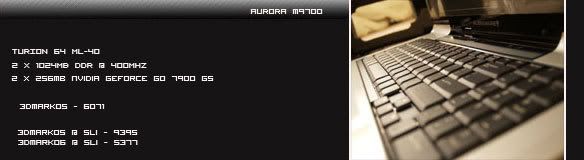
user posted image

deR Red,wen u graduated ar,if then u come back with newer Alienware, dont forget u already reserved ur Aurora M9700 2nd hand for me rite...Hahaha  juz want to increase post stats  biggrin.gif
*
I see you've bought the V3244AU... Congrats!


Added on June 12, 2007, 3:00 amOn another note, my lil bro's getting his VAIO VGN-C25G/B later today... It'll be interesting to see how the VAIO C stacks up to the M1210 (difference, smaller, 80GB HDD and slower proc - the 1.66 C2D)... icon_rolleyes.gif

This post has been edited by Eiraku: Jun 12 2007, 03:00 AM

TSEiraku
post Jun 12 2007, 03:09 AM

Geeking since 1985!
*******
Senior Member
7,037 posts

Joined: Apr 2006


Woah... They updated the Dell Malaysia website... Different layout already, catagorized into Basic, Mainstream and Performance... And look at the pic on the performance part, isn't that an M1710? Are they gonna start selling 'em in Malaysia?

God, the suspense!
hi54ever
post Jun 12 2007, 05:34 PM

Joined : Today
*****
Senior Member
744 posts

Joined: Jan 2007
From: Slumberland
QUOTE(Eiraku @ Jun 11 2007, 08:10 PM)
You're using XP rite? If you re-format according to the guidebook, I guess they'll have you do a recovery using the built in system... I don't think you'd want that, as the bloatware that Dell bundles are gonna be installed too...

You have the Windows XP CD with you, right? Okay, now... Just like the Vista reformat StepByStep I just did a coupla pages back, here we go:

1) Save every single thing that you need on DVDs or external HDD or whatever.

2) MAKE SURE THE BLUETOOTH IS TURNED ON UNDER WINDOWS - THE ICON IS BLUE AND WHITE (very important, I lost my BT for a few days just because Windows thought it was dead).

3) Download all the drivers you need from the Dell website (the recovery driver disk contains old drivers, remember).

3) Restart and insert the XP disk at startup.

4) Press any key when prompted.

5) Select your main partition (the one that contains Windows) and wipe it clean (delete partition).

6) Re-select the unused space, create a new partition (make sure it's C:), and format it with NTFS.

7) Windows will take care of the rest (but make sure you get the region info right. Select America for language, tune the measurements to metric, change the currency to RM and the date format to local. Make sure you select America/USA for the language because anything else will screw up the Keyboard. Selecting Malaysia for location is okay though).

8) After finishing, install the drivers from the recovery driver disk. Restart.

9) Update the drivers with the new ones (the bluetooth one requires the old drivers to be uninstalled first... I'm afraid of losing my BT again).

10) Install the Dell utilities that you need (I only installed the Dell resource CD, uninstalled QuickSet as soon as I could).

11) Install everything else.


If you do it this way, nothing should happen to the MD partition OR the recover partition...

And another thing... Make sure you install the SigmaTel audio drivers BEFORE you install the SoundBlaster Audigy HD whatever (if you have it)... You'll screw up the sound drivers if you don't...  rolleyes.gif

And if you plan to reformat often, keep in mind that the SoundBlaster Audigy thingy CAN ONLY BE REINSTALLED 3 TIMES before the serial number becomes void...  sweat.gif

thaks for the guide dude,i've tried system restore but its not working as well...i found tat if i leave my lappy unused or turn off for whole night, the PF useage will start getting mad,but after several reboot it'll turn back to normal and also 1 thing i realise is the available physical memory was so LOW but the total is still right...now i really wonder if the cold weather is affecting this lappy,like a car,nid to heat up the engine before starting...sigh....possible?

uninsatalling quickset will disable ur webcam button on ur keyboard isnt it??do u nid any sequence in installing the driver??like 1st board driver,then the rest etc??

This post has been edited by hi54ever: Jun 12 2007, 05:38 PM

63 Pages « < 24 25 26 27 28 > » Top
 

Change to:
| Lo-Fi Version
0.0369sec    0.39    6 queries    GZIP Disabled
Time is now: 15th December 2025 - 06:26 AM
