QUOTE(D-Zire @ Jun 15 2024, 01:17 PM)
Hihi, can you teach how to setup bridge mode on this skyworth box? I tried to change the settings to bridge mode same like what you have shown but my deco failed to connect via PPPoE. Is there anything else to set at the skyworth box?
Wish to make this a pure ONU box only.
Thank you!
I'm no expert on this. Anyway, I'll share what I did and you try to emulate it and see if this would solve your issue.
1. Leave the LAN1 port empty as we need to use it to connect via LAN cable to your personal router.
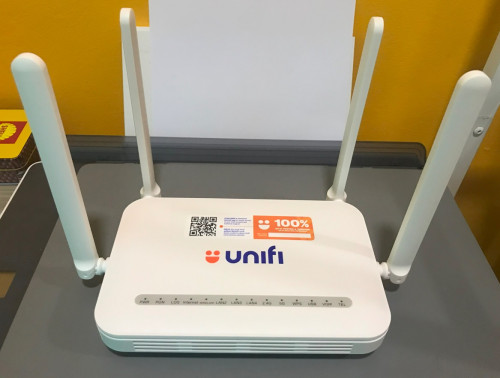
2. Set the Skyworth combo box as your main router and connect it to the internet.
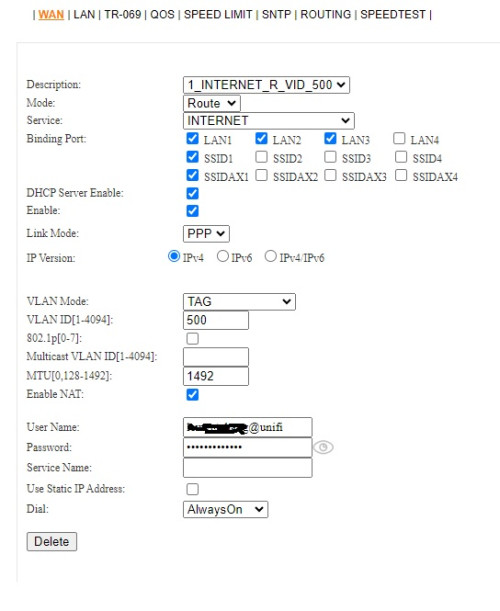
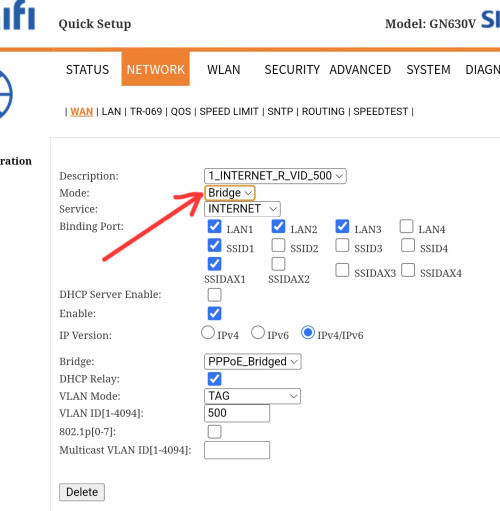
3. Login to your Skyworth combo box with IP 192.168.0.1 and go to the Network > WAN > select 'Mode: Bridge'
4. Connect using LAN cable from Skyworth combo box LAN1 port to your personal router WAN port.
5. Have a device connect to your Deco router and login to your TP Link Deco router IP (I'm not familiar with TP Link), set up Unifi PPPOE as usual.
6. After a while, internet connection should be established at this point.
This post has been edited by Yluxion: Jun 15 2024, 05:18 PM 

 Jun 14 2024, 11:17 AM


 Quote
Quote









 0.0192sec
 0.63
0.63
 6 queries
 GZIP Disabled