

please contact our Professor Digilife

This post has been edited by chuahcs79: Dec 29 2012, 01:38 PM
Tp LInk TL-MR3420 Owner CLub V2
|
|
 Nov 19 2012, 10:19 PM, updated 13y ago Nov 19 2012, 10:19 PM, updated 13y ago
Show posts by this member only | Post
#1
|
 
Elite
6,931 posts Joined: Apr 2011 From: Bolehland for sure ^_^  
|
Anything,
please contact our Professor Digilife This post has been edited by chuahcs79: Dec 29 2012, 01:38 PM |
|
|
|
|
|
Nov 19 2012, 10:27 PM
Show posts by this member only | Post
#2
|
 
Junior Member
316 posts Joined: Oct 2009
|
report in , hope to get my v2 soon
 |
|
|
Nov 19 2012, 10:38 PM
Show posts by this member only | Post
#3
|

Junior Member
480 posts Joined: Jan 2007 
|
at last
reporting in  |
|
|
Nov 19 2012, 10:40 PM
Show posts by this member only | Post
#4
|
|
Elite
6,931 posts Joined: Apr 2011 From: Bolehland for sure ^_^
|
currently am testing my V2 + V1 together,..
still testing to see how to combine both of them to get Max performances |
|
|
Nov 19 2012, 11:14 PM
Show posts by this member only | Post
#5
|

Senior Member
898 posts Joined: Jan 2003 From: ph/sbj/slgr
|
QUOTE(chuahcs79 @ Nov 19 2012, 10:40 PM) currently am testing my V2 + V1 together,.. ppl pls switch on your poison shield still testing to see how to combine both of them to get Max performances   |
|
|
Nov 19 2012, 11:38 PM
Show posts by this member only | Post
#6
|

Junior Member
119 posts Joined: Nov 2008
|
waaaa...already creat V2.....V1 still newbizzzzzz...huhuhuhuhu
|
|
|
|
|
|
Nov 20 2012, 12:13 AM
Show posts by this member only | Post
#7
|

Elite
8,413 posts Joined: Jul 2008 
|
Congratulations for V2
And V2 reviews  |
|
|
Nov 20 2012, 12:19 AM
Show posts by this member only | Post
#8
|
|
Elite
6,931 posts Joined: Apr 2011 From: Bolehland for sure ^_^
|
QUOTE(blacktubi @ Nov 20 2012, 12:13 AM) Congratulations for V2 so far after so many combination i try since afternoon 1pm my V2 arrive with poslaju,And V2 reviews best combo so far : Panel -> ZTE MF680 -> TL-MR3420 V1 ( openwrt ) -> lan cable -> TL-MR3420 V2 -> wifi/lan to computer/laptop/phone wifi, wireless G or wireless N in TL_MR3420 V2 is totally fine, 0% bug at all but one thing i notice that, due to i test a few combination just now, so need to plug / unplug usb modem often a few time, after a while the V2 become  able to recogise as fast as reboot done 100% but not able to dial the connection,... able to recogise as fast as reboot done 100% but not able to dial the connection,...i did upgrade from TL-MR3420_V2_120703 ( original firmware come with it ) to -> TL-MR3420_V2_120905 So now i will revert it back to try TL-MR3420_V2_120703 whether will be become buggy or not after a few time plug/unplug,..for my V1 with openwrt, this issue didnt happen at all, i can plug/unplug as many time as i want and it will still recognize fast and dial connection fast,.. the V2 can recognize your usb modem in one second after reboot 100% complete and dial the connection in next seconds in normal condition ,  |
|
|
Nov 20 2012, 12:27 AM
Show posts by this member only | Post
#9
|
|
Elite
8,413 posts Joined: Jul 2008
|
QUOTE(chuahcs79 @ Nov 20 2012, 12:19 AM) » Click to show Spoiler - click again to hide... « The seamless reconnection is what attracts me as usual 3G geek would reboot a thousand of time to get the best IP range  Next is the WiFi  Significant improvement: Seamless reconnection and fast modem recognition WiFi bug fixed Stability boosted Lower operating temperature |
|
|
Nov 20 2012, 12:55 AM
|

Senior Member
1,389 posts Joined: Feb 2006 From: Southern Region
|
Congratulation on V2
 |
|
|
Nov 20 2012, 02:14 AM
|
|
Elite
6,931 posts Joined: Apr 2011 From: Bolehland for sure ^_^
|
QUOTE(blacktubi @ Nov 20 2012, 12:27 AM) This is ultimately poisonous yea i bet if V2 support openwrt, confirm hands down pawn the rest router The seamless reconnection is what attracts me as usual 3G geek would reboot a thousand of time to get the best IP range Next is the WiFi Significant improvement: Seamless reconnection and fast modem recognition WiFi bug fixed Stability boosted Lower operating temperature |
|
|
Nov 20 2012, 05:29 AM
|

Senior Member
558 posts Joined: Jun 2006 From: Lowyat.Net 
|
Checking in
|
|
|
Nov 20 2012, 08:18 AM
|

Senior Member
944 posts Joined: Jan 2003 From: SHAH ALAM
|
Check-In...
Chuah, semua orang tak nak bukak new thread. Tunggu you sahaja bukak. Hahahahahahhaha |
|
|
|
|
|
Nov 20 2012, 08:32 AM
|
|
Senior Member
1,019 posts Joined: Nov 2006
|
QUOTE(hairul @ Nov 20 2012, 08:18 AM) Check-In... who dare and who qualify to buka? Chuah, semua orang tak nak bukak new thread. Tunggu you sahaja bukak. Hahahahahahhaha  |
|
|
Nov 20 2012, 09:06 AM
|
|
Senior Member
944 posts Joined: Jan 2003 From: SHAH ALAM
|
QUOTE(chulk @ Nov 20 2012, 08:32 AM) who dare and who qualify to buka? Everyone lazy hehehehe |
|
|
Nov 20 2012, 10:16 AM
|

Senior Member
847 posts Joined: Jan 2011 From: Tenom, North Borneo
|
v2 owner reporting in
congrats on v2 |
|
|
Nov 20 2012, 11:29 AM
|
|
Junior Member
36 posts Joined: Apr 2012
|
V2 owner since yesterday - long time no open forum, once open money flow like water =.=', straight went to wangsa walk after work to get V2 for RM85..
hope to learn about openWRT on V2.. soon.. =) |
|
|
Nov 20 2012, 01:21 PM
|

Senior Member
8,025 posts Joined: Feb 2005 From: Planet Boleland
|
Lipoting into an AWESOME THREAD
Kudos to TS Added on November 20, 2012, 1:28 pm QUOTE(chulk @ Nov 20 2012, 08:32 AM) who dare and who qualify to buka? Buka Sape and Apo, cakap betui betui la bang............ Now the best combo is use 2 Routers, one to suck the 3G signal kawkaw and another one for Routing to WiFi/Lan, meaning more power to do 2 delicate task, 1, to pull in the strongest signal and another to do the Routing to destination devices....... This post has been edited by digilife: Nov 20 2012, 01:28 PM |
|
|
Nov 20 2012, 02:00 PM
|

Junior Member
406 posts Joined: Sep 2010 From: Papar, Sabah
|
my router is acting wierd.. my laptop can detect my e372, but my mr3420 cant.. it detecs.. then says unknown modem.. any idea why?
|
|
|
Nov 20 2012, 02:15 PM
|
|
Senior Member
8,025 posts Joined: Feb 2005 From: Planet Boleland
|
my new toy,
look at the middle antenna 
MF680 + MR3420 via WiFi  MR3420 LAN out to WR1043ND , (disable WiFi on MR3420) and use WiFi from WR1043ND  This post has been edited by digilife: Nov 20 2012, 02:19 PM |
|
|
Nov 20 2012, 02:16 PM
|
|
Junior Member
36 posts Joined: Apr 2012
|
QUOTE(digilife @ Nov 20 2012, 02:15 PM) my new toy, what model is that router? should be better than V2 MR3420? look at the middle antenna |
|
|
Nov 20 2012, 02:22 PM
|
|
Elite
8,413 posts Joined: Jul 2008
|
QUOTE(digilife @ Nov 20 2012, 02:15 PM) my new toy, Sometime long =/= power look at the middle antenna MF680 + MR3420 via WiFi MR3420 LAN out to WR1043ND , (disable WiFi on MR3420) and use WiFi from WR1043ND High dBi of Omni the narrower the beam width  |
|
|
Nov 20 2012, 02:22 PM
|
|
Elite
6,931 posts Joined: Apr 2011 From: Bolehland for sure ^_^
|
QUOTE(khairilyazit @ Nov 20 2012, 02:00 PM) my router is acting wierd.. my laptop can detect my e372, but my mr3420 cant.. it detecs.. then says unknown modem.. any idea why? which model TL-MR3420 u are using ? V1 ? V1.3 ? or V2 ?have u upgrade to latest firmware ? u can try to download E372 modem bin file and put it on the Web Gui -> 3G -> modem setting. it will help your router to recognize your E372 |
|
|
Nov 20 2012, 02:25 PM
|
|
Senior Member
8,025 posts Joined: Feb 2005 From: Planet Boleland
|
QUOTE(blacktubi @ Nov 20 2012, 02:22 PM) Sometime long =/= power meaning ?High dBi of Omni the narrower the beam width  |
|
|
Nov 20 2012, 02:27 PM
|
|
Elite
6,931 posts Joined: Apr 2011 From: Bolehland for sure ^_^
|
New Combo ( which working best )
Panel Antenna -> TS-9 convertor -> ZTZE MF680 -> TL-MR3420 V1 ( Openwrt / wifi off )-> Lan cable -> TL-MR3420 V2 ( tp link stock firmware ) -> Wireless -> laptop ( window xp ) end result stable speed 1.7~1.79MB/s with super Lowest ping ever ( normally when heavy DL running in IDM my ping is 300~500ms ) Before only single router , look at the ping [attachmentid=3165709] After using best combo , look at the ping [attachmentid=3165704] This post has been edited by chuahcs79: Nov 20 2012, 02:31 PM |
|
|
Nov 20 2012, 02:28 PM
|
|
Junior Member
36 posts Joined: Apr 2012
|
QUOTE(chuahcs79 @ Nov 20 2012, 02:22 PM) which model TL-MR3420 u are using ? V1 ? V1.3 ? or V2 ? any idea where to find the bin files? none on the tp-link website.. looking for e398/k5005 bin for V2..have u upgrade to latest firmware ? u can try to download E372 modem bin file and put it on the Web Gui -> 3G -> modem setting. it will help your router to recognize your E372 |
|
|
Nov 20 2012, 02:32 PM
|
|
Elite
8,413 posts Joined: Jul 2008
|
QUOTE(redyakuza87 @ Nov 20 2012, 02:28 PM) any idea where to find the bin files? none on the tp-link website.. looking for e398/k5005 bin for V2.. Plug and play don't works? |
|
|
Nov 20 2012, 02:33 PM
|
|
Elite
6,931 posts Joined: Apr 2011 From: Bolehland for sure ^_^
|
QUOTE(redyakuza87 @ Nov 20 2012, 02:28 PM) any idea where to find the bin files? none on the tp-link website.. looking for e398/k5005 bin for V2.. can't find K5005 bin file though, only below:HUawei E398 bin file TL-MR3420/TL-MR3220/TL-MR3020 Finland Not ISP Specific HUAWEI E398 Download for K5005, u can try to use USB Sniffer tools to create bin file for it,. try and see whether it works This post has been edited by chuahcs79: Nov 20 2012, 02:34 PM |
|
|
Nov 20 2012, 02:35 PM
|
|
Junior Member
36 posts Joined: Apr 2012
|
QUOTE(blacktubi @ Nov 20 2012, 02:32 PM) Plug and play don't works? i tried k5005 on V1.. plug n play doesnt detect modem.. i went to find on a german website (use google translate) to download the bin file.. and it works fine.. but needs to wait 3 mins before it gets connected to the internet.. the same goes when I use V2 router.. doesnt detect.. and upload the same bin file, then it works.. still, have to wait 3 mins before it connects to the internet..not sure about e398.. Added on November 20, 2012, 2:38 pm QUOTE(chuahcs79 @ Nov 20 2012, 02:33 PM) can't find K5005 bin file though, only below: thanks chuahcs! i'll just wait for e398.. not gona use k5005 cos took too much time to connect to the internet..HUawei E398 bin file TL-MR3420/TL-MR3220/TL-MR3020 Finland Not ISP Specific HUAWEI E398 Download for K5005, u can try to use USB Sniffer tools to create bin file for it,. try and see whether it works the bin file only 413 bytes..?  Added on November 20, 2012, 2:42 pm QUOTE(chuahcs79 @ Nov 20 2012, 02:27 PM) New Combo ( which working best ) Panel Antenna -> TS-9 convertor -> ZTZE MF680 -> TL-MR3420 V1 ( Openwrt / wifi off )Panel Antenna -> TS-9 convertor -> ZTZE MF680 -> TL-MR3420 V1 ( Openwrt / wifi off )-> Lan cable -> TL-MR3420 V2 ( tp link stock firmware ) -> Wireless -> laptop ( window xp ) end result stable speed 1.7~1.79MB/s with super Lowest ping ever ( normally when heavy DL running in IDM my ping is 300~500ms ) Before only single router , look at the ping [attachmentid=3165709] After using best combo , look at the ping [attachmentid=3165704] how do u connect those..? modem onto V1..? not onto V2? care to explain this part for me? --> ((Panel Antenna -> TS-9 convertor)) This post has been edited by redyakuza87: Nov 20 2012, 02:42 PM |
|
|
Nov 20 2012, 02:42 PM
|
|
Elite
6,931 posts Joined: Apr 2011 From: Bolehland for sure ^_^
|
QUOTE(redyakuza87 @ Nov 20 2012, 02:35 PM) i tried k5005 on V1.. plug n play doesnt detect modem.. i went to find on a german website (use google translate) to download the bin file.. and it works fine.. but needs to wait 3 mins before it gets connected to the internet.. the same goes when I use V2 router.. doesnt detect.. and upload the same bin file, then it works.. still, have to wait 3 mins before it connects to the internet.. well if u want faster detect, then u can try to flash openwrt into your V1 and see whether your K5005 will auto detect and connect faster than 3 min or not,.not sure about e398.. Added on November 20, 2012, 2:38 pm thanks chuahcs! i'll just wait for e398.. not gona use k5005 cos took too much time to connect to the internet.. the bin file only 413 bytes..? from what i know, openwrt definitely dial and connect faster for sure  |
|
|
Nov 20 2012, 02:45 PM
|
|
Junior Member
36 posts Joined: Apr 2012
|
QUOTE(chuahcs79 @ Nov 20 2012, 02:42 PM) well if u want faster detect, then u can try to flash openwrt into your V1 and see whether your K5005 will auto detect and connect faster than 3 min or not,. all right thanks bro! will try later tonite if have time.. need to learn how to do openwrt first tho from what i know, openwrt definitely dial and connect faster for sure |
|
|
Nov 20 2012, 02:46 PM
|
|
Elite
6,931 posts Joined: Apr 2011 From: Bolehland for sure ^_^
|
QUOTE(redyakuza87 @ Nov 20 2012, 02:35 PM) i tried k5005 on V1.. plug n play doesnt detect modem.. i went to find on a german website (use google translate) to download the bin file.. and it works fine.. but needs to wait 3 mins before it gets connected to the internet.. the same goes when I use V2 router.. doesnt detect.. and upload the same bin file, then it works.. still, have to wait 3 mins before it connects to the internet.. some sample of my setup ( bit messy with all the cable though not sure about e398.. Added on November 20, 2012, 2:38 pm thanks chuahcs! i'll just wait for e398.. not gona use k5005 cos took too much time to connect to the internet.. the bin file only 413 bytes..? Added on November 20, 2012, 2:42 pm Panel Antenna -> TS-9 convertor -> ZTZE MF680 -> TL-MR3420 V1 ( Openwrt / wifi off ) how do u connect those..? modem onto V1..? not onto V2? care to explain this part for me? --> ((Panel Antenna -> TS-9 convertor)) )[attachmentid=3165738] [attachmentid=3165740] |
|
|
Nov 20 2012, 02:47 PM
|
|
Elite
8,413 posts Joined: Jul 2008
|
QUOTE(digilife @ Nov 20 2012, 02:25 PM) meaning ? Not trully essential Since 1043ND normally power is already powerful enough for an average house  |
|
|
Nov 20 2012, 02:52 PM
|
|
Elite
6,931 posts Joined: Apr 2011 From: Bolehland for sure ^_^
|
QUOTE(redyakuza87 @ Nov 20 2012, 02:45 PM) all right thanks bro! will try later tonite if have time.. need to learn how to do openwrt first tho make sure u download both openwrt bin file & stock firmware ready, just in case your openwrt dont work with your K5005, u still can flash it back to stock firmware |
|
|
Nov 20 2012, 03:05 PM
|
|
Senior Member
8,025 posts Joined: Feb 2005 From: Planet Boleland
|
QUOTE(blacktubi @ Nov 20 2012, 02:47 PM) Not trully essential Since i separate the WiFi and 3G reception into 2 routers, i get better WiFi signal, not tested with the Gigabit Lan port + cat6e cable as i am short of cable now. Will do so later next morning as i am in my work place now...Since 1043ND normally power is already powerful enough for an average house But definitely much better than using only a single router........... Can teach me how to OpenWRT my WR1043ND ? |
|
|
Nov 20 2012, 03:19 PM
|

Senior Member
3,158 posts Joined: Apr 2005 From: -Butterworth, Penang-
|
guy,
i completely flash my modem to open wrt. 3g connection up, wifi up and lan up.. but strange things is my computer connect to the router tru wireless but it cant surf...any setting i miss out ? |
|
|
Nov 20 2012, 03:21 PM
|
|
Elite
6,931 posts Joined: Apr 2011 From: Bolehland for sure ^_^
|
QUOTE(stevenlee @ Nov 20 2012, 03:19 PM) guy, have u tried to use your other wireless device to connect it ? i completely flash my modem to open wrt. 3g connection up, wifi up and lan up.. but strange things is my computer connect to the router tru wireless but it cant surf...any setting i miss out ? try to flush your DNS yet ? so u done all these step ? QUOTE To setup your wireless , go to -> Network -> wifi -> Edit -> Under general setup -> set wifi prefer channel (normally more user prefer channel 11 ) -> set Transmit power = 20dBm (100mW ) -> set ESSID : enter prefer wifi connection name -> select wireless Security -> select prefer encrpytion -> enter prefer password for wireless encryption -> go to Advances setting -> wireless mode : 11b or 11g or 11n or 11g+n -> set country -> click save and apply -> general setup -> click Enable This post has been edited by chuahcs79: Nov 20 2012, 03:22 PM |
|
|
Nov 20 2012, 03:23 PM
|
|
Senior Member
3,158 posts Joined: Apr 2005 From: -Butterworth, Penang-
|
QUOTE(chuahcs79 @ Nov 20 2012, 03:21 PM) have u tried to use your other wireless device to connect it ? it might be the setting but i not sure what setting i miss out.... try to flush your DNS yet ? do we need to set wifi link to 3g and use it as internet? |
|
|
Nov 20 2012, 03:24 PM
|
|
Elite
6,931 posts Joined: Apr 2011 From: Bolehland for sure ^_^
|
QUOTE(stevenlee @ Nov 20 2012, 03:23 PM) it might be the setting but i not sure what setting i miss out.... if u follow the video tutor, it should be working as u finish complete,.. do we need to set wifi link to 3g and use it as internet? your other device connect via wireless can online ? |
|
|
Nov 20 2012, 03:24 PM
|
|
Senior Member
3,158 posts Joined: Apr 2005 From: -Butterworth, Penang-
|
QUOTE(chuahcs79 @ Nov 20 2012, 03:24 PM) if u follow the video tutor, it should be working as u finish complete,.. all cant 0,0your other device connect via wireless can online ? |
|
|
Nov 20 2012, 03:26 PM
|
|
Elite
6,931 posts Joined: Apr 2011 From: Bolehland for sure ^_^
|
QUOTE(stevenlee @ Nov 20 2012, 03:24 PM) all cant 0,0 well, if u want i can team viewer helping you to check,.. let me know by PM your team viewer ID & PASS |
|
|
Nov 20 2012, 03:29 PM
|
|
Senior Member
3,158 posts Joined: Apr 2005 From: -Butterworth, Penang-
|
QUOTE(chuahcs79 @ Nov 20 2012, 03:26 PM) well, if u want i can team viewer helping you to check,.. Chuahcs,let me know by PM your team viewer ID & PASS i will pm u tonight if still cant fix... now working... |
|
|
Nov 20 2012, 03:30 PM
|
|
Elite
6,931 posts Joined: Apr 2011 From: Bolehland for sure ^_^
|
QUOTE(stevenlee @ Nov 20 2012, 03:29 PM) Chuahcs, sure, let me know,.. always ready to help i will pm u tonight if still cant fix... now working... |
|
|
Nov 20 2012, 03:33 PM
|
|
Senior Member
3,158 posts Joined: Apr 2005 From: -Butterworth, Penang-
|
if u stay perai mah good la...
jsut bring my modem to u... farlim too far for me ..keke |
|
|
Nov 20 2012, 03:43 PM
|
|
Elite
6,931 posts Joined: Apr 2011 From: Bolehland for sure ^_^
|
QUOTE(stevenlee @ Nov 20 2012, 03:33 PM) if u stay perai mah good la... yeah , ha ha if i stay prai, i will confirm go find you guys ( blacktubi ) and so on for Yum Cha,.. bring along all our gadget too , ha ha jsut bring my modem to u... farlim too far for me ..keke |
|
|
Nov 20 2012, 04:35 PM
|
|
Junior Member
406 posts Joined: Sep 2010 From: Papar, Sabah
|
QUOTE(chuahcs79 @ Nov 20 2012, 02:22 PM) which model TL-MR3420 u are using ? V1 ? V1.3 ? or V2 ? v1.3~ any links on the bin files?have u upgrade to latest firmware ? u can try to download E372 modem bin file and put it on the Web Gui -> 3G -> modem setting. it will help your router to recognize your E372 i tried openwrt also, it detects the modem, but didn't give it a tty port.. maybe need to modeswitch |
|
|
Nov 20 2012, 04:39 PM
|
|
Elite
8,413 posts Joined: Jul 2008
|
QUOTE(khairilyazit @ Nov 20 2012, 04:35 PM) v1.3~ any links on the bin files? Consider upgrade the FW of your modem i tried openwrt also, it detects the modem, but didn't give it a tty port.. maybe need to modeswitch |
|
|
Nov 20 2012, 06:11 PM
|
|
Senior Member
3,158 posts Joined: Apr 2005 From: -Butterworth, Penang-
|
QUOTE(chuahcs79 @ Nov 20 2012, 03:30 PM) sure, let me know,.. always ready to help able to surf now able i tick the firewall on wan...but some how the speed just 2mbps >_< after 3 router change i suspecting my usb wifi not compatible with dlink router i guess  |
|
|
Nov 20 2012, 06:23 PM
|
|
Senior Member
8,025 posts Joined: Feb 2005 From: Planet Boleland
|
QUOTE(stevenlee @ Nov 20 2012, 06:11 PM) able to surf now able i tick the firewall on wan... by tonite , i can help you to confirm, its Router's problem or WiFi adaptor/network card's problem but some how the speed just 2mbps >_< after 3 router change i suspecting my usb wifi not compatible with dlink router i guess  |
|
|
Nov 20 2012, 06:46 PM
|
|
Elite
6,931 posts Joined: Apr 2011 From: Bolehland for sure ^_^
|
QUOTE(khairilyazit @ Nov 20 2012, 04:35 PM) v1.3~ any links on the bin files? what model & brand of your modem ? i tried openwrt also, it detects the modem, but didn't give it a tty port.. maybe need to modeswitch |
|
|
Nov 20 2012, 06:51 PM
|

Junior Member
334 posts Joined: Dec 2005 
|
Bought v2 @ RM85
my old router can take a break |
|
|
Nov 20 2012, 06:54 PM
|
|
Elite
6,931 posts Joined: Apr 2011 From: Bolehland for sure ^_^
|
QUOTE(caterpiez @ Nov 20 2012, 06:51 PM) Bought v2 @ RM85 u can try to combine 2 router together, my old router can take a break Effect is a lot better for sure, This post has been edited by chuahcs79: Nov 20 2012, 06:56 PM |
|
|
Nov 20 2012, 07:02 PM
|
|
Junior Member
334 posts Joined: Dec 2005
|
QUOTE(chuahcs79 @ Nov 20 2012, 06:54 PM) u can try to combine 2 router together, Tried already.no effect on speed.only takes more space Effect is a lot better for sure, fyi, i hang all my modem/antenna to windows since can't use nail  can't see beautiful scenery outside my room can't see beautiful scenery outside my room |
|
|
Nov 20 2012, 07:22 PM
|
|
Senior Member
3,158 posts Joined: Apr 2005 From: -Butterworth, Penang-
|
chuahcs,
my signal str is 6,99 not sure why so weak when on router... normal on my pc it can go 4/5bar any1 to increase the signal str? |
|
|
Nov 20 2012, 07:31 PM
|
|
Elite
8,413 posts Joined: Jul 2008
|
QUOTE(stevenlee @ Nov 20 2012, 07:22 PM) chuahcs, Bar is never accuratemy signal str is 6,99 not sure why so weak when on router... normal on my pc it can go 4/5bar any1 to increase the signal str? Use mdma to verify |
|
|
Nov 20 2012, 07:34 PM
|
|
Senior Member
3,158 posts Joined: Apr 2005 From: -Butterworth, Penang-
|
QUOTE(blacktubi @ Nov 20 2012, 07:31 PM) Bar is never accurate Use mdma to verify QUOTE(ddr3 @ Nov 20 2012, 07:31 PM) come to dell bukit tengah then can reg meh? unless youre working in dell rite? connected at DC HSPA...but signal strenght seem low...Added on November 20, 2012, 7:31 pm u offer 1K then ppl will sell but 1 thing for sure..when direct to USB the speed way damm high sure over 5mbps... once in modem not even over 2mbps -.- Added on November 20, 2012, 7:35 pmload youtube also got buffering >_< Added on November 20, 2012, 7:36 pmthe modem damm hot...will it melt -.- Added on November 20, 2012, 7:38 pmit is because of heat limit my signal strenght? This post has been edited by stevenlee: Nov 20 2012, 07:38 PM |
|
|
Nov 20 2012, 07:52 PM
|
|
Senior Member
8,025 posts Joined: Feb 2005 From: Planet Boleland
|
Mr3420 + WR1043ND + 8dBi antenna
 |
|
|
Nov 20 2012, 08:06 PM
|
|
Senior Member
3,158 posts Joined: Apr 2005 From: -Butterworth, Penang-
|
QUOTE(digilife @ Nov 20 2012, 07:52 PM) Mr3420 + WR1043ND + 8dBi antenna what modem u using bro? MF680?my MF680 damm hot.....can burn ur hand when touch -.- ur 8dbi antenna is attach to 3g modem or router? |
|
|
Nov 20 2012, 08:12 PM
|
|
Senior Member
8,025 posts Joined: Feb 2005 From: Planet Boleland
|
QUOTE(stevenlee @ Nov 20 2012, 08:06 PM) what modem u using bro? MF680? mf680, dun care hot as i dun hold it one my MF680 damm hot.....can burn ur hand when touch -.- ur 8dbi antenna is attach to 3g modem or router? there you go............ 
|
|
|
Nov 20 2012, 08:16 PM
|
|
Senior Member
944 posts Joined: Jan 2003 From: SHAH ALAM
|
OpenWRT Report In :-)
This is easier way to upgrade Tools Needed 1) MR3420 2) 2nd Router + 3G Modem This is my step : - 1) Login Standard Firmware And Upgrade Openwrt Firmware. Then Reboot And Set Router Password (Dont Plug Any Network cable From Router No 2) 2) Plug Network Cable From 2nd Router with 3G Modem to MR3420 WAN Port 3) Ping 8.8.8.8 1st. When Internet Available (Ping Got Reply) ,Then Run Putty and Go to 192.168.1.1 4) Copy Paste this into Putty 1st Step opkg update 2nd Step opkg install chat comgt kmod-usb-acm kmod-usb-serial kmod-usb-serial-option kmod-usb-uhci libusb luci-proto-3g mini-sendmail usb-modeswitch usb-modeswitch-data kmod-usb2 kmod-usb-ohci kmod-usb-serial-wwan 5) Reboot And Login 6) Go To Network>Interface>Edit WAN 7) Switch Protocol And Choose UMTS/GORS/EV-DO and Fill-up APN & Others. 8) Setting WIFI ETC and Reboot Again 9) Use |
|
|
Nov 20 2012, 08:20 PM
|
|
Elite
6,931 posts Joined: Apr 2011 From: Bolehland for sure ^_^
|
QUOTE(hairul @ Nov 20 2012, 08:16 PM) OpenWRT Report In :-) yea is much faster to use putty to SSH to your router and make your router update all the packages,..This is easier way to upgrade Tools Needed 1) MR3420 2) 2nd Router + 3G Modem This is my step : - 1) Login Standard Firmware And Upgrade Openwrt Firmware. Then Reboot And Set Router Password (Dont Plug Any Network cable From Router No 2) 2) Plug Network Cable From 2nd Router with 3G Modem to MR3420 WAN Port 3) Ping 8.8.8.8 1st. When Internet Available (Ping Got Reply) ,Then Run Putty and Go to 192.168.1.1 4) Copy Paste this into Putty 1st Step opkg update 2nd Step opkg install chat comgt kmod-usb-acm kmod-usb-serial kmod-usb-serial-option kmod-usb-uhci libusb luci-proto-3g mini-sendmail usb-modeswitch usb-modeswitch-data kmod-usb2 kmod-usb-ohci kmod-usb-serial-wwan 5) Reboot And Login 6) Go To Network>Interface>Edit WAN 7) Switch Protocol And Choose UMTS/GORS/EV-DO and Fill-up APN & Others. 8) Setting WIFI ETC and Reboot Again 9) Use |
|
|
Nov 20 2012, 08:20 PM
|
|
Senior Member
3,158 posts Joined: Apr 2005 From: -Butterworth, Penang-
|
QUOTE(digilife @ Nov 20 2012, 08:12 PM) mf680, dun care hot as i dun hold it one some how duno why so slow when attach to router haiz.... there you go............
|
|
|
Nov 20 2012, 08:21 PM
|
|
Elite
6,931 posts Joined: Apr 2011 From: Bolehland for sure ^_^
|
QUOTE(stevenlee @ Nov 20 2012, 08:20 PM) some how duno why so slow when attach to router haiz.... have you try your router with other usb modem ? |
|
|
Nov 20 2012, 08:23 PM
|
|
Senior Member
3,158 posts Joined: Apr 2005 From: -Butterworth, Penang-
|
QUOTE(chuahcs79 @ Nov 20 2012, 08:21 PM) have you try your router with other usb modem ? dont have other...by the way chuahcs... between open wrt and official firmware... what the different? any good using open wrt as i see more complicated to set up |
|
|
Nov 20 2012, 08:29 PM
|
|
Senior Member
8,025 posts Joined: Feb 2005 From: Planet Boleland
|
QUOTE(hairul @ Nov 20 2012, 08:16 PM) OpenWRT Report In :-) Abang, where to download the necessary files and one more thing, if i wan to flash OpenWRT onto my WR1043ND, same steps too?This is easier way to upgrade Tools Needed 1) MR3420 2) 2nd Router + 3G Modem This is my step : - 1) Login Standard Firmware And Upgrade Openwrt Firmware. Then Reboot And Set Router Password (Dont Plug Any Network cable From Router No 2) 2) Plug Network Cable From 2nd Router with 3G Modem to MR3420 WAN Port 3) Ping 8.8.8.8 1st. When Internet Available (Ping Got Reply) ,Then Run Putty and Go to 192.168.1.1 4) Copy Paste this into Putty 1st Step opkg update 2nd Step opkg install chat comgt kmod-usb-acm kmod-usb-serial kmod-usb-serial-option kmod-usb-uhci libusb luci-proto-3g mini-sendmail usb-modeswitch usb-modeswitch-data kmod-usb2 kmod-usb-ohci kmod-usb-serial-wwan 5) Reboot And Login 6) Go To Network>Interface>Edit WAN 7) Switch Protocol And Choose UMTS/GORS/EV-DO and Fill-up APN & Others. 8) Setting WIFI ETC and Reboot Again 9) Use |
|
|
Nov 20 2012, 08:33 PM
|
|
Elite
6,931 posts Joined: Apr 2011 From: Bolehland for sure ^_^
|
QUOTE(stevenlee @ Nov 20 2012, 08:23 PM) dont have other... openwrt is setup complicated a bit, using it it is better, because response of it faster than official firmware,.. by the way chuahcs... between open wrt and official firmware... what the different? any good using open wrt as i see more complicated to set up and it is a DIY firmware, u add what u need into it,. official firmware is a fixed firmware, V1~V1.3 version is laggy while V2 firmware is quite responsive fast as well,. Added on November 20, 2012, 8:34 pm QUOTE(digilife @ Nov 20 2012, 08:29 PM) Abang, where to download the necessary files and one more thing, if i wan to flash OpenWRT onto my WR1043ND, same steps too? steps is the same,. only different openwrt firmware for WR1043ND This post has been edited by chuahcs79: Nov 20 2012, 08:34 PM |
|
|
Nov 20 2012, 08:55 PM
|
|
Senior Member
8,025 posts Joined: Feb 2005 From: Planet Boleland
|
Now peak period rite
But, twin Router + 8dBi does the JOB well  |
|
|
Nov 20 2012, 09:21 PM
|
|
Elite
6,931 posts Joined: Apr 2011 From: Bolehland for sure ^_^
|
QUOTE(digilife @ Nov 20 2012, 08:55 PM) Now peak period rite wow your first peak hour get 10Mbps , congrats,But, twin Router + 8dBi does the JOB well finally u get your area feng shui |
|
|
Nov 20 2012, 09:22 PM
|
|
Junior Member
316 posts Joined: Oct 2009
|
Sifu , possible to check RSSI with TL-MR3420's stock firmware ?
|
|
|
Nov 20 2012, 09:33 PM
|
|
Senior Member
944 posts Joined: Jan 2003 From: SHAH ALAM
|
QUOTE(digilife @ Nov 20 2012, 08:29 PM) Abang, where to download the necessary files and one more thing, if i wan to flash OpenWRT onto my WR1043ND, same steps too? Same step and using upgrade files for your Router |
|
|
Nov 20 2012, 09:44 PM
|
|
Elite
6,931 posts Joined: Apr 2011 From: Bolehland for sure ^_^
|
QUOTE(n0v1ce @ Nov 20 2012, 09:22 PM) Sifu , possible to check RSSI with TL-MR3420's stock firmware ? nope, it is impossible, since not support by the router,.it only show color signal bar & % in V1 and V1.3 , in V2, no color signal bar only % Added on November 20, 2012, 9:45 pm QUOTE(digilife @ Nov 20 2012, 08:55 PM) Now peak period rite now i reverse my setupBut, twin Router + 8dBi does the JOB well Panel antenna -> CRC9 -> Maxis set E372 ( handicap added heatsink open cover ) -> V2 -> lan out -> V1 -> lan out to laptop result is everything really stable  This post has been edited by chuahcs79: Nov 20 2012, 09:45 PM |
|
|
Nov 20 2012, 09:49 PM
|
|
Junior Member
316 posts Joined: Oct 2009
|
QUOTE(chuahcs79 @ Nov 20 2012, 09:44 PM) nope, it is impossible, since not support by the router,. the signal bar =/= RSSI right ? it only show color signal bar & % in V1 and V1.3 , in V2, no color signal bar only % the signal strength seems not so accurate as I could get better speed at 40% compare to 60% |
|
|
Nov 20 2012, 09:50 PM
|
|
Elite
6,931 posts Joined: Apr 2011 From: Bolehland for sure ^_^
|
QUOTE(n0v1ce @ Nov 20 2012, 09:49 PM) the signal bar =/= RSSI right ? stock firmware is very buggy itself the signal strength seems not so accurate as I could get better speed at 40% compare to 60% |
|
|
Nov 20 2012, 10:22 PM
|
|
Junior Member
406 posts Joined: Sep 2010 From: Papar, Sabah
|
QUOTE(blacktubi @ Nov 20 2012, 04:39 PM) Consider upgrade the FW of your modem modem update = donerouter update = done QUOTE(chuahcs79 @ Nov 20 2012, 06:46 PM) what model & brand of your modem ? modem = Huawei E372router = TL MR3420 V1.3 router detect modem, then identifying again.. detect again, identifying again.. haish |
|
|
Nov 20 2012, 10:57 PM
|
|
Elite
6,931 posts Joined: Apr 2011 From: Bolehland for sure ^_^
|
QUOTE(khairilyazit @ Nov 20 2012, 10:22 PM) modem update = done have u add in modem bin file in modem setting in your V1.3 ? router update = done modem = Huawei E372 router = TL MR3420 V1.3 router detect modem, then identifying again.. detect again, identifying again.. haish u are using stock firmware from tplink right ? |
|
|
Nov 20 2012, 11:00 PM
|
|
Junior Member
406 posts Joined: Sep 2010 From: Papar, Sabah
|
yup.. gonna flash openwrt now.. i'll show u kernel log..
|
|
|
Nov 20 2012, 11:24 PM
|
|
Elite
6,931 posts Joined: Apr 2011 From: Bolehland for sure ^_^
|
QUOTE(khairilyazit @ Nov 20 2012, 11:00 PM) yup.. gonna flash openwrt now.. i'll show u kernel log.. huawei e372 confirm = /device/ttyUSB0 In modem device at openwrt |
|
|
Nov 20 2012, 11:27 PM
|
|
Junior Member
406 posts Joined: Sep 2010 From: Papar, Sabah
|
QUOTE(chuahcs79 @ Nov 20 2012, 11:24 PM) huawei e372 confirm = /device/ttyUSB0 In modem device at openwrt problem is.. ttyUSB0 didn't come up.. still experimenting.. modem now on my other lappy.. serving internet.. lol |
|
|
Nov 20 2012, 11:28 PM
|
|
Senior Member
944 posts Joined: Jan 2003 From: SHAH ALAM
|
QUOTE(khairilyazit @ Nov 20 2012, 10:22 PM) modem update = done Dialer using OPenwrt very fast.. almost same like standard MR3040router update = done modem = Huawei E372 router = TL MR3420 V1.3 router detect modem, then identifying again.. detect again, identifying again.. haish |
|
|
Nov 21 2012, 12:13 AM
|
|
Elite
6,931 posts Joined: Apr 2011 From: Bolehland for sure ^_^
|
QUOTE(khairilyazit @ Nov 20 2012, 11:27 PM) problem is.. ttyUSB0 didn't come up.. still experimenting.. modem now on my other lappy.. serving internet.. lol u have to select custom and manual set in : /device/ttyUSB0 reboot twice after that,.. |
|
|
Nov 21 2012, 12:20 AM
|
|
Junior Member
406 posts Joined: Sep 2010 From: Papar, Sabah
|
oo.. i'll feed my internet addiction 1st.. later i try sifu...
thanks.. |
|
|
Nov 21 2012, 12:33 AM
|
|
Junior Member
316 posts Joined: Oct 2009
|
QUOTE(chuahcs79 @ Nov 20 2012, 09:50 PM) stock firmware is very buggy itself something weird happened to my 680 >>> I could get better speed with low signal strength 38% vs 63% in 3420 stock firmware . Now I directly plug in 680 to pc and use mdma , again the RSSI with -61dBm my speed is 6Mpbs , but when I re-positioned 680 with RSSI -83dBm , I could easily hit > 11Mbps , both tested with purple lit on , so confusing |
|
|
Nov 21 2012, 01:51 AM
|
|
Elite
6,931 posts Joined: Apr 2011 From: Bolehland for sure ^_^
|
QUOTE(n0v1ce @ Nov 21 2012, 12:33 AM) something weird happened to my 680 >>> I could get better speed with low signal strength 38% vs 63% in 3420 stock firmware . Now I directly plug in 680 to pc and use mdma , again the RSSI with -61dBm my speed is 6Mpbs , but when I re-positioned 680 with RSSI -83dBm , I could easily hit > 11Mbps , both tested with purple lit on , so confusing it is very obvious that lower RSSI signal = different base station/towers,that's why u get different speed |
|
|
Nov 21 2012, 02:03 AM
|
|
Junior Member
406 posts Joined: Sep 2010 From: Papar, Sabah
|
QUOTE(chuahcs79 @ Nov 21 2012, 12:13 AM) u have to select custom and manual set in : /device/ttyUSB0 thanks sifu chuachs.. saved my modem.. lol.. my e372 is acting strange.. hahareboot twice after that,.. |
|
|
Nov 21 2012, 02:15 AM
|
|
Elite
6,931 posts Joined: Apr 2011 From: Bolehland for sure ^_^
|
QUOTE(khairilyazit @ Nov 21 2012, 02:03 AM) thanks sifu chuachs.. saved my modem.. lol.. my e372 is acting strange.. haha does it worked ?i guess it works right ? can recognize it now fast and connected fast ? |
|
|
Nov 21 2012, 02:20 AM
|
|
Junior Member
406 posts Joined: Sep 2010 From: Papar, Sabah
|
yup.. connect fast.. onli speed is slow.. my celturtlecom.. haha
thanks sifu... gonna try openwrt on mr 3020 |
|
|
Nov 21 2012, 03:10 AM
|
|
Elite
6,931 posts Joined: Apr 2011 From: Bolehland for sure ^_^
|
QUOTE(khairilyazit @ Nov 21 2012, 02:20 AM) yup.. connect fast.. onli speed is slow.. my celturtlecom.. haha yea, glad it dial fast, speed wise depends on base station in your area which there is nothing we can do thanks sifu... gonna try openwrt on mr 3020 good luck on flashing MR3020  |
|
|
Nov 21 2012, 09:11 AM
|
|
Junior Member
316 posts Joined: Oct 2009
|
QUOTE(chuahcs79 @ Nov 21 2012, 01:51 AM) it is very obvious that lower RSSI signal = different base station/towers, thx for replying sir , so what is your take in this case ? good rssi with low speed or mediocre rssi with good speed ?that's why u get different speed |
|
|
Nov 21 2012, 09:56 AM
|

Junior Member
323 posts Joined: Jun 2009
|
Hi, I am using the TL-MR3420 V2 + E372 with 3 of my friends connected via wifi. Is it possible to chat or send message to them via the TL-MR3420 connection?
Thanks. |
|
|
Nov 21 2012, 02:41 PM
|
|
Senior Member
8,025 posts Joined: Feb 2005 From: Planet Boleland
|
guys, today my MR3420 V1 totally no response on my modems, wat could be the problem, use LAN connect to PC , key in 192.168.1.1 , no response at all
it was all okay as i still use it to LAN OUT ONLY to WR1043ND yesterday, how to reset the router? thanks |
|
|
Nov 21 2012, 02:45 PM
|
|
Elite
8,413 posts Joined: Jul 2008
|
QUOTE(digilife @ Nov 21 2012, 02:41 PM) guys, today my MR3420 V1 totally no response on my modems, wat could be the problem, use LAN connect to PC , key in 192.168.1.1 , no response at all I assume there was a hole for reset at the back right it was all okay as i still use it to LAN OUT ONLY to WR1043ND yesterday, how to reset the router? thanks What came out when ipconfig @ CMD |
|
|
Nov 21 2012, 03:26 PM
|
|
Senior Member
8,025 posts Joined: Feb 2005 From: Planet Boleland
|
QUOTE(blacktubi @ Nov 21 2012, 02:45 PM) I assume there was a hole for reset at the back right i guess i knoe the reason why now What came out when ipconfig @ CMD i reset my pc , it is okay now i was using this MR3420 V1 to LAN out to TD8968 , I guess there was a conflict with 192.168.1.1 as both shared the same log in IP........ I have used MR3420 with MR3420 V2 , no conflict as V1 is 192.168.1.1 and V2 192.168.0.1 but these 2 MR3420 V1 and TD8968 shared the same IP even Mr3420 V1 or V2 dun conflict with HW550 cause HW550 IP is 192.168.2.1 |
|
|
Nov 21 2012, 04:29 PM
|
|
Junior Member
36 posts Joined: Apr 2012
|
QUOTE(digilife @ Nov 21 2012, 03:26 PM) i guess i knoe the reason why now HW550.. its time for u to try using triple router! i reset my pc , it is okay now i was using this MR3420 V1 to LAN out to TD8968 , I guess there was a conflict with 192.168.1.1 as both shared the same log in IP........ I have used MR3420 with MR3420 V2 , no conflict as V1 is 192.168.1.1 and V2 192.168.0.1 but these 2 MR3420 V1 and TD8968 shared the same IP even Mr3420 V1 or V2 dun conflict with HW550 cause HW550 IP is 192.168.2.1 |
|
|
Nov 21 2012, 04:39 PM
|

Senior Member
750 posts Joined: Jun 2006 From: Johor Bahru, Johor
|
so if compare with MF3420 V1 and V2?
does it mean V2 more lower ping and more higher download compare with V1 (openWrt) |
|
|
Nov 21 2012, 04:44 PM
|
|
Elite
6,931 posts Joined: Apr 2011 From: Bolehland for sure ^_^
|
For user who using v2, don't upgrade to latest newest firmware on tplink websites. That latest firmware is super duper buggy. So bug until the web gui haywire and not able to dial connection to e372 modem. I finally flash it back to original version firmware and now it worked fast good like it should
|
|
|
Nov 21 2012, 04:49 PM
|
|
Senior Member
8,025 posts Joined: Feb 2005 From: Planet Boleland
|
QUOTE(redyakuza87 @ Nov 21 2012, 04:29 PM) HW550.. its time for u to try using triple router! What i have in mind now MF680 >HW550> LAN~ WR1043ND > LAN~Gigabit Switch > LAN Linksys DDWRT > WiFi Why I WR1043ND > LAN~Gigabit Switch > LAN Linksys DDWRT, because all these 3 devices support Gigabit data transfer Added on November 21, 2012, 5:02 pmSometimes somehow our connection is very good BUT our devices are not translating those good speed onto our pc. We have to use the best means to maximise it. How to do it depends on you and your devices, and having said so, i am getting stuff like Car6E Cable, USB3.0 extension cable, Panel Antenna, Gigabit Switch, DDWRT flashed Routers to test out the ultimate combination.  This post has been edited by digilife: Nov 21 2012, 05:02 PM |
|
|
Nov 21 2012, 05:30 PM
|
|
Elite
6,931 posts Joined: Apr 2011 From: Bolehland for sure ^_^
|
QUOTE(digilife @ Nov 21 2012, 04:49 PM) What i have in mind now your idea won't work. I can confirm that. More router = more node. More node = more packet lost . MF680 >HW550> LAN~ WR1043ND > LAN~Gigabit Switch > LAN Linksys DDWRT > WiFi Why I WR1043ND > LAN~Gigabit Switch > LAN Linksys DDWRT, because all these 3 devices support Gigabit data transfer Added on November 21, 2012, 5:02 pmSometimes somehow our connection is very good BUT our devices are not translating those good speed onto our pc. We have to use the best means to maximise it. How to do it depends on you and your devices, and having said so, i am getting stuff like Car6E Cable, USB3.0 extension cable, Panel Antenna, Gigabit Switch, DDWRT flashed Routers to test out the ultimate combination. even i try 1 and 2 router combo. 1 router combo i get the best speed. 2 router combo i get the most stable speed but not the best speed. |
|
|
Nov 21 2012, 05:43 PM
|
|
Junior Member
36 posts Joined: Apr 2012
|
edited
This post has been edited by redyakuza87: Nov 21 2012, 05:46 PM |
|
|
Nov 21 2012, 05:43 PM
|
|
Junior Member
36 posts Joined: Apr 2012
|
edit
This post has been edited by redyakuza87: Nov 21 2012, 05:47 PM |
|
|
Nov 21 2012, 05:44 PM
|
|
Senior Member
8,025 posts Joined: Feb 2005 From: Planet Boleland
|
using MF680 >HW550> LAN~ WR1043ND > WiFi Only
 take2, after some interval  normally with one router , it max out at 6~7Mbps here ( at this time )  i am now waiting for some more devices (toys, will let you knoe the result on Sat ) |
|
|
Nov 21 2012, 05:44 PM
|
|
Junior Member
36 posts Joined: Apr 2012
|
QUOTE(chuahcs79 @ Nov 21 2012, 04:44 PM) For user who using v2, don't upgrade to latest newest firmware on tplink websites. That latest firmware is super duper buggy. So bug until the web gui haywire and not able to dial connection to e372 modem. I finally flash it back to original version firmware and now it worked fast good like it should so dont use the latest one? means use the one before it? 120905 is the latest.. so use the 120703 instead? PM me how to flash please thanks.. newbie here |
|
|
Nov 21 2012, 07:56 PM
|
|
Junior Member
316 posts Joined: Oct 2009
|
QUOTE(chuahcs79 @ Nov 21 2012, 01:51 AM) it is very obvious that lower RSSI signal = different base station/towers, Sifu , another test proven that the best for my 680 is leave it untreated .that's why u get different speed the last 3 rows result is tested with "680 + panel + mdma @ -61dBm" vs the top 3 rows with "680 + mdma @ -81dBm" ( I dismantled the panel ) >> without panel and inferior dBm , my speed improved ~40% Attached thumbnail(s) 
|
|
|
Nov 21 2012, 08:06 PM
|
|
Senior Member
558 posts Joined: Jun 2006 From: Lowyat.Net
|
QUOTE(n0v1ce @ Nov 21 2012, 07:56 PM) Sifu , another test proven that the best for my 680 is leave it untreated . Maybe your panel antenna...the last 3 rows result is tested with "680 + panel + mdma @ -61dBm" vs the top 3 rows with "680 + mdma @ -81dBm" ( I dismantled the panel ) >> without panel and inferior dBm , my speed improved ~40% - not facing tower or.. - panel antenna cable got a lot of interference or.. - connector not attached properly This post has been edited by ibnuasad: Nov 21 2012, 08:07 PM |
|
|
Nov 21 2012, 08:10 PM
|
|
Junior Member
316 posts Joined: Oct 2009
|
QUOTE(ibnuasad @ Nov 21 2012, 08:06 PM) Maybe your panel antenna... as you can see , with panel attached, the RSSI improved quite significant @ -61dBm , and my last post on 3420's signal strength is about 77% , without panel , my RSSI only -81dBm and signal strength is about 45%- not facing tower or.. - panel antenna cable got a lot of interference or.. - connector not attached properly |
|
|
Nov 21 2012, 08:18 PM
|
|
Elite
8,413 posts Joined: Jul 2008
|
QUOTE(n0v1ce @ Nov 21 2012, 08:10 PM) as you can see , with panel attached, the RSSI improved quite significant @ -61dBm , and my last post on 3420's signal strength is about 77% , without panel , my RSSI only -81dBm and signal strength is about 45% Did you faced the wrong tower |
|
|
Nov 21 2012, 08:25 PM
|
|
Junior Member
316 posts Joined: Oct 2009
|
QUOTE(blacktubi @ Nov 21 2012, 08:18 PM) Did you faced the wrong tower bro , I dunno , I just position my panel in order to get the best RSSI , or should I try all angles irregardless of what RSSI I get ? |
|
|
Nov 21 2012, 08:42 PM
|
|
Senior Member
558 posts Joined: Jun 2006 From: Lowyat.Net
|
QUOTE(n0v1ce @ Nov 21 2012, 08:10 PM) as you can see , with panel attached, the RSSI improved quite significant @ -61dBm , and my last post on 3420's signal strength is about 77% , without panel , my RSSI only -81dBm and signal strength is about 45% If signal strength increase but slow speed, its either:- Facing another tower or... - Most likely its panel antenna cable...maybe high interference or low quality cable.. This post has been edited by ibnuasad: Nov 21 2012, 08:42 PM |
|
|
Nov 21 2012, 08:45 PM
|
|
Senior Member
3,158 posts Joined: Apr 2005 From: -Butterworth, Penang-
|
any1 here using MF680 with TL3420 router...can post out what the speed you guy get?
|
|
|
Nov 21 2012, 09:18 PM
|
|
Elite
6,931 posts Joined: Apr 2011 From: Bolehland for sure ^_^
|
My result without panel =
speed is up down not stable at all. Added on November 21, 2012, 9:33 pm QUOTE(stevenlee @ Nov 21 2012, 08:45 PM) any1 here using MF680 with TL3420 router...can post out what the speed you guy get? as per your request:zte mf680 + Panel antenna + V1 + V2  Added on November 21, 2012, 9:35 pm QUOTE(n0v1ce @ Nov 21 2012, 08:25 PM) bro , I dunno , I just position my panel in order to get the best RSSI , or should I try all angles irregardless of what RSSI I get ? u need to use MDMA to helping you finding which tower exact CELL ID, so u know which is high speed in distances by SNR & RSSI This post has been edited by chuahcs79: Nov 21 2012, 09:35 PM |
|
|
Nov 21 2012, 10:16 PM
|
|
Senior Member
3,158 posts Joined: Apr 2005 From: -Butterworth, Penang-
|
Bro chuahcs..
If just mf680 and tl3420.. what the speed... dun include 1more router and extra antenna |
|
|
Nov 21 2012, 10:25 PM
|

All Stars
10,475 posts Joined: Jan 2003 From: Sarawak
|
Today...suddenly my laptop and iphone cannot connect to the wifi. I didn't do anything. just out of a sudden.
i tried to set BGN mode to B mode only...still the same. i tried to disable the wifi security password...still the same. What's wrong? |
|
|
Nov 21 2012, 10:29 PM
|
|
Elite
6,931 posts Joined: Apr 2011 From: Bolehland for sure ^_^
|
QUOTE(stevenlee @ Nov 21 2012, 10:16 PM) Bro chuahcs.. as per your request ( ZTE MF680 + TL-MR3420 V1/V2 only ) If just mf680 and tl3420.. what the speed... dun include 1more router and extra antenna ztw mf680 + v1 ( openwrt firmware )  zte mf680 + v2 ( TP LINK Stock firmware )  Added on November 21, 2012, 10:31 pm QUOTE(Skylinestar @ Nov 21 2012, 10:25 PM) Today...suddenly my laptop and iphone cannot connect to the wifi. I didn't do anything. just out of a sudden. if you are using V1 or V1.3, then that's normal, it happen to me once before,i tried to set BGN mode to B mode only...still the same. i tried to disable the wifi security password...still the same. What's wrong? you are using TPLINK stock firmware right ? This post has been edited by chuahcs79: Nov 21 2012, 10:31 PM |
|
|
Nov 21 2012, 10:42 PM
|
|
Senior Member
3,158 posts Joined: Apr 2005 From: -Butterworth, Penang-
|
QUOTE(chuahcs79 @ Nov 21 2012, 10:29 PM) as per your request ( ZTE MF680 + TL-MR3420 V1/V2 only ) dun why my connection so suck ztw mf680 + v1 ( openwrt firmware ) zte mf680 + v2 ( TP LINK Stock firmware ) Added on November 21, 2012, 10:31 pm if you are using V1 or V1.3, then that's normal, it happen to me once before, you are using TPLINK stock firmware right ? |
|
|
Nov 21 2012, 10:53 PM
|
|
Junior Member
316 posts Joined: Oct 2009
|
QUOTE(chuahcs79 @ Nov 21 2012, 09:18 PM) u need to use MDMA to helping you finding which tower exact CELL ID, so u know which is high speed in distances by SNR & RSSI ok , thx for the insight right now I attached the panel to a 8ft-long pipe rod , and use idm with single connection to download a 2hr+ hd clip (metallica concert) from youtube , while downloading i rotate the pipe 360 degree , monitor the rssi and download speed . from what i found out thus far , good rssi =/= good speed , -69dBm I get speed hovering at 600 to 750KB/s range while the other side with -83dBm could get me 1000 to 1200KB/s . I think I will just leave the pipe rod there , when downloading , rotate it and secure the position with the highest download speed |
|
|
Nov 21 2012, 11:05 PM
|
|
Elite
6,931 posts Joined: Apr 2011 From: Bolehland for sure ^_^
|
QUOTE(n0v1ce @ Nov 21 2012, 10:53 PM) ok , thx for the insight it is very obvious 2 different tower, right now I attached the panel to a 8ft-long pipe rod , and use idm with single connection to download a 2hr+ hd clip (metallica concert) from youtube , while downloading i rotate the pipe 360 degree , monitor the rssi and download speed . from what i found out thus far , good rssi =/= good speed , -69dBm I get speed hovering at 600 to 750KB/s range while the other side with -83dBm could get me 1000 to 1200KB/s . I think I will just leave the pipe rod there , when downloading , rotate it and secure the position with the highest download speed -69dBm tower is nearer but low speed -83dBm tower much far away but high speed check the CELL ID in MDMA, i believe is 2 different tower, good signal dosnt guarantee good speed as i had mention before it is all depends on the base station/ tower u are connected to whether is congested or not |
|
|
Nov 21 2012, 11:57 PM
|
|
Senior Member
1,019 posts Joined: Nov 2006
|
these few days my speed sucks at night.... ping 200+ speed 0.5-2mbps
|
|
|
Nov 22 2012, 12:17 AM
|
|
Junior Member
119 posts Joined: Nov 2008
|
what mean by cell ID......?
|
|
|
Nov 22 2012, 12:34 AM
|
|
Junior Member
316 posts Joined: Oct 2009
|
QUOTE(chuahcs79 @ Nov 21 2012, 11:05 PM) it is very obvious 2 different tower, you are right , bare 680 always connect me to the fastest one while panel prefer to get me strong signal but low speed -69dBm tower is nearer but low speed -83dBm tower much far away but high speed check the CELL ID in MDMA, i believe is 2 different tower, good signal dosnt guarantee good speed as i had mention before it is all depends on the base station/ tower u are connected to whether is congested or not , anyway to force panel to connect to fast cid ?by the way , opensignalmaps shows me there are some more cid surrounding , I wonder why I couldn't locate them with modem/panel QUOTE(miezaidin @ Nov 22 2012, 12:17 AM) what mean by cell ID......? it is tower cell identity |
|
|
Nov 22 2012, 12:34 AM
|
|
All Stars
10,475 posts Joined: Jan 2003 From: Sarawak
|
QUOTE(chuahcs79 @ Nov 21 2012, 10:29 PM) if you are using V1 or V1.3, then that's normal, it happen to me once before will it automatically revert back to normal again by itself? |
|
|
Nov 22 2012, 01:41 AM
|
|
Elite
6,931 posts Joined: Apr 2011 From: Bolehland for sure ^_^
|
QUOTE(Skylinestar @ Nov 22 2012, 12:34 AM) will it automatically revert back to normal again by itself? sometimes it will, but most of the time it wont even i reboot,.that's why i flash to Openwrt firmware, and set wireless G, all previous wifi issue with tplink stock firmware it gone now,.. Added on November 22, 2012, 1:44 am QUOTE(n0v1ce @ Nov 22 2012, 12:34 AM) you are right , bare 680 always connect me to the fastest one while panel prefer to get me strong signal but low speed well , anyway to force panel to connect to fast cid ?by the way , opensignalmaps shows me there are some more cid surrounding , I wonder why I couldn't locate them with modem/panel it is tower cell identity our modem tend to connect to the strongest SNR and lowest frequency ( if support UMTS900 & UMTS2100 both ) in band config AUTO mode,.. with antenna we can change that facts, just need a clear correct aim in direction and connection will be super stable. bear in mind, antenna is not for increase speed purpose,.. only for consistency purpose also not all cell tower broadcast high speed too,. some might be old tower with HSPA only This post has been edited by chuahcs79: Nov 22 2012, 01:44 AM |
|
|
Nov 22 2012, 10:06 AM
|
|
Senior Member
847 posts Joined: Jan 2011 From: Tenom, North Borneo
|
v2 flashed back from latest firmware to first firmware
now the signal always 0%, and the dns server still using maxis' even though i already changed to google's. but it still works fine. can achieve >2Mbps and ping to KL maxis (with speedtest) less than 150ms the max signal i can get previously is 22%. |
|
|
Nov 22 2012, 11:57 AM
|
|
Elite
8,413 posts Joined: Jul 2008
|
Beware of OpenWRT, as it will force your modem to auto band
Modem is configured to connect to the strongest signal during auto band 900Mhz is always stronger in term of signal but lower performance since it is only HSPA+ (NO DC) Therfore, if you plan to use antenna, suggest stay with stock FW or go for V2 which is more stable router |
|
|
Nov 22 2012, 12:00 PM
|
|
Junior Member
316 posts Joined: Oct 2009
|
QUOTE(blacktubi @ Nov 22 2012, 11:57 AM) Beware of OpenWRT, as it will force your modem to auto band thx 4 d info , how to force it to connect only 2100 ?Modem is configured to connect to the strongest signal during auto band 900Mhz is always stronger in term of signal but lower performance since it is only HSPA+ (NO DC) Therfore, if you plan to use antenna, suggest stay with stock FW or go for V2 which is more stable router Added on November 22, 2012, 12:01 pm QUOTE(chuahcs79 @ Nov 22 2012, 01:41 AM) well understood sir our modem tend to connect to the strongest SNR and lowest frequency ( if support UMTS900 & UMTS2100 both ) in band config AUTO mode,.. with antenna we can change that facts, just need a clear correct aim in direction and connection will be super stable. bear in mind, antenna is not for increase speed purpose,.. only for consistency purpose also not all cell tower broadcast high speed too,. some might be old tower with HSPA only This post has been edited by n0v1ce: Nov 22 2012, 12:01 PM |
|
|
Nov 22 2012, 12:04 PM
|
|
Elite
8,413 posts Joined: Jul 2008
|
QUOTE(n0v1ce @ Nov 22 2012, 12:00 PM) thx 4 d info , how to force it to connect only 2100 ? There's a guide at my WIKI thread for referanceAdded on November 22, 2012, 12:01 pm understood sir Launch MDMA and click band config and select 2100Mhz only |
|
|
Nov 22 2012, 12:09 PM
|
|
Junior Member
316 posts Joined: Oct 2009
|
QUOTE(blacktubi @ Nov 22 2012, 12:04 PM) There's a guide at my WIKI thread for referance yup i noticed it , at first i thought it will reset to default auto band , TQ sirLaunch MDMA and click band config and select 2100Mhz only |
|
|
Nov 22 2012, 01:48 PM
|
|
Elite
6,931 posts Joined: Apr 2011 From: Bolehland for sure ^_^
|
QUOTE(ralph_d @ Nov 22 2012, 10:06 AM) v2 flashed back from latest firmware to first firmware yeah it happen to me too, V2 firmware Bug,.. now the signal always 0%, and the dns server still using maxis' even though i already changed to google's. but it still works fine. can achieve >2Mbps and ping to KL maxis (with speedtest) less than 150ms the max signal i can get previously is 22%. as long as it work, the 0% & DNS is fine Added on November 22, 2012, 1:49 pm QUOTE(blacktubi @ Nov 22 2012, 11:57 AM) Beware of OpenWRT, as it will force your modem to auto band yeah i suffer kaw kaw from this Modem is configured to connect to the strongest signal during auto band 900Mhz is always stronger in term of signal but lower performance since it is only HSPA+ (NO DC) Therfore, if you plan to use antenna, suggest stay with stock FW or go for V2 which is more stable router then i get a V2 to dial my E372 -> lan out -> V1 openwrt = amazing now This post has been edited by chuahcs79: Nov 22 2012, 01:49 PM |
|
|
Nov 22 2012, 03:29 PM
|
|
Senior Member
847 posts Joined: Jan 2011 From: Tenom, North Borneo
|
QUOTE(chuahcs79 @ Nov 22 2012, 01:48 PM) yeah it happen to me too, V2 firmware Bug,.. i see.. thought i messed up my router as long as it work, the 0% & DNS is fine gonna try tx 33 tonight on my e372 |
|
|
Nov 22 2012, 03:41 PM
|
|
Elite
6,931 posts Joined: Apr 2011 From: Bolehland for sure ^_^
|
QUOTE(ralph_d @ Nov 22 2012, 03:29 PM) i see.. thought i messed up my router oh my all usb modem is tweaked ready to 33TX,.. gonna try tx 33 tonight on my e372 it is firmware bug, if u upgrade to latest firmware then downgrade it, it will happen 0% and wrong DNS |
|
|
Nov 22 2012, 04:15 PM
|
|
All Stars
10,475 posts Joined: Jan 2003 From: Sarawak
|
QUOTE(chuahcs79 @ Nov 22 2012, 01:41 AM) sometimes it will, but most of the time it wont even i reboot,. i switch it off/on again...still the same.reboot a few times (when removing wifi password and also when changing wifi BGN mode to G, then back to BGN)... still the same. ...or maybe i should wait for a few days?  |
|
|
Nov 22 2012, 04:16 PM
|
|
Elite
6,931 posts Joined: Apr 2011 From: Bolehland for sure ^_^
|
QUOTE(Skylinestar @ Nov 22 2012, 04:15 PM) i switch it off/on again...still the same. if u really want to settle it, flash to openwrt, and set wireless G only with channel 11, reboot a few times (when removing wifi password and also when changing wifi BGN mode to G, then back to BGN)... still the same. ...or maybe i should wait for a few days? i did that and solve my issue,. i am sure is tplink firmware issue or u can directly claim warranty of your V1/V1.3, or get a V2, V2 wireless all is fine even wireless N alone This post has been edited by chuahcs79: Nov 22 2012, 04:18 PM |
|
|
Nov 22 2012, 04:23 PM
|
|
All Stars
10,475 posts Joined: Jan 2003 From: Sarawak
|
QUOTE(chuahcs79 @ Nov 22 2012, 04:16 PM) if u really want to settle it, flash to openwrt, and set wireless G only with channel 11, If I'm not wrong, my channel is at default Auto, which gives me a value 8.I'll try to change that when I'm back home. |
|
|
Nov 22 2012, 04:40 PM
|
|
Elite
6,931 posts Joined: Apr 2011 From: Bolehland for sure ^_^
|
QUOTE(Skylinestar @ Nov 22 2012, 04:23 PM) If I'm not wrong, my channel is at default Auto, which gives me a value 8. yeah play around with wireless G and channel,.. dont include wireless N as mr3420 V1/V1.3 have wireless N peformances bug issue I'll try to change that when I'm back home. if still cannot, try openwrt,.. if openwrt failed then get a V2,. V2 is perfect in wireless N 300Mbps alone |
|
|
Nov 22 2012, 05:33 PM
|
|
Senior Member
847 posts Joined: Jan 2011 From: Tenom, North Borneo
|
QUOTE(chuahcs79 @ Nov 22 2012, 04:40 PM) V2 is perfect in wireless N 300Mbps alone indeedsince no signal at where my pc is, have to go wireless cant use lan cable, cos too far and messy. MR3420v2 place near the window, WN881ND at my pc 300Mbps full blast (i think ) no disconnection so farAdded on November 22, 2012, 5:35 pmtried E372 > MR3420v2 > LAN > old wireless router (150Mbps n) > wireless > PC before result: not much difference with E372 > MR3420v2 > wireless > PC, so decided to use the more simple way. This post has been edited by ralph_d: Nov 22 2012, 05:35 PM |
|
|
Nov 22 2012, 05:49 PM
|
|
Senior Member
3,158 posts Joined: Apr 2005 From: -Butterworth, Penang-
|
after read above comment...
if my MF680 led colour is purple..meaning my connection is DC HSPA right... thus, the modem are not connect to 900mhz right.. i still cant figure out what happen to my modem as i only can get 2.5mbps when using router is any1 having this issue |
|
|
Nov 22 2012, 05:58 PM
|
|
Elite
6,931 posts Joined: Apr 2011 From: Bolehland for sure ^_^
|
QUOTE(ralph_d @ Nov 22 2012, 05:33 PM) indeed yea V2 at wireless N 300Mbps , the ping is as low as the Lan cable too since no signal at where my pc is, have to go wireless cant use lan cable, cos too far and messy. MR3420v2 place near the window, WN881ND at my pc 300Mbps full blast (i think ) no disconnection so farAdded on November 22, 2012, 5:35 pmtried E372 > MR3420v2 > LAN > old wireless router (150Mbps n) > wireless > PC before result: not much difference with E372 > MR3420v2 > wireless > PC, so decided to use the more simple way. Added on November 22, 2012, 6:00 pm QUOTE(stevenlee @ Nov 22 2012, 05:49 PM) after read above comment... your case is very easy to trouble shoot,if my MF680 led colour is purple..meaning my connection is DC HSPA right... thus, the modem are not connect to 900mhz right.. i still cant figure out what happen to my modem as i only can get 2.5mbps when using router is any1 having this issue just bring your Combination Setup to other area, if u are still getting 2.5Mbps same speed, something is wrong with your device or your sim QoS This post has been edited by chuahcs79: Nov 22 2012, 06:00 PM |
|
|
Nov 22 2012, 06:05 PM
|
|
Senior Member
3,158 posts Joined: Apr 2005 From: -Butterworth, Penang-
|
QUOTE(chuahcs79 @ Nov 22 2012, 05:58 PM) yea V2 at wireless N 300Mbps , the ping is as low as the Lan cable too bro,Added on November 22, 2012, 6:00 pm your case is very easy to trouble shoot, just bring your Combination Setup to other area, if u are still getting 2.5Mbps same speed, something is wrong with your device or your sim QoS i can confirm my sim not QOS same area direct plug to USB easy hit 10mbps.. same place plug to router...become suck 2,5mbps max can get.. if use cable connect to router max speed 3.5mbps.. thus wireless card and wifi setting no effect.... thus is now on router setting + MF680 compatibility issue.. but strange i follow all exactly but still the same >_< |
|
|
Nov 22 2012, 06:08 PM
|
|
Elite
6,931 posts Joined: Apr 2011 From: Bolehland for sure ^_^
|
QUOTE(stevenlee @ Nov 22 2012, 06:05 PM) bro, your zte mf680 on how many TX power ? original 23tx or ? i can confirm my sim not QOS same area direct plug to USB easy hit 10mbps.. same place plug to router...become suck 2,5mbps max can get.. if use cable connect to router max speed 3.5mbps.. thus wireless card and wifi setting no effect.... thus is now on router setting + MF680 compatibility issue.. but strange i follow all exactly but still the same >_< your router is V1 or V1.3 ? via lan cable or wifi G /N ? stock firmware ? or opewrt ? Added on November 22, 2012, 6:10 pmif u using the stock firmware from tplink, did u add in the ZTE MF680 modem bin file in modem setting under web GUI ? This post has been edited by chuahcs79: Nov 22 2012, 06:10 PM |
|
|
Nov 22 2012, 06:10 PM
|
|
Senior Member
3,158 posts Joined: Apr 2005 From: -Butterworth, Penang-
|
QUOTE(chuahcs79 @ Nov 22 2012, 06:08 PM) your zte mf680 on how many TX power ? original 23tx or ? TX - original 23 no modificationyour router is V1 or V1.3 ? via lan cable or wifi G /N ? stock firmware ? or opewrt ? router V1 via wife G/N openwrt |
|
|
Nov 22 2012, 06:13 PM
|
|
Elite
6,931 posts Joined: Apr 2011 From: Bolehland for sure ^_^
|
QUOTE(stevenlee @ Nov 22 2012, 06:10 PM) TX - original 23 no modification you should try to tweak your zte mf680 to -> 26/27tx or if you adventures enough like me can tweak to 33txrouter V1 via wife G/N openwrt then openwrt under wifi select G only and also plug in your computer use MDMA to tweak your zte mf680 on UMTS2100/GSM900& 1800 band config then try again |
|
|
Nov 22 2012, 06:18 PM
|
|
Senior Member
3,158 posts Joined: Apr 2005 From: -Butterworth, Penang-
|
QUOTE(chuahcs79 @ Nov 22 2012, 06:13 PM) you should try to tweak your zte mf680 to -> 26/27tx or if you adventures enough like me can tweak to 33tx Tweaking tx i dont i will try cos i running it 24/7 and it very hot... then openwrt under wifi select G only and also plug in your computer use MDMA to tweak your zte mf680 on UMTS2100/GSM900& 1800 band config then try again I seldom close my pc and modem unless power trip... My modem feel lembik lembik now.....cos too hot.... I will try second option.. But third option ...if my lled alway on purple...should that consider fine? |
|
|
Nov 22 2012, 06:22 PM
|
|
Elite
6,931 posts Joined: Apr 2011 From: Bolehland for sure ^_^
|
QUOTE(stevenlee @ Nov 22 2012, 06:18 PM) Tweaking tx i dont i will try cos i running it 24/7 and it very hot... oh mine setup all running 24/7 like yours too,I seldom close my pc and modem unless power trip... My modem feel lembik lembik now.....cos too hot.... I will try second option.. But third option ...if my lled alway on purple...should that consider fine? but i do put a fan blowing at it,.. |
|
|
Nov 22 2012, 06:25 PM
|
|
Senior Member
3,158 posts Joined: Apr 2005 From: -Butterworth, Penang-
|
QUOTE(chuahcs79 @ Nov 22 2012, 06:22 PM) oh mine setup all running 24/7 like yours too, bro,but i do put a fan blowing at it,.. if need put fan..dont you think it is suck modem |
|
|
Nov 22 2012, 06:29 PM
|
|
Elite
6,931 posts Joined: Apr 2011 From: Bolehland for sure ^_^
|
QUOTE(stevenlee @ Nov 22 2012, 06:25 PM) bro, nope, seriously all DC-HSPA+ modem is really very hot inside on the panel heatsink,.. if u open up all cover, u will know it is all similar hot temperature,if need put fan..dont you think it is suck modem why some modem didnt feel so hot compare to other, because of the cover quality built. it able to resist on heat more than others, zte mf680 know as hot but actually E372 is equally hot too,. ( under both open cover tested by myself ). the higher performances = the more power consume = more heat generate so if need to put fan doesnt mean modem sucks ( similar standard to pc /laptop ) if pc and laptop need fan /water cooling/ thermal plate = meaning it sucks too ? This post has been edited by chuahcs79: Nov 22 2012, 06:30 PM |
|
|
Nov 22 2012, 06:43 PM
|
|
Senior Member
3,158 posts Joined: Apr 2005 From: -Butterworth, Penang-
|
QUOTE(chuahcs79 @ Nov 22 2012, 06:29 PM) nope, seriously all DC-HSPA+ modem is really very hot inside on the panel heatsink,.. if u open up all cover, u will know it is all similar hot temperature, if they know as least built a mini fan inside like pc or laptop lo...why some modem didnt feel so hot compare to other, because of the cover quality built. it able to resist on heat more than others, zte mf680 know as hot but actually E372 is equally hot too,. ( under both open cover tested by myself ). the higher performances = the more power consume = more heat generate so if need to put fan doesnt mean modem sucks ( similar standard to pc /laptop ) if pc and laptop need fan /water cooling/ thermal plate = meaning it sucks too ? extra power just for that purpose eat space, messy and waste energy after tweakin and done all abve..result still same  |
|
|
Nov 22 2012, 06:47 PM
|
|
Elite
6,931 posts Joined: Apr 2011 From: Bolehland for sure ^_^
|
QUOTE(stevenlee @ Nov 22 2012, 06:43 PM) if they know as least built a mini fan inside like pc or laptop lo... have u call maxis to reset your line before ? just a simple reset ? extra power just for that purpose eat space, messy and waste energy after tweakin and done all abve..result still same so u ever bring your setup to other area to test ? like blactubi , he go to near jetty and his speed improve a lot, even on huawei E355 single channel modem This post has been edited by chuahcs79: Nov 22 2012, 06:48 PM |
|
|
Nov 22 2012, 06:55 PM
|
|
Junior Member
316 posts Joined: Oct 2009
|
QUOTE(stevenlee @ Nov 22 2012, 05:49 PM) after read above comment... try to get an usb extension cable , try to place you modem to exactly the location where you direct plug-in to PC and see how . if my MF680 led colour is purple..meaning my connection is DC HSPA right... thus, the modem are not connect to 900mhz right.. i still cant figure out what happen to my modem as i only can get 2.5mbps when using router is any1 having this issue for mine , if I direct plug-in to router my speed sux too cause the router location got bad reception , which is why i use the usb extension to locate my modem onto sweet spot Added on November 22, 2012, 7:02 pmforgot to mention , putting modem horizontally or vertically also got big effect (in my case) This post has been edited by n0v1ce: Nov 22 2012, 07:02 PM |
|
|
Nov 22 2012, 07:28 PM
|
|
Elite
6,931 posts Joined: Apr 2011 From: Bolehland for sure ^_^
|
QUOTE(n0v1ce @ Nov 22 2012, 06:55 PM) try to get an usb extension cable , try to place you modem to exactly the location where you direct plug-in to PC and see how . if without the antenna, yes all my modem need to standing up straight. Other position result sucks a lotfor mine , if I direct plug-in to router my speed sux too cause the router location got bad reception , which is why i use the usb extension to locate my modem onto sweet spot Added on November 22, 2012, 7:02 pmforgot to mention , putting modem horizontally or vertically also got big effect (in my case) |
|
|
Nov 22 2012, 07:35 PM
|
|
Senior Member
847 posts Joined: Jan 2011 From: Tenom, North Borneo
|
QUOTE(chuahcs79 @ Nov 22 2012, 03:41 PM) oh my all usb modem is tweaked ready to 33TX,.. but u got use heatsink right? i don't use any... and currently on 33.. safe? speed did improve |
|
|
Nov 22 2012, 07:35 PM
|
|
Junior Member
316 posts Joined: Oct 2009
|
QUOTE(chuahcs79 @ Nov 22 2012, 07:28 PM) if without the antenna, yes all my modem need to standing up straight. Other position result sucks a lot mine one must put horizontal with purple led facing downwards , any other position/direction really got no eye see yup u are right about antenna , it is just that my room not in favor of antenna Added on November 22, 2012, 7:38 pm QUOTE(ralph_d @ Nov 22 2012, 07:35 PM) but u got use heatsink right? have you try long hour download ? mine would get disconnection , right now at tx 25 onlyi don't use any... and currently on 33.. safe? speed did improve This post has been edited by n0v1ce: Nov 22 2012, 07:38 PM |
|
|
Nov 22 2012, 07:55 PM
|

Senior Member
1,573 posts Joined: Sep 2010
|
I am using Mr3420 v1. only can connect to my labtop which do the setting.
My tablet cannot suft internet although connection shown. Pls help, thank you. |
|
|
Nov 22 2012, 08:02 PM
|
|
Senior Member
847 posts Joined: Jan 2011 From: Tenom, North Borneo
|
QUOTE(n0v1ce @ Nov 22 2012, 07:35 PM) have you try long hour download ? mine would get disconnection , right now at tx 25 only currently testing, so far so goodspeed wise will test after midnight, coz now is peak hour |
|
|
Nov 22 2012, 09:16 PM
|
|
Elite
6,931 posts Joined: Apr 2011 From: Bolehland for sure ^_^
|
QUOTE(Titan_Gunners @ Nov 22 2012, 07:55 PM) I am using Mr3420 v1. only can connect to my labtop which do the setting. tweak your V1 to wireless G only & wifi channel from 1 ~ 11, normall 6 or 11 channel worksMy tablet cannot suft internet although connection shown. Pls help, thank you. Added on November 22, 2012, 9:45 pmpeak hour now also can test:D  This post has been edited by chuahcs79: Nov 22 2012, 09:45 PM |
|
|
Nov 22 2012, 09:51 PM
|
|
Senior Member
3,158 posts Joined: Apr 2005 From: -Butterworth, Penang-
|
Ok... Now seem solve my problem!
I using usb extension to move away my modem from the router.. Now speed back to minimum 8mbps ... I suspect the wifi signal interfere the 3g signal.... Will monitor 1 more day for the result This post has been edited by stevenlee: Nov 22 2012, 09:52 PM |
|
|
Nov 22 2012, 09:53 PM
|
|
Elite
6,931 posts Joined: Apr 2011 From: Bolehland for sure ^_^
|
QUOTE(stevenlee @ Nov 22 2012, 09:51 PM) Ok... Now seem solve my problem! best just plug your zte mf680 directly into router and move together with the router to best spot,.. I using usb extension to move away my modem from the router.. Now speed back to minimum 8mbps ... I suspect the wifi signal interfere the 3g signal.... Will monitor 1 more day for the result router + modem need good fenshui too wifi speed & ping is sometimes lower than lan cable connection plus wifi have more interferences This post has been edited by chuahcs79: Nov 22 2012, 09:54 PM |
|
|
Nov 22 2012, 10:01 PM
|
|
Senior Member
3,158 posts Joined: Apr 2005 From: -Butterworth, Penang-
|
QUOTE(chuahcs79 @ Nov 22 2012, 09:53 PM) best just plug your zte mf680 directly into router and move together with the router to best spot,.. bro,router + modem need good fenshui too wifi speed & ping is sometimes lower than lan cable connection plus wifi have more interferences no it doesnt work.... same spot modem + router = speed suck same spot as before but 3g modem remain same spot and move away my router....speed bump up... i duno why might be the wifi signal and 3g signal interference problem i suspected.... Added on November 22, 2012, 10:08 pmi already ask digilife test my previous TD8968 modem as he also get crappy result...i ask him to use usb extension to move away the router while 3g modem remain same spot.. if result boast up...then i suspect signal interference problem... This post has been edited by stevenlee: Nov 22 2012, 10:08 PM |
|
|
Nov 22 2012, 10:28 PM
|

Junior Member
55 posts Joined: Feb 2007
|
I've flashed my MR3420 with openwrt two days ago. all went well, but the internet connection seems drops by half. while using stock firmware, I'm able to get download speed between 8 - 9 MB/s. Now seems I only can get between 4.xx MB/s or 5.xx MB/s if lucky. is there any settings that I missed? I followed your guide on first post.
if i revert to stock firmware, the connection seems back to normal. the only tweak i did was egress and ingress bandwidth set to 100000. am using maxis unlimited plan. |
|
|
Nov 22 2012, 10:34 PM
|
|
Elite
8,413 posts Joined: Jul 2008
|
QUOTE(fayerboll @ Nov 22 2012, 10:28 PM) I've flashed my MR3420 with openwrt two days ago. all went well, but the internet connection seems drops by half. while using stock firmware, I'm able to get download speed between 8 - 9 MB/s. Now seems I only can get between 4.xx MB/s or 5.xx MB/s if lucky. is there any settings that I missed? I followed your guide on first post. OpenWRT known for forcing modem to Auto Band which causing it to connect to a 900 Mhz tower which would slow down quite significantlyif i revert to stock firmware, the connection seems back to normal. the only tweak i did was egress and ingress bandwidth set to 100000. am using maxis unlimited plan. Suggest chuah sifu to put at first post. Huawei E372 or any 900Mhz modem users are warned |
|
|
Nov 22 2012, 10:46 PM
|
|
Junior Member
55 posts Joined: Feb 2007
|
QUOTE(blacktubi @ Nov 22 2012, 10:34 PM) OpenWRT known for forcing modem to Auto Band which causing it to connect to a 900 Mhz tower which would slow down quite significantly so does my huawei E367 then, i guess.. can we set it to not forcing Auto Band?Suggest chuah sifu to put at first post. Huawei E372 or any 900Mhz modem users are warned |
|
|
Nov 22 2012, 11:01 PM
|
|
Elite
6,931 posts Joined: Apr 2011 From: Bolehland for sure ^_^
|
QUOTE(blacktubi @ Nov 22 2012, 10:34 PM) OpenWRT known for forcing modem to Auto Band which causing it to connect to a 900 Mhz tower which would slow down quite significantly Done, thanks for that reminder,.Suggest chuah sifu to put at first post. Huawei E372 or any 900Mhz modem users are warned yea now u know why i use V2 + V1 both together ? |
|
|
Nov 22 2012, 11:04 PM
|
|
Junior Member
316 posts Joined: Oct 2009
|
QUOTE(stevenlee @ Nov 22 2012, 10:01 PM) bro, I believe it is due to modem orientationno it doesnt work.... same spot modem + router = speed suck same spot as before but 3g modem remain same spot and move away my router....speed bump up... i duno why might be the wifi signal and 3g signal interference problem i suspected.... Added on November 22, 2012, 10:08 pmi already ask digilife test my previous TD8968 modem as he also get crappy result...i ask him to use usb extension to move away the router while 3g modem remain same spot.. if result boast up...then i suspect signal interference problem... |
|
|
Nov 22 2012, 11:05 PM
|
|
Junior Member
8 posts Joined: Dec 2009
|
OpenWrt MR3420 & 3020 user reporting
Facing same issue on Openwrt forcing E372 to auto band No use set in MDMA.When plug in to MR3420 not able to connect unless reboot first. This post has been edited by localhost25: Nov 22 2012, 11:06 PM |
|
|
Nov 22 2012, 11:08 PM
|
|
Elite
6,931 posts Joined: Apr 2011 From: Bolehland for sure ^_^
|
QUOTE(localhost25 @ Nov 22 2012, 11:05 PM) OpenWrt MR3420 & 3020 user reporting try to use 1 of your router in TPINK stock firmware and the other one openwrt,Facing same issue on Openwrt forcing E372 to auto band No use set in MDMA.When plug in to MR3420 not able to connect unless reboot first. use stock firmware router to dial your modem,.. that's how i did it |
|
|
Nov 23 2012, 06:09 AM
|
|
Senior Member
847 posts Joined: Jan 2011 From: Tenom, North Borneo
|
the best i can get
 want to test last night, but can't connect. guess that somebody is doing some sort of maintenance... |
|
|
Nov 23 2012, 07:05 AM
|
|
Senior Member
3,158 posts Joined: Apr 2005 From: -Butterworth, Penang-
|
somehow i still ok with below speed after using usb extension
speed double compare to direct plug in to router    This post has been edited by stevenlee: Nov 23 2012, 07:08 AM |
|
|
Nov 23 2012, 07:17 AM
|
|
Senior Member
4,522 posts Joined: Jan 2009
|
Hi, I already bought a TL-MR3420 V2.1
But one problem that I occur is the signal strength, it is remain 0% although it is connected to the internet, may I know whats wrong is here? Using Huawei E372 Thanks 
|
|
|
Nov 23 2012, 08:18 AM
|
|
Senior Member
847 posts Joined: Jan 2011 From: Tenom, North Borneo
|
QUOTE(bingozero @ Nov 23 2012, 07:17 AM) Hi, I already bought a TL-MR3420 V2.1 same issue here, also with e372.But one problem that I occur is the signal strength, it is remain 0% although it is connected to the internet, may I know whats wrong is here? Using Huawei E372 Thanks
it's normal. used older modem no such thing happen, only e372. |
|
|
Nov 23 2012, 08:56 AM
|
|
Senior Member
944 posts Joined: Jan 2003 From: SHAH ALAM
|
Already bought 2nd Router V2.1.
Why ah every 5-10 minute the modem (MF680) will off , no light. Need to on/off router. using july2012 firmware |
|
|
Nov 23 2012, 09:05 AM
|
|
Senior Member
8,025 posts Joined: Feb 2005 From: Planet Boleland
|
time to up the ante and try DDWRT

"damage" <rm70  |
|
|
Nov 23 2012, 10:02 AM
|
|
Junior Member
384 posts Joined: Jan 2006 From: Penang
|
QUOTE(digilife @ Nov 23 2012, 09:05 AM) time to up the ante and try DDWRT try it out and share with us the pros and cons comparing with OpenWRT.
"damage" <rm70 |
|
|
Nov 23 2012, 11:30 AM
|
|
Elite
8,413 posts Joined: Jul 2008
|
QUOTE(digilife @ Nov 23 2012, 09:05 AM) time to up the ante and try DDWRT Try configure it to be modem and dial MF680
"damage" <rm70 A pain on the ass Oh ya, your model don't support USB |
|
|
Nov 23 2012, 01:53 PM
|
|
Elite
6,931 posts Joined: Apr 2011 From: Bolehland for sure ^_^
|
QUOTE(digilife @ Nov 23 2012, 09:05 AM) time to up the ante and try DDWRT good luck on the DDwrt, u really need it
"damage" <rm70 openwrt + STOCK firmware afternoon speed  This post has been edited by chuahcs79: Nov 23 2012, 01:53 PM |
|
|
Nov 23 2012, 02:51 PM
|
|
Senior Member
750 posts Joined: Jun 2006 From: Johor Bahru, Johor
|
QUOTE(chuahcs79 @ Nov 23 2012, 01:53 PM) good luck on the DDwrt, u really need it Now Average I get 5MBps. openwrt + STOCK firmware afternoon speed So best is V1.3(openwrt) combine with V2, enable make speed more stable? I saw someone did say combine or without combine two router wont make any different, this is true? |
|
|
Nov 23 2012, 03:10 PM
|
|
Elite
6,931 posts Joined: Apr 2011 From: Bolehland for sure ^_^
|
QUOTE(danieltan @ Nov 23 2012, 02:51 PM) Now Average I get 5MBps. well i am not sure about other's situationSo best is V1.3(openwrt) combine with V2, enable make speed more stable? I saw someone did say combine or without combine two router wont make any different, this is true? but in my situation, using Panel antenna ( from blacktubi ) -> CRC9 convertor connector -> V2 ( off wifi ) to dial my E372 maxis handicap added heatsink then Lan out to V1 ( openwrt without install any packages purely DHCP ) then Lan /Wifi out to computer so far my this IP address been stay on : Online Time: 2 day(s) 12:59:56 the reason i use V2 to dial E372 instead of V1 because openwrt will always set Auto band on band config then end up my E372 connect to UMTS900 tower instead of UMTS2100 tower, i did 1 router & 2 router combination: i found out that 2 router combo = much stable than 1 router ( this is my personal experience from my experiment currently )for speed wise, it is all depends on that tower/base station you connected to This post has been edited by chuahcs79: Nov 23 2012, 03:13 PM |
|
|
Nov 23 2012, 03:47 PM
|
|
Junior Member
8 posts Joined: Dec 2009
|
QUOTE(chuahcs79 @ Nov 22 2012, 11:08 PM) try to use 1 of your router in TPINK stock firmware and the other one openwrt, how to setup this..use stock firmware router to dial your modem,.. that's how i did it already flash back my MR3020 to original firmware so rite now connect MR3420 > MR3020 >E372 from image MR3420v1-LAN port to PC -WAN port to MR3420V2-USB modem any setting on OpenWRT MR3420 to enable internet connection or just plug in.. sorry noob question |
|
|
Nov 23 2012, 04:20 PM
|
|
Elite
6,931 posts Joined: Apr 2011 From: Bolehland for sure ^_^
|
QUOTE(localhost25 @ Nov 23 2012, 03:47 PM) how to setup this.. u can try:already flash back my MR3020 to original firmware so rite now connect MR3420 > MR3020 >E372 from image MR3420v1-LAN port to PC -WAN port to MR3420V2-USB modem any setting on OpenWRT MR3420 to enable internet connection or just plug in.. sorry noob question usb modem -> 1st router can be mr3020 or V2 ( tplink stock firmware / turn off wifi ) -> lan cable out -> MR3420 ( openwrt / select DHCP on network ) -> lan cable / wifi out to computer once u plug in lan cable to MR3420 : - go to 192.168.1.1 - sign in - network - interface - wan - edit - protocol - select DHCP client - switch protocol - save and apply - system - reboot - perform reboot This post has been edited by chuahcs79: Nov 23 2012, 04:23 PM |
|
|
Nov 23 2012, 05:34 PM
|
|
Senior Member
944 posts Joined: Jan 2003 From: SHAH ALAM
|
QUOTE(localhost25 @ Nov 23 2012, 03:47 PM) how to setup this.. No need setting. Just plug-inalready flash back my MR3020 to original firmware so rite now connect MR3420 > MR3020 >E372 from image MR3420v1-LAN port to PC -WAN port to MR3420V2-USB modem any setting on OpenWRT MR3420 to enable internet connection or just plug in.. sorry noob question |
|
|
Nov 23 2012, 05:36 PM
|
|
Senior Member
8,025 posts Joined: Feb 2005 From: Planet Boleland
|
For those of you who wan to use the 2 routers trick, make sure both router dun share the same log in IP
eg: MR3420 V1 log in IP is 192.168.1.1 and MR3420 V2 is 192.168.0.1 , this combo is fine I tested MR3420 V1 and WR1043ND ( both shared the same log-in IP of 192.168.1.1) , this wont work I bought another used DDWRT Flashed Dlink , and it rocks as i use MR3420 V1 to dial in and LAN out into the Dlink (192.168.0.1) to wifi out.......~ this one more Geng as it have 32MB of flash memory , more options to tweak tweak , "damage to my wallet" = rm50 
@Chuah, get one before its too late when everyone knoe how to sapu them them from garage sale....... My second DDWRT router have newer FW compared to the first one...... |
|
|
Nov 23 2012, 05:37 PM
|
|
Elite
6,931 posts Joined: Apr 2011 From: Bolehland for sure ^_^
|
QUOTE(hairul @ Nov 23 2012, 05:34 PM) No need setting. Just plug-in well if u havent install any packages then no need setting for DHCPbut if u already seting your 3G WAN, then u have to change the protocol back to DHCP Client Added on November 23, 2012, 5:39 pm QUOTE(digilife @ Nov 23 2012, 05:36 PM) For those of you who wan to use the 2 routers trick, make sure both router dun share the same log in IP no thanks to DDWRT,... no fail safe, when brick = 100% death eg: MR3420 V1 log in IP is 192.168.1.1 and MR3420 V2 is 192.168.0.1 , this combo is fine I tested MR3420 V1 and WR1043ND ( both shared the same log-in IP of 192.168.1.1) , this wont work I bought another used DDWRT Flashed Dlink , and it rocks as i use MR3420 V1 to dial in and LAN out into the Dlink (192.168.0.1) to wifi out.......~ this one more Geng as it have 32MB of flash memory , more options to tweak tweak , "damage to my wallet" = rm50
@Chuah, get one before its too late when everyone knoe how to sapu them them from garage sale....... My second DDWRT router have newer FW compared to the first one......  DDwrt 3G wan still buggy ,your Dlink is act as wireless router only, not dialing the 3G usb modem my IP been on for : Online Time: 2 day(s) 15:32:56 my openwrt + stockfirmware speed :   so your DDwrt speed le ? This post has been edited by chuahcs79: Nov 23 2012, 05:45 PM |
|
|
Nov 23 2012, 05:51 PM
|
|
Senior Member
8,025 posts Joined: Feb 2005 From: Planet Boleland
|
QUOTE(chuahcs79 @ Nov 23 2012, 05:37 PM) well if u havent install any packages then no need setting for DHCP You dun need to flash DDWRT yourself, just sapu one from Garage Sale , price range from rm50~rm80 jebut if u already seting your 3G WAN, then u have to change the protocol back to DHCP Client Added on November 23, 2012, 5:39 pm no thanks to DDWRT,... no fail safe, when brick = 100% death my IP been on for : Online Time: 2 day(s) 15:32:56 my openwrt + stockfirmware speed : so your DDwrt speed le ? Speed wise is so so only on RSSI of 93dBi ( no antenna , no fan ) , btw this Dlink power adaptor utilise a 2.5A compare to MR3420 1.0A, imagine its immense power  Ping is good, on WiFi of the tiny antenna of the Dlink. 
|
|
|
Nov 23 2012, 06:05 PM
|
|
Elite
6,931 posts Joined: Apr 2011 From: Bolehland for sure ^_^
|
QUOTE(digilife @ Nov 23 2012, 05:51 PM) You dun need to flash DDWRT yourself, just sapu one from Garage Sale , price range from rm50~rm80 je if only act as a pure wireless router, any brand will do,. no need high power 2.5A anyway,.Speed wise is so so only on RSSI of 93dBi ( no antenna , no fan ) , btw this Dlink power adaptor utilise a 2.5A compare to MR3420 1.0A, imagine its immense power Ping is good, on WiFi of the tiny antenna of the Dlink.
unless u try your DDWRT with 3G then that's a whole different story, |
|
|
Nov 23 2012, 06:31 PM
|
|
Senior Member
8,025 posts Joined: Feb 2005 From: Planet Boleland
|
QUOTE(chuahcs79 @ Nov 23 2012, 06:05 PM) if only act as a pure wireless router, any brand will do,. no need high power 2.5A anyway,. Look at it this way, Your OpenWRT router+modem dial into maxis on a shared power of 1A, which I believe is "under power". I believe you should use the 2 Router way. .unless u try your DDWRT with 3G then that's a whole different story, Mine is a little bit different , the MF680+MR3420 combined as a "oversized modem" that is powered by a 1A adaptor dial into Maxis and supply the Internet signal into a DDWRT Dlink via a Cat6e LAN Cable. The "oversized modem is AC powered by a 1A adaptor ( converter that convert 240V of Alternate Current (AC) into 12V , 1A of Direct Current(DC). The Dlink utilise it full power (2.5A) to process the Internet signal supported by the DDWRT Enhanced Firmware and release it via WiFi to my laptop. Hence i get a more stable and uniform WiFi signal.........and DDWRT have more options for you to tweak,play and modify although i dun exactly knoe what those extra functions are for |
|
|
Nov 23 2012, 06:36 PM
|
|
Elite
6,931 posts Joined: Apr 2011 From: Bolehland for sure ^_^
|
QUOTE(digilife @ Nov 23 2012, 06:31 PM) Look at it this way, Your OpenWRT router+modem dial into maxis on a shared power of 1A, which I believe is "under power". I believe you should use the 2 Router way. . unless u have try DDwrt with 3G, otherwise that will prove nothing much,Mine is a little bit different , the MF680+MR3420 combined as a "oversized modem" that is powered by a 1A adaptor dial into Maxis and supply the Internet signal into a DDWRT Dlink via a Cat6e LAN Cable. The "oversized modem is AC powered by a 1A adaptor ( converter that convert 240V of Alternate Current (AC) into 12V , 1A of Direct Current(DC). The Dlink utilise it full power (2.5A) to process the Internet signal supported by the DDWRT Enhanced Firmware and release it via WiFi to my laptop. Hence i get a more stable and uniform WiFi signal.........and DDWRT have more options for you to tweak,play and modify although i dun exactly knoe what those extra functions are for V2 alone can handle dialing + wifi N and still stable too ( which i tested before ) Added on November 23, 2012, 6:50 pmThis is Result of TL-MR3420 V2 alone Connected to V2 Via Lan cable  Connected to V2 Via Wireless N 300Mbps  as u can see V2 alone can handle dialing usb modem + Wireless N both task together even without V1 act as wireless router too This post has been edited by chuahcs79: Nov 23 2012, 06:50 PM |
|
|
Nov 23 2012, 07:12 PM
|
|
Senior Member
8,025 posts Joined: Feb 2005 From: Planet Boleland
|
QUOTE(chuahcs79 @ Nov 23 2012, 06:36 PM) unless u have try DDwrt with 3G, otherwise that will prove nothing much, I already explained very clearly using MR3420+MF680 as a 3G source, you still can't read me? V2 alone can handle dialing + wifi N and still stable too ( which i tested before ) I guess i have to find this to plug it into my DDWRT's flashed Router's WAN port to see if it supports it. LAN male to USB female adaptor Modem on one end and WAN plug on the other, you never knoe DDWRT dun support tilll you tried....... 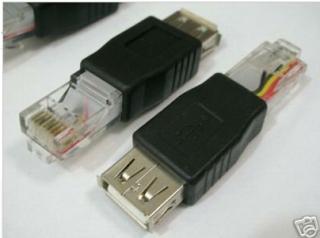
This post has been edited by digilife: Nov 23 2012, 07:14 PM |
|
|
Nov 23 2012, 07:16 PM
|
|
Elite
8,413 posts Joined: Jul 2008
|
QUOTE(digilife @ Nov 23 2012, 05:36 PM) For those of you who wan to use the 2 routers trick, make sure both router dun share the same log in IP Your router is running DD-WRT r14896 which is extremely old eg: MR3420 V1 log in IP is 192.168.1.1 and MR3420 V2 is 192.168.0.1 , this combo is fine I tested MR3420 V1 and WR1043ND ( both shared the same log-in IP of 192.168.1.1) , this wont work I bought another used DDWRT Flashed Dlink , and it rocks as i use MR3420 V1 to dial in and LAN out into the Dlink (192.168.0.1) to wifi out.......~ this one more Geng as it have 32MB of flash memory , more options to tweak tweak , "damage to my wallet" = rm50
@Chuah, get one before its too late when everyone knoe how to sapu them them from garage sale....... My second DDWRT router have newer FW compared to the first one...... It is very easy to upgrade actually, just upload something like a usual firmware upgrade Added on November 23, 2012, 7:16 pm QUOTE(digilife @ Nov 23 2012, 07:12 PM) I already explained very clearly using MR3420+MF680 as a 3G source, you still can't read me? Didn't support I guess i have to find this to plug it into my DDWRT's flashed Router's WAN port to see if it supports it. LAN male to USB female adaptor Modem on one end and WAN plug on the other, you never knoe DDWRT dun support tilll you tried....... This post has been edited by blacktubi: Nov 23 2012, 07:16 PM |
|
|
Nov 23 2012, 07:21 PM
|
|
Senior Member
8,025 posts Joined: Feb 2005 From: Planet Boleland
|
QUOTE(blacktubi @ Nov 23 2012, 07:16 PM) Your router is running DD-WRT r14896 which is extremely old Is it as simple as Upgrade it like TP Link stock FW?It is very easy to upgrade actually, just upload something like a usual firmware upgrade Added on November 23, 2012, 7:16 pm Didn't support btw, i wan to poison Chuah with this Super Channel 
|
|
|
Nov 23 2012, 07:23 PM
|
|
Elite
6,931 posts Joined: Apr 2011 From: Bolehland for sure ^_^
|
QUOTE(digilife @ Nov 23 2012, 07:12 PM) I already explained very clearly using MR3420+MF680 as a 3G source, you still can't read me? since u are trying to compare DDwrt to Openwrt /stock firmware on lan/wifi, I guess i have to find this to plug it into my DDWRT's flashed Router's WAN port to see if it supports it. LAN male to USB female adaptor Modem on one end and WAN plug on the other, you never knoe DDWRT dun support tilll you tried.......
until your try your DDwrt with 3G, otherwise it prove nothing i try openwrt with 3G in 1 router and 2 router combination before, doesnt make big different, V1 alone also able to handle dialing 3G + wireless G stable too your DDwrt only act as wireless router, if u want wireless router, better get sapido,.. 1000mW (30dBm) High Power Boosts WiFi Signal 10 Times Stronger, way better signal even http://www.sapido.com.tw/EN/productrb1733o_35g.htm Added on November 23, 2012, 7:25 pm QUOTE(digilife @ Nov 23 2012, 07:21 PM) Is it as simple as Upgrade it like TP Link stock FW? no, your move is btw, i wan to poison Chuah with this Super Channel
, u wont be able to poison me unless u able to produce DDwrt dialing 3g and able to hit higher speed more than 10Mbps in your area otherwise u are wasting your time This post has been edited by chuahcs79: Nov 23 2012, 07:25 PM |
|
|
Nov 23 2012, 07:25 PM
|
|
Elite
8,413 posts Joined: Jul 2008
|
QUOTE(digilife @ Nov 23 2012, 07:21 PM) Is it as simple as Upgrade it like TP Link stock FW? ftp://ftp.dd-wrt.com/others/eko/BrainSlay...c1-firmware.binbtw, i wan to poison Chuah with this Super Channel
Download and flash it through firmware upgrade As usual blacktubi stuff, try at your own risk Yours is DIR-615 C1 right |
|
|
Nov 23 2012, 07:28 PM
|
|
Elite
6,931 posts Joined: Apr 2011 From: Bolehland for sure ^_^
|
QUOTE(blacktubi @ Nov 23 2012, 07:25 PM) ftp://ftp.dd-wrt.com/others/eko/BrainSlay...c1-firmware.bin Digilife didnt flash the router himself, he buy ready flashed,..Download and flash it through firmware upgrade As usual blacktubi stuff, try at your own risk Yours is DIR-615 C1 right not like us adventures trying an experiment all ourself,. |
|
|
Nov 23 2012, 07:29 PM
|
|
Elite
8,413 posts Joined: Jul 2008
|
QUOTE(chuahcs79 @ Nov 23 2012, 07:28 PM) Digilife didnt flash the router himself, he buy ready flashed,.. Oops not like us adventures trying an experiment all ourself,. That's why I mentioned try at own risk. No warranty Added on November 23, 2012, 7:30 pmI am inside a Kampung now My E355 dialed with by my humble Power Bank  This post has been edited by blacktubi: Nov 23 2012, 07:30 PM |
|
|
Nov 23 2012, 07:34 PM
|
|
Senior Member
8,025 posts Joined: Feb 2005 From: Planet Boleland
|
QUOTE(blacktubi @ Nov 23 2012, 07:29 PM) Oops Thanks BT, its easy like you mentioned, i dare not flash from Custom > DDWRT cause scare headache as i am not good at these kind of stuff but as you mentioned, yeah its easy to upgrade the FW myself That's why I mentioned try at own risk. No warranty Added on November 23, 2012, 7:30 pmI am inside a Kampung now My E355 dialed with by my humble Power Bank 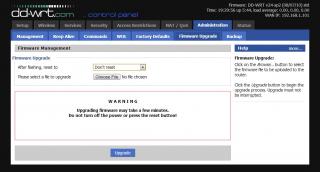
@Chuah, i dun need to convince you but i wan to make you lololuen , as i knoe your are like this now : |
|
|
Nov 23 2012, 07:39 PM
|
|
Elite
6,931 posts Joined: Apr 2011 From: Bolehland for sure ^_^
|
QUOTE(digilife @ Nov 23 2012, 07:34 PM) Thanks BT, its easy like you mentioned, i dare not flash from Custom > DDWRT cause scare headache as i am not good at these kind of stuff but as you mentioned, yeah its easy to upgrade the FW myself sorry, no time to lololuen on your so called DDwrt,
@Chuah, i dun need to convince you but i wan to make you lololuen , as i knoe your are like this now :unless you can use your so called gigabit lan port + DDwrt dial 3G to get 10~13Mbps in your area with your 42000/8640QoS in peak hour la,.. otherwise you are wasting your time i dont play online game, so 40~60ms ping is totally fine for me,. as i only wanted to stable down the 13~16Mbps speed with capability to hold on the good IP longer hour than usual my combination working amazing in : Online Time 2 day(s) 17:29:26 and result is  Added on November 23, 2012, 7:46 pmone more thing facts about DDwrt: if u did your homework, DDwrt suitable for fibre/ADSL2+/wireless router effect = superb DDwrt not suitable for 3G connection This post has been edited by chuahcs79: Nov 23 2012, 07:46 PM |
|
|
Nov 23 2012, 08:50 PM
|
|
Senior Member
1,019 posts Joined: Nov 2006
|
hey bro,
finally i got myself home plug with wireless now. should i disable the router wifi? if so, how can i disable it via webui? |
|
|
Nov 23 2012, 08:58 PM
|
|
Elite
8,413 posts Joined: Jul 2008
|
QUOTE(chulk @ Nov 23 2012, 08:50 PM) hey bro, No need disable, keep both of them so your WiFi signal better finally i got myself home plug with wireless now. should i disable the router wifi? if so, how can i disable it via webui? |
|
|
Nov 23 2012, 09:02 PM
|
|
Elite
6,931 posts Joined: Apr 2011 From: Bolehland for sure ^_^
|
QUOTE(chulk @ Nov 23 2012, 08:50 PM) hey bro, which version u are using ?finally i got myself home plug with wireless now. should i disable the router wifi? if so, how can i disable it via webui? V1 ? V1.3 ? or V2 ? |
|
|
Nov 23 2012, 09:08 PM
|
|
Senior Member
1,019 posts Joined: Nov 2006
|
QUOTE(chuahcs79 @ Nov 23 2012, 09:02 PM) which version u are using ? V2~~ V1 ? V1.3 ? or V2 ? whats the purpose to disable first router wifi? |
|
|
Nov 23 2012, 09:14 PM
|
|
Elite
6,931 posts Joined: Apr 2011 From: Bolehland for sure ^_^
|
QUOTE(chulk @ Nov 23 2012, 09:08 PM) V2~~ if u want to disable the wireless whats the purpose to disable first router wifi? -> 192.168.0.1 -> sign in -> wireless -> untick the enable wireless router radio -> click save Added on November 23, 2012, 9:15 pmsome believe disable the wifi will give the router more power to dial the 3G modem and supply more power wor,.. This post has been edited by chuahcs79: Nov 23 2012, 09:16 PM |
|
|
Nov 23 2012, 09:21 PM
|
|
Senior Member
1,019 posts Joined: Nov 2006
|
QUOTE(chuahcs79 @ Nov 23 2012, 09:14 PM) if u want to disable the wireless well from my 3 years E&E experience, no such thing... i mean theoretical ~~~ -> 192.168.0.1 -> sign in -> wireless -> untick the enable wireless router radio -> click save Added on November 23, 2012, 9:15 pmsome believe disable the wifi will give the router more power to dial the 3G modem and supply more power wor,.. thanks bro, now i know radio mean wifi signal~~~ |
|
|
Nov 23 2012, 09:26 PM
|
|
Elite
6,931 posts Joined: Apr 2011 From: Bolehland for sure ^_^
|
QUOTE(chulk @ Nov 23 2012, 09:21 PM) well from my 3 years E&E experience, no such thing... i mean theoretical ~~~ ] thanks bro, now i know radio mean wifi signal~~~ well i off my wifi because there is someone in my same block try to hack my wifi before,. my chinese anti virus alert me and i kick banned his mac id, from that day onwards i off my wifi, only use lan cable,. well i agree that router is built for 3G and wifi both, some user here believe that off wifi can give more power to 3G function |
|
|
Nov 23 2012, 10:58 PM
|
|
Senior Member
1,019 posts Joined: Nov 2006
|
QUOTE(chuahcs79 @ Nov 23 2012, 09:26 PM) ] maybe he aware that you got god like internet connection ~~~ well i off my wifi because there is someone in my same block try to hack my wifi before,. my chinese anti virus alert me and i kick banned his mac id, from that day onwards i off my wifi, only use lan cable,. well i agree that router is built for 3G and wifi both, some user here believe that off wifi can give more power to 3G function anyway i turn my router wifi on again, home plug wifi signal not strong enough for whole house....(which is totally expectable...) |
|
|
Nov 23 2012, 11:44 PM
|
|
Elite
6,931 posts Joined: Apr 2011 From: Bolehland for sure ^_^
|
QUOTE(chulk @ Nov 23 2012, 10:58 PM) maybe he aware that you got god like internet connection ~~~ though u getting those home plug powerline lan cable version ? anyway i turn my router wifi on again, home plug wifi signal not strong enough for whole house....(which is totally expectable...) |
|
|
Nov 23 2012, 11:55 PM
|
|
Elite
8,413 posts Joined: Jul 2008
|
QUOTE(chuahcs79 @ Nov 23 2012, 11:44 PM) though u getting those home plug powerline lan cable version ? Nope, he got those Homeplug WiFi extender series |
|
|
Nov 23 2012, 11:57 PM
|
|
Elite
6,931 posts Joined: Apr 2011 From: Bolehland for sure ^_^
|
QUOTE(blacktubi @ Nov 23 2012, 11:55 PM) Nope, he got those Homeplug WiFi extender series guess if the wifi really needed for handheld device then no choices,otherwise home plug lan cable series would do a better job though |
|
|
Nov 23 2012, 11:58 PM
|

Junior Member
156 posts Joined: Feb 2005
|
hi fren,
i have 2 question here 1. this TL-MR3420 can use with modem e173? 2. can use VPN to bypass quota? if yes....get setting how? Thanks |
|
|
Nov 24 2012, 12:06 AM
|
|
Senior Member
1,019 posts Joined: Nov 2006
|
QUOTE(chuahcs79 @ Nov 23 2012, 11:57 PM) guess if the wifi really needed for handheld device then no choices, these are what i bought todayotherwise home plug lan cable series would do a better job though  mine network setup  This post has been edited by chulk: Nov 24 2012, 12:07 AM |
|
|
Nov 24 2012, 12:07 AM
|

Senior Member
1,016 posts Joined: Dec 2006
|
Hmm.. I've been following this thread since V1, I think this thread worth to be post at http://forum.lowyat.net/Hardware
Anyone? |
|
|
Nov 24 2012, 12:20 AM
|
|
Elite
6,931 posts Joined: Apr 2011 From: Bolehland for sure ^_^
|
QUOTE(chulk @ Nov 24 2012, 12:06 AM) these are what i bought today oh u pairing it with a wifi extender version,..mine network setup now i get it but that wifi extender spread wifi signal weak though |
|
|
Nov 24 2012, 12:30 AM
|
|
Senior Member
1,019 posts Joined: Nov 2006
|
QUOTE(chuahcs79 @ Nov 24 2012, 12:20 AM) oh u pairing it with a wifi extender version,.. yeah is weak but good enough for ipad and iphone within 5-8 meter~ outside my room cover by 3420~now i get it but that wifi extender spread wifi signal weak though pc using LAN connection~~~ |
|
|
Nov 24 2012, 01:29 AM
|
|
Elite
6,931 posts Joined: Apr 2011 From: Bolehland for sure ^_^
|
QUOTE(chulk @ Nov 24 2012, 12:30 AM) yeah is weak but good enough for ipad and iphone within 5-8 meter~ outside my room cover by 3420~ well if u have handheld device then of course u need it,.. pc using LAN connection~~~ it best solution that pc can still use lan and handheld device all can wifi too,. speed should be as good as lan cable direct to mr3420 right with these home plug ? |
|
|
Nov 24 2012, 02:32 AM
|
|
Elite
6,931 posts Joined: Apr 2011 From: Bolehland for sure ^_^
|
my setup combination still stable
but signal 0% & DNS both bug ( as i am using google dns ) [attachmentid=3171888] This post has been edited by chuahcs79: Nov 24 2012, 02:33 AM |
|
|
Nov 24 2012, 02:40 AM
|
|
Senior Member
558 posts Joined: Jun 2006 From: Lowyat.Net
|
Poisoned by so many router combinations. Will have to find time to dig up my old Aztech routers from the streamyx days...see got OpenWRT support or not
If can support, will try to setup a wifi network for whole house + print server package addon |
|
|
Nov 24 2012, 02:57 AM
|
|
Elite
6,931 posts Joined: Apr 2011 From: Bolehland for sure ^_^
|
QUOTE(ibnuasad @ Nov 24 2012, 02:40 AM) Poisoned by so many router combinations. Will have to find time to dig up my old Aztech routers from the streamyx days...see got OpenWRT support or not If can support, will try to setup a wifi network for whole house + print server package addon u get poison too from dual router setup ? yea it works great and prety convenien when second router is openwrt support, can add packages addon on what u need,.. |
|
|
Nov 24 2012, 08:00 AM
|
|
Senior Member
8,025 posts Joined: Feb 2005 From: Planet Boleland
|
QUOTE(chuahcs79 @ Nov 24 2012, 02:57 AM) u get poison too from dual router setup ? yea it works great and prety convenien when second router is openwrt support, can add packages addon on what u need,.. Chuah, you knew all the while that DDWRT have issues with 3G and yet you get butthurt that i dun dial in using it Same as my setup, you used Mr3420 V2 to dial in , then u used a Mr3420 with OpenWRT to rout out....... My difference is now i used a HW550 to dial in then LAN out to a DDWRT to do routing, This is my second DDWRT flashed router, an older version with less memory and a slower CPU but the connection is stable as a rock, called, Linksys WRT54G/GL/GS. This is my speedtest b4 a test download ( bull one la, not accurate at all, so dun trust Speedtest results )The tower/base stn is > 2km from my place ( Blacktubi checked it for me ady ) RSSI=93dBm.  And this is the real download data/stats. 
I need some sifu help ( bottom pics), pls scroll to the bottom part where i Red Arrow the part " Active IP Connections = 50" What does it mean, as i noticed that the figure change every now and then sometimes the value go as high as 130. Does it mean that there are 50 users using Maxis on that tower to go online? 
|
|
|
Nov 24 2012, 09:04 AM
|
|
Senior Member
8,025 posts Joined: Feb 2005 From: Planet Boleland
|
the Active Connections increased so much after 9am

now 10.27am, lagi banyak 
This post has been edited by digilife: Nov 24 2012, 10:27 AM |
|
|
Nov 24 2012, 10:36 AM
|
|
Senior Member
1,019 posts Joined: Nov 2006
|
QUOTE(blacktubi @ Nov 23 2012, 11:55 PM) Nope, he got those Homeplug WiFi extender series as promised.  wish no lightning strike.....  now i need to climb up each time for anything...  i really really need the L connector......sifu ~~~~~ |
|
|
Nov 24 2012, 10:57 AM
|
|
Junior Member
316 posts Joined: Oct 2009
|
QUOTE(chulk @ Nov 24 2012, 10:36 AM) as promised. how is the before and after speed , ping & etc ? maybe I should put my panel at rooftop like yours |
|
|
Nov 24 2012, 12:25 PM
|
|
Elite
8,413 posts Joined: Jul 2008
|
QUOTE(chulk @ Nov 24 2012, 10:36 AM) as promised. As promised. Next Friday wish no lightning strike..... now i need to climb up each time for anything... i really really need the L connector......sifu ~~~~~ Anyway, great job Amazed such many drilling and DIY job |
|
|
Nov 24 2012, 02:54 PM
|
|
Elite
6,931 posts Joined: Apr 2011 From: Bolehland for sure ^_^
|
QUOTE(digilife @ Nov 24 2012, 08:00 AM) i tot you dial-in using OpenWRT while you have been hammering me that i dun dial in using a DDWRT router ? current saturday very high speed Chuah, you knew all the while that DDWRT have issues with 3G and yet you get butthurt that i dun dial in using it Same as my setup, you used Mr3420 V2 to dial in , then u used a Mr3420 with OpenWRT to rout out....... My difference is now i used a HW550 to dial in then LAN out to a DDWRT to do routing, This is my second DDWRT flashed router, an older version with less memory and a slower CPU but the connection is stable as a rock, called, Linksys WRT54G/GL/GS. This is my speedtest b4 a test download ( bull one la, not accurate at all, so dun trust Speedtest results )The tower/base stn is > 2km from my place ( Blacktubi checked it for me ady ) RSSI=93dBm. And this is the real download data/stats. » Click to show Spoiler - click again to hide... « I need some sifu help ( bottom pics), pls scroll to the bottom part where i Red Arrow the part " Active IP Connections = 50" What does it mean, as i noticed that the figure change every now and then sometimes the value go as high as 130. Does it mean that there are 50 users using Maxis on that tower to go online? » Click to show Spoiler - click again to hide... « 1.9 ~ 2.05MB/s the test file finish less than 1 min for 100MB This post has been edited by chuahcs79: Nov 24 2012, 03:25 PM |
|
|
Nov 24 2012, 07:00 PM
|
|
Senior Member
1,019 posts Joined: Nov 2006
|
QUOTE(n0v1ce @ Nov 24 2012, 10:57 AM) how is the before and after speed , ping & etc ? maybe I should put my panel at rooftop like yours ping is more stable.previously speed test, 50% chance i get 40-60ms, 50% chances about 60-200ms. now 90% 40-50ms, 10% 50-200ms (3G isnt as stable as FO connection, deal with it) for the speed, dont hope too much. previously 50% chances i get bet 5-8mbps, 30% will get either 3-5mbps or 8-12mbps, sometime gone crazy 20% chances will get about 1-3mbps or 12-18mbps. now 60% chances i get 6-10mbps, 30% about 3-6mbps or 10-12mbps, 10% below 3mbps or above 12mbps. i hardly see huge improve only about 10-20%, the speed affected by many issue, signal strength only 1 of its. specially when my signal strength already 60% without antenna, with antenna it will improve to 80% but the speed wont be improve that much. however if without antenna the signal strength is below 40%, i believe the antenna will bring significant results. |
|
|
Nov 24 2012, 07:18 PM
|
|
Senior Member
3,158 posts Joined: Apr 2005 From: -Butterworth, Penang-
|
QUOTE(digilife @ Nov 24 2012, 09:04 AM) the Active Connections increased so much after 9am not sure what it is...
now 10.27am, lagi banyak
last time i use this DDWRT on my 3020 i did not even pay attention on this it look like it can detect how many connection connected to a tower but i not sure it is detect total connection to the tower... by the way..DDWRT is more user friendly compare to open wrt.. i still looking for DDWRT support for my TL 3420 |
|
|
Nov 24 2012, 07:35 PM
|
|
Senior Member
8,025 posts Joined: Feb 2005 From: Planet Boleland
|
QUOTE(stevenlee @ Nov 24 2012, 07:18 PM) not sure what it is... i hearsay that DDWRT have issues with 3G on "direct dial-in usage" meaning any 3G router , if flashed into DDWRT have some issues........and thats why i use a Default FW MR3420 to dial-in than LAN out to my DDWRT flashed router.last time i use this DDWRT on my 3020 i did not even pay attention on this it look like it can detect how many connection connected to a tower but i not sure it is detect total connection to the tower... by the way..DDWRT is more user friendly compare to open wrt.. i still looking for DDWRT support for my TL 3420 Yes, DDWRT have more options to play play.... |
|
|
Nov 24 2012, 08:14 PM
|
|
Elite
6,931 posts Joined: Apr 2011 From: Bolehland for sure ^_^
|
This result is zte mf680 + V1 ( openwrt alone ) with wireless on no star IP
[attachmentid=3172779] This post has been edited by chuahcs79: Nov 24 2012, 08:17 PM |
|
|
Nov 24 2012, 10:08 PM
|

Junior Member
612 posts Joined: Mar 2008
|
chuahcs is there possible I upgrade openwrt from ddwrt? Coz I already flashed my TPLINK with ddwrt firmware, and I want to flashed it with openwrt, need your guide.
|
|
|
Nov 24 2012, 10:43 PM
|
|
Elite
6,931 posts Joined: Apr 2011 From: Bolehland for sure ^_^
|
QUOTE(Gaara92 @ Nov 24 2012, 10:08 PM) chuahcs is there possible I upgrade openwrt from ddwrt? Coz I already flashed my TPLINK with ddwrt firmware, and I want to flashed it with openwrt, need your guide. just download the correct openwrt for your router model ,steps is the same like from tplink -> openwrt |
|
|
Nov 24 2012, 10:46 PM
|

Junior Member
394 posts Joined: Jun 2012
|
QUOTE(chuahcs79 @ Nov 23 2012, 09:26 PM) ] If about wireless hacking ask me well i off my wifi because there is someone in my same block try to hack my wifi before,. my chinese anti virus alert me and i kick banned his mac id, from that day onwards i off my wifi, only use lan cable,. well i agree that router is built for 3G and wifi both, some user here believe that off wifi can give more power to 3G function Im mod i Xiaopan.co, i help people to protect their own wifi |
|
|
Nov 25 2012, 04:28 AM
|
|
Elite
6,931 posts Joined: Apr 2011 From: Bolehland for sure ^_^
|
QUOTE(wavezard @ Nov 24 2012, 10:46 PM) If about wireless hacking ask me i use chinese anti virus 360.cn to protect and banned Mac ID .. Im mod i Xiaopan.co, i help people to protect their own wifiand if he agreesive, i directly off the wifi on V2,.. MR3420 V2 wifi can direct off without reboot , not like V1 |
|
|
Nov 25 2012, 04:39 AM
|
|
Elite
6,931 posts Joined: Apr 2011 From: Bolehland for sure ^_^
|
My Latest New Setup :
Panel ANtenna -> TS-9 Connector -> ZTE MF680 ( 33tx ) -> MR3420 V2 -> Lan / Wifi -> PC / Phone / Laptop result : [attachmentid=3173167] Setup: [attachmentid=3173168] [attachmentid=3173169] Conclusion: V2 alone able to work dialing 3G connection as well as Wireless N 300Mbps too |
|
|
Nov 25 2012, 12:37 PM
|
|
Junior Member
406 posts Joined: Sep 2010 From: Papar, Sabah
|
got question abt openwrt... i've setup correctly.. but when i connect with lan, i cant get inter.. but my wifi have internet.. anything wrong with my setting?
|
|
|
Nov 25 2012, 01:48 PM
|

Junior Member
34 posts Joined: Nov 2010
|
hey guys, any way for TL-MR3420 v2 to force connection on 3g 2100mhz only? I can't seem to find a openwrt custom firmware for this router~
oh yea, i'm running on a huawei e372 modem, with stock firmware on both router and modem~ any ideas~? This post has been edited by EnegueWeil: Nov 25 2012, 02:04 PM |
|
|
Nov 25 2012, 02:33 PM
|
|
Elite
8,413 posts Joined: Jul 2008
|
QUOTE(EnegueWeil @ Nov 25 2012, 01:48 PM) hey guys, any way for TL-MR3420 v2 to force connection on 3g 2100mhz only? I can't seem to find a openwrt custom firmware for this router~ Just force it from your Windows in mdma and the settings will be savedoh yea, i'm running on a huawei e372 modem, with stock firmware on both router and modem~ any ideas~? |
|
|
Nov 25 2012, 02:49 PM
|
|
Senior Member
8,025 posts Joined: Feb 2005 From: Planet Boleland
|
QUOTE(blacktubi @ Nov 25 2012, 02:33 PM) Just force it from your Windows in mdma and the settings will be saved Bro, still using UM?I have some kangtau , PM me if interested |
|
|
Nov 25 2012, 02:58 PM
|
|
Elite
8,413 posts Joined: Jul 2008
|
QUOTE(digilife @ Nov 25 2012, 02:49 PM) Bro, still using UM? UM is my main SIM when going out and backup I have some kangtau , PM me if interested |
|
|
Nov 25 2012, 03:46 PM
|
|
Junior Member
34 posts Joined: Nov 2010
|
QUOTE(blacktubi @ Nov 25 2012, 02:33 PM) Just force it from your Windows in mdma and the settings will be saved tried that but its stuck at 4.92mpbs download when connected to router~ if my e372 is connected directly to the laptop its at 14.85mpbs stable~ any more ideas~? @@ |
|
|
Nov 25 2012, 04:22 PM
|
|
Elite
8,413 posts Joined: Jul 2008
|
QUOTE(EnegueWeil @ Nov 25 2012, 03:46 PM) tried that but its stuck at 4.92mpbs download when connected to router~ Try router put at same location with your laptop if my e372 is connected directly to the laptop its at 14.85mpbs stable~ any more ideas~? @@ |
|
|
Nov 25 2012, 04:37 PM
|
|
Junior Member
34 posts Joined: Nov 2010
|
QUOTE(blacktubi @ Nov 25 2012, 04:22 PM) Try router put at same location with your laptop D:gonna give it a try~ just tried tweaking the TX power on the e372, direct connection to laptop is super steady~ O_O! testing back again at tp link's router ok gave up~ routers max is now at 7mpbs while direct to laptop is at 16mpbs~ same location~ @@ p/s did the bandwidth 100000 limit also~ D: This post has been edited by EnegueWeil: Nov 25 2012, 04:58 PM |
|
|
Nov 25 2012, 09:42 PM
|
|
Elite
8,413 posts Joined: Jul 2008
|
QUOTE(EnegueWeil @ Nov 25 2012, 04:37 PM) D: Highly possible your router is connected to a different tower gonna give it a try~ just tried tweaking the TX power on the e372, direct connection to laptop is super steady~ O_O! testing back again at tp link's router ok gave up~ routers max is now at 7mpbs while direct to laptop is at 16mpbs~ same location~ @@ p/s did the bandwidth 100000 limit also~ D: Tried 2100Mhz Force? |
|
|
Nov 25 2012, 10:40 PM
|
|
Junior Member
34 posts Joined: Nov 2010
|
QUOTE(blacktubi @ Nov 25 2012, 09:42 PM) Highly possible your router is connected to a different tower aye mate, did that with 2100mhz tick only in MDMA~ ><!Tried 2100Mhz Force? |
|
|
Nov 25 2012, 10:55 PM
|
|
Senior Member
4,522 posts Joined: Jan 2009
|
Today don't know what happen, my TL-MR3420 V2.1 suddenly show out the signal strength, before that is maintain 0%
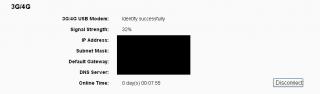
|
|
|
Nov 25 2012, 11:32 PM
|
|
Elite
6,931 posts Joined: Apr 2011 From: Bolehland for sure ^_^
|
QUOTE(EnegueWeil @ Nov 25 2012, 10:40 PM) aye mate, did that with 2100mhz tick only in MDMA~ ><! if u are using E372 with openwrt,then i guess u are same case like me,.. the openwrt always reset the Band config back to Automatic , then you are connected to UMTS900 tower,.. so far i haven't able to find any solution other than flash back to tplink stock firmware on router ,.. if u are using it with tp link stock firmware with your router, your UMTS2100 band config would be fine though |
|
|
Nov 25 2012, 11:34 PM
|
|
Elite
6,931 posts Joined: Apr 2011 From: Bolehland for sure ^_^
|
QUOTE(bingozero @ Nov 25 2012, 10:55 PM) Today don't know what happen, my TL-MR3420 V2.1 suddenly show out the signal strength, before that is maintain 0% mine also suddenly can show signal % since last night, am shocked
[attachmentid=3174294] |
|
|
Nov 25 2012, 11:55 PM
|
|
Junior Member
34 posts Joined: Nov 2010
|
QUOTE(chuahcs79 @ Nov 25 2012, 11:32 PM) if u are using E372 with openwrt, running all stock firmwares~ somehow there seems to be a bottle neck from the router~ ><!then i guess u are same case like me,.. the openwrt always reset the Band config back to Automatic , then you are connected to UMTS900 tower,.. so far i haven't able to find any solution other than flash back to tplink stock firmware on router ,.. if u are using it with tp link stock firmware with your router, your UMTS2100 band config would be fine though |
|
|
Nov 25 2012, 11:56 PM
|
|
Elite
6,931 posts Joined: Apr 2011 From: Bolehland for sure ^_^
|
QUOTE(EnegueWeil @ Nov 25 2012, 11:55 PM) running all stock firmwares~ somehow there seems to be a bottle neck from the router~ ><! oh, which version router u are using ?try to load the E372 modem bin file into 3G modem setting in web GUI, see whether that will works .. |
|
|
Nov 26 2012, 12:10 AM
|
|
Junior Member
34 posts Joined: Nov 2010
|
QUOTE(chuahcs79 @ Nov 25 2012, 11:56 PM) oh, which version router u are using ? v2 mate~ sorry can i get the links for the bin file?try to load the E372 modem bin file into 3G modem setting in web GUI, see whether that will works .. Added on November 26, 2012, 12:10 am QUOTE(chuahcs79 @ Nov 25 2012, 11:56 PM) oh, which version router u are using ? v2 mate~ sorry can i get the links for the bin file?try to load the E372 modem bin file into 3G modem setting in web GUI, see whether that will works .. This post has been edited by EnegueWeil: Nov 26 2012, 12:10 AM |
|
|
Nov 26 2012, 12:15 AM
|
|
Elite
6,931 posts Joined: Apr 2011 From: Bolehland for sure ^_^
|
QUOTE(EnegueWeil @ Nov 26 2012, 12:10 AM) v2 mate~ sorry can i get the links for the bin file? here : http://www.tp-link.com/en/support/3g/Added on November 26, 2012, 12:10 am v2 mate~ sorry can i get the links for the bin file? second one in the list |
|
|
Nov 26 2012, 12:50 AM
|
|
Junior Member
34 posts Joined: Nov 2010
|
QUOTE(chuahcs79 @ Nov 26 2012, 12:15 AM) Gonna give it a try now mate! ty! |
|
|
Nov 26 2012, 12:54 AM
|
|
Elite
6,931 posts Joined: Apr 2011 From: Bolehland for sure ^_^
|
QUOTE(EnegueWeil @ Nov 26 2012, 12:50 AM) Gonna give it a try now mate! ty! hope it works for you |
|
|
Nov 26 2012, 01:04 AM
|
|
Junior Member
34 posts Joined: Nov 2010
|
nvm lah, still getting 3mbps after restating 3 times~ ><! give up d~
thanks tho~ D: |
|
|
Nov 26 2012, 01:14 AM
|
|
Elite
6,931 posts Joined: Apr 2011 From: Bolehland for sure ^_^
|
QUOTE(EnegueWeil @ Nov 26 2012, 01:04 AM) nvm lah, still getting 3mbps after restating 3 times~ ><! give up d~ well i guess probably the tplink firmware bug,..thanks tho~ D: i encounter a few bug on it myself too |
|
|
Nov 26 2012, 07:36 AM
|
|
Senior Member
3,158 posts Joined: Apr 2005 From: -Butterworth, Penang-
|
QUOTE(EnegueWeil @ Nov 26 2012, 01:04 AM) nvm lah, still getting 3mbps after restating 3 times~ ><! give up d~ have u try move away the 3g modem from the router?thanks tho~ D: use usb extension and move away the 3g from the router.. dont too long the usb extension, roughly 1 meter is enough..and test it out i face same problem like you, after i use usb extension move away the 3g modem..my speed went up to 5mbps stable This post has been edited by stevenlee: Nov 26 2012, 07:37 AM |
|
|
Nov 26 2012, 08:24 AM
|
|
Senior Member
8,025 posts Joined: Feb 2005 From: Planet Boleland
|
QUOTE(stevenlee @ Nov 26 2012, 07:36 AM) have u try move away the 3g modem from the router? use usb extension and move away the 3g from the router.. dont too long the usb extension, roughly 1 meter is enough..and test it out i face same problem like you, after i use usb extension move away the 3g modem..my speed went up to 5mbps stable |
|
|
Nov 26 2012, 08:31 AM
|
|
Senior Member
944 posts Joined: Jan 2003 From: SHAH ALAM
|
QUOTE(stevenlee @ Nov 26 2012, 07:36 AM) have u try move away the 3g modem from the router? Mine, if using USB extension, sometime the MODEM turn off about 15minute use. Sometimes after 30 minute. Router(V2) is still on. Need to on/off modem..use usb extension and move away the 3g from the router.. dont too long the usb extension, roughly 1 meter is enough..and test it out i face same problem like you, after i use usb extension move away the 3g modem..my speed went up to 5mbps stable Now direct plug MF680 > V2 |
|
|
Nov 26 2012, 08:37 AM
|
|
Senior Member
8,025 posts Joined: Feb 2005 From: Planet Boleland
|
QUOTE(hairul @ Nov 26 2012, 08:31 AM) Mine, if using USB extension, sometime the MODEM turn off about 15minute use. Sometimes after 30 minute. Router(V2) is still on. Need to on/off modem.. It turned off because the power supplied to the modem is weak, a USB3.0 cable should rectify itNow direct plug MF680 > V2 V2 have better power distribution and thats why the V2 mobo is not hot as the required power is channel onto the usb connector and not "wasted" on the mobo to generate unwanted heat V2 users, pls dun upgrade your Factory Shipped FW |
|
|
Nov 26 2012, 01:22 PM
|
|
Junior Member
34 posts Joined: Nov 2010
|
yea upgraded to tp link's latest on their website~
oh well 5mb is still better than 2mb which i got before~ I remember reading somewhere there was a Netgear router or something that could select mHz for its setting~ any one here know~? |
|
|
Nov 26 2012, 03:29 PM
|
|
Elite
6,931 posts Joined: Apr 2011 From: Bolehland for sure ^_^
|
QUOTE(hairul @ Nov 26 2012, 08:31 AM) Mine, if using USB extension, sometime the MODEM turn off about 15minute use. Sometimes after 30 minute. Router(V2) is still on. Need to on/off modem.. it turn off because not enough power, direct plug in is best Now direct plug MF680 > V2 me too, zte mf680 direct plug in -> V2 This post has been edited by chuahcs79: Nov 26 2012, 03:30 PM |
|
|
Nov 26 2012, 05:58 PM
|
|
Senior Member
1,019 posts Joined: Nov 2006
|
 This post has been edited by chulk: Nov 26 2012, 05:59 PM |
|
|
Nov 26 2012, 06:08 PM
|
|
Elite
6,931 posts Joined: Apr 2011 From: Bolehland for sure ^_^
|
QUOTE(chulk @ Nov 26 2012, 05:58 PM) » Click to show Spoiler - click again to hide... «  |
|
|
Nov 26 2012, 06:12 PM
|
|
Senior Member
1,019 posts Joined: Nov 2006
|
QUOTE(chuahcs79 @ Nov 26 2012, 06:08 PM) what happen ? your V2 death ?  can i get 1 to 1 exchange????? its less than a month... |
|
|
Nov 26 2012, 06:15 PM
|
|
Elite
6,931 posts Joined: Apr 2011 From: Bolehland for sure ^_^
|
QUOTE(chulk @ Nov 26 2012, 06:12 PM) can i get 1 to 1 exchange????? its less than a month... in this case, u always can try to make a claim on it though |
|
|
Nov 26 2012, 06:20 PM
|
|
Senior Member
1,019 posts Joined: Nov 2006
|
QUOTE(chuahcs79 @ Nov 26 2012, 06:15 PM) does lightning hit your antenna and travel to your V2 ? i am wondering how it happen though no idea~~~~~the antenna still in one piece, homeplug still alive i guess, and E372 still working well in my pc usb port now.... in this case, u always can try to make a claim on it though how to claim? just tell them " hello, lightning just strike my router, please exchange a new one for me " ? |
|
|
Nov 26 2012, 06:23 PM
|
|
Elite
6,931 posts Joined: Apr 2011 From: Bolehland for sure ^_^
|
QUOTE(chulk @ Nov 26 2012, 06:20 PM) no idea~~~~~the antenna still in one piece, homeplug still alive i guess, and E372 still working well in my pc usb port now.... dont need to mention anything,.how to claim? just tell them " hello, lightning just strike my router, please exchange a new one for me " ? just pass it to them and say it suddenly didnt work anymore, do u have old V1 or V1.3 ? if u have, try to swap the power plug adapter and use it to test whether your V2 can power on with V1 power plug ? if dont have, then direct claim warranty, just mention when u wake up and it dont work anymore |
|
|
Nov 26 2012, 06:26 PM
|
|
Senior Member
1,019 posts Joined: Nov 2006
|
QUOTE(chuahcs79 @ Nov 26 2012, 06:23 PM) dont need to mention anything,. i dont, i try many of other modem and router but none of the adapter can fit in.just pass it to them and say it suddenly didnt work anymore, do u have old V1 or V1.3 ? if u have, try to swap the power plug adapter and use it to test whether your V2 can power on with V1 power plug ? if dont have, then direct claim warranty, just mention when u wake up and it dont work anymore i wonder why those modem router use a universal plug which can fit in all device that use 12V 1A. |
|
|
Nov 26 2012, 06:30 PM
|
|
Elite
6,931 posts Joined: Apr 2011 From: Bolehland for sure ^_^
|
QUOTE(chulk @ Nov 26 2012, 06:26 PM) i dont, i try many of other modem and router but none of the adapter can fit in. just a thought that if u have spare power plug, can try to plug in and power on,.i wonder why those modem router use a universal plug which can fit in all device that use 12V 1A. to see whether is power plug fried or router fried.. bring along both to claim warranty, when they ask, just tell me your router decide not to works next morning,.. |
|
|
Nov 26 2012, 07:02 PM
|
|
Senior Member
8,025 posts Joined: Feb 2005 From: Planet Boleland
|
QUOTE(chulk @ Nov 26 2012, 06:20 PM) no idea~~~~~the antenna still in one piece, homeplug still alive i guess, and E372 still working well in my pc usb port now.... Your Panel got struck by Lightning?how to claim? just tell them " hello, lightning just strike my router, please exchange a new one for me " ? How come the Huawei dun get fried but instead your Router gets it? Can your panel still be able to use anymore? I guess Chuah is lololuen now as he too have his Panel facing outside and higher than yours too. |
|
|
Nov 26 2012, 07:11 PM
|
|
Senior Member
1,019 posts Joined: Nov 2006
|
QUOTE(digilife @ Nov 26 2012, 07:02 PM) Your Panel got struck by Lightning? no idea, i dont have time to use a notebook to climb up and test the signal....How come the Huawei dun get fried but instead your Router gets it? Can your panel still be able to use anymore? I guess Chuah is lololuen now as he too have his Panel facing outside and higher than yours too. but if the panel just a piece of metal and no electronic component, i think it will survive.... |
|
|
Nov 26 2012, 07:11 PM
|
|
Elite
6,931 posts Joined: Apr 2011 From: Bolehland for sure ^_^
|
QUOTE(digilife @ Nov 26 2012, 07:02 PM) Your Panel got struck by Lightning? your statement is wrong How come the Huawei dun get fried but instead your Router gets it? Can your panel still be able to use anymore? I guess Chuah is lololuen now as he too have his Panel facing outside and higher than yours too. my new Setup, antenna is indoor since my area RSSI superb whether indoor or outdoor [attachmentid=3175326] [attachmentid=3175328]  Added on November 26, 2012, 7:13 pm QUOTE(chulk @ Nov 26 2012, 07:11 PM) no idea, i dont have time to use a notebook to climb up and test the signal.... the panel antenna inside zero electronic component but if the panel just a piece of metal and no electronic component, i think it will survive.... refer blacktubi thread photo  This post has been edited by chuahcs79: Nov 26 2012, 07:18 PM |
|
|
Nov 26 2012, 07:18 PM
|
|
Senior Member
8,025 posts Joined: Feb 2005 From: Planet Boleland
|
QUOTE(chuahcs79 @ Nov 26 2012, 07:11 PM) your statement is wrong You already hammer the bracket outside of your Window, how come the change of mind? my new Setup, antenna is indoor since my area RSSI superb whether indoor or outdoor [attachmentid=3175326] [attachmentid=3175328] Added on November 26, 2012, 7:13 pm the panel antenna inside zero electronic component refer blacktubi thread photo Btw, the antenna have some sort of capacitor rite? Thanks |
|
|
Nov 26 2012, 07:19 PM
|
|
Elite
6,931 posts Joined: Apr 2011 From: Bolehland for sure ^_^
|
QUOTE(digilife @ Nov 26 2012, 07:18 PM) You already hammer the bracket outside of your Window, how come the change of mind? i open my panel and take photo before, Btw, the antenna have some sort of capacitor rite? Thanks zero electronic component inside, just open yours and see |
|
|
Nov 26 2012, 08:23 PM
|
|
Senior Member
944 posts Joined: Jan 2003 From: SHAH ALAM
|
QUOTE(chuahcs79 @ Nov 26 2012, 03:29 PM) it turn off because not enough power, direct plug in is best My 3420 V1 brick already when i want to change DHCP to LAN connection.me too, zte mf680 direct plug in -> V2 Need to find Cheap Router just for Auto Ping (Can Support OpenWRT), any recomendation? Garage sales not available for cheap router right now |
|
|
Nov 26 2012, 08:27 PM
|
|
Elite
6,931 posts Joined: Apr 2011 From: Bolehland for sure ^_^
|
QUOTE(hairul @ Nov 26 2012, 08:23 PM) My 3420 V1 brick already when i want to change DHCP to LAN connection. if just for that, can get used unit to auto ping Need to find Cheap Router just for Auto Ping (Can Support OpenWRT), any recomendation? Garage sales not available for cheap router right now there is some selling used unit, |
|
|
Nov 26 2012, 08:42 PM
|
|
Senior Member
1,019 posts Joined: Nov 2006
|
sorry sifu, what is auto ping and whats the purpose?
i cant google it... |
|
|
Nov 26 2012, 08:49 PM
|
|
Elite
6,931 posts Joined: Apr 2011 From: Bolehland for sure ^_^
|
QUOTE(chulk @ Nov 26 2012, 08:42 PM) sorry sifu, what is auto ping and whats the purpose? auto ping goole in computer with CMD ( command prompt ) is as photo below i cant google it... [attachmentid=3175490] so if u are using Openwrt COmpatible Router, u can set this Auto ping in router itself, to ping google every second, so your connection will be active at all time and it wont be IDLE if u are using those router not support openwrt, then u have to set this auto ping in your computer, go to CMD -> type in : ping 8.8.8.8 -t -> enter or go to Notepad -> type in : ping 8.8.8.8 -t -> Save As -> Ping google.bat -> open the ping google.bat you save This post has been edited by chuahcs79: Nov 26 2012, 08:52 PM |
|
|
Nov 26 2012, 08:58 PM
|
|
Elite
8,413 posts Joined: Jul 2008
|
QUOTE(hairul @ Nov 26 2012, 08:23 PM) My 3420 V1 brick already when i want to change DHCP to LAN connection. It should be still accesible rightNeed to find Cheap Router just for Auto Ping (Can Support OpenWRT), any recomendation? Garage sales not available for cheap router right now Since changing DHCP won't hard brick How about a simple reset |
|
|
Nov 26 2012, 08:59 PM
|
|
Senior Member
1,019 posts Joined: Nov 2006
|
thanks, i dont even know internet connection will be IDLE .....
|
|
|
Nov 26 2012, 09:09 PM
|
|
Senior Member
944 posts Joined: Jan 2003 From: SHAH ALAM
|
QUOTE(blacktubi @ Nov 26 2012, 08:58 PM) It should be still accesible right Already do reset, but still unable able to access webui...Since changing DHCP won't hard brick How about a simple reset I know its already reset because the wifi security change to OPEN... Added on November 26, 2012, 9:10 pm QUOTE(chuahcs79 @ Nov 26 2012, 08:49 PM) auto ping goole in computer with CMD ( command prompt ) is as photo below Im wonder DD-WRT able to auto ping?[attachmentid=3175490] so if u are using Openwrt COmpatible Router, u can set this Auto ping in router itself, to ping google every second, so your connection will be active at all time and it wont be IDLE if u are using those router not support openwrt, then u have to set this auto ping in your computer, go to CMD -> type in : ping 8.8.8.8 -t -> enter or go to Notepad -> type in : ping 8.8.8.8 -t -> Save As -> Ping google.bat -> open the ping google.bat you save Use router at garage sales only have the expensive unit... This post has been edited by hairul: Nov 26 2012, 09:10 PM |
|
|
Nov 26 2012, 09:15 PM
|
|
Elite
8,413 posts Joined: Jul 2008
|
QUOTE(hairul @ Nov 26 2012, 09:09 PM) Already do reset, but still unable able to access webui... Once you reset you will erase the luci webui so you see nothing I know its already reset because the wifi security change to OPEN... Added on November 26, 2012, 9:10 pm Im wonder DD-WRT able to auto ping? Use router at garage sales only have the expensive unit... Connect to the WiFi, can you even able to SSH 192.168.1.1 |
|
|
Nov 26 2012, 09:24 PM
|
|
Senior Member
944 posts Joined: Jan 2003 From: SHAH ALAM
|
QUOTE(blacktubi @ Nov 26 2012, 09:15 PM) Once you reset you will erase the luci webui so you see nothing Already try this method last time. not work.Connect to the WiFi, can you even able to SSH 192.168.1.1 Unable to connect. Try Ping the Router but Time Out. But i think still have comunication within router & pc because still have send & received (Local Area Connection Activities) |
|
|
Nov 26 2012, 09:27 PM
|
|
Elite
6,931 posts Joined: Apr 2011 From: Bolehland for sure ^_^
|
QUOTE(hairul @ Nov 26 2012, 09:24 PM) Already try this method last time. not work. it seems like u can Unable to connect. Try Ping the Router but Time Out. But i think still have comunication within router & pc because still have send & received (Local Area Connection Activities) source : here |
|
|
Nov 26 2012, 09:31 PM
|
|
Elite
8,413 posts Joined: Jul 2008
|
QUOTE(hairul @ Nov 26 2012, 09:24 PM) Already try this method last time. not work. Since it still DHCP to you, it should be all right Unable to connect. Try Ping the Router but Time Out. But i think still have comunication within router & pc because still have send & received (Local Area Connection Activities) A faulty router won't DHCP to you anymore The only way for you now is Serial restore, I think some guy know how to do it Either it is rootlinux or someone else |
|
|
Nov 26 2012, 09:32 PM
|
|
Senior Member
944 posts Joined: Jan 2003 From: SHAH ALAM
|
QUOTE(chuahcs79 @ Nov 26 2012, 09:27 PM) The link are DD-WRT, it is still same? WIth post related to my problem?Added on November 26, 2012, 9:39 pm QUOTE(blacktubi @ Nov 26 2012, 09:31 PM) Since it still DHCP to you, it should be all right Actually the problem start when i try to change from Static Ip to DHCP. Then busy box running (Circle Simbol Pusing2) and not responding.A faulty router won't DHCP to you anymore The only way for you now is Serial restore, I think some guy know how to do it Either it is rootlinux or someone else Yes, i want to use serial, need free time to solder the board and find the correct USB cable , mostly old type nokia cable.. This post has been edited by hairul: Nov 26 2012, 09:39 PM |
|
|
Nov 26 2012, 10:04 PM
|
|
Junior Member
81 posts Joined: Jan 2003 From: Penang Island
|
DD WRT
 Attached thumbnail(s) 
|
|
|
Nov 26 2012, 10:37 PM
|
|
Senior Member
898 posts Joined: Jan 2003 From: ph/sbj/slgr
|
QUOTE(blacktubi @ Nov 26 2012, 09:31 PM) Since it still DHCP to you, it should be all right I had debrick my MR3420 v1 using serial on board (soldered) with a USB to TTL connect to Windows laptop.A faulty router won't DHCP to you anymore The only way for you now is Serial restore, I think some guy know how to do it Either it is rootlinux or someone else Refer to http://wiki.openwrt.org/toh/tp-link/tl-mr3420 Run PuTTY with following: - Bits per second: 115200 Data bits: 8 Stop bits: 1 Parity: None Flow control: None As soon as the router is power on, you will see the booting text...I hit ENTER after the end of boot up. Then run: - mtd -r erase rootfs_data All settings are reset. Perform a reboot and its unbrick. That is for my case. It may be diff from urs. |
|
|
Nov 26 2012, 10:40 PM
|
|
Elite
8,413 posts Joined: Jul 2008
|
QUOTE(DoH @ Nov 26 2012, 10:04 PM) DD WRT Which build |
|
|
Nov 26 2012, 10:45 PM
|
|
Junior Member
81 posts Joined: Jan 2003 From: Penang Island
|
build 20119
|
|
|
Nov 26 2012, 11:13 PM
|
|
Elite
6,931 posts Joined: Apr 2011 From: Bolehland for sure ^_^
|
QUOTE(rootlinux @ Nov 26 2012, 10:37 PM) I had debrick my MR3420 v1 using serial on board (soldered) with a USB to TTL connect to Windows laptop. Great solution,Refer to http://wiki.openwrt.org/toh/tp-link/tl-mr3420 Run PuTTY with following: - Bits per second: 115200 Data bits: 8 Stop bits: 1 Parity: None Flow control: None As soon as the router is power on, you will see the booting text...I hit ENTER after the end of boot up. Then run: - mtd -r erase rootfs_data All settings are reset. Perform a reboot and its unbrick. That is for my case. It may be diff from urs. i might want to take down as note |
|
|
Nov 27 2012, 07:24 AM
|
|
Senior Member
944 posts Joined: Jan 2003 From: SHAH ALAM
|
QUOTE(rootlinux @ Nov 26 2012, 10:37 PM) I had debrick my MR3420 v1 using serial on board (soldered) with a USB to TTL connect to Windows laptop. I know this solution, but need to look up to correct USB cable . As soldering available at my workplace, need some free times to do it, means night shift Refer to http://wiki.openwrt.org/toh/tp-link/tl-mr3420 Run PuTTY with following: - Bits per second: 115200 Data bits: 8 Stop bits: 1 Parity: None Flow control: None As soon as the router is power on, you will see the booting text...I hit ENTER after the end of boot up. Then run: - mtd -r erase rootfs_data All settings are reset. Perform a reboot and its unbrick. That is for my case. It may be diff from urs. ..Preparing The Cable http://buffalo.nas-central.org/index.php/U...aring_the_Cable This post has been edited by hairul: Nov 27 2012, 07:26 AM |
|
|
Nov 27 2012, 09:25 AM
|
|
Junior Member
406 posts Joined: Sep 2010 From: Papar, Sabah
|
QUOTE(hairul @ Nov 27 2012, 07:24 AM) I know this solution, but need to look up to correct USB cable . As soldering available at my workplace, need some free times to do it, means night shift i dont think u need to.. tried entering the failsafe? then ssh or telnet to the modem? ..Preparing The Cable http://buffalo.nas-central.org/index.php/U...aring_the_Cable mine worked, but u need to set a static ip for ur lan |
|
|
Nov 27 2012, 12:08 PM
|
|
Senior Member
944 posts Joined: Jan 2003 From: SHAH ALAM
|
QUOTE(khairilyazit @ Nov 27 2012, 09:25 AM) i dont think u need to.. tried entering the failsafe? then ssh or telnet to the modem? Can guide me how to use failsafe. Confius how to use failsafe.mine worked, but u need to set a static ip for ur lan Already try to read, but not understand |
|
|
Nov 27 2012, 01:55 PM
|
|
Junior Member
406 posts Joined: Sep 2010 From: Papar, Sabah
|
urs pnya v1 or v2? if v1, power cycle the router, then repeatedly press the qss button until ur sys led blink fast2.. then.. connect lan, set ip, telnet or ssh to router.. for confirmation, ping the ip first if got response, ur safe..
|
|
|
Nov 27 2012, 03:14 PM
|
|
Elite
6,931 posts Joined: Apr 2011 From: Bolehland for sure ^_^
|
QUOTE(khairilyazit @ Nov 27 2012, 01:55 PM) urs pnya v1 or v2? if v1, power cycle the router, then repeatedly press the qss button until ur sys led blink fast2.. then.. connect lan, set ip, telnet or ssh to router.. for confirmation, ping the ip first if got response, ur safe.. these method can work ? hmmm let me advise my fren to try first |
|
|
Nov 27 2012, 03:18 PM
|
|
Junior Member
406 posts Joined: Sep 2010 From: Papar, Sabah
|
QUOTE(chuahcs79 @ Nov 27 2012, 03:14 PM) these method can work ? hmmm let me advise my fren to try first can. as long as there's still life in the router.. like mine did back a few pages.. it helps if the bootloader is still ok n the led still lights up, menaning router not handing out ip to connected systems.. this gave me the idea, no serial this expands it.. failsafe connect to lan port.. not wan port.. This post has been edited by khairilyazit: Nov 27 2012, 03:19 PM |
|
|
Nov 27 2012, 03:23 PM
|
|
Elite
6,931 posts Joined: Apr 2011 From: Bolehland for sure ^_^
|
QUOTE(khairilyazit @ Nov 27 2012, 03:18 PM) can. as long as there's still life in the router.. like mine did back a few pages.. oh, yeah, lan port is refering to yellow color port,..it helps if the bootloader is still ok n the led still lights up, menaning router not handing out ip to connected systems.. this gave me the idea, no serial this expands it.. failsafe connect to lan port.. not wan port.. better highlight it to my fren , his V1 still have Led on, meaning there is a chances to save it,. thank bro |
|
|
Nov 27 2012, 03:28 PM
|
|
Junior Member
406 posts Joined: Sep 2010 From: Papar, Sabah
|
QUOTE(chuahcs79 @ Nov 27 2012, 03:23 PM) oh, yeah, lan port is refering to yellow color port,.. nahh.. just sharing the love... better highlight it to my fren , his V1 still have Led on, meaning there is a chances to save it,. thank bro |
|
|
Nov 27 2012, 03:32 PM
|
|
Elite
6,931 posts Joined: Apr 2011 From: Bolehland for sure ^_^
|
QUOTE(khairilyazit @ Nov 27 2012, 03:28 PM) nahh.. just sharing the love... really apreciate  hope to hear great news from my fren with his half death V1 |
|
|
Nov 27 2012, 03:36 PM
|
|
Senior Member
944 posts Joined: Jan 2003 From: SHAH ALAM
|
QUOTE(khairilyazit @ Nov 27 2012, 01:55 PM) urs pnya v1 or v2? if v1, power cycle the router, then repeatedly press the qss button until ur sys led blink fast2.. then.. connect lan, set ip, telnet or ssh to router.. for confirmation, ping the ip first if got response, ur safe.. Hi,I can only using telnet via putty. Than what should i do? just mount? What code to copy & paste for restoring back? Attached thumbnail(s) 
|
|
|
Nov 27 2012, 03:41 PM
|
|
Junior Member
406 posts Joined: Sep 2010 From: Papar, Sabah
|
QUOTE(hairul @ Nov 27 2012, 03:36 PM) Hi, yes..I can only using telnet via putty. Than what should i do? just mount? What code to copy & paste for restoring back? just follow these codes CODE mount_root then CODE passwd change ur passwordthen CODE mtd -r erase rootfs_data (always work for me)if it didn't automatic reboot, use this. CODE reboot -f then u need to power cycle the router manually, an tadaa... ur presented with a clean openwrt... segar dari ladang!! |
|
|
Nov 27 2012, 03:46 PM
|
|
Elite
6,931 posts Joined: Apr 2011 From: Bolehland for sure ^_^
|
QUOTE(khairilyazit @ Nov 27 2012, 03:41 PM) yes.. need to paste this info on first post,..just follow these codes CODE mount_root then CODE passwd change ur passwordthen CODE mtd -r erase rootfs_data (always work for me)if it didn't automatic reboot, use this. CODE reboot -f then u need to power cycle the router manually, an tadaa... ur presented with a clean openwrt... segar dari ladang!! will compile it and repost under credit of yours |
|
|
Nov 27 2012, 03:47 PM
|
|
Junior Member
406 posts Joined: Sep 2010 From: Papar, Sabah
|
QUOTE(chuahcs79 @ Nov 27 2012, 03:46 PM) need to paste this info on first post,.. it would be an honor... will compile it and repost under credit of yours learning as we go along... now looking for faster broadband.. gonna try maxis soon... celcom su#$ indoors... |
|
|
Nov 27 2012, 03:48 PM
|
|
Senior Member
944 posts Joined: Jan 2003 From: SHAH ALAM
|
QUOTE(khairilyazit @ Nov 27 2012, 03:41 PM) yes.. Alhamdullilah..just follow these codes CODE mount_root then CODE passwd change ur passwordthen CODE mtd -r erase rootfs_data (always work for me)if it didn't automatic reboot, use this. CODE reboot -f then u need to power cycle the router manually, an tadaa... ur presented with a clean openwrt... segar dari ladang!! Thanks Kharil, Its alive again :-p |
|
|
Nov 27 2012, 03:49 PM
|
|
Elite
6,931 posts Joined: Apr 2011 From: Bolehland for sure ^_^
|
QUOTE(khairilyazit @ Nov 27 2012, 03:47 PM) it would be an honor... on wireless broadband, it is all about "feng shui".. ( bests pot ) learning as we go along... now looking for faster broadband.. gonna try maxis soon... celcom su#$ indoors... if "feng shui" is good, the broadband will be good |
|
|
Nov 27 2012, 04:03 PM
|
|
Senior Member
944 posts Joined: Jan 2003 From: SHAH ALAM
|
QUOTE(chuahcs79 @ Nov 27 2012, 03:49 PM) on wireless broadband, it is all about "feng shui".. ( bests pot ) Chuah, how do you connect/comminucate to the second router (192.168.1.1) ? My case 2nd router is V1 (After alive again)if "feng shui" is good, the broadband will be good V2 (192.168.0.1) - PC (LAN Port) & V1 (192.168.1.1) (LAN Port) ? This post has been edited by hairul: Nov 27 2012, 04:04 PM |
|
|
Nov 27 2012, 04:12 PM
|
|
Elite
6,931 posts Joined: Apr 2011 From: Bolehland for sure ^_^
|
QUOTE(hairul @ Nov 27 2012, 04:03 PM) Chuah, how do you connect/comminucate to the second router (192.168.1.1) ? My case 2nd router is V1 (After alive again) currently i am usingV2 (192.168.0.1) - PC (LAN Port) & V1 (192.168.1.1) (LAN Port) ? Panel antenna -> TS-9 (convertor ) -> ZTE MF680 -> V1 ( openwrt ) -> lan out ( yellow lan port ) -> V2 blue color wan port ( stock firmware set under web gui network = wan only ) -> lan out ( yellow color lan port ) -> PC/laptop Lan port your case usb modem -> V2 Off wifi ( stock firmware ) -> lan out ( yellow lan port ) -> V1 blue color wan port ( openwrt set under web gui network = DHCP protocol ) -> lan out ( yellow color lan port ) -> PC/laptop Lan port due to V1 = 192.168.1.1 V2 = 192.168.0.1 so both can combine,.u can open web gui for both , as long as second router is set to WAN only ( in stock firmware ) or DHCP protocol ( under openwrt ) just make sure u off the wifi on the router u are using to dial your usb modem, use the second router for lan / wifi out This post has been edited by chuahcs79: Nov 27 2012, 04:17 PM |
|
|
Nov 27 2012, 04:23 PM
|
|
Junior Member
406 posts Joined: Sep 2010 From: Papar, Sabah
|
QUOTE(hairul @ Nov 27 2012, 03:48 PM) Alhamdullilah.. ur welcome.. dont know if its our fault or a bug in the openwrt firmware..Thanks Kharil, Its alive again :-p gonna try compile my own image after this.. |
|
|
Nov 27 2012, 04:53 PM
|
|
Elite
6,931 posts Joined: Apr 2011 From: Bolehland for sure ^_^
|
QUOTE(khairilyazit @ Nov 27 2012, 04:23 PM) ur welcome.. dont know if its our fault or a bug in the openwrt firmware.. wish i know how to compile my own image for sure gonna try compile my own image after this.. |
|
|
Nov 27 2012, 05:21 PM
|
|
Junior Member
384 posts Joined: Jan 2006 From: Penang
|
QUOTE(chuahcs79 @ Nov 27 2012, 04:53 PM) wish i know how to compile my own image for sure yeah, i'm interested to learn too. Please share the steps.  |
|
|
Nov 27 2012, 05:44 PM
|
|
Senior Member
1,019 posts Joined: Nov 2006
|
my 3420 back in action~
|
|
|
Nov 27 2012, 05:56 PM
|
|
Elite
6,931 posts Joined: Apr 2011 From: Bolehland for sure ^_^
|
QUOTE(chulk @ Nov 27 2012, 05:44 PM) my 3420 back in action~ it is alive again ? |
|
|
Nov 27 2012, 06:20 PM
|
|
Junior Member
406 posts Joined: Sep 2010 From: Papar, Sabah
|
QUOTE(chuahcs79 @ Nov 27 2012, 04:53 PM) wish i know how to compile my own image for sure QUOTE(maxcheam @ Nov 27 2012, 05:21 PM) yeah, i'm interested to learn too. Please share the steps. i also learn from openwrt.. wanna try the image generator.. to include all the needed packages in the image so that no need internet for first time flashing.. |
|
|
Nov 27 2012, 06:29 PM
|
|
Senior Member
944 posts Joined: Jan 2003 From: SHAH ALAM
|
QUOTE(chuahcs79 @ Nov 27 2012, 04:12 PM) currently i am using This is mysetup, not sure correct or not. V1 only do as Auto Ping job only. So, i need to communicate from PC to see whether V1 are connect to internet thru V2 or not because from PC , ping unable to respond. Maybe need to bridge?Panel antenna -> TS-9 (convertor ) -> ZTE MF680 -> V1 ( openwrt ) -> lan out ( yellow lan port ) -> V2 blue color wan port ( stock firmware set under web gui network = wan only ) -> lan out ( yellow color lan port ) -> PC/laptop Lan port your case usb modem -> V2 Off wifi ( stock firmware ) -> lan out ( yellow lan port ) -> V1 blue color wan port ( openwrt set under web gui network = DHCP protocol ) -> lan out ( yellow color lan port ) -> PC/laptop Lan port due to V1 = 192.168.1.1 V2 = 192.168.0.1 so both can combine,.u can open web gui for both , as long as second router is set to WAN only ( in stock firmware ) or DHCP protocol ( under openwrt ) just make sure u off the wifi on the router u are using to dial your usb modem, use the second router for lan / wifi out maybe khairil can comment? This post has been edited by hairul: Nov 27 2012, 06:30 PM Attached thumbnail(s) 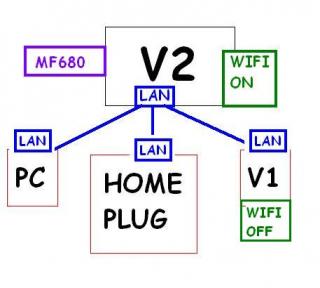
|
|
|
Nov 27 2012, 06:31 PM
|
|
Senior Member
1,019 posts Joined: Nov 2006
|
QUOTE(chuahcs79 @ Nov 27 2012, 05:56 PM) it is alive again ? tp link 1 to 1 exchange~~~~ |
|
|
Nov 27 2012, 06:36 PM
|
|
Junior Member
406 posts Joined: Sep 2010 From: Papar, Sabah
|
QUOTE(hairul @ Nov 27 2012, 06:29 PM) This is mysetup, not sure correct or not. V1 only do as Auto Ping job only. So, i need to communicate from PC to see whether V1 are connect to internet thru V2 or not because from PC , ping unable to respond. Maybe need to bridge? wifi v2 should be off, wifi v1 should be on, pc, homeplug, all lan to v1maybe khairil can comment?  i think.. how bout sifu chuahcs79? should be like this..  This post has been edited by khairilyazit: Nov 27 2012, 06:46 PM |
|
|
Nov 27 2012, 06:44 PM
|
|
Senior Member
944 posts Joined: Jan 2003 From: SHAH ALAM
|
QUOTE(khairilyazit @ Nov 27 2012, 06:36 PM) wifi v2 should be off, wifi v1 should be on, pc, homeplug, all lan to v1 So, V1 need to use WAN or LAN port to connect to V2?i think.. how bout sifu chuahcs79? |
|
|
Nov 27 2012, 06:47 PM
|
|
Junior Member
406 posts Joined: Sep 2010 From: Papar, Sabah
|
yeah.. edited my post with pics.. refer to above.. basically, V2 only connects to mf680 and lan to V1,
meanwhile V1 handle everything else such as wifi and lan connections.. |
|
|
Nov 27 2012, 06:53 PM
|
|
Elite
6,931 posts Joined: Apr 2011 From: Bolehland for sure ^_^
|
QUOTE(khairilyazit @ Nov 27 2012, 06:36 PM) wifi v2 should be off, wifi v1 should be on, pc, homeplug, all lan to v1 yeah, that's how i use, as long as openwrt router is in, no matter 1st or 2nd, it will confirm auto ping google i think.. how bout sifu chuahcs79? should be like this.. that is correct way khairil Added on November 27, 2012, 6:55 pm QUOTE(khairilyazit @ Nov 27 2012, 06:47 PM) yeah.. edited my post with pics.. refer to above.. basically, V2 only connects to mf680 and lan to V1, yeah, that way V2 will work better dialing mf680 alonemeanwhile V1 handle everything else such as wifi and lan connections.. and v1 will work better with wifi or lan alone,.. it is like 1 processor with 2 core compare with 1 processor with single core theory if the cpu of router loading very busy, it wont be good for the 3G dialing or wifi either one This post has been edited by chuahcs79: Nov 27 2012, 06:55 PM |
|
|
Nov 27 2012, 06:56 PM
|
|
Junior Member
406 posts Joined: Sep 2010 From: Papar, Sabah
|
QUOTE(chuahcs79 @ Nov 27 2012, 06:53 PM) yeah, that's how i use, as long as openwrt router is in, no matter 1st or 2nd, it will confirm auto ping google thanks sifu.. that is correct way khairil Added on November 27, 2012, 6:55 pm yeah, that way V2 will work better dialing mf680 alone and v1 will work better with wifi or lan alone,.. it is like 1 processor with 2 core compare with 1 processor with single core theory if the cpu of router loading very busy, it wont be good for the 3G dialing or wifi either one i'm thinking of getting a homeplug what model would u guys recommend? |
|
|
Nov 27 2012, 06:58 PM
|
|
Elite
6,931 posts Joined: Apr 2011 From: Bolehland for sure ^_^
|
QUOTE(khairilyazit @ Nov 27 2012, 06:56 PM) thanks sifu.. for homeplug i'm thinking of getting a homeplug what model would u guys recommend? better get aztech brand, model wise 200Mbps would be enough, unless u have higher budget then get 500Mbps noise filer type |
|
|
Nov 27 2012, 07:01 PM
|
|
Junior Member
406 posts Joined: Sep 2010 From: Papar, Sabah
|
QUOTE(chuahcs79 @ Nov 27 2012, 06:58 PM) for homeplug was thinking abt the 500mbps.. cos later wanna add a NAS.. so.. dont think 200mbps is gonna be enough..better get aztech brand, model wise 200Mbps would be enough, unless u have higher budget then get 500Mbps noise filer type sorry for Out of topic.. |
|
|
Nov 27 2012, 07:02 PM
|
|
Elite
6,931 posts Joined: Apr 2011 From: Bolehland for sure ^_^
|
QUOTE(khairilyazit @ Nov 27 2012, 07:01 PM) was thinking abt the 500mbps.. cos later wanna add a NAS.. so.. dont think 200mbps is gonna be enough.. remember to get those Noise filter enable model, it will really help when add NAS, sorry for Out of topic.. |
|
|
Nov 27 2012, 11:13 PM
|
|
Senior Member
944 posts Joined: Jan 2003 From: SHAH ALAM
|
Now my V1 (OpenWRT) connect to V2. V1 Running Auto ping.
Seems auto ping not running very well because sometimes MF680 LED turn to Blue Light. Try to connect MF680 Connect With V1, the Modem Always turn purple Light. It is v2 have some blocking? |
|
|
Nov 27 2012, 11:18 PM
|
|
Elite
8,413 posts Joined: Jul 2008
|
QUOTE(hairul @ Nov 27 2012, 11:13 PM) Now my V1 (OpenWRT) connect to V2. V1 Running Auto ping. Router mistaken as SSYN floodSeems auto ping not running very well because sometimes MF680 LED turn to Blue Light. Try to connect MF680 Connect With V1, the Modem Always turn purple Light. It is v2 have some blocking? Disable firewall SPI firewall inside router and check again |
|
|
Nov 28 2012, 12:29 AM
|
|
Elite
6,931 posts Joined: Apr 2011 From: Bolehland for sure ^_^
|
Openwrt Altitude Adjustment 12.09 Beta currently have newer version RC1, no more beta
http://downloads.openwrt.org/attitude_adju...hfs-factory.bin This post has been edited by chuahcs79: Nov 28 2012, 12:30 AM |
|
|
Nov 28 2012, 12:42 AM
|
|
Senior Member
944 posts Joined: Jan 2003 From: SHAH ALAM
|
QUOTE(chuahcs79 @ Nov 28 2012, 12:29 AM) Openwrt Altitude Adjustment 12.09 Beta currently have newer version RC1, no more beta The link are for MR3220, can use ke with MR3420? http://downloads.openwrt.org/attitude_adju...hfs-factory.bin |
|
|
Nov 28 2012, 12:45 AM
|
|
Elite
6,931 posts Joined: Apr 2011 From: Bolehland for sure ^_^
|
QUOTE(hairul @ Nov 28 2012, 12:42 AM) The link are for MR3220, can use ke with MR3420? sorry this is mr3420 version of AA RC1 http://downloads.openwrt.org/attitude_adju...hfs-factory.bin This post has been edited by chuahcs79: Nov 28 2012, 12:45 AM |
|
|
Nov 28 2012, 12:48 AM
|
|
Senior Member
944 posts Joined: Jan 2003 From: SHAH ALAM
|
QUOTE(blacktubi @ Nov 27 2012, 11:18 PM) Router mistaken as SSYN flood How about Ignore Ping / Forbid Ping From WAN / LAN Port?Disable firewall SPI firewall inside router and check again Can use ? Now im still working, Need to test when going back home this morning.  |
|
|
Nov 28 2012, 01:11 AM
|
|
Junior Member
480 posts Joined: Jan 2007
|
QUOTE(chuahcs79 @ Nov 28 2012, 12:45 AM) hope someone can compile openwrt with the needed package to use 3g functionit would be great, if openwrt easy to understand.... you have test it chuah? |
|
|
Nov 28 2012, 01:44 AM
|
|
Elite
6,931 posts Joined: Apr 2011 From: Bolehland for sure ^_^
|
QUOTE(azim61 @ Nov 28 2012, 01:11 AM) hope someone can compile openwrt with the needed package to use 3g function well i am a beginnner in openwrt just like you it would be great, if openwrt easy to understand.... you have test it chuah? i try, but somehow somewhere i lost the way,. dont get it at all |
|
|
Nov 28 2012, 01:58 AM
|
|
Senior Member
558 posts Joined: Jun 2006 From: Lowyat.Net
|
I read the tutorials on how to compile all the needed package together but seems likes the guides are shown in Linux-based OS
Right now too lazy to install a Virtual Machine to actually test it out HuuuuLuuuu This post has been edited by ibnuasad: Nov 28 2012, 02:05 AM |
|
|
Nov 28 2012, 02:11 AM
|
|
Elite
6,931 posts Joined: Apr 2011 From: Bolehland for sure ^_^
|
QUOTE(ibnuasad @ Nov 28 2012, 01:58 AM) I read the tutorials on how to compile all the needed package together but seems likes the guides are shown in Linux-based OS i think u capable to compile a whole image with 3G include,. Right now too lazy to install a Virtual Machine to actually test it out HuuuuLuuuu Added on November 28, 2012, 2:43 amafter install the AA 12 RC1 for mr mr3420 V1 this is the result i get  Here's the link for latest newest Attitude Adjustment 12.09 RC1 newest version Here This post has been edited by chuahcs79: Nov 28 2012, 04:28 AM |
|
|
Nov 28 2012, 08:53 AM
|
|
Junior Member
406 posts Joined: Sep 2010 From: Papar, Sabah
|
QUOTE(azim61 @ Nov 28 2012, 01:11 AM) hope someone can compile openwrt with the needed package to use 3g function got freetime today at work.. lemme try.. lol..it would be great, if openwrt easy to understand.... you have test it chuah? |
|
|
Nov 28 2012, 09:28 AM
|
|
Senior Member
944 posts Joined: Jan 2003 From: SHAH ALAM
|
QUOTE(blacktubi @ Nov 27 2012, 11:18 PM) Router mistaken as SSYN flood DOne Disable SP1 Firewall.... For this moment the LED always Purple..Disable firewall SPI firewall inside router and check again This post has been edited by hairul: Nov 28 2012, 09:54 AM |
|
|
Nov 28 2012, 09:33 AM
|
|
Senior Member
8,025 posts Joined: Feb 2005 From: Planet Boleland
|
OpenWRT and DDWRT wont give you Higher Speed.
These 2 enhanced FW for Routers will only give you WiFi Freedom and Stability, hence a speedtest showing Highspeed does not necessary Guarantee High Speed for everyone. Chuah's case is different cause he live in an area that can Max out on his QoS of 16000/8640 due to several reasons, namely 1) His proximity to a FEW MAXIS TOWERS there 2) The density of users there, maybe those pipu there dun use M3G internet, hence he sapu all the Bandwidth. 3) The height of his Unit in his Apartment 4) Clear line of sight of the Towers. 5) I believe the area around Maxis Flagship Building, KLCC area have excellent signal but users there complained they dun get good speed even the QoS is 42000/8640 , Why ? simple, Users Density so is HIGH, everyone is fighting for Bandwidth, hench they got sucky speed. If you guys wan Stronger WiFi and Better Stability on your connection, try the 2 routers trick which i mooted. Even Chuah is using it now. Like one of you guys mentioned before, using 2 Routers is like running a Dual Core processor compared to a Single Router. It does helps on the power distribution of the routers. One router to do the job of dialing of the modem and connection and another router to do the channeling of the signal for usage, LAN or WiFi. I believe a third factor which might help to get the best out of the setup, that is to utilise Gigabit LAN ports or Switches. Best combo is Router A( Gigabit LAN port present) dial in > Router B ( also Gigabit LAN port present ) > LAN out to Gigabit Switch ~ mutiple pcs /WiFi out . The dial in router should be OpenWRT and router B should be DDWRT. It was said that DDWRT have issues with dial into 3G USB modems, so we have to use a OpenWRT router to do the dial job. DDWRT have better management, so we will use it to manage the second router. Chuah, the ball is at your feet now. Prove to us that you a C7 or Messi now. |
|
|
Nov 28 2012, 10:26 AM
|
|
Elite
8,413 posts Joined: Jul 2008
|
QUOTE(ibnuasad @ Nov 28 2012, 01:58 AM) I read the tutorials on how to compile all the needed package together but seems likes the guides are shown in Linux-based OS Right now too lazy to install a Virtual Machine to actually test it out HuuuuLuuuu If I have time I would compile too Just too lazy to setup gcc compiler |
|
|
Nov 28 2012, 11:48 AM
|
|
Junior Member
406 posts Joined: Sep 2010 From: Papar, Sabah
|
QUOTE(blacktubi @ Nov 28 2012, 10:26 AM) If I have time I would compile too Just too lazy to setup gcc compiler now downloading the trunk sources.. anyone work for telekom? any problem with ur vps for KKM? line so slow these days.. |
|
|
Nov 28 2012, 01:28 PM
|
|
Elite
8,413 posts Joined: Jul 2008
|
QUOTE(khairilyazit @ Nov 28 2012, 11:48 AM) i'm lazy to cross compile actually.. the toolchain is a mess.. haha.. My OVH is running okay now downloading the trunk sources.. anyone work for telekom? any problem with ur vps for KKM? line so slow these days.. Except for yesterday night my Maxis super high ping to everywhere, can't even SSH properly |
|
|
Nov 28 2012, 01:52 PM
|
|
Junior Member
406 posts Joined: Sep 2010 From: Papar, Sabah
|
QUOTE(blacktubi @ Nov 28 2012, 01:28 PM) My OVH is running okay hurm.. my office VPS through TM is acting up.. the contractors havent replaced the equipment yet.. so, still a 2mbps line.. heard the new one is Except for yesterday night my Maxis super high ping to everywhere, can't even SSH properly ok.. OOT already.. |
|
|
Nov 28 2012, 04:29 PM
|
|
Elite
6,931 posts Joined: Apr 2011 From: Bolehland for sure ^_^
|
QUOTE(digilife @ Nov 28 2012, 09:33 AM) OpenWRT and DDWRT wont give you Higher Speed. oh i forget to mention that result is using v1 alone with new openwrt plus wifi out :Dfrom last night till now still using v1 alone to dial 3g modem + wifi out. No issue at all. Single routers working great so farThese 2 enhanced FW for Routers will only give you WiFi Freedom and Stability, hence a speedtest showing Highspeed does not necessary Guarantee High Speed for everyone. Chuah's case is different cause he live in an area that can Max out on his QoS of 16000/8640 due to several reasons, namely 1) His proximity to a FEW MAXIS TOWERS there 2) The density of users there, maybe those pipu there dun use M3G internet, hence he sapu all the Bandwidth. 3) The height of his Unit in his Apartment 4) Clear line of sight of the Towers. 5) I believe the area around Maxis Flagship Building, KLCC area have excellent signal but users there complained they dun get good speed even the QoS is 42000/8640 , Why ? simple, Users Density so is HIGH, everyone is fighting for Bandwidth, hench they got sucky speed. If you guys wan Stronger WiFi and Better Stability on your connection, try the 2 routers trick which i mooted. Even Chuah is using it now. Like one of you guys mentioned before, using 2 Routers is like running a Dual Core processor compared to a Single Router. It does helps on the power distribution of the routers. One router to do the job of dialing of the modem and connection and another router to do the channeling of the signal for usage, LAN or WiFi. I believe a third factor which might help to get the best out of the setup, that is to utilise Gigabit LAN ports or Switches. Best combo is Router A( Gigabit LAN port present) dial in > Router B ( also Gigabit LAN port present ) > LAN out to Gigabit Switch ~ mutiple pcs /WiFi out . The dial in router should be OpenWRT and router B should be DDWRT. It was said that DDWRT have issues with dial into 3G USB modems, so we have to use a OpenWRT router to do the dial job. DDWRT have better management, so we will use it to manage the second router. Chuah, the ball is at your feet now. Prove to us that you a C7 or Messi now. This post has been edited by chuahcs79: Nov 28 2012, 04:42 PM |
|
|
Nov 28 2012, 11:37 PM
|
|
Senior Member
944 posts Joined: Jan 2003 From: SHAH ALAM
|
Seems like Disable Firewall on V2, Auto Ping still not working in using V1 that connected to V2...
|
|
|
Nov 28 2012, 11:49 PM
|
|
Elite
8,413 posts Joined: Jul 2008
|
QUOTE(hairul @ Nov 28 2012, 11:37 PM) Seems like Disable Firewall on V2, Auto Ping still not working in using V1 that connected to V2... Yes else the Firewall will false detect the loop ping as SSYN flood This router too secure Anyway TS please pin this on first post |
|
|
Nov 29 2012, 12:38 AM
|
|
Senior Member
944 posts Joined: Jan 2003 From: SHAH ALAM
|
QUOTE(blacktubi @ Nov 28 2012, 11:49 PM) Yes else the Firewall will false detect the loop ping as SSYN flood SSYN disable also cant get thru?This router too secure Anyway TS please pin this on first post Need to use direct with modem, then auto ping will work. Later want to try disable all others security and try again. Maybe Chuah can test? V1 (openwrt) Run Auto ping Connect to Stock V2. This post has been edited by hairul: Nov 29 2012, 01:38 AM |
|
|
Nov 29 2012, 03:22 AM
|
|
Elite
6,931 posts Joined: Apr 2011 From: Bolehland for sure ^_^
|
QUOTE(hairul @ Nov 29 2012, 12:38 AM) SSYN disable also cant get thru? i am using V2 to dial zte mf680 and lan out to V1 openwrt ( DHCP with auto ping command ) &Need to use direct with modem, then auto ping will work. Later want to try disable all others security and try again. Maybe Chuah can test? V1 (openwrt) Run Auto ping Connect to Stock V2. V1 dial zte mf680 and lan out to V2 stock my both way setup is fine though,.. here my V1 pinger in system log This post has been edited by chuahcs79: Nov 29 2012, 03:23 AM |
|
|
Nov 29 2012, 07:02 AM
|
|
Senior Member
3,158 posts Joined: Apr 2005 From: -Butterworth, Penang-
|
chuahcs,
if upgrading the openwrt firmware from old openwrt...do i need to install the package again? |
|
|
Nov 29 2012, 07:37 AM
|
|
Senior Member
944 posts Joined: Jan 2003 From: SHAH ALAM
|
QUOTE(chuahcs79 @ Nov 29 2012, 03:22 AM) i am using V2 to dial zte mf680 and lan out to V1 openwrt ( DHCP with auto ping command ) & Chuah, does the LED always Purple Colour? How do you access webui to 1st Router (V2) when your PC connect to V1 LAN while V1 are connect to V2?V1 dial zte mf680 and lan out to V2 stock my both way setup is fine though,.. here my V1 pinger in system log This post has been edited by hairul: Nov 29 2012, 07:43 AM |
|
|
Nov 29 2012, 03:40 PM
|
|
Elite
6,931 posts Joined: Apr 2011 From: Bolehland for sure ^_^
|
QUOTE(hairul @ Nov 29 2012, 07:37 AM) Chuah, does the LED always Purple Colour? How do you access webui to 1st Router (V2) when your PC connect to V1 LAN while V1 are connect to V2? my ZTE MF680 already wrongly flash to swedish firmware under 3 last time so no more purple LED, only blue Led all the way make sure the lan cable plug in yellow lan port in first router and plug lan cable in blue lan port in second router then u go to second router GUI sign in and select DHCP Protocol ( in openwrt ) or Wan only ( in stock firmware ) then open another Tab window sign in first router Gui, due to V1 = 192.168.1.1 & V2 = 192.168.0.1 then both can combine Added on November 29, 2012, 3:44 pm QUOTE(stevenlee @ Nov 29 2012, 07:02 AM) chuahcs, yes packages always need to re install after flashing/upgrade done if upgrading the openwrt firmware from old openwrt...do i need to install the package again? This post has been edited by chuahcs79: Nov 29 2012, 03:44 PM |
|
|
Nov 29 2012, 04:00 PM
|
|
Senior Member
3,158 posts Joined: Apr 2005 From: -Butterworth, Penang-
|
QUOTE(chuahcs79 @ Nov 29 2012, 03:40 PM) my ZTE MF680 already wrongly flash to swedish firmware under 3 last time so no more purple LED, only blue Led all the way chuahcs make sure the lan cable plug in yellow lan port in first router and plug lan cable in blue lan port in second router then u go to second router GUI sign in and select DHCP Protocol ( in openwrt ) or Wan only ( in stock firmware ) then open another Tab window sign in first router Gui, due to V1 = 192.168.1.1 & V2 = 192.168.0.1 then both can combine Added on November 29, 2012, 3:44 pm yes packages always need to re install after flashing/upgrade done the link at first post is old firmware right? not the AA RC1 right? |
|
|
Nov 29 2012, 04:05 PM
|
|
Elite
6,931 posts Joined: Apr 2011 From: Bolehland for sure ^_^
|
QUOTE(stevenlee @ Nov 29 2012, 04:00 PM) chuahcs AA RC1 is also posted there below the old firmware under the video tutor the link at first post is old firmware right? not the AA RC1 right? |
|
|
Nov 29 2012, 04:06 PM
|
|
Senior Member
750 posts Joined: Jun 2006 From: Johor Bahru, Johor
|
got any improvement on V1 for new version AA RC1?
|
|
|
Nov 29 2012, 04:11 PM
|
|
Elite
6,931 posts Joined: Apr 2011 From: Bolehland for sure ^_^
|
QUOTE(danieltan @ Nov 29 2012, 04:06 PM) got any improvement on V1 for new version AA RC1? it is faster for sure,and for under modem device dont have to restart for your modem device to appear on the list, so far only discover that few,. i am still using and checking the different |
|
|
Nov 29 2012, 06:57 PM
|
|
Senior Member
944 posts Joined: Jan 2003 From: SHAH ALAM
|
QUOTE(chuahcs79 @ Nov 29 2012, 03:40 PM) my ZTE MF680 already wrongly flash to swedish firmware under 3 last time so no more purple LED, only blue Led all the way Whenever i change or select DHCP setting (Disable/Enable etc) , the router will become softbrick... make sure the lan cable plug in yellow lan port in first router and plug lan cable in blue lan port in second router then u go to second router GUI sign in and select DHCP Protocol ( in openwrt ) or Wan only ( in stock firmware ) then open another Tab window sign in first router Gui, due to V1 = 192.168.1.1 & V2 = 192.168.0.1 then both can combine |
|
|
Nov 29 2012, 07:51 PM
|
|
Elite
6,931 posts Joined: Apr 2011 From: Bolehland for sure ^_^
|
QUOTE(hairul @ Nov 29 2012, 06:57 PM) Whenever i change or select DHCP setting (Disable/Enable etc) , the router will become softbrick... hmmm, mine so far is mine though whenever switching between DHCP or 3G |
|
|
Nov 29 2012, 08:48 PM
|

All Stars
11,836 posts Joined: Mar 2011 From: Kota Kinabalu, Sabah
|
tunlr helps me watch tv, yay!
This post has been edited by noobandroid: Nov 29 2012, 08:54 PM |
|
|
Nov 29 2012, 09:11 PM
|
|
Elite
6,931 posts Joined: Apr 2011 From: Bolehland for sure ^_^
|
QUOTE(noobandroid @ Nov 29 2012, 08:48 PM) tunlr helps me watch tv, yay! i sapu hulu.com everyday, no more download |
|
|
Nov 29 2012, 09:15 PM
|
|
All Stars
11,836 posts Joined: Mar 2011 From: Kota Kinabalu, Sabah
|
QUOTE(chuahcs79 @ Nov 29 2012, 09:11 PM) i sapu hulu.com everyday, no more download no more vpn~~ |
|
|
Nov 29 2012, 09:17 PM
|
|
Elite
6,931 posts Joined: Apr 2011 From: Bolehland for sure ^_^
|
QUOTE(noobandroid @ Nov 29 2012, 09:15 PM) no more vpn~~ without openwrt,u also can watch, when u want to watch, just change the DNS will do |
|
|
Nov 29 2012, 09:33 PM
|
|
All Stars
11,836 posts Joined: Mar 2011 From: Kota Kinabalu, Sabah
|
QUOTE(chuahcs79 @ Nov 29 2012, 09:17 PM) without openwrt, lazy need keep change lehu also can watch, when u want to watch, just change the DNS will do |
|
|
Nov 29 2012, 10:06 PM
|
|
Elite
6,931 posts Joined: Apr 2011 From: Bolehland for sure ^_^
|
QUOTE(noobandroid @ Nov 29 2012, 09:33 PM) lazy need keep change leh well there is no soultion to -> lazyness |
|
|
Nov 29 2012, 10:09 PM
|
|
All Stars
11,836 posts Joined: Mar 2011 From: Kota Kinabalu, Sabah
|
QUOTE(chuahcs79 @ Nov 29 2012, 10:06 PM) well there is no soultion to -> lazyness until openwrt configs, |
|
|
Nov 29 2012, 10:18 PM
|
|
Elite
6,931 posts Joined: Apr 2011 From: Bolehland for sure ^_^
|
QUOTE(noobandroid @ Nov 29 2012, 10:09 PM) until openwrt configs, make sure u are loading newer AA 12RC1 version of openwrt |
|
|
Nov 29 2012, 10:18 PM
|
|
All Stars
11,836 posts Joined: Mar 2011 From: Kota Kinabalu, Sabah
|
QUOTE(chuahcs79 @ Nov 29 2012, 10:18 PM) make sure u are loading newer AA 12RC1 version of openwrt already lu~ |
|
|
Nov 29 2012, 10:19 PM
|
|
Elite
6,931 posts Joined: Apr 2011 From: Bolehland for sure ^_^
|
QUOTE(noobandroid @ Nov 29 2012, 10:18 PM) already lu~ enjoy |
|
|
Nov 29 2012, 10:21 PM
|
|
All Stars
11,836 posts Joined: Mar 2011 From: Kota Kinabalu, Sabah
|
QUOTE(chuahcs79 @ Nov 29 2012, 10:19 PM) enjoy huh signal 18,99 |
|
|
Nov 29 2012, 10:22 PM
|
|
Elite
6,931 posts Joined: Apr 2011 From: Bolehland for sure ^_^
|
QUOTE(noobandroid @ Nov 29 2012, 10:21 PM) huh signal 18,99 full signal = 31,99yours consider medium |
|
|
Nov 29 2012, 10:23 PM
|
|
All Stars
11,836 posts Joined: Mar 2011 From: Kota Kinabalu, Sabah
|
QUOTE(chuahcs79 @ Nov 29 2012, 10:22 PM) full signal = 31,99 haha halfway only yours consider medium |
|
|
Nov 29 2012, 10:27 PM
|
|
Elite
6,931 posts Joined: Apr 2011 From: Bolehland for sure ^_^
|
QUOTE(noobandroid @ Nov 29 2012, 10:23 PM) haha halfway only after i install the panel antenna ( from blacktubi )i get 31,99 all time even at bad weath heavy rain like now |
|
|
Nov 29 2012, 10:28 PM
|
|
All Stars
11,836 posts Joined: Mar 2011 From: Kota Kinabalu, Sabah
|
QUOTE(chuahcs79 @ Nov 29 2012, 10:27 PM) after i install the panel antenna ( from blacktubi ) makes me wonder..i get 31,99 all time even at bad weath heavy rain like now |
|
|
Nov 29 2012, 10:31 PM
|
|
Elite
6,931 posts Joined: Apr 2011 From: Bolehland for sure ^_^
|
QUOTE(noobandroid @ Nov 29 2012, 10:28 PM) makes me wonder.. before antenna= 18,99 ~ 21,99 after antennna = 31,99 all time |
|
|
Nov 30 2012, 08:41 PM
|

Junior Member
328 posts Joined: Nov 2006
|
anyone/sifu here know how open port for GRE and PPTP??
I have recently subscribed a VPN but the biggest problem I found is that I can't use VPN with openwrt firmware T^T Sad case, I followed guide online and tried almost whole day still unable to connect to VPN. Really appreciate if someone can show me the correct ways/guide. |
|
|
Nov 30 2012, 11:18 PM
|
|
Senior Member
1,389 posts Joined: Feb 2006 From: Southern Region
|
Why the gear(2nd from left) and the wifi LED keep blinking for like one second interval?
And what is for the gear LED to indicate? |
|
|
Dec 1 2012, 04:24 AM
|
|
Elite
6,931 posts Joined: Apr 2011 From: Bolehland for sure ^_^
|
QUOTE(hurricane21 @ Nov 30 2012, 11:18 PM) Why the gear(2nd from left) and the wifi LED keep blinking for like one second interval? u refer to V2 ? And what is for the gear LED to indicate? |
|
|
Dec 1 2012, 06:22 AM
|
|
Senior Member
944 posts Joined: Jan 2003 From: SHAH ALAM
|
QUOTE(hurricane21 @ Nov 30 2012, 11:18 PM) Why the gear(2nd from left) and the wifi LED keep blinking for like one second interval? Did you already read the manual?And what is for the gear LED to indicate? Attached thumbnail(s) 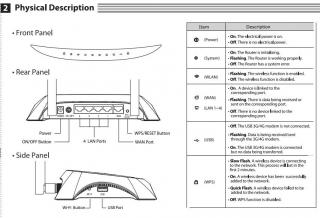
|
|
|
Dec 1 2012, 09:22 AM
|
|
Senior Member
3,158 posts Joined: Apr 2005 From: -Butterworth, Penang-
|
with latest AA firmware...my 3gmodem can direct plug in to the router usb and getting 5mbps at average compare to previous openwrt firmware..
i think they might have fix the signal issue in thier beta firmware... |
|
|
Dec 1 2012, 12:52 PM
|
|
Elite
6,931 posts Joined: Apr 2011 From: Bolehland for sure ^_^
|
QUOTE(stevenlee @ Dec 1 2012, 09:22 AM) with latest AA firmware...my 3gmodem can direct plug in to the router usb and getting 5mbps at average compare to previous openwrt firmware.. yeah with AA firmware is compare a lot improve than previous beta,i think they might have fix the signal issue in thier beta firmware... it is stable now, |
|
|
Dec 1 2012, 02:55 PM
|
|
Senior Member
1,389 posts Joined: Feb 2006 From: Southern Region
|
QUOTE(chuahcs79 @ Dec 1 2012, 04:24 AM) u refer to V2 ? Yup, V2 QUOTE(hairul @ Dec 1 2012, 06:22 AM) Did you already read the manual? Sorry for my laziness but I left my box and manuals in Nilai and currently at hometown, anyway thanks for the manual. |
|
|
Dec 1 2012, 02:58 PM
|
|
Elite
6,931 posts Joined: Apr 2011 From: Bolehland for sure ^_^
|
newest Attitude Adjustment 12.09 RC1 firmware
|
|
|
Dec 1 2012, 05:45 PM
|
|
Junior Member
111 posts Joined: Mar 2011
|
With 3G Router like M3420 , will i get better signal received compared to broadband? Currently using dlink wm-156.
|
|
|
Dec 1 2012, 06:36 PM
|
|
Elite
6,931 posts Joined: Apr 2011 From: Bolehland for sure ^_^
|
QUOTE(SSY22 @ Dec 1 2012, 05:45 PM) With 3G Router like M3420 , will i get better signal received compared to broadband? Currently using dlink wm-156. well i can only say with my previous experience with DLink USB modem, i have the Dlink DWM 152 & ZTE MF627on signal par wise, my ZTE MF627 always out performs on signal, and much lower in temperature + faster speed too Dlink is kind of bad chocies in USB modem for sure just my honest opinion |
|
|
Dec 1 2012, 08:30 PM
|
|
Junior Member
77 posts Joined: May 2008
|
The A6 Dlink dwm-156 is plain bad.. without any inteference, on its own, it loses USB connectivity every 30 mins or so.. The stock v1 MR3420 doesnt recognise it either.
Thankfully the A3 still works okay Anyhow banning Dlink networking products for good Now using the TPLink MA180.. Looks better with all black, a nicer UI connect manager and definitely compatible with the MR3420 Comparing both their reception, i think MA180 is slightly stronger at 64% without any external antenna while DWM156 comes average 40% for me This post has been edited by Erehwon: Dec 1 2012, 08:47 PM |
|
|
Dec 2 2012, 12:10 AM
|
|
Junior Member
111 posts Joined: Mar 2011
|
QUOTE(chuahcs79 @ Dec 1 2012, 06:36 PM) well i can only say with my previous experience with DLink USB modem, i have the Dlink DWM 152 & ZTE MF627 Yes you are right, Dlink is a bad choice for USB modem. on signal par wise, my ZTE MF627 always out performs on signal, and much lower in temperature + faster speed too Dlink is kind of bad chocies in USB modem for sure just my honest opinion So plug into 3G router , will my signal get better? Thanks. Not comparing usb modem. Added on December 2, 2012, 12:12 am QUOTE(Erehwon @ Dec 1 2012, 08:30 PM) The A6 Dlink dwm-156 is plain bad.. without any inteference, on its own, it loses USB connectivity every 30 mins or so.. The stock v1 MR3420 doesnt recognise it either. Ya this is my problem i got now. It will lose connectivity. That y im looking a 3G router but since you said MR3420 wont detect it..think i have to make another way d.Thankfully the A3 still works okay Anyhow banning Dlink networking products for good Now using the TPLink MA180.. Looks better with all black, a nicer UI connect manager and definitely compatible with the MR3420 Comparing both their reception, i think MA180 is slightly stronger at 64% without any external antenna while DWM156 comes average 40% for me This post has been edited by SSY22: Dec 2 2012, 12:12 AM |
|
|
Dec 2 2012, 12:12 AM
|
|
Elite
8,413 posts Joined: Jul 2008
|
QUOTE(SSY22 @ Dec 2 2012, 12:10 AM) Yes you are right, Dlink is a bad choice for USB modem. Yes or noSo plug into 3G router , will my signal get better? Thanks. Not comparing usb modem. If your PC supply not enough USB power then router is stronger If PC can supply enough power then no difference Why not buying a fully new setup, MF680 is relatively cheap nowadays This post has been edited by blacktubi: Dec 2 2012, 12:13 AM |
|
|
Dec 2 2012, 12:32 AM
|
|
Senior Member
944 posts Joined: Jan 2003 From: SHAH ALAM
|
I just test with 320U (With Panel Antenna) + V2, I can get Signal Strength 58% compare to MF680 only maximum 48%...
Not yet tested with 2nd external antenna |
|
|
Dec 2 2012, 12:38 AM
|
|
Elite
6,931 posts Joined: Apr 2011 From: Bolehland for sure ^_^
|
QUOTE(hairul @ Dec 2 2012, 12:32 AM) I just test with 320U (With Panel Antenna) + V2, I can get Signal Strength 58% compare to MF680 only maximum 48%... any different on consistency , speed wise ? Not yet tested with 2nd external antenna |
|
|
Dec 2 2012, 12:39 AM
|
|
Junior Member
111 posts Joined: Mar 2011
|
Thanks for replying me =) !
|
|
|
Dec 2 2012, 12:45 AM
|
|
Senior Member
944 posts Joined: Jan 2003 From: SHAH ALAM
|
QUOTE(chuahcs79 @ Dec 2 2012, 12:38 AM) any different on consistency , speed wise ? Speed same. 7 - 9MbpsIDM = Max 1.2MBps (MF680 1.1MBps) Dialer a bit late compare to MF680. consistency = Still tested. Will update Later. |
|
|
Dec 2 2012, 12:49 AM
|
|
Junior Member
77 posts Joined: May 2008
|
The A3 DWM156 works with the router. Thats the one with the removable sim tray.
The A6 which i think is in the market now is a piece of garbage. Spent 2 days running back and forth to a PC shop exchanging it. Finally exchanged for a TP MA180 and had no such stupid issues since. Since both costs RM89, spare yourself the headache, parking and toll I had to pay to test them out and just stick with TPlink |
|
|
Dec 2 2012, 03:37 AM
|
|
Senior Member
558 posts Joined: Jun 2006 From: Lowyat.Net
|
I just went through the process of building images + all 3g usb packages
Backed up all settings before flashing, and then went to the web interface for flashing Congratulations, I have successfully BRICKED my MR3420 v1.2 Machine gun button failsafe does not work...sys light not even on Now I have to find a serial cable and some soldering kit to debrick. Will probably do it next month...this month got final exams   Logs from compiling process » Click to show Spoiler - click again to hide... « This post has been edited by ibnuasad: Dec 2 2012, 03:54 AM |
|
|
Dec 2 2012, 11:04 AM
|
|
Junior Member
406 posts Joined: Sep 2010 From: Papar, Sabah
|
» Click to show Spoiler - click again to hide... « did u use the image generator files? or downloaded trunk? i found that the image generator/image builder files to be corrupted.. unexpected eof.. stil trying to download the svn.. just my internet is freaking slow.. |
|
|
Dec 2 2012, 11:30 AM
|
|
Elite
8,413 posts Joined: Jul 2008
|
QUOTE(hairul @ Dec 2 2012, 12:32 AM) I just test with 320U (With Panel Antenna) + V2, I can get Signal Strength 58% compare to MF680 only maximum 48%... Not yet tested with 2nd external antenna I am still surveying those dual antenna port modem. Do you have any difference port 1 vs port 2 Anyway, how was the speed 320U vs MF680 in your case |
|
|
Dec 2 2012, 11:35 AM
|
|
Senior Member
944 posts Joined: Jan 2003 From: SHAH ALAM
|
QUOTE(blacktubi @ Dec 2 2012, 11:30 AM) I am still surveying those dual antenna port modem. Do you have any difference port 1 vs port 2 Anyway, how was the speed 320U vs MF680 in your case For consistency much better than MF680. Less Scrambled (Skybox) compare to MF680. Speed its still remain same.Improve IDM download straight away start 900Kbps++ |
|
|
Dec 2 2012, 11:44 AM
|
|
Elite
8,413 posts Joined: Jul 2008
|
QUOTE(hairul @ Dec 2 2012, 11:35 AM) For this moment only using 1st port of the external antenna as i dont have any 2nd antenna except Yagi but i dont know where to point yagi direct to the tower cause cant see from my house. Also not yet tested with 2nd port. Thats a good sign For consistency much better than MF680. Less Scrambled (Skybox) compare to MF680. Speed its still remain same.Improve IDM download straight away start 900Kbps++ Since your 320U got 2 antenna port You plug to the first. Unplug Plug to the second to see any difference Some modem do allocate one antenna to 3G another to LTE |
|
|
Dec 2 2012, 04:11 PM
|

Senior Member
985 posts Joined: Jul 2010 From: Bolehland
|
Hello guys. I'm getting Huawei E367 dongle with this MR3420 router.
May I know you any of you guys using the same setup as mine? I'm wondering is there any compatible issues using E367 with MR3420 ? |
|
|
Dec 2 2012, 04:18 PM
|
|
Elite
6,931 posts Joined: Apr 2011 From: Bolehland for sure ^_^
|
QUOTE(Jayi @ Dec 2 2012, 04:11 PM) Hello guys. I'm getting Huawei E367 dongle with this MR3420 router. yes E367 is compatible with TL-MR3420 V1 & V2 both,May I know you any of you guys using the same setup as mine? I'm wondering is there any compatible issues using E367 with MR3420 ? just plug it in and it auto recognize and auto dial most user here using E372 / ZTE MF680 / Seirra 320U + TL_MR3420 V1 / V2 This post has been edited by chuahcs79: Dec 2 2012, 04:20 PM |
|
|
Dec 2 2012, 04:43 PM
|
|
Senior Member
558 posts Joined: Jun 2006 From: Lowyat.Net
|
QUOTE(khairilyazit @ Dec 2 2012, 11:04 AM) » Click to show Spoiler - click again to hide... « did u use the image generator files? or downloaded trunk? i found that the image generator/image builder files to be corrupted.. unexpected eof.. stil trying to download the svn.. just my internet is freaking slow.. |
|
|
Dec 2 2012, 04:43 PM
|
|
Senior Member
985 posts Joined: Jul 2010 From: Bolehland
|
QUOTE(chuahcs79 @ Dec 2 2012, 04:18 PM) yes E367 is compatible with TL-MR3420 V1 & V2 both, Wow thats a very quick reply. I was wondering why only this model has owner club among all the routers out there just plug it in and it auto recognize and auto dial most user here using E372 / ZTE MF680 / Seirra 320U + TL_MR3420 V1 / V2 So many people using DC HSPA+ dongle?? I'm only taking E367 since the data plan I signed only support up to HSPA+ and my main priority only low latency, not requiring tat much speed Another question, is router has no problem connecting 4-5 users in a time right? |
|
|
Dec 2 2012, 05:07 PM
|
|
Elite
6,931 posts Joined: Apr 2011 From: Bolehland for sure ^_^
|
QUOTE(Jayi @ Dec 2 2012, 04:43 PM) Wow thats a very quick reply. I was wondering why only this model has owner club among all the routers out there this router is able to connect 5 user at same time without any issue So many people using DC HSPA+ dongle?? I'm only taking E367 since the data plan I signed only support up to HSPA+ and my main priority only low latency, not requiring tat much speed Another question, is router has no problem connecting 4-5 users in a time right? using a DC-HSPA+ device because due to the MDM8220 chipset is better chipset compare to other HSPA+ chipset, it is not main about the speed, it is also about the signal, and using a DC-HSPA+ device connect to Dual channel broadcast tower/base station, u able to get 2 channel meaning whatever DL & UL speed u are getting x 2 time ,. if u are getting 2~4Mbps, u might have chances to get 2~4Mbps x2 with DC-HSPA+ enable device when upload speed is higher = your ping eventually will be lower too if that tower/ base station u are connect support DC-HSPA+/broadcasting 2 channel instead of single channel.. DC-HSPA+ is not 42Mbps .. dont get confuse on this ya This post has been edited by chuahcs79: Dec 2 2012, 05:11 PM |
|
|
Dec 2 2012, 05:15 PM
|
|
Junior Member
406 posts Joined: Sep 2010 From: Papar, Sabah
|
QUOTE(ibnuasad @ Dec 2 2012, 04:43 PM) image builder seems to be corrupt.. always unexpected end of file whenever i try to uncompress it.. so nowtrying from svn.. |
|
|
Dec 2 2012, 05:53 PM
|
|
Senior Member
558 posts Joined: Jun 2006 From: Lowyat.Net
|
QUOTE(khairilyazit @ Dec 2 2012, 05:15 PM) image builder seems to be corrupt.. always unexpected end of file whenever i try to uncompress it.. so now I tried both from Trunk & AA1, seems just fine. Maybe EOF because the download was stuck and did not finish? I got that EOF message when I wget from the VM in my PC. When download to a remote server, works just fine.trying from svn.. This is the AA1 Image Builder that I've successfully downloaded : http://ssh.st0rage.org/~ibnuasad/OpenWrt-I...ux-i486.tar.bz2 This post has been edited by ibnuasad: Dec 2 2012, 05:54 PM |
|
|
Dec 2 2012, 06:28 PM
|
|
Senior Member
944 posts Joined: Jan 2003 From: SHAH ALAM
|
QUOTE(blacktubi @ Dec 2 2012, 11:44 AM) Thats a good sign Tested, speed same. seems my place didnt have LTE...Since your 320U got 2 antenna port You plug to the first. Unplug Plug to the second to see any difference Some modem do allocate one antenna to 3G another to LTE Added on December 2, 2012, 6:36 pm QUOTE(chuahcs79 @ Dec 2 2012, 05:07 PM) this router is able to connect 5 user at same time without any issue My upload never reach 2Mbps.. Max 1Mbps, but its hard to get 1MBps,,using a DC-HSPA+ device because due to the MDM8220 chipset is better chipset compare to other HSPA+ chipset, it is not main about the speed, it is also about the signal, and using a DC-HSPA+ device connect to Dual channel broadcast tower/base station, u able to get 2 channel meaning whatever DL & UL speed u are getting x 2 time ,. if u are getting 2~4Mbps, u might have chances to get 2~4Mbps x2 with DC-HSPA+ enable device when upload speed is higher = your ping eventually will be lower too if that tower/ base station u are connect support DC-HSPA+/broadcasting 2 channel instead of single channel.. DC-HSPA+ is not 42Mbps .. dont get confuse on this ya This post has been edited by hairul: Dec 2 2012, 06:36 PM |
|
|
Dec 2 2012, 06:41 PM
|
|
Junior Member
406 posts Joined: Sep 2010 From: Papar, Sabah
|
QUOTE(ibnuasad @ Dec 2 2012, 05:53 PM) I tried both from Trunk & AA1, seems just fine. Maybe EOF because the download was stuck and did not finish? I got that EOF message when I wget from the VM in my PC. When download to a remote server, works just fine. weird.. not stuck anywhere.. i tried downloading it twice.. nvm.. done making an image from svn+packages.. but donno whether it'll work or not.. if i brick my 3420, This is the AA1 Image Builder that I've successfully downloaded : http://ssh.st0rage.org/~ibnuasad/OpenWrt-I...ux-i486.tar.bz2 who wanna be tester? at your own risk.. lol.. |
|
|
Dec 2 2012, 06:52 PM
|
|
Elite
6,931 posts Joined: Apr 2011 From: Bolehland for sure ^_^
|
QUOTE(khairilyazit @ Dec 2 2012, 06:41 PM) weird.. not stuck anywhere.. i tried downloading it twice.. nvm.. done making an image from svn+packages.. but donno whether it'll work or not.. if i brick my 3420, the tester need to be pro in Unbrick router first,. LOL,. who wanna be tester? at your own risk.. lol.. remember post result when you test, if working we belanja you kopi o + roti canai la Added on December 2, 2012, 6:54 pm QUOTE(hairul @ Dec 2 2012, 06:28 PM) Tested, speed same. seems my place didnt have LTE... upload speed normally get high in 2 situation:Added on December 2, 2012, 6:36 pm My upload never reach 2Mbps.. Max 1Mbps, but its hard to get 1MBps,, 1 ) midnight hour, ( after midnight try reboot your router to get new IP ) 2) IP adress ( certain group of IP is higher UL speed or DL speed or lower PIng ) This post has been edited by chuahcs79: Dec 2 2012, 06:55 PM |
|
|
Dec 2 2012, 09:39 PM
|
|
Junior Member
406 posts Joined: Sep 2010 From: Papar, Sabah
|
QUOTE(ibnuasad @ Dec 2 2012, 03:37 AM) I just went through the process of building images + all 3g usb packages Backed up all settings before flashing, and then went to the web interface for flashing Congratulations, I have successfully BRICKED my MR3420 v1.2 Machine gun button failsafe does not work...sys light not even on Now I have to find a serial cable and some soldering kit to debrick. Will probably do it next month...this month got final exams » Click to show Spoiler - click again to hide... « QUOTE(ibnuasad @ Dec 2 2012, 04:43 PM) QUOTE(ibnuasad @ Dec 2 2012, 05:53 PM) I tried both from Trunk & AA1, seems just fine. Maybe EOF because the download was stuck and did not finish? I got that EOF message when I wget from the VM in my PC. When download to a remote server, works just fine. Thanks to ibnuasad we now have an openwrt image that is packaged with all that is needed to connect a 3g modem without modifications...now uploading it to dropbox, please wait as my internet is slow.. there's a sysupgrade image and factory image, any takers? hahaha This is the AA1 Image Builder that I've successfully downloaded : http://ssh.st0rage.org/~ibnuasad/OpenWrt-I...ux-i486.tar.bz2 and ibnuasad, ur router still cannot go to webgui? CODE https://www.dropbox.com/sh/2bj8rjv5h3uwdhh/qEkxCAVXY1 |
|
|
Dec 2 2012, 09:47 PM
|
|
Elite
6,931 posts Joined: Apr 2011 From: Bolehland for sure ^_^
|
QUOTE(khairilyazit @ Dec 2 2012, 09:39 PM) Thanks to ibnuasad we now have an openwrt image that is packaged with all that is needed to connect a 3g modem without modifications...now uploading it to dropbox, please wait as my internet is slow.. there's a sysupgrade image and factory image, any takers? hahaha wait, did this new image fully works ? and ibnuasad, ur router still cannot go to webgui? CODE https://www.dropbox.com/sh/2bj8rjv5h3uwdhh/qEkxCAVXY1 any confirmation on this before i post in 1st post ? can any of you upload it to mediafire or something like that ? thanks This post has been edited by chuahcs79: Dec 2 2012, 09:48 PM |
|
|
Dec 2 2012, 09:55 PM
|
|
Junior Member
406 posts Joined: Sep 2010 From: Papar, Sabah
|
alright... mediafire links coming up.. i'm using it.. now needs someone to test it for me.. i made it using the default profile + packages for 3g n luci..
gonna need testers.. |
|
|
Dec 2 2012, 10:08 PM
|
|
Junior Member
406 posts Joined: Sep 2010 From: Papar, Sabah
|
Ok guys, u asked for it..
mediafire link for the factory image for OpenWrt is up. OpenWrt need someone with a V1 TL-MR3420, stock firmware, to test it.. but, as always, its at ur own risk.. follow guide on 1st post to flash to OpenWrt -> then login, set a password ->go to network -> Interfaces-> edit wan-> change protocol to umts->the rest u should already know.. get openwrt, or die trying... |
|
|
Dec 2 2012, 10:15 PM
|
|
Elite
6,931 posts Joined: Apr 2011 From: Bolehland for sure ^_^
|
QUOTE(khairilyazit @ Dec 2 2012, 10:08 PM) Ok guys, u asked for it.. ok, dont worry i volunteer to test it,mediafire link for the factory image for OpenWrt is up. OpenWrt need someone with a V1 TL-MR3420, stock firmware, to test it.. but, as always, its at ur own risk.. follow guide on 1st post to flash to OpenWrt -> then login, set a password ->go to network -> Interfaces-> edit wan-> change protocol to umts->the rest u should already know.. get openwrt, or die trying... i will post result, wish me luck guys |
|
|
Dec 2 2012, 10:19 PM
|
|
Junior Member
406 posts Joined: Sep 2010 From: Papar, Sabah
|
QUOTE(chuahcs79 @ Dec 2 2012, 10:15 PM) ok, dont worry i volunteer to test it, good luck, do post ur outcome.. whether its good or bad..i will post result, wish me luck guys |
|
|
Dec 2 2012, 10:33 PM
|
|
Elite
6,931 posts Joined: Apr 2011 From: Bolehland for sure ^_^
|
QUOTE(khairilyazit @ Dec 2 2012, 10:19 PM) good luck, do post ur outcome.. whether its good or bad.. WOW it works, super smooth as butter, i flash back to stock firmware first, then direct flash the image you guys built, wow, no need to add any packages, can direct dial, let me post and modify my first post |
|
|
Dec 2 2012, 10:35 PM
|
|
Junior Member
406 posts Joined: Sep 2010 From: Papar, Sabah
|
QUOTE(chuahcs79 @ Dec 2 2012, 10:33 PM) WOW it works, super smooth as butter, i flash back to stock firmware first, then direct flash the image you guys built, wow, no need to add any packages, can direct dial, let me post and modify my first post thought i need to buy u teh tarik + canai if ur router brick.. thats just the AA image.. i'm gonna try with the trunk image tomorrow.. |
|
|
Dec 2 2012, 10:37 PM
|
|
Elite
6,931 posts Joined: Apr 2011 From: Bolehland for sure ^_^
|
QUOTE(khairilyazit @ Dec 2 2012, 10:35 PM) thank god.. thought i need to buy u teh tarik + canai if ur router brick.. thats just the AA image.. i'm gonna try with the trunk image tomorrow.. any different between AA and TRunk image ? i notice there is a few new packages is ready installed too ,.. here everything |
|
|
Dec 2 2012, 10:40 PM
|
|
Junior Member
406 posts Joined: Sep 2010 From: Papar, Sabah
|
QUOTE(chuahcs79 @ Dec 2 2012, 10:37 PM) any different between AA and TRunk image ? i notice there is a few new packages is ready installed too ,.. here everything i made the image with default profile, just like from the normal download from openwrt site.. plus added the luci interface that got ibnuasad stuck.. and nano, so we could edit files via ssh in the event of a softbrick... |
|
|
Dec 2 2012, 10:43 PM
|
|
Elite
6,931 posts Joined: Apr 2011 From: Bolehland for sure ^_^
|
QUOTE(khairilyazit @ Dec 2 2012, 10:40 PM) just newer packages i think.. probably the RTM for AA.. oh, that's the new packages i notice just now,i made the image with default profile, just like from the normal download from openwrt site.. plus added the luci interface that got ibnuasad stuck.. and nano, so we could edit files via ssh in the event of a softbrick... one more thing, i just want to ask how could we retrieve Micro sd card in the modem slot while we plug it in our openwrt now, any idea ? |
|
|
Dec 2 2012, 10:47 PM
|
|
Junior Member
406 posts Joined: Sep 2010 From: Papar, Sabah
|
QUOTE(chuahcs79 @ Dec 2 2012, 10:43 PM) oh, that's the new packages i notice just now, that relates to usb storage and samba i think, but, TL-MR3420 flash memory is too small.. just 4MB, not enough room for all packages for 3g connectivity and usb storage+samba..one more thing, i just want to ask how could we retrieve Micro sd card in the modem slot while we plug it in our openwrt now, any idea ? some tried using powered usb hub and connects modem, usb storage.. but that just complicates the setup.. me also wanna do usb storage on 3420.. |
|
|
Dec 2 2012, 11:08 PM
|
|
Elite
6,931 posts Joined: Apr 2011 From: Bolehland for sure ^_^
|
QUOTE(khairilyazit @ Dec 2 2012, 10:47 PM) that relates to usb storage and samba i think, but, TL-MR3420 flash memory is too small.. just 4MB, not enough room for all packages for 3g connectivity and usb storage+samba.. yeah pity is 4MB only, otherwise would be amazing router for sure yet price is cheap some tried using powered usb hub and connects modem, usb storage.. but that just complicates the setup.. me also wanna do usb storage on 3420..just update the first post under you and Ibnuasad credit i will try to do a new video tutor for it soon and upload it there really appreciate you guys hard work hope ibnuasad V1 router recover soon |
|
|
Dec 2 2012, 11:13 PM
|
|
Junior Member
406 posts Joined: Sep 2010 From: Papar, Sabah
|
QUOTE(chuahcs79 @ Dec 2 2012, 11:08 PM) yeah pity is 4MB only, otherwise would be amazing router for sure yet price is cheap i'm waiting for his reply.. got an idea for him to rescue his router.. images compiled doesn't include web interface.. need to add it in time of compiling..just update the first post under you and Ibnuasad credit i will try to do a new video tutor for it soon and upload it there really appreciate you guys hard work hope ibnuasad V1 router recover soon |
|
|
Dec 2 2012, 11:14 PM
|
|
Elite
6,931 posts Joined: Apr 2011 From: Bolehland for sure ^_^
|
QUOTE(khairilyazit @ Dec 2 2012, 11:13 PM) i'm waiting for his reply.. got an idea for him to rescue his router.. images compiled doesn't include web interface.. need to add it in time of compiling.. so u think he miss this step adding the web interface when he compile that's why he can't login GUI ? |
|
|
Dec 2 2012, 11:30 PM
|
|
Junior Member
406 posts Joined: Sep 2010 From: Papar, Sabah
|
probably.. from his compile log, i saw some errors in compiling.. probably contributing to his soft brick.. gonna have to wait for him..
|
|
|
Dec 2 2012, 11:37 PM
|
|
Senior Member
750 posts Joined: Jun 2006 From: Johor Bahru, Johor
|
now no need add package on latest version OpenWRT. more convenience and no need download package. yahoo
look forward Chuahcs post video how to install openwrt. |
|
|
Dec 2 2012, 11:44 PM
|
|
Elite
6,931 posts Joined: Apr 2011 From: Bolehland for sure ^_^
|
QUOTE(danieltan @ Dec 2 2012, 11:37 PM) now no need add package on latest version OpenWRT. more convenience and no need download package. yahoo step by step posted with the firmware they compile on first post,look forward Chuahcs post video how to install openwrt. after flash update, plug in your modem and set a few thing on the GUI and u are good to go tonight my upload speed super low when i need to upload the video to youtube lame for sure Added on December 2, 2012, 11:44 pm QUOTE(khairilyazit @ Dec 2 2012, 11:30 PM) probably.. from his compile log, i saw some errors in compiling.. probably contributing to his soft brick.. gonna have to wait for him.. really big thanks to him as well from these ready made image This post has been edited by chuahcs79: Dec 2 2012, 11:44 PM |
|
|
Dec 2 2012, 11:52 PM
|
|
Junior Member
406 posts Joined: Sep 2010 From: Papar, Sabah
|
QUOTE(chuahcs79 @ Dec 2 2012, 11:44 PM) step by step posted with the firmware they compile on first post, true.. he is the kick-starter.. if he didn't provide the image he got, i wouldn't be able to compile it..\after flash update, plug in your modem and set a few thing on the GUI and u are good to go tonight my upload speed super low when i need to upload the video to youtube lame for sure Added on December 2, 2012, 11:44 pm really big thanks to him as well from these ready made image mine always corrupted.. |
|
|
Dec 3 2012, 12:13 AM
|
|
Elite
6,931 posts Joined: Apr 2011 From: Bolehland for sure ^_^
|
QUOTE(khairilyazit @ Dec 2 2012, 11:52 PM) true.. he is the kick-starter.. if he didn't provide the image he got, i wouldn't be able to compile it..\ yea he did earn the biggest credit & so do you too mine always corrupted.. i am just a user collect data /info everywhere piece by piece now my upload speed so lame, take so long time to upload video tutor to youtube |
|
|
Dec 3 2012, 03:47 AM
|
|
Senior Member
558 posts Joined: Jun 2006 From: Lowyat.Net
|
QUOTE(khairilyazit @ Dec 2 2012, 09:39 PM) Thanks to ibnuasad we now have an openwrt image that is packaged with all that is needed to connect a 3g modem without modifications...now uploading it to dropbox, please wait as my internet is slow.. there's a sysupgrade image and factory image, any takers? hahaha and ibnuasad, ur router still cannot go to webgui? CODE https://www.dropbox.com/sh/2bj8rjv5h3uwdhh/qEkxCAVXY1 QUOTE(chuahcs79 @ Dec 2 2012, 10:33 PM) WOW it works, super smooth as butter, i flash back to stock firmware first, then direct flash the image you guys built, wow, no need to add any packages, can direct dial, let me post and modify my first post Will try it on my other v1.3 router later khairilyazit, my router still cannot go to webgui. When turn on the router, all led will light up at once for 1 second but after that, only PWR & LAN# light up. SYS led does not light up. Any ideas to debrick without serial cable? Added on December 3, 2012, 3:52 amThe "Network Connections" on pc says LAN; Unidentified Network, No Network Access This post has been edited by ibnuasad: Dec 3 2012, 03:52 AM |
|
|
Dec 3 2012, 09:34 AM
|
|
Junior Member
406 posts Joined: Sep 2010 From: Papar, Sabah
|
QUOTE(ibnuasad @ Dec 3 2012, 03:47 AM) Excellent did u try setting to static ip 1st? Will try it on my other v1.3 router later khairilyazit, my router still cannot go to webgui. When turn on the router, all led will light up at once for 1 second but after that, only PWR & LAN# light up. SYS led does not light up. Any ideas to debrick without serial cable? Added on December 3, 2012, 3:52 amThe "Network Connections" on pc says LAN; Unidentified Network, No Network Access if can, then u can telnet or ssh to the client.. but since ur sys led didn't lit up.. i'm afraid it may really be bricked.. i read the wiki page.. seems like u need a serial to debrick. cause its a hard brick.. u could try set to static ip and see if the router responds.. if it responds, use telnet or ssh to login then install luci.. make sure to connect a network to the wan port for internet.. |
|
|
Dec 3 2012, 09:37 AM
|
|
Junior Member
406 posts Joined: Sep 2010 From: Papar, Sabah
|
or u could try this..
QUOTE On many routers, including the Asus WL-500g Premium v1 that I use, you flash an image by disconnecting power, press and hold down the reset button, and connect the power again. Wait a few seconds and the PWR LED will start to blink. Release the reset button. The device will now have a TFTP server running on 192.168.1.1. You’ll have to use a Ethernet cable at this point. Connect it to LAN1-LAN4, not WAN. Configure your local machine on the 192.168.1.x/24 network, for example as 192.168.1.42. The router will use 192.168.1.1. $ tftp 192.168.1.1 tftp> trace Packet tracing on. tftp> binary tftp> put openwrt-brcm-2.4-squashfs.trx sent WRQ <file=openwrt-brcm-2.4-squashfs.trx, mode=octet> received ACK <block=0> sent DATA <block=1, 512 bytes> received ACK <block=1> sent DATA <block=2, 512 bytes> received ACK <block=2> sent DATA <block=3, 512 bytes> received ACK <block=3> sent DATA <block=4, 512 bytes> ... received ACK <block=4742> sent DATA <block=4743, 512 bytes> received ACK <block=4743> sent DATA <block=4744, 512 bytes> received ACK <block=4744> sent DATA <block=4745, 0 bytes> received ACK <block=4745> Sent 2428928 bytes in 6.2 seconds tftp> quit $ Wait one minute and restart the box by disconnecting and reconnecting power. Some documentations claim that the device should restart by itself but I have never seen this happen, no matter how long I wait. tftp |
|
|
Dec 3 2012, 09:43 AM
|
|
Senior Member
558 posts Joined: Jun 2006 From: Lowyat.Net
|
QUOTE(khairilyazit @ Dec 3 2012, 09:34 AM) did u try setting to static ip 1st? Tried setting to static ip, can't telnet/sshif can, then u can telnet or ssh to the client.. but since ur sys led didn't lit up.. i'm afraid it may really be bricked.. i read the wiki page.. seems like u need a serial to debrick. cause its a hard brick.. u could try set to static ip and see if the router responds.. if it responds, use telnet or ssh to login then install luci.. make sure to connect a network to the wan port for internet.. QUOTE(khairilyazit @ Dec 3 2012, 09:37 AM) Will try this later tonight Meanwhile, I'm thinking to buy the following serial cable: http://www.ebay.com/itm/180748792563 |
|
|
Dec 3 2012, 11:05 AM
|
|
Senior Member
944 posts Joined: Jan 2003 From: SHAH ALAM
|
QUOTE(ibnuasad @ Dec 3 2012, 09:43 AM) Tried setting to static ip, can't telnet/ssh How about this?Will try this later tonight Meanwhile, I'm thinking to buy the following serial cable: http://www.ebay.com/itm/180748792563 http://www.lelong.com.my/usb-db9-rs232-ser...3-07-Sale-P.htm & This http://www.lelong.com.my/usb-rs232-serial-...3-09-Sale-P.htm This post has been edited by hairul: Dec 3 2012, 11:05 AM |
|
|
Dec 3 2012, 11:46 AM
|
|
Junior Member
406 posts Joined: Sep 2010 From: Papar, Sabah
|
QUOTE(ibnuasad @ Dec 3 2012, 09:43 AM) Tried setting to static ip, can't telnet/ssh do tell if ur successful..Will try this later tonight Meanwhile, I'm thinking to buy the following serial cable: http://www.ebay.com/itm/180748792563 |
|
|
Dec 3 2012, 12:30 PM
|
|
Elite
6,931 posts Joined: Apr 2011 From: Bolehland for sure ^_^
|
QUOTE(ibnuasad @ Dec 3 2012, 03:47 AM) Excellent reallly mainly thanks to you, Will try it on my other v1.3 router later khairilyazit, my router still cannot go to webgui. When turn on the router, all led will light up at once for 1 second but after that, only PWR & LAN# light up. SYS led does not light up. Any ideas to debrick without serial cable? Added on December 3, 2012, 3:52 amThe "Network Connections" on pc says LAN; Unidentified Network, No Network Access KUDOS |
|
|
Dec 3 2012, 01:53 PM
|
|
Senior Member
558 posts Joined: Jun 2006 From: Lowyat.Net
|
QUOTE(hairul @ Dec 3 2012, 11:05 AM) How about this? Must cut/modify for it to work and it's expensive even without shipping included. eBay much cheaper, free shipping & no need to modify http://www.lelong.com.my/usb-db9-rs232-ser...3-07-Sale-P.htm & This http://www.lelong.com.my/usb-rs232-serial-...3-09-Sale-P.htm QUOTE(chuahcs79 @ Dec 3 2012, 12:30 PM) reallly mainly thanks to you, KUDOS I'm still not satisfied, coz got bricked When got the serial cable, hopefully can make regular updates as new releases comes out |
|
|
Dec 3 2012, 03:08 PM
|
|
Senior Member
944 posts Joined: Jan 2003 From: SHAH ALAM
|
QUOTE(ibnuasad @ Dec 3 2012, 01:53 PM) Must cut/modify for it to work and it's expensive even without shipping included. eBay much cheaper, free shipping & no need to modify Take here, more cheaper... I'm still not satisfied, coz got bricked When got the serial cable, hopefully can make regular updates as new releases comes out If from HK can arrive in 1 week. http://www.ebay.com/itm/USB2-0-to-RS232-TT...=item3a77ced85a |
|
|
Dec 3 2012, 07:08 PM
|
|
Elite
6,931 posts Joined: Apr 2011 From: Bolehland for sure ^_^
|
QUOTE(ibnuasad @ Dec 3 2012, 01:53 PM) Must cut/modify for it to work and it's expensive even without shipping included. eBay much cheaper, free shipping & no need to modify yeah i understand, I'm still not satisfied, coz got bricked When got the serial cable, hopefully can make regular updates as new releases comes out experiment always come with these down side This post has been edited by chuahcs79: Dec 11 2012, 11:21 PM |
|
|
Dec 11 2012, 11:17 PM
|
|
Elite
6,931 posts Joined: Apr 2011 From: Bolehland for sure ^_^
|
i reopen this thread upon a few user request,
hope it will continue to help you guys,.. QUOTE by the way news for V2 user can support Nokia X3-02 phone to dial as modem once u plug in V2, select the Nokia pc suite option then your V2 will auto dial it as modem [attachmentid=3201216] signal strength % in V2 [attachmentid=3201218] QUOTE For user who facing the signal Strength % 0% bug and DNS wrongly to Maxis dns remember to upgrade your V2 to latest firmware '' mr3420v2_en_3_13_27_up(120905).bin'' This post has been edited by chuahcs79: Dec 11 2012, 11:24 PM |
|
|
Dec 11 2012, 11:23 PM
|
|
Elite
8,413 posts Joined: Jul 2008
|
Glad to see this thread reopened
|
|
|
Dec 11 2012, 11:25 PM
|

Junior Member
27 posts Joined: Apr 2012 From: tarp island
|
QUOTE(blacktubi @ Dec 11 2012, 11:23 PM) Glad to see this thread reopened me too |
|
|
Dec 11 2012, 11:33 PM
|
|
Elite
6,931 posts Joined: Apr 2011 From: Bolehland for sure ^_^
|
For V2 user who is adventures enough,
u can try to plug in your Mobile phone to test whether it able to dial as modem,.. just though is an extra option out there, |
|
|
Dec 11 2012, 11:47 PM
|
|
Senior Member
558 posts Joined: Jun 2006 From: Lowyat.Net
|
QUOTE(chuahcs79 @ Dec 11 2012, 11:17 PM) i reopen this thread upon a few user request, Glad its reopened hope it will continue to help you guys,.. We all appreciate your hard work maintaining it Sharing is caring QUOTE(hairul @ Dec 3 2012, 03:08 PM) Take here, more cheaper... Already bought this a few days ago...waiting for it to arrive If from HK can arrive in 1 week. http://www.ebay.com/itm/USB2-0-to-RS232-TT...=item3a77ced85a Btw, Flashed my other v1.3 with custom compiled Attitude Adjustment RC1 by khairilyazit...works fine Flashed to Stock firmware, then flash custom AA RC1 image. Added on December 11, 2012, 11:49 pmBtw, Chuah...your v1 is barebone Planning for heatsink mod? This post has been edited by ibnuasad: Dec 11 2012, 11:49 PM |
|
|
Dec 11 2012, 11:54 PM
|
|
Elite
6,931 posts Joined: Apr 2011 From: Bolehland for sure ^_^
|
QUOTE(ibnuasad @ Dec 11 2012, 11:47 PM) Glad its reopened since i use V1 and V2 both router, We all appreciate your hard work maintaining it Sharing is caring Already bought this a few days ago...waiting for it to arrive Btw, Flashed my other v1.3 with custom compiled Attitude Adjustment RC1 by khairilyazit...works fine Flashed to Stock firmware, then flash custom AA RC1 image. Added on December 11, 2012, 11:49 pmBtw, Chuah...your v1 is barebone Planning for heatsink mod? V2 is using as dialing modem/phone, V1 USB port i use it for server fan ( modify to usb connector type ),. the usb port pretty useful for sure,... yeah i strip it all off, to prevent warm or overheat issue |
|
|
Dec 12 2012, 12:20 AM
|

Senior Member
530 posts Joined: Jan 2010 From: South Lehgoland
|
Wow thread open again
|
|
|
Dec 12 2012, 03:54 AM
|
|
Junior Member
96 posts Joined: Aug 2010
|
guys, i just replaced standard antenna with 2.4ghz, 8dbi indoor omni directional antenna. but the speed and signal still same, no boost. i replace antenna near the power..
|
|
|
Dec 12 2012, 12:34 PM
|
|
Elite
6,931 posts Joined: Apr 2011 From: Bolehland for sure ^_^
|
QUOTE(aerozs @ Dec 12 2012, 03:54 AM) guys, i just replaced standard antenna with 2.4ghz, 8dbi indoor omni directional antenna. but the speed and signal still same, no boost. i replace antenna near the power.. after u replace the antenna,u need to make sure u are setting the "Channel Width" to the highest on TP LINK Stock firmware same goes apply to the "openwrt" and make sure u are using Wireless N 300Mbps Added on December 12, 2012, 4:40 pm QUOTE(ibnuasad @ Dec 11 2012, 11:47 PM) Glad its reopened Bro, We all appreciate your hard work maintaining it Sharing is caring Already bought this a few days ago...waiting for it to arrive Btw, Flashed my other v1.3 with custom compiled Attitude Adjustment RC1 by khairilyazit...works fine Flashed to Stock firmware, then flash custom AA RC1 image. Added on December 11, 2012, 11:49 pmBtw, Chuah...your v1 is barebone Planning for heatsink mod? did u able to find any openwrt for V2 ? or we have to wait for image comfigure by other's first ? i try to built image for it, lost in 15% ,.so complicated,.. no ideas at all what the pages talking, i built follow the MR3220 V2 image,. but failed big time This post has been edited by chuahcs79: Dec 12 2012, 04:40 PM |
|
|
Dec 12 2012, 05:48 PM
|
|
Senior Member
558 posts Joined: Jun 2006 From: Lowyat.Net
|
QUOTE(chuahcs79 @ Dec 12 2012, 12:34 PM) after u replace the antenna, 3420 v2 not yet.u need to make sure u are setting the "Channel Width" to the highest on TP LINK Stock firmware same goes apply to the "openwrt" and make sure u are using Wireless N 300Mbps Added on December 12, 2012, 4:40 pm Bro, did u able to find any openwrt for V2 ? or we have to wait for image comfigure by other's first ? i try to built image for it, lost in 15% ,.so complicated,.. no ideas at all what the pages talking, i built follow the MR3220 V2 image,. but failed big time Only got for 3220 v2: http://wiki.openwrt.org/toh/tp-link/tl-ap121 |
|
|
Dec 12 2012, 05:51 PM
|
|
Elite
6,931 posts Joined: Apr 2011 From: Bolehland for sure ^_^
|
QUOTE(ibnuasad @ Dec 12 2012, 05:48 PM) that's why i am wonder anyone did try to built image for V2 yet ? too bad i am super poor in linux knowledge,.. can't be any help at all |
|
|
Dec 12 2012, 09:16 PM
|

Junior Member
554 posts Joined: Nov 2006
|
Hand feeling itchy and decided to get MR3420 v2, after using it for hours, not that warm compare to v1 but once in a while will auto DC and reconnect in seconds..
|
|
|
Dec 12 2012, 09:17 PM
|
|
Elite
6,931 posts Joined: Apr 2011 From: Bolehland for sure ^_^
|
QUOTE(BladeRider88 @ Dec 12 2012, 09:16 PM) Hand feeling itchy and decided to get MR3420 v2, after using it for hours, not that warm compare to v1 but once in a while will auto DC and reconnect in seconds.. the V2 cover is not as hot as V1 cover, but inside real temperature is quite warm i have to say base on my open V2 cover session experiment |
|
|
Dec 12 2012, 10:03 PM
|
|
Junior Member
554 posts Joined: Nov 2006
|
QUOTE(chuahcs79 @ Dec 12 2012, 09:17 PM) the V2 cover is not as hot as V1 cover, but inside real temperature is quite warm i have to say base on my open V2 cover session experiment I do agree with you that the cover is not that warm compare to V1But my router is place beside window, and the air is quite cool, so for now no need to any additional cooling yet |
|
|
Dec 12 2012, 10:09 PM
|
|
Elite
6,931 posts Joined: Apr 2011 From: Bolehland for sure ^_^
|
QUOTE(BladeRider88 @ Dec 12 2012, 10:03 PM) I do agree with you that the cover is not that warm compare to V1 yeah without any additional cooling, the V2 performances didnt drop, so that's the first best thing,But my router is place beside window, and the air is quite cool, so for now no need to any additional cooling yet second best thing is the wireless N 300Mbps alone can use,. not like V1 wireless N bug issue cannot performs , |
|
|
Dec 12 2012, 11:29 PM
|
|
Junior Member
554 posts Joined: Nov 2006
|
QUOTE(chuahcs79 @ Dec 12 2012, 10:09 PM) yeah without any additional cooling, the V2 performances didnt drop, so that's the first best thing, The wireless bug.... second best thing is the wireless N 300Mbps alone can use,. not like V1 wireless N bug issue cannot performs , Never encounter it before. .. but I was hoping for that I can play the v2 with open art |
|
|
Dec 12 2012, 11:31 PM
|
|
Elite
6,931 posts Joined: Apr 2011 From: Bolehland for sure ^_^
|
QUOTE(BladeRider88 @ Dec 12 2012, 11:29 PM) The wireless bug.... V2 can use wireless N alone now without worry the wireless bug like happen in V1, Never encounter it before. .. but I was hoping for that I can play the v2 with open art so far there is no official openwrt support V2 yet, guess we all have to wait |
|
|
Dec 13 2012, 12:04 AM
|
|
Junior Member
554 posts Joined: Nov 2006
|
QUOTE(chuahcs79 @ Dec 12 2012, 11:31 PM) V2 can use wireless N alone now without worry the wireless bug like happen in V1, yeah..i just tested the Wireless N, files transfer via wireless has been greatly improved...now bridge with my asus router, as E372 connect to V2so far there is no official openwrt support V2 yet, guess we all have to wait Hope to see the OpenWRT and your tutorial soon |
|
|
Dec 13 2012, 12:57 AM
|
|
Elite
6,931 posts Joined: Apr 2011 From: Bolehland for sure ^_^
|
QUOTE(BladeRider88 @ Dec 13 2012, 12:04 AM) yeah..i just tested the Wireless N, files transfer via wireless has been greatly improved...now bridge with my asus router, as E372 connect to V2 well too bad i am not a programmer or linux expert,Hope to see the OpenWRT and your tutorial soon otherwise i will try to built new image for V2,. now guess we have to wait for some pro out there to do so,... bet V2 performs superb excellent in openwrt compare to V1 |
|
|
Dec 13 2012, 12:40 PM
|
|
Junior Member
36 posts Joined: Apr 2012
|
i need serious help here! E398 + MR3420 V2.. why does it keep disconnecting??? is there any setting in V2 that we have to change??? i already changed for it to connect manually and set it to 0 so that it will remain active.. but still.. when i got up in the morning, the e398 already blinking..
and sometimes, the V2 cannot identify e398? it says identifying.. when i reboot then its ok.. but then after several hours it keeps getting the same problems.. |
|
|
Dec 13 2012, 12:51 PM
|
|
Elite
8,413 posts Joined: Jul 2008
|
QUOTE(redyakuza87 @ Dec 13 2012, 12:40 PM) i need serious help here! E398 + MR3420 V2.. why does it keep disconnecting??? is there any setting in V2 that we have to change??? i already changed for it to connect manually and set it to 0 so that it will remain active.. but still.. when i got up in the morning, the e398 already blinking.. You using it with your old E398 or new E398 and sometimes, the V2 cannot identify e398? it says identifying.. when i reboot then its ok.. but then after several hours it keeps getting the same problems.. Please remove the old bin file and factory reset your router |
|
|
Dec 13 2012, 12:55 PM
|
|
Elite
6,931 posts Joined: Apr 2011 From: Bolehland for sure ^_^
|
QUOTE(redyakuza87 @ Dec 13 2012, 12:40 PM) i need serious help here! E398 + MR3420 V2.. why does it keep disconnecting??? is there any setting in V2 that we have to change??? i already changed for it to connect manually and set it to 0 so that it will remain active.. but still.. when i got up in the morning, the e398 already blinking.. u need to select Option : Connecting automatic and set 0 to IDLE and sometimes, the V2 cannot identify e398? it says identifying.. when i reboot then its ok.. but then after several hours it keeps getting the same problems.. [attachmentid=3203639] make sure your V2 is update to latest firmware too, mr3420v2_en_3_13_27_up(120905).bin [attachmentid=3203641] This post has been edited by chuahcs79: Dec 13 2012, 12:59 PM |
|
|
Dec 13 2012, 01:28 PM
|
|
Junior Member
36 posts Joined: Apr 2012
|
alright so far so good.. thanks chuah n blacktubi! hopefully it will never DC till the end of time.. or maxis prob
Added on December 13, 2012, 4:32 pmjadi balik.. after 3 hours.. then kena restart 3-4 times.. weird thing is, mula2 dah successfully identified but cannot connect to internet.. the modem blinking.. then tiba2 identifying modem.. at first using the cable that came with the modem, now direct connect to the router terus.. stresssss! with the latest V2 firmware can see signal strength right? This post has been edited by redyakuza87: Dec 13 2012, 04:32 PM |
|
|
Dec 13 2012, 06:48 PM
|
|
Junior Member
323 posts Joined: Jun 2009
|
QUOTE(redyakuza87 @ Dec 13 2012, 12:40 PM) i need serious help here! E398 + MR3420 V2.. why does it keep disconnecting??? is there any setting in V2 that we have to change??? i already changed for it to connect manually and set it to 0 so that it will remain active.. but still.. when i got up in the morning, the e398 already blinking.. and sometimes, the V2 cannot identify e398? it says identifying.. when i reboot then its ok.. but then after several hours it keeps getting the same problems.. QUOTE(blacktubi @ Dec 13 2012, 12:51 PM) You using it with your old E398 or new E398 Please remove the old bin file and factory reset your router QUOTE(chuahcs79 @ Dec 13 2012, 12:55 PM) u need to select Option : Connecting automatic and set 0 to IDLE I have the same problem, E398 + TL-MR3420 v2 cannot connect at all, keep on identifying and connecting yet not connected. [attachmentid=3203639] make sure your V2 is update to latest firmware too, mr3420v2_en_3_13_27_up(120905).bin [attachmentid=3203641] I have done all the steps advised by our sifus blacktubi and chuachs79. |
|
|
Dec 13 2012, 07:01 PM
|
|
Elite
6,931 posts Joined: Apr 2011 From: Bolehland for sure ^_^
|
QUOTE(iddbbi @ Dec 13 2012, 06:48 PM) I have the same problem, E398 + TL-MR3420 v2 cannot connect at all, keep on identifying and connecting yet not connected. your E398 is old or new ? or rebrand K5005 set ? I have done all the steps advised by our sifus blacktubi and chuachs79. |
|
|
Dec 13 2012, 10:25 PM
|
|
Junior Member
323 posts Joined: Jun 2009
|
QUOTE(chuahcs79 @ Dec 13 2012, 07:01 PM) your E398 is old or new ? or rebrand K5005 set ? new. it has been connected, but if want to connect it back, quite hard. |
|
|
Dec 13 2012, 11:48 PM
|
|
Junior Member
224 posts Joined: Mar 2009
|
QUOTE(redyakuza87 @ Dec 13 2012, 01:28 PM) alright so far so good.. thanks chuah n blacktubi! hopefully it will never DC till the end of time.. or maxis prob Added on December 13, 2012, 4:32 pmjadi balik.. after 3 hours.. then kena restart 3-4 times.. weird thing is, mula2 dah successfully identified but cannot connect to internet.. the modem blinking.. then tiba2 identifying modem.. at first using the cable that came with the modem, now direct connect to the router terus.. stresssss! with the latest V2 firmware can see signal strength right? QUOTE(iddbbi @ Dec 13 2012, 06:48 PM) I have the same problem, E398 + TL-MR3420 v2 cannot connect at all, keep on identifying and connecting yet not connected. please download this bin file I have done all the steps advised by our sifus blacktubi and chuachs79. http://www.tp-link.com/Resources/software/...0_v2_120703.zip the latest one not totally working at all for e398. after download,please extract to one folder,then upgrade your firmware. after finish, it will reboot and try to disconnect your e398 and turn off a while...after that turn on, wait the all LED stable..after that try connect again your e398. try to monitor your status at page 192.168.0.1 hope this can help u. ***it will take about 3 minutes to connect the net thank you This post has been edited by LcBoy135z: Dec 13 2012, 11:53 PM |
|
|
Dec 14 2012, 12:08 AM
|

Junior Member
152 posts Joined: Jan 2005
|
any body know wat happen to me, i check at interface, there is 3g connecction, but there is not connection internet. i use openwrt because want use vpn. this hapen when i do Command for Openwrt TL-MR3420 Auto Ping google every second to prevent connection become idle.
help me how to reset pls.... at interface my vpn always 0000 |
|
|
Dec 14 2012, 12:36 AM
|
|
Elite
6,931 posts Joined: Apr 2011 From: Bolehland for sure ^_^
|
QUOTE(tanpanama @ Dec 14 2012, 12:08 AM) any body know wat happen to me, i check at interface, there is 3g connecction, but there is not connection internet. i use openwrt because want use vpn. this hapen when i do Command for Openwrt TL-MR3420 Auto Ping google every second to prevent connection become idle. mind to include some screenshot here ? picture is better than thousand word though help me how to reset pls.... at interface my vpn always 0000 |
|
|
Dec 14 2012, 01:09 AM
|
|
Junior Member
224 posts Joined: Mar 2009
|
Okay..after find out..i got the solution for V2 working with E398
Here File must be download first : 1) DOWNLOAD THIS FIRMWARE<<Latest firmware 2) BIN FILE<< bin file 3) TUTO FOR UPLOAD BIN << tuto for install bin Step 1 : Please go to TP LINK HERE 192.168.0.1 Login : admin Pass : admin Step 2 : After successed login,navigate to SYSTEM TOOLS and choose FIRMWARE UPGRADE Step 3 : Choose the No 1 file(must be extract after download it) and click upgrade. Wait until finish and router reboot first Step 4 : Right now,upload the bin file No 2.Please follow the step given in file No 3 Step 5 : After finished please unplugged your modem.Then plug in back to the router.Wait a minute and taraaaa ***Monitor your connection status Hope this can help you guys. thank you |
|
|
Dec 14 2012, 01:29 AM
|
|
Elite
6,931 posts Joined: Apr 2011 From: Bolehland for sure ^_^
|
QUOTE(LcBoy135z @ Dec 14 2012, 01:09 AM) Okay..after find out..i got the solution for V2 working with E398 i will Pin this to first post,Here File must be download first : 1) DOWNLOAD THIS FIRMWARE<<Latest firmware 2) BIN FILE<< bin file 3) TUTO FOR UPLOAD BIN << tuto for install bin Step 1 : Please go to TP LINK HERE 192.168.0.1 Login : admin Pass : admin Step 2 : After successed login,navigate to SYSTEM TOOLS and choose FIRMWARE UPGRADE Step 3 : Choose the No 1 file(must be extract after download it) and click upgrade. Wait until finish and router reboot first Step 4 : Right now,upload the bin file No 2.Please follow the step given in file No 3 Step 5 : After finished please unplugged your modem.Then plug in back to the router.Wait a minute and taraaaa ***Monitor your connection status Hope this can help you guys. thank you thanks for your contribution |
|
|
Dec 14 2012, 01:56 AM
|
|
Junior Member
224 posts Joined: Mar 2009
|
QUOTE(chuahcs79 @ Dec 14 2012, 01:29 AM) i will Pin this to first post, most welcome..sharing is caring thanks for your contribution wait for others first...for me working well.. only signal status not show up..only display 0% need comfirmation from others... |
|
|
Dec 14 2012, 02:21 AM
|
|
Elite
6,931 posts Joined: Apr 2011 From: Bolehland for sure ^_^
|
QUOTE(LcBoy135z @ Dec 14 2012, 01:56 AM) most welcome..sharing is caring if that bin file works for you, it should works for the rest of the user who is using E398,.. well i can test it myself next weeks, wait for others first...for me working well.. only signal status not show up..only display 0% need comfirmation from others... |
|
|
Dec 14 2012, 09:10 AM
|
|
Junior Member
224 posts Joined: Mar 2009
|
QUOTE(chuahcs79 @ Dec 14 2012, 02:21 AM) if that bin file works for you, it should works for the rest of the user who is using E398,.. well i can test it myself next weeks, okaynow i understood what u modem u want upgrade okay then..still waiting the rest to comfirm this work for them too |
|
|
Dec 14 2012, 09:19 AM
|
|
Senior Member
8,025 posts Joined: Feb 2005 From: Planet Boleland
|
Now MR3420 V2 is widely available at LYP stores at rm83.00 before haggling, maybe rm79 after discount.
And MikroTik is also available at some stores shelves already. I was there yesterday. |
|
|
Dec 14 2012, 09:26 AM
|
|
Senior Member
8,025 posts Joined: Feb 2005 From: Planet Boleland
|
QUOTE(LcBoy135z @ Dec 14 2012, 01:09 AM) Okay..after find out..i got the solution for V2 working with E398 If we dun upgrade any FW on V2 and use only stock FW that came with the V2, will the signal percentage shows 0% on E398?Here File must be download first : 1) DOWNLOAD THIS FIRMWARE<<Latest firmware 2) BIN FILE<< bin file 3) TUTO FOR UPLOAD BIN << tuto for install bin Step 1 : Please go to TP LINK HERE 192.168.0.1 Login : admin Pass : admin Step 2 : After successed login,navigate to SYSTEM TOOLS and choose FIRMWARE UPGRADE Step 3 : Choose the No 1 file(must be extract after download it) and click upgrade. Wait until finish and router reboot first Step 4 : Right now,upload the bin file No 2.Please follow the step given in file No 3 Step 5 : After finished please unplugged your modem.Then plug in back to the router.Wait a minute and taraaaa ***Monitor your connection status Hope this can help you guys. thank you |
|
|
Dec 14 2012, 10:44 AM
|
|
Junior Member
224 posts Joined: Mar 2009
|
QUOTE(digilife @ Dec 14 2012, 09:26 AM) If we dun upgrade any FW on V2 and use only stock FW that came with the V2, will the signal percentage shows 0% on E398? on stock it will show the 38%, after i update the firmware it become 0% until nowso my advice who want buy new mr3420 v2, please stay with current stock and dont upgrade yet..becoz what i can says, the default stock very easy to connect with e398...and the signal shows 38%..only after do upgrading the firmware it not show the actual signal and take too long to connect with net my speed with e398 + panel + mr3420 v2  This post has been edited by LcBoy135z: Dec 14 2012, 10:45 AM |
|
|
Dec 14 2012, 12:13 PM
|
|
Junior Member
323 posts Joined: Jun 2009
|
QUOTE(LcBoy135z @ Dec 13 2012, 11:48 PM) please download this bin file thanks, get connected but signal strength is 0% but its okay as long as get connected. http://www.tp-link.com/Resources/software/...0_v2_120703.zip the latest one not totally working at all for e398. after download,please extract to one folder,then upgrade your firmware. after finish, it will reboot and try to disconnect your e398 and turn off a while...after that turn on, wait the all LED stable..after that try connect again your e398. try to monitor your status at page 192.168.0.1 hope this can help u. ***it will take about 3 minutes to connect the net thank you |
|
|
Dec 14 2012, 01:39 PM
|
|
Senior Member
8,025 posts Joined: Feb 2005 From: Planet Boleland
|
QUOTE(LcBoy135z @ Dec 14 2012, 10:44 AM) on stock it will show the 38%, after i update the firmware it become 0% until now Morale of the storyso my advice who want buy new mr3420 v2, please stay with current stock and dont upgrade yet..becoz what i can says, the default stock very easy to connect with e398...and the signal shows 38%..only after do upgrading the firmware it not show the actual signal and take too long to connect with net my speed with e398 + panel + mr3420 v2 Use the V2 on Default FW that was shipped from China, until some Guinea Khinzir tested alrite If you panai panai Upgrade to the latest ( when you hands are itchy itchy ) you will connect slower and the fooking signal will shows 0% My V2 is still virgin from the Factory, hence my MF680/E372 can connect in less than 59secs |
|
|
Dec 14 2012, 01:44 PM
|
|
Junior Member
224 posts Joined: Mar 2009
|
» Click to show Spoiler - click again to hide... « try this one bro..using latest firmware QUOTE(iddbbi @ Dec 14 2012, 12:13 PM) thanks, get connected but signal strength is 0% but its okay as long as get connected. |
|
|
Dec 14 2012, 01:51 PM
|
|
Junior Member
224 posts Joined: Mar 2009
|
QUOTE(digilife @ Dec 14 2012, 01:39 PM) Morale of the story yup..that the moral..but nothing need to be worry becoz we not brick it...the problem right now is compability the firmware from tp link.Use the V2 on Default FW that was shipped from China, until some Guinea Khinzir tested alrite If you panai panai Upgrade to the latest ( when you hands are itchy itchy ) you will connect slower and the fooking signal will shows 0% My V2 is still virgin from the Factory, hence my MF680/E372 can connect in less than 59secs dont upgrade after u buy it until the stable firmware come out..this only happen to e398 only which is LTE 3g modem..for e372 can connect easily with the latest firmware. |
|
|
Dec 14 2012, 02:28 PM
|
|
Senior Member
8,025 posts Joined: Feb 2005 From: Planet Boleland
|
QUOTE(LcBoy135z @ Dec 14 2012, 01:51 PM) yup..that the moral..but nothing need to be worry becoz we not brick it...the problem right now is compability the firmware from tp link. but signal still shows 0% for E372 rite ?dont upgrade after u buy it until the stable firmware come out..this only happen to e398 only which is LTE 3g modem..for e372 can connect easily with the latest firmware. |
|
|
Dec 14 2012, 02:55 PM
|
|
Junior Member
554 posts Joined: Nov 2006
|
QUOTE(digilife @ Dec 14 2012, 02:28 PM) but signal still shows 0% for E372 rite ? Mine is showing 52% |
|
|
Dec 14 2012, 03:05 PM
|
|
Junior Member
323 posts Joined: Jun 2009
|
QUOTE(digilife @ Dec 14 2012, 02:28 PM) but signal still shows 0% for E372 rite ? nope. for me only E398 is 0%, for E372 its varies according to the surrounding. |
|
|
Dec 14 2012, 03:08 PM
|
|
Elite
6,931 posts Joined: Apr 2011 From: Bolehland for sure ^_^
|
QUOTE(LcBoy135z @ Dec 14 2012, 01:51 PM) yup..that the moral..but nothing need to be worry becoz we not brick it...the problem right now is compability the firmware from tp link. tplink support is very good,dont upgrade after u buy it until the stable firmware come out..this only happen to e398 only which is LTE 3g modem..for e372 can connect easily with the latest firmware. just send in this via screenshot, they will solve it for you,.. never take chances = never know what the outcome,. |
|
|
Dec 14 2012, 03:16 PM
|
|
Senior Member
8,025 posts Joined: Feb 2005 From: Planet Boleland
|
MF680 shows 0% also ?
I mean after upgraded to latest FW. BTW, UM is selling V2 for rm89 and LYP is selling between rm79~rm83 http://u.com.my/phone-deals/wifirouter |
|
|
Dec 14 2012, 03:18 PM
|
|
Elite
6,931 posts Joined: Apr 2011 From: Bolehland for sure ^_^
|
after upgrade to latest firmware,
all modem of mine showing DNs correctly and signal % is all show,. |
|
|
Dec 14 2012, 08:44 PM
|

Junior Member
10 posts Joined: Oct 2012
|
I had upgraded it about 1 month ago. Is there any way to downgrade like from the factory again? Because i'm thinking to use Huawei E398.
|
|
|
Dec 14 2012, 09:08 PM
|
|
Junior Member
224 posts Joined: Mar 2009
|
QUOTE(AzamAbAziz @ Dec 14 2012, 08:44 PM) I had upgraded it about 1 month ago. Is there any way to downgrade like from the factory again? Because i'm thinking to use Huawei E398. dont worry, u can use new method at first page...yes u can use e398 without having problem after follow the solutionhere >> http://forum.lowyat.net/topic/2595851 |
|
|
Dec 15 2012, 12:29 PM
|
|
Elite
6,931 posts Joined: Apr 2011 From: Bolehland for sure ^_^
|
QUOTE(LcBoy135z @ Dec 14 2012, 09:08 PM) dont worry, u can use new method at first page...yes u can use e398 without having problem after follow the solution i guess that bin file should be good for all E398 user here >> http://forum.lowyat.net/topic/2595851 |
|
|
Dec 15 2012, 01:53 PM
|
|
Junior Member
224 posts Joined: Mar 2009
|
QUOTE(chuahcs79 @ Dec 15 2012, 12:29 PM) i guess that bin file should be good for all E398 user i hope like that right now waiting tpplink team to reply about 0% signal reading. hope can get the solution from them |
|
|
Dec 15 2012, 02:01 PM
|
|
Elite
6,931 posts Joined: Apr 2011 From: Bolehland for sure ^_^
|
QUOTE(LcBoy135z @ Dec 15 2012, 01:53 PM) i hope like that Tp link service team is very fast response,. right now waiting tpplink team to reply about 0% signal reading. hope can get the solution from them finger cross  |
|
|
Dec 15 2012, 07:55 PM
|
|
All Stars
10,475 posts Joined: Jan 2003 From: Sarawak
|
QUOTE(chuahcs79 @ Nov 22 2012, 04:40 PM) yeah play around with wireless G and channel,.. dont include wireless N as mr3420 V1/V1.3 have wireless N peformances bug issue My MR3420 is version 1.2if still cannot, try openwrt,.. if openwrt failed then get a V2,. V2 is perfect in wireless N 300Mbps alone I set the wireless mode to 11G only & with channel 11. Got my wifi back. Yay |
|
|
Dec 15 2012, 08:25 PM
|
|
Junior Member
10 posts Joined: Oct 2012
|
QUOTE(LcBoy135z @ Dec 14 2012, 09:08 PM) dont worry, u can use new method at first page...yes u can use e398 without having problem after follow the solution TQ bro! here >> http://forum.lowyat.net/topic/2595851 |
|
|
Dec 15 2012, 08:32 PM
|
|
Junior Member
224 posts Joined: Mar 2009
|
QUOTE(AzamAbAziz @ Dec 15 2012, 08:25 PM) TQ bro! most welcome enjoy your speed |
|
|
Dec 15 2012, 08:56 PM
|
|
Elite
6,931 posts Joined: Apr 2011 From: Bolehland for sure ^_^
|
QUOTE(Skylinestar @ Dec 15 2012, 07:55 PM) My MR3420 is version 1.2 Wireless G alone or wireless G+N both option will be fine,I set the wireless mode to 11G only & with channel 11. Got my wifi back. Yay Wireless G alone transmittion rate = 54Mbps while wireless G+N transmittion rate = should be 65Mbps as i am using wireless G+N now with Channel Width 20MHz Wireless G+N if Channel Width 40MHz , transmittion should be around 130Mbps +/- only wireless N alone with Channel Width 40MHz = 300 Mbps ( which only can really work in V2 only due to V1, V1.2, V1.3 all have wireless bug issue with Wireless N alone ) correct me if i am wrong This post has been edited by chuahcs79: Dec 15 2012, 08:57 PM |
|
|
Dec 15 2012, 09:48 PM
|
|
Junior Member
224 posts Joined: Mar 2009
|
hi guys, im back with the news from TP LINK
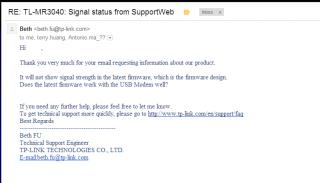
So clear now upgrade to the latest firmware not my fault / customer fault yaaa |
|
|
Dec 15 2012, 10:33 PM
|
|
Senior Member
558 posts Joined: Jun 2006 From: Lowyat.Net
|
QUOTE(chuahcs79 @ Dec 15 2012, 08:56 PM) Wireless G alone or wireless G+N both option will be fine, Confirmed. G+N 20Mhz = 65MbpsWireless G alone transmittion rate = 54Mbps while wireless G+N transmittion rate = should be 65Mbps as i am using wireless G+N now with Channel Width 20MHz Wireless G+N if Channel Width 40MHz , transmittion should be around 130Mbps +/- only wireless N alone with Channel Width 40MHz = 300 Mbps ( which only can really work in V2 only due to V1, V1.2, V1.3 all have wireless bug issue with Wireless N alone ) correct me if i am wrong If use 40Mhz, can't even detect network. |
|
|
Dec 16 2012, 02:40 AM
|
|
Elite
6,931 posts Joined: Apr 2011 From: Bolehland for sure ^_^
|
QUOTE(LcBoy135z @ Dec 15 2012, 09:48 PM) hi guys, im back with the news from TP LINK looks like tplink is trying to remove the signal % on coming latest firmware too,.
So clear now upgrade to the latest firmware not my fault / customer fault yaaa may be due to super bug anyway,. but at least TP LINK service representative is response very fast |
|
|
Dec 16 2012, 04:28 AM
|
|
Junior Member
96 posts Joined: Aug 2010
|
what's function for WDS bridging? do we need to enable or disable? one more, which mode better to select? b,g,n or only n mode? new learner..
|
|
|
Dec 16 2012, 04:38 AM
|
|
Elite
6,931 posts Joined: Apr 2011 From: Bolehland for sure ^_^
|
QUOTE(aerozs @ Dec 16 2012, 04:28 AM) what's function for WDS bridging? do we need to enable or disable? one more, which mode better to select? b,g,n or only n mode? new learner.. depends on whether u are using V1~1.3 or V2for V2 wireless N 300Mbps channel width 40MHz alone is fine where by V1~V1.3 model, can only use up to wireless G+N in channel width 20MHz,.. anymore futher it will cause the wireless Bug issue happen and wireless will be either connected but no response, or DC often if your area is not very huge, Wireless G alone with prefer wireless Channel ( normally many choose channel 11 ) is fine,. |
|
|
Dec 16 2012, 07:40 AM
|
|
Junior Member
10 posts Joined: Oct 2012
|
1. Huawei E392 or Huawei E398. Which one would you prefer?
2. Does TL-MR3420 v2 support E392? (E392 also seem quite wider so I wonder if it can't be plug on because mr3420 v2 has curve design around the USB port) |
|
|
Dec 16 2012, 11:12 AM
|
|
Junior Member
224 posts Joined: Mar 2009
|
QUOTE(AzamAbAziz @ Dec 16 2012, 07:40 AM) 1. Huawei E392 or Huawei E398. Which one would you prefer? Answer in red color..Depend on your pocket money...both arounf 4 - 5 star modem for me 2. Does TL-MR3420 v2 support E392? (E392 also seem quite wider so I wonder if it can't be plug on because mr3420 v2 has curve design around the USB port) Yes can use without any problem. Refer first post.tq enjoy |
|
|
Dec 16 2012, 12:08 PM
|
|
Elite
8,413 posts Joined: Jul 2008
|
QUOTE(AzamAbAziz @ Dec 16 2012, 07:40 AM) 1. Huawei E392 or Huawei E398. Which one would you prefer? E398 and never look back2. Does TL-MR3420 v2 support E392? (E392 also seem quite wider so I wonder if it can't be plug on because mr3420 v2 has curve design around the USB port) E392 is hot and unstable MR3420 support E392 |
|
|
Dec 16 2012, 01:33 PM
|
|
Senior Member
8,025 posts Joined: Feb 2005 From: Planet Boleland
|
I been using this on my router, i duno yours supports it
My surfing experience is much smoother using it. 
|
|
|
Dec 16 2012, 02:15 PM
|
|
Elite
6,931 posts Joined: Apr 2011 From: Bolehland for sure ^_^
|
QUOTE(blacktubi @ Dec 16 2012, 12:08 PM) E398 and never look back Hope to join E398 never look back club E392 is hot and unstable MR3420 support E392 since MR3420 V2 /V1 both no issue with it |
|
|
Dec 16 2012, 02:26 PM
|
|
Junior Member
554 posts Joined: Nov 2006
|
QUOTE(digilife @ Dec 16 2012, 01:33 PM) I been using this on my router, i duno yours supports it What is your router setup?My surfing experience is much smoother using it.
|
|
|
Dec 16 2012, 02:42 PM
|
|
Senior Member
8,025 posts Joined: Feb 2005 From: Planet Boleland
|
QUOTE(BladeRider88 @ Dec 16 2012, 02:26 PM) What is your router setup? 
|
|
|
Dec 16 2012, 03:35 PM
|
|
Junior Member
554 posts Joined: Nov 2006
|
QUOTE(digilife @ Dec 16 2012, 02:42 PM)
Am i right? |
|
|
Dec 16 2012, 03:39 PM
|
|
Elite
6,931 posts Joined: Apr 2011 From: Bolehland for sure ^_^
|
QUOTE(BladeRider88 @ Dec 16 2012, 03:35 PM) I assume your setup is like this 3G Modem + TP-Link MR3420 ---> D-Link DIR-615 if using as DHCP,.. any wireless router will do a good job,. Am i right? i am using my V1 as DHCP while V2 dialing the modem,. no matter V1 with STock tplink firmware or with openwrt firmware in DHCP mode, it really make no different,. This post has been edited by chuahcs79: Dec 16 2012, 03:40 PM |
|
|
Dec 16 2012, 03:41 PM
|
|
Junior Member
554 posts Joined: Nov 2006
|
QUOTE(chuahcs79 @ Dec 16 2012, 03:39 PM) if using as DHCP,.. any wireless router will do a good job,. My Asus rt-n13U seems having issues with Repeater mode...I bet it is a firmware issue as my Unifi setup, using D-Link DIR-825 running DD-WRT and act as Client Bridge, no such issue like auto DC |
|
|
Dec 16 2012, 03:43 PM
|
|
Elite
6,931 posts Joined: Apr 2011 From: Bolehland for sure ^_^
|
QUOTE(BladeRider88 @ Dec 16 2012, 03:41 PM) My Asus rt-n13U seems having issues with Repeater mode... u might want to try other version firmware ,. I bet it is a firmware issue as my Unifi setup, using D-Link DIR-825 running DD-WRT and act as Client Bridge, no such issue like auto DC |
|
|
Dec 16 2012, 03:44 PM
|
|
Junior Member
554 posts Joined: Nov 2006
|
QUOTE(chuahcs79 @ Dec 16 2012, 03:43 PM) u might want to try other version firmware ,. Yeah...i might try to flash DD-WRT to my asus router, anyway, now waiting for the V2 OpenWRT firmware development to be completed |
|
|
Dec 16 2012, 03:45 PM
|
|
Elite
6,931 posts Joined: Apr 2011 From: Bolehland for sure ^_^
|
QUOTE(BladeRider88 @ Dec 16 2012, 03:44 PM) Yeah...i might try to flash DD-WRT to my asus router, anyway, now waiting for the V2 OpenWRT firmware development to be completed yeah that's might work out better as repeater mode,. yeah finger cross waiting,.. just hope the new openwrt for V2 able to the 4G modem too |
|
Topic ClosedOptions
|
| Change to: |  0.2398sec 0.2398sec
 0.75 0.75
 6 queries 6 queries
 GZIP Disabled GZIP Disabled
Time is now: 10th December 2025 - 12:59 AM |
 Quote
Quote