Welcome Guest ( Log In | Register )

Outline · [ Standard ] · Linear+

 ASUS motherboard overclocking discussion, ASUS mb owners come to discuss here.

views
     
TSahsiah
post Mar 22 2008, 05:40 PM, updated 16y ago

Asus ROG Fan
*****
Senior Member
875 posts

Joined: Oct 2004
From: Selayang, Selangor


ASUS Motherboard Overclocking Discussion

Motherboard List
Intel Platform - Socket 1366
Intel X58 chipset motherboards
1. Asus Rampage II Extreme
2. Asus Rampage II GENE
3. Asus P6T Deluxe

Intel Platform - Socket 775
Intel X48 chipset motherboards
1. Asus Rampage Formula
2. Asus P5E Deluxe
3. Asus P5E 64 Evolution
4. Asus P5E3 Premium/WIFI-AP

Intel X38 chipset motherboards
1. Asus Maximus Formula SE
2. Asus Maximus Formula

Intel P45 chipset motherboards
1. Asus P5Q3 Deluxe/WIFI-AP
2. Asus P5Q Pro
3. Asus P5Q-E
4. Asus P5Q Deluxe
5. Asus P5Q
6. Asus Maximus II Formula

Intel P35 chipset motherboards
1. Asus P5K Premium Black Pearl WIFI-AP
2. Asus P5K Deluxe WIFI-AP
3. Asus P5K Pro
4. Asus Blitz Formula
5. Asus P5K R
6. Asus P5K
7. Asus P5K-SE
8. Asus P5K/EPU
9. Asus P5K-SE/EPU

Intel P965 chipset motherboards
1. Asus Commando
2. Asus P5B Deluxe

nVidia 790i chipset motherboards
1. Asus P5N64 WS Professional (With Ultra SLi)
2. Asus Striker II Extreme (With Ultra SLi)
3. Asus Striker II NSE (Without Ultra SLi)

AMD Platform - AM2+ Socket
nVidia 780i chipset motherboards
1. Asus Crosshair II Formula

(Please update me that I am not list out in the list above).

Overclocking Utilities
1. Memtest86+ For DOS
2. Memtest for Windows
3. LinX 0.5.8
4. OCCT 3.1.0b04 -> LowYat.net Forum
5. SuperPI
6. Memset 4.x -> LowYat.net Forum
7. Prime95
8. CPU-Z 1.51
9. Asus Probe II -> LowYat.net Forum

This post has been edited by ahsiah: May 13 2009, 01:18 PM
TSahsiah
post Mar 22 2008, 05:41 PM

Asus ROG Fan
*****
Senior Member
875 posts

Joined: Oct 2004
From: Selayang, Selangor


BIOS Details

Asus P5K Series
- Asus P5K Deluxe

QUOTE
BIOS Options (Listed in Tree)
» Click to show Spoiler - click again to hide... «


Explanation/Description

» Click to show Spoiler - click again to hide... «

Take Note: You guys want to take initiative on your own motherboard's overclocking bios explanation, please feel free to let me know.

This post has been edited by ahsiah: Mar 25 2008, 08:38 PM
TSahsiah
post Mar 22 2008, 05:44 PM

Asus ROG Fan
*****
Senior Member
875 posts

Joined: Oct 2004
From: Selayang, Selangor


Reserved for other motherboards.

This post has been edited by ahsiah: Mar 25 2008, 08:38 PM
TSahsiah
post Mar 22 2008, 06:06 PM

Asus ROG Fan
*****
Senior Member
875 posts

Joined: Oct 2004
From: Selayang, Selangor


Test setup and Benchmark

System Configuration 1
1. CPU: Intel Q6600 G0 Stepping.
2. Motherboard: Asus P5K Deluxe WIFI
3. RAM: Crucial Ballistix DDR800 x 4
4. Display Card: Sapphire 3870 Crossfire (2 units)
5. HDD: Western Raptor 8MB version x 2 (RAID 0)
6. HDD: Western Digital 250GB SATA HDD
7. Optical Drive: Panasonic SATA DVD RW
8. Monitor: Samsung 931BW
9. Mouse: Logitech G5
10. Casing: Lian Li V1200B-Plus II
11. Keyboard: A4Tech Gaming Keyboard G700
12. CPU Cooler: Xigmatek HDT-1283
13. PSU: Enermax Infinity 650W

Below is the VID that I taken from CoreTemp. Many people believe the Lower VID value represent the CPU is gem or not. I am using a not gem CPU for this benchmark, I guess my result would represent a lot people's result.

user posted image

Motherboard BIOS settings 1 - BIOS 0809

AI Overclocking: Manual
CPU ratio Control: Manual
- Ratio CMOS Setting: 9
FSB Strap to Northbridge: Auto
FSB frequency: 400
PCI-E Frequency: 110
DRAM Frequency: 961Mhz
DRAM Command Rate: 2T
DRAM Timing Control: Manual
CAS# Latency: 4
RAS# to CAS# Delay: 4
RAS# Precharge: 4
RAS# Activate to Precharge: 12
TWR: 3
TRFC: 30
TWTR: 3
TRRD: 3
TRTP: 8
DRAM Static Read Control: Disabled

Transaction Booster: Auto
Boost Level: 3
Clock Over-Charging Mode: Auto

CPU Spread Spectrum: Disabled
PCI-E Spread Spectrum: Disabled

CPU Voltage: 1.5250v
CPU Voltage Reference: Auto
CPU Voltage Damper: Enabled
CPU PLL Voltage: 1.6
DRAM Voltage: 2.25v
FSB Termination Voltage: 1.40v
NorthBridge Voltage: 1.55v
NorthBridge Voltage Reference: Auto
SouthBridge Voltage: 1.05v

Advance CPU Settings
CPU Ratio Control: Manual
- Ratios CMOS Setting: 9
C1E Support: Enabled
Max CPUID Value Limit: Disabled
Vanderpool Technology: Enabled
CPU TM Function: Enabled
Execute Disable Bit: Enabled

BenchMark Result for System Configuration 1
Memset86+ Memory Bandwidth table
user posted image

Will upload soon.

This post has been edited by ahsiah: Apr 4 2008, 12:44 PM
TSahsiah
post Mar 22 2008, 10:18 PM

Asus ROG Fan
*****
Senior Member
875 posts

Joined: Oct 2004
From: Selayang, Selangor


Existing User
Asus Rampage Formula
1. ahsiah
2. dixon102

Asus P5Q Deluxe
1. TristanX
2. TehWateva
3. reileong88
4. kaiser_falco
5. bOoEsT
6. VentureLKW
7. AceCombat
8. zuhair

Asus P5Q Pro
1. samlee860407
2. lim5659

Asus P5Q
1. safone

Asus Commando
1. KerryKing

Asus P5K Deluxe
1. QiW
2. AceCombat

Asus P5K Premium
1. AceCombat

Asus P5K-R
1. tnhafiz

Asus Maximus Formula
1. LExus65
2. glock88
3. AceCombat

Asus P5K Pro
1. msyafiq_m

Asus Blitz Formula
1. lichyetan

Asus P5K-SE
1. safone

Asus Striker II Formula
1. naTTan

Asus Maximus II Formula
1. roa85
2. AceCombat

Overclocking result
Super PI result (1M)

Asus P5K Deluxe
1. QiW - 375x8 - 17.781s

This post has been edited by ahsiah: Mar 6 2009, 02:39 PM
QiW
post Mar 24 2008, 08:50 AM

Casual
***
Junior Member
354 posts

Joined: Sep 2006
From: KL
me oso using p5k deluxe wifi
now facing some probs with it .. BIOS prob .. flashed it to the latest BIOS version 0809 (dated Feb 08) from ASUS site .. now totally screwed .. now trying to contact ASUS to try and rectify the prob

anyways .. heres my 1M superPi shot .. q6600@3.0 daily use + 2gb team elite ram

» Click to show Spoiler - click again to hide... «


This post has been edited by QiW: Mar 24 2008, 08:51 AM
kerryking
post Mar 25 2008, 01:07 AM

On my way
****
Senior Member
553 posts

Joined: Apr 2006
TS how about chg the topic to Asus mobo OC thread..
so more ppl can join and share their exp.
TSahsiah
post Mar 25 2008, 08:40 PM

Asus ROG Fan
*****
Senior Member
875 posts

Joined: Oct 2004
From: Selayang, Selangor


QUOTE(QiW @ Mar 24 2008, 08:50 AM)
me oso using p5k deluxe wifi
now facing some probs with it .. BIOS prob .. flashed it to the latest BIOS version 0809 (dated Feb 08) from ASUS site .. now totally screwed .. now trying to contact ASUS to try and rectify the prob

anyways .. heres my 1M superPi shot .. q6600@3.0 daily use + 2gb team elite ram

» Click to show Spoiler - click again to hide... «

*
Mind to elaborate more on your case? Why you say it is screwed?
QiW
post Mar 26 2008, 01:25 AM

Casual
***
Junior Member
354 posts

Joined: Sep 2006
From: KL
QUOTE(ahsiah @ Mar 25 2008, 08:40 PM)
Mind to elaborate more on your case? Why you say it is screwed?
*
the very 1st day i got this P5K deluxe wifi .. the bios didnt detect 1 of my HDD
but i left the assembling of the rig to complete till the next day coz too late at nite liauu .. the next day it worked .. dunno why oso rclxub.gif

then few days ago i removed mobo from casing to fit in new cooler .. unplugged all cables etc etc
then when fixed everything back .. it didnt detect one of my HDD and 1 sata optical .. plug and unplugged at least 5-6 times but it couldnt detect

so i tot might as well have a flash at the BIOS .. from 0603 to 0809 versions .. then all the trouble starts coming
it could detect my 2 troubled sata devices .. but not all the time
then it wont boot up from cd/dvd/thumbdrive
cannot OC without doing manual F8 select to boot
optical go crazee on off by itself when using windows but no cd/dvd inside

now ok liauu ... duno why suddenly ok .. but still buggy laa .. cry.gif
can boot up and OC as usual but temp readings very different from previous BIOS ... the settings in BIOS oso different .. maybe just a matter of taste

now still ok ... tomoro dunno laa .. i already written to ASUS and ask them whats the prob .. they have not replied yet
i spoke to my fren in ASUS .. i might get it RMA-ed then maybe go get the P5E laaa .. drool.gif

edit .. the best BIOs version to stick with is still the 0603 version laa IMO .. stable and logical OC functions .. hehehehe

This post has been edited by QiW: Mar 26 2008, 01:27 AM
tnhafiz
post Mar 26 2008, 03:16 AM

Getting Started
**
Junior Member
276 posts

Joined: Dec 2007
From: GOMBAK


hi to all asus mobo user.... biggrin.gif

im using asus P5KR.this is d detail:-

1)fsb=320
2)multiplier=10
3)vcore=1.424
4)ram mix1Gbx2(kingston 667 n ocz gold 800)=320mhzx2
5)vdimm=2.0

so,how to increase d oc?
temp:-idle=37
-100% load=70


This post has been edited by tnhafiz: Mar 26 2008, 09:21 AM
TSahsiah
post Mar 26 2008, 06:01 AM

Asus ROG Fan
*****
Senior Member
875 posts

Joined: Oct 2004
From: Selayang, Selangor


QUOTE(QiW @ Mar 26 2008, 01:25 AM)
the very 1st day i got this P5K deluxe wifi .. the bios didnt detect 1 of my HDD
but i left the assembling of the rig to complete till the next day coz too late at nite liauu .. the next day it worked .. dunno why oso  rclxub.gif

then few days ago i removed mobo from casing to fit in new cooler .. unplugged all cables etc etc
then when fixed everything back .. it didnt detect one of my HDD and 1 sata optical .. plug and unplugged at least 5-6 times but it couldnt detect

so i tot might as well have a flash at the BIOS .. from 0603 to 0809 versions .. then all the trouble starts coming
it could detect my 2 troubled sata devices .. but not all the time
then it wont boot up from cd/dvd/thumbdrive
cannot OC without doing manual F8 select to boot
optical go crazee on off by itself when using windows but no cd/dvd inside

now ok liauu ... duno why suddenly ok .. but still buggy laa ..  cry.gif
can boot up and OC as usual but temp readings very different from previous BIOS ... the settings in BIOS oso different .. maybe just a matter of taste

now still ok ... tomoro dunno laa .. i already written to ASUS and ask them whats the prob .. they have not replied yet
i spoke to my fren in ASUS .. i might get it RMA-ed then maybe go get the P5E laaa ..  drool.gif

edit .. the best BIOs version to stick with is still the 0603 version laa IMO .. stable and logical OC functions .. hehehehe
*
I came agross from other forum that people saying the temperature reporting is not correct for bios 0603. Either causing Core Temp or PC Probe reading the wrong tempearture. Not sure you notice this or not. I will try it when I am free.
QiW
post Mar 26 2008, 07:41 AM

Casual
***
Junior Member
354 posts

Joined: Sep 2006
From: KL
QUOTE(tnhafiz @ Mar 26 2008, 03:16 AM)
hi to all asus mobo user.... biggrin.gif

im using asus P5KR.this is d detail:-

1)fsb=320
2)multiplier=10
3)vcore=1.424
4)ram mix1Gbx2(kingston 667 n ocz gold 800)=320mhzx2
5)vdimm=2.0

so,how to increase d oc?
temp:-idle=37
        -100% load=70


Added on March 26, 2008, 3:17 amhi to all asus mobo user.... biggrin.gif

im using asus P5KR.this is d detail:-

1)fsb=320
2)multiplier=10
3)vcore=1.424
4)ram mix1Gbx2(kingston 667 n ocz gold 800)=320mhzx2
5)vdimm=2.0

so,how to increase d oc?
temp:-idle=37
        -100% load=70
*
load oso already 70C .. wanna UP you OC sommo ah ??
there is only ONE WAY to go higher .. that is increase vcore to supplement your FSB or multiplier increase .. and oso more vdimm laa for your DIMMs .. hehehe
that being said .. everything is increase VOLTAGE .. more voltage = more heat ... can u handle it ??? hehehehe
QiW
post Mar 26 2008, 07:51 AM

Casual
***
Junior Member
354 posts

Joined: Sep 2006
From: KL
QUOTE(ahsiah @ Mar 26 2008, 06:01 AM)
I came agross from other forum that people saying the temperature reporting is not correct for bios 0603. Either causing Core Temp or PC Probe reading the wrong tempearture. Not sure you notice this or not. I will try it when I am free.
*
using 0603 bios .. temp reading of CPU (using everest) is almost always 4-5C higher than the individual cores (everest/coretemp)
using 0809 bios .. temp reading of CPU (everest) is about 12C lower than the highest individual cores (everest/coretemp)

which one is the actual correct one ?? hehehehe .. unless u got laser temp measurement device .. there is no way to ascertain the real temp
i dont use the ASUS software provided .. ie. probe and intelligent suite tongue.gif

one more thing about ASUS EZ FLASH BIOS .. it will not let u flash your BIOS back to an older version than the current one .. so THINK CAREFULLY b4 u flash .. hahaha
the UPDATE TOOL oso doesnt work in order to flash older bios

however there is one thing that might work but i couldnt get it to work as it should .. any ideas or tips guys ???
i booted from 3.5inch (borrowed) MS-DOS and oso couldnt get it to work ...

Attached Image
tnhafiz
post Mar 26 2008, 09:29 AM

Getting Started
**
Junior Member
276 posts

Joined: Dec 2007
From: GOMBAK


hehe....bcoz many people said that my oc is just mild oc.what bout my ram setting?im not using dual cahhnel since my ram is not pair?
msyafiq_m
post Mar 26 2008, 11:32 AM

Getting Started
**
Junior Member
112 posts

Joined: Jan 2007
From: Johorean studying in Gombak


Hi.User of Asus P5K Pro here. Been using both E8400 and E2160 on this mobo. Performance is quite good, with a good range of voltage control.

Here's the performance of my mobo running an E8400 :

CPU : Core2Duo E8400
CPU clockspeed : 4.250 MHz (500 x 8.5)
Motherboard : Asus P5K Pro (Bios rev 0806)
RAM model : Crucial Ballistix Tracer PC6400
RAM capacity : 1GB X 2
RAM speed : 500 MHz, CL4-5-4-12
RAM mode : Dual channel
Voltage detail :
VCore : 1.375V
VDimm : 2.2V
PLL Voltage : 1.6V
FSB Termination Voltage : 1.32V
NB Voltage : 1.47V
PSU : FSP Epsilon 600W, and currently using Mushkin Enhanced 580W modular

Idle temp : 42C
Full load test (running Orthos) : 57C
Temp reading taken using CoreTemp, bu dont think that the temp reading is correct coz touched my heatsink, and its not even warm. Proc cooled using Silent Knight II

have yet to play e2160 on this mobo.no time ler with exam coming.
will post more result later.


Attached thumbnail(s)
Attached Image
bryanyeo87
post Mar 26 2008, 12:15 PM

Below the Belt
*******
Senior Member
3,175 posts

Joined: May 2006
QUOTE(tnhafiz @ Mar 26 2008, 03:16 AM)
hi to all asus mobo user.... biggrin.gif

im using asus P5KR.this is d detail:-

1)fsb=320
2)multiplier=10
3)vcore=1.424
4)ram mix1Gbx2(kingston 667 n ocz gold 800)=320mhzx2
5)vdimm=2.0

so,how to increase d oc?
temp:-idle=37
        -100% load=70
*
you stated everything except the crucial part, which is the cpu smile.gif

so what is it?


Added on March 26, 2008, 12:20 pm
QUOTE(msyafiq_m @ Mar 26 2008, 11:32 AM)
» Click to show Spoiler - click again to hide... «

Temp reading taken using CoreTemp, bu dont think that the temp reading is correct coz touched my heatsink, and its not even warm. Proc cooled using Silent Knight II

have yet to play e2160 on this mobo.no time ler with exam coming.
will post more result later.
*
you see, the hsf needs time to conduct the heat for it to start to feel warm, maybe after a prime stress test for about 10~15 mins would let the hsf warm up enough.

but then again, e8xxx series DTS is bugged, some read it below temps and some read it above what it is actually is, and some are just dead on the spot accurate, so which do you think is yours?

This post has been edited by bryanyeo87: Mar 26 2008, 12:20 PM
msyafiq_m
post Mar 26 2008, 12:26 PM

Getting Started
**
Junior Member
112 posts

Joined: Jan 2007
From: Johorean studying in Gombak


i think mine read above,coz i touched the heatsink only after the 2nd hour of stress. :-)

haven't tested using RealTemp tho..some penryn user suggested using RealTemp as the reading is the most accurate for the time being..
tnhafiz
post Mar 26 2008, 01:01 PM

Getting Started
**
Junior Member
276 posts

Joined: Dec 2007
From: GOMBAK


hehe.soory...my cpu is e45002.2ghz @3.2.
LExus65
post Mar 26 2008, 01:12 PM

Old Gezzer.....
******
Senior Member
1,995 posts

Joined: May 2005


maximus user report in, spec as my sig.......OC result still in progress...... just got my e2220 2 weeks ago, still in progress of tweaking but this proc is a real hot Babe..... super hot
bryanyeo87
post Mar 26 2008, 01:43 PM

Below the Belt
*******
Senior Member
3,175 posts

Joined: May 2006
QUOTE(tnhafiz @ Mar 26 2008, 01:01 PM)
hehe.soory...my cpu is e45002.2ghz @3.2.
*
e4xxx series doh.gif

most of them are bad, bad ocers :S

anyway, you can try lowering the multi to 9x and try push again.

alternatively, you can do a bsel pad mod, which does in some cases have a better ocing headroom, but you need to check if your cpu will boot or/is stable at 266fsb x10 or 333fsbx10, depending on whichever is more stable
lichyetan
post Mar 26 2008, 05:24 PM

*****
*******
Senior Member
2,295 posts

Joined: Jan 2005
From: Penang


Blitz formula user here, OC e8400 4.0ghz 24/7....
Still waiting for 9 series Penryn
tnhafiz
post Mar 26 2008, 07:42 PM

Getting Started
**
Junior Member
276 posts

Joined: Dec 2007
From: GOMBAK


haha...cpu e4xxx series are bad ocers.now i know...what bout e6xxx series?
msyafiq_m
post Mar 26 2008, 08:47 PM

Getting Started
**
Junior Member
112 posts

Joined: Jan 2007
From: Johorean studying in Gombak


@tnhafiz : before u think of changing proc, why dont u try to look for a matching pair of RAM?it will help u a lot in OC'ing,trust me. your mobo can reach fsb of 450MHz+ easily, i've tried and tested it before this.
keep in mind that at the same clockspeed : (higher fsb X lower multiplier) is always better than (lower fsb X higher multiplier)
TSahsiah
post Mar 27 2008, 07:07 AM

Asus ROG Fan
*****
Senior Member
875 posts

Joined: Oct 2004
From: Selayang, Selangor


Anyone manage to use AFUDOS revert the motherboard into older version?

This post has been edited by ahsiah: Mar 27 2008, 07:08 AM
tnhafiz
post Mar 27 2008, 08:27 AM

Getting Started
**
Junior Member
276 posts

Joined: Dec 2007
From: GOMBAK


QUOTE(msyafiq_m @ Mar 26 2008, 08:47 PM)
@tnhafiz : before u think of changing proc, why dont u try to look for a matching pair of RAM?it will help u a lot in OC'ing,trust me. your mobo can reach fsb of 450MHz+ easily, i've tried and tested it before this.
keep in mind that at the same clockspeed : (higher fsb X lower multiplier) is always better than (lower fsb X higher multiplier)
*
yeah...actually now im planning to get a pair ram.but no money.... biggrin.gif

QiW
post Mar 27 2008, 12:41 PM

Casual
***
Junior Member
354 posts

Joined: Sep 2006
From: KL
QUOTE(ahsiah @ Mar 27 2008, 07:07 AM)
Anyone manage to use AFUDOS revert the motherboard into older version?
*
if anyone manage to do it .. please teach me how .. hehehe
i oso wanna flash back to older version BIOS firmware laa
rinaidil
post Mar 27 2008, 05:07 PM

Getting Started
**
Junior Member
57 posts

Joined: Jan 2003

Mine is

Asus P5k
Core 2 duo E8200
Gigabyte 9600GT

All stock.

Something is wrong with my sensor for CPU. Always read at 0C to -4C. Updated bios also same problem so i never overclock.
graphicp
post Mar 27 2008, 09:13 PM

New Member
*
Junior Member
42 posts

Joined: Mar 2008


Asus P5KR user here. Very satisfied with this board. Manage to OC Q6600@3.7Ghz easily. 1.52v at idle No BSOD appear until right now.Huhu.....

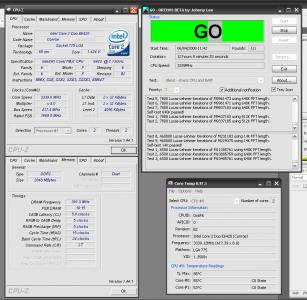
For 24/7 use @ 3.38Ghz succesful prime more than 12 hour. Screenshot

Stacker 832|Q6600|Asus P5KR|Gigabyte Odin Pro 550W|Thermalright Ultra 120 Extreme|Crucial Ballistix 6400 4GB Kit|MSI 8800GT 512MB|Logitech X-540|Logitech MX3200|WLCD Samsung 19"|Samsung DVDRW|

Bold=New added Hardware

This post has been edited by graphicp: Mar 27 2008, 09:16 PM
QiW
post Mar 28 2008, 10:49 AM

Casual
***
Junior Member
354 posts

Joined: Sep 2006
From: KL
QUOTE(graphicp @ Mar 27 2008, 09:13 PM)
Asus P5KR user here. Very satisfied with this board. Manage to OC Q6600@3.7Ghz easily. 1.52v at idle No BSOD appear until right now.Huhu.....

For 24/7 use @ 3.38Ghz succesful prime more than 12 hour. Screenshot

Stacker 832|Q6600|Asus P5KR|Gigabyte Odin Pro 550W|Thermalright Ultra 120 Extreme|Crucial Ballistix 6400 4GB Kit|MSI 8800GT 512MB|Logitech X-540|Logitech MX3200|WLCD Samsung 19"|Samsung DVDRW|

Bold=New added Hardware
*
whats your load temp for the Q6600 ?? u use which software to stress test ??
bryanyeo87
post Mar 28 2008, 12:46 PM

Below the Belt
*******
Senior Member
3,175 posts

Joined: May 2006
QUOTE(QiW @ Mar 28 2008, 10:49 AM)
whats your load temp for the Q6600 ?? u use which software to stress test ??
*
its stated in the SC link, and as well as his post. what more clearer? :S


@graphicp
nice oc biggrin.gif, cannot get it stable at 3.7?
you're using a xigmatek HDT or TRUE 120?
and room air-cond or not during the tests?

This post has been edited by bryanyeo87: Mar 28 2008, 12:51 PM
QiW
post Mar 28 2008, 01:10 PM

Casual
***
Junior Member
354 posts

Joined: Sep 2006
From: KL
QUOTE(bryanyeo87 @ Mar 28 2008, 12:46 PM)
its stated in the SC link, and as well as his post. what more clearer? :S
@graphicp
nice oc biggrin.gif, cannot get it stable at 3.7?
you're using a xigmatek HDT or TRUE 120?
and room air-cond or not during the tests?
*
i wanted to ask for the 3.7 OC one la ... 3.4 one is there la i can see tongue.gif
graphicp
post Mar 28 2008, 01:16 PM

New Member
*
Junior Member
42 posts

Joined: Mar 2008


Im very care about temp. Thats why all my test consists of two different torture test software. Always use TAT and Prime95. I like to take my temp reading when cpu is fully stresses by prime95. 12hour prime, highest cpu temp is 63. The average is 57 using Core temp and CPUID. Load vcore 1.352v.

My room very hot because facing the sunshine and no aircond. And the time i stress my system was start at 11.30pm. Good time to stress system at this condition. hot day, hot room, hot cpu........I believe when stressing my system at full night my temp reading will decrease around 3'C, because that time temp around u usually drop significantly.

For information, running my quad@3.7 , idle 47'C, fully load at 70'C. Quite hot due to 1.52v CPU-Z reading.


Added on March 28, 2008, 1:22 pm
QUOTE(bryanyeo87 @ Mar 28 2008, 12:46 PM)
its stated in the SC link, and as well as his post. what more clearer? :S
@graphicp
nice oc biggrin.gif, cannot get it stable at 3.7?
you're using a xigmatek HDT or TRUE 120?
and room air-cond or not during the tests?
*
Bro, i cant say stable at 3.7 becoz for me stable means stable under stress test more than 8 hours. But me fail after 4hours ++ 1 of my core was fail. sad.gif , Im using TRUE 120, no aircond at my room, very hot room becoz facing sunshine.

Screenshot Q6600@3.7Ghz

This post has been edited by graphicp: Mar 28 2008, 01:36 PM
kerryking
post Mar 29 2008, 12:59 PM

On my way
****
Senior Member
553 posts

Joined: Apr 2006
QUOTE(ahsiah @ Mar 27 2008, 07:07 AM)
Anyone manage to use AFUDOS revert the motherboard into older version?
*
Have u try EZFlash from bios.?
I tried b4..i think use the bios ezflash to flash back old one
TSahsiah
post Mar 29 2008, 10:29 PM

Asus ROG Fan
*****
Senior Member
875 posts

Joined: Oct 2004
From: Selayang, Selangor


I will set up my floppy drive for this revert back. Before that, I will post my result for Super PI and 3dmark06.
someone_stupid
post Mar 30 2008, 06:00 PM

Regular
******
Senior Member
1,205 posts

Joined: May 2007


oo an asus mobo thread i wanna ask all the sifus here im planning to get an overclockable mobo bt since there's a few brand and 1 is asus im wondering which mobo is good for overclock i wan got hd audio and also integrated vga wan n im using amd 4200 btw hmm?
cstkl1
post Mar 30 2008, 06:55 PM

Look at all my stars!!
Group Icon
Elite
6,799 posts

Joined: Jan 2003

QUOTE(ahsiah @ Mar 29 2008, 10:29 PM)
I will set up my floppy drive for this revert back. Before that, I will post my result for Super PI and 3dmark06.
*
well i have a asus engineering afudos here somewhere in my hdd

it was to flash back the rampage formula bios on the maximus
back to the original maximus formula.

`my`
post Mar 30 2008, 07:48 PM

Getting Started
**
Junior Member
54 posts

Joined: Mar 2008
QUOTE(cstkl1 @ Mar 30 2008, 06:55 PM)
well i have a asus engineering afudos here somewhere in my hdd

it was to flash back the rampage formula bios on the maximus
back to the original maximus formula.
*
What's wrong with the current BIOS? hmm.gif
cstkl1
post Mar 30 2008, 08:42 PM

Look at all my stars!!
Group Icon
Elite
6,799 posts

Joined: Jan 2003

QUOTE(`my` @ Mar 30 2008, 07:48 PM)
What's wrong with the current BIOS?  hmm.gif
*
sishh.. a silly question aint it..

gengstapo
post Mar 30 2008, 08:51 PM

Retired enthusiast
********
All Stars
10,688 posts

Joined: Jan 2005
QUOTE(cstkl1 @ Mar 30 2008, 08:42 PM)
sishh.. a silly question aint it..
*
chill man, newbie marr
give chance icon_rolleyes.gif

@`my` usually 1st release of BIOS, it will have unfixed bugs or compatibility issues with latest hardware etc. thats Y new BIOS will available to fix the pr0b
bokbeng
post Mar 30 2008, 08:54 PM

Getting Started
**
Junior Member
132 posts

Joined: Mar 2008
bro.. why didn't insert asus p5e? it's also a good mobo for oc
`my`
post Mar 30 2008, 09:09 PM

Getting Started
**
Junior Member
54 posts

Joined: Mar 2008
QUOTE(cstkl1 @ Mar 30 2008, 08:42 PM)
sishh.. a silly question aint it..
*
Ain't Rampage an X48 mobo and Maximus an X38. So going from X48 to the original X38 would mean going back rite? So what's wrong with the current or latest BIOS? hmm.gif

Or, I just get you wrong here. hmm.gif
lichyetan
post Mar 30 2008, 09:20 PM

*****
*******
Senior Member
2,295 posts

Joined: Jan 2005
From: Penang


some slight OC of mine with Blitz Formula, still testing out... will try run orthos blend test later...
Attached Image

cstkl1
post Mar 30 2008, 09:22 PM

Look at all my stars!!
Group Icon
Elite
6,799 posts

Joined: Jan 2003

QUOTE(`my` @ Mar 30 2008, 09:09 PM)
Ain't Rampage an X48 mobo and Maximus an X38. So going from X48 to the original X38 would mean going back rite? So what's wrong with the current or latest BIOS?  hmm.gif

Or, I just get you wrong here.  hmm.gif
*
x48 is just a higher bin x38
other than that the rampage formula board and maximus is the same
so using the right afudos u can flash the rampage bios into the maximus
to get full mem overclocking especially the performance levels
and also better gtl range.

u need engineering afudos if u want to flash back.

lichyetan
post Mar 30 2008, 09:33 PM

*****
*******
Senior Member
2,295 posts

Joined: Jan 2005
From: Penang


QUOTE(cstkl1 @ Mar 30 2008, 09:22 PM)
x48 is just a higher bin x38
other than that the rampage formula board and maximus is the same
so using the right afudos u can flash the rampage bios into the maximus
to get full mem overclocking especially the performance levels
and also better gtl range.

u need engineering afudos if u want to flash back.
*
i also finding a version of afudos to flashback or downgrade bios version for blitz formula, any idea? or source?
`my`
post Mar 30 2008, 09:38 PM

Getting Started
**
Junior Member
54 posts

Joined: Mar 2008
QUOTE(cstkl1 @ Mar 30 2008, 09:22 PM)
x48 is just a higher bin x38
other than that the rampage formula board and maximus is the same
so using the right afudos u can flash the rampage bios into the maximus
to get full mem overclocking especially the performance levels
and also better gtl range.

u need engineering afudos if u want to flash back.
*
So, my previous question ain't silly. It's just you downgraded back meaning the latest BIOS got prob. icon_rolleyes.gif

I know flashing BIOS is to solve previous problem but usually people will flash to latest, so that's why I'm asking why downgrading back? Is there a problem. So it's nothing silly. whistling.gif
cstkl1
post Mar 31 2008, 02:25 AM

Look at all my stars!!
Group Icon
Elite
6,799 posts

Joined: Jan 2003

QUOTE(`my` @ Mar 30 2008, 09:38 PM)
So, my previous question ain't silly. It's just you downgraded back meaning the latest BIOS got prob.  icon_rolleyes.gif

I know flashing BIOS is to solve previous problem but usually people will flash to latest, so that's why I'm asking why downgrading back? Is there a problem. So it's nothing silly.  whistling.gif
*
again ure silly
its flashing a different mobo bios..
if shit happens dont u want to go back to the bios meant for ure mobo..

thats y u need the engineering afudos.

its not downgrading..its A DIFFERENT BIOS ALL TOGETHER..

do a google and find out difference with rampage formula and maximus formula
also its possible to flash a asus p5e into a maximus or a rampage formula but u might lose out some features for the p5e.


This post has been edited by cstkl1: Mar 31 2008, 02:27 AM
`my`
post Mar 31 2008, 10:20 AM

Getting Started
**
Junior Member
54 posts

Joined: Mar 2008
QUOTE(cstkl1 @ Mar 31 2008, 02:25 AM)
again ure silly
its flashing a different mobo bios..
if shit happens dont u want to go back to the bios meant for ure mobo..

thats y u need the engineering afudos.

its not downgrading..its A DIFFERENT BIOS ALL TOGETHER..

do a google and find out difference with rampage formula and maximus formula
also its possible to flash a asus p5e into a maximus or a rampage formula but u might lose out some features for the p5e.
*
doh.gif doh.gif doh.gif

Told you it's almost the same thing. Different BIOS coz different chipset. I know Maximus and I know Rampage. Don't come and say silly coz you don't know everything too. The difference only you've experience. God damn it, what an arrogant person you are. Enough said bout that.

My question was what's wrong with the current BIOS? Could you just state you have some difficulties and problems rather than saying other people silly. Or you're trying to brag that yourself as an enthusiast so you can call noob to others doh.gif Everyone knows if you go from current to latest coz you have some problems with the current. But when flashing Maximus to Rampage or the othe way round, not many people have done that. So the consequences and results should be shared.

Sorry if this post offence you or any other people. I'm just saying that I asked a simple question and the answer from an experience person is 'Silly'. I'm really frustrated with the attitude that is being given just because you have the luck and experience to experiment with many hardwares. Have some manners please, this is a place to share and not to brag yourself. The information shared will benefit more people than just me. 'nuff said here. Pardon me Admin and Mods. notworthy.gif
cstkl1
post Mar 31 2008, 10:50 AM

Look at all my stars!!
Group Icon
Elite
6,799 posts

Joined: Jan 2003

sorry ppl but a repy to something thats totally irrelevant to this thread.
» Click to show Spoiler - click again to hide... «


This post has been edited by cstkl1: Mar 31 2008, 10:57 AM
QiW
post Mar 31 2008, 11:13 AM

Casual
***
Junior Member
354 posts

Joined: Sep 2006
From: KL
anybody wanna mail me their copy of ENGINEERING AFUDOS for back flashing ?? hehehehe tongue.gif
LExus65
post Mar 31 2008, 01:03 PM

Old Gezzer.....
******
Senior Member
1,995 posts

Joined: May 2005


rampage seems to give quite a good range of gtl, may be that what i need for my e2220 to break ghz with lower voltage....the bloody chip default pll voltage is so high

hrm.... may be i should try rampage bios too.....may be i'll consult cstkl1 later when i got time.... so many work pile up late, need to find more time to play with my maximus.

bokbeng, not many p5e user around here i guess
cstkl1
post Mar 31 2008, 02:25 PM

Look at all my stars!!
Group Icon
Elite
6,799 posts

Joined: Jan 2003

QUOTE(LExus65 @ Mar 31 2008, 01:03 PM)
rampage seems to give quite a good range of gtl, may be that what i need for my e2220 to break ghz with lower voltage....the bloody chip default pll voltage is so high

hrm.... may be i should try rampage bios too.....may be i'll consult cstkl1 later when i got time.... so many work pile up late, need to find more time to play with my maximus.

bokbeng, not many p5e user around here i guess
*
look at iriz posting in the quads..
he just flashed to rampage..
now 3.2ghz at 0.01v+ on stock voltages..
heck his nb voltage and fsb voltage also ridiculously low with the rampage bios.

best of all it was done with his mem at maximum bandwidth at trd 7.. which is easier to set on rampage bios.

so its definitely the way to go..


Added on March 31, 2008, 2:26 pm
QUOTE(QiW @ Mar 31 2008, 11:13 AM)
anybody wanna mail me their copy of ENGINEERING AFUDOS for back flashing ?? hehehehe tongue.gif
*
http://www.tyan.com/tech/matrix_flashUtility.aspx

This post has been edited by cstkl1: Mar 31 2008, 02:26 PM
QiW
post Mar 31 2008, 04:08 PM

Casual
***
Junior Member
354 posts

Joined: Sep 2006
From: KL
QUOTE(cstkl1 @ Mar 31 2008, 02:25 PM)
look at iriz posting in the quads..
he just flashed to rampage..
now 3.2ghz at 0.01v+ on stock voltages..
heck his nb voltage and fsb voltage also ridiculously low with the rampage bios.

best of all it was done with his mem at maximum bandwidth at trd 7.. which is easier to set on rampage bios.

so its definitely the way to go..


Added on March 31, 2008, 2:26 pm
http://www.tyan.com/tech/matrix_flashUtility.aspx
*
ok .. thanks ... will try and see what happens .. tongue.gif
`my`
post Mar 31 2008, 06:34 PM

Getting Started
**
Junior Member
54 posts

Joined: Mar 2008
QUOTE(cstkl1 @ Mar 31 2008, 10:50 AM)
» Click to show Spoiler - click again to hide... «


Aye, no further comments on that. 'Nuff war already + still have respect for seniors. nod.gif

By the way, sorry if again a silly question, comparing Maximus and P5E WS Pro, which one would be better for OCing with E8xxx Penryns. Coz Maximus would be preferable as it is meant for gamers and serious OCers. I'm not too sure bout WS Pro, but I'm attracted to the additional features though. notworthy.gif
TSahsiah
post Apr 1 2008, 07:00 AM

Asus ROG Fan
*****
Senior Member
875 posts

Joined: Oct 2004
From: Selayang, Selangor


It is ok to question and answer here. Please use polite word as we are all learning here.
lichyetan
post Apr 1 2008, 04:01 PM

*****
*******
Senior Member
2,295 posts

Joined: Jan 2005
From: Penang


ok, some noob question, for CPU OC, we can test via prime95 in-place fft to check stability whether its enough voltage, for memory, we can test through blend test and memtest.
Here is my noob question, how do we detect if there are insufficient NB volt, FSB Vtt or PLL ? we should check it using what software, so far my OC have been tested with OCCT, Orthos and Prime, all passes at least 7 hours mark. The settings are FSB: 458 DDR2 1100 with settings on the screenies,
Attached Image
but when i tried higher FSB for higher memory clock speed, such as 1130, 1140 i can pass 32M SuperPI, but failed orthos blend with 4096mb mem in uses in just few minutes and sometimes it can hold till 1 hour... i have tried bumping the NB volt but it doesnt help, so wat NB voltage settings its suitable for me to run my p35(Blitz Formula SE) for FSB above 475? been following anandtech's performance level's guide, so far i did with performance level 7. or my case is just insufficient vdimm to run 1130 or 1140... dun dare to raise the ram voltage over 2.2v.
fesick
post Apr 1 2008, 04:16 PM

Serious mode
*******
Senior Member
2,009 posts

Joined: Oct 2006
From: My house
waa..cool bro..i just request u to post sp1 at crucial 4gbkit thread..
now u post edi..
cstkl1
post Apr 1 2008, 09:05 PM

Look at all my stars!!
Group Icon
Elite
6,799 posts

Joined: Jan 2003

licyetan
u really increased the latencies
and then lowered the trd

so no diff on ure trd... heck might be even worse ..
the reason is the following

and sishh this is the default
and u went much more looser than this
write to precharge delay = 12
write to read delay = 9
and the one thats really bad..
all to precharge delay default is 3.. by putting 6.. ure latencies and bandwidth just took a hit..
so ure 1100 mhz just for show dude..

dont even want to ask whats ure

bank delays are.. surely atrocious.

write to read
read to read and write to write.
for asus mobo is denoted with (D)
default should be 5 for write to read
and the others is 6...
but u can easily make all of them either 5-5-5- or 5-4-5 ( 4 for read to read bank delay)
run a everest bandwidth test.. and watch ure latencies on mem and L2.

the asus mem settings are already tight..

u just need to change the trd..
all to precharge delay just leave it

and the bank delays advice to leave it at stock..

change the ai skew to strong.. and disable any from of t2 dispatch, static read etc..
it will intefere with the ai skew.

and hmm the reasoning for ure failure.. in overclocking
cause ure just testing very little mem..
try memtest.. with 2096 mb and heck even play avi file.. willing to bet it will hang.


This post has been edited by cstkl1: Apr 1 2008, 09:15 PM
TSahsiah
post Apr 1 2008, 10:10 PM

Asus ROG Fan
*****
Senior Member
875 posts

Joined: Oct 2004
From: Selayang, Selangor


@QiW,

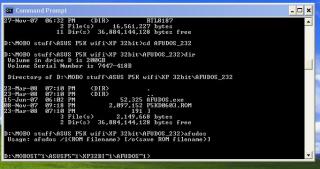
I managed to revert back my motherboard BIOS with a tool called AMIFLASH.COM and it must be executed in Dos environment. Please PM me your email address and I can email that program to you.

@All,

I reflashed my P5K Deluxe to 0404. Compare to 0809. 0404 is more OCable. I managed to push my memory higher compare to 0809.

I did use MemTest86+ to test the bandwidth for Transaction Booster and Boost Level or Relax Level. I will update the result in the first post.


overclockalbert
post Apr 1 2008, 10:11 PM

Regular
******
Senior Member
1,058 posts

Joined: Apr 2006
From: Penang , Malaysia


huh! that was some stuff of explanation.


lichyetan
post Apr 2 2008, 12:04 AM

*****
*******
Senior Member
2,295 posts

Joined: Jan 2005
From: Penang


» Click to show Spoiler - click again to hide... «

hey bro, just read ur guide, but i realise i cant change the all to precharge delay, i cannot change it in memset, yet cannot find it in my bios... WTH... Blitz formula dont have this feature? and also there are no AI skew settings also... i'll try lower the settings as i leave them all at auto at the moment... will get back here once i change the settings... now trying to lower all those timings... thanks for the info bro... and also the anadtech's guide are good too... thumbup.gif
here is the screenies of my bios, no settings for the ai skew and all to precharge delay
Attached Image
latest updates, tried memtest... all to precharge delays still 6, it might be the ram default, cannot find a way to change it... but changed some of them...
Attached Image


This post has been edited by lichyetan: Apr 2 2008, 09:53 AM
graphicp
post Apr 2 2008, 12:58 AM

New Member
*
Junior Member
42 posts

Joined: Mar 2008


Sorry to sibuk bro. Seems like your transaction booster was enable. For better overclocking result, u should try disable the transaction booster to have better stability in your overclock.
cstkl1
post Apr 2 2008, 01:31 AM

Look at all my stars!!
Group Icon
Elite
6,799 posts

Joined: Jan 2003

QUOTE(graphicp @ Apr 2 2008, 12:58 AM)
Sorry to sibuk bro. Seems like your transaction booster was enable. For better overclocking result, u should try disable the transaction booster to have better stability in your overclock.
*
hmm depends bro on his strap..
but he is right licyetan.. disable it and set ure relax level to 0 or 1.. ( this is basically the control for trd's)

hmm wait looking at ure mobo trying to get the equivalent..
till today i dunno why asus cannot follow common set acronyms

set it at default.. its already tight.. dont change any of it..
theres no need.

AT sometimes nuts.. they dont mind higer bandwidth but take a hit on latencies..


Added on April 2, 2008, 1:44 amuser posted image

if i was u i'd use maximus timings.. but they should be the same..but ure mobo seems limited on ram options

the only performance difference u can get from this is the change of the

Write to write Delay(d)
read to read delay(d)
to 5..
anything lower it only good for benchies..

heck i use almost the same settings with my dfi.. since its optimal
except pissed off at DFI for taking off the tREF.. since its abysmal on the dfi

end of the day.. if do bandwidth test.. the dfi cannot beat the maximus..
mainly because of the tref.

h

This post has been edited by cstkl1: Apr 2 2008, 01:49 AM
lichyetan
post Apr 2 2008, 10:08 AM

*****
*******
Senior Member
2,295 posts

Joined: Jan 2005
From: Penang


» Click to show Spoiler - click again to hide... «

ok, aint disabling the transaction booster will make the performance lvl dropped to 10, but so far i can get ddr2 1100 stable already... juz cant change the all to precharge delays... and also lose some settings over ,maximus wif this blitz.
Attached Image

QiW
post Apr 2 2008, 11:38 AM

Casual
***
Junior Member
354 posts

Joined: Sep 2006
From: KL
QUOTE(ahsiah @ Apr 1 2008, 10:10 PM)
@QiW,

    I managed to revert back my motherboard BIOS with a tool called AMIFLASH.COM and it must be executed in Dos environment. Please PM me your email address and I can email that program to you.

@All,

    I reflashed my P5K Deluxe to 0404. Compare to 0809. 0404 is more OCable. I managed to push my memory higher compare to 0809.

    I did use MemTest86+ to test the bandwidth for Transaction Booster and Boost Level or Relax Level. I will update the result in the first post.
*
thanks .. u got PM smile.gif
rainingzero
post Apr 2 2008, 11:34 PM

I miss my student life~
*******
Senior Member
2,497 posts

Joined: Jan 2006
From: Selangor


seems like a thread for intel n Asus based system....sweat.gif
TSahsiah
post Apr 3 2008, 06:33 AM

Asus ROG Fan
*****
Senior Member
875 posts

Joined: Oct 2004
From: Selayang, Selangor


QUOTE(rainingzero @ Apr 2 2008, 11:34 PM)
seems like a thread for intel n Asus based system....sweat.gif
*
AMD and Asus based system overclocking are welcome too.
zubai
post Apr 7 2008, 12:41 AM

Casual
***
Junior Member
347 posts

Joined: Nov 2006
From: Kangar


P5N-E SLi user reporting in happy.gif . So far, I've manage to oc my E6420 to 3339MHz with 1.45 vcore w/ bios ver 0901. Orthos has been running for 1 hour rite now. A question; izzit true that Asus board is picky with what ram that we use? I've read about this a few times from other forum. So far I've oc my ram to 800MHz from 667MHz.
kerryking
post Apr 8 2008, 11:56 AM

On my way
****
Senior Member
553 posts

Joined: Apr 2006
QUOTE(zubai @ Apr 7 2008, 12:41 AM)
P5N-E SLi user reporting in happy.gif . So far, I've manage to oc my E6420 to 3339MHz with 1.45 vcore w/ bios ver 0901. Orthos has been running for 1 hour rite now. A question; izzit true that Asus board is picky with what ram that we use? I've read about this a few times from other forum. So far I've oc my ram to 800MHz from 667MHz.
*
hey bro, thats lots of vcore u putting in for 3.3ghz
wats ur proc batch?
irenic
post Apr 8 2008, 01:28 PM

extr3me n3wbie
*******
Senior Member
7,338 posts

Joined: Jan 2003
From: Cybercity of Cyberjaya


just manage to get my hand on asus p5e3 premium wifi n edition..

still has no time to play with it..

Attached Image

Attached Image

This post has been edited by irenic: Apr 8 2008, 01:29 PM
cstkl1
post Apr 8 2008, 02:24 PM

Look at all my stars!!
Group Icon
Elite
6,799 posts

Joined: Jan 2003

QUOTE(irenic @ Apr 8 2008, 01:28 PM)
just manage to get my hand on asus p5e3 premium wifi n edition..

still has no time to play with it..

Attached Image

Attached Image
*
dude ure having problem with ure card is it??

very sure its the card thats making the board not to boot??


irenic
post Apr 8 2008, 02:26 PM

extr3me n3wbie
*******
Senior Member
7,338 posts

Joined: Jan 2003
From: Cybercity of Cyberjaya


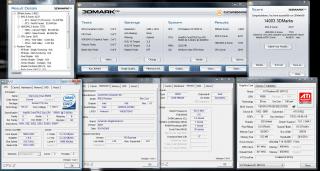
no prob.. here is the 3dmark06 result with everything at default..

Intel C2D E6850
Asus P5E3 Premium
Sapphire HD 3870X2
2gb HyperX ddr3 gb
PC Power n Cooling 750w

Attached Image

This post has been edited by irenic: Apr 8 2008, 02:28 PM
Hellsceamer
post Apr 8 2008, 02:46 PM

Getting Started
**
Junior Member
257 posts

Joined: Jan 2003


QUOTE(irenic @ Apr 8 2008, 02:26 PM)
no prob.. here is the 3dmark06 result with everything at default..

Intel C2D E6850
Asus P5E3 Premium
Sapphire HD 3870X2
2gb HyperX ddr3 gb
PC Power n Cooling 750w

Attached Image
*
how did you get it work?
irenic
post Apr 8 2008, 02:52 PM

extr3me n3wbie
*******
Senior Member
7,338 posts

Joined: Jan 2003
From: Cybercity of Cyberjaya


well just disable the expressgate in the bios smile.gif
cstkl1
post Apr 8 2008, 02:54 PM

Look at all my stars!!
Group Icon
Elite
6,799 posts

Joined: Jan 2003

QUOTE(irenic @ Apr 8 2008, 02:26 PM)
no prob.. here is the 3dmark06 result with everything at default..

Intel C2D E6850
Asus P5E3 Premium
Sapphire HD 3870X2
2gb HyperX ddr3 gb
PC Power n Cooling 750w

Attached Image
*
QUOTE(irenic @ Apr 8 2008, 02:52 PM)
well just disable the expressgate in the bios smile.gif
*
ah non just that heard that somebody called cycom and said got issue..
so thought it was u..

anyway good stuff.


Hellsceamer
post Apr 8 2008, 02:59 PM

Getting Started
**
Junior Member
257 posts

Joined: Jan 2003


QUOTE(irenic @ Apr 8 2008, 02:52 PM)
well just disable the expressgate in the bios smile.gif
*
what's the expressgate do one? sorry for asking noob question...


Added on April 8, 2008, 3:05 pmhttp://techgage.com/article/asus_p5e3_deluxe_wifi-ap_n/3

This post has been edited by Hellsceamer: Apr 8 2008, 03:05 PM
irenic
post Apr 8 2008, 03:05 PM

extr3me n3wbie
*******
Senior Member
7,338 posts

Joined: Jan 2003
From: Cybercity of Cyberjaya


it's a issue indeed.. u cant oc bcoz if oc fail or not stable, need to reset the bios and the expressgate is automatically enable. what for buying this good oc board just to run at stock ? tongue.gif

btw yeah it's me who called them. i wanna find solution for it. either return the x2 for sthing else or return the p5e3 premium back and change with other ddr3 board? hope they can do sthing for me.. thumbup.gif

This post has been edited by irenic: Apr 8 2008, 03:10 PM
cstkl1
post Apr 8 2008, 03:33 PM

Look at all my stars!!
Group Icon
Elite
6,799 posts

Joined: Jan 2003

QUOTE(irenic @ Apr 8 2008, 03:05 PM)
it's a issue indeed.. u cant oc bcoz if oc fail or not stable, need to reset the bios and the expressgate is automatically enable. what for buying this good oc board just to run at stock ? tongue.gif

btw yeah it's me who called them. i wanna find solution for it. either return the x2 for sthing else or return the p5e3 premium back and change with other ddr3 board? hope they can do sthing for me..  thumbup.gif
*
eh the expressgate..
u can erase it..

its just a linux system.


did it last time for the m2n32esli.

dude explain this
"u cant oc bcoz if oc fail or not stable, need to reset the bios "

well if unstable of course u need to reset..

and it cant be.. this board now holds most of the world records.


This post has been edited by cstkl1: Apr 8 2008, 03:36 PM
irenic
post Apr 8 2008, 05:41 PM

extr3me n3wbie
*******
Senior Member
7,338 posts

Joined: Jan 2003
From: Cybercity of Cyberjaya


no.. i mean of coz when we tweak the bios, there comes a time that the setting is not stable, where ur pc wont boot, then u have to reset the cmos.

so the expressgate will automatically enable, and i have to find another card, plug it in, just to disable the expressgate.

maybe it can be delete, but i dun want to delete any stuffs that contribute to the high price of this board..
zubai
post Apr 9 2008, 12:28 AM

Casual
***
Junior Member
347 posts

Joined: Nov 2006
From: Kangar


QUOTE(kerryking @ Apr 8 2008, 11:56 AM)
hey bro, thats lots of vcore u putting in for 3.3ghz
wats ur proc batch?
*
Yeah, I thought so too. I just wish I can do this. About the batch, I'm not sure, what software I can use to check? Tonight I'm testing how far can I go with stock vcore, rite now testing @ 3.1GHz. Wish me luck!
RahXeph0n
post Apr 12 2008, 04:08 AM

Getting Started
**
Junior Member
188 posts

Joined: Oct 2006


I know the P5N-D sucks blush.gif

Wondering how would I know if I need to raise voltage for NB and stuff, and what voltages to set them to. Currently only raised vcore and a vdimm for the rams (2x 2gb now at 1.9v, 5-5-5-18 for stability).

E8400 proc, at 3915 mhz (435x9) at 1.32volts-bios (1.25-1.26v on load) but when I leave OCCT on mix running for a few hours I come back and my pc is frozen. Same with prime95 on blend, though that froze in 15 minutes. Program didn't terminate or prompt error, but the screen is frozen. Only can push reset button doh.gif

However, the pc doesnt freeze when I do prime95 small fft for over an hour. And orthos doesnt freeze or return any errors too (so far 1 hour on priority 8).


What should I do? Memtest 1000%?
Raise vcore?
Anything else?

This post has been edited by RahXeph0n: Apr 12 2008, 04:14 AM
cstkl1
post Apr 12 2008, 04:39 AM

Look at all my stars!!
Group Icon
Elite
6,799 posts

Joined: Jan 2003

QUOTE(RahXeph0n @ Apr 12 2008, 04:08 AM)
I know the P5N-D sucks  blush.gif

Wondering how would I know if I need to raise voltage for NB and stuff, and what voltages to set them to. Currently only raised vcore and a vdimm for the rams (2x 2gb now at 1.9v,  5-5-5-18 for stability).

E8400 proc, at 3915 mhz (435x9) at 1.32volts-bios (1.25-1.26v on load) but when I leave OCCT on mix running for a few hours I come back and my pc is frozen. Same with prime95 on blend, though that froze in 15 minutes. Program didn't terminate or prompt error, but the screen is frozen. Only can push reset button  doh.gif

However, the pc doesnt freeze when I do prime95 small fft for over an hour. And orthos doesnt freeze or return any errors too (so far 1 hour on priority 8).
What should I do? Memtest 1000%?
Raise vcore?
Anything else?
*
it could be anything for freeze..

could be vcore vs nb vs vtt vs mem voltages..

and it could even be cause one of them is overvolted etc...

recently a forumer came and asked me about my striker formula 2 clocks.. same i spent nearly a month with my e8400 on p35's and x38's so didnt take me long for the 780 board..
theres no clear define way or shortcuts... know thy board and then know that proc...

gtoforce
post Apr 12 2008, 05:08 AM

SPAM AND BECOME A SENIOR MEMBER
*******
Senior Member
2,967 posts

Joined: May 2006


http://forum.lowyat.net/topic/671292
RahXeph0n
post Apr 13 2008, 01:29 AM

Getting Started
**
Junior Member
188 posts

Joined: Oct 2006


QUOTE(cstkl1 @ Apr 12 2008, 04:39 AM)
it could be anything for freeze..

could be vcore vs nb vs vtt vs mem voltages..

and it could even be cause one of them is overvolted etc...

recently a forumer came and asked me about my striker formula 2 clocks.. same i spent nearly a month with my e8400 on p35's and x38's so didnt take me long for the 780 board..
theres no clear define way or shortcuts... know thy board and then know that proc...
*
Hmmm. Okay. I increased my vcore and it seems much better now, no freezing or failing and stress tests so far. I'm more cuirous about the NB voltages though. What would be a reason to raise that? Also, when peopel say for example "stable at 4.5ghz 1.5v" does that mean it's 1.5v under load, or in bios setting, or idle? Or do good mobos have 0 vdroop?

Very few people use the P5N-D haha. Hard to find overclocking discussions. rclxub.gif


QUOTE(gtoforce @ Apr 12 2008, 05:08 AM)
Err... was that for me?

This post has been edited by RahXeph0n: Apr 13 2008, 02:20 AM
gtoforce
post Apr 13 2008, 03:23 AM

SPAM AND BECOME A SENIOR MEMBER
*******
Senior Member
2,967 posts

Joined: May 2006


Err... was that for me?
*

[/quote]
nope
was just generally introducing my thread to u guys
my mobo's supposed to be great
but it has problems in oc
even if no oc, the boot up screen detects it as "overclock failed etc etc"
hengmy
post Apr 16 2008, 04:08 PM

Regular
******
Senior Member
1,991 posts

Joined: Jan 2007
From: Seri Kembangan


hi all sifus here, i am using asus p5k/epu board right now..
i want to ask how the epu work? it seem like cant work after i oc my processor.. but i do when use at stock setting..
anyone can utilize the epu yet after oc? or just a marketing strategies from asus...
RahXeph0n
post Apr 16 2008, 10:39 PM

Getting Started
**
Junior Member
188 posts

Joined: Oct 2006


QUOTE(hengmy @ Apr 16 2008, 04:08 PM)
hi all sifus here, i am using asus p5k/epu board right now..
i want to ask how the epu work? it seem like cant work after i oc my processor.. but i do when use at stock setting..
anyone can utilize the epu yet after oc? or just a marketing strategies from asus...
*
If you overclock manually, you have to set the AI tuning to manual, and hence the power saving features will be disabled if i'm not wrong.

Anyway, finally got my proc stable I think.
Had to set NB and HT voltage to 1.3 (Through random trial and error)
Under load, cpu-z shows my voltage under load as 1.264v 7/8 of the time, 1/8 of the time as 1.280v . When idle it also shows 1.280v
My rams suck. Had to use 5-5-5-18 timings in order to get it stable at 880mhz, and that is with 2.01 volts in bios (shows as 2.05 in AI-suite)

user posted image

hengmy
post Apr 17 2008, 12:51 AM

Regular
******
Senior Member
1,991 posts

Joined: Jan 2007
From: Seri Kembangan


another problem is when i use asus probeII, the temp show will sometine very low(less than 10c) and some time very high (more than 250c).. anyone got face this problem?
graphicp
post Apr 18 2008, 01:32 AM

New Member
*
Junior Member
42 posts

Joined: Mar 2008


Better find other solution for your monitoring software instead of using the software given by manufactured. Its more accurate compare to your current monitoring software. Try this coretemp or cpuid. Download here.
zubai
post Apr 20 2008, 03:41 AM

Casual
***
Junior Member
347 posts

Joined: Nov 2006
From: Kangar


Attached Image

As you can see above, my oc is stable @ 12hours of orthos, but my system will crash when playing a certain video files (not all), sometimes 20 minutes while playing, and sometimes just a few second and then crash. Hell I've played Crysis 3 hours straight and everthing was fine. The prob disappear when i switch to stock setting tho. rclxub.gif I'm seeing stars now.. Is this mean that my oc isn't stable enough?
BuLaNaR
post Apr 20 2008, 06:33 AM

penyair sepi
*****
Senior Member
777 posts

Joined: Sep 2007
From: bandar baru bangi


try to use comp temp
Radeon
post Apr 20 2008, 09:06 AM

Semi-Retired Overclocker
*******
Senior Member
2,257 posts

Joined: Jan 2003

QUOTE(zubai @ Apr 20 2008, 03:41 AM)
Attached Image

As you can see above, my oc is stable @ 12hours of orthos, but my system will crash when playing a certain video files (not all), sometimes 20 minutes while playing, and sometimes just a few second and then crash. Hell I've played Crysis 3 hours straight and everthing was fine. The prob disappear when i switch to stock setting tho. rclxub.gif I'm seeing stars now.. Is this mean that my oc isn't stable enough?
*
try it out with small FFT and check if it is stable,

ps:
if you are on air cooling your voltage is a bit high to run it 24/7
zubai
post Apr 21 2008, 06:14 PM

Casual
***
Junior Member
347 posts

Joined: Nov 2006
From: Kangar


QUOTE(Radeon @ Apr 20 2008, 09:06 AM)
try it out with small FFT and check if it is stable,

ps:
if you are on air cooling your voltage is a bit high to run it 24/7
*
Yup, it takes THAT much vcore just to stabilized it. Maybe i've got a crap batch cry.gif .
LExus65
post Apr 24 2008, 09:09 AM

Old Gezzer.....
******
Senior Member
1,995 posts

Joined: May 2005


very quite lately, anything new ??

btw guys need some opinion here, regarding the CPU PLL default voltage, will it differ from CPU to CPU ???

i found mine e2220 cpu PLL very weird, stock setting already 1.6v in hardware reading even i set the bios as 1.5v ?? Bios 1002.
In previos bios 904 (if not mistaken), shows about 1.56 only

i'll goin to try other version and see how it goes, hope to get more info on this.
msyafiq_m
post Apr 24 2008, 11:44 AM

Getting Started
**
Junior Member
112 posts

Joined: Jan 2007
From: Johorean studying in Gombak


For ASUS board user, here's the link to ASUS ftp BIOS download site:
ftp://ftp.asus.com/pub/ASUS/mb/socket775

For LGA775 only though..
general_odin
post Apr 25 2008, 01:12 AM

no work, no money
*****
Senior Member
904 posts

Joined: Nov 2006
From: Selangor & Malacca, Malaysia


ehh... didnt see any ASUS P5K SE arround
TSahsiah
post Apr 25 2008, 08:29 PM

Asus ROG Fan
*****
Senior Member
875 posts

Joined: Oct 2004
From: Selayang, Selangor


QUOTE(general_odin @ Apr 25 2008, 01:12 AM)
ehh... didnt see any ASUS P5K SE arround
*
Is your Asus P5K SE is EPU version or not?
general_odin
post Apr 26 2008, 01:11 AM

no work, no money
*****
Senior Member
904 posts

Joined: Nov 2006
From: Selangor & Malacca, Malaysia


my client's one... P5K SE/EPU

any reviews ?
LExus65
post Apr 27 2008, 12:07 AM

Old Gezzer.....
******
Senior Member
1,995 posts

Joined: May 2005


guys need some opinion here, it seems after i flash into rampage bios, my mobo sensor go haywire, giving weird reading for all the temp, voltage (except v core) in everest and not to mention even the GPU (core, memory, temp) , but hardware monitor seems to work fine. I have try 2 version of the bios 0219 and 0308, any idea apa jadi??

but it really reat bios there, all the details in memory tweaking....
fesick
post Apr 27 2008, 01:27 AM

Serious mode
*******
Senior Member
2,009 posts

Joined: Oct 2006
From: My house
any asus p5kc owner here?
ThinWai
post Apr 27 2008, 08:45 AM

Casual
***
Junior Member
474 posts

Joined: Aug 2007
From: Kota Kinabalu, Sabah


mine is M2N32SLI premium, can oc x2 4200 from 2.1 -> 3.2ghz. orthos passed.
SlayerXT
post Apr 27 2008, 10:51 AM

PRIDE!
*******
Senior Member
2,042 posts

Joined: Jan 2003
From: KL


Why P5KSE EPP does not have VTT voltage setting? Anyone got the same problem?
ThinWai
post Apr 27 2008, 09:43 PM

Casual
***
Junior Member
474 posts

Joined: Aug 2007
From: Kota Kinabalu, Sabah


M2N 32 SLI premium. overclock a x2 4200 from 2.1 to 3.2. passed orthos=)
farkinid
post Apr 29 2008, 05:03 PM

Enthusiast
*****
Senior Member
997 posts

Joined: Feb 2007


Erm... AMD proc not welcome here ah? How come all intel only?
LExus65
post Apr 29 2008, 07:15 PM

Old Gezzer.....
******
Senior Member
1,995 posts

Joined: May 2005


welcome, but not much ppl posting here i guess...........

tunggu crosshair 2 lar hehe.........
TSahsiah
post May 1 2008, 08:16 AM

Asus ROG Fan
*****
Senior Member
875 posts

Joined: Oct 2004
From: Selayang, Selangor


Most probably people are busying on overclocking and not free to do posting.
syahirax
post May 1 2008, 11:24 PM

anomie!
****
Senior Member
562 posts

Joined: Mar 2006
From: hell
guys,i might as well asking the same question over here.Been asked this personally to some forumer but still cant solve my problem.My orthos failed around 3-4 sec,for 3.4 ghz,378 x 9,1.5 vcore.Using asus commando with crucial ballistix tracer,with 1:1.Any possible solution?thanks in advance
fesick
post May 2 2008, 09:46 PM

Serious mode
*******
Senior Member
2,009 posts

Joined: Oct 2006
From: My house
err..all Asus board sifus,want ask something here..
i searched around and couldnt find a straight answer


1-cpu & nb gtl voltage

what`s it use for?advantages?
sorry for noob question

edited : found edi..sorry ya sweat.gif

This post has been edited by fesick: May 2 2008, 10:19 PM
TSahsiah
post May 6 2008, 09:40 PM

Asus ROG Fan
*****
Senior Member
875 posts

Joined: Oct 2004
From: Selayang, Selangor


Who wish to have latest Asus Rampage Formula bios, you guys can go grab it now. it is with 0401 version.
akachester
post May 8 2008, 12:35 PM

Its Life. Live with it!
*******
Senior Member
7,689 posts

Joined: Jul 2005
From: The Land of No Return


Just wondering here guys,

How do you flash the bios of your mobo? I wanted to flash my Maximus Formula's bios but does not know how. Is it possible to do it via Pendrive? I saw something like Asus EZ Flash 2 during boot up. Is it possible to use that?

And what is the bios version that you recommend for this? Any danger when flashing bios? Thanks..
lichyetan
post May 8 2008, 01:27 PM

*****
*******
Senior Member
2,295 posts

Joined: Jan 2005
From: Penang


QUOTE(akachester @ May 8 2008, 12:35 PM)
Just wondering here guys,

How do you flash the bios of your mobo? I wanted to flash my Maximus Formula's bios but does not know how. Is it possible to do it via Pendrive? I saw something like Asus EZ Flash 2 during boot up. Is it possible to use that?

And what is the bios version that you recommend for this? Any danger when flashing bios? Thanks..
*
yup, can be done using pendrive, or asus ez-flash utility with pendrive containing the bios file, i did for my blitz last time quite a few times d...
akachester
post May 8 2008, 03:18 PM

Its Life. Live with it!
*******
Senior Member
7,689 posts

Joined: Jul 2005
From: The Land of No Return


Which is the latest stable bios for Maximus Formula SE? THe bios should be the same as the normal Maximus Formula right? There are a few that are beta version in Asus website. Is beta version ok?

My PC started to show some signs of BSOD yesterday. Not sure whether its the bios or not. SHowing something like CheckSum error. Does this got to do with anything related to bios?
LExus65
post May 8 2008, 06:56 PM

Old Gezzer.....
******
Senior Member
1,995 posts

Joined: May 2005


i'm using the 1004 beta version, so far quite ok for me. u can update in window too if u want lar.........

better go flash rampage 1 hehe.......... but mine is giving some problem after flash to rampage 0308 and 0229, terpaksa tukar balik
TSahsiah
post May 9 2008, 06:52 AM

Asus ROG Fan
*****
Senior Member
875 posts

Joined: Oct 2004
From: Selayang, Selangor


The bios 0219 that cames with Rampage Formula is very stable. I experience 0 vdroop when LOAD with processes (OCCT, or Orthos) with LoadLine Calibration turn on.

If you want, you can have try. Let me know the result.
flatfinger
post May 9 2008, 11:52 AM

Totally Retired
*****
Senior Member
925 posts

Joined: Jan 2005
From: depan lcd...dalam bilik..sekitar cyberjaya...

anyone used P5K/EPU??? any comment on how far overclock ability for this black board..
glock88
post May 12 2008, 03:36 PM

Casual
***
Junior Member
317 posts

Joined: Mar 2008

My guys... another maximus formula user here. manage to OC my e8200 to 3.6Ghz with 450 fsb using only 1 OCZ Gold Edition Rams... hehe dont have my screenshots with me... now hometown ad... left my desktop at my other house.
Vannus
post May 14 2008, 12:32 AM

Geeks
*****
Senior Member
909 posts

Joined: Jan 2003
From: Subang Jaya


I bought ASUS P5N-D. When I log into the bios. I was like wahhh lauuuu.....

So complicated arr compare to my dead gigabyte p965 ds3.....So sifus.....need help how to do the settings for this motherboard. Can't find any on the web at this moment. Regreted why I got this mobo should go for EP35 gigabyte mobo makes life easier.

Come Come help me give me a few example how to o/c my e6600 with ocz sli ready pc6400 800mhz.
gamers maniac
post May 14 2008, 02:21 AM

Casual Gamers
******
Senior Member
1,070 posts

Joined: Jan 2003
From: Ipoh


complicated is good what.. u have more room and flexibility. same like DFI. btw, just want to ask u feel complicated bcoz of many option or bcoz of different name in asus bios sweat.gif .. seems like u r more familiar with gigabyte bios option notworthy.gif
Vannus
post May 14 2008, 02:37 AM

Geeks
*****
Senior Member
909 posts

Joined: Jan 2003
From: Subang Jaya


Errmm...actually the options like ram there can set link, unlinked or auto. And also nb, HT, st, VTT voltages, how do i know what value should I put. And and the terms they use LDT frequency 1x to 8x, manalah saya tau which x to choose. lol
TSahsiah
post May 15 2008, 07:18 AM

Asus ROG Fan
*****
Senior Member
875 posts

Joined: Oct 2004
From: Selayang, Selangor


I guess you can set all the setting to AUTO and then switch to Manual one by one once you have familiar with the option.
hypermax
post May 15 2008, 07:10 PM

Newbie
*******
Senior Member
2,524 posts

Joined: Jan 2003
From: Beneath the starry night


Hi people, i encountered a strange problem. I have set my ram voltage to 2.1V in the bios, but ai suite shows 2.5V?? sweat.gif
So which one is correct?
Btw, i am using Asus P5E
remysix
post May 16 2008, 03:37 PM

Hardcore Leecher!!!
******
Senior Member
1,311 posts

Joined: Jan 2003
From: Puchong/Deep Beach


QUOTE(ahsiah @ May 15 2008, 07:18 AM)
I guess you can set all the setting to AUTO and then switch to Manual one by one once you have familiar with the option.
*
bro...noticed u r using the rampage...how's urs doing? any good setting to share with me. blush.gif
hypermax
post May 16 2008, 04:58 PM

Newbie
*******
Senior Member
2,524 posts

Joined: Jan 2003
From: Beneath the starry night


Has anyone encountered the same problem as me?
Btw, are you guys using Ai sutie or overclock straight with bios?
AceCombat
post May 16 2008, 09:01 PM


Group Icon
Elite
5,434 posts

Joined: Dec 2006


System Configuration:

1. CPU: Intel Q6600 G0 Stepping.
2. Motherboard: Asus P5K-Premium WIFI Black Pearl Edition
3. RAM: G-Skill 2x2GB 1000MHz
4. Display Card: Leadtek nVidia 7800GTX (Temporary Unit)
5. HDD: Western Raptor 74.3GB x 2 (RAID 0)
7. Optical Drive: Too Many Units,lazy to list down
8. Monitor: Dell WFP-2407-HC
9. Mouse: Logitech G9
10. Casing: Cooler Master Stacker STC-T01
11. Keyboard: Logitech G15 Rev 2.0
12. CPU Cooler: Thermalright Ultra 120 Extreme Lapped
13. PSU: Enermax Infinity 650W

OC result,not impressive at all.only 3.0GHz cry.gif cry.gif


Attached thumbnail(s)
Attached Image
remysix
post May 16 2008, 09:16 PM

Hardcore Leecher!!!
******
Senior Member
1,311 posts

Joined: Jan 2003
From: Puchong/Deep Beach


QUOTE(AceCombat @ May 16 2008, 09:01 PM)
System Configuration:

1. CPU: Intel Q6600 G0 Stepping.
2. Motherboard: Asus P5K-Premium WIFI Black Pearl Edition
3. RAM: G-Skill 2x2GB 1000MHz
4. Display Card: Leadtek nVidia 7800GTX (Temporary Unit)
5. HDD: Western Raptor 74.3GB x 2 (RAID 0)
7. Optical Drive: Too Many Units,lazy to list down
8. Monitor: Dell WFP-2407-HC
9. Mouse: Logitech G9
10. Casing: Cooler Master Stacker STC-T01
11. Keyboard: Logitech G15 Rev 2.0
12. CPU Cooler: Thermalright Ultra 120 Extreme Lapped
13. PSU: Enermax Infinity 650W

OC result,not impressive at all.only 3.0GHz cry.gif  cry.gif
*
3.0G??? u meant, u lazy to OC, rite?cant be only 3G wif G0 and that vid proc blink.gif
TSahsiah
post May 16 2008, 10:46 PM

Asus ROG Fan
*****
Senior Member
875 posts

Joined: Oct 2004
From: Selayang, Selangor


QUOTE(remysix @ May 16 2008, 03:37 PM)
bro...noticed u r using the rampage...how's urs doing? any good setting to share with me. blush.gif
*
Overall, P35 chipset setting is about the same with this board. With this board, I can achieve higher FSB oc, and RAM with much higher bandwidth. It is great board.

For instance, I can boot into windows with same voltage (3.8ghz) than 3.6ghz in P5K Deluxe (can orthos 8 hours). However, If I want to orthos, that require much more voltage.

For RAM oc, I can achieve 1150 (4x1gb ballistix) in Rampage than 1070 in P5Deluxe in 2.2v.

AceCombat
post May 16 2008, 11:24 PM


Group Icon
Elite
5,434 posts

Joined: Dec 2006


QUOTE(remysix @ May 16 2008, 09:16 PM)
3.0G??? u meant, u lazy to OC, rite?cant be only 3G wif G0 and that vid proc blink.gif
*
no la,no know how to oc la tongue.gif
btw,my proc vid is high,but i no know why i can have this result. brows.gif
safone
post May 16 2008, 11:35 PM

5 STAR only..huhu
*****
Senior Member
976 posts

Joined: Feb 2008
From: KU1TAN PHG


Bro..How come Asus P5K-SE not in the list?...it also use chipset P35..
I own that mobo..

My System Configuration:

1. CPU: Intel Dual Core E2160 M0 stepping
2. Motherboard: Asus P5K-SE
3. RAM:OCZ DDR2 PC2-6400 Gold GX XTC Dual Channel
4. Display Card: Foxconn nVidia Geforce 7600GS 256mb 128bit
5. HDD: Maxtor Sata 1 80GB & Seagate IDE 80GB
6. Monitor: Acer LCD AL1717
7. Mouse & Keyboard: Usb type
8. Casing: Chapalang only
9. CPU Cooler: Stock HSF
10. PSU: Tsunami OP-400W (Pure Power)

He..he..OC only to 3.0ghz..don't dare with stock HSF..
gtoforce
post May 17 2008, 01:22 AM

SPAM AND BECOME A SENIOR MEMBER
*******
Senior Member
2,967 posts

Joined: May 2006


i hate intel procs cuz i love unlocked multipliers
haha
but my A8R32-MVP Deluxe is grand of grands in s939
yay

TSahsiah
post May 17 2008, 07:49 AM

Asus ROG Fan
*****
Senior Member
875 posts

Joined: Oct 2004
From: Selayang, Selangor


QUOTE(AceCombat @ May 16 2008, 11:24 PM)
no la,no know how to oc la tongue.gif
btw,my proc vid is high,but i no know why i can have this result. brows.gif
*
I found out from other website (forget where it is), saying VID high, can achieve FSB higher. where as VID low, will make the cpu require less voltage to achieve higher Ghz. Not sure this is true or not.
AceCombat
post May 17 2008, 11:13 AM


Group Icon
Elite
5,434 posts

Joined: Dec 2006


@ahsiah
i dont think so but my vid is high,i still can hit low vcore with high clock speed and can go 4ghz too with same proc.
but i can make sure that mobo is playing important role.
TSahsiah
post May 17 2008, 03:13 PM

Asus ROG Fan
*****
Senior Member
875 posts

Joined: Oct 2004
From: Selayang, Selangor


QUOTE(AceCombat @ May 17 2008, 11:13 AM)
@ahsiah
i dont think so but my vid is high,i still can hit low vcore with high clock speed and can go 4ghz too with same proc.
but i can make sure that mobo is playing important role.
*
I mean higher FSB means 500Mhz per multiplier.
hypermax
post May 18 2008, 02:24 PM

Newbie
*******
Senior Member
2,524 posts

Joined: Jan 2003
From: Beneath the starry night


Hi there, can anyone pls answer my question?
How come there's a difference in vdimm reading in the bios and Ai Suite?
Has anyone encountered this problem before?
BTw, i have flashed to the latest bios.
kurtkantoi
post May 20 2008, 12:46 PM

Regular
******
Senior Member
1,461 posts

Joined: Apr 2005


Hi P5K-SE/EPU user reporting..

Got problem with CPU temperature at 1st place..going up to 70C at idle vmad.gif

Then replace stock fan with CM Hyper 212 and now it detect temperature at 35C at idle icon_rolleyes.gif . Overclock a bit for 20% and the temperature still at 35C hmm.gif .Try to OC for 40% but fail after few try.Any suggestion to improve for cpu temperature detection? cry.gif
aLWAYStHEsAME
post May 21 2008, 01:43 AM

Casual
***
Junior Member
336 posts

Joined: Oct 2007


Any Striker Formula II user here??
cstkl1
post May 21 2008, 05:17 PM

Look at all my stars!!
Group Icon
Elite
6,799 posts

Joined: Jan 2003

QUOTE(aLWAYStHEsAME @ May 21 2008, 01:43 AM)
Any Striker Formula II user here??
*
yup..
and nattan also..

Liuteva
post May 21 2008, 06:57 PM

Empty.
*******
Senior Member
2,991 posts

Joined: Jun 2007
From: Johor


Asus G-SURF365 user got?

This motherboard overclocking features not good right?
aLWAYStHEsAME
post May 23 2008, 01:45 AM

Casual
***
Junior Member
336 posts

Joined: Oct 2007


QUOTE(cstkl1 @ May 21 2008, 05:17 PM)
yup..
and nattan also..
*
I see rclxms.gif ... what processor u used... have tried it with quaddie? I think this mobo not very stable with quaddie
cstkl1
post May 23 2008, 02:03 AM

Look at all my stars!!
Group Icon
Elite
6,799 posts

Joined: Jan 2003

i can tell u guys right now..
keep ure p35's
and maybe think about p45 maybe way way later on..

end of the year or something
tested two boards and find them faulty with all the bios.. beta/public/engineer..


neurra
post May 23 2008, 11:58 PM

einfach nur chillen
*****
Senior Member
717 posts

Joined: Jan 2003
From: Subang Jaya


i'm using P5KR rite now.. haven't update my sig quite some time already.. well, my mobo just got back from rma.. LoL.. apparently the "press reset to reset bios" didn't work after countless times of resets...
the last time i did was bout 530 FSB using D9GKX rams on my e6300 rig..
as long as i could remember these were the settings used:

AI Overclocking: Manual
CPU ratio Control: Manual
FSB frequency: 530
PCI-E Frequency: 100
DRAM Frequency: 1060Mhz
DRAM Command Rate: 2T
DRAM Timing Control: Manual
CAS# Latency: 5
RAS# to CAS# Delay: 5
RAS# Precharge: 5
RAS# Activate to Precharge: 18
DRAM Static Read Control: Disabled

CPU Spread Spectrum: Disabled
PCI-E Spread Spectrum: Disabled

CPU Voltage: 1.4750v
CPU Voltage Reference: Auto
CPU Voltage Damper: Enabled
CPU PLL Voltage: 1.6
DRAM Voltage: 2.25v
NorthBridge Voltage: 1.55v

is there a difference overclocking the PCI-E frequency?


Added on May 24, 2008, 12:00 ambtw, i don't see modded bioses with the new mobos nowadays.. sad.gif
reminiscing my old nf7-s days~

This post has been edited by neurra: May 24 2008, 12:00 AM
TSahsiah
post Jun 7 2008, 09:31 AM

Asus ROG Fan
*****
Senior Member
875 posts

Joined: Oct 2004
From: Selayang, Selangor


QUOTE(cstkl1 @ May 23 2008, 02:03 AM)
i can tell u guys right now..
keep ure p35's
and maybe think about p45 maybe way way later on..

end of the year or something
tested two boards and find them faulty with all the bios.. beta/public/engineer..
*
Mind to let us know what board you tested with P45?


Added on June 7, 2008, 9:34 am
QUOTE(neurra @ May 23 2008, 11:58 PM)
i'm using P5KR rite now.. haven't update my sig quite some time already.. well, my mobo just got back from rma.. LoL.. apparently the "press reset to reset bios" didn't work after countless times of resets...
the last time i did was bout 530 FSB using D9GKX rams on my e6300 rig..
as long as i could remember these were the settings used:

AI Overclocking: Manual
CPU ratio Control: Manual
FSB frequency: 530
PCI-E Frequency: 100
DRAM Frequency: 1060Mhz
DRAM Command Rate: 2T
DRAM Timing Control: Manual
CAS# Latency: 5
RAS# to CAS# Delay: 5
RAS# Precharge: 5
RAS# Activate to Precharge: 18
DRAM Static Read Control: Disabled

CPU Spread Spectrum: Disabled
PCI-E Spread Spectrum: Disabled

CPU Voltage: 1.4750v
CPU Voltage Reference: Auto
CPU Voltage Damper: Enabled
CPU PLL Voltage: 1.6
DRAM Voltage: 2.25v
NorthBridge Voltage: 1.55v

is there a difference overclocking the PCI-E frequency?


Added on May 24, 2008, 12:00 ambtw, i don't see modded bioses with the new mobos nowadays.. sad.gif
reminiscing my old nf7-s days~
*
Thanks for share with us. Hardly see bios setting posted by other people. I am working on mine and posted later.

You tried PCI-E frequency increased from 100 to 110 like most people do. Didn't do any benchmark. I heard overclocking this exceed certain number will makes SB crash. I also saw a lot people recommend overclock PCI-E frequency up to 115 for ATI card. Not sure nVidia card.

This post has been edited by ahsiah: Jun 7 2008, 09:34 AM
naTTan
post Jun 7 2008, 09:45 AM

Regular
******
Senior Member
1,138 posts

Joined: Sep 2005


Still playing with my board, actually got some issue with playing videos maybe codec related though.Thinking of upgrading my oem vista ultimate to retail and install 64 bit wonder if there is any boost in performance. As of now just a mild OC, cstkl ask me to find my own ngam2 settings ='(
TSahsiah
post Jun 7 2008, 10:43 AM

Asus ROG Fan
*****
Senior Member
875 posts

Joined: Oct 2004
From: Selayang, Selangor


QUOTE(naTTan @ Jun 7 2008, 09:45 AM)
Still playing with my board, actually got some issue with playing videos maybe codec related though.Thinking of upgrading my oem vista ultimate to retail and install 64 bit wonder if there is any boost in performance.  As of now just a mild OC, cstkl ask me to find my own ngam2 settings ='(
*
Mind to let me know what is the motherboard that you are using?
kaiser_falco
post Jun 7 2008, 09:10 PM

the world wanderer
******
Senior Member
1,167 posts

Joined: Mar 2005
From: sunway/petaling jaya


hmm let you guys knoe bout my oc atempt on p45 p5q later rite now too lazy to go for it..once i get my ram ok off will go to oc..waiting to get pc8000 g skill ram.
naTTan
post Jun 8 2008, 07:30 AM

Regular
******
Senior Member
1,138 posts

Joined: Sep 2005


striker II formula with a E8400 chip.
snake1x
post Jun 14 2008, 10:47 AM

Getting Started
**
Junior Member
99 posts

Joined: Jan 2003
Just upgraded my P5E running P5E 702 BIOS to RAMPAGE BIOS

So far so good. Overclock Q6600 to 3.6 GHZ stable after 30 minutes of blend prime95. Before this can only reach 3.52 stable. Uses much lower Vcore also.
Core_Tracer
post Jun 20 2008, 11:00 AM

4 Stars Prodigy
****
Senior Member
599 posts

Joined: Oct 2007
From: Finding the Core


hii

it seems my mobo will do a double boot when i turned on the cpu in oc profile...
anyone have this same kind of situation?is it normal? any blitz user?
tnhafiz
post Jun 20 2008, 05:05 PM

Getting Started
**
Junior Member
276 posts

Joined: Dec 2007
From: GOMBAK


hi....ill buy asus P45 deluxe next month.so,anyone want to buy my P5KR can ask me.price negotiable.smile.gif

so far,i can oc til 380fsb with my e4500 proc.
Da'men
post Jun 20 2008, 07:25 PM

On my way
****
Senior Member
539 posts

Joined: Jan 2003
From: Los Alamos / Bikini Atoll
Just got Asus P5Q-Pro + Core2Duo E8400 + 4 gigs Corsair XMS2 DDR2 800 + Zotac 8800GT + WD 500G x2 RAID 0

so far very satisfied with the board. Able to overclock to 4 GHz (9x fsb 445) effortlessly , no change in vcore.

only thing is Temps high. Using Lian Li PC-07 + Gemini II (2 fans+ Artic Cool-MX2) idle temps 40 C but after orthos for 15 minutes temps max at 64 c. I think can overclock more but don't dare becoz of temps. Funny though, heatsink mildly warm only.

any how...3Dmark 2006 is 13200+
lightonokira
post Jun 22 2008, 06:29 AM

Enthusiast
*****
Senior Member
788 posts

Joined: Nov 2007
From: 127.0.0.1


any1 here tested the p5q deluxe 16 phase power

hows the ocablity?? better than mars?

i might wanna buy taht one lo


Added on June 22, 2008, 6:30 am@DAMEN u got the bad batch one

the heatsink is not properly tight

go send back for repair dont repair urself or if the bolts are the normal type just try tightening it

This post has been edited by lightonokira: Jun 22 2008, 06:31 AM
snake1x
post Jun 22 2008, 07:10 AM

Getting Started
**
Junior Member
99 posts

Joined: Jan 2003
What are your experience with the Rampage 403 bios. For my higher OC with lower voltage compared to the P5E 702 bios. Also, it solves my game instability problem. Dirt will always hang and Prostreet cannot run at all. After changing the bios, no problem with either games.


MY specs:

P5E @ Rampage BIOS
Q6600 @ 3.6
Vcore 1.48
Sappire 3870 CF


Da'men
post Jun 23 2008, 07:11 PM

On my way
****
Senior Member
539 posts

Joined: Jan 2003
From: Los Alamos / Bikini Atoll
[n]@DAMEN u got the bad batch one

the heatsink is not properly tight

go send back for repair dont repair urself or if the bolts are the normal type just try tightening it
*

[/quote]


You mean the bad batch is my CPU or my Gemini II cooler.... unsure.gif .....I tightened the bolt for the cooler the best I can.....I am not sure if it may damage the CPU or MOBO if i twist any further. Thanks for ur suggestion though smile.gif

I heard that CPU temps in 8400 can be wacky....how is ur temps?

lightonokira
post Jun 23 2008, 09:01 PM

Enthusiast
*****
Senior Member
788 posts

Joined: Nov 2007
From: 127.0.0.1


heatsink mildly warm weird wei

shud be hot


Added on June 23, 2008, 9:06 pmtry bolt thru kit

This post has been edited by lightonokira: Jun 23 2008, 09:06 PM
Da'men
post Jun 24 2008, 06:33 PM

On my way
****
Senior Member
539 posts

Joined: Jan 2003
From: Los Alamos / Bikini Atoll
QUOTE(lightonokira @ Jun 23 2008, 09:01 PM)
heatsink mildly warm weird wei

shud be hot


Added on June 23, 2008, 9:06 pmtry bolt thru kit
*
Where can get bolt thru kit? sorry for noob question. unsure.gif

This post has been edited by Da'men: Jun 24 2008, 06:33 PM
lightonokira
post Jun 29 2008, 03:21 AM

Enthusiast
*****
Senior Member
788 posts

Joined: Nov 2007
From: 127.0.0.1


just buy bolt and nuts from shop lar

or try to find some good clamp that will keep ur heatsink in good contact with the cpu die

some xigmatek thread in the cpu garage sale got sell
remysix
post Jun 29 2008, 09:31 PM

Hardcore Leecher!!!
******
Senior Member
1,311 posts

Joined: Jan 2003
From: Puchong/Deep Beach


QUOTE(snake1x @ Jun 22 2008, 07:10 AM)
What are your experience with the Rampage 403 bios. For my higher OC with lower voltage compared to the P5E 702 bios. Also, it solves my game instability problem.  Dirt will always hang and Prostreet cannot run at all. After changing the bios, no problem with either games.
MY specs:

P5E @ Rampage BIOS
Q6600 @ 3.6
Vcore 1.48
Sappire 3870  CF
*
maybe i shud give it a try...still on 0401 right now blush.gif

TSahsiah
post Jul 1 2008, 10:38 AM

Asus ROG Fan
*****
Senior Member
875 posts

Joined: Oct 2004
From: Selayang, Selangor


QUOTE(remysix @ Jun 29 2008, 09:31 PM)
maybe i shud give it a try...still on 0401 right now blush.gif
*
Personally, I still prefer the standard version since I don't have any compatibility issue with memory at all.


Added on July 1, 2008, 10:48 amSome info about coming Asus motherboard. Sorry, I those below are chinese forum. However, I found this very useful.

Asus P5Q Deluxe
http://forum.coolaler.com/showthread.php?t=183147

Asus Maximus II Formula
http://forum.coolaler.com/showthread.php?t=183688

Asus P5QL-E
http://forum.coolaler.com/showthread.php?t=183849

Some info about Asus P5K Pro
http://forum.coolaler.com/showthread.php?t=181556


This post has been edited by ahsiah: Jul 1 2008, 10:48 AM
dARKaNGEl
post Jul 1 2008, 05:52 PM

Just another helping hand
******
Senior Member
1,368 posts

Joined: Jan 2003
From: Petaling Jaya
QUOTE(snake1x @ Jun 14 2008, 10:47 AM)
Just upgraded my P5E running P5E 702 BIOS to RAMPAGE BIOS

So far so good. Overclock Q6600 to 3.6 GHZ stable after 30 minutes of blend prime95.  Before this can only reach 3.52 stable. Uses much lower Vcore also.
*
i'm using P5E also. May I know where I can get the Bios you mentioned?
TristanX
post Jul 1 2008, 11:30 PM

Where is my stars?
Group Icon
Elite
24,334 posts

Joined: Nov 2004
From: Setapak, Kuala Lumpur


I just upgraded my P5K SE to P5Q Deluxe. Gonna try the OC soon. Current temperature while running EPU-6 engine(will add overclocked temp later):

Attached Image

With air conditioning:

[attachmentid=515437]

Edit: After overclocking, went Vista after having some issues with sound running at default PCI speed on XP. Comp doesn't start when it's more than 366mhz and I get overclocking failed after powering it off and on. I think it's my power supply. Gonna have to get a better power supply and water cooling to test it's true potential. sad.gif 366mhz bus went 68C and I got scared. However, the vcore didn't drop when I have the EPU-6 on. Stressed it at 333mhz and this is the result for Asus Silent Knight II and this board after an hour with air conditioning on.

[attachmentid=515427]

This post has been edited by TristanX: Jul 2 2008, 03:39 AM
tnhafiz
post Jul 4 2008, 03:39 PM

Getting Started
**
Junior Member
276 posts

Joined: Dec 2007
From: GOMBAK


hav u try higher bus speed with lower multiplier?then try to increase d multiplier slowly.smile.gif
AceCombat
post Jul 4 2008, 08:23 PM


Group Icon
Elite
5,434 posts

Joined: Dec 2006


anyone here using Maximus II Formula?
cstkl1
post Jul 4 2008, 11:23 PM

Look at all my stars!!
Group Icon
Elite
6,799 posts

Joined: Jan 2003

y bro .. u keep asking that..

AceCombat
post Jul 4 2008, 11:44 PM


Group Icon
Elite
5,434 posts

Joined: Dec 2006


cause wanna know more about this mobo.
P45 is kinda new and wanna know how good it performs. smile.gif
LExus65
post Jul 5 2008, 12:29 AM

Old Gezzer.....
******
Senior Member
1,995 posts

Joined: May 2005


ace , buy 1 and try lar......... i wanted too haha budget gone else where already ....... sien
AceCombat
post Jul 5 2008, 12:37 AM


Group Icon
Elite
5,434 posts

Joined: Dec 2006


ok la,tomolo i go grab one and try try, smile.gif
maybe buy new processor too smile.gif
cstkl1
post Jul 5 2008, 01:03 AM

Look at all my stars!!
Group Icon
Elite
6,799 posts

Joined: Jan 2003

hopefully u got some D9GMh's

so far all the p45s i tested just loves d9's

TSahsiah
post Jul 5 2008, 07:29 AM

Asus ROG Fan
*****
Senior Member
875 posts

Joined: Oct 2004
From: Selayang, Selangor


@Acecombat, Why not pair with E8600 or E8400 E0 stepping later? I heard this E0 helps GTL Voltage Reference.
Taman Linkin
post Jul 5 2008, 08:03 AM

Bijes
******
Senior Member
1,657 posts

Joined: Jan 2003
From: Klawang stage 1


Asus mobo = Vdroooooooooooooooooooooooooooooooooooooooooooooooop.
AceCombat
post Jul 5 2008, 09:22 AM


Group Icon
Elite
5,434 posts

Joined: Dec 2006


QUOTE(cstkl1 @ Jul 5 2008, 01:03 AM)
hopefully u got some D9GMh's

so far all the p45s i tested just loves d9's
*
wah....i know D9 is great with new chipset due to enhance memory performance in the chipset.
but still i using 2x2GB DDR1000mhz. cry.gif

QUOTE(ahsiah @ Jul 5 2008, 07:29 AM)
@Acecombat, Why not pair with E8600 or E8400 E0 stepping later? I heard this E0 helps GTL Voltage Reference.
*
nope,i think i go get Quaddie better smile.gif
i prefer Quad more than Dual.

QUOTE(Taman Linkin @ Jul 5 2008, 08:03 AM)
Asus mobo = Vdroooooooooooooooooooooooooooooooooooooooooooooooop.
*
not really la....
depend on which series i thnk.
Radeon
post Jul 5 2008, 10:43 AM

Semi-Retired Overclocker
*******
Senior Member
2,257 posts

Joined: Jan 2003

Actually what is the difference between the P5Q series

P5Q
P5Q-E
P5Q-Pro
P5Q-Premium
P5Q-Deluxe

Maxiumus 2


From what i see it's just the difference between the phase of the power supply? And the number of lan ports/sata ?

user posted image

user posted image

user posted image

user posted image

The maximus looks different though

user posted image


Judging from the mobo, other than the maximus, they are quite similar


TristanX
post Jul 5 2008, 11:53 AM

Where is my stars?
Group Icon
Elite
24,334 posts

Joined: Nov 2004
From: Setapak, Kuala Lumpur


QUOTE(Taman Linkin @ Jul 5 2008, 08:03 AM)
Asus mobo = Vdroooooooooooooooooooooooooooooooooooooooooooooooop.
*
P5Q has no vdrop but it makes my processor hotter than usual since it gives higher voltage on auto.
TSahsiah
post Jul 5 2008, 05:39 PM

Asus ROG Fan
*****
Senior Member
875 posts

Joined: Oct 2004
From: Selayang, Selangor


About VDroop, it depends on the Voltage that you set. For my case (Rampage formula), when I set the voltage to 1.5125, I didn't see any vdroop at all. However, when I set voltage to 1.5000, it will has 0.01 to 0.005 vdroop.
cstkl1
post Jul 5 2008, 06:22 PM

Look at all my stars!!
Group Icon
Elite
6,799 posts

Joined: Jan 2003

QUOTE(ahsiah @ Jul 5 2008, 05:39 PM)
About VDroop, it depends on the Voltage that you set. For my case (Rampage formula), when I set the voltage to 1.5125, I didn't see any vdroop at all. However, when I set voltage to 1.5000, it will has 0.01 to 0.005 vdroop.
*
loadline calibration doesnt work that way
use a vmm to check

on load.. voltage increase instead of decrease

TSahsiah
post Jul 6 2008, 07:58 PM

Asus ROG Fan
*****
Senior Member
875 posts

Joined: Oct 2004
From: Selayang, Selangor


QUOTE(cstkl1 @ Jul 5 2008, 06:22 PM)
loadline calibration doesnt work that way
use a vmm to check

on load.. voltage increase instead of decrease
*
Mind to let us know what is VMM you mean?

I am using CPU-Z or Asus Probe II to check the voltage.
AceCombat
post Jul 6 2008, 08:00 PM


Group Icon
Elite
5,434 posts

Joined: Dec 2006


brows.gif
finally i'm back to Asus world
brows.gif

bro cstkl1,is the VMM u meant is voltage multimeter?

This post has been edited by AceCombat: Jul 6 2008, 11:20 PM
`my`
post Jul 7 2008, 12:12 AM

Getting Started
**
Junior Member
54 posts

Joined: Mar 2008
QUOTE(Radeon @ Jul 5 2008, 10:43 AM)
» Click to show Spoiler - click again to hide... «


Different phases for each series. And number of SATA and LAN ports too. The P5Q Premium is almost the same as Deluxe but it has 4 Gigabit LAN ports instead of 2 on the Deluxe (Challenging Giga's board I suppose). The Premium also has a slight improve on the SATA/IDE layout compared to Deluxe. Next, ROG board does not have Express Gate feature IINM.
cstkl1
post Jul 7 2008, 08:20 PM

Look at all my stars!!
Group Icon
Elite
6,799 posts

Joined: Jan 2003

A lot of ppl Been asking me how to clock the asus striker 2 formula to 500fsb
will show u a pic and u can follow the voltages from there..
and then adjust the rest of the setting as u go

Hardware
Intel E8400
Striker 2 Formula
OCZ ReaperX PC2-8000 2x2gb
Leadtek 9800GX2

user posted image


naTTan
post Jul 7 2008, 08:26 PM

Regular
******
Senior Member
1,138 posts

Joined: Sep 2005


Thx i was getting BSOD pushing it around those numbers. Anyway any help on NB and CPU gtel ref range? Not sure how to set it.


Added on July 7, 2008, 8:26 pmOh yeah is this possible with air cooling ?


This post has been edited by naTTan: Jul 7 2008, 08:26 PM
cstkl1
post Jul 7 2008, 08:47 PM

Look at all my stars!!
Group Icon
Elite
6,799 posts

Joined: Jan 2003

QUOTE(naTTan @ Jul 7 2008, 08:26 PM)
Thx i was getting BSOD pushing it around those numbers. Anyway any help on NB and CPU gtel ref range? Not sure how to set it.


Added on July 7, 2008, 8:26 pmOh yeah is this possible with air cooling ?
*
not going to make everything easy for u..
kekek sorry nothing personal

but i spoon fed a few ppl in lyn .. and they turn out to be idiots..
so stopped doing that already

yes u can do this with air..

the clocks above was done with gigabyte 3d mercury galaxy case which has a inbuilt watercooling kit
i would say the performance is about the same as IFX 14 air cooler but not as noisy

just use the nb and fsb voltage

the pll voltage.. hmm thats a debate.. actually 1.5v stable..
but once like in a blue moon .. my ram bandwidths like flutters
found that changing that stablize is somewhat..

also the vcore i increased it a bit around 0.03v...
reason cause of loadline...

again for my proc is stable at 1.28v.. but because of loadline.. i increase it for stability for idle.. since the temps were low already

have fun guys..
i still find the striker formula 2 a fantastic overclocking board even compared to my maximus 2 formula
this is a really good board..


naTTan
post Jul 7 2008, 08:51 PM

Regular
******
Senior Member
1,138 posts

Joined: Sep 2005


Yeah i agree the only problem is the video corruption thingy. You didn't update to 1305 bios any reason? You enable loadline? I reading a lot of debate on whether loadline is good or harm the cpu?
cstkl1
post Jul 7 2008, 08:57 PM

Look at all my stars!!
Group Icon
Elite
6,799 posts

Joined: Jan 2003

loadline doesnt harm ure cpu...
raja.. anandtech fella.. first oppose of it..
and then guess what on all the other boards after that he was clocking with it...

sishh
no corruption problem at all..
actually never had it from the beginning..maybe cause every setting i entered manually??

naTTan
post Jul 7 2008, 09:03 PM

Regular
******
Senior Member
1,138 posts

Joined: Sep 2005


Ah lucky you, i keep getting the corruption when playing videos alone, kind of dumb. Even at stock it would give a similar problem, the video freezes and vertical lines come up. Thx for the help.
cstkl1
post Jul 7 2008, 09:05 PM

Look at all my stars!!
Group Icon
Elite
6,799 posts

Joined: Jan 2003

some ppl said the video corruption issue is graphic card depend..

what gpu are u using
and have u tried other gpu bios??

in the past video corruption issue is only because of either of this 3 components being faulty

NB/MEM/GPU MEM

if its not NB and MEM
maybe ure GPU MEM timings are not suitable for the board..
try different gpu bios..

really hate this thread.. kekek.. cause its pure kopitiam and doesnt belong in the overclocking section..


This post has been edited by cstkl1: Jul 7 2008, 09:06 PM
naTTan
post Jul 8 2008, 05:59 AM

Regular
******
Senior Member
1,138 posts

Joined: Sep 2005


Using 8800 gts in sli, gpu bios? are you reffering to the driver or the firmware itself? Nah i rather look at local overclockers result. XS forum is full of people who increase their voltage like mad.
cstkl1
post Jul 8 2008, 07:23 AM

Look at all my stars!!
Group Icon
Elite
6,799 posts

Joined: Jan 2003

gpu bios dude...
i severely suspect gpu bios..
I've already told those idiots in XS they dont need so high voltages for their 45nm dual core.. most of them didnt listen..

if u can flash ure cards to Asus 8800GTS..
u need to disable the EProm protection when using nvflash.. dont forget..

This post has been edited by cstkl1: Jul 8 2008, 07:24 AM
dtdw
post Jul 8 2008, 10:24 AM

Casual
***
Junior Member
425 posts

Joined: Apr 2006


okay i really hate to ask this again but it skipped my mind on how to solve the issue.

I own Asus P5n e-sli and E6750

Last time i used to overclock it and the BSOD always seem to happen, but i manage to solve it and bring the cpu to 3.2ghz

But now i want to bring it to 3.8ghz just to try whether it can reach tht speed but the BSOD happened again. blink.gif

I know alot of things in the pc can cause this. So wht i did is, increase the vcore to 1.5 cos 1.4 didnt boot into Windows loading bar.

But once i got into desktop, my screen start tearing and BSOD.

So i revert back to default setting but the BSOD stil happening.
TSahsiah
post Jul 8 2008, 10:29 AM

Asus ROG Fan
*****
Senior Member
875 posts

Joined: Oct 2004
From: Selayang, Selangor


QUOTE(dtdw @ Jul 8 2008, 10:24 AM)
okay i really hate to ask this again but it skipped my mind on how to solve the issue.

I own Asus P5n e-sli and E6750

Last time i used to overclock it and the BSOD always seem to happen, but i manage to solve it and bring the cpu to 3.2ghz

But now i want to bring it to 3.8ghz just to try whether it can reach tht speed but the BSOD happened again. blink.gif

I know alot of things in the pc can cause this. So wht i did is, increase the vcore to 1.5 cos 1.4 didnt boot into Windows loading bar.

But once i got into desktop, my screen start tearing and BSOD.

So i revert back to default setting but the BSOD stil happening.
*
I am not familiar with nVidia chipset. However, with Intel chipset you got to use over 1.5 above for orthos stable (this depends on the Batch of the CPU, but mostly it needs 1.5v above). I manage to push until 3.84 using E6750 in Asus P5K Deluxe (P35).


dtdw
post Jul 8 2008, 10:46 AM

Casual
***
Junior Member
425 posts

Joined: Apr 2006


above 1.5v ?? wow thats gotta be cooking or even frying eggs already .. hahahah...

Well now i have to either reformat the pc or do something abt the BSOD. But it just doesnt make sense cos

"what does Overclocking have to do with Hardsisk Failure ??

well it didnt fail, i plug it to my other pc and the HDD works fine.

So the question remains, Why BSOD ?
OC4/3
post Jul 8 2008, 12:29 PM

.
Group Icon
Elite
4,746 posts

Joined: Dec 2007
From: Speed rule


QUOTE(dtdw @ Jul 8 2008, 10:46 AM)
above 1.5v ?? wow thats gotta be cooking or even frying eggs already .. hahahah...

Well now i have to either reformat the pc or do something abt the BSOD. But it just doesnt make sense cos

"what does Overclocking have to do with Hardsisk Failure ??

well it didnt fail, i plug it to my other pc and the HDD works fine.

So the question remains, Why BSOD ?
*
OC not stable enough or ram push beyond limit laugh.gif
Reuben
post Jul 9 2008, 02:20 PM

Firo
****
Senior Member
667 posts

Joined: Oct 2006
From: Sarawak


Yo posting here as well with some BIOS details hoping you guys can help improve my overclock.

multiplier: 9
FSB: 333
CPU voltage: 1.385
Other voltages: AUTO
FSB lock to NB: AUTO
RAM: DDR2-667
Timing: 5-5-5-15 (rest at Auto)
Transaction booster: Believe i disabled it or was it a relax 0
Spread spectrum: Disabled
The rest were set at Auto.

Processor: Q6600 G0 currently running at 3.0 ghz 333x9 (tested with 12 hours prime) using HyperTX cooler and 1.365 voltage
Motherboard: Asus P5KR with vdroop pencil mod
RAM: 2 x 1gb Team Xtreem RAM DDR2 1066 running at 667 mhz (for troubleshooting first) at 5-5-5-15 at Auto Voltage
PSU: Gigabyte 850 W Odin
GFX: 2x4850 Crossfire (non oced)

Right now 3.0ghz is fine. Temps are around 47C Idle but jumps up to 69C ish after about an hour of priming based on Speedfan. A bit concerned about temperature.

A note that before the pencil mod, I could not get my overclock higher than 2.8ghz as the voltage kept on fluctuating.

But if I try to run it at 3.2 ghz I'll get an error at Core 2 using Prime(that is 0,1,2,3). Tried increasing the voltage but still received the error within a few minutes of running even at 1.425 V

Have I really hit the limit of my processor or is the mobo to blame or my pencil mod? Please note that without the pencil mod I could not even get up to 3.0ghz.
TristanX
post Jul 9 2008, 02:37 PM

Where is my stars?
Group Icon
Elite
24,334 posts

Joined: Nov 2004
From: Setapak, Kuala Lumpur


Could be your power supply since you are running 2 GPUs. Hitting more than 65C for CPU is not recommended. Try with 1 GPU and see if you can OC more or not. hehe
Reuben
post Jul 9 2008, 02:40 PM

Firo
****
Senior Member
667 posts

Joined: Oct 2006
From: Sarawak


QUOTE(TristanX @ Jul 9 2008, 02:37 PM)
Could be your power supply since you are running 2 GPUs. Hitting more than 65C for CPU is not recommended. Try with 1 GPU and see if you can OC more or not. hehe
*
....

850 W is more than enough for my setup and I have tried taking out one GPU with no difference in results.

Yes i know it's not recommended that's why I'm asking for tips. The voltage I am using is far from being high as well. It's actually running at 1.365 at the moment.

This post has been edited by Reuben: Jul 9 2008, 02:41 PM
TSahsiah
post Jul 9 2008, 03:40 PM

Asus ROG Fan
*****
Senior Member
875 posts

Joined: Oct 2004
From: Selayang, Selangor


@Reuben, you can check the RAM with Memset86. I have same problem before, when temperature goes too high and RAM will out of order.

The temperature of your CPU is very high. Just wonder what HSF you using?
Reuben
post Jul 9 2008, 04:22 PM

Firo
****
Senior Member
667 posts

Joined: Oct 2006
From: Sarawak


QUOTE(ahsiah @ Jul 9 2008, 03:40 PM)
@Reuben, you can check the RAM with Memset86. I have same problem before, when temperature goes too high and RAM will out of order.

The temperature of your CPU is very high. Just wonder what HSF you using?
*
Coolermaster HyperTX as mentioned above biggrin.gif

47 C on idle. 69-70 C on load at 1.365 V
This is after 4-5 hours of priming.

Usually if it goes up for a few minutes it's only around 60 C.
I just applied Arctic MX 2 thermal paste so not sure if it needs time to set in.

I have done a memtest before but i'll give it another go.
cstkl1
post Jul 9 2008, 05:25 PM

Look at all my stars!!
Group Icon
Elite
6,799 posts

Joined: Jan 2003

QUOTE(Reuben @ Jul 9 2008, 02:20 PM)
Yo posting here as well with some BIOS details hoping you guys can help improve my overclock.

multiplier: 9
FSB: 333
CPU voltage: 1.385
Other voltages: AUTO
FSB lock to NB: AUTO
RAM: DDR2-667
Timing: 5-5-5-15 (rest at Auto)
Transaction booster: Believe i disabled it or was it a relax 0
Spread spectrum: Disabled
The rest were set at Auto.

Processor: Q6600 G0 currently running at 3.0 ghz 333x9 (tested with 12 hours prime) using HyperTX cooler and 1.365 voltage
Motherboard: Asus P5KR with vdroop pencil mod
RAM: 2 x 1gb Team Xtreem RAM DDR2 1066 running at 667 mhz (for troubleshooting first) at 5-5-5-15 at Auto Voltage
PSU: Gigabyte 850 W Odin
GFX: 2x4850 Crossfire (non oced)

Right now 3.0ghz is fine. Temps are around 47C Idle but jumps up to 69C ish after about an hour of priming based on Speedfan. A bit concerned about temperature.

A note that before the pencil mod, I could not get my overclock higher than 2.8ghz as the voltage kept on fluctuating.

But if I try to run it at 3.2 ghz I'll get an error at Core 2 using Prime(that is 0,1,2,3). Tried increasing the voltage but still received the error within a few minutes of running even at 1.425 V

Have I really hit the limit of my processor or is the mobo to blame or my pencil mod? Please note that without the pencil mod I could not even get up to 3.0ghz.
*
QUOTE(Reuben @ Jul 9 2008, 04:22 PM)
Coolermaster HyperTX as mentioned above biggrin.gif

47 C on idle. 69-70 C on load at 1.365 V
This is after 4-5 hours of priming.

Usually if it goes up for a few minutes it's only around  60 C.
I just applied Arctic MX 2 thermal paste so not sure if it needs time to set in.

I have done a memtest before but i'll give it another go.
*
hint hint.. wrong vtt voltage and nb voltage
hint hint.. dont listen to everybody that gives advice

cherio..

also ure crazy crossfiring that card on a p35...
u wont have much gain on second card..
change ure mobo.. not worth ure time now to tweak it to clock ure cpu..


This post has been edited by cstkl1: Jul 9 2008, 05:27 PM
Reuben
post Jul 9 2008, 06:39 PM

Firo
****
Senior Member
667 posts

Joined: Oct 2006
From: Sarawak


QUOTE(cstkl1 @ Jul 9 2008, 05:25 PM)
hint hint.. wrong vtt voltage and nb voltage
hint hint.. dont listen to everybody that gives advice

cherio..

also ure crazy crossfiring that card on a p35...
u wont have much gain on second card..
change ure mobo.. not worth ure time now to tweak it to clock ure cpu..
*
Apparently the loss by using p35 and the pci-e x4 on the second slot results in a 5% loss.
Not THAT bad tongue.gif but yeah not ideal.

Voltage is correct.

Reapplied the thermal paste and temps are now in the 52-56 C range under full load for 20 minutes. Haven't had time to let temps stabilize further.
irving
post Jul 9 2008, 07:17 PM

Getting Started
**
Junior Member
248 posts

Joined: Nov 2004
From: subang jaya
need help here..
i have a p5k pro coupled with an e8400..
wanna ask one thing..does our bios let us set MEMORY multiplier? because i heard that to overclock proc we need to underclock or loosen up our memory first or the memory's might cause errors..
TSahsiah
post Jul 9 2008, 07:21 PM

Asus ROG Fan
*****
Senior Member
875 posts

Joined: Oct 2004
From: Selayang, Selangor


@Reuben

Mind to list your setting over here and we can check it out for you?
cstkl1
post Jul 9 2008, 09:32 PM

Look at all my stars!!
Group Icon
Elite
6,799 posts

Joined: Jan 2003

QUOTE(Reuben @ Jul 9 2008, 06:39 PM)
Apparently the loss by using p35 and the pci-e x4 on the second slot results in a 5% loss.
Not THAT bad tongue.gif but yeah not ideal.

Voltage is correct.

Reapplied the thermal paste and temps are now in the 52-56 C range under full load for 20 minutes. Haven't had time to let temps stabilize further.
*
define correct...
u cant even get 3.2ghz

and p35 loss on crossfire with 4x is around 20 percent..
not 5

anyway i already told ure fsb and nb voltages are wrong.. up to u..


This post has been edited by cstkl1: Jul 9 2008, 09:32 PM
Radeon
post Jul 10 2008, 08:42 AM

Semi-Retired Overclocker
*******
Senior Member
2,257 posts

Joined: Jan 2003

QUOTE(Reuben @ Jul 9 2008, 02:20 PM)
Yo posting here as well with some BIOS details hoping you guys can help improve my overclock.

multiplier: 9
FSB: 333
CPU voltage: 1.385
Other voltages: AUTO
FSB lock to NB: AUTO
RAM: DDR2-667
Timing: 5-5-5-15 (rest at Auto)
Transaction booster: Believe i disabled it or was it a relax 0
Spread spectrum: Disabled
The rest were set at Auto.

*
hint hint
smile.gif
Reuben
post Jul 10 2008, 08:50 AM

Firo
****
Senior Member
667 posts

Joined: Oct 2006
From: Sarawak


QUOTE(ahsiah)
  @Reuben

Mind to list your setting over here and we can check it out for you?


Thanks I've listed my settings below.


QUOTE(cstkl1 @ Jul 9 2008, 09:32 PM)
define correct...
u cant even get 3.2ghz

anyway i already told ure fsb and nb voltages are wrong.. up to u..
*
QUOTE(Radeon)
hint hint


Actually what would be more helpful if you could tell me what was wrong about the fsb and nb voltages instead of giving me just a hint since I'm here solely because I'm frustrated with my overclock, not because I want to guess what you mean...I know you guys trying to help but aiyo I'm so frustrated here and now have to guess some more.

I say they are correct because I have tried a large range of voltage options and none of them work. This seems to be the case regardless of whether I set it to AUTO or not. Please review my settings below and tell me where I went wrong.

These are the voltages I tried.

CPU vcore: Auto won't work, Manual 1.35 V all the way up to 1.45 V in 0.0125 V increments
PLEASE NOTE THAT I HAVE TRIED THIS WITH BOTH PENCIL MOD AND WITHOUT.
CPU-Z and Everest reports BEFORE pencil mod that I need to set it at high 1.4s to get it even working stably at the reported voltage of 1.385 V.
After the pencil mod, the voltages reported were the same as set in the BIOS and I could reach 3.0ghz for some strange reason.

FSB Termination Voltage: Tried all the options there is. I left it at Auto it won't work as well
Northbridge: Tried Auto all the way from 1.20V - 1.55V
FSB speed: 333 works reliably now. I upped it to 355 which is 3.2 ghz but it won't work. I only tried incremental increases a short while but as you implied 3.2 ghz should be easily achievable. I also used multiplier 8 at 400 FSB
Multiplier: I used multiplier 9 and also multiplier 8 at 400 FSB
RAM voltages: Auto, 1.8 all the way up to 2.2 (seeing that i was operating at only 667 mhz i didn't see why i should up the voltage any higher unless i was going to the 1066 range)

RAM timings: 5-5-5-18 (although RAM rated up to 5-5-5-15 at 1066mhz at 2.2-2.3V) I relaxed the timings just to be doubly sure.

Yes I've also done all the required in disabling Thermal Management and all that stuff.

DO LET ME KNOW WHAT OTHER SETTINGS I HAVE LEFT OUT! I can't remember the BIOS screen perfectly biggrin.gif

The article below expresses the same problems I have with this board. It seems the more I deviate from 'AUTO' the worse results I get. The thing is that it SOMETIMES works which is really bollocks to me...Priming would work at 3.2 ghz for about 15 minutes then fail.

http://www.xbitlabs.com/articles/mainboard...asus-p5k_9.html

QUOTE
So, the mainboard was working fine when the FSB Termination Voltage or North Bridge Voltage weren’t increased at all, and then it would refuse to boot when we raised them to 1.4-1.55V. The board would pass the tests and then would fail them; it would either reboot alright or freeze on restart. Sometimes, when we changed the BIOS settings just a little bit, such as increased the voltage slightly, the board wouldn’t start, but after we shut it down and powered it up again – it would work perfectly fine with the adjusted settings.


QUOTE
and p35 loss on crossfire with 4x is around 20 percent..
not 5
Yup you are correct on this. Not sure where was the other article that I looked up before I got my crossfire setup. now regretting it and considering whether to get a new mobo but sooo tired la keep on changing hardware.

Would appreciate advice on my current hardware now. However I am open to suggestions on what other crossfire mobo I can get. Budget around RM700 at max...
I also have a spare gaygaybyte p35c-DS3r but that mobo does not have crossfire and is still subject to voltage droops and what not.

This post has been edited by Reuben: Jul 10 2008, 09:22 AM

TSahsiah
post Jul 10 2008, 10:28 AM

Asus ROG Fan
*****
Senior Member
875 posts

Joined: Oct 2004
From: Selayang, Selangor


@Reuben,

Mind to do a screen shot capture for Core Temp. I want to see the VID of your CPU.

Based on your message above, I assumed your setting as below. Please correct me if the below setting are wrong.

CPU Settings
CPU Ratio Setting: 9.0
C1E Support: Enabled
CPU TM Function: AUTO
Vandarpool Technology: Enabled
Execute Disable Bit: Enabled
Max CPUID Value Limit: Disabled

Overclocking Settings
FSB Frequency - 333
Ratio - 9

DRAM Timing Control - AUTO
DRAM Static Read Control - DISABLE
Transaction Booster - Disabled
Relax Level/Boost Level - 0

CPU Voltage - 1.385v
CPU Voltage Reference - 0.63x
CPU Voltage Damper - Enabled
CPU PLL Voltage - AUTO
DRAM Voltage - AUTO
FSB Termination Voltage - AUTO
North Bridge Voltage - AUTO
North Bridge Voltage Reference - 0.67x
South Bridge Voltage - AUTO

CPU Spread Spectrum - Disable
PCIE Spread Spectrum - Disable

For your case, you must set the NB Voltage Reference and CPU Voltage Reference as stated above. And then, you should just focus on setting FSB Termination Voltage and CPU Voltage only.

Bare in mind, always check your temperature using Asus Probe II. Don't stress your system too much.

Now, waiting for your reply.


Reuben
post Jul 10 2008, 11:31 AM

Firo
****
Senior Member
667 posts

Joined: Oct 2006
From: Sarawak


QUOTE(ahsiah @ Jul 10 2008, 10:28 AM)
@Reuben,

Mind to do a screen shot capture for Core Temp. I want to see the VID of your CPU.

Based on your message above, I assumed your setting as below. Please correct me if the below setting are wrong.

CPU Settings
CPU Ratio Setting: 9.0
C1E Support: Enabled
CPU TM Function: AUTO
Vandarpool Technology: Enabled
Execute Disable Bit: Enabled
Max CPUID Value Limit: Disabled

Overclocking Settings
FSB Frequency - 333
Ratio - 9

DRAM Timing Control - AUTO
DRAM Static Read Control - DISABLE
Transaction Booster - Disabled
Relax Level/Boost Level - 0

CPU Voltage - 1.385v
CPU Voltage Reference - 0.63x
CPU Voltage Damper - Enabled
CPU PLL Voltage - AUTO
DRAM Voltage - AUTO
FSB Termination Voltage - AUTO
North Bridge Voltage - AUTO
North Bridge Voltage Reference - 0.67x
South Bridge Voltage - AUTO

CPU Spread Spectrum - Disable
PCIE Spread Spectrum - Disable

For your case, you must set the NB Voltage Reference and CPU Voltage Reference as stated above. And then, you should just focus on setting FSB Termination Voltage and CPU Voltage only.

Bare in mind, always check your temperature using Asus Probe II. Don't stress your system too much.

Now, waiting for your reply.
*
Thanks for the update biggrin.gif Will give it a go. and I will post my coretemp vid shortly when i go back for lunch.
What is a recommended FSB termination voltage?

also i tried googling this all up on what each of them do but i don't quite understand still biggrin.gif Would appreciate some brief explanations.

Reuben
post Jul 10 2008, 01:53 PM

Firo
****
Senior Member
667 posts

Joined: Oct 2006
From: Sarawak


QUOTE(Reuben @ Jul 10 2008, 11:31 AM)
Thanks for the update biggrin.gif Will give it a go. and I will post my coretemp vid shortly when i go back for lunch.
What is a recommended FSB termination voltage?

also i tried googling this all up on what each of them do but i don't quite understand still biggrin.gif Would appreciate some brief explanations.
*
Coretemp reports.
CPUID=0x6FB
APICID=0
Revision=G0
Processor=Intel Core 2 Quad 6600 (Kentsfield)
Frequency=3005.55MHz (333.95x9.0)
Platform=LGA775
VID=1.3250v

Is the high VID the culprit here? sad.gif


Nawp still crashed. I went and wrote everything down when it failed at 3.2ghz
When I put my results with a / means I tried them all

AI Overclock: Manual
CPU Ratio: 9
FSB Strap: Auto
FSB frequency: 355
PCI-E Frequency: 100
DRAM: DDR2 711MHz
Dram Command: Auto
dram timing: Auto 5-5-5-18-3-42-6-3-3
Dram static Disabled
Transaction booster: Disabled Relax 0
CPU Voltage: 1.375 and changed it up to 1.425
CPU PLL: Auto
FSB Termination: Auto/1.2/1.3
NB: Auto/1.2/1.4
Clockovercharging voltage: AUTO
Load line calibration (i think this is voltage dampener): Enabled
CPU GTL Voltage: 0.63/AUTO
NB GLL Voltage Reference: 0.67/AUTO
Spread spectrum for both cpu and gpu disabled.
cstkl1
post Jul 11 2008, 12:13 PM

Look at all my stars!!
Group Icon
Elite
6,799 posts

Joined: Jan 2003

AI Overclock: Manual
CPU Ratio: 8
FSB Strap: 333
FSB frequency: 400
PCI-E Frequency: 100
DRAM: DDR2 800MHz
Dram Command: 2
dram timing: Auto 5-5-5-18-3-42-6-3-3
Dram static Enabled
Transaction booster: Auto ( At 400fsb it will find the lowest.. so no worries)
CPU Voltage: 1.35
CPU PLL: 1.6
FSB Termination: 1.2/1.3 try both (until u can load into windows)
NB: 1.4v
Clockovercharging voltage: Disabled
Load line calibration (i think this is voltage dampener): Enabled
CPU GTL Voltage: 0.67
NB GLL Voltage Reference: Auto
Spread spectrum for both cpu and gpu disabled.
*

[/quote]

wheres ure mem voltage?? set that to 2.0v for now..
run orthos and get the small fft stable...
then then blend...

then everyday tweak ure ram/nb voltages until perfect..

but seriously wasting ure time tweaking that mobo..


This post has been edited by cstkl1: Jul 11 2008, 12:14 PM
wlp9185
post Jul 11 2008, 05:25 PM

sleeping not so beauty
*****
Senior Member
729 posts

Joined: Jan 2008


my expert bro, i'm newbie here n need recommendation to OC my tracer 4x1gb 800mhz with P5N32E-SLI n QX6700. minimum setting will do because never OC before. i tried oredi but cannot boot my vista la...................

my setting is in the tweaker extreme window, AI Overclock [AI OC] n SLI ready [CPUOC 1%]. is that all that i have to set?

This post has been edited by wlp9185: Jul 11 2008, 05:41 PM
Reuben
post Jul 11 2008, 05:27 PM

Firo
****
Senior Member
667 posts

Joined: Oct 2006
From: Sarawak


QUOTE(wlp9185 @ Jul 11 2008, 05:25 PM)
my expert bro, i'm newbie here n need recommendation to OC my tracer 4x1gb 800mhz with P5N32E-SLI. minimum setting will do because never OC before. i tried oredi but cannot boot my vista la...................

my setting is in the tweaker extreme window, AI Overclock [AI OC] n SLI ready [CPUOC 1%]. is that all that i have to set?
*
You're only overclocking your RAM? What about your CPU?

Usually the auto tweakers aren't that useful imho.

QUOTE(cstkl1)

wheres ure mem voltage?? set that to 2.0v for now..
run orthos and get the small fft stable...
then then blend...

then everyday tweak ure ram/nb voltages until perfect..

but seriously wasting ure time tweaking that mobo..
*
Thanks for the tips and yes I realized I'm wasting my time so I got myself an x38 Asus Maximus Formula so I can run pcie16 x 2:D appreciate yoru help though as it did improve my knowledge.

Btw I managed to get it to 3.2 ghz but at an extremely high voltage at 1.485 WITH the pencil mod. Ahsiah has told me it's most likely the high VID I got with this chip and I am inclined to agree. This combined with the stupid voltage droop on the P5K kinda ensures my doom sad.gif

This post has been edited by Reuben: Jul 11 2008, 05:30 PM
wlp9185
post Jul 11 2008, 05:50 PM

sleeping not so beauty
*****
Senior Member
729 posts

Joined: Jan 2008


QUOTE(Reuben @ Jul 11 2008, 05:27 PM)
You're only overclocking your RAM? What about your CPU?

Usually the auto tweakers aren't that useful imho.

*
should i follow this setting? but where to set the CPU OC?
AI Overclock: Manual
CPU Ratio: 8
FSB Strap: 333
FSB frequency: 400
PCI-E Frequency: 100
DRAM: DDR2 800MHz
Dram Command: 2
dram timing: Auto 5-5-5-18-3-42-6-3-3
Dram static Enabled
Transaction booster: Auto ( At 400fsb it will find the lowest.. so no worries)
CPU Voltage: 1.35
CPU PLL: 1.6
FSB Termination: 1.2/1.3 try both (until u can load into windows)
NB: 1.4v
Clockovercharging voltage: Disabled
Load line calibration (i think this is voltage dampener): Enabled
CPU GTL Voltage: 0.67
NB GLL Voltage Reference: Auto
Spread spectrum for both cpu and gpu disabled
cstkl1
post Jul 11 2008, 08:10 PM

Look at all my stars!!
Group Icon
Elite
6,799 posts

Joined: Jan 2003

QUOTE(Reuben @ Jul 11 2008, 05:27 PM)
You're only overclocking your RAM? What about your CPU?

Usually the auto tweakers aren't that useful imho.

QUOTE(cstkl1)

wheres ure mem voltage?? set that to 2.0v for now..
run orthos and get the small fft stable...
then then blend...

then everyday tweak ure ram/nb voltages until perfect..

but seriously wasting ure time tweaking that mobo..
*
Thanks for the tips and yes I realized I'm wasting my time so I got myself an x38 Asus Maximus Formula so I can run pcie16 x 2:D appreciate yoru help though as it did improve my knowledge.

Btw I managed to get it to 3.2 ghz but at an extremely high voltage at 1.485 WITH the pencil mod. Ahsiah has told me it's most likely the high VID I got with this chip and I am inclined to agree. This combined with the stupid voltage droop on the P5K kinda ensures my doom sad.gif
*
well i dont.. agree on that
3.6 maybe..
but not for 3.2 assuming ures a G0

i still think ure fsb voltages are wrong..and gtl also
hence ure forcing ure voltage for vcore to push through..

x38 stay away from abit..


TSahsiah
post Jul 11 2008, 10:49 PM

Asus ROG Fan
*****
Senior Member
875 posts

Joined: Oct 2004
From: Selayang, Selangor


[quote=cstkl1,Jul 11 2008, 08:10 PM]
Thanks for the tips and yes I realized I'm wasting my time so I got myself an x38 Asus Maximus Formula so I can run pcie16 x 2:D appreciate yoru help though as it did improve my knowledge.

Btw I managed to get it to 3.2 ghz but at an extremely high voltage at 1.485 WITH the pencil mod. Ahsiah has told me it's most likely the high VID I got with this chip and I am inclined to agree. This combined with the stupid voltage droop on the P5K kinda ensures my doom sad.gif
*

[/quote]

well i dont.. agree on that
3.6 maybe..
but not for 3.2 assuming ures a G0

i still think ure fsb voltages are wrong..and gtl also
hence ure forcing ure voltage for vcore to push through..

x38 stay away from abit..
*

[/quote]

So, based on your suggestion, what GTL and FSB voltage should set? what is the right CPU voltage should set as well for 3.2?


cstkl1
post Jul 11 2008, 11:06 PM

Look at all my stars!!
Group Icon
Elite
6,799 posts

Joined: Jan 2003

[quote=ahsiah,Jul 11 2008, 10:49 PM]
well i dont.. agree on that
3.6 maybe..
but not for 3.2 assuming ures a G0

i still think ure fsb voltages are wrong..and gtl also
hence ure forcing ure voltage for vcore to push through..

x38 stay away from abit..
*

[/quote]

So, based on your suggestion, what GTL and FSB voltage should set? what is the right CPU voltage should set as well for 3.2?
*

[/quote]
typically for quaddies for 400fsb on asus mobos.. with some exception to the x48's and p45's
is usually

GTL 0.67x for all the cores
FSB .. try 1.2-1.4
PLL around 1.6
NB around 1.4v

get this right with lower multis..

if u know ure vcore stock works at 2.4v
then y not do 400x6..
and then just worry on those voltages above first
get them right
and then comes the easy part.. just keep upping ure multi and vcore.. once in a while u need to run memtest to make sure ure NB can support the current speed of ure rams.. u might need to up in a bit..
rams usually u need to up slightly which i suggest u overvolt ure rams.. first


AceCombat
post Jul 12 2008, 01:59 AM


Group Icon
Elite
5,434 posts

Joined: Dec 2006


bro cstkl1,what cooler u using on ur MIIF?
cstkl1
post Jul 12 2008, 02:07 AM

Look at all my stars!!
Group Icon
Elite
6,799 posts

Joined: Jan 2003

was using coolit freezone for the review

but now all the ram clocks posted using TRUE

cleaning the freezone rads at the moment.. alot of dust collected...

TRUE fits perfectly.. dunno y ure having a issue??

aLWAYStHEsAME
post Jul 12 2008, 10:02 AM

Casual
***
Junior Member
336 posts

Joined: Oct 2007


@cstkl1

Bro, what is TRUE? Already googling but didnt get the answer
coolice
post Jul 12 2008, 10:06 AM

Team OCD!
******
Senior Member
1,857 posts

Joined: Sep 2004
From: ocdrift.com


QUOTE(aLWAYStHEsAME @ Jul 12 2008, 10:02 AM)
@cstkl1

Bro, what is TRUE? Already googling but didnt get the answer
*
Thermalright Ultra 120 Extreme
AceCombat
post Jul 12 2008, 10:08 AM


Group Icon
Elite
5,434 posts

Joined: Dec 2006


well,
when the time i fitted the TRUE on my P5K-Premium,it fitted tightly and the hsf wont move,
but now i fitted TRUE on my MIIF,i tighten all the 4 screws,but i still can twist the hsf,seems like it's very loose,any idea on this?
aLWAYStHEsAME
post Jul 12 2008, 10:26 AM

Casual
***
Junior Member
336 posts

Joined: Oct 2007


QUOTE(coolice @ Jul 12 2008, 10:06 AM)
Thermalright Ultra 120 Extreme
*
Owh I see.. didn't know it is called TRUE laugh.gif ... mine is Zalman CNPS9700NT, it is better if i upgraded to this one or just keep it... I read in the review the performance is good to biggrin.gif biggrin.gif
TSahsiah
post Jul 12 2008, 10:06 PM

Asus ROG Fan
*****
Senior Member
875 posts

Joined: Oct 2004
From: Selayang, Selangor


[quote=cstkl1,Jul 11 2008, 11:06 PM]
So, based on your suggestion, what GTL and FSB voltage should set? what is the right CPU voltage should set as well for 3.2?
*

[/quote]
typically for quaddies for 400fsb on asus mobos.. with some exception to the x48's and p45's
is usually

GTL 0.67x for all the cores
FSB .. try 1.2-1.4
PLL around 1.6
NB around 1.4v

get this right with lower multis..

if u know ure vcore stock works at 2.4v
then y not do 400x6..
and then just worry on those voltages above first
get them right
and then comes the easy part.. just keep upping ure multi and vcore.. once in a while u need to run memtest to make sure ure NB can support the current speed of ure rams.. u might need to up in a bit..
rams usually u need to up slightly which i suggest u overvolt ure rams.. first
*

[/quote]

@cstkl1,

in P35, some old revision (not EPU version) I guess still can set the CPU Voltage Reference as 0.63x for 65nm cpu. for those FSB below 450, you don't need to up PLL. FSB termination voltage is around 1.2 to 1.62. NB need to up little but not a lot. This formula so far serve me well in Asus P5K Deluxe up to 495FSB.


Added on July 12, 2008, 10:08 pm[quote=aLWAYStHEsAME,Jul 12 2008, 10:26 AM]
Owh I see.. didn't know it is called TRUE laugh.gif ... mine is Zalman CNPS9700NT, it is better if i upgraded to this one or just keep it... I read in the review the performance is good to biggrin.gif biggrin.gif
*

[/quote]

@aLWAYStHEsAME,

Zalman CNPS9700NT is a good cooler.

This post has been edited by ahsiah: Jul 12 2008, 10:08 PM
cstkl1
post Jul 13 2008, 12:20 PM

Look at all my stars!!
Group Icon
Elite
6,799 posts

Joined: Jan 2003

QUOTE
QUOTE(ahsiah @ Jul 12 2008, 10:06 PM)

typically for quaddies for 400fsb on asus mobos.. with some exception to the x48's and p45's
is usually

GTL 0.67x for all the cores
FSB .. try 1.2-1.4
PLL around 1.6
NB around 1.4v

get this right with lower multis..

if u know ure vcore stock works at 2.4v
then y not do 400x6..
and then just worry on those voltages above first
get them right
and then comes the easy part.. just keep upping ure multi and vcore.. once in a while u need to run memtest to make sure ure NB can support the current speed of ure rams.. u might need to up in a bit..
rams usually u need to up slightly which i suggest u overvolt ure rams.. first
*
@cstkl1,

in P35, some old revision (not EPU version) I guess still can set the CPU Voltage Reference as 0.63x for 65nm cpu. for those FSB below 450, you don't need to up PLL. FSB termination voltage is around 1.2 to 1.62. NB need to up little but not a lot. This formula so far serve me well in Asus P5K Deluxe up to 495FSB.


Added on July 12, 2008, 10:08 pm

@aLWAYStHEsAME,

Zalman CNPS9700NT is a good cooler.
*
kekeke...
u need the PLL voltage and gtl to 0.67 for 65nm quaddies..and the NB voltages are higher for quaddies..
not going to waste my time arguing with u..

fsb terminationa at 1.62?? did u know y many ppl screw up their mobos??
cause they dont know whats gtls and fsb termination voltage..


This post has been edited by cstkl1: Jul 13 2008, 12:22 PM
TSahsiah
post Jul 13 2008, 03:08 PM

Asus ROG Fan
*****
Senior Member
875 posts

Joined: Oct 2004
From: Selayang, Selangor


[quote=cstkl1,Jul 13 2008, 12:20 PM]
@cstkl1,

in P35, some old revision (not EPU version) I guess still can set the CPU Voltage Reference as 0.63x for 65nm cpu. for those FSB below 450, you don't need to up PLL. FSB termination voltage is around 1.2 to 1.62. NB need to up little but not a lot. This formula so far serve me well in Asus P5K Deluxe up to 495FSB.


Added on July 12, 2008, 10:08 pm

@aLWAYStHEsAME,

Zalman CNPS9700NT is a good cooler.
*

[/quote]

kekeke...
u need the PLL voltage and gtl to 0.67 for 65nm quaddies..and the NB voltages are higher for quaddies..
not going to waste my time arguing with u..

fsb terminationa at 1.62?? did u know y many ppl screw up their mobos??
cause they dont know whats gtls and fsb termination voltage..
*

[/quote]

Actually, I managed to use 0.59x for Q6600 G0. So, it is not necessary to use 0.67. During the P5K Deluxe time, I am using 0.63x. So, I am not sure your settings and understanding. I just not arguing with you on this matter.

1.62 still ok provided not orthos 7 days non-stop. 1.64 on wards is very dangerous for 24/7 use.

I agree with you on this matter that peoples might not understand this gtl and fsb termination voltage. Hopes people over here use it with your own risk. Don't push your motherboard over limit.
TSahsiah
post Jul 14 2008, 08:57 AM

Asus ROG Fan
*****
Senior Member
875 posts

Joined: Oct 2004
From: Selayang, Selangor


Here is a lot picture about Asus Rampage Extreme. Chinese forum. For those who don't know chinese, can see picture. Worth the see for very details of photo of Asus Rampage Extreme.

Asus Rampage Extreme
daze
post Jul 14 2008, 09:24 AM

Enthusiast
*****
Senior Member
857 posts

Joined: Jan 2003


i did try my e8400 @ 4Ghz. at 1.304v
is that a bit high???

i try 1.25v bootable but only stable for few hours of orthos.

i only did simple changes in Bios...

AI Overclock: Manual
CPU Ratio: 9
FSB Strap: 445
The rest of the setting left Auto or as default.


aLWAYStHEsAME
post Jul 16 2008, 01:01 AM

Casual
***
Junior Member
336 posts

Joined: Oct 2007


QUOTE(ahsiah @ Jul 14 2008, 08:57 AM)
Here is a lot picture about Asus Rampage Extreme. Chinese forum. For those who don't know chinese, can see picture. Worth the see for very details of photo of Asus Rampage Extreme.

Asus Rampage Extreme
*
Thanks for sharing, got difference angles of picture, very nice looking mobo thumbup.gif

This post has been edited by aLWAYStHEsAME: Jul 16 2008, 01:32 AM
rosihan
post Jul 16 2008, 05:19 PM

*\(-_-)/*
******
Senior Member
1,223 posts

Joined: May 2006
From: Klang


my Asus OCprofile cant save different voltage profile
why orr?
TSahsiah
post Jul 16 2008, 09:13 PM

Asus ROG Fan
*****
Senior Member
875 posts

Joined: Oct 2004
From: Selayang, Selangor


QUOTE(rosihan @ Jul 16 2008, 05:19 PM)
my Asus OCprofile cant save different voltage profile
why orr?
*
What motherboard and bios version you are using?
kaiser_falco
post Jul 17 2008, 07:40 PM

the world wanderer
******
Senior Member
1,167 posts

Joined: Mar 2005
From: sunway/petaling jaya


hmm anybody care to share combo of 9450 and rampage oc to 3.6 stable prime?
TSahsiah
post Jul 18 2008, 08:59 AM

Asus ROG Fan
*****
Senior Member
875 posts

Joined: Oct 2004
From: Selayang, Selangor


For Maximum II Formular user, you guys can apply this resolution to fix the thermal problem. It is in chinese. Hopes can get english version other place soon.

http://forum.coolaler.com/showthread.php?t=185186>
hengmy
post Jul 18 2008, 01:02 PM

Regular
******
Senior Member
1,991 posts

Joined: Jan 2007
From: Seri Kembangan


anyone here have p5e have successful flashed to maximus or rampage bios? can share out? thank notworthy.gif
skymyxe
post Jul 18 2008, 02:52 PM

Enthusiast
******
Senior Member
1,047 posts

Joined: Dec 2006
From: GKL/KV


If you've the time then going thru this thread will give you an answer you're looking for. If not, just kindly PM ahsiah or cstkl for advice. They are the maestro here with ASUS board.

This post has been edited by skymyxe: Jul 18 2008, 02:52 PM
fesick
post Jul 18 2008, 02:56 PM

Serious mode
*******
Senior Member
2,009 posts

Joined: Oct 2006
From: My house
i really hope my next board will be from asus
but previous board disappoint me


This post has been edited by fesick: Jul 18 2008, 02:57 PM
hengmy
post Jul 18 2008, 05:59 PM

Regular
******
Senior Member
1,991 posts

Joined: Jan 2007
From: Seri Kembangan


QUOTE(skymyxe @ Jul 18 2008, 02:52 PM)
If you've the time then going thru this thread will give you an answer you're looking for. If not, just kindly PM ahsiah or cstkl for advice. They are the maestro here with ASUS board.
*
ok, i will going thru tis thread when i free.. thx
jasonkwk
post Jul 23 2008, 11:10 AM

Self Improvement is Masturbation
********
All Stars
10,596 posts

Joined: Jan 2003
From: Hinamizawa
i am new to overclocking , I just bough Asus P5Q deluxe, if I overclock my FSB, do I need to overclock my RAM also,cause I feel not need to overclock my value RAM.
tnhafiz
post Jul 23 2008, 11:17 AM

Getting Started
**
Junior Member
276 posts

Joined: Dec 2007
From: GOMBAK


QUOTE(daze @ Jul 14 2008, 09:24 AM)
i did try my e8400 @ 4Ghz. at 1.304v
is that a bit high???

i try 1.25v bootable but only stable for few hours of orthos.

i only did simple changes in Bios...

AI Overclock: Manual
CPU Ratio: 9
FSB Strap: 445
The rest of the setting left Auto or as default.
*
d vcore is good.try to push higher ur FSB strap.should be no problm for P5Q duluxe.smile.gif
TSahsiah
post Jul 23 2008, 11:28 AM

Asus ROG Fan
*****
Senior Member
875 posts

Joined: Oct 2004
From: Selayang, Selangor


QUOTE(jasonkwk @ Jul 23 2008, 11:10 AM)
i am new to overclocking , I just bough Asus P5Q deluxe, if I overclock my FSB, do I need to overclock my RAM also,cause I feel not need to overclock my value RAM.
*
If you overclock your CPU with FSB, you got to overclock your RAM too.
goldfries
post Jul 23 2008, 11:56 AM

40K Club
Group Icon
Forum Admin
44,415 posts

Joined: Jan 2003


QUOTE(jasonkwk @ Jul 23 2008, 11:10 AM)
i am new to overclocking , I just bough Asus P5Q deluxe, if I overclock my FSB, do I need to overclock my RAM also,cause I feel not need to overclock my value RAM.
*
QUOTE(ahsiah @ Jul 23 2008, 11:28 AM)
If you overclock your CPU with FSB, you got to overclock your RAM too.
*
not true. well, not wrong either but it really depends on the RAM specs.

if you look at his rig, it's using E6750 with 1333Mhz FSB. on 1:1 FSB:RAM ratio the RAM will be operating at DDR2 667 speed.

so if the RAM is a DDR2 800 RAM. even overclocking the FSB to 1600Mhz on 1:1 FSB:RAM, the RAM will be operating at DDR2 800 speed which is only the default speed of the RAM. smile.gif

in my case, i'm using DDR2 1066 RAM (yes, not kidding) so I really have to OC my processor to like what? 2000Mhz FSB already also still the run is running lower than it's default capable speed.

This post has been edited by goldfries: Jul 23 2008, 11:57 AM
dlwl
post Jul 23 2008, 11:54 PM

Look at all my stars!!
*******
Senior Member
4,789 posts

Joined: Aug 2005
From: Ipoh <---> Kuala Lumpur


i'm quite new to overclocking. just had some free time, so decided to try out some mild oc. same like daze, i did only minor changes in the bios, using AI overclock to 20%. so now my proc running at 2.4GHz and ram at DDR2 800. if i wanna push further what should i do? increase the fsb?


Added on July 24, 2008, 10:34 amjust tried again..unlink fsb and ddr frequency. tried increase fsb to 1066MHz. so now running at 2.66GHz. any steps to increse the oc?

This post has been edited by dlwl: Jul 24 2008, 10:39 AM
TSahsiah
post Aug 6 2008, 10:07 PM

Asus ROG Fan
*****
Senior Member
875 posts

Joined: Oct 2004
From: Selayang, Selangor


Asus Rampage Formula bios updated 0408

Personal experience
1. Memory stability improved.
2. Overclocking FSB increased.

Refer to the url below.

http://www.keepandshare.com/doc/view.php?id=712947&da=y

Please take note, I have test this only with Rampage Formula motherboard. For those with P5E flashed "Rampage Formula" or Maximus Formula owner, use it at your own risk.
chchyong89
post Aug 6 2008, 10:50 PM

shittie mittie
******
Senior Member
1,293 posts

Joined: Mar 2005
From: Ladang


QUOTE(goldfries @ Jul 23 2008, 11:56 AM)
not true. well, not wrong either but it really depends on the RAM specs.

if you look at his rig, it's using E6750 with 1333Mhz FSB. on 1:1 FSB:RAM ratio the RAM will be operating at DDR2 667 speed.

so if the RAM is a DDR2 800 RAM. even overclocking the FSB to 1600Mhz on 1:1 FSB:RAM, the RAM will be operating at DDR2 800 speed which is only the default speed of the RAM. smile.gif

in my case, i'm using DDR2 1066 RAM (yes, not kidding) so I really have to OC my processor to like what? 2000Mhz FSB already also still the run is running lower than it's default capable speed.
*
now i learn it

ram divider.
1:1

eg. E2160 with 9X333 then the ram will be dual 333 as 667
eg. E2160 with 9X400 then the ram will be dual 400 as 800

1:1:20
eg. E2160 with 9X333 the ram will be dual 1.2X333 as 800
eg. E2160 with 9X400 the ram will be dual 1.2X400 as 960


when install a E2160 on board with default setting
eg. E2160 with 9X200.. board will check ram module u install

suppose using DDR2-800
it will automatic change to 1:2 thumbup.gif

corrent me if i am wrong.
mz2926
post Aug 10 2008, 08:38 PM

Getting Started
**
Junior Member
112 posts

Joined: May 2008


any1 use p5n32 e sli plus here??
rosihan
post Aug 12 2008, 07:23 PM

*\(-_-)/*
******
Senior Member
1,223 posts

Joined: May 2006
From: Klang


QUOTE(ahsiah @ Jul 16 2008, 09:13 PM)
What motherboard and bios version you are using?
*
M3A32MVP-DELUXE WiFi AP
bios 1002
tiger_htl
post Aug 13 2008, 11:33 PM

Getting Started
**
Junior Member
50 posts

Joined: May 2007


can anyone tell me, what's the problem when the CPU gets error in the stress test?
cwk88
post Aug 13 2008, 11:41 PM

On my way
****
Senior Member
653 posts

Joined: Dec 2006


asus mobo user here..
btw.. im using M3A (amd770) for my amd proc
TSahsiah
post Aug 13 2008, 11:44 PM

Asus ROG Fan
*****
Senior Member
875 posts

Joined: Oct 2004
From: Selayang, Selangor


QUOTE(tiger_htl @ Aug 13 2008, 11:33 PM)
can anyone tell me, what's the problem when the CPU gets error in the stress test?
*
What platform you are working on? AMD or Intel?

If Intel, there are two possibilities.
1. Not enough voltage.
2. FSB Termination Voltage is not correct.

If AMD, any AMD Asus OC owner please help him.
xhacker
post Aug 14 2008, 07:06 AM

Getting Started
**
Junior Member
209 posts

Joined: Dec 2006
From: Selangor


Opa everybody..

ASUS P5K user here.. i have 1 question.. why when i see in Speedfan,my AUX is always 119c.. never change.. is it bcause of speedfan reading error?
VentureLKW
post Aug 14 2008, 11:10 AM

Getting Started
**
Junior Member
96 posts

Joined: Jan 2003


Hi Guys,

I'm using P5Q Deluxe thumbup.gif . Stable motherboard....

This the result for my overclocking http://valid.x86-secret.com/show_oc.php?id=402747 smile.gif
TSahsiah
post Aug 14 2008, 12:56 PM

Asus ROG Fan
*****
Senior Member
875 posts

Joined: Oct 2004
From: Selayang, Selangor


QUOTE(xhacker @ Aug 14 2008, 07:06 AM)
Opa everybody..

ASUS P5K user here.. i have 1 question.. why when i see in Speedfan,my AUX is always 119c.. never change.. is it bcause of speedfan reading error?
*
I got the same reading number as well when I was using Asus P5K Deluxe. Never manage to get an answer.
TSahsiah
post Aug 14 2008, 12:58 PM

Asus ROG Fan
*****
Senior Member
875 posts

Joined: Oct 2004
From: Selayang, Selangor


Just some update over the BIOS updated from 0403 to 0408. I found more stable when using Kingmax 1066Mhz 1GB x 2 RAM.
slacx
post Aug 14 2008, 11:43 PM

Casual
***
Junior Member
398 posts

Joined: Dec 2004
From: Am Neckar


QUOTE(VentureLKW @ Aug 14 2008, 11:10 AM)
Hi Guys,

I'm using P5Q Deluxe thumbup.gif . Stable motherboard....

This the result for my overclocking http://valid.x86-secret.com/show_oc.php?id=402747 smile.gif
*
What is the temp of your cpu?
can u share with us your config?
VentureLKW
post Aug 15 2008, 12:29 AM

Getting Started
**
Junior Member
96 posts

Joined: Jan 2003


My temp idle is 40c-45c, 100% load is not more then 61c-65c

My config:
Vcore volt : 1.45
multiplier : 9.5
FSB :425
TSahsiah
post Aug 15 2008, 08:32 AM

Asus ROG Fan
*****
Senior Member
875 posts

Joined: Oct 2004
From: Selayang, Selangor


QUOTE(VentureLKW @ Aug 15 2008, 12:29 AM)
My temp idle is 40c-45c, 100% load is not more then 61c-65c

My config:
Vcore volt : 1.45
multiplier : 9.5
FSB :425
*
What CPU and motherboard you are using?
VentureLKW
post Aug 15 2008, 10:17 AM

Getting Started
**
Junior Member
96 posts

Joined: Jan 2003


I'm using:

CPU: E7200
Motherboard: Asus P5Q Deluxe
CPU Fan: Asus Silent Knight II
Casing: Master Cooler CM690
Diaplay: Ati 4850

icon_question.gif guys, i can't set the PCIE feq to 110. while i set to 110 it fail to boot up. how do i meet this setting???

thanks.

This post has been edited by VentureLKW: Aug 15 2008, 10:25 AM
ronho
post Aug 17 2008, 10:29 AM

Regular
******
Senior Member
1,356 posts

Joined: Dec 2006
From: Subang


bros, just set up P5N-E sli for friend and we both wanna know what fsb can go for e 2180 using Kingston 667 value ram tx...didnt see any here
xk2
post Aug 17 2008, 10:38 AM

Temporary OFF
*******
Senior Member
2,910 posts

Joined: Oct 2007
From: Melaka


QUOTE(ronho @ Aug 17 2008, 10:29 AM)
bros, just set up P5N-E sli for friend and we both wanna know what fsb can go for e 2180 using Kingston 667 value ram  tx...didnt see any here
*
then should run ur OC to show us tongue.gif
ronho
post Aug 17 2008, 11:51 AM

Regular
******
Senior Member
1,356 posts

Joined: Dec 2006
From: Subang


wanna start faster mah so if have some guide better...
adib1992
post Aug 21 2008, 03:47 AM

Getting Started
**
Junior Member
88 posts

Joined: May 2008


hi.. im using asus m2n-vm dvi... im asking the way to downgrade my bios... i;ve updated it to 0807 bios.. but, it has less OCing options.. so, i decided to go back to bios 0201 which is default bios... anyone can help??
TSahsiah
post Aug 21 2008, 10:19 AM

Asus ROG Fan
*****
Senior Member
875 posts

Joined: Oct 2004
From: Selayang, Selangor


QUOTE(adib1992 @ Aug 21 2008, 03:47 AM)
hi.. im using asus m2n-vm dvi... im asking the way to downgrade my bios... i;ve updated it to 0807 bios.. but, it has less OCing options.. so, i decided to go back to bios 0201 which is default bios... anyone can help??
*
You can try this software if your motherboard is using AMI bios. Please double check. So far it is serve me well for Asus P5K Deluxe and Asus Rampage Formula.

Please take note, you it at your own risk.

AMI Bios Flash (SendSpace)

Please update us that you manage to use it to flash your bios to older version or not.

boon.fong
post Aug 22 2008, 11:37 AM

Getting Started
**
Junior Member
199 posts

Joined: Jan 2008
From: Klang, Selangor


hi all, i'm a Asus P5K Se/EPU user. One question i'm new in OCing, try to find the memory multiplier. can anyone pls help me what is it call in the bios.

thank you,
Da'men
post Aug 26 2008, 06:33 PM

On my way
****
Senior Member
539 posts

Joined: Jan 2003
From: Los Alamos / Bikini Atoll
This is my rig:

Wolfdale 8400@9x471=4239 Ghz stock voltage cooled with Coolermaster GeminiII

Asus P5QPro

Aeneon XTune DDR2 1066 4 gigs at stock voltage of 1.8V

Zotac 8800GT Amp edition

2 x WD500 Gig in raid 0 configuration

Coolermaster Real Power 550W in Lian Li PC-05 aluminium casing


I was not able to increase my FSB above 447 when I was using Corsair XMS2 DDR2800 even when I increased the ram voltage. Aeneon is great.....reaching 4.24 Ghz all at stock. I just had to increase the FSB in the bios.

System is stable. Completed 3dMark2006 and had a score of 13955.

I ran Orthos for >30 minutes without any problems but temperature was peaking at 65 degrees Celsius. idle 40 degrees Celcius.


roa85
post Aug 27 2008, 08:14 PM

New Member
*
Junior Member
14 posts

Joined: Aug 2008
How come no asus maximus 2 formula mb listed on 1st page? Can i still post here?

Bought this pc last saturday

CPU: Q9550
Mobo: Asus M2f
CPU Fan: Zalman 8700 (should have bought 9700 sad.gif)
PSU: CM Modular Real Power M1000
Displau: 2x Ati HD4870
Case: CM Cosmos S

Mild overclock 3.41Ghz @ 1.26v, Ram 800mhz 4-4-4-12 @ 1.83v
Only problem is the nb temperature, previously 87c on load, now solve liao become 76 on load. Processor temp is at 65c on load
subrok007
post Aug 28 2008, 02:06 PM

Squirtle
******
Senior Member
1,632 posts

Joined: Oct 2007
From: Sea


ok i solve the problem myself....thx anyway....

Attached Image

This post has been edited by subrok007: Aug 31 2008, 06:28 PM
TSahsiah
post Sep 5 2008, 05:46 PM

Asus ROG Fan
*****
Senior Member
875 posts

Joined: Oct 2004
From: Selayang, Selangor


Asus has publish new BIOS for Rampage Formula in FTP server. Will try it when got free time.

Here is the url: http://dlsvr04.asus.com/pub/ASUS/mb/socket...ormula-0410.zip

Again, use it at your own risk.
AceCombat
post Sep 6 2008, 05:01 PM


Group Icon
Elite
5,434 posts

Joined: Dec 2006


bro ahsiah,
my old rig iwht Asus mobo can post here ah?

if can,pls add me to user list.

Asus Maximus Formula
Asus Maximus II Formula
Asus P5K-Deluxe
Asus P5K-Premium
Asus P5Q-Deluxe (Still in box) cry.gif
TSahsiah
post Sep 8 2008, 10:14 PM

Asus ROG Fan
*****
Senior Member
875 posts

Joined: Oct 2004
From: Selayang, Selangor


QUOTE(AceCombat @ Sep 6 2008, 05:01 PM)
bro ahsiah,
my old rig iwht Asus mobo can post here ah?

if can,pls add me to user list.

Asus Maximus Formula
Asus Maximus II Formula
Asus P5K-Deluxe
Asus P5K-Premium
Asus P5Q-Deluxe (Still in box) cry.gif
*
Your name is updated into the user list. Please help to answer some people's question.
TSahsiah
post Sep 8 2008, 10:16 PM

Asus ROG Fan
*****
Senior Member
875 posts

Joined: Oct 2004
From: Selayang, Selangor


I have tested with Rampage Formula BIOS 0410 with 4 sticks of Ballistix DDR2-800Mhz (single side). I managed to go from 345Mhz x 9 to 360Mhz x 9 in 1.2625v CPU voltage. It is great BIOS.
remysix
post Sep 8 2008, 10:26 PM

Hardcore Leecher!!!
******
Senior Member
1,311 posts

Joined: Jan 2003
From: Puchong/Deep Beach


QUOTE(ahsiah @ Sep 8 2008, 10:16 PM)
I have tested with Rampage Formula BIOS 0410 with 4 sticks of Ballistix DDR2-800Mhz (single side). I managed to go from 345Mhz x 9 to 360Mhz x 9 in 1.2625v CPU voltage. It is great BIOS.
*
sounds good...maybe gonna try it out tonite and see if i can cut down the vcore running 4Ghz@422x9.5 on E8500 E0...currently running at 1.25v

This post has been edited by remysix: Sep 8 2008, 10:26 PM
TSahsiah
post Sep 10 2008, 08:58 AM

Asus ROG Fan
*****
Senior Member
875 posts

Joined: Oct 2004
From: Selayang, Selangor


QUOTE(remysix @ Sep 8 2008, 10:26 PM)
sounds good...maybe gonna try it out tonite and see if i can cut down the vcore running 4Ghz@422x9.5 on E8500 E0...currently running at 1.25v
*
This increment is due to Memory incompatibility issue that I have to new batch of Crucial Ballistix DDR2-800Mhz. I think the have resolve he problem. Anyway, I will post more comment when I have time to do more test.
remysix
post Sep 10 2008, 12:31 PM

Hardcore Leecher!!!
******
Senior Member
1,311 posts

Joined: Jan 2003
From: Puchong/Deep Beach


QUOTE(ahsiah @ Sep 10 2008, 08:58 AM)
This increment is due to Memory incompatibility issue that I have to new batch of Crucial Ballistix DDR2-800Mhz. I think the have resolve he problem. Anyway, I will post more comment when I have time to do more test.
*
yeah, read their rel note...and i guess it really meant to fix the mem issue...no change on my OC..as expected.
zuhair
post Sep 11 2008, 10:17 AM

New Member
*
Junior Member
43 posts

Joined: Dec 2006
From: puchong


this is mine. Asus P5Q deluxe.Attached Image

UltramanToron
post Sep 13 2008, 05:52 AM

Getting Started
**
Junior Member
241 posts

Joined: Oct 2004
hi, i need some advice and idea for my p5q-pro mobo

i just got sunbeam ccf for my cpu..

wat about the other part for cooling ? should i get the hr 05 sli for the southbridge? wat bout cooler for northbridge n mosfet?

advice pls.. tq bye


Attached thumbnail(s)
Attached Image
bokbeng
post Sep 15 2008, 01:53 AM

Getting Started
**
Junior Member
132 posts

Joined: Mar 2008
why this thread doesn't have asus p5e, the x 38?
chchee
post Sep 22 2008, 12:18 AM

Getting Started
**
Junior Member
70 posts

Joined: Jan 2003
From: Malaysia


xD


Added on September 22, 2008, 12:20 amhow to use the stupid CPU LEVEL UP on my Asus Maximus II Formula??
=(

This post has been edited by chchee: Sep 22 2008, 12:20 AM
TSahsiah
post Sep 22 2008, 09:49 AM

Asus ROG Fan
*****
Senior Member
875 posts

Joined: Oct 2004
From: Selayang, Selangor


QUOTE(bokbeng @ Sep 15 2008, 01:53 AM)
why  this thread doesn't have asus p5e, the x 38?
*
You mean no people using or no people posting any news about X38 Asus motherboard?
LExus65
post Sep 22 2008, 05:57 PM

Old Gezzer.....
******
Senior Member
1,995 posts

Joined: May 2005


a lot of ppl are using it actually, just not mentioning thats all
TSahsiah
post Sep 23 2008, 11:37 AM

Asus ROG Fan
*****
Senior Member
875 posts

Joined: Oct 2004
From: Selayang, Selangor


I see X38 is good platform to provide PCI-E 2.0 dual X16 for people to play Crossfire.
dlwl
post Sep 23 2008, 06:09 PM

Look at all my stars!!
*******
Senior Member
4,789 posts

Joined: Aug 2005
From: Ipoh <---> Kuala Lumpur


wanna ask, anyone here tried before, flashing p5n32e-sli bios with striker extreme bios? both are basically the same mobo rite?
safone
post Sep 23 2008, 11:51 PM

5 STAR only..huhu
*****
Senior Member
976 posts

Joined: Feb 2008
From: KU1TAN PHG


I'm using Asus P5K-SE with my new E5200 with stock cooler+8500GT OC to 3.3ghz..
Already update my bios to new one..1104 version..any guide to make it better than this 3.3ghz??..
aLWAYStHEsAME
post Sep 25 2008, 02:52 AM

Casual
***
Junior Member
336 posts

Joined: Oct 2007


Bro ahsiah, mine to share ur q6600 temperature, how high u oc?

Can add me to Asus MIIF user list rclxms.gif

This post has been edited by aLWAYStHEsAME: Sep 25 2008, 02:59 AM
shafeex03
post Sep 25 2008, 06:32 AM

Getting Started
**
Junior Member
52 posts

Joined: Jan 2007
QUOTE(safone @ Sep 23 2008, 11:51 PM)
I'm using Asus P5K-SE with my new E5200 with stock cooler+8500GT OC to 3.3ghz..
Already update my bios to new one..1104 version..any guide to make it better than this 3.3ghz??..
*
I also want to know biggrin.gif
cdlim87
post Sep 25 2008, 04:21 PM

AMD
*******
Senior Member
2,220 posts

Joined: Sep 2008
From: PJ


AMD can join?
ASUS m3a78-em

the oni prob facing is cnt tune the NB freq in bios..
phenom not oni nid tune HT but oso NB to make sure stable OC...

This post has been edited by cdlim87: Sep 25 2008, 04:22 PM
cajun2de
post Sep 25 2008, 04:59 PM

de Reaper
*******
Senior Member
2,791 posts

Joined: Sep 2005
From: Ipoh/Melaka


any tips for tunning

Asus P5Q-Pro
Intel E8500
Xigmatek Achilles
syahirax
post Sep 27 2008, 08:19 PM

anomie!
****
Senior Member
562 posts

Joined: Mar 2006
From: hell
guys,just wondering over here.whats the best bios for asus P5Q deluxe?
safone
post Sep 28 2008, 12:46 AM

5 STAR only..huhu
*****
Senior Member
976 posts

Joined: Feb 2008
From: KU1TAN PHG


QUOTE(syahirax @ Sep 27 2008, 08:19 PM)
guys,just wondering over here.whats the best bios for asus P5Q deluxe?
*
Hhm..I think if u dun upgrade other hardware to ur miobi..
U should use the old one if it's stable..
I suggest u only flash bios when u got some prblm or wanna to upgrade only..
Just my opinion..
syahirax
post Sep 28 2008, 07:26 PM

anomie!
****
Senior Member
562 posts

Joined: Mar 2006
From: hell
QUOTE(safone @ Sep 28 2008, 12:46 AM)
Hhm..I think if u dun upgrade other hardware to ur miobi..
U should use the old one if it's stable..
I suggest u only flash bios when u got some prblm or wanna to upgrade only..
Just my opinion..
*
bro,its not about that.I just want to know the best bios for ocing for p5q deluxe based on user's experience over here


Added on September 30, 2008, 2:01 pm
guys,just wondering over here.Normally do u enable or disable LLC for P5Q deluxe when overclocking?I meant which is better?

This post has been edited by syahirax: Sep 30 2008, 02:01 PM
remysix
post Oct 6 2008, 05:27 PM

Hardcore Leecher!!!
******
Senior Member
1,311 posts

Joined: Jan 2003
From: Puchong/Deep Beach


QUOTE(ahsiah @ Sep 8 2008, 10:14 PM)
Your name is updated into the user list. Please help to answer some people's question.
*
me also...using the Rampage Formula.
not sure can help others or not but will try my best thou... blush.gif
TSahsiah
post Oct 6 2008, 08:34 PM

Asus ROG Fan
*****
Senior Member
875 posts

Joined: Oct 2004
From: Selayang, Selangor


I am using Rampage Formula right now. Will try my best too.
remysix
post Oct 7 2008, 12:56 PM

Hardcore Leecher!!!
******
Senior Member
1,311 posts

Joined: Jan 2003
From: Puchong/Deep Beach


QUOTE(ahsiah @ Oct 6 2008, 08:34 PM)
I am using Rampage Formula right now. Will try my best too.
*
that's good but i meant if u wish to put my name in the "Rampage Formula" list, by all means, go ahead biggrin.gif
greenarrow2k6
post Oct 7 2008, 10:08 PM

New Member
*
Junior Member
44 posts

Joined: Dec 2006


Greetings ..

Just got myself a P5Q Deluxe, a Q9550 and 4G of Corsair DDR2 ram. Trying to overclock this combo to a 3.4 - 3.8 range. The mobo BIOS is to me all greek as I'm very new to this oc stuff.

Any advice from experts here? Thanks.

UPDATE

After playing around with the various setting, I managed to get this ..

user posted image

Very happy with the result.

This post has been edited by greenarrow2k6: Oct 8 2008, 07:48 PM
syahirax
post Oct 8 2008, 01:06 PM

anomie!
****
Senior Member
562 posts

Joined: Mar 2006
From: hell
yeah,anyone wanna share his/her bios template?smile.gif or some more tips?
aLWAYStHEsAME
post Oct 8 2008, 01:26 PM

Casual
***
Junior Member
336 posts

Joined: Oct 2007


QUOTE(greenarrow2k6 @ Oct 7 2008, 10:08 PM)
Greetings ..

Just got myself a P5Q Deluxe, a Q9550 and 4G of Corsair DDR2 ram. Trying to overclock this combo to a 3.4 - 3.8 range. The mobo BIOS is to me all greek as I'm very new to this oc stuff.

Any advice from experts here? Thanks.
*
How high you can go so far? Have u read the overclocking guide? It is important coz u need to know the basic 1st smile.gif
syahirax
post Oct 8 2008, 05:39 PM

anomie!
****
Senior Member
562 posts

Joined: Mar 2006
From: hell
okay,heres my bios template.anyone could give some tips would be much appreciated.

» Click to show Spoiler - click again to hide... «


WHat is the purpose of CPU Margin Enhancement anyway?


Added on October 8, 2008, 5:53 pm
QUOTE(greenarrow2k6 @ Oct 7 2008, 10:08 PM)
Greetings ..

Just got myself a P5Q Deluxe, a Q9550 and 4G of Corsair DDR2 ram. Trying to overclock this combo to a 3.4 - 3.8 range. The mobo BIOS is to me all greek as I'm very new to this oc stuff.

Any advice from experts here? Thanks.
*
your previous rig also seems pretty awesome.smile.gif how far you could go with Q6600?

This post has been edited by syahirax: Oct 8 2008, 05:53 PM
boon.fong
post Oct 8 2008, 05:54 PM

Getting Started
**
Junior Member
199 posts

Joined: Jan 2008
From: Klang, Selangor


Hi all, user of Asus P5K SE/EPU...reporting in thumbup.gif
remysix
post Oct 8 2008, 06:00 PM

Hardcore Leecher!!!
******
Senior Member
1,311 posts

Joined: Jan 2003
From: Puchong/Deep Beach


QUOTE(syahirax @ Oct 8 2008, 05:39 PM)
okay,heres my bios template.anyone could give some tips would be much appreciated.

» Click to show Spoiler - click again to hide... «

WHat is the purpose of CPU Margin Enhancement anyway?
try to play with the GTL...both CPU and NB. for quad, GTL will (most of the cases) play important role in achieving better oc - either lower vcore with ur current oc or higher fsb...or both

This post has been edited by remysix: Oct 8 2008, 06:01 PM
boon.fong
post Oct 8 2008, 06:21 PM

Getting Started
**
Junior Member
199 posts

Joined: Jan 2008
From: Klang, Selangor


Hi all, i am trying ocing my rig. I set my vcore 1.35v in bios, idle - 1.31v, load 1.264. Is this vdrop and vdroop looks normal to you?
syahirax
post Oct 8 2008, 06:21 PM

anomie!
****
Senior Member
562 posts

Joined: Mar 2006
From: hell
so should i use lower multiplier?as for yourself.whats your GTL value?


Added on October 8, 2008, 6:23 pm
QUOTE(boon.fong @ Oct 8 2008, 06:21 PM)
Hi all, i am trying ocing my rig. I set my vcore 1.35v in bios, idle - 1.31v, load 1.264. Is this vdrop and vdroop looks normal to you?
*
its pretty normal.u could try pencil mod to minimize vdroop

This post has been edited by syahirax: Oct 8 2008, 06:23 PM
boon.fong
post Oct 8 2008, 06:27 PM

Getting Started
**
Junior Member
199 posts

Joined: Jan 2008
From: Klang, Selangor


QUOTE(syahirax @ Oct 8 2008, 06:21 PM)
so should i use lower multiplier?as for yourself.whats your GTL value?


Added on October 8, 2008, 6:23 pm

its pretty normal.u could try pencil mod to minimize vdroop
*
What is a pencil mod, any weblink on this info?

My rig running stable at 365 x 8. My mobo do not have NB Gtl, only CPU GTL and i set it to 0.63x. I think you should try lower multiplier cause lower multiplier x higher FSB is better or faster than higher multiplier x lower FSB.
syahirax
post Oct 8 2008, 06:43 PM

anomie!
****
Senior Member
562 posts

Joined: Mar 2006
From: hell
well,im still figuring out whether to use lower multiplier with higher fsb or the other way

This post has been edited by syahirax: Oct 8 2008, 06:44 PM
remysix
post Oct 8 2008, 07:03 PM

Hardcore Leecher!!!
******
Senior Member
1,311 posts

Joined: Jan 2003
From: Puchong/Deep Beach


QUOTE(syahirax @ Oct 8 2008, 06:43 PM)
well,im still figuring out whether to use lower multiplier with higher fsb or the other way
*
why on earth do u want to use lower fsb with higher GTL multiplier shocking.gif

u can use the 0.63x or 0.62x (dun know which one do u have) for CPU and 0.61x or 0.60x for starter...coz as someone mentioned earlier...GTL is kinda abstract...u need to do trial and error...
syahirax
post Oct 8 2008, 08:22 PM

anomie!
****
Senior Member
562 posts

Joined: Mar 2006
From: hell
ive tried 0.63x.anyway,anyone have been tried the new 1406 bios for p5q deluxe?
greenarrow2k6
post Oct 9 2008, 12:58 AM

New Member
*
Junior Member
44 posts

Joined: Dec 2006


QUOTE(syahirax @ Oct 8 2008, 08:22 PM)
ive tried 0.63x.anyway,anyone have been tried the new 1406 bios for p5q deluxe?
*
I just flashed the 1406. Don't seems to find anything new with the exception of couple of tweaks.
syahirax
post Oct 9 2008, 01:35 AM

anomie!
****
Senior Member
562 posts

Joined: Mar 2006
From: hell
QUOTE(greenarrow2k6 @ Oct 9 2008, 12:58 AM)
I just flashed the 1406. Don't seems to find anything new with the exception of couple of tweaks.
*
i think 1406 solve major problems of the mb with Q9XXX

This post has been edited by syahirax: Oct 9 2008, 01:36 AM
lim5659
post Oct 12 2008, 02:57 PM

Getting Started
**
Junior Member
60 posts

Joined: Jun 2007
From: Bintulu


Hi guys, is there a P5Q Pro supply shortage going on? Coz i ordered my P5Q pro for almost 2 weeks and still belum sampai mad.gif
P/S: I'm from Kuching and have to order to get my mobo.
rd33
post Oct 12 2008, 08:51 PM

Enthusiast
*****
Senior Member
872 posts

Joined: May 2008
From: Classified
ASUS P5Q PRO reporting in rclxms.gif
leoboom
post Oct 12 2008, 09:06 PM

Getting Started
**
Junior Member
159 posts

Joined: Feb 2005
From: Kuching


QUOTE(lim5659 @ Oct 12 2008, 02:57 PM)
Hi guys, is there a P5Q Pro supply shortage going on? Coz i ordered my P5Q pro for almost 2 weeks and still belum sampai mad.gif
P/S: I'm from Kuching and have to order to get my mobo.
*
where you order from?
safone
post Oct 12 2008, 09:10 PM

5 STAR only..huhu
*****
Senior Member
976 posts

Joined: Feb 2008
From: KU1TAN PHG


QUOTE(lim5659 @ Oct 12 2008, 02:57 PM)
Hi guys, is there a P5Q Pro supply shortage going on? Coz i ordered my P5Q pro for almost 2 weeks and still belum sampai mad.gif
P/S: I'm from Kuching and have to order to get my mobo.
*
doh.gif .To bad for u..Do u buy it from LYN member or online shop?? hmm.gif
lim5659
post Oct 12 2008, 10:15 PM

Getting Started
**
Junior Member
60 posts

Joined: Jun 2007
From: Bintulu


QUOTE(safone @ Oct 12 2008, 09:10 PM)
doh.gif .To bad for u..Do u buy it from LYN member or online shop?? hmm.gif
*
I ordered it from a PC shop. They promised me 1 week but still tak sampai till now. So irritating to use my turtle-like old rig with all the new components in the box. vmad.gif

So you guys never heard of any shortage in supply about this mobo. doh.gif

This post has been edited by lim5659: Oct 12 2008, 10:17 PM
leoboom
post Oct 12 2008, 10:50 PM

Getting Started
**
Junior Member
159 posts

Joined: Feb 2005
From: Kuching


QUOTE(lim5659 @ Oct 12 2008, 10:15 PM)
I ordered it from a PC shop. They promised me 1 week but still tak sampai till now. So irritating to use my turtle-like old rig with all the new components in the box. vmad.gif

So you guys never heard of any shortage in supply about this mobo.  doh.gif
*
You mean the shop in Kuching? let me guess.. 3E or PC Image tongue.gif
capriodimitri
post Oct 13 2008, 04:50 PM

Getting Started
**
Junior Member
138 posts

Joined: Jan 2003
From: Penang


QUOTE(lim5659 @ Oct 12 2008, 10:15 PM)
I ordered it from a PC shop. They promised me 1 week but still tak sampai till now. So irritating to use my turtle-like old rig with all the new components in the box. vmad.gif

So you guys never heard of any shortage in supply about this mobo.  doh.gif
*
Any reasons why you want to go for P5Q Pro out of so many Asus mobo? I got myself 1 as I cant find P5Q-E in Penang. Any special reasons that I dunno? I have heard of modified BIOS but are those dangerous?

Thus far, I have E8400 @ 3.6Ghz @ default vcore and P5Q Pro.
rd33
post Oct 13 2008, 05:49 PM

Enthusiast
*****
Senior Member
872 posts

Joined: May 2008
From: Classified
QUOTE(capriodimitri @ Oct 13 2008, 04:50 PM)
Any reasons why you want to go for P5Q Pro out of so many Asus mobo? I got myself 1 as I cant find P5Q-E in Penang. Any special reasons that I dunno? I have heard of modified BIOS but are those dangerous?

Thus far, I have E8400 @ 3.6Ghz @ default vcore and P5Q Pro.
*
coz p5q pro got CF ?
syahirax
post Oct 13 2008, 07:58 PM

anomie!
****
Senior Member
562 posts

Joined: Mar 2006
From: hell
QUOTE(lim5659 @ Oct 12 2008, 02:57 PM)
Hi guys, is there a P5Q Pro supply shortage going on? Coz i ordered my P5Q pro for almost 2 weeks and still belum sampai mad.gif
P/S: I'm from Kuching and have to order to get my mobo.
*
how much u bought em?because if im not mistaken recently asus have cut their prices for all mbs
hengmy
post Oct 14 2008, 04:13 AM

Regular
******
Senior Member
1,991 posts

Joined: Jan 2007
From: Seri Kembangan


i just got my p5q deluxe, i found that this mobo does not show voltages figure except of vcore, any solution on it?
aLWAYStHEsAME
post Oct 14 2008, 07:31 AM

Casual
***
Junior Member
336 posts

Joined: Oct 2007


I have use p5q deluxe b4, what it have there is what u got, it based on hardware, nothing u can do smile.gif
lim5659
post Oct 14 2008, 11:05 PM

Getting Started
**
Junior Member
60 posts

Joined: Jun 2007
From: Bintulu


QUOTE(syahirax @ Oct 13 2008, 07:58 PM)
how much u bought em?because if im not mistaken recently asus have cut their prices for all mbs
*
I got it for RM470 from PC image. I just want a mobo which can do moderate OC and got most of the essentials. The review for P5Q pro is quite good for it's price as well.
P/S: still haven't got my mobo cry.gif


Added on October 14, 2008, 11:08 pm
QUOTE(capriodimitri @ Oct 13 2008, 04:50 PM)
Any reasons why you want to go for P5Q Pro out of so many Asus mobo? I got myself 1 as I cant find P5Q-E in Penang. Any special reasons that I dunno? I have heard of modified BIOS but are those dangerous?

Thus far, I have E8400 @ 3.6Ghz @ default vcore and P5Q Pro.
*
Wow, i didn't know that u can do 3.6 with stock vcore for P5Q pro. The proc did 3.69 with 1.3 with ga-ep43-ds3l. haven't got time to update my sigs. blush.gif


This post has been edited by lim5659: Oct 14 2008, 11:08 PM
syahirax
post Oct 15 2008, 01:09 AM

anomie!
****
Senior Member
562 posts

Joined: Mar 2006
From: hell
rm 470 is quite cheap i must say.p5q pro is an excellent mobo.
lowyatchai
post Oct 15 2008, 10:31 AM

New Member
*
Junior Member
45 posts

Joined: Jun 2007


not yet try OC, but wanna try. any suggestions as using asus P5Q-pro and Q6600 G0 stepping
syahirax
post Oct 15 2008, 02:01 PM

anomie!
****
Senior Member
562 posts

Joined: Mar 2006
From: hell
try google up,theres always a bios template for you to follow.after that just tweak it manually
dro
post Oct 15 2008, 06:55 PM

N00B1E5
****
Senior Member
558 posts

Joined: Jun 2006
From: KL Sentral - Segamat


hi guys
i need a favour
can any1 help guide me on how to update P5K SE bios?
there's an ez flash utility

its my frens mobo so i dun dare to do trial and error
the risk of damaging it is very high if it fails
syahirax
post Oct 15 2008, 07:02 PM

anomie!
****
Senior Member
562 posts

Joined: Mar 2006
From: hell
QUOTE(dro @ Oct 15 2008, 06:55 PM)
hi guys
i need a favour
can any1 help guide me on how to update P5K SE bios?
there's an ez flash utility

its my frens mobo so i dun dare to do trial and error
the risk of damaging it is very high if it fails
*
dro,i believe using the ez flash utility is the easiest way to update ur bios.Just put the *.rom file in your hdd directoryfirst in windows,restart and update it in bios.
dro
post Oct 15 2008, 07:04 PM

N00B1E5
****
Senior Member
558 posts

Joined: Jun 2006
From: KL Sentral - Segamat


ic2...
will try smile.gif
i let u guys know tonite
need the latest bios to support E0 tongue.gif

syahirax
post Oct 16 2008, 01:12 PM

anomie!
****
Senior Member
562 posts

Joined: Mar 2006
From: hell
QUOTE(dro @ Oct 15 2008, 07:04 PM)
ic2...
will try smile.gif
i let u guys know tonite
need the latest bios to support E0 tongue.gif
*
any progression?biggrin.gif does the bios update a success anyway?
Kuntau
post Oct 16 2008, 05:40 PM

20 Years LYNer ;-)
*****
Senior Member
960 posts

Joined: Jan 2003
From: UNITEN� Kajang Interest: Sleeping ....


Hi all..

Anyone can look into my problem here

I should post here instead at first O_o
terramatora
post Oct 16 2008, 06:04 PM

Getting Started
**
Junior Member
61 posts

Joined: Nov 2007
anyone knows how to oc my q6600 using p5n32e-sli plus???please help me


Racerx
post Oct 16 2008, 07:27 PM

Tell Your World
*******
Senior Member
8,461 posts

Joined: Mar 2007
From: Kota Bharu,Kelantan


guys,can the asus p5k pro overclock far [e4500] [not considering other factors]?

syahirax
post Oct 16 2008, 08:46 PM

anomie!
****
Senior Member
562 posts

Joined: Mar 2006
From: hell
QUOTE(Racerx @ Oct 16 2008, 07:27 PM)
guys,can the asus p5k pro overclock far [e4500] [not considering other factors]?
*
how far u have archieved so far?
lim5659
post Oct 17 2008, 07:26 PM

Getting Started
**
Junior Member
60 posts

Joined: Jun 2007
From: Bintulu


P5Q Pro reporting in. Please add my name, Ahsiah. Thanks.
serigala
post Nov 5 2008, 07:01 AM

CurSedWolf
******
Senior Member
1,439 posts

Joined: Jan 2008
From: Dungeons of the Wolves


i seem cannot oc my p5k-c mobo..
every time i try the sata port will not be detected..
any recommendation from sifus here?

asus P5K-C
Intel Dual Core E2160
Ocz gold Edition 2GB kit


This post has been edited by serigala: Nov 5 2008, 07:02 AM
bonedragon
post Nov 5 2008, 08:10 PM

Casual
***
Junior Member
351 posts

Joined: Dec 2006
From: Selangor


Hi guys, just a simple question here, I tried overclocking my E8400 to 3.6Ghz, which is a pretty small amount compared to wha tyou guys have done, should I increase the cpu voltage or anything for that? Because I did not increase any voltage or whatever, just the cpu frequency but it won't boot into windows. It will show the loading bar (vista 64 bit btw) but when the windows logo is supposed to show up and make some music, it doen't. I changed back to 3GHz and it was back to normal. So the question is whether the bios is unstable? (I'm still using the first version, lazy to update) or the voltage too low? Or too hot? Thanks for your help guys.

btw the whole bpoint i wanted to overclockin the first plac eis because my 3dmark06 score got 13k++ like that, with 9800GTX sli, which it hink is quite low. What do you guys think?

This post has been edited by bonedragon: Nov 5 2008, 08:16 PM
iBenQ
post Nov 11 2008, 01:56 PM

Regular
******
Senior Member
1,550 posts

Joined: Aug 2008


i think u need to add vcore... happens to me alot if my vcore isnt sufficient >"<
Radeon
post Nov 11 2008, 04:48 PM

Semi-Retired Overclocker
*******
Senior Member
2,257 posts

Joined: Jan 2003

QUOTE(bonedragon @ Nov 5 2008, 08:10 PM)
Hi guys, just a simple question here, I tried overclocking my E8400 to 3.6Ghz, which is a pretty small amount compared to wha tyou guys have done, should I increase the cpu voltage or anything for that? Because I did not increase any voltage or whatever, just the cpu frequency but it won't boot into windows. It will show the loading bar (vista 64 bit btw) but when the windows logo is supposed to show up and make some music, it doen't. I changed back to 3GHz and it was back to normal. So the question is whether the bios is unstable? (I'm still using the first version, lazy to update) or the voltage too low? Or too hot? Thanks for your help guys.

btw the whole bpoint i wanted to overclockin the first plac eis because my 3dmark06 score got 13k++ like that, with 9800GTX sli, which it hink is quite low. What do you guys think?
*
OC your cpu does not contribute much to your 3d mark 06 score
fathir
post Nov 12 2008, 06:18 PM

New Member
*
Junior Member
39 posts

Joined: Aug 2008
From: ampang


my fren used m2ne and he didnt know oc..he used asus software and his mobo going crazy..one day his mobo send to warranty and wait 2 month, after rma, mobo still crazy...like malfunction usb port, ram slot problem


sheenho
post Nov 14 2008, 12:25 AM

On mah way! :D
****
Senior Member
688 posts

Joined: Nov 2008
From: SIK


newbie here.. can i know whether ASUS mobo M3A suitable for oc?
-=ProtozuaqS=-
post Nov 30 2008, 12:17 PM

Getting Started
**
Junior Member
164 posts

Joined: Sep 2007


P5Q reporting in.Will post the results of overclocking after finish my OC project.


Added on November 30, 2008, 4:10 pm
QUOTE(serigala @ Nov 5 2008, 07:01 AM)
i seem cannot oc my p5k-c mobo..
every time i try the sata port will not be detected..
any recommendation from sifus here?

asus P5K-C
Intel Dual Core E2160
Ocz gold Edition 2GB kit
*
try up your NB voltage 1 and 1 increment.

This post has been edited by -=ProtozuaqS=-: Nov 30 2008, 04:10 PM
k00Lric
post Dec 2 2008, 03:46 PM

Getting Started
**
Junior Member
121 posts

Joined: Sep 2008


Hi P5Q PRO Mobo user reporting. I'm got myself a pair of Kingston HyperX DDR2 1066MHz, but when i boot up the bios only recognize it at 800MHz. Is there anyway i can set it 2 1066MHz?
TSahsiah
post Dec 9 2008, 08:06 PM

Asus ROG Fan
*****
Senior Member
875 posts

Joined: Oct 2004
From: Selayang, Selangor


This got to do with FSB you set in your BIOS. Check the FSB you set.
sinki87
post Dec 9 2008, 09:11 PM

Getting Started
**
Junior Member
125 posts

Joined: Nov 2008
From: shah alam
hello.i have big problem.after i try to oc my cpu,my pc cannot boot.when i switc on,it running just in 5 second and then restart.it happen again and again until i switch off my pc.so,it cannot go to bios setup.i use mobo P5QL Pro and C2D E7400 2.8GHz.so,what can i do?

This post has been edited by sinki87: Dec 9 2008, 09:12 PM
-=ProtozuaqS=-
post Dec 10 2008, 09:31 AM

Getting Started
**
Junior Member
164 posts

Joined: Sep 2007


reset your BIOS setting.
sinki87
post Dec 10 2008, 11:41 AM

Getting Started
**
Junior Member
125 posts

Joined: Nov 2008
From: shah alam
how to reset bios setting? coz cannot enter bios.but i ok now.i just remove proc and put it back.then it ok.do u know how to oc mobo p5ql pro?
fesick
post Dec 10 2008, 07:48 PM

Serious mode
*******
Senior Member
2,009 posts

Joined: Oct 2006
From: My house
remove processor?
i tot remove the battery is enuf..
sinki87
post Dec 10 2008, 11:37 PM

Getting Started
**
Junior Member
125 posts

Joined: Nov 2008
From: shah alam
just like that?hohoho...i'm so new with mobo bro..tq2..
fesick
post Dec 14 2008, 12:37 PM

Serious mode
*******
Senior Member
2,009 posts

Joined: Oct 2006
From: My house
hi everybody.. any ASUS P5Q-E here? how`s it perform? im thinking of getting this board for my brother and me since he kind enough want to support me to buy new board.. anyone?
herojack41
post Dec 14 2008, 01:01 PM

Master Of Trouble Maker
*******
Senior Member
5,697 posts

Joined: Nov 2007
From: A Place Where God And Master Of TroubleMaker Exist


QUOTE(sinki87 @ Dec 9 2008, 09:11 PM)
hello.i have big problem.after i try to oc my cpu,my pc cannot boot.when i switc on,it running just in 5 second and then restart.it happen again and again until i switch off my pc.so,it cannot go to bios setup.i use mobo P5QL Pro and C2D E7400 2.8GHz.so,what can i do?
*
just remove da battery from the motherboard and wait abt 10sec then put it back it...it should be reset

on high end motherboard there is a button for you to press drool.gif instead of pulling out da battery...wherever u got a mess in bios tekan butang itu siap rclxms.gif
-=ProtozuaqS=-
post Dec 14 2008, 01:14 PM

Getting Started
**
Junior Member
164 posts

Joined: Sep 2007


QUOTE(sinki87 @ Dec 10 2008, 11:41 AM)
how to reset bios setting? coz cannot enter bios.but i ok now.i just remove proc and put it back.then it ok.do u know how to oc mobo p5ql pro?
*
there are lot of guides and tutorial about how to oc on Asus P5Q-L PRO,just google it.
it seem that P5Q-L is more popular than P5Q on OC,me myself couldn't find the others who
using the P5Q mobo with Q6600 instead of P5Q-L PRO.
if u wanna watch video's guide,just searching it on youtube, there are also lot of OC upload
their project for referral using.
syahirax
post Dec 16 2008, 01:47 PM

anomie!
****
Senior Member
562 posts

Joined: Mar 2006
From: hell
QUOTE(fesick @ Dec 14 2008, 12:37 PM)
hi everybody.. any ASUS P5Q-E here? how`s it perform? im thinking of getting this board for my brother and me since he kind enough want to support me to buy new board.. anyone?
*
get yourself a p5q deluxe instead.by the way,how much does the price differs?smile.gif
fesick
post Dec 16 2008, 03:16 PM

Serious mode
*******
Senior Member
2,009 posts

Joined: Oct 2006
From: My house
its too late.. just bought my p5q-e .. rm635 at cycom ..
anyway i enjoy using this board.. with the express gate and i like the bios lot especially the voltage control which i dont have it with my previous motherboard..

sinki87
post Dec 16 2008, 03:38 PM

Getting Started
**
Junior Member
125 posts

Joined: Nov 2008
From: shah alam
hey..i hav oc my mobo asus P5QL pro.just use asus Al Booster.cpu and ram can oc from there.its easy.but someone told chipset p43 cannot oc.this mobo can oc. rclxub.gif
fesick
post Dec 16 2008, 04:24 PM

Serious mode
*******
Senior Member
2,009 posts

Joined: Oct 2006
From: My house
lol .. who said that?
even 945 chipset can overclock.. maybe that person refer to intel board maybe?

edit : i tot its all about bios itself

This post has been edited by fesick: Dec 16 2008, 04:28 PM
sinki87
post Dec 16 2008, 05:47 PM

Getting Started
**
Junior Member
125 posts

Joined: Nov 2008
From: shah alam
erm..mybe e refer to intel mobo.but i confuse.P5QL-pro chipset P43 or P45?coz when i run cpu-z,it's show chipset P45. rclxub.gif
fesick
post Dec 16 2008, 06:33 PM

Serious mode
*******
Senior Member
2,009 posts

Joined: Oct 2006
From: My house
got uncle google ma..
its p43 chipset
owikh84
post Dec 17 2008, 12:13 AM

i7 Clan
Group Icon
Elite
8,711 posts

Joined: Nov 2007
From: Butterworth, PG / Machang, Kelantan


QUOTE(sinki87 @ Dec 16 2008, 05:47 PM)
erm..mybe e refer to intel mobo.but i confuse.P5QL-pro chipset P43 or P45?coz when i run cpu-z,it's show chipset P45. rclxub.gif
*
It's P43. I own this board.
Asus Maximus II Formula user reporting in.
Currently 460x7.5=3.45Ghz nod.gif
sinki87
post Dec 17 2008, 11:55 PM

Getting Started
**
Junior Member
125 posts

Joined: Nov 2008
From: shah alam
ok.i get it.tq guys.but then i wanna ask,is it different btween:

335x9=3015MHz with
1005x3=3015MHz ?

now i'm using the 1st one.proc C2D e7400.

This post has been edited by sinki87: Dec 18 2008, 12:01 AM
fesick
post Dec 18 2008, 03:41 PM

Serious mode
*******
Senior Member
2,009 posts

Joined: Oct 2006
From: My house
1005fsb? i believed u`ll never achieve that..

sinki87
post Dec 18 2008, 06:15 PM

Getting Started
**
Junior Member
125 posts

Joined: Nov 2008
From: shah alam
owh...so if 1005 fsb,it's too high?ok.what different if i can achive that fsb?sorry for noob question. doh.gif
iBenQ
post Dec 18 2008, 10:35 PM

Regular
******
Senior Member
1,550 posts

Joined: Aug 2008


higher bus speed, so communication between cpu>northbridge>southbridge>graphic card n so on will be faster smile.gif

can reli reach 1005 fsb meh??
fesick
post Dec 18 2008, 11:23 PM

Serious mode
*******
Senior Member
2,009 posts

Joined: Oct 2006
From: My house
maybe in future.. for now the world record fsb rated around 7xx iinm..

sinki87
post Dec 19 2008, 11:50 AM

Getting Started
**
Junior Member
125 posts

Joined: Nov 2008
From: shah alam
lol..cannot reach 1005fsb yet..just asking..yup.myb in the future.
besheda
post Dec 21 2008, 09:22 AM

Getting Started
**
Junior Member
142 posts

Joined: Dec 2007
I have a really nagging problem. I currently trying to manually configure my ballistix tracer 8500 2x1g to run at stock speed 1066 with timing 5-5-5-15.

It just cant post at all if i set it to run at it stock speed. If it can then the timing would be insane at 10-15-10-30! really slow

Ram doesnt seems faulty since it pass memtest. Mobo is p5k pro. Proc q6600 400x9. ram volt is 2.0

Any solution?
OC4/3
post Dec 21 2008, 12:05 PM

.
Group Icon
Elite
4,746 posts

Joined: Dec 2007
From: Speed rule


QUOTE(besheda @ Dec 21 2008, 09:22 AM)
I have a really nagging problem. I currently trying to manually configure my ballistix tracer 8500 2x1g to run at stock speed 1066 with timing 5-5-5-15.

It just cant post at all if i set it to run at it stock speed. If it can then the timing would be insane at 10-15-10-30! really slow

Ram doesnt seems faulty since it pass memtest. Mobo is p5k pro. Proc q6600 400x9. ram volt is 2.0

Any solution?
*
Perhaps try 1.9V-1.95V??
besheda
post Dec 21 2008, 12:22 PM

Getting Started
**
Junior Member
142 posts

Joined: Dec 2007
1.9? the spec on the ram suggest 2.0 & i did try 2.1 but the result seem the same.

Highest i can run it is 4-4-4-15 at 500mhz. Never try 1.9 though..will try later.

pik@chu
post Dec 21 2008, 01:17 PM

New Member
*
Newbie
1 posts

Joined: Dec 2008
anyone knows about m3n78-pro, how to overclocked
besheda
post Dec 21 2008, 01:28 PM

Getting Started
**
Junior Member
142 posts

Joined: Dec 2007
QUOTE(pik@chu @ Dec 21 2008, 01:17 PM)
anyone knows about m3n78-pro, how to overclocked
*
what do you want to oc? cpu?

well for starters, when you boot your pc do press the delete key or any similar key to enter the bios.

then proceed to advanced section then to jumperfree configuration. Set the Ai tuining to manual.

The rest of the setup depend on urself but do refer here


http://www.overclockersclub.com/reviews/m3n78pro/3.htm

This post has been edited by besheda: Dec 21 2008, 01:35 PM
vincent09
post Dec 23 2008, 05:14 PM

*~ When I was young ~*
******
Senior Member
1,710 posts

Joined: Apr 2006
From: Klang, Selangor D.E.


Hello everyone, I'm new to OC, I try to OC with my P5B-E plus with E6320, is it ok that I start OC on CPU and without OC on ram? ( Because I feel ram there quite a lot setting there to set..... )

I don't know how much can I set with that intel HSF, so getting try slowly add biggrin.gif

This what I have try on adding cpu frequency and cpu voltage.
Attached Image

But I notice the multiplier there is x6 but sometime it jump to x7 few sec then turn back to x6, is it like that?
I solve this problem by disable the CIE at bio there, just follow the info I search, but not sure is safety or not laugh.gif

The Dram there still no idea biggrin.gif Just keep to 5-5-5-15-5-42-10-10-10-11 biggrin.gif

Now scare scare liao rclxub.gif

After try few round, I pump the cpu frequency until 450, then the dram frequency minimum also until 900 mhz.... my ram just only 667mhz ( so when i test feel like hanging there laugh.gif )

This post has been edited by vincent09: Dec 23 2008, 10:14 PM
RageWeaver
post Dec 25 2008, 01:43 PM

Getting Started
**
Junior Member
131 posts

Joined: Apr 2008


Hmmm...Any maximus formula x38 user here?whats the best bios huh?using 1102 currently..(kinda old one) and seems ok ler..But as i can see...alot less maximus formule x38 user here compare to rampage formula,p5q etc...sad..
hengmy
post Dec 25 2008, 01:46 PM

Regular
******
Senior Member
1,991 posts

Joined: Jan 2007
From: Seri Kembangan


QUOTE(RageWeaver @ Dec 25 2008, 01:43 PM)
Hmmm...Any maximus formula x38 user here?whats the best bios huh?using 1102 currently..(kinda old one) and seems ok ler..But as i can see...alot less maximus formule x38 user here compare to rampage formula,p5q etc...sad..
*
flash to rampage formula bios thumbup.gif
RageWeaver
post Dec 25 2008, 02:28 PM

Getting Started
**
Junior Member
131 posts

Joined: Apr 2008


hmm...is that possible?cause i see in this thread people flash "something else(like p5q)" to rampage formula/maximus formula... but never see maximus formula to rampage lol..
hengmy
post Dec 26 2008, 07:38 PM

Regular
******
Senior Member
1,991 posts

Joined: Jan 2007
From: Seri Kembangan


QUOTE(RageWeaver @ Dec 25 2008, 02:28 PM)
hmm...is that possible?cause i see in this thread people flash "something else(like p5q)" to rampage formula/maximus formula... but never see maximus formula to rampage lol..
*
it 100% work, because my previous p5e are also able to flash to MF and RF bios and working perfecttly thumbup.gif
p5e, MF, and RF have exactly same PCB tongue.gif
wen9x88
post Dec 28 2008, 06:46 PM

Look at all my stars!!
*******
Senior Member
2,933 posts

Joined: Nov 2007
From: Kuala lumpur


can i know wat asus mobo is cheap and good ?
oc abit,but not oc alot.
can give me some recommend ?
thank you
or any asus user want sell ur mobo ?


This post has been edited by wen9x88: Dec 28 2008, 06:47 PM
safone
post Jan 4 2009, 12:44 AM

5 STAR only..huhu
*****
Senior Member
976 posts

Joined: Feb 2008
From: KU1TAN PHG


QUOTE(wen9x88 @ Dec 28 2008, 06:46 PM)
can i know wat asus mobo is cheap and good ?
oc abit,but not oc alot.
can give me some recommend ?
thank you
or any asus user want sell ur mobo ?
*
U are looking for AMD or Intel platform?? hmm.gif
laulyg
post Jan 5 2009, 11:55 AM

Getting Started
**
Junior Member
132 posts

Joined: Sep 2006
From: bintulu sarawak...


i wanna ask... after I overclock my E6600, mb P5KC frm 2.4 to 3.0ghz... i cant use the AI NAP... WHY?
It will restart my pc if i use AI nap.... can solve tis?
sinki87
post Jan 5 2009, 11:31 PM

Getting Started
**
Junior Member
125 posts

Joined: Nov 2008
From: shah alam
i'm so noob in OC. sweat.gif
i'm using P5QL Pro,proc e7400 and 2x1G 1066mhz ram.
before i OC using AI Booster by put:
cpu frequency:355mhz
cpu ratio:9.0
Dram voltage:2.0v
Dram frequency:800mhz
PCIE frequency:100

but after install 5.25" bay temperature display and fan controller,
it turn to default.
then i set again like before,but cannot.
my pc hang and said OC error.
why?
can help me guru notworthy.gif
laulyg
post Jan 6 2009, 11:54 AM

Getting Started
**
Junior Member
132 posts

Joined: Sep 2006
From: bintulu sarawak...


i think u better overclock it in bios... the AI SUITE cant be trust... haha... but i only wan to use its AI NAP.... but after I overclock my system... AI NAP cant function....
sinki87
post Jan 6 2009, 01:23 PM

Getting Started
**
Junior Member
125 posts

Joined: Nov 2008
From: shah alam
so,what should i do to oc from bios?coz in AI Booster just set up fsb,multiplier,Dram voltage,Dram frequency and PCIE frequency.it's look so easy to oc.
laulyg
post Jan 6 2009, 03:55 PM

Getting Started
**
Junior Member
132 posts

Joined: Sep 2006
From: bintulu sarawak...


u may search google lo... and do research about overclocking... me is not very pro... so cant give comment too much.. hehe...
Ya... if do simple overclocking is something like wat u do... but in bios not Ai Booster... ! more thing is u have to manual set the Vcore voltage... mean Cpu voltage... because AUTO , the system will auto set the voltage too high and make the cpu so hot and waste electric power...
sinki87
post Jan 6 2009, 05:15 PM

Getting Started
**
Junior Member
125 posts

Joined: Nov 2008
From: shah alam
owh.like that ar?i must set the vcore..that why my proc so high if running prime95..lol..
emperor496
post Jan 6 2009, 09:22 PM

New Member
*
Junior Member
27 posts

Joined: Jan 2007


I'm using asus maximus formula x38 with q8200.. BIOS 1207.. so good so far.. for time being only OC little bit..
RageWeaver
post Jan 8 2009, 09:45 AM

Getting Started
**
Junior Member
131 posts

Joined: Apr 2008


were in the same boat ...but i use bios rampage formula ...cant go for quad over 430...it sux...i guess x38 is just not for ocing....argkhh sad.gif(
egorain
post Jan 10 2009, 01:18 PM

New Member
*
Junior Member
33 posts

Joined: Aug 2008


Hi everybody, I'm a new guy here, bought a ASUS P5KPL/1600 MB for about 2 months, before that I'm using AMD, now switch to Intel. I'm having some problem to set this board, I need some expert here to help me! sad.gif

below is some of my spec:

ASUS P5KPL/1600
Intel Core 2 Duo E8400 @ 3.00GHz
OCZ DDR2 PC2-6400 / 800MHz 2GB Intel® Optimized Titanium Edition
Vantec iON 2Plus 600W
Gecube HD 3870XT 512MB DDR4 O.C Edition
2 x 640GB WD Hardisk.....so on

I don't know whether this board sucks or what? Can't even manual set something O.C, CPU, RAM, Voltage so on.....if I used manual enter to set one of the option manually, it will appear hang & no response, have to reset & restart to default, I have tried many many times, still don't know what's going?? Just need somebody to assist....thank you. notworthy.gif

below is my current configuration screenshot:

user posted image

What I only can do is just set AI Overclocking to manual, currently my setting is Overclock10%, well, is working like this way, but is control by the MB system, nothing else I can do, my question is how I goona set manually from CPU clock, multiplier, voltage, frequency of ram & voltage so on.......Or this board already build to lock all things?? doh.gif

Please help, thanks!

OC4/3
post Jan 11 2009, 12:54 AM

.
Group Icon
Elite
4,746 posts

Joined: Dec 2007
From: Speed rule


QUOTE(RageWeaver @ Jan 8 2009, 09:45 AM)
were in the same boat ...but i use bios rampage formula ...cant go for quad over 430...it sux...i guess x38 is just not for ocing....argkhh sad.gif(
*
Dude,Maximus Formula can clock more then 430fsb for sure on quad smile.gif
Key is GTL Ref biggrin.gif
RageWeaver
post Jan 12 2009, 05:14 AM

Getting Started
**
Junior Member
131 posts

Joined: Apr 2008


U always say that,easy for u to say la...can u give me a anyone who can go 470 lets say ?...with this board?outside LYN also nvm...then i believe u...cause i try search already i can not get...unles extreme like liquird nitrogen ETC...
OC4/3
post Jan 12 2009, 06:22 AM

.
Group Icon
Elite
4,746 posts

Joined: Dec 2007
From: Speed rule


QUOTE(RageWeaver @ Jan 12 2009, 05:14 AM)
U always say that,easy for u to say la...can u give me a anyone who can go 470 lets say ?...with this board?outside LYN also nvm...then i believe u...cause i try search already i can not get...unles extreme like liquird nitrogen ETC...
*
Dude,go to xs and find:Asus Maximus Formula thread,there are like freaking lot of info there smile.gif

iBenQ
post Jan 12 2009, 06:32 AM

Regular
******
Senior Member
1,550 posts

Joined: Aug 2008


anyone mind telling me, what does clock skew mean? @@ totally no idea about this >"<
RageWeaver
post Jan 12 2009, 09:21 AM

Getting Started
**
Junior Member
131 posts

Joined: Apr 2008


QUOTE(OC4/3 @ Jan 12 2009, 06:22 AM)
Dude,go to xs and find:Asus Maximus Formula thread,there are like freaking lot of info there smile.gif
*
Ok'ill try, TQ

Edit:
I have see the forum...overclock.net forum thread for maximus is better...
http://www.overclock.net/intel-motherboard...x38-thread.html =Link

This post has been edited by RageWeaver: Jan 12 2009, 09:27 AM
cstkl1
post Jan 12 2009, 11:44 AM

Look at all my stars!!
Group Icon
Elite
6,799 posts

Joined: Jan 2003

just saw the mainpage
update on me on the list of asus mobo's i had or still have

asus m2n32e Sli
asus striker extreme
asus maximus formula Se
asus rampage formula
asus p5q deluxe
asus p5q3 deluxe
asus maximus II formula
asus striker II formula
asus striker II extreme
asus rampage extreme
asus rampage II extreme


hilmiangah
post Jan 12 2009, 12:40 PM

Kongsi Gelap Elite Ramadass
Group Icon
Elite
5,602 posts

Joined: Jul 2007
From: The Holiest Of Hole


QUOTE(cstkl1 @ Jan 12 2009, 11:44 AM)
just saw the mainpage
update on me on the list of asus mobo's i had or still have

asus m2n32e Sli
asus striker extreme
asus maximus formula Se
asus rampage formula
asus p5q deluxe
asus p5q3 deluxe
asus maximus II formula
asus striker II formula
asus striker II extreme
asus rampage extreme
asus rampage II extreme
*
how good is that P5Q???

im thinking of getting it and ur experience with is way better than those review online notworthy.gif
OC4/3
post Jan 12 2009, 02:36 PM

.
Group Icon
Elite
4,746 posts

Joined: Dec 2007
From: Speed rule


QUOTE(iBenQ @ Jan 12 2009, 06:32 AM)
anyone mind telling me, what does clock skew mean? @@ totally no idea about this >"<
*
Hard to say,only tweak once but something like:Delay or advance the bus,depend on ram etc etc and vmch tongue.gif
I know it but kinda hard to say to you,basically it give better performance or better stability,tied to your ram mostly(How well bin,chipset etc etc)
iBenQ
post Jan 12 2009, 04:42 PM

Regular
******
Senior Member
1,550 posts

Joined: Aug 2008


hmmm.... advance = better performance, delay = better compatibility??
well my mobo has settings for ram, nb and cpu @@... all of those clock skews are linked together???
cstkl1
post Jan 12 2009, 05:12 PM

Look at all my stars!!
Group Icon
Elite
6,799 posts

Joined: Jan 2003

QUOTE(hilmiangah @ Jan 12 2009, 12:40 PM)
how good is that P5Q???

im thinking of getting it and ur experience with is way better than those review online notworthy.gif
*
QUOTE(nohal @ Jan 12 2009, 03:51 PM)
lol.. if over 1k is still ok.. but why trouble using a 1k liquid cooling system if i dun overclock it to maximum performance...

i juz wanna remove as much as possible heat from the casings... lol...
*
well initialy i had the p5q3 deluxe and p5q deluxe first retail release

the p5q3 was fussy about using d9gt'rs and sux like max
the p5q deluxe ram clocking was better than m2f for 4gb kit
but was bad on 4 dimm clocking of 4x1gb
performance around the same


RageWeaver
post Jan 12 2009, 05:41 PM

Getting Started
**
Junior Member
131 posts

Joined: Apr 2008


QUOTE(cstkl1 @ Jan 12 2009, 05:12 PM)
well initialy i had the p5q3 deluxe and p5q deluxe first retail release

the p5q3 was fussy about using d9gt'rs and sux like max
the p5q deluxe ram clocking was better than m2f for 4gb kit
but was bad on 4 dimm clocking of 4x1gb
performance around the same
*
What do you have to say for maximus formula? 2 gb kits a lot better then 4gb or just slight diff?

And anyone who know a lot abt the skews,mind sharing some insights?

This post has been edited by RageWeaver: Jan 12 2009, 05:43 PM
cstkl1
post Jan 12 2009, 11:45 PM

Look at all my stars!!
Group Icon
Elite
6,799 posts

Joined: Jan 2003

QUOTE(RageWeaver @ Jan 12 2009, 05:41 PM)
What do you have to say for maximus formula? 2 gb kits a lot better then 4gb or just slight diff?

And anyone who know a lot abt the skews,mind sharing some insights?
*
maximus formula?? well options are limited
not as good as m2f or RE
well boards gets better cant compare old tech and new

skewings...
sishh already explained in RE thread in XS on how to test it
basically for ddr2.. dont expect much from all this mobo's except for dfi's x48 UT/LT's

RageWeaver
post Jan 13 2009, 09:15 AM

Getting Started
**
Junior Member
131 posts

Joined: Apr 2008


QUOTE(cstkl1 @ Jan 12 2009, 11:45 PM)
maximus formula?? well options are limited
not as good as m2f or RE
well boards gets better cant compare old tech and new

skewings...
sishh already explained in RE thread in XS on how to test it
basically for ddr2.. dont expect much from all this mobo's except for dfi's x48 UT/LT's
*
O...so ure saying all those boards also isnt that good?the skews?

Cause firstly u say its MF...then all..

This post has been edited by RageWeaver: Jan 13 2009, 09:15 AM
hilmiangah
post Jan 13 2009, 12:28 PM

Kongsi Gelap Elite Ramadass
Group Icon
Elite
5,602 posts

Joined: Jul 2007
From: The Holiest Of Hole


QUOTE(cstkl1 @ Jan 12 2009, 05:12 PM)
well initialy i had the p5q3 deluxe and p5q deluxe first retail release

the p5q3 was fussy about using d9gt'rs and sux like max
the p5q deluxe ram clocking was better than m2f for 4gb kit
but was bad on 4 dimm clocking of 4x1gb
performance around the same
*
thanks for the feedback bro.
cstkl1
post Jan 13 2009, 12:34 PM

Look at all my stars!!
Group Icon
Elite
6,799 posts

Joined: Jan 2003

QUOTE(RageWeaver @ Jan 13 2009, 09:15 AM)
O...so ure saying all those boards also isnt that good?the skews?

Cause firstly u say its MF...then all..
*
ok then
this is something that i cant teach u on skewing

for me its kindda easy

skewing is not for higher performance
its to correct errors between ram/NB/CPU for 775

basic skews
cpu skew
nb/ioh skew

mem skews - cmd skew
clk skew
ctl skew

this is basic
mem skews if u dont have those three no point in skewing the mem's

emperor496
post Jan 14 2009, 11:22 PM

New Member
*
Junior Member
27 posts

Joined: Jan 2007


have anyone try to OC q8200 with maximus formula..? I can only reach 2.7ghz from 2.33ghz, DRAM:FSB 1:1.. 395mhz... increasing to 400mhz cause the system cannot boot..
RageWeaver
post Jan 15 2009, 09:10 AM

Getting Started
**
Junior Member
131 posts

Joined: Apr 2008


QUOTE(emperor496 @ Jan 14 2009, 11:22 PM)
have anyone try to OC q8200 with maximus formula..? I can only reach 2.7ghz from 2.33ghz, DRAM:FSB 1:1.. 395mhz... increasing to 400mhz cause the system cannot boot..
*
Hey hey hey....finally a mf use...cool...welcome to the club man thumbup.gif thumbup.gif thumbup.gif
OC4/3
post Jan 15 2009, 01:50 PM

.
Group Icon
Elite
4,746 posts

Joined: Dec 2007
From: Speed rule


QUOTE(cstkl1 @ Jan 15 2009, 10:20 AM)
u had mf??

u sure or not.

dont u have only some p35's etc

also please refrain from giving advise on skewing until u have tried
a mobo with full options
and the difference with ddr3 and ddr2
*
Clocked MF before smile.gif
This board,gtl ref and clock skew is important.
I clock on some not well bin/non d9 ram so got to delay some skew else it won't stable
lichyetan
post Jan 15 2009, 11:21 PM

*****
*******
Senior Member
2,295 posts

Joined: Jan 2005
From: Penang


update me on main page...

currently using ASUS P5Q3 with QX6800 333*11 = 3.67ghz

still learning the bios with some new ram settings...

recently been busy with Uni stuffs and need a stable rig to do projects.. so i just clock the proc to 3.67ghz and ram at ddr3 1333...

Attached Image
loonaltezza
post Jan 17 2009, 03:40 PM

New Member
*
Junior Member
40 posts

Joined: Dec 2006


asus p5q-deluxe

user posted image

user posted image

q9650 4140mhz ...hehe

This post has been edited by loonaltezza: Jan 17 2009, 03:41 PM
Eoma
post Jan 17 2009, 11:12 PM

- ,. -
Group Icon
Elite
4,603 posts

Joined: Jan 2003
From: PJ


my maximus 2 formula just arrived a few days ago. still getting the cooler for it, i've got good experiences with the hdt 1283 @ red scorpion ( i have one currently cooling my e6600 @ 3Ghz). it should fit the m2f right ?
pairing it with a q9550.
owikh84
post Jan 17 2009, 11:15 PM

i7 Clan
Group Icon
Elite
8,711 posts

Joined: Nov 2007
From: Butterworth, PG / Machang, Kelantan


QUOTE(Eoma @ Jan 17 2009, 11:12 PM)
my maximus 2 formula just arrived a few days ago. still getting the cooler for it, i've got good experiences with the hdt 1283 @ red scorpion ( i have one currently cooling my e6600 @ 3Ghz). it should fit the m2f right ?
pairing it with a q9550.
*
Yeah, I hv no prob installing RedScorpion on M2F.
Nice board, nice cooler. thumbup.gif
fesick
post Jan 20 2009, 11:22 PM

Serious mode
*******
Senior Member
2,009 posts

Joined: Oct 2006
From: My house
this xigmatek coolerr.. i still think twice if want to sell it~
price not worth at all with what it serve to me..
maxburnz
post Jan 22 2009, 03:16 PM

On my way
****
Senior Member
698 posts

Joined: Jun 2008

does it normal for ur multiplier to change from 6 to 8.every 5second.when i let the cpu z on.dun no how to get 3.2 table if like this


Added on January 22, 2009, 5:11 pmalready solve it.huh.later going to post my cpu-z

This post has been edited by maxburnz: Jan 22 2009, 05:11 PM
ZeneticX
post Jan 22 2009, 11:15 PM

stars for what
********
All Stars
12,412 posts

Joined: Jan 2008
From: KL - Cardiff - Subang - Sydney


how is p5q-e/p5q-deluxe compared to the ep45-ud3p i'm using currently?might consider trading for it ,wanna try out asus mobo

This post has been edited by ZeneticX: Jan 22 2009, 11:37 PM
fesick
post Jan 23 2009, 12:43 AM

Serious mode
*******
Senior Member
2,009 posts

Joined: Oct 2006
From: My house
i use p5q-e ..
i dare say that u will not disappoint with this board
4/5 stars board
Liuteva
post Jan 24 2009, 08:56 AM

Empty.
*******
Senior Member
2,991 posts

Joined: Jun 2007
From: Johor


Hi all Asus users, want to ask what is FSB Voltage Thermination?

Got this thingy in my P5B-E Plus. Thanks smile.gif
iBenQ
post Jan 24 2009, 09:31 AM

Regular
******
Senior Member
1,550 posts

Joined: Aug 2008


FSB Voltage Termination = FSB VTT... this time i remembered it biggrin.gif
Liuteva
post Jan 24 2009, 01:48 PM

Empty.
*******
Senior Member
2,991 posts

Joined: Jun 2007
From: Johor


Function of it?
Eoma
post Jan 26 2009, 11:34 PM

- ,. -
Group Icon
Elite
4,603 posts

Joined: Jan 2003
From: PJ


not really an OC-related Q, but here goes:

If i connect my monitor USB uplink to my m2f, the board will not POST. It will stop at usbfinal. A search on the web shows that some people are having the same thing too. I connect my keyboard and mouse receivers to the monitor USB ports, hence having that USB connection is quite important. In the meantime, I'm plugging those straight to the rear ports. Some solutions say to change the USB setting from High Speed (480Mbps) to full (12Mbps). Not something I will consider. Anyone with a solution ? I've already flashed to the 1901 bios.

Thanks.

p/s: will slowly OC this baby. just finished installing everything earlier today.
overclockalbert
post Jan 27 2009, 01:01 AM

Regular
******
Senior Member
1,058 posts

Joined: Apr 2006
From: Penang , Malaysia


@Eoma,

wanna share your hardware specs?

rgds


Eoma
post Jan 27 2009, 02:22 AM

- ,. -
Group Icon
Elite
4,603 posts

Joined: Jan 2003
From: PJ


okie:

Maximus II Formula (1901 BIOS)
Q9550 @ Stock (for now)
6GB DDR2 @ 1066Mhz 2.1v
2 sata hdd
dinovo edge and mx revo
dell 2408wfp

previously on my p965 system, the dinovo edge and mx revo were connected to the monitor with no issues. Since i switched to the m2f, the problem as above happens.
overclockalbert
post Feb 2 2009, 12:03 AM

Regular
******
Senior Member
1,058 posts

Joined: Apr 2006
From: Penang , Malaysia


@Eoma,

how well that Q9550 OC with this M2F?
and your Q9550 what stepping? E0 stepping?

rgds

Eoma
post Feb 2 2009, 02:23 AM

- ,. -
Group Icon
Elite
4,603 posts

Joined: Jan 2003
From: PJ


haven't pushed the proc (and mobo) yet, and yup it's an E0 stepping. currently doing 3.4Ghz , i.e. 8.5 x 400Mhz FSB @ 1.25v. Could probably go down summore I think.

Solved the previous problem already. Did a cmos clear and it worked.

Everest cachemem bench:


Attached Image
TSahsiah
post Feb 27 2009, 01:56 PM

Asus ROG Fan
*****
Senior Member
875 posts

Joined: Oct 2004
From: Selayang, Selangor


Rampage Formula BIOS 0802 BETA is here.

People who flash it please take your own risk. hehe.

Please update the finding over here. smile.gif

Another info link from Xtremesystems forums. You can access it here.

This post has been edited by ahsiah: Feb 27 2009, 02:11 PM
herojack41
post Feb 28 2009, 10:08 AM

Master Of Trouble Maker
*******
Senior Member
5,697 posts

Joined: Nov 2007
From: A Place Where God And Master Of TroubleMaker Exist


why dun hav asus de amd chipset vmad.gif tongue.gif

This post has been edited by herojack41: Feb 28 2009, 10:09 AM
dro
post Feb 28 2009, 08:56 PM

N00B1E5
****
Senior Member
558 posts

Joined: Jun 2006
From: KL Sentral - Segamat


i baru flash 0701 bioss
now beta bios came out edi...
huhu
zerohunter
post Mar 1 2009, 02:13 AM

M
*******
Senior Member
6,996 posts

Joined: Apr 2008
From: Bolehland


hi there. i got a P5QL Pro with E8400, 2x2Gb Kingston 800DDR2 ram and it's now running at 3.6ghz (400x9). actually my target is to clock it to 4.0ghz or more but failed. i tried with different multiplier and different fsb but it just won't work. wat i know is tis mobo is a p43 chipset and wat i saw from other forums are this mobo can't clock tis proc to more den 3.6ghz so i wanna ask all the sifus here it is true about wat i saw from those forums? i'm thinking to sell tis mobo and get a better 1 but not too expensive 1. any recommendation? i see tat P5Q Pro like not bad.
TSahsiah
post Mar 3 2009, 09:59 PM

Asus ROG Fan
*****
Senior Member
875 posts

Joined: Oct 2004
From: Selayang, Selangor


QUOTE(herojack41 @ Feb 28 2009, 10:08 AM)
why dun hav asus de amd chipset  vmad.gif tongue.gif
*
I overheard that Asus AMD motherboard is lack of Voltage and it is less OC compare to Gigabyte and DFI. So, not so popular so far.


Added on March 5, 2009, 10:58 pmAsus Rampage Formula New Bios released - 0803. People who wanted to try new BIOS. Can go Asus web site and download.

This post has been edited by ahsiah: Mar 5 2009, 10:58 PM
TSahsiah
post Mar 5 2009, 10:58 PM

Asus ROG Fan
*****
Senior Member
875 posts

Joined: Oct 2004
From: Selayang, Selangor


Asus Rampage Formula New Bios released - 0803. People who wanted to try new BIOS. Can go Asus web site and download.
safone
post Mar 5 2009, 11:51 PM

5 STAR only..huhu
*****
Senior Member
976 posts

Joined: Feb 2008
From: KU1TAN PHG


TS..Pls update..
Alrdy change to P5Q now... wub.gif
Panzero
post Apr 2 2009, 06:43 PM

Getting Started
**
Junior Member
208 posts

Joined: Jan 2009
From: Batang Berjuntai
asus striker II formula reporting in

never OC yet, wan OC but donno where to start hehe

TS, plz update my name in ur list haha THX

hope can learn alot bout OC here
dun_panic
post Apr 4 2009, 02:30 PM

Casual
***
Junior Member
433 posts

Joined: Nov 2008
From: Kay Bee~Kay Eyy


Hi all, im hvng a little problem here. I am now at 4hgz e7300 with 1.39v. The problem is i cant get my kingston hyperx 1066 higher than 1005mhz..it cant boot or produced error with occt/prime.
fesick
post Apr 4 2009, 03:55 PM

Serious mode
*******
Senior Member
2,009 posts

Joined: Oct 2006
From: My house
try list down your ram timing
dun_panic
post Apr 4 2009, 05:02 PM

Casual
***
Junior Member
433 posts

Joined: Nov 2008
From: Kay Bee~Kay Eyy


QUOTE(fesick @ Apr 4 2009, 03:55 PM)
try list down your ram timing
*
it still at default timing

This post has been edited by dun_panic: Apr 4 2009, 05:17 PM


Attached thumbnail(s)
Attached Image Attached Image
overclockalbert
post Apr 4 2009, 07:09 PM

Regular
******
Senior Member
1,058 posts

Joined: Apr 2006
From: Penang , Malaysia


nice clock with e7300
shawnlut
post Apr 6 2009, 03:01 PM

±±±±±±
*****
Senior Member
837 posts

Joined: Oct 2007
From: Penang


QUOTE(dun_panic @ Apr 4 2009, 02:30 PM)
Hi all, im hvng a little problem here. I am now at 4hgz e7300 with 1.39v. The problem is i cant get my kingston hyperx 1066 higher than 1005mhz..it cant boot or produced error with occt/prime.
*
Your problem solve ???
If not, try set the ram timing ( Row Refresh Cycle Time ) = 52 or higher if using 2 x 2gb ram...

tryifelsecatch
post Apr 13 2009, 10:47 AM

Casual
***
Junior Member
474 posts

Joined: Mar 2009
hi fellow Asusian biggrin.gif

am a P5Q3 user and first time Asus mobo, unfortunately i am having some issues, hope you guys can help.

i had created a thread HERE

basically 2 problem:

1. no beep sound when i don't attached RAM and boot.
2. go into BIOS and change any single thing (e.g. disable floppy), Save & Exit from BIOS, system power down to reboot, but it will not boot up. fan everything moving, LCD screen blank with the LED on standby.

i had tried clear CMOS with moving jumper, even replace the mobo battery. but no luck so far.
here's the spec:

CPU : Q9300
Mobo : P5Q3
RAM : DDR 1333Mhz 1GB X 2
HSF : CCF
HDD : 1 SATA 300GB
GPU : IceQ HD4670 Turbo (OC 780-->810MHz; 1000MHz-->1100MHz)
PSU : Thermaltake TR2 RX 550W

thanks notworthy.gif notworthy.gif
TSahsiah
post Apr 13 2009, 09:43 PM

Asus ROG Fan
*****
Senior Member
875 posts

Joined: Oct 2004
From: Selayang, Selangor


Any one saw this "Turbo" motherboard appear in Malaysia's hardware market?

Asus P5Q Pro Turbo

Just share with us.

atomik
post Apr 14 2009, 01:04 AM

Enthusiast
*****
Senior Member
760 posts

Joined: Dec 2008


QUOTE(ahsiah @ Apr 13 2009, 09:43 PM)
Any one saw this "Turbo" motherboard appear in Malaysia's hardware market?

Asus P5Q Pro Turbo

Just share with us.
*
czone. but dont know la whether they got stock in hand or not hmm.gif

This post has been edited by atomik: Apr 14 2009, 01:05 AM
fuzore
post Apr 14 2009, 03:55 PM

<motion sickness around>
*******
Senior Member
2,142 posts

Joined: Jan 2008
From: who wants to know?


ha..ha.. just asking why no AMD Asus mobo in here... icon_rolleyes.gif
xixo_12
post Apr 14 2009, 04:36 PM

i!Retired!i
*******
Senior Member
7,318 posts

Joined: Nov 2006
From: Pulau Sipadan

coz intel user dominate whistling.gif
verdict
post Apr 14 2009, 06:46 PM

Time is Flying By
*******
Senior Member
2,458 posts

Joined: Apr 2008
From: M A N C A V E


QUOTE(xixo_12 @ Apr 14 2009, 05:36 PM)
coz intel user dominate whistling.gif
*

Agree....you sis xixo... wub.gif

so abg fuzore lets move back to AMD Thread...ekekeke... laugh.gif


atomik
post Apr 17 2009, 11:12 AM

Enthusiast
*****
Senior Member
760 posts

Joined: Dec 2008


hi all,

p5q pro user here.. rclxms.gif

just found mine 4.0Ghz with e8400 EO stepping.

want to know after done OC programs like below:

1. LinX 25min
2.Occt 15min
3.7 hours prime95 test
4. nvdia tune

what else should i do?

coz i took 9 days to learn and tweak my bios..

some more this is my first time doing the oc...

any help i will appreciate it..


zerohunter
post Apr 17 2009, 06:21 PM

M
*******
Senior Member
6,996 posts

Joined: Apr 2008
From: Bolehland


asus m4a78-e amd mobo user here. anyone else?
TSahsiah
post Apr 18 2009, 11:02 PM

Asus ROG Fan
*****
Senior Member
875 posts

Joined: Oct 2004
From: Selayang, Selangor


QUOTE(zerohunter @ Apr 17 2009, 06:21 PM)
asus m4a78-e amd mobo user here. anyone else?
*
Please share your OC experience with the board with us.
syidid
post Apr 19 2009, 12:56 PM

New Member
*
Junior Member
13 posts

Joined: Sep 2007
From: Shah Alam


Hello everyone!

Have decided to dust off my old WC loop & currently have it running on my Q6600 on Striker Extreme

Verified working yesterday after 16 hours of Orthos blend test at stock

Woke up this morning & decided on a pre-breakfast OC to a modest 3.0GHz, & that's where the problem starts

Apparently, the 3.0GHz reading shows up on POST & Windows boots...unfortunately, CPUz seems to indicate that my Q6600 still runs at 2.4GHz

Any Striker Extreme users here know why this happens?

FYI: Manual settings on BIOS, 9x multiplier, FSB 333 (1333 in BIOS; quad pumped value), a-sync RAM @ 667 (don't want to OC Kingston kapcai)
nncl
post Apr 20 2009, 01:43 PM

Casual
***
Junior Member
404 posts

Joined: Jan 2009
I using P5Qdeluxe 5 month already, so far everything ok, just not satisfied with dont have vdimm voltage sensor.

This post has been edited by nncl: Apr 20 2009, 01:54 PM
gengstapo
post Apr 21 2009, 07:54 PM

Retired enthusiast
********
All Stars
10,688 posts

Joined: Jan 2005
Im quite sure there is error sound such "Overcloking Fail. Please enter setup bla.. bla.. bla.." on Asus board. What could be the main problem? Usually, what the voltage seems to be less & need to add more?
syidid
post Apr 21 2009, 09:22 PM

New Member
*
Junior Member
13 posts

Joined: Sep 2007
From: Shah Alam


QUOTE(gengstapo @ Apr 21 2009, 07:54 PM)
Im quite sure there is error sound such "Overcloking Fail. Please enter setup bla.. bla.. bla.." on Asus board. What could be the main problem? Usually, what the voltage seems to be less & need to add more?
*
Nope, none of that sort of error...

From the POST, overclock is a success (Just wish I can make a POST screenie). The only problem is that it doesn't show up on CPUz. Is this like, a real problem or is it just a failling of the software, or even the motherboard monitors?

However, will try to overvolt too next time in setup.
gengstapo
post Apr 21 2009, 09:40 PM

Retired enthusiast
********
All Stars
10,688 posts

Joined: Jan 2005
QUOTE(syidid @ Apr 21 2009, 09:22 PM)
Nope, none of that sort of error...

From the POST, overclock is a success (Just wish I can make a POST screenie). The only problem is that it doesn't show up on CPUz. Is this like, a real problem or is it just a failling of the software, or even the motherboard monitors?

However, will try to overvolt too next time in setup.
*
I dont know how to describe. This error come at the post screen when I start my pc. At first, I already stress the setup & all went smooth, no fail in stress, Linpack, prime95 etc. After sometimes I turn it off & later I want to play games, it just stuck with such error. Haih.. pening already, surf the net also no answer.. doh.gif
syidid
post Apr 21 2009, 10:00 PM

New Member
*
Junior Member
13 posts

Joined: Sep 2007
From: Shah Alam


QUOTE(gengstapo @ Apr 21 2009, 09:40 PM)
I dont know how to describe. This error come at the post screen when I start my pc. At first, I already stress the setup & all went smooth, no fail in stress, Linpack, prime95 etc. After sometimes I turn it off & later I want to play games, it just stuck with such error. Haih.. pening already, surf the net also no answer..  doh.gif
*
Just want to have you detail your hardware, if you don't mind...

Even without overclocks, my board sometimes just makes an annoying continuous beep, which is usually resolved by a reset. Its always a matter of the luck of the draw with Nvidia chipsets I hear...
eimzic
post Apr 22 2009, 02:02 AM

Getting Started
**
Junior Member
194 posts

Joined: Oct 2006
From: Shah Alam


Hi,
Count me in.
I'm using Commando year 2007.
paired with e6300 + Ballistix

play safe in Oclock at 2.8GHz (400 x 7)

cooled by Xigmatek 12cm blush.gif


awyongcarl
post Apr 24 2009, 12:20 AM

Regular
******
Senior Member
1,870 posts

Joined: Dec 2004


Greetins,

Hello I've been a Asus Mobo user since 2 years ago, I was using Striker Extreme and so unfortunately it died weeks ago and I had to buy another one while it's RMA.

So I bought..Maximus Formula II, not very familiar with the interface yet..

Well anyway, I'd like to ask some advice regarding Overclocking as I have some issue..

My spec :-

Processor: Intel Core 2 Duo E6600 2.40Ghz
Motherboard: Asus Maximus Formula II
HSF: CoolerMaster Eclipse (Crappy, I know, lol)
Memory: Corsair XMS2 6400 1GB x 2 @ 5-5-5-15
GPU: Gigabyte 285GTX
PSU: Enermax Infiniti 720W
Case: CoolerMaster RC830

Okay, to be frank I've never been able to overclock much at the days I use Striker Extreme because I don't have the time to do..
Only recently I tried to clock then it died..not from OC though..not sure why -.-

So my real overclocking learning starts with this Maximus II, which I have been facing some problem all along..
I've attached my rough spec below

Problem, is, well, now my rig is sorta stable at 3.4ghz, I can play games and stuffs without BSOD-ing and it's been a week.
However, whenever I tried to Prime it, it will get error within 10mins or worst auto-reboot.

I checked my temperature, not sure if its accurate or not though, 85 celcius degree, it can never go above this as Tj.Max stated 85, but the truth that I learn is E6600 B2 Tj.Max is only 70 celcius degree =.="
Now my question is, what could be the problem? My best bet is the heat issue though -.-"

Sorry for the long nag and thanks for reading =)


Attached thumbnail(s)
Attached Image
iBenQ
post Apr 24 2009, 02:37 AM

Regular
******
Senior Member
1,550 posts

Joined: Aug 2008


QUOTE(awyongcarl @ Apr 24 2009, 12:20 AM)
Greetins,

Hello I've been a Asus Mobo user since 2 years ago, I was using Striker Extreme and so unfortunately it died weeks ago and I had to buy another one while it's RMA.

So I bought..Maximus Formula II, not very familiar with the interface yet..

Well anyway, I'd like to ask some advice regarding Overclocking as I have some issue..

My spec :-

Processor: Intel Core 2 Duo E6600 2.40Ghz
Motherboard: Asus Maximus Formula II
HSF: CoolerMaster Eclipse (Crappy, I know, lol)
Memory: Corsair XMS2 6400 1GB x 2 @ 5-5-5-15
GPU: Gigabyte 285GTX
PSU: Enermax Infiniti 720W
Case: CoolerMaster RC830

Okay, to be frank I've never been able to overclock much at the days I use Striker Extreme because I don't have the time to do..
Only recently I tried to clock then it died..not from OC though..not sure why -.-

So my real overclocking learning starts with this Maximus II, which I have been facing some problem all along..
I've attached my rough spec below

Problem, is, well, now my rig is sorta stable at 3.4ghz, I can play games and stuffs without BSOD-ing and it's been a week.
However, whenever I tried to Prime it, it will get error within 10mins or worst auto-reboot.

I checked my temperature, not sure if its accurate or not though, 85 celcius degree, it can never go above this as Tj.Max stated 85, but the truth that I learn is E6600 B2 Tj.Max is only 70 celcius degree =.="
Now my question is, what could be the problem? My best bet is the heat issue though -.-"

Sorry for the long nag and thanks for reading =)
*
spotted k-on if not mistaken hahahaha
HeLLonEarTH
post Apr 25 2009, 11:48 PM

Casual
***
Junior Member
311 posts

Joined: Apr 2008
From: Land Of Teets


Asus Maximus II Formula user here.. just bought it just now.. hehehe.. alot of things indeed in this mobo.. the bios for oc is really headace.. to many options.. not really familiar with it as ive been using gaygaybyte for nearly 5 years... Asus Maximus II Formula won my heart by its name and the "Republic of gamers" title.. also the PCB and others are quite good layout.. wanna oc my E8600 later and mayb also i would need some help as im new with AMI Bios.
onnjeyyon
post Apr 26 2009, 09:07 PM

smoking is bad for health
******
Senior Member
1,009 posts

Joined: Oct 2008
From: KK<-->PJ


Hi guys~ P5E user here..is any1 out thr kno how 2 oc?
i dono wat 2 do wif those options
it's too many already
bside tat, im jz a newbie blush.gif
Najmods
post Apr 26 2009, 11:34 PM

*mutter mutter mutter mutter*
*******
Senior Member
5,211 posts

Joined: Feb 2005
From: Konohana


New Crosshair II Formula user reporting (even though there is few AMD user here sweat.gif )

Just wanted to share something, I done Hypertransport speed in AM2 CPU in relation to graphics performance using 3DMark06 just now, despite what I read before, it does give some performance benefits. Here is the result, there are 3 setting, 400HT, 1200HT and 2000HT
400HT
Attached Image
1200HT
Attached Image
2000HT
Attached Image
syidid
post Apr 27 2009, 09:49 PM

New Member
*
Junior Member
13 posts

Joined: Sep 2007
From: Shah Alam


QUOTE(syidid @ Apr 19 2009, 12:56 PM)
Hello everyone!

Have decided to dust off my old WC loop & currently have it running on my Q6600 on Striker Extreme

Verified working yesterday after 16 hours of Orthos blend test at stock

Woke up this morning & decided on a pre-breakfast OC to a modest 3.0GHz, & that's where the problem starts

Apparently, the 3.0GHz reading shows up on POST & Windows boots...unfortunately, CPUz seems to indicate that my Q6600 still runs at 2.4GHz

Any Striker Extreme users here know why this happens?

FYI: Manual settings on BIOS, 9x multiplier, FSB 333 (1333 in BIOS; quad pumped value), a-sync RAM @ 667 (don't want to OC Kingston kapcai)
*
I hear something about BIOS 1303 being the only one able to get any overclocks...would love to hear opinions from Striker Extreme users...
n0v4m4r1n3
post Apr 28 2009, 09:46 AM

Safety and Health Practitioner
******
Senior Member
1,072 posts

Joined: Jan 2008
From: MY


editted..

This post has been edited by n0v4m4r1n3: Apr 28 2009, 07:19 PM
HeLLonEarTH
post Apr 28 2009, 01:15 PM

Casual
***
Junior Member
311 posts

Joined: Apr 2008
From: Land Of Teets


ok... i did an overclock with my first new Asus Maximus II Formula.. come check my topic. under the E8600 OC.. thanks..
dro
post Apr 28 2009, 07:36 PM

N00B1E5
****
Senior Member
558 posts

Joined: Jun 2006
From: KL Sentral - Segamat


pull up your pc probe screenshot

and i bet you set the rest of the voltages to auto rite?
do share your vpll on ur m2f ay wink.gif
TSahsiah
post May 5 2009, 09:23 AM

Asus ROG Fan
*****
Senior Member
875 posts

Joined: Oct 2004
From: Selayang, Selangor


QUOTE(onnjeyyon @ Apr 26 2009, 09:07 PM)
Hi guys~ P5E user here..is any1 out thr kno how 2 oc?
i dono wat 2 do wif those options
it's too many already
bside tat, im jz a newbie  blush.gif
*
Asus P5E is using X38 chipset. Let me try to publish some setting when I get home later today and let you refer to. Hopes it might can help you.


TSahsiah
post May 5 2009, 09:27 AM

Asus ROG Fan
*****
Senior Member
875 posts

Joined: Oct 2004
From: Selayang, Selangor


QUOTE(Najmods @ Apr 26 2009, 11:34 PM)
New Crosshair II Formula user reporting (even though there is few AMD user here sweat.gif )

Just wanted to share something, I done Hypertransport speed in AM2 CPU in relation to graphics performance using 3DMark06 just now, despite what I read before, it does give some performance benefits. Here is the result, there are 3 setting, 400HT, 1200HT and 2000HT
» Click to show Spoiler - click again to hide... «
@Najmods, I am very interested into this Crosshair II Formula. I overheard this motherboard might have "some" problem with AMD Phenom II CPU. Just wonder have you use this motherboard with those CPU? Share more your experience with us.


TSahsiah
post May 5 2009, 09:28 AM

Asus ROG Fan
*****
Senior Member
875 posts

Joined: Oct 2004
From: Selayang, Selangor


Just come through this Memory Skew setting and share with you guys.

Memory Skew OC - Overclocker.net

Just check it out once they are back online.


Added on May 5, 2009, 9:18 pm@onnjeyyon,

Below are the settings for your reference with Stock Voltage.

» Click to show Spoiler - click again to hide... «


Hopes above settings can help you.

This post has been edited by ahsiah: May 5 2009, 09:18 PM
carbonfibre
post May 6 2009, 02:40 PM

PSN ID : ericgohsw
*****
Senior Member
944 posts

Joined: Aug 2008
From: Planet Earth

bro Asus AMD mobo can join ? o.O im using a M4A78 Pro : ) 780G chipset if im not mistaken xD
TSahsiah
post May 7 2009, 06:15 PM

Asus ROG Fan
*****
Senior Member
875 posts

Joined: Oct 2004
From: Selayang, Selangor


QUOTE(carbonfibre @ May 6 2009, 02:40 PM)
bro Asus AMD mobo can join ? o.O im using a M4A78 Pro : ) 780G chipset if im not mistaken xD
*
Can. You are welcome.
evolutionteow
post May 10 2009, 07:27 PM

Getting Started
**
Junior Member
73 posts

Joined: Jan 2006
From: Seremban


Wa...>.<
bro ahsiah boycourt ASUS Crosshair II Formula...>.<
yer, dowan fren u~
hahaha!!!

yea, currently using this mobo for a year, bought it since July 2008~

hmmm, using Phenom 9850+ BE, overclock?
vomit...

only able to use its original N.O.S overclock or A.I overclock to maximum 10%...

if not, keep on restarting...

not reference heatsink, but ASUS Silent Square EVO...
trisx
post May 11 2009, 08:22 AM

Life is Full of BS eyh !
******
Senior Member
1,198 posts

Joined: Nov 2008
From: ~~BacK FroM HelL~~ Status: R.I.P
no amd socket mobo?
rafeeq
post May 11 2009, 07:59 PM

Getting Started
**
Junior Member
77 posts

Joined: May 2009
From: cheras


i used asus crosshair fomula II, athlon x2 7850 black adition,800mhz team elit ram,750Gb hard disk, 420w cooler must psu, went i want to oc my cpu cant...but if i used old mono i can my cpu 2.5 to 3.1 but this mono y i still cant oc
TSahsiah
post May 13 2009, 11:51 AM

Asus ROG Fan
*****
Senior Member
875 posts

Joined: Oct 2004
From: Selayang, Selangor


I overhead this motherboard not so good in terms of OC. That's the reason why this motherboard's retail price drop so much.
fuzore
post May 13 2009, 11:59 AM

<motion sickness around>
*******
Senior Member
2,142 posts

Joined: Jan 2008
From: who wants to know?


QUOTE(rafeeq @ May 11 2009, 07:59 PM)
i used asus crosshair fomula II, athlon x2 7850 black adition,800mhz team elit ram,750Gb hard disk, 420w cooler must psu, went i want to oc my cpu cant...but if i used old mono i can my cpu 2.5 to 3.1 but this mono y i still cant oc
*
plz use proper english people cannot help u if they cannot understand... sweat.gif
valtai30
post May 13 2009, 12:17 PM

Casual
***
Junior Member
329 posts

Joined: Feb 2008
From: sHiRe


he means:" i'm using Asus Crosshair II NF780, AMD Athlon X2+ 7850 Black Edition, 800mhz Team Elite DDR2 Ram, 750Gb Hdd, 420w CM PSU (i assumed it's OEM or non-true power PSU), when i wanna OC my CPU but failed.... but when i placed the CPU in my old motherboard, i'm able to OC my CPU from 2.5ghz to 3.1Ghz. But, why i can't OC my CPU with Asus Crosshair II NF780"???

I think it's ur PSU's problem lor, izzit c/w your Cooler Master Centurion Casing?? Insufficient power supply gua?? u r using XFX 9800GTX, right?? try to change ur PSU to a true/ real power PSU and try again. should be OC'able gua. i assumed ur older motherboard dun have that XFX 9800GTX on it, right??
TSahsiah
post May 13 2009, 12:53 PM

Asus ROG Fan
*****
Senior Member
875 posts

Joined: Oct 2004
From: Selayang, Selangor


The new bios for Asus Rampage Formula 0902 is released. I saw a lot bad comment from Overclockers around others forum. Please use it with care and can share the experience with us over here.


carbonfibre
post May 13 2009, 01:54 PM

PSN ID : ericgohsw
*****
Senior Member
944 posts

Joined: Aug 2008
From: Planet Earth

anybody using m4a78 pro amd mobo? wink.gif wanna find out if got bios update -.- thanks !
bone
post May 14 2009, 02:47 PM

Getting Started
**
Junior Member
52 posts

Joined: Jan 2003
From: sg petani~kajang~felda soeharto..!!!


maximus II/crosshair II user reporting in.so far i only did few oc and the highest i get is 3.6ghz on my Q8400 proc.
not really a 'mobo slayer' just buy mobo for their looks,pcb design and architecture biggrin.gif .

looking to find more of what i can do with my mobo bruce.gif from all experienced user here.thanks.


valtai30
post May 15 2009, 10:33 AM

Casual
***
Junior Member
329 posts

Joined: Feb 2008
From: sHiRe


P5Q Deluxe user reporting!! anybody using this mobo with Q6600 or others cpu, please give comment on far u can OC using this board. tq! as for me, so far so good, just wanna fully test it's OC capability.
TSahsiah
post May 17 2009, 10:50 PM

Asus ROG Fan
*****
Senior Member
875 posts

Joined: Oct 2004
From: Selayang, Selangor


Based on your signature, I can see you are using 1.5v to archive 3.6Ghz with Q6600 G0 processor. Me too with Rampage Formula (X48) motherboard.


evolutionteow
post May 18 2009, 03:00 PM

Getting Started
**
Junior Member
73 posts

Joined: Jan 2006
From: Seremban


O.O
my Crosshair II Formula (Rev.1702) clock from 2.75Ghz to 3.50Ghz no prob leh~

AMD Phenom 9850 BE~
(P.S: dunno y my 9850 BE comes with 2.75Ghz)
TSahsiah
post May 19 2009, 01:19 PM

Asus ROG Fan
*****
Senior Member
875 posts

Joined: Oct 2004
From: Selayang, Selangor


QUOTE(evolutionteow @ May 18 2009, 03:00 PM)
O.O
my Crosshair II Formula (Rev.1702) clock from 2.75Ghz to 3.50Ghz no prob leh~

AMD Phenom 9850 BE~
(P.S: dunno y my 9850 BE comes with 2.75Ghz)
*
This is very good result.
campsol2k
post May 24 2009, 04:43 PM

Newbie
******
Senior Member
1,214 posts

Joined: Oct 2006
From: Malaysia (Sarawak)


QUOTE(valtai30 @ May 15 2009, 10:33 AM)
P5Q Deluxe user reporting!! anybody using this mobo with Q6600 or others cpu, please give comment on far u can OC using this board. tq! as for me, so far so good, just wanna fully test it's OC capability.
*
reached 440 fsb easy if set PL to 8. starting from 450fsb need to set PL to 10 else can't be boot. reached 500fsb with PL 10

This post has been edited by campsol2k: May 24 2009, 04:48 PM
OC4/3
post May 25 2009, 12:01 AM

.
Group Icon
Elite
4,746 posts

Joined: Dec 2007
From: Speed rule


QUOTE(campsol2k @ May 24 2009, 04:43 PM)
reached 440 fsb easy if set PL to 8. starting from 450fsb need to set PL to 10 else can't be boot. reached 500fsb with PL 10
*
Try higher ram divider and tighter timing,500fsb should be able to hold pl8 assuming your setup can take it(Ram,nb) smile.gif
campsol2k
post May 25 2009, 12:25 AM

Newbie
******
Senior Member
1,214 posts

Joined: Oct 2006
From: Malaysia (Sarawak)


QUOTE(OC4/3 @ May 25 2009, 12:01 AM)
Try higher ram divider and tighter timing,500fsb should be able to hold pl8 assuming your setup can take it(Ram,nb) smile.gif
*
I'm not sure it will apply to my proc coz u're using duals whereas i'm using quads.... tried other RAM which is not D9GMH... the result was still the same...

This post has been edited by campsol2k: May 25 2009, 12:27 AM
OC4/3
post May 25 2009, 02:25 PM

.
Group Icon
Elite
4,746 posts

Joined: Dec 2007
From: Speed rule


QUOTE(campsol2k @ May 25 2009, 12:25 AM)
I'm not sure it will apply to my proc coz u're using duals whereas i'm using quads.... tried other RAM which is not D9GMH... the result was still the same...
*
You need to run higher divider,that all smile.gif

campsol2k
post May 25 2009, 04:33 PM

Newbie
******
Senior Member
1,214 posts

Joined: Oct 2006
From: Malaysia (Sarawak)


QUOTE(OC4/3 @ May 25 2009, 02:25 PM)
You need to run higher divider,that all smile.gif
*
which means lower mem clock?
from what i understand...
higher multiplier will cause the mem runs higher clockspeed...
higher divider will cause the mem runs lower clockspeed...
nah tried it... still can't be booted....
OC4/3
post May 25 2009, 08:02 PM

.
Group Icon
Elite
4,746 posts

Joined: Dec 2007
From: Speed rule


QUOTE(campsol2k @ May 25 2009, 04:33 PM)
which means lower mem clock?
from what i understand...
higher multiplier will cause the mem runs higher clockspeed...
higher divider will cause the mem runs lower clockspeed...
nah tried it... still can't be booted....
*
No no,higher ram clock smile.gif
campsol2k
post May 26 2009, 09:04 PM

Newbie
******
Senior Member
1,214 posts

Joined: Oct 2006
From: Malaysia (Sarawak)


QUOTE(OC4/3 @ May 25 2009, 08:02 PM)
No no,higher ram clock smile.gif
*
Here are my findings...
Ok.i've tried it.. stil not happening despite lower/higher mem clock ...
however... if i increase the vCore 1.25V maintaining the VTFSB 1.2V(previously the vCore is 1.23V) weirdly it boots! biggrin.gif
Managed to get 500FSB with PL8 with that voltages...with multi x7
if i decrease the vTFSB to 1.1V maintaing the vCore 1.25V it wont boot...
so i guess both vTFSB and vCore responsible getting the board running at PL8...
my statement(bolded) is a bit vague....coz i'm still experimenting with other voltages n see if they will affect the PL...

This post has been edited by campsol2k: May 27 2009, 03:59 AM
OC4/3
post May 27 2009, 04:57 PM

.
Group Icon
Elite
4,746 posts

Joined: Dec 2007
From: Speed rule


QUOTE(campsol2k @ May 26 2009, 09:04 PM)
Here are my findings...
Ok.i've tried it.. stil not happening despite lower/higher mem clock ...
however...  if i increase the vCore 1.25V maintaining the VTFSB 1.2V(previously the vCore is 1.23V) weirdly it boots! biggrin.gif
Managed to get 500FSB with PL8 with that voltages...with multi x7
if i decrease the vTFSB to 1.1V maintaing the vCore 1.25V it wont boot...
so i guess both vTFSB and vCore responsible getting the board running at PL8...
my statement(bolded) is a bit vague....coz i'm still experimenting with other voltages n see if they will affect the PL...
*
Hmmm i guess gtl ref,vnb and vtt
nncl
post May 27 2009, 05:08 PM

Casual
***
Junior Member
404 posts

Joined: Jan 2009
anybody know lowyat which shop got selling debug card? Not like ROG series , p5q deluxe without it hard to overclock sad.gif


Added on May 27, 2009, 5:10 pmand any big jump if i upgrade to maximus II fomula?

This post has been edited by nncl: May 27 2009, 05:10 PM
dlwl
post Jun 2 2009, 06:47 PM

Look at all my stars!!
*******
Senior Member
4,789 posts

Joined: Aug 2005
From: Ipoh <---> Kuala Lumpur


anyone here using p5n32e-sli?
i just tired to oc my e4400, the max i can go without adjusting any voltages is 2.8GHz from 2.0GHz. which means the FSB is running at 1120MHz. and my rams are currently running at 900MHz. I cant seem to it 3.0GHz, even more than 2.8GHz it restarts at the windows loading bar. what do i need to do in order to achieve higher clockspeeds?
nncl
post Jun 2 2009, 07:38 PM

Casual
***
Junior Member
404 posts

Joined: Jan 2009
If your ram is value ram , try use 5:6 ratio for fsb to dram to clock higher. and pump some voltage to cpu for clock higher
azilazwa
post Jun 3 2009, 05:30 AM

Enthusiast
*****
Senior Member
838 posts

Joined: May 2008
From: Setiu, Terengganu
QUOTE(evolutionteow @ May 18 2009, 03:00 PM)
O.O
my Crosshair II Formula (Rev.1702) clock from 2.75Ghz to 3.50Ghz no prob leh~

AMD Phenom 9850 BE~
(P.S: dunno y my 9850 BE comes with 2.75Ghz)
*
whats ur temp bro? i'm also using crosshair ii formula. but with PII 940. my temp quite high. huhu.
at stock speed:
idle 43-45C
load 50+.

at 3.5:
idle 50+
load 70C!!

now i'm running on stock speed only. rclxub.gif
zuhair
post Jun 4 2009, 09:54 AM

New Member
*
Junior Member
43 posts

Joined: Dec 2006
From: puchong


QUOTE(campsol2k @ May 26 2009, 09:04 PM)
Here are my findings...
Ok.i've tried it.. stil not happening despite lower/higher mem clock ...
however...  if i increase the vCore 1.25V maintaining the VTFSB 1.2V(previously the vCore is 1.23V) weirdly it boots! biggrin.gif
Managed to get 500FSB with PL8 with that voltages...with multi x7
if i decrease the vTFSB to 1.1V maintaing the vCore 1.25V it wont boot...
so i guess both vTFSB and vCore responsible getting the board running at PL8...
my statement(bolded) is a bit vague....coz i'm still experimenting with other voltages n see if they will affect the PL...
*
i'm using p5q deluxe but with E8400. it is capable to maintain PL of 8 with ram divider of 2.4. hence for 500fsb, you need to ensure that your ram can run at 1200Mhz.
campsol2k
post Jun 4 2009, 08:51 PM

Newbie
******
Senior Member
1,214 posts

Joined: Oct 2006
From: Malaysia (Sarawak)


QUOTE(zuhair @ Jun 4 2009, 09:54 AM)
i'm using p5q deluxe but with E8400. it is capable to maintain PL of 8 with ram divider of 2.4. hence for 500fsb, you need to ensure that your ram can run at 1200Mhz.
*
Thx 4 the info. I already reached 500fsb with PL8...
about my statement regarding the voltage that i've been experimenting isnt true at all...
i guess i've been messing up with some settings i wasnt even realize...
that's why my pc can't be booted... cool2.gif

@OC 4/3
i was wrong...
nway, thx 4 your guidance... smile.gif

This post has been edited by campsol2k: Jun 4 2009, 09:20 PM
vobboblogs
post Jun 4 2009, 09:35 PM

Getting Started
**
Junior Member
200 posts

Joined: Apr 2007


i'm using m3a78 emh hdmi... with x2 5000 ee...
got until 3ghz... question, i don't see the voltage adjuster...
can anybody help...
OC4/3
post Jun 5 2009, 04:23 AM

.
Group Icon
Elite
4,746 posts

Joined: Dec 2007
From: Speed rule


QUOTE(campsol2k @ Jun 4 2009, 08:51 PM)
Thx 4 the info. I already reached 500fsb with PL8...
about my statement regarding the voltage that i've been experimenting isnt true at all...
i guess i've been messing up with some settings i wasnt even realize...
that's why my pc can't be booted...  cool2.gif

@OC 4/3
i was wrong...
nway, thx 4 your guidance... smile.gif
*
Kekekekkeke google go learn more and you will know smile.gif
Or talk to some good ocer and they will guide you tongue.gif
I am so lucky to meet generous sifu on here laugh.gif
Anyway,post here and ask if you have any question smile.gif
campsol2k
post Jun 7 2009, 05:35 PM

Newbie
******
Senior Member
1,214 posts

Joined: Oct 2006
From: Malaysia (Sarawak)


QUOTE(OC4/3 @ Jun 5 2009, 04:23 AM)
Kekekekkeke google go learn more and you will know smile.gif
Or talk to some good ocer and they will guide you tongue.gif
I am so lucky to meet generous sifu on here laugh.gif
Anyway,post here and ask if you have any question smile.gif
*
U know the drill.. google is your best friend... but that 1 fact u gave me that i've not yet came across ... so i'm ignorant about that...
I'm still experimenting with my board.. there are alot of things needed to be explored...
i don't spend most of my time oveclocking like everyone else... do it during free time... i may not so called 'experienced" and "skilled" OCer yet..
but doesnt mean i dont know anything about overclocking....


gann5455
post Jun 14 2009, 06:10 PM

New Member
*
Junior Member
19 posts

Joined: Mar 2009
I'm using asus maximus extreme... please help me, how to oc? dunno how to oc....
reiben05
post Jun 28 2009, 03:38 PM

American Muscle
******
Senior Member
1,800 posts

Joined: Dec 2008
From: unknown


lol im using ASUS Rampage II Extreme xD..
nidzamputra
post Jun 29 2009, 11:22 AM

newbie
*******
Senior Member
3,890 posts

Joined: Feb 2007
From: Kuala Lumpur > Kuala Ketil > Kuala Muda
hai guys

i'm new user for maximus II formula...hahahaha

how to tweak my E8400 E0 to 4.5ghz?
his
post Jun 29 2009, 12:15 PM

Getting Started
**
Junior Member
89 posts

Joined: Sep 2008


need help


I hv a P5Q DLX (bios 0803) rma last month n having it now a new unit with new bios 1004. Right now, i cant OC Q9550 with that board. The max i can go is 2.98 with all auto. Once i insert CPU voltage and so on for 3.0ghz, it doesnt run with the fans all running 100%. No matter how much voltage i put (it did be ridiculous if 3.0ghz requires 1.35V)

Do help out if possible. Much appreciated
clawhammer
post Jun 29 2009, 12:48 PM

///M
Group Icon
VIP
8,788 posts

Joined: Jan 2003
From: Kuala Lumpur


QUOTE(nidzamputra @ Jun 29 2009, 11:22 AM)
hai guys

i'm new user for maximus II formula...hahahaha

how to tweak my E8400 E0 to 4.5ghz?
*
Just select "manual", turn off all those "EIST, C1E, Thermal throttling, etc" and bump your FSB biggrin.gif
For a start, leave all your memory timings and additional BIOS settings to "Auto". You can fine tune those later on. M2F is a very stable and overclockable board.
nidzamputra
post Jun 29 2009, 01:08 PM

newbie
*******
Senior Member
3,890 posts

Joined: Feb 2007
From: Kuala Lumpur > Kuala Ketil > Kuala Muda
thank bro...very nice guy there..hahahah
Eoma
post Jun 29 2009, 01:16 PM

- ,. -
Group Icon
Elite
4,603 posts

Joined: Jan 2003
From: PJ


My M2F definately is a good board, have a feeling my E0 Q9550 isn't up to par.
It plays everything nicely at 3.4Ghz (8.5 x 400) but craps out on Ghostbusters and Last Remnant. It just reboots randomly. at first I thought it was my
4870x2 heating up, but even at 100% fan speed, it still reboots randomly. Plays all other more intensive games fine though.

I've put it down to 400x8 for now, with vcore @ 1.3v and Cpu PLL at 1.606v (originally was detected as 1.69v! when on Auto).
Passes linpack v2.2 on Standard. Temps are tad high though, reaching 90c on the 5th run (on a Xiggy Red Scorpion with 775 bracket).
Will slowly decrease the vcore and PLL voltage (default should be 1.5v right ?) over the coming few nights.
RAMS are Corsair Dominator 1066Mhz 4GB and 2GB kits for a total of 6GB RAM. vDDR at 2.1v.

Any suggestions ?
clawhammer
post Jun 29 2009, 01:45 PM

///M
Group Icon
VIP
8,788 posts

Joined: Jan 2003
From: Kuala Lumpur


Eoma, when you overclock your Q9550 to 3.4ghz, did you test for stability using Orthos/Prime? Which option did you select (SmallFFT or Blend) and how long did you run it? The E0 Q9550 should comfortable hit 4Ghz and I've easily did 3.6-3.7Ghz on my friend's machine.
Eoma
post Jun 29 2009, 02:31 PM

- ,. -
Group Icon
Elite
4,603 posts

Joined: Jan 2003
From: PJ


QUOTE(clawhammer @ Jun 29 2009, 01:45 PM)
Eoma, when you overclock your Q9550 to 3.4ghz, did you test for stability using Orthos/Prime? Which option did you select (SmallFFT or Blend) and how long did you run it? The E0 Q9550 should comfortable hit 4Ghz and I've easily did 3.6-3.7Ghz on my friend's machine.
*
Prime and Orthos passed the 1 hour mark, on blend I believe (cpu and ram stress right ?) Gotta check to be honest, been a while.
Using Intel burn in to test now since it takes a shorter period. I'm not interested in highest speed, as 3.2Ghz on my quadie and the 4870x2 provide enough power as it is. i just want a mild OC with stability (450x8 would be nice though tongue.gif) and least heat !, wanna drop the vcore to 1.25 as proc vId is at 1.25v.

clawhammer
post Jun 29 2009, 03:47 PM

///M
Group Icon
VIP
8,788 posts

Joined: Jan 2003
From: Kuala Lumpur


Actually Prime or Orthos is the best tool to test (old school way) biggrin.gif SmallFFT is good for testing CPU stability so if you can, try running 1.5-2 hours on it. Once you've passed that, start tweaking your RAM (timings, etc) and run Blend just to make sure your memory is working fine. With that, you cover both RAM and CPU.

Only focus on one thing before moving to the other so it's easier to tell which one is the culprit smile.gif
alexei
post Jul 3 2009, 12:30 AM

Biker Mice from Mars
******
Senior Member
1,879 posts

Joined: Jan 2003
From: Medan, ID
Hi, new here.
Am using Asus P5WDH (975X) board.

Name Intel Core 2 Extreme QX9650
Code Name Yorkfield
Package Socket 775 LGA
Core Stepping C0
Technology 45 nm
Core Speed 3001.3 MHz
Multiplier x Bus speed 9.0 x 333.5 MHz
Rated Bus speed 1333.9 MHz
Stock frequency 3000 MHz


[attachmentid=1056174]


hengmy
post Jul 3 2009, 11:33 PM

Regular
******
Senior Member
1,991 posts

Joined: Jan 2007
From: Seri Kembangan


QUOTE(Eoma @ Jun 29 2009, 02:31 PM)
Prime and Orthos passed the 1 hour mark, on blend I believe (cpu and ram stress right ?) Gotta check to be honest, been a while.
Using Intel burn in to test now since it takes a shorter period. I'm not interested in highest speed, as 3.2Ghz on my quadie and the 4870x2 provide enough power as it is. i just want a mild OC with stability (450x8 would be nice though tongue.gif) and least heat !, wanna drop the vcore to 1.25 as proc vId is at 1.25v.
*
for quad, i would suggest u use prime to test.
90c for 3.4ghz is too much? my old q9450 C1 full load at 75c only..
dont use auto voltage setting in bios, it will overvolt to a very high value.
campsol2k
post Jul 4 2009, 11:39 AM

Newbie
******
Senior Member
1,214 posts

Joined: Oct 2006
From: Malaysia (Sarawak)


QUOTE(Eoma @ Jun 29 2009, 01:16 PM)
My M2F definately is a good board, have a feeling my E0 Q9550 isn't up to par.
It plays everything nicely at 3.4Ghz (8.5 x 400) but craps out on Ghostbusters and Last Remnant. It just reboots randomly. at first I thought it was my
4870x2 heating up, but even at 100% fan speed, it still reboots randomly. Plays all other more intensive games fine though.

I've put it down to 400x8 for now, with vcore @ 1.3v and Cpu PLL at 1.606v (originally was detected as 1.69v! when on Auto).
Passes linpack v2.2 on Standard. Temps are tad high though, reaching 90c on the 5th run (on a Xiggy Red Scorpion with 775 bracket).
Will slowly decrease the vcore and PLL voltage (default should be 1.5v right ?) over the coming few nights.
RAMS are Corsair Dominator 1066Mhz 4GB and 2GB kits for a total of 6GB RAM. vDDR at 2.1v.

Any suggestions ?
*
Dude.. no point increasing CPU PLL voltage.. just keep it between 1.5~1.52V is sufficient. U should concentrate on adjusting CPU VCC/Vcore and CPU VTT/vFSB...
Eoma
post Jul 5 2009, 01:00 AM

- ,. -
Group Icon
Elite
4,603 posts

Joined: Jan 2003
From: PJ


QUOTE(hengmy @ Jul 3 2009, 11:33 PM)
for quad, i would suggest u use prime to test.
90c for 3.4ghz is too much? my old q9450 C1 full load at 75c only..
dont use auto voltage setting in bios, it will overvolt to a very high value.
*
Yeah, auto = very high voltages. So i'm back at 1.29v for vcore and 1.53v for CPUpll. Things are a lot cooler now. Max linpack reaches 80c highest on core1 @ 3.4Ghz.

QUOTE(campsol2k @ Jul 4 2009, 11:39 AM)
Dude.. no point increasing CPU PLL voltage.. just keep it between 1.5~1.52V is sufficient. U should concentrate on adjusting CPU VCC/Vcore and CPU VTT/vFSB...
*
The vtt is at default 1.3v, pll at 1.53v.
Any suggestions ?

I've had it run at 450x8.5 = 3.835Ghz before @ vcore 1.35, too hot. Stopped the linkpack halfway.

The ghostbusters problem still happens though (random crashing, even at stock speeds). Maybe it doesn't like x64 or 6GB ram who knows. Any other game plays just fine (3dmark and fur bench too).
campsol2k
post Jul 5 2009, 05:36 AM

Newbie
******
Senior Member
1,214 posts

Joined: Oct 2006
From: Malaysia (Sarawak)


QUOTE(Eoma @ Jul 5 2009, 01:00 AM)
Yeah, auto = very high voltages. So i'm back at 1.29v for vcore and 1.53v for CPUpll. Things are a lot cooler now. Max linpack reaches 80c highest on core1 @ 3.4Ghz.
The vtt is at default 1.3v, pll at 1.53v.
Any suggestions ?
*
As you're not interested in highest speed.... try to maintain your CPU core voltage at 1.25V... and increase the FSB slowly(increase the Northbridge voltage few notches at the same time when necessary)... test with *50 run linpack for each incremental step u've made.... and when you want to stop at certain frequency.. test your CPU with prime95 for *few hours after passing linpack. In your case, its better to run your overclocked processor at default VID. Anyway, its up to you to follow my suggestion... as u can try other ppls approaches/methods that seem work for you...

*Totally up to you.. the longer the better...

As for your reference, here are my overclocked settings. No guarantee it will work for your setup....
Mobo = P5Q deluxe
CPU = Intel Q9550 @ 435FSB X 8.5 =3.7GHz
Mem = GSkill D9GMH DDR2-800 @1045MHz 5-5-5-15 PL8
NB = 1.2V
VCC = 1.2625V
Vmem =2.0V
PLL =1.52V
VTT =1.28V
LLC = enabled
others on Auto
LinPack stable for 3 hours, Prime95 stable for 3 hours for each test(small, blend, large), OCCT test for 1 hour

QUOTE(Eoma @ Jul 5 2009, 01:00 AM)
The ghostbusters problem still happens though (random crashing, even at stock speeds). Maybe it doesn't like x64 or 6GB ram who knows. Any other game plays just fine (3dmark and fur bench too).
*
its not related to vista x64 or RAM size. if it still crashing at stock speed then the problem might due to
- driver problem.. either video or audio driver.. try to update the driver
- game bug... try to patch the game

This post has been edited by campsol2k: Jul 5 2009, 09:53 AM
our_team89
post Jul 8 2009, 02:32 AM

Enthusiast
*****
Senior Member
960 posts

Joined: Mar 2009


guys,is crosshair 2 formula good for OC-ing??or there is other nvidia mobo better than that..want to buy new one but didn't know which more good for OC..can anyone recommend me a good nvidia mobo..

This post has been edited by our_team89: Jul 8 2009, 02:36 AM
hengmy
post Jul 9 2009, 02:23 AM

Regular
******
Senior Member
1,991 posts

Joined: Jan 2007
From: Seri Kembangan


QUOTE(Eoma @ Jul 5 2009, 01:00 AM)
Yeah, auto = very high voltages. So i'm back at 1.29v for vcore and 1.53v for CPUpll. Things are a lot cooler now. Max linpack reaches 80c highest on core1 @ 3.4Ghz.
The vtt is at default 1.3v, pll at 1.53v.
Any suggestions ?

I've had it run at 450x8.5 = 3.835Ghz before @ vcore 1.35, too hot. Stopped the linkpack halfway.

The ghostbusters problem still happens though (random crashing, even at stock speeds). Maybe it doesn't like x64 or 6GB ram who knows. Any other game plays just fine (3dmark and fur bench too).
*
what cooling are u using?
Eoma
post Jul 11 2009, 02:37 PM

- ,. -
Group Icon
Elite
4,603 posts

Joined: Jan 2003
From: PJ


QUOTE(hengmy @ Jul 9 2009, 02:23 AM)
what cooling are u using?
*
Xigmatek Red Scorpion with s775 bolt kit.
nidzamputra
post Jul 11 2009, 03:27 PM

newbie
*******
Senior Member
3,890 posts

Joined: Feb 2007
From: Kuala Lumpur > Kuala Ketil > Kuala Muda
please help me guys...wanna oc my E8400 at at 4.3ghz using ASUS Maximus II Formula

this screen shot after i OC my E8400 to 4.0GHZ only cry.gif cry.gif cry.gif

user posted image

user posted image

user posted image

user posted image

2 Pages  1 2 >Top
 

Change to:
| Lo-Fi Version
0.2387sec    0.92    6 queries    GZIP Disabled
Time is now: 2nd December 2025 - 12:22 AM