Welcome Guest ( Log In | Register )

Outline · [ Standard ] · Linear+

PC Audio Creative GigaWorks S750 7.1 speaker repair, A short guide and info with pictures...

views
     
TSlex
post Jul 5 2013, 02:32 AM, updated 12y ago

Old Am I?
Group Icon
VIP
18,182 posts

Joined: Jan 2005
From: Dagobah
Preface and symptoms
A client brought in a Creative GigaWorks S750 7.1 speaker system for repair. Main problem is the speaker system cannot be powered up at all. Usually many people would assume that it was due the fuse blown whenever their equipment lost all power, however very often that is not the case. The fuse on this speaker system is easily accessible from outside (right under the power socket) and the fuse was found to be OK. Thus the fault is definitely internal (possibly on the power supply board).

First look inside
The first thing to do is to look at the power supply board. This speaker system uses SMPS (switched-mode power supply) for all its power requirements. There are two SMPS sections on this board, one for standby power and the other for power amplifiers. As with other Creative GigaWorks series, a relay is used to switch on/off the power to the power amplifier section.
user posted image
The light blue thingy labeled "Goodsky" is the relay.


Visible signs of failed components
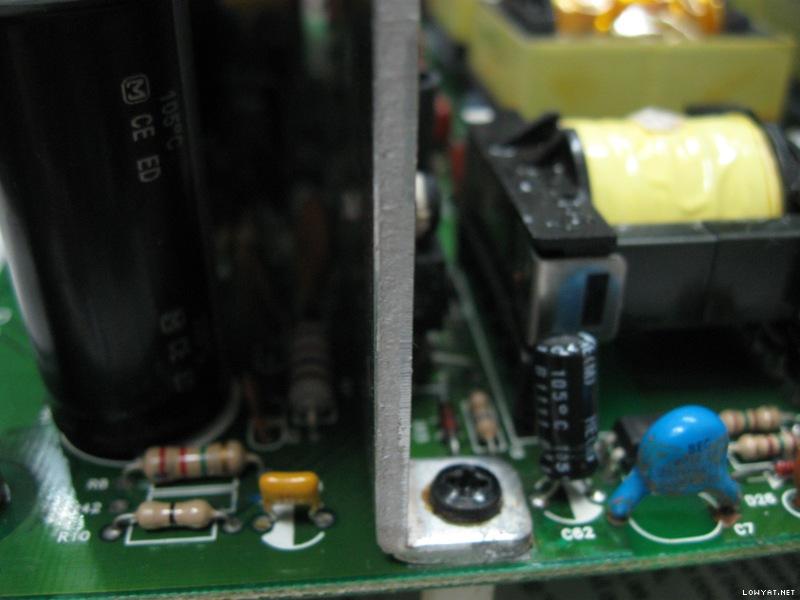
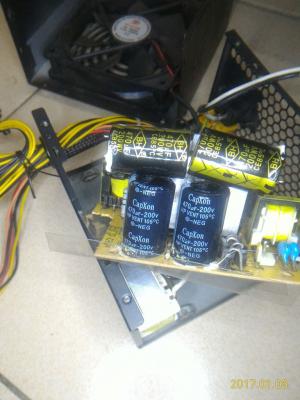
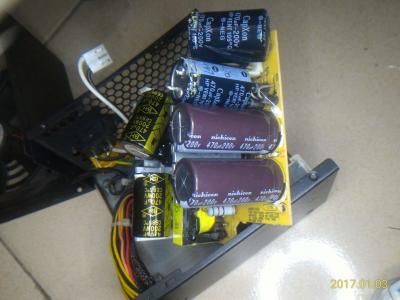
Right away can see those big CapXon HP series capacitors in various stages of bulging, a blown diode and lots of degraded glue (the brown stuff). The design of that heatsink towering over the capacitors would have easily caused to capacitors to bulge due to prolonged heat exposure from the toasty heatsink. Anyway CapXon is not a good capacitor brand at all and is very well known for bad capacitor problems. In fact, its very common to see failed CapXon capacitors in many electronic equipment such as computer PSUs, LCD monitors, AC-to-DC adapters, etc...
user posted image
Bulging capacitors, blown diode and degraded glue on the primary side.


Beware of degraded glue
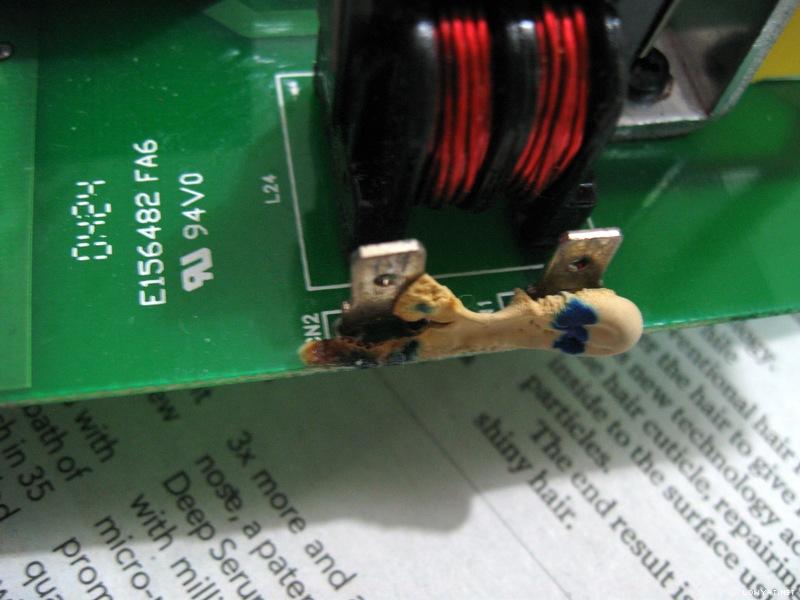
Thus, why repeatedly the concern on degraded glue? Because degraded glue can become conductive and creates all sorts of weird problems (including short circuits)! You can read more about it here: Conductive Glue Carnage. Thus removal of degraded glue was essential.

One of the snubber network ceramic capacitors literally cracked and fell apart into pieces when removing more degraded glue...
user posted image
This is what was left after degraded glue was removed. One of the ceramic capacitor legs can still be seen there.


Degraded glue and standoffs plus GND connection equals trouble
These standoffs are connected to the aluminium heatsink and to GND rail! Thus the degraded glue around other standoffs had to be removed to prevent current and future problems.
user posted image
Metallic standoff with connection to heatsink and GND!

user posted image
The plastic standoff with degraded glue removed reveals a pad to GND connection also!

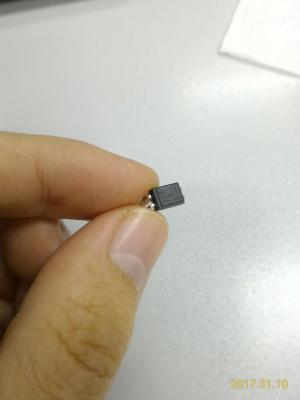
Its also possible that the diode blew due to degraded glue plus that metallic standoff (which is connected to GND!). This is the closeup of the blown diode and the blob of degraded glue that extends all the way to the metallic standoff. This diode is in the primary high voltage section! The diode is blown to beyond recognition (very little left of the markings). Later I did found out the actual part number for this diode from schematics...
user posted image


More signs of possible future problems
Simply said, more CapXon junk. These capacitors with blue sleeve are all CapXon GS series 85C general purpose type which are not really suited for SMPS (switched-mode power supply) usage. Usually for SMPS, they should be higher temperature 105C low ESR or low impedance type. How did Creative engineers get away with this? Notice those disc-shaped ceramic capacitors besides them? By using ceramic capacitors in parallel to serve/function as the low ESR side! Anyway its quite common to see this configuration in some power supplies (as a method of cost cutting).
user posted image
Capacitors for the power amplifier side right after the rectifiers...

user posted image
Capacitors for the standby power side right after the rectifiers. The cracked ceramic capacitor and degraded glue were cleaned up as well.

user posted image
Capacitors for the standby power output side right after the linear voltage regulators.

Besides those CapXon, there were also a Su'scon SL series 85C general purpose capacitor and a S.J.E RH series 105C general purpose capacitor. Thus my recommendation to the client was also to replace/upgrade all those el-cheapo crap capacitors with high quality low ESR and low impedance capacitors suitable for SMPS.

This post has been edited by lex: Aug 12 2013, 09:35 PM
TSlex
post Jul 5 2013, 11:31 AM

Old Am I?
Group Icon
VIP
18,182 posts

Joined: Jan 2005
From: Dagobah
Removal of failed components and cleaning up degraded glue
All the failed components (those big CapXon HP series capacitors and blown diode) were removed and degraded glue cleaned up. Even another big CapXon capacitor (KM series) which did not show signs of bulging was removed as well for capacitor upgrade. Notice the area where the glue was removed had traces and exposed solder pads (add to that, this is the primary high voltage section)!
user posted image
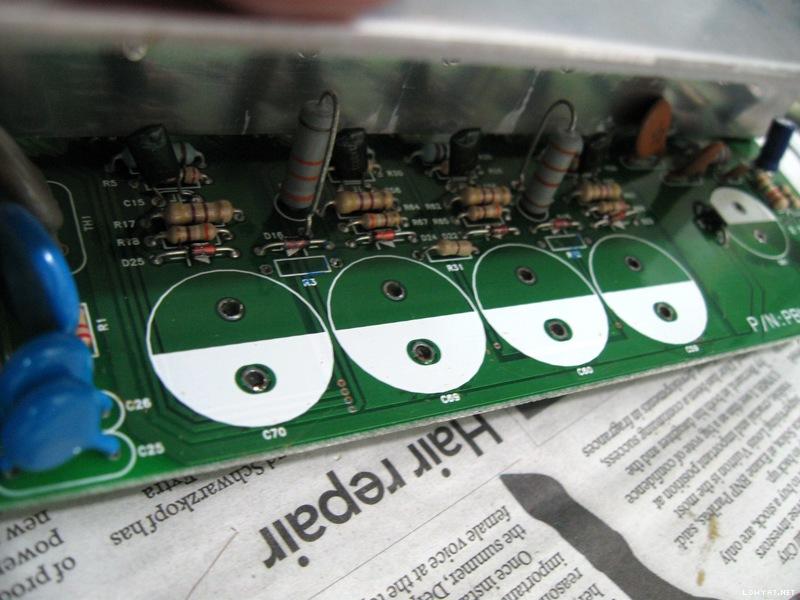
Cleaned and ready for new components.

This is the blown diode area under the board. There were leftover solder paste on the PWM power I.C that indicates a previous repair. Also previously there was a blob of degraded glue at the standoff on the right, which I've cleaned up (ie. the previous repairer did not remove the degraded glue around that area). Notice its next to the high voltage traces and solder pads! Definite recipe for current and future disaster.
user posted image
Ready for new diode and capacitor upgrade.

These are components (mostly capacitors and a blown diode) that were pulled out. The blown diode (broken into two pieces) is in the bottom foreground. Most of the capacitors are CapXon brand, while one of them was Su'scon brand. There was the odd S.J.E brand capacitor (small one with black sleeve) which most probably was from a previous repair.
user posted image
Destined for the junk yard. Two of the big capacitors were bulged quite significantly that they could not stand up straight on their tops.


Replacements
The capacitor replacements were all high quality Japanese capacitors (which took some time to arrive after placing the order). Both the original (blown) diode and the new replacement diode have 1A current rating. However the original (blown) diode had 400V DC blocking voltage rating, while the new diode had much higher specifications with 1000V DC blocking voltage rating.
user posted image
Brand new Panasonic TS-ED series capacitors and new diode. Also a brand new Nichicon CS series capacitor on the far right

Bought a new PWM power I.C (its a TOP243YN) for standby, just in case it was that I.C that caused the diode to blow in the first place. Already checked most of the components after the (blown) diode and they seem fine. However the state of the PWM power I.C was unknown (very difficult to check I.Cs). Also had to be wary of ceramic capacitor C6, although measures fine (on the capacitance meter), could have possible breakdown/leakage at higher voltages and cause the diode to blow (again).

Capacitor upgrade
As per recommendation, all CapXon and other el-cheapo brand capacitors were removed and then replaced with high quality Japanese capacitors...
user posted image
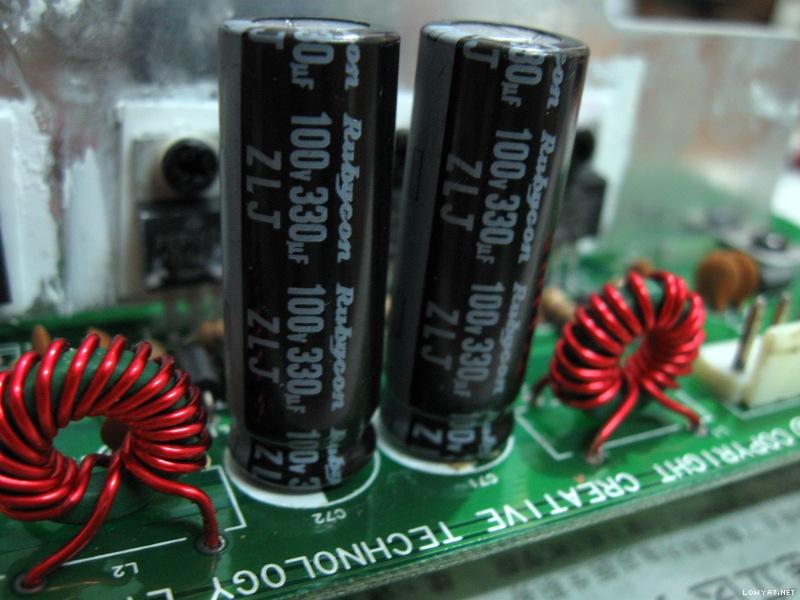
Rubycon ZLJ series for the power amplifier side right after the rectifiers.

user posted image
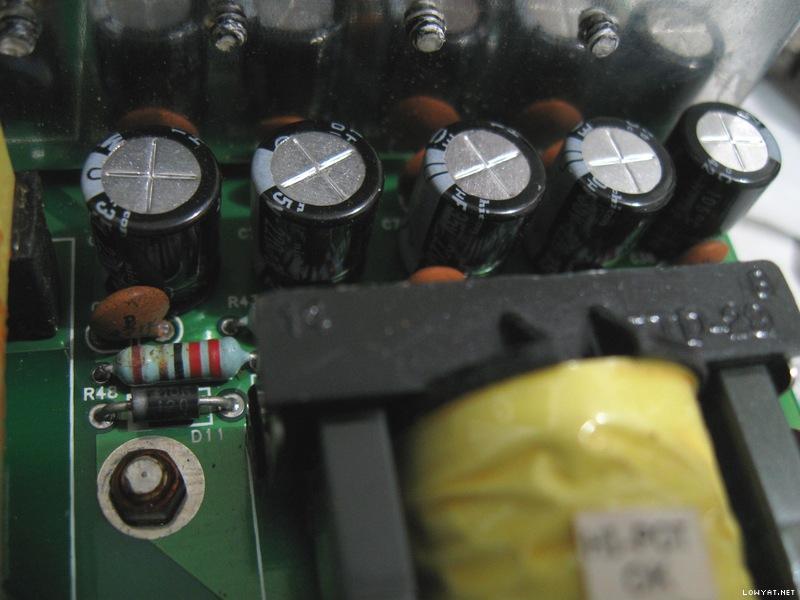
Nichicon HE series for the standby power side right after the rectifiers. A new ceramic capacitor to replace the cracked one as well.

user posted image
Nichicon PS series and HE series for the standby power side right after the linear voltage regulators.

There was another CapXon GS series 85C general purpose capacitor right next (very close) to the toasty heatsink. Thus that was replaced with a very high temperature 150C ceramic capacitor. Notice the bits of residual degraded glue sticking to some of those components on the right. This area previously also had lots of degraded glue as well (already removed and cleaned).
user posted image
In the centre, the small yellow ceramic capacitor is an AVX AR series 150C high temperature capacitor.


This post has been edited by lex: Aug 28 2013, 11:31 PM
TSlex
post Jul 5 2013, 01:09 PM

Old Am I?
Group Icon
VIP
18,182 posts

Joined: Jan 2005
From: Dagobah
Putting it back together
The power supply board is placed back together with the power amplifiers and interface on the subwoofer unit, ready for testing...
user posted image
Back in place and connected.

Another look inside the Creative GigaWorks S750 subwoofer unit. This speaker system uses a triple voice coil woofer!
user posted image
There are three pairs of wires connecting the woofer!


Testing and its fixed!
The moment of truth! Connect the power and switch on the power switch at the back, then finally the standby LED light comes up. Pressing the POWER button and the unit is fully switched on (can also hear the relay clicked inside). Feed it with some music and ran it for hours (ie. burn-in test). This speaker system can get pretty toasty as I could feel the heat on the speaker enclosure wood surface. Eventually this speaker system has been returned to the client.

Miscellaneous
Noticed that the power amplifier boards has lots of el-cheapo crap capacitors as well. This time its Jun Fu brand. Just lots of them, big and small. More cost cutting by Creative IMHO. Replacing them would take even more time and increase the burden (due to more component upgrade cost) on the client. The glue remains white in color thus had not degraded yet (possibly a different glue than the one used on the power supply board). My conclusion at the moment is to leave it like that...
user posted image
Jun Fu everywhere on the power amplifier boards, even the small black ones!


Ending notes
Another repair done, though I would consider this a little easy (although the glue removal part was a tedious task). I hope that you'll find this article interesting and informative. icon_rolleyes.gif

This post has been edited by lex: Jul 6 2013, 01:55 PM
Quazacolt
post Jul 5 2013, 07:27 PM

Riding couple
*******
Senior Member
5,366 posts

Joined: Jan 2007
From: KL Malaysia


awesome article/review, giving hopes to every creative gigaworks 5.1/7.1 series owners thumbup.gif thumbup.gif
TSlex
post Aug 20 2013, 08:03 PM

Old Am I?
Group Icon
VIP
18,182 posts

Joined: Jan 2005
From: Dagobah
Second Creative GigaWorks S750 speaker comes in for repair
Another client (a lowyat.net forummer) brought in another Creative GigaWorks S750 speaker. The main problem with his unit was "soft" and broken/distorted bass. He had tried repairing the speaker power supply himself using this guide since he found bulged capacitors also.

Incorrect components and bad repair
Unfortunately he did not follow everything in this guide, including the replacement components used/selected. First off, the four capacitors used for the amplifier power section were 85C rated (while the original capacitors were 105C rated) and was oversized (too tall). Also note there were still degraded glue remaining as well. See image below...

user posted image
Possibly fake Marcon capacitors. Can't find any information for "CEFTW-Q" series.

The top of the capacitors not only touched the heatsink, but was also pushing/bending the heatsink backwards and stressing the MOSFETs on the heatsinks. Also do beware that this type of condition must be avoided at all costs. Primarily the electrolyte inside the capacitors will start boiling due to direct heating from contact with the heatsink. This can cause electrolyte degradation and evaporation, as well as possibly capacitor explosion since the vents on the top of the capacitors were blocked by the heatsink.

This is the view from the side below. Note the heatsink is bending backwards due to the oversized capacitors. Can also see the small capacitor which I've mentioned earlier (the first unit repaired) that was very close to the heatsink, plus still lots of degraded glue in critical areas close to the transformer there.

user posted image
Not a pretty sight, especially the degraded glue areas.

Having 105C temperature rating on a capacitor does not always qualify as suitable for SMPS (switched mode power supply) capacitors. These MaxCap MKR series are actually 105C general purpose capacitors. Again, these capacitors were also oversized (too wide).

user posted image
These are actually general purpose capacitors, also note the glue underneath.

Degraded glue
There were still a lot of degraded glue in areas where there are exposed solder pads and traces, plus close to those standoffs which are connected to GND. The most critical ones are in the primary high voltage section. In short, he did not follow closely my guide on repairing.

user posted image
Degraded glue across the mains input terminals!

user posted image
This area contains the SMPS feedback actually.

user posted image
There were also degraded glue at the secondary low voltage side.


Remaining original capacitors
There were still those original CapXon GS capacitors that were 85C general purpose type. Besides CapXon there were three small Su'scon SL series capacitors (85C general purpose also). Usually I would recommend replacing them with low impedance/ESR capacitors as this speaker system uses SMPS (switched mode power supply).

user posted image
Note that "blob" of degraded glue on the left, actually contains a ceramic capacitor inside!

user posted image
More CapXon 85C general purpose capacitors. The small one is a Su'scon.


This post has been edited by lex: Aug 20 2013, 10:05 PM
TSlex
post Aug 20 2013, 09:40 PM

Old Am I?
Group Icon
VIP
18,182 posts

Joined: Jan 2005
From: Dagobah
Component removal and degraded glue cleanup
All images are self explanatory. When removing the capacitors, I've found the solder pads were damaged (peeled and came off very easily) due to the owner's self-repair, possibly placing the soldering iron on the pads too long and did not use any solder flux for faster de-soldering. When soldering and/or desoldering always try not to heat up the board too much as it can melt the glue that held the solder pads and traces. Any jaded and dirty solder joint can take time to melt, thus always use solder flux to allow the solder to melt easily and faster.

user posted image
The pads on the top row are goners. No connection at all.

user posted image
Incorrect capacitors removed. Note the damaged pads on the top layer as well.

user posted image
No more degraded glue. Critical areas cleaned.

user posted image
Mains input area cleaned as well.


Capacitor replacements
Just as before, all electrolytic capacitors were replaced with proper high quality ones.

user posted image
The same Panasonic TS-ED series as in the first repair.

user posted image
Instead of Nichicon CS series, this time I used Panasonic ED series for the standby power section. Other replacements remains the same. Degraded glue cleaned up here as well.

user posted image
Another change, this time using Panasonic FM series. Luckily that ceramic capacitor did not crack during glue removal (unlike the first one)...

user posted image
And this time Nichicon PW series here...

user posted image
And lastly, Rubycon ZLH series instead of Rubycon ZLJ series....


This post has been edited by lex: Aug 21 2013, 03:29 AM
TSlex
post Aug 20 2013, 11:07 PM

Old Am I?
Group Icon
VIP
18,182 posts

Joined: Jan 2005
From: Dagobah
Subwoofer problem
The main reason the subwoofer sounded broken and distorted was that all 3 voice coils inside the 8" woofer were damaged. At first diagnostics, 2 out of 3 voice coils were dead (no connection at all). During test of the sound channels, the 3rd voice coil finally gave up. Decided remove the woofer to check. When pressing down slightly on the woofer cone can hear scratchy and scraping sounds, indicating the voice coil wires have become loose and/or broken.

user posted image
The spoiled woofer...

user posted image
Triple terminals for triple voice coils...

Since this is a voice coil problem, and furthermore triple voice coil then its going to be very tedious and time consuming to repair (especially the coil rewinding part with multiple layers for each voice coil). I've decided to send this woofer to speaker repair specialist instead. Have other repairs to attend to also.

More problems - sound channel randomly goes off
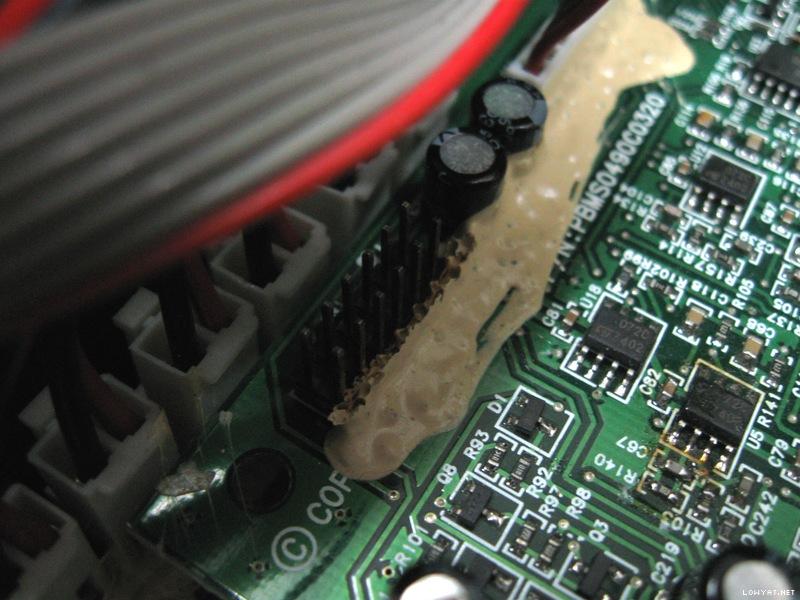
Also noticed the sound in some of the channels randomly goes missing/gone. Looking around the audio processor board, I noticed there were signs of degraded glue on the connectors. See the images below. Even though the glue does not seem degraded, it can be very deceptive as I found out there were actually degraded glue underneath. Wiggling the cables around, I found the fault easily. Chemicals from that degraded glue vaporised by heat (generated by the power amplifiers and power supply section) during usage corroded the connectors. The pins all looks dark and not shiny at all. Its not easy to clean these oxidized connectors.

user posted image
Don't be fooled. Scrape it off to find brownish degraded glue underneath!

user posted image
The connectors are no longer shiny, can see multiple colors due to oxidation...

user posted image
More oxidized connectors, on the power amplifier board, revealed during degraded glue cleanup


Putting it back together
The woofer was finally repaired and brought back. Time to assemble everything together.

user posted image
Partially assembled. Those wires hanging are for the woofer,.

user posted image
The repaired woofer back in place. The dust cap doesn't look as pretty as before though due to repairs.


Testing and its done.
Switch the speaker on and run feed some test audio signals to it, and the bass comes rumbling shaking everything in the room. Finally, its done.

user posted image


This post has been edited by lex: Aug 21 2013, 12:35 AM
Quazacolt
post Aug 21 2013, 03:28 AM

Riding couple
*******
Senior Member
5,366 posts

Joined: Jan 2007
From: KL Malaysia


lex, have you asked if creative wanna hire you? you're definitely doing a way better job (and by that i mean they've done pretty much nothing at all lol) compared to the folks at creative
ADJ
post Aug 21 2013, 10:34 AM

..::fairlight::..
*******
Senior Member
2,921 posts

Joined: Jan 2003
From: Ipoh/PJ/KL


very interesting. My old Megaworks 550THX had a similar issue, apparently the blown cap spilled its guts all over the PCB...so now it's consigned to my storeroom, dunno what to do with it, with 5 excellent condition satellites, heh...
andrekua2
post Aug 21 2013, 12:35 PM

10k Club
********
All Stars
13,470 posts

Joined: Jan 2012


Bro,

How do you remove those glue? I seen them spread on a large surface with many components and pcb traces. Scraping them or using chemical solution?

Thanks you.
TSlex
post Aug 21 2013, 12:51 PM

Old Am I?
Group Icon
VIP
18,182 posts

Joined: Jan 2005
From: Dagobah
QUOTE(Quazacolt @ Aug 21 2013, 03:28 AM)
lex, have you asked if creative wanna hire you? you're definitely doing a way better job (and by that i mean they've done pretty much nothing at all lol) compared to the folks at creative
*
I think they already expect these not to last long, as with other manufacturers. Probably they expect the user to buy new one after the speaker is spoiled. wink.gif

QUOTE(ADJ @ Aug 21 2013, 10:34 AM)
very interesting. My old Megaworks 550THX had a similar issue, apparently the blown cap spilled its guts all over the PCB...so now it's consigned to my storeroom, dunno what to do with it, with 5 excellent condition satellites, heh...
*
Which PCB? Is it the power section or the amplifier section? hmm.gif

QUOTE(andrekua2 @ Aug 21 2013, 12:35 PM)
How do you remove those glue? I seen them spread on a large surface with many components and pcb traces. Scraping them or using chemical solution?

Thanks you.
*
Just very slowly, carefully and meticulously scrape it off. Have to be aware of components under the glue. Sometimes have to temporarily desolder the components in order to clean. Quite often very time consuming. See example below... icon_rolleyes.gif

user posted image
Before. Note the brown spots on the on top of the glue, those are signs of degraded glue underneath...

user posted image
After...


This post has been edited by lex: Aug 21 2013, 01:14 PM
Quazacolt
post Aug 21 2013, 02:01 PM

Riding couple
*******
Senior Member
5,366 posts

Joined: Jan 2007
From: KL Malaysia


QUOTE(lex @ Aug 21 2013, 12:51 PM)
I think they already expect these not to last long, as with other manufacturers. Probably they expect the user to buy new one after the speaker is spoiled. wink.gif
*
and THATS where i don't get them, there's NO NEW ONE LOL.

the only new multi channeled 5.1/7.1 creative are releasing are their non gigaworks series which typically have shit SQ. sure, people don't generally expect SQ from multi channels/gaming speakers, and they are way cheaper than the gigaworks series, but some people (like me) who does, are just out of luck.

the only alternatives i can see are edifier (which i absolutely hate their mids, having a huge gap between highs/low freq and their sub response is quite poor although the SPL is pretty good, potentially better than creative's ) or logitech (overpriced, and the new z906 is having way too many negative feedback to my liking)
power911
post Aug 21 2013, 04:11 PM

Misguided Angel of Death
*******
Senior Member
6,513 posts

Joined: May 2009
From: I'll follow wherever Tira goes

QUOTE(Quazacolt @ Aug 21 2013, 02:01 PM)
the only alternatives i can see are edifier (which i absolutely hate their mids, having a huge gap between highs/low freq and their sub response is quite poor although the SPL is pretty good, potentially better than creative's ) or logitech (overpriced, and the new z906 is having way too many negative feedback to my liking)
*
this nod.gif nod.gif nod.gif

This post has been edited by power911: Aug 21 2013, 04:24 PM
TSlex
post Aug 21 2013, 04:43 PM

Old Am I?
Group Icon
VIP
18,182 posts

Joined: Jan 2005
From: Dagobah
QUOTE(Quazacolt @ Aug 21 2013, 02:01 PM)
and THATS where i don't get them, there's NO NEW ONE LOL.

the only new multi channeled 5.1/7.1 creative are releasing are their non gigaworks series which typically have shit SQ. sure, people don't generally expect SQ from multi channels/gaming speakers, and they are way cheaper than the gigaworks series, but some people (like me) who does, are just out of luck.
Nowadays manufacturers try to cut cost as much as possible (just compare Altec Lansing of yesteryears with Altec Lansing today for example). Also these GigaWork and MegaWork speaker systems use multi-voice coil woofers which are rare and expensive. wink.gif

QUOTE(Quazacolt @ Aug 21 2013, 02:01 PM)
the only alternatives i can see are edifier (which i absolutely hate their mids, having a huge gap between highs/low freq and their sub response is quite poor although the SPL is pretty good, potentially better than creative's ) or logitech (overpriced, and the new z906 is having way too many negative feedback to my liking)
*
The midrange depends on the design of the ampliifer system (especially the high pass filter section) and primarily the drivers themselves. For good midrange, the drivers have to be of certain minimum size (diameter) and depth. Nowadays with most 2.1, 5.1 and 7.1 systems, the drivers in the satellite speakers are pretty small. Thus many would note the missing or hollow midrange. Replacing those tiny satellites speakers with a bigger one may give you back that midrange. As for modifications, besides the satellite speakers also very much depends on the amplifier system as well. If the preamp section for the satellites has a high pass filter then you try changing its cutoff frequency. Sometimes its the satellites that determine the sound. For example, on the Edifier M3300 there are lack of high pass filters for the satellites in the preamp section, thus its the satellites that determines the midrange and tweeter frequencies. icon_rolleyes.gif
Quazacolt
post Aug 21 2013, 05:20 PM

Riding couple
*******
Senior Member
5,366 posts

Joined: Jan 2007
From: KL Malaysia


QUOTE(lex @ Aug 21 2013, 04:43 PM)
Nowadays manufacturers try to cut cost as much as possible (just compare Altec Lansing of yesteryears with Altec Lansing today for example). Also these GigaWork and MegaWork speaker systems use multi-voice coil woofers which are rare and expensive. wink.gif

The midrange depends on the design of the ampliifer system (especially the high pass filter section) and primarily the drivers themselves. For good midrange, the drivers have to be of certain minimum size (diameter) and depth. Nowadays with most 2.1, 5.1 and 7.1 systems, the drivers in the satellite speakers are pretty small. Thus many would note the missing or hollow midrange. Replacing those tiny satellites speakers with a bigger one may give you back that midrange. As for modifications, besides the satellite speakers also very much depends on the amplifier system as well. If the preamp section for the satellites has a high pass filter then you try changing its cutoff frequency. Sometimes its the satellites that determine the sound. For example, on the Edifier M3300 there are lack of high pass filters for the satellites in the preamp section, thus its the satellites that determines the midrange and tweeter frequencies. icon_rolleyes.gif
*
hence you can see my reluctance in replacing my gigaworks LOL

as for the mods, sounds like a lot of work and the cost may even exceed the speakers set themselves :/
TSlex
post Aug 21 2013, 05:43 PM

Old Am I?
Group Icon
VIP
18,182 posts

Joined: Jan 2005
From: Dagobah
QUOTE(Quazacolt @ Aug 21 2013, 05:20 PM)
as for the mods, sounds like a lot of work and the cost may even exceed the speakers set themselves :/
*
Replacing the satellite speakers are easy (a piece of cake, as one would say). But changing the cut-off frequency on the amplifier system very much depends on the design of the amplifier itself. If its a simple passive or active RC filter network then very easy (usually either resistor and/or capacitor change only). But if its controlled by a DSP in some digital systems, then its either very difficult, or just not applicable. hmm.gif

rlewin
post Aug 27 2013, 07:57 AM

New Member
*
Junior Member
7 posts

Joined: Aug 2013


Lex, I stumbled on your post while trying to find anything that can help me with my own sets of these. I have a few questions.
Are there any schematics for the Amp boards?
Do you have a comprehensive component list I can use to locate replacement Capacitors (I have no electronics training but I know what looks bad)
Apart from ordering capacitors with the same uf, voltage, heat rating and dimensions I have no idea what I need.
I have my original set and over the last year have purchased 3 other sets of these because they are great (when they work)
Any guidance you can give me will be most appreciated.
Cheers
Rod
TSlex
post Aug 27 2013, 06:32 PM

Old Am I?
Group Icon
VIP
18,182 posts

Joined: Jan 2005
From: Dagobah
QUOTE(rlewin @ Aug 27 2013, 07:57 AM)
Lex, I stumbled on your post while trying to find anything that can help me with my own sets of these.  I have a few questions.
Are there any schematics for the Amp boards?
Nopes, I don't have the schematics for the power amplifier boards. Since those are BASH amplifier I.Cs, the circuit layout and components used are very straight forward (follows closely the datasheet for the BASH amplifier I.C). wink.gif

QUOTE(rlewin @ Aug 27 2013, 07:57 AM)
Do you have a comprehensive component list I can use to locate replacement Capacitors (I have no electronics training but I know what looks bad)
Apart from ordering capacitors with the same uf, voltage, heat rating and dimensions I have no idea what I need.
All the capacitors that needs to be replaced already mentioned here (with the exception of the big ceramic capacitors at the standby power section, and the film capacitors at the main power section). Make sure get correct/proper replacement capacitors. Just replace what is required, and highly recommend replacing all those CapXon and Su'scon brand capacitors even if they still look good. Roughly... icon_idea.gif

- 4x 470uF 200V 105C, high ripple handling type (for inverter and/or ballast operation)
- 2x 330uF 100V 105C, low impedance and/or low ESR type (for SMPS operation)
- 5x 220uF 35V 105C, low impedance and/or low ESR type (for SMPS operation)
- 5x 100uF 35V 105C, low impedance and/or low ESR type (for SMPS operation)
- 1x 68uF 450V 105C, high ripple handling type (for inverter and/or ballast operation)
- 2x 47uF 25V 105C, low impedance and/or low ESR type (for SMPS operation)
- 1x 0.1uF 50V 105C, high temperature type prefered (such as ceramic) as its very close to the heatsink

Still, depending on the fault and symptoms then you have to check other parts/components as well (e.g. MOSFET failure which is not mentioned here). hmm.gif

QUOTE(rlewin @ Aug 27 2013, 07:57 AM)
I have my original set and over the last year have purchased 3 other sets of these because they are great (when they work)
Any guidance you can give me will be most appreciated.
Cheers
Rod
*
Seems to be common to see this model with lots of problems. Some even tried the hair dryer treatment which I do not recommend at all, as it may eventually kill/destroy the components inside. Since you have 3 other sets to tinker with, there's a lot of room to try out and learn... icon_rolleyes.gif

This post has been edited by lex: Aug 27 2013, 08:22 PM
rlewin
post Aug 28 2013, 05:30 AM

New Member
*
Junior Member
7 posts

Joined: Aug 2013


QUOTE(lex @ Aug 27 2013, 08:32 PM)
Nopes, I don't have the schematics for the power amplifier boards. Since those are BASH amplifier I.Cs, the circuit layout and components used are very straight forward (follows closely the datasheet for the BASH amplifier I.C). wink.gif

All the capacitors that needs to be replaced already mentioned here (with the exception of the big ceramic capacitors at the standby power section, and the film capacitors at the main power section). Make sure get correct/proper replacement capacitors. Just replace what is required, and highly recommend replacing all those CapXon and Su'scon brand capacitors even if they still look good. Roughly...  icon_idea.gif

- 4x 470uF 200V 105C, high ripple handling type (for inverter and/or ballast operation)
- 2x 330uF 100V 105C, low impedance and/or low ESR type (for SMPS operation)
- 5x 220uF 35V 105C, low impedance and/or low ESR type (for SMPS operation)
- 5x 100uF 35V 105C, low impedance and/or low ESR type (for SMPS operation)
- 1x 68uF 450V 105C, high ripple handling type (for inverter and/or ballast operation)
- 2x 47uF 25V 105C, low impedance and/or low ESR type (for SMPS operation)
- 1x 0.1uF 50V 105C, high temperature type prefered (such as ceramic) as its very close to the heatsink

Still, depending on the fault and symptoms then you have to check other parts/components as well (e.g. MOSFET failure which is not mentioned here).  hmm.gif

Seems to be common to see this model with lots of problems. Some even tried the hair dryer treatment which I do not recommend at all, as it may eventually kill/destroy the components inside. Since you have 3 other sets to tinker with, there's a lot of room to try out and learn...  icon_rolleyes.gif
*
Many thanks for the advice and tips, I hope I can resurrect these sets by following your guide. Wish there was a better way to remove that glue.
Cheers
Rod
rlewin
post Sep 3 2013, 05:54 AM

New Member
*
Junior Member
7 posts

Joined: Aug 2013


Lex, in your second repair you noticed the pads were gone, how did you deal with that? I have a similar situation.
Cheers
Rod
TSlex
post Sep 3 2013, 02:08 PM

Old Am I?
Group Icon
VIP
18,182 posts

Joined: Jan 2005
From: Dagobah
QUOTE(rlewin @ Sep 3 2013, 05:54 AM)
Lex, in your second repair you noticed the pads were gone, how did you deal with that?  I have a similar situation.
Cheers
Rod
*
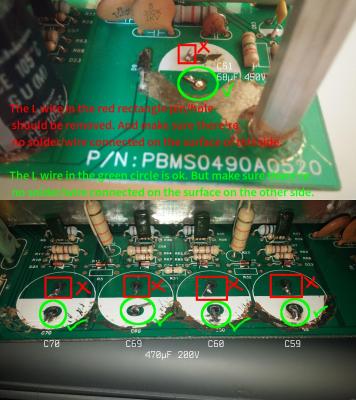
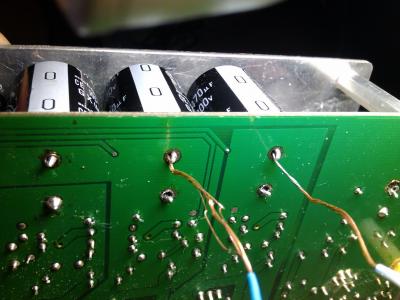
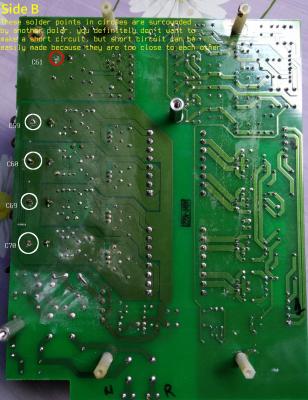
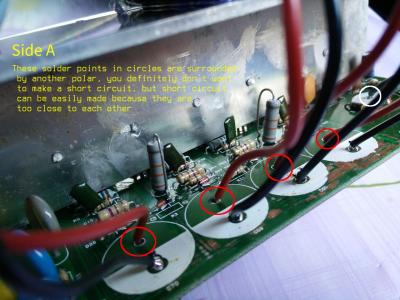
Did you use any solder flux and/or solder paste during desoldering? What was the desoldering tool used? For the top layer, scrape a bit of solder resist off to near the hole expose some fresh copper (has to be shiny). Clean with isopropyl alcohol. With help of solder flux, put some solder on the exposed copper. Make sure the solder sticks to the exposed copper (if not then clean and try again). Make an "L" shape wire from any scrap leads (must be of good thickness). Solder one side of the "L" wire on the fresh exposed copper already tinned with solder. The other end should be through the hole. Make sure the snap-in legs can fit thru the hole with that "L" wire together. May not look pretty but gets the job done. Check the image below... tongue.gif

user posted image
Seeing double? That's an extra wire in the through hole...


This post has been edited by lex: Sep 3 2013, 07:09 PM
rlewin
post Sep 3 2013, 07:03 PM

New Member
*
Junior Member
7 posts

Joined: Aug 2013


I used my soldering iron and a solder sucker, but I think you're right and it got too hot. I'll follow your instructions to repad the hole.
Thanks Lex.
Oh, I just had another set of these speakers turn up. With the help of your post and a lot of luck I hope to have all four sets running again.
I'll let you know how I go.
Cheers
Rod
TSlex
post Sep 3 2013, 07:46 PM

Old Am I?
Group Icon
VIP
18,182 posts

Joined: Jan 2005
From: Dagobah
QUOTE(rlewin @ Sep 3 2013, 07:03 PM)
I used my soldering iron and a solder sucker, but I think you're right and it got too hot.  I'll follow your instructions to repad the hole. 
Thanks Lex.
Remember the solder flux... tongue.gif

QUOTE(rlewin @ Sep 3 2013, 07:03 PM)
Oh, I just had another set of these speakers turn up. With the help of your post and a lot of luck I hope to have all four sets running again.
I'll let you know how I go.
Cheers
Rod
*
If you are going to use ceramic type for that 0.1uF capacitor, then make sure the ceramic dielectric is either NP0/C0G (most prefered but quite costly for 0.1uF radial leaded part), X7R, X8R (high temperature type which was the one used here) or U2J (new kid on the block, almost as good as C0G/NP0). Avoid those with Y5V, Z5U and X5R dielectric as their capacitance can drift wildly (very large variations) with temperature. icon_rolleyes.gif

This post has been edited by lex: Sep 3 2013, 08:03 PM
rlewin
post Sep 6 2013, 04:49 AM

New Member
*
Junior Member
7 posts

Joined: Aug 2013


Thanks Lex, I'll make sure to check the specs:)
Galeak
post Sep 8 2013, 02:08 AM

New Member
*
Junior Member
12 posts

Joined: Sep 2013
Hi !
I need help.
I have a problem with Creative Gigaworks S750.
I turn button on from 230V, led turns in green - ok. At power on from remote, sistem turns on then automatic turns off. If I turns once again from remote, sistem turns on and is works normally.At these resets, audio levels is setting to default.
All capacitors from power board was checked with a ESR Meter and is it ok. No blown(balloon) capacitors.
Change only (at ESR meter it was ok):
- 4x 470uF 200V 105C
- 5x 220uF 35V 105C
- 5x 100uF 35V 105C
- 2x 47uF 25V 105C
Same problem. What could be?
Thanks !
TSlex
post Sep 8 2013, 02:55 PM

Old Am I?
Group Icon
VIP
18,182 posts

Joined: Jan 2005
From: Dagobah
QUOTE(Galeak @ Sep 8 2013, 02:08 AM)
I have a problem with Creative Gigaworks S750.
I turn button on from 230V, led turns in green - ok. At power on from remote, sistem turns on then automatic turns off. If I turns once again from remote, sistem turns on and is works normally.At these resets, audio levels is setting to default.
First and foremost, did you remove the degraded glue from critical areas especially the feedback section? Also check for degraded glue on the audio processing board, in particular those that touch/adhere to the I.Cs on the PCB... wink.gif

QUOTE(Galeak @ Sep 8 2013, 02:08 AM)
All capacitors from power board was checked with a ESR Meter and is it ok. No blown(balloon) capacitors.
Change only (at ESR meter it was ok):
- 4x 470uF 200V 105C
- 5x 220uF 35V 105C
- 5x 100uF 35V 105C
- 2x 47uF 25V 105C
Same problem. What could be?
*
Besides the ESR reading, check the capacitance of those capacitors below 100uF. Do check that 0.1uF capacitor that is very close to the heatsink (also part of the feedback section), and recommend replacing it as well (with a better capacitor). Also what was the replacement capacitor brand and series used? hmm.gif
Galeak
post Sep 8 2013, 05:57 PM

New Member
*
Junior Member
12 posts

Joined: Sep 2013
Hi!
I don't think it is from glue, because impedance measurement in hi - Mohm show me no value.
The problem was from the beginning, 4 years ago, but not agresive like now.
At that time - 2009, sistem is reset perhaps once at two months.
Capacitor 0.1 uF show me an ESR 100nF - is ok.
Audio system is protected by an UPS -APC from 2009.
Uploaded the problem on the youtube. Look at the link
www.youtube.com/watch?v=GNjoj4JKqFY
TSlex
post Sep 8 2013, 07:04 PM

Old Am I?
Group Icon
VIP
18,182 posts

Joined: Jan 2005
From: Dagobah
QUOTE(Galeak @ Sep 8 2013, 05:57 PM)
I don't think it is from glue, because impedance measurement in hi - Mohm show me no value.
The problem was from the beginning, 4 years ago, but not agresive like now.
At that time  - 2009, sistem is reset perhaps once at two months.
Yes or no? Did you clear/clean the degraded glue first? Here's a re-quote from my first post... hmm.gif
QUOTE(lex @ Jul 5 2013, 02:32 AM)
Beware of degraded glue
Thus, why repeatedly the concern on degraded glue? Because degraded glue can become conductive and creates all sorts of weird problems (including short circuits)! You can read more about it here: Conductive Glue Carnage. Thus removal of degraded glue was essential.
*
And here's another user from long time ago, refer to his/her post here... wink.gif
QUOTE(bad2dbone @ Mar 24 2008, 08:59 PM)
Well guys the official news is out. My amp+sub is fixed. My brother in law btw is the electrician mention that the glue on the power source melted due to heat and shorted something inside. Cleared up the glue and it good as new.
*
Beacuse the degraded glue can create "phantom components" and/or "phantom circuits". Add to that, many test meters do not operate in the high voltage range and not at all/entire frequency ranges. tongue.gif

QUOTE(Galeak @ Sep 8 2013, 05:57 PM)
Capacitor 0.1 uF show me an ESR 100nF - is ok.
Because that capacitor is an electrolytic type plus very close to the heatsink. Not the ESR reading but the capacitance reading because its rectifying/smoothing the feedback signals from the opto-isolator. All electrolytic capacitors can vary their capacitance and ESR greatly with temperature, And usually for electrolytics, its capacitance increases and ESR decreases with higher temperatures. That's why I've asked about the smaller capacitors there, especially that 0.1uF because its part of the SMPS feedback section. Also you have not told us the brand and series of the replacement capacitors. unsure.gif

QUOTE(Galeak @ Sep 8 2013, 05:57 PM)
Audio system is protected by an UPS -APC from 2009.
Uploaded the problem on the youtube. Look at the link
www.youtube.com/watch?v=GNjoj4JKqFY
*
Doesn't matter whether there's an UPS, AVR (voltage regulator) and/or external power filter because the internal power supply already has power filter as well as inrush current protection. Looking at that video, are those volume level lights flickering? blink.gif

This post has been edited by lex: Sep 9 2013, 02:22 AM
Galeak
post Sep 8 2013, 10:38 PM

New Member
*
Junior Member
12 posts

Joined: Sep 2013
Hi !
This is the capacitor values:
4x470uF/200V 105 C, KSC
5x220uF/35V Low Esr 105C, SAMWHA
5x100uF/35V Low Esr 105C, SAMHWA
1x47uF/25V Low Esr 105C, SAMHWA

About video on youtube ... leds flickering from the frame rate processing. smile.gif
I will try to remove glue with hot air.
Next week I will change: 2x330uf/100V, 68uF/450V, 100nF/50V - X7R 10% -- instead of 0.1uF/50V.
I asked a question. Can I change 2x330v/200V SAMWHA instead of 2x330uF/100V ?
Thanks!
TSlex
post Sep 8 2013, 11:13 PM

Old Am I?
Group Icon
VIP
18,182 posts

Joined: Jan 2005
From: Dagobah
QUOTE(Galeak @ Sep 8 2013, 10:38 PM)
This is the capacitor values:
4x470uF/200V 105 C, KSC
5x220uF/35V  Low Esr 105C, SAMWHA
5x100uF/35V  Low Esr 105C, SAMHWA
1x47uF/25V  Low Esr 105C, SAMHWA
KSC (King-Sun) and Samwha? Those are not good capacitors. Not recommended at all.... shakehead.gif

QUOTE(Galeak @ Sep 8 2013, 10:38 PM)
About video on youtube ... leds flickering from the frame rate processing. smile.gif
I will try to remove glue with hot air.
Those degraded glue are not hot glue. You have to slowly scrape them off actually. doh.gif

QUOTE(Galeak @ Sep 8 2013, 10:38 PM)
Next week I will change: 2x330uf/100V, 68uF/450V, 100nF/50V - X7R 10% -- instead of 0.1uF/50V.
I asked a question. Can I change 2x330v/200V SAMWHA instead of 2x330uF/100V ?
*
You can use capacitors with higher voltage rating but do not use Samwha. doh.gif Use original capacitors from Nichicon, Panasonic, Nippon Chemicon and/or Rubycon. Also make sure they are of the correct series also (as shown in my guide here). wink.gif

This post has been edited by lex: Sep 8 2013, 11:15 PM
Galeak
post Sep 9 2013, 03:38 AM

New Member
*
Junior Member
12 posts

Joined: Sep 2013
Hi!
I forget to tell you.... 3 months ago I hear like an explode at power on 230V but dont find no one capacitor problem. Now after clean from glue, find a capacitor 471K( ESR say 476 pF)/250V/400V without a pin. In that space it is a problem, dont know where is the second link to the capacitor. See the images. Do you have any pictures ?
Thanks!

This varistor is compatible: JVR14N471K Varistor 300V AC; 385V DC instead of 471k/250V/400V ?
This is more better: VAR10-300 Varistor:metal-oxide; THT; 300V AC; 385V DC; 470V; ±10%; 2.5kA


Attached thumbnail(s)
Attached Image
TSlex
post Sep 9 2013, 03:07 PM

Old Am I?
Group Icon
VIP
18,182 posts

Joined: Jan 2005
From: Dagobah
QUOTE(Galeak @ Sep 9 2013, 03:38 AM)
I forget to tell you.... 3 months ago I hear like an explode at power on 230V but dont find no one capacitor problem. Now after clean from glue, find a capacitor 471K( ESR say 476 pF)/250V/400V  without a pin. In that space it is a problem, dont know where is the second link to the capacitor. See the images. Do you have any pictures ?
*
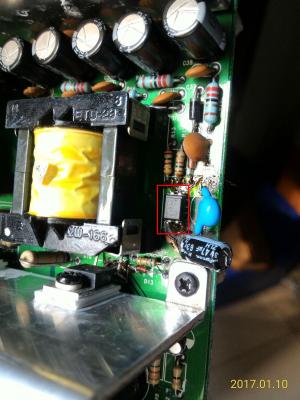
Remember the blown diode in my post? I've already suspected that it was due to that degraded glue. That is a safety "Y capacitor". The markings "471" denotes 0.47nF or 470pF. The "second link" is connected to the primary GND (sometimes referred to as "hot" GND), which is that through hole you've pointed out in the attached picture. For replacement, use a certified safety Y capacitor of the same capacitance (0.47nF or 470pF), and not just any plain capacitor. wink.gif

QUOTE(Galeak @ Sep 9 2013, 04:25 AM)
This varistor is compatible: JVR14N471K Varistor 300V AC; 385V DC instead of 471k/250V/400V ?
This is more better: VAR10-300 Varistor:metal-oxide; THT; 300V AC; 385V DC; 470V; ±10%; 2.5kA
*
Nopes! They are not the same! Inadvertantly may cause a disaster if you use it instead of a proper/correct replacement (possibly electrical shock and/or causing the mains circuit breaker to trip). doh.gif Varistors are for the mains input section and there's already an existing one on that power supply board. Anyway, what's your level of electrical/electronics knowledge? hmm.gif

This post has been edited by lex: Sep 9 2013, 03:09 PM
Galeak
post Sep 9 2013, 11:14 PM

New Member
*
Junior Member
12 posts

Joined: Sep 2013
The "second link" connected to the primary GND is only from the right photo ? In the left photo no second link ?
This is ok 470pF/400V capacitor, Y1, CY1Y-470P 400V instead of 471K ?
TSlex
post Sep 10 2013, 01:27 AM

Old Am I?
Group Icon
VIP
18,182 posts

Joined: Jan 2005
From: Dagobah
QUOTE(Galeak @ Sep 9 2013, 11:14 PM)
The "second link" connected to the primary GND is only from the right photo ? In the left photo no second link ?
See the image below, this is from a 3rd unit that came in for repair... hmm.gif

user posted image
Should be easy to see where the leads are located for that Y capacitor.


QUOTE(Galeak @ Sep 9 2013, 11:14 PM)
This is ok 470pF/400V capacitor, Y1, CY1Y-470P 400V instead of 471K ?
*
If its a certified Y capacitor then it should be fine. Example of a safety X/Y capacitor here: TDK CD series... icon_rolleyes.gif

rlewin
post Sep 13 2013, 04:54 AM

New Member
*
Junior Member
7 posts

Joined: Aug 2013


I am learning so much here rclxms.gif

Galeak
post Sep 14 2013, 03:42 PM

New Member
*
Junior Member
12 posts

Joined: Sep 2013
Hi Lex !
Changed all capacitors from the power board,removed the glue, same problem. At power on from remote, relay start then stops fast.
Do you have a schematic (circuit) diagram for power board ?
Thanks.
TSlex
post Sep 15 2013, 01:25 AM

Old Am I?
Group Icon
VIP
18,182 posts

Joined: Jan 2005
From: Dagobah
QUOTE(Galeak @ Sep 14 2013, 03:42 PM)
Changed all capacitors from the power board,removed the glue, same problem. At power on from remote, relay start then stops fast.
Still using those (crappy) Samwha capacitors? How many times did the relay clicked? After the initial power on from standby, there should only be one click (to indicate the relay switching on). This relay is gets its power from the secondary side of the standby section, thus all problems should point back to the standby section. Did you remove any degraded glue on the the other boards, besides the power supply board? hmm.gif

QUOTE(Galeak @ Sep 14 2013, 03:42 PM)
Do you have a schematic (circuit) diagram for power board ?
Thanks.
*
Try this link here: Index of /S750 PSU/Power Supply Schematics... wink.gif

This post has been edited by lex: Sep 15 2013, 01:34 AM
Galeak
post Sep 15 2013, 02:02 AM

New Member
*
Junior Member
12 posts

Joined: Sep 2013
I remove glue from the board where there are many capacitors >30 pieces.At power 230V don't hear relay. only from power remote = 2 clicks (power on - power off , very fast). I think it is a circuit remote problem. At next power on from remote, audio sistem works normally.

This post has been edited by Galeak: Sep 15 2013, 02:04 AM
TSlex
post Sep 15 2013, 02:34 AM

Old Am I?
Group Icon
VIP
18,182 posts

Joined: Jan 2005
From: Dagobah
QUOTE(Galeak @ Sep 15 2013, 02:02 AM)
I remove glue from the board where there are many capacitors >30 pieces.At power 230V don't hear relay. only from power remote = 2 clicks (power on - power off , very fast). I think it is a circuit remote problem. At next power on from remote, audio sistem works normally.
*
There are also glue on the I/O board (where the audio input and output connectors as well as the external control pod interface connector is located). Have you checked that one? Should be only a single click when pressing the power on from the control pod. There could be some problems either with the remote control line, standby section and/or simply a weak relay. You will need to check/monitor the control signal to that transistor controlling the relay. hmm.gif

This post has been edited by lex: Sep 15 2013, 02:36 AM
Galeak
post Sep 17 2013, 12:25 AM

New Member
*
Junior Member
12 posts

Joined: Sep 2013
Hi Lex!
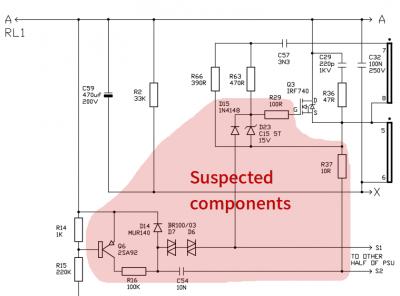
Transistors near the relay is ok. check the D6,D7 - BR100 = bad diodes.

This post has been edited by Galeak: Sep 17 2013, 01:45 AM
rioven
post Sep 17 2013, 12:39 AM

Enthusiast
*****
Senior Member
975 posts

Joined: Sep 2004
From: Setapak


Hi lex..i do wonder where do u repair subs..dont have any idea where to repair
TSlex
post Sep 17 2013, 01:07 AM

Old Am I?
Group Icon
VIP
18,182 posts

Joined: Jan 2005
From: Dagobah
QUOTE(Galeak @ Sep 17 2013, 12:25 AM)
Hi Lex!
Transistors and components near the relay is ok.
I dont know what it is the problem.Could be a fault CI from the remote.
*
Just monitor the base of the transistor. If there is voltage at the base (at least 0.55V or higher) when the relay goes off (clicked for the second time), then could be the relay. Otherwise monitor the +9V rail which powers the relay (for any relatively large voltage dips when the relay is switched on) . If both turns out OK then the fault could be from the control section (mostly MCU controlled, which is much more difficult to diagnose). hmm.gif

QUOTE(rioven @ Sep 17 2013, 12:39 AM)
Hi lex..i do wonder where do u repair subs..dont have any idea where to repair
*
For your information, I do repair speakers and subwoofers. Just PM me for details if interested... wink.gif
Galeak
post Sep 20 2013, 01:11 AM

New Member
*
Junior Member
12 posts

Joined: Sep 2013
Hi Lex !
I change the diodes D6,D7 now it is ok. Thank you very much !!!

TSlex
post Sep 20 2013, 12:50 PM

Old Am I?
Group Icon
VIP
18,182 posts

Joined: Jan 2005
From: Dagobah
QUOTE(Galeak @ Sep 20 2013, 01:11 AM)
Hi Lex !
I change  the diodes D6,D7 now it is ok. Thank you very much !!!
*
Those are diacs actually. Never thought those on the main power section (for power amplifiers) could affect the standby functions. I guess the MCU also monitors the main power section as well. Will take note of that... wink.gif
Galeak
post Sep 21 2013, 04:11 PM

New Member
*
Junior Member
12 posts

Joined: Sep 2013
Yes. I made a mistake it is diacs. Replace 2xBR100/03 with 2xDB3.

Hi Lex !
ASUS sound cards is more better like Creative ?
ASUS Xonar D2X, 7.1 - is a good sound card ?
It is safe to use hot silicon on the capacitors?
Thanks.


Attached thumbnail(s)
Attached Image
TSlex
post Oct 7 2013, 01:14 PM

Old Am I?
Group Icon
VIP
18,182 posts

Joined: Jan 2005
From: Dagobah
QUOTE(Galeak @ Oct 5 2013, 08:27 PM)
ASUS sound cards is more better like Creative ?
ASUS Xonar D2X, 7.1  - is a good sound card ?
Usually those ASUS cards are rated better than Creative ones. The only Creative soundcard that is considered fine (can be recommended) is the Titanium HD. Others like those from ESI Audio (which now owns AudioTrak) and Echo Audio are also recommended as they are considered HiFi and studio quality. You can also use an external DAC, either using SPDIF (optical, coaxial) or USB connection. You can try inquiring here as well: Special Interest -> Home Entertainment -> Audiophiles -> Headphone Amplifier and DAC Recommendation, portables, desktops, amps, dac, lai (Headphones)... wink.gif

QUOTE(Galeak @ Oct 5 2013, 08:27 PM)
It is safe to use hot silicon on the capacitors?
Thanks.
*
Can be used for ceramics, but not recommended for the "lytics" (short for electrolytic capacitors). You do not want to boil the electrolytes inside those capacitors. tongue.gif

This post has been edited by lex: Oct 7 2013, 03:34 PM
rlewin
post Oct 15 2013, 05:33 AM

New Member
*
Junior Member
7 posts

Joined: Aug 2013


Lex,
Got one set of 750's going thanks to your very detailed walkthrough but have come up against a problem with another. No Power and no obvious problems on the board. When I turn it on, I get nothing, no light blink or anything that might suggest power to the box. I tried the lead, the fuse, and still nothing. I know next to nothing about what is what or how to test things, I only know if something doesn't look right replace it. Any clues what I should be doing here to diagnose it?
Cheers
Rod
TSlex
post Oct 17 2013, 02:38 PM

Old Am I?
Group Icon
VIP
18,182 posts

Joined: Jan 2005
From: Dagobah
QUOTE(rlewin @ Oct 15 2013, 05:33 AM)
Got one set of 750's going thanks to your very detailed walkthrough but have come up against a problem with another. No Power and no obvious problems on the board.  When I turn it on, I get nothing, no light blink or anything that might suggest power to the box.  I tried the lead, the fuse, and still nothing.  I know next to nothing about what is what or how to test things, I only know if something doesn't look right replace it.  Any clues what I should be doing here to diagnose it?
*
The usual troubleshooting procedures, for example check for failed components and check whether there is output voltage on the secondary standby side (if none then check voltage at transformer, then if none then check voltage at primary standby side, etc... etc...) hmm.gif

This post has been edited by lex: Oct 17 2013, 02:38 PM
Kahlid74
post Dec 4 2013, 11:27 AM

New Member
*
Junior Member
12 posts

Joined: Dec 2013


Very cool finding this thread.

Lex, you give a spec list of the capacitors to get however I didn't see a brand you recommend. Could you steer me in the direction of a brand that you think is a good quality?

Also, what type of Ceramic resistors should I get for the orange ones and the diode?

What about the Mosfets? They look kind of funky on the bottom, are they fine and just need a cleanup job or do I need to replace them as well?

Thanks for your time!

UPDATE: and I'm a dolt as I see you listed what type of capacitors you got. Where did you buy them from? I want to make sure if I buy them I get the right ones.

This post has been edited by Kahlid74: Dec 4 2013, 11:39 AM
TSlex
post Dec 4 2013, 01:38 PM

Old Am I?
Group Icon
VIP
18,182 posts

Joined: Jan 2005
From: Dagobah
QUOTE(Kahlid74 @ Dec 4 2013, 11:27 AM)
Very cool finding this thread.

Lex, you give a spec list of the capacitors to get however I didn't see a brand you recommend.  Could you steer me in the direction of a brand that you think is a good quality?
For capacitors, look for brands like Nichicon, Panasonic (also known as Matsushita), Rubycon, Nippon Chemi-Con (also known as United Chemi-Con, formerly Marcon), and Sanyo (nowadays known as Suncon). icon_idea.gif

QUOTE(Kahlid74 @ Dec 4 2013, 11:27 AM)
Also, what type of Ceramic resistors should I get for the orange ones and the diode?
So far had not had to replace any resistors, except for that 0 Ohm link. As for resistors, depends on the original resistor being replaced and should follow the wattage of the original resistor (in other words, the size of the resistor determines the wattage). The diode is pretty much run-of-the-mill 1N4004, which is a very common diode. wink.gif

QUOTE(Kahlid74 @ Dec 4 2013, 11:27 AM)
What about the Mosfets?  They look kind of funky on the bottom, are they fine and just need a cleanup job or do I need to replace them as well?

Thanks for your time!
That one very much depends on whether you're going to replace them, and/or depends on the fault/problem itself. The "funky" look is mostly leftover excess flux and not degraded glue. If any of those MOSFETs had blown/failed then you will need to replace them. hmm.gif

QUOTE(Kahlid74 @ Dec 4 2013, 11:27 AM)
UPDATE: and I'm a dolt as I see you listed what type of capacitors you got.  Where did you buy them from?  I want to make sure if I buy them I get the right ones.
*
Try online stores such as RS Components, Farnell/Newark/element14, Mouser and Digikey. They are guranteed to sell original capacitors (and not those Pasar Road counterfeits). icon_rolleyes.gif

This post has been edited by lex: Dec 4 2013, 01:41 PM
Kahlid74
post Dec 4 2013, 07:43 PM

New Member
*
Junior Member
12 posts

Joined: Dec 2013


QUOTE(lex @ Dec 4 2013, 12:38 AM)
For capacitors, look for brands like Nichicon, Panasonic (also known as Matsushita), Rubycon, Nippon Chemi-Con (also known as United Chemi-Con, formerly Marcon), and Sanyo (nowadays known as Suncon).  icon_idea.gif

So far had not had to replace any resistors, except for that 0 Ohm link. As for resistors, depends on the original resistor being replaced and should follow the wattage of the original resistor (in other words, the size of the resistor determines the wattage). The diode is pretty much run-of-the-mill 1N4004, which is a very common diode. wink.gif

That one very much depends on whether you're going to replace them, and/or depends on the fault/problem itself. The "funky" look is mostly leftover excess flux and not degraded glue. If any of those MOSFETs had blown/failed then you will need to replace them. hmm.gif

Try online stores such as RS Components, Farnell/Newark/element14, Mouser and Digikey. They are guranteed to sell original capacitors (and not those Pasar Road counterfeits). icon_rolleyes.gif
*
Awesome LEX, thanks so much!

What about this guy, would I need to replace it?
user posted image
TSlex
post Dec 5 2013, 08:02 PM

Old Am I?
Group Icon
VIP
18,182 posts

Joined: Jan 2005
From: Dagobah
QUOTE(Kahlid74 @ Dec 4 2013, 07:43 PM)
Awesome LEX, thanks so much!

What about this guy, would I need to replace it?
» Click to show Spoiler - click again to hide... «
*
Just change all those 85C capacitors to ones rated for higher temperatures, such as 105C ones (as shown in my guide here). Preferable to use those with high ripple current handling and/or low ESR type, as this speaker uses switching mode power supply... icon_rolleyes.gif

Kahlid74
post Dec 5 2013, 08:33 PM

New Member
*
Junior Member
12 posts

Joined: Dec 2013


QUOTE(lex @ Dec 5 2013, 07:02 AM)
Just change all those 85C capacitors to ones rated for higher temperatures, such as 105C ones (as shown in my guide here). Preferable to use those with high ripple current handling and/or low ESR type, as this speaker uses switching mode power supply... icon_rolleyes.gif
*
What about the guy at C52, the ceramic resistor that is chipped away on top?
k3lvinNdad
post Dec 5 2013, 09:47 PM

Uulala
****
Senior Member
511 posts

Joined: Sep 2012
From: Malaysia


QUOTE(Kahlid74 @ Dec 5 2013, 08:33 PM)
What about the guy at C52, the ceramic resistor that is chipped away on top?
*
That is Ceramic capacitor=) btw how can it become like that??lol
TSlex
post Dec 5 2013, 10:56 PM

Old Am I?
Group Icon
VIP
18,182 posts

Joined: Jan 2005
From: Dagobah
QUOTE(Kahlid74 @ Dec 5 2013, 08:33 PM)
What about the guy at C52, the ceramic resistor that is chipped away on top?
*
That's not a "ceramic resistor", but a ceramic disc capacitor. Just replace with another one, of the same capacitance. Usually should be 100nF or 0.1uF, 50V or higher. wink.gif

Kahlid74
post Dec 5 2013, 11:14 PM

New Member
*
Junior Member
12 posts

Joined: Dec 2013


QUOTE(lex @ Dec 5 2013, 09:56 AM)
That's not a "ceramic resistor", but a ceramic disc capacitor. Just replace with another one, of the same capacitance. Usually should be 100nF or 0.1uF, 50V or higher. wink.gif
*
Per your first post I have tracked down all of the capacitors except 2x 47uF 25V, what brand did you use for this? Here is my shopping list: Does it look right?

• - 4x 470uF 200V 105C, high ripple handling type (for inverter and/or ballast operation)
○ This one had two sizes. I chose the fatter/shorter ones. Correct choice?
http://www.mouser.com/ProductDetail/Panaso...%2fxKQ%252bI%3d
• - 2x 330uF 100V 105C, low impedance and/or low ESR type (for SMPS operation)
http://www.digikey.com/product-search/en?mpart=100ZLJ330M12.5X35&vendor=1189
• - 5x 220uF 35V 105C, low impedance and/or low ESR type (for SMPS operation)
○ I choose cut tape for these, is that right?
http://www.digikey.com/product-search/en?mpart=UHE1V221MPD&vendor=493
• - 5x 100uF 35V 105C, low impedance and/or low ESR type (for SMPS operation)
○ I choose cut tape for these, is that right?
http://www.digikey.com/product-detail/en/UPS1V101MPD1TD/493-11570-1-ND/4319749
• - 1x 68uF 450V 105C, high ripple handling type (for inverter and/or ballast operation)
http://www.digikey.com/product-search/en?mpart=UCS2W680MHD&vendor=493
• - 2x 47uF 25V 105C, low impedance and/or low ESR type (for SMPS operation)
○ ??
• - 1x 0.1uF 50V 105C, high temperature type prefered (such as ceramic) as its very close to the heatsink
http://www.digikey.com/product-search/en?mpart=AR205F104K4R&vendor=478


k3lvinNdad
post Dec 5 2013, 11:22 PM

Uulala
****
Senior Member
511 posts

Joined: Sep 2012
From: Malaysia


digikey shipping exp if i am not mistaken
Kahlid74
post Dec 5 2013, 11:35 PM

New Member
*
Junior Member
12 posts

Joined: Dec 2013


QUOTE(k3lvinNdad @ Dec 5 2013, 10:22 AM)
digikey shipping exp if i am not mistaken
*
exp?
TSlex
post Dec 5 2013, 11:39 PM

Old Am I?
Group Icon
VIP
18,182 posts

Joined: Jan 2005
From: Dagobah
QUOTE(Kahlid74 @ Dec 5 2013, 11:14 PM)
Per your first post I have tracked down all of the capacitors except 2x 47uF 25V, what brand did you use for this?  Here is my shopping list:  Does it look right?

• - 4x 470uF 200V 105C, high ripple handling type (for inverter and/or ballast operation)
  ○ This one had two sizes.  I chose the fatter/shorter ones.  Correct choice?
  ○ http://www.mouser.com/ProductDetail/Panaso...%2fxKQ%252bI%3d
This one is incorrect as its rather wider than the original. The diameter should be 22mm otherwise the capacitors will not fit together. Should be this 22mm diameter version (if using Mouser): Mouser > Passive Components > Capacitors > Aluminum Electrolytic Capacitors > Aluminum Electrolytic Capacitors - Snap In > Panasonic EET-ED2D471BA... wink.gif

QUOTE(Kahlid74 @ Dec 5 2013, 11:14 PM)
• - 5x 220uF 35V 105C, low impedance and/or low ESR type (for SMPS operation)
  ○ I choose cut tape for these, is that right?
  ○ http://www.digikey.com/product-search/en?mpart=UHE1V221MPD&vendor=493
Incorrect one again, as the lead pitch is 3.5mm. Should get the version with 5mm lead pitch. Digikey > Capacitors > Aluminum Capacitors > UHE1V221MPD6... icon_idea.gif

QUOTE(Kahlid74 @ Dec 5 2013, 11:14 PM)
• - 2x 47uF 25V 105C, low impedance and/or low ESR type (for SMPS operation)
  ○ ??
*
Look for Nichicon HE series, like this one: Digikey > Capacitors > Aluminum Capacitors > UHE1E470MDD. icon_rolleyes.gif

k3lvinNdad
post Dec 5 2013, 11:39 PM

Uulala
****
Senior Member
511 posts

Joined: Sep 2012
From: Malaysia


QUOTE(Kahlid74 @ Dec 5 2013, 11:35 PM)
exp?
*
expensive...but i am not sure... hmm.gif
Kahlid74
post Dec 5 2013, 11:59 PM

New Member
*
Junior Member
12 posts

Joined: Dec 2013


QUOTE(lex @ Dec 5 2013, 10:39 AM)
This one is incorrect as its rather wider than the original. The diameter should be 22mm otherwise the capacitors will not fit together. Should be this 22mm diameter version (if using Mouser): Mouser > Passive Components > Capacitors > Aluminum Electrolytic Capacitors > Aluminum Electrolytic Capacitors - Snap In > Panasonic EET-ED2D471BA... wink.gif

Incorrect one again, as the lead pitch is 3.5mm. Should get the version with 5mm lead pitch. Digikey > Capacitors > Aluminum Capacitors > UHE1V221MPD6... icon_idea.gif

Look for Nichicon HE series, like this one: Digikey > Capacitors > Aluminum Capacitors > UHE1E470MDD. icon_rolleyes.gif
*
Awesome, thanks man! I'll look to place orders today. For the ceramic disc capacitor would this guy work? - http://www.digikey.com/product-detail/en/6...EDSA-ND/1545918

TSlex
post Dec 6 2013, 03:28 PM

Old Am I?
Group Icon
VIP
18,182 posts

Joined: Jan 2005
From: Dagobah
QUOTE(Kahlid74 @ Dec 5 2013, 11:59 PM)
Awesome, thanks man!  I'll look to place orders today.  For the ceramic disc capacitor would this guy work? - http://www.digikey.com/product-detail/en/6...EDSA-ND/1545918
*
If you are talking about the cracked ceramic disc capcitor replacement then it would work. Like I've mentioned earlier just any 100nF or 0.1uF ceramic capacitor of 50V or higher rating can be used (even those cheaper but awful Y5V ceramics), since this capacitor is non-critical (functions as low impedance side for those original general purpose 85C capacitors). However, for the capacitor that is very close to the heatsink (which is actually part of the switched mode power supply feedback section) then stick to the capacitor I've specified (for stability reasons use either X8R, X7R or NP0/C0G ceramics). icon_rolleyes.gif

This post has been edited by lex: Dec 6 2013, 03:45 PM
BuFung
post Dec 6 2013, 05:40 PM

Newbie
*******
Senior Member
8,407 posts

Joined: Jun 2005


Lex, u accept repair faulty speaker? Power Studio monitor speaker.
let me know detail.. thanks.
TSlex
post Dec 6 2013, 06:51 PM

Old Am I?
Group Icon
VIP
18,182 posts

Joined: Jan 2005
From: Dagobah
QUOTE(BuFung @ Dec 6 2013, 05:40 PM)
Lex,  u accept repair faulty speaker? Power Studio monitor speaker.
let me know detail.. thanks.
*
Yups, I do repair many types of speaker systems. What was the actual brand and model (as can't find any references to the brand "Power Studio")? Also what was the problem with them? Anyway, just PM me for more details... hmm.gif

BuFung
post Dec 6 2013, 09:21 PM

Newbie
*******
Senior Member
8,407 posts

Joined: Jun 2005


QUOTE(lex @ Dec 6 2013, 06:51 PM)
Yups, I do repair many types of speaker systems. What was the actual brand and model (as can't find any references to the brand "Power Studio")? Also what was the problem with them? Anyway, just PM me for more details...  hmm.gif
*
Sorry .. I mean is a powered studio monitor.. brand is Tannoy ... model is eclipse 8..
TSlex
post Dec 6 2013, 10:24 PM

Old Am I?
Group Icon
VIP
18,182 posts

Joined: Jan 2005
From: Dagobah
QUOTE(BuFung @ Dec 6 2013, 09:21 PM)
Sorry .. I mean is a powered studio monitor..  brand is Tannoy ... model is eclipse 8..
*
After looking up this model, looks to be quite a complex speaker system (even has custom software to remote control it). Possibly has integrated MCU and DSP for its crossover and external output connections. By the way, what was wrong with it? Can describe the symptoms? hmm.gif

BuFung
post Dec 6 2013, 10:59 PM

Newbie
*******
Senior Member
8,407 posts

Joined: Jun 2005


QUOTE(lex @ Dec 6 2013, 10:24 PM)
After looking up this model, looks to be quite a complex speaker system (even has custom software to remote control it). Possibly has integrated MCU and DSP for its crossover and external output connections. By the way, what was wrong with it? Can describe the symptoms? hmm.gif
*
Dont worry. My is older gen without Dsp. 1 time plug in power .. On.. white smoke come out... then cannot ON no more..
Kahlid74
post Dec 6 2013, 11:02 PM

New Member
*
Junior Member
12 posts

Joined: Dec 2013


QUOTE(lex @ Dec 6 2013, 02:28 AM)
If you are talking about the cracked ceramic disc capcitor replacement then it would work. Like I've mentioned earlier just any 100nF or 0.1uF ceramic capacitor of 50V or higher rating can be used (even those cheaper but awful Y5V ceramics), since this capacitor is non-critical (functions as low impedance side for those original general purpose 85C capacitors). However, for the capacitor that is very close to the heatsink (which is actually part of the switched mode power supply feedback section) then stick to the capacitor I've specified (for stability reasons use either X8R, X7R or NP0/C0G ceramics). icon_rolleyes.gif
*
So I could just buy a couple of the ceramic capacitor your specified and use that for both right?

Also, Digikey is out of two of the capacitors:

So for the 5x 100uF 35V 105C, low impedence and/or low ESR type (for SMPS)
This:
http://www.mouser.com/ProductDetail/Nichic...K4y6Z7OvlMKU%3d
or this:
http://www.mouser.com/ProductDetail/Nichic...BwN1o%2f8xKs%3d

For the 1x 68uF 450V 105C, high ripple handling type (inverter/balast)
Would these work?
http://www.mouser.com/ProductDetail/Nichic...ko7RlAfp%2fg%3d
or
http://www.mouser.com/ProductDetail/Nichic...CPZDTM13hVQI%3d


This post has been edited by Kahlid74: Dec 6 2013, 11:11 PM
TSlex
post Dec 7 2013, 12:50 AM

Old Am I?
Group Icon
VIP
18,182 posts

Joined: Jan 2005
From: Dagobah
QUOTE(BuFung @ Dec 6 2013, 10:59 PM)
Dont worry. My is older gen without Dsp. 1 time plug in power .. On.. white smoke come out...  then cannot ON no more..
*
Sounds much like the power supply section blew, possibly some weak, failed and/or faulty components. Usually should be fixable/repairable... hmm.gif

QUOTE(Kahlid74 @ Dec 6 2013, 11:02 PM)
So I could just buy a couple of the ceramic capacitor your specified and use that for both right?
Yups, can use the same capacitor (that more expensive X8R high temperature ceramic) for both. nod.gif

QUOTE(Kahlid74 @ Dec 6 2013, 11:02 PM)
Also, Digikey is out of two of the capacitors:

So for the 5x 100uF 35V 105C, low impedence and/or low ESR type (for SMPS)
This:
http://www.mouser.com/ProductDetail/Nichic...K4y6Z7OvlMKU%3d
or this:
http://www.mouser.com/ProductDetail/Nichic...BwN1o%2f8xKs%3d
Either ones should be fine, just different packaging from the details on the website. Another option would be Nichicon PW series (slightly higher specifications than Nichicon PS series). wink.gif

QUOTE(Kahlid74 @ Dec 6 2013, 11:02 PM)
For the 1x 68uF 450V 105C, high ripple handling type (inverter/balast)
Would these work?
http://www.mouser.com/ProductDetail/Nichic...ko7RlAfp%2fg%3d
or
http://www.mouser.com/ProductDetail/Nichic...CPZDTM13hVQI%3d
*

Their specifications are much lower than the Nichicon CS series. Here are some similar capacitors (with way better specifications than the ones you've chosen): Mouser > Passive Components > Capacitors > Aluminum Electrolytic Capacitors > Aluminum Electrolytic Capacitors - Leaded > Panasonic EEU-ED2W680 (used in the 2nd repair) and Mouser > Passive Components > Capacitors > Aluminum Electrolytic Capacitors > Aluminum Electrolytic Capacitors - Leaded > Panasonic EEU-EE2W680 (used in the 3rd repair which was not shown here). Both of them are also high ripple current handling plus long life... icon_rolleyes.gif

This post has been edited by lex: Dec 7 2013, 12:54 AM
Kahlid74
post Dec 7 2013, 03:58 AM

New Member
*
Junior Member
12 posts

Joined: Dec 2013


QUOTE(lex @ Dec 6 2013, 11:50 AM)
Sounds much like the power supply section blew, possibly some weak, failed and/or faulty components. Usually should be fixable/repairable... hmm.gif

Yups, can use the same capacitor (that more expensive X8R high temperature ceramic) for both. nod.gif

Either ones should be fine, just different packaging from the details on the website. Another option would be Nichicon PW series (slightly higher specifications than Nichicon PS series). wink.gif

Their specifications are much lower than the Nichicon CS series. Here are some similar capacitors (with way better specifications than the ones you've chosen): Mouser > Passive Components > Capacitors > Aluminum Electrolytic Capacitors > Aluminum Electrolytic Capacitors - Leaded > Panasonic EEU-ED2W680 (used in the 2nd repair) and Mouser > Passive Components > Capacitors > Aluminum Electrolytic Capacitors > Aluminum Electrolytic Capacitors - Leaded > Panasonic EEU-EE2W680 (used in the 3rd repair which was not shown here). Both of them are also high ripple current handling plus long life... icon_rolleyes.gif
*
All capacitors purchased, UPS ground, should get them middle of next week. Kind of excited to replace them and see where it then lies. Thank you so much for all your help on this.

So all the parts have now come in and I've begun cleaning glue areas. Two specific areas proved very difficult and unfortunately, the green came up with them. The glue was so hard/crusted that it took the green with it when it came off. Is the board still workable?

user posted image
user posted image
user posted image
user posted image
stargamer
post Dec 13 2013, 04:56 AM

Getting Started
**
Junior Member
282 posts

Joined: Aug 2007
can u repair razer mako 2.1 speaker? its having clicking sound

http://www.fixya.com/support/t8840595-raze...ko_2_0_speakers

This post has been edited by stargamer: Dec 13 2013, 04:58 AM
TSlex
post Dec 13 2013, 05:02 AM

Old Am I?
Group Icon
VIP
18,182 posts

Joined: Jan 2005
From: Dagobah
QUOTE(Kahlid74 @ Dec 13 2013, 03:11 AM)
So all the parts have now come in and I've begun cleaning glue areas.  Two specific areas proved very difficult and unfortunately, the green came up with them.  The glue was so hard/crusted that it took the green with it when it came off.  Is the board still workable?
» Click to show Spoiler - click again to hide... «
*
That's typical as the chemical from the degraded glue has "eaten" into the solder resist layer (that green thingy). Usually its still workable, as long as you did not break any fine traces. Make sure those traces are still connected to each other, and check for possible shorts with surrounding copper areas (e.g. bits of copper layers pulled up and mangled). There are large areas of copper that is mostly either (hot) GND or +350VDC (or +154VDC for U.S version). Removing degraded glue from that resistor (encased in heat shrink tubing) should have been a piece of cake (and I did not have to remove that resistor) but not sure how you've gotten that "ugly" (lots of scrape marks can be seen). What tool did you use? hmm.gif

QUOTE(stargamer @ Dec 13 2013, 04:56 AM)
can u repair razer mako 2.1 speaker? its having clicking sound

http://www.fixya.com/support/t8840595-raze...ko_2_0_speakers
*
Yups, I can repair that Razer Mako speaker system. Have already fixed/repaired 3 units so far, and all have the same ticking sound syndrome (plus other problems). icon_rolleyes.gif
Kahlid74
post Dec 13 2013, 06:48 AM

New Member
*
Junior Member
12 posts

Joined: Dec 2013


QUOTE(lex @ Dec 12 2013, 03:47 PM)
That's typical as the chemical from the degraded glue has "eaten" into the solder resist layer (that green thingy). Usually its still workable, as long as you did not break any fine traces. Make sure those traces are still connected to each other, and check for possible shorts with surrounding copper areas (e.g. bits of copper layers pulled up and mangled). There are large areas of copper that is mostly either (hot) GND or +350VDC (or +154VDC for U.S version). Removing degraded glue from that resistor (encased in heat shrink tubing) should have been a piece of cake (and I did not have to remove that resistor) but not sure how you've gotten that "ugly" (lots of scrape marks can be seen). What tool did you use? hmm.gif
*
I just used a small flat head screw driver and an Exacto knife. The exacto knife is probably what did it. I tried to be super careful but that glue, when it gets super hard like that, it won't budge.
TSlex
post Dec 13 2013, 04:27 PM

Old Am I?
Group Icon
VIP
18,182 posts

Joined: Jan 2005
From: Dagobah
QUOTE(Kahlid74 @ Dec 13 2013, 06:48 AM)
I just used a small flat head screw driver and an Exacto knife.  The exacto knife is probably what did it.  I tried to be super careful but that glue, when it gets super hard like that, it won't budge.
*
Must have patience, padawan. As mentioned some time ago (here: Post #11), degraded glue removal can be very tedious and have to proceed slowly (and carefully/meticulously) to avoid damaging/breaking PCB traces. When using a sharp knife, try avoid directly touching the PCB (otherwise there will be deep scrape and scratch marks, and possibly damaging/breaking fine PCB traces)... hmm.gif

This post has been edited by lex: Dec 13 2013, 04:31 PM
Kahlid74
post Dec 13 2013, 09:55 PM

New Member
*
Junior Member
12 posts

Joined: Dec 2013


QUOTE(lex @ Dec 13 2013, 03:27 AM)
Must have patience, padawan. As mentioned some time ago (here: Post #11), degraded glue removal can be very tedious and have to proceed slowly (and carefully/meticulously) to avoid damaging/breaking PCB traces. When using a sharp knife, try avoid directly touching the PCB (otherwise there will be deep scrape and scratch marks, and possibly damaging/breaking fine PCB traces)... hmm.gif
*
Indeed. I thought I was being gently but perhaps not gentle enough.

So check this out. In the mean time, with these being kind of rare now, I purchased a "Working" Gigaworks sound system off Ebay. Upon arrival it has the exact same issue as my system which is crazy! The seller is insistent it was working when he sent it, which even if it wasn't he can throw UPS under the bus as he wants me to file a claim with them, which I did. The problem is I will not give up the boards to UPS to investigate. So we'll see where this goes.

Sooo crazy. Same exact issue, no power, no red light period. How bizarre.
chrislue
post Jan 13 2014, 05:15 PM

New Member
*
Junior Member
11 posts

Joined: Jan 2014
hi, lex, what do you use to remove those degraded glue, they are very hard, thanks!
k3lvinNdad
post Jan 13 2014, 05:18 PM

Uulala
****
Senior Member
511 posts

Joined: Sep 2012
From: Malaysia


QUOTE(chrislue @ Jan 13 2014, 05:15 PM)
hi, lex, what do you use to remove those degraded glue, they are very hard, thanks!
*
i think with small screw drive or penknife will do...but careful
TSlex
post Jan 13 2014, 10:14 PM

Old Am I?
Group Icon
VIP
18,182 posts

Joined: Jan 2005
From: Dagobah
QUOTE(chrislue @ Jan 13 2014, 05:15 PM)
hi, lex, what do you use to remove those degraded glue, they are very hard, thanks!
*
Usually I would use a flat head screwdriver, and very rarely I would use anything sharp like a knife and/or blade. Often have to proceed slowly and carefully (bit by bit on difficult patches) thus must have patience also as you do not want to damage any fine PCB traces. icon_rolleyes.gif

chrislue
post Jan 17 2014, 02:40 PM

New Member
*
Junior Member
11 posts

Joined: Jan 2014
QUOTE(lex @ Jan 13 2014, 10:14 PM)
Usually I would use a flat head screwdriver, and very rarely I would use anything sharp like a knife and/or blade. Often have to proceed slowly and carefully (bit by bit on difficult patches) thus must have patience also as you do not want to damage any fine PCB traces. icon_rolleyes.gif
*
Thanks, that's what I think, really time consuming and need patience.

I have another question, are general purpose capacitors OK for the 2 capacitors of 100v 330uf? Since I can't find neither Rubycon ZLJ nor ZLH here. I have Rubycon YXA and NIPPON KMF series.
TSlex
post Jan 17 2014, 03:31 PM

Old Am I?
Group Icon
VIP
18,182 posts

Joined: Jan 2005
From: Dagobah
QUOTE(chrislue @ Jan 17 2014, 02:40 PM)
Thanks, that's what I think, really time consuming and need patience.

I have another question, are general purpose capacitors OK for the 2 capacitors of 100v 330uf? Since I can't find neither Rubycon ZLJ nor ZLH here. I have Rubycon YXA and NIPPON KMF series.
*
This subwoofer power supply is switched mode type, thus the filter capacitors (at the secondary output section) should have been those low ESR or low impedance type, such as those I've chosen like Rubycon ZLJ and Rubycon ZLH series. That Rubycon YXA series is a standard (general purpose) capacitors with low ripple current handling. However Nippon Chemicon KMF series would be much better as its targeted as low impedance product, and had better/higher ripple current handling than Rubycon YXA series. Anyway, Rubycon YXA should have been already EOL'ed. Are those counterfeit capacitors? Diameter and lead pitch/spacing also goes into the capacitor selection. Does those capacitors have the correct diameter (12.5mm or less) and lead pitch/spacing (5mm)? hmm.gif

chrislue
post Jan 17 2014, 07:34 PM

New Member
*
Junior Member
11 posts

Joined: Jan 2014
QUOTE(lex @ Jan 17 2014, 03:31 PM)
This subwoofer power supply is switched mode type, thus the filter capacitors (at the secondary output section) should have been those low ESR or low impedance type, such as those I've chosen like Rubycon ZLJ and Rubycon ZLH series. That Rubycon YXA series is a standard (general purpose) capacitors with low ripple current handling. However Nippon Chemicon KMF series would be much better as its targeted as low impedance product, and had better/higher ripple current handling than Rubycon YXA series. Anyway, Rubycon YXA should have been already EOL'ed. Are those counterfeit capacitors? Diameter and lead pitch/spacing also goes into the capacitor selection. Does those capacitors have the correct diameter (12.5mm or less) and lead pitch/spacing (5mm)? hmm.gif
*
Nippon KMF are actually 16mm, guess would not fit perfectly. They should be authentic, but I'm not 100% sure. hmm.gif

Looks like I will buy from Digikey anyway.

Thanks for the info!
TSlex
post Jan 19 2014, 03:16 AM

Old Am I?
Group Icon
VIP
18,182 posts

Joined: Jan 2005
From: Dagobah
QUOTE(chrislue @ Jan 17 2014, 07:34 PM)
Nippon KMF are actually 16mm, guess would not fit perfectly. They should be authentic, but I'm not 100% sure. hmm.gif

Looks like I will buy from Digikey anyway.

Thanks for the info!
*
With Digikey, besides Rubycon ZLH and Rubycon ZLJ, there are choices there (with 12.5mm diameter and 5mm lead pitch/spacing) such as Nichicon HE, Nippon Chemi-con KZE, Rubycon ZL and Rubycon YXG. icon_rolleyes.gif
kukruse
post Jan 23 2014, 04:09 PM

New Member
*
Newbie
2 posts

Joined: Jan 2014


Hi, lex.
First af all, I am very thankful to you for this thread.
I have also a problem with my S750 set.
One day my S750 did not give the power at all. The main fuse was blown out. But I found also that on both amp.boards C40 were burned out totally - see picture.
Other components seems OK.
Attached Image
So because it was not clear why it happened, I decided to replace all components what were available at the Digi-Key.
Thus most of passive components were replaced - my BOM file is uploaded too. I did not test transistors/power ICs, but visually they were good.
At the final phase when I must to test my S750 I found that I lost my marks about how to connect amp. boards to the IO-board (the board with inputs/outputs) and to the power board.
Attached Image
Maybe somebody here can give me information about that.
Attached File  partlist.doc ( 79.5k ) Number of downloads: 773


This post has been edited by kukruse: Jan 23 2014, 04:14 PM
TSlex
post Jan 23 2014, 09:46 PM

Old Am I?
Group Icon
VIP
18,182 posts

Joined: Jan 2005
From: Dagobah
QUOTE(kukruse @ Jan 23 2014, 04:09 PM)
First af all, I am very thankful to you for this thread.
I have also a problem with my S750 set.
One day my S750 did not give the power at all. The main fuse was blown out. But I found also that on both amp.boards C40 were burned out totally - see picture.
Other components seems OK.
» Click to show Spoiler - click again to hide... «
Have to check the 4th unit first (was sent all the way from another country) for that C40 capacitor value. If that fuse blew then there must have been quite a short somewhere. Also those burned capacitors may indicate excessive ripples and voltage surges on the power rails... hmm.gif

QUOTE(kukruse @ Jan 23 2014, 04:09 PM)
So because it was not clear why it happened, I decided to replace all components what were available at the Digi-Key.
Thus most of passive components were replaced - my BOM file is uploaded too. I did not test transistors/power ICs, but visually they were good.
At the final phase when I must to test my S750 I found that I lost my marks about how to connect amp. boards to the IO-board (the board with inputs/outputs) and to the power board.
» Click to show Spoiler - click again to hide... «
Maybe somebody here can give me information about that.
Attached File  partlist.doc ( 79.5k ) Number of downloads: 773
*
Better check the MOSFETs, due to that blown fuse. Sometimes failed MOSFETs show no signs but can be shorted internally (usually between the gate and the source, and/or between drain and source). Also check all fusible links (those zero Ohm thingies). As for that list, all looks good though that Nichicon CY is a little skinnier/smaller than the Nichicon CS I've chosen. Just make sure all have correct diameter, lead spacing and proper height (not too tall until touching the toasty heatsink, which will shorten the lifespan of the capacitors). icon_rolleyes.gif

This post has been edited by lex: Jan 23 2014, 09:48 PM
chrislue
post Feb 2 2014, 09:48 PM

New Member
*
Junior Member
11 posts

Joined: Jan 2014
Hi, lex,

I had someone tried to repair s750 which has small distorted sound for me but not succeed,, I can see one resis blown (R30, R39? can't remember). The guy said once he replaced the blown one, it's good, but after he turned volume up it blown again. What could be the problem? And when I got the power board back, it's missing some components, I guess the guy didn't put them back. Could you tell me the info about R30, R39, R31, D24, R23, R42? Digikey links would be perfect, appreciated.

Chris
kukruse
post Feb 3 2014, 09:26 PM

New Member
*
Newbie
2 posts

Joined: Jan 2014


lex, thanks for your reply.
I have checked 4x big MOSFET on power board and it seems that they are OK - at least there is resistance between all the pins.
All components what are in the list are already placed on the boards.
Right now I don't know how to connect boards to each other.
Could you give me some advice about that?

This post has been edited by kukruse: Feb 3 2014, 09:27 PM
TSlex
post Feb 5 2014, 04:12 PM

Old Am I?
Group Icon
VIP
18,182 posts

Joined: Jan 2005
From: Dagobah
QUOTE(chrislue @ Feb 2 2014, 09:48 PM)
I had someone tried to repair s750 which has small distorted sound  for me but not succeed,, I can see one resis blown (R30, R39? can't remember). The guy said once he replaced the blown one, it's good, but after he turned volume up it blown again. What could be the problem? And when I got the power board back, it's missing some components, I guess the guy didn't put them back. Could you tell me the info about R30, R39, R31, D24, R23, R42? Digikey links would be perfect, appreciated.
*
For those components on the power board, then check Post #37...
QUOTE(lex @ Sep 15 2013, 01:25 AM)


QUOTE(kukruse @ Feb 3 2014, 09:26 PM)
lex, thanks for your reply.
I have checked 4x big MOSFET on power board and it seems that they are OK - at least there is resistance between all the pins.
All components what are in the list are already placed on the boards.
Right now I don't know how to connect boards to each other.
Could you give me some advice about that?
*
There could be components with voltage break down (which usually would require an insulation/breakdown tester), especially those non-electrolytic capacitors and MOSFETs (leaky transistor). Can use the series light bulb method to check for shorts and/or breakdown (if insulation tester not available at the moment). As for the amplifier boards, there should be another regulator there (usually a Buck switching type) for the BASH power amplifier I.Cs thus do check them (for shorts and other failed components)... hmm.gif

This post has been edited by lex: Feb 5 2014, 04:13 PM
chrislue
post Feb 14 2014, 07:16 PM

New Member
*
Junior Member
11 posts

Joined: Jan 2014
Hi lex,

I see in your second repair, the solder pads were damaged, how did you solve this? I got this problem too, they came off very easily. I am trying to repair my another s750 which has a problem have to switch on twice with controller. BTW, do you have any idea what cause this problem?

I just changed 4 big 470uf cap, one of the solder pad is damaged. Now when I switch on the speaker with controller, there is a "don" sound, it's not very lound but not small either, didn't have that before, so I turned it off right way in case cost more damage.

Edited,

I just found information from previous posts, so basically these components like caps are connected on top layer, not the back layer where leads are, right? So I need to connect the leads to the top layer to fix the damaged solder pads problem.

And can I just mount them on the back, so the leads are soldered on the top layer, maybe not the big caps but other small components?

This post has been edited by chrislue: Feb 14 2014, 08:41 PM
watermineral
post Feb 14 2014, 08:44 PM

Getting Started
**
Junior Member
137 posts

Joined: Apr 2009
i am envy you guys know how to fix this electronic stuff, my speaker broken i don know what to do with it, constant noise aww
TSlex
post Feb 15 2014, 02:30 AM

Old Am I?
Group Icon
VIP
18,182 posts

Joined: Jan 2005
From: Dagobah
QUOTE(chrislue @ Feb 14 2014, 07:16 PM)
I see in your second repair, the solder pads were damaged, how did you solve this? I got this problem too, they came off very easily. I am trying to repair my another s750 which has a problem have to switch on twice with controller. BTW, do you have any idea what cause this problem?
Try replacing the DIACs near the main power section (where the bigger SMPS transformer is located)... hmm.gif

QUOTE(chrislue @ Feb 14 2014, 07:16 PM)
I just changed 4 big 470uf cap, one of the solder pad is damaged. Now when I switch on the speaker with controller, there is a "don" sound, it's not very lound but not small either, didn't have that before, so I turned it off right way in case cost more damage.

Edited,

I just found information from previous posts, so basically these components like caps are connected on top layer, not the back layer where leads are, right? So I need to connect the leads to the top layer to fix the damaged solder pads problem.

And can I just mount them on the back, so the leads are soldered on the top layer, maybe not the big caps but other small components?
*
As for fixing that solder pad through hole problem, check my previous/earlier reply here: Special Interest -> Home Entertainment -> Audiophiles ->Creative GigaWorks S750 7.1 speaker repair, A short guide and info with pictures... (PC Audio) -> Post #21. Looking at the comments, you also need to learn some basic of electronic repairs particularly understanding the circuitary (in other words able to read where and how the components are connected, as well as tracing out the paths). One side/lead/leg of the capacitor is connected to the top side layer via that through hole. For double sided boards, usually each through hole has a connection to both top and bottom sides of the circuit board (there's a tinned copper tube inside the hole). wink.gif

QUOTE(watermineral @ Feb 14 2014, 08:44 PM)
i am envy you guys know how to fix this electronic stuff, my speaker broken i don know what to do with it, constant noise aww
*
What is the speaker brand and model? unsure.gif

chrislue
post Feb 15 2014, 03:09 AM

New Member
*
Junior Member
11 posts

Joined: Jan 2014
QUOTE(lex @ Feb 15 2014, 02:30 AM)
One side/lead/leg of the capacitor is connected to the top side layer via that through hole. For double sided boards, usually each through hole has a connection to both top and bottom sides of the circuit board (there's a tinned copper tube inside the hole).  wink.gif
Each lead of component like a capacitor is actually connected into circuitry on only one side of the board, am I understanding correct?


Anyway, every time when I switch on the speakers with controller, there is a pop sound, didn't have that before, is this due to capacitors failure to connect? I only changed the 4 big 470uf capacitors.

Thank you.
TSlex
post Feb 15 2014, 03:12 PM

Old Am I?
Group Icon
VIP
18,182 posts

Joined: Jan 2005
From: Dagobah
QUOTE(chrislue @ Feb 15 2014, 03:09 AM)
Each lead of component like a capacitor is actually connected into circuitry on only one side of the board, am I understanding correct?
*
Not every capacitor lead/leg is connected like that. Cannot simply assume, always check the connections of component first (as you do not want create unwanted shorts and wrong connections). Again, re-quote from my earlier post here: Special Interest -> Home Entertainment -> Audiophiles ->Creative GigaWorks S750 7.1 speaker repair, A short guide and info with pictures... (PC Audio) -> Post #90... doh.gif
QUOTE(lex @ Feb 15 2014, 02:30 AM)
Looking at the comments, you also need to learn some basic of electronic repairs particularly understanding the circuitary (in other words able to read where and how the components are connected, as well as tracing out the paths).
*
That's right, read, trace and understand the connections.... wink.gif

QUOTE(chrislue @ Feb 15 2014, 03:09 AM)
Anyway, every time when I switch on the speakers with controller, there is a pop sound, didn't have that before, is this due to capacitors failure to connect? I only changed the 4 big 470uf capacitors.
*
Have you removed all the degraded glue in the first place? Did you properly check the connections properly repaired on those damages through holes (requires a multimeter)? Also try replacing all the capacitors, not just those 4 big ones only.... hmm.gif

This post has been edited by lex: Feb 15 2014, 03:12 PM
watermineral
post Feb 16 2014, 06:08 AM

Getting Started
**
Junior Member
137 posts

Joined: Apr 2009
QUOTE(lex @ Feb 15 2014, 02:30 AM)
Try replacing the DIACs near the main power section (where the bigger SMPS transformer is located)... hmm.gif

As for fixing that solder pad through hole problem, check my previous/earlier reply here: Special Interest -> Home Entertainment -> Audiophiles ->Creative GigaWorks S750 7.1 speaker repair, A short guide and info with pictures... (PC Audio) -> Post #21. Looking at the comments, you also need to learn some basic of electronic repairs particularly understanding the circuitary (in other words able to read where and how the components are connected, as well as tracing out the paths). One side/lead/leg of the capacitor is connected to the top side layer via that through hole. For double sided boards, usually each through hole has a connection to both top and bottom sides of the circuit board (there's a tinned copper tube inside the hole).  wink.gif

What is the speaker brand and model? unsure.gif
*
edifier s330, same problem also, constant noise, but the sound more like duuuuuuu.... rclxub.gif

http://www.youtube.com/watch?v=m2yBSXv0gc0...player_embedded

This post has been edited by watermineral: Feb 16 2014, 06:10 AM
chrislue
post Feb 16 2014, 11:14 AM

New Member
*
Junior Member
11 posts

Joined: Jan 2014
QUOTE(lex @ Feb 15 2014, 03:12 PM)
Not every capacitor lead/leg is connected like that. Cannot simply assume, always check the connections of component first (as you do not want create unwanted shorts and wrong connections). Again, re-quote from my earlier post here: Special Interest -> Home Entertainment -> Audiophiles ->Creative GigaWorks S750 7.1 speaker repair, A short guide and info with pictures... (PC Audio) -> Post #90... doh.gif That's right, read, trace and understand the connections.... wink.gif

Have you removed all the degraded glue in the first place? Did you properly check the connections properly repaired on  those damages through holes (requires a multimeter)? Also try replacing all the capacitors, not just those 4 big ones only....  hmm.gif
*
I just checked the stock caps I pulled out, found out that almost every copper tubes inside through holes have also been pulled out with caps leads. blink.gif

Looks like I have to use the "L" way to fix them all.

Is there any good way to avoid this? I tried use solder sucker, didn't work very well, so basically I just melt the solder and then pull out caps by force. icon_question.gif
TSlex
post Feb 16 2014, 01:43 PM

Old Am I?
Group Icon
VIP
18,182 posts

Joined: Jan 2005
From: Dagobah
QUOTE(watermineral @ Feb 16 2014, 06:08 AM)
edifier s330, same problem also, constant noise, but the sound more like duuuuuuu....  rclxub.gif

http://www.youtube.com/watch?v=m2yBSXv0gc0...player_embedded
*
Could be either the power supply section and/or audio power amplifier section. Hard to say until examined closely the internals... hmm.gif

QUOTE(chrislue @ Feb 16 2014, 11:14 AM)
I just checked the stock caps I pulled out, found out that almost every copper tubes inside through holes have also been pulled out with caps leads. blink.gif

Looks like I have to use the "L" way to fix them all.
Can ignore the leads that are connected to the bottom side, just repair the leads that are connected to the top side. Check carefully the location to place the "L" wire on the top as to prevent unwanted connections. wink.gif

QUOTE(chrislue @ Feb 16 2014, 11:14 AM)
Is there any good way to avoid this? I tried use solder sucker, didn't work very well, so basically I just melt the solder and then pull out caps by force.  icon_question.gif
*
If use that method, then pull them by tilting the capacitor side to side with one lead/leg at a time. The problem is that there is solder between the leads/legs of the capacitor and the tube surface inside that still remained. Usually can be pulled out easily but if the leads/legs are tight inside the hole then the soldering iron had to stay a little longer (to completely melt the solder inside the hole), and that usually can result in the tubes and solder pads coming off due to prolonged heating (as the soldering iron melts the glue than holds them in place). And yeah, desoldering double sided board can sometimes be very difficult as well, especially when there is solder still inside the through hole. The most recommended tool for this type of job is: HAKKO | Desoldering / Rework | HAKKO 808 which is rather pricey but gets the job done. Example of real word usage... icon_rolleyes.gif
» Click to show Spoiler - click again to hide... «


This post has been edited by lex: Feb 16 2014, 01:44 PM
chrislue
post Feb 16 2014, 06:24 PM

New Member
*
Junior Member
11 posts

Joined: Jan 2014
QUOTE(lex @ Feb 16 2014, 01:43 PM)
Could be either the power supply section and/or audio power amplifier section. Hard to say until examined closely the internals... hmm.gif

Can ignore the leads that are connected to the bottom side, just repair the leads that are connected to the top side. Check carefully the location to place the "L" wire on the top as to prevent unwanted connections. wink.gif

If use that method, then pull them by tilting the capacitor side to side with one lead/leg at a time. The problem is that there is solder between the leads/legs of the capacitor and the tube surface inside that still remained. Usually can be pulled out easily but if the leads/legs are tight inside the hole then the soldering iron had to stay a little longer (to completely melt the solder inside the hole), and that usually can result in the tubes and solder pads coming off due to prolonged heating (as the soldering iron melts the glue than holds them in place). And yeah, desoldering double sided board can sometimes be very difficult as well, especially when there is solder still inside the through hole. The most recommended tool for this type of job is: HAKKO | Desoldering / Rework | HAKKO 808 which is rather pricey but gets the job done. Example of real word usage... icon_rolleyes.gif 
» Click to show Spoiler - click again to hide... «

*
Thank you for the info, and good news, I have successfully repaired one of my s750 sets! biggrin.gif And I know how to read the connections on PCB now! It had distorted sounds before, I carefully replaced some parts, including blown diodes, one zener, some capsm and one IRF740 connected to blown diodes. Soldering on such PCB especially dealing with damaged pads is a frustrating thing, using L connections through holes, scratching solder mask then create connections, have to be very careful. Anyway, without your help, it couldn't be done, cheers! thumbup.gif

I'm going to fix my another set with double switch on problem!
edit:
Got my meter today, looks like D9 is a bad one, no visual damage, gonna replace it. BTW, I also checked the topic on creative forum, they are pretty accurate about damaged parts.
edit2:
Replaced D9 and re-soldered those 470uf caps, everything is OK now. Once I thought I need find new replacement for my speakers, but now I have 2 sets of working S750!

I still have another question, since I haven't replaced other small caps yet. For those you mentioned choosing low impedance and/or low ESR types, how much difference is between a high one and a low one? Like for 100uf 35v, between an United Chemi-Con GXE series 340mA 320mOhm and a Nichicon PW series 555mA 117 mOhm? Do they make a big difference? What's the max acceptable impedance or min ripple current?

Thank you.

This post has been edited by chrislue: Feb 17 2014, 10:54 AM
chrislue
post Feb 21 2014, 11:48 AM

New Member
*
Junior Member
11 posts

Joined: Jan 2014
Bad news, one of my S750 blew again, first time after I repaired it it's OK, played some music for several minutes, second time blew when doing some volume adjustments in windows . I checked it, same parts blew, a R30 resistor blew, turn to black, along with a diode d24 (a 15v zener replaced last repair), no visual damage, other parts seem ok.

What could caused this?
TSlex
post Feb 22 2014, 07:02 PM

Old Am I?
Group Icon
VIP
18,182 posts

Joined: Jan 2005
From: Dagobah
QUOTE(chrislue @ Feb 16 2014, 06:24 PM)
I still have another question, since I haven't replaced other small caps yet. For those you mentioned choosing low impedance and/or low ESR types, how much difference is between a high one and a low one? Like for 100uf 35v, between an United Chemi-Con GXE series  340mA 320mOhm and a Nichicon PW series 555mA 117 mOhm? Do they make a big difference? What's the max acceptable impedance or min ripple current?
*
For those capacitors after the voltage regulators, any low impedance capacitors will do. The main purpose is to filter out remaining ripples from the voltage regulator and rectifier stage (which could have slipped the first hurdle). Those Nippon Chemi-con GXE series have higher operating temperatures (up to 125C) targeted for harsh and very hot environments such as inside car engines (and should be also suitable for this speaker system). Generally prefer capacitors that can handle high ripple currents and also low impedance as well. wink.gif

QUOTE(chrislue @ Feb 21 2014, 11:48 AM)
Bad news, one of my S750 blew again, first time after I repaired it it's OK, played some music for several minutes, second time blew when doing some volume adjustments in windows . I checked it, same parts blew, a R30 resistor blew, turn to black, along with a diode d24 (a 15v zener replaced last repair), no visual damage, other parts seem ok.

What could caused this?
*
Is that R30 resistor have a value of 100 Ohms? What was the wattage of the resistor and zener diodes? Do note that both resistors and zener diodes have wattage ratings. If too small wattage then it may blow (due to overheating and conducting electrical current past specifications). Check the pins at the transformer for cold solder joints. There may be a weak MOSFET in the other side/half of the circuit (which could be damaged in the first failure). Thus replace those with new ones as well. Also check that fusible link (0 Ohm resistor). Anyway, did you remove all the degraded glue and replace all the capacitors as mentioned here? hmm.gif

This post has been edited by lex: Feb 22 2014, 07:03 PM
chrislue
post Feb 23 2014, 02:02 AM

New Member
*
Junior Member
11 posts

Joined: Jan 2014
QUOTE(lex @ Feb 22 2014, 07:02 PM)
Is that R30 resistor have a value of 100 Ohms? What was the wattage of the resistor and zener diodes? Do note that both resistors and zener diodes have wattage ratings. If too small wattage then it may blow (due to overheating and conducting electrical current past specifications). Check the pins at the transformer for cold solder joints. There may be a weak MOSFET in the other side/half of the circuit (which could be damaged in the first failure). Thus replace those with new ones as well. Also check that fusible link (0 Ohm resistor). Anyway, did you remove all the degraded glue and replace all the capacitors as mentioned here? hmm.gif
*
Yes, R30 is a 100Ohms 1/4 W resistor, and the zener is 15v 500mW (1/2 W), should I replace R30 with a 1/2 W? I forgot to mention I also changed a mosfet IRF740 Q4 which is connected with R30 in first repair, I don't know if it is failed this time since I don't know how to check a mosfet. R3 and R32 (0 Ohm resistors) are OK.
I have removed all the glue and replaced all the capacitors, same ones you used in your repair.

TSlex
post Feb 24 2014, 01:16 PM

Old Am I?
Group Icon
VIP
18,182 posts

Joined: Jan 2005
From: Dagobah
QUOTE(chrislue @ Feb 23 2014, 02:02 AM)
Yes, R30 is a 100Ohms 1/4 W resistor, and the zener is 15v 500mW (1/2 W), should I replace R30 with a 1/2 W? I forgot to mention I also changed a mosfet IRF740 Q4 which is connected with R30 in first repair, I don't know if it is failed this time since I don't know how to check a mosfet. R3 and R32 (0 Ohm resistors) are OK.
Try using higher wattage parts, plus check D16, R39, C30 and C58 (replace all of them if necessary). Also on the other half, replace Q1. As for the R31 (fusible link or zero Ohm resistor), make sure it has no resistance at all (virtually zero Ohms). Do inspect carefully for possible cold/cracked solder joints on the transformer pins. Re-check the L links on the through hole repairs (make sure the top side has sufficient solder and contact with it)... hmm.gif

QUOTE(chrislue @ Feb 23 2014, 02:02 AM)
I have removed all the glue and replaced all the capacitors, same ones you used in your repair.
*
Make sure all degraded glue has been cleanly removed especially the feedback areas, and places there there are exposed traces and solder pads. Clean with isopropyl alcohol also, as sometimes the chemicals from the degraded glue breaking down may remain on the surface (will look like stains, and is usually conductive and/or corrosive!). icon_rolleyes.gif

This post has been edited by lex: Feb 24 2014, 01:20 PM
chrislue
post Feb 25 2014, 05:32 AM

New Member
*
Junior Member
11 posts

Joined: Jan 2014
QUOTE(lex @ Feb 24 2014, 01:16 PM)
Try using higher wattage parts, plus check D16, R39, C30 and C58 (replace all of them if necessary). Also on the other half, replace Q1. As for the R31 (fusible link or zero Ohm resistor), make sure it has no resistance at all (virtually zero Ohms). Do inspect carefully for possible cold/cracked solder joints on the transformer pins. Re-check the L links on the through hole repairs (make sure the top side has sufficient solder and contact with it)... hmm.gif

Make sure all degraded glue has been cleanly removed especially the feedback areas, and places there there are exposed traces and solder pads. Clean with isopropyl alcohol also, as sometimes the chemicals from the degraded glue breaking down may remain on the surface (will look like stains, and is usually conductive and/or corrosive!). icon_rolleyes.gif
*
From the schematic, I can tell C30 is 220pf 1kv, D16 is 1n4148, but what about C58? 3300pf? what is the voltage?

andrew9292
post Feb 25 2014, 01:03 PM

-/Livin' On A Prayer/-
*****
Senior Member
955 posts

Joined: Sep 2008
From: Petaling Jaya


I noticed that some film caps have a VDC or VAC or just V rating for voltage.
Do this ratings play a role for coupling capacitors? (2.2 uf 50V caps on Edifier M3300 changing to film caps)
jviojtaba
post Feb 26 2014, 05:30 AM

New Member
*
Junior Member
10 posts

Joined: Feb 2014
hi , at first my s750 just wont turn on and i fix them after that i got 2 cap exploded !
i change them and right now its working as power supply !
but all of my speakers have a low sound and distorted sound i don't know where is the problem exactly,
so i just ask for it if anyone have this problem and know which part of amp make this problem
just tell me and i will find a way to fix it tnx , i keep looking forward to found a way to fix the problem .
if any photo needed i can bring the photos just ask me . sad.gif
TSlex
post Mar 3 2014, 09:41 PM

Old Am I?
Group Icon
VIP
18,182 posts

Joined: Jan 2005
From: Dagobah
QUOTE(chrislue @ Feb 25 2014, 05:32 AM)
From the schematic, I can tell C30 is 220pf 1kv, D16 is 1n4148, but what about C58? 3300pf? what is the voltage?
*
For most of these switching type power supply circuits, especially close to any choke or transformer (such as those used as part of snubber network), the voltage rating of the capacitor should be around at least 1kV (usually to account for any forward and/or back EMF which has usually higher voltage than the supply rail). For that C58, just try using one 3.3nF capacitor with 1kVDC rating (although it looks to be main part of an oscillator startup/feedback loop)... hmm.gif

QUOTE(andrew9292 @ Feb 25 2014, 01:03 PM)
I noticed that some film caps have a VDC or VAC or just V rating for voltage.
Do this ratings play a role for coupling capacitors? (2.2 uf 50V caps on Edifier M3300 changing to film caps)
*
Hardly matters here anyway as even the audio signal is very low (typically under 2VRMS) and well below 50V peak level (of course not surpassing the voltage of the power supply). The bias voltage held at these capacitors is about half the voltage of the supply rails which is pretty low (again, much lower than 50V)... wink.gif

QUOTE(jviojtaba @ Feb 26 2014, 05:30 AM)
hi , at first my s750 just wont turn on and i fix them after that i got 2 cap exploded !
i change them and right now its working as power supply !
but all of my speakers have a low sound and distorted sound i don't know where is the problem exactly,
so i just ask for it if anyone have this problem and know which part of amp make this problem
just tell me and i will find a way to fix it tnx , i keep looking forward to found a way to fix the problem .
if any photo needed i can bring the photos just ask me .  sad.gif
*
First, check what was the voltage output at the main power section (for the power amplifier section). Did you change all the capacitors as shown here? Also check for faulty components, especially that fusible link (zero Ohm resistor) at the main power section... icon_rolleyes.gif

andrew9292
post Mar 7 2014, 09:53 PM

-/Livin' On A Prayer/-
*****
Senior Member
955 posts

Joined: Sep 2008
From: Petaling Jaya


QUOTE(lex @ Mar 3 2014, 09:41 PM)
Hardly matters here anyway as even the audio signal is very low (typically under 2VRMS) and well below 50V peak level (of course not surpassing the voltage of the power supply). The bias voltage held at these capacitors is about half the voltage of the supply rails which is pretty low (again, much lower than 50V)... wink.gif
*
Got it! icon_rolleyes.gif
Audison
post Mar 19 2014, 02:58 AM

New Member
*
Newbie
1 posts

Joined: Mar 2014
Hi Lex and others posting in this thread! I just wanted to say Thank you! to all of you for making information about this sound system available as it helped tremendously when fixing my set of S750. I would probably never dared to open it, if it was not for this thread that give me all information i needed about the components and other stuff. I am not an expert in this field so apologies if i am going to be asking very basic stuff that anyone should know. I already replaced all the capacitors that was recommended in this thread but i need to replace one resistor that has died but i can't really read the colors down and all the measuring does give me not really clear idea of what resistance he is. i am going to attach an image or the picture that was posted above with my resistor marked. Thanks again for all your help. notworthy.gif

Attached Image
chiewming
post Apr 13 2014, 04:40 PM

Getting Started
**
Junior Member
113 posts

Joined: Oct 2004


Impressive informative guide and log!!!

Mikoman
post May 8 2014, 09:00 PM

New Member
*
Newbie
2 posts

Joined: May 2014
Hi Lex, all,

Thanks for amazing tutorial. I fixed my s750. This is awesome.

I have replaced all capacitors with panasonic ones. I wonder if there is something wrong or it's normal behavior but the "L" type cooler on the power board (the one near big capacitors) is extremely hot even when i listen the music on low volume. So i added another massive cooler (marked with red arrow) to it and seems a lot better now but still hot. I quess that's why they used 105 degrees capacitors smile.gif

user posted image

I had the same issue like Galeak with immediate power of after a power on so i ordered those DB3 for replacement. So hopefully it will help.


Anyways after the replacement of all capacitors the green light was ok but the red light on the remote was death. I searched a little bit and found this


THE PROBLEM WITH THE ?CONTROL POD IF NO WORK, ONLY OPEN USING SCREWDRIVERS
LOOK ONE MICROCHIP ?M34502E4FP?, MAIBE CPU IT IS IN RESET STATE. THE ONLY THING YOU HAVE TO DO IS GET A SOURCE WITH 5 VOLTS DC AND PUT THE NEGATIVE LINE IN THE PIN 2 COUNTING SINCE MARK AS NUMBER AND THE POSITIVE LINE (+) ?IN THE PIN 6 IT IS THE RESET, IF NO ON RED LIGHTS IN THE CONTROL POD PUT THE POSITIVE LINE IN THE 7 PIN THIS PIN IS P2Ain THATS SUPPLY 5V DC TO DE STAND BY BUTTON MANUALLY AND RESET DE POD.
NOW RETIRE THE SOURCE OF 5V OF THE PINS AND THE POD IS WORKING NORMALLY. BE CAREFULL PUTING LINES (+) AND (-) ON THE PINS OF THE MICRO THAT NO JUMP WITH ANOTHER PINS.
HOPE THAT SOLVE THE PROBLEMS.

And this solved my problem (i did both steps with pin 6 and 7). Hope it will help to someone as well.

Cheers
Mikoman
post May 8 2014, 09:21 PM

New Member
*
Newbie
2 posts

Joined: May 2014
QUOTE(Audison @ Mar 18 2014, 08:58 PM)
Hi Lex and others posting in this thread! I just wanted to say Thank you! to all of you for making information about this sound system available as it helped tremendously when fixing my set of S750. I would probably never dared to open it, if it was not for this thread that give me all information i needed about the components and other stuff. I am not an expert in this field so apologies if i am going to be asking very basic stuff that anyone should know. I already replaced all the capacitors that was recommended in this thread but i need to replace one resistor that has died but i can't really read the colors down and all the measuring does give me not really clear idea of what resistance he is. i am going to attach an image or the picture that was posted above with my resistor marked. Thanks again for all your help. notworthy.gif

Attached Image
*
Hi,

its a 22 Ohms 1% for sure and 2W if i am right.

TSlex
post Jun 15 2014, 02:38 PM

Old Am I?
Group Icon
VIP
18,182 posts

Joined: Jan 2005
From: Dagobah
QUOTE(Audison @ Mar 19 2014, 02:58 AM)
Hi Lex and others posting in this thread! I just wanted to say Thank you! to all of you for making information about this sound system available as it helped tremendously when fixing my set of S750. I would probably never dared to open it, if it was not for this thread that give me all information i needed about the components and other stuff. I am not an expert in this field so apologies if i am going to be asking very basic stuff that anyone should know. I already replaced all the capacitors that was recommended in this thread but i need to replace one resistor that has died but i can't really read the colors down and all the measuring does give me not really clear idea of what resistance he is. i am going to attach an image or the picture that was posted above with my resistor marked. Thanks again for all your help. notworthy.gif
» Click to show Spoiler - click again to hide... «
*
Its 22 Ohms. That resistor is part of a RC snubber network around the recitfiers. I would recommend Google "resistor color code" to find references to resistor values, as well as online resistor color code calculators. nod.gif

QUOTE(Mikoman @ May 8 2014, 09:00 PM)
Hi Lex, all,

Thanks for amazing tutorial. I fixed my s750. This is awesome.

I have replaced all capacitors with panasonic ones. I wonder if there is something wrong or it's normal behavior but the "L" type cooler on the power board (the one near big capacitors) is extremely hot even when i listen the music on low volume. So i added another massive cooler (marked with red arrow) to it and seems a lot better now but still hot. I quess that's why they used 105 degrees capacitors smile.gif
» Click to show Spoiler - click again to hide... «
Well, a fan mod would do better to cool down the components though would be more work than just attaching an extra heatsink. I've had another one repaired not long ago. Not as pretty as the first few shown here (due to very stubborn degraded glue).. cool2.gif
» Click to show Spoiler - click again to hide... «

QUOTE(Mikoman @ May 8 2014, 09:00 PM)
I had the same issue like Galeak with immediate power of after a power on so i ordered those DB3 for replacement. So hopefully it will help.
Anyways after the replacement of all capacitors the green light was ok but the red light on the remote was death. I searched a little bit and found this
THE PROBLEM WITH THE ?CONTROL POD IF NO WORK, ONLY OPEN USING SCREWDRIVERS
LOOK ONE MICROCHIP ?M34502E4FP?, MAIBE CPU IT IS IN RESET STATE. THE ONLY THING YOU HAVE TO DO IS GET A SOURCE WITH 5 VOLTS DC AND PUT THE NEGATIVE LINE IN THE PIN 2 COUNTING SINCE MARK AS NUMBER AND THE POSITIVE LINE (+) ?IN THE PIN 6 IT IS THE RESET, IF NO ON RED LIGHTS IN THE CONTROL POD PUT THE POSITIVE LINE IN THE 7 PIN THIS PIN IS P2Ain THATS SUPPLY 5V DC TO DE STAND BY BUTTON MANUALLY AND RESET DE POD.
NOW RETIRE THE SOURCE OF 5V OF THE PINS AND THE POD IS WORKING NORMALLY. BE CAREFULL PUTING LINES (+) AND (-) ON THE PINS OF THE MICRO THAT NO JUMP WITH ANOTHER PINS.
HOPE THAT SOLVE THE PROBLEMS.

And this solved my problem (i did both steps with pin 6 and 7). Hope it will help to someone as well.

Cheers
*
Have not yet encountered such problematic control pods, though the usual problems I've encountered is the glitchy standby button (which causes quick on-then-off sometimes) due to worn microswitch inside. The other one, was the stuck volume button caused by misaligned plastic contact internally (can be fixed easily). As for the problem described above, thanks, will look into it when/if I've encountered one of these... hmm.gif
spenceg
post Jun 20 2014, 03:08 AM

New Member
*
Newbie
2 posts

Joined: Jun 2014
You are clearly a legend and have a lot of knowledge. I also have issues, but would like to hear you live in the UK, so I can pay you to fix my unit!

Here is hoping?!
TSlex
post Jun 20 2014, 08:11 PM

Old Am I?
Group Icon
VIP
18,182 posts

Joined: Jan 2005
From: Dagobah
QUOTE(spenceg @ Jun 20 2014, 03:08 AM)
You are clearly a legend and have a lot of knowledge.  I also have issues, but would like to hear you live in the UK, so I can pay you to fix my unit!

Here is hoping?!
*
Unfortunately I'm not living in the U.K. You may try finding someone with electronics repair experience (ie. good with soldering jobs) to help you from your own country at Badcaps... hmm.gif

This post has been edited by lex: Jun 20 2014, 08:12 PM
spenceg
post Jun 22 2014, 11:13 PM

New Member
*
Newbie
2 posts

Joined: Jun 2014
shame shame!

It can handle the soldering, but I feel out of my depth working out what is wrong i.e. on a visual inspection all looks good (although maybe one questionable diode).

So what happened? Firstly I had that blinking green light issue, where there are enough internet posts saying use a hairdryer to heat it up (which is what I did). Afterwards when turned on the small box power (after a steady green light of 24 hrs or so), there was a pop and now the sound is all distorted/crackly. I am not sure how to diagnose or on what board the problem would be.

If you have ideas, I can test and also post photos, but where to start.

thanks in advance.


TSlex
post Jun 23 2014, 02:01 AM

Old Am I?
Group Icon
VIP
18,182 posts

Joined: Jan 2005
From: Dagobah
QUOTE(spenceg @ Jun 22 2014, 11:13 PM)
It can handle the soldering, but I feel out of my depth working out what is wrong i.e. on a visual inspection all looks good (although maybe one questionable diode).
As mentioned in this thread, first steps would be to replace those capacitors and clean up all the degraded glue (including those on the other boards besides the power supply one). Sometimes bad capacitors do not necessarily bulge/bloat. They can be also be leaking from the bottom, and/or simply became "dried" without any apparent signs. As for other failed and/or faulty components, then you have to look/observe carefully and may require some tools (such as a multimeter, plus some knowledge on diagnosing/checking for failed/faulty components). For some components, you may need to pull it out to check (ie. cannot be checked in circuit itself).. hmm.gif

QUOTE(spenceg @ Jun 22 2014, 11:13 PM)
So what happened?  Firstly I had that blinking green light issue, where there are enough internet posts saying use a hairdryer to heat it up (which is what I did).  Afterwards when turned on the small box power (after a steady green light of 24 hrs or so), there was a pop and now the sound is all distorted/crackly.  I am not sure how to diagnose or on what board the problem would be.
That hot air treatment is not recommended at all, and will eventually kill the subwoofer (which is what happened to the original person who posted that "quick fix", his subwoofer finally went kaput). That only works if there are dying/failing capacitors on the power supply. For your information, when capacitors start failing their capacitance is becoming reduced. Heating up electrolytic capacitors will increase its capacitance, thus "restores" some capacitance to allow the power circuits to continue to function. However in the long run, heating up those capacitors will cause the electrolytes inside to boil and degrade, thus finally goes bad and the subwoofer stops working altogether. Also heating up the boards inside the subwoofer dries up and evaporates the conductive chemicals from the degraded glue. This restores normal circuit functions. However as the degraded glue continue to decay and breakdown, more conductive chemicals are produced and causes circuit confusion (due to creation of "phantom circuits"). Using that hot air heating it up only temporarily restores some circuit functions (until the next round). Please note that direct heating can also damage (and degrade) other components as well... wink.gif

QUOTE(spenceg @ Jun 22 2014, 11:13 PM)
If you have ideas, I can test and also post photos, but where to start.

thanks in advance.
*
Some photos may help. What is your level of electronics knowledge? In particular, checking for failed/faulty components? unsure.gif

This post has been edited by lex: Jun 23 2014, 02:10 AM
hiwnik
post Jun 24 2014, 07:40 PM

New Member
*
Newbie
2 posts

Joined: Jun 2014


Hello! I from Ukraine, sorry for my English. I have broken Creative GigaWorks S750 7.1 speaker system. I need your help. I followed for your advise and ordered complete set of capacitors but I found some diodes broken. Can You prompt me technical descriptions and analogues to these diodes: D6, D7, D8, D22, D23, D24 и D25. In the schematic (circuit) diagram for power board I found only D8 - 1n4148, and on other the detailed information is not present. Similarly discovered that at a few resistors resistance below set approximately on 40%: R19, R21, R22, R10, R33, R31. I found out the set resistance, but I would like to know, on what yet to pay attention at their replacement (firm-producer, tension).
Thank you for your useful advices. I wait an answer. smile.gif
Quazacolt
post Jun 25 2014, 01:21 AM

Riding couple
*******
Senior Member
5,366 posts

Joined: Jan 2007
From: KL Malaysia


QUOTE(hiwnik @ Jun 24 2014, 07:40 PM)
Hello! I from Ukraine, sorry for my English. I have broken Creative GigaWorks S750 7.1 speaker system. I need your help. I followed for your advise and ordered complete set of capacitors but I found some diodes broken. Can You prompt me technical descriptions and analogues to these diodes: D6, D7, D8, D22, D23, D24 и D25. In the schematic (circuit) diagram for power board I found only D8 - 1n4148, and on other the detailed information is not present. Similarly discovered that at a few resistors resistance below set approximately on 40%: R19, R21, R22, R10, R33, R31. I found out the set resistance, but I would like to know, on what yet to pay attention at their replacement (firm-producer, tension).
Thank you for your useful advices. I wait an answer. smile.gif
*
woah didn't expect someone from Ukraine to register just for this speaker. sifu lex need to entertain already laugh.gif
TSlex
post Jun 25 2014, 02:37 PM

Old Am I?
Group Icon
VIP
18,182 posts

Joined: Jan 2005
From: Dagobah
QUOTE(hiwnik @ Jun 24 2014, 07:40 PM)
Hello! I from Ukraine, sorry for my English. I have broken Creative GigaWorks S750 7.1 speaker system. I need your help. I followed for your advise and ordered complete set of capacitors but I found some diodes broken. Can You prompt me technical descriptions and analogues to these diodes: D6, D7, D8, D22, D23, D24 и D25. In the schematic (circuit) diagram for power board I found only D8 - 1n4148, and on other the detailed information is not present.
Both D6 and D7 are DIACS. The part number is "BR100/03" and you should be able to find it on most online stores. D22, D23, D24 and D25 are actually a 15V zener diode. Can just choose any available 15V zener diode (and preferably with higher wattage), for example "1N4744A"... icon_idea.gif

QUOTE(hiwnik @ Jun 24 2014, 07:40 PM)
Similarly discovered that at a few resistors resistance below set approximately on 40%: R19, R21, R22, R10, R33, R31. I found out the set resistance, but I would like to know, on what yet to pay attention at their replacement (firm-producer, tension).
Thank you for your useful advices. I wait an answer. smile.gif
*
Resistors should not be 40% off (that's too much). The most I would tolerate would be 10% off, and the most recommended tolerance is 5% or lower. Thus do check those resistors again. Anyway some of those resistors mentioned are simply 0R (zero Ohm) links such as R31 and R10 thus your measurement could be off due to the error offset on your meter. Thus do check the error offset of your meter, as it could have caused incorrect readings. As for properly measuring the resistors, you have to remove them off the board first otherwise surrounding connected components (including other resistors) could affect the measurement... hmm.gif

QUOTE(Quazacolt @ Jun 25 2014, 01:21 AM)
woah didn't expect someone from Ukraine to register just for this speaker. sifu lex need to entertain already laugh.gif
*
They (Creative Labs) no longer make beasts like these anymore. This GigaWorks S750 subwoofer is capable of reproducing frequencies below 35Hz or below 40Hz (the lowest frequency which most run-of-the-mill subwoofers are capable of), as mentioned in its specifications a very low 25Hz... cool.gif

This post has been edited by lex: Jun 25 2014, 02:50 PM
Quazacolt
post Jun 25 2014, 02:49 PM

Riding couple
*******
Senior Member
5,366 posts

Joined: Jan 2007
From: KL Malaysia


QUOTE(lex @ Jun 25 2014, 02:37 PM)
They (Creative Labs) no longer make beasts like these anymore. This GigaWorks S750 subwoofer is capable of reproducing frequencies below 35Hz or below 40Hz (the lowest frequency which most run-of-the-mill subwoofers are capable of), as mentioned in its specifications a very low 25Hz... cool.gif
*
see why i wanted to restore it so badly thumbup.gif
hiwnik
post Jun 27 2014, 01:24 AM

New Member
*
Newbie
2 posts

Joined: Jun 2014


Thanks for your detailed answer. Resistors really showed other indicators after their removal. But I will buy a new one resistor, as when trying to solder it into, he slipped out of the tweezers and lost smile.gif . I would also like to clarify: a diode D12 – is same 1N4004?
TSlex
post Jun 27 2014, 08:42 PM

Old Am I?
Group Icon
VIP
18,182 posts

Joined: Jan 2005
From: Dagobah
QUOTE(hiwnik @ Jun 27 2014, 01:24 AM)
Thanks for your detailed answer. Resistors really showed other indicators after their removal. But I will buy a new one resistor, as when trying to solder it into, he slipped out of the tweezers and lost  smile.gif . I would also like to clarify: a diode D12 – is same 1N4004?
*
The run-of-the-mill 1N4004 is just a normal/standard diode thus not suitable. That D12 is right after the transformer and this is a switching type power supply, thus you have to use either a schottky diode or a fast recovery diode. In other words, not the same... wink.gif

This post has been edited by lex: Jun 27 2014, 08:44 PM
Cookie000
post Jul 22 2014, 12:33 PM

New Member
*
Newbie
2 posts

Joined: Jul 2014
From: Canada
Great guide Lex! thumbup.gif


Here's my board after 10 years of owning the s750. 4 bulged 470uF caps(yes all 4) still power up as normal with very looooow volume. Like not enough juice to power the amps.

user posted image

user posted image

user posted image

user posted image

user posted image

Stupid glue did a lot of damage except in the second pic. cry.gif

user posted image


This post has been edited by Cookie000: Jul 22 2014, 12:35 PM
TSlex
post Jul 22 2014, 07:26 PM

Old Am I?
Group Icon
VIP
18,182 posts

Joined: Jan 2005
From: Dagobah
QUOTE(Cookie000 @ Jul 22 2014, 12:33 PM)
Great guide Lex! thumbup.gif
Here's my board after 10 years of owning the s750. 4 bulged 470uF caps(yes all 4) still power up as normal with very looooow volume. Like not enough juice to power the amps.
Did you managed to fully revive the unit? Does it still suffer from very low volume after repairs? Check those 0R resistors situated right behind those big four 470uF 200VDC capacitors, in case the low volume problem still remains... hmm.gif

QUOTE(Cookie000 @ Jul 22 2014, 12:33 PM)
» Click to show Spoiler - click again to hide... «
Stupid glue did a lot of damage except in the second pic. cry.gif
» Click to show Spoiler - click again to hide... «
*
Looks like quite an amount of oxidation there (by the chemicals from degraded glue) as the copper layer looks dark and/or dull, instead of being shiny. After removing all those chunks degraded glue, try cleaning those exposed spots with IPA (isopropyl alcohol) to remove any remnants of chemicals from the decaying glue... wink.gif

This post has been edited by lex: Jul 22 2014, 07:28 PM
Cookie000
post Jul 22 2014, 11:26 PM

New Member
*
Newbie
2 posts

Joined: Jul 2014
From: Canada
QUOTE(lex @ Jul 22 2014, 06:26 AM)
Did you managed to fully revive the unit? Does it still suffer from very low volume after repairs? Check those 0R resistors situated right behind those big four 470uF 200VDC capacitors, in case the low volume problem still remains... hmm.gif


Thanks for the reply Lex! Parts have been ordered from Digikey. Still waiting for the Fedex truck to arrive later today... mad.gif
QUOTE(lex @ Jul 22 2014, 06:26 AM)
Looks like quite an amount of oxidation there (by the chemicals from degraded glue) as the copper layer looks dark and/or dull, instead of being shiny. After removing all those chunks degraded glue, try cleaning those exposed spots with IPA (isopropyl alcohol) to remove any remnants of chemicals from the decaying glue... wink.gif
*
Cleaning the crusted goop is no fun grumble.gif

Here's my parts list:
QUOTE
- 4x 470uF 200V 105C, high ripple handling type (for inverter and/or ballast operation)
http://www.digikey.ca/product-detail/en/EE...11613-ND/483211

- 2x 330uF 100V 105C, low impedance and/or low ESR type (for SMPS operation)
http://www.digikey.ca/product-detail/en/10...1042-ND/3133969

- 5x 220uF 35V 105C, low impedance and/or low ESR type (for SMPS operation)
http://www.digikey.ca/product-detail/en/UH...-1579-ND/589320
- 5x 100uF 35V 105C, low impedance and/or low ESR type (for SMPS operation)
http://www.digikey.ca/product-detail/en/UP...70-1-ND/4319749

- 1x 68uF 450V 105C, high ripple handling type (for inverter and/or ballast operation)
http://www.digikey.ca/product-detail/en/UC...3090-ND/4332721

- 2x 47uF 25V 105C, low impedance and/or low ESR type (for SMPS operation)
http://www.digikey.ca/product-detail/en/UH...-1547-ND/589288

- 1x 0.1uF 50V 105C, high temperature type prefered (such as ceramic) as its very close to the heatsink
http://www.digikey.ca/product-detail/en/AR...5096-ND/1913165

Shadowdace
post Aug 26 2014, 10:40 PM

New Member
*
Junior Member
6 posts

Joined: Aug 2014
Hi ppl, Hi Lex
First of all, ty for this epic topic, i'm learning alot and mb will have a chance to save my s750 too.
Now here is my trouble:
I've the same typical meltdown aka flashing green light and brown glue of death. I tried to remove it painfully and regulary test it. Obviously I made a short circuit and both of my c40 blown out shocking.gif
Now I'm on my way to change all part Lex recommended but I've a doubt about this c40: Kukruse said It's a 100v cap but his reference links to a 50v cap (in parlist.doc)
I'm already extremely lost in the number of parts and nomenclature, I hope you can help me with this c40 (or an exhaustive list for the whole pack sweat.gif but I can deal with research)
Ty in avance

QUOTE(kukruse @ Jan 23 2014, 04:09 PM)
Hi, lex.
First af all, I am very thankful to you for this thread.
I have also a problem with my S750 set.
One day my S750 did not give the power at all. The main fuse was blown out. But I found also that on both amp.boards C40 were burned out totally - see picture.
Other components seems OK.
Attached Image
So because it was not clear why it happened, I decided to replace all components what were available at the Digi-Key.
Thus most of passive components were replaced - my BOM file is uploaded too. I did not test transistors/power ICs, but visually they were good.
At the final phase when I must to test my S750 I found that I lost my marks about how to connect amp. boards to the IO-board (the board with inputs/outputs) and to the power board.
Attached Image
Maybe somebody here can give me information about that.
Attached File  partlist.doc ( 79.5k ) Number of downloads: 773

*
TSlex
post Aug 26 2014, 11:05 PM

Old Am I?
Group Icon
VIP
18,182 posts

Joined: Jan 2005
From: Dagobah
QUOTE(Shadowdace @ Aug 26 2014, 10:40 PM)
Hi ppl, Hi Lex
First of all, ty for this epic topic, i'm learning alot and mb will have a chance to save my s750 too.
Now here is my trouble:
I've the same typical meltdown aka flashing green light and brown glue of death. I tried to remove it painfully and regulary test it. Obviously I made a short circuit and both of my c40 blown out  shocking.gif
Now I'm on my way to change all part Lex recommended but I've a doubt about this c40: Kukruse said It's a 100v cap but his reference links to a 50v cap (in parlist.doc)
I'm already extremely lost in the number of parts and nomenclature, I hope you can help me with this c40 (or an exhaustive list for the whole pack sweat.gif but I can deal with research)
Ty in avance
*
C40? Is that a ceramic disc capacitor? If it is then usually that is 10nF (or 10,000pF) and the recommended voltage rating is usually 1kV since its part of the snubber network around the rectifiers... hmm.gif

Shadowdace
post Aug 26 2014, 11:41 PM

New Member
*
Junior Member
6 posts

Joined: Aug 2014
QUOTE(lex @ Aug 26 2014, 11:05 PM)

C40? Is that a ceramic disc capacitor? If it is then usually that is 10nF (or 10,000pF) and the recommended voltage rating is usually 1kV since its part of the snubber network around the rectifiers... hmm.gif
*


It's the orange one burned here:
user posted image

in the post of Kukruse https://forum.lowyat.net/topic/2873671/+80#
Is his partlist.doc looks good to you?

My studies in science and technical engineering are soooo gone cry.gif
TSlex
post Aug 27 2014, 02:02 AM

Old Am I?
Group Icon
VIP
18,182 posts

Joined: Jan 2005
From: Dagobah
QUOTE(Shadowdace @ Aug 26 2014, 11:41 PM)
It's the orange one burned here:
» Click to show Spoiler - click again to hide... «
in the post of Kukruse https://forum.lowyat.net/topic/2873671/+80#Is his partlist.doc looks good to you?
My studies in science and technical engineering are soooo gone  cry.gif
*
This is one of the power amplifier boards, and there are two of them. In fact both of them are identical. You can check the value of the capacitor on the other power amplifier board, in the same location. If that capacitor is in parallel with that big (1000uF 100VDC) electrolytic capacitor next to it, then very likely its a 100nF capacitor with voltage rating of at least 100V (following the big capacitor, can use capacitors with higher voltage rating also). Anyway, that capacitor may not be the only failed component on that board. Possibly that big (1000uF 100VDC) electrolytic capacitor next to it has some problems as well... hmm.gif

Shadowdace
post Aug 27 2014, 09:12 PM

New Member
*
Junior Member
6 posts

Joined: Aug 2014
QUOTE(lex @ Aug 27 2014, 02:02 AM)
This is one of the power amplifier boards, and there are two of them. In fact both of them are identical. You can check the value of the capacitor on the other power amplifier board, in the same location. If that capacitor is in parallel with that big (1000uF 100VDC) electrolytic capacitor next to it, then very likely its a 100nF capacitor with voltage rating of at least 100V (following the big capacitor, can use capacitors with higher voltage rating also). Anyway, that capacitor may not be the only failed component on that board. Possibly that big (1000uF 100VDC) electrolytic capacitor next to it has some problems as well... hmm.gif
*
Ok thanks a lot! It should be the FK20X7S2A475K whitch is described as a 100v than the FK20X7S1H475K (50v) witch is on partlist.doc

Btw I'll change every old/bad lytics and glue before re trying. This glue is awfully stuck on board, I'm scared of scratching something...
TSlex
post Aug 27 2014, 09:35 PM

Old Am I?
Group Icon
VIP
18,182 posts

Joined: Jan 2005
From: Dagobah
QUOTE(Shadowdace @ Aug 27 2014, 09:12 PM)
Ok thanks a lot! It should be the FK20X7S2A475K whitch is described as a 100v than the  FK20X7S1H475K (50v) witch is on partlist.doc
This one is a 4.7uF 100V ceramic capacitor. It should follow the same voltage as that big capacitor next to it... hmm.gif

QUOTE(Shadowdace @ Aug 27 2014, 09:12 PM)
Btw I'll change every old/bad lytics and glue before re trying. This glue is awfully stuck on board, I'm scared of scratching something...
*
The one to get rid off are those that have turned yellowish to brownish color. The white colored glue is still fine, as its a different type of glue than the ones used on the rest of the boards... wink.gif

Shadowdace
post Aug 29 2014, 12:14 AM

New Member
*
Junior Member
6 posts

Joined: Aug 2014
I don't understand very well the condensator's role. The FK20X7S2A475K seems good but it's very difficult to buy. What did I have to check for a new one? Same size and voltage obviously (100V like the big one on the pic) and 4.7 µF like the parlist of Kukruse. Is that all? I don't know the difference betwin ceramic and lytics..
TSlex
post Aug 29 2014, 01:01 AM

Old Am I?
Group Icon
VIP
18,182 posts

Joined: Jan 2005
From: Dagobah
QUOTE(Shadowdace @ Aug 29 2014, 12:14 AM)
I don't understand very well the condensator's role. The FK20X7S2A475K seems good but it's very difficult to buy. What did I have to check for a new one? Same size and voltage obviously (100V like the big one on the pic) and 4.7 µF like the parlist of Kukruse. Is that all? I don't know the difference betwin ceramic and lytics..
*
Actually you can use just any ceramic capacitor of the same capacitance (4.7uF) and voltage rating (100VDC). Typically I would choose NP0/C0G, U2J, X7R and X8R type ceramic capacitors (more stable across entire range of temperatures) rather than the cheaper Z5U and Y5V ceramic type capacitors (capacitance and impedance varies a lot with temperature). That big capacitor beside it is a general purpose capacitor. Usually if you find a ceramic capacitor in parallel with it then its one way which some manufacturers cut cost. Instead of using more expensive specialised low ESR/impedance capacitors, they would use cheaper general purpose capacitor with a cheap ceramic capacitor. The strength of ceramic capacitor is that it has very low ESR/impedance at high frequencies (typically in the switching power supply range). Thus that capacitor serves as a low ESR/impedance side to the bigger electrolytic capacitor (functions to bypass/filter and sink high frequency ripples off the rails that the bigger general purpose electrolytic capacitor unable to handle). And if the power rails are too noisy (often due to power supply failing) then that ceramic capacitor will be taking all the "heavy load" (trying to remove the ripples)... icon_rolleyes.gif

This post has been edited by lex: Aug 29 2014, 01:06 AM
Shadowdace
post Sep 5 2014, 12:31 AM

New Member
*
Junior Member
6 posts

Joined: Aug 2014
Hi Lex
I would be eternally grateful for your help, everything works! thumbup.gif
I actually changed the big cap 450V on C61 and the cap 0.1µF 50V on C63 who are both dead (nothing on multimeter), C62 and C68 (they suffer too much from the proximity of the sink) and obviously I got rid off this glue (one off the most painfull work i've done vmad.gif ). On the amp board I've changed C40 (totally burned out), C39 (sligtly burned by C40), C81 and 91 glued to death...
Still have to replace the five 220µF and the five 100µF but It works!

Btw, I found the same problem I've before: The rear left output is down and I've some kind of cut in sound at higher level (above mid power depend of source) like a saturation. I can live without taking down the neighborhood's trinket but one way down is problematic...

Oh and thanks again for your advice that helped me so much ^^

This post has been edited by Shadowdace: Sep 5 2014, 05:28 AM
TSlex
post Sep 6 2014, 01:49 AM

Old Am I?
Group Icon
VIP
18,182 posts

Joined: Jan 2005
From: Dagobah
QUOTE(Shadowdace @ Sep 5 2014, 12:31 AM)
Hi Lex
I would be eternally grateful for your help, everything works!  thumbup.gif
I actually changed the big cap 450V on C61 and the cap 0.1µF 50V on C63 who are both dead (nothing on multimeter), C62 and C68 (they suffer too much from the proximity of the sink) and obviously I got rid off this glue (one off the most painfull work i've done  vmad.gif ). On the amp board I've changed C40 (totally burned out), C39 (sligtly burned by C40), C81 and 91 glued to death...
Still have to replace the five 220µF and the five 100µF but It works!
Glad it worked. Should give those speakers a new lease of life... wink.gif

QUOTE(Shadowdace @ Sep 5 2014, 12:31 AM)
Btw, I found the same problem I've before: The rear left output is down and I've some kind of cut in sound at higher level (above mid power depend of source) like a saturation. I can live without taking down the neighborhood's trinket but one way down is problematic...

Oh and thanks again for your advice that helped me so much ^^
*
Have you cleaned the connectors on the power amplifier boards? Also you may have to clean the audio controller board and the I/O board (where the audio, control pod/dock and speaker connectors are located). Especially the I/O board, which is right under the audio controller board, has lots of degraded glue especially at the connector solder pins. That one is kinda hard to clean and require some proper tools... hmm.gif
Shadowdace
post Sep 6 2014, 04:39 AM

New Member
*
Junior Member
6 posts

Joined: Aug 2014
QUOTE(lex @ Sep 6 2014, 01:49 AM)
Glad it worked. Should give those speakers a new lease of life... wink.gif

Have you cleaned the connectors on the power amplifier boards? Also you may have to clean the audio controller board and the I/O board (where the audio, control pod/dock and speaker connectors are located). Especially the I/O board, which is right under the audio controller board, has lots of degraded glue especially at the connector solder pins. That one is kinda hard to clean and require some proper tools... hmm.gif
*
I cleaned everything I could reach: Powerboard of course, degraded glue on both aux board (part brown, part white) and I cut the glue connexion between lytics on audio controller board (which is indeed the one on top with forty capacitor?). Some of the lytics still glued but no short circuit anymore.
Below audio controller, the I/O board contains two massives plates of glue: One top of the jack's enter, the other links the seven dual cable (red&black). This part requires desoldering the CN2 and CN4 line that I'm a bit afraid to do...
user posted image

user posted image

Do you think the soud's cut/saturation could come from C59/60/69/70 (or the 10 caps 220µF and 100µF on amp board) I have not change?

This post has been edited by Shadowdace: Sep 6 2014, 04:46 AM
TSlex
post Sep 6 2014, 11:00 PM

Old Am I?
Group Icon
VIP
18,182 posts

Joined: Jan 2005
From: Dagobah
QUOTE(Shadowdace @ Sep 6 2014, 04:39 AM)
I cleaned everything I could reach: Powerboard of course, degraded glue on both aux board (part brown, part white) and I cut the glue connexion between lytics on audio controller board (which is indeed the one on top with forty capacitor?). Some of the lytics still glued but no short circuit anymore.
Below audio controller, the I/O board contains two massives plates of glue: One top of the jack's enter, the other links the seven dual cable (red&black). This part requires desoldering the CN2 and CN4 line that I'm a bit afraid to do...
» Click to show Spoiler - click again to hide... «
Do you think the soud's cut/saturation could come from C59/60/69/70 (or the 10 caps 220µF and 100µF on amp board) I have not change?
*
Yups, those are the boards I've mentioned. Particularly that I/O board is just full of glue. I would recommend that you scrape it off, as there could be degraded glue hidden under it (and causing problems with some of the audio inputs there). If you do not want to desolder the board off (which is a lot of hard and difficult work, particularly since this is double sided PCB) then try usuing a thin long flat head screwdriver plus very fine but strong tweezers to remove those glue. Also remove any glue on the audio controller board especially those that cover the I.C pins. Have to be delicate as these are (delicate) SMD type components thus proceed with care and caution... sweat.gif

thebundok
post Sep 15 2014, 04:14 AM

New Member
*
Junior Member
9 posts

Joined: Sep 2014


Hey Lex,

Really glad I found this thread as I'm really reluctant to give up on my S750's. Quite impressed that you've kept it going for over a year! Recently had a power outage at the house and the power kept trying to come back on. After the power finally returned for good, I had the dreaded pulsing green power light which then became no light. No power to the control box and no sound at all. cry.gif

I should preface that I'm a complete newb at this electrical engineering stuff. Aside from a little experience soldering an "Ultimate Useless Machine" I haven't really done much and I've never had experience with finding faults on a PCB. I can't find any capacitors that have bulged but since you mentioned they're low quality I figured I'd replace them anyway and hope it fixes the problem. Would you mind taking a look at this project order on Mouser just to ensure that I followed your recommended replacements well?

One piece I noticed that seems a little off, which maybe you can comment on, are the resistors(?) at D8 & D13 (circled in the first photo). If they're supposed to look like D7 and D6 then they look like they're possibly burned out. If you agree, can you enlighten me as to what type of resistors those are? They don't follow the normal convention I'm used to seeing of colored bands on beige. blush.gif

You mention a lot about removing the old glue, and I'm all but finished cleaning all the old bits of glue off (still a work in progress), but you don't mention anything about re-gluing. Is this something we should do after replacing capacitors? If so, how is that done? Honestly the board looks better without the glue so I'd be just fine leaving it off of there.

I've included some photos for your viewing pleasure. Thanks again for this post! I've found it incredibly helpful and enlightening. biggrin.gif

user posted image
user posted image
user posted image
user posted image
user posted image
TSlex
post Sep 16 2014, 12:57 AM

Old Am I?
Group Icon
VIP
18,182 posts

Joined: Jan 2005
From: Dagobah
QUOTE(thebundok @ Sep 15 2014, 04:14 AM)
Hey Lex,
Really glad I found this thread as I'm really reluctant to give up on my S750's. Quite impressed that you've kept it going for over a year! Recently had a power outage at the house and the power kept trying to come back on. After the power finally returned for good, I had the dreaded pulsing green power light which then became no light. No power to the control box and no sound at all. cry.gif

I should preface that I'm a complete newb at this electrical engineering stuff. Aside from a little experience soldering an "Ultimate Useless Machine" I haven't really done much and I've never had experience with finding faults on a PCB. I can't find any capacitors that have bulged but since you mentioned they're low quality I figured I'd replace them anyway and hope it fixes the problem. Would you mind taking a look at this project order on Mouser just to ensure that I followed your recommended replacements well?
First off, that 470uF 200VDC capacitor is of wrong dimensions. Its too tall at 50mm. Plus the originals are "snap-in" types. Thus please follow of the capacitors I've selected, which should be this one: Mouser > Passive Components > Capacitors > Aluminum Electrolytic Capacitors > Aluminum Electrolytic Capacitors - Snap In > Panasonic EET-ED2D471BA. And looks like that one is going to be EOL'ed (thus grab it while still available, because that one has one of the best specifications compared to the rest of the field)... nod.gif

QUOTE(thebundok @ Sep 15 2014, 04:14 AM)
One piece I noticed that seems a little off, which maybe you can comment on, are the resistors(?) at D8 & D13 (circled in the first photo). If they're supposed to look like D7 and D6 then they look like they're possibly burned out. If you agree, can you enlighten me as to what type of resistors those are? They don't follow the normal convention I'm used to seeing of colored bands on beige.  blush.gif
Those are not really resistors. Sometimes they are called 0 Ohm resistors (single black band means "0"), but they are actually fusible links (that looks like resistors)... tongue.gif

QUOTE(thebundok @ Sep 15 2014, 04:14 AM)
You mention a lot about removing the old glue, and I'm all but finished cleaning all the old bits of glue off (still a work in progress), but you don't mention anything about re-gluing. Is this something we should do after replacing capacitors? If so, how is that done? Honestly the board looks better without the glue so I'd be just fine leaving it off of there.
I've included some photos for your viewing pleasure. Thanks again for this post! I've found it incredibly helpful and enlightening. biggrin.gif
» Click to show Spoiler - click again to hide... «
*
That glue to help hold the components (especially big ones) in place for easier soldering (in the factory). Other than that it has no use at all. Thus just remove those glue. And do not use anymore glue. The prolonged heat inside the subwoofer can degrade (cause chemical breakdown) those glue. Do clean with IPA (isopropyl alcohol) the areas where the glue was removed... icon_rolleyes.gif
thebundok
post Sep 16 2014, 05:50 AM

New Member
*
Junior Member
9 posts

Joined: Sep 2014


Thanks for such a quick reply! notworthy.gif

QUOTE
First off, that 470uF 200VDC capacitor is of wrong dimensions. Its too tall at 50mm.

Wow, thanks for catching that. I thought I was being so careful, there were a few different links around this thread and I wasn't sure about the End of Life thing. doh.gif

QUOTE
Those are not really resistors.

Thanks for clarifying. In your opinion do they also need replacing? If so, is this what I'm looking for? unsure.gif

And one last curiosity question. When I bought the speakers, nearly 10 years ago, I was living in the US. Now I'm living in Europe. Is it possible to convert the sub to 220V and if so is it fairly easy to do? Is it possible to make it dual-voltage? 110-220V? hmm.gif (according to the input it's already 110-120V 50/60Hz)
TSlex
post Sep 16 2014, 11:34 PM

Old Am I?
Group Icon
VIP
18,182 posts

Joined: Jan 2005
From: Dagobah
QUOTE(thebundok @ Sep 16 2014, 05:50 AM)
Thanks for such a quick reply!  notworthy.gif
Wow, thanks for catching that. I thought I was being so careful, there were a few different links around this thread and I wasn't sure about the End of Life thing.  doh.gif
Seems Panasonic decided to quit producing snap-ins. That Panasonic TS-ED series (actual datasheet here) has the best specifications among all, with ripple current handling of 1850mA@120Hz while the rest of the field have around 1400mA to 1600mA ripple current handling only (at 120Hz). Alternatives would be Nichicon GU series (which has lower ripple current handling)... nod.gif

QUOTE(thebundok @ Sep 16 2014, 05:50 AM)
Thanks for clarifying. In your opinion do they also need replacing? If so, is this what I'm looking for?  unsure.gif
If they are not broken (should read as shorted on the multimeter) then no point replacing them. Yes, those are the "0 Ohm" resistors (actually fusible links)... wink.gif

QUOTE(thebundok @ Sep 16 2014, 05:50 AM)
And one last curiosity question. When I bought the speakers, nearly 10 years ago, I was living in the US. Now I'm living in Europe. Is it possible to convert the sub to 220V and if so is it fairly easy to do? Is it possible to make it dual-voltage? 110-220V?  hmm.gif  (according to the input it's already 110-120V 50/60Hz)
*
That standby power section may be able to automatically adjust to new higher voltage (since its a standard flyback design), but the main power section may not be able to use a higher voltage (does not seem to have any feedback section). hmm.gif
thebundok
post Sep 25 2014, 09:40 PM

New Member
*
Junior Member
9 posts

Joined: Sep 2014


QUOTE(lex @ Sep 16 2014, 04:34 PM)
Seems Panasonic decided to quit producing snap-ins. That Panasonic TS-ED series (actual datasheet here) has the best specifications among all, with ripple current handling of 1850mA@120Hz while the rest of the field have around 1400mA to 1600mA ripple current handling only (at 120Hz). Alternatives would be Nichicon GU series (which has lower ripple current handling)... nod.gif

If they are not broken (should read as shorted on the multimeter) then no point replacing them. Yes, those are the "0 Ohm" resistors (actually fusible links)... wink.gif

That standby power section may be able to automatically adjust to new higher voltage (since its a standard flyback design), but the main power section may not be able to use a higher voltage (does not seem to have any feedback section). hmm.gif
*
I just wanted to report that I followed your instructions to the letter and the speakers work again! rclxm9.gif

Mostly... now I don't get sound from the Center/Subwoofer or Side Channels. doh.gif The speakers are fine, if I change around the speaker connections in back I can test them individually and all speakers produce sound. Likewise, if I swap the center/subwoofer (orange) computer connection into the front connection (green) I get center from Left Front and Sub from Right Front. It's the same with the side channels. So there is a signal coming from the computer into the connection, but it gets lost between there and the speakers.

Any thoughts? unsure.gif

Regarding my previous question about switching from 110v to 230v, I noticed in the Schematics for PSU2 a paragraph on Voltage Selection.
user posted image

Based on this, is it possible I could pull the two Zero ohm links out and replace one at R31 only and get 230v or is it more complicated than that?

Thanks again for posting this tutorial. Really, very happy to have my speakers more or less working again. smile.gif
TSlex
post Sep 26 2014, 12:03 AM

Old Am I?
Group Icon
VIP
18,182 posts

Joined: Jan 2005
From: Dagobah
QUOTE(thebundok @ Sep 25 2014, 09:40 PM)
I just wanted to report that I followed your instructions to the letter and the speakers work again!  rclxm9.gif

Mostly...  now I don't get sound from the Center/Subwoofer or Side Channels.  doh.gif  The speakers are fine, if I change around the speaker connections in back I can test them individually and all speakers produce sound. Likewise, if I swap the center/subwoofer (orange) computer connection into the front connection (green) I get center from Left Front and Sub from Right Front. It's the same with the side channels. So there is a signal coming from the computer into the connection, but it gets lost between there and the speakers.

Any thoughts?  unsure.gif
Have you tried removing the degraded glue from the audio controller and I/O boards, as well as the connectors on the cable that links the audio controller board to the power amplifier boards (as shown in earlier posts)? hmm.gif

QUOTE(thebundok @ Sep 25 2014, 09:40 PM)
Regarding my previous question about switching from 110v to 230v, I noticed in the Schematics for PSU2 a paragraph on Voltage Selection.
» Click to show Spoiler - click again to hide... «
Based on this, is it possible I could pull the two Zero ohm links out and replace one at R31 only and get 230v or is it more complicated than that?

Thanks again for posting this tutorial. Really, very happy to have my speakers more or less working again. smile.gif
*
Not sure what's the actual difference between both 110V and 230V versions (since I have not worked on a 110V version), but you can try out and see if swapping/changing those connections will work... sweat.gif

This post has been edited by lex: Sep 26 2014, 12:20 AM
tezro
post Oct 24 2014, 11:04 AM

New Member
*
Junior Member
30 posts

Joined: Oct 2009


Hi Mr Lex,

I would like to know what kind of equipment you use to desoldering all the faulty components?

Are you using a vacuum desoldering station or just a desoldering braid?

Thank you.
thebundok
post Oct 24 2014, 02:36 PM

New Member
*
Junior Member
9 posts

Joined: Sep 2014


QUOTE(tezro @ Oct 24 2014, 04:04 AM)
Hi Mr Lex,

I would like to know what kind of equipment you use to desoldering all the faulty components?

Are you using a vacuum desoldering station or just a desoldering braid?

Thank you.
*
I'm not Lex, but I just recently did this repair and I was just fine with a non-fancy soldering iron and solder wick (braid). Some of the pieces I did have to use a solder sucker to get the remaining solder out of the hole once the piece was out, but I don't think you need a sophisticated vacuum soldering station.

Hope this helps. smile.gif
TSlex
post Oct 24 2014, 03:05 PM

Old Am I?
Group Icon
VIP
18,182 posts

Joined: Jan 2005
From: Dagobah
QUOTE(tezro @ Oct 24 2014, 11:04 AM)
Hi Mr Lex,

I would like to know what kind of equipment you use to desoldering all the faulty components?

Are you using a vacuum desoldering station or just a desoldering braid?

Thank you.
*
Just a 60W soldering iron, ordinary de-soldering pump (solder sucker) and solder flux. Make sure you have a soldering iron of sufficient wattage (minimum of 40W, recommended at least 60W or higher) because this is a double sided PCB. Just becareful of those smaller solder through holes with thin surrounding pads. Make sure you do not damage them with a much hotter soldering iron (avoid heating it up too long). icon_rolleyes.gif

kentu
post Nov 2 2014, 08:33 PM

New Member
*
Newbie
1 posts

Joined: Nov 2014


Hi lex.

I bought this creative s750 yesterday and when i was testing it, I used wrong power cable, it had 3 pins when the original has 2. So the fuse blew. Well I changed the fuse and tried to power it up with original power cable and nothing happens. I opened the amp and saw this. Is there anything what could be wrong now?


Attached Image
Attached Image


TSlex
post Nov 4 2014, 03:01 AM

Old Am I?
Group Icon
VIP
18,182 posts

Joined: Jan 2005
From: Dagobah
QUOTE(kentu @ Nov 2 2014, 08:33 PM)
Hi lex.

I bought this creative s750 yesterday and when i was testing it, I used wrong power cable, it had 3 pins when the original has 2. So the fuse blew. Well I changed the fuse and tried to power it up with original power cable and nothing happens. I opened the amp and saw this. Is there anything what could be wrong now?
» Click to show Spoiler - click again to hide... «
*
Nothing to do with the cable at all. Can actually use 3-pin plug, just that the Earth pin is ignored. From those pictures, highly likely the source of that brown out explosion is that (conductive) degraded glue. And the area affected is the feedback section of the standby power area. If you had read thru the guide (concerning the degraded glue issue) then you will know what I'm talking about... icon_rolleyes.gif

chiewming
post Dec 2 2014, 09:23 AM

Getting Started
**
Junior Member
113 posts

Joined: Oct 2004


Lex, any chance to repair my G500 .....?
It has been almost a year de.

cry.gif cry.gif cry.gif cry.gif cry.gif

Thanks,
chiewming
Quazacolt
post Dec 2 2014, 02:40 PM

Riding couple
*******
Senior Member
5,366 posts

Joined: Jan 2007
From: KL Malaysia


QUOTE(chiewming @ Dec 2 2014, 09:23 AM)
Lex, any chance to repair my G500 .....?
It has been almost a year de.

cry.gif  cry.gif  cry.gif  cry.gif  cry.gif

Thanks,
chiewming
*
get in line first, mine more than a year laugh.gif
chiewming
post Dec 2 2014, 10:41 PM

Getting Started
**
Junior Member
113 posts

Joined: Oct 2004


QUOTE(Quazacolt @ Dec 2 2014, 02:40 PM)
get in line first, mine more than a year laugh.gif
*
Opss... Wasted letting my speaker to eat dust for such a long time...
Pity my speaker leh.. smile.gif
dlduscg
post Dec 4 2014, 05:47 AM

New Member
*
Junior Member
34 posts

Joined: Dec 2014


Hi, I wud like to join this discussion about the s750 and try and get sum insight into my particular problem. Started with no power (no green light). Cleaned all degraded glue and replaced all recommended caps altho only found one 470 cap leaking, checked all suspect components, cleaned boards and reinstalled without input and without external spkrs. Applied power and green light came on and everything appeared normal. When I powered on the audio control unit I got a high pitch (varying intensity) sound coming from the sub. Changing the volume level on the control unit has no effect on the sound. Checked for ground loop without results. Suspect the filter cap on the audio board which I did not replace (1000 mfd 100v), but have not replaced it yet. Is there something I missed?
LordNubus2
post Dec 15 2014, 01:08 AM

New Member
*
Junior Member
5 posts

Joined: Dec 2014
From: London


Hi,

My Creative Gigaworks stopped working. The light does not turn on, on the hub. I have started to clean the brown glue off the pcb. Please see below some images:

Attached Image
Attached Image
Attached Image
Attached Image
Attached Image

Will this capacitor be fine?
http://uk.rs-online.com/web/p/products/7153158P/

This post has been edited by LordNubus2: Dec 16 2014, 03:07 PM
electrified
post Jan 28 2015, 01:40 AM

New Member
*
Newbie
2 posts

Joined: Jan 2015


Hi @Lex and everybody!

My cousin's Gigaworks S750 stopped working ( he had them repaired once already ) yesterday and he brought them to me to see if I can get it fixed.

I checked the capacitors on the input filtering side of the SMPS ( PSU ), they're Rubycon and they seem to be in perfect condition.

I started troubleshooting it and found out a "blown" capacitor, at position C62, the electrolytic capacitor that was covered inside a black insulation.

After I replaced it with a new Rubycon with similar specs ( same voltage, just a little bit higher capacitance ) the green power light started to light up, but not steadily.
It is blinking.
Whenever I hook up any of the two "amplification boards" to any of the two "outputs to amplifier boards" from the PSU PCB, the light starts to blink and I hear a clicking sound repeating endlessly.

If I disconnect the amplifier boards from the PSU and only connect the PSU with the main circuit board the green power light stays on and doesn't blink.

Any ideas what could be causing this ?

I'm uploading a video on youtube so you can hear the repeating clicking noise that I get once I connect the amplifier board/s to the PSU PCB's connectors.

https://www.youtube.com/watch?v=q_BAwNEEhOE


This post has been edited by electrified: Jan 28 2015, 02:40 AM
dlduscg
post Jan 28 2015, 05:01 AM

New Member
*
Junior Member
34 posts

Joined: Dec 2014


QUOTE(electrified @ Jan 28 2015, 01:40 AM)
Hi @Lex and everybody!

My cousin's Gigaworks S750 stopped working ( he had them repaired once already ) yesterday and he brought them to me to see if I can get it fixed.

I checked the capacitors on the input filtering side of the SMPS ( PSU ), they're Rubycon and they seem to be in perfect condition.

I started troubleshooting it and found out a "blown" capacitor, at position C62, the electrolytic capacitor that was covered inside a black insulation.

After I replaced it with a new Rubycon with similar specs ( same voltage, just a little bit higher capacitance ) the green power light started to light up, but not steadily.
It is blinking.
Whenever I hook up any of the two "amplification boards" to any of the two "outputs to amplifier boards" from the PSU PCB, the light starts to blink and I hear a clicking sound repeating endlessly.

If I disconnect the amplifier boards from the PSU and only connect the PSU with the main circuit board the green power light stays on and doesn't blink.

Any ideas what could be causing this ?

I'm uploading a video on youtube so you can hear the repeating clicking noise that I get once I connect the amplifier board/s to the PSU PCB's connectors.

https://www.youtube.com/watch?v=q_BAwNEEhOE


*
Hi, glad someone else is here, its been lonely since Lex disappeared a couple months ago. I replaced that cap also when I replaced all of them on that board, and when I started up the green light was lit and no blinking. However, as my post sez I still have a problem with noise coming from the sub. Since I have been unable to get a schematic of the amp boards I haven't made any progress. I did find a bad cap c40 on the amp board across the 1000 uf 100v electrolytic and sent for caps to replace the two c40 ceramics and the both of the electrolytics. I hope I don't have to replace all the caps on those boards. Anyway Its good to have you with us and maybe one of us can get this thing fixed.

The clicking noise you are getting, is it from the sub, and if so can you control the volume? I believe these caps I am replacing may be part of your problem as well. The noise I am getting disappears when I disconnect the ribbon connector from the amp that outputs the sides/center/sub only. All of the other outputs which come from the other amp board work fine.

This post has been edited by dlduscg: Jan 28 2015, 05:45 AM
dlduscg
post Jan 28 2015, 06:03 AM

New Member
*
Junior Member
34 posts

Joined: Dec 2014


QUOTE(LordNubus2 @ Dec 15 2014, 01:08 AM)
Hi,

My Creative Gigaworks stopped working.  The light does not turn on, on the hub. I have started to clean the brown glue off the pcb.  Please see below some images:

Attached Image
Attached Image
Attached Image
Attached Image
Attached Image

Will this capacitor be fine?
http://uk.rs-online.com/web/p/products/7153158P/
*
Too high. Try Rubycon MXP 470 uf 200 V 105 Radial Snapin Dia 22mm Ht 37mm lead space 10mm
Ricter
post Jan 29 2015, 06:33 AM

New Member
*
Junior Member
14 posts

Joined: Jan 2015


Hi lex thx for the post.

I followed all the steps to fix the power supply .The speakers in but never heard , not where the problem for please need your help.
electrified
post Jan 29 2015, 08:20 AM

New Member
*
Newbie
2 posts

Joined: Jan 2015


QUOTE(dlduscg @ Jan 27 2015, 11:01 PM)
Hi, glad someone else is here, its been lonely since Lex disappeared a couple months ago. I replaced that cap also when I replaced all of them on that board, and when I started up the green light was lit and no blinking. However, as my post sez I still have a problem with noise coming from the sub. Since I have been unable to get a schematic of the amp boards I haven't made any progress. I did find a bad cap c40 on the amp board across the 1000 uf 100v electrolytic and sent for caps to replace the two c40 ceramics and the both of the electrolytics. I hope I don't have to replace all the caps on those boards. Anyway Its good to have you with us and maybe one of us can get this thing fixed.

The clicking noise you are getting, is it from the sub, and if so can you control the volume? I believe these caps I am replacing may be part of your problem as well. The noise I am getting disappears when I disconnect the ribbon connector from the amp that outputs the sides/center/sub only. All of the other outputs which come from the other amp board work fine.
*
The clicking noise seems to be originating ( used a digital decibel-o-meter to pinpoint the source ) was coming from the transformer ( T3 ).
After some modifications things went south due to my lazy and totally confined and out of order workspace, and I happened to turn on the unit with a screw somewhere between the transformer's input and the surrounding mosfets and... kaboom!
Sparks and fire!

I'm giving up on repairing the POS design PSU.
I'll make a custom PSU to drive the amps myself as I have most of the stuff I need here, so long Creative's cheap-ass SMPS.
Quazacolt
post Jan 29 2015, 12:41 PM

Riding couple
*******
Senior Member
5,366 posts

Joined: Jan 2007
From: KL Malaysia


QUOTE(electrified @ Jan 29 2015, 08:20 AM)
After some modifications things went south due to my lazy and totally confined and out of order workspace, and I happened to turn on the unit with a screw somewhere between the transformer's input and the surrounding mosfets and... kaboom!
Sparks and fire!


I'm giving up on repairing the POS design PSU.
I'll make a custom PSU to drive the amps myself as I have most of the stuff I need here, so long Creative's cheap-ass SMPS.
*
that sounds pretty damn exciting shocking.gif
do let us know your outcome of the custom PSU

This post has been edited by Quazacolt: Jan 29 2015, 12:41 PM
LordNubus2
post Jan 30 2015, 07:58 AM

New Member
*
Junior Member
5 posts

Joined: Dec 2014
From: London


QUOTE(dlduscg @ Jan 27 2015, 10:03 PM)
Too high. Try Rubycon MXP 470 uf 200 V 105 Radial Snapin Dia 22mm Ht 37mm lead space 10mm
*
Hey. Thanks for the reply. I have removed all capacitors from the board, some of the green stuff has pealed away revealing the copper?, hope this will work still :-(. When i have time i will try to replace the caps. This is my first soldiering project. I get confused about things like snap capacitors or ones without snap as i am not sure they will go into the holes etc. I will read more and post some photos , if someone could help me after that especially which capacitor and if i need to replace or test other components, i would be very greatful.

This post has been edited by LordNubus2: Jan 30 2015, 07:59 AM
thebundok
post Jan 31 2015, 01:43 AM

New Member
*
Junior Member
9 posts

Joined: Sep 2014


Hey Lex (or anyone that's reading),

If you've seen my previous posts you know I was successful in resurrecting my S750 by replacing all the capacitors Lex suggested. Just a couple weeks ago wife and I were sitting on the couch and heard a loud pop. Pulled open the sub and found this:

Before cleaning:
user posted image

After cleaning:
user posted image

The capacitor with the missing lead (it exploded clean off) is one of the new ones I had replaced in the first round.

My question is, can I just replace the busted capacitor or do I need to replace that blue thing as well (and if so, what is it)?
Is there enough green landscape to make the repair worth it or will it blow up again?
Is there anything else I should do?

Cheers mates.
dlduscg
post Jan 31 2015, 10:08 PM

New Member
*
Junior Member
34 posts

Joined: Dec 2014


QUOTE(electrified @ Jan 29 2015, 08:20 AM)
The clicking noise seems to be originating ( used a digital decibel-o-meter to pinpoint the source ) was coming from the transformer ( T3 ).
After some modifications things went south due to my lazy and totally confined and out of order workspace, and I happened to turn on the unit with a screw somewhere between the transformer's input and the surrounding mosfets and... kaboom!
Sparks and fire!

I'm giving up on repairing the POS design PSU.
I'll make a custom PSU to drive the amps myself as I have most of the stuff I need here, so long Creative's cheap-ass SMPS.
*
Sorry to hear that electrified, the hope for my repair depends also on every one else successes. I believe the clicking sound you had was not audio but mechanical possibly coming from the start relay. Now it appears you have complicated things with the blow up you have described. Hope you are still in the game, but if not, good luck and sorry I could not help.
dlduscg
post Jan 31 2015, 10:43 PM

New Member
*
Junior Member
34 posts

Joined: Dec 2014


QUOTE(LordNubus2 @ Jan 30 2015, 07:58 AM)
Hey. Thanks for the reply. I have removed all capacitors from the board, some of the green stuff has pealed away revealing the copper?, hope this will work still :-(. When i have time i will try to replace the caps. This is my first soldiering project. I get confused about things like snap capacitors or ones without snap as i am not sure they will go into the holes etc. I will read more and post some photos , if someone could help me after that especially which capacitor and if i need to replace or test other components, i would be very greatful.
*
It sounds like you are off to a good start. However, as stated in previous posts, all electrolytic caps on the main power board should be removed. Caps are rather inexpensive and can be obtained from Digi-Key.com. For the ones you were looking for 470 uf 200v, they will likely be Snap-In type and will set into the holes, lock in and solder easily into the space provided as long as the dimensions of the cap are correct. Digi-key part number P11613 mfgr part EETED2D471BA fits perfectly, or the Rubycon I suggested will work as well.

Caps are relatively inexpensive and replacing them will eliminate present and future problems.

Extreme care should be observed when removing and installing components, especially the caps with the feed through connections. I have found that a 30 watt solder iron with a pencil tip works best. Also to ensure the components are removed quickly and cleanly, I got a can of "duster" which is essentially bottled air under pressure, from Radio Shack or Walmart. Using the plastic tip provided with the can or a longer one of your own be used to concentrate the air pressure to the solder tip area to blow out the solder at the same time as the component is removed to ensure a clean removal without damage to the pads or holes. You will have to be careful that the solder does not spray all over the boards by placing a cloth beneath the board you are working on. Of course copper braid works fine if you are careful to not drag the pad off the board.

Bare copper can be covered by using a non conductive acrylic to prevent corrosion. I can help with getting those caps you need if you want.

Removing the glue should be done by carefully scraping/pushing off the glue without scratching the board and green coating. It takes patience and time, but may be the difference in saving the unit. I have found some dental tools helpful and they also have rounded edges which do not damage the board.

Good luck and hope I can help.
dlduscg
post Jan 31 2015, 11:02 PM

New Member
*
Junior Member
34 posts

Joined: Dec 2014


QUOTE(thebundok @ Jan 31 2015, 01:43 AM)
Hey Lex (or anyone that's reading),

If you've seen my previous posts you know I was successful in resurrecting my S750 by replacing all the capacitors Lex suggested. Just a couple weeks ago wife and I were sitting on the couch and heard a loud pop. Pulled open the sub and found this:

Before cleaning:
user posted image

After cleaning:
user posted image

The capacitor with the missing lead (it exploded clean off) is one of the new ones I had replaced in the first round.

My question is, can I just replace the busted capacitor or do I need to replace that blue thing as well (and if so, what is it)?
Is there enough green landscape to make the repair worth it or will it blow up again?
Is there anything else I should do?

Cheers mates.
*
The short might have occurred because of some glue left on the board or a defective connection after replacing the cap. That is only a possibility and could have been something else, however you will have to clean up the area with special care, removing all trace of glue and other deposits while keeping the solder hole intact. Make sure the heat sink is not shorting to the caps. Then you will have to replace the electrolytic cap as well as the one next to it. I believe they are C62 and C7. U2 next to the C7 and D26 zener diode should be checked as well. You may want to replace the electrolytic that got zapped with a high temp ceramic as I believe Lex suggested, and may have been the cause of the problem because it is so clse to the heat sink.

MG Chemicals acrylic conformal coating for pcb catalog 419c 55ml clear is suitable to protect bare copper on pcb.

This post has been edited by dlduscg: Feb 1 2015, 10:03 PM
chiewming
post Feb 1 2015, 06:16 PM

Getting Started
**
Junior Member
113 posts

Joined: Oct 2004


Lex seem MIA for sometimes...

bobbyh222
post Feb 1 2015, 10:06 PM

New Member
*
Newbie
2 posts

Joined: Dec 2014
i just would like some part info like what is the t2 replacement and what are the Q1 Q2Q3Q$ HELP PLEASE
dlduscg
post Feb 1 2015, 10:35 PM

New Member
*
Junior Member
34 posts

Joined: Dec 2014


QUOTE(bobbyh222 @ Feb 1 2015, 10:06 PM)
i just would like some part info  like what is the t2 replacement and what are the Q1 Q2Q3Q$  HELP  PLEASE
*
The T2 info should be on the transformer itself. The Q1,Q2,Q3s are IRF740 MOSFET transistors, 10A 400V TO-220 type case, and generally cost as low as 5.00 dols depending where you buy them.
thebundok
post Feb 2 2015, 01:57 AM

New Member
*
Junior Member
9 posts

Joined: Sep 2014


QUOTE(dlduscg @ Jan 31 2015, 04:02 PM)
I believe they are C62 and C7. U2 next to the C7 and D26 zener diode should be checked as well. You may want to replace the electrolytic that got zapped with a high temp ceramic as I believe Lex suggested, and may have been the cause of the problem because it is so clse to the heat sink.
*
So, I know what C62 is as that's one of the capacitors I had to replace before, but I have no clue what to look for with C7, U2 or D26. Can you help me out there?

If I recall correctly, the capacitor he suggested replacing with a high temp ceramic was actually C63 (and I did replace that one with a ceramic) but could do the same with this one if that's likely to be the issue.
Ricter
post Feb 3 2015, 04:18 AM

New Member
*
Junior Member
14 posts

Joined: Jan 2015


QUOTE(Ricter @ Jan 29 2015, 06:33 AM)
Hi lex thx for the post.

I followed all the steps to fix the power supply .The speakers in but never heard , not where the problem for please need your help.
*
help me pls
dlduscg
post Feb 4 2015, 11:42 AM

New Member
*
Junior Member
34 posts

Joined: Dec 2014


QUOTE(thebundok @ Feb 2 2015, 01:57 AM)
So, I know what C62 is as that's one of the capacitors I had to replace before, but I have no clue what to look for with C7, U2 or D26. Can you help me out there?

If I recall correctly, the capacitor he suggested replacing with a high temp ceramic was actually C63 (and I did replace that one with a ceramic) but could do the same with this one if that's likely to be the issue.
*
Unless there is obvious evidence that other components nearby may be the cause, I would assume a faulty connection when C62 replacement or glue remnants caused the short, and clean up the area very carefully while checking for a possible defect on the board. If there is evidence of being burnt or damage to other components, then I would consider replacing them as well. D26 is a 24V Zener diode but if a simple front to back resistance check looks good I would not replace it. Likewise if the C7 blue capacitor is intact and does not show a short I would also leave it alone for now. C7 is 470p 250V ac safety cap. It is not possible to know whether or not heat was a factor, I rather doubt it.

This post has been edited by dlduscg: Feb 4 2015, 11:55 AM
dlduscg
post Feb 4 2015, 11:47 AM

New Member
*
Junior Member
34 posts

Joined: Dec 2014


QUOTE(Ricter @ Feb 3 2015, 04:18 AM)
help me pls
*
Sorry, I do not know of your problem and Lex has not been on for quite a while. If you want to give me some info, I can see if I can be of help.

This post has been edited by dlduscg: Feb 4 2015, 11:48 AM
LordNubus2
post Feb 5 2015, 06:10 AM

New Member
*
Junior Member
5 posts

Joined: Dec 2014
From: London


QUOTE(dlduscg @ Jan 31 2015, 02:43 PM)
It sounds like you are off to a good start. However, as stated in previous posts, all electrolytic caps on the main power board should be removed. Caps are rather inexpensive and can be obtained from Digi-Key.com. For the ones you were looking for 470 uf 200v, they will likely be Snap-In type and will set into the holes, lock in and solder easily into the space provided as long as the dimensions of the cap are correct. Digi-key part number P11613 mfgr part EETED2D471BA fits perfectly, or the Rubycon I suggested will work as well.

Caps are relatively inexpensive and replacing them will eliminate present and future problems.

Extreme care should be observed when removing and installing components, especially the caps with the feed through connections. I have found that a 30 watt solder iron with a pencil tip works best. Also to ensure the components are removed quickly and cleanly, I got a can of "duster" which is essentially bottled air under pressure, from Radio Shack or Walmart. Using the plastic tip provided with the can or a longer one of your own be used to concentrate the air pressure to the solder tip area to blow out the solder at the same time as the component is removed to ensure a clean removal without damage to the pads or holes. You will have to be careful that the solder does not spray all over the boards by placing a cloth beneath the board you are working on. Of course copper braid works fine if you are careful to not drag the pad off the board.

Bare copper can be covered by using a non conductive acrylic to prevent corrosion. I can help with getting those caps you need if you want.

Removing the glue should be done by carefully scraping/pushing off the glue without scratching the board and green coating. It takes patience and time, but may be the difference in saving the unit. I have found some dental tools helpful and they also have rounded edges which do not damage the board.

Good luck and hope I can help.
*
Hi, thank you for this information. I am using a pencil tip soldering iron. I dont have bottled air but i have a sucker which pulls the soldier up, away from the board when heating the area. It seems to work alright that way. Is the non conductive arylic some sort of spray paint? i have not got around to taking any photos yet , sorry for this and i need to carefully read what all the electrolytic caps means. such as if it includes the blue, black and brownish smaller components or not. at the moment i have just removed all the cylindrical components, small and big which i thought were capacitors. i am worrying that my board will go rusty now as it has exposed areas. i feel all of this work is very difficult, even though the price of caps are cheap, the time and effort seems high. i also have a multimeter if this helps but i am scared to test stuff with it. So when i have some more time i will show you what i have and also look at the caps you sugguest. i would appreciate the help in selecting the caps. i live in the UK, if you could just list website links , then i can just make an order quick.
dlduscg
post Feb 5 2015, 11:16 AM

New Member
*
Junior Member
34 posts

Joined: Dec 2014


QUOTE(LordNubus2 @ Feb 5 2015, 06:10 AM)
Hi, thank you for this information. I am using a pencil tip soldering iron.  I dont have bottled air but i have a sucker which pulls the soldier up, away from the board when heating the area. It seems to work alright that way. Is the non conductive arylic some sort of spray paint? i have not got around to taking any photos yet , sorry for this and i need to carefully read what all the electrolytic caps means. such as if it includes the blue, black and brownish smaller components or not. at the moment i have just removed all the cylindrical components, small and big which i thought were capacitors. i am worrying that my board will go rusty now as it has exposed areas. i feel all of this work is very difficult, even though the price of caps are cheap, the time and effort seems high. i also have a multimeter if this helps but i am scared to test stuff with it. So when i have some more time i will show you what i have and also look at the caps you sugguest. i would appreciate the help in selecting the caps. i live in the UK, if you could just list website links , then i can just make an order quick.
*
You seem to be doing fine with the solder which is also a good way to remove solder safely. I think you need to go back to the beginning of this topic, all the way back to page 1 and read through it to understand and gain a thorough knowledge of this project. The bare copper areas you mention, and I hope there are few, can be coated after you have completed work in those areas. I found MG Chemicals Acrylic Conformal Coating item 419C-55ml available on Amazon to be a good product to seal those areas and prevent corrosion and future problems. It is a clear liquid in a small 55ml size bottle with a small brush applicator.

You should also obtain the schematics for the power supply, you can find them at the following link: http://www.tgahinfo.homecall.co.uk/S750%20...y%20Schematics/

Then read all the comments concerning removing the degraded glue.

In addition, you will find other types of capacitors on this board as well as many other components which are not caps. You will find out more information when you get the schematics and understand how to locate the various devices on the board. The small brown discs and the blue ones are ceramic type capacitors. There are also resistors, diode rectifiers, transformers, coils, inductors, etc., which you will be able to identify later when you get the schematic. The only ones of these you need to replace are the ones which you see damaged or have been suspected of being faulty.

The following is a list of all the electrolytic capacitors on the PSU board that should be replaced because they are of inferior quality and may be the cause of your present problem or future problems:

- 4x 470uF 200V 105C, high ripple handling type (for inverter and/or ballast operation)
- 2x 330uF 100V 105C, low impedance and/or low ESR type (for SMPS operation)
- 5x 220uF 35V 105C, low impedance and/or low ESR type (for SMPS operation)
- 5x 100uF 35V 105C, low impedance and/or low ESR type (for SMPS operation)
- 1x 68uF 450V 105C, high ripple handling type (for inverter and/or ballast operation)
- 2x 47uF 25V 105C, low impedance and/or low ESR type (for SMPS operation)
- 1x 0.1uF 50V 105C, high temperature type prefered (such as ceramic) as its very close to the heat sink.

You should have not removed any other caps or components at this time.


You can probably get all of these at www.digi-key.com. I will give you the exact digi-key order number if you want.

In addition, I hope you will learn how to use your multi meter correctly and safely before attempting to use it. Your meter can be seriously damaged if you attempt to measure voltage with the selector in the range for resistance, and if the range is too low for the current or voltage you are measuring. Please be careful.

I will check back from time to time to see how you are doing, and if you need help. Good luck.

dlduscg
post Feb 5 2015, 11:33 AM

New Member
*
Junior Member
34 posts

Joined: Dec 2014


QUOTE(LordNubus2 @ Feb 5 2015, 06:10 AM)
Hi, thank you for this information. I am using a pencil tip soldering iron.  I dont have bottled air but i have a sucker which pulls the soldier up, away from the board when heating the area. It seems to work alright that way. Is the non conductive arylic some sort of spray paint? i have not got around to taking any photos yet , sorry for this and i need to carefully read what all the electrolytic caps means. such as if it includes the blue, black and brownish smaller components or not. at the moment i have just removed all the cylindrical components, small and big which i thought were capacitors. i am worrying that my board will go rusty now as it has exposed areas. i feel all of this work is very difficult, even though the price of caps are cheap, the time and effort seems high. i also have a multimeter if this helps but i am scared to test stuff with it. So when i have some more time i will show you what i have and also look at the caps you sugguest. i would appreciate the help in selecting the caps. i live in the UK, if you could just list website links , then i can just make an order quick.
*
Before we go any further, you should not attempt to work on this project without having a thorough understanding of electricity and the extremely dangerous hazard to your life if you do not observe the proper safety precautions to protect yourself at all times. I know this should have been established a the very beginning of our discussion, and therefore I will need your assurance; that you are capable of handling this complex technical project, and will seek help locally if you venture into uncharted waters. Take care.
Ricter
post Feb 5 2015, 09:24 PM

New Member
*
Junior Member
14 posts

Joined: Jan 2015


QUOTE(dlduscg @ Feb 4 2015, 11:47 AM)
Sorry, I do not know of your problem and Lex has not been on for quite a while. If you want to give me some info, I can see if I can be of help.
*
I've fixed the power supplier part but when I connect all of it, the speakers don't work, the most curious thing is that if I connect the headphones to the speakers volume control it work. The speakers turn on but they dont make a noise. hmm.gif icon_question.gif
LordNubus2
post Feb 6 2015, 06:19 AM

New Member
*
Junior Member
5 posts

Joined: Dec 2014
From: London


QUOTE(dlduscg @ Feb 5 2015, 03:16 AM)
You seem to be doing fine with the solder which is also a good way to remove solder safely. I think you need to go back to the beginning of this topic, all the way back to page 1 and read through it to understand and gain a thorough knowledge of this project. The bare copper areas you mention, and I hope there are few, can be coated after you have completed work in those areas. I found MG Chemicals Acrylic Conformal Coating item 419C-55ml available on Amazon to be a good product to seal those areas and prevent corrosion and future problems. It is a clear liquid in a small 55ml size bottle with a small brush applicator.

You should also obtain the schematics for the power supply, you can find them at the following link: http://www.tgahinfo.homecall.co.uk/S750%20...y%20Schematics/ 

Then read all the comments concerning removing the degraded glue.

In addition, you will find other types of capacitors on this board as well as many other components which are not caps.  You will find out more information when you get the schematics and understand how to locate the various devices on the board. The small brown discs and the blue ones are ceramic type capacitors. There are also resistors, diode rectifiers, transformers, coils, inductors, etc., which you will be able to identify later when you get the schematic. The only ones of these you need to replace are the ones which you see damaged or have been suspected of being faulty.

The following is a list of all the electrolytic capacitors on the PSU board that should be replaced because they are of inferior quality and may be the cause of your present problem or future problems:

- 4x 470uF 200V 105C, high ripple handling type (for inverter and/or ballast operation)
- 2x 330uF 100V 105C, low impedance and/or low ESR type (for SMPS operation)
- 5x 220uF 35V 105C, low impedance and/or low ESR type (for SMPS operation)
- 5x 100uF 35V 105C, low impedance and/or low ESR type (for SMPS operation)
- 1x 68uF 450V 105C, high ripple handling type (for inverter and/or ballast operation)
- 2x 47uF 25V 105C, low impedance and/or low ESR type (for SMPS operation)
- 1x 0.1uF 50V 105C, high temperature type prefered (such as ceramic) as its very close to the heat sink.

You should have not removed any other caps or components at this time.
You can probably get all of these at www.digi-key.com. I will give you the exact digi-key order number if you want.

In addition, I hope you will learn how to use your multi meter correctly and safely before attempting to use it. Your meter can be seriously damaged if you attempt to measure voltage with the selector in the range for resistance, and if the range is too low for the current or voltage you are measuring. Please be careful.

I will check back from time to time to see how you are doing, and if you need help. Good luck.
*
Hi,

Thank you for the reply. Could you list the exact digi key order number for me for the above list please. i will double check what i have removed but this seems the same amount. i did have a read a while ago from page one but maybe i must read this again as i have obviously missed important parts and get back to you. :-). i have not attempted to use my multimeter and feel i would only do so if really necessary.
LordNubus2
post Feb 6 2015, 06:25 AM

New Member
*
Junior Member
5 posts

Joined: Dec 2014
From: London


QUOTE(dlduscg @ Feb 5 2015, 03:33 AM)
Before we go any further, you should not attempt to work on this project without having a thorough understanding of electricity and the extremely dangerous hazard to your life if you do not observe the proper safety precautions to protect yourself at all times. I know this should have been established a the very beginning of our discussion, and therefore I will need your assurance; that you are capable of handling this complex technical project, and will seek help locally if you venture into uncharted waters. Take care.
*
Hi thank you for your concern. I will be very careful when dealing with electricity. i have not attempted to use my multimeter as of yet and have an understanding of how dangerous electricity can be. I do agree this should be an important statement at the beginning of the discussion. I will try my best to seek help if it comes down to this. I am a technical person, have done some simple circuitry in the past but not in extensive detail.

This post has been edited by LordNubus2: Feb 6 2015, 06:26 AM
dlduscg
post Feb 6 2015, 10:03 AM

New Member
*
Junior Member
34 posts

Joined: Dec 2014


QUOTE(Ricter @ Feb 5 2015, 09:24 PM)
I've fixed the power supplier part but when I connect all of it, the speakers don't work, the most curious thing is that if I connect the headphones to the speakers volume control it work. The speakers turn on but they dont make a noise.    hmm.gif  icon_question.gif
*
Are you using the audio control to turn on the power?
dlduscg
post Feb 6 2015, 11:19 AM

New Member
*
Junior Member
34 posts

Joined: Dec 2014


QUOTE(LordNubus2 @ Feb 6 2015, 06:19 AM)
Hi,

Thank you for the reply. Could you list the exact digi key order number for me for the above list please. i will double check what i have removed but this seems the same amount. i did have a read a while ago from page one but maybe i must read this again as i have obviously missed important parts and get back to you. :-). i have not attempted to use my multimeter and feel i would only do so if really necessary.
*
Thanks for your understanding. Of course you will use your meter to check for resistance, shorts, connections, etc., it is only when you go on a live circuit will you be exposed to dangerous conditions that even the most experienced must be extremely careful and I know now from your email that you are experienced, that was my main concern. Ok, here is the list of digi-key part numbers for the 20 capacitors you should replace. All except for the last one are electrolytic radial can type capacitors; the last one is the ceramic that is near the heat sink and is recommended to use instead of the electrolytic can you removed. If there are any (end of life) that you are unable to get, I can help you with a substitution.

(4) 470uf 200V snap type Panasonic P11613-ND

(2) 330uf 100V Rubycon 1189-1042-ND

(5) 220uf 35V Nichicon 493-1579-ND

(5) 100uf 50V Nichicon 493-11570-1-ND

(1) 68uf 450V Nichicon 493-13090-ND

(2) 47uf 25V Nichicon 493-1547-ND

(1) .1uf 50V Nichicon 478-5096-ND

That should do it for now. Let me know if you have problems.

This post has been edited by dlduscg: Feb 6 2015, 11:20 AM
Ricter
post Feb 10 2015, 01:23 AM

New Member
*
Junior Member
14 posts

Joined: Jan 2015


QUOTE(dlduscg @ Feb 6 2015, 10:03 AM)
Are you using the audio control to turn on the power?
*
yes
dlduscg
post Feb 10 2015, 02:46 AM

New Member
*
Junior Member
34 posts

Joined: Dec 2014


QUOTE(Ricter @ Feb 10 2015, 01:23 AM)
yes
*
I assume your fix worked because you have it in the phones. Make sure all of the connectors inside the box are properly seated and did not get twisted or pulled out when you close the box. Make sure that the green led is on and stays on when you apply power. Carefully plug in your inputs inputs and outputs and recheck the input source, DVD player, PC, or whatever you are using is on and running. Inspect the audio control plugs for damage, bent pins etc, and are plugged in and seated correctly. Does the red led on the audio control stay lit and when you press the power on the audio control are all the led lighted?

Then let me know what is happening please.
bobbyh222
post Feb 10 2015, 07:37 PM

New Member
*
Newbie
2 posts

Joined: Dec 2014
QUOTE(dlduscg @ Feb 1 2015, 10:35 AM)
The T2 info should be on the transformer itself. The Q1,Q2,Q3s are IRF740 MOSFET transistors, 10A 400V TO-220 type case, and generally cost as low as 5.00 dols depending where you buy them.
*
all that is on the trans is TWI 885239 0350
dlduscg
post Feb 12 2015, 06:35 AM

New Member
*
Junior Member
34 posts

Joined: Dec 2014


QUOTE(bobbyh222 @ Feb 10 2015, 07:37 PM)
all that is on the trans is  TWI 885239 0350
*
Yes, I see what you mean. I guess that may not help much. There is another way, but it may require the help of an expert on transformers to translate the code on the transformer, or to calculate the specifications you need to find one that will do the same job. Usually a parts list is available with the repair manual, however, we don't have either. In any case T2 is likely to be expensive if you are even able to find one. It might be easier to find another PSU board than the T2. That will probably bring you to the point of having to decide whether or not to even try to fix it. I wish I could help further but I have exhausted my efforts, and hope that someone else out there reading this can offer a better solution.

k3lvinNdad
post Feb 12 2015, 09:38 AM

Uulala
****
Senior Member
511 posts

Joined: Sep 2012
From: Malaysia


QUOTE(bobbyh222 @ Feb 10 2015, 07:37 PM)
all that is on the trans is  TWI 885239 0350
*
I believe the transformer with model no. 0350 is roughly this spec...

Volts, Primary: 240/480, 230/460, 220/440V
Volts, Secondary: 120, 115, 110V
VA Rating: 350 VA
Frequency Rating: 50/60 Hz

because ACME ELECTRIC, EATON, SIEMENS also have almost the same spec...

example:
ACME ELECTRIC AE06-0350
EATON C0350E6U
Siemens MT0350L

TWI might refer to brand/company
885239 might refer to part no.
0350 might refer to model

Hope this help icon_rolleyes.gif
Ricter
post Feb 18 2015, 02:12 AM

New Member
*
Junior Member
14 posts

Joined: Jan 2015


QUOTE(dlduscg @ Feb 10 2015, 02:46 AM)
I assume your fix worked because you have it in the phones. Make sure all of the connectors inside the box are properly seated and did not get twisted or pulled out when you close the box.  Make sure that the green led is on and stays on when you apply power. Carefully plug in your inputs inputs and outputs and recheck the input source, DVD player, PC, or whatever you are using is on and running. Inspect the audio control plugs for damage, bent pins etc, and are plugged in and seated correctly. Does the red led on the audio control stay lit and when you press the power on the audio control are all the led lighted?

Then let me know what is happening please.
*
All connected and not sound. where is the problem? wtf power supply?


Attached thumbnail(s)
Attached Image Attached Image Attached Image Attached Image
dlduscg
post Feb 18 2015, 03:36 AM

New Member
*
Junior Member
34 posts

Joined: Dec 2014


QUOTE(Ricter @ Feb 18 2015, 02:12 AM)
All connected and not sound. where is the problem? wtf power supply?
*
Everything you show me is good, but what I can not see is the inside especially how the boards are connected. One wrong connection and no sound, if you can show the inside it would help greatly.
Ricter
post Feb 18 2015, 05:21 AM

New Member
*
Junior Member
14 posts

Joined: Jan 2015


QUOTE(dlduscg @ Feb 18 2015, 03:36 AM)
Everything you show me is good, but what I can not see is the inside especially how the boards are connected. One wrong connection and no sound, if you can show the inside it would help greatly.
*
ok if you need more photos tell me and, thank


Attached thumbnail(s)
Attached Image Attached Image Attached Image Attached Image Attached Image Attached Image Attached Image Attached Image
dlduscg
post Feb 18 2015, 01:13 PM

New Member
*
Junior Member
34 posts

Joined: Dec 2014


QUOTE(Ricter @ Feb 18 2015, 05:21 AM)
ok if you need more photos tell me and, thank
*
Hi, Thanks for the images I can see there is quite a bit of glue still on the boards, but I do not believe that you have a power problem mainly because you have a steady green light and your remote control also shows the power is there. I can not see all of the connectors, however I am mainly concerned with the amount of glue residue on the ribbon connectors that connect the amplifiers to the output board. See attached photo of the connector. The pins on the boards must be carefully and thoroughly cleaned as well as the connectors on the ribbon. Have you tried connecting the subwoofer speaker yet? Anyway look for a possible bad or dirty connection there and let me know what you find. Some pictures when you are finished will help.


Attached thumbnail(s)
Attached Image
Ricter
post Feb 18 2015, 10:30 PM

New Member
*
Junior Member
14 posts

Joined: Jan 2015


QUOTE(dlduscg @ Feb 18 2015, 01:13 PM)
Hi, Thanks for the images I can see there is quite a bit of glue still on the boards, but I do not believe that you have a power problem mainly because you have a steady green light and your remote control also shows the power is there. I can not see all of the connectors, however I am mainly concerned with the amount of glue residue on the ribbon connectors that connect the amplifiers to the output board. See attached photo of the connector. The pins on the boards must be carefully and thoroughly cleaned as well as the connectors on the ribbon. Have you tried connecting the subwoofer speaker yet? Anyway look for a possible bad or dirty connection there and let me know what you find. Some pictures when you are finished will help.
*
i connected the cable of different form,and not sound, there is a special way to connect? and yes i connect the sub and not sound
dlduscg
post Feb 18 2015, 11:34 PM

New Member
*
Junior Member
34 posts

Joined: Dec 2014


QUOTE(Ricter @ Feb 18 2015, 10:30 PM)
i connected the cable of different form,and not sound, there is a special way to connect? and yes i connect the sub and not sound
*
The cable I showed you in the photo is most critical. Yes, if this cable is not connected correctly, you will not get the sound. It does not matter which end you make the connections as long as the red striped wire of the ribbon is always connected to the number one pin, which is also marked on the circuit board. Look at the circuit boards and you will see a white arrow marking on the board which shows the number one pin. The connector also has an arrow marking point to the number one pin. It is possible that one of the three connectors is incorrect and that would prevent the audio sound. Also, since the voltages delivered by these connectors are very small, some glue on the pins or inside the connectors may be preventing the sound, or that the connectors are not well seated because of glue or other interference. Also look for damage to the traces leading to pins which may have been caused by scraping off glue, they are very fine traces and should be looked at with a magnifying glass.

The sub woofer gets its power directly from the amplifiers and therefore if you apply power to the remote audio control box and the wires are properly connected to the speaker, you should get sound, however, I do not know what would happen if the connectors are not properly connected. I believe you said that the green power light on the main power supply stays on steady, when you turn on the audio control do you hear the start relay turn on?

This post has been edited by dlduscg: Feb 18 2015, 11:45 PM
kenn723
post Feb 19 2015, 01:30 AM

Casual
***
Junior Member
308 posts

Joined: Sep 2007
From: Petaling Jaya, Selangor
Hi everyone, i have a megaworks THX 550 and was playing with it awhile ago. Suddenly i heard a boom sound and it doesnt work anymore. Is it the power supply? The transformer is still working (with light) and the remote of the speaker has no lights. Thanks

This post has been edited by kenn723: Feb 19 2015, 01:30 AM
Ricter
post Feb 21 2015, 03:25 AM

New Member
*
Junior Member
14 posts

Joined: Jan 2015


QUOTE(dlduscg @ Feb 18 2015, 11:34 PM)
The cable I showed you in the photo is most critical. Yes, if this cable is not connected correctly, you will not get the sound. It does not matter which end you make the connections as long as the red striped wire of the ribbon is always connected to the number one pin, which is also marked on the circuit board. Look at the circuit boards and you will see a white arrow marking on the board which shows the number one pin. The connector also has an arrow marking point to the number one pin. It is possible that one of the three connectors is incorrect and that would prevent the audio sound. Also, since the voltages delivered by these connectors are very small, some glue on the pins or inside the connectors may be preventing the sound, or that the connectors are not well seated because of glue or other interference. Also look for damage to the traces leading to pins which may have been caused by scraping off glue, they are very fine traces and should be looked at with a magnifying glass.

The sub woofer gets its power directly from the amplifiers and therefore if you apply power to the remote audio control box and the wires are properly connected to the speaker, you should get sound, however, I do not know what would happen if the connectors are not properly connected. I believe you said that the green power light on the main power supply stays on steady, when you turn on the audio control do you hear the start relay turn on?
*
i have sound for the headphone but not for the speakers where is the problem?
if I connect the subwoofer only and dont have sound?


Attached thumbnail(s)
Attached Image
Ricter
post Feb 21 2015, 03:27 AM

New Member
*
Junior Member
14 posts

Joined: Jan 2015


QUOTE(dlduscg @ Feb 18 2015, 11:34 PM)
The cable I showed you in the photo is most critical. Yes, if this cable is not connected correctly, you will not get the sound. It does not matter which end you make the connections as long as the red striped wire of the ribbon is always connected to the number one pin, which is also marked on the circuit board. Look at the circuit boards and you will see a white arrow marking on the board which shows the number one pin. The connector also has an arrow marking point to the number one pin. It is possible that one of the three connectors is incorrect and that would prevent the audio sound. Also, since the voltages delivered by these connectors are very small, some glue on the pins or inside the connectors may be preventing the sound, or that the connectors are not well seated because of glue or other interference. Also look for damage to the traces leading to pins which may have been caused by scraping off glue, they are very fine traces and should be looked at with a magnifying glass.

The sub woofer gets its power directly from the amplifiers and therefore if you apply power to the remote audio control box and the wires are properly connected to the speaker, you should get sound, however, I do not know what would happen if the connectors are not properly connected. I believe you said that the green power light on the main power supply stays on steady, when you turn on the audio control do you hear the start relay turn on?
*
i have sound for the headphone but not for the speakers where is the problem?
if I connect the subwoofer only and dont have sound?
dlduscg
post Feb 21 2015, 11:25 AM

New Member
*
Junior Member
34 posts

Joined: Dec 2014


QUOTE(Ricter @ Feb 21 2015, 03:25 AM)
i have sound for the headphone but not for the speakers where is the problem?
if I connect the subwoofer only and dont have sound?
*
I understand that you have all the inputs connected to your computer and you are playing sound ? And you have speaker outputs also connected ? And you have head phones connected to the audio control and you hear sound in the phones ? And when you unplug the phones from the audio control you still do not hear anything from the speakers ? Is that correct ?

Ricter
post Feb 21 2015, 07:03 PM

New Member
*
Junior Member
14 posts

Joined: Jan 2015


QUOTE(dlduscg @ Feb 21 2015, 11:25 AM)
I understand that you have all the inputs connected to your computer and you are playing sound ? And you have speaker outputs also connected ? And you have head phones connected to the audio control and you hear sound in the phones ? And when you unplug the phones from the audio control you still do not hear anything from the speakers ? Is that correct ?
*
i have sound only in the head phones
dlduscg
post Feb 22 2015, 06:14 AM

New Member
*
Junior Member
34 posts

Joined: Dec 2014


QUOTE(Ricter @ Feb 21 2015, 07:03 PM)
i have sound only in the head phones
*
OK, your power is ok and your amps are ok. Possibly speakers incorrectly connected check polarity or system is muted
kenn723
post Feb 23 2015, 10:55 PM

Casual
***
Junior Member
308 posts

Joined: Sep 2007
From: Petaling Jaya, Selangor
QUOTE(kenn723 @ Feb 19 2015, 01:30 AM)
Hi everyone,  i have a megaworks THX 550 and was playing with it awhile ago. Suddenly i heard a boom sound and it doesnt work anymore. Is it the power supply? The transformer is still working (with light) and the remote of the speaker has no lights. Thanks
*
Guys, any idea on this? Otherwise i might be selling it off if it still has value and get a new speaker. This Creative Megaworks THX 550 has been serving me for some time however the sound quality is still beats most speakers out there. Im has been living without speaker sound for few weeks. icon_question.gif
dlduscg
post Feb 24 2015, 01:37 AM

New Member
*
Junior Member
34 posts

Joined: Dec 2014


QUOTE(kenn723 @ Feb 23 2015, 10:55 PM)
Guys, any idea on this? Otherwise i might be selling it off if it still has value and get a new speaker. This Creative Megaworks THX 550 has been serving me for some time however the sound quality is still beats most speakers out there. Im has been living without speaker sound for few weeks.  icon_question.gif
*
I would like to help you but like the Gigaworks S750 there are also glue problems which has been the major reason for failures of the 750 and probably something you will have to deal with with the THX 550, however if you can find a link to obtain a schematic that would help a lot, here is an article I came across recently. Maybe this can help lead you to solve your problem:

Quote
My system also would not turn on. The problem was on the power PCB - the one with the two large heat sinks attached. I found that the piece of PCB track joining the 2M ohm resistor (connected to the LINE-SENSE pin of the TOP243Y switcher) to the positive output of the full-wave bridge rectifier, was broken. This could have been caused by corrosion from the glue (which covered that section of track). I also replaced the 2M (0,5W) ohm resistor, just in case it was also to blame. The 2M ohm resistor is located under one of the two black heat sinks. I used a short piece of wire to replace the PCB track (from the large filter capacitor next to the resistor) to the 2M ohm resistor. Plugged everything back in, and it worked! Unquote

In addition, there is always the creative website discussion forum, but you will have to sign in to participate:

http://forums.creative.com/search.php?do=process

Anything can be fixed if you want to spend time and research and if you have the tools. A schematic is always where you have to begin.

Let us know how you make out, in the meantime I will do some looking around also. Good luck.

Ricter
post Feb 27 2015, 05:34 AM

New Member
*
Junior Member
14 posts

Joined: Jan 2015


QUOTE(dlduscg @ Feb 22 2015, 06:14 AM)
OK, your power is ok and your amps are ok. Possibly speakers incorrectly connected check polarity or system is muted
*
hello dlduscg , I still find the bug , any ideas ? I do not get any sound from the speakers not even the sub .The speakers are connected properly. label all before disconnecting.

This post has been edited by Ricter: Feb 27 2015, 05:38 AM
dlduscg
post Feb 27 2015, 07:13 AM

New Member
*
Junior Member
34 posts

Joined: Dec 2014


QUOTE(Ricter @ Feb 27 2015, 05:34 AM)
hello dlduscg  , I still find the bug , any ideas ? I do not get any sound from the speakers not even the sub .The speakers are connected properly. label all before disconnecting.
*
Hi Ricter, I have been thinking about your problem, but it is very difficult for me to begin troubleshooting without seeing everything you have done. 1) The first part of the problem was to replace all the caps on the main PSU board to restore your power source, remove degraded glue and eliminate potential future problems as well. It appears that this was a success since all indications are that you now have power. 2) The second problem is to restore audio to your speakers. Using your PC sound board to provide the audio, you plugged that into the input jacks of the amp but when you plug the speakers into the amp output jacks you do not get any sound from any of the speakers. However, you do get audio sound from the audio control phone jack. The audio control phone jack allows you to monitor the audio through the ear pods/phones and you should be able to adjust the volume and check the speakers, however, when you have the phones plugged in, the speakers are automatically muted and you should only hear audio sound in your ear phones. The hand remote control has a mute button on it, which allows you to mute the speakers at will. The switch that controls the mute, probably a transistor, may need to be replaced, or it is something entirely different. The problem is that you have been working on a lot of stuff all over the boards, and you should first verify that you did not accidentally cause the problem, or may have inadvertently made a bad connection, soldering, or otherwise. Since I am unable to examine your work, it will be up to you, at your end to try and back track your work and see if everything is indeed ok. Check out the hand remote mute button, and the audio control box, and see if you have all of the speakers in your ear phones, and that you can adjust the volume as well while you are plugged into the audio control box.
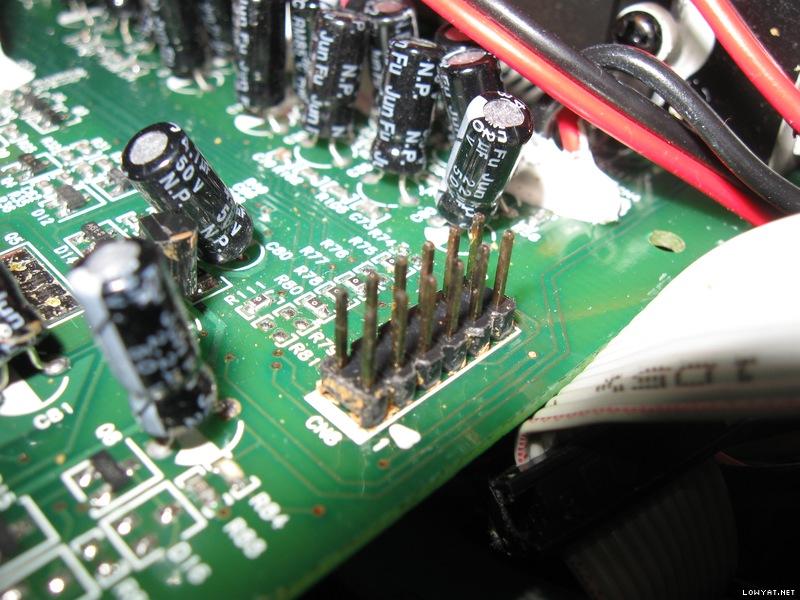
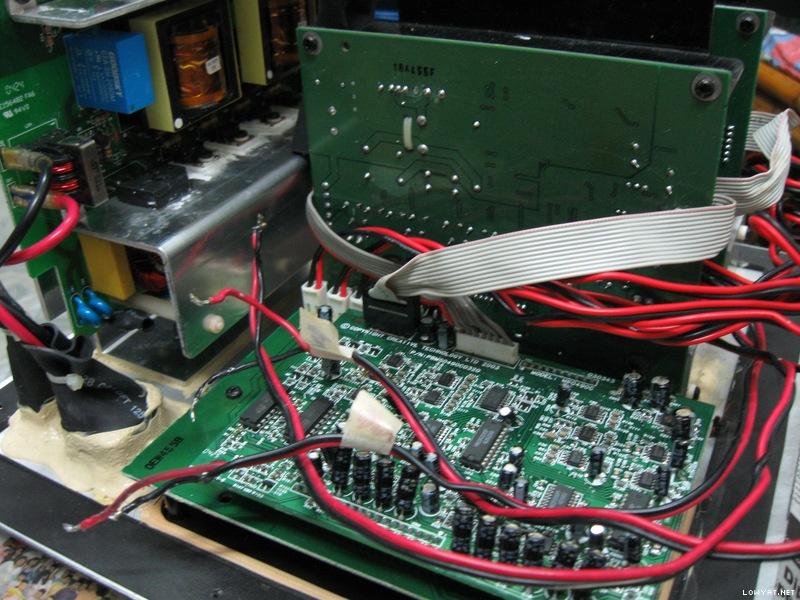
This post has been edited by dlduscg: Feb 27 2015, 07:19 AM
thebundok
post Feb 28 2015, 03:11 AM

New Member
*
Junior Member
9 posts

Joined: Sep 2014


QUOTE(dlduscg @ Feb 27 2015, 12:13 AM)
Hi Ricter, I have been thinking about your problem, but it is very difficult for me to begin troubleshooting without seeing everything you have done.
*
Is it even remotely possible that the problem is in the control box and not at the source? Something as simple as whatever is supposed to trigger when you remove the headphones is staying engaged and thus not routing the sound back out to the speakers?
dlduscg
post Feb 28 2015, 05:27 AM

New Member
*
Junior Member
34 posts

Joined: Dec 2014


QUOTE(thebundok @ Feb 28 2015, 03:11 AM)
Is it even remotely possible that the problem is in the control box and not at the source? Something as simple as whatever is supposed to trigger when you remove the headphones is staying engaged and thus not routing the sound back out to the speakers?
*
Yes, the operation of the audio control can also be used as a diagnostic tool, and that is certainly open for consideration. In addition, the remote control has the mute button which will indicate whether or not the system is muted; when muted the remote control speaker LEDs flash repeatedly when the system is muted. I do not have access to the remote control, and therefore can not use it to find out what effect it has on my S750. In fact, I have the same problem in reverse; all of my speakers work, but I can not get all of the speakers audio when I plug in the phones. The mute feature is working the way it is supposed to on the speakers I can hear in phones. Not having a complete schematic and not having easy access to the boards makes it difficult to trace a problem and is much like trying to find a needle in a haystack. Since Ricter can get the audio in his phones, I would be interested in knowing what happens when he up-mixes, and whether or not he has volume control or is missing any of the selections or adjustments, and if he has a remote control handy. This would show if the system is operating normally thru the audio control. In addition the audio control has a USB port to connect another device without going thru his computer. That would also be interesting to know if he can get that audio and by plugging that into the 750 input jack and if the corresponding speaker works.

Also, I know that mixing up connectors can cause a loss of audio, but not having my audio control working properly, does not give me useful info.

I'm hoping he is reading this or anyone else and tries a few of my suggestions and reports back, otherwise I am getting real frustrated both with his problem and my own, because of the lack of appropriate and needed schematic information. Glad to hear someone is also interested in this.

Ricter
post Feb 28 2015, 05:30 AM

New Member
*
Junior Member
14 posts

Joined: Jan 2015


QUOTE(thebundok @ Feb 28 2015, 03:11 AM)
Is it even remotely possible that the problem is in the control box and not at the source? Something as simple as whatever is supposed to trigger when you remove the headphones is staying engaged and thus not routing the sound back out to the speakers?
*
without touching anything today I connected and I've noticed that a speaker only works if I connect to the connection center.The speakers only sound in the central connection, but heard very low and distorted.¿ you think you can be ? . I have other speakers and I can assure you it works perfect.what worries me most is that the sub is still not working.Why the sub does not work? Do you not supposed power is coming?

I tried to control with mute button and still not working
dlduscg
post Feb 28 2015, 05:56 AM

New Member
*
Junior Member
34 posts

Joined: Dec 2014


QUOTE(Ricter @ Feb 28 2015, 05:30 AM)
without touching anything today I connected and I've noticed that a speaker only works if I connect to the connection center.The speakers only sound in the central connection, but heard very low and distorted.¿ you think you can be ? . I have other speakers and I can assure you it works perfect.what worries me most is that the sub is still not working.Why the sub does not work? Do you not supposed power is coming?

I tried to control with mute button and still not working
*
Do you have another device such as a dvd play that you can use to provide input to the subwoofer? Since the subwoofer output comes directly from the Bash amps you should get audio if it is working properly

thebundok
post Feb 28 2015, 06:55 PM

New Member
*
Junior Member
9 posts

Joined: Sep 2014


QUOTE(dlduscg @ Feb 27 2015, 10:27 PM)
because of the lack of appropriate and needed schematic information.
*
In Post 140 I pasted part of a schematic I found for the S750. I have two other pages in a pdf which I've attached in this post. The schematics specifically state P.S.U. so I don't know if they're helpful for the rest of the board or not (I don't have any electrical experience except for following instructions).Attached File  S750PSU_Schematic.pdf ( 105.67k ) Number of downloads: 1166

dlduscg
post Mar 1 2015, 03:56 AM

New Member
*
Junior Member
34 posts

Joined: Dec 2014


QUOTE(thebundok @ Feb 28 2015, 06:55 PM)
In Post 140 I pasted part of a schematic I found for the S750. I have two other pages in a pdf which I've attached in this post. The schematics specifically state P.S.U. so I don't know if they're helpful for the rest of the board or not (I don't have any electrical experience except for following instructions).Attached File  S750PSU_Schematic.pdf ( 105.67k ) Number of downloads: 1166

*
Hi, Thanks for the info. The one you posted in 140 is included again in your recent post and all of them together are for the Power Supply board (PSU) but what is needed is a schematic for the amp boards (the 2 amp boards are identical), and the two output boards which are sandwiched together. I did get some good schematics for the Bash sta575 power amplifiers, these are the 27 pin IC's on both amp boards which the red/black wires connect to the subwoofer and the rest of the speakers outputs. There are 4 small output capacitors connected to each output configuration but it would be very difficult to replace them all because of the limited space on the boards. However, the glue is pure white and I don't think they are a problem. If there was a problem with one particular speaker, it might be worth while to change them out. BTW how did you make out with your problem with the burned out capacitor? Were you able to clean it up and replace the components? I believe you were looking for C7 replacement. I just order a couple of those safety capacitors (the blue ones) if you need the info on ordering them. As with most electronics, experience is important, especially safety precautions, but if you were able to follow Lex's instructions and replace all those caps, I believe you did very well. It is most import that you do it safely of course, but with particular attention to the details of mounting techniques, and maintaining everything exactly how it was intended and not disturbing other stuff. The caps and diodes must always be mounted with respect to the correct polarity (+, -) as indicated on the board, or something may blow or burn up, and a short can occur by just dropping a speck of solder in the wrong place. Thanks for your help, but we may have to struggle with what we have, even though its a bit difficult to read the traces on those other boards especially since they are double sided, but it can be done.

thebundok
post Mar 1 2015, 05:49 AM

New Member
*
Junior Member
9 posts

Joined: Sep 2014


QUOTE(dlduscg @ Feb 28 2015, 08:56 PM)
Hi, Thanks for the info...BTW how did you make out with your problem with the burned out capacitor? Were you able to clean it up and replace the components? I believe you were looking for C7 replacement.
*
You're welcome. I actually haven't had time to replace the last blowout, have a new baby in the house that's sucking up most of my free time. smile.gif However, I was able to find another repository of information on S750 but I haven't had the time to go through it to see if there is anything useful. You can check it out HERE.

Hope it helps! I'll post an update again when I've got my C7 replaced.
jviojtaba
post Apr 1 2015, 09:12 AM

New Member
*
Junior Member
10 posts

Joined: Feb 2014
hi , please check this video . ( I replace 4 CAP on Power Supply board 470uf 250v ) I get my amp to turn on again but I want to know
its still power supply board problem or other problem this video will show u how amp works .
the headphone output of the console is working well but output channels for speakers even subwoofer is not working well
sound is very low and noisy . some channels don't have sound at all .

https://youtu.be/4tFY61IPh-w
dlduscg
post Apr 2 2015, 09:33 AM

New Member
*
Junior Member
34 posts

Joined: Dec 2014


QUOTE(jviojtaba @ Apr 1 2015, 09:12 AM)
hi , please check this video . ( I replace 4 CAP on Power Supply board 470uf 250v ) I get my amp to turn on again but I want to know
its still power supply board problem or other problem this video will show u how amp works .
the headphone output of the console is working well but output channels for speakers even subwoofer is not working well
sound is very low and noisy . some channels don't have sound at all .

https://youtu.be/4tFY61IPh-w
*
Welcome jviojtaba to the study of the 750 speaker and it's repair group. I watched and listened to your video, and I congratulate you on getting power back to your system. However, if you have not read the previous ten pages on this subject, I recommend that you do so as it will save us from having to explain the many details and nuances of this project. If your system has never been opened or repaired previously you will need to do some basic housekeeping. Specifically, you will need to remove all degraded glue from the main power board and replace all of the remaining original electrolytic capacitors on the main board. The details on how to do this is contained in the previous pages, including the type of caps you should used as replacements. Until that is done, it will be nearly impossible to determine what may be causing your problem, not to mention that the potential for additional problems will still exist. It helps to have knowledge of electronics, but so far we have only been able to find schematics for the power supply and none for the amplifier boards which requires at least some background in how amplifiers work. I have made good progress in restoring the main power supply board, but I am still dealing with a high pitch squeal coming from the sub woofer, and I probably will begin replacing some caps on the amp boards, although they are not surrounded by degraded glue, but are likely to cause problems. Good luck, and let us know here how you are doing and if we can be of any help.
Ricter
post Apr 7 2015, 04:45 PM

New Member
*
Junior Member
14 posts

Joined: Jan 2015


QUOTE(jviojtaba @ Apr 1 2015, 09:12 AM)
hi , please check this video . ( I replace 4 CAP on Power Supply board 470uf 250v ) I get my amp to turn on again but I want to know
its still power supply board problem or other problem this video will show u how amp works .
the headphone output of the console is working well but output channels for speakers even subwoofer is not working well
sound is very low and noisy . some channels don't have sound at all .

https://youtu.be/4tFY61IPh-w
*
Is exactly what happens to mine.
dlduscg
post Apr 7 2015, 09:42 PM

New Member
*
Junior Member
34 posts

Joined: Dec 2014


Ricter, I'm back and have not given up, just had other issues. Will let you know what I find out

Ricter
post Apr 8 2015, 02:27 AM

New Member
*
Junior Member
14 posts

Joined: Jan 2015


QUOTE(dlduscg @ Apr 7 2015, 09:42 PM)
Ricter, I'm back and have not given up, just had other issues. Will let you know what I find out
*
thx friend
pslv
post Apr 8 2015, 04:54 PM

New Member
*
Newbie
1 posts

Joined: Apr 2015


QUOTE(jviojtaba @ Apr 1 2015, 02:12 AM)
hi , please check this video . ( I replace 4 CAP on Power Supply board 470uf 250v ) I get my amp to turn on again but I want to know
its still power supply board problem or other problem this video will show u how amp works .
the headphone output of the console is working well but output channels for speakers even subwoofer is not working well
sound is very low and noisy . some channels don't have sound at all .

https://youtu.be/4tFY61IPh-w
*
I have the same problem!
For what I could figure out so far, the problem is in both the 70v output from PSU.
There seams to be short-circuit on these lines. Maybe the FETs... Haven't had time to check...
jviojtaba
post Apr 8 2015, 07:30 PM

New Member
*
Junior Member
10 posts

Joined: Feb 2014
QUOTE(pslv @ Apr 8 2015, 04:54 PM)
I have the same problem!
For what I could figure out so far, the problem is in both the 70v output from PSU.
There seams to be short-circuit on these lines. Maybe the FETs... Haven't had time to check...
*
I will give my s750 amp to some electrical professional but 1 person I go to him said Its really time killing and he said its will take a lot of time to
find the problem and fix it and maybe some of chips are damaged and there is no replacement for them too , anyway if u still thinking this is because
of power supply board I will tell the repairer man only change the CAP'S and nothing else if that's works I will be so happy .
anyway I live in Iran and that's the biggest problem here Its hard to find good electric professional here .
jviojtaba
post Apr 8 2015, 07:35 PM

New Member
*
Junior Member
10 posts

Joined: Feb 2014
QUOTE(Ricter @ Apr 7 2015, 04:45 PM)
Is exactly what happens to mine.
*
so what did u done for ur amp ? did u change all cap's and clear the glue ? I want to know what else I can do for mine too and I will share it here and maybe help u too .
rafath23
post Apr 12 2015, 10:33 AM

New Member
*
Newbie
1 posts

Joined: Apr 2015
I really hope someone can help me.

After a power outage my S750's stopped working. I thought it was the fuse, so I bought new ones and replaced it, but it didn't work.

It took me a while to find a place that can repair speakers and they told me the IC's blew up etc etc... I was excited it was gonna get fixed.

After a week or so I got my speakers back and they did work. But there was a problem... I don't know how to explain it so I asked around and a few people told me the term is "humming". Forgive me if its the wrong term, but this is what happens... there is a high pitched annoying sound that comes from the sub-woofer. After the repair it continued for around 20 to 30 mins and stopped. I thought it was fine then, but the next day I switched it on again and the sound was back... again for 20 to 30 mins. I've noticed that if i keep the sub-woofer on the annoying sound stops but when I switch it off for a few hours it comes back for 20 to 30 mins.

Can somebody please tell me what the problem is and how it can be fixed?

Any help from this community will be much appreciated.

Thank you in advance.

Looking forward to some positive replies.
asenrzhang
post Apr 18 2015, 06:34 PM

Getting Started
**
Junior Member
68 posts

Joined: Apr 2015
From: China
--content deleted, using another account to post. this account is from a friend--
ok, it seems that another account has problem to post (no one else can see my post except myself), so I post it back here.


Thanks for sharing the repair experience.

» Click to show Spoiler - click again to hide... «

2015-04-23 Update
Damn, I use a flat knife opened the back iron plate, but, I can't open it more, only 5cm: there are wires connected to the subwoofer, I can't see inside how to detach it. Seriously, 5cm, and lots of stuffs blocked the view. I can't even put hand into it.

So how do you guys disassemble it? Can you put your back iron plate down after screw down?

@lex @dlduscg @richer , please help me


2015-04-27 Update
-- Thanks again, now, I had disassembled the the back iron plate, the 3 connectors of the woofer are actually facing inside of the box, so it makes the wire shorter
Attached Image


And 3 bulged capacitors: one CapXon (68μF 450V 105°C), two JunFu (1000μF 100V 105°C, like this one http://forum.lowyat.net/uploads/attach-11/...-1372785951.jpg , @lex does not replace this one because they are not bulged )

Attached Image

Attached Image

Attached Image

This post has been edited by asenrzhang: Apr 27 2015, 07:11 AM
dlduscg
post Apr 28 2015, 03:17 AM

New Member
*
Junior Member
34 posts

Joined: Dec 2014


To everyone having the typical problems with the Gigaworks S750 I suggest that you work on the main power supply first, and if it has not been worked on before I recommend that you start by replacing all electrolytic capacitors, then clean up the degraded (darker colored) glue as described in the previous posts. Schematics for the main PSU are available to help with this part. When that is done and you can see any other obvious indications of burnt, cracked, broken, or otherwise suspicious components, that is where you begin the process of restoration. When you are sure there is no more visible or outward damage, and everything has been properly reconnected you can consider applying the power. When the green light comes on and stays lit without any other problems, you can proceed to checking out the outputs. It has been my experience that when you get to this stage, and you have some or most of the speakers back, you will likely be looking for a bad amp output (Bash STA575). There are no specific schematics for the amp boards that I know of, but you can get detailed information about the amplifier stages by tracing the output wiring and getting data info on the Bash amps or other individual components online to help understand how the amps work and to isolate the possible defective amplifier. I would not be concerned about all white appearing glue because it is not likely to be a problem and the less you disturb things the better you will be when retracing your own tracks. I hope this has been helpful. There are some good inexpensive digital multimeters available online that can help you find defective components to assist you in the process of determining which components to replace. They include checking resistors, capacitors, diodes, transistors, as well as the current and voltage without removing them from the circuits in some cases as well. Good luck. If I find out anything new I will post it here.

MasEnha
post Jun 13 2015, 05:24 PM

New Member
*
Newbie
3 posts

Joined: Jun 2015


QUOTE(dlduscg @ Feb 4 2015, 11:47 AM)
Sorry, I do not know of your problem and Lex has not been on for quite a while. If you want to give me some info, I can see if I can be of help.
*
Hi, I have a problem with my S750 set too. Please help smile.gif

I removed almost all the glue from the main power board (biggest board), but still have following issues:
1. Plug-in all three ribbon cable and the green light is blinking continuesly
2. Remove those 2 green ribbon cables the green light blinking like 3 times and steady, I can even use the remote to power it on, but of course no sound.
3. Plug the gray and one of green ribbon cables SOMETIME (you may call it luck) the green light blinking like 8-10 times and then steady.
4. No visible physical damage can be seen with my noobs eyes.

Each time the green light steady I can use the remote.

Based on that symptoms, what to do with the set?

Very appreciate for your help.

Enha - Jakarta

This post has been edited by MasEnha: Jun 13 2015, 05:27 PM
dlduscg
post Jun 14 2015, 12:12 AM

New Member
*
Junior Member
34 posts

Joined: Dec 2014


[quote=MasEnha,Jun 13 2015, 05:24 PM]
Hi, I have a problem with my S750 set too. Please help smile.gif

You did not say if you replaced any of the electrolytic capacitors...if you did not, then that is where you must start

dlduscg
post Jun 14 2015, 12:17 AM

New Member
*
Junior Member
34 posts

Joined: Dec 2014


[quote=dlduscg,Jun 14 2015, 12:12 AM]
[quote=MasEnha,Jun 13 2015, 05:24 PM]
Hi, I have a problem with my S750 set too. Please help smile.gif

You did not say if you replaced any of the electrolytic capacitors...if you did not, then that is where you must start
*

[/quote]

dlduscg
post Jun 14 2015, 12:19 AM

New Member
*
Junior Member
34 posts

Joined: Dec 2014


In addition, but before you replace the caps, check each connector, including the main power connector for a bad connection. That may solve the problem, but you will also need to replace the caps
MasEnha
post Jun 15 2015, 09:52 AM

New Member
*
Newbie
3 posts

Joined: Jun 2015


QUOTE(dlduscg @ Jun 14 2015, 12:19 AM)
In addition, but before you replace the caps, check each connector, including the main power connector for a bad connection. That may solve the problem, but you will also need to replace the caps
*
Thanks for the answer, I'll repace those bad caps soon as possible. Sadly for the caps digikey part no: P11613-ND is no longer available, which is the best alternative for it? Including the exact part no if possible. Thank you.

Enha
dlduscg
post Jun 15 2015, 10:40 AM

New Member
*
Junior Member
34 posts

Joined: Dec 2014


QUOTE(MasEnha @ Jun 15 2015, 09:52 AM)
Thanks for the answer, I'll repace those bad caps soon as possible. Sadly for the caps digikey part no: P11613-ND is no longer available, which is the best alternative for it? Including the exact part no if possible. Thank you.

Enha
*
There are several Rubycons, but digi-key specifically recommends the Rubycon 200VXH470MEFCSN22X30 Digi-Key part Number 1189-2838-ND as a direct replacement for the P11613-ND and is also a snap in type. The size and specs are essentially the same. Be sure and use extreme care soldering/desoldering so as not to damage the feed throughs. Low heat with flux helps. The cost for these caps is 3.39 usd. Good luck.
ccristian
post Jun 16 2015, 03:58 AM

New Member
*
Newbie
1 posts

Joined: Jun 2015
Hello,

I recently start to have problems with S750 PSU. I repair it over the years 3 times and now it's 4th time. My issue is that after an amount of time the PSU shut down and came back to idle after about 15 min. I suspect the issue is related the fact that the TOP243Y was entering in thermal shutdown and came back only after it cools itself. I changed couple of suspect components and measured all capacitors and all seams to be fine.
However I have one question that someone around here might be able to answer. The PSU is running fine now but the L aluminum heat sink is very, very hot. I measure it with my fluke multimeter and it stay at about 70 degrees which is very hot. This is only when the main power (70V/24V) is on.
So the big question is if this kind of temperature is normal or not. In my experience is a little too high especially if the case is closed and heat is not dissipated actively. At least maybe to confirm my readings of temperature.

Regards,
Cristian

kenn723
post Jun 26 2015, 01:16 PM

Casual
***
Junior Member
308 posts

Joined: Sep 2007
From: Petaling Jaya, Selangor
Hi guys,

I had raised an issue on my Creative Megaworks THX 550 few months ago somewhere in Feb 2015 (post #195). However due to my job i do not have time to do research to fix the problem. I am also not a good technician.

I think its on the fuse or glue issue. Anyone knows where i can get such service to repair my speaker? Or anyone can help for a fee?

Thank you.
jblanc03
post Jun 27 2015, 01:33 PM

New Member
*
Newbie
1 posts

Joined: Jun 2015


Hello,

my name is Jonathan.

I read your post on reparing the Creative Gigaworks s750 Subwoofer and was so delighted and relieved to find you!!

I have the exact same speaker system and my Gigaworks s750 Subwoofer (Model# MF7010) just went bad.

IN FACT, I BOUGHT ANOTHER SET JUST TO REPLACE THE SUBWOOFER BUT IT TURNED OUT TO HAVE A SHORT SOMEWHERE!(thats what i get from ebay!!)

anyway, with the first Subwoofer, I get no LFE Frequencies/sounds at all. It litterally just happened all of the sudden. Its been working for almost a year.

I can hear the subwoofer speaker working but there is no umph! Low Frequency Sound being produced anymore.

Anyway i will pay you hansomely if i could please send you my Subwoofer and you could do everything you did in your Post on the repair. Change the capacitors and standoffs etc.........

Please! i beg you!!!

let me know

you can call me at 786 348 3174 if you prefer to talk on the phone.

thanks
dlduscg
post Jun 28 2015, 10:34 PM

New Member
*
Junior Member
34 posts

Joined: Dec 2014


QUOTE(jblanc03 @ Jun 27 2015, 01:33 PM)
Hello,

my name is Jonathan.

I read your post on reparing the Creative Gigaworks s750 Subwoofer and was so delighted and relieved to find you!!

I have the exact same speaker system and my Gigaworks s750 Subwoofer (Model# MF7010) just went bad.

IN FACT, I BOUGHT ANOTHER SET JUST TO REPLACE THE SUBWOOFER BUT IT TURNED OUT TO HAVE A SHORT SOMEWHERE!(thats what i get from ebay!!)

anyway, with the first Subwoofer, I get no LFE Frequencies/sounds at all. It litterally just happened all of the sudden. Its been working for almost a year.

I can hear the subwoofer speaker working but there is no umph! Low Frequency Sound being produced anymore.

Anyway i will pay you hansomely if i could please send you my Subwoofer and you could do everything you did in your Post on the repair. Change the capacitors and standoffs etc.........

Please! i beg you!!!

let me know

you can call me at 786 348 3174 if you prefer to talk on the phone.

thanks
*
Sorry to disappoint you jblanc03, but the process explained here in these many pages, is intended to help those who are so endeared to their Gigaworks s750 subwoofer, that they are willing to spend the time and effort to attempt the restoration; a project which can be very time intensive and frustrating, as you may learn from the forum discussions here. The help and recommendations given by this forum can only be appreciated by those who experience their own unique problems as they progress towards their separate goals. While we will try and help each other along the way, there are no guarantees that yours will be a success, however, I believe that if you read and have the technical ability to persevere, you have a good chance of getting your system working again. Please post any questions you may have and we will be do our best to assist. Good Luck.
pal33x
post Jul 17 2015, 01:40 AM

Casual
***
Junior Member
379 posts

Joined: Jan 2006
From: BbBangi,Miat-Easa


lex still in business?
fevaelektro
post Jul 20 2015, 07:28 AM

New Member
*
Newbie
2 posts

Joined: Jul 2015


Hello, Can you tell me in what way could be a problem?
https://www.youtube.com/watch?v=4tFY61IPh-w&feature=youtu.be
Thank you for answering

This post has been edited by fevaelektro: Jul 21 2015, 06:03 AM
mikoyreales
post Oct 8 2015, 10:37 PM

New Member
*
Newbie
1 posts

Joined: Oct 2015

Hi, glad to have found this. Could anyone please tell me the value of the cap in C5? I accidentally scraped it off while removing the degraded glue. Appreciate it, thanks!

Attached Image

This post has been edited by mikoyreales: Oct 10 2015, 07:45 AM
dlduscg
post Oct 10 2015, 10:20 AM

New Member
*
Junior Member
34 posts

Joined: Dec 2014


QUOTE(mikoyreales @ Oct 8 2015, 10:37 PM)
Hi, glad to have found this. Could anyone please tell me the value of the cap in C5? I accidentally scraped it off while removing the degraded glue. Appreciate it, thanks!

Attached Image
*
Hi, I received your email and found your photo of the board and located C5. I see that you destroyed the cap and that there is no hope to recover and replace it. Also that there is no information on the same cap on my board that can offer any help to determine the value of the cap. First I would try to clean up the area and remove any of the old cap fragments that are still attached to the board. Then when you finish the glue removal and put everything back together, power up and find out what you have working/not working especially checking the inputs/outputs of the board. You may also try replacing the removed cap with a leaded cap; a small leaded wafer/paper cap .1 mfd 50v non polarized or one of your choosing to test for its effect upon the outputs. If you don't think you can work with SMT soldering techniques then just leave it for now or until you can find someone to do it. The important thing is to be sure that there are no pieces left from the damaged cap that would short out the circuit or allow a path for dc current to flow into other parts of the circuitry.

The glue still on the board shown in your photo does not look degraded or necessary for removal. I do not know the condition of the whole board, but if all the glue appears the same, then I would not attempt any more removal on this board to avoid further damage to the board. The only glue that requires removal is the darkened, yellow or dark brown and/or spotted. If the glue is white and looks clean like what it appears to be in your photo, I would leave it alone.

I don't know if this helps much, but it is going to be hard to determine what impact this cap will have on the overall audio operation of the speaker system, if any, until you have everything else up and ready to go, especially the main power supply.
Rixan
post Nov 20 2015, 12:18 AM

New Member
*
Newbie
1 posts

Joined: Nov 2015
From: Italia


I just registered my account on this great forum to say Thank You to Lex and to everyone who did their part in helping others to repair faulty Gigaworks S750 subwoofers! notworthy.gif
Thanks to the pictures and clear and simple explanations, I learned so much, and managed to repair my S750 as well!

Removing that awful, sticky, degraded glue was the most frustrating part of the process, and although it was my first time in replacing capacitors, I did it and had fun!

Keep this topic alive for future generations!


metaloid
post Dec 5 2015, 02:26 PM

konpeko~
******
Senior Member
1,972 posts

Joined: Jan 2008
Hi need some advice but it's regarding Edifier C3. A technician diagnosed that the amp I.c. is spoilt and that he can't repair it. I asked inter-asia and they do sell the whole board for 150+. Do u think it's worth paying for a new board?
WhiteFlag
post Dec 28 2015, 10:10 PM

On my way
****
Junior Member
540 posts

Joined: Jan 2008
very nice info!
artturnip
post Dec 30 2015, 09:32 PM

New Member
*
Newbie
1 posts

Joined: Dec 2015


Hi all (Is this thread still alive/relevant?)

I've got real issues with C62 (47uf, 25v - Upgraded to 50v)

Every time I power the system on this cap pops.. The regulator U7, D9, D13, R9, C7 and the optocoupler have all been replaced (with equally good/better parts) but still this cap doesn't like the power being turned on sad.gif

Any ideas?
Intrigue
post Jan 1 2016, 12:28 PM

L O W Y A T E R
*******
Senior Member
3,943 posts

Joined: Jan 2003
From: - Johore -


Hi bro.. i have a z5500 which the subwoofer went dead. Nobody seems to be able to help me repair it. Will you be able to provide service for it?
Freddie_SE
post Jan 10 2016, 09:47 PM

New Member
*
Newbie
1 posts

Joined: Jan 2016


Hello! Does anyone hav original pinout for the transformer (ETD -29, placed in power supply) to share? I purchased a new one from "Myrra" and find out pin configuration is not the same..sad.gif
jviojtaba
post Mar 1 2016, 04:06 AM

New Member
*
Junior Member
10 posts

Joined: Feb 2014
QUOTE(Freddie_SE @ Jan 10 2016, 09:47 PM)
Hello! Does anyone hav original pinout for the transformer (ETD -29, placed in power supply) to share? I purchased a new one from "Myrra" and find out pin configuration is not the same..sad.gif
*
hi , i have same problem but in other parts
user posted image
user posted image

i can't find it anywhere even in google so what is another replacement for this transistors ? or mosfet ?
please help , i have to replace one of them so i need it so badly .
can anyone tell me what is the Amper of this or full info about this so i can find replacement for it ?
jviojtaba
post Mar 1 2016, 04:13 AM

New Member
*
Junior Member
10 posts

Joined: Feb 2014
i need to replace one of this transistors or mosfet look at the photos and tell me which one should i buy and its good for replacement . ty for help me i really want to fix mine i really need it .
user posted image
user posted image
look at this photo which one is good for replacement ?
user posted image
jviojtaba
post Mar 1 2016, 04:41 AM

New Member
*
Junior Member
10 posts

Joined: Feb 2014
sorry for asking again can i use SMD cap instead of normal cap as well or no ?
jviojtaba
post Mar 1 2016, 07:48 PM

New Member
*
Junior Member
10 posts

Joined: Feb 2014
i think this thread is almost dead or something !
jviojtaba
post Mar 1 2016, 09:14 PM

New Member
*
Junior Member
10 posts

Joined: Feb 2014
with this problem is there any chance that Bash sta575 failed ? or i have to replace it ?

jviojtaba
post Mar 4 2016, 08:31 AM

New Member
*
Junior Member
10 posts

Joined: Feb 2014
QUOTE(dlduscg @ Oct 10 2015, 10:20 AM)
Hi, I received your email and found your photo of the board and located C5. I see that you destroyed the cap and that there is no hope to recover and replace it. Also that there is no information on the same cap on my board that can offer any help to determine the value of the cap. First I would try to clean up the area and remove any of the old cap fragments that are still attached to the board. Then when you finish the glue removal and put everything back together, power up and find out what you have working/not working especially checking the inputs/outputs of the board. You may also try replacing the removed cap with a leaded cap; a small leaded wafer/paper cap .1 mfd 50v non polarized or one of your choosing to test for its effect upon the outputs. If you don't think you can work with SMT soldering techniques then just leave it for now or until you can find someone to do it.  The important thing is to be sure that there are no pieces left from the damaged cap that would short out the circuit or allow a path for dc current to flow into other parts of the circuitry.

The glue still on the board shown in your photo does not look degraded or necessary for removal. I do not know the condition of the whole board, but if all the glue appears the same, then I would not attempt any more removal on this board to avoid further damage to the board. The only glue that requires removal is the darkened, yellow or dark brown and/or spotted. If the glue is white and looks clean like what it appears to be in your photo, I would leave it alone.

I don't know if this helps much, but it is going to be hard to determine what impact this cap will have on the overall audio operation of the speaker system, if any,  until you have everything else up and ready to go, especially the main power supply.
*
hey man i need ur help please help me !! i really get feel so bad i really want to fix my speaker system . so please at least let me know u r still there ! check my posts here .
Yamie13
post Mar 17 2016, 11:49 PM

New Member
*
Newbie
4 posts

Joined: Mar 2016
Thank you Lex, your post were very informing and helped me alot!

My S750 broke 3 days ago.

Standby won't turn on.

Green LED flickerin.

Two years ago this happend the first time. But I left the S750 alone without power for a month in my cold apartment.
After it warmed up and had power for several hours it turned back on again.

This only happend 3 times in the last two years.


But this time, it was warm and the S750 had power, it even was in standby but when I pressed the power button on the controller it broke down, the LED began to flicker and nothing happened.

I searched the internet for tutorials and help.
This posts were the best I found.
I never had anything to do with electronics.
I studied biochemistry and computer science so I am not total new to this, but I never learned electrical engineering.

First I learned how to read the circuit diagram.

Then I learned how the different components work.

I disassembled the entire unit and took a good look.

Then I started cleaning everything, and removing the old glue.
It was all over the place.

I started with the big capacitors, desoldering and measure resistance and capacity.
But although my S750 is almost 10 years old, all seems to be fine, no visual damage or any bulging capacitors.

Next I tried a cold heat method i read about. In order to find the numb capacitor.
In my case it is C62, it was hidden underneath a shrinking tube (why??). First I though it has to be light proof, but it's just a normal capacitor.

When I cool this one down, the LED keeps flickering, but if I heat it over 35°C it starts smile.gif
As chemist I know reaction speed doubles each 10°C (10 K)


I just order almost any capacitor on the board, but higher quality, Panasonic, Nichicon and Würth Elektronik (a german brand) from Conrad.de a german electronics shop, for around 40€.

They should arrive tomorrow, then I will start replacing everything and start testing smile.gif

When it's done, I will write a short summary with pictures.
Yamie13
post Mar 18 2016, 01:58 AM

New Member
*
Newbie
4 posts

Joined: Mar 2016
This is how it started.

http://imgur.com/wEm8U0m

http://imgur.com/ImVWDHM

Finding the numb cap.

http://imgur.com/snHfytg

Trying to power it up with all connected

http://imgur.com/I0kisJi

It worked biggrin.gif

Start of desoldering

http://imgur.com/IhPOxHL

http://imgur.com/dMb37Fg

Already removed a lot of old glue

http://imgur.com/Je0hdTJ

http://imgur.com/EKDVh2j

These caps I removed today, new will come tomorrow
If it works, I might change all caps but right now I am too lazy tongue.gif

http://imgur.com/HiixKFl

Most look still good

http://imgur.com/jFUQP8b

http://imgur.com/bvlm48J

The big 470 µF 200 V were at ~430 µF but I think this is still fine, one of them lost his "hat" ^^
The small one on the left looks good but I know that it's dumb : /

My quick sketch

http://imgur.com/56LVVrH


All images will stay in my One Drive
https://onedrive.live.com/redir?resid=D0D96...nt=folder%2cpdf

Yamie13
post Mar 19 2016, 02:59 PM

New Member
*
Newbie
4 posts

Joined: Mar 2016
I removed all old capacitors and cleaned of the old solder
I tried to remove more old glue, but I am pretty sure I already removed it from places that could cause shorts

http://imgur.com/SiORYIC

http://imgur.com/HLXf24E

And in these pictures you can see the new caps
Except those 2 330 µF 100V the new ones didn't arrive sad.gif
But they are very easy accessible from the outside, so I put everything back together and tested its function

http://imgur.com/EDf7JIg

http://imgur.com/ekhqsAl

http://imgur.com/rNnoIlI

http://imgur.com/f52QSFF

http://imgur.com/9YYm8NL

These 4 470 µF 200V are a little high sad.gif
40mm old were 35 mm but there is still some headroom left
New ones are Nichicon VY
And like all I choose 105°C

Works great now smile.gif
Starts immediately and no problems
I think those 2 330 µF 100V will arrive at Monday

http://imgur.com/xlRVUoq

I am very glad that everything went out this well, it took me 5 days to learn what was going on and what to do
On Monday it will be an entire week after first total fail until repair biggrin.gif
In the best case I will be able to use this system for another 20 years now

Thank you all and especially Lex!!
Yamie13
post Mar 22 2016, 07:45 PM

New Member
*
Newbie
4 posts

Joined: Mar 2016
Today I installed the new 330 µF 100V caps.
As predicted it were fairly easy without removing the psu board smile.gif

http://imgur.com/kWncvAy

http://imgur.com/BIvabe0

I am done now, if there are any questions, I will try to help, but I am no expert
Good luck to all of you!
OE DarkThrone
post May 17 2016, 12:32 AM

New Member
*
Newbie
2 posts

Joined: May 2016


Good Day all

I followed the steps in the whole forum to repair and upgrade my S750 surround system but it didn't work sad.gif

my problem wasn't directly with the power board, when my speakers started to die I turned it on one day then I heard sound of something exploding, then the sounds turn lower and the right channel was buzzing
after that day my sound system always turns on but have this buzzing sound problem.

after reading what's written I decided to upgrade the whole components, I checked on the power board, it seems to be OK, no fat Capacitor or burned Diodes or exploded stuff, but I noticed the two Capacitors on the Amp Boards in sector C40 blown and burned.

what I did that I changed most of the parts in the power supply board then some capacitors in the amp boards according to this list (founded earlier in the forum)

https://onedrive.live.com/redir?resid=E2DDC...int=file%2cdocx

- First Repair Results:

power on functioning correct and nothing exploded, but there's no sound at all from any speaker out !! shocking.gif

- Possible causes:

1 - some soldering points where so fragile, I may have cut/ruined the copper connections down some components on the power board within soldering?
2 - other contact point on the amp board where visibly damaged because of the hot soldering and I tried to fix them, but I got the same results (that didn't encourage me to continue replacing the capacitors in the amp boards)

- Reviewing and Checking for any possible Visible problems:

re-check on every soldering points, cable connections... no visible harm, nothing more to do !! bangwall.gif

Please Help me find what to do else to complete this mess, I'm so disappointed and exhausted from trying to find the problem with no results regarding that I spent 120 euros to buy the components and feeling useless unlucky.

I can uploads photos for every thing I solder on the boards, please tell me what to do cry.gif

Thanks
Homer

This post has been edited by OE DarkThrone: May 17 2016, 12:45 AM
asenrzhang
post May 17 2016, 11:33 PM

Getting Started
**
Junior Member
68 posts

Joined: Apr 2015
From: China
QUOTE(OE DarkThrone @ May 17 2016, 12:32 AM)
Good Day all

I followed the steps in the whole forum to repair and upgrade my S750 surround system but it didn't work sad.gif

my problem wasn't directly with the power board, when my speakers started to die I turned it on one day then I heard sound of something exploding, then the sounds turn lower and the right channel was buzzing
after that day my sound system always turns on but have this buzzing sound problem.

after reading what's written I decided to upgrade the whole components, I checked on the power board, it seems to be OK, no fat Capacitor or burned Diodes or exploded stuff, but I noticed the two Capacitors on the Amp Boards in sector C40 blown and burned.

what I did that I changed most of the parts in the power supply board then some capacitors in the amp boards according to this list (founded earlier in the forum)

https://onedrive.live.com/redir?resid=E2DDC...int=file%2cdocx

- First Repair Results:

power on functioning correct and nothing exploded, but there's no sound at all from any speaker out !!  shocking.gif

- Possible causes:

1 - some soldering points where so fragile, I may have cut/ruined the copper connections down some components on the power board within soldering?
2 - other contact point on the amp board where visibly damaged because of the hot soldering and I tried to fix them, but I got the same results (that didn't encourage me to continue replacing the capacitors in the amp boards)

- Reviewing and Checking for any possible Visible problems:

re-check on every soldering points, cable connections... no visible harm, nothing more to do !!  bangwall.gif

Please Help me find what to do else to complete this mess, I'm so disappointed and exhausted from trying to find the problem with no results regarding that I spent 120 euros to buy the components and feeling useless unlucky.

I can uploads photos for every thing I solder on the boards, please tell me what to do  cry.gif

Thanks
Homer
*
Since currently there's no schematics of amplifier board, maybe you need send to professional to repair.

My self-repair caused a short circuit when power on -- one of capacitor on amplified board was reversed when I soldered it, oops. Luckily, nothing damaged except the fuse. But it took me 1 year to find the problem (yeah, 1 year, leave it on the ground with dust on it until now I decided to repair it again).
asenrzhang
post May 18 2016, 12:57 AM

Getting Started
**
Junior Member
68 posts

Joined: Apr 2015
From: China
Thanks @lex for this amazing helpful post which survived my S750!

I still have some small issues:

1. Center and Subwoofer channel still no sound
My bad, I muted center/subwoofer channel by mistake. I use pulseaudio in Linux operating system, however the center/subwoofer channel is muted in alsamixer:
Attached Image

Anyone know which pin on the audio I/O board is for "center" sound channel?
Attached Image

2. When tune volume + - or mute/unmute or power on to standby, there will be a noise come out of rear speakers (especially rear right speaker). and the volume of noise follows the main volume.

3. There was one time before: after plugged earphone into the jacket on remote control pod, sound still come out from speaker. But now I can't reproduce this issue anymore.

About issue 1 and 2 and 3:
There were massive glues on audio I/O board before, so I scratched them very carefully for several days, but still, there're glues under chips or between chip legs which I can't clean them all. Could this be a reason caused issue 1 & 2 & 3?

Massive glues on audio I/O board
Attached Image

4. The common issue: when power on, power go off automatically and then return to standby state.
-- I'll leave this issue there, since it's not too annoying.


5. Occasionally, there's no sound of the relay after power on button is clicked -- so no power.
The LED light on subwoofer is steady green, after clicked standby/power button, the LEDs on remote control pod are green too, it's seems power is on, but I can't hear the sound of relay.

This post has been edited by asenrzhang: May 23 2016, 09:10 AM
Jjk86
post May 25 2016, 02:44 AM

New Member
*
Junior Member
5 posts

Joined: May 2016
Hello while I was scraping the conducted glue I scraped off the green layer like in the imageσ below. Also the pads are gonners and I made some with your methods... Can you please tell me if I am doing something wrong or if I will have problem without the green layer cause i i tried to turn on the system and i saw a flash. You can see the blown part on the white surface in the 1st image.

This post has been edited by Jjk86: May 25 2016, 08:09 AM


Attached thumbnail(s)
Attached Image Attached Image Attached Image Attached Image
asenrzhang
post May 25 2016, 05:31 PM

Getting Started
**
Junior Member
68 posts

Joined: Apr 2015
From: China
QUOTE(Jjk86 @ May 25 2016, 02:44 AM)
Hello while I was scraping the conducted glue I scraped off the green layer like in the imageσ below.  Also the pads are gonners and I made some with your methods...  Can you please tell me if I am doing something wrong or if I will have problem without the green layer cause i i tried to turn on the system and i saw a flash. You can see the blown part on the white surface in the 1st image.
*
doh.gif
Even as an amateur, I can tell that's totally wrong: you'are connecting '+' to '-' which definitely made a short circuit. That's why you saw a flash (I made a similar mistake too - I reversed one capacitor).

The 'L' connector should only made for the '-' leg/pin/hole of C59 C60 C69 C70 and the '+' leg/pin/hole of C61, because these legs/pins are connected on this side.

Attached Image

user posted image


And the 'L' wire should be better facing the other hole/pin, because the distance between capacitor legs/pins is a little wider which leave spaces inner side. See my wiring below:

Attached Image
Attached Image

This post has been edited by asenrzhang: May 26 2016, 10:21 AM
Jjk86
post May 25 2016, 08:22 PM

New Member
*
Junior Member
5 posts

Joined: May 2016
QUOTE(asenrzhang @ May 25 2016, 12:31 PM)

doh.gif 
Even as an amateur, I can tell that's totally wrong: you'are connecting '+' to '-' which definitely made a short circuit. That's why you will saw a flash (I made a similar mistake too - I reversed one capacitor).

The 'L' connector should only made for the '-' pin of C59 C60 C69 C70 and the '+' pin of C61, because these pins are connected on this side.

Attached Image

http://img.vim-cn.com/fd/32ef3dc7a80e2ca70...8d21746a3fc.png 
And the 'L' wire should be better  facing the other hole/pin, because the capacitor pin is a little wider which leave spaces inner side. See my wiring below:

Attached Image
Attached Image
*


Thank you asenrzhang for your answer biggrin.gif!
Unfortunately the back of my pcb doesnt have any pads also how can i connect the capacitors on the back on the down side?
Is there a chance my capacitors are blown now due to the short circuit?
asenrzhang
post May 25 2016, 10:59 PM

Getting Started
**
Junior Member
68 posts

Joined: Apr 2015
From: China
QUOTE(Jjk86 @ May 25 2016, 08:22 PM)
Unfortunately the back of my pcb doesnt have any pads also how can i connect the capacitors on the back on the down side?
If you mean the pad around '-' leg of C59 C60 C69 C70 and '+' leg of C61 on the down/back side, then it is not a big issue. If you see carefully on my last photo, the pads are missing too (thanks for my bad soldering skill)
For me, I just put lots solder on it (but DO NOT connect it to the copper surface around), and make a small globe which can make the capacitor more steady. I'm going to put glues on the capacitor to make it more steady.

QUOTE(Jjk86 @ May 25 2016, 08:22 PM)
Is there a chance my capacitors are blown now due to the short circuit?
I can't tell. But you may want to check the fuse first. Then check these capacitors using a multimeter.
My mistake caused 3-5 fuses blown, but the capacitor survived (Nichicon capacitors seems so damn good).
My mistake is I soldered a new capacitor on the left amplifier board - the big one, the 1000μF one, but it's reversed. But after several fuses blown, this capacitor is still working. biggrin.gif

This post has been edited by asenrzhang: May 25 2016, 11:18 PM
Jjk86
post May 26 2016, 01:09 AM

New Member
*
Junior Member
5 posts

Joined: May 2016
QUOTE(asenrzhang @ May 25 2016, 05:59 PM)
If you mean the pad around '-' leg of C59 C60 C69 C70 and '+' leg of C61 on the down/back side, then it is not a big issue. If you see carefully on my last photo, the pads are missing too (thanks for my bad soldering skill)
For me, I just put lots solder on it (but DO NOT connect it to the copper surface around), and make a small globe which can make the capacitor more steady. I'm going to put glues on the capacitor to make it more steady.
I can't tell. But you may want to check the fuse first. Then check these capacitors using a multimeter.
My mistake caused 3-5 fuses blown, but the capacitor survived (Nichicon capacitors seems so damn good).
My mistake is I soldered a new capacitor on the left amplifier board - the big one, the 1000μF one, but it's reversed. But after several fuses blown, this capacitor is still working. biggrin.gif
*
I just finished the soldering and modding of the solder pads and my s750 is working again biggrin.gif. Thank you for everything you have been a BIG help! There is only one problem though... My bass is not woriking as it was. It is not making loud bass sound, almost not hearing it at all sometimes and i need to enable the bass boost option on my sound card and when i disable the bass rederection i hear bass sounds from the surround speakers... dry.gif confused.gif hmm.gif

This post has been edited by Jjk86: May 26 2016, 01:10 AM
asenrzhang
post May 26 2016, 01:51 AM

Getting Started
**
Junior Member
68 posts

Joined: Apr 2015
From: China
QUOTE(Jjk86 @ May 26 2016, 01:09 AM)
I just finished the soldering and modding of the solder pads and my s750 is working again biggrin.gif. Thank you for everything you have been a BIG help! There is only one problem though... My bass is not woriking as it was. It is not making loud bass sound, almost not hearing it at all sometimes and i need to enable the bass boost option on my sound card and when i disable the bass rederection i hear bass sounds from the surround speakers... dry.gif  confused.gif  hmm.gif
*
I have similar issue too, but not on the subwoofer / bass channel. It's volume of the Side Left and Side Right and Rear Left channels are a little bit lower.

Do you follow the guide in #7 post of this thread? I actually bought sandpapers to make the pins shining.
Attached Image

Also, I scratched glues on the audio I/O board too. I suspect those massive degraded glues on audio I/O board may caused my issue, but I'm not sure, it's out of my skills. rclxub.gif
user posted image

This post has been edited by asenrzhang: May 26 2016, 02:06 AM
Jjk86
post May 26 2016, 02:14 AM

New Member
*
Junior Member
5 posts

Joined: May 2016
Hmmmm ok i will try this method mate, although i have never touched the woofer and it was working perfectly till the system started doing the blinking green power light. I will dismantle it and i will try to remove this massive glue on the pcb. Thank you again for your help.

This post has been edited by Jjk86: May 26 2016, 02:18 AM
Jjk86
post May 26 2016, 04:34 AM

New Member
*
Junior Member
5 posts

Joined: May 2016
I just cleaned most of the degraded glue on the sound I/0 pcb and checked on the subwoofer for any problems but i found none. The strange is in CMSS-3D option of the sound card program, if i enable it or no i see no difference and if i raise the bass % from 50% to 100% i hear more bass coming from the satellites instead of the subwoofer and the sound is becoming way too bad...

This post has been edited by Jjk86: May 26 2016, 04:40 AM
asenrzhang
post May 26 2016, 12:15 PM

Getting Started
**
Junior Member
68 posts

Joined: Apr 2015
From: China
QUOTE(Jjk86 @ May 26 2016, 02:14 AM)
Hmmmm ok i will try this method mate, although i have never touched the woofer and it was working perfectly till the system started doing the blinking green power light. I will dismantle it and i will try to remove this massive glue on the pcb. Thank you again for your help.
*
QUOTE(Jjk86 @ May 26 2016, 04:34 AM)
I just cleaned most of the degraded glue on the sound I/0 pcb and checked on the subwoofer for any problems but i found none. The strange is in CMSS-3D option of the sound card program, if i enable it or no i see no difference and if i raise the bass % from 50% to 100% i hear more bass coming from the satellites instead of the subwoofer and the sound is becoming way too bad...
*
Sorry, my bad. I didn't make it clear, you may not need to check on the woofer speaker. I didn't mean the woofer issue, but only mean "More problems - sound channel randomly goes off" section in #7 post, and the degraded glues on audio I/O board.

To be more clear, I'm talking about make these pins shining as @lex did:

user posted image

user posted image

There're 3 set of these pins, one on audio I/O board, one on power amplifier board 1, one on power amplifier board 2.

This post has been edited by asenrzhang: May 26 2016, 04:41 PM
asenrzhang
post May 26 2016, 01:16 PM

Getting Started
**
Junior Member
68 posts

Joined: Apr 2015
From: China
--delete--

This post has been edited by asenrzhang: May 26 2016, 01:22 PM
asenrzhang
post May 31 2016, 09:42 PM

Getting Started
**
Junior Member
68 posts

Joined: Apr 2015
From: China
QUOTE(asenrzhang @ May 18 2016, 12:57 AM)
...
5. Occasionally, there's no sound of the relay after power on button is clicked -- so no power.
  The LED light on subwoofer is steady green, after clicked standby/power button, the LEDs on remote control pod are green too, it's seems power is on, but I can't hear the sound of relay.
*
Now, it's dead again on issue 5 -- power LED & POD LEDs are ok, but it's just no sound came out. But sound came out from the right channel of earphone if I plug the earphone to POD, the left channel of earphone has very very low sound (nearly quiet, I must increasing the volume to hear it).

This symptom remind me I had same issue after I bought this speaker for just one week, I posted my issue on official creative forum, but no solution.
Here's my post on forums.creative.com 7+ years ago: http://forums.creative.com/showthread.php?t=506230

But this time, since I already fixed power supply board issue (I think so, because the power output to power amplifier board seems ok. Although I don't know how much voltage reading is good, but it's as same as the voltage reading when this speaker been revived), I suspect it's something wrong on power amplifier boards or audio I/O board.

After I powered on for some time (perhaps half an hour), then power off, I touched the heat sinks -- the heat sink on power supply board is warm, but the heat sinks on two amplifier boards are not warm, so how to check which component on power amplifier board caused this issue (no visual damage)?

===============
by the way, the voltage output readings of some connectors:

CODE

CN5 (to power amplifier board 2)
==================================================
.     .     .     .    [.]RED
|<------ 85.5v -------->|
     |<---- 18.7v ---->|
           |<--24.1v-->|
                 |48.7v|
|<---- 36.8v ---->|
|<--61.4v-->|
|66.8v|
==================================================

CN4 (to power amplifier board 1)
 almost as same as CN5

CN6 (to audio I/O board)
==================================================
.     .     .     (0)     .     .     .    [.]RED
|     |     |      |      |     |     |     |
0v   4.3v  8.9v    0    12.2  -7.9v   0    8.9v
==================================================

And the voltage reading between two legs of each 330μF/100V capacitor is 66.6V.


This post has been edited by asenrzhang: Jun 6 2016, 02:07 AM
Psyotic
post Jun 22 2016, 10:23 PM

New Member
*
Newbie
1 posts

Joined: Jun 2016
Hey lex,

thx for the thread and your hard work.

I had to repair my S750 after it doenst work anymore for half a year now tongue.gif
I just startet to diassable the whole boardplate and after the first hope of just some damaged capacitors, i searched for an guide and found this thread. THANK YOU brows.gif

I found no issue on the board, except of the glue.
I tried to remove all of the glue and my sharp leatherman knife was really good for this.

After i cleared up the board i discovered a hotspot.

back:
user posted image

top:
user posted image

After i build all together i checked, nothing...

Then i checked the fuse bangwall.gif

user posted image

I pluged i a new one and the board greeted me with a nice flash and i switched it off again rclxms.gif

The flash was exactly at the hotspot and i had to clean it up a bit more, because the glue had shortcutted the capacitor to the mass. ranting.gif

After that it worked perfect again. THANK YOU AGAIN icon_rolleyes.gif

Greetings
Psyotic
juli3t
post Jun 23 2016, 04:36 AM

New Member
*
Newbie
1 posts

Joined: Jun 2016
Hi

new guy, no electronics experience. Got an S750 that just packed up when I plugged headphones in, the green power light still blinks, but the red control unit light won't come on.

I actually have another broken unit as well that has no green power light working - I kept it after buying a new one in case I found some one who can repair them.

Is there anyone here who can repair it for me - for money - of course?

or does anyone know any good audio electricians who might be able to do it for me?

Anywhere in the UK, I think overseas shipping might be too much - but not actually sure.

There's nothing comparable on the market at all at the moment, and I REALLY like this setup.

any help is appreciated, and if anyone wants money for fixing it, let me know.
asenrzhang
post Jun 27 2016, 03:36 PM

Getting Started
**
Junior Member
68 posts

Joined: Apr 2015
From: China
QUOTE(juli3t @ Jun 23 2016, 04:36 AM)
Hi

new guy,  no electronics experience.  Got an S750 that just packed up when I plugged headphones in,  the green power light still blinks,  but the red control unit light won't come on.

  • My own repairing experience told me that could be the problem of C61 capacitor and/or the D9 diode neerby, I mean these two Attached Image .
  • And there's one time that I may made a short circuit between the heatsink of AMP board and it's aluminum support box, it also caused power LED blinking issue.


QUOTE(juli3t @ Jun 23 2016, 04:36 AM)
I actually have another broken unit as well that has no green power light working - I kept it after buying a new one in case I found some one who can repair them.
Any chance I can bought it? tongue.gif My own repairing on PSU board seems ok, but now I have another issue -- there're no sound (actually it's low volume distort sound) on SideLeft & SideRight & Center & Subwoofer channels, these channels are all connected to power amplifier board 2, so I'm thinking to bought another AMP board 2 or a failed set to replace it.

QUOTE(juli3t @ Jun 23 2016, 04:36 AM)
Is there anyone here who can repair it for me - for money - of course?

or does anyone know any good audio electricians who might be able to do it for me? 

Anywhere in the UK,  I think overseas shipping might be too much - but not actually sure.
lex seems received a pack from oversea, he is definitely the right guy you want to sent your speaker to him to repair.
If you prefer local repair service, I think you can try search on internet (I found several S750 repair service provider on taobao -- eBay like website in China)

QUOTE(juli3t @ Jun 23 2016, 04:36 AM)
There's nothing comparable on the market at all at the moment,  and I REALLY like this setup.
True, I'm satisfied with the sound quality of S750, that's why we all want to fix it instead of buy another speaker.

rsseco
post Jul 17 2016, 03:28 AM

New Member
*
Junior Member
33 posts

Joined: Jul 2016


Hello @all !

If I write here, you can think a have a trouble with my S750 set.

In resume, it works well for many years (~12 years) ; for a month ago, I wanted to start my set again, after so many weeks off (but it was always connected to the AC outlet and in standy mode) ; as I pressed on the power on button of the remote console, I heard a "pffff"-sound, then all switched off.
I check the fuse : it had burned. I also opened the subwoofer, and it very smells badly. Yes, a cap had explosed ! And guess what, it concerned the 4x 470uF 200V, the C70 one. The 3 others were bombed, so I decided to replace all 4.

After reading so many posts, I clear all the "burned" glue everywhere I could and replace the 4 caps and the fuse.
Pluged on power outlet, switch on : the green led on the back turned on : check ! But I heard a "boom" sound. As the leds are still on (green on back, red on console), I decided to power on : it powered on, 2s... and then total black out. The fuse has burned again.

I open it again, but nothing "bad" to see.
As, when I replaced the cap, the negative "port" under the board were broken under 2 caps (I checked, all were conductive), I decide to remove all the caps and deport them, as you can see on the picture.

But again, the same story : when pluged in, the green led powered on. No more. But, when I power it on via console, after 2-3s all goes off, the fuse burn. To notice, I've glued the caps, the first one (c70, which one has explosed, had "jumped", but not explosed.

My electronic knowledge are very limited, so I don't know whats wrong. I tested the port on the caps ; I have a short circuit on the C69 and C59 (the 2nd and 4th ones). I visually check all the other component, they're seem to be OK. I tested the PSU board alone (the 2 DASH board were deconnected).

I really want to repare my set (and not throw away), can you please help me ? What can be the problem ?

I post some pictures if it can help you
user posted image

user posted image

user posted image

user posted image

user posted image

user posted image

user posted image

user posted image

Thank you in advance,


asenrzhang
post Jul 17 2016, 03:12 PM

Getting Started
**
Junior Member
68 posts

Joined: Apr 2015
From: China
excl.gif Disclaimer: I'm not a professional electronic engineer, not even an amateur, so, take the advice at your own risk.

QUOTE(rsseco @ Jul 17 2016, 03:28 AM)
...
As the leds are still on (green on back, red on console), I decided to power on
...
Okay, it seems the standby part of power supply board works ok (C61 is not been made a short circuit or open circuit)

QUOTE(rsseco @ Jul 17 2016, 03:28 AM)
...
I have a short circuit on the C69 and C59 (the 2nd and 4th ones).
...
Your description may already point out where's the issue came from.

Did you check the solder point of C59 C60 C69 C70 legs on both sides carefully before you "decide to remove all the caps and deport them"?
You don't want to connect the solder point with the copper around - that will make a short circuit.

This post has been edited by asenrzhang: Jul 17 2016, 03:14 PM


Attached thumbnail(s)
Attached Image Attached Image
rsseco
post Jul 19 2016, 12:03 AM

New Member
*
Junior Member
33 posts

Joined: Jul 2016


QUOTE(asenrzhang @ Jul 17 2016, 08:12 AM)

Did you check the solder point of C59 C60 C69 C70 legs on both sides carefully before you \"decide to remove all the caps and deport them\"?
You don't want to connect the solder point with the copper around - that will make a short circuit.
*


Thanks for your fast response.
Yes, I did check them, but to be sure, I have remove the capacitor once again to verify ; I already "scratched" with my fingernail to clean around the point holes.
Some pictures to show :

user posted image
user posted image
user posted image
user posted image
user posted image

Tested on both side, and Xcrossed too (one test pin on top, other on bottom). I always have this short circuit in cap69 and cap59. This short circuit must come from somewhere else, but from where ? Is it possible another component is "broken" ?


Last time, I began to check the diodes, some of them were passive (- >+ and + -> -). As I can remember me, a diode is only passive in one way, right ?

Thank you


rsseco
post Jul 19 2016, 12:03 AM

New Member
*
Junior Member
33 posts

Joined: Jul 2016


Here's the rest of the pictures :
user posted image
user posted image
user posted image
user posted image

This post has been edited by rsseco: Jul 19 2016, 12:09 AM
asenrzhang
post Jul 20 2016, 12:43 AM

Getting Started
**
Junior Member
68 posts

Joined: Apr 2015
From: China
excl.gif Disclaimer: I'm not a professional electronic engineer, not even an amateur, so, take the advice at your own risk.

QUOTE(rsseco @ Jul 19 2016, 12:03 AM)
Thanks for your fast response.
Yes, I did check them, but to be sure, I have remove the capacitor once again to verify ; I already "scratched" with my fingernail to clean around the point holes.
Some pictures to show :

...
The solder pads looks ok to me.

QUOTE(rsseco @ Jul 19 2016, 12:03 AM)
Tested on both side, and Xcrossed too (one test pin on top, other on bottom). I always have this short circuit in cap69 and cap59. This short circuit must come from somewhere else, but from where ? Is it possible another component is "broken" ?
I looked again at the power supply unit schematics of Creative S750, my wild guess is Q3 and/or Q4 and/or R2 could been failed (my guess could be totally wrong).
You may check the resistance between S and D leg of Q3 and Q4 first after desolder them. Then check the resistance of R2 resistor.
Attached Image

QUOTE(rsseco @ Jul 19 2016, 12:03 AM)
Last time, I began to check the diodes, some of them were passive (- >+ and + -> -). As I can remember me, a diode is only passive in one way, right ?
Thank you
*
Not all diode types act like that. I'm not familiar with this too, I learned in this thread and know that there're at least 3 types: ZENER & DIAC & typical diodes on PSU board.
Maybe the wikipedia page [English] [Français] can help.

This post has been edited by asenrzhang: Jul 20 2016, 01:34 AM
rsseco
post Jul 21 2016, 11:09 PM

New Member
*
Junior Member
33 posts

Joined: Jul 2016


QUOTE(asenrzhang @ Jul 19 2016, 05:43 PM)
excl.gif Disclaimer: I'm not a professional electronic engineer, not even an amateur, so, take the advice at your own risk.
The solder pads looks ok to me.
I looked again at the power supply unit schematics of Creative S750, my wild guess is Q3 and/or Q4 and/or R2 could been failed (my guess could be totally wrong).
You may check the resistance between S and D leg of Q3 and Q4 first after desolder them. Then check the resistance of R2 resistor.
Attached Image
Not all diode types act like that. I'm not familiar with this too, I learned in this thread and know that there're at least 3 types: ZENER & DIAC & typical diodes on PSU board.
Maybe the wikipedia page [English] [Français] can help.
*
Thanks a lot.

I will check all this week-end. As a first fast try, I checked the R2 (nothing has been desoldered yet) : I have a little value (<1K) before it goes to 0kohm. So it could be dead as you guess !
For comparison, I've check the same resistor (R23), and here I'm getting a stable value, but not the 33k as required (my meter tells me 28.9k, but it is not as precise as it could be, as it's a cheap multimeter. Additional question here, what model could I buy which make capacimeter too ? And not so expensive too : ~max 150 USD)

Are the C32 or C33 not to incriminate ? Or T1 or T2 ?!? confused.gif ?
I will check the Q3 and Q4 too see first... When you say "check the resistance between S - D", what sort of value must I find ? Must I determine if S -> D is passive and/or D -> S ?

This post has been edited by rsseco: Jul 21 2016, 11:09 PM
asenrzhang
post Jul 22 2016, 03:18 AM

Getting Started
**
Junior Member
68 posts

Joined: Apr 2015
From: China
excl.gif Disclaimer: I'm not a professional electronic engineer, not even an amateur, so, take the advice at your own risk.

QUOTE(rsseco @ Jul 21 2016, 11:09 PM)
...
I checked the R2 (nothing has been desoldered yet) : I have a little value (<1K) before it goes to 0kohm. So it could be dead as you guess !
When R2 is not been desoldered, the test result should have same reading value as when you testing C59 and C69 solder pads
user posted image
user posted image

QUOTE(rsseco @ Jul 21 2016, 11:09 PM)
For comparison, I've check the same resistor (R23), and here I'm getting a stable value, but not the 33k as required (my meter tells me 28.9k, but it is not as precise as it could be, as it's a cheap multimeter. Additional question here, what model could I buy which make capacimeter too ? And not so expensive too : ~max 150 USD)
I hope someone professional can help you choose a proper multimeter.

I bough a cheap meter (Chinese page) (¥84, or $13 biggrin.gif) too for repairing my subwoofer, it can be used to test capacitance too, max 2000μF, capable to test the big capacitor on amplifier board which is 1000μF. So far I'm satisfied with it. But professional engineers may not using such multimeter to test capacitors, especially electrolytic capacitors, if electrolytic capacitors are leaking, it will got a higher reading than it's real capacitance (see my post on badcaps.net).


QUOTE(rsseco @ Jul 21 2016, 11:09 PM)
Are the C32 or C33 not to incriminate ? Or T1 or T2 ?!?  confused.gif ?
Could be, but usually not I guess.

QUOTE(rsseco @ Jul 21 2016, 11:09 PM)
I will check the Q3 and Q4 too see first... When you say "check the resistance between S - D", what sort of value must I find ? Must I determine if S -> D is passive and/or D -> S ?
*
Before testing Q3 and Q4, you need to switch the multimeter to 'Diode' position.

I can only tell that it's failed if D(red pin)→S(black pin) is conductive (as your test result before, almost 0 ohm).

I can't tell the normal reading thought, the datasheets [ST] [Vishay] does not tell the resistance when it's state is OFF.
But since it's a diode between S and D, it should act like a diode when it's not failed: S(red)→D(black) should be conductive (several hundreds ohm 0.4V-0.8V bias voltage reading), D(red)→S(black) should not be conductive.

This post has been edited by asenrzhang: Mar 26 2018, 11:54 AM
rsseco
post Jul 24 2016, 07:59 PM

New Member
*
Junior Member
33 posts

Joined: Jul 2016


QUOTE(asenrzhang @ Jul 21 2016, 08:18 PM)
excl.gif Disclaimer: I'm not a professional electronic engineer, not even an amateur, so, take the advice at your own risk.
When R2 is not been desoldered, the test result should have same reading value when you testing C59 and C69 solder pads
user posted image
user posted image
I hope someone professional can help you choose a proper multimeter.

I bough a cheap meter (Chinese page) (¥84, or $13 biggrin.gif) too for repairing my subwoofer, it can test capacitance too, max 2000μF, capable to test the big capacitor on amplifier board which is 1000μF rating. But professional engineers may not using such multimeter to test capacitors, especially electrolytic capacitors, if electrolytic capacitors are leaking, it will got a higher reading than it's real capacitance (see my post on badcaps.net).
Could be, but usually not I guess.
Before testing Q3 and Q4, you need to switch the multimeter to 'Diode' position.

I can only tell it's failed if D(red pin)→S(black pin) is conductive (as your test result before, almost 0 ohm).

I can't tell the normal reading thought, the datasheets [ST] [Vishay] does not tell the resistance when it's state is OFF.
But since it's a diode between S and D, it should act like a diode when it's not failed: S(red)→D(black) should be conductive (several hundreds ohm), D(red)→S(black) should not be conductive.
*
Hi !
Some news after testing the things.
R2 seems to be OK after Q3 and Q4 were removed.
And yes, one of both is NOK, S-D and D-S are conductive, the other one is good (conductive in one way only)
Unfortunately, I can't say which one was defective, as I removed twice before testing each.

So, I need to buy at least one IRF740 component (I think I will buy 2 or 4 to replace twice or all ? ) what do you think ?

I must thank you once again ! And hope after replacement, my S750 will work again !

Edit : there's a lot of irf740 on internet. I think they all act the same ? I have some inscription under the irf740 reference (I R 345F) What does it mean ?
I found a bundle on aliexpress : http://fr.aliexpress.com/item/10pcs-free-s...308.0.40.a4K1j5

But I will try to found someones in old electronic stuff I have, perhaps I don't need to buy (the shipment does take too long...)

This post has been edited by rsseco: Jul 24 2016, 10:03 PM
asenrzhang
post Jul 25 2016, 01:22 AM

Getting Started
**
Junior Member
68 posts

Joined: Apr 2015
From: China
excl.gif Disclaimer: I'm not a professional electronic engineer, not even an amateur, so, take the advice at your own risk.

QUOTE(rsseco @ Jul 24 2016, 07:59 PM)
Hi  ! 
Some news after testing the things.
R2 seems to be OK after Q3 and Q4 were removed.
And yes, one of both is NOK, S-D and D-S are conductive, the other one is good (conductive in one way only)
Unfortunately, I can't say which one was defective, as I removed twice before testing each.
Well, it's doesn't matter now, just throw the failed one away biggrin.gif

QUOTE(rsseco @ Jul 24 2016, 07:59 PM)
So, I need to buy at least one IRF740 component (I think I will buy 2 or 4 to replace twice or all  ? ) what do you think  ?
You can buy more components for backup if it doesn't hurt tongue.gif . (Note: If you're buying from internet market, make sure you don't buy extra quantity -- if you bought 1, the seller may send 10, so you only need buy 1 in such case -- the aliexpress page you posted is such an example blush.gif )
When I repairing my subwoofer, I bought a lots extra components, because the delivery fee is more expensive than the components fee bangwall.gif . For example, I bought 100 fuses & 100 1N4004 diodes (for replacing D9) which I only need one of each bangwall.gif

QUOTE(rsseco @ Jul 24 2016, 07:59 PM)
I must thank you once again  !  And hope after replacement, my S750 will work again  !
Hope you don't have other failed components. If it's the only component failed, your subwoofer should work again after replacement.

QUOTE(rsseco @ Jul 24 2016, 07:59 PM)
Edit  :  there's a lot of irf740 on internet. I think they all act the same  ?
Since IRF740 is the model name of this component, different manufactory/company (SGS-Thomson (ST), Vishay, Internationa Rectifier, ON Semiconductor, etc...) can manufacture it, so they should be same.

QUOTE(rsseco @ Jul 24 2016, 07:59 PM)
I have some inscription under the irf740 reference (I R 345F) What does it mean  ?
If 'I R' you mean "I(a diode symbol)R", then it's the logo of International Rectifer company (it's Infineon now: 2015-01-13 Infineon Technologies AG successfully acquires International Rectifier).
I don't know what's '345F' means, maybe it's a product line number, I don't know... rclxub.gif Other marks may used for manufactured date (week of year) or country.


QUOTE(rsseco @ Jul 24 2016, 07:59 PM)
I found a bundle on aliexpress  :  http://fr.aliexpress.com/item/10pcs-free-s...308.0.40.a4K1j5

But I will try to found someones in old electronic stuff I have, perhaps I don't need to buy (the shipment does take too long...)
*
If you have an old working one in same model (IRF740) & same package/case (TO-220-3), that's will be the quickest way to replace it.

If you don't find an old one, maybe you can try local electronic market first, or try buy from a local reseller on internet market, that could save a lot shipping time.

(Note again: if you buy from the aliexpess page above, you only need to buy 1, because it's a 10pcs deal )

This post has been edited by asenrzhang: Jul 29 2016, 12:02 PM
rsseco
post Aug 10 2016, 11:48 PM

New Member
*
Junior Member
33 posts

Joined: Jul 2016


Just to say I'm waiting the MOSFETS... Everyday I hope they come, but no.
Perhaps tomorrow !
rsseco
post Aug 12 2016, 02:57 AM

New Member
*
Junior Member
33 posts

Joined: Jul 2016


QUOTE(rsseco @ Aug 10 2016, 04:48 PM)
Just to say I'm waiting the MOSFETS... Everyday I hope they come, but no.
Perhaps tomorrow !
*
Today was THE day !

And finally... it's alive again ! Thank you very much !

But, as I remove the 2 mosfets for testing 3 weeks ago, I don't remember where I put the screws with the ceramic spacer to fix these mosfets...

tezro
post Aug 12 2016, 12:51 PM

New Member
*
Junior Member
30 posts

Joined: Oct 2009


Hi.

Anyone who has old faulty S750 subwoofer for sale?

I would like to buy one to get parts for my faulty S750 subwoofer. cry.gif

Thank you.

This post has been edited by tezro: Aug 12 2016, 12:57 PM
asenrzhang
post Aug 12 2016, 08:43 PM

Getting Started
**
Junior Member
68 posts

Joined: Apr 2015
From: China
QUOTE(rsseco @ Aug 12 2016, 02:57 AM)
Today was THE day !

And finally... it's alive again ! Thank you very much !
Congratulations! I'd like to see every dead S750 subwoofer been revived! rclxms.gif

QUOTE(rsseco @ Aug 12 2016, 02:57 AM)
But, as I remove the 2 mosfets for testing 3 weeks ago, I don't remember where I put the screws with the ceramic spacer to fix these mosfets...
*
Maybe you need a small components box with some grids in it to store these screws, like the following
Attached Image

This post has been edited by asenrzhang: Aug 12 2016, 08:52 PM
asenrzhang
post Aug 12 2016, 08:48 PM

Getting Started
**
Junior Member
68 posts

Joined: Apr 2015
From: China
QUOTE(tezro @ Aug 12 2016, 12:51 PM)
Hi.

Anyone who has old faulty S750 subwoofer for sale?

I would like to buy one to get parts for my faulty S750 subwoofer. cry.gif

Thank you.
*
I found one on eBay a month ago, it's still available now.
http://www.ebay.com/itm/322220223412

I tried to buy it, but since I'm newbie on eBay (zero feedback), the owner cancelled my bidding sad.gif
tezro
post Aug 12 2016, 09:16 PM

New Member
*
Junior Member
30 posts

Joined: Oct 2009


QUOTE(asenrzhang @ Aug 12 2016, 08:48 PM)
I found one on eBay a month ago, it's still available now.
http://www.ebay.com/itm/322220223412

I tried to buy it, but since I'm newbie on eBay (zero feedback), the owner cancelled my bidding  sad.gif
*
Thank you for the link bro.

Not sure if i really want to bid the e-bay s750 sub. I think the shipping will cost a bomb. cry.gif
rsseco
post Aug 13 2016, 02:09 AM

New Member
*
Junior Member
33 posts

Joined: Jul 2016


QUOTE(asenrzhang @ Aug 12 2016, 01:43 PM)
Congratulations! I'd like to see every dead S750 subwoofer been revived! rclxms.gif
Maybe you need a small components box with some grids in it to store these screws, like the following
Attached Image
*
I disassemble an old PSU and remove the screws and spacers from the mosfets inside. So, I mounted my S750 sub this evening. And finally, I said victory too early... powered on, 2s, and shutdown bye.gif bye.gif
The fuse blowned again ! I'm disappointed !

So, let's go again to dissamble this shit again vmad.gif

I think I will need your help again in the next days, if you're already ok ?

This post has been edited by rsseco: Aug 13 2016, 02:10 AM
asenrzhang
post Aug 13 2016, 05:24 PM

Getting Started
**
Junior Member
68 posts

Joined: Apr 2015
From: China
QUOTE(rsseco @ Aug 13 2016, 02:09 AM)
I disassemble an old PSU and remove the screws and spacers from the mosfets inside. So, I mounted my S750 sub this evening. And finally, I said victory too early... powered on, 2s, and shutdown  bye.gif  bye.gif
The fuse blowned again ! I'm disappointed !

So, let's go again to dissamble this shit again  vmad.gif
Sorry to hear that, I guess there're still issues somewhere.

I think you can isolate the issue on power amplifier board first:
  1. Check potential failed components, at least check same component which failed last time. If failed, replace them.
  2. Replace fuse
  3. Unplug CN4 & CN5 connector on power supply board, this will isolate issues on power amplifier board
    Attached Image
  4. Power on again
    • If fuse is still blown, it indicate there're still issues on power supply board.
    • If fuse is not blown, you may check power amplifier board now.

QUOTE(rsseco @ Aug 13 2016, 02:09 AM)
I think I will need your help again in the next days, if you're already ok ?
*
I'd like to help if I can. But I can only diagnose very basic issues.
rsseco
post Aug 14 2016, 03:57 AM

New Member
*
Junior Member
33 posts

Joined: Jul 2016


QUOTE(asenrzhang @ Aug 13 2016, 10:24 AM)
Sorry to hear that, I guess there're still issues somewhere.

I think you can isolate the issue on power amplifier board first:
[list=1]
[*]Check potential failed components, at least check same component which failed last time. If failed, replace them.

[*]Replace fuse

[*]Unplug CN4 & CN5 connector on power supply board, this will isolate issues on power amplifier board
Attached Image
As I made the test before re-assemble the sub, I do it this way, like I do it before too. And this way it works, also I think (I don't have leave the Sub on for a long time..)
Perhaps you're right, could be on a bash board... I will try it again alone first.
But I need to take care, I only have 5 fuse left...


One thing which I found strange as I checked all component after I soldered the capacitor, on one (C69 or C60, I don't remember exactly) the negative pole was "shortcuting" the circuit under the board (I check if no solder was touching out the "round", it was OK). On two capacitors, I had to do the trick with some cable in "L"-shape so I could solder on the bottom (as you can see on the picture)

user posted image
asenrzhang
post Aug 14 2016, 09:18 PM

Getting Started
**
Junior Member
68 posts

Joined: Apr 2015
From: China
QUOTE(rsseco @ Aug 14 2016, 03:57 AM)
..
One thing which I found strange as I checked all component after I soldered the capacitor, on one (C69 or C60, I don't remember exactly) the negative pole was "shortcuting" the circuit under the board (I check if no solder was touching out the "round", it was OK). On two capacitors, I had to do the trick with some cable in "L"-shape so I could solder on the bottom (as you can see on the picture)

user posted image
*
If your power voltage is 220V~240V, I mean the accepted input voltage of your S750 subwoofer is 220V~240V, according the power supply board schematics, C59- C69- C60+ C70+ should be short circuited.


Attached thumbnail(s)
Attached Image
rsseco
post Aug 16 2016, 11:29 PM

New Member
*
Junior Member
33 posts

Joined: Jul 2016


QUOTE(asenrzhang @ Aug 14 2016, 02:18 PM)
If your power voltage is 220V~240V, I mean the accepted input voltage of your S750 subwoofer is 220V~240V, according the power supply board schematics, C59- C69- C60+ C70+ should be short circuited.
OK, also this "behavior" is normal !

Some (bad) news today : as said, I tested again without the two DASH board connected, as I do it before and believed it was repaired.
So, fuse replaced, powered on. LED on back, green, as always. Red light on remote controller, on, as always.
Powered on with button : master light on and volume leds on... then I heard some crackling, then it began to smoke ; remote controller was still on, I switched it off manually. (After I check the fuse, it has blown, but it was really me who powered the "thing" off )

I dissamble the power board, and visually check the board (I tryed to smell too, but all the board smells "burned" now)
What I found :

- R36, in front of Q3 (replaced by new mosfet) seems to have burn. But not really sure it comes from the resistor, as I've got always 46.7 Ohm (same as R38, in front of Q4). On your doc, it says "47R, so it should be OK). I check (visually) the capacitor in front (C29), on one pin it seems have overheat too (but it's not broken). As I don't have a capacitor-meter, I measure the value in Ohm : I have 530 Ohm, same value as the capacitor in front of R38.

Edit : I check Q3. It seems the "burn" comes from...

- Q4 have split ! (between ceramic and the heatshrink)

see pictures :
user posted image
user posted image

My thoughts : are the IRF740 low quality/bad/defective (?), or problem is coming from somewhere else ?.
-> As I tested the old Q3 and Q4 and found only one bad, I can think there can really come from the new ones. (as wrote before, as I removed the two mosfets, I have replaced twice by new ones)

user posted image

This post has been edited by rsseco: Aug 17 2016, 12:15 AM
asenrzhang
post Aug 17 2016, 03:39 AM

Getting Started
**
Junior Member
68 posts

Joined: Apr 2015
From: China
excl.gif Disclaimer: I'm not a professional electronic engineer, not even an amateur, so, take the advice at your own risk.

QUOTE(rsseco @ Aug 16 2016, 11:29 PM)
...
What I found :

- R36, in front of Q3 (replaced by new mosfet) seems to have burn. But not really sure it comes from the resistor, as I've got always 46.7 Ohm (same as R38, in front of Q4). On your doc, it says "47R, so it should be OK). I check (visually) the capacitor in front (C29), on one pin it seems have overheat too (but it's not broken). As I don't have a capacitor-meter, I measure the value in Ohm : I have 530 Ohm, same value as the capacitor in front of R38.

Edit : I check Q3. It seems the "burn" comes from...

- Q4 have split ! (between ceramic and the heatshrink)

see pictures :

My thoughts : are the IRF740 low quality/bad/defective (?), or problem is coming from somewhere else ?.
-> As I tested the old Q3 and Q4 and found only one bad, I can think there can really come from the new ones. (as wrote before, as I removed the two mosfets, I have replaced twice by new ones)

*
Well, when components get burned, it usually means it's overheated or overloaded/over current or over voltage.
  • overloaded/over current: I guess this could be the reason.

    Although the power amplifier boards are not connected, there're still components after transformer, which is a load too, and I guess it could be D2 D3 been failed too, you can check the resistance between 1 and 3 leg of D2 and D3, if the resistance is very low, then the component is failed. Usually it shouldn't be conductive between 1 and 3 leg. See the datasheet: http://pdf1.alldatasheet.com/datasheet-pdf...GE/FEP16DT.html

    Maybe check D4 and D5 too..

  • overheating: I don't think so
  • over voltage: I don't think so

rsseco
post Aug 17 2016, 04:24 AM

New Member
*
Junior Member
33 posts

Joined: Jul 2016


QUOTE(asenrzhang @ Aug 16 2016, 08:39 PM)
excl.gif Disclaimer: I'm not a professional electronic engineer, not even an amateur, so, take the advice at your own risk.
Well, when components get burned, it usually means it's overheated or overloaded/over current or over voltage.

  • overloaded/over current: I guess this could be the reason.

    Although the power amplifier boards are not connected, there're still components after transformer, which is a load too, and I guess it could be D2 D3 been failed too, you can check the resistance between 1 and 3 leg of D2 and D3, if the resistance is very low, then the component is failed. Usually it shouldn't be conductive between 1 and 3 leg. See the datasheet: http://pdf1.alldatasheet.com/datasheet-pdf...GE/FEP16DT.html

    Maybe check D4 and D5 too..
  • overheating: I don't think so
  • over voltage: I don't think so

*
Thanks for new advice. I will check it tomorrow. I think I must remove these components before testing, as always ? But D2, D3 are in the upper section of the board, is this section not designed for the standby power ?
I re-check the specs of the IRF, they are designed for 400V, so as you say, it's not an over-voltage, as if the power value on this point not exceed this value ? T1 or T2 could not be the cause ?

Cu
asenrzhang
post Aug 17 2016, 02:39 PM

Getting Started
**
Junior Member
68 posts

Joined: Apr 2015
From: China
excl.gif Disclaimer: I'm not a professional electronic engineer, not even an amateur, so, take the advice at your own risk.

QUOTE(rsseco @ Aug 17 2016, 04:24 AM)
I think I must remove these components before testing, as always  ?
That's the reliable way. But for testing resistance between 1 and 3 leg of D2 D3 D4 D5, you can test without unsolder them, unless something else caused short circuit between 1 and 3 leg (My subwoofer don't have short circuit issue on D2~D5, but I found one piece of degraded glue under one of them, it's between the legs and heat sink, it's hard to be found because I never removed heat sink).

QUOTE(rsseco @ Aug 17 2016, 04:24 AM)
But D2, D3 are in the upper section of the board, is this section not designed for the standby power  ?
I think there're two parts on the upper section, one part is the standby/auxiliary power, another part is main power.
Attached Image
(Photo is stolen from https://forum.lowyat.net/index.php?showtopi...ost&p=69404301)

QUOTE(rsseco @ Aug 17 2016, 04:24 AM)
I re-check the specs of the IRF, they are designed for 400V, so as you say, it's not an over-voltage, as if the power value on this point not exceed this value  ? T1 or T2 could not be the cause  ?
It could be over voltage or T1 T2 's fault, you can check it later.

Standby power and main power come from D1, and your standby part seems works okay, so, keeps your power in standby mode, and measure the DC voltage output of D1. (Just be careful of your safety when measuring, because it has power now)

This post has been edited by asenrzhang: Aug 17 2016, 11:48 PM
SubK002
post Aug 17 2016, 05:56 PM

New Member
*
Junior Member
49 posts

Joined: Jun 2007


I have 1 unit S750 faulty woofer, who wanna take it?
asenrzhang
post Aug 17 2016, 11:46 PM

Getting Started
**
Junior Member
68 posts

Joined: Apr 2015
From: China
QUOTE(SubK002 @ Aug 17 2016, 05:56 PM)
I have 1 unit S750 faulty woofer, who wanna take it?
*
I'd like to buy a faulty subwoofer for backup.

What's the symptom of your woofer? I need to know the symptom to see whether or not I can repair it.

rsseco
post Aug 18 2016, 12:56 AM

New Member
*
Junior Member
33 posts

Joined: Jul 2016


So, I've check the resistance between 1&3 pin of D3, D5, D2 and D4. They are all conductive, with about 1 ohm !

But... Where is D1 ???
asenrzhang
post Aug 18 2016, 02:48 AM

Getting Started
**
Junior Member
68 posts

Joined: Apr 2015
From: China
excl.gif Disclaimer: I'm not a professional electronic engineer, not even an amateur, so, take the advice at your own risk.

QUOTE(rsseco @ Aug 18 2016, 12:56 AM)
So, I've check the resistance between 1&3 pin of D3, D5, D2 and D4. They are all conductive, with about 1 ohm  !
Wait, what? all of them? That's my stupid mistake, they should be short circuited!
Attached Image

Change the measure method in this way:
Switch multimeter to 'Diode' location, Red probe on leg 2, Black probe on leg 1 then 3.
Attached Image
If they're conductive, then it's failed. (like testing normal diode.)

QUOTE(rsseco @ Aug 18 2016, 12:56 AM)
But... Where is D1  ???
*
If I remember correctly, D1 is here (see the picture)
Attached Image

But since there's no model name of this 6 AMP bridge rectifier on schematics, I don't know which two legs should be tested.

This post has been edited by asenrzhang: Aug 18 2016, 02:53 AM
SubK002
post Aug 18 2016, 05:52 PM

New Member
*
Junior Member
49 posts

Joined: Jun 2007


QUOTE(asenrzhang @ Aug 17 2016, 11:46 PM)
I'd like to buy a faulty subwoofer for backup.

What's the symptom of your woofer? I need to know the symptom to see whether or not I can repair it.
*
No power, I think power supply spoilt.
Sure, you want?
asenrzhang
post Aug 18 2016, 06:16 PM

Getting Started
**
Junior Member
68 posts

Joined: Apr 2015
From: China
QUOTE(SubK002 @ Aug 18 2016, 05:52 PM)
No power, I think power supply spoilt.
Sure, you want?
*
Yes, I want a faulty S750 subwoofer to
  • increasing my repairing skills
  • try to make a 7.2 channel system after successfully repaired

I actually tried to buy one on eBay: http://www.ebay.com/itm/322228247729 , but the owner canceled my bidding since I'm a new guy (Zero Feedback) on eBay.

By the way, does your subwoofer selled with other components? such as the Control Pod and/or the Remote Control and/or the audio input cable.
I think I need at least a subwoofer and a Control Pod and audio input cable to make a 7.2 system.
rsseco
post Aug 18 2016, 11:18 PM

New Member
*
Junior Member
33 posts

Joined: Jul 2016


QUOTE(asenrzhang @ Aug 17 2016, 07:48 PM)
excl.gif Disclaimer: I'm not a professional electronic engineer, not even an amateur, so, take the advice at your own risk.
Wait, what? all of them? That's my stupid mistake, they should be short circuited!
Attached Image

Change the measure method in this way:
Switch multimeter to 'Diode' location, Red probe on leg 2, Black probe on leg 1 then 3.
Attached Image
If they're conductive, then it's failed. (like testing normal diode.)
Tested again all 4 D's : they're OK (non conductive). Sometimes, only at first touch with the black leg, I've got a value, but only a fraction of second (then it shows it's non conductive)
Tested with component already soldered on board, I'd like to precise.


QUOTE(asenrzhang @ Aug 17 2016, 07:48 PM)
If I remember correctly, D1 is here (see the picture)
Attached Image

But since there's no model name of this 6 AMP bridge rectifier on schematics, I don't know which two legs should be tested.
*
OK, I've seen the inscription on the board, it was hidden by the heatshrink.
I've tested this component too : red probe leg on the last (or first) pin, and black on each other pin : passive in one way only, 3 different values of resistance.

And finally, I tested the two Q3 and Q4 : I confirm, they are out of order (conductive in all ways !)

So, now what could be the matter ? cry.gif

asenrzhang
post Aug 19 2016, 12:43 AM

Getting Started
**
Junior Member
68 posts

Joined: Apr 2015
From: China
excl.gif Disclaimer: I'm not a professional electronic engineer, not even an amateur, so, take the advice at your own risk.

QUOTE(rsseco @ Aug 18 2016, 11:18 PM)
...
Sometimes, only at first touch with the black leg, I've got a value, but only a fraction of second (then it shows it's non conductive)
That could be capacitors absorbing power for a short time.

QUOTE(rsseco @ Aug 18 2016, 11:18 PM)
Tested with component already soldered on board, I'd like to precise.
OK, I've seen the inscription on the board, it was hidden by the heatshrink.
I've tested this component too : red probe leg on the last (or first) pin, and black on each other pin : passive in one way only, 3 different values of resistance.

And finally, I tested the two Q3 and Q4 : I confirm, they are out of order (conductive in all ways !)

So, now what could be the matter ?  cry.gif
*
D2~D5 are okay + each time Q3 Q4 got burned, these two phenomenons push my sight to the Gate side of Q3 Q4, my guess is some components in the marked area may failed, then make Gate-Source over voltage (Vgs limit is ±20V).

My guess could be totally wrong though.
Attached Image
I don't know how to check D23 D6 D7 Q6, so you can check D14 D15 first (easy to check).


QUOTE(rsseco @ Aug 16 2016, 11:29 PM)
...
see pictures :
user posted image
user posted image
...
Your photos of Q3 Q4 been burned/cracked were taken from Gate side, so I don't know the situation on Source side, if Source side are not burned/cracked, it may proved that it's Vgs over voltage caused Q3 Q4 been burned/cracked.


This post has been edited by asenrzhang: Aug 19 2016, 01:48 AM
rsseco
post Aug 19 2016, 02:53 AM

New Member
*
Junior Member
33 posts

Joined: Jul 2016


I begin to check some components :
D14 is ok
R14 have 980 ohm
R15 value is always changing, and decreasing
R37 have 5,9ohm instead of 10 ?
R29 have 89ohm instead of 100 ?

For the rest, I must first remove the heatshrink, then I will remove the two Q3 and Q4 and will recheck all these values.

Just to remember, at the origin of the default, only C70 has explosed/leaked, the 3 other caps were only "bombed". Will the problem not be on the "road" to it ?

And only one of the IRF740 was defective, why are they now 2 which brake down ?
asenrzhang
post Aug 20 2016, 05:52 PM

Getting Started
**
Junior Member
68 posts

Joined: Apr 2015
From: China
excl.gif Disclaimer: I'm not a professional electronic engineer, not even an amateur, so, take the advice at your own risk.

QUOTE(rsseco @ Aug 19 2016, 02:53 AM)
I begin to check some components  :
D14 is ok
R14 have 980 ohm
R15 value is always changing, and decreasing
R37 have 5,9ohm instead of 10  ?
R29 have 89ohm instead of 100  ?
If resistor is not unsoldered, it's reading value is often smaller because of the parallel circuit.

QUOTE(rsseco @ Aug 19 2016, 02:53 AM)
For the rest, I must first remove the heatshrink, then I will remove the two Q3 and Q4 and will recheck all these values.
QUOTE(rsseco @ Aug 17 2016, 04:24 AM)
I re-check the specs of the IRF, they are designed for 400V, so as you say, it's not an over-voltage, as if the power value on this point not exceed this value  ?
After Q3 and Q4 been removed, can you power on again and check the voltage of following? Maybe your suspicion is right.
  • D1 output
    Attached Image
  • Q3&Q4: Gate solder pad to Source solder pad. In comparison, maybe do same check on Q1&Q2
  • Q3&Q4: Drain solder pad to Source solder pad. In comparison, maybe do same check on Q1&Q2
  • R2 or C59 or C69. In comparison, maybe do same check on R23 or C60 or C70
    Attached Image

QUOTE(rsseco @ Aug 19 2016, 02:53 AM)
Just to remember, at the origin of the default, only C70 has explosed/leaked, the 3 other caps were only "bombed". Will the problem not be on the "road" to it  ?
I couldn't tell. But you already replaced C59 C60 C69 C70 & C61 with new capacitors in same rating right?

QUOTE(rsseco @ Aug 19 2016, 02:53 AM)
And only one of the IRF740 was defective, why are they now 2 which brake down  ?
*
I couldn't tell either. Maybe one of them survived in the first time, and this time it had no luck.
rsseco
post Aug 21 2016, 02:57 AM

New Member
*
Junior Member
33 posts

Joined: Jul 2016


QUOTE(asenrzhang @ Aug 20 2016, 10:52 AM)
If resistor is not unsoldered, it's reading value is often smaller because of the parallel circuit.
After Q3 and Q4 been removed, can you power on again and check the voltage of following? Maybe your suspicion is right.
Ok, the only thing I will remove before runing this test, is only these 2 components ? When you write "power on", that's mean : replace fuse, power cord in (to AC outlet), main power switch on ? Or the same, incl. power on via control pad ? Is there no risk to blown the fuse again, despite Q3 and Q4 are left ?

QUOTE(asenrzhang @ Aug 20 2016, 10:52 AM)
I couldn't tell. But you already replaced C59 C60 C69 C70 & C61 with new capacitors in same rating right?
I couldn't tell either. Maybe one of them survived in the first time, and this time it had no luck.
The big caps are new, yes. The only thing which change compared to original, is they're 250V instead 200V.
C61 is original cap (I don't know why I removed it...). You think it could be the faulty one ?

This post has been edited by rsseco: Aug 21 2016, 02:58 AM
asenrzhang
post Aug 21 2016, 06:29 PM

Getting Started
**
Junior Member
68 posts

Joined: Apr 2015
From: China
excl.gif Disclaimer: I'm not a professional electronic engineer, not even an amateur, so, take the advice at your own risk.
QUOTE(rsseco @ Aug 21 2016, 02:57 AM)
Ok, the only thing I will remove before runing this test, is only these 2 components ?
Yes, because Q3 Q4 had been burned/cracked, so remove them in case they are short circuited.

QUOTE(rsseco @ Aug 21 2016, 02:57 AM)
When you write "power on", that's mean : replace fuse, power cord in (to AC outlet), main power switch on ? Or the same, incl. power on via control pad ?
Power on via control pod: press the "standby/power" button to switch from 'Standby' state to 'Power On' state. This will give power to Q3 Q4 (well, actually, giver power to solder pads of Q3 Q4, it's open circuit now)

QUOTE(rsseco @ Aug 21 2016, 02:57 AM)
Is there no risk to blown the fuse again, despite Q3 and Q4 are left ?
There's always a risk until all issues are cleared. If somewhere else than Q3 Q4 had been short circuited (degraded glues, or a piece of solder), it will make fuse blown too.

Measure the voltage is just to clear the suspicion of over voltage.

QUOTE(rsseco @ Aug 21 2016, 02:57 AM)
The big caps are new, yes. The only thing which change compared to original, is they're 250V instead 200V.
C61 is original cap (I don't know why I removed it...). You think it could be the faulty one ?
*
It's okay to me to use 250V rating instead of 200V.
C61 is used for standby part, so, it shouldn't affect the main power part.
What I cared here is the original capacitors may not shape the waveform very well.


===============================
QUOTE(rsseco @ Aug 12 2016, 02:57 AM)
Today was THE day !

And finally... it's alive again !
...
By the way, when you said "it's alive", do you mean you powered it on and listened some music? or just saw the standby LED is on in red color?

QUOTE(rsseco @ Aug 16 2016, 11:29 PM)
...
Edit : I check Q3. It seems the "burn" comes from...
- Q4 have split ! (between ceramic and the heatshrink)
...
Is the heat sink and mounting copper short circuited?


This post has been edited by asenrzhang: Aug 22 2016, 03:07 AM


Attached thumbnail(s)
Attached Image
rsseco
post Aug 23 2016, 12:41 AM

New Member
*
Junior Member
33 posts

Joined: Jul 2016


Hi, I was a bit busy this week-end, so I haven't done the new tests yet.
But I can answer some of your questions :


QUOTE(asenrzhang @ Aug 21 2016, 11:29 AM)
There's always a risk until all issues are cleared. If somewhere else than Q3 Q4 had been short circuited (degraded glues, or a piece of solder), it will make fuse blown too.
I just hope I will not make more damage on the board/toanother components !
For degraded glue, I think there is no more on this power board. But on the others board, I didn't clean it.

QUOTE(asenrzhang @ Aug 21 2016, 11:29 AM)
By the way, when you said "it's alive", do you mean you powered it on and listened some music? or just saw the standby LED is on in red color?
I will try to explain you as cleary I can, with my poor english !

For the story before this day, and in order to make the work easier, I removed the all electronic board from the subwoofer housing (the wood housing). And for do this, I desoldered the speaker (3x cables)
So I had only the back plate with all board attached to it. And the power board wasn't screwed on this back plate.
Before I found that Q3 or Q4 were brocken, at the time I replace the capacitors, I have done a test (as you ask me to do the last time) without the 2 dash amplifier board connected.
So, coming to this D-Day :
- I began to replace the capacitor at the same place as original (before, I "deport" them). On C61 and two of the "bigs", I had to do the "L" method with a short piece of cable, as I hadn't the ring on the back of the board. After the capacitors were on position, I checked if all the pole were conductive : they were (and it's at this time that I noticed I had a short circuit between a - pole of one cap to a + pole of another...)
- After that, I screwed back Q3 and Q4 on the heatsink, and then I replaced the all thing on the board back. I first soldered back Q3 and Q4. After all was OK, I wanted to screw back the other Qx ... and it's a this moment that I didn't found the screws anymore.
- So, in order to test the repair, I decided to take some screws with spacers from the uppers transitors (Dx ...)
- I connected the PSU board on the "main" board (and that's it), connected only the control pod, replaced the fuse, checked if main switch is on 0 position and connected the power cable in the outlet.
I check too if the 3 cables to the speaker aren't shortcuting.
- Main switch passed on 1 : green LED on back plate : ON ; red LED on control pod : ON
- Powered on via control pod : amber of master going ON and volume LEDs too ! I waited on this state 4-5 s (before, after max 2s the fuse blowned). So, as I had removed the screws from some transistors, I didn't want to wait on power on state for a while and switched it off. For me it was repaired at this time, as the fuse was already OK.
- The next day, I searched some screws with spacers (I dismantled a PC PSU to do so) and the evening I reassembled all back (I had soldered the speaker the day before). And as said, for me it was completly fixed, I didn't tryed it before and had closed the subwoofer with all screws, took it at place, connected the soundcard and all speakers cables and... powered on...1...2...off !!! The rest of the story, you know it !

QUOTE(asenrzhang @ Aug 21 2016, 11:29 AM)
Is the heat sink and mounting copper short circuited?
*
I have already checked this, on all Qx : no, they are isolated from the heatsink. I check if any shortcircuit were between the two aluminium spacers which fastens the psu board on the L-aluminum plate : negative too (I thought it could comes from this, as my tests were done without this aluminum plate.

This post has been edited by rsseco: Aug 23 2016, 12:53 AM
asenrzhang
post Aug 23 2016, 03:05 AM

Getting Started
**
Junior Member
68 posts

Joined: Apr 2015
From: China
QUOTE(rsseco @ Aug 23 2016, 12:41 AM)
Hi, I was a bit busy this week-end, so I haven't done the new tests yet.
But I can answer some of your questions :
I just hope I will not make more damage on the board/toanother components !
For degraded glue, I think there is no more on this power board. But on the others board, I didn't clean it.
I will try to explain you as cleary I can, with my poor english !

For the story before this day, and in order to make the work easier, I removed the all electronic board from the subwoofer housing (the wood housing). And for do this, I desoldered the speaker (3x cables)
So I had only the back plate with all board attached to it. And the power board wasn't screwed on this back plate.
Before I found that Q3 or Q4 were brocken, at the time I replace the capacitors, I have done a test (as you ask me to do the last time) without the 2 dash amplifier board connected.
So, coming to this D-Day :
- I began to replace the capacitor at the same place as original (before, I "deport" them). On C61 and two of the "bigs", I had to do the "L" method with a short piece of cable, as I hadn't the ring on the back of the board. After the capacitors were on position, I checked if all the pole were conductive :  they were (and it's at this time that I noticed I had a short circuit between a - pole of one cap to a + pole of another...)
- After that, I screwed back Q3 and Q4 on the heatsink, and then I replaced the all thing on the board back. I first soldered back Q3 and Q4. After all was OK, I wanted to screw back the other Qx ... and it's a this moment that I didn't found the screws anymore.
- So, in order to test the repair, I decided to take some screws with spacers from the uppers transitors (Dx ...)
- I connected the PSU board on the "main" board (and that's it), connected only the control pod, replaced the fuse, checked if main switch is on 0 position and connected the power cable in the outlet.
I check too if the 3 cables to the speaker aren't shortcuting.
- Main switch passed on 1 : green LED on back plate : ON ; red LED on control pod : ON
- Powered on via control pod : amber of master going ON and volume LEDs too ! I waited on this state 4-5 s (before, after max 2s the fuse blowned). So, as I had removed the screws from some transistors, I didn't want to wait on power on state for a while and switched it off. For me it was repaired at this time, as the fuse was already OK.
Thanks for your detail information!
It looks you had done perfect checks! thumbsup.gif thumbsup.gif thumbsup.gif
It could be better if you powered on for a longer time, say five minutes.

QUOTE(rsseco @ Aug 23 2016, 12:41 AM)
- The next day, I searched some screws with spacers (I dismantled a PC PSU to do so) and the evening I reassembled all back (I had soldered the speaker the day before). And as said, for me it was completly fixed, I didn't tryed it before and had closed the subwoofer with all screws, took it at place, connected the soundcard and all speakers cables and... powered on...1...2...off !!! The rest of the story, you know it !
So, there could be something happened in this step which caused fuse blown.

QUOTE(rsseco @ Aug 23 2016, 12:41 AM)
I have already checked this, on all Qx : no, they are isolated from the heatsink.
I assumed that you did same check on D2~D5 too, am I right?

QUOTE(rsseco @ Aug 23 2016, 12:41 AM)
I check if any shortcircuit were between the two aluminium spacers which fastens the psu board on the L-aluminum plate : negative too (I thought it could comes from this, as my tests were done without this aluminum plate.
*
If I remembered correctly, these two aluminum screw nuts are connected to GROUND on power supply board.

jsmars
post Aug 24 2016, 01:04 AM

New Member
*
Junior Member
8 posts

Joined: Aug 2016
Hey there! I'm extremely impressed by this thread! I've had it open in my browser since forever checking it over and over again.
I've got two Gigaworks S750 sets that I'd like to repair. I really like these sets and have used them alot, but sadly they are both broken now. I tried replacing some of the components when the first one broke, but it wasn't enough and it broke again immediately.

I've read through this entire post, trying to pick up as much as I can. I don't know much about electronics as I would like to, but I think I can manage to clean and replace the components required, or get a friend to help me out.

I've created a list which I think is complete of all the parts suggested by OP and I'd like to make an order, but I'd really like to get all the needed parts in the order the first time so I don't need to make multiple orders. I need to order from the US and live in europe and shipping is quite high.

What I'm really wondering is, if you could check the list included in this post and see if I've added all the correct components and correct quantities, and if I'm missing any other ones that could be required for one complete repair job? I'm thinking I might as well replace all the old cheap brand capacitors so that these will last as long as possible when I've repaired both of them. I will order 2x the amounts ofcourse since I have two sets and probably a few extra of most of them just in case.

My list can be seen directly at DigiKey by this link: http://www.digikey.se/short/3ht51q

And here is the list in text:
2 1189-1042-ND CAP ALUM 330UF 20% 100V RADIAL
1 478-5096-ND CAP CER 0.1UF 50V X8R RADIAL
10 100QBK-ND RES 100 OHM 1/4W 5% AXIAL
1 IRF740PBF-ND MOSFET N-CH 400V 10A TO-220AB
10 A106002CT-ND RES 10.0 OHM 2W 5% AXIAL
4 493-7851-ND CAP ALUM 470UF 20% 200V SNAP
1 P13680-ND CAP ALUM 68UF 20% 450V RADIAL (Not sure about size of this one?)
3 1189-1019-ND CAP ALUM 1000UF 20% 100V RADIAL (These might not be needed, but good for long life, correct?)
5 UPM1V221MPD6-ND CAP ALUM 220UF 20% 35V RADIAL
2 493-1547-ND CAP ALUM 47UF 20% 25V RADIAL

Really appreciate the help!

This post has been edited by jsmars: Aug 24 2016, 01:18 AM
asenrzhang
post Aug 24 2016, 02:44 AM

Getting Started
**
Junior Member
68 posts

Joined: Apr 2015
From: China
QUOTE(jsmars @ Aug 24 2016, 01:04 AM)
...
What I'm really wondering is, if you could check the list included in this post and see if I've added all the correct components and correct quantities, and if I'm missing any other ones that could be required for one complete repair job? I'm thinking I might as well replace all the old cheap brand capacitors so that these will last as long as possible when I've repaired both of them. I will order 2x the amounts ofcourse since I have two sets and probably a few extra of most of them just in case.

My list can be seen directly at DigiKey by this link: http://www.digikey.se/short/3ht51q

And here is the list in text:
...
2 1189-1042-ND CAP ALUM 330UF 20% 100V RADIAL
Okay, Rubycon ZLJ series is what @lex used as replacement.

1 478-5096-ND CAP CER 0.1UF 50V X8R RADIAL
Okay, This is what @lex used as replacement.

10 100QBK-ND RES 100 OHM 1/4W 5% AXIAL
I never replaced a resistor, so I don't know if it's okay.

1 IRF740PBF-ND MOSFET N-CH 400V 10A TO-220AB
There're 4 IRF740 MOSFETs on PSU board, if you only need one, then it's okay.

10 A106002CT-ND RES 10.0 OHM 2W 5% AXIAL
I never replaced a resistor, so I don't know if it's okay.

4 493-7851-ND CAP ALUM 470UF 20% 200V SNAP
Okay, I bought exactly same part number as yours.

1 P13680-ND CAP ALUM 68UF 20% 450V RADIAL (Not sure about size of this one?)
Height=42mm is little bit higher, the original one is about 30mm.
What I bought is Nichicon UCS2W680MHD.

3 1189-1019-ND CAP ALUM 1000UF 20% 100V RADIAL (These might not be needed, but good for long life, correct?)
This one is for two power amplifier boards. Size is okay. But it said it's for "General Purpose" application, I'm not sure if it's okay.
What I bought is Nichicon UPW2A102MHD

5 UPM1V221MPD6-ND CAP ALUM 220UF 20% 35V RADIAL
Height is a little big higher, but I think it's okay. But it's for "General Purpose" application, I'm not sure if it's okay.
What I bought is Nichicon UHE1V221MPD6

2 493-1547-ND CAP ALUM 47UF 20% 25V RADIAL
Size if okay. But it said it's for "General Purpose" application, I'm not sure if it's okay.
What I bought is Panasonic EEU-FR1E470

=======

Looks like you forgot five 110μF 35V capacitors. I bought Nichicon UPW1V101MPD as replacement, not perfect, because it only has 3000 hours life.

This post has been edited by asenrzhang: Aug 24 2016, 02:49 AM
rsseco
post Aug 24 2016, 03:37 AM

New Member
*
Junior Member
33 posts

Joined: Jul 2016


Here I am again. And here are the today's results (and a lot of results !)

First, I began to remove Q3 and Q4, with the heatsink.

user posted image
Q3 and Q4 broken !

I took an another multimeter to do this series of tests :
user posted image
I used the "sound" parameter to check shortcircuits, Diode for diodes, Ohm for resistors (and sometimes to check shortcircuits) and V continious for voltage. The Diod gaves me values in V...

So, here's a look of the board without Q3 and Q4 :

user posted image

user posted image
Closer to Q3

user posted image
And closer to Q4
jsmars
post Aug 24 2016, 03:54 AM

New Member
*
Junior Member
8 posts

Joined: Aug 2016
QUOTE(asenrzhang @ Aug 23 2016, 07:44 PM)
......

Looks like you forgot five 110μF 35V capacitors. I bought Nichicon UPW1V101MPD as replacement, not perfect, because it only has 3000 hours life.
*
Thanks a lot of checking my list! I've replaced the components with your suggestions, since I'm a novice I'd rather go with the safer bet. I've made an updated list here (containing enough for 3 subs), the customer reference is the amount needed for each sub. I'm not sure if I got those resistors from this thread or a friend of mine who looked at the sub, since they aren't that much I'll get them and see if I need to change them or not. All should be covered now right?
http://www.digikey.se/short/3htn1f

Also for the part I missed, is there any part that would have longer than 3000 hours? The other parts I have range between 5000-1000. Would for example this part work?
http://www.digikey.se/product-detail/en/ni...16-1-ND/4320150
It's a bit bigger and has a different ripple current and impendence, but the rest is the same. Not sure this moment where on the board they fit and if there is space and if those attribute differences are ok?

This post has been edited by jsmars: Aug 24 2016, 03:45 PM
rsseco
post Aug 24 2016, 03:54 AM

New Member
*
Junior Member
33 posts

Joined: Jul 2016


Following results are without Q3 and Q4, PSU board alone (not connected) and no powered.
= means conductive, or shortcircuit.

Q3(S) = Q4(S)
Q3(D) = Q4(D)
Q3(G) -> Q4(G) = 1.19 kOhm

Q4(S) = C69(-)/C70(+)/C60(+)/C59(-)
Q4(D) = C69(+)/C59(+)
Q3(S) = C70(+)/C69(-)/C60(+)/C59(-)
Q3(D) = C69(+)/C59(+)

Q3(G) : N/A to all +/- capacitors C70/C69/C60/59
Q4(G) : N/A to all +/- capacitors C70/C69/C60/59


Values :


- R37 : 5.1 Ohm
- R29 : 98.1 Ohm
- D6 : + -> - or - -> + : N/A
- D7 : + -> - or - -> + : N/A
- D14 : - -> + : 0.47V (conductive) / + -> - : N/A
- R16 : 98.6 kOhm
- D14 : - -> + : 0.47V / + -> - : N/A
- D10 : - -> + : 0.56V / + -> - : N/A
- C54 seems to be OK
- C15 seems to be OK

user posted image
Values in "normal" use of diods (- -> +)

user posted image
Values in other way (+ -> -)

Values of Q6 (compared to Q5) :

user posted image

rsseco
post Aug 24 2016, 04:19 AM

New Member
*
Junior Member
33 posts

Joined: Jul 2016


Some other results :

user posted image
Values in "normal" use of diods (- -> +)

user posted image
Values in other way (+ -> -)

- D8 : - -> + : 0.11V / + -> - : 0.11V

So, going now to test bench : Control pod in, AC inlet (new fuse), PSU board not screwed to back plate, no heatsink on Qx and no Aluminium "L" plate, no DASH amplifier board connected.

user posted image
user posted image

And main switch on 1 :
user posted image

And finally, powered on :
user posted image

And, yes, despite Q3 and Q4 are left, it's alive ! And keeps alive for minutes, without any fuse blown ! And I powered off and on twice, no problems !

Here's the measurement :
user posted image

Results :

- D1 : 323.6V !

- R2 : 157V

- Q3(S) - Q3(D) : values changing / -/+ values (alternative voltage ?)
- Q3(S) - Q3(G) : 285mV

- Q4(S) - Q4(D) : values changing / then seems to stop at +147V
- Q4(S) - Q4(G) : 287mV

- Q1(S) - Q1(D) : 168V
- Q1(S) - Q1(G) : values changing

- Q2(S) - Q2(D) : 173.5V
- Q2(S) - Q2(G) : 0V

- C70 : 172V
- C69 : 150V
- C60 : 172V
- C59 : Values changing / +/- mV and V

That's it... one thing is good, that it hold "on" for these tests of measurments. I haven't soldered any new IRF740 on Q3 and Q4 again yet, wainting for your analytics !

And to respond you (your last question), I check if I hadn't any shortcircuit between Dx and Ux and heatsink : negative !


rsseco
post Aug 24 2016, 05:08 PM

New Member
*
Junior Member
33 posts

Joined: Jul 2016


This night I thought about a thing I didn't tell before, because for me, it was "normal" (as I had this symptom often by the past) :

My S750 had this annoying "problem" (as said, before it does break and was working perfectly) on power on : often (not always) when I powered on the set via control pod, my set powered on and immediatly off. You could hear the relay "clicking twice" shortly.
It's as I "double press" the button, but I didn't do. A new press powered it on "normally".

After I repaired (also I thought it was repaired), it does the same thing on the first start...

But yesterday, as said, I powered it on 3 times, and never I had this symptom.
And what I found bizarre too, is after powering off/down, the relay takes longer to "click" (5 to 10s after red led is showing the off status). On power on, no problem, the relay clicks immediatly.
I don't remember anymore if on power off it should do the same or not. Or, perhaps it's as Q3 or Q4 are left, so it takes longer ?

If it can help...

This post has been edited by rsseco: Aug 24 2016, 05:10 PM
asenrzhang
post Aug 24 2016, 05:56 PM

Getting Started
**
Junior Member
68 posts

Joined: Apr 2015
From: China
QUOTE(rsseco @ Aug 24 2016, 05:08 PM)
This night I thought about a thing I didn't tell before, because for me, it was "normal" (as I had this symptom often by the past) :

My S750 had this annoying "problem" (as said, before it does break and was working perfectly) on power on : often (not always) when I powered on the set via control pod, my set powered on and immediatly off. You could hear the relay "clicking twice" shortly.
It's as I "double press" the button, but I didn't do. A new press powered it on "normally".

After I repaired (also I thought it was repaired), it does the same thing on the first start...
Mine has this symptom too, one post in this thread said D6&D7 need to be replaced. I replaced them, but this does not fixed the issue.
And if you read posts in this thread one by one, you may found others have same symptom too.

I leaved this issue there, because I can still power on the woofer.

By the way, let me gather the description said by others about this symptom

  • Power on twice
  • Power reset / Power off immediately / Power flash off
  • Lost remembered volume on control pod


QUOTE(rsseco @ Aug 24 2016, 05:08 PM)
But yesterday, as said, I powered it on 3 times, and never I had this symptom.
And what I found bizarre too, is after powering off/down, the relay takes longer to "click" (5 to 10s after red led is showing the off status). On power on, no problem, the relay clicks immediatly.
I don't remember anymore if on power off it should do the same or not. Or, perhaps it's as Q3 or Q4 are left, so it takes longer ?

If it can help...
*
Yes, it only happened on the first time, if you power off then on several times after that, it does not "reset" anymore.
And yes, there's a delay to hear the 'click' sound (I guess it's the sound of relay switched to OFF position).

What I'm guessing (just guess, and it could be totally wrong!!!) here is
1. When power is ON, capacitors may absorbing lots power, and make some other components can't get enough power?
2. The delay time of hearing the 'click' sound after power off, I don't think it's related to the missing of Q3 and Q4, it could be the capacitors still have remaining power to hold the relay at ON position.
The following power off and then on actions does not trigger the "reset" symptom, could also because of the remaining power in capacitors. I mean they does not absorbing power hardly.

This post has been edited by asenrzhang: Aug 25 2016, 02:18 AM
asenrzhang
post Aug 24 2016, 07:39 PM

Getting Started
**
Junior Member
68 posts

Joined: Apr 2015
From: China
QUOTE(rsseco @ Aug 24 2016, 03:37 AM)
...
I used the "sound" parameter to check shortcircuits, Diode for diodes, Ohm for resistors (and sometimes to check shortcircuits) and V continious for voltage. The Diod gaves me values in V...
I guess it could be/mean 'K' instead of 'V', maybe low half of 'K' is not visible or does not exists.

QUOTE(rsseco @ Aug 24 2016, 03:37 AM)
So, here's a look of the board without Q3 and Q4 :
user posted image

Closer to Q3
And closer to Q4
I noticed you're using Rubycon MXR series. I checked the datasheet, found that it's height is 50mm, it's too high, that could make the top of capacitors too close to the heat sink. Or worse, it could touch the heat sink.
Attached Image

lex's second fix had shown this mistake made in the owner's self-repairing.
user posted image

Also, I found something strange about the plastic wrapper of these capacitors
  • The top hole size of plastic wrapper are not equal
  • The vertical white line of negative sign is skewed to left a little bit. Maybe it's just the angle when you took the photo caused this, but I'm not sure.

Maybe it's not a big deal, but I worried about their genuine.

This post has been edited by asenrzhang: Aug 24 2016, 09:42 PM
asenrzhang
post Aug 24 2016, 09:09 PM

Getting Started
**
Junior Member
68 posts

Joined: Apr 2015
From: China
excl.gif Disclaimer: I'm not a professional electronic engineer, not even an amateur, so, take the advice at your own risk.

QUOTE(rsseco @ Aug 24 2016, 03:54 AM)
Following results are without Q3 and Q4, PSU board alone (not connected) and no powered.
= means conductive, or shortcircuit.

Q3(S) = Q4(S) = C59(-)/C69(-)/C70(+)/C60(+)
Q3(D) = Q4(D) = C59(+)/C69(+)
Q3(G) -> Q4(G) = 1.19 kOhm

Q3(G) : N/A to all +/- capacitors C70/C69/C60/59
Q4(G) : N/A to all +/- capacitors C70/C69/C60/59
I rephrased/rearrange your test results to make it simpler.
Resistance between Q3(G) and Q4(G) is irrelevant here.
✓ Other results are as expected.

QUOTE(rsseco @ Aug 24 2016, 03:54 AM)
Values :

- R37 : 5.1 Ohm
- R29 : 98.1 Ohm
- D6 : + -> - or - -> + : N/A
- D7 : + -> - or - -> + : N/A
- D14 : - -> + : 0.47V (conductive) / + -> - : N/A
- R16 : 98.6 kOhm
- D14 : - -> + : 0.47V / + -> - : N/A
- D10 : - -> + : 0.56V / + -> - : N/A
- C54 seems to be OK
- C15 seems to be OK

user posted image
Values in "normal" use of diods (- -> +) the direction is actually '+' to '-'

user posted image
Values in other way (+ -> -) the direction is actually '-' to '+'

Values of Q6 (compared to Q5) :

user posted image
*
D6 & D7 are DIAC, which I don't how to check it, but it should be non-conductive in both direction, as expected.

Part number of Q6 and Q5 are not same, and they are used in different application, so I don't think they are comparable.

About results of D10 D14 and other diodes, I think you made a mistake about the '-' electrode and '+' electrode of diodes, the side with a mark is '-' electrode.

About the result of D22 & D23 & D24 & D25, there're parallel circuit between their legs, so the result are not trusted.

This post has been edited by asenrzhang: Aug 25 2016, 05:28 PM
rsseco
post Aug 24 2016, 09:46 PM

New Member
*
Junior Member
33 posts

Joined: Jul 2016


QUOTE(asenrzhang @ Aug 24 2016, 12:39 PM)
I guess it could be/mean 'K'  instead of 'V', maybe low half of 'K' is not visible or does not exists.
I noticed you're using Rubycon MXR series. I checked the datasheet, found that it's height is 50mm, it's too high, that could make the top of capacitors too close to the heat sink. Or worse, it could touch the heat sink.
Attached Image

lex's second fix had shown this mistake
user posted image

Also, I found something strange about the plastic wrapper of these capacitors


  • The top hole size of plastic wrapper are not equal

  • The vertical white line of negative sign is skewed to left a little bit. Maybe it's just the angle when you took the photo caused this, but I'm not sure.


Maybe it's not a big deal, but I worried about their genuine.
*
Mine are not so high, they measure 22x40mm ; here was the link where I bought it : https://fr.aliexpress.com/item/Free-shippin...08.0.124.KGRgpw
After, I don't know if they are "real" or not ! Could it be an old series ? Or as you expected, they could be contrefacted ?!?

This post has been edited by rsseco: Aug 24 2016, 10:08 PM
rsseco
post Aug 24 2016, 10:21 PM

New Member
*
Junior Member
33 posts

Joined: Jul 2016


QUOTE(asenrzhang @ Aug 24 2016, 02:09 PM)
About results of D10 D14 and other diodes, I think you made a mistake about the '-' electrode and '+' electrode of diodes, the side with a mark is '-' electrode.
My terms are wrong ? Sorry.
But my thoughts are true to say marked side is - pole ? So, normally I always put the Black - pad on this side to have the normal behaviour of the diode, or am I completly wrong ?
Are some of my measurments totally wrong then ?

What should I do next ? Could be I must buy some other capacitors if they are "false" ones ?

EDIT :The fault can be mine too, as I want to buy as cheap as I can... I do it this way, as I doesn't want to spend too much in case my repair will not work.
I know it's a risk by having some bad quality product, and it's a dilemma : Low price = bad quality = perhaps repair will not work because of that ; instead of more expensive = best quality = can work better !
If I was sure to be able to repair it by myself, I would buy things of higher quality, of course ! rolleyes.gif
Because usually, I always buy the best things...

This post has been edited by rsseco: Aug 24 2016, 11:04 PM
asenrzhang
post Aug 24 2016, 11:48 PM

Getting Started
**
Junior Member
68 posts

Joined: Apr 2015
From: China
excl.gif Disclaimer: I'm not a professional electronic engineer, not even an amateur, so, take the advice at your own risk.

QUOTE(rsseco @ Aug 24 2016, 04:19 AM)
Some other results :
Values in "normal" use of diods (- -> +)
Values in other way (+ -> -)

- D8 : - -> + : 0.11V / + -> - : 0.11V
Those are standby part, since your standby power works okay, so no need to check them.

By the way, as I said before, the direction of your diodes testing is actually reversed

QUOTE(rsseco @ Aug 24 2016, 04:19 AM)
So, going now to test bench : Control pod in, AC inlet (new fuse), PSU board not screwed to back plate, no heatsink on Qx and no Aluminium "L" plate, no DASH amplifier board connected.
And main switch on 1 :
user posted image

And finally, powered on :
user posted image
✓ The standby part works okay.

QUOTE(rsseco @ Aug 24 2016, 04:19 AM)
And, yes, despite Q3 and Q4 are left, it's alive ! And keeps alive for minutes, without any fuse blown ! And I powered off and on twice, no problems !
So, if you
(1) put new Q3 & Q4 back
(2) put hint sink back
(3) mount Q3 & Q4 to the heat sink
(4) put the power supply unit board back to the 'L' shape aluminum board
then power on, you got Q3 & Q4 burned/cracked.

Then there's something happened in these steps caused Q3 & Q4 burned/cracked.

If you still have enough IRF740 and fuses, maybe you can try the above steps one by one, and after each step is done, power on for testing. If Q3 & Q4 burn again, recheck what special you've done.
If nothing special, then could be other components failed caused Q3 & Q4 burned.

QUOTE(rsseco @ Aug 24 2016, 04:19 AM)
Here's the measurement :
user posted image

Results :

- D1 : 323.6V !

- R2 : 157V

- Q3(S) - Q3(D) : values changing / -/+ values (alternative voltage ?)
- Q3(S) - Q3(G) : 285mV

- Q4(S) - Q4(D) : values changing / then seems to stop at +147V
- Q4(S) - Q4(G) : 287mV

- Q1(S) - Q1(D) : 168V
- Q1(S) - Q1(G) : values changing

- Q2(S) - Q2(D) : 173.5V
- Q2(S) - Q2(G) : 0V

- C70 : 172V
- C69 : 150V
- C60 : 172V
- C59 : Values changing / +/- mV and V

That's it... one thing is good, that it hold "on" for these tests of measurments. I haven't soldered any new IRF740 on Q3 and Q4 again yet, wainting for your analytics !

And to respond you (your last question), I check if I hadn't any shortcircuit between Dx and Ux and heatsink : negative !
*
Do you remember the lowest reading value and highest reading value of those changing values?

I think you need to measure Vgs and Vds of Q3 & Q4: Black probe of multimeter always on Source, Red probe on Gate to measure Vgs, then Drain to measure Vds.

One thing strange is you got a negative reading in the changing values. To my understanding, that can't be right.
rsseco
post Aug 25 2016, 01:09 AM

New Member
*
Junior Member
33 posts

Joined: Jul 2016


QUOTE(asenrzhang @ Aug 24 2016, 04:48 PM)
If you still have enough IRF740 and fuses, maybe you can try the above steps one by one, and after each step is done, power on for testing. If Q3 & Q4 burn again, recheck what special you've done.
OK, I will check this with only Q3 and Q4 soldered. Do I need to try with only one first or can I put the twice together ?

QUOTE(asenrzhang @ Aug 24 2016, 04:48 PM)
If nothing special, then could be other components failed caused Q3 & Q4 burned.
And how will we find what ?

QUOTE(asenrzhang @ Aug 24 2016, 04:48 PM)
Do you remember the lowest reading value and highest reading value of those changing values?
No, values fluctuated to fast ! I can try the "A-Hold" mode of the multimeter

QUOTE(asenrzhang @ Aug 24 2016, 04:48 PM)
I think you need to measure Vgs and Vds of Q3 & Q4: Black probe of multimeter always on Source, Red probe on Gate to measure Vgs, then Drain to measure Vds.
This is not what I already done yet ? Or you mean with some IRF740 in place ? Or in the order you wrote it : first V(G-S) and then V(D-S) ?

QUOTE(asenrzhang @ Aug 24 2016, 04:48 PM)
One thing strange is you got a negative reading in the changing values. To my understanding, that can't be right.
*
I don't know what to say, the "-" sign appears sometimes...

asenrzhang
post Aug 25 2016, 01:10 AM

Getting Started
**
Junior Member
68 posts

Joined: Apr 2015
From: China
QUOTE(rsseco @ Aug 24 2016, 09:46 PM)
Mine are not so high, they measure 22x40mm ; here was the link where I bought it : https://fr.aliexpress.com/item/Free-shippin...08.0.124.KGRgpw
After, I don't know if they are "real" or not ! Could it be an old series ? Or as you expected, they could be contrefacted ?!?
*
Rubycon website said MXG series is substitution of MXR series, and size of 470μF 250V in new MXG series is 22x40mm, not MXR series. So, it could be faked.
Attached Image

There's a question "How to tell if an electronic component is counterfeit?", and one answer of this question said:
QUOTE
The best way to avoid this problem is to use reputable suppliers, like Mouser, DigiKey, Element-14, etc.


QUOTE(rsseco @ Aug 24 2016, 10:21 PM)
My terms are wrong ? Sorry.
But my thoughts are true to say marked side is - pole ? So, normally I always put the Black - pad on this side to have the normal behaviour of the diode, or am I completly wrong ?
Are some of my measurments totally wrong then ?
I think what you know about positive & negative pole of diode is right, it's just typo in your posts. No need to measure them again.

QUOTE(rsseco @ Aug 24 2016, 10:21 PM)
What should I do next ? Could be I must buy some other capacitors if they are "false" ones ?

EDIT :The fault can be mine too, as I want to buy as cheap as I can... I do it this way, as I doesn't want to spend too much in case my repair will not work.
I know it's a risk by having some bad quality product, and it's a dilemma : Low price = bad quality = perhaps repair will not work because of that ; instead of more expensive = best quality = can work better !
If I was sure to be able to repair it by myself, I would buy things of higher quality, of course !  rolleyes.gif
Because usually, I always buy the best things...
*
It's a dilemma, absolutely. I bought from mouser.cn at 2015-05, at that time, mouser.cn need to place order at least ¥150 RMB (China Yuan) if I choose RMB as currency. Now, the minimal total price to place order had increased to ¥175 RMB.
Attached Image

Minimal total price to place order in DigiKey using RMB as currency is ¥500 RMB, which is far more than Mouser, so I choosed Mouser. But DigiKey seems have more choices, for example, Mouser don't have Rubycon capacitors.

Because the quantity is too small, so the single price is too high for me, plus the tax and long time shipping/waiting, makes it unacceptable to me, so I may not buy from them again.

By the way, I never know Mouser & DigiKey & other professional electronic suppliers until I read this thread.

This post has been edited by asenrzhang: Aug 25 2016, 01:31 AM
asenrzhang
post Aug 25 2016, 02:03 AM

Getting Started
**
Junior Member
68 posts

Joined: Apr 2015
From: China
excl.gif Disclaimer: I'm not a professional electronic engineer, not even an amateur, so, take the advice at your own risk.

QUOTE(jsmars @ Aug 24 2016, 03:54 AM)
Thanks a lot of checking my list! I've replaced the components with your suggestions, since I'm a novice I'd rather go with the safer bet. I've made an updated list here (containing enough for 3 subs), the customer reference is the amount needed for each sub. I'm not sure if I got those resistors from this thread or a friend of mine who looked at the sub, since they aren't that much I'll get them and see if I need to change them or not. All should be covered now right?
http://www.digikey.se/short/3htn1f
If your subwoofer symptom is as same as the OP's, the list should covered all now.
But some other people in this thread also replaced other parts because they encountered different problems.
So, if your subwoofer symptom is different, maybe you can post here to see if someone can help identified which parts need to be replaced, then you can place a different order, only buy necessary parts, that could save a lot money.

QUOTE(jsmars @ Aug 24 2016, 03:54 AM)
Also for the part I missed, is there any part that would have longer than 3000 hours? The other parts I have range between 5000-1000. Would for example this part work?
http://www.digikey.se/product-detail/en/ni...16-1-ND/4320150
It's a bit bigger and has a different ripple current and impendence, but the rest is the same. Not sure this moment where on the board they fit and if there is space and if those attribute differences are ok?
*
Yes, UPX1V101MPD1TD is a little big larger than UPW1V101MPD,
- lead space is 1.5mm larger
- dimension is 2mm larger
- height is 10mm larger
There're plenty spaces on the 100μF capacitors position, I guess (just guess) this one can fit 3.5mm lead spacing solder pad because bottom of these capacitors does not need to be touch the board, but I'm not sure.

You can filter 3.5mm lead spacing in DigiKey search forms. Example filter (100μF, 35V, 3.5mm lead spacing, 5000-10000 hour life):
http://www.digikey.se/product-search/en/ca...d=0&pageSize=25
rsseco
post Aug 25 2016, 02:08 AM

New Member
*
Junior Member
33 posts

Joined: Jul 2016


QUOTE(asenrzhang @ Aug 24 2016, 06:10 PM)
Rubycon website said MXG series is substitution of MXR series, and size of 470μF 250V in new MXG series is 22x40mm, not MXR series. So, it could be faked.
OK. And so could be my IRF740 too... and perhaps what I doubt before, could be faulty or fragile too (that's why they broke as easily ?!? ; and could confirm my guess about why 2 IRF740 broke as before, only one was really out of order).
But, my fluctuate values without any IRF740 in place could reveal any other problem anyway ?


asenrzhang
post Aug 25 2016, 03:44 AM

Getting Started
**
Junior Member
68 posts

Joined: Apr 2015
From: China
excl.gif Disclaimer: I'm not a professional electronic engineer, not even an amateur, so, take the advice at your own risk.

QUOTE(rsseco @ Aug 25 2016, 01:09 AM)
OK, I will check this with only Q3 and Q4 soldered. Do I need to try with only one first or can I put the twice together ?
Try one by one, or try both of them at same time, are all acceptable.
But I may test like this:
1. solder new IRF740 on Q4, test only Q4 first, because it survived in the first time
2. if step 1 passed, then solder new IRF740 on Q3, test Q4 & Q3 simultaneously
3. if step 2 passed, then put heat sink back, mounted Q3 & Q4 to heat sink, test again


QUOTE(rsseco @ Aug 25 2016, 01:09 AM)
And how will we find what ?
Not sure, the unknown reason is what you need to discovered.

QUOTE(rsseco @ Aug 25 2016, 01:09 AM)
This is not what I already done yet ? Or you mean with some IRF740 in place ? Or in the order you wrote it : first V(G-S) and then V(D-S) ?
What you wrote is
>> - Q3(S) - Q3(D) : values changing / -/+ values (alternative voltage ?)
>> - Q3(S) - Q3(G) : 285mV
I thought you mean S(red) to D(black) voltage and S(red) to G(black). I always write red probe side first, then black probe side, so for Vgs I will write as "Q3(G) - Q3(S)" instead of "Q3(S) - Q3(G)", so when I saw "Q3(S) - Q3(G)", I thought you put RED probe on S, BLACK probe on G. I misunderstand what you wrote?

The testing order of Vgs & Vds is not important.


QUOTE(rsseco @ Aug 25 2016, 01:09 AM)
No, values fluctuated to fast ! I can try the "A-Hold" mode of the multimeter
QUOTE(rsseco @ Aug 25 2016, 01:09 AM)
I don't know what to say, the "-" sign appears sometimes...
*
I want to make sure no negative voltage happened

QUOTE(rsseco @ Aug 25 2016, 02:08 AM)
OK. And so could be my IRF740 too... and perhaps what I doubt before, could be faulty or fragile too (that's why they broke as easily ?!? ; and could confirm my guess about why 2 IRF740 broke as before, only one was really out of order).
It could be IRF740's fault, but I don't suspect it at this time. The IRF740 seller got more positive feedbacks than the capacitors seller.

QUOTE(rsseco @ Aug 25 2016, 02:08 AM)
But, my fluctuate values without any IRF740 in place could reveal any other problem anyway ?
*
Could be capacitor's fault which doesn't shape the waveform well.


This post has been edited by asenrzhang: Aug 25 2016, 03:14 PM
rsseco
post Aug 25 2016, 02:41 PM

New Member
*
Junior Member
33 posts

Joined: Jul 2016


QUOTE(asenrzhang @ Aug 24 2016, 08:44 PM)
1. solder new IRF740 on Q4, test only Q4 first, because it survived in the first time
In fact, I don't know which was OK at the first time, as I remove twice at a time to check them. I only know one was defective and the other no
To remember :
QUOTE(rsseco @ Jul 24 2016, 12:59 PM)
Hi  ! 
Some news after testing the things.
R2 seems to be OK after Q3 and Q4 were removed.
And yes, one of both is NOK, S-D and D-S are conductive, the other one is good (conductive in one way only)
Unfortunately, I can't say which one was defective, as I removed twice before testing each.
QUOTE(asenrzhang @ Jul 24 2016, 06:22 PM)
Well, it's doesn't matter now, just throw the failed one away biggrin.gif
QUOTE(asenrzhang @ Aug 24 2016, 08:44 PM)
I thought you mean S(red) to D(black) voltage and S(red) to G(black). I always write red probe side first, then black probe side, so for Vgs I will write as "Q3(G) - Q3(S)" instead of "Q3(S) - Q3(G)", so when I saw "Q3(S) - Q3(G)", I thought you put RED probe on S, BLACK probe on G. I misunderstand what you wrote?
Yes and no ! In fact, I've done it by putting the black pad as you wrote me before.
You can see it on this picture (S is written in black, D and G in red) ; I've tested it this way.
user posted image
Okay, G seems to be written in black... but in fact, it's red !

QUOTE(asenrzhang @ Aug 24 2016, 08:44 PM)
Could be capacitor's fault which doesn't shape the waveform well.
I have an additionnal cap leaving (as I bought 5) ; should I try to replace C59 in order to see if I have stable value ?

asenrzhang
post Aug 25 2016, 10:30 PM

Getting Started
**
Junior Member
68 posts

Joined: Apr 2015
From: China
excl.gif Disclaimer: I'm not a professional electronic engineer, not even an amateur, so, take the advice at your own risk.

QUOTE(rsseco @ Aug 25 2016, 02:41 PM)
In fact, I don't know which was OK at the first time, as I remove twice at a time to check them. I only know one was defective and the other no
To remember :
Sorry, my memory got corrupt.

Before testing, please make sure the components voltage with varying reading value does not encounter a negative reading value.
Professional engineer may use oscilloscope to check these signals, that's beyond my knowledge and skills.
QUOTE(rsseco @ Aug 24 2016, 04:19 AM)
...
- D1 : 323.6V !    Okay

- R2 : 157V    Okay

- Q3(S) - Q3(D) : values changing / -/+ values (alternative voltage ?)          Vds of Q3 should closed to voltage on C59/C69.
- Q3(S) - Q3(G) : 285mV

- Q4(S) - Q4(D) : values changing / then seems to stop at +147V
- Q4(S) - Q4(G) : 287mV

- Q1(S) - Q1(D) : 168V
- Q1(S) - Q1(G) : values changing

- Q2(S) - Q2(D) : 173.5V
- Q2(S) - Q2(G) : 0V

- C70 : 172V
- C69 : 150V
- C60 : 172V          Voltage on C60 equals voltage C70, as expected.
- C59 : Values changing / +/- mV and V          Voltage on C59 should equals voltage on C69, like Vc60 = Vc70
If no negative voltage encountered, then test like the following
0. discharge C59 C60 C69 C70 capacitors first (or unplug power cord and leave it there for one day)
1. solder new IRF740 on Q3, power on to test Q3
2. if step 1 passed, then unsolder Q3, solder it on Q4, power on to test Q4
3. if step 2 passed, then solder new IRF740 on Q3, power on to test Q3 & Q4 simultaneously
4. if step 3 passed, then put heat sink back, mounted Q3 & Q4 to heat sink, power on and test again

QUOTE(rsseco @ Aug 25 2016, 02:41 PM)
Yes and no ! In fact, I've done it by putting the black pad as you wrote me before.
You can see it on this picture (S is written in black, D and G in red) ; I've tested it this way.
user posted image
Okay, G seems to be written in black... but in fact, it's red !
So you wrote "Q3(S) - Q3(G) : 285mV" to log the voltage reading value between G(red) and S(black)?
It's okay, I guess it's just a matter of different convention/habit/taste.

QUOTE(rsseco @ Aug 25 2016, 02:41 PM)
I have an additionnal cap leaving (as I bought 5) ; should I try to replace C59 in order to see if I have stable value ?
*
I'm not really sure if it's capacitors' guilt.
Also, if capacitors are faked, there's no point to replace just one of them with another faked one.
If capacitors are genuine, you may need to replace both C59 and C69 because of their parallel circuit, which means you don't have enough capacitors.
(By the way, genuine Rubycon MXR series only have 3000 hours life.)

====

Just found one interesting article about MOSFET failure pattern and analysis (Chinese), the OP post an image which shows over-voltage and over-current failure.
(images only shown to registered user on that forum, so I posted it here)
Attached Image
Over-voltage failure (top row) all have a dot/hole in it.
Over-current failure (bottom row) usually happened on Source side.

So, you may check the cracked one to see which failure pattern it is. The OP use chemical way to disassemble MOSFET, he use something called '氰氟酸'(or 'Hydrofluoric acid' by google translate).

====

You may also want to see this article: Why MOSFETs fail in Solid State TC duty .
"Insufficient gate drive, (incomplete turn on)" section attract me, if I understand that section correctly, because you got 0.285V Vgs on Q3 and Q4, that seems like insufficient Vgs, and could lead to a high resistance (Rds) and generate much heat and burned them.

This post has been edited by asenrzhang: Aug 28 2016, 01:39 AM
rsseco
post Aug 28 2016, 08:17 PM

New Member
*
Junior Member
33 posts

Joined: Jul 2016


Hi !
Sorry for the delay, but with these hot summer days, not very easy to do some checks !
By the way, here are the new checks of today !
I re-check Q3 and Q4 completly again.
Q3 S->D : 152V, no more fluctuating !
Q3 S->G : 283V

Q4 S->D : 148V
Q4 S->G : 280V

C59 : 157V but decreasing slowly

I wanted to re-check Q2 and Q1, but on Q2 I ripped the red probe between G and D and what should happen, happened ! Shortcut, electric arc and Q2 explodes !

For the other 2, I already threw them away...

But I don't understand why this time I haven't no more fluctuating values !? ! So next step is to replace Q2, then Q3 ?
rsseco
post Aug 28 2016, 08:18 PM

New Member
*
Junior Member
33 posts

Joined: Jul 2016


Hi !
Sorry for the delay, but with these hot summer days, not very easy to do some checks !
By the way, here are the new checks of today !
I re-check Q3 and Q4 completly again.
Q3 S->D : 152V, no more fluctuating !
Q3 S->G : 283V

Q4 S->D : 148V
Q4 S->G : 280V

C59 : 157V but decreasing slowly

I wanted to re-check Q2 and Q1, but on Q2 I ripped the red probe between G and D and what should happen, happened ! Shortcut, electric arc and Q2 explodes !

For the other 2, I already threw them away...

But I don't understand why this time I haven't no more fluctuating values !? ! So next step is to replace Q2, then Q3 ?
asenrzhang
post Aug 28 2016, 09:43 PM

Getting Started
**
Junior Member
68 posts

Joined: Apr 2015
From: China
QUOTE(rsseco @ Aug 28 2016, 08:17 PM)
Hi  !
Sorry for the delay, but with these hot summer days, not very easy to do some checks  !
By the way, here are the new checks of today  !
I re-check Q3 and Q4 completly again.
Q3 S->D  :  152V, no more fluctuating  !
Q3 S->G  :  283V

Q4 S->D  :  148V
Q4 S->G  :  280V

C59  :  157V but decreasing slowly
Vgs of Q3 & Q4 are around 280V, are you sure? That definitely burn IRF740 -- Vgs should never lower than -20V or higher than +20V, usually it should around +10V.


QUOTE(rsseco @ Aug 28 2016, 08:17 PM)
I wanted to re-check Q2 and Q1, but on Q2 I ripped the red probe between G and D and what should happen, happened  !  Shortcut, electric arc and Q2 explodes  ! 

For the other 2, I already threw them away...

But I don't understand why this time I haven't no more fluctuating values  !? !  So next step is to replace Q2, then Q3  ?
*
Be careful when checking components with power on, I burned two tiny components on AMP board when I checking other component with power on, literally burned -- I saw white smoke flow up.

What's next step? I think you need fix the "Vgs too high" issue first if it's really that high.
Vgs in your previous check is only in mV level, I don't know why you got such a high reading value this time, it closed to the reading value of voltage of D1 you last checked!


This post has been edited by asenrzhang: Aug 29 2016, 01:33 AM
rsseco
post Aug 29 2016, 04:46 AM

New Member
*
Junior Member
33 posts

Joined: Jul 2016


You are maybe right, it was perhaps not 280V but mV. I probably have not read well !

Edit : but, if it's mV, you have said it's too low too, so where is the matter now ?

This post has been edited by rsseco: Aug 30 2016, 03:49 AM
asenrzhang
post Aug 30 2016, 11:35 AM

Getting Started
**
Junior Member
68 posts

Joined: Apr 2015
From: China
excl.gif Disclaimer: I'm not a professional electronic engineer, not even an amateur, so, take the advice at your own risk.

QUOTE(rsseco @ Aug 29 2016, 04:46 AM)
Edit  :  but, if it's mV, you have said it's too low too, so where is the matter now  ?
*
My guess is
  • D23 and/or D24 may failed.
    Attached Image
  • Q6 may failed, can't provide enough voltage.
(My guess could be totally wrong!!!)
You can use your first multimeter to test them after unsolder them.

For D23 & D24, if your battery in your first multimeter is 9V, they should not be conductive in one direction.
You may check D22 & D25 too, just in case.

For Q6, I never test a transistor, but you can try switch multimeter to 'hFE' position, then plug the unsoldered transistor to PNP (Q6 is a PNP transistor) to test it ( just make sure each leg is in right position )

This post has been edited by asenrzhang: Aug 30 2016, 11:39 AM
jsmars
post Aug 31 2016, 07:04 AM

New Member
*
Junior Member
8 posts

Joined: Aug 2016
Hey, I'm working on soldering on my first set now that my components have arrived. Looking over my list I haven't actually found the location for two of the components.
* I've only found one of the 47UF 25V, the one next to the 35UF 100V, where is the other one?
* The only 0.1UF 50V I can find is a cylindracal one (similar to the others), but the one I've got on my list is a small yellow ceramic capacitor (this one: http://www.digikey.se/scripts/DkSearch/dks...81768803203599). Is this the one I should replace? Is that ok that they are so different?

Thanks for any help!
asenrzhang
post Aug 31 2016, 08:44 AM

Getting Started
**
Junior Member
68 posts

Joined: Apr 2015
From: China
QUOTE(jsmars @ Aug 31 2016, 07:04 AM)
Hey, I'm working on soldering on my first set now that my components have arrived. Looking over my list I haven't actually found the location for two of the components.
* I've only found one of the 47UF 25V, the one next to the 35UF 100V, where is the other one?
* The only 0.1UF 50V I can find is a cylindracal one (similar to the others), but the one I've got on my list is a small yellow ceramic capacitor (this one: http://www.digikey.se/scripts/DkSearch/dks...81768803203599). Is this the one I should replace? Is that ok that they are so different?

Thanks for any help!
*
The other 47μF is closed to the 0.1μF one, it's wrapped by black stuff, see the photo below.

And yes, @lex use a ceramic capacitor like yours to replace the 0.1μF one(C63) instead of original electrolytic capacitor.

This post has been edited by asenrzhang: Aug 31 2016, 08:48 AM


Attached thumbnail(s)
Attached Image
jsmars
post Aug 31 2016, 09:30 AM

New Member
*
Junior Member
8 posts

Joined: Aug 2016
QUOTE(asenrzhang @ Aug 31 2016, 01:44 AM)
The other 47μF is closed to the 0.1μF one, it's wrapped by black stuff, see the photo below.

And yes, @lex use a ceramic capacitor like yours to replace the 0.1μF one(C63) instead of original electrolytic capacitor.
*
Interesting! I actually looked under that rubber tubing and found a Yageo 47UF 63V. Could it possibly be that this one isn't an original? This set was actually in for repairs a number of years ago, but I only noticed one other fix that they actually did, but could I be sure that this one is also part of that fix then? Should I leave it be or put my 47UF 25v there? See picture. Also, is this tubing important to get back?

Also one more question: On my list I had 3 1000UF 100V, but looking around I can only find two of these, one on each amp. Is it just 2 or am I missing something?


Attached thumbnail(s)
Attached Image
asenrzhang
post Aug 31 2016, 10:20 AM

Getting Started
**
Junior Member
68 posts

Joined: Apr 2015
From: China
QUOTE(jsmars @ Aug 31 2016, 09:30 AM)
Interesting! I actually looked under that rubber tubing and found a Yageo 47UF 63V. Could it possibly be that this one isn't an original? This set was actually in for repairs a number of years ago, but I only noticed one other fix that they actually did, but could I be sure that this one is also part of that fix then? Should I leave it be or put my 47UF 25v there? See picture. Also, is this tubing important to get back?
The original one is 25V rating, so it had been replaced in previous repair.

You may leave it there, because I saw someone in another forum (Chinese) said: This one is related to the power reset issue (press standby/power button, power is on but go off immediately, then go back in standby state again), and should be replaced with a higher voltage rating capacitor.
(I didn't verified if it's true or not, I left this issue there, because I can still power on my subwoofer)

Or you can replace it, if power reset issue occurs, then put it back.

The black tube, I don't think you can put it back again, it's some kind of shrinking tube via heat. @lex and others didn't put it back, me neither.

QUOTE(jsmars @ Aug 31 2016, 09:30 AM)
Also one more question: On my list I had 3 1000UF 100V, but looking around I can only find two of these, one on each amp. Is it just 2 or am I missing something?
*
QUOTE(jsmars @ Aug 24 2016, 01:04 AM)
...
I will order 2x the amounts ofcourse since I have two sets and probably a few extra of most of them just in case
...
You only need two 1000μF 100V. I guess you bought an extra one as you said before.

This post has been edited by asenrzhang: Sep 9 2016, 09:47 AM
rsseco
post Sep 4 2016, 12:43 AM

New Member
*
Junior Member
33 posts

Joined: Jul 2016


QUOTE(asenrzhang @ Aug 30 2016, 04:35 AM)
excl.gif Disclaimer: I'm not a professional electronic engineer, not even an amateur, so, take the advice at your own risk.
My guess is

  • D23 and/or D24 may failed.
    Attached Image
  • Q6 may failed, can't provide enough voltage.
(My guess could be totally wrong!!!)
You can use your first multimeter to test them after unsolder them.

For D23 & D24, if your battery in your first multimeter is 9V, they should not be conductive in one direction.
You may check D22 & D25 too, just in case.

For Q6, I never test a transistor, but you can try switch multimeter to 'hFE' position, then plug the unsoldered transistor to PNP (Q6 is a PNP transistor) to test it ( just make sure each leg is in right position )
*
Hi, here I am again !

So, here's the results of tests you asking me to do :

user posted image

In conclusion, for diodes, all seems to be fine/OK.

For Q6, I first done the test with the multimeter, as shown on the next picture :
user posted image
The value gaves me 199 to 197. I don't know what it means. If I place the PNP in other way (E on C and C on E, it gaves me 0)
Then I measure it with the diode function, and the result is shown in the first picture.


Question : if these values are correct, should I not rebuy some "real" capacitors ? It could be simply - are they seem to be fake ones - that they are the main problem ?

asenrzhang
post Sep 4 2016, 04:18 PM

Getting Started
**
Junior Member
68 posts

Joined: Apr 2015
From: China
excl.gif Disclaimer: I'm not a professional electronic engineer, not even an amateur, so, take the advice at your own risk.

QUOTE(rsseco @ Sep 4 2016, 12:43 AM)
Hi, here I am again !

So, here's the results of tests you asking me to do :

In conclusion, for diodes, all seems to be fine/OK.
Okay

QUOTE(rsseco @ Sep 4 2016, 12:43 AM)
For Q6, I first done the test with the multimeter, as shown on the next picture :
The value gaves me 199 to 197. I don't know what it means. If I place the PNP in other way (E on C and C on E, it gaves me 0)
Then I measure it with the diode function, and the result is shown in the first picture.
Seems okay, but I'm not 100% sure, I didn't found a proper datasheet.

QUOTE(rsseco @ Sep 4 2016, 12:43 AM)
Question : if these values are correct, should I not rebuy some "real" capacitors ? It could be simply - are they seem to be fake ones - that they are the main problem ?
I'm not sure if it's capacitors' fault, that beyond my knowledge and skill to diagnose it.
All I can tell from your previous test result is:
  Vgs of Q3 & Q4 is either too low (0.285mV, not enough to open the gate) or tooooooooooo high (280V, it's just too high).

If it's not hurt, you can buy new capacitors and probably other components from a trusted supplier, and replace those capacitors onboard.

This post has been edited by asenrzhang: Sep 4 2016, 04:21 PM
rsseco
post Sep 5 2016, 12:22 AM

New Member
*
Junior Member
33 posts

Joined: Jul 2016


QUOTE(asenrzhang @ Sep 4 2016, 09:18 AM)

  Vgs of Q3 & Q4 is either too low (0.285mV, not enough to open the gate) or tooooooooooo high (280V, it's just too high).
For the 280V, as said before, I think I've just read it bad (must be mV as the first check)

OK, what should buy finally ? And where ?

asenrzhang
post Sep 5 2016, 02:36 AM

Getting Started
**
Junior Member
68 posts

Joined: Apr 2015
From: China
QUOTE(rsseco @ Sep 5 2016, 12:22 AM)
OK, what should buy finally ? And where ?
*
As OP(@lex) and others bought:
Replace all electrolytic capacitors on PSU board, and other failed components.

Several users in this thread had already made a buy-list, you may have a look and make some changes if components are out of market.

For other failed components, you may check others posts (one by one) in this thread to see which components they had replaced, and check yours to see if you need to replace them (or wait for a professional engineer to diagnose which components caused your IRF740 been burned).


You can buy fromThose are suggested suppliers by OP and others.

The price of components on their websites are expensive, but they guarantee components are genuine.

This post has been edited by asenrzhang: Sep 5 2016, 11:41 AM
tezro
post Sep 5 2016, 02:03 PM

New Member
*
Junior Member
30 posts

Joined: Oct 2009


QUOTE(asenrzhang @ Sep 5 2016, 02:36 AM)
As OP(@lex) and others bought:
Replace all electrolytic capacitors on PSU board, and other failed components.

Several users in this thread had already made a buy-list, you may have a look and make some changes if components are out of market.

For other failed components, you may check others posts (one by one) in this thread to see which components they had replaced, and check yours to see if you need to replace them (or wait for a professional engineer to diagnose which components caused your IRF740 been burned).
You can buy fromThose are suggested suppliers by OP and others.

The price of components on their websites are expensive, but they guarantee components are genuine.
*
asenrzhang, are you live in Malaysia?

You can also buy components from RS Malaysia rclxms.gif rclxms.gif rclxms.gif

This post has been edited by tezro: Sep 5 2016, 02:05 PM
asenrzhang
post Sep 5 2016, 02:43 PM

Getting Started
**
Junior Member
68 posts

Joined: Apr 2015
From: China
QUOTE(tezro @ Sep 5 2016, 02:03 PM)
asenrzhang, are you live in Malaysia?

You can also buy components from RS Malaysia  rclxms.gif  rclxms.gif  rclxms.gif
*
I live in China mainland as written in my profile.

It's actually @rsseco are going to buy components, not me.
Anyway, good to know RS Malaysia, now we have more choices. thumbup.gif thumbup.gif thumbup.gif

tezro
post Sep 5 2016, 04:14 PM

New Member
*
Junior Member
30 posts

Joined: Oct 2009


QUOTE(asenrzhang @ Sep 5 2016, 02:43 PM)
I live in China mainland as written in my profile.

It's actually @rsseco are going to buy components, not me.
Anyway, good to know RS Malaysia, now we have more choices. thumbup.gif  thumbup.gif  thumbup.gif
*
You live in China Mainland? That's much better. Most electronic components is manufactured in China. rclxms.gif

rsseco
post Sep 5 2016, 07:55 PM

New Member
*
Junior Member
33 posts

Joined: Jul 2016


QUOTE(asenrzhang @ Sep 4 2016, 07:36 PM)
As OP(@lex) and others bought:
Replace all electrolytic capacitors on PSU board, and other failed components.

Several users in this thread had already made a buy-list, you may have a look and make some changes if components are out of market.

For other failed components, you may check others posts (one by one) in this thread to see which components they had replaced, and check yours to see if you need to replace them (or wait for a professional engineer to diagnose which components caused your IRF740 been burned).
You can buy fromThose are suggested suppliers by OP and others.

The price of components on their websites are expensive, but they guarantee components are genuine.
*
We come again to my dilema : as I'm not sure it will work after all the replacements, I'd not like to spend a lot of money.
On one hand, I'd like to repair it, but on the other hand, I'm not ready to replace every component if it's not necessary.

At the beginning, I was exited to began the repair process ; but with the time, I'm disappointed not able to found the problem. And more, as my capacities in electronica are limited.

If you haven't no more idea from where's the matter could be (beware, it's not a reproach, I'm very happy you help me until now), I will try to reset all the components and do a new try !

This post has been edited by rsseco: Sep 5 2016, 07:56 PM
asenrzhang
post Sep 5 2016, 09:01 PM

Getting Started
**
Junior Member
68 posts

Joined: Apr 2015
From: China
QUOTE(tezro @ Sep 5 2016, 04:14 PM)
You live in China Mainland? That's much better. Most electronic components is manufactured in China.  rclxms.gif
Yes, it was world factory before (probably still is), and there're many capacitor suppliers on local internet market (taobao.com). But I had to bought from mouser to get a reliable supply, that is awkward mega_shok.gif .
asenrzhang
post Sep 6 2016, 12:08 AM

Getting Started
**
Junior Member
68 posts

Joined: Apr 2015
From: China
excl.gif Disclaimer: I'm not a professional electronic engineer, not even an amateur, so, take the advice at your own risk.

QUOTE(rsseco @ Sep 5 2016, 07:55 PM)
At the beginning, I was exited to began the repair process ; but with the time, I'm disappointed not able to found the problem. And more, as my capacities in electronica are limited.
I know how frustrated it is when get into puzzle. I was there before, I'm a beginner in electronic engineering too, I spent a year to find out what caused my fuse blown again and again.
But hey, we're not in AA meeting in Hollywood movies, "AA is for quitters cheers.gif ", said by Bubba J.
QUOTE(rsseco @ Sep 5 2016, 07:55 PM)
If you haven't no more idea from where's the matter could be (beware, it's not a reproach, I'm very happy you help me until now), I will try to reset all the components and do a new try !
*
You may read @lex (OP)'s posts 2.5 years ago. Those are two replies to another user's "resistor blew" issue after he replaced Q4,
I don't know if it can help, but you can have a look, and check the components listed in the posts.
- https://forum.lowyat.net/index.php?showtopi...post&p=66540534
- https://forum.lowyat.net/index.php?showtopi...post&p=66570064
jsmars
post Sep 9 2016, 04:57 AM

New Member
*
Junior Member
8 posts

Joined: Aug 2016
Just wanted to give an update on my progress. Got both sets working now! One has been running for a week, and the other just got finished and has been running for a half an hour or so, so it seems like they both got at least a bit more life!

Huge thanks and appreciation to everyone helping out in this thread! It's amazing that there are people like you smile.gif

It will be interesting to see if this "double click at start" error comes back, I've had it on both. So it will be interesting to see if the 63V instead of 25V helps as asenrzhang mentioned it could be.
asenrzhang
post Sep 10 2016, 10:51 PM

Getting Started
**
Junior Member
68 posts

Joined: Apr 2015
From: China
QUOTE(jsmars @ Sep 9 2016, 04:57 AM)
Just wanted to give an update on my progress. Got both sets working now! One has been running for a week, and the other just got finished and has been running for a half an hour or so, so it seems like they both got at least a bit more life!

Huge thanks and appreciation to everyone helping out in this thread! It's amazing that there are people like you smile.gif

It will be interesting to see if this "double click at start" error comes back, I've had it on both. So it will be interesting to see if the 63V instead of 25V helps as asenrzhang mentioned it could be.
*
Congratulations for the revival of your two sets! rclxms.gif

About the "double click" issue, I hope that article I mentioned is right. "double click" issue of my subwoofer get worse now, it happened almost each time on power resume operation in the past week. So, please let me know if the "double click" issue of your two sets does not happen anymore after 3 month using, so that I will replace it with a higher voltage rating capacitor.
jsmars
post Sep 14 2016, 02:29 PM

New Member
*
Junior Member
8 posts

Joined: Aug 2016
I guess my victory was short lived. I revived both sets and they worked fine for a few weeks now under continuous use of many hours every day. I unplugged first set and mainly used the second after I fixed the second one. Then today I hooked in the first set where it's meant to be set up. The green light turns on, standby on the control pad, powers on, everything seems fine, except that no sound is coming through at all. No noise or anything can be heard even if you turn up the volume a lot, and nothing is heard even if touching the input cables (usually some static can be heard).

I opened up the set and looked it over, but I can't find any damaged components at all. I changed pretty much all recommended components (all cheapo brand stuff, except the smallest ones which there are like 50 of on the amp boards).
The only thing I noticed is that the bigger heatsink on the powersupply (connected to the mosfets that I changed) was quite hot even after only testing out the system to try and get sound for a few minutes. Is this normal?

Any ideas on what is wrong and what I can do to fix it?
asenrzhang
post Sep 14 2016, 06:19 PM

Getting Started
**
Junior Member
68 posts

Joined: Apr 2015
From: China
QUOTE(jsmars @ Sep 14 2016, 02:29 PM)
I guess my victory was short lived. I revived both sets and they worked fine for a few weeks now under continuous use of many hours every day. I unplugged first set and mainly used the second after I fixed the second one. Then today I hooked in the first set where it's meant to be set up. The green light turns on, standby on the control pad, powers on, everything seems fine, except that no sound is coming through at all. No noise or anything can be heard even if you turn up the volume a lot, and nothing is heard even if touching the input cables (usually some static can be heard).

I opened up the set and looked it over, but I can't find any damaged components at all. I changed pretty much all recommended components (all cheapo brand stuff, except the smallest ones which there are like 50 of on the amp boards).
The only thing I noticed is that the bigger heatsink on the powersupply (connected to the mosfets that I changed) was quite hot even after only testing out the system to try and get sound for a few minutes. Is this normal?

Any ideas on what is wrong and what I can do to fix it?
*
Sorry to hear that. I actually have same issue before, see my posts
https://forum.lowyat.net/index.php?showtopi...post&p=80007050
https://forum.lowyat.net/index.php?showtopi...post&p=80199476

When this issue happened, I can't hear the click sound of the relay, so, definitely no main power.
But if I plug the earphone to the control pod, I CAN hear the music, so standby part works.

It seems been self-healed now, but I don't know what caused this,
I just leave it for several days with power cord unplugged, then plug the power cord and then repeatedly power on / off.

This post has been edited by asenrzhang: Sep 14 2016, 07:05 PM
jsmars
post Sep 15 2016, 01:26 PM

New Member
*
Junior Member
8 posts

Joined: Aug 2016
QUOTE(asenrzhang @ Sep 14 2016, 11:19 AM)
Sorry to hear that. I actually have same issue before, see my posts
https://forum.lowyat.net/index.php?showtopi...post&p=80007050
https://forum.lowyat.net/index.php?showtopi...post&p=80199476

When this issue happened, I can't hear the click sound of the relay, so, definitely no main power.
But if I plug the earphone to the control pod, I CAN hear the music, so standby part works.

It seems been self-healed now, but I don't know what caused this,
I just leave it for several days with power cord unplugged, then plug the power cord and then repeatedly power on / off.
*
Interesting! I will have to try this as well. In the same way you describe it having self healed - mine stopped working after being unplugged a few days, if something did not pop when I started it after plugging it in of course, but I had turned it on off atleast once or twice per day for a week or so. So hopefully mine will follow the same path as yours! Fingers crossed!
asenrzhang
post Sep 16 2016, 05:05 PM

Getting Started
**
Junior Member
68 posts

Joined: Apr 2015
From: China
QUOTE(jsmars @ Sep 15 2016, 01:26 PM)
Interesting! I will have to try this as well. In the same way you describe it having self healed - mine stopped working after being unplugged a few days, if something did not pop when I started it after plugging it in of course, but I had turned it on off atleast once or twice per day for a week or so. So hopefully mine will follow the same path as yours! Fingers crossed!
*
After I repaired the second power amplifier board (the one with 3 STA575 chips), and reviewed this phenomenon, it reminded me that there's a sign of capacitor leaking on one photo.
Attached Image
(I had replaced all electrolytic capacitors on this power amplifier board)

I don't know if it's the cause. Maybe, leave the issue there with back plate opened for several days, the leaked liquid may dry in those days, and hence self-healed? I don't know, just wild guess...

If my guess is right, maybe you can try
  • Unplug the CN4 & CN5 connector on power supply board (unload the load), they try power on to see if you can hear the click sound of relay. If you can hear the click sound, then the cause is located on power amplifier board(s).
  • Check signs of capacitor leaking on power amplifier boards like mine (It's hard to see these signs in dark environment, even in bright environment, you still need a angle of view to see it). If there's any sign, clean it, plug the power cord of AMP boards to PSU board, and try power on to see if you can hear the click sound of relay.


This post has been edited by asenrzhang: Sep 16 2016, 09:50 PM
jsmars
post Sep 18 2016, 02:31 PM

New Member
*
Junior Member
8 posts

Joined: Aug 2016
Thanks for the tips! I tried leaving it unplugged for a few days now and plugging it back in, at first again I was overjoyed - it worked! This time I was sure I had music streaming directly and heard it came through nicely, but after about 30 seconds there was same in-out fading, like a soft flicker, the music turned low for a half second or so, then dissapeared, then came back a second later, it did maybe 3-4 times before dissapearing completely.

I do hear the clicking noise when turning on & off, but I couldn't find any leakage on the amp boards.. but it's probably quite hard to see as you say, should I do a more throughout search maybe or what do you think it could be?
asenrzhang
post Sep 19 2016, 02:45 AM

Getting Started
**
Junior Member
68 posts

Joined: Apr 2015
From: China
QUOTE(jsmars @ Sep 18 2016, 02:31 PM)
Thanks for the tips! I tried leaving it unplugged for a few days now and plugging it back in, at first again I was overjoyed - it worked! This time I was sure I had music streaming directly and heard it came through nicely, but after about 30 seconds there was same in-out fading, like a soft flicker, the music turned low for a half second or so, then dissapeared, then came back a second later, it did maybe 3-4 times before dissapearing completely.

I do hear the clicking noise when turning on & off, but I couldn't find any leakage on the amp boards.. but it's probably quite hard to see as you say, should I do a more throughout search maybe or what do you think it could be?
*
Sound fading in/out is new to me, I never heard this before.

I don't know if you should do a throughout search for leakage, because I'm just guessing here. (By the way, I leaved it unplugged for not just 3 days, but more, say one week or ten days or two weeks.)
But you can check the voltage of CN4 & CN5 connector to make it clear that which board is not working well.
  1. Unplug power cord
  2. Unplug the power cable from the CN4 & CN5, this make the power amplifier boards unloaded
  3. Plug power cord
  4. Power on, and as you say, you can hear the click sound of relay.
  5. Measure the voltage of CN4 & CN5
(1) (2) (3) (4) (5)RED wire
V21 should around 70V (or -70V, I don't remember which pin is high voltage)
V43 should around -24V
V53 should around 24V
  • If the reading values are all okay, it means the PSU board is okay.
    Then measure again after the power cable of AMP boards plugged to CN4 & CN5.
    • If the new reading values are all okay too, then I'm lost too. rclxub.gif
    • If the new reading values are not okay, it means the AMP board(s) is/are not working well
  • If the reading values are not okay, it means the PSU board does not work well.


This post has been edited by asenrzhang: Sep 30 2016, 01:39 AM
KrazeyKami
post Sep 27 2016, 12:44 AM

New Member
*
Newbie
4 posts

Joined: Sep 2016


Hi all!

First of all, @Lex (If you still watch this post after nearly 14 years wink.gif), MANY MANY thanks for your guide.
It helped me to fix my almost 14 year old 750, as it was having the greenlight problem, followed by no power to the unit. After replacing the modules, it works again beautifully, still thinking this is one of the best sets ever.

Well... almost beautifully.

I noticed after hooking everything back up and testing it, I no longer have sound coming from the center speaker. Bass and all other satellites work, and the center speaker itself works when connecting to a different output.

My question:
What could it be? Where exactly is the connection pin for this center speaker?

I *think* it has to do with 'a' connection on the board (biggrin.gif) , but I'm open for suggestions laugh.gif

Many thanks in advance all!

Kind regards,
Kami.

P.S.,
I'm certain it isn't muted or anything wink.gif

asenrzhang
post Sep 27 2016, 01:28 AM

Getting Started
**
Junior Member
68 posts

Joined: Apr 2015
From: China
QUOTE(KrazeyKami @ Sep 27 2016, 12:44 AM)
Where exactly is the connection pin for this center speaker?
*
It's located on audio I/O board, there're seven connectors in a row for audio output on audio I/O board, and the center one is for center speaker. See my photo:
Attached Image

By the way, the age of this thread is actually 3+ years, not fourteen years.
KrazeyKami
post Sep 28 2016, 05:40 PM

New Member
*
Newbie
4 posts

Joined: Sep 2016


QUOTE(asenrzhang @ Sep 26 2016, 07:28 PM)
It's located on audio I/O board, there're seven connectors in a row for audio output on audio I/O board, and the center one is for center speaker. See my photo:
Attached Image

By the way, the age of this thread is actually 3+ years, not fourteen years.
*
Hero! smile.gif You've made my day. Many thanks for this!! rclxm9.gif
KrazeyKami
post Sep 28 2016, 05:41 PM

New Member
*
Newbie
4 posts

Joined: Sep 2016


QUOTE(asenrzhang @ Sep 26 2016, 07:28 PM)
By the way, the age of this thread is actually 3+ years, not fourteen years.
*
Lol, you are totally right!! biggrin.gif Looked at the wrong fields... whistling.gif
kotek34
post Sep 28 2016, 09:02 PM

New Member
*
Junior Member
16 posts

Joined: Sep 2016
Hello,

I would like to ask for help with my Gigaworks S750.

I try to repair PSU but there is a problem and I dont know what I need to check/replace. There is no blowing fuse but the green LED doesnt light.

I replaced all electrolytic capacitors to new ones. Also I replaced D9 (shorted) and C62 (broken "leg") but when I checking the C62 solder points I got "short" I have mean the capacitor is shorted to ground. I tried to traced this short and the 1 leg of TOP 243Y (Control pin) has shorted to GND...

Do I need to replace TOP 243Y to new one?

Sorry for my bad english, I hope You understand me.

This post has been edited by kotek34: Sep 28 2016, 09:06 PM
asenrzhang
post Sep 30 2016, 01:06 AM

Getting Started
**
Junior Member
68 posts

Joined: Apr 2015
From: China
QUOTE(kotek34 @ Sep 28 2016, 09:02 PM)
I replaced all electrolytic capacitors to new ones. Also I replaced D9 (shorted) and C62 (broken "leg") but when I checking the C62 solder points I got "short" I have mean the capacitor is shorted to ground. I tried to traced this short and the 1 leg of TOP 243Y (Control pin) has shorted to GND...

Do I need to replace TOP 243Y to new one?
May I ask where exactly you checked and got the short circuit to GND result?
And, do you follow @lex's guide to clean all degraded glues, especially the hard glue arround C62 & C7 in your case?
And the result you got is after you replaced C62, or before?
kotek34
post Sep 30 2016, 01:21 AM

New Member
*
Junior Member
16 posts

Joined: Sep 2016
Hi again

I replaced the TOP 243Y and now there is no short and looks good. I connected power cord to PSU seems to be fine, green LED light, no blowing fuse. But I have measured the Voltage on C4 and C5 and I get abou 90V, Ithink this is too high because on the scheme is 70V.

I am not connecting the amplifier boards yet.

What do You think about this?

I have measured Voltage on:
CN4 = 90V
CN5 = 90V

So its identical..

kotek34
post Sep 30 2016, 01:25 AM

New Member
*
Junior Member
16 posts

Joined: Sep 2016
@asenrzhang

Thanks for answer.

I have cleaned all degraded glue and replaced all capacitors, and PSU is working now (green LED on sub and green LED on POD also - no blowing fuse) but there is something wrong with output voltages :/
asenrzhang
post Sep 30 2016, 01:44 AM

Getting Started
**
Junior Member
68 posts

Joined: Apr 2015
From: China
QUOTE(kotek34 @ Sep 30 2016, 01:21 AM)
Hi again

I replaced the TOP 243Y and now there is no short and looks good. I connected power cord to PSU seems to be fine, green LED light, no blowing fuse. But I have measured the Voltage on C4 and C5 and I get abou 90V, Ithink this is too high because on the scheme is 70V.

I am not connecting the amplifier boards yet.

What do You think about this? 

I have measured Voltage on:
CN4 = 90V
CN5 = 90V

So its identical..
*
I guess you're measuring the voltage between the left(1) & right(5) pins of CN4 / CN5? If so, then it should be okay (mine is only 86.xV.

CN4 & CN5 should only be measured and get the reading values like the following:

(1) (2) (3) (4) (5 RED)
V21 should around 70V (or -70V, I don't remember which pin is high voltage)
V43 should around -24V
V53 should around 24V

This post has been edited by asenrzhang: Sep 30 2016, 02:02 AM
kotek34
post Sep 30 2016, 01:50 AM

New Member
*
Junior Member
16 posts

Joined: Sep 2016
QUOTE
I guess you're measuring the voltage between the left & right pins?

CN4 & CN5 should only be measured and get the reading values like the following
(1) (2) (3) (4) (5)RED wire
V21 should around 70V (or -70V, I don't remember which pin is high voltage)
V43 should around -24V
V53 should around 24V[list]


Yes, I am measuring between first and second pin (1,2) and with unloaded board I get 90V..

I did not replace the diacs (D6 and D7) and transistor (Q6), maybe there is a fault?

The diods (D2, D3, D4, D5) are ok - I have checked.

This post has been edited by kotek34: Sep 30 2016, 04:13 AM
asenrzhang
post Sep 30 2016, 02:27 AM

Getting Started
**
Junior Member
68 posts

Joined: Apr 2015
From: China
QUOTE(kotek34 @ Sep 30 2016, 01:50 AM)
Yes, I am measuring between first and second pin (1,2) and with unloaded board I get 90V..

I dont replace the diacs (D6 and D7) and transistor (Q6), maybe there is a fault?

The diods (D2, D3, D4, D5) are ok - I have checked.
*
V21 = 90V? hmm, that's not seems right. I don't know the reason either rclxub.gif , sorry.

kotek34
post Sep 30 2016, 04:14 AM

New Member
*
Junior Member
16 posts

Joined: Sep 2016
QUOTE(asenrzhang @ Sep 30 2016, 02:27 AM)
V21 = 90V? hmm, that's not seems right. I don't know the reason either  rclxub.gif , sorry.
*
I will check with another multimeter, maybe I am doing something wrong. Will be post the results. Thanks for reply anyway smile.gif
tezro
post Sep 30 2016, 04:53 PM

New Member
*
Junior Member
30 posts

Joined: Oct 2009


Hi.

Anyone has old faulty S750 subwoofer for sale?

I would like to buy one to get parts for my faulty S750 subwoofer. rclxms.gif

Thank you.

This post has been edited by tezro: Sep 30 2016, 04:54 PM
kotek34
post Oct 1 2016, 01:11 AM

New Member
*
Junior Member
16 posts

Joined: Sep 2016
Hey,

I took another multimeter from friend and checked again - is good now. I have connected the amplifiers boards and... the S750 is working smile.gif

Thanks again smile.gif

This post has been edited by kotek34: Oct 1 2016, 01:12 AM
asenrzhang
post Oct 1 2016, 12:40 PM

Getting Started
**
Junior Member
68 posts

Joined: Apr 2015
From: China
QUOTE(kotek34 @ Oct 1 2016, 01:11 AM)
Hey,

I took another multimeter from friend and checked again - is good now. I have connected the amplifiers boards and... the S750 is working smile.gif

Thanks again smile.gif
*
Congratulations! thumbup.gif
Sportbilly
post Oct 10 2016, 10:29 PM

New Member
*
Newbie
1 posts

Joined: Oct 2016
Hi everyone,

I've had issues with my S750 set up for some time now and tried to get a local repair (I'm in Muscat, Oman). Long story short is I can't get it repaired locally and have zero expertise in this so I am going to try to make the best of what I have.

Is it possible to use the subwoofer on its own and scrap the amp part of the unit inside? Basically I would like to use the subwoofer in the same way as a stand alone satellite speaker but have the following questions.

1 - Is it possible to have a direct line to the subwoofer of 8ohms? This is the question I was asked by the guy who will be working on this for me. I don't have any technical knowledge so please give as simple an answer as possible - thanks.

2 - Would I need to power the subwoofer if I'm only using it as a satellite speaker?

3 - I will be buying a separate amp, Onkyo TX-SR444 7.1 - Channel A/V Receiver. Will this be sufficient for the job?

I'm loathed to throw the S-750 away because the speakers are great it's just crap components inside the subwoofer/amp part that ruins a really good speaker system.

Thanks for your help in advance and apologies for my almost complete lack of knowledge.
Maurobg1
post Nov 16 2016, 12:46 AM

New Member
*
Newbie
1 posts

Joined: Nov 2016


Hi all, Im learning a lot with this tread and unfortunately my Creative died after about 10 years of usage... reading this tread gave me another hope to fix the issue...
Question about the Y capacitor mentioned, does anyone can let me know the possible replacement for this one?

Does anyone know if this one can be used?
http://www.digikey.co.uk/product-detail/en...5838-ND/4382721

Thanks

VolF3r
post Dec 1 2016, 12:06 AM

New Member
*
Newbie
1 posts

Joined: Nov 2016


Hi folks ,

Thanks everyone who has contributed in this topic.

Now here is my odyssey with Gigaworks S750.

I have used my set since 2009 up until July 2015 when it refused to power on again .

As I was out of warranty since like 2011 I went and bought Logitech Z-906 (which BTW work very good so far)

This year I updated my HTPC to sport UHD res , and then came the idea to try and resurrect the S750 (also by chance I actually saw that the green LED that indicates power is flashing , but the set does not power on) and I decided to take them to the repair shop located in my apartment building - it so happens that what could best be translated as the building superintendant happens to own that said shop and they are good at this - been here for over 20 years by now .

They repaired the PSU in less than 2 hours .Set was working just fine since then ( 14th this month ) up until about a week ago I noticed that the Rear Left channel goes offline randomly - I tested with a different system with an older X-Fi Sound Blaster - the old Xtreme Music PCI with 2 MBs of ram - barely managed to reproduce the 3:4 cable that I had lost and the Rear Left worked ( well for few simple speaker tests) and I decided that it is indeed the speaker set.

Then I hooked up the set to the HTPC(Using X-fi Titanium PCI-x card) and Rear Left worked for about 1-2 hours and stopped again - tried moving jacks from the 4:4 cable around - turns out the output is coming from the SB .

Dropped them earlier today downstairs and asked the guy to hook up a 12V output for a fan ( have a vague memory that people used this as a solution to the heat output and it worked) and advised on this issue.

After 4 hours they called me to pick the set up - they have hooked a walkman for 40+ minutes to rear channel output and it worked - so I picked up the set and went on to test - not surprisingly the Rear Left channel went poof shortly after .

So I found this topic on the web .

Now I have 2 major issues that are plaguing the set :

The proverbial insta power of upon clicking the switch ( which is not that pronounced now , but is still there)
And channels randomly going off - for a brief period Front Left & Rear Right have been gone , could not replicate it , but still the Rear Left issue is there

I suppose the 25V to 63V change should address the Insta-power-off issue , and cleaning of the annoying glue should resolve the channel going randomly off issue .

By the way , I am somewhat skilled in the area of fixing electronics( at one point in time back in 2011 I actually operated a BGA station for repairing PS3s , and old laptop/desktop MainBoards & VGA cards) but as imagined, my skills are somewhat rusty.

What I consider proper course of action is to change the C®apacitors to proper quality ones , and cleaning of the glue .

If it will help in giving advise to me , I will provide screenshots of the components

This post has been edited by VolF3r: Dec 1 2016, 12:07 AM
rsseco
post Jan 6 2017, 12:37 AM

New Member
*
Junior Member
33 posts

Joined: Jul 2016


QUOTE(asenrzhang @ Sep 5 2016, 05:08 PM)
excl.gif Disclaimer: I'm not a professional electronic engineer, not even an amateur, so, take the advice at your own risk.
I know how frustrated it is when get into puzzle. I was there before, I'm a beginner in electronic engineering too, I spent a year to find out what caused my fuse blown again and again.
But hey, we're not in AA meeting in Hollywood movies, "AA is for quitters  cheers.gif ", said by Bubba J.
You may read @lex (OP)'s posts 2.5 years ago. Those are two replies to another user's "resistor blew" issue after he replaced Q4,
I don't know if it can help, but you can have a look, and check the components listed in the posts.
- https://forum.lowyat.net/index.php?showtopi...post&p=66540534
- https://forum.lowyat.net/index.php?showtopi...post&p=66570064
*
Hi !

I'm back and happy new year !
So today, I decided to re-assemble my S750 again after a sooo long time !
I soldered back all the diods, PNP, changed the 3x IRF740, and let's go to the testing :

- No heatshrink mounted, powered on with CN4 and CN5 unplugged : OK
- No heatshrink mounted, powered on with CN5 plugged and CN4 unplugged : OK
- Same thing, but I pugged CN4 too (twice are now plugged) : and here something went wrong (heard a "pffff" noise and fuse blown)

So it could be one of the amplifier board which are defective ? I know I didin't take off the glue on these boards, perhaps that could be the wrong thing ?

I take a short look to find what could have blown (the "pfff" sound) but didn't find something yet. Perhaps another capacitor ?!?

Any ideas ?


asenrzhang
post Jan 6 2017, 03:04 AM

Getting Started
**
Junior Member
68 posts

Joined: Apr 2015
From: China
excl.gif Disclaimer: I'm not a professional electronic engineer, not even an amateur, so, take the advice at your own risk.

QUOTE(rsseco @ Jan 6 2017, 12:37 AM)
Hi !

I'm back and happy new year !
Happy new year!

QUOTE(rsseco @ Jan 6 2017, 12:37 AM)
So today, I decided to re-assemble my S750 again after a sooo long time !
I soldered back all the diods, PNP, changed the 3x IRF740, and let's go to the testing :

- No heatshrink mounted, powered on with CN4 and CN5 unplugged : OK
- No heatshrink mounted, powered on with CN5 plugged and CN4 unplugged : OK
- Same thing, but I pugged CN4 too (twice are now plugged) : and here something went wrong (heard a "pffff" noise and fuse blown)
Did you replaced all the electrolytic capacitors on PSU board?
Since we are beginners, no enough experience and equipment to check, I would like to follow @lex's guide to replace all electrolytic capacitors on PSU board first, then do the test.

QUOTE(rsseco @ Jan 6 2017, 12:37 AM)
So it could be one of the amplifier board which are defective ? I know I didin't take off the glue on these boards, perhaps that could be the wrong thing ?

I take a short look to find what could have blown (the "pfff" sound) but didn't find something yet. Perhaps another capacitor ?!?

Any ideas ?
*
Not sure it's AMP board's fault or not. The glues for biggest capacitor on AMP board are 'white' glues, I think it don't need to be removed.
I don't know what the 'pfff' sound came from, maybe it came from the blown fuse itself.

I would like to do the following before testing
  • Replace all electrolytic capacitors on PSU board
  • Check CN4 CN5 voltage before testing
And when testing, add one test case: plug CN4, unplug CN5, then test.

-------------

By the way, I bought a failed subwoofer, and try to repair it for fun.
The previous owner said it does not power at all, no LED light, nothing.

After fixing, LED on back plate and control pods are back, press the "STANDBY/POWER" button, the "MASTER" led turns on, but it doesn't actually power up: no click sound came out from the relay.
I measured the output voltage of CN6, all the voltage reading values are about half of value it should be.
I suspect it's the fault of T3 (transformer 3), but I'm not sure (even I'm sure, I can't found a proper replacement now), and I'm stuck here.
Hope somebody can help me to find out the source issue.


Attached Image
Attached Image

All the electrolytic capacitors on PSU board had been replaced (but the 35V/100μF were replaced with 35V/220μF, because I forgot to bought them...)
Attached Image


Update 1 (2017-01-07 02:50)
I just desoldered the opto coupler (U2), clean it, check it (seems fine, but I'm not sure), and I soldered it back, luckily, I can turn on the main power now.
There's explosion sign under C62 which is near to the opto coupler, I guess the explosion had affected the feedback circuit somehow.

Update 2 (2017-01-08 00:50)
The subwoofer does not produce sounds even the main power is on. After careful check, I found that the +24V and -24V voltage are still low (around +17V and -17V), and 4 terminals of VH connector of power lines from/ AMP boards are broken (the tongue is broken/missing).
Attached Image

So I bought some opto couplers and terminal components, waiting for the arrival...
user posted image

Update 3 (2017-01-10 20:30)
Good news, after I replaced the optocoupler (U2), the subwoofer can produce sounds now !

In update 1, I thought it's okay, but it's not!
The resistance between 3 and 4 pin/leg is about 1040 Ohm, in both direction, without powered on.

-------------

Just for fun:
My PSU of desktop computer failed last week.
Symptom: Keeps rebooting without BIOS booted.

I disassembled the PSU, found two capacitors in it, and their rating are the same as S750's: 200V/470μF/22mmx35mm.
I measured the capacitance of them, only 320μF (68%) left. So I replaced them with two capacitors which were desoldered from S750, guess what, IT WORKS!
Attached Image

But for long term consideration, I bought two new Nichicon PW series capacitors and replaced those two CapXon capacitors.
Attached Image

This post has been edited by asenrzhang: Jan 10 2017, 09:47 PM
rsseco
post Jan 8 2017, 05:51 AM

New Member
*
Junior Member
33 posts

Joined: Jul 2016


Hi,

It's good to read you again !
No, I haven't replaced any other capacitors (only the 470uF ones). As wrote before, I wanted to repair the set as costless as possible... I need to know how much it will cost me to replace all of them, but I hope it will really be repaired after that.

Today, I visually check the upper Amp board ; nothing to notice.
But on the power board, I notice that the C70 was a little "bumped" on the top (the same cap which had exploded as the set died) ; I removed the protection, but didn't found any electrolite leak. Maybe the "pfff" sound could came from it even so. On the back of the board, the + pole of C70 is wonky, so I think it cames from here.

I will try to buy genuine Capacitors first, as you found that mines were faked.
asenrzhang
post Jan 9 2017, 02:47 AM

Getting Started
**
Junior Member
68 posts

Joined: Apr 2015
From: China
QUOTE(rsseco @ Jan 8 2017, 05:51 AM)
Hi,

It's good to read you again !
No, I haven't replaced any other capacitors (only the 470uF ones). As wrote before, I wanted to repair the set as costless as possible...

Well, if budget is the primary concern, this could lead you to a dead loop:
1. You don't have the ability to diagnose the issue.
2. You buy least components to replace suspicious failed components.
3. You found more suspicious failed components, or, the previous replacements which may not be genuine introduced more unexpected symptom.
4. You may need buy more components which cost more including delivery cost and time. (dead loop)

So I will suggest to follow @lex's guide, replace all electrolytic capacitors, then do the test. This is because that electrolytic capacitors are the most easy-to-fail components, replace them can clean the road to next step.

QUOTE(rsseco @ Jan 8 2017, 05:51 AM)
I need to know how much it will cost me to replace all of them, but I hope it will really be repaired after that.
Some users had already made a buy-list of capacitors, you can do a quick math according those lists.

QUOTE(rsseco @ Jan 8 2017, 05:51 AM)
Today, I visually check the upper Amp board ; nothing to notice.
But on the power board, I notice that the C70 was a little "bumped" on the top (the same cap which had exploded as the set died) ; I removed the protection, but didn't found any electrolite leak. Maybe the "pfff" sound could came from it even so. On the back of the board, the + pole of C70 is wonky, so I think it cames from here.

I will try to buy genuine Capacitors first, as you found that mines were faked.
*
If the subwoofer is running in normal condition, then C70 is the last one of the 4 200V/470μF capacitors that will become bulged -- because it located at the bottom -- heat go up, not go down.

So if C70 be bulged now in just testing stage (no heavy load, no long time running), it could be capacitor's fault.

About the unsteady solder joint of + leg of C70, make sure your solder points are completely soldered to the legs.
And the solder pads of these 4 capacitors are easy to get off (I really hate Snap-In legs), if so, make sure the solder pads are completely off and then make a 'L' shape connector to fix the circuit, this will make the solder joint steady.

This post has been edited by asenrzhang: Jan 9 2017, 02:57 AM
asenrzhang
post Jan 10 2017, 10:05 PM

Getting Started
**
Junior Member
68 posts

Joined: Apr 2015
From: China
QUOTE(asenrzhang @ Jan 6 2017, 03:04 AM)
...
-------------

By the way, I bought a failed subwoofer, and try to repair it for fun.
The previous owner said it does not power at all, no LED light, nothing.

After fixing, LED on back plate and control pods are back, press the "STANDBY/POWER" button, the "MASTER" led turns on, but it doesn't actually power up: no click sound came out from the relay.
I measured the output voltage of CN6, all the voltage reading values are about half of value it should be.
I suspect it's the fault of T3 (transformer 3), but I'm not sure (even I'm sure, I can't found a proper replacement now), and I'm stuck here.
Hope somebody can help me to find out the source issue.


Attached Image
Attached Image

All the electrolytic capacitors on PSU board had been replaced (but the 35V/100μF were replaced with 35V/220μF, because I forgot to bought them...)
Attached Image
Update 1 (2017-01-07 02:50)
I just desoldered the opto coupler (U2), clean it, check it (seems fine, but I'm not sure), and I soldered it back, luckily, I can turn on the main power now.
There's explosion sign under C62 which is near to the opto coupler, I guess the explosion had affected the feedback circuit somehow.

Update 2 (2017-01-08 00:50)
The subwoofer does not produce sounds even the main power is on. After careful check, I found that the +24V and -24V voltage are still low (around +17V and -17V), and 4 terminals of VH connector of power lines from/ AMP boards are broken (the tongue is broken/missing).
Attached Image

So I bought some opto couplers and terminal components, waiting for the arrival...

-------------
...
Good news, after I replaced the optocoupler (U2), the subwoofer can produce sounds now !

In update 1, I thought it's okay, but it's not!
The resistance between #3 and #4 pin/leg is about 1040 Ohm, in both direction, without powered on.
So I bought some new optocouplers (I actually bought two times, wrong type at the first time: Avago ACPL-817 C, which the rank is not right. It should be rank A, so I bought SHARP PC817 A at the second time), replaced the old one, the failed one, now the speaker can make noise now (although it still have some small issues such as low volume on some channels, I suspect it's like the issue of @lex's second fix: some channels random off).

So, I make a memo here in case I encountered same issue next time:
When got low secondary voltage of transformer 3 (while the input voltage is normal, around 300V), check the feedback circuit, including the optocoupler (U2).

This post has been edited by asenrzhang: Jan 13 2017, 01:08 PM

Attached thumbnail(s)
Attached Image Attached Image
MichalD
post Feb 16 2017, 08:06 PM

Getting Started
**
Junior Member
104 posts

Joined: Feb 2017
Hello to all, i have sucesfully repaired my S750 set few days ago (both C40 on AMP boards were exploded only, but replaced all big caps and some smaller caps on PSU board even if no one was bulged) (big thanks for this forum and to the people for their helpfull topics), i want to buy another please can somebody tell me what is the difference in the PSU board between US 110V and EU 230V version? In the PSU scheme i found something about R32, R31 and R3. Simply by following these three "resistors" (0 ohm links or open links) can i adapt the PSU board to 230V or 110V input voltages? Thanks for soon reply.
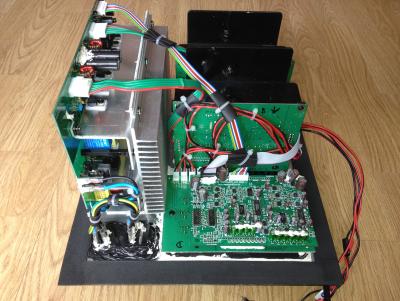
MichalD.


Attached thumbnail(s)
Attached Image
asenrzhang
post Feb 17 2017, 06:38 PM

Getting Started
**
Junior Member
68 posts

Joined: Apr 2015
From: China
QUOTE(MichalD @ Feb 16 2017, 08:06 PM)
...what is the difference in the PSU board between US 110V and EU 230V version?
I can tell the only different is just different connections of those three 0Ω resistors, as you already found it.

QUOTE(MichalD @ Feb 16 2017, 08:06 PM)
In the PSU scheme i found something about R32, R31 and R3. Simply by following these three "resistors" (0 ohm links or open links) can i adapt the PSU board to 230V or 110V input voltages? Thanks for soon reply.
With proper modification (the schematics already figure it out), you can make the PSU works on 230V or 110V.

110V to 220~240V modification should be easy, because you don't need to buy another 0Ω resistor.
220~240V to 110V modification is easy too, but you need buy another 0Ω resistor.

MichalD
post Feb 17 2017, 08:50 PM

Getting Started
**
Junior Member
104 posts

Joined: Feb 2017
QUOTE(asenrzhang @ Feb 17 2017, 11:38 AM)
I can tell the only different is just different connections of those three 0Ω resistors, as you already found it.
With proper modification (the schematics already figure it out), you can make the PSU works on 230V or 110V.

110V to 220~240V modification should be easy, because you don't need to buy another 0Ω resistor.
220~240V  to 110V modification is easy too, but you need buy another 0Ω resistor.
*
Great, thank you for your assurance.
golestani
post Mar 11 2017, 10:01 PM

New Member
*
Junior Member
5 posts

Joined: Mar 2017


hey guys , i repaired my own s750 but with a professional engineer and it working only for 2 months ! anyway i was so happy of that but when it was on i hear a sound like explode and my pod lights gets off and blinking power light on the back of the sub-woofer , anyway i open the subwoofer and i saw a IRF740 is exploded ! and 1 of the C60 or C61 was a bit shaking i mean its not well connected to the board anyway i go to a electric repair shop and i ask him to replace the IRF740 and connect the C60 or C69 to the board again , i came home and connect the power board to the IO-Board and amp 1 , amp 2 but guess what still like before i replace the IRF740 and C60 connection repair nothing changed at all so i try to disconnect the AMP 1 and AMP 2 from the power board and then when i disconnect the AMP2 wire from the power board the green light instantly get back and even i can turn on it full , but if i connect the amp2 instantly the power goes off and green power light start blinking !!! i want to know the problem is from AMP board or still maybe there is a problem with the Power board ? because i just want to know if this issue came from the AMP board i will check it again for fault parts but if still maybe there is a problem with power board i will try to change all caps or anything i can again for make sure its not the power board problem , another question can anyone tell me the right voltage in a working fine and stable sub-woofer for AMP board ?
if i know maybe i check the powers first to understand the problem is still because of power board or amp board ,
ty for this topic it will help a lot of people .
and another thing i forgot to mean it after some disconnect and reconnecting again the amp 2 board that cause the power off the C60 get exploded ( only smoke not so much sound ) anyway what kind of the problem is that !?!?! i really feeling disappointed . i waiting for an answer.....
golestani
post Mar 11 2017, 10:11 PM

New Member
*
Junior Member
5 posts

Joined: Mar 2017


QUOTE(asenrzhang @ Feb 17 2017, 02:08 PM)
I can tell the only different is just different connections of those three 0Ω resistors, as you already found it.
With proper modification (the schematics already figure it out), you can make the PSU works on 230V or 110V.
*
hey man , ty for ur reply's i read all of them and i have the same problem like the other guy said if he connect the amp board to the power board the green light is blinking and if the amp board disconnected from the power board the green light get back instantly . i hope u answer me or give me some tips i really love s750 setup because its really amazing u won't believe that i use it with my old sound card sound blaster audigy 2 zs with windows 10 64-bit and it sounds lovely !! im waiting for ur answer . u can check my previous reply here ( i mean full detailed problem ) ty
asenrzhang
post Mar 12 2017, 01:30 AM

Getting Started
**
Junior Member
68 posts

Joined: Apr 2015
From: China
Again, I'm not a professional engineer, so take the advises at your own risk!
QUOTE(golestani @ Mar 11 2017, 10:01 PM)
...
so i try to disconnect the AMP 1 and AMP 2 from the power board and then when i disconnect the AMP2 wire from the power board the green light instantly get back and even i can turn on it full , but if i connect the amp2 instantly the power goes off and green power light start blinking !!! i want to know the problem is from AMP board or still maybe there is a problem with the Power board ?
I would like to do this test (let me call it Test Case for AMP Board 2) to identify the source:
disconnect AMP board 1, connect AMP board 2, then power on to see if the back LED blinking or not.

QUOTE(golestani @ Mar 11 2017, 10:01 PM)
because i just want to know if this issue came from the AMP board i will check it again for fault parts but if still maybe there is a problem with power board i will try to change all caps or anything i can again for make sure its not the power board problem
Most blinking LED issues of S750 are caused by bad capacitors.
I say "most", not "all", because when I repair AMP board 2, there's one time, when I try to mount the AMP board 2 back, I leave one screw loosely, very loosely --> this caused back LED blinking too, I guess the screw make a circuit somehow between the back plate and hint sink of AMP board 2.

QUOTE(golestani @ Mar 11 2017, 10:01 PM)
another question can anyone tell me the right voltage in a working fine and stable sub-woofer for AMP board ?
CN4 & CN5: [1] [2] [3] [4] [5](pin for RED wire)

  • V2to1 should be 70V
  • V4to3 should be -24V
  • V5to3 should be 24V

QUOTE(golestani @ Mar 11 2017, 10:01 PM)
and another thing i forgot to mean it after some disconnect and reconnecting again the amp 2 board that cause the power off the C60 get exploded ( only smoke not so much sound ) anyway what kind of the problem is that !?!?!
I don't know. I mean it could be the fault of PSU board, or fault of AMP board 2, or both.
golestani
post Mar 12 2017, 05:23 AM

New Member
*
Junior Member
5 posts

Joined: Mar 2017


QUOTE(asenrzhang @ Mar 11 2017, 09:00 PM)
Again, I'm not a professional engineer, so take the advises at your own risk!

I would like to do this test (let me call it Test Case for AMP Board 2) to identify the source:
disconnect AMP board 1, connect AMP board 2, then power on to see if the back LED blinking or not.
Most blinking LED issues of S750 are caused by bad capacitors.
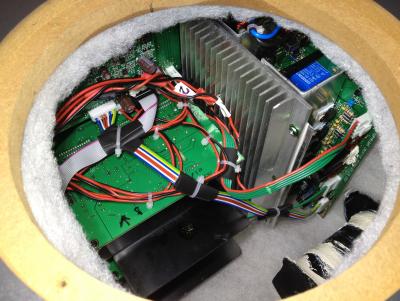
I say "most", not "all", because when I repair AMP board 2, there's one time, when I try to mount the AMP board 2 back, I leave one screw loosely, very loosely --> this caused back LED blinking too, I guess the screw make a circuit somehow between the back plate and hint sink of AMP board 2.
CN4 & CN5: [1] [2] [3] [4] [5](pin for RED wire)


  • V2to1 should be 70V

  • V4to3 should be -24V

  • V5to3 should be 24V


I don't know. I mean it could be the fault of PSU board, or fault of AMP board 2, or both.
*
for the first test yeah , the only way i got green light blinking when i connect amp board 2 its not matter its connected solo or connected with I/O and AMP 1 board , so i think maybe its because of AMP 2 problem but there is nothing to see with the eyes , and again i changed 4 200v 470uf and still 1 of the CAP get very hot if i let it go im sure it will explode again ! and its only happened when i turn on the PSU with POD or remote control ( the only way i can turn the subwoofer on is when i disconnect the AMP2 (( the one with 3 bash IC's )) and when i turn it on the CAP C60 getting hot i mean too much hot in 10 or 20 second and if i dont disconnect the cable from the electric im sure it will explode again like last time it already did !

so i just want to know if u know where this problem cause only for C60 CAP its happening .
still i don't know what is the problem maybe C60 cap didn't connected to the board well and the C60 is the power source of the AMP2 board so if i connect it to the power board , power board will understand the power is on problem or even there is a problem with AMP2 so it won't let u turn on the sub-woofer ! i still don't understand it at all but i won't give up so easy ! after first time i spent about 80 dollar to fix it , it only worked for 2 months and its make me feel so bad sad.gif if my s750 will get back to live again i will get all of the AMP and IO and Power board out of the sub-woofer and i will make a custom box for AMP,etc and just a small wire get into the sub-woofer for the sub-woofer sound , and i will keep the amp and other board cool with a FAN or something else maybe i put it in the freezer smile.gif) but i don't want to lose it again only because of poor design of the amp and power when there is no air coming in and out .
asenrzhang
post Mar 12 2017, 03:45 PM

Getting Started
**
Junior Member
68 posts

Joined: Apr 2015
From: China
QUOTE(golestani @ Mar 12 2017, 05:23 AM)
...
and again i changed 4 200v 470uf and still 1 of the CAP get very hot if i let it go im sure it will explode again ! and its only happened when i turn on the PSU with POD or remote control ( the only way i can turn the subwoofer on is when i disconnect the AMP2 (( the one with 3 bash IC's )) and when i turn it on the CAP C60 getting hot i mean too much hot in 10 or 20 second and if i dont disconnect the cable from the electric im sure it will explode again like last time it already did !

so i just want to know if u know where this problem cause only for C60 CAP its happening .
still i don't know what is the problem maybe C60 cap didn't connected to the board well and the C60 is the power source of the AMP2 board so if i connect it to the power board , power board will understand the power is on problem or even there is a problem with AMP2 so it won't let u turn on the sub-woofer !
Let me confirm these information:
(1) You replaced C59 & C60 & C69 & C70
(2) You disconnected AMP 2
(3) You use POD or remote control to power on
(4) Still, you got C60 very hot in seconds (without AMP 2)

And the voltage of your power line is 110V or 220V~240V?

If C60 is the only capacitor which becomes hot, maybe you need to check components in the following picture:
Attached Image
Especially Q2 (IRF740) and D4 (FEP16DT), if Q2 is the one exploded and been replaced in the repair shop, then focus on D4.

QUOTE(golestani @ Mar 12 2017, 05:23 AM)
i still don't understand it at all but i won't give up so easy ! after first time i spent about 80 dollar to fix it , it only worked for 2 months and its make me feel so bad sad.gif if my s750 will get back to live again i will get all of the AMP and IO and Power board out of the sub-woofer and i will make a custom box for AMP,etc and just a small wire get into the sub-woofer for the sub-woofer sound , and i will keep the amp and other board cool with a FAN or something else maybe i put it in the freezer smile.gif) but i don't want to lose it again only because of poor design of the amp and power when there is no air coming in and out .
*
If you successfully put PSU & AMP & IO boards to another box, please share your experience. smile.gif such as
  • how to disassemble the bracket without hurt the screws (I try to disassemble the bracket of AMP 2, the screw head is been damaged, but still I can't screw it down)
  • how to fill the hole after disassembled audio IO board -- I mean the part on the back plate.
  • how to drill a small hole for audio line to subwoofer
  • and, the most important thing, how to build the box and put parts in it


This post has been edited by asenrzhang: Mar 12 2017, 04:02 PM
golestani
post Mar 12 2017, 06:34 PM

New Member
*
Junior Member
5 posts

Joined: Mar 2017


QUOTE(asenrzhang @ Mar 12 2017, 11:15 AM)
Let me confirm these information:
(1) You replaced C59 & C60 & C69 & C70
(2) You disconnected AMP 2
(3) You use POD or remote control to power on
(4) Still, you got C60 very hot in seconds (without AMP 2)

And the voltage of your power line is 110V or 220V~240V?

If C60 is the only capacitor which becomes hot, maybe you need to check components in the following picture:
Attached Image
Especially Q2 (IRF740) and D4 (FEP16DT), if Q2 is the one exploded and been replaced in the repair shop, then focus on D4.
If you successfully put PSU & AMP & IO boards to another box, please share your experience. smile.gif such as

  • how to disassemble the bracket without hurt the screws (I try to disassemble the bracket of AMP 2, the screw head is been damaged, but still I can't screw it down)
  • how to fill the hole after disassembled audio IO board -- I mean the part on the back plate.
  • how to drill a small hole for audio line to subwoofer
  • and, the most important thing, how to build the box and put parts in it

*
I'm using the 220v~240v for sure .
and yeah only C60 will get hot after I turn on sub with POD
only way POD will get alive is disconnecting the amp board from the power board
and in standby mode I think everything is ok but for sure I have to disconnect amp board to see the lights on pod
and for sure I will check that D4 and see what is going on.
if my set get alive for sure I will share all photos how to do that ,
and for the thing u said about how to fill the hole u make for wires to get into the sub-woofer box its really easy
u just need to use a drill to open a hole as much small as u can then after ur wires get enough into the hole
u can use glue to close the hole I already did it when I got my input power fuse and other par get die !
right now I have no power in socket on the back of the sub-woofer I put him out of the subwoofer and I use a glue and peace of wood to fill the back of the sub-woofer
and as I said if the my s750 gets alive 100% I will make another box for all other parts and put a fan back of the box to get the air get our or get into the box of hot stuffs smile.gif)
I will share them with photos or some parts with video . because its only works for 2 months after professional repair and for sure the problem is hot box because I can't play
my s750 at high volume so it can cool down him self ! and I use it on 2 or 3 lights volume on the pod mostly so sub-woofer can't change the air in the box .
I think they use sub-woofer for changing the air not to bashing around smile.gif) 8" sub-woofer in the box biggrin.gif for ventilation biggrin.gif
but its only works when u constantly play a music with high volume at least 5 green lights on the volume bar on the pod biggrin.gif
golestani
post Mar 12 2017, 06:36 PM

New Member
*
Junior Member
5 posts

Joined: Mar 2017


QUOTE(asenrzhang @ Mar 12 2017, 11:15 AM)
Let me confirm these information:
(1) You replaced C59 & C60 & C69 & C70
(2) You disconnected AMP 2
(3) You use POD or remote control to power on
(4) Still, you got C60 very hot in seconds (without AMP 2)

And the voltage of your power line is 110V or 220V~240V?
I forgot to ask can I use 250V 470uf for C60 cap or they all should be 200v only ?
higher voltage will help or its just not important ?
WhiteFlag
post Mar 12 2017, 06:37 PM

On my way
****
Junior Member
540 posts

Joined: Jan 2008
anyone can help me repair my gigaworks t40?
asenrzhang
post Mar 12 2017, 08:35 PM

Getting Started
**
Junior Member
68 posts

Joined: Apr 2015
From: China
QUOTE(golestani @ Mar 12 2017, 06:36 PM)
I forgot to ask can I use 250V 470uf for C60 cap or they all should be 200v only ?
higher voltage will help or its just not important ?
*
It should be okay.
Just pay attention of size of the capacitor.
Usually it will be either taller (Height) or fatter (Dimension), so pick a same size & high ripple current & long life & genuine one could cost some time.
asenrzhang
post Mar 12 2017, 09:05 PM

Getting Started
**
Junior Member
68 posts

Joined: Apr 2015
From: China
QUOTE(golestani @ Mar 12 2017, 06:34 PM)
..
and for the thing u said about how to fill the hole u make for wires to get into the sub-woofer box its really easy
u just need to use a drill to open a hole as much small as u can then after ur wires get enough into the hole
u can use glue to close the hole I already did it when I got my input power fuse and other par get die !
right now I have no power in socket on the back of the sub-woofer I put him out of the subwoofer and I use a glue and peace of wood to fill the back of the sub-woofer
WOW, is that really so easy? I'm more like a computer software guy rather than a hardware guy, drilling & gluing & wiring means it's hard to me bangwall.gif

QUOTE(golestani @ Mar 12 2017, 06:34 PM)
...
and for sure the problem is hot box because I can't play
my s750 at high volume so it can cool down him self ! and I use it on 2 or 3 lights volume on the pod mostly so sub-woofer can't change the air in the box .
I think they use sub-woofer for changing the air not to bashing around smile.gif) 8" sub-woofer in the box biggrin.gif for ventilation biggrin.gif
but its only works when u constantly play a music with high volume at least 5 green lights on the volume bar on the pod biggrin.gif
*
Usually, I stay with the default 4 (||||_ _ _) volume, and I didn't feel much heat in nowadays (I mean, winter/spring), but I do feel much heat in summer.

I guess music with low frequency may help the air flow across the box, you can feel the air flow at the inverted cube (the big hole on the left side). On the other hand, play low frequency music may cost more power, hence more heat are generated rclxub.gif .
azuradaniel
post Mar 16 2017, 11:48 AM

Getting Started
**
Junior Member
265 posts

Joined: Apr 2013
Where to send for 110V to 220~240V modification?
MichalD
post Mar 29 2017, 04:11 AM

Getting Started
**
Junior Member
104 posts

Joined: Feb 2017
QUOTE(azuradaniel @ Mar 16 2017, 04:48 AM)
Where to send for 110V to 220~240V modification?
*
You can do it yourself, you just need soldering iron, solder, and basic soldering skills. Just look at the pictures. There is "conversion manual" and the other image is 230V version.


Attached thumbnail(s)
Attached Image Attached Image
drepou
post Jun 10 2017, 11:14 PM

New Member
*
Junior Member
6 posts

Joined: Jun 2017
Hello Every one i join this nice forum to try to fix a cambrige 250d thx where the board seem very similar to yours.


I have an issue with it : i get no sound from speaker or a very very tiny and noisy sound.

the switch on look fine ( i have steady green led and i hear the relay clic from stanby to on)

i check visually the psu board and caps seem to be not bulged.
i removed crappy glue to avoid short on the psu board

but problem is still present.

Can you please help me to debug the circuit i dont know where to look first psu or amp board ?. Can the top234 dead if the led is green ?

i found issue :

small resistor R179 only 1 black band is not conductive at all ( close to the big 680uf 200v ) changed

high esr for C205 47uf 25v give to me 5.6 ohms --> changed

C206 75nf instead of 0.1uf 6% loss --> will be changed i need to found one


many thanks

This post has been edited by drepou: Jun 11 2017, 01:17 AM
MichalD
post Jun 13 2017, 12:48 AM

Getting Started
**
Junior Member
104 posts

Joined: Feb 2017
QUOTE(drepou @ Jun 10 2017, 04:14 PM)
Hello Every one
*
I am not a profesional electrical enegineer but in basic i can recommend you to do following steps.

1. Properly visually check all parts for any kind of damage, crack, pop, burn track from explosion.
2. Measure all FET's and diodes with digital multimeter. http://electronicsbeliever.com/how-to-know...t-is-defective/
3. Check all caps for capacitance with multimeter capable to measure capacity. Some of them must be desoldered for correct measurements.
4. Check all PCB traces with multimeter in conductivity beep mode. Even check for broken parts leads as i found here:

Attached Image

5. Schematics will be very helpful.
6. Check inductors and transformer windings for continuity or resistance.

Good luck!
drepou
post Jun 14 2017, 03:21 AM

New Member
*
Junior Member
6 posts

Joined: Jun 2017
QUOTE(MichalD @ Jun 12 2017, 05:48 PM)
I am not a profesional electrical enegineer but in basic i can recommend you to do following steps.
Good luck!
*
i tested all the diode ok work good, for capacitors i can't test all off them because my tester dont work if i dont disconnect at least on pin to mesure. i dont want to unsolder all caps !

i tested the biggest ones ok and the small who was suspicious in this thread

thanks i get some improvements after replacing fews stuff on psu board :

C205 C206 and the broken 0 ohms beetween the to big primary capacitor.

Now i get sound quite audible ( fews watts ) but not the fully 150 watts for sure !!! both speaker works ( tremble and boomer ) sound is correct but with some low hummm and white noise.

i checked on psu the votalge between big output wire CD+ and CD- (audio board connected ) and i have only 8v is it normal ? i was waiting to get something like 24 volts... i have to investigate in this side.

also checked the 3 LM78XX i get 27v on ( lm7824 ) and 12v 10v on the 2 others ---> i need to read and check the ref to see the normal output voltage for these one

thanks for your help

MichalD
post Jun 14 2017, 03:32 PM

Getting Started
**
Junior Member
104 posts

Joined: Feb 2017
QUOTE(drepou @ Jun 13 2017, 08:21 PM)
i tested all the diode ok work good,...
*
For the S750 PSU board are the thick conductors -24 and +24V and more than 80 V without load (with load-amp boards connected is around 65V)

Check the markings for voltage regulators (L or LM7XXX) google it for output voltage and measure input voltage and output voltage directly on the input and output pins.

27V for 7824 is a lot, there must be something close to 24V.

8V is very low to power up the amp.
drepou
post Jun 15 2017, 12:45 AM

New Member
*
Junior Member
6 posts

Joined: Jun 2017
QUOTE(MichalD @ Jun 14 2017, 08:32 AM)
For the S750 PSU board are the thick conductors -24 and +24V and more than 80 V without load (with load-amp boards connected is around 65V)

Check the markings for voltage regulators (L or LM7XXX) google it for output voltage and measure input voltage and output voltage directly on the input and output pins.

27V for 7824 is a lot, there must be something close to 24V.

8V is very low to power up the amp.
*
It's was not a good idea to disconnect the CD- and CD+ conductor from psu to audio for checking voltage ! by doing that the sytem is now not working any more even red light stop it after 1 sec ... reconnection of wire but same things .... :-( back to ground zero....
MichalD
post Jun 15 2017, 05:51 AM

Getting Started
**
Junior Member
104 posts

Joined: Feb 2017
QUOTE(drepou @ Jun 14 2017, 05:45 PM)
It's was not a good idea...
*
Hmmm, that's weird. In S750 i can connect and disconnet at any time and nothing wrong was happened. Check the diodes again, and power mosfets with diode checking or continuity mode. Does have your circuit TOP243 or similiar? I had one PSU board where was faulty TOP243 and a faulty diode powering it. During this fauilure the PSU board does absolutely nothing, no transformer buzzing, no LED light on, no nothing. After replacing diode and TOP243 everything was working like new even with old capacitors.

drepou
post Jun 15 2017, 06:43 AM

New Member
*
Junior Member
6 posts

Joined: Jun 2017
yes i have a TOP243Y i was thinking it was working because before the led was green and relay was working but not now.
I will order a new one but i just want dont miss something else and burn the new one.

Nice advice MichalD i checked today D9 close from the top243 now she is shorted !! i get 0v when reading backward... she was ok before.

i also noted some Strange behaviour on the 4 diode who are close from CD+ CD- some of they give me strange value connected... like 0,2 on conductive way and 0 for other diode reverse way... Strange i will unsolder to confirm

Attached Image
Attached Image


I also noted i thinks issue with Q17 Q18 Q35 Q34 i get the 0,6 on one direction but also when i reverse the multimeter pins...


Attached Image
Attached Image
Attached Image
Attached Image

This post has been edited by drepou: Jun 16 2017, 03:56 AM
MichalD
post Jun 16 2017, 03:55 AM

Getting Started
**
Junior Member
104 posts

Joined: Feb 2017
QUOTE(drepou @ Jun 14 2017, 11:43 PM)
yes i have a TOP243Y...
Chek this PSU scheme for S750 if the TOP243Y part is the same in your PSU and check parts around your TOP243Y specially diodes and find your diode "D9" by following the PCB traces and check it.


Attached thumbnail(s)
Attached Image
drepou
post Jun 16 2017, 03:57 AM

New Member
*
Junior Member
6 posts

Joined: Jun 2017
QUOTE(MichalD @ Jun 15 2017, 08:55 PM)
i just modified my previous post yes d9 is dead and somes fews others diode and transistor also now

and woooo your 2Mohms R8 was not connected too C6 33uf anymore the trace is cut Under the Condo seem to have already huge repair in this area !
diodes checked in fact seem to be correct if checked unsoldered... now i have to unsolder the transistor to check it it's a real pain to be oblige to desolder to check !

This post has been edited by drepou: Jun 18 2017, 12:51 AM
drepou
post Jul 15 2017, 09:14 PM

New Member
*
Junior Member
6 posts

Joined: Jun 2017
hello again i changed the top243 but issue is the same i have only 8,8V on CD+ CD- even if i disconnect the wires going to audio board.

( i disconnected only the CD+ and CD- wire )

power on work, led is green, i get huge noise ( kind of hum on satellite speaker ).

I dont know what to do now without schematic is not easy

other note there is 2 100ohms resitors connected to CD+ it's seem that the other side of the resitor is grounded ?? ( bip with the black wire connected to the big aluminium rad where is screwed the psu board. ) is is normal ? if it's the case with 80v it will be a waste of 800ma in this resitor so p=UxI --> 64 watts bye bye the resistor or this is not the groud....

or it's mean what the big rad is not grounded and is used to send power ???

This post has been edited by drepou: Jul 15 2017, 10:13 PM
smudge827
post Jul 18 2017, 07:39 PM

New Member
*
Newbie
1 posts

Joined: Jul 2017
Hi,

icon_question.gif I have replaced all the caps on the power board, the light is now steady no flashing and it worked for one evening. This morning I cam down and the sat speakers front are just crackling and quiet, the Sub is humming and no real sound is coming out of it. mad.gif

By any chance do you know this fault, the Sub light is steady so it is not the same fault again. could this be something stupid like the bass speaker cables come off when I pulled the boards out. I suppose that I could just look, but maybe you know this fault and can help.

regards and thanks in advance thumbsup.gif
smudge
sara81my
post Sep 14 2017, 09:30 AM

New Member
*
Newbie
4 posts

Joined: Oct 2009
Hi guys, I own a Gigaworks S750 speakers set too. Despite trying so many times I'm not able to get hold of Lex. Does anyone here knows where I can get this fixed? I have no idea what is the actual problem. Probably same as others experienced here. I have never opened it before to check the components. Please do message me if you know someone who is knowledgeable to fix it
MichalD
post Sep 14 2017, 06:34 PM

Getting Started
**
Junior Member
104 posts

Joined: Feb 2017
QUOTE(drepou @ Jul 15 2017, 02:14 PM)
hello again i changed the top243 but issue is the same i have only 8,8V on CD+ CD- even if i disconnect the wires going to audio board...
*
Hello, i wasn't here long time because of lot of work and huge fixing for all my other sets of S750. Now i am finishing preparing for much improved heatsink for PSU boards.

Without the schematics it is very hard to find the problem.

For the resistors i don't know if it is normal.

In S750 PSU is grounded only heatsink cooling mosfets. But there is no electrical conductive connection between mosfets and heatsink. The other heatsink for diodes and V.REGs is connected to positive 70V rails thru two capacitors each rail and common inductor. There is no other connection to heatsink so i don't know the purpose of this connection. The other heatsink is connected to positive wave of grid powerline after diode bridge and one D9 if i am right. And now i remember i've touched it with bare hand during operation to check the temperature smile.gif


Attached thumbnail(s)
Attached Image
MichalD
post Sep 14 2017, 06:38 PM

Getting Started
**
Junior Member
104 posts

Joined: Feb 2017
QUOTE(smudge827 @ Jul 18 2017, 12:39 PM)
Hi,

icon_question.gif I have replaced all the caps on the power board, the light is now steady no flashing and it worked for one evening. This morning I cam down and the sat speakers front are just crackling and quiet, the Sub is humming and no real sound is coming out of it.  mad.gif

By any chance do you know this fault, the Sub light is steady so it is not the same fault again. could this be something stupid like the bass speaker cables come off when I pulled the boards out. I suppose that I could just look, but maybe you know this fault and can help.

regards and thanks in advance thumbsup.gif
smudge
*
Check the area around the big 1000uF capacitor, small yellow one and SMDs around on both AMP boards. Look for the burned or cracked components. Do you removed all degraded glue from the PSU, AMPs and audio processing boards?
fevaelektro
post Sep 17 2017, 01:42 AM

New Member
*
Newbie
2 posts

Joined: Jul 2015


Help Me!
https://www.youtube.com/watch?v=4tFY61IPh-w
KrazeyKami
post Jan 5 2018, 08:03 PM

New Member
*
Newbie
4 posts

Joined: Sep 2016


Hi everyone! Best wishes for the new year!

I have a question regarding my S750 blowing fuses. It started with a flikkering green light issue. After replacing C61, the light remained solid green once more, and the standby power worked like a charm!
I can see the red light on the control pod.

When I press the control pod to turn on the amp, I hear the relay clicking, followed by a blown out fuse.

Opened it up again, and checked all comps. I can't find any issue so far. To be sure, I removed all degraded glue. Still no luck.

To be completely fair, I replaced the 68uF / 450v C61 with an 68uF / 400v condensator.
Could that be the reason my fuse blows? My guess was that a lower voltage couldn't deliver this issue... right?

Any other tips / experiences what to check next in this case?

Again, replacing the fuse allows the setup to power in standby without an issue, control pod getting juice (standby) and all. When pressing On, i hear the relay clicking and the fuse blows.


Many thanks in advance all!!
MichalD
post Jan 12 2018, 05:09 AM

Getting Started
**
Junior Member
104 posts

Joined: Feb 2017
QUOTE(KrazeyKami @ Jan 5 2018, 01:03 PM)
Hi everyone!...
Hello, there must be very low resistance path between RL1 A and RL1 B. If the control pod in stanby mode with red LED on the stanby section is probably OK and 400V cap is probably OK too.

For 100% sure you can check the D9 with multimeter in diode mode (something 0.4 ~ 0.9V is OK)
If you want you can check the voltages on CN6 or skip this section.
-----------------------------------------------------------------------------------------------------------------------
1pos - 2neg...+9V
2neg - 3pos...-8V
4pos - 2neg/5neg...about 12V+ or near 13V
7pos - 8neg about 4.4V

6th pin is +9V for the relay drive, cannot be measeured in your conditions, but if the relay clicked before it is OK.
-----------------------------------------------------------------------------------------------------------------------

First check all MOSFETS with multimeter set to diode mode. Can be measured directly on PCB. Source pin positive and drain pin negative. It must shows something about 0,5V. If they are OK, switch to resistace mode and check resistance between gate positive and source negative, if they are OK with near resistors it will show something about 0,94 kOhm because of R29 63 66 etc...

If they are OK, check all 4 big caps under the L shape heatsink C59 60 69 70 for resistance or short circuit. There sholud be no continuity or very high resistance.

Do this tests and let me know the results.

This post has been edited by MichalD: Jan 13 2018, 03:37 PM
MichalD
post Mar 14 2018, 05:20 AM

Getting Started
**
Junior Member
104 posts

Joined: Feb 2017
QUOTE(Galeak @ Sep 14 2013, 07:02 PM)
I remove glue from the board where there are many capacitors >30 pieces.At power 230V don't hear relay. only from power remote = 2 clicks (power on - power off , very fast). I think it is a circuit remote problem. At next power on from remote, audio sistem works normally.
*
RELAY ISSUE (CONTROL POD RESETING) - SOLVED

Sometimes after power on from standby mode with the control pod the relay clicks two times very fast 1st click ON state and 2nd click OFF state (standby). After second power on the relay clicks
normally only one time to ON state and the unit is regularly powered on and system is working but the stored settings (volume levels) are reseted.

After long time investigating and measuring i've find out that there is no poblem with the relay itself or with the Q5 transistor or even with the control pod.

There are 2 types of this issues i've observed.

1.Very fast relay click ON and OFF, about 0,1s between states. I've measured it with osciloscope.

+9V between CN6 (1) and (2) supplying the base of Q5 thru R24 and voltage between base and emitter of Q5:

Attached Image

TOP243Y's voltage between PIN C and S:

Attached Image

2. Slower relay click ON and OFF, about 0,7s between states.
Measeured the same points.

Attached Image

Attached Image
When a fault condition such as an open loop or shorted output prevents the flow of an external current into the CONTROL pin, the capacitor on the CONTROL pin discharges towards 4.8 V. At 4.8 V, auto-restart is activated (this waveform is shown) which turns the output MOSFET off and puts the control circuitry in a low current standby mode.

There is a problem with the feedback section of TOP243Y.

When this issue occurs, the entire standby power loss section is glitched and this is the reason for resetting the control pod settings caused by power supply loss.
I'don't know why this is happening (maybee some interference after power on) but i have reviewed the TOP243Y datasheet and found the working solution for eliminating this issue.

1. I've added 10uF ceramic capacitor to bias winding transformer paralel to C63 (i think the original 0.1uF can be replaced with 10uF but not tested, i've keeped it) Datasheet of TOP243Y recommends 1uF but i've added 10uF.

Attached Image

2. I've added external bypass 1uF and 0.1uF ceramic capacitor between TOP243Y's PIN C and S as close as possible to supply the instantaneous gate drive current as mentioned in TOP243Y datasheet.

Attached Image

After this upgrade, I have tested the power supply on and off, hard power off (remove and plug again main power cable) and then power on, all this more than 100 times in a row and all the time every one attempt the power supply
powers on, with absolutely NO ONE relay clicking issue. Power suply was working properly. Measured with the oscilloscope and there were no power glitches at all.

After upgrade +9V between CN6 (1) and (2) supplying the base of Q5 thru R24 and voltage between base and emitter of Q5:

Attached Image

Attached Image
Some two-stage voltage increasing but no error caused.

After upgrade TOP243Y's voltage between PIN C and S:

Attached Image

This post has been edited by MichalD: Mar 17 2018, 07:58 PM
asenrzhang
post Mar 18 2018, 11:36 AM

Getting Started
**
Junior Member
68 posts

Joined: Apr 2015
From: China
QUOTE(MichalD @ Mar 14 2018, 05:20 AM)
RELAY ISSUE (CONTROL POD RESETING) - SOLVED
...
...
...

After this upgrade, I have tested the power supply on and off, hard power off (remove and plug again main power cable) and then power on, all this more than 100 times in a row and all the time every one attempt the power supply
powers on, with absolutely NO ONE relay clicking issue. Power suply was working properly. Measured with the oscilloscope and there were no power glitches at all.
*
WOW! 100 times in a row and no 'clicking' issue, that is amazing!

By the way, did you glued the capacitors on the other side? I'm worried about they may be affected(loose) by vibration and heat.

MichalD
post Mar 18 2018, 11:24 PM

Getting Started
**
Junior Member
104 posts

Joined: Feb 2017
QUOTE(asenrzhang @ Mar 18 2018, 04:36 AM)
WOW! 100 times in a row and no 'clicking' issue, that is amazing!

By the way, did you glued the capacitors on the other side? I'm worried about they may be affected(loose) by vibration and heat.
*
Yep smile.gif the TOP243Y's blue caps are X7R and "glued" with transparent PCB lacquer. And now i am not affraid of high temperature, check following:

I have made a very comprehensive upgrades and repairs.


Backplate:

Whole subwoofer backplate with all electronics was dissasembled and the outside heatsing was removed too. Removed and cleaned all degraded glue and backplate was cleaned to aluminium gloss and all glue hard remants was grinded.
All pure aluminium heat conductive surface connections was filled with heat conductive paste and the edges was glued to prevent vibrations. Between outside black aluminium heatsink and the backplate was added heat conductive paste too.

New edge sealing and bass speaker sealing was applied.

Attached Image Attached Image Attached Image Attached Image Attached Image

AMP boards, APB board and I/O board:

All electrolytic caps on amplifier boards and audio processing board was replaced by ELNA RFS Silmic II and bipolars was replaced by Nichicon MUSE.

Attached Image Attached Image Attached Image Attached Image

Attached Image Attached Image Attached Image

All factory glued connectors and PCB pins was replaced by new ones and all wire contact was crimped with new contact crimps.

Attached Image Attached Image Attached Image Attached Image

Audio processing board was separated from I/O board and soldered new contact pins and headers to make it detacheable. Input cable was removed and soldered
JST-XH 8 pin header and custom cable made for connection to PSU board. New custom made signal cable from audio processing board to amp boards used.
Almost all cables was tied together with cable ties. Removed all degraded glue from I/O board and I/O connectors was resoldered with fresh solder. Replaced all JST-VH conn headers.

Attached Image Attached Image Attached Image Attached Image

Attached Image Attached Image Attached Image Attached Image

PSU board:

Replaced mains power switch and grid input connector with grounding pin connected to backplate with yellow/green wire.

Attached Image Attached Image Attached Image Attached Image Attached Image Attached Image Attached Image

Replaced all electrolytic caps for high quality ones (Nichicon, Rubycon) and the most of ceramic caps.

Attached Image Attached Image Attached Image Attached Image Attached Image
Attached Image Attached Image

Replaced all TO220's aluminium oxide heat conductive pads (lot of them brokes when disassembled) with heat conductive paste. Custom made linear reg / diode heatsink, shape silmiliar to IRF740 heatsink. Custom made carrying L shape heatsink. Added ribbed heatsink for better heat dissipation. (ebay sourced)

Attached Image

All heat sink connection surface filled with heat conductive pad sheet. All screwed together and screws was glued or transparent protective PCB lacquer lacquered to prevent unscrewing. The most important thing was connect the carrying L shape heatsink to backplate with heat conductive paste for best heat dissipation and tightened using 6 screws with self locking nut and the edges was glued.

Attached Image Attached Image

Part of PCB copper pad under heatsink connection near D13 was scraped off to make it unconductive to heatsink. Heatsink side of L11 near C20 was unsoldered
and heatshrinked and glued to PCB.

Attached Image Attached Image

This makes the heatsink conductive isolated from the power supply board and the mains grounding wire can be safely connected to backplate and now can fulfill its function.

Attached Image Attached Image

After this upgrade the heat dissipation is much more better than original which can guarantee much much longer lifespan. In the standby mode the outer heatsink
is hand touch cold. In power on and common use the backplate and heat sink after some time are hand touch warm but not hot (about 35-40°C).
For the even better heat dissipation the outside heatsink can be equipped with FAN which can lower the temperature to lukewarm if used low rpm and low noise FAN.

Attached Image

Upgraded active cooling with 140mm low noise FAN less than 20dB at full rated speed.

Attached Image Attached Image

Wooden case:

Wooden case all internal edges was reiforced with new glue and after then whole case was damped with wadding filling. Bassreflex pipe was removed and newly glued.

Attached Image Attached Image Attached Image

Attached Image Attached Image Attached Image

All inside

Attached Image Attached Image Attached Image Attached Image Attached Image

After this case upgrade the bass are deeper and louder about 2-3 dB compared with the wooden case with no filling. Compared both with the same master volume
and SUB volume settings.

This post has been edited by MichalD: Apr 20 2018, 03:44 AM
asenrzhang
post Mar 21 2018, 02:44 AM

Getting Started
**
Junior Member
68 posts

Joined: Apr 2015
From: China
What material are y.., How did you..., Wait, what? That's not just a comprehensive upgrade, THAT IS ALMOST A COMPLETE RECONSTRUCTION!!!

I feel my blood got boiling when I scroll down and seen more photoes biggrin.gif thumbup.gif


QUOTE(MichalD @ Mar 18 2018, 11:24 PM)
Yep smile.gif the TOP243Y's blue caps are X7R and "glued" with transparent PCB lacquer. And now i am not affraid of high temperature, check following:

I have made a very comprehensive upgrades and repairs.
Backplate:

Whole subwoofer backplate with all electronics was dissasembled and the outside heatsing was removed too. Removed and cleaned all degraded glue and backplate was cleaned to aluminium gloss and all glue hard remants was grinded.
All pure aluminium heat conductive surface connections was filled with heat conductive paste and the edges was glued to prevent vibrations. Between outside black aluminium heatsink and the backplate was added heat conductive paste too.

New edge sealing was applied.
Attached Image Attached Image
Looks very nice, clean, elegant, and nice wiring.


QUOTE(MichalD @ Mar 18 2018, 11:24 PM)
AMP boards, APB board and I/O board:

All electrolytic caps on amplifier boards and audio processing board was replaced by ELNA RFS Silmic II and bipolars was replaced by Nichicon MUSE.

Attached Image Attached Image Attached Image
Nichicon MUSE seems expensive than others, and this MF7010 subwoofer needs 32 of them.
Do you feel sound quality improvement after replacing these capacitors?

QUOTE(MichalD @ Mar 18 2018, 11:24 PM)
All factory glued connectors and PCB pins was replaced by new ones and all wire contact was crimped with new contact crimps.

Attached Image
Does the color of wires between PSU board and APB board means something or it's just random color?

QUOTE(MichalD @ Mar 18 2018, 11:24 PM)
Audio processing board was separated from I/O board and soldered new contact pins and headers to make it detacheable. Input cable was removed and soldered
JST-XH 8 pin header and custom cable made for connection to PSU board. New custom made signal cable from audio processing board to amp boards used.
Almost all cables was tied together with cable ties. Removed all degraded glue from I/O board and I/O connectors was resoldered with fresh solder. Replaced all JST-VH conn headers.

Attached Image Attached Image
Again, Nice wiring!

Detachable wire, that will make life convenient.
And thanks for the model name of pin header (housing): XH (2.54mm). I may try to replace it too.

QUOTE(MichalD @ Mar 18 2018, 11:24 PM)
PSU board:

Replaced mains power switch and grid input connector with grounding pin connected to backplate with yellow/green wire.

Attached Image
Can't believe you replaced the switch too.

QUOTE(MichalD @ Mar 18 2018, 11:24 PM)
Replaced all electrolytic caps for high quality ones (Nichicon, Rubycon) and the most of ceramic caps.

Attached Image
There're two dark green stuff on top of each transfomer, What is that? And what are they used for?

QUOTE(MichalD @ Mar 18 2018, 11:24 PM)
Replaced all TO220's aluminium oxide heat conductive pads (lot of them brokes when disassembled) with heat conductive paste. Custom made linear reg / diode heatsink, shape silmiliar to IRF740 heatsink. Custom made carrying L shape heatsink. Added ribbed heatsink for better heat dissipation. (ebay sourced)

Attached Image
How do you custom the heat sink (drilling), all by yourself, or bought from shop which provides customing service?

QUOTE(MichalD @ Mar 18 2018, 11:24 PM)
All heat sink connection surface filled with heat conductive pad sheet. All screwed together and screws was glued or transparent protective PCB lacquer lacquered to prevent unscrewing. The most important thing was connect the carrying L shape heatsink to backplate with heat conductive paste for best heat dissipation and tightened using 6 screws with self locking nut and the edges was glued.

Attached Image
I see Nichicon GR series capacitors, which has longer life (10000 hours) than GX series (5000 hours), but I can't found a seller selling this one on local internet market (taobao).
Ripple current is slightly lower (1.4A) than GX series(1.55A), and a little bit taller (40mm) than orginal one (35mm), is that ok?

QUOTE(MichalD @ Mar 18 2018, 11:24 PM)
Part of PCB copper pad under heatsink connection near D13 was scraped off to make it unconductive to heatsink. Heatsink side of L11 near C20 was unsoldered
and heatshrinked and glued to PCB.

Attached Image Attached Image
Wait, L11 unsoldered? Only one leg connected to board? Does it work?

QUOTE(MichalD @ Mar 18 2018, 11:24 PM)
This makes the heatsink conductive isolated from the power supply board and the mains grounding wire can be safely connected to backplate and now can fulfill its function.

Attached Image

After this upgrade the heat dissipation is much more better than original which can guarantee much much longer lifespan. In the standby mode the outer heatsink
is hand touch cold. In power on and common use the backplate and heat sink after some time are hand touch warm but not hot (about 35-40°C).
For the even better heat dissipation the outside heatsink can be equipped with FAN which can lower the temperature to lukewarm if used low rpm and low noise FAN.

Attached Image
Working temperature when power on is around 35-40°C? That's a WOW!

QUOTE(MichalD @ Mar 18 2018, 11:24 PM)
Wooden case:

Wooden case all internal edges was reiforced with new glue and after then whole case was damped with wadding filling. Bassreflex pipe was removed and newly glued.

Attached Image Attached Image

After this case upgrade the bass are deeper and louder about 2-3 dB compared with the wooden case with no filling. Compared both with the same master volume
and SUB volume settings.
*
I have no idea about 2-3dB louder, but that sounds good.

About the sound absorbing cotton, does it prevent fire? I mean, if, if there's a spark occured in it sometime for some reason, will it burn the box?


By the way, had you tried to replace those operational amplifier chips on APB boards? There're fourteen '072C' and one another on it. The guy whom I'm fixing for want those op-amps to be replaced too, but I don't know what I'm doing if replacing them, and I have no strong feelings that replacing op-amps will improve sound quality. Also, after read some posts, I known oscillation issue may occur after op-amps been replaced. Like I said, I don't know what I'm doing if replacing them.

This post has been edited by asenrzhang: Mar 30 2018, 05:33 PM
MichalD
post Mar 29 2018, 03:43 AM

Getting Started
**
Junior Member
104 posts

Joined: Feb 2017
QUOTE(asenrzhang @ Mar 20 2018, 07:44 PM)
What material are y......needs 32 of them.

Do you feel sound quality improvement after replacing these capacitors?


Check the new photos i've added to my previous post

For the sound quality i´m not sure because i cannot make a direct measurement with factory unit, but i will think of yes becuase of MUSE instead of Jun Fu junk.

QUOTE(asenrzhang @ Mar 20 2018, 07:44 PM)
Does the color of wires between PSU board and APB board means something or it's just random color?


It's just a random color ribbon cable which i had availible.

QUOTE(asenrzhang @ Mar 20 2018, 07:44 PM)
Again, Nice wiring!
Detachable wire, that will make life convenient.
And thanks for the model name of pin header (housing): XH (2.54mm). I may try to replace it too.


No problem, check the new photos, there are types of connectors i've replaced wroted in the pictures.

QUOTE(asenrzhang @ Mar 20 2018, 07:44 PM)
Can't believe you replaced the switch too.


smile.gif the old one was all covered by degraded glue and it was less cost and time consuming to replace it for new one instead of cleaning and scraping old glue.

QUOTE(asenrzhang @ Mar 20 2018, 07:44 PM)
There're two dark green stuff on top of each transfomer, What is that? And what are they used for?


Thick sticky tape as only a temporary protection of the tranformers while the board was upside down on the wokbench to avoid damage the transformers because these was the highest parts before all big caps was soldeded.

QUOTE(asenrzhang @ Mar 20 2018, 07:44 PM)
How do you custom the heat sink (drilling), all by yourself, or bought from shop which provides customing service?


I've drawn it in autocad software first and then give the drawing to the shop which manufactured the final product.

QUOTE(asenrzhang @ Mar 20 2018, 07:44 PM)
I see Nichicon GR series capacitors, which has longer life (10000 hours) than GX series (5000 hours), but I can't found a seller selling this one on local internet market (taobao).
Ripple current is slightly smaller (1.4A) than GX series(1.55A), and a little bit taller (40mm) than orginal one (35mm), is that ok?


I've choosen all electrolytic caps with the highest possible life rating availible at digikey.com. The height is OK, there is still gap about 7mm between the caps top and heatsink so yes it is OK.

QUOTE(asenrzhang @ Mar 20 2018, 07:44 PM)
Wait, L11 unsoldered? Only one leg connected to board? Does it work?


It is only a inductor connected to one side of LINEAR REG / DIODE heatsink where the other side is not connected anywhere, so it can be as open end and yes it is working well.

QUOTE(asenrzhang @ Mar 20 2018, 07:44 PM)
Working temperature when power on is around 35-40°C? That's a WOW!
I have no idea about 2-3dB louder, but that sounds good.


I the summer i expect even higher temperature but i've added bigger FAN (check the new photos) and waiting for hotter days to measure.
2-3dB more measured with iphone app that measures sound level and the units are dB.

QUOTE(asenrzhang @ Mar 20 2018, 07:44 PM)
About the sound absorbing cotton, does it prevent fire? I mean, if, if there's a spark occured in it sometime for some reason, will it burn the box?
By the way, had you tried to replace those operational amplifier chips on APB boards? There're fourteen '072C' and one another on it. The guy whom I'm fixing for want those op-amps to be replaced too, but I don't know what I'm doing if replacing them, and I have no strong feelings that replacing op-amps will improve sound quality. Also, after read some posts, I known oscillation issue may occur after op-amps been replaced. Like I said, I don't know what I'm doing if replacing them.
*


It is some kind of very thin plastic fibres cotton, not a regullar cotton. I've tried to burn it and it melts and it is flamable but i must hold direct fire a couple of seconds to it to set it on fire. I think a small random spark will not set it on fire, only make a small melted spot.
For the op-amps i've left them alone, no replacing. Never heard about replacing them is needed. I've got several S750 units. All AMP boards where nearly OK, some of them has broken C40 and one has broken C41. After replacing C40, C41 and for sure C39 was all AMP board fully working.

This post has been edited by MichalD: Mar 29 2018, 03:50 AM
asenrzhang
post Apr 3 2018, 01:56 PM

Getting Started
**
Junior Member
68 posts

Joined: Apr 2015
From: China
QUOTE(MichalD @ Mar 29 2018, 03:43 AM)
Check the new photos i've added to my previous post
You're my hero! thumbup.gif thumbup.gif thumbup.gif

QUOTE(MichalD @ Mar 29 2018, 03:43 AM)
No problem, check the new photos, there are types of connectors i've replaced wroted in the pictures.
Thanks a lot! These information are very helpful!

QUOTE(MichalD @ Mar 29 2018, 03:43 AM)
It is only a inductor connected to one side of LINEAR REG / DIODE heatsink where the other side is not connected anywhere, so it can be as open end and yes it is working well.
Don't know why it's designed like this. I guess it's useful, but it's out of my knowledge. unsure.gif

QUOTE(MichalD @ Mar 29 2018, 03:43 AM)
It is some kind of very thin plastic fibres cotton, not a regullar cotton. I've tried to burn it and it melts and it is flamable but i must hold direct fire a couple of seconds to it to set it on fire. I think a small random spark will not set it on fire, only make a small melted spot.
Okay, that sounds safe enough. Do you have any brand recommendation for it? I found some on local internet market (here, here and here), but I'm not sure about their quality.

QUOTE(MichalD @ Mar 29 2018, 03:43 AM)
For the op-amps i've left them alone, no replacing. Never heard about replacing them is needed.
Okay. I'll try to explain to him. He said he want to reduce the 'digital taste' of Creative products by replacing op-amps, and he had already bought modified Creative sound card which op-amps beed replaced by the seller.

QUOTE(MichalD @ Mar 29 2018, 03:43 AM)
I've got several S750 units. All AMP boards where nearly OK, some of them has broken C40 and one has broken C41. After replacing C40, C41 and for sure C39 was all AMP board fully working.
So, did you reconstructed all these S750 units?

This post has been edited by asenrzhang: Apr 5 2018, 12:32 PM
MichalD
post Apr 5 2018, 03:52 AM

Getting Started
**
Junior Member
104 posts

Joined: Feb 2017
QUOTE(asenrzhang @ Apr 3 2018, 06:56 AM)
Okay, that sounds safe enough. Do you have any brand suggestion for it? I found some on local internet market (here, here and here), but I'm not sure about their quality.


This type here looks OK, but i've used 1.5cm thickness. Thicker will cause no or very small gap between my modified PSU's PCB traces side and the wadding. I used this.

QUOTE(asenrzhang @ Apr 3 2018, 06:56 AM)
So, did you reconstructed all these S750 units?


Yes, i have now 5 pcs almost fully* reconstructed S750 subwoofer units (5 complete S750 GigaWorks speaker sets). I also have another 6 pcs of PSU boards with replaced all capacitors and connectors as mentioned above, 4 pcs of APB with I/O port board, and 5 pairs of AMP boards, 5 pcs of bass speaker itself, some spare control pods, remotes, cables etc...all this for my future biggrin.gif S1500 TeraWorks project biggrin.gif

*(waiting for ebay for 10mm width, 1mm thick EVA foam self adhesive sealing tape for bass speaker)

This post has been edited by MichalD: Apr 5 2018, 03:58 AM
asenrzhang
post Apr 5 2018, 05:10 PM

Getting Started
**
Junior Member
68 posts

Joined: Apr 2015
From: China
QUOTE(MichalD @ Apr 5 2018, 03:52 AM)
This type here looks OK, but i've used 1.5cm thickness. Thicker will cause no or very small gap between my modified PSU's PCB traces side and the wadding. I used this.
Okay, I may try the second one, it has glue on one side.

QUOTE(MichalD @ Apr 5 2018, 03:52 AM)
Yes, i have now 5 pcs almost fully* reconstructed S750 subwoofer units (5 complete S750 GigaWorks speaker sets). I also have another 6 pcs of PSU boards with replaced all capacitors and connectors as mentioned above, 4 pcs of APB with I/O port board, and 5 pairs of AMP boards, 5 pcs of bass speaker itself, some spare control pods, remotes, cables etc...all this for my future  biggrin.gif S1500 TeraWorks project  biggrin.gif
thumbup.gif thumbup.gif thumbup.gif That's (a looooots of work) * 5.
I guess your project will become PetaWorks in the future of future. cool2.gif

By the way, where did you got these units and the individual boards and loud speaker? I only got one extra failed unit from other guy in same city, I couldn't even found one on internet market. I noticed there were some units selling on eBay occasionally, but the shipping cost is too much, or they don't even support shipping internationally.

QUOTE(MichalD @ Apr 5 2018, 03:52 AM)
*(waiting for ebay for 10mm width, 1mm thick EVA foam self adhesive sealing tape for bass speaker)
*
shocking.gif Does the bass speaker need to be repair too like the second fixing of @lex ?
MichalD
post Apr 6 2018, 01:04 AM

Getting Started
**
Junior Member
104 posts

Joined: Feb 2017
QUOTE(asenrzhang @ Apr 5 2018, 10:10 AM)
By the way, where did you got these units and the individual boards and loud speaker? I only got one extra failed unit from other guy in same city, I couldn't even found one on internet market. I noticed there were some units selling on eBay occasionally, but the shipping cost is too much, or they don't even support shipping internationally.


All i got is from ebay and some from local websites selling used units. I collected a lot of everything. Complete subwoofers, complete sets, satellite speakers only, remotes, control pods, PSU board and amp boards, bass speakers only etc and etc...Hanging and searching whole ebay long time. I have collected all from USA, UK and Europe. Some sellers gave me the another subwoofer unit for free or for a small fee, some gave me another PSU board etc... Some ebay seller sell me only internal boards etc etc...It costs a lot of money. But i don't care, i got everything now for my project and a lot of spare parts biggrin.gif

QUOTE(asenrzhang @ Apr 5 2018, 10:10 AM)
shocking.gif Does the bass speaker need to be repair too like the second fixing of @lex ?
*


No, i just want to add a sealing tape to the metal circular part where is the bass speaker screwed to the wooden case for better tightness. Original tape is very thin and is now deformed from previous screwing, so i want to add new seal and a little thicker.

asenrzhang
post Apr 18 2018, 04:50 PM

Getting Started
**
Junior Member
68 posts

Joined: Apr 2015
From: China
QUOTE(rsseco @ Jan 8 2017, 05:51 AM)
Hi,

It's good to read you again !
Do you still around here?

I just finished repairing the third S750 subwoofer. In this case, I have encountered same issue as yours -- Q3 Q4 failed either instantly or after a few minutes after press the STANDBY/POWER button.
After long time diagnosing, I may found the problem: Soldering problem, either the G pin of S pin has soldering problem, which is not conducting well or not conducting at all, and it may cause the higher voltage between D and S -- I have check the voltage of C59 and C69 once, and I got around 300V using my cheap multimeter (while voltage of C60 C70 capacitors are almost 0V). I guess the peak voltage could higher than the breakdown voltage (400V) of Vds of IRF740.

After fixed soldering carefully, the pin is conductive with the solder pad, now I have revived it, and I have kept it working for hours without problem.

By the way, this set was repaired before, and the TO-220 oxide aluminum heat-conductive pads were replaced with thinner (1mm) one, which is not right, it should be 2mm. I guess it could make a slight stress on the pin and pad which is not good.

This post has been edited by asenrzhang: Apr 19 2018, 12:23 PM
kotek34
post Jun 3 2018, 10:20 PM

New Member
*
Junior Member
16 posts

Joined: Sep 2016
Hello again
About 2 years ago I have sucessfuly repaired my S750 Creative. I removed the glue and replaced all capacitors. You can check my older posts. Yesterday my S750 died again.. but this time there is no blowing fuse, but it is green LED blinking issue.

First I tried to disconnet the AMP boards to check where is the problem, but even if I discoennect two boards and leave only control board connected the green light still blinking, so there is a problem probablby on PSU board.

After this I removed the PSU and checked it very carefully. I saw bad capacitors on STANDBY side, I have mean C64, C73, C74, C75, C76 capacitors. I have replaced all but there is still nothing, my speakers still doesnt work.

So my next step was went to bathroom and got the hairdryier, I heated up the big 450V capacitor near D9 diode and... voila - PSU went back to live, so I have to buy new capacitor. I didnt try to connect AMP boards yet but I think it will be good. I hope this will be helping for someone.
kotek34
post Jun 6 2018, 03:32 AM

New Member
*
Junior Member
16 posts

Joined: Sep 2016
I replaced C61 and C62. The speakers back to work. Cheers smile.gif
asenrzhang
post Jun 6 2018, 05:05 PM

Getting Started
**
Junior Member
68 posts

Joined: Apr 2015
From: China
QUOTE(kotek34 @ Jun 6 2018, 03:32 AM)
I replaced C61 and C62. The speakers back to work. Cheers smile.gif
*
Congratulations! rclxms.gif

By the way, which model of replacement for C61 did you choose ?
A long life one will save your time, such as
- Rubycon TXW 450V 82uF (or 68uF), which has 12000 hours lifetime.
- Nichicon CS 450V 68uF, which has 10000 hours lifetime.
kotek34
post Jun 7 2018, 12:20 AM

New Member
*
Junior Member
16 posts

Joined: Sep 2016
QUOTE
Congratulations! rclxms.gif

By the way, which model of replacement for C61 did you choose ?
A long life one will save your time, such as
- Rubycon TXW 450V 82uF (or 68uF), which has 12000 hours lifetime.
- Nichicon CS 450V 68uF, which has 10000 hours lifetime.


Unfortunately at the store where I buy electronic components they don't have good quality capacitors so I had to buy the worse ones. Probably this was a reason why speakers have been damaged only two years after repair. I should order better capacitors from online store, thanks for advice smile.gif

The brands of my capacitor are:
Jackcon
Sinecon

I dont recommended it.

This post has been edited by kotek34: Jun 7 2018, 12:23 AM
MichalD
post Jun 7 2018, 01:14 AM

Getting Started
**
Junior Member
104 posts

Joined: Feb 2017
QUOTE(kotek34 @ Jun 6 2018, 05:20 PM)
Unfortunately at the store where I buy electronic components...
*
For C61 try Rubycon BXW series, service life the same but higher ripple current than TXW.

This post has been edited by MichalD: Jun 7 2018, 01:15 AM
nautilus7
post Jun 27 2018, 06:28 PM

New Member
*
Newbie
20 posts

Joined: Jun 2018
MichalD very nice upgrades! I am trying to make something similar, but I have a problem.

I replaced all electrolytic caps in the pre-amp board and I noticed a short in the position of this cap.

Attached Image

I removed the cap and the short remained. The pads of this cap are shorted, even without a cap in place. Is this normal? Can you check please?

MichalD
post Jun 28 2018, 05:34 AM

Getting Started
**
Junior Member
104 posts

Joined: Feb 2017
QUOTE(nautilus7 @ Jun 27 2018, 11:28 AM)
MichalD very nice upgrades!...Can you check please?
*
I've checked it and it is definitely NOT normal, otherwise the capacitor will have no effect. Check capacitor pads related PCB traces for short on other place of the PCB, and under the connector. Try use magnifying glass for zoomed closer view.
Here are my old photos of the PCB with caps removed.

Attached Image Attached Image
nautilus7
post Jun 28 2018, 07:16 AM

New Member
*
Newbie
20 posts

Joined: Jun 2018
QUOTE(MichalD @ Jun 28 2018, 12:34 AM)
I've checked it and it is definitely NOT normal, otherwise the capacitor will have no effect. Check capacitor pads related PCB traces for short on other place of the PCB, and under the connector. Try use magnifying glass for zoomed closer view.
Here are my old photos of the PCB with caps removed.

Attached Image Attached Image
*
Hi, thanks for the fast response. On the photo on the right, the missing connector (with the 12 pins) is the only thing that I didn't replace in this pcb. But I did replace the jst connector on the left, that comes from the power supply board. On that connector pins 2 and 3 are also shorted, which is also weird. Can you check if you have any shorted pins on that connector please?

I will test more tomorrow and try to follow the traces on the pcb.
nautilus7
post Jun 28 2018, 11:01 PM

New Member
*
Newbie
20 posts

Joined: Jun 2018
Fortunately I found the short... A big solder blob had dropped on the pcb and I hadn't noticed. I removed it using a pair of tweezers as it wasn't stuck well on the components.

Attached Image


And here's a pic of the pcb with the new caps on. Nichicon Fine Gold and Nichicon Muse bipolars (sorry for the blurness).

Attached Image

This post has been edited by nautilus7: Jun 29 2018, 12:01 AM
MichalD
post Jun 29 2018, 01:21 AM

Getting Started
**
Junior Member
104 posts

Joined: Feb 2017
QUOTE(nautilus7 @ Jun 28 2018, 12:16 AM)
Hi, thanks for the fast response....connector please?

I will test more tomorrow and try to follow the traces on the pcb.
*
Hello, i've measured that connector (input from power supply board) and all pins have its own potential, the is no short between each other pin. If you found some, there must be a fault.

Here are two photos with unsoldered power supply connector from the board to view the PCB traces.

Attached Image Attached Image

This post has been edited by MichalD: Jun 29 2018, 01:48 AM
MichalD
post Jun 29 2018, 01:38 AM

Getting Started
**
Junior Member
104 posts

Joined: Feb 2017
QUOTE(nautilus7 @ Jun 28 2018, 04:01 PM)
Fortunately I found the short...(sorry for the blurness).

Attached Image
*
Great, nice job smile.gif btw for the 2x6 pos. connector (flat ribbon to amplifier boards) does it have still shiny pins, or slightly oxidised or corroded? If it are still shiny, there is no need to replace.

nautilus7
post Jun 29 2018, 02:08 AM

New Member
*
Newbie
20 posts

Joined: Jun 2018
Hi, thanks for the help.

The 2x6 pin connector in the pre-amp is still in good condition. I bought a replacement, but I chose not to put it in. I replaced the 2x6 connectors on the power amp boards though. They were oxidized. It was a pain in the ass to unsolder them and I slightly damaged the pads...
MichalD
post Jun 29 2018, 02:31 AM

Getting Started
**
Junior Member
104 posts

Joined: Feb 2017
QUOTE(nautilus7 @ Jun 28 2018, 07:08 PM)
Hi, thanks for the help...damaged the pads...
*
Hi, yes, i desoldered the 2x6 pin connector with ton of solder and heat it all at once and removed. I damaged the audio processing board some pads while removing the connectors, but i have all carefully repaired and lacquaered.

No problem, glad to helped to you.
nautilus7
post Jul 3 2018, 06:51 AM

New Member
*
Newbie
20 posts

Joined: Jun 2018
I have almost finished upgrading my Gigaworks set. The set was working fine, so it isn't really a repair, but an upgrade. Anyway, I guess it was a matter of time it would stop working because of the low quality capacitors used, so I chose to proceed. Following the great guide of MichalD, I replaced all electrolytic caps in the power supply board, as well as in the audio amp boards. Here are some photos of the finished amp boards.

Attached Image Attached Image Attached Image Attached Image Attached Image
MichalD
post Jul 6 2018, 04:20 AM

Getting Started
**
Junior Member
104 posts

Joined: Feb 2017
QUOTE(nautilus7 @ Jul 2 2018, 11:51 PM)
I have almost finished upgrading my Gigaworks set...finished amp boards.
Nice, you have glued the amp board caps too, me not because they are very small and the replacements have much thicker and stronger legs than factory jun fu junk. I will see after some years if it will fail because of no glue smile.gif

This post has been edited by MichalD: Jul 6 2018, 04:21 AM
nautilus7
post Jul 6 2018, 06:21 AM

New Member
*
Newbie
20 posts

Joined: Jun 2018
Hi, thanks!

I glued them not because I was afraid they will fail/break, but mainly because they are too close together and they can hit each other and vibrate. Don't forget they are inside a sub-woofer! biggrin.gif

I used silicon (neutral cure, non corrosive) not glue, btw.
MichalD
post Jul 7 2018, 04:24 AM

Getting Started
**
Junior Member
104 posts

Joined: Feb 2017
QUOTE(nautilus7 @ Jul 5 2018, 11:21 PM)
Hi, thanks!...I used silicon (neutral cure, non corrosive) not glue, btw.
*
I soldered the amplifier caps with enough gap between to prevent touching each other. Time will show if it was enough...


Yep, with glue i meant the neutral non corrosive silicone smile.gif
Kyryll
post Oct 4 2018, 06:30 PM

New Member
*
Newbie
1 posts

Joined: Oct 2018


Hello guys! Help please, you need a service manual for restoring the CREATIVE GigaWorks s750. Lost remote control lost amplifiers!
nautilus7
post Oct 11 2018, 06:23 AM

New Member
*
Newbie
20 posts

Joined: Jun 2018
I don't think there is a service manual... Only a schematic of the power board.

What is your problem? Is there anything that seem damaged on the boards?

This post has been edited by nautilus7: Oct 11 2018, 06:25 AM
MavhRik
post Nov 20 2018, 03:24 AM

New Member
*
Newbie
1 posts

Joined: Nov 2018


Hi everyone,

I bought myself a Creative Gigaworks S750 in ~2007, been very happy with it so far (except the overpowering sub even on it's lowest setting and maybe the lack of digital connectivity).
Neighbours not so happy icon_rolleyes.gif

Anyway, a couple of years ago I experienced the blinking light problem, I found a handy friend who figured out one of the main power supply capacitors was failing, he replaced it and it worked perfect for years.

A couple of weeks ago my wife started noticing a strange crackling sound. When she told me I looked in to it but noticed that by the time I looked into it the center, right and right side channel had no sound at all.

Lucky me I have some handy colleagues who found out that one of the capacitors on one of the two amplifier boards was falling. We replaced both with new ones from Panasonic ( ECA2AHG102 ).
Alle channels works great again!

Unfortunately after some hours (?) of normal usage the crackling sound comes back on all channels. When I turn the speakers off (standby) and power them on the next day, the sound is gone for some time (I don't know exactly how long it takes, but I think It's more than an hour. It comes from the set itself as it also happens when I remove the input connections.

I made a YouTube video of the sound (when I turn the mic to the speakers it gets more clearer to hear the sound).
https://youtu.be/VzoiRcMbKFs

Do any of you know what could cause this?

This post has been edited by MavhRik: Nov 20 2018, 05:11 AM
nautilus7
post Dec 13 2018, 09:13 PM

New Member
*
Newbie
20 posts

Joined: Jun 2018
Perhaps a visual inspection of all parts, especially in the power supply board, will reveal the problem. I can't tell from the video.

Some photos of the boards might help.
Zazax
post Jan 12 2019, 07:33 PM

New Member
*
Newbie
2 posts

Joined: Jan 2019
QUOTE(MichalD @ Mar 18 2018, 04:24 PM)
Yep smile.gif the TOP243Y's blue caps are X7R and "glued" with transparent PCB lacquer. And now i am not affraid of high temperature, check following:

I have made a very comprehensive upgrades and repairs.
Backplate:

Whole subwoofer backplate with all electronics was dissasembled and the outside heatsing was removed too. Removed and cleaned all degraded glue and backplate was cleaned to aluminium gloss and all glue hard remants was grinded.
All pure aluminium heat conductive surface connections was filled with heat conductive paste and the edges was glued to prevent vibrations. Between outside black aluminium heatsink and the backplate was added heat conductive paste too.

New edge sealing and bass speaker sealing was applied.

Attached Image Attached Image Attached Image Attached Image Attached Image

AMP boards, APB board and I/O board:

All electrolytic caps on amplifier boards and audio processing board was replaced by ELNA RFS Silmic II and bipolars was replaced by Nichicon MUSE.

Attached Image Attached Image Attached Image Attached Image

Attached Image Attached Image Attached Image

All factory glued connectors and PCB pins was replaced by new ones and all wire contact was crimped with new contact crimps.

Attached Image Attached Image Attached Image Attached Image

Audio processing board was separated from I/O board and soldered new contact pins and headers to make it detacheable. Input cable was removed and soldered
JST-XH 8 pin header and custom cable made for connection to PSU board. New custom made signal cable from audio processing board to amp boards used.
Almost all cables was tied together with cable ties. Removed all degraded glue from I/O board and I/O connectors was resoldered with fresh solder. Replaced all JST-VH conn headers.

Attached Image Attached Image Attached Image Attached Image

Attached Image Attached Image Attached Image Attached Image

PSU board:

Replaced mains power switch and grid input connector with grounding pin connected to backplate with yellow/green wire.

Attached Image Attached Image Attached Image Attached Image Attached Image Attached Image Attached Image

Replaced all electrolytic caps for high quality ones (Nichicon, Rubycon) and the most of ceramic caps.

Attached Image Attached Image Attached Image Attached Image Attached Image
Attached Image Attached Image

Replaced all TO220's aluminium oxide heat conductive pads (lot of them brokes when disassembled) with heat conductive paste. Custom made linear reg / diode heatsink, shape silmiliar to IRF740 heatsink. Custom made carrying L shape heatsink. Added ribbed heatsink for better heat dissipation. (ebay sourced)

Attached Image

All heat sink connection surface filled with heat conductive pad sheet. All screwed together and screws was glued or transparent protective PCB lacquer lacquered to prevent unscrewing. The most important thing was connect the carrying L shape heatsink to backplate with heat conductive paste for best heat dissipation and tightened using 6 screws with self locking nut and the edges was glued.

Attached Image Attached Image

Part of PCB copper pad under heatsink connection near D13 was scraped off to make it unconductive to heatsink. Heatsink side of L11 near C20 was unsoldered
and heatshrinked and glued to PCB.

Attached Image Attached Image

This makes the heatsink conductive isolated from the power supply board and the mains grounding wire can be safely connected to backplate and now can fulfill its function.

Attached Image Attached Image

After this upgrade the heat dissipation is much more better than original which can guarantee much much longer lifespan. In the standby mode the outer heatsink
is hand touch cold. In power on and common use the backplate and heat sink after some time are hand touch warm but not hot (about 35-40°C).
For the even better heat dissipation the outside heatsink can be equipped with FAN which can lower the temperature to lukewarm if used low rpm and low noise FAN.

Attached Image

Upgraded active cooling with 140mm low noise FAN less than 20dB at full rated speed.

Attached Image Attached Image

Wooden case:

Wooden case all internal edges was reiforced with new glue and after then whole case was damped with wadding filling. Bassreflex pipe was removed and newly glued.

Attached Image Attached Image Attached Image

Attached Image Attached Image Attached Image

All inside

Attached Image Attached Image Attached Image Attached Image Attached Image

After this case upgrade the bass are deeper and louder about 2-3 dB compared with the wooden case with no filling. Compared both with the same master volume
and SUB volume settings.
*
Hi! congratulations for your fantastic job! could I ask you to post the complete list of all the capacitors used? thank you so much!!! rolleyes.gif

MasEnha
post Jan 26 2019, 09:38 AM

New Member
*
Newbie
3 posts

Joined: Jun 2015


Guys, I'm on a short budget to repair my S750. Buying those caps from Mouser/Digi too expensive for me for its $70+ shipping fare. Do you know a good seller which selling those genuine branded caps on AliExpress? I can't distinguish it at all. Any advice? Thank You!
MichalD
post Feb 12 2019, 06:18 AM

Getting Started
**
Junior Member
104 posts

Joined: Feb 2017
QUOTE(Zazax @ Jan 12 2019, 12:33 PM)
Hi! congratulations for your fantastic job! could I ask you to post the complete list of all the capacitors used? thank you so much!!! rolleyes.gif
*
Hello, thank you. Here is the capacitor list i've used:

PSU board:

CK45-R3AD221K-NRA CAP CER 220PF 1KV RADIAL C2 30 28 29
RDER73A471K2K1H03B CAP CER 470PF 1KV X7R RADIAL C39 35 36 37 38
AR205F104K4R CAP CER 0.1UF 50V X8R RADIAL C63

LGR2D471MELZ40 CAP ALUM 470UF 20% 200V SNAP C59 60 69 70
100ZLJ330M12.5X35 CAP ALUM 330UF 20% 100V RADIAL C71 72
35ZLJ220M8X16 CAP ALUM 220UF 20% 35V RADIAL C64 73 74 75 76
50ZLJ100MT78X11.5 CAP ALUM 100UF 20% 50V RADIAL C65 78 66 67 77

450BXW68MEFR14.5X40 CAP ALUM 68UF 20% 450V T/H C61
35ZLJ47M5X11 CAP ALUM 47UF 20% 35V RADIAL C68 62

DE1B3KX471KA4BP01F CAP CER 470PF 300VAC RADIAL C7

CC45SL3FD470JYNNA CAP CER 47PF 3KV SL RADIAL C3
C317C101K2R5TA CAP CER 100PF 200V X7R RADIAL C9 46 45 44 43 42 41 40

RDER73A332K2K1H03B CAP CER 3300PF 1KV X7R RADIAL C6
RDER72J103K2M1H03A CAP CER 10000PF 630V X7R RADIAL C20 19 17 18
RDER72A104K1K1H03B CAP CER 0.1UF 100V X7R RADIAL C11 53 12 13 52 10 48 49 50 79
RDER73A472K2K1H03B CAP CER 4700PF 1KV X7R RADIAL C8

Amplifier boards:

UHW2A102MHD CAP ALUM 1000UF 20% 100V RADIAL C39
FK22X7R2A105K CAP CER 1UF 100V X7R RADIAL C40
RFS-50V2R2ME3#5 CAP ALUM 2.2UF 20% 50V RADIAL C86 89 85 88 84 87 91 81
RFS-50V220MH3#5 CAP ALUM 22UF 20% 50V RADIAL C79 83 78 82 77 90
UES1H4R7MEM CAP ALUM 4.7UF 20% 50V RADIAL C28 69 22 37 27 68 21 36 26 67 20 35 80

Audio processing board:

RFS-16V470MG3#5 CAP ALUM 47UF 20% 16V RADIAL APB C208
RFS-16V100ME3#5 CAP ALUM 10UF 20% 16V RADIAL APB all 10uF
RFS-50V220MH3#5 CAP ALUM 22UF 20% 50V RADIAL APB C211
RFS-16V101MH3#5 CAP ALUM 100UF 20% 16V RADIAL APB C220 218 202 201 221 219
UES1H4R7MEM CAP ALUM 4.7UF 20% 50V RADIAL APB C54 52 58 56 39 40 16 18 17 15

Relay clicking issue fix:

FG20X7R1H106KRT06 CAP CER 10UF 50V X7R RADIAL added another C63
FK26X7R2A104K CAP CER 0.1UF 100V X7R RADIAL added between TOP243Y's C and S PIN
FK26X7R2A105K CAP CER 1UF 100V X7R RADIAL added between TOP243Y's C and S PIN

This post has been edited by MichalD: May 15 2019, 03:24 AM
Zazax
post Feb 12 2019, 06:46 PM

New Member
*
Newbie
2 posts

Joined: Jan 2019
QUOTE(MichalD @ Feb 11 2019, 11:18 PM)
Hello, thank you. Here is the capacitor list i've used:

PSU board:

CK45-R3AD221K-NRA CAP CER 220PF 1KV RADIAL  C2 30 28 29
RDER73A471K2K1H03B CAP CER 470PF 1KV X7R RADIAL  C39 35 36 37 38
AR205F104K4R          CAP CER 0.1UF 50V X8R RADIAL  C63

LGR2D471MELZ40  CAP ALUM 470UF 20% 200V SNAP C59 60 69 70
100ZLJ330M12.5X35        CAP ALUM 330UF 20% 100V RADIAL C71 72
35ZLJ220M8X16  CAP ALUM 220UF 20% 35V RADIAL C64 73 74 75 76
50ZLJ100MT78X11.5        CAP ALUM 100UF 20% 50V RADIAL C65 78 66 67 77

450BXW68MEFR14.5X40 CAP ALUM 68UF 20% 450V T/H  C61
35ZLJ47M5X11          CAP ALUM 47UF 20% 35V RADIAL C68 62

DE1B3KX471KA4BP01F CAP CER 470PF 300VAC RADIAL  C7

CC45SL3FD470JYNNA        CAP CER 47PF 3KV SL RADIAL  C3
C317C101K2R5TA  CAP CER 100PF 200V X7R RADIAL C9 46 45 44 43 42 41 40

RDER73A332K2K1H03B CAP CER 3300PF 1KV X7R RADIAL C6
RDER72J103K2M1H03A CAP CER 10000PF 630V X7R RADIAL C20 19 17 18 
RDER72A104K1K1H03B CAP CER 0.1UF 100V X7R RADIAL C11 53 12 13 52 10 48 49 50 79
RDER73A472K2K1H03B CAP CER 4700PF 1KV X7R RADIAL C8
       
Amplifier boards:

UHW2A102MHD          CAP ALUM 1000UF 20% 100V RADIAL  C39
FK22X7R2A105K  CAP CER 1UF 100V X7R RADIAL          C40
RFS-50V2R2ME3#5  CAP ALUM 2.2UF 20% 50V RADIAL  C86 89 85 88 84 87 91 81
RFS-50V220MH3#5  CAP ALUM 22UF 20% 50V RADIAL  C211 79 83 78 82 77 90
UES1H4R7MEM          CAP ALUM 4.7UF 20% 50V RADIAL  C28 69 22 37 27 68 21 36 26 67 20 35 80

Audio processing board:

RFS-16V470MG3#5  CAP ALUM 47UF 20% 16V RADIAL  APB C208       
RFS-16V100ME3#5  CAP ALUM 10UF 20% 16V RADIAL  APB all 10uF
RFS-16V101MH3#5  CAP ALUM 100UF 20% 16V RADIAL  APB C220 218 202 201 221 219       
UES1H4R7MEM          CAP ALUM 4.7UF 20% 50V RADIAL  APB C54 52 58 56 39 40 16 18 17 15

Relay clicking issue fix:

FG20X7R1H106KRT06 CAP CER 10UF 50V X7R RADIAL  added another C63
FK26X7R2A104K  CAP CER 0.1UF 100V X7R RADIAL added between TOP243Y's C and S PIN
FK26X7R2A105K  CAP CER 1UF 100V X7R RADIAL  added between TOP243Y's C and S PIN
*
Thank you so much! I think it will be appreciated by many of us! smile.gif
nautilus7
post Feb 21 2019, 05:38 AM

New Member
*
Newbie
20 posts

Joined: Jun 2018
This is my restoration, which I did in 2018 (took about 5 months). I followed MIchalD's instructions and suggestions, who I would like to thank publicly as well.

My gigaworks set did not have any problem (it was working fine, except from the relay clicking issue), since it hasn't played for so many hours though. I thought it would eventually show the same problems as most users here are facing, so I decided to go on with the restoration.

Some things worth mentionng for my restoration:

I replaced all electrolytic and cheap ceramic capacitors in the psu board as well as in the audio processing and the power-amp boards. I also replaced all connectors, some cables, diodes, the power switch and maybe even more parts I forget now. The total cost was about €200 and around €100 more for some tools I needed. All electronic parts were bought from Mouser. It may sound too much, but the restoration is certainly possible with less money (for example changing only the electrolytics on the psu board).

I changed the mounting orientation of the psu board, both in the L-shaped bracket (in a way that the heatsinks make contact with it) and also in the backplate, so I can use it for heat dissipation. In addition, I put thermal paste in between all metal parts (the L-shaped bracket, the power amp heatsinks and the external heat sink).

Where the psu board was damaged (the solder mask was destroyed by the corrosive glue used for the capacitors) I reapplied UV curable solder mask (bought from ebay). For the mains input capacitors, some of the pads were destroyed when removing the caps, so I used external wires in the back of the board to connect them properly.

Finally, I covered the subwoofer box with 8mm thick felt. Among with the new caps in the the audio boards, I think it sounds a little bit better now.


Attached Image Attached Image Attached Image Attached Image Attached Image Attached Image Attached Image Attached Image Attached Image Attached Image Attached Image Attached Image Attached Image Attached Image Attached Image Attached Image Attached Image Attached Image Attached Image Attached Image Attached Image Attached Image Attached Image
MichalD
post Feb 21 2019, 06:04 AM

Getting Started
**
Junior Member
104 posts

Joined: Feb 2017
QUOTE(nautilus7 @ Feb 20 2019, 10:38 PM)
This is my restoration, which I did in 2018...
Finaly you are done with your set, great job rclxms.gif . I like your red/black wiring, you have shorted the wires just for necessary length. Very nice!
What about the relay clicking issue in your case, it's gone too?
paleta
post Feb 22 2019, 02:05 AM

New Member
*
Newbie
1 posts

Joined: Feb 2019
Hello everyone. I have a S750 with no power. Replaced the fuse but the new one blew up. Can't you please point me in the right direction. I can't see any blown capacitors, but in D10 there's some burn marks.


Attached Image Attached Image Attached Image Attached Image
MichalD
post Feb 22 2019, 03:19 AM

Getting Started
**
Junior Member
104 posts

Joined: Feb 2017
QUOTE(paleta @ Feb 21 2019, 07:05 PM)
Hello everyone. I have a S750 with no power...
Hello.

1. Remove (scrape off) all glue from the board.
2. Do you have a digital multimeter with diode test function? If yes, check the D9 and D10. After that check C8 and R49.
3. If some of these components are failed your TOP243Y is probably failed too and need replace.
4. Your 470uF caps looks bulged and it's condition will not be okay i think.

This post has been edited by MichalD: Feb 22 2019, 03:20 AM
nautilus7
post Feb 22 2019, 05:10 AM

New Member
*
Newbie
20 posts

Joined: Jun 2018
QUOTE(MichalD @ Feb 21 2019, 01:04 AM)
Finaly you are done with your set, great job  rclxms.gif . I like your red/black wiring, you have shorted the wires just for necessary length. Very nice!
What about the relay clicking issue in your case, it's gone too?
*
Thanks! I have completed the restoration since last October I think, but I didn't have time to post the pictures. Of course, the relay clicking issue is fixed for good!

nautilus7
post Feb 22 2019, 06:02 AM

New Member
*
Newbie
20 posts

Joined: Jun 2018
@paleta, your top243 doesn't look good... and the 470uF caps also seem bulged too, like MichalD said.

This post has been edited by nautilus7: Feb 22 2019, 06:04 AM
djozmo P
post Apr 8 2019, 09:15 AM

New Member
*
Probation
18 posts

Joined: Apr 2019
Hello.. Is there anyone who can fix it? I make the amplifier portion of cargo from Turkey.
djozmo P
post Apr 8 2019, 03:01 PM

New Member
*
Probation
18 posts

Joined: Apr 2019
Hello.. is your part list same with MichalD part list ?
i have 3 gigaworks s750 and i will repair twos.
Other one of them Zero and i will upgrade that one.
I understand electronics, but not as much as you.
İf you know more recent component of MichalD list than can you suggest for me?
Will Digi-key send me the pieces at of list with the list ? Because I know that it does not write values on stone capacitors.
This high hours capacitors more good than low esr?
Because usually suggest LOW ESR Capacitor for SMPS.
i am sorry my bad english please.
Can you help me please ? Because i love S750 Gigaworks.
djozmo P
post Apr 8 2019, 04:24 PM

New Member
*
Probation
18 posts

Joined: Apr 2019
QUOTE(nautilus7 @ Feb 22 2019, 01:02 AM)
@paleta, your top243 doesn't look good... and the 470uF caps also seem bulged too, like MichalD said.
*
Hello.. is your part list same with MichalD part list ?
i have 3 gigaworks s750 and i will repair twos.
Other one of them Zero and i will upgrade that one.
I understand electronics, but not as much as you.
İf you know more recent component of MichalD list than can you suggest for me?
Will Digi-key send me the pieces at of list with the list ? Because I know that it does not write values on stone capacitors.
This high hours capacitors more good than low esr?
Because usually suggest LOW ESR Capacitor for SMPS.
i am sorry my bad english please.
Can you help me please ? Because i love S750 Gigaworks.
nautilus7
post Apr 8 2019, 07:54 PM

New Member
*
Newbie
20 posts

Joined: Jun 2018
No, the parts are not the same. What parts do you need? Are you planning to replace all caps (electrolytics and ceramic)?

I am not sure I understand what you mean about digikey. You have to manually select one-by-one your products, put them in the shopping cart, and order them. At least that is what I did when buying from Mouser.

The electrolytic caps me and MichalD used are high quality, long life, low ESR caps from top brands like Rubycon, Nichicon, Panasonic, Nippon Chemi-con.

This post has been edited by nautilus7: Apr 8 2019, 07:57 PM
djozmo P
post Apr 9 2019, 03:12 AM

New Member
*
Probation
18 posts

Joined: Apr 2019
QUOTE(nautilus7 @ Apr 8 2019, 02:54 PM)
No, the parts are not the same. What parts do you need? Are you planning to replace all caps (electrolytics and ceramic)?

I am not sure I understand what you mean about digikey. You have to manually select one-by-one your products, put them in the shopping cart, and order them. At least that is what I did when buying from Mouser.

The electrolytic caps me and MichalD used are high quality, long life, low ESR caps from top brands like Rubycon, Nichicon, Panasonic, Nippon Chemi-con.
*
Thank you so much for answer..
Yes i planning to replace all capasitor.
i said, i have three Gigaworks s750.
Already my a gigaworks it was never used in the zero box. i think it will broken at future.
Other two, broken but working..
Sorry i'm 34 years old and i'm already a DJ. (At clubs since 2001)
Just i know. On the ceramic capacitors are not write full specs.
if Digi-Key send to me all in one packet. i cant. i hope Digi-Key send to me with list style.
(That is to say that the parts are in separate packages and write the inventory code on them.)
i looked MichalD's part list on Digi-Key and i dont see Low ESR Specs on Caps. i see just long life specs MichalD's part list..
Can you give me your part list on Mouser?
And last. Wouldn't it be better if we wore parts of higher UF? Without much exaggeration. For example input 470uF 200V >> 6**uF 200V ?
nautilus7
post Apr 10 2019, 09:06 AM

New Member
*
Newbie
20 posts

Joined: Jun 2018
Hi, mouser, digikey, etc send each part in separate plastic bag with a sticker/label with exact product specs and code numbers. Don't worry about this.

MichalD's electrolytics are low ESR. I don't know what digikey says, but you can also check the product specs (pdf) that comes directly from the manufacturer.

Replacing caps with bigger capacity ones isn't necessarily good or bad. It depends on the purpose of the capacitor.

For example the mains input caps (470uF 200V) can be replaced with bigger ones and basically all electrolytics can be replaced with bigger ones, if I remember correctly, since their purpose is to act as current "banks". Bigger ones can provide more current, or more correctly "current with less ripple". If this will actually make any difference, I don't really know. Also you have to consider the size, because bigger caps may not fit. Also, if you replace existinf caps with much higher capacity ones, maybe you have problems with the RC time constant.

In other caps like some high voltage ceramic ones, their value is carefully selected in relation to a resistance to form a snubber network to filter the higt voltage spikes created by the transformers. So you shouldn't change the value of these.

Also, every low voltage ceramic cap is connected in parallel with one electrolytic. This is a trick to have low ESR value, without using high quality low ESR caps. So theese ceramics don't need to be quality/expensive ones, but anyway.

My mouser parts list:
CODE

1x 450V   68uF -- https://eu.mouser.com/ProductDetail/647-UCY2W680MHD
4x 200V  470uF -- https://eu.mouser.com/ProductDetail/647-LGX2D471MELZ35
2x 100V 1000uF -- https://eu.mouser.com/ProductDetail/647-UHW2A102MHD
2x 100V  390uF -- https://eu.mouser.com/ProductDetail/647-UHW2A391MHD

5x 35V 220uF -- https://eu.mouser.com/ProductDetail/Panasonic/EEU-FR1V221
5x 35V 100uF -- https://eu.mouser.com/ProductDetail/Panasonic/EEU-FR1V101B
2x 25V  47uF -- https://eu.mouser.com/ProductDetail/Panasonic/EEU-FR1E470B

12x 100V 0.1uF  -- https://eu.mouser.com/ProductDetail/581-AR211C104K4R
9x  100V 100pF  -- https://eu.mouser.com/ProductDetail/581-AR211A101K4R
4x  500V 0.01uF -- https://eu.mouser.com/ProductDetail/581-SR217C103KAR
4x  100V 1uF    -- https://eu.mouser.com/ProductDetail/810-FA26X7R2A10500

1x 1kV   47pF -- https://eu.mouser.com/ProductDetail/810-CC45SL3AD470JYNA
5x 1kV  470pF -- https://eu.mouser.com/ProductDetail/810-CK45-R3AD471K-NA
4x 1kV  220pF -- https://eu.mouser.com/ProductDetail/810-CK45-R3AD221K-NA
1x 1kV 3300pF -- https://eu.mouser.com/ProductDetail/810-CK45-B3AD332NNA
1x 1kV 4700pF -- https://eu.mouser.com/ProductDetail/810-CK45-B3AD472KYGA

4x 450VDC 0.1uF -- https://eu.mouser.com/ProductDetail/667-ECW-FD2W104JQ

1x 250Vac 470pF -- https://eu.mouser.com/ProductDetail/81-DE1B3RA471KA4BN1F
1x Optocoupler -- https://eu.mouser.com/ProductDetail/512-FOD817A


Also for the audio boards and for the control pod:

CODE

 2x 50volts   1uF -- https://eu.mouser.com/ProductDetail/647-UES1H010MDM
35x 50volts 4.7uF -- https://eu.mouser.com/ProductDetail/647-UES1H4R7MEM
13x 50volts  22uF -- https://eu.mouser.com/ProductDetail/647-UFG1H220MEM
16x 50volts 2.2uF -- https://eu.mouser.com/ProductDetail/647-UFG1H2R2MDM
10x 25volts 100uF -- https://eu.mouser.com/ProductDetail/647-UFG1E101MPM
23x 50volts  10uF -- https://eu.mouser.com/ProductDetail/647-UFG1H100MDM
 5x 25volts  47uF -- https://eu.mouser.com/ProductDetail/647-UFG1E470MEM


In some cases (in ceramic and audio caps) I ordered more than what is needed in case something goes wrong when soldering, etc.
Also for audio caps I used higher voltage caps, as long as I didn't have any problems with space/size.

I hope I didn't forget anything...

This post has been edited by nautilus7: Apr 10 2019, 09:42 AM
djozmo P
post Apr 10 2019, 10:44 PM

New Member
*
Probation
18 posts

Joined: Apr 2019
QUOTE(nautilus7 @ Apr 10 2019, 04:06 AM)
Hi, mouser, digikey, etc send each part in separate plastic bag with a sticker/label with exact product specs and code numbers. Don't worry about this.

MichalD's electrolytics are low ESR. I don't know what digikey says, but you can also check the product specs (pdf) that comes directly from the manufacturer.

Replacing caps with bigger capacity ones isn't necessarily good or bad. It depends on the purpose of the capacitor.

For example the mains input caps (470uF 200V) can be replaced with bigger ones and basically all electrolytics can be replaced with bigger ones, if I remember correctly, since their purpose is to act as current "banks". Bigger ones can provide more current, or more correctly "current with less ripple". If this will actually make any difference, I don't really know. Also you have to consider the size, because bigger caps may not fit. Also, if you replace existinf caps with much higher capacity ones, maybe you have problems with the RC time constant.

In other caps like some high voltage ceramic ones, their value is carefully selected in relation to a resistance to form a snubber network to filter the higt voltage spikes created by the transformers. So you shouldn't change the value of these.

Also, every low voltage ceramic cap is connected in parallel with one electrolytic. This is a trick to have low ESR value, without using high quality low ESR caps. So theese ceramics don't need to be quality/expensive ones, but anyway.

My mouser parts list:
CODE

1x 450V   68uF -- https://eu.mouser.com/ProductDetail/647-UCY2W680MHD
4x 200V  470uF -- https://eu.mouser.com/ProductDetail/647-LGX2D471MELZ35
2x 100V 1000uF -- https://eu.mouser.com/ProductDetail/647-UHW2A102MHD
2x 100V  390uF -- https://eu.mouser.com/ProductDetail/647-UHW2A391MHD

5x 35V 220uF -- https://eu.mouser.com/ProductDetail/Panasonic/EEU-FR1V221
5x 35V 100uF -- https://eu.mouser.com/ProductDetail/Panasonic/EEU-FR1V101B
2x 25V  47uF -- https://eu.mouser.com/ProductDetail/Panasonic/EEU-FR1E470B

12x 100V 0.1uF  -- https://eu.mouser.com/ProductDetail/581-AR211C104K4R
9x  100V 100pF  -- https://eu.mouser.com/ProductDetail/581-AR211A101K4R
4x  500V 0.01uF -- https://eu.mouser.com/ProductDetail/581-SR217C103KAR
4x  100V 1uF    -- https://eu.mouser.com/ProductDetail/810-FA26X7R2A10500

1x 1kV   47pF -- https://eu.mouser.com/ProductDetail/810-CC45SL3AD470JYNA
5x 1kV  470pF -- https://eu.mouser.com/ProductDetail/810-CK45-R3AD471K-NA
4x 1kV  220pF -- https://eu.mouser.com/ProductDetail/810-CK45-R3AD221K-NA
1x 1kV 3300pF -- https://eu.mouser.com/ProductDetail/810-CK45-B3AD332NNA
1x 1kV 4700pF -- https://eu.mouser.com/ProductDetail/810-CK45-B3AD472KYGA

4x 450VDC 0.1uF -- https://eu.mouser.com/ProductDetail/667-ECW-FD2W104JQ

1x 250Vac 470pF -- https://eu.mouser.com/ProductDetail/81-DE1B3RA471KA4BN1F
1x Optocoupler -- https://eu.mouser.com/ProductDetail/512-FOD817A


Also for the audio boards and for the control pod:

CODE

 2x 50volts   1uF -- https://eu.mouser.com/ProductDetail/647-UES1H010MDM
35x 50volts 4.7uF -- https://eu.mouser.com/ProductDetail/647-UES1H4R7MEM
13x 50volts  22uF -- https://eu.mouser.com/ProductDetail/647-UFG1H220MEM
16x 50volts 2.2uF -- https://eu.mouser.com/ProductDetail/647-UFG1H2R2MDM
10x 25volts 100uF -- https://eu.mouser.com/ProductDetail/647-UFG1E101MPM
23x 50volts  10uF -- https://eu.mouser.com/ProductDetail/647-UFG1H100MDM
 5x 25volts  47uF -- https://eu.mouser.com/ProductDetail/647-UFG1E470MEM

In some cases (in ceramic and audio caps) I ordered more than what is needed in case something goes wrong when soldering, etc.
Also for audio caps I used higher voltage caps, as long as I didn't have any problems with space/size.

I hope I didn't forget anything...
*
Thank you so so much.
The answers were exactly what I wanted. For Digikey.
What do you think? Which is better? MichalD's capacitor list or yours?
Or which is more update (for parts) ?
I'm a little perfectionist, so I'm undecided.
I want to do it once and use it for many years.
I do not know a precedent 5.1 or 7.1 device which is already as beautiful as this device. Do you know?
Also i have z5500 on my saloon. Really it's sound too bad. it's a garbage.
Thank you so so much.
nautilus7
post Apr 11 2019, 09:23 PM

New Member
*
Newbie
20 posts

Joined: Jun 2018
Thanks.

If your are really a perfectionist, you would search all parts we propose, find alternative, newer or better parts, compare and then decide what to buy!

All parts (mine and michalD's) are from respected manufacturers, and similar in performance. Some are overkill (like the avx ar ceramics - I would probably choose the cheaper sr series if I were to buy again), some are absolutely necessity, like the mains input filter caps.

That being said, I think my electrolytics are a little bit better, except for the Panasonics, where I think MichalD's Rubycons are better.

Mouser doesn't sell Rubycon anyway, so I had to search for another model and I ended up with the Panasonics (which I did not bought from mouse btw, but from another shop, much cheaper).
MichalD
post Apr 12 2019, 03:00 AM

Getting Started
**
Junior Member
104 posts

Joined: Feb 2017
QUOTE(djozmo @ Apr 8 2019, 08:12 PM)
Thank you so much for answer..
*
Digikey will send to you the parts in separate bags with part description, don't worry about indetification.

High hours capacitors i've used are one of the TOP Brand LOW ESR capacitors. There is direct relationship between low esr and shelf life. Lower ESR = lower self heating = can withstand higher ripple currents = greater lifespan. For what you need el cheapo crap low esr cap which is marked as low esr which can withstand only 2000 hrs if you can have branded rubycon or nichicon or so with 10000 hrs lifespan? Which will last longer you think?

I've rebuild the PSU board with the longest lifespan caps from top brands i've found.
nautilus7
post Apr 12 2019, 08:02 AM

New Member
*
Newbie
20 posts

Joined: Jun 2018
Hi, I was listening some music the other day... I only used 2 satellite speakers (stereo) and sub of course.

I cranked the volume quite high for testing... I can't remember my gigaworks playing so loud in the past I believe... rclxms.gif rclxm9.gif

This post has been edited by nautilus7: Apr 12 2019, 07:33 PM
MichalD
post Apr 12 2019, 04:57 PM

Getting Started
**
Junior Member
104 posts

Joined: Feb 2017
QUOTE(nautilus7 @ Apr 12 2019, 01:02 AM)
Hi, I was listening some music the other day...
Hi, that is great, capacitors replacing had its own effect smile.gif
djozmo P
post Apr 13 2019, 03:36 PM

New Member
*
Probation
18 posts

Joined: Apr 2019
My brothers, thank you so much. I ordered all the pieces of MichalD from Digikey.
http://www.digikey.com/short/pp8zfm >>>> 186,41$ + 75$ DHL cargo.
That part not unable on Digi-Key - UHW2A102MHD.. i buyed it on mouser 11,49€ + 20€ cargo DHL..
(you know. i will modifiy 3 S750 than i buyed all parts for 3x etc)

But i not find that parts on digikey or mouser. Are these two absolutely necessary after this modification?
FK26X7R2A104K CAP CER 0.1UF 100V X7R RADIAL added between TOP243Y's C and S PIN
FK26X7R2A105K CAP CER 1UF 100V X7R RADIAL added between TOP243Y's C and S PIN

Should I use adhesive for capacitors?
Improper glue is easily spilled, but it can damage the PCB while it is scratching? Is there an easy way to remove this? Acetone Thinner etc?
Because one of the devices is zero and the glue is intact.
The products that are cleaned by LEX are immaculate and scratch free.
I can see this on the front pages of the subject.
I wonder how he cleaned it up. Does anyone knows? With a wood or plastic object? Or acetone or thinner?
MichalD
post Apr 13 2019, 04:07 PM

Getting Started
**
Junior Member
104 posts

Joined: Feb 2017
QUOTE(djozmo @ Apr 13 2019, 08:36 AM)
My brothers, thank you so much.
For these:

FK26X7R2A104K CAP CER 0.1UF 100V X7R RADIAL added between TOP243Y's C and S PIN
FK26X7R2A105K CAP CER 1UF 100V X7R RADIAL added between TOP243Y's C and S PIN

You can buy locally any other suitable replacement. These are for the relay clicking / control pod reseting issue fix, not necessary to add but you will meet the problem described upper in my topic.

You can use adhesive but without chemicals which could cause damage the corrosion of PCB traces or other parts on the PCB.

Yes you can damage it while scratching the old glue, you need to be carefull, but the traces are repairable if you are a bit skilled in soldering. Use leaded solder.

Lex was not using cleaning chemicals i think, just patience and accurate hand. Try to use some plastic needle or tweezers to scrape off, but some glue blobs are too deep for plastic tools. It depends on the degree of glue degradation, if it is still moldable plastic or dryed out.

Be carefull when desoldering 470uF big caps. You need to good preheat the pads becuase the are deep and full of solder, use solder sucker. If not you may damage the sensitive pad.

Good luck.
teebo
post Apr 28 2019, 07:11 PM

New Member
*
Newbie
1 posts

Joined: May 2014


Hi Guys,

I used this manual to repair my set 5 years ago, it worked fine !

But now my fuse has popped, had a look inside to see whats going on.

I found a capacitor I've replaced blown, also the blue capacitor next to it doesn't look so well.
https://photos.app.goo.gl/1gAghjcJ2EFa2XwL7
https://photos.app.goo.gl/NKG3VNqiTBZNVcar7


I want to replace it with a better component, searching this topic i think following components should do?

- http://www.farnell.com/datasheets/2244548.pdf (EEUFR1E470)
-https://www.digikey.be/product-detail/nl/murata-electronics-north-america/DE1B3KX471KN4AN01F/490-9505-1-ND/4842043 (Blue capacitor)

Then i also found a dark area on the board, some resistors look rather toast.

https://photos.app.goo.gl/2RViv2mQnTGWa4gV8
https://photos.app.goo.gl/nSwDAmPLFYCeKd8y9

The colour code is baked off, would someone know what values these are or have a link to the correct ones for replacement?
R15 and R16

Also have to replace the fuse, this one will do?. https://be.farnell.com/littelfuse/022903-5m...3-5a/dp/1596587


Thanks !
teebo


MichalD
post Apr 30 2019, 04:37 PM

Getting Started
**
Junior Member
104 posts

Joined: Feb 2017
QUOTE(teebo @ Apr 28 2019, 12:11 PM)
Hi Guys,

I used this manual to repair my set 5 years ago, it worked fine !
The blue cap is OK, but covered by old glue. Just gently scrape it off or replace with new choose 300VAC for better safety margin.
The panasonic cap is OK.


R15 is 220k 2W or more wattage and R16 is 100k 2W or more wattage. For larger wattage make sure if can be fitted.

For the fuse measure dimmensions of the blowned one. I think it is 5x20 not 5x15. 3.5A rating is enough.
nautilus7
post May 3 2019, 06:26 AM

New Member
*
Newbie
20 posts

Joined: Jun 2018
About the fuse, I bought ceramic fuse, quick blow, 3.15A, 250VAC, 5x20mm.

MichalD is correct as always.


Even if you replace the parts that look damaged, I think you should investigate further what caused the problem.

Perhaps when you did your original repair, you didn't scrape off all the degraded glue, and now it has turned conductive and started blowing things?

This post has been edited by nautilus7: May 3 2019, 07:57 PM
djozmo P
post May 8 2019, 02:49 PM

New Member
*
Probation
18 posts

Joined: Apr 2019
QUOTE(MichalD @ Apr 30 2019, 11:37 AM)
Hi brother. Thank you so much i started my project 1.
but i have some questions.
1. PSU Board C63 normally alum cap but your list ceramic cap.. this is normal ok..?
2. Amplifier boards c21-20-35-36-37-22-69-28 not have negative port? and i removed caps on that ports caps not have negative port.
Should I put random?
MichalD
post May 8 2019, 03:02 PM

Getting Started
**
Junior Member
104 posts

Joined: Feb 2017
QUOTE(djozmo @ May 8 2019, 07:49 AM)

Hi brother. Thank you so much i started my project 1.
but i have some questions....
Hello,

1. Yes, ceramic will better withstand heat produced from nearly heatsink.
2. You can't replace these with polar capacitors, you need to use bipolar capacitors only. Bipolar caps doesn't matter which polarity are connected.

This post has been edited by MichalD: May 8 2019, 03:03 PM
djozmo P
post May 9 2019, 01:02 AM

New Member
*
Probation
18 posts

Joined: Apr 2019
QUOTE(MichalD @ May 8 2019, 10:02 AM)
Hello,

1. Yes, ceramic will better withstand heat produced from nearly heatsink.
2. You can't replace these with polar capacitors, you need to use bipolar capacitors only. Bipolar caps doesn't matter which polarity are connected.
*
i changed my part list ... can you check it?
http://www.digikey.com/short/pzfn8b

can i use UES1H4R7MEM?
and i broken on amfi board R44 .. What is that?
MichalD
post May 9 2019, 01:16 AM

Getting Started
**
Junior Member
104 posts

Joined: Feb 2017
QUOTE(djozmo @ May 8 2019, 06:02 PM)
i changed my part list ... can you check it?...
Yes you can use this bipolar...don't have time to check whole part list now, seems OK.

What is amfi board? Amplifier board? If Ampflifier board so it ist 47B code which means 3.01 kΩ (≤1%)

This post has been edited by MichalD: May 9 2019, 01:27 AM
djozmo P
post May 9 2019, 01:32 AM

New Member
*
Probation
18 posts

Joined: Apr 2019
QUOTE(MichalD @ May 8 2019, 08:16 PM)
Yes you can use this bipolar...don't have time to check whole part list now, seems OK.

What is amfi board? Amplifier board?
*
Sorry.. Yes amplifier board..
Should I change these resistances? on Pic1 ?
And thank you . on Pic3


Attached thumbnail(s)
Attached Image Attached Image Attached Image
MichalD
post May 9 2019, 01:41 AM

Getting Started
**
Junior Member
104 posts

Joined: Feb 2017
QUOTE(djozmo @ May 8 2019, 06:32 PM)
Sorry.. Yes amplifier board.....
*
Pictures you've posted are from power supply board, not an amplifier board. R44 on power supply board is 22 ohm and about 2 - 3 W. I think the resistors are functional, just scraped part of outer coating. Try measure it for resistance.
djozmo P
post May 10 2019, 04:50 AM

New Member
*
Probation
18 posts

Joined: Apr 2019
QUOTE(MichalD @ May 8 2019, 08:41 PM)
Pictures you've posted are from power supply board, not an amplifier board. R44 on power supply board is 22 ohm and about 2 - 3 W. I think the resistors are functional, just scraped part of outer coating. Try measure it for resistance.
*
Sorry I have 3 messages per day and i dont have for edit message(probation account)
Thank you so much MichalD and Nautilus7
My first Gigaworks's PSU Board Finished smile.gif)
i used some silicon.


Attached thumbnail(s)
Attached Image Attached Image Attached Image
MichalD
post May 10 2019, 05:14 AM

Getting Started
**
Junior Member
104 posts

Joined: Feb 2017
QUOTE(djozmo @ May 9 2019, 09:50 PM)
Sorry I have 3 messages per day and i dont have for edit message(probation account)
Thank you so much MichalD and Nautilus7...
Great, i am glad to helped you. Nice picture with thank message rclxm9.gif

This post has been edited by MichalD: May 10 2019, 05:17 AM
nautilus7
post May 11 2019, 07:07 AM

New Member
*
Newbie
20 posts

Joined: Jun 2018
Yeah, you're welcome!

Well done.
djozmo P
post May 14 2019, 06:22 AM

New Member
*
Probation
18 posts

Joined: Apr 2019
QUOTE(MichalD @ Feb 12 2019, 01:18 AM)
Hello, thank you. Here is the capacitor list i've used:

PSU board:

CK45-R3AD221K-NRA CAP CER 220PF 1KV RADIAL  C2 30 28 29
RDER73A471K2K1H03B CAP CER 470PF 1KV X7R RADIAL  C39 35 36 37 38
AR205F104K4R          CAP CER 0.1UF 50V X8R RADIAL  C63

LGR2D471MELZ40  CAP ALUM 470UF 20% 200V SNAP C59 60 69 70
100ZLJ330M12.5X35        CAP ALUM 330UF 20% 100V RADIAL C71 72
35ZLJ220M8X16  CAP ALUM 220UF 20% 35V RADIAL C64 73 74 75 76
50ZLJ100MT78X11.5        CAP ALUM 100UF 20% 50V RADIAL C65 78 66 67 77

450BXW68MEFR14.5X40 CAP ALUM 68UF 20% 450V T/H  C61
35ZLJ47M5X11          CAP ALUM 47UF 20% 35V RADIAL C68 62

DE1B3KX471KA4BP01F CAP CER 470PF 300VAC RADIAL  C7

CC45SL3FD470JYNNA        CAP CER 47PF 3KV SL RADIAL  C3
C317C101K2R5TA  CAP CER 100PF 200V X7R RADIAL C9 46 45 44 43 42 41 40

RDER73A332K2K1H03B CAP CER 3300PF 1KV X7R RADIAL C6
RDER72J103K2M1H03A CAP CER 10000PF 630V X7R RADIAL C20 19 17 18 
RDER72A104K1K1H03B CAP CER 0.1UF 100V X7R RADIAL C11 53 12 13 52 10 48 49 50 79
RDER73A472K2K1H03B CAP CER 4700PF 1KV X7R RADIAL C8
       
Amplifier boards:

UHW2A102MHD          CAP ALUM 1000UF 20% 100V RADIAL  C39
FK22X7R2A105K  CAP CER 1UF 100V X7R RADIAL          C40
RFS-50V2R2ME3#5  CAP ALUM 2.2UF 20% 50V RADIAL  C86 89 85 88 84 87 91 81
RFS-50V220MH3#5  CAP ALUM 22UF 20% 50V RADIAL  C211 79 83 78 82 77 90
UES1H4R7MEM          CAP ALUM 4.7UF 20% 50V RADIAL  C28 69 22 37 27 68 21 36 26 67 20 35 80

Audio processing board:

RFS-16V470MG3#5  CAP ALUM 47UF 20% 16V RADIAL  APB C208       
RFS-16V100ME3#5  CAP ALUM 10UF 20% 16V RADIAL  APB all 10uF
RFS-16V101MH3#5  CAP ALUM 100UF 20% 16V RADIAL  APB C220 218 202 201 221 219       
UES1H4R7MEM          CAP ALUM 4.7UF 20% 50V RADIAL  APB C54 52 58 56 39 40 16 18 17 15

Relay clicking issue fix:

FG20X7R1H106KRT06 CAP CER 10UF 50V X7R RADIAL  added another C63
FK26X7R2A104K  CAP CER 0.1UF 100V X7R RADIAL added between TOP243Y's C and S PIN
FK26X7R2A105K  CAP CER 1UF 100V X7R RADIAL  added between TOP243Y's C and S PIN
*
sorry i didnt find RFS-50V220MH3#5 CAP ALUM 22UF 20% 50V RADIAL C211
c211 ??? where ,is it ?
MichalD
post May 14 2019, 01:32 PM

Getting Started
**
Junior Member
104 posts

Joined: Feb 2017
QUOTE(djozmo @ May 13 2019, 11:22 PM)
sorry i didnt find RFS-50V220MH3#5  CAP ALUM 22UF 20% 50V RADIAL  C211
c211 ??? where ,is it ?
*
Audio processing board, here:

Attached Image
djozmo P
post May 14 2019, 11:29 PM

New Member
*
Probation
18 posts

Joined: Apr 2019
QUOTE(MichalD @ May 14 2019, 08:32 AM)
Audio processing board, here:

Attached Image
*
oW ok.. but c211 on your ampli board in your component list?

QUOTE(MichalD @ Feb 12 2019, 01:18 AM)
Amplifier boards:

UHW2A102MHD          CAP ALUM 1000UF 20% 100V RADIAL  C39
FK22X7R2A105K  CAP CER 1UF 100V X7R RADIAL          C40
RFS-50V2R2ME3#5  CAP ALUM 2.2UF 20% 50V RADIAL  C86 89 85 88 84 87 91 81
RFS-50V220MH3#5  CAP ALUM 22UF 20% 50V RADIAL  C211 79 83 78 82 77 90
UES1H4R7MEM          CAP ALUM 4.7UF 20% 50V RADIAL  C28 69 22 37 27 68 21 36 26 67 20 35 80
I installed 10uf on c211 on the sound processing board smile.gif
well I did not run the devices.
I'm glad I didn't start the device.
Two gigaworks repairs are over.
I must change C211 on audio processing board 10uf to 22uf.


Attached thumbnail(s)
Attached Image
djozmo P
post May 14 2019, 11:44 PM

New Member
*
Probation
18 posts

Joined: Apr 2019
QUOTE(nautilus7 @ Apr 10 2019, 04:06 AM)
Hi, mouser, digikey, etc send each part in separate plastic bag with a sticker/label with exact product specs and code numbers. Don't worry about this.

MichalD's electrolytics are low ESR. I don't know what digikey says, but you can also check the product specs (pdf) that comes directly from the manufacturer.

Replacing caps with bigger capacity ones isn't necessarily good or bad. It depends on the purpose of the capacitor.

For example the mains input caps (470uF 200V) can be replaced with bigger ones and basically all electrolytics can be replaced with bigger ones, if I remember correctly, since their purpose is to act as current "banks". Bigger ones can provide more current, or more correctly "current with less ripple". If this will actually make any difference, I don't really know. Also you have to consider the size, because bigger caps may not fit. Also, if you replace existinf caps with much higher capacity ones, maybe you have problems with the RC time constant.

In other caps like some high voltage ceramic ones, their value is carefully selected in relation to a resistance to form a snubber network to filter the higt voltage spikes created by the transformers. So you shouldn't change the value of these.

Also, every low voltage ceramic cap is connected in parallel with one electrolytic. This is a trick to have low ESR value, without using high quality low ESR caps. So theese ceramics don't need to be quality/expensive ones, but anyway.

My mouser parts list:
CODE

1x 450V   68uF -- https://eu.mouser.com/ProductDetail/647-UCY2W680MHD
4x 200V  470uF -- https://eu.mouser.com/ProductDetail/647-LGX2D471MELZ35
2x 100V 1000uF -- https://eu.mouser.com/ProductDetail/647-UHW2A102MHD
2x 100V  390uF -- https://eu.mouser.com/ProductDetail/647-UHW2A391MHD

5x 35V 220uF -- https://eu.mouser.com/ProductDetail/Panasonic/EEU-FR1V221
5x 35V 100uF -- https://eu.mouser.com/ProductDetail/Panasonic/EEU-FR1V101B
2x 25V  47uF -- https://eu.mouser.com/ProductDetail/Panasonic/EEU-FR1E470B

12x 100V 0.1uF  -- https://eu.mouser.com/ProductDetail/581-AR211C104K4R
9x  100V 100pF  -- https://eu.mouser.com/ProductDetail/581-AR211A101K4R
4x  500V 0.01uF -- https://eu.mouser.com/ProductDetail/581-SR217C103KAR
4x  100V 1uF    -- https://eu.mouser.com/ProductDetail/810-FA26X7R2A10500

1x 1kV   47pF -- https://eu.mouser.com/ProductDetail/810-CC45SL3AD470JYNA
5x 1kV  470pF -- https://eu.mouser.com/ProductDetail/810-CK45-R3AD471K-NA
4x 1kV  220pF -- https://eu.mouser.com/ProductDetail/810-CK45-R3AD221K-NA
1x 1kV 3300pF -- https://eu.mouser.com/ProductDetail/810-CK45-B3AD332NNA
1x 1kV 4700pF -- https://eu.mouser.com/ProductDetail/810-CK45-B3AD472KYGA

4x 450VDC 0.1uF -- https://eu.mouser.com/ProductDetail/667-ECW-FD2W104JQ

1x 250Vac 470pF -- https://eu.mouser.com/ProductDetail/81-DE1B3RA471KA4BN1F
1x Optocoupler -- https://eu.mouser.com/ProductDetail/512-FOD817A


Also for the audio boards and for the control pod:

CODE

 2x 50volts   1uF -- https://eu.mouser.com/ProductDetail/647-UES1H010MDM
35x 50volts 4.7uF -- https://eu.mouser.com/ProductDetail/647-UES1H4R7MEM
13x 50volts  22uF -- https://eu.mouser.com/ProductDetail/647-UFG1H220MEM
16x 50volts 2.2uF -- https://eu.mouser.com/ProductDetail/647-UFG1H2R2MDM
10x 25volts 100uF -- https://eu.mouser.com/ProductDetail/647-UFG1E101MPM
23x 50volts  10uF -- https://eu.mouser.com/ProductDetail/647-UFG1H100MDM
 5x 25volts  47uF -- https://eu.mouser.com/ProductDetail/647-UFG1E470MEM

In some cases (in ceramic and audio caps) I ordered more than what is needed in case something goes wrong when soldering, etc.
Also for audio caps I used higher voltage caps, as long as I didn't have any problems with space/size.

I hope I didn't forget anything...
*
Sorry my part list mix you and MichalD...
i didnt find its place
2x 50volts 1uF -- https://eu.mouser.com/ProductDetail/647-UES1H010MDM
Where do I attach it? Witch panel ? Can you help me ?
MichalD
post May 15 2019, 03:23 AM

Getting Started
**
Junior Member
104 posts

Joined: Feb 2017
QUOTE(djozmo @ May 14 2019, 04:29 PM)
[b]oW ok.. but c211 on your ampli board in your component list?...
*
Yep, sorry my bad, 22uF 50V is used in both, audio procesing board and amp. boards and i accidentally put C211 to amp. board part list.

nautilus7
post May 15 2019, 08:32 AM

New Member
*
Newbie
20 posts

Joined: Jun 2018
@djozmo, I can't remember 100%.

These are bipolar caps. If you can't find any 1uF bipolar in the audio processing boards or in the audio amplifier boards, then it should be in the control pod. I remember it also has a couple bipolar caps.

This post has been edited by nautilus7: May 15 2019, 08:34 AM
djozmo P
post May 15 2019, 09:18 AM

New Member
*
Probation
18 posts

Joined: Apr 2019
QUOTE(nautilus7 @ May 15 2019, 03:32 AM)
@djozmo, I can't remember 100%.

These are bipolar caps. If you can't find any 1uF bipolar in the audio processing boards or in the audio amplifier boards, then it should be in the control pod. I remember it also has a couple bipolar caps.
*
Yes i find.. its on control pod. but i dont change its.
thank you..

QUOTE(MichalD @ May 14 2019, 10:23 PM)
Yep, sorry my bad, 22uF 50V is used in both, audio procesing board and amp. boards and i accidentally put C211 to amp. board part list.
*
Ow ok. You sould edit your partlist for another people..
Thank you so much.. i will try now.. smile.gif first start new S750 smile.gif)
MichalD
post May 15 2019, 02:58 PM

Getting Started
**
Junior Member
104 posts

Joined: Feb 2017
QUOTE(djozmo @ May 15 2019, 02:18 AM)
Ow ok. You sould edit your partlist for another people..
*
Yep, i edited it already in my first partlist post.

This post has been edited by MichalD: May 15 2019, 02:59 PM
khjh1976
post Jun 30 2019, 02:20 PM

New Member
*
Newbie
5 posts

Joined: Apr 2007
Hi, my gigawork s750 can’t power on, can I check where can I send for repair?
MichalD
post Jul 1 2019, 04:54 AM

Getting Started
**
Junior Member
104 posts

Joined: Feb 2017
QUOTE(khjh1976 @ Jun 30 2019, 07:20 AM)
Hi, my gigawork s750 can’t power on, can I check where can I send for repair?
*
Hello, there is no official repair shop for S750, you must repair it on your own or try ask in some repair shops near your location.
khjh1976
post Jul 1 2019, 08:34 AM

New Member
*
Newbie
5 posts

Joined: Apr 2007
QUOTE(MichalD @ Jul 1 2019, 04:54 AM)
Hello, there is no official repair shop for S750, you must repair it on your own or try ask in some repair shops near your location.
*
Thanks bro 👌 I go repair shop nearby my location.

This post has been edited by khjh1976: Jul 1 2019, 08:34 AM
Underwest P
post Jul 27 2019, 06:29 PM

New Member
*
Probation
1 posts

Joined: Jul 2019
Всем привет, имеется в наличии система creative gigaworks s750
Вообщем дело такое, перестал включаться звук, на сабе мерцает еле-еле индикатор, подскажите какие нужно выполнить процедуры для оживления?
jojeealmani P
post Jul 29 2019, 08:43 PM

New Member
*
Probation
13 posts

Joined: Jul 2019


Hello friends,

greetings from Pakistan. I have purchased creative gigaworks s750 from a guy around 1 year before. It was working great. But due to some electricity issue the PSU is damaged and not a single repairing guy agreed for repairing the unit. Is it possible to tell me how can i get PSU and amp unit from somewhere? or anyone can share the diagram of PSU and amplifier unit so that I can contact some expert with diagram for repairing of the unit.

Regards
nautilus7
post Jul 31 2019, 06:34 AM

New Member
*
Newbie
20 posts

Joined: Jun 2018
Can you post any pictures? Maybe the faulty components are visible. The psu schematic is here: https://forum.lowyat.net/index.php?act=Atta...post&id=4355159
jojeealmani P
post Aug 2 2019, 03:09 AM

New Member
*
Probation
13 posts

Joined: Jul 2019


QUOTE(nautilus7 @ Jul 31 2019, 03:34 AM)
Can you post any pictures? Maybe the faulty components are visible. The psu schematic is here: https://forum.lowyat.net/index.php?act=Atta...post&id=4355159
*
Thank you for your kind reply. Do u have such kind of pdf for other circuit e.g. amplifier for subwoofer and each channel? mean to say a complete pdf for inside circuit?
jojeealmani P
post Aug 2 2019, 03:28 AM

New Member
*
Probation
13 posts

Joined: Jul 2019


Hello teebo
I m sarfraz from Pakistan. I got these speakers from a person who import this set in 2006. He rarely used them. After buying these speakers i mostly use them for listening music on 2.1 channel using 3.5mm pin through pod using my phone. One day i bought a new led tv having optical and i use optical.cable to test 7.1. the volume was 50% and suddenly.the speakers went silent. I tried to turn on the amp from pod but the relay/green light just on for few miliseconds and went again off. I look every repair shop in town but no one agreed for repair. then i found a shop in a nearby city and dropped my subwoofer for repair. He said the STA575 IC is damaged and need to be replaced. i import them from hong kong and finally reached me after a month. I gave the ics to repairing guy and he said he will solve the issue. but after 15 days he said that the system is very complicated and wont be repaired from me. Then i get my system back and kept it in my office. One day again i tried to turn on my subwoofer then it become live. I plugged the satellite speakers and started playing song then only subwoofer were giving me an small amount of bass but no satellite speaker sound. Again i went to another city and found a repairer. He spend almost 6 hours but wont be able to.find the issue or problem. Now he is asking me for the circuit diagram of amplifier or complete internal hardware diagram to understand how the system circuit works? is their anyone helps me providing schematic type diagram of amplifier for each channel. would be thankful.
Regards
Jojee
jojeealmani P
post Aug 3 2019, 03:20 AM

New Member
*
Probation
13 posts

Joined: Jul 2019


QUOTE(nautilus7 @ Jul 31 2019, 03:34 AM)
Can you post any pictures? Maybe the faulty components are visible. The psu schematic is here: https://forum.lowyat.net/index.php?act=Atta...post&id=4355159
*
bro is their any possibility to get schematic of amp and other circuit rather than PSU?
nautilus7
post Aug 6 2019, 06:32 AM

New Member
*
Newbie
20 posts

Joined: Jun 2018
Why so many posts asking the same thing?

There is no schematic for other boards.
MichalD
post Aug 8 2019, 03:57 AM

Getting Started
**
Junior Member
104 posts

Joined: Feb 2017
QUOTE(Underwest @ Jul 27 2019, 11:29 AM)
Всем привет, имеется в наличии система creative gigaworks s750
Вообщем дело такое, перестал включаться звук, на сабе мерцает еле-еле индикатор, подскажите какие нужно выполнить процедуры для оживления?
*
Hi comrade, you need disassemble the subwoofer box and check the power supply board for visible damages and bulged capacitors. All is described in this topic. Just scroll all the way up and read a see the pictures follow the procedures. The unit is very easy to diagnose and repair just with a basic skilled electrotechnician with just only a digital multimeter with basic of measeurements and soldering skills. Good luck.

Google translator: Привет товарищ, вам нужно разобрать коробку сабвуфера и проверить плату блока питания на видимые повреждения и выпуклые конденсаторы. Все описано в этой теме. Просто прокрутите весь путь вверх и прочтите фотографии, следуя инструкциям. Устройство очень легко диагностировать и ремонтировать, используя только квалифицированного электротехника, имеющего всего лишь цифровой мультиметр с базовыми навыками измерения и пайки. Удачи.
MichalD
post Aug 8 2019, 04:45 AM

Getting Started
**
Junior Member
104 posts

Joined: Feb 2017
QUOTE(jojeealmani @ Aug 1 2019, 08:28 PM)
Hello teebo...
*
There is no schematics for he amplifier or audio processing boards availible. I've asked creative company directly but they don't provide schematics for theirs products sadly. Only way to get the schemes is to redraw it by visual. I don't understand how someone in charge with repairing electronics can't find the fault. This sound system is overcomplicated but very easy to diagnose. Especialy the PSU board where are no complicated parts such as chips or microprocessors. Just make sure that the PSU is working properly (measure the output voltages), if not, fix it first and after that go ahead to amplifier boards which are rare to fail, especialy STA575 which have some own protections inside. For the amp. boards check C39, 40, 41 caps and broken STA575 pins. Each STA757 drives 2 channels or subwoofer coils.

STREXNIN100 P
post Nov 4 2019, 04:04 AM

New Member
*
Probation
33 posts

Joined: Nov 2019


Hello!

I just repaired my S750, and turned it on without an input signal. The "Power" button on the remote control was pressed, and voltage from the relay to the amplifiers was applied.
After the S750 stood there for about half an hour, the aluminum radiator with the TOP243Y installed heated up to a temperature that the hand could hardly withstand.
Is this normal for the S750?

And the second question: who can tell - what is the best way to glue the capacitors to the board (well - if the manufacturer and the name or brand of glue are named), so that they hold tight during vibration?

Thanks in advance to everyone!

And sorry if the translation is bad. )
MichalD
post Nov 6 2019, 04:15 AM

Getting Started
**
Junior Member
104 posts

Joined: Feb 2017
Hello, in general the heat dissipation in the power parts of the PSU board is poor, (cost effective) and cause fail of the unit over time, so it means it will warm up quite fast.

For the glue you can use any non-corrosive, non-conductive, non-reactive with metals and plastic materials made caoacitors from sealant or glue which can withstand long term 100+ °C without degrading.

This post has been edited by MichalD: Nov 6 2019, 04:57 AM
STREXNIN100 P
post Nov 6 2019, 09:41 PM

New Member
*
Probation
33 posts

Joined: Nov 2019


QUOTE(MichalD @ Nov 5 2019, 11:15 PM)
Hello, in general the heat dissipation in the power parts of the PSU board is poor, (cost effective) and cause fail of the unit over time, so it means it will warm up quite fast.

For the glue you can use any non-corrosive, non-conductive, non-reactive with metals and plastic materials made caoacitors from sealant or glue which can withstand long term 100+ °C without degrading.
*
Thank you, MichalD!
I have already found a special compound for gluing, and this question is no longer worth it.
The issue with the heat sink temperature is much more serious! Here's what interests me: how much is the aluminum heat sink in the original device (the one on which the TOP243Y converter is installed) heated, not in idle mode? That is, when the supply voltage is turned on and the relay is closed, it supplies voltage to the power amplifier boards, but the output power of these amplifiers is zero.
In my experience (I have been working with electronic equipment for quite some time), and in theory, switching power supplies have a very high efficiency, and remain practically cold at a small load.
The heat sink in my device heats up, according to my feelings, to 60 ... 70 degrees Celsius idling in the open air, and this does not seem normal to me (I did not measure the current consumed from the power source in this mode, and if it turned out to be significant - that would explain). But still: I really want to hear how much standardly this heat sink idles for others - at least by the sensation of hand? Otherwise, I do not dare to permanently install everything in the case, fearing severe overheating in a confined space, and failure
MichalD
post Nov 17 2019, 05:15 PM

Getting Started
**
Junior Member
104 posts

Joined: Feb 2017
QUOTE(STREXNIN100 @ Nov 6 2019, 02:41 PM)
Thank you, MichalD!
I have already found...
*
The unit is in standby mode (red LED on control pod is ON) is comsuming about 8.4 watts of power with power factor 0.5.

In idle mode (master LED and volume level LEDs on control pod are ON) but no sound is playing is consuming about 45 watts of power with power factor 0.57. I will left this mode now for about 1 hour and let you know the temperature, but note my unit is with upgraded heatsinks (as the pictures upper) all interconnected to the outside black ribbed heatsink, so my heat management is much more improoved in comparison with factory released unit.


After more than 1.5 hour in standby mode my outer ribbed black heatsink is about 39 °C with my cooling FAN OFF. So it means that in stock unit is the aluminium heatsink sheet where is TOP243Y may be really hot, unsustainable with bare hand. More than 60-70 °C or even more. This excessive heat leads to the failure of the unit over time. If you want to save your S750 check my detailed upgrade upper and make your own upgrade.

This post has been edited by MichalD: Nov 17 2019, 06:52 PM
Pyros P
post Nov 17 2019, 10:56 PM

New Member
*
Probation
2 posts

Joined: Nov 2019
Hello,

I have C40 and C41 blown out. I havent found here any information about C41. Does anybody know what kind of C41 is and its rating? It is on the AMP board.
Thank you.

https://pictr.com/images/2019/11/17/5YaRvu.md.jpg
MichalD
post Nov 18 2019, 05:49 AM

Getting Started
**
Junior Member
104 posts

Joined: Feb 2017
QUOTE(Pyros @ Nov 17 2019, 03:56 PM)
Hello,
I have C40 and C41 blown out....
*
Hi, C41 is SMD capacitor 100nF 100V. If C40 and C41 is blowned you need to replace C39 too. There is a relationship between these.

This post has been edited by MichalD: Nov 18 2019, 05:50 AM
jojeealmani P
post Nov 19 2019, 10:12 PM

New Member
*
Probation
13 posts

Joined: Jul 2019


QUOTE(MichalD @ Aug 8 2019, 01:45 AM)
There is no schematics for he amplifier or audio processing boards availible. I've asked creative company directly but they don't provide schematics for theirs products sadly. Only way to get the schemes is to redraw it by visual. I don't understand how someone in charge with repairing electronics can't find the fault. This sound system is overcomplicated but very easy to diagnose. Especialy the PSU board where are no complicated parts such as chips or microprocessors. Just make sure that the PSU is working properly (measure the output voltages), if not, fix it first and after that go ahead to amplifier boards which are rare to fail, especialy STA575 which have some own protections inside. For the amp. boards check C39, 40, 41 caps and broken STA575 pins. Each STA757 drives 2 channels or subwoofer coils.
*
Sir what are the ideal output voltages?
MichalD
post Nov 20 2019, 04:15 AM

Getting Started
**
Junior Member
104 posts

Joined: Feb 2017
QUOTE(jojeealmani @ Nov 19 2019, 03:12 PM)
Sir what are the ideal output voltages?
*
CN6: positions/pins
-----------------------------------------------------------------
1pos - 2neg...+9V
2neg - 3pos...-8V
4pos - 2neg/5neg...about 12V+ or near 13V
7pos - 8neg about 4.4V (4.1 is still OK)

6pos - 2neg/5neg is +9V input controlled by control pod can't be measured without control pod connected with fully functional PSU board
----------------------------------------------------------------

For the CN4 and CN5 don't know exact pins because i haven't the PSU board by hand now, but it is following:

CN5 output of L1 and CN4 output of L2 near 90V for refurbished PSU board with no load

CN4, CN5 pin 3 is 0V and the other pins are near +24V and near -24V.


jojeealmani P
post Nov 22 2019, 02:51 AM

New Member
*
Probation
13 posts

Joined: Jul 2019


QUOTE(MichalD @ Nov 20 2019, 01:15 AM)
CN6: positions/pins
-----------------------------------------------------------------
1pos - 2neg...+9V
2neg - 3pos...-8V
4pos - 2neg/5neg...about 12V+ or near 13V
7pos - 8neg about 4.4V (4.1 is still OK)

6pos - 2neg/5neg is +9V input controlled by control pod can't be measured without control pod connected with fully functional PSU board
----------------------------------------------------------------

For the CN4 and CN5 don't know exact pins because i haven't the PSU board by hand now, but it is following:

CN5 output of L1 and CN4 output of L2 near 90V for refurbished PSU board with no load

CN4, CN5 pin 3 is 0V and the other pins are near +24V and near -24V.
*
Thank you sir. is it possible i can send the board by post to you and you help.me.repairing this?


MichalD
post Nov 23 2019, 06:20 AM

Getting Started
**
Junior Member
104 posts

Joined: Feb 2017
QUOTE(jojeealmani @ Nov 21 2019, 07:51 PM)
Thank you sir. is it possible i can send the board by post to you and you help.me.repairing this?
*
I am afraid it is not possible, i am not doing this service commercially, it consumes a lot of free time, i am sorry.

But anyway, I can help you remotely.
jojeealmani P
post Nov 23 2019, 09:10 PM

New Member
*
Probation
13 posts

Joined: Jul 2019


QUOTE(MichalD @ Nov 23 2019, 03:20 AM)
I am afraid it is not possible, i am not doing this service commercially, it consumes a lot of free time, i am sorry.

But anyway, I can help you remotely.
*
Can you please share email address...i will send you video about what my system is doing
STREXNIN100 P
post Nov 24 2019, 05:41 AM

New Member
*
Probation
33 posts

Joined: Nov 2019


QUOTE(MichalD @ Nov 17 2019, 12:15 PM)
The unit is in standby mode (red LED on control pod is ON) is comsuming about 8.4 watts of power with power factor 0.5.

In idle mode (master LED and volume level LEDs on control pod are ON) but no sound is playing is consuming about 45 watts of power with power factor 0.57. I will left this mode now for about 1 hour and let you know the temperature, but note my unit is with upgraded heatsinks (as the pictures upper) all interconnected to the outside black ribbed heatsink, so my heat management is much more improoved in comparison with factory released unit.
After more than 1.5 hour in standby mode my outer ribbed black heatsink is about 39 °C with my cooling FAN OFF. So it means that in stock unit is the aluminium heatsink sheet where is TOP243Y may be really hot, unsustainable with bare hand. More than 60-70 °C or even more. This excessive heat leads to the failure of the unit over time. If you want to save your S750 check my detailed upgrade upper and make your own upgrade.
*
Thank you so much, MichalD!
This is exactly what I wanted to know, and my device in standby mode consumes the same power from the network as yours, and now I am calm that it works as it should!
I will think about the upgrade, taking into account your method.

Once again, many thanks for your reply, and I am very grateful to you for the actions that you had to do to answer me in such detail.


2 Pages  1 2 >Top
 

Change to:
| Lo-Fi Version
0.7921sec    0.53    6 queries    GZIP Disabled
Time is now: 4th December 2025 - 03:38 PM