Welcome Guest ( Log In | Register )

176 Pages « < 109 110 111 112 113 > » Bottom

Outline · [ Standard ] · Linear+

Enterprise Networking Mikrotik Routers (RouterBoard & RouterOS), User and owner discussion group

views
     
skywardsword
post Nov 17 2020, 10:37 PM

On my way
****
Junior Member
680 posts

Joined: Sep 2010
QUOTE(quadcube @ Nov 17 2020, 10:04 PM)
eh? isn't 5k sq ft like huge? laugh.gif mine idk how big but already hard to cover with only 3 AP running at max TX, all ceiling mounted.
hopefully can get my hands on one to test out its capability in my house laugh.gif
*
It is an old house. But got some renovation, so practically no grass in the "house", 5k sq ft is my estimate, including the front for parking cars. anyhow, it is not a mansion.

However, since the fiber only have 30mbps... cannot really give you a good idea of how good it is. I bought it because, it is hopefully stable, and dont require to restart every day. Not because of speed. But the spread of the signal is important.

My own house only have 100mbps...(but since I gifted it out... I also cannot test it lah)
broken_string
post Nov 18 2020, 06:24 AM

人生, 如何說得失, 論成敗 ?
*******
Senior Member
7,258 posts

Joined: Jan 2003
Hi all,

is there any Mikrotik Router that can support 2 or more Pppoe login on the same device?

Thanks☺️
asellus
post Nov 18 2020, 06:41 AM

#gompusas
Group Icon
Elite
4,541 posts

Joined: Jan 2003
From: BSRPPG51 Access Concentrator


QUOTE(broken_string @ Nov 18 2020, 06:24 AM)
Hi all,

is there any Mikrotik Router that can support 2 or more Pppoe login on the same device?

Thanks☺️
*
All Mikrotik routers support multiple PPPoE logins.
broken_string
post Nov 18 2020, 10:39 AM

人生, 如何說得失, 論成敗 ?
*******
Senior Member
7,258 posts

Joined: Jan 2003
QUOTE(asellus @ Nov 18 2020, 06:41 AM)
All Mikrotik routers support multiple PPPoE logins.
*
thank you notworthy.gif
soonwai
post Dec 10 2020, 01:56 AM


********
All Stars
11,459 posts

Joined: Oct 2007
From: KL


Anyone here with a hAP AC2 that has 128MB of RAM?

Can you post the output of "/system resource irq print"? I'm wondering if your CPU is IPQ4018 or IPQ4019 or whether it's just cosmetic.

CODE
[admin@hAPac2] /system> /system resource irq print    
Flags: ro - read-only
#    IRQ USERS                                                                                       CPU ACTIVE-CPU         COUNT
0 ro  97 edma_eth_tx0                                                                               auto                    9 193
1 ro  98 edma_eth_tx1                                                                               auto                    9 386
2 ro  99 edma_eth_tx2                                                                               auto                   10 255
3 ro 100 edma_eth_tx3                                                                               auto                   83 608
4    127 78b5000.spi                                                                                auto          0             1
5    164 usb1                                                                                       auto          1           824
6    200 ipq4019_ahb                                                                                auto          2           771
7    201 ipq4019_ahb                                                                                auto          3           771
8 ro 239 qca_crypto                                                                                 auto                        0
9 ro 272 edma_eth_rx0                                                                               auto                   49 635
10 ro 273 edma_eth_rx1                                                                               auto                    9 818
11 ro 274 edma_eth_rx2                                                                               auto                   50 627
12 ro 275 edma_eth_rx3                                                                               auto                   69 638
13    351 gpiolib  

This is the output from mine which has 256MB RAM.

This post has been edited by soonwai: Dec 10 2020, 02:03 AM
quadcube
post Dec 10 2020, 09:57 AM

Regular
******
Senior Member
1,924 posts

Joined: May 2009
From: Yokohama, JP


QUOTE(soonwai @ Dec 10 2020, 01:56 AM)
Anyone here with a hAP AC2 that has 128MB of RAM?

Can you post the output of "/system resource irq print"? I'm wondering if your CPU is IPQ4018 or IPQ4019 or whether it's just cosmetic.

This is the output from mine which has 256MB RAM.
*

mine with 128MB RAM
CODE

[quadcube@hAP ac^2] /system resource irq> print
Flags: ro - read-only
#    IRQ USERS                                                                                             CPU ACTIVE-CPU         COUNT
0 ro  97 edma_eth_tx0                                                                                     auto               63 506 022
1 ro  98 edma_eth_tx1                                                                                     auto               88 746 988
2 ro  99 edma_eth_tx2                                                                                     auto               71 609 956
3 ro 100 edma_eth_tx3                                                                                     auto              110 169 882
4    127 78b5000.spi                                                                                      auto          0             1
5    164 usb1                                                                                             auto          1             0
6    200 ipq4019_ahb                                                                                      auto          2           771
7    201 ipq4019_ahb                                                                                      auto          3           771
8 ro 239 qca_crypto                                                                                       auto                        0
9 ro 272 edma_eth_rx0                                                                                     auto               62 474 643
10 ro 273 edma_eth_rx1                                                                                     auto               91 625 816
11 ro 274 edma_eth_rx2                                                                                     auto               72 049 313
12 ro 275 edma_eth_rx3                                                                                     auto              109 430 104
13    351 gpiolib                                                                                          auto          0             1


This post has been edited by quadcube: Dec 10 2020, 09:58 AM
ahlong
post Dec 10 2020, 04:06 PM

not a debt collector
****
Junior Member
612 posts

Joined: Apr 2005
From: http://127.0.0.1:80/announce


QUOTE(soonwai @ Dec 10 2020, 01:56 AM)
Anyone here with a hAP AC2 that has 128MB of RAM?

Can you post the output of "/system resource irq print"? I'm wondering if your CPU is IPQ4018 or IPQ4019 or whether it's just cosmetic.

CODE
[admin@hAPac2] /system> /system resource irq print    
Flags: ro - read-only
#    IRQ USERS                                                                                       CPU ACTIVE-CPU         COUNT
0 ro  97 edma_eth_tx0                                                                               auto                    9 193
1 ro  98 edma_eth_tx1                                                                               auto                    9 386
2 ro  99 edma_eth_tx2                                                                               auto                   10 255
3 ro 100 edma_eth_tx3                                                                               auto                   83 608
4    127 78b5000.spi                                                                                auto          0             1
5    164 usb1                                                                                       auto          1           824
6    200 ipq4019_ahb                                                                                auto          2           771
7    201 ipq4019_ahb                                                                                auto          3           771
8 ro 239 qca_crypto                                                                                 auto                        0
9 ro 272 edma_eth_rx0                                                                               auto                   49 635
10 ro 273 edma_eth_rx1                                                                               auto                    9 818
11 ro 274 edma_eth_rx2                                                                               auto                   50 627
12 ro 275 edma_eth_rx3                                                                               auto                   69 638
13    351 gpiolib  

This is the output from mine which has 256MB RAM.
*
This is mine

CODE
Flags: ro - read-only
#    IRQ USERS                                      CPU ACTIVE-CPU         COUNT
0 ro  97 edma_eth_tx0                              auto               40 299 321
1 ro  98 edma_eth_tx1                              auto               95 311 371
2 ro  99 edma_eth_tx2                              auto               18 112 904
3 ro 100 edma_eth_tx3                              auto              118 275 854
4    127 78b5000.spi                               auto          0             1
5    164 usb1                                      auto          1             0
6    200 ipq4019_ahb                               auto          2    72 262 985
7    201 ipq4019_ahb                               auto          3   265 522 905
8 ro 239 qca_crypto                                auto                        0
9 ro 272 edma_eth_rx0                              auto               74 760 181
10 ro 273 edma_eth_rx1                              auto              169 336 613
11 ro 274 edma_eth_rx2                              auto               41 042 827
12 ro 275 edma_eth_rx3                              auto               95 903 107
13    351 gpiolib                                   auto          0             1

MX510
post Dec 12 2020, 08:30 AM

Love Me Sin Hate Me Sinner
*******
Senior Member
4,038 posts

Joined: Aug 2005
From: Earth


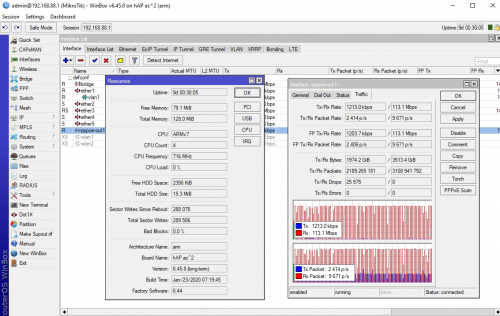
user posted image

HAP ac2 running on 500 Mbps UniFi
cwtien
post Dec 24 2020, 11:41 AM

Casual
***
Junior Member
477 posts

Joined: Jan 2003
From: Seri Kembangan


Hi, I am wondering if anyone else has encountered this issue with Unifi.

I recently got a Mikrotik Hex S. Using this guide (https://www.mikrotik.com.my/setup-for-unifi/), I connected my Unifi cable to port 1. Unfortunately, I keep getting Unifi drops every 30 mins -> 2 hrs (message says "PPPOE: terminating... - failed to authenticate ourselves to peer").

I subsequently switched to port 4, did some reconfiguration, and this issue never happened again. Thinking I have a faulty port 1, I plugged in my switch LAN port to port 1, but have not been able to detect any CRC or packet drop issues in the history.

My question is - has anyone else ever gotten issues with Hex S port 1 connecting to internet, and have resolved it (other than moving to another port)?
shahie
post Dec 24 2020, 12:42 PM

On my way
****
Junior Member
506 posts

Joined: Feb 2005
QUOTE(cwtien @ Dec 24 2020, 11:41 AM)
Hi, I am wondering if anyone else has encountered this issue with Unifi.

I recently got a Mikrotik Hex S.  Using this guide (https://www.mikrotik.com.my/setup-for-unifi/), I connected my Unifi cable to port 1.  Unfortunately, I keep getting Unifi drops every 30 mins -> 2 hrs (message says "PPPOE: terminating... - failed to authenticate ourselves to peer").

I subsequently switched to port 4, did some reconfiguration, and this issue never happened again.  Thinking I have a faulty port 1, I plugged in my switch LAN port to port 1, but have not been able to detect any CRC or packet drop issues in the history.

My question is - has anyone else ever gotten issues with Hex S port 1 connecting to internet, and have resolved it (other than moving to another port)?
*
have you tried 'reset' and 'no default configuration' check? means you begin from the stretch?
cwtien
post Dec 24 2020, 03:39 PM

Casual
***
Junior Member
477 posts

Joined: Jan 2003
From: Seri Kembangan


QUOTE(shahie @ Dec 24 2020, 12:42 PM)
have you tried 'reset' and 'no default configuration' check? means you begin from the stretch?
*
Yes, I did. I accidentally 'bricked' the router one time configuring VLAN, so I had to reset and redo from scratch.
afif92
post Dec 24 2020, 03:39 PM

Casual
***
Junior Member
374 posts

Joined: Mar 2010
Hi, is there Mikrotik router that support for AES-NI like RT-AX86U or RT-AC86U and capable to set up as Openvpn client? Thanks
soonwai
post Dec 24 2020, 03:43 PM


********
All Stars
11,459 posts

Joined: Oct 2007
From: KL


QUOTE(afif92 @ Dec 24 2020, 03:39 PM)
Hi, is there Mikrotik router that support for AES-NI like RT-AX86U or RT-AC86U and capable to set up as Openvpn client? Thanks
*
I think only ROS x86 supports AES-NI (since v6.39). So no.

This post has been edited by soonwai: Dec 24 2020, 03:44 PM
piju
post Dec 31 2020, 10:53 PM

Getting Started
**
Junior Member
164 posts

Joined: Feb 2008
Guys, any tutorials how to enable IPV6 on maxis fibre with mikrotik hap lite tc ?
soonwai
post Dec 31 2020, 11:26 PM


********
All Stars
11,459 posts

Joined: Oct 2007
From: KL


QUOTE(piju @ Dec 31 2020, 10:53 PM)
Guys, any tutorials how to enable IPV6 on maxis fibre with mikrotik hap lite tc ?
*
This is more or less all you need.

CODE
/ip dns
set allow-remote-requests=yes servers=8.8.8.8,8.8.4.4,2001:4860:4860::8844

/ipv6 address
add from-pool=ipv6pool50 interface=vlan50

/ipv6 dhcp-client
add add-default-route=yes interface=pppoe-out1 pool-name=ipv6pool50 request=prefix use-peer-dns=no

/ipv6 nd
set [ find default=yes ] interface=vlan50 mtu=1480

/ipv6 nd prefix default
set preferred-lifetime=1h valid-lifetime=2h

Forgot to add this:
/ipv6 firewall filter add action=accept chain=input dst-port=546 in-interface=unifi protocol=udp src-address=fe80::/16


The DNS command is just to add an IPV6 DNS server. Replace vlan50 with your bridge. Check that your ipv6 firewall allows icmpv6 and dhcpv6 client port 546.

This post has been edited by soonwai: Jan 1 2021, 02:22 PM
piju
post Dec 31 2020, 11:34 PM

Getting Started
**
Junior Member
164 posts

Joined: Feb 2008
QUOTE(soonwai @ Dec 31 2020, 11:26 PM)
This is more or less all you need.

CODE
/ip dns
set allow-remote-requests=yes servers=8.8.8.8,8.8.4.4,2001:4860:4860::8844

/ipv6 address
add from-pool=ipv6pool50 interface=vlan50

/ipv6 dhcp-client
add add-default-route=yes interface=pppoe-out1 pool-name=ipv6pool50 request=prefix use-peer-dns=no

/ipv6 nd
set [ find default=yes ] interface=vlan50 mtu=1480

/ipv6 nd prefix default
set preferred-lifetime=1h valid-lifetime=2h

The DNS command is just to add an IPV6 DNS server. Replace vlan50 with your bridge. Check that your ipv6 firewall allows icmpv6.
*
thanks, but not working. dhcpv6 status is still searching
soonwai
post Jan 1 2021, 02:17 PM


********
All Stars
11,459 posts

Joined: Oct 2007
From: KL


QUOTE(piju @ Dec 31 2020, 11:34 PM)
thanks, but not working. dhcpv6 status is still searching
*
I knew I forgot something. Check your IPv6 firewall. See if you have this or similar rule for port 546.

CODE
/ipv6 firewall filter add action=accept chain=input dst-port=546 in-interface=pppoe-out1 protocol=udp src-address=fe80::/16

Port 546 is for your DHCPv6 client.

Happy New Year!

This post has been edited by soonwai: Jan 1 2021, 02:23 PM
piju
post Jan 1 2021, 03:05 PM

Getting Started
**
Junior Member
164 posts

Joined: Feb 2008
QUOTE(soonwai @ Jan 1 2021, 02:17 PM)
I knew I forgot something. Check your IPv6 firewall. See if you have this or similar rule for port 546.

CODE
/ipv6 firewall filter add action=accept chain=input dst-port=546 in-interface=pppoe-out1 protocol=udp src-address=fe80::/16

Port 546 is for your DHCPv6 client.

Happy New Year!
*
thanks. now i can get IPv6 address but my client still can connect with IPv6 address yet.

soonwai
post Jan 1 2021, 03:13 PM


********
All Stars
11,459 posts

Joined: Oct 2007
From: KL


QUOTE(piju @ Jan 1 2021, 03:05 PM)
thanks. now i can get IPv6 address but my client still can connect with IPv6 address yet.
*
Can you post your /export ? Are your devices getting an IPv6 address?
soonwai
post Jan 1 2021, 03:16 PM


********
All Stars
11,459 posts

Joined: Oct 2007
From: KL


Just for fun. I think I have posted before long time ago.

https://r-1.ch/mikrotik-unicode-ssid-generator.php

Now you can use emoji for your SSID. Warning, some older devices dun like it.

user posted image

176 Pages « < 109 110 111 112 113 > » Top
 

Change to:
| Lo-Fi Version
0.0236sec    0.27    6 queries    GZIP Disabled
Time is now: 21st December 2025 - 11:59 PM