Optimus tutorial (please update your graphic card driver at least version 258.96 for this to work):
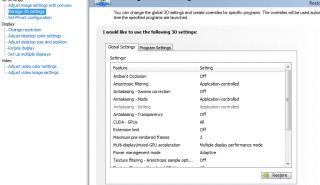
If above tutorial still not work, right click on wallpaper. Select NVIDIA Control Panel. In Manage 3D Settings, go to Global Settings --> Preferred graphics processor: --> select High-performance NVIDIA processor --> click Apply
******To run SC2 ultra high, need to upgrade to 4gb RAM . Applicable to NVidia 335m gfx and above******* Important notice: If your pirated games is not running, it means your game got problem (not updated). Not laptop problem.
First thing to do when get your laptop:
» Click to show Spoiler - click again to hide... «
1. Put on screen protector (two types. I recommend anti-glare type but this is personal decision). Raytec is a good brand. 2. Charge it full before use. No need overnight. Charge full is enough. 3. Turn on and update all your driver from Asus website or nVidia/ATI driver website. 4. Register your laptop on Asus website. 5. Delete bloatware (unused program). For me, I did not delete. I use all the program and I find it nice. 6. Within 7 days, make sure your laptop run perfectly fine. Within 7 days, I believe you can still fight for your rights to 1-to-1 swap if anything spoilt. 7. Get some free games from Steam website. http://forums.steampowered.com/forums/show...ad.php?t=851573 8. Activate your free Office 2010 by opening any office document. 9. After few charges, you can take out your battery if you're only using adapter. This is to prolong battery life. 10. You might want to get notebook cooler to prolong your notebook life. 11. After 7 days, and your laptop works well, you can start to pimp it. Add notebook skin like the one from Manhattan or ArmourOne.
Important links:
» Click to show Spoiler - click again to hide... «
» Click to show Spoiler - click again to hide... «
1.The default and recommended settings in the nvidia control panel: Multi-Display/Mixed GPU-Acceleration : is on multiple display performance mode.. have to change it to single display mode. If its multi-display, the temperature is high. 2.for the u35jc, u nid to update the bios to 208 then u can use the latest driver from nvidia which is 258.96... dunno if u45jc oledi got the bios 208 or not.. 3.recommend don flash u45jc bios 207 atm if u don wanna end up bricking it 4.mouse lag using 335m gfx. IN NVIDIA CONTROL PANEL , in option VERTICAL SYNC choose FORCE OFF ( NOT CHOOSE use the 3d application setting ) the problem is solved. For DotA, you also need to add -swtnl to shortcut like "C:\Program Files\Warcraft III\Warcraft III.exe" -opengl 5.if you have frame rate drop, change Power4Gear to High Performance.
Speeding up boot time by lee_what2004:
» Click to show Spoiler - click again to hide... «
Install No 3 first since No 1 only driver, no apps... After install, install No 1 from device manager...
Faster boot time, at least what I tested, but its beta driver (No 1), so might be an issue... issue so far, no temp detected by BatteryCare/HWMonitor... While the No 2 is just latest version for Intel HD, shouldn't be a problem...
This post has been edited by gogo2: Oct 22 2010, 03:32 PM
Yes, please post up the solution for NVidia Optimus especially playing Starcraft2. I'm too facing this problem. Deep hurt by Optimus technology and NVidia problematic driver.
Dude post up solutions for the Nvidia Optimus problems as well... A lot of our forumers are asking the same question again and again regarding it...
Just write a simple one like clean install new drivers etc..
QUOTE(wokan @ Aug 24 2010, 04:22 PM)
Yes, please post up the solution for NVidia Optimus especially playing Starcraft2. I'm too facing this problem. Deep hurt by Optimus technology and NVidia problematic driver.
Yesterday after watching the Optimus tutorial, decided to upgrade the NVidia driver to WHQP 258.96 Previously using factory built version 189.70 could play Starcraft2 using Intel Integrated rather than NVidia Graphic Processor.
Now, I can play Starcraft2 with Optimus switch to dedicated NVidia graphic processor.
Starcraft2 game setting:
- Set to Medium, F - FPS between 30 to 40. - Setting in NVidia Control Panel, I opt for graphic setting rather than performance. - GPU Temperature around 75 degree C when playing. Did not manage to capture screen.
Also, when I replay the Campaign, "The Evacuation", previously with Intel integrated, SC2 crashed with Access Violation Error. Now with Nvidia graphic processor, it does not crash.
Will continue to test different SC2 game setting with my RAM 4GB. Graphic is much better than before and now happy user..
Good job bro gogo2!!
This post has been edited by wokan: Aug 25 2010, 09:55 AM
Yesterday after watching the Optimus tutorial, decided to upgrade the NVidia driver to WHQP 258.96 Previously using factory built version 189.70 could play Starcraft2 using Intel Integrated rather than NVidia Graphic Processor.
Now, I can play Starcraft2 with Optimus switch to dedicated NVidia graphic processor.
Starcraft2 game setting:
- Set to Medium, F - FPS between 30 to 40. - Setting in NVidia Control Panel, I opt for graphic setting rather than performance. - GPU Temperature around 75 degree C when playing. Did not manage to capture screen.
Also, when I replay the Campaign, "The Evacuation", previously with Intel integrated, SC2 crashed with Access Violation Error. Now with Nvidia graphic processor, it does not crash.
Will continue to test different SC2 game setting with my RAM 4GB. Graphic is much better than before and now happy user..
Good job bro gogo2!!
Good to hear that!!! Thanks for sharing the setting!!!
Can anyone teach me what kind of drivers should i update and how should i know whether the driver is up to date which suits my machine? sorry for being noob
Can anyone teach me what kind of drivers should i update and how should i know whether the driver is up to date which suits my machine? sorry for being noob
Normally you just need to update Video driver. While you also need to update Windows using Windows update. Easy right?
Can anyone teach me what kind of drivers should i update and how should i know whether the driver is up to date which suits my machine? sorry for being noob
u can use modded driver for nvidia gfx for better performance gained..
Can anyone teach me what kind of drivers should i update and how should i know whether the driver is up to date which suits my machine? sorry for being noob
check for new drivers at least once a mth... that should be a reasonable period...
i get schock..... theres a dead pixelllllllllllllllllllll arghhHhHHhH but then i press press my lcd cz i didnt belive it...then it dessapear.. but then after booting.. it suddently cameout like lampu takda starter.. just on that affected pixel at the middle of screen...i was like OMG...it happen to me kah?... but i try tu press it agan and now it fixed for awhile...afraid of if it happen again, it will be forever dead pixel... ;'[
Oh ok... thanks for all the help guys... but i have done everything... anyone play dota here encounter lag issues like me?
Is your Dota original? Have you download the latest version of Dota?
QUOTE(eugenechiuu @ Aug 25 2010, 09:59 PM)
From what I heard, most forumers playing Dota experience lagging using the GT335M.. So try using the Intel to play Dota.. Problem should be solved
Its probably those are pirated version of Dota. Didn't update to latest version to get the best out of 335M. That's why I said, please buy original game.
QUOTE(evazym79 @ Aug 25 2010, 10:04 PM)
i get schock..... theres a dead pixelllllllllllllllllllll arghhHhHHhH but then i press press my lcd cz i didnt belive it...then it dessapear.. but then after booting.. it suddently cameout like lampu takda starter.. just on that affected pixel at the middle of screen...i was like OMG...it happen to me kah?... but i try tu press it agan and now it fixed for awhile...afraid of if it happen again, it will be forever dead pixel... ;'[
I'm sorry to hear that. I hope you can change it if under warranty. I'm not sure whether Asus have zero bright pixel policy
Is your Dota original? Have you download the latest version of Dota? Its probably those are pirated version of Dota. Didn't update to latest version to get the best out of 335M. That's why I said, please buy original game. I'm sorry to hear that. I hope you can change it if under warranty. I'm not sure whether Asus have zero bright pixel policy
nah, is not about jacky version or not.. i think is about the gpu itself..
guys, izzit possible latest graphic driver consume more battery power? dunno if its my imagination or not, i notice my notebook lil bit hot than b4 after updating
guys, izzit possible latest graphic driver consume more battery power? dunno if its my imagination or not, i notice my notebook lil bit hot than b4 after updating
Without proof, its all in your imagination bro. You can go back to previous driver and see if its true.. but testing condition must same.
QUOTE(Ultima @ Aug 25 2010, 10:39 PM)
so for the u series thts more on battery power, izzit advisable to juz stick to default driver?
Of course not. Always update to latest driver unless the latest driver got problem. Go to nVidia thread in Hardware. They sometimes talk about latest driver issue.
QUOTE(Ultima @ Aug 25 2010, 10:43 PM)
well, if lets say the latest driver support physx, so can say the driver consume more power rite?
Without proof, its all in your imagination bro. You can go back to previous driver and see if its true.. but testing condition must same. Of course not. Always update to latest driver unless the latest driver got problem. Go to nVidia thread in Hardware. They sometimes talk about latest driver issue. Bad example. Haha..coz physx always supported.
well, the reason i think like tht is bcoz the u series is optimized to hav a long battery usage, so i guess the current driver installed with it is the recommended one as maybe thts how they can achieve good battery life..
thts the logical reason i can think about, but maybe i was wrong tho...
well, the reason i think like tht is bcoz the u series is optimized to hav a long battery usage, so i guess the current driver installed with it is the recommended one as maybe thts how they can achieve good battery life..
thts the logical reason i can think about, but maybe i was wrong tho...
Well, its possible too. But did your battery consumption higher?
And also, your graphic card already have current consumption rating. They based U series on the rating of power consumption of your graphic card. So driver won't affect the rating. Another thing is, mostly if you use only Intel Integrated Graphic, your nVidia driver would not be in used at all....
Maybe you should check whether your card is turn on or not.
Added on August 25, 2010, 11:06 pm
QUOTE(leslie88 @ Aug 25 2010, 11:01 PM)
hey guys, I bought this lappie A42JV from the previous PCFair for RM2720, comes with 10 freebies though
till now, i'm satisfied with it I just downloaded the 258 driver thingy ..
wanted to ask about the configuration of nVidia control panel mind to share a couple of tips how to tweak/play with it ? thanks
I hope you upgrade to 4GB.
Well, the tweaking depends on you. If you want nice looking graphics, you tune up all the AA etc.. But your frame rate will suffer. And vice versa. So the best thing is you try every setting yourself to see if without AA, it is acceptable for you. Haha
Well, its possible too. But did your battery consumption higher?
And also, your graphic card already have current consumption rating. They based U series on the rating of power consumption of your graphic card. So driver won't affect the rating. Another thing is, mostly if you use only Intel Integrated Graphic, your nVidia driver would not be in used at all....
Maybe you should check whether your card is turn on or not.
Added on August 25, 2010, 11:06 pm I hope you upgrade to 4GB.
Well, the tweaking depends on you. If you want nice looking graphics, you tune up all the AA etc.. But your frame rate will suffer. And vice versa. So the best thing is you try every setting yourself to see if without AA, it is acceptable for you. Haha
Well, last time I read is its the old way to calculate the CPU temperature, for Pentium 4 and such, so pretty much will stay near with the Core temp....
same.. if screen have too many ppl or too many skill then it will lag until it freeze i have to log off and re login .. wats the prob ? but when i use integrated graphic.. it dun hv this prob, juz that it lags from start until the end.. with the same lagness nvidia.. smooth at first.. then lag until freeze
This post has been edited by liamx: Aug 26 2010, 02:04 AM
Got question to ask here, my laptop(asus a42jv)keep on producing grinding whirring whenever in use, i think the noise comes from the harddisk (C:)..I just want to ask is it normal to hear the harddisk reading noise, cuz its quite annoy..
This post has been edited by Gaia34: Aug 26 2010, 08:24 AM
same.. if screen have too many ppl or too many skill then it will lag until it freeze i have to log off and re login .. wats the prob ? but when i use integrated graphic.. it dun hv this prob, juz that it lags from start until the end.. with the same lagness nvidia.. smooth at first.. then lag until freeze
I think its your GPU overheating or your CPU overheating. At first, its smooth because not yet overheat. After that, it become hotter and overheat and freeze. Check the temperature of CPU and GPU please.
Added on August 26, 2010, 9:38 am
QUOTE(leslie88 @ Aug 26 2010, 12:36 AM)
oh great website thanks been searching for this kind of guide but couldn't get any not good with keyword searching though
Haha...
QUOTE(leslie88 @ Aug 26 2010, 12:36 AM)
btw, I have upgraded to 4gb of RAM AA is ?
AA is anti-aliasing
QUOTE(leslie88 @ Aug 26 2010, 12:36 AM)
335gt can play SC2 with ultra high setting ? btw, been modifying my lappie desktop oso .. wallpaper n stuff like that
That's what I heard that you can if you get 4GB ram.
just wan to ask some questions..Is it true that original ram that installed by Asus factory is Kingston brand? The original ram installed by Asus Factory are DDR3 1333MHz or 1066MHz??
just wan to ask some questions..Is it true that original ram that installed by Asus factory is Kingston brand? The original ram installed by Asus Factory are DDR3 1333MHz or 1066MHz??
I not sure whether it is true, but when I ran HWINFO32, the factory installed RAM on slot 0 shows 1066 Mhz and my add-ons 2GB Kingston RAM shows 1333 Mhz.
If your RAM is 1333 Mhz, it does not matter as for i5-430M, the max speed for RAM will be 1066 Mhz. So even if you purchase RAM with 1333 Mhz, it will downclock to 1066 Mhz.
I not sure whether it is true, but when I ran HWINFO32, the factory installed RAM on slot 0 shows 1066 Mhz and my add-ons 2GB Kingston RAM shows 1333 Mhz.
If your RAM is 1333 Mhz, it does not matter as for i5-430M, the max speed for RAM will be 1066 Mhz. So even if you purchase RAM with 1333 Mhz, it will downclock to 1066 Mhz.
Yeah, but its just me. I like to buy same speed RAM. Hahahahaha...
Mine slot 0 show 1333Mhz by the way. Probably mine is newer A42JV than yours
QUOTE(Ultima @ Aug 26 2010, 11:18 AM)
well, izzit hard to find elpida notebook ram? coz i mostly saw kingston n other ram...
btw, how to use hwinfo to check my 310m? it only detect my intel tho
but nvm, i use siw to check my info, thnx..
Elpida harder to find bro. Good luck in your search. But you can buy any brand also. It will still run dual channel.
the only thing holding me back from getting the a42jv is this problem of optimus not switching to the dedicated graphic card.
so wit the right driver, it works fine now?
Yes, definitely it will switch to dedicated graphics. Dun worry. I'm owner. I 100% sure it will switch to dedicated graphic. Else, you can get refund from me. Hahahhaa
Yes, definitely it will switch to dedicated graphics. Dun worry. I'm owner. I 100% sure it will switch to dedicated graphic. Else, you can get refund from me. Hahahhaa
Guys i wanna ask how to make the nvidia graphics to run at lower frequency? when i open CpuZ it shows my GT 335m can run at lower Mhz when running just 2d desktop apps... now my graphic idle is always 450 Mhz / 790 Mhz @ 0.90V temp is around 57-59 degrees
Guys i wanna ask how to make the nvidia graphics to run at lower frequency? when i open CpuZ it shows my GT 335m can run at lower Mhz when running just 2d desktop apps... now my graphic idle is always 450 Mhz / 790 Mhz @ 0.90V temp is around 57-59 degrees
if you 2D desktop apps, why are you using nvidia graphics? shouldn't it be using Intel IGP? did u check properly that it uses nvidia?
Please follow the video in first post to check what current graphic card is using.
its using the intel graphic.. im using gadget and GPUZ to moniter the temp and frequency... even tho its running the intel graphic how come my temp still so high?
its using the intel graphic.. im using gadget and GPUZ to moniter the temp and frequency... even tho its running the intel graphic how come my temp still so high?
my gpu also aournd 55C if im not using it...
btw,
for those who thinks their cpu temp is hi,
power4gear hi performance will set ur min n max proc state to 100% iianm..
try set ur minimum lower n c how it goes....
This post has been edited by Ultima: Aug 26 2010, 01:52 PM
its using the intel graphic.. im using gadget and GPUZ to moniter the temp and frequency... even tho its running the intel graphic how come my temp still so high?
Then the heat is from something nearby the GPU... you know, CPU, GPU, hardisk, all enclosed together inside the small laptop. The temperature could come from anywhere...
if you not using nvidia, you reduce frequency also no use bro...hahahaha
cause last time i had a acer 4741g the 310m only showing temp of 40+ degrees on idle.. and i remember last time when i never use the nvidia graphic on my a42jv the frequency will lower by itself... damn strange now lol anyone have this problem also?
cause last time i had a acer 4741g the 310m only showing temp of 40+ degrees on idle.. and i remember last time when i never use the nvidia graphic on my a42jv the frequency will lower by itself... damn strange now lol anyone have this problem also?
nope havent tried... actually its a M GPU how come it doesnt auto reduce voltage by itself? i remember last time it did and the voltage was lower.. but now dont know why cannot already
nope havent tried... actually its a M GPU how come it doesnt auto reduce voltage by itself? i remember last time it did and the voltage was lower.. but now dont know why cannot already
probably driver problem liao...
Change back to old driver and check it out...
I also afraid you change some setting...
But anyway, I hope to hear from you the setting...
Yeah, I think it should reduce voltage.. or totally shutdown with 0 voltage. When I check it, its show 0W usage. I believe my 335M is using 0 voltage. Probably the software you use to check is wrong.
Please tell us what software you use to check the voltage. And also, what driver you use...
Later i check and let u know.. Im using the latest 1 fro Nvidia website.. The temp i check from gpuz and gpuobserver gadget.. Both showsme the same figures.. Yeah it also shows 0 watt for me.. Just strange when idle my cpu is 40+ and gpu 57-59
Later i check and let u know.. Im using the latest 1 fro Nvidia website.. The temp i check from gpuz and gpuobserver gadget.. Both showsme the same figures.. Yeah it also shows 0 watt for me.. Just strange when idle my cpu is 40+ and gpu 57-59
Are you using A42JV? I'm using latest driver. My CPU is 49C while my GPU is 45C. So your laptop a bit strange.
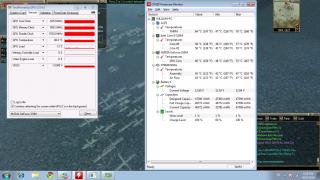
ok i've check already i monitor my temperature from start until end from smooth until lag take a look at the ss the temperature is same since i start play and until it starts to lag. its not temperature prob
ok i've check already i monitor my temperature from start until end from smooth until lag take a look at the ss the temperature is same since i start play and until it starts to lag. its not temperature prob
How about the CPU utilization and RAM utilization? Let's nail this fella.
As you see, the load is 12%. So its not the GPU issue. Some how, somewhere in your PC, slow down your game...
It could be your RAM load high, CPU load too high or the temperature to high etc....
Definitely not your GPU... and I think 1GB GPU memory is enough... for 1366x768..
By the way, is it possible that some software like antivirus start to scan your system?
This post has been edited by gogo2: Aug 26 2010, 08:59 PM
Joined: Jul 2009
From: London, United Kingdom or Kota Kinabalu, Sabah
QUOTE(stalkerrox @ Aug 26 2010, 06:18 PM)
Later i check and let u know.. Im using the latest 1 fro Nvidia website.. The temp i check from gpuz and gpuobserver gadget.. Both showsme the same figures.. Yeah it also shows 0 watt for me.. Just strange when idle my cpu is 40+ and gpu 57-59
wah why ur idle so hot?? Are u using any cooler?? how's the temp when u play games then?
How about the CPU utilization and RAM utilization? Let's nail this fella.
As you see, the load is 12%. So its not the GPU issue. Some how, somewhere in your PC, slow down your game...
It could be your RAM load high, CPU load too high or the temperature to high etc....
Definitely not your GPU... and I think 1GB GPU memory is enough... for 1366x768..
By the way, is it possible that some software like antivirus start to scan your system?
i check from task manager. cpu usage is about 40% and physical memory is 48% temperature as screenshot. err.. nope, coz wat i have to do is.. turn off the game after 30~40 min and relogin and it will bcome smooth
still dont understand why my GC running at full speed lol..
Haha, something not right here. The thing is, we using same laptop. But why the difference? I think its due to some software inside your laptop or highly possible your laptop GPU is not cooled properly....
The other thing we can do is for you to revert back to old configuration that give you lower temperature... can you try that?
QUOTE(liamx @ Aug 26 2010, 10:43 PM)
i check from task manager. cpu usage is about 40% and physical memory is 48% temperature as screenshot. err.. nope, coz wat i have to do is.. turn off the game after 30~40 min and relogin and it will bcome smooth
What game is that? Is it on Steam game? Or is it Dota? Did you update the games? I want to reproduce your issue. I wonder if I have the same game or not. Just let me know what game you have and I hope I have the same game on Steam as yours....
Added on August 26, 2010, 10:50 pm
QUOTE(liamx @ Aug 26 2010, 10:43 PM)
i check from task manager. cpu usage is about 40% and physical memory is 48% temperature as screenshot. err.. nope, coz wat i have to do is.. turn off the game after 30~40 min and relogin and it will bcome smooth
Another thing you can try is to go to Task Manager, kill all the task not used including antivirus etc. And run the game again....
This post has been edited by gogo2: Aug 26 2010, 10:50 PM
Another thing you can try is to go to Task Manager, kill all the task not used including antivirus etc. And run the game again....
yaya.. did already.. then login to the game and play for 30~40min then it start to lag again, then i have to quit, and login again then it will be smooth.
row a.k.a return of warrior ( online game ) but all my friends has no prob with their lappy..
a) update latest driver b) your line is bad. Go to your friends house to play c) reduce the quality of your nvidia setting. Set it to performance instead of quality at the nvidia control panel.
a) update latest driver b) your line is bad. Go to your friends house to play c) reduce the quality of your nvidia setting. Set it to performance instead of quality at the nvidia control panel.
updated.. if not the game also cannot play.. my line is good. my ping to streamyx dns is only 3x + btw.. we play at the same house hm.. i set already but it also same
updated.. if not the game also cannot play.. my line is good. my ping to streamyx dns is only 3x + btw.. we play at the same house hm.. i set already but it also same
then let me try it....or Mr Lee have any solution?
issit because im running on AC ? cause i never plug in my battery could that be the case?
oh i just realised i was playing SC2 just now... and my GPU clocks went from 450 Mhz / 790 Mhz @ 0.90V to 450 Mhz / 324 Mhz @ 0.85V why ar? when im idle in windows its more than when im in game? >.<
This post has been edited by stalkerrox: Aug 27 2010, 01:09 AM
issit because im running on AC ? cause i never plug in my battery could that be the case?
oh i just realised i was playing SC2 just now... and my GPU clocks went from 450 Mhz / 790 Mhz @ 0.90V to 450 Mhz / 324 Mhz @ 0.85V why ar? when im idle in windows its more than when im in game? >.<
Tried clean install driver? Should not because AC, the powemizer still should work. So, did the nvidia tool says any apps using the nvidia or just blank?
QUOTE(fcuk90 @ Aug 27 2010, 12:32 AM)
just suggested my friend to get a42jv , he is happy with the purchase now .lol . the worth laptop under 3k segment
bought at where? stygix?
This post has been edited by lee_what2004: Aug 27 2010, 01:16 AM
Asus has some real serious problem in their pricing policy... my U45JC price drops from RM2999 3 weeks ago to RM2770 now....really f* up... gosh... but i know the same thing happening to A42JV....
Asus has some real serious problem in their pricing policy... my U45JC price drops from RM2999 3 weeks ago to RM2770 now....really f* up... gosh... but i know the same thing happening to A42JV....
Asus has some real serious problem in their pricing policy... my U45JC price drops from RM2999 3 weeks ago to RM2770 now....really f* up... gosh... but i know the same thing happening to A42JV....
Haha... rm2770 is based on the price from garage sales right? A42Jv dropped from 2999 to 2450 in 4 weeks xD... I could get a new FullHD Monitor already...
We nid it when we nid it. For multiple display. Hahaha... since you only use the laptop LCD, sure you don't need it.
so if lets say im gonna do some presentation n nid to use the projector, i nid to use the multiple display function rite?
n since its only a ppt or word file, n using integrated rather than nvidia, so it is safe to set to single display on nvidia n multiple display on integrated rite?
so if lets say im gonna do some presentation n nid to use the projector, i nid to use the multiple display function rite?
n since its only a ppt or word file, n using integrated rather than nvidia, so it is safe to set to single display on nvidia n multiple display on integrated rite?
Dear sifu, I was wondering what is the difference between i5-520M and i5-450M? O____O Thanks
i5-520 got hardware virtualization technology. It'll be faster for VT. But i5-450 can turbo both core while i5-520 only turbo for single core.
Anyway, I get answer from google also:
QUOTE
I might be wrong but the turbo boost in 450M gets both cores to 2.66, where as for 520M only one gets to 2.93, and the other gets to 2.66, so the difference gets even smaller if you don't care about extra features on 520M.
QUOTE
I think that the change to the DMI bus was overlooked here. The i5-450 has 4.8 giga-transfers per second (GT/sec), whereas the i5-520 has 2.4.
So, if you dont care about the VT & AES stuff, then the differences between the 450 & 520 are.
i5-450 - Single core max Turbo-Boost = 2.66 GHz - 4.8 GT/sec DMI Bus
i5-520 - Single core max Turbo-Boost = 2.93 GHz - 2.4 GT/sec DMI Bus
I seem to remember somebody mentioned a ways back that the memory bus was a bottleneck in the Arrandale lineup. So, to that end, i think that i would rather have a faster memory pipe than +266Mhz in single core mode.
Tried clean install driver? Should not because AC, the powemizer still should work. So, did the nvidia tool says any apps using the nvidia or just blank? bought at where? stygix?
Of course it helps improve ur performance, if you know how to OC the right way...
yes, i read the OC instruction in the Nvidia forum. Basically OC the GPU Core Speed first, increase by 5 Mhz repeatly until you see the black spot, blackout in your display. Then reduce it by 10 Mhz.
After that overclock CPU Core Speed by 5 Mhz repeatly and test. The steps are same as overclock the GPU.
You can't really overclock the CPU the same way with GPU, since the setFSB isn't really support A42Jv's PLL. So the slider didn't work since it detect wrong clocks, but still usable to OC the CPU...
yes, i read the OC instruction in the Nvidia forum. Basically OC the GPU Core Speed first, increase by 5 Mhz repeatly until you see the black spot, blackout in your display. Then reduce it by 10 Mhz.
After that overclock CPU Core Speed by 5 Mhz repeatly and test. The steps are same as overclock the GPU.
faster overclock...and give us your result....kakakaka
hei guys, long time didnt check the thread v2 edi haha
any1 know why sometimes my fps in cs source drop to 50-70 then stay constant
at first i get 90-120 then after playing for few hours the fps drop lawl
many reason...
1) overheating 2) overloading the Processor, RAM or GPU 3) background program suddenly start 4) your CS game got bug (did you patch it lately?) 5) swap file fill up....
You can't really overclock the CPU the same way with GPU, since the setFSB isn't really support A42Jv's PLL. So the slider didn't work since it detect wrong clocks, but still usable to OC the CPU...
You can't really overclock the CPU the same way with GPU, since the setFSB isn't really support A42Jv's PLL. So the slider didn't work since it detect wrong clocks, but still usable to OC the CPU...
lee, does that mean if I found some tool which support A42JV, the overclock of CPU is possible by increasing the FSB coz
FSB x Multiplier = CPU Core Speed
Is it right?
Added on August 27, 2010, 6:08 pm
QUOTE(bananalow @ Aug 27 2010, 05:57 PM)
safe not to try lo ~~ if short circuit then motherboard burn , u will
hmm~~~ long time no follow forum ald ~~ now thread have 3 series clump into one
Yeah..that is why I stop asking about pin-mod...
This post has been edited by wokan: Aug 27 2010, 06:08 PM
Used it for an hour last time before my hard drive got KOed. Made the whole machine go faster. Not by leaps and bounds but still noticeably faster. Sadly didn't do any testing with games.
I got a42jv and there is keyboard flex on top right of the keyboard?... Is there anyway to fix it?...Send it to asus?...
The keyboard flex is due to the build of the laptop, I have it too. But I don't think it's enough to warrant a fix for it unless it's a very very severe flex.
The keyboard flex is due to the build of the laptop, I have it too. But I don't think it's enough to warrant a fix for it unless it's a very very severe flex.
Ok, at least i am not the only one with the flex... Is there a big difference between Ram with 1333Mhz and 1066Mhz?... Cos i my ram is 2gb 1066 and 2gb 1333...Should i change the 1066 to 1333?...
hi.. A42jv user here. I had problem changing my display from normal-gamma correction-vivid-soft. Only can use normal. But after restart only can change. Anyone ever encountered this problem?
hiiiiii...................my bro just by a42jv.................he is really into the rpg's................so can u guys list all the rpg's that a42jv can play. for example~final fantasy@kingdom hearts@breath of fire....................................?????????? the old rpg's don't want lah.....at least the popular and hottest one....huhu
Asus has some real serious problem in their pricing policy... my U45JC price drops from RM2999 3 weeks ago to RM2770 now....really f* up... gosh... but i know the same thing happening to A42JV....
hi,bro, u using U45JC? GT310 can play latest game in highest setting? or just high setting? or default setting? or lowest setting?
hiiiiii...................my bro just by a42jv.................he is really into the rpg's................so can u guys list all the rpg's that a42jv can play. for example~final fantasy@kingdom hearts@breath of fire....................................?????????? the old rpg's don't want lah.....at least the popular and hottest one....huhu plzz.........................help ek........
All the latest RPG can play ..you just need to know what setting is playable
hiiiiii...................my bro just by a42jv.................he is really into the rpg's................so can u guys list all the rpg's that a42jv can play. for example~final fantasy@kingdom hearts@breath of fire....................................?????????? the old rpg's don't want lah.....at least the popular and hottest one....huhu plzz.........................help ek........
wait for FF13 ~~~ ^^
Added on August 29, 2010, 11:23 am
QUOTE(pityboi @ Aug 29 2010, 10:32 AM)
hi,bro, u using U45JC? GT310 can play latest game in highest setting? or just high setting? or default setting? or lowest setting?
GT310 is a low-mid card ~~ i dun think it can support all latest game into highest setting ~~
This post has been edited by bananalow: Aug 29 2010, 11:23 AM
Dun know FF13 will release on PC version or not ~~~ but i doubt they will ~~ lol~~~ PC games so easy for hacker to pirated ~~~ but FF13 is port from PC platform to PS3 as well as Xbox ~~ ^^
all the A42Jv owner here, good afternoon. Do you mind to show me your battery pic? or what model? bcos my previous ASUS laptop just stolen few days ago... and i wan to make sure whether A42JV battery same as my previous model or not, before i buy this A42JV.. thanks very much
hmmmmmm................still wonder can the rpg's games can be play well until the end..................sometimes it always lag in the middle of the games.................always spoil my little bro mood when it happen.....hak3
I was just wondering whether you guys had ever encountered an issue like this, where a the screen will go black for a few seconds then followed by a pop-up stating: "Display driver has stop responding and has recovered"... it happens from time to time and can be very annoying during gaming...
I'm quite interested in U35Jc as well as U45Jc as my mobile analysis machine but its seems that the components are exactly the same as my gf's M500-S433 (W7 + G310M) which suffered from the issue mentioned above and so far there's no solution at all That's why I asked you guys, curious hehe!
Thanks in advance, your replies are much appreciated
I was just wondering whether you guys had ever encountered an issue like this, where a the screen will go black for a few seconds then followed by a pop-up stating: "Display driver has stop responding and has recovered"... it happens from time to time and can be very annoying during gaming...
I'm quite interested in U35Jc as well as U45Jc as my mobile analysis machine but its seems that the components are exactly the same as my gf's M500-S433 (W7 + G310M) which suffered from the issue mentioned above and so far there's no solution at all That's why I asked you guys, curious hehe!
Thanks in advance, your replies are much appreciated
Thanks for the reply bro, appreciate it Yeah, Teledynamics guys say its due to incompatibility between W7 and Nvidia (dunno whether its true or not) and they do say that by updating the latest drivers/ BIOS, then the problem will be solved. But it has been almost 5-6 months already, the driver updates doesn't seem to solve the problem which seemed to be getting worse and worse.... and the funny thing is how come I only heard of Toshiba and Acer having this problem x___x
Asus must be really good since I've never heard of anyone complaining about this issue at all haha
Thanks for the reply bro, appreciate it Yeah, Teledynamics guys say its due to incompatibility between W7 and Nvidia (dunno whether its true or not) and they do say that by updating the latest drivers/ BIOS, then the problem will be solved. But it has been almost 5-6 months already, the driver updates doesn't seem to solve the problem which seemed to be getting worse and worse.... and the funny thing is how come I only heard of Toshiba and Acer having this problem x___x
Asus must be really good since I've never heard of anyone complaining about this issue at all haha
well, my guess is that it may have to do with the VBIOS... Asus have more experience dealing with that since they themselves are hardware maker in the first place...
the problem boils down back to the laptop maker... if NV driver really got problem, there should be a lot of ppl screaming abt it...
i guess lappy probs have become complicated as it become more high-tech everyday......hehehe things are not the same as the old days....huhu
it all boils down to whether u know ur laptop inside out...
know it's limit, then u re fine...
most of the time it's paying peanuts but expect elephant, or expectation mismatch (eg Core i7 = 100fps in games... )... and then after they buy, complain this not good, that not good...
And that's equal in performance with the Intel HD.
So kids, Just opt for something cheaper if ur thinking of getting anything with 305M.
Anyway, abt A42JV running SC2 on ultra, just nid change RAM meh? So easy ar? I was expecting something like advance graphic settings or ovrclocking the card n cpu. Hahaha..
Joined: Jul 2009
From: London, United Kingdom or Kota Kinabalu, Sabah
QUOTE(Dispell @ Aug 29 2010, 07:23 PM)
So kids, Just opt for something cheaper if ur thinking of getting anything with 305M.
Anyway, abt A42JV running SC2 on ultra, just nid change RAM meh? So easy ar? I was expecting something like advance graphic settings or ovrclocking the card n cpu. Hahaha..
As a new game, SC2 is not really that graphically advanced, so GT335M is more than enough to handle it, but then its a memory hog, takes up like 1.4gb++ to run it smoothly, so 4gb ram is a must...
user of U45JC...don't have this problem at all....
QUOTE(PF T.J. @ Aug 29 2010, 06:30 PM)
Dear U33Jc, U35Jc, U45Jc and U43Jc users,
I was just wondering whether you guys had ever encountered an issue like this, where a the screen will go black for a few seconds then followed by a pop-up stating: "Display driver has stop responding and has recovered"... it happens from time to time and can be very annoying during gaming...
I'm quite interested in U35Jc as well as U45Jc as my mobile analysis machine but its seems that the components are exactly the same as my gf's M500-S433 (W7 + G310M) which suffered from the issue mentioned above and so far there's no solution at all That's why I asked you guys, curious hehe!
Thanks in advance, your replies are much appreciated
well, my guess is that it may have to do with the VBIOS... Asus have more experience dealing with that since they themselves are hardware maker in the first place...
the problem boils down back to the laptop maker... if NV driver really got problem, there should be a lot of ppl screaming abt it...
Agreed, Toshiba seemed don't want to take responsibility for that problem Which explains why you don't see any M500-S433 being sold anymore, only M500-S432 zzz Even if it's not Toshiba's fault... I also wonder how in the world did the M500-S433 passed the QC LOL
Yeah, conclusion is Asus has more experience and I can throw the M500 into tong sampah liao haha
As a new game, SC2 is not really that graphically advanced, so GT335M is more than enough to handle it, but then its a memory hog, takes up like 1.4gb++ to run it smoothly, so 4gb ram is a must...
GT335M is more than enuf to handle it, how abt G310M? now interest at U series d..
look guys, i hv found out why i always lag and freeze. i've tried play for few hours and set the settings all to lowest, after about 45 min, all the graphics is like integrated. i suspect it changed itsel from nvidia f to integrated graphics, maybe my game too old for it ? i read some post from other forum, they are facing this prob with old games too.. i downloaded other new games and try, it has no prob, i played for 2 hours previously it lag and freeze because the effect was on and resolution was high. intel cant really support it, thats why it freeze.
so any idea to force it stick with nvidia ?
This post has been edited by liamx: Aug 29 2010, 09:07 PM
On the nvidia control panel, change this Multi-Display/Mixed GPU-Acceleration : to on multiple display performance mode.. because last time stalkerrox has his nvidia always on higher clocks due to this...
I was just wondering whether you guys had ever encountered an issue like this, where a the screen will go black for a few seconds then followed by a pop-up stating: "Display driver has stop responding and has recovered"... it happens from time to time and can be very annoying during gaming...
I'm quite interested in U35Jc as well as U45Jc as my mobile analysis machine but its seems that the components are exactly the same as my gf's M500-S433 (W7 + G310M) which suffered from the issue mentioned above and so far there's no solution at all That's why I asked you guys, curious hehe!
Thanks in advance, your replies are much appreciated
u35jc definitely under 2kg, someone already weigh it with a proof at notebookreview
n for u series owner, u can update to the latest 258.96 nvidia driver after u guys update ur bios to 208..
mine works like a charm now, loves the gpu indicator hehe
Hmm, lighter than 2kg then its good GPU indicator? How about the Nvidia Optimus thingy, is it giving any problems? No cons? haha! Hot onot? O____O Perhaps I should go for the i7 variant in Singapore
Hmm, lighter than 2kg then its good GPU indicator? How about the Nvidia Optimus thingy, is it giving any problems? No cons? haha! Hot onot? O____O Perhaps I should go for the i7 variant in Singapore
the one tht shows whether ur apps using nvidia gpu or not..
so far no prob with optimus..
im not a perfectionist, so its ok for me for now hehe..
the one tht shows whether ur apps using nvidia gpu or not..
so far no prob with optimus..
im not a perfectionist, so its ok for me for now hehe..
not hot, but feel a bit warm of bottom left..
Hmm, I think it is good enough~ You picked a very nice laptop if you ask me, very balanced Will the palm rest be like hot until it feels uncomfortable to put your palms on top of it? I'm very scared of that haha
Hmm, I think it is good enough~ You picked a very nice laptop if you ask me, very balanced Will the palm rest be like hot until it feels uncomfortable to put your palms on top of it? I'm very scared of that haha
if u on battery mode, quiet office or battery saving mode juz make u feel lil hot..
nvr tried it on playing heavy games tho, as i bought this one mainly for portability, so mostly feels comfortable on palmrest..
still cannot.. well now i figure out why it lags over time i try with other game , the gpu load maintain around 60~70++ and it smooth from start to end
but when i run with row , it start with 50%+ ( smooth ) after a while it drop to 30%+ then 20%+ and 10% the gpu load getting lower, it getting lagger.
As a new game, SC2 is not really that graphically advanced, so GT335M is more than enough to handle it, but then its a memory hog, takes up like 1.4gb++ to run it smoothly, so 4gb ram is a must...
No wonder la.. Hahaha.. I was wondering why it lags time to time, where the lag is the kind of non-graphic lag. renders everything quite well in high, but the lag kills. oh well, 4gb here i come
hello all. i want to reintalled my lappy with 32bit win 7 home premium.can anyone guide me how to do it. do i need to go with all the troubles to activate my window via phone?
hello all. i want to reintalled my lappy with 32bit win 7 home premium.can anyone guide me how to do it. do i need to go with all the troubles to activate my window via phone?
A legit copy?...if yes, then you should have the original key for it ...if you have the key then no need to phone over ..use the key to activate via online ...
hello all. i want to reintalled my lappy with 32bit win 7 home premium.can anyone guide me how to do it. do i need to go with all the troubles to activate my window via phone?
which model you are using?isn't come with 64bit windows 7?means u wish to change to 32bit windows 7?
guys remember that day i asked about my GT 335M keep running at full power even tho idle?
i found out a strange thing i thought i had fixed the problem... but actually i didnt... now only i realised when i open GPU-Z the GPU will run @ 135/135 0.80V when i close GPU-Z then it will run at full power... why ar?
still cannot.. well now i figure out why it lags over time i try with other game , the gpu load maintain around 60~70++ and it smooth from start to end
but when i run with row , it start with 50%+ ( smooth ) after a while it drop to 30%+ then 20%+ and 10% the gpu load getting lower, it getting lagger.
yeah latest drivers... does the rivatuner work for GT 335M? cause when i dont run GPU-Z my GPU observer shows me GPU load @ 600++ % >.< but after i open back GPU-Z its ok already
This post has been edited by stalkerrox: Aug 30 2010, 08:31 AM
guys remember that day i asked about my GT 335M keep running at full power even tho idle?
i found out a strange thing i thought i had fixed the problem... but actually i didnt... now only i realised when i open GPU-Z the GPU will run @ 135/135 0.80V when i close GPU-Z then it will run at full power... why ar?
the driver is the latest one???????????????? try check with asus malaysia~ fb ~lor....sometimes there help a lot with this kind of thing.....huhu
yeah latest drivers... does the rivatuner work for GT 335M? cause when i dont run GPU-Z my GPU observer shows me GPU load @ 600++ % >.< but after i open back GPU-Z its ok already
Hmm, lighter than 2kg then its good GPU indicator? How about the Nvidia Optimus thingy, is it giving any problems? No cons? haha! Hot onot? O____O Perhaps I should go for the i7 variant in Singapore
u35jc do not hav dvd room, izit? for me very not convenience
do u know how to get rivatuner for the gadget? i think GPU observer isnt accurate.. thats why i getting strange readings
u can download form guru3d.com, or get MSI Afterburner...
either way, i suspect is that when GPU-Z is running, the driver assumes that is a 3D app and thus the GPU kicks in... then when u quit, it's back to Intel...
also, i suggest getting HWMontior to see the temp as well...
Added on August 30, 2010, 8:46 am
QUOTE(pityboi @ Aug 30 2010, 08:42 AM)
OMG.. 310M is Geforce arh... u35jc do not hav dvd room, izit? for me very not convenience
umm, yeah, so is others like GT 335M...
anyway, my pt is that starting form the 300 family, that's no prefix G for the entry cards...
in the past there's Geforce G 110M, GeForce G 210M, but now it's GeForce 310M only...
This post has been edited by astria: Aug 30 2010, 08:46 AM
bro ultima, can use ur lappy test RE5 or SF4 or DMC4 benchmark wif nvidia gpu, i wan see the result.. thanks.. (becoz from taiwan forum there, they using intel build in graphic run the benchmark)
This post has been edited by pityboi: Aug 30 2010, 08:58 AM
OMG!! just now go taiwan forum take a walk, read their U35/45jc unboxing..
Resident Evil 5 Benchmark (default setting,res 1280x760) = Average C Street Fighter 4 = Rank E Devil May Cry = Rank C
hehe taiwan....asus homeland lah so me don't thing that it is so weird for them coz they got powerful lappy with i guess they pay less....juz like german people use bmw,VW and merc...they pay it less lor....doesn't have to pay for the tax...hak3
OMG.. 310M is Geforce arh... u35jc do not hav dvd room, izit? for me very not convenience
nah, u can buy external, more convenience, nid it whn u want it.. plus, they oledi bundled it with free external dvd writer now whn u buy u35jc
QUOTE(pityboi @ Aug 30 2010, 08:52 AM)
OMG!! just now go taiwan forum take a walk, read their U35/45jc unboxing..
Resident Evil 5 Benchmark (default setting,res 1280x760) = Average C Street Fighter 4 = Rank E Devil May Cry = Rank C
wht u expect, u series nvr meant for gaming
QUOTE(pityboi @ Aug 30 2010, 08:55 AM)
bro ultima, can use ur lappy test RE5 or SF4 or DMC4 benchmark wif nvidia gpu, i wan see the result.. thanks.. (becoz from taiwan forum there, they using intel build in graphic run the benchmark)
sori, i dun hav games u mentioned... but it shud run fine on low settings..
QUOTE(pityboi @ Aug 30 2010, 09:12 AM)
at june that time, selling price for U45JC is 33000 taiwan dollar..how abt malaysia?
now, they sell it around rm2800 plus external dvd writer for u35jc..
A legit copy?...if yes, then you should have the original key for it ...if you have the key then no need to phone over ..use the key to activate via online ...
QUOTE(marcus20125 @ Aug 30 2010, 07:44 AM)
which model you are using?isn't come with 64bit windows 7?means u wish to change to 32bit windows 7?
i use asus a42jv and it is preinstalled with win 7 home premium 64bit...i wish to change to 32 bit version...can i use the original key behind the laptop to do so?
i use asus a42jv and it is preinstalled with win 7 home premium 64bit...i wish to change to 32 bit version...can i use the original key behind the laptop to do so?
well, any reason y u want to switch back to 32-bit???
theoratically u can use the key also, though i ve never tried before...
nah, u can buy external, more convenience, nid it whn u want it.. plus, they oledi bundled it with free external dvd writer now whn u buy u35jc wht u expect, u series nvr meant for gaming sori, i dun hav games u mentioned... but it shud run fine on low settings.. now, they sell it around rm2800 plus external dvd writer for u35jc..
try right click the program -> Properties -> Compatibility -> select XP from the drop down box...
if this still dun work, means the software is too old for Win7 and Vista, and u either need XP, or Win7 Pro/Ultimate XP mode to run it...
i will try later...if not successfull, should i change my windows to 32bit...as my earlier questio
QUOTE
i use asus a42jv and it is preinstalled with win 7 home premium 64bit...i wish to change to 32 bit version...can i use the original key behind the laptop to do so?
hehe i guess ur right but if doesn;t have air cond is bad lah right.....hehe???????? can zalman nc2000 make a bigger different??????
all cooler with aluminum have to use air cond to achieve maximum cooling capacity ~~~ all the advertisement which say can drop more than 10 or 17 degree celcius are bluffing the the customer de ~~ maybe the put in freezer or chiller ~~ lol~~
should use the CM in air-cond room ~~ more effective since it is aluminium ~~ ^^
will try that when I got the time..
Added on August 30, 2010, 12:14 pm
QUOTE(bananalow @ Aug 30 2010, 12:11 PM)
all cooler with aluminum have to use air cond to achieve maximum cooling capacity ~~~ all the advertisement which say can drop more than 10 or 17 degree celcius are bluffing the the customer de ~~ maybe the put in freezer or chiller ~~ lol~~
I will try in air-cond with CM...Hopefully can drop close to 17C as advertised.
Maybe they did the test in different environment than us. Otherwise I got conned adi...
Also notice there is only 1 fan and max fan speed (2000 RPM) is not as fast as I think it is.
This post has been edited by wokan: Aug 30 2010, 12:14 PM
not sure if it's juz me or not... i feel that my cooler seems to "create" quite a lot of dust when i use it... mine is AC Ryan Hush Rush, which uses 2 regular desktop 120mm fans...
not sure if it's juz me or not... i feel that my cooler seems to "create" quite a lot of dust when i use it... mine is AC Ryan Hush Rush, which uses 2 regular desktop 120mm fans...
hmm~~ the dust stick into fan? i think all fan also c8 dust de~~ lol ~~ like celling fan also ~~ few month didnt clean , start the dust liao ><
not sure if it's juz me or not... i feel that my cooler seems to "create" quite a lot of dust when i use it... mine is AC Ryan Hush Rush, which uses 2 regular desktop 120mm fans...
try to open it and check it or clean it........maybe u use it for a time that now u need to replace it with a new one....hehe
not really, my place is pretty quiet... pure residential area with a train station nearby... train only pass by like once every 20-30mins... sometimes got those freight trains transporting coal or containers to the nearby port...
anyway, i am still in the process of finding the source of dust...
i dun remember wiping my table so often back in my home...
not really, my place is pretty quiet... pure residential area with a train station nearby... train only pass by like once every 20-30mins... sometimes got those freight trains transporting coal or containers to the nearby port...
anyway, i am still in the process of finding the source of dust...
i dun remember wiping my table so often back in my home...
hmmmm i think u try to open the cooler and wipe it dust<don't use water k>....see if the is a change after u do that
hi owner here, just now one member miahahaha tell me here try ask my question here. can i get recovery cd for a42jv cause i got problem burn out thks all pls pm me
hi owner here, just now one member miahahaha tell me here try ask my question here. can i get recovery cd for a42jv cause i got problem burn out thks all pls pm me
I got all the disc. But I think its only 4 disc. I know it said 5 disc. But actually 4 only. Nvm, I go back and reconfirm again.
juz tried sc2 on my a42jv, it recommend me low graphic setting in game, i already swtich to nvidia gpu in nvidia global setting d, when i run in high graphic setting, the gameplay not as smooth as low graphic setting, is this normal??
This post has been edited by Adri@n: Aug 30 2010, 07:11 PM
juz tried sc2 on my a42jv, it recommend me low graphic setting in game, i already swtich to nvidia gpu in nvidia global setting d, when i run in high graphic setting, the gameplay not as smooth as low graphic setting, is this normal??
I have just updated the Nvidea driver and restarted my laptop. Now the graphic seems like a little jaggy. How to smooth them out? Where is the setting?
I have just updated the Nvidea driver and restarted my laptop. Now the graphic seems like a little jaggy. How to smooth them out? Where is the setting?
Wallpaper. Bfore the update I could see smooth diagonal lines. Now it seems to be with small little "steps". Even the fonts doesn't have that smooth edges like it was before. I am not sure if this is Nvidea or the Intel GMA problem, but it happens after the upgrade.
Added on August 31, 2010, 12:01 amI must try video and see. I will try "Mommy Got Boobs #9" and see if the girl got jaggy holes and the dudes got saw like dicks
This post has been edited by vmammoth: Aug 31 2010, 12:01 AM
It's still the same, but other wallpaper doesn't seems to have this problem. Looks like I will just use others. Will try gaming and video tomorrow. It's getting late. Thanks for your help.
It's still the same, but other wallpaper doesn't seems to have this problem. Looks like I will just use others. Will try gaming and video tomorrow. It's getting late. Thanks for your help.
I have just updated the Nvidea driver and restarted my laptop. Now the graphic seems like a little jaggy. How to smooth them out? Where is the setting?
Maybe ur wallpaper nt suited for 1366x768? If the wp mode is set to stretch, it'll stretch the resolution to fit ur screen, den u might see jagged edges to ur wp. Try getting a high rez wp or just switch wp mode to center. hope it helps.
Maybe ur wallpaper nt suited for 1366x768? If the wp mode is set to stretch, it'll stretch the resolution to fit ur screen, den u might see jagged edges to ur wp. Try getting a high rez wp or just switch wp mode to center. hope it helps.
(1) This device may not cause harmful interference, and (2) this device must accept any interference received, including interference that may cause undesired operation.
This is the FCC la bro. Don't tell me you first time see FCC. FCC already there since the beginning of time. Check all your PC. Its there... even keyboard also got. Pengsan liao if u dunno.
This post has been edited by gogo2: Aug 31 2010, 11:50 AM
This is the FCC la bro. Don't tell me you first time see FCC. FCC already there since the beginning of time. Check all your PC. Its there... even keyboard also got. Pengsan liao if u dunno.
hahahahaha owh that fcc maa......i think what fcc lah............Ultima makes the fcc term so complex la
OMG, i juz found out that my plactic cover on the edge of the screen is loose, what should i do.....haizzzzz...i checked wif my seller n he told me to go to the Asus Service Center ><
OMG, i juz found out that my plactic cover on the edge of the screen is loose, what should i do.....haizzzzz...i checked wif my seller n he told me to go to the Asus Service Center ><
better go to asus service center coz ur lappy still under warranty lor
This post has been edited by afify88: Aug 31 2010, 10:09 PM
OMG, i juz found out that my plactic cover on the edge of the screen is loose, what should i do.....haizzzzz...i checked wif my seller n he told me to go to the Asus Service Center ><
loose only? Mine crack, i ask about warranty its not covered. have to pay rm200 for the hinge replacement last time.
OMG, i juz found out that my plactic cover on the edge of the screen is loose, what should i do.....haizzzzz...i checked wif my seller n he told me to go to the Asus Service Center ><
O___O I thought it is quite normal for the edge to be slightly loose? Other users experiencing the same problem?
the exterior built of a42jv is really in doubt. The feel of cheap plastic, loose screen bracket, crack hinge.. I pay to get the nb of asus quality, but hey.. I wonder if made in china nb compromises the original quality?
the exterior built of a42jv is really in doubt. The feel of cheap plastic, loose screen bracket, crack hinge.. I pay to get the nb of asus quality, but hey.. I wonder if made in china nb compromises the original quality?
You can't expect too much for that kind of price tag from a notebook right? Everyone would rush to get it if its perfect, by the way its already give you a monster specs.
haha guess china quality control don't have that iso2xxx thingy. Btw my last lappy was hyundai mlife forgot which model. Exterior tough as nails. But with aluminum casing. A42j is my first asus. I have dell also but quality wise is much better. Yeah the spec are great, but if ur inner strength is awesome and ur body is fragile.. err.. U know what i mean lol
haha guess china quality control don't have that iso2xxx thingy. Btw my last lappy was hyundai mlife forgot which model. Exterior tough as nails. But with aluminum casing. A42j is my first asus. I have dell also but quality wise is much better. Yeah the spec are great, but if ur inner strength is awesome and ur body is fragile.. err.. U know what i mean lol
Sometimes inner strength do count the most. Just be careful when using it, I think you won't throw your lappy around don't you?
Sometimes inner strength do count the most. Just be careful when using it, I think you won't throw your lappy around don't you?
well i won't throw it around purposely lol. Neah, just concerned about the quality issue. Btw my nb still perfectly intact. Hopefully it stays that way within this few years. Lol
well i won't throw it around purposely lol. Neah, just concerned about the quality issue. Btw my nb still perfectly intact. Hopefully it stays that way within this few years. Lol
hehehe u can't get better than a42jv if u looking for laptop with the same spec and same price as a42jv.......hehehe
the exterior built of a42jv is really in doubt. The feel of cheap plastic, loose screen bracket, crack hinge.. I pay to get the nb of asus quality, but hey.. I wonder if made in china nb compromises the original quality?
want solid build outside? pay more like my rig ~~~ lol~~
but honestly speaking, for low-cost series, i think A/K series is better than others like Dell Inspiron, Compaq Presario and Acer Aspire (note: not Gemstone/TimelineX/Ethos)...
but honestly speaking, for low-cost series, i think A/K series is better than others like Dell Inspiron, Compaq Presario and Acer Aspire (note: not Gemstone/TimelineX/Ethos)...
Agreed. We shouldn't expect too much from budget-entry laptops. The A42Jv has already offered so much that its almost unbelievable A/K series are actually quite nice looking o... chiclet keys some more
Agreed. We shouldn't expect too much from budget-entry laptops. The A42Jv has already offered so much that its almost unbelievable A/K series are actually quite nice looking o... chiclet keys some more
just update the drive, but i can't find the "Preferred graphics processor", can any one help me? now i use acer aspire 4741g, G310m, is it this can be use in this laptop???
just update the drive, but i can't find the "Preferred graphics processor", can any one help me? now i use acer aspire 4741g, G310m, is it this can be use in this laptop???
What you mean? If you install NVidia driver, it'll be same eventhough its a Acer laptop.
Did you watch the video and follow all the step?
Did you delete the old driver, then restart, then only install the new driver?
no, i din't delete the old driver, just install and restart...how to delete the old driver?? TQ for u help.
my own guide extracted from BenQ thread...
QUOTE
1) Download and install Driver Sweeper. 2) Download the new driver to the desktop. We'll use it later. 3) Uninstall the old driver with Windows Uninstaller. Go Control Panel, Add and Remove Programs (Vista)/Programs and Features (Win7). 4) Restart, boot into Safe Mode. (Press F8 continuously after the computer boot, until the Winodws Advanced Menu is brought up) 5) Run Driver Sweeper. Tick the driver to clean, and let it run. 6) Restart, back into normal mode. 7) Install the new driver. Restart if needed.
This post has been edited by astria: Sep 1 2010, 12:44 PM
just do what ever u said, uninstall, driver sweeper, f8 ...everything have try, still can't find the "Preferred graphics processor" in the Global setting, everything still in defaut mode...
just do what ever u said, uninstall, driver sweeper, f8 ...everything have try, still can't find the "Preferred graphics processor" in the Global setting, everything still in defaut mode...
can you screen shot it and post it here? what setting you have in global setting?
Agreed. We shouldn't expect too much from budget-entry laptops. The A42Jv has already offered so much that its almost unbelievable A/K series are actually quite nice looking o... chiclet keys some more
Well in economics, by lowering their price they can actually get a larger profit.
QUOTE(gogo2 @ Sep 1 2010, 12:00 PM)
chiclet is high end stuff man..
Also the LCD is thick, so its quite sturdy.
Chiclet is fast becoming standard in most notebooks now.
This post has been edited by AlexLai: Sep 1 2010, 05:31 PM
hmmmm how can it crack?????????????? still new right????
nah, mine is Z99JR(A8JR refresh) pretty old already the hardware. Been using for 2 years ++ already.
QUOTE(fastreader @ Aug 31 2010, 11:05 PM)
huh?..how come it is not covered by warranty?..then wat is coavered by the warranty?..
i asked them personally and they are the ones who say its no in warranty. What is covered in warranty is hardware of the the laptop, the keyboard, LCD and adapter.
QUOTE(ordinaryzam @ Sep 1 2010, 02:23 AM)
the exterior built of a42jv is really in doubt. The feel of cheap plastic, loose screen bracket, crack hinge.. I pay to get the nb of asus quality, but hey.. I wonder if made in china nb compromises the original quality?
but honestly speaking, for low-cost series, i think A/K series is better than others like Dell Inspiron, Compaq Presario and Acer Aspire (note: not Gemstone/TimelineX/Ethos)...
i love low costs series xD cheap~and not bad. i mean im using this super budget asus x59sr and its still running fine. Now..if only they would release A series i7 15" to compete with Acer and dell grrrr
i love low costs series xD cheap~and not bad. i mean im using this super budget asus x59sr and its still running fine. Now..if only they would release A series i7 15" to compete with Acer and dell grrrr
huhu newest acer series(Gemstone/TimelineX/Ethos) is hard to compete......other lappy manufacturer better think a way to overcome their lappy......
anybody use "facial recognition logon" system?? it states in the info below your right hand....and how to use it?..if do other hair style, u never login again..hahhaa.. just want to give a shot of it..cheers..
anybody use "facial recognition logon" system?? it states in the info below your right hand....and how to use it?..if do other hair style, u never login again..hahhaa.. just want to give a shot of it..cheers..
hak3.......don't no ye lor...........give it a try
Thanks for this thread. I've rencentrly bought an A52JC. I browesed almost all of the thread.
Tried to remove in safe mode with Drive Sweeper the old drivers... made a fresh clean install of 7 pro and premium... followed with caution the tuto...
NO WAY I could switch from intel to nvidia 310m.
Is that a driver issue, do I have to wait the next release or the 258.96 are working properly for almost everyone except me ?
Thanks for this thread. I've rencentrly bought an A52JC. I browesed almost all of the thread.
Tried to remove in safe mode with Drive Sweeper the old drivers... made a fresh clean install of 7 pro and premium... followed with caution the tuto...
NO WAY I could switch from intel to nvidia 310m.
Is that a driver issue, do I have to wait the next release or the 258.96 are working properly for almost everyone except me ?
Thanks a lot!
How much u bought it n can u find any loose part at the plastic cover at the edge of ur screen?
Really? mine is minor case i guess, bt i can see the silver stuff at the end of the screen there.......
I just got my U45JC yesterday. bought from seller in lyn forum. added another 2gb ram, total cost RM2900.
however at home, upon checking i find that the middle top edge flexes quite a bit. my screen edge also got creaking sound at the right top edge (left top edge is just fine). it's like it's not enclosed properly? apply a bit pressure and can feel the parts clicking together but it does not feel like it fits tightly.
from outside you won't see any gaps actually. duno whether i shd go to asus centre or not... it's less than 1 day old la!
i guess it's just a minor prob too, cos apart from that i LOVE this new machine.
This post has been edited by Garage: Sep 2 2010, 09:51 AM
Thanks for this thread. I've rencentrly bought an A52JC. I browesed almost all of the thread.
Tried to remove in safe mode with Drive Sweeper the old drivers... made a fresh clean install of 7 pro and premium... followed with caution the tuto...
NO WAY I could switch from intel to nvidia 310m.
Is that a driver issue, do I have to wait the next release or the 258.96 are working properly for almost everyone except me ?
Thanks a lot!
How you know its not switching to 310m?
Did you follow: If above tutorial still not work, right click on wallpaper. Select NVIDIA Control Panel. In Manage 3D Settings, go to Global Settings --> Preferred graphics processor: --> select High-performance NVIDIA processor --> click Apply
QUOTE(crysumsung @ Sep 2 2010, 08:40 AM)
found it.....only with optimus tech will have Preferred Graphics Processor...
anybody use "facial recognition logon" system?? it states in the info below your right hand....and how to use it?..if do other hair style, u never login again..hahhaa.. just want to give a shot of it..cheers..
Based on Toshiba's SmartFace recognition, your laptop will definitely "remember" your face regardless of your hairstyle haha Well, one very significant problem of the Face Recognition device is that it takes forever to load during startup... it would be much faster just to type your log in password
i am currently using A52JC,i wish to upgrade my memory to 4gb.wanna ask u all a question ,can i add another DDR3 ram with 1333mhz instead of 1066mhz?Is tat possible?WIll it spoilt my nb.?
i am currently using A52JC,i wish to upgrade my memory to 4gb.wanna ask u all a question ,can i add another DDR3 ram with 1333mhz instead of 1066mhz?Is tat possible?WIll it spoilt my nb.?
I don't think adding 1333Mhz RAM would have much difference since they won't be fully utilized
Hihi dear U35Jc or U45Jc users, I was just wondering whether you guys could please snap a photo of the underside of the laptop and post it? Couldn't seem to find any from the internet.. Curious about amount of vents underneath
I just got my U45JC yesterday. bought from seller in lyn forum. added another 2gb ram, total cost RM2900.
however at home, upon checking i find that the middle top edge flexes quite a bit. my screen edge also got creaking sound at the right top edge (left top edge is just fine). it's like it's not enclosed properly? apply a bit pressure and can feel the parts clicking together but it does not feel like it fits tightly.
from outside you won't see any gaps actually. duno whether i shd go to asus centre or not... it's less than 1 day old la!
i guess it's just a minor prob too, cos apart from that i LOVE this new machine.
haha, "my screen edge also got creaking sound at the right top edge (left top edge is just fine). it's like it's not enclosed properly? apply a bit pressure and can feel the parts clicking together but it does not feel like it fits tightly." same as mine ^^
Did you follow: If above tutorial still not work, right click on wallpaper. Select NVIDIA Control Panel. In Manage 3D Settings, go to Global Settings --> Preferred graphics processor: --> select High-performance NVIDIA processor --> click Apply
haha, "my screen edge also got creaking sound at the right top edge (left top edge is just fine). it's like it's not enclosed properly? apply a bit pressure and can feel the parts clicking together but it does not feel like it fits tightly." same as mine ^^
hah! i guess that offers a little consolation. spent 2hours last nite just to backup the Windows to 4DVDs. now it's time for me to familiarize with Win7.
im in a dillema, i've been playing sc2 on my a42jv since the past 2 weeks, suddenly yesterday when i went in everything become so slow.. i went to options i realise all the default video settings have been highlighted to use LOW.. i've done what the first post stated previously, playing smoothly with ultra settings for the duration.. now if i don't set everything to LOW it just lags out.. anyone can help me?
im in a dillema, i've been playing sc2 on my a42jv since the past 2 weeks, suddenly yesterday when i went in everything become so slow.. i went to options i realise all the default video settings have been highlighted to use LOW.. i've done what the first post stated previously, playing smoothly with ultra settings for the duration.. now if i don't set everything to LOW it just lags out.. anyone can help me?
im in a dillema, i've been playing sc2 on my a42jv since the past 2 weeks, suddenly yesterday when i went in everything become so slow.. i went to options i realise all the default video settings have been highlighted to use LOW.. i've done what the first post stated previously, playing smoothly with ultra settings for the duration.. now if i don't set everything to LOW it just lags out.. anyone can help me?
must be something u did that make it slow. Hahaha.... since u able to play ultra high setting before, u need to know what u did that make is slow...
probably u install something etc... or probably something corrupted...
not sure delete driver and reinstalling will make it any better


 Aug 24 2010, 02:56 PM, updated 16y ago


 ):
): Quote
Quote

























 0.2086sec
 0.44
0.44
 6 queries
 GZIP Disabled