

nope.. its 76 when playin game and 50~60 when idle ...
Asus A | U | N series combined thread V2, New model coming in.....
Asus A | U | N series combined thread V2, New model coming in.....
|
|
 Aug 24 2010, 09:31 PM Aug 24 2010, 09:31 PM
Return to original view | Post
#1
|
 
Junior Member
67 posts Joined: Jul 2010 
|
nope.. its 76 when playin game and 50~60 when idle ...
|
|
|
|
|
|
Aug 26 2010, 12:42 AM
Return to original view | Post
#2
|
|
Junior Member
67 posts Joined: Jul 2010
|
hey.. i have a new prob now
my GPU no longer throttling after i set the settings to 'prefer maximum preformance and force on 3d settings' but the prob now is.. altho my gpu still performing good but my graphic still lags.. is it bcoz of my gpu memory ? but it has 1 gb.. im using a52jc |
|
|
Aug 26 2010, 12:52 AM
Return to original view | Post
#3
|
|
Junior Member
67 posts Joined: Jul 2010
|
same.. if screen have too many ppl or too many skill then it will lag until it freeze
i have to log off and re login .. wats the prob ? but when i use integrated graphic.. it dun hv this prob, juz that it lags from start until the end.. with the same lagness nvidia.. smooth at first.. then lag until freeze This post has been edited by liamx: Aug 26 2010, 02:04 AM |
|
|
Aug 26 2010, 08:48 PM
Return to original view | Post
#4
|
|
Junior Member
67 posts Joined: Jul 2010
|
ok i've check already
i monitor my temperature from start until end from smooth until lag take a look at the ss 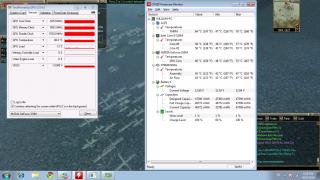
the temperature is same since i start play and until it starts to lag. its not temperature prob |
|
|
Aug 26 2010, 10:43 PM
Return to original view | Post
#5
|
|
Junior Member
67 posts Joined: Jul 2010
|
QUOTE(gogo2 @ Aug 26 2010, 08:57 PM) How about the CPU utilization and RAM utilization? Let's nail this fella. i check from task manager.As you see, the load is 12%. So its not the GPU issue. Some how, somewhere in your PC, slow down your game... It could be your RAM load high, CPU load too high or the temperature to high etc.... Definitely not your GPU... and I think 1GB GPU memory is enough... for 1366x768.. By the way, is it possible that some software like antivirus start to scan your system?  cpu usage is about 40% and physical memory is 48% temperature as screenshot. err.. nope, coz wat i have to do is.. turn off the game after 30~40 min and relogin and it will bcome smooth |
|
|
Aug 26 2010, 11:03 PM
Return to original view | Post
#6
|
|
Junior Member
67 posts Joined: Jul 2010
|
QUOTE(gogo2 @ Aug 26 2010, 10:49 PM) Another thing you can try is to go to Task Manager, kill all the task not used including antivirus etc. And run the game again.... yaya.. did already.. then login to the game and play for 30~40minthen it start to lag again, then i have to quit, and login again then it will be smooth. |
|
|
|
|
|
Aug 26 2010, 11:29 PM
Return to original view | Post
#7
|
|
Junior Member
67 posts Joined: Jul 2010
|
QUOTE(lee_what2004 @ Aug 26 2010, 11:07 PM) liamx, reinstalling the games, I guess no use? reinstall few times already.. still same.. |
|
|
Aug 26 2010, 11:51 PM
Return to original view | Post
#8
|
|
Junior Member
67 posts Joined: Jul 2010
|
QUOTE(gogo2 @ Aug 26 2010, 11:42 PM) What game is that? Is it updated? Some games got bug and need constant update. row a.k.a return of warrior ( online game )but all my friends has no prob with their lappy.. |
|
|
Aug 27 2010, 12:10 AM
Return to original view | Post
#9
|
|
Junior Member
67 posts Joined: Jul 2010
|
QUOTE(gogo2 @ Aug 27 2010, 12:00 AM) a) update latest driver updated.. if not the game also cannot play..b) your line is bad. Go to your friends house to play c) reduce the quality of your nvidia setting. Set it to performance instead of quality at the nvidia control panel. my line is good. my ping to streamyx dns is only 3x + btw.. we play at the same house  hm.. i set already but it also same |
|
|
Aug 27 2010, 12:21 AM
Return to original view | Post
#10
|
|
Junior Member
67 posts Joined: Jul 2010
|
btw.. can a52jc play sc2 with ultra high or high ?
|
|
|
Aug 29 2010, 09:07 PM
Return to original view | Post
#11
|
|
Junior Member
67 posts Joined: Jul 2010
|
look guys, i hv found out why i always lag and freeze.
i've tried play for few hours and set the settings all to lowest, after about 45 min, all the graphics is like integrated. i suspect it changed itsel from nvidia f to integrated graphics, maybe my game too old for it ? i read some post from other forum, they are facing this prob with old games too.. i downloaded other new games and try, it has no prob, i played for 2 hours  previously it lag and freeze because the effect was on and resolution was high. intel cant really support it, thats why it freeze. so any idea to force it stick with nvidia ? This post has been edited by liamx: Aug 29 2010, 09:07 PM |
|
|
Aug 30 2010, 12:41 AM
Return to original view | Post
#12
|
|
Junior Member
67 posts Joined: Jul 2010
|
still cannot..
well now i figure out why it lags over time i try with other game , the gpu load maintain around 60~70++ and it smooth from start to end but when i run with row , it start with 50%+ ( smooth ) after a while it drop to 30%+ then 20%+ and 10% the gpu load getting lower, it getting lagger. anyway to solve ? |
|
|
Sep 14 2010, 01:44 PM
Return to original view | Post
#13
|
|
Junior Member
67 posts Joined: Jul 2010
|
question from my friend : is a42jv a decent gaming laptop ?
|
|
|
Sep 14 2010, 02:37 PM
Return to original view | Post
#14
|
|
Junior Member
67 posts Joined: Jul 2010
|
hmm.. he dun wan acer brand ..
|
|
Topic ClosedOptions
|
| Change to: |  0.0333sec 0.0333sec
 0.34 0.34
 7 queries 7 queries
 GZIP Disabled GZIP Disabled
Time is now: 3rd December 2025 - 02:18 PM |
 Quote
Quote