


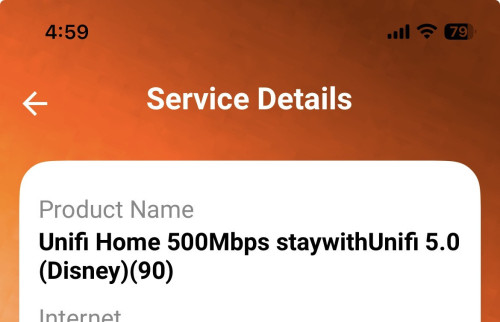
Man like this also want to scam me i just applied only give 3 month disney and started on month dont existed.
Official TM UniFi High Speed Broadband Thread V43, READ 1ST PAGE FOR RELEVANT WIFI INFO!
|
|
 Sep 27 2025, 05:07 PM Sep 27 2025, 05:07 PM
|
 
Senior Member
1,129 posts Joined: Nov 2015 
|
Man like this also want to scam me i just applied only give 3 month disney and started on month dont existed. |
|
|
|
|
|
Sep 27 2025, 06:29 PM
Show posts by this member only | IPv6 | Post
#3742
|

Senior Member
1,130 posts Joined: Jan 2003 
|
QUOTE(RallyNight @ Sep 27 2025, 05:07 PM) Man like this also want to scam me i just applied only give 3 month disney and started on month dont existed.  |
|
|
Sep 27 2025, 09:24 PM
|

Senior Member
6,806 posts Joined: Oct 2008 From: Kuala Lumpur 
|
QUOTE(RallyNight @ Sep 26 2025, 10:00 PM) Test with my pc wifi 560-600, iphone 560, the rest of my household android phones all maxout at 350 🤣, pull out my pcable turnout to be a cat4 cable Good if you have got the issue sorted.QUOTE(3nf0rc3r @ Sep 27 2025, 01:19 PM) Currently still using TP-link C1200, originally turbo upgrade to 300mbps for free with hyptv. But after 24 month they revised to higher price, refused to let me stay at cheaper price so I downgraded to 100mbps without hyptv. Just account, no box provided for rm90 500mbps. As you already downgrade to 100mbps, not possible to request SWU anymore. TM will not revise your plan as the contract is still newNow I wonder if they offer SWU 500mbps will they provide new router. Also Disney hotstar is just an account or do they provide TV box as well? |
|
|
Sep 27 2025, 09:33 PM
|
|
Junior Member
209 posts Joined: Aug 2014
|
QUOTE(RallyNight @ Sep 27 2025, 05:07 PM) Man like this also want to scam me i just applied only give 3 month disney and started on month dont existed. |
|
|
Sep 27 2025, 09:34 PM
|
|
Junior Member
209 posts Joined: Aug 2014
|
QUOTE(YoungMan @ Sep 27 2025, 09:24 PM) Just account, no box provided for rm90 500mbps. As you already downgrade to 100mbps, not possible to request SWU anymore. TM will not revise your plan as the contract is still new Downgraded long ago, no more contract. Service start date for 100mbps September 2020.This post has been edited by 3nf0rc3r: Sep 27 2025, 09:36 PM |
|
|
Sep 27 2025, 11:28 PM
Show posts by this member only | IPv6 | Post
#3746
|
|
Senior Member
1,873 posts Joined: Nov 2010
|
QUOTE(kwss @ Sep 27 2025, 12:51 PM) Can post your aliyun domain? It's a known issue with Aliyun DNS actually but just want to check it out myself. If the domain NS server is using Aliyun very high chance it's this problem. Using Google DNS DoH(chrome)IPv4 depends on your luck. TM use BGP AS pre-pending to load balance IPv4 prefix over different circuit. IPv6 don't have this issue. So if your public / post-CGNAT IPv4 got load balanced to a congested path, you will have endless problem. In a sense Maxis don't have this problem because they never do any of the prepending hack. chrome://net-internals/?#dns Resolved IP addresses of "h5api.m.taobao.com": ["2401:b180:7003::3e0","59.82.121.14"]. No alternative endpoints. Resolved IP addresses of "h5api.m.taobao.com": ["59.82.121.14"]. Resolved IP addresses of "h5api.m.taobao.com": ["2408:4001:f10::2dd","47.246.165.34"]. 3 times(wait for TTL timeout), different results. Can be it asking by rotate in between 8888 8844(both IPv6) la. ---- First can understand, it is return oversea for both IPv6 and v4, and it is located at Zhe Jiang China(IPv6) and BeiJing China(IPv4)... Second is strange, IPv6 missing. Third one is more strange, BeiJing(IPv6) and SG(IPv4) I was observed this strange F5 slowness when grabbing Red Packet here, so found out this IPv6 issues, but I never found out IPv4 also can be in China, until now.  https://huodong.taobao.com/wow/z/tbhome/pc-growth/tao-coin? ---- FYI, CloudFlare DoH is Resolved IP addresses of "h5api.m.taobao.com": ["47.246.165.34"]. So if the only server is SG, going to CloudFlare solved the most, and it will not give you strange oversea IPv6 address. But when server is MY or SG, like Lazada and Shopee, it is a headache to choose in between Google DNS and CloudFlare DNS... (Most of the time both platform works, just sometimes it required me to turn off and on my phone WiFi, or cut off at chrome://net-internals/?#sockets by flush sockets pools, solved.) Like steam, using Google DNS give full speed to upgrade Steam Beta client, while CloudFlare DNS have high chance getting slow speed during Night. Guess it is solved on Steam side, as both giving same SG server now. QUOTE(heLL_bOy @ Sep 27 2025, 04:18 PM) Alicloud MY/SG/HK is running TM PNI shouldn't be a problem, only certain time there is a spike. As above, unsure why Google DNS prefer to jumping around. I am not sure about v6, whether is PNI or not.  This is also why I default to CloudFlare DNS, it might not giving the best Malaysia server as result, but it will ensure it is SG server.  |
|
|
|
|
|
Sep 27 2025, 11:29 PM
Show posts by this member only | IPv6 | Post
#3747
|
|
Senior Member
1,873 posts Joined: Nov 2010
|
QUOTE(3nf0rc3r @ Sep 27 2025, 01:19 PM) Currently still using TP-link C1200, originally turbo upgrade to 300mbps for free with hyptv. But after 24 month they revised to higher price, refused to let me stay at cheaper price so I downgraded to 100mbps without hyptv. WoW, you still using AC1200v2?Now I wonder if they offer SWU 500mbps will they provide new router. Also Disney hotstar is just an account or do they provide TV box as well? It is always a bet that it gonna last 30 days uptime, or <24 hours uptime. But yes, the NAT Boost is better than orange router la, now the skyworth router not bad without Nat Boost, I guess the processor higher raw power solved it.  And yes, you can ask for new router, as they will prefer to upgrade your modem for higher speed stability, but it will be Modem + Router combo, if you wanna more stable, then you need to buy another router. But, based on me tested for years, this skyworth combo router/modem good enough liao. Even if they don't give a new one, you can ask for replacement and agree to resign 24 months, lol.  This post has been edited by BenYeeHua: Sep 27 2025, 11:32 PM |
|
|
Sep 28 2025, 12:00 AM
|
|
Junior Member
209 posts Joined: Aug 2014
|
QUOTE(BenYeeHua @ Sep 27 2025, 11:29 PM) WoW, you still using AC1200v2? Use separate modem, TP-Link AC1200 router set to bridge mode. It may suddenly restart itself once every few months. It is always a bet that it gonna last 30 days uptime, or <24 hours uptime. But yes, the NAT Boost is better than orange router la, now the skyworth router not bad without Nat Boost, I guess the processor higher raw power solved it. And yes, you can ask for new router, as they will prefer to upgrade your modem for higher speed stability, but it will be Modem + Router combo, if you wanna more stable, then you need to buy another router. But, based on me tested for years, this skyworth combo router/modem good enough liao. Even if they don't give a new one, you can ask for replacement and agree to resign 24 months, lol. Before this when I didn't have a separate router, TP-Link AC1200 restarts itself almost every night. When I put a laptop cooler pad under it, the situation became once every few nights. Separate modem improved the stability a lot. This post has been edited by 3nf0rc3r: Sep 28 2025, 12:01 AM |
|
|
Sep 28 2025, 12:21 AM
|
|
Senior Member
1,129 posts Joined: Nov 2015
|
QUOTE(3nf0rc3r @ Sep 27 2025, 10:33 PM) walau...... really dishonest... want to give then should give properly..... I lazy complain then system upgraded itself again Maybe see my lowyat post adi 3nf0rc3r liked this post
|
|
|
Sep 28 2025, 12:40 AM
Show posts by this member only | IPv6 | Post
#3750
|
|
Senior Member
1,208 posts Joined: Aug 2018
|
BenYeeHua It is definitely Aliyun DNS problem.
Long story short I manually did the recursion. Damn this taobao has really deep CNAME and NS server. For Google viewpoint, they did the recursion for me. TM Unifi viewpoint: CODE $ resolvectl query gdsns1.alibabadns.com gdsns1.alibabadns.com: 140.205.122.66 -- link: enp1s0f0 47.88.74.38 -- link: enp1s0f0 $ resolvectl query gdsns2.alibabadns.com gdsns2.alibabadns.com: 140.205.103.194 -- link: enp1s0f0 106.11.35.18 -- link: enp1s0f0 AWS Singapore viewpoint: CODE $ resolvectl query gdsns1.alibabadns.com gdsns1.alibabadns.com: 140.205.122.66 -- link: ens5 47.88.74.38 -- link: ens5 $ resolvectl query gdsns2.alibabadns.com gdsns2.alibabadns.com: 106.11.35.18 -- link: ens5 140.205.103.194 -- link: ens5 For TM and AWS Singapore viewpoint, all NS IP address return only a single IPv4, no IPv6 found (I actually did this for all NS but lazy to copy paste all of them), the resulting IPv4 address is the same for all: CODE $ dig +short a hk-cn.aserver-edge.alibabacorp.com.gds.alibabadns.com @106.11.35.18 47.246.174.103 AWS Singapore: CODE $ resolvectl query h5api.m.taobao.com h5api.m.taobao.com: 47.246.165.34 -- link: ens5 (hk-cn.aserver-edge.alibabacorp.com.gds.alibabadns.com) In summary: Recursion for TM and AWS Singapore: guide-acs.m.taobao.com. guide-acs.m.taobao.com.gds.alibabadns.com. hk-cn.aserver-edge.alibabacorp.com. hk-cn.aserver-edge.alibabacorp.com.gds.alibabadns.com. 47.246.165.34 <--- Notice the IP address changes again, different from TM above but same as AWS Singapore Recursion for Google: guide-acs.m.taobao.com. guide-acs.m.taobao.com.gds.alibabadns.com. unitbrain-guide-unit-v6-pub.m.taobao.com. unitbrain-guide-unit-v6-pub.m.taobao.com.gds.alibabadns.com. [2401:b180:7003::39d, 106.11.162.144] [2408:4001:f10::349, 59.82.9.207] As you can see, Aliyun has special treatment when Google made the query. Resolving the same unitbrain with TM yield: [2408:4001:f10::29a, 47.246.99.152] On AWS Singapore, unitbrain becomes: [2408:4001:f00::10e8, 47.246.99.148]   EDIT: I have a theory. They are doing this to game Google's algorithm. Maybe having IPv6 address gives them better SEO score EDIT 2: Theory number 2: They don't do anycast, maybe don't even have a load balancer, hence they return individual server IP. EDIT 3: IPv6 address is slow because TM egress to France!!! On AWS Singapore, Amazon actually has PNI with AS4837 CHINA UNICOM in Equinix SG1 so latency is 3x better: CODE --- unitbrain-guide-unit-v6-pub.m.taobao.com.gds.alibabadns.com ping statistics --- 100 packets transmitted, 100 received, 0% packet loss, time 7673ms rtt min/avg/max/mdev = 77.357/77.406/77.626/0.039 ms, pipe 2, ipg/ewma 77.501/77.407 ms - vs shipwrecked TM, 3x worse latency with 18% packet loss - CODE --- unitbrain-guide-unit-v6-pub.m.taobao.com.gds.alibabadns.com ping statistics --- 100 packets transmitted, 82 received, 18% packet loss, time 21316ms rtt min/avg/max/mdev = 194.695/214.661/219.423/3.083 ms, pipe 2, ipg/ewma 215.310/210.466 ms This post has been edited by kwss: Sep 28 2025, 01:15 AM |
|
|
Sep 28 2025, 08:48 PM
|

Senior Member
697 posts Joined: Oct 2007 From: Zimbabwe 
|
Internet just felt so slow without VPN, any idea to fix it without restarting to another IP?
Tried to login lowyat, but it stuck at cloudflare error. Had to use VPN to login. |
|
|
Sep 28 2025, 09:37 PM
Show posts by this member only | IPv6 | Post
#3752
|

Senior Member
1,597 posts Joined: Jan 2016
|
QUOTE(ubeyou @ Sep 28 2025, 08:48 PM) Internet just felt so slow without VPN, any idea to fix it without restarting to another IP? Change ISPTried to login lowyat, but it stuck at cloudflare error. Had to use VPN to login. They wont fix this problem I have high PL on IPV4 Slow speed on IPV6 Good job Unifi |
|
|
Sep 28 2025, 09:39 PM
|

Junior Member
45 posts Joined: Jun 2019
|
QUOTE(ubeyou @ Sep 28 2025, 08:48 PM) Internet just felt so slow without VPN, any idea to fix it without restarting to another IP? Tried to login lowyat, but it stuck at cloudflare error. Had to use VPN to login. QUOTE(QuantumEdge @ Sep 28 2025, 09:37 PM) Change ISP Entire Unifi network is down, after public ipv4 gateway out to the internet is broken, not your house issue.They wont fix this problem I have high PL on IPV4 Slow speed on IPV6 Good job Unifi Target Name: one.one.one.one IP: 1.1.1.1 Date/Time: 9/28/2025 9:28:57 PM - 9/28/2025 9:38:57 PM Hop Sent PL% Min Max Avg Host Name / [IP] 1 51 0 0.39 0.65 0.50 192.168.88.1 [192.168.88.1] 2 52 0 1.37 5.42 3.22 218.111.255.254 [218.111.255.254] 3 48 54 8.14 71.38 12.61 10.55.51.35 [10.55.51.35] 4 52 12 4.56 32.73 8.36 10.55.52.31 [10.55.52.31] 5 52 21 10.14 20.77 15.43 10.55.37.84 [10.55.37.84] 6 49 14 6.09 67.31 15.45 162.158.24.253 [162.158.24.253] 7 49 16 7.90 19.52 15.32 one.one.one.one [1.1.1.1] |
|
|
|
|
|
Sep 28 2025, 09:51 PM
|
|
Junior Member
448 posts Joined: Nov 2015
|
I need to turn off IPv6 just to make my Internet experience feels normal...
|
|
|
Sep 28 2025, 09:54 PM
Show posts by this member only | IPv6 | Post
#3755
|

Senior Member
1,350 posts Joined: Nov 2004 From: HEAVEN & HELL
|
QUOTE(BenYeeHua @ Sep 27 2025, 11:28 PM) As above, unsure why Google DNS prefer to jumping around. Because every DNS provider work differently, just choose which you think is suitable for you This is also why I default to CloudFlare DNS, it might not giving the best Malaysia server as result, but it will ensure it is SG server.  |
|
|
Sep 28 2025, 09:57 PM
|
|
Junior Member
45 posts Joined: Jun 2019
|
QUOTE(jasontanky @ Sep 28 2025, 09:51 PM) I need to turn off IPv6 just to make my Internet experience feels normal... And yet it is not normal, I runs on ipv4 only, 2gbps, the tmnet unifi out to the public internet is literally broken. Very very very slow. I tested, seems upload is fine, download has issues. TMnet own hosted klang server seems ok, that means me to TMNet is OK, everywhere else not ok  This post has been edited by Haru97: Sep 28 2025, 09:59 PM |
|
|
Sep 28 2025, 09:57 PM
Show posts by this member only | IPv6 | Post
#3757
|
|
Senior Member
1,350 posts Joined: Nov 2004 From: HEAVEN & HELL
|
QUOTE(Haru97 @ Sep 28 2025, 09:39 PM) Entire Unifi network is down, after public ipv4 gateway out to the internet is broken, not your house issue. Only previous week encounter some loss packet and high ping when their ingress bgp mess up.Target Name: one.one.one.one IP: 1.1.1.1 Date/Time: 9/28/2025 9:28:57 PM - 9/28/2025 9:38:57 PM Hop Sent PL% Min Max Avg Host Name / [IP] 1 51 0 0.39 0.65 0.50 192.168.88.1 [192.168.88.1] 2 52 0 1.37 5.42 3.22 218.111.255.254 [218.111.255.254] 3 48 54 8.14 71.38 12.61 10.55.51.35 [10.55.51.35] 4 52 12 4.56 32.73 8.36 10.55.52.31 [10.55.52.31] 5 52 21 10.14 20.77 15.43 10.55.37.84 [10.55.37.84] 6 49 14 6.09 67.31 15.45 162.158.24.253 [162.158.24.253] 7 49 16 7.90 19.52 15.32 one.one.one.one [1.1.1.1] till to date my connectivity to Cloudflare KUL not even a single loss packet. I guess is local congestion |
|
|
Sep 28 2025, 10:00 PM
|
|
Junior Member
45 posts Joined: Jun 2019
|
QUOTE(heLL_bOy @ Sep 28 2025, 09:57 PM) Only previous week encounter some loss packet and high ping when their ingress bgp mess up. High probably get ddosed on AS4788? Or some intern pushed a bad config to the bgp routertill to date my connectivity to Cloudflare KUL not even a single loss packet. I guess is local congestion |
|
|
Sep 28 2025, 10:11 PM
|
|
Junior Member
448 posts Joined: Nov 2015
|
QUOTE(Haru97 @ Sep 28 2025, 09:57 PM) And yet it is not normal, I runs on ipv4 only, 2gbps, the tmnet unifi out to the public internet is literally broken. Very very very slow. I tested, seems upload is fine, download has issues. It is broken indeed, I resort to using Cloudflare WARPTMnet own hosted klang server seems ok, that means me to TMNet is OK, everywhere else not ok This post has been edited by jasontanky: Sep 28 2025, 10:13 PM |
|
|
Sep 28 2025, 10:11 PM
Show posts by this member only | IPv6 | Post
#3760
|
|
Senior Member
697 posts Joined: Oct 2007 From: Zimbabwe
|
QUOTE(QuantumEdge @ Sep 28 2025, 09:37 PM) Change ISP Which ISP best in consistency? I'm hosting 24 hours and the lag is unbearable.They wont fix this problem I have high PL on IPV4 Slow speed on IPV6 Good job Unifi |
| Change to: |  0.0166sec 0.0166sec
 0.91 0.91
 6 queries 6 queries
 GZIP Disabled GZIP Disabled
Time is now: 11th December 2025 - 09:19 AM |
 Quote
Quote