QUOTE(jjj2 @ Apr 5 2023, 09:05 PM)
Hi, just call the CS & request them to switch to Public IP as you have some apps need public IP to work

Thanks.
Hmm... I am not sure if I know I am in public IP or not.
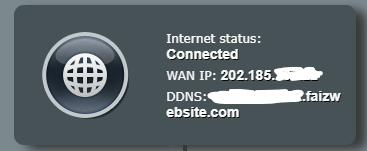
Because I can't connect to the ddns I generate. If I use VPN, then I can connect to the ddns.
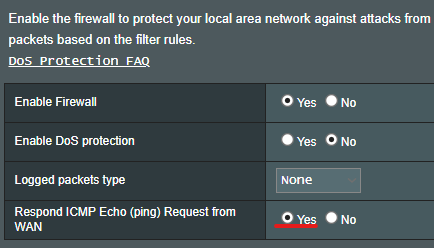
Without VPN, seems all the port is blocked. 80, 8080, 21, 22, etc. Not sure why.
I just call and tell them "Please switch to Public IP" that's all?
Do you know a way how to check if current is Public IP or not?
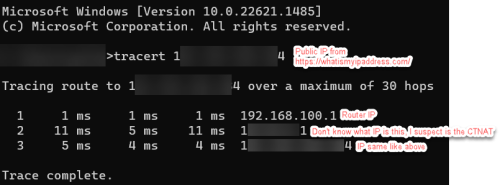
Below are the tutorial I found, I wonder if this is a good way to tell I am in Public IP or not.

QUOTE
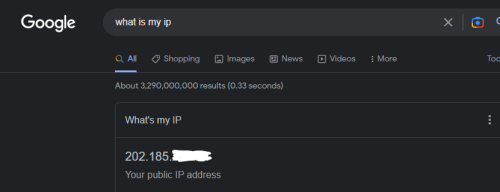
1. Get your public IP address as stated in the method above.
2. Note down this public IP.
3. Open the command prompt (Press Windows + type cmd in the search bar).
4. Enter the following command → tracert your public IP address.
5. Hit enter.
6. If there is just a single hop in the results, you are not behind CGNAT.
7. But if there are two hops, your ISP uses CGNAT to conserve bandwidth.
 This post has been edited by e_mc_square: Apr 5 2023, 09:28 PM

 Apr 5 2023, 05:24 PM


 Quote
Quote







 0.0258sec
 1.05
1.05
 6 queries
 GZIP Disabled