XtremeGuard is having 83% site-wide discount for any orders with 3 or more quantity!
To view the checklist upon purchasing the device (Along with many other questions), see 'Alright, I'm in! So what do I check for when I'm purchasing one unit?' under FAQs post
To report in & add yourself to the owner list, fill in the form [CLICK HERE]
For more advanced knowledge, read through FAQs, Tips & Tricks and Nexus 4 Unleashed posts below.
No more TL;DR right?
GeneralRules
ALWAYS READ the first page's information before asking. They are created, collected and summarized to benefit the community and not for decoration purposes only!
Search before asking. At bottom-left of the thread. See sample:
CTRL+F is your best friend; apart from the search function of the forum.
Respect each other. We do not want flame wars here.
Obey rules in LYN Forum.
Strictly no warez / crack / forbidden discussion as stated in LYN rules.
Enjoy yourself here along with other members. We are a big family.
Read the instructions on how to add yourself to the user list below in post#6 before asking.
Nexus 4 FAQs Always do a search first. Answer could be in the previous version of discussion threads too. Do note that this section will only cover basic stuff related to Nexus 4. For advanced features, see the Nexus 4 Unleashed section.
A. PURCHASING RELATED QUESTIONS (BEFORE)
A1. Why Nexus 4 and not other models? Pros and Cons?
» Click to show Spoiler - click again to hide... «
Various opinions / posts regarding this question are collected and shown below:
» Click to show Spoiler - click again to hide... «
user preferences..test n pick what suit u.not what others thing..my stock rom..stock kernel..can last a day with 3g on and average 3 hours screen on time..which in my opinion and comparison..note 2 have a better battery life almost double...this is out of the box usgae..no modification and etc...
in term of lag..i would say pure android without and added ui is the advantage of nexus...very minimal lag..as 0 lag in nexus 4..nexus 4 with better cpu...make my old gnex look not smooth enough..damn..now really eager to get 2nd unut of nex4..but bdget permitted..so stick with my gnex..
why nexus?for a user like me..with no interest yet in custom rom and kernel..it is purely for the updates from google..coming from dhd..the updates fail me big time..after that..give up on other brand of android and get nexus as i personally feel that my nexus will not look old as the software is up to date to the latest..so u feel like u get the latest software..so i can keep my money and my desire in getting a new phone..at least for 2 years minimum..
why not to buy nex4..no sd slot which i dont care as 16gb is enough for me..even 8gb will serve me well..as i auto upload my photo to dropbox...i didnt listen to music using phone..i watch movie on my tab and laptop..i only play games to kill my time..play a casual games such as subway surfer and temple run...
2nd is camera..camera is performing so..so...if want better camera u can take lumia or pureview..me..i just need camera for a pictures..decent picture is enough..if i want a great picture..i have dslr which i shot a night landscape picture..
base on my usage why i didnt choose iphone?because iphone is boring for me..as i need a widget on my homescreen and as far as i know..iphone u cant add widget..so i settle for nexus devices...
last is the design..which i find it very2 subjective...btw the money is yours...go buy the devices use your hard earn money and be happy with it...even i buy my old dhd for 2.3k..i still happy with my previous dhd..and i did miss the ui of sense..some of it is useful such as t9 dialer (i cant find a good t9 dialer in gplay yet)..the appdrawer sort design..the fb and contact sync..the gallery and etc...
its just me...so make your call..
posted by polarzbearz
» Click to show Spoiler - click again to hide... «
PROS
CONS
Official Google line-up. It means that Nexus series will ALWAYS be the first to receive official updates DIRECTLY FROM Google. To put it simply, if you're not the type which loves to constantly flash ROM on daily/weekly/monthly basis, you don't have to do anything but sit back and wait for Google's official updates.
Being the first to receive updates have its disadvantages such as where we're always the white rats to test out major / minor bugs in new software versions
The hardware specifications on this device is lovely and almost completely top-tier (e.g. S4 Pro processor chipset, etc); with way cheaper price as compared to other flagships with similar specifications.
Although the specs sheet of Nexus 4 is very nice, some of its disadvantages of hardware that are most notable are such as its camera which is very average or the lack of external SD card slot. These issues may be subjective depending on person.
Do remember that these are only the subjective opinions of various forummers regarding this question; and as everyone will definitely have different usage, lifestyle, preferences and priorotisations, if you still have doubt it's best to try out the devices and pick the one you love the most and never regret with your choice!
A2. Where can I buy phone only without any telco's plans bundled (Contract-free)?
» Click to show Spoiler - click again to hide... «
You can purchase it outright at RRP (RM1649) at retails like HotSpot @ LYN or SenQ/SenHeng. For more information please visit their official website or walk-in their retail stores for inquiries.
Please visit their Facebook for most updated info on the stock availability and pre-orders.
A3. What are the purchase options for DiGi? Price? Rebates?
» Click to show Spoiler - click again to hide... «
The calculation below are estimated only and by no means to be 100% correct and confirmed, as many of us have gotten the phone via Zero Contract BEFORE DiGi decides to remove it.
The total cost sums up to be the same as the previous Zero Contract (calculations available in post#10 Information Archive) for on-the-spot terminations.
For the new DiGi Smartplan, I have not tested it yet but seems that the calculation should be this way for SKMM rebate:
DESCRIPTION
PRICE
Nexus 4
RM1169
Upfront Payment*
RM240
SKMM Rebate
- RM200
Advanced Payment
RM58
Early Termination Fee**
RM200
TOTAL
RM1467
*This is actually the rebate in order to have the discounted Nexus 4 price shown above, which will be given over 24 months. For on-the-spot termination, the device price would be RM1169 + RM240 as shown above.
**An early termination fee of RM200 (inclusive of administration fee) is applicable to the DG Smart Plan™ device bundles.
A4. Alright, I'm in! So what do I check for when I'm purchasing one unit?
» Click to show Spoiler - click again to hide... «
So you've decided to purchase one unit? Here are some guidelines which may help you to perform tests / checks for potential defects during your purchase. Do note that these are just a guideline and feel free to perform even more extensive tests at your wish
Note: These guidelines are written based on local sets but I believe the package will not vary too much, even if you have ordered from US. Do correct me if I'm wrong, tho.
Here, the main packaging in which your new baby resides in
» Click to show Spoiler - click again to hide... «
Make sure that the package is sealed when you accept it. If it's not sealed when you receives it, chances are someone else have already opened the package prior to passing it to you. The sealed stickers are shown in the picture below:
» Click to show Spoiler - click again to hide... «
Checklist of package contents
Nexus 4 with default screen protector applied (slightly different with the photo taken below; as the stock SP was removed)
USB Cable
Charger Plug
SIM Ejection Tool (a really tiny pin)
User Manual
Warranty Card
Some sort of sticker with serial number, IMEI and other information.
» Click to show Spoiler - click again to hide... «
Turn on the device now to test it! Best if you have a micro-sim ready to test out calls. A few things to note when testing are:
Check the device's IMEI (see the sticker at the back of the phone) and compare it with the box. By right it should match. Alternatively, dial *#06# to check.
Check the screen for dead pixels, turn on maximum brightness and see if there are any dead pixels.
Try to make a call and listen on the phone speaker clearly. There should not be any buzz-ling sounds (apart from bad signal receptions etc)
Try to snap photos with your camera.
Check your accelerometer and ensure that it's working fine (Easiest way to test is to enable Auto Rotate Screen and launch an application, such as Camera. It should rotate according to how you rotate your phone. There are rare hardware defects where the accelerometer are Dead on Arrival)
Check and ensure the set you receive is local original set instead of overseas original set (if you're purchasing from shops etc). LG Malaysia will only accept local sets for servicing purpose. Currently the only known way to identify local / oversea set is via the Warranty Card included in the box; local sets will have "LG Malaysia" written on it.
Basically these are just a basic guideline for you to use when you first purchase your device. If you have any suggestions or ideas, feel free to PM me or reply me!
A5. How to differentiate between Original set and Oversea (AP) set?
» Click to show Spoiler - click again to hide... «
Currently the only known way to identify local / oversea set is via the Warranty Card included in the box; local sets will have "LG Malaysia" written on it.
B. PURCHASING RELATED QUESTIONS (AFTER)
B1. What about warranty for this phone? How long? By who? Need to register?
» Click to show Spoiler - click again to hide... «
The warranty are different depending on which set you purchase: For local sets, it is directly under LG Malaysia's warranty, register your warranty here after you purchase it by creating a LG account and fill in the details. All LG Nexus 4 will have 1-year warranty; except some SenHeng member purchases will have 2 years (1 year under LG, 1 year under Senheng).
For US Playstore Sets, the currently known warranty is to send it back to US to claim for warranty. High chances are LG Malaysia will not accept non-local sets for servicing.
Additional note (thanks to cjlai): According to one of the forummer here, he bought the Nexus 4 from US Play Store and is able to register the device under LG Malaysia's website. However, it is still unclear that whether if LG will accept International Sets for servicing & repairing without charges (under warranty).
B2. My unit is defective! Where is LG Warranty centre?
» Click to show Spoiler - click again to hide... «
LG Service Centre Location: Level 1, Wisma AmFIRST 2 (formerly known as Kelana Brem Towers 2) Jalan Stadium, SS7/15, Kelana Jaya, Selangor.
Telephone Number: 1800-822-822
B3. My front-screen got cracked . How much will it cost to repair for local / US sets?
» Click to show Spoiler - click again to hide... «
As front-screen cracking are not within the warranty's coverage, both local and US sets will be charged RM350 by LG Malaysia (at Kelana Jaya Service Centre) for repairing, according to most forummers here whom had repaired their cracked screen.
C. DEVICE-SPECIFIC QUESTIONS(Note: All advanced FAQs / information regarding N4 are shown in the next-next post of Nexus 4 Unleashed)
C1. How is the battery life of Nexus 4? What's SOT?
» Click to show Spoiler - click again to hide... «
This question is really subjective and it all boils down on how you use and configure your device. However you can get a brief idea by looking at other member's battery life. As many members have posted many times, it's best if you can search it yourself using the search function within the thread.
Search for the keyword "battery life" and make sure you search the previous threads as well because there are posts about battery life in previous threads, too.
SOT = abbreviation for Screen-on Time
C2. Why some other members have received latest version update but I have not received it yet?
» Click to show Spoiler - click again to hide... «
Firstly, make sure that you are eligible for OTA update (see previous question regarding OTA / Official updates). If you're eligible and have yet received any OTA update notifications but some other members have already received it, do not worry. This is mainly because Google rolls out update by batches instead of all at once; which presumably that they chooses this method to prevent the server from overloading during the release of the new version.
You may try the steps below if you're impatient and hopes to receive update faster: For those on stock ROM and have yet receive OTA notification, try these steps: Go to Settings > Apps > All Apps > Google Framework Services > Force Stop > Disable > Clear Data > Enable > Go back to settings > About Phone > System Updates > Check now > 4.2.2 is available! (credits to stormlcc).
C3. Can I still receive OTA / Official updates from Google if I root / unlock / flash kernel / ROM / etc?
» Click to show Spoiler - click again to hide... «
Requirements to receive OTA:
CODE
Stock ROM Stock Kernel [i](might or might not work with custom kernels)[/i] Stock Bootloader Stock Recovery No modifications All system apps present.
For those who are curious / unsure; I just received OTA update notification on my second Nexus 4 (my first did not receive it yet ). And yes, it's unlocked, rooted, stock rom, stock kernel. So it's confirmed to be a myth for those that says "rooted" or "unlocked" couldn't receive OTA
Just to add on, you'll most likely lose your root access after installing the OTA. So make sure you leave your bootloader unlocked (if you do not have custom recovery installed) and re-flash the root after updating. Alternatively you may try OTA Rootkeeper(thanks ronaldlim91) and see if it's able to retain your root access after an OTA.
» Click to show Spoiler - click again to hide... «
hey @polarzbearz, might wanna add this to app to those who want to do OTA update but still want to keep their root. OTA RootKeeper.., dont know if this has been mentioned before, but saw the first page and this piece of important information isn't there, at least quite useful to me cheers!
C4.I kept receiving error message when downloading / updating apps in Play Store
» Click to show Spoiler - click again to hide... «
Can't download apps from Play Store after updating to 4.2.2 and receives the error message Error retrieving information from server. [RPC:S-5:AEC-0]? Try this solution posted by nightwalkertzs.
This post has been edited by polarzbearz: Apr 14 2013, 07:16 PM
Nexus 4 Tips & Tricks Feel free to PM me if you have more tips/tricks to share
Battery savings
» Click to show Spoiler - click again to hide... «
Turn Google Currents background sync off if you don't need it (it is on by default) > Open up Google Currents > Settings > untick Enable background sync
Turn off location reporting, location sharing and location history (**Google Now requires Location reporting and location history enabled) > Open up Google Maps > Settings > Location settings > untick Location reporting, Report from this device, Enable location sharing and Enable location history
Turn off Google sync-ups that are not needed > Settings > Accounts > Google > tap on your ACCOUNT eg. xxx@gmail.com > untick those service that are not needed
Phone freezing/hang but unable to pull battery out?
» Click to show Spoiler - click again to hide... «
> Hold the power button for 10 seconds to restart the phone.
Chinese input?
» Click to show Spoiler - click again to hide... «
> Nexus 4 come preloaded with Google Pinyin. Enable it at Settings > Language & input > make sure Google Pinyin is checked. After that, you could choose it from the input methods by holding the spacebar of the default English keyboard or through input method selector notification under notification bar if it's enabled.
The infamous 'Red Blinking Light of Death' issue
» Click to show Spoiler - click again to hide... «
Head over to the link above to download the drivers, and then use google's instructions to install the driver and browse for the folder extracted from the .zip file you downloaded (instead of Google's driver).
I want to set my music for my ringtones / notifications / alarms / etc.
» Click to show Spoiler - click again to hide... «
Use these directories to store your music / ringtone of your choice:- /sdcard/Alarms to be used by any "Alarm" applications. /sdcard/Ringtones to be used by calling "Ringtones". /sdcard/Notifications for any other notifications (e.g. messaging, whatsapp, facebook, etc.)
To change your alarm, head over to Clock > Alarms > click on any existing / create new alarm > change the alarm tone.
To change your notifications or ringtones, head over to Settings > Sounds > Phone Ringtone / Default Notification sound; alternatively you can head over to your application and set the custom notification specific to the application.
Note: If the audio that you transferred to respective directory (e.g. Notifications) does not shows up in the respective category of audio selection (e.g. selecting notification tones), try rebooting your device and check again.
Where did the 'Developer Options' go?
» Click to show Spoiler - click again to hide... «
Go to Settings > About > Tap on 'Build Number' 7 times and viola! Developer Options will now be available at your Settings page
This post has been edited by polarzbearz: Mar 25 2013, 09:09 PM
Nexus 4 Unleashed Don't like stock feels? Want to have it your way? Unleash your Nexus 4 starting with basic bootloader unlocking & rooting and flashing custom ROMs / files / etcs as you wish!
Warning: If you don't know what you're doing, have no clue, or don't like to take risks, avoid this section at all cost as it is not for faint-hearted ones. Unlocking & Rooting may void your warranty so if you are not an advanced users, avoid it at all cost!
Additionally, it is recommended for you to learn and do these using manual way via adb / fastboot so that you can learn the underlying processes / procedures before using Toolkits or Softwares which does it for you. With this way, you will have at least basic understanding on how it works which may help you in the future such as when you encounter problems; these basic understanding may come in handy.
A. GETTING STARTED WITH BASIC KNOWLEDGE All answers here are obtained from http://forum.xda-developers.com/showthread.php?t=2010338 in order to benefit the community here. Credit goes to the original author. Head on to the link to read the full version as those that are listed here are only the important/main points. Some additional points which are not available on the original thread are added, tho.
A1. What is a "bootloader"?
» Click to show Spoiler - click again to hide... «
Without getting into too many technicalities, the bootloader is essentially the program that gets loaded first when starting your device, and it is responsible for booting the Android kernel. Think of the bootloader as the BIOS of a computer.
A2. What does it mean if my bootloader is locked/unlocked?
» Click to show Spoiler - click again to hide... «
Most (if not all) devices are shipped from the manufacturer with locked bootloaders. This is for security reasons. A locked bootloader does not allow easy flashing of images, which means that it is difficult to change or modify the operating system. Unlocking a bootloader (using fastboot) on most Nexus devices results in a complete loss of all personal data from the device. Having a locked or unlocked bootloader has no bearing on the functioning of the device. Unlocking it gives you more options to play around with the OS. Additionally, an unlocked bootloader means that you can easily root your device no matter what -- unlike most non-Nexus devices, if you lose root, it is trivial to get it back.
A3. What is “root”?[
» Click to show Spoiler - click again to hide... «
Root essentially means that you have root (or superuser) access to the file system on Android. It is similar to being “administrator” on a Windows PC. It has nothing to do with your device or the bootloader, it has to do with the Android OS (i.e., you cannot “root” your device – you root the Andoid build that you are running). To have root, you need to be booted into the Android OS that you have rooted. If you are in fastboot mode, root is irrelevant. In order to perform root, you will most likely have to unlock your bootloader first (see above)
A4. What is "recovery"?
» Click to show Spoiler - click again to hide... «
Recovery is like a mini OS, which allows you to perform various functions, usually related to flashing files to your device, or updating files, or backing things up, etc. The stock image has a recovery included, but its functionality is very limited. There are a number of custom recoveries available, but the two most popular for the Nexus 4 are CWM and TWRP. There are various versions of each. More details to come in this section.
A5. What is a "ROM"?
» Click to show Spoiler - click again to hide... «
A ROM is slang for an mobile OS build.
A6. What is the difference between a "stock ROM" and a "custom ROM"?
» Click to show Spoiler - click again to hide... «
A stock ROM is a ROM that is built by Google and is signed by Google’s platform keys. Everything else is a custom ROM.
A7. If I unlock my bootloader, is that the same as root?
» Click to show Spoiler - click again to hide... «
No, as was mentioned above, unlocking the bootloader allows you to (among a few other things) flash images easily to the device when not booted into the Android OS. Root allows you access to manipulate the files WITHIN the Android OS.
A8. If I want to root, do I have to unlock my bootloader?
» Click to show Spoiler - click again to hide... «
Yes. Because you will have to flash custom recovery in order to flash a file which grants you root access. For more information on rooting, refer to following points in spoilers within this post.
A9. If I unlock my bootloader, does that mean that I have to root?
» Click to show Spoiler - click again to hide... «
No.
A10. If I unlock my bootloader, do I have to flash a custom ROM?
» Click to show Spoiler - click again to hide... «
No.
A11. Do I need to root to flash a ROM?
» Click to show Spoiler - click again to hide... «
No, but it is recommended as some custom ROMs will have additional features which require root access.
A12. Custom kernels? Stock kernels? What are these? Any differences?
» Click to show Spoiler - click again to hide... «
B1. What is the process flow in general for unleashing my Nexus 4?
» Click to show Spoiler - click again to hide... «
While these steps might not be definite; these are however common approaches used by fellow owners.
1. Unlocking the bootloader 2. Flashing Custom Recovery (Either temporary or permanently) 3. Rooting (via Recovery) 4. Flashing Custom Kernel 5. Flashing Custom ROM
As shown above, the common process flow for unleashing our device. Step 1 is easily reversible via fastboot commands (or BootUnlocker apps via PlayStore which requires Root); whereby Step 2 - 4 can be reversed by flashing stock images via fastboot.
B2. I want to go back to stock ROM for warranty purposes / OTA / dislike custom ROM / any other reasons
» Click to show Spoiler - click again to hide... «
Head over to this link to read on what steps are required to revert to stock:
Head over to the link above to download the drivers, and then use google's instructions to install the driver and browse for the folder extracted from the .zip file you downloaded (instead of Google's driver).
Read section C > Manual ways of doing it for a detailed instructions / guides
B4. Alright so I have heard that there are different CPU binnings like slow, nominal, fast or faster. How do I check?
» Click to show Spoiler - click again to hide... «
In order to check your CPU bins, you must be rooted and have Android Terminal Emulator installed, then follow the steps below: 1. Launch the 'Terminal Emulator' application. 2. Type 'su' and hit Enter. 3. If there are any pop-up prompts requesting for SuperUser access, GRANT it. 3. Type 'dmesg | grep PVS' and hit Enter. 4. It should return a line and show you whether if yours are SLOW, NOMINAL, FAST or FASTER. If it does not return these values, try rebooting your device and try again.
Note: This might not work on custom kernels as kernel developers might have changed the return value. Credits to XDA Community for the original thread.
B5. I have seem some ROMs or Kernels offering Krait Optimization or Bionic Optimisation. What are these?
» Click to show Spoiler - click again to hide... «
Kraits and bionic optimization speed up 2 things in your phone:
1. string / memory operation. these operation including string copy, memory copy, compare, etc. even a simply file copy uses these operation. all these implemented in a library known as bionic library in android. it's similar to libc in pc. this is the bionic optimization.
2. after Qualcomm introduce krait core (since S4), they release new code that allow you to use extended instructions that can only be found in Krait core to do some math operation. by implementing these new code, some math function such as sin(), cos(), etc will be faster. Many heavy graphic app uses math functions.
What custom ROM/kernel developer do is to get these code from Code Aurora, and implement in their ROM/kernel then recompile it. You may not notice performance improvement if you just swipe homescreen, etc but if you do benchmark, you will see a huge improvement.
For example, before any optimization, most N4 getting like 17k Antutu score. After Bionic optimization around you will get around 19k. You should see huge improvement in the RAM score, in this case 3274. Also check out the CPU floating point score, 2139, in this case, not optimized yet.
Now, if you optimize the math library with Krais extended instruction, you should see huge improvement in CPU floating point score, in this case 4182. With both optimized, you see a jump from 17k Antutu score to 21k, around 30% improvement at the same CPU speed.
C. UNLEASHING HANDS-ON, TUTORIALS & GUIDES
C1. Easy Way to Unlock bootloader & Root with toolkit
» Click to show Spoiler - click again to hide... «
Uninstall any current existing drivers for your Android Devices (Right click Computer > Properties > Device Manager; or just use the RUN COMMAND (Windows Key + R) and type 'devmgmt.msc. Reboot your PC after uninstalling these previous drivers.
Congratulations! Universal Naked Drivers setup is now complete.
PART 2: Android SDK Installation
Next, you'll need to have Android SDK installed (or extracted) to your computer. Go to this link, click on 'DOWNLOAD FOR OTHER PLATFORMS' and look under 'SDK Tools Only' (unless you're a developer ) and download the correct file matching your OS.
If your downloaded file is .zip - extract them to C:\ and you should end up with a 'android-sdk-windows' folder within C:\; but if your downloaded file is .exe, install it as you usually would and set the path pointing directly to C:\.
By right, your C:\android-sdk-windows\platform-tools will now have fastboot.exe and adb.exe, then you're clear to proceed! If you do not have these files yet, go back to previous directory and run "SDK Manager"; download the 'platform tools' and exit the manager.
To test if everything is working well, start up Command Prompt from your start menu (or Win+R > cmd > ENTER); and type 'adb help' and 'fastboot help'. If it returns you with tons of help information, it works as it should. But chances are the system do not know recognize these commands (as they do not know the directory of these SDK files). Thus, you'll have to point the system to your SDK path within the Computer's Environment Variable. To do this:
Start > Right click on "Computer" > Properties > Advanced System Settings > Environment Variables (and if you're lazy just like me, hit Win+R > Type 'control sysdm.cpl,,3' > hit ENTER > A system properties in Advanced Tab should show up, now click Environment Variables)
Look under "System Variables" (at the bottom tab) and look for the variable "Path" (or "PATH"); double click on it and add 'C:\android-sdk-windows\platform-tools' behind. Do not that you may have to add semicolon ( prior to adding the path, if it is not already existing. After adding, your path would look something like this (example):
Now go back and launch a new Command Prompt (do not use the previous command prompt which failed to recognize the command) and try typing the commands (as in Step 4) again. They should work flawlessly now.
Congratulations! Android SDK setup is now complete.
PART 3: Nexus 4 Unlocking & Rooting Since this part is pretty simple I'll leave it to the original thread to guide you there . Refer below.
» Click to show Spoiler - click again to hide... «
- SGP Stenheil Ultra Oleophobic/Crystal/Crystal DUAL (Dry application) > Only Crystal DUAL includes front & back
» Click to show Spoiler - click again to hide... «
SGP Ultra Oleophobic
- Nilkin Crystal/Matte (Dry application) > Comes with front-back and front only pack (confirm with seller)
» Click to show Spoiler - click again to hide... «
Nilkin Crystal
- Best Skins Ever Total Body Skin/Total Body Skin with Case Optimized Screen Skin/Screen Skin/Case Optimized Screen Skin/Body Skin (Wet application)
Nexus 4 accessories bulk orders/selling thread in Bulk Orders and Garage Sales forum
» Click to show Spoiler - click again to hide... «
*These are all gathered through search from Bulk Orders and Garage Sales. I might not have included all of them but you can always do a search for "Nexus 4" for more accessories selling threads. Feel free to PM me your thread link if you are selling accessories for Nexus 4.
Disclaimer: Do note that by no means the thread starter is associated with any of the seller below. The link is collected and put up in order to provide conveniences to users in this thread. At any given time that warning of taking down the links are given; they will be removed without any objections.
Instructions: To add yourself to the owner list, fill in the form [CLICK HERE] To view detailed owner list, view the spreadsheet [CLICK HERE]
The owner list in this thread will be occasionally updated, based on the speadsheet (Credits to tcmean for the spreadsheet & form)
Note: Names added between 19 - 23 January 2013 are mostly lost tracked. Check the spreadsheet here to see if your name is in there. If not, just re-add your name by filling in the form.
Note#2: All the duplicated entries in the spreadsheet will be treated as one (e.g. multiply entry for a single LYN username).
Note#3:Please only add your name into the list ONCE, even if the side-infos (e.g. Bootloader unlocked? Rooted? ROM? Kernel? CPU binning? Hardware version) are inaccurate, it doesn't matter as long as your entry is there. Duplicated entries will only incur more works to the thread starter. Your cooperation is much appreciated!
Total of 275++ proud owners and it's still growing strong..
16GB
» Click to show Spoiler - click again to hide... «
QuackSilver
tcmean
irenic
joonwei23
tcf127
ruffstuff
shamsulaswad
lelynx
boonhoong
Doomsday
Kuntakinte
Devinz
cassplayer
anarchy2cruo
sophan
swain
nsg86
creepygeek
nerd
wyjswmw
Juoin
nightwalkertzs
Yisien
zero_hour
louyea
iksern
Palmoanest
presario3839
azrash
brugaras
mulder_sam
DjK
cheekeong
baliwesti
ineser
damnreaper
karwaidotnet
datofazly
xenon79
Brian90
barrybear
weng98
Zseusz
wcl1988
NightFelix
Pscoolly
mutt
kenkk
eric_tan
~tera~
Kven148
benny888
Fivezul
blu7
exkaizen
alexander.ch_1992
TwoJay
monza84
chingchen
sebastianX11
maldini3totti
azril1990
mhanis
monked
haturaya
Berserker
vincentxiang
syahbi
azrash
pyan09
D_23
tany
glauncher
fat404
annoymous1234
inspire_evo
shredder90
evilpraeotor
swimfan
crownter
Nlack Valor
Chicky86
codenameX
danieloo
fx_53_xt
chonkit
asstoash
thamch
kuroda1226
selphy
DaMyst
faiz2036
Jakusan
hhng
fire_chrome
mame32kawaks
lynch
keithglh
basSist
shermanheng4862
mucha_wan
haru88
sophan
afiqkhairi
:zeus:
anarchy2cruo
eddie89
olygopoly
iamoracle
polarzbearz
ronaldlim91
ansonmox83
dmn
orenzai
rayzel
NicholasFake
szehue
mrSherlock
enzo23
Kazz123
lwch8e
ArthurMickey
radrad1995
Yay121
astral_traveller
shamsulaswad
wailing81
xerox8908
keathong
josh.
aqblood
gHuLzEr
kEazYc
mceong644
syncing
Jinkinz
stormlcc
arcticmonyet
billy_overheat
anytime1157
Cyruz13
txvll
gastacopz
eldiablo79
kepak
mrl
jasonmiracle
Joker87
roboto
eNOOBz
konpaku
Lynyrd Skynyrd
B14FX
xorz
stargazhe
limz9
jamallj
cool-ly
kaiweateng
wiseprince
i906
samuraijin
Maverick_Code
Presley1984
ashrism
hasnolfa
iceman31
Roan-Doppel
urang kampung
Dreamezz
KanGz
v.e.s
Norameen
pastst
miwight
extremeken
pherac
tungfunglaw
siayy
skip2malou
xbloodlessx
gray04
cocoanut
humongousgravy
cjlai
MrTaxxi
genius_xp
sharulzzz
daryl020189
Kyl3
katz79
Smokey78
saifulsaijue
crowfort
siahkh
zxcvbn99
phadly
HaN18
torped91
Heavenn
metalboy201289
AG idris
WanMya
gbx
St. Orion
Shah_15
trisx
nitewish
jason_mufc
fr3eze
rockmaniac85
riusgnal
autobau
ahnee92
NeO2
zennasyndroxx
IMfae_
Koki
ihsansyairazyy
Fakhree
suffian1
Calex
poad
horphi
ronaldjoe
konandram
beh0211
steellusion
SheeKenSays
skyliner66
ProjectXW
DarkSilver
csv
akarsan
keong5661
sanjikun
goskype
onecent
zaabaworld92
man_hakim87
amin92
ck_iphone
azharzul
realmaestr0
ronnie_kurosaki
afiqms
lowyard
FuuuuuuD
usop8290
jonathan_k
kenkk
mousqy
digital_brigadier
isab3lle
sitosbiuh
jerrylo
rizmans
yaw6365
illuminarias
Deani_77
xxOpizaro
lowyj
eric_tan
syncomp
samlee860407
arara
alhs76
8GB
» Click to show Spoiler - click again to hide... «
BrunoWong
heLL[tuRt]
bloodplasm18
plecil
vcheam
RcykZai
Robottoes
GreenSamurai
This post has been edited by polarzbearz: Apr 7 2013, 10:31 AM
Homescreen Gallery Love customising your Android experiences? Want to show it to others? You can request to have your homescreen design posted here by using the following format!
» Click to show Spoiler - click again to hide... «
Instructions: Copy the entire CODE BLOCK below and paste in your new reply; modify the fields according to Note#1 and Note#2.
Note: Fill in THREAD_STARTER_NAME with the current threadstarter's name; YOUR_USERNAME with your forum's name and LINK_TO_YOUR_POST with the direct link to your homescreen's post. To obtain the post direct link, click on the Post #number at your post (see screenshot below) Note#2: Please make sure that you modify the REMOVE_THE_SPACE_INFRONT section, by removing the space infront of the [ /code] closing tag.
How to obtain your post link?
» Click to show Spoiler - click again to hide... «
Note: Please use the above format to make requests of adding your screenshot here. Requests that does not adhere to the template/format will be ignored
Screenshots By polarzbearz
» Click to show Spoiler - click again to hide... «
Customisation Strategies Want to customise your device to have unique experiences of Android? Don't know what to use? Here are some recommended applications, tools or basic guides to give you a head start!
Home Launcher Replacements
» Click to show Spoiler - click again to hide... «
» Click to show Spoiler - click again to hide... «
Head over to MyColorScreen to have a glimpse at other's work to have inspirations; or directly use their customisations (if they provides tutorial or files required). Alternatively, view the previous post Homescreen Gallery to look at other member's customisation work
Need more tools / applications / widgets; appreciated it if anyone can recommend some to be added to the list here
Information Archive All the old posts and obsolete information which are no longer applicable / usable but might be useful to be reserved as a reference will be dumped here.
DiGi Zero Contract? SKMM Rebate?
» Click to show Spoiler - click again to hide... «
DiGi only sells Nexus 4 bundled with plans. You will have to sign up for plans with the phone price at RM1449. Plans available are DG Smart Plan 68 (Zero Contract) and DG Smart Plan 88 (24 months/Zero Contract). You can always visit your nearest DiGi Centre to purchase your phone & DiGi plan outright!
Please note that "Zero Contract customers must sign up for DG Smart Plan for at least three (3) months. In the event of termination within the first 3 months of subscription, customers will be charged an administrative fee of RM100."
Sharing by nightwalkertzs on his experience in getting Nexus 4 from DiGi store
» Click to show Spoiler - click again to hide... «
I bought from digi store ALAMANDA already..Device after discount RM200 rebate -RM1299
i Will use digi for 3 months = rm68*3 = Rm204
mean total own cost = RM 1503...i will terminate the plan after 3 months for sure. hehe so now i am eenjoying my Nexus 4...thanks all for acc me all lon g waiting 1 month ^^
auto billing with credit card can rebate rm5 each month^^ so in 3 months = Rm1503 - Rm15 = RM1488
Want to purchase Nexus 4 with SKMM rebate? Read on below; posted by polarzbearz.
» Click to show Spoiler - click again to hide... «
For DiGi, if you want to just get the phone; the best and cheapest option is to take DiGi Zero Contract 68 which breaks down to the price table below:
DESCRIPTION
PRICE
Nexus 4
RM1499
SKMM Rebate
- RM200
Advanced Payment
RM68
Early Termination Fee*
RM100
TOTAL
RM1467
*Zero Contract customers must sign up for DG Smart Plan™ for at least three (3) months. In the event of termination within the first 3 months of subscription, customers will be charged an administrative fee of RM100. (Source).
However, some of the DiGi staff does not allow on-the-spot termination so make sure you negotiate hard or go for another DiGi Store.
An alternative is to use the plan for 3 months first and then terminate, which will cost:
DESCRIPTION
PRICE
Nexus 4
RM1499
SKMM Rebate
- RM200
Advanced Payment
RM68
Second Month Payment
RM68
Third Month Payment
RM68
TOTAL
RM1503
Also, when you terminate, make sure you get proof of termination just in case they did not successfully terminate your account within their system and continues sending you bill.
Another post shared by SSY22 regarding his experiences of signing DiGi Zero Contract 48 instead of the usual 68, so you might want to try your luck to save some bucks
» Click to show Spoiler - click again to hide... «
Nexus 4 User here. Btw , i wan to share something here.
If you want to sign up DG rm48+1499 price for ZERO CONTRACT , go to DEALER store
DG centre only allow you to sign up RM68+1499 for ZERO CONTRACT
BTW no advanced payment needed. I got my nexus 4 today. Been waiting for so long.
This why sometime you see got people able to subscribe 48 plan.
4.2.2 Announcement @ 14 February 2013 along with some guidelines / tips
» Click to show Spoiler - click again to hide... «
OTA 4.2.2 is out! Didn't receive OTAs (for stock ROM & stock kernel users)? On custom ROM / kernel? Head over this link to D.I.Y! Heads up to XDA Community for the thread.
For those on stock ROM and have yet receive OTA notification, try these steps: Go to Settings > Apps > All Apps > Google Framework Services > Force Stop > Disable > Clear Data > Enable > Go back to settings > About Phone > System Updates > Check now > 4.2.2 is available! (credits to stormlcc).
Some members reported that these had to be done repeatedly (more than one time) in order to receive the OTA notification; and some got it work within first try. So do try a few times if it does not work
*Do note that it may take some time for the OTA to be rolled out to all users. Some of us (including me) have not received the OTAs yet. If you can't wait, use the link above to do it yourself manually; or try the above trick to receive OTA notification!
If you are on custom recovery when you receives OTA notification, please read this post by annoymous1234 on how to proceed
Can't download apps from Play Store after updating to 4.2.2 and receives the error message Error retrieving information from server. [RPC:S-5:AEC-0]? Try this solution posted by nightwalkertzs.
If you want to reply-to / quote some of the posts in the previous thread, you are still able to do so by using the multi-quotes option of the forum (refer to the image below for details)
» Click to show Spoiler - click again to hide... «
congrats on v8...btw..on nex4 if want to capture in hdr mode..there are a bit of lag...is it normal?
Yes, it should be pretty normal as HDR requires longer time to capture images. In fact I prefer HDR's photo over normal shots due to the quality, especially in low-light conditions
wow new V8^^ Thanks to TS so much!!will continuous support until V888888...lol...
QUOTE(AweFace @ Mar 23 2013, 07:44 PM)
I heard the battery life is short,need to charge everyday?
it is depends bro...if u are heavy usage user ex: 3g all the time/music/playing games..etc..sure u need to charged everyday...not only nexus 4, smartphones works like this..==> Li-po / Li-ion battery
Maybe in any future days,had developed the integrate version of Lithium poly / lithium ion battery so that it can last longer...
Yes, it should be pretty normal as HDR requires longer time to capture images. In fact I prefer HDR's photo over normal shots due to the quality, especially in low-light conditions
Nice. I tried with hiding both status bar and navigation bar. But ended up not used to it. Lol.
Thanks
As for me hiding status bar is kinda fine as I can swipe-down (or two-fingers swipe-down) from anywhere in the home-screen to access the information there.
However as for the navigation bar, I've tried Pie Control and seriously I don't think I could get used to it, based on my style so for now I'll just stick with the default navigation bar.
After all I don't really want to stagger the usability just for the sake of beautifying the device
As for me hiding status bar is kinda fine as I can swipe-down (or two-fingers swipe-down) from anywhere in the home-screen to access the information there.
However as for the navigation bar, I've tried Pie Control and seriously I don't think I could get used to it, based on my style so for now I'll just stick with the default navigation bar.
After all I don't really want to stagger the usability just for the sake of beautifying the device
Exactly the way I felt. Pie is just not for me. Sometimes hiding status bar is too bothering me. Haha
yay v8, apologies i havent gone through the FAQ, thinking of unlocking bootloader, they say i need to backup... what do i use, since TIB is after unlock?
yay v8, apologies i havent gone through the FAQ, thinking of unlocking bootloader, they say i need to backup... what do i use, since TIB is after unlock?
Still trying to look for alternative simplistic-but-cute icon packs to have better matching with the wallpaper tho
I change wallpaper almost on daily basis, so I can't have set up like this, if not I will have to move my widgets everyday... So I have a page of homescreen with only a clock and nothing else. Swipe left/right for widgets haha
Usually it's hard to find oversea cases locally in retail stores unless they're really famous / high demand. However the price will usually be jacked up so might as well as directly order from U.S. and save some $.
QUOTE(zellleonhart @ Mar 24 2013, 10:38 AM)
I change wallpaper almost on daily basis, so I can't have set up like this, if not I will have to move my widgets everyday... So I have a page of homescreen with only a clock and nothing else. Swipe left/right for widgets haha
Haha. So far I change my wallpaper once every month-or-so, and I back-up previous configurations using Nova Launcher backup so I could fall-back to my previous designs as per required
But yeah, moving widgets/realigning them is really
Usually it's hard to find oversea cases locally in retail stores unless they're really famous / high demand. However the price will usually be jacked up so might as well as directly order from U.S. and save some $. Haha. So far I change my wallpaper once every month-or-so, and I back-up previous configurations using Nova Launcher backup so I could fall-back to my previous designs as per required
But yeah, moving widgets/realigning them is really
I change wallpaper almost on daily basis, so I can't have set up like this, if not I will have to move my widgets everyday... So I have a page of homescreen with only a clock and nothing else. Swipe left/right for widgets haha
Homescreen with only a clock? Child's play
My current setup
Simple lockscreen with DashClock. The text is a bit difficult to see because of the light-ish wallpaper.. Might consider changing it haha.
Homescreen It's as minimal as it gets LOL.
Two finger swipeup to access the dock. Swipe left and right on the dock for additional frequently used apps.
Two finger swipedown to access the app drawer.
It's fun having friends trying to figure out my phone. That's probably the main reason it's like this
This post has been edited by TwoJay: Mar 24 2013, 11:31 AM
Hi, anyone still managed to get the N4 @RM1299 w/o contract from Digi recently? Mind to share which store you bought at? Wanna get this phone for my parents otherwise only can order from playstore again.
Hi, anyone still managed to get the N4 @RM1299 w/o contract from Digi recently? Mind to share which store you bought at? Wanna get this phone for my parents otherwise only can order from playstore again.
i think it's very hard to do so, since there's not even the 3 months contract package anymore.
Simple lockscreen with DashClock. The text is a bit difficult to see because of the light-ish wallpaper.. Might consider changing it haha.
» Click to show Spoiler - click again to hide... «
Homescreen It's as minimal as it gets LOL.
Two finger swipeup to access the dock. Swipe left and right on the dock for additional frequently used apps.
Two finger swipedown to access the app drawer.
It's fun having friends trying to figure out my phone. That's probably the main reason it's like this
QUOTE(billy_overheat @ Mar 24 2013, 11:34 AM)
especially those iphone users.
"walao, where's the menu?"
:satisfaction:
Yeah I loved to do this to trick my friends too. There's no app drawer button and they are having a hard time to figure out where it is (except one of my friend whom are android user himself, easily figured out that I used swipe-up gesture for app drawer; but did not realized that I replaced the home button to be the app drawer button too )
Yeah I loved to do this to trick my friends too. There's no app drawer button and they are having a hard time to figure out where it is (except one of my friend whom are android user himself, easily figured out that I used swipe-up gesture for app drawer; but did not realized that I replaced the home button to be the app drawer button too )
Yeah I loved to do this to trick my friends too. There's no app drawer button and they are having a hard time to figure out where it is (except one of my friend whom are android user himself, easily figured out that I used swipe-up gesture for app drawer; but did not realized that I replaced the home button to be the app drawer button too )
Now i'm going easy on them with the swipe gestures. Before this, it was only Pie. Poor Iphonies
Usually it's hard to find oversea cases locally in retail stores unless they're really famous / high demand. However the price will usually be jacked up so might as well as directly order from U.S. and save some $. Haha. So far I change my wallpaper once every month-or-so, and I back-up previous configurations using Nova Launcher backup so I could fall-back to my previous designs as per required
But yeah, moving widgets/realigning them is really
But the problem is the seller wont ship to malaysia
Bro, how do you enable that two finger swipe down to access hidden app drawer? Use launcher?
Most paid launchers have this feature I believe. Currently I'm using Nova Launcher Prime (bought it during sales ) and it does indeed come with the said features ("Gestures and buttons").
Most paid launchers have this feature I believe. Currently I'm using Nova Launcher Prime (bought it during sales ) and it does indeed come with the said features ("Gestures and buttons").
Oh I see. Thanks. Keen to try out hiding the menu...
Bro, how do you enable that two finger swipe down to access hidden app drawer? Use launcher?
QUOTE(polarzbearz @ Mar 25 2013, 12:48 AM)
Most paid launchers have this feature I believe. Currently I'm using Nova Launcher Prime (bought it during sales ) and it does indeed come with the said features ("Gestures and buttons").
can be done using launcher, and can be done with gesture control tools such as
But the problem is the seller wont ship to malaysia
So? Just sign up to a forwarding service (like Hopshopgo for example) and have it shipped. There's plenty of people in the forum who do bulk services, but why give them profit when you can do it yourself for less?
That's what I did when I got my N4 and bumper Pm me if you have questions. Cheers
i think it's very hard to do so, since there's not even the 3 months contract package anymore.
Too bad then. So if i wanna purchase it off contract i need to terminate on the spot and it's RM1600 rite? I really don't wanna buy them iphone 5, screen is too smal! or should I wait a lil more for Nexus 5? Really coming out this may at Google I/O? What do you guys/girls think about it?
change to prepaid lah.. RM48 2gb and free call n sms.... RM20 u tak mampu bayar ker?
I use UMI28 and reached limit over 1 week already,speed still same,no throttle,can play YouTube no buffering,and surprisingly,sometimes even faster than home WiFi!I love umobile seriously
Eh 3 days oni? Not for the rest of our subscription period?
i want to know this tooo...Since i got 2 hp.1 is digi prepaid(call/sms only but also smartphone) and another 1 is data for my nexus4..so i only need data so far..call and sms usually use digi prepaid
I dunt know if it is just me or what but it seems like my Nexus 4 is abit slow nowadays. Let say when pressing the Whatsapp icon from home screen had to wait about 2 second for the app to be launce. Is it normal ?
I dunt know if it is just me or what but it seems like my Nexus 4 is abit slow nowadays. Let say when pressing the Whatsapp icon from home screen had to wait about 2 second for the app to be launce. Is it normal ?
Normal for whatsapp, it is a bit slow in launching. Unless you press home button to exit instead of back.
I dunt know if it is just me or what but it seems like my Nexus 4 is abit slow nowadays. Let say when pressing the Whatsapp icon from home screen had to wait about 2 second for the app to be launce. Is it normal ?
i want to know this tooo...Since i got 2 hp.1 is digi prepaid(call/sms only but also smartphone) and another 1 is data for my nexus4..so i only need data so far..call and sms usually use digi prepaid
Anyone knows how to add bahasa malaysia into android keyboard? i love the keyswipe feature. if only they have the BM input, especially the one that also has bahasa pasar and shortforms. hehehehe
franco kernel r111 is out. that changelog made me happy
Which one? Time to update the kernel again, and still resisting custom rom's temptations
QUOTE
r111: * Enable negative values in sound control, both in the headphones boost and in the headset boost (some reported reduced static sound by pushing negative values to this one) path is /sys/class/misc/soundcontrol * Bunch of small fixes here and there * Add another step on the thermal driver in case of extreme temperature (10 degrees above the threshold) so that it cools down the device faster * Disabled one init call that might save some ms during boot * Reduced the reserved RAM for logs and return it to the system * r110 battery life was awesome, this will be as good as r110 as there were no fundamental changes that can affect it or improve it.
This post has been edited by polarzbearz: Mar 25 2013, 07:28 PM
From my understanding negative values in headphone boost should mean forcing it to play at lower volume than originally possible to remove / reduce static sounds.
Oo.. anyway do let us know about Xylon ROM's battery life improvements (if any). Tempted to switch to it when I see many users are having good battery life with it, combined with franco's kernel.
Oo.. anyway do let us know about Xylon ROM's battery life improvements (if any). Tempted to switch to it when I see many users are having good battery life with it, combined with franco's kernel.
Oo.. anyway do let us know about Xylon ROM's battery life improvements (if any). Tempted to switch to it when I see many users are having good battery life with it, combined with franco's kernel.
Join us!I got 1 hour SOT with WiFi from 100% to 80%,gonna test to dead and see how many SOT I can get
Which one? Time to update the kernel again, and still resisting custom rom's temptations
the battery in r110 is good. i was correct afterall haha.
oh anyways, here is some unlockables for PA3+
robots, robots everywhere. - go to settings>about phone>spam click on ParanoidAndroid version - a jelly bean with a face should appear - rub it up and down - enjoy
unlock developer options - go to settings>about phone>spam click on Build Number - enjoy
was meddling with PA3+ and found out about these unlockables
the battery in r110 is good. i was correct afterall haha.
oh anyways, here is some unlockables for PA3+
robots, robots everywhere. - go to settings>about phone>spam click on ParanoidAndroid version - a jelly bean with a face should appear - rub it up and down - enjoy
unlock developer options - go to settings>about phone>spam click on Build Number - enjoy
was meddling with PA3+ and found out about these unlockables
@polarzbearz you might wanna include this
Alright. Finally upgraded my kernel to r111. Just realized that I've been staying on r102 for quite some time already
It means that we're not doing good enough in poisoning you
poison me moarrrr. GF already bising me keep change smartphone liao. Hope Nexus 4 satisfy me since that twin plastic brother (Note2 and S3) doesn't impress me enough.
Was about to get @teckyang97 panasonic charger but kena grab already
poison me moarrrr. GF already bising me keep change smartphone liao. Hope Nexus 4 satisfy me since that twin plastic brother (Note2 and S3) doesn't impress me enough.
Was about to get @teckyang97 panasonic charger but kena grab already
Actually it wasn't sold,I just change my mind not to sell it anymore
Off-topic: Can you please closed the thread of the sony?many people don't even get the point of your thread
That thread totally derailed but oh well.. popcorn.jpg. Totally wasn't my intention to bring it up in the first place, I was only highlighting the way they handle things differently
QUOTE(Xirality @ Mar 25 2013, 09:53 PM)
poison me moarrrr. GF already bising me keep change smartphone liao. Hope Nexus 4 satisfy me since that twin plastic brother (Note2 and S3) doesn't impress me enough.
Was about to get @teckyang97 panasonic charger but kena grab already
Couple with smartphone + dataplan = use LINE = send cute cute sticker messages.. cute & sweet
I know its been quite sometime in LYN but I never have a excuse of buying it since I don't have any Qi enable device
Haha,see first,cause very good this wireless charger,come back home,just put on the pad,no need do anything,at night sleep and finish charge will auto off for you,I'm loving it
QUOTE(polarzbearz @ Mar 25 2013, 09:58 PM)
That thread totally derailed but oh well.. popcorn.jpg. Totally wasn't my intention to bring it up in the first place, I was only highlighting the way they handle things differently Couple with smartphone + dataplan = use LINE = send cute cute sticker messages.. cute & sweet
Err, to everyone who's using Xylon.. Anyone found an option for disabling the statusbar on the lockscreen? Or is that not possible with this rom? Been looking for it but I can't find it... -.-
Err, to everyone who's using Xylon.. Anyone found an option for disabling the statusbar on the lockscreen? Or is that not possible with this rom? Been looking for it but I can't find it... -.-
Not possible(yet),early version of PA also like that,but they fixed it in later version
I am still with Motley's stable. Battery life is good, getting minimum 1 hour SOT per 20% on heavy wifi usage . If I am doing things like mostly reading articles on Pocket or etc, can see it jump to 1 hour and a half or more with 20%. I have not tried the recently updated kernels by other devs since I am happy with the battery life and performance with CM M2, no slow down/lags even when I compare it with a friend's stock N4. Pretty happy with the current setup, so I only do the occasional xda checking to check whether M3 CM is out or new motley's stable.
dear sifu's, i'm a noob in the smartphone area. so, here's the deal. currently me and my wife are using nokia 2700 and thinking of migrating to smartphones. after checking others, felt in love with nexus 4. i want to ask, which is more better, buying the phone only and upgrade my digi plan to smart plan Digi88 (no contract) or buy from digi with smart special plan (148 monthly)
dear sifu's, i'm a noob in the smartphone area. so, here's the deal. currently me and my wife are using nokia 2700 and thinking of migrating to smartphones. after checking others, felt in love with nexus 4. i want to ask, which is more better, buying the phone only and upgrade my digi plan to smart plan Digi88 (no contract) or buy from digi with smart special plan (148 monthly)
if so,which is better, buy in malaysia or US? i've look in the garage and bulk, it seems US is cheaper however i'm worried bout the claim as u need to send back to US
anyway, thanks for the advice. i'll definitely buy the nexus as it seems more value to money than other smartphones. also, samsung and iphone are too mainstream for my taste
if so,which is better, buy in malaysia or US? i've look in the garage and bulk, it seems US is cheaper however i'm worried bout the claim as u need to send back to US
anyway, thanks for the advice. i'll definitely buy the nexus as it seems more value to money than other smartphones. also, samsung and iphone are too mainstream for my taste
Haha,same,if you worry about warranty, just buy Malaysia set, only few hundred different
ermm it's all sync together, all my content is in iCloud and iMessage all across my Apple stuff. So basically, it relate one another. Google it then you will know
Anyway, is SP neccessary for N4? Glass strong enough?
ermm it's all sync together, all my content is in iCloud and iMessage all across my Apple stuff. So basically, it relate one another. Google it then you will know
Anyway, is SP neccessary for N4? Glass strong enough?
My iPhone 5 SGP Oleophobic scratches
Most screens nowadays could prevent scratches, but not all (except tiny particles). So it's best to have at least a layer of screen-protector to prevent scratches directly on your screen.
ermm it's all sync together, all my content is in iCloud and iMessage all across my Apple stuff. So basically, it relate one another. Google it then you will know
Anyway, is SP neccessary for N4? Glass strong enough?
My iPhone 5 SGP Oleophobic scratches
Oh,Google also have something like that,I once bootlooped and delete all my data,however,thanks to Google,none of my data lost(including message,music,contact,and everything),for nexus 4 back glass,I suggest you to put,it scratches very easily,I got 3 scratches at the back glass since 1st day ,immediately next day I apply SP for my nexus 4
Most screens nowadays could prevent scratches, but not all (except tiny particles). So it's best to have at least a layer of screen-protector to prevent scratches directly on your screen.
yeah, better safe than sorry
QUOTE(teckyang97 @ Mar 25 2013, 11:02 PM)
Oh,Google also have something like that,I once bootlooped and delete all my data,however,thanks to Google,none of my data lost(including message,music,contact,and everything),for nexus 4 back glass,I suggest you to put,it scratches very easily,I got 3 scratches at the back glass since 1st day ,immediately next day I apply SP for my nexus 4
Wow, never thought it could be scratch easily. I will grab FuuuuuD's XDA case, hopefully it is protective enough
you push me to another setup again Imma gonna get broke soon
btw, Poetic Bumper and Ori/Oem bumper. which better
Haha,I successfully poisoned you ,by the now I'm using OEM Bumper,looks and feel exactly like the original one,what I can say is an exact same copy,but cheaper,before that I plan to get poetic,but I only want ready in stock(no one here has it),so I end up having OEM bumper,original bumper is too expensive,and also the bumper makes my nexus 4 looks more high quality
Haha,I successfully poisoned you ,by the now I'm using OEM Bumper,looks and feel exactly like the original one,what I can say is an exact same copy,but cheaper,before that I plan to get poetic,but I only want ready in stock(no one here has it),so I end up having OEM bumper,original bumper is too expensive,and also the bumper makes my nexus 4 looks more high quality
seems like OEM one sold out everywhere in LYN. Any idea where got stock? I feel like Orb is not worth the price. 260 is the cheapest I can find. Still expensive for just a CHARGER
seems like OEM one sold out everywhere in LYN. Any idea where got stock? I feel like Orb is not worth the price. 260 is the cheapest I can find. Still expensive for just a CHARGER
Tskhor got sell,I buy from him also,buy other brand la for wireless charger,and maybe I will sell my wireless charger to get power bank,but my wireless charger only got adapter and pad,no box
Tskhor got sell,I buy from him also,buy other brand la for wireless charger,and maybe I will sell my wireless charger to get power bank,but my wireless charger only got adapter and pad,no box
sell me cheap cheap lo since no box
wow, he sells white too. Wonder will it turn yellow?
i notice that our nexus4 screen is the one sucking up the most battery if i would to turn off Auto-brightness, will this better improve my decreasing battery % by a significant amount?
also those apps on playstore that claims to improve battery % are they just a bunch of bull or does it really work?
i notice that our nexus4 screen is the one sucking up the most battery if i would to turn off Auto-brightness, will this better improve my decreasing battery % by a significant amount?
also those apps on playstore that claims to improve battery % are they just a bunch of bull or does it really work?
noob here
yes turning off auto brightness helps. some off those apps are relly useful, eg greenified, and those apps which helps u to on/off ur data
yay v8, apologies i havent gone through the FAQ, thinking of unlocking bootloader, they say i need to backup... what do i use, since TIB is after unlock?
will go through FAQ after this
QUOTE(zennasyndroxx @ Mar 24 2013, 01:58 AM)
You can try carbon. Non root also can
+1 zennasyndroxx
reading of paid or unpaid.. still thinking...paid is no ads and able to backup/restore from dropbox/gdrive
apps/items all backed up .. yahoo
This post has been edited by mabsandcals: Mar 26 2013, 03:33 AM
yay v8, apologies i havent gone through the FAQ, thinking of unlocking bootloader, they say i need to backup... what do i use, since TIB is after unlock?
will go through FAQ after this +1 zennasyndroxx
reading of paid or unpaid.. still thinking...paid is no ads and able to backup/restore from dropbox/gdrive
apps/items all backed up .. yahoo
The easiest way is to unlock once you got your phone. After i bought my phone , i unlock in immediately once i reach home
Unlocking will wipe off everything in your phone including those per mentioned. Unlocking is a one time process.
Rooting however will not wipe any data, but it requires your phone to be unlocked in the first place.
before this i already have experience with unlocking, rooting and flashing xperia phones. Do u think its easier with nexus 4? wats the best method? using mskip tools or wugfresh?
before this i already have experience with unlocking, rooting and flashing xperia phones. Do u think its easier with nexus 4? wats the best method? using mskip tools or wugfresh?
The best method is to use command prompt , 'fastboot oem unlock'
I still go with franco #53 stable with any other roms. Average 4 SOT everyday... WiFi is on all the time.
quite nice too, but upon using nightlies from franco, i didn't experience any bug, so yeah. i'm happy with that.
QUOTE(olygopoly @ Mar 26 2013, 09:44 AM)
Am using the Franco Milestone 1. Hope it is ok
it should be ok.
QUOTE(konandram @ Mar 26 2013, 09:47 AM)
I use wugfresh's toolkit too for noobs like me, it is easy cause have all the GUI easy to understand and easy to use
actually i would still recommend you to use command prompt method as you will understand the steps better. toolkit had been said that creating more problems rather than solving it.
My stupid elder sister do a drop test of my nexus 4 with bumper 4 feet,I got a small heart attack and thankfully NO DAMAGE at all,this proves that the bumper offer back protection
My stupid elder sister do a drop test of my nexus 4 with bumper 4 feet,I got a small heart attack and thankfully NO DAMAGE at all,this proves that the bumper offer back protection
Drop test?! For what purpose lol and without ur permission?
i still could not find a rom that is less buggy compared to the stock those stable like cm M version only offers slight UI mod
gonna stick with stock for a while.... stock with GPS and Screen on for google map and AES gave me a good 4hours SOT (3G and GPS on) with 28% batt left. pretty decent i'd say.
My stupid elder sister do a drop test of my nexus 4 with bumper 4 feet,I got a small heart attack and thankfully NO DAMAGE at all,this proves that the bumper offer back protection
quite nice too, but upon using nightlies from franco, i didn't experience any bug, so yeah. i'm happy with that. it should be ok. actually i would still recommend you to use command prompt method as you will understand the steps better. toolkit had been said that creating more problems rather than solving it.
what is the diff within nightlies and the R11X series?
Drop test?! For what purpose lol and without ur permission?
When my sister asked me can the bumper protect the back?I answered that it will not touch the back surface,immediately she grabs my phone from table and drops at table height,immediately I was shocked,she said let's see whether got damage or not,after that see no damage,angry and happy at the same time,because knowing the bumper protects the drop
When my sister asked me can the bumper protect the back?I answered that it will not touch the back surface,immediately she grabs my phone from table and drops at table height,immediately I was shocked,she said let's see whether got damage or not,after that see no damage,angry and happy at the same time,because knowing the bumper protects the drop Haiz
hahahaha.... i'm using nikkin casing, now only i found out the front panel, the casing's edge was shorter then screen.
because i use to put on table facing down....
(iphone casing's edge is higher to protect the screen panel one)
Haha,actually I'm the youngest in family, they always got blamed when it's my fault last time, and some more last time I'm violent, but after I go to church, they changed me and I repay them for defending for me last time
Haha,actually I'm the youngest in family, they always got blamed when it's my fault last time, and some more last time I'm violent, but after I go to church, they changed me and I repay them for defending for me last time
Haha,actually I'm the youngest in family, they always got blamed when it's my fault last time, and some more last time I'm violent, but after I go to church, they changed me and I repay them for defending for me last time
Took quite some time for me to load too, try waiting longer
Basically it converts website into a maze, and you control a ball's movement via your device with Chrome installed, and the actions / movements will be sync-ed to your PC's screen.
Haha,actually I'm the youngest in family, they always got blamed when it's my fault last time, and some more last time I'm violent, but after I go to church, they changed me and I repay them for defending for me last time
World harvest Church at sunway there,near rock cafe,you leh?
never been chuch here..i used to go church when i was staying with family at sabah..now independent..like never go liao..hmmm..i got 2 horn at my head liao.xD
never been chuch here..i used to go church when i was staying with family at sabah..now independent..like never go liao..hmmm..i got 2 horn at my head liao.xD
never been chuch here..i used to go church when i was staying with family at sabah..now independent..like never go liao..hmmm..i got 2 horn at my head liao.xD
Guys...this is N4 thread...go open a church thread in /k if wanna chat bout church...
So fast V8 already...already owned my N4 for almost 2 months...still everything sotcked and locked.. Battery life quite good on JB 4.2.2...sometimes can get 5hr SOT with normal use (wifi+3G+games)...
Guys...this is N4 thread...go open a church thread in /k if wanna chat bout church...
So fast V8 already...already owned my N4 for almost 2 months...still everything sotcked and locked.. Battery life quite good on JB 4.2.2...sometimes can get 5hr SOT with normal use (wifi+3G+games)...
My battery life so far with mostlymixture of 3G & WiFi. Turned on WiFi until now from 1.30pm till now. Mostly surfing via Chrome + Candy Crush + roughly 1 hour++ of Hot spot tethering.
Franco r111 is gooding
This post has been edited by polarzbearz: Mar 26 2013, 06:30 PM
I tot all smart phones are like that hahaha ... as long as you are using 3G you will be ...
Have been playing game like a mad man on my nexus 4 ... charging 2 times a day lol ... bad bad for my battery LOL ... dont think Nexus 4 can replace SNSD I got my casing from him as well. Trusted seller and still has 25% left ... I should really flash my phone ...
yes bro. lai lai flash. unleash the beast behind this phone
QUOTE(polarzbearz @ Mar 26 2013, 05:39 PM)
My battery life so far with mostlymixture of 3G & WiFi. Turned on WiFi until now from 1.30pm till now. Mostly surfing via Chrome + Candy Crush + roughly 1 hour++ of Hot spot tethering.
Franco r111 is gooding
[attachmentid=3365274]
[attachmentid=3365275]
[attachmentid=3365276]
still running on stock ah?
This post has been edited by zennasyndroxx: Mar 26 2013, 06:05 PM
My battery life so far with mostlymixture of 3G & WiFi. Turned on WiFi until now from 1.30pm till now. Mostly surfing via Chrome + Candy Crush + roughly 1 hour++ of Hot spot tethering.
Franco r111 is gooding
[attachmentid=3365274]
[attachmentid=3365275]
[attachmentid=3365276]
Hmmm , i cant seem to see the picture ... am I the only one ?
QUOTE(zennasyndroxx @ Mar 26 2013, 05:40 PM)
yes bro. lai lai flash. unleash the beast behind this phone
Hahaha ... just a quick check before I proceed with this ... If in the end , I do not like the custom ROM, can i recover it back to original ROM and Kernel ? I remember reading it somewhere if I do not backup my own image I will end up not being able to recover to original ROM and Kernel .. Is this true ? Or I can always get them somewhere ...
Hmmm , i cant seem to see the picture ... am I the only one ? Hahaha ... just a quick check before I proceed with this ... If in the end , I do not like the custom ROM, can i recover it back to original ROM and Kernel ? I remember reading it somewhere if I do not backup my own image I will end up not being able to recover to original ROM and Kernel .. Is this true ? Or I can always get them somewhere ...
Time for me to unleash the phone's true power ...
Reuploaded to imgur since lyn's server is a little sot sot today
» Click to show Spoiler - click again to hide... «
As for the bolded statement, yes, that is true. But not for our Nexus devices. Google publishes the stock images officialy via https://developers.google.com/android/nexus/images and thus you can easily re-flash to stock by downloading the images. Link to guide on reverting to stock is available in the first page.
Hmmm , i cant seem to see the picture ... am I the only one ? Hahaha ... just a quick check before I proceed with this ... If in the end , I do not like the custom ROM, can i recover it back to original ROM and Kernel ? I remember reading it somewhere if I do not backup my own image I will end up not being able to recover to original ROM and Kernel .. Is this true ? Or I can always get them somewhere ...
Time for me to unleash the phone's true power ...
Ditto to polarz post. You unlock your device first, then install custom recovery, either TWRP or CWM. Then make a nandroid backup(assuming you're running stock kernel and rom) then you can flash to any rom and kernel you like. Just in case you don't like it or something you can always revert back to stock by flashing your nandroid backup and enjoy stock rom. Saves the hassle of reflashing everything via fastboot.
Reuploaded to imgur since lyn's server is a little sot sot today
» Click to show Spoiler - click again to hide... «
As for the bolded statement, yes, that is true. But not for our Nexus devices. Google publishes the stock images officialy via https://developers.google.com/android/nexus/images and thus you can easily re-flash to stock by downloading the images. Link to guide on reverting to stock is available in the first page.
Yes, and basically that's the way to unlock bootloader by going into Bootloader and unlock it there
An alternative is to turn off your device, hold vol down + power botton and it should be able to enter that screen too.
If you want to do it in the video's way (by using adb commands in the command prompt), just make sure that you have the drivers and Android SDK installed (see first page for more info)
Yup, stock ROM + Franco r111 kernel with -100mV undervolt. Yes, and basically that's the way to unlock bootloader by going into Bootloader and unlock it there
An alternative is to turn off your device, hold vol down + power botton and it should be able to enter that screen too.
If you want to do it in the video's way (by using adb commands in the command prompt), just make sure that you have the drivers and Android SDK installed (see first page for more info)
Alright man, I probably going to root it right after I get my N4
problem. my nex4 just drop just now. the lcd cracks and not longer responsive. advice pleaseeee.
QUOTE(polarzbearz @ Mar 26 2013, 08:32 PM)
The only way is to send it to LG Service Centre since the digitizer is no longer working and I doubt you can do anything with it
aww man broken digitizer.
if you're rooted, and you've adb enabled in your device then better flash back to stock via fastboot. scared that they might void your warranty cause it's rooted and all.
i'm not sure about warranty but better safe than sorry.
if you didn't root or anything, then okay la proceed to LG service center.
if you're rooted, and you've adb enabled in your device then better flash back to stock via fastboot. scared that they might void your warranty cause it's rooted and all.
i'm not sure about warranty but better safe than sorry.
if you didn't root or anything, then okay la proceed to LG service center.
but im purchase from US. LG Service Centre can repair it?
They can surely repair it for you. The question is only about how much they will charge you (as it's not in their warranty coverage here).
For the service centre's address, it's already posted on the first page. Check first page post #2: FAQs under My unit is defective! Where is LG Warranty centre?.
It seems Nillkin Crystal HD SP is quite easy to get scratches...
Anyone here know who/where is selling Ringke Slim N4 Casing and also N4 SP(not Nillkin)?
Thanks.
agree..my nilkin front sp sudah lama calar...malas mau tukar....tapi sakit mata memandang...so nak mintak suggestion untuk cheap and affordable reliable sp...
Joined: Jan 2003
From: 10110011001110 Status: Missing
Is anyone here face slow download from play store?? 10mb take more than 50 min.. Browing the apps from play store is smooth .. Bts im on 5mb unifi.. This just happened to me last 2 days
i'm new with this phone...how should i explain my problem...hmm...
the phone is using slide lock but when sms came in, the screen will become active and when i put in my pocket, it rubs and even activate the camera(u can activate camera by sliding only). how can i like dun want it to activate anything like just normal androird. lock is locked unless u slde lock it.
hope u guys understand. i'm poor in communication skills
i'm new with this phone...how should i explain my problem...hmm...
the phone is using slide lock but when sms came in, the screen will become active and when i put in my pocket, it rubs and even activate the camera(u can activate camera by sliding only). how can i like dun want it to activate anything like just normal androird. lock is locked unless u slde lock it.
hope u guys understand. i'm poor in communication skills
i'm new with this phone...how should i explain my problem...hmm...
the phone is using slide lock but when sms came in, the screen will become active and when i put in my pocket, it rubs and even activate the camera(u can activate camera by sliding only). how can i like dun want it to activate anything like just normal androird. lock is locked unless u slde lock it.
hope u guys understand. i'm poor in communication skills
i'm new with this phone...how should i explain my problem...hmm...
the phone is using slide lock but when sms came in, the screen will become active and when i put in my pocket, it rubs and even activate the camera(u can activate camera by sliding only). how can i like dun want it to activate anything like just normal androird. lock is locked unless u slde lock it.
hope u guys understand. i'm poor in communication skills
well as for the camera on when sliding u can try to disable it using app just like what i did
i'm new with this phone...how should i explain my problem...hmm...
the phone is using slide lock but when sms came in, the screen will become active and when i put in my pocket, it rubs and even activate the camera(u can activate camera by sliding only). how can i like dun want it to activate anything like just normal androird. lock is locked unless u slde lock it.
hope u guys understand. i'm poor in communication skills
but then im also using slide to unlock never had this problem when put inside pocket. maybe because screen is turn off
i'm new with this phone...how should i explain my problem...hmm...
the phone is using slide lock but when sms came in, the screen will become active and when i put in my pocket, it rubs and even activate the camera(u can activate camera by sliding only). how can i like dun want it to activate anything like just normal androird. lock is locked unless u slde lock it.
hope u guys understand. i'm poor in communication skills
Alternatively you could try LightFlow, and customise the notification.
e.g. changing the notification settings for SMS Apps and untick 'Switch Screen on when notification arrives'
(Not sure if it'll help, as I installed LightFlow on the first day of using N4 and thus never encountered the problem you're facing)
so many model out now..sony z, one s coming, s4 coming..suddenly this spec look slow if compare with those..
haha. technology is never end to evolve. - Sony Z indeed is a good phone. I like the glassy appearence, elegant and pretty. dust and water proof. 1080p but it is using TFT which give poorer display quality, u can try the viewing angle. It is indeed not so good compare to even our nexus 4. The sound quality also not so good.. This guy give very details review -->
» Click to show Spoiler - click again to hide... «
- HTC one is a very powerfull device and if u like sense, so it is a good phone no matter in sound/camera/display pure 1080p IPS. Since ultra pixel is still new in phone industry, it is still looking forward on software updates for imaging performance
-S4, this is popular and no need to say much. It is a beast. If u like samsung features.
But somehow, spec is not important but your preference does. Your need is suit to the type of the phones.
Although many news phone is coming out, But i still think my nexus 4 is still comparable and still the best for me. I like pure android and customize all stuff for myself rather than so called "pre-defined"
haha. technology is never end to evolve. - Sony Z indeed is a good phone. I like the glassy appearence, elegant and pretty. dust and water proof. 1080p but it is using TFT which give poorer display quality, u can try the viewing angle. It is indeed not so good compare to even our nexus 4. The sound quality also not so good.. This guy give very details review -->
» Click to show Spoiler - click again to hide... «
- HTC one is a very powerfull device and if u like sense, so it is a good phone no matter in sound/camera/display pure 1080p IPS. Since ultra pixel is still new in phone industry, it is still looking forward on software updates for imaging performance
-S4, this is popular and no need to say much. It is a beast. If u like samsung features.
But somehow, spec is not important but your preference does. Your need is suit to the type of the phones.
Although many news phone is coming out, But i still think my nexus 4 is still comparable and still the best for me. I like pure android and customize all stuff for myself rather than so called "pre-defined"
haha. technology is never end to evolve. - Sony Z indeed is a good phone. I like the glassy appearence, elegant and pretty. dust and water proof. 1080p but it is using TFT which give poorer display quality, u can try the viewing angle. It is indeed not so good compare to even our nexus 4. The sound quality also not so good.. This guy give very details review -->
» Click to show Spoiler - click again to hide... «
- HTC one is a very powerfull device and if u like sense, so it is a good phone no matter in sound/camera/display pure 1080p IPS. Since ultra pixel is still new in phone industry, it is still looking forward on software updates for imaging performance
-S4, this is popular and no need to say much. It is a beast. If u like samsung features.
But somehow, spec is not important but your preference does. Your need is suit to the type of the phones.
Although many news phone is coming out, But i still think my nexus 4 is still comparable and still the best for me. I like pure android and customize all stuff for myself rather than so called "pre-defined"
haha. technology is never end to evolve. - Sony Z indeed is a good phone. I like the glassy appearence, elegant and pretty. dust and water proof. 1080p but it is using TFT which give poorer display quality, u can try the viewing angle. It is indeed not so good compare to even our nexus 4. The sound quality also not so good.. This guy give very details review -->
» Click to show Spoiler - click again to hide... «
- HTC one is a very powerfull device and if u like sense, so it is a good phone no matter in sound/camera/display pure 1080p IPS. Since ultra pixel is still new in phone industry, it is still looking forward on software updates for imaging performance
-S4, this is popular and no need to say much. It is a beast. If u like samsung features.
But somehow, spec is not important but your preference does. Your need is suit to the type of the phones.
Although many news phone is coming out, But i still think my nexus 4 is still comparable and still the best for me. I like pure android and customize all stuff for myself rather than so called "pre-defined"
haha. technology is never end to evolve. - Sony Z indeed is a good phone. I like the glassy appearence, elegant and pretty. dust and water proof. 1080p but it is using TFT which give poorer display quality, u can try the viewing angle. It is indeed not so good compare to even our nexus 4. The sound quality also not so good.. This guy give very details review -->
» Click to show Spoiler - click again to hide... «
- HTC one is a very powerfull device and if u like sense, so it is a good phone no matter in sound/camera/display pure 1080p IPS. Since ultra pixel is still new in phone industry, it is still looking forward on software updates for imaging performance
-S4, this is popular and no need to say much. It is a beast. If u like samsung features.
But somehow, spec is not important but your preference does. Your need is suit to the type of the phones.
Although many news phone is coming out, But i still think my nexus 4 is still comparable and still the best for me. I like pure android and customize all stuff for myself rather than so called "pre-defined"
My favourite Android reviewer! MKBHD
you got the point, I tried HTC ONE X, S3 and Note 2. Touchwiz is too cartoonish and interface looks boring.
Flashed my s3 to pure android rom. Fall in love with it
you got the point, I tried HTC ONE X, S3 and Note 2. Touchwiz is too cartoonish and interface looks boring.
Flashed my s3 to pure android rom. Fall in love with it
now I know which phone to buy
yup u are right. I like the review from MKBHD as well. His sense and point is very reasonable. Very good reviewer.
I am not to said the bad of touchwiz since maybe some others people are like it though. Touchwiz has tons of features by samsung. It is good and innovative but too much customization away from stock may bring some trade off between performance and features. For ex: too much customization will slow down the performance? or less customization will optimize the performance of android? Honestly i prefer the latter 1.
HTC Sense it is actually quite impress me other than stock, it is fast, smooth, user friendly and pretty. But there are still the same trade off happened. Lucky here is the nexus series are on going. lol...
i think most of us here in this thread are well to said that we love pure android^^ lol
QUOTE(olygopoly @ Mar 27 2013, 01:21 PM)
I;ve just install franco kernel updater. any recomendation for the setting for performance & battery wise ?
there are many things u can modify by usiong franco apps -> UV/color and governer. Franco prepare a easy user friendly GUI for UV. while others just like Color tuning u can refer to here:Color
While the others setting for batter wise, u need to understand the basic cpu setting: CPU before you proceed for system tuning
This post has been edited by nightwalkertzs: Mar 27 2013, 01:18 PM
haha. technology is never end to evolve. - Sony Z indeed is a good phone. I like the glassy appearence, elegant and pretty. dust and water proof. 1080p but it is using TFT which give poorer display quality, u can try the viewing angle. It is indeed not so good compare to even our nexus 4. The sound quality also not so good.. This guy give very details review -->
» Click to show Spoiler - click again to hide... «
- HTC one is a very powerfull device and if u like sense, so it is a good phone no matter in sound/camera/display pure 1080p IPS. Since ultra pixel is still new in phone industry, it is still looking forward on software updates for imaging performance
-S4, this is popular and no need to say much. It is a beast. If u like samsung features.
But somehow, spec is not important but your preference does. Your need is suit to the type of the phones.
Although many news phone is coming out, But i still think my nexus 4 is still comparable and still the best for me. I like pure android and customize all stuff for myself rather than so called "pre-defined"
Well said. It all purely depends on you yourself. No such thing as perfect phone. Every of them do have their strength and weakness. If you can live with the so called weakness, then go ahead. The only thing that might stop you is your pocket (RM, SGD, USD, $, etc)...
As for me, I've been using Android since Nexus One. All Nexus devices (N1, Nexus S, Galaxy Nexus, Nexus 4 and Nexus 7)... Mainly due to stock ROM that can be modified, etc..
Sound like broken sound mate. Now im using PA rom and here music with stock app.
earphone okay ka? PA kernel or franco.
QUOTE(olygopoly @ Mar 27 2013, 01:53 PM)
How to get the hotplug setting ?
I'm not sure from which nightly but from R96 onwards I think he didn't implement the ability to tweak our hotplug settings in the kernel. It's not a problem within that app, it's the fact that the kernel doesn't support it.
Look at how well these two flagships perform at display quality
and
Battery Life.
Even though Snapdragon 600 is almost similar to S4 Pro. Even their model number is similar APQ8064 (S4 Pro) vs APQ8064T (Snapdragon 600), Snapdragon 600 should be a lot more efficient compared to S4 Pro.
Benchmark with both phone shows improvement over all S4 Pro models (without tweaks like what cowithgun did.) including the Xperia Z, Nexus 4, Optimus G, Oppo Find 5, etc etc since the Native clock speed is higher than S4 Pro at 1.7GHz to 1.9GHz vs 1.5GHz of S4 Pro.
Even their GPU is performing better than that of S4 Pro even though both using Adreno 320. Weird?
Oh yeah... Not to forget that these upcoming models got 4 times the pixel to push to their display. 1080p
This post has been edited by IwanAGP: Mar 27 2013, 04:30 PM
Look at how well these two flagships perform at display quality
and
Battery Life.
Even though Snapdragon 600 is almost similar to S4 Pro. Even their model number is similar APQ8064 (S4 Pro) vs APQ8064T (Snapdragon 600), Snapdragon 600 should be a lot more efficient compared to S4 Pro.
Benchmark with both phone shows improvement over all S4 Pro models (without tweaks like what cowithgun did.) including the Xperia Z, Nexus 4, Optimus G, Oppo Find 5, etc etc since the Native clock speed is higher than S4 Pro at 1.7GHz to 1.9GHz vs 1.5GHz of S4 Pro.
Even their GPU is performing better than that of S4 Pro even though both using Adreno 320. Weird?
Oh yeah... Not to forget that these upcoming models got 4 times the pixel to push to their display. 1080p
yes.True..bt our N4 cheaper alot..so cannot say so much also...Btw,how to do multi quote??
Look at how well these two flagships perform at display quality
and
Battery Life.
Even though Snapdragon 600 is almost similar to S4 Pro. Even their model number is similar APQ8064 (S4 Pro) vs APQ8064T (Snapdragon 600), Snapdragon 600 should be a lot more efficient compared to S4 Pro.
Benchmark with both phone shows improvement over all S4 Pro models (without tweaks like what cowithgun did.) including the Xperia Z, Nexus 4, Optimus G, Oppo Find 5, etc etc since the Native clock speed is higher than S4 Pro at 1.7GHz to 1.9GHz vs 1.5GHz of S4 Pro.
Even their GPU is performing better than that of S4 Pro even though both using Adreno 320. Weird?
Oh yeah... Not to forget that these upcoming models got 4 times the pixel to push to their display. 1080p
not agree...
Display S4 vs N4:
S4 is PenTile matrix. Nono for me. Many people hate it, including me. S4 max brightness = 404, N4 max brightness = 608
CPU Snapdragon 600 vs Snapdragon S4 Pro: - Only difference is 600 running at higher freq and larger memory bandwidth - IMHO, larger memory bandwidth has neglectable effect for phone. My benchmark proven it (sort of). - GPU is the same - adreno 320. - From the benchmark, I can safely assume that if you push your S4 pro to 1.9ghz, you will get the same performance as S600... without any other optimization. - My 1.7ghz with tweaked already at the same performance as S600 @ 1.9ghz.
yea..finally i can multi quote.. im not sure about RGB matrix support Color calibratiom,gamma calibration and amp0. xylon should be non CM..btw,try to dl without GPUOC..
Yeap, color calibration, that's what I meant. Wrong term I guess haha. Thanks!
Look at how well these two flagships perform at display quality
and
Battery Life.
Even though Snapdragon 600 is almost similar to S4 Pro. Even their model number is similar APQ8064 (S4 Pro) vs APQ8064T (Snapdragon 600), Snapdragon 600 should be a lot more efficient compared to S4 Pro.
Benchmark with both phone shows improvement over all S4 Pro models (without tweaks like what cowithgun did.) including the Xperia Z, Nexus 4, Optimus G, Oppo Find 5, etc etc since the Native clock speed is higher than S4 Pro at 1.7GHz to 1.9GHz vs 1.5GHz of S4 Pro.
Even their GPU is performing better than that of S4 Pro even though both using Adreno 320. Weird?
Oh yeah... Not to forget that these upcoming models got 4 times the pixel to push to their display. 1080p
QUOTE(cowithgun @ Mar 27 2013, 04:57 PM)
not agree...
Display S4 vs N4:
S4 is PenTile matrix. Nono for me. Many people hate it, including me. S4 max brightness = 404, N4 max brightness = 608
CPU Snapdragon 600 vs Snapdragon S4 Pro: - Only difference is 600 running at higher freq and larger memory bandwidth - IMHO, larger memory bandwidth has neglectable effect for phone. My benchmark proven it (sort of). - GPU is the same - adreno 320. - From the benchmark, I can safely assume that if you push your S4 pro to 1.9ghz, you will get the same performance as S600... without any other optimization. - My 1.7ghz with tweaked already at the same performance as S600 @ 1.9ghz.
sorry to burst your bubble guys, but WHO CARES ABOUT BENCHMARKS anymore??? We long time android users got over benchmarks a long time ago since the age of eclair. Now it's all about how we feel to use the device, in the real world. That's why most apple users chose apple products, and that's why most of us Nexus owners chose Nexus over all other flagships because the feel of using it and the user experience is a lot better than any other choices.
For most of us, we've been through most (if not all) other manufacturers with their heavy skin jobs, in my personal opinion at least, natural beauty (vanilla android) is better than plastic surgery (skin jobs). and using benchmark figures to compare devices is like comparing horsepower of cars instead of really driving them, both are totally different things when u only look at the numbers saying that a ferrari 360 is faster than a Honda NSX because the prancing horse has more hp than the Honda, but in real life the NSX pounced the 360 in almost everything.
» Click to show Spoiler - click again to hide... «
sorry to burst your bubble guys, but WHO CARES ABOUT BENCHMARKS anymore??? We long time android users got over benchmarks a long time ago since the age of eclair. Now it's all about how we feel to use the device, in the real world. That's why most apple users chose apple products, and that's why most of us Nexus owners chose Nexus over all other flagships because the feel of using it and the user experience is a lot better than any other choices.
For most of us, we've been through most (if not all) other manufacturers with their heavy skin jobs, in my personal opinion at least, natural beauty (vanilla android) is better than plastic surgery (skin jobs). and using benchmark figures to compare devices is like comparing horsepower of cars instead of really driving them, both are totally different things when u only look at the numbers saying that a ferrari 360 is faster than a Honda NSX because the prancing horse has more hp than the Honda, but in real life the NSX pounced the 360 in almost everything.
agree. benchmark only tell 1 part of the story. and in this case, i m comparing specifically on S600 and S4 Pro.
ps: there are people who still care about benchmark.
This post has been edited by cowithgun: Mar 27 2013, 05:17 PM
S4 is PenTile matrix. Nono for me. Many people hate it, including me. S4 max brightness = 404, N4 max brightness = 608
CPU Snapdragon 600 vs Snapdragon S4 Pro: - Only difference is 600 running at higher freq and larger memory bandwidth - IMHO, larger memory bandwidth has neglectable effect for phone. My benchmark proven it (sort of). - GPU is the same - adreno 320. - From the benchmark, I can safely assume that if you push your S4 pro to 1.9ghz, you will get the same performance as S600... without any other optimization. - My 1.7ghz with tweaked already at the same performance as S600 @ 1.9ghz.
You expert can't fight with you.
Max brightness 608 but doesn't help much in sunlight legibility due to reflectiveness of the panel. S4/S3 display still on top of gsmarena's list, just below pureview 808
So snapdragon has a larger memory bandwidth? Never read much about that S4 Pro in Nexus 4 without optimisation has just about 16k score. Not that sure if it will hit 23k @ 1.9GHz without optimization. Anyway... If you're going to overclock it to 1.9GHz, a 'normal user' (not one that knows how to edit frequency table like you) needs to flash a custom kernel also. Which often means 'sort-of' optimized
Erm... How about battery life? S4 and HTC One is superior to Xperia Z, N4 etc.
Max brightness 608 but doesn't help much in sunlight legibility due to reflectiveness of the panel. S4/S3 display still on top of gsmarena's list, just below pureview 808
So snapdragon has a larger memory bandwidth? Never read much about that S4 Pro in Nexus 4 without optimisation has just about 16k score. Not that sure if it will hit 23k @ 1.9GHz without optimization. Anyway... If you're going to overclock it to 1.9GHz, a 'normal user' (not one that knows how to edit frequency table like you) needs to flash a custom kernel also. Which often means 'sort-of' optimized
Erm... How about battery life? S4 and HTC One is superior to Xperia Z, N4 etc.
not arguing.. just making a point.
ok, about the display, i have not see the S4 in person yet, so, cannot compare. but generally, i like brighter display like Retina and IPS more than Amoled.
i compare my friend's note 2 and my nexus 4 side by side, both playing same video at highest brightness. everyone can tell n4 display is much better.
ps: about battery life... i can tell u specifically which CPU uses less power (s4 and s600) by checking the mV they use in the freq table when sammy release their kernel source. i suspect it's the same. but most battery benchmark are inclusive of all, screen, wifi, battery size, etc... that chapter, i think S4 with bigger battery will win...
This post has been edited by cowithgun: Mar 27 2013, 06:25 PM
I agree with benchmark doesn't matter much already. As long as my apps launch smoothly, no lag, no hiccups, no slowing down, no FCs... Smooth multitasking... I am all good. I got only 17k pts in Antutu but people in XDA tweak this tweak that to get 21k+.
But I feel great with this already despite the benchmark. Cheers!
P/S: however, I hope google can come out with a better 7 or 8" tablet soon, at least quad core, 2GB RAM and 1080p screen. Nexus 7 is a joke now. Cannot stand such resolutions for tablet.
» Click to show Spoiler - click again to hide... «
sorry to burst your bubble guys, but WHO CARES ABOUT BENCHMARKS anymore??? We long time android users got over benchmarks a long time ago since the age of eclair. Now it's all about how we feel to use the device, in the real world. That's why most apple users chose apple products, and that's why most of us Nexus owners chose Nexus over all other flagships because the feel of using it and the user experience is a lot better than any other choices.
For most of us, we've been through most (if not all) other manufacturers with their heavy skin jobs, in my personal opinion at least, natural beauty (vanilla android) is better than plastic surgery (skin jobs). and using benchmark figures to compare devices is like comparing horsepower of cars instead of really driving them, both are totally different things when u only look at the numbers saying that a ferrari 360 is faster than a Honda NSX because the prancing horse has more hp than the Honda, but in real life the NSX pounced the 360 in almost everything.
Agreed, only iFag and samsungfag like to compare with each other when it comes to benchmark, although I don't trust benchmark, because it feels totally different from real experience itself
I sold my Nexus 7 right after 1 week. Can't bare without apps
I must agree the fact with you, but I don't know why friends and family have iPad, iPhone, and iPod touch, no matter what generation, or how good is it, I just feel it's boring, it's my preference I guess
I must agree the fact with you, but I don't know why friends and family have iPad, iPhone, and iPod touch, no matter what generation, or how good is it, I just feel it's boring, it's my preference I guess
Normal consumer will think "if good, why change", they are not geeky as us. My whole family and cousin brain wash by Apple as well but I like to be abit different I still keeping my iPhone though coz my GF wants me to
I agree with benchmark doesn't matter much already. As long as my apps launch smoothly, no lag, no hiccups, no slowing down, no FCs... Smooth multitasking... I am all good. I got only 17k pts in Antutu but people in XDA tweak this tweak that to get 21k+.
But I feel great with this already despite the benchmark. Cheers!
P/S: however, I hope google can come out with a better 7 or 8" tablet soon, at least quad core, 2GB RAM and 1080p screen. Nexus 7 is a joke now. Cannot stand such resolutions for tablet.
Benchmark does not matter for those who choose to ignore it.
For example, no matter how many time you run Antutu, you will still get around 17k.
But if u recompile the memory routine and math functions of the OS with Krait specific instructions, your Antutu score will jump to 21k. That is not fake jump. All your memory copy operation and some math operation are really faster; thus you see improvement in benchmark.
Same phone, only some stuff are running faster due to better code.
Don't mistaken benchmark performance with smooth operations, which mostly depend on your CPU governor...
ps: if ur point is that 17k and 21k make no difference to u, you have a valid point. the difference may not be noticeable in your daily usage. you may see the difference when you do a memory search looking for some value in the phone (useful in cheating game )
This post has been edited by cowithgun: Mar 27 2013, 07:06 PM
Agreed, only iFag and samsungfag like to compare with each other when it comes to benchmark, although I don't trust benchmark, because it feels totally different from real experience itself
i care about benchmark, that makes me iFag and/or samsungfag?
no one should "trust" benchmark. it is something for u to used as reference. and most benchmarking score measuring certain aspect of the hardware, for example, performance. that alone is not enough if u wanna look at the overall "experience".
unfortunately, there is no benchmarking program to date that can measure "experience" yet...
i care about benchmark, that makes me iFag and/or samsungfag?
no one should "trust" benchmark. it is something for u to used as reference. and most benchmarking score measuring certain aspect of the hardware, for example, performance. that alone is not enough if u wanna look at the overall "experience".
unfortunately, there is no benchmarking program to date that can measure "experience" yet...
Benchmark means tests to test the capability of the hardware in android. The higher marks you get, the better it performs. But still, it does not really mean the overall user experience.
i care about benchmark, that makes me iFag and/or samsungfag?
no one should "trust" benchmark. it is something for u to used as reference. and most benchmarking score measuring certain aspect of the hardware, for example, performance. that alone is not enough if u wanna look at the overall "experience".
unfortunately, there is no benchmarking program to date that can measure "experience" yet...
It's true that you care about benchmark, but I'm saying comparing with each other, but most of us here (in my opinion) does not compare benchmark with each other



 Mar 23 2013, 04:07 PM, updated 13y ago


 General Rules


 Quote
Quote


 . How much will it cost to repair for local / US sets?
 ). And yes, it's unlocked, rooted, stock rom, stock kernel. So it's confirmed to be a myth for those that says "rooted" or "unlocked" couldn't receive OTA


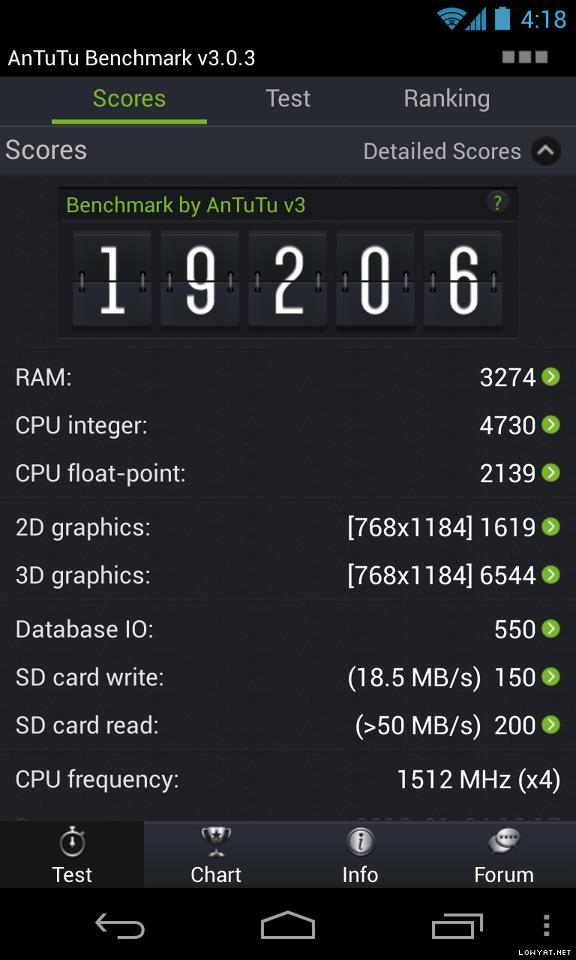
 prior to adding the path, if it is not already existing. After adding, your path would look something like this (example):
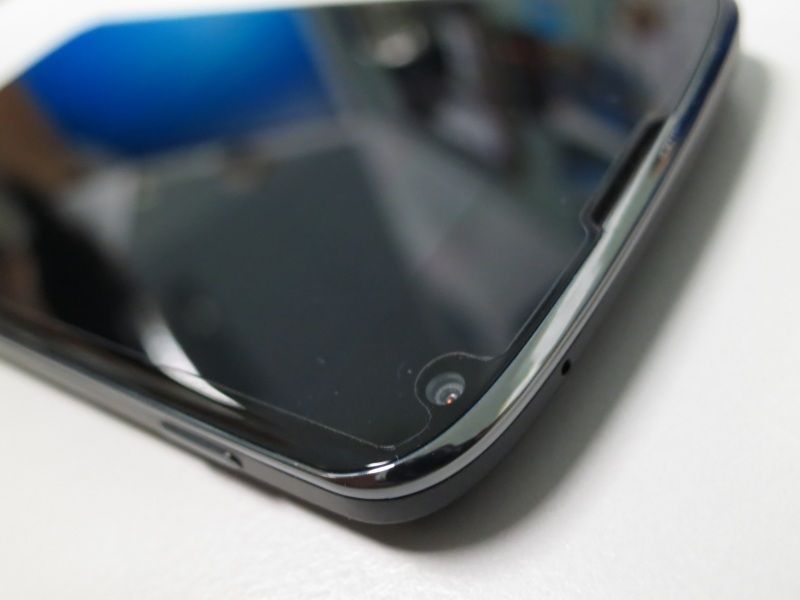
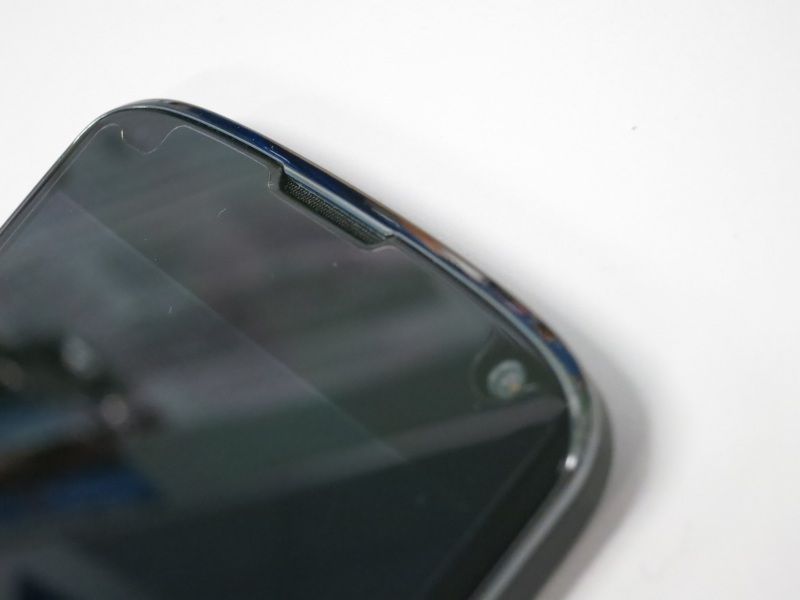





























 It's as minimal as it gets LOL.





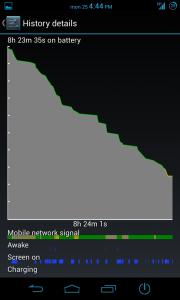


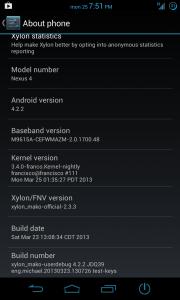





 all for our beloved N4

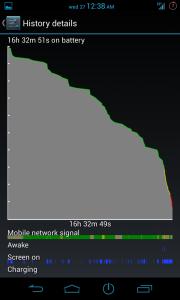




 0.1778sec
 0.78
0.78
 6 queries
 GZIP Disabled