

hmm but i heard this lcd not available in shops?
CLOSED
CLOSED
|
|
 Oct 3 2010, 09:12 PM Oct 3 2010, 09:12 PM
|
 
Junior Member
86 posts Joined: Oct 2009  
|
hmm but i heard this lcd not available in shops?
|
|
|
|
|
|
Oct 3 2010, 10:30 PM
|

Senior Member
975 posts Joined: Aug 2007 From: Lokap Polis
|
QUOTE(leymar7 @ Oct 3 2010, 09:12 PM) hmm but i heard this lcd not available in shops? dell online store   , becoz of so fames,thats why no stock , becoz of so fames,thats why no stock |
|
|
Oct 3 2010, 11:11 PM
|

Senior Member
8,461 posts Joined: Mar 2007 From: Kota Bharu,Kelantan 
|
QUOTE(leymar7 @ Oct 3 2010, 08:12 PM) hmm but i heard this lcd not available in shops? Dell online only..But currently the waiting time for this LCD is long.  Also,if you have bad luck,you might get one with colour tinting issues [some got it,most people don't] For the HDMI to DVI cable,it should cost around RM30+-.The adapter is even cheaper,normally around RM20 |
|
|
Oct 4 2010, 12:49 AM
|

Senior Member
6,238 posts Joined: Sep 2005 From: Kuala Lumpur
|
QUOTE(Racerx @ Oct 3 2010, 11:11 PM) Dell online only..But currently the waiting time for this LCD is long. Enlighten me about the tinting issue, how does the defect looks like. Also,if you have bad luck,you might get one with colour tinting issues [some got it,most people don't] For the HDMI to DVI cable,it should cost around RM30+-.The adapter is even cheaper,normally around RM20 |
|
|
Oct 4 2010, 01:04 AM
|
|
Junior Member
86 posts Joined: Oct 2009
|
QUOTE(Racerx @ Oct 3 2010, 11:11 PM) Dell online only..But currently the waiting time for this LCD is long. thanks. can save my money..going surveying again Also,if you have bad luck,you might get one with colour tinting issues [some got it,most people don't] For the HDMI to DVI cable,it should cost around RM30+-.The adapter is even cheaper,normally around RM20 |
|
|
Oct 4 2010, 01:04 AM
|
|
Senior Member
8,461 posts Joined: Mar 2007 From: Kota Bharu,Kelantan
|
QUOTE(karhoe @ Oct 3 2010, 11:49 PM) Enlighten me about the tinting issue, how does the defect looks like. the left looks cooler [blueish] compared to the right half [warmer] which looks yellowerthis shows how a minimal tinting looks like http://www.htmlvalidator.com/CSEForum/viewtopic.php?p=4163 this one too [to ny eyes that is,the owner says it's qute noticeable] http://www.htmlvalidator.com/jpg/dell-u2311h-tinting2.jpg there are others more,some are noticeable to my eyes,you can check out the U2311H's thread on [H]ardforum |
|
|
|
|
|
Oct 4 2010, 01:21 AM
|
|
Senior Member
8,461 posts Joined: Mar 2007 From: Kota Bharu,Kelantan
|
here's pics from my LCD,my eyes can't see the tinting but how about you guys?
 Added on October 4, 2010, 1:27 ami forgot to mention this before but the U2311H uses 28W - 35W while idle,that's pretty much in the LED backlit territory This post has been edited by Racerx: Oct 4 2010, 01:27 AM Attached thumbnail(s) 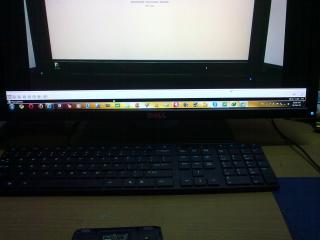


|
|
|
Oct 4 2010, 01:56 PM
|

Junior Member
195 posts Joined: May 2009
|
QUOTE(Racerx @ Oct 4 2010, 02:21 AM) here's pics from my LCD,my eyes can't see the tinting but how about you guys? can't see any tinting...oh my untrained eyes Added on October 4, 2010, 1:27 ami forgot to mention this before but the U2311H uses 28W - 35W while idle,that's pretty much in the LED backlit territory  |
|
|
Oct 4 2010, 03:03 PM
|

Senior Member
1,357 posts Joined: Mar 2008 From: ☐ Earth ☐ Sky ☐ Heaven ☑ Hell
|
QUOTE(Racerx @ Oct 4 2010, 01:21 AM) here's pics from my LCD,my eyes can't see the tinting but how about you guys? hmm...everything seems normal... Added on October 4, 2010, 1:27 ami forgot to mention this before but the U2311H uses 28W - 35W while idle,that's pretty much in the LED backlit territory  maybe i'm not looking hard enough~ |
|
|
Oct 4 2010, 03:08 PM
|

Senior Member
2,657 posts Joined: Feb 2008 From: Highbury House, 75 Drayton Park, London
|
I can see 7 lines of yellow tint in your lcd....
|
|
|
Oct 4 2010, 04:55 PM
|

Junior Member
351 posts Joined: Jan 2003
|
QUOTE(Racerx @ Oct 4 2010, 01:21 AM) here's pics from my LCD,my eyes can't see the tinting but how about you guys? the one with the google front page is obvious - Is it that prominent or it's only when you take the picture?Added on October 4, 2010, 1:27 ami forgot to mention this before but the U2311H uses 28W - 35W while idle,that's pretty much in the LED backlit territory |
|
|
Oct 4 2010, 04:56 PM
|

Senior Member
8,753 posts Joined: Jan 2003
|
should be while taking the pic..
|
|
|
Oct 4 2010, 06:11 PM
|

Junior Member
123 posts Joined: Dec 2008
|
i am using LG W2253 model LCD... using DVI but... when i use DVI input, it will show a screen "digital out of range 33.7 kHz / 30hz.... why like this? use vga no problem..
|
|
|
|
|
|
Oct 4 2010, 06:48 PM
|

Senior Member
843 posts Joined: May 2008 From: S'wak Kuching
|
2nd and 4th pic look weird. Maybe due to taking pic. Any other owner share their U2311H "Google page"?
|
|
|
Oct 4 2010, 07:13 PM
|
|
Senior Member
6,238 posts Joined: Sep 2005 From: Kuala Lumpur
|
Dell delayed my U2311H delivery again, now due on Thursday, they said it's with DHL since last Wednesday
|
|
|
Oct 4 2010, 09:47 PM
|

Junior Member
253 posts Joined: Jun 2010
|
any cheap 20" monitors recommendation? need 3 so i can run eyefinity. need all dvi ports coz i already have 1 dvi to dp converter. thanks. most cheap. any good reliable brand can le ty. lcd.
|
|
|
Oct 4 2010, 09:51 PM
|

All Stars
14,039 posts Joined: Jan 2003
|
Anyone running EyeFinity 3? Still waiting LG LED IPS.
|
|
|
Oct 4 2010, 10:39 PM
|

Junior Member
364 posts Joined: Jan 2003
|
having my 3rd U2311H...the tinting issue is still there...im tried to ignore it...but the more i ignore..the more i get frustrated...
going to refund... this aint the monitor for design and photo editing... |
|
|
Oct 4 2010, 11:29 PM
|
|
Senior Member
6,238 posts Joined: Sep 2005 From: Kuala Lumpur
|
Hmm, is it your eyes ? How come many people has it but never complain about tinting issues?
|
|
|
Oct 5 2010, 12:12 AM
|
|
Junior Member
364 posts Joined: Jan 2003
|
hmm....maybe is just me... too sensitive to color...
im putting two same b/w photo side by side... two different tone... damn... Added on October 5, 2010, 12:15 ameven this light blue background in lowyat forum also look diff across the monitor ... This post has been edited by hianboy: Oct 5 2010, 12:15 AM |
|
Topic ClosedOptions
|
| Change to: |  0.0311sec 0.0311sec
 0.31 0.31
 6 queries 6 queries
 GZIP Disabled GZIP Disabled
Time is now: 6th December 2025 - 01:26 PM |
 Quote
Quote