QUOTE(Edlois @ Jul 1 2024, 01:47 AM)
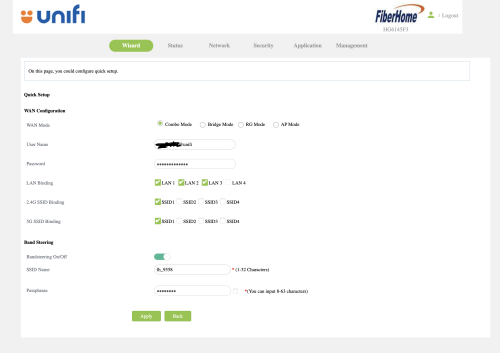
Tm unifi just upgraded my plan to 800mbps. and gave me this Fiberhome HG6145F3.
I had an existing DECO M5 mesh wifi.
But the problem comes when. I change the combo mode -> Bridge mode. I reset my DECO mesh and authenticate the PPPOE service credentials with proper VLAN profile. it's not working.
Okay nvm then I change back the ONU/combo box to combo mode again.
suddenly. the internet led start blinking. meaning I can't access to the internet.
I had the correct PPPOE service credentials
then I didn't touch anything, other than toggling between "Combo Mode" and "Bridge Mode"
I can't find any other people who got this "HG6145F3" on the forum. so.... help......


They give u HG6145F3 to replace your current main router. You can use wizard to setup everything 1st. Get your service login information include password & most important thing is ONU password from your old router or ONU. Input the ONU pwd.
HG6145F3 menu>Network>Auth>OLT Auth>Passkey is ONU password.
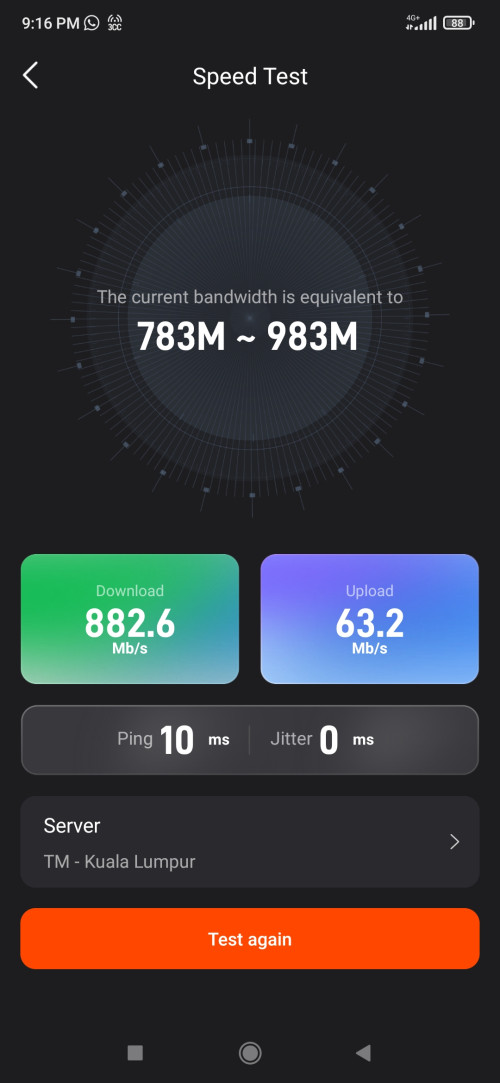
Once connected , Play Store Fiberhome app & use it to add your mesh clients or to use built-in speed test to test your subscribed plan. This is actual/trusted speed of your 800mbps.
 This post has been edited by msrazi: Jan 2 2025, 04:14 AM

 Dec 31 2024, 03:30 PM


 Quote
Quote




 0.0234sec
 1.57
1.57
 6 queries
 GZIP Disabled