

facebook, twitter, reddit all not loading photo and video

Unifi Official TM UniFi High Speed Broadband Thread V42, READ 1ST PAGE FOR RELEVANT WIFI INFO!
|
|
 Jun 1 2024, 11:34 PM Jun 1 2024, 11:34 PM
|
 
All Stars
31,609 posts Joined: Aug 2010 
|
didn't use vpn totally cannot browse at all
facebook, twitter, reddit all not loading photo and video |
|
|
|
|
|
Jun 2 2024, 01:09 AM
|

Junior Member
586 posts Joined: Mar 2006
|
QUOTE(kwss @ May 31 2024, 12:46 PM) Are you behind CGNAT? Previously I was behind CGNAT with old router and actually it worked.The only way to find out is to perform the packet capture after it leave your D-Link. You have to setup a switch with 2 trunk port. One connect to D-Link, another connect to ONU. Mirror one of the trunk port to your laptop and run the capture. EDIT 3: After thinking through the possible scenario, using "tcp-upstream: yes" might offer a workaround. Completely untested, purely brain debugging. If it didn't work, login to your router and disable anything that remotely sounds like Firewall, SPI, etc and see how it goes.  Now I'm on public IP with DIR-X3060Z and it doesn't work. So CGNAT shouldn't be a problem. I don't know how to setup switch for the test.  I add <tcp-upstream: yes> to the default pihole.conf and it works! Thank you very much! Appreciate!  QUOTE ; <<>> DiG 9.18.24-1 <<>> pi-hole.net @127.0.0.1 -p 5335 ;; global options: +cmd ;; Got answer: ;; ->>HEADER<<- opcode: QUERY, status: NOERROR, id: 32046 ;; flags: qr rd ra; QUERY: 1, ANSWER: 1, AUTHORITY: 0, ADDITIONAL: 1 ;; OPT PSEUDOSECTION: ; EDNS: version: 0, flags:; udp: 1232 ;; QUESTION SECTION: ;pi-hole.net. IN A ;; ANSWER SECTION: pi-hole.net. 300 IN A 3.18.136.52 ;; Query time: 1260 msec ;; SERVER: 127.0.0.1#5335(127.0.0.1) (UDP) ;; WHEN: Sun Jun 02 00:29:24 +08 2024 ;; MSG SIZE rcvd: 56 This post has been edited by Kadaj: Jun 2 2024, 01:26 AM kwss liked this post
|
|
|
Jun 2 2024, 01:36 AM
Show posts by this member only | IPv6 | Post
#2863
|

Senior Member
1,194 posts Joined: Sep 2018 
|
Done installing new black combo box . After install new box still getting under 980mbps speed on LAN maybe my router limiting speed as still 1Gbps Wan Port.
But now when I install old fiber home ONU can't connect anymore. PON keep blinking looks like after setup my acc register on new ONR it seems. How to login combo box to set up VoIP ID to set?? This post has been edited by NagaK: Jun 2 2024, 01:37 AM |
|
|
Jun 2 2024, 04:20 AM
|

Junior Member
156 posts Joined: Dec 2010
|
QUOTE(NagaK @ Jun 2 2024, 01:36 AM) Done installing new black combo box . After install new box still getting under 980mbps speed on LAN maybe my router limiting speed as still 1Gbps Wan Port. You cant connect back using your Fiberhome ONU? Usually the binding has to be done manually by the installer (they need to call hq to bind it to the OLT on their end). Plugging and unplugging shouldn't be a problem. As for the speed yeah that's expected with 1gbps LAN because of overhead eventhough it's coming from a 2.5gbe LAN (the ONR). Try leaving your Fiberhome ONU for a while after plugging it in it should connect I don't see why it won't.But now when I install old fiber home ONU can't connect anymore. PON keep blinking looks like after setup my acc register on new ONR it seems. How to login combo box to set up VoIP ID to set?? To access the black ONR after setting it to bridge just plug in your PC/Laptop to the LAN1 of the ONR and access it as usual. This post has been edited by Ashren: Jun 2 2024, 04:23 AM |
|
|
Jun 2 2024, 09:05 AM
|

Junior Member
338 posts Joined: Mar 2010 From: Shah Alam 
|
Is it me or it's gotten better these past two days at night?
|
|
|
Jun 2 2024, 09:18 AM
Show posts by this member only | IPv6 | Post
#2866
|
|
Senior Member
1,194 posts Joined: Sep 2018
|
QUOTE(Ashren @ Jun 2 2024, 04:20 AM) You cant connect back using your Fiberhome ONU? Usually the binding has to be done manually by the installer (they need to call hq to bind it to the OLT on their end). Plugging and unplugging shouldn't be a problem. As for the speed yeah that's expected with 1gbps LAN because of overhead eventhough it's coming from a 2.5gbe LAN (the ONR). Try leaving your Fiberhome ONU for a while after plugging it in it should connect I don't see why it won't. I leaves Fiberhome ONU for almost 3 hours (went for quick movie) it was fine first. After comeback the PON light start keep blinking and no internet access for Router. After switch to black box internet can be access.To access the black ONR after setting it to bridge just plug in your PC/Laptop to the LAN1 of the ONR and access it as usual. I tried to access but can't Black box IP same as before right 192.168.0.1? |
|
|
|
|
|
Jun 2 2024, 12:04 PM
|
|
Junior Member
156 posts Joined: Dec 2010
|
QUOTE(NagaK @ Jun 2 2024, 09:18 AM) I leaves Fiberhome ONU for almost 3 hours (went for quick movie) it was fine first. After comeback the PON light start keep blinking and no internet access for Router. After switch to black box internet can be access. Try again the Fiberhome after sometime. Maybe you're on Alcatel-Nokia OLT, I'm not sure. Yeah same LAN address. Try unplugging the fiber cable first and see if you can access the webGUI. Mine can access like usual I just plugin the cable and load the browser.I tried to access but can't Black box IP same as before right 192.168.0.1? 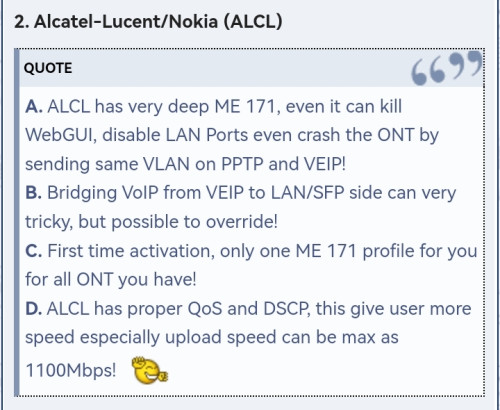 This post has been edited by Ashren: Jun 2 2024, 12:06 PM NagaK liked this post
|
|
|
Jun 2 2024, 03:26 PM
Show posts by this member only | IPv6 | Post
#2868
|
|
Senior Member
1,194 posts Joined: Sep 2018
|
QUOTE(Ashren @ Jun 2 2024, 12:04 PM) Try again the Fiberhome after sometime. Maybe you're on Alcatel-Nokia OLT, I'm not sure. Yeah same LAN address. Try unplugging the fiber cable first and see if you can access the webGUI. Mine can access like usual I just plugin the cable and load the browser. Can I reset my black box again? Because I can't login my combo box on laptop keep saying no Internet keep trying can't access combo box webuiSo just now got password for VoIP so I'm planning to reset and set up again?? This post has been edited by NagaK: Jun 2 2024, 03:27 PM Attached thumbnail(s) 
|
|
|
Jun 2 2024, 03:51 PM
|
|
Junior Member
156 posts Joined: Dec 2010
|
QUOTE(NagaK @ Jun 2 2024, 03:26 PM) Can I reset my black box again? Because I can't login my combo box on laptop keep saying no Internet keep trying can't access combo box webui Can no problem. Just reset and setup it again like you did before and add your VOIP credentials.So just now got password for VoIP so I'm planning to reset and set up again?? |
|
|
Jun 2 2024, 04:23 PM
Show posts by this member only | IPv6 | Post
#2870
|
|
Senior Member
1,194 posts Joined: Sep 2018
|
QUOTE(Ashren @ Jun 2 2024, 03:51 PM) Can no problem. Just reset and setup it again like you did before and add your VOIP credentials. Done thanks now all working well. I just asked Password from Unifi care they given to me.Now works perfectly. Ashren liked this post
|
|
|
Jun 2 2024, 10:58 PM
Show posts by this member only | IPv6 | Post
#2871
|
|
Junior Member
36 posts Joined: Nov 2012
|
I'm currently using the fiberhome SR1041Y provided from unifi and planning get it change to TPLINK AX53 or AX55.
Will there be any difference in terms of coverage/experience? Am currently on the 500mbps plan. |
|
|
Jun 2 2024, 11:29 PM
|
|
Senior Member
1,443 posts Joined: Sep 2021
|
QUOTE(DeadBullet @ Jun 2 2024, 10:58 PM) I'm currently using the fiberhome SR1041Y provided from unifi and planning get it change to TPLINK AX53 or AX55. try AX73 enoughWill there be any difference in terms of coverage/experience? Am currently on the 500mbps plan. |
|
|
Jun 3 2024, 01:58 AM
Show posts by this member only | IPv6 | Post
#2873
|
|
Senior Member
1,208 posts Joined: Aug 2018
|
TM lost its peering with Cloudflare.
If I remember correctly, TM used to peer with Cloudflare. Now all traffic to Cloudflare goes to Telstra. Checking AS4788 in bgpview.io confirms they no longer peer with Cloudflare. Maxis (AS9534) and Celcom (AS10030) do have peering with Cloudflare. Looking into Cloudflare's peering policy (https://www.cloudflare.com/peering-policy/), the only clause that can cause this is: "To suspend, without notice, peering connectivity in the event of a severe quality of service issue such as high latency, packet loss, or jitter pattern is detected and to take appropriate traffic engineering steps to maintain service quality." I am also having a bad time with AWS right now routing me to Cogent Singapore > AWS India. None of the telco seems to peer with AWS, even though all of them interconnect with MyIX. Amazon's peering policy (https://aws.amazon.com/peering/policy/) is a lot stricter compared to Cloudflare, like you must connect to at least 2 edge location and your pipe must be at least double the size of your peak traffic. Both Cloudflare and Amazon did not do RS Peer inside MyIX, which can be verified here: https://www.peeringdb.com/net/1418 https://www.peeringdb.com/net/4224 What this means is that peering must be setup manually. So either TM is lazy or they already maxed out their pipe. The question then becomes: How hard is it to add a bigger pipe to MyIX? It is right inside KL and the port fees is in Ringgit, not some foreign currency. https://myix.my/services/?sid=port-fees BTW, you can do a speedtest to MyIX by changing the server to "MyIX". It's 2am and I only get 200Mbps, what a joke. This post has been edited by kwss: Jun 3 2024, 02:11 AM |
|
|
|
|
|
Jun 3 2024, 02:10 AM
|
 
Elite
8,416 posts Joined: Jul 2008 
|
QUOTE(kwss @ Jun 3 2024, 01:58 AM) TM lost its peering with Cloudflare. MYIX is located in AIMS and AIMS is partly owned by TIMEIf I remember correctly, TM used to peer with Cloudflare. Now all traffic to Cloudflare goes to Telstra. Checking AS4788 in bgpview.io confirms they no longer peer with Cloudflare. Maxis (AS9534) and Celcom (AS10030) do have peering with Cloudflare. Looking into Cloudflare's peering policy (https://www.cloudflare.com/peering-policy/), the only clause that can cause this is: "To suspend, without notice, peering connectivity in the event of a severe quality of service issue such as high latency, packet loss, or jitter pattern is detected and to take appropriate traffic engineering steps to maintain service quality." I am also having a bad time with AWS right now routing me to Cogent Singapore > AWS India. None of the telco seems to peer with AWS, even though all of them interconnect with MyIX. Amazon's peering policy (https://aws.amazon.com/peering/policy/) is a lot stricter compared to Cloudflare, like you must connect to at least 2 edge location and your pipe must be at least double the size of your peak traffic. Both Cloudflare and Amazon did not do RS Peer inside MyIX, which can be verified here: https://www.peeringdb.com/net/1418 https://www.peeringdb.com/net/4224 What this means is that peering must be setup manually. So either TM is lazy or they already maxed out their pipe. The question then becomes: How hard is it to add a bigger pipe to MyIX? It is right inside KL and the port fees is in Ringgit, not some foreign currency. TM and TIME don’t get along very well But I believe the ISPs would prefer to sell more cloud connect service these days This post has been edited by blacktubi: Jun 3 2024, 02:10 AM |
|
|
Jun 3 2024, 10:39 AM
Show posts by this member only | IPv6 | Post
#2875
|

Senior Member
1,495 posts Joined: Dec 2012
|
QUOTE(kwss @ Jun 3 2024, 01:58 AM) TM lost its peering with Cloudflare. ISP in Malaysia sucks especially TM. They are in comfort zone since they monopoly the internet services in Malaysia. Many other ISP have to use TM fibre infra.If I remember correctly, TM used to peer with Cloudflare. Now all traffic to Cloudflare goes to Telstra. Checking AS4788 in bgpview.io confirms they no longer peer with Cloudflare. Maxis (AS9534) and Celcom (AS10030) do have peering with Cloudflare. Looking into Cloudflare's peering policy (https://www.cloudflare.com/peering-policy/), the only clause that can cause this is: "To suspend, without notice, peering connectivity in the event of a severe quality of service issue such as high latency, packet loss, or jitter pattern is detected and to take appropriate traffic engineering steps to maintain service quality." I am also having a bad time with AWS right now routing me to Cogent Singapore > AWS India. None of the telco seems to peer with AWS, even though all of them interconnect with MyIX. Amazon's peering policy (https://aws.amazon.com/peering/policy/) is a lot stricter compared to Cloudflare, like you must connect to at least 2 edge location and your pipe must be at least double the size of your peak traffic. Both Cloudflare and Amazon did not do RS Peer inside MyIX, which can be verified here: https://www.peeringdb.com/net/1418 https://www.peeringdb.com/net/4224 What this means is that peering must be setup manually. So either TM is lazy or they already maxed out their pipe. The question then becomes: How hard is it to add a bigger pipe to MyIX? It is right inside KL and the port fees is in Ringgit, not some foreign currency. https://myix.my/services/?sid=port-fees BTW, you can do a speedtest to MyIX by changing the server to "MyIX". It's 2am and I only get 200Mbps, what a joke. TM does not put effort to improve their quality of service. Futhermore TM receives special treatment and support from government. Hope something can be done about this in conjunction with increase of data centres that are being and going to be build in Malaysia. |
|
|
Jun 3 2024, 11:27 AM
Show posts by this member only | IPv6 | Post
#2876
|

Senior Member
2,570 posts Joined: Jun 2006
|
QUOTE(NagaK @ Jun 2 2024, 03:26 PM) Can I reset my black box again? Because I can't login my combo box on laptop keep saying no Internet keep trying can't access combo box webui Same thing happened yesterday when the technician setup in bridge mode then total lost access to the box at 192.168.0.1. And land line not working, VOIP got light but TEL 1 no light.So just now got password for VoIP so I'm planning to reset and set up again?? Revert back to router and modem combo mode then the land line is working. During bridge setup, he did enter the VOIP user name and pass. But don't know why once changed to bridge it's not working. Now log case wth TM and wait for their back end help check. BTW, my box is the white ONR. Still waiting as well for request to get the black ONR. This post has been edited by neekun: Jun 3 2024, 11:28 AM |
|
|
Jun 3 2024, 12:39 PM
|
|
Junior Member
932 posts Joined: Dec 2019
|
Just curious but has any 1G subscribers here been offered the free upgrade to 2G yet?
SWU 3.0 1G costs 269 b/f 6% SST and normal 2G standalone costs 319 b/f 6% SST. Feels like a bit of a rip off when I can just pay 50 more for 2x the speed  |
|
|
Jun 3 2024, 12:54 PM
|

Senior Member
1,350 posts Joined: Nov 2004 From: HEAVEN & HELL
|
QUOTE(kwss @ Jun 3 2024, 01:58 AM) TM lost its peering with Cloudflare. When did this happen? Last 2 days TM still have private peering within cloudflare KUL. As far i know TM using egress to Telstra back to cloudflare SG and their ingress is using SGix > HE.net > TMIf I remember correctly, TM used to peer with Cloudflare. Now all traffic to Cloudflare goes to Telstra. Checking AS4788 in bgpview.io confirms they no longer peer with Cloudflare. Maxis (AS9534) and Celcom (AS10030) do have peering with Cloudflare. Looking into Cloudflare's peering policy (https://www.cloudflare.com/peering-policy/), the only clause that can cause this is: "To suspend, without notice, peering connectivity in the event of a severe quality of service issue such as high latency, packet loss, or jitter pattern is detected and to take appropriate traffic engineering steps to maintain service quality." I am also having a bad time with AWS right now routing me to Cogent Singapore > AWS India. None of the telco seems to peer with AWS, even though all of them interconnect with MyIX. Amazon's peering policy (https://aws.amazon.com/peering/policy/) is a lot stricter compared to Cloudflare, like you must connect to at least 2 edge location and your pipe must be at least double the size of your peak traffic. Both Cloudflare and Amazon did not do RS Peer inside MyIX, which can be verified here: https://www.peeringdb.com/net/1418 https://www.peeringdb.com/net/4224 What this means is that peering must be setup manually. So either TM is lazy or they already maxed out their pipe. The question then becomes: How hard is it to add a bigger pipe to MyIX? It is right inside KL and the port fees is in Ringgit, not some foreign currency. https://myix.my/services/?sid=port-fees BTW, you can do a speedtest to MyIX by changing the server to "MyIX". It's 2am and I only get 200Mbps, what a joke. Previously AWS SG got private peering with TM, sadly they removed it This post has been edited by heLL_bOy: Jun 3 2024, 12:55 PM |
|
|
Jun 3 2024, 01:52 PM
Show posts by this member only | IPv6 | Post
#2879
|
|
Senior Member
1,208 posts Joined: Aug 2018
|
QUOTE(heLL_bOy @ Jun 3 2024, 12:54 PM) When did this happen? Last 2 days TM still have private peering within cloudflare KUL. As far i know TM using egress to Telstra back to cloudflare SG and their ingress is using SGix > HE.net > TM I don't know when it happen but I found a website that allows you to visualize this:Previously AWS SG got private peering with TM, sadly they removed it https://cloudflare-test.judge.sh Open this with Celcom, Maxis and TM. The difference is immediate. There is no reason to peer in SG when all the big tech have presence in MyIX. Case study: lowyat.net With Celcom and Maxis, they go straight to MyIX. I believe they host their stuff at IP Server One, who also has peering in MyIX. So from Cloudflare > IP Server One is all within MyIX. With TM, it is going to Cloudflare SG. Then Cloudflare SG has to come back to IP Server One in Malaysia to fetch all the forum post. Having CDN as the front door doesn't means all your data is stored in CDN. I don't believe Cloudflare has the whole lowyat database. I am not too sure if they had peering with Amazon but at least now it go thru Equinix SG instead of Cogent. I no longer end up in India like last night. |
|
|
Jun 3 2024, 02:02 PM
|
|
Senior Member
1,350 posts Joined: Nov 2004 From: HEAVEN & HELL
|
QUOTE(kwss @ Jun 3 2024, 01:52 PM) I don't know when it happen but I found a website that allows you to visualize this: AFAIK, last few days morning the was issue on Cloudflare KUL and they rerouted to Cloudflare SG at evening they rerouted back to KUL.https://cloudflare-test.judge.sh Open this with Celcom, Maxis and TM. The difference is immediate. There is no reason to peer in SG when all the big tech have presence in MyIX. Case study: lowyat.net With Celcom and Maxis, they go straight to MyIX. I believe they host their stuff at IP Server One, who also has peering in MyIX. So from Cloudflare > IP Server One is all within MyIX. With TM, it is going to Cloudflare SG. Then Cloudflare SG has to come back to IP Server One in Malaysia to fetch all the forum post. Having CDN as the front door doesn't means all your data is stored in CDN. I don't believe Cloudflare has the whole lowyat database. I am not too sure if they had peering with Amazon but at least now it go thru Equinix SG instead of Cogent. I no longer end up in India like last night. Becos TM > myix also got issue also especially on peak hours always having loss packet issue, i remember this was discuss at previous years. for AWS previously is both side traffic are private peering , just recently are removed and using Equinix SG. |
|
Topic ClosedOptions
|
| Change to: |  0.0197sec 0.0197sec
 0.51 0.51
 6 queries 6 queries
 GZIP Disabled GZIP Disabled
Time is now: 14th December 2025 - 10:43 AM |
 Quote
Quote