anybody notice TM silently change to private ip address even not 100mbps package users?
Unifi Official TM UniFi High Speed Broadband Thread V42, READ 1ST PAGE FOR RELEVANT WIFI INFO!
Unifi Official TM UniFi High Speed Broadband Thread V42, READ 1ST PAGE FOR RELEVANT WIFI INFO!
|
|
 May 30 2024, 09:52 AM May 30 2024, 09:52 AM
Return to original view | Post
#1
|
 
Senior Member
1,350 posts Joined: Nov 2004 From: HEAVEN & HELL  
|
anybody notice TM silently change to private ip address even not 100mbps package users?
|
|
|
|
|
|
May 30 2024, 11:32 AM
Return to original view | Post
#2
|
|
Senior Member
1,350 posts Joined: Nov 2004 From: HEAVEN & HELL
|
QUOTE(soonwai @ May 30 2024, 10:04 AM) Which package? 800Mbps here ok. Still public. I think a few 300Mbps got private. Those who got free upgrade from 100-300? I just notice today that my ip been privated.  i am using 300mbps, not free upgrade from 100 to 300. |
|
|
May 30 2024, 11:48 AM
Return to original view | Post
#3
|
|
Senior Member
1,350 posts Joined: Nov 2004 From: HEAVEN & HELL
|
QUOTE(soonwai @ May 30 2024, 11:44 AM) Could be a mistake by TM since you're on 300Mbps. I just checked my neighbour's and they're still on public IP. They are 100Mbps, possibly upgraded to 300Mbps by now. Can't check their speed because they're still using Asus RT-N12. I try contact TM on this, thanks for your info  |
|
|
May 30 2024, 03:08 PM
Return to original view | Post
#4
|
|
Senior Member
1,350 posts Joined: Nov 2004 From: HEAVEN & HELL
|
QUOTE(aniq8676 @ May 30 2024, 02:47 PM) PRIVATE IP Thanks for your info 30 Mbps 50 Mbps 100 Mbps 300 Mbps PUBLIC IP 500 Mbps 800 Mbps 1 Gbps 2 Gbps |
|
|
Jun 3 2024, 12:54 PM
Return to original view | Post
#5
|
|
Senior Member
1,350 posts Joined: Nov 2004 From: HEAVEN & HELL
|
QUOTE(kwss @ Jun 3 2024, 01:58 AM) TM lost its peering with Cloudflare. When did this happen? Last 2 days TM still have private peering within cloudflare KUL. As far i know TM using egress to Telstra back to cloudflare SG and their ingress is using SGix > HE.net > TMIf I remember correctly, TM used to peer with Cloudflare. Now all traffic to Cloudflare goes to Telstra. Checking AS4788 in bgpview.io confirms they no longer peer with Cloudflare. Maxis (AS9534) and Celcom (AS10030) do have peering with Cloudflare. Looking into Cloudflare's peering policy (https://www.cloudflare.com/peering-policy/), the only clause that can cause this is: "To suspend, without notice, peering connectivity in the event of a severe quality of service issue such as high latency, packet loss, or jitter pattern is detected and to take appropriate traffic engineering steps to maintain service quality." I am also having a bad time with AWS right now routing me to Cogent Singapore > AWS India. None of the telco seems to peer with AWS, even though all of them interconnect with MyIX. Amazon's peering policy (https://aws.amazon.com/peering/policy/) is a lot stricter compared to Cloudflare, like you must connect to at least 2 edge location and your pipe must be at least double the size of your peak traffic. Both Cloudflare and Amazon did not do RS Peer inside MyIX, which can be verified here: https://www.peeringdb.com/net/1418 https://www.peeringdb.com/net/4224 What this means is that peering must be setup manually. So either TM is lazy or they already maxed out their pipe. The question then becomes: How hard is it to add a bigger pipe to MyIX? It is right inside KL and the port fees is in Ringgit, not some foreign currency. https://myix.my/services/?sid=port-fees BTW, you can do a speedtest to MyIX by changing the server to "MyIX". It's 2am and I only get 200Mbps, what a joke. Previously AWS SG got private peering with TM, sadly they removed it This post has been edited by heLL_bOy: Jun 3 2024, 12:55 PM |
|
|
Jun 3 2024, 02:02 PM
Return to original view | Post
#6
|
|
Senior Member
1,350 posts Joined: Nov 2004 From: HEAVEN & HELL
|
QUOTE(kwss @ Jun 3 2024, 01:52 PM) I don't know when it happen but I found a website that allows you to visualize this: AFAIK, last few days morning the was issue on Cloudflare KUL and they rerouted to Cloudflare SG at evening they rerouted back to KUL.https://cloudflare-test.judge.sh Open this with Celcom, Maxis and TM. The difference is immediate. There is no reason to peer in SG when all the big tech have presence in MyIX. Case study: lowyat.net With Celcom and Maxis, they go straight to MyIX. I believe they host their stuff at IP Server One, who also has peering in MyIX. So from Cloudflare > IP Server One is all within MyIX. With TM, it is going to Cloudflare SG. Then Cloudflare SG has to come back to IP Server One in Malaysia to fetch all the forum post. Having CDN as the front door doesn't means all your data is stored in CDN. I don't believe Cloudflare has the whole lowyat database. I am not too sure if they had peering with Amazon but at least now it go thru Equinix SG instead of Cogent. I no longer end up in India like last night. Becos TM > myix also got issue also especially on peak hours always having loss packet issue, i remember this was discuss at previous years. for AWS previously is both side traffic are private peering , just recently are removed and using Equinix SG. |
|
|
|
|
|
Jun 30 2024, 09:49 AM
Return to original view | Post
#7
|
|
Senior Member
1,350 posts Joined: Nov 2004 From: HEAVEN & HELL
|
QUOTE(SwarmTroll @ Jun 30 2024, 02:13 AM) Hi guys, is there any side effects if I disable IPv6? Is it okay if I just use IPv4 for now? Will be setting in router configuration. No side effect, most of the sites or servers not fully implement IPv6 yet.You may turn ipv6 off at your router configuration. SwarmTroll liked this post
|
|
|
Jul 5 2024, 10:42 AM
Return to original view | Post
#8
|
|
Senior Member
1,350 posts Joined: Nov 2004 From: HEAVEN & HELL
|
QUOTE(tng55 @ Jul 5 2024, 02:38 AM) guys before i still stuck ip range 42.189 IP range cant be changed by normal TM technician.i had report tm group post some tm team i know i had pm messager facebook for tm group people not unifi facebook i had request then i got tm team call me 0194xxxx its tm technical i did tell explain and i want show video ping too high then he said got whatsapp so i had send then still no help to change IP range 175.xxx or 115.xxx or 218.xxx then few days i don't know no there any message any update then now 2am i was watching youtube suddenly buffering i had refresh f5 still not loading then i check router logs 2.17am disconnect waiting reconnect auto But BTU PON Not blinking its stay stable light BTU PON stable after 5min waiting now 2.19am connected i see i got new ip range 175.xxx.xxx yay yay yay i am very happy i did try ping shopee i got 13MS nice let me tomorow tonight 10pm i will checking any slow or not |
|
|
Jul 5 2024, 10:50 AM
Return to original view | Post
#9
|
|
Senior Member
1,350 posts Joined: Nov 2004 From: HEAVEN & HELL
|
QUOTE(kwss @ Jul 5 2024, 01:35 AM) TM is having congestion issue at the customer edge and is cheating their speedtest. There is also congestion with TM-Equinix. AFAIK, He.net have 1000Gbps on Equinix SG.Here is a test I did at 10:30pm and 12:30am. Test done between my home and Oracle Cloud Singapore, using non-burstable instance (aka they are expensive but give me full CPU and 2 Gbps network performance). Baseline at 10:30pm 1.9 Gbps locally in Singapore https://www.speedtest.net/result/c/d30796bb...6a-6c218b1c6532 2 Gbps to Telekom Malaysia https://www.speedtest.net/result/c/470331b9...6c-748b4a243310 Baseline at 12:30am 1.9 Gbps locally in Singapore https://www.speedtest.net/result/c/9105b19a...40-c09e0e475ceb 1.9 Gbps to Telekom Malaysia https://www.speedtest.net/result/c/8030bef7...9d-1473cff9b7d9 My own speedtest will max out at 800 Mbps / 200 Mbps every single time (using both speedtest.net and ipv6.speedtest.net). I am sure a lot of people have the same experience. IPv4 Traceroute is the same during both time. Oracle Cloud to my home CODE traceroute to <domain censored> (115.134.181.60), 30 hops max, 60 byte packets 1 140.91.232.46 (140.91.232.46) 0.162 ms 140.91.232.50 (140.91.232.50) 0.136 ms 140.91.232.7 (140.91.232.7) 0.198 ms 2 31898.sgw.equinix.com (27.111.229.44) 1.088 ms 0.792 ms 1.068 ms 3 6939.sgw.equinix.com (27.111.228.81) 25.688 ms * * 4 telekom-malaysia-inc.e0-71.core2.sin1.he.net (74.82.46.50) 2.270 ms 2.247 ms 2.265 ms 5 * * * 6 115.134.181.60 (115.134.181.60) 11.123 ms 14.259 ms 14.256 ms My home to Oracle Cloud CODE traceroute to <domain censored> (168.138.188.163), 30 hops max, 60 byte packets 1 _gateway (192.168.88.1) 0.255 ms 0.232 ms 0.506 ms 2 115.134.191.254 (115.134.191.254) 7.592 ms 7.578 ms 7.564 ms 3 10.55.49.99 (10.55.49.99) 12.407 ms 12.424 ms 12.378 ms 4 10.55.107.93 (10.55.107.93) 9.530 ms 10.55.39.197 (10.55.39.197) 8.166 ms 10.55.107.95 (10.55.107.95) 9.501 ms 5 10.55.100.54 (10.55.100.54) 11.966 ms 11.968 ms 11.908 ms 6 * * * 7 140.91.232.23 (140.91.232.23) 14.586 ms 140.91.232.19 (140.91.232.19) 13.581 ms 140.91.232.31 (140.91.232.31) 14.527 ms 8 * 168.138.188.163 (168.138.188.163) 17.556 ms 17.533 ms IPv6 Traceroute is also the same during both time. Oracle Cloud to my home CODE traceroute to <domain censored> (2001:e68:5427:3c12:164:5ba5:d348:18dd), 30 hops max, 80 byte packets 1 2603:c000:1100::8c5b:e82e (2603:c000:1100::8c5b:e82e) 0.172 ms 2603:c000:1100::8c5b:e80c (2603:c000:1100::8c5b:e80c) 0.142 ms 2603:c000:1100::8c5b:e82c (2603:c000:1100::8c5b:e82c) 0.122 ms 2 31898.sgw.equinix.com (2001:de8:4::3:1898:1) 0.880 ms 3.299 ms 3.257 ms 3 2001:de8:4::4788:3 (2001:de8:4::4788:3) 2.787 ms 2.799 ms 2.749 ms 4 2001:e68:5427:3c12::1 (2001:e68:5427:3c12::1) 11.058 ms 11.036 ms 10.976 ms 5 2001:e68:5427:3c12:164:5ba5:d348:18dd (2001:e68:5427:3c12:164:5ba5:d348:18dd) 10.866 ms 19.580 ms 19.567 ms My home to Oracle Cloud CODE traceroute to <domain censored> (2603:c024:4512:ef00:3a30:bdcb:ccd9:3e7a), 30 hops max, 80 byte packets 1 2001:e68:5427:3c12::1 (2001:e68:5427:3c12::1) 0.220 ms 0.334 ms 0.381 ms 2 2001:e68:402c:8001::6c (2001:e68:402c:8001::6c) 7.030 ms 7.013 ms 7.673 ms 3 2001:e68::b:4011 (2001:e68::b:4011) 12.609 ms 12.592 ms 12.577 ms 4 2001:c10:80:2::615 (2001:c10:80:2::615) 15.260 ms 15.244 ms 14.782 ms 5 2001:c10:80:2::6be (2001:c10:80:2::6be) 25.246 ms 14.446 ms 14.448 ms 6 2001:c10:80:2::2bd (2001:c10:80:2::2bd) 14.689 ms 2001:c10:80:2::60d (2001:c10:80:2::60d) 10.629 ms 2001:c10:80:2::2bd (2001:c10:80:2::2bd) 12.199 ms 7 2603:c000:1100::8c5b:e812 (2603:c000:1100::8c5b:e812) 14.492 ms 2603:c000:1100::8c5b:e816 (2603:c000:1100::8c5b:e816) 10.595 ms 2603:c000:1100::8c5b:e815 (2603:c000:1100::8c5b:e815) 14.187 ms 8 * 2603:c024:4512:ef00:3a30:bdcb:ccd9:3e7a (2603:c024:4512:ef00:3a30:bdcb:ccd9:3e7a) 14.043 ms 14.020 ms As can be seen above for IPv6 connection, Oracle exchange traffic directly with TM inside Equinix. For IPv4, traffic is offloaded to Hurricane Electric inside Equinix, then transit to TM. Hint: You can know this from XXXXX.sgw.equinix.com. XXXXX is the AS number of the egress peer. This naming convention is specific to Equinix and does not necessary apply to other IXP. Actual performance at 10:30pm IPv4 CODE Reverse mode, remote host <domain censored> is sending [ 5] local 192.168.88.13 port 36194 connected to 168.138.188.163 port 65535 [ ID] Interval Transfer Bitrate [ 5] 0.00-1.00 sec 4.35 MBytes 36.5 Mbits/sec [ 5] 1.00-2.00 sec 13.4 MBytes 112 Mbits/sec [ 5] 2.00-3.00 sec 17.5 MBytes 147 Mbits/sec [ 5] 3.00-4.00 sec 12.6 MBytes 106 Mbits/sec [ 5] 4.00-5.00 sec 12.9 MBytes 108 Mbits/sec [ 5] 5.00-6.00 sec 13.9 MBytes 116 Mbits/sec [ 5] 6.00-7.00 sec 17.8 MBytes 149 Mbits/sec [ 5] 7.00-8.00 sec 13.5 MBytes 114 Mbits/sec [ 5] 8.00-9.00 sec 12.4 MBytes 104 Mbits/sec [ 5] 9.00-10.00 sec 17.8 MBytes 150 Mbits/sec - - - - - - - - - - - - - - - - - - - - - - - - - [ ID] Interval Transfer Bitrate Retr [ 5] 0.00-10.08 sec 139 MBytes 116 Mbits/sec 10334 sender [ 5] 0.00-10.00 sec 136 MBytes 114 Mbits/sec receiver IPv6 CODE Reverse mode, remote host <domain censored> is sending [ 5] local 2001:e68:5427:3c12:164:5ba5:d348:18dd port 35422 connected to 2603:c024:4512:ef00:3a30:bdcb:ccd9:3e7a port 65535 [ ID] Interval Transfer Bitrate [ 5] 0.00-1.00 sec 29.1 MBytes 244 Mbits/sec [ 5] 1.00-2.00 sec 35.4 MBytes 297 Mbits/sec [ 5] 2.00-3.00 sec 33.2 MBytes 279 Mbits/sec [ 5] 3.00-4.00 sec 34.9 MBytes 293 Mbits/sec [ 5] 4.00-5.00 sec 33.5 MBytes 281 Mbits/sec [ 5] 5.00-6.00 sec 34.3 MBytes 288 Mbits/sec [ 5] 6.00-7.00 sec 34.1 MBytes 286 Mbits/sec [ 5] 7.00-8.00 sec 34.8 MBytes 292 Mbits/sec [ 5] 8.00-9.00 sec 33.5 MBytes 281 Mbits/sec [ 5] 9.00-10.00 sec 34.4 MBytes 289 Mbits/sec - - - - - - - - - - - - - - - - - - - - - - - - - [ ID] Interval Transfer Bitrate Retr [ 5] 0.00-10.02 sec 340 MBytes 285 Mbits/sec 13239 sender [ 5] 0.00-10.00 sec 337 MBytes 283 Mbits/sec receiver From here you can see IPv6 is actually 2.5x faster when Oracle-TM directly exchange traffic inside Equinix. Actual performance at 12:30am IPv4 CODE Reverse mode, remote host <domain censored> is sending [ 5] local 192.168.88.13 port 36554 connected to 168.138.188.163 port 65535 [ ID] Interval Transfer Bitrate [ 5] 0.00-1.00 sec 83.4 MBytes 699 Mbits/sec [ 5] 1.00-2.00 sec 95.3 MBytes 799 Mbits/sec [ 5] 2.00-3.00 sec 92.7 MBytes 778 Mbits/sec [ 5] 3.00-4.00 sec 93.3 MBytes 783 Mbits/sec [ 5] 4.00-5.00 sec 91.6 MBytes 768 Mbits/sec [ 5] 5.00-6.00 sec 89.7 MBytes 752 Mbits/sec [ 5] 6.00-7.00 sec 93.2 MBytes 782 Mbits/sec [ 5] 7.00-8.00 sec 92.4 MBytes 775 Mbits/sec [ 5] 8.00-9.00 sec 90.1 MBytes 756 Mbits/sec [ 5] 9.00-10.00 sec 93.3 MBytes 783 Mbits/sec - - - - - - - - - - - - - - - - - - - - - - - - - [ ID] Interval Transfer Bitrate Retr [ 5] 0.00-10.02 sec 918 MBytes 769 Mbits/sec 46250 sender [ 5] 0.00-10.00 sec 915 MBytes 767 Mbits/sec receiver IPv6 CODE Reverse mode, remote host <domain censored> is sending [ 5] local 2001:e68:5427:3c12:164:5ba5:d348:18dd port 48856 connected to 2603:c024:4512:ef00:3a30:bdcb:ccd9:3e7a port 65535 [ ID] Interval Transfer Bitrate [ 5] 0.00-1.00 sec 31.3 MBytes 263 Mbits/sec [ 5] 1.00-2.00 sec 34.9 MBytes 292 Mbits/sec [ 5] 2.00-3.00 sec 34.8 MBytes 292 Mbits/sec [ 5] 3.00-4.00 sec 35.4 MBytes 297 Mbits/sec [ 5] 4.00-5.00 sec 33.9 MBytes 284 Mbits/sec [ 5] 5.00-6.00 sec 33.7 MBytes 283 Mbits/sec [ 5] 6.00-7.00 sec 35.1 MBytes 295 Mbits/sec [ 5] 7.00-8.00 sec 34.3 MBytes 288 Mbits/sec [ 5] 8.00-9.00 sec 34.1 MBytes 286 Mbits/sec [ 5] 9.00-10.00 sec 35.5 MBytes 298 Mbits/sec - - - - - - - - - - - - - - - - - - - - - - - - - [ ID] Interval Transfer Bitrate Retr [ 5] 0.00-10.01 sec 346 MBytes 290 Mbits/sec 15149 sender [ 5] 0.00-10.00 sec 343 MBytes 288 Mbits/sec receiver After midnight, customer edge is no longer congested and I can get almost full speed, making IPv4 2.6x faster than IPv6. Result interpretation My Oracle Cloud instance get full speed regardless of time, to both TM and Singapore speedtest server. However I don't know how to make speedtest-cli run test on IPv6, so they are all IPv4 result. At 10:30pm, IPv4 performance is 14% of subscribed speed and IPv6 performance is 35% of subscribed speed. At 12:30am, IPv4 performance is 96% of subscribed speed and IPv6 performance is 36% of subscribed speed. Since the speedtest between Oracle and TM ran full speed during both time, the only explanation for the slowness is congestion on the customer edge (BNG or OLT). As for why I can get perfect speedtest score at home, the only explanation I can think of is TM QoS to prioritize it. Unknown The question then become: Is TM-Equinix permanently congested? It seems odd that TM do not utilize TM-Equinix link for the egress as both IPv4 and IPv6 transit via SingTel. On the ingress, the only explanation why IPv4 transit via Hurricane while IPv6 peer directly in Equinix is that TM actually perform some kind of traffic engineering. IPv4 is better than IPv6 debate As can be seen here, depending on time, IPv4 can be better than IPv6 and vice versa, on the exact same route, with the exact same endpoint. Is TM limitation on their downspeed (Ingress) nothing to do with Equinix congestion or He.net itself. Previously TM using SGIX as (Ingress) not much issue, currently some has been diverted back to He.net |
|
|
Aug 1 2024, 11:32 AM
Return to original view | Post
#10
|
|
Senior Member
1,350 posts Joined: Nov 2004 From: HEAVEN & HELL
|
QUOTE(ListenToTheWind @ Jul 31 2024, 01:13 PM) I notice it's been a while now that everyday after around 9pm, something funny is going on with Unifi. is normal, because TM limiting the traffic from others causing congestion.I am having hard time accessing my office server (Office on Maxis fiber) at full speed after around 9pm from home (Unifi plan), even I turn on Tailscale also maximum can only achieve below 100kbps. But, I can achieve full speed when I use my mobile data. Anyone got any insider news on what actually is going on with Unifi? Is it just temporary or it's going to be there permanently? I'm contemplating to switch out from Unifi, paying full price but not getting the full service. all local ISP dont have peering with TM and all traffic are exchanging at MYIX |
|
|
Aug 1 2024, 12:17 PM
Return to original view | Post
#11
|
|
Senior Member
1,350 posts Joined: Nov 2004 From: HEAVEN & HELL
|
QUOTE(ListenToTheWind @ Aug 1 2024, 11:43 AM) Meaning to say TM identify high usage accounts and limit their bandwidth, such as my case my bandwidth was limited to under 100kbps consistently after 9pm? TM doesn't identify individual account on their usage by limiting your bandwidth.I don't really understand what do you mean by peering with TM, do you mean it make no different even if I switch from Unifi to Maxis? this congestion issue is not new anymore and has been prolonged since covid era until now. the limitation is done by TM side and are effecting all users not only yourself. peering means both ISP would exchange their traffic each others directly. you may understand more on this link below https://www.internetsociety.org/resources/d...ternet-peering/ the only choice you may use VPN by pass the issue or change providers This post has been edited by heLL_bOy: Aug 1 2024, 12:18 PM |
|
|
Aug 1 2024, 04:44 PM
Return to original view | Post
#12
|
|
Senior Member
1,350 posts Joined: Nov 2004 From: HEAVEN & HELL
|
QUOTE(blacktubi @ Aug 1 2024, 12:33 PM) https://bgp.he.net/AS4788#_peers https://bgp.he.net/AS9534 https://bgp.he.net/AS9930 If BGP HE is accurate, both Maxis and TIME peers with TM. QUOTE(michaelkkl @ Aug 1 2024, 01:18 PM) Its depend on which ISP. I mean private peering in between, Currently is only public peering over MYIXAFAIK Maxis and Time have private peering with TM. Other ISP have public peering with TM (via MyIX) |
|
|
Aug 1 2024, 04:46 PM
Return to original view | Post
#13
|
|
Senior Member
1,350 posts Joined: Nov 2004 From: HEAVEN & HELL
|
QUOTE(ListenToTheWind @ Aug 1 2024, 12:31 PM) I'm accessing my own server at the office (10km away from home). Both side got Tailscale installed. daily time there is no issue, the congestion only start as 8pm to 12am dailyI getting the same speed after 9pm no matter I access the public IP or with Tailscale VPN. I will try to switch to Maxis. |
|
|
|
|
|
Aug 31 2024, 10:50 PM
Return to original view | Post
#14
|
|
Senior Member
1,350 posts Joined: Nov 2004 From: HEAVEN & HELL
|
QUOTE(kwss @ Aug 31 2024, 10:34 PM) That's the problem of gamer vs ISP in general. TM is doing limitation on all routes no matter using Equinix or any others peering point or He.net(backbone) or any others backbone will be same.ISP only care about IP address and AS. Gamer talk about geographic location. Until you can provide a traceroute to the game server, reporting is just a waste of everyone time. They 100% close your report. But since you mention Singapore, I guess it's TM-Equinix again. Well known peering that's congested all the time. TM has 200G x1 and100G peering with Equinix is sufficient enough if they really utilize well. ever wonder why night time MYIX and HKIX peering also having same congestion issue as well. |
|
|
Aug 31 2024, 10:59 PM
Return to original view | Post
#15
|
|
Senior Member
1,350 posts Joined: Nov 2004 From: HEAVEN & HELL
|
QUOTE(kwss @ Aug 31 2024, 10:53 PM) From observation, I suspect that as well but I cannot proof it. They are doing it since Covid time until now. i do agree they using percentile calculation. I think they are trying to save bandwidth cost by gaming the 95 percentile calculation. On another side TM also selling egress bandwidth to Umobile, Digi Alicloud and some others provider as well but i wonder why they dont have such congestion issue happen base on ping result at peak hours compare to Unifi users. This post has been edited by heLL_bOy: Aug 31 2024, 11:04 PM |
|
|
Aug 31 2024, 11:03 PM
Return to original view | Post
#16
|
|
Senior Member
1,350 posts Joined: Nov 2004 From: HEAVEN & HELL
|
QUOTE(OKLY @ Aug 31 2024, 10:58 PM) So there's nothing much a customer can do except to just keep submitting a report until someone in TM notices the same complaints over and over again? in the past i try to complaint from various channel, like TM customer service and MCMC. most of the time they not understand the issue even i sent them the MTR or traceroute report and they simply sent technician to check my fiber line which is totally not what i asking to check and close my case.  |
|
|
Aug 31 2024, 11:08 PM
Return to original view | Post
#17
|
|
Senior Member
1,350 posts Joined: Nov 2004 From: HEAVEN & HELL
|
QUOTE(kwss @ Aug 31 2024, 11:04 PM) I don't think they egress via TM for these route. Need to perform traceroute to be certain. Definitely not Equinix or MYIX peering, is their others major backbone route.Or they bill them a slightly higher 95th percentile so TM profit from it. After all TM do provide IP Transit. i tried to digi,umobile and alicloud ip for checking for egress route and proven some of them using TM egress |
|
|
Sep 4 2024, 05:18 PM
Return to original view | Post
#18
|
|
Senior Member
1,350 posts Joined: Nov 2004 From: HEAVEN & HELL
|
i had no issue accessing all listed website above using CF or Q9 DOH method.  BladeRider88 liked this post
|
|
|
Sep 6 2024, 09:12 AM
Return to original view | Post
#19
|
|
Senior Member
1,350 posts Joined: Nov 2004 From: HEAVEN & HELL
|
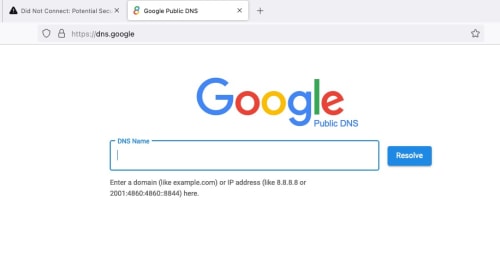
QUOTE(soonwai @ Sep 4 2024, 05:46 PM) yes, i can visit https://dns.google/ without issue.i still can access any site until now using DOH of adguard , quad9 , cloudflare. |
|
|
Sep 6 2024, 09:14 AM
Return to original view | Post
#20
|
|
Senior Member
1,350 posts Joined: Nov 2004 From: HEAVEN & HELL
|
QUOTE(Chiggah @ Sep 6 2024, 08:10 AM) Is there a way to make WARP connect to SG servers ? Getting 100ms in-game to SG servers. No, you cant connect cloudflare SG servers due to Cloudlare anycast routing base on ISPDo I need to use Wireguard ? |
|
Topic ClosedOptions
|
| Change to: |  0.2730sec 0.2730sec
 0.27 0.27
 7 queries 7 queries
 GZIP Disabled GZIP Disabled
Time is now: 4th December 2025 - 10:55 PM |
 Quote
Quote