

 Mar 14 2024, 01:42 PM


QUOTE(eclectice @ Mar 14 2024, 08:24 AM)
Bridging mode is easy to set up on the Unifi ONR D-Link DPN-FX3060V. Connect the LAN cable from the laptop/PC to any unused LAN port on the ONR to access the ONR Web UI at the default http: // 192.168.0.1. Select the "GPON-Bridge", connect the LAN cable from the LAN1 port on ONR to our third-party router's WAN port, and wait a few seconds for the ONR to reset after applying changes. Then, connect the LAN cable from the laptop/PC to any LAN port of the third-party router to configure everything (but no change is required if it works like before).
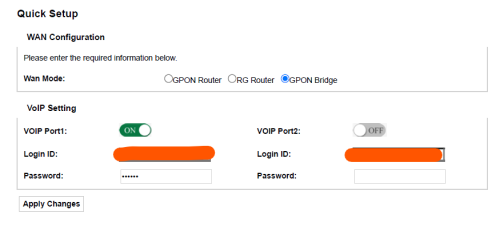
Note that VOIP port 1 is made available for a VOIP phone by connecting the cable from TEL1 of the ONR to the phone.
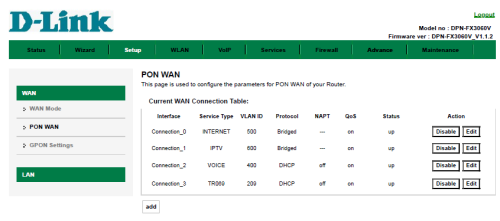
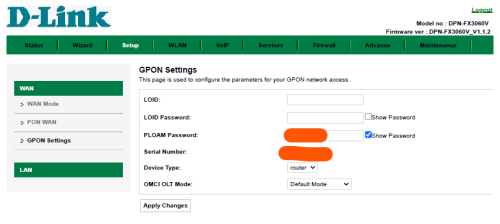
Before performing the bridging, make sure the interfaces are correctly set up, especially the INTERNET service:

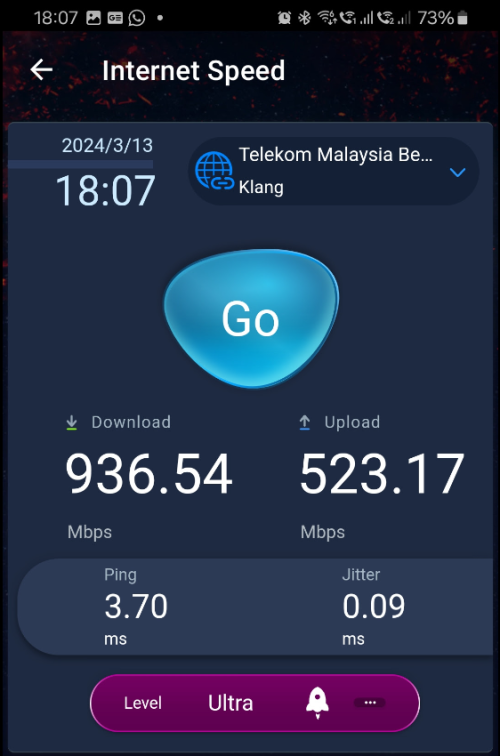
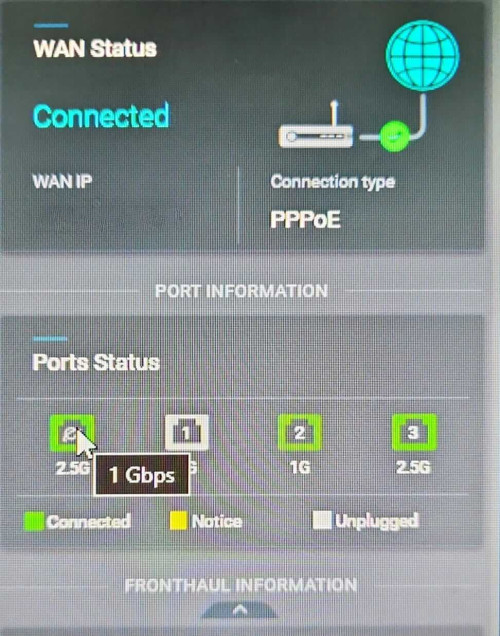
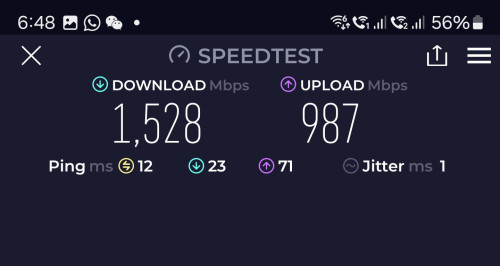
The speed test result for the Free Speed Upgrade from the 800 Mbps plan to the 1 Gbps plan; as expected after bridging. The download speed result is probably due to a non-Nokia OLT source. The WAN port of the third-party router is 2.5 Gbps capable but it detects a 1 Gbps connection from the ONR when probed (Asus ZenWiFi XT12 Pro 2-pack).

Enable SSH on ONR, ssh into it, omcicli get mib 131, check for the vendor ID thereNote that VOIP port 1 is made available for a VOIP phone by connecting the cable from TEL1 of the ONR to the phone.
Before performing the bridging, make sure the interfaces are correctly set up, especially the INTERNET service:
The speed test result for the Free Speed Upgrade from the 800 Mbps plan to the 1 Gbps plan; as expected after bridging. The download speed result is probably due to a non-Nokia OLT source. The WAN port of the third-party router is 2.5 Gbps capable but it detects a 1 Gbps connection from the ONR when probed (Asus ZenWiFi XT12 Pro 2-pack).
 Quote
Quote








 0.0185sec
 0.54
0.54
 6 queries
 GZIP Disabled