Welcome Guest ( Log In | Register )

Bump Topic Topic Closed RSS Feed
453 Pages « < 21 22 23 24 25 > » Bottom

Outline · [ Standard ] · Linear+

Unifi Official TM UniFi High Speed Broadband Thread V40, READ 1ST PAGE FOR RELEVANT WIFI INFO

views
     
MyProLife
post Apr 18 2022, 01:04 PM

I bully wumao & MPKL
*******
Senior Member
2,075 posts

Joined: Sep 2021
From: nowhere

QUOTE(mcchin @ Apr 18 2022, 12:42 PM)
I saw reply that fiberhome  DNS change in home page is bugged?

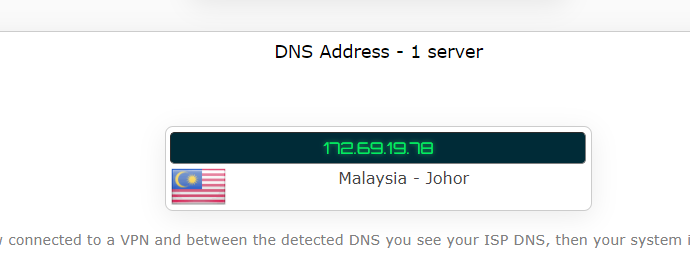
Oh cloudflare is Malaysia johor

Sad that speed 300mbps also need to buffer wait for load a gif....
*
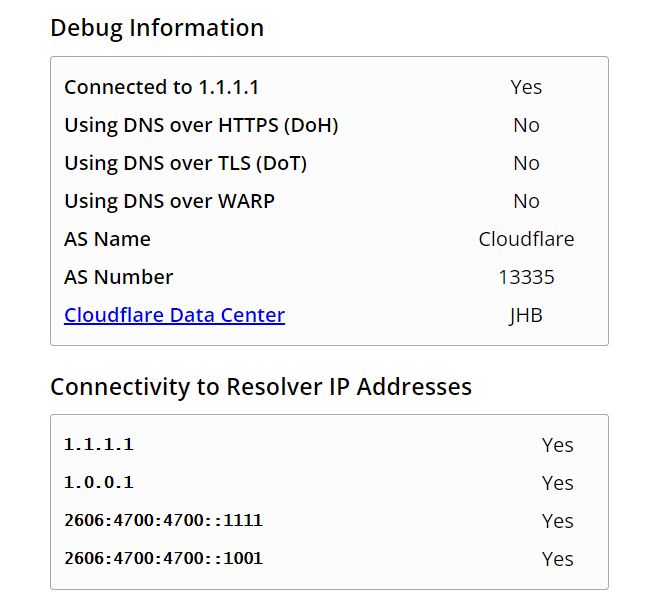
If you are using cloudflare settings, use this to check

https://1.1.1.1/help
mcchin
post Apr 18 2022, 01:20 PM

SLAVA UKRAINI !
*******
Senior Member
3,902 posts

Joined: Jul 2005
From: Sin Lor, B'worth,Pg.
QUOTE(MyProLife @ Apr 18 2022, 01:04 PM)
If you are using cloudflare settings, use this to check

https://1.1.1.1/help
*
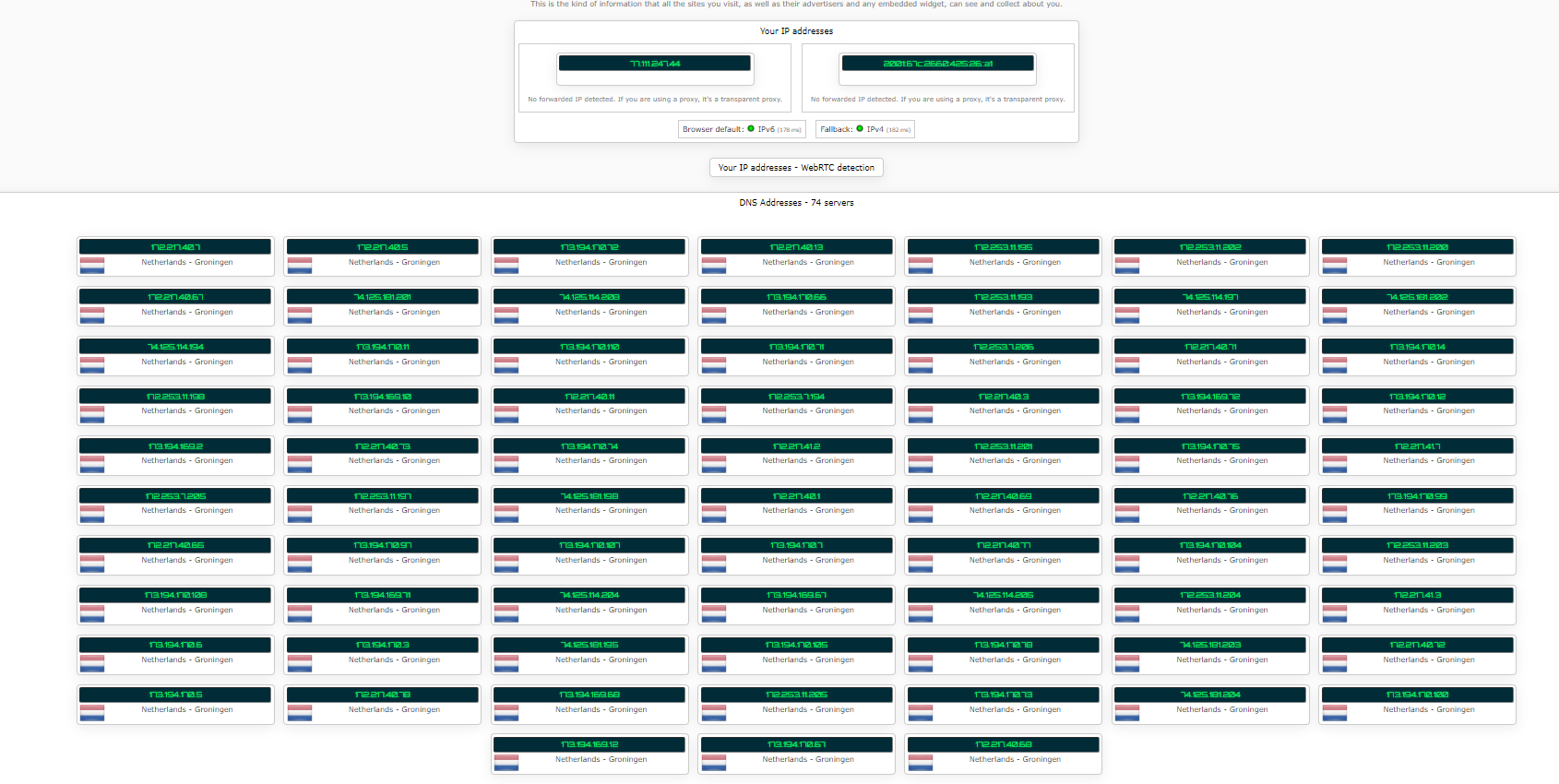
user posted image


user posted image


user posted image


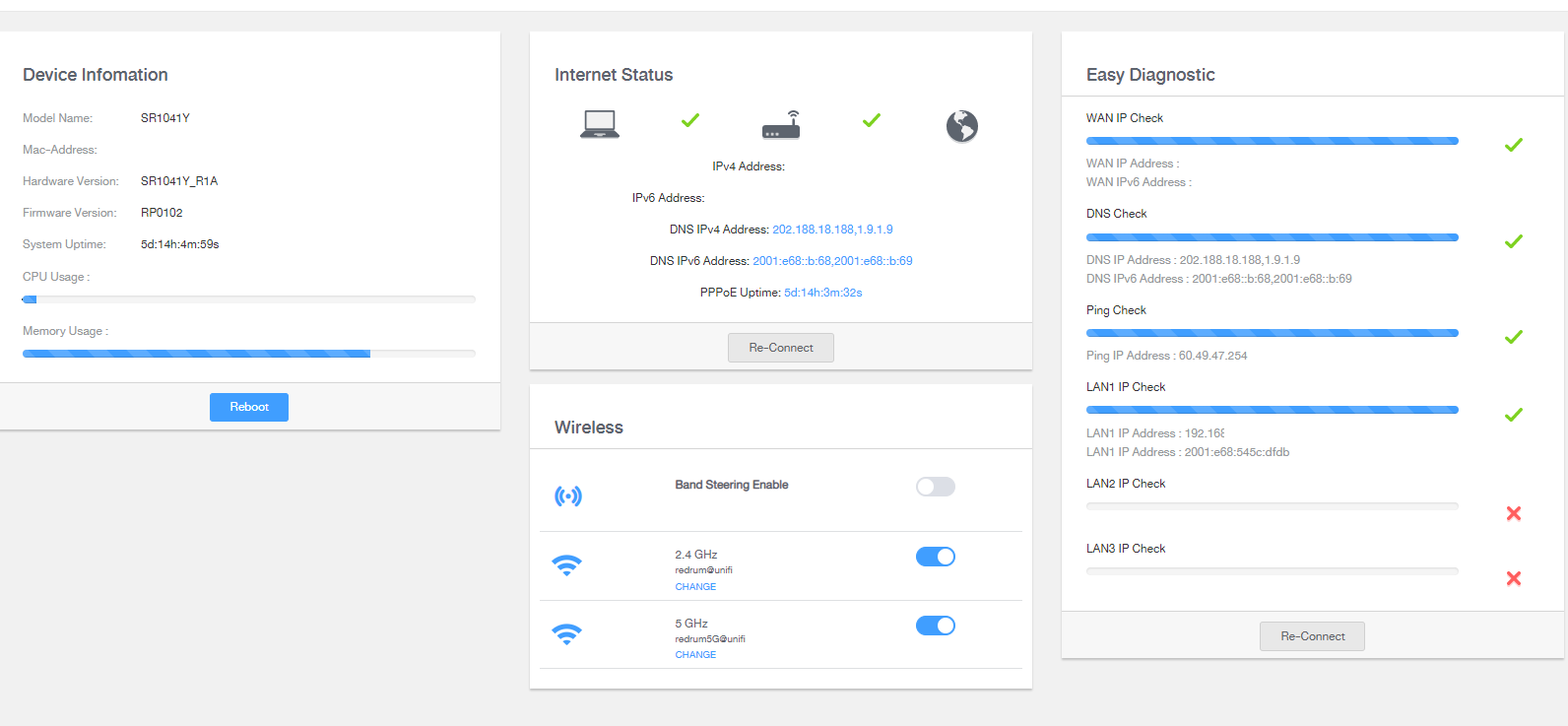
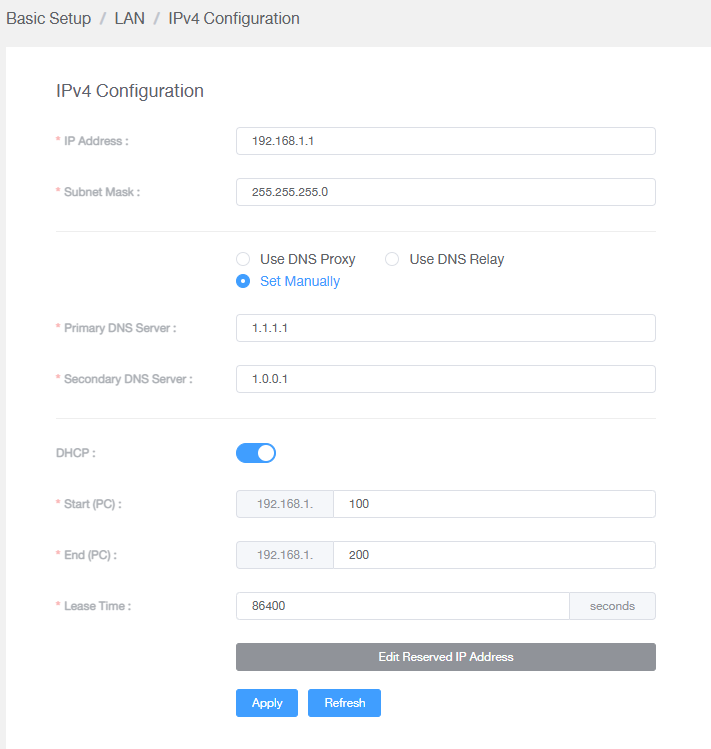
are these normal?

This post has been edited by mcchin: Apr 18 2022, 01:20 PM
MyProLife
post Apr 18 2022, 01:37 PM

I bully wumao & MPKL
*******
Senior Member
2,075 posts

Joined: Sep 2021
From: nowhere

QUOTE(mcchin @ Apr 18 2022, 01:20 PM)
user posted image
user posted image
user posted image
are these normal?
*
so you are using DHCP way. after that make sure you clear the DNS cache in your computer

https://www.ubisoft.com/en-gb/help/connecti...h-dns/000061010


then retry the ipleak. if successful setup should see 172.69.x.x in DNS section instead of 202.x.x.x

This post has been edited by MyProLife: Apr 18 2022, 01:45 PM
mcchin
post Apr 18 2022, 01:48 PM

SLAVA UKRAINI !
*******
Senior Member
3,902 posts

Joined: Jul 2005
From: Sin Lor, B'worth,Pg.
QUOTE(MyProLife @ Apr 18 2022, 01:37 PM)
so you are using DHCP way. after that make sure you clear the DNS cache in your computer

https://www.ubisoft.com/en-gb/help/connecti...h-dns/000061010
then retry the ipleak. if successful setup should see 172.69.x.x in DNS section instead of 202.x.x.x
*
So basically
currently I am set up the best I can now?

user posted image

this applies to the pc only right

phones and laptop not configured like this will still revert back to TM right?

This post has been edited by mcchin: Apr 18 2022, 01:49 PM
MyProLife
post Apr 18 2022, 01:53 PM

I bully wumao & MPKL
*******
Senior Member
2,075 posts

Joined: Sep 2021
From: nowhere

QUOTE(mcchin @ Apr 18 2022, 01:48 PM)
So basically
currently I am set up the best I can now?

user posted image

this applies to the pc only right

phones and laptop not configured like this will still revert back to TM right?
*
phones/laptops if able to get proper DHCP settings should also use the same DNS settings as on PC within the same network

otherwise (alternatively) the modern native os (android 9+ for example) should have the DoT or DoH setting. in settings > wifi network > more connection settings > private DNS (this is DoT setting for android 9+)
mcchin
post Apr 18 2022, 01:54 PM

SLAVA UKRAINI !
*******
Senior Member
3,902 posts

Joined: Jul 2005
From: Sin Lor, B'worth,Pg.
QUOTE(MyProLife @ Apr 18 2022, 01:53 PM)
phones/laptops if able to get proper DHCP settings should also use the same DNS settings as on PC within the same network

otherwise (alternatively) the modern native os (android 9+ for example) should have the DoT or DoH setting. in settings > wifi network > more connection settings > private DNS (this is DoT setting for android 9+)
*
Ok later will try,
now only Teamviewer back to home pc to test it out

thanks for the info notworthy.gif notworthy.gif thumbup.gif thumbsup.gif
Rakeoz
post Apr 18 2022, 02:45 PM

New Member
*
Newbie
3 posts

Joined: Apr 2013


Hi all sifu

I been using unifi for a long time recently my black router broke down but lasted very well not much issue after change white router internet unstable want go online Elden Ring also scared DC lost connection.

Any idea can help...

TQ
failed.hashcheck
post Apr 18 2022, 04:23 PM

Neighborhood plant pathologist
*******
Senior Member
2,096 posts

Joined: Aug 2009
From: Shithole Klang
QUOTE(Rakeoz @ Apr 18 2022, 02:45 PM)
Hi all sifu

I been using unifi for a long time recently my black router broke down but lasted very well not much issue after change white router internet unstable want go online Elden Ring also scared DC lost connection.

Any idea can help...

TQ
*
Cable/wifi?
Result of local ping?
SUSpetpenyubobo
post Apr 18 2022, 05:58 PM

Regular
******
Senior Member
1,030 posts

Joined: Jan 2022

QUOTE(mcchin @ Apr 18 2022, 10:01 AM)

With free VPN like tunnel bear to download an apk that only takes 2 sec
While without it, takes 13mins @ 1mbps or so?

Using fiberhome SR1041Y model with another for ??mesh??

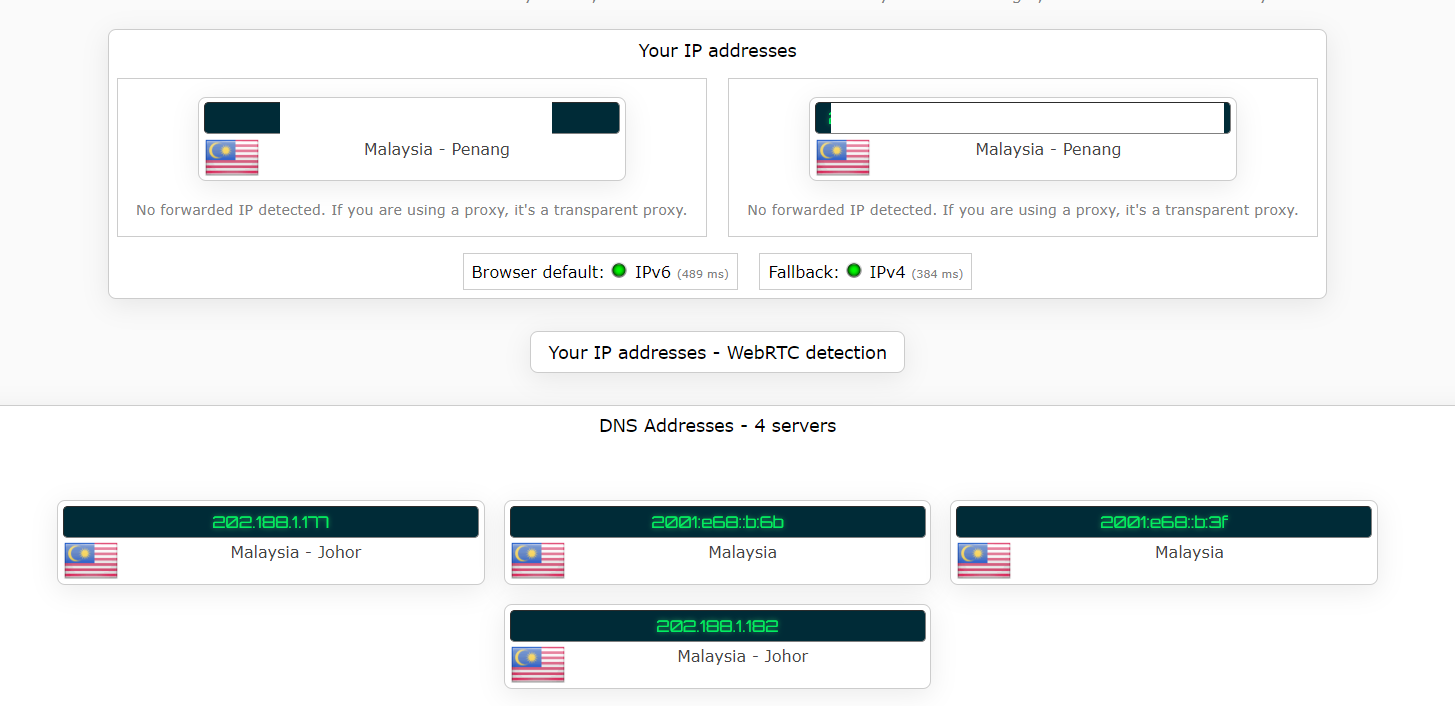
Changed DNS, the homescreen no show change, ipleak.net show my DNS still malaysian, I guess?
user posted image

Anyone can point me to the right direction?
*
Your VPN app better throw away or dun use. What you showed there is that your computer is leaking DNS queries out via IPv6 even though your VPN is protecting you through IPv4 route only.
Changing public DNS won't protect you if you want security. When you enable both IPv4/Ipv6 and your VPN has a lousy app implementation, it'll still leak your IPv6 out.

My better suggestion is if you're using VPN best you disable IPv6 on your device network adapter settings or just disable it in your router permanently.
mcchin
post Apr 18 2022, 07:11 PM

SLAVA UKRAINI !
*******
Senior Member
3,902 posts

Joined: Jul 2005
From: Sin Lor, B'worth,Pg.
QUOTE(petpenyubobo @ Apr 18 2022, 05:58 PM)
Your VPN app better throw away or dun use. What you showed there is that your computer is leaking DNS queries out via IPv6 even though your VPN is protecting you through IPv4 route only.
Changing public DNS won't protect you if you want security. When you enable both IPv4/Ipv6 and your VPN has a lousy app implementation, it'll still leak your IPv6 out.

My better suggestion is if you're using VPN best you disable IPv6 on your device network adapter settings or just disable it in your router permanently.
*
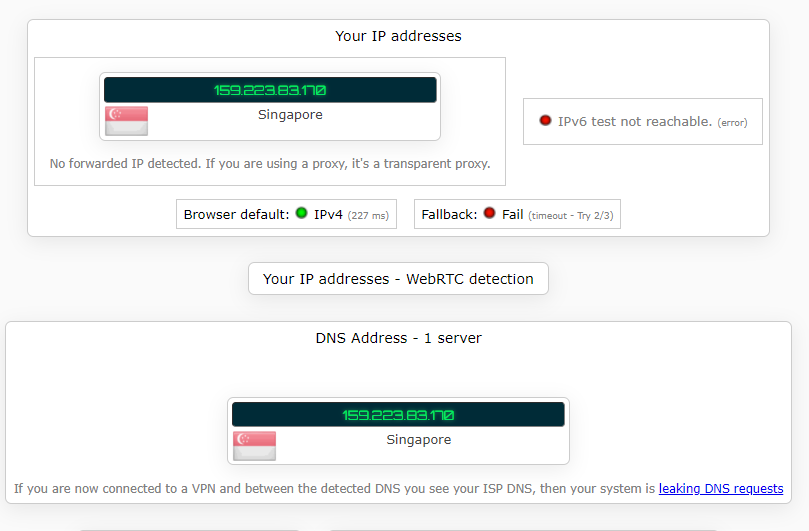
thats not with my vpn on
I am just saying with VPN 120mbps no problem for a simple file

also, I use vpn to watch geolocked youtube

so i have no problem with that, and nothing else

I even okay with opera own vpn

user posted image

here with tunnel bear singapore

user posted image
tng55
post Apr 19 2022, 01:14 AM

Regular
******
Senior Member
1,451 posts

Joined: Sep 2021


QUOTE(mcchin @ Apr 18 2022, 10:01 AM)
Hi

Got my 300mbps upgrade earlier of the month

My problem seems that for local speed no problem

But stuff like imgur, APK mirror
Unless using some VPN, the speed is shit

With free VPN like tunnel bear to download an apk that only takes 2 sec
While without it, takes 13mins @ 1mbps or so?

Using fiberhome SR1041Y model with another for ??mesh??

Changed DNS, the homescreen no show change, ipleak.net show my DNS still malaysian, I guess?

user posted image

Anyone can point me to the right direction?
*
QUOTE(mcchin @ Apr 18 2022, 12:42 PM)
I saw reply that fiberhome  DNS change in home page is bugged?

Oh cloudflare is Malaysia johor

Sad that speed 300mbps also need to buffer wait for load a gif....
*
because fiberhome SR1041Y shit
you change DNS also will show malaysia

i am using my own ASUS router i still use google DNS no more problem wont show dns malaysia

that why you use free router fiberhome get trouble

get you own router

GOPI56
post Apr 19 2022, 08:26 AM

Regular
******
Senior Member
1,495 posts

Joined: Dec 2012
Avoid using the fiberhome SR1041Y router, it sucks.

It is better to use your own router, I recommend Asus routers. They are stable. So far no issues using them.
HippyTony
post Apr 19 2022, 09:33 AM

Regular
******
Senior Member
1,056 posts

Joined: Oct 2016
From: HKG tsai
QUOTE(GOPI56 @ Apr 19 2022, 08:26 AM)
Avoid using the fiberhome SR1041Y router, it sucks.

It is better to use your own router, I recommend Asus routers. They are stable. So far no issues using them.
*
When I change to my own router do I have to change the DNS? I know nothing about internet things. I’m a senior citizen l reading up here to learn. I’m waiting for my Unifi to be installed. Would appreciate your advice? Thanks.

Or anyone else who can advise me what I should do? TQ

This post has been edited by HippyTony: Apr 19 2022, 09:35 AM
Iceman74
post Apr 19 2022, 09:57 AM

Regular
******
Senior Member
1,407 posts

Joined: May 2010


QUOTE(HippyTony @ Apr 19 2022, 09:33 AM)
When I change to my own router do I have to change the DNS? I know nothing about internet things. I’m a senior citizen l reading up here to learn. I’m waiting for my Unifi to be installed. Would appreciate your advice? Thanks.

Or anyone else who can advise me what I should do? TQ
*
If u really want to change the router, buy it and tell the installer to use your router after they setup the original router(use as backup router). Give them some coffee money if needed since you new to this. You just hope the installer are not rookie jer.

Or you can ask around your friends/family members who know about this setup to help you.
Request list down all the ID and password first when the installer come.

This post has been edited by Iceman74: Apr 19 2022, 09:58 AM
1mr3tard3d
post Apr 19 2022, 09:59 AM

Regular
******
Senior Member
1,144 posts

Joined: Oct 2018


QUOTE(HippyTony @ Apr 19 2022, 09:33 AM)
When I change to my own router do I have to change the DNS? I know nothing about internet things. I’m a senior citizen l reading up here to learn. I’m waiting for my Unifi to be installed. Would appreciate your advice? Thanks.

Or anyone else who can advise me what I should do? TQ
*
changing DNS is optional
but u need to know your PPPoE credentials (ID e.g. xxx@unifi etc and password)
or get your router ready and hopefully the technician will be kind to setup with your own router
arslow
post Apr 19 2022, 12:47 PM

Look at all my stars!!
*******
Senior Member
3,544 posts

Joined: Sep 2008


QUOTE(HippyTony @ Apr 19 2022, 09:33 AM)
When I change to my own router do I have to change the DNS? I know nothing about internet things. I’m a senior citizen l reading up here to learn. I’m waiting for my Unifi to be installed. Would appreciate your advice? Thanks.

Or anyone else who can advise me what I should do? TQ
*
If the installer is really hesitant to help, really all you need to prepare on hand is your username and password as another guy has posted. You can use the Asus router app to setup the new router easily. Just have to choose unifi home in the profile choosing page, insert the username password and you’re set.

Feel free to post here in case you still need help during the time of installation.
HippyTony
post Apr 19 2022, 12:52 PM

Regular
******
Senior Member
1,056 posts

Joined: Oct 2016
From: HKG tsai
QUOTE(Iceman74 @ Apr 19 2022, 09:57 AM)
If u really want to change the router, buy it and tell the installer to use your router after they setup the original router(use as backup router). Give them some coffee money if needed since you new to this. You just hope the installer are not rookie jer.

Or you can ask around your friends/family members who know about this setup to help you.
Request list down all the ID and password first when the installer come.
*
QUOTE(1mr3tard3d @ Apr 19 2022, 09:59 AM)
changing DNS is optional
but u need to know your PPPoE credentials (ID e.g. xxx@unifi etc and password)
or get your router ready and hopefully the technician will be kind to setup with your own router
*
QUOTE(arslow @ Apr 19 2022, 12:47 PM)
If the installer is really hesitant to help, really all you need to prepare on hand is your username and password as another guy has posted. You can use the Asus router app to setup the new router easily. Just have to choose unifi home in the profile choosing page, insert the username password and you’re set.

Feel free to post here in case you still need help during the time of installation.
*
Thanks everyone for your advice
shaktiv8
post Apr 19 2022, 03:33 PM

Casual
***
Junior Member
366 posts

Joined: Sep 2014


Anyones YouTube lagging and buffering halfway while Speedtest still normal speed ?

Cable gone again ?
failed.hashcheck
post Apr 19 2022, 03:38 PM

Neighborhood plant pathologist
*******
Senior Member
2,096 posts

Joined: Aug 2009
From: Shithole Klang
QUOTE(shaktiv8 @ Apr 19 2022, 03:33 PM)
Anyones YouTube lagging and buffering halfway while Speedtest still normal speed ?

Cable gone again ?
*
try forcing ipv4
shaktiv8
post Apr 19 2022, 03:40 PM

Casual
***
Junior Member
366 posts

Joined: Sep 2014


QUOTE(failed.hashcheck @ Apr 19 2022, 03:38 PM)
try forcing ipv4
*
Yes I did 🥲🥲. Disabled ipv6 yesterday because of lag on most websites.

453 Pages « < 21 22 23 24 25 > » Top
Topic ClosedOptions
 

Change to:
| Lo-Fi Version
0.0250sec    0.40    6 queries    GZIP Disabled
Time is now: 20th December 2025 - 01:03 PM