

QUOTE(michaelkkl @ Apr 24 2021, 10:28 AM)
Please enable IPv6 for your connections.
Sites such as Facebook and YouTube work better with IPv6 enabled.

Sure or not?Sites such as Facebook and YouTube work better with IPv6 enabled.
Official TM UniFi High Speed Broadband Thread V39, READ 1ST PAGE FOR RELEVANT WIFI INFO
|
|
 Apr 24 2021, 12:27 PM Apr 24 2021, 12:27 PM
|
 
All Stars
14,299 posts Joined: Jan 2011 
|
QUOTE(michaelkkl @ Apr 24 2021, 10:28 AM) Please enable IPv6 for your connections. Sure or not?Sites such as Facebook and YouTube work better with IPv6 enabled. |
|
|
|
|
|
Apr 24 2021, 12:40 PM
|

Senior Member
4,550 posts Joined: Jan 2003
|
Can also try restarting router for IP change
I once unable to visit unifi.com.my for days with one IP until I restarted |
|
|
Apr 24 2021, 03:09 PM
Show posts by this member only | IPv6 | Post
#2263
|
|
Junior Member
109 posts Joined: Apr 2020
|
QUOTE(westlife @ Apr 24 2021, 12:27 PM) Sure or not? Not sure about that but for my experience, IPv6 did make fb video better at least for me.Last time when I disabled my IPv6, I noticed that sometime fb video will spinning buffering during night time. After I enable IPv6 problem solved. I hope this help you. |
|
|
Apr 24 2021, 03:19 PM
Show posts by this member only | IPv6 | Post
#2264
|

Senior Member
1,878 posts Joined: Apr 2019
|
QUOTE(PRSXFENG @ Apr 24 2021, 11:41 AM) Does IPv6 really make that big of a diffrence? It's due to bad/mismanagement of TM's announcement of its IP blocks.I disabled it because I use Maxis because the older Archer c5v stock router you can't change IPv6 DNS which causes a DNS leak for Pi Hole They're more likely to solve their problems by changing public DNS until the Facebook video's address is resolved properly to one that is nearest to this region. Those affected by this problem please try changing your default DNS in your router/device to different 3rd party public DNS such as Google, Quad or Comodo Secure. Flush your DNS cache before retesting. Moogle Stiltzkin, MeowZ, and 1 other liked this post
|
|
|
Apr 24 2021, 03:29 PM
|
|
Junior Member
438 posts Joined: Apr 2007
|
I using D-link DIR-842, and noticed there's no option to use WPA2 only for wireless, it only has option for WPA/WPA2, is there a way to disable WPA to make wireless more secured?
|
|
|
Apr 24 2021, 03:31 PM
|
|
Junior Member
438 posts Joined: Apr 2007
|
[duplicated]
This post has been edited by klangboy83: Apr 24 2021, 03:31 PM |
|
|
|
|
|
Apr 24 2021, 08:52 PM
|

All Stars
14,909 posts Joined: Jul 2005 
|
I miss the days when I can still get 100MB/s (That's megabyte, not megabit) download speed in Steam
Nowadays, no matter what IP range I use, I never get 100MB/s anymore, highest is 70MB/s Ubisoft, Origin, Blizzard, Epic can still get up to 100MB/s, just Steam  |
|
|
Apr 24 2021, 08:56 PM
|
|
Senior Member
1,882 posts Joined: Sep 2017
|
QUOTE(sHawTY @ Apr 24 2021, 08:52 PM) I miss the days when I can still get 100MB/s (That's megabyte, not megabit) download speed in Steam Steam download always use compressed files,so the speed is will be slower as the system will be extract and download at the same time.Nowadays, no matter what IP range I use, I never get 100MB/s anymore, highest is 70MB/s Ubisoft, Origin, Blizzard, Epic can still get up to 100MB/s, just Steam The problem should not be on TM end. I think choose SG or MY steam region also not help on speed. John42 liked this post
|
|
|
Apr 24 2021, 09:22 PM
|
|
All Stars
14,909 posts Joined: Jul 2005
|
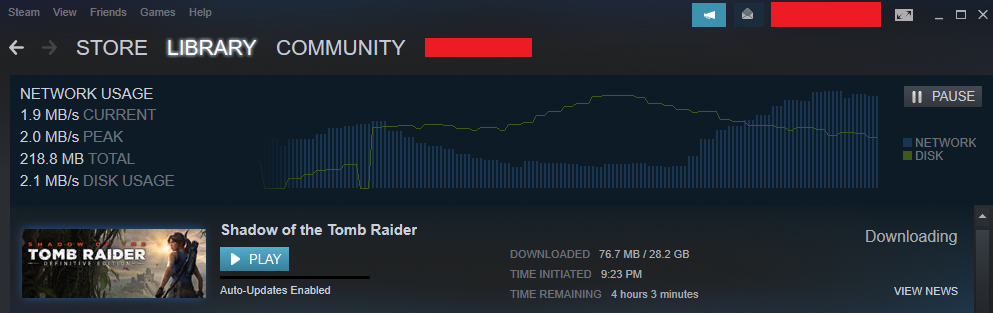
QUOTE(go626201 @ Apr 24 2021, 08:56 PM) Steam download always use compressed files,so the speed is will be slower as the system will be extract and download at the same time. I think you missed some part of my previous postThe problem should not be on TM end. I think choose SG or MY steam region also not help on speed. I used to get 100MB/s when I got my UniFi upgraded to turbo 800Mb/s It's only recently, ever since the first MCO where I can never get above 70MB/s in Steam Tested SotTR*, I remember exactly in December 2019, I was able get 100MB/s *Shadow of the Tomb Raider This post has been edited by sHawTY: Apr 24 2021, 09:23 PM |
|
|
Apr 24 2021, 09:27 PM
|
|
All Stars
14,909 posts Joined: Jul 2005
|
This is what I'm getting on a certain IP range. I mean TM seriously WTF?
 |
|
|
Apr 25 2021, 12:31 AM
|
|
Senior Member
1,882 posts Joined: Sep 2017
|
QUOTE(sHawTY @ Apr 24 2021, 09:22 PM) I think you missed some part of my previous post The only thing i can say is steam having the local malaysia or singapore cache server,and nowadays steam game normally not easily download with full speed,from what i choose (For Honor)I used to get 100MB/s when I got my UniFi upgraded to turbo 800Mb/s It's only recently, ever since the first MCO where I can never get above 70MB/s in Steam Tested SotTR*, I remember exactly in December 2019, I was able get 100MB/s *Shadow of the Tomb Raider As u can see the ssd mx500 is fully utilized when downloading steam game. (Steam download game now really download compressed files to extract) 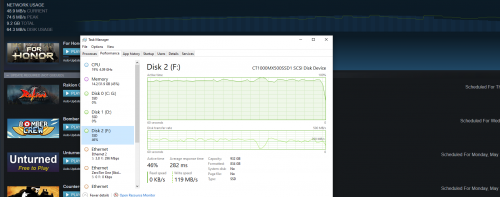 Edit: Just change a game and choose another nvme ssd 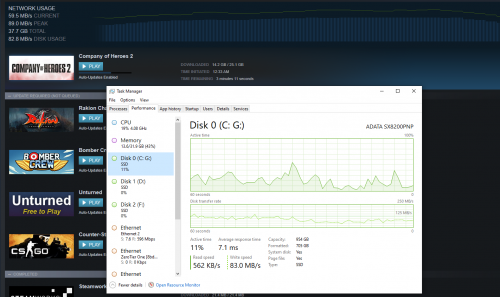 This post has been edited by go626201: Apr 25 2021, 12:38 AM |
|
|
Apr 25 2021, 01:57 AM
|

Junior Member
612 posts Joined: Mar 2008 
|
QUOTE(QuantumEdge @ Apr 23 2021, 07:57 PM) 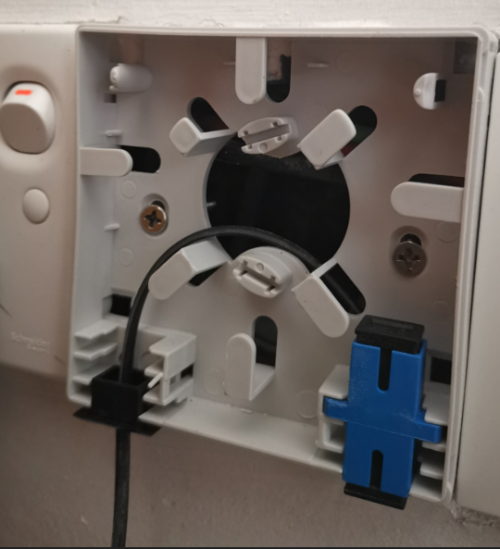 Just make sure they don't install it like this lol  Looks like fiber wall socket has become a hot issue here. I am thinking to get my own FWS, but again reading all the comments, without the proper installation what more with the school leaver workers then I think it will not work as the reading will more likely to be high. |
|
|
Apr 25 2021, 10:49 AM
|
|
All Stars
14,909 posts Joined: Jul 2005
|
QUOTE(go626201 @ Apr 25 2021, 12:31 AM) The only thing i can say is steam having the local malaysia or singapore cache server Somehow this morning I manage to get full speed  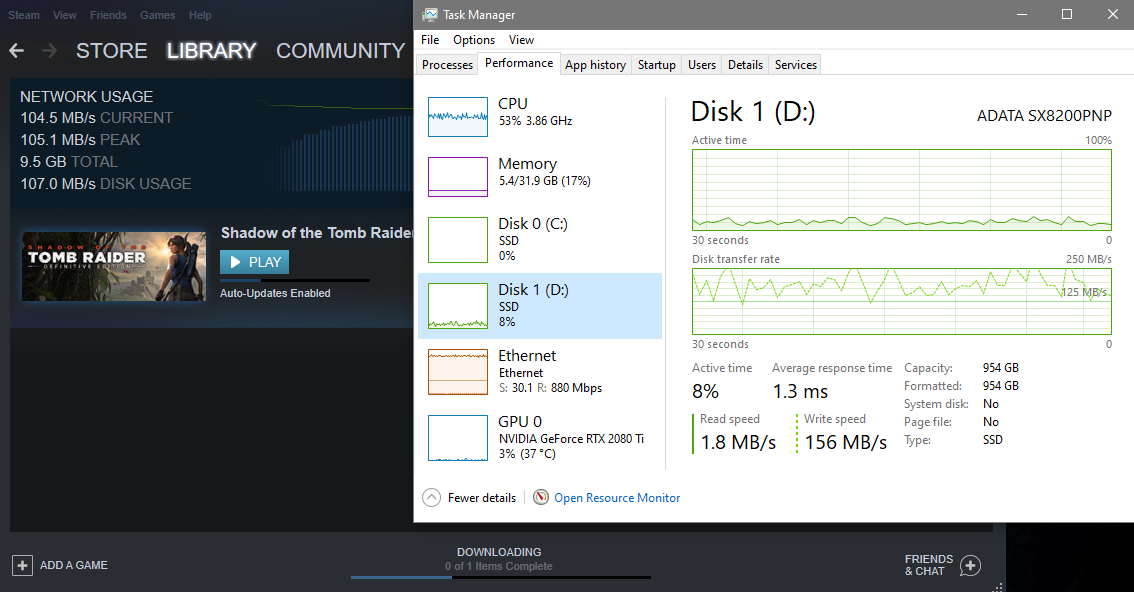 |
|
|
|
|
|
Apr 25 2021, 12:08 PM
Show posts by this member only | IPv6 | Post
#2274
|

All Stars
12,047 posts Joined: Oct 2017
|
QUOTE(sHawTY @ Apr 25 2021, 10:49 AM) Somehow this morning I manage to get full speed 100MB write, if download steam on HDD with such high speed, 100% usage |
|
|
Apr 25 2021, 03:23 PM
|

All Stars
11,458 posts Joined: Oct 2007 From: KL
|
QUOTE(sHawTY @ Apr 25 2021, 10:49 AM) Somehow this morning I manage to get full speed Wow, that's fast. Best I can manage at 2:30pm. Installing to my external SSD. Same model as yours, SX8200 Pro but 2TB. 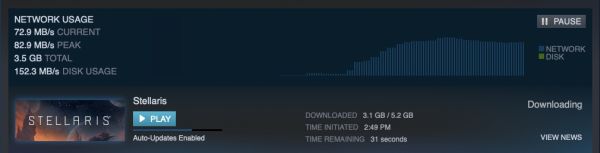 |
|
|
Apr 25 2021, 03:29 PM
|
|
All Stars
14,909 posts Joined: Jul 2005
|
QUOTE(soonwai @ Apr 25 2021, 03:23 PM) Wow, that's fast. Best I can manage at 2:30pm. Installing to my external SSD. Same model as yours, SX8200 Pro but 2TB. That was only in this morning, now dah turun balik, not as bad as last night though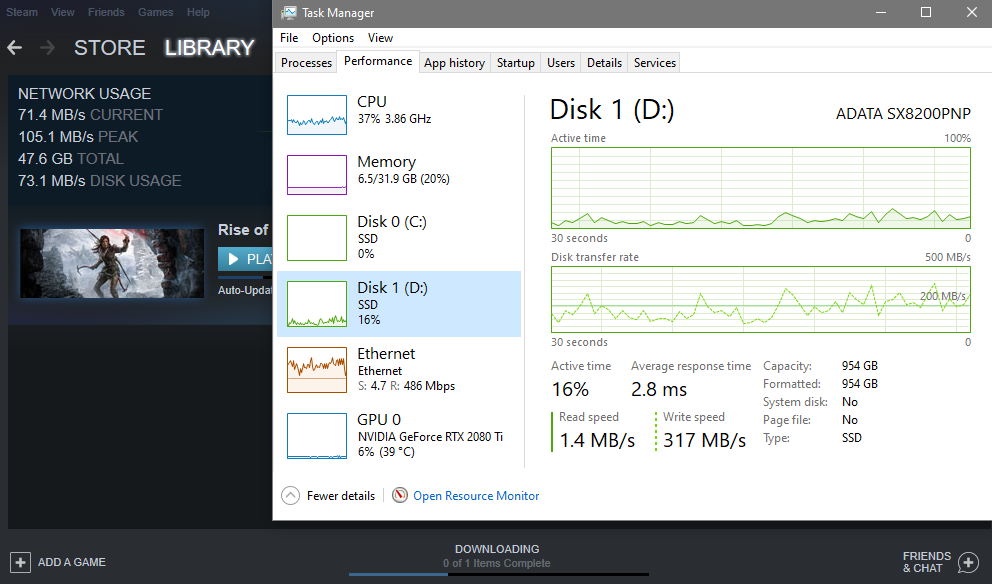 |
|
|
Apr 25 2021, 05:01 PM
|
|
Senior Member
1,882 posts Joined: Sep 2017
|
QUOTE(soonwai @ Apr 25 2021, 03:23 PM) Wow, that's fast. Best I can manage at 2:30pm. Installing to my external SSD. Same model as yours, SX8200 Pro but 2TB. QUOTE(sHawTY @ Apr 25 2021, 03:29 PM) That was only in this morning, now dah turun balik, not as bad as last night though So for the end,if the speed is fast than 50mb/s i think is acceptable,better than slower speed..  Normally we dont download big size game everyday,so a few hours for game download okay lah... For TM, dont disconnect frequently or high packet loss then cant say anything else. |
|
|
Apr 25 2021, 11:35 PM
|
|
Senior Member
1,471 posts Joined: Apr 2019
|
QUOTE(go626201 @ Apr 25 2021, 05:01 PM) So for the end,if the speed is fast than 50mb/s i think is acceptable,better than slower speed.. one of the reason i change maxis to unifi, maxis always download cache not latest files ... Normally we dont download big size game everyday,so a few hours for game download okay lah... For TM, dont disconnect frequently or high packet loss then cant say anything else. |
|
|
Apr 26 2021, 10:11 AM
Show posts by this member only | IPv6 | Post
#2279
|
|
Junior Member
511 posts Joined: May 2009
|
Hi want to ask you all. Not really following the promos and upgrades nowadays but I'd seen the 800mbps plus unifi plus box plus mesh wifi for RM349..it seem interesting..is it worth it? I'm currently on 500mbps plan about RM189 permonth.
|
|
|
Apr 26 2021, 10:16 AM
|
|
All Stars
14,909 posts Joined: Jul 2005
|
QUOTE(kazekage_09 @ Apr 26 2021, 10:11 AM) is it worth it? If the 500Mb/s speed is still enough for your usage, then noUpgrading to 800Mb/s isn't going to make much difference. And you will be tied to another 24 months contract As for the MESH router, you're better off buying your own If you can afford to pay RM349 every month, you can definitely afford to pay for a router that's miles better than anything TM can supply This post has been edited by sHawTY: Apr 26 2021, 10:17 AM |
|
Topic ClosedOptions
|
| Change to: |  0.0203sec 0.0203sec
 0.54 0.54
 6 queries 6 queries
 GZIP Disabled GZIP Disabled
Time is now: 15th December 2025 - 04:51 AM |
 Quote
Quote