My D-Link DIR-850L can reach 500 Mbps. I still keep it as spare router.
Official TM UniFi High Speed Broadband Thread V39, READ 1ST PAGE FOR RELEVANT WIFI INFO
Official TM UniFi High Speed Broadband Thread V39, READ 1ST PAGE FOR RELEVANT WIFI INFO
|
|
 Mar 23 2021, 03:43 PM Mar 23 2021, 03:43 PM
|
 
Junior Member
864 posts Joined: May 2005 
|
My D-Link DIR-850L can reach 500 Mbps. I still keep it as spare router.
|
|
|
|
|
|
Mar 23 2021, 04:54 PM
Show posts by this member only | IPv6 | Post
#1782
|

Senior Member
4,454 posts Joined: Apr 2006
|
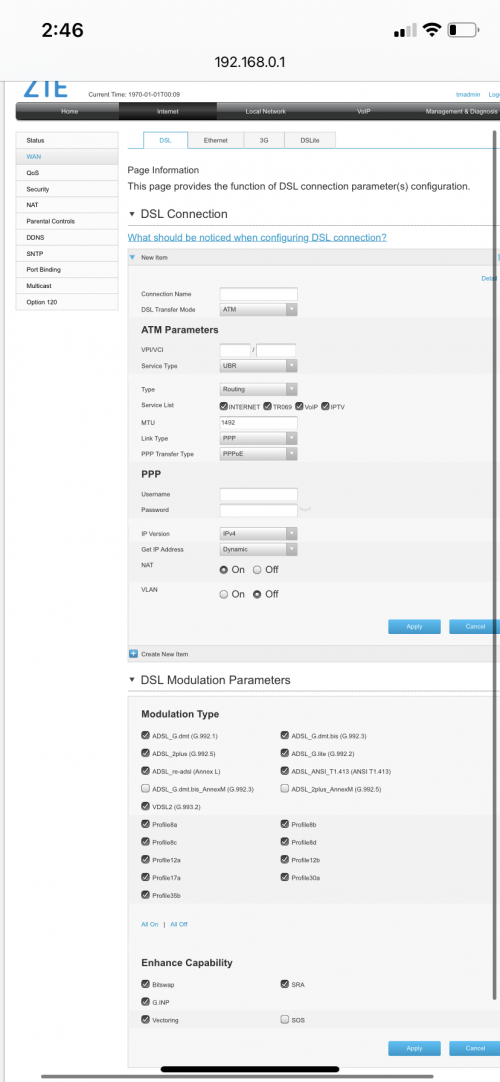
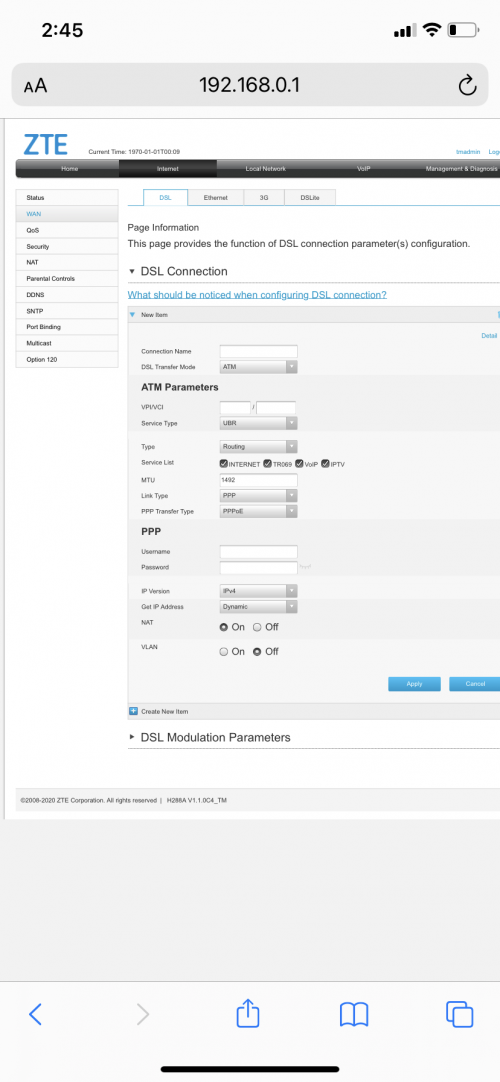
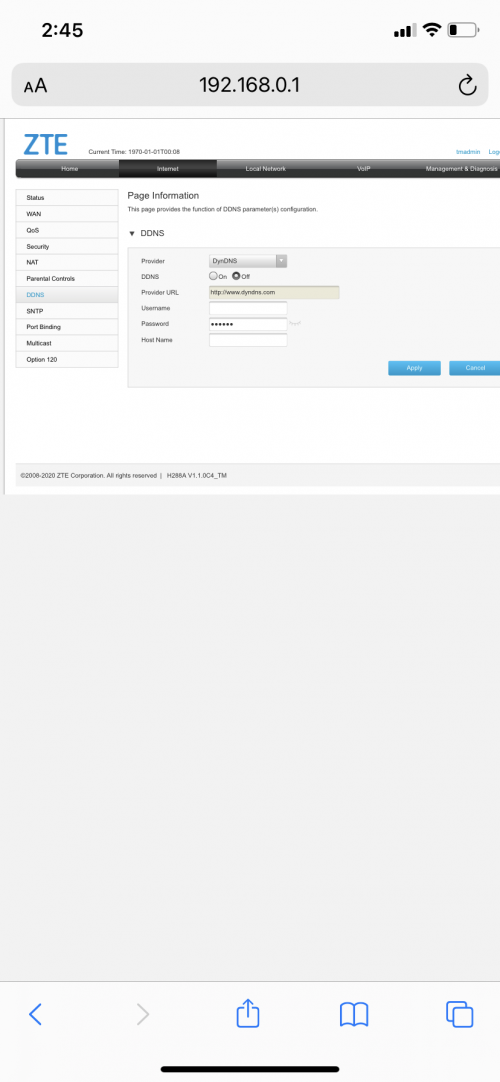
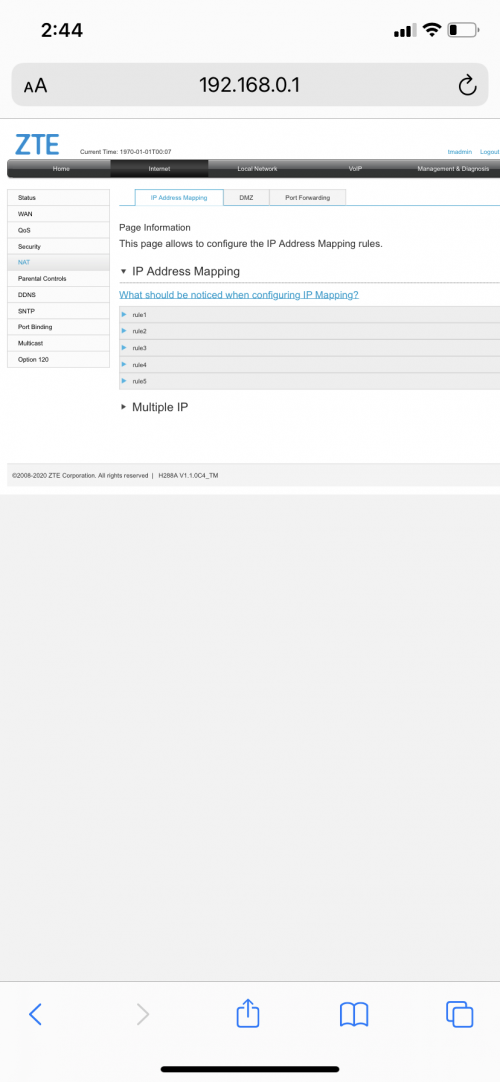
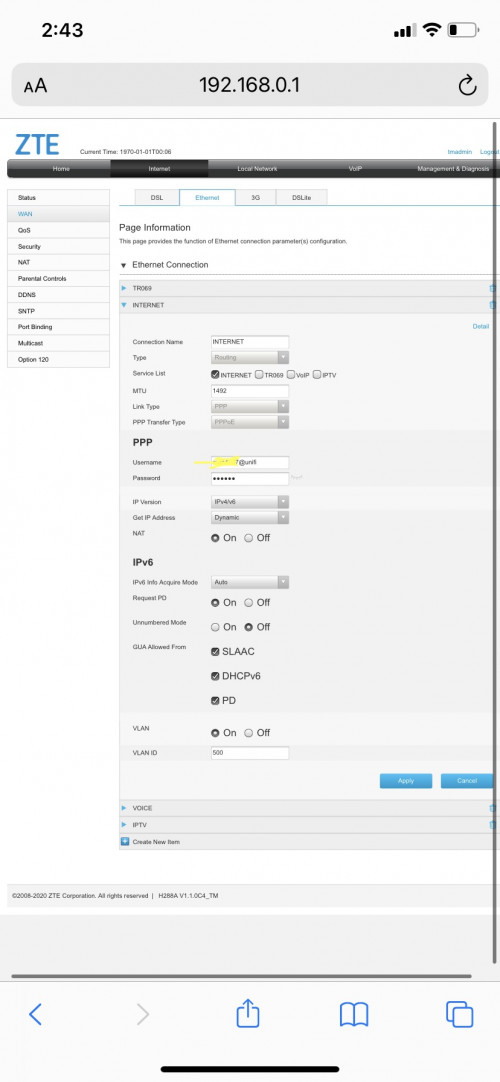
QUOTE(aniq8676 @ Mar 22 2021, 10:17 PM) I think you can access the tmadmin section instead of the tmuser Thanks, that worked for my unitEdited: the way to access tmadmin is the same as tmuser id: tmadmin pass: Adm@****  Not sure which option i need to change for repeater mode (if available) » Click to show Spoiler - click again to hide... « |
|
|
Mar 23 2021, 05:20 PM
|

Junior Member
391 posts Joined: Apr 2008 From: Kuala Lumpur 
|
Hey guys,
I have 30 mbps highrise unifi now. Contract finished. I want to get 100 mbps. Should i apply a new account (to get 30 days free promo), or should i upgrade? I see the current promo ends on 31 March, perhaps next month will have a better promo? Thanks in advance This post has been edited by win44: Mar 23 2021, 05:21 PM |
|
|
Mar 23 2021, 05:21 PM
|

Senior Member
4,480 posts Joined: Jan 2003 From: The capital of Soviet Sarawak - Pusak City 
|
QUOTE(ranger79 @ Mar 23 2021, 08:03 AM) 1) What router are you using? archer c7 on account 12) Is IPV6 enabled? archer c1200 on account 2 both ipv6 enabled This post has been edited by kopitiam: Mar 23 2021, 05:21 PM Attached thumbnail(s) 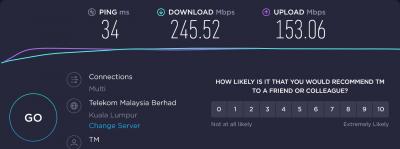
|
|
|
Mar 23 2021, 05:30 PM
|
|
Junior Member
180 posts Joined: Mar 2015
|
how to get 800mbps? any setting ?
only manged to get 700max using asus ax3000 router and cat 6 cable. mostly 650 like that. This post has been edited by aa123aa: Mar 23 2021, 05:31 PM |
|
|
Mar 23 2021, 05:38 PM
Show posts by this member only | IPv6 | Post
#1786
|
|
Senior Member
1,524 posts Joined: Dec 2020 From: Perak
|
QUOTE(win44 @ Mar 23 2021, 05:20 PM) Hey guys, can we know, what kind of technology is used in your premises? Fiber or VDSL?I have 30 mbps highrise unifi now. Contract finished. I want to get 100 mbps. Should i apply a new account (to get 30 days free promo), or should i upgrade? I see the current promo ends on 31 March, perhaps next month will have a better promo? Thanks in advance to subscribe to 100mbps and above, the High-rise must have fiber optics |
|
|
|
|
|
Mar 23 2021, 06:31 PM
|
|
Senior Member
4,480 posts Joined: Jan 2003 From: The capital of Soviet Sarawak - Pusak City
|
QUOTE(aa123aa @ Mar 23 2021, 05:30 PM) how to get 800mbps? any setting ? i wish i can get 700mbps, both of my 800mbps can only get 3xx max only manged to get 700max using asus ax3000 router and cat 6 cable. mostly 650 like that.  |
|
|
Mar 23 2021, 09:19 PM
|

All Stars
14,908 posts Joined: Jul 2005 
|
QUOTE(kopitiam @ Mar 23 2021, 05:21 PM) archer c7 That's why. Crappy routersarcher c1200 Also what is the specs of the computer that you use to do the speedtest? Computers with very slow processor & very slow storage such as HDD won't get you full 800Mb/s This is my speed on ASUS GT-AC5300 on CAT 7 cable  Below is my speed on Wi-Fi. 15 meter away & behind 2 walls  |
|
|
Mar 23 2021, 09:38 PM
Show posts by this member only | IPv6 | Post
#1789
|
|
Senior Member
4,454 posts Joined: Apr 2006
|
QUOTE(sHawTY @ Mar 23 2021, 09:19 PM) That's why. Crappy routers That’s impressive indeedAlso what is the specs of the computer that you use to do the speedtest? Computers with very slow processor & very slow storage such as HDD won't get you full 800Mb/s This is my speed on ASUS GT-AC5300 on CAT 7 cable Below is my speed on Wi-Fi. 15 meter away & behind 2 walls How much did you get for that one? Saw different listed prices in shopee (500 - 1k) |
|
|
Mar 23 2021, 09:59 PM
|

All Stars
11,456 posts Joined: Oct 2007 From: KL
|
QUOTE(aa123aa @ Mar 23 2021, 05:30 PM) how to get 800mbps? any setting ? Check your router settings. Make sure you don't have anything turned on that's disabling NAT Acceleration aka CTF aka Fasttrack, etc... only manged to get 700max using asus ax3000 router and cat 6 cable. mostly 650 like that. This is what I get when I have Fasttrack turned off. My router is a Mikrotik hAP AC2. Tested from a Mac mini M1. Cables are Cat5e.  vs with Fasttrack turned on.  and wifi to my 7-yr old AirPort  This post has been edited by soonwai: Mar 23 2021, 10:26 PM |
|
|
Mar 23 2021, 10:01 PM
Show posts by this member only | IPv6 | Post
#1791
|
|
Senior Member
4,454 posts Joined: Apr 2006
|
QUOTE(MelancholicAnubis @ Mar 23 2021, 01:25 PM) Sounds like you are using infamous trashcan router (aka DIR-850L), it ran into same limit while I was testing WAN to LAN side on it before (but it was in AP mode, I haven't test on actual Unifi yet) Was using DIR-850L that bad ke? Mostly consistent here otherwise, also not using stock router. Linksys EA8100. I mean should be sufficient for 100-300mbps if using for repeater |
|
|
Mar 23 2021, 10:02 PM
|
|
All Stars
14,908 posts Joined: Jul 2005
|
QUOTE(alucard89 @ Mar 23 2021, 09:38 PM) How much did you get for that one? Saw different listed prices in shopee (500 - 1k) Don't buy the GT-AC5300, it's an older modelBuy the RT-AX86U instead. Or if you're low on budget, get the RT-AX56U I've tested the RT-AX56U myself & it can still get full 800Mb/s on CAT7 cable and 600Mb/s on Wi-Fi |
|
|
Mar 23 2021, 10:30 PM
Show posts by this member only | IPv6 | Post
#1793
|

Senior Member
2,215 posts Joined: Jan 2003 From: Ipoh/Penang/PJ/Melaka
|
QUOTE(sHawTY @ Mar 19 2021, 11:55 AM) 1. Connect a laptop or desktop directly to the router using an Ethernet cable to make sure you are definitely getting 300Mb/s. If yes, then proceed with the next 2 steps Hi There, 2. When using above 50Mb/s, always use 5GHz, never 2.4GHz 3. Set your 5GHz bandwidth to 80MHz. Not 20, not 40, not auto, not 20/40/80. Not sure if the DIR-842 allows you to set it to 80MHz only or not. If not, then time to dump it and get a better router such as the ASUS RT-AX56U This is where you can find it, don't ask me how to access your router configuration, I don't have time to spoon-feed you with every detail. Google it yourself 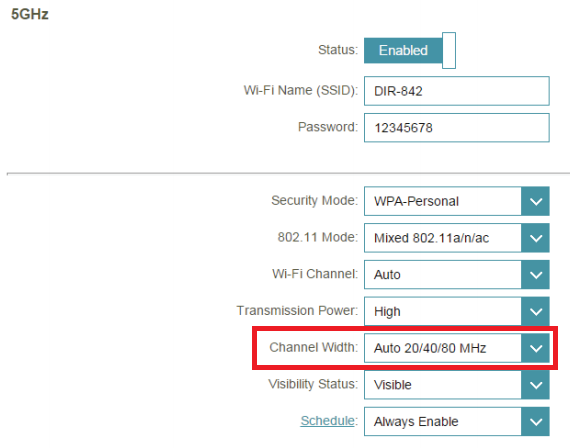 Does your DIR 842 overheating? |
|
|
|
|
|
Mar 23 2021, 10:33 PM
|
|
All Stars
14,908 posts Joined: Jul 2005
|
QUOTE(Brotherjoe @ Mar 23 2021, 10:30 PM) Does your DIR 842 overheating? I'm not using D-Link DIR-842. That's a crappy routerI'm using ASUS GT-AC5300 I got that screenshot from the DIR-842 manual This post has been edited by sHawTY: Mar 23 2021, 10:35 PM |
|
|
Mar 23 2021, 11:02 PM
|
|
Senior Member
828 posts Joined: Nov 2010
|
Hi, does Ax20 good budget router for unifi 300mb?
|
|
|
Mar 23 2021, 11:26 PM
Show posts by this member only | IPv6 | Post
#1796
|
|
Senior Member
1,524 posts Joined: Dec 2020 From: Perak
|
QUOTE(Exeunt @ Mar 23 2021, 11:02 PM) Hi, does Ax20 good budget router for unifi 300mb? yes, it also supports Onemesh |
|
|
Mar 25 2021, 01:35 AM
Show posts by this member only | IPv6 | Post
#1797
|

Junior Member
35 posts Joined: Mar 2017 From: Somewhere :3
|
QUOTE(alucard89 @ Mar 23 2021, 10:01 PM) Was using DIR-850L that bad ke? I just saw it's not great reputation on here (complain dropouts, bad wifi range) and people nicknaming it trashcan cause it looked like one. Very curious to see how bad it actually was, so I went out and got it, not just one, but two! Also wanted to test bridging between both for future project.I mean should be sufficient for 100-300mbps if using for repeater I can't speak on the routing ability of it as I haven't hooked it up to my Unifi yet, but I have been testing it's WiFi capabilities out and it's soso only. It's ideal for apartment but not ideal in house with thick walls, speed drops off compared to C1200 (in same position) which can still deliver decent speed. Might be due to internal vs external antenna, maybe better chipset. Repeater function is fine, but run into AC1200 5Ghz limit. For the WAN to LAN test in AP mode, might be due to limitation or configuration issue I ran into that limit I mentioned earlier but I noticed if I test LAN to LAN, around usual gigabit speed, so that's good to know. Might test it on Unifi if I can. All in all, it's fun router to tinker with for project, and still plenty fast for near range AP, or gigabit switch. Just need to readjust expectations |
|
|
Mar 25 2021, 10:11 AM
|
|
Senior Member
4,454 posts Joined: Apr 2006
|
QUOTE(sHawTY @ Mar 23 2021, 10:02 PM) Don't buy the GT-AC5300, it's an older model Thanks for the recommendation, will consider that one once upgrade to higher speedBuy the RT-AX86U instead. Or if you're low on budget, get the RT-AX56U I've tested the RT-AX56U myself & it can still get full 800Mb/s on CAT7 cable and 600Mb/s on Wi-Fi |
|
|
Mar 25 2021, 10:19 AM
|
|
Senior Member
4,454 posts Joined: Apr 2006
|
QUOTE(MelancholicAnubis @ Mar 25 2021, 01:35 AM) I just saw it's not great reputation on here (complain dropouts, bad wifi range) and people nicknaming it trashcan cause it looked like one. Very curious to see how bad it actually was, so I went out and got it, not just one, but two! Also wanted to test bridging between both for future project. Thanks for the detailed reviewI can't speak on the routing ability of it as I haven't hooked it up to my Unifi yet, but I have been testing it's WiFi capabilities out and it's soso only. It's ideal for apartment but not ideal in house with thick walls, speed drops off compared to C1200 (in same position) which can still deliver decent speed. Might be due to internal vs external antenna, maybe better chipset. Repeater function is fine, but run into AC1200 5Ghz limit. For the WAN to LAN test in AP mode, might be due to limitation or configuration issue I ran into that limit I mentioned earlier but I noticed if I test LAN to LAN, around usual gigabit speed, so that's good to know. Might test it on Unifi if I can. All in all, it's fun router to tinker with for project, and still plenty fast for near range AP, or gigabit switch. Just need to readjust expectations Just need to extend the 5ghz some more to other rooms Still on 100mbps now, trying to get that 300mbps promo with mesh if can Btw, how to know if I’m on public ip to use portforward? |
|
|
Mar 25 2021, 10:43 AM
Show posts by this member only | IPv6 | Post
#1800
|
|
Senior Member
1,524 posts Joined: Dec 2020 From: Perak
|
QUOTE(alucard89 @ Mar 25 2021, 10:19 AM) Thanks for the detailed review u can try 'what is my ip'Just need to extend the 5ghz some more to other rooms Still on 100mbps now, trying to get that 300mbps promo with mesh if can Btw, how to know if I’m on public ip to use portforward? |
|
Topic ClosedOptions
|
| Change to: |  0.0258sec 0.0258sec
 0.43 0.43
 6 queries 6 queries
 GZIP Disabled GZIP Disabled
Time is now: 4th December 2025 - 06:29 PM |
 Quote
Quote