Welcome Guest ( Log In | Register )

249 Pages « < 225 226 227 228 229 > » Bottom

Outline · [ Standard ] · Linear+

 TP-LINK Malaysia Official Thread, Technical Enquiries and Support

views
     
Oltromen Ripot
post Nov 9 2023, 08:41 AM

👍 999999 person Likes this member
*******
Senior Member
4,034 posts

Joined: Dec 2019
QUOTE(sitescope @ Nov 9 2023, 08:07 AM)
Oh coz i dont subs iptv
Thought leave it blank
Will retry
*
it's not because you didn't sub tv.

the general internet is coming from BTU/ONT/ONU with VLAN500 header. so your router must be capable to handle vlan tagging. and for most router, that handling is preset by manufacturer to be enabled through enabling "Unifi"-related vlan profile.
sitescope
post Nov 9 2023, 02:57 PM

Look at all my stars!!
*******
Senior Member
4,500 posts

Joined: Oct 2013
Demmm i've been cheated by tplink
Thought parental ctrl is free but need to pay
Item 1-3 my old router also got that features
Anyone wanna buy ax55 for rm200
Wrty till mac2026

user posted image

This post has been edited by sitescope: Nov 9 2023, 02:58 PM
Lanchio
post Nov 9 2023, 04:21 PM

Casual
***
Junior Member
487 posts

Joined: Sep 2006
QUOTE(sitescope @ Nov 9 2023, 02:57 PM)
Demmm i've been cheated by tplink
Thought parental ctrl is free but need to pay
Item 1-3 my old router also got that features
Anyone wanna buy ax55 for rm200
Wrty till mac2026

user posted image
*
Not sure if below is related to your issue.

Deco parental control website block not working

Seems tp-link aware about it & they have raised a ticket to solve it

https://community.tp-link.com/en/home/forum...tm_medium=email

sitescope
post Nov 11 2023, 11:32 AM

Look at all my stars!!
*******
Senior Member
4,500 posts

Joined: Oct 2013
QUOTE(Lanchio @ Nov 9 2023, 04:21 PM)
Not sure if below is related to your issue.

Deco parental control website block not working

Seems tp-link aware about it & they have raised a ticket to solve it

https://community.tp-link.com/en/home/forum...tm_medium=email
*
I think not related coz i need that offtime features based on client MAC addr for multiple offtime for kids to read book n do their hwork
For now need do it manually by pressing 'block n allow' button
khreve
post Nov 17 2023, 06:07 PM

Getting Started
**
Junior Member
130 posts

Joined: Apr 2019
user posted image

Just bought a Tp-Link AX53. Home TNB-ALLO fibre.

Already called 1800 2288 87 TP-Link support confirmed TP-Link router are incompatible with TNB-ALLO. Support said can use it as second router(AP).

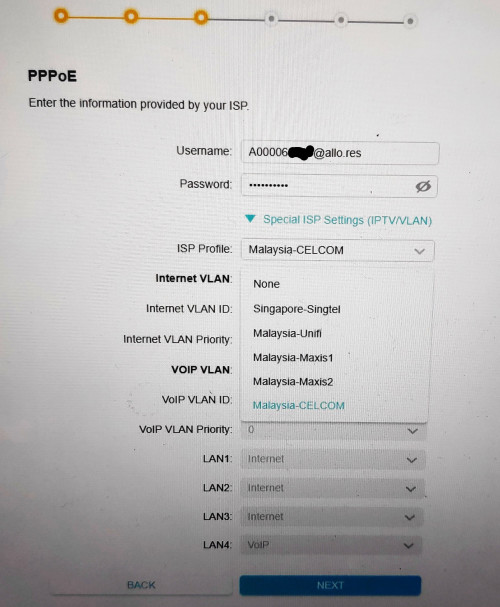
I tried all related ISP config inside router(none, malaysia-unifi, malaysia-maxis1, malaysia-maxis2 and malaysia-celcom) but still doesn't work.
Oltromen Ripot
post Nov 17 2023, 06:20 PM

👍 999999 person Likes this member
*******
Senior Member
4,034 posts

Joined: Dec 2019
QUOTE(khreve @ Nov 17 2023, 06:07 PM)


I tried all related ISP config inside router(none, malaysia-unifi, malaysia-maxis1, malaysia-maxis2 and malaysia-celcom) but still doesn't work.
*
get a VLAN-capable managed switch.

ONT <-- vlan-tagged --> switch <-- vlan-untagged --> PPPoE router

at least still can use your router.
blacktubi
post Nov 17 2023, 06:21 PM

-
Group Icon
Elite
8,421 posts

Joined: Jul 2008

QUOTE(khreve @ Nov 17 2023, 06:07 PM)
user posted image

Just bought a Tp-Link AX53. Home TNB-ALLO fibre.

Already called 1800 2288 87 TP-Link support confirmed TP-Link router are incompatible with TNB-ALLO. Support said can use it as second router(AP).

I tried all related ISP config inside router(none, malaysia-unifi, malaysia-maxis1, malaysia-maxis2 and malaysia-celcom) but still doesn't work.
*
What's the VLAN ID for TNB Allo?

IINM they are using IPoE which means PPPOE not even needed.
khreve
post Nov 17 2023, 07:02 PM

Getting Started
**
Junior Member
130 posts

Joined: Apr 2019
inside this Tp-Link AX53 settings, Connection type:
Static IP
Dynamic IP
PPPoe <------ Allo(1300-38-8000) tech support said use this
L2TP
PPTP

Allo tech support also said bcoz inside this TP-Link router doesn't have listed Malaysia-Allo in as ISP profiles, i need to contact Tp-Link for assistance, so i did.

Tp-Link support(1800 2288 87) told me their router doesn't support TNB-Allo currrently. But still can use as 2nd router(AP mode).
ONU ---> Allo Router ---> Tp-Link Router ---> LAN/WIFI
PRSXFENG
post Nov 18 2023, 08:19 AM

Look at all my stars!!
*******
Senior Member
2,613 posts

Joined: Nov 2020


QUOTE(khreve @ Nov 17 2023, 07:02 PM)
inside this Tp-Link AX53 settings, Connection type:
Static IP
Dynamic IP
PPPoe      <------ Allo(1300-38-8000) tech support said use this
L2TP
PPTP

Allo tech support also said bcoz inside this TP-Link router doesn't have listed Malaysia-Allo in as ISP profiles, i need to contact Tp-Link for assistance, so i did.

Tp-Link support(1800 2288 87) told me their router doesn't support TNB-Allo currrently. But still can use as 2nd router(AP mode).
ONU ---> Allo Router ---> Tp-Link Router ---> LAN/WIFI
*
Allo should be using Dynamic IP but it seems like things may have changed over time

Digging through the Allo Thread I found some possible solutions

1. ONU - TPLINK AX53, Dynamic IP
2. PPPoE, Singapore-Singtel profile

This post has been edited by PRSXFENG: Nov 18 2023, 08:22 AM
Anime4000
post Nov 18 2023, 03:45 PM

Look at all my stars!!
*******
Senior Member
2,400 posts

Joined: Jul 2009
From: /dev/null


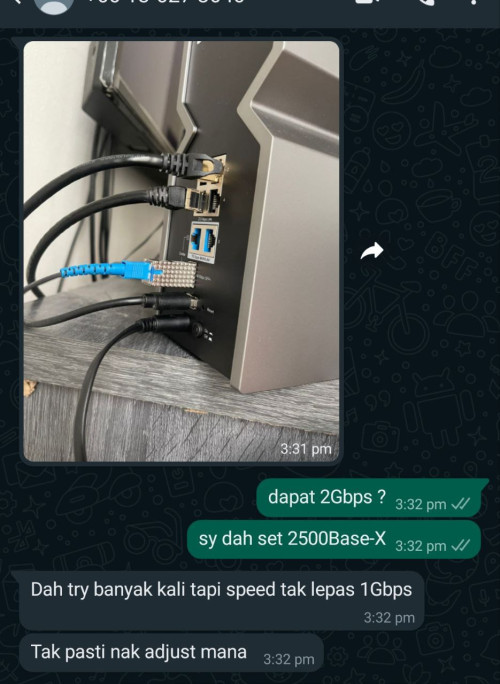
someone have tried attach my GPON ONU SFP to TP-Link Archer BE800

user posted image

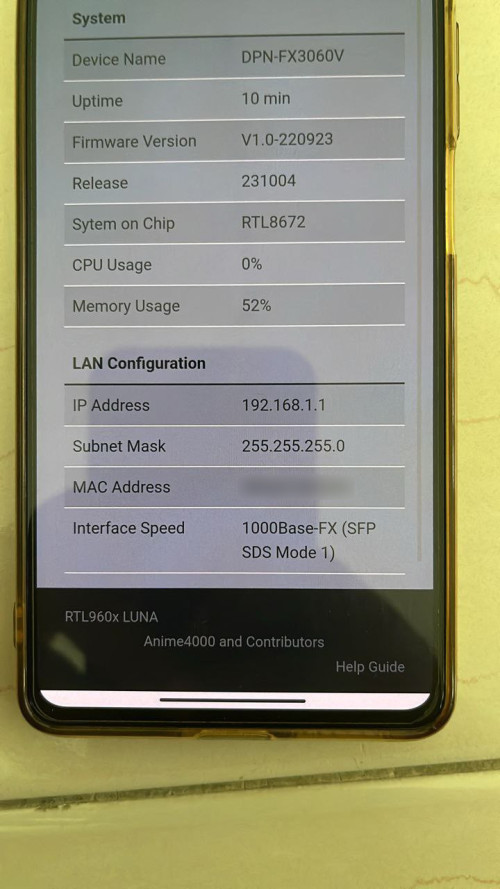
apparently it didn't worked at 2500Base-X, even HiSGMII mode

user posted image

the SFP failed to link with BE800 at 2500Base-X and HiSGMII, to prevent brick stick, fall back to 1000Base-X

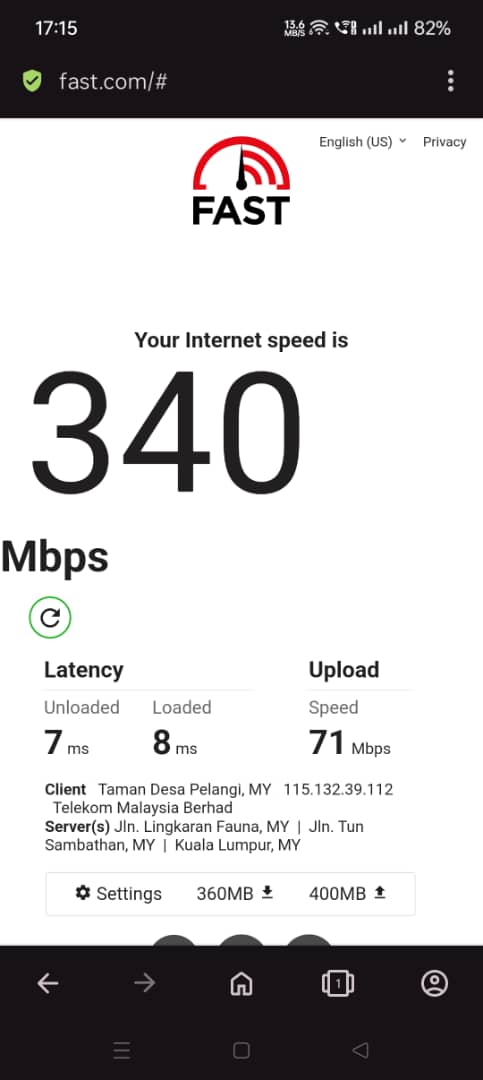
Now trying to force 2500Base-X temporary, waiting his answer
melz84
post Nov 20 2023, 05:22 PM

Regular
******
Senior Member
1,603 posts

Joined: Jun 2005
From: Seremban-Wangsa Maju


I have a TL-WPA8631P KIT that comes with a TL-PA8010P. Currently, the PA8010P stopped working but TL-WPA8631P is working fine as I've tested it with another spare unit of PA8010P. The faulty unit got no lights on the indicator. No burnt smell. Passthru socket works fine.

If i want to send for warranty, do i just send in the PA8010P or must send in both the items (TL-PA8010P & TL-WPA8631P) in the KIT ?


titan_wing
post Nov 23 2023, 01:16 PM

New Member
*
Junior Member
9 posts

Joined: Feb 2010
QUOTE(melz84 @ Nov 20 2023, 05:22 PM)
I have a TL-WPA8631P KIT that comes with a TL-PA8010P. Currently, the PA8010P stopped working but TL-WPA8631P is working fine as I've tested it with another spare unit of PA8010P. The faulty unit got no lights on the indicator. No burnt smell. Passthru socket works fine.

If i want to send for warranty, do i just send in the PA8010P or must send in both the items (TL-PA8010P & TL-WPA8631P) in the KIT ?
*
I have the same issue as you. I went to their service center in Plaza Berjaya KL last week to claim warranty for the powerline homeplug. They need both items without any physical damage. But, the staff told me that the TL-WPA8631P KIT is out of stock. I have to wait for stock or the staff given me the option to replace with Deco M4 Mesh wifi (3-pack).

This post has been edited by titan_wing: Nov 23 2023, 01:26 PM
SwarmTroll
post Nov 23 2023, 06:25 PM

Regular
******
Senior Member
1,402 posts

Joined: Apr 2012
Does anyone know what I can possibly do to resolve an issue where my phone loses connection with my router and even if it reconnects, it will say 'device connected but no access to network'. It happens time to time, and will then reconnect sucessfully again later on.

I have done things like set security to 'WPA2-PSK', and also use device MAC rather than setting it as random. Firmwares are also at latest.

Router: TP-Link AX73
Phone: Poco F3

Could DHCP Lan settings be a cause for it? The only thing I changed is set lease time to 2880 minutes, others are left at default.

Edit: Turned off WiFi Scan Throttling in Android developer options didn't really help either. Sad, most probably related to the phone/software somehow, can't find an answer.

This post has been edited by SwarmTroll: Nov 26 2023, 07:57 PM
Lazygenes
post Nov 23 2023, 11:34 PM

Getting Started
**
Junior Member
104 posts

Joined: Sep 2009
Hi,

Is the service center information on Page 1 still correct ie they are open on weekends 10 am - 7 pm? My router will not turn on I would like to go to have it checked/RMA.

Thanks
Alpha_Tay
post Dec 7 2023, 09:34 AM

Beware The Spammer Star!
******
Senior Member
1,725 posts

Joined: Jan 2003
seem like this firmware update improve the ax20 router uptime to 2 months and still ongoing.

QUOTE(Alpha_Tay @ Sep 7 2023, 03:03 AM)
Online Update

Update firmware over the internet.
Firmware Version:
1.3.5 Build 20211231 rel.63820(5553)

Hardware Version:
Archer AX20 v1.20

Latest Firmware Version:
1.3.6 Build 20230830 rel.15380
What's New

This update is recommended for all users and provides important security updates

Modifications and Bug Fixes

1. Enhance device security;

2. Improve the stability of the equipment.
Firmware Version:
1.3.6 Build 20230830 rel.15380(5553)

Hardware Version:
Archer AX20 v1.20

CHECK FOR UPDATES

Firmware is up to date.

only available from Router Internal Online Update and Tether Apps at the moment.

firmware now available to download at US site but not yet available at Malaysia Site.

https://www.tp-link.com/us/support/download...v1.20/#Firmware

https://www.tp-link.com/my/support/download...v1.20/#Firmware

AX20(US)_V1 and AX20(EU&JP)_V1 use the same firmware update file while AX20(EU&JP)_V1 and AX20(EU)_V2 , AX20(US)_V1 and AX20(US)_V1.2 use different firmware update file.

https://www.tp-link.com/us/support/download...20/v1/#Firmware

https://www.tp-link.com/en/support/download...20/v1/#Firmware
*
Omochao
post Dec 15 2023, 04:32 PM

Enthusiast
*****
Junior Member
835 posts

Joined: Nov 2007
From: Land of Forgotten
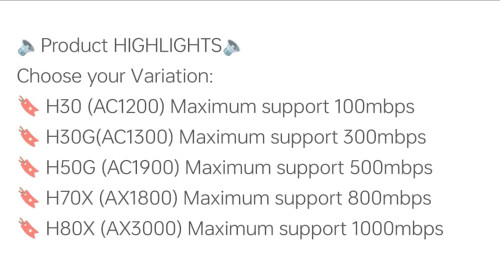
Thought I got a good deal during 12.12 sales, but ended up with a misleading device by Mercusys (TP-link), now I fully understand why there aren't many reviews in the market about Mercusys mesh system!

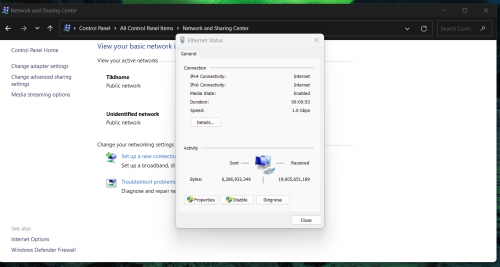
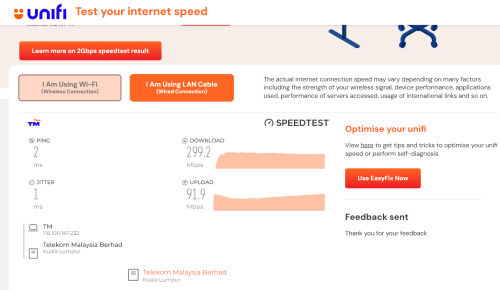
Bought a 2-pack Halo H70x mesh to try out, when set up with just only main node first, and immediately do speed test, can't even reach 400mbps on my current 500Mbps package.

This is tested on solely 5GHZ wifi 6 and also even on LAN CAT 5 E ethernet cables.

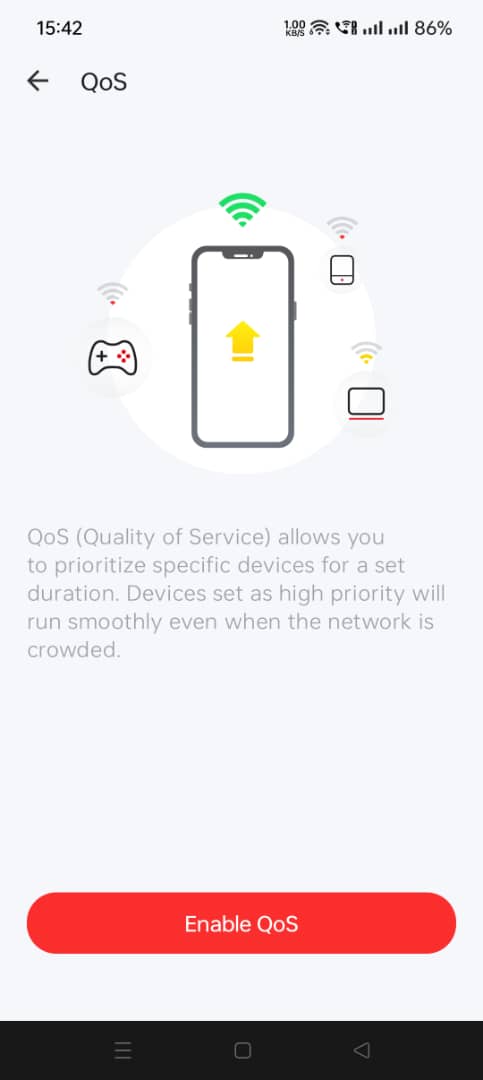
Turned on QOS and set bandwidth limit to 1000 Mbps also no use, or even 500 for that matter. Running on latest firmware!

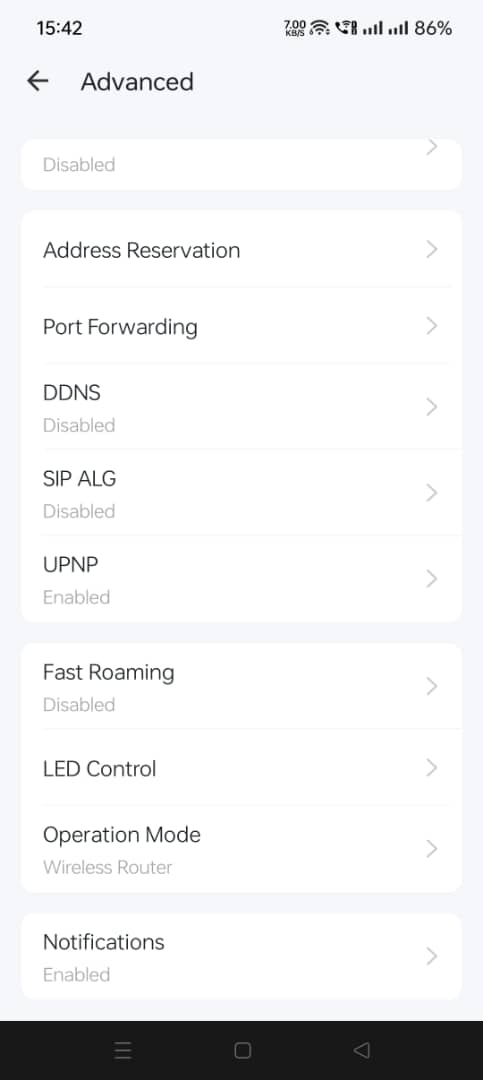
Turned off UPNP, SLIG and use even cloudflare dns, nothing helps at all, will never be able to reach more than 400 Mbps.

anyone got any idea on configuring this devices?

There is no mode for me to change except turning on/off 2.4Ghz/5Ghz and not even setting MHZ options!
» Click to show Spoiler - click again to hide... «


I read online about TP-Link Deco X20, main node 5ghz can even reach more than 800mbps, same ax rating, 1800. but yet this Halo H70X by sub of TP-LINK can't even hit that achievable speed, what a joke, they should be avoided like misleading advertising.

Funnily, even a shopee seller state that H70x is able to reach up to 800mbps, if the wireless can't even reach near , I doubt what a 800Mbps wireless 5GHz Wifi6 speed would yield
user posted image

This post has been edited by Omochao: Dec 15 2023, 04:38 PM

MixBlood
post Jan 1 2024, 06:29 AM

Getting Started
**
Junior Member
156 posts

Joined: Aug 2016

Hi, I've subscribed Maxis 300Mbps at my parent house and got TP-Link EX510 as router. I plan to buy Archer AX53 to make mesh through the EasyMesh. Can I use EX510 as node or it need to be main?
virtualgay
post Jan 6 2024, 02:16 AM

Look at all my stars!!
*******
Senior Member
3,290 posts

Joined: Apr 2008


Current setup I am using Deco M5 as a router and the main node then connect it to 1 more M5 and also connect it to 2 more deco E4

Can I buy AX53 to become my router make E4 and M5 as a node only?
Can my Deco M5 not connect to the AX53 via cable but still be able to be part of the mesh network? I am thinking like buy 1 more M5 or buy AX53 that is why asking this question

If yes how many SSID it will show? I hope it just have 1 SSID and not like 3 or 4 SSID.

I am a noob to networking and wifi, sorry if the question sounded stupid or does not even make sense

PRSXFENG
post Jan 6 2024, 08:44 AM

Look at all my stars!!
*******
Senior Member
2,613 posts

Joined: Nov 2020


QUOTE(virtualgay @ Jan 6 2024, 02:16 AM)
Current setup I am using Deco M5 as a router and the main node then connect it to 1 more M5 and also connect it to 2 more deco E4

Can I buy AX53 to become my router make E4 and M5 as a node only?
Can my Deco M5 not connect to the AX53 via cable but still be able to be part of the mesh network? I am thinking like buy 1 more M5 or buy AX53 that is why asking this question

If yes how many SSID it will show? I hope it just have 1 SSID and not like 3 or 4 SSID.

I am a noob to networking and wifi, sorry if the question sounded stupid or does not even make sense
*
TP-Link OneMesh is not compatible with Deco Mesh

You have to get Deco models
virtualgay
post Jan 6 2024, 09:54 AM

Look at all my stars!!
*******
Senior Member
3,290 posts

Joined: Apr 2008


QUOTE(PRSXFENG @ Jan 6 2024, 08:44 AM)
TP-Link OneMesh is not compatible with Deco Mesh

You have to get Deco models
*
Deco mesh meaning not those router with many lan ports but those similar to E4 and M5 I am using. So I will get x10 but I scare not compatible as my E4 and M5 no wifi 6 and this x10 is wifi 6.

249 Pages « < 225 226 227 228 229 > » Top
 

Change to:
| Lo-Fi Version
0.1692sec    0.95    6 queries    GZIP Disabled
Time is now: 18th December 2025 - 09:41 PM