Welcome Guest ( Log In | Register )

Outline · [ Standard ] · Linear+

 ILLEGEAR Z5 & Z7 Discussion Thread V3, Now with Nvidia GeForce GTX 1060 6GB GDD

views
     
TShuislaw
post Nov 28 2016, 08:56 PM, updated 5y ago

Regular
******
Senior Member
1,344 posts

Joined: Jan 2013


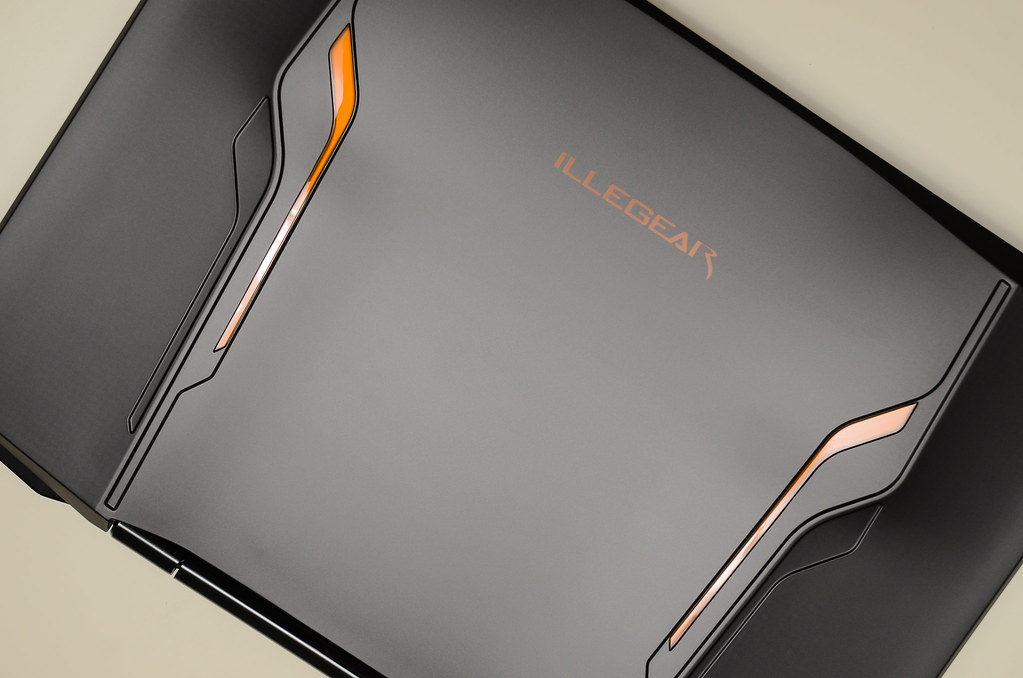
ILLEGEAR flagship Z series is now armed with the next generation NVIDIA GeForce GTX 1060 GPU that handles almost all the latest games at the highest settings with ease. A few new features are also added to the all new Z series such as USB Type-C and VR( Virtual Reality). All this power packed into a light anodized aluminum chassis.

user posted image

New changes:

1. Z5 has a new palm rest design with full aluminium material, and matte (non reflective) screen bezel. Z7 design remains the same.
2. Nvidia GeForce GTX 1060 6GB GDDR5.
3. Adapter is now 230W, the weight doesn't increase much compared to 180W.
4. 2x USB Type C + 2x USB 3.1 Gen 1.
5. VR Ready
6. M.2 PCIe slot

===========================================================================

ILLEGEAR‬ OFFICIAL PRODUCT PAGE
Facebook | Instagram | Twitter | YouTube


Previous discussion:
ILLEGEAR Z5 Discussion Thread V1
ILLEGEAR Z5 Discussion Thread V2


Drivers and BIOS:

Skylake - Intel® Core™ i7-6700HQ (6MB Smart Cache, 2.60GHz)
» Click to show Spoiler - click again to hide... «


Haswell - Intel® Core™ i7-4720HQ (6MB L3 Cache, 2.60GHz)
» Click to show Spoiler - click again to hide... «


Illegear Users After Sales Feedback
» Click to show Spoiler - click again to hide... «


Top Secret Keys
» Click to show Spoiler - click again to hide... «


Reviews & News
» Click to show Spoiler - click again to hide... «


Unboxing Video by Arvin Ghostrider (Z5 V1)
» Click to show Spoiler - click again to hide... «


BENCHMARK BY cstkl1 *970m* z5
» Click to show Spoiler - click again to hide... «


Z5 pictures V3
» Click to show Spoiler - click again to hide... «


Z5 pictures V2 & V1 (credits to huislaw)
» Click to show Spoiler - click again to hide... «


Inside ILLEGEAR Z5
» Click to show Spoiler - click again to hide... «

This post has been edited by huislaw: Nov 28 2016, 09:17 PM
TShuislaw
post Nov 28 2016, 08:56 PM

Regular
******
Senior Member
1,344 posts

Joined: Jan 2013


OWNERS LIST OF THE ILLEGEAR Z5:

ILLEGEAR Z5 V1 (GTX 860M)
1. Arvinaaaaa
2. mingxun112
3. miong93
4. MgrSagaaboyz
5. redoxon
6. rexshadow
7. V-Zero
8. Xarive
9. buttwait
10. ezu_din
11. KoChun
12. WEvolutioN
13. milky 2 units
14. martin5516
15. Monya Meow Meow
16. frostyiv
17. yminglit
18. mdeeen
19. ramon7153
20. calvin_kenni
21. ARCDisrupter
22. derravile
23. christ14
24. ApostLes`


ILLEGEAR Z5 V2 (GTX 960M / GTX 970M)
1. angel-girl
2. randytsx
3. fr3eze
4. bananalow
5. soong96
6. fazlizakaria
7. zhiyuanchan
8. killerl
9. ahzhen988
10. kennykong85
11. jackrolenzo
12. cstkl1
13. SiriusStar
14. marcus1gamma
15. asn_11
16. huislaw
17. xVentrusx
18. Eyuna3
19. raaj1818
20. Yihua
21. BlizzardCraft
22. menghao
23. pahton
24. yhlim93
25. YangWeiLim85

ILLEGEAR Z5 V3 (All New Aluminium)
1. zonan4
2. ImGames
3. EXkurogane
4. yusukezz
5. willaw
6. jason_tee
7. luqman95
8. hokc77
9. haziqk10
10. mohdabdhalim
11. mindspring
12. simplifynet
13. moodswingfella
14. badzvino
15. ssl
16. Joera
17. mik33mo - 970M 6GB
18. latworx
19. Andrewtst
20. Enzen
21. joel_ting92
22. Genexil
23. nik_cool
24. iFake322
25. dorayaki95
26. Ogata
27. junkang89
28. LittleBeeZai
29. Wilson Teo
30. celdric
31. aBcD-|
32. amintj
33. hifzil
34. syaoranlove
35. kmc3388
36. Ck5583
37. kyxxx
38. MadKnight
39. StenCL
40. bigboyscave
41. ghodul
42. abgbeca
43. pandah
44. lengzai9999
45. kirk spec
46. guitarsenpai
47. LalaluSan

ILLEGEAR Z7 - 17.3"
1. Faris Azri Aswandi
2. MrLawKH

OWNERS LIST OF THE ILLEGEAR S5:
1. whit3feather
2. palatun
3. jotaro12
4. rakesh.hpr

This post has been edited by huislaw: Nov 28 2016, 08:57 PM
TShuislaw
post Nov 28 2016, 08:56 PM

Regular
******
Senior Member
1,344 posts

Joined: Jan 2013


Reserved
chientern
post Nov 29 2016, 11:17 PM

New Member
*
Newbie
7 posts

Joined: Oct 2015
I have a slight problem, I suddenly noticed when I right click on my desktop for the contextual menu, it takes a lot longer than usual to load. Normally it'll just pop out after a second but now it takes around 3-5 seconds to show up.
My laptop is running SSD and I have checked for all the updates and also NVIDIA driver updates too.
Any ideas of what might be causing it? icon_question.gif

This post has been edited by chientern: Nov 29 2016, 11:18 PM
TShuislaw
post Nov 30 2016, 12:01 AM

Regular
******
Senior Member
1,344 posts

Joined: Jan 2013


QUOTE(chientern @ Nov 29 2016, 11:17 PM)
I have a slight problem, I suddenly noticed when I right click on my desktop for the contextual menu, it takes a lot longer than usual to load. Normally it'll just pop out after a second but now it takes around 3-5 seconds to show up.
My laptop is running SSD and I have checked for all the updates and also NVIDIA driver updates too.
Any ideas of what might be causing it?  icon_question.gif
*
Check task manager for ram and hdd usage. I notice mine ll hv this issue when hdd 100% suddenly.

wonglokat
post Nov 30 2016, 10:18 AM

Getting Started
**
Junior Member
247 posts

Joined: Dec 2008
Not sure what version of windows but try this

http://medicine.arizona.edu/helpdesk-artic...cache-windows-7

If you're right clicking on a file then a loaded contextual menu would slow things down but you're referring just to the desktop. But coming from someone running running XP then perhaps I'm just outdated. I used TweakUI to remove unused document templates from Right-click > New > ...
chientern
post Nov 30 2016, 02:27 PM

New Member
*
Newbie
7 posts

Joined: Oct 2015
QUOTE(huislaw @ Nov 30 2016, 12:01 AM)
Check task manager for ram and hdd usage. I notice mine ll hv this issue when hdd 100% suddenly.
*
My ram and hdd usage are not high though. so I don't think that's the problem...
chientern
post Nov 30 2016, 02:28 PM

New Member
*
Newbie
7 posts

Joined: Oct 2015
QUOTE(wonglokat @ Nov 30 2016, 10:18 AM)
Not sure what version of windows but try this

http://medicine.arizona.edu/helpdesk-artic...cache-windows-7

If you're right clicking on a file then a loaded contextual menu would slow things down but you're referring just to the desktop. But coming from someone running running XP then perhaps I'm just outdated. I used TweakUI to remove unused document templates from Right-click > New > ...
*
Im currently using Windows 10 Pro. Unfortunately, it's still the same after trying your method. thanks for trying though biggrin.gif
Prince J
post Nov 30 2016, 03:40 PM

Regular
******
Senior Member
1,272 posts

Joined: May 2010
From: Team ILLEGEAR


QUOTE(chientern @ Nov 29 2016, 11:17 PM)
I have a slight problem, I suddenly noticed when I right click on my desktop for the contextual menu, it takes a lot longer than usual to load. Normally it'll just pop out after a second but now it takes around 3-5 seconds to show up.
My laptop is running SSD and I have checked for all the updates and also NVIDIA driver updates too.
Any ideas of what might be causing it?  icon_question.gif
*
Try to boot into safe mode or do a clean uninstallation. If issue still persists, that means it's hardware component problem. If the issue is gone, that means it's your software/3rd party software/app/driver problem.
chientern
post Nov 30 2016, 11:15 PM

New Member
*
Newbie
7 posts

Joined: Oct 2015
QUOTE(Prince J @ Nov 30 2016, 03:40 PM)
Try to boot into safe mode or do a clean uninstallation. If issue still persists, that means it's hardware component problem. If the issue is gone, that means it's your software/3rd party software/app/driver problem.
*
I've tried do reinstall NVIDIA drivers but did not work. When boot in "safe mode", everything is fine but what do I do there? Once I restarted back to normal windows, the contextual menu still loads very long.
Prince J
post Dec 1 2016, 10:52 AM

Regular
******
Senior Member
1,272 posts

Joined: May 2010
From: Team ILLEGEAR


QUOTE(chientern @ Nov 30 2016, 11:15 PM)
I've tried do reinstall NVIDIA drivers but did not work. When boot in "safe mode", everything is fine but what do I do there? Once I restarted back to normal windows, the contextual menu still loads very long.
*
That doesn't sound to be related to Nvidia driver. You can do a clean reformat in this case.
chientern
post Dec 1 2016, 11:31 AM

New Member
*
Newbie
7 posts

Joined: Oct 2015
QUOTE(Prince J @ Dec 1 2016, 10:52 AM)
That doesn't sound to be related to Nvidia driver. You can do a clean reformat in this case.
*
will this long load of contextual menu on desktop affect other things? cause I don't want to go reinstall everything from scratch again if it's not that much of a problem...
Faris Azri Aswandi
post Dec 2 2016, 06:50 AM

New Member
*
Junior Member
5 posts

Joined: Nov 2013


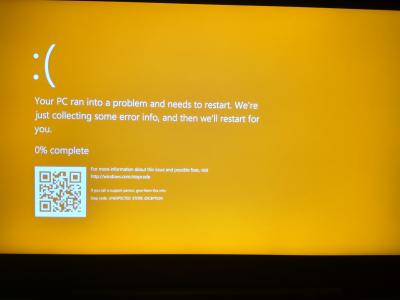
Another day, another problem. Last night my laptop crashed and had the problem shown on the yellow screen picture. When I restarted it, it says no bootable device. I noticed that system files were saved on my SSD but my SSD cannot be detected from the booting operations. Only my hard drive can be detected. Urgently require instructions as I really need to do my group project report.


Attached thumbnail(s)
Attached Image Attached Image
Prince J
post Dec 2 2016, 11:11 AM

Regular
******
Senior Member
1,272 posts

Joined: May 2010
From: Team ILLEGEAR


QUOTE(Faris Azri Aswandi @ Dec 2 2016, 06:50 AM)
Another day, another problem. Last night my laptop crashed and had the problem shown on the yellow screen picture. When I restarted it, it says no bootable device. I noticed that system files were saved on my SSD but my SSD cannot be detected from the booting operations. Only my hard drive can be detected. Urgently require instructions as I really need to do my group project report.
*
Hi faris,

Can you pm me your serial number? Will check and assist.
Faris Azri Aswandi
post Dec 2 2016, 01:55 PM

New Member
*
Junior Member
5 posts

Joined: Nov 2013


QUOTE(Prince J @ Dec 2 2016, 11:11 AM)
Hi faris,

Can you pm me your serial number? Will check and assist.
*
Done.
hotwebs
post Dec 2 2016, 02:05 PM

On my way
****
Senior Member
659 posts

Joined: Jan 2003
From: JB


QUOTE(chientern @ Nov 29 2016, 11:17 PM)
I have a slight problem, I suddenly noticed when I right click on my desktop for the contextual menu, it takes a lot longer than usual to load. Normally it'll just pop out after a second but now it takes around 3-5 seconds to show up.
My laptop is running SSD and I have checked for all the updates and also NVIDIA driver updates too.
Any ideas of what might be causing it?  icon_question.gif
*
Try to run Nvidia DDU and also while during install Nvidia Driver select Custom install, tick the "Perform a Clean Installation". i tested it is fine when i change to "Discrete" mode. If under MS hybrid mode can try to disable the Nvidia GPU in device manager. Hope it helps.
bigboyscave
post Dec 5 2016, 09:03 AM

New Member
*
Junior Member
6 posts

Joined: May 2015
From: The Cave
Lately i started noticing that there's some kind of rubbing noise of a fan as well as HDD sounds. Anyone having the same issue? Illegear z5 skylake here.
Prince J
post Dec 5 2016, 10:59 AM

Regular
******
Senior Member
1,272 posts

Joined: May 2010
From: Team ILLEGEAR


QUOTE(bigboyscave @ Dec 5 2016, 09:03 AM)
Lately i started noticing that there's some kind of rubbing noise of a fan as well as HDD sounds. Anyone having the same issue? Illegear z5 skylake here.
*
Hi bigboyscave, can you pm me you serial number to check your order details and warranty?
bigboyscave
post Dec 5 2016, 12:07 PM

New Member
*
Junior Member
6 posts

Joined: May 2015
From: The Cave
QUOTE(Prince J @ Dec 5 2016, 10:59 AM)
Hi bigboyscave, can you pm me you serial number to check your order details and warranty?
*
PMed
haziqk10
post Dec 6 2016, 12:29 AM

Getting Started
**
Junior Member
231 posts

Joined: May 2009


Prince J, do we need to make appointment before going to the store for laptop cleaning service? Want to get my lappy cleaned up before warranty period finished. Thanks.
dinbk90
post Dec 8 2016, 12:12 AM

New Member
*
Junior Member
23 posts

Joined: Mar 2012


Hello prince J! My friend is interested to buy the new illegear z5 and he might come by to the shop this week. Is that possible to order without windows 10 pre-installed? There is no such option in the store website. He already owns a spare win 10 key. blink.gif

This post has been edited by dinbk90: Dec 8 2016, 12:18 AM
dinbk90
post Dec 8 2016, 12:14 AM

New Member
*
Junior Member
23 posts

Joined: Mar 2012


Sorry, double post.. rclxub.gif

This post has been edited by dinbk90: Dec 8 2016, 12:17 AM
Prince J
post Dec 9 2016, 11:02 AM

Regular
******
Senior Member
1,272 posts

Joined: May 2010
From: Team ILLEGEAR


QUOTE(dinbk90 @ Dec 8 2016, 12:12 AM)
Hello prince J! My friend is interested to buy the new illegear z5 and he might come by to the shop this week. Is that possible to order without windows 10 pre-installed? There is no such option in the store website. He already owns a spare win 10 key.  blink.gif
*
Hi dinbk90,

Drop you a pm smile.gif
latworx
post Dec 10 2016, 02:26 PM

Getting Started
**
Junior Member
282 posts

Joined: Jan 2008
From: Ayer Keroh, Melaka


z5 v3 here. Really itchy to get a 144hz monitor. But just notice that the port available is VGA and HDMI (its v1.4 as inform by illegear staff) only. So, its seem like the 144hz monitor will underutilized.

There is no way I have external monitor with higher frequency eh? aahh such a waste.. Can anyone can clarify this?

So jelly with the new z5 that has Display Port. Why im not thinking through cry.gif
latworx
post Dec 11 2016, 02:41 PM

Getting Started
**
Junior Member
282 posts

Joined: Jan 2008
From: Ayer Keroh, Melaka


Anyone can help me with this matter? Im in dilemma either getting 24" 144Hz, or go to 27" 60Hz if the hdmi cant handle 120Hz @ 144Hz. Tight budget sweat.gif
leekaisuen69
post Dec 13 2016, 10:02 AM

Getting Started
**
Junior Member
123 posts

Joined: Dec 2009


Any owner feedbacks on illegear products ? understandably spec wise and warranty service is good... but i will be using it overseas.. any bluescreen encounters ? keyboard,monitor,trackpad chassis issues?
Faris Azri Aswandi
post Dec 14 2016, 01:05 PM

New Member
*
Junior Member
5 posts

Joined: Nov 2013


I did encounter something like that but I think it was a component problem, not the laptop itself. My SSD was unable to be detected. Anyways, so far keyboard, monitor and trackpad are ok. The internet wifi adapter is rather weak though. I notice that on the same table, my friend's weaker normal acer laptop has better connection and lower ping and less packet loss. In my room, my roommate can connect to internet while I can't. So yeah it leaves something to be desired.
Prince J
post Dec 14 2016, 03:37 PM

Regular
******
Senior Member
1,272 posts

Joined: May 2010
From: Team ILLEGEAR


QUOTE(Faris Azri Aswandi @ Dec 14 2016, 01:05 PM)
I did encounter something like that but I think it was a component problem, not the laptop itself. My SSD was unable to be detected. Anyways, so far keyboard, monitor and trackpad are ok. The internet wifi adapter is rather weak though. I notice that on the same table, my friend's weaker normal acer laptop has better connection and lower ping and less packet loss. In my room, my roommate can connect to internet while I can't. So yeah it leaves something to be desired.
*
what WIFI card are you using?
TShuislaw
post Dec 14 2016, 08:24 PM

Regular
******
Senior Member
1,344 posts

Joined: Jan 2013


QUOTE(leekaisuen69 @ Dec 13 2016, 10:02 AM)
Any owner feedbacks on illegear products ? understandably spec wise and warranty service is good... but i will be using it overseas.. any bluescreen encounters ? keyboard,monitor,trackpad chassis issues?
*
Using one year+. No problems so far.
Faris Azri Aswandi
post Dec 14 2016, 10:50 PM

New Member
*
Junior Member
5 posts

Joined: Nov 2013


QUOTE(Prince J @ Dec 14 2016, 03:37 PM)
what WIFI card are you using?
*
Intel® Dual Band Wireless-N 7265
Prince J
post Dec 15 2016, 10:58 AM

Regular
******
Senior Member
1,272 posts

Joined: May 2010
From: Team ILLEGEAR


QUOTE(Faris Azri Aswandi @ Dec 14 2016, 10:50 PM)
Intel® Dual Band Wireless-N 7265
*
May I have your serial to check if you are the first batch Z5 skylake buyer that is entitled for Intel 8260-AC card upgrade? The 8260-AC is much better than 7265-N card.
aBcD-|
post Dec 15 2016, 11:02 PM

Enthusiast
*****
Senior Member
935 posts

Joined: Dec 2010
QUOTE(leekaisuen69 @ Dec 13 2016, 10:02 AM)
Any owner feedbacks on illegear products ? understandably spec wise and warranty service is good... but i will be using it overseas.. any bluescreen encounters ? keyboard,monitor,trackpad chassis issues?
*
I brought because they can offer me higher spec than mainstream product and spec flexibility too, which I no need to buy windows since I already owned and installed my own Samsung ssd.

After sales after consider good, they answered my queries in acceptable time frame. (Got used to dealing with logistics cs, which email must be replied within 4 hours)

Keyboard works perfectly, screen color very clear and beauty. Don't like the trackpad plastic button and its bazel, difficult to clean from dust. Love the chassis aluminum so much.

The only regret is that I should have wait for pascal gpu. As 1060 is much better than 980m. Since it is no longer a mobile version.
Faris Azri Aswandi
post Dec 15 2016, 11:30 PM

New Member
*
Junior Member
5 posts

Joined: Nov 2013


QUOTE(Prince J @ Dec 15 2016, 10:58 AM)
May I have your serial to check if you are the first batch Z5 skylake buyer that is entitled for Intel 8260-AC card upgrade? The 8260-AC is much better than 7265-N card.
*
ILG8504350L

Another problem occurred. There's a clicking noise from the laptop. I am not sure if it comes from the hardware or what because it is silent when I mute the speakers. When I use headphones, the clicking can't be heard from outside but I can still hear it clicking from the headphones.
leekaisuen69
post Dec 16 2016, 08:08 AM

Getting Started
**
Junior Member
123 posts

Joined: Dec 2009


QUOTE(aBcD-| @ Dec 15 2016, 11:02 PM)
I brought because they can offer me higher spec than mainstream product and spec flexibility too, which I no need to buy windows since I already owned and installed my own Samsung ssd.

After sales after consider good, they answered my queries in acceptable time frame. (Got used to dealing with logistics cs, which email must be replied within 4 hours)

Keyboard works perfectly, screen color very clear and beauty. Don't like the trackpad plastic button and its bazel, difficult to clean from dust. Love the chassis aluminum so much.

The only regret is that I should have wait for pascal gpu. As 1060 is much better than 980m. Since it is no longer a mobile version.
*
Hope to join the Z-family very soon devil.gif
Prince J
post Dec 16 2016, 10:54 AM

Regular
******
Senior Member
1,272 posts

Joined: May 2010
From: Team ILLEGEAR


QUOTE(Faris Azri Aswandi @ Dec 15 2016, 11:30 PM)
ILG8504350L

Another problem occurred. There's a clicking noise from the laptop. I am not sure if it comes from the hardware or what because it is silent when I mute the speakers. When I use headphones, the clicking can't be heard from outside but I can still hear it clicking from the headphones.
*
Yours is not the first batch of Z5 so you are not entitled for the 8260-AC free upgrade. We can still help on the wireless card upgrade to 8260-AC at low cost. Do pm us for more info.
Jer
post Dec 16 2016, 01:19 PM

Getting Started
**
Junior Member
138 posts

Joined: Apr 2007
From: Puchong


Hi guys, advice needed.

After using my Z5 for 1 1/2 years, it tends to overheat easily especially when playing D2. I think it's about time my heatsink and fan system require some cleaning. Is it recommended to clean the fans ourselves or is it better to send my unit back to Illegear for cleaning? Afraid my warranty will be voided.

This post has been edited by Jer: Dec 16 2016, 01:20 PM
Prince J
post Dec 16 2016, 03:13 PM

Regular
******
Senior Member
1,272 posts

Joined: May 2010
From: Team ILLEGEAR


QUOTE(Jer @ Dec 16 2016, 01:19 PM)
Hi guys, advice needed.

After using my Z5 for 1 1/2 years, it tends to overheat easily especially when playing D2. I think it's about time my heatsink and fan system require some cleaning. Is it recommended to clean the fans ourselves or is it better to send my unit back to Illegear for cleaning? Afraid my warranty will be voided.
*
Hi Jer

If you did not have experience to do that, you can send in for dust cleaning this coming january.
Keishi89
post Dec 16 2016, 04:45 PM

Getting Started
**
Junior Member
124 posts

Joined: Mar 2011


Hi Guys,

I have bought a Z5 earlier this year in January, roughly use for 1 year, the Wifi Network card got a bit of issue. Sometimes it works, sometimes it doesn't. I can't predict when it will work or not so I bought an external USB Network Card just for standby. Anyone else having this issue? I want to send it in but not sure how long will it take to repair as I don't have a backup laptop at the moment =(
Prince J
post Dec 16 2016, 05:54 PM

Regular
******
Senior Member
1,272 posts

Joined: May 2010
From: Team ILLEGEAR


QUOTE(Keishi89 @ Dec 16 2016, 04:45 PM)
Hi Guys,

I have bought a Z5 earlier this year in January, roughly use for 1 year, the Wifi Network card got a bit of issue. Sometimes it works, sometimes it doesn't. I can't predict when it will work or not so I bought an external USB Network Card just for standby. Anyone else having this issue? I want to send it in but not sure how long will it take to repair as I don't have a backup laptop at the moment =(
*
Hi Keishi89

What wireless card are you using?
Keishi89
post Dec 17 2016, 12:07 PM

Getting Started
**
Junior Member
124 posts

Joined: Mar 2011


QUOTE(Prince J @ Dec 16 2016, 05:54 PM)
Hi Keishi89

What wireless card are you using?
*
Intel ® Dual Band Wireless-N 7265
Prince J
post Dec 17 2016, 12:27 PM

Regular
******
Senior Member
1,272 posts

Joined: May 2010
From: Team ILLEGEAR


QUOTE(Keishi89 @ Dec 17 2016, 12:07 PM)
Intel ® Dual Band Wireless-N 7265
*
Can I also have your serial number to check if you are entitled for the 8260-AC Intel Wireless-AC card upgrade? This card is performing far better than the 7265-N.
Keishi89
post Dec 17 2016, 03:21 PM

Getting Started
**
Junior Member
124 posts

Joined: Mar 2011


QUOTE(Prince J @ Dec 17 2016, 12:27 PM)
Can I also have your serial number to check if you are entitled for the 8260-AC Intel Wireless-AC card upgrade? This card is performing far better than the 7265-N.
*
Already PM'ed you the serial number
Faris Azri Aswandi
post Dec 18 2016, 01:06 AM

New Member
*
Junior Member
5 posts

Joined: Nov 2013


Well guess I will be sticking with the 1k ping while my partner has 70 then.
Prince J
post Dec 19 2016, 11:06 AM

Regular
******
Senior Member
1,272 posts

Joined: May 2010
From: Team ILLEGEAR


QUOTE(Keishi89 @ Dec 17 2016, 03:21 PM)
Already PM'ed you the serial number
*
Hi yes you are entitled for 8260-AC upgrade, do send back to us in jan 16 for upgrade.
Prince J
post Dec 19 2016, 11:08 AM

Regular
******
Senior Member
1,272 posts

Joined: May 2010
From: Team ILLEGEAR


QUOTE(Faris Azri Aswandi @ Dec 18 2016, 01:06 AM)
Well guess I will be sticking with the 1k ping while my partner has 70 then.
*
I don't think the 7265-N card can have 1k ping in every game, it depends heavily on the environment and the compatibility of router as well. If you don't wish to upgrade to 8260-AC card, we are still able to help on checking whether your card is functioning well.
menghao
post Dec 19 2016, 05:46 PM

Getting Started
**
Junior Member
260 posts

Joined: May 2012


Is there any way I can improve the cooling for z5?
Prince J
post Dec 20 2016, 11:10 AM

Regular
******
Senior Member
1,272 posts

Joined: May 2010
From: Team ILLEGEAR


QUOTE(menghao @ Dec 19 2016, 05:46 PM)
Is there any way I can improve the cooling for z5?
*
Do dust cleaning and reapply thermal paste periodically.
xarive
post Dec 20 2016, 02:19 PM

Getting Started
**
Junior Member
73 posts

Joined: May 2013
Is anyone here having beeping sound while using laptop? I'm using 860M Haswell model. It annoyed me sometimes. If it's driver problem, I'm all up to date.
@Prince J , it would be better if ILLEGEAR could provide us the latest compatible drivers (last up-to-date was 2 years ago).
yenyenboy
post Dec 21 2016, 02:47 PM

New Member
*
Junior Member
26 posts

Joined: Jul 2011
Hi, I got my Z7 few days ago, may i know how to set macro keys?
Prince J
post Dec 21 2016, 04:16 PM

Regular
******
Senior Member
1,272 posts

Joined: May 2010
From: Team ILLEGEAR


QUOTE(xarive @ Dec 20 2016, 02:19 PM)
Is anyone here having beeping sound while using laptop? I'm using 860M Haswell model. It annoyed me sometimes. If it's driver problem, I'm all up to date.
@Prince J , it would be better if ILLEGEAR could provide us the latest compatible drivers (last up-to-date was 2 years ago).
*
How frequent is the beeping?

QUOTE(yenyenboy @ Dec 21 2016, 02:47 PM)
Hi, I got my Z7 few days ago, may i know how to set macro keys?
*
There is macro key app on the front page, you can also get the app from the dvd provided smile.gif
FuNks
post Dec 21 2016, 09:55 PM

F z N
*******
Senior Member
2,812 posts

Joined: Dec 2011


QUOTE(Prince J @ Dec 20 2016, 11:10 AM)
Do dust cleaning and reapply thermal paste periodically.
*
whats the recommended interval for it? how much does it cost? blink.gif
Prince J
post Dec 23 2016, 05:56 PM

Regular
******
Senior Member
1,272 posts

Joined: May 2010
From: Team ILLEGEAR


QUOTE(FuNks @ Dec 21 2016, 09:55 PM)
whats the recommended interval for it? how much does it cost?  blink.gif
*
Hi 1 to 2 years once smile.gif
DellMalaysia
post Dec 24 2016, 12:06 PM

Kindly look at my previous successful threads
*****
Senior Member
735 posts

Joined: Sep 2013
From: IYD ~ In Your Dream


QUOTE(Prince J @ Dec 23 2016, 05:56 PM)


GTX1060 comes with 6GB only or have lower GB as well?
Prince J
post Dec 24 2016, 12:13 PM

Regular
******
Senior Member
1,272 posts

Joined: May 2010
From: Team ILLEGEAR


QUOTE(DellMalaysia @ Dec 24 2016, 12:06 PM)
QUOTE(Prince J @ Dec 23 2016, 05:56 PM)


GTX1060 comes with 6GB only or have lower GB as well?
*
At the moment we only have 6GB edition, we think it's a waste to use GTX1060 with 3GB VRAM.
aBcD-|
post Dec 25 2016, 04:21 PM

Enthusiast
*****
Senior Member
935 posts

Joined: Dec 2010
Received laptop from illegear service with good condition, a lot of bubble wraps had been placed to ensure the safety of goods. Received with thanks.

Just wonder, because I used to play hd games while charging (battery is full). Does my habit cause battery to breakdown easily? If so, I will just remove the battery while playing by using ac power source.

Battery get drained easily while on gaming. Advise please?
FuNks
post Dec 26 2016, 02:14 AM

F z N
*******
Senior Member
2,812 posts

Joined: Dec 2011


power button row area quite hot when running strong graphic games, is it normal for Z5?
wingwp
post Dec 26 2016, 02:50 AM

On my way
****
Senior Member
639 posts

Joined: Jan 2003


y so surprise battery drain and heat up when gaming?

QUOTE(aBcD-| @ Dec 25 2016, 04:21 PM)
Received laptop from illegear service with good condition, a lot of bubble wraps had been placed to ensure the safety of goods. Received with thanks.

Just wonder, because I used to play hd games while charging (battery is full). Does my habit cause battery to breakdown easily? If so, I will just remove the battery while playing by using ac power source.

Battery get drained easily while on gaming. Advise please?
*
QUOTE(FuNks @ Dec 26 2016, 02:14 AM)
power button row area quite hot when running strong graphic games, is it normal for Z5?
*
xarive
post Dec 26 2016, 09:24 PM

Getting Started
**
Junior Member
73 posts

Joined: May 2013
QUOTE(Prince J @ Dec 21 2016, 04:16 PM)
How frequent is the beeping?
There is macro key app on the front page, you can also get the app from the dvd provided smile.gif
*
every 5 minutes and so on. sometimes it beeps twice in between. I have no idea how to troubleshoot this case.
Prince J
post Dec 27 2016, 11:28 AM

Regular
******
Senior Member
1,272 posts

Joined: May 2010
From: Team ILLEGEAR


QUOTE(FuNks @ Dec 26 2016, 02:14 AM)
power button row area quite hot when running strong graphic games, is it normal for Z5?
*
The heatsink are underneath that area, you should expect the temperature to be warm.

As long as it's not on the palm rest then it's fine.
moodswingfella
post Dec 29 2016, 01:16 AM

Casual
***
Junior Member
364 posts

Joined: Aug 2009
hi. do we have s7/5 thread here? couldn 't find any. would like to read some s7/5 review
aBcD-|
post Dec 29 2016, 02:28 PM

Enthusiast
*****
Senior Member
935 posts

Joined: Dec 2010
QUOTE(wingwp @ Dec 26 2016, 02:50 AM)
y so surprise battery drain and heat up when gaming?
*
I wasn't surprise, but the battery had been spoiled less than 1 year.

Not sure whether I am just unlucky or caused by overcharging while gaming (my gaming habit).
Faris Azri Aswandi
post Dec 29 2016, 09:04 PM

New Member
*
Junior Member
5 posts

Joined: Nov 2013


What is the software or driver that makes the fan symbol pop? Now when I press the max cooling, the symbol no longer shows so in a noisy area I am unsure if the fan I am using is set to max or not.
Prince J
post Dec 29 2016, 09:45 PM

Regular
******
Senior Member
1,272 posts

Joined: May 2010
From: Team ILLEGEAR


QUOTE(Faris Azri Aswandi @ Dec 29 2016, 09:04 PM)
What is the software or driver that makes the fan symbol pop? Now when I press the max cooling, the symbol no longer shows so in a noisy area I am unsure if the fan I am using is set to max or not.
*
Hi Faris,

Try to reinstall hotkey driver. I think some software registry has been messed up.
Prince J
post Dec 29 2016, 09:55 PM

Regular
******
Senior Member
1,272 posts

Joined: May 2010
From: Team ILLEGEAR


ILLEGEAR Z5 2016 edition has been nominated by Lowyat.NET as the best value for money gaming laptop. Vote for us now and stand a chance to receive prize (gadgets) from Lowyat.NET! P/S: Voting will close in 3 hours. http://goo.gl/YgtfUF

Attached Image

This post has been edited by Prince J: Dec 30 2016, 10:30 AM
leekaisuen69
post Dec 30 2016, 09:11 AM

Getting Started
**
Junior Member
123 posts

Joined: Dec 2009


how much difference does it make with an normal 256gb ssd vs the 256gb samsung 950 pcie ssd?
Faris Azri Aswandi
post Dec 30 2016, 03:43 PM

New Member
*
Junior Member
5 posts

Joined: Nov 2013


QUOTE(Prince J @ Dec 29 2016, 09:45 PM)
Hi Faris,

Try to reinstall hotkey driver. I think some software registry has been messed up.
*
http://www.illegear.com/downloads/MacroKeys.zip

Is it this one? When i downloaded it, it doesn't automatically pop up an installation or whatever.
Prince J
post Dec 30 2016, 05:01 PM

Regular
******
Senior Member
1,272 posts

Joined: May 2010
From: Team ILLEGEAR


QUOTE(Faris Azri Aswandi @ Dec 30 2016, 03:43 PM)
http://www.illegear.com/downloads/MacroKeys.zip

Is it this one? When i downloaded it, it doesn't automatically pop up an installation or whatever.
*
This is the macro keys app to setup the macro keys. You can download the drivers zip file and hotkey driver is inside.
aBcD-|
post Dec 30 2016, 08:09 PM

Enthusiast
*****
Senior Member
935 posts

Joined: Dec 2010
Hi there,

Just wonder, current my boot option is on UEFI option (disabled field). Thus, I couldn't change to legacy mode. It is the latest bios.

If I want a windows boot logo show instead of illegear, any option for I to do so?

Since last time I just switch between legacy and UEFI, but now the option is completely disabled.
Prince J
post Dec 30 2016, 09:38 PM

Regular
******
Senior Member
1,272 posts

Joined: May 2010
From: Team ILLEGEAR


QUOTE(aBcD-| @ Dec 30 2016, 08:09 PM)
Hi there,

Just wonder, current my boot option is on UEFI option (disabled field). Thus, I couldn't change to legacy mode. It is the latest bios.

If I want a windows boot logo show instead of illegear, any option for I to do so?

Since last time I just switch between legacy and UEFI, but now the option is completely disabled.
*
Legacy mode shows Windows logo, UEFI mode shows ILLEGEAR logo. You can change it in the BIOS
aBcD-|
post Dec 31 2016, 04:32 PM

Enthusiast
*****
Senior Member
935 posts

Joined: Dec 2010
QUOTE(Prince J @ Dec 30 2016, 09:38 PM)
Legacy mode shows Windows logo, UEFI mode shows ILLEGEAR logo. You can change it in the BIOS
*
Yes, that is the problem.

The boot mode field is disabled after I flashed latest BIOS.
Prince J
post Jan 1 2017, 11:09 AM

Regular
******
Senior Member
1,272 posts

Joined: May 2010
From: Team ILLEGEAR


QUOTE(aBcD-| @ Dec 31 2016, 04:32 PM)
Yes, that is the problem.

The boot mode field is disabled after I flashed latest BIOS.
*
Try to restore default settings in bios.
Cloud2322
post Jan 1 2017, 06:44 PM

Bob Marley
****
Junior Member
517 posts

Joined: May 2010
From: Your Heart

I need some help here..

Anyone is using a Z5 GTX 970m model?

Can you please test your furmark on the setting of
1. Full screen
2. 1920 x 1080
3. GPU Stress Test

And see your AVG FPS.. I'm getting only 8 FPS AVG.. So what's wrong with my gpu?

It is currently burning at 75C.. Turbo fan turned on

This post has been edited by Cloud2322: Jan 1 2017, 06:45 PM
Prince J
post Jan 2 2017, 10:33 AM

Regular
******
Senior Member
1,272 posts

Joined: May 2010
From: Team ILLEGEAR


QUOTE(Cloud2322 @ Jan 1 2017, 06:44 PM)
I need some help here..

Anyone is using a Z5 GTX 970m model?

Can you please test your furmark on the setting of
1. Full screen
2. 1920 x 1080
3. GPU Stress Test

And see your AVG FPS.. I'm getting only 8 FPS AVG.. So what's wrong with my gpu?

It is currently burning at 75C.. Turbo fan turned on
*
As per pm, if you have touched your fan and heatsink and remove some ic diamond accidentally, please send in your laptop for checking first. It's extremely dangerous to use it continuously with ic diamond removed.
menghao
post Jan 3 2017, 06:18 PM

Getting Started
**
Junior Member
260 posts

Joined: May 2012


QUOTE(Prince J @ Dec 20 2016, 11:10 AM)
Do dust cleaning and reapply thermal paste periodically.
*
Should I bring it back to Illegear to do this?
if yes, what are the charges? if I DIY, does it void warranty?
Prince J
post Jan 4 2017, 11:15 AM

Regular
******
Senior Member
1,272 posts

Joined: May 2010
From: Team ILLEGEAR


QUOTE(menghao @ Jan 3 2017, 06:18 PM)
Should I bring it back to Illegear to do this?
if yes, what are the charges? if I DIY, does it void warranty?
*
Sorry for my late reply, it's been a crazy week for us.

Yes I suggest you to bring it to us for dust cleaning + ic diamond.
menghao
post Jan 4 2017, 04:02 PM

Getting Started
**
Junior Member
260 posts

Joined: May 2012


QUOTE(Prince J @ Jan 4 2017, 11:15 AM)
Sorry for my late reply, it's been a crazy week for us.

Yes I suggest you to bring it to us for dust cleaning + ic diamond.
*
is there any charges for this service ? my device is still under warranty.
if there is any charges, can pm me for the price?
leekaisuen69
post Jan 6 2017, 10:20 AM

Getting Started
**
Junior Member
123 posts

Joined: Dec 2009


QUOTE(menghao @ Jan 4 2017, 04:02 PM)
is there any charges for this service ? my device is still under warranty.
if there is any charges, can pm me for the price?
*
if under warranty u still get charged u better post it here. (unless u did something funny to ur device kena void)
menghao
post Jan 6 2017, 04:02 PM

Getting Started
**
Junior Member
260 posts

Joined: May 2012


QUOTE(leekaisuen69 @ Jan 6 2017, 10:20 AM)
if under warranty u still get charged u better post it here. (unless u did something funny to ur device kena void)
*
cleaning 50 bucks and IC diamond 99 bucks.

Is this the standard rate?
aBcD-|
post Jan 7 2017, 08:41 PM

Enthusiast
*****
Senior Member
935 posts

Joined: Dec 2010
QUOTE(Prince J @ Jan 2 2017, 10:33 AM)
As per pm, if you have touched your fan and heatsink and remove some ic diamond accidentally, please send in your laptop for checking first. It's extremely dangerous to use it continuously with ic diamond removed.
*
Hi, even if softly removed the heatsink and fan for cleaning, whereas the both were de-attached from CPU will also remove ic diamond as well?

I did once removed the heatsink and fan for cleaning, now I am getting 78 or 80c temperature.

I dun think it is common, normally I gets 50 to 69 range of temperature. I moved to uni hostel, it is hard to tell, since my environment has no air conditioner.
menghao
post Jan 7 2017, 08:53 PM

Getting Started
**
Junior Member
260 posts

Joined: May 2012


QUOTE(aBcD-| @ Jan 7 2017, 08:41 PM)
Hi, even if softly removed the heatsink and fan for cleaning, whereas the both were de-attached from CPU will also remove ic diamond as well?

I did once removed the heatsink and fan for cleaning, now I am getting 78 or 80c temperature.

I dun think it is common, normally I gets 50 to 69 range of temperature. I moved to uni hostel, it is hard to tell, since my environment has no air conditioner.
*
if I am not mistaken, thermal paste need to re-apply whenever you remove your heatsink, not sure if it's correct but that's what I always do when I was using desktop.
tachlio
post Jan 8 2017, 05:11 AM

de~sign "ing"
*******
Senior Member
3,102 posts

Joined: May 2005
From: Penang *̡͌l̡*̡̡
QUOTE(aBcD-| @ Jan 7 2017, 08:41 PM)
Hi, even if softly removed the heatsink and fan for cleaning, whereas the both were de-attached from CPU will also remove ic diamond as well?

I did once removed the heatsink and fan for cleaning, now I am getting 78 or 80c temperature.

I dun think it is common, normally I gets 50 to 69 range of temperature. I moved to uni hostel, it is hard to tell, since my environment has no air conditioner.
*
when you remove heatsink & paste wont be able stick nicely again.
Fresh paste normally like jell, after some usage, it will harden.
aBcD-|
post Jan 8 2017, 02:17 PM

Enthusiast
*****
Senior Member
935 posts

Joined: Dec 2010
QUOTE(menghao @ Jan 7 2017, 08:53 PM)
if I am not mistaken, thermal paste need to re-apply whenever you remove your heatsink, not sure if it's correct but that's what I always do when I was using desktop.
*
oh alright, thanks for the tip.

QUOTE(tachlio @ Jan 8 2017, 05:11 AM)
when you remove heatsink & paste wont be able stick nicely again.
Fresh paste normally like jell, after some usage, it will harden.
*
yeah it doesn't stick together anymore. I guess that is the reason causing the high temperature.
guess I need to re-apply again...
Prince J
post Jan 8 2017, 02:23 PM

Regular
******
Senior Member
1,272 posts

Joined: May 2010
From: Team ILLEGEAR


Whenever you remove the heatsink you have to reapply thermal paste again. Air goes in and it's not as sticky as it was before.
Jelly Puddie
post Jan 9 2017, 03:58 PM

New Member
*
Newbie
0 posts

Joined: Jan 2017


QUOTE(Prince J @ Nov 30 2016, 03:40 PM)
Try to boot into safe mode or do a clean uninstallation. If issue still persists, that means it's hardware component problem. If the issue is gone, that means it's your software/3rd party software/app/driver problem.
*
Hey Prince, I've reset the computer twice already using Windows "reset this PC" method. And the problem persists. I still have freezing after right click to show context menu, or when I click on the notification.

What should i do?
Faris Azri Aswandi
post Jan 9 2017, 08:32 PM

New Member
*
Junior Member
5 posts

Joined: Nov 2013


Don't this computer have an auto temperature controller? My laptop will automatically shutdown when it overheats due to the fan not going faster at high temperature. In addition to that, there's no clear way to re-install the registry for the hotkeys. I still can't get the fan icon to pop up. I thought it already activated the first time I press the max fan button but it didn't and in the end, my laptop died from overheating. Please put up a simple guide or tutorial on how to do things like fan cleaning, thermal paste application, driver installation.
Prince J
post Jan 10 2017, 10:22 AM

Regular
******
Senior Member
1,272 posts

Joined: May 2010
From: Team ILLEGEAR


QUOTE(Jelly Puddie @ Jan 9 2017, 03:58 PM)
Hey Prince, I've reset the computer twice already using Windows "reset this PC" method. And the problem persists. I still have freezing after right click to show context menu, or when I click on the notification.

What should i do?
*
I am sorry can you pm me your serial? I can't seem to find your post in this thread and your past post.

QUOTE(Faris Azri Aswandi @ Jan 9 2017, 08:32 PM)
Don't this computer have an auto temperature controller? My laptop will automatically shutdown when it overheats due to the fan not going faster at high temperature. In addition to that, there's no clear way to re-install the registry for the hotkeys. I still can't get the fan icon to pop up. I thought it already activated the first time I press the max fan button but it didn't and in the end, my laptop died from overheating. Please put up a simple guide or tutorial on how to do things like fan cleaning, thermal paste application, driver installation.
*
As mentioned, have you reinstalled hotkey drivers from the DVD or the download link on the thread front page? There is no need to mod the registry. The problem you indicated here sound pretty much the windows update / 3rd party app installation override the hotkey drivers therefore the hotkey symbols are not showing. We did help few customers on the driver re-installation. If you are not sure how to do that, you are welcomed to send it in and we will more than happy to assist you on that.

As for the temperature sensor, of course both the Z5 and Z7 have that. And what temperature you get on your Z7? We've never seen overheating shutdown in other customers' Z5/Z7 tho.

This post has been edited by Prince J: Jan 10 2017, 10:26 AM
Faris Azri Aswandi
post Jan 10 2017, 12:19 PM

New Member
*
Junior Member
5 posts

Joined: Nov 2013


QUOTE(Prince J @ Jan 10 2017, 10:22 AM)
I am sorry can you pm me your serial? I can't seem to find your post in this thread and your past post.
As mentioned, have you reinstalled hotkey drivers from the DVD or the download link on the thread front page? There is no need to mod the registry. The problem you indicated here sound pretty much the windows update / 3rd party app installation override the hotkey drivers therefore the hotkey symbols are not showing. We did help few customers on the driver re-installation. If you are not sure how to do that, you are welcomed to send it in and we will more than happy to assist you on that.

As for the temperature sensor, of course both the Z5 and Z7 have that. And what temperature you get on your Z7? We've never seen overheating shutdown in other customers' Z5/Z7 tho.
*
I am not sure. But this happened about 3 times I think while playing a graphically intensive game like Paragon. I am not sure how to gauge the temperature since Paragon doesn't show the temperature unlike Overwatch. When the fan is maxed, I never experienced these shutdowns. But whenever it isn't maxed(even though I thought I maxed it), it will shutdown. [Just experienced the shutdown again but this time when I am sure the fan was maxed]

This post has been edited by Faris Azri Aswandi: Jan 10 2017, 03:40 PM
Faris Azri Aswandi
post Jan 10 2017, 02:55 PM

New Member
*
Junior Member
5 posts

Joined: Nov 2013


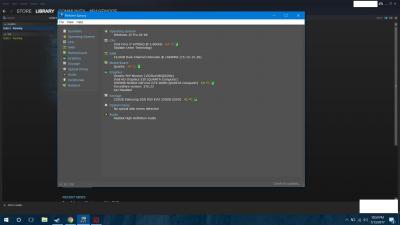
Oh yeah, I did try to make a bootable MS-DOS using my pendrive but there's no option to make it MS-DOS as shown in the picture.


Attached thumbnail(s)
Attached Image
dinbk90
post Jan 11 2017, 03:40 AM

New Member
*
Junior Member
23 posts

Joined: Mar 2012


QUOTE(Faris Azri Aswandi @ Jan 10 2017, 12:19 PM)
I am not sure. But this happened about 3 times I think while playing a graphically intensive game like Paragon. I am not sure how to gauge the temperature since Paragon doesn't show the temperature unlike Overwatch. When the fan is maxed, I never experienced these shutdowns. But whenever it isn't maxed(even though I thought I maxed it), it will shutdown. [Just experienced the shutdown again but this time when I am sure the fan was maxed]
*
Why not u use the msi afterburner and rivaturner statistic, and set up on-screen display for your games? Its not that hard to monitor temp for gpu and cpu though using msi afterburner.... blink.gif

And sorry for 'mencelah' in your issues. I'm now gathering info, review, issues, etc on illegear laptop since I plan to buy one by mid year. Have been silently following this thread since last year.

Prince J
post Jan 11 2017, 11:25 AM

Regular
******
Senior Member
1,272 posts

Joined: May 2010
From: Team ILLEGEAR


QUOTE(Faris Azri Aswandi @ Jan 10 2017, 12:19 PM)
I am not sure. But this happened about 3 times I think while playing a graphically intensive game like Paragon. I am not sure how to gauge the temperature since Paragon doesn't show the temperature unlike Overwatch. When the fan is maxed, I never experienced these shutdowns. But whenever it isn't maxed(even though I thought I maxed it), it will shutdown. [Just experienced the shutdown again but this time when I am sure the fan was maxed]
*
Can we have the laptop to check physically?

QUOTE(Faris Azri Aswandi @ Jan 10 2017, 02:55 PM)
Oh yeah, I did try to make a bootable MS-DOS using my pendrive but there's no option to make it MS-DOS as shown in the picture.
*
For Rufus, you need to make the bootable MS-DOS in windows 7 or 8.1 environment.
Faris Azri Aswandi
post Jan 11 2017, 08:35 PM

New Member
*
Junior Member
5 posts

Joined: Nov 2013


QUOTE(Prince J @ Jan 11 2017, 11:25 AM)
Can we have the laptop to check physically?
For Rufus, you need to make the bootable MS-DOS in windows 7 or 8.1 environment.
*
I don't think so. I am heading to Sarawak this saturday for 2 months or so and sending it right now would be risking not having a laptop my whole holidays.

I see. In that case, will the extracted data still work when booting when I use Win 10? Will there be any bad repercussion if the bios fail to upload successfully?
Prince J
post Jan 12 2017, 03:29 PM

Regular
******
Senior Member
1,272 posts

Joined: May 2010
From: Team ILLEGEAR


QUOTE(Faris Azri Aswandi @ Jan 11 2017, 08:35 PM)
I don't think so. I am heading to Sarawak this saturday for 2 months or so and sending it right now would be risking not having a laptop my whole holidays.

I see. In that case, will the extracted data still work when booting when I use Win 10? Will there be any bad repercussion if the bios fail to upload successfully?
*
We can help to flash the BIOS when the time you send in, you can send in when you are free.
aBcD-|
post Jan 13 2017, 11:02 PM

Enthusiast
*****
Senior Member
935 posts

Joined: Dec 2010
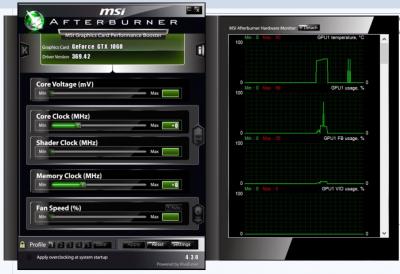
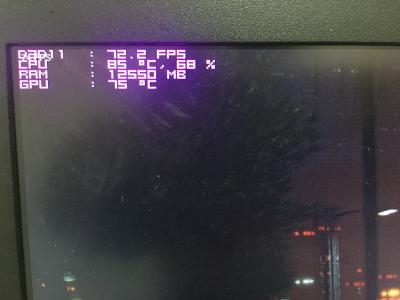
Just wonder, will this temperature damage notebook's components?

Running dota 2 with v-sync, temperature as image displayed. Feel the warm in palm rest and keyboard area, but very hot in macro keys there.

Was removed the heatsink to clean the fan and accidentally removed thermal compound, thus got this kind of temperature. bye.gif bye.gif bye.gif


Attached thumbnail(s)
Attached Image
Prince J
post Jan 14 2017, 11:02 AM

Regular
******
Senior Member
1,272 posts

Joined: May 2010
From: Team ILLEGEAR


QUOTE(aBcD-| @ Jan 13 2017, 11:02 PM)
Just wonder, will this temperature damage notebook's components?

Running dota 2 with v-sync, temperature as image displayed. Feel the warm in palm rest and keyboard area, but very hot in macro keys there.

Was removed the heatsink to clean the fan and accidentally removed thermal compound, thus got this kind of temperature.  bye.gif  bye.gif  bye.gif
*
This temperature is on full load?
aBcD-|
post Jan 14 2017, 12:37 PM

Enthusiast
*****
Senior Member
935 posts

Joined: Dec 2010
QUOTE(Prince J @ Jan 14 2017, 11:02 AM)
This temperature is on full load?
*
Yep, while running dota 2.
Prince J
post Jan 14 2017, 12:42 PM

Regular
******
Senior Member
1,272 posts

Joined: May 2010
From: Team ILLEGEAR


QUOTE(aBcD-| @ Jan 14 2017, 12:37 PM)
Yep, while running dota 2.
*
It's not very bad, but can be lowered if the thermal compound is applied properly.
StenCL
post Jan 14 2017, 03:30 PM

New Member
*
Newbie
47 posts

Joined: Sep 2015


Hello and Good afternoon, Prince J.

Would like to ask does the Illegear store will be opening on either 1st or 2nd of February?

I think I'll need to have my Z5 keyboard check or fix because...

Sometimes a few of its keys started to spam pressing on its own as if I was holding the key down. If I press other keys other than the “Spamming Key”, it will stop or pause for a while before started to keep spamming again.

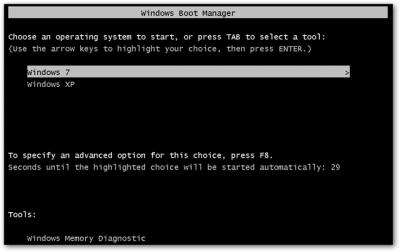
Also, sometimes whenever I startup my laptop, it will show the "Windows Boot Manager".

Lastly, there are a few keys are unresponsive, pressing it will do nothing.

Thanks in advance. sad.gif


Attached thumbnail(s)
Attached Image
Faris Azri Aswandi
post Jan 15 2017, 03:34 PM

New Member
*
Junior Member
5 posts

Joined: Nov 2013


QUOTE(dinbk90 @ Jan 11 2017, 03:40 AM)
Why not u use the msi afterburner and rivaturner statistic, and set up on-screen display for your games? Its not that hard to monitor temp for gpu and cpu though using msi afterburner....  blink.gif

And sorry for 'mencelah' in your issues. I'm now gathering info, review, issues, etc on illegear laptop since I plan to buy one by mid year. Have been silently following this thread since last year.
*
Thanks for the tips. I tried using them. Though, I can't seem to display the stats on screen.

No worries. I actually did the same thing before buying the 6.3 k behemoth. Although, I seem to be facing weird problems so I can add some things to note from my personal experience;
-if your hand sweats easily, you need to put a cloth or something to prevent the chasis from being damaged. The damage is subtle but I can see scratch like patterns on my left palmrest.
-plug for headset lies on the right side so sometimes it may bother your hand when using a mouse if you're right-handed.
-the area near the power button or close to the hinge of the screen is almost always hot
-SSD failure (probably the company's fault, not Illegear)
-adapter and plug may be loose so sometimes you have to fiddle with the charger and check regularly if you're actually charging (this problem is after I sent them for a replacement cable)
-automatic shutdown from this current case
-sometimes the battery cannot be detected or after you full charge, you will discover you can't use it without plugging in to charger and this requires another full charge

This post has been edited by Faris Azri Aswandi: Jan 17 2017, 09:48 AM
hotwebs
post Jan 15 2017, 06:03 PM

On my way
****
Senior Member
659 posts

Joined: Jan 2003
From: JB


QUOTE(aBcD-| @ Jan 13 2017, 11:02 PM)
Just wonder, will this temperature damage notebook's components?

Running dota 2 with v-sync, temperature as image displayed. Feel the warm in palm rest and keyboard area, but very hot in macro keys there.

Was removed the heatsink to clean the fan and accidentally removed thermal compound, thus got this kind of temperature.  bye.gif  bye.gif  bye.gif
*


look clearly on the image, motherboard at 76c, does it damage the board? blink.gif
Prince J
post Jan 16 2017, 11:23 AM

Regular
******
Senior Member
1,272 posts

Joined: May 2010
From: Team ILLEGEAR


QUOTE(StenCL @ Jan 14 2017, 03:30 PM)
Hello and Good afternoon, Prince J.

Would like to ask does the Illegear store will be opening on either 1st or 2nd of February?

I think I'll need to have my Z5 keyboard check or fix because...

Sometimes a few of its keys started to spam pressing on its own as if I was holding the key down. If I press other keys other than the “Spamming Key”, it will stop or pause for a while before started to keep spamming again.

Also, sometimes whenever I startup my laptop, it will show the "Windows Boot Manager".

Lastly, there are a few keys are unresponsive, pressing it will do nothing.

Thanks in advance.  sad.gif
*
Hi StenCL,

1st Feb is public holiday, you can send in on 2nd Feb.

QUOTE(Faris Azri Aswandi @ Jan 15 2017, 03:34 PM)
Thanks for the tips. I tried using them. Though, I can't seem to display the stats on screen.

No worries. I actually did the same thing before buying the 6.3 k behemoth. Although, I seem to be facing weird problems so I can add some things to note from my personal experience;
-if your hand sweats easily, you need to put a cloth or something to prevent the chasis from being damaged. The damage is subtle but I can see scratch like patterns on my left palmrest.
-plug for headset lies on the right side so sometimes it may bother your hand when using a mouse if you're right-handed.
-the area near the power button or close to the hinge of the screen is almost always hot
-SSD failure (probably the company's fault, not Illegear)
-adapter and plug may be loose so sometimes you have to fiddle with the charger and check regularly if you're actually charging (this problem is after I sent them for a replacement cable)
-automatic shutdown from this current case
*
The heatsink and fans are right underneath the power button, it's normal to be a bit warmer than other area. We purposely put the heatsink around that area but not the side and palm rest.

As for the hand sweats causing chassis damaged, we have never seen any existing Z7 user that sent for servicing having that problem though. The casing is made by anodized aluminium and it is supposed to be durable.

For the adapter and power cord loose, intermittent shut down issue, you are welcome to send in for checking.


QUOTE(hotwebs @ Jan 15 2017, 06:03 PM)
look clearly on the image, motherboard at 76c, does it damage the board? blink.gif
*
The motherboard detects temperature and shutdown once it reaches thershold, 76C is still far below the shutdown level.
Faris Azri Aswandi
post Jan 17 2017, 10:03 AM

New Member
*
Junior Member
5 posts

Joined: Nov 2013


QUOTE(Prince J @ Jan 16 2017, 11:23 AM)
Hi StenCL,

1st Feb is public holiday, you can send in on 2nd Feb.
The heatsink and fans are right underneath the power button, it's normal to be a bit warmer than other area. We purposely put the heatsink around that area but not the side and palm rest.

As for the hand sweats causing chassis damaged, we have never seen any existing Z7 user that sent for servicing having that problem though. The casing is made by anodized aluminium and it is supposed to be durable.

For the adapter and power cord loose, intermittent shut down issue, you are welcome to send in for checking.
The motherboard detects temperature and shutdown once it reaches thershold, 76C is still far below the shutdown level.
*
It's not as bad as Dell laptop. That laptop looked like someone poured an acid onto the palm rest. It was black and blotched. Maybe my sweat is too acidic or something. Anyways, in comparison to Dell's, the scratch like marks look barely noticeable. Though, once someone points it out, you can easily see it.

I will bring it there when I can. I am merely giving out a personal review for future references.


dinbk90
post Jan 19 2017, 01:49 PM

New Member
*
Junior Member
23 posts

Joined: Mar 2012


QUOTE(Faris Azri Aswandi @ Jan 15 2017, 03:34 PM)
Thanks for the tips. I tried using them. Though, I can't seem to display the stats on screen.

No worries. I actually did the same thing before buying the 6.3 k behemoth. Although, I seem to be facing weird problems so I can add some things to note from my personal experience;
-if your hand sweats easily, you need to put a cloth or something to prevent the chasis from being damaged. The damage is subtle but I can see scratch like patterns on my left palmrest.
-plug for headset lies on the right side so sometimes it may bother your hand when using a mouse if you're right-handed.
-the area near the power button or close to the hinge of the screen is almost always hot
-SSD failure (probably the company's fault, not Illegear)
-adapter and plug may be loose so sometimes you have to fiddle with the charger and check regularly if you're actually charging (this problem is after I sent them for a replacement cable)
-automatic shutdown from this current case
-sometimes the battery cannot be detected or after you full charge, you will discover you can't use it without plugging in to charger and this requires another full charge
*
I forgot to mention that u also need to install and run hwinfo64 alongside rivaturner statistics & msi afterburner in order to set up the on-screen display stats in games.. sweat.gif

Anyway, thanks for your info! I think I might be getting s5 by mid year..
aBcD-|
post Jan 20 2017, 06:46 PM

Enthusiast
*****
Senior Member
935 posts

Joined: Dec 2010
Hi Prince J,

Would like to ask, if the router is located on 1st floor while my room on ground floor.

Currently equipped with intel dual band 8260 network card, which is the best setting can I set to establish a stable connection?

Apparently, I faced frequent disconnection, as the wifi signal disappear (the name from available wifi list). I assume my roommate just reset the router.

In the meantime, I checked my phone beside me still connected to the wifi.

Any advise? Thanks


menghao
post Jan 20 2017, 11:04 PM

Getting Started
**
Junior Member
260 posts

Joined: May 2012


Hi Prince J,

Would like to ask if there is any charges if I bring over my laptop and msata SSD to ask you guys help me to install?

Prince J
post Jan 21 2017, 10:56 AM

Regular
******
Senior Member
1,272 posts

Joined: May 2010
From: Team ILLEGEAR


QUOTE(aBcD-| @ Jan 20 2017, 06:46 PM)
Hi Prince J,

Would like to ask, if the router is located on 1st floor while my room on ground floor.

Currently equipped with intel dual band 8260 network card, which is the best setting can I set to establish a stable connection?

Apparently, I faced frequent disconnection, as the wifi signal disappear (the name from available wifi list). I assume my roommate just reset the router.

In the meantime, I checked my phone beside me still connected to the wifi.

Any advise? Thanks
*
Is your router N router or AC router? For best internet connection result, I suggest you to use AC router.

QUOTE(menghao @ Jan 20 2017, 11:04 PM)
Hi Prince J,

Would like to ask if there is any charges if I bring over my laptop and msata SSD to ask you guys help me to install?
*
Before we start to process your order, there is no charges for 3rd party consignment part. If you bring back after the order is delivered yes there is charges for 3rd party consignment part installation.
kmc3388
post Jan 21 2017, 12:12 PM

New Member
*
Newbie
19 posts

Joined: Nov 2014
Hi, does anyone know whether z5 chipset support intel VT-d, aka iommu? Or at least who know what's the motherboard chipset used for z5 skylake (v2). I can go find out myself. Just checked through some tools, only manage to know the vendor known as Quanta only.

I would like to play with kvm with VGA passthrough, but fail at passing through. As far as I know, the processor support VT-d, just that i'm not too sure about the chipset.
killerl
post Jan 22 2017, 12:22 PM

New Member
*
Junior Member
6 posts

Joined: Mar 2015


Hello all and Gong Xi Fatt Cai to all users & PrinceJ,
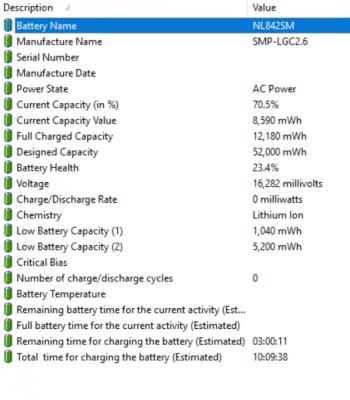
I'm here to ask I suspected my battery current total capacity that detected from BatteryCare software keep changing everytime my laptop restart. Sometime decrease sometime increase but not more than 35k mWh, in percentage maximum can charge until around 90%+- then stop charge. Is this mean my battery going dead soon? If yes, then if i keep using without remove the battery from laptop is it okay and it won't affecting any other component right? because it still can maintain around 1 hour for just paper works with full charge. Also i realise when it charge almost close with the current total capacity, the battery status keep showing charging for a while, then not charging, then back charging a while, then not charging again repeatly until it reach to the target of the current total capacity. I just wanna to get confirmation it wont give me any big issues right except from the battery life become short, because i have affright on last time case that cause by charging port adapter chipset and it have been change recently (Around December 2016) under warrenty. The port is work very fine now. TQ PrinceJ smile.gif

This post has been edited by killerl: Jan 22 2017, 12:22 PM


Attached thumbnail(s)
Attached Image
Faris Azri Aswandi
post Jan 22 2017, 01:25 PM

New Member
*
Junior Member
5 posts

Joined: Nov 2013


At first I assumed that Paragon is the only game that hardboots my Z7 but then even when playing other games like Dreadnought, it also hardboots the laptop. It also force me to set up the hotkeys every time the laptop is hardbooted. Someone said that this may be caused by the motherboard. Any way to diagnose the motherboard?
aBcD-|
post Jan 22 2017, 03:35 PM

Enthusiast
*****
Senior Member
935 posts

Joined: Dec 2010
It is the router that supplied by TM itself, W7100N.

Guess it is N router then.

I mean, the WiFi signal quite a lot of times disappear from network list, even the router still on. My phone can detect the SSID, but laptop can't see the SSID. Does it normal?
Alexdino
post Jan 22 2017, 08:04 PM

Look at all my stars!!
*******
Senior Member
2,006 posts

Joined: Sep 2007

killer 1535 keep disconecting in Windows 10 and router is huawei ws880. try reinstalling driver, problem still there..

i saw dell on 1535 also facing this issue, any comments? thanks
oopet
post Jan 24 2017, 12:45 AM

Getting Started
**
Junior Member
260 posts

Joined: Apr 2011
QUOTE(moodswingfella @ Dec 29 2016, 01:16 AM)
hi. do we have s7/5 thread here? couldn 't find any. would like to read some s7/5 review
*
me too. keep searching for the review. icon_question.gif
ChaChaZero
post Jan 24 2017, 09:47 AM

On my way
****
Junior Member
566 posts

Joined: Sep 2006
QUOTE(oopet @ Jan 24 2017, 12:45 AM)
me too. keep searching for the review.  icon_question.gif
*
It's mixed into this thread:

https://forum.lowyat.net/topic/4031875
Prince J
post Jan 24 2017, 10:53 AM

Regular
******
Senior Member
1,272 posts

Joined: May 2010
From: Team ILLEGEAR


QUOTE(kmc3388 @ Jan 21 2017, 12:12 PM)
Hi, does anyone know whether z5 chipset support intel VT-d, aka iommu? Or at least who know what's the motherboard chipset used for z5 skylake (v2). I can go find out myself. Just checked through some tools, only manage to know the vendor known as Quanta only.

I would like to play with kvm with VGA passthrough, but fail at passing through. As far as I know, the processor support VT-d, just that i'm not too sure about the chipset.
*
Let me ask my tech and get back to you.

QUOTE(killerl @ Jan 22 2017, 12:22 PM)
Hello all and Gong Xi Fatt Cai to all users & PrinceJ,
I'm here to ask I suspected my battery current total capacity that detected from BatteryCare software keep changing everytime my laptop restart. Sometime decrease sometime increase but not more than 35k mWh, in percentage maximum can charge until around 90%+- then stop charge. Is this mean my battery going dead soon? If yes, then if i keep using without remove the battery from laptop is it okay and it won't affecting any other component right? because it still can maintain around 1 hour for just paper works with full charge. Also i realise when it charge almost close with the current total capacity, the battery status keep showing charging for a while, then not charging, then back charging a while, then not charging again repeatly until it reach to the target of the current total capacity. I just wanna to get confirmation it wont give me any big issues right except from the battery life become short, because i have affright on last time case that cause by charging port adapter chipset and it have been change recently (Around December 2016) under warrenty. The port is work very fine now. TQ PrinceJ smile.gif
*
Hi killer1,

Can you pm me your serial to check on your machine details warranty?

QUOTE(Faris Azri Aswandi @ Jan 22 2017, 01:25 PM)
At first I assumed that Paragon is the only game that hardboots my Z7 but then even when playing other games like Dreadnought, it also hardboots the laptop. It also force me to set up the hotkeys every time the laptop is hardbooted. Someone said that this may be caused by the motherboard. Any way to diagnose the motherboard?
*
We can test it together the time you send it in.

QUOTE(aBcD-| @ Jan 22 2017, 03:35 PM)
It is the router that supplied by TM itself, W7100N.

Guess it is N router then.

I mean, the WiFi signal quite a lot of times disappear from network list, even the router still on. My phone can detect the SSID, but laptop can't see the SSID. Does it normal?
*
Try to download and reinstall the latest Intel 8260AC driver from https://downloadcenter.intel.com/downloads/...Set64_Win10.exe

QUOTE(Alexdino @ Jan 22 2017, 08:04 PM)
killer 1535 keep disconecting in Windows 10 and router is huawei ws880. try reinstalling driver, problem still there..

i saw dell on 1535 also facing this issue, any comments? thanks
*
Try to download and reinstall the latest driver from Killer http://www.killernetworking.com/driver-downloads
The right hand side wireless tab.
oopet
post Jan 24 2017, 10:56 AM

Getting Started
**
Junior Member
260 posts

Joined: Apr 2011
QUOTE(ChaChaZero @ Jan 24 2017, 09:47 AM)
It's mixed into this thread:

https://forum.lowyat.net/topic/4031875
*
Thanks! thumbup.gif
Alexdino
post Jan 24 2017, 11:30 AM

Look at all my stars!!
*******
Senior Member
2,006 posts

Joined: Sep 2007

QUOTE(Prince J @ Jan 24 2017, 10:53 AM)
Try to download and reinstall the latest driver from Killer http://www.killernetworking.com/driver-downloads
The right hand side wireless tab.
*
same, problem still there.

apparently, many having this problem

killer wireless 1535 disconnect heavy load

QUOTE
I am with Killer Networking. We have had some other reports of some Intel Skylake based platforms (Intel i7-6000 series) having wireless drops after updating to Windows 10 Anniversary Edition. We have reproduced this in our test lab and are having our driver developers work on a fix now.

In the meantime, you can load an older Wireless driver via Device Manager. We have confirmed driver 12.0.0.230 should resolve the drops at this time.
www.killernetworking.com/support/Killer-Wireless-AC_INF_12.0.0.230.zip

Regards,
Thomas
Killer Networking

Prince J
post Jan 25 2017, 11:22 PM

Regular
******
Senior Member
1,272 posts

Joined: May 2010
From: Team ILLEGEAR


QUOTE(Alexdino @ Jan 24 2017, 11:30 AM)
same, problem still there.

apparently, many having this problem

killer wireless 1535 disconnect heavy load
*
If it's something related to windows anniversary edition, are you able to roll back to the update earlier? Search "restore my pc to an earlier restore point".
FuNks
post Jan 26 2017, 12:24 AM

F z N
*******
Senior Member
2,812 posts

Joined: Dec 2011


any easy method way to calibrate the z5 battery? thanks! smile.gif
killerl
post Jan 26 2017, 06:56 AM

New Member
*
Junior Member
6 posts

Joined: Mar 2015


QUOTE(Prince J @ Jan 24 2017, 10:53 AM)
Let me ask my tech and get back to you.
Hi killer1,

Can you pm me your serial to check on your machine details warranty?
We can test it together the time you send it in.
Try to download and reinstall the latest Intel 8260AC driver from https://downloadcenter.intel.com/downloads/...Set64_Win10.exe
Try to download and reinstall the latest driver from Killer http://www.killernetworking.com/driver-downloads
The right hand side wireless tab.
*
I have pm you already. During my last send in issue you told me that my machine warrenty is until April 2017.

This post has been edited by killerl: Jan 26 2017, 07:29 AM
hellfire8888
post Jan 26 2017, 10:15 AM

Look at all my stars!!
*******
Senior Member
3,196 posts

Joined: Feb 2006
anyone know where i can get good deal for this http://store.illegear.com/z-series/135-illegear-z5.html?
ChaChaZero
post Jan 26 2017, 10:56 AM

On my way
****
Junior Member
566 posts

Joined: Sep 2006
QUOTE(hellfire8888 @ Jan 26 2017, 10:15 AM)
anyone know where i can get good deal for this http://store.illegear.com/z-series/135-illegear-z5.html?
*
Why don't you get it from the Illegear store?

Its a newly released update, I don't think you can find it anywhere else yet.
moodswingfella
post Jan 30 2017, 04:01 AM

Casual
***
Junior Member
364 posts

Joined: Aug 2009
Hi,

I just purchases S7 on Jan 2017. I got this problem my S7 randomly goes to black screen with buzzing sound...and then it restart after 10sec. (happen like every 3hours)

I checked temp is ok. Both GPU and CPU are running below 60c. RAM usage only bout 40%-60%.

Any ideas why this is happening? icon_question.gif
Prince J
post Feb 1 2017, 12:00 PM

Regular
******
Senior Member
1,272 posts

Joined: May 2010
From: Team ILLEGEAR


QUOTE(moodswingfella @ Jan 30 2017, 04:01 AM)
Hi,

I just purchases S7 on Jan 2017. I got this problem my S7 randomly goes to black screen with buzzing sound...and then it restart after 10sec. (happen like every 3hours)

I checked temp is ok. Both GPU and CPU are running below 60c. RAM usage only bout 40%-60%.

Any ideas why this is happening?  icon_question.gif
*
Hi moodswingfella,

Noticed that you sent us an email also, will follow up from there.
moodswingfella
post Feb 1 2017, 12:48 PM

Casual
***
Junior Member
364 posts

Joined: Aug 2009
QUOTE(Prince J @ Feb 1 2017, 12:00 PM)
Hi moodswingfella,

Noticed that you sent us an email also, will follow up from there.
*
Hi prince

Yup thanks
zonan4
post Feb 5 2017, 10:36 PM

On my way
****
Senior Member
561 posts

Joined: Aug 2006
From: Kajang, Selangor


http://www.ultrabookreview.com/10167-lapto...ng-overcloking/

Anyone here use this Apps to undervolt your CPU? It seem like a nice apps....
Faris Azri Aswandi
post Feb 7 2017, 06:26 PM

New Member
*
Junior Member
5 posts

Joined: Nov 2013


Yo, if something is wrong with the motherboard, will the whole laptop be replaced? How long for a fix? If so, I want to store all my files. This is definitely what I expected from a 6k laptop. Even Overwatch makes the laptop hardboot now. Like WTF?
Prince J
post Feb 8 2017, 12:25 AM

Regular
******
Senior Member
1,272 posts

Joined: May 2010
From: Team ILLEGEAR


QUOTE(Faris Azri Aswandi @ Feb 7 2017, 06:26 PM)
Yo, if something is wrong with the motherboard, will the whole laptop be replaced? How long for a fix? If so, I want to store all my files. This is definitely what I expected from a 6k laptop. Even Overwatch makes the laptop hardboot now. Like WTF?
*
Dear Faris,

We will do a thorough check of the laptop to see what's wrong with your game/apps/drivers/hardware and will assist to fix it.

Awaiting you to send in.

Thanks.
sengf
post Feb 8 2017, 04:31 PM

On my way
****
Senior Member
617 posts

Joined: Nov 2006


can i know ILLEGEAR Z5 V2 (GTX 960M / GTX 970M) suppoer NVMe ssd ??
Prince J
post Feb 8 2017, 05:02 PM

Regular
******
Senior Member
1,272 posts

Joined: May 2010
From: Team ILLEGEAR


QUOTE(sengf @ Feb 8 2017, 04:31 PM)
can i know ILLEGEAR Z5 V2 (GTX 960M / GTX 970M) suppoer NVMe ssd ??
*
Hi sengf,

Z5 v2 doesn't support NVMe ssd.
sengf
post Feb 8 2017, 05:16 PM

On my way
****
Senior Member
617 posts

Joined: Nov 2006


QUOTE(Prince J @ Feb 8 2017, 05:02 PM)
Hi sengf,

Z5 v2 doesn't support NVMe ssd.
*
ok thx
AZIM@ILLEGEAR
post Feb 8 2017, 05:23 PM

New Member
*
Junior Member
28 posts

Joined: Feb 2017
From: Team ILLEGEAR


Hi there laugh.gif I'm Azim, a customer service/sales representative from ILLEGEAR. For any inquiries regarding purchase/service, feel free to PM/contact me using the options in my signature.

Thank you very much & can't wait to serve you guys! icon_rolleyes.gif
FuNks
post Feb 8 2017, 10:38 PM

F z N
*******
Senior Member
2,812 posts

Joined: Dec 2011


Attached Image

hey just wondering , is this normal for CSGO gameplay?
Prince J
post Feb 9 2017, 11:27 AM

Regular
******
Senior Member
1,272 posts

Joined: May 2010
From: Team ILLEGEAR


QUOTE(FuNks @ Feb 8 2017, 10:38 PM)
Attached Image

hey just wondering , is this normal for CSGO gameplay?
*
Hi Funks,

62C i7-6700HQ and 60C 970M are fine.
FuNks
post Feb 9 2017, 11:54 AM

F z N
*******
Senior Member
2,812 posts

Joined: Dec 2011


QUOTE(Prince J @ Feb 9 2017, 11:27 AM)
Hi Funks,

62C i7-6700HQ and 60C 970M are fine.
*
how bout the motherboard temp? blink.gif
AZIM@ILLEGEAR
post Feb 10 2017, 12:36 PM

New Member
*
Junior Member
28 posts

Joined: Feb 2017
From: Team ILLEGEAR


The motherboard temp is quite high (at 83°C). May I know when was the last time that you've done dust cleaning/thermal paste replacement? Thank you smile.gif

This post has been edited by AZIM@ILLEGEAR: Feb 10 2017, 12:36 PM
FuNks
post Feb 11 2017, 12:21 AM

F z N
*******
Senior Member
2,812 posts

Joined: Dec 2011


QUOTE(AZIM@ILLEGEAR @ Feb 10 2017, 12:36 PM)
The motherboard temp is quite high (at 83°C). May I know when was the last time that you've done dust cleaning/thermal paste replacement? Thank you smile.gif
*
Not once yet. i bought last mid August. hmm.gif
Ikiewe
post Feb 11 2017, 10:15 AM

New Member
*
Newbie
1 posts

Joined: Sep 2015
Hi, I know that the FN + 1 key controls the fan speed but is there any way to let afterburner adjust the fan speed according to the temperature automatically? the fan options seems to be unavailable in afterburner.

I seem to be getting 80 degree on full load on games like CS-GO (max) and Overwatch (on medium graphics setting). Also the area above the keyboard gets really hot to the point where it hurts when i place my own on it.

Thanks.


Attached thumbnail(s)
Attached Image
AZIM@ILLEGEAR
post Feb 11 2017, 11:22 AM

New Member
*
Junior Member
28 posts

Joined: Feb 2017
From: Team ILLEGEAR


QUOTE(FuNks @ Feb 11 2017, 12:21 AM)
Not once yet. i bought last mid August.  hmm.gif
*
Dropped you a PM. smile.gif


QUOTE(Ikiewe @ Feb 11 2017, 10:15 AM)
Hi, I know that the  FN + 1 key controls the fan speed but is there any way to let afterburner adjust the fan speed according to the temperature automatically? the fan options seems to be unavailable in afterburner.

I seem to be getting 80 degree on full load on games like CS-GO (max) and Overwatch (on medium graphics setting). Also the area above the keyboard gets really hot to the point where it hurts when i place my own on it.

Thanks.
*
Actually the BIOS will automatically adjust the fan speed to the temperature accordingly without Afterburner, but your 80 degree is actually quite high for 1060. Last time during our IT Fair, we actually ran Battlefield 1 on the laptop for the whole day & the temperature peaks around 60 degrees only.

I could not say for certain, but this might be due to dust clog in the CPU fan. May I know when was the last time that you've done dust cleaning/thermal paste replacement for your laptop? Thanks.

This post has been edited by AZIM@ILLEGEAR: Feb 11 2017, 02:41 PM
aBcD-|
post Feb 11 2017, 12:56 PM

Enthusiast
*****
Senior Member
935 posts

Joined: Dec 2010
Hi Team Illegear,

Would like to ask, currently my Z5 display plagued by yellowish issue.
Currently using windows' default color profile. (Dell external monitor works just fine)
I can identify because I open a white and blank notepad, then I drag to its blank interface between Z5 display and my external monitor.
Turns out Z5 color has yellow-er white than dell.

Can help regarding this issue? Not my very expertise in this field.

EDIT: I have tried Z5's color profile, color gets warmer, almost like reverse the yellowish to redish effect.
Tried on both Dell monitor and Z5 monitor. Both monitors get same result. So I reversed both back to windows' default color profile. But Z5 monitor couldn't get as white as Dell's.
Probably monitor defect?

Thanks.

This post has been edited by aBcD-|: Feb 11 2017, 01:59 PM
Ikiewe
post Feb 11 2017, 01:36 PM

New Member
*
Newbie
1 posts

Joined: Sep 2015
QUOTE(AZIM@ILLEGEAR @ Feb 11 2017, 11:22 AM)
Dropped you a PM.  smile.gif
Actually the BIOS will automatically adjust the fan speed to the temperature accordingly without Afterburner, but your 80 degree is actually quite high for 1070. Last time during our IT Fair, we actually ran Battlefield 4 on the laptop for the whole day & the temperature peaks around 60 degrees only.

I could not say for certain, but this might be due to dust clog in the CPU fan. May I know when was the last time that you've done dust cleaning/thermal paste replacement for your laptop? Thanks.
*
I just got the z5 on Thursday 9/2/2017 so its pretty new. I dont think its the dust. Is there any alternate solution?
AZIM@ILLEGEAR
post Feb 11 2017, 02:40 PM

New Member
*
Junior Member
28 posts

Joined: Feb 2017
From: Team ILLEGEAR


QUOTE(aBcD-| @ Feb 11 2017, 12:56 PM)
Hi Team Illegear,

Would like to ask, currently my Z5 display plagued by yellowish issue.
Currently using windows' default color profile. (Dell external monitor works just fine)
I can identify because I open a white and blank notepad, then I drag to its blank interface between Z5 display and my external monitor.
Turns out Z5 color has yellow-er white than dell.

Can help regarding this issue? Not my very expertise in this field.

EDIT: I have tried Z5's color profile, color gets warmer, almost like reverse the yellowish to redish effect.
Tried on both Dell monitor and Z5 monitor. Both monitors get same result. So I reversed both back to windows' default color profile. But Z5 monitor couldn't get as white as Dell's.
Probably monitor defect?

Thanks.
*
Based on our experience, the Z5 screens do not have this yellowish tint issue.We cannot really determine whether it is monitor defect or not, can you PM us your serial number of the laptop? If we determine that there is in fact a monitor defect on your unit, we can replace it FOC.

QUOTE(Ikiewe @ Feb 11 2017, 01:36 PM)
I just got the z5 on Thursday 9/2/2017 so its pretty new. I dont think its the dust. Is there any alternate solution?
*
Is it possible for you to send in your laptop for a proper inspection? Also, can you PM me the serial number of your laptop? (It is located at the bottom part of your laptop). Thank you very much.
xarive
post Feb 15 2017, 02:43 PM

Getting Started
**
Junior Member
73 posts

Joined: May 2013
Hi there. My Haswell Z5 have horizontal green line on my screen. Is it time to be replaced? If yes, how much is it to replace a screen? Thanks.
AZIM@ILLEGEAR
post Feb 15 2017, 03:05 PM

New Member
*
Junior Member
28 posts

Joined: Feb 2017
From: Team ILLEGEAR


QUOTE(xarive @ Feb 15 2017, 02:43 PM)
Hi there. My Haswell Z5 have horizontal green line on my screen. Is it time to be replaced? If yes, how much is it to replace a screen? Thanks.
*
Hi xarive, did you contact us through LiveChat today by any chance? smile.gif
xarive
post Feb 17 2017, 03:16 AM

Getting Started
**
Junior Member
73 posts

Joined: May 2013
QUOTE(AZIM@ILLEGEAR @ Feb 15 2017, 03:05 PM)
Hi xarive, did you contact us through LiveChat today by any chance?  smile.gif
*
Hi Azim. Yes you're right. But in just two days it increased from 1 horizontal line to 3. And it's really expensive to replace a screen. Is there any users out here share the same with me? It's just 2 years old laptop.

This post has been edited by xarive: Feb 17 2017, 03:28 AM


Attached thumbnail(s)
Attached Image Attached Image Attached Image
loonsave
post Feb 17 2017, 08:43 AM

Regular
******
Senior Member
1,635 posts

Joined: May 2005


QUOTE(AZIM@ILLEGEAR @ Feb 11 2017, 11:22 AM)

Actually the BIOS will automatically adjust the fan speed to the temperature accordingly without Afterburner, but your 80 degree is actually quite high for 1060. Last time during our IT Fair, we actually ran Battlefield 1 on the laptop for the whole day & the temperature peaks around 60 degrees only.

I could not say for certain, but this might be due to dust clog in the CPU fan. May I know when was the last time that you've done dust cleaning/thermal paste replacement for your laptop? Thanks.
*
Hi Azim,

My Z5 is running at 80 degree for GTX970m when running Blade and Soul. Is this normal?

My laptop still under warranty, what is the charges for dust cleaning and thermal paste replacement?
Prince J
post Feb 17 2017, 10:28 AM

Regular
******
Senior Member
1,272 posts

Joined: May 2010
From: Team ILLEGEAR


QUOTE(xarive @ Feb 17 2017, 03:16 AM)
Hi Azim. Yes you're right. But in just two days it increased from 1 horizontal line to 3. And it's really expensive to replace a screen. Is there any users out here share the same with me? It's just 2 years old laptop.
*
Hi xarive,

I believe the LCD replacement prices we quoted you are very reasonable compare to market price.

The common causes of LCD lines are mostly from external factors for e.g. pressure etc.

ILLEGEAR replaces the LCD with lines within warranty FOC. If the warranty is over like your case, we can replace it at very reasonable price. Do contact us if you need any help.

Thanks.

QUOTE(loonsave @ Feb 17 2017, 08:43 AM)
Hi Azim,

My Z5 is running at 80 degree for GTX970m when running Blade and Soul. Is this normal?

My laptop still under warranty, what is the charges for dust cleaning and thermal paste replacement?
*
It's a bit highl, normally Z5's 970M runs at 65C to 73C. We suggest you to send in for checking your dust and thermal paste condition.
loonsave
post Feb 17 2017, 02:02 PM

Regular
******
Senior Member
1,635 posts

Joined: May 2005


QUOTE(Prince J @ Feb 17 2017, 10:28 AM)
Hi xarive,

I believe the LCD replacement prices we quoted you are very reasonable compare to market price.

The common causes of LCD lines are mostly from external factors for e.g. pressure etc.

ILLEGEAR replaces the LCD with lines within warranty FOC. If the warranty is over like your case, we can replace it at very reasonable price. Do contact us if you need any help.

Thanks.
It's a bit highl, normally Z5's 970M runs at 65C to 73C. We suggest you to send in for checking your dust and thermal paste condition.
*
What is the charges?
AZIM@ILLEGEAR
post Feb 18 2017, 11:52 AM

New Member
*
Junior Member
28 posts

Joined: Feb 2017
From: Team ILLEGEAR


QUOTE(loonsave @ Feb 17 2017, 02:02 PM)
What is the charges?
*
Dropped you a PM. smile.gif
kmc3388
post Feb 20 2017, 11:45 PM

New Member
*
Newbie
19 posts

Joined: Nov 2014
QUOTE(Prince J @ Jan 24 2017, 10:53 AM)
Let me ask my tech and get back to you.
Hi killer1,

Can you pm me your serial to check on your machine details warranty?
We can test it together the time you send it in.
Try to download and reinstall the latest Intel 8260AC driver from https://downloadcenter.intel.com/downloads/...Set64_Win10.exe
Try to download and reinstall the latest driver from Killer http://www.killernetworking.com/driver-downloads
The right hand side wireless tab.
*
Hi prince J, did you manag eto get any details about the vt-d support for the motherboard? And does the skylake z5 have any updated bios version?
Prince J
post Feb 21 2017, 11:04 AM

Regular
******
Senior Member
1,272 posts

Joined: May 2010
From: Team ILLEGEAR


QUOTE(kmc3388 @ Feb 20 2017, 11:45 PM)
Hi prince J, did you manag eto get any details about the vt-d support for the motherboard? And does the skylake z5 have any updated bios version?
*
Hi kmc3388,

Z5 has VT-D enabled ex-factory.
WildChai
post Feb 22 2017, 08:01 PM

Wut is this?
******
Senior Member
1,022 posts

Joined: Sep 2005
From: nomad in the Sahara...


Hi,

How much for thermal paste n dusting maintenance?
AZIM@ILLEGEAR
post Feb 22 2017, 10:11 PM

New Member
*
Junior Member
28 posts

Joined: Feb 2017
From: Team ILLEGEAR


QUOTE(WildChai @ Feb 22 2017, 08:01 PM)
Hi,

How much for thermal paste n dusting maintenance?
*
Hi WildChai,

PMed. smile.gif

This post has been edited by AZIM@ILLEGEAR: Feb 23 2017, 10:48 AM
menghao
post Mar 6 2017, 11:37 PM

Getting Started
**
Junior Member
260 posts

Joined: May 2012


Hi, may I know what is the price for illegear z5 adapter?
just find out that my laptop is longer charging and there is no more light on the adapter.
Prince J
post Mar 7 2017, 10:00 AM

Regular
******
Senior Member
1,272 posts

Joined: May 2010
From: Team ILLEGEAR


QUOTE(menghao @ Mar 6 2017, 11:37 PM)
Hi, may I know what is the price for illegear z5 adapter?
just find out that my laptop is longer charging and there is no more light on the adapter.
*
Drop you a pm smile.gif
menghao
post Mar 7 2017, 10:18 AM

Getting Started
**
Junior Member
260 posts

Joined: May 2012


QUOTE(Prince J @ Mar 7 2017, 10:00 AM)
Drop you a pm smile.gif
*
waiting for reply smile.gif
_bo
post Mar 8 2017, 01:08 AM

New Member
*
Newbie
0 posts

Joined: Feb 2017
Either my z5 battery isn't working or the port to charge is faulty sad.gif

can't boot my laptop anymore because no battery and I've tried switching laptop chargers but still doesn't work. any idea what's the problem?
menghao
post Mar 8 2017, 05:11 PM

Getting Started
**
Junior Member
260 posts

Joined: May 2012


QUOTE(_bo @ Mar 8 2017, 01:08 AM)
Either my z5 battery isn't working or the port to charge is faulty sad.gif

can't boot my laptop anymore because no battery and I've tried switching laptop chargers but still doesn't work. any idea what's the problem?
*
my friend's z5 battery spoil but connect power adapter still able to boot up.
not a professional in this, you can wait for prince to reply you.


AZIM@ILLEGEAR
post Mar 8 2017, 06:13 PM

New Member
*
Junior Member
28 posts

Joined: Feb 2017
From: Team ILLEGEAR


QUOTE(_bo @ Mar 8 2017, 01:08 AM)
Either my z5 battery isn't working or the port to charge is faulty sad.gif

can't boot my laptop anymore because no battery and I've tried switching laptop chargers but still doesn't work. any idea what's the problem?
*
Dropped you a PM.
zonan4
post Mar 28 2017, 11:10 PM

On my way
****
Senior Member
561 posts

Joined: Aug 2006
From: Kajang, Selangor


Drop me PM for thermal paste charge and how long it will take for u guys to do it...
AZIM@ILLEGEAR
post Mar 29 2017, 10:40 AM

New Member
*
Junior Member
28 posts

Joined: Feb 2017
From: Team ILLEGEAR


QUOTE(zonan4 @ Mar 28 2017, 11:10 PM)
Drop me PM for thermal paste charge and how long it will take for u guys to do it...
*
PMed smile.gif
BlizzardCraft
post Apr 9 2017, 10:34 PM

ChiakChiak
******
Senior Member
1,562 posts

Joined: May 2012


anybody here using Illeagear v2? the GTX970M variant.

I've updated all my drivers and even set NVIDIA control panel to prefer NVIDIA GPU.

Still get fps drops on Overwatch, even @ low settings ><

normally it would run 60fps, but it drops to 30, even when not much motion is going on ( eg: back in base ).

Prince J
post Apr 10 2017, 10:42 AM

Regular
******
Senior Member
1,272 posts

Joined: May 2010
From: Team ILLEGEAR


QUOTE(BlizzardCraft @ Apr 9 2017, 10:34 PM)
anybody here using Illeagear v2? the GTX970M variant.

I've updated all my drivers and even set NVIDIA control panel to prefer NVIDIA GPU.

Still get fps drops on Overwatch, even @ low settings ><

normally it would run 60fps, but it drops to 30, even when not much motion is going on ( eg: back in base ).
*
Hi Blizzard,

Can we test your machine physically?
BlizzardCraft
post Apr 10 2017, 08:58 PM

ChiakChiak
******
Senior Member
1,562 posts

Joined: May 2012


QUOTE(Prince J @ Apr 10 2017, 10:42 AM)
Hi Blizzard,

Can we test your machine physically?
*
Okay smile.gif I'll bring it over within this month. Busy schedule sad.gif So I've been trying to trouble shoot myself
Prince J
post Apr 18 2017, 06:02 PM

Regular
******
Senior Member
1,272 posts

Joined: May 2010
From: Team ILLEGEAR


JinnyboyTV did an unboxing video for the Z series


junkang89
post Apr 20 2017, 07:28 PM

New Member
*
Junior Member
24 posts

Joined: Nov 2011
QUOTE(menghao @ Mar 8 2017, 05:11 PM)
my friend's z5 battery spoil but connect power adapter still able to boot up.
not a professional in this, you can wait for prince to reply you.
*
Same thing happened to my Z5 battery, only can power up with the adapter plugged in.
Is there any battery checking service even after warranty period > sad.gif
AZIM@ILLEGEAR
post Apr 20 2017, 07:36 PM

New Member
*
Junior Member
28 posts

Joined: Feb 2017
From: Team ILLEGEAR


QUOTE(junkang89 @ Apr 20 2017, 07:28 PM)
Same thing happened to my Z5 battery, only can power up with the adapter plugged in.
Is there any battery checking service even after warranty period >  sad.gif
*
Hi junkang89,

Yes, we do provide lifetime technical support for ILLEGEAR laptops, but parts replacement will be done at a fee since it is out of warranty. For servicing, kindly find the location to our office here: http://www.illegear.com/getting-here/
kalmit95
post Apr 21 2017, 11:10 PM

New Member
*
Newbie
3 posts

Joined: Jul 2015


Anybody using the z5 gtx 1060 model? Been using it for gaming and the cooling fan gets utterly noisy during load. Anyone else experiencing this issue? Just got it a week ago. Playing the Witcher 3. Temperature rises up to 78/80 as well.

This post has been edited by kalmit95: Apr 22 2017, 12:55 AM
Prince J
post Apr 22 2017, 10:35 AM

Regular
******
Senior Member
1,272 posts

Joined: May 2010
From: Team ILLEGEAR


QUOTE(kalmit95 @ Apr 21 2017, 11:10 PM)
Anybody using the z5 gtx 1060 model? Been using it for gaming and the cooling fan gets utterly noisy during load. Anyone else experiencing this issue? Just got it a week ago. Playing the Witcher 3. Temperature rises up to 78/80 as well.
*
Hi,

Is 78/80C your CPU or GPU temperature?
It's normal for the fans to boost up in full load.
xDragonZ
post Apr 22 2017, 10:48 AM

On my way
****
Senior Member
553 posts

Joined: Jul 2008
From: Just behide you !

Is this model support external GPU using thunderbolt?

This post has been edited by xDragonZ: Apr 22 2017, 10:49 AM
Alexdino
post Apr 22 2017, 02:47 PM

Look at all my stars!!
*******
Senior Member
2,006 posts

Joined: Sep 2007

any solution for killer card?
bigboyscave
post Apr 22 2017, 11:47 PM

New Member
*
Junior Member
6 posts

Joined: May 2015
From: The Cave
QUOTE(AZIM@ILLEGEAR @ Apr 20 2017, 07:36 PM)
Hi junkang89,

Yes, we do provide lifetime technical support for ILLEGEAR laptops, but parts replacement will be done at a fee since it is out of warranty. For servicing, kindly find the location to our office here: http://www.illegear.com/getting-here/
*
Hi Prince,

My illegear z5 which i bought a year back has some battery issues now. When i am plugged in, it says 35% AC plugged in but not charging. Once I unplugged my AC adapter, the laptops powers off and I can't reboot it. Looks like a dead battery? Any suggestions for me to fix this before i send this unit back to you?
Faris Azri Aswandi
post Apr 23 2017, 10:07 PM

New Member
*
Junior Member
5 posts

Joined: Nov 2013


I have never felt like throwing a laptop except this Z7. Might have if not for fearing I would damage the wall. Just got it back from the shop yesterday and I am already freezing so hard I have to manually hold the power button 10 seconds. Ctrl+alt+delete won't even come up.
AZIM@ILLEGEAR
post Apr 25 2017, 12:52 PM

New Member
*
Junior Member
28 posts

Joined: Feb 2017
From: Team ILLEGEAR


QUOTE(bigboyscave @ Apr 22 2017, 11:47 PM)
Hi Prince,

My illegear z5 which i bought a year back has some battery issues now. When i am plugged in, it says 35% AC plugged in but not charging. Once I unplugged my AC adapter, the laptops powers off and I can't reboot it. Looks like a dead battery? Any suggestions for me to fix this before i send this unit back to you?
*
Hi bigboyscave, this seems like a dead battery issue, but we have to check first to check whether is it a battery issue/port issue? Could you PM me your Z5's serial number (located underneath your laptop) to check?

QUOTE(Faris Azri Aswandi @ Apr 23 2017, 10:07 PM)
I have never felt like throwing a laptop except this Z7. Might have if not for fearing I would damage the wall. Just got it back from the shop yesterday and I am already freezing so hard I have to manually hold the power button 10 seconds. Ctrl+alt+delete won't even come up.
*
Hi Faris Azri Aswandi, we are truly sorry for hearing this issue, the overheating issue of your laptop were fixed fairly quickly in a few hours but we couldn't perform a complete intensive testing on your laptop because of the limited timeframe (the laptop was requested to be done in a hurry), truly sorry for the inconvenience caused.

This post has been edited by AZIM@ILLEGEAR: Apr 25 2017, 01:42 PM
kalmit95
post Apr 26 2017, 12:16 AM

New Member
*
Newbie
3 posts

Joined: Jul 2015


QUOTE(Prince J @ Apr 22 2017, 10:35 AM)
Hi,

Is 78/80C your CPU or GPU temperature?
It's normal for the fans to boost up in full load.
*
Both reaches to temperature of about 76C and above. Reached 85C also. It has serious heating issues. Fitted with ic diamond thermal paste. How can I solve this? Even on Dota 2 I'm experiencing this. It has only been a week plus owning this laptop.

This post has been edited by kalmit95: Apr 26 2017, 12:28 AM
Prince J
post Apr 26 2017, 03:12 AM

Regular
******
Senior Member
1,272 posts

Joined: May 2010
From: Team ILLEGEAR


QUOTE(kalmit95 @ Apr 26 2017, 12:16 AM)
Both reaches to temperature of about 76C and above. Reached 85C also. It has serious heating issues. Fitted with ic diamond thermal paste. How can I solve this? Even on Dota 2 I'm experiencing this. It has only been a week plus owning this laptop.
*
Normally there is no heating issue on the Z series unless there is huge dust wall or dried thermal compound.

76C is fine for both CPU and GPU. For the 85C, is it CPU or GPU temperature? 85C is normal CPU temperature with Intel Turbo Boost On, it's a bit hot if it's the GPU temperature. You can send your laptop to us for testing, will assist on that.

And btw, which utility you used for monitoring the temperature? Which surface you put your laptop on?

This post has been edited by Prince J: Apr 26 2017, 03:17 AM
bigboyscave
post Apr 26 2017, 09:29 AM

New Member
*
Junior Member
6 posts

Joined: May 2015
From: The Cave
QUOTE(bigboyscave @ Apr 22 2017, 11:47 PM)
Hi Prince,

My illegear z5 which i bought a year back has some battery issues now. When i am plugged in, it says 35% AC plugged in but not charging. Once I unplugged my AC adapter, the laptops powers off and I can't reboot it. Looks like a dead battery? Any suggestions for me to fix this before i send this unit back to you?
*
The official reply from Illegear is that my battery is dead after 1 year plus. Anyone having similar issues?
Prince J
post Apr 26 2017, 11:34 AM

Regular
******
Senior Member
1,272 posts

Joined: May 2010
From: Team ILLEGEAR


QUOTE(bigboyscave @ Apr 26 2017, 09:29 AM)
The official reply from Illegear is that my battery is dead after 1 year plus. Anyone having similar issues?
*
Hi bigboy,
Mind to pm me your serial?
wingwp
post Apr 27 2017, 01:43 AM

On my way
****
Senior Member
639 posts

Joined: Jan 2003


ok what

QUOTE(kalmit95 @ Apr 21 2017, 11:10 PM)
Anybody using the z5 gtx 1060 model? Been using it for gaming and the cooling fan gets utterly noisy during load. Anyone else experiencing this issue? Just got it a week ago. Playing the Witcher 3. Temperature rises up to 78/80 as well.
*
bigboyscave
post May 2 2017, 11:11 AM

New Member
*
Junior Member
6 posts

Joined: May 2015
From: The Cave
Really guys? 2nd of May and I am standing in front of your office at 11am and you're not opened yet?
ChaChaZero
post May 2 2017, 11:22 AM

On my way
****
Junior Member
566 posts

Joined: Sep 2006
QUOTE(bigboyscave @ May 2 2017, 11:11 AM)
Really guys? 2nd of May and I am standing in front of your office at 11am and you're not opened yet?
*
Bro, got this info on their Facebook.

"Happy labor day everyone! We are closing for a two day rest and our business will resume on Wednesday as per usual. Please acknowledge."

Sorry man, you're out of luck today.
bigboyscave
post May 2 2017, 11:30 AM

New Member
*
Junior Member
6 posts

Joined: May 2015
From: The Cave
Alamakkkkk...
frozenkid
post May 2 2017, 11:34 AM

Getting Started
**
Junior Member
270 posts

Joined: Jun 2009


Wow.. was looking to buy a new gaming laptop and I was looking at what is available. But seems like ILLEGEAR has a lot of heating issues from the looks of this thread. My second option now is Alienware 13 R3.

Any good review about the Z5?

This post has been edited by frozenkid: May 2 2017, 12:46 PM
Prince J
post May 2 2017, 03:05 PM

Regular
******
Senior Member
1,272 posts

Joined: May 2010
From: Team ILLEGEAR


QUOTE(bigboyscave @ May 2 2017, 11:11 AM)
Really guys? 2nd of May and I am standing in front of your office at 11am and you're not opened yet?
*
Hi bigboyscave,

As per FB post, we will back in business on tomorrow.
Prince J
post May 2 2017, 03:14 PM

Regular
******
Senior Member
1,272 posts

Joined: May 2010
From: Team ILLEGEAR


QUOTE(frozenkid @ May 2 2017, 11:34 AM)
Wow.. was looking to buy a new gaming laptop and I was looking at what is available. But seems like ILLEGEAR has a lot of heating issues from the looks of this thread. My second option now is Alienware 13 R3.

Any good review about the Z5?
*
There is no heating issue on the Z series, neither on all other series except one model - Q5 (Clevo N850HK and N850HK1), which is currently waiting Clevo to improve its heatsink.

The Z5/Z7 is capable to maintain the GPU GTX1060 temperature at below 70C in Battlefiled 1 twelve hours ultra gameplay, tested during IT Fair 2016 in Mid Valley.

As for the heating issues reported by the recent user kalmit95, we suspect the temperature reported by him was CPU temperature with Intel Turbo Boost enabled, we are still trying to contact him to send in his Z5 for checking and verification as there is no update from him after the post.

All the products have been tested in factory and retested by our engineers after customization to make sure the temperature is performing well before we deliver to our customers.

This post has been edited by Prince J: May 2 2017, 03:20 PM
FuNks
post May 3 2017, 09:15 PM

F z N
*******
Senior Member
2,812 posts

Joined: Dec 2011


btw, how much is the z5 970m battery? smile.gif
AZIM@ILLEGEAR
post May 4 2017, 01:25 PM

New Member
*
Junior Member
28 posts

Joined: Feb 2017
From: Team ILLEGEAR


QUOTE(FuNks @ May 3 2017, 09:15 PM)
btw, how much is the z5 970m battery? smile.gif
*
PMed smile.gif
KenDiriwan
post May 9 2017, 04:31 PM


*******
Senior Member
2,277 posts

Joined: Sep 2007
From: It's a tarp


Any Z5 owner kindly share whats your cooler/cooling method ?

Best with picture biggrin.gif
TShuislaw
post May 9 2017, 05:57 PM

Regular
******
Senior Member
1,344 posts

Joined: Jan 2013


QUOTE(KenDiriwan @ May 9 2017, 04:31 PM)
Any Z5 owner kindly share whats your cooler/cooling method ?

Best with picture biggrin.gif
*
Using this
http://www.coolermaster.com/cooling/notepa...epal-x-slim-II/
Jelly Puddie
post May 13 2017, 01:22 AM

New Member
*
Newbie
0 posts

Joined: Jan 2017


QUOTE(AZIM@ILLEGEAR @ Apr 20 2017, 07:36 PM)
Hi junkang89,

Yes, we do provide lifetime technical support for ILLEGEAR laptops, but parts replacement will be done at a fee since it is out of warranty. For servicing, kindly find the location to our office here: http://www.illegear.com/getting-here/
*
Same thing happened to me too. And I bought it for around 6 MONTHS ONLY, which is unacceptable! How can it spoil so fast? Poor QA? It seems many owners are facing this issue. Please advice.
Prince J
post May 13 2017, 12:23 PM

Regular
******
Senior Member
1,272 posts

Joined: May 2010
From: Team ILLEGEAR


QUOTE(Jelly Puddie @ May 13 2017, 01:22 AM)
Same thing happened to me too. And I bought it for around 6 MONTHS ONLY, which is unacceptable! How can it spoil so fast? Poor QA? It seems many owners are facing this issue. Please advice.
*
Hi Jelly Puddie,

Can we have your laptop serial number to check?

All ILLEGEAR models come with 1 year battery warranty so if your battery does fail within 6 months, we are able to help to exchange for a new battery.

Let us know before you want to send in so we can have the battery ready for replacement immediately.
xarive
post May 17 2017, 12:53 PM

Getting Started
**
Junior Member
73 posts

Joined: May 2013
QUOTE(bigboyscave @ Apr 26 2017, 09:29 AM)
The official reply from Illegear is that my battery is dead after 1 year plus. Anyone having similar issues?
*
My Z5 are Haswell (GTX 860M). Same battery issue just right after the 2 years warranty. maximum charging up to 61% and no more. You still can use the laptop with plugged in anyway.
It's amazing how I spend RM 4k+ on a laptop and now the battery issues is bugging me just after 2 years+. No hard feelings just sharing.
AZIM@ILLEGEAR
post May 17 2017, 05:00 PM

New Member
*
Junior Member
28 posts

Joined: Feb 2017
From: Team ILLEGEAR


QUOTE(xarive @ May 17 2017, 12:53 PM)
My Z5 are Haswell (GTX 860M). Same battery issue just right after the 2 years warranty. maximum charging up to 61% and no more. You still can use the laptop with plugged in anyway.
It's amazing how I spend RM 4k+ on a laptop and now the battery issues is bugging me just after 2 years+. No hard feelings just sharing.
*
Hi xarive

Thank you very much for your feedback, we will look into it.
leekaisuen69
post May 23 2017, 02:04 PM

Getting Started
**
Junior Member
123 posts

Joined: Dec 2009


QUOTE(KenDiriwan @ May 9 2017, 04:31 PM)
Any Z5 owner kindly share whats your cooler/cooling method ?

Best with picture biggrin.gif
*
im using cmstorm sf17. it futher reduces operating temp of cpu n gpu 5-10degrees on most AAA title games ultra mode after multiple hours n running on turbo boost fan mode on on my m*i brand lappy. really reconmend this baby.
Prince J
post May 25 2017, 11:07 AM

Regular
******
Senior Member
1,272 posts

Joined: May 2010
From: Team ILLEGEAR


QUOTE(leekaisuen69 @ May 23 2017, 02:04 PM)
im using cmstorm sf17. it futher reduces operating temp of cpu n gpu 5-10degrees on most AAA title games ultra mode after multiple hours n running on turbo boost fan mode on on my m*i brand lappy. really reconmend this baby.
*
Hi lee

You mean you are using ILLEGEAR S7? Or old ILLEGEAR RS-17?
Prince J
post May 25 2017, 01:29 PM

Regular
******
Senior Member
1,272 posts

Joined: May 2010
From: Team ILLEGEAR


Z series commercial.


leekaisuen69
post May 25 2017, 05:41 PM

Getting Started
**
Junior Member
123 posts

Joined: Dec 2009


QUOTE(Prince J @ May 25 2017, 11:07 AM)
Hi lee

You mean you are using ILLEGEAR S7? Or old ILLEGEAR RS-17?
*
nono.. im referring to a laptop cooler. from cooler master. im using it on my current gtx980m powered laptop.
kelvinkhaw01
post May 29 2017, 09:36 AM

Getting Started
**
Junior Member
178 posts

Joined: Jan 2011
Any review for Z5 on notebookcheck? It is the only review website/report that I trust before I buy a laptop.

Thats how I ended up buying RE-15 4 years ago. Old illegear user here looking to change a new one, last time i overlook some aspect for laptop but gonna make sure i dont miss it this time before i buy a new laptop.
holymushroom
post May 31 2017, 06:09 AM

Casual
***
Junior Member
366 posts

Joined: Jul 2012
QUOTE(kelvinkhaw01 @ May 29 2017, 09:36 AM)
Any review for Z5 on notebookcheck? It is the only review website/report that I trust before I buy a laptop.

Thats how I ended up buying RE-15 4 years ago. Old illegear user here looking to change a new one, last time i overlook some aspect for laptop but gonna make sure i dont miss it this time before i buy a new laptop.
*
what aspect u miss?
JustcallmeLarry
post May 31 2017, 11:57 PM

Regular
******
Senior Member
1,363 posts

Joined: Jan 2010


Any reason why 1st post left out the most important thing, the price???
Smurfs
post Jun 1 2017, 07:46 AM

Regular
******
Senior Member
1,060 posts

Joined: Feb 2008


QUOTE(JustcallmeLarry @ May 31 2017, 11:57 PM)
Any reason why 1st post left out the most important thing, the price???
*
the price is vary among us.

We customize our illegear laptop according to our needs.
jimmy_grimble
post Jun 1 2017, 07:52 AM

Getting Started
**
Junior Member
201 posts

Joined: Oct 2010


hi.. my wife keep complaining about her Z5 touch-pad.
sometime it does not response well. need to disable and enable using FN key.
anyone got the same problem?
kelvinkhaw01
post Jun 1 2017, 09:49 AM

Getting Started
**
Junior Member
178 posts

Joined: Jan 2011
QUOTE(holymushroom @ May 31 2017, 06:09 AM)
what aspect u miss?
*
noise emission, fan noise etc Will the fan be spinning all the time ????? Well back to the ques, seem like there is none similar review for z5 model on notebookcheck??

>>> I want a laptop that I can bring it out in public like lecture hmm.gif instead of just hiding it at home for gaming >< ....not asking for super quiet type but at least not disturbing.
Prince J
post Jun 1 2017, 10:05 AM

Regular
******
Senior Member
1,272 posts

Joined: May 2010
From: Team ILLEGEAR


QUOTE(kelvinkhaw01 @ May 29 2017, 09:36 AM)
Any review for Z5 on notebookcheck? It is the only review website/report that I trust before I buy a laptop.

Thats how I ended up buying RE-15 4 years ago. Old illegear user here looking to change a new one, last time i overlook some aspect for laptop but gonna make sure i dont miss it this time before i buy a new laptop.
*
Hi Kelvin, we do have reviews but not detailed as notebookcheck.

Z5 http://www.liveatpc.com/gearing-up-for-greatness/

Z7 http://www.liveatpc.com/review-illegears-z...ing-powerhouse/
Prince J
post Jun 1 2017, 10:07 AM

Regular
******
Senior Member
1,272 posts

Joined: May 2010
From: Team ILLEGEAR


QUOTE(JustcallmeLarry @ May 31 2017, 11:57 PM)
Any reason why 1st post left out the most important thing, the price???
*
Hi

Z5 - 15.6" IPS, i7-7700HQ, 1050Ti/4G, 8GB DDR4, 1TB 7200RPM + 120GB M.2 SSD, Windows 10 Home SL, Backpack + Sleeve RM5199

Z5 - 15.6" IPS, i7-6700HQ, 1060/6G, 8GB DDR4, 1TB 7200RPM + 120GB M.2 SSD, Windows 10 Home SL, Backpack + Sleeve RM5899

Z5 - 15.6" IPS, i7-7700HQ, 1060/6G, 8GB DDR4, 1TB 7200RPM + 120GB M.2 SSD, Windows 10 Home SL, Backpack + Sleeve RM6099

Z7 - 17.3" IPS, i7-6700HQ, 1060/6G, 8GB DDR4, 1TB 7200RPM + 120GB M.2 SSD, Windows 10 Home SL, Backpack + Sleeve RM6099

Z7 - 17.3" IPS, i7-7700HQ, 1060/6G, 8GB DDR4, 1TB 7200RPM + 120GB M.2 SSD, Windows 10 Home SL, Backpack + Sleeve RM6299
Prince J
post Jun 1 2017, 10:09 AM

Regular
******
Senior Member
1,272 posts

Joined: May 2010
From: Team ILLEGEAR


QUOTE(jimmy_grimble @ Jun 1 2017, 07:52 AM)
hi.. my wife keep complaining about her Z5 touch-pad.
sometime it does not response well. need to disable and enable using FN key.
anyone got the same problem?
*
if you are using the previous edition of Z5 (GTX860M/960M/970M), the touchpad sensitivity needs to be adjusted through the touchpad utility, the default sensitivity is set too low.

If you are using the latest edition of Z5/Z7 (GTX1060), the touchpad sensitivity should be greatly improved, on both software and hardware.
Alexdino
post Jun 1 2017, 10:10 AM

Look at all my stars!!
*******
Senior Member
2,006 posts

Joined: Sep 2007

hi Illegear,

my laptop battery plugged in, not charging, issue with battery? bought it december last year
Arvinaaaaa
post Jun 1 2017, 10:11 AM

Peace :D
*******
Senior Member
3,928 posts

Joined: Jan 2012


QUOTE(JustcallmeLarry @ May 31 2017, 11:57 PM)
Any reason why 1st post left out the most important thing, the price???
*
No reason whatsoever
Prince J
post Jun 1 2017, 10:11 AM

Regular
******
Senior Member
1,272 posts

Joined: May 2010
From: Team ILLEGEAR


QUOTE(Alexdino @ Jun 1 2017, 10:10 AM)
hi Illegear,

my laptop battery plugged in, not charging, issue with battery? bought it december last year
*
Hi Alex

Kindly pm me / Azim for your serial number underneath the laptop, we will assist further.
Alexdino
post Jun 1 2017, 10:23 AM

Look at all my stars!!
*******
Senior Member
2,006 posts

Joined: Sep 2007

QUOTE(Prince J @ Jun 1 2017, 10:11 AM)
Hi Alex

Kindly pm me / Azim for your serial number underneath the laptop, we will assist further.
*
PMed
Prince J
post Jun 5 2017, 08:27 PM

Regular
******
Senior Member
1,272 posts

Joined: May 2010
From: Team ILLEGEAR


user posted image
asn_11
post Jun 18 2017, 01:21 AM

Getting Started
**
Junior Member
51 posts

Joined: Dec 2014


hi. for ssd. which is cheaper and better? sata or m.2? emphasis on cheaper. biggrin.gif storage for me 120gb is sufficient. thanks.
AZIM@ILLEGEAR
post Jun 20 2017, 09:54 AM

New Member
*
Junior Member
28 posts

Joined: Feb 2017
From: Team ILLEGEAR


QUOTE(asn_11 @ Jun 18 2017, 01:21 AM)
hi. for ssd. which is cheaper and better? sata or m.2? emphasis on cheaper. biggrin.gif storage for me 120gb is sufficient. thanks.
*
Hi asn_11,

SATA is cheaper but it depends on the laptop, some models only have 1 SATA slot available, so you would eliminate the possibility of a HDD being installed. But 120GB is acceptable if you're planning to store most of your data in the cloud smile.gif
willaw
post Jun 22 2017, 10:16 PM

Enthusiast
*****
Senior Member
920 posts

Joined: Oct 2006
Hi, my Z5 is still under warranty. What is the charge for dust cleaning + ic diamond?

Thank you.

flee93
post Jun 23 2017, 10:04 AM

Getting Started
**
Junior Member
94 posts

Joined: Jul 2007


QUOTE(willaw @ Jun 22 2017, 10:16 PM)
Hi, my Z5 is still under warranty. What is the charge for dust cleaning + ic diamond?

Thank you.
*
Quoted by Azim before IINM icon_rolleyes.gif the prices are not meant to be disclosed I think, so I dropped you a PM~

This post has been edited by flee93: Jun 23 2017, 10:57 AM
ArthurHew
post Jun 23 2017, 12:18 PM

Getting Started
**
Junior Member
149 posts

Joined: Oct 2012
A quick one, have any review on screen performance? Thanks
Prince J
post Jun 24 2017, 10:49 AM

Regular
******
Senior Member
1,272 posts

Joined: May 2010
From: Team ILLEGEAR


QUOTE(ArthurHew @ Jun 23 2017, 12:18 PM)
A quick one, have any review on screen performance? Thanks
*
Hi ArthurHew

The contrast, viewing angle and brightness of Z5 IPS display is slightly better than Q5 Evo IPS, you can visit us to compare side by side http://illegear.com/getting-here.
chientern
post Jun 25 2017, 01:38 AM

New Member
*
Newbie
7 posts

Joined: Oct 2015
Help! Just a night before the holiday starts, I have problem charging my laptop! My laptop is somehow rejecting the power from the brick! The brick shows light when I plug it to a power source but it immediately dies off when I plug to my laptop...
pandah
post Jun 25 2017, 03:08 AM

Enthusiast
*****
Senior Member
719 posts

Joined: Jul 2011

hi, i am recently having problem charging my z5 as well

the icon showing 66% not charging, HWmonitor show 54% wear level, no over heating and all parts temperature less than 50C.

but once turn off the adapter, the laptop shut down straight away, can not be turned on. if turn the adapter on, then the laptop can turn on and the keyboard light went to default mode.

can i know how much is the cost to change the battery and how long does the process need?
it is like the battery died completely even if the system showing 66%


Prince J
post Jun 26 2017, 01:24 PM

Regular
******
Senior Member
1,272 posts

Joined: May 2010
From: Team ILLEGEAR


QUOTE(chientern @ Jun 25 2017, 01:38 AM)
Help! Just a night before the holiday starts, I have problem charging my laptop! My laptop is somehow rejecting the power from the brick! The brick shows light when I plug it to a power source but it immediately dies off when I plug to my laptop...
*
Hi can you pm me your serial number? Will assist.

QUOTE(pandah @ Jun 25 2017, 03:08 AM)
hi, i am recently having problem charging my z5 as well

the icon showing 66% not charging, HWmonitor show 54% wear level, no over heating and all parts temperature less than 50C.

but once turn off the adapter, the laptop shut down straight away, can not be turned on. if turn the adapter on, then the laptop can turn on and the keyboard light went to default mode.

can i know how much is the cost to change the battery and how long does the process need?
it is like the battery died completely even if the system showing 66%
*
Hi can you pm me your serial number? Will assist.
willaw
post Jun 27 2017, 09:30 PM

Enthusiast
*****
Senior Member
920 posts

Joined: Oct 2006
Hi, I'm having issues with plugging to an external monitor with my Z5.

Attached the 2 screenshots.

Intel HD4600, and Nvidia GTX960M.


Attached thumbnail(s)
Attached Image Attached Image
Prince J
post Jun 28 2017, 12:21 AM

Regular
******
Senior Member
1,272 posts

Joined: May 2010
From: Team ILLEGEAR


QUOTE(willaw @ Jun 27 2017, 09:30 PM)
Hi, I'm having issues with plugging to an external monitor with my Z5.

Attached the 2 screenshots.

Intel HD4600, and Nvidia GTX960M.
*
Hi, what issue you are facing?
leekaisuen69
post Jun 28 2017, 10:58 AM

Getting Started
**
Junior Member
123 posts

Joined: Dec 2009


if im using a 980m gpu now. getting a gtx1060 will already be better than 980m? or do i need to go to 1070?
Prince J
post Jun 28 2017, 11:19 AM

Regular
******
Senior Member
1,272 posts

Joined: May 2010
From: Team ILLEGEAR


QUOTE(leekaisuen69 @ Jun 28 2017, 10:58 AM)
if im using a 980m gpu now. getting a gtx1060 will already be better than 980m? or do i need to go to 1070?
*
Hi lee

GTX1060 6GB edition is better than GTX980M.
willaw
post Jun 28 2017, 08:55 PM

Enthusiast
*****
Senior Member
920 posts

Joined: Oct 2006
QUOTE(Prince J @ Jun 28 2017, 12:21 AM)
Hi, what issue you are facing?
*
Sorry should have written in more details.

I connected to an external monitor but nothing shows (blank screen). Only the laptop screen works even after I use "Extend display" to external monitor.

I suspect it's display drivers issues (running Windows 10), but not sure how to resolve it.

If you look at my screen shot, it's showing 6 monitor/display (which is clearly wrong). The laptop display is number 1, and external monitor is number 6. (Not sure where 2-5 comes from).

This is working fine in Linux though.

This post has been edited by willaw: Jun 28 2017, 08:57 PM
Prince J
post Jun 29 2017, 10:35 AM

Regular
******
Senior Member
1,272 posts

Joined: May 2010
From: Team ILLEGEAR


QUOTE(willaw @ Jun 28 2017, 08:55 PM)
Sorry should have written in more details.

I connected to an external monitor but nothing shows (blank screen). Only the laptop screen works even after I use "Extend display" to external monitor.

I suspect it's display drivers issues (running Windows 10), but not sure how to resolve it.

If you look at my screen shot, it's showing 6 monitor/display (which is clearly wrong). The laptop display is number 1, and external monitor is number 6. (Not sure where 2-5 comes from).

This is working fine in Linux though.
*
Can you pm me your serial number to check your spec details? Can try reinstalling Intel HD driver first.
willaw
post Jun 29 2017, 10:40 AM

Enthusiast
*****
Senior Member
920 posts

Joined: Oct 2006
QUOTE(Prince J @ Jun 29 2017, 10:35 AM)
Can you pm me your serial number to check your spec details? Can try reinstalling Intel HD driver first.
*
I'll pm you my serial number tonight. And I did try reinstalling Intel HD drivers.
Yvesleo
post Jul 1 2017, 09:46 PM

New Member
*
Newbie
2 posts

Joined: Jun 2017


hi ive just bought my z5 a few days ago and i noticed this issue.

When my z5 goes into sleep mode it doesnt wake up no matter what key i press even the touchpad.

I have to force shut down it to bring it back to life.

Anyone has any idea?
Prince J
post Jul 1 2017, 09:47 PM

Regular
******
Senior Member
1,272 posts

Joined: May 2010
From: Team ILLEGEAR


QUOTE(Yvesleo @ Jul 1 2017, 09:46 PM)
hi ive just bought my z5 a few days ago and i noticed this issue.

When my z5 goes into sleep mode it doesnt wake up no matter what key i press even the touchpad.

I have to force shut down it to bring it back to life.

Anyone has any idea?
*
Hi Yvelseo

What windows version are you using?
Yvesleo
post Jul 1 2017, 10:02 PM

New Member
*
Newbie
2 posts

Joined: Jun 2017


QUOTE(Prince J @ Jul 1 2017, 09:47 PM)
Hi Yvelseo

What windows version are you using?
*
hi prince J its window 10
AZIM@ILLEGEAR
post Jul 1 2017, 10:16 PM

New Member
*
Junior Member
28 posts

Joined: Feb 2017
From: Team ILLEGEAR


QUOTE(Yvesleo @ Jul 1 2017, 10:02 PM)
hi prince J its window 10
*
Kindly check your Windows build using this method: https://www.howtogeek.com/236195/how-to-fin...ws-10-you-have/

We suspect it might have been caused by the recent Windows update but no worries, we will help you to determine later.
Yvesleo
post Jul 1 2017, 10:37 PM

New Member
*
Newbie
2 posts

Joined: Jun 2017


QUOTE(AZIM@ILLEGEAR @ Jul 1 2017, 10:16 PM)
Kindly check your Windows build using this method: https://www.howtogeek.com/236195/how-to-fin...ws-10-you-have/

We suspect it might have been caused by the recent Windows update but no worries, we will help you to determine later.
*


Attached thumbnail(s)
Attached Image
pandah
post Jul 2 2017, 01:09 AM

Enthusiast
*****
Senior Member
719 posts

Joined: Jul 2011

1511 previously have some stuck problem

i am currently on 1607, haven't meet any stuck problem yet

if update from win7 can cause some stuck also
willaw
post Jul 2 2017, 10:20 AM

Enthusiast
*****
Senior Member
920 posts

Joined: Oct 2006
QUOTE(Prince J @ Jun 29 2017, 10:35 AM)
Can you pm me your serial number to check your spec details? Can try reinstalling Intel HD driver first.
*
Hello, just an update. I reinstalled Windows 10 Creators Update from scratch, and it's now working fine.

Thanks for the follow-up. smile.gif

willaw
post Jul 2 2017, 10:21 AM

Enthusiast
*****
Senior Member
920 posts

Joined: Oct 2006
The rubber above the front-facing camera, comes out easily. Can I use UHU glue to stick it back in place?

Also, is our power tip size 5.5mm x 2.5mm?


This post has been edited by willaw: Jul 2 2017, 11:05 AM
Yvesleo
post Jul 2 2017, 01:38 PM

New Member
*
Newbie
2 posts

Joined: Jun 2017


QUOTE(pandah @ Jul 2 2017, 01:09 AM)
1511 previously have some stuck problem

i am currently on 1607, haven't meet any stuck problem yet

if update from win7 can cause some stuck also
*
do u think i should update my window 10 using the window update assistance on the desktop?

This post has been edited by Yvesleo: Jul 2 2017, 01:38 PM
pandah
post Jul 2 2017, 02:46 PM

Enthusiast
*****
Senior Member
719 posts

Joined: Jul 2011

QUOTE(Yvesleo @ Jul 2 2017, 01:38 PM)
do u think i should update my window 10 using the window update assistance on the desktop?
*
i haven't try that, it auto update, windows 10 update is like batch update, so it may be a bit slow for some user to get it.

can try update
aBcD-|
post Jul 3 2017, 12:27 PM

Enthusiast
*****
Senior Member
935 posts

Joined: Dec 2010
Hi Prince J,

I'm existing customer that purchased Z5, 960m user, running 6th gen processor. (First batch)

Would like to ask, whether there is possible to upgrade my graphic card to 1060?
Can you provide me quotation of upgrade cost? Thanks
Prince J
post Jul 4 2017, 11:02 AM

Regular
******
Senior Member
1,272 posts

Joined: May 2010
From: Team ILLEGEAR


QUOTE(aBcD-| @ Jul 3 2017, 12:27 PM)
Hi Prince J,

I'm existing customer that purchased Z5, 960m user, running 6th gen processor. (First batch)

Would like to ask, whether there is possible to upgrade my graphic card to 1060?
Can you provide me quotation of upgrade cost? Thanks
*
Hi abcd,

960M cannot upgrade to 6th gen proc + gtx1060, the port locations are different.
jimmy_grimble
post Jul 4 2017, 06:00 PM

Getting Started
**
Junior Member
201 posts

Joined: Oct 2010


my z5 suddenly turned off when playing games. is it about overheating problem?
AZIM@ILLEGEAR
post Jul 4 2017, 06:30 PM

New Member
*
Junior Member
28 posts

Joined: Feb 2017
From: Team ILLEGEAR


QUOTE(jimmy_grimble @ Jul 4 2017, 06:00 PM)
my z5 suddenly turned off when playing games. is it about overheating problem?
*
It could be a number of things, did you observe the surface temperature of the laptop when the sudden shutdown occurred?
jimmy_grimble
post Jul 4 2017, 07:05 PM

Getting Started
**
Junior Member
201 posts

Joined: Oct 2010


i log my GPU temp. its max at 69 degree Celsius. is it too high?
Prince J
post Jul 5 2017, 03:17 PM

Regular
******
Senior Member
1,272 posts

Joined: May 2010
From: Team ILLEGEAR


QUOTE(jimmy_grimble @ Jul 4 2017, 07:05 PM)
i log my GPU temp. its max at 69 degree Celsius. is it too high?
*
Hi, 69C is normal for 970M.


Prince J
post Jul 5 2017, 03:17 PM

Regular
******
Senior Member
1,272 posts

Joined: May 2010
From: Team ILLEGEAR


QUOTE(GrisiaSun @ Jul 4 2017, 07:33 PM)
illegear Z5 bought before the anodized alluminium version came out, 970m.

What is the HDMI version for the port?
*
Hi it's HDMI 1.4.
jimmy_grimble
post Jul 5 2017, 11:03 PM

Getting Started
**
Junior Member
201 posts

Joined: Oct 2010


QUOTE(Prince J @ Jul 5 2017, 04:17 PM)
Hi, 69C is normal for 970M.
*
Btw, My gc is 1060
ChaChaZero
post Jul 6 2017, 10:01 AM

On my way
****
Junior Member
566 posts

Joined: Sep 2006
QUOTE(jimmy_grimble @ Jul 5 2017, 11:03 PM)
Btw, My gc is 1060
*
Just to share, I have a S5 with a 1060 in it too. The temp is also around 69 celcius when I play games like Doom. Its pretty normal to hit that number.
Yvesleo
post Jul 6 2017, 09:09 PM

New Member
*
Newbie
2 posts

Joined: Jun 2017


hi i just owned my z5.

as far as i know z5 is dual fan cooling system. but when i try switching to turbo fan boost using Fn+1 I noticed only left sided fans is working hard. there is no wind blowing from the right channel. is this normal?
AZIM@ILLEGEAR
post Jul 7 2017, 10:12 AM

New Member
*
Junior Member
28 posts

Joined: Feb 2017
From: Team ILLEGEAR


QUOTE(Yvesleo @ Jul 6 2017, 09:09 PM)
hi i just owned my z5.

as far as i know z5 is dual fan cooling system. but when i try switching to turbo fan boost using Fn+1 I noticed only left sided fans is working hard. there is no wind blowing from the right channel. is this normal?
*
Hi Yvesleo

Kindly PM me your serial number to check, thank you very much.
Prince J
post Jul 7 2017, 11:21 AM

Regular
******
Senior Member
1,272 posts

Joined: May 2010
From: Team ILLEGEAR


QUOTE(Yvesleo @ Jul 6 2017, 09:09 PM)
hi i just owned my z5.

as far as i know z5 is dual fan cooling system. but when i try switching to turbo fan boost using Fn+1 I noticed only left sided fans is working hard. there is no wind blowing from the right channel. is this normal?
*
What's the temperature you are getting for both CPU and GPU?
pandah
post Jul 8 2017, 09:55 PM

Enthusiast
*****
Senior Member
719 posts

Joined: Jul 2011

just send in to service battery today, hopefully the process is ok

now using old comp not used to hd screen lol
cryptchid
post Jul 11 2017, 04:01 PM

New Member
*
Junior Member
19 posts

Joined: Sep 2008


Hi, I'm currently shopping for a gaming laptop and came across Illegear. I tried to find a product compare option on your website but I can't seem to find it.

How can I see a comparison between the Z5 and Laguna? And since I'm here, whats the essential difference between these two models? Thanks!
Prince J
post Jul 11 2017, 05:30 PM

Regular
******
Senior Member
1,272 posts

Joined: May 2010
From: Team ILLEGEAR


QUOTE(cryptchid @ Jul 11 2017, 04:01 PM)
Hi, I'm currently shopping for a gaming laptop and came across Illegear. I tried to find a product compare option on your website but I can't seem to find it.

How can I see a comparison between the Z5 and Laguna? And since I'm here, whats the essential difference between these two models? Thanks!
*
Hi cryptchid,

The differences between LAGUNA and Z5 are:

1. Laguna doesn't utilize Nvidia optimus graphics switching. Z5 does. Laguna uses dedicated GPU all the time.
2. Laguna has smaller and slimmer chassis, bigger battery, and RGB keyboard & touchpad.
3. Z5 is RM300 cheaper.
4. LAGUNA has GTX1070 8GB option.

The temperature of GTX1060 are about the same in both models.

This post has been edited by Prince J: Jul 11 2017, 06:28 PM
Alexdino
post Jul 12 2017, 10:11 AM

Look at all my stars!!
*******
Senior Member
2,006 posts

Joined: Sep 2007

now new problem arise, on Z5, when USB thumbdrive plug in to second left side of usb port, the first (left) usb port with usb dongle for mouse will not work. any ideas what happen?
Prince J
post Jul 12 2017, 11:01 AM

Regular
******
Senior Member
1,272 posts

Joined: May 2010
From: Team ILLEGEAR


QUOTE(Alexdino @ Jul 12 2017, 10:11 AM)
now new problem arise, on Z5, when USB thumbdrive plug in to second left side of usb port, the first (left) usb port with usb dongle for mouse will not work. any ideas what happen?
*
Hi alex

Can you pm me the serial number? Will assist.
Andrewtst
post Jul 15 2017, 11:44 PM

Forgiveness is Happiness
*********
All Stars
29,764 posts

Joined: Jan 2009
From: Johor, Malaysia.


Laguna look much better and awesome dedicate GPU.

My Z5 still rock, maybe another 2 years I will consider upgrade. Haha!

Now rocking my Z5 with big 1440p QHD screen. Pretty awesome! biggrin.gif

user posted image
TShuislaw
post Jul 16 2017, 12:08 AM

Regular
******
Senior Member
1,344 posts

Joined: Jan 2013


QUOTE(Andrewtst @ Jul 15 2017, 11:44 PM)
Laguna look much better and awesome dedicate GPU.

My Z5 still rock, maybe another 2 years I will consider upgrade. Haha!

Now rocking my Z5 with big 1440p QHD screen. Pretty awesome! biggrin.gif

user posted image
*
Mine still can play prey, no need to upgrade first biggrin.gif
Andrewtst
post Jul 16 2017, 12:23 AM

Forgiveness is Happiness
*********
All Stars
29,764 posts

Joined: Jan 2009
From: Johor, Malaysia.


QUOTE(huislaw @ Jul 16 2017, 12:08 AM)
Mine still can play prey, no need to upgrade first biggrin.gif
*
Yup. It still rock awesome. biggrin.gif

I just check the new Prey, look pretty nice! Will get it soon. biggrin.gif

This post has been edited by Andrewtst: Jul 16 2017, 12:30 AM
ghodul
post Jul 16 2017, 06:53 PM

Ghodul + Shoei = GhoSho
****
Senior Member
596 posts

Joined: Jan 2009
From: -SG/JB Assassins Brotherhood Hideout-


Hi guys,

selling my Z5, retired gaming. see my thread below...

https://forum.lowyat.net/index.php?showtopic=4361680
haziqmck7
post Jul 25 2017, 07:07 AM

Regular
******
Senior Member
1,696 posts

Joined: Dec 2010
Hello. Is it normal for my z5 to display gpu temp of 77 to 81. And cpu tem 77 to 85..using afterburner to monitor it.
Prince J
post Jul 25 2017, 11:31 AM

Regular
******
Senior Member
1,272 posts

Joined: May 2010
From: Team ILLEGEAR


QUOTE(haziqmck7 @ Jul 25 2017, 07:07 AM)
Hello. Is it normal for my z5 to display gpu temp of 77 to 81. And cpu tem 77 to 85..using afterburner to monitor it.
*
CPU is normal. For GPU, what model of GPU are you using?
haziqmck7
post Jul 25 2017, 12:21 PM

Regular
******
Senior Member
1,696 posts

Joined: Dec 2010
QUOTE(Prince J @ Jul 25 2017, 11:31 AM)
CPU is normal. For GPU, what model of GPU are you using?
*
Gtx 1060 6gb
Prince J
post Jul 25 2017, 12:39 PM

Regular
******
Senior Member
1,272 posts

Joined: May 2010
From: Team ILLEGEAR


QUOTE(haziqmck7 @ Jul 25 2017, 12:21 PM)
Gtx 1060 6gb
*
That's slightly higher than our benchmark 70C, perhaps you can send to us for checking your thermal paste/dust condition?
haziqmck7
post Jul 25 2017, 12:42 PM

Regular
******
Senior Member
1,696 posts

Joined: Dec 2010
QUOTE(Prince J @ Jul 25 2017, 12:39 PM)
That's slightly higher than our benchmark 70C, perhaps you can send to us for checking your thermal paste/dust condition?
*
Will monitor for afew days. If still above 70 will send for checking. Tq ya.
wingwp
post Jul 25 2017, 09:11 PM

On my way
****
Senior Member
639 posts

Joined: Jan 2003


I run this 3 hour straight no issue..

Attached Image
Prince J
post Jul 25 2017, 09:17 PM

Regular
******
Senior Member
1,272 posts

Joined: May 2010
From: Team ILLEGEAR


QUOTE(wingwp @ Jul 25 2017, 09:11 PM)
I run this 3 hour straight no issue..

Attached Image
*
Is this a S5 with GTX1060?
wingwp
post Jul 25 2017, 09:22 PM

On my way
****
Senior Member
639 posts

Joined: Jan 2003


yes

QUOTE(Prince J @ Jul 25 2017, 09:17 PM)
Is this a S5 with GTX1060?
*
socretus
post Jul 27 2017, 05:14 PM

New Member
*
Junior Member
31 posts

Joined: Apr 2010
Hi want to ask Z5 v2. If want to buy extra adapter for the laptop. How much will it cost ?

AZIM@ILLEGEAR
post Jul 27 2017, 06:59 PM

New Member
*
Junior Member
28 posts

Joined: Feb 2017
From: Team ILLEGEAR


QUOTE(socretus @ Jul 27 2017, 05:14 PM)
Hi want to ask Z5 v2. If want to buy extra adapter for the laptop. How much will it cost ?
*
Depends on your GPU, could you PM me your serial number to check?
asn_11
post Jul 28 2017, 04:14 PM

Getting Started
**
Junior Member
51 posts

Joined: Dec 2014


hi. does inserting a 2nd ram stick automatically makes it dual channel or do i have to set something?
adamcyr
post Jul 28 2017, 06:37 PM

Getting Started
**
Junior Member
64 posts

Joined: Nov 2012


hi all..I just got my Z5 with 1060.May I knw the the best 3D setting for gaming and can we chg the keyboard backlight color?
Pembeli Barang
post Jul 28 2017, 07:07 PM

New Member
*
Newbie
13 posts

Joined: Apr 2016
QUOTE(AZIM@ILLEGEAR @ Jul 27 2017, 06:59 PM)
Depends on your GPU, could you PM me your serial number to check?
*
Hello Azim i bought an Illegear Z5 couple years back.

few weeks ago i started noticing that certain times when i start up the laptop, it will hang and having buzz noise (thru speaker). I checked my startup process, uninstalled alot of unnecessary programs yet the problem still persist.
do bear in mind this only happens sometiems (5 out of 10 restart it will happened.) so far what i did is i just left the laptop idle for awhile and the problem will be gone. i think i have tried everything except reinstalling windows which i plan to do if no more fix can be done.
AZIM@ILLEGEAR
post Jul 28 2017, 07:39 PM

New Member
*
Junior Member
28 posts

Joined: Feb 2017
From: Team ILLEGEAR


QUOTE(asn_11 @ Jul 28 2017, 04:14 PM)
hi. does inserting a 2nd ram stick automatically makes it dual channel or do i have to set something?
*
Hi asn_11, kindly ensure that the 2nd RAM is identical in terms of capacity and clock speed, dual channel capability will be automatically enabled later upon installation.

QUOTE(adamcyr @ Jul 28 2017, 06:37 PM)
hi all..I just got my Z5 with 1060.May I knw the the best 3D setting for gaming and can we chg the keyboard backlight color?
*
Hi adamcyr, 3D/Video settings are configured differently for each game titles but since your laptop is equipped with GTX 1060, it wouldn't be an issue to select the highest settings available for the game (High/Ultra/Epic/etc). Keyboard backlight color is single color only, but the brightness is customizable by pressing FN+spacebar, kindly note.

QUOTE(Pembeli Barang @ Jul 28 2017, 07:07 PM)
Hello Azim i bought an Illegear Z5 couple years back.

few weeks ago i started noticing that certain times when i start up the laptop, it will hang and having buzz noise (thru speaker). I checked my startup process, uninstalled alot of unnecessary programs yet the problem still persist.
do bear in mind this only happens sometiems (5 out of 10 restart it will happened.) so far what i did is i just left the laptop idle for awhile and the problem will be gone. i think i have tried everything except reinstalling windows which i plan to do if no more fix can be done.
*
Hi Pembeli Barang, okay this is quite peculiar to be honest. The buzzing noise is recurrent but not really consistent (5 out of 10 restart)? It could either be a debris/connector issue and reinstalling your Windows might not help to solve the issue. Are you available to send in your laptop for hardware inspection?

This post has been edited by AZIM@ILLEGEAR: Jul 28 2017, 09:19 PM
adamcyr
post Jul 29 2017, 01:43 AM

Getting Started
**
Junior Member
64 posts

Joined: Nov 2012


i need to go to BIOS in order to enable the cpu turbo boost right?
AZIM@ILLEGEAR
post Jul 29 2017, 10:29 AM

New Member
*
Junior Member
28 posts

Joined: Feb 2017
From: Team ILLEGEAR


QUOTE(adamcyr @ Jul 29 2017, 01:43 AM)
i need to go to BIOS in order to enable the cpu turbo boost right?
*
The CPU's Turbo Boost technology is enabled by default and will be activated automatically once you're running CPU-intensive games/applications. Kindly refer here for more information regarding it https://www.intel.com/content/www/us/en/sup.../000005641.html
BassHeadv97
post Jul 30 2017, 07:24 AM

New Member
*
Newbie
1 posts

Joined: Apr 2013
Do you guys do custom painting for existing laptops ?

wingwp
post Jul 30 2017, 04:26 PM

On my way
****
Senior Member
639 posts

Joined: Jan 2003


how to update console center / keyboard setting software?

QUOTE(Prince J @ Jul 25 2017, 09:17 PM)
Is this a S5 with GTX1060?
*
Prince J
post Jul 31 2017, 12:10 PM

Regular
******
Senior Member
1,272 posts

Joined: May 2010
From: Team ILLEGEAR


QUOTE(wingwp @ Jul 30 2017, 04:26 PM)
how to update console center / keyboard setting software?
*
You mean control center of S5? You may pm me for details
Pembeli Barang
post Aug 2 2017, 09:38 AM

New Member
*
Newbie
13 posts

Joined: Apr 2016
QUOTE(AZIM@ILLEGEAR @ Jul 28 2017, 07:39 PM)
Hi asn_11, kindly ensure that the 2nd RAM is identical in terms of capacity and clock speed, dual channel capability will be automatically enabled later upon installation.
Hi adamcyr, 3D/Video settings are configured differently for each game titles but since your laptop is equipped with GTX 1060, it wouldn't be an issue to select the highest settings available for the game (High/Ultra/Epic/etc). Keyboard backlight color is single color only, but the brightness is customizable by pressing FN+spacebar, kindly note.
Hi Pembeli Barang, okay this is quite peculiar to be honest. The buzzing noise is recurrent but not really consistent (5 out of 10 restart)? It could either be a debris/connector issue and reinstalling your Windows might not help to solve the issue. Are you available to send in your laptop for hardware inspection?
*
thx for the reply azim..i will PM you if i plan to send it for inspection.
adamcyr
post Aug 3 2017, 01:21 AM

Getting Started
**
Junior Member
64 posts

Joined: Nov 2012


hi all..I have a very huge problem about in game FPS. i jz bought illegear z5 with GTX1060 but the in game FPS is super slow even an old game like need for speed rivals I get only 30+ fps. Is that even possible?or my driver or software problem?
My spec :- i7 6700
GTX 1060
8 GB ram
FPS monitor software- MSI afterburner and rivatuner
Nvidia driver version-384.76
Windows 10


dinbk90
post Aug 3 2017, 02:47 AM

New Member
*
Junior Member
23 posts

Joined: Mar 2012


QUOTE(adamcyr @ Aug 3 2017, 01:21 AM)
hi all..I have a very huge problem about in game FPS. i jz bought illegear z5 with GTX1060 but the in game FPS is super slow even an old game like need for speed rivals I get only 30+ fps. Is that even possible?or my driver or software problem?
My spec :- i7 6700
                GTX 1060
                8 GB ram
FPS monitor software- MSI afterburner and rivatuner
Nvidia driver version-384.76
Windows 10
*
Do u actually plug in while gaming? That 30+ fps-ish seems like u r gaming on battery.
iKilledElmo
post Aug 3 2017, 08:32 AM

New Member
*
Newbie
11 posts

Joined: Jun 2013
Can any Z5 owners share their max CPU/GPU temperature while gaming? I'm interested to know for Doom, BF1, Dota and Overwatch.

Edit: 1060 variant

This post has been edited by iKilledElmo: Aug 3 2017, 08:34 AM
adamcyr
post Aug 3 2017, 10:44 AM

Getting Started
**
Junior Member
64 posts

Joined: Nov 2012


QUOTE(dinbk90 @ Aug 3 2017, 02:47 AM)
Do u actually plug in while gaming? That 30+ fps-ish seems like u r gaming on battery.
*
plug in. and whn i play fallout 4 with high settings,the fps is even under 30 bt is still playable..i dunno why..the temperature of cpu and gpu abt 70 and sometimes abt 72-74..very hot
adamcyr
post Aug 3 2017, 10:51 AM

Getting Started
**
Junior Member
64 posts

Joined: Nov 2012


and also i can hear the fan noise quite loud while gaming..is that normal?
Prince J
post Aug 3 2017, 11:51 AM

Regular
******
Senior Member
1,272 posts

Joined: May 2010
From: Team ILLEGEAR


QUOTE(adamcyr @ Aug 3 2017, 10:44 AM)
plug in. and whn i play fallout 4 with high settings,the fps is even under 30 bt is still playable..i dunno why..the temperature of cpu and gpu abt 70 and sometimes abt 72-74..very hot
*
72 to 74 is completely fine for 6700HQ /7700HQ and GTX1060 6GB GDDR5.

For the FPS, try setting "high performance" in nvidia control panel.
AZIM@ILLEGEAR
post Aug 3 2017, 06:24 PM

New Member
*
Junior Member
28 posts

Joined: Feb 2017
From: Team ILLEGEAR


QUOTE(adamcyr @ Aug 3 2017, 10:51 AM)
and also i can hear the fan noise quite loud while gaming..is that  normal?
*
Depends on the resource utilization of the game, higher-end games will generate more heat and in turn, will increase the fan speed to combat the extra heat generated, kindly note.
adamcyr
post Aug 5 2017, 05:43 PM

Getting Started
**
Junior Member
64 posts

Joined: Nov 2012


Prince J, my z5 1060 running game with GPU temperature as high as 78-80 is that normal?and i can feel the hot especially top of the keyboard.
AZIM@ILLEGEAR
post Aug 5 2017, 06:16 PM

New Member
*
Junior Member
28 posts

Joined: Feb 2017
From: Team ILLEGEAR


QUOTE(adamcyr @ Aug 5 2017, 05:43 PM)
Prince J, my z5 1060 running game with GPU temperature as high as 78-80 is that normal?and i can feel the hot especially top of the keyboard.
*
Hi Adam,

It's 8C higher than our benchmark temperature. Which software you used to monitor the temperature? biggrin.gif
adamcyr
post Aug 5 2017, 06:25 PM

Getting Started
**
Junior Member
64 posts

Joined: Nov 2012


QUOTE(AZIM@ILLEGEAR @ Aug 5 2017, 06:16 PM)
Hi Adam,

It's 8C higher than our benchmark temperature. Which software you used to monitor the temperature?  biggrin.gif
*
im using msi afterburner and rivatuner.
haziqmck7
post Aug 5 2017, 09:36 PM

Regular
******
Senior Member
1,696 posts

Joined: Dec 2010
QUOTE(adamcyr @ Aug 5 2017, 05:43 PM)
Prince J, my z5 1060 running game with GPU temperature as high as 78-80 is that normal?and i can feel the hot especially top of the keyboard.
*
My z5 1060 temp depend on room temp. Cool room with aircond its stay 72 to 75. But no aircon room the temp will be 77 to 81. Usually i dont mind the temp. But seeing the upper keyboard feel really hot esp near the power button. Risau a bit
Prince J
post Aug 6 2017, 05:32 PM

Regular
******
Senior Member
1,272 posts

Joined: May 2010
From: Team ILLEGEAR


QUOTE(haziqmck7 @ Aug 5 2017, 09:36 PM)
My z5 1060 temp depend on room temp. Cool room with aircond its stay 72 to 75. But no aircon room the temp will be 77 to 81. Usually i dont mind the temp. But seeing the upper keyboard feel really hot esp near the power button. Risau a bit
*
We placed the heatsink below the power button, that was why it's warmer than other area.

As long as your palm rest remains cold, it's fine.
huatty
post Aug 10 2017, 02:59 PM

New Member
*
Junior Member
20 posts

Joined: Jun 2011
I am looking for a new laptop for graphic/3d designer, i think i need a good graphic card, ram, cpu to run those designer software and load large drawing. Another important thing is screen color display must me real and accurate.

Many people recommended Mac Book, but I am more comfortable with Windows laptop.

End up i found all good graphic card laptop tag as gaming laptop, that is why I am here.

First question, is gaming laptop good to work as designer laptop?
Second, I am comparing Z5(because of cheaper) and S5X(because of lighter), targeting to equip gtx1060, any comment for using these 2 model as graphic design?

This post has been edited by huatty: Aug 10 2017, 04:57 PM
Prince J
post Aug 12 2017, 11:17 AM

Regular
******
Senior Member
1,272 posts

Joined: May 2010
From: Team ILLEGEAR


QUOTE(huatty @ Aug 10 2017, 02:59 PM)
I am looking for a new laptop for graphic/3d designer, i think i need a good graphic card, ram, cpu to run those designer software and load large drawing. Another important thing is screen color display must me real and accurate.

Many people recommended Mac Book, but I am more comfortable with Windows laptop.

End up i found all good graphic card laptop tag as gaming laptop, that is why I am here.

First question, is gaming laptop good to work as designer laptop?
Second, I am comparing Z5(because of cheaper) and S5X(because of lighter), targeting to equip gtx1060, any comment for using these 2 model as graphic design?
*
Hi huatty,

I suggest you to come to our showroom at http://illegear.com/getting-here to check out both Z5 and S5X to compare them side-by-side. Will assist you to select the laptop that best suits you.
iKilledElmo
post Aug 14 2017, 11:23 PM

New Member
*
Newbie
11 posts

Joined: Jun 2013
QUOTE(huatty @ Aug 10 2017, 02:59 PM)
I am looking for a new laptop for graphic/3d designer, i think i need a good graphic card, ram, cpu to run those designer software and load large drawing. Another important thing is screen color display must me real and accurate.

Many people recommended Mac Book, but I am more comfortable with Windows laptop.

End up i found all good graphic card laptop tag as gaming laptop, that is why I am here.

First question, is gaming laptop good to work as designer laptop?
Second, I am comparing Z5(because of cheaper) and S5X(because of lighter), targeting to equip gtx1060, any comment for using these 2 model as graphic design?
*
You might wanna read up my review before buying the Z5.
https://forum.lowyat.net/index.php?showtopic=4387971
xarive
post Aug 15 2017, 01:05 AM

Getting Started
**
Junior Member
73 posts

Joined: May 2013
Dear all, I currently having 1 M.2 sata ssd and 1 2.5" SSHD as storage. I have a 256gb samsung ssd 2.5" Sata. Is it possible if I raid 0 M.2 PCIE ssd + 2.5" SSD? Which combination is the best?

edit: PCIE M.2. Crucial SSD 128GB
Samsung SM871 2.5 SATA 256GB
Seagate 1TB SSHD.

This post has been edited by xarive: Aug 15 2017, 01:06 AM
JMan33
post Aug 15 2017, 09:42 PM

New Member
*
Newbie
0 posts

Joined: Jun 2017


Hi i have a question. Is it okay to stay plugged in all the time while gaming?

This post has been edited by JMan33: Aug 16 2017, 11:25 AM
Prince J
post Aug 16 2017, 11:31 AM

Regular
******
Senior Member
1,272 posts

Joined: May 2010
From: Team ILLEGEAR


QUOTE(xarive @ Aug 15 2017, 01:05 AM)
Dear all, I currently having 1 M.2 sata ssd and 1 2.5" SSHD as storage. I have a 256gb samsung ssd 2.5" Sata. Is it possible if I raid 0 M.2 PCIE ssd + 2.5" SSD? Which combination is the best?

edit: PCIE M.2. Crucial SSD 128GB
Samsung SM871 2.5 SATA 256GB
Seagate 1TB SSHD.
*
Hi xarive,

It's not recommended to raid the M.2 SATA and the SATA drives.

QUOTE(JMan33 @ Aug 15 2017, 09:42 PM)
Hi i have a question. Is it okay to stay plugged in all the time while gaming?
*
Hi Man33,

Which model are you using?
JMan33
post Aug 16 2017, 11:34 AM

New Member
*
Newbie
0 posts

Joined: Jun 2017


Im currently using Z5
nyhorikita57
post Aug 17 2017, 01:52 PM

New Member
*
Newbie
20 posts

Joined: Dec 2016


Does the Z5 have the Optimus GPU switching capability? Also, the aluminium finish differs a bit than Laguna's, am I right?
AZIM@ILLEGEAR
post Aug 17 2017, 04:54 PM

New Member
*
Junior Member
28 posts

Joined: Feb 2017
From: Team ILLEGEAR


QUOTE(JMan33 @ Aug 16 2017, 11:34 AM)
Im currently using Z5
*
Prince J has dropped you a PM, kindly check smile.gif

QUOTE(nyhorikita57 @ Aug 17 2017, 01:52 PM)
Does the Z5 have the Optimus GPU switching capability? Also, the aluminium finish differs a bit than Laguna's, am I right?
*
Yes, the Z5 has the Optimus GPU switching capability, kindly note. You may find this guide useful: http://gpu.userbenchmark.com/Faq/How-to-fo...iscrete-GPUs/97
YangWeiLim85
post Aug 17 2017, 09:41 PM

New Member
*
Newbie
3 posts

Joined: Apr 2015
I would like to know also another problem or not always plug in the charger in the Z5
Prince J
post Aug 18 2017, 11:54 AM

Regular
******
Senior Member
1,272 posts

Joined: May 2010
From: Team ILLEGEAR


QUOTE(nyhorikita57 @ Aug 17 2017, 01:52 PM)
Does the Z5 have the Optimus GPU switching capability? Also, the aluminium finish differs a bit than Laguna's, am I right?
*
Hi nyhorikita57,

LAGUNA aluminum finish is the same as Z series. The bottom of Laguna is softtouch rubber finish.
Prince J
post Aug 18 2017, 11:56 AM

Regular
******
Senior Member
1,272 posts

Joined: May 2010
From: Team ILLEGEAR


QUOTE(YangWeiLim85 @ Aug 17 2017, 09:41 PM)
I would like to know also another problem or not always plug in the charger in the Z5
*
I have sent you a link. smile.gif
Yvesleo
post Aug 20 2017, 03:41 PM

New Member
*
Newbie
2 posts

Joined: Jun 2017


QUOTE(Prince J @ Aug 18 2017, 11:56 AM)
I have sent you a link. smile.gif
*
hi Prince J mind sending me the link too? TQ
MrsSmith
post Aug 23 2017, 07:31 PM

New Member
*
Newbie
0 posts

Joined: Aug 2017
Hy there.. maybe Prince J or other..
Have picture cooler for z7? Dual heatpipe dual fan picture inside behind the cover smile.gif

Because i interest this product..
I7 7700 with 1060

Next question
In web store, have option for profesional colour calibration.. thats mean is *can sRGB setting more than 90%?

For this z7, Lcd type 60hz 75hz or 120hz?

This post has been edited by MrsSmith: Aug 23 2017, 07:33 PM
Prince J
post Aug 24 2017, 11:24 AM

Regular
******
Senior Member
1,272 posts

Joined: May 2010
From: Team ILLEGEAR


QUOTE(MrsSmith @ Aug 23 2017, 07:31 PM)
Hy there.. maybe Prince J or other..
Have picture cooler for z7?  Dual heatpipe dual fan picture inside behind the cover smile.gif

Because i interest this product..
I7 7700 with 1060

Next question
In web store, have option for profesional colour calibration.. thats mean is *can sRGB setting more than 90%?

For this z7, Lcd type 60hz 75hz or 120hz?
*
Hi Smith,

You may whatsapp us at 0186648599, will provide you the snapshot via whatsapp smile.gif

Z7 display is 60Hz with sRGB 98% to 100%.
Prince J
post Aug 24 2017, 11:25 AM

Regular
******
Senior Member
1,272 posts

Joined: May 2010
From: Team ILLEGEAR


QUOTE(Stormknight @ Aug 23 2017, 07:58 PM)
Hi, do we have a webcam driver for  z5? my webcam is kind of blur and not focussing
*
Hi Storm,

Kindly send us an email (support@illegear.com) with your serial, will locate the driver for you.
Anonymous34
post Aug 26 2017, 01:27 PM

Look at all my stars!!
*******
Senior Member
3,176 posts

Joined: May 2013
From: Petaling Jaya


Hi, I have configured a Z5 with 7700HQ and 1060 with no harddrive and SSD. May I know if the screws and mounting hardware for hard drive and M.2 SSD is included? Also, are the drivers and Windows 10 License included?
AZIM@ILLEGEAR
post Aug 26 2017, 02:17 PM

New Member
*
Junior Member
28 posts

Joined: Feb 2017
From: Team ILLEGEAR


QUOTE(Anonymous34 @ Aug 26 2017, 01:27 PM)
Hi, I have configured a Z5 with 7700HQ and 1060 with no harddrive and SSD. May I know if the screws and mounting hardware for hard drive and M.2 SSD is included? Also, are the drivers and Windows 10 License included?
*
Yes, the mounting hardware for the 2.5" HDD and the required screws for the HDD/SSD will be included too with your purchase later. For the drivers, a CD will be provided but you can also download the drivers here: http://illegear.com/drivers/Z5KabylakeDrivers.rar
Anonymous34
post Aug 26 2017, 02:49 PM

Look at all my stars!!
*******
Senior Member
3,176 posts

Joined: May 2013
From: Petaling Jaya


QUOTE(AZIM@ILLEGEAR @ Aug 26 2017, 02:17 PM)
Yes, the mounting hardware for the 2.5" HDD  and the required screws for the HDD/SSD will be included too with your purchase later. For the drivers, a CD will be provided but you can also download the drivers here: http://illegear.com/drivers/Z5KabylakeDrivers.rar
*
Alright thanks, I will be able to install the SSD and HDD and test the laptop at the office right?
AZIM@ILLEGEAR
post Aug 26 2017, 03:53 PM

New Member
*
Junior Member
28 posts

Joined: Feb 2017
From: Team ILLEGEAR


QUOTE(Anonymous34 @ Aug 26 2017, 02:49 PM)
Alright thanks, I will be able to install the SSD and HDD and test the laptop at the office right?
*
Yes, but you can also courier us the drives for us to pre-install them for you smile.gif Up to your convenience
Anonymous34
post Aug 26 2017, 04:12 PM

Look at all my stars!!
*******
Senior Member
3,176 posts

Joined: May 2013
From: Petaling Jaya


QUOTE(AZIM@ILLEGEAR @ Aug 26 2017, 03:53 PM)
Yes, but you can also courier us the drives for us to pre-install them for you smile.gif Up to your convenience
*
It's okay. What about the included Windows 10 license?
AZIM@ILLEGEAR
post Aug 26 2017, 04:21 PM

New Member
*
Junior Member
28 posts

Joined: Feb 2017
From: Team ILLEGEAR


QUOTE(Anonymous34 @ Aug 26 2017, 04:12 PM)
It's okay. What about the included Windows 10 license?
*
The Windows 10 license key will be provided to you later, no worries. You can use the key to re-activate your Windows if you would like to perform a reformatting in the future, kindly note smile.gif
Anonymous34
post Aug 26 2017, 05:00 PM

Look at all my stars!!
*******
Senior Member
3,176 posts

Joined: May 2013
From: Petaling Jaya


QUOTE(AZIM@ILLEGEAR @ Aug 26 2017, 04:21 PM)
The Windows 10 license key will be provided to you later, no worries. You can use the key to re-activate your Windows if you would like to perform a reformatting in the future, kindly note smile.gif
*
alright thanks for your prompt reply!
AZIM@ILLEGEAR
post Aug 26 2017, 05:13 PM

New Member
*
Junior Member
28 posts

Joined: Feb 2017
From: Team ILLEGEAR


QUOTE(Anonymous34 @ Aug 26 2017, 05:00 PM)
alright thanks for your prompt reply!
*
You're most welcome biggrin.gif happy to help!
zhiyuanchan
post Aug 31 2017, 12:43 AM

Casual
***
Junior Member
379 posts

Joined: Feb 2013


QUOTE(AZIM@ILLEGEAR @ Aug 26 2017, 05:13 PM)
You're most welcome biggrin.gif happy to help!
*
Can i get Z5 V2 drivers download link?
adamcyr
post Sep 1 2017, 01:10 PM

Getting Started
**
Junior Member
64 posts

Joined: Nov 2012


i have a very serious yet very idiot question . We cant take out the z5 battery right as i cant found whr is it 😂😂😂
Prince J
post Sep 2 2017, 11:37 AM

Regular
******
Senior Member
1,272 posts

Joined: May 2010
From: Team ILLEGEAR


QUOTE(adamcyr @ Sep 1 2017, 01:10 PM)
i have a very serious yet very idiot question . We cant take out the z5 battery right as i cant found whr is it 😂😂😂
*
http://www.illegear.com/downloads/MacroKeys.zip

Windows 7 drivers: http://www.illegear.com/downloads/z5win7.zip

Windows 8 drivers: http://www.illegear.com/downloads/z5win8.zip

Alexdino
post Sep 11 2017, 02:06 PM

Look at all my stars!!
*******
Senior Member
2,006 posts

Joined: Sep 2007

hi, found a white spot on my screen, is it cover in the warranty?
Prince J
post Sep 11 2017, 04:46 PM

Regular
******
Senior Member
1,272 posts

Joined: May 2010
From: Team ILLEGEAR


QUOTE(Alexdino @ Sep 11 2017, 02:06 PM)
hi, found a white spot on my screen, is it cover in the warranty?
*
Hi alex,

Can you pm/whatsapp us the serial and snapshot?
Alexdino
post Sep 12 2017, 10:06 AM

Look at all my stars!!
*******
Senior Member
2,006 posts

Joined: Sep 2007

QUOTE(Prince J @ Sep 11 2017, 04:46 PM)
Hi alex,

Can you pm/whatsapp us the serial and snapshot?
*
sending details to shima (018-664xxxx)
David11
post Sep 17 2017, 09:18 PM

Getting Started
**
Junior Member
81 posts

Joined: Jan 2009
From: Penang,Gelugor


Hi,

I just bought Z5 about 2 months ago and recently I noticed that my battery level was stuck at 53% and the status was "plugged in, not charging". I tried to do battery calibration but this solution did not solved my issue. Is there any other way to solve this problem?
And I think that my battery have already drained, whenever I unplug power adapter, my laptop will shut down.
ApostLes`
post Sep 18 2017, 12:32 AM

Casual
***
Junior Member
409 posts

Joined: Jul 2006


QUOTE(David11 @ Sep 17 2017, 09:18 PM)
Hi,

I just bought Z5 about 2 months ago and recently I noticed that my battery level was stuck at 53% and the status was "plugged in, not charging". I tried to do battery calibration but this solution did not solved my issue. Is there any other way to solve this problem?
And I think that my battery have already drained, whenever I unplug power adapter, my laptop will shut down.
*
unplug ur battery from AC adapter,

let it drain till 0%

plug it back, on laptop

it should charge back up to 99%... mine stuck at 97%

but my z5 already old . 2 yrs 6 months already
Anonymous34
post Sep 18 2017, 08:34 AM

Look at all my stars!!
*******
Senior Member
3,176 posts

Joined: May 2013
From: Petaling Jaya


Hi, I would like to ask what is the normal frame rate for Dota 2 on Z5 with 1060?
I can only get up to 100fps with no action and dips down to 50fps easily.
Can I disable optimus all together and just use 1060?
I am using single channel 8GB, could that be the cause?
Thanks for answering my questions
Smurfs
post Sep 18 2017, 09:20 AM

Regular
******
Senior Member
1,060 posts

Joined: Feb 2008


QUOTE(Anonymous34 @ Sep 18 2017, 08:34 AM)
Hi, I would like to ask what is the normal frame rate for Dota 2 on Z5 with 1060?
I can only get up to 100fps with no action and dips down to 50fps easily.
Can I disable optimus all together and just use 1060?
I am using single channel 8GB, could that be the cause?
Thanks for answering my questions
*
Whats your graphics setting? Did u turn on v-sync?
David11
post Sep 18 2017, 02:40 PM

Getting Started
**
Junior Member
81 posts

Joined: Jan 2009
From: Penang,Gelugor


QUOTE(ApostLes` @ Sep 18 2017, 01:32 AM)
unplug ur battery from AC adapter,

let it drain till 0%

plug it back, on laptop

it should charge back up to 99%... mine stuck at 97%

but my z5 already old . 2 yrs 6 months already
*
But the problem is I think my battery was drained. Whenever I unplug my AC adapter, my laptop will shut off immediately. sweat.gif
Prince J
post Sep 18 2017, 03:17 PM

Regular
******
Senior Member
1,272 posts

Joined: May 2010
From: Team ILLEGEAR


QUOTE(Anonymous34 @ Sep 18 2017, 08:34 AM)
Hi, I would like to ask what is the normal frame rate for Dota 2 on Z5 with 1060?
I can only get up to 100fps with no action and dips down to 50fps easily.
Can I disable optimus all together and just use 1060?
I am using single channel 8GB, could that be the cause?
Thanks for answering my questions
*
Hi anonymous34,

For DOTA 2, the in-game settings heavily affects your FPS, you can whatsapp us via 0186648599. Will assist once we get back to work.
David11
post Sep 18 2017, 11:17 PM

Getting Started
**
Junior Member
81 posts

Joined: Jan 2009
From: Penang,Gelugor


Is there anyway that I can check the charging board myself to see if there is any problem?
Anonymous34
post Sep 19 2017, 07:07 AM

Look at all my stars!!
*******
Senior Member
3,176 posts

Joined: May 2013
From: Petaling Jaya


QUOTE(Smurfs @ Sep 18 2017, 09:20 AM)
Whats your graphics setting? Did u turn on v-sync?
*
Pretty much everything is turned on except anti aliasing, V-sync and shadows.
from what I find on Google, Dota 2 should be up to 300 fps with 1060 6GB

QUOTE(Prince J @ Sep 18 2017, 03:17 PM)
Hi anonymous34,

For DOTA 2, the in-game settings heavily affects your FPS, you can whatsapp us via 0186648599. Will assist once we get back to work.
*
Like above, Anti-Aliasing, Shadows and V-Sync is disabled

Smurfs
post Sep 19 2017, 07:55 AM

Regular
******
Senior Member
1,060 posts

Joined: Feb 2008


QUOTE(Anonymous34 @ Sep 19 2017, 07:07 AM)
Pretty much everything is turned on except anti aliasing, V-sync and shadows.
from what I find on Google, Dota 2 should be up to 300 fps with 1060 6GB
Like above, Anti-Aliasing, Shadows and V-Sync is disabled
*
I'm using i5 + gtx 1050ti. Everything is max, shadow is ultra and V-sync turned off.

Using default terrain + default weather the FPS hovering round +-100 prior to bounty rune spawn. Heavy fight around 50-60fps, didn't really notice since busy fighting.

I'm using vulkan rendering.

Using those reef edge terrain and spring weather will slightly reduce your fps too.

Have u update ur graphic card driver?
Anonymous34
post Sep 19 2017, 09:27 AM

Look at all my stars!!
*******
Senior Member
3,176 posts

Joined: May 2013
From: Petaling Jaya


QUOTE(Smurfs @ Sep 19 2017, 07:55 AM)
I'm using i5 + gtx 1050ti. Everything is max, shadow is ultra and V-sync turned off.

Using default terrain + default weather the FPS hovering round +-100 prior to bounty rune spawn. Heavy fight around 50-60fps, didn't really notice since busy fighting.

I'm using vulkan rendering.

Using those reef edge terrain and spring weather will slightly reduce your fps too.

Have u update ur graphic card driver?
*
Was using the latest notebook 1060 drivers, i dont think its ok to install desktop drivers. How to enable Vulcan rendering?

The thing is heavy fights it dips down to 40-50 even, but GTX 950 everything is turned up to max also 100 something FPS in all condition, impossible 1060 fps so low right
Smurfs
post Sep 19 2017, 09:52 AM

Regular
******
Senior Member
1,060 posts

Joined: Feb 2008


QUOTE(Anonymous34 @ Sep 19 2017, 09:27 AM)
Was using the latest notebook 1060 drivers, i dont think its ok to install desktop drivers. How to enable Vulcan rendering?

The thing is heavy fights it dips down to 40-50 even, but GTX 950 everything is turned up to max also 100 something FPS in all condition, impossible 1060 fps so low right
*
Refer here :

http://benchspotter.com/content/dota-2-performance-guide

GTX 950 able to get around 100fps at all time?
Anonymous34
post Sep 19 2017, 10:15 AM

Look at all my stars!!
*******
Senior Member
3,176 posts

Joined: May 2013
From: Petaling Jaya


QUOTE(Smurfs @ Sep 19 2017, 09:52 AM)
Refer here :

http://benchspotter.com/content/dota-2-performance-guide

GTX 950 able to get around 100fps at all time?
*
Frames dip a bit during fights but thats about it.
Just curious why 1060 performs similarly to 950
Prince J
post Sep 19 2017, 06:52 PM

Regular
******
Senior Member
1,272 posts

Joined: May 2010
From: Team ILLEGEAR


QUOTE(Anonymous34 @ Sep 19 2017, 10:15 AM)
Frames dip a bit during fights but thats about it.
Just curious why 1060 performs similarly to 950
*
Hi anonymous34

Have you contacted our service staff? Will assist on the settings
Anonymous34
post Oct 1 2017, 10:27 PM

Look at all my stars!!
*******
Senior Member
3,176 posts

Joined: May 2013
From: Petaling Jaya


QUOTE(Prince J @ Sep 19 2017, 06:52 PM)
Hi anonymous34

Have you contacted our service staff? Will assist on the settings
*
I found out 1060 gives out about the same performance, so it's alright now with Vulkan.
I want to ask is the Creators Update easy to BSOD on Z5? Cause many people facing problem with Creators Update
wookp
post Oct 4 2017, 10:10 AM

Casual
***
Junior Member
497 posts

Joined: Sep 2005
From: PSN Home/Steam


QUOTE(David11 @ Sep 18 2017, 02:40 PM)
But the problem is I think my battery was drained. Whenever I unplug my AC adapter, my laptop will shut off immediately.  sweat.gif
*
Your battery is dead. I had the same symptoms and I got my battery to be changed out. A number of Z5 users also has the same issue. Probably due to sub standard Z5 batteries. Mine gave out just over 2 years.

This post has been edited by wookp: Oct 4 2017, 10:10 AM
adamcyr
post Oct 11 2017, 03:26 PM

Getting Started
**
Junior Member
64 posts

Joined: Nov 2012


hi guys,what software to track in-game fps other than steam and msi afterbuner?because I realize my z5 1060 not working reli well even on 2013 grid2 and other game as well and I did turn off the vsync as well.
Prince J
post Oct 11 2017, 04:11 PM

Regular
******
Senior Member
1,272 posts

Joined: May 2010
From: Team ILLEGEAR


QUOTE(adamcyr @ Oct 11 2017, 03:26 PM)
hi guys,what software to track in-game fps other than steam and msi afterbuner?because I realize my z5 1060 not working reli well even on 2013 grid2 and other game as well and I did turn off the vsync as well.
*
hello adamcyr,

You can use Fraps. Can you pm me your serial? We can assist you on the settings for improving the FPS.

This post has been edited by Prince J: Oct 14 2017, 10:48 AM
ashx
post Oct 13 2017, 02:16 AM

Getting Started
**
Junior Member
230 posts

Joined: Nov 2005


Hi,

I have a U4 bought 2 years ago. Anyway to upgrade/improve the touchpad? just recently been using the touchpad instead of mouse and it gets sticky & slipery etc.

Any option to change with other models if possible?
MrLawKH
post Oct 18 2017, 06:30 AM

Getting Started
**
Junior Member
180 posts

Joined: Oct 2007
From: malaysia


Hi,

Does anyone have this issue? It happens when z7 (with 970) woke up from sleep.

This post has been edited by MrLawKH: Oct 18 2017, 10:33 AM


Attached thumbnail(s)
Attached Image
Prince J
post Oct 18 2017, 04:31 PM

Regular
******
Senior Member
1,272 posts

Joined: May 2010
From: Team ILLEGEAR


QUOTE(ashx @ Oct 13 2017, 02:16 AM)
Hi,

I have a U4 bought 2 years ago. Anyway to upgrade/improve the touchpad? just recently been using the touchpad instead of mouse and it gets sticky & slipery etc.

Any option to change with other models if possible?
*
Hi ashx,

You are able to adjust the sensitivity of the touchpad using the touchpad driver software.

For U4 related question, you can pm me or our support team directly.

QUOTE(MrLawKH @ Oct 18 2017, 06:30 AM)
Hi,

Does anyone have this issue? It happens when z7 (with 970) woke up from sleep.
*
Hi, it seems like a windows bug, please pm me with your serial, windows edition and will assists.
Andrewtst
post Oct 19 2017, 07:34 PM

Forgiveness is Happiness
*********
All Stars
29,764 posts

Joined: Jan 2009
From: Johor, Malaysia.


Hi, Prince J AZIM@ILLEGEAR and huislaw.

My previous purchase Z5 have one HDMI and one D-sub. May I know can it output to 2 external monitor?

Currently the HDMI already connected to a monitor. I plan to connect second monitor via the D-sub output.

Beside this can this laptop change some spare part, for example change to current Z5 which came with Display Port instead of HDMI because my current HDMI only can output 95hz at 2560x1080 monitor. If it is Display Port then surely no issue output at 144hz.

This post has been edited by Andrewtst: Oct 19 2017, 07:40 PM
TShuislaw
post Oct 19 2017, 08:27 PM

Regular
******
Senior Member
1,344 posts

Joined: Jan 2013


QUOTE(Andrewtst @ Oct 19 2017, 07:34 PM)
Hi, Prince J AZIM@ILLEGEAR and huislaw.

My previous purchase Z5 have one HDMI and one D-sub. May I know can it output to 2 external monitor?

Currently the HDMI already connected to a monitor. I plan to connect second monitor via the D-sub output.

Beside this can this laptop change some spare part, for example change to current Z5 which came with Display Port instead of HDMI because my current HDMI only can output 95hz at 2560x1080 monitor. If it is Display Port then surely no issue output at 144hz.
*
I'm just the TS, bro biggrin.gif
Let's wait for Illegear team to answer your question.
Andrewtst
post Oct 19 2017, 08:57 PM

Forgiveness is Happiness
*********
All Stars
29,764 posts

Joined: Jan 2009
From: Johor, Malaysia.


QUOTE(huislaw @ Oct 19 2017, 08:27 PM)
I'm just the TS, bro  biggrin.gif
Let's wait for Illegear team to answer your question.
*
Haha ok ok. I tag you maybe who knows you try before. I just want to confirmed this. Normally should be working. If not then I need to buy universal station dock. I hope no need.
Andrewtst
post Oct 19 2017, 09:10 PM

Forgiveness is Happiness
*********
All Stars
29,764 posts

Joined: Jan 2009
From: Johor, Malaysia.


QUOTE(latworx @ Dec 10 2016, 02:26 PM)
z5 v3 here. Really itchy to get a 144hz monitor. But just notice that the port available is VGA and HDMI (its v1.4 as inform by illegear staff) only. So, its seem like the 144hz monitor will underutilized.

There is no way I have external monitor with higher frequency eh? aahh such a waste.. Can anyone can clarify this?

So jelly with the new z5 that has Display Port. Why im not thinking through cry.gif
*
I know this is very old question. Year ago. Haha!

Too bad previously all came with HDMI 1.4, really wish can change to Display Port 1.2. Prince J possible? I don't might paid for it if price reasonable even need to change the case.

For HDMI 1.4 only can do following.
  • 16:9 - 1920x1080 - 120hz
  • 16:9 - 2560x1440 - 75hz
  • 16:9 - 3840x2160 - 30hz
  • 21:9 - 2560x1080 - 95hz
  • 21:9 - 3440x1440 - 50hz
Currently I am using 2560x1080 Ultrawide monitor in 95hz. smile.gif

user posted image

This post has been edited by Andrewtst: Oct 19 2017, 09:56 PM
yks8845
post Oct 19 2017, 10:18 PM

Casual
***
Junior Member
317 posts

Joined: Mar 2007
From: Real Madrid , Spain

QUOTE(Andrewtst @ Oct 19 2017, 09:10 PM)
I know this is very old question. Year ago. Haha!

Too bad previously all came with HDMI 1.4, really wish can change to Display Port 1.2. Prince J possible? I don't might paid for it if price reasonable even need to change the case.

For HDMI 1.4 only can do following.

  • 16:9 - 1920x1080 - 120hz
  • 16:9 - 2560x1440 - 75hz
  • 16:9 - 3840x2160 - 30hz
  • 21:9 - 2560x1080 - 95hz
  • 21:9 - 3440x1440 - 50hz
Currently I am using 2560x1080 Ultrawide monitor in 95hz. smile.gif

user posted image
*
the mechanical kb so nice , whats the model ?
Andrewtst
post Oct 20 2017, 12:11 AM

Forgiveness is Happiness
*********
All Stars
29,764 posts

Joined: Jan 2009
From: Johor, Malaysia.


QUOTE(yks8845 @ Oct 19 2017, 10:18 PM)
the mechanical kb so nice , whats the model ?
*
This is Corsair K70 RGB RapidFire. smile.gif
Prince J
post Oct 20 2017, 11:01 AM

Regular
******
Senior Member
1,272 posts

Joined: May 2010
From: Team ILLEGEAR


QUOTE(Andrewtst @ Oct 19 2017, 09:10 PM)
I know this is very old question. Year ago. Haha!

Too bad previously all came with HDMI 1.4, really wish can change to Display Port 1.2. Prince J possible? I don't might paid for it if price reasonable even need to change the case.

For HDMI 1.4 only can do following.

  • 16:9 - 1920x1080 - 120hz
  • 16:9 - 2560x1440 - 75hz
  • 16:9 - 3840x2160 - 30hz
  • 21:9 - 2560x1080 - 95hz
  • 21:9 - 3440x1440 - 50hz
Currently I am using 2560x1080 Ultrawide monitor in 95hz. smile.gif

user posted image
*
Are you using the Z5 skylake or haswell edition? The Z5 Skylake/Kabylake with 10th generation do have both mini displayport and HDMI.
Andrewtst
post Oct 20 2017, 12:48 PM

Forgiveness is Happiness
*********
All Stars
29,764 posts

Joined: Jan 2009
From: Johor, Malaysia.


QUOTE(Prince J @ Oct 20 2017, 11:01 AM)
Are you using the Z5 skylake or haswell edition? The Z5 Skylake/Kabylake with 10th generation do have both mini displayport and HDMI.
*
Mine only have HDMI and VGA. Purchase two years ago. I think is Skylake with Nvidia 970M.

Don't see have mini Display Port. Can change to have mini Display Port base?

This post has been edited by Andrewtst: Oct 20 2017, 12:50 PM
Prince J
post Oct 21 2017, 11:18 AM

Regular
******
Senior Member
1,272 posts

Joined: May 2010
From: Team ILLEGEAR


QUOTE(Andrewtst @ Oct 20 2017, 12:48 PM)
Mine only have HDMI and VGA.  Purchase two years ago. I think is Skylake with Nvidia 970M.

Don't see have mini Display Port. Can change to have mini Display Port base?
*
The port is soldered on board and we cannot change it. ^^"
Andrewtst
post Oct 21 2017, 03:33 PM

Forgiveness is Happiness
*********
All Stars
29,764 posts

Joined: Jan 2009
From: Johor, Malaysia.


QUOTE(Prince J @ Oct 21 2017, 11:18 AM)
The port is soldered on board and we cannot change it. ^^"
*
Thanks for the reply. By the way I can connect to two external monitor right. I am planning buy another FullHD (the only support by D-SUB) and connect it as secondary monitor.
AZIM@ILLEGEAR
post Oct 21 2017, 04:04 PM

New Member
*
Junior Member
28 posts

Joined: Feb 2017
From: Team ILLEGEAR


QUOTE(Andrewtst @ Oct 21 2017, 03:33 PM)
Thanks for the reply. By the way I can connect to two external monitor right. I am planning buy another FullHD (the only support by D-SUB) and connect it as secondary monitor.
*
Yes, you are able to connect the laptop to two separate, external monitors but for the D-SUB, please opt for a short cable (rather than a long cable) since extremely long analog cables may cause signal degradation for the output, kindly note.
Andrewtst
post Oct 21 2017, 04:07 PM

Forgiveness is Happiness
*********
All Stars
29,764 posts

Joined: Jan 2009
From: Johor, Malaysia.


QUOTE(AZIM@ILLEGEAR @ Oct 21 2017, 04:04 PM)
Yes, you are able to connect the laptop to two separate, external monitors but for the D-SUB, please opt for a short cable (rather than a long cable) since extremely long analog cables may cause signal degradation for the output, kindly note.
*
Appreciate much for the reply and thanks for the highlight, I will take noted on this. smile.gif
AZIM@ILLEGEAR
post Oct 21 2017, 04:42 PM

New Member
*
Junior Member
28 posts

Joined: Feb 2017
From: Team ILLEGEAR


QUOTE(Andrewtst @ Oct 21 2017, 04:07 PM)
Appreciate much for the reply and thanks for the highlight, I will take noted on this. smile.gif
*
Yup2 no worries! icon_rolleyes.gif Happy to help~
Andrewtst
post Oct 26 2017, 12:08 AM

Forgiveness is Happiness
*********
All Stars
29,764 posts

Joined: Jan 2009
From: Johor, Malaysia.


QUOTE(AZIM@ILLEGEAR @ Oct 21 2017, 04:42 PM)
Yup2 no worries!  icon_rolleyes.gif Happy to help~
*
Thanks for your help confirmation. Done setup. biggrin.gif

user posted image
TShuislaw
post Oct 26 2017, 12:21 AM

Regular
******
Senior Member
1,344 posts

Joined: Jan 2013


QUOTE(Andrewtst @ Oct 26 2017, 12:08 AM)
Thanks for your help confirmation. Done setup.  biggrin.gif

user posted image
*
So nice
Andrewtst
post Oct 26 2017, 12:23 AM

Forgiveness is Happiness
*********
All Stars
29,764 posts

Joined: Jan 2009
From: Johor, Malaysia.


QUOTE(huislaw @ Oct 26 2017, 12:21 AM)
So nice
*
Having 2 monitors is very awesome. smile.gif
pandah
post Oct 26 2017, 09:01 AM

Enthusiast
*****
Senior Member
719 posts

Joined: Jul 2011

QUOTE(David11 @ Sep 18 2017, 02:40 PM)
But the problem is I think my battery was drained. Whenever I unplug my AC adapter, my laptop will shut off immediately.  sweat.gif
*
Unplug terus shut down battery kong already, new unit just go do the warranty.

Mine happened after 1 year plus, just changed for few months, but now stuck 92%, probably just a windows issues since unplug still can use.
ghliang
post Oct 28 2017, 01:55 PM

Getting Started
**
Junior Member
61 posts

Joined: Mar 2013
I find Z7 speaker sound relatively quite. Is that normal?
Lochi
post Oct 29 2017, 02:23 PM

Getting Started
**
Junior Member
113 posts

Joined: Feb 2014
From: Kuala Selangor


I got a Z5 with gtx 760m, isit possible to upgrade the graphic card ? Just wondering
pandah
post Oct 30 2017, 11:02 PM

Enthusiast
*****
Senior Member
719 posts

Joined: Jul 2011

QUOTE(ghliang @ Oct 28 2017, 01:55 PM)
I find Z7 speaker sound relatively quite.  Is that normal?
*
realtek audio manager? can try loudness equalization in the sound effect tab
AZIM@ILLEGEAR
post Oct 31 2017, 03:04 PM

New Member
*
Junior Member
28 posts

Joined: Feb 2017
From: Team ILLEGEAR


QUOTE(Lochi @ Oct 29 2017, 02:23 PM)
I got a Z5 with gtx 760m, isit possible to upgrade the graphic card ? Just wondering
*
Hi Lochi since the GPU (and alse the CPU) is soldered on the motherboard, a complete motherboard replacement is needed for the GPU change later, kindly note.

QUOTE(pandah @ Oct 30 2017, 11:02 PM)
realtek audio manager? can try loudness equalization in the sound effect tab
*
Can also try to set to Powerful under Sound Effects > Equalizer in the Realtek HD Audio Manager
ferros
post Oct 31 2017, 10:01 PM

Getting Started
**
Junior Member
166 posts

Joined: Mar 2012
Hi guys, been interested on illegear z7, but the Halloween promotion not included this model.

Do your guys know whether it will have another round of promotion near year end? Possibly for z7?

Thanks.
Lochi
post Nov 3 2017, 07:03 AM

Getting Started
**
Junior Member
113 posts

Joined: Feb 2014
From: Kuala Selangor


QUOTE(AZIM@ILLEGEAR @ Oct 31 2017, 03:04 PM)
Hi Lochi since the GPU (and alse the CPU) is soldered on the motherboard, a complete motherboard replacement is needed for the GPU change later, kindly note.
*
I see, how much would it cost anyway for a complete replacement upgrade ?
ghliang
post Nov 4 2017, 11:39 PM

Getting Started
**
Junior Member
61 posts

Joined: Mar 2013
QUOTE(AZIM@ILLEGEAR @ Oct 31 2017, 03:04 PM)
Hi Lochi since the GPU (and alse the CPU) is soldered on the motherboard, a complete motherboard replacement is needed for the GPU change later, kindly note.
Can also try to set to Powerful under Sound Effects > Equalizer in the Realtek HD Audio Manager
*
Thank you for the reply. I tried all of that but still the output wasn't as good as i expected. Maybe my expectation was too high. haha .I guess Z7' speakers wasn't meant to be as powerful as it look ><"
Using external speaker so i guess still can live with that haha =D

This post has been edited by ghliang: Nov 4 2017, 11:41 PM
ghliang
post Nov 5 2017, 12:52 AM

Getting Started
**
Junior Member
61 posts

Joined: Mar 2013
Also i would like to know why Z7 sometimes the backlight of the touchpad suddenly turn from white to red?

And this AUO109D panel unable to overlock refresh rate?


AZIM@ILLEGEAR
post Nov 6 2017, 01:02 PM

New Member
*
Junior Member
28 posts

Joined: Feb 2017
From: Team ILLEGEAR


QUOTE(ghliang @ Nov 5 2017, 12:52 AM)
Also i would like to know why Z7 sometimes the backlight of the touchpad suddenly turn from white to red?

And this AUO109D panel unable to overlock refresh rate?
*
At the moment, there is a bug within the BIOS that causes the touchpad backlight to turn red at random, but kindly note that it is normal and the color change does not signify any alert/special indication regarding the laptop status, kindly note.

For the panel, we haven't tested the overclocking capability of the panel but I assume that you've tried this method already? http://forum.notebookreview.com/threads/ps...optimus.802167/
ghliang
post Nov 6 2017, 01:33 PM

Getting Started
**
Junior Member
61 posts

Joined: Mar 2013
QUOTE(AZIM@ILLEGEAR @ Nov 6 2017, 01:02 PM)
At the moment, there is a bug within the BIOS that causes the touchpad backlight to turn red at random, but kindly note that it is normal and the color change does not signify any alert/special indication regarding the laptop status, kindly note.

For the panel, we haven't tested the overclocking capability of the panel but I assume that you've tried this method already? http://forum.notebookreview.com/threads/ps...optimus.802167/
*
Bug i see. I thought can change the light to RED. searching for setting and find nothing haha

Yup. Tried the method but CRU seems not sticking at all.
ghliang
post Nov 6 2017, 01:33 PM

Getting Started
**
Junior Member
61 posts

Joined: Mar 2013
Was wondering whether the panel itself has been fised at 60hz


This post has been edited by ghliang: Nov 6 2017, 01:35 PM
SUSiFake322
post Nov 6 2017, 10:33 PM

New Member
*
Junior Member
30 posts

Joined: Mar 2015


Hello Illegear.

My Z5 version is Skylake with GTX960m.

My current SSD is ADATA SP900 M.2 Sata 128GB and 8GB DDR4 SODIMM.

I would like to check whether my Z5 is able to upgrade the SSD and RAM ?

If yes, any recommended SSD and 16GB RAM ?


Prince J
post Nov 7 2017, 03:46 PM

Regular
******
Senior Member
1,272 posts

Joined: May 2010
From: Team ILLEGEAR


QUOTE(ghliang @ Nov 6 2017, 01:33 PM)
Was wondering whether the panel itself has been fised at 60hz
*
Z7 IPS panel refresh rate is 60Hz.

QUOTE(iFake322 @ Nov 6 2017, 10:33 PM)
Hello Illegear.

My Z5 version is Skylake with GTX960m.

My current SSD is ADATA SP900 M.2 Sata 128GB and 8GB DDR4 SODIMM.

I would like to check whether my Z5 is able to upgrade the SSD and RAM ?

If yes, any recommended SSD and 16GB RAM ?
*
Hi

It depends on your current config, Z5 has 1x M.2 and 1x SATA slots. Are all yours occupied?
SUSiFake322
post Nov 7 2017, 08:26 PM

New Member
*
Junior Member
30 posts

Joined: Mar 2015


QUOTE(Prince J @ Nov 7 2017, 04:46 PM)

Hi

It depends on your current config, Z5 has 1x M.2 and 1x SATA slots. Are all yours occupied?
*
Hi Prince,

My Z5 is equipped with ADATA SSD and Hitachi HDD right now. I'm looking into changing my SSD to higher speed and storage capacity.

Thanks.
ApostLes`
post Nov 8 2017, 03:56 AM

Casual
***
Junior Member
409 posts

Joined: Jul 2006


edited


This post has been edited by ApostLes`: Nov 8 2017, 03:56 AM
Prince J
post Nov 9 2017, 01:09 PM

Regular
******
Senior Member
1,272 posts

Joined: May 2010
From: Team ILLEGEAR


QUOTE(iFake322 @ Nov 7 2017, 08:26 PM)
Hi Prince,

My Z5 is equipped with ADATA SSD and Hitachi HDD right now. I'm looking into changing my SSD to higher speed and storage capacity.

Thanks.
*
Hi iFake

Yes you may change your SSD to HDD to higher capacity, please note all your slots have been occupied and you need to remove your old SSD/HDD for an upgrade.
Anonymous34
post Nov 9 2017, 06:24 PM

Look at all my stars!!
*******
Senior Member
3,176 posts

Joined: May 2013
From: Petaling Jaya


Hi, I would like to ask about BSOD errors on an Illegear Z5 with 1060

Specs are
7700HQ
1 stick of 8GB DDR4 RAM
Samsung SM951 256GN
Seagate Firecuda 1TB


Attached are some pictures of the stop code, can anyone lead me to the root cause of the problem?


Attached thumbnail(s)
Attached Image Attached Image Attached Image Attached Image
AZIM@ILLEGEAR
post Nov 9 2017, 06:36 PM

New Member
*
Junior Member
28 posts

Joined: Feb 2017
From: Team ILLEGEAR


QUOTE(Anonymous34 @ Nov 9 2017, 06:24 PM)
Hi, I would like to ask about BSOD errors on an Illegear Z5 with 1060

Specs are
7700HQ
1 stick of 8GB DDR4 RAM
Samsung SM951 256GN
Seagate Firecuda 1TB
Attached are some pictures of the stop code, can anyone lead me to the root cause of the problem?
*
Hi Anonymous34, is it possible for you to run MemTest for the laptop? Kindly download the software here http://www.memtest.org/. You can also install "BlueScreenView" (a freeware program) to trace the BSOD errors encountered. Once listed, you can also PM us us a snapshot of the BSOD errors later for us to perform a remote inspection accordingly.
Anonymous34
post Nov 9 2017, 09:34 PM

Look at all my stars!!
*******
Senior Member
3,176 posts

Joined: May 2013
From: Petaling Jaya


QUOTE(AZIM@ILLEGEAR @ Nov 9 2017, 06:36 PM)
Hi Anonymous34, is it possible for you to run MemTest for the laptop? Kindly download the software here http://www.memtest.org/. You can also install "BlueScreenView" (a freeware program) to trace the BSOD errors encountered. Once listed, you can also PM us us a snapshot of the BSOD errors later for us to perform a remote inspection accordingly.
*
I'm planning to run memtest on the laptop soon. But there are a few stop codes in the picture

This is one of them
PAGE_FAULT_IN_NONPAGED_AREA.-What failed: NTFS.sys

Filesystem error? I think its ram rather than ssd

This post has been edited by Anonymous34: Nov 9 2017, 09:36 PM
SUSiFake322
post Nov 9 2017, 10:30 PM

New Member
*
Junior Member
30 posts

Joined: Mar 2015


QUOTE(Prince J @ Nov 9 2017, 02:09 PM)
Hi iFake

Yes you may change your SSD to HDD to higher capacity, please note all your slots have been occupied and you need to remove your old SSD/HDD for an upgrade.
*
Hi Prince,

I'm looking to remove my current SSD for a higher capacity SSD. Any recommended SSD?

Budget RM800 below.

Thanks
Prince J
post Nov 10 2017, 11:27 AM

Regular
******
Senior Member
1,272 posts

Joined: May 2010
From: Team ILLEGEAR


QUOTE(Anonymous34 @ Nov 9 2017, 09:34 PM)
I'm planning to run memtest on the laptop soon. But there are a few stop codes in the picture

This is one of them
PAGE_FAULT_IN_NONPAGED_AREA.-What failed: NTFS.sys

Filesystem error? I think its ram rather than ssd
*
Very likely to be the ram issue, please send us the memtest result.

QUOTE(iFake322 @ Nov 9 2017, 10:30 PM)
Hi Prince,

I'm looking to remove my current SSD for a higher capacity SSD. Any recommended SSD?

Budget RM800 below.

Thanks
*
You may get 500GB SSD with that budget.
Anonymous34
post Nov 10 2017, 01:24 PM

Look at all my stars!!
*******
Senior Member
3,176 posts

Joined: May 2013
From: Petaling Jaya


QUOTE(Prince J @ Nov 10 2017, 11:27 AM)
Very likely to be the ram issue, please send us the memtest result.
*
Running the test now, came out with tons of errors. Test hasn't completed, will send once its completed.

Attached Image
Prince J
post Nov 11 2017, 11:50 AM

Regular
******
Senior Member
1,272 posts

Joined: May 2010
From: Team ILLEGEAR


QUOTE(Anonymous34 @ Nov 10 2017, 01:24 PM)
Running the test now, came out with tons of errors. Test hasn't completed, will send once its completed.

Attached Image
*
Hi anonymous34,

We can exchange your ram on the spot, please send in.
adamcyr
post Nov 20 2017, 03:51 PM

Getting Started
**
Junior Member
64 posts

Joined: Nov 2012


Im currently using z5 with 1060 but I found that my benchmark score is only 1350+ which is lower than others that i found on other website and a little laggy on some game pls gv me some opinion abt it. Thx
AZIM@ILLEGEAR
post Nov 20 2017, 06:33 PM

New Member
*
Junior Member
28 posts

Joined: Feb 2017
From: Team ILLEGEAR


QUOTE(adamcyr @ Nov 20 2017, 03:51 PM)
Im currently using z5 with 1060 but I found that my benchmark score is only 1350+ which is lower than others that i found on other website and a little laggy on some game pls gv me some opinion abt it. Thx
*
Hi adamcyr, could you PM me your serial number to verify the specs of your laptop? Will assist accordingly~
Faris Azri Aswandi
post Nov 24 2017, 02:31 PM

New Member
*
Junior Member
5 posts

Joined: Nov 2013


Very disappointed with the Illegear Z7. Even after the fix last time, the problem with battery keeps coming back. It won't charge. If you unplug it, it dies. Just like that. Haiz... My work lost in a blink of an eye. This is retarded. If I wanted a desktop, I would have gotten a desktop. A batteryless laptop is pointless. Please check the battery for your products before coming up with new ones. Quality control please. I expected more from a 6k laptop. Would I send back to Illegear for repair? No. I'm already back in Sarawak. Just be more strict with your quality control so that future buyers don't experience what I experience.
wklim090
post Nov 24 2017, 06:30 PM

Getting Started
**
Junior Member
64 posts

Joined: Nov 2011
Now my Z5 (v2) battery cannot last longer than 3 hours during normal usage (surfing web, youtube, etc.). The battery can't even fully charged in one shot, eg. it will charge till 55% then stop and continue for charging after 1 or 2 hours. Sometimes the battery will take more than 8 hours to be fully charged.

Does it mean that my battery is dying and need to be replaced soon?

Btw, my laptop is 2 years old.
AZIM@ILLEGEAR
post Nov 24 2017, 06:56 PM

New Member
*
Junior Member
28 posts

Joined: Feb 2017
From: Team ILLEGEAR


QUOTE(Faris Azri Aswandi @ Nov 24 2017, 02:31 PM)
Very disappointed with the Illegear Z7. Even after the fix last time, the problem with battery keeps coming back. It won't charge. If you unplug it, it dies. Just like that. Haiz... My work lost in a blink of an eye. This is retarded. If I wanted a desktop, I would have gotten a desktop. A batteryless laptop is pointless. Please check the battery for your products before coming up with new ones. Quality control please. I expected more from a 6k laptop. Would I send back to Illegear for repair? No. I'm already back in Sarawak. Just be more strict with your quality control so that future buyers don't experience what I experience.
*
Hi Faris Azri Aswandi, may I know whether you have reported this issue previously to us (either via WhatsApp/FB/other channels)? For rectification, you can actually ship the laptop back to our HQ for the process. Kindly PM me for more details.

QUOTE(wklim090 @ Nov 24 2017, 06:30 PM)
Now my Z5 (v2) battery cannot last longer than 3 hours during normal usage (surfing web, youtube, etc.). The battery can't even fully charged in one shot, eg. it will charge till 55% then stop and continue for charging after 1 or 2 hours. Sometimes the battery will take more than 8 hours to be fully charged.

Does it mean that my battery is dying and need to be replaced soon?

Btw, my laptop is 2 years old.
*
Hi wklim090, kindly PM me your serial number, will help to assist.
pandah
post Nov 24 2017, 08:36 PM

Enthusiast
*****
Senior Member
719 posts

Joined: Jul 2011

QUOTE(wklim090 @ Nov 24 2017, 06:30 PM)
Now my Z5 (v2) battery cannot last longer than 3 hours during normal usage (surfing web, youtube, etc.). The battery can't even fully charged in one shot, eg. it will charge till 55% then stop and continue for charging after 1 or 2 hours. Sometimes the battery will take more than 8 hours to be fully charged.

Does it mean that my battery is dying and need to be replaced soon?

Btw, my laptop is 2 years old.
*
how much percent bettery wear?

8 hours is too long already
Faris Azri Aswandi
post Nov 25 2017, 04:31 PM

New Member
*
Junior Member
5 posts

Joined: Nov 2013


QUOTE(AZIM@ILLEGEAR @ Nov 24 2017, 06:56 PM)
Hi Faris Azri Aswandi, may I know whether you have reported this issue previously to us (either via WhatsApp/FB/other channels)? For rectification, you can actually ship the laptop back to our HQ for the process. Kindly PM me for more details.
Hi wklim090, kindly PM me your serial number, will help to assist.
*
Yeah. I sent it to your HQ to fix it. It was one of the problems. It was either not fixed or replaced but still with a low quality part. I know I can ship it back but then I will have to pay for the shipping and I will lose working hours. So no thanks. I'll just have to live with this "desktop". I've been around since the V2 thread and the number of battery problems is staggering. Like come on. We want to support Malaysian products but it's difficult if the quality is questionable considering the price. Haiz. Just tighten your quality control standards.
AZIM@ILLEGEAR
post Nov 25 2017, 07:43 PM

New Member
*
Junior Member
28 posts

Joined: Feb 2017
From: Team ILLEGEAR


QUOTE(Faris Azri Aswandi @ Nov 25 2017, 04:31 PM)
Yeah. I sent it to your HQ to fix it. It was one of the problems. It was either not fixed or replaced but still with a low quality part. I know I can ship it back but then I will have to pay for the shipping and I will lose working hours. So no thanks. I'll just have to live with this "desktop". I've been around since the V2 thread and the number of battery problems is staggering. Like come on. We want to support Malaysian products but it's difficult if the quality is questionable considering the price. Haiz. Just tighten your quality control standards.
*
Hi Faris,

Referring to your previous RMA #10000615 dated 15/4/2017, we were given a very brief processing time to diagnose your laptop properly and despite the short timeframe, I believe we have rectified most of the 4 - 5 issues mentioned on your RMA case by tweaking the driver settings/software on your laptop. However, we had to trim down our diagnostics because of the short processing time given and it might have affected the QC. Nevertheless, there was no battery replacement performed on your laptop during the previous RMA and should it be necessary, we would have to do so once a proper, extensive diagnosis in performed on your laptop in full, kindly note.
asn_11
post Nov 26 2017, 10:19 PM

Getting Started
**
Junior Member
51 posts

Joined: Dec 2014


can i removed the battery like normal laptop and still use it? using z5 v2. battery almost kaput d
TShuislaw
post Nov 27 2017, 11:09 PM

Regular
******
Senior Member
1,344 posts

Joined: Jan 2013


Actually this option got cover Sarawak and Sabah?

ILLEGEAR Onsite Service/Pickup Warranty 2 Year Labor Parts & Lifetime Technical Support
Tachikoma
post Nov 28 2017, 02:27 AM

Dot
*******
Senior Member
2,864 posts

Joined: Jan 2005


So... are you guys going to release a fix for the Intel ME issue soon?
pandah
post Nov 29 2017, 07:56 PM

Enthusiast
*****
Senior Member
719 posts

Joined: Jul 2011

sweat.gif sweat.gif sweat.gif

my battery died yesterday rclxub.gif

do you open on friday? need to send in again rclxub.gif
AZIM@ILLEGEAR
post Nov 30 2017, 10:07 AM

New Member
*
Junior Member
28 posts

Joined: Feb 2017
From: Team ILLEGEAR


QUOTE(asn_11 @ Nov 26 2017, 10:19 PM)
can i removed the battery like normal laptop and still use it? using z5 v2. battery almost kaput d
*
Yes, it is possible to remove the battery and connect the adapter directly to the laptop, should be no issues smile.gif

QUOTE(huislaw @ Nov 27 2017, 11:09 PM)
Actually this option got cover Sarawak and Sabah?

ILLEGEAR Onsite Service/Pickup Warranty 2 Year Labor Parts & Lifetime Technical Support
*
Yes, the pickup coverage does cover Sarawak & Sabah smile.gif

QUOTE(Tachikoma @ Nov 28 2017, 02:27 AM)
So... are you guys going to release a fix for the Intel ME issue soon?
*
A BIOS reflash is possible to fix the issue. However, we have yet to receive the revised BIOS from the manufacturers. We will announce in this thread once the fix is released.

QUOTE(pandah @ Nov 29 2017, 07:56 PM)
sweat.gif  sweat.gif  sweat.gif

my battery died yesterday  rclxub.gif

do you open on friday? need to send in again  rclxub.gif
*
Truly sorry to hear about this issue sad.gif Kindly note that we will not be operating on this Friday because of the public holiday, but we will be operating on Saturday though (10:00am to 7:30pm).
pandah
post Nov 30 2017, 12:39 PM

Enthusiast
*****
Senior Member
719 posts

Joined: Jul 2011

QUOTE(AZIM@ILLEGEAR @ Nov 30 2017, 10:07 AM)


Truly sorry to hear about this issue sad.gif Kindly note that we will not be operating on this Friday because of the public holiday, but we will be operating on Saturday though (10:00am to 7:30pm).
*
Is it possible to replace on Saturday if send in morning?

Otherwise might need to wait till January cuz flying to kuching this month

the battery just changed in july i think so fast died, might need to check the production batch.

This post has been edited by pandah: Nov 30 2017, 12:44 PM
AZIM@ILLEGEAR
post Nov 30 2017, 01:43 PM

New Member
*
Junior Member
28 posts

Joined: Feb 2017
From: Team ILLEGEAR


QUOTE(pandah @ Nov 30 2017, 12:39 PM)
Is it possible to replace on Saturday if send in morning?

Otherwise might need to wait till January cuz flying to kuching this month

the battery just changed in july i think so fast died, might need to check the production batch.
*
EDIT: Yes, it is possible, see you this Saturday smile.gif

This post has been edited by AZIM@ILLEGEAR: Nov 30 2017, 02:17 PM
Alexdino
post Dec 13 2017, 02:29 PM

Look at all my stars!!
*******
Senior Member
2,006 posts

Joined: Sep 2007

Hi any news on my lcd penal? your whatsapp support is not replying my message.

i reported the case since 28th october, and was promised to me that the new penal will come by end late of november, now is already almost christmas.
Prince J
post Dec 13 2017, 02:41 PM

Regular
******
Senior Member
1,272 posts

Joined: May 2010
From: Team ILLEGEAR


QUOTE(Alexdino @ Dec 13 2017, 02:29 PM)
Hi any news on my lcd penal? your whatsapp support is not replying my message.

i reported the case since 28th october, and was promised to me that the new penal will come by end late of november, now is already almost christmas.
*
Hi Alexdino,

May i have your whatsapp number, we might miss out your messages but we will definitely reply as soon as we can.
AZIM@ILLEGEAR
post Dec 13 2017, 04:00 PM

New Member
*
Junior Member
28 posts

Joined: Feb 2017
From: Team ILLEGEAR


QUOTE(Alexdino @ Dec 13 2017, 02:29 PM)
Hi any news on my lcd penal? your whatsapp support is not replying my message.

i reported the case since 28th october, and was promised to me that the new penal will come by end late of november, now is already almost christmas.
*
Hi Alexdino, apologies for the delayed response just now as I was attending customers earlier today. Kindly drop by anytime (preferably next week Tuesday onwards) for the IPS screen replacement.
StylezWork
post Dec 13 2017, 07:35 PM

Getting Started
**
Junior Member
122 posts

Joined: Dec 2009
From: Klang Valley


Less than 2 years there is problem with the keycaps and took to claim warranty + have it replace the IC Diamond thermal

This post has been edited by StylezWork: Dec 13 2017, 08:08 PM
Prince J
post Dec 14 2017, 10:00 AM

Regular
******
Senior Member
1,272 posts

Joined: May 2010
From: Team ILLEGEAR


QUOTE(StylezWork @ Dec 13 2017, 07:35 PM)
Less than 2 years there is problem with the keycaps and took to claim warranty + have it replace the IC Diamond thermal
*
Hi StylezWork,

I believe the keycap problem has been resolved previously when you did the ic diamond with us smile.gif

Will update you once your new raven is ready to pickup.
Yvesleo
post Dec 15 2017, 04:41 PM

New Member
*
Newbie
2 posts

Joined: Jun 2017


Hi all. proud owner of Z5 since July 2017.

Before this i was kinda regret on purchasing it just right before the launch of Raven which has mechanical keyboards.

However, the chasis aluminium and stylish design of Z5 has attracted many queries and "jealousy" eyesights from my colleagues and strangers in cafe.

I must say for people who has sweaty palm like me, its better to opt for Z series or Laguna which has chasis aluminium design.

Cheers
cheongzewei
post Dec 18 2017, 09:09 PM

New Member
*
Newbie
15 posts

Joined: Mar 2010
QUOTE(AZIM@ILLEGEAR @ Nov 30 2017, 10:07 AM)
Yes, it is possible to remove the battery and connect the adapter directly to the laptop, should be no issues smile.gif
My laptop dies if I unplug the AC, this is a recent problem, and I was hoping to unplug and replug the battery to see if this fixes it.

How do I remove the back chasis of the illegear z5? I see 9 Screws, but I don't dare to pry open the back cover.

If I go to Illegear in Damansara, if the battery is faulty, how long do I need to wait to get it fixed?
Prince J
post Dec 19 2017, 11:27 AM

Regular
******
Senior Member
1,272 posts

Joined: May 2010
From: Team ILLEGEAR


QUOTE(Yvesleo @ Dec 15 2017, 04:41 PM)
Hi all. proud owner of Z5 since July 2017.

Before this i was kinda regret on purchasing it just right before the launch of Raven which has mechanical keyboards.

However, the chasis aluminium and stylish design of Z5 has attracted many queries and "jealousy" eyesights from my colleagues and strangers in cafe.

I must say for people who has sweaty palm like me, its better to opt for Z series or Laguna which has chasis aluminium design.

Cheers
*
Thanks for your feedback smile.gif

QUOTE(cheongzewei @ Dec 18 2017, 09:09 PM)
My laptop dies if I unplug the AC, this is a recent problem, and I was hoping to unplug and replug the battery to see if this fixes it.

How do I remove the back chasis of the illegear z5? I see 9 Screws, but I don't dare to pry open the back cover.

If I go to Illegear in Damansara, if the battery is faulty, how long do I need to wait to get it fixed?
*
Hi cheong,

We will try to replace it on the spot to avoid double trips, kindly pm me with your serial for time arrangement.
Akmal47
post Dec 20 2017, 01:11 PM

Getting Started
**
Junior Member
84 posts

Joined: Sep 2009
From: Soviet Russia


Hi,
My z5 laptop battery is now kaput already. the first symptom that i got is the battery is stuck at 97% then stop charging.
from there it goes to 80 then 50 until now is less than 15. i already try to cabut the battery and put it back but the problem is still persist.
are you guys are open this sat. the warranty is until march 2018.

also i buy this laptop from my fren here. he give me all the receipt for this. so still need prove of ownership?

https://forum.lowyat.net/topic/4361680/all
AZIM@ILLEGEAR
post Dec 20 2017, 06:28 PM

New Member
*
Junior Member
28 posts

Joined: Feb 2017
From: Team ILLEGEAR


QUOTE(Akmal47 @ Dec 20 2017, 01:11 PM)
Hi,
My z5 laptop battery is now kaput already. the first symptom that i got is the battery is stuck at 97% then stop charging.
from there it goes to 80 then 50 until now is less than 15. i already try to cabut the battery and put it back but the problem is still persist.
are you guys are open this sat. the warranty is until march 2018.

also i buy this laptop from my fren here. he give me all the receipt for this. so still need prove of ownership?

https://forum.lowyat.net/topic/4361680/all
*
Hi Akmal, kindly PM me your ILG serial number, will help to check accordingly.

For the ownership transfer, we would need the original owner's IC as well as the proof of purchase for the ownership transfer application to be processed properly, hope clarify.
Christopher7
post Dec 27 2017, 06:42 PM

Stay Hungry, Stay Foolish
******
Senior Member
1,044 posts

Joined: Feb 2009


I am looking for advise on Raven and Laguna with GTX 1050TI
It seems that battery problem happen quite a lot here izzit?
ApostLes`
post Dec 27 2017, 07:27 PM

Casual
***
Junior Member
409 posts

Joined: Jul 2006


QUOTE(Christopher7 @ Dec 27 2017, 06:42 PM)
I am looking for advise on Raven and Laguna with GTX 1050TI
It seems that battery problem happen quite a lot here izzit?
*
after a year, yea kinda

for me i drain till 0%, then it will start charging again till 95% ~ ish

and stop charging from there.. need to drain again till 0% to start recharge again next time
AZIM@ILLEGEAR
post Dec 27 2017, 07:51 PM

New Member
*
Junior Member
28 posts

Joined: Feb 2017
From: Team ILLEGEAR


QUOTE(Christopher7 @ Dec 27 2017, 06:42 PM)
I am looking for advise on Raven and Laguna with GTX 1050TI
It seems that battery problem happen quite a lot here izzit?
*
Hi Christopher, the battery issue mostly affects a certain batch (10% of total) of Z-series owners and the issue is no longer happening on Raven and Laguna

QUOTE(ApostLes` @ Dec 27 2017, 07:27 PM)
after a year, yea kinda

for me i drain till 0%, then it will start charging again till 95% ~ ish

and stop charging from there.. need to drain again till 0% to start recharge again next time
*
Hi ApostLes, I believe a battery recalibration is recommended for your case. Personally, I also like to recalibrate the battery from time to time to ensure that the battery remains in good condition & the lifespan is prolonged.
wingwp
post Dec 27 2017, 09:53 PM

On my way
****
Senior Member
639 posts

Joined: Jan 2003


not good to use until 0%

QUOTE(ApostLes` @ Dec 27 2017, 07:27 PM)
after a year, yea kinda

for me i drain till 0%, then it will start charging again till 95% ~ ish

and stop charging from there.. need to drain again till 0% to start recharge again next time
*
ApostLes`
post Dec 27 2017, 11:09 PM

Casual
***
Junior Member
409 posts

Joined: Jul 2006


QUOTE(wingwp @ Dec 27 2017, 09:53 PM)
not good to use until 0%
*
otherwise it will stay plugged in, Not Charging

to charge my battery back i have to drain till 0% and plugged in charger

only it says Plugged In, Charging


QUOTE(AZIM@ILLEGEAR @ Dec 27 2017, 07:51 PM)
Hi Christopher, the battery issue mostly affects a certain batch (10% of total) of Z-series owners and the issue is no longer happening on Raven and Laguna
Hi ApostLes, I believe a battery recalibration is recommended for your case. Personally, I also like to recalibrate the battery from time to time to ensure that the battery remains in good condition & the lifespan is prolonged.
*
i see, i might drop a visit to illegear soon, need to repair my keyboard as well,, some keys very hard to press now, else it wont register sad.gif

This post has been edited by ApostLes`: Dec 27 2017, 11:10 PM
mindspring
post Jan 7 2018, 11:38 AM

On my way
****
Senior Member
582 posts

Joined: Jan 2007
From: 63100


my z5 wont be powered up unless i plug in the power cord. the battery status always stays on 89%. but when i pulled out, straight padam.

i guess its time to replace the battery sad.gif

user posted image

user posted image


AZIM@ILLEGEAR
post Jan 7 2018, 12:58 PM

New Member
*
Junior Member
28 posts

Joined: Feb 2017
From: Team ILLEGEAR


QUOTE(mindspring @ Jan 7 2018, 11:38 AM)
my z5 wont be powered up unless i plug in the power cord. the battery status always stays on 89%. but when i pulled out, straight padam.

i guess its time to replace the battery  sad.gif

user posted image

user posted image
*
Hi mindspring, possible to PM me your serial number? Will assist accordingly.
corona
post Jan 7 2018, 03:13 PM

Getting Started
**
Junior Member
57 posts

Joined: Dec 2005
From: Kuala Lumpur


Hi, Is there any BIOS update for the Intel Management Engine flaw for Z5 series. I hope illegear could come up with the patch/fixes asap.
Attached Image

This post has been edited by corona: Jan 7 2018, 03:48 PM
Prince J
post Jan 8 2018, 11:59 AM

Regular
******
Senior Member
1,272 posts

Joined: May 2010
From: Team ILLEGEAR


QUOTE(corona @ Jan 7 2018, 03:13 PM)
Hi, Is there any BIOS update for the Intel Management Engine flaw for Z5 series. I hope illegear could come up with the patch/fixes asap.
Attached Image
*
We just verified the RAVEN bios and ME update. Will update the rest of models soonest.
corona
post Jan 15 2018, 03:04 PM

Getting Started
**
Junior Member
57 posts

Joined: Dec 2005
From: Kuala Lumpur


QUOTE(Prince J @ Jan 8 2018, 11:59 AM)
We just verified the RAVEN bios and ME update. Will update the rest of models soonest.
*
Thanks for the response. May I know when can illegear provide release date for the patches?
Prince J
post Jan 16 2018, 11:22 AM

Regular
******
Senior Member
1,272 posts

Joined: May 2010
From: Team ILLEGEAR


QUOTE(corona @ Jan 15 2018, 03:04 PM)
Thanks for the response. May I know when can illegear provide release date for the patches?
*
Hi corona,

There are delays on the latest BIOS release but we should be able to upload all of them this week:

Z5 and Z7 Kabylake: New BIOS ready.

Z5 and Z7 Skylake: Waiting releases from factory

RAVEN: New BIOS ready, tested and verified.

Q5 Evo: New BIOS ready, tested and verified.

S and D series: Ready, waiting FAE for test reports.
corona
post Jan 17 2018, 03:17 PM

Getting Started
**
Junior Member
57 posts

Joined: Dec 2005
From: Kuala Lumpur


QUOTE(Prince J @ Jan 16 2018, 11:22 AM)
Hi corona,

There are delays on the latest BIOS release but we should be able to upload all of them this week:

Z5 and Z7 Kabylake: New BIOS ready.

Z5 and Z7 Skylake: Waiting releases from factory

RAVEN: New BIOS ready, tested and verified.

Q5 Evo: New BIOS ready, tested and verified.

S and D series: Ready, waiting FAE for test reports.
*
Thanks for the update Prince J. I hope the bios update will be release for Z5 Skylake asap. unsure.gif ohmy.gif
ahkiat93
post Jan 28 2018, 01:21 AM

New Member
*
Newbie
0 posts

Joined: Jan 2015


Guys, been using Z5 for 2yrs...so far so good...but plagued by this plugin not charging problem since about 6mths ago...now if want to bring outside, only can use at place with powerpoint only...any suggestion/reco for D.I.Y solution? Please don't tell me to send it to Damansara...bcos I mostly based in Johor and Singapore.
ahkiat93
post Jan 28 2018, 01:27 AM

New Member
*
Newbie
0 posts

Joined: Jan 2015


By the way, not very satisfied with the Illegear Cust support, 3mths ago my ac-dc converter for my charger spoilt n desperately looking for a replacement. Thus, I contacted the Illegear CS, they told me this part out of stock need to wait for shipment like 1mth plus like that. Alamak, how am I supposed to use the laptop w/o power supply? And they never give me any constructive advice on this matter, lucky I go to the PC shop and found a 150W equivalent replacement(from A**S) for it...u know what? It was cheaper than the one from Illegear and most importantly it works!!!

P/S: I got no complaint about the laptop itself, it was totally banged for my bucks...until all these problems popped up

This post has been edited by ahkiat93: Jan 28 2018, 01:30 AM
AZIM@ILLEGEAR
post Jan 28 2018, 10:49 AM

New Member
*
Junior Member
28 posts

Joined: Feb 2017
From: Team ILLEGEAR


QUOTE(ahkiat93 @ Jan 28 2018, 01:27 AM)
By the way, not very satisfied with the Illegear Cust support, 3mths ago my ac-dc converter for my charger spoilt n desperately looking for a replacement. Thus, I contacted the Illegear CS, they told me this part out of stock need to wait for shipment like 1mth plus like that. Alamak, how am I supposed to use the laptop w/o power supply? And they never give me any constructive advice on this matter, lucky I go to the PC shop and found a 150W equivalent replacement(from A**S) for it...u know what? It was cheaper than the one from Illegear and most importantly it works!!!

P/S: I got no complaint about the laptop itself, it was totally banged for my bucks...until all these problems popped up
*
Hi ahkiat93, kindly note that both the power adapter and the battery for Z5 are now in stock for replacement. Regarding your issue, may I get your ILG850XXXXL or IT1C10XXXN serial number to check? You can PM me or WhatsApp at 018-2618599. Will assist accordingly.
Prince J
post Jan 28 2018, 02:49 PM

Regular
******
Senior Member
1,272 posts

Joined: May 2010
From: Team ILLEGEAR


QUOTE(ahkiat93 @ Jan 28 2018, 01:27 AM)

*
Hey ahkiat93,

The time you enquire us for the charger replacement we had actually sold out all of the spare part stock of it. Sorry for keeping you waiting.
ahkiat93
post Jan 28 2018, 09:49 PM

New Member
*
Newbie
0 posts

Joined: Jan 2015


Wah, thanks alot...you guys still remember me ah? But i need the laptop for my works and study...so can't send for the checkup...So, any quick fix that I can try like update the BIOS etc?
AZIM@ILLEGEAR
post Jan 30 2018, 05:37 PM

New Member
*
Junior Member
28 posts

Joined: Feb 2017
From: Team ILLEGEAR


QUOTE(ahkiat93 @ Jan 28 2018, 09:49 PM)
Wah, thanks alot...you guys still remember me ah? But i need the laptop for my works and study...so can't send for the checkup...So, any quick fix that I can try like update the BIOS etc?
*
Hi ahkiat93, perhaps you would like to try flashing the latest BIOS for the Z5 to see? Kindly email me your serial number to support@illegear.com, will assist accordingly.
AZIM@ILLEGEAR
post Feb 24 2018, 10:40 AM

New Member
*
Junior Member
28 posts

Joined: Feb 2017
From: Team ILLEGEAR


QUOTE(FangMu @ Feb 23 2018, 10:59 PM)
Hi Prince J and AZIM@ILLEGEAR

My Z5 is 970m version black one before the aluminium, I was gaming while the battery indicator suddenly said left 10% and within 2 secs the laptop shut off itself.

Now the z5 won't turn on, when I press the power button the battery light blink 3 times orange colour. When I plug in the adapter it still won't turn on. There's no green light on the adapter.  If I plug out the adapter and on off the switch the green light comes on, when I plug into the laptop immediately the light turns off

I don't have a spare charger to test. Are you open tomorrow for me to send it in?
*
Hi FangMu, replied to your PM.
ijadputra
post Mar 9 2018, 04:29 PM

New Member
*
Newbie
3 posts

Joined: Nov 2006


Hi Illegear

I just went through all the discussion threads in V1, V2 and V3 and noticed that BATTERY is the common issue for Z5 and Z7. Did u ever noticed that?

Illegear, we want to support our Malaysian brand, but please make us proud bro.

Pleaseeee, control your battery quality before deliver it to ur customer. Replacing battery isnt that cheap. RM395 for new battery. Come on, why dont u recall all the affected batches and get it replace at first?
holymushroom
post Mar 9 2018, 05:27 PM

Casual
***
Junior Member
366 posts

Joined: Jul 2012
QUOTE(ijadputra @ Mar 9 2018, 04:29 PM)
Hi Illegear

I just went through all the discussion threads in V1, V2 and V3 and noticed that BATTERY is the common issue for Z5 and Z7. Did u ever noticed that?

Illegear, we want to support our Malaysian brand, but please make us proud bro.

Pleaseeee, control your battery quality before deliver it to ur customer. Replacing battery isnt that cheap. RM395 for new battery. Come on, why dont u recall all the affected batches and get it replace at first?
*
how long did ur battery last?
AZIM@ILLEGEAR
post Mar 9 2018, 06:48 PM

New Member
*
Junior Member
28 posts

Joined: Feb 2017
From: Team ILLEGEAR


QUOTE(ijadputra @ Mar 9 2018, 04:29 PM)
Hi Illegear

I just went through all the discussion threads in V1, V2 and V3 and noticed that BATTERY is the common issue for Z5 and Z7. Did u ever noticed that?

Illegear, we want to support our Malaysian brand, but please make us proud bro.

Pleaseeee, control your battery quality before deliver it to ur customer. Replacing battery isnt that cheap. RM395 for new battery. Come on, why dont u recall all the affected batches and get it replace at first?
*
Hi ijadputra, for faulty battery issues, we will perform a free replacement for the battery if the laptop is within the first year of warranty. Kindly PM me your ILG850XXXXL / IT1C10XXXN serial number, will check with our database accordingly.
TShuislaw
post Mar 9 2018, 06:52 PM

Regular
******
Senior Member
1,344 posts

Joined: Jan 2013


QUOTE(AZIM@ILLEGEAR @ Mar 9 2018, 06:48 PM)
Hi ijadputra, for faulty battery issues, we will perform a free replacement for the battery if the laptop is within the first year of warranty. Kindly PM me your ILG850XXXXL / IT1C10XXXN serial number, will check with our database accordingly.
*
I bought 3 years warranty for my Z5. Does the 3 years warranty covers the battery? Thanks.
AZIM@ILLEGEAR
post Mar 9 2018, 06:56 PM

New Member
*
Junior Member
28 posts

Joined: Feb 2017
From: Team ILLEGEAR


QUOTE(huislaw @ Mar 9 2018, 06:52 PM)
I bought 3 years warranty for my Z5. Does the 3 years warranty covers the battery? Thanks.
*
Hi huislaw, the battery and the adapter are classified as consumable items. Therefore, it would be covered under a limited one year warranty only, hope it clarifies.
willaw
post Mar 18 2018, 02:19 PM

Enthusiast
*****
Senior Member
920 posts

Joined: Oct 2006
Hey guys, I have the Z5 Haswell model. I just want to confirm that it supports up to 32GB of RAM?

Currently on 16GB.
AZIM@ILLEGEAR
post Mar 18 2018, 02:22 PM

New Member
*
Junior Member
28 posts

Joined: Feb 2017
From: Team ILLEGEAR


QUOTE(willaw @ Mar 18 2018, 02:19 PM)
Hey guys, I have the Z5 Haswell model. I just want to confirm that it supports up to 32GB of RAM?

Currently on 16GB.
*
Hi willaw, I believe that the Haswell model only supports DDR3 for the RAM. Therefore, the maximum capacity for the RAM is 16GB by equipping 2 units of 8GB DDR3L RAM,hope it clarifies smile.gif
willaw
post Mar 18 2018, 02:27 PM

Enthusiast
*****
Senior Member
920 posts

Joined: Oct 2006
QUOTE(AZIM@ILLEGEAR @ Mar 18 2018, 02:22 PM)
Hi willaw, I believe that the Haswell model only supports DDR3 for the RAM. Therefore, the maximum capacity for the RAM is 16GB by equipping 2 units of 8GB DDR3L RAM,hope it clarifies  smile.gif
*
DDR3 RAM can also goes up to 32GB, not just 16GB though.

https://ark.intel.com/products/78934/Intel-...-up-to-3_60-GHz

Just want to find out if our Z5 support it, because on the market, there's 16GB x 2 DDR3 RAM.

E.g.: https://www.ebay.com.my/itm/Crucial-32GB-2x...=item4411e86647


AZIM@ILLEGEAR
post Mar 18 2018, 03:46 PM

New Member
*
Junior Member
28 posts

Joined: Feb 2017
From: Team ILLEGEAR


QUOTE(willaw @ Mar 18 2018, 02:27 PM)
DDR3 RAM can also goes up to 32GB, not just 16GB though.

https://ark.intel.com/products/78934/Intel-...-up-to-3_60-GHz

Just want to find out if our Z5 support it, because on the market, there's 16GB x 2 DDR3 RAM.

E.g.: https://www.ebay.com.my/itm/Crucial-32GB-2x...=item4411e86647
*
Thank you very much for providing the link smile.gif As per checking with our inventory, we haven't tested the 16GB DDR3 1600MHz since we only offered 8GB ones in the past, but it should be compatible with our Z5 because of its specifications. I would recommend you to test the RAM first before purchase though, just to double-confirm that it is compatible.
zhiyuanchan
post Mar 25 2018, 02:05 AM

Casual
***
Junior Member
379 posts

Joined: Feb 2013


Where can get lastest Z5 drivers? sweat.gif
Since their website can't find any drivers........
AZIM@ILLEGEAR
post Mar 25 2018, 10:22 AM

New Member
*
Junior Member
28 posts

Joined: Feb 2017
From: Team ILLEGEAR


QUOTE(zhiyuanchan @ Mar 25 2018, 02:05 AM)
Where can get lastest Z5 drivers?  sweat.gif
Since their website can't find any drivers........
*
Hi zhiyuanchan

We are in the process of revamping the website and the drivers are going to be featured online really soon. But in the meantime, you can also refer to the download links below:

For Haswell (4th Gen) Processors: https://goo.gl/fvdV3p
For Skylake (6th Gen) Processors: http://illegear.com/drivers/Z7SkylakeDrivers.rar
For Kaby Lake(7th Gen) Processors: http://illegear.com/drivers/Z7KabylakeDrivers.rar
christ14
post Mar 26 2018, 10:38 AM

Regular
******
Senior Member
1,567 posts

Joined: Jul 2011
From: Grand Ol' Lady


its been a longgggg time hahahah

860m still kicking good, but battery wise. not so well

some more i keep getting BSOD frequently now lol.

are there any service to do maintenance? like clean and replace thermal paste etc because im working at sea and i have minimal time when im back so would save me the hassle really
AZIM@ILLEGEAR
post Mar 26 2018, 06:25 PM

New Member
*
Junior Member
28 posts

Joined: Feb 2017
From: Team ILLEGEAR


QUOTE(christ14 @ Mar 26 2018, 10:38 AM)
its been a longgggg time hahahah

860m still kicking good, but battery wise. not so well

some more i keep getting BSOD frequently now lol.

are there any service to do maintenance? like clean and replace thermal paste etc because im working at sea and i have minimal time when im back so would save me the hassle really
*
Hi christ14, glad to know that the 860M is still kicking good biggrin.gif Regarding the battery, BSOD as well as the maintenance procedure, you can send in your laptop to our HQ (http://www.illegear.com/getting-here/) and we will try our best to rectify the issues accordingly~

This post has been edited by AZIM@ILLEGEAR: Mar 26 2018, 06:26 PM
wodetian
post Apr 26 2018, 12:34 AM

New Member
*
Newbie
5 posts

Joined: Apr 2009
Hi guys, I am thinking to buy a Samsung 960 EVO NVMe M.2 SSD but i am not sure is it compatible with my Z5?

my z5 was bought 2years ago ( version2 maybe? )
Pembeli Barang
post May 6 2018, 01:51 AM

New Member
*
Newbie
13 posts

Joined: Apr 2016
Hello,

i own a 970M Z5 bought on mac 2015, kindly quote the price for thermal paste replacement/upgrade to grizzly paste or the IC diamond one + dust cleaning. Also, the time needed.
AZIM@ILLEGEAR
post May 7 2018, 02:03 PM

New Member
*
Junior Member
28 posts

Joined: Feb 2017
From: Team ILLEGEAR


QUOTE(Pembeli Barang @ May 6 2018, 01:51 AM)
Hello,

i own a 970M Z5 bought on mac 2015, kindly quote the price for thermal paste replacement/upgrade to grizzly paste or the IC diamond one + dust cleaning. Also, the time needed.
*
Hi Pembeli Barang, sent you a PM smile.gif
Pembeli Barang
post May 14 2018, 03:02 AM

New Member
*
Newbie
13 posts

Joined: Apr 2016
Where is the bios file for window 7 i7 Haswell?
adamcyr
post May 16 2018, 03:52 PM

Getting Started
**
Junior Member
64 posts

Joined: Nov 2012


Hi illegear. My Z5 battery is dead and my laptop is still within 1 year so is able to get free replacement right?
Prince J
post May 16 2018, 04:03 PM

Regular
******
Senior Member
1,272 posts

Joined: May 2010
From: Team ILLEGEAR


QUOTE(adamcyr @ May 16 2018, 03:52 PM)
Hi illegear. My Z5 battery is dead and my laptop is still within 1 year so is able to get free replacement right?
*
Hi adam

Yes you can get replacement if it's within 1 year warranty smile.gif
zephyrwatt
post May 19 2018, 02:29 PM

Getting Started
**
Junior Member
154 posts

Joined: Sep 2004
From: Sepang


Hi ILLEGEAR experts,

Currently my z7 is on Win10 but I wanted to downgrade to Win7. I prompted a USB bootable with Win7 but when boot up just before the Win installation screen it went to blue screen with error message BIOS is not ACPI compliant.

I've read a few about ACPI = Power Management in BIOS setting but when I go to BIOS, there is no Power Management tab at all.

Anyone can help me?
Prince J
post May 19 2018, 02:41 PM

Regular
******
Senior Member
1,272 posts

Joined: May 2010
From: Team ILLEGEAR


QUOTE(zephyrwatt @ May 19 2018, 02:29 PM)
Hi ILLEGEAR experts,

Currently my z7 is on Win10 but I wanted to downgrade to Win7. I prompted a USB bootable with Win7 but when boot up just before the Win installation screen it went to blue screen with error message BIOS is not ACPI compliant.

I've read a few about ACPI = Power Management in BIOS setting but when I go to BIOS, there is no Power Management tab at all.

Anyone can help me?
*
Hi Zephyrwatt, is your Z7 using i7-6700HQ/7700HQ? If yes you are unable to downgrade to windows 7 because skylake and kabylake machines are compatible with Windows 10 only. Hope clarify.
beavermml
post May 27 2018, 09:48 PM

New Member
*
Newbie
0 posts

Joined: Oct 2017
HI Illegear experts,

does Z7 6700HQ model support NVME ? specifically the Samsung 960 EVO Nvme? i have plugged it and Windows 10 installation does not detect it.


SiriusStar
post May 30 2018, 01:12 AM

New Member
*
Junior Member
4 posts

Joined: May 2009
Hi All! It's been awhile...
Been using Z5 v2 since 2015. 1 month shy of 3 years.
I use my laptop for work, study and mild gaming.
My laptop is plugged in all the time, so no issue with battery.
Thus far, only completed 3 full discharged cycle. (that is also due to I accidentally left the laptop on while I switch off the socket power)
The experience has been good till now, a solid machine indeed.

Visited Illegear office today to check out the latest machines.
So far, only Laguna caught my eye, the direct successor of the previous Z5.
Build quality is similar or if not better, they fix the flimsy hinge of Z5!
But the only problem with Laguna is lacking of Z5's hotkeys, which is very useful for my case.
And Laguna can't fully turn off the back LED and LED near the speaker. But that's just me.. low key user tongue.gif

I think with the recent 0% tax and raya promotion, is good time to upgrade to the new Laguna biggrin.gif

Regards
Satisfied User of Z5 thumbsup.gif

This post has been edited by SiriusStar: May 30 2018, 01:13 AM
lonelymac
post May 30 2018, 08:40 AM

Getting Started
**
Junior Member
67 posts

Joined: Jun 2017
Hi, how is the performance of win10 1803 on z5? is our z5 safe to upgrade it?
Pembeli Barang
post Jun 1 2018, 07:22 AM

New Member
*
Newbie
13 posts

Joined: Apr 2016
Hi anyone can send me link for Bluetooth and Wlan driver for Z5 v2.

the one in the first post doesnt have one for realtek bluetooth driver.
Prince J
post Jun 1 2018, 10:37 AM

Regular
******
Senior Member
1,272 posts

Joined: May 2010
From: Team ILLEGEAR


QUOTE(lonelymac @ May 30 2018, 08:40 AM)
Hi, how is the performance of win10 1803 on z5? is our z5 safe to upgrade it?
*
Hi yes all Z5 are compatible with Windows 10.

QUOTE(Pembeli Barang @ Jun 1 2018, 07:22 AM)
Hi anyone can send me link for Bluetooth and Wlan driver for Z5 v2.

the one in the first post doesnt have one for realtek bluetooth driver.
*
Are you using Intel 7260? Here is the link https://downloadcenter.intel.com/product/75...ireless-AC-7260
Pembeli Barang
post Jun 1 2018, 05:37 PM

New Member
*
Newbie
13 posts

Joined: Apr 2016
QUOTE(Prince J @ Jun 1 2018, 10:37 AM)
Hi yes all Z5 are compatible with Windows 10.
Are you using Intel 7260? Here is the link https://downloadcenter.intel.com/product/75...ireless-AC-7260
*
Thanks for the reply prince,however I'm using rtl8723be
totoromo
post Jul 1 2018, 07:12 PM

New Member
*
Junior Member
32 posts

Joined: Jan 2003
From: Rupmul Alauk Megalopolis.


Hi Illegear pros,

I have a few questions.

1) My left side cooler fan is noisy. I'd like to know where I can take it to have it looked at. Whether it needs replacing. I know the fan is not a fan easily available. The funny thing with the fan is, the noise goes away if I run apps that are CPU intensive and the fan runs fast. It comes back after a while when the cooling fan is not revved up.

2) I'd like to find out where I can get MSATA SSD (1st gen) for a reasonable price. I have 2 empty slots for it not used. However, all depends on the price of the older Gen MSATA SSDs. As I just found out the Regular 2.5inch Slot SSDs have reduced in price significantly. You can get 480gb SSD now for less than 400rm. Anyways, do you know of some place where I can get the MSATA SSDs?

Thanks.
Moses
AZIM@ILLEGEAR
post Jul 2 2018, 04:50 PM

New Member
*
Junior Member
28 posts

Joined: Feb 2017
From: Team ILLEGEAR


QUOTE(totoromo @ Jul 1 2018, 07:12 PM)
Hi Illegear pros,

I have a few questions.

1) My left side cooler fan is noisy. I'd like to know where I can take it to have it looked at. Whether it needs replacing. I know the fan is not a fan easily available. The funny thing with the fan is, the noise goes away if I run apps that are CPU intensive and the fan runs fast.  It comes back after a while when the cooling fan is not revved up.

2) I'd like to find out where I can get MSATA SSD (1st gen) for a reasonable price. I have 2 empty slots for it not used. However, all depends on the price of the older Gen MSATA SSDs. As I just found out the Regular 2.5inch Slot SSDs have reduced in price significantly. You can get 480gb SSD now for less than 400rm.  Anyways, do you know of some place where I can get the MSATA SSDs?

Thanks.
Moses
*
Hi Moses,

Regarding your enquiries:

1) We can help you to check if there is a hardware issue for the fan. For the inspection, you can send in the laptop to our office, which is located at Oval Damansara, KL. Kindly find the location to our place by using this link https://goo.gl/maps/sPKPTPvm5yv.

2) At the moment, we do not have any mSATA SSDs in stock, sorry about this.
syke
post Jul 3 2018, 11:58 AM

Casual
***
Junior Member
443 posts

Joined: Jan 2003
From: Kuala Lumpur


Are all z7 Illegear IPS Screen ? My friend wanna sell me a z7 with 960M , i7-6700HQ . he not sure if IPS or not
Prince J
post Jul 4 2018, 11:42 AM

Regular
******
Senior Member
1,272 posts

Joined: May 2010
From: Team ILLEGEAR


QUOTE(syke @ Jul 3 2018, 11:58 AM)
Are all z7 Illegear IPS Screen ? My friend wanna sell me a z7 with 960M , i7-6700HQ . he not sure if IPS or not
*
Yes all Z7 uses IPS sRGB 100% display.
syke
post Jul 4 2018, 06:55 PM

Casual
***
Junior Member
443 posts

Joined: Jan 2003
From: Kuala Lumpur


QUOTE(Prince J @ Jul 4 2018, 11:42 AM)
Yes all Z7 uses IPS sRGB 100% display.
*
Thanks!
Faris Azri Aswandi
post Jul 7 2018, 11:04 AM

New Member
*
Junior Member
5 posts

Joined: Nov 2013


I have no idea why but the battery can't be recharged.
The computer is sluggish. It takes forever just to open a folder.
No need to talk about games. Won't even go past the initial loading.
Blue screen visits me everyday. Every single day at least once. stopcode store exception something. Tried everything I could try, still the same.
Doesn't seem to be a virus since antivirus doesn't detect anything.
Windows Defender stated that no action need to be taken on the driver but I suspect it's lying.

My Z7 doesn't have a CD reader. Do I need to reformat according to the instructions below or is there an alternative method?


Windows 7 & 10
http://www.illegear.com/downloads/zskylake7and10.zip (with one-click installer)

Windows 8.1
http://www.illegear.com/downloads/zskylake81.zip

Latest BIOS for SKYLAKE Z5 960M and 970M, this BIOS fix Shift+7 with Numlock issue.

http://www.illegear.com/downloads/z5skylakebiosupdate.zip

Steps (DOS method):

1. Prepare a USB pendrive and make a bootable USB pendrive with Rufus, download Rufus from https://rufus.akeo.ie/
2. Open Rufus, file system choose "FAT32", create a bootable disc using "MS-DOS", format the pendrive.
3. Extract and transfer the downloaded BIOS files to the bootable USB pendrive.
4. Make sure the AC adapter is connected. Press F2 to enter into BIOS control panel upon boot up, set the pendrive as the highest boot priority, save and restart.
5. Flash BIOS, type "dos.bat", computer will restart by itself, after restart the computer will start flashing BIOS *warning do not remove the USB pendrive and power source during flashing*.
6. Enter F2 BIOS again, click "load default settings", done.

This post has been edited by Faris Azri Aswandi: Jul 7 2018, 11:07 AM
AZIM@ILLEGEAR
post Jul 7 2018, 12:17 PM

New Member
*
Junior Member
28 posts

Joined: Feb 2017
From: Team ILLEGEAR


QUOTE(Faris Azri Aswandi @ Jul 7 2018, 11:04 AM)
I have no idea why but the battery can't be recharged.
The computer is sluggish. It takes forever just to open a folder.
No need to talk about games. Won't even go past the initial loading.
Blue screen visits me everyday. Every single day at least once. stopcode store exception something. Tried everything I could try, still the same.
Doesn't seem to be a virus since antivirus doesn't detect anything.
Windows Defender stated that no action need to be taken on the driver but I suspect it's lying.

My Z7 doesn't have a CD reader. Do I need to reformat according to the instructions below or is there an alternative method?
Windows 7 & 10
http://www.illegear.com/downloads/zskylake7and10.zip (with one-click installer)

Windows 8.1
http://www.illegear.com/downloads/zskylake81.zip

Latest BIOS for SKYLAKE Z5 960M and 970M, this BIOS fix Shift+7 with Numlock issue.

http://www.illegear.com/downloads/z5skylakebiosupdate.zip

Steps (DOS method):

1. Prepare a USB pendrive and make a bootable USB pendrive with Rufus, download Rufus from https://rufus.akeo.ie/
2. Open Rufus, file system choose "FAT32", create a bootable disc using "MS-DOS", format the pendrive.
3. Extract and transfer the downloaded BIOS files to the bootable USB pendrive.
4. Make sure the AC adapter is connected. Press F2 to enter into BIOS control panel upon boot up, set the pendrive as the highest boot priority, save and restart.
5. Flash BIOS, type "dos.bat", computer will restart by itself, after restart the computer will start flashing BIOS *warning do not remove the USB pendrive and power source during flashing*.
6. Enter F2 BIOS again, click "load default settings", done.
*
Hi Faris, provided below are the alternative steps for the clean Windows re-installation, should you wish to perform;

1. Backup your important data first from your laptop
2. Locate one 8GB pendrive for usage
3. Using another computer, download the Windows 10 Installation Media from here: https://www.microsoft.com/en-au/software-download/windows10
4. The tool will mount the Windows 10 ISO into the USB drive to make it bootable
5. Boot your laptop from the USB to enter into the recovery environment

Furthermore, may I get your ILLEGEAR's serial number to check? The serial number can be found at the bottom of your laptop and it will look like either ILG850XXXXL or IT1C10XXXN. You can also provide me your serial number via PM smile.gif

This post has been edited by AZIM@ILLEGEAR: Jul 7 2018, 12:18 PM
xIAoGhostZ
post Jul 11 2018, 11:41 AM

Getting Started
**
Junior Member
274 posts

Joined: Apr 2009


Hi,

I have a Z5 V3 i7-6700HQ GTX960M with a 500GB Seagate SSHD.

I am looking to expand the storage space and still want to keep the SSHD in use.

Can I know how many more SATA / mSATA / m.2 slots available that I can use for the SSD, please?
Prince J
post Jul 11 2018, 11:49 AM

Regular
******
Senior Member
1,272 posts

Joined: May 2010
From: Team ILLEGEAR


QUOTE(xIAoGhostZ @ Jul 11 2018, 11:41 AM)
Hi,

I have a Z5 V3 i7-6700HQ GTX960M with a 500GB Seagate SSHD.

I am looking to expand the storage space and still want to keep the SSHD in use.

Can I know how many more SATA / mSATA / m.2 slots available that I can use for the SSD, please?
*
Hi AoGhostZ,

Z5 has 1x M.2 sata slot and 1x 2.5" SATA slot, therefore you are able to expand one more M.2 SSD.

This post has been edited by Prince J: Jul 11 2018, 11:49 AM
xIAoGhostZ
post Jul 11 2018, 01:10 PM

Getting Started
**
Junior Member
274 posts

Joined: Apr 2009


QUOTE(Prince J @ Jul 11 2018, 11:49 AM)
Hi AoGhostZ,

Z5 has 1x M.2 sata slot and 1x 2.5" SATA slot, therefore you are able to expand one more M.2 SSD.
*
Thanks a lot for the info.
So only total of 2 slots for storage (1 x m.2 + 1 x 2.5" SATA).
I thought I remembered that it can have 3 storage installed (2 x 2.5" 7mm SATA + 1 x m.2) rclxub.gif hmm.gif
now that the Z5 has been taken down from the website, I can't take a look on the customizable page like this anymore
» Click to show Spoiler - click again to hide... «
Prince J
post Jul 11 2018, 03:15 PM

Regular
******
Senior Member
1,272 posts

Joined: May 2010
From: Team ILLEGEAR


QUOTE(xIAoGhostZ @ Jul 11 2018, 01:10 PM)
Thanks a lot for the info.
So only total of 2 slots for storage (1 x m.2 + 1 x 2.5" SATA).
I thought I remembered that it can have 3 storage installed (2 x 2.5" 7mm SATA + 1 x m.2)  rclxub.gif  hmm.gif
now that the Z5 has been taken down from the website, I can't take a look on the customizable page like this anymore
» Click to show Spoiler - click again to hide... «

*
Z5 only comes with 1x 2.5" sata slot since the beginning. Back then only S5 and D5 have 2x 2.5" sata slots.
xIAoGhostZ
post Jul 11 2018, 03:29 PM

Getting Started
**
Junior Member
274 posts

Joined: Apr 2009


QUOTE(Prince J @ Jul 11 2018, 03:15 PM)
Z5 only comes with 1x 2.5" sata slot since the beginning. Back then only S5 and D5 have 2x 2.5" sata slots.
*
I must have been confused with the 2 models u mentioned. It was 2 years since I got this Z5 and storage space is running out. Since only 1 x m.2 slot available, I think I will go for Samsung 970 Evo M.2 NVMe SSD for that and migrate the system to the SSD. Thanks and cheers. thumbsup.gif

This post has been edited by xIAoGhostZ: Jul 11 2018, 03:31 PM
xIAoGhostZ
post Jul 15 2018, 02:58 PM

Getting Started
**
Junior Member
274 posts

Joined: Apr 2009


Hi

I bought the Samsung 970 Evo M.2 NVMe 500GB SSD and install into the M.2 slot but after i boot up my laptop the SSD is not detected. is there any setting that i need to configure in order for it to be detected? my bios version is QQ111 dated 2016 Jan 5th.

This post has been edited by xIAoGhostZ: Jul 15 2018, 04:43 PM
Prince J
post Jul 15 2018, 05:13 PM

Regular
******
Senior Member
1,272 posts

Joined: May 2010
From: Team ILLEGEAR


QUOTE(xIAoGhostZ @ Jul 15 2018, 02:58 PM)
Hi

I bought the Samsung 970 Evo M.2 NVMe 500GB SSD and install into the M.2 slot but after i boot up my laptop the SSD is not detected. is there any setting that i need to configure in order for it to be detected? my bios version is QQ111 dated 2016 Jan 5th.
*
The NVMe SSD can only be detected in the latest Z5 with i7-7700HQ processor, hope clarify.
xIAoGhostZ
post Jul 15 2018, 06:41 PM

Getting Started
**
Junior Member
274 posts

Joined: Apr 2009


QUOTE(Prince J @ Jul 15 2018, 05:13 PM)
The NVMe SSD can only be detected in the latest Z5 with i7-7700HQ processor, hope clarify.
*
aiyo doh.gif my Z5 is i7-6700HQ. Can it support Samsung 860 Evo M.2 then?
» Click to show Spoiler - click again to hide... «

Hopefully the shop allow me to replace the SSD and reimburse my money. sad.gif
Prince J
post Jul 15 2018, 07:45 PM

Regular
******
Senior Member
1,272 posts

Joined: May 2010
From: Team ILLEGEAR


QUOTE(xIAoGhostZ @ Jul 15 2018, 06:41 PM)
aiyo  doh.gif  my Z5 is i7-6700HQ. Can it support Samsung 860 Evo M.2 then?
» Click to show Spoiler - click again to hide... «

Hopefully the shop allow me to replace the SSD and reimburse my money.  sad.gif
*
The 6700HQ Z5 can upgrade to M.2 Sata SSD, not the PCIe version.
TShuislaw
post Jul 18 2018, 08:36 AM

Regular
******
Senior Member
1,344 posts

Joined: Jan 2013


QUOTE(Prince J @ Jul 15 2018, 07:45 PM)
The 6700HQ Z5 can upgrade to M.2 Sata SSD, not the PCIe version.
*
Hi Prince J,
My Z5 cannot on if not plugged.
If plugged then can on.
The battery showing 90% in windows.

Noticed the touchpad light is always on now even though before that I switched it off.
Last time it can remember the light is off if I off it before shutdown.

Anything I can do to fix this ?

Thanks.
Prince J
post Jul 18 2018, 11:26 AM

Regular
******
Senior Member
1,272 posts

Joined: May 2010
From: Team ILLEGEAR


QUOTE(huislaw @ Jul 18 2018, 08:36 AM)
Hi Prince J,
My Z5 cannot on if not plugged.
If plugged then can on.
The battery showing 90% in windows.

Noticed the touchpad light is always on now even though before that I switched it off.
Last time it can remember the light is off if I off it before shutdown.

Anything I can do to fix this ?

Thanks.
*
Hi Huislaw, possible for us to check your computer? smile.gif
TShuislaw
post Jul 18 2018, 12:58 PM

Regular
******
Senior Member
1,344 posts

Joined: Jan 2013


QUOTE(Prince J @ Jul 18 2018, 11:26 AM)
Hi Huislaw, possible for us to check your computer? smile.gif
*
Yes, when is the earliest appointment available for this Sunday ?

I want to do those too (I bought on 8 August 2015 with 3 years carry-in limited warranty) :

1. Dust cleaning - within warranty how much ?
2. IC Diamond first time reapplication - within warranty how much / free for first time ?

How long will it take? Do I need to leave my laptop there ?

Thanks.

BBXiong
post Jul 19 2018, 02:18 PM

CFX
*******
Senior Member
6,317 posts

Joined: Sep 2007
-wrong thread-

This post has been edited by BBXiong: Jul 20 2018, 11:16 AM
TShuislaw
post Jul 22 2018, 10:55 PM

Regular
******
Senior Member
1,344 posts

Joined: Jan 2013


Finally sent my Z5 to service due to cannot switch on with battery power only.
Luckily have to change the battery only.
Also done dust cleaning and thermal paste.

Met Azim@illegear in person too, very nice guy thumbup.gif
Also managed to poison myself with Fang mouse and Onyx tongue.gif

This post has been edited by huislaw: Jul 22 2018, 10:58 PM
mooz
post Jul 24 2018, 05:53 PM

Getting Started
**
Junior Member
77 posts

Joined: Jun 2011
QUOTE(huislaw @ Jul 22 2018, 10:55 PM)
Finally sent my Z5 to service due to cannot switch on with battery power only.
Luckily have to change the battery only.
Also done dust cleaning and thermal paste.

Met Azim@illegear in person too, very nice guy thumbup.gif
Also managed to poison myself with Fang mouse and Onyx tongue.gif
*
Hey. Do you mind telling me how much was it for the battery and thermal paste? My z5 is showing the same symptoms
TShuislaw
post Jul 24 2018, 06:29 PM

Regular
******
Senior Member
1,344 posts

Joined: Jan 2013


QUOTE(mooz @ Jul 24 2018, 05:53 PM)
Hey. Do you mind telling me how much was it for the battery and thermal paste? My z5 is showing the same symptoms
*
Can pm prince j or azim@illegear for latest pricing yea.
SUSdreign
post Jul 25 2018, 05:39 PM

Casual
***
Junior Member
382 posts

Joined: Jan 2003


Wow TS resurface. biggrin.gif
TShuislaw
post Jul 25 2018, 05:45 PM

Regular
******
Senior Member
1,344 posts

Joined: Jan 2013


QUOTE(dreign @ Jul 25 2018, 05:39 PM)
Wow TS resurface.  biggrin.gif
*
Hi there biggrin.gif
calvin_kenni
post Jul 27 2018, 01:21 AM

Enthusiast
*****
Senior Member
780 posts

Joined: Aug 2009
From: Melehser


had been one of the z5 gen 1 owner since 2014
believe it anot, this device is still standing strong
however the battery itself has been a problem lately, unable to sustain charge
does anyone by any chance sell the battery for z5 gen 1?
asked in illegear fb but always get no stock as reply
many thanks
corona
post Jul 27 2018, 02:21 PM

Getting Started
**
Junior Member
57 posts

Joined: Dec 2005
From: Kuala Lumpur


Hello illegear, i have z5 with i7 6th Gen Cpu + Gtx1060. Is it possible for this model to nv2me interface SSD.
AZIM@ILLEGEAR
post Jul 27 2018, 02:26 PM

New Member
*
Junior Member
28 posts

Joined: Feb 2017
From: Team ILLEGEAR


QUOTE(calvin_kenni @ Jul 27 2018, 01:21 AM)
had been one of the z5 gen 1 owner since 2014
believe it anot, this device is still standing strong
however the battery itself has been a problem lately, unable to sustain charge
does anyone by any chance sell the battery for z5 gen 1?
asked in illegear fb but always get no stock as reply
many thanks
*
Hi calvin_kenni, replied to you via PM.

QUOTE(corona @ Jul 27 2018, 02:21 PM)
Hello illegear, i have z5 with i7 6th Gen Cpu + Gtx1060. Is it possible for this model to nv2me interface SSD.
*
Hi corona, I'm afraid that the Skylake version only supports SATA interface for the M.2 SSD slot, hope this clarifies.
lonelymac
post Aug 1 2018, 01:08 PM

Getting Started
**
Junior Member
67 posts

Joined: Jun 2017
RMA my laptop battery not that long ago, and it now got the same problem again. not able to full charge. 1year spoilt 2 battery.

why the battery so fast kong? now my laptop somemore out of warranty... and soon it will become 'desktop' bye.gif

This post has been edited by lonelymac: Aug 1 2018, 01:09 PM
Prince J
post Aug 1 2018, 05:42 PM

Regular
******
Senior Member
1,272 posts

Joined: May 2010
From: Team ILLEGEAR


QUOTE(lonelymac @ Aug 1 2018, 01:08 PM)
RMA my laptop battery not that long ago, and it now got the same problem again. not able to full charge. 1year spoilt 2 battery.

why the battery so fast kong? now my laptop somemore out of warranty... and soon it will become 'desktop'  bye.gif
*
Hi lonelymac, can I have your warranty to check? The replacement part also comes with 6 month warranty and we will try to cover for you.
lonelymac
post Aug 1 2018, 10:49 PM

Getting Started
**
Junior Member
67 posts

Joined: Jun 2017
QUOTE(Prince J @ Aug 1 2018, 05:42 PM)
Hi lonelymac, can I have your warranty to check? The replacement part also comes with 6 month warranty and we will try to cover for you.
*
ILG8503629L

Anonymous34
post Aug 11 2018, 03:39 PM

Look at all my stars!!
*******
Senior Member
3,176 posts

Joined: May 2013
From: Petaling Jaya


May i have the latest drivers for Z5 with 7700HQ and 1060? Thanks!
AZIM@ILLEGEAR
post Aug 11 2018, 03:56 PM

New Member
*
Junior Member
28 posts

Joined: Feb 2017
From: Team ILLEGEAR


QUOTE(Anonymous34 @ Aug 11 2018, 03:39 PM)
May i have the latest drivers for Z5 with 7700HQ and 1060? Thanks!
*
Kindly find the driver suite for ILLEGEAR Z5 by using the download link here

For extracting the archive, kindly use this software: http://www.7-zip.org/download.html

This post has been edited by AZIM@ILLEGEAR: Aug 11 2018, 03:57 PM
corona
post Aug 15 2018, 03:39 PM

Getting Started
**
Junior Member
57 posts

Joined: Dec 2005
From: Kuala Lumpur


Hello illegear, is any new bios update for Z5 Sky Lake model?
tkc123
post Oct 19 2018, 11:20 PM

New Member
*
Newbie
35 posts

Joined: Jul 2011
Just purchased a new battery for my 3 y/o Z5 v2 recently, the new battery unit capacity is supposed to be 5200 mAh/74.88Wh but I am getting only 3600 mAh/52Wh as shown below.
» Click to show Spoiler - click again to hide... «

Other Z5 users care to share your battery stats? Before I submit the battery to Illegear for diagnosis?

This post has been edited by tkc123: Oct 19 2018, 11:24 PM
zonan4
post Oct 20 2018, 09:59 AM

On my way
****
Senior Member
561 posts

Joined: Aug 2006
From: Kajang, Selangor


Attached Image

Here is mine btw how much they ask for replacement? My battery also kaput now. Z5 V3 user also here rclxm9.gif

This post has been edited by zonan4: Oct 20 2018, 09:59 AM
hayrol
post Oct 21 2018, 11:49 AM

Getting Started
**
Junior Member
128 posts

Joined: Sep 2011
Speak about battery, 3 days ago my Illegear Z5 (GTX970M) battery not showing any charging after connect to power adapter.
Seems like the battery already dead.

How much replacement cost?

This post has been edited by hayrol: Oct 21 2018, 11:50 AM
AZIM@ILLEGEAR
post Oct 22 2018, 01:13 PM

New Member
*
Junior Member
28 posts

Joined: Feb 2017
From: Team ILLEGEAR


Hi zonan4 and hayrol, I've sent you the replacement cost for the battery via PM smile.gif
Faris Azri Aswandi
post Oct 25 2018, 05:08 PM

New Member
*
Junior Member
5 posts

Joined: Nov 2013


What's the Illegear Z series dc port size? Is it the typical 5.5 mm x 2.5 mm?
lonelymac
post Dec 10 2018, 01:12 PM

Getting Started
**
Junior Member
67 posts

Joined: Jun 2017
Hi, may I know is illegear Z5, 7700 version safe to upgrade to Windows 10, 1809? is there any issues after the upgrade performed? thx.
henry1201
post Dec 10 2018, 04:09 PM

Getting Started
**
Junior Member
53 posts

Joined: Jul 2008
From: Kuching/Melbourne


QUOTE(AZIM@ILLEGEAR @ Oct 22 2018, 01:13 PM)
Hi zonan4 and hayrol, I've sent you the replacement cost for the battery via PM smile.gif
*
Hi, do send me PM on the z5 battery replacement too. Btw, I have a few keyboard buttons which are not very responsive and are only able to register after u try tapping on it a few times in a softer manner. Any method to solve this? Thanks.
Andrewtst
post Dec 15 2018, 08:14 PM

Forgiveness is Happiness
*********
All Stars
29,764 posts

Joined: Jan 2009
From: Johor, Malaysia.


Finally decide added one M.2 SATA SSD as OS drive for my Z5.

Thanks Windows detect it. Now time to do image cloning smile.gif

user posted image

Finally complete my clone. No regret added in the SSD as OS drive. biggrin.gif

user posted image

This post has been edited by Andrewtst: Dec 16 2018, 08:54 AM
kyxxx
post Dec 17 2018, 12:24 AM

Getting Started
**
Junior Member
284 posts

Joined: Nov 2008
From: Somewhere in the middle~
QUOTE(lonelymac @ Dec 10 2018, 01:12 PM)
Hi, may I know is illegear Z5, 7700 version safe to upgrade to Windows 10, 1809? is there any issues after the upgrade performed? thx.
*
hey there, im curious to know too...

although im using Haswell i7 and 960M graphic card...
wondering if there is any issue on windows 10?
speedflux
post Dec 18 2018, 09:48 AM

New Member
*
Newbie
2 posts

Joined: May 2006
Hi prince,

Thank you for your reply, as mentioned in previous post attach the screenshot of my z5 serial number.

The notebook I believed is having issue with mb and it was changed a year two ago.


Attached thumbnail(s)
Attached Image
Andrewtst
post Dec 20 2018, 03:32 AM

Forgiveness is Happiness
*********
All Stars
29,764 posts

Joined: Jan 2009
From: Johor, Malaysia.


QUOTE(lonelymac @ Dec 10 2018, 01:12 PM)
Hi, may I know is illegear Z5, 7700 version safe to upgrade to Windows 10, 1809? is there any issues after the upgrade performed? thx.
*
QUOTE(kyxxx @ Dec 17 2018, 12:24 AM)
hey there, im curious to know too...

although im using Haswell i7 and 960M graphic card...
wondering if there is any issue on windows 10?
*
Hi, just upgrade, my Z5 is running fine on Windows 10 Pro - 1809.

user posted image

This post has been edited by Andrewtst: Dec 21 2018, 01:46 AM
kyxxx
post Dec 20 2018, 10:34 AM

Getting Started
**
Junior Member
284 posts

Joined: Nov 2008
From: Somewhere in the middle~
QUOTE(Andrewtst @ Dec 20 2018, 03:32 AM)
Hi, just upgrade, my Z5 is running fine on Windows 10 Pro - 1809.

user posted image
*
wow! looks great man rclxms.gif
alright, gonna take some time to format clean up and install windows 10
Andrewtst
post Dec 20 2018, 08:56 PM

Forgiveness is Happiness
*********
All Stars
29,764 posts

Joined: Jan 2009
From: Johor, Malaysia.


QUOTE(kyxxx @ Dec 20 2018, 10:34 AM)
wow! looks great man  rclxms.gif
alright, gonna take some time to format clean up and install windows 10
*
After install, remember check again and install the cumulative update as the update solve the smoothness issue. I found original 1809 is not that smooth but after that cumulative patch, it is as smooth as before.
christ14
post Dec 25 2018, 04:54 PM

Regular
******
Senior Member
1,567 posts

Joined: Jul 2011
From: Grand Ol' Lady


whats the spec for v1 battery? my battery will kaput v fast off charge lol expected after so many years
Andrewtst
post Dec 26 2018, 11:12 PM

Forgiveness is Happiness
*********
All Stars
29,764 posts

Joined: Jan 2009
From: Johor, Malaysia.


Finally completed upgrade my Z5 laptop to all SSD. rclxms.gif rclxms.gif rclxms.gif

Windows 10 OS in Adata M.2 SSD.
Steam Data & VMware OS at HyperX RGB SSD.

user posted image

This post has been edited by Andrewtst: Dec 27 2018, 01:34 AM
Pembeli Barang
post Jan 13 2019, 04:30 PM

New Member
*
Newbie
13 posts

Joined: Apr 2016
pm me power adapter for illegear z5 v2 price. @Prince J

This post has been edited by Pembeli Barang: Jan 13 2019, 04:30 PM
ShadowFiendZXC
post Jan 16 2019, 01:37 AM

Casual
***
Junior Member
372 posts

Joined: Nov 2011
hi all, any z5 user who had issue with keyboard's rubber cup? My W key is pretty worn out. It turns out to be too expensive to replace the whole keyboard sad.gif.

Please let me know if you know how to fix it without replacing the entire keyboard..

2 Pages  1 2 >Top
 

Change to:
| Lo-Fi Version
0.3471sec    0.75    6 queries    GZIP Disabled
Time is now: 4th December 2025 - 08:10 PM