

I seem to be getting 80 degree on full load on games like CS-GO (max) and Overwatch (on medium graphics setting). Also the area above the keyboard gets really hot to the point where it hurts when i place my own on it.
Thanks.
Attached thumbnail(s)
ILLEGEAR Z5 & Z7 Discussion Thread V3, Now with Nvidia GeForce GTX 1060 6GB GDD
|
|
 Feb 11 2017, 10:15 AM Feb 11 2017, 10:15 AM
Return to original view | Post
#1
|
 
Newbie
1 posts Joined: Sep 2015 
|
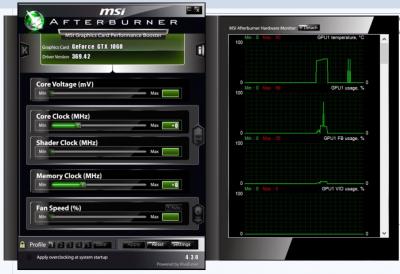
Hi, I know that the FN + 1 key controls the fan speed but is there any way to let afterburner adjust the fan speed according to the temperature automatically? the fan options seems to be unavailable in afterburner.
I seem to be getting 80 degree on full load on games like CS-GO (max) and Overwatch (on medium graphics setting). Also the area above the keyboard gets really hot to the point where it hurts when i place my own on it. Thanks. Attached thumbnail(s)
|
|
|
Feb 11 2017, 01:36 PM
Return to original view | Post
#2
|
|
Newbie
1 posts Joined: Sep 2015
|
QUOTE(AZIM@ILLEGEAR @ Feb 11 2017, 11:22 AM) Dropped you a PM. I just got the z5 on Thursday 9/2/2017 so its pretty new. I dont think its the dust. Is there any alternate solution? Actually the BIOS will automatically adjust the fan speed to the temperature accordingly without Afterburner, but your 80 degree is actually quite high for 1070. Last time during our IT Fair, we actually ran Battlefield 4 on the laptop for the whole day & the temperature peaks around 60 degrees only. I could not say for certain, but this might be due to dust clog in the CPU fan. May I know when was the last time that you've done dust cleaning/thermal paste replacement for your laptop? Thanks.  |
| Change to: |  0.0337sec 0.0337sec
 0.37 0.37
 7 queries 7 queries
 GZIP Disabled GZIP Disabled
Time is now: 5th December 2025 - 02:08 AM |
 Quote
Quote