Welcome Guest ( Log In | Register )

Bump Topic Topic Closed RSS Feed
156 Pages « < 84 85 86 87 88 > » Bottom

Outline · [ Standard ] · Linear+

 AMD® Socket-AM2 Overclocking thread, discuss our setup/overclocking issues

views
     
sjn hassan
post Feb 3 2007, 03:00 PM

Member's of MAKAN MEGGI club
*******
Senior Member
3,544 posts

Joined: Jan 2003
From: United States of Cybertron


QUOTE(davidletterboyz @ Feb 3 2007, 01:02 PM)
Actually...there is a database.
http://forum.lowyat.net/topic/242290
But only 3 AM2 users r posting...i guess we should post there.
*
but most of us active here compare that thread blush.gif
camedemac
post Feb 3 2007, 03:00 PM

Newbie
*****
Senior Member
954 posts

Joined: Aug 2005
From: Ampang Kg. Pandan Status: Idle


QUOTE(kalakatu @ Feb 2 2007, 10:05 PM)
thanks..actually im not using it for oc but only for checking my vcore and clock..
btw un-installed it already...plus all the utilities that bundled together from the driver cd..
but now running on default..will try to oc again later
*
i noe u just check vcore and clock using this utility. wut i mean, everytime this software running, even u want to check vcore and clock (not to oc) it will change ur setting laugh.gif
davidletterboyz
post Feb 3 2007, 04:57 PM

Der Kaiser
*******
Senior Member
4,672 posts

Joined: Jan 2003


QUOTE(kalakatu @ Feb 2 2007, 10:05 PM)
thanks..actually im not using it for oc but only for checking my vcore and clock..
btw un-installed it already...plus all the utilities that bundled together from the driver cd..
but now running on default..will try to oc again later
its from bulk order..u might wanna check there but i doubt it still available for sale..
but i think lyp got a plenty of stocks... smile.gif
*
doh.gif
I think u misread me.
I was telling u to read the vcore and temp using the Biostar T hardware monitor utility, not the OC tool. doh.gif
The monitoring one is pretty accurate...it wont change ur clock.
TSsoulfly
post Feb 3 2007, 08:18 PM

revving towards 10,000 rpm
Group Icon
VIP
15,903 posts

Joined: Jan 2003
From: Miri


QUOTE(sjn hassan @ Feb 2 2007, 11:28 PM)
i think we can make a cpu database according to the stepping & oc achivement
*
i think it would be tedious. i don't really mind but most noobs nowadays didn't bother writing down their stepping codes. i really hate to list 'incomplete' stepping codes.
kalakatu
post Feb 4 2007, 10:52 AM

Insanely Addictive
*******
Senior Member
2,323 posts

Joined: Apr 2006
From: Somewhere I Belong


QUOTE(camedemac @ Feb 3 2007, 03:00 PM)
i noe u just check vcore and clock using this utility. wut i mean, everytime this software running, even u want to check vcore and clock  (not to oc) it will change ur setting laugh.gif
*
QUOTE(davidletterboyz @ Feb 3 2007, 04:57 PM)
doh.gif
I think u misread me.
I was telling u to read the vcore and temp using the Biostar T hardware monitor utility, not the OC tool. doh.gif
The monitoring one is pretty accurate...it wont change ur clock.
*
oic..my bad my bad..
sorry for misunderstood ur meaning..
btw i wont using any of tforce utility anymore..
like soulfly said,use speedfan instead.
coolblade
post Feb 4 2007, 02:28 PM

Getting Started
**
Junior Member
298 posts

Joined: May 2006
From: Klang


Quoted from www.dailytech.com

QUOTE
The desktop equivalent of Barcelona, codenamed Agena, is the 65nm flagship of AMD's next-generation desktop processors.  Launch frequencies were quoted at "2.4 - 2.6GHz." Previous roadmaps had indicated Agena would debut at 2.7 to 2.9 GHz.  Agena will have a 2MB L2 and 2MB L3 cache per CPU.  AMD's internal guidance denotes this as a 125W TDP processor. As the flagship, Agena will be the first next-generation desktop launch and is scheduled for Q3'07.

Kuma, the dual-core mainstream next-generation desktop processor was quoted as having launch frequencies of "2.0 - 2.9GHz."  Unlike the quad-core Agena processors, Kuma will feature 1MB of L2 and 2MB of shared L3 cache. Kuma will launch with both 89W and 65W TDP variants, but Energy Efficient models scheduled for 35W TDP will follow shortly after.

Rana, the next-generation Sempron successor codename, will launch with frequencies in the 2.1 to 2.3 GHz range.  The dual-core CPUs will feature 1MB of total L2 cache, but no L3 cache.  Rana's TDP is rated at 65W.  Rana will not launch with the Agena flagship; AMD roadmaps have the processor launching at the same time as the Energy Efficient Kuma processors, or approximately Q4'07 if the launch schedule holds together.

As previously reported on DailyTech, Stars processors will use AM2+ motherboards.  These processors can plug into existing AM2 motherboards today given the proper BIOS updates, but without the AM2+ sockets Stars processors will drop down to the HyperTransport 1.0 bus speeds.

AMD's Agena FX codename also appears to still exist on the roadmap.  The only difference at this point between Agena and Agena FX is that Agena FX will use the Socket 1207+ interface.


Quoted from www.wikipedia.org:

QUOTE
The Socket AM2+ is the immediate successor to Socket AM2 currently used in several AMD processors such as Athlon 64 X2, Socket AM2+ will be a mid migration from Socket AM2 to Socket AM3 and will be fully compatible with Socket AM2, so processors designed for Socket AM2 will work on Socket AM2+ motherboards and vice versa.

Socket AM2+ will have some differences however that will be used in AM2+ chips, there are two main features in Socket AM2+ not in Socket AM2:

    * HyperTransport 3.0 operating at up to 2 GHz
    * Advanced power features summarized as having split power planes, probably one for CPU Cores, and the other for the Integrated Memory controller (IMC), this will help for more advanced power management control.

AMD confirmed that AM2 processors will work in AM2+ motherboards and AM2+ processors will work on AM2 motherboards. However, due to the lack of support of HyperTransport 3.0 and separated power planes in Socket AM2 motherboards, AM2+ chips will be limited to the specifications of Socket AM2 (HyperTransport 2.0 at the speed of 1 GHz, one power plane for both Cores and IMC). AM2 chips will not benefit from faster HyperTransport and separated power planes on AM2+ motherboards as they do not support them, AM2+ motherboard then fall back to compatibility mode using AM2 specifications.

According to confirmations from AMD, Socket AM2+ will have compatibility path with Socket AM3, AM3 processors will work in AM2 motherboards; however, AM2 processors will not be compatible with AM3 motherboards.


Therefore, our existing mainboard still can support the next generation AMD CPU, if the manufacturer provide BIOS update. However, AM2 mainboards are using HyperTransport 2.0, while AM2+ or AM3 mainboards are using HyperTransport 3.0

coolblade
post Feb 4 2007, 08:38 PM

Getting Started
**
Junior Member
298 posts

Joined: May 2006
From: Klang


I've read the article at pcmoddingmy:

DFI Infinity NF UltraII-M2 Review

but I do not understand why he can change the multiplier from 9 to 7 for the CPU? Isn't AMD Athlon64 is multiplier locked? Only AMD Athlon64 FX type has multiplier unlocked, isn't it?

Picture of his overclocking

Anyone can explain that?

This post has been edited by coolblade: Feb 4 2007, 08:42 PM
allenultra
post Feb 4 2007, 09:47 PM

Look at all my stars!!
*******
Senior Member
9,027 posts

Joined: Jan 2003
From: Ipoh


coolblade
for athlon64, multiplier is unlock downward.
while for FX series, multiplier fully unlock.
coolblade
post Feb 4 2007, 11:39 PM

Getting Started
**
Junior Member
298 posts

Joined: May 2006
From: Klang


QUOTE(allenultra @ Feb 4 2007, 09:47 PM)
coolblade
for athlon64, multiplier is unlock downward.
while for FX series, multiplier fully unlock.
*
Ok, noted. Thanks allenultra
sjn hassan
post Feb 5 2007, 01:47 AM

Member's of MAKAN MEGGI club
*******
Senior Member
3,544 posts

Joined: Jan 2003
From: United States of Cybertron


QUOTE(coolblade @ Feb 4 2007, 08:38 PM)
Picture of his overclocking

Anyone can explain that?
which part??

This post has been edited by sjn hassan: Feb 5 2007, 01:48 AM
coolblade
post Feb 5 2007, 07:39 AM

Getting Started
**
Junior Member
298 posts

Joined: May 2006
From: Klang


QUOTE(sjn hassan @ Feb 5 2007, 01:47 AM)
which part??
*
CPUZ screenshot. pcmoddingmy did 2811.7 MHz by using multiplier 7. The proc is AMD Athlon64 AM2 3000+, which it's multiplier is 9. I thought the 'normal' Athlon64 processor's multiplier is locked, but allenultra pointed out that not totally locked. It is just multiplier unlocked downward. Only FX series is totally multiplier unlocked.
TSsoulfly
post Feb 5 2007, 12:01 PM

revving towards 10,000 rpm
Group Icon
VIP
15,903 posts

Joined: Jan 2003
From: Miri


Any AMD cpu that supports Cool n Quiet will be able to use lower multipliers, that simple.


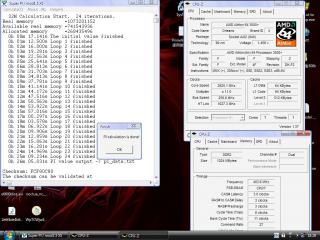
Added on February 5, 2007, 12:04 pmanyway...minor update from me

2823MHz @ 1.45V
user posted image

Previously with 1.45V I could only pass Pi32M at 2807MHz, but after some little burn-in action I was able to increase by around 16MHz. brows.gif

This post has been edited by soulfly: Feb 5 2007, 12:04 PM
F@NT@sy_G@RRic
post Feb 5 2007, 05:12 PM

Getting Started
**
Junior Member
115 posts

Joined: May 2006
From: Kuantan-Pahang


QUOTE(soulfly @ Feb 5 2007, 12:01 PM)
Any AMD cpu that supports Cool n Quiet will be able to use lower multipliers, that simple.


Added on February 5, 2007, 12:04 pmanyway...minor update from me

2823MHz @ 1.45V
user posted image

Previously with 1.45V I could only pass Pi32M at 2807MHz, but after some little burn-in action I was able to increase by around 16MHz. brows.gif
*
wa...nice leh..with OcBible?

i already burn in many time but i dun got any increase on my cpu yawn.gif
TSsoulfly
post Feb 5 2007, 05:56 PM

revving towards 10,000 rpm
Group Icon
VIP
15,903 posts

Joined: Jan 2003
From: Miri


i didn't use OCbible .... just SiSandra burn-in

OCbible only confuses me rclxub.gif
F@NT@sy_G@RRic
post Feb 5 2007, 06:37 PM

Getting Started
**
Junior Member
115 posts

Joined: May 2006
From: Kuantan-Pahang


hehe..we got the same result brows.gif
Attached Image
coolblade
post Feb 5 2007, 08:56 PM

Getting Started
**
Junior Member
298 posts

Joined: May 2006
From: Klang


If setting HT link above 1000 MHz, is it stable for long run? Coz some forumers said it is advisable to keep it below 1000 MHz.
TSsoulfly
post Feb 5 2007, 09:26 PM

revving towards 10,000 rpm
Group Icon
VIP
15,903 posts

Joined: Jan 2003
From: Miri


i would say anywhere near 1000mhz should be okay ... i recommend to try keep it around 900~1100mhz
F@NT@sy_G@RRic
post Feb 5 2007, 09:38 PM

Getting Started
**
Junior Member
115 posts

Joined: May 2006
From: Kuantan-Pahang


mine can keep it stable at 1200
glare842006
post Feb 5 2007, 09:56 PM

Getting Started
**
Junior Member
160 posts

Joined: Sep 2006


wondering wat's the differences if HT higher then computer will run faster? or when multitasking then only can see the effect?
tachlio
post Feb 5 2007, 10:00 PM

de~sign "ing"
*******
Senior Member
3,102 posts

Joined: May 2005
From: Penang *̡͌l̡*̡̡
QUOTE(glare842006 @ Feb 5 2007, 09:56 PM)
wondering wat's the differences if HT higher then computer will run faster? or when multitasking then only can see the effect?
*
last time i see an article that say HT multiple 3x and 4x wont different much~~

we cant notice any significant changes, but for safety better keep around 1000~ nod.gif

156 Pages « < 84 85 86 87 88 > » Top
Topic ClosedOptions
 

Change to:
| Lo-Fi Version
0.0291sec    0.19    6 queries    GZIP Disabled
Time is now: 8th December 2025 - 07:31 PM