


The SSD Thread V3, The Speed You Need
|
|
 Aug 24 2012, 02:19 AM Aug 24 2012, 02:19 AM
|
 
Senior Member
8,686 posts Joined: Mar 2009   
|
|
|
|
|
|
|
Aug 24 2012, 02:27 AM
|

Senior Member
2,451 posts Joined: Jan 2003 From: GOD's Land
|
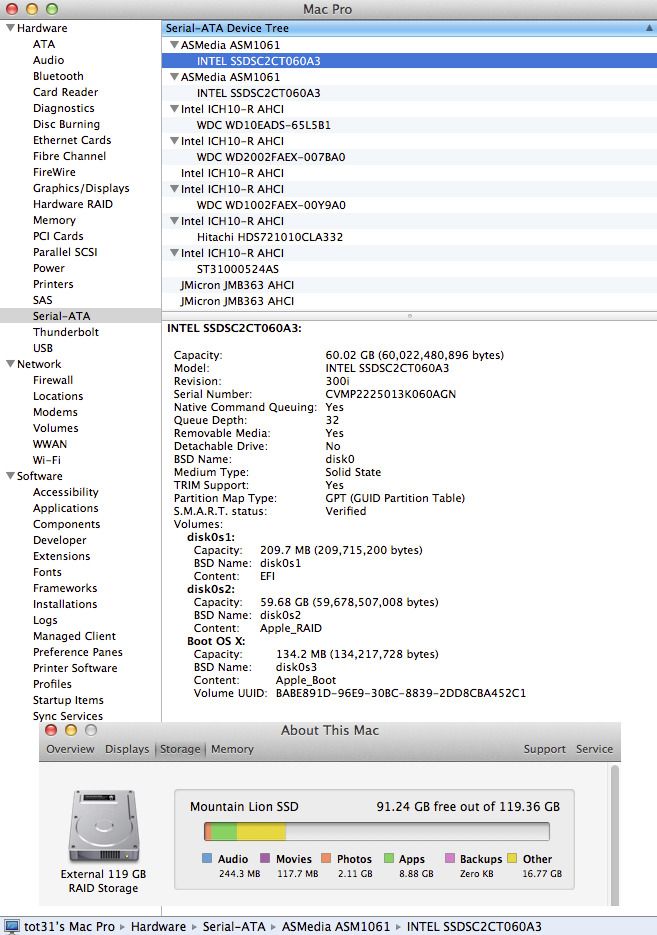
Mountain Lion's AppleRaid does support TRIM...
  |
|
|
Aug 24 2012, 08:10 AM
|

Senior Member
4,522 posts Joined: Apr 2006
|
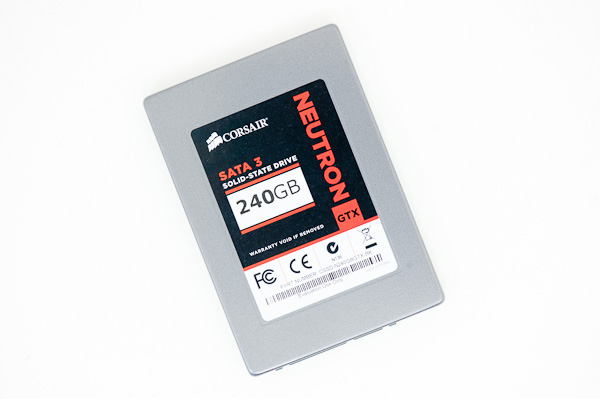
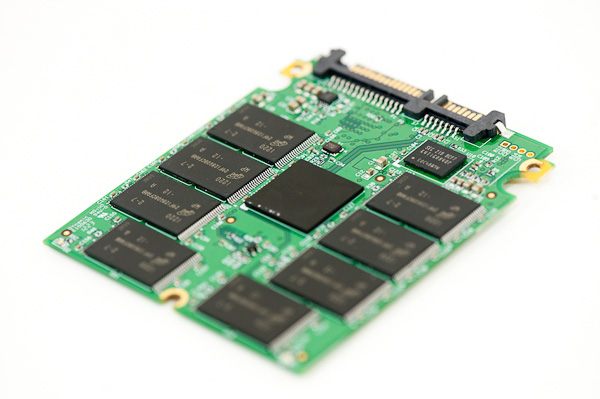
The Corsair Neutron series isn't really such a bad SSD. If only its price can be lower ($10-$20 lower in fact), I think it could be a good new direction for Corsair.
Will be keeping an eye on its reliability and any issues over the next few months though. |
|
|
Aug 24 2012, 08:49 AM
|

Senior Member
5,595 posts Joined: Jan 2003 From: Between Hell and Heaven
|
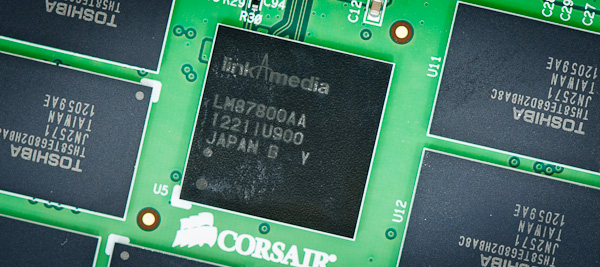
Corsair using LinkAMedia? i thought it was bought over by Hynix already?
|
|
|
Aug 24 2012, 09:06 AM
|

Senior Member
3,569 posts Joined: Apr 2007
|
QUOTE(tot31 @ Aug 24 2012, 02:27 AM) Mountain Lion's AppleRaid does support TRIM... Is the trim being enabled by default or a third app is required to enable it?  |
|
|
Aug 24 2012, 09:07 AM
|

Senior Member
877 posts Joined: Aug 2008 From: Kingdom far far away
|
QUOTE(tot31 @ Aug 24 2012, 02:27 AM) Mountain Lion's AppleRaid does support TRIM... Is it the OS or Hardware? I thought Mac support TRIM. This post has been edited by kuekwee: Aug 24 2012, 09:08 AM |
|
|
|
|
|
Aug 24 2012, 09:20 AM
|
|
Senior Member
2,451 posts Joined: Jan 2003 From: GOD's Land
|
QUOTE(kuekwee @ Aug 24 2012, 09:07 AM) Is it the OS or Hardware? I thought Mac support TRIM. The OS will enable TRIM automatic if it detects official Apple SSD but if not just use this Trim EnablerThis post has been edited by tot31: Aug 24 2012, 09:21 AM |
|
|
Aug 24 2012, 09:51 AM
|

Senior Member
1,020 posts Joined: Jul 2011 From: Melaka
|
hi can anyone share their experience changing from normal 7200rpm hdd to an ssd?
 i am thinking of changing but i dont always have the leverage of spending most of the time so i dont want to spend on something that i will think of as a waste  your reply is much appreciated  |
|
|
Aug 24 2012, 11:07 AM
|

Junior Member
427 posts Joined: Jun 2005
|
QUOTE(homerthewhopper @ Aug 24 2012, 09:51 AM) hi can anyone share their experience changing from normal 7200rpm hdd to an ssd? I have completed my upgrade last week for my 2011 Macbook Pro. i am thinking of changing but i dont always have the leverage of spending most of the time so i dont want to spend on something that i will think of as a waste your reply is much appreciated Previous setup; 500GB 7200 Hitachi Mac OS X Lion Current setup; Intel 520 180G SSD in MBP Sata III 500GB HDD in MBP Optibay Sata II Mac OS X Mountain Lion (clean installation) Done upgrade in 1 hour + ML starts in 7 secs, all application launched within 3 secs, mostly around 1 sec. Photoshop CS6 launched in 2 secs, iTunes 1 sec, Safari, Chrome & Firefox all in 1 sec. Overall I recog it as a big leap upgrade, even surfing web using Safari 6 is a lot faster than Safari 6 in Lion at 500G HDD. I still keep my bootcamp in 500GB HDD, but it is really crawling as compared to ML in SSD. The choice is yours. |
|
|
Aug 24 2012, 11:20 AM
|
|
Senior Member
1,020 posts Joined: Jul 2011 From: Melaka
|
QUOTE(breonwei @ Aug 24 2012, 11:07 AM) I have completed my upgrade last week for my 2011 Macbook Pro. thanks i am currently still using a mobo with no support for sata 3 but that is seriously fast!Previous setup; 500GB 7200 Hitachi Mac OS X Lion Current setup; Intel 520 180G SSD in MBP Sata III 500GB HDD in MBP Optibay Sata II Mac OS X Mountain Lion (clean installation) Done upgrade in 1 hour + ML starts in 7 secs, all application launched within 3 secs, mostly around 1 sec. Photoshop CS6 launched in 2 secs, iTunes 1 sec, Safari, Chrome & Firefox all in 1 sec. Overall I recog it as a big leap upgrade, even surfing web using Safari 6 is a lot faster than Safari 6 in Lion at 500G HDD. I still keep my bootcamp in 500GB HDD, but it is really crawling as compared to ML in SSD. The choice is yours. thanks for sharing  now waiting reply for people who use it with windows and gaming |
|
|
Aug 24 2012, 02:05 PM
|
|
Senior Member
4,522 posts Joined: Apr 2006
|
QUOTE(storm88 @ Aug 24 2012, 08:49 AM) Corsair using LinkAMedia? i thought it was bought over by Hynix already? Yeah, bought over by SK Hynix already. But LinkA still has their branding over their products, it's not a whole swallow take over where even the name changes.Maybe in a year's time, we'll have Hynix controller on the mainstream market. QUOTE(homerthewhopper @ Aug 24 2012, 11:20 AM) thanks i am currently still using a mobo with no support for sata 3 but that is seriously fast! Putting games on SSD is subjective.thanks for sharing now waiting reply for people who use it with windows and gaming For games which are texture heavy where the engine renders everything in real-time (not a pre-load), an SSD will help significantly. These are games like RAGE, GTA4, and Skyrim. For games which loads the whole level on the RAM before the start like the COD or Battlefield games, you'd probably shave a couple of seconds here and there (depending on the level load) over normal HDD. But not a huge difference really. |
|
|
Aug 24 2012, 07:21 PM
|

Junior Member
77 posts Joined: May 2012 From: Konoha
|
Hey all just want to say that i've got enthusiast grade SSD. i got 2x OCZ Vertex 4 512GB and 2x Intel 580 480GB.. tend to sell the in the garage but like i said.. this is a enthusiast grade, not everyone want it cos' the price of all four can buy a new alienware laptop.. pm me if you guys interested okay
|
|
|
Aug 24 2012, 10:14 PM
|

Senior Member
979 posts Joined: Feb 2011
|
Guys I plan to buy one SSD,which one is the best bang for buck at the moment?
|
|
|
|
|
|
Aug 25 2012, 12:01 AM
|

Senior Member
1,081 posts Joined: Nov 2005
|
QUOTE(NecroPhilia @ Aug 24 2012, 10:14 PM) Guys I plan to buy one SSD,which one is the best bang for buck at the moment? crucial M4 is not bad.... 240GB for around rm700+ i think |
|
|
Aug 25 2012, 03:51 AM
|
|
Senior Member
4,522 posts Joined: Apr 2006
|
QUOTE(blackht @ Aug 24 2012, 11:39 PM) i getting m4 ssd You already answered your own question... lol.and 2TB hdd for games let say COD or Battlefield games install HDD not SSD SSD = OS+APP only HDD = 2TB Games installed a lot games i dont want install SSD for games what i must to do Just set the directory to your HDD when you install games and that's it. |
|
|
Aug 25 2012, 05:34 AM
|

Junior Member
176 posts Joined: Dec 2008
|
could someone tell me the difference between 330 series 120 gb and 520 series 120 gb ? endurance / warranty wise or speed wise?
|
|
|
Aug 25 2012, 08:56 AM
|
 
Elite
8,711 posts Joined: Nov 2007 From: Butterworth, PG / Machang, Kelantan 
|
|
|
|
Aug 25 2012, 12:16 PM
|

Senior Member
1,132 posts Joined: Dec 2008
|
im a new user of ssd crucial m4 128gb. i saw ppl in garage sales posting ssd life mean the ssdlife soft in 1st page? i havent run those benchy yet but my window index jump from 5.9 to 7.4 now bottleneck by cpu 7.3.
|
|
|
Aug 25 2012, 03:42 PM
|

All Stars
18,503 posts Joined: Oct 2007 From: P.Jaya
|
Kingston is First to Release TRIM Fixing FW 503 for LSI SandForce Based SSDs.
HyperX and HyperX 3K owners will be the first to gain access to the new firmware that fixes TRIM in Windows. http://www.tweaktown.com/news/25483/kingst...ssds/index.html http://www.kingston.com/us/support/technic...SH103_503fw_win http://www.kingston.com/us/support/technic...H100S3Toolboxv1 This post has been edited by stasio: Aug 26 2012, 02:50 PM |
|
|
Aug 25 2012, 03:46 PM
|

Junior Member
121 posts Joined: Mar 2012 From: Earth, Highlands
|
Is 60GB SSD is enough to install windows 7 and a software like ccleaner,sony vegas, after effect and so on?
I dont plan to put games in ssd because games usually has huge files, my games will be going on black caviar |
|
Topic ClosedOptions
|
| Change to: |  0.0196sec 0.0196sec
 0.37 0.37
 6 queries 6 queries
 GZIP Disabled GZIP Disabled
Time is now: 3rd December 2025 - 11:02 PM |
 Quote
Quote
