Welcome Guest ( Log In | Register )

Bump Topic Topic Closed RSS Feed
131 Pages « < 109 110 111 112 113 > » Bottom

Outline · [ Standard ] · Linear+

 Tp Link TL-MR3420 3G/3.75G router owner club V1

views
     
azim61
post Nov 7 2012, 11:19 AM

Casual
***
Junior Member
480 posts

Joined: Jan 2007


QUOTE(aliex87 @ Nov 7 2012, 06:25 AM)
guys, anyone had any issue your modem cannot get into hspa+ signal? im having this problem....the modem connected already and can use internet and all. but the led on my modem only show blue (3g 384kbps) led....sometimes it takes a while then it will turn cyan (hspa+) all of a sudden! sometimes it wont change at all until i do reconnection.....

when it connected to 3g (blue led), the speed is very2 consistent at 384kbps..... anyone have any solution to this?  notworthy.gif  notworthy.gif
*
have you follow chuah method on Command for your Openwrt TL-MR3420 Auto Ping google every second to prevent connection become idle?
TSchuahcs79
post Nov 7 2012, 01:32 PM

Look at all my stars!!
Group Icon
Elite
6,931 posts

Joined: Apr 2011
From: Bolehland for sure ^_^


QUOTE(aliex87 @ Nov 7 2012, 06:25 AM)
guys, anyone had any issue your modem cannot get into hspa+ signal? im having this problem....the modem connected already and can use internet and all. but the led on my modem only show blue (3g 384kbps) led....sometimes it takes a while then it will turn cyan (hspa+) all of a sudden! sometimes it wont change at all until i do reconnection.....

when it connected to 3g (blue led), the speed is very2 consistent at 384kbps..... anyone have any solution to this?  notworthy.gif  notworthy.gif
*
did u flash openwrt ? if u did, then follow first post on how to set auto ping google in router with that command to prevent connection become idle,

if u are using tp link stock firmware, then use your computer to ping goole, open command prompt ( CMD ),
key in : ping 8.8.8.8 -t press enter after notworthy.gif


Added on November 7, 2012, 1:34 pm
QUOTE(caterpiez @ Nov 7 2012, 09:52 AM)
Not sure.suspect maybe because i'm using win8 and connect 3g using mdma not dashboard.my dashboard doesnt recognized the modem after upgraded the firmware  sweat.gif
*
i am sure is yur window 8 issue,

i use it before, tons of issue, that's why i downgrade back to window 7,. better and complete version of window notworthy.gif

This post has been edited by chuahcs79: Nov 7 2012, 01:34 PM
aliex87
post Nov 7 2012, 04:30 PM

Casual
***
Junior Member
376 posts

Joined: Nov 2005


QUOTE(chuahcs79 @ Nov 7 2012, 01:32 PM)
did u flash openwrt ? if u did, then follow first post on how to set auto ping google in router with that command to prevent connection become idle,

if u are using tp link stock firmware, then use your computer to ping goole, open command prompt ( CMD ),
key in : ping 8.8.8.8 -t press enter after  notworthy.gif


Added on November 7, 2012, 1:34 pm

i am sure is yur window 8 issue,

i use it before, tons of issue, that's why i downgrade back to window 7,. better and complete version of window  notworthy.gif
*
i flashed to openwrt. i've done auto google ping and i also tried ping on cmd. but the problem is not idle i think...because im using the internet....its on blue led all the time....any other solution? notworthy.gif notworthy.gif
TSchuahcs79
post Nov 7 2012, 06:42 PM

Look at all my stars!!
Group Icon
Elite
6,931 posts

Joined: Apr 2011
From: Bolehland for sure ^_^


QUOTE(aliex87 @ Nov 7 2012, 04:30 PM)
i flashed to openwrt. i've done auto google ping and i also tried ping on cmd. but the problem is not idle i think...because im using the internet....its on blue led all the time....any other solution?  notworthy.gif  notworthy.gif
*
you are refering to Getting purple Led instead of Blue led ? right ? hmm.gif
caterpiez
post Nov 7 2012, 07:37 PM

Casual
***
Junior Member
334 posts

Joined: Dec 2005


Finally managed to flash openWRT with new modem E372 using huawei dashboard rclxms.gif (dont use MDMA for shared connection sweat.gif )

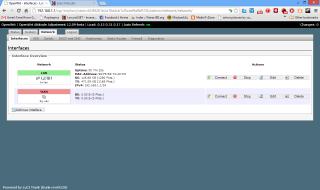
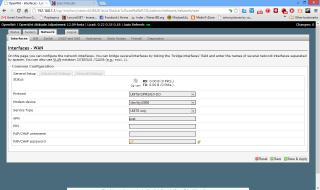
Now I got new problem.my router seem can't detect the modem.already followed the video and configured WAN interface to UMTS based on video but still nothing. Look in the picture. Anything that I'm miss? sweat.gif


Attached thumbnail(s)
Attached Image Attached Image Attached Image
TSchuahcs79
post Nov 7 2012, 07:54 PM

Look at all my stars!!
Group Icon
Elite
6,931 posts

Joined: Apr 2011
From: Bolehland for sure ^_^


QUOTE(caterpiez @ Nov 7 2012, 07:37 PM)
Finally managed to flash openWRT with new modem E372 using huawei dashboard rclxms.gif (dont use MDMA for shared connection  sweat.gif )

Now I got new problem.my router seem can't detect the modem.already followed the video and configured WAN interface to UMTS based on video but still nothing. Look in the picture. Anything that I'm miss?  sweat.gif
*
what modem you are using ?


Modem device:
zte mf680 = /dev/ttyUSB1
E372 = /dev/ttyUSB0

if cannot select, reboot the router first

system -> reboot -=> performs reboot

after reboot, check the modem device setting there, for correct selection USB0 or USB1 notworthy.gif
caterpiez
post Nov 7 2012, 07:58 PM

Casual
***
Junior Member
334 posts

Joined: Dec 2005


QUOTE(chuahcs79 @ Nov 7 2012, 07:54 PM)
what modem you are using ?
Modem device:
zte mf680 = /dev/ttyUSB1
E372 = /dev/ttyUSB0

if cannot select, reboot the router first

system -> reboot -=> performs reboot

after reboot, check the modem device setting there, for correct selection USB0 or USB1  notworthy.gif
*
E372. Already tried both USB0 and USB1, reboot, connect WAN interface still 0.00B rclxub.gif
TSchuahcs79
post Nov 7 2012, 08:01 PM

Look at all my stars!!
Group Icon
Elite
6,931 posts

Joined: Apr 2011
From: Bolehland for sure ^_^


QUOTE(caterpiez @ Nov 7 2012, 07:58 PM)
E372. Already tried both USB0 and USB1, reboot, connect WAN interface still 0.00B  rclxub.gif
*
Select CUstom in modem device

then key in : /dev/ttyUSB0

select save and apply

system

reboot

perform reboot

login LuCI interface GUI

select modem device with " /dev/ttyUSB0 " in prefix

select save and apply,

system

reboot

performs reboot

once reboot done login LuCI,

it will auto connect notworthy.gif


caterpiez
post Nov 7 2012, 08:13 PM

Casual
***
Junior Member
334 posts

Joined: Dec 2005


QUOTE(chuahcs79 @ Nov 7 2012, 08:01 PM)
Select CUstom in modem device

then key in : /dev/ttyUSB0

select save and apply

system

reboot

perform reboot

login LuCI interface GUI

select modem device with " /dev/ttyUSB0 " in prefix

select save and apply,

system

reboot

performs reboot

once reboot done login LuCI,

it will auto connect    notworthy.gif
*
Successfully after reboot it twice rclxms.gif thanks to all sifus thumbup.gif
TSchuahcs79
post Nov 7 2012, 08:15 PM

Look at all my stars!!
Group Icon
Elite
6,931 posts

Joined: Apr 2011
From: Bolehland for sure ^_^


QUOTE(caterpiez @ Nov 7 2012, 08:13 PM)
Successfully after reboot it twice  rclxms.gif thanks to all sifus  thumbup.gif
*
remember to set auto ping google command in the schedule task section,

video tutor is also @ first post,.. notworthy.gif

enjoy fast reboot, fast dial modem, and fast reconnect when DC thumbup.gif
digilife
post Nov 7 2012, 08:34 PM

The MNP guy, its me yeah.
*******
Senior Member
8,025 posts

Joined: Feb 2005
From: Planet Boleland


QUOTE(chuahcs79 @ Nov 7 2012, 08:15 PM)
remember to set auto ping google command in the schedule task section,

video tutor is also @ first post,..  notworthy.gif

enjoy fast reboot, fast dial modem, and fast reconnect when DC  thumbup.gif
*
Chuah, you should try your hands on TP-Link TL-WR1043ND, MR3420 is too easy for you already, no more fun for you liao......

thumbup.gif
TSchuahcs79
post Nov 7 2012, 08:58 PM

Look at all my stars!!
Group Icon
Elite
6,931 posts

Joined: Apr 2011
From: Bolehland for sure ^_^


QUOTE(digilife @ Nov 7 2012, 08:34 PM)
Chuah, you should try your hands on TP-Link TL-WR1043ND, MR3420 is too easy for you already, no more fun for you liao......

thumbup.gif
*
now i am on new project very soon , icon_rolleyes.gif

how to tame the high speed monster ZTE MF680 + Panel antenna
digilife
post Nov 7 2012, 09:05 PM

The MNP guy, its me yeah.
*******
Senior Member
8,025 posts

Joined: Feb 2005
From: Planet Boleland


QUOTE(chuahcs79 @ Nov 7 2012, 08:58 PM)
now i am on new project very soon ,  icon_rolleyes.gif

how to tame the high speed monster ZTE MF680 + Panel antenna
*
how can u plug in the Mf680 without its case?

sweat.gif sweat.gif
TSchuahcs79
post Nov 7 2012, 09:26 PM

Look at all my stars!!
Group Icon
Elite
6,931 posts

Joined: Apr 2011
From: Bolehland for sure ^_^


QUOTE(digilife @ Nov 7 2012, 09:05 PM)
how can u plug in the Mf680 without its case?

sweat.gif  sweat.gif
*
you refering to how to connect Panel to ZTE MF680 in naked form ?

then External antenna is there, u dont need the cover casing hole,. just connect your Panel with TS-9 cnvertor, then straight cucuk saja only biggrin.gif
blacktubi
post Nov 7 2012, 09:46 PM

-
Group Icon
Elite
8,420 posts

Joined: Jul 2008

QUOTE(digilife @ Nov 7 2012, 08:34 PM)
Chuah, you should try your hands on TP-Link TL-WR1043ND, MR3420 is too easy for you already, no more fun for you liao......

thumbup.gif
*
1043ND USB is underpowered one lah tongue.gif tongue.gif tongue.gif
hairul
post Nov 7 2012, 09:53 PM

** Learn From The Mistake **
*****
Senior Member
944 posts

Joined: Jan 2003
From: SHAH ALAM


im wonder, why when connect wifi by using phone/tablet, its can only use internet for 1-2 minute, but not pc even wifi still connected.
fruitie
post Nov 7 2012, 10:01 PM

Rise and Shine
Group Icon
Staff
72,877 posts

Joined: Sep 2005
From: KUL

QUOTE(hairul @ Nov 7 2012, 09:53 PM)
im wonder, why when connect wifi by using phone/tablet, its can only use internet for 1-2 minute, but not pc even wifi still connected.
*
Change your WiFi channel. smile.gif
kizwan
post Nov 7 2012, 10:25 PM

BÖw DÖwn TÖ LÖrd PringlËs
*****
Senior Member
826 posts

Joined: Jan 2009


QUOTE(digilife @ Nov 7 2012, 08:34 PM)
Chuah, you should try your hands on TP-Link TL-WR1043ND, MR3420 is too easy for you already, no more fun for you liao......

thumbup.gif
*
I'm eyeing this: TP-Link TL-WDR4300

OpenWRT wiki page here: http://wiki.openwrt.org/toh/tp-link/tl-wdr4300

No one tested with 3G yet.
hairul
post Nov 7 2012, 10:42 PM

** Learn From The Mistake **
*****
Senior Member
944 posts

Joined: Jan 2003
From: SHAH ALAM


QUOTE(fruitie @ Nov 7 2012, 10:01 PM)
Change your WiFi channel. smile.gif
*
Sudah try.. Channel 6 - 11. B , G & N... all laready try..
Maybe need to use channel 1..
blacktubi
post Nov 7 2012, 10:48 PM

-
Group Icon
Elite
8,420 posts

Joined: Jul 2008

QUOTE(hairul @ Nov 7 2012, 10:42 PM)
Sudah try.. Channel 6 - 11. B , G & N... all laready try..
Maybe need to use channel 1..
*
Channel 11 + Wireless G
WPA2 Encryption

Final solution = Flash it to OpenWRT

131 Pages « < 109 110 111 112 113 > » Top
Topic ClosedOptions
 

Change to:
| Lo-Fi Version
0.0311sec    0.96    6 queries    GZIP Disabled
Time is now: 18th December 2025 - 01:34 AM