Added on Note : All Credits(Everything Including Picture) In This Part Belongs To List Of Users On Below Credit: Original Guide Created by Manyak on OCN Frequent Update on Original Guide by Tator Tot on OCN Alps Section thanks to ch_123 on OCN Pictures of Switches in action are thanks to Lethal Squirrel on Geekhack Pictures of Keycaps thanks to Ripster on OCN & Geekhack Source : http://www.overclock.net/keyboards/491752-mechanical-keyboard-guide.html
Some of you guys might interested to know what's the difference between a membrane keyboard and a mechanical keyboard, well, the most important part that is easily noticeable would be the key switch. I'll provide some Image for better explanation, since they are better and easier to understand.
Membrane Keyboard Switches(Information taken from Wikipedia Membrane Keyboard) Mostly Consist of 2 Types, One Rubber Dome And the other Scissor Switch. Dome-switch
Dome switch keyboards are a hybrid of flat-panel membrane and mechanical keyboards. They bring two circuit board traces together under a rubber or silicone keypad using either metal "dome" switches or polyester formed domes. The metal dome switches are formed pieces of stainless steel that, when compressed, give the user a crisp, positive tactile feedback. These metal types of dome switches are very common, are usually reliable to over 5 million cycles, and can be plated in either nickel, silver or gold. The rubber dome switches, most commonly referred to as polydomes, are formed polyester domes where the inside bubble is coated in graphite. While polydomes are typically cheaper than metal domes, they lack the crisp snap of the metal domes, and usually have a lower life specification. Polydomes are considered very quiet, but purists tend to find them "mushy" because the collapsing dome does not provide as much positive response as metal domes. For either metal or polydomes, when a key is pressed, it collapses the dome, which connects the two circuit traces and completes the connection to enter the character. The pattern on the PC board is often gold-plated.
Dome-switch in Action
Both are common switch technologies used in mass market keyboards today. This type of switch technology happens to be most commonly used in handheld controllers, mobile phones, automotive, consumer electronics and medical devices. Dome switch keyboards are also called direct-switch keyboards.
Scissor-switch
A special case of the computer keyboard dome-switch is the scissor-switch. The keys are attached to the keyboard via two plastic pieces that interlock in a "scissor"-like fashion, and snap to the keyboard and the key. It still uses rubber domes, but a special plastic 'scissors' mechanism links the keycap to a plunger that depresses the rubber dome with a much shorter travel than the typical rubber dome keyboard. Typically scissor-switch keyboards also employ 3-layer membranes as the electrical component of the switch. These stabilizing scissor-like devices extend the lifespan of the membrane to as much as 10 million keystrokes. They also usually have a shorter total key travel distance (2 mm instead of 3.5 – 4 mm for standard dome-switch keyswitches). This type of keyswitch is often found on the built-in keyboards on laptops and keyboards marketed as 'low-profile'. These keyboards are generally quiet and the keys require little force to press.
Scissor-switch in Action
Scissor-switch keyboards are typically slightly more expensive. They are harder to clean (due to the limited movement of the keys and their multiple attachment points) but also less likely to get debris in them as the gaps between the keys are often less (as there is no need for extra room to allow for the 'wiggle' in the key as you would find on a membrane keyboard).
Mechanical Keyboard Switches Introduction - A Switch is Not "Just a Switch"
Many people ask for recommendations about switches without knowing exactly what they are looking for, but instead only with an idea of what their needs are. Fortunately, this is not always a problem because most mechanical switches will always feel nicer than rubber domes. However, the final choice is very important because a switch is not just a switch; it is the heart of what makes your keyboard have its feel and your personal tastes can make or break a keyboard for your uses. If you don't like the switch when you type on it, most likely, you won't ever like the keyboard.
Switches are generally rated by force using the weight measurement of Grams (g). Although force is more accurately described using Centinewtons (cN) However, 1g of weight applies about 1cN of downward force, so we can use "55g" when describing a 55cN-rated switch because that is sometimes easier to understand. For this fact; we'll use Grams as a measurement of force; though either term is correct.
Cherry MX Black Switches Type: Linear Switch Link: Datasheet Tactile: No Clicky: No Actuation Force: 60g (40g-80g overall) (Force Diagram) Key Travel: 2mm to actuation, 4mm to bottom
Cherry MX-Black switches are linear (non-tactile) switches, these are considered one of the best switch types for gaming. When gaming, having a tactile bump does absolutely nothing because you're going to be bottoming out anyway. So these give you a very smooth feel. The actuation and release points are at the exact same position as well. So games that require a lot of double tapping become easier than on any other keyswitch. However, most people don't enjoy typing on them that much do in part, to their linear nature. If you're a person who tends to hit a wrong key every so often while gaming, these will be beneficial in that the high actuation force will help prevent many of those accidental presses.
Cherry MX Brown Switches Type: Tactile Switch Link: DataSheet Tactile: Yes Clicky: No Actuation Force: 45g (55g Peak Force) (Force Diagram) Key Travel: 2mm to actuation, 4mm to bottom
Cherry MX Brown switches are considered a middle ground between typing and "gaming" switches. They have a light, tactile feel half way through the key press that lets you know the switch has activated. This gives you an indication of what you can release the switch. The switch is considered a middle ground because the reset point & actuation point are close enough together than you can "float" at that point, enabling you to double tap faster.
As a note: this switch actually has a peak force of 55G, it is 45G at the point of actuation. This is due to the design of the Cherry switch itself.
Cherry MX Blue switches are the best cherry switch for typing. The tactile bump can easily be felt, and the resistance is similar to your average keyboard.
Although many people find them just fine for gaming, some don't like the fact that the release point is above the actuation point. This can cause some trouble with double-tapping. This is usually the case with someone who has experienced other mechanical switches before hand.
As a note: this switch actually has a peak force of 60g, it is 50g at the point of actuation. This is due to the design of the Cherry switch itself.
Cherry MX Clear Switches Type: Tactile Switch Link: DataSheet Tactile: Yes Clicky: No Actuation Force: 55g (65G peak force) (Force Diagram) Key Travel: 2mm to actuation, 4mm to bottom
Cherry MX Clear switches have often been called "stiffer browns" though some users note that they have more of a tactile feel than browns do. This really can be a subjective topic, though this is another switch that could be considered "ballanced." The force required is comparable to most rubber dome keyboards, with a nice tactile feedback to tell you the key has actuated. These switches are harder to find on keyboards.
As a note: this switch actually has a peak force of 65g, it is 55g at the point of actuation. This is due to the design of the Cherry switch itself.
Cherry MX Red Switches Type: Linear Switch Link: DataSheet Tactile: No Clicky: No Actuation Force: 45g (Force Diagram) Key Travel: 2mm to actuation, 4mm to bottom
Cherry MX-Red's are another switch that can be considered a "gaming" switch. It's essentially a lighter version of the MX Black, requiring less force to actuate. Most people do not find this switch that good for typing or gaming because it is so light. This switch is hard to find; and was reported as obsolete. Though some board makers still use it for Special Edition keyboards.
Buckling Spring Keyswitches Type: Tactile & Clicky Mechanical Switch Link: Patent Tactile: Yes, very precise Clicky: Yes, loud Actuation Force: 65g-70g (Force Diagram) Key Travel: 2.3mm to actuation, 3.7mm to bottom
Buckling springs are pretty straightforward once you see them in action. After pushing the key down a certain distance the spring buckles under pressure, causing the hammer at the bottom to hit a membrane sheet and create an electrical contact. The buckling of the spring also provides tactile feedback and a satisfying click as it hits the shaft wall. And you might also notice through the force diagrams that this is the only mechanical switch where the tactile and audible feedback correspond to the exact moment the switch actuates.
Black Alps are one of the two most common Alps switch types. Many people do not like these switches due to the fact that they are stiff, bottom out hard, and tend to develop friction in the travel as they wear. Nonetheless, they are an improvement over most rubber dome keyboards.
There are two different types of Black Alps switch - an older type known as the "Complicated" due to the large number of parts in the switch, and a newer type known as the "Simplified", which was manufactured by Alps and some other companies. Complicated switches are common in many older keyboards, particularly the Dell AT101W, which is a very common mechanical keyboard from the 1990s.
The most well known Simplified Black switch is made by a company called Fukka, and was used in the ABS M1. The Fukka switch has less resistance, but many claim that it provides less solid tactility than the complicated switch.
White Alps are one of the most most common Alps switch types. These are far more popular than the Black switches due to more pronounced tactility, and the lower force requirements of some versions. Like the Black Alps, White Alps are much easier to bottom out on compared with other mechanical keyswitch designs.
As with the Black switch. there are Complicated and Simplified White switches. The two most popular Simplified White switches are the Fukka and the XM. The XM is almost universally considered to be a terrible switch, it was used on some older Filco Zero models, and some vintage keyboards. The Fukka switch is quite popular, and some people prefer them over the Complicated switch. It is used on some current production Alps keyboards such as current production Filco Zeros, Matias keyboards and some others. Complicated White switches were used on some well made keyboards from the 90s such as the Northgate and Focus keyboards.
There are also a variety of White Alps-like switches of varying quality. Some, like the SMK Monterey, are considered very pleasant to type on..
Topre Key Switches Type: Tactile Capacitive Switch Link: Patent Tactile: Yes Clicky: No Actuation Force: 30g, 35g, 45g, 55g depending on model (Force Diagram) Key Travel: 4mm
Topre switches are somewhat of a hybrid switch, and are capacitive by nature. The Topre mechanism uses a spring underneath a rubber dome, and the depression of the spring causes a change in capacitance between the underlying capacitor pads. With this change in capacitance; the switch activates.
Topre Switches are considered some of the finest switches available, as they offer a very enjoyable typing experience with a quieter experience compared to a Cherry MX, Alps, or Buckling Spring switch. The reason is Topre switches have the smoothest force gradient even compared to Linear switches like MX-Reds and MX-Blacks.
Added on
List Lowyat mechanical keyboard users:(listed by name followed by what keyboard brand/model they have) Credits To Moogle Stiltzkin For Creating the List. Note : Users that wanted to have their name and keyboard added to the list, please pm me.
ABS
OCN_fssbzz - ABS M1 (black ALPS)
ACER
Cyclonechuah - ACER 6311-HU (ALPS switch)
Cherry
THEswordmaster - Cherry G80-3494 Lycus-2 Black (Cherry mx Red)
I remember i posted something like this previously.
Cheers for V3
And i hope my Filco doesn't die on my that quick.
Eusioxn: let the video do the talking
Tho not everyone has the same problem.
The good about the keyboard is the bling bling looks, macro keys, glossy outlook which attract people.
Disadvantage will be, 2KRO, maximum supported key are 2 (example, AS, DS, WD, WA clicked together), if more than 2 (example ASD, DSA, clicked together), you will hear the infamous motherboard sound, you know what i mean.
If you have oily palm, it might be a disadvantage too.
This post has been edited by kEazYc: Jun 23 2011, 03:23 AM
My FILco keyboard just died....not even reach 1 month...my rm 25 keyboard which is 2.5 yrs old is still kicking.....how ironic
Same thing happens to my ducky.. i think we are one of unluckiest person on earth.. lol But ur slightly luckier than me.. since i got the keyboard from china..
Been reading up on Mechanical keyboard, and got myself interested in getting one! Especially the NKRO feature. Does storm88 knows the store which sells the Ducky 9008 Shine? If yes, I'm interested to know!
At first I set my mind at the Xarmor U9BL-S, which is a Cherry Brown switch, quiet type. But I had to import it myself from US.
I wonder what is the type of switch for The Ducky Shine, and I'm sure buying local is much better than getting it overseas... I won't have to cry if any problem happens to my keyboard
Been reading up on Mechanical keyboard, and got myself interested in getting one! Especially the NKRO feature. Does storm88 knows the store which sells the Ducky 9008 Shine? If yes, I'm interested to know!
At first I set my mind at the Xarmor U9BL-S, which is a Cherry Brown switch, quiet type. But I had to import it myself from US.
I wonder what is the type of switch for The Ducky Shine, and I'm sure buying local is much better than getting it overseas... I won't have to cry if any problem happens to my keyboard
Ducky Shine is black switches, may I know what is NKRO, I'm new in mechanical KB
Been reading up on Mechanical keyboard, and got myself interested in getting one! Especially the NKRO feature. Does storm88 knows the store which sells the Ducky 9008 Shine? If yes, I'm interested to know!
At first I set my mind at the Xarmor U9BL-S, which is a Cherry Brown switch, quiet type. But I had to import it myself from US.
I wonder what is the type of switch for The Ducky Shine, and I'm sure buying local is much better than getting it overseas... I won't have to cry if any problem happens to my keyboard
I think storm88 mention before it maybe available on August.... tho you had read up?
Ducky Shine is black switches, may I know what is NKRO, I'm new in mechanical KB
KRO - Maximum number of keys can be pressed and accepted at a time(Example: playing FPS game which hold w+a+Ctrl and so on).
NKRO mean N(all) keys can be pressed and accepted at a time.
NKRO features is useful mainly for gaming(FPS and those dancing/music games which require multiple keys to be pressed down at a time) and for those who having insane typing speed(which pressed down the next keys b4 even releasing previous keys).
Been reading up on Mechanical keyboard, and got myself interested in getting one! Especially the NKRO feature. Does storm88 knows the store which sells the Ducky 9008 Shine? If yes, I'm interested to know!
At first I set my mind at the Xarmor U9BL-S, which is a Cherry Brown switch, quiet type. But I had to import it myself from US.
I wonder what is the type of switch for The Ducky Shine, and I'm sure buying local is much better than getting it overseas... I won't have to cry if any problem happens to my keyboard
Just to let you know cherry brown isn't silent at all..
Some ppl cant/hard to not bottom out when typing(due to brown's lightness) and thus producing lots noise. Also, plate-mounted one seems to be more quite too(provide you dont bottom out).
Added on June 23, 2011, 3:11 pm
QUOTE(WSL999 @ Jun 23 2011, 04:07 PM)
LoL, Blue Switch? Apa macam
Added on June 23, 2011, 3:07 pmIs it available in Low Yat market?
As mentioned above, the most common or easy to find MKB with blue switch is Razer Black Widow. Soon, Ducky is joining in too. If you really want the perfect/better experience with blue switch(and your budget/pocket allowed you), go for FILCO, a brand which known to have really good quality(though some ppl still met problems with their FILCO).
This post has been edited by Human10: Jun 23 2011, 03:11 PM
Wao, that's really a insane and decent budget. May be you can be the first of us(Malaysian) to own the highly(may be over? not sure...) rated TOPRE. Go google up for REALFORCE and HHKB Pro. The cheapest one will at least cost RM700 already, which stop all of us here. According to the users, it feel like rubber dome but with high quality and most of its users do like it.
If you are an old-school keyboard users, may be you can go for IBM Model M which using buckling spring in it. It is both noisy(clicky) and quite heavy but many old school typist prefer it over any kb in the market today. There is only 2nd-hand one available though as the product had being EOL for a long time already. There might be some in EBAY/Taobao which is still New In Box but it is really expensive and no point to pay till such extend(unless you really like it? ). For aesthetics(or may be limited work space) wise, there is a Space Saving Model of IBM Model M which is even more rare than Full Size IBM Model M and thus more expensive.
They are both available from Taobao.
But b4 that, go LYP and give those Cherry Switches a try(red, blue, black and brown). If it is fine with you, then just settle down with it. Most ppl do like at least one of the 4 cherry switches(cherry clear not available in malaysia and less prefered mostly) but I am not satisfied with my Cherry Blue and Cherry Brown yet , may be if got chance want to give black or red a try.
Also, can I know do you prefer a linear(straight and smooth) keyboard or tactile(feel a bump from the keys to your fingers) keyboard?
This post has been edited by Human10: Jun 23 2011, 03:45 PM
I see. Which shop has a wide extensive selection of keyboard? Will check out this weekend. Tqvm
currently i don't think there's any shop that specialize in mechanical keyboard selling, you can find Filco, steelseries, razer and try the demo in Lowyat. For Ducky and Leopold, they are not available yet in malaysia, since pending stock arrival.
if you want to test out leopold Black, Brown, Blue and Red, i am always welcome you to taiping, perak where we can meet in some shop, and i could let you try 4 types of the keyboard to see which one suits you the best.
I have a neighbour that complained to me the next day that i press my keyboard too loud in the midnight after i just bought my Filco, so i guess this should answers you. And yes i can hear the key pressing sound even with my 7H on.
This post has been edited by kEazYc: Jun 23 2011, 04:46 PM
my Logitech G15 v1 just died on me, after almost 7 years being abused again, again and again. yeah, i'm a heavy gamer with lots of FPS game installed
now, lurking for G15 v1 replacement and been eyeing for any gaming keyboard available, if not G510 might be opt to mechanical keyboard.
so, i'm very new into mechanical keyboard and what should i check/see when purchasing a mechanical keyboard?
no, i don't mind the click clack sound, the louder, the better.
You have to know what type of switches that suit your taste, there are few types of switches available in the market, you may have to check the first post for the infos.
As for what people recommended for FPS players, are the black switches, due to its softness (well for me), and you will feel like your fingers is floating on the keyboard while you're doing those intense movement in-game.
But since you prefer something that's loud click clack click clack, you may consider the blue switches which is tactile and clicky.
You have to know what type of switches that suit your taste, there are few types of switches available in the market, you may have to check the first post for the infos.
As for what people recommended for FPS players, are the black switches, due to its softness (well for me), and you will feel like your fingers is floating on the keyboard while you're doing those intense movement in-game.
But since you prefer something that's loud click clack click clack, you may consider the blue switches which is tactile and clicky.
Just some information, not everyone like the bump(or double tap) of blue switch. FPS is more recommend to go for linear switch(black, red and may be brown cz it is quite linear).
However, if blue is fine with you, then just go for it.
Generally, the jump from rubber domes to Topre is pretty subtle compared to a jump from Domes to Cherry MX/ALPS, so getting a Topre without trying the rest is not a really good idea. If you get poisoned , RM1500 is not enough for keyboards, but if you only need one, take your time to try them out, and see which one you like, since you can pretty much buy any keyboards, except them custom made ones or the Optimus.
QUOTE
You have to know what type of switches that suit your taste, there are few types of switches available in the market, you may have to check the first post for the infos.
As for what people recommended for FPS players, are the black switches, due to its softness (well for me), and you will feel like your fingers is floating on the keyboard while you're doing those intense movement in-game.
But since you prefer something that's loud click clack click clack, you may consider the blue switches which is tactile and clicky.
You type too hard. Try to not bottom out
This post has been edited by kaiserreich: Jun 23 2011, 05:17 PM
Generally, the jump from rubber domes to Topre is pretty subtle compared to a jump from Domes to Cherry MX/ALPS, so getting a Topre without trying the rest is not a really good idea. If you get poisoned , RM1500 is not enough for keyboards, but if you only need one, take your time to try them out, and see which one you like, since you can pretty much buy any keyboards, except them custom made ones or the Optimus. You type too hard. Try to not bottom out
RM 1500 is more than enough to test out all the Cherry MX switch which is what im doing now. Currently collected 3 switches keyboard which is black(arrive soon ), blue, and brown. Will wait for Leopold red switch im still able to get one
RM 1500 is more than enough to test out all the Cherry MX switch which is what im doing now. Currently collected 3 switches keyboard which is black(arrive soon ), blue, and brown. Will wait for Leopold red switch im still able to get one
That's why I advise him to make sure he don't get poisoned. My collection is growing
Model M Model M SSK Brown Duck NTC with green simplified ALPS, free from my mother's office. AT101W with black ALPS
Not that i don't want to try, its gonna degrade my gameplay a lot, you should know how a gamer feel when they are going to play with different keyboard instead of theirs, its hard to adapt.
Not that i don't want to try, its gonna degrade my gameplay a lot, you should know how a gamer feel when they are going to play with different keyboard instead of theirs, its hard to adapt.
When I play game I just mash the shit out of the keyboard, hard to control, for gaming . I thought you were typing a lot of documents in the middle of the night. Who knows right? Among the Cherry MX switches, Black should be the the most quiet one.
When I play game I just mash the shit out of the keyboard, hard to control, for gaming . I thought you were typing a lot of documents in the middle of the night. Who knows right? Among the Cherry MX switches, Black should be the the most quiet one.
Yeap that's it, but still if typing i also must bottom out due to i've already gotten used to it >_> rofl
I have a neighbour that complained to me the next day that i press my keyboard too loud in the midnight after i just bought my Filco, so i guess this should answers you. And yes i can hear the key pressing sound even with my 7H on.
Warning!! Strong Finger Detected!
LOL, btw back to topic, if sound is really an issue for you.. you can try mod it, by... cutting stuff!! the similar to this.
Well, i thinking about buying 1 sheet of those thing and plan to cut to a similar shape and put it on my cherry MX switch.
» Click to show Spoiler - click again to hide... «
QUOTE(sniper69 @ Jun 23 2011, 04:45 PM)
ollo all...!
my Logitech G15 v1 just died on me, after almost 7 years being abused again, again and again. yeah, i'm a heavy gamer with lots of FPS game installed
now, lurking for G15 v1 replacement and been eyeing for any gaming keyboard available, if not G510 might be opt to mechanical keyboard.
so, i'm very new into mechanical keyboard and what should i check/see when purchasing a mechanical keyboard?
no, i don't mind the click clack sound, the louder, the better.
You should go to lowyat and personally test them first, see which one suits you the best =D
QUOTE(kaiserreich @ Jun 23 2011, 06:08 PM)
When I play game I just mash the shit out of the keyboard, hard to control, for gaming . I thought you were typing a lot of documents in the middle of the night. Who knows right? Among the Cherry MX switches, Black should be the the most quiet one.
Well, in technically yes, since black are the stiffest of all, it will only be noisy if wacking the key with finger force.
QUOTE(songwillie @ Jun 23 2011, 06:54 PM)
Eh? Ducky Shine is not brown? Hmm... maybe I should try it out when it's released. I'll wait for it in the mean time...
i think Ducky Shine will have variety switch to choose rather than limited to only certain switch, please wait while ducky makes announcement, or wait, anyone know Ducky Shine Switch will have multiple choice or only limited to certain color ?
This post has been edited by Cyclonechuah: Jun 23 2011, 08:58 PM
You should go to lowyat and personally test them first, see which one suits you the best =D Well, in technically yes, since black are the stiffest of all, it will only be noisy if wacking the key with finger force. i think Ducky Shine will have variety switch to choose rather than limited to only certain switch, please wait while ducky makes announcement, or wait, anyone know Ducky Shine Switch will have multiple choice or only limited to certain color ?
eh, LowYat Plaza got mechanical keyboard to test it out eh, which shop? going to tomorrow
KRO - Maximum number of keys can be pressed and accepted at a time(Example: playing FPS game which hold w+a+Ctrl and so on).
NKRO mean N(all) keys can be pressed and accepted at a time.
NKRO features is useful mainly for gaming(FPS and those dancing/music games which require multiple keys to be pressed down at a time) and for those who having insane typing speed(which pressed down the next keys b4 even releasing previous keys).
Usually all the mechanical KB is NKRO right? Hopefully Ducky will reach here on July
It is for sure not certain. There is lots of non NKRO mechanical keyboard out there(may be even more than NKRO one). Even FILCO having lots non-NKRO variant.
What's the different 9008 and 9008G2? How much for the 9008G2 PBT?
9008G2 is the successor of 9008.
It is consider to be an ungrade from 9008 too. 1. USB NKRO over normal one with ps/2 NKRO and USB 6KRO(though the 9008G2 is incompatible with MAC OS last time) 2. New and better PCB material and design(though not really too important or what) 3. Having the red switch variant
It is consider to be an ungrade from 9008 too. 1. USB NKRO over normal one with ps/2 NKRO and USB 6KRO(though the 9008G2 is incompatible with MAC OS last time) 2. New and better PCB material and design(though not really too important or what) 3. Having the red switch variant
USB NKRO is the main highlight here. what caps is 9008G2 using? PBT or ABS?
Two options will be available btw 9008G2 DOES NOT COMPATIBLE WITH MAC PC
compatible with suse? might get 1 during my internship. soldered various switches onto my G2000 but it appears that there is some signal lost for certain switches, but not that frequent
compatible with suse? might get 1 during my internship. soldered various switches onto my G2000 but it appears that there is some signal lost for certain switches, but not that frequent
I not that sure about linux thou. But i'll email and check with Ducky
Ok, how is it as compare to Razer BW ultimate? Any idea?
I believe Ducky Shine is NKRO (PS/2) and 6KRO (USB), while Razer BW Ultimate is only 3KRO, which might limits some of your intense action that requires multiple key at once during a situation in a game, but it doesn't matter if you're typing, but user reported that the built quality for BW ultimate is bad.
I believe Ducky Shine is NKRO (PS/2) and 6KRO (USB), while Razer BW Ultimate is only 3KRO, which might limits some of your intense action that requires multiple key at once during a situation in a game, but it doesn't matter if you're typing, but user reported that the built quality for BW ultimate is bad.
Ok, will have a look on the real BW Ultimate and also the ducky Shine then only decide. Ducky shine is dk9008, right?
1 more question, any mechanical keyboard which can assign macro on any key of the keyboard just like Razer Lycosa.
SO far i think on Razer BW(U) can do it. Though it you aren't to use it to play online games with hackshield or so on, you can always use AutoHotKey to do similar(or even more) tricks at no extra cost.
This post has been edited by Human10: Jun 29 2011, 11:43 AM
1 more question, any mechanical keyboard which can assign macro on any key of the keyboard just like Razer Lycosa.
as far as i know, only 2 keyboard that can perform macro now, one is Razer Blackwindow(Cherry MX Blue), another keyboard would be Gigabyte Mechanical keyboard(Cherry MX Black).
Btw, for Leopold Keyboard updates, 1st batch will included with free Blank Key Caps.
This post has been edited by Cyclonechuah: Jun 29 2011, 10:39 PM
SO far i think on Razer BW(U) can do it. Though it you aren't to use it to play online games with hackshield or so on, you can always use AutoHotKey to do similar(or even more) tricks at no extra cost.
I use autohotkey before, but sometimes it just can't work.
QUOTE(Cyclonechuah @ Jun 29 2011, 09:09 PM)
as far as i know, only 2 keyboard that can perform macro now, one is Razer Blackwindow(Cherry MX Blue), another keyboard would be Gigabyte Mechanical keyboard(Cherry MX Black).
Btw, for Leopold Keyboard updates, 1st batch will included with free Blank Key Caps.
Seems like i favour blackwidow more as at now. Reason being mechanical+macro assign+back lit. The only concern is the build quality now. Razer buid quality always a tad low.
I use autohotkey before, but sometimes it just can't work. Seems like i favour blackwidow more as at now. Reason being mechanical+macro assign+back lit. The only concern is the build quality now. Razer buid quality always a tad low.
If i'm in your shoe, Macro is not really a big issue, Media button is. Currently the best backlight keyboard that will be available in Malaysia would be DK9008 Ducky Shine which is coming in August.
Thou it doesn't have macro, But Quality should be atleast better than Razer.
And to be honest, keyboard rarely has Macro functions as well as NKRO Feature together =X
Currently deciding between Filco Cherry MX Brown switches and Filco Cherry MX Red swiches.
Is Cherry MX Brown noisy?
Is Cherry MX Red relatively quieter than Cherry MX Brown?
Thanks.
I dont own RED but i think theoretically, brown will be more quiet.
Red is even lighter and less stiff(linear) than brown. I sure that will make lots of new users bottom it out all time, LOL.
Brown on the other hand is okay for me to not bottom out so it is quite QUIET.
Added on June 30, 2011, 12:03 pm
QUOTE(enriquelee @ Jun 30 2011, 09:54 AM)
I use autohotkey before, but sometimes it just can't work.
» Click to show Spoiler - click again to hide... «
Seems like i favour blackwidow more as at now. Reason being mechanical+macro assign+back lit. The only concern is the build quality now. Razer buid quality always a tad low.
May be you can go GeekHack there ask for help, there is lots of AHK experts at GH.
This post has been edited by Human10: Jun 30 2011, 12:03 PM
If i'm in your shoe, Macro is not really a big issue, Media button is. Currently the best backlight keyboard that will be available in Malaysia would be DK9008 Ducky Shine which is coming in August.
Thou it doesn't have macro, But Quality should be atleast better than Razer.
And to be honest, keyboard rarely has Macro functions as well as NKRO Feature together =X
I find macro useful not only at gaming. Even photoshop, excel also i do set macro for them. Media button important? The Lycosa can turn any key to media key. It is one of the function i like very much.
QUOTE(Human10 @ Jun 30 2011, 12:01 PM)
May be you can go GeekHack there ask for help, there is lots of AHK experts at GH.
Mind to give the link? If that really can fulfill my needs. I am more than happy to wait for Ducky Shine. Hope Taiwan made product is better than China made product.
I find macro useful not only at gaming. Even photoshop, excel also i do set macro for them. Media button important? The Lycosa can turn any key to media key. It is one of the function i like very much. Mind to give the link? If that really can fulfill my needs. I am more than happy to wait for Ducky Shine. Hope Taiwan made product is better than China made product.
Go and create an account there to enable you asking questions there. Many geeks and keyboard maniac there.
Warning: Many ppl become keyboard addict after visit there and own/collect lots of keyboards(pain to your wallet and you will probably get scolded by your family members for getting so much keyboard, LOL), so proceed at your own risk.
I find macro useful not only at gaming. Even photoshop, excel also i do set macro for them. Media button important? The Lycosa can turn any key to media key. It is one of the function i like very much. Mind to give the link? If that really can fulfill my needs. I am more than happy to wait for Ducky Shine. Hope Taiwan made product is better than China made product.
sorry to pop your bubbles but all Cherry MX Switch are made in China LOL
Yeap, KBC poker. Custom Keycaps are from the FILCO WASD set.
Fn layers are alright, getting used to them, especially the arrow keys and the Del key. DIP switches are a little buggy when I try them but I don't use them anyway
This post has been edited by kaiserreich: Jul 1 2011, 08:04 AM
Go and create an account there to enable you asking questions there. Many geeks and keyboard maniac there.
Warning: Many ppl become keyboard addict after visit there and own/collect lots of keyboards(pain to your wallet and you will probably get scolded by your family members for getting so much keyboard, LOL), so proceed at your own risk.
Thanks for the link. Haha, you sound scary.
QUOTE(Cyclonechuah @ Jun 30 2011, 08:14 PM)
sorry to pop your bubbles but all Cherry MX Switch are made in China LOL
Aiseh! China again huh. Hopefully they are ok la. Surprisingly razer mako build quality is not that bad. Made in China too.
Thanks for the link. Haha, you sound scary. Aiseh! China again huh. Hopefully they are ok la. Surprisingly razer mako build quality is not that bad. Made in China too.
Better heed his warning and stay away from that forum. Once you terjebak, hard to get out. Some of us here has more than 2 or 3 keyboards, yours truly included, and I got addicted after reading that site too much. And don't touch OTD either, their keyboard mods are awesome and their picture taking skills are great. Consider yourself warned.
This post has been edited by kaiserreich: Jul 1 2011, 02:40 PM
Just want to say the latest Noppoo Choc Mini Blue and Black switch I got (today) comes with gold-plated USB! Interestingly, the key printing are uniform unlike those reported elsewhere that some keys are fainter than others. The keycaps molding (internal) are also much better than the photo found in geekhack.
I think they're improving!
Oh, I also got the brown one which I'm using at home (Wife complaining about the Filco Zero I got). I'm using the blue switch in the office to annoy everyone else!
PS. I'm going to sell off the one with black switch. If anyone interested just PM me.
PPS. Unfortunately, I left it in the office (still in box), so I don't have any photo to show until Monday.
Better heed his warning and stay away from that forum. Once you terjebak, hard to get out. Some of us here has more than 2 or 3 keyboards, yours truly included, and I got addicted after reading that site too much. And don't touch OTD either, their keyboard mods are awesome and their picture taking skills are great. Consider yourself warned.
i personally think geekhack forum still ok. but seriously stay away from korean forum which is OTD or KBDmania, those are pain to your wallet.
where did u order your wasd from? i wanna get them. not sure what colour .
A joke is only funny when you don't need to explain it Anyway, I order the FILCO Linear R and they come free with the WASD red in case you didn't know what I was talking about.
If you want them sold separately OKLY or Moderno do sell them, though the price is a tad inflated. You'd probably be better off ordering the KBC PBT keys
A joke is only funny when you don't need to explain it Anyway, I order the FILCO Linear R and they come free with the WASD red in case you didn't know what I was talking about.
If you want them sold separately OKLY or Moderno do sell them, though the price is a tad inflated. You'd probably be better off ordering the KBC PBT keys
aiyo, i understand la , im just asking where u get em.. but do they have red?
This post has been edited by victor2212: Jul 3 2011, 12:04 AM
Got from INPAD. A kind person at GH helped me forward it taiwan for free provided I pay for the item and postage which is about NT$305 insurance included, though adding up the final cost, it would have been better to just get it from Taobao since the INPAD ones come with Zhuyin letterings, and ma[kes the keycaps look clutttered.
I just bought a Filco with blue switch from Digital Mall C-Zone yesterday.. was gonna take the brown one.. but i feel the blue is comfortable for me.. rofl
I just bought a Filco with blue switch from Digital Mall C-Zone yesterday.. was gonna take the brown one.. but i feel the blue is comfortable for me.. rofl
Mech Keyboards are like Pokemon Gotta Chatch em' all
This post has been edited by kaiserreich: Jul 6 2011, 04:55 PM
I just bought a Filco with blue switch from Digital Mall C-Zone yesterday.. was gonna take the brown one.. but i feel the blue is comfortable for me.. rofl
Were there any Filco with red switch from that shop?
keyboard experts.. i bought the razer blackwidow months ago. i was playing game halfway and my (right)shift key doesn't felt like it was pressed all the way down. i took out and tried to plug it back, it's still the same.. anyone can help how do i fix it or i should bring my keyboard somewhere for an expert to fix it?
keyboard experts.. i bought the razer blackwidow months ago. i was playing game halfway and my (right)shift key doesn't felt like it was pressed all the way down. i took out and tried to plug it back, it's still the same.. anyone can help how do i fix it or i should bring my keyboard somewhere for an expert to fix it?
My G81-1800 with double shots arrived from Taobao today. The double shots look awesome, though some of them are shiny. No biggie since it is at the numpad area and I plan to use these on a Tenkeyless board
Since the caps came with board, I gave them a try. The build of the board is not bad. Plus since MY switches are mounted on metal plate, they have that sturdy feel to it. MY switches, these be some terrible, horrible switch. Linear and require a horribly large amount of force to push. I'd prefer rubber domes to these. After the keycaps are harvested, off to the store they go.
This post has been edited by kaiserreich: Jul 9 2011, 10:09 PM
My G81-1800 with double shots arrived from Taobao today. The double shots look awesome, though some of them are shiny. No biggie since it is at the numpad area and I plan to use these on a Tenkeyless board
Since the caps came with board, I gave them a try. The build of the board is not bad. Plus since MY switches are mounted on metal plate, they have that sturdy feel to it. MY switches, these be some terrible, horrible switch. Linear and require a horribly large amount of force to push. I'd prefer rubber domes to these. After the keycaps are harvested, off to the store they go.
Filco Majestouch 2 here! First time on mech kb, hell yeah for brown switches Got it from C-Zone at Lowyat, one of the workers there are kind enough to allow me to test it out as well as having a go with red switches too. Dayumm for red switches, so soft.. To anyone looking for local distributors, i strongly recommend C-Zone, All-IT also sells them, but at moderno price levels, and its plastic wrapped, so dont think testing will be allowed Typing and gaming totally feels much better now, getting addicted to these stuff, now i'm researching on keycaps for a replacement to the filco one. Might consider getting a red switch tenkeyless.
Filco Majestouch 2 here! First time on mech kb, hell yeah for brown switches Got it from C-Zone at Lowyat, one of the workers there are kind enough to allow me to test it out as well as having a go with red switches too. Dayumm for red switches, so soft.. To anyone looking for local distributors, i strongly recommend C-Zone, All-IT also sells them, but at moderno price levels, and its plastic wrapped, so dont think testing will be allowed Typing and gaming totally feels much better now, getting addicted to these stuff, now i'm researching on keycaps for a replacement to the filco one. Might consider getting a red switch tenkeyless.
keyboard experts.. i bought the razer blackwidow months ago. i was playing game halfway and my (right)shift key doesn't felt like it was pressed all the way down. i took out and tried to plug it back, it's still the same.. anyone can help how do i fix it or i should bring my keyboard somewhere for an expert to fix it?
I have this problem in my Lycosa before, Ban Leong fixed it FOC for me. (Still under warranty at that time)
other than pad printing on the caps, the overall is very good
nice keyboard man
Btw, Anyone that wanted to have their name and the keyboard they use on the list please send a pm to me, been quite busy lately, and unable to check all the post here. sending pm to me of your name and keyboard product info will be very helpful. thanks everyone.
element14 has MX clears, Blacks and Blues. Only the black is affordable, as to the other switches, if you aren't desperate for one, it is rather expensive to buy one
So dunno if I'm worthy of the list on the first page. tALEz - XARMOR U9BL-S (Cherry MX Brown) Don't mind if I'm not.
Noob user, so I can't really say much. Just that I love the full backlits, and how it looks overall. Like abit 'gaya' look. Other features are NKRO, detachable wristpad, has 2 USB ports and earphone/mic jacks. Build quality is actually not bad. It uses brown switches, so I love the tactile yet not too clicky feel.
I wonder what layout is Keycap POM Cherry Non-Painted Black fitted for? Wanna buy blank key caps for my 6Gv2 and got no idea does it fit or not. It has a big Enter with a L shape facing left (not the one with upside-down L) and with / key beside smaller right shift..
This post has been edited by SkYY: Jul 13 2011, 01:07 AM
Man. I screwed up my BWU. I tried to update the firmware, and it was at 0% for such a long time that I closed the program. Now it wont detect it. Sobs. I hope they can fix it.
I wonder what layout is Keycap POM Cherry Non-Painted Black fitted for? Wanna buy blank key caps for my 6Gv2 and got no idea does it fit or not. It has a big Enter with a L shape facing left (not the one with upside-down L) and with / key beside smaller right shift..
Since you got so many keyboard you can just leave the BWU on a side.. Just use yhou superior Majestouch..
lulz. Keyboard aint the problem. Its that I prefer blue switches. Sent an email to Razer dy. See if they can give me tips to fix it. Still got another BWU back in Malaysia. Trololo.
lulz. Keyboard aint the problem. Its that I prefer blue switches. Sent an email to Razer dy. See if they can give me tips to fix it. Still got another BWU back in Malaysia. Trololo.
So many BWU.. lol. i just use 1 7G modded nia.. haha..
i think your keyboard will be safe. but your keycap isn't, LMAO if some one use this saw their 4 $ missing in Lan Parties. LOL
Btw, your keyboard firmware has failed, try using USB to PS/2 converter to see if the keyboard detect via hardware so you can use temporally, thou i can't sure about this method because i never own a Razer Mechanical Keyboard.
i think your keyboard will be safe. but your keycap isn't, LMAO if some one use this saw their 4 $ missing in Lan Parties. LOL
Btw, your keyboard firmware has failed, try using USB to PS/2 converter to see if the keyboard detect via hardware so you can use temporally, thou i can't sure about this method because i never own a Razer Mechanical Keyboard.
last time when i still owned my Death Adder, i first plugged it into a USB to PS/2 converter and my computer cant detect the mouse, then only i read the manual and it states that you have to reserve a USB port for the mouse, and the firmware cannot detect the mouse if you change to another USB port. Well, this is only what i encountered on my DA mouse, not sure whether will it applies to the Black Widow Ultimate keyboard
Hmm. Why did my post keep getting deleted when I said I got my keyboard fixed. It was on topic. Oh well. Now really poison for a Filco Blue board. I think I'll try and sell my Celeritas and get a Filco Blue.
Go get a set on put on your FILCO too!!! Too bad the keys get pretty dirty and you can tell, but not from the picture obviously.
QUOTE(BlueBerry~ @ Jul 19 2011, 01:07 PM)
Hmm. Why did my post keep getting deleted when I said I got my keyboard fixed. It was on topic. Oh well. Now really poison for a Filco Blue board. I think I'll try and sell my Celeritas and get a Filco Blue.
Probably mods don't like this type of one lining? I don't know. You already have 2 Blues from Razer, not enough?
Go get a set on put on your FILCO too!!! Too bad the keys get pretty dirty and you can tell, but not from the picture obviously. Probably mods don't like this type of one lining? I don't know. You already have 2 Blues from Razer, not enough?
Does your Filco red come with extra key caps (ie. WASD ones)?
I tried before, the feature not bad, comes with 2 extra set of keycaps(orange and grey), got giv keyboard bag too
yeap, i can confirm that info based on what i read on reviews.
But Taiwan and China review of the keyboard is negative due to their batch are low quality and causes gigabyte to suspend production line on mechanical keyboard and forced to change manufacture.
@Blueberry~ , well.. can't do anything, some one have been eye-ing our topic since it's always in 1st page. i don't mind a cleaner thread, but i do get annoyed by the fact, that we are not posting stuff like "lol" "kthxbye" like kopitiam. can at least not be that strict?
Yet i do hope Mod will be more active in /k/ thread, to prevent people from posting porn again like what happen yesterday 12:00AM, causing mass spamming 1540 total post in 1 hour in a 1 single thread with porn photo R&R Violation Thread. Waiting until the end, Admin has to settle this instead of Mod.
I'm not complaining about mod not doing their job, but you just in a wrong place and in a wrong time.
Anyway, this will always end up with a reply of "you not happy with it, please go helpdesk complain" and i got pawned by mod.
This post has been edited by Cyclonechuah: Jul 19 2011, 08:23 PM
this definitely look sexy bought key cap differently or the keyboard comes with blank caps? where to get it? thinking of getting one.
Lavendar keycaps are from Taobao The blanks are stock from Ducky sets. Bought the non printed version. Suggest you buy some PBT blanks instead since my ABS keycaps are shining. Space bar is SHINY.
From PCHOME, current out of stock for browns.. Alternatively you can contact smallwalrus at VR-Zone, or contact the seller from inpad
Joined: Jan 2003
From: Central Region Status: Safe Trader
QUOTE(Cyclonechuah @ Jul 19 2011, 08:22 PM)
yeap, i can confirm that info based on what i read on reviews.
But Taiwan and China review of the keyboard is negative due to their batch are low quality and causes gigabyte to suspend production line on mechanical keyboard and forced to change manufacture.
gigabyte no more produce mechanical keyboard, but the GK-K8000 is not a bad keyboard, function wise, its better than most mech keyboard around, it even got its own audio codec on board, means you can output ur headphone thru your keyboard for games or chatting software, while playing music or movie using your motherboard sound card simultaneously, quality wise I feel not bad, maybe can change the keycap to PBT engraved for better feeling
This post has been edited by jay: Jul 20 2011, 01:07 AM
gigabyte no more produce mechanical keyboard, but the GK-K8000 is not a bad keyboard, function wise, its better than most mech keyboard around, it even got its own audio codec on board, means you can output ur headphone thru your keyboard for games or chatting software, while playing music or movie using your motherboard sound card simultaneously, quality wise I feel not bad, maybe can change the keycap to PBT engraved for better feeling
Yees, i have to agree on that, it's a shame the keyboard has stop production. but the main problem lies on the Manufacturer for no Quality Control Inspection causing Gigabyte to axe the production and cancel the product instead.
yeap, i can confirm that info based on what i read on reviews.
But Taiwan and China review of the keyboard is negative due to their batch are low quality and causes gigabyte to suspend production line on mechanical keyboard and forced to change manufacture.
@Blueberry~ , well.. can't do anything, some one have been eye-ing our topic since it's always in 1st page. i don't mind a cleaner thread, but i do get annoyed by the fact, that we are not posting stuff like "lol" "kthxbye" like kopitiam. can at least not be that strict?
Yet i do hope Mod will be more active in /k/ thread, to prevent people from posting porn again like what happen yesterday 12:00AM, causing mass spamming 1540 total post in 1 hour in a 1 single thread with porn photo R&R Violation Thread. Waiting until the end, Admin has to settle this instead of Mod.
I'm not complaining about mod not doing their job, but you just in a wrong place and in a wrong time.
Anyway, this will always end up with a reply of "you not happy with it, please go helpdesk complain" and i got pawned by mod.
Well not all mods at active all the time, just like you said wrong place at wrong timing. From time to time almost all the threads on first page are being monitored. This section is a post enable section that is why replies that are not helping much will be removed. Why his replied was removed? Ask himself. This thread mainly for discussion, he himself should know why it's being removed . Even from time to time there are people promoting sales over here. If in doubt with anything, pm. Keep the thread clean.
This post has been edited by Lacus: Jul 20 2011, 11:53 AM
Lavendar keycaps are from Taobao The blanks are stock from Ducky sets. Bought the non printed version. Suggest you buy some PBT blanks instead since my ABS keycaps are shining. Space bar is SHINY.
From PCHOME, current out of stock for browns.. Alternatively you can contact smallwalrus at VR-Zone, or contact the seller from inpad
thanks for all those links! hahaha that space bar is definitely shiny saw some non-printed version (PBT) at Inpad how come the price difference is so big? where the cheapest is only NT1990 DK1008L series and up to NT3890 for some DK9008 series, even with same switches? the key caps and printing can reach a difference of NT 2000? New to mechanical keyboard
Just got the info on the Ducky Shine. It uses the 9008 Base design, and have varieties of Switch on choice.
Fast fast start sales thread or promo thread and add pictures!!!! (Cause Mods don't like people promote sales here)
Btw, any news on ALPS DK1087XM ?
QUOTE(SkYY @ Jul 20 2011, 03:07 PM)
thanks for all those links! hahaha that space bar is definitely shiny saw some non-printed version (PBT) at Inpad how come the price difference is so big? where the cheapest is only NT1990 DK1008L series and up to NT3890 for some DK9008 series, even with same switches? the key caps and printing can reach a difference of NT 2000? New to mechanical keyboard
Don't buy 1008L unless you really like BIG ASS Enter Keys and shorter left shift. Build quality for the DK9008>DK1008, but key feel should be almost similar
This post has been edited by kaiserreich: Jul 20 2011, 03:37 PM
hello...im using razer bw elite....dono how to setup the M keys...huhuhuactually dono what to set though...im just playing cs...dont have ideas to use the M keys lol huhuhuuh
Another thing wanna ask all the mecha keyboard fanatic here Any difference for Ducky and Filco? Both seems to be very similar, and price also around the same. Just that I heard the manufacturer for Filco is also the OEM maker for SS 6Gv2 and 7G.
@blueberry, as the saying goes, dont fix wads not broken..one perfect example, my camera has new firmwares with new updates but i didnt bother..cant afford to haf something happen to my dslr
Another thing wanna ask all the mecha keyboard fanatic here Any difference for Ducky and Filco? Both seems to be very similar, and price also around the same. Just that I heard the manufacturer for Filco is also the OEM maker for SS 6Gv2 and 7G.
I think it is Leopold and SS having same manufacturer due to that odd placement of the spacebar.
I have a Ducky and a FILCO, and I can say FILCO's build quality is better. It feels much solid, and it does not have odd QC issues like the Ducky I have with different colored blue LED lights. However, FILCO's keycaps are bad quality, so they shine pretty easily, so I put a set of PBT on it.
Tried out MX browns on a Ducky and a FILCO. Due to different construction, Aluminium plate vs Steel Plate, they sound different, but in in term of key feel, they are similar.
Another thing wanna ask all the mecha keyboard fanatic here Any difference for Ducky and Filco? Both seems to be very similar, and price also around the same. Just that I heard the manufacturer for Filco is also the OEM maker for SS 6Gv2 and 7G.
For ducky keyboards, i don't think it is that close with Filco, you see: DK1008 cost you RM299 DK9008G2 cost you RM389~ RM400 DK9008 Shine cost you RM399
all the above said price are Market Suggested Retailer Price (MSRP), and they do have difference with Filco (I think)
This post has been edited by storm88: Jul 22 2011, 08:25 AM
Another thing wanna ask all the mecha keyboard fanatic here Any difference for Ducky and Filco? Both seems to be very similar, and price also around the same. Just that I heard the manufacturer for Filco is also the OEM maker for SS 6Gv2 and 7G.
They had their own good. Ducky has FN media key incurred and Filco does not. Filco had a better quality build for overall although lack of media key since i had ducky and filco too for comparison:)
For ducky keyboards, i don't think it is that close with Filco, you see: DK1008 cost you RM299 DK9008G2 cost you RM389~ RM400 DK9008 Shine cost you RM399
all the above said price are Market Suggested Retailer Price (MSRP), and they do have difference with Filco (I think)
Did you managed to source the white ducky or if you can try to get it out?
I think it is Leopold and SS having same manufacturer due to that odd placement of the spacebar.
I have a Ducky and a FILCO, and I can say FILCO's build quality is better. It feels much solid, and it does not have odd QC issues like the Ducky I have with different colored blue LED lights. However, FILCO's keycaps are bad quality, so they shine pretty easily, so I put a set of PBT on it.
Tried out MX browns on a Ducky and a FILCO. Due to different construction, Aluminium plate vs Steel Plate, they sound different, but in in term of key feel, they are similar.
If both are same price, then I'd get a FILCO
Sounds like if were to compare Filco and Ducky of same level (like majestouch 2 with G2 with same switches), Filco would be more expensive since it comes with non-PBT caps (dunno what cap it uses xD) and Ducky already with PBT caps.
Does Filco comes with non-printed version? Couldn't find it anywhere..
QUOTE(storm88 @ Jul 22 2011, 09:24 AM)
For ducky keyboards, i don't think it is that close with Filco, you see: DK1008 cost you RM299 DK9008G2 cost you RM389~ RM400 DK9008 Shine cost you RM399
all the above said price are Market Suggested Retailer Price (MSRP), and they do have difference with Filco (I think)
They had their own good. Ducky has FN media key incurred and Filco does not. Filco had a better quality build for overall although lack of media key since i had ducky and filco too for comparison:)
Tradeoffs again If only SS 6Gv2 is sold in brown switches, then it's almost perfect.
@blueberry, as the saying goes, dont fix wads not broken..one perfect example, my camera has new firmwares with new updates but i didnt bother..cant afford to haf something happen to my dslr
True. Thing is the new firmware was suppose to allow the BWU to be fully compatible with Macs so I tried to update it. Screwed up first time, bricked it. Found a way to fix it. Now it doesnt work properly. Urgh. Just the reason to get myself a Filco Blue. lol.
Sounds like if were to compare Filco and Ducky of same level (like majestouch 2 with G2 with same switches), Filco would be more expensive since it comes with non-PBT caps (dunno what cap it uses xD) and Ducky already with PBT caps.
The letters on PBT Ducky don't age well. They get dirty after a while. If you're getting an engraved set, then that's a different story.
All lasered Keycap face the same problem as all other keycap that makes from different materials. ABS keycap lasered white willl become brownish over time, while PBT keycap lasered slightly gold colour will also become brownish over time. please correct me if i'm wrong =X
hello...im using razer bw elite....dono how to setup the M keys...huhuhuactually dono what to set though...im just playing cs...dont have ideas to use the M keys lol huhuhuuh
Hi Jack,
Actually it's not about game only. You can use it if you are working it IT related thing or any game that you need fast action which involve movement/action in single stroke button.
You'll need to go to BW application and press record and do what you want to do. Make sure you delete/edit some delay or unwanted action.
For me I used it for coding and I'm using Blackwidow Dragon Age Series. Nice keyboard with decent sound and so song to type too..
But the macro key i used for JRE coding and some cobold..because I involve with some creation ID hence need to type the same thing all over again. Most of my colleague need to copy paste the sentence/code on notepad while i just use Marco key.
You can set nearly every key for Marco,from F1 till M5. And YES,use the Marco to cheat on typingtest.com and show off at fb .
Actually it's not about game only. You can use it if you are working it IT related thing or any game that you need fast action which involve movement/action in single stroke button.
You'll need to go to BW application and press record and do what you want to do. Make sure you delete/edit some delay or unwanted action.
For me I used it for coding and I'm using Blackwidow Dragon Age Series. Nice keyboard with decent sound and so song to type too..
But the macro key i used for JRE coding and some cobold..because I involve with some creation ID hence need to type the same thing all over again. Most of my colleague need to copy paste the sentence/code on notepad while i just use Marco key.
You can set nearly every key for Marco,from F1 till M5. And YES,use the Marco to cheat on typingtest.com and show off at fb .
Powered by a RM20 Genius keyboard *Edit : Took the typing speed test again after realising that I never put my email. Rank 2
By the way, I have a question. The link that you gave is a contest right? . You're automatically entered after you give your email and finish the test? .
Whoa! 122WPM. Salute! I only got 100WPM, powered by Ducky Blue Cherries. But honestly though, mechanical keyboards didn't really improve my WPM. It's just more comfortable and joyful to type on it.
Just got myself a Ducky DK1008 MX Brown. It just took a total of 3 working days from the day I placed my order. Very impressed with the fast and effective service from PC Home Taiwan
If you want to train typing for qwerty or dvorak, i strongly recommend using Typing Master Pro. it's very good.
it gives you visual cues which finger to type the key with, as well as where the key is located. Eventually you will be able to type without the visual cue as your finger muscle memory remembers where to press.
Sadly i couldn't find any similar software to learn Colemak
Can you remind me how much are the keyboards again?
No news on the ALPS duckies?
currently i didnt ask anything about ALPS switch yet. You think Alps will better? btw, for the pricing you can refer to previous page, there was price mentioned
currently i didnt ask anything about ALPS switch yet. You think Alps will better? btw, for the pricing you can refer to previous page, there was price mentioned
Not better, but definitely cheaper.
NT$1000, added some margin which makes it RM130 - RM160 ish~ which is within range of a lot of people to get a Mechanical Keyboard. Just take a look at how much people are willing to pay for a Gaming keyboard and that might give a clue.
If ducky allows at least ps/2 NKRO for their ALPS line, that would sell. But then, it wouldn't hurt to see how these do in Taiwan before deciding to bring it in or not.
But don't take my word for it, there's more research that needs to be done on this definitely.
This post has been edited by kaiserreich: Jul 27 2011, 03:40 PM
NT$1000, added some margin which makes it RM130 - RM160 ish~ which is within range of a lot of people to get a Mechanical Keyboard. Just take a look at how much people are willing to pay for a Gaming keyboard and that might give a clue.
If ducky allows at least ps/2 NKRO for their ALPS line, that would sell. But then, it wouldn't hurt to see how these do in Taiwan before deciding to bring it in or not.
But don't take my word for it, there's more research that needs to be done on this definitely.
understood. thanks for your info and recommendation
i want to buy mechanical keyboard, can pro advice me which is the best. want to play for DoTA, Call of duty, so wan some great response n have good ghosting feature.
Got mine for about RM53x include shipping + blank key set.
Oo... you bought it when it is not yet reach our shore? i see i see, thanks for info.
QUOTE(Edifier @ Jul 28 2011, 03:58 PM)
estimated price - < RM480 with free ASWD keycap
Hmm... the price is considered good or? Sorry because i just "ventured" into the realm of mechanical keyboard. Felt the difference for the first time when i pressed the arrow keys on a Razer BlackWidow Ultimate at AllIT hypermarket recently...
QUOTE(dragorc @ Jul 29 2011, 01:04 AM)
i want to buy mechanical keyboard, can pro advice me which is the best. want to play for DoTA, Call of duty, so wan some great response n have good ghosting feature.
I think need to do some research first... i also currently doing researching...
Do research hmm tat i not so pandai la tats y need advice from pro
Added on July 29, 2011, 1:50 ambtw to all the cherry, which is the best for gaming?
Every cherry switches can be the best, u need to know what suits you best, for that you have to read the first post of this thread before you go any further, so stop replying and have a good read, cheers.
Oo... you bought it when it is not yet reach our shore? i see i see, thanks for info. Hmm... the price is considered good or? Sorry because i just "ventured" into the realm of mechanical keyboard. Felt the difference for the first time when i pressed the arrow keys on a Razer BlackWidow Ultimate at AllIT hypermarket recently... I think need to do some research first... i also currently doing researching...
ghosting feature just another named by other company, originally it was KRO(Key Roll Over) if you concern about ghosting feature, find keyboard that has NKRO feature, they can detect no matter how many key is press and hold.
There are multiple switches which you should read in the 1st page.
Every cherry switches can be the best, u need to know what suits you best, for that you have to read the first post of this thread before you go any further, so stop replying and have a good read, cheers.
QUOTE(Cyclonechuah @ Jul 29 2011, 10:18 AM)
ghosting feature just another named by other company, originally it was KRO(Key Roll Over) if you concern about ghosting feature, find keyboard that has NKRO feature, they can detect no matter how many key is press and hold.
There are multiple switches which you should read in the 1st page.
Yeah, i know about the switches. When i first read about the mechanical keyboard. I go read the first page straight away before asking any questions. Plus, i also go youtube "see see and hear hear" about the difference between mech keyboards and the so-called "mushy" rubber dome keyboards.... After doing some research, i prefer the Cherry MX blue mainly because of the "Clicky" and "Tactile".
Hi keyboard enthusiasts, I was testing DK 1008 PS/2 NKRO feature using the Aqua Key Test software.
Is it normal for the beep sound to come out during some key combinations (eg. up down left right arrow altogether at once) even though all the key presses were registered correctly (as shown by the software)? The beep sound comes out from the Altec Lansing speaker, not from the motherboard speaker.
If it's considered normal, is there a way to disable that annoying beep sound aside from turning off the speaker volume?
hmm...I'm looking for MX-Red keyboard actually, which is the best among all? budget around 600-700 =) I saw only Filco Red available at LYP...trying to consider other brand actually...
hmm...I'm looking for MX-Red keyboard actually, which is the best among all? budget around 600-700 =) I saw only Filco Red available at LYP...trying to consider other brand actually...
well, i'm not allow to actually advertise, but i will announce later and also a link to my signature. Cherry MX Red are available.
hmm...I'm looking for MX-Red keyboard actually, which is the best among all? budget around 600-700 =) I saw only Filco Red available at LYP...trying to consider other brand actually...
I like the FILCO stabilizer because of the springiness of it, makes it nicer to type on.
However, if you are considering alternatives:
Local alternatives are: Leopold FC500R, not here yet
Foreign alternatives FILCO Linear R 87-key version Cherry G80-3494 Cherry G80-1865 KBC Cherry G80-3496 KBC POKER PLU87 PLUM Noppoo Choc Mini/Pro DUCKY DK1087 DUCKY DK9000G2 DUCKY DK9008G2
That's about it I guess
This post has been edited by kaiserreich: Jul 31 2011, 03:03 PM
a lil sneak peak info that the seller hasnt annouce.. http://forum.lowyat.net/topic/1934820 <---- ready stock d those looking for blue/brown with backlight can look above.. best feature is NRKO (and its not a fingerprint magnet ) getting mine in 2-3 days time..
Just received my Noppoo Choc Blue switch. So far still statistic with it. But the NKRO part is the headache problem FPS keys(WASD), cannot be pressed the same time.
keyboard pro alot here! noob here , have question to ask im playing o2 jam , any recomended A shape keyboard + respond speed fast , ghost key?(can press 7 keys in 1time) + hit keyboard sound loud ( loud can play more syok ) as i know is A4Tech keyboard very nice d , if this is the best , any 1 know where to buy , like no shop seeling this..... KB720 or KB6 will be my choice , if recoment pls dont so expensive 1 ..... i 2 month change 1 time keyboard , expensive wan i pokai
This post has been edited by chikenleg: Aug 2 2011, 12:24 PM
currently i don't think there's any shop that specialize in mechanical keyboard selling, you can find Filco, steelseries, razer and try the demo in Lowyat. For Ducky and Leopold, they are not available yet in malaysia, since pending stock arrival.
if you want to test out leopold Black, Brown, Blue and Red, i am always welcome you to taiping, perak where we can meet in some shop, and i could let you try 4 types of the keyboard to see which one suits you the best.
Chuah, I chose the DELL Quiet Keyboard. Over all typing experience is good. As the keyboard is widely use in corporate company and most of the reception counters at the hotel as well.
However, I am still waiting patiently for the high end mechanical keyboard arrival in Lowyat market
Anyway what keyboard are you using currently?
Added on August 2, 2011, 2:09 pm
QUOTE(chikenleg @ Aug 2 2011, 12:23 PM)
keyboard pro alot here! noob here , have question to ask im playing o2 jam , any recomended A shape keyboard + respond speed fast , ghost key?(can press 7 keys in 1time) + hit keyboard sound loud ( loud can play more syok ) as i know is A4Tech keyboard very nice d , if this is the best , any 1 know where to buy , like no shop seeling this..... KB720 or KB6 will be my choice , if recoment pls dont so expensive 1 ..... i 2 month change 1 time keyboard , expensive wan i pokai
Hello. I used to O2jam at least 6 years ago when o2jam.my still around.
If you want a cheap and quality build keyboard can goto lowyat any whole sale shop look for a brand call 'Click' around RM20 only when I first bought it. Not sure if the price got increase or not.
Waww.. 2 months change 1 keyboard that's a lot of spamming and slamming the keys. You play o2jam for a living? Lol joking only.. Click keyboard is suitable for me but you gotta go survey and check out see suit you or not.
This post has been edited by WSL999: Aug 2 2011, 02:09 PM
Chuah, I chose the DELL Quiet Keyboard. Over all typing experience is good. As the keyboard is widely use in corporate company and most of the reception counters at the hotel as well.
However, I am still waiting patiently for the high end mechanical keyboard arrival in Lowyat market
Anyway what keyboard are you using currently?
Added on August 2, 2011, 2:09 pm Hello. I used to O2jam at least 6 years ago when o2jam.my still around.
If you want a cheap and quality build keyboard can goto lowyat any whole sale shop look for a brand call 'Click' around RM20 only when I first bought it. Not sure if the price got increase or not.
Waww.. 2 months change 1 keyboard that's a lot of spamming and slamming the keys. You play o2jam for a living? Lol joking only.. Click keyboard is suitable for me but you gotta go survey and check out see suit you or not.
thanks for advice , lol nice joking , now u know ,i just wan to try 30 lv+ song , that is the problem , some time the keyboard really upset me , 4 same key in 1 sec , lousy keyboard can not do anything , f*** like this , i saw the note , but cant press , sianz dao..... that keyboard u introduce me got krak krak sound for O2jam? hehe
Added on August 2, 2011, 3:02 pmand now only i know , play o2jam must use mechanic keyboard .... im using those shit rubber keyboard for 3 years tahts why so noob cant improve....
This post has been edited by chikenleg: Aug 2 2011, 03:02 PM
thanks for advice , lol nice joking , now u know ,i just wan to try 30 lv+ song , that is the problem , some time the keyboard really upset me , 4 same key in 1 sec , lousy keyboard can not do anything , f*** like this , i saw the note , but cant press , sianz dao..... that keyboard u introduce me got krak krak sound for O2jam? hehe
Added on August 2, 2011, 3:02 pmand now only i know , play o2jam must use mechanic keyboard .... im using those shit rubber keyboard for 3 years tahts why so noob cant improve....
Haha.. where do you play o2jam now? Since you are here might as well just ask you lot if you don't mind let me know where to download the client and full song pack. I understand your frustration some times can be like FTW$(*&#$(*&#$*&(@@@!! lol..
Got krak kick krok klak king klong bell sound also got..
which shop lar , psl tell me , never heart this brand before , and is it mechanic keyboard ? no nice keyboard dont wan paly o2jam d , geram! i got alot of song , type o2mania go downlaod ba , but the speed damm slow , best way is took ur pendrive , go cyber cafe , pay rm 2 , steal there o2jam and music haha
which shop lar , psl tell me , never heart this brand before , and is it mechanic keyboard ? no nice keyboard dont wan paly o2jam d , geram! i got alot of song , type o2mania go downlaod ba , but the speed damm slow , best way is took ur pendrive , go cyber cafe , pay rm 2 , steal there o2jam and music haha
Aiyo, you want something yet you don't want to put effort and want people to spoon-feed you meh. If you got time go Lowyat there and survey lor. Hahaha not a bad idea! loot their songs! O2mania is not accurate. You play client or o2mania?
Aiyo, you want something yet you don't want to put effort and want people to spoon-feed you meh. If you got time go Lowyat there and survey lor. Hahaha not a bad idea! loot their songs! O2mania is not accurate. You play client or o2mania?
halo!?i already test alot keyboard ok ? just curious why all no sound 1 , and there keyboard didnt let ppl test ? go survey is useless ok?!(i never tried rm100++ keyboard) but if buy wrong how? thats why i ask somebody here,the worker in the lowyat i asked, they aslo dont know , they say use normal keyboard only , thats why i ask here see the cover is useless .can see can not try zzzz
halo!?i already test alot keyboard ok ? just curious why all no sound 1 , and there keyboard didnt let ppl test ? go survey is useless ok?!(i never tried rm100++ keyboard) but if buy wrong how? thats why i ask somebody here,the worker in the lowyat i asked, they aslo dont know , they say use normal keyboard only , thats why i ask here see the cover is useless .can see can not try zzzz
Then you should do some research on what is mechanical keyboard, which is making sound, tactile feel, linear. Read the first post.
You tested alot keyboard? Wonder it is mechanical keyboard or membrance..... Go C-zone ask whether there is still remaining stock.
For you information, currently Malaysia market price is >RM280 for a mechanical keyboard. Or you can order from taobao.com which can get cheaper price.
Then you should do some research on what is mechanical keyboard, which is making sound, tactile feel, linear. Read the first post.
You tested alot keyboard? Wonder it is mechanical keyboard or membrance..... Go C-zone ask whether there is still remaining stock.
For you information, currently Malaysia market price is >RM280 for a mechanical keyboard. Or you can order from taobao.com which can get cheaper price.
+ 1 Mostly keyboards that are sold in shops are membrane keyboards, rarely saw any mechanical ones. So far the cheapest mechanical keyboard that i can find is the Razer BlackWidow Expert/Ultimate which uses Cherry MX Blue switches.... that costs around Rm300... Can recommend some other not-so-expensive blue switches mechanical keyboard? The keycap printing if can dont want the pad-printed and backlit if available would be a plus... so far all the ones that i found (ducky shine, IONE XARMOR, FILCO Majestouch) are all >RM400....
Since he is playing o2jam, using non NKRO keyboard is not really recommended, so don't get the Razer BWU
If want cheap and NKRO, get the sidewinder X4 which are rubber domes. Otherwise need to get more expensive keyboards, which I don't think he'd be willing to pay, plus if you never got anything from taobao via agent before, the process is kinda intimidating the first time.
thanks many many for the comment , what i need is like this only jer , i already read i know what diferent with the keyboard i know yellow green red black some more now got chocolate colourt switch , what i need just a user comment , and i already know which 1 im going to buy http://bbs.17mg.cn/shop/ simple
thanks many many for the comment , what i need is like this only jer , i already read i know what diferent with the keyboard i know yellow green red black some more now got chocolate colourt switch , what i need just a user comment , and i already know which 1 im going to buy http://bbs.17mg.cn/shop/ simple
That's a mechanical keyboard already lol.
And i'm a o2jam player too, since 2003 till now? LOL
Using Filco Brown Switch, serve me well.
And yes to be frank, this is not a spoon feeding thread, and not everyone are o2jammers too, everyone gives different advises in forum.
Initial views Firstly, the packaging has a very premium feeling. You get a black box with paper latches which is covered by a slide out info sheet. You get all the info about the keyboard outside. Even though this keyboard is priced significantly higher than the Razer BWU, the inside packaging is not as good but not to be underestimated as everything is packed tightly to ensure safety of the keyboard and its accessories. Removing everything was fairly easy until you lift the keyboard. It's not easy lifting this keyboard with one hand as it is heavy.
What comes with the keyboard? You get a nice rubber coated arm wrest which I personally can't enjoy due the limited real estate on my desk. More on the arm wrest later. You also get a plastic keycap puller and 4 non-lettered orange key caps to replace the 'essential' WASD or directional caps. Coming prefixed to the PS/2 cable, is the PS/2 to USB adapter which you can remove to enjoyed N-RKO to its fullest.
Less crap, More keyboard When I first laid hands on the keyboard, the smoothness of the rubber coating caught my attention. It enhances grip as advertised -by me- as well as preventing stains. The keyboard comes with MBTF 50 million actuations. Along with 4 brightness levels, you can choose from dim to bright 'bright'. Initially, I bottomed out on every key press but now I'm slowly beginning to enjoy the mechanical side of the keyboard. Brown Cherry MX for this variant. There's no click but if you bottom out, a loud 'thuck' awaits you. Not annoying though...Hitting hard on rubber-domes do Regarding the arm wrest, it's a pure waste that I don't get to enjoy it. In fact, my wrists suffer without it due the the height of the keyboard. Installing the arm wrest is easy but removing it is hard as you can't press both sides at the same time to easy the process. My advice is to not install the arm wrest unless you really want(need) it. The angle is sufficient with legs extended. Back-lighting is good but for the media keys which lie from F1 to F6 are dimly lit as the LED is position on top of the switch and the media engravings are below the F keys. One thing about the spacebar. No squeaks as reported by some users and the back-lighting for the keyboard is actually cool as the led is in the middle which the engraving is a long line so the brightness goes down evenly in both sides.
Pictures
» Click to show Spoiler - click again to hide... «
Feel free to ask me any question. Will upload pics of back-light if requested P/S. TS, please add my nick to the front page for XARMOR U9BL-S
This post has been edited by ooiwbng: Aug 3 2011, 12:25 AM
» Click to show Spoiler - click again to hide... «
QUOTE(ooiwbng @ Aug 2 2011, 11:39 PM)
Guys, I've received my keyboard..XARMOR U9BL-S
Initial views Firstly, the packaging has a very premium feeling. You get a black box with paper latches which is covered by a slide out info sheet. You get all the info about the keyboard outside. Even though this keyboard is priced significantly higher than the Razer BWU, the inside packaging is not as good but not to be underestimated as everything is packed tightly to ensure safety of the keyboard and its accessories. Removing everything was fairly easy until you lift the keyboard. It's not easy lifting this keyboard with one hand as it is heavy.
What comes with the keyboard? You get a nice rubber coated arm wrest which I personally can't enjoy due the limited real estate on my desk. More on the arm wrest later. You also get a plastic keycap puller and 4 non-lettered oranged key caps to replace the 'essential' WASD or directional caps. Coming prefixed to the PS/2 cable, is the PS/2 to USB adapter which you can remove to enjoyed N-RKO to its fullest.
Less crap, More keyboard When I first layed hands on the keyboard, the smoothness of the rubber coating caught my attention. It enhances grip as advertised -by me- as well as preventing stains. The keyboard comes with MBTF 50 million actuations. Along with 4 brightness levels, you can choose from dim to bright 'bright'. Initially, I bottomed out on every key press but now I'm slowly beginning to enjoy the mechanical side of the keyboard. Brown Cherry MX for this variant. There's no click but if you bottom out, a loud 'thuck' awaits you. Not annoying though...Hitting hard on rubber-domes do Regarding the arm wrest, it's a pure waste that I don't get to enjoy it. In fact, my wrists suffer without it due the the height of the keyboard. Installing the arm wrest is easy but removing it is hard as you can't press both sides at the same time to easy the process. My advice is to not install the arm wrest unless you really want(need) it. The angle is sufficient with legs extended. Back-lighting is good but for the media keys which lie from F1 to F6 are dimly lit as the LED is position on top of the switch and the media engravings are below the F keys. One thing about the spacebar. No squeaks as reported by some users and the back-lighting for the keyboard is actually cool as the led is in the middle which the engraving is a long line so the brightness goes down evenly in both sides.
Pictures will be uploaded when I finish uploading 'em to Flickr Feel free to ask me any question. P/S. TS, please add my nick to the front page for XARMOR U9BL-S
Whoa, nice review!!! Feel poisoned already!!! XD
This post has been edited by rurushu: Aug 3 2011, 01:42 PM
ngek ngek ngek one thing..typing on this keyboard with the legs extended really tires my wrist due it height..very high compared to my old logitech media kb..now, i use a piece of padding foam for my right wrist as my left wrist can type with any finger so less wrist movement..while my primary typing finger for my left hand is my index finger..lots and lots of wrist movement..super tiring == hafta sacrifice the real estate for the arm wrest.. ps, would u spoiler my review? easier for other ppl to load the page
This post has been edited by ooiwbng: Aug 3 2011, 12:25 AM
» Click to show Spoiler - click again to hide... «
some one should design one like dis for my 7G
Provided you are willing to chunk out RM1k-2k extra just for the keycaps... If you aim for TITANIUM SPACEBAR, it cost more than RM100.
Added on August 3, 2011, 2:55 pm
QUOTE(ooiwbng @ Aug 3 2011, 03:31 PM)
@storm.. i dun get ur qns
Cherry MX keycaps come with different profile(heights and shapes) and their large keys are using different stabilizer which mean those keycaps are not universal among all brand of keyboards(same brand/oem one usually will fit).
This post has been edited by Human10: Aug 3 2011, 02:56 PM
From Elite Keyboards website without the space. USD325 inclusive freight to Malaysia. It's just a thought and plan. It might not be any time soon before I get my bonus next year. Yes it's high-end and expensive. Since I'm comfortable with my Dell Quiet Keyboard. Just stick to it in the mean time.
Anyone know how to take out the switches from filco majestouch 2? Becuase my N key got spring sound.
You'll need to unscrew everyting and pop the case open with a Butter Knife and desolder the spring. I find the case to be pretty hard to put back on, was sweating really hard when putting it back on too.
Note: This voids your warranty
This post has been edited by kaiserreich: Aug 3 2011, 07:41 PM
You'll need to unscrew everyting and pop the case open with a Butter Knife and desolder the spring. I find the case to be pretty hard to put back on, was sweating really hard when putting it back on too.
Note: This voids your warranty
I see, I think I better don't take risk, anyway thanks for your reply
But as far as i know, Ducky will release RM1xx based Alps switch KBs. Expect below RM200.
The Apls switch is better or the Cherrys? I've read 1st post and it seems that the Black Alps are stiff and not as good, does White Alps any better? The new Ducky with Alps switches is using which Alps?
I have a question. is it normal that black alps switch to be quiet stiff?or maybe bcoz it's old?
I got the mech keyboard from my school last week, it use DIN5 connector
Yes, ALPS don't age well. They are pretty stiff. Plus Black Alps is like 65g activation force You can lubricate the contacts but careful in doing it because the lubrication might stop some switches from working if there's are too much lubrication apply
The Apls switch is better or the Cherrys? I've read 1st post and it seems that the Black Alps are stiff and not as good, does White Alps any better? The new Ducky with Alps switches is using which Alps?
well, my vote goes for Cherry. and i think most fellow would agree with my opinion Alps are much more stiff compare to any Cherry ATM, i think. I never try much Alps yet so cant give much opinion.
New ducky with ALPS info not yet release. so i cant give much info ATM
want to ask water resistant of mecha keyboard is good or NOT. It is dead like regular keyboard or still useable after dry it up?
I never try to soak the mechanical into water, but by my own understanding of the mecha kb, i think it's somehow easier to repair compare to membrane keyboards, if got any chance the kb is spilt on water
well, my vote goes for Cherry. and i think most fellow would agree with my opinion Alps are much more stiff compare to any Cherry ATM, i think. I never try much Alps yet so cant give much opinion.
New ducky with ALPS info not yet release. so i cant give much info ATM
O.O i see... Actually i also think the same, the vote is to cherries.... Now still researching to find my first mech keyboard....
QUOTE(storm88 @ Aug 5 2011, 12:34 PM)
I never try to soak the mechanical into water, but by my own understanding of the mecha kb, i think it's somehow easier to repair compare to membrane keyboards, if got any chance the kb is spilt on water
Is that so? But isnt mech keyboard the switches got the spring? If you spilt water on/soak the mech keyboard, wouldnt it cause the springs to rust?
O.O i see... Actually i also think the same, the vote is to cherries.... Now still researching to find my first mech keyboard.... Is that so? But isnt mech keyboard the switches got the spring? If you spilt water on/soak the mech keyboard, wouldnt it cause the springs to rust?
it depends on what kind of liquid split on the internal of the switch, also what kind of material is that on that spring If your luck really that bad and you split water on your KB, for brand like Ducky we manage to do it by replace the affected switch and that should work. Normally membrane won't works if you kena water..
Hey guys, last time heard someone here said that there is NKRO for USB, is that for real? If it is, what mech keyboard is that? So far based on what i found, is that only PS/2 supports NKRO and USB only supports up to 6 KRO.
Hey guys, last time heard someone here said that there is NKRO for USB, is that for real? If it is, what mech keyboard is that? So far based on what i found, is that only PS/2 supports NKRO and USB only supports up to 6 KRO.
Noppoo Choc Mini Mechanical Keyboard Cherry MX Brown
Hey guys, last time heard someone here said that there is NKRO for USB, is that for real? If it is, what mech keyboard is that? So far based on what i found, is that only PS/2 supports NKRO and USB only supports up to 6 KRO.
Oh... so the tech for USB NKRO is already available? Thanks for the info guys! Does Ducky makes L.E. keyboards like what Kingston is doing with its USB thumbdrives?
Heard the PLU-G3000 has an NKRO variant. Uses cherry MX red switches as well. IIRC, a GeekHack member called qtan5370 sells them. Supposedly there is a Malaysian distributor as well: Click Me!
This post has been edited by jinhan108: Aug 5 2011, 04:13 PM
Heard the PLU-G3000 has an NKRO variant. Uses cherry MX red switches as well. IIRC, a GeekHack member called qtan5370 sells them. Supposedly there is a Malaysian distributor as well: Click Me!
2 G3000 NKRO for Rm750????? RM375 each. ROFL, good luck with his sales really, plus still got people buying. OMG
qtan is expensive since we got local taobao agents/mail forwarding service
Btw, saw you buying some Topre caps. Mind sharing which keyboard you are using?
This post has been edited by kaiserreich: Aug 5 2011, 05:28 PM
Realforce 103UB 55g. Such a shame that the spacebar doesn't fit
EliteKeyboards recently restocked the 87Us (which would fit the Topre keycaps beautifully) but the price is at a mind boggling 345 US$ without shipping. Estimated Malaysia shipping cost stands at US$60+ too >.<
Then again, getting a Realforce 87U/104U anywhere outside Korea requires selling off a kidney
This post has been edited by jinhan108: Aug 5 2011, 05:44 PM
Yes, ALPS don't age well. They are pretty stiff. Plus Black Alps is like 65g activation force You can lubricate the contacts but careful in doing it because the lubrication might stop some switches from working if there's are too much lubrication apply
i see,, how to lubricate alps switch? need to open the switch?
Hey guys, last time heard someone here said that there is NKRO for USB, is that for real? If it is, what mech keyboard is that? So far based on what i found, is that only PS/2 supports NKRO and USB only supports up to 6 KRO.
Heard the PLU-G3000 has an NKRO variant. Uses cherry MX red switches as well. IIRC, a GeekHack member called qtan5370 sells them. Supposedly there is a Malaysian distributor as well: Click Me!
LoL at that price.... Confirm order from taobao and sell it higher price.
Sigh, my keyboard's alt key died, surprisingly its both left and right alt key die together, i dunno why the right key will die when i don't even use it at all... =\ should i send back to inpad for warranty?
Realforce 103UB 55g. Such a shame that the spacebar doesn't fit
EliteKeyboards recently restocked the 87Us (which would fit the Topre keycaps beautifully) but the price is at a mind boggling 345 US$ without shipping. Estimated Malaysia shipping cost stands at US$60+ too >.<
Then again, getting a Realforce 87U/104U anywhere outside Korea requires selling off a kidney
Plus, if you can get it from taobao, already can get it for about 370USD shipped. Still cost half an iPhone though. Sell off 1 Kidney already can buy iPhone, iPad and MBP together, so 1 kidney can allow you to buy 1 whole Realforce family maybe
QUOTE(mr hellscream @ Aug 5 2011, 06:43 PM)
i see,, how to lubricate alps switch? need to open the switch?
WD40. I sprayed on the stem. Too much spraying cause it to not work
QUOTE(kEazYc @ Aug 5 2011, 10:53 PM)
Sigh, my keyboard's alt key died, surprisingly its both left and right alt key die together, i dunno why the right key will die when i don't even use it at all... =\ should i send back to inpad for warranty?
Sad to hear that. Maybe you can open it up and test the switch with a multimeter first.
for you guys that interested in ALPS switch, i have experience with them, they are sort of like buckling switch which you can see in the first post in this thread.
thou they are not at smooth as cherry, they are still sturdy as hell which one last me around 13 years, which you can see i own a 13 years old ACER 6311-HU keyboard that is still working until to this date.if you want to talk about my abusing which i type around 5 hours per day which i mean non-stop usage.(membrane last me 3 month, which one of them only last around like 2~3 week, i changed 3 membrane keyboard in 6 month, can't blame it, i'm cheapskate that time one membrane keyboard was RM3X, but i change 3 time, RM9X in 6 month, cheap but TROUBLESOME and to talk about disappointment when you are in half of a working or gaming session and your keyboard just DEAD)
note : if people that is interested why i use membrane at that time because i think it was time to let me 11 years old keyboard to rest and kept it as a memory. It's already consider a classic mechanical keyboard and i don't wish to break it.(2 years ago)
@JonSpark, Unfortunately, Filco doesn't release any keyboard with backlit, you have to wait for Ducky or buy international(Deck, or any kind of mechanical keyboard with backlighting), i think i saw some post in back in few pages which one is selling in lowyat, Xarmor Keyboard, i think.
This post has been edited by Cyclonechuah: Aug 6 2011, 03:26 AM
WD40. I sprayed on the stem. Too much spraying cause it to not work
i see...thanks for the info
QUOTE(Cyclonechuah @ Aug 6 2011, 03:24 AM)
for you guys that interested in ALPS switch, i have experience with them, they are sort of like buckling switch which you can see in the first post in this thread.
thou they are not at smooth as cherry, they are still sturdy as hell which one last me around 13 years, which you can see i own a 13 years old ACER 6311-HU keyboard that is still working until to this date.if you want to talk about my abusing which i type around 5 hours per day which i mean non-stop usage.(membrane last me 3 month, which one of them only last around like 2~3 week, i changed 3 membrane keyboard in 6 month, can't blame it, i'm cheapskate that time one membrane keyboard was RM3X, but i change 3 time, RM9X in 6 month, cheap but TROUBLESOME and to talk about disappointment when you are in half of a working or gaming session and your keyboard just DEAD)
note : if people that is interested why i use membrane at that time because i think it was time to let me 11 years old keyboard to rest and kept it as a memory. It's already consider a classic mechanical keyboard and i don't wish to break it.(2 years ago)
@JonSpark, Unfortunately, Filco doesn't release any keyboard with backlit, you have to wait for Ducky or buy international(Deck, or any kind of mechanical keyboard with backlighting), i think i saw some post in back in few pages which one is selling in lowyat, Xarmor Keyboard, i think.
the one i have is from 1991(according to the case or 1997 according from inventory number) and it is still working now although the key are quiet stiff
This post has been edited by mr hellscream: Aug 6 2011, 06:24 AM
Sigh, my keyboard's alt key died, surprisingly its both left and right alt key die together, i dunno why the right key will die when i don't even use it at all... =\ should i send back to inpad for warranty?
i never pour any waters on my keyboard before, i don't allow bottles on my computer table.
please contact any distro or people that are incharge with your warranty, both side of alt function failed, mostly because of circuit board which is not involve with water but due to some part on your board failed to function as i mean "Alt Function", if involve with water, possible render the whole keyboard render unusable.
This post has been edited by Cyclonechuah: Aug 6 2011, 05:10 PM
@JonSpark, Unfortunately, Filco doesn't release any keyboard with backlit, you have to wait for Ducky or buy international(Deck, or any kind of mechanical keyboard with backlighting), i think i saw some post in back in few pages which one is selling in lowyat, Xarmor Keyboard, i think.
Xarmor is gaming kb, i want normal mech kb.....seems my only choice is Ducky Shine if I choose to buy from GS.
Xarmor is gaming kb, i want normal mech kb.....seems my only choice is Ducky Shine if I choose to buy from GS.
well, Xarmor is a mechanical keyboard(which they added "gaming" into their product name)
But i don't know how you justify a product to be normal or gaming, maybe ergonimic designs like Xarmor which you don't like it, or you just prefer classic design keyboard.
For me i prefer no backlight, gone to friend's home and tested some keyboard with backlight feature, eye damn pain looking at words on keyboard. would be better if all lights are dimmer, so i would recommended any keyboard with backlight as long as backlight are not too sharp. = =
For me, i touch typing already, no issue even typing without looking at the keyboard. so backlight not required anymore.
everyone gets their mechanical keyboard already and happy ever after
Since they rarely get broken.. Replacement is almost out of the question.. haha not to mention it's slow moving (not much new product) compared to "gaming" keyboard
Looking forward for another keyboard for my sister haha
Good choice instead of Razer BWU. U will fall in love with it after you got it. If you want other choice, i would suggest PLU G3000 NKRO Gonna get myself one soon
yeah, razer do have quality problem =( okay, will check on it. the ducky will arrived this friday according to storm88. still have few days left oh btw no luck with ur naga epic yet?
yeah, razer do have quality problem =( okay, will check on it. the ducky will arrived this friday according to storm88. still have few days left oh btw no luck with ur naga epic yet?
Good to hear that it will arrive soon. Hope we can had some demo unit for testing. My item is under reserved status.
what's so good about ducky shine other than the backlighting? hmm do you really need the backlighting most of the time?
My first ever backlighting keyboard - Macbook Air keyboard.. but i rather turn it off to conserve electricity all the time..
Ducky seems to be my only choice with multimedia keys.. cant live without it
i play games in the dark sometimes.. havent mastered the keys yet.. after all i supposed to buy bw ultimate last week, since i stumble upon ducky, better buy the one with backlighting just like the bwu. pawn em thanks btw
This post has been edited by a_rev93: Aug 7 2011, 12:21 PM
i play games in the dark sometimes.. havent mastered the keys yet.. after all i supposed to buy bw ultimate last week, since i stumble upon ducky, better buy the one with backlighting just like the bwu. pawn em
Lol when you play in the dark i believe even your LCD is bright enough to let u see the key, after all you wont need to see the keys when you game most of the time lol..
WASD mouse straff~ I play WoW, during pvp i don't even know where my finger is, luckily the skill just came out..
I think ducky should be 10x better than BW ultimate anyway =) Happy Ducky 9008 user.
please contact any distro or people that are incharge with your warranty, both side of alt function failed, mostly because of circuit board which is not involve with water but due to some part on your board failed to function as i mean "Alt Function", if involve with water, possible render the whole keyboard render unusable.
Trying to get the girl who import for me to contact taiwan side dealer see if they can do anything about it or not, like helping me to ship back to Taiwan for a new one, but i bet it gonna take months. T_T
i never pour any waters on my keyboard before, i don't allow bottles on my computer table.
+1. Me too, no food and drinks in my computer environment... erm... just a cup of coffee on another table near my computer table then yes... others strictly no
QUOTE(zandara @ Aug 6 2011, 07:46 PM)
Normal MKB? Xarmor can be a normal keyboard and ducky shine is a gaming keyboard too which had windows lock function.
I think Xarmor can be considered as a normal mech keyboard. I think gaming keyboards are those that allows you to set macro keys and with those LCD displays that show what they called "real-time game statistics"....
QUOTE(Cyclonechuah @ Aug 6 2011, 08:27 PM)
well, Xarmor is a mechanical keyboard(which they added "gaming" into their product name)
But i don't know how you justify a product to be normal or gaming, maybe ergonimic designs like Xarmor which you don't like it, or you just prefer classic design keyboard.
For me i prefer no backlight, gone to friend's home and tested some keyboard with backlight feature, eye damn pain looking at words on keyboard. would be better if all lights are dimmer, so i would recommended any keyboard with backlight as long as backlight are not too sharp. = =
For me, i touch typing already, no issue even typing without looking at the keyboard. so backlight not required anymore.
Xarmor the backlighting is adjustable... watched the youtube video of it, got 8 level of brightness, can completely turn off the lights if you prefer none....
QUOTE(jay @ Aug 7 2011, 01:53 AM)
everyone gets their mechanical keyboard already and happy ever after
LOL.... why i feel your answer very.... err....
QUOTE(zandara @ Aug 7 2011, 11:54 AM)
Good choice instead of Razer BWU. U will fall in love with it after you got it. If you want other choice, i would suggest PLU G3000 NKRO Gonna get myself one soon
I think the old Razer (when they still sells copperhead and diamondback) is better, right now... i think Razer is getting somehow "overrated" and their stuffs didnt really live up to their "names"....
I think the old Razer (when they still sells copperhead and diamondback) is better, right now... i think Razer is getting somehow "overrated" and their stuffs didnt really live up to their "names"....
i already invest a lot on their product.. hopefully my naga wont dissapoint me. razer still design beatiful product though.. just need a better quality control
i already invest a lot on their product.. hopefully my naga wont dissapoint me. razer still design beatiful product though.. just need a better quality control
the old razer is better. yea. krait was my favorite back then.
anyway guys, we shouldn't be discussing Razer thingy (except BWE & BWU) here in "Mechanical Keyboard Club V3" remember?
i already invest a lot on their product.. hopefully my naga wont dissapoint me. razer still design beatiful product though.. just need a better quality control
Yeah... i agree... just need some stricter Quality Control...
QUOTE(lucidlts @ Aug 8 2011, 01:30 AM)
the old razer is better. yea. krait was my favorite back then.
anyway guys, we shouldn't be discussing Razer thingy (except BWE & BWU) here in "Mechanical Keyboard Club V3" remember?
Oops, sorry. Btw, is Black Widow the cheapest Cherry MX blue mech keyboard on the market??? Coz i cant really find another which is <RM300
the old razer is better. yea. krait was my favorite back then.
anyway guys, we shouldn't be discussing Razer thingy (except BWE & BWU) here in "Mechanical Keyboard Club V3" remember?
sorry iheard hhkb use membrane switches? may i know the difference between high quality membrane and mechanical? might considering one hhkb as 2nd keyboard collection though
sorry iheard hhkb use membrane switches? may i know the difference between high quality membrane and mechanical? might considering one hhkb as 2nd keyboard collection though
HHKB2 with Topre Electrostatic Capacitive Key Switches
I have used both cherry black and red switch. IMHO, red switch is as quiet as black switch PROVIDED that you do not bottom-out on the latter. For me, I've being using red switch for like more than 8 months and I still bottom-out like maybe half the time. But, if you can get used to the light weight of red switch, it won't be a problem for you.
Cherry G80-3494 Cherry G80-1865 Leopold F300R/FC500R Red switch Ducky 9000G2 Red switch Filco Linear R Limited PLU mx red KBC poker red bottom out: press the key all the way down If you're using a mechanical keyboard, you don't need to press those keys all the way down.
PLUM red is not bad as well, less than 200 to get 1. the only drawback is the design of the board itself D:
Cherry G80-3494 Cherry G80-1865 Leopold F300R/FC500R Red switch Ducky 9000G2 Red switch Filco Linear R Limited PLU mx red KBC poker red bottom out: press the key all the way down If you're using a mechanical keyboard, you don't need to press those keys all the way down.
Thanks for the info. Now only i realise there are so many mec kb around in our market.
@rurushu: Touch type doesn't mean not bottoming out. It means you type without looking at the keyboard.
Btw same here, I've been using rubber dome all this while and need some time to adapt to the enjoyable "not bottoming out typing method" which only mech KB can provide.
@rurushu: Touch type doesn't mean not bottoming out. It means you type without looking at the keyboard.
Btw same here, I've been using rubber dome all this while and need some time to adapt to the enjoyable "not bottoming out typing method" which only mech KB can provide.
Oh.... i see, i thought touch type is "touching the keys softly" ROFL.... But yeah, i can type without looking at the keyboard, but still, i put quite some force when typing, mostly bottoming out and mistook the bottoming out sound as "tactile" and "clicky" all this time... feels like an idiot after reading the first post few weeks ago... Yeah, gonna find some blue cherry as my first mech keyboard.... After someone recommend some, i decided to look into PLUM keyboards. Still at the researching phase....
I have found the same o-ring in rs-malaysia website [CLICK ME] but price is quite exp, if bulk together oso can save abit only... anyone know any other place to get this kind of o-ring?
This post has been edited by jay: Aug 11 2011, 01:21 AM
dimension is 3/16" ID 5/16" OD 1/16" width, prefer A40 or A50 durometer hardness, A70 will be too hard already. Silicone or rubber oso can.
The point to do this is to make your keyboard sound solid and not clacky sound when bottoming on each key. It can improve the typing feel too
Watched the vid. The function of the o-rings feels like sound dampener to me. Somehow I still prefer the clicky sound of the blue switches before the mod. The switches sound mushy after the mod. It might be just me
This post has been edited by westley0214: Aug 11 2011, 01:32 AM
I have found the same o-ring in rs-malaysia website [CLICK ME] but price is quite exp, if bulk together oso can save abit only... anyone know any other place to get this kind of o-ring?
Yes I know where to get O-ring like those.
3/16" ID x 5/16" OD x 1/16" THK
Material: Silicon
Silicon material is more expensive compared to Nitrile Rubber a.k.a NBR. However it is use in pump, hydraulic valves and many other application the main function is sealing.
Anyone here interested can enquire at the thread not PM.
Try to get the best price for you guys
This post has been edited by WSL999: Aug 11 2011, 08:18 AM
Joined: Jan 2003
From: Central Region Status: Safe Trader
QUOTE(westley0214 @ Aug 11 2011, 01:31 AM)
Watched the vid. The function of the o-rings feels like sound dampener to me. Somehow I still prefer the clicky sound of the blue switches before the mod. The switches sound mushy after the mod. It might be just me
the clicky sound of blue switches will be still there, just the sound of the keycap touches the keyboard got dampened
QUOTE(WSL999 @ Aug 11 2011, 08:11 AM)
Yes I know where to get O-ring like those. 3/16" ID x 5/16" OD x 1/16" THK Material: Silicon Silicon material is more expensive compared to Nitrile Rubber a.k.a NBR. However it is use in pump, hydraulic valves and many other application the main function is sealing. Anyone here interested can enquire at the thread not PM. Try to get the best price for you guys
need hardness of 40 or 50 durometer more than that will not function well for silencing. please let us know whats the pricing like thanks x100000
This post has been edited by jay: Aug 11 2011, 11:44 AM
Why not just get dental bands and give it a try. Those thing are cheap and available in pharmacies
The thickness and hardness is different from the standard silicone type o-rings.
Dental bands are too thin, if you apply on the keys it will not make any mere difference.
Added on August 11, 2011, 2:24 pm
QUOTE(THEswordmaster @ Aug 11 2011, 12:27 PM)
Got myself an IBM Model M. The buckling spring sound is just so damn superb compare to cherry blues
Excuse me, may I know where to source for IBM M model?
Added on August 11, 2011, 2:30 pm
QUOTE(jay @ Aug 11 2011, 11:40 AM)
the clicky sound of blue switches will be still there, just the sound of the keycap touches the keyboard got dampened need hardness of 40 or 50 durometer more than that will not function well for silencing. please let us know whats the pricing like thanks x100000
Ok for the size 3/16'' x 5/16'' x 1.5 (thk) material NBR o-ring normal hardness
My cost is RM0.08. Selling to bros in LYN would be 0.20RM.
Silicone my company don't have the size..
You can think about it first..
This post has been edited by WSL999: Aug 11 2011, 02:30 PM
And so i got information from the agent that imported my keyboard in, she ask me to send it back to the company directly, and her agent will collect it and send it back to me, but it cost RM111 for me to ship over there (quote from city link), and about rm50 for them to ship back here, i'm wondering should i try an alternative option which is bring it to a repair shop and ask them if they can do anything about it or send it back for warranty? :S... i don't mind about shipping back, just i need to use the keyboard everyday and i don't have a backup, and i hate membrane keyboard now LOL so don't ask me to buy 1 for backup for the mean time.
And so i got information from the agent that imported my keyboard in, she ask me to send it back to the company directly, and her agent will collect it and send it back to me, but it cost RM111 for me to ship over there (quote from city link), and about rm50 for them to ship back here, i'm wondering should i try an alternative option which is bring it to a repair shop and ask them if they can do anything about it or send it back for warranty? :S... i don't mind about shipping back, just i need to use the keyboard everyday and i don't have a backup, and i hate membrane keyboard now LOL so don't ask me to buy 1 for backup for the mean time.
that's costly. add another rm23x u can get 9008G2 already :S
that's costly. add another rm23x u can get 9008G2 already :S
That's what i'm thinking, to pay RM160 just to get my Filco warrantied due to the alt buttons is a bit ridiculous, need to reconsider, but does the blank key sets i used on my Filco works on Ducky? Different size right?
That's what i'm thinking, to pay RM160 just to get my Filco warrantied due to the alt buttons is a bit ridiculous, need to reconsider, but does the blank key sets i used on my Filco works on Ducky? Different size right?
not sure about it Or alternatively, u can try PM Edifier to see if they willing to help you RMA with a charge, since they are Filco disti
That's what i'm thinking, to pay RM160 just to get my Filco warrantied due to the alt buttons is a bit ridiculous, need to reconsider, but does the blank key sets i used on my Filco works on Ducky? Different size right?
how bout try mapping alt key to capslock and capslock to scrolllock?
how bout try mapping alt key to capslock and capslock to scrolllock?
I won't be used to it lol, it will change my whole gameplay style, but for my normal usage its fine, but without alt+tab its like hell, now i'm force to use windows key + tab lol, thanks to the new windows 7 alt+tab.
The thickness and hardness is different from the standard silicone type o-rings.
Dental bands are too thin, if you apply on the keys it will not make any mere difference.
Added on August 11, 2011, 2:24 pm Excuse me, may I know where to source for IBM M model?
Added on August 11, 2011, 2:30 pm Ok for the size 3/16'' x 5/16'' x 1.5 (thk) material NBR o-ring normal hardness
My cost is RM0.08. Selling to bros in LYN would be 0.20RM.
Silicone my company don't have the size..
You can think about it first..
Model M from taobao, Rm100+ shipped via agent. Don't get too cheap ones, they might be too yellow. The 59G I got from Taobao was alright, not the best. Sometimes, if you are lucky you can get it in a pretty good condition, like my other Model M. But it sure beats buying from eBay, where the price of shipping = price of keyboard.
If you die die also want better ones, go Geekhack, theres a guy selling bolt modded 1391401 for a rather low price. He told me the shipped price was $90. From the pictures, it looks to be in a rather good condition
Was considering doing a bolt mod myself, so didn't bother with it
QUOTE(kEazYc @ Aug 11 2011, 04:00 PM)
And so i got information from the agent that imported my keyboard in, she ask me to send it back to the company directly, and her agent will collect it and send it back to me, but it cost RM111 for me to ship over there (quote from city link), and about rm50 for them to ship back here, i'm wondering should i try an alternative option which is bring it to a repair shop and ask them if they can do anything about it or send it back for warranty? :S... i don't mind about shipping back, just i need to use the keyboard everyday and i don't have a backup, and i hate membrane keyboard now LOL so don't ask me to buy 1 for backup for the mean time.
RM50 for them to ship back here isn't bad, but maybe you can try to contact inpad to ship it to you instead. Air Parcel from Taiwan is about RM40~ish. As to shipping to them, just use Pos Malaysia, much cheaper.
QUOTE
And so i got information from the agent that imported my keyboard in, she ask me to send it back to the company directly, and her agent will collect it and send it back to me, but it cost RM111 for me to ship over there (quote from city link), and about rm50 for them to ship back here, i'm wondering should i try an alternative option which is bring it to a repair shop and ask them if they can do anything about it or send it back for warranty? :S... i don't mind about shipping back, just i need to use the keyboard everyday and i don't have a backup, and i hate membrane keyboard now LOL so don't ask me to buy 1 for backup for the mean time.
Buy backup from inpad. The NT$1090 ALPS ducky. Btw, FILCO blanks fits Ducky nicely
This post has been edited by kaiserreich: Aug 11 2011, 07:35 PM
OMG... this is so.... epic.... if this is made by Steelseries, then it would really fit the brand... STEEL....
Edit: I've just found out about the pricing... it's OMFG level.... the cheapest with the zero switch is RM600+, the MX brown without NKRO is RM800+ and the MX brown with NKRO is a whopping RM900+!!!! Can buy realforce already
This post has been edited by rurushu: Aug 12 2011, 02:55 AM
OMG... this is so.... epic.... if this is made by Steelseries, then it would really fit the brand... STEEL....
Edit: I've just found out about the pricing... it's OMFG level.... the cheapest with the zero switch is RM600+, the MX brown without NKRO is RM800+ and the MX brown with NKRO is a whopping RM900+!!!! Can buy realforce already
Actually it is still cheaper than compared to say, the other aluminium keyboard, the Type Now Solid, which goes for RM1000+ shipped.
Anyone that is still interested in Leopold Keyboard, here is some news for anyone that are still interested in Leopold.
Currently, the keyboard reach Malaysia Shore ETA 16th August 2011. It will reach soon.(i have received confirmation, since the keyboard currently now clearing custom)
After Keyboard is ready, i will be announcing and will also be creating a thread another thread for it, the link will be on my signature.
Anyone that is still interested in Leopold Keyboard, here is some news for anyone that are still interested in Leopold.
Currently, the keyboard reach Malaysia Shore ETA 16th August 2011. It will reach soon.(i have received confirmation, since the keyboard currently now clearing custom)
After Keyboard is ready, i will be announcing and will also be creating a thread another thread for it, the link will be on my signature.
Ok I will check out the thread with complete price details and models:) Thanks
Anyone that is still interested in Leopold Keyboard, here is some news for anyone that are still interested in Leopold.
Currently, the keyboard reach Malaysia Shore ETA 16th August 2011. It will reach soon.(i have received confirmation, since the keyboard currently now clearing custom)
After Keyboard is ready, i will be announcing and will also be creating a thread another thread for it, the link will be on my signature.
will check for the pricing when u're ready currently still facing bankruptcy eh
Anyone that is still interested in Leopold Keyboard, here is some news for anyone that are still interested in Leopold.
Currently, the keyboard reach Malaysia Shore ETA 16th August 2011. It will reach soon.(i have received confirmation, since the keyboard currently now clearing custom)
After Keyboard is ready, i will be announcing and will also be creating a thread another thread for it, the link will be on my signature.
I think buying a 1k keyboard is better than a 1k graphic card.. At least that's me provided also if you really like the keyboard la..
Fair enough. RM1,000 I can make them become RM2,000 then RM5,000 then multiple more Unless that person earn a living and profession that require the keyboard then worth the investment of RM1,000.
Fair enough. RM1,000 I can make them become RM2,000 then RM5,000 then multiple more Unless that person earn a living and profession that require the keyboard then worth the investment of RM1,000.
Different people have different goals.. Not everyone merely think of multiplying their money
Different people have different goals.. Not everyone merely think of multiplying their money
Fair enough, ok about the keyboard is individualize subject but multiplying their money apply to almost everyone's goal. You don't want to earn more money or just stick to your current job for life? Everybody wants to be millionaire of course given the opportunity and luck and correct timing. Combined element of many factors.
Got budget ma. I have a handful of wish-list to fulfil. Bukan all macam you kaya-raya ma
Next year after my bonus come in then I will review my budgeting for 2012, cos I'm planning for iPhone 5 too. Moreover, just bought DELL's U2412M already cost me RM855. Don't want over-commit, otherwise everyday eat bread ler
Kinda funny to see my colleagues reactions when I told them that my Filco keyboard cost RM400.
However, I am very happy using my Filco brown switch keyboard at work.
I never told people about my FILCOs, but my relative's faces when I told them how much I got the Model M from Taobao was priceless.
At first they were like : Wow such old keyboard, how much you got it for? And then they were like : You got it for Rm100?? Are you nuts?
OT: @WSL, try call Dell and see if they are willing to refund you the difference from the coupon discount. Should be doable if you your monitor is still within the return time window
This post has been edited by kaiserreich: Aug 14 2011, 10:26 AM
I never told people about my FILCOs, but my relative's faces when I told them how much I got the Model M from Taobao was priceless.
At first they were like : Wow such old keyboard, how much you got it for? And then they were like : You got it for Rm100?? Are you nuts?
OT: @WSL, try call Dell and see if they are willing to refund you the difference from the coupon discount. Should be doable if you your monitor is still within the return time window
A forumer once told me that his ex-employer threw away 20 to 30 units of those.
A forumer once told me that his ex-employer threw away 20 to 30 units of those.
Oh well too bad then. Could've be a good reason to get a drill to bolt mod them and then sell them for cheaps. I've tried asking some PC recycling centers via email but thus far no luck on getting them
EDIT: Maybe we can do a group buy and ask recycling centers to source them in bulk for us
This post has been edited by kaiserreich: Aug 14 2011, 10:43 AM
I never told people about my FILCOs, but my relative's faces when I told them how much I got the Model M from Taobao was priceless.
At first they were like : Wow such old keyboard, how much you got it for? And then they were like : You got it for Rm100?? Are you nuts?
OT: @WSL, try call Dell and see if they are willing to refund you the difference from the coupon discount. Should be doable if you your monitor is still within the return time window
LOLOLOL that face, its super duper priceless! All my friend who visited my house and used my comp and they loved with the feel of brown switch, when i told them about the price, they go shocked, and i explained how it works until some of them poisoned lol...
Xarmor U9 (Chinese Keycaps Non Backlit) for NT$1890 + Shipping (NT$590) can recoup some of the shipping if you buy some of those yellow FILCO keycap set to resell, or just buy a few. I checked shipping for 2 Xarmor is about NT$690
1. Logitech Clavier Multimedia Keyboard USB (still works today, probably more than 6 years) 2. Logitech G15v2 (2 years plus, now not using) 3. Filco full size keyboard, redswitch for home (bought this year) 4. Filco full size keyboard, brownswitch for office (bought this year)
I doubt I will be changing keyboards for awhile. Unless, my Filco keyboards go bad.
I think buying a 1k keyboard is better than a 1k graphic card.. At least that's me provided also if you really like the keyboard la..
You're right. At first i was comparing it with a AMD Radeon HD6990M graphic card and i was undecided.... Until i realized that graphics card will be outdated in like 2-3 months, and mechanical keyboards wont and they only get more expensive....something like antiques... So i decided that mech keyboard is the way to go!!!
QUOTE(kaiserreich @ Aug 14 2011, 10:39 AM)
Oh well too bad then. Could've be a good reason to get a drill to bolt mod them and then sell them for cheaps. I've tried asking some PC recycling centers via email but thus far no luck on getting them
EDIT: Maybe we can do a group buy and ask recycling centers to source them in bulk for us
Now no more manufacturer making buckling spring mech keyboards? From what i found, those who used buckling springs, they said are better than MX blue switches...
QUOTE(kaiserreich @ Aug 15 2011, 08:06 AM)
Ask Cyclone to do a bulk since he knows them koreans better s FYI, 89000KRW = RM250
Can't confirm this but the construction looks like DK1008 type topcover-less
Wa... price is very competitive to Razer's MX blue Black Widow.... Here got sell?
Now no more manufacturer making buckling spring mech keyboards? From what i found, those who used buckling springs, they said are better than MX blue switches...
Buckling springs are really fun to type on. But with the amount of noise they make, you are going to annoy a lot of people if you bring it to the workplace for example, since so many people are used to comparatively lower noise rubber domes.
As to your 1k keyboard, which one are you getting?
This post has been edited by kaiserreich: Aug 15 2011, 02:08 PM
Awww no NKRO. Would like to see a NKRO version of it. It's new. Don't expect it to be here anytime soon. Only way is to bringing in yourself.
Oh.... i didnt know that it doesnt have NKRO, dunno how to read Koreans... @.@ only know some Japanese....
QUOTE(kaiserreich @ Aug 15 2011, 02:08 PM)
Buckling springs are really fun to type on. But with the amount of noise they make, you are going to annoy a lot of people if you bring it to the workplace for example, since so many people are used to comparatively lower noise rubber domes.
As to your 1k keyboard, which one are you getting?
I see... so buckling springs are nice.... Erm... i think the price had dropped when i checked it... now it is priced at RM700+ The WiNDy aLFeeL HG II.... caught by its aluminium casing at first sight Gonna start saving up and go for work when next sem break, now i got all the goal and motivation i need!!!!
This post has been edited by rurushu: Aug 15 2011, 02:49 PM
I've saw people in some forum mentioning about Filco Otaku and did some search but end up nothing Some even mention Otaku as a concept of Ninja or something even more So what is Filco Otaku actually?
I've saw people in some forum mentioning about Filco Otaku and did some search but end up nothing Some even mention Otaku as a concept of Ninja or something even more So what is Filco Otaku actually?
Filco otaku = blank key caps Filco ninja = key prints are at the side of the keycaps:
This post has been edited by THEswordmaster: Aug 15 2011, 07:33 PM
According to the 6th and 7th pictures, i think it is trying to mean ''ps/2 NKRO, USB6+1modifier''
Whoa.... you know how to read koreans??? So it HAS NKRO over PS/2 and 6+1 KRO over USB?
Added on August 16, 2011, 1:24 pm
QUOTE(THEswordmaster @ Aug 15 2011, 07:30 PM)
» Click to show Spoiler - click again to hide... «
Filco otaku = blank key caps Filco ninja = key prints are at the side of the keycaps:
Oh.... so otaku is completely nothing and ninja got the lettering, but somehow "hides' at the side? The ninja-style keycaps are printed using same techniques as normal printing? Or just pad-printing?
This post has been edited by rurushu: Aug 16 2011, 01:24 PM
Whoa.... you know how to read koreans??? So it HAS NKRO over PS/2 and 6+1 KRO over USB?
Added on August 16, 2011, 1:24 pm
The description doesn't actually says its p/s2 NKRO but it says the keyboard supports dozens of inputs at the same time (its as good as NKRO).
For USB it clearly states 6+1 KRO. For me, USB KRO count is really important as motherboard manufacturers could phase out the p/s2 in the future (or its already phased out? I have an old comp )
The description doesn't actually says its p/s2 NKRO but it says the keyboard supports dozens of inputs at the same time (its as good as NKRO).
For USB it clearly states 6+1 KRO. For me, USB KRO count is really important as motherboard manufacturers could phase out the p/s2 in the future (or its already phased out? I have an old comp )
Still have 1 PS/2 slot which able to plug either mouse or keyboard, don't think they will phase out PS/2 that quick.
Kns.. My wireless microsoft keyboard sot gau joe but the mouse works perfectly still. Because my PC is located fairly distance away from my Monitor so wireless is recommended. Any of this keyboard mentioned by you guys have cable long enough around 1.5 meters. Budget is around RM400 for a reasonable good mechanical keyboard. C-zone got for
Kns.. My wireless microsoft keyboard sot gau joe but the mouse works perfectly still. Because my PC is located fairly distance away from my Monitor so wireless is recommended. Any of this keyboard mentioned by you guys have cable long enough around 1.5 meters. Budget is around RM400 for a reasonable good mechanical keyboard. C-zone got for
Max USB cable length without repeater is 5 meters. Can buy 3 meter cable for about RM15. Don't get too cheap ones, I got one for Rm7 from Tesco, does not work.
Rm400 is a decent budget, what kind of switches are you looking for. Plenty of sources to get from once you include Taobao in. If you want local, FILCO/DUCKY/Steelseries/Razer not sure about Xarmor Wait for Cyclone and you can get Leopold.
Foreign sources, too many to list
This post has been edited by kaiserreich: Aug 16 2011, 06:14 PM
I actually prefer the old simple cardboard box with the printed words of DUCKY at the front lol. Maybe it's just personal preference =/ My take on mechanical keyboards revolves around the concept of "minimalistic quality".
Although it does quite resemble FILCO's packaging o.o
Filco Majestouch 2 AI available in Malaysia now Limited units only, act fast =)
Ordered 1 unit as my backup due to my current one alt button is not working, can't live without alt button =\
Super duper deep hole done to my wallet.
Just can't accept a membrane keyboard as my backup keyboard, to the kids out there, get mechs if you're ready to dump away the existence of membranes keyboard, else, you will become like me, w/o drugs like cannot live.
This post has been edited by kEazYc: Aug 17 2011, 03:17 PM
Mionix? Their KB is a reworked version of Thermaltake Meka series. And from what experience i got from TT Meka... they are somehow below medium.
well, just my 2cents..
Thermaltake Meka and Meka G1 are 2 very different keyboards. Indeed Mionix Zibal is a blinged-up Meka G1, so they will tend to have the same pros and cons.
Thermaltake Meka and Meka G1 are 2 very different keyboards. Indeed Mionix Zibal is a blinged-up Meka G1, so they will tend to have the same pros and cons.
At least they are better that Ducky
update: statement deleted due to "Wrong memory"
TT had once send them to me to try before. End up bad experience with funny reasons. <- This is fact
btw, mind to elaborate why they are better than ducky?
This post has been edited by storm88: Aug 17 2011, 10:54 PM
@squarebox, Why post pics that are so big The TT Meka and the WASD keyboard is the same. Reviews said it was alright.
Sorry about the picture size, I'll resize them in future. I didn't say it is bad, I'm just say they are the same and will have the same pros and cons.
QUOTE(storm88 @ Aug 17 2011, 06:22 PM)
Nope. Meka or G1 are in same category.
Meka = Tenkeyless Meka G1 = 104 Keys.
TT had once send them to me to try before. End up bad experience with funny reasons.
btw, mind to elaborate why they are better than ducky?
If you've done your research properly, you would have known that the Meka and Meka G1 are worlds apart because they are from different OEM. I'm not allow to announce who the OEM for G1, Zibal and WASDkeyboards but I can say the Meka is from IONE who is notorious for poor QC, thus, the Meka was stopped and G1 was introduced to replace it.
Ducky have QC problems which they refuse to fix or acknowledge. Firstly is the badly misalign key cutouts as shown in the picture above. It's present all over the keyboard but some more obvious than others. Secondly is the shell casing is poorly design with lots of creaks. I have tested almost all mechanical keyboards in the market and only Ducky have this. I'm very thorough with QC.
Thirdly, the only brands I have be requested to fix is Ducky(1 week old set) and Steelseries(3years old set). I have yet to encounter problem from other brands.
Topre 87U Silent, do they worth everyone penny it cost? BTW, nice mask.
Topre are definitely worth the money if you type the "proper" way. It's a enjoyable keyboard to use. Unfortunately, I have a odd way of typing so Topre aren't good for me.
Topre 87U Silent are really really quiet. They are quieter than rubber-domes and any Cherry switches.
There are a few all 55g version which are too stiff and too close to what you get from the average rubber-dome keyboard. There is also an all 30g version which only comes in Japanese layout.
This post has been edited by Squarebox: Aug 17 2011, 10:36 PM
Sorry about the picture size, I'll resize them in future. I didn't say it is bad, I'm just say they are the same and will have the same pros and cons. If you've done your research properly, you would have known that the Meka and Meka G1 are worlds apart because they are from different OEM. I'm not allow to announce who the OEM for G1, Zibal and WASDkeyboards but I can say the Meka is from IONE who is notorious for poor QC, thus, the Meka was stopped and G1 was introduced to replace it.
Ducky have QC problems which they refuse to fix or acknowledge. Firstly is the badly misalign key cutouts as shown in the picture above. It's present all over the keyboard but some more obvious than others. Secondly is the shell casing is poorly design with lots of creaks. I have tested almost all mechanical keyboards in the market and only Ducky have this. I'm very thorough with QC.
Thirdly, the only brands I have be requested to fix is Ducky(1 week old set) and Steelseries(3years old set). I have yet to encounter problem from other brands.
Well, honestly i am not enthusiast in any of the meca keyboards. So, i have no idea about it. I've reopen the archived email TT sent me. And yes i had to admit i remember the wrong info.
And yet, i never doubt anything about your "expertise" in mecha keyboard industry. no need to showoff
This post has been edited by storm88: Aug 17 2011, 10:52 PM
Well, honestly i am not enthusiast in any of the meca keyboards. So, i have no idea about it. I've reopen the archived email TT sent me. And yes i had to admit i remember the wrong info.
And yet, i never doubt anything about your "expertise" in mecha keyboard industry. no need to showoff
I'm no business expert but at least I know that if you are selling something, you must at least know your product and the competition well. Imagine a customer ask a question about your product and you cant answer, won't it look very bad?
I'm not showing off but rather remarking on your ignorance to research.
Would you like you spend RM$300 just to find out you wasted your hard-earned $$ on a crap? I posting here to that I can help others to make a wise decision and conserve their $$. I believe RM$300 is alot to most people in Malaysia and spending wisely is very important don't you think?
This post has been edited by Squarebox: Aug 17 2011, 11:46 PM
I'm no business expert but at least I know that if you are selling something, you must at least know your product and the competition well. Imagine a customer ask a question about your product and you cant answer, won't it look very bad?
I'm not showing off but rather remarking on your ignorance to research.
Would you like you spend RM$300 just to find out you wasted your hard-earned $$ on a crap? I posting here to that I can help others to make a wise decision and conserve their $$. I believe RM$300 is alot to most people in Malaysia and spending wisely is very important don't you think?
i do research, only when i do sell that particular brand. And i learn and adapt from any feedback from the market immediately without wait. My duty is to help customers solve their problem when they meet one in fast response.
maybe i am not that sensitive, but so far from the sample i have bought from Taiwan computer shop, it doesn't seem to have the quality issue you mention. Maybe they improved already? Well, let's just wait and see if any same thing happens, shall we?
anyhow, thank you for your kind remind.
This post has been edited by storm88: Aug 18 2011, 12:03 AM
Sorry about the picture size, I'll resize them in future. I didn't say it is bad, I'm just say they are the same and will have the same pros and cons. If you've done your research properly, you would have known that the Meka and Meka G1 are worlds apart because they are from different OEM. I'm not allow to announce who the OEM for G1, Zibal and WASDkeyboards but I can say the Meka is from IONE who is notorious for poor QC, thus, the Meka was stopped and G1 was introduced to replace it.
Ducky have QC problems which they refuse to fix or acknowledge. Firstly is the badly misalign key cutouts as shown in the picture above. It's present all over the keyboard but some more obvious than others. Secondly is the shell casing is poorly design with lots of creaks. I have tested almost all mechanical keyboards in the market and only Ducky have this. I'm very thorough with QC.
Thirdly, the only brands I have be requested to fix is Ducky(1 week old set) and Steelseries(3years old set). I have yet to encounter problem from other brands.
Damn Squarebox, just notice your collection, that's a lot, if the thief has some knowledge in the IT industry, he might as well steal all of your keyboard instead your cash or whatever, lol!
Damn Squarebox, just notice your collection, that's a lot, if the thief has some knowledge in the IT industry, he might as well steal all of your keyboard instead your cash or whatever, lol!


 Jun 22 2011, 08:15 PM, updated 15y ago


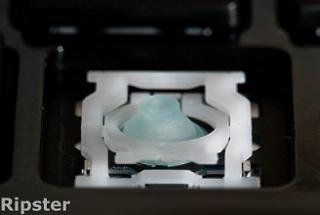
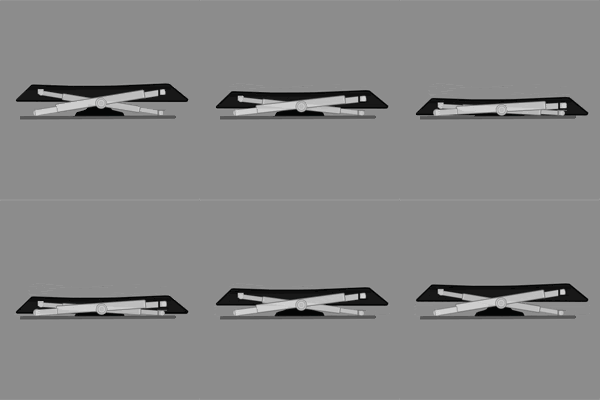
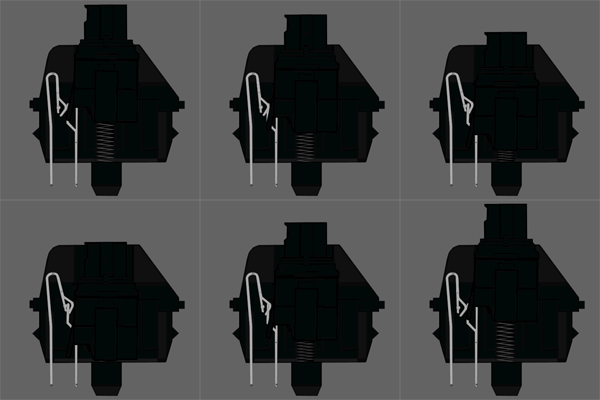
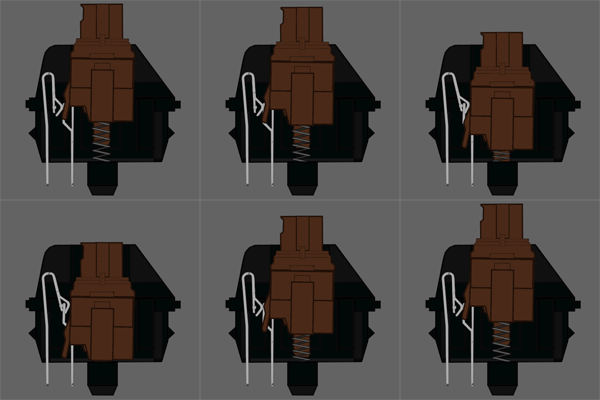
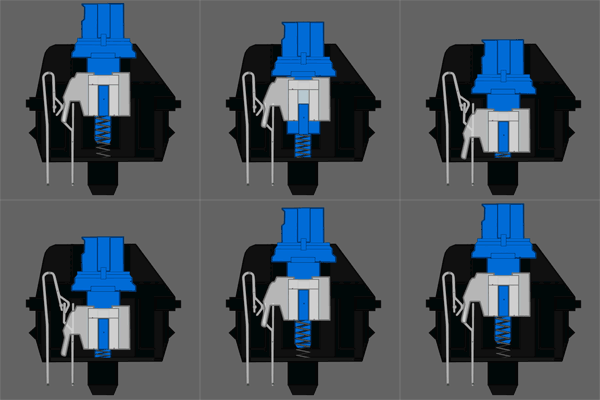
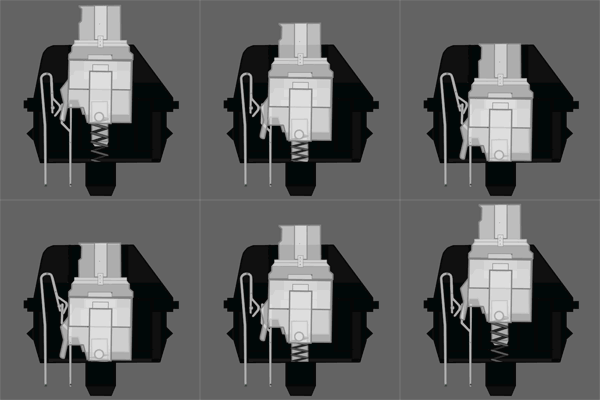
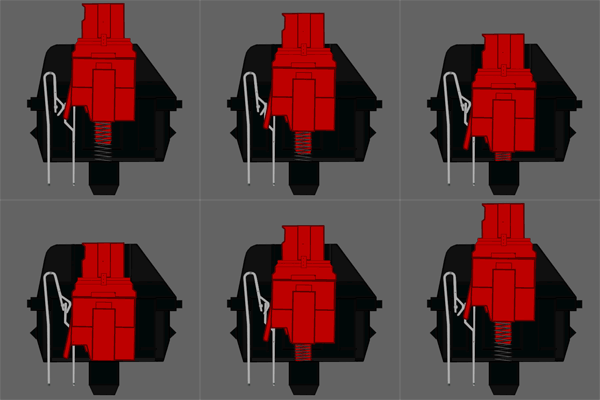
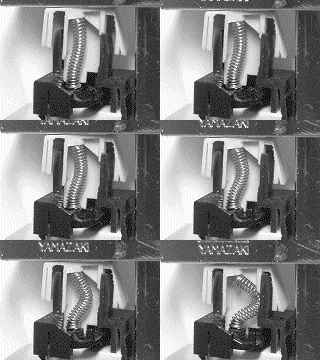
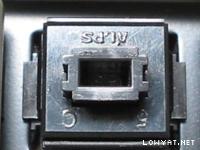

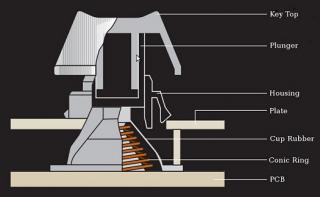
 Quote
Quote





 ). For aesthetics(or may be limited work space) wise, there is a Space Saving Model of IBM Model M which is even more rare than Full Size IBM Model M and thus more expensive.


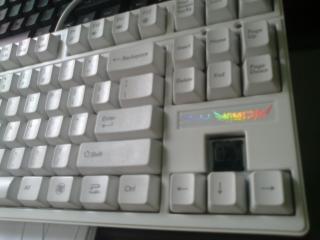










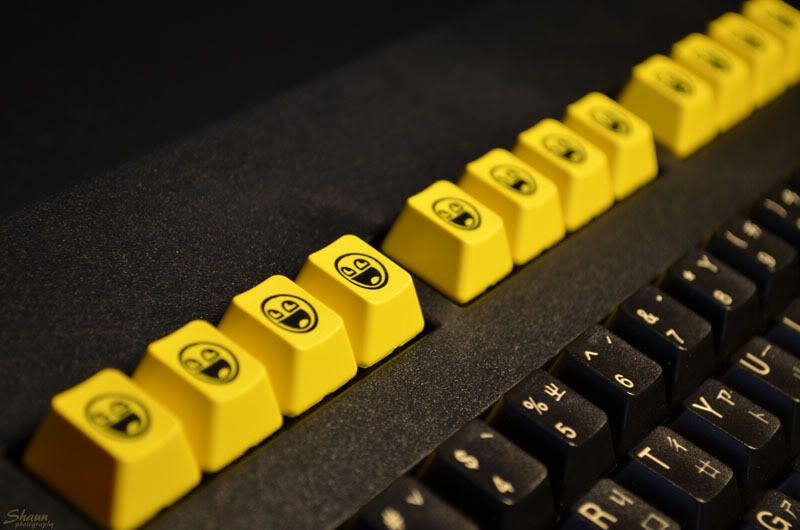
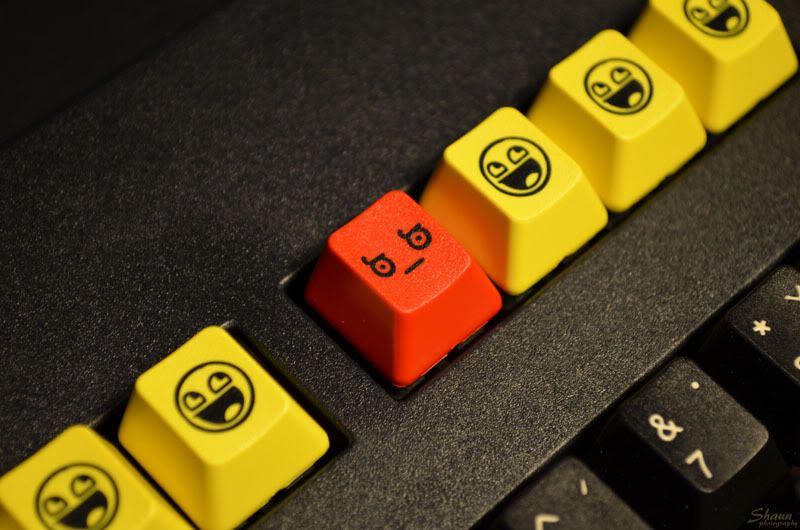


 Got it from C-Zone at Lowyat, one of the workers there are kind enough to allow me to test it out as well as having a go with red switches too. Dayumm for red switches, so soft..


 \
\


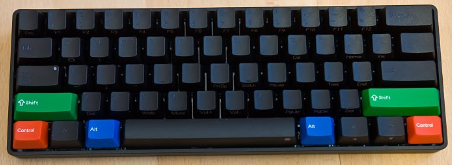


 . You're automatically entered after you give your email and finish the test?







 the finest switch available.. i see, no wonder they aint cheap






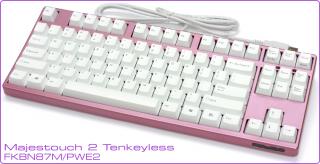


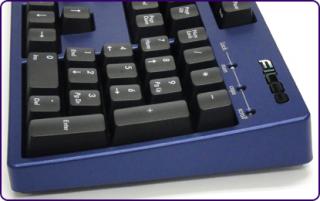


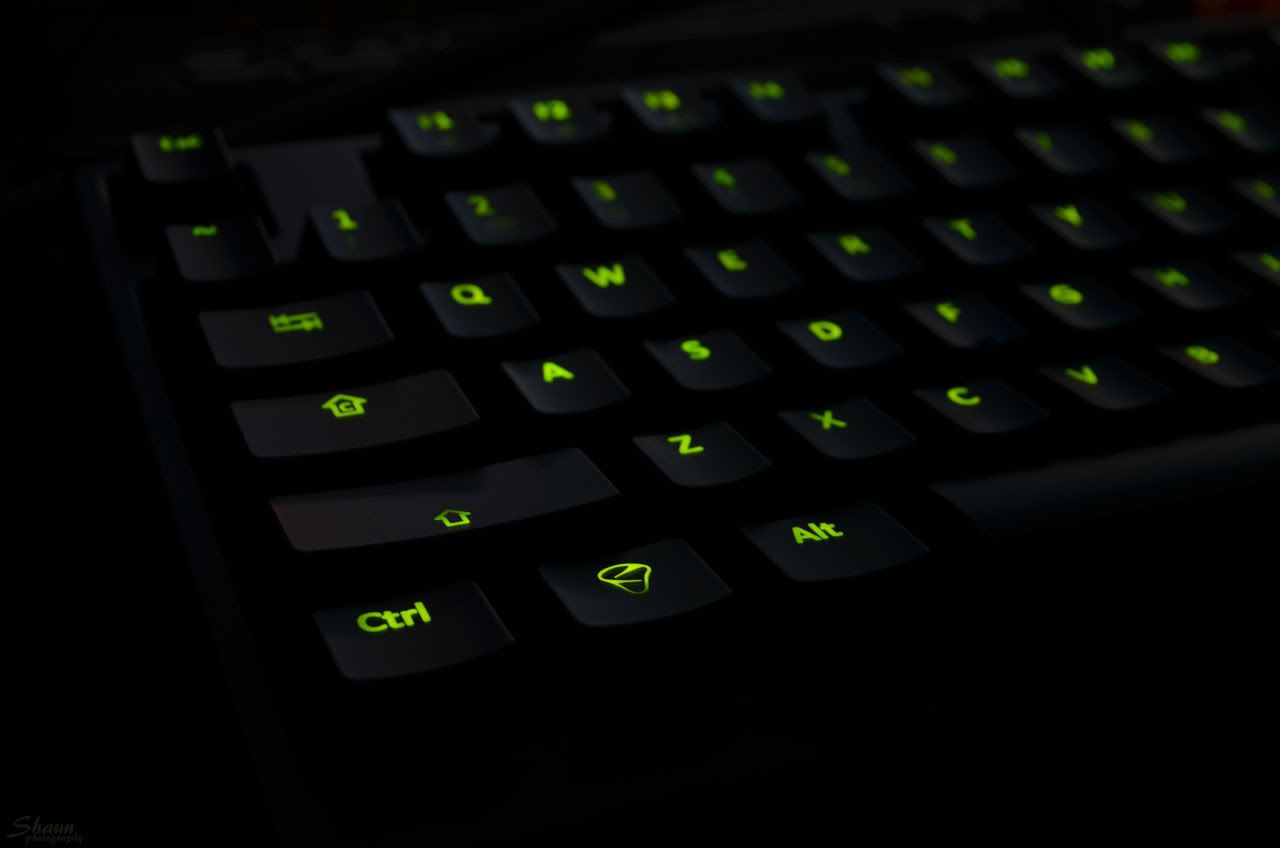
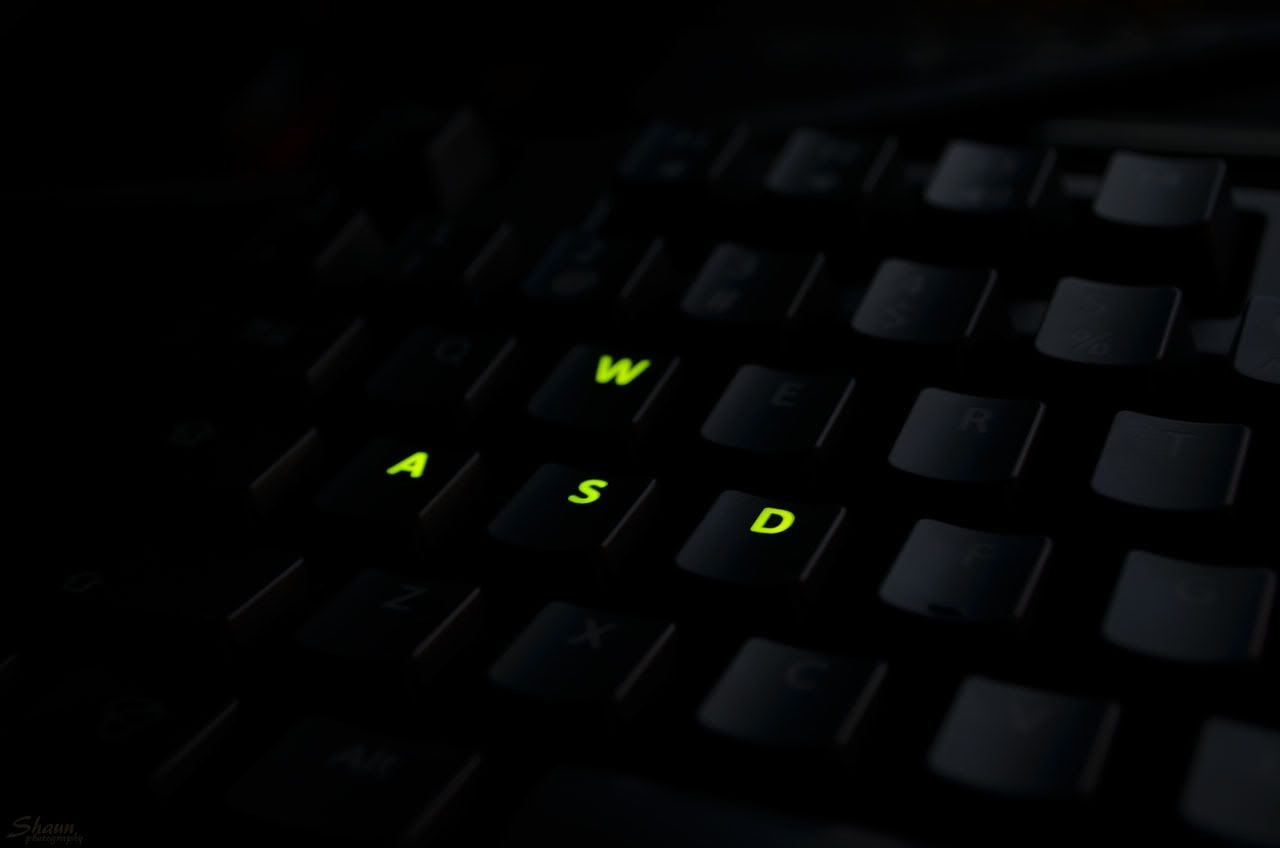

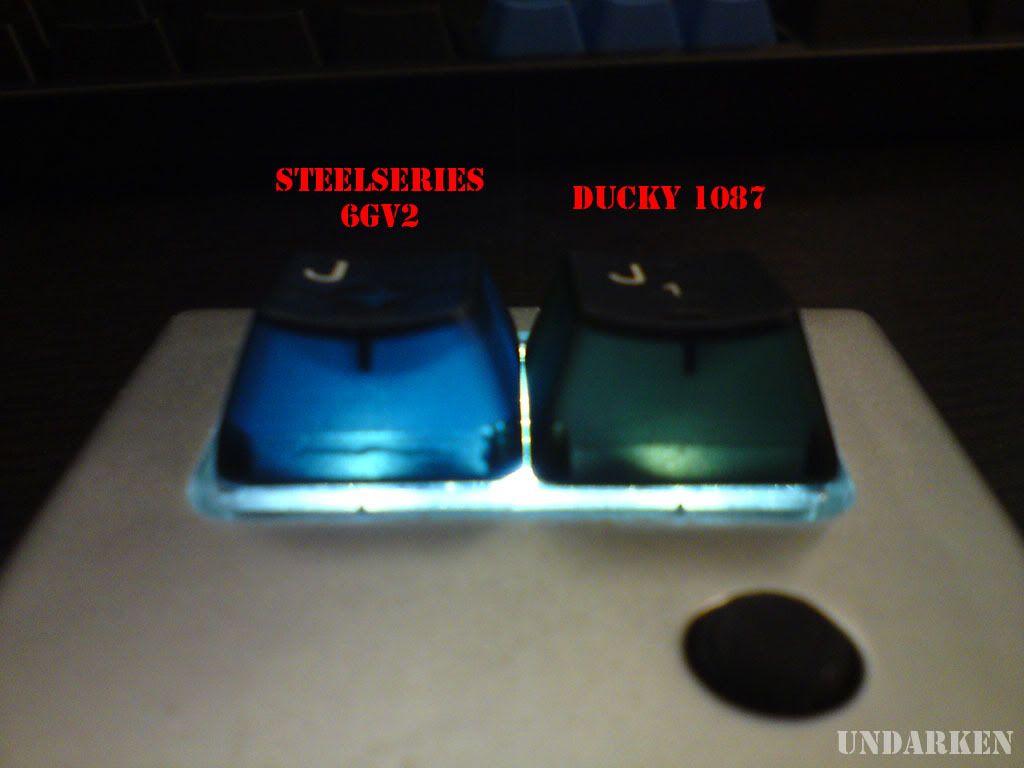


 0.2823sec
 0.58
0.58
 6 queries
 GZIP Disabled