Welcome Guest ( Log In | Register )

Bump Topic Topic Closed RSS Feed
133 Pages « < 60 61 62 63 64 > » Bottom

Outline · [ Standard ] · Linear+

 Sandy Bridge Overclocking V1, 2500K/2600K/2700K | LGA1155 P67.Z68.Z77

views
     
babyblur
post May 21 2011, 09:57 AM

New Member
*
Junior Member
19 posts

Joined: Mar 2008

QUOTE(clawhammer @ May 21 2011, 03:59 AM)
Yes, if you can fold and game then it's sufficient. Sometimes you can do all your daily task without problems at a lower Vcore but when you prime, it might fail. Prime is good as a tool to check for instability but no point pumping up voltages just to get it passed for long hours smile.gif

I'm on 580 SLI now and I have the same problem. One of the cards doesn't downclock, lol. I guess it's the driver or hardware like you said biggrin.gif my Dragon Age 2 doesn't improve even with SLI. Some driver crap problem and I'm still finding out.
*
oo ic .. this is not good , my 2nd card stay at 55'c w/o air cond , soon i will get wc kit from u as im funding for it now ^^

@ashraful

as i remember some1 said b4 here , we hardly feel the different on daily usage for 1333 , 1600 or 2133 mhz . u only will see different in benchmarking .
gengstapo
post May 21 2011, 10:02 AM

Retired enthusiast
********
All Stars
10,688 posts

Joined: Jan 2005
QUOTE(babyblur @ May 21 2011, 09:57 AM)
as i remember some1 said b4 here , we hardly feel the different on daily usage for 1333 , 1600 or 2133 mhz . u only will see different in benchmarking .
*
Its really correct. No doubt~
wandzul
post May 21 2011, 01:13 PM

Getting Started
**
Junior Member
152 posts

Joined: Jun 2007
From: Perak
Hi guys,

How does this looks to you?
Is it healthy? or maybe i can fine tune something for better result/stability?

» Click to show Spoiler - click again to hide... «


CPU is running 4.5Ghz @ 1.336v load 1.344v idle.. all others on auto
Ambient temp inside case is 35C (as displayed by fan controller)
Cooler config using air from inside case to blow out through radiator
Planning to use this 24/7

Need advice
Thanks

This post has been edited by wandzul: May 21 2011, 01:14 PM
jokermerah
post May 21 2011, 01:56 PM

New Member
*
Junior Member
30 posts

Joined: Mar 2011


hi all OC sifu out there. can help me to oc my rig? this is my 1st time want to try oc. can anyone teach me how to oc?
my rig :

i5 2500k
asrock p67 extreme 4
Msi gtx560 ti twin frozer
silverstone strider essential 700 watts
noctua nh 12p
kingston 1333 4gb X 2
Wd caviar green 500gb & 1tb
aerocool sycolne 2

can anyone teach me the basic things before oc?
i want to use asrock xtreme tuner programs, am i just increase the cpu multiplier?
clawhammer
post May 21 2011, 04:23 PM

///M
Group Icon
VIP
8,788 posts

Joined: Jan 2003
From: Kuala Lumpur


QUOTE(ashraful @ May 21 2011, 07:36 AM)
hey clawhammer, Arctic Xtreme Plus 2, you stilll have this one?
Yes I have it boss smile.gif


QUOTE(babyblur @ May 21 2011, 09:57 AM)
oo ic .. this is not good , my 2nd card stay at 55'c w/o air cond , soon i will get wc kit from u as im funding for it now ^^
Surprisingly my GTX 580 has lower load temps compared to GTX 570 biggrin.gif
babyblur
post May 22 2011, 08:26 PM

New Member
*
Junior Member
19 posts

Joined: Mar 2008

QUOTE(jokermerah @ May 21 2011, 01:56 PM)
hi all OC sifu out there. can help me to oc my rig? this is my 1st time want to try oc. can anyone teach me how to oc?
my rig :

i5 2500k
asrock p67 extreme 4
Msi gtx560 ti twin frozer
silverstone strider essential 700 watts
noctua nh 12p
kingston 1333 4gb X 2
Wd caviar green 500gb & 1tb
aerocool sycolne 2

can anyone teach me the basic things before oc?
i want to use asrock xtreme tuner programs, am i just increase the cpu multiplier?
*
u can just increase the multiplier to max 46x with all auto setting @ 1.35 vcore , this is as my previous setting with asus maximux extreme . so i guess its the same with asrock .
more then 46x u need to adjust setting .

n please browse thru this thread as they provide lot of info about how to oc ur rig , so just dont be lazy to go thru them b4 u ask how to oc my rig .

QUOTE(clawhammer @ May 21 2011, 04:23 PM)
Yes I have it boss smile.gif
Surprisingly my GTX 580 has lower load temps compared to GTX 570 biggrin.gif
*
really ar ... thats good .. i really headache with the temp w/o air cond in room , its hitting 60 celcius .

This post has been edited by babyblur: May 22 2011, 08:27 PM
ashraful
post May 22 2011, 08:42 PM

Getting Started
**
Junior Member
205 posts

Joined: Mar 2006
From: Shah Alam


@clawhammer... how much do you sell? plus shipping to bt pahat? haha..
clawhammer
post May 23 2011, 02:21 AM

///M
Group Icon
VIP
8,788 posts

Joined: Jan 2003
From: Kuala Lumpur


QUOTE(babyblur @ May 22 2011, 08:26 PM)
really ar ... thats good .. i really headache with the temp w/o air cond in room , its hitting 60 celcius .
*
I have 2 x GTX 580 now and one is with a water block and the other is with a stock cooler smile.gif I can pretty much tell the substantial difference for both cards during load and sometimes it can be 20C difference.

QUOTE(ashraful @ May 22 2011, 08:42 PM)
@clawhammer... how much do you sell? plus shipping to bt pahat? haha..
*
Sure and I've PM-ed you smile.gif I think it's better to discuss in PM rather than using this thread as it's not a proper way to do it.
hilmiangah
post May 23 2011, 12:11 PM

Kongsi Gelap Elite Ramadass
Group Icon
Elite
5,602 posts

Joined: Jul 2007
From: The Holiest Of Hole


ok got the temperature under control

lower the vtt to 1.6v and its much more stable
TSowikh84
post May 23 2011, 04:01 PM

i7 Clan
Group Icon
Elite
8,711 posts

Joined: Nov 2007
From: Butterworth, PG / Machang, Kelantan


QUOTE(hilmiangah @ May 23 2011, 12:11 PM)
ok got the temperature under control

lower the vtt to 1.6v and its much more stable
*
Are u sure it's VTT? or CPU PLL?
If VTT=1.6v it's surely too dangerous.
For record, default VTT=1.05v, CPU PLL=1.8v

louislkw
post May 23 2011, 09:21 PM

Casual
***
Junior Member
434 posts

Joined: Jul 2010
From: ^Newbie^


QUOTE(hilmiangah @ May 23 2011, 12:11 PM)
ok got the temperature under control

lower the vtt to 1.6v and its much more stable
*
1.6V blink.gif good luck to ur chip.. biggrin.gif
corrosion
post May 23 2011, 09:55 PM

Getting Started
**
Junior Member
230 posts

Joined: Apr 2011


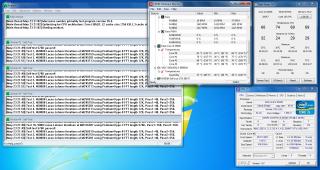
hi all bros..
just bought my first PC and first time overclocking..
does this looks like a safe config?
have been running the prime for 30 mins, passed the first 576k self test..
have not touch the ram yet.. still learning..
been reading this forum from 1st page, scared to ask.. sweat.gif
really appreciated ur advised..


Attached Image


wiraone
post May 23 2011, 10:25 PM

Who cares about all the stars?
*******
Senior Member
3,892 posts

Joined: Jan 2003
From: Back on earth!
Just wondering, I'm running win7 pro 64bit and everytime I tried to run prime95 64bit, I'm getting BSOD. Is it my system or is it the prime95 problem?
TSowikh84
post May 24 2011, 06:32 AM

i7 Clan
Group Icon
Elite
8,711 posts

Joined: Nov 2007
From: Butterworth, PG / Machang, Kelantan


QUOTE(wiraone @ May 23 2011, 10:25 PM)
Just wondering, I'm running win7 pro 64bit and everytime I tried to run prime95 64bit, I'm getting BSOD. Is it my system or is it the prime95 problem?
*
Supposed to be a bad OC.

QUOTE(owikh84 @ Jan 8 2011, 12:42 AM)
BSOD codes for overclocking
0x101 = increase vcore
0x124 = increase vcore
0x0A = unstable RAM/IMC, increase QPI first, if that doesn't work increase vcore
0x1E = increase vcore
0x3B = increase vcore
0x3D = increase vcore
0xD1 = QPI/VTT, increase/decrease as necessary, can also be unstable Ram, raise Ram voltage
0x9C = QPI/VTT most likely, but increasing vcore has helped in some instances
0x50 = RAM timings/Frequency or uncore multi unstable, increase RAM voltage or adjust QPI/VTT, or lower uncore if you're higher than 2x
0x109 = Not enough or too Much memory voltage
0x116 = Low IOH (NB) voltage, GPU issue (most common when running multi-GPU/overclocking GPU)
0x7E = Corrupted OS file, possibly from overclocking. Run sfc /scannow and chkdsk /r


Added on May 24, 2011, 6:41 am
QUOTE(louislkw @ May 23 2011, 09:21 PM)
1.6V  blink.gif good luck to ur chip..   biggrin.gif
*
Seriously I wont drag the slider more than 1.35v of VTT.


Added on May 24, 2011, 6:48 am
QUOTE(corrosion @ May 23 2011, 09:55 PM)
hi all bros..
just bought my first PC and first time overclocking..
does this looks like a safe config?
have been running the prime for 30 mins, passed the first 576k self test..
have not touch the ram yet.. still learning..
been reading this forum from 1st page, scared to ask..  sweat.gif
really appreciated ur advised..
*
Looks good for 24/7.
Stress ram with custom blend 3300MB (depends on free ram), min FFT 128 for at least 3 hours etc.
Good luck! nod.gif

This post has been edited by owikh84: May 24 2011, 11:24 PM
wiraone
post May 24 2011, 07:05 AM

Who cares about all the stars?
*******
Senior Member
3,892 posts

Joined: Jan 2003
From: Back on earth!
Thanks, I'm restarting again now. Going through the reset to default and will try the AISuiteII to overclock it again. I guess the manual OC that I put wasn't correct, hence, on normal usage it was okay but under a bit of load, it just failed.
hilmiangah
post May 24 2011, 07:10 AM

Kongsi Gelap Elite Ramadass
Group Icon
Elite
5,602 posts

Joined: Jul 2007
From: The Holiest Of Hole


lol

its PLL as owikh said

lower it and it last longer on prime

idk why
TSowikh84
post May 24 2011, 07:22 AM

i7 Clan
Group Icon
Elite
8,711 posts

Joined: Nov 2007
From: Butterworth, PG / Machang, Kelantan


QUOTE(hilmiangah @ May 24 2011, 07:10 AM)
lol
its PLL as owikh said
lower it and it last longer on prime
idk why
*
yupe, sometimes CPU PLL it helps in OC, sometimes it doesn't.
For record, CPU PLL is something related to CPU and RAM speeds.
Most of the time, I let it default 1.8v nod.gif
louislkw
post May 24 2011, 09:25 AM

Casual
***
Junior Member
434 posts

Joined: Jul 2010
From: ^Newbie^


VTT hmm.. only increase in lousy board... biggrin.gif
corrosion
post May 24 2011, 11:38 AM

Getting Started
**
Junior Member
230 posts

Joined: Apr 2011


@owikh84
thanks for da tips bro..

so far how high can i5 2500k go?
i wanna try as high as it can with air cooled..
before trying a custom WC..
will go for 4.8ghz tonite and see..
clawhammer
post May 24 2011, 01:26 PM

///M
Group Icon
VIP
8,788 posts

Joined: Jan 2003
From: Kuala Lumpur


QUOTE(corrosion @ May 24 2011, 11:38 AM)
@owikh84
thanks for da tips bro..

so far how high can i5 2500k go?
i wanna try as high as it can with air cooled..
before trying a custom WC..
will go for 4.8ghz tonite and see..
*
There's no conclusive answer to this. Some chips can do more than 5ghz and some can't but literally 4.7ghz should be easy for a 2500k if you know what you're doing smile.gif

133 Pages « < 60 61 62 63 64 > » Top
Topic ClosedOptions
 

Change to:
| Lo-Fi Version
0.0306sec    0.87    6 queries    GZIP Disabled
Time is now: 12th December 2025 - 02:26 AM