

I ordered 3 power cables so I can move my mac mini easily. But the apple braided is realy nice
[2024] Mac Mini with M4 / M4 Pro
[2024] Mac Mini with M4 / M4 Pro
|
|
 Dec 23 2024, 04:41 PM Dec 23 2024, 04:41 PM
Show posts by this member only | IPv6 | Post
#841
|
 
Senior Member
1,475 posts Joined: Nov 2005  
|
I ordered 3 power cables so I can move my mac mini easily. But the apple braided is realy nice
|
|
|
|
|
|
Dec 23 2024, 04:58 PM
Show posts by this member only | IPv6 | Post
#842
|

Senior Member
6,425 posts Joined: Mar 2006 From: Besut, Terengganu
|
hi guys, what kind of work you guys use on mac mini m4?
|
|
|
Dec 23 2024, 05:09 PM
|

Senior Member
1,198 posts Joined: Jun 2015 From: Malaysia
|
QUOTE(yvliew @ Dec 23 2024, 02:10 PM) Running software externally would recommend you to get USB4 40gbps. Some Steam game maybe.What kind of software you plan to run though?  |
|
|
Dec 23 2024, 05:12 PM
Show posts by this member only | IPv6 | Post
#844
|

Senior Member
1,036 posts Joined: Sep 2022
|
QUOTE(Cynox @ Dec 23 2024, 02:34 PM) Care to share what "some reason" you have in mind or from your past experience?  Fo me, the MFi thingy era is already past. Now moving into era of USB-C, with the EU pressing hard on universal standard, dun think it is relevant now. I can now use a generic (Ugreen) USB-C hub for my Samsung phone, my ipad mini 7 and my mac mini, all works flawlessly. The thunderbolt 4 USB enclosure i used on mac mini is also universal specs, made by Ugreen. QUOTE(yvliew @ Dec 23 2024, 02:42 PM) I think it's really standard universal plug thing.. there's nothing to it. No board inside, no microchip inside.. You can also buy the cable with fuse in the plug if you want to feel more safe. In the past I've had my electronics short circuit because wrong cable or charger, so that's why I'm wary.I've also had bad experience buying low brand kitchen appliances short circuiting the house fuse. I'm pretty sure it's okay if you go with branded cables. But for me to be on the safe side I prefer if Apple themselves sold the cable. |
|
|
Dec 24 2024, 02:50 PM
|

Junior Member
103 posts Joined: May 2014
|
btw guys,, instore pick in TRX is available now.. just order mine  ephunk, jonthebaptist, and 1 other liked this post
|
|
|
Dec 24 2024, 07:06 PM
|
|
Senior Member
1,198 posts Joined: Jun 2015 From: Malaysia
|
QUOTE(Nickfury2 @ Dec 24 2024, 02:50 PM) btw guys,, instore pick in TRX is available now.. just order mine Ibroff just launch 1 base unit with 1TB upgrade SSD cost RM3.1k....still thinking whether got for it, given 1 year warranty |
|
|
|
|
|
Dec 25 2024, 01:44 AM
|

Senior Member
3,918 posts Joined: Nov 2004
|
QUOTE(giggs_509 @ Dec 23 2024, 04:41 PM) I ordered 3 power cables so I can move my mac mini easily. But the apple braided is realy nice how much? can share the link |
|
|
Dec 25 2024, 03:12 PM
Show posts by this member only | IPv6 | Post
#848
|
|
Senior Member
1,475 posts Joined: Nov 2005
|
QUOTE(yvliew @ Dec 25 2024, 01:44 AM) how much? can share the link Cheap https://my.shp.ee/hzvQskA use with APC extension |
|
|
Dec 26 2024, 02:11 AM
Show posts by this member only | IPv6 | Post
#849
|
|
Senior Member
1,036 posts Joined: Sep 2022
|
I have not used Mac a long time now, and one thing I remember hating about it was the file management. I never knew where I was. But this help me, and I think it can help those new to Mac.
The two links show two different method, personally I have both turned on https://www.lifewire.com/use-macs-hidden-fi...ath-bar-2260868 https://www.idownloadblog.com/2015/12/07/ho...-finder-window/ |
|
|
Dec 26 2024, 12:49 PM
Show posts by this member only | IPv6 | Post
#850
|

Senior Member
2,466 posts Joined: Nov 2004
|
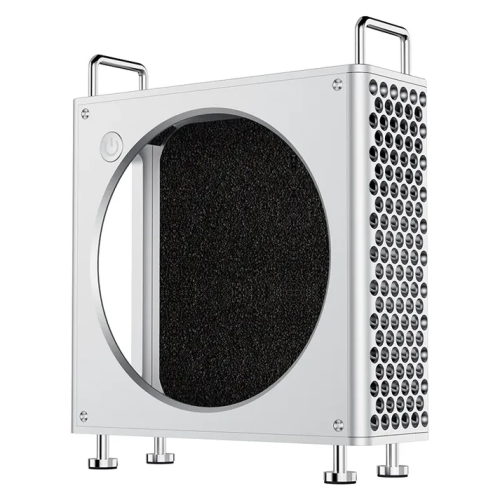 From big known company and price seems ok.. But no shipping to Malaysia. https://www.ulanzi.com/products/mac-mini-al...alloy-case-x088 jychow and jonthebaptist liked this post
|
|
|
Dec 26 2024, 02:22 PM
Show posts by this member only | IPv6 | Post
#851
|
|
Senior Member
3,918 posts Joined: Nov 2004
|
QUOTE(aneip @ Dec 26 2024, 12:49 PM) From big known company and price seems ok.. But no shipping to Malaysia. https://www.ulanzi.com/products/mac-mini-al...alloy-case-x088 anyway this is my portable mac mini setup. Do we have streamable embedding? https://streamable.com/kritb3 This post has been edited by yvliew: Dec 26 2024, 02:23 PM jonthebaptist liked this post
|
|
|
Dec 26 2024, 05:12 PM
Show posts by this member only | IPv6 | Post
#852
|

Junior Member
436 posts Joined: Oct 2005
|
OK this is driving me mad. I am using my Mac Mini M4 with a M7 Samsung 4K monitor. The very first C-C cable that i use to connect them together works perfectly but I felt it was a bit short at 0.5 meters. BTW this is the description of this cable on the shopee page that I bought it from - USB C to USB C Cable 100W USB 3.2 Type C Gen2 20Gbps Data Transfer Cable PD Fast Charging 4K Video Monitor Thunderbolt 3.
Since it was a bit too short I decided to buy a longer cable. This are the specs - 20Gbps USB 3.2 Gen 2 Type C to Type C Cable PD 100W Video 8K@60Hz. However when I try to connect it, there is no signal. So my conclusion is that it is not comaptible. I bought a 3rd cable - USB4 Cable with 240W Fast Charging 1m 8K Monitor 40Gbps Compatible with USB 4 Thunderbolt 4 Type C. It does not work! No signal! What specs should I be looking for in the cable? Is it really so difficult to find a compatible cable?? Please help. |
|
|
Dec 26 2024, 06:02 PM
|
|
Senior Member
1,198 posts Joined: Jun 2015 From: Malaysia
|
QUOTE(hellfried @ Dec 26 2024, 05:12 PM) OK this is driving me mad. I am using my Mac Mini M4 with a M7 Samsung 4K monitor. The very first C-C cable that i use to connect them together works perfectly but I felt it was a bit short at 0.5 meters. BTW this is the description of this cable on the shopee page that I bought it from - USB C to USB C Cable 100W USB 3.2 Type C Gen2 20Gbps Data Transfer Cable PD Fast Charging 4K Video Monitor Thunderbolt 3. What brand of the cable you buy?Since it was a bit too short I decided to buy a longer cable. This are the specs - 20Gbps USB 3.2 Gen 2 Type C to Type C Cable PD 100W Video 8K@60Hz. However when I try to connect it, there is no signal. So my conclusion is that it is not comaptible. I bought a 3rd cable - USB4 Cable with 240W Fast Charging 1m 8K Monitor 40Gbps Compatible with USB 4 Thunderbolt 4 Type C. It does not work! No signal! What specs should I be looking for in the cable? Is it really so difficult to find a compatible cable?? Please help. This is the problem nowadays. Sometimes cheap cable does not have that speed but it rate that speed. |
|
|
|
|
|
Dec 26 2024, 06:05 PM
|

Senior Member
7,565 posts Joined: May 2012
|
QUOTE(hellfried @ Dec 26 2024, 05:12 PM) OK this is driving me mad. I am using my Mac Mini M4 with a M7 Samsung 4K monitor. The very first C-C cable that i use to connect them together works perfectly but I felt it was a bit short at 0.5 meters. BTW this is the description of this cable on the shopee page that I bought it from - USB C to USB C Cable 100W USB 3.2 Type C Gen2 20Gbps Data Transfer Cable PD Fast Charging 4K Video Monitor Thunderbolt 3. I use any china cable - USB c to HDMI & ugreen. no problemSince it was a bit too short I decided to buy a longer cable. This are the specs - 20Gbps USB 3.2 Gen 2 Type C to Type C Cable PD 100W Video 8K@60Hz. However when I try to connect it, there is no signal. So my conclusion is that it is not comaptible. I bought a 3rd cable - USB4 Cable with 240W Fast Charging 1m 8K Monitor 40Gbps Compatible with USB 4 Thunderbolt 4 Type C. It does not work! No signal! What specs should I be looking for in the cable? Is it really so difficult to find a compatible cable?? Please help. |
|
|
Dec 26 2024, 06:25 PM
|

Newbie
13 posts Joined: Oct 2015
|
QUOTE(hellfried @ Dec 26 2024, 05:12 PM) OK this is driving me mad. I am using my Mac Mini M4 with a M7 Samsung 4K monitor. The very first C-C cable that i use to connect them together works perfectly but I felt it was a bit short at 0.5 meters. BTW this is the description of this cable on the shopee page that I bought it from - USB C to USB C Cable 100W USB 3.2 Type C Gen2 20Gbps Data Transfer Cable PD Fast Charging 4K Video Monitor Thunderbolt 3. You will need the USB3/4 cables that supports DisplayPort (Alt Mode); This is probably gonna be a hit or miss.Since it was a bit too short I decided to buy a longer cable. This are the specs - 20Gbps USB 3.2 Gen 2 Type C to Type C Cable PD 100W Video 8K@60Hz. However when I try to connect it, there is no signal. So my conclusion is that it is not comaptible. I bought a 3rd cable - USB4 Cable with 240W Fast Charging 1m 8K Monitor 40Gbps Compatible with USB 4 Thunderbolt 4 Type C. It does not work! No signal! What specs should I be looking for in the cable? Is it really so difficult to find a compatible cable?? Please help. Not all cables with the advertised speed supports DisplayPort (Alt Mode) You will probably have better luck getting Thunderbolt 3/4 cables (not TB3/4 compatible) or USB-C to DisplayPort/HDMI cables. This post has been edited by RavenSpell: Dec 26 2024, 06:27 PM |
|
|
Dec 26 2024, 06:58 PM
Show posts by this member only | IPv6 | Post
#856
|
|
Junior Member
436 posts Joined: Oct 2005
|
QUOTE(RavenSpell @ Dec 26 2024, 06:25 PM) You will need the USB3/4 cables that supports DisplayPort (Alt Mode); This is probably gonna be a hit or miss. In hind sight, when I was looking to buy the 1st cable it never crossed my mind that it was such a big deal. I just selected the cheapest C-C cable and it just worked. Now with all these subsequent cables, I am even more confused as to what I am supposed to be looking for.Not all cables with the advertised speed supports DisplayPort (Alt Mode) You will probably have better luck getting Thunderbolt 3/4 cables (not TB3/4 compatible) or USB-C to DisplayPort/HDMI cables. |
|
|
Dec 26 2024, 07:22 PM
Show posts by this member only | IPv6 | Post
#857
|
|
Senior Member
1,475 posts Joined: Nov 2005
|
QUOTE(hellfried @ Dec 26 2024, 06:58 PM) In hind sight, when I was looking to buy the 1st cable it never crossed my mind that it was such a big deal. I just selected the cheapest C-C cable and it just worked. Now with all these subsequent cables, I am even more confused as to what I am supposed to be looking for. Get hagibis thunderbolt cable https://my.shp.ee/Sz3cPGe |
|
|
Dec 26 2024, 08:29 PM
Show posts by this member only | IPv6 | Post
#858
|
|
Junior Member
436 posts Joined: Oct 2005
|
QUOTE(giggs_509 @ Dec 26 2024, 07:22 PM) You are using this now? |
|
|
Dec 26 2024, 08:44 PM
|
|
Senior Member
3,918 posts Joined: Nov 2004
|
QUOTE(hellfried @ Dec 26 2024, 05:12 PM) OK this is driving me mad. I am using my Mac Mini M4 with a M7 Samsung 4K monitor. The very first C-C cable that i use to connect them together works perfectly but I felt it was a bit short at 0.5 meters. BTW this is the description of this cable on the shopee page that I bought it from - USB C to USB C Cable 100W USB 3.2 Type C Gen2 20Gbps Data Transfer Cable PD Fast Charging 4K Video Monitor Thunderbolt 3. I used a 10gbps usb c to c monitor, surely it will work for 1080p 60fps. But for 4k. You will need usb 4 or TB3/4 cable with 40gbps. Do not get too long though. USB 4 cables works at full speed (40gbps) under 0.8 meter (Probably why your cable cannot support. Thunderbolt 4 is better, 2 meter active cable. I believe there is also active usb 4 cable that support full speed up to 2meter. Those cable are really really pricey. I was looking for longer cable for external usb 4 ssd, but looking at how complicated things are for usb c standard. I gave up.Since it was a bit too short I decided to buy a longer cable. This are the specs - 20Gbps USB 3.2 Gen 2 Type C to Type C Cable PD 100W Video 8K@60Hz. However when I try to connect it, there is no signal. So my conclusion is that it is not comaptible. I bought a 3rd cable - USB4 Cable with 240W Fast Charging 1m 8K Monitor 40Gbps Compatible with USB 4 Thunderbolt 4 Type C. It does not work! No signal! What specs should I be looking for in the cable? Is it really so difficult to find a compatible cable?? Please help. https://www.lazada.com.my/products/cable-ma...3170412304.html This post has been edited by yvliew: Dec 26 2024, 08:49 PM |
|
|
Dec 26 2024, 08:49 PM
|
|
Senior Member
1,036 posts Joined: Sep 2022
|
Just curious, 2025 coming, will there be added tax on the Mac Mini M4?
Does anyone here know or keep track? |
| Change to: |  0.0212sec 0.0212sec
 0.41 0.41
 6 queries 6 queries
 GZIP Disabled GZIP Disabled
Time is now: 6th December 2025 - 11:49 AM |
 Quote
Quote