Outline ·
[ Standard ] ·
Linear+
[2024] Mac Mini with M4 / M4 Pro
|
yvliew
|
 Dec 18 2024, 08:06 PM Dec 18 2024, 08:06 PM
|

|
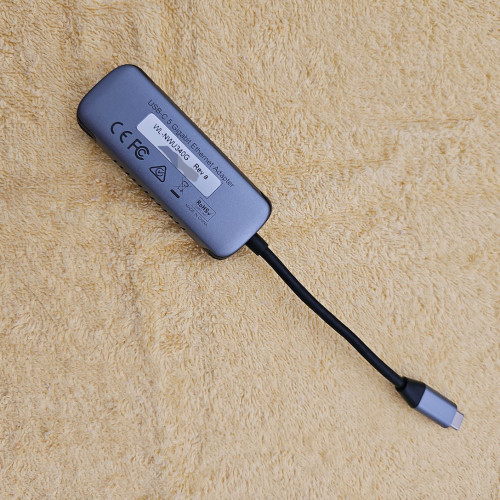
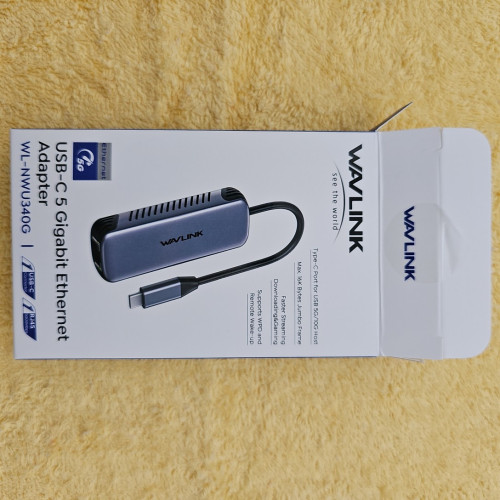
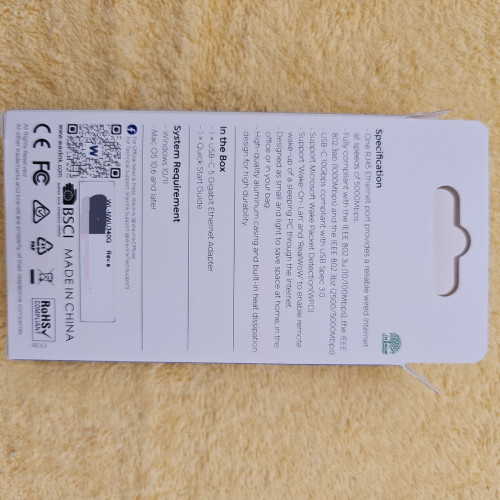
QUOTE(jonthebaptist @ Dec 18 2024, 07:55 PM) Just tested the new 5 Gigabit ethernet adapter I got but on my windows machine. Link: https://www.lazada.com.my/products/i4258248...4071007294.htmlI'll post more pictures tomorrow on the adapter, for now here's just a simple test i did on my windows machine, and the system will detect the adapter (for mac there is some installation according to the booklet given).  1 Gigabit ethernet adapter: 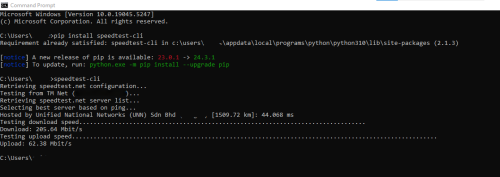 5 Gigabit ethernet adapter: 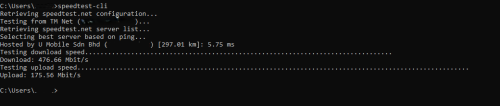 now this is just simple test, you gotta remember i might be limited/bottlenecked by the cat cable i'm using and also the usb-c on my laptop. why 1gbit ethernet slower? Shouldn't be that slow? I get 760mbit/s over my 800mbps internet on 1gbe LAN, mac mini, PC or even usb 1gbit adapter. |
|
|
|
|
|
jonthebaptist
|
Dec 18 2024, 08:15 PM
|
|
|
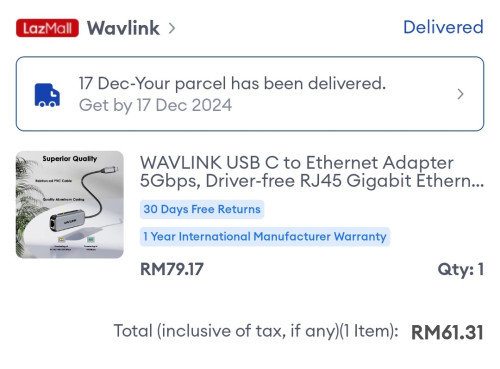
QUOTE(yvliew @ Dec 18 2024, 08:06 PM) why 1gbit ethernet slower? Shouldn't be that slow? I get 760mbit/s over my 800mbps internet on 1gbe LAN, mac mini, PC or even usb 1gbit adapter. it's simple test, my set up not directly link to router, i have long cables running through the house. the bottleneck is definitely there in the cable or usb-c port. My point here more to show for those that didn't upgrade to 10 Gibabit ethernet on Mac Mini M4, you can consider 2.5GbE or 5GbE adapters. The 5GbE adapter I bought only cost me rm61 on 12.12. |
|
|
|
|
|
ericlaiys
|
Dec 18 2024, 09:23 PM
|
|
|
QUOTE(jonthebaptist @ Dec 18 2024, 08:15 PM) it's simple test, my set up not directly link to router, i have long cables running through the house. the bottleneck is definitely there in the cable or usb-c port. My point here more to show for those that didn't upgrade to 10 Gibabit ethernet on Mac Mini M4, you can consider 2.5GbE or 5GbE adapters. The 5GbE adapter I bought only cost me rm61 on 12.12. your backbone network is 10GB??? if your router/switch only 1GB, then it is pointless my switch & router is 2.5GB, CAT7 cabling & all my machine running 2.5GB NIC except mac mini which is 1GB This post has been edited by ericlaiys: Dec 18 2024, 09:24 PM |
|
|
|
|
|
Cynox
|
Dec 18 2024, 10:09 PM
|
|
|
QUOTE(yvliew @ Dec 18 2024, 04:56 PM) Pretty neat. [ » Click to show Spoiler - click again to hide... « url=https://pictr.com/image/xzPOcZ] 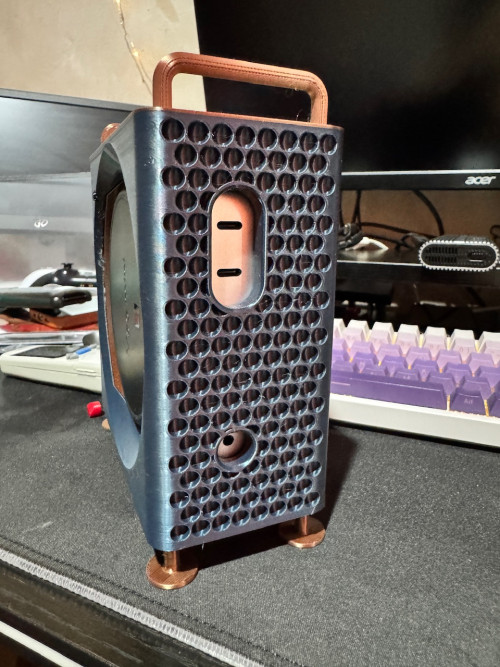 [/url] 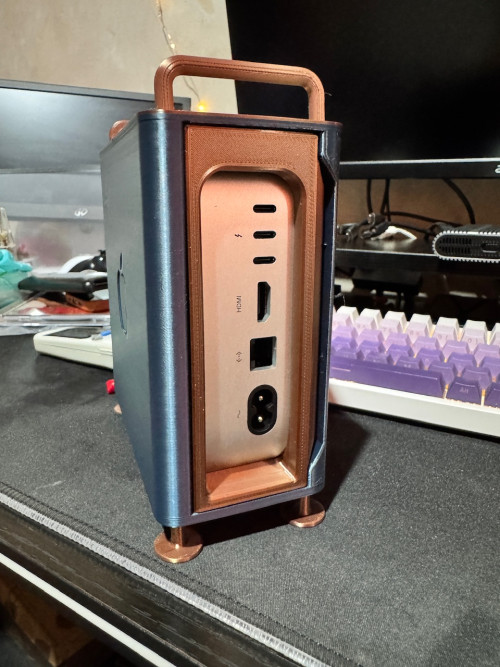 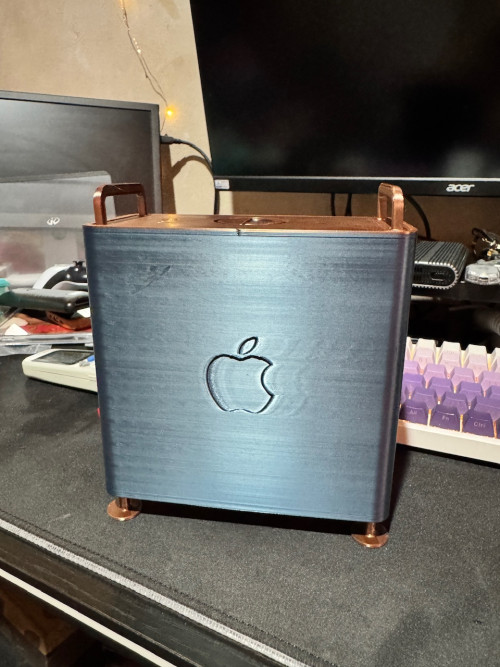 very nice indeed.  waiting for the "right-sided" version to 3d print myself one later. QUOTE(Susuwatari @ Dec 18 2024, 07:14 PM) Got it on Monday, added 2.5Gbps Ethernet. you sure got 2.5gbps version? i only see default 1gbps and option of 10gbps at Apple MY store. |
|
|
|
|
|
jonthebaptist
|
Dec 18 2024, 10:29 PM
|
|
|
QUOTE(ericlaiys @ Dec 18 2024, 09:23 PM) your backbone network is 10GB??? if your router/switch only 1GB, then it is pointless my switch & router is 2.5GB, CAT7 cabling & all my machine running 2.5GB NIC except mac mini which is 1GB I know, just sharing it out for those undecided to upgrade to 10 Gigabit ethernet or not. Even the baseline Mac Mini M4 is already quite future proof thanks to the availability of these 2.5GbE and 5GbE adapters (these are still in the cheap range). It's once you try to find a 10GbE adapter that you realise Apple's price is actually cheaper than whatever 10GbE adapter is available out there now. 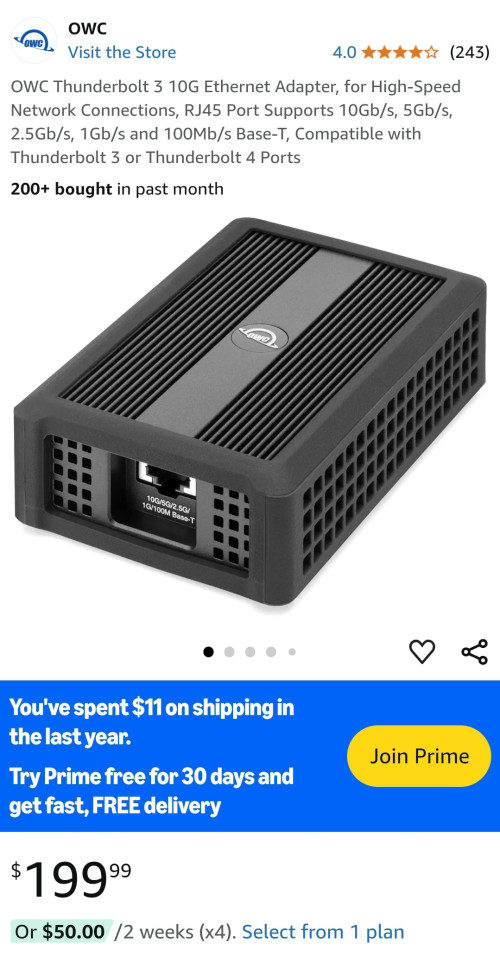 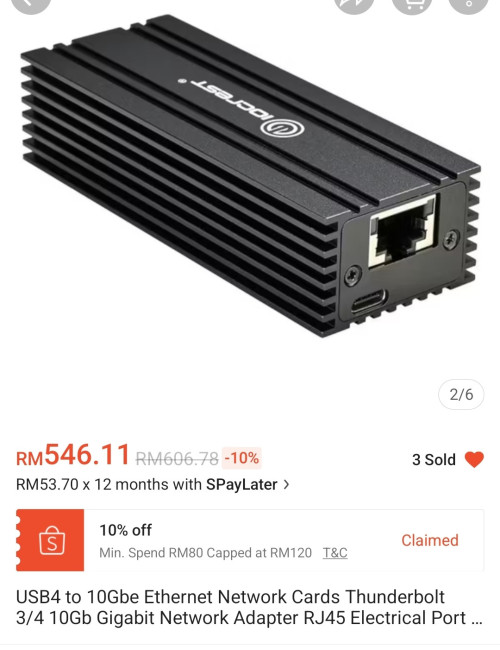 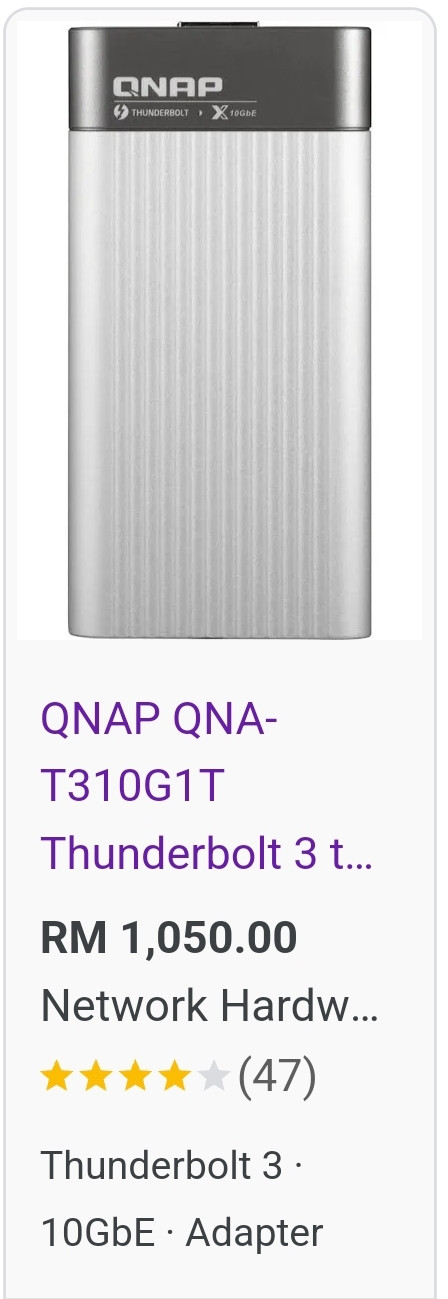 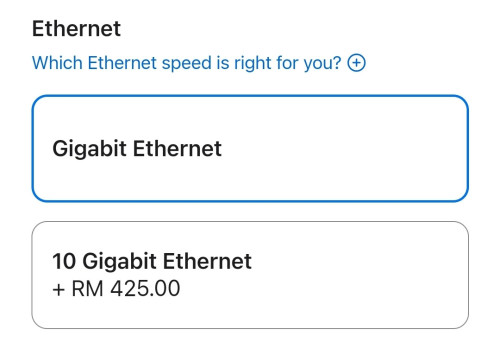 This post has been edited by jonthebaptist: Dec 18 2024, 10:42 PM This post has been edited by jonthebaptist: Dec 18 2024, 10:42 PM |
|
|
|
|
|
hellfried
|
Dec 19 2024, 07:01 AM
|
|
|
I am considering this docking station. What do you guys think? Yay or nay? https://www.aliexpress.com/item/10050081606...4ae4iThLlI&mp=1 |
|
|
|
|
|
shyan90's
|
Dec 19 2024, 10:43 AM
|
|
|
QUOTE(hellfried @ Dec 19 2024, 07:01 AM) I am considering this docking station. What do you guys think? Yay or nay? https://www.aliexpress.com/item/10050081606...4ae4iThLlI&mp=1Hold it 1st. I saw someone complaint after using this dock the WIFI drop alot. Maybe due to material too thick hence block the wifi signal. If you use cable then just go for it. |
|
|
|
|
|
hellfried
|
Dec 19 2024, 11:06 AM
|
|
|
QUOTE(shyan90's @ Dec 19 2024, 10:43 AM) Hold it 1st. I saw someone complaint after using this dock the WIFI drop alot. Maybe due to material too thick hence block the wifi signal. If you use cable then just go for it. I have several devices connected to Wifi from the router but my main rig ie the Mac mini is connected straight to ethernet port on the router. Will this be an issue with the other devices? |
|
|
|
|
|
jonthebaptist
|
Dec 19 2024, 11:38 AM
|
|
|
QUOTE(shyan90's @ Dec 19 2024, 10:43 AM) Hold it 1st. I saw someone complaint after using this dock the WIFI drop alot. Maybe due to material too thick hence block the wifi signal. If you use cable then just go for it. yes, if i recall the wifi card/antenna is at the base bottom, ideally you want that part pointed to the router or facing upwards. This post has been edited by jonthebaptist: Dec 19 2024, 12:29 PM |
|
|
|
|
|
GregPG01
|
Dec 19 2024, 11:39 AM
|
|
|
HI guys,
I am not familiar to the student program by MAC.
If I ask my nephew to use his email to buy this device, can I login / register using my own APPLE ID ? Are there restrictions ?
This post has been edited by GregPG01: Dec 19 2024, 11:40 AM
|
|
|
|
|
|
Susuwatari
|
Dec 19 2024, 11:42 AM
|
|
|
QUOTE(Cynox @ Dec 18 2024, 10:09 PM) very nice indeed. waiting for the "right-sided" version to 3d print myself one later. you sure got 2.5gbps version? i only see default 1gbps and option of 10gbps at Apple MY store. Sorry, 10Gbps, my bad. Confused it with another 2.5Gbps adapter which I bought at the same time. |
|
|
|
|
|
yvliew
|
Dec 19 2024, 01:53 PM
|
|
|
QUOTE(GregPG01 @ Dec 19 2024, 11:39 AM) HI guys, I am not familiar to the student program by MAC. If I ask my nephew to use his email to buy this device, can I login / register using my own APPLE ID ? Are there restrictions ? use your own apple account to buy, go to the educational store and buy, you will go through unidays verification. Use your nephew unidays to verify. After that you will go to check out page. Simple and easy. |
|
|
|
|
|
hellfried
|
Dec 19 2024, 08:36 PM
|
|
|
QUOTE(shyan90's @ Dec 19 2024, 10:43 AM) Hold it 1st. I saw someone complaint after using this dock the WIFI drop alot. Maybe due to material too thick hence block the wifi signal. If you use cable then just go for it. Fair warning. Just saw this clip on Youtube https://www.youtube.com/shorts/Ttye_hqBCMs |
|
|
|
|
|
jonthebaptist
|
Dec 20 2024, 12:10 PM
|
|
|
|
|
|
|
|
|
yvliew
|
Dec 21 2024, 01:09 PM
|
|
|
Gonna try this heatsink and see how much improvement. It was running around 46-50c by its own and I'm not really comfortable with that temp. 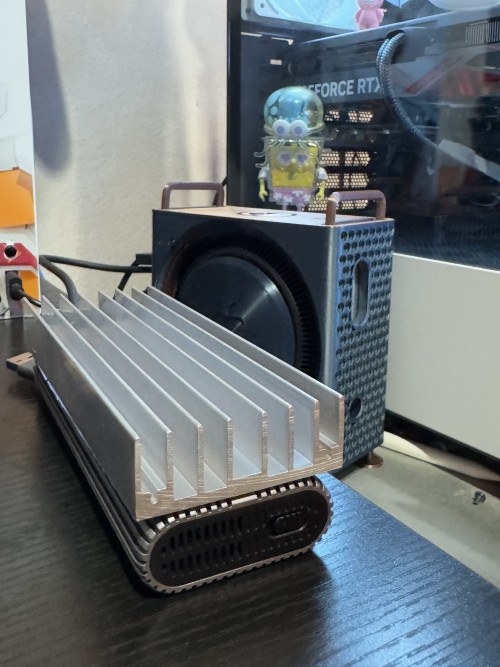 |
|
|
|
|
|
ericlaiys
|
Dec 21 2024, 01:15 PM
|
|
|
QUOTE(yvliew @ Dec 21 2024, 01:09 PM) Gonna try this heatsink and see how much improvement. It was running around 46-50c by its own and I'm not really comfortable with that temp. mine 47C . it is normal. |
|
|
|
|
|
muman7
|
Dec 21 2024, 02:12 PM
|
Getting Started

|
QUOTE(yvliew @ Dec 21 2024, 01:09 PM) Gonna try this heatsink and see how much improvement. It was running around 46-50c by its own and I'm not really comfortable with that temp. Why not put the heatsink at the bottom instead?  Please update me if it's effective might switch to this kind of heat sink coz the fan I'm using now although is effective it does have a little bit of noise. |
|
|
|
|
|
hellfried
|
Dec 21 2024, 02:21 PM
|
|
|
QUOTE(muman7 @ Dec 21 2024, 02:12 PM) Why not put the heatsink at the bottom instead? Please update me if it's effective might switch to this kind of heat sink coz the fan I'm using now although is effective it does have a little bit of noise. You guys are referring to the external drive or the actual mini itself? |
|
|
|
|
|
yvliew
|
Dec 21 2024, 02:33 PM
|
|
|
QUOTE(muman7 @ Dec 21 2024, 02:12 PM) Why not put the heatsink at the bottom instead? Please update me if it's effective might switch to this kind of heat sink coz the fan I'm using now although is effective it does have a little bit of noise. I think this block is a little thin to my liking. But it does shows improvement. maybe 5-7C compared with without using. I want to keep it around 45c and under then I'm happy with it. Haha. The other day I put the ssd on the whole aluminum desk, it was super cool at max 38C. But I don't like that location so I get this block of heatsink. It is doing it's job. But if can find thinker ones, would be better. Anyway, this is the temp of running ollama. damn it is hot! I tried it with the mac pro casing and without, they are the same. The case does not affect the temp. So anyone thinking to get the 3D printed case, don't worry about the temp. 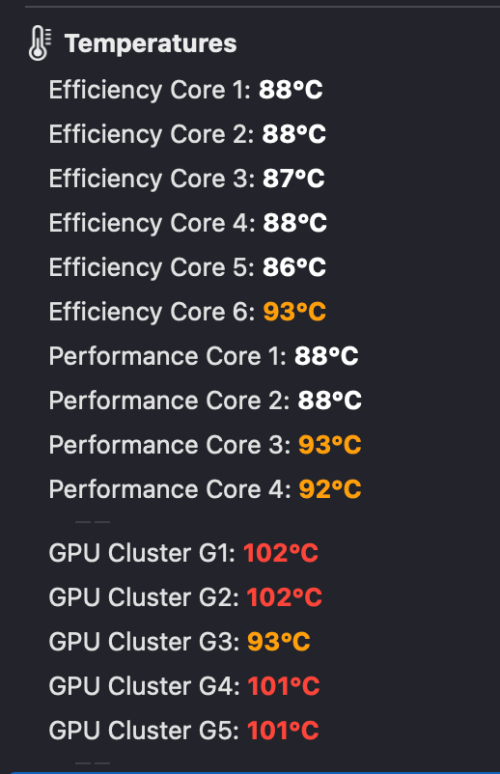 |
|
|
|
|



 Quote
Quote





 0.0208sec
 0.24
0.24
 6 queries
 GZIP Disabled