I'm sharing the following sanitised printout as-is how it was set up by TM's technician,
since there is lacking information regarding D-Link ONR that is currently supplied by Telekom Malaysia for 1GBps++ set up.
Brand : D-LINK
Model no : DPN-FX3060V
Firmware ver : DPN-FX3060V_V1.0.6
Default top-level(?) Credential : tmadmin / Adm@XXXX
where XXXX represents last 4 characters of MAC ID as per label underneath.
The sections that might interest you:
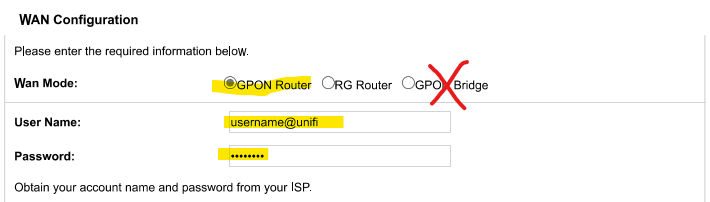
- Wizard
- Setup
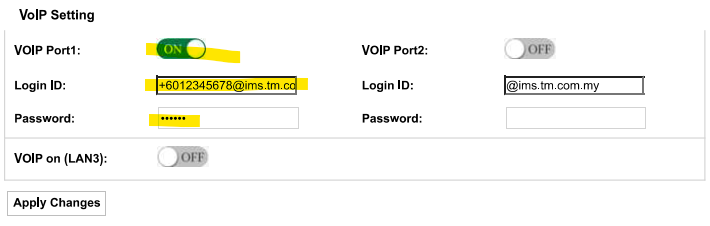
- VoIP Port 1
- Firewall DMZ
- Firewall Port Forwarding
- Advance Loop Detection
This should give you an idea of what you can play around should you sign up for 1GBps+ and received this model for ONR.
----
I received 2 units of the ONR.
As I don't need another meshed network, I asked the technician to set up 1 as GPON Router, and another as GPON Bridge.
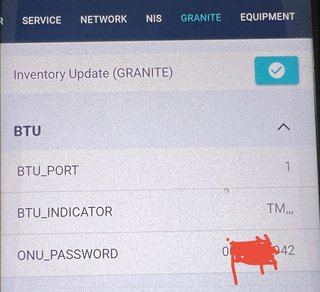
(1) The previous ZTE BTU is still usable. I was able to use my ASUS router to dial PPPoE as-is.
(2) The ONR set as GPON Router is working perfectly for now; I am submitting this post via the connection.
I am able to attach POTS and dial out to mobile number.
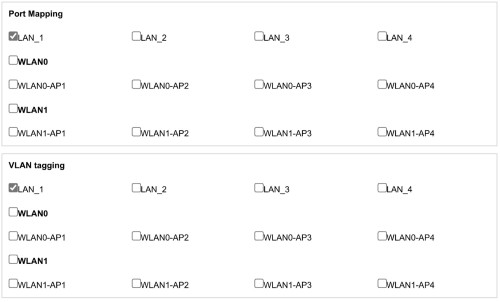
Based on the setup you can see in the attached PDF, there is no VLAN involved for general Internet.
I am able to use my ASUS router as 2nd-level NAT router to protect internal network.
However, I lose DDNS from the ASUS as the WAN is now using IP of ONR's LAN-side.
(3) The GPON Bridge is not working perfectly. The VoIP is not working; it produces engaged tone.
I was able to swap my ASUS router from dialling PPPoE through the previous ZTE BTU to dial out PPPoE using this ONR set as GPON Bridge as-is. I can get public IP as it should, and DDNS by the ASUS router works, unlike when it is set up as 2nd-level NAT with GPON Router.
In this mode, it will use VLAN500 - parsing through Setup - Connection 0 (of GPON Router), I guess it is possible to remove VLAN500 from play altogether.
I am not satisfied that I am not able to use POTS with current GPON Bridge configuration.
The moment it is set as GPON Bridge, technician complained that the web administration is no longer accessible.
I tried wireshark dumping; there is no IP address available on any of the ONR Bridge's ports. So I am not able to determine what's wrong.
I am about to reset the GPON Bridge to factory, then import the exported config.xml from GPON Router, then switch it into GPON Bridge mode - to see if this will resolve the POTS problem while retaining working relationship with ASUS.
( yeah, I purposely didn't zip them up just to entertain myself of your misery at this late hour

)
edit 1: add missing printout
edit 2:
i reset ONR GPON Bridge. configure everything from scratch. verified both internet and POTS working. switch from GPON Router to GPON Bridge. internet still working with ASUS doing dialling. POTS turned engaged.
arrrgghhhh.
edit 3:
I nailed the GPON Bridge set up. Both Internet and POTS are working as they should. (NO, I did not focus on IPTV, because I don't have HyppTV anyway to validate.)
A follow up post will follow so as to not get people confused.
Again, the printout in this post is for a working GPON Router mode per set up by TM technician.


 May 20 2023, 12:37 AM


 Quote
Quote













 0.0340sec
 0.54
0.54
 6 queries
 GZIP Disabled