Welcome Guest ( Log In | Register )

Bump Topic Topic Closed RSS Feed
316 Pages « < 194 195 196 197 198 > » Bottom

Outline · [ Standard ] · Linear+

Unifi Official TM UniFi High Speed Broadband Thread V37, READ 1ST PAGE FOR TURBO SPEED INFO!

views
     
lukemanz
post Sep 5 2019, 09:48 AM

Getting Started
**
Junior Member
249 posts

Joined: Aug 2009
QUOTE(westlife @ Sep 5 2019, 09:12 AM)
Which mesh wifi router has native support for unifi? really hope to get one to have house covered with good signal and constant surfing experience.
*
You can try this https://www.tp-link.com/my/home-networking/deco/deco-m4/
lukemanz
post Sep 5 2019, 09:51 AM

Getting Started
**
Junior Member
249 posts

Joined: Aug 2009
QUOTE(hellfried @ Sep 5 2019, 07:57 AM)
Has anyone tried to get their unifi user id and pw from TM? This is the reply I got from them:

"For your information we do not keep record of unifi password, so if you wish to get the password we will need to submit report to reset it and you will receive password within 24 hours via sms. Once receive password via sms internet will get disconnected and you will need to reconfigure the router to reconnect back."

Sounds like a very complicated process. Why do they make it so hard for customers to use their own router?
*
Sounds like they dont trust their own staff laugh.gif
wira1979
post Sep 5 2019, 09:59 AM

Regular
******
Senior Member
1,057 posts

Joined: Oct 2006
From: Petaling Jaya


QUOTE(lukemanz @ Sep 4 2019, 11:46 PM)
You can request directly from TM at TMpoint, unlimited@RM89 or unlimited 50Mbps@RM99, but I think your contract will be renew to 2 years
Best of luck icon_rolleyes.gif
*
Thank you all for your replies/feedback.

I gave them a call and they can actually do it for you over the phone. It'll take around 7 working days though before you switch to the unlimited plan. If anyone is interested, you can ask them for the “Unifi Upsizing Promo”.

Honestly, I'm OK with Unifi and for the same price with Maxis, I don't feel so bad now (I'm on 30 Mbps by the way). You lose out on upload speed but I've not encountered a situation where this bothered me. I constantly get full speed and I can't actually remember any downtime in the 8 months that I've been using it.


jusbella
post Sep 5 2019, 10:03 AM

Look at all my stars!!
*******
Senior Member
3,036 posts

Joined: Dec 2011


What about go for Astro IPTV? Seems there is a lot benefit from Astro IPTV.
westlife
post Sep 5 2019, 10:37 AM

10k Club
********
All Stars
14,285 posts

Joined: Jan 2011
QUOTE(lukemanz @ Sep 5 2019, 09:48 AM)
i see. thanks. but does it support hypptv + unifi together? understand that it needs vlan tagging function to work.
wira1979
post Sep 5 2019, 10:39 AM

Regular
******
Senior Member
1,057 posts

Joined: Oct 2006
From: Petaling Jaya


QUOTE(westlife @ Sep 5 2019, 09:12 AM)
Which mesh wifi router has native support for unifi? really hope to get one to have house covered with good signal and constant surfing experience.
*
I am personally using the 3 unit M9 Deco (3k sq ft house with 100 Mbps Maxis) and 2 unit M5 Deco (1k sq ft condo with 30 Mbps Unifi).

I've changed them between Maxis and Unifi and can confirm that both work great and I'm getting good speed everywhere in both homes.

If you're stuck in a place where you can't go more than 30 Mbps, get the M5. If you can go higher than that, may want to opt for the M9 to future proof yourself.

Just to add as well, I was using the standard Unifi/Maxis provided router and occasionally faced issues with connectivity and speed. I added Deco units and it pretty much eliminated all my problems. Maybe this would be a better solution as opposed to replacing your router? Over time you can add Deco units to your network to expand coverage far beyond what a conventional router can achieve. Just my 2 sen opinion.
westlife
post Sep 5 2019, 10:44 AM

10k Club
********
All Stars
14,285 posts

Joined: Jan 2011
QUOTE(wira1979 @ Sep 5 2019, 10:39 AM)
I am personally using the 3 unit M9 Deco (3k sq ft house with 100 Mbps Maxis) and 2 unit M5 Deco (1k sq ft condo with 30 Mbps Unifi).

I've changed them between Maxis and Unifi and can confirm that both work great and I'm getting good speed everywhere in both homes.

If you're stuck in a place where you can't go more than 30 Mbps, get the M5. If you can go higher than that, may want to opt for the M9 to future proof yourself.

Just to add as well, I was using the standard Unifi/Maxis provided router and occasionally faced issues with connectivity and speed. I added Deco units and it pretty much eliminated all my problems. Maybe this would be a better solution as opposed to replacing your router? Over time you can add Deco units to your network to expand coverage far beyond what a conventional router can achieve. Just my 2 sen opinion.
*
i see. thanks a lot for the sharing.

you mentioned that you 'added' the deco units.

does it ur setup is like below?
BTU -> TM/Maxis wifi router -> mesh wifi units?

or

BTU -> mesh wifi units (meaning your username and password are input directly inside for the PPPoE connection?)

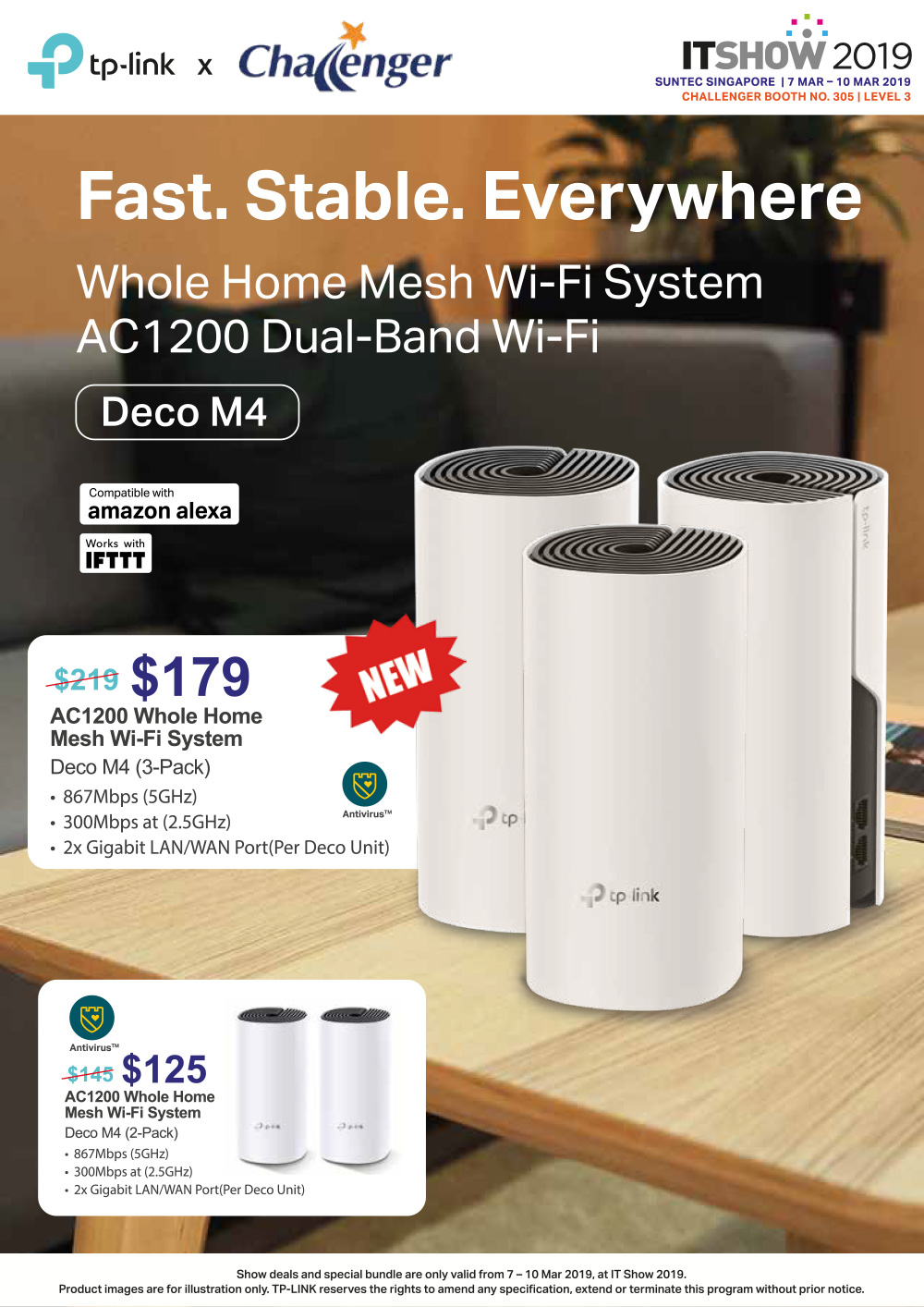
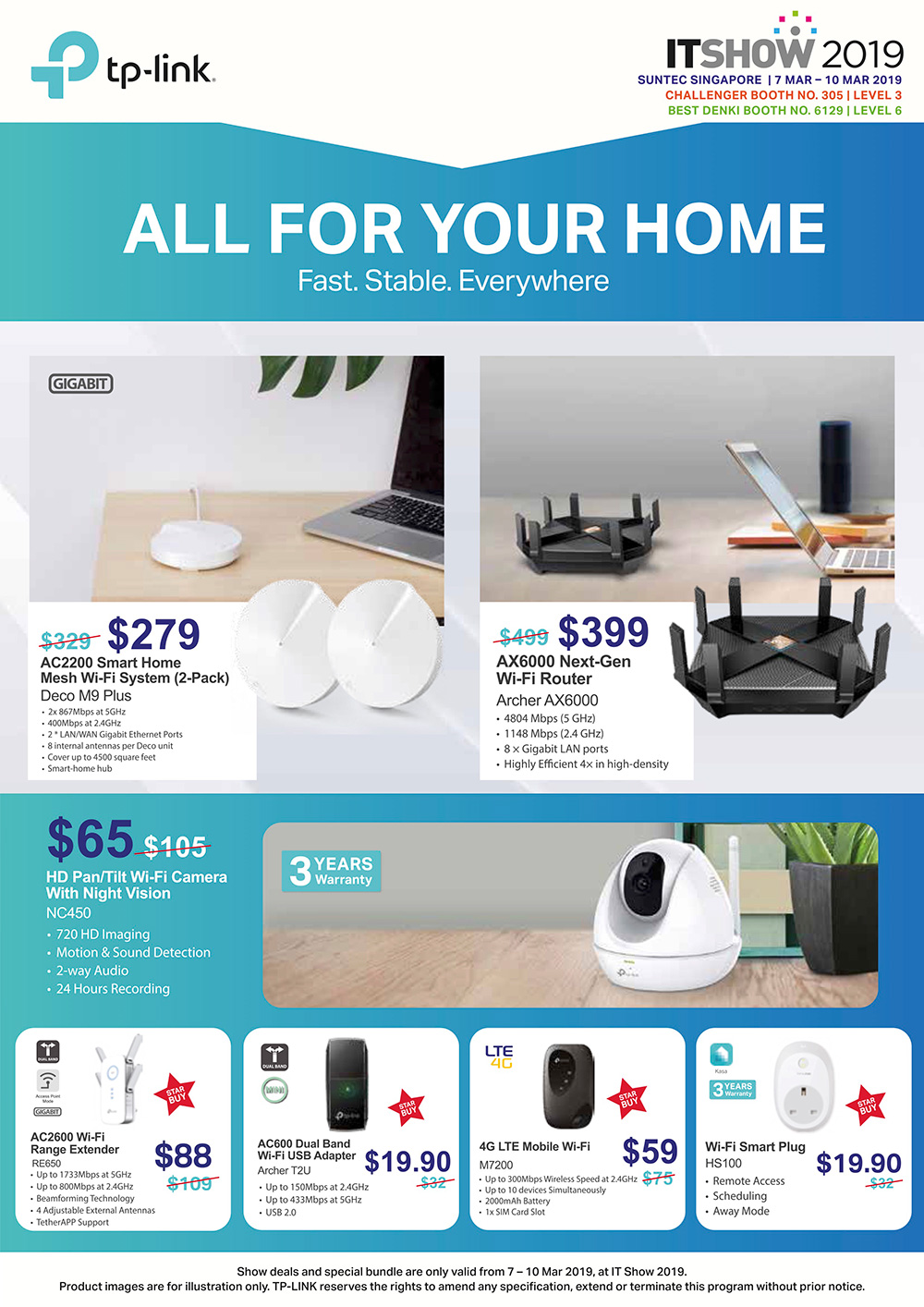
IT show at lion city is selling the below.

user posted image

user posted image


This post has been edited by westlife: Sep 5 2019, 10:48 AM
wira1979
post Sep 5 2019, 10:48 AM

Regular
******
Senior Member
1,057 posts

Joined: Oct 2006
From: Petaling Jaya


QUOTE(westlife @ Sep 5 2019, 10:44 AM)
i see. thanks a lot for the sharing.

you mentioned that you 'added' the deco units.

does it ur setup is like below?
BTU -> TM/Maxis wifi router -> mesh wifi units?

or

BTU -> mesh wifi units (meaning your username and password are input directly inside for the PPPoE connection?)
*
I am using this method for both my set-ups:

BTU > TM/Maxis wifi router > Mesh

I'm not that technologically savvy so don't know if the second BTU > Mesh option works.
westlife
post Sep 5 2019, 10:55 AM

10k Club
********
All Stars
14,285 posts

Joined: Jan 2011
QUOTE(wira1979 @ Sep 5 2019, 10:48 AM)
I am using this method for both my set-ups:

BTU > TM/Maxis wifi router > Mesh

I'm not that technologically savvy so don't know if the second BTU > Mesh option works.
*
i see.

in this case, i supposed ur TM/Maxis wifi router is directly next to ur mesh which u connect a cable from ur mesh to the tm/maxis wifi router.

do u disable the wifi at TM/Maxis wifi router? becos if not disable, meaning the same area will have two wifi networks with same ssid? one will be from the tm/maxis wifi router while the other one will be from the mesh?
one is not mesh (tm/maxis wifi router), one is meshed (mesh wifi)?


hellfried
post Sep 5 2019, 10:58 AM

Casual
***
Junior Member
436 posts

Joined: Oct 2005


QUOTE(fruitie @ Sep 5 2019, 09:12 AM)
Oh yeah, didn't realise expect LYN also masked out that after I posted in coding format. tongue.gif
hellfried, for your information.
*
So whats the link?
fruitie
post Sep 5 2019, 11:00 AM

Rise and Shine
Group Icon
Staff
72,824 posts

Joined: Sep 2005
From: KUL

QUOTE(hellfried @ Sep 5 2019, 10:58 AM)
So whats the link?
*
CODE
https://c a r i g o l d.com/forum/threads/terlupa-password-unifi-tak-payah-call-operator-derang-sibuk.396652/


Remove the spaces in between.
hellfried
post Sep 5 2019, 11:05 AM

Casual
***
Junior Member
436 posts

Joined: Oct 2005


QUOTE(fruitie @ Sep 5 2019, 11:00 AM)
CODE
https://c a r i g o l d.com/forum/threads/terlupa-password-unifi-tak-payah-call-operator-derang-sibuk.396652/


Remove the spaces in between.
*
Thanks!
fruitie
post Sep 5 2019, 11:08 AM

Rise and Shine
Group Icon
Staff
72,824 posts

Joined: Sep 2005
From: KUL

QUOTE(hellfried @ Sep 5 2019, 11:05 AM)
Thanks!
*
After you get it, just jot down somewhere. I saved it in cloud based, easier to retrieve.
wira1979
post Sep 5 2019, 11:08 AM

Regular
******
Senior Member
1,057 posts

Joined: Oct 2006
From: Petaling Jaya


QUOTE(westlife @ Sep 5 2019, 10:55 AM)
i see.

in this case, i supposed ur TM/Maxis wifi router is directly next to ur mesh which u connect a cable from ur mesh to the tm/maxis wifi router.

do u disable the wifi at TM/Maxis wifi router? becos if not disable, meaning the same area will have two wifi networks with same ssid? one will be from the tm/maxis wifi router while the other one will be from the mesh?
one is not mesh (tm/maxis wifi router), one is meshed (mesh wifi)?
*
Yes, the mesh unit is connected to the main router via cable so placement is up to you as long as you have a long enough cable. Mine is just next.

I have two wireless networks running at the same time due to this but it's mainly because I don't know how to disable the original network tongue.gif

I just set all my devices to prioritise the mesh network or forget the original network altogether.
westlife
post Sep 5 2019, 11:24 AM

10k Club
********
All Stars
14,285 posts

Joined: Jan 2011
QUOTE(wira1979 @ Sep 5 2019, 11:08 AM)
Yes, the mesh unit is connected to the main router via cable so placement is up to you as long as you have a long enough cable. Mine is just next.

I have two wireless networks running at the same time due to this but it's mainly because I don't know how to disable the original network tongue.gif

I just set all my devices to prioritise the mesh network or forget the original network altogether.
*
icic. thanks. got it now.

i just wonder if the tp-link mesh wifi support pppoE connection so that unifi username and password can be entered to establish the connection directly on the mesh wifi to replace the need of tm/maxis wifi router totally. if yes, it will be nice.

becos for this setup, the mesh wifi will function like a wireless switch/bridge from the tm/maxis wifi router via the wired connection.

at this moment,

my home is setup is

BTU -> tm wifi router -> home plug (wired) at downstair -> home plug (support wireless but i disable it) at upstair and connect to a old unused 2.4Ghz wifi router (with the same ssid as the tm wifi router 5Ghz wifi network name) to function like a repeater but it does not repeat the signal from downstair wifi it just act as a wifi router to get the connection from the wired connection of the home plug upstair to simulate as repeater.

so when i go upstair, most of the time it switch to the upstair wifi (with the same ssid as below) but sometimes it does not switch automatically.

if i can change it to mesh wifi, it will be seamless when i roam around the house.


wira1979
post Sep 5 2019, 11:35 AM

Regular
******
Senior Member
1,057 posts

Joined: Oct 2006
From: Petaling Jaya


QUOTE(westlife @ Sep 5 2019, 11:24 AM)
» Click to show Spoiler - click again to hide... «
I'm not too sure on your initial point but my connections all go through the phone line so in my case, I definitely still need the original routers as I noticed that the mesh units don't have any input for phone lines.

Used to run a set-up similar to yours but had dropped connections and didn't get stable speeds. Changed to mesh and it has been the best investment I've made in terms of getting speed and coverage in my homes. My only criticism is that the mesh units doesn't come in black.
haturaya
post Sep 5 2019, 12:06 PM

Look at all my stars!!
Group Icon
Elite
2,554 posts

Joined: Jan 2003
Just sharing...

Unifi

BTU -> Deco M4 (router mode) -> HyppTV
* lack wired connectivity unless add a switch.

or

BTU -> Unifi wifi router / own wifi router (turn off wifi function) -> Deco M4 (access point mode)


My setting

BTU -> Mikrotik 10 ports router -> Deco M4 (access point mode)

Deco M4 for wireless connectivity
Mikrotik for wired connectivity and IPTV

Simple setup only. sweat.gif

Attached Image
Blue UTP - To BTU
White UTPs - To servers
Grey UTPs - To Deco M4 (2 units)
Grey Red UTP - To TV
Red UTP - to HyppTV box

This post has been edited by haturaya: Sep 5 2019, 12:14 PM
lukemanz
post Sep 5 2019, 12:41 PM

Getting Started
**
Junior Member
249 posts

Joined: Aug 2009
QUOTE(westlife @ Sep 5 2019, 10:37 AM)
i see. thanks. but does it support hypptv + unifi together? understand that it needs vlan tagging function to work.
*
From my TM member, the good news is these DECO M4 can be used as router or as repeater
The bad news is it does not have VLAN tagging. Thus, you need to let go HyppTV STB if you set is as router. doh.gif
haturaya
post Sep 5 2019, 12:55 PM

Look at all my stars!!
Group Icon
Elite
2,554 posts

Joined: Jan 2003
QUOTE(lukemanz @ Sep 5 2019, 12:41 PM)
From my TM member, the good news is these DECO M4 can be used as router or as repeater
The bad news is it does not have VLAN tagging. Thus, you need to let go HyppTV STB if you set is as router.  doh.gif
*
FYI, latest firmware comes with proper UniFi vlan tagging for HyppTv. Tested - it work but you'll lose extra port. Deco M4 only come with 2 ports.

BTU -> Deco M4 (Router Mode) -> HyppTV box

This post has been edited by haturaya: Sep 5 2019, 12:56 PM
TSSilentVampire
post Sep 5 2019, 01:17 PM

Networking Enthusiast
*******
Senior Member
5,714 posts

Joined: Mar 2007


QUOTE(hellfried @ Sep 5 2019, 07:57 AM)
Has anyone tried to get their unifi user id and pw from TM? This is the reply I got from them:

"For your information we do not keep record of unifi password, so if you wish to get the password we will need to submit report to reset it and you will receive password within 24 hours via sms. Once receive password via sms internet will get disconnected and you will need to reconfigure the router to reconnect back."

Sounds like a very complicated process. Why do they make it so hard for customers to use their own router?
*
For security reasons.

QUOTE(westlife @ Sep 5 2019, 09:12 AM)
Which mesh wifi router has native support for unifi? really hope to get one to have house covered with good signal and constant surfing experience.
*
TP-Link and Asus have native support for Unifi.


QUOTE(wira1979 @ Sep 5 2019, 10:48 AM)
I am using this method for both my set-ups:

BTU > TM/Maxis wifi router > Mesh

I'm not that technologically savvy so don't know if the second BTU > Mesh option works.
*
It will work. The TP-Link Deco now supports VLAN tagging.

QUOTE(westlife @ Sep 5 2019, 11:24 AM)
icic. thanks. got it now.

i just wonder if the tp-link mesh wifi support pppoE connection so that unifi username and password can be entered to establish the connection directly on the mesh wifi to replace the need of tm/maxis wifi router totally.  if yes, it will be nice.

becos for this setup, the mesh wifi will function like a wireless switch/bridge from the tm/maxis wifi router via the wired connection.

at this moment,

my home is setup is

BTU -> tm wifi router -> home plug (wired) at downstair -> home plug (support wireless but i disable it) at upstair and connect to a old unused 2.4Ghz wifi router (with the same ssid as the tm wifi router 5Ghz wifi network name) to function like a repeater but it does not repeat the signal from downstair wifi it just act as a wifi router to get the connection from the wired connection of the home plug upstair to simulate as repeater.

so when i go upstair, most of the time it switch to the upstair wifi (with the same ssid as below) but sometimes it does not switch automatically.

if i can change it to mesh wifi, it will be seamless when i roam around the house.
*
Your home setup is very messy. Just get the Deco M5 or M9 Plus, and use that with the BTU. Both now supports VLAN tagging. Remove everything else from the network.

QUOTE(lukemanz @ Sep 5 2019, 12:41 PM)
From my TM member, the good news is these DECO M4 can be used as router or as repeater
The bad news is it does not have VLAN tagging. Thus, you need to let go HyppTV STB if you set is as router.  doh.gif
*
You need to update to the latest firmware to get VLAN tagging. It does support HyppTV now.

This post has been edited by SilentVampire: Sep 5 2019, 01:19 PM

316 Pages « < 194 195 196 197 198 > » Top
Topic ClosedOptions
 

Change to:
| Lo-Fi Version
0.0392sec    0.63    6 queries    GZIP Disabled
Time is now: 11th December 2025 - 09:19 PM