Welcome Guest ( Log In | Register )

Bump Topic Topic Closed RSS Feed

Outline · [ Standard ] · Linear+

Unifi Official TM UniFi High Speed Broadband Thread V37, READ 1ST PAGE FOR TURBO SPEED INFO!

views
     
hellfried
post Sep 5 2019, 07:57 AM

Casual
***
Junior Member
436 posts

Joined: Oct 2005


Has anyone tried to get their unifi user id and pw from TM? This is the reply I got from them:

"For your information we do not keep record of unifi password, so if you wish to get the password we will need to submit report to reset it and you will receive password within 24 hours via sms. Once receive password via sms internet will get disconnected and you will need to reconfigure the router to reconnect back."

Sounds like a very complicated process. Why do they make it so hard for customers to use their own router?
hellfried
post Sep 5 2019, 10:58 AM

Casual
***
Junior Member
436 posts

Joined: Oct 2005


QUOTE(fruitie @ Sep 5 2019, 09:12 AM)
Oh yeah, didn't realise expect LYN also masked out that after I posted in coding format. tongue.gif
hellfried, for your information.
*
So whats the link?
hellfried
post Sep 5 2019, 11:05 AM

Casual
***
Junior Member
436 posts

Joined: Oct 2005


QUOTE(fruitie @ Sep 5 2019, 11:00 AM)
CODE
https://c a r i g o l d.com/forum/threads/terlupa-password-unifi-tak-payah-call-operator-derang-sibuk.396652/


Remove the spaces in between.
*
Thanks!
hellfried
post Sep 5 2019, 05:25 PM

Casual
***
Junior Member
436 posts

Joined: Oct 2005


QUOTE(fruitie @ Sep 5 2019, 11:00 AM)
CODE
https://c a r i g o l d.com/forum/threads/terlupa-password-unifi-tak-payah-call-operator-derang-sibuk.396652/


Remove the spaces in between.
*
I can't even get into the settings of the D-link DIR-842 router. Don't know what the admin password is
hellfried
post Sep 5 2019, 10:44 PM

Casual
***
Junior Member
436 posts

Joined: Oct 2005


QUOTE(michaelkkl @ Sep 5 2019, 05:36 PM)
Password is written below the router.
It should be in admin@xxxx format (where xxxx is random characters)
*
thanks a lot. Got it!
hellfried
post Sep 7 2019, 05:48 PM

Casual
***
Junior Member
436 posts

Joined: Oct 2005


QUOTE(westlife @ Sep 7 2019, 08:56 AM)
not asking for me. for my parents. they are using 100Mbps plan at rm129 now (cheapest unlimited from TM that they can switch to last year, previously they were paying rm179 for 500Mbps).
that time their unifi plan had no more contract and we wanted to bargain at tm point for the hidden rm89 30Mbps unlimited but the lady insisted no such plan and ended up switched to 100Mbps with no choice.
actually that time maxis 30Mbps with symmetric download and upload speeds was also a good choice, but worrying that for maxis, if there is any problem, it maybe more troublesome to call them up to troubleshoot than unifi since they may need unifi support as well for line problem if any. and their house has no more free port, if want to switch to maxis, need to get maxis installed first then terminate unifi. can be done but troublesome and can be risky of losing the port if anything goes wrong.

To them 30Mbps will be certainly enough as they only use it for whatsapp and youtube streaming or web surfing.  tongue.gif

if you are doing heavy downloading, certainly the faster the better even 800Mbps will be perfect.  tongue.gif
yeah, but 100Mbps will be decent for most to do occasionally download at reasonable speed.
*
HaHa, all a matter of perspective. I have been struggling for so many years with 4 Mbps streamyx and paying RM 148.40 per month. Finally got 100 Mbps few days ago for RM 129 per month. Its a huge difference for me. Cannot imagine what 800 Mbps will be like smile.gif

hellfried
post Sep 8 2019, 07:10 AM

Casual
***
Junior Member
436 posts

Joined: Oct 2005


QUOTE(westlife @ Sep 7 2019, 06:30 PM)
Seriously if comparing to any streamyx plans, even unifi 10Mbps plan last time will make a big difference for normal web surfing. 😜

100Mbps will certainly be day and night for downloading. but for web surfing or video streaming, actually it has no significant difference from lower end 5Mbps or 10Mbps unifi given that most video content online such as YouTube is still in full HD resolution only.

Actually 100Mbps vs 800Mbps, only if u do download only can tell the difference.
*
At least now I can update all my apps and OS in less time.
hellfried
post Sep 10 2019, 07:33 PM

Casual
***
Junior Member
436 posts

Joined: Oct 2005


QUOTE(sp3d2 @ Sep 10 2019, 07:30 PM)
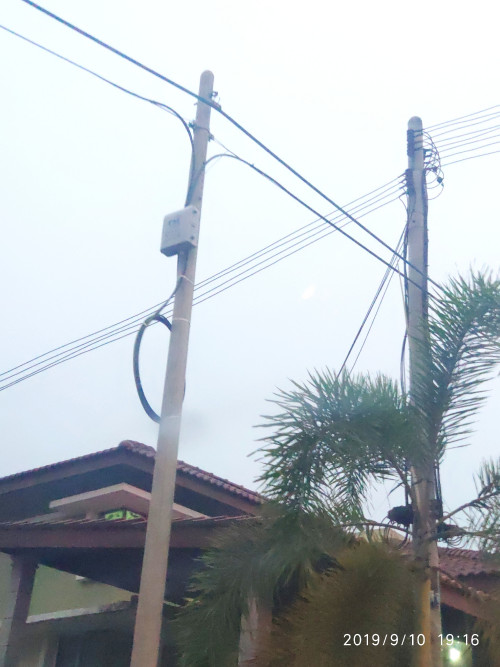
user posted image

Guys. Please congratulate me.

After 7 years of waiting, today TM come to install this box infront of my house.

Please, congratulate me again. Finally I can feel proud living in Malaysia.
*
Let me be the first to congratulate you. I too just got my long awaited 100 MbpS turbo account. The service just came to my area last month. Enjoy!

hellfried
post Sep 13 2019, 08:22 PM

Casual
***
Junior Member
436 posts

Joined: Oct 2005


QUOTE(de_ghost @ Sep 13 2019, 08:33 AM)
anyone having issue with unifi at penang?
*
No issues for me in Penang
hellfried
post Oct 1 2019, 06:34 AM

Casual
***
Junior Member
436 posts

Joined: Oct 2005


QUOTE(smileguy @ Oct 1 2019, 06:00 AM)
https://unifi.com.my/lsds/assets/pdf/fibre/...y%20Nothing.pdf
exsisting customer can also apply,as usual your contract renewed!
*
I just installed Unifi 100 MBPS last month. Can I apply for this waiver and maintain my current package? Haven't even got my first bill yet.
hellfried
post Oct 1 2019, 08:08 AM

Casual
***
Junior Member
436 posts

Joined: Oct 2005


QUOTE(lukemanz @ Oct 1 2019, 07:57 AM)
All existing customer can apply through myunifi app of selfcare portal at unifi.com.my. And yes, can choose maintain current package. Contract will be renew 24 months, you will pay RM0 for monthly fee until 31Dec2019 and start charge back 1Jan2020. So if apply now get 3 months free. Apply 1 Nov get only 2 months free. The catch is when you convert, the penalty is no longer RM500 but remaining months of your contract period. Also, any video on demand, voice usage still need to pay as tm only give waiver on monthly fee. If you already pay your bills, it will carry over and will be deducted when bill start kick in back 1Jan2020
*
So i go to unifi website and select the same plan as i am currently on?
hellfried
post Oct 19 2019, 12:04 PM

Casual
***
Junior Member
436 posts

Joined: Oct 2005


QUOTE(sp3d2 @ Oct 19 2019, 11:05 AM)
Hi guys. How do I know my unifi account password?
*
Go to your web browser. Type in 192.168.0.1 in the address bar. The login and pw will be found on the bottom of your router. After logging in go to settings and select internet. Your userid and pw will be displayed there.

If you ask Unifi, they will tell you they need lots of verification etc. Its a real drag. Just do it on your own with the above method.

This post has been edited by hellfried: Oct 19 2019, 12:05 PM

Topic ClosedOptions
 

Change to:
| Lo-Fi Version
0.1933sec    1.30    7 queries    GZIP Disabled
Time is now: 12th December 2025 - 11:21 PM