

QUOTE(SilentForever @ Nov 7 2016, 03:03 PM)
What about your ipv4 wan dns? Tm default or?

Primary dns is use open dns, secondary dns i use google dns, i never use default tm dns.Unifi Official TM UniFi High Speed Broadband Thread V27, We Want Cheaper Price!
|
|
 Nov 7 2016, 03:08 PM Nov 7 2016, 03:08 PM
|
 
Senior Member
766 posts Joined: Oct 2007 From: Penang Island  
|
QUOTE(SilentForever @ Nov 7 2016, 03:03 PM) What about your ipv4 wan dns? Tm default or? Primary dns is use open dns, secondary dns i use google dns, i never use default tm dns. |
|
|
|
|
|
Nov 7 2016, 03:11 PM
Show posts by this member only | IPv6 | Post
#1262
|

Junior Member
580 posts Joined: Oct 2015
|
QUOTE(calvinlaw510 @ Nov 7 2016, 03:08 PM) Primary dns is use open dns, secondary dns i use google dns, i never use default tm dns. Will it affect speed and loading times? |
|
|
Nov 7 2016, 03:16 PM
|
|
Senior Member
766 posts Joined: Oct 2007 From: Penang Island
|
QUOTE(SilentForever @ Nov 7 2016, 03:11 PM) Will it affect speed and loading times? Public dns is good for accessing tm blocked website, speed wise i didn't notice any difference, and once a while tm dns will go haywireThis post has been edited by calvinlaw510: Nov 7 2016, 03:20 PM |
|
|
Nov 7 2016, 03:26 PM
|

All Stars
14,908 posts Joined: Jul 2005 
|
QUOTE(fruitie @ Nov 7 2016, 02:38 PM) For relocation, can I straight use it on my own router or must use TM stock equipment for configuration? Can I request them to configure it on my router? Actually I don't think they have anything to do right? ID and password still be the same? Speaking based on my experience relocating UniFi 3 times: TM contractor will insist on using their own equipment 1st for testing purposes Once they are done, you just need to disconnect the WAN cable from the stock router & reconnect it to your WS880 lor UniFi ID & password will remain the same unless you change account, so no configuration required on your WS880  |
|
|
Nov 7 2016, 03:30 PM
|
 
Staff
72,804 posts Joined: Sep 2005 From: KUL 
|
QUOTE(sHawTY @ Nov 7 2016, 03:26 PM) Speaking based on my experience relocating UniFi 3 times: OK lo, I will take out the dusty stock router then. TM contractor will insist on using their own equipment 1st for testing purposes Once they are done, you just need to disconnect the WAN cable from the stock router & reconnect it to your WS880 lor UniFi ID & password will remain the same unless you change account, so no configuration required on your WS880  Got it.  |
|
|
Nov 7 2016, 04:44 PM
Show posts by this member only | IPv6 | Post
#1266
|

Senior Member
585 posts Joined: Mar 2006 From: xia's heart , ! 
|
QUOTE(calvinlaw510 @ Nov 7 2016, 02:53 PM) Above is my C5 ipv6 setting. Thank you, I did try SLAAC before, turns out you need to reboot the router for it to take effect.it seems like the C5 router TM provided is not using an official firmware, but rather a custom one. I can't change anything related to VLAN. I have a rather basic question, the router that TM provided (C5), is it mine ? can I flash it to some other firmware ? Do I have to return the router back to TM when I cancel my Unifi ? This post has been edited by cusx: Nov 7 2016, 04:45 PM |
|
|
|
|
|
Nov 7 2016, 06:49 PM
|

Junior Member
680 posts Joined: Sep 2010
|
QUOTE(syabilng @ Nov 7 2016, 07:39 AM) You're using 30Mbps too? Should I even consider a router that supports up to 5GHz? Or will 2.4Hz suffice? At my small company, TM guy came and changed our device to one that supports 5GHz. He said higher speed internet need it? From my experience, Wireless AC does not go thru brick walls, concrete. Which ever way, your 2.4ghz will be very important.Unless, your going to have multiple wireless AC point,(connected via ethernet cables) then serving the AC to the room. |
|
|
Nov 7 2016, 07:33 PM
Show posts by this member only | IPv6 | Post
#1268
|
|
Staff
72,804 posts Joined: Sep 2005 From: KUL
|
OK, just came out from TM Point, came to apply for my relocation. I also clarified on the extra payment, free 15m from pole....
|
|
|
Nov 7 2016, 07:40 PM
|

Senior Member
904 posts Joined: Jul 2011 From: Eastern Kingdom
|
QUOTE(fruitie @ Nov 7 2016, 10:46 AM) ...free speed upgrades soon. What do you mean by that? |
|
|
Nov 7 2016, 07:50 PM
|
|
Senior Member
904 posts Joined: Jul 2011 From: Eastern Kingdom
|
QUOTE(skywardsword @ Nov 7 2016, 06:49 PM) From my experience, Wireless AC does not go thru brick walls, concrete. Which ever way, your 2.4ghz will be very important. I see. I'll stick to normal ones. However, went around to survey, most shops recommended these:Unless, your going to have multiple wireless AC point,(connected via ethernet cables) then serving the AC to the room. 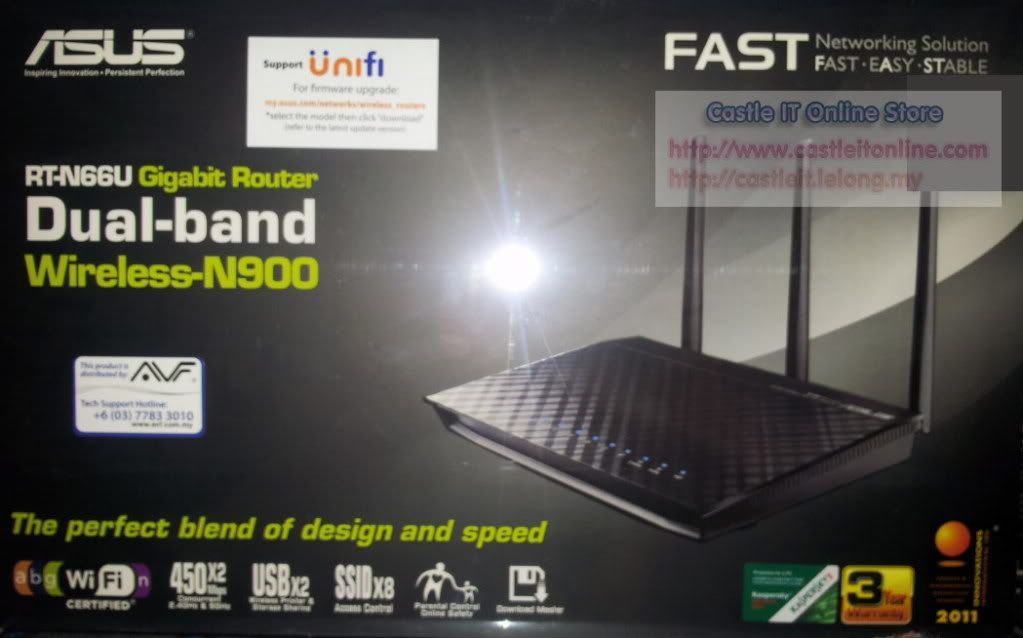 And...  What do you guys think? Do these support IPTV? This post has been edited by syabilng: Nov 7 2016, 07:51 PM |
|
|
Nov 7 2016, 07:57 PM
Show posts by this member only | IPv6 | Post
#1271
|
|
Staff
72,804 posts Joined: Sep 2005 From: KUL
|
QUOTE(syabilng @ Nov 7 2016, 07:40 PM) What do you mean by that? Budget 2017 already announced ma. Plus our trusted source from here already mentioned, if sign up before 31st Dec, next year will have free upgrades. 30Mbps will get 50Mbps. |
|
|
Nov 7 2016, 08:00 PM
|

Senior Member
4,490 posts Joined: Oct 2014
|
QUOTE(syabilng @ Nov 7 2016, 07:50 PM) What do you guys think? Do these support IPTV? Yes it comes with native support for IPTV. |
|
|
Nov 7 2016, 08:18 PM
|
|
Senior Member
904 posts Joined: Jul 2011 From: Eastern Kingdom
|
QUOTE(fruitie @ Nov 7 2016, 07:57 PM) Budget 2017 already announced ma. Plus our trusted source from here already mentioned, if sign up before 31st Dec, next year will have free upgrades. 30Mbps will get 50Mbps. Means current 30Mbps subscribers get 50? |
|
|
|
|
|
Nov 7 2016, 08:19 PM
Show posts by this member only | IPv6 | Post
#1274
|
|
Staff
72,804 posts Joined: Sep 2005 From: KUL
|
QUOTE(syabilng @ Nov 7 2016, 08:18 PM) Means current 30Mbps subscribers get 50? Yes, if tak kena tipu which I'm quite optimistic I will be upgraded to 50 Mbps. |
|
|
Nov 7 2016, 08:49 PM
Show posts by this member only | IPv6 | Post
#1275
|

Senior Member
1,704 posts Joined: Jan 2005
|
For new sign up Unifi RM199...with Hypptv packs subscribe at offer price...
So this packs subscribe with 1year,2years or no contract base? Can terminate the pack subscribe? Thanks |
|
|
Nov 7 2016, 09:04 PM
Show posts by this member only | IPv6 | Post
#1276
|

Senior Member
628 posts Joined: Apr 2016
|
QUOTE(calvinlaw510 @ Nov 7 2016, 04:16 PM) Public dns is good for accessing tm blocked website, speed wise i didn't notice any difference, and once a while tm dns will go haywire which one is better ?google dns or open dns ?? |
|
|
Nov 7 2016, 09:05 PM
Show posts by this member only | IPv6 | Post
#1277
|
|
Senior Member
628 posts Joined: Apr 2016
|
QUOTE(syabilng @ Nov 7 2016, 09:18 PM) Means current 30Mbps subscribers get 50? not all the customer subject to limited of technology based on the location |
|
|
Nov 7 2016, 09:19 PM
Show posts by this member only | IPv6 | Post
#1278
|
|
Senior Member
766 posts Joined: Oct 2007 From: Penang Island
|
QUOTE(dannielshazmeer @ Nov 7 2016, 09:04 PM) which one is better ? There's no difference between the 2.google dns or open dns ?? This post has been edited by calvinlaw510: Nov 7 2016, 09:20 PM |
|
|
Nov 7 2016, 10:05 PM
|
|
Senior Member
4,381 posts Joined: Jan 2003
|
New sign up now is RM179.
QUOTE(sgpdsmss @ Nov 7 2016, 08:49 PM) For new sign up Unifi RM199...with Hypptv packs subscribe at offer price... So this packs subscribe with 1year,2years or no contract base? Can terminate the pack subscribe? Thanks |
|
|
Nov 7 2016, 10:07 PM
Show posts by this member only | IPv6 | Post
#1280
|
|
Senior Member
1,704 posts Joined: Jan 2005
|
QUOTE(jhleo1 @ Nov 7 2016, 10:05 PM) New sign up now is RM179. For new sign up with free call 600 mins one... |
|
Topic ClosedOptions
|
| Change to: |  0.0321sec 0.0321sec
 0.62 0.62
 6 queries 6 queries
 GZIP Disabled GZIP Disabled
Time is now: 4th December 2025 - 08:51 AM |
 Quote
Quote